#archived-shaders
1 messages · Page 40 of 1
 mental bone
If you want to sample the full res texture in the vertex stage just provide level 0 to it
 arctic flame
ok yeah i think if my understanding of shaders is correct, then i'm stuck doing it in the vertex stage

 grizzled bolt
arctic flame
ok yeah i think if my understanding of shaders is correct, then i'm stuck doing ...
grizzled bolt
arctic flame
ok yeah i think if my understanding of shaders is correct, then i'm stuck doing ...
You can do it in vertex stage, but I think you can do it in fragment stage just as well
arctic flame
i've done something wrong im just trying to puzzle out what
i'm looking for like the normal of the pixel in world space, that''s what i want to be changing
grizzled bolt
Like this with object space normals and with tangent space normals


At least these seem to look right to me
 grizzled bolt
arctic flame
wonder why it's greyed out.
grizzled bolt
arctic flame
wonder why it's greyed out.
Tangent space normals are enabled, so object space normals can't be used
 grizzled bolt
arctic flame
would this work?
grizzled bolt
arctic flame
would this work?
It does but doing it that way causes some distortion around tight polygons
the second one is after converting from object space

 arctic flame
so i make it first, then transform it to tangent space, and that's a better result?

ah :) this is cool! it looks to be working as i instructed

spazi, if you were to make a retroreflector what would your approach be?
the biggest drawback of this approach is that the retro surfaces is always acting that way even where that doesn't seem lifelike
like in the front here
 grizzled bolt
Thread
arctic flame
i also wish i could make the cone of response narrower somehow but i don't think that's possible with my naive approach
arctic flame
hey everyone
how can i make the diffuse reflection of this red object only reflect red and absorb other light?
 grizzled bolt
We already have a thread for this
 wraith wing
thank you for suggestion. that would do.
but, is it possible to mapping based on world + normal coordinate like if the object is something that's need variation but not flat (let's say like roller coaster track)?.
 amber saffron
wraith wing
thank you for suggestion. that would do.
but, is it possible to mapping based on...
amber saffron
wraith wing
thank you for suggestion. that would do.
but, is it possible to mapping based on...
It's not possible to follow properly a curve by only using world position and normal.
You can do things like simple shapes and lines, but if it is some sort of pattern you will break continuity
arctic flame
does anyone know how to unclamp the base albedo in pbr
 lunar valley
why would something like this on a surface shader not work? cs IN.screenPos = ComputeScreenPos(v.vertex.xyzw); cs // -------- Calculate water depth -------- float nonLinearDepth = SAMPLE_DEPTH_TEXTURE_PROJ(_CameraDepthTexture, IN.screenPos); float dstToTerrain = LinearEyeDepth(nonLinearDepth); float dstToWater = IN.screenPos.w; float waterViewDepth = saturate(dstToTerrain - dstToWater); // Albedo comes from a texture tinted by color o.Albedo = waterViewDepth;
the surface is simply pitch black and not visualizing the depth
 civic lantern
arctic flame
does anyone know how to unclamp the base albedo in pbr
civic lantern
arctic flame
does anyone know how to unclamp the base albedo in pbr
Unclamp? Maybe you want to enable HDR in the color property's settings
arctic flame
let me check.
 meager pelican
lunar valley
the surface is simply pitch black and not visualizing the depth
meager pelican
lunar valley
the surface is simply pitch black and not visualizing the depth
Not sure, but try outputting the individual values (dstToTerrain, dstToWater).
I'm wondering, right now, if you're getting the same values, or if dstToTerrain is zero.
arctic flame
@civic lantern i'm not sure what you're referring to. im using hdrp
 grizzled bolt
civic lantern
Unclamp? Maybe you want to enable HDR in the color property's settings
grizzled bolt
civic lantern
Unclamp? Maybe you want to enable HDR in the color property's settings
We did try that
Seems that HDRP clamps albedo values to maintain physical accuracy
civic lantern
Ah, well you could fake the same effect with emission I guess
grizzled bolt
civic lantern
Ah, well you could fake the same effect with emission I guess
The goal is to intensify reflected light for a more powerful retroreflector
I don't think there's a way to use emission for that without custom lighting functions
lunar valley
meager pelican
Not sure, but try outputting the individual values (dstToTerrain, dstToWater).
I...
dstToTerrian is definitelly not zero but on one side of the sphere it seams to be darker but on the other side not changes with the distance to the terrain tho, and for the dstToWater seams to be exactly the same as dstToTerrain

that explains why waterViewDepth is black, but I am wondering why they are the way they are
 exotic moon
does anyone have any good resources for learning about shaders? preferably like a youtube playlist or something
i found one but it was quite old
grizzled bolt
exotic moon
does anyone have any good resources for learning about shaders? preferably like ...
https://youtu.be/kfM-yu0iQBk Freya Holmér has one in video format
https://halisavakis.com/category/shaderquest/ HarryAlisavakis has a series for BiRP shaders
https://www.cyanilux.com/tutorials/intro-to-shader-graph/ Cyan has one for URP Shader Graph, plus some for more specific topics
 woeful breach
how can i make the settings from the shader graph avaliable in the material ?

 simple violet
Allow material override
woeful breach
thanks
 sacred stratus
How do you
A: Get A native pointer to a computebuffer on the gpu while in c#
B: Set an offset to that pointer in bytes
C: Upload it and use it in a shader
amber saffron
@regal stag Sorry to ping directly on week end 😅
I know you've made some handy nodes and custom functions to get lights info in URP.
Did you by any chance also experimented to do the same with the built-in renderer ?
 regal stag
amber saffron
<@357936113983291393> Sorry to ping directly on week end 😅
I know you've made ...
regal stag
amber saffron
<@357936113983291393> Sorry to ping directly on week end 😅
I know you've made ...
Nah, I haven't really tried. But I have noticed there is a Lighting.hlsl in the shadergraph package under the BuiltIn target. Looks similar to older versions of URP. I'd guess this gets used? https://github.com/Unity-Technologies/Graphics/blob/master/Packages/com.unity.shadergraph/Editor/Generation/Targets/BuiltIn/ShaderLibrary/Lighting.hlsl
amber saffron
It seems to, but the code is ... surprising ...
Light GetMainLight()
{
    Light light;

#ifndef BUILTIN_TARGET_API
    light.direction = _MainLightPosition.xyz;
    light.distanceAttenuation = unity_LightData.z; // unity_LightData.z is 1 when not culled by the culling mask, otherwise 0.
    light.shadowAttenuation = 1.0;
    light.color = _MainLightColor.rgb;
#endif

    return light;
}
Like, if built-in api is defined, do nothing ?
regal stag
Yeah it's not really what I expected
amber saffron
On my side I tried to just use the _MainLightPosition value, but it seems to be a constant 0
regal stag
amber saffron
On my side I tried to just use the `_MainLightPosition` value, but it seems to b...
I tried searching for it on the github and can't find anything that sets that property too. Maybe this Lighting.hlsl file isn't actually used? 😕
amber saffron
Not sure, but this define could be set at c++ / engine level
regal stag
I guess could try some of the built-in shader variables like _WorldSpaceLightPos0, unity_LightColor, etc
https://docs.unity3d.com/Manual/SL-UnityShaderVariables.html
regal stag
I feel like additional lights will be more complicated, since doesn't Built-in use AddPass for those instead of everything in the main Forward one
amber saffron
The 4 first should be ok, but yes, other ones will get tricky
Still not sure why I can't get the shadergraph functions to work there
amber saffron
regal stag
I guess could try some of the built-in shader variables like `_WorldSpaceLightPo...
Looks like it's what the generated shader is doing after all 🤔 https://github.com/Unity-Technologies/Graphics/blob/master/Packages/com.unity.shadergraph/Editor/Generation/Targets/BuiltIn/Editor/ShaderGraph/Includes/PBRForwardPass.hlsl#L88
I'm so confused
regal stag
amber saffron
Looks like it's what the generated shader is doing after all 🤔 https://github....
Yeah I've seen that too now.
As far as I can tell, it appears that the Built-in target is a weird copy of LWRP/URP but set up in a way that allows including the Built-in shader includes as well. Can kinda see that from that PBRForwardPass and Shims.hlsl : https://github.com/Unity-Technologies/Graphics/blob/master/Packages/com.unity.shadergraph/Editor/Generation/Targets/BuiltIn/ShaderLibrary/Shim/Shims.hlsl
The Lighting.hlsl does appear to be included in the generated shader graph code, but hard to tell if any of the functions are actually being used.
amber saffron
Pretty messy 😅
meager pelican
lunar valley
that explains why waterViewDepth is black, but I am wondering why they are the w...
IDK what I'm looking at in that pic, but I'd be using the frame debugger next.
I'd also want to check if the water is in the transparent queue or not (depends on how you want to implement it)
Opaque objects write to depth and they're also drawn front-to-back, so water would be drawn first if they're in the same camera and queue.
meager pelican
amber saffron
Pretty messy 😅
Yeah :(, prolly "for historical reasons" and cross-compatibility, stubbing out some functions so things don't blow up. Light lists seem messy for all GPU implementations, due to how each thread has to process it and you end up with all threads processing most branches...
except for Forward+ rendering, with screen-space-tile based light lists or some hybrid. I'm looking forward to Unity's documentation on that, and since they appear to have abstracted much of it with macros, if they implement or plan to implement acceleration structures to search the light list(s) for each pixel.
Then we'll be in a post-deferred era with the locally-relevant light list available to all pixel shaders.
Unfortunately, my quick test of forward+ didn't have a million local small lights as being performant, we've probably all seen the demos of that on another site in native DirectX I think it was. But it did support a few thousand, IIRC. Would depend on GPU of course.
Anyway, just rambling....
Light lists seem to come up a lot here.
 main vigil
Hi everyone! Iam following Brackets tutorial about shaders. It seems that since the video was uploaded, some things have changed, and I have a hard time getting the last part to work correctly. Everything except the color of my shader is working correctly.
This is how brackeys has it:

This is how I tried to make it work:

But I dont get the same result :(
His lines are red around his shader:

Mine are only on the edges, and even then they dont show up or change the color when I change my color variable.

Any help would be highly appriciated :)
 shell fable
main vigil
Mine are only on the edges, and even then they dont show up or change the color ...
shell fable
main vigil
Mine are only on the edges, and even then they dont show up or change the color ...
adding anything to white is still white (color channels are in the range of 0-1, so adding to 1 is still 1 in the end), if you had the same sprite as Brackey it would probably look like it does for him.
if you want to make it work for bright colors/white, try something like lerping the colors instead of adding for example
main vigil
@shell fable Ah! I see what you mean! Im still very new to this, and lerping does give me the effect, but changes the original color of the sprite, is there a way to fix that?
 sacred stratus
Can someone explain to me how you can syncronize a computebuffer with the one on the gpu side,
I have following issue:
ComputeBuffer buffer = new ComputeBuffer(100,sizeof(float)*4);
buffer.SetData(someData);
material.SetBuffer("Name",buffer);
//Everything works fine untill now
Now I do
Color[] dataB = new data[50];
buffer.SetData(dataB,0,30,50);
=> //My Shader still outputs the same colors
 hushed cairn
would somebody be free to help me do some troubleshooting with a shader i got from the asset store? i had it working and now i can't get it working again and i'm probably missing something very obvious
grizzled bolt
main vigil
<@325149170598019072> Ah! I see what you mean! Im still very new to this, and le...
You would instead lerp to the solid color using your noise as the mask or T
meager pelican
sacred stratus
Can someone explain to me how you can syncronize a computebuffer with the one on...
Look ok at 1st glance.
Was looking to see if there was buffer.apply() or something but I don't see it.
See https://docs.unity3d.com/ScriptReference/ComputeBuffer.BeginWrite.html for faster option, also see if shader bug is culprit.
 sacred stratus
hm I see a lot of new stuff like computebuffer modes but not sure if that s it
hushed cairn
i keep getting these errors and have no idea why because the references textures are there
 shell fable
main vigil
<@325149170598019072> Ah! I see what you mean! Im still very new to this, and le...
shell fable
main vigil
<@325149170598019072> Ah! I see what you mean! Im still very new to this, and le...
don't know how good that will look, but try using a color conversion node and use the red overlay's brightness value (z value) as the lerp factor
sacred stratus
click on them it s gonna show you where
hushed cairn
i have but i still don't understand why the lines are causing issues
i tried contacting the person who made the shader and they don't know either, but what's confusing is it was working before and i don't know what's changed
 radiant meteor
where can I find a list of reference names I can use? I know I can name it anything, but aren't there like "built-in" ones commonly used, like for normals it's _normal or something usually right?

 lime viper
_BumpMap for normals, if you find the lit shader in the packages and select it you will get the full list of properties and their names
radiant meteor
ah okay, thank you
exotic moon
grizzled bolt
<https://youtu.be/kfM-yu0iQBk> Freya Holmér has one in video format
<https://hal...
hey sorry i saw this a little late but ye i watched freya's video on it and it was pretty good, ill take a look at those other resource thanks :]
meager pelican
radiant meteor
where can I find a list of reference names I can use? I know I can name it anyth...
Use the inspector. Select the shader, and enable debug mode (google is your friend to find it if you need to).

 tawny kelp
following a tutorial for water shader, but this makes the water plane pitch black when depth > 0, and white when depth < 0. i want it to be blackish towards land, and white towards deeper parts

https://www.youtube.com/watch?v=gRq-IdShxpU this is what i was following

In this video, we'll take a look at how we can use the Shader Graph feature in Universal Render Pipeline, or URP for short, with Unity to create a water shader! The water shader can be simple or complex, and include the features you desire. Let your imagination get wild in this tutorial, or simply follow step-by-step to get about the same result...
alright, so apparently i had to set surface type to transparent
it's fixed :)
grizzled bolt
Why wouldn't there be? Remap is just math and an unlit shader is just a shader that doesn't implement lighting
 surreal locust
I would like to calculate normals in frag shader. anybody can help me?
lunar valley
float InvLerp(float a, float b, float v)
{
  return (v-a) / (b-a);
}
``` ```cs
float Remap(float iMin, float iMax, float oMin, float oMax, float v)
{
  float t = InvLerp(iMin, iMax, v);
  return lerp(oMin, oMax, t);
}```I do not really understand what the problem is?
 tall chasm
Using shader graph, how can I have it affected by UI mask?
at the moment I have a gradient shader graph for my ui background but it ignore it's parent's mask
simple violet
Shader graph is ñot compatible with ui
tall chasm
no way!
main vigil
grizzled bolt
You would instead lerp to the solid color using your noise as the mask or `T`
Hi Spazi, im not sure I understand correctly, what do you mean by solid color? I tried putting my noise as the mask and it works good until I change the base color of my base sprite to anything but white, then the edge color changes with it.

Works fine when base color is white


edge changes to black when base becomes green, even though its still set to red in the material
lunar valley
clamp it to a small value then i guess
float satur = 1 - cMin/ clamp(cMax, 0.00001, 1);
I do not think that, this is how you get the saturation from rgb
lets just say rgb = .5 so max and min would both be .5, 0.5/0.5 = 1, 1 -1 = 0, and the saturation with rgb being .5 is definitelly not 0
 hushed vigil
but saturation is 0 if all rgb values are the same
main vigil
@torn dew I managed to solve it by tinting the sprite color before combining it with alpha :)
lunar valley
hushed vigil
but saturation *is* 0 if all rgb values are the same
oh right it is I am so brain dead, my sincere apologies
grizzled bolt
main vigil
Maybe you have some negative colors or values slipped in somewhere
This is how I'd do the same effect
As you can see I'm lerping to just the color
 main vigil
grizzled bolt
Maybe you have some negative colors or values slipped in somewhere
This is how I...
main vigil
grizzled bolt
Maybe you have some negative colors or values slipped in somewhere
This is how I...
I tried to change it to your, but I failed xd
I managed to make it work in the end by tinting the sprite before combine, so I will just keep it like this for now ^^
I really appriciate your help though !!!

 solar furnace
Why is the preview not changing color?

 vocal narwhal
solar furnace
Why is the preview not changing color?
vocal narwhal
solar furnace
Why is the preview not changing color?
presumably the shader is not compiling. Magenta usually means there's an error
solar furnace
vocal narwhal
presumably the shader is not compiling. Magenta usually means there's an error
I fixed it! i realised i didnt set the render pipeline asset in project settings
 peak sky
hey guys, I have this massive shader file and my compiler gives me the "} expected" error. Sadly I can't figure out where I'm missing and why it happens... Any help is very much appreciated! I'm getting kinda frustrated on this :^)
woeful breach
I made a custom terrain shader but it stopped working when I imported the terrain tools package. can anyone help ?
surreal locust
How to correctly apply normal strength?
 fallow crystal
if anyone can take a look
 half forge
Hey there, ive never used shaders before And I wanted to try this fur shader. Can anyone point me to a tutorial on where to put this code?
amber saffron
half forge
Hey there, ive never used shaders before And I wanted to try this fur shader. Ca...
Download the file, import in unity, assign to a material, assign the material to an object
Might not work from scratch, it's pretty old
and for built-in renderer
amber saffron
fallow crystal
https://discord.com/channels/489222168727519232/497872424281440267/1092435575195...
What are you doing in your shader ?
half forge
amber saffron
Download the file, import in unity, assign to a material, assign the material to...
Im not sure what you mean by download it, its just raw code
I see "download raw" but it just gives me the raw code again aha
is it to be saved as a.c file?
amber saffron
half forge
I see "download raw" but it just gives me the raw code again aha
Yep, do this, right click "save as", and save in the unity project with .shader extension
amber saffron
Ow, didn't see second one.
The second should be in the same folder, and named FurHelper.cginc
half forge
Thanks
fallow crystal
amber saffron
What are you doing in your shader ?
got it fixed by upgrading URP to 10.10.1
half forge
amber saffron
Ow, didn't see second one.
The second should be in the same folder, and named `F...
Not sure if this is just because its old and probably doesnt work anymore ahahaha

But I would guess so?
amber saffron
I think so 😅
half forge
Ill try to find an updated one
Ill probably have to learn to use shadergraph at some point
Im not sure what sort of artstyle I want to go for yet
 dire sedge
Hey, so I have a shader which does some rendering and what not, but I would like to do something where I save the newly rendered frame somehow and then get the average of all the frames rendered from the beginning. A little like the code in this message. How would I go on about saving the render for a singular frame so I can use it later on?
_MainTex is already a variable in HLSL which gets updated when you render it, but I am not sure how I would save the old frame and use it
float4 frag (v2f i) : SV_Target
{
  float4 oldRender = tex2D(_MainTexOld, i.uv);
  float4 newRender = tex2D(_MainTex, i.uv);

  float weight = 1.0 / (Frame + 1);
  float4 accumulatedAverage = oldRender * (1 - weight) + newRender * weight;

  return accumulatedAverage;
}
 low lichen
dire sedge
Hey, so I have a shader which does some rendering and what not, but I would like...
low lichen
dire sedge
Hey, so I have a shader which does some rendering and what not, but I would like...
You need two textures for this. In your shader, you would read from one texture and write to the other. Then you'd swap them before the next frame.
That way, the texture you read from is the one from last frame and the texture you write to is two frames old.
dire sedge
Ohh I see, now how do I write to a texture? I am new to this whole shader thing haha
low lichen
dire sedge
Ohh I see, now how do I write to a texture? I am new to this whole shader thing ...
The active render texture is what gets written to by the shader. I've been assuming that _MainTex is the screen texture.
Are you not writing a shader that is drawn full screen, with a blit maybe?
dire sedge
low lichen
The active render texture is what gets written to by the shader. I've been assum...
Yeah I assume that too, when I return a color in the frag function that pixel becomes that color
dire sedge
low lichen
Are you not writing a shader that is drawn full screen, with a blit maybe?
Thats right I am using graphics.blit on my camera
low lichen
Ok, so whatever you feed as the dst texture is what gets written to.
You may need an additional blit if you also want to render to the screen.
dire sedge
Hmm so maybe where I blit, I can put in the old texture like this?
material.SetTexture("_MainTexOld", texture);
Something like that?
Idk if its called .SetTexture, but you know how you can .SetInt or .SetBuffer
Like that
Hm I just dont know how to get the last texture then
 long moat
is there a node or some HLSL code for custom node that converts Vector4 into Texture2D?
low lichen
dire sedge
Hm I just dont know how to get the last texture then
You could copy the texture to another one after the blit, using Graphics.CopyTexture. You just have to make sure the texture you copy to has all the same settings.
 low lichen
surreal locust
Does I need both uv?
low lichen
surreal locust
Does I need both uv?
You only need this if you want to be able to change the Tiling & Offset settings of the normal texture separately from the base map. Otherwise, it will use the same settings as the base map.
 brittle bolt
Hey all, I am trying to write a surface shader in shader lab that uses uv0 for a certain shell layout, and uv2 for laying another grunge texture on top of that. What I am finding is that the grunge texture is getting its own uv channel, it is not using the shell layout from uv2. Really been struggling.
surreal locust
low lichen
You only need this if you want to be able to change the Tiling & Offset settings...
if my base tex is 2kb and normal tex 512b?
 grand jolt
any suggestions on shaders to achieve the look of OSRS? Dithering, pixelation, etc? I tried pixelation but the effect was too strong
amber saffron
grand jolt
any suggestions on shaders to achieve the look of OSRS? Dithering, pixelation, e...
It doesn't seem to be about pixelation, just old tech : low res textures, vertex lighting, no normal/bump maps
grizzled bolt
grand jolt
any suggestions on shaders to achieve the look of OSRS? Dithering, pixelation, e...
Lack of antialiasing is probably what makes it look "pixelated"
grand jolt
thanks @amber saffron @grizzled bolt - I know they used some sort of dithering for the shadows though~~, and the lighting had that "ring" look~~ hmm no lighting at all actually, until later
this is antialiasing?
 grizzled bolt
grand jolt
thanks <@532477925250039820> <@166982635950702592> - I know they used some sort ...
grizzled bolt
grand jolt
thanks <@532477925250039820> <@166982635950702592> - I know they used some sort ...
I can't see any lighting, or textures in the examples I can find of OSRS
Or shading either, looks like shadows are stored in vertex color the same as all material variance
Only visible pixel boundaries are the hard un-antialiased geometry silhouettes and point filtered UI images and text
Some select spots seem to have texture mapping but I can't tell if they're bilinear filtered or point filtered, either are valid options
grizzled bolt
grand jolt
this is antialiasing?
On the right we seem to have gotten rid of the pixelated outlines thanks to antialiasing, and there's more textures though vertex coloring seems to be used a lot still
Can't see clearly enough how the shadows are done
grand jolt
grizzled bolt
On the right we seem to have gotten rid of the pixelated outlines thanks to anti...
thanks for the explanations 😄
amber saffron
Shadows look like good old "blob shadow" effect
grand jolt
shadows like this - something like a gradient
 grizzled bolt
grand jolt
shadows like this - something like a gradient
grizzled bolt
grand jolt
shadows like this - something like a gradient
These are probably not reactive "real" shadows in any way, rather more details added with vertex coloring
The characters will likely have transparent sprites projected below their feet
 cunning glacier
this is my first time using shaders in unity (I'm coming from using GLSL), how can i set up a fullscreen pass that can "communicate" with a c# script?
long moat
long moat
is there a node or some HLSL code for custom node that converts Vector4 into Tex...
anyone?
amber saffron
long moat
is there a node or some HLSL code for custom node that converts Vector4 into Tex...
No, it doesn't make sense ... what do you have in mind ? What are you trying to do ?
amber saffron
cunning glacier
this is my first time using shaders in unity (I'm coming from using GLSL), how c...
Search for "custom post process"
long moat
amber saffron
No, it doesn't make sense ... what do you have in mind ? What are you trying to ...
im trying to make a custom POM as the default one acts strange
cunning glacier
can i use glsl instead of hlsl in some way?
amber saffron
cunning glacier
can i use glsl instead of hlsl in some way?
No
long moat
so there is no way to convert vector4 back to texture2d?
amber saffron
long moat
im trying to make a custom POM as the default one acts strange
The default PoM nodes takes a tex2D as input, and outputs values ... why would you want to do it the other way around ?
But no, you can't convert a vector value to a texture object
long moat
amber saffron
The default PoM nodes takes a tex2D as input, and outputs values ... why would y...
to do something like this

basically to modify the depth map
cunning glacier
amber saffron
Search for "custom post process"
is there a way to just assign the shader to the camera?
amber saffron
long moat
to do something like this
Okay.
Well, you will have to make your own PoM node, and input the remaping values to it, as PoM is sampling the texture in a loop, you will have the remap the sampled value each time
amber saffron
cunning glacier
is there a way to just assign the shader to the camera?
Kind of what a post process is
cunning glacier
then i didn't get the process, can you quickly explain it here?
amber saffron
long moat
to do something like this
btw, the node on the right looks like the regular parallax node, not PoM ?
long moat
amber saffron
btw, the node on the right looks like the regular parallax node, not PoM ?
oh no, it is a custom POM from this video: https://youtu.be/LKhGqKYOmbo

This is a tutorial on using the Parallax Mapping in Unity Shader Graph
Node Code:
https://github.com/anaseinea/Parallax-Mapping-Node-Unity
Checkout my assets for more Tuts!
Popular Links
URP Material Pack Vol 1: https://bit....
wait.. now that you mention it.. it is indeed just a parallax mapping
what is the difference then?
amber saffron
long moat
wait.. now that you mention it.. it is indeed just a parallax mapping
Looking at the code, it's PoM
cunning glacier
what is the difference between the two?
amber saffron
long moat
oh no, it is a custom POM from this video: https://youtu.be/LKhGqKYOmbo
Here's where you can remap the heightmap value : https://github.com/anaseinea/Parallax-Mapping-Node-Unity/blob/master/paralaxNode.cs#L49
GitHub
This is a custom node for unity shader graph to create the parallax mapping effect - Parallax-Mapping-Node-Unity/paralaxNode.cs at master · anaseinea/Parallax-Mapping-Node-Unity
long moat
amber saffron
Looking at the code, it's PoM
is there a way to change the code so it will take as an input Vector4 instead of Texture2D? from what it looks, it is necessary for it to be texture2d
cunning glacier
amber saffron
For built-in renderer : https://docs.unity3d.com/Packages/com.unity.postprocessi...
and can i use hlsl instead of the graph for URP?
long moat
amber saffron
Here's where you can remap the heightmap value : https://github.com/anaseinea/Pa...
oh, hmm.. you mean like connect that node as input?
amber saffron
cunning glacier
what is the difference between the two?
Parallax Mapping will "blindly" offset the UVs based on view direction and height map value for offset.
Parallax Occlusion Mapping will recursively sample the heightmap to hit a sort of "virtual surface" represented by the heightmap, and return the UV offset. It will occlude the ray base on the map
amber saffron
long moat
is there a way to change the code so it will take as an input Vector4 instead of...
No
cunning glacier
i mean the difference between URP and built-in-renderer ;)
amber saffron
long moat
oh, hmm.. you mean like connect that node as input?
I mean like : add the remap input to the node, and add the remapping math in the node code
amber saffron
cunning glacier
and can i use hlsl instead of the graph for URP?
I recommand to use the graph to avoid all the boilerplate code required for the shader.
You could use a very simple graph, and a custom function node storing your HLSL code
long moat
amber saffron
I mean like : add the remap input to the node, and add the remapping math in the...
alright, i will try that, thank you!
also, another thing i've been looking, do you know how I can enable this POM to have it's own shadows? from my testing it has no shadows at all
cunning glacier
amber saffron
I recommand to use the graph to avoid all the boilerplate code required for the ...
my goal is to do everything in hlsl, so i can just make a shadergraph, add a function and write it like normal and it should be done right?
amber saffron
long moat
alright, i will try that, thank you!
also, another thing i've been looking, do y...
Just for acknowledgement : shadergraph has it's own pom node.
For shadows, you will need to also offset the depth in the shader : this is only supported in HDRP
long moat
trying to make something like that
 amber saffron
cunning glacier
my goal is to do everything in hlsl, so i can just make a shadergraph, add a fun...
amber saffron
cunning glacier
my goal is to do everything in hlsl, so i can just make a shadergraph, add a fun...
Yes
long moat
amber saffron
Just for acknowledgement : shadergraph has it's own pom node.
For shadows, you ...
oh, so there is no workaround for it for URP?
amber saffron
It is technically possible, but you need to modify the generated shader
long moat
amber saffron
It is technically possible, but you need to modify the generated shader
i see, alright thank you
 honest patrol
Are there any known ways to make a 3D skybox?
You know kinda like in source
Where you set up objects and they get kind of projected onto the skybox
There's also this unity game called distance that also does this
grizzled bolt
honest patrol
Are there any known ways to make a 3D skybox?
Camera stacking is one way to do it
URP importable examples have an example of exactly this kind of setup
 loud turtle
Is there a way to achieve this effect but only for specific objects? If yes, then how

This short video tutorial covers how to get a pixelated look (also called "low resolution look" or "retro look") in Unity. This is a great effect for 2D and 3D games.
In this tutorial we learn:
- How to create a Render Texture
- How to create a Raw Image
- How to tweak some settings (game scale, camera warning, crisp pixels, resolution)
You ca...
Every single tutorial makes a script for camera, but i want it only for specific objects
grizzled bolt
honest patrol
Where can I find those examples?
"Samples" in package manager under URP package
If you're not using URP you will have to look for something else, but the principle is pretty universal
(Many other official packages have great importable samples too)

 honest heath
Hi all. I'm pretty new to Unity, and I am just looking for some advice about an effect. I have a shield sprite for a 2D spaceship, and I want the shield to appear from the center out on input from the user. Is using a shader the best way to do that? If so, would you be so kind as to point me toward the nearest bone?
grand jolt
grizzled bolt
These are probably not reactive "real" shadows in any way, rather more details a...
I appreciate all your help and tips
 neat hamlet
loud turtle
Is there a way to achieve this effect but only for specific objects? If yes, the...
neat hamlet
loud turtle
Is there a way to achieve this effect but only for specific objects? If yes, the...
use the stencil buffer

same effect for fullscreen, but with a specific stencil buffer ref value to check against
in BIRp its done with adding a stencil buffer block, in URP you can do it with renderer features > Render Objects
loud turtle
this is really advanced
 analog raptor
When I create a new shader graph, it creates a child material inside it. If I use/assign this child material to an object I can't edit any of the properties I've exposed.
I can work around this by creating a 2nd material outside the shader graph and referencing the shader, but now I have 2 duplicate materials that show up in any search boxes, one of which is not usable for me.
Ideally I would just use the material in the shader graph by making it become editable when applied to an object or delete it, but haven't been able to figure out how to do either of these. Is there a way to do either of these things?
All the tutorials I've found do not seem to have this problem, they all manually create a material.
grizzled bolt
analog raptor
When I create a new shader graph, it creates a child material inside it. If I us...
What do you mean by "material inside it" precisely?
analog raptor
grizzled bolt
What do you mean by "material inside it" precisely?
Not sure the term 😛 but here is a picture:
 grizzled bolt
analog raptor
Not sure the term 😛 but here is a picture:
grizzled bolt
analog raptor
Not sure the term 😛 but here is a picture:
This seems to be a brand new feature/quirk of SG or material variants possibly
Not something I've seen before
Probably for convenience so you can quickly use a material with default properties
analog raptor
grizzled bolt
This seems to be a brand new feature/quirk of SG or material variants possibly
N...
thanks
 dull orchid
Hello
I can't connect the subtract node from scene depth and screen position to my smoothstep node

I want to change my vertex position only if the mesh is not clipping in itself

grizzled bolt
dull orchid
Hello
I can't connect the subtract node from scene depth and screen position to...
Scene depth node can only be used in fragment shader stage
dull orchid
Oh
So how I can check if the current vertex is not clipping in the mesh?
Or change it to draw over the mesh if it's clipping
dull orchid
grizzled bolt
Scene depth node can only be used in fragment shader stage
Do you know how I can do something similar in the vertex stage?
grizzled bolt
dull orchid
Do you know how I can do something similar in the vertex stage?
I don't have any ideas
That sounds many kinds of tricky
dull orchid
Ok thanks anyway
I will try to do something about that
grand jolt
i downloaded a water shader asset and its pink...
 flat orchid
How i can make lazer like this using shader graph

 tacit parcel
flat orchid
How i can make lazer like this using shader graph
tacit parcel
flat orchid
How i can make lazer like this using shader graph
looks like simple image to me
flat orchid
tacit parcel
looks like simple image to me
can i make this lazer using shader graph
tacit parcel
flat orchid
can i make this lazer using shader graph
Yes
flat orchid
tacit parcel
Yes
how i can make this rough idea
tacit parcel
I'm not sure what kind of laser do you want to make, from the image, it looks like simple image
amber saffron
analog raptor
thanks
It's exactly what @grizzled bolt said.
The idea is that you can use the material subasset on an object, and if will always reflect the default values of the graph, but you can also make a material variant (or even a chain of variants) from it, allowing to inherit some of the default values, and override the ones you need.
flat orchid
tacit parcel
I'm not sure what kind of laser do you want to make, from the image, it looks li...
okay
tacit parcel
flat orchid
okay
maybe post a video or gif so we can see the laser animation
amber saffron
flat orchid
https://youtu.be/oXKiRLAlqXYn from 1:35 you can see how its working
Either it's a lot of small sprites moving, or a line mesh with a scrolling texture
flat orchid
amber saffron
Either it's a lot of small sprites moving, or a line mesh with a scrolling textu...
yes i am also creating shader graph but texture is not moving
@tacit parcel
 tacit parcel
scrolling texture in shadergraph
https://www.youtube.com/watch?v=sL2o82VTxcM
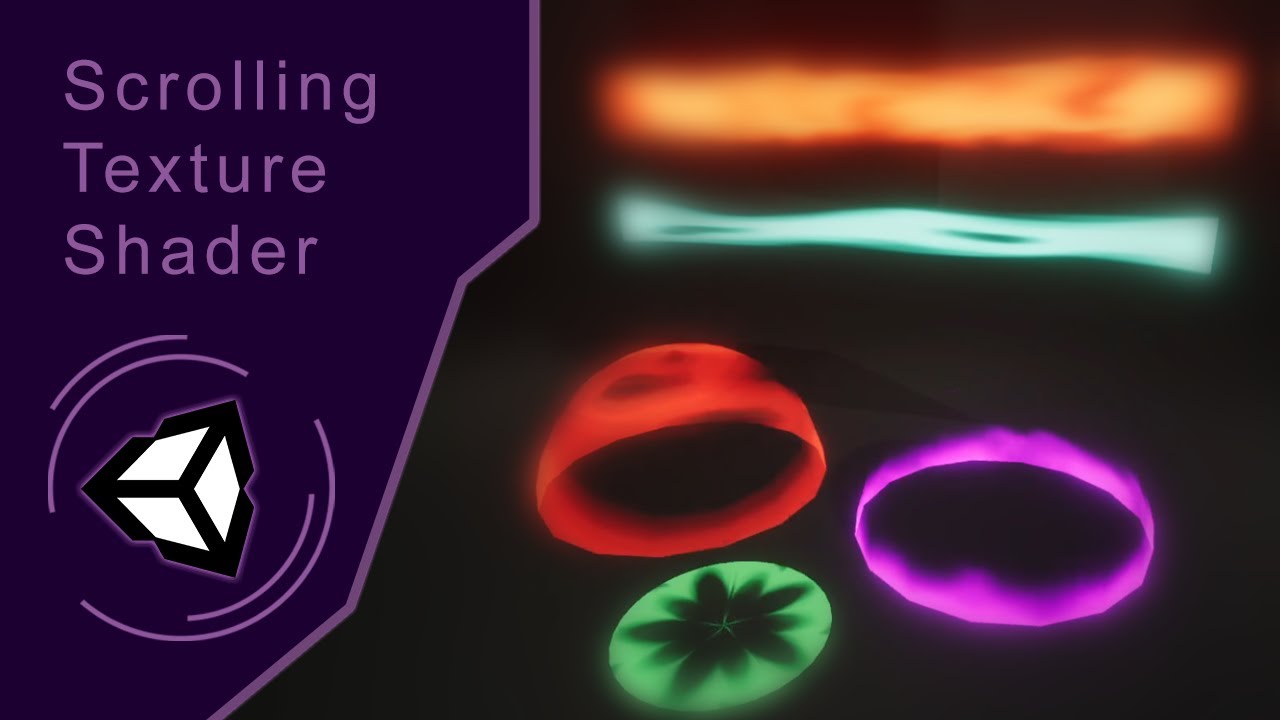
Here's a quick tutorial on how to create a panning texture shader in Unity ShaderGraph. Ask me any question!
Follow me on my socials:
Arstation: https://www.artstation.com/zemasu
Instagram: https://www.instagram.com/mg.zemasu/
Linkedin: https://www.linkedin.com/in/manuelghezzo/
flat orchid
tacit parcel
scrolling texture in shadergraph
https://www.youtube.com/watch?v=sL2o82VTxcM
yes but my custom made texture is not moving
tacit parcel
show us your shadergraph setup
flat orchid
tacit parcel
show us your shadergraph setup
 amber saffron
flat orchid
amber saffron
flat orchid
Why the Vector2 node ?
flat orchid
amber saffron
Why the Vector2 node ?
two decide direction
amber saffron
No
Wrong
You should have put it before the tiling and offset
multiply -> vector2 -> offset
flat orchid
amber saffron
No
but default particle texture is working
 amber saffron
flat orchid
but default particle texture is working
amber saffron
flat orchid
but default particle texture is working
Default particule texture should show a gradient disk
flat orchid
amber saffron
Default particule texture should show a gradient disk
i did't get it
tacit parcel
your texture gradient horizontally, but you are scrolling vertically
you should rotate your texture 90 degree using image editor
amber saffron
tbh, I'm not even sure to fully understand what I'm seeing in that last screenshot XD
The UV of the sample node has a constant X value, but the gradient is still horizontal 🤔
tacit parcel
The screenshots look all blurry here, I can only guess which is which 😅
amber saffron
But @flat orchid trust and try my maths :
- Time x speed for the scrolling speed
- ↳ Vector2 X or Y (and other component to 0) for the scrolling direction
- ↳ Tiling&Offset offset input to make the UV scroll (and adjust tiling to your need)
- ↳ Sample UV input
flat orchid
amber saffron
But <@492930603058987020> trust and try my maths :
- Time x speed for the scrol...
still not working for my custom texture
amber saffron
flat orchid
still not working for my custom texture
plz show graph, and texture import settings (also please zoom enough in the graph so node names are visible)

 amber saffron
flat orchid
texture
amber saffron
flat orchid
texture
Import settings ?
I suspect that it is not tiling
flat orchid
 amber saffron
Yep, change the "Wrap Mode" to "Repeat"
flat orchid
amber saffron
Yep, change the "Wrap Mode" to "Repeat"
nothing happened
amber saffron
Did you apply the import settings ?
flat orchid
amber saffron
Did you apply the import settings ?
yes , ofcourse
amber saffron
Oh, in the graph, you've set the tiling to 0,0 : it is collapsing all the UVS.
Set it to the default 1,1
flat orchid
amber saffron
Oh, in the graph, you've set the tiling to 0,0 : it is collapsing all the UVS.
S...
thanks bro its not working like i want but now i am understanding how texture actually works
dire sedge
I have this weird problem
So I made this simple shader which takes in a RenderTexture, I called it _MainTexOld. The only thing the shader does is return _MainTexOld pixels color + 0.1... I Graphics.Blit it to a RenderTexture I have saved in my c# script and then feed it to the same shader the next frame. So theoretically it should just gradually go from black to white right?
But the screen is just gray, and it does not increment? When I debug.log the pixels color before and after Rendering it, it's just gray?? Anybody have any idea why this is?
My code looks like this (Every frame)
RenderTexture _accuTex;
// _accutex does get initialised I just dont show it

// Prepare shader
ShaderHelper.InitMaterial(accuShader, ref _accuMat);
_accuMat.SetTexture("_MainTexOld", _accuTex);
_accuMat.SetInt("Frames", _frames);

// Render
Graphics.Blit(null, _accuTex, _accuMat);

// Show result
Graphics.Blit(_accuTex, target);
Oh right I will post the code of my shader
sampler2D _MainTexOld;

fixed4 frag (v2f i) : SV_Target
{
  float4 oldRender = tex2D(_MainTexOld, i.uv);
  return oldRender + 0.1;
}
I would avoid using _accuTex as a texture being sampled in the shader (or used as source, which is kinda the same thing here) and the blit destination. According to the blit docs it leads to "undefined behaviour", possibly why it's just grey.
Instead, can use two RenderTextures and swap between them each frame. e.g.
private RenderTexture rt;
private RenderTexture rt2;
// Init (in Start)

// Render (in Update/LateUpdate/FixedUpdate. Also may want to pass Time.deltaTime into a float property, rather than just +0.1)
Graphics.Blit(rt, rt2, blitMaterial, 0);
(rt, rt2) = (rt2, rt); // swap buffers

// Show result
Graphics.Blit(rt2, target);
}
Or can use a CustomRenderTexture object instead with double buffering enabled, but I think that requires a specific shader.
dire sedge
regal stag
I would avoid using `_accuTex` as a texture being sampled in the shader (or used...
I see! Thank you, I will try that out 😁
Yeah that did it 👍
 elfin wave
how do i smooth out the transition of the black border into white?
 regal stag
elfin wave
how do i smooth out the transition of the black border into white?
regal stag
elfin wave
how do i smooth out the transition of the black border into white?
Can try replicating what the Rectangle node does, but use a Smoothstep instead of dividing by fwidth. https://docs.unity3d.com/Packages/com.unity.shadergraph@12.0/manual/Rectangle-Node.html
Or use box sdf and Smoothstep. https://iquilezles.org/articles/distfunctions2d/
elfin wave
thanks
 distant dirge
loud turtle
Every single tutorial makes a script for camera, but i want it only for specific...
distant dirge
loud turtle
Every single tutorial makes a script for camera, but i want it only for specific...
ok so a potential solution is to put the object on a seperate layer, and then you can put the pixelated camera to only render object on those objects.
but it might be expensive not sure
thats a good question, does anyone know if cameras are super expensive even if you turn the culling mask to only render specific objects, what about if you do something like a single image rendering on the camera, is that expensive?
arctic flame
hhello
rain in the car's headlight is lit, but in the dark area it's not

this is cool and i like it but it only works on the reflected side
viewed from this angle the rain remains dark, what can i do to make the illumination carry through and be visible from this side of the particle?

i have my mat set up like this currently
 grizzled bolt
arctic flame
i have my mat set up like this currently
grizzled bolt
arctic flame
i have my mat set up like this currently
You could try translucency or transmittance
I was working on that kind of material for URP using custom lighting functions, but it was bit too complicated for me so I shelved it
Custom lighting functions probably aren't a practical option for HDRP
 wild elm
I am adding the keyword _ADDITIONAL_LIGHTS to Shadergraph since I’m using custom lighting. Should I use Shader Feature or Multi Compile? I’m super confused about that 🫠
fallow crystal
shaders question
tacit parcel
loud turtle
Every single tutorial makes a script for camera, but i want it only for specific...
You can make multipass shader (assuming you are using built in, not sure how to do that in urp, sorry)
1st pass, draw the object itself
2nd pass, grab the drawn object
3rd pass, redraw the object with pixelated shader.
Is it expensive? It depends on how big is the object drawn in the screen space, but I've done this for topographic shader and it run well in low end android.
arctic flame
using translucency makes it go green apparently @grizzled bolt
 grizzled bolt
arctic flame
using translucency makes it go green apparently <@166982635950702592>
grizzled bolt
arctic flame
using translucency makes it go green apparently <@166982635950702592>
Translucency requires a diffusion profile which if missing will appear green
arctic flame
oo
amber saffron
Refraction is probably a better candidate
loud turtle
tacit parcel
You can make multipass shader (assuming you are using built in, not sure how to ...
this shi so complicated, and yes, im using urp
amber saffron
Ah, you used thin mode. Maybe try the sphere mode, as droplets are basically stretched spheres
 grizzled bolt
By transmittance I meant refraction
Apparently that refers to tinted refractions and absorption
Extreme IOR values will make refractive materials look incorrect
I wouldn't be surprised if 2.5 IOR makes them seem black or solid
arctic flame
it looks alright from the front
 amber saffron
arctic flame
i tried different thickness and absorption distance
amber saffron
arctic flame
i tried different thickness and absorption distance
Try "realistic" values, like 1.2 for water refraction value, and 1 or 2 mm thickness
 amber saffron
Do thos particles have some normal information ?
 amber saffron
It would probably help, as since they are currently "flat", they don't bend the light like srops would do
arctic flame
alright, one sec
amber saffron
Also, you might not need to make them fully transparent, maybe a little opacity would make them more visible.
grizzled bolt
I assume the refraction needs roughness also, since their speed would blur them out in reality
arctic flame
i use this normal
 tacit parcel
arctic flame
tacit parcel
arctic flame
this might be easier if faked using light shaft and multi layered scrolling texture, just saying
 grizzled bolt
Raindrops are also quicker than any ordinary eye or camera can capture, so we expect them to look blurry and smeared when falling
amber saffron
The stretching when the camera move is what bothers me the most here :/
grizzled bolt
That looks weird for sure, but it seems kind of logical too considering the great relative speed of the camera here


 arctic flame
@grizzled bolt :)

this is good but there's one thing i don't get
i'm not sure what is causing the particle lines to get aliased in this way

default resolution rendering helps but they're still aliased
amber saffron
Are they rendered in the low resolution transparent queue ? (shouldn't, else you wouldn't have refraction working)
Also, do you use an opacity mask to shape them, as you have the sphere looking normal texture ?
arctic flame
i removed the normal texture now because i didnt see any effect from it when comparing
i believe the lines also have no texture, they're just white rectangles
it's the default rendering queue here and they are sharper but still aliased
 amber saffron
Do you have any form of AA enabled ?
arctic flame
yeah
amber saffron
Have the lines a bit wider with an alpha texture might give you a "free" anti aliasing (texture opacity sampling)

 sour nest
Does anyone know why unity refuses to render this cutout wall in a replacement shader?
The replacement render is at the top and the normal render is a the bottom

I do the replacing with cam.RenderWithShader(depthShader, "RenderType");
The shader has an opaque-only pass and the cutout wall is technically opaque

 tight phoenix
How can I fill each of these hexagons with a random color?
The hexes are a result of a very long and complicated formula to describe hexagons, but I lack the understanding to find when/where in the huge graph to extract the per hexagon position
I know random color can be generated based on the pixel's position in world space, but how do I fill the hexes with that data to be able to do that?


If each hex was an individual game object it would be trivial to give each a random color based on world position, but because its its a texture, I can't figure out how to isolate 'one hexagon' to pass that data into the random function

how do I get filled hexagons instead of gradient hexagons based on world position out of this?
if I had solid color filled hexagons filled with a greyscale float where each hex was its rounded hexagonal position in world space nearest to the center of the hex it would be easy to get random colors, but I don't have that, I have hexes filled with gradients which is of no value to me

Observable
If we have points in a hexagon grid represented using “axial coordinates” – and coordinates aligned with two grid axes oriented 1/6 turn (60°) apart – we can round to the nearest hexagon with the pseudocode below: def axial_round(x, y):
xgrid = round(x); ygrid = round(y)
x -= xgrid; y -= ygrid # remainder
if abs(x) >= abs(y):
...
the answer is somewhere on this page
but its 1000000000000000000000000000% WAY too programmer, I cannot make any sense of this, its frustrating to know the answer is buried in this incomprehensible gibberish but im too stupid to find and extract it
 prime shale
tight phoenix
but its 1000000000000000000000000000% WAY too programmer, I cannot make any sens...
prime shale
tight phoenix
but its 1000000000000000000000000000% WAY too programmer, I cannot make any sens...
use chatgpt
seriously, I've used it actually when reading some graphics ressarch papers to help translate math equations to code, or even using it to translate from one programming language to another
give it a shot
<@&502884371011731486> @prime pivot nitro links bot
tight phoenix
prime shale
use chatgpt
ive tried, i cant find words to make it understand what i want
that page is not condusive to copy paste, if you try to make selections youll see it doesnt go into the text boxes of code
i know what i want visually, i cannot describe to gpt what i have and how to get what i want from what i have because im just cant
for reasons im not allowed to say
 swift loom
Does anyone have any general tips on how to speed this up? I'm not sure what I'm doing that's causing it to be so slow except just having large amounts of code. Any ideas what kind of things to look out for or try to avoid? I'm doing some raytracing so there's a couple of for loops i'm calling as a method in a bunch of places for one which seems to be a huge culprit. Is it bad to have large amounts of globals or is it better to define them locally?
 low lichen
sour nest
The shader has an opaque-only pass and the cutout wall is technically opaque
low lichen
sour nest
The shader has an opaque-only pass and the cutout wall is technically opaque
When the Standard shader is set to Cutout, it changes the RenderType to TransparentCutout, so your replacement shader has to have a pass with that tag.
sour nest
low lichen
When the Standard shader is set to Cutout, it changes the `RenderType` to `Trans...
I already figured it out, but thanks
I looked up the source code for the shaders and couldn't find the TransparentCutout part so I just assumed cutout used the Opaque tag
tight phoenix
prime shale
use chatgpt
an example of how it just doesnt get it

I cant seem to find the language to explain to it what I am trying to do, no matter how simple or complex it doesnt understand
another insane sollution that is way off the mark

How do I get random filled cells from what I have on the left?

 prime shale
if your not able to get it to work then I would abandon chatgpt and jus tkeeping asking here
tight phoenix
Yeah thats what I am doing as we speak 
my cells have no concept of world position, but I can't just add the world position to them because I don't want gradients in the cells, the cell must be entirely one single value across its entire face
but I dont know how to derive that

as it stands im plugging nodes into nodes with zero comprehension
and that will never result in what I need
so all I can do is ask for help
because I'm too inexperienced to know the answer, and too stupid to find the answer
all I can do is ask
its a struggle to even visualize if it working or not


part that confuses me is that my hexagons are a float
but coordinates are XY
but colors are Vec3
but I dont understand any kind of math to go from 1 to 2 to 3
the closer I get to a filled hexagon, it just turns into a solid wall of white, its not a hexagon at all

I cant even explain it to gpt I'm that clueless
lunar valley
tight phoenix
the closer I get to a filled hexagon, it just turns into a solid wall of white, ...
how is that not a hexagon?
tight phoenix
its not a hexagon in the way I need it to be

I need this
this is what I want
I dont need anything else, I dont want to argue or fight, I just want results
lunar valley
so random colors or what?
tight phoenix
Yes, every cell to have a random color completely filling the entire cell
getting random colors is easy
filling hexagonal shaped cells is not
I dont know how to create that
lunar valley
you said something about checking each hexagon using world position?
tight phoenix
there is no other way to fill each cell with a random color to my knowledge
you need some value to create the randomness
lunar valley
use uvs instead
tight phoenix
sure, literally nothing changes between XY in uv space and XY in world space
doesnt get me any closer
lunar valley
yes it does, if you are implying that they are equivalent then...?
tight phoenix
No it doesnt and I dont know why you are fighting me on this
lunar valley
tight phoenix
is this how you generate the hexagon tiles?
tight phoenix
yes
lunar valley
tight phoenix
yes
I cannot see the full extend of your code
 warm raptor
has anyone attempted to create a shimmer effect for 3d textmeshpro?
tight phoenix
no diffrence between uv and world space

 tight phoenix
lunar valley
I cannot see the full extend of your code
tight phoenix
lunar valley
I cannot see the full extend of your code
let me get you that
lunar valley
tight phoenix
No it doesnt and I dont know why you are fighting me on this
not fighting, just eaying that they are not the same
tight phoenix
you are fighting me by insisting they are not the same because its important to you that you be correct, when for all practical and functional purpose they are the same. They are a vector 2 of values that range
lunar valley
can I also see what one hexagon so untilles looks like?

 tight phoenix
lunar valley
can I also see what one hexagon so untilles looks like?
tight phoenix
lunar valley
can I also see what one hexagon so untilles looks like?
There isn't a concept of one hexagon
or if t there is, I dont know how to get it
the hexagon only comes into existence at the vector 3 in this image, at every step before this is all squares
 warm raptor
has anyone attempted to create a shimmer effect for 3d textmeshpro?
warm raptor
warm raptor
has anyone attempted to create a shimmer effect for 3d textmeshpro?
anyone?
sacred stratus
I'm really sure there is a solution as for squares you would just divide x or y by the square size and you would have the square coordinate
tight phoenix
I dont want squares, I want hexagons
here is my shader in its current state because I'm going to go take a shower and make dinner to clear my head
and I feel lik showing pictures is useless when I can just share the shader itself
lunar valley
tight phoenix
I dont want squares, I want hexagons
we know what you want let us think
lunar valley
tight phoenix
I dont want squares, I want hexagons
possibly stupid idea incoming, but whatever: as long as you know the maximum width/height of your hexagon you should be able to check what hexagon we are currently prossesing by checking how many hexagons fit into the coordinates we currently have if its the same amount we use the same color if its another amount we use another color. (no garantie of this theory, i haven't checked it mathematically, just logical thinking here)
tight phoenix
this is my randommization function/subgraph, but it only works if the hexagon's entire surface is all the same value
 sacred stratus
 honest heath
Hi all. I'm pretty new to Unity, and I am just looking for some advice about an effect. I have a shield sprite for a 2D spaceship, and I want the shield to appear from the center out on input from the user. Is using a shader the best way to do that? If so, would you be so kind as to point me toward the nearest bone?
tight phoenix
honest heath
Hi all. I'm pretty new to Unity, and I am just looking for some advice about an ...
a shader can do that fairly easily. Something like this should get you started
 tight phoenix
honest heath
Hi all. I'm pretty new to Unity, and I am just looking for some advice about an ...
tight phoenix
honest heath
Hi all. I'm pretty new to Unity, and I am just looking for some advice about an ...
set the Reference value to something sane and then use that to assign to the value in code to animate your shield growing out

 arctic flame
more shader stuff today
i want to make snow based on the normal
this is my snow lerp:

how can i
a) make it interpolate the normal direction between verts
b) make it incorporate the normal map texture into the calculation?
 lunar valley
arctic flame
how can i
a) make it interpolate the normal direction between verts
b) make it ...
lunar valley
arctic flame
how can i
a) make it interpolate the normal direction between verts
b) make it ...
what do you mean with a
arctic flame
so the amount of shading is based on the surface normal and you can see in the picture that this is different for each polygon, so they have hard edges
but this is not being caused by split normals in the mesh
i want the shader to be smooth
shell fable
arctic flame
how can i
a) make it interpolate the normal direction between verts
b) make it ...
a) I could be wrong but I think this has to be done in the model itself - either in the modeling software or if it's procedurally generated in the code (search for "smooth shading")
b) blend normal node should do the trick - blend between the mesh's normal (that you're already using) and the normal map (you'll have to define a new exposed texture of type normal map)
arctic flame
here's what my modelling is showing me: it seems to be using combined normals

in unity also the import settings uses 'import' and not calculate

so i don't think it should be changing them
finally here's when using a shader not made by me

so it's definitely my shader's fault i think but im not sure how to fix it, do you have any ideas?
for b, perfectt, thank you :)
shell fable
arctic flame
in unity also the import settings uses 'import' and not calculate
Unity docs say the "Normals" and "Blend Shape Normals" import settings should match, try setting both to "Calculate"
arctic flame
alright
hmm that didn't seem to change anything yet
whoa? i fixed it but uhh i don't know how
i was messing with the normal blending of a different part of the shader and that had an effect here too as u see
 amber saffron
@tight phoenix If you're not getting what you want with the full nodes setup, may I suggest to maybe throw it away in favor to simply using a texture for the hexagons ?
You have 4 channels to store information, and from what I understand you might need only 2 or 3 to do what you want :
- one to store a gradient "shape" (distance field) of the hexagons to draw them
- one or two to store the UV relative coordinates of the center of each hexagon -> you could then use this as source for the random color
@arctic flame To use also the info from the normal map, you can :
Sample the normal map as usual -> use the transform node to transform the value as Direction from Tangent to World space.
Oh, and unless you want to tilt how the snow it applied, if it's straight from the top, just get the Y value for the normal, no need for dot 🙂
arctic flame
oh, you're right! good thinking
amber saffron
Can you describe a bit more your setup here ?
The default shader should not look like this
amber saffron
wdym ?
 tacit stream
how do I use cubemap in shader graph? for some reason it looks like this

graph itself
 grizzled bolt
tacit stream
how do I use cubemap in shader graph? for some reason it looks like this
grizzled bolt
tacit stream
how do I use cubemap in shader graph? for some reason it looks like this
I think it's something to do with the graph settings but I'm not sure what
Sometimes skyboxes seem to work despite the error "shader of this material does not support skybox rendering"
Had luck fixing it with these settings
 tacit stream
grizzled bolt
I think it's something to do with the graph settings but I'm not sure what
Somet...
tacit stream
grizzled bolt
I think it's something to do with the graph settings but I'm not sure what
Somet...
worked with transparent only for some reason
or wait
now it works with opaque
🤔
mystery
is there any way I can apply fog on skybox?
grizzled bolt
The warning, the problem and the solutions online are all pretty arcane
tacit stream
for specific height only
grizzled bolt
tacit stream
for specific height only
You can sample scene fog color with Fog node, and then lerp a specific height of the skybox to that color
tacit stream
grizzled bolt
You can sample scene fog color with Fog node, and then lerp a specific height of...
I'm not really following lerp specific height part
grizzled bolt
tacit stream
I'm not really following lerp specific height part
Using a height gradient such as this

You can get the height
Lerp your skybox color to your fog color using the gradient as the T
Before that step you can shape the gradient using multiplication, addition, power, gradient sampling or any math that helps
tacit stream
ok, so I have this remap part (blindly followed from tutorial)
I have fog node
how can I simply have alpha value per height with it?
grizzled bolt
tacit stream
how can I simply have alpha value per height with it?
The gradient is your "alpha" via the lerping
tacit stream
oh, I think I start to get it

now I'm not sure how to define specific height
where it starts gradient
and where it ends it
grizzled bolt
tacit stream
where it starts gradient
From the lowest point of the sky to the highest point
tacit stream
I mean in graph
rn I have it so gradient is applied globally
from lowest point to highest
I want it to apply on specific height
basically define horizone, where fog ends
grizzled bolt
That's what I mean by using the gradient as the T of the lerp
tacit stream
lerp of what values though?
grizzled bolt
You blend between A your sky and B fog color using T your gradient as the lerp factor
grizzled bolt
tacit stream
is there a way to dynamically create gradient though?
What do you mean by "dynamically"?
tacit stream
where height can be defined in material
grizzled bolt
tacit stream
where height can be defined in material
Yes, for example by making properties of the remap's inputs
If you modify the Remap inputs by a lot you'll want to add a Saturate node after it so you won't be lerping with values below 0 or above 1

 stone estuary
somebody knows how to make a collider for a vertex shader?
amber saffron
stone estuary
somebody knows how to make a collider for a vertex shader?
Not possible.
You need to deform the collider mesh using the c# mesh API
cunning glacier
how do materials work for shaders?
grand jolt
is there a better way to do this?

(mainly the offset)
i was thinking of splitting the RGB channels and then offsetting those but that just doesn't seem to work
so i have ot sample 3 times
which i feel is unneccessary
This is a Uniform chromatic aberration shader that i somehow managed to make as my first shader
(I am in unity 2021.3.22f1 using URP)
amber saffron
cunning glacier
how do materials work for shaders?
A material hold the properties values for a shader : You can assign the same shader to multiple materials, and change the properties for each of them to change the look and behaviour of the shader
amber saffron
grand jolt
i was thinking of splitting the RGB channels and then offsetting those but that ...
Indeed, the only way to do is how you did it : sample 3 times the texture
cunning glacier
amber saffron
A material hold the properties values for a shader : You can assign the same sha...
how can i assign a shader to a material?
amber saffron
cunning glacier
how can i assign a shader to a material?
It's the topmost setting on any material :
 cunning glacier
oh right
cunning glacier
after making the shader and assigning it to a material, how can i control it from a script (for example if the shader should be active or not)
amber saffron
cunning glacier
after making the shader and assigning it to a material, how can i control it fro...
What do you mean by having the shader active or not ?
Else, you can modify the material properties from script using the material API : https://docs.unity3d.com/ScriptReference/Material.html
cunning glacier
from my understanding i can do inside of my script Graphics.Blit and passing into it the shader material if i want the effects of the shader to be seen or just do Graphic.Blit and pass the source and target texture untouched if i don't
it's just that it isn't working for me
amber saffron
Oh, so you're using the shader in a blit. Ok
What is "not working" ?
cunning glacier
I'll send the code give me one sec so i can explain better
If i put this script in my main camera, assign to shaderMaterial the material that has the shader attached and edit boolean while the scene is on play nothing changes
private void OnRenderImage(RenderTexture src, RenderTexture target) { if(boolean) { shaderMaterial.SetTexture("_MainTex", src); Graphics.Blit(null, target, shaderMaterial); } else { Graphics.Blit(src, target); } }
boolean in this case should be a serialized bool
regal stag
What render pipeline is this in?
amber saffron
Graphics.Blit(null, target, shaderMaterial);
Look at the doc :
Passes source to the mat material as the _MainTex property.
So you are passing null as _MainText : the SetTexture line is useless.
And like Cyan pointed out, OnRenderImage is not supported in SRPs
cunning glacier
regal stag
What render pipeline is this in?
URP
regal stag
cunning glacier
URP
Then yeah, OnRenderImage is not supported. You'd likely want to use a Renderer Feature instead. e.g. https://github.com/Cyanilux/URP_BlitRenderFeature
Or if you're in 2022.2+ there's also a Fullscreen Graph & Fullscreen Pass Renderer Feature. https://docs.unity3d.com/Packages/com.unity.render-pipelines.universal@14.0/manual/post-processing/post-processing-custom-effect-low-code.html
cunning glacier
regal stag
Then yeah, OnRenderImage is not supported. You'd likely want to use a Renderer F...
so should i use HDRP?
amber saffron
If you are a beginer, I suggest URP
regal stag
No, OnRenderImage isn't supported in HDRP either. I just explained alternatives
cunning glacier
then when is it supported
regal stag
Built-in render pipeline
amber saffron
cunning glacier
then when is it supported
Never
An other API or way to do the post process was introduced with SRPs
cunning glacier
amber saffron
If you are a beginer, I suggest URP
i already feel comfortable with shaders, i just don't get how to set up them for unity
cunning glacier
regal stag
Built-in render pipeline
so when making a new project i should use this?
 amber saffron
Yes
regal stag
If you're so set on using OnRenderImage specifically, sure
grand jolt
is this unnecessary?

(is having the simple noise output into a vector2 slot going to duplicate the channels by default?)
amber saffron
grand jolt
is this unnecessary?
Yes, by default casting a float into vector2 will set the value in the two channels
 leaden radish
is there toon terrain shader for unity urp?
i know in unity srp there is a toon terrain shader
like how to achieve this kind of look in unity urp

in unity terrain
rest i have already done it
grand jolt
is it possible to ask unity to arrange this?
 stone estuary
how do you turn a rgb into a texture in shader graph?
lunar valley
grand jolt
is it possible to ask unity to arrange this?
wdym?
regal stag
grand jolt
is it possible to ask unity to arrange this?
Shader Graph can't do that, you'd need to arrange manually. Adding groups around some nodes can help with organising. You can also collapse some nodes to make them smaller
lunar valley
oh that
regal stag
stone estuary
how do you turn a rgb into a texture in shader graph?
You don't
stone estuary
regal stag
You don't
oh ok
lunar valley
stone estuary
how do you turn a rgb into a texture in shader graph?
are you intending to create a texture?
or modifying a texture?
stone estuary
lunar valley
are you intending to create a texture?
creating a texture. i got a custom function to blur a texture but i have a rgb
 hollow comet
How can I make my a spotlight cut through fog?
grizzled bolt
hollow comet
How can I make my a spotlight cut through fog?
That's usually up to your render pipeline's type of sepcific fog
 cosmic prairie
stone estuary
creating a texture. i got a custom function to blur a texture but i have a rgb
cosmic prairie
stone estuary
creating a texture. i got a custom function to blur a texture but i have a rgb
what do you want to blur on an rgb value
there's nothing to blur it with
grand jolt
regal stag
Shader Graph can't do that, you'd need to arrange manually. Adding groups around...
ty
grand jolt
stone estuary
creating a texture. i got a custom function to blur a texture but i have a rgb
you're modifying a texture by blurring it though, no?
 grand jolt
 idle zodiac
what render pipeline are you using?
idle zodiac
How do I check it
idle zodiac
@grand jolt
 pulsar kelp
Does anyone know whether it is possible to get BIRP shader graphs to work on Quest 2? It doesn't seem to work even with the very simplest shader. EDIT: the solution was going into unity's CGincludes and ripping out the relevant section. I don't love that, but it works.
Getting undeclared identifier 'UNITY_DISPLAY_ORIENTATION_PRETRANSFORM' at /2022.1.0b8/Editor/Data/CGIncludes/UnityCG.cginc(813) (on vulkan) whether or not I actually use Vulkan. This is both with and without "Apply display rotation during rendering" in the Vulkan section of Player Settings.
idle zodiac

It appears im not using a render pipeline and when I go to create one I dont see the "rendering" option under "create"
 mystic sable
i have this shader for getting vertex color + alpha. it works for parts with proper vertex alpha but also screws with parts that are fully opaque like this doorway, any ideas how to fix this?


 deft frost
Is there a way to have like a dissolve effect on a model affect all its submeshes?
pulsar kelp
deft frost
Is there a way to have like a dissolve effect on a model affect all its submeshe...
Are they using the same material?
deft frost
Nope. The mesh typically has a body, mouth, and eye material, and they use shaders that deal with image arrays.
pulsar kelp
mystic sable
i have this shader for getting vertex color + alpha. it works for parts with pro...
It is a transparent material, so it isn't depth sorted.
pulsar kelp
deft frost
Nope. The mesh typically has a body, mouth, and eye material, and they use shade...
So you'd need to either pass the same dissolve parameter to each shader, or render the object and all submeshes to a render texture and dissolve that.
deft frost
So, if I were to take the RenderTexture approach, I could use a secondary object to dissolve the model as I see fit, correct?
[Like, a model with a special shader can basically mask out the render texture, right?]
deft frost
[I'm using built-in]
pulsar kelp
Then in that case you can use stencil buffer for masking.
deft frost
And if some objects have transparent geometry, that'll cause problems, right?
deft frost
pulsar kelp
Then in that case you can use stencil buffer for masking.
So, I can configure the shader so it can decide if it writes to the stencil buffer or not?
pulsar kelp
Correct.
Haha, finally got it to build with no errors https://i.imgur.com/jBOXRr9.mp4
 mental bone
pulsar kelp
Haha, finally got it to build with no errors https://i.imgur.com/jBOXRr9.mp4
mental bone
pulsar kelp
Haha, finally got it to build with no errors https://i.imgur.com/jBOXRr9.mp4
Really cool is this using VATs or what did you use to achieve this ?
pulsar kelp
mental bone
Really cool is this using VATs or what did you use to achieve this ?
Similar idea with baked pivots, though I am animating them procedurally.
mental bone
Interesting. Care to elaborate on the baked pivots part? How does the texture work? @pulsar kelp
deft frost
Aw man... I wish I had the brains to do that stuff...
grand jolt
why does this not move the maintex texture?

like transform it
it does not move at all
grand jolt
grand jolt
why does this not move the maintex texture?
the output wire is going out to the fragment color
grand jolt
grand jolt
why does this not move the maintex texture?
holy shit i am so stupid i haven't connected the animated UV but the static one 😭
holy crap shaders are so cool
 pulsar kelp
mental bone
Interesting. Care to elaborate on the baked pivots part? How does the texture wo...
pulsar kelp
mental bone
Interesting. Care to elaborate on the baked pivots part? How does the texture wo...
There is no actual texture for this one; you could bake the pivots to a texture basically the same way but I used the UV channels of the mesh itself, which lets you reuse the same material for multiple meshes.
This article gives a pretty good overview of the concept.
Uses a shader which displaces (scales/rotates) vertices of a prefractured mesh with pivots baked into UV maps
mental bone
pulsar kelp
There is no actual texture for this one; you could bake the pivots to a texture ...
Ok but how does the actual data look like? How do you group vertices by a pivot ? Im just interested in how the technique generally works. If you have some links about it that would be great.
Ah perfect
pulsar kelp
My version is a bit different, since he's using normalized uv values, but the basic idea is the same.
mental bone
Oh its from Cyan ofc
pulsar kelp
Yeah, you can learn a lot of good stuff from him. 😄
My method of baking is somewhat different since I'm not using blender
That's all you need to bake pivots in houdini. The biggest difference is that you don't need to remap the pivots from 0 ,1 to -1 ,1 . You still need to invert the x. Like he says, that could be fixed by fiddling with the baking, too.


Just multiply the vertex positions.
I put too much time fiddling with vertex colors instead of UVs, but that was a pretty big dead end.
Vertex textures work basically the same way, except that it is stored as a texture.
 atomic jolt
Hey I used a position node to make a flag wave, and when I hit play it moves my flag off of the pole and to a spot far away from where it should be, is there a way to fix that?
pulsar kelp
atomic jolt
Hey I used a position node to make a flag wave, and when I hit play it moves my ...
How do you have it set up?
atomic jolt
pulsar kelp
How do you have it set up?
Like this

(Unfortunately, no I could not have just taken a screenshot lol)
atomic jolt
Was that directed at me?
 reef turret
Hi does anyone know how to create a shine/light sweep effect on 3D object using shader graph? I've been trying to do it for last 2 hours but couldn't achieve it, i've tried using a rectangle, rotate it and move it bottom left to up right and only make the pixels within the rectangle range glow but failed with it since my texture doesn't go from left to right in 3D world, it's scattered and packed on islands like many textures
i thought about using the position instead of the texture but i don't know how to rotate it 45 degrees to look like a light sweep
vocal narwhal
something writing to depth when it shouldn't be
It looks like you should just be using alpha clipping, which can write to depth just fine, there's no need for true transparency here is there, everything looks to be transparent or not, no half-way
I have no idea how you made this material in the first place
yes, but is this your own shader? Or are you using a built-in material, what is it?
Expose a value like _Cutoff ("Alpha Cutoff", Range(0, 1)) = 0.5 so you have a slider to control the cutoff,
make sure you declare it float _Cutoff;
and then put this at the end of your fragment block
clip(color.a - _Cutoff); (with your alpha replacing the obvious)
it makes it so anything below the cutoff value is below 0, which the clip function interprets as completely transparent or not
seeing as it's interpreted as completely transparent, it shouldn't write to depth
pulsar kelp
atomic jolt
Like this
You aren't actually making use of the original z position of the vertex, so it will always be the sine output times the U. You are replacing the position instead of offsetting it.
atomic jolt
Thank you! Any idea how to fix it?
amber saffron
The outline is probably from the RGB channels :
Force RGB to a single color and only use alpha for masking, you should be good
cosmic prairie
yeah, the outline is because in the image the color fades to black before the alpha reaches the cutoff threshold
I guess you would wanna make it a bit thicker? 🙂
amber saffron
Looks like you basically want an opaque with cutout
regal stag
Usually +, but that depends on the BlendOp. https://docs.unity3d.com/Manual/SL-BlendOp.html
(Add is the default)
cunning glacier
i managed to make my shader work with Graphics.Blit but is there a way to make it work in the scene view too?
lunar valley
cunning glacier
i managed to make my shader work with Graphics.Blit but is there a way to make i...
not by default, but this guy has made a script (its in the description for download) which should apply the blit to the scene view as well

Welcome to the 'Raymarching Shader' tutorial!
Scene View Filter download link: https://www.patreon.com/posts/23512446
I'm super excited to share this video with you all. It took me a couple of months of research into the subject, and many days to create this video,...
amber saffron
cunning glacier
i managed to make my shader work with Graphics.Blit but is there a way to make i...
If you do not set a destination in the blit command, it should render to the screen.
https://docs.unity3d.com/ScriptReference/Graphics.Blit.html
To blit to the screen in the Built-in Render Pipeline, follow these steps:
Set dest to null. Unity now uses Camera.main.targetTexture as the destination texture.
Set the Camera.targetTexture property of Camera.main to null.
 cobalt totem
I'm trying to fix a little quirk in my volumetric ray-marching tornado shader. When the camera enters the volume the tornado is being rendered in, the transparency of the funnel increases:


(left: outside, right: inside)
I calculate the ray-box intersection, and start the raymarching from there. The step size is set to distance inside box / number of ray marching steps
I'm not sure if it's a ray marching, or blend mode issue
 midnight lily
Is there such a thing as "extending a shader"?
I have this built in unity toon shader package, and I wanted to add things to it
but I don't want to need to figure out how this black magic work, just, do extra things after it
do I need to make a copy of it and modify the copy or there is some way to add stuff before/after the shader passes like it was a c# class?
amber saffron
midnight lily
do I need to make a copy of it and modify the copy or there is some way to add s...
Nope, copy and modify is the way
grand jolt
how do you rotate a UV?
figured it out

that was obvious
how can i get a discreet time output, like 10, 20, 30?
i started messing with shaders yesterday
im very new
amber saffron
grand jolt
how can i get a discreet time output, like 10, 20, 30?
Time -> floor -> multiply by 10
grand jolt
ooo
yeah that makes sense
ty :D
yay i made a glitch effect now
does anyone know why the shadow is bugging?
aaa
tight phoenix
const float2 s = float2(1, 1.7320508); // 1.7320508 = sqrt(3)

float3 hue( float c )
{
    return smoothstep(0.,1., abs(fmod(c*6.+float3(0,4,2), 6.)-3.)-1.);
}

float random(float2 co)
{
    return frac(sin(dot(co.xy ,float2(12.9898,78.233))) * 43758.5453);
}

// xy - offset from nearest hex center
// zw - unique ID of hexagon
float4 calcHexInfo(float2 uv)
{
    float4 hexCenter = round(float4(uv, uv - float2(.5, 1.)) / s.xyxy);
    float4 offset = float4(uv - hexCenter.xy * s, uv - (hexCenter.zw + .5) * s);
    return dot(offset.xy, offset.xy) < dot(offset.zw, offset.zw) ? float4(offset.xy, hexCenter.xy) : float4(offset.zw, hexCenter.zw);
}

void mainImage_float(float2 fragCoord,  out float4 fragColor)
{
    fragColor = (0,0,0,0);
    //float2 uv = (2. * fragCoord - _ScreenParams.xy) / _ScreenParams.y;
    float2 uv = fragCoord;
    const float tileAmount = 3;
    float4 hexInfo = calcHexInfo(uv * tileAmount);
    fragColor.rgb = hue(random(hexInfo.zw));
}```

I am trying to port a shader from Shadertoy to HLSL.
I've gotten to the point where it doesnt throw an error, but the resulting shader is pure black.
What is wrong with this code?I fixed alpha to be 1 instead of 0 but its still pure black

this is the code im trying to convert
grand jolt
is fragCoord normalized?
tight phoenix
grand jolt
is fragCoord normalized?
Should it be? Right now I am passing in UV for that value
tight phoenix
grand jolt
is fragCoord normalized?
this is all I am doing, I plan to make it do what I want later, I just want it to show anything at all to begin with

Normalizing it first made no difference
grand jolt
tight phoenix
Should it be? Right now I am passing in UV for that value
i couldn't help you im a noob ¯_(ツ)_/¯
regal stag
tight phoenix
```csharp
const float2 s = float2(1, 1.7320508); // 1.7320508 = sqrt(3)
float3 ...
You may need to add static at the very beginning to the s variable. By default, values in the outer scope are set externally so default to 0 even if you try to initialise.
tight phoenix
 tight phoenix
regal stag
You may need to add `static` at the very beginning to the s variable. By default...
tight phoenix
regal stag
You may need to add `static` at the very beginning to the s variable. By default...
Ah yes I came to the same conclusion, s was not a thing, manually replacing it worked
Ill try reverting and adding static to see if it makes a difference
regal stag
I'd also be a bit careful with converting mod to fmod as they deal with negative values differently. Might be okay here though.
https://www.cyanilux.com/faq/#glsl-mod
tight phoenix
Ooh interesting, thank you for the insight. Going to try to move as much of this shader out of the custom and into nodes now that it does render
atomic jolt
atomic jolt
Thank you! Any idea how to fix it?
Still looking for answers
grand jolt
if i wanted to blur everything behind that box, how would i go about doing that?

would it be possible by adding a shadergraph material to that
but how would i get the display texture behind the material to blur it
amber saffron
atomic jolt
Still looking for answers
Like it was already answered :
You are replacing the position instead of offsetting it.
amber saffron
grand jolt
if i wanted to blur everything behind that box, how would i go about doing that?
You can use a transparent unlit shadergraph, and the scene depth node to grab the content of the screen.
However : it doesn't support LOD on URP, so no easy blur, and you will have to do a blur yourself, like a simple box blur.
And it will not do it only for what is behind the box, but "everything that is on screen and was rendered before" => all the opaque objects
grand jolt
what about the UI, would it blur that too?
atomic jolt
amber saffron
Like it was already answered :
> You are replacing the position instead of offs...
Yes, that does explain why it’s happening, but I don’t know how to fix it
amber saffron
atomic jolt
Yes, that does explain why it’s happening, but I don’t know how to fix it
Offset, do not replace :
- You are setting the Z position, instead of adding the wave motion value to the current one
- insert an ADD node between combine and multiply, other input is SPLIT.z
amber saffron
grand jolt
what about the UI, would it blur that too?
If UI is drawn as "ScreenSpace - Overlay", no
 harsh plume
hello everyone! i created a basic room in blender with shaders and all and im wondering how do I carry it to unity? When I use the fbx file it dosent really carry over with the shaders. Im new to 3d 😅
 amber saffron
grand jolt
can i have multiple canvases?
amber saffron
grand jolt
can i have multiple canvases?
Yes
grand jolt
noo but i want my post processing to happen on there too
atomic jolt
amber saffron
Offset, do not replace :
- You are setting the Z position, instead of adding th...
Thank you! I’ll try this when I get home!
amber saffron
harsh plume
hello everyone! i created a basic room in blender with shaders and all and im wo...
Unity can't import blender shader nodes, you will have either to :
- re-create the same node setup in unity with shadergraph / amplify
- Bake the textures to "regular" blender materials with UV mapping
 amber saffron
grand jolt
noo but i want my post processing to happen on there too
amber saffron
grand jolt
noo but i want my post processing to happen on there too
Then world space canvas is ok, but all the sprites there would need to be rendered as opaque (with cutoff), they are rendered as transparent by default, and I'm not sure it is possible to change it without using a custom sprite/UI shader
harsh plume
amber saffron
Unity can't import blender shader nodes, you will have either to :
- re-create ...
that makes sense, are the nodes similar to blender or would I have to learn some stuff?
grand jolt
harsh plume
that makes sense, are the nodes similar to blender or would I have to learn some...
they are
somewhat
grand jolt
amber saffron
Then world space canvas is ok, but all the sprites there would need to be render...
but what about the blur then
if it's opaque
harsh plume
grand jolt
they are
i see
midnight lily
Is there a point to explicitly avoid using "if" in shaders?
Sure the if only ever helps if all cores are in the same branch, but that at least has a chance of happening, meanwhile a massive piece of code that at the end enables/disables it with a 'lerp' sounds much worse than simply using "if"
Am I just wrong about how it works?
grand jolt
midnight lily
Is there a point to explicitly avoid using "if" in shaders?
Sure the if only eve...
probabbly not
but it can decrease performance and efficiency
grand jolt
midnight lily
Is there a point to explicitly avoid using "if" in shaders?
Sure the if only eve...
lerping is generally faster
 urban sand
Guys I am fascinated by this fracture shader, I want to replicate it but I need some keywords, can anyone help?
https://youtu.be/iYrAevFK8sE?t=7945

SODA CRISIS Full Game Gameplay Walkthrough Longplay on PC RTX 3090 with No Commentary and in 4K 60FPS.
► Rubhen925 is a Gaming Channel that makes gameplay videos focusing on a Walkthrough, Playthrough, Full Game runs, Boss Fight, All Bosses, Cutscene, All Cutscenes, Ending, Endings, Compilations, Showcases & Guides for games new & old with No C...
I know the fundamentals of vert and frag shader
regal stag
midnight lily
Is there a point to explicitly avoid using "if" in shaders?
Sure the if only eve...
There's a lot of misinformation and they aren't that bad, especially if it's a property that won't change per-pixel. Also, using an if doesn't even mean it'll branch - the compiler is pretty clever about it, but you can also specify [branch] or [flatten] to try to force either. Can always try both and profile, see what performs better.
Also do need to be careful when sampling textures. This article mentions using LOD or GRAD versions : https://medium.com/@jasonbooth_86226/branching-on-a-gpu-18bfc83694f2
regal stag
urban sand
Guys I am fascinated by this fracture shader, I want to replicate it but I need ...
Can look into "Pivot Baking". I also did a similar effect + breakdown recently (but "strength" is inverted compared to that video, can use One Minus or swap edge inputs on Smoothstep)
https://www.cyanilux.com/tutorials/fractured-cube-breakdown/
Uses a shader which displaces (scales/rotates) vertices of a prefractured mesh with pivots baked into UV maps
urban sand
regal stag
Can look into "Pivot Baking". I also did a similar effect + breakdown recently (...
I will go through this thank you
grand jolt
is it possible to get the colors of the screen behind the object i have the shader on?
 regal stag
Assuming the shader is set to Transparent and the Opaque Texture is enabled on the URP asset, can use that Scene Color node
It'll only contain opaque geometry that is though
If you need to grab the screen at a different point in URP, can use a feature to blit the screen to your own render texture.
e.g. https://github.com/Cyanilux/URP_BlitRenderFeature (source : camera, destination : texture ID. Can then sample in shader/graph using Texture2D property with reference set to that texture ID.
(But then you need to render your shader/object with the RenderObjects feature to force it to occur after that blit)
If you're using Built-in target / render pipeline... not sure. Can probably do something similar using Graphics.Blit. Or code a shader manually and use GrabPass.
grand jolt
I am using URP, what is a Texture ID?
i already have used the blit feature to do some post processing
regal stag
grand jolt
I am using URP, what is a Texture ID?
Just a random string basically. It'll be the same reference you want to get the texture later
grand jolt
hmm
regal stag
As a global Texture2D that is. In shader graph would need to untick "exposed" on the property
grand jolt
regal stag
If you need to grab the screen at a different point in URP, can use a feature to...
I have this


and this
but
 regal stag
grand jolt
I have this
regal stag
grand jolt
I have this
Change the graph to be unlit and use _MainTex instead
grand jolt
that shadergraph
is from another normal material
it's not the same material that's being blit
regal stag
Oh okay, but the Passthrough material is using one with _MainTex?
regal stag
The Blit Material on the feature
grand jolt
yeah that is just a generic material because i didn't know what to put there
grand jolt
grand jolt
yeah that is just a generic material because i didn't know what to put there
and it was giving me warnings if i left it empty
regal stag
It needs to be a unlit material that samples _MainTex and just outputs it. It's there because the feature can also apply shaders for image effects / post processing, but in this case you probably just want to copy the texture as-is
 tight phoenix
How do I set a custom shader to additive or multiply, blend modes that something like URP/Particles/Unlit has?
 grand jolt
it just renders normally
tight phoenix
tight phoenix
How do I set a custom shader to additive or multiply, blend modes that something...
Ah okay found it in here

my shader was opaque that is why I couldnt find it, needed to be transparent
grand jolt
okay, i've setup the passthrough material

this is extremely odd

the material
displays the preview icon for the selected material in my assets folder???!!!


wow this is strange
only seems to happen for textures
regal stag
Yeah that's a bit odd. I guess the feature is running in previews too, not really intentional.
grand jolt
it seems to be affected by my mouse cursor position, selected file and a bunch of random things, without the game running
this is the shader for the square

it feels like it's reading memory that it shouldn't be
regal stag
grand jolt
it feels like it's reading memory that it shouldn't be
I haven't had this problem before, but may need to add if(renderingData.cameraData.cameraType == CameraType.Preview) return; into the Execute method in the Blit.cs script
grand jolt
 grand jolt
regal stag
I haven't had this problem before, but may need to add `if(renderingData.cameraD...
grand jolt
regal stag
I haven't had this problem before, but may need to add `if(renderingData.cameraD...
okay
grand jolt
regal stag
I haven't had this problem before, but may need to add `if(renderingData.cameraD...
i just realised you made this 😱 that's so cool!!
the extra line did not do anything

Ahhh

it was because i had the material on a UI element, i changed it to a sprite renderer
 regal stag
It looks like it's rendering to itself which isn't really good. You need to make sure that quad gets rendered after the blit occurs rather than before
Should be able to do that using the RenderObjects feature.
Can put the quad/sprite on a layer, remove that layer from the Transparent Layer Mask at the top of the Universal Renderer asset, and add a RenderObjects feature filtered to that layer with Event set to something after whatever event is on the blit one
 grand jolt
it seems to be flickering though
grand jolt
grand jolt
it seems to be flickering though
the flickering doesn't happen in play mode
i missed this part "remove that layer from the Transparent Layer Mask at the top of the Universal Renderer asset"
i can't find it
regal stag
The asset is the same thing you add the render features to
grand jolt
yes i know that but
i just cannot find the "Transparent Layer Mask"
I'm running 2D renderer
with URP and unity 2021

 regal stag
I guess it doesn't have it. I'm not sure how to set it up for the 2D Renderer, might not be possible 🤷
grand jolt
hmm would using multiple renderers be possible?
regal stag
grand jolt
hmm would using multiple renderers be possible?
Not sure. Probably not recommended though. But maybe using camera stacking with 2 x 2D Renderers would work? Have the first one handle the blit, and a second empty one. Use culling mask on cameras to only render the quad on the second one. Not really sure
grand jolt
i see what you mean
You know, surely it cannot be that hard to blur a part of the screen
can it?
grand jolt
(it can)
simple violet
the beauty of the scriptable render pipeline :)
grand jolt
😭
 rare wren
The first will be easier on the GPU, but potentially more CPU heavy if you use that for rotation.
The static version in the screenshot will look a LOT better however. Especially if you stand above it it won't flatten out
https://danielilett.com/2022-12-05-tut6-2-six-grass-techniques/
https://www.youtube.com/playlist?list=PLUKV95Q13e_U7nZFPIpiG9-z_3BdWcCOA
Some good sources

YouTube
regal stag
The point is that "object space" doesn't really exist if batching is combining meshes
But I imagine billboarding is still possible if you use GPU instancing
harsh plume
i created this water color shader in blender which gives my models a water colorish look, would i be able to do something similar in unity? If yes , would someone help me with the process 😅
 fallow crystal
how can i make shader, that will gradient my text from left to right infinitely?

Create a smooth animated gradient text effect in Adobe Premiere.
Learn video production, editing, and more at 'Brooker Films Video Creator Academy':
https://www.bfvca.com
» Video Production Pro: Learn how to film amazing videos.
https://www.bfvca.com/videoproduction
MUSIC
The music in this video was supplied by Epidemic Sound: http://share.e...
something like that in 3:52
im using text mesh pro as my text
rare wren
fallow crystal
how can i make shader, that will gradient my text from left to right infinitely?
Yep, lerp the color based on the position and use time with sine waves to repeat it
Not sure how it integrates with text
fallow crystal
i just dont understand how can i put it like on that text
because i can't see anywhere a slot for a material on text mesh pro
@rare wren
rare wren
fallow crystal
because i can't see anywhere a slot for a material on text mesh pro
You can change the shader on the text asset. Probably need to add alpha clipping so it looks sharp.
Googling 'unity text shader graph' also helps probably. You could also look into the tmpro shaders and/or having the text as texture with a custom shader on it

 fallow crystal
rare wren
You can change the shader on the text asset. Probably need to add alpha clipping...
fallow crystal
rare wren
You can change the shader on the text asset. Probably need to add alpha clipping...
but that'll change the shader for that material
and im using this material for many texts
and just want the gradient on this particular one
and disable the shader conditionally
i can just copy the material ig
rare wren
fallow crystal
but that'll change the shader for that material
Then duplicate the text asset?
fallow crystal
i need further explanation as im just starting with shaders :/
so i've created an unlit urp shader graph @rare wren

assigned it to the material, and assigned the material to the text
and this is the outcome
this is my graph, did not just but reduced the alpha to 50%

i just want to be able to see this text with my custom shader, then i'll figure it out how to make a scrolling gradient
this is probably not that easy with a text :/
grizzled bolt
fallow crystal
this is probably not that easy with a text :/
Not very easy as there doesn't seem to be documentation for it
You'd have to use the exact same properties in your SG as TMP does in their shader, and replicate the font rendering features you need in it too
fallow crystal
is there any work around such as making like an Image over that texxt
with some alpha
or just an image with that text instead of the text
that gradients, would be easier i think? @grizzled bolt
grizzled bolt
fallow crystal
or just an image with that text instead of the text
Sure yes, if you have your text stored as a simple texture you won't need to worry about any of that
fallow crystal
i just realized that might not work
as i have localizations in my game (translations)
so will need each image for each language and enable them based on the language
there must be a simplier way just to put the gradient on the text
and make it scroll horionztally lol
grizzled bolt
fallow crystal
so will need each image for each language and enable them based on the language
From what I hear the Localization package handles any kind of asset
Whether it saves you effort or not to make a custom TMP shader will depend on how difficult that turns out to be
Maybe all it requires might be to find the font texture reference
I'd google around for examples in case there's some
fallow crystal
grizzled bolt
From what I hear the Localization package handles any kind of asset
Whether it s...
okay so this is what i managed to do

im trying to do that on a Image
and it seems to work but in game it looks like this

tho this little visible piece is blending fine
now questions, how can i make the gradient scroll horizontally instead of gradienting the whole image
grizzled bolt
fallow crystal
now questions, how can i make the gradient scroll horizontally instead of gradie...
There's probably many tutorials for that
fallow crystal
there none i could find
distant dirge
harsh plume
i created this water color shader in blender which gives my models a water color...
are you using urp or hdrp?
harsh plume
distant dirge
are you using urp or hdrp?
Urp
distant dirge
alright you should just be able to create a shadergraph that does the same thing as your blender shader
harsh plume
oh okay I'm not at home right now would you mind guiding me how to do it when I'm back home
if you're okay with that , that is
distant dirge
harsh plume
oh okay I'm not at home right now would you mind guiding me how to do it when I'...
well the nodes are fairly similar
probably not the same names always but it should be easy to figure out if you know what they do in blender
harsh plume
alright i will try it , thank you
distant dirge
harsh plume
alright i will try it , thank you
also, if you cant figure something out, you can ask about a specific part of your shader and how to convert it
harsh plume
alright , thanks for the help . I will let you know if i face any issues 😀
grizzled bolt
distant dirge
alright you should just be able to create a shadergraph that does the same thing...
There's no equivalent in Unity for "shader to RGB"
But the rest of it should be okay
distant dirge
what does that one do though
grizzled bolt
distant dirge
what does that one do though
Sums up the shading result to a color output, for example to make a toon shader that includes all incoming light
fallow crystal
anyone can link a tutorial for horizontal scrolling gradient shader on an image
literally there is none
how can i make this edge to blend aswell instead of being that roughly cutted color


 final flint
In blender i have baked the material map, and I want to import the model with the texture to unity, I have downloaded the unity graph editor and done this. My question is how to allign the objects uv map to unity. Bc, as you can se the UV - alligment is wrong(the third pic),Thanks!


 amber saffron
final flint
In blender i have baked the material map, and I want to import the model with th...
amber saffron
final flint
In blender i have baked the material map, and I want to import the model with th...
Does the object in blender look good with the baked texture applied ?
final flint
amber saffron
Does the object in blender look good with the baked texture applied ?
Ooh, apparently not, you have any clue why?
 amber saffron
final flint
Ooh, apparently not, you have any clue why?
amber saffron
final flint
Ooh, apparently not, you have any clue why?
Do you maybe need to input the UV coordinates to the node here ?
Does the object UVs match what you have in the baked map ?
 vague pilot
hey i made a triplanar shader for my terrain at least i tried - is it possible to add the material with the shader on the terrain?
amber saffron
vague pilot
hey i made a triplanar shader for my terrain at least i tried - is it possible ...
Yep, assign to a material, and assign the material to the terrain in the terrain settings
vague pilot
amber saffron
Yep, assign to a material, and assign the material to the terrain in the terrain...
thanks#
final flint
amber saffron
Do you maybe need to input the UV coordinates to the node here ?
Does the object...
wierd, that it's not working
 tight phoenix
what is the formula to make two values relative to eachother?
R increases the radius, Add also increases the radius but also makes it more rounded
I want to control the roundedness without increasing its radius, but every combination of two floats and math hasnt given me that result

I know logically that radius must strink when Add increases to offset the grown size, but I havent been able to make that work
amber saffron
final flint
wierd, that it's not working
Multiple UV maps ?
regal stag
fallow crystal
why does my texture look like this
Previews show the raw RGB data without transparency. Colours are typically stretched out like that in fully transparent areas to avoid artifacts. If you use the A output that's usually not a problem.
amber saffron
tight phoenix
I know logically that radius must strink when Add increases to offset the grown ...
Shouldn't it be something like ? :
d =>
r = 1+d
add B input = 1-d
tight phoenix
amber saffron
Shouldn't it be something like ? :
d =>
r = 1+d
add B input = 1-d
Getting close, the only part of this that bugs me is that the effect gets more rounded when adjusting the size, trying your formula now
 regal stag
fallow crystal
anyone can link a tutorial for horizontal scrolling gradient shader on an image
regal stag
fallow crystal
anyone can link a tutorial for horizontal scrolling gradient shader on an image
Use the UV node, split take X. Add Time. If you want the gradient to repeat smoothly, use a Sine or Triangle Wave node. Can then apply colour with a Lerp, or Sample Gradient/Texture2D
fallow crystal
regal stag
Use the UV node, split take X. Add Time. If you want the gradient to repeat smoo...

i did it like this and it seems to work just fine
thank you tho i will try your approach aswell
amber saffron
@tight phoenix
Or maybe to have more clear variables, if you want to have a rounded hexagon (what I seem to understand ?) :
Inputs : final radius & roundness
r = final radius - roundness
then subtract roundness from the SDF result
final flint
amber saffron
Shouldn't it be something like ? :
d =>
r = 1+d
add B input = 1-d
I fixed it now the uv map is correct in blender, but the uv map still look likes this in unity -
 tight phoenix
got there 👀 this arangement lets me control radius without affecting roundness, and roundness without increasing radius
 amber saffron
@tight phoenix If you feel adventurous, you can take the code from the rounded polygon node : Under the hood it is doing a sort of SDF, but you can control the % of chamfer for each edge
final flint
amber saffron
<@78571959029334016>
Or maybe to have more clear variables, if you want to have...
I' am an idiot, it's was a really dumb problem, I fixed it, but thank you very much anyway
grand jolt
so i have this "broken glass" effect, although it doesn't look very convincing that it's broken glass, do you guys have any suggestions?
 lunar valley
i think the biggest problem is that I don't see any glass, if what you want to create is a broken glass
grand jolt
lunar valley
i think the biggest problem is that I don't see any glass, if what you want to c...
well i mean like a screen effect
like the refraction of a broken screen
like this

but with refraction
anyways nevermind that but
i have this set to foreground, so Background, Default and Foreground are rendered to _CameraSortingLayersTexture

these are my sorting layers

i have this sprite on the layer which isn't supposed to be rendered to _CameraSortingLayersTexture

i have _CameraSortingLayersTexture property in my shadergraph for BlurMaterial

and i am simply rendering it back into the sprite

the sprite is gray

I've never been so stuck
nvm i have but it's still hard
what am i doing wrong
I just changed the shader for the blur to be Sprite Lit now it is rendered as black
cunning glacier
I'm having problems reading from StructuredBuffer in my shader
I set up one and gave it an array without a problem, when reading from it and trying to output to screen its information i get a black screen even though the array it's not a vector of 0
i made an example of what my code looks like for the part i'm having problems with
C# code
`private ComputeBuffer buffer;
void Start(){
Vector4[] colors = new Vector4[length];
colors[0] = new Vector4(1.0f, 0.0f, 0.0f, 1.0f);
buffer = new ComputeBuffer(length, sizeOf(float) * 4);
buffer.SetData(colors);
shaderMaterial.SetBuffer("colors", colors);
}`
Shader code
`StructuredBuffer<float4> colors;
fixed4 frag(v2f i) : SV_Target{
return colors[0];
}`
tight phoenix
I am having some difficulty with blend modes, I am working on a shoreline shader but I'm getting unwanted behaviour when things approach each other.
What I would like to see is blending similar to Minimum or Maximum, but I can only select Alpha, Additive, PreMultiply, and Multiply.
Is there a method to have it blend differently? I tried asking GPT but it had no clue, google the same


in a handwritten shader you'd do stuff like 'Blend DstColor OneMinusSrcAlpha' but I cant seem to find the equivalent
the xy end goal sollution I am seeking is for the black mask to exist around each object, exactly perfectly, without any kind of build up like its doing in the above - equivalent of minimum (or maximum?) blend mode


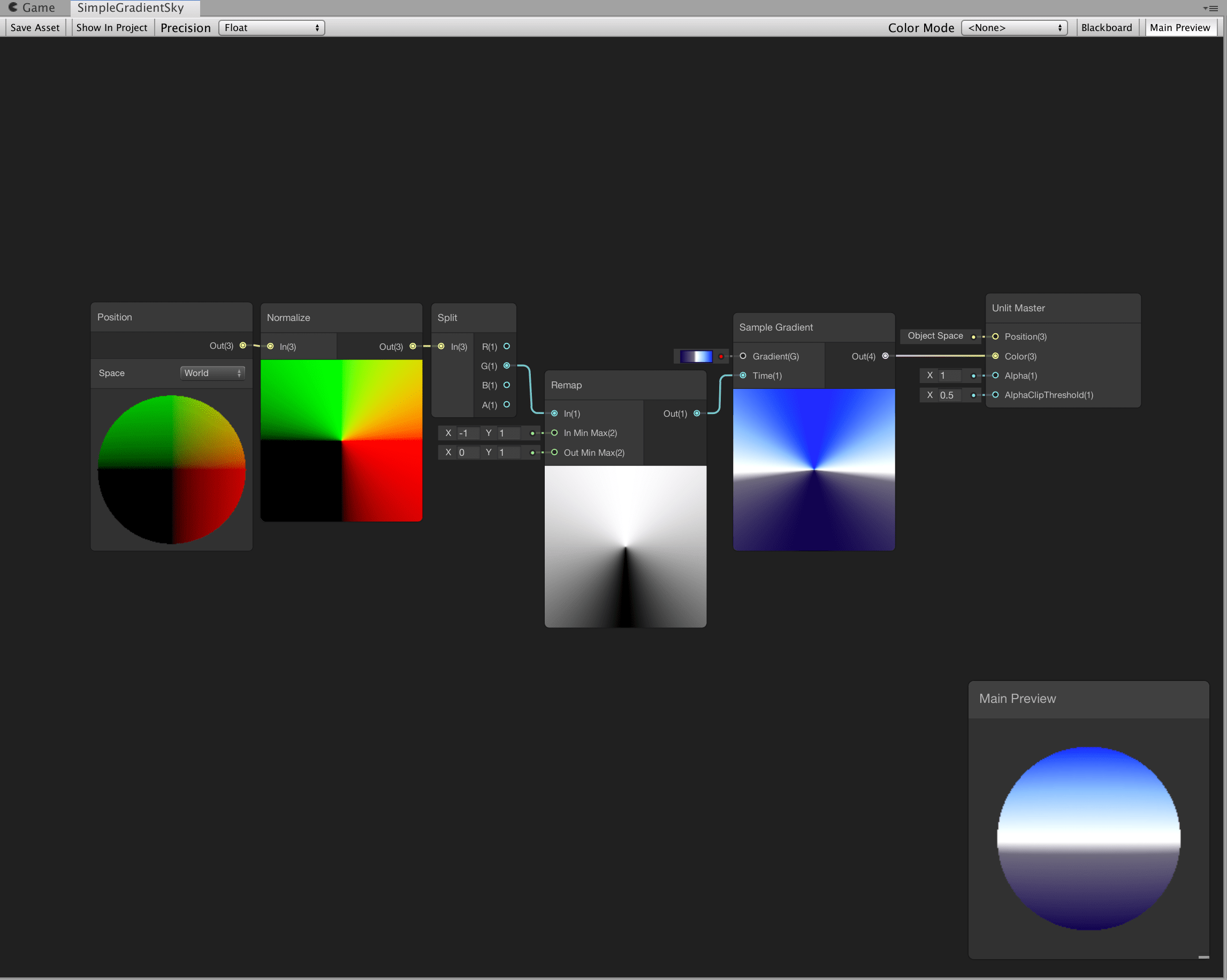 tight phoenix
so far all four blend modes display this screwy blending when near eachother

I need a sollution that allows them to be adjacent without this occuring
 dapper pollen
i have a shader for a FullScreenPassRendererFeature. the core of it is
float4 _BlitTexture_TexelSize;
half4 frag (Varyings input) : SV_Target {
    UNITY_SETUP_STEREO_EYE_INDEX_POST_VERTEX(input);
    half4 tex  =  SAMPLE_TEXTURE2D_X(_BlitTexture, sampler_BlitTexture, input.texcoord);
    return tex;    }
but its outputs grey? I can see in the frame debugger that the actual _BlitTexture shows the actual scene
full shader is here, nothing too special - https://pastebin.com/fU95q8Qc
tight phoenix
I didn't solve my problem, a series of extremely ugly hacks that are barely half working, extremely inferior useless sollution, but this at least shows what im trying to achieve

How do I do the above, except not hideously ugly?
The 'real' sollution is to somehow give the shader a 'minimum' or 'maximum' blend mode
https://docs.unity3d.com/Manual/SL-Blend.html
how do I do these in shadergraph?
Do I have to compile and show code and somehow edit that?
vague pilot
hi i made this simple shader for texturing my terrain (im new to shaders) and applied it on the terrain is it still possible to draw textures on the terrain for creating paths etc. or how would you do that?
 tight phoenix

not jagged but not precise either
still working on it
xy im still trying to solve the above, how can I in shader precisely control a gradient of values into a very specific curve?

I know 'power' changes the curve, but Im struggling to visualize what the resulting gradient currentlky looks like
I got the values to be tight enough I guess, end sollution was judicial use of power, multiply, and extremely faint gradients


 meager pelican
cunning glacier
i made an example of what my code looks like for the part i'm having problems wi...
meager pelican
cunning glacier
i made an example of what my code looks like for the part i'm having problems wi...
Did you try debugging with the frame debugger and/or PIX? Or RenderDoc might help too.
Something that lets you look at the buffer contents. Not sure off top of my head what ones of those will let you dump the buffer, since you're after the 1st element (red, opaque).
I can't verify your code fragment, and I don't know where you set the variable "shaderMaterial". Makes sure "length" isn't zero too. Perhaps you want sharedMaterial not Material in the reference from the renderer if that's how you set it.
 amber tide
hi guys, not sure where to go with this - Unity game screen is pitch black only when a plane (with shadergraph) is visible from the camera's POV. Do you know why this might happen? It seems to work as intended in Scene view
grand jolt
tight phoenix
https://cdn.discordapp.com/attachments/996979168304697384/1094041773870948422/ne...
that looks very nice :D
is that metaballs?
grand jolt
amber tide
hi guys, not sure where to go with this - Unity game screen is pitch black only ...
either a texture is missing or lighting
could be a shader outputting blank
amber tide
grand jolt
either a texture is missing or lighting
thank you, is there anywhere I could see an error that's not in console?
grand jolt
amber tide
thank you, is there anywhere I could see an error that's not in console?
not sure if you can see errors for that kind of stuff
grand jolt
amber tide
thank you, is there anywhere I could see an error that's not in console?
also maybe something is not transparent or is transparent
amber tide
thanks I'll retrace my steps
deft frost
How do I do an extra pass that just adds a masked texture on top of a previous Surface Shader pass?
grand jolt
aren't there meant to be two outputs for this??

i am extremely confused with this branch node
deft frost
Pseudocode

"Use Pass: DrawEyeWhites"

surf ()  {

  texture irisTexture;
  texture opacityTexture;

  irisTexture.alpha = opacityTexture.a;

  o.Albedo = irisTexture;

}
How do I get something like this working?