#archived-shaders
1 messages · Page 23 of 1
 neat hamlet
 subtle thicket
Someone mentioned using a render texture to broadcast a camera looking at a sprite onto the ui... but that feels pretty janky
Is a code shader harder to work with than shadergraph?
subtle thicket
Like ten nodes. But I'll need to add more to it later
Everything else including animation is in code form already, so I guess why not add shaders to the list
neat hamlet
URP still uses the built-in shaders for UI, so you can grab those
subtle thicket
What do you mean?
neat hamlet

GitHub
Unity Built in Shaders. Contribute to TwoTailsGames/Unity-Built-in-Shaders development by creating an account on GitHub.
subtle thicket
(I only learned about shaders like a week ago)
neat hamlet
thats what URP uses for UI
now, you see the properties with stencil, and the stencil block? those, and the ZTest mode make it work in UI
subtle thicket
hmm geez, that's some weird stuff going on
neat hamlet
Stencil block is for UI masks, Ztest is to make it render in game view
so if you don't need the UI masking, you can just use the ztest mode
maybe you can generate the code from the shader graph, and just add the ztest
subtle thicket
What would UI masking do?
neat hamlet
the UI mask component, use one image to keep another image in its alpha
subtle thicket
Geez, I'm looking at his built-in shader code and not understanding any of it 😅
neat hamlet
oh nearly all of it is boiler plate
subtle thicket
Well my sprites do use a secondary texture to get the colored glow effect. But I don't know if that counts as masking
neat hamlet
no
subtle thicket
Okay good! So how do you 'generate the code' from the shader graph?
Is there an automatic way or no
neat hamlet
I think theres a button on the graph somewhere
subtle thicket
I guess it's this one. It pulled up a 1300 line class 😅
 subtle thicket
So I guess I can't just set the ztest in here and call it a day?
neat hamlet
well hopefully all of the unused stuff gets pulled out at some point, but yeah theyre not human friendly
should be able to
subtle thicket
 neat hamlet
yeah, so replace the ZTest LEqual
ZTest [unity_GUIZTestMode]
with that
also save it in another file so it doesnt get overwritten next time you hit generate code
and change the name on top to you can find it when you switch the material
 neat hamlet
that just looks like its trying to parse it as c# or something
is it a .shader file?
subtle thicket
Oh right.
I TOTALLY know what I'm doing here
hmm... I'm not seeing how to 'equip' a material with this code shader
neat hamlet
whats the name on top

 neat hamlet
should say "Shader "Something/whatever" " in the file
might say "Shader "ShaderGraph/TeamShaderUI" "
subtle thicket
 neat hamlet
ah ok
subtle thicket
k moment of truth I guess
neat hamlet
if it still doesnt work your alpha is messed up :V
 neat hamlet
the preview doesn't show alpha either

 neat hamlet
can you dm me the graph, I'll have a look
subtle thicket
oh okay
 kind juniper
Would be nice to hear if and how you solved it.
 fossil cloak
Hey, i tried to recreate the Height from the URP/Lit Shader. But mine (left in the video) is not working like the one from Unity(right) when adjusting the sliders:

 meager pelican
fossil cloak
Hey, i tried to recreate the Height from the URP/Lit Shader. But mine (left in t...
meager pelican
fossil cloak
Hey, i tried to recreate the Height from the URP/Lit Shader. But mine (left in t...
This is only a partial answer, since I assume you're doing the same thing with the Unity side as with the custom graph side, but...
If you're doing POM, you'd usually have a height map provided. That might tell you what is going on too.
 lucid scarab
hi, is it possible to reproduce a 6 sided skybox shader in shadergraph?
meager pelican
lucid scarab
hi, is it possible to reproduce a 6 sided skybox shader in shadergraph?

Game Development Stack Exchange
I'm trying to update a skybox shader to URP and reimplement it in Shader Graph. The shader code itself is pretty straightforward, but I don't know enough about Shader Graph yet to set up the basic
lucid scarab
meager pelican
https://gamedev.stackexchange.com/questions/183182/how-to-sample-from-six-cubema...
thank you, but it don't fit my case. I have a render texture imported as cube
it's not possible to use render textures with cubemap 😦
now I'm trying to understand if it's possible to sample a texture imported as cube
meager pelican
There's a node for that.
 karmic hatch
in shader graph, if you're using a transparent graph, there's an alpha slot in the fragment node
lucid scarab
?
 robust path
Hi, I have an object with a custom shader that does not have emission on it, and I'd like to add emission
The shader is too complicated for me to mess with, it's from the asset store
My plan is to add emission in a separate shader, but I'm not sure how to do that - I tried using simple lit, but depending on my Sorting Priority, it either shows nothing, or it changes the entire look of the object (completely overrides the other shader)
How can I deal with this?
kind juniper
robust path
Hi, I have an object with a custom shader that does not have emission on it, and...
Firstly, you need to understand a few things about shaders:
- They define how an object is rendered. You can't "add up" shaders to the object as components. All you can do is either have several materials with different shaders, in which case the same mesh would just get rendered twice and one of the renders would overlap the other or they might even start z-fighting. Or duplicate the object and give it another material(but the effect is probably gonna be the same or even worse.
- Emission is usually just a color unaffected by lighting and shadows. You can achieve the same effect by just adding the emission color to your final color value that the fragment shader outputs.
As for a solution to your issue, modifying the shader (or using a different one) would probably be the simplest solution.
robust path
kind juniper
Firstly, you need to understand a few things about shaders:
- They define how an...
Thank you! This shader seems to be based on the URP SimpleLit, which pass should I edit for best results? I'm quite new to shaders, and the URP stuff is just intimidating
kind juniper
What passes does it have?
Maybe it would be easier to recreate the shader in shader graph?
 civic lantern
Is it a HLSL shader?
robust path
kind juniper
What passes does it have?
ExtraPrePass Forward ShadowCaster DepthOnly Meta
Each except for ExtraPrePass has Tags { "LightMode"=passname }
robust path
civic lantern
Is it a HLSL shader?
yeah
robust path
robust path
ExtraPrePass Forward ShadowCaster DepthOnly Meta
Each except for ExtraPrePass ha...
Those are the names of the passes - I'm not sure how to better explain it
ExtraPrePass seems like the main custom thing
kind juniper
Forward is the one that defines the final color, so you should look at it's fragment shader.
robust path
will try!
kind juniper
What does the shader look like? Extra prepass is probably some intermediate calculations.
robust path
kind juniper
What does the shader look like? Extra prepass is probably some intermediate calc...
I'm not sure how to properly explain to you how it looks like - I'm kinda new to shaders in general
but yeah it seems like you're right, it mostly has a ton of function definitions, not much actual code
civic lantern
@robust path Been a while since I messed with written shaders, but if you see anywhere something like:
o.Albedo = ...```
You can try adding a line with
```cs
o.Emission = ...```I mean, what does it do? How does it look like in the scene?
robust path
civic lantern
<@346305660243148802> Been a while since I messed with written shaders, but if y...
there is no o.Albedo anywhere in the file
civic lantern
robust path
there is no o.Albedo anywhere in the file
Is there anything pointing to albedo or color
Look for that
Look for the part that samples your main texture
kind juniper
or just look at the return value of the fragment shader - that's the final color.
robust path
civic lantern
Is there anything pointing to ``albedo`` or ``color``
Albedo is added to color 6 times in the forward pass
I mean it's in the code 6 times, somewhere in the forward pass
wait no
it's just
color.rgb += Albedo * mainTransmission
yep, got it! Thanks!
it works
I didn't know emission was just adding a color, huh
 amber saffron
fossil cloak
Hey, i tried to recreate the Height from the URP/Lit Shader. But mine (left in t...
amber saffron
fossil cloak
Hey, i tried to recreate the Height from the URP/Lit Shader. But mine (left in t...
AFAIK, URP height effect is using Parallax offset mapping, not occlusion (different node)
To properly apply parallax occlusion mapping, you also need to provide the primitive size : the world size of what would be the UV unit X and Y axes, taking the object scale into account.


 regal stag
 long lynx
can someone explain to me why my sprites arent showing right ?
long lynx
can someone explain to me why my sprites arent showing right ?
Node previews don't show transparency, only the RGB data. But to fix it in the Main Preview / Material, connect the A output to the Alpha port in the master stack.
long lynx
yes thanks, just found it out
im new to this so. sry for the dumb question ll
lol
why is this my preview:

and this ingame:

 long lynx
thats the result when I remove bloom and global light

it really only gets white when I add my own material based on the shader
forgot to add textures

thought I didnt need to because I named the components right
but no
 queen lance
Hello again - I'm having an issue with custom shader graph blocks.
https://gdl.space/atexoxajov.cpp
The output of this shader is always a black square. I have a couple questions which are difficult to test myself because there doesn't seem to be a way to debug shader code:
What's the range of a float of RGBA from Sample texture 2D? I think it might be 0-1 instead of 0-256.
Have I defined my array of colour values correctly at the top of this script? I can't seem to set pOut to be a value from this array.
the function that doesn't work is PaletteMatch_float
 shadow locust
colors are indeed 0-1
regal stag
queen lance
Hello again - I'm having an issue with custom shader graph blocks.
https://gdl....
Yes, when you sample a texture it's typically a 0-1 range. So you may need to multiply by 256 before comparing
As for defining your array, I believe you should add static to the start. Otherwise it'll probably only return 0 (as the default is "extern" variable which marks it as a external input)
queen lance
thanks - it's still only doing black, but now it can actually read the values, I think, so that's good
regal stag
long lynx
thought I didnt need to because I named the components right
Afaik it should automatically assign the textures. _MainTex is handled by default, but for "secondary textures" you'd need to connect them with the sprite asset : https://docs.unity3d.com/Manual/SpriteEditor-SecondaryTextures.html
Make sure the name used matches the reference field of the property (under Node Settings, while property is selected that is). It's a bit different from the property name which is only for display purposes.
lucid scarab
is there any way to make dynamic skybox in Unity?
I think there is a big limitation with render textures
queen lance
It would seem my mistake was far dumber than I thought. I forgot to update the best distance value when a new best distance was found.
queen lance
regal stag
Yes, when you sample a texture it's typically a 0-1 range. So you may need to mu...
It works almost perfectly now, thank you very much for your help

 fervent flare
Given something like this, would there be some elegant way of randomly offsetting my textures UV's by X whenever the Sine value reaches its lowest value in the curve?

 reef owl
I mean you could do something like this to generate a value of 1 around the time sin(t) = 0, and 0 any other time:
- invert abs(sin(t)) ( take -abs(sin(t)) )
- subtract some number n ( something like 0.8, so the output of -abs(sin(t)) now ranges from -0.8 to 0.2 )
- clamp between zero and one -> now all values should be zero or some small positive value
- round up
then you could just multiply that number by whatever offset you want, before you apply it
also you could adjust n to change the window that the shift is active in
if you don't want a sudden jump you could multiply by some amount instead of rounding up
@fervent flare bc I forgot to use a reply
 crude flume
Hey anyone know a good shader that makes good water with crashing waves on the edge of it, similar to those dark stormy nights in horror movies and stuff
 tame topaz
There are a few high quality ocean shaders on the asset store.
 vague spoke
Does someone know how to make an interaktive shader for grass? I already one for Wind velocity (everything pixelperfect)
 undone anvil
how to access secondary texture via Shaderlab ? i want to implement shader to UI canvas that can get 2nd Texture from sprite editor
 halcyon magnet
Question. I'm trying to manipulate the vertex positions using a texture and, while the preview shows obvious distortion, the mesh I'm applying the material to remains unchanged.

 karmic hatch
halcyon magnet
Question. I'm trying to manipulate the vertex positions using a texture and, whi...
karmic hatch
halcyon magnet
Question. I'm trying to manipulate the vertex positions using a texture and, whi...
How is the mesh subdivided? If it's just a quad you're only going to be moving the corners.
 jade hinge
Howdy peeps ; looking for some directional advice re "water":
I need a mobile (VR performant) water-shader or material of some kind. I don't need transparency (would be un-performant) or anything super fancy, I just want to give any kind of stylized impression that "this is a water surface"... Hopefully something that can work double-sidedly so that when underwater the player can see the under-side of the water surface...
the other limitations is that I'm trying to avoid real-time lighting of any kind, and that, ideally, it works for a sphere mesh (a 360 spherical water surface)...
scrolling some basic UV noise seems like the absolute simplest approach, but I was also hoping to integrate that with vertex manipulation...
So... if anyone has any insight about how i can do a minimalistic water shader as performantly as possible, would greatly appreciate it!
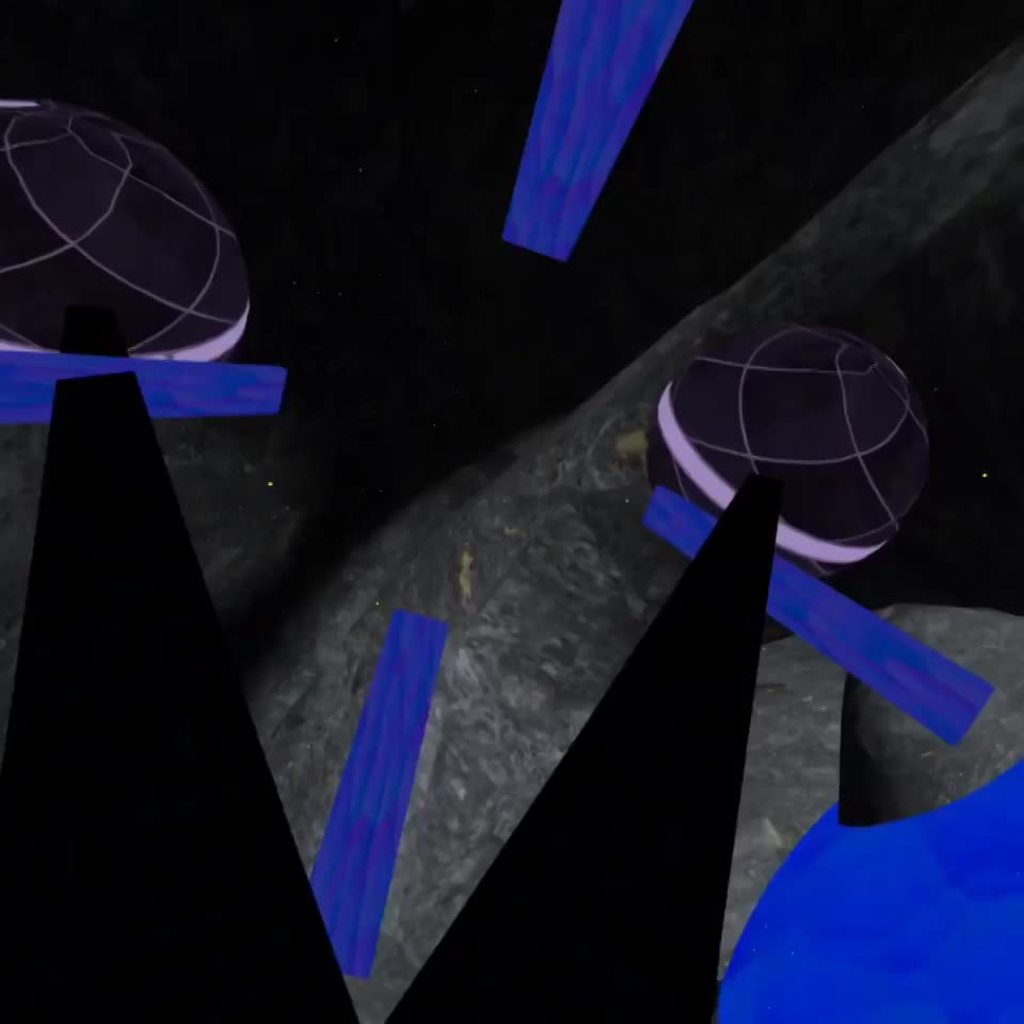
(the blue sphere /w the noise pattern is my current placeholder)
undone anvil
halcyon magnet
could u try to open wireframe and send this mesh screenshot again
alr did anyone working with softmask https://github.com/mob-sakai/SoftMaskForUGUI and using both custom shader and masking ?

GitHub
UI Soft Mask is a smooth masking component for Unity UI (uGUI) elements. - GitHub - mob-sakai/SoftMaskForUGUI: UI Soft Mask is a smooth masking component for Unity UI (uGUI) elements.
try exactly resource example of custom shader config and i got this 😦

GitHub
UI Soft Mask is a smooth masking component for Unity UI (uGUI) elements. - SoftMaskForUGUI/UI-Default-SoftMaskable.shader at main · mob-sakai/SoftMaskForUGUI
 visual ocean
Hello! Has anyone experience with the use of Material instances for each gameobject in the built-in render pipeline?
What are the performance impacts? Especially on mobile? Would love to hear from your experiences
 rotund ingot
Hello, I'm working on a triplanar shader and I'm trying to split the top from the bottom of the normal. The goal is to have the green only on the top, and have the rest be brown
 halcyon magnet
karmic hatch
How is the mesh subdivided? If it's just a quad you're only going to be moving t...
halcyon magnet
karmic hatch
How is the mesh subdivided? If it's just a quad you're only going to be moving t...
 karmic hatch
halcyon magnet
karmic hatch
halcyon magnet
What does it look like in Unity's wireframe display?
Also depending on how large it is, you probably want a float multiplying the offset so you can change how much it's offset by (otherwise it's just a fixed 1 meter)
could multiply it by sine time or something for debugging, just to check that it's moving
 grizzled bolt
@halcyon magnet With certain export settings the mesh may appear normal but get a scale of 100 or 0.01 which messes up object space effects
The rotations may get flipped which is likewise relevant when mapping a texture in object space
 true steppe
Hey guys! Some parts of my textures appear pink only in the build. What could be the issue?
 quaint grotto
how do you calculate the depth under a water plane?
im currently subtract the scene depth in eye space by the position node in view space
but im getting crazy bright white result when i put it in my base color
 harsh marsh
Trying to make get a 3D pixel art style going. Currently, I'm trying to figure out how to add edge highlights to sharp edges on objects that are pointing towards the directional light of the scene.
For example, this screenshot

should have highlights like this

but I'm a bit confused on how to achieve this in URP w/ shadergraph
kind juniper
harsh marsh
Trying to make get a 3D pixel art style going. Currently, I'm trying to figure o...
This kinda falls under the edge outlines category(with some modifications) which is a pretty complex topic with different possible implementations that have their own advantages and disadvantages. I suggest starting from researching how outlines can be implemented in unity.
 spiral agate
1
 quaint grotto
what causes this bug ?
 spiral agate
2
 quaint grotto
annoying flashes
spiral agate
how would i go about this?
spiral agate
quaint grotto
annoying flashes
saturate output, i believe it is caused by artefacts, not sure what your code looks like
quaint grotto
i saturate then i added a pow function
spiral agate
well, thats the pow function then
quaint grotto
is it cause a value in my output is exceeding 1 ?
spiral agate
use pow first, then saturate
spiral agate
it might be negative values
since pow does not return negative values there must be some weird stuff going on at 0
 north verge
how can i find 3d modelers & or animators?
quaint grotto
good point
quaint grotto
north verge
how can i find 3d modelers & or animators?
offer money and they will turn up
quaint grotto
not sure if theres a room for posting ads but there are in other unity servers like UDC and GDL
spiral agate
hello there, i want to go from picture 1, and achieve the effect in pic 2, please help
https://cdn.discordapp.com/attachments/497874081329184799/1046235155217518602/1nnt.png
https://cdn.discordapp.com/attachments/497874081329184799/1046235188528693268/2t.png

 spiral agate
i believe its called parallel prefix sum, but using max instead of add
but i really do not know how to implement this in a shader, i really could need some help here
please @ me so i can catch your message
 somber chasm
So i've upgraded my project to URP and need to update one of my CG shaders, it's a very small shader (85 lines) but i'm at a complete loss of how to convert to HLSL
Essentially I have things like:
            UNITY_DECLARE_TEX2DARRAY(_MainTex);
            fixed4 _Color;

            sampler2D _OverlayTex;
            fixed4 _OverlayColor;
And UNITY_SAMPLE_TEX2DARRAY(_MainTex, i.uv)
Which are not compatible with HLSL?
 tardy spire
Is there a good way to load a compute shader without referencing it in the inspector or putting it in a Resources folder? I'm kinda surprised there isn't a Shader.Find equivalent
harsh marsh
sure do enjoy a nice 3 hours of trying to figure out how to get unlit materials to receive shadows in URP 🙂
and im just stuck here

 north wren
Is there any way to implement transparent and double sided shaders on mobile without huge performance hit? (using a specular shader)
I don't need a translucent material, just want the holes in my texture to be transparent
quaint grotto
ok im stuck i have a water plane and im trying to project caustics on to all the objects behind the water plane, but i seem to get stretching on the faces that vertical on the Y axis - how can i fix this stretching issue?
kind juniper
tardy spire
Is there a good way to load a compute shader without referencing it in the inspe...
For something like that to exist, unity would need to load and cache all the shaders for you. There might actually be something like that in the editor namespace, but at runtime there's no need for that, so there isn't anything like that afaik.
kind juniper
harsh marsh
sure do enjoy a nice 3 hours of trying to figure out how to get unlit materials ...
The whole point of unlit is that they don't receive lighting it shadows.
But to help you with the issue, you'll need to share more context(like what nodes connect to this multiply).
kind juniper
north wren
Is there any way to implement transparent and double sided shaders on mobile wit...
Sounds like alpha clipping. Should be possible with an opaque shader.
 plush imp
is it possible to always include shaders at compilation time?
i only found a way that works in editor because the relevant interfaces dont seem to exist in build mode
kind juniper
plush imp
is it possible to always include shaders at compilation time?
What do you mean by always include?
Include where?
karmic hatch
kind juniper
The whole point of unlit is that they don't receive lighting it shadows.
But to ...
tbf you might also use unlit if you want to manage the lighting yourself
obviously not ideal circumstances but sometimes it's how the cookie crumbles
plush imp
kind juniper
What do you mean by always include?
unity's settings menu has under the Graphics option the
"Always Included Shaders:"
...
...
index
i want to not add the shaders there
but instead in code
to include the shaders at compilation time

and not include them using unity's pipeline that processes the project settings
kind juniper
plush imp
to include the shaders at compilation time
By "compilation", do you actually mean the building process?
plush imp
i guess
kind juniper
plush imp
i guess
I guess you could hook into the build pipeline somewhere to include the shaders..? But why not do it via the project tab..?
 night isle
so i need a shader with multiple passes. right now i have 4 extra passes, one for each diagonal like this

however instead of moving it around, it would be better to just scale it from the middle like so

its guaranteed to be a plane, i just need the coordinates in terms of the plane
and im not sure how to do it
night isle
oh and also i need it to be from the centre regardless of its pivot
and scale out exactly n screen pixels on each side
also just randomly my shader stopped working, i got the message that line endings are inconsistent but i thought i fixed it in vscode
yet the shader is just pink and no warn or error messages
oh its because unity injected some code into my shader and messed it up lol
night isle
not even sure if this is possible actually
if anyone has a good pixel outline shader please let me know
ohwever it needs the be able to go outside the original sprites plane
night isle
heres what i need to figure out, a is the original size of the plane but i dont know how to get that
 meager pelican
night isle
heres what i need to figure out, a is the original size of the plane but i dont ...
meager pelican
night isle
heres what i need to figure out, a is the original size of the plane but i dont ...
IDK what you mean.
if you don't know how to get (a), it is (b) -(2x). assuming they're centered.
But you'd have to know b.
You have to have one known, either a or b I'd suppose.
shadow locust
night isle
heres what i need to figure out, a is the original size of the plane but i dont ...
Yeah I'm a bit confused as to which variable you're trying to solve for here
Are you trying to solve for scale or a?
if it's scale then:
scale = b / (b - 2x);
if it's a then:
a = b - 2x;
if it's b then b = a + 2x;
night isle
yeah i need to know either a or b
shadow locust
night isle
yeah i need to know either a or b
You don't know either a OR b?
Or you're saying you know one or the other?
night isle
i know neither
and i need a way to get one of them at least
but im not sure if thats even possible in a shader
shadow locust
night isle
i know neither
what data do you know and what data are you trying to find out
or maybe even better - can you explain the situation and what you're trying to do?
night isle
scale up a plane in a second pass of a shader
ive figured out the scaling by shifting the vertices according to their sign
which scales them by exact screen pixels which is what i need
but now i need to find the scale factor of that to use in the fragment shader so i can scale uvs down when i sample the texture
plush imp
kind juniper
I guess you could hook into the build pipeline somewhere to include the shaders....
to use it as little as possible
 grand jolt
I have a generic question regarding Shader Graph, as it's a visual scripting tool and if i think about the underlying code, would it be better to use a single node and just route it to several input locations?
basically, if i attach a sampler state property to each SampleTexture2D, is that generating the code required for the sampler state multiple times? whereas if I use a single property and route it multiple times is that just using one set of code? or does it not matter?
I know it's probably micro-optimization if theres a difference but im always fond of knowing these things
reef owl
Do I need to declare a new sampler for every Texture2D I declare? if not, how can I determine when it's possible to use the same sampler across multiple textures?
 terse nexus
How do I account for the offsets of sprites in my shader.
Texture number one is a texture split into multiple sprites (actually its a tileset)
Number 2 is world space auto tiled. It seems to add the offset of the sprite on the tileset to the offset though. So aligning tiles doesnt work

 gray harness
any idea why this isnt working?


and the object looks black
if i do return float4(1, 0.8, 0, 1) it works
regal stag
Your property is named coluor but colour in hlsl
spiral agate
how can i make a compute shader having a starting point, and checking anything before, comparing those 2 values and return max of both of them?
basically, i want to go from picture 1, and achieve the effect in pic 2, please help
https://cdn.discordapp.com/attachments/497874081329184799/1046235155217518602/1nnt.png
https://cdn.discordapp.com/attachments/497874081329184799/1046235188528693268/2t.png
please @ me for suggestions
quaint grotto
why the hell is ComputeWorldSpacePosition function not available in shader graph yet they have that function in their api
 deft narwhal
is there any way to have a shader use global positioning to make all objects using it have the texture line up? Like blenders "object" mapping option in the shader creator. right now all the meshes in my scene are somewhat different sizes so i end up making a whole new material to kind of line them up and i cant imagine thats good for file size
quaint grotto
strange, when i apply a local to world matrix to my material it doesn't seem to update 🤔
kind juniper
deft narwhal
is there any way to have a shader use global positioning to make all objects usi...
Use world position as uvs in your shader.
 low lichen
spiral agate
how can i make a compute shader having a starting point, and checking anything b...
low lichen
spiral agate
how can i make a compute shader having a starting point, and checking anything b...
This is a problem that can't easily be parallelized, so I wouldn't consider a compute shader to be the best solution.
meager pelican
reef owl
Do I need to declare a new sampler for every Texture2D I declare? if not, how ca...
 meager pelican
grand jolt
I have a generic question regarding Shader Graph, as it's a visual scripting too...
meager pelican
grand jolt
I have a generic question regarding Shader Graph, as it's a visual scripting too...
You can do one each way an examine the code. The optimizer might just optimize excess samplers out, but I wouldn't count on it. If it were me, the most intuitive is to use one sampler and drag multiple output lines out of it to various things.
harsh marsh
harsh marsh
Trying to make get a 3D pixel art style going. Currently, I'm trying to figure o...
found like 3 different tutorials but got a different broken result from each of them and none of them gave a github repo 👍
doesn't help that pretty much every github repo for such a thing is a post processing shader rather than just a normal material shader
If anyone has any github repo examples of outlines using depth normals in URP that is a single shader made in shadergraph that'd be great because I literally do not know how to continue
halcyon magnet
@karmic hatch @grizzled bolt I appreciate the help. The solution that worked for me without changing the wireframes were the following nodes:

 heavy stirrup
Is there a way to override final blit pass to use our own uber post process shader?
spiral agate
low lichen
This is a problem that can't easily be parallelized, so I wouldn't consider a co...
i wouldnt know of any better solution than having a starting point, and checking the next (segment maybe?) whether its bigger or not, deciding max(x,y)
kind juniper
heavy stirrup
Is there a way to override final blit pass to use our own uber post process shad...
What do you refer to by "final blit"?🤔
deft narwhal
kind juniper
Use world position as uvs in your shader.
how do i do that exactly?
 sage ridge
im not a 2d artist how to make 2d shaders like cool shaders for unity ?
heavy stirrup
kind juniper
What do you refer to by "final blit"?🤔
it's a pass in URP that's literally called Final Blit
kind juniper
deft narwhal
how do i do that exactly?
Depends on wether you're writing the shader manually or using a shader graph. In the latter case there's a position node that you can use to sample the texture. In the former it's a bit more complicated.
kind juniper
heavy stirrup
it's a pass in URP that's literally called Final Blit
Hmm... I don't know much about the inner workings of urp. Might be worth asking in #archived-urp.
quaint grotto
how do apply a normal map only to the faces that have a normal facing up in world space
i applied my approach to colour and it looked fine
but as soon as i apply it to the normals it affects other faces
this is what i got

the idea being then if the face has a normal of (0,1,0) i multiply by 1 or i multiply by 0
but it messes up entirely
kind juniper
quaint grotto
the idea being then if the face has a normal of (0,1,0) i multiply by 1 or i mul...
Could get the dot product of the normal vector and world up direction and push the resulting value through a step node to set anything below 1 to 0. Then use the resulting value as the mosifier.
quaint grotto
yeh i figured it out in the end its because the object was rotated 90 but there was like 0.0001 off so the step was rounding it up to 1 so i have changed the threshold now
damn float precision got me
im still struggling to understand if you need to multiply or add colours some times
im trying to add stronger caustics but its causing the blueness of the water to be less vibrant
very confusing on how im suppose to merge it to the colour of my water
 neat tendon

can i make this a shader in unity
and can it work with triangulated ngons?
also each face is a seperate object in my project
idk i'm no shader god
undone anvil
neat tendon
https://www.youtube.com/watch?v=fu5HYNu-lw4 try this ?

Improving our existing wireframe shader, to only render quads. This removes many of the diagonal lines from the mesh you may not want.
We use the technique of longest edge removal from the triangles. This removes the majority of cross diagonals in a mesh that is predominantly made of quads. It isn't perfect, but if this is the effect you requir...
i didnt go in deep yet sound like its should be your desire ?
 digital gust
I am sure this is possible with shadergraph too
karmic hatch
neat tendon
guess i'll go learn :|
It's not all that different from c#, syntax-wise

 steady ledge
i exported height map from substance painter, but its adding like a outline to my character, how can i fix it?


 grizzled bolt
steady ledge
i exported height map from substance painter, but its adding like a outline to m...
grizzled bolt
steady ledge
i exported height map from substance painter, but its adding like a outline to m...
If your height map uses black as a "neutral height" color, it'll be interpreted by unity as an indentation, and basically shrink the texture which makes pixels outside of the UV island visible
This will also happen if you use grey as neutral, but if the texture is marked as "sRGB"
 stable flare
Hi I've been using a halftone shader i made and it works flawlessly.. Until there is a flat surface. It works great on bent surfaces as you can see on the horns, the back and the leg parts, but holyy is it so bad on flat surfaces like the gun or the two legs you can see in the other screenshot.


 loud dagger
Hey all! How can I separate channels for the camera?
 amber saffron
loud dagger
Hey all! How can I separate channels for the camera?
amber saffron
loud dagger
Hey all! How can I separate channels for the camera?
What do you mean "separate channels" ?
Notes :
- The camera position is float3, not float2
- You can use _Camera_Position.x, .y or .z to get individual axis values but ... I still don't see what you want to do.
loud dagger
amber saffron
What do you mean "separate channels" ?
Notes :
- The camera position is float3, ...
Yea the float2 was just me playing around. https://www.youtube.com/watch?v=4P9Bifze8QY&t=609s
I'm kinda using this as a guide. I want to split the channels and just use X and Y. Honestly not sure why but I'm just following how he made it.

Blender Artist topic: https://blenderartists.org/t/impostor-baker-add-on/1209475
Download for Blender 3.1: https://drive.google.com/file/d/1pNL-RDvsfX9gUseHEO6O_F1bbXr8FedQ/view?usp=sharing
Download for Blender 3.0: https://drive.google.com/file/d/1zRLV0pH9jN9itLhZDHC7DaNl-me5Rw1c/view?usp=sharing
Download for Blender 2.9: https://drive.google....
deft narwhal
anyone know why this shader isnt mapping to Y or Z correctly?
 amber saffron
deft narwhal
anyone know why this shader isnt mapping to Y or Z correctly?
amber saffron
deft narwhal
anyone know why this shader isnt mapping to Y or Z correctly?
Are you using the world position as UV input for sampling ?
UV is a 2 coordinates vector, so the Z value of the position is ignored, and you are projecting the texture on the XY plane
If the model has proper UV coordinates, just use them with texture coordinates node, or use triplanar mapping node for world space coordinates
steady ledge
grizzled bolt
If your height map uses black as a "neutral height" color, it'll be interpreted ...
thanks, i couldint fix it, so i removed height map xD
deft narwhal
triplanar worked. thanks
 swift loom
Does ComputeScreenPos do anything special to stretch the resulting normalized value somehow? Because I'm trying to use id as screenposition in a compute shader, however to get textures to work I have to add -1 after the texture width/height, which doesn't even work accurately all the time.
like (id.xy / (screenSize.xy - float2(1,1))) * screenSize.xy maybe to stretch it out?? not sure what the proper way to deal with this is
swift loom
^this seems to work at least...
 tight vortex
Hey folks, I'm playing with simple parallax shaders and stumbled upon the classic "View Direction drives the offset" technique, which works fairly nicely. However, at more extreme angles the effect breaks down and the textures flatten. I think this is a common issue with the technique (as I've seen many games have the same side effect), so I'm wondering if there is another way to approach the effect, even if it's a bit more expensive?
subtle thicket
Why is there so much stuff missing now in shadergraph compared to what I'm seeing in these older tutorials?

now it's like this

I can't figure out how to replicate these shaders because stuff is missing, like alpha clipping, smoothness, emission, etc
I guess sprite mask is the same as normal
I'm trying to replicate a dissolve shader btw
Well I figured out step node is basically the new alpha clip
grizzled bolt
subtle thicket
Well I figured out step node is basically the new alpha clip
Well, not "new" since it works the same way in all situations
Alpha clipping is a particular way to do semi-transparent surfaces, usually for materials that are otherwise opaque
Sprite Lit doesn't use it because it's transparent to begin with
Sprite Lit also doesn't have smoothness or metallicness because 2D lights don't consider that
karmic hatch
subtle thicket
you can add more onto the fragment shader
i believe if you right click on it it gives you things you can add
there are a lot
also i think alpha clip might need to be ticked in the graph inspector?
subtle thicket
Ah, thanks
Tst, I forgot the golden computer rule. When in doubt, right click everything
grizzled bolt
I guess the Sprite Lit could use emission, but for some reason doesn't
grizzled bolt
karmic hatch
also i think alpha clip might need to be ticked in the graph inspector?
Yes, I believe adding block nodes to the stack doesn't by itself do anything if the shader doesn't support that block
The problem here being that Sprite Lit does not
subtle thicket
Yeah you still have to use step node
 cloud fossil
Anyone knows how can I fix this issue?


I just put my blender work into unity and that's what I got (view first image from top)
shadow locust
You sure this is a shader issue? Just seems like a materials/texture issue
quaint grotto
how do we write code for lit shaders in urp the docs only show an example of unlit shaders
fervent flare
I need some help adding a random offset to a texture every x seconds
how do I get the time node to turn into a sort of periodic timer ? 🤔
 azure lichen
Hey, quick question. I've got this gem (sry for the quality, it's an AR screenshot) and I'm trying to change its color values on buttonclick.

When I click the button, it changes the color, but it suddenly becomes a lot "brighter", causing the loss of reflection details

But the only thing I'm doing is editing the color values through script. Alpha is excluded already, because it's 255 on all of them so the only values changing are the RGB values
shadow locust
azure lichen
But the only thing I'm doing is editing the color values through script. Alpha i...
sharing the code would be a good first step
azure lichen
Well, in that case it's just public void Red() { _gemMaterial.color = new Color(255, 0, 6, 255); }
_gemMaterial color is public Material _gemMaterial
quaint grotto
does shader graph automatically account for what platform we are using for things like returning depth values because on some platforms it uses negative z
shadow locust
azure lichen
Well, in that case it's just ```public void Red()
{
_gemMaterial.col...
Color uses 0 - 1 values
everything you give it over 1 is going to be the same as 1
so your color is full red, full blue, full alpha, zero green
azure lichen
shadow locust
everything you give it over 1 is going to be the same as 1
I'm still getting different colors though. Wouldn't I get the same color everytime if that was the case?
shadow locust
azure lichen
I'm still getting different colors though. Wouldn't I get the same color everyti...
wdym
same color every time you do what?
Anyway you don't have to take my word for it
read the docs:
https://docs.unity3d.com/ScriptReference/Color.html
This structure is used throughout Unity to pass colors around. Each color component is a floating point value with a range from 0 to 1.
azure lichen
I'll go ahead and change it. Thanks for the answer
neat tendon
undone anvil
https://www.youtube.com/watch?v=fu5HYNu-lw4 try this ?
actually looking back on this i think i want something a bit different

The mesh

with diagonals removed

what i want
basically to just inset the edge of each shape
neat tendon
i've heard that you can bake some of this information into the mesh but i might still want to have meshes imported at runtime
kind juniper
neat tendon
basically to just inset the edge of each shape
You could loop the mesh vertices, identify the outermost corners, sort them in order and use to render separate lines either with a line renderer or a custom shader(not entirely sure about that one).
It would only be possible with convex shapes though I think .
Might be possible with concave too. But it would be several degrees of time more complex. Both computationally and implementation wise.
neat tendon
kind juniper
You could loop the mesh vertices, identify the outermost corners, sort them in o...
i was thinking maybe a multipass shader would work
scaling down each object then overlaying it ontop of the original
each face is a seperate object
but i'm not sure
kind juniper
neat tendon
scaling down each object then overlaying it ontop of the original
Ah, of it's just the outline that you need, there are many techniques to get it done. Look up tutorials on outlines in unity.
neat tendon
is it much slower?
kind juniper
neat tendon
is it much slower?
What is much slower than what?
neat tendon
a wireframe shader alternative
i imagine rendering each polygon twice could be bad for performance
kind juniper
Not sure what you mean by a wireframe shader since we were talking about outlines from my understanding.
But rendering the geometry twice is of course gonna be slower than rendering it once.
harsh marsh
hmm. It's difficult/impossible to see depth with my toon terrain shader. Any idea on how I can fix this?

 jade hinge
harsh marsh
hmm. It's difficult/impossible to see depth with my toon terrain shader. Any ide...
jade hinge
harsh marsh
hmm. It's difficult/impossible to see depth with my toon terrain shader. Any ide...
this isn't a shader based fix, but perhaps you could imply depth by using objects of a standard size
eg, flower bunches, trees
quaint grotto
any one know what this means for my custom code?
void RGBSplit_float(float split, Texture2D Texture, SamplerState Sampler, float2 uv, out float3 Out)
{
    float2 offset = float2(split,split);
    float r = SAMPLE_TEXTURE2D(Texture, Sampler, uv - offset).r;
    float g = SAMPLE_TEXTURE2D(Texture, Sampler, uv).g;
    float b = SAMPLE_TEXTURE2D(Texture, Sampler, uv + offset).b;
    Out = float3(r,g,b);
}
 shadow locust
what's line 303
quaint grotto
well according to the show generated code its literally just a comment line:

this is a custom function im using thats in its own hlsl file
not sure how exactly to get it to show me the exact line causing the problem
does my hlsl file need to include something for it to work ?
kind juniper
I'd check if you have other errors.
quaint grotto
where would it list other errors
kind juniper
If you select the shader, they should be displayed in the inspector
quaint grotto
the inspector for the SG only has this showing
 kind juniper
Hmm
quaint grotto
maybe i need to restart unity or something
does my code look fine on the face of it ?
kind juniper
Perhaps the issue is not with the code but the custom function node settings?
kind juniper
quaint grotto
does my code look fine on the face of it ?
I think it's fine.
 kind juniper
Did you define the entry/exit nodes correctly?
quaint grotto
had uv set to float and not float2 but fixing that didn't change anything
it seems to talk about sampler and texture2d so i presume its the three lines involving the SAMPLE_TEXTURE2D
wait do the variables in the inspector have to be in the same order as the function's arguments
kind juniper
quaint grotto
wait do the variables in the inspector have to be in the same order as the funct...
Yes.
kind juniper
Probably the float/float2 issue use the cause and after fixing it, it just didn't take effect right away
quaint grotto
it seems to be ok with my variables not being in the same order as the function's parameters which is odd
kind juniper
Are they not? They seem to be from what I can see.🤔
Ah, the uvs and split are mixed up?🤔
Was pretty sure the order matters. Maybe your input gets cat to the other type?
But if it doesn't, that's interesting.
quaint grotto
i thought it was because they match by name
kind juniper
Ah, could be that indeed. Didn't think about that.
quaint grotto
ah damn it similar error popped up this time
even made sure all the variables matched and were in order
apparently cant convert UnityTexture2D to Texture2D<float4>
same function yet it was error free just moments ago
kind juniper
I guess the type used by the shader graph is UnityTexture2D. That's a wrapper around Texture2D if I get it right.
quaint grotto
how do i get the Texture2D then to use the SAMPLE_TEXTURE2D()
kind juniper
Thinking about it, do you really need a custom function there? You can do that math in the shader graph itself.🤔
quaint grotto
well im calling it a few times and it just makes the graph neater
its becoming spaghetti
kind juniper
Could make a subgraph or something, but okay.
kind juniper
Make it a subgraph in a subgraph.😬
Check the manual page on how to sample a texture.
https://docs.unity3d.com/Manual/SL-SamplerStates.html
It should work without a macro. In fact the way you're doing it know could be the CG(built-in rp) way..?🤔
Hmm. Maybe not. The shader graph node uses that macro it seems.
quaint grotto
its weird because in the subgraph theres no error
but using the subgraph in the main graph the error shows
in the subgraph its fine
 kind juniper
Perhaps it didn't recompile it?
quaint grotto
is there a way to force it
kind juniper
Press the save button?
quaint grotto
i do
kind juniper
quaint grotto
but using the subgraph in the main graph the error shows
Where does it show up though? And what exactly does it say?
quaint grotto
in the main graph

when i use the subgraph node
but if i open that subgraph
theres no errors in there
kind juniper
What does it say?
 kind juniper
What if you close the graph window and reopen it?
quaint grotto
hm that got rid of the error but now generates a new error in the console 🤔
Shader error in 'Master': undeclared identifier 'r' at Nodes/WaterAPI.hlsl(7) (on d3d11)
kind juniper
I think the issue is with the macro. Try using the way they do it in the docs page.
quaint grotto
oh you mean from the texture itself ?
quaint grotto
this is what i was referencing from when i wrote mine

but i wrote mine like this:
    float r = SAMPLE_TEXTURE2D(Texture, Sampler, UV - offset).r;
    float g = SAMPLE_TEXTURE2D(Texture, Sampler, UV).g;
    float b = SAMPLE_TEXTURE2D(Texture, Sampler, UV + offset).b;
Yeah, I've seen that too. But I just don't trust macros.
quaint grotto
ill try the other way to test it then
kind juniper
It could be that you pass in an expression to the macro or something. Since they're evaluated at compile time, who knows what it's expanded into...
quaint grotto
hmm now i got a new error entirely Shader error in 'Master': undeclared identifier 'OffsetUV_half' at line 198 (on d3d11) i've not even got anything with that name
seems to be happening every where

wonder if unity is just failing to compile properly or something
kind juniper
Hmmm... Does it appear in a compiled shader code?
quaint grotto
it seems to keep taking me to a random line with nothing there
dunno why these errors are so poor at telling what line it is
that texture error also seems to remain aswell

(╯°□°)╯︵ ┻━┻
kind juniper
Share the updated code.
quaint grotto
void RGBSplit_float(float Split, Texture2D Texture, SamplerState Sampler, float2 UV, out float3 Out)
{
    float2 offset = float2(Split, Split);

    float r = Texture.Sample(Sampler, UV - offset).r;
    float g = Texture.Sample(Sampler, UV).g;
    float b = Texture.Sample(Sampler, UV + offset).b;

    //float r = SAMPLE_TEXTURE2D(Texture, Sampler, UV - offset).r;
    //float g = SAMPLE_TEXTURE2D(Texture, Sampler, UV).g;
    //float b = SAMPLE_TEXTURE2D(Texture, Sampler, UV + offset).b;
    Out = float3(r, g, b);
}
i dont get why its saying converting UnityTexture2D to Texture2D<float4> though
the code seems fine it just seems to not understand the type
kind juniper
The other way around.
quaint grotto
wdym
kind juniper
It can't convert Texture2D to UnityTexture2D.
quaint grotto
no it says UnityTexture2D to Texture2D
kind juniper
Check the shader graph manual page on custom function node. Preferably version above 10.3.
See the last section "working with texture wires"
I think that's relevant.
kind juniper
quaint grotto
no it says UnityTexture2D to Texture2D
It's definitely the other way around in the screenshot.
quaint grotto
kind juniper
It can't convert Texture2D to UnityTexture2D.
it says UnityTexture2D to Texture2D<float4> for me
 kind juniper
quaint grotto
that texture error also seems to remain aswell
kind juniper
quaint grotto
that texture error also seems to remain aswell
It says the opposite here though.
Anyways, check the docs page.
quaint grotto
yeah reading it now
kind juniper
I think the error was making sense all along. Although, not being very descriptive...
quaint grotto
right so i have to use type UnityTexture2D not Texture2D in my hlsl code
quaint grotto
no lol apparently that type does not exist
guess i got to find what file to include in my script to get it work
pain
quaint grotto
urp
kind juniper
Okay
quaint grotto
whats birp
kind juniper
Built-in rp
quaint grotto
ohh
im on version 13 and still get these problems lol

do you know the location of unity's hlsl files to use #include ?
kind juniper
Actually, I don't think there's a need in include. Since it's part of the shader graph, unity should include all it needs.🤔
cloud fossil
shadow locust
You sure this is a shader issue? Just seems like a materials/texture issue
Sorry I went to sleep, also yeah it is a texture issue I just couldn't find the texture/materials channel 😅
but is there any way to fix it?, I worked really hard on that model
shadow locust
cloud fossil
but is there any way to fix it?, I worked really hard on that model
make sure your materials are correct
cloud fossil
shadow locust
make sure your materials are correct
I tried saving a very simple blender project which contains a cube and a checker texture, that's it, and the checker texture did not work am I missing something?
shadow locust
cloud fossil
I tried saving a very simple blender project which contains a cube and a checker...
yes do you understand how materials work in Unity?
Blender materials do not generally transfer to Unity
cloud fossil
I didn't know that 😅 ... , watching a tutorial rn of how to export
everyone tells me to 'unpack all into files' but I don't have that option??

 neat hamlet
quaint grotto
im on version 13 and still get these problems lol
neat hamlet
quaint grotto
im on version 13 and still get these problems lol
try UnityTexture2D and UnitySamplerState
quaint grotto
neat hamlet
try UnityTexture2D and UnitySamplerState
do i need some include file to use them ?
neat hamlet
nope
quaint grotto
a quick test seems to not find them

or is that because my hlsl file is standalone but shadergraph will combine it ?
neat hamlet
did you actually save the file 😛
quaint grotto
yeah its my visual studio saying it
neat hamlet
ok, I dont use the suggestions for shaders, its no use
quaint grotto
ah lol
neat hamlet
it works out of the box in this version

void Test_float(in UnityTexture2D _Texture, float2 UV, in UnitySamplerState sampler_Texture, out float testing)
{

     float r = _Texture.Sample( sampler_Texture, UV).r;
    testing = r;

}
The quick test I did
quaint grotto
is in important there?
quaint grotto
oh the name needs to be sampler_TextureName ?
quaint grotto
neat hamlet
```
void Test_float(in UnityTexture2D _Texture, float2 UV, in UnitySamplerState ...
copy pasted your code and got this:

i swear it doesn't regenerate or something
i dunno why its talking about Result_0
i have no variable with that name
neat hamlet
theres two _ _ there in __Texture I dont know if that makes a difference
also you didnt at a UV
Vector2
quaint grotto
oh i seem to have to close shader graph and reopen for the error to go away
thats annoying
neat hamlet
 quaint grotto
for some reason if i edit the code and hit save it wont update in shader graph until i reopen the entire shader graph
at least it works so thanks for explaining the issue with textures @neat hamlet !
neat hamlet
shader graph can still be buggy
glad its working now
quaint grotto
the docs do not do a good job at explaining so many things as a beginner 😄
constantly having to dig forums
neat hamlet
even for a non beginner its not easy :V

 craggy chasm
Hi guys I have been trying yo implement metaballs, and use the code from this repo https://github.com/luke161/Unity-Metaballs-2D
This generated the metaballs on 2d objects but i wanted to generate metaballs on the UI and have no clue where to start from. Any help is appreciated.

GitHub
Implementation of 2D Metaballs with marching squares in Unity. - GitHub - luke161/Unity-Metaballs-2D: Implementation of 2D Metaballs with marching squares in Unity.
swift loom
swift loom
like (id.xy / (screenSize.xy - float2(1,1))) * screenSize.xy maybe to stretch it...
Anyone know if this is a correct way to approach it?
 winged sable
I created this Shader to draw a perfect circle for one GameObject, but in 2D it does not respect Sorting Layers. I figure it, because i'm using a LineRenderer and the line overlap the material using this shader, but it doesn't when i use a material that uses Sprite-Lit-Default.
If i use Sprite-Lit-Default, it respect Sorting Layer. Is there something i can do in the Shader Graph that makes sure it works respecting the order of my layers?
I read i post in "stackoverflow" (but it is an answer from 2015) that in the shader code it needs to add
ZTest Offso it wouldn't mess with the layer order.
Is that true? Or is there something i can do in shader graph ?
 stable flare
Hi I've been using a halftone shader i made and it works flawlessly.. Until there is a flat surface. It works great on bent surfaces as you can see on the horns, the back and the leg parts, but holyy is it so bad on flat surfaces like the gun or the two legs you can see in the other screenshot.

 jade hinge
@stable flare i think this is sort of an inherent quality of flat or near flat shading unfortunately
I have seen some art styles use painted edges and specs as pseudo-texture, but otherwise i think you could try and use bumps/ridges in your geometry to help ensure that your half-tone shader has places to transition on
eg:

ridges placed like that should at least impart some shading that helps with direction and depth
i really like the style but ultimately it does seem tough to work with 😄
fervent flare
Anyone know if its possible to add an offset to a textures UV's every X seconds?
Been trying to crack this since yesterday without using a c# script to control values
cannot figure it out though, it seems like shaders cannot store any data
shadow locust
fervent flare
cannot figure it out though, it seems like shaders cannot store any data
shaders can't store data.
A material is basically a shader + parameters for the shader. You'd adjust some parameters on your material to do this
also the shader needs to support the params
fervent flare
shadow locust
also the shader needs to support the params
I figured as much... so what I am trying to accomplish, is it not generally possible ?
adding amount X to an offset every Y seconds
shadow locust
of course it's possible
as long as your shader supports UV offset as a shader param
fervent flare
is it easy? would you be able to point me in the right direction?
shadow locust
I mean... what shader are you using?
Most of the default unity shaders support a UV offset already
 elder pivot
https://www.reddit.com/r/unity/comments/z81jzs/material_for_image_ui_causing_random_black_bars/
basically my material on my UI Image is causing a blackbar
removing the material fixes the issue...but then my eyes look wacky so was hoping someone knows a workaround
got this advice from someone
"Looks like a shader issue to me, the EyesPaint material has the wrong one, or something wrong with it. Probably ask in the shaders channel"
reddit
0 votes and 0 comments so far on Reddit
nvm
"Oh, UI doesn't support Tight packing, and all our sprites has it enabled."
fervent flare
shadow locust
Most of the default unity shaders support a UV offset already
Well I am trying to create one in shadergraph. One that adds an offset of X every Y seconds. But without a C# script.
I just don't know what node sorcery produces this result
shadow locust
fervent flare
Well I am trying to create one in shadergraph. One that adds an offset of X ever...
Use the add node
add your parameter to the UVs
and feed that result into the UV for sampling the texture
that's all
fervent flare
that doesn't add the value every y seconds though
fervent flare
I am trying to do this only in the shader, without using a c# script (that's the thing)
shadow locust
you do Material.SetFloat or SetVector and feed data into the shader
shadow locust
fervent flare
I am trying to do this only in the shader, without using a c# script (that's the...
why
it's quite standard to drive this stuff from the C# side
fervent flare
I imagine so, but is it possible without it ?
shadow locust
sure, there's the Time node
You'll just have no control to pause or manipulate it at runtime.
 vestal pelican
So I'm currently into premature optimization, but before committing to a technique I want to ask for you guesstimation: I've been considering writing a terrain renderer that works soley by tessellating single quads and displacing with a height map. Tessellation factor being controlled by cam distance. Now there are voices that tessellation is expensive and only pays off in some cases (and especially only when having a dynamic height map). 15 years ago, bandwidth was a concern, but is it now better to just have a "high poly" grid and eat the bandwidth and potentially increased vertex count (in case I don't manipulate the mesh based on the camera position on the cpu, which again, would cause updating buffers). [i.e. keeping the terrain rendering as is?]
fervent flare
shadow locust
sure, there's the Time node
How would I go about doing that ?? Could you point me in the right direction ?
I don't really need any control over it, so that should be fine
I know how to add value X to the offset every frame relative to time but I don't know how to amount Y every S seconds (using the time node and without using c#)
shadow locust
fervent flare
How would I go about doing that ?? Could you point me in the right direction ?
to do what? Use the time node?
Put it into the graph
it has a bunch of options
it just produces a number based on the time elapsed
(or other things depending on what setting(s) you use)
shadow locust
I don't play the negging game
fervent flare
I am trying to add an offset of amount X every 1 second only
not every frame
that is what I have difficulty with
I know the time node exists
And I know that I could do this with C#
 knotty juniper
is the timer on a per object level or for the whole world?
knotty juniper
fervent flare
I know the time node exists
you could do it like this

(in the example the offset defined in the multiply and it gets added every 5 seconds
craggy chasm
craggy chasm
Hi guys I have been trying yo implement metaballs, and use the code from this re...
If anyone here can provide me some information on this ?
quaint grotto
if you have two colours A,B and you use min() on them...what makes a colour more min than the other? are darker colours considered more minimum ?
so like a light blue vs a dark blue would min pick the dark blue
i want my shader to pick the darker colour of the two so i assumed min() would do that - if not what is a better way
stable flare
jade hinge
i really like the style but ultimately it does seem tough to work with 😄
Thx man
shadow locust
quaint grotto
i want my shader to pick the darker colour of the two so i assumed min() would d...
min goes componentwise and takes the min of each
so if you have (1, 7, 2) and (4, 4, 4) the result will be (1, 4, 2)
quaint grotto
oh
ok i dont want that then
is there a way to pick a darker colour from two choices
maybe the magnitude ?
shadow locust
quaint grotto
is there a way to pick a darker colour from two choices
sure - convert the colors from RGB to HSV form and select the one with the lower V
quaint grotto
oh wait magnitude wont work either
quaint grotto
shadow locust
sure - convert the colors from RGB to HSV form and select the one with the lower...
is that easy to do ?
shadow locust
quaint grotto
is that easy to do ?
here's some hlsl examples
https://www.chilliant.com/rgb2hsv.html
quaint grotto
shadow locust
here's some hlsl examples
https://www.chilliant.com/rgb2hsv.html
thank you !
 fervent dock
Does anyone know of a shader already created that can take an audio file added as a component to a 3D object and control transparency?
In URP ideal, but not necessarily critical
 gritty steeple
Hi guys.. is there a shader which will only let the material appear under certain colors of light? Eg. words on wall with a blacklight
for urp*
 carmine jolt
Have you had any luck using light layers in your own shaders? We're quite stuck.
kind juniper
gritty steeple
Hi guys.. is there a shader which will only let the material appear under certai...
There might be somewhere in the world if anyone ever needed that functionality and created a shader for it. But the chances that it's available online are quite slim.
gritty steeple
kind juniper
There might be somewhere in the world if anyone ever needed that functionality a...
Yeah I'm struggling real hard to find anything online for it.
kind juniper
Which just means that you need to write your own.
gritty steeple
This is the closest I found, a reddit thread. https://www.reddit.com/r/Unity3D/comments/6inj6q/uv_light_reveal_effect_made_with_amplify_shader/ But it was done with Amplify 5 years ago.

reddit
23 votes and 8 comments so far on Reddit
I tried messing with Shader Graph, but I have no clue how it works lol.
 kind juniper
fervent dock
Does anyone know of a shader already created that can take an audio file added a...
kind juniper
fervent dock
Does anyone know of a shader already created that can take an audio file added a...
Shaders are executed on the GPU they have no clue whatsoever as to what going on on the CPU side.
If you want a shader to use some data from the CPU side, you'll need to upload it to the GPU either as a texture, buffer or a shader parameter.
kind juniper
gritty steeple
I tried messing with Shader Graph, but I have no clue how it works lol.
You'll need some kind of check or a function that transforms color data to transparency.
quaint grotto
if i use the same subgraph twice in my shader graph is that calling the subgraph functions twice ?
for example i have a depth to world subgraph. i need the result used in a few places - can i just copy paste the subgraph and that will still only be one call or will it be calling it for every copy of it i use ?
because its becoming spaghetti lines every where and its annoying as hell
kind juniper
Nah, I think that would call it twice. Visual scripting with complicated logic is gonna turn into spaghetti inevitably.🤷♂️
quaint grotto
damn
i would write the code but its a lit shader and no docs on how to write a lit shader only unlit
kind juniper
Use the connectors or whatever they're called. They can help you move the wires to the side so that they don't overlap other nodes/wires.
quaint grotto
yeah i'll have to
fervent dock
kind juniper
Shaders are executed on the GPU they have no clue whatsoever as to what going on...
This part I understand, I guess the next question is has anyone translated audio volume level into data and how were they able to do so and then add that as a shader element.
kind juniper
fervent dock
This part I understand, I guess the next question is has anyone translated audio...
The audio data you can probably get from the audio source in some form. You'll have to research that since I don't know much about audio. Then you need to normalize it on the C# side so that it corresponds to transparency value(0 to 1). Finally set a material property to move the data to the shader(might be easier to adjust the main color property's alpha)
quaint grotto
any one know a guide to writing lit shader code
unity only has docs for unlit shaders
which is annoying
shadow locust
quaint grotto
any one know a guide to writing lit shader code
for which render pipeline
quaint grotto
URP
ideally also HDRP but URP for now
i dont want to touch the actual lighting stuff - just want to write the visuals of the mesh before the lighting
i have no need for custom lighting etc
right now i use a lit shader graph but its becoming so complicated that i would rather write it in code
shadow locust
quaint grotto
right now i use a lit shader graph but its becoming so complicated that i would ...
yeah idk lol.
One thing you could do is take your shader graph and view the generated shader
and go from there
shadow locust
yeah >_>
quaint grotto
dunno why it has to be so ugly looking
shadow locust
that's kinda how generated code works
quaint grotto
one thing im considering as an alternative is one giant custom node function
shadow locust
yeh all the examples in the docs are unlit 😆
quaint grotto
and just write a massive function
kind juniper
quaint grotto
dunno why it has to be so ugly looking
It's not really supposed to be read by you.
And the compiler doesn't care how ugly it is.🤷♂️
quaint grotto
i know but they haven't provided an easy way to write custom lit shaders by code
kind juniper
quaint grotto
i know but they haven't provided an easy way to write custom lit shaders by code
You could try looking up the standard shader source code and copying some of it.
kind juniper
If it's the urp standard shader, yeah.😬
quaint grotto
what about in hdrp ?
kind juniper
You'd need an HDRP shader.
Maybe look at that. Someone made a urp lit for learning purposes.
https://gist.github.com/shivaduke28/b224ebaebf4d70b7bd7ad396ecf2af31
Or this.
https://gist.github.com/takumifukasawa/f5a2878a1c35847365fe07146ff4156d
Basically just search GitHub and you'll get tons of results.
quaint grotto
any one know how to convert depth node in eye space to be linear
it apparently isn't linear which is annoying
gray harness
can you mark vertex as not to render in vertex shader, so it doesnt render any triangle with it
?
quaint grotto
that would also skip two other vertices with that associated triangle so the only way would be to swap the winding order in the vertex array
could do that in a buffer of vertex data then pass that to the shader from compute shader for example
basically you would be flipping the normal of the triangle
but thats really only skipping for the fragment shader not the vertex
 swift oak
Heyo fellow people.
So ive got a weird question for shadergraph.
I currently calculate the distance between two vectors, but i would rather like to keep track of what the current smallest distance is .
e.g if distance = 3 (store 3)
later distance = 1 (store 1)
later distance = 2 (store 1)
later distance = 100 (store 1)
Later distance = 0 (store 0)
The purpose of this is im making a beard cut shader but i need the hair to stay cut
The way i would do it in a script for unity is :
public min = 100;
public float distance;

private void Update(){

  distance = Vector3.Distance(ThingA,ThingB);

  if (distance < min){
      min = distance;
    }

}
This code would store the smallest value that this distance has ever been, but i have no idea how to translate this into shadergraph 😖
If anyone has been following this , I think a soln could be to store a number that i can compare to.
The problem is i cannot find a way to store a parameter to refer to again. The easiest if there were a setFloat() node equivalent inside shader graph.
regal stag
swift oak
Heyo fellow people.
So ive got a weird question for shadergraph.
I currently c...
Shaders don't really have variables that persist between frames like that. This would be better handled in C# and send into the shader via a Float Property, material.SetFloat("_Reference", someValue)
swift oak
regal stag
Shaders don't really have variables that persist between frames like that. This ...
Ah i see. Ty for the response ❤️
But ive also realised that any property will be shared amongst all vertices, but require each vertex to store this distance.
I was so close to making this system and now i feel so far 😦
Considering there are logic gates im thinking of trying to create a flip flop of some sort and see if that works
kind juniper
swift oak
Ah i see. Ty for the response ❤️
But ive also realised that any property will be...
Easy peasy. Make that calculation in a compute shader and save to a buffer/texture.
And reuse it wherever.
regal stag
Or do calculation in C# and store in mesh data, via vertex colors or an unused uv channel
swift oak
kind juniper
Easy peasy. Make that calculation in a compute shader and save to a buffer/textu...
Great idea
swift oak
regal stag
Or do calculation in C# and store in mesh data, via vertex colors or an unused u...
Smort, ty
 cobalt totem
I'm trying to use some concepts from here for my custom ray marching code: https://github.com/SebLague/Clouds/blob/master/Assets/Scripts/Clouds/Shaders/CloudSky.shader
I'm using shader graph, so I'm trying to implement some equivalent functions.
float4 frag (v2f i) : SV_Target
            {
             ...
             float viewLength = length(i.viewVector);
             float3 rayDir = i.viewVector / viewLength;
             ...
             }
I have implemented as:

float viewLength = length(viewVec);
float3 rayDirection = viewVec / viewLength;
And this:
                float nonlin_depth = SAMPLE_DEPTH_TEXTURE(_CameraDepthTexture, i.uv);
                float depth = LinearEyeDepth(nonlin_depth) * viewLength;
Has been converted to:
depth *= viewLength;
Where depth is from the scene depth node shown above
But it seems no matter what I do, I just get a transparent cube
So the following happens next:
I get the distance to the box and distance inside the box, and advance the ray origin to the point that it intersects the box
I then need to set the step size, to do this I calculate (1 / numSteps) * dstInsideBox
and advance the ray using: rayOrigin += rayDirection
To convert from world coordinates to sample coordinates I do the following:
float3 samplingPos = ((rayOrigin - objPos) / objScale) + float3(0.5, 0.5, 0.5);
Where objPos and objScale are the world positions and scales of the cube being raymarched
A few things I'm unsure of:
- Is the world view vector in shader graph the equivalent of
i.viewVector? - Is the scene depth node the equivalent of calling
SAMPLE_DEPTH_TEXTURE()followed byLinearEyeDepth()?
night isle
how do i get somehting like the Is Front Face in shader code
regal stag
night isle
how do i get somehting like the Is Front Face in shader code
For vert/frag shader can use the SV_IsFrontFace sematnic. So like, bool isFrontFace : SV_IsFrontFace in the vertex input struct (or param in vertex function).
For surface shader you'd want to look into the older VFACE semantic instead.
regal stag
cobalt totem
A few things I'm unsure of:
1) Is the world view vector in shader graph the equi...
- Should be yes
- You'd want to use "Eye" mode on the node to replicate
SAMPLE_DEPTH_TEXTURE() > LinearEyeDepth()
gritty steeple
Hey, I'm a complete shader noob here so I apologize. I'm trying to make a Shader with Amplify that changes it's opacity or translucency based on a certain color light hitting it, think Blacklight or a Reveal Shader. How would I go about doing that? I apologize, but would appreciate some better understanding.

 hot lagoon
Why is unity throwing this error in this line?
Shader error in '': Parse error: syntax error, unexpected TVAL_ID, expecting TOK_SETTEXTURE or '}'

 loud wolf
Hi. I've got a problem. I just added post-processing to my VR project but it change my shader in a weird way : it duplicate the result of my shader (I just need the bottom in the second screen). How can I achieve that please ?


 low lichen
loud wolf
Hi. I've got a problem. I just added post-processing to my VR project but it cha...
low lichen
loud wolf
Hi. I've got a problem. I just added post-processing to my VR project but it cha...
When using bloom, you want to enable HDR rendering if you haven't already. That allows pixels to be brighter than 100%. Your bloom threshold is set to 90% now, so any pixel brighter than 90% will have bloom added to it. If you have HDR enabled and your threshold set to 100%, you can make sure your shader doesn't contribute to bloom if you clamp/saturate the color to 0-1 before outputting it.
Alternatively, you can clamp it to 0-0.9 if you don't want it to contribute to bloom with 0.9 threshold, but that will also make it darker.
low lichen
loud wolf
Hi. I've got a problem. I just added post-processing to my VR project but it cha...
Sorry, I think I misread the question.
loud wolf
low lichen
When using bloom, you want to enable HDR rendering if you haven't already. That ...
I check HDR mode and I add the Threshold but that dosen't change anything x(
the post process is for an other shader (outline) but for this shader I don't need post process so how can I avoid that please ?
low lichen
loud wolf
I check HDR mode and I add the Threshold but that dosen't change anything x(
Try clamping/saturating the base color.
loud wolf
How can I achieve that please ? I'm new to Unity shader ^^'
hot lagoon
hot lagoon
Why is unity throwing this error in this line?
Shader error in '': Parse error:...
can someone help a sec here too after you finish there pls?
low lichen
loud wolf
How can I achieve that please ? I'm new to Unity shader ^^'
Put a Saturate node in between the Lerp node and the Base Color output
loud wolf
low lichen
Put a Saturate node in between the Lerp node and the Base Color output

no changes
low lichen
loud wolf
no changes
Maybe the alpha too
tardy spire
I'm learning how to modify mesh data from a compute shader and am trying to get my shader to support 16 and 32 bit indices via a shader keyword.
I have a base Deformer.compute shader that provides helper functions for working with the raw mesh data which I include in other compute shaders. At the top of the shader I have a keyword
#pragma multi_compile INDEX_FORMAT_16 INDEX_FORMAT_32
and further down I have a function for reading an index from a byte address buffer which I want to use the keyword
#ifdef INDEX_FORMAT_16
const uint raw = index_buffer.Load(bit_index);
return asuint16(raw);
#else
return asuint(raw);
#endif
I thooought this was correct? but when I try to set the keyword from C# I get an error saying Local keyword INDEX_FORMAT_16 doesn't exist in the compute shader.
if (indexFormat == IndexFormat.UInt16)
    deformerShader.EnableKeyword(new LocalKeyword(deformerShader, "INDEX_FORMAT_16"));
else
    deformerShader.EnableKeyword(new LocalKeyword(deformerShader, "INDEX_FORMAT_32"));
I'm guessing I've made a silly mistake/misunderstanding
loud wolf
low lichen
Maybe the alpha too
YOU SAVED MY LIFE ^^ ! THX A LOT
But I've got an other problem since while. I've got a line that cut the material how can I remove it please ^^ ?
 low lichen
hot lagoon
Why is unity throwing this error in this line?
Shader error in '': Parse error:...
low lichen
hot lagoon
Why is unity throwing this error in this line?
Shader error in '': Parse error:...
Did you write this shader yourself? I've never seen names assigned to Program or SubProgram.
low lichen
tardy spire
I'm learning how to modify mesh data from a compute shader and am trying to get ...
Have you tried using multi_compile_local or GlobalKeyword instead?
low lichen
loud wolf
But I've got an other problem since while. I've got a line that cut the material...
Is it only there with post processing enabled?
loud wolf
low lichen
Is it only there with post processing enabled?
no It's the case even if post-process is disabled
hot lagoon
low lichen
Did you write this shader yourself? I've never seen names assigned to Program or...
no
i didn't
or well, i did
but i reseted my pc and had to decompile them back
low lichen
hot lagoon
but i reseted my pc and had to decompile them back
Right... Well that doesn't look like correct ShaderLab syntax. The decompiler probably isn't generating correct syntax.
low lichen
loud wolf
no It's the case even if post-process is disabled
Does it help if you rotate the mesh so that line is towards the camera? I'd guess this has something to do with the order of the triangles.
loud wolf
low lichen
Does it help if you rotate the mesh so that line is towards the camera? I'd gues...
It towards the camera
low lichen
loud wolf
It towards the camera
Are you using Additive blending?
loud wolf
low lichen
Are you using Additive blending?
what is additive blending ? ^^'
low lichen
loud wolf
what is additive blending ? ^^'
It's one of the blend modes you can choose from when making a transparent shader. I don't use Shader Graph, so I don't know where the option is, but I imagine it's in the same place where you switched from Opaque to Transparent.
loud wolf
low lichen
It's one of the blend modes you can choose from when making a transparent shader...
It's already transparent ^^
low lichen
loud wolf
It's already transparent ^^
Sure, but there are different types of transparent. Fade, additive, multiplicative, pre-multiplied.
loud wolf
low lichen
Sure, but there are different types of transparent. Fade, additive, multiplicati...
If you have time can I ask you a last question please ^^' ?
 subtle cove
Can anybody tell me where I can find the "Enable" node: ?
 cobalt totem
regal stag
1) Should be yes
2) You'd want to use "Eye" mode on the node to replicate `SAMPL...
cobalt totem
regal stag
1) Should be yes
2) You'd want to use "Eye" mode on the node to replicate `SAMPL...
Thank you! I'm getting somewhere now, the last thing I need to figure out is how to clip out the black background:
 regal stag
subtle cove
Can anybody tell me where I can find the "Enable" node: ?
regal stag
subtle cove
Can anybody tell me where I can find the "Enable" node: ?
Pretty sure this is a Boolean Keyword, named Enable. Can create it in the Blackboard, then when dragged into the graph it creates a node like that
subtle cove
regal stag
Pretty sure this is a Boolean Keyword, named Enable. Can create it in the Blackb...
What is the Blackboard?
 patent plinth
@regal stag I saw your stylized water shader, would you mind sharing the tech used ? 😆
if I'm not mistaken Unity retweeted that too
regal stag
subtle cove
What is the Blackboard?
It's the window that contains properties & keywords. There's a button in the top right of the graph to toggle it
subtle cove
Ok
subtle cove
regal stag
It's the window that contains properties & keywords. There's a button in the top...
But I got a new problem.
regal stag
patent plinth
<@357936113983291393> I saw your stylized water shader, would you mind sharing t...
It's Gerstner Waves, if you want to look that up. Catlikecoding has a tutorial
patent plinth
regal stag
It's Gerstner Waves, if you want to look that up. Catlikecoding has a tutorial
Thanks!... Heading there now 👍
subtle cove
regal stag
It's the window that contains properties & keywords. There's a button in the top...
https://youtu.be/SOK3Ias5Nk0?t=405 There in that exact second, you can see the shader graph for spherical world bending. I wanna do that. But why does the transform node looks like this (weird):


Recreate Animal Crossing’s world bending shader in Unity.
In this shader graph tutorial, we will recreate the world bending shader (“rolling log” effect) from games like Animal Crossing and Subway Surfers.
🎁 FREE High-quality assets: http://bit.ly/2dhp-free-yt
🌎 Curved World shader asset: http://bit.ly/curved-world-shader-2021
📦 Download projec...
loud wolf
low lichen
Sure
I want to make this type of outline in my project : Glowing (not necessary with light), round border and diffuse like the first picture. I want this shader be able to be adapted with every mesh that I want and if it's possible, I want that the material of the shader will be a secondary material of the object (like in the second picture). However, I was looking for a tutorial for this type of shader but I find one complicated tutorial and moreover, it was not adapted to URP : https://www.youtube.com/watch?v=SMLbbi8oaO8&t=52s . And the other videos that I've fond just present some paid assets from the asset store. I've been looking for this since a while (1 mounth and a half TwT). How can I achieve this effect please ? No matter if it's shadergraph or shadercode ^^


Support me on Patreon ➜ https://www.patreon.com/DanMoran
Follow me on the Twittersphere ➜ https://twitter.com/DanielJMoran
Get the Assets for this Video here ➜ https://goo.gl/LJQRFl
loud wolf
low lichen
Sure
If you want to talk in private message, it was not a problem for me 🙂
regal stag
subtle cove
https://youtu.be/SOK3Ias5Nk0?t=405 There in that exact second, you can see the s...
Would be due to the Power nodes, as they don't support negative values. Might be a problem for vertices past the world origin, but you'd need to test it in the scene and see if it affects things.
If it doesn't work, maybe an Absolute node before the Powers would do what you want?
subtle cove
regal stag
Would be due to the Power nodes, as they don't support negative values. Might be...
I don't completely understand your suggestion.
Like where should I insert it?
subtle cove
regal stag
Would be due to the Power nodes, as they don't support negative values. Might be...
nevermind
It works now I think:

 wind canyon
Hey, I think I need to texture the inside of this laser beam but I'm not sure how. Doesn't appear when you're inside of it which isn't what I want.

I've seen people say you've gotta use a shader but I have no idea what to do lol
 simple oak
Hey, i got a question.
why is the black fabric only shown from the outside?


everywhere else it looks like this
knotty juniper
simple oak
the geometry is one sided
unity will cull the backside unless explicitly told otherwise by the shader used on the material for that mesh
the better option is to have one mesh face for the outside and one for the inside
enable back face culling in your 3D software to see how it will be in unity
low lichen
loud wolf
I want to make this type of outline in my project : Glowing (not necessary with ...
This effect requires a custom post processing step. In URP, that would be done either through the Post Processing Stack or as a custom renderer feature.
loud wolf
low lichen
This effect requires a custom post processing step. In URP, that would be done e...
Thx. Did you know how to do that please ^^' ?

 low lichen
loud wolf
Thx. Did you know how to do that please ^^' ?
low lichen
loud wolf
Thx. Did you know how to do that please ^^' ?
It's not something that can be easily explained to someone who is new to shaders and I don't have time to make it for you.
loud wolf
low lichen
It's not something that can be easily explained to someone who is new to shaders...
Ok fine no problem. Thank you so mush for your help ^^
subtle thicket
Having trouble implementing a dissolve shader on an unlit material. The same shader works perfectly on a lit material, but on an unlit material it causes the transparent space around the sprite to become black when fully dissolved
Here's the relevant part. The 'split' is the main texture opacity.


whereas if I set the material to 'lit shader' it works fine and there's no black outside the sprite
(the glowing parts not being dissolved is a separate issue I haven't figured out yet)
regal stag
subtle thicket
Having trouble implementing a dissolve shader on an unlit material. The same sha...
Looks due to negative values. Try a Saturate node after the subtract. (It clamps between 0 and 1)
subtle thicket
Yup, that worked! Thank you.
Oh, the reason why the glowing part isn't getting erased is because that part of the sprite is fully white, so step doesn't get rid of it. Any solution other than using an image editor to change it form white to one pixel off-white?
grand jolt
How does Graphics.Blit and such keep the ordering of operations intact?
subtle cove
regal stag
Would be due to the Power nodes, as they don't support negative values. Might be...
After a lot of testing..
Now the objects and the player itself sort of float on top of the "cursed" plane.
Like 2 meters above them.
How can I fix that?
quaint grotto
this is getting on my damn nerves now, can any one tell the difference between my code in the sticky note and the subshader setup in this image???
i get completely different results using my code setup versus the subshader but they look identical to me
 shadow locust
quaint grotto
this is getting on my damn nerves now, can any one tell the difference between ...
shadow locust
quaint grotto
this is getting on my damn nerves now, can any one tell the difference between ...
seems equivalent to me. You sure your inputs are correct?
subtle thicket
subtle thicket
Oh, the reason why the glowing part isn't getting erased is because that part of...
Turns out the solution was to saturate before AND after the subtract node
subtle thicket
Anyway to use dotween on shader propterties, like colors or floats?
Figured it out. You have to do this:
 quaint grotto
how do you create custom SG nodes but not as in a custom code function - like an asset for the asset store
is it just subshaders at this point ?
subtle cove
Why are objects on my world bending shader floating like 2 meters above the plane, just following this video?: https://youtu.be/SOK3Ias5Nk0?t=405
Recreate Animal Crossing’s world bending shader in Unity.
In this shader graph tutorial, we will recreate the world bending shader (“rolling log” effect) from games like Animal Crossing and Subway Surfers.
🎁 FREE High-quality assets: http://bit.ly/2dhp-free-yt
🌎 Curved World shader asset: http://bit.ly/curved-world-shader-2021
📦 Download projec...
 supple leaf
Hey, im using the URP Decal Shader for my project. i created a new material from the shader but unity doesnt seem to like it even though its the original decal shader. does someone know how to fix that?
 meager pelican
loud wolf
Ok fine no problem. Thank you so mush for your help ^^
meager pelican
loud wolf
Ok fine no problem. Thank you so mush for your help ^^

Different techniques for rendering outline effects.
loud wolf
meager pelican
https://alexanderameye.github.io/notes/rendering-outlines/
Thank you very mush ^^. However, I've got a problem : it's my first time writting shader code so I don't know how to implement it ^^'
cobalt totem
How can I store the result for a fragment to be re-used between frames?
I've tried the following:
RWBuffer<float> buf1;
RWBuffer<float> buf2;

void Raymarch_float(...){
  if (t > 5) {
    Out = float4(buf1[0], buf2[0], 0, 0);
  }
  ...
  buf1[0] = someComputation1;
  buf2[0] = someComputation2;
}
But I'm obviously doing something wrong
(this is HLSL)
loud wolf
meager pelican
https://alexanderameye.github.io/notes/rendering-outlines/
And I saw in the document that this type of render need performance. Or I made a VR environment where I activate the shader when my controller pass hover an object so is this dangerous to implement it ?
swift loom
is this the correct way to clamp a texture in a compute shader??
{
    Filter = D3D11_FILTER_MIN_MAG_MIP_POINT;
    AddressU = D3DTADDRESS_CLAMP;
    AddressV = D3DTADDRESS_CLAMP;
    AddressW = D3DTADDRESS_CLAMP;

};
or am i missing something
tried simply typing "Clamp" too but idk. I haven't found a page that really explains the values to use nicely.
like there's this but very hard to decipher https://learn.microsoft.com/en-us/windows/win32/direct3d9/effect-states and this https://learn.microsoft.com/en-us/windows/win32/direct3d10/d3d10-effect-states
in a nutshell this is all i'm doing but it keeps wrapping a pixel.

 haughty moat
swift loom
is this the correct way to clamp a texture in a compute shader??
```SamplerState...
haughty moat
swift loom
is this the correct way to clamp a texture in a compute shader??
```SamplerState...
https://docs.unity3d.com/Manual/SL-SamplerStates.html "inline sampler state" should work in compute too and save you a lot of headache. Like Clamp_Point_Sampler
swift loom
ok ill try that thank you
but also does that mean i really only need one sampler?
if they all use the same settings
haughty moat
If you only need one type. I think so. There might more to it, but not that I'm aware
swift loom
is the point of sampler_MainTex to inherit the settings of the maintex really?
cause if so that makes sense
but anyway ill try it
haughty moat
yeah, texure settings in the editor control the sampler that Unity will create
The doc explains it ok, basically some api let you separate textures and samplers
swift loom
Yeah that seems to work. 👍
still losing a pixel at the bottom of my my sprite that uses an atlas however... not sure where in my math there that would originate.
haughty moat
Question/thoughts. I have an ocean surface, an sometimes some faces get rendered through the water, which is expected, but ugly. How would I go about discarding pixels that are behind the closest face of that surface ?
swift loom
swift loom
still losing a pixel at the bottom of my my sprite that uses an atlas however......
Not that it helps anyone but I'm pointing to the atlas (ex. x40 y40) but since we're starting at 0 with the id it's getting shifted one pixel to the left on the texture so the x and y of the rect needs to be adjusted +1. 👍
 surreal locust
I have this code: materialNormal.SetFloat("_MagnetMask", magnetPercent); and it works, but the material is modified persistently
Should I create a new material runtime and work on it?
shadow locust
surreal locust
Should I create a new material runtime and work on it?
yes
you can also use MaterialPropertyBlocks if you want to make non persistent per-renderer changes
surreal locust
which one is better?
shadow locust
they do different things
surreal locust
I'm reading doc of materialpropertyblock
Note that this is not compatible with SRP Batcher. Using this in the Universal Render Pipeline (URP), High Definition Render Pipeline (HDRP) or a custom render pipeline based on the Scriptable Render Pipeline (SRP) will likely result in a drop in performance.
I'm using urp
so it's better for performance to create a new material in awake and use it
I have only one renderer with this material so I can use both solutions
am I wrong?
shadow locust
if you only have one renderer using it it's probably not a huge deal either way.
BTW if you use myRenderer.material that automatically creates a new material
Actually only if there's other renderers using the same mat 🤔
surreal locust
    private void Awake()
    {
[...]
        mRenderer.material = new Material(mRenderer.material);
    }
In my shader I want to update only certain pixels each frame, and re-use pixels that aren't updated. I'm using shader graph and an hlsl script and was wondering what the best way of accomplishing this would be? Is there a way to render the entire screen as a texture and use the previous frame's output as an input texture to shader graph? Or would that be too slow?
shadow locust
cobalt totem
In my shader I want to update only certain pixels each frame, and re-use pixels ...
If you use a compute shader you can modify a texture as you wish (updating or not updating whichever pixels you want), then use that texture in your rendering shader.
If you want to use the entire screen output as a texture for a shader - that kinda sounds like PostProcessing
so maybe you're looking at making a custom post processing effect
cobalt totem
Hmm, actually I guess I don’t need the entire screen, just the pixels of the object I’m rendering
grizzled bolt
cobalt totem
Hmm, actually I guess I don’t need the entire screen, just the pixels of the obj...
What kind of effect would it be?
cobalt totem
I’m trying to understand temporal reprojection but want to start with a really basic version first
I’m ray marching a volume and done some optimisations to get it down to 20ms but want to push it further by only raymarching partially and blending the results over multiple frames
(Or maybe I could do a high quality ray march for some pixels and a low quality one on others?) I would just need the pixel position (x,y) coords
deft narwhal
recently upgraded to HDRP and ive had a slew of issues but this one makes the least sense. its only got 1 texture on the pink parts, and it has a texture but the pink makes it look like theres a 2nd texture missing underneath. it only does this on a few of the windows despite all windows sharing the same texture and model. very confused
 shadow locust
deft narwhal
recently upgraded to HDRP and ive had a slew of issues but this one makes the le...
shadow locust
deft narwhal
recently upgraded to HDRP and ive had a slew of issues but this one makes the le...
magenta means you have a missing shader / material or a material using a shader that isn't compatible with HDRP
quaint grotto
would underwater caustics be in the emission channel or the albedo channel
kind've confusing
hard to know what goes where
deft narwhal
shadow locust
magenta means you have a missing shader / material or a material using a shader ...
well yea but theres only one texture on there and that texture is fine with everything else
shadow locust
deft narwhal
well yea but theres only one texture on there and that texture is fine with ever...
it's not the textures
it's the materials
deft narwhal
oh just saw the tab on top. deleted extraneous material. thanks
grand jolt
where do I plug this
 knotty juniper
grand jolt
where do I plug this
knotty juniper
grand jolt
where do I plug this
from what i can read online the paralax uv channel goes into the textures UV cordinates
and the depth offset can be enabled and connected on the master node
grand jolt
knotty juniper
from what i can read online the paralax uv channel goes into the textures UV cor...
what's the master node
knotty juniper
the one labeld "Fragment"
grand jolt
knotty juniper
from what i can read online the paralax uv channel goes into the textures UV cor...
connected to the ao?
knotty juniper
no to depth offset (you need to enable that first )
grand jolt
knotty juniper
no to depth offset (you need to enable that first )
where do I enable it
looking for it rn
 grand jolt
knotty juniper
grand jolt
knotty juniper
do I have to switch to HDRP?
knotty juniper
not sure what renderpipline supports that
does it not show for you?
from what i can find at least at
Jan 2021 it seems that URP does not support it
and still not supported in 2022.2
grand jolt
knotty juniper
does it not show for you?
nope
eh I guess I'll have to switch to hdrp
aaaand everything's pink
grand jolt
yeah it's too laggy
@knotty juniper what version of unity did you say supported pom on urp again?
knotty juniper
"and still not supported in 2022.2"
aka not a thing in URP
grand jolt
that's the latest?
knotty juniper
for most cases yes
grand jolt
how about realism
idk I'm not really sure what to do in unity anymore but I've always wanted to get really realistic water so
I'm doing that
¯_(ツ)_/¯
grand jolt
how did I scroll a texture again? @knotty juniper
 knotty juniper
grand jolt
how did I scroll a texture again? <@105401266015834112>
knotty juniper
grand jolt
how did I scroll a texture again? <@105401266015834112>
this would use a signe singal to offset X any y of the cordinate
grand jolt
yes but instead of doing that it changes its color
knotty juniper
tiling and offset only works with UV cordinates
you have to use the value in the texture sample node in the end
keep the UV inpuit to the tiling node empty or intput the UV 0
grand jolt
it's not a single texture it's 2 which I want to scroll in opposite directions
so which ones do I plug?
knotty juniper
grand jolt
it's not a single texture it's 2 which I want to scroll in opposite directions
scroll them independent and then combine them after that
grand jolt
knotty juniper
scroll them independent and then combine them after that
that's what I was trying to do
but the thing changed colors
I basically want them to be tiled automatically depending on the object's scale so I don't have to tweak it each time I change something
and at the same time move around
do I just tile the final moving result?
knotty juniper
you could plug your tiling valus in tile offset node
grand jolt
it just kind of flashes
 knotty juniper
no no no
grand jolt
also why did the normals change color
I changed the texture type to normal map and now it's just a single color
 knotty juniper
because you are doing it wrong
grand jolt
well how do I do it right
istg this worked before for the other water shader what is going on now
now they're gone altogether
 knotty juniper
 knotty juniper
you dont its just so you can adjust it that just some demo values
knotty juniper
correct
if you want to have control what axis it should scroll input a vector 2 into the multiply
then you can controll the speed and direction for each axis independently
grand jolt
the scale will make them be proportional to the size of the object right?

Ophélia are you writing an actual paragraph or something
I'd like to be able to represent a texture by values given from the user, could be either floats or integers...
not too sure how that would be done! I put something together real quick that does just that, check it here => https://github.com/OpheliaVRC/ShaderStuff/blob/main/TestShader4x4.shader;
I'd like to know how actually that would be done, a better approach, just anything different... like maybe provide a texture and then change each pixel of it to the new given values?
how would you go about it?
grand jolt
grand jolt
I'd like to be able to represent a texture by values given from the user, could ...
like
converting an image to numbers?
that's more than doable
almost, numbers to image yes
knotty juniper
sure you can do set pixel via code
grand jolt
code! you mean C#?
knotty juniper
correct
grand jolt
the thing is... I'm not allowed to use that...
it should all be part of the shader itself
knotty juniper
then how are you setting the values to the shader/Material?
or better
what result do you want to have?


 grand jolt
knotty juniper
or better
what result do you want to have?
grand jolt
knotty juniper
or better
what result do you want to have?
a full texture!
the user is gonna be able to provide the values from the shader GUI aka material in the Editor.
oh
like
knotty juniper
you could color / modify a existing texture before displaying it in the shader with the values that the user gives you
but this will not make a new texture asset
grand jolt
you for some reason manually type in the values of an image
and use that
instead of painting it normally like any sane and normal person would
"Innovative"
how do I untile this

so it looks natural instead of this tiled abomination
istg like 80% of the reason stuff I make in unity looks bad is because, and solely because of tiling
grand jolt
grand jolt
instead of painting it normally like any sane and normal person would
limitations are the reason, I'm only allowed to provide the image values via the AnimatorController by making a bunch of AnimationClips and use the controller Parameters in something like a BlendTree to drive the shader values, which would be pre-animated.
knotty juniper
grand jolt
how do I untile this
something like this?
https://github.com/Unity-Technologies/TilingRandomization

GitHub
Randomized Tiling for Unity ShaderGraph. Contribute to Unity-Technologies/TilingRandomization development by creating an account on GitHub.
grand jolt
knotty juniper
something like this?
https://github.com/Unity-Technologies/TilingRandomization
yes
there's also that it looks too flat and too shiny in some way
pom would've helped...
knotty juniper
pom is the the solution for water vertex offset and normal should do it
grand jolt
ok
I'll try putting it into position
I can't plug it into position
why?
how do I plug it into position
grand jolt
knotty juniper
you could color / modify a existing texture before displaying it in the shader w...
it's okay, I'm fine with that! not interested in making a new asset, however!
will this also allow me to change the current texture's resolution?
and either way, how would I go about modifying each pixel of the texture?
so I'll just adapt everything to this
 knotty juniper
grand jolt
it's okay, I'm fine with that! not interested in making a new asset, however!
wi...
knotty juniper
grand jolt
it's okay, I'm fine with that! not interested in making a new asset, however!
wi...
you cant change the texture at all you only can read the texture and combine them with the color values you have and then display them
so no texture resolution change
knotty juniper
grand jolt
<@105401266015834112> how do I even set it up
figure it out
or dont use it
knotty juniper
check the example shader
grand jolt
as I said it doesn't work for my node setup
unless you can save the resulting normal into an animated texture
that just loops
grand jolt
knotty juniper
check the example shader
I checked and it doesn't work for what I have
any alternatives?
grand jolt
knotty juniper
you cant change the texture at all you only can read the texture and combine the...
ok got this, so since I can't change the resolution of an existing texture in a shader, I think the way I'm doing it currently is the way to go?
that's if you already checked it... I'm not too sure what's exactly happening, but the final result is exactly what I've been looking for, however,
due to my shaders lack of knowledge, I wasn't too sure if what I'm doing is even right to begin with, but it works!
with that said, should I stick with what I have, or could it be done in other better ways? limited to shaders
grand jolt
ok