#archived-shaders
1 messages · Page 19 of 1
 swift loom
                                    {

                                        fixed4 tempRGBA;
                                        fixed tempA;
                                        tempBlending = fixed4(0,0,0,1);

                                        tempRGBA = _BuildingColorValues[0];
                                        tempBlending = fixed4(tempRGBA.rgb,tempRGBA.a);

                                        [loop]for(uint g = 1; g <= CurrentBuildingIndex; g++)
                                        {
                                            tempRGBA = fixed4(_BuildingColorValues[g].rgb, _BuildingColorValues[g].a);
                                            tempBlending = fixed4(
                                                    (( tempRGBA.a) * tempRGBA.rgb) + (tempBlending.rgb * (1-tempRGBA.a)),
                                                    tempBlending.a +((1-tempBlending.a)*tempRGBA.a)
                                                );
                                        }
                                    }

                                        c.rgb = (c.rgb - ((tempBlending.a)*c.rgb)) + (tempBlending.a*tempBlending.rgb);
                                    }
it looks something like that to combine it
well kinda messed up paste but
maybe i could try combining on the fly when i find the color
 amber saffron
swift loom
maybe i could try combining on the fly when i find the color
amber saffron
swift loom
maybe i could try combining on the fly when i find the color
I was going to suggest that.
Not easy to read on discord, but this looks like accumulation raymarching ?
Sort of
swift loom
not sure what that means, or the specific ray terms, but i'm iterating through a texture and reading data to see if there's for example a transparent wall that i need to combine with a transparent wall above before drawing
and also how transparent it should be
amber saffron
I think we are talking of the same thing, but I'm not sure about that "wall" explanation when talking of texels in a 3D texture 😅
swift loom
each pixel in the 3d texture is a tile basically. the game is 2D but the world consists of "3D" tile placement

 amber saffron
What I was going to suggest, is that if you are always sampling this 3D texture in the same axis, you could store the accumulated result in a 2D texture once, and then forget
 spark spade
When i try to change the texture it wont let plz help me

 graceful bluff
has people see this IDE?
SHADERed is the most powerful shader IDE/editor. It is open-source, cross-platform & has features such as the shader debugger, compute shaders, plugin API, etc...
it's supposed to allow debugging
interesting
 olive hinge
I am messing around with a shader custom function that will limit how bright a material can get, and im confused why point lights have this weird directional cutoff when they are close to an object, here is the function for calculating the light color for additional lights (in this case, there is only a single additional point light) ```float3 CustomLightHandlingAdditional(CustomLightingData d, Light light)
{
float3 radiance = min(light.color, 4) * min(light.distanceAttenuation * light.shadowAttenuation, 0.75);
float diffuse = saturate(dot(d.normalWS, light.direction));

float3 color = d.albedo * radiance * diffuse;

return color;
}```
 amber saffron
spark spade
When i try to change the texture it wont let plz help me
amber saffron
spark spade
When i try to change the texture it wont let plz help me
- Materials imported with the mesh can't be edited, you need to extract them (in the model importer) or create new ones
- Please use proper screenshots and not screen photos :/
amber saffron
olive hinge
I am messing around with a shader custom function that will limit how bright a m...
Some issue in the light calculation ? I think the error is around here : float diffuse = saturate(dot(d.normalWS, light.direction));
Where does light.direction come from ?
olive hinge
Entry node function: ```
void CalculateCustomLighting_float(float3 Albedo,
float3 Normal, float3 ViewDirection, float3 Position,
out float3 Color)
{
CustomLightingData d;
d.normalWS = Normal;
d.albedo = Albedo;
d.positionWS = Position;
d.viewDirectionWS = ViewDirection;

float4 positionCS = TransformWorldToHClip(Position);
#if SHADOWS_SCREEN
d.shadowCoord = ComputeScreenPos(positionCS);
#else
d.shadowCoord = TransformWorldToShadowCoord(Position);
#endif
#endif
Color = CalculateCustomLighting(d);
}```
and then where it loops over additional lights: ```float3 CalculateCustomLighting(CustomLightingData d)
{
float3 color = 0;
// Get the main light. Located in URP/ShaderLibrary/Lighting.hlsl
#ifdef UNIVERSAL_LIGHTING_INCLUDED
Light mainLight = GetMainLight(d.shadowCoord, d.positionWS, 1);
// Shade the main light
color += CustomLightHandling(d, mainLight);

#ifdef _ADDITIONAL_LIGHTS
    // Shade additional cone and point lights. Functions in URP/ShaderLibrary/Lighting.hlsl
    uint numAdditionalLights = GetAdditionalLightsCount();
    for (uint lightI = 0; lightI < numAdditionalLights; lightI++) {
        Light light = GetAdditionalLight(lightI, d.positionWS, 1);
        color += CustomLightHandlingAdditional(d, light);
    }
#endif
#endif
return color;
}```
amber saffron
Erm, yes, should be correct then 🤔
Tried to indentify if the issue comes more from the diffuse or the radiance ?
olive hinge
i think its the diffuse
i also tried a spot light and that seemed to work without issue
actually maybe not, ill keep messing with it
 astral yew
Ive got this map of provinces, and i am trying to figure out how to outline them with a texture. Just outlining is simple, but since i plan to outline with a texture i need to be able to discern which direction the border is going etc, and im really not sure where to begin. Any guidance would be appreciated thanks
 amber saffron
astral yew
Ive got this map of provinces, and i am trying to figure out how to outline them...
amber saffron
astral yew
Ive got this map of provinces, and i am trying to figure out how to outline them...
I think the only way is to do (a lot of) computation to place like UVed quad lines along your border. I can't think of other proper way to do it
astral yew
Thanks, I think i see. By quad, do you mean the mesh, then changing the uv so when applying the outline texture it is all positioned correctly?
 gritty turtle
I'm using a shader that distorts the background and uses stencil buffer to show the red rectangle, but I want to distort the stencil buffer too, is there a way to do that?

 swift oak
Is it possible to have multiple shaders for one material?
Or must i brute force any and all shader effects that a character has into one shader ?
graceful bluff
you can have multiple materials in a mesh, but I think that is discouraged
amber saffron
astral yew
Thanks, I think i see. By quad, do you mean the mesh, then changing the uv so wh...
Yes. Think of the line renderer
amber saffron
gritty turtle
I'm using a shader that distorts the background and uses stencil buffer to show ...
No
amber saffron
gritty turtle
I'm using a shader that distorts the background and uses stencil buffer to show ...
Maybe you could discord the stencils buffer in a separate pass using command buffers and compute shader ... Never tried it though
amber saffron
graceful bluff
you can have multiple materials in a mesh, but I think that is discouraged
@swift oak No really discouraged. It kind of a common practice
swift oak
amber saffron
<@286918273600061442> No really discouraged. It kind of a common practice
Ty for the response ❤️
swift oak
graceful bluff
you can have multiple materials in a mesh, but I think that is discouraged
Ty for response ❤️
And another question. Sorry 😦
Im following the shield brackeys shader graph tut in urp.
My only problem is my fresnel has no gradient 😦


Ah Found it. Had to manually add alpha clip threshold to the fragment part of the shader
olive hinge
how can I view the source code of Packages/com.unity.render-pipelines.universal/ShaderLibrary/Lighting.hlsl? is this cached within the project or in the unity installation folder?

 brazen locust
Anyone have an idea as to why my sprites aren't scaling propery when using position node (absolute world) and scaling them by the object scale node

 kind juniper
 rough haven
can someone explain what it means to be projected onto pixels
rough haven
can someone explain what it means to be projected onto pixels
It's the same projecting as in projecting a vector on a plane. In This case they're talking about projecting the rendered triangle pixels(and eventually the texture that is drawn on it) into the screen plane.
For example if you have a 13x13 worth of texture pixels in a 4x4 screen pixels. Filter mode determines how to map this 13 x 13 pixels into the smaller space of the screen.
rough haven
kind juniper
It's the same projecting as in projecting a vector on a plane. In This case they...
gotcha, so its talking about mapping texture pixels onto actual screen pixels
kind juniper
rough haven
gotcha, so its talking about mapping texture pixels onto actual screen pixels
Yes. It involves projection, because the polygon might be skewed or rotated relative to the screen plane.
rough haven
thanks
 full zephyr
is there a way to skip a pass when its stencil test fail without discarding the pixel?
or would i have to create another shader
ah wait it has to be a different lightmode tag no?
full zephyr
now working with different lightmode tags
 twilit elbow
Has shader graph a node that checks a textures values and sets the min value to 0 and the max value to 1 and stretches all others according to that?
In substance designer that node is called auto level
twilit elbow
i feel like remap already helps. Thanks
 civic lantern
Anyone know a way to fake this sort of colorful reflection effect on camera lens/optics?
 full zephyr
screenspace? downsample the opaque texture and map it onto the lens
reflections... i have no idea, maybe reflection probes or in hdrp there's raytraced reflections
civic lantern
I would probably get the reflections from a cubemap/reflection probe, but I would like to bend the colors in a "realistic" way
I don't know the name of this phenomenom
full zephyr
iridescence
civic lantern
full zephyr
iridescence
Thats definitely it, thanks
 hallow plover
is there any good syntax highlighting options for writing hlsl shaders in unity. I have tried some extensions but they only work ni hlsl files and not in .shader files.
swift loom
@hallow plover did you try this

Extension for Visual Studio - Enhanced support for editing HLSL in Visual Studio
hallow plover
swift loom
<@337321947329200149> did you try this
yeah. Can't get it to work in .shader files
swift loom
I think I got it to work but can't check rn
But it's still fairly limited
Try this. @hallow plover https://forum.unity.com/threads/setting-up-vs-vscode-to-work-with-hlsl-and-shader.1032145/

Unity Forum
I searched the forum and found nothing specific. I know about External Tools, I think this is more relevant here.
So I know there is no good support...
There's a thing to add .shader inside vs
 echo flare
I'm creating a custom GUI element inheriting from Graphic class which comes with a material property. But this actually returns the sharedMaterial. There will be a lot of these elements on the screen so should I clone the material or use property blocks?
swift loom
I would use prop blocks before instantiating
rough haven
Unity uses Direct3D as the graphics API right
so when you use URP or mess with the graphics pipeline in Unity are you changing Direct3D
full zephyr
unity has multiple graphics backends
dx11, dx12 (and d3d11, d3d12 subsequently), opengl, vulkan, webgl(and opengles in general)
hallow plover
hey. I get an undeclared undentifier error when trying to sample a texture. I am using the SAMPLER macro to get a texture sampler. When trying to sample the texture in the fragment function I get the error. The fragment and vertex functions are in a different hlsl file which I include in my main pass. When I move the code from its own hlsl file to the .shader file it somehow works. Anyone know why it seems to ignore the macro when I try to use it in a separate hlsl file? (Yes I have tried putting in both in the hlsl file and the hlslnclude block in the .shader file)
kind juniper
rough haven
so when you use URP or mess with the graphics pipeline in Unity are you changing...
You're not "changing" Direct3D. You're changing unity graphics settings that in turn affect how and what kind of graphics API is called.
kind juniper
hallow plover
hey. I get an undeclared undentifier error when trying to sample a texture. I am...
IRC, the Sampler macro is name sensitive. It needs to have specific name related to your Texture name. I'd assume that both the texture and the sampler declaration also need to be in the same file.
hallow plover
kind juniper
IRC, the Sampler macro is name sensitive. It needs to have specific name related...
the name should match up. Currently the sampler declaration is in the hlsl include block. Putting stuff there under the c buffer should make it work on an included file. At least it worked for other properties
kind juniper
Why not put both of them in the same file?
hallow plover
idk. I am following a tutorial and he put the main pass inside a different hlsl file. So I did the same
kind juniper
hallow plover
idk. I am following a tutorial and he put the main pass inside a different hlsl ...
Maybe share some code. I've no clue what kind of setup you have.
As well as the tutorial link.
hallow plover
kind juniper
Maybe share some code. I've no clue what kind of setup you have.
ah yes of course. I should have probably done that from the start
here is the code
here is a link to the tutorial I was following: https://youtu.be/KVWsAL37NGw
(note: I did some slight modifications to get it compatible with the srb batcher)

 kind juniper
Also, share the error.
I'm not sure I'll be able to help, as I'm going to sleep already,but that info might help someone else to help you.
hallow plover
error here
 kind juniper
Aight. It was simple enough for me to see the issue right away.😅
You have a typo. Read the error carefully.
swift loom
Accidental lower case the bane of shader coding
hallow plover
oh no way. I was checking for typos so many times. I missed the type at least 5 times... Well thanks for the help :)
rough haven
kind juniper
You're not "changing" Direct3D. You're changing unity graphics settings that in ...
I see thank you

 karmic hatch
 astral pecan
Anyone know how to create distance triangle from UV like this?
astral pecan
Anyone know how to create distance triangle from UV like this?
You can do max(dot(vector1, UV)-offset1, max(dot(vector2, UV)-offset2, dot(vector3, UV)-offset3)), where vector1,2,3 are 2D vectors and offset1,2,3 are floats.
(this creates three planes, and does the maximum distance to each)
(though ig it won't work well outside the triangle since the planes extend but the triangle doesn't)
Inigo Quilez probably has a triangle, and definitely has a cone, in his grand list of distance functions.
 vestal bolt
Hi guys! I have a custom shader that mixes 2 textures using noise effect, can i use 2 smooth inputs here? I need one smooth input for bricks for example and no smooth for 2nd texture (moss). As you can see i add smoothness to final result but i need split it somehow
 karmic hatch
vestal bolt
Hi guys! I have a custom shader that mixes 2 textures using noise effect, can i ...
karmic hatch
vestal bolt
Hi guys! I have a custom shader that mixes 2 textures using noise effect, can i ...
You can use the color mask to lerp between two different smoothness values
vestal bolt
karmic hatch
You can use the color mask to lerp between two different smoothness values
now i have only 1 smoothness value
you mean do add another one than color mask and than input to smoothness?
karmic hatch
ye you have two going into the lerp along with the mask, and then depending on the value of the mask it picks which smoothness value to use, and you put that into the fragment node
vestal bolt
karmic hatch
ye you have two going into the lerp along with the mask, and then depending on t...
color mask put into T(1)?
karmic hatch
yes
vestal bolt
karmic hatch
yes
does it switch between two values or i can use it simultaneously?
karmic hatch
If the T value is ~0, it returns the A value, and if T is ~1, it returns the B value. So you can't use two different smoothnesses at once on the same place* but you can control which you use depending on other things.
*You can, if you set up the lighting yourself
vestal bolt
yes i need smoothness only on base texture and do not need on spots that are added to base texture. So it is not possible
Thank you!
karmic hatch
vestal bolt
yes i need smoothness only on base texture and do not need on spots that are add...
you can set the smoothness to 0 where you don't want it to be smooth
vestal bolt
karmic hatch
you can set the smoothness to 0 where you don't want it to be smooth
yes but 2 textures are mixed on the same material on 1 object
karmic hatch
A single fragment can't have two smoothnesses at once but a material can
you just need to hand the smoothness output in the fragment shader something other than a constant
vestal bolt
karmic hatch
A single fragment can't have two smoothnesses at once but a material can
what is fragment?
karmic hatch
fragment is roughly equivalent to pixel
e.g. if you give the smoothness output the color mask, it will be very shiny on the bricks and not shiny at all on the moss
vestal bolt
karmic hatch
e.g. if you give the smoothness output the color mask, it will be very shiny on ...
ok ill think about it thanks!
vestal bolt
karmic hatch
e.g. if you give the smoothness output the color mask, it will be very shiny on ...
yep i did it, thank you)
astral pecan
karmic hatch
Inigo Quilez probably has a triangle, and definitely has a cone, in his grand li...
ig I'll try figure something out :c
 small hearth
anyone know how to make the alpha channel of an sRGB texture automatically get converted to linear when sampled in shader? For some reason only the rgb channels are (project's in linear). And color conversion node only takes rgb instead of rgba. Do I just have to manually convert alpha channels to linear for every shader where i need to use alpha channel for linear calcs? That can't be right
 safe kelp
is it possible to gradient map like this in URP shader graph? Specifically, have 2 color nodes and map that since the gradient node doesn't exist as an exposed variable (like vector2/float/color). Or some way to imitate gradient that can be adjusted on a per material basis

towards the end of the video its explained but its in c# not in shader graph https://www.youtube.com/watch?v=KfphtLRoUB0
In this video I explore how flowmaps and gradient maps work, and utilise both techniques to create a swirling gas giant shader.
FlowMap Painter:
http://teckartist.com/?page_id=107
References:
https://youtu.be/SA6Y3L-X0Po
https://youtu.be/193e1uzzGAk
Me:
Patreon https://www.patreon.com/bolddunkley
Twitter https://twitter.com/bolddunkley
itch.i...
small hearth
@safe kelp I could be wrong but you can use a 1D texture for the gradient and use the grayscale for the uv.x to sample the texture for the color you want
to get around gradient node not being exposable
safe kelp
I can def do that, but i'd rather have it as a node that can be adjusted, like a color sampler with a lerp at least
small hearth
it is weird that gradient isn't exposable
safe kelp
otherwise i'll have to make custom gradients for every object i want to use gradient mapping, which is like 90% of things
small hearth
I feel like it used to be
safe kelp
yea its well known that it isn't exposed, which is bafling
online is just pointing to 'vertical gradients on meshes' not actual 'gradient mapping'
if i could find a modular workaround then I could just adjust on a per material basis which would save on memory/filesize iirc
small hearth
only thing i can think of is a custom editor script that makes a C# gradient and then formats it into a Vector4[] to pass to a materialpropertyblock. i think that would work but would be a pain
safe kelp
this sorta does it? but im unsure of how to expose sample texture 2d into a bunch of nodes

yea i saw a script that bakes out gradients using a custom tool, but that's the same as doing it in photoshop
small hearth
wouldn't it be the same as using the gradient color picker for an exposed gradient
safe kelp
may not even be possible to create a fake gradient? it seems like the functionality is unique
i'd imagine a super complex web or a ton of lerps
small hearth
yea i mean if you can convert C# gradient to vec4[] then in the shader it's just a lerp of t=grayscale value
oh wait no
yea itd be a sequence of lerps
which would not be fun
safe kelp
right, which sounds expensive to have that all exposed...
it sounds like im stuck with the above method
lerps for each time i want to gradient map. I guess thats ok just not ideal. i can probably crush the texture size down since its just colors
small hearth
couldn't you actually make a quick script that creates/edits a texture2d from an inspector gradient color picker @safe kelp that way you can do the texture method except the creation of the texture would be identical to just using an exposed gradient without having to use photoshop or image software
safe kelp
lol like this video here? https://www.youtube.com/watch?v=K3dPvA2MtTY
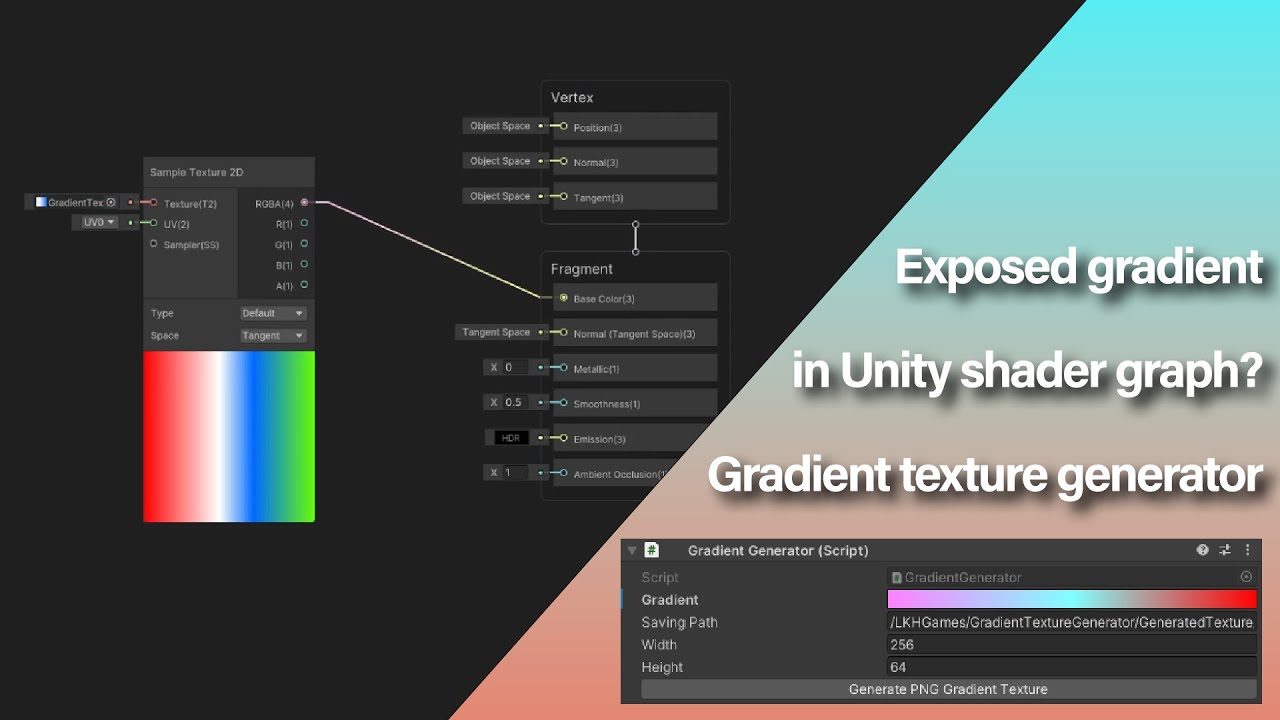
This is a tutorial showing how to generate a gradient texture in unity.
Source code is free for all in the unity asset store: https://u3d.as/2MF6
Credit:
Sound effect: https://15.ai/
00:00 - Intro, nothing important
00:20 - Create 2 script
00:31 - Generator script
00:47 - Editor script
00:56 - Showcase
Ya, i'll try a variety of things to see what's the most efficient
small hearth
oh that seems more of a hassle than i thought
and you'd have to track the texture2d reference
 meager pelican
small hearth
couldn't you actually make a quick script that creates/edits a texture2d from an...
meager pelican
small hearth
couldn't you actually make a quick script that creates/edits a texture2d from an...
That's what I do. And sample the texture with y=0.5 to sample the center, x of course being the gradient value.
It's a script on the object, that makes the texture (very small one) and assigns it to the object's material. That way you can use Unity's gradient editor and just call the evaluate() function for increments of texture width mapped to 0-1 range.
safe kelp
Ah gotcha, I'll have to look that up
Hmm, is there a way to access a meshes vertex alpha? Having an issue where the 3dsmax export is alpha'd out but shader graph isn't reading it. i can't quite recall how i made it work again

 meager pelican
Check the texture's import properties in the editor...make sure it imports the alpha and doesn't use some grey-scale value.
safe kelp
er it's not the texture but the mesh that's having the issue, but i'll try your suggestion
meager pelican
Oh, sorry.
Yeah, vert colors should come over.
Debug by using grey scales.
Set the output color to the alpha value, using a swizzle node, so you get color.aaa.
I don't have unity running to draw a graph, but I'm sure you get the idea.
safe kelp
hmm it must be 3dsmax's fault, i re-imported my mesh and it wiped out the alpha data. the fbx export settings must be off
weird now it works, but yea its 3dsmax causing the issue
astral pecan
karmic hatch
Inigo Quilez probably has a triangle, and definitely has a cone, in his grand li...
Thanks for referring to Inigo Quilez, took a peek and learn tons of cool stuff

Now I can make really cool SDFs :)
astral pecan
 ebon basin
How do I go about using an image renderer's color field to change the alpha of my shader? Is there a specific reference I have to refer to when creating my alpha variable in my graph's blackboard?
civic lantern
ebon basin
How do I go about using an image renderer's color field to change the alpha of m...
Looks like it is vertex color:
https://docs.unity3d.com/2018.2/Documentation/ScriptReference/UI.Graphic-color.html
 ebon basin
civic lantern
Looks like it is vertex color:
https://docs.unity3d.com/2018.2/Documentation/Scr...
ebon basin
civic lantern
Looks like it is vertex color:
https://docs.unity3d.com/2018.2/Documentation/Scr...
Yeah, it's the vertex color which I know I've been able to to change in hlsl, but I'm not seeing the way of doing it in the shader graph. There is a vertex color node, but that only pulls the color from the vertex, and I'm not seeing how to do the input.
 vital yarrow
for some reason this pink box appears whenever i open the project does anyone know a fix?

 grizzled bolt
ebon basin
Yeah, it's the vertex color which I know I've been able to to change in hlsl, bu...
grizzled bolt
ebon basin
Yeah, it's the vertex color which I know I've been able to to change in hlsl, bu...
Vertex color is mesh data, so you don't write to it with shaders
At least not directly
ebon basin
Ahhh, ok I see. Turns out I just needed the vertex color node and use it 'correctly' by splitting the channels.
almost spent a day reading up on custom interpolators
 sinful ermine
this noise is behaving so weirdly
 sinful ermine
vital yarrow
for some reason this pink box appears whenever i open the project does anyone kn...
sinful ermine
vital yarrow
for some reason this pink box appears whenever i open the project does anyone kn...
check the material maybe
full zephyr
that's stretched, either your uv is broken or you need to set the wrap mode to repeat
sinful ermine
lemme provide some context
I have a shader using a ready implementation of various noises

i dispatch it like so

then draw the texture

from around here


the button uses the Draw fn
pardon the minecraft font lmao
oh, i think i get it
sinful ermine
no, not quite
when indexing the result array in the shader i do it one way, but when trying to read from it i do it entirely differently
full zephyr
i wonder why you dont pass the buffer directly to the fragment shader
full zephyr
you can pass your rwbuffer to a fragment shader
sinful ermine
not sure i understand why i would, though, bit of new to this
full zephyr
because the overhead between uploading and reading data from gpu to cpu and vice versa is quite slow
*makes it quite slow
also, for 2d noise data you should be using rwtexture2d
and when you do need to use a 1d buffer (not this compute shader) use rwstructuredbuffer, not rwbuffer
sinful ermine
ah, so instead of drawing the texture on the cpu draw it on the gpu using a fragment shader
yeah, certainly will make it faster
though i still want to figure it out as this, the whole indexing stuff with 1d arrays
just to gain some understanding
full zephyr
you really should use the same dimension of buffer as your kernel
sinful ermine
okay, will do
sinful ermine
thank you
astral pecan
How do I assign one of the out variable to a variable in hlsl?
// I want to set out1 as MyFloat
float MyFloat = Test_float(arg1, arg2, out1, out2);
out1 = myFloat;
astral pecan
https://www.shadertoy.com/view/3tyBzV
What's a dot2?
 karmic hatch
he defines it at the top as
float dot2( in vec2 v ) { return dot(v,v); }
basically the squared length of the vector
astral pecan
Oh I somehow missed that, thanks!
sinful ermine
got it to work

thanks again avrdude, will try to adjust it to fragment shaders and such now
 swift oak
https://www.youtube.com/watch?v=SOK3Ias5Nk0
Heyo question for the shader. Is this applied to the screen or all objects at minute 2:24?

Recreate Animal Crossing’s world bending shader in Unity.
In this shader graph tutorial, we will recreate the world bending shader (“rolling log” effect) from games like Animal Crossing and Subway Surfers.
🎁 FREE High-quality assets: http://bit.ly/2dhp-free-yt
🌎 Curved World shader asset: http://bit.ly/curved-world-shader-2021
📦 Download projec...
I assume the shader is applied to all objects in the scene
karmic hatch
swift oak
https://www.youtube.com/watch?v=SOK3Ias5Nk0
Heyo question for the shader. Is th...
It's applied to all the objects with materials using that shader
swift oak
karmic hatch
It's applied to all the objects with materials using that shader
Thank you ❤️
 craggy jay
hello! I'm having a bit of a problem with transparencies at the moment and I'm not sure what's causing it? I've made a shader for a transparent dithered smoke and it sometimes cuts off other smoke meshes at very specific angles?

if i look at it from a different angle, thenit works fine

does anyone know why this is happening?
it can't be z fighting since they're not on the same plane
oh nvm! i just need to disable writing to the depth buffer and it works fine!
 dusty yacht
how do i get rid of the "undeclared identifier 'unity_LightData'" error?
 lucid oriole
lucid oriole
lucid oriole
Can anyone help?
kind juniper
lucid oriole
why cant I find a universal option?
Do you have urp installed?
kind juniper
dusty yacht
how do i get rid of the "undeclared identifier 'unity_LightData'" error?
Declare it.
dusty yacht
kind juniper
Declare it.
if i knew how i wouldnt have asked
kind juniper
dusty yacht
if i knew how i wouldnt have asked
Well, why is it therein the first place?
dusty yacht
i wasnt the one who made the shader
and im pretty sure its supposed to be predeclared by the shader renderer
lucid oriole
kind juniper
Do you have urp installed?
URP?
kind juniper
lucid oriole
URP?
Universal render pipeline
lucid oriole
i guess not
kind juniper
dusty yacht
and im pretty sure its supposed to be predeclared by the shader renderer
From the name it sounds like it's supposed to be declared in a unity include file. Is the shader intended for the render pipeline that you're currently using?
kind juniper
lucid oriole
i guess not
Welp, there you go. Install it, set it up, and it should appear.
lucid oriole
thanks
lucid oriole
kind juniper
Welp, there you go. Install it, set it up, and it should appear.
oh um

 calm orchid
Is it normal for a custom HDRP shader graph material to not be affected by reflection probes or light probes by default? And, is there anything I can do to fix it?
kind juniper
lucid oriole
Something failed during package installation I guess. Could be the one drive fault. You generally shouldn't be using a cloud storage for a development environment.
lucid oriole
kind juniper
Something failed during package installation I guess. Could be the one drive fau...
I am not
oh wait
oh right, onedrive
kind juniper
I'd use a shorter path and make sure to avoid possible triggers for bad paths(like exclude whitespaces and non English characters)
 kind juniper
Incompatible shader.
If you're using the universal rp graph and it's pink, it means that you haven't configured your project to use the urp.
It's still using the built-in rp
lucid oriole
well, how do I configure it?
kind juniper
You can Google that😛
lucid oriole
fair
kind juniper
I recommend checking the urp manual.
 kind juniper
lucid oriole
oh
kind juniper
lucid oriole
oh
Probably need to create the asset
 kind juniper
Standard shaders are incompatible with URP.😬
lucid oriole
got it, tysm
is there a way to change the surface in SG in code as well? For example, from transparent to opaque (for individual instances, so a bool would be preferable)
or the only way to do that is to make another shader graph?
kind juniper
lucid oriole
or the only way to do that is to make another shader graph?
You can't have a shader both transparent and opaque at the same time, so you'll need a new shader graph, yeah.
 kind juniper
Or do you mean alpha clipping? Not sure I understand the "individual instances" part.@lucid oriole
kind juniper
 crystal heath
how do i fix this
crystal heath
how do i fix this
Make sure your shader graph target is compatible with your render pipeline.
Ask @lucid oriole for details. As he just had the same issue.😬
Or rather read our conversation.
lucid oriole
kind juniper
Ask <@289766634791632906> for details. As he just had the same issue.😬
Unfortunetly I'm heading off for sleep atm, so @crystal heath I'll help you out tommorow, aight?
crystal heath
Alright good night
ebon basin
Ok, so it seems that there's no reference binding to color with the shader graph for the vertex color and you'd just use the Vertex Color Node instead. But, for the main texture, you can give a property field a reference of _MainTex to retrieve it from it and just use that in your graph. Now, I've been trying to my shaders to work with either the fragment or vertex colors/alphas, but I'm not understanding how I would do the conditional logic on the graph to choose between the main tex, or the texture I give to the fragment shader.
The problem is that I've no clue how to use the given boolean + branch nodes on the graph, since textures are of T2 and you can't really reduce that to a zero unlike the colors.
 ebon basin
nm, actually it's more or less of the same thing but you break the textures down into rgba
for those curious
 grizzled bolt
ebon basin
for those curious
grizzled bolt
ebon basin
for those curious
You don't need two branches to invert the result of a branch
it doesn't need to be more complex than this to choose between branch results
 ebon basin
Oh that's clean
But you'd have to have it unassigned on the inspector for that right
oh wait, nm I get it
tyty
 grand jolt
if i add a cjustom shader how do i use it?
amber saffron
grand jolt
if i add a cjustom shader how do i use it?
Assign it on a material, and assign the material on a mesh ?
grand jolt
oh yea
lucid oriole
crystal heath
Alright good night
Okay, so do you have Universal Render Pipeline installed?
 zenith gull
Whats the best way to go about making something like this? Some sort of gradient for the inner colour base but then I need speckles/semi outline of the actual model.
Trying to make it look like fur but more cloudy/dandelions like

this is similar but too graphically intense

 patent plinth
where can i get a list of all the available keywords in unity3d for the shader in shadergraph?
 mortal oracle
https://assetstore.unity.com/packages/tools/gui/book-page-curl-pro-77222
any Page Flipping alike shaders like these but for sprites?

Use the Book - Page Curl Pro from Abdullah Aldandarawy on your next project. Find this GUI tool & more on the Unity Asset Store.
 gusty light
Hi, I am quite new to shaders. I want to use animated textures in shader graph and so far I've used a texture sheet in combination with the filpbook node and it works, but the frame rate could be better.
I heard that you can also use 3D textures as animated textures and that they blend smoothly between the frames. I know how to set them up in Unity but I am wondering how to use them as animated textures in shader graph?
Oh wow, just found out how (using the third dimension of the Vector3 into the UV input to scroll through the texture)
crystal heath
lucid oriole
Okay, so do you have Universal Render Pipeline installed?
i was able to fix it, thanks though
lucid oriole
crystal heath
i was able to fix it, thanks though
yw
swift oak
In the tutorial im watching the guy has code that makes the frustum a box. But the problem this code causes all my shadows to flicker.
Here is the code :
public class FixFrust : MonoBehaviour
{
    #region Constants
    private const string BENDING_FEATURE = "ENABLE_BENDING";
    #endregion


    #region Monobehaviour

    private void Awake()
    {
        if (Application.isPlaying)
        {
            Shader.EnableKeyword(BENDING_FEATURE);
        }
        else
        {
            Shader.DisableKeyword(BENDING_FEATURE);
        }
    }
    private void OnEnable()
    {

        RenderPipelineManager.beginCameraRendering += OnBeginCameraRendering;
        RenderPipelineManager.endCameraRendering += OnEndCameraRendering;
    }
    private void OnDisable()
    {
        RenderPipelineManager.beginCameraRendering -= OnBeginCameraRendering;
        RenderPipelineManager.endCameraRendering -= OnEndCameraRendering;
    }
    #endregion

    #region Methods
    private static void OnBeginCameraRendering (ScriptableRenderContext ctx, Camera cam)
    {
        cam.cullingMatrix = Matrix4x4.Ortho(-1000, 1000, -1000, 1000, 0.01f, 5000) * cam.worldToCameraMatrix;
    }

    private static void OnEndCameraRendering(ScriptableRenderContext ctx, Camera cam)
    {
        cam.ResetCullingMatrix();
    }
    #endregion
}
With regards to this tutorial
 sand ember
Is it possible to create a palette swap shader, i.e., a shader that accepts three textures, one is the original sprite with the default color scheme, another is the palette which contains the default color scheme, and another which contains the palette to swap into? The default color palette is to be used as a lookup table for the color palette to swap into
sand ember
I want to do this in shader graph
full zephyr
yes you can
you can set your shadergraph to use sprite lit
and you just need to write a simple compute shader to create new sprite texture which contains the correct indexes for the palette
and in the shader you'll want to sample with the correct uvs
 deft mango
hey
So what happens if I do
var colors = new Color[1000];
for (int i = 0; i < 1000; i++) { colors[i] = new Color(1, 1, 1, 1 + i % 100); }
someTexture.SetPixels(colors);
namely do the colors get converted to 0-256 range for whatever reasons? or do they get clamped somehow?
 low lichen
Are you calling someTexture.Apply() at some point after setting the pixels?
deft mango
yeah, I'm mostly curious on what reaches the shader
I was trying to pass some more info to the shader via the texture I'm sharing with it
but seems my i % 100 never reaches the shader
low lichen
What texture format are you using? Some are normalized and some are not.
low lichen
https://docs.unity3d.com/ScriptReference/TextureFormat.RGBA32.html
Each of RGBA color channels is stored as an 8-bit value in [0..1] range. In memory, the channel data is ordered this way: R, G, B, A bytes one after another.
Similar for ARGB32
There's https://docs.unity3d.com/ScriptReference/TextureFormat.RGBAFloat.html for storing unconstrained 32-bit floats
deft mango
you're awesome! thanks
low lichen
Or RFloat if you only need one float per pixel, like in your example
deft mango
hehe yup I actually need the 4 floats 😄 thanks a lot
 tulip carbon
Could anyone tell me how to actually make something like an afterburner please? Like, what tutorial can I search for?
karmic hatch
tulip carbon
Could anyone tell me how to actually make something like an afterburner please? ...
https://www.youtube.com/watch?v=dAJo3VpLAoI&ab_channel=CGHOW found this, might be useful

Download UE4.26 Niagara version - https://gum.co/MwTpP or https://www.artstation.com/a/5564200
Support me on - https://www.patreon.com/Ashif
Support me on - paypal.me/9953280644
Hi guys today i have created this beautiful spacecraft scene and i i have created these exhaust effects in unreal engine Niagara. in this tutorial you will also learn i ...
(it's for unreal but the methods will be the same)
tulip carbon
okay thank you 😄
karmic hatch
the exhaust-specific part starts around 9:30
tulip carbon
karmic hatch
the exhaust-specific part starts around 9:30
and what is this node in unity please?😅
 karmic hatch
I think the UV?
tulip carbon
this one?
 karmic hatch
If you use it on a sphere or something it'll be fine, just if you use it on something that's non-standard you might need to set up UVs yourself
default cylinder should be fine i think
tulip carbon
okay thanks
karmic hatch
tulip carbon
Could anyone tell me how to actually make something like an afterburner please? ...
https://forum.kerbalspaceprogram.com/index.php?/topic/204884-developer-insights-11-–-engine-exhaust-visual-effects/page/4/ this could also be of interest (posts from ksp modders)
Kerbal Space Program Forums
tulip carbon
karmic hatch
https://forum.kerbalspaceprogram.com/index.php?/topic/204884-developer-insights-...
thank you 😄
 blissful marlin
how could I smoothly turn an offset connected to time to a stop, then start it again where it left off?
I tried just multiplying the speed by a time moving to 0 but I realized this actually causes the offset to pan backwards instead of stopping
 digital gust
blissful marlin
I tried just multiplying the speed by a time moving to 0 but I realized this act...
digital gust
blissful marlin
I tried just multiplying the speed by a time moving to 0 but I realized this act...
Increase a value over time and stop increasing when you want to pause?
blissful marlin
I might do that but I was hoping maybe there would be a way to handle that primarily with shadergraph logic (rather than needing to be changed on Update)
digital gust
You can with bool and vector 1 flosts
 rare charm
How do I get a shadergraph to shade flat?
 vocal narwhal
rare charm
How do I get a shadergraph to shade flat?
vocal narwhal
rare charm
How do I get a shadergraph to shade flat?
Choose an Unlit graph when you first create one
Or switch it to Unlit through the Material dropdown in the Graph Inspector
rare charm
@vocal narwhal No dice
 vocal narwhal
what am I looking at?
maybe you need to describe what you mean by "shade flat"
if you want flat-shaded lighting then you're going to have to hook up custom lighting in the form of code. I'm sure there are plenty of shadergraph toon lighting tutorials out there that would have various implementations
 sacred patio
Hey I guys, I got quite confused with this flopping shader: It works perfectly on an individual object but once I plug it into the particle system, it stopps working. I tried playing around with the position nodes and the closest thing i got was it flopping as a whole object and not split like the one on the left
Does anybody have any ideas?
grizzled bolt
Position: Object is the position of the particle system, not individual particles
sacred patio
grizzled bolt
Position: Object is the position of the particle system, not individual particle...
But I assume there's no way to get the position of individual particles? because there's no other combination that I tried works. The closest was the 'view' one which didn't look right as in the second picture
 tawny echo
Is there someone that can talk in private about a shader with me? Utilizing Cozy 2 and the owner created a shader that is working on there end to cull the fog, but for some reason on my end its doing weird stuff.
 gritty steeple
So if I don't turn off Shader Stripping, I get some major visual rainbow glitches within my game after building. I tried Unity's Cloud Building and while it did work as expected (it took 24 hours to build...) I am noticing these:
[2022-10-17T05:10:03Z - Unity] Shader 'Universal Render Pipeline/Lit': fallback shader 'Hidden/Universal Render Pipeline/FallbackError' not found
[2022-10-17T05:10:04Z - Unity] Shader 'Universal Render Pipeline/Lit': fallback shader 'Hidden/Universal Render Pipeline/FallbackError' not found
[2022-10-17T05:10:07Z - Unity] Shader 'Universal Render Pipeline/Nature/SpeedTree7': fallback shader 'Hidden/Universal Render Pipeline/FallbackError' not found
[2022-10-17T05:10:09Z - Unity] Shader 'Universal Render Pipeline/Simple Lit': fallback shader 'Hidden/Universal Render Pipeline/FallbackError' not found
[2022-10-17T05:10:18Z - Unity] Shader 'Universal Render Pipeline/VR/SpatialMapping/Occlusion': fallback shader 'Hidden/Universal Render Pipeline/FallbackError' not found
[2022-10-17T05:10:22Z - Unity] Shader 'Universal Render Pipeline/Unlit': fallback shader 'Hidden/Universal Render Pipeline/FallbackError' not found
Is there a way to resolve this? I'm wondering if these are related to the shader issues I've been having.
grizzled bolt
sacred patio
But I assume there's no way to get the position of individual particles? because...
Yes there is, via something called vertex streams
https://docs.unity3d.com/Manual/PartSysVertexStreams.html
In Shader Graph it'd look something like this

A bit unintuitive because the vertex streams are just arbitrary UV color channels on SG side
Since the UV0 channels R and G are for texture coordinates, UV0 B and A are the first custom vertex stream channels X and Y respectively
Then it starts over from UV1 R, G and so on
Or so I recall
tawny echo
Issue: Utilizing cozy which puts in a linear fog.
Owner gave me shader that should cull the fog/changes it makes in that area.
The shader works properly for him (not sure on unity version) We are both on URP and I'm on Unity 2021.3.9f1
First picture below is me using it. Second picture is him using it. Not sure if its a shader issue or a scene issue at this point


Shader used
 peak spear
Hey guys, where can I find a shader that makes UI elements glow?
 runic pendant
Is it possible to reference two different sprites from the same atlas in the same Image shader?
It is easy to reference two separate textures in the same shader but it doesn't seem feasible with two sprites that are from the same atlas. Am I missing something?
 storm dove
I have a 2D mesh I want to use as a mask behind which some sprites will be rendered
How could i achieve that?
I tried some solutions I found on google that used URP but none of them worked
 shadow locust
runic pendant
It is easy to reference two separate textures in the same shader but it doesn't ...
shadow locust
runic pendant
It is easy to reference two separate textures in the same shader but it doesn't ...
sprites aren't really a thing in shader world, it's just two different sections of the same texture. You'd basically just provide the appropriate coordinate offsets & sizes for the sprites, no?
I guess you're asking about the "sprite shader" workflow itself, in which case I think it's really designed around accessing a single sprite, so you'd have to build your own way of accessing another I think, again using offsets & sizes
runic pendant
Yea I am just figuring that out rn. So I just have to populate the vertex with the coordinates of the first sprite in uv1 and the second sprite in uv2?
shadow locust
that certainly is one way you could do it
runic pendant
Seems easy enough
 fervent flare
Anyone know how I'd find the highest world space vertex of my mesh, in shadergraph ?
I'd like to automate the 'heightblend' value I have going on here

to ensure the blend is always set to the highest position vertex.
karmic hatch
fervent flare
Anyone know how I'd find the highest world space vertex of my mesh, in shadergra...
afaik, you don't; if you generate the mesh, store it then and give it to the shader or set it to be standardised, and if you don't generate the mesh, go through the mesh vertices on the cpu side. In shaders, each vertex doesn't know about each other vertex, and each triangle doesn't know about each other triangle.
grizzled bolt
Afaik the CPU already does that when generating a bounding box for its purposes, so that could be reused here
fervent flare
🤔 damn this is above my pay grade
trying to keep the solution within the shader and not add c# to the mix
karmic hatch
fervent flare
🤔 damn this is above my pay grade
just create a float3 property inside the shader, then write a script that takes the mesh, extracts the vertices (just mesh.vertices), loops through the array, returns the one with the highest y component, then gives that to the shader through the property
grizzled bolt
https://docs.unity3d.com/ScriptReference/Bounds.html all mesh renderers have this, so you could grab the highest point straight from here and pass to an exposed property of the shader
fervent flare
Thanks guys, I'll give it a shot!
 lyric copper
Hey. Are there any resources you guys could point me towards that are similar to the draw feature of Quest Guardian Setup

Watch me demonstrate the augmented reality "Guardian" (safe zone) system on the Oculus Quest.
***Now you can enable pass-through on demand by tapping! More details here:
https://www.youtube.com/watch?v=rQrva1CXpDo
It seems like some sort of layered mask situation
runic pendant
shadow locust
I guess you're asking about the "sprite shader" workflow itself, in which case I...
Alright, I think I hit an obstacle. It seems like the material can't reference the sprite atlas? How do I point to the texture of the sprite atlas
shadow locust
runic pendant
Alright, I think I hit an obstacle. It seems like the material can't reference t...
runic pendant
The texture of a sprite refers to the imported texture, not the sprite atlas
So I can't do Sprite.texture
shadow locust
runic pendant
So I can't do Sprite.texture
 runic pendant
Yea it still doesn't work
[SerializeField] Sprite primarySprite;
[SerializeField] Sprite secondarySprite;
[SerializeField] SpriteAtlas atlas;
protected override void OnEnable() {
base.OnEnable();
if (material.mainTexture == null) {
Debug.Log("main texture is null");
material.mainTexture = primarySprite.texture;
Debug.Log(primarySprite.texture);
Debug.Log(secondarySprite.texture);
Debug.Log(atlas.GetSprite("TravelerCardSDF").texture);
}
}

The "primarySprite" and the GetSprite.texture gives me the same texture
Oh, I figured it out.
kind juniper
It's probably packed at build time?🤔
runic pendant
"primarySprite.texture" will work only in PlayMode
I was testing my stuff in Editor mode for the past 3 hours
And it wasn't working because of it lol.
In Editor mode it will always return the imported texture, but in PlayMode it will work correctly
kind juniper
Oh, I guess it packs at play time as well.
shadow locust
runic pendant
[SerializeField] Sprite primarySprite;
[SerializeField] Sprite secondary...
just be careful with this as GetSprite clones and returns a new sprite. You'll want to be careful about creating a bunch of Sprite instances and not cleaning them up.
They need to be Destroy()ed when you're done with them.
runic pendant
Yea I stopped calling it
There was no need to call it bc I can just get Sprite.texture during runtime instead
Now i am facing another problem lol
The material seems to be working fine but when I place it on a graphic it just shows white
kind juniper
runic pendant
The material seems to be working fine but when I place it on a graphic it just s...
Well, canvas rendering is a whole different beast. You can't just take a random shader and hope that it works the same way with ui.
runic pendant
Well I made the shader myself and it works on a Unity Image
kind juniper
So you managed to solve the issue?
runic pendant
The problem is that it doesn't work on my custom Graphic
kind juniper
Hmm
runic pendant
It is really weird. If I make the shader just output the vertex color, it works. But if I tell it to sample the texture and output the rgb, it is blank
The Unity Image correctly outputs the vertex color and the texture rgb sample
kind juniper
Gotta look at the image implementation then. Must be some function override that you're missing.
runic pendant
My guess is that my custom graphic is sampling from a white texture and doesn't even know the texture exists
Sure, one sec
Omg I think I figured it out
In my UpdateMaterial() function I am supposed to call canvasRenderer.SetTexture(primarySprite.texture);
I wasn't calling that before
Gosh this one line after 5 hours lol
I need sleep
I guess the bright side is that I am comfortable working with custom Graphics

 tepid valve
having some serious issues with a shader
it works in scene view and game view
it also works ingae in another scene ive imported in
but it doesnt work once i go into the game
for reference its a depth texture sorta fade shader thats applied to a plane
first image is scene view
second image is game view
third image is ingame


still happens even if i have depth texture enabled in Camera > Rendering and Depth Texture enabled in the URP Asset
only things on google suggest enabling SMAA which does nothing too
https://stackoverflow.com/questions/73623574/unity-shader-working-in-editor-but-not-in-game
https://forum.unity.com/threads/depth-not-visible-in-game-view.976515/
https://gamedev.stackexchange.com/questions/202137/unity-urp-water-shader-working-in-scene-view-in-the-preview-window-but-all-w
https://stackoverflow.com/questions/71847879/having-troubles-with-unity-camera-depth-texture
https://answers.unity.com/questions/1581009/shader-working-in-scene-mode-but-not-in-game-mode.html

Stack Overflow
I made a custom Unity shader for the Universal Render Pipeline (URP).
That script is working well inside the scene view, but strangely not game view, and neither in build.
That script uses the depth
Unity Forum
Hi there,
While I was preparing some shaders I noted that the depth texture is not visible on the game view however the shader is displayed properly...

Game Development Stack Exchange
I downloaded an URP compatible Water Shader from the asset store.
First I tried it with 2022.1 but for some reason while in Scene View it looked great, in Game View it's all white. (Sometimes a wat...
Stack Overflow
I am trying to implement a shader that makes things darker the further from the camera they are,the way it works underwater, but when I try to work with the camera depth ,I get "error CS0103:...
Unity is the ultimate game development platform. Use Unity to build high-quality 3D and 2D games, deploy them across mobile, desktop, VR/AR, consoles or the Web, and connect with loyal and enthusiastic players and customers.
literally all of these have the same issue (i think) - none of the fixes work
oh wow literally spent hours and hours trying to fix it across past 2 days and within 5m of posting it here i fix it
for anyone wondering the issue was that the object was static
apologies for the spam
 indigo bloom
hi, does shaders work in webgl?
amber saffron
indigo bloom
hi, does shaders work in webgl?
Yes
sacred patio
grizzled bolt
Since the UV0 channels R and G are for texture coordinates, UV0 B and A are the ...
I need to tattoo this
sacred patio
grizzled bolt
In Shader Graph it'd look something like this
Since this says particle size y, does it mean that particle size x goes separately too?
grizzled bolt
sacred patio
Since this says particle size y, does it mean that particle size x goes separate...
If the first custom vertex stream is position, then position XYZ corresponds to UV0 Blue Alpha + UV1 Red
sacred patio
grizzled bolt
If the first custom vertex stream is position, then position XYZ corresponds to ...
Hm, do you know if VFX graph has the same approach of its own in terms of positions?
grizzled bolt
sacred patio
Hm, do you know if VFX graph has the same approach of its own in terms of positi...
I don't, but since VFX graph supports SG natively I expect the way to hook them up isn't so hacky
 haughty moat
Hello. I was wondering if the "stride" of textures in shaders was locked to 4*32 bits? If I declare a Texture2D<float>, do I actually save memory (Setting a texture to single channel on the Unity side doesn't save disk space, but that could be in order to be non destructive).
 trail nymph
Hey, has anyone experienced this?

This is the RGB part of a RGBA picture ran through the Graph Editor Sample Texture 2D
I checked the RGB channels in every other part of the process and they're all right here
almost feels like the Sample Texture 2D fills pixels with random garbage when it can get any info?
I tried changing the Sampler State as well and it did nothing
It messes up my textures when I multiply them like this
 amber saffron
trail nymph
almost feels like the Sample Texture 2D fills pixels with random garbage when it...
amber saffron
trail nymph
almost feels like the Sample Texture 2D fills pixels with random garbage when it...
It's more related to how the texture is imported.
Is it a PNG image as source ? Most of the time, PNG's don't have color information on 100% transparent pixels
amber saffron
trail nymph
It is a PNG, what image format should I try using then?
PNG should still be fine, the question is more about what you want to do with the texture.
What are you doing with the alpha channel ?
You could multiply RGB by alpha, and this will result in transparent pixels beeing black
You could lerp usign the alpha channel, allowing to "ignore" the transparent pixels
trail nymph
I multiply multiple RGB channels from different textures
I add up the alphas from the textures, subtract a different texture from them, clamp and output
Ends up working like one big mask for all of the bone textures
trail nymph
amber saffron
You could multiply RGB by alpha, and this will result in transparent pixels beei...
I'll try doing the multiply thing, one sec
amber saffron
If you can show the graph / code, it might be helpfull to understand
trail nymph
It's a big graph, should I try sending over the file?
trail nymph

For now only Bone 1 and Bone 2 have proper textures, I filled the others with a texture white in RGB and black in A
amber saffron
Okay, so, basically, you want to "stack" the texture samples ?
You could do this in a more tidier way using lerps
amber saffron
 trail nymph
it combines the alpha channels as well?
amber saffron
In that case yes, but if you only use RGB it doesn't really matter, but it helps to keep the graph clean
trail nymph
Ah I'll try doing that, tysm
amber saffron
If you want to only work on RGB, you can use the swizzle node
 trail nymph
I still need the combined Alpha, so the lerp method should work
 tender remnant
I'm struggling a bit with stencils. Anyone here that could help out?
I basically want to set a stencil value when I'm rendering certain objects but it seems to ignore the depth test. Even if the pixel is discarded by the depth test the stencil value still gets applied it seems like. I'm using amplify shader editor but there's nothing extraordinary in the shader output as far as I can tell
low lichen
tender remnant
I basically want to set a stencil value when I'm rendering certain objects but i...
The ZFail parameter will determine what should happen if the pixel fails the depth test. The default is "Keep", which won't modify the stencil buffer, but maybe Amplify has a different default.
tender remnant
oh.., actually I think I got it working.., seems to be a special case with the zero value..,
yeah it's odd.., I'm not checking for 0,.., in this case I'm doing something special when the stencil is 12.., setting other objects (that aren't part of this effect) to 1-11 and 13-255 seems to work.., but 0 makes it be ignored or fails somehow
trail nymph
amber saffron
Worked like a charm! Massive thanks!
tender remnant
no wait.., I spoke to soon.., the 0 being mystically weird behaving is still true but it still doesn't work as intended with the depth.., I think I need to think about what it's doing
I have a bunch of objects being rendered. Some are part of the effect (setting the value to 12) and some aren't (setting the value to 255)
and they all use replace on rendering success and zfail is set to keep
but when I move my camera around (presumably only changing rendering order) the mask will be incorrect. Not aligned with the actual objects I'm seeing being rendered
there's no zsuccess I could use? That's basically what I think I'm missing
Just checked the frame debugger.., it doesn't make sense.., the objects I render that sets the stencil to 12 is being rendered last in the ordet yet objects that are being rendered before are overriding the values
is there a way I can see my stencil values in the frame debugger somehow?
low lichen
No, you'll need to use RenderDoc for that
tender remnant
low lichen
No, you'll need to use RenderDoc for that
ok, I have a capture set up. Would you know how to make the stencil part more visible? I can click in the screen to see the values but it would be awesome to see it visually
Edit: Think I found the setting
 compact reef
On that i wanna add movement on player's interaction
please help me out
here it is
grizzled bolt
compact reef
please help me out
Help how, precisely?
low lichen
tender remnant
ok, I have a capture set up. Would you know how to make the stencil part more vi...
I only know of the Stencil Test overlay, which isn't really what you're talking about. If you find some way to visualize all the stencil values, please tell me how because I agree it would be very useful.
tender remnant
low lichen
I only know of the Stencil Test overlay, which isn't really what you're talking ...
This one seems to work for me
 low lichen
tender remnant
This one seems to work for me
low lichen
tender remnant
This one seems to work for me
Hmm, how does it map the stencil values to colors? 256 shades of grey?
tender remnant
Think so.., I only have looked at values precisely at 0 and 255 currently. I'll get back to you
ah.., yeah so you can also control those with the range you see below in the pic
works like a charm!
problem I have originally still persists though. For some reason when it's rendering the objects it only applies my new values if the original stencil value of 0 already is there.., once set to 255 it's ignored
(they should replace them with 12.., and stencil test overlay looks fine as well)
low lichen
tender remnant
(they should replace them with 12.., and stencil test overlay looks fine as well...
Hmm, does the Stencil State look good for those draw calls under Pipeline State/OM?
tender remnant
compact reef
have u guys found any way out....?👀
Maybe you should formulate a specific question? It looked like so far you only asked for time, right?
compact reef
compact reef
here it is
cant we add movement property on player's interaction into this shader?
just want my grass get moved when passing through those
🙁 as im just a beginner in shader coding ...so im pretty much stuck into it.
tender remnant
compact reef
🙁 as im just a beginner in shader coding ...so im pretty much stuck into it.
you should check a tutorial if you're new then. It's probably a bit more to it than you think currently. And when you get stuck you can get back here with more specific questions and I'm sure people would be happy to help out 🙂
compact reef
well, emil, could u please check the shader out in your free time?...i got a tut https://gamedev.center/tutorial-how-to-make-an-interactive-grass-shader-in-unity/ where its about geometry shader ...but mine one is not the geometry shader....

A very beginner-friendly step-by-step tutorial how to make an interactive grass shader in Unity. Learn step-by-step or download the full source code immediately
 leaden turret
Hello again - back for the next episode of Water & Underwater shader adventures 😛
so i'm trying to make the water surface effect when swimming underwater
I tried making an upside down plane with water effect shader (just like the above-surface one) which actually is not bad and i might be satisfied with for now, however i really need it to overtake the whole screen at all times when underwater i.e. not camera clipping at the plane edge... it might need to be a post processing effect rather than a plane?...

 heavy stirrup
hey guys, I have a custom shader (written in HLSL) that samples the CameraOpaqueTexture
for some reason, it doesnt perform refractions unless I reimport the shader everytime I open my Unity project
after reimport it's perfectly fine
does anyone have experience with this?
I'm on android platform
Unity 2020.3
 white marsh
what does this mean?

 regal stag
white marsh
what does this mean?
regal stag
white marsh
what does this mean?
float4 _BaseMap_ST; is being defined somewhere in the shader, but outside of the "UnityPerMaterial" cbuffer so it's not compatible with the SRP Batcher
white marsh
so if i fix it, it'll be compatible with the SRP Batcher?
regal stag
Should be yes
white marsh
ah ok 
should be simple enough
uhm. strange. it is inside and its still saying it
My cbuffer looks like this, and the _BaseMap_ST is defined in DECLARE_SHADOWCASTER_VARIABLES
CBUFFER_START(UnityPerMaterial)

    float4 _MainTex_ST;
    float4 _RampTex_ST;
    float3 _MainColor;
    float4 _MetallicMap_ST;
    float4 _NormalMap_ST;

    float _LightFalloff;
    float _Gloss;

    float4 _ColorRimLight;
    float _RimLightToggle;
    float _RimLightIntensity;

    DECLARE_SHADOWCASTER_VARIABLES

    #if defined(_TOON_CELSHADE) || defined(_TOON_HALFTONE)
        DECLARE_TOON_VARIABLES
        #ifdef _TOON_HALFTONE
        DECLARE_HALFTONE_VARIABLES
        #endif
    #endif
CBUFFER_END
#define DECLARE_SHADOWCASTER_VARIABLES \
    float4 _BaseColor; \
    float4 _BaseMap_ST; \
    float _Cutoff;
could it be that its a problem that its a macro from another include?
 still says the same even not using the macro and declaring it normally so then idk
regal stag
Not sure. also need to make sure all these DECLARE_X_VARABLES are consistent for each pass though, as it's important all passes in the shader use the same cbuffer to make it compatible
white marsh
that could maybe be whats happening then
white marsh
ok so ive been looking over it and im including my lighting.hlsl file outside of the passes, in the subshader together with some multi_compile keywords. is that what could be doing it?
white marsh
all the DECLARE_X_VARIABLES should be all the same in the different passes. only passes i have is the main pass and a shadow caster pass
 gritty rapids
What's the good way to make an intensity slider for AmbientOcclusion ?
I always find myself using clamps and stuff, but is there a proper way ?
 devout gazelle
Hey! Do u know if there is any way of getting PBR channels to work on 2D sprites? I've tried adding metallic and smoothness to the output, but they appear greyed out :/
grand jolt
Is there any way i can use CG shaders in the URP pipeline? If not is there a conversion guide from CG -> HLSL?
white marsh
gritty rapids
I always find myself using clamps and stuff, but is there a proper way ?
if you arent already using range(0, 1) in your property then i dont know what else you could do other than the usual clamp, saturate and etc
_LightIntensity ("Saturation", Range(0,1)) = 0.3 as an example
 shadow jewel
Hello! Is there a way to create material instances in unity? (similar to how it's done in unreal material)
white marsh
grand jolt
Is there any way i can use CG shaders in the URP pipeline? If not is there a con...
If you are talking about using CGPROGRAM/CGEND and HLSLPROGRAM/HLSLEND keywords then they are the same within unity after a certain version. All the cg code from nivida works in hlsl
white marsh
shadow jewel
Hello! Is there a way to create material instances in unity? (similar to how it'...
As far as i know you can only do so in runtime. Each object with a material on it can have its own material instance of a single material
Though i only know thats is useful if you are changing material properties by script or something
If there is a way to create material instances other than that way id also like to know
shadow jewel
ah okay! so I'm trying to add some variation to the vertex animated shader in shadergraph and can't seem to find a solution without having material instance 🤕
 white marsh
Im not very familiar with how it works in unreal but you want your vertex displacement variables to be plugged into the vertex input of the final node
shadow jewel
that's correct and I have it plugged into vertex input. I just need some way to have variation on sine time
 white marsh
Oh isee. I don't know the names of all the shadergraph nodes as i dont use it much but you probably want vertex position += whatever displacement right?
I think that is just the position node
O wait nvm you have that already
Then im not too sure this looks fine to me
shadow jewel
so the result of this shader is the object just going up and down
similar to floating
white marsh
Yeah that would make sense
shadow jewel
but what I want to get is each object floating at different/random time
for that I tried adding an offset to the time node but it didn't seem to work 😦
white marsh
Yeah that would add it so all of the objects with the same shader
One solution would be to have a offset property and set it to a random number via a c# script
There are ways to get random numbers in the shader graph but i don't think that would be random for each instance
shadow jewel
hmm, okay! thank you! 😇
karmic hatch
shadow jewel
ah okay! so I'm trying to add some variation to the vertex animated shader in sh...
I don't think you can use UV in the vertex stage, so anything that takes the UV won't be allowed to connect to the vertex shader.
You can certainly make vertex positions vary as a function of time in shader graph though
vocal narwhal
You can certainly use UV in the vertex stage, there's nothing wrong with it
full zephyr
yep, so long as you have a position you can derive a uv coordinate from, both vertex pos and fragment pos would work
oh wait no i was thinking of the uvs from a shader that's used for custom render passes
i think they're all from the vertex stage and passed onto the fragment shader
devout gazelle
devout gazelle
Hey! Do u know if there is any way of getting PBR channels to work on 2D sprites...
Does anyone know this? 😦
 orchid latch

I'm curious why I can't record the value
does anyone ever experience this ?
keyframe above is manually recorded, nothing to do with the shader parameter
amber saffron
devout gazelle
Does anyone know this? 😦
You'll have to use a lit target.
full zephyr
isn't it sprite lit?
you could fix it with a double sided mesh with 2 faces back to back
it's to do with the normals i believe
devout gazelle
amber saffron
You'll have to use a lit target.
Shouldn't sprite lit do the same?
full zephyr
oh, the normals?
if it's specifically the normals you'll have to also configure your 2d lights
amber saffron
devout gazelle
Shouldn't sprite lit do the same?
Hum, yes, it should iirc
devout gazelle
amber saffron
Hum, yes, it should iirc
This is what happens, it doesn't appear to be working either
 haughty moat
devout gazelle
This is what happens, it doesn't appear to be working either
haughty moat
devout gazelle
This is what happens, it doesn't appear to be working either
you'd probably want a very different implementation of smoothness and metallicity on a 2D sprite than the ones in PBR I'm afraid you'd need to implement your own (but surely examples can be found on a repo somewhere)
devout gazelle
Idk, for me it'd be pretty logical to be able to work with the same workflow with 2D sprites as I'd do with any other texture
For some more advanced sprite pbr features
I come from Unreal, so after seeing Unity sprites support Normal Maps, I took it for granted they'd support smoothnes and metallic as well
haughty moat
shadow jewel
ah okay! so I'm trying to add some variation to the vertex animated shader in sh...
(My knowledge of Unreal isn't great) Because you can create several materials out of the same shader/graph with different property values in Unity, I think that Unity "Materials" are essentially Unreal "Material Instances". (although there is an extra possible instantiation layer at runtime like Rook89 said)
haughty moat
devout gazelle
I come from Unreal, so after seeing Unity sprites support Normal Maps, I took it...
They might, in a convoluted way, or in a way not suported in shadergraph. I think this is rather recent, so like many recent Unity features they might be not quite finished.
devout gazelle
Been looking for it, and I've found nothing, seriously no one has had the idea or tried to do it before? 😅
 zenith heron
Hello, I am using MaterialPropertyBlock. When trying to switch the sprite of the Renderer, however, the materialpropertyblock overwrites this and I find that all of my renderers have the same sprite. Do I need to overwrite the Sprite value in my property block, or do I have an entirely different issue perhaps? Thank you very much for your time,
 onyx talon
Is there anyone know how to sample reflection probe in hdrp custom shader?
onyx talon
Do you mean convert the rgb color to grayscale?
That's simple. Channel R multiply 0.299, channel G multiply 0.587, and channel B multiply 0.114. After that, add all of them together.
tawny echo
Transparent shader. As soon as I add depthNormals/DepthNormalsOnly it goes to

Any idea?
It works in 2022 but not 2021
shadow locust
tawny echo
Transparent shader. As soon as I add depthNormals/DepthNormalsOnly it goes to
what are you expecting to see?
 robust path
Hi, I'm messing around with compute shaders, and I've got an error that I just cannot figure out at all. I'm trying to set up a global struct variable, and I get an error message: Unknown parameter type (0) for someStruct at kernel Test
Here's my code:
#pragma kernel Test
struct ShaderData
{
    int i;
};
RWTexture2D<float4> rw;
ShaderData someStruct;
[numthreads(8,8,1)]
void Test(uint3 id : SV_DispatchThreadID)
{
    float4 pixel = float4(0,0,0,0);
    for (int i = 0; i < someStruct.i; i++)
    {
        rw[id.xy] = pixel + someStruct.i;
    }
}
Can anyone help me figure this out? Why can't I do it like this? I intended to set the struct via C# code before running the shader.
in my main code, I need a struct, because it's faster to set than sending 10 global parameters one by one back and forth from c#, this is just the easiest code I could make to reproduce the error
tawny echo
Sec ill show you @shadow locust
@shadow locust it is grabbing default background color for some reason. So buddy that the shader to me uses linear fog and he made this to cull the fog from the area in cube

It looks like this on his end
full zephyr
scrolling texture, with sin for oscillation
meager pelican
robust path
Hi, I'm messing around with compute shaders, and I've got an error that I just c...
I need a struct, because it's faster to set than sending 10 global parameters one by one back and forth from c#,
someStruct is a single int. It's not an array of ints...Maybe you want a structured buffer or an array?
You mentioned a global, and maybe you're saying you want to pass "10" different values of varying types using a struct. Maybe see here:
https://docs.unity3d.com/ScriptReference/Shader.SetGlobalConstantBuffer.html
And use a struct containing "whatever" of size 1 stride to pass the data.

 robust path
 tight robin
this is the shader graph for it
tight robin
this is the shader graph for it
can't really see much on the screenshot
tight robin
its just simple graph with my textures,i just created a graph with using urp-lit graph
beginner to unity,so i dont know how to enable the urp
regal stag
Magenta usually means the project isn't properly configured to the render pipeline. Or Target under Graph Inspector -> Graph Settings is wrong. See
https://www.cyanilux.com/faq/#scene-magenta
https://www.cyanilux.com/faq/#sg-magenta
 whole estuary
Hey guys, quick question
I'm trying to display a texture only at the top of a cube mesh, how could i do this?
edit: managed to solve it, for anyone looking back at this, i have splitted off the G from the normal vectors and multiplied my texture with that
tawny echo
What would cause an asset to go invisible when switching from 3002 to 1999 render queue?
I don't see any geo objects in front of it
at 3002


1999

 worldly crater
I need help because I dont exactly know what iam looking for but seems really simple
i have this prefab

ignore white box
set up like this

What i want to achieve is some sort of glow, preferably some moving light, like light chasing around frame of portrait
or some shadow/glow around portrait
needs to be easily changeable to colors like red green blue
Would that be shader? material? or what? some tutorials if you know would be great
this is 2d sprite in world (not UI)
lucid oriole
Hi, so I've made a shader in which you can regulate how much substance you want in a flask. However it seems that the setting here is universal for all objects. Is there a way to make this setting individual for each object with only one material and one shader? Or do I have to make a shader for each of the objects?
 knotty juniper
lucid oriole
Hi, so I've made a shader in which you can regulate how much substance you want ...
knotty juniper
lucid oriole
Hi, so I've made a shader in which you can regulate how much substance you want ...
options:
- create a material instance for reach object in the editor
2.create a material instance for each object via code at runtime - use material property blocks to override the fill value per renderer
 mint cloak
Can someone help me out? Thanks in advance!


im pretty sure im doing everything correctly in the if statement, no?
knotty juniper
mint cloak
Can someone help me out? Thanks in advance!
what type are hitpos and _Edge?
mint cloak
float3 and float, respectively
knotty juniper
you cant compare a float3 to a float
lucid oriole
knotty juniper
options:
1. create a material instance for reach object in the editor
2.create a...
option 1 is manually making new materials and assigning them to the thing?
to the object I mean
knotty juniper
lucid oriole
option 1 is manually making new materials and assigning them to the thing?
depending on how many objects you have that might be the quickest way
but if you have more the something like 5 it is probably better to use one of the other options
lucid oriole
knotty juniper
but if you have more the something like 5 it is probably better to use one of th...
its only those
however one problem
these get instantiated at will of the user
so uh
yeahhh
it wont work will it
knotty juniper
lucid oriole
yeahhh
so option 2 or 3
lucid oriole
lets go with 3. I'm not quite good with shader graphs so could you help out?
knotty juniper
you probably change / set the fill value at runtime ?
lucid oriole
knotty juniper
you probably change / set the fill value at runtime ?
yes
knotty juniper
lucid oriole
yes
then you are already using option 2
mint cloak
knotty juniper
you cant compare a float3 to a float
Yep, that was the issue. For some reason the book was wrong. Thank you!
lucid oriole
well, I didnt code that in yet, but from what I gather I could just GetComponent and change the fill value?
knotty juniper
if you do
GetComponent<Renderer>().material.SetFloat("_fill", -0.5f);
unity will automaticly generates a new instance for you
knotty juniper
yes
lucid oriole
okay, but there's one more thing
The size of these models. You see, although in one of them can got from -1 to 0.8 cleanly (-1 is nothing), in another one -1 still isn't enough and you can still see a lot of the substance
I think you can actually see it in the video
lucid oriole
lucid oriole
Hi, so I've made a shader in which you can regulate how much substance you want ...
.
Is there any way to solve that in the shader itself?
knotty juniper
lucid oriole
Is there any way to solve that in the shader itself?
you could try to use the
Object bounds y value to set the from and too values for your fill

or expose them to you can adjust it per object
lucid oriole
knotty juniper
you could try to use the
Object bounds y value to set the from and too values fo...
huh, my object node only has position and scale
knotty juniper
you can also find the values from script and set it to your material
lucid oriole
knotty juniper
you can also find the values from script and set it to your material
values of fill?
or actually I have an idea
knotty juniper
fill should only define where the value is between the min and max value for the object
lucid oriole
I will just check the type of the object and adjust it accordingly
knotty juniper
@lucid oriole
 lucid oriole
thank you
lucid oriole
knotty juniper
<@289766634791632906>
does the branch node work the same as split?
knotty juniper
lucid oriole
does the branch node work the same as split?
no not at all
branch gives either value A or value B depending on what value the determinator is
split only exposes each seperate channel of a vector
since im only interested in the y channel of the pixel position inside the object i use a split in that case
lucid oriole
knotty juniper
<@289766634791632906>
and this is the whole graph?
knotty juniper
for my testacse
knotty juniper
yes that the whole graph
but its only a test shader that fills the color of the object either black and white
if you plug that logic into the value that controls what is valuable and what not the it should work
knotty juniper
you can set them depending on the object
so you can define what the minimum and what the maximum fill value is for that object
maybe the bottle is filled to the max is its at 90 % of the object height but some other object goes to 100 or only 75
(also clamping the input value to a sensible range would make sense)
gritty steeple
Does anybody know what Shader would be causing this if it's missing from the build? It only ever happens with the built version of my game unless I disable 'Strip Shaders'.
 kind juniper
Probably something to do with post processing., Seeing how it affects the whole scene.🤔
Assuming you mean the weird coloring?
gritty steeple
Even with it working after not stripping the shaders on the build?
Yeah that coloring isn't intentional at all and only appears post-build
kind juniper
gritty steeple
Even with it working after not stripping the shaders on the build?
Yeah. Are you using any post processing?
gritty steeple
Yeah I am
kind juniper
Try disabling the effects one by one and see if it changes anything in the build.
gritty steeple
I can try just ticking this off in the Renderer and see what happens
 kind juniper
Could write a small debug utility script to disable the effects at runtime.
kind juniper
gritty steeple
I can try just ticking this off in the Renderer and see what happens
Sure, you can do that. But if you want to know what effect exactly causes the issue, you'll need to go through them one by one.
Try that first to see if the issue is with PP indeed.
gritty steeple
When you're talking about PP, you're talking about the Global Volume stuff too?
I have it attempting to build now with just that ticked off to see if it does anything.
worldly crater
tiling and offset move sprite, managed to make my sprite be smaller because i want to make outline, however doing that, leaves this brown color and I need it to be transparent, how would i achieve that?


talking about this

this is original
gritty steeple
kind juniper
Sure, you can do that. But if you want to know what effect exactly causes the is...
God damn you were right. It's something with the Post Processing.
Oh wait hang on.. something's funky happening.
kind juniper
gritty steeple
When you're talking about PP, you're talking about the Global Volume stuff too?
PP = post processing. But yes, you should have different effects defined on the global volume.
gritty steeple
I had turned it off but I built the project. Things looked normal but when I went to go back in the settings it was turned on again
kind juniper
Probably have some setting to enable post processing..?
gritty steeple
Could retoggling post processing have fixed that..
astral pecan
How to enable receive shadows on Shader Graph? Its enabled but not receiving shadow.
But the URP standard complex shader does receive shadow.
astral pecan

 unique oar
Sorry had to delete the last message, need to rewrite the issue more specifically. I'm setting a vector in a compute shader from a C# script. I'm using that vector (or just its y component) to draw some pixels on the screen. When the last-saved file is my shader, this vector is zero. When the last-saved file is my C# script, the value is set properly.
I can show a video but it'll be recorded from my phone, since I only have cellular data and not home internet these days
What I'm doing here is hashing (to the range of 0 to 1) the value of id.x within the dispatch call and multiplying it by the y component of a vector called "borders." This vector is set by a C# script, and is just set to (screen width, screen height)
to test the resulting values, I'm drawing pixels onto the screen at different heights to the hash of their x-position multiplied by borders.y
If "borders" is set to the right value, the pixels should pretty much range from the top to the bottom in random vertical positioning. This is not what always happens. Let me send the video
sorry again for people talking in background, big family yk
astral pecan
astral pecan
How to enable receive shadows on Shader Graph? Its enabled but not receiving sha...
Just found out that Deferred Rendering is the cause, they don't receive shadows on custom shaders?
Shader Graph doesn't support Deferred yet?
unique oar
So, I've figured out a little more about the issues I'm having. The "borders" vector is only set improperly on the first time I run my program after saving my compute shader file
god knows why
I know it must be a glitch with Unity itself at this point, but does anyone know a fix for this?
kind juniper
unique oar
I know it must be a glitch with Unity itself at this point, but does anyone know...
How/where are you setting the vector? Share the c# code.
 long moat
Hello again, can someone explain me difference between Lambert shader and standard shader?
im trying to convert a lambert shader to standard and i get endless loop of shader import error
Is there a way to implement parallax occlusion mapping to standard surface shader?
grizzled bolt
long moat
Hello again, can someone explain me difference between Lambert shader and standa...
Conceptually there is no "standard shader", it's just the given name for built-in render pipeline's lit shader
Lambertian shading refers to the mathematical model for calculating a surface's albedo reflectance
The standard shader might already be using lambertian shading, I'm not so familiar with it, someone who is could shine more light
long moat
i mainly recieve this issue: Parse error: syntax error, unexpected $end, expecting TOK_SETTEXTURE and it does not direct me to where the issue is
karmic hatch
long moat
Hello again, can someone explain me difference between Lambert shader and standa...
I think Lambertian means light that hits the surface is reflected evenly in all directions - i.e. the pixel value is equal to the light color * pixel color * dot(normal, light direction), which is pretty much what the standard shader does when you set smoothness to 0 (i think the standard shader does something slightly fancier where when the view direction skims the surface, the color returned is more grey than when it's more head on)
long moat
long moat
i mainly recieve this issue: `Parse error: syntax error, unexpected $end, expect...
nvm, thats not the issue, it doesnt tell me the correct issue as its stuck in an infinite shader import load, and the only way to escape it is by killing unity
long moat
karmic hatch
I think Lambertian means light that hits the surface is reflected evenly in all ...
i think i had to start with mentioning that im sort of a beginner in this field 😅
is it possible to convert this to standard shader?
basically i have a working standard shader and im trying to implement POM to it
but i dont find anywhere POM written in recognizable way 😅
karmic hatch
long moat
i think i had to start with mentioning that im sort of a beginner in this field ...
Basically the standard shader's diffuse lighting is roughly equivalent to Lambertian diffuse lighting, but slightly fancier (may depend on the render pipeline)
karmic hatch
long moat
but i dont find anywhere POM written in recognizable way 😅
https://catlikecoding.com/unity/tutorials/rendering/part-20/ here's a tutorial going through parallax mapping
A Unity Rendering tutorial about supporting parallax mapping. Part 20 of 20.
Catlike Coding is always a good place to look for tutorials on how to do various things
long moat
karmic hatch
https://catlikecoding.com/unity/tutorials/rendering/part-20/ here's a tutorial g...
thank you! ill try it
lucid oriole
knotty juniper
you can set them depending on the object
so you can define what the minimum and ...
Hi, yes I know I'm the speed demon, but those values are also universal for the whole material
knotty juniper
lucid oriole
Hi, yes I know I'm the speed demon, but those values are also universal for the ...
so the same as for the fill value applies either make a material per object type or set the value via script at runtime
lucid oriole
okay so if I do it via runtime I set the max value depending on the type of the object?
worldly crater
Hello, I have this shader


Can I somehow apply emission to it?
without emission texture since this is generated effect
lucid oriole
knotty juniper
so the same as for the fill value applies either make a material per object type...
okay, so FlaskClone.GetComponent<Renderer>().material.SetFloat("_min", min); ?
and is the "_min" correct?
Since the name of the float is "Min"
and why doesnt this work?
FlaskClone.GetComponent<Renderer>().material.SetFloat("Min", min);
                    FlaskClone.GetComponent<Renderer>().material.SetFloat("Max", max);
FlaskClone.GetComponent<Renderer>().material.SetFloat("Fill", (float)productAmount / (10 * max));```so i managed to do something but it completely ignores normal map and occlusion map that i have, also no shadows or reaction to light

this is how it originally looks without POM
 karmic hatch
long moat
so i managed to do something but it completely ignores normal map and occlusion ...
karmic hatch
long moat
so i managed to do something but it completely ignores normal map and occlusion ...
Are you still sampling the normal map and doing the lighting calculations with it?
long moat
karmic hatch
Are you still sampling the normal map and doing the lighting calculations with i...
i mean, this is the only line of code i have for normal map

im not so sure how to calculate it together with POM
i mainly want to parallax the result
karmic hatch
long moat
im not so sure how to calculate it together with POM
When you get the position where you sample the base texture from the parallax mapping, use that to also sample the normal map
long moat
karmic hatch
When you get the position where you sample the base texture from the parallax ma...
youre talking about this part?

i can show you the whole shader code if you wish
karmic hatch
long moat
youre talking about this part?
yes
long moat
karmic hatch
yes
how do i use it for normal map?
karmic hatch
You do exactly the same but put in the normal map instead of the main texture, and then perform the lighting calculations and multiply your final color
long moat
like this?
 grizzled bolt
worldly crater
without emission texture since this is generated effect
grizzled bolt
worldly crater
without emission texture since this is generated effect
Anything you plug into emission will be used as emission
Procedural or sampled doesn't matter
karmic hatch
long moat
like this?
Does the bump map have normals?
I thought it was just a single dimension for depth
long moat
karmic hatch
Does the bump map have normals?
this is how the surf part works right now:
 karmic hatch
long moat
this is how the surf part works right now:
karmic hatch
long moat
this is how the surf part works right now:
When you're sampling the final color, also sample everything else, since you want the property where the ray hits the surface. Also since you're using cubes there's probably a good way to do the normals with POA when you hit the side of a cube that would work better than just sampling a texture (since i think the texture would just make it look flat since the faces of the cubes aren't recorded properly) but idk
long moat
karmic hatch
When you're sampling the final color, also sample everything else, since you wan...
im actually going to use quads, cube is only for demonstration
karmic hatch
I mean for your surface, it looks like it's lots of 3D cubes/cuboids from the parallax mapping, but since the textures are looking head on it won't know how to generate the normals of the sides of the cubes, so it'll just give them the same normal as the face pointing out
long moat
karmic hatch
I mean for your surface, it looks like it's lots of 3D cubes/cuboids from the pa...
mm true, im trying to achieve sort of fake voxel look without using high poly count
fervent flare
I am trying to apply some changes to the UV's of my image as a last step before output, but there's no way to somehow 'compile' my current RGBA to a new 'quasi' texture with 0-1 uv's ... is there something I'm missing here? Can't I 'assemble' an image and treat it as if it were a texture2d with new fresh UV's ?

 snow ridge
Hi guys, I have a question relating to shader switches when rendering an orthogonal map with entities on (rendered by Y order, where each entity may have its own shader)
In this type of scene, is it possible not to incur a lot of shader switches? As right now my design will cause regular switches between 'tree-shader', 'bush-shader' and 'grass-shader', and I'm wondering if i'm missing a trick?
 kind juniper
fervent flare
I am trying to apply some changes to the UV's of my image as a last step before ...
kind juniper
fervent flare
I am trying to apply some changes to the UV's of my image as a last step before ...
What you have there is a float3 representing color. You don't have any texture at that point. You could render that color output to a render texture and use that in a different shader if you want, but you can't "reassamble" a new texture within the same shader.
kind juniper
snow ridge
Hi guys, I have a question relating to shader switches when rendering an orthogo...
What do you mean by "shader switches"?
fervent flare
kind juniper
What you have there is a float3 representing color. You don't have any texture a...
Ah I see... thanks for clarifying!
karmic hatch
long moat
mm true, im trying to achieve sort of fake voxel look without using high poly co...
I'm messing around on Shadertoy rn, see if I can get some nice fake voxels
snow ridge
kind juniper
What do you mean by "shader switches"?
under the hood OpenGL is having to bind the shader to use it, that has a slight performance cost, and i'm trying to avoid that cost growing too large as my maps become very complex
kind juniper
Basically you're talking about draw calls?
long moat
karmic hatch
I'm messing around on Shadertoy rn, see if I can get some nice fake voxels
shader toy?
snow ridge
kind juniper
Basically you're talking about draw calls?
draw calls and shader switches(swaps) are different things
karmic hatch
long moat
shader toy?
It's a site where you can write glsl code and then it compiles and displays it for you. It's quite easy to use and people have made a lot of cool stuff there. I believe Inigo Quilez is one of the founders; he worked at Pixar and has made tons of cool stuff, primarily focused on raymarching.
long moat
karmic hatch
It's a site where you can write glsl code and then it compiles and displays it f...
oh, thats pretty cool, ill check it out
kind juniper
snow ridge
draw calls and shader switches(swaps) are different things
Not sure I understand completely. From what I understand when you need to render something, you need to bind a shader and resources that it's using, like the vertex buffers, textures, transformation matrices, etc... That's what a draw call is afaik. Even if you use instancing and stuff so that all of the render scene data is always bound and only swap a shader, that is still a draw call if you ask me.
Either way, why not just use less(one) shader for most objects? They look like simple sprites, so I don't see why they'd need a separate shader..?
snow ridge
that's just a mock scene, in my actual game those things may have a spells cast onto them, or some other custom effect, and need to be visually transformed based on real-time variables (not something that can be done by adding more animations/spritesheet stuff)
unique oar
kind juniper
How/where are you setting the vector? Share the c# code.
I switched to using separate floats for the x and y to see if that changed anything. (it didn't) Here's the code. It runs in the OnRenderImage method in a script on the camera.
        slimeShader.SetFloat("borderx", Screen.width);
slimeShader.SetFloat("bordery", Screen.height);```Well, you can only render that many things on the screen at the same time. As long as you're not being extreme, it should be fine with several shaders. You mentioned just 3 shaders. If the drawn objects are batched/instanced, that's just 3 draw calls.
kind juniper
unique oar
I switched to using separate floats for the x and y to see if that changed anyth...
Share the whole thing.
snow ridge
kind juniper
Well, you can only render that many things on the screen at the same time. As lo...
as far as i know the issue is that that the batch needs to be flushed before a shader swap?
or does unity have a smart under the hood way of handling this?
unique oar
kind juniper
Share the whole thing.
sorry if the comments are a little lackluster https://hastebin.com/ilalamedig.cs
Hastebin is a free web-based pastebin service for storing and sharing text and code snippets with anyone. Get started now.
snow ridge
(i come from LibGDX btw, where all of this was a lot more manual)
kind juniper
snow ridge
as far as i know the issue is that that the batch needs to be flushed before a s...
I'd assume so. I'm not very knowledgeable in the low level stuff, but one draw call is running one shader on the gpu.
snow ridge
Mm ok, then yes, I am referring to draw calls by proxy 😅 as each shader swap could incur a draw call
kind juniper
It most likely does.
snow ridge
Should I be concerned about potentially 50-150 draw calls per frame?
It seems obscene but maybe I'm worrying about nothing
kind juniper
unique oar
sorry if the comments are a little lackluster https://hastebin.com/ilalamedig.cs
Are you "refreshing" the asset database after saving the shader? Does it recompile before you press start the game?
snow ridge
It's a mobile game so efficiency is vital
unique oar
kind juniper
Are you "refreshing" the asset database after saving the shader? Does it recompi...
nope. it never does that after I save shaders, actually. even lets me change the code at runtime
kind juniper
snow ridge
Should I be concerned about potentially 50-150 draw calls per frame?
Not really. ~100 is acceptable even on mid tier mobile devices. Although it's a bit unthoughtful to judge just by the draw calls count.
snow ridge
Yeah I'm on this train of thought as my FPS was dropping to 30/40
kind juniper
The point is that you should test and profile on the target devices, instead of relying on imagination.
snow ridge
So the judgement originated from profiling on my 2 mobile devices
And I've made sure that's the bottle neck
(Turned off all other systems, and for sure my entity shaders swapping is the culprit, causing inefficient batching)
kind juniper
unique oar
nope. it never does that after I save shaders, actually. even lets me change the...
Did you try pressing ctrl + r after saving the shader? If you make changes at runtime it will have to recompile the shader, and potentially any bound values might be lost.
kind juniper
snow ridge
So the judgement originated from profiling on my 2 mobile devices
What do you see in the profiler?
kind juniper
snow ridge
(Turned off all other systems, and for sure my entity shaders swapping is the cu...
Are you actually calling low level graphics api manually?
unique oar
kind juniper
Did you try pressing ctrl + r after saving the shader? If you make changes at ru...
It's not when I make changes at runtime though. You can see in the videos I sent that the saves were made while the program wasn't running
snow ridge
kind juniper
What do you see in the profiler?
High draw calls/shader swaps and low fps, this is on my LibGDX game and I'm contemplating swapping to unity due to it
So I'm making sure that I dont run into that same issue in unity
kind juniper
snow ridge
High draw calls/shader swaps and low fps, this is on my LibGDX game and I'm cont...
Ahh, okay. I barely have any experience with libgdx(used it a bit long time ago before unity), so I'm not sure how that profiling data maps to unity, but yeah, you should be able to batch/instance these draw call in unity.
snow ridge
Ok cool, thanks for helping and I'll have to look into this more deeply - if you have any resources you could point me to that would be great, no worries if not, I appreciate your time
kind juniper
unique oar
It's not when I make changes at runtime though. You can see in the videos I sent...
Hmmm... Can you share the shader code as well?
kind juniper
snow ridge
Ok cool, thanks for helping and I'll have to look into this more deeply - if you...
Well, there isn't much "extra" to learn aside from how to work with unity itself. The engine would usually take care of batching if you set up your scene properly. If you still need help optimizing after recreating the scene in unity, come and ask here again.
snow ridge
Cool thank you 😀
 ionic compass
is there any tutorial about shader making a mesh gradient
sinful ermine
Hi,
How can i pass a Texture2D from a compute shader to a fragment shader? What type do i need to use in the fragshader?
or do this in another approach, in general:
generate a 2d "array" of colors in a compute shader, to then pass it to the fragment shader
lucid oriole
lucid oriole
```cs
FlaskClone.GetComponent<Renderer>().material.SetFloat("Min", min);
...
@knotty juniper mind helping out?
 abstract adder
I have 3d vector where one component is 0. I want to convert this to a 2d vector with the components that are not 0. Any of the 3 components can be 0 and which one it is can change between fragments. I could do this with branching but I'd rather not. Intuitively it feels like there's a way to math around this problem but I can't come up with one. Anyone got an idea?
karmic hatch
long moat
oh, thats pretty cool, ill check it out
https://www.shadertoy.com/view/dslGR2 it's full of artefacts but the normals work most of the time (the artefacts are a lot more prominent when it's moving up and down tbf)
 meager pelican
abstract adder
I have 3d vector where one component is 0. I want to convert this to a 2d vector...
meager pelican
abstract adder
I have 3d vector where one component is 0. I want to convert this to a 2d vector...
If you can guarantee one of them is a zero, you can probably use an expression.
I'm thinking
float2 two = float2(max(three.x, three.y), max(three.y, three.z);
But that only works if the non-zero ones are positive values.
EDIT: That doesn't work in all cases, anyone reading this don't use it.
You could use ternary operators with three checks...but can you guarantee that there's only one zero value among the three elements?
If so you can do
// you could make one of these a default instead of (0,0)
two = (three.x == 0) ? three.yz : float2;
two = (three.y == 0) ? three.xz : float2;
two = (three.z == 0) ? three.xy : float2;
But that's not really much different than an if/branching.
knotty juniper
lucid oriole
```cs
FlaskClone.GetComponent<Renderer>().material.SetFloat("Min", min);
...
the first paramether is the name inside the shader and that is probably different then the display name
https://docs.unity3d.com/Packages/com.unity.shadergraph@8.1/manual/images/keywords_boolean.png
the correct name is the one that is labeld Reference
 long moat
karmic hatch
https://www.shadertoy.com/view/dslGR2 it's full of artefacts but the normals wor...
long moat
karmic hatch
https://www.shadertoy.com/view/dslGR2 it's full of artefacts but the normals wor...
oh wow this looks good, but how do i translate it to a standard surface shader?
karmic hatch
long moat
oh wow this looks good, but how do i translate it to a standard surface shader?
The way it works is it runs through to search for the nearest thing a ray would hit (the bulk of parallax occlusion) then if it's near a boundary between two grid squares, it calculates which side's square is higher, and then stores a normal facing away from that square, as well as the surface parameters of that square. If it's not near such a boundary, the normal faces up and it stores the parameters of the square. After that, it goes through lighting and a Gaussian blur for bloom.
I think what you want is to store the coordinates of the textures where the ray hits, check if that's near a pixel boundary on the texture (you don't need to sample the texture for this), then check which pixel will be higher (you do need to sample the texture), then get the surface parameters from there.
Idk shadows but it goes over it in the tutorial
tawny echo
In unity stencils
is comp comparing refs or pixels or what
I lied
figured that out
Next question
My object A: has unity's URP/unlit default shader
and im trying to have an object inside it that uses a stencil buffer. (house uses default shader) and my object inside house has an actual stencil buffer. I set it to comp Greater, but its still rendering in front of the house model
tawny echo
Got that also
lucid oriole
knotty juniper
the first paramether is the name inside the shader and that is probably differen...
why doesn't this work still?
FlaskClone.GetComponent<Renderer>().material.SetFloat("_min", min);
                    FlaskClone.GetComponent<Renderer>().material.SetFloat("_max", max);
FlaskClone.GetComponent<Renderer>().material.SetFloat("_fill", (float)productAmount / (10 * max));```the reference is "_min"
i dont get it
knotty juniper
lucid oriole
the reference is "_min"
and the material that you want to change is on the FlaskClone object?
lucid oriole
yes
wait no
lmao
I just realised
IT WORKS
but uhhh
one issue
(float)productAmount / (10 * max) is quite a boggus way to calculate the thing
the amount I mean
how could I make it work better?
knotty juniper
lucid oriole
how could I make it work better?
probably remap the fill value that you have to the range that the shader expects
if that formula works you can keep it that way
lucid oriole
knotty juniper
probably remap the fill value that you have to the range that the shader expects...
it doesnt

the left one is one gram
the right one is 5 grams
obviously it shouldn't look that way
knotty juniper
i would design the shader that fill of 0 is the minimum value (empty) and 1 is the max fill height
then you only need to remap the the range you want to the 0-1 range
what is your maximum number of productAmount ?
lucid oriole
knotty juniper
what is your maximum number of productAmount ?
there isnt one since the user writes the number in
well, the zero in most of the cases is only half of the game object, not sure why
knotty juniper
that is what the min and max values are for
they say what value is the minimum fill value and max what is the maximum fill value
so there is no way to know what is coincided full?
lucid oriole
I mean I have checked it manually and for this model min is -2.2
so it sets it to -2.2
knotty juniper
so if you set fill to 0 it should be empty right and if you set fill to 1 it is full
abstract adder
meager pelican
If you can guarantee one of them is a zero, you can probably use an expression.
...
Thanks for the suggestion. (max(x,y), max(y,z)) breaks with z=0 y>x, as you'd get (y, y) unfortunately. I've been thinking in a similar direction but can't find a solution that works for any of the 3 components being 0. I might need to rethink the problem from the beginning.
knotty juniper
abstract adder
Thanks for the suggestion. (max(x,y), max(y,z)) breaks with z=0 y>x, as you'd ge...
this is what i use in my test case
this only handels the fill value
abstract adder
knotty juniper
this is what i use in my test case
I assume you wanted to reply to @lucid oriole?
knotty juniper
abstract adder
I assume you wanted to reply to <@289766634791632906>?
ah sorry ^^ thanks for the hint 🙂
@lucid oriole
this is what i use in my test case
https://hatebin.com/tcykqylhlm
this only handels the fill value
meager pelican
abstract adder
Thanks for the suggestion. (max(x,y), max(y,z)) breaks with z=0 y>x, as you'd ge...
You're correct about it breaking with max(), sorry.
What about the 2nd solution? The three ternary operations (might be able to reduce it to two) should work, I'd think.
Particularly if you reduce it to two ternary operations, it shouldn't be a huge performance problem. That doesn't mean you can't come up with an entirely better way of doing whatever it is that you're doing, but being overly scared of conditionals in shaders is a common phobia. 😉
 visual mesa
How do you use lerp in a gpu instanced shader? I want to lerp a mesh between two points to make it move on screen
kind juniper
visual mesa
How do you use lerp in a gpu instanced shader? I want to lerp a mesh between two...
You can use lerp in the shader code. I don't think there's any difference between instanced or not for the lerping itself.
karmic hatch
knotty juniper
you should make it a slider!
 plain heron
Hello, I'm trying to reveal a texture on a plane only if a uv flashlight is shining upon it. I found some shaders online but they are only for urp im using hdrp and i get the pink missing texture. Can somebody help please?
knotty juniper
karmic hatch
you should make it a slider!
Good point, it was just to demonstrate that it works
 elder nebula
Guys i need help
compact reef
how can i add cutout feature in mobile diffuse shader?
elder nebula
I came up with an error
- Could not find video decode shader pass YCbCr_TO_RGB1 in shader Hidden/VideoDecode
Could not find video decode shader pass YCbCrA_TO_RGBAFull in shader Hidden/VideoDecode
Could not find video decode shader pass YCbCrA_TO_RGBA in shader Hidden/Video Decode
Could not find video decode shader pass Flip_RGBA_To_RGBA in shader Hidden/VideoDecode
Could not find video decode shader pass Flip RGBASplit_To_RGBA in shader Hidden/VideoDecode
Could not find video decode shader pass Flip SemiPlanarYCbCr_To_RGB1 in shader Hidden/VideoDecode
Could not find video decode shader pass Flip SemiPlanaryCbCrA_To_RGBA in shader Hidden/VideoDecode
Could not find video decode shader pass Composite RGBA_TO_RGBA in shader Hidden/VideoDecode
GUI Window tried to begin rendering while something else had not finished rendering! Either you have a recursive OnGUI rendering, or the previous OnGUI did not clean up properly.
Assertion failed on expression: 'device.IsInsideFrame()'
SceneView Selected shader is expected to have 7 passes
UnityEditor Dock Area:OnGUI()
SceneView Selected shader is expected to have 7 passes UnityEditor Dock Area:OnGUI()
SceneView Selected shader is expected to have 7 passes UnityEditor Dock Area:OnGUI()
SceneView Selected shader is expected to have 7 passes UnityEditor.DeckArea:OnGUI()
SceneView Selected shader is expected to have 7 passes *
This is what written
I have problem with the first 8 errors (main issue)
and the others too (secondary issue)
How do I fix this??
Pls help ASAP
I checked Google too. But it didn't help
grizzled bolt
elder nebula
I came up with an error
You should format the error dump in a code block or use a paste site
And more importantly describe what you intended to do and how the issue came up
elder nebula
grizzled bolt
You should format the error dump in a code block or use a paste site
And more im...
Can I DM you or should I send it here itself
grizzled bolt
elder nebula
Can I DM you or should I send it here itself
No, this issue doesn't sound familiar to me
But for anyone else to be able to help it's important to give relevant details along with the question
elder nebula
I basically started unity and i saw the sky was black, when i added an object it was black too and the when i entered the play tab it was fully pink..
Is there anyway i can contact the mods??
 wraith hare
Oh dude I would NOT contact the mods you'l just annoy them
The thing is for free troubleshooting and advice- you get what you get. You post your question and hope someone can answer. If nobody can answer, then that's it. Take to the forums instead
but for a screwy black sky that sounds like you didn't convert over to URP right.
Are you doing URP?
grizzled bolt
elder nebula
I basically started unity and i saw the sky was black, when i added an object it...
If by this you mean that it happens on a fresh newly created project, then I'd reinstall everything
grizzled bolt
elder nebula
Is there anyway i can contact the mods??
Only in moderation-related business, such as if you're being harassed by another user
wraith hare
reimport all works. But. Seldom.
grizzled bolt
wraith hare
reimport all works. But. Seldom.
This / deleting the library has fixed all kinds of vague issues, and quicker than reinstalling ^^
It's best to use the newest LTS editor version and to not create the project in OS controlled system folders
long moat
can someone explain why does this happen? im using projector and instead of making one shadow blob covering everything, it makes one for each object

not sure if its because of shaders or not, im using default projector/multiply shader from standard assets
kind juniper
long moat
can someone explain why does this happen? im using projector and instead of maki...
What shaders are you using for the objects?
long moat
kind juniper
What shaders are you using for the objects?
default standard shaders when you create a new cube or quad
also im on built-in render pipeline
kind juniper
long moat
default standard shaders when you create a new cube or quad
Hmm
Can you take a screenshot of one of the cubes inspector? With the renderer component and the material expanded.
long moat
kind juniper
Can you take a screenshot of one of the cubes inspector? With the renderer compo...

 kind juniper
Hmm... Can't see anything out of order.🤔
Can you share the project inspector with it's material as well?

 kind juniper
Everything seems fine.🤔
long moat
😟
kind juniper
Can you try a spotlight instead and see if it has the same effect?
long moat
spotlight?
kind juniper
A spot light. Add a light component, make it spot light and configure it in a way similar to the projector.
long moat
kind juniper
A spot light. Add a light component, make it spot light and configure it in a wa...
 kind juniper
This one seems to work properly.
long moat
maybe the issue is with the script?
{
    Properties
    {
       _ShadowTex("Cookie", 2D) = "gray" { TexGen ObjectLinear }
       _FalloffTex("FallOff", 2D) = "white" { TexGen ObjectLinear }
    }

    Subshader
    {
        Tags { "RenderType" = "Transparent-1" }
        Pass {
            ZWrite Off
            Fog { Color(1, 1, 1) }
            AlphaTest Greater 0
            ColorMask RGB
            Blend DstColor Zero
            Offset 0, 0
            Ztest Equal
            SetTexture[_ShadowTex]
            {
                combine texture, ONE - texture
                Matrix[_Projector]
            }
            SetTexture[_FalloffTex]
            {
                constantColor(1,1,1,0)
                combine previous lerp(texture) constant
                Matrix[_ProjectorClip]
            }
        }
    }
}```Is that the one that was included in the standard assets?
long moat
kind juniper
Is that the one that was included in the standard assets?
supposedly so, i looked up for just the script without getting the whole package installed
the only thing i changed is Offset -1, -1 to Offset 0, 0 and added Ztest Equal so that it will work properly on cutout materials
but thats still does not fix this issue
reverting it does not fix it
kind juniper
That looks so very different to regular shaders. I've no clue what's going on in it. Maybe someone with more experience could help...🤔
long moat
kind juniper
That looks so very different to regular shaders. I've no clue what's going on in...
wait, so thats not the correct shader?
kind juniper
long moat
wait, so thats not the correct shader?
It probably is. I'm just not sure how it works.
 oak ingot
this might be a bit of a basic question, but is there a way to have a custom input node in shader graph?
currently i store my data in a texture3D but if theres a way to pass a custom data type through that would be faster
long moat
kind juniper
It probably is. I'm just not sure how it works.
oh well.. thank you regardless
kind juniper
oak ingot
currently i store my data in a texture3D but if theres a way to pass a custom da...
You could use a structured buffer. You'll need a custom function node that samples it though.
oak ingot
kind juniper
You could use a structured buffer. You'll need a custom function node that sampl...
thanks, ill take a look
 plucky hazel
Does anybody worked with stencil buffers to punch simple holes into the walls? I need to find a way to fake this kind of effect without manipulating the mesh, kind of like the townscaper. Also, the player will probably see a lot of them at the same time so it shouldn't be so expensive.

I spawn the props seperately and I want them to punch a hole in the buildings.
 knotty juniper
plucky hazel
I spawn the props seperately and I want them to punch a hole in the buildings.
knotty juniper
plucky hazel
I spawn the props seperately and I want them to punch a hole in the buildings.
this could work for that
https://www.youtube.com/watch?v=cHhxs12ZfSQ
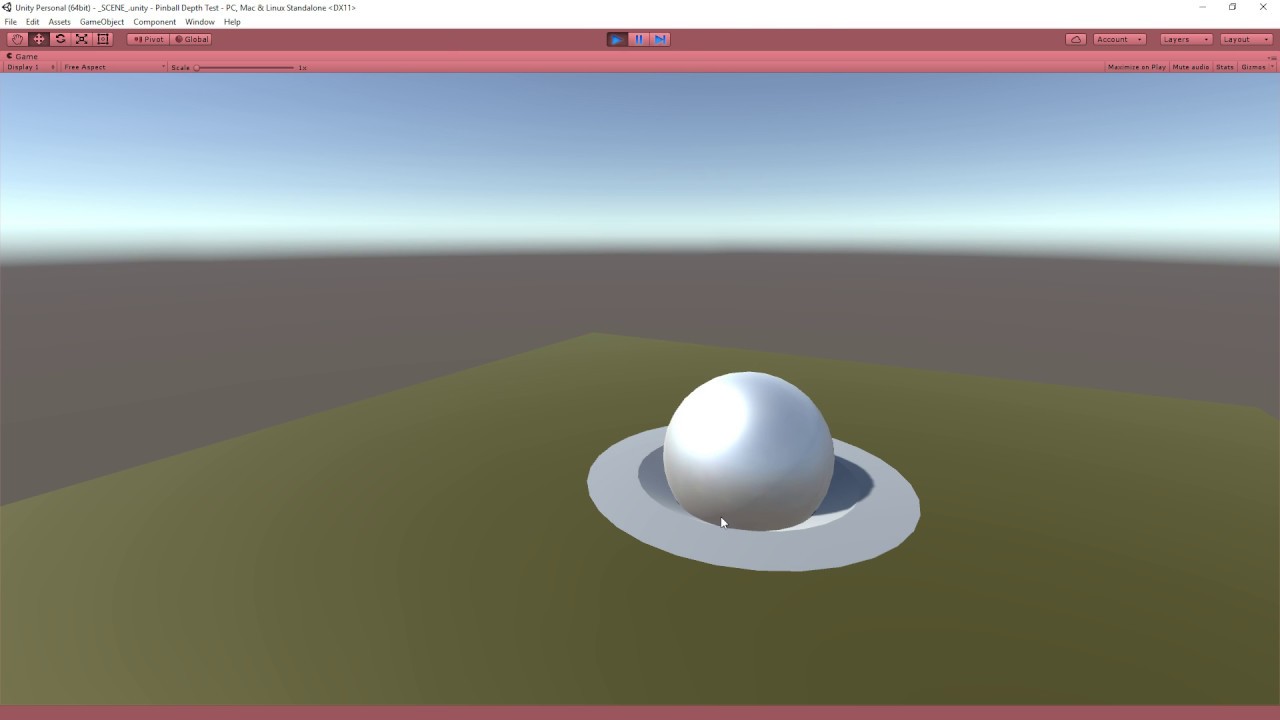
Make sure to SUBSCRIBE so you don't miss a video!
Download the complete project: http://quill18.com/unity_tutorials/PinballDepthTest.zip
Also, please feel free to ask lots of questions in the comments.
This channel is mostly all about game programming tutorials, specifically with Unity 3d. You may also be interested in my primary channel, wher...
 steel elbow


