#archived-shaders
1 messages · Page 18 of 1
 karmic hatch
 leaden turret
like this?
 karmic hatch
Put it through the same split-negate-step you have here before multiplying
leaden turret
ahh
@karmic hatch where does the output of the [view direction] > [normalize] > [negate] > [multiply] go into?
not sure how to connect the new stuff...

but it shouldn't have anything to do with camera position, no? regardless of camera position, the effect should only happen on pixels belonging to the area below world Y 100, whether camera is above or below or between that
karmic hatch
leaden turret
<@459086470175784971> where does the output of the [view direction] > [normaliz...
you add it to the camera position, then put that output into the split-negate-step
leaden turret
like this?

IT TWORKS! 🤩

there's a thin separation for some reason, where the underwater does not quite reach/touch the water horizon line for some reason.. 🤔
 karmic hatch
leaden turret
there's a thin separation for some reason, where the underwater does not quite r...
karmic hatch
leaden turret
there's a thin separation for some reason, where the underwater does not quite r...
Ah i think instead of normalizing the view direction, divide it by the b component (and then you also don't need to negate)
leaden turret
it gets more pronounced depending on view angle
 leaden turret
karmic hatch
Ah i think instead of normalizing the view direction, divide it by the b compone...
leaden turret
karmic hatch
Ah i think instead of normalizing the view direction, divide it by the b compone...
ok lemme try
B component you mean split from the view direction?
karmic hatch
wait b component of view space view direction
so you will need a second view direction node
karmic hatch
leaden turret
B component you mean split from the view direction?
yes
leaden turret
2 view directions? i thought i'm replacing the current one (divide instead of normalize & negate)
karmic hatch
you need the view space view direction (split to get the b component) and the world space view direction (which you then divide by the b component from the other one)
leaden turret
ahh ok lemme try
OK here's what i got, not sure i did it right

it seems to close in from above, rather than come up from below
 karmic hatch
leaden turret
it seems to close in from above, rather than come up from below
karmic hatch
leaden turret
it seems to close in from above, rather than come up from below
my mistake, you do need the negate
leaden turret
ok np lemme try
 plush yarrow
guys how can i modify emission on a custom shader pls hepl?
leaden turret
karmic hatch
my mistake, you do need the negate
normalize + negate? or just negate?
karmic hatch
just negate
leaden turret
YESS it's deliciously seamless 🤩

 grand jolt
is there a way to set a shader to a single camera that ONLY AFFECTS the objects within that camera?
leaden turret
thanks tremendously @karmic hatch 🙌
karmic hatch
np :)
leaden turret
so my water surface is basically normal maps and scene depth gradient (as in the unity water shader tutorial)
then my underwater fog is URP Sample Buffer and more scene depth * camera far plane, with added view direction magics to cut off at a constant Y world coordinate
so just a few performance questions; any reason to believe this might be a bit "performance intensive" yet for mobile? or conversely - are all of these effects definitely extremely "lightweight" and no biggie at all even on medium-end mobile devices?
or i should shutup and profile 😆
should i be worried that having the underwater effect URP Renderer Feature enabled at all times is extra unnecessary computation, and i should have some script to enable/disable it based on necessity eg. a trigger for when approaching water level, so no need for it to operate when you're having extended playtime far away on land ?
leaden turret
leaden turret
so my water surface is basically normal maps and scene depth gradient (as in the...
Water surface shader

underwater shader used as a Renderer Feature

 humble robin
how can i make this 2d light textures size be the same with my textures resolution (its a pixel art and i am aiming for pixel art toon shading)
 leaden turret
next on the underwater menu is - how do i make a bottom-upward water surface? currently the water shader looks nice when viewing top-downward, but from underwater if I look up it's just fog

@karmic hatch are we not limiting the underwater effect at Y sufficiently? only if the camera is viewing pixels "belonging" to beneath Y coordinate 100 then it should do fog, otherwise it should be transparent visible?.... something like that?
if we could throw in a bit of distortions (is that called refractions?) of stuff seen through the water surface that would be cool too
plush yarrow
ca n someone help me with somethinhg
karmic hatch
leaden turret
so my water surface is basically normal maps and scene depth gradient (as in the...
Idk, I wouldn't imagine it to be too performance intensive but then again I don't know
karmic hatch
leaden turret
<@459086470175784971> are we not limiting the underwater effect at Y sufficientl...
yes something like that; if the pixel in the near plane is below the surface, it gets fog, if it's above the surface, it gets no fog
leaden turret
is that what's happening, but the fog is blocking surface / skybox stuff? or you're describing what we need to adjust to make happen
karmic hatch
leaden turret
next on the underwater menu is - how do i make a bottom-upward water surface? cu...
You could do min(depth, -({near plane position}.y - 100)/{world space view direction}.g); then the fog decreases as you look towards the surface
leaden turret
hm interesting, is that what i want? that fog should decrease as approaching surface?
leaden turret
karmic hatch
You could do min(depth, -({near plane position}.y - 100)/{world space view direc...
parsing & attempting...
karmic hatch
leaden turret
hm interesting, is that what i want? that fog should decrease as approaching sur...
Well you're looking through less water, right?
leaden turret
ahh i see
karmic hatch
You could do a test for whether the ray should refract or reflect off the surface using the refract node, and then output either blue or some blend of blue and sky depending on whether it does, but maybe that would get expensive if you want to sample normal maps for that
Would probably look a bit nicer though
leaden turret
are there other "cheaper" distortions/refractions effects to consider? Or it is what it is - if i want this water effect it just is a bit more of a fancier expensive effect. In which case I would probably try to find next best replacement effect to leave it at for lower-end mobile devices and perhaps try to implement the effect for higher end mobile devices which can handle it
leaden turret
karmic hatch
You could do min(depth, -({near plane position}.y - 100)/{world space view direc...
could you kindly point out to me where in the chain of nodes this would belong?
leaden turret
leaden turret
underwater shader used as a Renderer Feature
between which & which nodes 👆
karmic hatch
leaden turret
could you kindly point out to me where in the chain of nodes this would belong?
When you're calculating the fog strength, just before the clamp
Or before the multiply actually
karmic hatch
In here, in that connection there put a min and in the other slot of the min put -({near plane position}.y - 100)/{world space view direction}.g

where this is what i mean by -{near plane position}.y
 leaden turret
gotcha 🙏 (thanks for saving me parsing/fumbling/re-asking time on that 😄 )
not sure i'm doing it right 🤔

might not have done the - 100 part, am i supposed to use the Step Edge node too?
@karmic hatch i did a separate near plane Split & Negate, but maybe i'm supposed to use the one affected by view direction view etc?
 haughty willow
Thanks for this!
Yes it's only for demonstration purposes, my real shader is much more complex.
I'm mainly interested which strategy is better performance-wise:
- Calling material.setTexture every frame and using as few sampler2D variables in my HLSL shader as possible
- Calling material.SetTexture only in the start method but having more sampler2D variables in my shader
Also do you think it can give me performance improvements when using a CommandBuffer instead of executing the shader passes with Graphics.Blit?
leaden turret
karmic hatch
where this is what i mean by -{near plane position}.y
this one is affected by the other preceding nodes, it's not just near plane split negate
karmic hatch
leaden turret
this one is affected by the other preceding nodes, it's not just near plane spli...
I meant the position of that pixel where the ray hits the near plane
leaden turret
ok, not sure if that means i want raw Near Plane > Split G > Negate, or if i should reuse the value that comes out of the existing Negate (or even Step?) node
sorry i'm still rather noob to shader concepts, i wouldn't know (would i?) how to translate the concept of "the position of that pixel where the ray hits the near plane" into shader graph nodes meaningfully... 😬
i disappoint you again, master 🫡🙏
karmic hatch
leaden turret
ok, not sure if that means i want raw Near Plane > Split G > Negate, or if i sho...
reuse
karmic hatch
karmic hatch
where this is what i mean by -{near plane position}.y
it's this value here
karmic hatch
Idk, see if it works and if it doesn't, then flip the sign
leaden turret
k
ok so now the underwater fog cuts off at the Y coordinate, but has no underwater fog whatsoever in the upward direction towards surface

need it to have at least a little, even if we're super close to surface, at least a little
karmic hatch
Subtract 100 from the g component you took from the bottom
Bc the plane is at 100 not 0
leaden turret
when i dive deeper underwater; where the water line should be vs. where it seems to currently be
 leaden turret
karmic hatch
Subtract 100 from the g component you took from the bottom
leaden turret
karmic hatch
Subtract 100 from the g component you took from the bottom
ok lemme try
karmic hatch
Also ig it does make sense somewhat since the distance should go negative on one side...
So when you take the min it should be negative (then you clamp so it just ends up very small)

 karmic hatch
leaden turret
ok so now it's this
karmic hatch
leaden turret
ok so now it's this
Sry I was unclear, I meant the g component you're pulling from below
leaden turret
ohhh the other split i see
karmic hatch
(also maybe just for safety normalize the view direction before passing it into the split)

 karmic hatch
leaden turret
karmic hatch
leaden turret
Ayy!
Now just need to set it up to discard it when it's negative (just check if the value going into the min is negative, and if so, replace it with something very large instead)
leaden turret
karmic hatch
(also maybe just for safety normalize the view direction before passing it into ...
is that what you meant here? or this is something else
karmic hatch
Na sometimes the view direction isn't normalized and it leads to things acting up so usually I just normalize out of habit. Doesn't look like it's doing anything wrong here though
leaden turret
ok i'll add it in anyway (or just try keeping in mind if i forget)
leaden turret
karmic hatch
Now just need to set it up to discard it when it's negative (just check if the v...
best node for this job? clamp? logical?
karmic hatch
Just had an idea, clamp the view direction g component between 0.001 (something small but positive) and 1
actually that would still lead to issues when you're very very near the surface
just do a comparison and then branch ig
(clamp probably uses more comparisons anyway)
leaden turret
karmic hatch
actually that would still lead to issues when you're very very near the surface
which is a use case i'm hoping to strongly support, so yes
leaden turret
karmic hatch
just do a comparison and then branch ig
ok
hm how do i do the part of replacing with something very big
i'm playing with Comparison and Branch nodes not sure how to achieve that effect
hm maybe this?

er i think i flipped true/false

i think i'm a happy customer 🤩

 tight phoenix
How can I make this look less like a white bowl cupping one side of the cube, and more like depth fog?
I know the answer is to somehow build up the value when the view direction is facing the interior part, but I don't know how to achieve that

 tropic sluice
Anyone here have an example of using RWTexture2D? no matter what I try I can't seem to get my writes to work
tight phoenix
tight phoenix
How can I make this look less like a white bowl cupping one side of the cube, an...
how it functions currently
 leaden turret
i think i'm a happy customer 🤩
leaden turret
leaden turret
i think i'm a happy customer 🤩
there's a bit of an effect of 2 different fogs stepping over each other a bit, but TBH i'm not sure if bug or feature 😝 maybe i can leave that in as some nice water surface distortion effect something or other
 tight phoenix
I think the answer is to somehow get rid of the harsh white lines that are giving it the appearance of being the inside of a bowl


But how do I do that?
this sooooorta works but Im assuming its only 'working' because its just blowing out the whole thing
 karmic hatch
leaden turret
i think i'm a happy customer 🤩
karmic hatch
leaden turret
i think i'm a happy customer 🤩
Awesome!
leaden turret
leaden turret
there's a bit of an effect of 2 different fogs stepping over each other a bit, b...
 karmic hatch
leaden turret
there's a bit of an effect of 2 different fogs stepping over each other a bit, b...
karmic hatch
leaden turret
there's a bit of an effect of 2 different fogs stepping over each other a bit, b...
I think that might be the sand fading into the blue underwater ground color?
 karmic hatch
hmm
leaden turret
lemme change the underwater ground color to clarify things

again - i'm not even sure i hate it 😄 weird distortions like this is natural especially at water surface (like mirage effect etc) but just wanna be sure it isnt indicative of something else wrong, or how do i fix it if i decided i wanted that weirdness gone
see more towards the left-wards
karmic hatch
leaden turret
again - i'm not even sure i hate it 😄 weird distortions like this is natural es...
I think it's where you stop looking at the ground and start looking at the surface instead
leaden turret
ah interesting
makes sense i suppose
not sure how they usually do this effect in other games, if they have any kind of blending or fading to reduce the "line" being so visible. or maybe after we're done with surface refraction effects etc. this issue will be unnoticeable or gone
i def owe you a free copy of the game though 😆
karmic hatch
leaden turret
not sure how they usually do this effect in other games, if they have any kind o...
You could maybe add some extra depth, by instead of subtracting 100, subtracting 120 or something so there's more depth above you
leaden turret
ah cool yes i havent tried twiddling around with the numbers yet, time to play
grand jolt
anyone know why there is a black background on my sprite after applying a material with a shader on it?
karmic hatch
grand jolt
anyone know why there is a black background on my sprite after applying a materi...
Is the alpha set up properly on the shader/texture?
karmic hatch
tight phoenix
I think the answer is to somehow get rid of the harsh white lines that are givin...
Do you want the opacity of the material to ramp up like that or do you just want it to be a constant density for one half?
grand jolt
karmic hatch
Is the alpha set up properly on the shader/texture?
how would i do this?
tight phoenix
karmic hatch
Do you want the opacity of the material to ramp up like that or do you just want...
Right now ramp up, but I will probably want to do constant density later as well
im trying to find ways to imply interior volume without raymarching
karmic hatch
grand jolt
how would i do this?
On the texture import settings, there are settings for alpha, and if you're using a shader graph, you want to make sure the texture's alpha is being passed into the alpha node on the fragment shader
grand jolt
karmic hatch
On the texture import settings, there are settings for alpha, and if you're usin...
i cannot find texture import settings, it's worth noting i'm applying the shader to a material, not a texture
karmic hatch
tight phoenix
im trying to find ways to imply interior volume without raymarching
Since the density is relatively simple, you can just integrate to calculate the total density along a line, and then exponentiate that times some (absorption color + scattering color) and add (scattering color/absorption color). If you want it to ramp up like that, the integral is distance through cube * abs(1/dot(view direction, ramp direction)) * abs(value of ramp on exit^2 - value of ramp on enter^2); if the NaN values where the dot is 0 are annoying, you can branch and just multiply distance through cube and 2 * value of ramp on enter
karmic hatch
grand jolt
i cannot find texture import settings, it's worth noting i'm applying the shader...
Are you using a transparent shader?
karmic hatch
grand jolt
i cannot find texture import settings, it's worth noting i'm applying the shader...
Texture import settings is what shows in the inspector when you click on the texture in your assets
grand jolt
karmic hatch
Are you using a transparent shader?
i don't know, here is what my shader looks like: https://paste.myst.rs/5hofc8mz
a powerful website for storing and sharing text and code snippets. completely free and open source.
(well, not mine, i found it on youtube, it's a chromatic abberation shader)
karmic hatch
grand jolt
i don't know, here is what my shader looks like: https://paste.myst.rs/5hofc8mz
The alpha there is always 1 so you will get black parts
Also it's set to render opaque
So unless you use alpha clipping i think it will just end up opaque
Actually perhaps not
But you never set the alpha so it won't be transparent in use
@grand jolt what effect do you want from your shader?
 leaden zinc
hey! i wonder if its possible to convert URP shader graphs to built in?
i would like to recreate this in built in basically https://www.youtube.com/watch?v=Y7r5n5TsX_E&t=2122s
 dim yoke
leaden zinc
hey! i wonder if its possible to convert URP shader graphs to built in?
dim yoke
leaden zinc
hey! i wonder if its possible to convert URP shader graphs to built in?
Built-in shader graphs? Sure, built-in shader code? I dont think so
leaden zinc
everything is done in shadergraph
but im not sure if same opertions will be available
dim yoke
I think birp shader graph should support (atleast almost) all the same features as urp sg
leaden zinc
yeah, maybe not all of them but most. I was worried about nodes naming conventions between them too.
I will just try and see what happens
karmic hatch
leaden zinc
yeah, maybe not all of them but most. I was worried about nodes naming conventio...
I think shader graph is largely the same between them
leaden zinc
okay, im gonna give it a try. thank you for the help
grand jolt
karmic hatch
<@456226577798135808> what effect do you want from your shader?
chromatic abberation (sorry for the long response time)
karmic hatch
grand jolt
chromatic abberation (sorry for the long response time)
Do you want the sprite to be additive? To return the maximum opacity?
grand jolt
karmic hatch
Do you want the sprite to be additive? To return the maximum opacity?
i just want it to have a transparent background
(If that's what you mean)
karmic hatch
grand jolt
i just want it to have a transparent background
Does your image have alpha?
your texture
grand jolt
karmic hatch
Does your image have alpha?
yes
karmic hatch
Presumably you want the maximum alpha value?
grand jolt
karmic hatch
Presumably you want the maximum alpha value?
yes
karmic hatch
grand jolt
yes
So when you're sampling the texture, store the rgba values, then extract both the alpha and the color you want (to save a few texture reads)
redTex   = tex2D(_MainTex, red_uv).r;
greenTex = tex2D(_MainTex, green_uv).g;
blueTex  = tex2D(_MainTex, blue_uv).b;
col.r = redTex.r;
col.g = greenTex.g;
col.b = blueTex.b;
col.a = max(max(redTex.a, greenTex.a), blueTex.a);
alright
grand jolt
karmic hatch
So when you're sampling the texture, store the rgba values, then extract both th...
what type is redtex, greentex, and bluetex?
grand jolt
karmic hatch
So when you're sampling the texture, store the rgba values, then extract both th...
my sprite still has a black background
karmic hatch
grand jolt
my sprite still has a black background
Is the alpha just zero or one?
grand jolt
karmic hatch
Is the alpha just zero or one?
i have no idea, i used the snippet above
grand jolt
karmic hatch
Is it a fully opaque image on a transparent background?
yes
in unity
it has a black bg
(with the shader)
without the material attached it works fine
here's what it looks like

if it helps, the sprite is animated
karmic hatch
I think if you comment out the line about blending and put a line after the alpha stuff doing clip(alpha - {some number between 0 and 1}); then it should remove the bits with low alpha
grand jolt
karmic hatch
I think if you comment out the line about blending and put a line after the alph...
i commented out the line, can you give me an example of the clip thing
i literally know nothing about shaders so sorry for all the questions
karmic hatch
just put a line after you calculate the alpha, that's clip(alpha - 0.5);
karmic hatch
grand jolt
i literally know nothing about shaders so sorry for all the questions
tbh I haven't used alpha clipping before so this is a best guess
grand jolt
karmic hatch
just put a line after you calculate the alpha, that's clip(alpha - 0.5);
i'd make alpha col.a?
karmic hatch
yes sorry
leaden turret
BTW @karmic hatch i'm sure you've noticed by now the use of this URP Sample Buffer which i took advice from @regal stag about, just wondering if you approve of that method 😜 or would there be a different (less computation expensive even?...) way to do that, or is that definitely the way to go here
grand jolt
karmic hatch
yes sorry
alright it works but too well, it removes all of the black parts in the image
do we know why it's making the black bg in the first place?
karmic hatch
leaden turret
BTW <@459086470175784971> i'm sure you've noticed by now the use of this `URP Sa...
Idk, I'd defer to Cyan there
karmic hatch
grand jolt
alright it works but too well, it removes all of the black parts in the image
If you click on the texture in your assets and look at the inspector, i believe there's a box that says 'alpha from grayscale', make sure that's off
 brave kettle
any know what happens? when i put a material with a shader dont become invisible
 grand jolt
karmic hatch
If you click on the texture in your assets and look at the inspector, i believe ...
grand jolt
karmic hatch
If you click on the texture in your assets and look at the inspector, i believe ...
i might have to live with clipping because there is no box for this
but i have another question
is there a way to post process only for one camera
karmic hatch
I think so but idk
karmic hatch
grand jolt
i might have to live with clipping because there is no box for this
The 'alpha source' option
grand jolt
karmic hatch
The 'alpha source' option
yeah it's not from grayscale
grand jolt
karmic hatch
set it to Input Texture Alpha
it's on that
would you know if there is a way to apply a shader to a camera object?
karmic hatch
Are you sure some of the black parts of the image don't have zero alpha?
karmic hatch
grand jolt
would you know if there is a way to apply a shader to a camera object?
I think post processing is the closest thing to that
grand jolt
karmic hatch
I think post processing is the closest thing to that
oh, i did some post processing earlier and it worked, but it affected two sprites i want ignored from the shader
so i decided i might have to individually apply the shader to each sprite
karmic hatch
grand jolt
so i decided i might have to individually apply the shader to each sprite
yeah maybe that's what you have to do; there might be a better way but idk
grand jolt
karmic hatch
Are you sure some of the black parts of the image don't have zero alpha?
the black square should not be visible
karmic hatch
grand jolt
the black square should not be visible
Indeed but is that the only part of the image with zero alpha, because it seems that if the alpha is coming from the image alpha, and if all the black parts in the image get cut, then all the black parts in the image must have low alpha
grand jolt
karmic hatch
Indeed but is that the only part of the image with zero alpha, because it seems ...
yes, that's the only part of the image with zero alpha
 autumn willow
Hey guys I was working on a material for blending multiple textures together and I'm trying to work around the texture # limitations of webgl1 and so I've packed all the properties of a texture into a single one and then split it up in the shader. The issue I'm facing is that now there are these lines at the seams of the texture and I'm not sure how to remove them. It's worth noting that if I don't generate mip maps for the texture the lines go away but it absolutely tanks performance. Any tips would be greatly appreciated 🙏

 leaden zinc
karmic hatch
I think shader graph is largely the same between them
leaden zinc
karmic hatch
I think shader graph is largely the same between them
Funny how i reached the last minute of the video and the Emission of the Fragment shader seems to be HDRP only.. ?
Isnt any way to use it on builtin?
karmic hatch
leaden zinc
Funny how i reached the last minute of the video and the Emission of the Fragmen...
I've used it on URP
In a lit graph, do you not have an emission output in the fragment node?
Also in the standard shader even in built-in there is emission
leaden zinc
There is emission node
But adding emission property in fragment is grayed out
Also is an unlit shader
karmic hatch
Unlit is all emission so it doesn't have a dedicated emission part
leaden zinc
Hmm
That must have changed, the tutorial uses master node, fragment + vertex wasnt yet implemented
What would be the way to do that now?
karmic hatch
To do what?
leaden zinc
Connect an input to the emission channel of the fragment shader
karmic hatch
If you're using an unlit shader, the base color is already emission
leaden zinc
Ohhh
karmic hatch
You only need emission for lit shaders
leaden zinc
Why was it separate before?
karmic hatch
Idk
leaden zinc
Hmm
tight phoenix
remapping the distance between 3D noise plastered on the exterior/interior sooorta works to imply mass inside of it, but its very unstable and inconsistent between angles


is there any way to make something like this more stable?


exterior and interior noise im taking distance between on the above
hm projecting one noise in world space does sooorta stabilize it a bit, but only if the dice doesnt move, as soon as you move it the effect is lost

this sorta almost works 🤔 if only it was less warp-y
Yeah im stumped, nothing beyond this ive done has looked any better
 grand jolt
does anyone know how to use a stencil buffer to not modify a specific sprite in a shader?
dim yoke
just for clarification, this is pp shader used by Graphics.Blit
tight phoenix
is there an easy way to convert this to map the UVs the same on each face?

as in all 6 interior faces have the same UV from 0 to 1
I got one side to be the correct UVs 🤔

hm maybe I can just split it and add them together in some way

there's gotta be a less stupid way to do this
this will work but its going to take hundreds of nodes
grand jolt
grand jolt
does anyone know how to use a stencil buffer to not modify a specific sprite in ...
i'm still struggling on this...
tight phoenix
close enough to test what I wanted to test 🔥

test didnt work
I was thinking you could project a texture from 3 angles and sorta subtract all the view directions it doesnt overlap
to create a volume
6 if you wanted it to be fully 3D?
but my attempt to do that did not work
I was thinking you could encode the 'shape' in the xyz of a texture 🤔
like if you consider the RGB chanels to be XYZ directions, you can imagine an object infinitely tall in each of those directions from the RGB colors
And you subtract the black so the end result will only occupy a position where all three align

hm let me try it in 3d
is it possible in shader to draw a sphere by subtracting three projections like so

its not about spheres though, its about arbitary volumetric shapes
grand jolt
grand jolt
does anyone know how to use a stencil buffer to not modify a specific sprite in ...
bump : )
 kind juniper
tight phoenix
is it possible in shader to draw a sphere by subtracting three projections like ...
kind juniper
tight phoenix
is it possible in shader to draw a sphere by subtracting three projections like ...
Sure, if you can figure out the math. You need some kind of signed distance function that represents each shape as a math function and then combine all three with an intersection function to get the final result. It's basically what they do in raymarching.
Some reference:
https://www.ronja-tutorials.com/post/035-2d-sdf-combination/#intersection
kind juniper
grand jolt
bump : )
Maybe try to explain the problem better. What are you trying to do? What do you mean by "not modify a sprite"? That doesn't make any sense in the context of shaders.
grand jolt
kind juniper
Maybe try to explain the problem better. What are you trying to do? What do you ...
i don't want the shader to affect two sprites, i was told i could do this with a stencil buffer
kind juniper
grand jolt
i don't want the shader to affect two sprites, i was told i could do this with a...
It's it a post processing shader?
grand jolt
kind juniper
It's it a post processing shader?
yes
kind juniper
Then why not just put these sprites on a layer that the pp effect does not affect?
grand jolt
kind juniper
Then why not just put these sprites on a layer that the pp effect does not affec...
i'm using graphics.blit
grand jolt
kind juniper
Then why not just put these sprites on a layer that the pp effect does not affec...
this is my script: https://paste.myst.rs/k2etshuw
a powerful website for storing and sharing text and code snippets. completely free and open source.
this is my shader: https://paste.myst.rs/ui6jcgl8
a powerful website for storing and sharing text and code snippets. completely free and open source.
kind juniper
grand jolt
i'm using graphics.blit
In this case, yeah, using the stencil buffer sounds like an appropriate solution. You'd need a custom shader for these 2 sprite though(or render them again with this custom shader) to write to the stencil buffer. Then do the stencil test in the pp shader and it should work. Check the docs on how to write/test the stencil buffer in a shader:
https://docs.unity3d.com/Manual/SL-Stencil.html
grand jolt
kind juniper
In this case, yeah, using the stencil buffer sounds like an appropriate solution...
how would i render them again with the shader?
kind juniper
There are probably many ways. The simplest to set up would probably be a separate camera setup that only renders these 2 sprites with a replacement shader(or duplicate objects with the new shader) and nothing else.🤔
A cleaner solution might be using this:
https://docs.unity3d.com/ScriptReference/Camera.OnRenderObject.html
And rendering the object one more time in there.
This article gives a good idea on how you can achieve the effect. Probably even without the extra manipulations. Just have copy of these sprites with the stencil write shader on them.
https://www.ronja-tutorials.com/post/022-stencil-buffers/
grand jolt
kind juniper
This article gives a good idea on how you can achieve the effect. Probably even ...
so just adding this write shader to my sprites will make it not have chromatic abberation (The shader i posted above)?
kind juniper
grand jolt
so just adding this write shader to my sprites will make it not have chromatic a...
Adding the write shader to a copy of your object with the sprite (since you also want it to render normally too) and adding a stencil test to your pp shader should work.
grand jolt
kind juniper
Adding the write shader to a copy of your object with the sprite (since you also...
a stencil test is this?
Stencil{ Ref [_StencilRef] Comp Equal }
grand jolt
grand jolt
a stencil test is this?
` Stencil{
Ref [_StencilRef]
...
what would i set the ref to?
kind juniper
To 0. And the one in the stencil write shader to any other value below 255.
grand jolt
kind juniper
Adding the write shader to a copy of your object with the sprite (since you also...
also what do you mean by a copy of my object
kind juniper
grand jolt
also what do you mean by a copy of my object
Literally a Ctrl+ C, Ctrl + V of the object in the hierarchy.
grand jolt
oh, sorry i misread
grand jolt
kind juniper
Adding the write shader to a copy of your object with the sprite (since you also...
by adding a shader you mean adding a material with the shader applied to it?
kind juniper
grand jolt
by adding a shader you mean adding a material with the shader applied to it?
Yes
grand jolt
kind juniper
A cleaner solution might be using this:
<https://docs.unity3d.com/ScriptReferenc...
i'll try this
kind juniper
grand jolt
my two sprites are now invisible
As I said, you still need to render them normally.
grand jolt
kind juniper
As I said, you still need to render them normally.
i don't know what this means
kind juniper
If they're invisible, you probably removed/replaced the normal version(with the regular shader/material)
grand jolt
kind juniper
If they're invisible, you probably removed/replaced the normal version(with the ...
i have two pairs in my hierarchy, one has the regular material, the other has the write shader
grand jolt
kind juniper
They're rendered by the pp effect?
yes
kind juniper
Did you add the stencil test to the pp shader?
grand jolt
https://paste.myst.rs/a08r8pcb this is what it looks like since i have no idea what a stencil test is
a powerful website for storing and sharing text and code snippets. completely free and open source.
kind juniper
Okay. And how does your stencil write shader looks like?
grand jolt
kind juniper
Okay. And how does your stencil write shader looks like?
a powerful website for storing and sharing text and code snippets. completely free and open source.
kind juniper
You missed what I mentioned in this message:
#archived-shaders message
"to any other value" means not 0
kind juniper
In this case something must be overwriting/resetting the stencil buffer I guess. Try increasing the render order of the stencil write shader.
In the material
grand jolt
kind juniper
As I said, you still need to render them normally.
to clarify, would i just make copies like this
 kind juniper
Yes. And assign the stencil write materials to them.
grand jolt
kind juniper
Yes. And assign the stencil write materials to them.
only two, right?
also i just saw this
 kind juniper
grand jolt
also i just saw this
kind juniper
grand jolt
also i just saw this
Oh, your stencil write shader probably needs to be a copy of the regular shader you're using + the stencil write part.
grand jolt
kind juniper
Oh, your stencil write shader probably needs to be a copy of the regular shader ...
now it looks like this
 kind juniper
Is that your sprite?
grand jolt
kind juniper
Is that your sprite?
no, everything became white
and this is the new stencilshader
a powerful website for storing and sharing text and code snippets. completely free and open source.
kind juniper
That's the copy of your pp shader😅
grand jolt
kind juniper
That's the copy of your pp shader😅
yes
kind juniper
The stencil write shader needs to write into the pixels that your sprite does. That's the whole point.
grand jolt
'Oh, your stencil write shader probably needs to be a copy of the regular shader you're using + the stencil write part.'
i followed this
kind juniper
Yeah, by "regular shader" I meant the one you use to render the sprite.
grand jolt
oh
kind juniper
But thinking about it more, it's probably gonna be more complicated that that.
It would work if it was a 3d object.
grand jolt
is there a way to just post process just on one camera
kind juniper
But with a sprite you might end up with 2 quads missing from the pp
grand jolt
thats really all i need
kind juniper
grand jolt
is there a way to just post process just on one camera
Sure. That's way easier.
grand jolt
kind juniper
Sure. That's way easier.
oh!
kind juniper
Although I'm not sure of the exact way. You probably just need to Graphics blit in the right place (after 1 camera renders and before the 2nd camera renders)
Probably something with the render pipeline events:
https://docs.unity3d.com/ScriptReference/Rendering.RenderPipelineManager-endCameraRendering.html
tight phoenix

I managed to stabilize my effect against its distortions moostly
its pretty close to looking like it has a physical volume inside of itself 🤔
one that is mostly consistent across different rotations
tight phoenix

from certain angles it almost looks like its actually the same thing from different perspectives
and almost looks like physical interior without raymarching 👀
 hallow plover
does anyone have documentation on what some of the already incuuded shaders does? I have looked at a lit shader grahp and it seems to have a few included hlsl files which might be useful but I have no idea what they do
 proven copper
tight phoenix
https://gfycat.com/leandentalbighornsheep
proven copper
tight phoenix
https://gfycat.com/leandentalbighornsheep
this looks really sick, if possible could you give a general overview of how you did it?
kind juniper
hallow plover
does anyone have documentation on what some of the already incuuded shaders does...
Pretty sure you can dig them up in the project files and have a look inside. There isn't any documentation on unity shaders inner working afaik.
hallow plover
kind juniper
Pretty sure you can dig them up in the project files and have a look inside. The...
hmm ok. Shader code really does have nearly 0 documetation huh
kind juniper
hallow plover
hmm ok. Shader code really does have nearly 0 documetation huh
I guess the mindset is that the default pbr shaders would look very similar in any engine and that if you dive into them you have some overall knowledge on how shaders work already.
I believe unreal doesn't have much docs on their shaders as well. I guess it's just a common issue with most complicated topics that the engine devs don't expect the average user to go too deep into, or if they do, that they have enough background knowledge to just figure it out.😅
hallow plover
yeah. I have been trying to learn how lighting works in unity shaders for a really long time. I might try to switch gears and try to make my own lighting models since unity does not describe anything at all
kind juniper
There are actually some materials on lighting and shaders. They just don't go through each and every shader available.
hallow plover
yeah but I still find it very confusing
 neat lichen
Hi, I have a Shader i use on a plane to show an Aurora Borealis. I use vertex displacement to make it wavy, but the vertex displacement only works in scene view. What could be the reason?
 amber saffron
hallow plover
yeah. I have been trying to learn how lighting works in unity shaders for a real...
amber saffron
hallow plover
yeah. I have been trying to learn how lighting works in unity shaders for a real...
The shaders source code is accessible for built-in, and for render pipelines you can easilly look at all the included HLSL files.
Understanding the lighting models is "just" the matter of finding the proper functions in all the include files
amber saffron
neat lichen
Hi, I have a Shader i use on a plane to show an Aurora Borealis. I use vertex di...
Are you in play mode ?
neat lichen
amber saffron
Are you in play mode ?
I can see the vertex displacement work in scene view, but in play mode it doesn't work.
leaden zinc
hi! i wonder if there is any equivalent to this on built-in?
 kind juniper
leaden zinc
hi! i wonder if there is any equivalent to this on built-in?
kind juniper
leaden zinc
hi! i wonder if there is any equivalent to this on built-in?
A skybox..?🤔
What does it do?
leaden zinc
kind juniper
A skybox..?🤔
ambient mode i mean
mmm i think its the same as setting lightning to skybox instead of color lol.
amber saffron
neat lichen
I can see the vertex displacement work in scene view, but in play mode it doesn'...
Can you share the vertex displacement graph or code ?
neat lichen
Yes one moment
neat lichen
amber saffron
Can you share the vertex displacement graph or code ?
This is what the vertex displacement code looks like, at the end i combine horizontal displacement with vertical displacement, the code of these are identical. Then it connects into Vertex Position. Looks exactly like i want in scene view, but doesn't move in play mode.
 amber saffron
neat lichen
This is what the vertex displacement code looks like, at the end i combine horiz...
amber saffron
neat lichen
This is what the vertex displacement code looks like, at the end i combine horiz...
Indeed, I don't see anything that would explain why it doesn't work in play mode from here
kind juniper
neat lichen
This is what the vertex displacement code looks like, at the end i combine horiz...
Can you take a screenshot of the material/shader parameters at runtime?
neat lichen
I resolved it, I feel silly. The spline tool I used to generate the mesh created a static mesh. Thank you still 

 hot scaffold
Thanks again for this example btw. I have been searching for a shadergraph that is pretty much "URP Lit" as a starting point to add this to. any suggestions?
 bold horizon
i wanna make a shader or material to achieve this how do i start?
this is my first time using unity

how to start with shaders and materials?
any tutorial would be helpful
 tranquil pier
Hey! Not sure if I ask in the right place but let me know if not. My question is the following: how can I tile an atlas material without shader modifications? So for example I create a mesh that has these verices (0,0 - 0,1 - 1,1 - 1,0) and another that has (0,0 - 0,1 - 2,1 - 2,0) and I'd like the 2nd one to have the material twice. I've tried so many things and I couldn't make it work. UVs are setup like this: uvsOne[0] = new Vector2(0.8750f, 0.1875f);
 haughty musk
hey, have you been able to finish this? If you have the solution, please, i am probably working on something very similar where i want to get the offsets for each eye the same way you wanted to, i will be rendering 2 different outputs for each eye with these. if you know how, please ping me or dm me, id hugely apperciate it. https://streamable.com/sg7pq1

i want so that both eyes have proper "offset" basically.
hallow plover
is there any good syntax highliting for hlsl shaders? Any program works fine as long as it has syntax highliting (like how visial studio does it in C#) and is free.
haughty musk
slevesque.shader for vscode ig
kind juniper
hallow plover
is there any good syntax highliting for hlsl shaders? Any program works fine as ...
There's a VS extension for hlsl.
 stiff tapir
haughty musk
hey, have you been able to finish this? If you have the solution, please, i am ...
stiff tapir
haughty musk
hey, have you been able to finish this? If you have the solution, please, i am ...
No, I'm really sorry. Keep me posted if you do.
tight phoenix
proven copper
this looks really sick, if possible could you give a general overview of how you...
Sure thing, im loading it up to work on more now.
The short version is that I have two gradient noises, one is in screen space and always faces the camera, but doesnt change size/position as you pan the camera/object or zoom in/out.
The second noise is a 3d noise mapped onto UVW coordinates that are aligned to make the cube look like its inside out
Then with some remapping I take the distance between those two noises and what you see above is what you get.
90% of the look is based on the the UVW coordinates, the noise itself is just two gradient noises plugged into distance
tight phoenix
proven copper
this looks really sick, if possible could you give a general overview of how you...
inside out UVs with refraction and screen-space stabilized UVs (they only look correct in scene, not in preview)

 haughty musk
stiff tapir
No, I'm really sorry. Keep me posted if you do.
haughty musk
stiff tapir
No, I'm really sorry. Keep me posted if you do.
ah i see, no problems. i mean did we both wanted to use it to make a portal shader?
stiff tapir
Not technically, but it's absolutely the same idea.
I was overlaying this starry texture once on UV coordinates, and once in screen space coordinates to generate a sense of fake depth, like you were looking into space on this character's scales
It was for a VR Chat character with some surreal materials
hallow plover
kind juniper
There's a VS extension for hlsl.
oh. What is it called. (Also sorry for respnding this late. Had some irl stuff to do)
 flint adder
Anyone able to help with shader variants?

why does it have 459 variants ? when I am only using this on one object
current build platform is Android
Vulkan
grand jolt
I have a shader that has this effect on the surface of the object it's applied on. and I want it to be projected towards everything that is below it, to give a caustics effect (shader graph)

I already have the nodes that make this effect
I just need to project that already existing image onto everything below it
grand jolt
anyone
 ocean geyser
I'm having issue writing a simple radial-alpha shader (where center is 1.0, outside is 0.0).
            float4 adjustByAlpha(float2 uv, float4 input)
            {
                float dist = distance(float2(0.5, 0.5), uv) * 2.0f;
                return float4(1.0f, 0.0f, 0.0f, 1.0f) * dist;
            }
The idea is simple:
- distance from center to the uv, which should be 0..1 range. This should result in 0 at the center, 0.5 at the outside (radius).
- Multiply by 2 to get range from 0..1
Even this as you can see just shows a fully shown circle. What am I missing?

 wicked magnet
ocean geyser
I'm having issue writing a simple radial-alpha shader (where center is 1.0, outs...
wicked magnet
ocean geyser
I'm having issue writing a simple radial-alpha shader (where center is 1.0, outs...
huh?
grand jolt
ocean geyser
I'm having issue writing a simple radial-alpha shader (where center is 1.0, outs...
wha
wicked magnet
Is it now 1 at the center or 1 at the outside?
grand jolt
grand jolt
I have a shader that has this effect on the surface of the object it's applied o...
anyone
ocean geyser
it's reverse than what I want, yes.
but I'm just trying to start with some sort of radial effect
that is - the code should display 0 at the center, 1 at the outside.
But reversed or not - it shows the entire circle as the same value.
grand jolt
does everyone here need help
grand jolt
grand jolt
I have a shader that has this effect on the surface of the object it's applied o...
same here
I wish more people talked
wicked magnet
bruh anyone know anything about why my build doesn't finish after I set a specific set of shaders to always be included?
 civic lantern
wicked magnet
bruh anyone know anything about why my build doesn't finish after I set a specif...
civic lantern
wicked magnet
bruh anyone know anything about why my build doesn't finish after I set a specif...
any build errors?
ocean geyser
@grand joltI guess you can make a post-processing effect for that, possibly using stencil
ocean geyser
@grand jolt .. google
grand jolt
ocean geyser
<@456226577798135808>I guess you can make a post-processing effect for that, pos...
well it was possible from a shader graph
wicked magnet
its more like the shader used does not work in the build
civic lantern
grand jolt
I have a shader that has this effect on the surface of the object it's applied o...
Did you check out Decal Projector for HDRP or projector?
grand jolt
so I'm guessing there must be a way
grand jolt
civic lantern
Did you check out Decal Projector for HDRP or projector?
I'm on urp
wicked magnet
damn it
grand jolt
and it has to be tiled all across the plane
civic lantern
grand jolt
I'm on urp
ok i only worked on builtin and hdrp, but wouldnt this work:
https://docs.unity3d.com/Packages/com.unity.render-pipelines.universal@12.0/manual/renderer-feature-decal.html
The decal projection does not work on transparent surfaces. that might be an issue, but if you want to project caustics on the bottom ground, shouldnt matter
wicked magnet
uh
has anyone used this asset (https://assetstore.unity.com/packages/3d/vegetation/trees/conifers-botd-142076#description) before?

Elevate your workflow with the Conifers [BOTD] asset from forst. Find this & other Trees options on the Unity Asset Store.
ocean geyser
😦 anyone about my issue then? it should be very simple, don't know what's going on
wicked magnet
ocean geyser
😦 anyone about my issue then? it should be very simple, don't know what's going...
dawg i dont even know what a float2 or float4 is 💀💀
ocean geyser
@wicked magnet equivalent to vector2/vector4 😐
wicked magnet
vector4? goofy aah 4 dimensional movenment? 💀
grand jolt
civic lantern
ok i only worked on builtin and hdrp, but wouldnt this work:
https://docs.unity3...
uh
the thing is it's a separate shader
and I need it to be on a single shader
and also the caustics texture is animated and only works from a shader graph
civic lantern
well if its anything like HDRP decal, you can just use a custom shader for it
HDRP shader graph has a decal shader option
grand jolt
civic lantern
well if its anything like HDRP decal, you can just use a custom shader for it
is there a
idk a node in the shader graph
or something like that
that I can just plug in with the rest of the stuff
civic lantern
grand jolt
that I can just plug in with the rest of the stuff
in HDRP I just created a new Decal shader like this
 grand jolt
civic lantern
in HDRP I just created a new Decal shader like this
grand jolt
civic lantern
in HDRP I just created a new Decal shader like this
what are the contents
civic lantern
its a shader graph so maybe youre able to copypaste/frankenstein your caustic shader into it
grand jolt
civic lantern
its a shader graph so maybe youre able to copypaste/frankenstein your caustic sh...
or copypaste that shader graph into the caustic shader
since the caustic shader covers waves foam and the poorly faked caustics
civic lantern
its just a blank shader graph with a specific output

again, not sure how it goes in URP, so cant help further
grand jolt
this is all that's inside
 grand jolt
civic lantern
its just a blank shader graph with a specific output
grand jolt
civic lantern
its just a blank shader graph with a specific output
where do you set the decal
 wicked magnet
what even is the difference between "RP" and "URP" ? 🤔
well anyways
shader's not working in the buid
build*
grand jolt
wicked magnet
what even is the difference between "RP" and "URP" ? 🤔
render pipieline
u n i v e r s a l render pipeline
wicked magnet
grand jolt
render pipieline
***u n i v e r s a l*** render pipeline
and what gets changed by that ?
grand jolt
wicked magnet
and what gets changed by that ?
it's supossed to look better
and adds shader graphs
wicked magnet
ight ight
grand jolt
and was also the death of the start of the project I'm working on
because everything broke
wicked magnet
damn :(
grand jolt
grand jolt
I have a shader that has this effect on the surface of the object it's applied o...
@karmic hatch can you help me out
the decal projector didn't work
so idrk what to do now]
aaa
 balmy lark
Does anyone think that they can help me out (long warning)?
I'm trying to create a screen door effect using shader graph. Basically far away you can only see a big grid, and when you get close you can see a small grid of "pixels" too. I want to be able to apply this to walls so that it appears that anything beyond the walls and skybox are "gridded". I have all of that working OK, this was just background
Here's a preview of how it looks

This is generated by the following subgraph, which makes a grid, and shader graph, which combines the color and alphas of the two grids based on the view distance


Now notice how they aren't in world space, e.g. the grids don't line up if you move them around?
This can be fixed by adding a position node set to world or absolute world (not sure what difference is)


But when I turn them (as one might when making walls that completely surround the player, the grid stretches out like this:

How can I avoid this stretching and have the grid position in world space but the rotation? normals? uv direction? in object space. This is where my knowledge breaks down, sorry.
Apparently there's a Triplanar node that can do this for you, which would be pretty cool, however, it only works on textures. I'm generating this using the rectangle node.
I have a feeling that I need to put in some special UV into the rectangle node in my subgraph, but what could it be?
grand jolt
Hello, I am having trouble sampling the main depth texture from a post processing shader in URP (not shader graph).
It appears in RenderDoc as a completely black texture; It's called "UnityBlack".
In my forward renderer settings I render all the objects with "Depth Write" enabled and my camera has depthTextureMode set to DepthTextureMode.Depth. In RenderDoc, I can see it being generated, but it isn't being passed into my shader for some reason... I'm sampling it like this in my shader:
float depth = tex2D(_CameraDepthTexture, i.uv).r;
depth = Linear01Depth(depth);
What might be going wrong?
kind juniper
grand jolt
Hello, I am having trouble sampling the main depth texture from a post processin...
I don't think that's how you enable writing to the depth texture. It should be handled by the GPU automatically. You just need to provide the correct keywords to the shader.
grand jolt
Well that wasn't working either.
kind juniper
Hmm... Nvm. Was confusing with stencil buffer.
kind juniper
grand jolt
Hello, I am having trouble sampling the main depth texture from a post processin...
In this code snippet you're just assigning to a local variable.
grand jolt
Yep. Then I return that as the fragment colour.
Like this: float4(depth, depth, depth, 1.0).
kind juniper
Wait, so the issue is not that the depth is not generated properly?
grand jolt
No, I can see the depth texture in RenderDoc and it looks correct.
I cannot sample it from my post processing shader - the result is always zero and the input to said shader according to RenderDoc is "UnityBlack".
grand jolt
Nope. It's a vertex + fragment shader.
grand jolt
It's a built-in function.
It converts the depth from the non-linear space that it's rendered in to a linear depth.
kind juniper
Try outputting the depth as color without it. Is there any change?
grand jolt
Nope.
@kind juniper I didn't have this checked in my render pipeline asset:

It works now... Thank-you for your help :)
kind juniper
Oh it was that simple.😅
 craggy jay
hello! i'm trying to convert a world position to a view port position and I'm having no luck
screenWorld.x = (screenWorld.x / screenWorld.w + 1) * 0.5;
screenWorld.y = (screenWorld.y / screenWorld.w + 1) * 0.5;```am i doing anything wrong?
also, i.world does return the actual world position, i've tested it a ton of times so that is not the problem
i have a feeling that it's something to do with opengl's inverse z axis but i don't really know where I'd apply that?
i've done this before in shadergraph, and i just did screenWorld.y = (screenWorld.y / screenWorld.w - 1) * -0.5; and that worked perfectly, but it doesnt work in this shader?
 warm marsh
Have you tried screenWorld = ComputeScreenPos (screenWorld);?
craggy jay
I have, that requires an object postion, but for some reason still doesn't work?
i've also tested doing screenWorld = ComputeScreenPos(i.vertex) which works perfectly in the vert pass but doesn't work at all in the frag pass?
the input of frag() and the output of vert() should be the same right?
            {
                v2f o;

                float4 world_origin = mul(UNITY_MATRIX_M, float4(0, 0, 0, 1));
                float4 view_origin = float4(UnityObjectToViewPos(float3(0, 0, 0)), 1);

                float4 world_pos = mul(UNITY_MATRIX_M, v.vertex);
                float4 view_pos = world_pos - world_origin + view_origin;

                float4 clip_pos = mul(UNITY_MATRIX_P, view_pos);
                o.vertex = clip_pos;
                //o.vertex = UnityObjectToClipPos(v.vertex);

                o.uv = TRANSFORM_TEX(v.uv, _MainTex);
                o.color = v.color * _Color;
                o.screen = ComputeScreenPos(o.vertex);
                o.world = mul(unity_ObjectToWorld, mul(inverse(UNITY_MATRIX_V), view_pos));//mul(unity_ObjectToWorld, v.vertex);
                UNITY_TRANSFER_FOG(o, o.vertex);
                return o;
}```o.screen returns the screen coord that i need, but if i calcuate it in frag(), it doesn't give me the same result
also, ik it sounds redundant since i have the screen coord, but i'm trying to get it working in the frag pass so that I can invert it and get the world position from the screen coord. all i need to do is get the world > screen conversion working and then I can go from there
craggy jay


another weird thing I came across, if i do screen.xy /= screen.w in frag() then i get the first image, if i do it in vert(), then i get the second
craggy jay
okay, i figured it out
float2 screen = i.screen.xy / i.screen.w;

// Convert Screen Coords into World Space Coords
float4 world = float4((screen.x * 2 - 1) * i.screen.w, (screen.y * -2 + 1) * i.screen.w, i.screen.z, i.screen.w);
world = mul(inverse(UNITY_MATRIX_VP), world);```that goes into frag() while i.screen is defined with o.screen = ComputeScreenPos(o.vertex); in vert()
hope this helps anyone in the future
 astral pecan
Anyone know how to use UV with procedural texture?
kind juniper
astral pecan
Anyone know how to use UV with procedural texture?
What's the problem with the uvs? They're defined in the mesh, not the texture
astral pecan
kind juniper
What's the problem with the uvs? They're defined in the mesh, not the texture

For example I want to use this twirl on this procedural texture
Its an animated texture created procedurally
kind juniper
What do you man by "use on"?
astral pecan
kind juniper
What do you man by "use on"?

I can input UV on Unity's procedural texture nodes
How do I apply it on my own procedural texture?
kind juniper
Supply the uvs into your procedural texture node.🤷♂️
Is your "procedural texture" just that sine node?
astral pecan
Oh crap you're right
I created them from UV at the beginning
I can input them there
 patent plinth
How to make lit shader does not affected by ambient light in shadergraph?
 tranquil jackal
patent plinth
How to make lit shader does not affected by ambient light in shadergraph?
tranquil jackal
patent plinth
How to make lit shader does not affected by ambient light in shadergraph?
isnt it set on material or mesh settings?
karmic hatch
patent plinth
How to make lit shader does not affected by ambient light in shadergraph?
Set ambient occlusion to zero
 cerulean agate
Is it possible to get customizable text into a shader graph material? I'm trying to make decals with custom text (text changeable at runtime).
amber saffron
cerulean agate
Is it possible to get customizable text into a shader graph material? I'm tryin...
Not easilly.
The closest you could do is use a glyph texture atlas and sample it in you shader based on an input "string".
But as shaders don't take strings as input, you'll have to convert it into an array of indices for the atlas or something similar.
My best advice would be to use a dedicated RenderTexture and a camera to render your text into it (using TextMeshPro) and provide this texture to the shader.
karmic hatch
Is there a way to blend a transparent shader with two colors (multiply the background by one color, then add a second color), or do I need to use the opaque texture for that
astral pecan
How to use this feature?

Its released, but there is no UV option for Vector2 default values
 amber saffron
karmic hatch
Is there a way to blend a transparent shader with two colors (multiply the backg...
amber saffron
karmic hatch
Is there a way to blend a transparent shader with two colors (multiply the backg...
You can have multiple blend modes in a same shader, so either you need to split it into two materials/shader, or blend manually using the opaque texture
amber saffron
astral pecan
Its released, but there is no UV option for Vector2 default values
A Vector2 property is an input for the shader/material.
If you want to access the mesh UV, use the UV node.
astral pecan
amber saffron
A Vector2 property is an input for the shader/material.
If you want to access th...
Its for UV input in Sub-Graph
amber saffron
astral pecan
Its for UV input in Sub-Graph
Ok. Well, indeed you can't do that (for now ?).
You'll have to use a vector2 input, and each time you use the subgraph you need to plug a UV node
astral pecan
I see, my bad, I thought I can use the feature already since it says released on the roadmap
amber saffron
astral pecan
I see, my bad, I thought I can use the feature already since it says released on...
I don't look at the public roadmap very ofter, and indeed am surprised that it is advertised as released.
I'm searching to see if it is actually usable .
 regal stag
Use custom binding & BranchOnInputConnection node in v12+
https://www.cyanilux.com/tutorials/intro-to-shader-graph/#sub-graph-branch
A detailed introduction on how to use Unity Shader Graph (updated for v12+)! Graph setup, Data types, Understanding Previews, Properties, Keywords, Sub Graphs and more!
 digital helm
Hey guys, does Unity support UDIM?
astral pecan
regal stag
Use custom binding & BranchOnInputConnection node in v12+
https://www.cyanilux.c...
I see, thanks!
amber saffron
regal stag
Use custom binding & BranchOnInputConnection node in v12+
https://www.cyanilux.c...
Oh wow, hopefully you are here, this seem pretty badly documented :/
 tacit stream
What would be a way to combine instanced shader and normal (non-instanced) into one?
Instanced
Shader "Unlit/EntityIdShader"
{
    SubShader {
        Tags { "RenderType"="Transparent" }

        Pass {
            CGPROGRAM
            #pragma vertex vert
            #pragma fragment frag
            #pragma multi_compile_instancing
            #include "UnityCG.cginc"

            struct appdata
            {
                float4 vertex : POSITION;
                UNITY_VERTEX_INPUT_INSTANCE_ID
            };

            struct v2f
            {
                float4 vertex : SV_POSITION;
                UNITY_VERTEX_INPUT_INSTANCE_ID // use this to access instanced properties in the fragment shader.
            };

            UNITY_INSTANCING_BUFFER_START(Props)
            UNITY_DEFINE_INSTANCED_PROP(fixed4, _SelectionColor)
            UNITY_INSTANCING_BUFFER_END(Props)


            v2f vert(appdata v)
            {
                v2f o;

                UNITY_SETUP_INSTANCE_ID(v);
                UNITY_TRANSFER_INSTANCE_ID(v, o);
                o.vertex = UnityObjectToClipPos(v.vertex);
                return o;
            }

            fixed4 frag(v2f i) : SV_Target
            {
                UNITY_SETUP_INSTANCE_ID(i);
                return UNITY_ACCESS_INSTANCED_PROP(Props, _SelectionColor);
            }
            ENDCG
        }
    }
}
Non-Instanced
Shader "Unlit/EntityIdShader"
{
    Properties
    {
        _Color ("Color", Color) = (1,1,1,1)
    }
    SubShader
    {
        Tags { "RenderType"="Opaque" }
        LOD 100

        Pass
        {
            CGPROGRAM
            #pragma vertex vert
            #pragma fragment frag

            struct appdata
            {
                float4 vertex : POSITION;
            };

            struct v2f
            {
                float4 vertex : SV_POSITION;
            };

            fixed4 _Color;

            v2f vert (appdata v)
            {
                v2f o;
                o.vertex = UnityObjectToClipPos(v.vertex);
                return o;
            }

            fixed4 frag (v2f i) : SV_Target
            {
                return _Color;
            }
            ENDCG
        }
    }

}
I think there's a BranchOnInputConnection page in the shadergraph docs which provides a similar exaplanation & example to mine. It's just hard to find unless you know what you're looking for :/
At the very least, the SubGraph pages should probably link to it
amber saffron
Once again, I find that Unreal's way to handle this is easier :/
astral pecan
Is this a branch in compilation or nah?

Using dropdown on subgraph
If it creates a branch I better create a sub graph for each type
amber saffron
This is a keyword property ? Then yes, compilation branch
astral pecan
Hmm ok
Its a dropdown property, not a keyword property
Since keywords not exposed for sub graph as a node
amber saffron
Now, branches are not always your enemies :
Depending on the type of keyword, not all variants are compiled
But it looks like the dropdown property is generating a ...
How the hell could I name that ...
"constant dynamic branch" ?
The branch code is dynamic (not compilation dependant on keywords), but the predicate is constant, as you select it on the node, and can't connect a varying input.
So, at runtime, only one branch is ever evaluated for this node
amber saffron
In theory, the compiler will even optimize this to have no branch at all at the end, as the predicate is a hard coded constant.
 frosty linden
Could somebody tell me how this is possible? I'm extracting the alpha of a JPG but it's not fully white?? There's no alpha channel in the JPG

It seems to average the 3 other channel into alpha? Isn't it a bug? Alpha channel should be 1 if there is no alpha channel in the texture, shouldn't it ?
(And I think I already asked about this a few months back lol... I love stumbling on the same issues and completely forgetting about them 😂 )
amber saffron
frosty linden
It seems to average the 3 other channel into alpha? Isn't it a bug? Alpha channe...
Depend on the import settings, unity can generate alpha from grayscale
 winter timber
wondering what name the default shader's colour arrays have? (I'm gonna set them via a script)
kind juniper
Color arrays..?🤔
winter timber
kind juniper
Color arrays..?🤔
ye, you know, the default colour thingy
winter timber
not quite what i mean, hold one while i find a better way of describing it
like what should i replace NAME with in order to write to the shaders colour thingy, if this helps?```cs
MatBlock.SetVectorArray("NAME", ColourArray);
The default shader doesn't have any color array input
winter timber
then how can the particle system have different colours for different meshes, with them all having the same material? wha?
kind juniper
Sounds like a serious misunderstanding of how shaders work😛
winter timber
ye, very likely
kind juniper
winter timber
then how can the particle system have different colours for different meshes, wi...
Vertex colors
amber saffron
winter timber
then how can the particle system have different colours for different meshes, wi...
Oooh, ok.
On the particle system, the color is stored on the particles vertex colors
winter timber
oh ok cool, so if i just set the vertex colours of the mesh then the default shader will automatically work out how to set the colours?
amber saffron
No
winter timber
oh
amber saffron
The default shader doesn't care about vertex color
 knotty juniper
the paricle shader uses the vertex colors to color the particle and uses its alpha value
amber saffron
But the particles one does
winter timber
oh ok, thanks a ton!
guessing that means ill need a new mesh for each colour then?
amber saffron
winter timber
guessing that means ill need a new mesh for each colour then?
If it's not particles, why don't you simply change the color property on the material on each mesh ?
knotty juniper
either generate a material per new color or use a MaterialPropertyBlock to override the values per renderer
winter timber
amber saffron
If it's not particles, why don't you simply change the color property on the mat...
im using DrawMeshInstancedProcedural to do some fluid rendering, and each particle could have any colour, it is specified in a seperate array of colours
winter timber
knotty juniper
either generate a material per new color or use a MaterialPropertyBlock to overr...
ooh that sounds promising, how would i use the material property block thing?
knotty juniper
winter timber
ooh that sounds promising, how would i use the material property block thing?
its on a per renderer biases
its just a list of shader properties that you want to override for that specific renderer
https://docs.unity3d.com/ScriptReference/MaterialPropertyBlock.html
 winter timber
knotty juniper
its on a per renderer biases
its just a list of shader properties that you want ...
winter timber
knotty juniper
its on a per renderer biases
its just a list of shader properties that you want ...
this leads us back to the beginning though, of needing to know how to set colours in the material property block
amber saffron
winter timber
im using DrawMeshInstancedProcedural to do some fluid rendering, and each partic...
Looks like this method only takes a single property block, probably applied to all the meshes, so indeed you can't change the color per mesh.
winter timber
amber saffron
Looks like this method only takes a single property block, probably applied to a...
that is unfortunate, is there any method with speeds like it, but with multiple property blocks?
knotty juniper
using MaterialPropertyBlock only makes sense if you have sets of settings
like if you had 20 different colors
you would have to do one draw command per set
kind juniper
Or fill a buffer of colors and sample it in the shader!
winter timber
kind juniper
Or fill a buffer of colors and sample it in the shader!
ooh that sounds clever, then i could just pass an int along with it for it to workout which colour belongs to the specific mesh
amber saffron
winter timber
ooh that sounds clever, then i could just pass an int along with it for it to wo...
Example of using an array of color, assigned per mesh : https://toqoz.fyi/thousands-of-meshes.html
toqozz.github.io
GPU instancing is a graphics technique available in Unity to draw lots of the same mesh and material quickly. In the right circumstances, GPU instancing can allow you to feasibly draw even millions of meshes. Unity tries to make this work automatically for you if it can. If all your meshes use the same material, ‘GPU Instancing’ is ticked, your ...
winter timber
amber saffron
Example of using an array of color, assigned per mesh : https://toqoz.fyi/thousa...
wow, somehow out of all tutorials you could have picked, you managed to pick the one i was already following lol
anyway, thanks so much yall!
 low lichen
amber saffron
Looks like this method only takes a single property block, probably applied to a...
low lichen
amber saffron
Looks like this method only takes a single property block, probably applied to a...
If you use propertyBlock.SetXArray, it will work with GPU instancing, assuming you're defining the instanced properties with the proper macros in the shader
winter timber
low lichen
If you use `propertyBlock.SetXArray`, it will work with GPU instancing, assuming...
im not really certain what half of that means, but ill keep that in mind, thanks!
dont see how to add a colour array in shadergraph, guessing i can just use a texture2d as a replacement?
regal stag
winter timber
dont see how to add a colour array in shadergraph, guessing i can just use a tex...
You'd need to define it in a Custom Function node (file mode)
winter timber
regal stag
You'd need to define it in a Custom Function node (file mode)
ah that is unfortunate, ive never really ever defined anything in a custom funtion node, guessing similar to how i would in computer shaders?
 haughty moat
I assume Unity must somehow Take Care Of It, but how do I release Textures from compute shaders the way I release structured buffer, I can't find anything in the documentation (which makes me think it's a non-issue)
kind juniper
haughty moat
I assume Unity must somehow Take Care Of It, but how do I release Textures from ...
You don't need to release them. As for the reason, I'm not sure...
I'd assume that the managed texture object takes care of that.
haughty moat
Can't think of anything else either. So should I set my texture references to null on the C# side to make the garbage collector unbind them ? (That seems weird, even for unity)
kind juniper
haughty moat
Can't think of anything else either. So should I set my texture references to nu...
Is there any reason you want to release them explicitly?
haughty moat
Mostly to be sure they don't linger in the GPU, I use a bunch of noise textures at startup to generate other data, and I don't need them past that point(I have a couple kernels in my compute shader I dispatch a single time). If they were a buffer I'd just release them then. (I'm almost certain this isn't a problem, I'm just curious of how unity handles it)
 shadow locust
haughty moat
I assume Unity must somehow Take Care Of It, but how do I release Textures from ...
shadow locust
haughty moat
I assume Unity must somehow Take Care Of It, but how do I release Textures from ...
If you have a Texture reference on the C# side, you can Destroy it
haughty moat
shadow locust
If you have a Texture reference on the C# side, you can `Destroy` it
That will hopefully take care of it, thanks to you two
 pallid prism
Is there a way to make vertex shaders have working colliders? When I was working on my water shader, there seemed to be no way that I could find, so I wanted to verify. If there isn't a way, is it because vertex shaders are simulated on the GPU?
kind juniper
Not just vertex, but shaders in general are run on the GPU. They have a completely different workflow to CPU side(different language, API and what not) and absolutely no access to unity API. Unity default physics simulation is run on the CPU side, and don't have any access or relation to what's going on on the GPU side.
pallid prism
Yeah, that's what I thought. It's a shame, would be awesome to be able to connect it to Unity API features. But I guess I'll have to make a script handle the vertex side of my water system if I really want it to have colliders.
 clear vector
@regal stag https://www.cyanilux.com/tutorials/depth/#depth i'm reading depth guide, so what can be overrited to depth buffer? (like it described in Shader Depth Output section) Should it be always value between 0 and 1? And how then can i test pixels depending on overwriten depth or it will happen automatically?
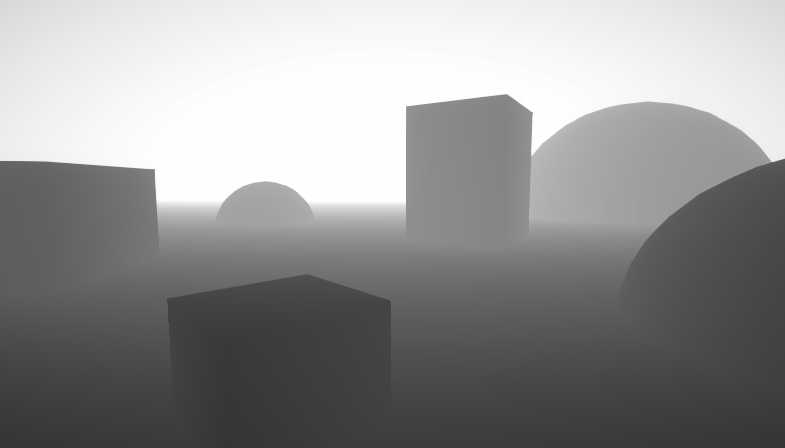
A big post explaining everything about Depth : Depth Buffer, Depth Texture / Scene Depth node, SV_Depth, Reconstructing World Position from Depth, etc.
kind juniper
pallid prism
Yeah, that's what I thought. It's a shame, would be awesome to be able to connec...
If you really need the collider to update, you'd need to update the mesh on the CPU side and apply it to the collider again. You could modify the vertices in a compute shader to keep it performant.
pallid prism
Yeah, I know. Thanks anyways.
 mental bone
Does someone have a example of https://docs.unity3d.com/ScriptReference/Graphics.DrawProceduralIndirect.html but the second version that is with a index buffer. I think this is what I need for a thing Im doing but I cant get it to work.
tacit stream
hmm. Even though indices are different, all I'm getting - red color
            int _Index;

            fixed4 frag(v2f i) : SV_Target
            {
                fixed r = (fixed)(_Index & 0xFF);
                fixed g = (fixed)((_Index >> 8) & 0xFF);
                fixed b = (fixed)((_Index >> 16) & 0xFF);
                fixed a = (fixed)(255 - (_Index >> 24));

                return fixed4(r, g, b, a);
            }
pure 1,0,0,1
any idea how to fix it?
so per unique integer I get unique color
 verbal slate
Hey guys... Im working on a cel shader, and such problem occurs when shadercaster is applied...

I thought it is shadow acne, but changing normal and depth bias doesn't make any difference on this while they DOES reduce the acne on other objects
kind juniper
tacit stream
hmm. Even though indices are different, all I'm getting - red color
```
...
What numbers are you using for the index?
And how are you inputting is?
tacit stream
kind juniper
What numbers are you using for the index?
from 1 to int.MaxValue
    Properties
    {
        _Color ("Color", Color) = (1,1,1,1)
        _Index ("Index", int) = 0
    }
This is my code, and this problem has troubled me for a month... really need some help...
kind juniper
tacit stream
```
Properties
{
_Color ("Color", Color) = (1,1,1,1)
_In...
Try testing the value with some other method to make sure that it's connected to the shaderlab property.
tacit stream
hmm
looks like I should have just divided it by 255
seems to work now
just came up with it 😅
kind juniper
verbal slate
This is my code, and this problem has troubled me for a month... really need som...
Check #854851968446365696 on how to share code properly.
verbal slate
oh oops sry...
http://pastie.org/p/772QGvWx0s7SMiEu3jbcHR Hope this works?
Sry no used to this...
 spare badger
hello ,i got "unidentified error at line" error in customfunction how can solve it;
 tacit mural
Hey, I wrote a shader for a skybox in URP but I've noticed that it's not outputting any color for environment lighting (everything is very dark when environment lighting source is set to skybox). I'd previously kinda just assumed it was an automatic thing but is there a way I can set it as an output in the shader?
craggy jay
does anyone know how to define an array of floats in a shader?
not as a property, just like the syntax of making one
all i've found is float arrayName[16]; when what I want to do is this (using c# for example) float[] arrayName = new float[16] { 1, 2, 3, 4..... };
regal stag
craggy jay
not as a property, just like the syntax of making one
Should be float arrayName[16] = {1, 2, 3, 4, ...};
But note if that's outside of a function, you may need to mark it as static too, as the default is extern - which means it'll likely just be 0 unless set by C#
craggy jay
ah okay thanks! I'm just setting up a const bayer matrix for some dithering pass, not anything special
regal stag
tacit mural
Hey, I wrote a shader for a skybox in URP but I've noticed that it's not outputt...
You may need to hit the "Bake" button in the Lighting tab
tacit mural
I have baked the real time GI
tight phoenix
I have two randomness functions that rely on Voronoi.
The top one produces the ammount of random vectors that I need, but it doesn't work on Voronoi with smooth edged cells
The bottom one is the opposite - works on smooth celled voronoi, but doesn't produce random enough values

I don't really understand the math behind either's function at all, how can I fix the bottom one to be like the top one?
inline float Randomize(float seed) // we expect seed is between 0 and 1 <precision purposes only>
{
    float r1 = seed * 985.34342;
    float r2 = seed * 645.56432;
    float r3 = seed * 853.67543;
    float r4 = seed * 234.76543;

    float q1 = frac(r1 * frac(r2));
    float q2 = frac(r3 * frac(r4));

    return frac(q1 + q1 + frac(r1) * frac(r3));
}

inline float3 RandomVec(float seed)
{
    return 2 * float3(Randomize(seed), Randomize(frac(seed + 0.12345)), Randomize(frac(seed - 0.75643))) - 1;
}```
This is the code for the randomness that is random enough but doesnt work for the smooth cellsinline float hash1( float n )
{
return frac(sin(n)*43758.5453);
}
float3 col = 0.5 + 0.5*sin( hash1(dot(n+g,float2(7.0,113.0)))*2.5 + 3.5 + float3(2.0,3.0,0.0));
and this I think??? is the code for the smooth one
theyre completely incompatable but I have to make them compatable
I tried manually welding in the other one but that one destroyed the smooth cell fall off
I think I found part of the problem
when you change angle offset in regular voronoi, it changes the cell value, this one doesnt do that
tropic sluice
Does anyone know if its possible to have stuff like:
ColorMask RGB
as a shader property? So I can just specify a colour mask in the material?
tight phoenix
tight phoenix
```csharp
inline float hash1( float n )
{
return frac(sin(n)*43758.5453);
}
...
        float3 col = 0.5 + 0.5*sin( hash1(dot(n+g,float2(7.0,113.0)))*2.5 + 3.5 + float3(2.0,3.0,0.0));

        float3 col2 = float3(0,0,0);
        col2.x = RandomRange(col.xy);
        col2.y = RandomRange(col.yz);
        col2.z = RandomRange(col.zx);

inline float RandomRange(float2 Seed)
{
    float randomno =  frac(sin(dot(Seed, float2(12.9898, 78.233)))*43758.5453);
    return lerp(-1, 1, randomno);
}
I solved my above problem by brute force, how can I optimzize this to not need this stupid hack?
"working" but inefficient
 regal stag
tropic sluice
Does anyone know if its possible to have stuff like:
```ColorMask RGB```
as a sh...
regal stag
tropic sluice
Does anyone know if its possible to have stuff like:
```ColorMask RGB```
as a sh...
You can use
// (in Properties)
[Enum(UnityEngine.Rendering.ColorWriteMask)] _ColorMask ("ColorMask", Float) = 15 // "RGBA"

// (in SubShader/Pass)
ColorMask [_ColorMask]
thanks
regal stag
Can also do other ShaderLab operations. I've got a list here : https://www.cyanilux.com/faq/#shaderlab-operation-properties
regal stag
via material.SetFloat/SetInt. Can use numbers but it's likely easier to use the UnityEngine.Rendering.ColorWriteMask enum
tropic sluice
Oh nice! Thanks a ton
tight phoenix
tight phoenix
"working" but inefficient
How do I refactor both col and col2 to be a single function without FOUR separate shitty randomization methods being run per loop??
inline float hash1( float n )
{
    return frac(sin(n)*43758.5453);
}

inline float RandomRange(float2 Seed)
{
    float randomno =  frac(sin(dot(Seed, float2(12.9898, 78.233)))*43758.5453);
    return lerp(-1, 1, randomno);
}```I need both of those to be a single function that gets called one time per loop instead of two functions that get called four times total
        float3 col = 0.5 + 0.5*sin( hash1(dot(n+g,float2(7.0,113.0)))*2.5 + 3.5 + float3(2.0,3.0,0.0));
        float3 col2 = float3(0,0,0);
        col2.x = RandomRange(col.xy);
        col2.y = RandomRange(col.yz);
col2.z = RandomRange(col.zx);```the current completely worthless shit 4 calls
tropic sluice
@regal stag So the enum here: https://docs.unity3d.com/ScriptReference/Rendering.ColorWriteMask.html says there are only options for RGBA, and R, G, B, A seperately.... is there some way to combine them as I basically want to only write RGB
regal stag
tropic sluice
<@357936113983291393> So the enum here: https://docs.unity3d.com/ScriptReference...
I think it would be ColorWriteMask.R | ColorWriteMask.G | ColorWriteMask.B
tropic sluice
oh i was using ||, doh 😄
karmic hatch
tight phoenix
```csharp
float3 col = 0.5 + 0.5*sin( hash1(dot(n+g,float2(7.0,113.0)))*...
When you calculate the smooth cell value, maybe instead of calculating a single float, calculate a random vector, and then when you're blending, blend between those vectors (if you are not doing that already)
tight phoenix
karmic hatch
When you calculate the smooth cell value, maybe instead of calculating a single ...
I am definitely not doing that already.
Give me a minute to try to parse that into code
tight phoenix
karmic hatch
When you calculate the smooth cell value, maybe instead of calculating a single ...
This according to the comments is " do the smooth min for colors and distances"
This must be the smoothness float
so instead of h being a float you're saying h should be a float3?
How does that help me not need to do four loops of randomization above?
hm, I was about to say the other method does it all at once, but I just realized the other method is also taking three functions to output its random values
 karmic hatch
tight phoenix
```csharp
float3 col = 0.5 + 0.5*sin( hash1(dot(n+g,float2(7.0,113.0)))*...
karmic hatch
tight phoenix
```csharp
float3 col = 0.5 + 0.5*sin( hash1(dot(n+g,float2(7.0,113.0)))*...
Is col not already a random vector?
karmic hatch
ah
tight phoenix
which is what im trying to overcome/fix
let me reset it to default so you can see its output
tight phoenix
karmic hatch
Is col not already a random vector?
This is the values of col

vs what I get when I run those barely random values through unity's randomize function on top of it

whatever 'col' is doing to get random values it looks like its only really doing random once and then trying to fudge it a bit for the other two channels
karmic hatch
tight phoenix
vs what I get when I run those barely random values through unity's randomize fu...
Could you just not use col at all and instead add some small things on and feed them into the randomize?
tight phoenix
karmic hatch
Could you just not use col at all and instead add some small things on and feed ...
tried to do that and got this

yeah im too stupid to get it
I tried to just replace the col method with the method that the other one uses
but it just doesnt work at all because I don't underfstand it
inline float SmoothRandomize(float seed) // we expect seed is between 0 and 1 <precision purposes only>
{
    float r1 = seed * 985.34342;
    float r2 = seed * 645.56432;
    float r3 = seed * 853.67543;
    float r4 = seed * 234.76543;

    float q1 = frac(r1 * frac(r2));
    float q2 = frac(r3 * frac(r4));

    return frac(q1 + q1 + frac(r1) * frac(r3));
}

inline float3 SmoothRandomVec(float seed)
{
    return 2 * float3(SmoothRandomize(seed), SmoothRandomize(frac(seed + 0.12345)), SmoothRandomize(frac(seed - 0.75643))) - 1;
}
this is what the other node uses to generate 3 random vectors
but when I run it, I only get one
karmic hatch
tight phoenix
this is what the other node uses to generate 3 random vectors
Wdym three random vectors?
tight phoenix
a vector3 who's values are all random
and not a vector3 with two channels of black

doesnt work
all my various failed attempts cannot subsitute out this
        float3 col2 = float3(0,0,0);
        col2.x = RandomRange(col.xy);
        col2.y = RandomRange(col.yz);
col2.z = RandomRange(col.zx);```every time I try to change any part of that, it fails to produce random numbers
karmic hatch
tight phoenix
tried to do that and got this
Here it looks like it's handing the r component of the grid cell to the RNG so you get strips
tight phoenix
because im too fucking stupid to have any idea what im doing
karmic hatch
Idk why the other two are black though
tight phoenix
me either
I dont know anything ive been slamming my face off of this to a bloody pulp for hours and gotten nowhere except shittier than when I started
why does this work but it doesnt work when I copy it into a different method
 karmic hatch
tight phoenix
because im too fucking stupid to have any idea what im doing
karmic hatch
tight phoenix
because im too fucking stupid to have any idea what im doing
I recall an old way to generate random numbers was to run x -> seed*x*(1-x) a few times, if the seed is larger than I think 3.5 or so then it generates a mess of random numbers (but if it's smaller than 3.5 it will converge to some number of fixed points, which is pretty neat)
Probably just multiplying a seed where 0<seed<1 by something large then fracting would give a 'random' number of sorts
tight phoenix
im starting to go into crisis now because you're trying to explain to me the answer and im too fucking stupid to solve it when you literally hand me the answers
you are endlessly kind and knowledgeable and im always too stupid
 karmic hatch
tight phoenix
im starting to go into crisis now because you're trying to explain to me the ans...
karmic hatch
tight phoenix
im starting to go into crisis now because you're trying to explain to me the ans...
Na you're not stupid, idk why it's giving black instead of random numbers (it's possible but unlikely that they just happen to all be >0 by chance)
tight phoenix

my various other failed attempts all commented out
plus like5x more deleted

if I just output col2 instead of col, the voronoi is a perfectly square grid of random colors with no blending
so I can assume that method is what creates the blending and voronoi cells
if I try to output H to see wtf it actually is its jst black though
karmic hatch
tight phoenix
if I just output col2 instead of col, the voronoi is a perfectly square grid of ...
that makes sense
tight phoenix
maybe this hideous as fuck shitty hack I did is fine and I should just move on??????????? because im too fucking stupid to know better how to not need to randomize four times per loop leading to massive ammounts of looping

even though the OTHER method does it without a single loop
AND all at once without needing four methods
PEBCAK is my issue
im the problem, as usual
karmic hatch
tight phoenix
if I try to output H to see wtf it actually is its jst black though
I think h is a parameter for smoothing between the cells, though it goes between -1 and 1 where I'd expect it to go between 0 and 1 (or maybe smoothstep(-1, 1, 0) is 0?)
 tame topaz
@tight phoenix Again, we don't need this monologue, this isn't the first time you've been told. If you need to take a break, take one.
tight phoenix
If you don't want me around you should just kick me from the server
I'm sorry I have awful mental heath but at least im trying desperately to reach out and grow and improve
I'm not going to be your or anyone else's pity victim
pick a side and stick with it, with me or against me there's no grey area
you're either the enemy of people with mental health issues or their ally
tight phoenix
tame topaz
<@78571959029334016> Again, we don't need this monologue, this isn't the first t...
its funny how you say 'we don't' as if you speak for more than just yourself, as if you aren't just imposing your own personal and subjective views as a moderator and trying to pass it off as the collective judgement of hundreds.
You are one person, you don't represent the will of the thousands of people who frequent this server
If you want to personally erase a victim of all kinds of child abuse that I won't get into, say it with your own voice and name, don't hide behind the anonymous 'we'
tame topaz
I represent moderation of this server. As you've been told before, we're not one for mental health discussion, you should seek professional help in that regard.
Keep this channel on topic now and in the future.
tight phoenix
Same to you, if its not about shader code, I don't want to speak with you for anything
tame topaz
Great, keep this channel specifically to shader code and we won't have to. 👍
tight phoenix
tame topaz
Great, keep this channel specifically to shader code and we won't have to. 👍
k
 sage locust
I was overthinking on creating a shader but before I decide to do it the hard way, can Unity grass follow a rigged mesh?
kind juniper
verbal slate
Hey guys... Im working on a cel shader, and such problem occurs when shadercaste...
Just a guess, but it really feels like some of your triangle normals are inverted. Does the issue happen if you use the shader on a different mesh? For example the default unity sphere.
kind juniper
sage locust
I was overthinking on creating a shader but before I decide to do it the hard wa...
No.
verbal slate
kind juniper
Just a guess, but it really feels like some of your triangle normals are inverte...
That makes sense, i will try test that when I return home, thx 4 the suggestion
 sick pulsar
is it possible to use shaders to get this
 kind juniper
What's "this"?
A light emitting rectangle?🤔
kind juniper
Anything that goes outside the mesh would require more than a shader, unless it's a post processing shader.
sick pulsar
so i should just split it up and make multiple materials
kind juniper
That's one option. It looks a lot like already existing post processing effect - bloom. Maybe use that?
 boreal relic
I made a simple shader with gpu instancing and it is working well, the question is, there is a way to use animation clips and animator???
kind juniper
boreal relic
I made a simple shader with gpu instancing and it is working well, the question ...
Not unless you use GPU side animation solution.
verbal slate
kind juniper
Just a guess, but it really feels like some of your triangle normals are inverte...
Unfortunately that is not the problem... such shadow-acne also appears on default meshes...
kind juniper
Aight. Then gotta look into your shader again.
verbal slate
Shader code above
Also, meshes with other materials correctly cast shadow on to meshes w/ this mat
And these meshes correctly cast shadows on other meshes
the problem only happens to themselves
It of course can be influenced by shadow resolution, but not influenced at all by depth/normal bias
 vocal narwhal
What is h representing?
verbal slate
oh it's the avg of light dir and view dir, just a way to calculate specular
im pretty sure it's not the reason cuz I used it elsewhere but none of those shaders have such problem
vocal narwhal
I would output different things as the final color to see what they are, which should help you get to the origin of whatever's causing the pattern
verbal slate
good idea... let me try
oh wait I tried that before
and
it's becuz of the shadow
so if I return float4(shadow, shadow, shadow, 1);
it looks like this

Just a guess... this might because the vertices are not correctly recorded in the shadow map... can somebody teach me how to check shadowmap in urp?
vocal narwhal
Not sure, but here's a random URP toon shader you might be able to pull from https://gist.github.com/FaultyPine/08306e52971d77081ea159128cb3e5b5 Someone else might know more
kind juniper
verbal slate
Shader code above
Are you sure that your shader even compiles? I see parts Hlsl parts CG which is suspicious...🤔
In the shadow pass.
verbal slate
kind juniper
Are you sure that your shader even compiles? I see parts Hlsl parts CG which is ...
Oh u mean the shadowcaster is using CG?
kind juniper
Yes
verbal slate
oh sry that was a temp change... I used to use sth like UsePass "Legacy/VertexLit?ShadowCaster"
kind juniper
Does the issue happen with shadow caster pass commented out?
verbal slate
I copied that cg code from others to test if different shadow caster influence the effect
verbal slate
kind juniper
Does the issue happen with shadow caster pass commented out?
If there is no shadow caster at all there is no such problem, but no matter how I cast shadow, the problem happens
kind juniper
verbal slate
If there is no shadow caster at all there is no such problem, but no matter how ...
Is there an issue if a different object casts shadows on this object?
verbal slate
vocal narwhal
Not sure, but here's a random URP toon shader you might be able to pull from <ht...
And also... the same problem happens to the code u shared...

I just copy & pasted it...
so I think it might be the problem of my pipeline setting or sth?
verbal slate
kind juniper
Is there an issue if a different object casts shadows on this object?
meshes with other materials correctly cast shadow on to meshes w/ this mat, and these meshes correctly cast shadows on other meshes
the problem only happens to themselves
like this

And this

the resolution is a little low so it is jittering...? maybe?
but I think that's normal...
kind juniper
Are you still using CG code in your shader?
Can you select the shader asset and take a screenshot of it's inspector?@verbal slate
vocal narwhal
Both shaders similar output if I show shadow for a sphere but neither seems to be influenced by it ultimately


 verbal slate
kind juniper
Can you select the shader asset and take a screenshot of it's inspector?<@862407...
verbal slate
kind juniper
Can you select the shader asset and take a screenshot of it's inspector?<@862407...
sry was afk just now... yeah, here it is
 kind juniper
Hmm...
verbal slate
vocal narwhal
Both shaders similar output if I show shadow for a sphere but neither seems to b...
yeah I understand that the shadow-jittering is normal, but the problem is that there are shadow even in the lit area
kind juniper
Is the warning relevant perhaps?
verbal slate
kind juniper
Hmm...
I'm actually just at beginner level... so plz dont laugh if there is a silly mistake...
verbal slate
kind juniper
Is the warning relevant perhaps?
don't think so...
just a space transformation warning... Unity wants me to use a buildin func instead of matrix multiplication
kind juniper
verbal slate
I'm actually just at beginner level... so plz dont laugh if there is a silly mis...
Aside from using CG programm in urp, I don't see anything out of order. At least as far as I can understand (never had to deal with shadow casters and stuff).
I don't understand why the shader compiles with it though.
verbal slate
The shader I copy from github (mentioned above) also have the same problem even thought the author didn't mention such problem at all, so probably it's because of my pipeline setting that causes the problem that doesn't happen on other people's device?
verbal slate
kind juniper
Aside from using CG programm in urp, I don't see anything out of order. At least...
sadly the problem was there even before I used the CG program...(I used to use default shadowcaster pass)
kind juniper
verbal slate
The shader I copy from github (mentioned above) also have the same problem even ...
Possibly.
verbal slate
verbal slate
The shader I copy from github (mentioned above) also have the same problem even ...
is there anything besides normal and depth bias could be related to this?
kind juniper
Maybe there're some clues in the frame debugger.
verbal slate
yeah but I don't know what to check in the frame debugger...
verbal slate
verbal slate
yeah but I don't know what to check in the frame debugger...
4 example how to check shadowmap in frame debugger?
kind juniper
verbal slate
4 example how to check shadowmap in frame debugger?
It should be listed in the details of a draw call that uses shadows.
grand jolt
Hey all!
I have a simulation room that is based off the Titanfall boomtown.
However, my current setup is reflecting the ground on the roof.
Is there a way to flip this or add some type of transparent setting to get it to show off the sky?


inspired by this^
kind juniper
grand jolt
Hey all!
I have a simulation room that is based off the Titanfall boomtown.
Ho...
Are you using reflection probes or something?
grand jolt
kind juniper
Are you using reflection probes or something?
Yes!
kind juniper
grand jolt
Yes!
You can set them up to only reflect certain layers. Look it up.
grand jolt
kind juniper
You can set them up to only reflect certain layers. Look it up.
I did look it up, that’s not my question!
My question is to see if I can make it so the roof of my mesh will not reflect the ground, but fit the direction of the siding, and show the sky (basically aligning the roof’s UV to the siding.)
 ashen lance
Hi so I have this weird bug when importing a mesh from Blender to Unity.
I am using Shader Graph and when I set the shader to transparent some face are not drawn according to their location on the z axis. In other words some face that are further are drawn on top of those who are closer.
This is not related to normals orientation I think. I recalculated them outside already
 amber saffron
ashen lance
I am using Shader Graph and when I set the shader to transparent some face are n...
amber saffron
ashen lance
I am using Shader Graph and when I set the shader to transparent some face are n...
Sadly, this is just how transparent rendering works
ashen lance
Even when the alpha is set to 1?
amber saffron
Yes
ashen lance
Is there a way to reach to effect I want?
amber saffron
IDK what you want precisely, but a solution could be to split the meshes and change the render-queue value
ashen lance
This is larger topic than I anticipated
I'll read some materials about
Thanks anyway
vocal narwhal
ashen lance
I'll read some materials about
https://help.vertx.xyz/graphics/materials/rendering-issues/transparent-materials is my write-up/help article about it
regal stag
I've also got this, might help too : https://www.cyanilux.com/faq/#transparent-sorting
 wary quarry
Hey. I am trying to make a a Lit shader with ShaderGraph and use my custom lightning. As far as I understand to make custom lightning I have to "disable" Unity lightning information by setting Base Color to black, Metallic and Smoothness to 0 and then just plug my lightning and additional calculations into Emission slot. So far so good, everything works well. Now if I want to use Metallic Map, how can I replicate metallic calculations via shadergraph/scripting. Could someone give me a good reference where to start?
 mild kayak
Hi Friends, im in HDRP, trying to make a UI Shader. for "Source Image" on the canvas the property name is _MainTex and that works fine in the shader, but i cant get the color from the canvas to work, anyone know what the Property name needs to be?
 knotty juniper
mild kayak
Hi Friends, im in HDRP, trying to make a UI Shader. for "Source Image" on the ca...
knotty juniper
mild kayak
Hi Friends, im in HDRP, trying to make a UI Shader. for "Source Image" on the ca...
it is the Vertex Color Node
the image component does put the color into the generated UI mesh
 white marsh
float3 finalCol = tex.xyz * light * _MainColor + specularLight + fresnel * _ColorRimLight * _ColorRimLight.a);
float4 output = float4(finalCol, 1);
if i calculate the final color in my shader like this. and i want to add my metallic, where/how do i do that?
the ways i tried it looks like the color is wrong or when i set metallic to 0 it becomes black
amber saffron
white marsh
```
float3 finalCol = tex.xyz * light * _MainColor + specularLight + fresnel * _...
What do you mean by "add my metallic" ?
white marsh
I have a variable with the finished metallic calculated but how do i apply it to the final color correctly?
mild kayak
knotty juniper
it is the Vertex Color Node
aahhh i didnt know it was vertex colors! thanks !!
white marsh
white marsh
I have a variable with the finished metallic calculated but how do i apply it to...
as in if i multiply the metallic in to the color it looks correct but if the metallic is 0 it goes black which is not correct
so idk how i should add the metallic on the color to get it to have it look correct
or maybe im missing a step in my calculation
amber saffron
white marsh
I have a variable with the finished metallic calculated but how do i apply it to...
This sentence doesn't really make sense to me.
In PBR rendering, metallic "sort of" controlls the blend between diffuse and specular lighting + fresnel.
white marsh
oh so only doing this
float3 reflectionDir = reflect(-V, i.worldNormal);
float roughness = 1 - _GlossIntensity;
roughness *= 1.7 - 0.7 * roughness;
float4 envSample = UNITY_SAMPLE_TEXCUBE_LOD(unity_SpecCube0, reflectionDir, _MetallicRoughness * metallicMap * UNITY_SPECCUBE_LOD_STEPS);
float3 diffuseIBL = DecodeHDR(envSample, unity_SpecCube0_HDR) * _MetallicIntensity;
would only be part of the reflections i need to blend between then?
mild kayak
knotty juniper
it is the Vertex Color Node
dont suppose you know how to enable the shader to use mask components?
white marsh
so i want to blend between this diffuseIBL + fresnel + specular * albedo (black) and the diffuse?
amber saffron
white marsh
oh so only doing this
```
float3 reflectionDir = reflect(-V, i.worldNormal);
flo...
Boy, haven't looked a BRDF code for a while, but this diffuseIBL indeed looks like some reflections
knotty juniper
mild kayak
dont suppose you know how to enable the shader to use mask components?
officaly that is not supported but you can hack it in
https://forum.unity.com/threads/shader-graph-and-ui-mask.746927/#post-5933201

Unity Forum
Is it currently so that for the UI Shaders to "respect" UI Masks, use of stencil buffers is needed? In other words this is currently not supported in...
white marsh
i think i figured it out

though, the specular shouldnt be in with the reflections right? as something can still have specular and not be metallic if im remembering correctly
mild kayak
knotty juniper
officaly that is not supported but you can hack it in
https://forum.unity.com/th...
thanks for the info, that was my backup plan haha
mild kayak
My UI shader is not appearing when the canvas is set to overlay mode, how fix? 😄
dim yoke
mild kayak
My UI shader is not appearing when the canvas is set to overlay mode, how fix? �...
Did you use the default UI shader as reference? Most likely has to do with render ordering
mild kayak
dim yoke
Did you use the default UI shader as reference? Most likely has to do with rende...
i was yea, ill have another look tomorrow, render ordering is a good shout 🔥
dim yoke
Queue and ZTest [unity_GUIZTestMode] are the ones I meant

 regal stag
plush yarrow
how do i add specular in my shader graph?
regal stag
plush yarrow
how do i add specular in my shader graph?
Can switch to Specular workflow in the Graph Settings (assuming URP Lit Graph)

You could provide a Vector3 property (or Float if you just need Y) to offset (subtract) the position from the Object node for each mesh. So say the hat is 1.5 units above the feet of the player, for it's material you'd set the property to (0, 1.5, 0) while the material for the rest of the player stays at (0,0,0).
Or could pass the worldspace player position in (perhaps to a global Vector3 property) and replace the Object node entirely. Though with that you'd need to update the position every frame while the offset would be set once.
white marsh
im trying to find the unity manual page where they explain every step of making a diffuse shader but i cant find it
 astral yew
Ive written a simple shader to draw a 1px outline of a province map image to a custom render texture. I would like to use a second shader to then stamp an outline texture periodically along the white pixels (for example a dotted line). The problem is im not really sure if what i would like to do here is even possible using shaders, or if there is some unity feature that would do a better job.
See here for more detail: https://forum.unity.com/threads/stamp-texture-along-outline-textur.1347770/

Unity Forum
Hey, I've been trying a few things with shaders to attempt to create map graphics similar to what is seen in Paradox strategy games.
Ive set up a...
 cosmic prairie
Hi! I have a question regarding ComputeScreenPos and soft particles...
So, I want to display objects behind walls with a custom alpha value (like 0.5) to make them less visible. I checked out how soft particles are done, since it's basically the same effect, just the alpha curve changes differently. In soft particles, unity does this: sceneZ - i.projpos.z, where sceneZ is acquired from the depth texture, and projpos is from ComputeScreenPos(). Now, if I try to implement it the exact same way, using projpos.z, this value never changes. it's like projpos.z is constant 1. Using projpos.w on the other hand seems to result in the desired effect. My question is, why is this? Should I be worried that I used something incorrectly, and now my shader code won't be consistent on different devices? Please help
(using built-in rp btw, required for this project)
 prisma fox
Kinda curious, how would you replicate the Visual Effect Graph's Subpixel Anti Aliasing in a standalone shader?
Thinking about it from within the Vertex shader, I'm not sure I understand how you could determine the amount by which you would need to scale each vertex and then apply it as an inverse alpha op?
 rough haven
why are the raw vertex positions are screen space by default

like when you do this
 knotty bough
Hey, I'm sure this is very obvious, but how do you make this little connection node?

NVM
JUST FIGURED IT OUT
 ebon basin
Using the shader graph, what nodes would I use utilize to create an effect such that a ring expands outward using the uvs. Something that kinda imitates a wave effect without distorting the vertex, and maybe an effect that expands outward like a nova.
 meager pelican
prisma fox
Kinda curious, how would you replicate the Visual Effect Graph's Subpixel Anti A...
meager pelican
prisma fox
Kinda curious, how would you replicate the Visual Effect Graph's Subpixel Anti A...
As a general discussion the vertex stage is resolution-independent. It's calculating in "space math" (generally object space and clip space) using just math for the verts. This is why the ddy/ddx values aren't available to a vert program and why you have to use things like tex2dlod if you want to read a texture in a vert program.
You can, of course, pass in your own values to your shader. What I would do if I were you is to generate a basic simple shader using that subpixelAntiAliasing node, and examine the code generated to see what it is doing.
meager pelican
rough haven
why are the raw vertex positions are screen space by default
They're not. They're object space.
prisma fox
Ah, thanks for the tip. Just checked out a generated VFX Graph shader. Surprisingly, it appears that they are modifying in the Vertex stage. A call to a method named SubpixelAA. I've copied the method here in case anyone has the same question later: https://gist.github.com/occasoftware/db75b9e908ba109c574cafa2d76eaf9f
Although this element of the approach reads in a straightforward way, it looks like they reconstruct a VFX Element matrix that they mul with the input vertex positions and then convert to clip space before passing to the frag stage.

Gist
A copy of the Subpixel AA method from the Visual Effect Graph shader. - SubpixelAA.hlsl
meager pelican
Cool, yeah, they're using passed-in values. Calcing in the vert is smart.
Your 2nd paragraph makes sense too. Sure, since vert() always outputs clip space. It's the reconstruction that is "hard". So they're changing the size of the particle and snapping it to some kind of grid by sizing it? And the more it is resized, the lower the alpha due to the ratio of localsize : resize. Pretty cool.
IDK how they set the passed-in values, more research!
I assume the alpha is interpolated...so I'd check the vert2frag interpolation to see what is passed.
prisma fox
Yeah, I was wondering whether they would run a compute shader on the background to modify the object matrix in some way, interesting to see that they do it directly on the vertex stage. It looks like the matrix reconstruction is fairly straightforward as well. In short, just the rotation matrix multiplied with the scale matrix in the float3x3 and then the position assigned to the 4th column. Copied into the gist as well for convenience.
I'm not that familiar with the contents of the projection matrix, so I'm finding it difficult to parse out the reality of what is happening in this line float minSize = clipPosW / (0.5f * min(abs(UNITY_MATRIX_P[0][0]) * _ScreenParams.x, abs(UNITY_MATRIX_P[1][1]) * _ScreenParams.y)); // max size in one pixel, presumably it does as the comment says.
I don't see any obvious re-interpolation of the alpha, although the actual usage is buried since they pass it through quite a few other methods. I assume they pass it to the frag and use it as-is for alpha blend otherwise they multiply with the color for additive.
meager pelican
Sounds like you've got it, you'll dig in. Sorry I don't have that either, off the top of my head. But it makes sense, because the projection matrix takes view space and splats it to 2d space.
Well, yeah, that's how they pass it to the frag, via interpolators. As I said, I'd assume.
 dull bramble
Hey, is there any easy way to get the terrain color (maybe like runtime virtual textures in unreal) in Unity URP?
prisma fox
Yup, thanks for the chat and the tip! Helped a lot to get me on the way.
rough haven
meager pelican
They're not. They're object space.
when you put it in raw it transplants the mesh into your screen
meager pelican
It might, depending on the origin of the mesh, and the values in the verts. Many meshes have values in their verts that are within the range of clip space (which is what the vert() stage outputs). Try making a mesh that has it's orign at 0,0,0 but has all the verts over at, say, 5,5, 1. Like move the orign outside the mesh and see what that does.
Anyway, the point is that the vert() stage takes model/object space and converts it to something called clip-space....which is the end result of applying the model transform, moving it to world space, then transformed into view space and then splatting it into clip space. This is Model-View-Projection transformation (UNITY_MATRIX_MVP matrix all done at once, for example) but there's a macro for it that's more efficient UnityObjectToClipPos(float3 objectPos), that takes an object-space vert and gives you the homogenous clip space version.
This result will be clipped against the view frustum, rasterized in the next stage, and the pixel shader will be called for all pixels that are not clipped.
dim yoke
plush yarrow
how can i make my vertex shader to shade sharp, and not faded?
Vertex shader doesnt shade anything
You mean interpolation?
Or normals?
 timid dune
Hello, I'm a newbie in shader.
I'm trying to combine two different shader
Can somebody help me?
plush yarrow
dim yoke
Vertex shader doesnt shade anything
when i color verticis with polybrush there is interpolation yes
i want it to be cut
when i colorise faces with probuilder it colors only the faces with no interpolation
but these models are not probuilderized, they are skinned meshes so i can paint them only with polybrush
timid dune
timid dune
Hello, I'm a newbie in shader.
Help me plz
amber saffron
timid dune
Help me plz
- Learn how shader code works.
- CurvedUnlit.shader is a vertex/fragment shader : https://docs.unity3d.com/Manual/shader-writing-vertex-fragment.html
- POLYGON_Zombies.shader is a surface shader : https://docs.unity3d.com/Manual/SL-SurfaceShaders.html
4: Copy the deformation code of the CurvedUnlit.shader (l36 & 38) into a vertex deformation in POLYGON_Zombies.shader. See "Vertex Modifier" in those samples : https://docs.unity3d.com/Manual/SL-SurfaceShaderExamples.html
amber saffron
plush yarrow
but these models are not probuilderized, they are skinned meshes so i can paint ...
Having "hard color edges" when vertex painting is totally dependant on the model. It need to double (or more) the vertices where you have a hard color change. If the model was not made with hard edges from the beginning, your can't do it.
Maybe you should edit the model in a dcc tool (blender) to color the vertices on your needs.
plush yarrow
amber saffron
Having "hard color edges" when vertex painting is totally dependant on the model...
i dont think thats true, the same vertecies painted with polybrush are aways with interpolated color, but if i select a bunch of faces and just set a color with probuilder, the colors are sharp, no interpolation
amber saffron
plush yarrow
i dont think thats true, the same vertecies painted with polybrush are aways wit...
Probuilder can alter the mesh
plush yarrow
what do you mean by hard edges?
amber saffron
When talking about lighting, it's when the shading is per face vs smooth.
For vertex colors it's basically the same, when you can color individually per face vs when the color of a vertex "bleeds" toward it's neighbours.
Technically, it's how the data is stored on a mesh : A vertex can only hold one information of each type (position, normal, color ...).
When you can distinguish this information from one face to the one beside it, in reality there is two vertices overlapping.
plush yarrow
i dont think i get it

this is a cube made with probuilder
left face is just applied color
right side, blue, is painted with polybrush
theres no double verticies

this is the shader im using
amber saffron
There is, you just don't see them.
Anyway, I don't think polybrush can actually paint faces individually
plush yarrow
well how can i achive the hard edge effect
probuilder cant color meshes that are not probuilderized
amber saffron
plush yarrow
well how can i achive the hard edge effect
An external tool
plush yarrow
and i cant probuilderize cus they are skinned meshes for animations
can you suggest one?
amber saffron
Oh wait, I'm wrong I think
Polybrush brush mode "Fill" is apparently what you want
plush yarrow
fill just fills the whole mesh?
amber saffron
plush yarrow
fill just fills the whole mesh?
 amber saffron
plush yarrow
fill just fills the whole mesh?
amber saffron
plush yarrow
fill just fills the whole mesh?
Fill, not flood
timid dune
amber saffron
1. Learn how shader code works.
2. CurvedUnlit.shader is a vertex/fragment shade...
Thanks,I'll try that
 sand vine
So I'm new to using the shader graph, and I was wondering how I might go about making this kind of effect. Specifically the pixel esq pattern
https://64.media.tumblr.com/0fcc2d8797cd45df5a9e186d77952eb6/567f5ff3c3591fab-ae/s400x600/22f69c3c9c3f1420dd28a85fd0a106d37717a213.gif

 mild kayak
my UI shader isnt picking up the color of text, anyone know if UI text uses the same _Color parameter name as images? Images store that color as Vertex colors, does text?
my UI shader isnt picking up the color
sand vine
Is there a way with shader graph so that even though the mesh is transparent, you don't see the parts inside of it?
 astral yew
Hi, I've written a simple shader to draw a 1px outline of a province map image to a custom render texture. I would like to use a second shader to then stamp an outline texture periodically along the white pixels (for example a dotted line). The problem is im not really sure if what i would like to do here is even possible using shaders, or if there is some unity feature that would do a better job. Ive attached an example of the outline map if that helps. Thanks
See here for more detail: https://forum.unity.com/threads/stamp-texture-along-outline-textur.1347770/

Unity Forum
Hey, I've been trying a few things with shaders to attempt to create map graphics similar to what is seen in Paradox strategy games.
Ive set up a...
 desert orbit
sand vine
Is there a way with shader graph so that even though the mesh is transparent, yo...
desert orbit
sand vine
Is there a way with shader graph so that even though the mesh is transparent, yo...
 full zephyr
hello! is there a way to get the depth buffer after the (Render Objects) renderer feature? the SceneDepth node seems to just sample the camera depth texture, which doesn't have everything drawn to it in my usecase
i saw one forum post about rendering renderer's depth in the scene to a rendertexture after a render event, but that means rendering everything the second time which i would imagine to be quite slow
(crossposting from another channel, deleted the original message)
or not... i should try the second option first
full zephyr
oh nevermind, the way im setting up my Render Objects completely eliminates the camera's depthnormal pass making all the other postprocess effects that use it useless including ssao, im gonna need a better approach
rough haven

why does this return yellow i dont get it
shouldnt it be colored based on frag position
 brazen locust
Does anyone know why I might be getting the opposite output from a sub graph 🤔


Essentially if I do all this in the parent graph, I get the bottom left colored as I would expect. But if I convert it to a subgraph and then use that node I get the top right. Which I don't want
cosmic prairie
sand vine
Is there a way with shader graph so that even though the mesh is transparent, yo...
make a second material, give it a shader that is totally transparent, but make it write to depth
give it a smaller render queue than your current material
might work already, if not, fiddle with the ztest options
meager pelican
brazen locust
Essentially if I do all this in the parent graph, I get the bottom left colored ...
Just a guess, but you could be using negative uv values.
Try outputting the uv values you're using, directly, as a color. Not the texture read results, the uv.xy values.
Also if you clamp the uv values, with a saturate node, you'll find you'll get 0,0 results if they're negative.
brazen locust
Ah I think you may be right @meager pelican
 olive hinge
im following a tutorial for some custom lighting in shaders in URP and im getting this error: Shader error in 'Master': unrecognized identifier 'Light' at Assets/hlsl/CustomLighting.hlsl(13) (on d3d11)
custom function copied from an early step in the tutorial: ```float3 CustomLightHandling(CustomLightingData d, Light light)
{
float3 radiance = light.color;

float diffuse = saturate(dot(d.normalWS, light.direction));

float3 color = d.albedo * radiance * diffuse;

return color;
}```
olive hinge
do i need to include Lighting.hlsl? #include "Packages/com.unity.render-pipelines.universal/ShaderLibrary/Lighting.hlsl"?
kind juniper
olive hinge
do i need to include Lighting.hlsl? ```#include "Packages/com.unity.render-pipe...
Most likely. Unless you define Light struct somewhere.
 white cypress
So I want to make a snow effect on the ground using a shader on the built in pipeline, something like this picture. I was thinking of using minionsart's snow shader as a base but I'm unsure how to get the snow into little chunks on a flat plane. Do I just use a heightmap? How do I generate something like that?

the shader in question https://www.patreon.com/posts/15944770
karmic hatch
white cypress
So I want to make a snow effect on the ground using a shader on the built in pip...
You could use parallax occlusion mapping
white cypress
karmic hatch
You could use parallax occlusion mapping
oh neat I can just use a noise texture with that, thanks
 swift loom
i have a shader where i raycast through a 3D texture and grab colors on the way, but currently i am running into some issues because I'm saving them in an array, and accessing it causes the frame rate to halve.
is there some other way i could store and later iterate through the colors in the same draw call?
my current idea is to make a function that is basically a limited array, and just take an integer, and depending on the integer access a certain fixed4 variable from a list of fixed4's that i have pre-assigned, but I wanted to see if there's a better way.
amber saffron
swift loom
i have a shader where i raycast through a 3D texture and grab colors on the way,...
I've re-read your message and still don't understand what you are doing :/
Raycast (or raymarch ?) a 3D texture, grab colors ok, I get it.
Store those colors in an array ... ok why not.
Accessing those colors ... for what ?
What are you doing or trying to achieve here ?