#archived-shaders
1 messages · Page 1 of 1 (latest)
 karmic hatch
so you could generate a grid of spheres by performing the same check that you'd perform for one sphere, but by shifting the coordinates so that you're always looking within a small square around the origin
 neat hamlet
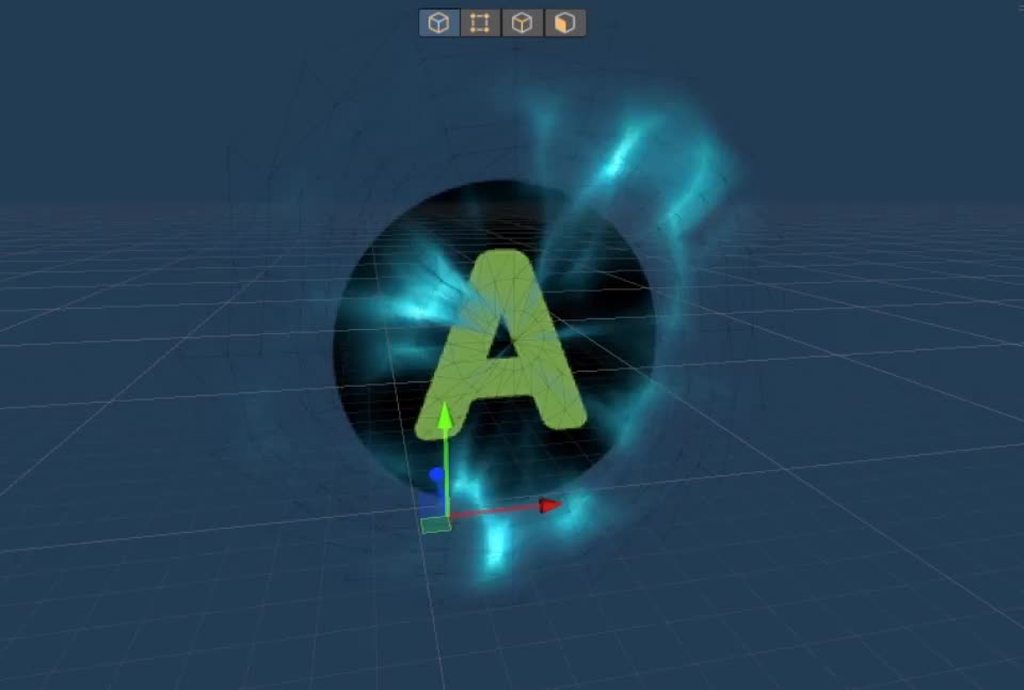
You have to use CanvasRenderer.SetMesh to turn your mesh into a UI thing, then it just works with sorting like any UI element
https://i.imgur.com/qt50AF1.mp4
 grand jolt
neat hamlet
You have to use CanvasRenderer.SetMesh to turn your mesh into a UI thing, then i...
grand jolt
neat hamlet
You have to use CanvasRenderer.SetMesh to turn your mesh into a UI thing, then i...
Woah WHAT
Okay that's huge, how did you do that?
I managed to do this yesterday but I had to abuse the particle system
neat hamlet
wait its not showing up in game, only editor 
grand jolt
neat hamlet
wait its not showing up in game, only editor <:minion19Thinking:7250697675467654...
Is your mesh on the right layer?
 vocal narwhal
https://github.com/mob-sakai/ParticleEffectForUGUI is also a good package for particle effects in UGUI
neat hamlet
grand jolt
Is your mesh on the right layer?
It might be the shader , I just slapped my normal VFX shader on it, not a UI shader
the mesh itself is working at least
grand jolt
The shader is the issue tbh
neat hamlet
I'm converting it, hang on
grand jolt
I also find that it has trouble sorting against RawImages
My bf is a raw image because it's using a render texture
This will massively improve my workflow if this works
neat hamlet
its working now
neat hamlet
I will DM, I want to write a tutorial on this now haha
 fallen crest
here in this code the UV is passed to fragment function before displacement, and then x,y,z displacement takes place distorting the UV. Now any texture inside frag function using this UVs will be distorted depending on the displacement. How do I achieve this in shader-graph? If I use world UVs the texture stay the same after the displacement, like a projection from top, I want the distortions.
 neat hamlet
I think you can do that with a custom interpolator
Add Block node > Custom Interpolator

Yep, should work
fallen crest
interesting so how does that work? I am learning about this first time.
neat hamlet
right click on the vertex block to get that option
then you can just connect the world UV to that new connection
and use it like any other node

 fallen crest
oh wow. That is super cool. Thank you! trying now
neat hamlet
made just for moving data from vertex to fragment
yeah I dont think theres much info about this very useful feature out there
found it by chance by right-clicking the vertex block :/
fallen crest
@neat hamlet you saved my life!!! it fixed my problem!!
neat hamlet
glad it works!
fallen crest
thank you very much... I was trying to port an ocean shader from Built-in RP to HDRP using shader graphs and I couldn't solve this issue.
neat hamlet
no problem 😄
 vague pike
Hmm so I'm looking to create an effect where I have an invisible cylinder or so that expands outwards from a position and all walls inside the cylinder just stop showing up..
My idea was "oh okay, I'll just take the vertex position, see if thats in the cylinder and if so, will add like 300 to the Y axis to hide it"
Issue with that is that my walls are pretty simplistic (just cubes) at the moment, so they only have vertices at the ends, so I don't think that works, plus I'd want it to not be limited to vertex density.
But I can't really think of what else to do.. I guess I could hide it with alpha if I make the shader transparent instead of opaque, but that seems to have so many downsides.. so not sure
 regal stag
vague pike
Hmm so I'm looking to create an effect where I have an invisible cylinder or so ...
regal stag
vague pike
Hmm so I'm looking to create an effect where I have an invisible cylinder or so ...
You could keep the shader opaque but use alpha clipping. Discards pixels if their alpha is below a threshold.
Can also use dithering with that if you need to fake some transparency
vague pike
Hmm that works pretty well actually @ alpha clipping, just gotta see how I'll make the clipped off parts black instead of seehtrough
 mental bone
regal stag
Can also use dithering with that if you need to fake some transparency
mental bone
regal stag
Can also use dithering with that if you need to fake some transparency
If its good enough for Elden ring its good enough for anyone haha
regal stag
vague pike
Hmm that works pretty well actually @ alpha clipping, just gotta see how I'll ma...
Could render both front and back faces. Make back faces black (using Is Front Face -> Branch if in Shader Graph. Otherwise look into VFACE / SV_IsFrontFace)
Not sure if that would look weird if it's still lit though. Could likely edit normals too, to point into cylinder center. (Or all in the same direction to at least make it a solid colour)
Or use multipass / two separate materials
vague pike
hmm yeah does look a bit odd with just changing backface colours. Will have to try around~ Thanks
 young stag
Hello is there anyone who can help me a little with making slime/jelly shader in unity urp ?
 grizzled bolt
young stag
Hello is there anyone who can help me a little with making slime/jelly shader in...
grizzled bolt
young stag
Hello is there anyone who can help me a little with making slime/jelly shader in...
You could start by describing the specific kind of effect you want
That would be a start to finding suitable guides or resources
young stag
My goal is to make shader that make material little transparent and kinda like jelly. I tried with glass one and different normals but its still doesnt look like jelly. There is few tutorial on youtube but they dont work on Urp unity. And im not sure what to do ( trying shader or shadergraph) also someone mention subsurface scattering but well there isn't a lot of information about it. I'm graphic designer and kinda newbie to unity, so I dont understand creating shaders yet. Thanks for any advice or help
grizzled bolt
young stag
My goal is to make shader that make material little transparent and kinda like j...
There isn't a lot more to it than that
There's tutorials for glasslike refraction and subsurface scattering
Personally I'd use custom reflections with authored cubemaps or matcaps for an exaggerated cartoony effect
But beyond that it's just tuning and artistry to get it looking good
young stag
So there also no solution to turn this shader https://youtu.be/LEfnQX9acgc into one working in urp ?

This video was inspired by one Reddit user. For me, this is the first big montage in the last couple of years ... I have a little lost the skill of shooting and editing, forgive me if the moments are not clear ...
Video diary dedicated to the game:
https://vk.com/golfkeeper
https://twitter.com/golf_keeper
Also sources from the video (shader, ...
grizzled bolt
young stag
So there also no solution to turn this shader https://youtu.be/LEfnQX9acgc into...
Not directly, but there are refraction shaders for URP and it's not too complex to make your own
young stag
@grizzled bolt okay I will try then. Thanks a lot for help
 unique oar
I have a structuredbuffer of a set of objects I need to do computations on per-pixel. A certain computed value will differ per-object depending on a "type" I assign to them. Would it be especially costly to represent this type as an integer and use a switch statement to differentiate between object types, or should I have a separate buffer for each kind of object?
 meager pelican
Yes, unless there's a poo-load of math. But it may not make much practical difference because the GPU uses a technique for latency hiding of texture reads. So if using a texture is a lot easier for you, I'd try it and see if it is "fast enough".
meager pelican
unique oar
I have a structuredbuffer of a set of objects I need to do computations on per-p...
"or should I have a separate buffer for each kind of object?"
What?
Hell, you could have a separate material/shader "for each type of object" if you want to, as far as I can tell from your post.
So really, we need more detail.
How many "types" are there?
How many different calcs are there per type?
How "bad" is it if there's 15 types and you have to do different calcs for each type? Well, the worst case is divergence to such a degree that you execute all 15 possibilities for each pixel per frame. How bad is that? We cannot tell.
unique oar
meager pelican
"or should I have a separate buffer for each kind of object?"
What?
Hell, you co...
When I was saying "objects" I didn't mean for it to be conflated with "GameObjects." As I said, the computations are run per-object, per-pixel. If you're really curious about what I'm doing, I'm writing a raymarcher, and need distance data for each object. The number of calculations per-object varies, but this possible switch statement is likely to be run multiple times per object, which is why I'm concerned about performance.
It's likely there will be roughly 10 different object types, although I can't be sure what all I'll add, and so there may be even more.
That's really why I'm concerned about performance, since, as I understand it, passing computebuffers to a shader can take quite a bit of time
and, I'm still not 100% sure what's okay and what's not when it comes to branching in shaders using Unity's shader compiler. So that's why I'm asking about which approach I should use here.
unique oar
okay new question
why does this cause no errors,
            {
                float3 pos = mul(float4(position, 0.0), r.inverseTransform);
                return length(pos);
}```but this causes a D3D11 error?
{
float3 pos = mul(float4(position, 0.0), r.inverseTransform);
return 1.0 - length(pos);
}``` proper current
anyone know how I can fix shaders? My friend sent me a shader to use but for me it doesn't take in lighting data

it also doesn't change its look based on the fog and how far away you are from it
here it is, top image is far away


keep in mind i'm extremely new to shaders and have no idea how to program them so i have no idea what i can do ¯_(ツ)_/¯
 tacit parcel
judging from your fragment shader above, you dont need to add vertex shader in you surfaceshader. the worldpos position is calculated internally by surface shader
karmic hatch
hey @tight phoenix is this along the lines of what you wanted: https://www.shadertoy.com/view/NdGBzK

 tight phoenix
karmic hatch
hey <@78571959029334016> is this along the lines of what you wanted: https://www...
tight phoenix
karmic hatch
hey <@78571959029334016> is this along the lines of what you wanted: https://www...
Yes very 👀
karmic hatch
wonderful
karmic hatch
tight phoenix
Yes very 👀
the front face is given to you for free by unity so that's good, in my shader I calculate the refracted ray using Snell's law, I reorder the spheres by distance, check if a ray hits any of them and calculate the normal (the method used here isn't 100% accurate but it's good enough), if it does hit a sphere, I just pretend it's lit from the outside (I'm assuming the light won't look too different if it's refracted properly vs not) and then go through some rough specular/diffuse reflection. If it doesn't hit a sphere, it finds the location and normal where it hits the edge of the cube (I calculate the distance to each of the planes, sort them, then get the one corresponding to exiting the cube); if it's too low an angle, it reflects it and repeats to find where it exits (it might be possible for 2 reflections but I only consider one). Then it calculates the exiting refracted ray, and where that lands in the environment
Feel free to ask any questions ofc!
proper current
proper current
anyone know how I can fix shaders? My friend sent me a shader to use but for me ...
anyone know how i can fix this? i've been struggling with it for about 2 days now
meager pelican
unique oar
and, I'm still not 100% sure what's okay and what's not when it comes to branchi...
Think about it in terms of divergence of parallel threads.
So if you have a ray you're marching in each of, say, 64 threads at once (each one would be processing a pixel) and the rays hit different object types, you have divergence.
What you have to consider is that all 64 "cores" are running in lockstep sharing the same instruction/program counter. So when there's divergence, some cores are masked off, others are active if they're inside a condition that applies to them, but in reality each applicable condition is executed time-wise for every one of the 64 cores because they share a program counter.
So you incur the cost of all applicable conditions being executed, even if some results are ignored due to a core being masked off. If ALL cores don't apply to the condition (they would all be masked off) AFAIK modern GPUs will skip over that condition by simply incrementing the program counter past it, or perhaps executing a series of fast no-ops to advance the PC rather than more expensive instructions.
meager pelican
proper current
anyone know how i can fix this? i've been struggling with it for about 2 days no...
There's no way for us to tell. Perhaps you should share your shader. Pastebin or some such is your best bet for posting it, IMO. Unless it is a graph. Also it would help to know what pipleline you're using.
proper current
i'm currently using standard
And yea i can share it through pastebin if you want me to
here ya go https://pastebin.com/rRyKbnNz
Pastebin
Pastebin.com is the number one paste tool since 2002. Pastebin is a website where you can store text online for a set period of time.
unique oar
meager pelican
Think about it in terms of divergence of parallel threads.
So if you have a ray ...
gotcha, so it sounds like I should just use buffers. ty
unique oar
unique oar
why does this cause no errors,
anyways, does anyone know a solution for this? i'm genuinely dumbfounded
for context, RenderObject is a struct I made, and its inverseTransform is a float4x4
meager pelican
proper current
here ya go https://pastebin.com/rRyKbnNz
Holy crap, no idea. And not going to even try to decipher that. Sorry. Maybe someone else will take a shot.
But you do have to make sure you've initialized everything properly, including shader globals. Some of that looks like it might be a shader reverse engineering, with all those "temp" variable names.
proper current
no worries, and yea its just really bothersome since i need the shader to have lighting but it just wont work
And i think i've initialized everything but i could be wrong 🤔 i don't know anything about shaders
meager pelican
unique oar
anyways, does anyone know a solution for this? i'm genuinely dumbfounded
What's the error?
unique oar
meager pelican
What's the error?
"Failed to present D3D11 swapchain due to device reset/removed. This error can happen if you draw or dispatch very expensive workloads to the GPU..." etc
 meager pelican
lol
What is it with these supposed compiler bugs lately?
IDK, maybe try making an interim variable. If I read it right, your only diff is the expression in the return statement.
So make
return result;```
Otherwise maybe you're getting some kind of NAN or NULL.Or returning the new result (which is different) is causing an infinite loop later.
unique oar
Yep, tried making an interim variable. Didn't work.
I'm gonna try to see if I'm getting nan
But regardless it should cause a different exception, and it should do so regardless of if I try to perform arithmetic on its length or not, right??
meager pelican
The error only indicates a timeout. It isn't telling WHERE it times out.
You've caused that function to return a different result, and that could have an effect later on in program execution. Like some loop that you're checking for >= 0 but you've returned a negative value now if len is > 1.0 since you're doing 1.0 - len.
unique oar
oh my god 🤦♀️ you're right
i had an if statement which would break a while loop, but i accidentally typed it just after the while loop's brackets
meager pelican
lol.
BTW, I occasionally do a magic show at midnight, it includes a psychic trick. 😉 (not really)
unique oar
what?
meager pelican
I meant I "made a good guess". 🙂
unique oar
ohh hahahaha
 icy hornet
idk if this is a shader problem but yeah this looked diferent

now it looks way too red ?
it was metallic before
meager pelican
unique oar
That's really why I'm concerned about performance, since, as I understand it, pa...
Another thing to do is index the object type into a material buffer. So you don't do if's or switch/case at all. But somehow you have to know the object's material index. IDK if this applies to your use-case at all.
But if you have 10 different materials/settings, you "just" have a buffer with various values you use in your calcs, one entry for each "type". Then it is indexing.
That is still divergent in terms of memory access, but what can you do?
IDK if you're actually ray-tracing an image or doing something else with your ray marcher, but have you seen this?
http://three-eyed-games.com/2018/05/03/gpu-ray-tracing-in-unity-part-1/
unique oar
meager pelican
Another thing to do is index the object type into a material buffer. So you don...
Unfortunately, the big issue isn't materials, although I never thought of approaching the materials in that manner, so thanks!
With ray marching, your objects are all primitive shapes (cube, sphere, torus, cone, etc.) and have unique signed distance fields. I need to differentiate between different objects so I can calculate the right distance for each object. Without separating each type of object into its own buffer, it seems like I'll either have to use branching or will just end up calculating the SDF of all object types for each object, and varying between them via the object's "type index" so as to avoid branching.
 rich roost
Word to the wise: Download HLSL tools for visual studio yall. If you have questions on how, it's really easy. And very helpful for anyone who does shaders in code
 minor remnant
Hey, I can't figure out how to use the Parallax Occlusion Mapping node. What is the Heightmap Sampler? (Shader Graph)
meager pelican
unique oar
Unfortunately, the big issue isn't materials, although I never thought of approa...
Yeah, the SDF primitives will diverge across threads of each pixel's rays.
How are you searching these buffers? For-loop?
 rare wren
I feel like this should be fairly easy, but I cannot seem to get it to work.
I have a refraction shader and I want to remove the effect on the edge of the object it is on. This way you should not be able to see the edges of the object refracting
How can I best approach this? Already tried with distance, but could not get it working properly
Here is my setup. I am guessing I should get the noise generation output and make that fade in a way before adding it together with the refraction index?

If possible I want the shader to be able to be on any 3d object without issue, but this might be hard. Reducing it to planes only would also work, but less preferable of course
meager pelican
rare wren
I feel like this should be fairly easy, but I cannot seem to get it to work.
I h...
" and I want to remove the effect on the edge of the object it is on."
Clarify? What is an "edge" to you? The physical object's edges regardless of visual orientation, or is it the visual edge as if we're talking about an outline in view space?
From your graph I'm guessing it's an outline type of thing.
rare wren
meager pelican
" and I want to remove the effect on the edge of the object it is on."
Clarify?...
Right no you can clearly see the edge of objects, because the refraction changes (extreme form in screenshot). I want to reduce the refraction amount at the outline of the object
 meager pelican
Just a wild guess, but you might be able to use a fresnel effect to scale the refraction amount, or maybe just the absolute value of the dot product of the view angle relative to the surface normal.
rare wren
meager pelican
Just a wild guess, but you might be able to use a fresnel effect to scale the re...
Does fresnel also apply to planes?
meager pelican
Well, yeah, but it's the same across it I think, since the view direction and the surface normal are always the same at every point.
You said you tried distance.... so I'd assume that was a distance to object-center. But you'd have to calc that distance in view-space for it to do what you're asking.
And then you'd still have varying amounts of distance for irregular shapes.
rare wren
meager pelican
You said you tried distance.... so I'd assume that was a distance to object-cent...
Thanks!
I will play with it a bit more.
How could I best combine the value of the fresnel or whatever I end up using with the noise output btw? I did not get this to work properly before as well
meager pelican
I was thinking it would scale it (multiply). So a value near-zero would have no refraction, and near-one (or higher) would give you your max.
fallen crest
I want to achieve this type of translucency in water. It is a custom shader code made on URP. How do I get similar results on HDRP? The default SSS material not working as it is just a one sided plane.

If I use diffuse color I am getting this shadows.

I can get kinda similar results with emission color but it will change depending on exposure and will glow at night.

Best option would be to use the color as unlit material and then only add the reflection on top as addition or screen blend mode, is there any option like that? I want to achieve it in shader graph as HLSL coding for HDRP is a bit complicated for me.
rare wren
meager pelican
Just a wild guess, but you might be able to use a fresnel effect to scale the re...
Yep, fresnel works perfect on spheres and capsules!
I'll look at another shader for the plane to get that to work properly
karmic hatch
fallen crest
If I use diffuse color I am getting this shadows.
Do the specular and diffuse separately and for the diffuse part, lerp between the actual normal and a vector pointing straight up
fallen crest
@karmic hatch yes but how do I do that separately?
karmic hatch
fallen crest
<@459086470175784971> yes but how do I do that separately?
Make the material unlit, then the specular brightness is some function of dot(reflect(view direction, normal), sun direction)*saturate(dot(sun direction, normal)) and diffuse brightness is saturate(dot(sun direction, normal))
and plug in the actual surface normal for the specular part, and lerp(surface normal, up, 0.8) or something for the diffuse normal
fallen crest
and for the sky reflection and other reflections? Also I cant use normal maps in unlit.
fallen crest
karmic hatch
and plug in the actual surface normal for the specular part, and lerp(surface no...
okk got it
karmic hatch
fallen crest
and for the sky reflection and other reflections? Also I cant use normal maps in...
The sky reflection would just go into the specular part; you get out a vector that tells you where the reflected ray goes, so just find out what the brightness is there
karmic hatch
fallen crest
okk got it
Oh I forgot to mention but multiply the specular by some fresnel so it's stronger at lower angles
unique oar
meager pelican
Yeah, the SDF primitives will diverge across threads of each pixel's rays.
How...
Well, that's what I plan to do
have been working on some other details before approaching the SDF types
meager pelican
unique oar
Well, that's what I plan to do
Depending on how many we're talking about, you may wish to research "BVH GPU Acceleration Structures". It depends, if the SDF hit calc for each SDF is simple enough, and there's few enough there's too much overhead for the BVH tree to benefit you much. Because you still have to to a "hit" check on the bounding volume for each node in the tree. But it can often reduce the # of items you have to search to log(n).
And there's overhead for building that tree, but you might be able to do that only once per scene, unless things move.
 gloomy hull
Is it OKay to use code that I don't entirely understand in my projects?
In this case I've found a video that explains how to create water like ripples in a object surface that might be useful for me the future.
Thing is I haven't even seriously started working with rendering methods I barely understand the difference between CPU and GPU rendering, So I fear I could start a project that down the road needs to be altered to fit the project, but lack the knowledge to make it work.
 mental thorn
Say I have a perfectly black and white texture, is there any cheap way extend the white / black portion of it?
 gloomy hull
mental thorn
Say I have a perfectly black and white texture, is there any cheap way extend th...
gloomy hull
mental thorn
Say I have a perfectly black and white texture, is there any cheap way extend th...
Like making the The circle more like and eggs shape?
mental thorn
nah like expanding the circle
regal stag
mental thorn
Say I have a perfectly black and white texture, is there any cheap way extend th...
Could run a jump flood algorithm on it, e.g. https://bgolus.medium.com/the-quest-for-very-wide-outlines-ba82ed442cd9
But the cheapest method by far would be to use a distance field texture instead - or if it's always a circle like this, generate it with math, distance(fragmentPos, center). Can do some other shapes too. https://iquilezles.org/articles/distfunctions2d/
Can then step() at different values.
regal stag
gloomy hull
Is it OKay to use code that I don't entirely understand in my projects?
In this...
Provided that code has an appropriate license for usage, it's okay to use. But if you are worried that it might need to be altered you should try to learn what it's doing.
gloomy hull
regal stag
Provided that code has an appropriate license for usage, it's okay to use. But i...
It's part of a youtube tutorial someone posted.
Others alreayd told me to try to learn what's happening in it
 rose lance
Hey, I'm trying to alter this CustomRenderTextureUpdate shader from ASE to be a a standard shader with alpha? Never written any shadercode before:
 wary breach
rose lance
Hey, I'm trying to alter this CustomRenderTextureUpdate shader from ASE to be a ...
wary breach
rose lance
Hey, I'm trying to alter this CustomRenderTextureUpdate shader from ASE to be a ...
Idk if this is helpful but you can just use shader graphs instead of worrying about any actual coding
neat hamlet
I dont think shader graph has an option for a customrendertexture shader
at least, in BIRP you need to add a .cginc file
wary breach
yeah I'm new to this idk what I'm talking about lol
neat hamlet
oh I read it the other way around :V its from custom render texture to a normal one
I think they meant to post code there anyway so I don't know how to help
 deep moth
Hi all -- I'm digging into some research right now about aperiodic texturing that could be performant on mobile for triplanar texturing. I started to look at wang tiles but I was curious if anyone had found a solid technique for breaking up tiling w/ a single tap.
Here's the GPU gems article for wang tiles. I feel like its up my alley but not clear on how to make the lookup texture for the pattern.
It also seems pretty complicated to author textures. There's an article written by a Path of Exile dev about how they used it: https://web.archive.org/web/20180311011512/https://www.pathofexile.com/forum/view-thread/55091
NVIDIA Developer
Chapter 12. Tile-Based Texture Mapping Li-Yi Wei NVIDIA Corporation Many graphics applications such as games and simulations frequently use large textures for walls, floors, or terrain. There are several issues with large textures. First, they can consume significant storage, in either disk space, system memory, or graphics memory. Second, they ...

Path of Exile
Path of Exile is a free online-only action RPG under development by Grinding Gear Games in New Zealand.
Has anyone been able to find an approach that's worked well for them? This is the most promising lead I've found so far. Seems like a lot of terrain shaders like Microsplat go for the extra samples to blend textures -- ideally I would only sample once for performance reasons.
deep moth
I'm also kinda curious if something simpler like a truchet pattern would work? And if anyone has entertained the idea in the past.
rare wren
@meager pelicanThis is how I did the plane and cubes. Works perfect on planes and good enough on cubes
 karmic hatch
if you multiply by 16 it goes to 1 in the center
meager pelican
deep moth
I'm also kinda curious if something simpler like a truchet pattern would work? A...
There's some history of using Stochastic texturing to break up patterns, but IDK if that fits your use-case. As far as "single tap" that would be rough for most any technique AFAIK, maybe some random algorithm based on world-space could generate proper lookups, but I don't know of any. And triplanar has 3 lookups already, Maybe you can substitute stochastic for triplanar somehow, or merge them somehow so you're only left with the three triplanar lookups you already need. My head hurts just talking about this. But here's an interesting (old, and dead) thread:
https://forum.unity.com/threads/procedural-stochastic-texturing-prototype.628522/
And original blog link:
https://blog.unity.com/technology/procedural-stochastic-texturing-in-unity
IDK if that helps any. Good luck to you.

Unity Forum
This is the feedback thread for our research prototype implementing Procedural Stochastic Texturing. Use this space to ask questions, offer feedback...

 spring night
does anyone know if there's something similar in unity to the unreal engine DistanceToNearestSurface node?
meager pelican
spring night
does anyone know if there's something similar in unity to the unreal engine Dist...
Not that I know of. That's an entire process, not just a node. The material-shaders/engine has to generate a distance field texture for the entire scene (well the opaques) as every object is drawn for maybe from the depth buffer, and that node "just" samples that field around some point passed in.
So if you want to make all your shaders write out a distance field texture somehow (MRT or separate passes and perhaps a custom pipeline), you could then create a custom node in SG to sample that texture. I don't do UE, so the specifics as to how the distance field is represented are unknown to me, but are probably not all that complicated otherwise it would be very expensive to do at all.
You might be able to fake it by using a world-space calc from the depth buffer, and running a full-screen pass to find the nearest point to some world-space point parameter. But wow. And it won't be 100% correct, due to using a depth buffer which doesn't know about pixels "behind" the nearest one.
 grizzled peak
Hello, I am trying to follow a tutorial for creating a Cell Shader however I run into a few issues. Within my lighting.hlsl I get these errors:
Cannot resolve symbol 'TransformWorldToShadowCoord'
Cannot resolve symbol 'Light'
Cannot resolve symbol 'GetMainLight'
``` (There are others of this type however to avoid message bloat I will remove them)
When I press `ShowGeneratedCode` on the custom function node in my Shader Graph I have around 227 errors. These are in the ss provided.
I am using `URP` and `Unity 2021.3.6f1`. Can someone please help me grand jolt
Trying to invert the colors. this shader makes the hdr cubemap interior with wrong colors
i tried changing
o.Albedo = lerp( col.rgb, texCUBE(_InteriorCubemap, pos.xyz).rgb, mask);
to
o.Albedo = DecodeHDR(_MainTex, _InteriorCubemap);
but that just gives me : Shader error in 'Custom/InteriorMappingSurface': 'DecodeHDR': cannot implicitly convert from 'sampler2D' to 'half4' at line 67 (on d3d11)
but that just gives me :
Shader error in 'Custom/InteriorMappingSurface': 'DecodeHDR': cannot implicitly convert from 'sampler2D' to 'half4' at line 67 (on d3d11)
Pastebin if you rather wanna view the shader there:
https://pastebin.com/r0xpcwh8
This is what it looks rn


So how can I change this shader to show the correct colors?
regal stag
grand jolt
`o.Albedo = lerp( col.rgb, texCUBE(_InteriorCubemap, pos.xyz).rgb, mask);`
to
`o...
I imagine you shouldn't replace the line completely. I'm not that familiar with DecodeHDR but looking at the default skybox shader as an example (https://github.com/TwoTailsGames/Unity-Built-in-Shaders/blob/master/DefaultResourcesExtra/Skybox.shader), it looks like you need to add half4 _InteriorCubemap_HDR; (around line 24). Then I'd try o.Albedo = lerp( col.rgb, DecodeHDR(texCUBE(_InteriorCubemap, pos.xyz),_InteriorCubemap_HDR).rgb, mask);
grand jolt
regal stag
I imagine you shouldn't replace the line completely. I'm not that familiar with ...
Wow thanks that fixed it
i tried something similiar except didnt know i had to also have a _InteriorCubemap_HDR
grizzled peak
grizzled peak
Hello, I am trying to follow a tutorial for creating a Cell Shader however I run...
I have discovered that the 277 errors are due to Rider not having adequate *.shader support
Still don't understand why it can't resolve methods such as Cannot resolve symbol 'TransformWorldToShadowCoord' though
regal stag
That's a little weird, as I thought rider was meant to have pretty good support for shader files (from what I've heard others mention). Also https://www.jetbrains.com/help/rider/Features_Unity.html#support-for-shader-files
grizzled peak
regal stag
That's a little weird, as I thought rider was meant to have pretty good support ...
My HLSL has support but the generated code file did not
regal stag
Yeah but .shader should be fine too afaik. Maybe because it's in a Temp folder rather than Assets? 🤷
grizzled peak
yeah the generated code was in the temp folder
I have recreated the the custom shader and it seems to be working. the errors are still present in the .hlsl file though
deep moth
meager pelican
There's some history of using Stochastic texturing to break up patterns, but IDK...
I had that idea about triplanar too! I'm still not totally clear on how it would work. Thanks for following up. It looks like microsplats technique is actually based off this but gets some savings by using branching.
regal stag
neat hamlet
yeah I dont think theres much info about this very useful feature out there
After seeing this a couple days ago, thought I should add a section to my Intro to Shader Graph post mentioning it 😉
https://www.cyanilux.com/tutorials/intro-to-shader-graph/#custom-interpolators
A detailed introduction on how to use Unity Shader Graph (including v10+ changes). Graph setup, Data types, Understanding Previews, Properties, Keywords, Sub Graphs and more!
regal stag
neat hamlet
did you not know about it either?
I was aware it existed but haven't really used it much
neat hamlet
ah right, I used it for my glitchy wireframe effect right after I discovered it 😄 its very useful if you need the inacurracy of a vertex projected texture
fallen crest
I kind of got my ocean shader working in HDRP, thanks to you guys, it helped a lot. One last thing(probably) though: I want to add some realistic foam as well. How do I detect the sharp edges of the geometry? It is completely displaced by XYZ displacement maps and I have the normals as well, they are simulated using FFT. How I do I extract the sharp edges in shader graph from those? is there any node like curvature detect?

this is what I want. sharp edge should generate foam, then I can modify and do other stuff with that.

 flat kelp
Bros, how can I animate a texture in shader graph? i have 5 frames, i need shader to use them one by one for each frame and loop that.
I see there is texture2d array but idk how to fill it with my textures
regal stag
flat kelp
Bros, how can I animate a texture in shader graph? i have 5 frames, i need shade...
Could combine the 5 frames into a single Texture(2d). In Shader Graph you can then use the Flipbook node to select a portion of the uvs, and use the Time node in the Tile input to animate it. That then goes into the UV port of a Sample Texture 2D node. https://docs.unity3d.com/Packages/com.unity.shadergraph@10.10/manual/Flipbook-Node.html
flat kelp
regal stag
Could combine the 5 frames into a single Texture(2d). In Shader Graph you can th...
Ye, found that Flipbook thing, now I will try to use it
regal stag
Can also use texture array if you want (but not all platforms support them). Might depend on the Unity version but in 2021.2+ at least you can turn the texture2d into an array via the import settings.

For older versions may need an editor tool. e.g. https://gist.github.com/Cyanilux/e672f328c4cafb361b490a5943c1c211
karmic hatch
fallen crest
I kind of got my ocean shader working in HDRP, thanks to you guys, it helped a l...
there isn't a specific node for curvature afaik, but there are derivative nodes, so calculate the derivative of the normal, take the length of that vector, and then compare to some threshold
fallen crest
@karmic hatch okk so I already have the derivatives of the displacement for the normal calculation, so I take derivative of that and use the length and compare it to a threshold right?
karmic hatch
yeah that should work
fallen crest
thanks.
 ionic smelt
Yo, you guys maybe know what's up with smoothness and normal maps breaking in the built-in render pipeline when using the shader graph? Setting it from opaque to transparent does that.
 tranquil jackal
is it possible to get values from ShaderVariantCollection? For Example Shaders names and etc. I know you can open it as string, but I wonder is it possible to create script like": for each and etc
 steep quarry
Question on sprite shaders written w/ HLSL. If you slice a sprite sheet up, the UVs seem to reference the entire sheet rather than the sliced sprite within the sheet. Curious if there's a way to get a local UV for just the sprite being rendered, rather than the full sprite sheet UV?
The scenario that brought this to attention is just a simple function in the frag shader which will decrease alpha of any pixels below a certain point in UV. In this case it's just the y axis, and would work great if the sheet was strictly horizontal, but the way it's arranged the sprites are sliced in a 8x4 grid.
Can probably add params to help the shader parse what portion of the UV to use in calculating any math, but that'd mean hardcoding params for each sprite sheet, or being forced to use exact same size sheets for most things to avoid all that. So ya, if there's a way to get UV data for just the sprite ur rendering off a sliced up sprite sheet that is what I'm looking for an answer to. Thanks!
 wide thicket
I have a material that's ignoring/disabling the forward renderer on any object it's applied to, how can I fix this?
https://gyazo.com/8fde894d61ac6f5c917efed30bb5afb6

trying to create a silhouette effect
 kind juniper
steep quarry
Can probably add params to help the shader parse what portion of the UV to use i...
kind juniper
steep quarry
Can probably add params to help the shader parse what portion of the UV to use i...
You don't have to hardcode anything. Just pass an x y indices of the texture slice and the total count of slices on x,y from c# and get the correct uvs from these params in the shader. Pretty sure that's what unity does behind the scenes with sprite shaders.
wide thicket
wide thicket
I have a material that's ignoring/disabling the forward renderer on any object i...
it was a render queue issue
 charred radish
Hi! Im trying to make a visible view cone for npc's in my game and that view cone need to collide with the objects like got cut off when cone face a wall or something. Is there a way i can do with shaders ?
 hollow wolf
hey, is there anyway to detect the position of shader on gameobj, then put the collider in exactly where the part of shade is, like in the image there's white part and i want to spawn an empy gameobj that contain collider exactly where the white shader is
 ionic smelt
Does it change dynamically or does it always look like that? I don't know myself but if it always stays like this, you could of course just place them manually.
If they only rotate in one way you could write a script to move the colliders independantly of the shader.
hollow wolf
it change randomly when obj spawned
probably i will use alphaclip or the value of noise node for the randomizer
karmic hatch
charred radish
Hi! Im trying to make a visible view cone for npc's in my game and that view con...
I would guess the best way to do that would be to have lots of thin triangular segments, raycast down the middle of them, and then scale them to match the length of the raycast; you might be able to do it with shaders if you put a camera at the npc position and used the depth texture from that to make parts of the cone transparent/opaque but that seems like more work
rare wren
Is there a proper way to only render the backface in shader graph in 2020lts?
Or to render transparent particles after my custom shader using the opaque texture in the urp?
 lucid current
is there smth wrong with my gameobject? I have been changing its material but it doesn't change

coreGlowOut.materials[0] = blueGlow2;
I don't think you can edit the .materials directly as it returns a copy.
Do this instead :
Material[] mats = coreGlowOut.materials;
mats[0] = blueGlow2;
coreGlowOut.materials = mats;
(Can also use .sharedMaterials to avoid creating instances if they aren't required)
grizzled peak
Hello, how come my shader becomes pink if I add a second pass to my unlit URP shaderlab file?
 hearty obsidian
I'm trying to add wind effect to my palm trees in shadergraph
I'm taking the distance of the vertex from the origin of the object, normalizing it and using that to interpolate between the initial vertex position and the final vertex position. That works well.
Problem is the equation that factors in the time to determine the final offset. I used sin(time * wind speed). That looked too fake. I've tried sin(sin(time) + time * wind speed), figuring if I factored in another sine wave sampled at a different speed it'd be harder to notice a pattern. It works better but it's still noticeable.
I was wondering what you all use for this?
karmic hatch
hearty obsidian
I'm trying to add wind effect to my palm trees in shadergraph
I'm taking the di...
You could sample gradient noise at the vertex position and offset it by wind speed * time
hearty obsidian
@karmic hatch Ah yeah, fantastic! Needed some sort of uniform offset since it's a palm tree, ended up simply sampling the noise at (time * speed, 0) and using that as my offset, works fantastic. Thank you
steep quarry
kind juniper
You don't have to hardcode anything. Just pass an x y indices of the texture sli...
ah okay. Yeah, that's what sounded like the solution, I think i just did a bad job explaining it. Appreciate the advice.
I think what i meant by "hard coded" is just having to pass that info to the shader thru a C# script. Since the asset in question has multiple sprite sheets all with their own slices, and dif assets will potentially have dif slices still, it's just a bit extra over the course of the project. But I can probably streamline the process w/ all that in mind. Thanks again!
grand jolt
Hi! I'm having trouble figuring out how I'd sample a render texture to have it so my object looks like it isn't blocking out anything. Current look:

Desired look:

I think I cant just make it transparent because I want to do deformations after I figure this effect out
karmic hatch
grand jolt
Hi! I'm having trouble figuring out how I'd sample a render texture to have it s...
Make it unlit, otherwise the lighting will make it look different to the background
grand jolt
That is true
karmic hatch
(Though I've always just used Shader Graph so idk how to do the rest)
regal stag
grand jolt
Hi! I'm having trouble figuring out how I'd sample a render texture to have it s...
Not sure what UVs you are using for sampling currently, but should use the Screen Position to get that desired look (assuming the render texture is captured from the same camera too)
grand jolt
regal stag
Not sure what UVs you are using for sampling currently, but should use the Scree...
How'd I go about fixing these distortions then? Render texture camera and capture camera are the same and I'm not culling the distortion objects in the render texture
 regal stag
grand jolt
How'd I go about fixing these distortions then? Render texture camera and captur...
regal stag
grand jolt
How'd I go about fixing these distortions then? Render texture camera and captur...
There shouldn't be any distortions afaik. Can you share the graph/code?
grand jolt
regal stag
There shouldn't be any distortions afaik. Can you share the graph/code?
Right now it's just texture into screen position
 regal stag
Hm okay, that should be fine. Are the cameras using the same position/rotation and settings (fov)?
grand jolt
Yes, texture camera is child of the main camera
regal stag
Should also definitely have these objects on a separate layer that isn't rendered to the render texture
grand jolt
They are rendered on a different layer
wide thicket
looking to create an eye "sprite" sheet for my 3d model, is it better to keep the textures square (2048x2048) or what are the downsides of having wider textures? (1024 x 4096)

only con i can think of is matching uvs to the texture in blender, since they will be distorted by the image ratio, but i think i can handle that
 gilded ridge
Anybody knows how can I make this texture scroll script work with my custom URP curved world shader?
using System.Collections;
using System.Collections.Generic;
using UnityEngine;
public class wateranimator : MonoBehaviour {
public float speedX = 0.1f;
public float speedY = 0.1f;
private float curX;
private float curY;
// Use this for initialization
void Start () {
curX = GetComponent<Renderer>().material.mainTextureOffset.x;
curY = GetComponent<Renderer>().material.mainTextureOffset.y;
}
// Update is called once per frame
void FixedUpdate () {
curX += Time.deltaTime * speedX;
curY += Time.deltaTime * speedY;
GetComponent<Renderer>().material.SetTextureOffset("Sprite", new Vector2(curX, curY));
}
}``` shadow locust
gilded ridge
Anybody knows how can I make this texture scroll script work with my custom URP ...
shadow locust
gilded ridge
Anybody knows how can I make this texture scroll script work with my custom URP ...
not without knowing how your custom URP curved world shader works
gilded ridge
What can I provide?
gilded ridge
Currently exporting the shader
 manic salmon
Hi, I have a big problem with my game that's stopping me from progressing as I can't even get enough models into a scene without crashing. I made a reddit post about it which got over 1.5k views, yet still got no replies that really helped. Does anyone here have a clue what's going on?
reddit
8 votes and 1 comment so far on Reddit
I guess its a graphics problem but I didn't really know what other channel to put it in so I hope its ok here
grand jolt
manic salmon
Hi, I have a big problem with my game that's stopping me from progressing as I c...
132k tris isn't really that crazy, nor is 300k to be honest. Games often run way more than that in a scene
Start by crossing off your list of possibilities
Create a brand new project, fresh, no content in it
and drag in the exact same model and see if you can replicate the issue
Create another model that has a similar poly count and see if that also causes the same issue
Does the issue only exist when creating the object at runtime?
manic salmon
Ill try this now
grand jolt
Does anyone know how to replicate the "Soft Light" color mode from photoshop?
manic salmon
Ok yeah wow
@grand jolt no fps issue when I just spawn the objects in the editor first
So what is happening when I instantiate them through Start() instead?
grand jolt
Yes so that rules out a lot of things
When you play the game with those spawned objects in the editor does it lag?
Make sure you disable the code that was spawning it before
manic salmon
yeah I disabled it, no lag as long as I created them myself in the editor
grand jolt
Okay
manic salmon
but if they are spawned by the script instead it tanks
grand jolt
Next test
Play the game
and duplicate that pawn while in the game
if that doesn't lag, it's likely to do with how you are creating it
grand jolt
no just play and literally duplicate it in the editor WHILE playing

 grand jolt
Instantiate isn't bad but usually people pool objects if they are created during runtime in large quantities
especially if they are reused
GameObject.Find is kind of a dodgy thing to use because it hard relies on that name never changing
but that's not why you're having issues
I don't really see any issue off the bat but if this is for chess there's definitely a cleaner way of doing this
regal stag
manic salmon
This would likely fit better in a code-related channel now. But it looks like you are cloning the pawn into itself, so each time making more and more pawns, far more than just 21. Remove the unit.transform from the Instaniate, or parent them under a different object/transform.
And yeah, cache the GameObject.Find or even better, use a prefab and drag it into a field exposed to the inspector.
 grand jolt
If that's true then that's 441 Pawns or roughly 2.6million polygons
which is insane lol
manic salmon
Oh damn
Yeah I was worried something like that might have happened somehow
I’ll try to implement the advice you have given, thanks a lot both of you
 midnight birch
Hi. I'm new to the whole shaders concept and I'm trying to use shader graph to create a custom effect. Basically, I'd like to combine a dissolve and a color invert effect. I'm using URP and I'm unable to find the equivalent of what Scene Color is in 3D shaders. I've read online about using the Camera Opaque Texture but it seems I'm unable to do so. Is anyone able to help?
Thanks in advance.
regal stag
midnight birch
Hi. I'm new to the whole shaders concept and I'm trying to use shader graph to c...
The Scene Color node will work as long as the Opaque Texture is enabled and the graph is set to Transparent
 midnight birch
regal stag
The Scene Color node will work as long as the Opaque Texture is enabled and the ...
midnight birch
regal stag
The Scene Color node will work as long as the Opaque Texture is enabled and the ...
Keep in mind this is a sprite graph. How would I go about setting it to transparent?
regal stag
midnight birch
Keep in mind this is a sprite graph. How would I go about setting it to transpar...
Ah... I assume you meant to say 2D rather than 3D then. Sprites should already be transparent by default. However, the opaque texture is not generated for the 2D Renderer.
midnight birch
Sorry, yeah, the 2D equivalent to what 3D Scene Color is
I mean... I suppose I could just apply the effect to a quad?
regal stag
midnight birch
I mean... I suppose I could just apply the effect to a quad?
Assuming your using the Universal Renderer, maybe. But if you're scene is made of sprites they will be transparent and won't appear in that opaque texture / scene color.
midnight birch
Agh, is there any way that comes to mind to achieve that same effect then?
I imagine a render texture would work, but that implies a second camera and lots of performance issues hmm.
regal stag
midnight birch
Agh, is there any way that comes to mind to achieve that same effect then?
You could likely handle something similar with a blit feature (assuming you are using the Universal Renderer, or the 2D Renderer in a version that supports Renderer Features - I think 2021.2+). e.g. https://github.com/Cyanilux/URP_BlitRenderFeature
Blit the camera source to a global texture (via Texture ID), in the After Rendering Transparents event.
Should then be able to use that same Texture ID in the graph (as the property reference. Also untick the Exposed option). Then sample the texture with Sample Texture 2D node.
But note that any objects that use that shader must be drawn after the blit (so they don't appear in it which would cause a weird graphical loop). Would likely need to put them on a specific layer and use the RenderObjects feature to render it. Or maybe with camera stacking + two separate renderer assets. That part I'm unsure on as I don't typically work in 2D.
midnight birch
Thanks a lot for the detailed answer. Agh, I'm unfortunately working on 2019.4.40f1, so I don't think I'll be able to use that either
regal stag
midnight birch
Thanks a lot for the detailed answer. Agh, I'm unfortunately working on 2019.4.4...
May still be able to use the blit by enqueuing the pass manually via the events in RenderPipelineManager. https://gist.github.com/Cyanilux/8fb3353529887e4184159841b8cad208
midnight birch
Is that different from using a Render Texture? Other than I assume using one camera instead of 2
regal stag
Using another camera & render texture would result in rendering the scene twice, while a blit would just copy the current render before you render those additional objects that need the invert color effect.
midnight birch
regal stag
Using another camera & render texture would result in rendering the scene twice,...
Thank you very much for your help! I've been messing with the Render Texture in the meantime and it does indeed work when applying it to a quad, so the blit will no doubt produce the same result. Thanks again 🙏
 frigid yarrow
Anyone know how you could have a shader that just makes shadows darker?

similar to the one in no more heroes
or is this more of a lighting thing?
notice how the shadow on travis is nearly pitch black
im always confused on how shaders work
grizzled bolt
frigid yarrow
Anyone know how you could have a shader that just makes shadows darker?
Shadows themselves tend to be pitch black, technically
Why they appear to have a non-black color is because of ambient lighting
To make shadows darker, dim the scene's ambient light
It's possible to have a shader which lets you adjust the ambient light contribution to control shadow darkness per material, but it's much more complex than the first option
frigid yarrow
i tried changing the light strength but it did nothing to the shadows
 soft harness
https://www.youtube.com/watch?v=uLN69rtiu4Y
hey so i'm looking for something like this, seems like real good effect, any ideas on how to acheive this kind of normal-based offset through code?

These small lights hold a little secret; they don't contain anything at all! Another quick answer, a series on quick techniques too simple for a longer video.
Don't worry, longer videos are still coming.
🐦 https://twitter.com/JasperRLZ
💰 https://patreon.com/JasperRLZ
🤼 https://discord.gg/bkJmKKv
🌎 https://noclip.website
🎵 Mike Morasky - Porta...
karmic hatch
frigid yarrow
i tried changing the light strength but it did nothing to the shadows
turn down the ambient light or decrease the ambient occlusion on your material
not the direct light
regal stag
soft harness
https://www.youtube.com/watch?v=uLN69rtiu4Y
hey so i'm looking for something li...
Need to calculate the View Direction (vector from the vertex position to camera position) and transform it into Tangent space. Then use that to offset the texture sample.
If you're using Built-in RP this should help : https://halisavakis.com/my-take-on-shaders-parallax-effect-part-ii/
soft harness
thanks, i'll check that out
frigid yarrow
soft harness
https://www.youtube.com/watch?v=uLN69rtiu4Y
hey so i'm looking for something li...
interesting video though
 west eagle
soft harness
https://www.youtube.com/watch?v=uLN69rtiu4Y
hey so i'm looking for something li...
west eagle
soft harness
https://www.youtube.com/watch?v=uLN69rtiu4Y
hey so i'm looking for something li...
https://www.ronja-tutorials.com/post/022-stencil-buffers/ check this tutorial
Summary The depth buffer helps us compare depths of objects to ensure they occlude each other properly. But theres also a part of the stencil buffer reserved for “stencil operations”. This part of the depth buffer is commonly referred to as stencil buffer. Stencil buffers are mostly used to only render parts of objects while discarding others.
T...
 coarse sable
Is there any way I can make a shader that will mix the colors of objects when they intersect
Like sprites say I have a black and white sprite intersect where they intersect will be grey
Think ven diagram of shades
I'm guessing I can use a render texture rendering each object I want to use separately then multiplying the values idk
 echo flare
coarse sable
Is there any way I can make a shader that will mix the colors of objects when th...
echo flare
coarse sable
Is there any way I can make a shader that will mix the colors of objects when th...
There's the Blend directive https://docs.unity3d.com/Manual/SL-Blend.html

Or only when the mesh geometry intersects?
coarse sable
I've got a white and black circle
And I want where they intersect to be grey
As if they were mixed like a paint
Maybe multiplied is the right word idk
west eagle
coarse sable
I've got a white and black circle
no anything multiply 0 is 0, use lerp
coarse sable
So I make a material with two colors and a lerp? I don't see how that blends the colors of two different objects when they intersect wouldn't I need uv or position information in the shader or no
If it really is that easy then I must not understand shaders
Which I already knew but
echo flare
When you say "intersect", do you mean in screen space or world space?
echo flare
I still think you want to Blend, but I don't know enough to write the code for you. Here is an example of a shader someone wrote to invert the colors behind an object
coarse sable
Ok thanks I'll look into it
Found a vid that helps

✔️ Tested in 2020.3 ➕ 2021.1
Unity's shader graph blend node has twenty-two modes! Each combines two colors using a different formula. In this video, I look at the math behind each mode and see how it affects a couple of sample images.
👋 Subscribe for weekly game development videos!
► https://www.youtube.com/c/nedmakesgames?sub_confirmation=1
...
midnight birch
regal stag
May still be able to use the blit by enqueuing the pass manually via the events ...
I'm trying to implement your solution, but I'm getting a bit lost.
blitPass.Setup("_CameraColorTexture", "_CameraColorTexture");
but Setup takes a ScriptableRenderer as single parameter and I'm unsure what to do. Could you help me?
coarse sable
I've made a custom shader for my circle sprites but they are almost hexagonal rn
 wet ermine
Hey guys! Does anyone know if there's a way I can access an object's edges like this?
 coarse sable
anyone know how i can remove the blue and have the background be alpha on a render texture


 broken vigil
Still very new to using unity's shaders, but I've been using blender's for a long time, In Blender, you can take a group of nodes in its material editor, and merge them into a sort of nested node with inputs and outputs. Is there a way to do this in unity, or do I simply have to organize my node groups all in one sheet?
I tried looking this up, but wasn't really able to find anything that stood out.
Nevermind, I managed to figure it out on my own. Sorry for the trouble, folks. Turns out, I just needed to make a Sub-Graph, and that would sort it all out nicely.
broken vigil
Is there a performant way to force a palette in unity? I'm worried the method I'm using might be unworkable, right now, how i'm doing it is using Unity's visual shader graph's node system to build it.
How the nodes currently work is that the game compares each pixel on the camera screen, checking the Current Color, the Original Color, and the Color on the Palette, such that it compares the distance between the HSV of the original and palette color, with the previous distance cited in the previous operation, replacing colors that are closer to one on the palette with them, and repeating this for each color on the palette, and for each pixel on the screen.
I haven't noticed any frame drops when running an empty scene with an animate rainbow for testing, but Unity's graph editor is starting to CHUG as I attempt to add more colors to its palette. I don't know enough about unity's shader scripting to know if I can replicate this effect in some sort of code or not, but any advice anyone here can give would be helpful to me.
I can also provide the files for my Palette Crusher and its Component Parts, or screencaps of them if that would help.
regal stag
midnight birch
I'm trying to implement your solution, but I'm getting a bit lost.
blitPass...
Ah right, that's because I've updated the master branch since writing that, Sorry. There's an older version of the blit here : https://github.com/Cyanilux/URP_BlitRenderFeature/blob/2019-(v8)-to-2021.1-(v11)/Blit.cs
Alternatively, may still be able to use the newer one too, if you do this instead
ScriptableRenderer scriptableRenderer = camera.GetUniversalAdditionalCameraData().scriptableRenderer;
blitPass.Setup(scriptableRenderer);
scriptableRenderer.EnqueuePass(blitPass);
(Source/Destination is then controlled via the BlitSettings instead)
May also need to uncomment the [CreateAssetMenu(menuName = "Cyan/Blit")] at the start of the blit script class, so you can actually create that ScriptableObject. Not sure if you can set the BlitSettings field directly using that though so may also need to create a public Blit blit; field, then use blit.settings
broken vigil
Note, I'm not talking about Cel Shading, but explicitly inputting a specified high number color palette, like old school pixel art games, and forcing the game colors to comply with that set palette.
mental bone
Im sorry but why force the game colors. You are making the game just make it with the pallete? Is it a gameplay feature where the palletes can change? If not why waste the computing power on it ?
broken vigil
I need it to make the game comply with a limited palette even when I use effects like lightning and gradients and some other visual effects that need it.
I've used it in blender, and it looks fantastic there.
I basically just need to force every pixel on screen to be crushed down to at least a 43 color palette that I specify
As an example of why I need this specific implenetation, it looks really fantastic in blender, and I've used it to great effect there.
 mental bone
So you are making a custom post processing shader right ?
broken vigil
Yes
I've got it working, but it only has 8 color inputs
and adding more makes unity's graph editor slow down more and more.
So I think I need to either learn how to do shader scripting, and I'm not sure where to find information on that that is relevant to what I'm doing, or I need a more performant way to convert a camera output into a forced-palette
mental bone
Well sadly shadergraph does ot support arrays. What I would do is have my pallate as either a 1x43 pixel texture that a load into a array and use that as the lookup or have a predefined static array of float4s in the shader. Depending on your pipeline there is docs for writing custom post process shaders
broken vigil
I'm using HDRP currently
regal stag
broken vigil
Is there a performant way to force a palette in unity? I'm worried the method I...
Rather than doing distance() checks and converting between colourspaces. I'd probably try to look into building a LUT (lookup texture). It's basically a 3D texture though tends to be laid out in a 2D strip. The idea would be to sample that texture using the colours on the screen (rgb), and it returns the new colour that should be applied. Related : https://halisavakis.com/my-take-on-shaders-color-grading-with-look-up-textures-lut/
Way cheaper but I'm not too sure how you'd manually create a LUT for a very specific colour palette... Maybe you could write a script to handle those distance checks and save that colour in a texture to generate the LUT. Or continue using a shader and Graphics.Blit to a RenderTexture, then copy to cpu Texture2D (e.g. with ReadPixels). Once baked don't need to run that again unless you need to edit the palette.
May also not need to handle a shader / custom pass yourself as I think the Tonemapping built into HDRP Post Processing volumes even has an option to take the LUT for you.
broken vigil
I remember hearing about LUT stuff, but I've had zero luck in the past with actually figuring out how to use that sorcery.
let me look into it. I might have an idea. I have an image editor that can do palette crushing
so if I can get a LUT into that image editor
I could in theory just crush that, right?
regal stag
I guess so
broken vigil
Well, it... SORT of works.

It has a bunch of inbetween shades that I think are a consequence of it generating the 3D texture automatically, and using some kind of interpolation on it?
regal stag
broken vigil
It has a bunch of inbetween shades that I think are a consequence of it generati...
Should be able to change the filter mode in the import settings (to Point rather than Linear)
broken vigil
Yeah, I've got it set to point
I think 3D textures have some kind of other interpolation in them?
regal stag
Hmm shouldn't do. Maybe mipmaps, can disable them too
Otherwise it might be that the tonemapping shader is overriding the filter state being used (or are you using your own custom pass?)
broken vigil
I'm currently using the inbuilt Tonemapping instead of a custom pass
turning mipmaps on and off doesn't seem to affect it at all.
Looking it up online, someone said that to make a LUT 3D texture that didn't have some sort of gradient, I would apparently have to write a C# Script to make it, but the advice I saw didn't actually explain how that might be done.
If anyone has an idea of how that might be done, here's my Bitcrushed LUT Sprite, which was made from the Lospec 500 Palette.
 karmic hatch
wet ermine
Hey guys! Does anyone know if there's a way I can access an object's edges like ...
karmic hatch
wet ermine
Hey guys! Does anyone know if there's a way I can access an object's edges like ...
closest thing would be to use the dot product of smooth-shaded normal and flat-shaded normal but that wouldn't be too effective (especially for shapes with smooth, low curvature)
karmic hatch
coarse sable
anyone know how i can remove the blue and have the background be alpha on a rend...
you can compare and branch so if it's that shade of blue, the comparison says it's identical, so it goes into the branch and gives (0,0,0,0), and otherwise it goes into the branch and doesn't change
coarse sable
what
meager pelican
wet ermine
Hey guys! Does anyone know if there's a way I can access an object's edges like ...
It requires a change to the model (like in the vertex colors) to add a barycentric value to the vert. At least that's the easiest way. Research "GPU Barycentric Unity Shader". The barycentric values will tell you how close to a triangle's edge you are per pixel. Also research "GPU Wireframe Shader".
gilded ridge
Anybody knows how can I make this texture scroll script work with my custom URP curved world shader?
using System.Collections;
using System.Collections.Generic;
using UnityEngine;

public class wateranimator : MonoBehaviour {

    public float speedX = 0.1f;
    public float speedY = 0.1f;
    private float curX;
    private float curY;

    // Use this for initialization
    void Start () {
        curX = GetComponent<Renderer>().material.mainTextureOffset.x;
        curY = GetComponent<Renderer>().material.mainTextureOffset.y;
    }

    // Update is called once per frame
    void FixedUpdate () {
        curX += Time.deltaTime * speedX;
        curY += Time.deltaTime * speedY;
        GetComponent<Renderer>().material.SetTextureOffset("_MainTex", new Vector2(curX, curY));
    }
}
 amber saffron
gilded ridge
Anybody knows how can I make this texture scroll script work with my custom URP ...
amber saffron
gilded ridge
Anybody knows how can I make this texture scroll script work with my custom URP ...
Yo probably just need set the script or the shader to have the same texture reference name for settings the UVs ?
gilded ridge
Yep they do have the same ref name (idk if the shader does in the version I sent but in unity, they both have the name "_MainTex")
But still doesn't work
amber saffron
gilded ridge
Yep they do have the same ref name (idk if the shader does in the version I sent...
Since you're in URP, are you using shadergraph ?
Is the texture property using the option "Use Tiling and Offset" ?
amber saffron
And the reference name in the property settings is "_MainTex" ?
Then it should just work :/
gilded ridge
amber saffron
And the reference name in the property settings is "_MainTex" ?
Then it should ...
Yep it is
I don't even know what I'm doing wrong
 weary dust
do you guys find this familiar? not sure why im getting that texture as a result of this captions:


not sure if im doing something wrong there
 wintry spade
Hey, do you guys have any good tutorial or anything about blurred-ui-frames? Build-In or URP. Was testing with my shaders, but they have issues with backgrounds with a round corners. The blurry ui-frame should cover everything behind and has to work with rounden corners. atm it works like inteded, but the corner is sharp and ignoring the alpha.
 rich roost
@wintry spade here's how I would personally go about doing that. In Photoshop or something create an image of a white square with rounded corners. Outside the corners let the rest be completely black.
Then take in the texture to your shader. Multiply the returned result you currently have in the fragment shader by the sampled image texture.
karmic hatch
coarse sable
what
put the output of everything there into a comparison node (in the other input, put the blue color you want to remove, and set the mode to equals). Then put the comparison node output into the bool slot of a branch node, and branch between I guess the scene color and the textures, and then put that into the base color
 wary horizon
i am trying to turn this on / off via scripting, this is a standard URP lit material, what is the string needed it for?

is it this?

and also what type is it? its not under the Floats section, its under Material (if this is the correct property)
regal stag
wary horizon
i am trying to turn this on / off via scripting, this is a standard URP lit mate...
Should be Material.enableInstancing (bool)
wary horizon
Ah! i see
lets try it out
it doesnt look like it 😦
main reason: having GPU instancing and reflections on makes this very dark

if i manually untick GPU instancing it's great and bright (toggling the environment reflections is working as expected)
 regal stag
wary horizon
if i manually untick `GPU instancing` it's great and bright (toggling the enviro...
regal stag
wary horizon
if i manually untick `GPU instancing` it's great and bright (toggling the enviro...
Why do you need to access it in code then? Can you not untick it manually in the inspector?
wary horizon
im making an editor script to make sprites of the items in the game for an inventory system, so i need bright sprites, and then re-enable these things at the end of the generation
it is doing what its meant to be doing, but i might need to make an async function and await. since static classes cannot use Coroutines, though this is going beyond shaders now so I'll go to scripting channels 🙂
wary horizon
what about this one? i need to toggle Sepecular Highlights on/off (ah, its a float at the bottom)
 gilded ridge
amber saffron
And the reference name in the property settings is "_MainTex" ?
Then it should ...
gilded ridge
amber saffron
And the reference name in the property settings is "_MainTex" ?
Then it should ...
So basically the problem was so simple to solve and I feel stupid as hell for not doing it myself, thank you so much for pointing out some details!
amber saffron
gilded ridge
So basically the problem was so simple to solve and I feel stupid as hell for no...
Oh ? What was it at the end ?
 willow pike
So I've heard branching inside of shaders isn't always the most performant (though unsure if this is true). Wondering is there any functional or performance difference between using a branch vs a lerp with a t value of 0/1?
weary dust
2 portions of this have been taken using
            AsyncGPUReadback.Request(renderTexture, 0, cb =>
                {
                    var newTex = new Texture2D
                    (
                        resWidth,
                       resHeight,
                        TextureFormat.RGB565,
                        false
                    );
                    newTex.LoadRawTextureData (cb.GetData<uint>());
                    newTex.Apply();

                    myScreenshotOperation.Texture = newTex;

                   finished = true;

                });`````
did i do anything wrong in the AsyncGPUReadback? why that texture ?
shadow locust
willow pike
So I've heard branching inside of shaders isn't always the most performant (thou...
Lerp would be generally better and branchless. There's also the step function: https://docs.microsoft.com/en-us/windows/win32/direct3dhlsl/dx-graphics-hlsl-step which you can use to create a multiplier to essentially ignore parts of the calculation.
willow pike
shadow locust
Lerp would be generally better and branchless. There's also the step function: h...
Excellent, thank you 🙏
Not sure if you guys are using VFX Graph and Shader Graph together but I'm trying to access a shader global vector 4 from within VFX graph and can't find a way, is this possible?
 white marsh
ok so im attempting to start writing some shaders with URP since there are some features i want to try out. im following this tutorial to a t, but im getting an error. i tried googling a little on how HLSLINCLUDE should be used since HLSLEND isnt being highlit in my IDE, but im not sure if thats the problem or not https://danielilett.com/2021-04-02-basics-3-shaders-in-urp/

 wraith inlet
white marsh
ok so im attempting to start writing some shaders with URP since there are some ...
wraith inlet
white marsh
ok so im attempting to start writing some shaders with URP since there are some ...
It's supposed to be ENDHLSL, not HLSLEND
tight phoenix
I am trying to make a shadergraph shader that does this kind of effect - specifically that the inside bounds of a box are 'fake transparent' where you can see volumetric texture inside the box. The pictured one there uses a 3d texture.
I'm running into a lot of brick walls and dead ends though, I'm really not good at HLSL, and every example of this effect I can find does the entire effect in one single god object node that basically the entire graph is just inputs to this one node.
I can't find one that works the exact way I need it to work, and I can't change someone else's work to work the exact way I need it to work because I'm not skilled enough at HLSL.
How can I get unstuck?

 karmic hatch
tight phoenix
I am trying to make a shadergraph shader that does this kind of effect - specifi...
karmic hatch
tight phoenix
I am trying to make a shadergraph shader that does this kind of effect - specifi...
Is the red what you have already?
If so, use the red to lerp between scene color and cloud color and that should be it (though if the red is just the total cloud density along that view line, it's probably nicer-looking to multiply by some negative constant and exponentiate, then use one minus that instead of the density directly)
If not, it's going to be much easier to do it in HLSL than shader graph
Sebastian Lague makes a cloud shader in one of his videos
weary dust
im enabling a secondary camera and rendering it, just for 1 frame
and im getting this.... Semaphore.WaitForSignal:

its holding up the frame for 52.2 ms
Shadwer.CreateGPUProgram>Semaphore.WaitForSignal.... sounds familiar to anybody?
tight phoenix
karmic hatch
Is the red what you have already?
The red one isnt mine, sorry that wasnt clear. That is an example of one I found online that has the entire effect in one custom node, but it does all kinds of things I dont want, for example its world space instead of object space, and cant rotate
I was trying to find something lower level begginer intro this effect because these shader examples that are a single node 'fully finished' teach me nothing and im not able to edit them to do the look I want
white marsh
ok so ive been looking into how lighting works in URP and it seems like it is a lot more complicated than it is un BRP. In BRP its pretty simple, include lighting and autolight, then use TRANSFER_SHADOW, SHADOW_ATTENUATION and _WorldSpaceLightPos0.xyz to calculate the light and shadows. I came across Cyan's URP shader examples and tutorial for URP shaders which seem to have a lot more than just a couple of lines to get it working. https://github.com/Cyanilux/URP_ShaderCodeTemplates/blob/main/URP_SimpleLitTemplate.shader https://www.cyanilux.com/tutorials/urp-shader-code/. does it need all of this stuff or is there anything as simple as in BRP?
karmic hatch
tight phoenix
I was trying to find something lower level begginer intro this effect because th...
The way Sebastian Lague does it is by marching a ray from one side of the box to the other, and sampling some noise function at regular intervals as you go through; it's not great for performance but it works
 pale python
I'm trying to create a sabor sword kinda thing, and I followed few advices online and I got to the point where I need to mess around with the intensity of the color but I couldnt find option for the intensity !
for my understanding , the tutorial made a PBR graph shader and I made a Lit Graph shader (*which is supposed to be the PBR Graph shader for newer versions of unity *)
anyway, I couldnt find the intensity option in the Lit version.

the newer version of unity, look like this

there is no option for intensity, what should I do ?
the toturial is using URP and so do I!
white marsh
white marsh
ok so ive been looking into how lighting works in URP and it seems like it is a ...
i think im slowly figuring it out with the section of the tutorial with the summary differences between BRP and URP
karmic hatch
pale python
I'm trying to create a sabor sword kinda thing, and I followed few advices onlin...
Worst comes to worst you can just multiply by some intensity float
tight phoenix
I'd like to combine two textures to remove the stretched UV look but I can't seem to figure out how to get black/white values that I can use as the blend mask


the blend node opacities need to have something plugged into them that will be white only on the face where the texture is not stretched, and black on the other faces, but I can't seem to figure out where to get that value from
I know it must exist since some of the faces are not derp, I just can't find it
I know steps and clamps are probably involved to get the value to be just 1 or 0 but I cant seem to work it out on my own because I'm too inexperienced

how can I make all the values on either end both 1, and all the values in between all 0?

I guess this does it but is there a less stupid way to do it?
karmic hatch
divide the component along the axis the faces you want to be 1 are perpendicular to (let's say it's x), by each of the other components (so you have x/y and x/z). Floor and saturate them, then multiply together
tight phoenix
karmic hatch
divide the component along the axis the faces you want to be 1 are perpendicular...
What is the component in this context? The texture? or the UV coordinates? or something else?
tight phoenix
karmic hatch
the position
I have this, I have no idea which value refers to position from it though
 karmic hatch
i think the direction out from that should be equivalent to position if it's a cube (multiply by scale for a cuboid)
tight phoenix
Yeah its a cube
karmic hatch
tight phoenix
though this seems to work (i would just suggest instead of using the saturate/negate/add back together you could just abs it
tight phoenix
karmic hatch
though this seems to work (i would just suggest instead of using the saturate/ne...
I will try that, I googled 'how to make no value negative' because I knew there was a thing that did that (absolute) but I couldnt find the answer
tight phoenix
karmic hatch
though this seems to work (i would just suggest instead of using the saturate/ne...
Much less stupid compared to my earlier one, thank you
 karmic hatch
:)
broken vigil
https://cdn.discordapp.com/attachments/874376256815239230/1001599853400432650/unknown.png
Well, I wasn't able to ever figure out how to make a 3D LUT that didn't have interpolation between its colors, so I ended up making the brute force method work with Color-Space Comparisons. For any of you who were helping me here on that, here's the results, to satisfy any lingering lack of gratification on the payoff for that help I'm grateful for.
 shadow locust
weary dust
Shadwer.CreateGPUProgram>Semaphore.WaitForSignal.... sounds familiar to anybody?
shadow locust
weary dust
Shadwer.CreateGPUProgram>Semaphore.WaitForSignal.... sounds familiar to anybody?
that's just the CPU waiting for the GPU to finish rendering
 summer trellis
how do i set up a custom function with a texture input?
void Name_float(Texture2D texture, out float ouput)
with something like this in the file and a texture2d input in shadergraph i get this error
'Biome_float': cannot convert from 'const struct UnityTexture2D' to 'Texture2D<float4>'
regal stag
summer trellis
how do i set up a custom function with a texture input?
Use UnityTexture2D instead of Texture2D
summer trellis
i tried that but got an error 😔
cannot resolve
do i need to like have a using type thing or something
regal stag
What is the exact error when using UnityTexture2D?
summer trellis
cannot resolve symbol 'unitytexture2d'
oh although that's only in vs
nothing in the unity console 🤔
regal stag
Yeah, it should work fine in shadergraph still
regal stag
I'm not too sure, I don't tend to actually use any error checking with hlsl files.
You might be able to manually include the file that contains the UnityTexture2D type. Think it should be #include "Packages/com.unity.render-pipelines.core/ShaderLibrary/Texture.hlsl"
But that might just cause more errors if it relies on other parts of the ShaderLibrary too.
tight phoenix
I have a set of nodes that displays textures on the correct faces that I want
and I have a set of nodes that creates the UV coordinates where those textures should go


I can't figure out a away to combine these two finished outputs
 gloomy tartan
anyone know how to translate this vid from unreal engine to unity? dm me please https://www.youtube.com/watch?v=yJUoQFpBOeM&t=29s
In this Unreal Engine tutorial, I will show how to replicate the scanning system from the game Scanner Sombre.
tight phoenix
tight phoenix
I have a set of nodes that displays textures on the correct faces that I want
an...
the problem is the UV depth coordinate graph is based on extruding from the face, the depth is like Z depth, but all six faces that it 'extrudes' from at the same face, it will only allow you to put the same texture on all faces, and I need different textures based on the face

this is what im refering to when I say extruded depth
the problem with those coordinates is if I use them for a texture, all six faces will have the same texture

I managed to get different textures on the six faces
but I don't know how to then apply those correct textures over to that correct UV
 frozen sapphire
hello i had a small question with regards to shadergraph. When using a shader for a sprite2d if the shader has a _MainTex reference then unity automatically passes in texture assigned to that sprite. Im assuming this means we can pass other properties to it like say color? if so would there be a place where all these references are listed? i looked at the documentation but i wasnt able to find it but i might just have not been looking in the right place
 night pilot
Hello Everyone !
I'm looking to get some help on a specific shader i'm trying to reproduce. See that as a "case study"
I'm currently developing some tools for a personal projet and I made some code to "snap" on a grid at the surface of a sphere ( a planet in my context )
Where i'm struggling is to understand how can i reverse that code to show the actual grid on the sphere ( square-ish grid )
The grid type i'm trying to reproduce is something very close to what frostpunk & Dyson sphere program did.
If anyone is interested by the problem please let me know. I'm currently reading about shaders to be able to do it but I still struggle on that. ( I'm an experienced programmer learning technical artist stuff for fun & to get better in my own job )
Here is a very simple example of what i'm trying to do :
If I have a code that define position on the grid like :
float3 positionMouse;
float3 positionSnap = float3(math.round(positionMouse.x,positionMouse.y,positionMouse.z));
How do I figure out the formula/code that give me output for the "frag" function in the shader code to render the grid lines ?
tranquil jackal
Question about shader variant collections:
this show to shader I need, but when I open it I can see
- first: {fileID: 10770, guid: 0000000000000000f000000000000000, type: 0}
so guid does not show direction to shader in question, so I cannot access it in other ways. Anyone knows how to get shader name from fileID only or other way from shader variant collection?

 hot kelp
Does anyone know why vertex position works great for unity primitives but does not work properly for blender primitives? (blender on top unity on bottom)


 sharp palm
How can I sample _CameraDepthNormalsTexture in unlit urp 12.1 shadergraph? I've set up ConfigureInput in my renderpass already, can't find documentation on sampling it.
I would assume I can use a custom node and output a texture2d of _CameraDepthNormalsTexture
But it doesn't work

figured out this much
but now its screaming at me about redefinition of _Time
regal stag
sharp palm
but now its screaming at me about redefinition of _Time
I think it's conflicting because Shader Graph includes it's own ShaderLibrary files (only for preview purposes in the editor). It can't just use URP's one, since it needs to support all pipelines.
So basically need to surround any includes (and code relying on them) in #ifdef SHADERGRAPH_PREVIEW. e.g.
#ifdef SHADERGRAPH_PREVIEW
#include "Packages/com.unity.render-pipelines.universal/ShaderLibrary/DeclareNormalsTexture.hlsl"
#end

void CameraNormals_half(float2 UV, out float3 Out){
#ifndef SHADERGRAPH_PREVIEW
// set values for preview purposes in the graph
Out = float3(0, 0, 1);
#else
// values actually used for final shader
Out = SampleSceneNormal(UV);
#end
}
Color is passed into the vertex colors of the mesh. Can obtain it in ShaderGraph with the Vertex Color node.
regal stag
tight phoenix
the problem is the UV depth coordinate graph is based on extruding from the face...
You should be able to produce a mask per face - I imagine you're already doing that since you managed to texture each face differently. You'd just need to use that UV in those 6 texture samples, no?
Or is each face combined into a single texture? I suppose you'd then offset the UVs themselves 6 times and then combine, masking it in a similar way. Then put the result into the UV port on the texture sample.
weary dust
seems that specific process was waiting for a shader to be loaded, includiing the shader in the preload list solved it
 trail nymph
Hi, I have this texture and I'm trying to make it fit a subdivided plane, what's the best way to do it? I tried using tiling, but ended up having to twiddle with the values to make it even fit. I feel like I'm missing something...


This is what I get with dimensions at (320, 240), the size of my image and plane
The plane has 240 height and 320 width cuts
 restive radish
How to access the color of a sprite renderer inside the shader? Is there a identifier there?
 regal stag
restive radish
How to access the color of a sprite renderer inside the shader? Is there a ident...
regal stag
restive radish
How to access the color of a sprite renderer inside the shader? Is there a ident...
It's passed through the mesh vertex colours (Vertex Color node in SG, or COLOR semantic in vertex shader input struct in shader code)
restive radish
thanks
restive radish
regal stag
It's passed through the mesh vertex colours (`Vertex Color` node in SG, or `COLO...
Worked like a charm!
trail nymph
I'm honestly lost on where to start fixing this


 karmic hatch
put the UV through a tiling node first then you can change how it's tiled
wary horizon
is Colour the name i should use in script? i thought i needed to make a ReferenceName ?

 fast sierra
Is there a way to convert a project from HDRP to URP? Or will i have to make a new project from scratch?
karmic hatch
wary horizon
is `Colour` the name i should use in script? i thought i needed to make a `Refer...
click on it and open the graph inspector, and then you can change the name it actually uses in the code. Colour is just the name it'll show you, not what it actually uses in code.
amber saffron
fast sierra
Is there a way to convert a project from HDRP to URP? Or will i have to make a n...
Nothing automatic, you have to convert it manually
 mellow trail
how do i import an external shader file on runtime?
amber saffron
mellow trail
how do i import an external shader file on runtime?
You don't
mellow trail
amber saffron
You don't
are there any workarounds?
amber saffron
I never tried this myself, but maybe asset bundles/addressables can do it
mellow trail
yeah i was searching on how to use the asset bundles but i didnt really understand it
im trying to make a mod for a game so that is uses a 360 panorama camera, but it uses a shader so yeah
 kindred fable
is there a good way to pixelate the output of a shader?
nevermind i figured it out lol
frozen sapphire
regal stag
Color is passed into the vertex colors of the mesh. Can obtain it in ShaderGraph...
ahh i see thankyou so much! also this is a bit of a side notw but thankyou so much for the blit scripts they are a life saver!!
night pilot
How can I fix that issue with my shader ?
My code look like that :
        float2 RadialCoords(float3 a_coords)
        {
            float3 direction = normalize(a_coords);

            // Get a longitude wrapping eastward from x-, in the range 0-1.
            float longitude = 0.5 - atan2(direction.z, direction.x) / (2.0f * PI);
            // Get a latitude wrapping northward from y-, in the range 0-1.
            float latitude = 0.5 + asin(direction.y) / PI;

            float2 sphereCoords = float2(longitude, latitude);

            return sphereCoords;
        }

        fixed4 frag(v2f fragCoord) : SV_Target
        {
            float2 uv = fragCoord.uv;
            float3 snap = GridSnap(uv);
            float2 equiUV = RadialCoords(fragCoord.normal);

            if ((snap.x - equiUV.x) >= 0.0001 ||
                (snap.y - equiUV.y) >= 0.0001)
            {
                return float4(0.0, 0.0, 0.0, 0.5);
            }
            return float4(1.0, 1.0, 1.0, 1.0);
        }
In the shader 🙂
Thanks for the help !
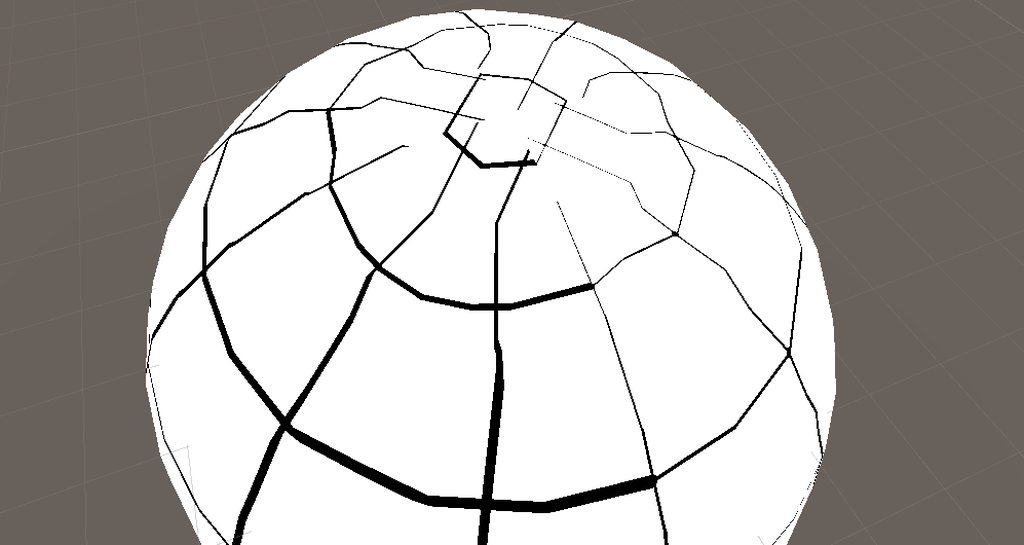
 charred meteor
Hi folks, I'm a bit of a shader newbie here. Got a small and hopefully easy question. Is the shader graph just essentially a nice UI wrapper around writing a shader in code? Is there anything that can be done in the graph but not in code, or vice versa?
night pilot
@charred meteor nope, not as far as I know 🙂 Everything done in the graph is able to be done in the code & vice versa
It just require some custom node & stuff to execute some functions if you do complex stuff
charred meteor
Great, thanks very much! I'll have another question later but I need to dash out now 😛
Actually Ive probably got time to type it out:
So, im wanting to do something very similar to what this person was doing in this thread
https://forum.unity.com/threads/apply-shader-to-tilemap-as-a-whole.963252/
Essentially, apply my shader to the whole tilemap as opposed to individual tiles. The difference being that my shader is written in code rather than using the graph, and I'm unsure as to the exact steps I need to take in order to get it to work correctly. The thread mentions using some kind of conversion on the UVs in order to get it to sample the map as opposed to the sprite, but I'm not sure how I do that conversion in code (It appears to be a node in the graph)
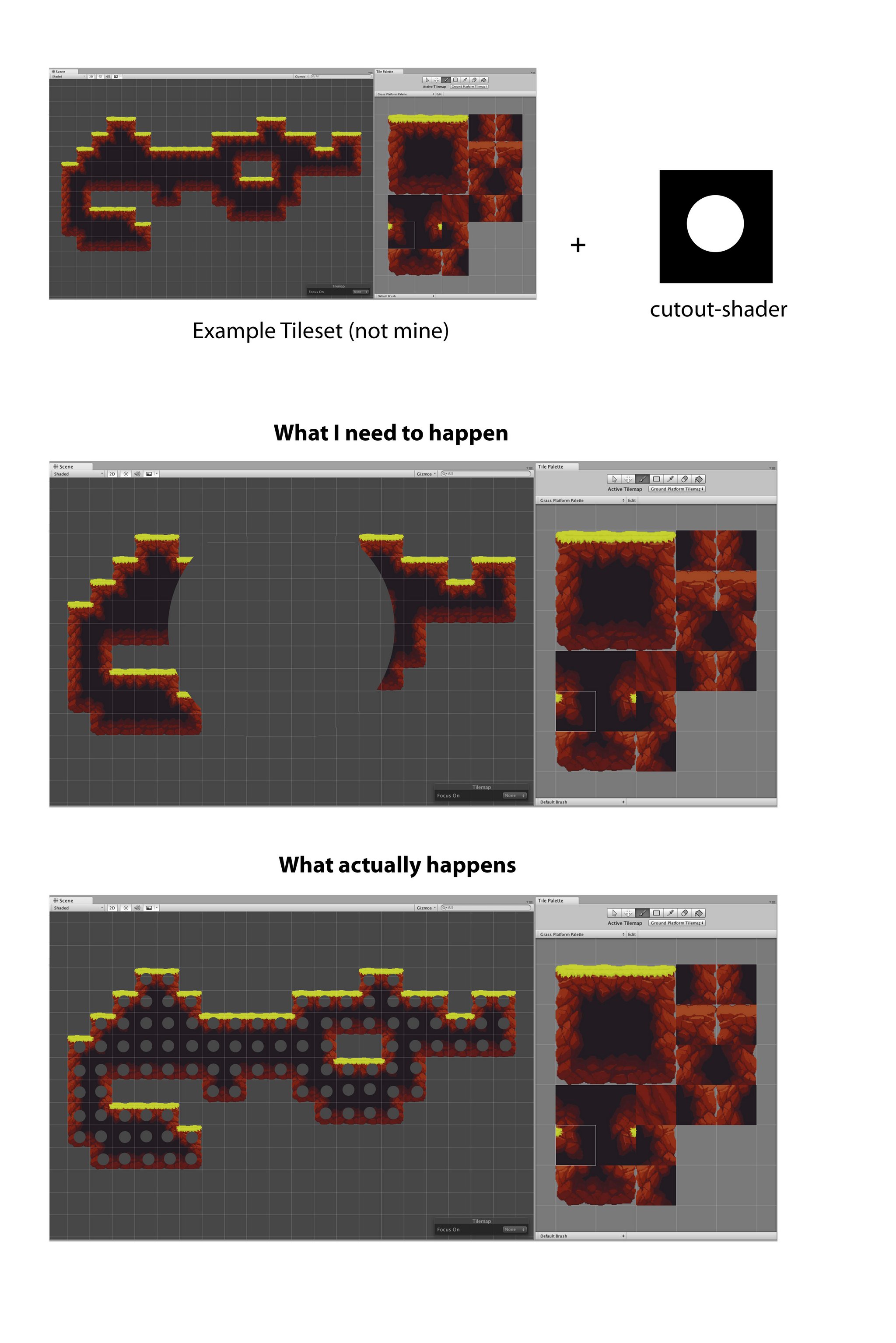
Unity Forum
Hey there,
as I am testing around with the new shader graph I tried to apply some shaders to tilemaps.
The problem is that the shader always gets...
If someone could point me in the right direction that would be very helpful, thanks 😄
amber saffron
charred meteor
Actually Ive probably got time to type it out:
So, im wanting to do something v...
Use the position values as input for sampling the texture instead of the UVs
charred meteor
Oh really, its that simple? So the tile coordinates? (0,0)(0,1) etc?
amber saffron
charred meteor
Oh really, its that simple? So the tile coordinates? (0,0)(0,1) etc?
More the vertex coordinates
charred meteor
Forgive my ignorance, how am I able to calcualte that (And also I apologise as I have to head out now, but thank you!)
amber saffron
night pilot
How can I fix that issue with my shader ?
https://imgur.com/a/grsEQA2
My code...
I think that the reason for your issue is just how the normal value is interpolated between the vertices, and you can't really do anything about that.
amber saffron
charred meteor
Forgive my ignorance, how am I able to calcualte that (And also I apologise as I...
You don't calculate it, you just read it in the shader. This is what's done in this post of the thread you mentioned : https://forum.unity.com/threads/apply-shader-to-tilemap-as-a-whole.963252/#post-7285807
Unity Forum
Hey there,
as I am testing around with the new shader graph I tried to apply some shaders to tilemaps.
The problem is that the shader always gets...
charred meteor
Much appreciated, I’ll try this out later!
night pilot
@amber saffron what would be your approach to do something like a building grid on a sphere like Dyson sphere program do ? ( or frostpunk , but on the sphere )
amber saffron
charred meteor
Much appreciated, I’ll try this out later!
Just don't forget to enable tiling on the texture import settings like he did ^^
amber saffron
night pilot
<@532477925250039820> what would be your approach to do something like a buildin...
Taking dyson sphere program as example, having a way more defined sphere would greatly help 😄
night pilot
I have a very vertex intensive sphere already calculated so that's not an issue on my side 😄
And seeing that I used to mod their game for fun i'm kinda aware on how they segment their sphere
The point i'm stuck at is creating the shader that show the building grid on top of the sphere ^^"
Like that one

The two things I found that could explain how they did it would be that paper :
https://www.sciencedirect.com/science/article/pii/S0925772112000296
And that tool :
https://github.com/penguian/eq_sphere_partitions
When i'm looking at their blog post there is that image : https://i0.hdslb.com/bfs/article/watermark/4e8c484ac9cadb178210b6a61b601fd6eed65b73.png@942w_512h_progressive.webp
That look awfully like a Healpix repartition : https://healpix.sourceforge.io/ ( first set of images ) --> https://healpix.sourceforge.io/images/gorski_f1.jpg
But where each section is put in a specific chunk to optimize the drawing of the sphere.
Once the segments are created I get they store the number of desired divisions for each lattitude so it divide into the desired amount of big square, and then devide again into 5x5 grids
The part I don't get is how to translate that into a shader that show the grid on the sphere. & where to find documentation explaining something similar so I can try & test by myself & learn from it
grand jolt
Hey I need to create a panning effect for a texture with dynamically changing speeds. I'm using Amplify for creating my shaders but the logic will still the same. Normally I use the Time node as an input for my Panner, and if I want to change the speed of it I just use a float as a scalar. However, for what I want this doesn't work - this is because it's multiplying Time (which is the amount of time since the program has run) by a value. So if I want a smooth speed-up transition it will look "jumpy" so to speak.
Does anyone know of a possible solution to this problem?
I was thinking, if it's possible, to instead use DeltaTime multiplied by a float and somehow accumulate that into a variable and use that in the Panner, but are persistent variables even possible in shaders?
amber saffron
night pilot
The part I don't get is how to translate that into a shader that show the grid o...
I must say that I'm quite confused, I did similar maths to what you did (but in shadergraph), and ended with nicer lines :
 amber saffron
grand jolt
I was thinking, if it's possible, to instead use DeltaTime multiplied by a float...
amber saffron
grand jolt
I was thinking, if it's possible, to instead use DeltaTime multiplied by a float...
You can't do this with only shaders, the best is to expose a "time" variable that is set by a script that is doing the time & speed calculation
night pilot
amber saffron
I must say that I'm quite confused, I did similar maths to what you did (but in ...
Looks way better than mine for sure yeah ... Would love to see how you did that.
The size of the line are still distorded the closer you get to the equatorial region of the sphere tho . I wonder why, probably a projection issue
I suppose there is no way of reverse engineering a shader in a unity game right ? ( for learning purposes ) I'm dying to understand how they managed to do that building grid
grand jolt
amber saffron
You can't do this with only shaders, the best is to expose a "time" variable tha...
This is what I ended up doing
I wasn't sure if there was a better way
but it's working
amber saffron
night pilot
Looks way better than mine for sure yeah ... Would love to see how you did that....
 amber saffron
night pilot
I suppose there is no way of reverse engineering a shader in a unity game right ...
amber saffron
night pilot
I suppose there is no way of reverse engineering a shader in a unity game right ...
Technically, it's possible.
Some tools exist to decompile games, but I won't say more than this.
Other more "legit" solution is to use graphic analyzer tools like renderedoc to look at the shader 🙂
night pilot
@amber saffron no worries on that. I modded the shit out of their game for galactic scale mod so I know how to get the code and the compiled shader & all.
But my point is not to steal but to learn & try by myself to get a similar result, just because !
amber saffron
night pilot
Looks way better than mine for sure yeah ... Would love to see how you did that....
For the longitudinal lines width, with this simple shader it is totally expected, as the more you get close to the poles, the more the "grid" is dense, and since the lines are drawn with a simple if x < 0.001 comparison, it makes sense.
You could thicken the line (the variable that selects where to draw the line) depending on the lattitude
I wouldn't be surprised if they had a dedicated mesh for the planet/grid
night pilot
amber saffron
For the longitudinal lines width, with this simple shader it is totally expected...
Yeah, the same way I could , depending on the latitude increase the numbers of segments.
And nope they have only one mesh, the one of the planet.
And they have a shader named "buildinggrid" that calculate the grid on top of the mesh.
For the mesh part I managed to make my own pretty easily, that's no issue, adding perling noise on the vertex on the mesh is no big deal either.
For the grid they have a set of snapping function that do a bunch of calculations. the main point is that they have 1 big array of "segment" and depending of the lattitude where you are.
like that the first image ( it's my code that do a similar stuff than their own code )
And then the snap function do something like that based on the lat / long of the point of the sphere you are in
public Vector3 SnapTo(float longitude_rad, float latitude_rad)
    {
        float f = latitude_rad / TAU * segment;
        float longitudeSegmentCount = DetermineLongitudeSegmentCount(Mathf.FloorToInt(Mathf.Max(0.0f, Mathf.Abs(f) - 0.1f)), segment);
        latitude_rad = (float) (Mathf.Round(f * CellNb) / CellNb / (double) segment * TAU_DBL);
        longitude_rad = (float) (Mathf.Round((float) (longitude_rad / TAU_DBL * longitudeSegmentCount * CellNb)) / CellNb / longitudeSegmentCount * TAU_DBL);
        return new Vector3(Mathf.Cos(latitude_rad) * Mathf.Sin(longitude_rad), Mathf.Sin(latitude_rad), Mathf.Cos(latitude_rad) * -Mathf.Cos(longitude_rad));
    }
The segment table was easy to reproduce because it come from a texture and we had understood how the repartition worked while working on Galactic Scale Mod 🙂
 tight phoenix
regal stag
You should be able to produce a mask per face - I imagine you're already doing t...
tight phoenix
regal stag
You should be able to produce a mask per face - I imagine you're already doing t...
I have managed to make a mask for those six faces yes, but I'm not experienced enough to know how to use it on the other effect the way you are descriving.
The mask is just a black and white texture, but its precisely on those surface faces like that, its not suspended in the material the way the other depth one works
tight phoenix
regal stag
You should be able to produce a mask per face - I imagine you're already doing t...
the first big graph produces the depth effect, and thes second big graph maps different textures onto the six faces, but I can't figure out how to combine those two together

 tight phoenix
regal stag
You should be able to produce a mask per face - I imagine you're already doing t...
tight phoenix
regal stag
You should be able to produce a mask per face - I imagine you're already doing t...
I want this, but I want different textures on each face, which I can't figure out how to do.
I also wants lots of other things after this but those are problems I face after I manage to do this little

hrm actually after looking at that more closely, it still doesn't do what I want
I want to fake interior depth, layers of it, something like this or this where you can CLEARLY see there is something "inside of it"


and the something has volume and changes depending on viewing angle


really good example
karmic hatch
night pilot
Like that one
Wouldn't it be more convenient to just use a texture? (Though for changing the number of segments in a shader, take the sine of floor(N*angle)/N where N is the number of latitude segments divided by 2 pi, multiply by some number A, floor it, multiply by 4 (if you want it to have four-fold symmetry); 4*floor(A) = number of segments on the equator.)
Actually floor(N*angle)/N would need to be modified slightly to be right but it's close
maybe 2pi*floor((angle*N/2pi+1)/(N+1)
but that would be my rough idea anyway
night pilot
karmic hatch
Wouldn't it be more convenient to just use a texture? (Though for changing the n...
They Generated it with a texture at first so I guess it def make sense. but for the purpose of testing I'm experimenting first.
And seeing that for me it's easier to manipulate an array rather than dealing with a texture at that point ...
 small hinge
I'm trying to use float3 TransformObjectToWorldNormal() in #include "Packages/com.unity.render-pipelines.core/ShaderLibrary/SpaceTransforms.hlsl" but it's returning all black for some reason? if I remove it and just return the object space normal it looks like what you would expect.
karmic hatch
night pilot
They Generated it with a texture at first so I guess it def make sense. but for ...
yeah fair, though I am sure it is possible to procedurally generate
night pilot
karmic hatch
maybe 2pi\*floor((angle*N/2pi+1)/(N+1)
hard to visualise how can that formula can define the segments numbers tho Oo
night pilot
karmic hatch
yeah fair, though I am sure it is possible to procedurally generate
yeah definitely possible especially for testing ppurposes of differents configuration of segments
karmic hatch
night pilot
hard to visualise how can that formula can define the segments numbers tho Oo
It should step the angle between 0 and 2pi (but always remaining in between, never equal to zero or 2 pi so that you don't have a region with zero segments). Taking the sine would give you something proportional to the circumference at that angle, which we want to be proportional to the number of segments, but we have to turn it into steps again because we want integer numbers of segments. Then multiply by some number for nice symmetry.
night pilot
karmic hatch
It should step the angle between 0 and 2pi (but always remaining in between, nev...
Then multiply by some number for nice symmetry --> that's what would define the 4 quadrans in the example right ?
night pilot
and I guess that would not induce any issues to just output the color of the line in the "float3 frag(interpolators i) : SV_Target" function of the shader. The distortion should not happen because you are already working with the correct angles.
In your example the angle is the angle between the equator & the uv coordinate of the interpolator , right ?
If I remember well it's something like : acos(u) asin(v) that can give me that angle am I right ?
karmic hatch
night pilot
and I guess that would not induce any issues to just output the color of the lin...
It might if the color bands are thinner or as thin as the separation between vertices, otherwise it shouldn't. The angle is the polar angle, though instead of 2 pi it should just be pi. I think the angle should be proportional to one of u or v
night pilot
karmic hatch
It might if the color bands are thinner or as thin as the separation between ver...
fair enought ...
I'll try that this evening to see how that method look.
karmic hatch
night pilot
fair enought ...
I'll try that this evening to see how that method look.
(just change Nlon, Nlat, Nsym at the top)
karmic hatch
tbf I had a lot of it lying around so most of the work was done for me
night pilot
My god it's looking very similar like DSP splitting
at least for the big 5x5 area
if you have lying around a way to do the x*x grid in the segment or know how to do that i'm taking the explanation
karmic hatch
yep just did the minor gridlines
The important parts are just where it's dealing with the angles, most of it is boilerplate stuff for making/using a sphere
(btw the way I made the lines look roughly equal in thickness at the poles and at the equator is by dividing by sqrt(sin(angle)) but that's a bit hacky and imperfect, there's probably a better way)
@tight phoenix https://docs.unity3d.com/Packages/com.unity.shadergraph@14.0/manual/Refract-Node.html this could be useful for you
tight phoenix
karmic hatch
<@78571959029334016> https://docs.unity3d.com/Packages/com.unity.shadergraph@14....
Ill look into it 🤔
grizzled bolt
tight phoenix
I want to fake interior depth, layers of it, something like this or this where y...
Sure you need to fake it? It would be trivial to physically put the geometry in there
karmic hatch
If you want refraction I think it'd be much harder (unless you do some screen space approximation)
night pilot
karmic hatch
(btw the way I made the lines look roughly equal in thickness at the poles and a...
i'm checking the code in detail and implementing it in a unity shader to play with it.
and on a bigger mesh because currently if i'm putting big number it's not looking good :
 karmic hatch
You could always have it in the fragment part to have it always look sharp (at the cost of performance)
night pilot
 karmic hatch
ah that's just bc the shader isn't antialiased
night pilot
karmic hatch
You could always have it in the fragment part to have it always look sharp (at t...
Will definitely experiment with that
karmic hatch
were it to include antialiasing it would just look like a green blob
night pilot
karmic hatch
ah that's just bc the shader isn't antialiased
yeah that's what I thought but hey the code is here and I guess that I get how you did and the math behind are clear
karmic hatch
you can zoom in by moving cameraPos closer to -1.*cameraFwd
though it might also be worth randomising the angles otherwise the grid cells are all uniformly offset diagonally from one another and it might look a bit weird
(just add some random value calculated from thetaCoord onto spherePhi just before the if statements)
night pilot
hummm I mean the offset between the longitudinal segment are not that bothersome I would say
it's expected ( if that's the offset you are talking about )
karmic hatch
from one latitude to another they're all aligned diagonally if you have some very large number of them
like this
 white marsh
can i still use cginc files in URP even though its using hlsl files? they are almost the same right? so i should be able to change my custom file into a hlsl instead of a cginc?
karmic hatch
you can use cginc files as includes
white marsh
oh so i can just use them without a problem then?
why do URP use hlsl files instead then?
white marsh
ok, ill just not worry about it then as long there is not a problem
does GetMainLight() (in URP) only get the directional light or is it usable with using multiple lights?
im guessing because of this that GetMainLight().distanceAttenuation is the URP equivalent to LIGHT_ATTENUATION()
// Abstraction over Light shading data.
struct Light
{
    half3   direction;
    half3   color;
    half    distanceAttenuation;
    half    shadowAttenuation;
};
that's what i'm doing, just taking the calculation in it just to visualize for now.
Quick question tho. the SphereNormal Method by what would you replace it in a unity shader context ?
If i'm using the normal position it give me that :
karmic hatch
Just the normalised position
night pilot
 karmic hatch
If it's a unit sphere, then just position is fine
night pilot
LoL I think I messed up somewhere x)
night pilot
karmic hatch
Just the normalised position
fixed4 frag(const v2f fragCoord) : SV_Target {
                float4 frag_color = float4(0.2, 0.2, 0.2, 0.2);

                float3 normal = fragCoord.normal;
                float sphere_Theta = asin(normal.y);
                sphere_Theta += PI * 0.5;
                const float int_Theta = (sphere_Theta / (PI) * _Nlat + 1.);
                const float theta_Coord = PI * floor(int_Theta) / (_Nlat + 1.);
                const float lon_mult = floor(floor(_Nlon / _Nsym) * sin(theta_Coord)) * _Nsym;
                float sphere_phi = atan(float2(normal.x, normal.z));
                sphere_phi /= (2. * PI);
                sphere_phi *= lon_mult;

                if (fract(int_Theta * _Ngrid) < _GridLineThickness || fract(1. - int_Theta * _Ngrid) < _GridLineThickness || fract(sphere_phi * _Ngrid)
                    < 0.05 / sqrt(sin(sphere_Theta)) || fract(1. - sphere_phi * _Ngrid) < _GridLineThickness / sqrt(sin(sphere_Theta)))
                {
                    frag_color = float4(0, 0.8, 0, 0);
                }
                if (fract(int_Theta) < _GridLineThickness || fract(1. - int_Theta) < _GridLineThickness || fract(sphere_phi) < _GridLineThickness /
                    sqrt(sin(sphere_Theta)) || fract(1. - sphere_phi) < _GridLineThickness / sqrt(sin(sphere_Theta)))
                {
                    frag_color = float4(0, 1, 0, 0);
                }

                return frag_color;
            }
this is what I've done in the frag function
float sphere_phi = atan(float2(normal.x, normal.z)); --> this line had to change it a little
because that : float spherePhi = atan(normal.x, normal.z); was not supported in the shader
karmic hatch
i think it should be swapped to atan2 rather than atan(float2()) which presumably does an elementwise atan
night pilot

Already tried but giving me weird shit xD
it may be my normal position that is weird
karmic hatch
Maybe switch from normal to normalize(position)
if normal isn't the world space or object space normal normal
karmic hatch
ah yes
night pilot
raaaaah shaders are so complicated when you don't know what you do with them grrrrr
karmic hatch
you could do it in shader graph if you don't plan on doing anything that needs loops or whatever
night pilot
yeaaaaah I guess
but here I just need to get the correct variable to replace the normal position and I think i'm good
the question is .. how ? xD
night pilot
UnityObjectToWorldDir -->
 karmic hatch
I think it might be in view or tangent space?
night pilot
Lol I'm giving myself an headache trying everything i can think off xD

Getting some very weird effects xD
night pilot
karmic hatch
I think it might be in view or tangent space?
No clues :/
I'm checking online but can't find what I need for that ^^"
https://docs.unity3d.com/Manual/SL-VertexFragmentShaderExamples.html
o.worldNormal = UnityObjectToWorldNormal(normal); --> they do that to get the surface normal of the mesh but don't seem to work
is there an easy way to grab a depth normal texture when coding a shader?
karmic hatch
night pilot
https://docs.unity3d.com/Manual/SL-VertexFragmentShaderExamples.html
...
Maybe try just using that as the vertex color and see when it looks like the right thing?
night pilot
karmic hatch
Maybe try just using that as the vertex color and see when it looks like the rig...
Not sure what you mean, how would I know if it look like the right thing ? 🤔
karmic hatch
kindred fable
is there an easy way to grab a depth normal texture when coding a shader?
float3 GetViewDirection(float2 texcord)
{
    float4 viewVec = mul(_InvProjMatrix, float4(texcord * 2 - 1, 0, -1));
    viewVec = mul(UNITY_MATRIX_M, float4(viewVec));
    viewVec.x = -viewVec.x;
    viewVec = normalize(viewVec);
    return viewVec;
}

float GetDepth(uint2 posSS, float2 texcord)
{
    float cameraDepth = 1 - LOAD_TEXTURE2D_X(_CameraDepthTexture, posSS).x;
    if (cameraDepth != 1)
    {
        cameraDepth = lerp(1 / _ProjectionParams.y, _ProjectionParams.w, cameraDepth);
        float normalizeFactor = GetViewDirection(texcord).b;
        cameraDepth = cameraDepth * normalizeFactor;
        return cameraDepth;
    }
    else
    {
        return _ProjectionParams.z ;
    }
}
``` this is what I had in an old HDRP shader to get the depthit should be green on top, blue on one side, and red on the third side (then black on the last quadrant)
like this

(though this looks like maybe they got the inside instead of the outside)
night pilot
karmic hatch
(though this looks like maybe they got the inside instead of the outside)
not affected by the camera rotation or anything , right ?
karmic hatch
It shouldn't be
 karmic hatch
then plugging it into the shader should work, no?
night pilot
fixed4 frag(const v2f fragCoord) : SV_Target
            {
                float4 frag_color = float4(0.2, 0.2, 0.2, 0.2);

                float3 normal = fragCoord.normal ;
                float sphere_Theta = asin(normal.y);
                sphere_Theta += PI * 0.5;
                const float int_Theta = (sphere_Theta / (PI) * _Nlat + 1.);
                const float theta_Coord = PI * floor(int_Theta) / (_Nlat + 1.);
                const float lon_mult = floor(floor(_Nlon / _Nsym) * sin(theta_Coord)) * _Nsym;
                float sphere_phi = atan2(normal.x, normal.y);
                sphere_phi /= (2. * PI);
                sphere_phi *= lon_mult;

                if (fract(int_Theta * _Ngrid) < _GridLineThickness || fract(1. - int_Theta * _Ngrid) < _GridLineThickness || fract(sphere_phi * _Ngrid)
                    < 0.05 / sqrt(sin(sphere_Theta)) || fract(1. - sphere_phi * _Ngrid) < _GridLineThickness / sqrt(sin(sphere_Theta)))
                {
                    frag_color = float4(0, 0.8, 0, 0);
                }
                if (fract(int_Theta) < _GridLineThickness || fract(1. - int_Theta) < _GridLineThickness || fract(sphere_phi) < _GridLineThickness /
                    sqrt(sin(sphere_Theta)) || fract(1. - sphere_phi) < _GridLineThickness / sqrt(sin(sphere_Theta)))
                {
                    frag_color = float4(0, 1, 0, 0);
                }

                return  frag_color;
            }
That , give me -->

So I would argue that nope xD something is wrong x)
( the #define Nlat 9.
#define Nlon 32.
#define Nsym 4.
#define Ngrid 5. are the same on the material using the shader than your shadertoy )
karmic hatch
wait it should be atan2(normal.x, normal.z)
hopefully that might solve something
in this line: float sphere_phi = atan2(normal.x, normal.y);
also in the first line of ifs you forgot to swap a 0.05 for _GridLineThickness
night pilot
Omg
karmic hatch
Also just as a note, if _Nlon = 2*_Nlat then the grid is square on the equator
night pilot
how did I ended up swapping a Z for a Y
karmic hatch
easy typo to make
 night pilot
karmic hatch
Also just as a note, if _Nlon = 2*_Nlat then the grid is square on the equator
night pilot
karmic hatch
Also just as a note, if _Nlon = 2*_Nlat then the grid is square on the equator
yep pretty neat !
karmic hatch
night pilot
Nice! I think the issues there are bc the sphere is too low-resolution (the normalised position might help though it might not)
 karmic hatch
Ah right, glad it works :)
night pilot
Quick question , what part define the width of the bigger segment and what part manage the grid lines ?
karmic hatch
You mean the thicker/thinner grid lines?
night pilot
karmic hatch
Ah right, glad it works :)
I love you ❤️ and it's pretty simple to understand the code too 🙂
night pilot
karmic hatch
You mean the thicker/thinner grid lines?
yep
karmic hatch
night pilot
yep
The first if governs the thin lines, the second one does the larger ones
karmic hatch
The ratio of square size to grid line thickness should be the same for both
(so there are _Ngrid times more small gridlines, and they're _Ngrid times thinner)
night pilot

Alright added some modifications but look pretty good
I'll have to play a bit with the code and make a function that "snap" on that grid
but I think it's doable 🙂
karmic hatch
Oh I just figured out an exact way to have the line thickness be uniform: https://www.shadertoy.com/view/sdKBD3
 night pilot
And figure out how to mimic the distribution of segments
karmic hatch
wait no it doesn't work at the north pole
there we go
(rather than having the thickness/sqrt(sin(thetacoord)), do thickness*min(PI-thetaCoord, thetaCoord)/(sin(sphereTheta)))
 karmic hatch
:)
night pilot
Where exactly is the number of segment defined ?
is it : lon_mult ?
That part : floor(floor(_Nlon / _Nsym) * sin(theta_Coord)) * _Nsym , right ?
Because , let's say you wanna fine tune that. how would you say : between x & y lattitude I want : N segments
karmic hatch
They're created evenly spaced in latitude, so if you want to change that you'd need to put int_theta through some function to make it grow more quickly where you want denser spacing, and less quickly where you want sparser spacing
It puts a line every time int_theta is an integer
night pilot
int_Theta --> that's the number of segment on the longitude , gotcha
theta_Coord --> what's it's role the ?
karmic hatch
theta_coord is the stepped angle, corresponds to the angle at the center of each segment
karmic hatch
night pilot
int_Theta --> that's the number of segment on the longitude , gotcha
int_theta is basically the angle, but rescaled so it's zero at one pole and _Nlat on the other
_Nlat + 1 in fact
night pilot
lon_mult = the floored line value , same than int_Theta it put the line on the longitude when it's an integer
& sphere_phi ?
nvm lon_mult is the symetry number
So I guess it's used to be sure that the parition is good where you are
 timid minnow
Anyone use shader graph with the built-in render pipeline? I'm trying to figure out why the scene color node doesn't appear to be working, or what the BIRP equivalent is
pale python
hey, is it possible to alight trail effect in 3d view ??
does anyone knows how to fix the alignment of the trail to match the object ??
timid minnow
timid minnow
Anyone use shader graph with the built-in render pipeline? I'm trying to figure ...
https://docs.unity.cn/Packages/com.unity.render-pipelines.high-definition@12.0/manual/Feature-Comparison.html Feature comparison says that there is no color texture... is that what scene color node usually samples?
 meager pelican
timid minnow
https://docs.unity.cn/Packages/com.unity.render-pipelines.high-definition@12.0/m...
meager pelican
timid minnow
https://docs.unity.cn/Packages/com.unity.render-pipelines.high-definition@12.0/m...
 arctic flame
timid minnow
Anyone use shader graph with the built-in render pipeline? I'm trying to figure ...
arctic flame
timid minnow
Anyone use shader graph with the built-in render pipeline? I'm trying to figure ...
i've been told that shader graph simply does not support the built-in pipeline at all
i tried to use it and got an almost-there result with some bizarre bugs
timid minnow
arctic flame
i've been told that shader graph simply does not support the built-in pipeline a...
Fair enough, the Unity docs seem to suggest as much.

"compatibility purposes only"
whatever that means
 wicked prawn
hey guys
can you guys give me some suggestions for improving gameplay and ui here
https://www.youtube.com/watch?v=3MU_NFWVX2Y
 charred meteor
Hello again everyone. I'm having a bit of difficulty understanding how to accomplish something with a shader and a tilemap.
Please note that what I describe below isn't actually what I want to do, but I feel its a simpler example for illustrating the thing I am having an issue with.
Also please note that I am coding this as opposed to using the Shader Graph. Additionally, if relevant, the tiles I am working with are loaded an atlas as opposed to the original source texture.
So in essence what I wish to do is traverse the entirety of my tile map and make adjustments to colour of the texture of the tiles based on their location in the tilemap.
The simple example of this would be having a tilemap where I wished to apply a gradient across the whole map, where any pixels on the left-most edge were completely unchanged, and on the right most edge were completely interpolated to the gradient color. I understand the principle for carrying out the could changing (i.e Lerp(TextureColor, GradientColour, XPosition) but I am unsure how to go about getting the "correct" XPosition for a number of reasons:
- I am unclear as to what vertex the shader is referring to when dealing with a tilemap. Is it talking about the vertices of the individual tile, or the tilemap as a whole?
- How do I ensure that the verts refer to the visible extremities of the tilemap? I.e, it reaches as far as there are sprites in the map, and no further
- What kind of conversion do I need to do with the verts in order to make sure that they are in the space of the tilemap, rather than worldspace etc.
If anyone could give me some help with this, I'd really appreciate it.
I've made a horrible little picture to give some more context
 amber saffron
charred meteor
Hello again everyone. I'm having a bit of difficulty understanding how to accomp...
amber saffron
charred meteor
Hello again everyone. I'm having a bit of difficulty understanding how to accomp...
I'm pretty sure that you can use the vertex position.
The tilemap is rendered as a whole object, so the vertex position will be relative to the tilemap pivot point.
To make your gradient, you'll have to apply a scale and offset to the X value of the position, taking values according to the leftmost and rightmost tile
Those values can't be calculated directly from the shader, you'll have to pass them to the shader/material manually or calculate them via a script
charred meteor
Ah thats probably where I'm going wrong, thanks so much!
Ill give this a go and let you know 🙂
 young vale
Uhm... Does anyone know why this is happening?


It only happens in scene view thankfully, but I'd still want to know what is causing that
grizzled peak
Hello, I have a shader with two passes, the first one is intended to render an outline but culling the back faces of the geometry. And the second one is just a cell shader. However, for some reason only the first pass has an effect. and the underneath geometry isn't rendered at all. In the screenshot below you should be able to see both the current effect of the shader and my parameters, the outline color is black, and my regular geometry albedo color is red. Therefore the red geometry should appear with the outline, which it is not.
Here is my code if anyone can help me --> https://pastebin.com/ncQ64MCF

Pastebin
Pastebin.com is the number one paste tool since 2002. Pastebin is a website where you can store text online for a set period of time.
white marsh
ive gotten a little stuck getting additional lights to work in URP. anyone got any pointers? ive tried reading a couple of URP shaders. and i am aware that in URP does not use second pass for rendering additional lights but i have not been able to figure it out so far. any pointers?
flat kelp
Good day gents! I have a small question about a gradients in shader graph.
I want a base colour to be a gradient, how can I achieve this? What time value should i put in Sample Gradient?
 white marsh
the time name of the value might be a little misleading. all it means is that its a value between 0 and 1. its like the gradient is on a range from 0-1 and the t selects which color from the gradient
if you want to create a gradient, one solution might be using lerp(colorA, colorB, uv.x)
flat kelp
white marsh
the time name of the value might be a little misleading. all it means is that it...
TY! Found that solution on YT
grand jolt
Im trying to copy Brackeys Outline tutorial but it isnt working for some reason
Does it work in 2022 and with URP?
It looks fine in the preview but not outside of that
The outline is either tiny and doesnt change based on what I set the offset/thickness to
Or is works mostly fine but has black chunks around the sprite, some problem with the alpha
Any help?


By checking some old messages I found I could change the sprite to full rect to fix the outline
But one problem causes another
Now the alpha transparency is not working with the sprites so they have square black backgrounds
Theres apparently some sort of "Surface Options" but I cant find them anywhere
amber saffron
grand jolt
Theres apparently some sort of "Surface Options" but I cant find them anywhere
In the graph settings for surface option
And since you're outputting a constant 1 alpha, obviously it is opaque
 median gull
Has anyone tried out the new render pass functionality in 2023.1A (out today)? It seems pretty nice. Framebuffer access from previous subpasses. It seems to completely replace the set / clear render target X methods with a streamlined render pass that Vulkan and OpenGL drivers use with a fallback option with the trusty set render target sequence for DX11 and DX12. But how does it set which shaders to use and what to draw?
2023 is probably a few years from now from being available to my current project. Shame.
Having pixel framebuffer access from previous shader passes within the same draw call would be incredibly nice. Simplifies my current juggling of render targets quite significantly if it's what I think it is.
grizzled peak
grizzled peak
Hello, I have a shader with two passes, the first one is intended to render an o...
Can someone please have a look at my issue regarding culling in shaders?
 inland zinc
for some reason i cant connect my normal from texture to my normal node
 regal stag
inland zinc
for some reason i cant connect my normal from texture to my normal node
regal stag
inland zinc
for some reason i cant connect my normal from texture to my normal node
Normal From Texture can only be used in the fragment stage. You'd typically connect it to the "Normal (Tangent)" port
Its intended to produce a normal map from a height map though. If you already have a normal map, use Sample Texture 2D instead with Normal mode.
regal stag
grizzled peak
Hello, I have a shader with two passes, the first one is intended to render an o...
Is this in URP?
If so, URP doesn't really support multipass shaders. You should split it into different shaders and assign two materials to the MeshRenderer. Or use RenderObjects feature to re-render objects on a specific layer with an override material.
pale python
hey, I've been asking for this for 2 days now, is not possible to align this trail perfectly with the sword??
grizzled bolt
pale python
hey, I've been asking for this for 2 days now, is not possible to align this tra...
No
grizzled peak
regal stag
If so, URP doesn't really support multipass shaders. You should split it into di...
Damn, I wish wishing to prevent myself from having to add an extra material too all materials in my project :'( do you know of an easy way to do this?
white marsh
is there an URP equivalent to UnityObjectToViewPos?
median gull
white marsh
is there an URP equivalent to `UnityObjectToViewPos`?
does that get the screen position of the current pixel / vertex?
median gull
white marsh
is there an URP equivalent to `UnityObjectToViewPos`?
ComputeScreenPos() in the vertex shader, use built in : VPOS shader sematic for a fragment shader.
white marsh
im not exactly sure of the actual terms but it should transform the input to view space
median gull
Like the UV position on the resulting camera texture? ComputeScreenPos() in CGProgram for vertex.
There's a mirror for core.include for URP but I stick with CG as it's easier.
And then a VPos * (_ScreenParams.zw - 1) for pixel UV as VPos returns the integer pixel coordinate.
white marsh
screen pos is clip space right? so if i understand this should be different?
median gull
screen pos is not quite clip space I think
Transforms a point from object space to view space. This is the equivalent of
mul(UNITY_MATRIX_MV, float4(pos, 1.0)).xyz, and should be used in its place.
That's UnityObjectToViewPos
white marsh
what im originally using it for is this float depth = -UnityObjectToViewPos(float3(0,0,0)).z; so that the halftone texture stays the same size no matter the distance from the camera

ok cool, ill try that
median gull
white marsh
what im originally using it for is this `float depth = -UnityObjectToViewPos(flo...
float depth = mul(UNITY_MATRIX_MV, float4(0, 0, 0, 1)).z;
well, negative that
 cosmic prairie
pale python
hey, I've been asking for this for 2 days now, is not possible to align this tra...
cosmic prairie
pale python
hey, I've been asking for this for 2 days now, is not possible to align this tra...
if you make it custom you can
would be cool if there was a thing where the line comes out of another line, or mesh strip
I mean by default
median gull
Anything is possible with enough shader magic
cosmic prairie
I feel like this would be a useful component or trail option by default
all it would have to do is every frame connect the previous mesh strip with the new one with quads
median gull
Probably a geometry shader that takes an input of a circular buffer containing previous positions
Then extends the mesh out back to properly render a trail
white marsh
well its doing something thats for certain, doesnt seem to completely replicate it. im getting some streching now. i had the same problem when i where first making the shader but i dont remember why it was happening. if i return the texture on a plane this is what happens. while it should look like a perfect grid of dots UV'd in screen space

wait hold on, there might be something else that isnt working
yeah, seems like the UVs arent quite working
looks like im missing GetVertexPositionInputs() for my screen pos
anyone happen to know where the definition of it is?
grand jolt
What is the performance cost of using Grab Screen Pos?
I am just using that and doing a color blend with it and that's it
fast sierra
why does this material receive such hard shadows?
The same happens when i remove the multiply by vertex color
 karmic hatch
fast sierra
why does this material receive such hard shadows?
The same happens when i remove...
karmic hatch
fast sierra
why does this material receive such hard shadows?
The same happens when i remove...
set ambient occlusion to 1
or at least not zero
zero means you have no indirect lighting so when direct light is blocked then it's pitch black
 grizzled shadow
hello
is there a way i can keep a texture size while it pans? my texture is 1024x1024
regardless if im actually using a square or in this case extending it a bit as a rectangle
its for some panning textures
fast sierra
karmic hatch
set ambient occlusion to 1
Thank you
Where can i find the setting for that?
karmic hatch
It's in the graph in the fragment node
fast sierra
karmic hatch
It's in the graph in the fragment node
Thanks!! Totally missed it
it works now :))
karmic hatch
nice :)
median gull
white marsh
looks like im missing `GetVertexPositionInputs()` for my screen pos
GVPI is the standard vertex position converter for URP. Should come with the core include.
pale python
cosmic prairie
if you make it custom you can
how do I customize that, its unity's trail effect ... i dont know if i could customize it
median gull
pale python
how do I customize that, its unity's trail effect ... i dont know if i could cus...
You code it yourself. Look at either the .shader code or the shader graph and go from there.
tranquil jackal
Question about shader variants. If I have two shaders that is almost identical. Lets say one of them have _NORMALMAP keyword and another doest. What would happen if I would add just one that Have _NORMALMAP tag and erase one without it. I would save on shaders, but how that would effect the project it self. In other words, can I just add shader variant with most keywords instead of all with less words? 😄
DIRLIGHTMAP_COMBINED FOG_LINEAR LIGHTMAP_ON SHADOWS_SHADOWMASK _ADDITIONAL_LIGHTS _ADDITIONAL_LIGHT_SHADOWS _MAIN_LIGHT_SHADOWS _RECEIVE_SHADOWS_OFF _REFLECTION_PROBE_BLENDING _REFLECTION_PROBE_BOX_PROJECTION _SHADOWS_SOFT
DIRLIGHTMAP_COMBINED FOG_LINEAR LIGHTMAP_ON SHADOWS_SHADOWMASK _ADDITIONAL_LIGHTS _ADDITIONAL_LIGHT_SHADOWS _MAIN_LIGHT_SHADOWS _RECEIVE_SHADOWS_OFF _REFLECTION_PROBE_BLENDING _REFLECTION_PROBE_BOX_PROJECTION _SHADOWS_SOFT _NORMALMAP
You can create your custom trail mesh renderer, but it's more of general code thing
 simple violet
Is this game's artsyle using a special shader for it's rendering?
Could this type of style be made with just a mesh renderer with unity's standard lit shader?
the game is cult of the lamb, made in unity
the character reacts to shadow and light so it's definitely not the sprite renderer, right?
tacit parcel
sprite renderers can have shadow too, using custom shader
https://github.com/anlev/Unity-2D-Sprite-cast-and-receive-shadows/blob/master/SpriteShadow.shader
 dim yoke
simple violet
Is this game's artsyle using a special shader for it's rendering?
Could this typ...
dim yoke
simple violet
Is this game's artsyle using a special shader for it's rendering?
Could this typ...
Most likely custom shaders are required, id imagine it would be really hard to get such bright and clean appearance by only using the default lit (3d) shader. It could be custom sprite shader with shadows tho.
grizzled bolt
@simple violet The shadows and shading are way softer than what you'd expect by default so there probably is quite a lot of work there, though I can't pinpoint what exactly
In addition to that there clearly is a localized "darkness" overlay as well as an animated "painterly" texture on everything
 silk bridge
Hi guys im getting an error when i try to run my application on Android im getting this error:
2022-07-28 10:39:56.774 24694-24979/app.kokorokids.app.dev E/Unity: -------- GLSL link error:  The number of vertex shader storage blocks (1) is greater than the maximum number allowed (0).
2022-07-28 10:39:56.774 24694-24979/app.kokorokids.app.dev D/Unity: Note: Creation of internal variant of shader ‘Particles/Standard Unlit’ failed.
Some element are invisible since im getting this error, in the editor they work fine, i updated my unity engine to the 2020.3.37f1 to try to solve this error with out any luck.
 mossy remnant
I want to create a printed glass material like this

But I have no clue where to start, I followed some tutorial on youtube about how to make a glass material but this is very different
amber saffron
mossy remnant
- easy / hacky method : use a texture to control the color and opacity to have the printed parts a bit more opaque & rought
- less easy but more realistic : control the refraction and refraction smootheness with a mask texture
kind juniper
silk bridge
Hi guys im getting an error when i try to run my application on Android im getti...
Sounds like a shader/feature incompatible with your device.
Or the platform in general
 rain minnow
Hi! I've been following this tutorial: https://youtube.com/playlist?list=PLFt_AvWsXl0eBW2EiBtl_sxmDtSgZBxB3. On episode 16, he starts coding a surface shader for the terrain. The problem is that I'm doing this in URP, as I need it in my project. Thus, I've created a shadergraph using a custom function node where I've put all the code from the surface shader, with the necessary adjustments, plus some boilerplate for it to work with shadergraph. Then, in a script, I'm using the Material.SetSomething methods to pass values onto the shader. I can't just use normal shadergraph properties as I need to pass arrays to the shader. Although the functions are getting called and there is no error at all, the values aren't actually getting to the shader and I'm just getting a completely transparent material. I haven't worked much with shaders, so I'm completely clueless as to what's the problem. The attachments are the shader function and the script that sends values to the shader(which doesn't work on its own). It isn't practical to provide more context about the project in this question, so heres a link to the github project: https://github.com/SebLague/Procedural-Landmass-Generation/tree/master/Proc Gen E16. All the C# scripts on my project are exactly the same, only the shader is different. Thanks in advance. Also, if this isn't the right channel, please let me know.
 shell wing
Heya! I'm trying to create a simple mesh and I'm not sure how to make sure I have the winding right (the mesh is created facing away half the time). Afaik the triangles array has to always be clockwise, but how do I achieve this?
Here is my code: https://gdl.space/imakilipug.cpp
(Shaders seemed closest to my topic)
fallen crest
mossy remnant
you mean frosted glass? like the refraction is very blurry?
fallen crest
amber saffron
- easy / hacky method : use a texture to control the color and opacity to have t...
can we have different smoothness texture for refraction and reflection? because in HDRP refraction material it is using smoothness from reflection.
amber saffron
fallen crest
can we have different smoothness texture for refraction and reflection? because ...
Nope, you can't have different smoothness for refraction and reflection, unless going to a custom refraction effect in shadergraph
fallen crest
I am using this to make a camera facing billboard shader and it is working fine. But I want it to face the camera keeping its vertical orientation intact. I mean if I move the camera up or down it shouldn't rotate.
 amber saffron
fallen crest
I am using this to make a camera facing billboard shader and it is working fine....
amber saffron
fallen crest
I am using this to make a camera facing billboard shader and it is working fine....
I guess you'll need to compute a custom rotation matrix for this
fallen crest
@amber saffron okk. so transform matrix inverse view is 4x4 or 3x3 matrix?
I was trying to find more info about the transform matrix but couldnt find much
amber saffron
4x4
I oftenly get confused when working with matrices, but iirc if you just want a rotation matrix that is aligned with camera X and world Y, you could build one with this in the rows :
0. camera right vector
- world up
- world up CROSS camera right (or the other way around if the vector is inverted, I never get the cross product in the good direction 😄 )
fallen crest
alright! thanks for the info.
 rare vault
Would it be possible to make a shader that like blends Meshes? Something similar I guess to how devil trigger works on DMC, where you have Mesh#1 and like a dissolve effect revealing Mesh#2?
fallen crest
@amber saffron okk so which nodes in shader graph will give me the camera x vector and world y vector? position nodes?
amber saffron
fallen crest
<@532477925250039820> okk so which nodes in shader graph will give me the camera...
As the final values need to be in object space you can :
- Use a "tranform" node, to transform (1,0,0) from view to object, in direction mode
- Similarly use "tranform" node to transform (0,1,0) direction from world to object
 olive hinge
sorry im a total noob with shadergraph, apologies if the terms im using are wrong. im trying to make a shader with a node that controls the fragment alpha like this: I can input a 2d array of values between 0-1 (from a script) and it will output the value 0-1 for the given uv coordinate of the fragment. Does that even make sense? Which node could I use for that?
white marsh
Sounds like texturing with extra steps
olive hinge
my levels are generated randomly with tiles, and Im trying to figure how i can create random patches of various different textures (dirt, grass, rocks), so my thinking is i can create a big noise map for the whole generated level, and then apply sections to each tile
with a few ground layers for each texture, using the alpha to blend in and out with the noise map
white marsh
Im not an expert on shadergraph but to me it sounds like this would be easier with just shadercode
I assume you would need to make custom nodes anyway
olive hinge
white marsh
Sounds like texturing with extra steps
so when you say texturing, do you think that would work for my use case?
white marsh
I don't know, hard to completely understand what you want. But from what i do understand it seems likr you might want to find another solution
The reason i said that is because a texture is a 2d grid
olive hinge
i want to apply random patches of different textures to the ground, which is generated somewhat randomly
maybe my level generation just doesnt really vibe well with doing this
white marsh
Well its definitely possible, im not the best person to answer this though
My first instinct would be generating some kind of noise map for the world generation and use that in the shader as well to apply different textures
olive hinge
yeah thats pretty much what i was trying to say
i want to apply a section of the noise map to each "tile" in the map
i thought maybe there was a node i could pass in such an array and it would return then value of 0-1 based on the uv
white marsh
No you won't need to do that yourself ad far as i know
karmic hatch
white marsh
Im not an expert on shadergraph but to me it sounds like this would be easier wi...
I think not, you can just use a sample texture node to blend between textures for different materials - say, grass, dirt, rocks...
karmic hatch
olive hinge
i thought maybe there was a node i could pass in such an array and it would retu...
There are some sample noise nodes
Gradient noise, Voronoi noise, and Simple noise are the ones you get
olive hinge
karmic hatch
There are some sample noise nodes
the sample noise works fine for an individual tile, the prolbem is that when the tiles are placed, the textures dont line up
karmic hatch
Use the world positions instead of object space positions
the world space positions will line up if the tiles line up
olive hinge
hmm ok, not sure how to do that but ill experiment a bit
karmic hatch
When you have the vector2 to put into the sample noise node, instead of putting in the UV or something, put a position node and set it to world space, swizzle it to get the xz components, then put that into the sample noise node
tight phoenix
I have been doing some googling into subsurface scattering - its very nontrivial to do, however for my specific use case, the volume I am trying to give the appearance of SSS is a cube of known, fixed, dimensions.
Within the confines of 'its a cube', I wouldn't have to bother with depth buffer checks and stuff right?
I have been trying to find resources to figure out how to do it in shadergraph, I have gotten tutorials that show how to take in the scene light's direction, but most tutorials talk about extremely complex SSS, so I havent had much headway there
olive hinge
karmic hatch
When you have the vector2 to put into the sample noise node, instead of putting ...
thanks a lot, i think this is going to work
karmic hatch
tight phoenix
I have been doing some googling into subsurface scattering - its very nontrivial...
giving the appearance of SSS really just involves adding some emission near where the dark side begins; you can get all fancy with physically accurate this and that but it doesn't need to be all that complicated really
if you could make the cube smooth shaded (by removing excess vertices) and then set the normals in the shader to flat shade it, you can use the vertex normals to tell you when you're near where light can hit
i imagine that would make it a fair bit easier
(in that case, i would take the dot of the normal and the direction to the light, remap to some arbitrary range that ends up looking nice, take the hyperbolic tangent and subtract 1 (just so it's smooth and the max value is 1), multiply by some color, negate, exponentiate, then multiply by some strength and put that as the emission color)
(exponentials often appear in stuff like this because that's how it works irl so they make them look realistic and good)
tight phoenix
karmic hatch
if you could make the cube smooth shaded (by removing excess vertices) and then...
Sweet, thanks for the tips 👀 Thats a good idea using the vertex normals I had not considered that
Ill probably get stuck in the implementation phase, we'll see
karmic hatch
Actually take the hyperbolic tangent after the exponential rather than before
ok i tested it and it doesn't look that great but it's more a matter of picking which metric to use as the distance through the cube
Also one thing that really helps sell the effect (in my experience anyway) is anisotropy; if you're looking towards the light source, you often have more light scattered towards you than if you're looking away from the light source
tight phoenix
karmic hatch
Also one thing that really helps sell the effect (in my experience anyway) is an...
Ah like when you look at your hands behind a light instead of in front of the light, the SSS effect is far more pronounced, good point
tight phoenix
karmic hatch
ok i tested it and it doesn't look that great but it's more a matter of picking ...
the cube itself could be represented by a distance field, I have the formula for that already done, I just wasn't sure if it would be useful to me for this specific thing
karmic hatch
https://www.shadertoy.com/view/NttcRr here's my attempt


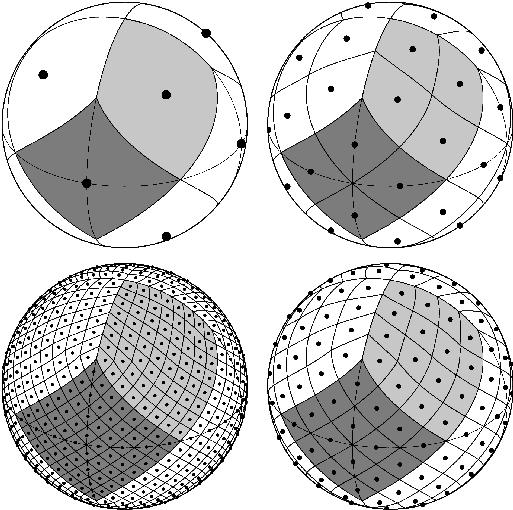
(I create vectors perpendicular to the cube's faces, and assume light bleeds across from the face in that direction, perpendicular to that face)
the anisotropy is just 1/(1 + [float] * dot(view direction, sun direction)) where [float] is between 0 and 1, closer to 1 for stronger anisotropy.
median gull
karmic hatch
https://www.shadertoy.com/view/NttcRr here's my attempt
The backside (viewer facing light source) looks good but from the perspective of the light source, the cube has extremely high reflectivity. It's a white panel looking in from the front.
karmic hatch
fair, that's fairly easy to change since it's just multiplying the diffuse brightness by something
tight phoenix
karmic hatch
https://www.shadertoy.com/view/NttcRr here's my attempt
That looks real good, a strong base to start with for sure
karmic hatch
the main thing is just figuring out what you want to exponentiate to get your output color
 potent jetty
Hey, how can I make the vertex colors sharp ?
This is what I have now, I want to remove that blending between these colors


 knotty juniper
potent jetty
This is what I have now, I want to remove that blending between these colors
knotty juniper
potent jetty
This is what I have now, I want to remove that blending between these colors
maybe rounding could do the trick then its either 0 or one for each color channel
potent jetty
@knotty juniper I have tried that, it corrupts the color
I think there should be more math behind
tight phoenix
Does anyone have any idea why my normal maps are completely wrong? I have been trying to render a normal from a highpoly to a low poly the entire day and every single attempt comes out broken in some way or another.
- the texture type is normal map
- the shader is just the normal plugged directly into the normal
- the mesh is all one smoothing group, exported from 3dsmax, where I also do the normal bake

 karmic hatch
potent jetty
This is what I have now, I want to remove that blending between these colors
karmic hatch
potent jetty
This is what I have now, I want to remove that blending between these colors
put it through a step function perhaps
tight phoenix
tight phoenix
Does anyone have any idea why my normal maps are completely wrong? I have been t...
the baked normal map file itself looks more or less normal correct

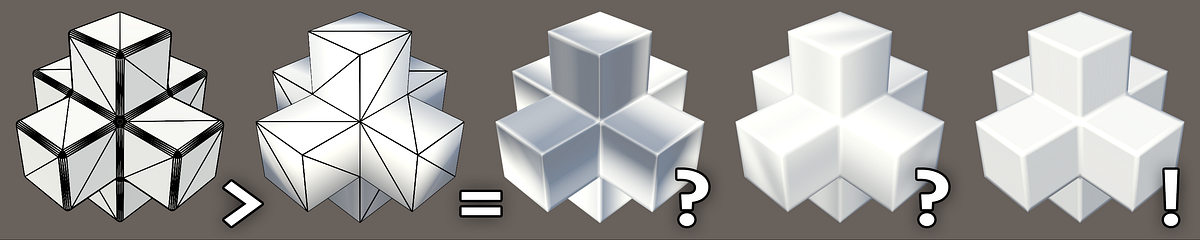
Medium
And how to tell what’s wrong with your content pipeline.
I followed this guide letter by letter and I cant get the normal to not be completely fucked
im at my wits end and cannot find a single thing im doing wrong or single tyhing to do differently, but the output is complete garbage
there is also a weird square grid on it tyhat you can only see from very sepcific angles
 knotty juniper
potent jetty
<@105401266015834112> I have tried that, it *corrupts* the color
knotty juniper
potent jetty
<@105401266015834112> I have tried that, it *corrupts* the color
do you have a test mesh that i can use for testing
(i cant seem to be able to find any vertex colord meshes in my test project)
potent jetty
@knotty juniper I am using Polybrush for the Vertex painting
knotty juniper
potent jetty
<@105401266015834112> I am using Polybrush for the Vertex painting
good idea let met test that
potent jetty
I think, I need to calculate somehow the other vertices to get the correct color value, or am I wrong?
Converting color space from Linear to RGB makes it less blurry, but this is not exactly the thing I want to achieve
knotty juniper
potent jetty
I think, I need to calculate somehow the other vertices to get the correct color...
mmm just rounding works fine for my value test
 knotty juniper
potent jetty
I got by rounding only 8bit colors 😄
knotty juniper
potent jetty
I got by rounding only 8bit colors 😄
so you want some non solid R or G or B value to have hard cuts
potent jetty
Yes, exactly
knotty juniper
potent jetty
Yes, exactly
is your transition always to black or do multible vertex colors mix?
potent jetty
Multiple colors
knotty juniper
makes it kind of difficult
potent jetty
And if it would always transition to black, how would it look like ? Or what should I do
knotty juniper
i would generate a mask from the vertex color
this could result in somting like this

you get a sharp mask for the transition between black and any other color
grand jolt
Anyone know why this doesn't work? I'm running Unity 2020.3.5f1 on URP, if that helps at all. I haven't changed this shader at all since I started creating it and it's just not working, so I'd really appreciate some help. This is the first shader I've tried working on in the Shader Graph (and in general) so my only understanding of shaders comes from limited experience in Blender.
 knotty juniper
potent jetty
And if it would always transition to black, how would it look like ? Or what sho...
knotty juniper
potent jetty
And if it would always transition to black, how would it look like ? Or what sho...
im not quiet there yet but this is my result so far

its allows for selecting 3 colors for masking so far
potent jetty
This is interesting, but is the masking high on performance cost?
knotty juniper
probably not
still needs some work
the black lines should not be there
this is currenty how i get the mask for each layer

dang i forgot that the color mask node exist
grizzled bolt
grand jolt
Anyone know why this doesn't work? I'm running Unity 2020.3.5f1 on URP, if that ...
Shaders will appear pink if they do not match the active render pipeline
To fully use URP make sure you've fully completed its configuration process
https://docs.unity3d.com/Packages/com.unity.render-pipelines.universal@12.1/manual/InstallURPIntoAProject.html
Or alternatively create the project from an URP template in the Hub
grand jolt
Thanks, that explains it.
 plain pike
Hey guys, I added a material generated from an unlit shader graph onto my image, and it just turns maroon red

Im kinda new to shaders so I have no idea where to even start looking.
Im using the builtin render pipeline btw
knotty juniper
plain pike
Hey guys, I added a material generated from an unlit shader graph onto my image,...
are you sure that the UI provides Propper uv's?
plain pike
wdym?
Whats weird is that it looks fine in the scene

Oh wait.
I think I know why.
 knotty juniper
@potent jetty i gone some solution not sure if it works for you
Black is the background color when no texcture is selected

only 3 colors so far but you can expand it
potent jetty
@knotty juniper Thanks man, I will look into it : )
unique oar
hey, I've got something I'm going to program but i just want to check that it would actually work before i do it
i'm processing lots of "particles" on the GPU (not as in the particle system or VFX) and i need to get the bounding box of them all. can i have a value which all the instances can write to, setting the maximum and minimum of the particle position based on the currently processed particle?
maxPos.x = max(maxPos.x, particlePos.x);
something like that
would the threads ever interfere with one another, and if so, would it be more or less negligible? (I can probably still work with a close approximation of their bounding box)
mossy remnant
amber saffron
- easy / hacky method : use a texture to control the color and opacity to have t...
thanks but I am so new in unity that I really don't know these stuffs, is there any tutorial I can learn from, sorry for being so noob
meager pelican
unique oar
would the threads ever interfere with one another, and if so, would it be more o...
Yes they would, no it wouldn't be negligible.
Use ATOMIC operations, perhaps in group shared memory.
A few things to google-search about.
https://microsoft.github.io/DirectX-Specs/d3d/HLSL_SM_6_6_Int64_and_Float_Atomics.html (Unity isn't going to support/guarantee 6.6 operations, but reading this will tell you about uints).
For using ints (pre 6.6), "just" multiply the floating point values you have by some scale factor such as 10,000 and take an int. uint would not be able to store negatives.
https://docs.microsoft.com/en-us/windows/win32/direct3dhlsl/interlockedmax

Performs a guaranteed atomic max.
 paper pelican
Since as far as I know it's fine to have branches within a shader as long as their constant does that mean I can have use a boolean to allow both specular and metallic workflows within the same shader? And even if different materials use different workflows it'll be fine?
meager pelican
You're better off using a shader variant. The two types are decided at compile time, making two variants in your example (specular or not-specular aka metallic).
paper pelican
Oh I'm unfamiliar with shader variants, I'm currently using URP so i'll look into it rn
Thank you for the tip
unique oar
meager pelican
Yes they would, no it wouldn't be negligible.
Use ATOMIC operations, perhaps in ...
wow, thank you so much!
echo flare
Anyone know how I could have a stencil like effect, but blur the edges of the stencil mask?
knotty juniper
echo flare
Anyone know how I could have a stencil like effect, but blur the edges of the st...
depends on how you use the stancel mask
you could use the mask to render a mask texture
then run a blur pass over that and use that for whatever you need
 foggy wolf
Is there something i can get for visual studio code to autofill .shader files?
foggy wolf
night pilot
like getting code completion ?
Yup
foggy wolf
night pilot
use Comunity version
Community version?
night pilot
it's supposed to support shader & hlsl editing
I do not think vscode support it at all
foggy wolf
I have visual studio
 hexed surge
hey guys, is there such a thing as in-shader culling
specifically talking about geometry and tessellation stages ?
I'm looking into ways to make performance of a geometry grass shader better
olive hinge
I'm trying to make a shader for wavy grass with shader graph in hdrp. My grass quads look good when lit but when I can see the "dark" side of the quad it looks terrible. I followed this brackey guide https://youtu.be/L_Bzcw9tqTc
Is there anything I can do to light both sides of the quad or maybe somehow cull the quad if dark?
Or will this method for grass on quads just not work with realistic lighting?
 obtuse holly
Hey everyone I am trying to apply blurry effect in unity basically when i start the scene everything should be clear resolution but when I move with mouse rotation my scene should start blurring
i am running a smple shader script for blur
but when i run it all i see is a gray screen
can anyone help?
shadow locust
obtuse holly
but when i run it all i see is a gray screen
maybe you blurred too hard
btw make your MKV into an MP4. Discord supports embedded MP4s
foggy wolf
I'm trying to follow along a video, but my verts seem to just stretch into infinity, and I'm quite confused on why. I have an extremely simple setup. The UVS on my mesh were reset to make every face take up the whole uv space

 obtuse holly
shadow locust
maybe you blurred too hard
obtuse holly
shadow locust
maybe you blurred too hard
no i only used shader
 waxen jolt
how do I clamp the UVs the shader is reading to just that one sprite in my sprite atlas?
 unique oar
waxen jolt
how do I clamp the UVs the shader is reading to just that one sprite in my sprit...
unique oar
waxen jolt
how do I clamp the UVs the shader is reading to just that one sprite in my sprit...
add to your UV a Vector2 of which sprite you want to access (as in (0,0) or (1,2) etc.) then divide that sum by however many sprites wide your atlas is.
so if your atlas is 8x8 sprites and you want to access the sprite 4th from the left and 3rd from the bottom, you would do (UV + (3, 2))/8
and it's (3, 2) and not (4, 3) because the index would start at (0, 0)
hopefully i haven't screwed that up, lmk if it works