
#💻┃code-beginner
1 messages · Page 761 of 1
 jolly moat
 fast relic
jolly moat
can https://github.com/github/gitignore/blob/main/Unity.gitignore be added to fo...
fast relic
jolly moat
can https://github.com/github/gitignore/blob/main/Unity.gitignore be added to fo...
it pretty much excludes everything you'd not want in a repo
you can look at what the heaviest files in the repo are tho and see if they need to be included
jolly moat
good idea
 maiden drum
That's the closest i've been my entire career to a perfect byte (255 insertions)
 fast relic
but they'd usually be game assets which probably do need to be in there
 swift crag
The Library is the main thing that you need to ignore
fast relic
yeah
swift crag
It's enormous and it stores tons of stuff like imported asset artifacts and compiled shaders
I wish that .gitignore ignored the mono_crash files
I keep forgetting to add that myself
fast relic
swift crag
I wish that .gitignore ignored the `mono_crash` files
it does, line 66
swift crag
...huh, and that got merged in 2 years ago
i must not have noticed that they added it, haha
fast relic
maybe haha
swift crag
oh, i was just thinking about it because I cleaned up some crash files; that made me remember how they used to not be ignored by that file
close enough!
 blissful fable
Hi guys, I'm new, and I'm really confused
When I click "Player" in the hierachy, it says that it's position is X=25. However, when I click on the player in the scene, or click on SF_Character_Farmer, it says X=0. And even if I press F on both, they both bring me to the same exact position in space (X=0). How can the two of these have different X coordinates? What is the X coordinate of Player even referring to at this point?


 grand snow
blissful fable
Hi guys, I'm new, and I'm really confused
When I click "Player" in the hierachy,...
grand snow
blissful fable
Hi guys, I'm new, and I'm really confused
When I click "Player" in the hierachy,...
its showing the local position which is relative to its parent. thats why its not the same value in the inspector
 wintry quarry
blissful fable
Hi guys, I'm new, and I'm really confused
When I click "Player" in the hierachy,...
wintry quarry
blissful fable
Hi guys, I'm new, and I'm really confused
When I click "Player" in the hierachy,...
BTW sure your tool handle position is set to Pivot and not Center (you can toggle this with the Z key)
blissful fable
grand snow
its showing the local position which is relative to its parent. thats why its no...
Wait, so the farmer having a position of 0, 0, 0 means it's on top of the parent?
blissful fable
wintry quarry
BTW sure your tool handle position is set to Pivot and not Center (you can toggl...
How can I tell whether I have that enabled or not
I don't really know what that does
 naive pawn
there should be a box in the top left of scene view that says "pivot" or "center"
grand snow
blissful fable
Wait, so the farmer having a position of 0, 0, 0 means it's on top of the parent...
yes. a local position of 0,0,0 will position it at the same place as its parent.
blissful fable
grand snow
yes. a local position of 0,0,0 will position it at the same place as its parent.
Ah
So like
The position of "Player" doesn't matter, right? It's just the container for all the things related to the player
blissful fable
naive pawn
there should be a box in the top left of scene view that says "pivot" or "center...
I hate to ask this, but could you draw an arrow or something, I don't see pivot or center in the top left
blissful fable
blissful fable
Ah
So like
The position of "Player" doesn't matter, right? It's just the contain...
Oh
I get it now
That's so confusing
So the position of "Player" is in fact the player
But the position of the player model (the farmer) is 0, 0, 0 because it's on top of Player, no offset
Did I get that right?
grand snow
try to use the correct terms moving forward but yes a local position 0,0,0 indicates no change vs the parent pos
blissful fable
Sweet, thank you :)
blissful fable
grand snow
try to use the correct terms moving forward but yes a local position 0,0,0 indic...
I'm still kind of confused how the parent can have a position at all
I thought "Player" was, like, just the name of the container
Does it have a position just so that children will automatically spawn at the parent's position?
grand snow
All gameobjects have a Transform that states its position, rotation and scale
swift crag
The inspector displays the local transform of the object: its position, rotation, and scale relative to its parent
blissful fable
grand snow
All gameobjects have a Transform that states its position, rotation and scale
Huh, I see
grand snow
blissful fable
Huh, I see
perhaps you should revisit the basics if that confuses you
you can clearly see this by selecting any gameobject in your scene...
swift crag
naive pawn
oh yeah, it's disabled
it can get lost if you turn off the Tool Settings overlay or move it somewhere weird
 blissful fable
grand snow
perhaps you should revisit the basics if that confuses you
you can clearly see t...
blissful fable
grand snow
perhaps you should revisit the basics if that confuses you
you can clearly see t...
:p
Well I'm doing the beginner course, I am doing the basics right now, lol
And yes, I noticed the discrepancy, I was just wondering why it existed
 finite anchor
i need help making a "pdr shader graph
swift crag
that's probably "PBR"
finite anchor
swift crag
that's probably "PBR"
i ment that
swift crag
that sounds like an older tutorial; i'm pretty sure it's just called a Lit Shader Graph now
the exact names depend on the render pipeline you are using
finite anchor
swift crag
that sounds like an older tutorial; i'm pretty sure it's just called a Lit Shade...
Thanks 🍌
blissful fable
grand snow
perhaps you should revisit the basics if that confuses you
you can clearly see t...
Also
I'm using Unity Learn
What would you recommend, as the best way to learn Unity in your opinion?
 thorn holly
blissful fable
Also
I'm using Unity Learn
What would you recommend, as the best way to learn Un...
thorn holly
blissful fable
Also
I'm using Unity Learn
What would you recommend, as the best way to learn Un...
Unity learn, learn by doing (don’t follow those giant tutorials that are like “make your first unity platformer” and encourages you to copy paste scripts and allat)
blissful fable
thorn holly
Unity learn, learn by doing (don’t follow those giant tutorials that are like “m...
Sweet, glad I'm doing it right then
 marsh tusk
i need help im trying to set up the unity auto correct/intellisense but no matter what i do nothing works
 wintry quarry
marsh tusk
i need help im trying to set up the unity auto correct/intellisense but no matte...
wintry quarry
marsh tusk
i need help im trying to set up the unity auto correct/intellisense but no matte...
which guide are you following
marsh tusk
like some youtube guide
 glad shore
marsh tusk
i need help im trying to set up the unity auto correct/intellisense but no matte...
wintry quarry
marsh tusk
like some youtube guide
glad shore
marsh tusk
i need help im trying to set up the unity auto correct/intellisense but no matte...
wintry quarry
marsh tusk
like some youtube guide
!ide
 radiant voidBOT
wintry quarry
!ide
radiant voidBOT
wintry quarry
!ide
💡 IDE Configuration
If your IDE is not autocompleting code or underlining errors, please configure it.
Select one:
•  Visual Studio (Installed via Unity Hub)
• Visual Studio (Installed manually)
•  VS Code
•  JetBrains Rider
• :question: Other/None
 tired python
do you guys have repos for a 2d tower defense game?
i wanna look at how to structure stuff
25 .cs scripts i am cooked
 copper jasper
If anyone can save me from my 2 days of torture it will be greatly appreciated https://discord.com/channels/489222168727519232/1433151316107984918
 wicked cairn
tired python
25 .cs scripts i am cooked
wicked cairn
tired python
25 .cs scripts i am cooked
light work
tired python
copper jasper
If anyone can save me from my 2 days of torture it will be greatly appreciated h...
i am a newbie too, and this is something which someone previously asked me. are you using deltatime?
copper jasper
tired python
i am a newbie too, and this is something which someone previously asked me. are ...
nope
tired python
copper jasper
nope
use it
copper jasper
for the mouse pos?
tired python
copper jasper
for the mouse pos?
the camera jittery thing is being caused because of issues related to frame rate. if i am not mistaken, your game will run in a different weird manner if you were to play it on something which produces less or higher fps
copper jasper
I capped it at 60 fps with vsync
tired python
doesn't matter, your code doesn't know abt that
try to uncap it and see for yourself then (it is a prediction by me though, i can be wrong)
copper jasper
uncapped is lwk better tbh
theres less delay
but still jitter
what should i use delta time on tho
tired python
hell if i know. it's related to movement, so whenever you change your positiong, or walk, or rotate, you need to account for it. i don't rly know how you would, but it's needed
tired python
wicked cairn
light work
how do you guys go about it? do you try to read each and every line of code and try to understand it or smth? this will be my first time doing smth like this that's why
wicked cairn
tired python
how do you guys go about it? do you try to read each and every line of code and ...
Depends on who "you guys" are. Experienced programmers would just break down the problem in their mind one peice at a time and start tackling it.
Dont look for "Tower defense game".
What you are looking for is little pieces you need "How to place a prefab on the map" "How to make a gameobject target another object" "How to make a code function run when a object has raycasted another" etc...
You dont need someone elses source. You need to learn the lego pieces
tired python
wicked cairn
Depends on who "you guys" are. Experienced programmers would just break down the...
but the thing is, from my previous fiasco of making a game, i got to understand that it's important to know how to structure it...
i am pretty sure that if i went this way, later on, once i have done like a significant part of the code, because it's so mismanaged, adding stuff layer by layer is gonna become a very big problem
wicked cairn
tired python
i am pretty sure that if i went this way, later on, once i have done like a sign...
What if THEIR code is mismanaged. If you dont understand 99% of it, youll have trouble fixing 1% of it
 languid pagoda
@copper jasper that isn't your problem
wicked cairn
Everyone structures things differently. So if you use theirs then youll have to not only learn how the code works but learn their method and figure out where everything is
tired python
wicked cairn
What if THEIR code is mismanaged. If you dont understand 99% of it, youll have t...
i am not really going to copy pasta stuff...i just wanna know what should my main classes be, what methods should they have, how to change game states and stuff
wicked cairn
tired python
i am not really going to copy pasta stuff...i just wanna know what should my mai...
Whatever you want. Whatever YOUR game needs
 languid pagoda
tired python
hell if i know. it's related to movement, so whenever you change your positiong,...
languid pagoda
tired python
hell if i know. it's related to movement, so whenever you change your positiong,...
You really shouldn't be telling people to just try random stuff that you dont even understand yourself.
tired python
languid pagoda
You really shouldn't be telling people to just try random stuff that you dont ev...

not random, this guy mentioned it. he has helped me before too...
tired python
languid pagoda
You really shouldn't be telling people to just try random stuff that you dont ev...
still i will try to stay shut up when i dunno what i am talking about, sry
 slender nymph
tired python
slender nymph
tired python
just fyi, that link is saying the opposite of what you suggested. do not use deltaTime with mouse input
tired python
slender nymph
just fyi, that link is saying the *opposite* of what you suggested. *do not* use...

 coral patio
Hey guys, weird question. Is there a way to "attach" levels to each other? We have a linear 3D game, all new devs, but quickly noticed we aint even half and FPS start to drop with all the objects in there. So we wanted to only load stuff which is in view of the player (which is usually 2-3 levels around them). Or is there a better method, preferably having everything in 1 big world, but loading and unloading when the player could potentially see it?
 rugged beacon
anyway i can pass in the animation curve inside a job? in a normal monobehaviour game
wintry quarry
coral patio
Hey guys, weird question. Is there a way to "attach" levels to each other? We ha...
Look up "world streaming" - pretty common technique.
one simple approach is what Minecraft does with "Chunks".
The world is stored in chunks of a fixed size and as you move around a certain number of chunks radius of you are kept in memory. Anything farther away is unloaded and anything close by is loaded.
 prisma fable
Guys, please help something is driving me NUTS!
Here's my code attached to a UI Gameobject on a screenspaceCamera Canvas
`using UnityEngine;
using UnityEngine.EventSystems;
public class UIEvents : MonoBehaviour, IDragHandler, IEndDragHandler, IBeginDragHandler
{
private Vector3 offset;
public void OnBeginDrag(PointerEventData data)
{
var mousePos = Camera.main.ScreenToWorldPoint(new Vector3(data.position.x,
data.position.y,
Camera.main.nearClipPlane));
offset = mousePos - transform.position;
offset.z = 0f;
}
public void OnDrag(PointerEventData data)
{
    var mousePos = Camera.main.ScreenToWorldPoint(new Vector3(data.position.x,
        data.position.y,
        Camera.main.nearClipPlane));
    mousePos.z = 0f;
    transform.position = mousePos + offset;
}

public void OnEndDrag(PointerEventData data)
{
    Vector3 resetz = new Vector3(transform.position.x, transform.position.y, 0f);
    transform.position = resetz;
}
}`
and here's the result
Why is the z pos going crazy like that????? Like I do everything i can to set it to 0...
Also if someone can help me undersatnd why the offset is inverted, I'd be grateful 🙂
wintry quarry
prisma fable
Guys, please help something is driving me NUTS!
Here's my code attached to a UI ...
the thing you see in the inspector is the local position
only in OnEndDrag are you really doing anything that sets the z position properly, and in that case you're using transform.position which is in world space
 tough lagoon
coral patio
Hey guys, weird question. Is there a way to "attach" levels to each other? We ha...
tough lagoon
coral patio
Hey guys, weird question. Is there a way to "attach" levels to each other? We ha...
Also, you may want additive scene loading to load only partial levels in pieces
coral patio
wintry quarry
Look up "world streaming" - pretty common technique.
one simple approach is wha...
Cheers. Yeah I watched a video about chunking but felt like it wasnt really fit for our case, as its a linear game and hence triggers as example wouldn't necessarily load while the original object would be loaded.
wintry quarry
coral patio
Cheers. Yeah I watched a video about chunking but felt like it wasnt really fit ...
you'd adapt it to whatever "shape" your game world is. "linear game" isn't really that descriptive to me so I'm not sure what it means here
coral patio
tough lagoon
Also, you may want additive scene loading to load only partial levels in pieces
Yeah we were looking into additive scene loading but could only get it to work basically respawning the user at the new place and kinda deleting the feeling of having an open world. Is there an option to attach them to each other, or is that only based on the world positions?
wintry quarry
coral patio
Yeah we were looking into additive scene loading but could only get it to work b...
you would need to spawn the new scenes/objects in and position them properly yourself
you may also want to think about a floating origin system.
tough lagoon
coral patio
Yeah we were looking into additive scene loading but could only get it to work b...
You can line them up. So like, have tiles 1-10 in scene one, 11-20 in scene two. The objects retain the world position in the additive scenes.
But for a platformer, if its overwhelming things, you can just use prefabs or disable sections of the scene as you go to disable rendering.
coral patio
wintry quarry
you may also want to think about a floating origin system.
Its not as huge as it looks to be probably, its a 3d platformer while the levels are rather long, they loop around a lot, caves etc so they arent necessarily going into 100k+ world locations luckily. I believe we should be good with floating positions if we aint that far out right?
prisma fable
wintry quarry
only in OnEndDrag are you really doing anything that sets the z position properl...
Thank you, i canged to tranform.localPosition and it's fixed for the endDrag. Any idea for the offset?
wintry quarry
coral patio
Its not as huge as it looks to be probably, its a 3d platformer while the levels...
I mean one really simple approach is just:
- Keep the current level and the next loaded.
- When you enter a new level, unload the previous level and load the next level after it
coral patio
tough lagoon
You can line them up. So like, have tiles 1-10 in scene one, 11-20 in scene two...
Okay then we did it wrong since we probably overridden something. Then additive scenes are perfect for our case as we can load the complete levels which are nearby the current one. Thanks!
wintry quarry
that will get you pretty far as a starting point
and you can tweak it later
just make sure each level isn't too large
tough lagoon
Yeah that's what id do
coral patio
wintry quarry
that will get you pretty far as a starting point
Yeah thanks that what the original idea as well we just struggled with the additive scenes. Seems like we did something wrong there testing it out
Thanks so much guys!
tough lagoon
As a tip, you can open additive scenes all at once in the editor to work on them
coral patio
Oh how
tough lagoon
You can right click on a second scend and open it additively in the inspector
coral patio
tough lagoon
You can right click on a second scend and open it additively in the inspector
OMG HOW THE HELL DID NOBODY NOTICE THIS
wtf we were manually lining up between 2 scenes driving us into madness
thank you so much LOL
tough lagoon
Thr downside though is when you close the scene it'll reset that section. So some incremental logic to store the states usually needed
coral patio
tough lagoon
Thr downside though is when you close the scene it'll reset that section. So so...
I mean effectively we would only use it to line up the scene with the previous one and/or the rotation in the initial creation so thats completely fine we only need a positions realyl
tough lagoon
coral patio
I mean effectively we would only use it to line up the scene with the previous o...
Yeah, absolutely. I use it in our VR stuff a lot. As I want to reuse a background in many scenes or break up meshes. Its a helpful trick.
And, you can also use baked lighting, if you open all of them and bake it. Super helpful for performance cheating
prisma fable
I fixed the offset as well, was just iunverted so instead of + offset I did - offset
Thanks for your help 👋
coral patio
tough lagoon
Yeah, absolutely. I use it in our VR stuff a lot. As I want to reuse a backgro...
The only thing of question would be then, how to store global stuff? As example for the UI we have a prefab which we pull in, this worked fine when we had just the 2nd level loading as it was all together, but this would technically create an issue as UI is loaded twice or multiple times for every scene right?
We had singletons for the script side for inventory which did work fine along multiple scenes
tough lagoon
coral patio
The only thing of question would be then, how to store global stuff? As example ...
Usually I have a main control scene. It handles all the UI, enemies and such. The sub scenes are only models or static layouts usually.
And anything further than X from you gets disabled or pooled in the main control scene.
coral patio
Oh okay makes sense, yeah kinda need to re-structure a bit but makes sense
Thats stuff you only notice once you come up to a certain size where it causes performance issues and its hard to figure out all the new terms as well. I come from programming background but its completely unrelated to gamedev, so this helps a lot. Thanks so much!
tough lagoon
Yeah its just an easy way to manage additive geometry without needing to load a ton of prefabs. Plus prefabs stay in memory where scene loading doesnt
 sour fulcrum
coral patio
Oh okay makes sense, yeah kinda need to re-structure a bit but makes sense
sour fulcrum
coral patio
Oh okay makes sense, yeah kinda need to re-structure a bit but makes sense
Moving your common, gameplay reliant stuff into a central managing scene also helps streamline scene management and reduce points of failure
And seperates responsibilities of the scenes
eg. if you have a dedicated level designer working on these level scenes, it removes the responsibility of them ensuring those kinds of core system prefabs are setup correctly (and possibility that they are not)
coral patio
sour fulcrum
Moving your common, gameplay reliant stuff into a central managing scene also he...
Yeah I actually watched a video about that exact thing and people in the comments were like it feels weird having a central scene for that. For me it made the most sense. But then i kinda dipped on the idea cause we struggled with this a lot now and I was like "yeah if we do this now what will come bite us later in a few again" if people say this already
One last questions since all of you do have way more experience. We are thinking about integrating water. Whats the best way for that to move forward? Use unitys water system, or just add planes with textures/shaders and effects while in water?
sour fulcrum
imo best way to move forward is just planes
if you need better later you can do that later
 shell sorrel
complexity of it depends on needs too
like game i am working on the camera cant go under water so a good enough just using a plane
well tis more like a bunch of pizza slices and not a plane to better frustrum cull
and so i can change the density as it gets far away
coral patio
Cheers thanks so much guys, helped me a lot
prisma fable
Hey guys, me again... Having trouble with the OnPointerEnter event trigger on UI...
I have this red bar set with OnPointerEnter event component linked to a "toggle" function inside the script of the book Im dragging
basically everytime i pass through that area I want the book to "close" (if anyone remembers papers,please they will see what I'm trying to do)
The problem is that the event trigger is kind of unreliable
Is there a way to fix this, or can you think of another way I should do this without this event trigger?
 north kiln
Either do it differently or extend the trigger to be boxes that take up the entire side of the screen not just a small area that you can skip over or go around
prisma fable
Yeah the going around is not a problem right now, I will "box it" after. I just had issues with area covering because I'm still dragging it over the area it was glitching.
I just realised I could put colliders on UI, I migh try that
welp, interestingly, it's almost the exact same behaviour with colliders....
prisma fable
[Solved] using colliders and onEnter/onExit it works. Maybe my code for checking the "toggle" was too slow. Separating the functions made it work perfectly

 umbral pond
using UnityEngine.InputSystem;

public class Player : MonoBehaviour
{
    public Rigidbody2D rb;
    PlayerInput playerInput;
    Vector2 moveInput;
    public float speedX;
    public int facing = 1;
    void Start()
    {
        rb = GetComponent<Rigidbody2D>();
    }

    void Update()
    {
        Flip();
    }

    public void FixedUpdate()
    {
        float targetSpeed = moveInput.x * speedX;
        rb.linearVelocity = new Vector2(targetSpeed, rb.linearVelocity.y);
    }
    public void OnMove(InputValue value)
    {
        moveInput = value.Get<Vector2>();
    }
    void Flip()
    {
        if (moveInput.x > 0.1f)
        {
            facing = 1;
        }
        else if (moveInput.x < -0.1f)
        {
            facing = -1;
        }
        transform.localScale = new Vector3(facing, 1, 1);
    }


}```
Why my character cant move

 north kiln
umbral pond
```using UnityEngine;
using UnityEngine.InputSystem;
public class Player : Mono...
north kiln
umbral pond
```using UnityEngine;
using UnityEngine.InputSystem;
public class Player : Mono...
expand the Events dropdown to show you have assigned it correctly
umbral pond
 north kiln
It says No Function, so it's not
umbral pond
how can solve this
 north kiln
🤔 Unity, Huh, How?
Events should have an appropriate Component instance assigned to their object field.
Also it looks like the Move event passes a CallbackContext, not an InputValue
 high mauve
sorry coudnt reply sunner due to uni i am still stuck at that part
is there any one that can help?
 keen dew
You still need to show your code
high mauve
but how
here a screen shot if it helps

trying to use variable of collectibles from compass
 placid jewel
What exactly happens when you try it? What error do you get?
high mauve
at first the error was that IndexOutOfRangeException: Index was outside the bounds of the array.
Compass.Start () (at Assets/Scripts/Compass.cs:15)
but now its not even printing any thing
 wet snow
high mauve
at first the error was that IndexOutOfRangeException: Index was outside the boun...
wet snow
high mauve
at first the error was that IndexOutOfRangeException: Index was outside the boun...
i feel like you are not initiating the collectibles in the compass
placid jewel
Are you sure that the length of the arrays checks out? If it's not printing anything it could be because collectibles.RandX.length >= collectibles.count is returning false
keen dew
What do you expect to happen? The code doesn't do anything visible even if it works
wet snow
at the start of the compass you must make a new collectible
high mauve
what i want to do is use the coordinates of collectibles to calculate there position based on the player position and use that in the compass
high mauve
wet snow
at the start of the compass you must make a new collectible
means?
placid jewel
wet snow
at the start of the compass you must make a new collectible
public Collectibles collectible at the top of the script, line 5 of Compass
That's probably not the issue
Unless you haven't assigned the script reference in the editor
high mauve
have assigned the refferance in the inspector
 wet snow
yes thats what i am thinking rn
wet snow
high mauve
have assigned the refferance in the inspector
yeah then you dont have to create new object there is issue in logic
keen dew
It doesn't throw a null reference error so the reference is ok.
keen dew
high mauve
what i want to do is use the coordinates of collectibles to calculate there posi...
How do you know it doesn't work now?
high mauve
well on run it should print 10 output in the console(positions) but there are nun
keen dew
There's nothing in the code that would print anything
high mauve
what how i remember adding the debug.log
placid jewel
high mauve
here a screen shot if it helps
I currently don't exactly know what's meant to happen that isn't, since like Nitku said it won't print anything anyway, so what you could do is put:
Debug.Log() with some message above the DataBank() call on line 19, and Debug.Log(i) inside the for loop of the databank function. That way you can see what it's doing better, and then figure out if it's working or not
high mauve
ok let me try that
placid jewel
I think that might be your issue (just a hunch)
wet snow
high mauve
what how i remember adding the debug.log
i can relate happens with all of us haha
keen dew
Yeah I also think not having anything that would print to the console might cause nothing being printed to the console 
high mauve
so after adding debug.log it giving
System.Int32[]
UnityEngine.Debug:Log (object)
Compass:DataBank () (at Assets/Scripts/Compass.cs:32)
Compass:Update () (at Assets/Scripts/Compass.cs:19)
placid jewel
What does the code look like now?
wet snow
foreach( int n in xpos){log(n)} it should have something like this
placid jewel
Also you can copy your code files and put them inside ``` (triple backticks) for viewing purposes
high mauve
sorry a typo in debug.log its fine now
placid jewel
Does anyone know how it might be possible to use a mesh (that's just a 2d plane that changes shape) as a sprite mask for a 2d project? This is why I came here originally lol but have gotten sidetracked
high mauve
Unity:
The built-in SpriteMask component is designed for static sprites or animated sprite sequences. It does not directly accept a dynamic mesh as its source asset.
If the mesh deformation is simple (just movement, rotation, scaling), you can use a regular SpriteMask component and parent it to your deforming object.
For true vertex manipulation (the shape changing), the shader or stencil buffer methods described above are necessary.
found this online
placid jewel
high mauve
Unity:
The built-in SpriteMask component is designed for static sprites or ...
Can you link that? The very last bit seems to reference something useful but the rest is not
high mauve
also found this https://unitycodemonkey.com/question.php?q=how-can-i-dynamically-create-a-mesh-in-2d-in-unity-and-is-it-different-from-3d-mesh-creation
How can I dynamically create a mesh in 2D in Unity, and is it different from 3D mesh creation?
placid jewel
high mauve
also found this https://unitycodemonkey.com/question.php?q=how-can-i-dynamically...
That is very strongly not at all what I was asking for, I've already got a mesh working. Can you link the original thing you sent?
high mauve
ita not a link but the genrated info at the top of the page so cant link but send you the complete info
 runic hedge
Hello! Is there a way to rewind the object position on collision with something? Like move the object in the location it has 5 seconds ago?
This is the code that I am having, what can I write to get the 5 second ago location instead the origin location?
 fast relic
runic hedge
This is the code that I am having, what can I write to get the 5 second ago loca...
fast relic
runic hedge
This is the code that I am having, what can I write to get the 5 second ago loca...
you'd have to track the location yourself probably
placid jewel
runic hedge
Hello! Is there a way to rewind the object position on collision with something?...
I don't believe there's a built in way to do that, but you could try using IEnumerators with WaitForSeconds:
return yield new WaitForSeconds(float time)
to store the data? You could do something like:
void Update(){
StartCoroutine(previousPosition());
}

IEnumerator previousPosition(){
//store whatever value you need to here
yield return new WaitForSeconds(5.0f);
//update the 5s ago value to the value stored here
}
This isn't exact code, there's probably mistakes, but it might be helpful as a start?
naive pawn
you should not be starting coroutines every Update
 undone holly
why isint this working? I'm watching a tutorial but it was made 3 years ago and velocity has changed since then. It should be velocity, but theres no more so i just use linearvelocity, but it just doesnt work. I also changed the "Input System Package (New) → Both". please help
 naive pawn
what do you mean by "doesn't work", exactly?
placid jewel
Have you assigned the bird in the editor?
placid jewel
If you're not sure, you probably haven't done it.
Click on the object that has the script, and look for the script in the Inspector. You should see a field with the same name as your variable, which you need to drag the bird gameobject from the Hierarchy to the field. If you have already done it, it will look like this, otherwise it will say "none".
 naive pawn
it sounds like you haven't been following the tutorial closely, or you may be missing some steps after this
undone holly
placid jewel
If you're not sure, you probably haven't done it.
Click on the object that has t...
could you explain the "which you need to drag the bird gameobject from the Hierarchy to the field"
placid jewel
This is the Hierarchy field (example from my current unity window)
 undone holly
naive pawn
it sounds like you haven't been following the tutorial closely, or you may be mi...
undone holly
naive pawn
it sounds like you haven't been following the tutorial closely, or you may be mi...
either that or its just a really old video
 tender mirage
i have no clue why my fuelpercentage stays at exactly 1 and doesn't change at all?
private IEnumerator DrainFuel()
{
    isDrainFuel = true;


    fuelPercentage = playerFuel / playerMFuel;

    FuelBar.fillAmount = fuelPercentage;
is playerFuel an integer?
placid jewel
placid jewel
This is the Hierarchy field (example from my current unity window)
Click and drag the bird from this window into the slot labelled "bird" in the Instpector @undone holly
tender mirage
fast relic
is `playerFuel` an integer?
i made sure it was a float now. still nothing.
ooh wait i forgot to put it in a while loop below.
so sorry.
🤦♂️
undone holly
placid jewel
Click and drag the bird from this window into the slot labelled "bird" in the In...
awesome it works now, tysm ♥️ !
naive pawn
undone holly
either that or its just a really old video
no, fundamental things like this don't change.
placid jewel
Yeah I would recommend finding a different tutorial for now if the one you've got doesn't explain things like that, at least until you have a strong grasp of the editor and how things tend to work
 restive mason
Hey, in a MaterialPropertyBlock, how can i set an enum value?
tough lagoon
runic hedge
Hello! Is there a way to rewind the object position on collision with something?...
If your fairly savvy with Unity, something like this can help
https://github.com/SitronX/UnityTimeRewinder
Otherwise yeah storing the position 5 seconds behind and just restoring it is the way to go
grand snow
restive mason
Hey, in a MaterialPropertyBlock, how can i set an enum value?
enums should just be keywords. I dont know if there is any special handling or helpers for managing them. ask in #1391720450752516147 if you need more help
 novel harness
Is there a way to make any object follow player on X axis only? I saw some threads online but I cant seem to make them work, and they seem outdated.
keen dew
object.transform.position = new Vector3(player.transform.position.x, object.transform.position.y, object.transform.position.z);
novel harness
Ah wait- my bad- what I meant is- follow player as in. The mouse- I explained it horribly- my english is a lackluster-
Following mouse OF player in X axis only*
keen dew
Most tutorials show how to follow the mouse on both X and Y axis. You do that but leave out the part that changes the Y axis
novel harness
ooop okey okey
Oooh these are all. In old input system I think but I somehow can figure maybe
ow
 umbral pond
 {
     if (jumpPressed && isGrounded)
     {
         rb.linearVelocity = new Vector2(rb.linearVelocity.x, jumpForce);
         jumpPressed = false;
         jumpReleased = false;
     }
     if (jumpReleased)
     {
         if (rb.linearVelocity.y > 0)
         {
             rb.linearVelocity = new Vector2(rb.linearVelocity.x, rb.linearVelocity.y * jumpCutMult);
         }
         jumpReleased = false;
     }


 }

 void CheckGrounded()
 {
     isGrounded=Physics2D.OverlapCircle(groundCheck.position,groundCheckRadius,groundLayer);
 }
 void ApplyVariableGravity()
 {
     if (rb.linearVelocity.y < -0.1f)
     {
         rb.gravityScale = fallGravity;
     }
     else if (rb.linearVelocity.y > 0.1f)
     {
         rb.gravityScale = jumpGravity;
     }
     else
     {
         rb.gravityScale=normalGravity;
     }
 }```
ill send second part
{
    if (inputValue.isPressed)
    {
        jumpPressed = true;
        jumpReleased = false;
    }
    else
    {
       jumpReleased = true;
    }

}```
``` [Header("Movement")]
 public float speed;
 public float jumpForce;
 public float jumpCutMult = .5f;
 public float normalGravity;
 public float jumpGravity;
 public float fallGravity;


 public int facingDirection = 1;

 [Header("Ground Check")]
 public Transform groundCheck;
 public float groundCheckRadius;
 public LayerMask groundLayer;
 bool isGrounded;

 //inputs
 private Vector2 moveInput;
 private bool jumpPressed;
private bool jumpReleased;```sooo jumping was working till i added some gravity settings to make it better now i cant jump thats parts about jumping in my script anyone knows solution?
also i did make rb's gravity scale equal to normalGravity at void start
thorn holly
umbral pond
sooo jumping was working till i added some gravity settings to make it better no...
Ok let’s do some debugging, put a debug log in your jumpPressed && isGrounded if statement to see if it’s running when it should
umbral pond
alright
sorry i didnt use debug log before shouldnt i see it in console

if (jumpPressed && isGrounded)
{
Debug.Log("yes");
i added this in jumpPressed && isGrounded
is Debug.Log wrong code?
OHHH
I didnt called handle jump in fixed update
i guess thats the mistake just noticed it when log didnt work
@thorn holly thanks it'll probably solve it :D
thorn holly
lol
 wicked venture
does .Equals() compare between 2 strings?
 night raptor
wicked venture
does .Equals() compare between 2 strings?
night raptor
wicked venture
does .Equals() compare between 2 strings?
Strings do have and Equals method if that is what you are asking. In C# you can also use == to compare equality of strings
wicked venture
night raptor
Strings do have and Equals method if that is what you are asking. In C# you can ...
yee thats whati was confused about XD ty
night raptor
wicked venture
yee thats whati was confused about XD ty
So "whatever".Equals("whatever") and "whatever" == "whatever" do the same thing, the equality operator (==) is probably cleaner. In general, you need to be bit careful when comparing objects in C# with the equality operator (==), but for strings specifically it has been taken care of. The equality operator compares the equality of the contents of two objects only when the operator is overloaded by the class which it is for strings. For other classes and structs you need to check whether they do before comparing them directly. For the Vector3 struct for example, you can see at the bottom of the documentation page that it indeed defines the equality operator which even has it's own documentation page https://docs.unity3d.com/6000.2/Documentation/ScriptReference/Vector3.html and the equality page https://docs.unity3d.com/6000.2/Documentation/ScriptReference/Vector3-operator_eq.html. For some unity classes the equality may be overridden but bit more complicated so using the documentation is a great way to find out how it works
 wicked venture
night raptor
So `"whatever".Equals("whatever")` and `"whatever" == "whatever"` do the same th...
wicked venture
night raptor
So `"whatever".Equals("whatever")` and `"whatever" == "whatever"` do the same th...
what does it mean by approximately equal like whats the margin difference for it to return true? interesting first time reading about this
night raptor
wicked venture
what does it mean by approximately equal like whats the margin difference for it...
Check the other link or click on the operator == link on the page. It explains it
wicked venture
interesting
is there a reason for that?
ok i kind of understand now
not 100% but i get the general idea
yee its explained i see yeah
 queen adder
yo guys im downloading stuff from visual studio community but idk what to download exactly
theres just so many options
night raptor
wicked venture
is there a reason for that?
It is mostly due to floating point inaccuracy. You can see how for Vector3s, the Equals method actually compares for strict equality. For example new Vector3(0.5f, 0.5f, 0.5f).Equals(new Vector3(1f, 1f, 1f) * 0.5f) may return false, because it is possible that 1f * 0.5f returns 0.499999999 or something like that. Probably doesn't happen here but there are some famous examples where you expect certain calculation to return exact value but it will bit ever so slightly off. That is why in general comparing two floats with == isn't a great idea
 queen adder
night raptor
It is mostly due to floating point inaccuracy. You can see how for Vector3s, the...
queen adder
night raptor
It is mostly due to floating point inaccuracy. You can see how for Vector3s, the...
hey
queen adder
queen adder
yo guys im downloading stuff from visual studio community but idk what to downlo...
yk this right?
night raptor
queen adder
hey
don't ping random people. Someone will help if they know, I don't for this specific issue
wicked venture
night raptor
It is mostly due to floating point inaccuracy. You can see how for Vector3s, the...
thats interesting af never knew about this stuff before
queen adder

i meant this im not sure if yk now
theres just alot and im a beginner
i wanna make my game both on pc and mobile
 hot wadi
queen adder
hot wadi
queen adder
There should be the option for Unity if u scroll down
 queen adder
i have unity tho
im downloading the lts stuff from the installs
long term supported
hot wadi
Then u don't have to manually reinstall VS
night raptor
wicked venture
thats interesting af never knew about this stuff before
Something you get used to over time. One example that I found, for me running this Console.WriteLine(1f / 10f * 0.3f); prints 0.030000001 which would not be equal to 0.03 as we expect. In unity you can always use Mathf.Approximately to compare two floats to know whether they are "approximately" equal
queen adder
hot wadi
Then u don't have to manually reinstall VS
i mean i dont have anything downloaded from the installs
thats the thing
the install editor
yep not the installs its the install editor
wicked venture
night raptor
Something you get used to over time. One example that I found, for me running th...
yeah i need to get more into unity libraries and systems , I am 70% done with my current game and literally last week I discovered untiy has a built in UI toolkit system which could've saved me so much time XD it looks way more organized and easier to work with , i am planning after i finish this game to go into a deeper look into unity systems as a whole
night raptor
wicked venture
yeah i need to get more into unity libraries and systems , I am 70% done with my...
Just to be clear, this floating point inaccuracy issue is not specific to unity. It happens in all programming languages where floating point calculations exist (which includes all modern languages). Only happens with floats and doubles though. Comparing ints for example with == is totally fine
queen adder
moshades brodie
ill show u the other options
what im thinking is there might be useful ones but at the same times useless ones
hot wadi
Is the calculation of CharacterController.height and CapsuleCollider.height different?
The example in the document of CapsuleCast() indicates that the height of CharacterController is measured from one center to another
But I have to modify it so it measures from one end to another instead when I use Capsule
Vector3 p2 = p1 + Vector3.up * (_collider.height - _collider.radius * 2 - _groundOffset);```

 hot wadi
queen adder
hot wadi
queen adder
I really don't know what are u trying to do here. U got everything needed to do Unity scripting.
If it's other kind of project that u need help with, we really can't
hot wadi
queen adder
so C+++ and C# are 2 diff scripting languages?
Yes, they are
queen adder
hot wadi
I really don't know what are u trying to do here. U got everything needed to do ...
so like the stuff ill download wont appear as a space wasting buttons and options on unity if i download all of em right?
queen adder
hot wadi
Yes, they are
bettt
hot wadi
queen adder
so like the stuff ill download wont appear as a space wasting buttons and option...
If u don't use C++ at all (which u probably don't), u should delete related options to save space
.NET is also unrelated to Unity
queen adder
so like i wanna make a gta 5 like fame yk
can u help me with picking the options?
im gonna be using C# if itll do everything a game dev needs like debugging
hot wadi
hot wadi
There should be the option for Unity if u scroll down
@queen adder
 lost maple
Hi
is there any way to asses which function is more perfomant?
I have 2 methods that do essentialy the same, but in two different ways, i just want to know which of them preferable
wicked venture
night raptor
Just to be clear, this floating point inaccuracy issue is not specific to unity....
oh yeah for sure
queen adder
hot wadi
<@456226577798135808>
bet
 silk night
lost maple
Hi
is there any way to asses which function is more perfomant?
I have 2 methods ...
silk night
lost maple
Hi
is there any way to asses which function is more perfomant?
I have 2 methods ...
You can use stopwatches
like not the physical one but c# comes with a "Stopwatch" class
grand snow
can also use profiler markers to utilize the profiler
 hallow acorn
hey does anybody know what would be the urp equivilent of OnPostRender?
wintry quarry
hallow acorn
hey does anybody know what would be the urp equivilent of OnPostRender?
https://docs.unity3d.com/6000.0/Documentation/ScriptReference/MonoBehaviour.OnPostRender.html
Note: OnPostRender depends on the Built-in Render Pipeline and won't be called in projects using the Scriptable or Universal Render Pieplines. For similar functionality in the Scriptable Render Pipeline, refer to RenderPipelineManager.
grand snow
^ Use the events in RenderPipelineManager
These are c# events so read up on those if that confuse you
wintry quarry
hallow acorn
i dont understand a single thing
Did you read the sentence
Did you click the link?
hallow acorn
yes
wintry quarry
Did you follow the link for RenderPipelineManager
it's telling you directly what to do
hallow acorn
yes and im more confused than before
wintry quarry
What about them is confusing you
grand snow
@hallow acorn You want this event and the example demonstrates how to use it https://docs.unity3d.com/6000.0/Documentation/ScriptReference/Rendering.RenderPipelineManager-endContextRendering.html
wintry quarry
since OnPostRender is for a single camera
Is this a matter of "I don't know how delegates/events work in C#", or something else @hallow acorn ?
grand snow
end context should be for the whole frame, end camera could by at some random time during the frame
hallow acorn
wintry quarry
Is this a matter of "I don't know how delegates/events work in C#", or something...
probably
wintry quarry
Yeah but OnPostRender is for a single camera
wintry quarry
from a practical standpoint unless there are multiple cameras they're probably going to be effectively the same. Depending on the use case
hallow acorn
should have chosen painting or sth like that i create a project and an hour later im stuck on something where the solution is requiring a degree .01% of humanity has aquired
wintry quarry
hallow acorn
should have chosen painting or sth like that i create a project and an hour late...
did you try looking at the code samples in the docs?
it spells out pretty clearly how and where to code this
hallow acorn
yeah but i dont understand a thing
wintry quarry
which thing
hallow acorn
everything
radiant voidBOT
wintry quarry
!learn
:teacher: Unity Learn ↗
Over 750 hours of free live and on-demand learning content for all levels of experience!
wintry quarry
You're trying to run before you learn to crawl
if you don't understand anything at all
grand snow
hallow acorn
everything
How much C# do you know and what are you wanting to achieve?
hallow acorn
grand snow
How much C# do you know and what are you wanting to achieve?
ive learned it on and off since i was 13 so abt 2.5 years a little bit more active the last few months. im following a tutorial on planar reflections but he uses built in rp and i use urp
grand snow
Gotcha. So you want to make a post processing effect? URP/HDRP have a better system for making these
hallow acorn
grand snow
Gotcha. So you want to make a post processing effect? URP/HDRP have a better sys...
im using urp
the guy from the tutorial isnt
grand snow
hallow acorn
im using urp
Thats okay, its probably just an old tutorial.
Post processing usually does the same stuff, sample from the frame buffer and other textures (e.g. normals, depth) and do stuff
Docs: https://docs.unity3d.com/6000.2/Documentation/Manual/urp/post-processing/custom-post-processing.html
hallow acorn
yeah its from 2019
grand snow
You do NOT want to try to re create the old way that some post processing worked where it used the camera post render events.
hallow acorn
oh
grand snow
even back then that was kinda shit vs the post processing stack
hallow acorn
its nearly the only tutorial i found on this thoughb what should i do
dont say quit i already thought of that
grand snow
What it does for the shader should be applicable still as those concepts are basically always the same
but now we can also do full screen shaders in shader graph which you may find easier
hallow acorn
even less experience with shader graph than c#💔
grand snow
shaders are different to normal code anyway
hallow acorn
i think im gonna quit for now and play some zelda or sth. gotta chill today i think
swift crag
grand snow
You do NOT want to try to re create the old way that some post processing worked...
i can only imagine post-processing as a GrabPass + a shader that draws at 4000
vrchat has damaged my brain
 edgy sinew
Moved to other channel.
 hexed terrace
edgy sinew
Moved to other channel.
hexed terrace
edgy sinew
Moved to other channel.
this is a code channel, can you dlete it from here and ask in #🔀┃art-asset-workflow
high mauve
i need help i want to make a FPP camera but if i attach it to the head it start bobbing with the animation and does not rotate freely of the body
swift crag
I do exactly that -- but I rotate the camera in LateUpdate, after animation has applied
The camera still moves around with the player's head, but it doesn't get rotated
that's very close to how your vision works in real life
it feels pretty good
high mauve
but i want it to move with the mouse inut rather than the animation
 brave robin
high mauve
but i want it to move with the mouse inut rather than the animation
brave robin
high mauve
but i want it to move with the mouse inut rather than the animation
My suggestion is to not attach it to a body part that will move independently. Attach it to the base or pivot, or something else in the character that is going to be centered. Then offset it accordingly from that.
You can also use the Position Constraint and Rotation Constraint components, these give you similar behaviour but more control over what axis it can move and rotate on. Like if you want to tilt the character forward but never want the camera to tilt, you can lock out the X axis so it will never tilt that way, for example
Those components also don't require you to parent the camera to the model, and in fact work best if the camera is not parented at all
high mauve
currently the camera is in the hierarchy as player(parent to the 3d model and the collider of player) objects child with the parent set as player in inspector and i have placed it inside the player head but thats where the issue start as i control the horizontal and vertivcal movement using mouse with a simplae script atached to the message
 wintry quarry
high mauve
currently the camera is in the hierarchy as player(parent to the 3d model and th...
wintry quarry
high mauve
currently the camera is in the hierarchy as player(parent to the 3d model and th...
not related to the issue you're talking about but Time.deltaTime here is incorrect and will lead to jitter and inconsistent mouse look speed
(and yes I know a certain well known YT tutorial has it there, it's an error)
high mauve
ok let me try after removing it
wintry quarry
You will need to adjust your RotationSpeed variable down to compensate
high mauve
ok done thanks for the heads up
 rough granite
wintry quarry
(and yes I know a certain well known YT tutorial has it there, it's an error)
rough granite
wintry quarry
(and yes I know a certain well known YT tutorial has it there, it's an error)
I assume code monkey, he also uses lerp for player movement when you shouldn't
wintry quarry
rough granite
I assume code monkey, he also uses lerp for player movement when you shouldn't
The one I'm referring to is actually a Brackeys tutorial
rough granite
Dont think i've watched a single of his coding tutorials oddly enough.
Edit: for both brackey's & code monkey's
wintry quarry
Probably because I'm an old man, but I don't find videos to be an effective format for a tutorial.
rough granite
wintry quarry
Probably because I'm an old man, but I don't find videos to be an effective form...
Yeah same, which is funny cause i learn best when it's explained to me
 gritty blaze
Hey im new to game development i just know some python how to start learning unity ?
wintry quarry
gritty blaze
Hey im new to game development i just know some python how to start learning uni...
!learn
radiant voidBOT
wintry quarry
!learn
:teacher: Unity Learn ↗
Over 750 hours of free live and on-demand learning content for all levels of experience!
gritty blaze
wintry quarry
!learn
There are many vedios in yt which one should I watch all of them doing in different versions
wintry quarry
My recommendation is following the pathways on Unity Learn
not picking random YT tutorials.
If you want to make a specific game that calls for something you don't know how to do, that is when it may make sense to seek out YT tutorials
rough granite
gritty blaze
There are many vedios in yt which one should I watch all of them doing in differ...
They were telling you to follow the link
gritty blaze
Yah thank u i will learn and possibly create my own game in future
 modern crescent
Hey I was wondering should I start on learning Unity while I'm I'm learning Art? Or is both very hard to do together?
keen dew
Not sure how they'd interfere with each other? It's mostly a matter of time available
 timber tide
there's a lot to grasp when importing your 3D/2D art into game engines as you'll have to hook them with the engine tools. So if you are interested in games and putting your art into them then you should start learning how the process works as sticking to a single environment isn't enough
Usually larger studios though have a middle-man that does it for you though, but still good to understand how it works so you can communicate better
Cleaning up models, removing bones (IKs, ect), orientation from the environment to another coordinate system
edgy sinew
rough granite
I assume code monkey, he also uses lerp for player movement when you shouldn't
Sorry how do you mean? Like Vector3.Lerp(currentMovementPosition, nextMovementPosition, Time.deltaTime * magicNumber) ?
What would be correct then, Slerp? With the infamous "WrongLerp" corrected t param
edgy sinew
wintry quarry
Lerp is suppsoed to be (start, end, T)
Nothing wrong with 1.0 - Mathf.Exp(Time.deltaTime * -decay)
(Correct if wrong) 🤷♂️
wintry quarry
I honestly don't know what that is
Kinda sounds like we're talking about two different effects here
 polar acorn
I believe it's a way to misuse Lerp for damping in a way that actually does reach the destination instead of just getting infinitessimally close
wintry quarry
there's the "smoothed movement" effect and then there's actual linear interpolation
What's the decay term though, and does it change over time?
edgy sinew
wintry quarry
What's the `decay` term though, and does it change over time?
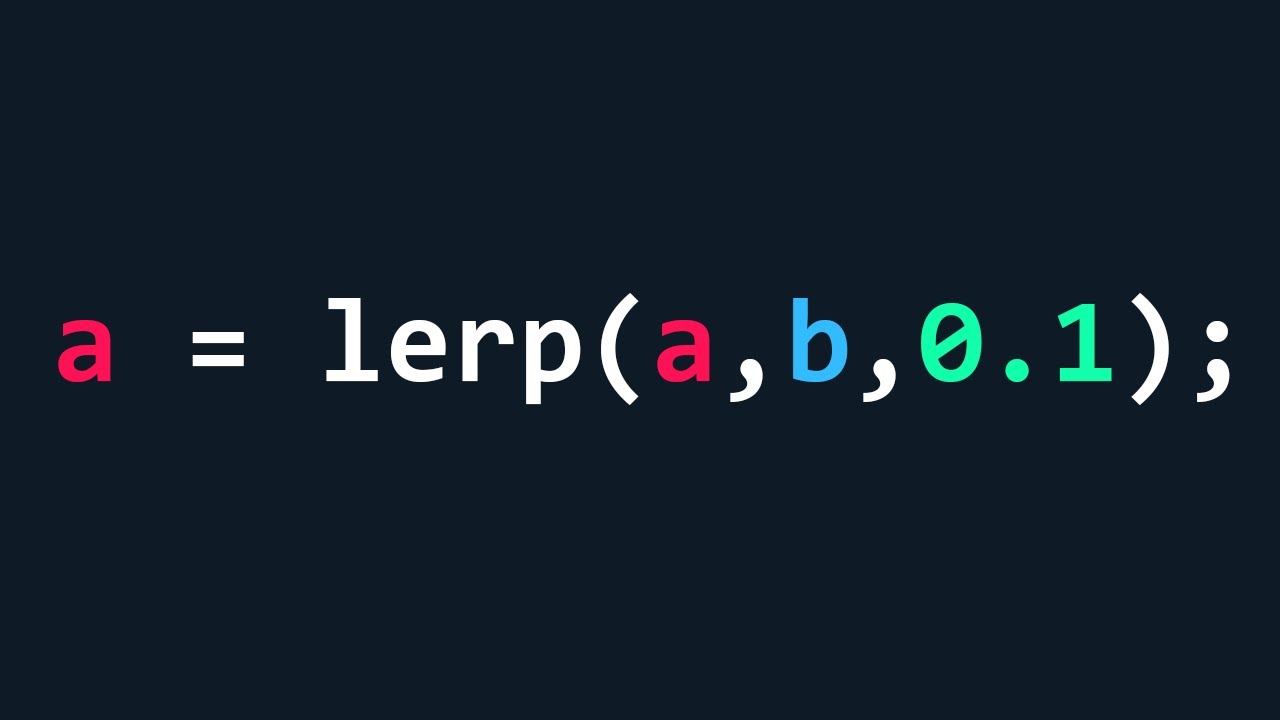
a journey through decay and delta time (I had to learn differential equations for this oh boy)
Slides: https://www.patreon.com/posts/105228270 for my patreon supporters 💞
The slides are much nicer in person!! like, the AV team on site had me lower the refresh rate on my laptop because we couldn't get it to work otherwise, and on top of that,...
🤔 Unity, Huh, How?
Applying lerp so that it produces smooth, imperfect movement towards a target value.
slender nymph
it's still not exactly correct, it's just less wrong
edgy sinew
slender nymph
it's still not exactly *correct*, it's just *less* wrong
I haven't noticed much difference from using Springs (Ryan Juckett implementation) and "corrected WrongLerp"
swift crag
wintry quarry
What's the `decay` term though, and does it change over time?
Doing this gives you exponential decay
wintry quarry
yeah that's a totally different effect than a regular linear interpolation.
swift crag
people do often want exponential smoothing; they just think that that's called "lerping" :p
wintry quarry
I think the real crime here maybe is just all the "doing everything in one line" of it all
swift crag
and the method above gives similar results to the naïve lerp(a,b,dt) method
it's just consistent as the timestep varies
 cerulean bear
would using this on my platformer character and running it every time it has a collision (it has a lot) be computationally expensive?
private void OnTriggerEnter2D(Collider2D collision)
{
    if (collision == null) return;
    if (collision.gameObject == pipe_1)
    {
        transform.position = pipe_2.transform.position + new Vector3(0, teleportOffset, 0);
    }
    else if (collision.gameObject == pipe_2)
    {
        transform.position = pipe_1.transform.position + new Vector3(0, teleportOffset, 0);
    }
    else { return; }
}```Looks fine to me. Note that the collision parameter will never be null
Now, this might have problems if you want to have more than one set of teleporters
it also requires you to have references to the two pipe objects
 obsidian kestrel
Hello
cerulean bear
swift crag
it also requires you to have references to the two pipe objects
ok ty
 languid gyro
i Made a Basic Code
Something Like This

 plain lantern
languid gyro
i Made a Basic Code
Something Like This
plain lantern
languid gyro
i Made a Basic Code
Something Like This
Cool
cerulean bear
swift crag
Looks fine to me. Note that the `collision` parameter will never be null
also can I do it without isTrigger since it makes it go through other gameObjects
slender nymph
languid gyro
i Made a Basic Code
Something Like This
!IDE 👇 you need to get vs code configured
radiant voidBOT
slender nymph
!IDE 👇 you need to get vs code configured
💡 IDE Configuration
If your IDE is not autocompleting code or underlining errors, please configure it.
Select one:
• Visual Studio (Installed via Unity Hub)
• Visual Studio (Installed manually)
• VS Code
• JetBrains Rider
• :question: Other/None
 eternal needle
cerulean bear
also can I do it without isTrigger since it makes it go through other gameObject...
eternal needle
cerulean bear
also can I do it without isTrigger since it makes it go through other gameObject...
you'd need to swap to OnCollisionEnter2D then, which takes a different parameter but yes you can accomplish the same thing still
cerulean bear
ok ty, so something like this should be good
private void OnCollisionEnter2D(Collision2D collision)
{
if (collision.gameObject == pipe_1)
{
transform.position = pipe_2.transform.position + new Vector3(0, teleportOffset, 0);
}
else if (collision.gameObject == pipe_2)
{
transform.position = pipe_1.transform.position + new Vector3(0, teleportOffset, 0);
}
else { return; }
}``` undone hedge
how do i code movement in 3d
i know how to code it in 2d but i dont know how to in 3d
eternal needle
cerulean bear
ok ty, so something like this should be good
```cs
private void OnCollisionEnte...
sure, you dont need that else return at the end though. it does nothing
cerulean bear
ok
cerulean bear
undone hedge
how do i code movement in 3d
you can use rigidbody or you can use transform.translate
wintry quarry
cerulean bear
ok ty, so something like this should be good
```cs
private void OnCollisionEnte...
I'd do it this way probably:
public class Portal : MonoBehaviour {
   public Transform Exit; // assign this in the inspector
}

public class Player : MonoBehaviour {
   private void OnCollisionEnter2D(Collision2D collision)
   {
      Portal p = collision.collider.GetComponientInParent<Portal>();
      if (p) {
        transform.position = p.Exit.position;
      }
   }
}```The same way, but in different dimensions
cerulean bear
wintry quarry
I'd do it this way probably:
```cs
public class Portal : MonoBehaviour {
publ...
but it does work as is right
wintry quarry
cerulean bear
but it does work as is right
it will work but it will only work for two objects that your player knows about beforehand
what if you want a third pipe, or a one-way pipe, or many pipes in the scene
undone hedge
polar acorn
The same way, but in different dimensions
im not sure about that though since 2D is Vector2.up * X
i dont know the directions for Vector 3
polar acorn
Vector3.up
wintry quarry
x, y, and z
polar acorn
A little weird to be using X for up, but you do you
undone hedge
im just using X to stand in for a number
wintry quarry
3D is the same, just with a third dimension
up, left, right, and down still exist
but now there's also forward and back
polar acorn
undone hedge
im just using X to stand in for a number
So, same thing, but with another direction
undone hedge
how do i stop my character jumping if it is midair
polar acorn
Check if they're on the ground before you jump
wintry quarry
undone hedge
how do i stop my character jumping if it is midair
have your script check if the character is on the ground before allowing it to jump
basiaclly any tutorial will include a grounded check of some kind
undone hedge
ok thanks ill look into how to do that
 narrow pulsar
Is there a way to make it so that a song is playing in the background without any audio playing via script
i want to make it so that theres a song in the background that has diffrent parts to it that play when the player gets access
to certain things
so like precussion obtained and that portion of the song gets to play
copper jasper
narrow pulsar
Is there a way to make it so that a song is playing in the background without an...
ye js add a object and a audio source in it
narrow pulsar
copper jasper
ye js add a object and a audio source in it
would i need seprate audio sources for each track to sync them
ty ty
sour fulcrum
To any question like that the answer is going to be yes, for a more specific answer you need to think about how specifically you want this kind of mechanic to work logically, then think about what code/unity wise you don't understand that you would need to know to implement that and ask us that kind of thing
Not Unity but Antichamber does something similar to that which is really cool, where different stems of ambient tracks we're scattered across the rooms, so depending on what room your in changed what ambient track was playing based on the rooms around you
languid gyro
slender nymph
!IDE 👇 you need to get vs code configured
Are You Sure?
 slender nymph
that is not the only step
slender nymph
follow all of the steps in the guide that the bot linked. and pay attention to any errors vs code may produce
languid gyro
ok
 grave frost
is there a reason I can't load this sprite when it says it's in resources?

is there any way to load that sprite without a reference in the inspector?
slender nymph
show how you tried
wintry quarry
grave frost
is there a reason I can't load this sprite when it says it's in resources?
most likely your code is wrong
grave frost
wintry quarry
most likely your code is wrong
probably? I'm not sure what type this is, it says the path is Resources/unity_builtin_extra. But that's not a complete path to the Knob sprite?
wintry quarry
grave frost
probably? I'm not sure what type this is, it says the path is Resources/unity_bu...
It would be:
Sprite knobSprite = Resources.Load("unity_builtin_extra/Knob");``` for thisOut of curiosity, where did you learn to use Resources?
wintry quarry
From the documenation
grave frost
wintry quarry
It would be:
```cs
Sprite knobSprite = Resources.Load("unity_builtin_extra/Knob"...
yea that's the first thing I tried
it's null
grave frost
because in the inspector the sprite is not assigned, so it's null.
sour fulcrum
wintry quarry
From the documenation
Was asking them, in case any tutorials are suggesting them. Personally something like a ScriptableObject feels abit better to use than Resources nowadays
wintry quarry
grave frost
because in the inspector the sprite is not assigned, so it's null.
why would it be assigned in the inspector
grave frost
because I'm setting a spriterenderer's sprite to that sprite??
slender nymph
grave frost
because in the inspector the sprite is not assigned, so it's null.
show the code
wintry quarry
grave frost
because I'm setting a spriterenderer's sprite to that sprite??
Can you show the code
grave frost
wintry quarry
It would be:
```cs
Sprite knobSprite = Resources.Load("unity_builtin_extra/Knob"...
here is the code lol
wintry quarry
grave frost
here is the code lol
this code doesn't set anything that would be visible in any inspector
so that would explain why
slender nymph
grave frost
here is the code lol
you should show your own code because the flaw is most likely there
grave frost
bro yall trippin
        private void CreateDebugObject(Vector2 pos)
        {
            var mat = new Material(Shader.Find("Universal Render Pipeline/2D/Sprite-Lit-Default"));

            var obj = new GameObject($"{pos}");
            obj.transform.position = pos;

            obj.transform.localScale = Vector3.one * (Bounds.size.x / Resolution);
            var sprite = obj.AddComponent<SpriteRenderer>();
            sprite.material = mat;
            sprite.sprite = Resources.Load<Sprite>("unity_builtin_extra/Knob");
            sprite.sortingLayerName = "Debug";
            sprite.sortingOrder = 1;
        }


idk why it's confusing when I say i'm setting a spriterenderer's sprite to that loaded sprite
wintry quarry
Because we've seen hundreds of people come through here and claim their code does one thing but it doesn't
trust but verify
no need to take it personally
Anyway Idk I guess maybe you can't access unity builtins through Resources.Load
grave frost
ok I understand sorry. Haven't finished my morning coffee yet so I guess i'm irritable 😭
dang ok
it's misleading when it says Resources in the path name
sour fulcrum
Not to ask you a question that avoids your problem but why do you want to use Resources for this?
grave frost
when I posted my method I kind of lied a little haha. It's tagged with [Conditional("UNITY_EDITOR")], but it definitely is running because I can see the objects being created and this is literally the only place objects are created.
I just dont want a reference in the inspector because it's debug stuff only and will be stripped on build, and i don't want to put the conditional copmilation directives in my code cus it makes it look ugly.
slender nymph
looks like there's an undocumented Resources.GetBuiltinResource that you'd probably want to use for this
https://github.com/Unity-Technologies/UnityCsReference/blob/59b03b8a0f179c0b7e038178c90b6c80b340aa9f/Runtime/Export/Resources/Resources.bindings.cs#L205
sour fulcrum
oh neat
if its for debugging might also be worth seeing if you prefer to just draw it on the screen directly with GUI.DrawTexture() or etc.
grave frost
slender nymph
looks like there's an undocumented Resources.GetBuiltinResource that you'd proba...
oh cool, idk how to tho. For the path I tried:
Resources/unity_builtin_extra/Knob
unity_builtin_extra/Knob
Knob
knob
grave frost
sour fulcrum
if its for debugging might also be worth seeing if you prefer to just draw it on...
yea i just made a debug component
sour fulcrum
that might want the file extension too
slender nymph
grave frost
oh cool, idk how to tho. For the path I tried:
`Resources/unity_builtin_extra/K...
no idea what format that method expects for the string since there's no documentation on it. but if this is for editor-only code you could just use the AssetDatabase for this. You'd probably have to copy the sprite you want into your assets folder but unless you reference it somewhere it won't be included in a build
modern crescent
keen dew
Not sure how they'd interfere with each other? It's mostly a matter of time avai...
🤔 the real question is where to start tbh
slender nymph
!learn
radiant voidBOT
slender nymph
!learn
:teacher: Unity Learn ↗
Over 750 hours of free live and on-demand learning content for all levels of experience!
slender nymph
start with the pathways on the learn site ☝️
tired python
i have been thinking about how i can go about plotting the path enemies should take for a tower defense game. I thought of having a vector store a vector of coordinates which correspond to successive points on the path (which i find out by using my mouse and harcoding it into the array itself). Is there a better way to go about it? perhaps, some mechanism through which the same result can be achieved but it's calculated by the computer instead of hardcoding it?
if there's an algorithm for it, i would be able to use it for other maps too
wintry quarry
tired python
i have been thinking about how i can go about plotting the path enemies should t...
Yes you can create what's called a "flow field". It's essentially just precomputed pathfinding from every node in the graph
It's as simple as running Djikstra's algorithm and recording the next node on the shortest path for every node
You could use a distance field too
both are explained in that link
Another article (linked from the first) https://www.roguebasin.com/index.php/Dijkstra_Maps_Visualized
tired python
problem with djikstra's algo would be that it would find the most optimal path, i don't want that, i want the enemies to be in the middle
wintry quarry
tired python
problem with djikstra's algo would be that it would find the most optimal path, ...
Can you be more specific about "be in the middle"? As in you want them to take a less-than optimal path? Or you want them to randomly choose between multiple optimal paths?
Or something else
Either way it can be done with the distance field and then a custom pathfinding algorithm on the distance field that doesn't always pick the smallest distance next.
tired python
wintry quarry
Can you be more specific about "be in the middle"? As in you want them to take a...
i want them to go through the middle of this path. cutting corners would seem very weird imo
 wintry quarry
tired python
i want them to go through the middle of this path. cutting corners would seem ve...
wintry quarry
tired python
i want them to go through the middle of this path. cutting corners would seem ve...
That part just comes down to designing the graph of the map. It's not really part of the algorithm
wintry quarry
tired python
i want them to go through the middle of this path. cutting corners would seem ve...
if you want to just draw a spline like this with no branches, you can just use splines directly and you don't need pathfinding
Look into the Splines package and/or the SpriteShape package.
those will let you freehand draw paths and it's pretty trivial to get your enemies to follow them
tired python
tired python
i have been thinking about how i can go about plotting the path enemies should t...
i mean...this is exactly what i said beforehand...
Splines are paths made up of control points called knots. Segments connect knots to other knots. You can place knots onto the surface of objects or align them to the grid
i could do that...but i will have to do it manually in that case
wintry quarry
yeah i maybe misunderstood what you meant. If you want to manually draw paths Splines are the way to go
maybe I'm not understanding what kind of workflow you're looking for here
Are you saying you want to just provide for example that image above and have it auto generate a spline?
tired python
i think...i might be able to do it using two pointers
wintry quarry
That's definitely a lot trickier
tired python
i know...i don't really wanna take the ez way out...
wintry quarry
Depending on how many levels you actually have I would probably just make the splines manually
tired python
creating an algo by yourself gives a lot of pleasure xD
tired python
wintry quarry
Depending on how many levels you actually have I would probably just make the sp...
i will be at it for the time being then. if it doesn't work, ima just resort to splines then
 novel sail
This'll probably sound stupid but I'm having an issue where I'm trying to get my player to take contact damage when the player comes into contact with the enemy. The health and everything else works and the player has a rigidbody and a box collider2d while the enemy has just a circle collider2d set to trigger. My player's rigidbody is set to dynamic if that matters. Anyways for the compareTag, there isn't any spelling errors and all spelling is correct. Heres the Health Script that includes the TakeDamage function.
using System.Collections;
using System.Collections.Generic;
using System.Xml.Serialization;
using UnityEngine;

public class PlayerResourceManager : MonoBehaviour
{
    public int maxHealth = 100;
    public int currentHealth;
    public int flyingEnemyDamage = 20;

    public HealthBar healthBar;

    // Start is called before the first frame update
    void Start()
    {
        currentHealth = maxHealth;
        healthBar.SetMaxHealth(maxHealth);
    }

    // Update is called once per frame
    void Update()
    {
        if (Input.GetKeyDown(KeyCode.F))
        {
            TakeDamage(20);
        }
    }

    void TakeDamage(int damage)
    {
        currentHealth -= damage;

        healthBar.SetHealth(currentHealth);
    }

    void OnTriggerEnter2D(Collider2D collision)
    {
        if (collision.gameObject.CompareTag("FlyingEnemy"))
        {
            Debug.Log("Hit");
            TakeDamage(flyingEnemyDamage);
        }
    }
}
In the scene and game view when the 2 gameobjects overlap it doesn't even trigger the debug.log. I've also tried it with OnCollisionEnter2D and I've checked out the documentation. It's so wack because the enemy has a ontriggerenter2d and it takes damage to my projectile  . Also to note the tag is set up on the enemy
sour fulcrum
Have you put a debug log in the collision enter but outside of the tag check
novel sail
Like without the if and just debug.log?
novel sail
Both ways doesn't work. So its a problem with it not being called
Also, idk why it put OnCollisionEnter2D in the paste, I'm trying to use OnTriggerEnter2D. However both ones dont work 
There we go changed it
 cosmic dagger
novel sail
This'll probably sound stupid but I'm having an issue where I'm trying to get my...
cosmic dagger
novel sail
This'll probably sound stupid but I'm having an issue where I'm trying to get my...
Show us the inspector for the player . . .

 cosmic dagger
novel sail
cosmic dagger
novel sail
The BoxCollider2D component is not set to IsTrigger . . .
It has to be a trigger collider in order to receive trigger events . . .
If the script were on the flying enemy, this would work because that GameObject's CircleCollider2D is set to IsTrigger . . .
novel sail
Ohhh okay so if I want the player to trigger it, the player gameobject would have to be set to trigger?
cosmic dagger
That's one way to do it. You can make a separate script for the enemy, and have it check the player tag . . .
novel sail
How would I change the health value on my player if I ran it on the flying enemy's script just out of curiosity
fast relic
novel sail
How would I change the health value on my player if I ran it on the flying enemy...
you can get a reference to the health component (usually using GetComponent) and call the method there
cosmic dagger
novel sail
How would I change the health value on my player if I ran it on the flying enemy...
Instead of checking for the player tag, check for its health component (the component that controls its health). If the component is found, reference it and call the damage method . . .
novel sail
That makes alot more sense haha, I may have thought you could only reference variables XD
Thank you 
cosmic dagger
Check TryGetComponent to see how it works . . .
novel sail
Okay doing that now 
cosmic dagger
Use the second version from the link, not the first one . . .
novel sail
Bet, I'm on that one rn
 mighty bane
👋
I have question, that i cannot fix myself.
I've started Unity like 2-3 Day ago, and i think im doing good progression here.
I know very well about coding in other Languages, C++ it my first time, but it feel similar to my knowledge.
I having isseus, with scaling objects. My models looks like this:
- ShelfModel (Empty) (1,1,1 Scale)
- Small_Shelf (Model one), (2,2,0.1 Scale)
- ItemHolder (Empty) (1,1,1 Scale)
- Here where Apple will land
And then for now, i have example an Apple as Sphere, Scale 0.2,0.2,0.2
If i try to add via Code:
public void AddItem(GameObject itemPrefab, int itemSize)
    {
        int totalItems = capacity / itemSize;
        int itemIndex = currentLoad / itemSize;

        if (currentLoad + itemSize > capacity)
            return;

        currentLoad += itemSize;

        int rows = maxRows;
        int columns = Mathf.CeilToInt((float)totalItems / rows);

        int row = itemIndex / columns;
        int col = itemIndex % columns;

        Vector3 pos = spawnOrigin.position + new Vector3(col * spacing, 0, row * spacing);
        GameObject newItem = Instantiate(itemPrefab, pos, Quaternion.identity);
        newItem.transform.SetParent(spawnOrigin, worldPositionStays: true);

        placedItems.Add(newItem);
    }
It keep resetting to 1,1,1 scale, due worldPositionStays: True, i assume.
But if i set it to false, the position is somewhere else than rather at Shelf, and the scale is still at 1,1,1. 🙁
I kinda don't want to hardcoding like set scale to 0.2, in cases there is other products that has different scale. 😥
fast relic
mighty bane
👋
I have question, that i cannot fix myself.
I've started Unity like 2-3 Day...
try passing in the parent to the instantiate method, like Instantiate(itemPrefab, (...), spawnOrigin)
instead of using SetParent
mighty bane
Thanks, i just realized i made a big mistake, i've chaged the scale of apple only in Hirearchy, and the Models inside Project, is still at 1,1,1 🤦♂️
placid jewel
 lavish cedar
I have a problem
lavish cedar
I have a problem
Give us the problem, the code/setup that's causing it, and what you want it to be doing, and someone can help
cosmic dagger
lavish cedar
I have a problem
This doesn't tell us anything . . .
 hot wadi
lavish cedar
I have a problem
hot wadi
lavish cedar
I have a problem
Aren't we all
 paper delta
hot wadi
Aren't we all
paper delta
hot wadi
Aren't we all
i finished
placid jewel
paper delta
i finished
Do you have a question? Because that's what this channel is meant for
placid jewel
Fair enough
 deft nymph

 night raptor
Let me guess: you multiplied Input.GetAxis("Mouse X/Y") by Time.deltaTime right? This makes the code not flawless, flawed one might even say. When you lock the framerate, it will be smooth but if you let it vary, it will not be smooth. This issue is specific to mouse axes, keyboard inputs should be multiplied by deltaTime. From documentation:
If the axis is mapped to the mouse, the value is different and will not be in the range of -1...1. Instead it'll be the current mouse delta multiplied by the axis sensitivity. [...] This is frame-rate independent; you do not need to be concerned about varying frame-rates when using this value.
I can also guess why you think your code is flawless, you copied it from a certain youtube video which in itself is flawed and even explains it totally wrong (and haven't bothered even commenting on it on the description or elsewhere making a lot of beginners making this mistake)
night raptor
Oh, and fun fact, that same youtuber who we shall not name also have their "save & load" tutorial up which is conveniently sponsored by VPN and the tutorial uses the ever insecure BinaryFormatter. No mentions of the issues there either 😅. That tutorial especially should have been removed long long ago, there's no way they don't know of the issues either
rugged beacon
whenever i call renderer.material it will always create a new cloned shared material and assign it to the renderer?
and how different it act when i set material with render.material = mat2 vs render.sharedmaterial = mat2?
rugged beacon
when i create a new animatoroverride controller like this
animatorOverride = new AnimatorOverrideController(Animator.runtimeAnimatorController);
does this still exist when the gameobject destroy like the material ?
 teal viper
rugged beacon
whenever i call renderer.material it will always create a new cloned shared mate...
teal viper
rugged beacon
whenever i call renderer.material it will always create a new cloned shared mate...
I'm not even sure the shared material has a setter, but if it is, then it's probably gonna work the same as just setting a material. The main difference is the getter.
rugged beacon
i can call the set .sharedmaterial no problem idk
theres even a method call SetSharedMaterial() for renderer
 midnight plover
It is not recommended to modify materials returned by sharedMaterial. If you want to modify the material of a renderer use material instead.
ok skip using that then
midnight plover
But thats just for changing the material values, as you will basically change the material properties in editor for example.
teal viper
rugged beacon
theres even a method call SetSharedMaterial() for renderer
Yeah, it probably works similar to just setting the instance material. There's not much point in having setters do different things. Only the getter is overridden to create an instance.
fast relic
midnight plover
```
It is not recommended to modify materials returned by sharedMaterial. If you...
doesn't this refer to modifying it like material.SetX()?
rugged beacon
whenever i call .material, it will search the whole game if it used anywhere before cloning and assign it right?
midnight plover
fast relic
doesn't this refer to modifying it like `material.SetX()`?
Nah, if you change the sharedmaterial whatever property, you basically change the material asset in editor for all objects using this one material
teal viper
rugged beacon
when i create a new animatoroverride controller like this
animatorOverr...
The one created via new might not be destroyed. You should test it.
fast relic
midnight plover
Nah, if you change the sharedmaterial whatever property, you basically change th...
well yeah but if you set the actual Renderer.sharedMaterial value to something else that shouldn't affect other renderers right?
teal viper
rugged beacon
whenever i call .material, it will search the whole game if it used anywhere bef...
No. It would just create a new instance of it.
rugged beacon
teal viper
No. It would just create a new instance of it.
every time .material get called ?
teal viper
Yes.
rugged beacon
damn 3d is a pain in ass
teal viper
2d is the same🤷♂️
midnight plover
fast relic
well yeah but if you set the actual `Renderer.sharedMaterial` value to something...
ah yeh yeh, thats true. It wont affect the "old" list of materials because you are overwriting the entire sharedmaterial
rugged beacon
teal viper
2d is the same🤷♂️
its just the only way i can change the unit color
midnight plover
teal viper
Yes.
It will create an instance once for one runtime, or am I wrong?
for that object
fast relic
teal viper
No. It would just create a new instance of it.
If the material is used by any other renderers, this will clone the shared material and start using it from now on.
the docs say that it's only if other renderers use it
midnight plover
rugged beacon
its just the only way i can change the unit color
If you are talking about units and same meshes, you could also look into https://docs.unity3d.com/6000.2/Documentation/Manual/GPUInstancing.html
 teal viper
fast relic
> **If the material is used by any other renderers**, this will clone the shared...
teal viper
fast relic
> **If the material is used by any other renderers**, this will clone the shared...
Oh, I see. Interesting.
rugged beacon
so normally when you change color of a 3d object you usually change color or emission of the object right or is there other ways i dont have to managed materials leaking? this human object contain like 10 renderers for each parts, changing the entire body require me to instance each part and change indivually?
teal viper
rugged beacon
its just the only way i can change the unit color
You can create a new material once, cache it and modify that reference instead of calling .material every time. But now it seems like it's not necessary
midnight plover
Oh and also the Note of the Renderer.material is quite important
Note:
This function automatically instantiates the materials and makes them unique to this renderer. It is your responsibility to destroy the materials when the game object is being destroyed. Resources.UnloadUnusedAssets also destroys the materials but it is usually only called when loading a new level.
no i dont need gpu instancing
rugged beacon
midnight plover
Oh and also the Note of the Renderer.material is quite important
```
Note:
This ...
what kind of object get automatically clean ?
seems material has this but new animator() not
midnight plover
rugged beacon
what kind of object get automatically clean ?
Resources.UnloadUnusedAssets is a method to destroy all assets currently cached that are not referenced anywhere
teal viper
rugged beacon
what kind of object get automatically clean ?
Basically, assets don't. Evything else does. Materials are assets.
rugged beacon
animator controller are asset too ? is it not
teal viper
Yes.
 frigid sequoia
What kind of error is this? Can I not modify the size of an instantiated prefab????
 teal viper
You can confirm by checking the base class
midnight plover
rugged beacon
animator controller are asset too ? is it not
"An asset is deemed to be unused if it isn't reached after walking the whole game object hierarchy, including script components. Static variables are also examined."
fast relic
frigid sequoia
What kind of error is this? Can I not modify the size of an instantiated prefab?...
are you sure that's the insatntiated prefab?
teal viper
frigid sequoia
What kind of error is this? Can I not modify the size of an instantiated prefab?...
You're trying to modify a prefab.
fast relic
looks like you're modifying the prefab itself not the instance of it
rugged beacon
midnight plover
Resources.UnloadUnusedAssets is a method to destroy all assets currently cached ...
this seem to be a heavy execution given the async operation and the note normally used for enter new level
so idk not rn
im spawning unit in, changing color on hit
frigid sequoia
Mmmm, shouldn't be the case, let me recheck all that
midnight plover
rugged beacon
this seem to be a heavy execution given the async operation and the note normall...
Just wanted to point out, that you are responsible for destroying materials when you destroy the gameobject unless you are counting on the automated unloadassets on level load. Depends entirely on your setup and how often you gonna create new materials.
You could also just pool your material variants once and assign them as you wanted to sharedMaterial.
rugged beacon
i just wanted to change color abit then back for a single unit, and started to see stuff leaking also wanted to change shader and stuff down the lline, 3d is pain 🥀
midnight plover
It has nothing to do with it being 3d 😄
you either use .material and change the color as you like or you use sharedMaterial and change the assets color for all instances using it.
You could also use a sharedMaterial with a noise texture altering your colors dependent on the position of each unit and what not. But if you just want to change the color, use material. Whats your issue currently then with this approach? You are talking about "leaking"
rugged beacon
every .material is a leaking risk rn and 2d just change the color on the sprite renderer and its good. i know the problem is just material stuff not 3d itself but that the way do it for 3d
midnight plover
wondering, what a spriterenderer is doing under the hood 😉
rugged beacon
idk but i dont have to manually clean it
frigid sequoia
Yeah, this is actually the prefab, but wtf? How am I doing this? cause it is actually being animated while still being an not instantiated prefab
midnight plover
frigid sequoia
Yeah, this is actually the prefab, but wtf? How am I doing this? cause it is act...
Your code is accessing the wrong object. can you show your code? You basically just say Instantiate(myPrefab) but still try to modify myPrefab then? You need to assign the instantiate to a new gameobject via code
teal viper
rugged beacon
every .material is a leaking risk rn and 2d just change the color on the sprite ...
You could use a material property block. This is the closest you have to setting color on the sprite renderer.
midnight plover
rugged beacon
idk but i dont have to manually clean it
Something like this could already do the trick
void OnDestroy() {
    if (renderer != null && renderer.material != null) {
        Destroy(renderer.material);
    }
}
oh yeh, propertyblocks work too, but not on all platforms (just fyi)
teal viper
teal viper
You could use a material property block. This is the closest you have to setting...
Though they don't work well with the SRP batcher.(break the batching)
rugged beacon
now the human object contain 10 renderers also differ outfits render too and all can be change individually idk and then different shader and stuff add to it
teal viper
midnight plover
oh yeh, propertyblocks work too, but not on all platforms (just fyi)
I've never heard of them not working on some platforms. The only pitfall is that they break batching in urp/hdrp.
midnight plover
teal viper
I've never heard of them not working on some platforms. The only pitfall is that...
visionOS 😢
Ah wait, outdated information, my bad
Did not touch the property blocks since the first visionOS project anymore 😆 So they are supported since a year or so already.
teal viper
I don't think there's anything low level about property blocks. It's pure engine level feature. Any graphics api should be suitable.
Unless it's fixed function pipeline or something
midnight plover
yeh, but polyspatial is converting unity stuff to MaterialX/RealityKit, which I guess why it was not supported from start, because Unity had to keep up with implementing it 🙂
rugged beacon
teal viper
You could use a material property block. This is the closest you have to setting...
do u usually use this when changing a single unit color too ?
teal viper
rugged beacon
do u usually use this when changing a single unit color too ?
No. Just create a new material and modify it.
I haven't had a chance to use it in the built-in RP, and I would definitely not use it in URP/HDRP
rugged beacon
oh yea this still change the shared material if not create new one for this object
midnight plover
you gotta question yourself, if you constantly are creating new materials or just for each unit once. If you do not create multiple waves of units and keep on doing this in the same level, you can just use .material
tender mirage
I'm trying to get the tilebase id of a individual tile but although a consistent number this method doesn't give me a nice number to track the data table
does anyone know how i could properly get a tiles id or how to store data inside of a tile to use for things like digging speed?
//Get tileData
private void GetTileData(string Direction)
{
    //Get vector int pos
    Vector3Int playerPosInt = tilemap.WorldToCell(transform.position);

    int tileID;

    if (Direction == "Down")
    {


        TileBase tile = tilemap.GetTile(playerPosInt + Vector3Int.down);

        //Get id of tile
        tileID = tile.GetInstanceID();

        print(tileID);

        //Destroy tile for now
        tilemap.SetTile(playerPosInt + Vector3Int.down, null);
    }


}
 keen dew
What do you consider a nice number? ...other than the obvious
tender mirage
i'm basically planning on adding tileparamaters
heres a showcase tables
//Tilename
private string[] tileName =
{
    "testTile", //ID0
    "Dirt", //ID1
    "Grass", //ID2
    "Stone", //ID3
    "Copper", //ID4

};


//Digtime
private float[] digTime =
{
    20f,  //ID0
    1f,   //ID1
    1f,   //ID2
    1.5f, //ID3
    1.5f, //ID4


};
depending on the grabbed id of the tile, i'll simply apply the tileID variable into the tileName[tileID] and digTime[tileID]
keen dew
Use a dictionary
tender mirage
I want to learn that. although i also wanna properly grab the tiles id
and have that sorted.
keen dew
You are properly grabbing the id. They're not neatly numbered from zero upwards, that's just how it is.
grand snow
why are you using instance id? that is going to change and not ever be consistent
grand snow
Its just a unique id given to all unity objects and is not useful to you here
https://docs.unity3d.com/6000.2/Documentation/ScriptReference/Object.GetInstanceID.html
keen dew
ID is not the same as index
tender mirage
yeah, perhaps my best bet is to get the tilebase from the tile and get its name from there?
keen dew
I haven't worked with tiles but surely there's a better way to store this information in the tiles themselves
tender mirage
and get the last letter from its name which is the id
keen dew
That's the worst idea so far
tender mirage
keen dew
I haven't worked with tiles but surely there's a better way to store this inform...
oh. yeah. didn't even think about that. no clue how that would be done. you can instantiate gameobjects inside of each tile but that seems costly
but adding properties to tiles
as they spawn
must be the way
tender mirage
grand snow
https://docs.unity3d.com/6000.2/Documentation/ScriptReference/Tilemaps.TileBase....
Yup.
Are dictionaries best for data tables btw? i've neveer touched it before.
keen dew
They're one option when the key you use to access them isn't ordered
ordered as an integer starting from 0 that is
grand snow
well c# doesnt have ordered/unordered versions so Dictionary is the only option
tender mirage
i see. it seems pretty important considering data tables are quite common.
midnight plover
tender mirage
i see. it seems pretty important considering data tables are quite common.
Just curious, you mean just runtime code data tables, nothing backend like, right?
grand snow
If you want to have some type of key that is able to retrieve a value with decent speed you use Dictionary
 reef bramble
quick question, I know dotween is good for small animations to make an UI feel more alive for example. Would it be possible to make like all animations using dotween? For example a swing animation for a sword or something? if yes would yall recommend it?
grand snow
Its not always applicable, If you have a fixed sized 2d grid (e.g. 10x10) then you would use an array instead still.
tender mirage
midnight plover
Just curious, you mean just runtime code data tables, nothing backend like, righ...
Backend? like cache data?
grand snow
reef bramble
quick question, I know dotween is good for small animations to make an UI feel m...
If you want to make use of state transition blending then you want to stick with normal Animations and the Animator
midnight plover
reef bramble
quick question, I know dotween is good for small animations to make an UI feel m...
You can use dotween or other custom easing functions for example to move your linear animation curve or vector transition, if you want to.
midnight plover
tender mirage
Backend? like cache data?
yeh like a database
midnight plover
Thats why I was asking, cause I was not sure, if (s)he really means dict/arrays etc. or something to actually handle data of different types with dependencies or what not
keen dew
Pretty sure they meant collections and just used a wrong term
 cloud agate
Can somebody help me with something? How can you make an object that has two scripts that inherit from the same class work properly?
midnight plover
cloud agate
Can somebody help me with something? How can you make an object that has two scr...
What is not working, is the question.
cloud agate
I have a script that scans for 3 things: if player interacted with something, if player looked at something and if player looked away from something
cloud agate
midnight plover
What is not working, is the question.
Basically i have to put either one of them above and only the first works
tender mirage
yeah, not data tables, more like value tables?
grand snow
Its a map
tender mirage
what's the best word for this?
keen dew
Collections
midnight plover
cloud agate
Basically i have to put either one of them above and only the first works
I dont understand what you mean. Put either one of them above? What is your code and where is it failing
cloud agate
midnight plover
I dont understand what you mean. Put either one of them above? What is your code...
Put one of them above the other in the hierarchy of the object
I have three virtual methods: OnLookAt, OnInteract and OnLookAway
Two scripts that inherit that, SeePrompt and PickUpItem. The first overrides OnLookAt and OnLookAway to create and remove a message on the HUD, and the other override OnInteract to pick up an object
If I put either one of them above the other in the hierarchy of the object, the other doesn't function
midnight plover
And does not function comes from what part of code!?
cloud agate
One of the scripts doesn't work if it's the one below the other. both of them are subclasses of the same class "Interactable"
It doesn't do anything in the game
I don't know what part of the code fails
cloud agate
I don't know if it's more of a fundamental thing that makes this happen, all I know is that the hierarchy is what changes it
cloud agate
 visual pond
maybe you havent connected it in the unity editor
visual pond
maybe you havent connected it in the unity editor
They're both attached
 visual pond
oof
cloud agate
If i put pickupitem above showinteractiontext, that works instead
visual pond
maybe do a debug.log on your code and use instantiate to activate it and if does show everything works fine if it doesnt look closer?
im new too lmao
cloud agate
I've decided to just throw them in the same script, just thought that if I had them seperate I wouldn't have to write the same thing in more scripts
midnight plover
!code
radiant voidBOT
midnight plover
!code
Posting code
📃 Large Code Blocks
Use links to services like:
https://paste.mod.gg/, https://hastebin.skyra.pw/, https://paste.ofcode.org/, https://paste.myst.rs/
📃 Inline Code
Surround code with three backquotes. Not quotation marks.
To format as C#, add cs to the first line:
```cs
// Your code here
```
Add a comment with a line number if there is an error message.
midnight plover
But it makes sense, because it is getting the first it can find of (out Interactable interactable)
cloud agate
can I post it here with three dots?
visual pond
ofc
cloud agate
    {
        if (playerCamera == null) return;
        Ray ray = new Ray(playerCamera.transform.position, playerCamera.transform.forward);
        if (Physics.Raycast(ray, out RaycastHit hitInfo, interactRange))
        {
            if (hitInfo.collider.TryGetComponent(out Interactable interactable))
            {
                Debug.Log($"Hit {hitInfo.collider.name} with component type {interactable.GetType()}");
                if (currentInteractable == null)
                    Debug.Log("No current interactable yet");
                else
                    Debug.Log($"currently looking at {currentInteractable.name}");
                if (interactable != currentInteractable)
                {
                    currentInteractable?.OnLookAway();
                    currentInteractable = interactable;
                    currentInteractable.OnLookAt();
                }

                if (Input.GetKeyDown(KeyCode.E))
                {
                    currentInteractable.Interact();
                }

                return;
            }
        }

        // If no valid target or moved away
        if (currentInteractable != null)
        {
            currentInteractable.OnLookAway();
            currentInteractable = null;
        }
}```i wont be able to help lmao
midnight plover
cloud agate
```private void Update()
{
if (playerCamera == null) return;
...
if (hitInfo.collider.TryGetComponent(out Interactable interactable))
Will get the first it can find. So makes sense that your hierarchy changes break your setup
Ah wait, that is getting the component of your collider. where is currentInteractable set?
If you want to fire all scripts, you gotta search for more components. GetComponents, not Component and iterate through all scripts
cloud agate
midnight plover
Ah wait, that is getting the component of your collider. where is currentInterac...
for the first time it's null, so it gets set as the interactable it finds on the if line
if (hitInfo.collider.TryGetComponent(out Interactable interactable))
midnight plover
Okay. But yeh, the issue is, that you are only getting one component, not all
cloud agate
aight, just thought it kind of worked properly before because I only used one child class for each object for Interact
thanks a lot for the help
 warm sapphire
Hey ! I'm developing a City Builder and i'm on the camera now :
I don’t know why, but when I move the mouse on the game, the camera turns, but the camera is supposed to turned only with the middleclick pressed ! can you help me ?
The code : https://paste.ofcode.org/yY8RDxzCExeeCcDTSZ4EuP
wintry quarry
warm sapphire
Hey ! I'm developing a City Builder and i'm on the camera now :
I don’t know why...
I don't see anything in your code that tries to prevent the camera rotating when middle click isn't pressed
Oh wait I see it now
Use Debug.Log to see when the middle click variable is getting updated and to what value
warm sapphire
ok thanks
warm sapphire
wintry quarry
Use Debug.Log to see when the middle click variable is getting updated and to wh...
I did that and the middle click is good, but the camera is still rotating without the middleclick pressed but it's also working with the middleclick pressed
I realy don't know where it comes from
 lone ember
Hey everyone, I need a bit of help with Visual Studio Code.
I’m coding in C#, but I’ve got this annoying autocomplete issue.
For example, when I start typing void and then type s for Start, VS Code suggests Start, but when I press Tab, instead of completing it properly, it writes:
void private void Start()
So it repeats the full method signature instead of just completing what I started.
The same thing happens with Debug.Log — if I type Debug.L and hit Tab, it becomes:
Debug.Debug.Log()
Basically, autocomplete doesn’t complete, it duplicates my input.
Does anyone know how to fix this issue or what’s causing it?
wintry quarry
warm sapphire
I realy don't know where it comes from
Debug your rotation logic
 balmy vortex
is there an easy way of finding a specific child of a game object? kinda like GameObject.find except only for children
fast relic
balmy vortex
is there an easy way of finding a specific child of a game object? kinda like Ga...
I think Transform.Find() does that? might be misremembering tho
slender nymph
yeah, transform.Find would do it. but ideally you wouldn't need to search for a child and could instead just assign the object you want/need in the inspector. searching can be slow depending on the number of objects it has to search through
fast relic
yeah for sure
wintry quarry
warm sapphire
I did that and the middle click is good, but the camera is still rotating withou...
Tbh it may just be that it's not your script at all. It could be the Cinemachine components doing it on their own.
keen dew
There's very little reason to Find a child because the parent should easily have a direct reference to the child. Unlike with unrelated objects (prefabs trying to reference scene objects etc)
balmy vortex

 ivory basalt
made a thread here does anyone have any idea why my gradle versions is getting overritten
#1433812344114515968 message
slender nymph
ivory basalt
made a thread here does anyone have any idea why my gradle versions is getting o...
tender mirage
I'm trying to store data in my tile but a dictionary only takes 2 arguements.
I want to store the each tiles, ID, name, digDuration and etc
public class TileData : MonoBehaviour
{
    //List
    public List<TileBase> tileBase;

    //Dictionary
    public Dictionary<int, string, float> tileData = new Dictionary<int, string, float>();


    private void Awake()
    {
        //Get list
        tileBase = new List<TileBase>(Resources.LoadAll<TileBase>("Tilebases"));


    }


    private void Start()
    {

        tileData.Add(0, "TestTile");
        tileData.Add(1, "Dirt");
        tileData.Add(2, "Grass");
        tileData.Add(3, "Stone");
        tileData.Add(4, "Copper");

        //print each item
        foreach (var item in tileData)
        {
            print(item);
        }

        print(tileData[0]);
    }

}
 slender nymph
use a struct or class that holds the data you need to store and use that in your dictionary as the value
keen dew
It's unclear what data you're trying to save
shouldn't you just have a normal field like material that's dirt or grass or whatever
tender mirage
We talked about this earlier, you don't have to make the same joke...
keen dew
I said that you should store the tile data on each individual tile, it wasn't a joke
This looks like you're back at storing all tile data in one object again?
tender mirage
honestly, i'm just speechless. i think i'll just try to see if i can come up with anything.
keen dew
#💻┃code-beginner message Make a new component like this:
public class MyCustomTile : TileBase
{
    public string material = "Dirt";
}
Then use this class to create your tiles. Then all your tiles have a material field that you can access. (This is just an example, preferably the material would be an enum)
rough granite
keen dew
This looks like you're back at storing all tile data in one object again?
Whats the harm in keeping it a single class that stores it all, heck isnt that a better way as you dont need the instances of the object when trying to find the data?
keen dew
tender mirage
Wait, is that a child class?
Yes, if you read the link -> "Inherit from this to implement your custom tile to be placed in a Tilemap component"
tender mirage
I'll have a look. thanks for the help.
frigid sequoia
This rectTransform in code would be something like.... "rectTransform.AnchoredPosition = Vector.zero;"??

How do it make it go into stretch mode?
I am isntantiating it from code but it defaults to the corner one
 drifting badge
Hi, I'm making an AI for a 2D game for the NPCs. These NPCs will have several states; if there are enemies nearby, the fear state is activated and a scared animation will be displayed. The problem I'm having is that it gets stuck in a loop because I have this code in the update using a switch statement, and I only want this animation to run once, stopping at the last frame of the animation
The looptime of the animation is desactivated
 whole osprey
With your setup, it sounds like you are probably using the Any node in the controller.
If so, you could get more explicit and set it up to only allow the fear state to activate from certain other states.
You can also change your state scripts to have entry and exit transitions to states so each does their entry stage and then won't send the same triggers after that.
Some ideas anyway based on what you wrote.
drifting badge
whole osprey
With your setup, it sounds like you are probably using the Any node in the contr...
case State.Scared:

rb.linearVelocity = Vector2.zero;
            anim.SetTrigger("scared");

break;
This is the code in the switch, the animation works fine when the NPC is scared, the transitions are correct, the problem is that I want the animation to stop on the last frame and not keep playing over and over again.
balmy vortex
does anybody maybe know what could cause my second player here to get stuck in the ground like this?
I've tried just manually unstucking it in my player movement code as you can see but it just doesnt work for some reason
whole osprey
drifting badge
```
case State.Scared:
rb.linearVelocity = Vector2.zero;
anim.SetTr...
Look at how your controller is set up. You can watch the controller while the game is playing and see that the trigger will just fire with every update.
If it was set up to only be able to go to the scared state from certain other states, this wouldn't happen.
Alternatively, you can use booleans instead of triggers probably, but then you have to be sure to manage the booleans in code when you leave the state, etc.
drifting badge
whole osprey
Look at how your controller is set up. You can watch the controller while the ga...
Okey, thanks
In my case, I have the animation set to "any state" because the NPC can change to the scared state from any animation, which in my case only includes walking and idle animations, and then from the scared animation I have transitions to the rest of the animations
grand snow
balmy vortex
does anybody maybe know what could cause my second player here to get stuck in t...
Soo glad you went to the scene tab and checked if the collider was in the floor /s (go do this)
Verify this and then confirm that input is being read correctly
balmy vortex
grand snow
Soo glad you went to the scene tab and checked if the collider was in the floor ...
oh well where do I see where it's located?

or like wdym?
whole osprey
drifting badge
In my case, I have the animation set to "any state" because the NPC can change t...
Right, but any state includes itself, so you have to prevent this in some way. I think your possible solutions are: rework the controller states, change to using booleans instead of triggers at least for this state, adjust your state machine workings in c#.
grand snow
balmy vortex
oh well where do I see where it's located?
go to the scene tab while playing and go check visually with your eyes if this "stuck player" is in the ground or not
you can also just move it out and see if that resolves the issue
make full use of the fact that you can view and modify the game still during play mode
balmy vortex
grand snow
go to the scene tab while playing and go check visually with your eyes if this "...

 balmy vortex
grand snow
you can also just move it out and see if that resolves the issue
balmy vortex
grand snow
you can also just move it out and see if that resolves the issue
wdym?
if you mean like with some movement input none of those seem to work
grand snow
you know when you select a gameobject with a collider it shows the gizmo?
do that for this stuck player and 👀 SEE IF ITS IN THE GROUND OR NOT
What matters here is checking the player collider vs the ground collider
if your player position is in the center of this collider than your attempted fix wont work
balmy vortex
grand snow
do that for this stuck player and 👀 SEE IF ITS IN THE GROUND OR NOT
idk what I'm supposed to be seeing
grand snow
balmy vortex
<:atwhatcost:1068114091987718204>
you can see the collider is in the ground so that is why its stuck and cannot move
you should then next check how you spawn this and make sure it wont do this again (perhaps they need to be spawned +0.5 y up?)
balmy vortex
grand snow
you can see the collider is in the ground so that is *why* its stuck and cannot ...
ok I am confused now
I assume it has something to do with my movement script https://blazebin.io/ppuqloarwzys/0, not rly sure what specifically is wrong though
grand snow
balmy vortex
ok I am confused now
Well that looks like your input is doing nothing because its stuck in the air (because isKinematic is true for some reason).
Did you mean to leave it as kinematic?
 grand snow
well im just informing you based on the video
so go investigate the spawn logic i guess
slender nymph
note that networked rigidbodies on the client side are kinematic because the host controls the physics
balmy vortex
grand snow
well im just informing you based on the video
I mean like just disabling it doesn't seem to do anything
the working player body also has kinematic ticked for some reason but still works fine
grand snow
Something could have changed that if its not that clients player? I cant tell 🤷♂️
giving them useful names would help so you know which player is "yours"
slender nymph
unless they are viewing the components as the host and not as a connected client then they will see all of the rigidbodies as kinematic because they will only be dynamic on the host
this is yet another reason that networking is not a beginner topic
grand snow
aha makes sense. been ages since i touched networking in unity.
Isnt this using that multi client thing though, I have no idea how that works
slender nymph
it does appear that they are using multiplayer play mode, however the view that the hierarchy is showing for is the one they are connecting as client with
balmy vortex
slender nymph
it does appear that they are using multiplayer play mode, *however* the view tha...
yeah I swapped the roles and the player bodies don't have kinematic ticked anymore
balmy vortex
balmy vortex
I assume it has something to do with my movement script https://blazebin.io/ppuq...
^?
 scarlet pasture
hey, im programmed the next attack for my Boss, a Fall Attack
the problem i have is that i want that he moves to the palyer but only on the X Axis, how can i accive this?
slender nymph
presumably you have some way of managing it's target position. so just do that as you would normally, but substitute the X axis on that position to be the same as the player's
tired python
how can i search for a certain pixel colour based on where my mouse is pointing at?
slender nymph
can you be more specific about what it is, exactly, that you are trying to achieve?
tired python
so there's a map which has a road on it. I want to be able to map my units to move along that road. i can map out diff points on the road and use them to make enemies go along that path, but, i wanna try making a code, to find out what those points should be along which enemies move themselves. to do that, i will need to know the exact colour of the path itself. and for that, i need to know it's colour
slender nymph
why do you need a specific pixel's color for any of that? surely whatever is managing these points can also store data about those points
grand snow
Yea you probably do not want to check the pixels of some texture like this
tired python
then what would be a better way to go about it?
I want to just provide for example the image of a path and have it auto generate a spline
grand snow
you mention a path that is already mapped out with points but then somehow the texture is relevent?
share some screenshots if you can
tired python
suppose i gave this to the computer. i want it to find out what path an enemy can take.
 edgy sinew
omg day 3 of this one
Does it need to happen dynamically at runtime? Will the path change?
tired python
edgy sinew
Does it need to happen dynamically at runtime? Will the path change?
it maps the thing out and stores it onto a vector2d which is gonna have a list of coordinates on it. i am gonna be referencing that vector 2d afterwards
 frosty hound
Are you drawing it at runtime or importing as an image?
grand snow
You can perhaps figure out where the center parts of this path by sampling and producing a result based on filled/unfilled pixels around it.
After that I don't know how a nice spline could be placed 🤔
tired python
frosty hound
Are you drawing it at runtime or importing as an image?
importing as an img
tired python
grand snow
You can perhaps figure out where the center parts of this path by sampling and p...
that's what i am gonna be doing, prolly. how would i get to know whether it's filled or unfilled though.
edgy sinew
tired python
importing as an img
If it's pre-determined the shape / path, why not just waypoints
grand snow
tired python
that's what i am gonna be doing, prolly. how would i get to know whether it's fi...
alpha of the pixel being above a threshold value
hopefully that is clear to you
frosty hound
Presumably they want an easy way to draw them outside and import them as new levels
tired python
frosty hound
Presumably they want an easy way to draw them outside and import them as new lev...
ya, i want the same method to work and be able to do it on a new path
tired python
grand snow
hopefully that is clear to you
it's not, can you suggest me a guide i might need to check out?
grand snow
id just hand make the path spline...
tired python
i tried googling stuff but it just dindn't help
tired python
grand snow
id just hand make the path spline...
i know i can, but i don't want to
edgy sinew
You could make a script that takes the image as an input, returns a list of waypoints as the output 🤷♂️
grand snow
yea just make a script that does the thing! soo helpful
frosty hound
I can imagine some approach to this, but you'd have to have some general rules, like a way to define the start and the direction of the start. That could be done with using a different colour even.
tired python
frosty hound
I can imagine some approach to this, but you'd have to have some general rules, ...
i will just check whether something is a specific colour or not...
the start would have to be manually inserted by me though
grand snow
Using what I mentioned before, we can hopefully find the "center" and then if we know the start/end we can find our way along.
Perhaps the initial sampling can be used to make a flow field so we can easily move along the center?
frosty hound
You can use a different colour for that.
And you'll know the direction because you can sample the adjacent pixels to find the green.
tired python
frosty hound
And you'll know the direction because you can sample the adjacent pixels to find...
how do i get the rgb value of this green though
frosty hound
And then based on the angle between the next and preivous pixel, you can draw an imaginary line across until you reach a not-green pixel and then get the mid point between those (half distance). Rinse repeat lol
tired python
grand snow
Using what I mentioned before, we can hopefully find the "center" and then if we...
that's what i am hoping for the method to be able to do...
frosty hound
This will break in a lot of edge cases I imagine, like overlapping tracks
tired python
frosty hound
And then based on the angle between the next and preivous pixel, you can draw an...
i am not rly asking for an algo for the thing. i just want to know what the rgb value of this specific colour is...
frosty hound
You'd read the texture itself and read each pixel
https://docs.unity3d.com/ScriptReference/Texture2D.GetPixel.html
You could try this
grand snow
Yea this is tricky. Im thinking if the path can be reduced to the thinnest required first then it will be easier to produce a path of points from start to end.
But understanding textures, pixels and how to read and work with them is required knowledge
tired python
grand snow
But understanding textures, pixels and how to read and work with them is **requi...
it is....
swift crag
tired python
suppose i gave this to the computer. i want it to find out what path an enemy ca...
how did this image get produced?
tired python
swift crag
how did this image get produced?
asesprite
swift crag
Recovering a path from the sprite itself sounds like a lot of work
i'd just manually place waypoints, or maybe do something with https://github.com/h8man/NavMeshPlus for 2D navigation
swift crag
swift crag
Recovering a path from the sprite itself sounds like a lot of work
for a mildly silly metaphor: you're typing up a word document, printing it out, and then trying to recover the original text from the result
polar acorn
If the image isn't runtime generated then there's no reason to generate the path at runtime
 tender onyx
Hey y'all...
Wanting to add a craft / skill tree kinda setup to my game. You can pickup random power-ups and I'm wanting to be able to exchange 2/3 of them for a new random item. I would need something "LIKE" a crafting system; but without any recipes. My values (how many do you have?) are stored as ints. Any ideas? Don't feel like make 200 recipes for a random result... TIA
keen dew
What determines which items are possible to get from the exchange? If you always get a random item then all you need is remove the spent ones and pick a random new one
swift crag
if there is no relationship between inputs and outputs, then it's trivial, yeah
if you want to get related powerups, maybe you can give each powerup a few attributes (e.g. how much of a "damage" or a "defense" powerup it is)
and then use that to affect the odds of getting a certain output
two damage powerups would craft into another damage powerup
 red igloo
I want to add this feature where when the player goes into the first sphere he teleports to the other one and if he goes into the other one he will teleport to where he was before. The script I have teleports me to the second portal but how would I make it so when you enter the second portal you go teleport to the first one. should I have 2 tags?

 slender nymph
each portal should have a reference to its destination transform so that it can be used as needed. then you won't need two tags, it would just be the one. though ideally you'd handle the actual check on the portals themselves so that the player object doesn't have to care about checking if it is colliding with a portal
 frail hawk
i´d use a SerilaizeField wherey ou can individually put the position you want to teleport, you can use this script for any onf these speheres. same as boxfriend suggested
 trail fog
yoo
sour fulcrum
red igloo
I want to add this feature where when the player goes into the first sphere he t...
You can do this by ditching tags entirely and using a monobehaviour instead and check if that component is attached in place of your tag check, eg.
Teleporter : MonoBehaviour
then in your trigger enter you can check for its existance like
if (other.TryGetComponent(out Teleporter teleporter))
    //stuff where you can reference teleporter
In general it's almost always better to use monobehaviours in place of tags because you can check for them the exact same way, have multiple of them on a given gameobject and if the thing does have the behaviour, you can get a reference to it for further logic and info
 indigo thorn
Hello, I'm following the Collectible tutorial here: https://learn.unity.com/pathway/unity-essentials/unit/programming-essentials/tutorial/collect-the-collectible?version=6.0
I've double checked everything a couple of times and I can't make it work, the onTriggerEnter method is not triggered, even though the collectible with the script has its collider set to Is Trigger and the player car has a Rigidbody.
private void onTriggerEnter(Collider other)
{
Debug.Log("Trigger entered!");
    // Add logic for when the player collects the item
    Destroy(gameObject);
}
The script is working fine for the previous part of the tutorial about rotating the collectible by the way.
I'm just following the tutorial step by step and can't figure out why the enter event doesn't trigger, please help 🙂
Unity Learn
Free tutorials, courses, and guided pathways for mastering real-time 3D development skills to make video games, VR, AR, and more.
sour fulcrum
indigo thorn
Hello, I'm following the Collectible tutorial here: https://learn.unity.com/path...
lowercase o
c# is case sensitive
red igloo
sour fulcrum
You can do this by ditching tags entirely and using a monobehaviour instead and ...
Wait.. This script is on the player so wdym when you say check if that component is attached in place of your tag? should I have another script on the portals?
sour fulcrum
Yeah so in general, instead of putting tags on objects you'd put scripts instead
indigo thorn
sour fulcrum
lowercase o
OMG............. I've been on this for an hour, how could I miss this... Well thanks !
red igloo
sour fulcrum
Yeah so in general, instead of putting tags on objects you'd put scripts instead
Ahh. so no code in those scripts then? they are only there to reference them instead of tags?
sour fulcrum
That's the best part about this, that is completely up to you
checking for a component is the same functionality as checking for a tag, but from there you can do anything you want with that information
red igloo
Ohhh shit never knew you could do that.
sour fulcrum
for example in this case, that teleporter script could take in a serialized reference to the transform the player should be teleported to
ill give you a code snippet this time for a practical example 😛
class Teleporter : MonoBehaviour
{
    public Transform teleportTarget;
}
(in your player script or whatevs)
private void OnTriggerEnter(Collider other)
{
    if (other.TryGetComponent(out Teleporter teleporter))
        transform.position = teleporter.teleportTarget.position;
}
I can go into the first portal which teleports me to the second portal but how can I teleport the player back to the first portal when touching the second portal?

 sour fulcrum
Well in this example, are these portals actually paired with eachother?
For this one you don't actually need to have any information that makes these connected, both could just be seperate teleporters that happen to point towards the other
first teleporter targets second teleporter's transform
second teleporter targets first teleporters transform
wintry quarry
red igloo
I can go into the first portal which teleports me to the second portal but how c...
Each portal should just have a script on it with a reference to its destination
There should be no numbered variables
red igloo
Like this?
teleportTarget.transform.position = teleportTarget2.transform.position;
teleportTarget2.transform.position = teleportTarget.transform.position;
wintry quarry
See this @red igloo
#💻┃code-beginner message
You might run into an issue with it rapidly teleporting back and forth, but that can be solved next when you get to it
 warm gull
(2d question) Hey folks, I've gone ahead and made a bunch of basic polygon shapes. The player starts as a triangle, and when I hit a powerup sprite that will have a trigger on it, I want the player to be upgraded to the next polygon up.
So I'm putting a script on the player gameobject, that has an OnColliderEnter2D. I've added a public serializedfield called "basicShapes". Back in the inspector, I added elements 0 through 7 and added each sprite, in order.
So, within the OnColliderEnter2D function, how would you handle the switching of the sprite of the player gameObject? Since I added the polygons in order, is there an easy way to set the Sprite in the Sprite Renderer to go up and down this list?
this is it so far
public class PointUP : MonoBehaviour
{
[SerializeField] public Sprite[] basicShapes;
[SerializeField] private Sprite newSprite;
private void OnCollisionEnter2D(Collision2D collision)
{

}
}
wintry quarry
warm gull
public class PointUP : MonoBehaviour
{
[SerializeField] public Sprite[] basi...
something like:
[SerializeField] Sprite[] sprites;
[SerializeField] SpriteRenderer sr;
int currentSprite = 0;

void LevelUp() {
  currentSprite += 1;
  if (currentSprite >= sprites.Length) currentSprite = sprites.Length - 1; // or maybe 0?
  sr.sprite = sprites[currentSprite];
}```(you'll have to call LevelUp in OnCollisionEnter2D btw)
warm gull
okay
wintry quarry
if you want it to loop around back to 0 then a quick/easy way to write that is:
currentSprite = (currentSprite + 1 ) % sprites.Length;```Perfect, it changed to the next sprite up when colliding with the ground. I disabled that by adding a condition that looks for a specific tag. Now I'll create the actual powerup itself with that tag
sour fulcrum
sour fulcrum
You can do this by ditching tags entirely and using a monobehaviour instead and ...
low priority but worth reading what i explained to other homie here on why tags are usually pretty redundant
tags succ
warm gull
i think i half understand. can you explain how this would be implemented in my use case? I'm just a little overwhelmed right now
current code:
public class PointUP : MonoBehaviour
{
[SerializeField] public Sprite[] basicShapes;
[SerializeField] private SpriteRenderer newSprite;
private int currentSprite = 0;
void AddPoint()
{
    currentSprite += 1;
    newSprite.sprite = basicShapes[currentSprite];
}
private void OnCollisionEnter2D(Collision2D collision)
{
    if (collision.gameObject.CompareTag("PointPowerUp"))
    {
        AddPoint();
    }
}
}
sour fulcrum
Yeah if your trying to do something new right now do not feel obligated to pick this up aswell, tags suck but they are not an actual problem here
warm gull
i'd like to try out what you're saying so that I can avoid headaches
sour fulcrum
I don't fully have the context for your game so this might be slightly off but for example,
Creating a MonoBehaviour component script
class PowerUpUnlock : MonoBehaviour
{

}
Using it for identification the same way you would identify a tag
    if (collision.TryGetComponent(out PowerUpUnlock powerUp))
        //Here you can either do the exact same logic as you would with a tag check, or actually look at the powerUp on the colliding object to check it for data, run code on it etc.
okay, and this component script would go with the player object or the powerup object?
sour fulcrum
The kinda idea is you don't need to do anything in the PowerUpUnlock script right now if you don't want to, but checking for that component does the exact same thing checking for a tag does, but lets you have multiple "tags" on an object and lets you do extra stuff later
on the powerup object
TryGetComponent(out PowerUpUnlock powerUp might look abit scary if your new to that, it's just a cleaner way to do something like
private void OnCollisionEnter2D(Collision2D collision)
{
    PowerUpUnlock powerUp = collision.GetComponent<PowerUpUnlock>(); //Tries to get a reference to a PowerUpUnlock component attached to the collision object (if one exists)
    if (powerUp != null) // If the collision does have that component
        //Do stuff
}
hmm im not sure if I understand
what don't you like about tags?
i think what's messing me up here is wrapping my head around what objects are containing what scripts. So the playerobject has my collision checking-sprite replacing script, and this new script you're giving me still goes on the powerup and not the player?
i can screen share on a call if you're able to do so
sour fulcrum
Issues with tags:
-They are string based so your IDE won't tell you if you spelled it wrong when referencing it in code
-You can only have 1 tag per GameObject
-Using a component at minimum gives you the same functionality as checking for a tag, but gives you the potential to do extra stuff if you want later because you can reference the stuff in the component
warm gull
i see
sour fulcrum
The idea here is to just attach a component on a object anytime you would put a tag on one (hence putting it on the powerup object)
Checking for component rather than checking for tag
warm gull
I see, so this script on the power up doesn't really contain much other than exist for the purpose of being identified by the player's script?
sour fulcrum
It could contain more, but it doesn't have to no
warm gull
gotcha! i'll try this out
grand snow
e.g. could be the power type and have custom data like duration or bonus statsa
warm gull
hmm it doesn't seem to work. Not sure if my error was in the script or if i messed up something with the trigger detector. Perhaps i should use the tag method to verify i set up the trigger correctly to rule that out
and then once i know the trigger is working i can use this method you've given me
is that logical
grand snow
that doesnt solve the issue does it?
sour fulcrum
Feel free to show code/screenshots
grand snow
!code
radiant voidBOT
grand snow
!code
Posting code
📃 Large Code Blocks
Use links to services like:
https://paste.mod.gg/, https://hastebin.skyra.pw/, https://paste.ofcode.org/, https://paste.myst.rs/
📃 Inline Code
Surround code with three backquotes. Not quotation marks.
To format as C#, add cs to the first line:
```cs
// Your code here
```
Add a comment with a line number if there is an error message.
languid pagoda
any idea how I would go about making a flat terrain fade off into the ocean programmatically? like calculating the height falling off, this doesn't have to look super realistic.

 warm gull
'''cs
public class PointUP : MonoBehaviour
{
[SerializeField] public Sprite[] basicShapes;
[SerializeField] private SpriteRenderer newSprite;
private int currentSprite = 0;
void AddPoint()
{
    currentSprite += 1;
    newSprite.sprite = basicShapes[currentSprite];
}
private void OnCollisionEnter2D(Collision2D collision)
{
    if (collision.gameObject.TryGetComponent(out PointUPIdentifier increasePoint))
    {
        AddPoint();
    }
}
}
'''
oh wait like actually use the website