#💻┃code-beginner
1 messages · Page 759 of 1
 swift crag
(I'm not sure how it will be have if you press both keys at once – I believe you can decide if they "cancel out" or not, but I have never looked into that)
This would also simplify the code a fair bit.
You'd perpetually smooth-damp towards the target angle
 slender nymph
In case anyone was curious about how this wrong lerp (a = lerp(a, b, t)) actually behaves, here is a lerp from 0 to 10 with t incrementing by .1 each iteration. T is of course the t parameter, X is correct lerp, and Y is the wrong lerp

 naive pawn
i did make a desmos graph for it but apparently you have to have an account to save now
swift crag
void TurnLeft() {
  targetAngle -= 90;
}
void TurnRight() {
  targetAngle += 90
}
void Update() {
  currentAngle = Mathf.SmoothDampAngle(currentAngle, targetAngle, ref angleVelocity, smoothTime);
}
Very neat.
Personally, I would also throw in a slight MoveTowardsAngle so that you angle doesn't approach the target forever
currentAngle = Mathf.MoveTowardsAngle(currentAngle, targetAngle, Time.deltaTime * 10f);
e.g.
SmoothDamp never exactly reaches the target, which can be a nuisance in some situations.
naive pawn
swift crag
```cs
currentAngle = Mathf.MoveTowardsAngle(currentAngle, targetAngle, Time.delt...
this also doesn't reach the target.
this is just wronglerp
swift crag
oops, I meant...
good catch
(I said LerpAngle when I meant to say MoveTowardsAngle)
 rocky canyon
wrong lerp definitely can wear sheeps skin.. lol
swift crag
MoveTowardsAngle moves towards the target by a specific amount.
It is often what you want instead of using Lerp with a fixed value
If you want a nice smooth-feeling rotation, use SmoothDampAngle; if you want a perfectly linear motion, use MoveTowardsAngle
rocky canyon
swift crag
SmoothDamp never *exactly* reaches the target, which can be a nuisance in some s...
it doesn't?
i thought it did.. I must be confusing it with MoveTowards()
swift crag
It's a critically damped oscillator , iirc
rocky canyon
ahh okay
swift crag
it goes as fast as possible without being able to overshoot the target
naive pawn
the underlying code is terrifying
swift crag
I have learned a lot about this because I implemented second-order dynamics
IN THE ANIMATOR
rocky canyon
lol
swift crag
thank you VRChat
naive pawn
 swift crag
I have learned a lot about this because I implemented second-order dynamics
IN...
swift crag
swift crag
I have learned a lot about this because I implemented second-order dynamics
IN...
(my animator implementation perfectly matches the reference code)
rocky canyon
i love that repo.. i could doom-scroll thru it all day
swift crag
swift crag
thank you VRChat
 naive pawn
jesus
 rich adder
jesus
swift crag
naive pawn
1D <a:blobnod:1068123867014504529> <https://github.com/Unity-Technologies/UnityC...
i wish we had a Quaternion smoothdamp
apparently the math is obnoxious
swift crag
swift crag
You can perform most basic math operations entirely in the animator with blend trees and animations that animate animator parameters
swift crag
The only thing you can't really do is division (so I use a Motion Time state to scroll through an animation clip that has 1/dt pre-calculated)
 polar acorn
swift crag
polar acorn
swift crag
I swear if they forced furries to cure cancer before uploading a VR Chat Avatar we'd have it solved in like two weeks max
No barrier to entry is too great
swift crag
polar acorn
I swear if they forced furries to cure cancer before uploading a VR Chat Avatar ...
yeah
VRChat has permanently damaged my understanding of Unity
I do everything in the Animator over there
I've written a large volume of editor scripts to generate weird animator controllers, individual animation clips, naked blend-tree assets (they can exist outside of an animator controller! they're just unity objects!)
rocky canyon
neat, i been meaning to implement that last one myself ^ 💪
swift crag
i feel like i'm giving that speech at the end of Blade Runner

there is no way that the creators of Mecanim could have known we were going to do this to the animator

(thank god for animated animator parameters)
you can animate animator parameters, which gives you frame-to-frame memory, the ability to do basic mathematics, both exponential and linear damping, and lots of other funny gimmicks
(including damping that's framerate-independent)
swift crag
swift crag
this is a more-or-less direct transcription of this code:
float y_change = 0;
float yd_change = 0;

y_change += t * yd;

yd_change += t * x / k2;
yd_change += t * k3 * xd / k2;
yd_change -= t * y / k2;
yd_change -= t * t * yd / k2;
yd_change -= t * k1 * yd / k2;

y = y + y_change;
yd = yd + yd_change;
division is done by multiplying with a pre-computed inverse value
 amber kayak
During the in-game tutorial I press build and go into the Web with my game and it says this. Ik not really code but someone help

 winged ridge
amber kayak
During the in-game tutorial I press build and go into the Web with my game and i...
winged ridge
amber kayak
During the in-game tutorial I press build and go into the Web with my game and i...
Did you try what it says and use the build and run
 rocky zephyr
Could anyone help me with my assignment in my game design class? I literally tried so hard to do it on my own but I’m like, so dumb and I’ve never used this before and I’m gonna fail this class lol
Ther us no ask page so I figured this would be best
winged ridge
!learn
 radiant voidBOT
winged ridge
!learn
radiant voidBOT
winged ridge
!learn
:teacher: Unity Learn ↗
Over 750 hours of free live and on-demand learning content for all levels of experience!
naive pawn
rocky zephyr
Could anyone help me with my assignment in my game design class? I literally tri...
!ask 👇
radiant voidBOT
naive pawn
!ask 👇
:thinking: Asking Questions
:mag: Search the internet for your question!
:book: Use the API Scripting Reference and User Manual and this troubleshooting site for commonly posted issues.
:wrench: Attempt to debug your issue.
:thought_balloon: Find an appropriate channel by reading the name and description in #🔎┃find-a-channel
:grey_question: And don't ask to ask, ask a full question illustrating with screenshots if needed.
-# For more posting guidelines, go to #🌱┃start-here
naive pawn
we can't help without specific info - though keep in mine that we also can't do it for you, we'll only be able to help with specific issues that you might be encountering
 ember valley
can someone explain to me what is .normalizing?
 keen dew
It changes a vector's length to 1
 quartz current
ember valley
can someone explain to me what is .normalizing?
quartz current
ember valley
can someone explain to me what is .normalizing?
do you mean Vector3.normalized
 fast relic
ember valley
can someone explain to me what is .normalizing?
fast relic
ember valley
can someone explain to me what is .normalizing?
it's setting a vector (which you can basically think of as an arrow)'s length to be 1, while preserving its direction
because, let's say you want to move your player to the top right
intuitively, you might want to add a (1, 1) vector times the speed to its position
however, (due to our beloved friend pythagoras) that means the player will move faster diagonally
specifically, the square root of two times faster
 queen adder
Quick question about general Game Development. When learning Game Development could I start of by learning C# or would I learn how unity works using the given pathway for Junior Programmer? In general I am totally lost with what I should do.
 teal viper
queen adder
Quick question about general Game Development. When learning Game Development co...
teal viper
queen adder
Quick question about general Game Development. When learning Game Development co...
Both are fine. Learning C# first can make things easier for you later though.
It also depends on whether you're planning to do solo development or in a team(as a designer or something).
 tight fossil
would random.range still work if the first number is bigger?
teal viper
tight fossil
would random.range still work if the first number is bigger?
What do the docs say?
 kind oar
in my game, two orbs can clash weapons and in turn would change their orbit direction
    // Collision Handling
    protected virtual void OnTriggerEnter2D(Collider2D col)
    {
        if (owner == null) return;

        // Ricochet
        Weapon otherWeapon = col.GetComponent<Weapon>();
        if (otherWeapon != null)
        {
            Rigidbody2D myOrb = owner.GetComponent<Rigidbody2D>();
            Rigidbody2D otherOrb = otherWeapon.owner.GetComponent<Rigidbody2D>();

            if (myOrb && otherOrb)
            {
                Vector2 dir = (myOrb.position - otherOrb.position).normalized;
                float bouncePower = 8f;

                myOrb.AddForce(dir * bouncePower, ForceMode2D.Impulse);
                otherOrb.AddForce(-dir * bouncePower, ForceMode2D.Impulse);
            }

            // Reverse orbit directions
            orbitDir *= -1f;
            otherWeapon.orbitDir *= -1f;

            Debug.Log($"{name} ricochet! orbitDir={orbitDir}, angle={angle}");

            // Flip both sprites
            if (spriteRenderer != null)
                spriteRenderer.flipX = orbitDir < 0;
            if (otherWeapon.spriteRenderer != null)
                otherWeapon.spriteRenderer.flipX = otherWeapon.orbitDir < 0;

            // Play ricochet sound
            PlaySound(ricochetSound);
            return;
        }
it goes counter clockwise for orbitDir = 1 and clockwise for -1
when debugging, every clash changes the orbit and says what the value is
however, it doesn't change the orbit it atll
but the weird thing is, if i manually change the value during runtime in the inspector, it works
honestly im just so lost on what i could do
queen adder
teal viper
Both are fine. Learning C# first can make things easier for you later though.
It...
I was planning to solo development and later become a generalist by slowly learning stuff such as scripting, modeling, animation. In general I just want a place to start where I think scripting would be a good base
kind oar
https://gyazo.com/4a5e9da7ceec89e275b6d1ae34953b9e.gif
you can see in the console it says the orbit is changing in runtime, but its not changing at all
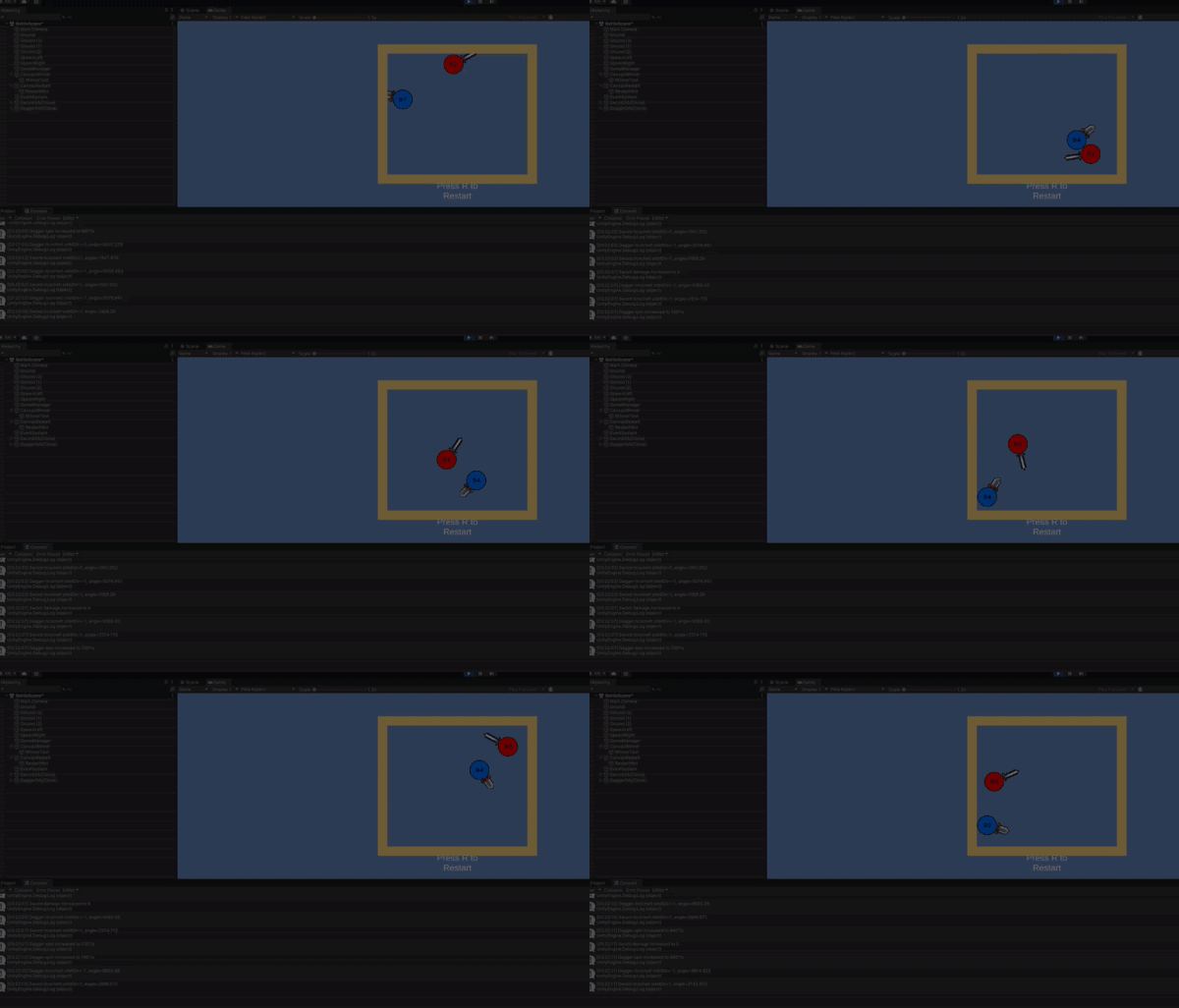
https://gyazo.com/32dd9da1933e37b52a772fa9420744f7.gif
and you can see here if i change it in inspector, it goes clockwise
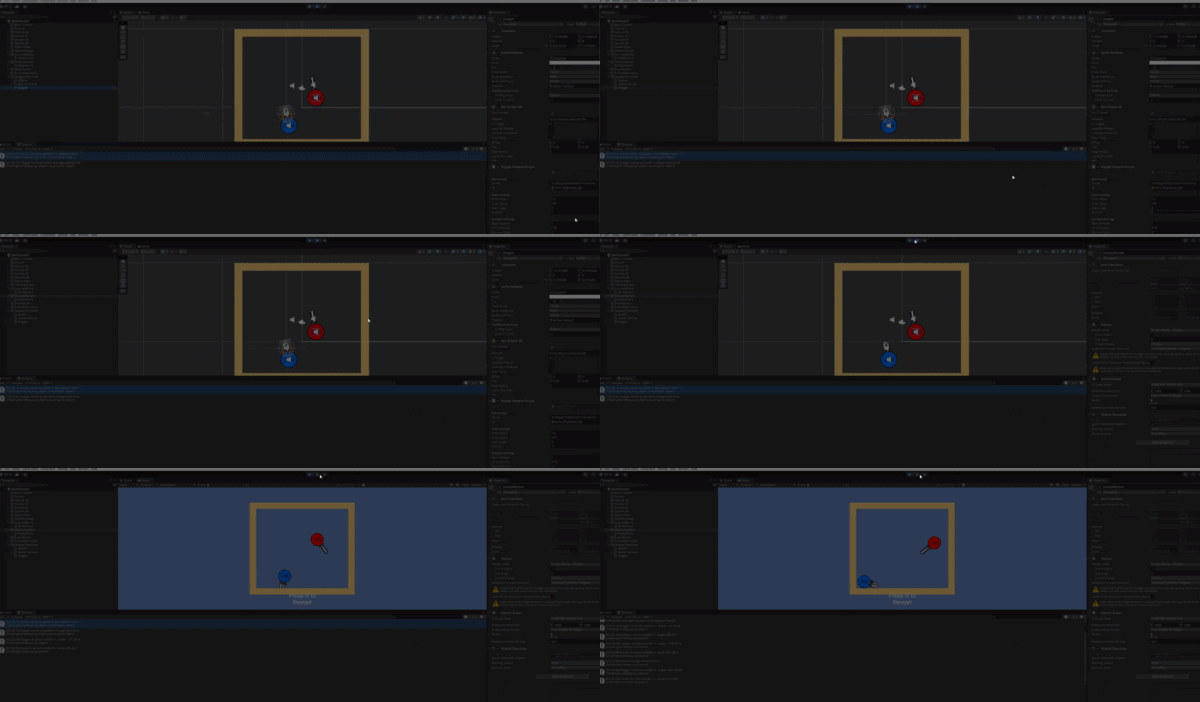
actually let me just move this to code general
fast relic
queen adder
Quick question about general Game Development. When learning Game Development co...
i'd personally recommend learning c# first so you're not overwhelmed by learning both unity and c#
queen adder
fast relic
i'd personally recommend learning c# first so you're not overwhelmed by learning...
What would you recommend I go as learning most general aspects(modeling, scripting, etc...)
Like C# first then?
fast relic
yeah i'd say c# first if you're gonna be doing any coding in unity
 paper delta
queen adder
Like C# first then?
paper delta
queen adder
Like C# first then?

W3Schools offers free online tutorials, references and exercises in all the major languages of the web. Covering popular subjects like HTML, CSS, JavaScript, Python, SQL, Java, and many, many more.
queen adder
paper delta
https://www.w3schools.com/cs/index.php
Perfect Thanks.
paper delta
No problem i found it easy to understand but you can also do brackeys tutorials which are very great

YouTube
queen adder
Quick question but when using C# in unity would you do the script into unity or use something like
Visual Studio Code
paper delta
You create the script in unity
when you open it it opens visual studio though
which is where you script it but you have to open it through unity
 grand snow
you can edit your code with anything as the unity editor performs the compilation
fast relic
queen adder
Quick question but when using C# in unity would you do the script into unity or ...
usually an idea like visual studio, visual studio code or jetbrains rider
i mean yeah you could use notepad if you really wanted to
queen adder
paper delta
which is where you script it but you have to open it through unity
So you download both but have it to where unity edits the code through visual studio?
grand snow
Yea you want to use a nice IDE like visual studio, visual studio code or rider
paper delta
queen adder
So you download both but have it to where unity edits the code through visual st...
you can download through unity
grand snow
*it can be automatically downloaded by unity hub
queen adder
Ah I see now
grand snow
lets be correct
@queen adder more info on supported IDEs and how to configure which one is used: https://docs.unity3d.com/6000.2/Documentation/Manual/scripting-ide-support.html
paper delta
They wont understand that
queen adder
I already have it all done
paper delta
They need to learn the basic language of C# first
queen adder
paper delta
They need to learn the basic language of C# first
yep
I'm just very lost to be completely honest
paper delta
That website he sent is for people who have experience with C#
What it does is teach you how to use it in unity not the language
its not a tutorial
queen adder
St4rz mind if I were to dm you on questions about C# if I get stuck or have any questions?
grand snow
The topic was what program to use to edit c# so that page is relevent 😐
learning c# is a different topic
queen adder
I mean its better then nothing for me at the currently
fast relic
paper delta
They wont understand that
there's really nothing that complex there
fast relic
queen adder
St4rz mind if I were to dm you on questions about C# if I get stuck or have any ...
just ask them here, what's the point in dming somebody
paper delta
Its not a tutorial there
queen adder
fast relic
there's really nothing that complex there
I tried learning luau but I couldn't do what I wanted so I'm going to try other languagess
fast relic
paper delta
Its not a tutorial there
?? yes it is
grand snow
paper delta
Its not a tutorial there
who said it was 😆
fast relic
or well it's links to tutorials on how to set it up
paper delta
fast relic
?? yes it is
Thats how you do it in unity they have no experience with C# itself
grand snow
!learn
radiant voidBOT
grand snow
!learn
:teacher: Unity Learn ↗
Over 750 hours of free live and on-demand learning content for all levels of experience!
grand snow
its learning time!
paper delta
There we go!
fast relic
paper delta
Thats how you do it in unity they have no experience with C# itself
that page doesn't even talk about c# code, it's just setting up an ide
queen adder
grand snow
its learning time!
Already looked but just don't know where to start
grand snow
queen adder
Already looked but just don't know where to start
If you understand the basics of the engine try a full game course: https://learn.unity.com/course/2d-beginner-game-sprite-flight
Unity Learn
Free tutorials, courses, and guided pathways for mastering real-time 3D development skills to make video games, VR, AR, and more.
fast relic
queen adder
Already looked but just don't know where to start
just watch a few tutorials and try to make a simple project on your own, that's the best way to learn something imo
queen adder
fast relic
just watch a few tutorials and try to make a simple project on your own, that's ...
Yea, that's what I thought but diving right into it just gets a little confusing at times.
fast relic
queen adder
Yea, that's what I thought but diving right into it just gets a little confusing...
just take it one step at a time and don't be afraid to make mistakes and ask questions and you should be all good
paper delta
im actually starting to understand other peoples code
from what ive learned
Data types and Variables that i learned helped a lot
I didnt understand the math part as it makes no sense but other things are fine
and i mean stuff like Math.Sqrt
fast relic
paper delta
and i mean stuff like Math.Sqrt
that's just.. a square root
what's there not to understand about that
fast relic
what don't you understand about it?
paper delta
i kinda feel like im learning nothing
fast relic
paper delta
i kinda feel like im learning nothing
why not? what aren't you understanding
paper delta
fast relic
why not? what aren't you understanding
well i understand everything its the website im on i feel like im learning the same thing or nothing
 grand snow
im not fond of w3 schools myself
but if you understand everything they have then you can look at more advanced topics like design patterns, threading and optimisation
queen adder
grand snow
im not fond of w3 schools myself
but if you understand everything they have then...
What else would you use as resources other then unity if w3 school isn't the best?
grand snow
queen adder
What else would you use as resources other then unity if w3 school isn't the bes...
Something like this from microsoft: https://learn.microsoft.com/en-gb/training/paths/get-started-c-sharp-part-1/?WT.mc_id=dotnet-35129-website
Regardless of language (e.g. c#, python, rust) you want to look at the official documentation first when looking up things
queen adder
grand snow
Something like this from microsoft: https://learn.microsoft.com/en-gb/training/p...
Also when learning the language would you use visual studio to learn or use the scripts in Unity?
grand snow
well to learn the basics of c# its better to learn with general resources. Then you can move onto using c# in unity
queen adder
So I learn C# in visual studio then later start using Unity?
grand snow
visual studio is an ide, you can use any ide that supports c# to learn c#
queen adder
OK, perfect.
grand snow
I'm suggesting to learn the language basics first without unity concepts and then move on to using c# with unity.
C# was not created by unity and is used for many other things
queen adder
Also any advice to avoid burning out? I tend to speedrun stuff which isn't the best.
 rough granite
grand snow
I'm suggesting to learn the language basics first without unity concepts and the...
rough granite
grand snow
I'm suggesting to learn the language basics first without unity concepts and the...
As someone that learnt c# through unity i also recommend this
fast relic
queen adder
Also any advice to avoid burning out? I tend to speedrun stuff which isn't the b...
go at your own pace and don't be afraid to make mistakes and ask questions
 polar dust
queen adder
So I learn C# in visual studio then later start using Unity?
polar dust
queen adder
So I learn C# in visual studio then later start using Unity?
Not every C# script you write needs to do something I relation to Unity itself.
Most of them of course will, but if you needed a class that does something with a list of float, there's nothing Unity specific going on there
fast relic
some weird rigidbody thing?
 tired python
not just that....sometimes it goes superspeed when i collide with the walls
how do you even begin to fix these?
fast relic
print out its linearvelocity?
tired python
wait
tired python
fast relic
print out its linearvelocity?
it's spiking up then going down
 fast relic
tired python
it's spiking up then going down
fast relic
tired python
it's spiking up then going down
when it disappears?
tired python
no...when it zooms
lemme show you
when i go near the boundaries, there's this acceleration....
fast relic
probably the rigidbody trying to resolve collisions because it's in a wall?
try rotating it with angularVelocity instead so it bumps into the wall
tired python
fast relic
probably the rigidbody trying to resolve collisions because it's in a wall?
so...it pushes the ship back with the same momentum the ship is striking it with and then for a brief moment, it speeds up before the check for maximum spd happens which then lowers it down?
fast relic
tired python
so...it pushes the ship back with the same momentum the ship is striking it with...
no?
well the ship ends up inside the boundary
tired python
yes
fast relic
so the rigidbody is going all haywire trying to get it out of it
tired python
when you say inside, are you meaning to say that it's going inside the boundary momentarily or that it's striking the boundary
fast relic
here, it's overlapping it

so the rigidbody is trying to push it out because well stuck in wall is bad
swift crag
How are you moving the ship?
tired python
swift crag
How are you moving the ship?
mouse
swift crag
that's how you're getting input!
i mean how you're actually causing the ship to move
e.g. ship.transform.position += Vector3.right; or something
tired python
fast relic
try rotating it with `angularVelocity` instead so it bumps into the wall
how would i go about doing that?
fast relic
can you show your code?
swift crag
I do see that the ship is orbiting around a central point
so I'm guessing that you're just rotating a transform somewhere
tired python
 swift crag
which would, indeed, make it easy to jam the ship into a wall
tired python
swift crag
so I'm guessing that you're just rotating a transform somewhere
i am moving my mouse...that's why it's rotating
tired python
fast relic
can you show your code?
wait a sec
fast relic
tired python
i see
swift crag
tired python
Directly rotating the transform will make it possible to shove the ship into a wall
especially when the ship is offset from the center of rotation like that
rotating causes it to move
tired python
i need to learn more about transforms then...
fast relic
tired python
i think you can just get the angle (with Vector2.SignedAngle()) and then aim its angular velocity towards there..?
tired python
lemme see a guide, i will get back after that
tired python
tired python
lemme see a guide, i will get back after that
right now what you guys are offering as a solution is going above my head....that's why it's necessary i guess
fast relic
tired python
right now what you guys are offering as a solution is going above my head....tha...
what aren't you understanding?
we're here to help you figure it out afterall
 tough lagoon
I think you need to use less AI and just go through the free tutorials
tired python
tired python
tbh, i don't understand a significant part of this code.
tired python
tough lagoon
I think you need to use less AI and just go through the free tutorials
it was from a free tutorial...
😭
fast relic
tired python
tbh, i don't understand a significant part of this code.
which parts? i can explain it step by step if you want
radiant voidBOT
tough lagoon
!learn
:teacher: Unity Learn ↗
Over 750 hours of free live and on-demand learning content for all levels of experience!
tired python
fast relic
which parts? i can explain it step by step if you want
lemme figure it out
ya....it's one of the tutorials on there
correct me if i am wrong. so transform is a class which prolly stores three diff informations. the position, rotation and scale. you can access these datas using transform.position which returns a vector3 data type. and if you want to access individual elements of that vector3, you can using transform.position.x or transform.scale.y...?
 fast relic
tired python
correct me if i am wrong. so transform is a class which prolly stores three diff...
fast relic
tired python
correct me if i am wrong. so transform is a class which prolly stores three diff...
yes, exactly!
tired python
tired python
now i need to understand how the camera class works
fast relic
well the camera class is just that, a camera - it renders stuff to the screen
it has some helper methods though
tired python
fast relic
it has some helper methods though
ya..that's what i wanna learn abt
fast relic
like ScreenToWorldPoint, which takes a point on the screen and turns it into a point in the world
and the mouse position you're reading is in screen space (on the screen)
since the mouse is, well, on the screen
which is why you need to convert it
tired python

fast relic
you can look at the documentation for Camera, it is a lot but you only need a few of the methods there really
 low copper
I have a silly question....when adding references to a SerializedField is it better to make them private or public or does not not matter. For example...
[SerializeField] private TMP_InputField inputField;
 midnight plover
low copper
I have a silly question....when adding references to a SerializedField is it bet...
midnight plover
low copper
I have a silly question....when adding references to a SerializedField is it bet...
public fields are serialized by default
making them private is just to avoid other scripts from outside accessing or changing them
fast relic
low copper
I have a silly question....when adding references to a SerializedField is it bet...
it's typically good practice to only make something public if it has to be
low copper
Ok, so serializing them just means they are accessible via the editor?
low copper
fast relic
it's typically good practice to only make something public if it has to be
That makes sense
low copper
@midnight plover + @fast relic : Ok, thank you very much for explaining
rough granite
fast relic
it's typically good practice to only make something public if it has to be
Side question is there any reason to declare it private vs not mentioning it since c# just defaults to private
 hot wadi
Readability
fast relic
rough granite
Side question is there any reason to declare it private vs not mentioning it sin...
you don't have to declare it explicitly as private, but I prefer to for clarity
rough granite
fast relic
you don't _have_ to declare it explicitly as private, but I prefer to for clarit...
Ah so like using an i for interfaces or an underscore (for private?), it is pointless for myself got it
hot wadi
It's not pointless. It's helpful when the code gets big
fast relic
rough granite
Ah so like using an i for interfaces or an underscore (for private?), it is poin...
yeah pretty much, just clarity
rough granite
hot wadi
It's not pointless. It's helpful when the code gets big
It is pointless if i a) work alone, b) never start having an understanding of syntax in one way then changing would be pointless
hot wadi
U are still missing the point. Alone or in a team, once the size of the project increases, it gets harder to read and refactor it.
 junior basin
Hi there, I was wondering if theres a way to replace a gameobject with another gameobject, like swap them out? Thanks
hot wadi
Naming convention is not important to the system, but it's important to programmers
swift crag
even in a solo project, coming back to something you wrote six months ago can be challenging ( :
swift crag
junior basin
Hi there, I was wondering if theres a way to replace a gameobject with another g...
You can't replace all references to the old object with a new object, at least.
What are you trying to make your game do?
junior basin
I have an array of cells in a grid and I want to swap the sprites when I do something as the player. Suppose I could just swap out sprites but was just wondering if the other idea was feasible
hot wadi
If it's just the sprite and nothing else (collider for example), u should only change the sprite
grand snow
junior basin
I have an array of cells in a grid and I want to swap the sprites when I do some...
to swap gameobjects it would only really need you to copy over the transform parent, position, rotation and other custom bits you have (like a sprite)
Sounds like you realise it may be easier to update the sprite instead.
swift crag
alternatively, there should be a component on the object that has methods like
public void UnlockTile() {
  locked = false;
  spriteRenderer.sprite = openSprite;
}
that way, outside code (e.g. the player's code) does not have to know how to switch the sprite out
you just ask the tile to do something and it handles the rest
 cosmic dagger
rough granite
Ah so like using an i for interfaces or an underscore (for private?), it is poin...
cosmic dagger
rough granite
Ah so like using an i for interfaces or an underscore (for private?), it is poin...
This helps a lot with code completion and finding specific fields of a type . . .
 tender onyx
Hey y'all. Trying object pooling to help the performance of one of my games. I have a spawn manager and object pooler. When the level loads, it spawns in enemies in waves. Works great on my first level, throws this error on the next... They do still spawn, but stack and never move. Like the mesh isn't reading correctly. I know they all have it and have access to it... Any ideas? Can provide ANY code that's needed. TIA
 tender onyx
Hey y'all. Trying object pooling to help the performance of one of my games. I h...
tender onyx
tender onyx
Hey y'all. Trying object pooling to help the performance of one of my games. I h...
BTW, the spawner, pooler, and all possible spawn point are on the exact Y-zero of the navmesh
swift crag
tender onyx
Hey y'all. Trying object pooling to help the performance of one of my games. I h...
I believe the agent looks for a navmesh to stick to in its Awake method (or was it in Start? that's an important difference)
Are you spawning the enemies far away from the world and then teleporting them into it?
I remember having this issue in a game once – enemies were getting instantiated and then placed on a spawn point
to narrow down the cause, I would test if the bug happens:
- in level 2
- after changing a level
(those are two different things!)
 sage shoal
keen dew
sage shoal
keen dew
Look up a movement tutorial for the type of game you're making
 midnight plover
what a surprise 😄
rich adder
 ancient ermine
After decompilation, the code is always missing something.
ancient ermine
After decompilation, the code is always missing something.
no modding/ decompiling allowed on this server btw
 ivory bobcat
ancient ermine
After decompilation, the code is always missing something.
ivory bobcat
ancient ermine
After decompilation, the code is always missing something.
You'd fix the problem from the top of the list to the bottom. Unfortunately we cannot help you as the server doesn't support discussions on decompilation.
ancient ermine
I‘m just decompiling my own project.
ancient ermine
ivory bobcat
You'd fix the problem from the top of the list to the bottom. Unfortunately we c...
OK
polar acorn
ancient ermine
I‘m just decompiling my own project.
So why not just use the actual project files
rich adder
Encryption on client side code is hilarious
polar acorn
Attempting to stop decompilation is a losing battle. Megacorporations have thrown billions of dollars at it and failed. Best to just not let it bother you
ancient ermine
The most advanced encryption I've encountered so far is splitting a file into 5,000 parts, each individually encrypted with AES-128. The key is not simple bytes but dynamic, and there's an additional layer of unknown compression. I have already decrypted the outer zlib encryption before.
 sour fulcrum
Whats the point tho
ancient ermine
I can‘t understand how the game is read.
midnight plover
But thats not a topic for this server, as mentioned before
ancient ermine
Well, I‘ll take a look some other place.
 earnest meteor
does anyone have any ideas for my game
I have no ideas. it's a VR game where you run from monsters
polar acorn
earnest meteor
I have no ideas. it's a VR game where you run from monsters
That sounds like an idea
go with that
earnest meteor
i got my map but how would YOU like the player model
i mean funny or angry or normal looking
polar acorn
Doesn't matter what I want I'm not making it
earnest meteor
ik but as game devs you should listen to others and ask for advice
and thats what I do
polar acorn
But you should also know what you actually want
earnest meteor
Ik but I just want some inspiration
and idk if your advice is bad it's still advice
polar acorn
So, get some inspiration. Experience media. See the world. Have some life experiences to draw from
earnest meteor
omg bro i hate my li... wait THANKS BRO I WILL
tender onyx
swift crag
I believe the agent looks for a navmesh to stick to in its Awake method (or was ...
Enemies GetComponent for the navmesh on awake. The levels are designed to be seamless, so one is physically below the other maps y axis, but the pooler / spawner is moved on the new load to make up for it. Could it be the enemy prefab itself is to far from the mesh when instantiated for the pool? Again, I can send the pooler script to show how they instantiate if need be
 nimble apex
do we have a mathf.lerp that clamp t between -1 and 1 instead of 01?
swift crag
no, but you can use Mathf.LerpUnclamped and Mathf.Clamp
hot wadi
earnest meteor
ik but as game devs you should listen to others and ask for advice
We can help with technical issues but game design is another story
If u want feedback for ideas, u can make a post in #1180170818983051344
polar acorn
nimble apex
do we have a mathf.lerp that clamp t between -1 and 1 instead of 01?
Lerp it, then use that result to InverseLerp between -1 and 1
swift crag
I often write a "remap" function, since this comes up so often
nimble apex
aight, i think i know how to make it works
swift crag
I believe the Mathematics package also provides a remap function
polar acorn
(or just double it and subtract 1, but the Lerp-InverseLerp remap is useful even when the math isn't that simple)
swift crag
yeah, I try to avoid doing any "tricks"
they make it much more annoying to change your ranges later
hot wadi
Yeah, 0 - 1 is just the 'range' that u can easily modify
polar acorn
Yep. Tricks are fun to spot but usually more trouble than their worth
Better to be generic
hot wadi
Besides, math is fun until it's not
swift crag
polar acorn
Yep. Tricks are fun to spot but usually more trouble than their worth
i was trying to change the range on a post-processing effect on one of my VRChat avatars last night before an event
but i was too clever about it and i literally could not find where i was calculating the falloff for something
i'm going to fix that now lol
nimble apex
swift crag
I often write a "remap" function, since this comes up so often
i think i got it done , ty 
in fact, i didnt use any of those method, the lerp function is for this UI , u see the upper corner got bunch of buttons right? that is a scroll rect with a grid layout
what im doing is to make user able to zoom into the grid

ofc its smartphone
i already got a custom function to get the input from pinching action
private void Update()
{
//implement zoom on grid
float ZoomInputValue = InputManager.Instance.ZoomAction();
BatchPlanMap.enabled = ZoomInputValue == 0;
if (ZoomInputValue == 0)
{
return;
}
zoomValue = ZoomInputValue switch
{
< 0 => Mathf.Clamp01(zoomValue -= Time.deltaTime * zoomSpeed),
> 0 => Mathf.Clamp01(zoomValue += Time.deltaTime * zoomSpeed),
_ => zoomValue
};
BatchPlanMapAnchor.localScale = Vector3.one * Mathf.Lerp(shrinkThreshold, zoomThreshold, zoomValue);
}``` torpid spindle
 sly vortex
^^This guy is spamming multiple messages across multiple channels
 reef bramble
I've been working on learning procedurally generated forests etc with structures, I've added a cave you can enter, but I want this cave to be procedurally generated on each cave you enter. But I have no idea where to start. I want to make like a random cave system, not rooms like a dungeon if its not TOO difficult.
 golden kelp
!learn
radiant voidBOT
golden kelp
!learn
:teacher: Unity Learn ↗
Over 750 hours of free live and on-demand learning content for all levels of experience!
 scarlet pasture
hey i want to make a smart boss, how can i programm that the boss reads the behavior of the player, i want that the boss sees that the Player has lost over the half of his health
how can i give him the infomaction, can i do that on every Action the Bosses do, maybe with getComponent?
 balmy yacht
complicado
scarlet pasture
u mean it is Complicated`?
balmy yacht
i dont speak english
scarlet pasture
okay
balmy yacht
i am from Brazil
scarlet pasture
maybe someone else that can help me with that
 eternal needle
balmy yacht
i am from Brazil
eternal needle
balmy yacht
i am from Brazil
this is a code channel, theres no off topic so please dont spam if you cannot help someone
eternal needle
scarlet pasture
hey i want to make a smart boss, how can i programm that the boss reads the beha...
the boss simply needs a reference to the player
scarlet pasture
okay, so i only need to say "if the Players current healh is lower than 50" do somthing?
eternal needle
how you pass that reference is up to you. It could be with GetComponent if its trying to find targets in range
 devout garden
can someone help me? I have lighting differences between the game in the editor and in the finished build. The flashlight should fade of rq wich it does in the editor but in the build the light somehow doesnt fade that quick and I can see the different lbrightness steps in the distance

 scarlet pasture
eternal needle
how you pass that reference is up to you. It could be with GetComponent if its t...
scarlet pasture
eternal needle
how you pass that reference is up to you. It could be with GetComponent if its t...
but the data of the Player changes alot, in this case ? would it be okay do search it on Update?
balmy yacht
eternal needle
this is a code channel, theres no off topic so please dont spam if you cannot he...
huh sorry
eternal needle
devout garden
can someone help me? I have lighting differences between the game in the editor ...
this is a coding channel
devout garden
what chnnel should I use?
eternal needle
scarlet pasture
but the data of the Player changes alot, in this case ? would it be okay do sear...
Well you'd likely have some targetting logic for the boss anyways, which may find targets in range already. It all depends on your design. And the boss is going to be doing things in update to determine when to attack, or what attack to use.
scarlet pasture
eternal needle
Well you'd likely have some targetting logic for the boss anyways, which may fin...
okay nice i will try it
eternal needle
devout garden
what chnnel should I use?
probably #1390346776804069396
 coral patio
Hi everybody, I'm a bit confused and it may be really easy lol. How can I check if a position changed was finished with gravity enabled? I added moving platforms where I could add triggers based on if the position was finished and returning back and forth or ended (as those do not include gravity), but I cant do the same for my character. As example dashing forward in the air will always make him drop while in air meaning I never have an idea when the dash actually finished
 edgy sinew
coral patio
Hi everybody, I'm a bit confused and it may be really easy lol. How can I check ...
edgy sinew
coral patio
Hi everybody, I'm a bit confused and it may be really easy lol. How can I check ...
always make him drop while in air?
huh?
what is the dash supposed to do while mid-air?
coral patio
edgy sinew
always make him drop while in air?
huh?
what is the dash *supposed* to do while ...
Sorry wrong description, its perfectly fine doing what its supposed to do, but my expected end position of the end of the dash doesn't match up with my computed value due to gravity, hence I can never check if the dash was successfully finished and set a state to the character which did work with non-gravity platforms
edgy sinew
coral patio
Sorry wrong description, its perfectly fine doing what its supposed to do, but m...
I'd say, make the dash time-based or just apply some velocity impulse?
 frail hawk
why not just temporary disable the gravity on your rb while dashing
edgy sinew
I just keep time for certain things, or read animation curves and control some behaviour that way
coral patio
frail hawk
why not just temporary disable the gravity on your rb while dashing
Actually good point
Yeah.. Sometimes you're stuck so long in a problem you dont see the easy solution
frail hawk
use a simple timer and after small dela yenable it again
coral patio
edgy sinew
I just keep time for certain things, or read animation curves and control some b...
We aint so far in animation yet
edgy sinew
ight then we aint copy that
coral patio
Cheers thanks guys!
scarlet pasture
hey how can i make this working fine, my boss hast two colliders and i want detect eacht of them
 slender nymph
you'd have to loop through the array
scarlet pasture
ahhh thanks!!
i used linq for that, (is only one time and its clean)

for every other
begginer
frail hawk
why checkin for more tags? that is actually always a bad move
frail hawk
it has a reason why a go only have one tag
scarlet pasture
whitch?
wait im dumb
i only need to search for on tag wtf im doing
the Colliders have even the Same tag Wtf
🥀
frail hawk
i mean if it is doing what it should, go for it but i am just saying. did not want to break your gameflow
frail hawk
yeah, breaks are important in development too
scarlet pasture
frail hawk
yeah, breaks are important in development too
100%
hey when the Palyer collides with the Boss the Boss slides crazy on the floor

can this be fixed with this, in the forums i saw that this is not recommended
what else should i use?
polar acorn
I mean, that seems to be exactly what you're telling it to do
Guessing that's what the ApplyKnockback function does
scarlet pasture
no this code is for the Player, i he collides with enemy he shoukd get a KnockBacjk
 wintry quarry
scarlet pasture
can this be fixed with this, in the forums i saw that this is not recommended
wintry quarry
scarlet pasture
can this be fixed with this, in the forums i saw that this is not recommended
What do you want to happen when the player and the boss collide?
What does "slides crazy on the floor" mean?
scarlet pasture
wintry quarry
What do you _want_ to happen when the player and the boss collide?
What does "sl...
like the Player Collides with the Boss, i Want => the Player gets a KnockBack. My Problem => in the Collidison between the Player and Boss the Boss also gets a Force (because of the Collision) and he slides because of this on the ground. What i want to achive => i want that if the Collision happens the Boss be on the same spot
do u understand what i mean?
wintry quarry
scarlet pasture
like the Player Collides with the Boss, i Want => the Player gets a KnockBack. M...
Is the boss using a dynamic rigidbody?
scarlet pasture
yeah
wintry quarry
then it's expected it will also receive an impulse from colliding with another object.
One cheeky workaround is to put a special collider just for the player on a kinematic rigidbody that's a child of the boss. Then set up the layer collisions so that the player only collides with the kinematic child instead of the main boss.
That should eliminate the boss receiving any impulses from the collisions IIRC.
scarlet pasture
hmm okay but what exactlly is the diffrence between the code of line i used? and could this also be achivable if i would say, "When the Player Collides with the Boss, set the Rb to Kinematic for a shot time"?
 zenith wren
How would I make it so that I can't get output back to back while using Random.Range?
keen dew
Generate again until you get a number that's not the previous one. Or a bit more obscure but avoids a potential infinite loop: if you want a number between a and b, generate a number between a and b - 1 and if the result is >= previous number, add 1
 chrome apex
which joint should I be using if I want an UPRIGHT spring? Think of it as that cat toy; a rod with a ball on top. The cat pulls it and it goes boing and flips back and forth before returning to the original posiiton
chrome apex
Character joint seems to work for that but I can't get it to stay upright once moved. It acts like it's been roped to a position below it. Once you move it, it stays down and to the side.
Maybe a configurable joint can do that
wintry quarry
scarlet pasture
hmm okay but what exactlly is the diffrence between the code of line i used? and...
No - by the time you are reacting to the collision it's too late. It already happened.
wintry quarry
zenith wren
How would I make it so that I can't get output back to back while using Random.R...
Put all the possible results in a list and shuffle it. Then iterate over the shuffled list (like a deck of cards)
tired python
fast relic
i _think_ you can just get the angle (with `Vector2.SignedAngle()`) and then aim...
so, i tried thinking about what you said, and i don't think it makes sense to me. what would getting the angular diff between the two transforms even achieve?
fast relic
tired python
so, i tried thinking about what you said, and i don't think it makes sense to me...
well you'd wanna sort of push it in that direction using angularVelocity (since that would respect collisions)
tired python
fast relic
well you'd wanna sort of push it in that direction using `angularVelocity` (sinc...
here's the thing though...if i were to push it in that direction when the collision already happens...won't it still be in a position where it's already inside the boundary? if that's the case, even if i do push it a bit more in that direction, that's not gonna change the fact that the collisions are still going haywire resulting it an unpredictable motion
or should i check for it just before it collides with the boundary
fast relic
tired python
here's the thing though...if i were to push it in that direction when the collis...
well the reason that the weird acceleration happens is because the rigidbody ends up partially inside the wall, not just colliding with it
but using angularVelocity will make it just push up against the wall but not go inside it
tired python
wait a sec...i think there's an even better way to do this...here me out
so what i can do is, when the spaceship collides, i takes it's linearvelocity and then i just alter it's linearvelocity by the same magnitude but in the opposite direction
so it bounces off of the boundary due to reaction force
would that work?
or wait, even better
fast relic
I doubt it, since you're modifying the rotation directly it's not affected by physics
but you can try
tired python
aight i will try implementing it then
tired python
fast relic
I doubt it, since you're modifying the rotation directly it's not affected by ph...
aight ya no, it doesn't work.
rb.angularVelocity *= 3; tried this...to increase angular velocity for a split moment and then let the force carry it out of there but ya no...this doesn't work either
 vocal quiver
!code
radiant voidBOT
vocal quiver
!code
Posting code
📃 Large Code Blocks
Use links to services like:
https://paste.mod.gg/, https://hastebin.skyra.pw/, https://paste.ofcode.org/, https://paste.myst.rs/
📃 Inline Code
Surround code with three backquotes. Not quotation marks.
To format as C#, add cs to the first line:
```cs
// Your code here
```
Add a comment with a line number if there is an error message.
vocal quiver
Hey Guys I am having trouble with my rigidbody system. Basicalyl I am trying to create a character controller based on a rigid body system. The issue is that I start flying upward when pressing S and Jump at the same time idk why please help
A tool for sharing your source code with the world!
rocky canyon
chrome apex
which joint should I be using if I want an UPRIGHT spring? Think of it as that c...
i use a faux antenna physics script i found on unity discussions..
just spent some time making the top part have a target that influences it..
i'd be happy to package it up and send it to ya if you'd like
unless your specifically wanting physics springs instead of faux physics
rocky canyon
vocal quiver
Hey Guys I am having trouble with my rigidbody system. Basicalyl I am trying to ...
just quickly looking it seems like maybe the slope handling conflicts w/ the jump..
i'd debug if ur on a slope (true/false) or whatever and inspect that boolean as the problem occurs.. might shine some light on the situation
tired python
this is messed up, tried doing this even, it doesn't do a thing!
if (rb.linearVelocity.magnitude > maxspd)
{
    rb.linearVelocity = new Vector2(0, 0);
}```well if it's 0 anyway then i doubt multiplying it by 3 is gonna do much
tired python
fast relic
well if it's 0 anyway then i doubt multiplying it by 3 is gonna do much
it's 0 when it collides?
lemme check
fast relic
tired python
it's 0 when it collides?
i mean you're not making it anything
i'm telling you that you should use it instead of setting the rotation (up direction) directly
tired python
but i did think that this line of code uses the angular velocity it has...
or maybe i don't understand you

fast relic
you're setting transform.up to the direction to the mouse directly
while i'm telling you that you should use angularVelocity to rotate it while respecting collision
instead of setting transform.up
tired python
correct me if i am wrong. are you trying to tell me to not use the transform.up method i have been using to move the spaceship when it collides?
fast relic
tired python
correct me if i am wrong. are you trying to tell me to not use the transform.up ...
i'm telling you not to set transform.up directly (like you did [here ](#💻┃code-beginner message) ) and instead use angularVelocity to rotate the rigidbody towards the mouse
tired python
ya...i misunderstood you completely before, my bad
fast relic
no worries! it's fine
chrome apex
rocky canyon
i use a *faux antenna physics* script i found on unity discussions..
just spent ...
I guess I could make a script like that but can it not be made with joints?
rocky canyon
im sure it can.. i personally find joints tedious to work with and i just had the script handy. that is all
 mint imp
Soooo i was about to attempt making an "editor" just so i can build my levels for efficiently. Then i thought. Why not just use the tile grid editor.
I could zoom it out so that im not dealing with massive block tiles, then paint "zones" for my game.
Is there anything to do with tile grid systems i should know?
 cinder trout
this
slender nymph
cinder trout
this
- expecting people to know to look five days into the chat history to find your actual question instead of you just reposting or linking your question again is absurd.
- whatever "opera" is in this context, it is not a supported code editor for unity. see the supported options below
!ide 👇
radiant voidBOT
slender nymph
!ide 👇
💡 IDE Configuration
If your IDE is not autocompleting code or underlining errors, please configure it.
Select one:
•  Visual Studio (Installed via Unity Hub)
• Visual Studio (Installed manually)
•  VS Code
•  JetBrains Rider
• :question: Other/None
cinder trout
slender nymph
1. expecting people to know to look *five days* into the chat history to find yo...
iim not askiing what i should code with im asking how i switch to opera to something else
slender nymph
what does that even mean
"switch to opera to something else"
fast relic
cinder trout
iim not askiing what i should code with im asking how i switch to opera to som...
go to preferences -> external tools
cinder trout
were is preferances in unity or in the project or in the files
fast relic
cinder trout
were is preferances in unity or in the project or in the files
in unity
in the menu on the top left, edit -> preferences -> external tools
slender nymph
cinder trout
were is preferances in unity or in the project or in the files
literally just follow the guide linked by the bot
#💻┃code-beginner message
cinder trout
wich link
slender nymph
the one for whichever IDE you plan to actually use
cinder trout
IDE?
slender nymph
you know you can google terms you don't understand, right? that's Integrated Development Environment. aka your code editor
conveniently the bot mentions three different ones which should have given you a clue as to what it meant
cinder trout
slender nymph
you know you can google terms you don't understand, right? that's Integrated Dev...
this An IDE, or Integrated Development Environment, is a software application that combines common developer tools into a single graphical user interface (GUI) to streamline the software development process. These tools typically include a source code editor, a debugger, and build automation tools, which helps programmers write, edit, debug, and test code more efficiently in one place
slender nymph
congrats, you've learned to copy and paste. no idea why you chose to do so here but good on you i guess
 lunar heart
Hi there I'm having issues with VS and Unity and was wondering if someone could help me I already looked videos and forums online about the issue and nothing is fixing it could someone help me?
slender nymph
!ide
radiant voidBOT
slender nymph
!ide
💡 IDE Configuration
If your IDE is not autocompleting code or underlining errors, please configure it.
Select one:
• Visual Studio (Installed via Unity Hub)
• Visual Studio (Installed manually)
• VS Code
• JetBrains Rider
• :question: Other/None
cinder trout
slender nymph
congrats, you've learned to copy and paste. no idea why you chose to do so here ...
dude why are u being so sarcastic about everything im just trying to ask for help ii ask what ide means u just google it thats what its for whats your problem
naive pawn
lunar heart
Hi there I'm having issues with VS and Unity and was wondering if someone could ...
 slender nymph
cinder trout
dude why are u being so sarcastic about everything im just trying to ask for hel...
slender nymph
cinder trout
dude why are u being so sarcastic about everything im just trying to ask for hel...
notice how i actually answered your question in the same message i informed you that google is an option.
naive pawn
cinder trout
dude why are u being so sarcastic about everything im just trying to ask for hel...
nobody is asking what an IDE is. we already know
we're telling you how you can find out
cinder trout
naive pawn
nobody is asking what an IDE is. we already know
we're telling you how *you* can...
if u do now just say like if i asked whats the population of poland and someone nows r they just gonna say google it
naive pawn
yes
cinder trout
also what im getting from google is that its a codiing tool like id use visual studeo is that what u mean by ide
slender nymph
my guy, i fucking answered that already
cinder trout
wich part
lunar heart
Everytime I'm trying to use VS for unity my code doesn't work, I'm new to scripting but it seems like intelisense doesn't work and certain values and floats don't even appear functional even after typing them, people have suggested to set external script editor to VS but even that doesn't work and every other solution I've tried like dragging the code directly into VS
slender nymph
lunar heart
Everytime I'm trying to use VS for unity my code doesn't work, I'm new to script...
cinder trout
slender nymph
my guy, i fucking *answered that* already
can you just tell me wich link without getting pissy
lunar heart
Thank you I'm so dumb. Thank you for having patience
cinder trout
naive pawn
which ide are you using
what do u recommend sorry ii am very new so i dont now
slender nymph
cinder trout
can you just tell me wich link without getting pissy
i answered that one too. click the one for the ide you plan to use. since nobody here can read your mind and you've not bothered telling us which you plan to use, what more do you expect?
naive pawn
cinder trout
what do u recommend sorry ii am very new so i dont now
so you don't have an IDE at all then?
jesus christ we aren't psychic
slender nymph
there are three that the bot mentions. pick one.
naive pawn
there is an assumption that when you say "an actual coding tool" that you already have an actual coding tool
cinder trout
sorry i was annoying dumb
cinder trout
slender nymph
there are three that the bot mentions. pick one.
And sorry about ignoring the thing i just thaught iit was ai replying to every thing i say have a good day and sorry
teal viper
Visual studio.
slender nymph
cinder trout
And sorry about ignoring the thing i just thaught iit was ai replying to eve...
it's a bot message that was invoked as a direct response to a command (which is why you see !ide from a real person right before each time it has said that)
cinder trout
slender nymph
it's a bot message that was invoked as a direct response to a command (which is ...
sorry thank you and later when i get the visual studio downloaded can you help me change from opera to viisual studiio or r you just gonna send me to google
slender nymph
that's what the bot's linked instructions are for
naive pawn
we're gonna send you to the instructions that someone has already written
so we don't have to repeat literally everything there
cinder trout
nevermind sorry god damn
naive pawn
hi, this is not a social space
https://nohello.net

please don't say just hello in chat
if you have a question, feel free to ask
quartz current
Oh, Sorry
lunar heart
OMG it worked you guys are angels thank you so much, I love ya'll
cinder trout
quartz current
Oh, Sorry
If i guess correctly uu can prob say hii in uniity talk if not u prob just cant say hi
so no hi at all
polar dust
no hi's.
cinder trout
why ths is iit not a commen curtacy
naive pawn
yep
slender nymph
if only a link was provided that explains why
naive pawn
see the link i posted above
cinder trout
do you guys have links for everythingg
rocky canyon
majority of the channels are support channels..
it'd be like hitting up Microsoft's Support Team n sayin "hi 👋"
but if you have a question or need help then all is welcome
slender nymph
all of the incredibly common stuff, yeah
rocky canyon
links make things easier.
cinder trout
what other links do yawl got like I'm genuinely curious
rocky canyon
when they're such common topics 🙂
polar dust
cinder trout
what other links do yawl got like I'm genuinely curious
hmm, a bot command to show all links
I doubt such a command exists
cinder trout
yes that would be awesome or a link to a website that just says all the links
rocky canyon
the pin's in each channel have most of that
naive pawn
cinder trout
what other links do yawl got like I'm genuinely curious
oh, and https://shouldiblamecaching.com
rocky canyon
https://unity.huh.how/ +slug
i wish i knew all the slugs
cinder trout
naive pawn
https://dontasktoask.com
https://nohello.net
https://xyproblem.info
https://tryi...
Yeah but a link to all the links i think is better but i still find this funny
rocky canyon
bro's got em on lock
polar dust
 naive pawn
rocky canyon
> https://unity.huh.how/ +slug
i wish i knew all the slugs
naive pawn
rocky canyon
> https://unity.huh.how/ +slug
i wish i knew all the slugs
i can only remember lerp/wrong-lerp tbh
rocky canyon
naive pawn
i can only remember `lerp/wrong-lerp` tbh
wrong assignment is a good one
naive pawn
it's the only one i reference consistently
rocky canyon
the id part of the url
polar dust
aaahhh
naive pawn
well, that's ambiguous lmao
cinder trout
polar dust
 cinder trout
a slug is like a snail with no shell
rocky canyon
u better quit.. offtopic images will get u warned 🤣 i would know
cinder trout
naive pawn
we can do without the image spam, thanks
iit was 2 images
cinder trout
rocky canyon
u better quit.. offtopic images will get u warned 🤣 i would know
ii guess thats fair
cinder trout
rocky canyon
if i post 1 more im donezo... 😭
😢
slender nymph
!learn
radiant voidBOT
slender nymph
!learn
:teacher: Unity Learn ↗
Over 750 hours of free live and on-demand learning content for all levels of experience!
rocky canyon
 formal gull
how make pong
formal gull
how make pong
should find quite a few tutorials about that
i think its the best game to start with


 naive pawn
!code
radiant voidBOT
naive pawn
!code
Posting code
📃 Large Code Blocks
Use links to services like:
https://paste.mod.gg/, https://hastebin.skyra.pw/, https://paste.ofcode.org/, https://paste.myst.rs/
📃 Inline Code
Surround code with three backquotes. Not quotation marks.
To format as C#, add cs to the first line:
```cs
// Your code here
```
Add a comment with a line number if there is an error message.
cinder trout
slender nymph
!learn
ii have to aks why does your profile have like a pokemon card to it
naive pawn
do you have an issue, currently?
rocky canyon
formal gull
rb.velocity is old
you need to change that to rb.linearVelocity in the newer versions of Unity
formal gull
naive pawn
do you have an issue, currently?
paddles dont move and when a ball touched a paddle it stops moving
rocky canyon
thats why its underlined green in ur ide
slender nymph
cinder trout
ii have to aks why does your profile have like a pokemon card to it
there's no offtopic here, thanks. also what a silly question when the answer should be glaringly obvious
rocky canyon
formal gull
why is o a blacklisted letter
its not.. any super short message will get muted
cinder trout
slender nymph
there's no offtopic here, thanks. also what a silly question when the answer sho...
you like pokemon?
polar dust
rocky canyon
`rb.velocity` is old
you need to change that to `rb.linearVelocity` in the newer...
clanker code
naive pawn
formal gull
paddles dont move and when a ball touched a paddle it stops moving
are you getting any errors
slender nymph
formal gull
why is o a blacklisted letter
it's not, you should read what the message said next time. use full sentences
naive pawn
polar dust
clanker code
i don't think so, actually
formal gull
naive pawn
are you getting any errors
no errors it just doesnt move the paddles
slender nymph
show the unity console during play mode
naive pawn
are you using rbs on the paddles?
rocky canyon
^ and if you'll use the codepaste websites to paste and link us ur code we'll be able to see if theres any code that may be causing that
 naive pawn
if they have colliders, they should be moved using RBs, and you shouldn't use transform.Translate on them
ah, there it is
!input
radiant voidBOT
naive pawn
!input
How to Set Input
To set Active Input Handling, go to:
Project Settings > Player > Active Input Handling
• Input Manager (Old): Use the original Input settings.
• Input System Package (New): Uses the new input system package.
• Both: Use both systems.
rocky canyon
formal gull
ah hah!
slender nymph
6.1+ strikes again
formal gull
i didnt check my console
slender nymph
you'll need to get used to checking it often. in fact you would ideally have it visible while you're in play mode
formal gull
what do i do
slender nymph
formal gull
what do i do
rocky canyon
and make sure to check the collapsed menus.. it may not be visible unless u open some of the sub-menus.
i think its under Other Settings
formal gull
i dont see it
 rocky canyon
jeez
slender nymph
formal gull
i dont see it
read the two messages directly above yours
formal gull
whats a collapsed menu
 naive pawn
in computers* everywhere
rocky canyon
lol true true
rocky canyon
learn something new everyday
naive pawn
youtube also has this. several games also have this
rocky canyon
and ur cellphone 😉
formal gull
o i found
 slender nymph
consider taking a computer literacy course before attempting game development if you are not all that familiar with computers
formal gull
naive pawn
youtube also has this. several games also have this
bro just wants to hate
rocky canyon
he also helps strangers quite often
rocky canyon
u can do both
naive pawn
formal gull
bro just wants to hate
or, yknow, pointing out where else you might have seen this kind of UI
rocky canyon
but if u plan on using one or the other u can just pick the one u intend on using
naive pawn
just set it to old
rocky canyon
most tutorials you'll find use the old Input class
Input.GetKeyDown..
Input.GetAxis.. etc
its more beginner friendly..
slender nymph
it's really only more beginner friendly because of the sheer number of tutorials that still use it. the input system has been updated quite a bit to be super easy to get started with. so much so that you can just add a PlayerInput component to an object and you're already 90% of the way done since it uses a default input action asset that is already set up
swift crag
It’s easier to do very basic things with the old input system
rocky canyon
i've finally prestiged.. none of my projects use the old other than basic debugging now 💪
woop woop
swift crag
As soon as you want to do anything more it explodes
rocky canyon
i use the old as a running key-logger
 formal gull
how do i make it change directions depending on where the paddle is coming from
and also the paddles can move past the borders for some reason
rocky canyon
~~you'll need to clamp the x position
    public float moveSpeed = 10f;
    public float leftLimit = -8f;
    public float rightLimit = 8f;

    void Update()
    {
        float moveX = Input.GetAxis("Horizontal") * moveSpeed * Time.deltaTime;

        Vector3 pos = transform.position;
        pos.x = Mathf.Clamp(pos.x + moveX, leftLimit, rightLimit); // clamp x position
        transform.position = pos;
    }``` something similar to this~~

ignore this and use rigidbodies insteadwouldn't it be the Y position
rocky canyon
well depending on the orientation ya
either the x or y.. or perhaps the z... lol concept still stands lol
naive pawn
pong is usually horizontal, and their code does confirm that
naive pawn
air hockey is modern pong
rocky canyon
may have been on the original Atari 😬
formal gull
rocky canyon
~~you'll need to clamp the x position
```cs
public float moveSpeed = 10f;
...
where do i put this construction
naive pawn
wait pong and airhockey were developed almost at the same time lmao
rocky canyon
absolutely do not just copy and paste it..
read it.. try to understand it and implement it
naive pawn
also if your walls are colliders already you could just use those
 naive pawn
your paddles should be rigidbodies if they have colliders, and then you should be moving via the rigidbodies rather than via transfrom
rocky canyon
if u do this u dont even need to worry about the clamps
the walls will stop u.. just like irl 🙂 🙂
ya. nvm it absolutely shuld be rigidbodies anyway.. b/c the puck would be a rigidbody.. and interactions would make more sense that way
formal gull
naive pawn
your paddles should be rigidbodies if they have colliders, and then you should b...
i got like uh
a box collider
it works fine but doesnt like
move vertically
just straight back and forth
horizontally
ykwim
naive pawn
i do not
please finish your thought before hitting send
did you just copy spawn's code
rocky canyon
lol
its been deprecated 😄
are you following a tutorial or are u just "freestyling"?
or even worse ||chatgpt regurgitation||
formal gull
rocky canyon
or even worse ||chatgpt regurgitation||
no chatgpt
rocky canyon

Dive into game development with this beginner-friendly tutorial on Unity, the leading game development platform. In this concise tutorial, we'll take you step by step through the process of creating your very first video game: Pong, the iconic classic that laid the groundwork for the gaming industry. Whether you're new to Unity or looking to bru...
maybe follow along for a while
get familiar with things
formal gull
rocky canyon
https://www.youtube.com/watch?v=7z0hKe9KaAc
i was following it
i dont think he mentioned anything for the walls
rocky canyon
i skimmed thru it.. it covers everything..

^ he's making borders for the game-area
formal gull
 rocky canyon
if you use rigidbodies to move the paddles they'll not go thru the colliders
formal gull
the balls still phasing
rocky canyon
theres no rigidbody on that.
naive pawn
well you wouldn't need a rigidbody on it
rocky canyon
for the ball?
naive pawn
no, for the walls
or the paddles for collision, technically - you'd want the rb to move the collider
rocky canyon
formal gull
what is this component showing?
rocky canyon
ooof.. good time to restart 😄
maybe try some of the others.. theres lots of choices
rocky canyon
then do it..
formal gull
It’s due for a class tmr
rocky canyon
why everyone always wait til the deadline?
rocky canyon
nope.. i wouldn't think so lol
how they expect people to build a project without being provided adequate tools??
formal gull
rocky canyon
nope.. i wouldn't think so lol
Help me spawncampgames
I’ll subscribe to u
Pls
rocky canyon
its late bro.. im about to pass out
naive pawn
tbh the best thing you can do is getting rest
rocky canyon

Forgive me friends, I wanted this to be how to make pong in 5 minutes, but it would have been a little too crunched. I think some areas, like the UI score got condensed more than I would have liked, but overall, I think it illustrates the point of how you can make pong really quickly!
Pong is a must make for beginner game developers, regardless...
use this tutorial next.. @formal gull ☝️
BMo is legit.. 👈
formal gull
naive pawn
tbh the best thing you can do is getting rest
If ppl in my class vote my game as the best im exempt from my performance final
rocky canyon
and this one uses RIgidbodies and RIgidbody movement
it should help you
- has walls
- uses rigidbodies for paddle movements (won't go thru walls)
- and its short enough u can meet ur deadline 😅
good luck tho.. 🍀 i gotta bounce.. i gotta get some sleep.. I got jury duty 😩
formal gull
@naive pawn if i add a rigid body the paddle falls when it touches any of the walls
naive pawn
don't ping specific people for help please
just set gravity scale to 0 and set velocity to 0 when not moving
formal gull
naive pawn
don't ping specific people for help please
mb
do u know if u got code for a bird from flappy bird
i wanna do smt like that
instead of w for up and s for down
if u know what i mean
naive pawn
you can find plenty on google or make it yourself
formal gull
naive pawn
you can find plenty on google or make it yourself
pls
formal gull
naive pawn
you can find plenty on google or make it yourself
i cant find it pls help me
naive pawn
you can't google "unity flappy bird tutorial"?
formal gull
naive pawn
you can't google "unity flappy bird tutorial"?
i need it to work with pong
naive pawn
learn how it works and integrate it into your pong movement
coral patio
frail hawk
yeah, breaks are important in development too
Hey, just wanted to say thanks again. Sometimes its those easy things which look confusing. The simple gravity disable literally did the trick. Thank you so much!
 dull grail
Is there an easy way to do something like this instead of dropdown/manually making uneven ui? And also i have a question if it's possible to make buttons on press to call a method from script attached to resolution text?
 fast relic
dull grail
Is there an easy way to do something like this instead of dropdown/manually maki...
fast relic
dull grail
Is there an easy way to do something like this instead of dropdown/manually maki...
i mean it's possible but you're probably gonna have to do it manually
as for making them call a method from the resolution text script, ofc yeah
you just connect their event to that method
dull grail
Thank you, guess i should see some ui guides then
dull grail
Thats easy part, i meant to make ui to not look ugly, never liked to work with it :)
fast relic
well then i'm also in the dark, tell me when you figure it out haha
eternal needle
dull grail
Is there an easy way to do something like this instead of dropdown/manually maki...
Have a list of resolutions (directly obtainable via existing api) and keep track of the current selected index. Left button subtracts from index, right button adds. Handle the case of going below 0 and above the list count
You'd have to make the UI yourself, which would be pretty easy not make "uneven" as long as they are on the same Y coordinate, with the text directly between it
dull grail
Didn't thought to set they y coordinate in inspector, thank you
 fierce shuttle
You can also make the texts Rect height the same as your buttons heights then set the alignment to be somewhere in the middle - using the UI tool (T key by default) you should be able to use all the snapping and alignment features on the Canvas in your Scene window
 elder orbit
quick question why dosent my player want to my i asigned a script to it
fast relic
elder orbit
quick question why dosent my player want to my i asigned a script to it
could be many reasons
fast relic
yes


 fast relic
elder orbit
fast relic
elder orbit
try restarting the editor?
fast relic
the unity editor

 fast relic
this is the unity editor
 fast relic
still no errors?
 fast relic
that;s probably unrelated
you're trying to move with the game window open not the scene right
elder orbit
how do i fix it?
fast relic
i'm just making sure
here, the scene is the one you set stuff up in and game is the one you can actually play the game in

is the script's inspector still like that after the restart?
 fast relic
try removing the script and adding it again?
it should say player movement at the top and have a few fields there, not new mono behaviour script
elder orbit
 fast relic
strange
elder orbit
oh yeah
fast relic
if you click on the script field it shows the correct script in the file system right?
elder orbit
 radiant voidBOT
fast relic
!ide
radiant voidBOT
fast relic
!ide
💡 IDE Configuration
If your IDE is not autocompleting code or underlining errors, please configure it.
Select one:
• Visual Studio (Installed via Unity Hub)
• Visual Studio (Installed manually)
• VS Code
• JetBrains Rider
• :question: Other/None
fast relic
might be some weirdness due to that?
 fast relic
is it selected as your external editor in unity?
edit in the top bar -> preferences -> external tools
ivory bobcat
elder orbit
If none of the fields are showing, perhaps you've forgotten to save in Visual Studio Code
 fast relic
elder orbit
fast relic
elder orbit
click on external script editor and select visual studio code
elder orbit
done
 fast relic
and press regenerate project files just in case
fast relic
now try saving in it in vscode
and actually close vscode and open it by double clicking the script in unity first
elder orbit
how to save
fast relic
ctrl + s
elder orbit
 fast relic
that's good
elder orbit
 fast relic
press yes, for these and other files that might be found later
elder orbit
then?
fast relic
look at the inspector now


 fast relic
there we go
elder orbit
not in that way
fast relic
actually maybe you just didn't save the script haha
elder orbit
and how to save in unity
fast relic
vscode probably cached it somewhere but you didn't actually write it to disk
fast relic
elder orbit
and how to save in unity
also ctrl + s
in most programs that's the universal hotkey
elder orbit
ok
elder orbit
man idk it still dosent work what game should i do in 3d
fast relic
elder orbit
man idk it still dosent work what game should i do in 3d
are you getting errors now?
midnight plover
!learn might be the best place to start off learning about Unity and the entire engines workflow
radiant voidBOT
midnight plover
!learn might be the best place to start off learning about Unity and the entire ...
:teacher: Unity Learn ↗
Over 750 hours of free live and on-demand learning content for all levels of experience!
elder orbit
eh to bad i suck soo i rage quited no unity and no dev ;-;
barely have any
space
just realized i have 100 gb
ok re instal lol
what version do i download?
paper delta
in reality i dont find C# to hard
after learning the basics i can kinda teach myself based off other peoples scripts
study each thing by looking up what it means
so thats how ima go off
midnight plover
Its just another language to learn. Things get more complicated the more you dive into specific systems. Its not about how you write the language that gets complicated but how to understand the "sentences" (code) systems introduce. For example Jobs system, async operations, threading and so on.
paper delta
midnight plover
Its just another language to learn. Things get more complicated the more you div...
its actually my first language
elder orbit
i leartn 3 engine
midnight plover
And yes, thats the best way to learn things. Look them up what each line is actually doing, good call
midnight plover
can you stop typing one word sentences?
elder orbit
what version do i download
elder orbit
midnight plover
can you stop typing one word sentences?
ok sure
paper delta
midnight plover
And yes, thats the best way to learn things. Look them up what each line is actu...
Thanks ill make sure to do that im having a lot of fun learning C# and im starting to get a grasp of it.
midnight plover
elder orbit
what version do i download
whatever you need. Id say start off with the latest version 6.x
elder orbit
ok
midnight plover
!code
radiant voidBOT
midnight plover
!code
Posting code
📃 Large Code Blocks
Use links to services like:
https://paste.mod.gg/, https://hastebin.skyra.pw/, https://paste.ofcode.org/, https://paste.myst.rs/
📃 Inline Code
Surround code with three backquotes. Not quotation marks.
To format as C#, add cs to the first line:
```cs
// Your code here
```
Add a comment with a line number if there is an error message.
midnight plover
 broken hull
What is this goofy movement stuff
broken hull
What is this goofy movement stuff
Please show your code here, noones gonna follow that tiny inspector window 😄
broken hull
sure
using System.Runtime.CompilerServices;
using UnityEngine;


public class Player : MonoBehaviour
{

    [SerializeField] float moveSpeed = 7f;
    [SerializeField] float rotateSpeed = 1f;

    private void Update()
    {
        Vector2 inputVector = new Vector2(0, 0);

        if (Input.GetKey(KeyCode.W)) inputVector.y += 1;
        if (Input.GetKey(KeyCode.D)) inputVector.x += 1;
        if (Input.GetKey(KeyCode.S)) inputVector.y += -1;
        if (Input.GetKey(KeyCode.A)) inputVector.x += -1;

        inputVector = inputVector.normalized;
        Vector3 moveDir = new Vector3(inputVector.x, 0, inputVector.y);
        transform.position += moveDir * moveSpeed * Time.deltaTime;


        transform.forward = Vector3.Slerp(transform.forward, moveDir, Time.deltaTime * rotateSpeed);
    }
}
Is your playervisual offset locally?
midnight plover
you have a player gameobejct and a playervisual in it as child. If the child is offset in position locally and you rotate the Player Gameobject, it will look weird
It looks like its pivoting around a not visible pivot thats not in the center of your duck visual
broken hull
so should i drag and drop the script in player visual
broken hull
midnight plover
It looks like its pivoting around a not visible pivot thats not in the center of...
yeah
midnight plover
I dont know, the tutorial should have told you. But I guess, yes. If the visual is only for visual representation, it sohould be at 0,0,0 position and have not the moving script. that should be on your root player. Btu thats just assumption, have not watched the tutorial
fast relic
no?? that's not what they're telling you
midnight plover
no, you want your parent to be moved around and your visual to stay at local 0,0,0
fast relic
where did you get that from
broken hull
no way
i dropped that script on visual instead of parent
and its working as expected
fast relic
broken hull
i dropped that script on visual instead of parent
well yes that would fix it but that's not really what you're supposed to do
not a good practice
fast relic
and you should, yk, actually understand the issue
broken hull
but for now i am not making a big game i am just making a small game with simple mechanics so it works for me
midnight plover
Thats the worst way of doing things you can adapt to. Just because its not a big project, you should not start to be lazy in learning and doing it correctly. Think further into the future. If you adapt to those practices, they become a habit and you will fall back to those no matter the project size in the future
broken hull
fast relic
and you should, yk, actually understand the issue
i kinda get the issue which might be because of the parent of visual holder instead of rotating the visual we just rotate parent itself which messes the forward position and transform.forward could not function the way i want
broken hull
midnight plover
Thats the worst way of doing things you can adapt to. Just because its not a big...
oh
fast relic
broken hull
i kinda get the issue which might be because of the parent of visual holder inst...
that's not why the issue happens
you can make it work just fine with the parent
but the child visual was offset from the parent's pivot
midnight plover
Of course, you do not have to make all scripts work in all circumstances or add testing agents or whatever to a small project. But setting up simple things like a player should be done correclty to learn from your failure and gain knowledge
fast relic
so it was rotating around the paren't pivot
broken hull
fast relic
you can make it work just fine with the parent
yes ik
alr
i'll try what i can do
i dont get it why the code works fine for the guy ive been watching bro
we literally wrote the same code
fast relic
it's not the code
broken hull
script
broken hull
oh
broken hull
is it related to the position and rotation of the object
hot wadi
Script and code are the same in this context btw
broken hull
hot wadi
Script and code are the same in this context btw
lol
fast relic
if that's not 0, 0 then it's gonna rotate around a different point than you'd expect
broken hull
ohh
i get it dude
my object was already rotated by 3 degress
and position was slightly away from the parent
the code was perfectly fine
child and parents were not aligned
it works fine now
fast relic
yeah
broken hull
thank y'all for solving my issue
and sorry for wasting your precious time
i was stucked in this problem for like past 40 minutes'
sour fulcrum
it might help to imagine putting like a rubics cube on top of a book, then holding the book and moving around
broken hull
sour fulcrum
it might help to imagine putting like a rubics cube on top of a book, then holdi...
yeah
paper delta
im almost done with the basics then ima study off other people scripts
rough granite
broken hull
the code was perfectly fine
I mean i wouldn't say perfectly fine you are using slerp for player movement which is considered incorrect
broken hull
rough granite
I mean i wouldn't say perfectly fine you are using slerp for player movement whi...
for now slerp is ideal for me for rotating the player smoothy
but my teacher promised that we'll get into advanmced things and animations later
so i guess its alright
rough granite
broken hull
for now slerp is ideal for me for rotating the player smoothy
right just bringing up that using any form of lerp for player movement is improper
broken hull
oo
idk man
i'll follow a a real blender and unity course after this tutorial
i am just getting started with unity
fast relic
rough granite
right just bringing up that using any form of lerp for player movement is improp...
not any form of lerp is improper, just using it that way is improper
 high mauve
hey i am trying to access 2 arrays from one script to another and for some reason it not working can someone tell me the correct way to do do this as i think that i am doing something wrong
paper delta
fast relic
not _any form_ of lerp is improper, just using it that way is improper
Hey cookie what do you recommend when starting C# all the way from the beginning ive basically got most the basics done
fast relic
paper delta
Hey cookie what do you recommend when starting C# all the way from the beginning...
learn just the very basics (i guess you already did) and start making stuff on your own as soon as you can
paper delta
fast relic
learn just the very basics (i guess you already did) and start making stuff on y...
Do you recommend studying off other peoples scripts?
fast relic
i mean you can do that if you want for sure, but it can be confusing
and sometimes overwhelming
midnight plover
high mauve
hey i am trying to access 2 arrays from one script to another and for some reaso...
Show your code might help
paper delta
fast relic
learn just the very basics (i guess you already did) and start making stuff on y...

ikik not unity related but im moving to it for this
midnight plover
paper delta
Do you recommend studying off other peoples scripts?
Depends entirely on the scripts, I would say. You can learn bad coding habits from others without knowing. But if you just want to learn about specific algorithms and so on, it can help
fast relic
paper delta
ikik not unity related but im moving to it for this
i'd recommend learn some c# before unity it's fine
grand snow
Ive seen some very bad code in asset store stuff so id not study that 😆
midnight plover
Good call 🤣
tired python
@fast relic i....don't.....know.....how....to....implement....your....theory....any....better....than.....this
 hot wadi
Well if it works, it works. Imo that is all matter for beginners. We all write bad codes at some point. Just have to learn from ur mistakes 🤷🏼♂️
tired python
i have tried stuff, i even tried to go into a github repo for doing this in vector3 but it was using too many functions for vector3....ahhhhhhhh

GitHub
Spaceship flight in a similar style to Freelancer. Contribute to brihernandez/FreelancerFlightExample development by creating an account on GitHub.
pls just spooonfeeed me at this point
hot wadi
paper delta
Do you recommend studying off other peoples scripts?
U can study public repositories, but don't just mindlessly copy them. Understand what they are trying to do
paper delta
hot wadi
U can **study** public repositories, but don't just mindlessly copy them. Unders...
why would i copy?
paper delta
hot wadi
A lot
You wanna know the scripting ima be doing?
hot wadi
I often try to convert the idea and implement it in my own way
tired python
hot wadi
I often try to convert the idea and implement it in my own way
i salute you
grand snow
tired python
<@861136838601605120> i....don't.....know.....how....to....implement....your.......
I would also add on a ClampMagnitude to stop the force getting too high but looks pretty decent otherwise.
If this is 2d mouse pos to world is fine but for other perspectives you want to utilize things like Plane.
tired python
grand snow
I would also add on a [ClampMagnitude](https://docs.unity3d.com/6000.2/Documenta...
it's dog i say, absolute dog...not your method but what i coded out
it's not as snappy as it was when i was doingtransform.up = direction
now the ship acts like a slowpoke trying to turn
grand snow
tired python
it's not as snappy as it was when i was doing``transform.up = direction``
Ah so you were assigning a dir to up to rotate it immediately?
you can always rotate it strait away and still use forces to move the object towards your goal
tired python
yes...and that had its own problems cus when it was colliding into stuff, it somwtimes went inside the stuff and in order to get out, it would experience momentary acceleration
grand snow
If you can calculate the new desired rotation for the input you can use RotateTowards() to rotate to the new rot instead and faster
https://docs.unity3d.com/ScriptReference/Quaternion.RotateTowards.html
tired python
this one
fast relic
tired python
<@861136838601605120> i....don't.....know.....how....to....implement....your.......
that's sort of what i meant yeah, but direction.magnitude is always gonna be 1, since you're normalizing it so i don't really see a point in that
tired python
grand snow
If you can calculate the new desired rotation for the input you can use RotateTo...
bro pls no more quaternions
i am absolutely sick of those damn things
they don't convert to vector2