#💻┃code-beginner
1 messages · Page 752 of 1
 naive pawn
 teal viper
That would imply that your ide is not configured correctly.
naive pawn
ah wait missed some context
 sharp ridge
naive pawn
what's the type of `dialogueText`?
sharp ridge
naive pawn
what's the type of `dialogueText`?
TMP_Text
naive pawn
yeah sounds like a missing configuration thing
try regenerating project files, perhaps
sharp ridge
Due to me working on GitHub in Unity 6 I have been deleting the library very frequently maybe that's what gave the problem? Like, I've been working on this project for like a week and a half and it never gave me the problem until today
naive pawn
huh? you shouldn't be resetting the library frequently
vcs doesn't change that
vcs shouldn't care about the library outright - it should be in the .gitignore
sharp ridge
naive pawn
vcs shouldn't care about the library outright - it should be in the `.gitignore`
Oh true, fully forgot to do that
naive pawn
make sure you have the proper unity .gitignore set, and check if you've committed anything you shouldntve
have you been resetting the library while unity's still open?
sharp ridge
Nope, i always close beforehand
naive pawn
alright, that's.. good, relatively
resetting the library is an editor debug kind of thing, definitely not something you'd be doing regularly
have you tried regenerating project files?
this is unrelated to the library, it is about the sln files i believe
sharp ridge
naive pawn
have you tried regenerating project files?
Not sure what this means...
naive pawn
it's a button in the external tools page in preferences iirc
might be in project settings. probably not?
sharp ridge
Okay I will check it
teal viper
In preferences
sharp ridge
naive pawn
have you tried regenerating project files?
Seems to have fixed the issue!! Thanks!! I will definetely add the library to .gitignore, no clue how I forgot about it
 grave frost
Sorry I didn't see this till now.
Repeatedly getting items from a dictionary who's key is System.Type. Happens a handful of times per second.
naive pawn
sharp ridge
Seems to have fixed the issue!! Thanks!! I will definetely add the library to .g...
no, use the premade gitignore for unity projects
it's not just the library that should be ignored
naive pawn
add stuff like .DS_Store or *.thumb if needed, but this is the base you should use
there are a ton of premade .gitignores
there's a prompt to add one if you create a repo in github or github desktop, too
sharp ridge
I will have it in mind for the next project I work on thanks!
grave frost
naive pawn
add stuff like `.DS_Store` or `*.thumb` if needed, but this is the base you shou...
You might also want to add lighting data to git ignore specifically, especially if your scenes are large. Do this BEFORE tracking the file if you chose to. (You might do this because you dont want to pay for LFS storage but your individual files are too large for git)

 floral garden
as said, go in edit and search the missing script on all gameobject
 sonic dome
thanks
why does this happen


and yes i do init it

okay so its cuz it hasnt Instancitated yet
but how do i make sure it is and only then sub
 urban iron
sonic dome
why does this happen
urban iron
sonic dome
why does this happen
I had error like this this friday i cleared it by making void public and calling it in the if statement in update maybe that could help
urban iron
Oh ok
sonic dome
how do i istall this?
 naive pawn
sonic dome
how do i istall this?
naive pawn
sonic dome
how do i istall this?
install the module from the unity hub
 graceful fractal
I would please ask for a bit of advice on how to do a system like this.
I am doing a simple system where I have a bunch of individual tiles that have there own functionality when the player steps on them.
The trigger isn't important here.
What I need help with is the following:
Each individual tile is intended to override this function and add their own functionality in them, however I would like the function to retain these If Statements (Yes, I will be converting it to a switch case soon).

Is there a way to only inject a line of code where that comment is?
instead of overriding the entire function?
 hallow acorn
can someone tell me why my chunks are spawning only somewhere old chunks already are and not where its empty? https://paste.ofcode.org/jt3MkVaAuZSQ4VnMshjHYd
 grand snow
graceful fractal
instead of overriding the entire function?
grand snow
graceful fractal
instead of overriding the entire function?
easy, you keep this functionality in the base class and have another function that you overide that is called at this point.
 slender nymph
graceful fractal
Is there a way to only inject a line of code where that comment is?
slender nymph
graceful fractal
Is there a way to only inject a line of code where that comment is?
Call some other method there that your tiles are expected to override instead
 sour fulcrum
Just food for thought, might be worth considering if you want that tileIsTriggered event to fire after the inheriting call or not
you might want it before but worth double checking
graceful fractal
sour fulcrum
Just food for thought, might be worth considering if you want that `tileIsTrigge...
How do you mean? May I kindly ask you to elaborate please.
sour fulcrum
I don't know the context surrounding your game but eg. if some outside party is listening to a specific tile's tileIsTriggered event, would you want that tiles OnPlayerTrigger() code to run before or after that outside party receives the event invoke
if the Tiles response to the player trigger happening potentially changes the state of the tile, you might want that to happen before outside parties recieve notice that something happened
graceful fractal
I think I should name it better, but that even is simply there for all VFX systems that are attached to the tile to listen to and know when to play.
sour fulcrum
fair, though that could also lead to some good examples !
random example being like maybe it was a ground type tile, player walks in, some inherited logic causes it to change to a water type tile
perhaps the vfx code should be firing after that change
etc.
you know what your code needs to be doing though 😄
graceful fractal
mhm, but I genuinely appreciate the advice
thank you
IF i may ask another thing, should I avoid using Coroutines or is it fine
Said VFX i have coded as this, and I am slightly bothered that I have a function that starts a coroutine.
I'm trying to think if there is not a way I can make the function work as an Async, but so far DOTween has not been co-operative in this regard

Is there a better way of doing this or is this fine?
grand snow
coroutines or async will achieve the same goal so probably fine
unless you use async already i wouldnt start now as you will surely encounter problems
sour fulcrum
Plus your being a smarty pants and seperating the logic into a single function so not a huge pain to mess around with it later if you have to 🙂
graceful fractal
grand snow
coroutines or async will achieve the same goal so probably fine
at my previous job, one of the senior devs told me to avoid using Coroutines because they create performance issues
ever since then I have been hesitant to use coroutines and I only discovered async recently, so I am not sure to what extent they are similiar
naive pawn
they're all more work, really
if you overuse them, sure, it can cause issues
but that's true for anything
graceful fractal
that is true
 fast relic
graceful fractal
Said VFX i have coded as this, and I am slightly bothered that I have a function...
fast relic
graceful fractal
Said VFX i have coded as this, and I am slightly bothered that I have a function...
you can use a sequence instead
 iron mango
I am instantiating Gameobjects with meshcolliders. Is there a way to check if the collider of object 2 overrides the collider of object 1 and then move object 2 away from object 1 untill their colliders don't overlap anymore?
fast relic
iron mango
I am instantiating Gameobjects with meshcolliders. Is there a way to check if th...
you can get both of their bounding boxes with Collider.bounds and then check if they intersect with Bounds.Intersects
grand snow
An easy way may be to use the collder extents and centers to then work out how far one or both should move to no longer touch
 shadow iron
so I created like a "planet" (rlly rn just a big sphere) in blender with a relativly small tunnle in it, however when i try to add a collider to it in unity it doesnt add anything, how cna I fix this? (I can send the blender asset if its needed or rlly anything, also im not sure if this is the cforrect channel or not)
iron mango
What type of collider are you adding?
shadow iron
mesh collider, and the convex is set to false
iron mango
And like are you only adding that to the parent only?
shadow iron
I think maybe its cuz its too big? if so how do I make it do it in sections or smth
shadow iron
iron mango
And like are you only adding that to the parent only?
Im adding it only to the sphere object cuz blender added a camera and light source so I unpacked it and deleted the camera and light and then added that to the ssphere
iron mango
Show hierarchy
fast relic
shadow iron
Im adding it only to the sphere object cuz blender added a camera and light sour...
-# why not just delete them in blender
shadow iron
fast relic
-# why not just delete them in blender
cuz i forgot lol
shadow iron
iron mango
Show hierarchy
this si the screen rn

everything other then the sphere object is otherstuff thats unimportant rlly
 feral moon
I have problems with climbing on objects
Here you can see that I stand for some time on one side, and then go to the other - he teleports to the previous side.
Hastebin is a free web-based pastebin service for storing and sharing text and code snippets with anyone. Get started now.
feral moon
The main problem for me is here:
case ParkourType.LiftUp: if (percentageTime < ParkourMovement.parkourAnimationVitalPercentagePoint) { transform.position = Vector3.Lerp(startPosition, obstacleVitalHeightPoint, Mathf.InverseLerp(0, ParkourMovement.parkourAnimationVitalPercentagePoint, percentageTime)); } else { if (ParkourMovement.enableRootMotion == true && percentageTime >= ParkourMovement.enableRootMotionPercentage) this.ABCEntity.animator.applyRootMotion = true; else transform.position = Vector3.Lerp(obstacleVitalHeightPoint, obstacleHeightPoint, Mathf.InverseLerp(ParkourMovement.parkourAnimationVitalPercentagePoint, ParkourMovement.enableRootMotion ? ParkourMovement.enableRootMotionPercentage : 100, percentageTime)); }
sonic dome
        foreach (Transform child in parent.transform)
        {
            Destroy(child.gameObject);
        }
is this how i delete all the children of a parent?
naive pawn
sure, that works
 languid pagoda
sour fulcrum
that is a lot of commenting
languid pagoda
sour fulcrum
that is a lot of commenting
that is 100% chatgpt code
 red igloo
Like this? || sorry for the late reply xd||
 naive pawn
sure
you might be detecting the ground right after you jump, depending on how large the radius and distance are
red igloo
red igloo
Like this? || sorry for the late reply xd||
This is what happens
 earnest oak
hey yall does anyone know the game megabonk im a developer with years of expierence but i cant seem to get a similiar look anyone know how they achieve it?
red igloo
naive pawn
you might be detecting the ground right after you jump, depending on how large t...
Its not that large where it would cause that problem. Well in the console its telling me that hasJumped is false but when I jump it isn't true.
naive pawn
red igloo
This is what happens
add a log for when you jump/set hasJumped true. see if there are "hasJumped false" logs after you jump
languid pagoda
red igloo
Its not that large where it would cause that problem. Well in the console its te...
whys your unity blue
naive pawn
languid pagoda
whys your unity blue
playmode tint is customizable
languid pagoda
interesting
red igloo
naive pawn
add a log for when you jump/set hasJumped true. see if there are "hasJumped fals...
Its only true for a split second.
red igloo
languid pagoda
whys your unity blue
Edit → Preferences → Colors → under General Playmode Tint

 hard tapir
I made a shield fall down, if a player touches it the shield spawns to them (ill make it the players child later) anyways I want to destroy the shield If I hit an enemy but It says that newShield doesnt exist in current context. I frankly have no clue how to fix this so help would be great! thanks

 rocky canyon
b/c you create it inside this function

you can't access it anywhere but that function. (local variable)
if u want to access it elsewhere make it a class variable instead
hard tapir
so I need to set it at the stat and then Instantiate(newShield, ......)?
rocky canyon
{newShield = instantiate;}```to be pedantic, within that scope rather than that function
hard tapir
rocky canyon
but the variable *outside* the functions.. like u do any other variable
got it
rocky canyon
👍
hard tapir
what does this line mean?:
{GameObject newShield = instantiate;}
naive pawn
hard tapir
so I need to set it at the stat and then Instantiate(newShield, ......)?
wherever you have Type name, that is a declaration
a variable only exists within its declared scope - to simplify, basically {} creates a scope
rocky canyon
GameObject newSheild; {newShield = instantiate;} just shorthand showing that the variable isn't within the {}s
hard tapir
naive pawn
wherever you have `Type name`, that is a declaration
a variable only exists with...
ohh
rocky canyon
^ yea
naive pawn
so if you want to access a variable in different scopes, the variable's declaration has to be higher than or equal to those scopes
hard tapir
rocky canyon
`GameObject newSheild;
{newShield = instantiate;}` just shorthand showing that t...
ohh
ty u both!
rocky canyon
good luck 🍀
hard tapir
much appreciated
 next birch
hi, i have a weird issue with my 3d animations:
i made a player model and imported it to my scene. to add animations later on, i exported them without the model but with the same armature. i made a player avatar from my model. everything worked fine. now i imported new animations with the same armature again. but for some reason, the new ones break the animator. unity somehow does not see the new ones as humanoid animations even tho i have the exact same import settings as on the other armature with previous animations
red igloo
naive pawn
add a log for when you jump/set hasJumped true. see if there are "hasJumped fals...
I think the issue might be my ground check triggering immediately after jumping, detecting the ground for 1-2 extra frames and resetting it right away.
red igloo
how can I fix it? shall I add a small delay after jump before allowing isGrounded to become true again.
naive pawn
sure, or make the ground check more accurate
rocky canyon
red igloo
how can I fix it? shall I add a small delay after jump before allowing isGrounde...
like a groundCheck buffer
if(hit) lastGroundTime = Time.time;
isGrounded = Time.time - lastGroundTime <= groundBuffer;```may want consider making it a bit more robust..
like coyote time + jump buffering
would give a smoother feel and more stable/predictable jumps
iron mango
fast relic
you can get both of their bounding boxes with [`Collider.bounds`](<https://docs....
Bounds: Center: (0.00, 0.00, 0.00), Extents: (0.00, 0.00, 0.00) | name: object(Clone)
SECOND Bounds: Center: (0.00, 1.98, -5.42), Extents: (0.00, 0.00, 0.00) | name: object(Clone)1
                if (bounds.Intersects(boundsNew))
                {
                    Debug.Log("NEW BOUNDS INTERSECTS WITH PREVIOUS ROOM");
                }
I get this issue but maybe I am doing something wrong..
It doesn't log so meaning Unity is saying it doesn't intersect with the second room?
But they clearly override

Both have a mesh collider
 cosmic dagger
you mean intersect?
 keen dew
It's clearly gone wrong if the extents are zero. You can't use that anyway to check if mesh colliders intersect. See e.g. https://docs.unity3d.com/ScriptReference/Physics.ComputePenetration.html
iron mango
keen dew
It's clearly gone wrong if the extents are zero. You can't use that anyway to ch...
So I can't use that to check if mesh colliders intersect?
keen dew
You can't use Collider.bounds, no
hard tapir
iron mango
`Bounds: Center: (0.00, 0.00, 0.00), Extents: (0.00, 0.00, 0.00) | name:...
how do I send my code all pretty like that?
slender nymph
!code
 radiant voidBOT
slender nymph
!code
radiant voidBOT
slender nymph
!code
Posting code
📃 Large Code Blocks
Use links to services like:
https://paste.mod.gg/, https://hastebin.skyra.pw/, https://paste.ofcode.org/, https://paste.myst.rs/
📃 Inline Code
Surround code with three backquotes. Not quotation marks.
To format as C#, add cs to the first line:
```cs
// Your code here
```
Add a comment with a line number if there is an error message.
iron mango
keen dew
It's clearly gone wrong if the extents are zero. You can't use that anyway to ch...
So I should use that instead?
keen dew
That's why I linked it, yes
hard tapir
using UnityEngine;

public class playerDie : MonoBehaviour
{
    GameObject newSheild;
    [SerializeField] GameObject sheild;

    public bool sheildOn = false;
    // Start is called once before the first execution of Update after the MonoBehaviour is created
    void Start()
    {

    }

    // Update is called once per frame
    void Update()
    {

    }

    private void OnCollisionEnter2D(Collision2D other)
    {
        if (other.gameObject.tag == "Shield" && (sheildOn == false))
        {
            Destroy(other.gameObject);
            GameObject newSheild = Instantiate(sheild, new Vector3(gameObject.transform.position.x, gameObject.transform.position.y, -  1f), Quaternion.identity);
            newSheild.transform.parent = gameObject.transform;
            sheildOn = true;
        }

        if (other.gameObject.tag == "Enemy" && (sheildOn == false))
        {
            Destroy(gameObject);
        }

        if (other.gameObject.tag == "Enemy" && (sheildOn))
        {
            Destroy(newSheild);
            Debug.Log("destroyed");
            sheildOn = false;
        }

    }
}
 vital otter
im having so much trouble with making smooth movement, and i dont know if I should send what I want to do in this channel.
hard tapir
exscuse my messy code, but I have a shield that I have saved to the GameObject new shield, at the end of the script im trying to destory it but it wont work, any1 knows why?
vital otter
show the code
hard tapir
using UnityEngine;

public class playerDie : MonoBehaviour
{
    GameObject newSheild;
    [SerializeField] GameObject sheild;

    public bool sheildOn = false;
    // Start is called once before the first execution of Update after the MonoBehaviour is created
    void Start()
    {

    }

    // Update is called once per frame
    void Update()
    {

    }

    private void OnCollisionEnter2D(Collision2D other)
    {
        if (other.gameObject.tag == "Shield" && (sheildOn == false))
        {
            Destroy(other.gameObject);
            GameObject newSheild = Instantiate(sheild, new Vector3(gameObject.transform.position.x, gameObject.transform.position.y, -  1f), Quaternion.identity);
            newSheild.transform.parent = gameObject.transform;
            sheildOn = true;
        }

        if (other.gameObject.tag == "Enemy" && (sheildOn == false))
        {
            Destroy(gameObject);
        }

        if (other.gameObject.tag == "Enemy" && (sheildOn))
        {
            Destroy(newSheild);
            Debug.Log("destroyed");
            sheildOn = false;
        }

    }
}
well... im not sure. Maybe newShield is getting either reassigned or its not properly assigned?
naive pawn
sheildOn == false could just be !sheildOn btw
keen dew
You're making a new newSheild (sic) variable inside the OnCollisionEnter method. Remove the GameObject part from the start of the line to use the correct variable
vital otter
wait is the player getting destroyed when you collide with an enemy?
oh i see
discord could do with some color in the code blocks.
slender nymph
discord only colors keywords, it isn't analyzing the code to provide syntax highlighting for specific types of tokens like an actual IDE would. that would just be silly tbh
vital otter
useful though
hard tapir
keen dew
You're making a new `newSheild` (sic) variable inside the OnCollisionEnter metho...
omg ur a life saver
ive been trying for like an hour
vital otter
maybe a discord bot to edit messages could do that?
I heard that format can have coloured text?
hard tapir
naive pawn
`sheildOn == false` could just be `!sheildOn` btw
oh ty idrk the c# syntax just yet so this is very helpfull
slender nymph
vital otter
maybe a discord bot to edit messages could do that?
I heard that format can have...
a bot likely wouldn't be able to add color to code blocks because code blocks just print what is literally there and don't do extra formatting based on tags/markdown/etc
at best a bot could create an embed on its own messages that would have correct syntax highlighting for all tokens, but then the code would have to be posted more than once (since the bot is then reposting it) and it would just be clutter
vital otter
slender nymph
at best a bot could create an embed on its own messages that would have correct ...
but then it could delete the old message?
slender nymph
whoops there goes the context that was included with the code
vital otter
it could add all context before and after. Maybe it repastes the message and in a code block it formats it.
slender nymph
whoops now you can't ping the user directly using the reply feature.
it's very unlikely that anything like what you are describing currently exists or even if it did it's unlikely to be added. if you want to make suggestions for things to be added to the server though, post it in #1161868835423526933
naive pawn
slender nymph
a bot likely wouldn't be able to add color to code blocks because code blocks ju...
there is an ansi thing actually
but yeah, context gone
vital otter
does anyone know how to make smooth movement?
naive pawn
that's quite a vague question
slender nymph
there are plenty of ways, and a lot of it depends on context
vital otter
well, i want the player to follow the cursor on the x axis. It has to accelerate towards and decelerate before the target so it stop directly on top of it. It also needs to have a velocity so it has to slow down to change directions.
oh, and acceleration and moveSpeed are also needed
moveSpeed is the max speed of the player
slender nymph
It has to accelerate towards and decelerate before the target so it stop directly on top of it
sounds like you want a smooth damp
vital otter
slender nymph
> It has to accelerate towards and decelerate before the target so it stop direc...
i have no idea how to use smoothdamp at all :/
slender nymph
good thing google exists so you can find out!
vital otter
so is smoothTime the acceleration or the inverse of the acceleration?
slender nymph
what does the documentation say
vital otter
smoothTime Approximately the time it will take to reach the target. A smaller value will reach the target faster.
but what does it mean?
 edgy sinew
vital otter
does anyone know how to make smooth movement?
edgy sinew
vital otter
does anyone know how to make smooth movement?
Huge topic here yeah. Of course
It means, lower values reach the target faster. That's it
slender nymph
vital otter
but what does it mean?
it means that "smoothTime" is approximately how long it will take to reach the target position
vital otter
i could try using it
but if its completely broken well... yeah
slender nymph
well if it ends up completely broken, it will be entirely because of how you set up your code. and of course you won't know until you try it. so either go try it, or if you are expecting to be spoonfed the code here you can go somewhere else where that nonsense is tolerated
vital otter
so what part of smoothdamp controls the acceleration?
 rich adder
vital otter
i could try using it
but if its completely broken well... yeah
rich adder
vital otter
i could try using it
but if its completely broken well... yeah
that's literally part of development process
vital otter
and how do i fit the acceleration variable into it?
rich adder
You pass it in
naive pawn
you don't
you can't set the acceleration
you get high acceleration if you have move a large distance in a small amount of time
edgy sinew
vital otter
so what part of smoothdamp controls the acceleration?
There's no "acceleration", in the sense that "increasing the acceleration makes it approach faster"
You set the "approach time" - obviously less time means faster approach
vital otter
which means faster acceleration?
naive pawn
you shouldn't be caring about acceleration with smoothdamp
slender nymph
acceleration is the change in velocity divided by the change in time. use that knowledge to determine the acceleration based on the other factors you pass in, like the time and velocity
naive pawn
though, the acceleration isn't constant
vital otter
wow, the velocity is approaching zero really quickly
not a good look imo
naive pawn
i'd guess the velocity follows a parabola
so the acceleration would be linear
jerk would be constant
vital otter
itll have to do i guess
ill make the player rotate to match the direction
I've done the code
transform.rotation = Quaternion.Euler(0, 0, -velocity.x);```yeah
hallow acorn
can someone tell me why my chunks are spawning on each other and not where its empty? https://paste.ofcode.org/jt3MkVaAuZSQ4VnMshjHYd
 winged ridge
hallow acorn
can someone tell me why my chunks are spawning on each other and not where its e...
winged ridge
hallow acorn
can someone tell me why my chunks are spawning on each other and not where its e...
Look at the last method, you tell it to spawn chunks on the position, but don't mention offsets
hallow acorn
winged ridge
Look at the last method, you tell it to spawn chunks on the position, but don't ...
so + Math.FloorToInt(transform.position / width) essentially?
winged ridge
How big are your chunks
hallow acorn
32 units on x and z
winged ridge
So you'd need to offset position based on this concept.
FloorToInt rounds a number to a integer value.
You'd want to set your offsets on xyz for spawning chunks at your width and height values
languid pagoda
do asset bundles have to be created in by the project they''re loaded in?
hallow acorn
winged ridge
So you'd need to offset position based on this concept.
FloorToInt rounds a numb...
i dont get it
what do i have to offst it doesnt make sense in my head
winged ridge
hallow acorn
what do i have to offst it doesnt make sense in my head
If we take a vector value of 0,0,0 and add an offset to the y by 1, it would be 0,1,0
Your code repeatedly spawns chunks at the same position which. You haven't got it calculating the offset and spawning a chunk there. As your doing X,0,Z for your values you'd want
X+offset,0,Z+offest
hallow acorn
winged ridge
If we take a vector value of 0,0,0 and add an offset to the y by 1, it would be ...
okay i got that but how do i get the offset?
edgy sinew
⭐ hi guys, is anyone familiar with when to use Vector.Slerp over Vector.Lerp ?
Context
I've switched my camera rotation smoothing to use Quaternion.Slerp instead of SmoothDamp-ing the targetYaw & targetPitch individually. Which feels, amazingly better
🤔 Now, I've switched my camera follow to use Vector.Slerp and it feels... different.** Is that just, funky & wrong application of Vector3.Slerp?**
(inb4 WrongLerp, I'm using the 1 - Mathf.Exp trick from UnityHowHuh)
winged ridge
hallow acorn
okay i got that but how do i get the offset?
Generally, one way to do it is to take in your offset as a variable for your method. Or you could use your width and height variables
hallow acorn
winged ridge
Generally, one way to do it is to take in your offset as a variable for your met...
wdym?
slender nymph
edgy sinew
⭐ hi guys, is anyone familiar with when to use `Vector.Slerp` over `Vector.Lerp...
https://docs.unity3d.com/6000.2/Documentation/ScriptReference/Vector3.Slerp.html
The difference between this and linear interpolation (aka, "lerp") is that the vectors are treated as directions rather than points in space.
winged ridge
hallow acorn
wdym?
At this moment if you are struggling to apply offset, I'd have a look into how vectors work and how the Instantiate works.
But to put a brief example
pos = new Vector3(X+offset, 0, z+offset) etc
It will set your position to the X value plus your offset, and your z plus your offset (if the offsets are equal you'll get diagonal placement)
edgy sinew
slender nymph
<https://docs.unity3d.com/6000.2/Documentation/ScriptReference/Vector3.Slerp.htm...
Well yeah I read that. I figured I'd ask you guys for guidance, before I just A/B my entire game code to find out for myself.
naive pawn
edgy sinew
⭐ hi guys, is anyone familiar with when to use `Vector.Slerp` over `Vector.Lerp...
slerp stands for spherical lerp. it follows an arc on the surface of an imaginary sphere, keeping the magnitude the same, as opposed to a straight line as lerp would
hallow acorn
winged ridge
At this moment if you are struggling to apply offset, I'd have a look into how v...
i know but what is offset
edgy sinew
naive pawn
slerp stands for spherical lerp. it follows an arc on the surface of an imaginar...
Yep. read that
slender nymph
edgy sinew
Well yeah I read that. I figured I'd ask you guys for guidance, before I just A/...
do you think it makes more sense to treat the camera's position as a point in space or as a direction?
edgy sinew
slender nymph
do you think it makes more sense to treat the camera's position as a point in sp...
I'd think, a point in space. So, not a Slerp.
But, it seems to feel fine with Slerp 🤷♂️ can't really tell if it's better or worse than Lerp
naive pawn
it's different. it has a different use
it's not better or worse in general
it might be better or worse for specific cases if you don't actually want the behavior that slerp gives
edgy sinew
I see. But ... "Most games" use _ ?
naive pawn
I've switched my camera follow to use Vector.Slerp
are you referring to rotation or position here?
naive pawn
edgy sinew
I see. But ... "Most games" use _ ?
the correct one for each task
edgy sinew
naive pawn
> I've switched my camera follow to use Vector.Slerp
are you referring to rotati...
Position, rotation i switched to .Slerp instead of smoothing targetYaw and targetPitch individually (amazingly better)
edgy sinew
naive pawn
the correct one for each task
That's what im trying to learn yes 🤣 when to use which one
naive pawn
so does the camera position stay on the surface of an imaginary sphere centered on its parent's position?
no? then slerp is not what you want
slender nymph
edgy sinew
That's what im trying to learn yes 🤣 when to use which one
we've already pointed out that lerp would be more appropriate for changing a position and slerp would be used for changing a direction. what more are you expecting here then?
edgy sinew
slender nymph
we've already pointed out that lerp would be more appropriate for changing a pos...
I'm thankful!! I love the way we dance around the answer here.
naive pawn
that is the answer
edgy sinew
In a "you already know the answer bro" kinda way 
slender nymph
edgy sinew
I'm thankful!! I love the way we dance around the answer here.
you're the one dancing around the answers we've literally provided
naive pawn
..because we just told you?
edgy sinew
I meant, thanks for confirming guys. I had a feeling Slerp wasn't right for position smoothing
naive pawn
if you're asking for confirmation, say so
edgy sinew
naive pawn
if you're asking for confirmation, say so
Will do!! Copy that
naive pawn
it just looked like you were asking the same question without applying any of the info we just gave
slender nymph
edgy sinew
I meant, thanks for confirming guys. I had a feeling Slerp wasn't right for posi...
in that case you should probably get your idioms straight, because to "dance around" something means to intentionally avoid it which was the opposite of what we were doing by providing you the information
edgy sinew
naive pawn
if you're asking for confirmation, say so
Is that just, funky & wrong application of Vector3.Slerp?
kinda literally did ask for confirmation in initial post Ngl 🤷♂️
naive pawn
that's.. just a normal question
if your intent is that you have an assumption and you want to confirm it, you gotta make that clearer
we aren't psychic
edgy sinew
naive pawn
if your intent is that you have an assumption and you want to confirm it, you go...
Oh got it! my bad
 calm agate
yo im new to coding, like very new and im using unity, im trying to make a vr horror game, like big scaryn if you guys know that
and i need help lol, im hoprrible
i can pay if needed
slender nymph
there are beginner c# courses pinned in this channel that will teach you enough to know what you are doing. and the pathways on the unity learn site are a good place to learn the engine
!learn
radiant voidBOT
slender nymph
!learn
:teacher: Unity Learn ↗
Over 750 hours of free live and on-demand learning content for all levels of experience!
calm agate
slender nymph
there are beginner c# courses pinned in this channel that will teach you enough ...
Thanks! does it coast money
cost
slender nymph
why not look and find out?
 errant knot
You guys made this out like this is impossible
Value type = method(value type)
???
You can easily update the value of a value type variable by passing the variable by a method and assigning the result to itself, dont see what the problem is
As a noob coming here to see what advice you guys have, you guys way overcomplicated a simple topic
 stray fog
Hi,
I am implementing a full body controller and I'm nearly there. Right now having an issue where the camera is bobbing due to animation and tilting as the animation affects the head. How do I achieve a camera that is stable and moves smoothly with the head when I look down or up e.g.
https://gist.github.com/Alwandy/6583c0a3a4a8466a37341c6391d71c5b

The camera is a child of head bone yes
earnest oak
why is my cinemachine camera y axes looping
rocky canyon
what do you mean by looping? what components are u using?
 solar hill
stray fog
Hi,
I am implementing a full body controller and I'm nearly there. Right now ha...
solar hill
stray fog
Hi,
I am implementing a full body controller and I'm nearly there. Right now ha...
youre going to need some kind of view stabilization
or rather some kind of decoupled look implementation
in fact im pretty sure final ik has something that can let you accomplish this pretty easily
rocky canyon
yup, i agree.. key is to decouple ur camera..
use the head to have a target for the camera to track in LateUpdate() or something...
Code -> rotates Camera or Camera Holder
Camera or Camera Holder -> tracks "Camera or Head Target"
rich adder
earnest oak
why is my cinemachine camera y axes looping
looping?
rich adder
earnest oak
like when moving camera y axes up up i go to the bottom rig
you're gonna have to show the setup #🎥┃cinemachine
unless its code related then share that
 desert temple
Odd question. I have several rotating objects in a scene, that can be rotated with a mouse. Each object has a circlecollider2d childed to them in an empty object. In the testing bar on the inspect, is a box collider2d that has a specific script on it, which checks to see if each circlecollider2d in question from each object, is present. From there, it is meant to activate the You Win panel, but unfortunately it is not doing that. Nor is it activating even the debugs put in to check.
Does anyone have any idea of what might be the issue?
using UnityEngine.UI;

public class TripleColliderTrigger2D : MonoBehaviour
{
    [Header("Colliders to Check")]
    [SerializeField] private Collider2D colliderA;
    [SerializeField] private Collider2D colliderB;
    [SerializeField] private Collider2D colliderC;

    [Header("UI Panel to Activate")]
    [SerializeField] private GameObject targetPanel;

    private Collider2D thisCollider;

    void Awake()
    {
        thisCollider = GetComponent<Collider2D>();
        if (targetPanel != null)
            targetPanel.SetActive(false); // Hide it at start
    }

    void Update()
    {
        if (thisCollider == null || colliderA == null || colliderB == null || colliderC == null)
            return;

        bool aTouch = thisCollider.IsTouching(colliderA);
        bool bTouch = thisCollider.IsTouching(colliderB);
        bool cTouch = thisCollider.IsTouching(colliderC);

        if (aTouch && bTouch && cTouch)
        {
            if (targetPanel != null && !targetPanel.activeSelf)
            {
                targetPanel.SetActive(true);
                Debug.Log(" All three colliders are touching � panel activated!");
            }
        }
        else
        {
            if (targetPanel != null && targetPanel.activeSelf)
            {
                targetPanel.SetActive(false);
                Debug.Log(" Not all colliders touching � panel deactivated.");
            }
        }
    }
}```
 stray fog
solar hill
in fact im pretty sure final ik has something that can let you accomplish this p...
stray fog
solar hill
in fact im pretty sure final ik has something that can let you accomplish this p...
oooh, I need to utilize LookAtIK more then, since it follows headTarget for its head / spine rotation
desert temple
Everything tells me it should work, but it isn't.
stray fog
rocky canyon
Code -> rotates Camera or Camera Holder
Camera or Camera Holder -> tracks "Camer...
So basically use the LookAtIK headtarget gotcha!
solar hill
earnest oak
like when moving camera y axes up up i go to the bottom rig
do you mean you can look all the way around?
if so thats normally you just need to clamp the look.
 violet shoal
hey hey hey i just joined bcz i needed help on unity urgently for a game jam that i have to complete the game for today and ive run into an extremely weird issue and id really appreciate if someone can help me, i typically code myself and use tutorials but today i had to resort to AI to but ive been going in circles and ive gotten nowhere, is anyone available
violet shoal
im probably doing something stupid but i have been up for 2 days working on this as its my first game so bare w me at my noob-ness
ok so
my player transform isnt updating in the script
like i move my player around
and in my script in the update function, ive used my players transform to do other stuff
however after the game runs initially, the player transform never changes
even tho this is the update function
not start or awake
solar hill
ok we are going to need a bit more context, send us the script youre having the issue with
radiant voidBOT
Posting code
📃 Large Code Blocks
Use links to services like:
https://paste.mod.gg/, https://hastebin.skyra.pw/, https://paste.ofcode.org/, https://paste.myst.rs/
📃 Inline Code
Surround code with three backquotes. Not quotation marks.
To format as C#, add cs to the first line:
```cs
// Your code here
```
Add a comment with a line number if there is an error message.
violet shoal
'''cs
private void Update()
{
if (player == null || animator == null || rb == null) return;
playerPosition = player.transform.position - transform.position;
Debug.Log(playerPosition);

// Face the player
if (playerPosition.magnitude < 5f)
{
    if (playerPosition.x > 0 && transform.localScale.x < 0)
    {
        facing = 1;
        transform.localScale = new Vector3(Mathf.Abs(transform.localScale.x), transform.localScale.y, transform.localScale.z);
    }
    else if (playerPosition.x < 0 && transform.localScale.x > 0)
    {
        facing = -1;
        transform.localScale = new Vector3(-Mathf.Abs(transform.localScale.x), transform.localScale.y, transform.localScale.z);
    }

    // Check if player is within attack range
    bool isInAttackRange = playerPosition.magnitude < 3f && Mathf.Abs(playerPosition.y) < 2f;

    // Update attack animation state
    if (isInAttackRange && Time.time >= lastAttackTime + attackCooldown)
    {
        if (!animator.GetBool("attack"))
        {
            rb.velocity = Vector2.zero;
            animator.SetFloat("horizontal", 0);
            animator.SetFloat("vertical", 0);
            animator.SetBool("attack", true);
            StartCoroutine(ManageAttackHitbox());
        }
    }

}
}
'''
ok that didnt work
wait
violet shoal
private void Update()
{
    if (player == null || animator == null || rb == null) return;

    playerPosition = player.transform.position - transform.position;
    Debug.Log(playerPosition);

    // Face the player
    if (playerPosition.magnitude < 5f)
    {
        if (playerPosition.x > 0 && transform.localScale.x < 0)
        {
            facing = 1;
            transform.localScale = new Vector3(Mathf.Abs(transform.localScale.x), transform.localScale.y, transform.localScale.z);
        }
        else if (playerPosition.x < 0 && transform.localScale.x > 0)
        {
            facing = -1;
            transform.localScale = new Vector3(-Mathf.Abs(transform.localScale.x), transform.localScale.y, transform.localScale.z);
        }

        // Check if player is within attack range
        bool isInAttackRange = playerPosition.magnitude < 3f && Mathf.Abs(playerPosition.y) < 2f;

        // Update attack animation state
        if (isInAttackRange && Time.time >= lastAttackTime + attackCooldown)
        {
            if (!animator.GetBool("attack"))
            {
                rb.velocity = Vector2.zero;
                animator.SetFloat("horizontal", 0);
                animator.SetFloat("vertical", 0);
                animator.SetBool("attack", true);
                StartCoroutine(ManageAttackHitbox());
            }
        }

    }

}
yeah i saw 😭 i used the apostrophes or wtv they are but they didnt work so i copy pasted from the bot msg instead
solar hill
okay disregard that, tell me what part of the update isnt running at all?
violet shoal
solar hill
okay disregard that, tell me what part of the update isnt running at all?
the player transform isnt updating so nothing else is running, the first lines where we calculate player position, no matter where i move it prints the same position every time in the console so i know its not updating every frame
solar hill
ok now its inside an if statement, have you debugged and ensured that your player, animation and rb isnt null?
sour fulcrum
languid pagoda
that is 100% chatgpt code
Kinda concerning that ai is using .this so much, I tend to only see that when decompiling compiled c# :/
solar hill
also i dont think its good to have a return if statement that early inside your update function...
violet shoal
solar hill
ok now its inside an if statement, have you debugged and ensured that your playe...
yes bcz when i move the enemy closer to the player manually, the other stuff that requires them to be close works, animations, rigidbody, etc, also no errors printed on console
solar hill
im not talking about errors
sour fulcrum
solar hill
also i dont think its good to have a return if statement that early inside your ...
That’s very common
solar hill
actually you are right
idk why i said that lol
i guess i thought it was all one nested if statement?
its just a single check at the start of the update
violet shoal
solar hill
also i dont think its good to have a return if statement that early inside your ...
ive tried without that as well, i first did it all mysellf, all these null checks were added by ai to debug when i finally gave up and asked it
solar hill
but it might also be the problem here, make sure you add a debug line for that if statement to check on all 3 conditions
languid pagoda
sour fulcrum
Kinda concerning that ai is using .this so much, I tend to only see that when de...
the sample code he provided probably had this. in it, it will follow your coding "style" but the fact nearly every line is commented is a dead giveaway
solar hill
also perfect grammar and em dashes in comment blocks
typically indicates its code written by ai
rich adder
fixing broken ai code should not part of this channel
violet shoal
solar hill
but it might also be the problem here, make sure you add a debug line for that i...
except when i move the enemy close manually b4 running, everything works as intended but only with the transform at the beginning of the game
sour fulcrum
rich adder
fixing broken ai code should not part of this channel
Might be nice in theory to force it to be a thread that must use a tag/label indicating that
violet shoal
solar hill
typically indicates its code written by ai
yeah ik i mentioned that, ive been at this all day i gave up at some point and went to ai, it was no help either, then i came here
solar hill
we werent talking about you
solar hill
violet shoal
except when i move the enemy close manually b4 running, everything works as inte...
anyways i have no clue honestly, when something breaks for me like that i shower it in a shit ton of debug lines to see what stops where
especially when you have a lot of if statements.
violet shoal
solar hill
anyways i have no clue honestly, when something breaks for me like that i shower...
i know for sure that the player transform isnt updating, what i dont know is why, it is supposed to update, right? when we move?
im questioning everything atp
solar hill
violet shoal
i know for sure that the player transform isnt updating, what i dont know is why...
maybe your player variable is being missassigned?
winged ridge
violet shoal
the player transform isnt updating so nothing else is running, the first lines w...
If your debug outputs player position that's a start
What's your scale got to do with it?
And have you tried getting the local position for your player rather than global, ie parent/child relation
solar hill
oh yeah if your player is also a child of something im pretty sure its transforms wont change if you only move the parent.
nvm youre calling world position.
violet shoal
solar hill
maybe your player variable is being missassigned?
i assigned it the prefab in the inspector, is that ok? i redid it a few times too
violet shoal
solar hill
oh yeah if your player is also a child of something im pretty sure its transform...
its not a child of anything
violet shoal
winged ridge
If your debug outputs player position that's a start
What's your scale got to do...
wdym
solar hill
im pretty sure thats your problem
assigning it from the prefab
i think 🤔
maybe just use a simple findgameobjectwithtag in the start function
and keep your player prefab in the scene
winged ridge
or use a this.gameObject
solar hill
im pretty sure altough i could be wrong, since you are using the player prefab from the project as the reference youre never actually changing its transforms or anything as the player present in the scene itself is a seperate instance.
violet shoal
solar hill
im pretty sure altough i could be wrong, since you are using the player prefab f...
u were right
solar hill
i think i need to be more confident in my coding skills lol
violet shoal
thank u so fucking much i was gonna cry very soon
 ancient lotus
Hi all, I just installed Unity, and I can't seem to get any code snippets and no keywords are highlighted or acknowledges at all by vs22, it is so weird, the unity workload is installed, I restarted my pc and all, and still the same
rich adder
ancient lotus
Hi all, I just installed Unity, and I can't seem to get any code snippets and no...
recheck all the steps in
!ide
radiant voidBOT
rich adder
!ide
💡 IDE Configuration
If your IDE is not autocompleting code or underlining errors, please configure it.
Select one:
•  Visual Studio (Installed via Unity Hub)
• Visual Studio (Installed manually)
•  VS Code
•  JetBrains Rider
• :question: Other/None
rich adder
if you verified all those, you can try closing VS, regen project files then open script from unity again wait for VS to load
if its still not working, check Solution Explorer in VS. if the assembly / sln is not loaded , then you can right click it and do "Reload with Dependencies"
ancient lotus
is it supposed to look like this on vs?
 rich adder
ancient lotus
is it supposed to look like this on vs?
rich adder
ancient lotus
is it supposed to look like this on vs?
no
ancient lotus
Yeah I assumed as much
rich adder
its supposed to show the assembly
right click it and do Reload with Dependencies, if it doesn't let you , you probably missed a step somewhere
ancient lotus
Oh now its fine
I see, I think it happened cause I didn't have the Unity workload installed the very first time I opened it in vs right?
Thank you sir
 rough granite
is there anyway to make my SOs not save when their data is changed in the project cause having to reset it all after a test is annoying
winged ridge
Make a script that you can run from in editor to reset them all
cosmic dagger
errant knot
You guys made this out like this is impossible
Value type = method(value type)
...
Uhh, this is what we were telling you to do. To give the method a return value . . .
rich adder
rough granite
is there anyway to make my SOs not save when their data is changed in the projec...
thats why you dont normally use them as mutable data...
rough granite
rich adder
thats why you dont normally use them as mutable data...
uh my bad
rich adder
if you want mutable data that resets make a poco
rough granite
rich adder
if you want mutable data that resets make a poco
well i dont plan to redo all this again :/
rough granite
rich adder
thats why you dont normally use them as mutable data...
wait so people mainly just use them to read data?
rich adder
yes mainly they are used as "Templates"
copy the values into another object like a POCO and you can modify as you heart desires
if you change 1 scriptable object data it changes it for any other instances using that SO
think of it as a static class almost
stray fog
https://discordapp.com/channels/489222168727519232/497874004401586176/1429550409281699962
So back to this,
I did something like this in playerController
https://gist.github.com/Alwandy/ef4c75f438a63f862d1a55dca9263d51
in playerCamera
https://gist.github.com/Alwandy/230b36eb6f61bc6ef973aa68c45fa2ef
But yeah there's few issues now, feels very jittery and a spring effect movement on top of that the camera is not stabilizing.
Anchor is a child of head, while camera is just attached to player game object
rough granite
rich adder
copy the values into another object like a POCO and you can modify as you heart ...
oh im sure i can* do that :/
rich adder
stray fog
https://discordapp.com/channels/489222168727519232/497874004401586176/1429550409...
use links for code. we dont need giant wall of text 👍
sour fulcrum
rough granite
well i dont plan to redo all this again :/
In that case if you don’t want to juggle poco classes and/or a whole redesign there is the slightly unsuggested kinda suggested route of instantiating new scriptableobjects at runtime using a “template” one as reference eg.
SO myInstancedSo = SO.Instansiate(myTemplateSo)
rich adder
rough granite
oh im sure i can* do that :/
why not ?
rough granite
sour fulcrum
In that case if you don’t want to juggle poco classes and/or a whole redesign th...
would i do this inside the SO or the class using it?
rough granite
rich adder
why not ?
"can" miss type 🤣
sour fulcrum
Could be either depending on context and preference, the idea here would be treating them like prefabs and making instances of them. Ideally you should use poco classes for this for various reasons but instancing so’s is a flawed yet viable route aswell
rich adder
you can instantiate them as well sure, but depends on use cases it may or may not be the fit
know the options, limits and all that. make a formed decision
rough granite
sour fulcrum
Could be either depending on context and preference, the idea here would be trea...
could you be kind enough to share how 😅
sour fulcrum
rich adder
https://docs.unity3d.com/ScriptReference/ScriptableObject.CreateInstance.html
Instansiate is probably preferred since you can provide another scriptableobject for a full copy
rich adder
oh wait you can do SO.Instantiate like IAmBatby said
Im used to Create Instance when I need to make custom objects in unity editor from files like CSVs :
force of habit
sour fulcrum
I spent like 8 months using create instance and manually copying over properties so my trauma makes me prone to correcting it
i did not know i could just instansiate
rich adder
ya TIL
rough granite
rich adder
oh wait you can do SO.Instantiate like IAmBatby said
so just shove a vvv in the SO (SkillTree)?
public void Awake()
{
   SkillTree Instance = SkillTree.Instantiate(this);
}
Thats not how you would use prefabs is it
rough granite
sour fulcrum
Thats not how you would use prefabs is it
no 😔
rich adder
sour fulcrum
i did not know i could just instansiate
forgot that Instantiate comes from Object class and SOs are Object 🙃
rich adder
sour fulcrum
Thats not how you would use prefabs is it
that should technically clone it no ?
rough granite
rich adder
that should technically clone it no ?
it didn't work :/
sour fulcrum
rich adder
that should technically clone it no ?
Yeah but running that in the so’s awake does nothing
 fierce shuttle
sour fulcrum
I spent like 8 months using create instance and manually copying over properties...
fierce shuttle
sour fulcrum
I spent like 8 months using create instance and manually copying over properties...
Oh wow, I always used a serializer to copy the data from a SO, but I normally set mine up with the poco as a property of the SO
sour fulcrum
making an instance of that so doesn’t magically replace any reference to the template with that instance
rough granite
rough granite
it didn't work :/
but shoving SkillTree = ScriptableObject.Instantiate(SkillTree); in the start of the class using it worked
rough granite
rough granite
but shoving `SkillTree = ScriptableObject.Instantiate(SkillTree);` in the start ...
i think?
rich adder
wait SOs have "Start" ?
fierce shuttle
They have "OnEnable"
sour fulcrum
the class using it, not the class itself
rich adder
ohh right thought they were doing it in the so itself
sour fulcrum
Though ScriptableObject.Awake and .OnEnable is a cursed rabbit hole
rich adder
yea
sour fulcrum
I tend to maybe do something like this, but be warned this is very jank pseudo phone code
MySo : SO
MySo ReferenceSO get; private set;
bool IsInstance => ReferenceSO != null;
static MySo CreateInstance(MySo reference)
MySo instance = SO.Instansiate(reference)
instance.ReferenceSO = reference
return (instance)
then you can do just like
MySo instance = MySO.CreateInstance(mySoTemplate)
Having the reference that was used to make the instance accessible from the instance can be nice in situations where you need to compare them
languid pagoda
sour fulcrum
I tend to maybe do something like this, but be warned this is very jank pseudo p...
Do you use il2cpp?
sour fulcrum
No, why?
languid pagoda
Because for whatever reason which is beyond my knowlege il2cpp generates significantly more complex code due to the use of static variables, enough to potentially lead to a ton of overhead if your'e using static variables all over your game
you can read more about it here. https://www.jacksondunstan.com/articles/3916
grand snow
I presume there are good reasons for this but it does look weird I admit
no 1 that is, no 2 seems weird a f
sour fulcrum
I don’t ever intend to use il2cpp when I can make that choice for modding benefits so not sure
grand snow
well you can use mono for platforms that allow it
teal viper
languid pagoda
Because for whatever reason which is beyond my knowlege il2cpp generates signifi...
This is kinda backwards thinking.
You should worry about performance first, rather than C++ code complexity. C# would have a lot of overhead not visible in code, since it's managed jit language. Perhaps the c++ complexity is due to necessity to preserve similar functionality. And it might still be faster.
Sure, it might lose to code written in C++ from scratch, but that's not what you're comparing to here.
 hallow bobcat
guys its been 9 years
languid pagoda
teal viper
This is kinda backwards thinking.
You should worry about performance first, rath...
The code its executing is complex enough that overusing statics all over your game could cause il2cpp to result in a net loss.
hallow bobcat
I've tried to use unity for 9 years and each year I just come back, try a unity tutorial and give up
I've tried it since I was 9 years old 😢
rich adder
this is a code channel..
radiant voidBOT
rich adder
!cs
Join the C# Discord server, a programming server aimed at coders discussing everything related to C# (CSharp) and .NET. https://discord.com/invite/csharp
rich adder
this isnt place
hallow bobcat
rich adder
this isnt place
mb I am in the wrong channel
Edit: found it
teal viper
languid pagoda
The code its executing is complex enough that overusing statics all over your ga...
Is that based on benchmarks and tests, or just a guess? A lot of such code is easily optimized out by the compiler, so I really doubt C++ would lose.
rich adder
hallow bobcat
mb I am in the wrong channel
Edit: found it
again, this isnt a casual talk server no matter the channel
languid pagoda
teal viper
This is kinda backwards thinking.
You should worry about performance first, rath...
There is a do while loop that just hangs the main thread until the runtime is initialized everytime a method using a static variable is called. this isn''t just some trivial code executing going on.
{
        // This macro expands to this:
        //   do {
        //     if((klass)->has_cctor && !(klass)->cctor_finished)
        //       il2cpp::vm::Runtime::ClassInit ((klass));
        //   } while (0)
        // This happens every time you call the function
        IL2CPP_RUNTIME_CLASS_INIT(CircleFunctions_t532702825_il2cpp_TypeInfo_var);

        // Access Pi
        float L_0 = ((CircleFunctions_t532702825_StaticFields*)CircleFunctions_t532702825_il2cpp_TypeInfo_var->static_fields)->get_Pi_0();

        // Actually do the work
        float L_1 = ___radius0;
        float L_2 = ___radius0;
        return ((float)((float)((float)((float)L_0*(float)L_1))*(float)L_2));
all of that just goes away when the variable isn't static
extern "C"  float CircleFunctionsConst_Area_m2838794717 (Il2CppObject * __this /* static, unused */, float ___radius0, const MethodInfo* method)
{
    {
        float L_0 = ___radius0;
        float L_1 = ___radius0;
        return ((float)((float)((float)((float)(3.14f)*(float)L_0))*(float)L_1));
    }
}
Yes, and what I'm telling you that C#(or rather IL) is very likely to have something similar.
You're not comparing apples to apples here. You should compare the IL code to C++.
grand snow
I trust unity did a good enough job with il2cpp ill sleep at night
the generated cpp has to include what the CLR does so ofc it wont be as we expect
languid pagoda
grand snow
I trust unity did a good enough job with il2cpp ill sleep at night
no ones saying they didn't what I am saying is if you plaster singletons all over your game like a lot of people here like to advise its coming with its impacts if you use il2cpp it may generate more overhead than you're realizing
grand snow
languid pagoda
no ones saying they didn't what I am saying is if you plaster singletons all ove...
I avoid them anyway (singletons) but we can use the profiler to detect such issues
teal viper
It might generate more cpp overhead compared to a project written entirely in C++, that lacks C#/dotnet features. Not compared to the C# unity code.
 chrome pond
how would i code a method to make a button that will just load the next scene in the build? and i mean like withut naming it, i just want it to go to whatever the next level is
sour fulcrum
languid pagoda
no ones saying they didn't what I am saying is if you plaster singletons all ove...
More than you’re realising != enough to be problematic
rich adder
chrome pond
how would i code a method to make a button that will just load the next scene in...

www.google.com
chrome pond
rich adder
https://www.google.com/search?q=load+next+scene+unity
thank you!
feral moon
feral moon
I have problems with climbing on objects
Here you can see that I stand for some...
Somebody can help me about this?
sour fulcrum
feral moon
Somebody can help me about this?
Did AI assist with that code?
feral moon
sour fulcrum
Did AI assist with that code?
I tried through AI - it seems yes, but I would also like to contact here
sour fulcrum
Most people here are uncomfortable assisting with AI code because in theory the goal here is to assist people in making better code rather than just “fixing” it
feral moon
sour fulcrum
Most people here are uncomfortable assisting with AI code because in theory the ...
that's why I'm here
chrome pond
rich adder
https://www.google.com/search?q=load+next+scene+unity
it worked great, thank you!
 thorn holly
feral moon
that's why I'm here
thorn holly
feral moon
that's why I'm here
try coding it yourself, youll have an easier time debugging it
cause youll know whats going on in the code yk
 rugged beacon
for highlight object is it usually add/remove mesh material, change mesh material shader or swap mesh material?
 tough lagoon
rugged beacon
for highlight object is it usually add/remove mesh material, change mesh materia...
tough lagoon
rugged beacon
for highlight object is it usually add/remove mesh material, change mesh materia...
Those are common solutions for sure.
Especially in the vr space
 willow iron
is SceneManager.LoadSceneAsync still a thing? its in the docuimentation but its not recognized by unity, even when using UnityEngine.SceneManagment
winged ridge
willow iron
is SceneManager.LoadSceneAsync still a thing? its in the docuimentation but its ...
I use it
tough lagoon
Yeah that isnt going anywhere anytime soon
feral moon
thorn holly
cause youll know whats going on in the code yk
so I'm here because I don't quite understand how to write it 0_o
thorn holly
feral moon
so I'm here because I don't quite understand how to write it 0_o
Start simple, break down the climbing mechanic you want to make into smaller, specific steps
feral moon
thorn holly
Start simple, break down the climbing mechanic you want to make into smaller, sp...
Do you think I didn't do this?
thorn holly
feral moon
Do you think I didn't do this?
Well then what issue did you run into that made you turn to ai to write your code?
winged ridge
feral moon
Do you think I didn't do this?
Less attitude, ask questions. You don't know how to write what exactly, guide me through your process
feral moon
thorn holly
Well then what issue did you run into that made you turn to ai to write your cod...
I think I showed it on video 0_о
thorn holly
feral moon
I think I showed it on video 0_о
Except that code was ai generated
I meant the issue that made you give up on making your own code and turn to ai
winged ridge
thorn holly
I meant the issue that made you give up on making your own code and turn to ai
Unless I'm mistaken, and correct me if I'm wrong their issue is part of lacking the understanding on the coding part. Which is okay, that's why we help
thorn holly
winged ridge
Unless I'm mistaken, and correct me if I'm wrong their issue is part of lacking ...
I know, I’m trying to get them to write their own code instead of trying to debug the ai one
feral moon
winged ridge
Less attitude, ask questions. You don't know how to write what exactly, guide me...
I have an object that I want to climb. if I stand next to him on one side for about 10 seconds and move to the other side, he will teleport me back to the other side
feral moon
thorn holly
Except that code was ai generated
what code?
winged ridge
feral moon
I have an object that I want to climb. if I stand next to him on one side for ab...
Okay and what is your current understanding of C#
thorn holly
feral moon
what code?
The code you posted with the video
That was ai generated right?
feral moon
thorn holly
I meant the issue that made you give up on making your own code and turn to ai
wait, so you want to say that now AI is a useless waste of time, incapable of helping a person?
thorn holly
feral moon
wait, so you want to say that now AI is a useless waste of time, incapable of he...
No, but it’s not very productive to use ai to generate your code because then you won’t know how to debug it
feral moon
how do you know what it is?
thorn holly
feral moon
how do you know what it is?
What what is?
feral moon
winged ridge
Okay and what is your current understanding of C#
what does this mean? I asked for help
feral moon
thorn holly
What what is?
How do you know that AI did this?
sour fulcrum
feral moon
How do you know that AI did this?
It’s very obvious when ai code is used directly
feral moon
thorn holly
That was ai generated right?
not all
thorn holly
feral moon
I tried through AI - it seems yes, but I would also like to contact here
You literally said it was ai generated
sour fulcrum
feral moon
wait, so you want to say that now AI is a useless waste of time, incapable of he...
It’s more useless than helpful yeah, especially for beginners
feral moon
thorn holly
No, but it’s not very productive to use ai to generate your code because then yo...
if you ask AI, he can help. Well, speaking of methods, the package developer helped me with this
thorn holly
feral moon
if you ask AI, he can help. Well, speaking of methods, the package developer hel...
Then why are you asking here if your ai is supposedly going to fix it?
sour fulcrum
(I don’t think a package developer has been mentioned before has it)
feral moon
Let me explain again: the code was originally made by the developer. I couldn’t find a solution to the problem and decided to turn to AI. he told me a way, but I'm not sure how correct it is, and that's why I'm here
feral moon
sour fulcrum
(I don’t think a package developer has been mentioned before has it)
what's the difference? the package that belongs to the developer can be remade
 narrow pulsar
is application.quit typically what ppl use to quit their games
cuz im testing it in editor
winged ridge
Okay so you're not the main developer, we got somewhere. Okay so in principle look at Vectors, transform and coroutines
narrow pulsar
im not sure if its actually quitting
sour fulcrum
feral moon
what's the difference? the package that belongs to the developer can be remade
Context helps people understand the situation
narrow pulsar
cuz it still acts as if the games being played
winged ridge
narrow pulsar
is application.quit typically what ppl use to quit their games
It's what I use and so far no issue
But it only works once built
feral moon
sour fulcrum
It’s more useless than helpful yeah, especially for beginners
do you propose to stagnate and study c#? this is very unproductive from the point of view of creating a project. Why can’t you do and study?
winged ridge
feral moon
do you propose to stagnate and study c#? this is very unproductive from the poin...
You can, it's the best way to learn
thorn holly
feral moon
do you propose to stagnate and study c#? this is very unproductive from the poin...
Yes, I’d think that learning the language a game engine uses is a good way to use said game engine
sour fulcrum
feral moon
do you propose to stagnate and study c#? this is very unproductive from the poin...
Like every single developer before the invention of generative ai yes
 ivory bobcat
narrow pulsar
im not sure if its actually quitting
ivory bobcat
narrow pulsar
im not sure if its actually quitting
It likely isn't for the Editor. Pretty sure if you search for application quit in this channel you'll see what people have done as a work around for the editor.
thorn holly
You can’t go off of packages and ai alone
thorn holly
feral moon
do you propose to stagnate and study c#? this is very unproductive from the poin...
!learn
radiant voidBOT
thorn holly
!learn
:teacher: Unity Learn ↗
Over 750 hours of free live and on-demand learning content for all levels of experience!
thorn holly
There’s some great resources for learning unity here
feral moon
thorn holly
!learn
Amazing!
thorn holly
feral moon
Amazing!
😊good luck with your learning!
feral moon
sour fulcrum
Like every single developer before the invention of generative ai yes
Well then I propose to tell Elon Musk to fuck off and say that the AI is complete shit
narrow pulsar
ivory bobcat
It likely isn't for the Editor. Pretty sure if you search for application quit i...
as long as the quitting actually works im fine i just thought it didnt work cuz it was in editor
AI is buns i agree
learned codependancy
sour fulcrum
feral moon
Well then I propose to tell Elon Musk to fuck off and say that the AI is complet...
Yup, elon musk is a lying gross piece of garbage
thorn holly
feral moon
Well then I propose to tell Elon Musk to fuck off and say that the AI is complet...
Ai is a great tool, but not for making unity code
thorn holly
feral moon
Well then I propose to tell Elon Musk to fuck off and say that the AI is complet...
Anyway moral of the story is I’d start by learning c# and the basics of unity first, then making smaller projects and working your way up
feral moon
thorn holly
There’s some great resources for learning unity here
I just asked for help based on the code, because I know what the problem is in the code. But nevertheless, they just slipped me "!learn" so that I could go and study happy.
learning a language is a big time commitment. first we get junior, then senior, and so on (I don’t understand the hierarchy of programmers)
and now, after about 50-60 years, instead of finishing the project and asking for help from an auxiliary robot that was specially invented for consultations, we get a great programmer who certainly knows how to stop teleporting a character during parkour 🫡
God bless our programmers. there are so few of them, they are so missing... fuck your AI? YES! This is evil, this is a follower of heresy
thorn holly
<@&502884371011731486>
feral moon
thorn holly
Ai is a great tool, but not for making unity code
and for what then? Play role-playing games related to porn? Really?
thorn holly
feral moon
and for what then? Play role-playing games related to porn? Really?
Idk, but not unity code
feral moon
thorn holly
Anyway moral of the story is I’d start by learning c# and the basics of unity fi...
You know what? it's a waste of time
winged ridge
Not the place and discussion to have here
thorn holly
feral moon
I just asked for help based on the code, because I know what the problem is in t...
I’m not going to fix the ai code you don’t understand
And neither is anyone else
thorn holly
feral moon
I just asked for help based on the code, because I know what the problem is in t...
Not really, you can make games like flappy bird mere hours into learning unity
Just keep building your skill level and you’ll get there eventually
willow iron
anyway asking this again because that other guy drowned it out
using UnityEngine;
using UnityEngine.SceneManagement;
public class SceneManager : MonoBehaviour
{
     public void Die()
     {
          SceneManager.LoadSceneAsync("Die");
     }
}
for some reason, SceneManagement is "not required by the code" and LoadSceneAsync can not be resolved. weird since im only like 6 lines in. Any help here?
willow iron
winged ridge
And if so, is it added to your build list
yup and yup, just double checked to make sure
winged ridge
okay just checking, I tend to prefer using int values and order everything manually than use string reference (personal preference), ill have a look at my code quickly and get back to you asap
Example snippet of code I have that uses loadsceneAsync
    {
        DontDestroyOnLoad(gameObject);
        Fader fader = FindAnyObjectByType<Fader>();
        yield return fader.FadeOut(3f);
        yield return SceneManager.LoadSceneAsync(sceneBuildIndex, LoadSceneMode.Single);
        yield return fader.FadeIn(2f);
        GetCurrentScene();
        Debug.Log(currentSceneIndex);
        Destroy(gameObject);
    }
~~Unsafe use of that fader reference ~~
winged ridge
not the point, but Fader is static, and the whole thing is an object thats not destroyed
willow iron
started digging a little deeper, neither LoadSceneAsync nor GetActiveScene are recognized
winged ridge
im in 6.1...unless they changed that in 6.2?
willow iron
the exact error message in unity is
Assets/SceneManager.cs(7,24): error CS0117: 'SceneManager' does not contain a definition for 'LoadSceneAsync'
winged ridge
ah thats why, you named your script SceneManager
Change its name to something like SceneLoader
i missed that originally, but yes SceneManager.LoadSceneAsync is a built in unity method
willow iron

winged ridge
ah dont worry, we have all been there
 loud remnant
what is harder to code
unturned like inventory system
project zomboid like inventory system
 jolly cloud
Hi, I have Two character prefab and in each character prefab, I have a rope attach point. what I want is make the rope with physics and connect these characters. Any one have idea for how to create a rope with physics.
 teal viper
jolly cloud
Hi, I have Two character prefab and in each character prefab, I have a rope atta...
teal viper
jolly cloud
Hi, I have Two character prefab and in each character prefab, I have a rope atta...
By using joints. There are plenty of tutorials on this.
 mint flicker
hey can anyone recommend a good unity 2D enemy tutorial i need one that allows the enemy to chase and then go back to patroling
fierce shuttle
loud remnant
what is harder to code
unturned like inventory system
project zomboid like inven...
"harder" would be dependent on your experience with the engine and your knowledge of C#, as well as the specific features of either system your trying to replicate - imo both are going to be difficult if you have never made a inventory system before, and both seem similar enough in design and function that it may be good to start with breaking down the parts of either system your trying to replicate then approach each of those parts
fierce shuttle
mint flicker
hey can anyone recommend a good unity 2D enemy tutorial i need one that allows t...
A common approach to this might be using a FSM (Finite State Machine), that can be applied to 2D as well, the FSM would let your enemy be in one specific state depending on conditions, and once in that state you can handle what the enemy should do - you could try searching up "unity c# fsm tutorial" and im sure youll find lots of playlists and blogs you can use as a reference (if you choose to take this approach)
mint flicker
ohh will do
loud remnant
fierce shuttle
"harder" would be dependent on your experience with the engine and your knowledg...
i expected a 2 word answer
fierce shuttle
loud remnant
i expected a 2 word answer
Fair enough, im not sure a 2 word answer would provide you much context to do anything with, but in short "both are hard"
teal viper
"Both hard". Here, 2 words.
loud remnant
fierce shuttle
Fair enough, im not sure a 2 word answer would provide you much context to do a...
much bette
thank u
 loud quest
Hey everyone,
I’m not very familiar with Unity and I’m running into a problem when I launch my game. Normally, my mouse cursor should control the camera, but instead it stays outside the game window — like I’m still in edit mode.
If anyone has any idea what might be causing this, feel free to DM me! I can share my screen if that helps.
It’s a game my friends made in Unity, and I worked on some of the assets and integrated FMOD middleware. I wanted to get back into it, but right now I can’t even play. Any ideas?
 regal isle
could someone please show me a screenshot of the UI of Unity where to map the OnClickEvent() to the buttons?
I can code.
I don't know a single thing about Unity though...
and I'm learning off of YT like how coders learn coding from Hidnus YTs coding tutorials
and my patience is running out honestly
I'll figure it out eventually
but I'd appreciate help
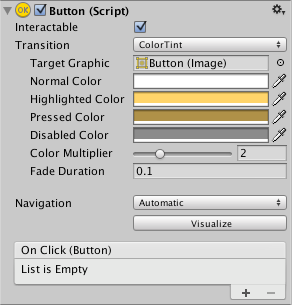 regal isle
thank you
grand snow
You can add an event subscription to On Click there or do it in code
 safe root
I need help with figuring out how to make my collider stop rotating on the Y axis to that it's fully level with the floor no matter where the player looks. I'm not sure what to look up to find video and was wondering can either teach or show me a good video.
grand snow
safe root
I need help with figuring out how to make my collider stop rotating on the Y axi...
you can freeze rotation on your rigidbody but this sounds like its a player controller.
But if you are rotating your player based on input then this wont help.
 scarlet pasture
hey do this Discord have a "collaboration" channel, i want devolop a smallGame with somone. i didnt finde the Cannel so i asked here
 wintry quarry
scarlet pasture
hey do this Discord have a "collaboration" channel, i want devolop a smallGame w...
wintry quarry
scarlet pasture
hey do this Discord have a "collaboration" channel, i want devolop a smallGame w...
!collab
radiant voidBOT
wintry quarry
!collab
:loudspeaker: Collaborating and Job Posting
We do not accept job or collab posts on Discord.
Please, use Discussions to promote yourself as job-seeking, advertise commercial job offers, or look for non-commercial projects to participate in:
• ** Collaboration & Jobs**
scarlet pasture
Thank u!
safe root
grand snow
you can freeze rotation on your rigidbody but this sounds like its a player cont...
It's following the players camera , I just need it not to rotate on the Y-axis when it follows it cause I just need to orbit around the player with the camera is at fixed distants
grand snow
can you share some screenshots or a screen recording of this behaviour?
It really sounds like your code that is causing this rotation because as I said, we can lock rotation on a rigidbody
safe root
grand snow
It really sounds like your code that is causing this rotation because as I said,...
I am but I am not using a ridge body for this as it's only needed to push stuff along
grand snow
!code sharing time then
radiant voidBOT
grand snow
!code sharing time then
Posting code
📃 Large Code Blocks
Use links to services like:
https://paste.mod.gg/, https://hastebin.skyra.pw/, https://paste.ofcode.org/, https://paste.myst.rs/
📃 Inline Code
Surround code with three backquotes. Not quotation marks.
To format as C#, add cs to the first line:
```cs
// Your code here
```
Add a comment with a line number if there is an error message.
safe root
grand snow
!code sharing time then
A tool for sharing your source code with the world!
grand snow
okay so you are copying the world Y rotation to some other transform
this should work fine for what you describe. Are you getting the rotation axis confused?
safe root
No, not no more. It was just a fixed that did a little second ago and I go them confused. it's just issue now where the box is going up above my head. and I want it to stay at the orbit away from the player. Not going above the head
grand snow
yea i just dont understand what you want. A drawn picture or screenshot or something to illustrate would help
Is this some third person orbiting camera?
safe root
grand snow
Is this some third person orbiting camera?
So instead of collider going above or below the player, I want to stay at fixed distant from the player like how it starts
grand snow
safe root
So instead of collider going above or below the player, I want to stay at fixed ...
Right so no rotation is needed but correct positioning.
Using the correct terms to describe an issue helps a lot.
You can position this object by projecting forward using the cameras forward vector.
e.g. boxTransform.position = camera.transform.position + camera.transform.forward * 2.5f;
safe root
grand snow
Using the correct terms to describe an issue helps a lot.
My apologies, it was that at first but I found the fix and it was the problem you describe. I had gotten the axis mixed up, I should have made it clearer. This was the next problem after that and I was sure how to have it stay
safe root
grand snow
You can position this object by projecting forward using the cameras forward vec...
When you say boxTransform.position, you mean the object itself right?
grand snow
You box collider game object transform
The take away is that we can use the provided normalised forward vector to move an object to be a fixed distance in front of a Transform.
safe root
grand snow
The take away is that we can use the provided normalised forward vector to move ...
Thank you
earnest oak
how do i switch my game from urp to built in rendering i used to be able to do it but it changed
rocky canyon
earnest oak
how do i switch my game from urp to built in rendering i used to be able to do i...
remove the URP Render Pipeline Asset from the projects "Graphics and Quality" settings.. and then manually change all the materials to use the "Standard" shader 🫠
 earnest oak
thanks alot that was my problem only changed it in Graphics settings
rocky canyon
URP not doing it for ya?
earnest oak
nah man not really has some bugs and overall for a retro style im more happy with built in
rocky canyon
probably builds better/ easier to run on all kinds of hardware too
earnest oak
yea and vertex shaders are better on built in do you use urp or built in
rocky canyon
i've swapped to URP for a while now..
working on swapping to the new input system next..
gotta stay ahead of the times 🤓
earnest oak
yea
rocky canyon
nothing wrong with built-in tho
most of my simple examples and prototypes are built-in
no need for URP for something as simple as an example
 hot wadi
When should I use Addressables to load a scene?
rocky canyon
until they actually KO the entire Built-in pipeline
then i guess we're all moving to render pipelines 🤣
rocky canyon
hot wadi
When should I use Addressables to load a scene?
when u need to optimize performance and memory by loading on demand... managing large number of scenes.. or enabling dynamic content updates
 edgy cloak
am i doing something wrong that the little scene transition isnt working?
im following a tutorial but something seems to be going wrong and stopping it from working
either that or its because the tutorial is outdated
rocky canyon
you'll have to elaborate a bit
rocky canyon
no.
10 yr old tutorials still work with the current code-base
the nly issue with old tutorials is menus moving around.. and specific functions being replaced.. like rb.velocity becoming rb.linearVelocity <- but even unity will take care of that kinda stuff when it compiles
edgy cloak
i dont even understand what that means....
rocky canyon
u dont understand what no means?
edgy cloak
i meant the rb velocity thing
rocky canyon
the rest really isn't important
edgy cloak
i see
rocky canyon
just gave an example of what types of things change..
you'll need to give more specifics.. tho... we cant really guess what the transition is. or even means
edgy cloak
uh- anyways
https://youtu.be/DX7HyN7oJjE?t=229
im following this tutorial. Script is in the main camera (even though i dont understand why)
I have the canvas and a button to lead me to my script,
but with the on click stuff, the menu is a little different from what hte video shows

In this Unity tutorial we'll make a Main Menu.
How to make a PLAY button , OPTIONS button and QUIT button in Unity ?
🎨 Get Sprites: https://www.patreon.com/posts/sprite-bundle-2d-116754519?utm_medium=clipboard_copy&utm_source=copyLink&utm_campaign=postshare_creator&utm_content=join_link
💻 Get Codes: https://www.patreon.com/posts/script-bu...
rocky canyon
and why its not working
is it because ur dragging in the script into the button?
and not a gameobject with that script attached
^ those are two very different things.. and u the first doesn't work
edgy cloak
i was following along with the tutorial, just about 1 for 1???
rocky canyon
so u dragged the Main Camera (w/ the script) into the slot on the button?
if thats the case it should show any public methods in that script
if thats not the issue u need to specify..
edgy cloak
this is what its showing for me.
 rocky canyon
edgy cloak
this is what its showing for me.
rocky canyon
edgy cloak
this is what its showing for me.
where is TestGround?
did u drag that from the Scene?
or the Project Window?
 edgy cloak
a game object with the script attached.... do i need to make another game object for this?
.... the script is attached to my camera

do i have to drag my camera into the thing?
wintry quarry
edgy cloak
do i have to drag my camera into the thing?
If you want to assign that function from the camera object, yea
edgy cloak
no i dont know why its attached to the camera i just did what the tutorial did
......... the tutorial vid didnt explain this at all 💀
wintry quarry
Maybe it's not a good tutorial then
rocky canyon
edgy cloak
......... the tutorial vid didnt explain this at all 💀
its probably attached to the camera b/c the tutorial maker knows you'll have ur camera in the scene
and wont make the mistake of dragging the script into the slot and not the gameobject...
ur dragging the wrong thing into the slot..
edgy cloak
i now feel incredibly dumb.
rocky canyon
🗒️ when you drag the script from the project window it wont work..
you must drag a gameobject w/ the script already attached to it.. (maybe ur camera 😉 )
rocky canyon
edgy cloak
i now feel incredibly dumb.
nah bro.. this is a problem alot of beginners make..
even I made that mistake 😅
edgy cloak
makes me wonder why its like this tho tbh
rocky canyon
but now u know 🙂
edgy cloak
until i inevitably forget because goldfish memory
rocky canyon
b/c the script has to be in the scene (to function)
edgy cloak
ah
rocky canyon
unless its a Static script or something (but you'll learn about that later on)
wintry quarry
edgy cloak
makes me wonder why its like this tho tbh
It's part of the basics of object oriented programming pretty much. You need an object on which to call the function
rocky canyon
edgy cloak
until i inevitably forget because goldfish memory
what was funny is when u sent the video it was timestamped exactly where it shows the guy drag in the Camera object 🤣
 manic hatch
Hello, I’m a beginner. I saw a tutorial on YouTube and I’m trying to use a car controller on a model, but I don’t know why the wheels pop out when I start driving. I’ve tried rotating the wheel hubs and fiddling with the colliders
rocky canyon
good luck.. don't pull ur hair out.. keep calm and carry on 🤪
rocky canyon
manic hatch
Hello, I’m a beginner. I saw a tutorial on YouTube and I’m trying to use a car c...
wintry quarry
manic hatch
Hello, I’m a beginner. I saw a tutorial on YouTube and I’m trying to use a car c...
Looks like the 3D models for your wheels aren't oriented properly
thorn holly
manic hatch
Hello, I’m a beginner. I saw a tutorial on YouTube and I’m trying to use a car c...
It looks like the wheels are rotating along the wrong axis
thorn holly
wintry quarry
Looks like the 3D models for your wheels aren't oriented properly
Or that
rocky canyon
@manic hatch check out #💻┃code-beginner message that second link... it's Unity's WheelCollider walk-thru/ tutorial
take ur time and check out the steps it takes..
compare to urs.. and also maybe check out the wheel's pivot/orientation in ur 3D software...
b/c its possible what Praet has said..
Wheel Colliders are a Pain in the Ass..
my least favorite Unity component ever
naive pawn
heh, don't jinx it
rocky canyon
i wish unity had a primitive wheel ..
could make the process much more intuitive..
hot wadi
rocky canyon
when u need to optimize performance and memory by loading on demand... managing ...
So to my understanding, if I include all my scenes in build, it will increase the build size and time
But how does that actually work? Does it create copies of referenced asset data in the scenes or something else?
edgy cloak
got another bad tutorial that im gonna need some help on. Im followin this one for a basic HP system. Its got text on UI, but it doesnt show me how i get there.
So this will be my question. How do i get a number from a script and have it show as a text element on a canvas?
thorn holly
edgy cloak
got another bad tutorial that im gonna need some help on. Im followin this one f...
You can set the text directly from code by accessing the text component
edgy cloak
thorn holly
You can set the text directly from code by accessing the text component
meaning?
i dont know how to do a lot in unity cus im brute forcing this stuff for a tutorial and not giving myself time to learn or experiment
thorn holly
edgy cloak
i dont know how to do a lot in unity cus im brute forcing this stuff for a tutor...
Ur using text mesh pro right
edgy cloak
yes
rocky canyon
hot wadi
So to my understanding, if I include all my scenes in build, it will increase th...
build size = how big ur game file is..
load time = how long it takes to start or load a scene
Scenes in Build Settings:
- Included in the game file.
- Not loaded until you call them.
- Bigger build size, same startup speed.
Addressables: - Not included in the main game file.
- Downloaded or loaded only when needed.
- Smaller build, faster startup.
** Using too many Addressables can increase load when fetching them, so balance it — don’t make everything Addressable.
scarlet pasture
Hey guys!
I'm working on a 2D Metroidvania-style combat system and I want to make it modular and easy to extend.
Right now, my idea is:
– Play the attack animation (Light / Heavy)
– Use animation events or triggers to enable a hitbox
– Deal damage to the opponent when the hitbox overlaps
Do you think that’s a good and scalable approach?
Or is there a better way to handle combat timing and damage in 2D (Unity)?
I’m mainly looking for the best structure for modular attacks (so I can later add combos, cancels, etc.).
thorn holly
edgy cloak
yes
So in your script you can say something like
TMP_text tmp = tmpObject.GetComponent<TMP_text>();
tmp.text = “whatever you want”;
using TMPro; // include the using statement for TextMeshPro

public class Boot : MonoBehaviour
{
    public TMP_Text bootText; // assign in Inspector

    public void SetBootText(string msg)
    {
        // set it's text property
        bootText.text = msg;
    }
}```

```cs
// if its something other than a String you need to convert it to a string when setting
SetBootText(score.ToString());```what if i wanted it to be something dynamic like a health bar or smth?
it starts at 100 but gets either chipped down or increased from healing.
like i want it to dynamically show the HP in the top left corner or smth with how it changes
rocky canyon
whenever u take damage or get health you
update the player's health variable.. and then Update the UI right afterwards
thorn holly
rocky canyon
whenever u take damage or get health you
update the player's health variable.. ...
A good way to do this is by making a setter method for your player health
rocky canyon
using TMPro;
using UnityEngine;

public class PlayerUI : MonoBehaviour
{
    public TMP_Text hpText;
    public int health = 100;

    public void TakeDamage(int dmg)
    {
        health -= dmg; // update player
        UpdateHPText(); // update screen
    }

    public void Heal(int amt)
    {
        health += amt; // update player
        UpdateHPText(); // update screen
    }

    void UpdateHPText()
    {
        hpText.text = "HP: " + health.ToString(); // or
        //hpText.text = "$HP: {health}";
    }
}```very true.. this guy is total beginner tho..
just making use of hard references for now
thorn holly
Fair enough
rocky canyon
Later you can replace this with a proper health system that sends events to the UI instead of directly referencing it.
but just for kicks
public class PlayerUI : MonoBehaviour
{
    public TMP_Text hpText; // assign in Inspector

    private int _health = 100;
    public int Health
    {
        get { return _health; }          // read value
        set                           // when value changes
        {
            _health = value;
            UpdateHPText();             // update display
        }
    }

    void UpdateHPText()
    {
        hpText.text = "HP: " + _health;
    }
}``` this is what they're talkin about..
with code like this just by *setting* the `Health` variable it'll update the main variable.. and call `UpdateHPText()` at teh same time..🔑 is to only update the UI when it needs to be updated..
"sure you can have the UI updating every frame but its not very good structuring"
you'll only want to update it when it changes..
no reason to change 99 to 99 but there is a reason to change 99 to 98
may want to consider using a single script to update all your UI with different functions...
UIManager.UpdateHealth();
UIManager.UpdateShield();
UIManager.UpdateInventory(); so on and so on
edgy cloak
i feel like i just got smacked in the head by a brick while trying to understand this
rocky canyon
yea, i think u just need to Marinate in some fundamentals !learn
thorn holly
edgy cloak
i feel like i just got smacked in the head by a brick while trying to understand...
Ok we can take it slow then, do you understand how we’re changing the text?
rocky canyon
u got this noodle. i'll be ur wingman
fast relic
I'll just be watching silently
thorn holly
rocky canyon
u got this noodle. i'll be ur wingman
I have to go soon you might have to take over lol
rocky canyon
all gucci
slender nymph
rocky canyon
yea, i think u just need to Marinate in some fundamentals !learn
just FYI, the new bot only likes commands at the beginning of the message
edgy cloak
thorn holly
Ok we can take it slow then, do you understand how we’re changing the text?
i hardly understand code on a good day, ontop of that i more or less am doing a last minute assignment crunch for thursday
kinda lacking on time to marinate in code knowledge sadly
hot wadi
rocky canyon
build size = how big ur game file is..
load time = how long it takes to start or...
I found some document and it says this about direct references: "When your application runs on the target device, Unity loads the entire asset file into memory before loading a scene."
I suppose it means all the direct references will live in the memory when a scene is loaded, even if they are not instantiated?
thorn holly
edgy cloak
kinda lacking on time to marinate in code knowledge sadly
That’s ok, like I said we can take it slow
So there’s basically 3 steps to changing the players health:
- setting the health variable
- Changing the text that displays the health
- Updating the UI so that we can see the text change
Does that make sense?
grand snow
hot wadi
I found some document and it says this about direct references: "When your appli...
Well everything in a scene will be created when the scene is loaded so makes total sense that all the required assets are loaded into memory.
edgy cloak
thorn holly
So there’s basically 3 steps to changing the players health:
1. setting the heal...
Yes. Logic is simple enough.
regal isle
let's assume this is my MainMenu Scene.
I wish to hook my On Click () event to the ImageStartButton which is an Image Object in the Canvas.
I added a child button Object to it on the right panel.
 thorn holly
edgy cloak
Yes. Logic is simple enough.
thorn holly
edgy cloak
Yes. Logic is simple enough.
Ok so for the first step, the text mesh pro object has a component called TMP_text which has a text property that holds whatever the text displays
regal isle
let's assume I already have a working C# script that does all the functionality

there is No Function there
thorn holly
thorn holly
Ok so for the first step, the text mesh pro object has a component called ``TMP_...
What you want is to assign that text property to the players health
slender nymph
🤔 Unity, Huh, How?
Events should have an appropriate Component instance assigned to their object field.
thorn holly
Does that make sense?
regal isle
slender nymph
https://unity.huh.how/unity-events/incorrect-assignment
thanks
@edgy cloak low key competing with me here
for the same project
with the same YT tutorial video
🫡
edgy cloak
thorn holly
Does that make sense?
i think so yes. though i wonder where to assign it
scarlet pasture
scarlet pasture
Hey guys!
I'm working on a 2D Metroidvania-style combat system and I want to mak...
?.
rocky canyon
hot wadi
I found some document and it says this about direct references: "When your appli...
im not 💯 sure of anything more than what ive already said..
i just know the concept of Addressables.. i haven't ever actually used them unfortunately
grand snow
Addressable scenes should act the same as normal scenes in terms of how they are opened
thorn holly
edgy cloak
i think so yes. though i wonder *where* to assign it
Perfect, so the way you’d do that is retrieving a reference to that TMP_text component, then assigning the text property. To do that, you can do something like this:
[SerializeField]
TMP_text healthText;
Then, you can assign the TMP_text component to healthText in the inspector so that healthText becomes a reference to that component
grand snow
But with addressables we can have direct asset reference or indirect meaning no asset dep is made
thorn holly
Does that make sense?
loud remnant
i love how my text editor automatically includes using statements
like i access text in textmeshpro then it adds it by itself
fast relic
i mean yeah that's something id expect of most ides
loud remnant
fast relic
i mean yeah that's something id expect of most ides
cuz yes i dont want to memorize all of the assembly references or what ever they are called
fast relic
loud remnant
cuz yes i dont want to memorize all of the assembly references or what ever they...
but also just make sure it doesn't add an incorrect using statement haha
-# also assembly references are a different thing
edgy cloak
thorn holly
Perfect, so the way you’d do that is retrieving a reference to that TMP_text com...
should i uh, should i be working along as you say this?
also should we be doing this in a thread to avoid message backlog?
loud remnant
fast relic
but also just make sure it doesn't add an incorrect using statement haha
if it does im bringing out my secret weapon (asking chatgpt what assembly reference im missing)
thorn holly
edgy cloak
should i uh, should i be working along as you say this?
also should we be doin...
Yeah good idea
fast relic
loud remnant
if it does im bringing out my secret weapon (asking chatgpt what assembly refere...
or you can just look at the using directive..
loud remnant
fast relic
or you can just look at the using directive..
no im lazy
auto add using statements go brrrrrr
thorn holly
edgy cloak
should i uh, should i be working along as you say this?
also should we be doin...
I do have to go though, @rocky canyon can you make the thread
fast relic
loud remnant
no im lazy
it's literally easier than asking chatgpt to fix it
loud remnant
fast relic
it's literally easier than asking chatgpt to fix it
im also dumb
fast relic
loud remnant
auto add using statements go brrrrrr
im not saying don't use auto add using statements im saying make sure they're the ones you want
loud remnant
fast relic
im not saying don't use auto add using statements im saying make sure they're th...
yes yes
fast relic
loud remnant
im also dumb
usually it's pretty easy to tell tbh
loud remnant
fast relic
usually it's pretty easy to tell tbh
damn 😭
hot wadi
rocky canyon
im not 💯 sure of anything more than what ive already said..
i just know the con...
Yeah, I was looking for a way to dynamically update my assets seasonally. I'm afraid I would do something wrong so I force myself to understand it
rocky canyon
ya, that does sound like a use-case tho
when i think addressables i instantly think DLC... and since my projects aren't actually that big i never had a need to figure them out
thorn holly
scarlet pasture
Hey guys!
I'm working on a 2D Metroidvania-style combat system and I want to mak...
That looks good to me
scarlet pasture
thorn holly
That looks good to me
Thanks bro
rocky canyon
if its just seasonally tho.. and you know you're already planning on using seasonal stuff.. you could just include all the assets.. and have a flag that toggles between them depending on the date
scarlet pasture
for answering
scarlet pasture
thorn holly
That looks good to me
yeah i will do it this way, i just wanted to make sure that my way would be okay. i thought about "maybe somone does know better and have some experiecne". but again Thank u!
grand snow
hot wadi
Yeah, I was looking for a way to dynamically update my assets seasonally. I'm af...
Yea you will want to look at addressables then. I should warn you that asset bundles (and addressables) assets cannot ref things outside meaning you can get asset duplication. (e.g. addressable asset -> Resources is an invalid ref)
learn more: https://docs.unity3d.com/Packages/com.unity.addressables@2.7/manual/AddressableAssetsOverview.html
thorn holly
scarlet pasture
yeah i will do it this way, i just wanted to make sure that my way would be okay...
Well I don’t have the most experience but that’s a pretty modular approach yeah
loud remnant
fast relic
it's literally easier than asking chatgpt to fix it
so lazy infact in my latest game i made the upgrade button functionality inside the spawn manager script instead of making a different script
fast relic
loud remnant
damn 😭
like tell me, do you want Debug from UnityEngine or System.Diagnostics
loud remnant
fast relic
like tell me, do you want `Debug` from `UnityEngine` or `System.Diagnostics`
i dont know
loud remnant
unity engine
hot wadi
grand snow
Yea you will want to look at addressables then. I should warn you that asset bun...
I see. All dependencies must reside in a group in the bundle then?
fast relic
loud remnant
unity engine
yeah
and that is the one you need
it's really not that hard
fast relic
loud remnant
so lazy infact in my latest game i made the upgrade button functionality inside ...
.. sure? but why
loud remnant
fast relic
it's really not that hard
loud remnant
fast relic
.. sure? but why
i dont know
i mean
dont we have the mindset of
if it works dont touch it
and i really wanted to finish the project in 3 days
i had fun making it
i had fun coding too actually
fast relic
loud remnant
if it works dont touch it
sometimes but jd advise against it
loud remnant
definitely didnt crash out over player movement script
naive pawn
loud remnant
if it works dont touch it
that is.. somewhat of a joke, man
loud remnant
naive pawn
that is.. somewhat of a joke, man
maybe
project i was working on wasnt taken seriously
js a 3 day code and pray
somehow did workout
10 browser plays and 4 downloads on itch.io 🗣️ 🔥
naive pawn
then sure, but you gotta move away from that mindset if you want to learn and progress to making more complex things
loud remnant
naive pawn
then sure, but you gotta move away from that mindset if you want to learn and pr...
like i said
the project wasnt taken seriously
next project would be taken mindfully
btw what game should i make cuz i have no idea
naive pawn
loud remnant
like i said
the project wasnt taken seriously
next project would be taken mindfu...
i know what you said. i'm talking about your mindset in general.
sure, you completed the project
but you gotta learn from it too
if you keep that mindset, you won't be able to effectively be mindful in the next project
sure, don't touch it if you don't want to.
but at least think about it
loud remnant
naive pawn
but you gotta learn from it too
only thing different from it and my 6 prototypes is the SceneManager method
which i did learn
and button functionality
loud remnant
naive pawn
sure, don't touch it if you don't want to.
but at least think about it
i know
unity isnt my first game engine
fast relic
loud remnant
only thing different from it and my 6 prototypes is the SceneManager method
whic...
maybe you can also learn about namespaces!
loud remnant
fast relic
maybe you can also learn about namespaces!
what
grand snow
hot wadi
I see. All dependencies must reside in a group in the bundle then?
No they just need to be addressable too. If not the asset is automatically added to the same bundle. There are analysis tools in addressables to help find and solve this. Ask in #📦┃addressables if you need help later.
fast relic
loud remnant
what
-# namespaces are the thing you include in your using directives
loud remnant
NO
fast relic
you can even make your own
loud remnant
fast relic
you can even make your own
lemme guess
smth like
using WeaponScript;
hot wadi
grand snow
No they just need to be addressable too. If not the asset is automatically added...
Oh right thanks. I didn't see that channel lol
naive pawn
loud remnant
lemme guess
smth like
using WeaponScript;
you wouldn't be doing that to a script, no
fast relic
loud remnant
lemme guess
smth like
using WeaponScript;
well not really
using is for namespaces, not scripts
a namespace is a collection of scripts
loud remnant
naive pawn
a namespace is a collection of types, to be pedantic
you can have multiple namespaces in a single script
fast relic
naive pawn
a namespace is a collection of *types*, to be pedantic
well yes but let's not say too many fancy words
loud remnant
fast relic
well yes but let's not say too many fancy words
yes please
english is my 2nd language
naive pawn
fast relic
well yes but let's not say too many fancy words
sure, but let's also not give misinformation
fast relic
ugh fine
naive pawn
could say namespaces hold classes/structs/interfaces/enums
fast relic
-# let my midnight brain be okay
loud remnant
they are speaking mozart
naive pawn
it's kinda disappointing unity treats component classes and scripts as synonyms tbh - so this isn't really your fault
fast relic
nah i know the difference im just sleepy
naive pawn
nah i mean in terms of like, ideal communication with beginners
loud remnant
naive pawn
nah i mean in terms of like, ideal communication with beginners
communication with noobs
 tender mirage
just wanted to ask about this error. Writting a private or protected class is pointless right? especially with grabbers like monobehavior since nothing can have access to it
Elements defined in a namespace cannot be explicitly declared as private, protected, protected internal, or private protected
naive pawn
tender mirage
just wanted to ask about this error. Writting a private or protected class is po...
it's not pointless, it's invalid, in the case of top-level classes
inner classes can be private/protected/internal/etc, and that could make sense

 naive pawn
rocky canyon
am i trippin? whats wrong
naive pawn
rocky canyon
am i trippin? whats wrong
is the error also shown in unity?
(save and refresh first ofc)
rocky canyon
no oddly enough
 slender nymph
just vs code doing vs code things
naive pawn
hmm, can't seem to find the command for the .net lsp. i guess reloading the window would also work
there is a language server, another command references it...
rocky canyon
i think it may correspond to my internet connection 👀 altho thats just speculation
earnest oak
switching to built in is like one of the best choices ive made
edgy sinew
earnest oak
switching to built in is like one of the best choices ive made
built in? render pipeline?
earnest oak
yes
slender nymph
well that's not code related
 polar dust
tender mirage
just wanted to ask about this error. Writting a private or protected class is po...
polar dust
tender mirage
just wanted to ask about this error. Writting a private or protected class is po...
for the most part, private is often redundant.
private float _foo;
float _bar;```
both properties are privateIm sure theres some situations where its important to write private, but its probably more down to a convention of some organisation where they want the code to have a specific style
tender mirage
polar dust
Im sure theres some situations where its important to write `private`, but its p...
i always write private
ahh
coding style
got it
polar dust
It could be good to use private when youre starting out writing code, as youre explicitly telling future you that something is or isnt private. That way you cant read code and accidentally assume X is public
 sullen epoch
I have a question, in plain C# constructors inside of classes are important... what about MonoBehaviour? since unity handles creation of new instances of the class when its assigned to a gameobject do they still serve a purpose?
polar dust
MonoBehaviour classes dont support constructors, but if you had the constructor in this class Foo, its redundant as it wont ever get called
public class Foo {
public Foo(){}
}``` hexed terrace
tender mirage
i always write private
hexed terrace
tender mirage
i always write private
I've been using Unity for ~12 yrs and still type private. From habbit, previous jobs and find it easier to read, no need to ever use that microbrainthought to work out something is private
 polar acorn
sullen epoch
I have a question, in plain C# constructors inside of classes are important... w...
polar acorn
sullen epoch
I have a question, in plain C# constructors inside of classes are important... w...
MonoBehaviours cannot have constructors
polar dust
Foo thing = new Foo();```Will produce an identical result whether you had a plain constructor or notWell, to be more precise, they can have them, but calling them won't actually create anything since they can only exist on GameObjects
polar dust
At times it can feel a little frustrating that you cant use a constructor with them
polar acorn
You can just create a function called something like Init() and call it after adding the component
polar dust
Yeah thats what I typically do. But each time I think "man it would be convenient if I could just use a constructor"
sullen epoch
Yeah i thought so, as the only documentation i could find was for C# base classes. Thanks for the clarification
slender nymph
polar dust
for the most part, `private` is often redundant.
```cs
private float _foo;
float...
just fyi, but neither of those are properties. they are both fields
polar dust
dang it, I dont think I'll ever not get names of things correct 😆
for simplicity, ill just refer to everything as "stuff and things"
sullen epoch
i know this didn't relate to me but is it too much to ask to explain the difference, ironically that very topical for me atm 😅
edgy sinew
⭐ hi all. Project runs better in Editor than exported MacOS .app?
Nothing seems off in the Build settings. I have this code in Awake()
Screen.SetResolution(Display.main.systemWidth / 2, Display.main.systemHeight / 2, Screen.fullScreen, Screen.currentResolution.refreshRate);
Furthermore - in Editor game can run at 300-500 FPS uncapped, or VSync very stable (computer's fans don't turn on, no game lag either.)
slender nymph
sullen epoch
i know this didn't relate to me but is it too much to ask to explain the differe...
fields are variables defined as part of the object. properties are syntactic sugar for get and set methods that look like variables
https://learn.microsoft.com/en-us/dotnet/csharp/programming-guide/classes-and-structs/properties
grand snow
edgy sinew
⭐ hi all. Project runs better in Editor than exported MacOS .app? <:notlikethis...
Is this because in editor your game window is small? Make a debug build and profile it!
edgy sinew
grand snow
Is this because in editor your game window is small? Make a debug build and prof...
Display.main.systemWidth / 2, Display.main.systemHeight / 2
I was running the game higher than this resolution, in Editor
grand snow
edgy sinew
`Display.main.systemWidth / 2, Display.main.systemHeight / 2`
I was running the ...
then the profiler and frame debugger are next
red igloo
I have been stuck on this for a while and can't seem to figure it out. If I want to make it so when you hold the space bar you jump higher and when you tap it the jump height is reduced to a certain value how would I do it? would I just make another if statement with wasreleasedthisframe instead and add >
rb.AddForce(Vector3.up * smallJumpHeight, ForceMode.Impulse); Any ideas?
 edgy sinew
red igloo
I have been stuck on this for a while and can't seem to figure it out. If I want...
edgy sinew
red igloo
I have been stuck on this for a while and can't seem to figure it out. If I want...
I think beyond the initial "small jump" impulse, the 'added jump height by holding button longer' would not make sense with impulse 🤔
I'd think it's preferred to use ForceMode.Force which is applied steadily?
 wide aspen
I made this same mistake in my first 2d platformer using the Impusle, I had to do all kinds of crazy math to do a second impulse in order to sort of cancel out the initial impulse to cut the jump height it was a headache so I think just adding a force is better.
edgy sinew
red igloo
I have been stuck on this for a while and can't seem to figure it out. If I want...
Essentially you can just keep adding force, until some 'maximum jump height added' is reached (probably counting how many times the force is added in FixedUpdate)
scarlet pasture
earnest oak
switching to built in is like one of the best choices ive made
Hey
edgy sinew
Hey
scarlet pasture
using UnityEngine;

public class CombatSystem : MonoBehaviour
{
    [Header("References")]
    [SerializeField] private AnimationHandler animationHandlerScriptRef;
    [SerializeField] private bool useAttackScript = true;
    [Header("Light Attack Settings")]
    [SerializeField] private Collider2D LightAttackTrigger;
    [SerializeField] private KeyCode LightAttackKey = KeyCode.Mouse0;
    [SerializeField] private float LightAttackCooldown = 1f;
    private Coroutine LightAttackCoroutine = null;

    [Header("Debug")]
    [SerializeField] private bool isCurrentlyLightAttack = false;

    void Awake()
    {
        if (animationHandlerScriptRef == null) animationHandlerScriptRef = this.GetComponentInChildren<AnimationHandler>();
    }
    void Update()
    {
        if (useAttackScript == false && animationHandlerScriptRef != null) return;
        ReadAttackInputs();

        if(isCurrentlyLightAttack && LightAttackCoroutine == null)
        {
            LightAttackCoroutine = StartCoroutine(LightAttackCooldown_Coroutine());
        }
    }

    private void ReadAttackInputs()
    {
        if (isCurrentlyLightAttack == true) return;
        if (Input.GetKeyDown(LightAttackKey))
        {
            isCurrentlyLightAttack = true;
            Debug.Log("isCurrentlyLightAttack" + isCurrentlyLightAttack + "!");
            //TO:DO Angirffs Animation abspielen.
        }
    }

    private System.Collections.IEnumerator LightAttackCooldown_Coroutine()
    {
        yield return new WaitForSecondsRealtime(LightAttackCooldown);
        isCurrentlyLightAttack = false;
        LightAttackCoroutine = null;
    }
}
``` I want to make my first Combat Script, i want to ask is this way i do Good? and i also want to use Combo Attacks, can i doare u asking me?
scarlet pasture
somthing like is 85% of the Coroutine Cooldown Done and the play pressing the Button again do a antoher Attack?
earnest oak
yo thats actually really clean for a first combat script i like how you handled cooldowns and states pretty simple and solid if you wanna add combos you can just track combo steps and reset them after a short time like press timing based chaining its a good base to build on
edgy sinew
scarlet pasture
somthing like is 85% of the Coroutine Cooldown Done and the play pressing the Bu...
It's gonna be much easier to do this with a state machine
scarlet pasture
what is that?
edgy sinew
earnest oak
you could clean it up a bit by separating input and attack logic so the combat system only handles attacks and another script handles inputs tho
edgy sinew
Save yourself now, your code is brutal to read currently bro
scarlet pasture
earnest oak
you could clean it up a bit by separating input and attack logic so the combat s...
ahhh i saw that in a Unity forum
u right
i forget it
earnest oak
let him find out on his own
scarlet pasture
i mean what would be better? State Machine or Coded?
earnest oak
jk but i mean his script isnt awful
scarlet pasture
wait is Enum a State Machine?=
i used Enums for my Enemy
like Walking, Attack etc
edgy sinew
Yeah. Hierarchical state machines are a little cooler, and take advantage of Polymorphism
scarlet pasture
Polymprphsim
earnest oak
scarlet pasture
wait is Enum a State Machine?=
how long of a dev are u
sorry if my english isnt that good
scarlet pasture
earnest oak
how long of a dev are u
im not a dev, im just a hobby coder
earnest oak
oh alr
scarlet pasture
earnest oak
sorry if my english isnt that good
Hahaah look at my
scarlet pasture
earnest oak
oh alr
im to bad to call myself Dev, i respectet that Title Extremly
earnest oak
thats crazy
scarlet pasture
nahh fr
so, what exactlly would u change on my Script?=
i coded Attack Scripts 2 or 3 time but im scared at Combos, i code evertyme (in the future) and saw that everthing messed up. I think i cant really handle the "Timers"
and Coding? like a along time but never really a lot
just maybe 1 week than a huge break and then again 3 Days
etc
edgy sinew
scarlet pasture
somthing like is 85% of the Coroutine Cooldown Done and the play pressing the Bu...
With a state machine it looks something like this.
float timeInState;
void LightAttack_OnEnter() {
    timeInState = 0.0f;
}
void LightAttack_EveryFrame() {
    timeInState += Time.deltaTime;
    // do whatever cool stuff you want
    if (timeInState > 0.85f * timeLightAttack && comboButton.pressed)
    {
      // switch states
    }
}
helllll hnahhhhh
this looks like hell
okay no its actually looking alr
so its better to use a Costum timer? and not Coroutines?
edgy sinew
You can use either. I haven't heard that Coroutines have much advantage to manually keeping track of time.
@scarlet pasture the point is, every state has 4 important methods. And with that you can have more control over what exactly is happening in your game 🗿
OnEnter
OnExit
EveryFrame
HasNextState
Super easy to keep time, allow certain things to happen at certain times, prevent certain things from happening, etc.
Trust me it's really fun and pleasant. you won't miss hard-coded if/else logic
edgy sinew
 meager flume
hi can somone help me with somthing
meager flume
hi can somone help me with somthing
don't ask just to ask
always post the details up front when someone sees it they can answer
meager flume
i have loop floor here
 scarlet pasture
edgy sinew
<@1267053699121942638> the point is, every state has 4 important methods. And w...
scarlet pasture
edgy sinew
<@1267053699121942638> the point is, every state has 4 important methods. And w...
I will test it know, I’m gonna rewrite this small code and use u method
meager flume
but i am getting this line
meager flume
edgy sinew
don't ask just to ask
always post the details up front when someone sees it they...
men i will really apprecite it i like trying for hour to remove this line
red igloo
edgy sinew
I think beyond the initial "small jump" impulse, the 'added jump height by holdi...
I tried using forcemode.force but my player can barely jump.
meager flume
last option was here
red igloo
does the jump height value need to be much higher?
edgy sinew
red igloo
I tried using forcemode.force but my player can barely jump.
Just multiply the force until it starts to have an effect yeah
meager flume
meager flume
i have loop floor here
@edgy sinew 
edgy sinew
meager flume
<@956668290174955542> <:atwhatcost:1068114091987718204>
This is not a "one person helps" server, you post your question and whoever knows will answer it. If it gets lost post again
wide aspen
meager flume
men i will really apprecite it i like trying for hour to remove this line
are those 2 seperate sprites or just one big long one?
edgy sinew
meager flume
men i will really apprecite it i like trying for hour to remove this line
Are you using Pixel Perfect camera?
There's also some crazy '1 pixel padding' trick people are saying fixes this kind of issue.
red igloo
edgy sinew
Just multiply the force until it starts to have an effect yeah
ahh alr, it works now this is what I did → rb.AddForce(Vector3.up * jumpHeight * 2, ForceMode.Force);
how would I make it so when you tap the space bar the jump height is small? would the setup be the same for that?
meager flume
one when i chnage the draw mode to tiled and the width this start showing the ground is loop


 meager flume
edgy sinew
https://www.reddit.com/r/Unity3D/comments/18ennd0/does_anyone_know_whats_causing...
meager flume
edgy sinew
https://www.reddit.com/r/Unity3D/comments/18ennd0/does_anyone_know_whats_causing...
this is somthing else
wide aspen
meager flume
check the sprite editor maybe you have an extra transparent line of pixels at the end or start?