#💻┃code-beginner
1 messages · Page 739 of 1
 thorn kiln
 balmy vortex
hey so like I have this basic enemy AI that jumps when it "sees" an obstacle but for some reason it keeps getting stuck on walls when moving into them unlike my player
any ideas as to why? here's my code for context --> https://paste.mod.gg/ndkwguekgxix/0
A tool for sharing your source code with the world!
 slender nymph
thorn kiln
I'm not using a material to do the bouncing
slender nymph
thorn kiln
I'm not using a material to do the bouncing
then you need to adjust your code so it is less bouncy
thorn kiln
I'll try, but it looks weird if it's not bouncy enough
 keen dew
balmy vortex
hey so like I have this basic enemy AI that jumps when it "sees" an obstacle but...
keen dew
balmy vortex
hey so like I have this basic enemy AI that jumps when it "sees" an obstacle but...
You don't have anything that would stop that from happening. It jumps if it detects the wall in time but if it's already close to the obstacle (or the obstacle is too high) it just keeps jumping against it
balmy vortex
keen dew
You don't have anything that would stop that from happening. It jumps if it dete...
well ya but it shouldn't be able to wall hug like that in the first place no?
cuz like the player body just glides against it and goes up without getting stuck in the wall
keen dew
The enemy moves forward by changing the transform directly and jumps by changing the velocity. Those aren't compatible
 rocky canyon
thorn kiln
I'll try, but it looks weird if it's not bouncy _enough_
rocky canyon
thorn kiln
I'll try, but it looks weird if it's not bouncy _enough_
another thing i just thought of is having the drop being slow-motion and then lerping into fullspeed. this would make that first bounce be less dramatic
(you could probably do that by modifying the rigidbodies drag/damp values
not sur it fits for you project just an idea
 static terrace
I saw the Platformer Learning Template had the current state, like Grounded, or Flying, etc. How to get that? like to know if the player is grounded and can jump again
 edgy sinew
static terrace
I saw the Platformer Learning Template had the current state, like Grounded, or ...
edgy sinew
static terrace
I saw the Platformer Learning Template had the current state, like Grounded, or ...
Can you be more specific? There are lots of ways to achieve that functionality
static terrace
Like I want to let the player jump on click, but now he can jump even mid-air, but I want him to only jump if only grounded
thorn kiln
Probably bools, right?
static terrace
Yes?
edgy sinew
Are you asking, how does the computer know?
static terrace
No, How to implement it, to know if it's grounded or not
edgy sinew
Did you read the code included? Maybe it's straightforward
 polar acorn
Usually a raycast or some other physics query to see if there's ground below the player
static terrace
edgy sinew
Did you read the code included? Maybe it's straightforward
I will go check the Platformer then
thorn kiln
Or even more simply just if you press the jump button
using System.Collections;
using System.Collections.Generic;
using UnityEngine;
using UnityEngine.InputSystem;

public class BallSpawner : MonoBehaviour
{

    public GameObject ball;
    private float mouseZCoordinate = 7.62f;

    private Vector3 BallPosition()
    {
        Vector3 mousePoint = Input.mousePosition;
        mousePoint.z = mouseZCoordinate;
        return Camera.main.ScreenToWorldPoint(mousePoint);
    }

    void OnMouseDown()
    {
        Instantiate(ball, BallPosition(), ball.transform.rotation);
    }
}```Anyone know what I'm doing wrong here? My intent is to click and spawn a ball, but it's not doing anything at allDoes this object have a Collider on it?
thorn kiln
Yep
polar acorn
Is there anything in front of it that also has a collider?
thorn kiln
Nope
polar acorn
Can you show a screenshot of your scene view with this object selected?
thorn kiln
Oh, wait, I thought you meant the prefab Im trying to instantiate
I just made an empty spawn manager for the script
polar acorn
thorn kiln
I just made an empty spawn manager for the script
So does this object have a Collider on it
static terrace
I checked The Platformer but its logic is different.
edgy sinew
static terrace
I checked The Platformer but its logic is different.
3D or 2D?
static terrace
2D
polar acorn
static terrace
I checked The Platformer but its logic is different.
Different than what
static terrace
I want to make my Sprite Jump on Click, and I want it to only jump while grounded (standing on a collider)
polar acorn
polar acorn
Usually a raycast or some other physics query to see if there's ground below the...
edgy sinew
static terrace
I want to make my Sprite Jump on Click, and I want it to only jump while grounde...
"Ultimate 2D Character Controller"
https://www.youtube.com/watch?v=zHSWG05byEc
https://www.youtube.com/watch?v=3sWTzMsmdx8
https://www.youtube.com/watch?v=lcw6nuc2uaU
Some videos offer the full source code for free. So you can see how it works too
thorn kiln
polar acorn
https://docs.unity3d.com/6000.2/Documentation/ScriptReference/MonoBehaviour.OnMo...
Ah, i see. MouseDown requires a collider. Is that true in all cases? No way to just make the screen the collider?
polar acorn
thorn kiln
Ah, i see. MouseDown requires a collider. Is that true in all cases? No way to j...
If you don't care what object you are clicking on, why use the function that detects when this specific object is clicked on
 grand snow
yea you would think thats the reason to use this
thorn kiln
Well i just wanna click above the plinko machine
I could make a section above the machine obviously, but if I wanna let them click anywhere to spawn a ball, that's a different story
polar acorn
Well, you're already getting the mouse position, why do you need to click on a specific object to start it?
thorn kiln
Hmm, so i guess I could put it in update with an if statement instead of using mousedown then?
edgy sinew
thorn kiln
Hmm, so i guess I could put it in update with an if statement instead of using m...
Isn't mousedown effectively an Event already? Or am I mistaken.
thorn kiln
I'm still new, so i have no idea 😂
edgy sinew
thorn kiln
I'm still new, so i have no idea 😂
playerInput.Controls.Jump.started += attemptJump;
You've seen this before right
thorn kiln
No?
edgy sinew
Okay then nvm ignore what I said. (I'm not sure how you're capturing the input)
With the new input system, it's basically set up to work well with Event-style code architecture
thorn kiln
Okay, got it working now, though the position it spawns in is very off
That's my bad though, easy fix
Well, thought it was, guess not
Now I just make a tower of balls

I guess I need to make the z-axis relative to the camera
Not sure how to figure that out beyond just guessing
 queen adder
Hey so I'm trying to do different things whether the game is built for windows or for a linux dedicated server, or is in the unity editor(which should behave like a windows build), and the microsoft docs said that conditionals are the best way to do this, but it doesn't seem to be working out for me.
[Conditional("CLIENT")]
public void StartClient()
{
    networkManager.TransportManager.Transport.SetPort(wslPort);
    networkManager.TransportManager.Transport.SetClientAddress(wslHostAddress);
    if (!networkManager.ClientManager.StartConnection())
    {
        Debug.LogError("Starting Client failed");
    }

}
    [Conditional("SERVER")]
    public void StartServer()
    {
#if UNITY_EDITOR
        networkManager.TransportManager.Transport.SetPort(wslPort);
        networkManager.TransportManager.Transport.SetClientAddress(wslHostAddress);
        networkManager.ClientManager.StartConnection();

#else
        networkManager.TransportManager.Transport.SetPort(wslPort);
        networkManager.TransportManager.Transport.SetClientAddress(wslHostAddress);
        networkManager.ServerManager.StartConnection();
#endif
    }
When I launch the game in the unity editor, the conditional is still in server mode because that's the last thing I built. I could switch platform to windows manually, but that takes 20 - 30 seconds
grand snow
then change back the symbol list in player settings?
queen adder
Also I don't like these preprocessor directives because visual studio completely greys them out
queen adder
grand snow
then change back the symbol list in player settings?
I don't understand
 wintry quarry
queen adder
Hey so I'm trying to do different things whether the game is built for windows o...
wintry quarry
queen adder
Hey so I'm trying to do different things whether the game is built for windows o...
windows/server/client etc are orthogonal to the if #UNITY_EDITOR thing
grand snow
queen adder
Also I don't like these preprocessor directives because visual studio completely...
Yea because its showing you if the code is currently included or not
queen adder
But in the editor I am always in Server mode
Because it switches to that mode when I build for a dedicated server
grand snow
then the player settings symbol list must have been modified if it remains this way after
queen adder

 grand snow
the one for the current platform you are on is what affects the editor
so swap platform
queen adder
I don't want to
It takes too long
It takes 30 seconds
In a way, I'm sort of forced to use both conditionals and the preprocessor directive
grand snow
well if you want to use these symbols there is no way around it
queen adder
queen adder
In a way, I'm sort of forced to use both conditionals and the preprocessor direc...
There is no way to differentiate only with conditionals whether I am in the editor or not
grand snow
well you would need UNITY_EDITOR || SERVER or somethin
grand snow
no idea if that attribute can but elsewhere you can
I guess you can try but use [Conditional("CLIENT || UNITY_EDITOR")]
 queen adder
`[Conditional("CLIENT" || "UNITY_EDITOR")]`
Like this?
queen adder
queen adder
`[Conditional("CLIENT" || "UNITY_EDITOR")]`
Like this?
And this isn't allowed either
grand snow
ah then i guess its shit 😆
ive never used it, only traditional conditional compilation
queen adder
You mean the preprocessor directives?
grand snow
#if UNITY_EDITOR || UNITY_IOS
queen adder
[Conditional("UNITY_EDITOR"),Conditional("CLIENT")] Apparently or is like this
although I don't think UNITY_EDITOR is valid
i'll try it though
grand snow
It is, unity provide many https://docs.unity3d.com/6000.2/Documentation/Manual/scripting-symbol-reference.html
 eager crow
Hi, I just wanted to double check that my draw gizmos circle would be the exact same size as my actual circlecast. Here is my code for both. Will these be the same size?
RaycastHit2D[] raycastHit = Physics2D.CircleCastAll(transform.position, explosionRadius, Vector2.zero, 0);
Gizmos.DrawSphere(transform.position, explosionRadius);
polar acorn
eager crow
Hi, I just wanted to double check that my draw gizmos circle would be the exact ...
Your cast's direction is zero. It's never going to detect anything because it's not going anywhere
slender nymph
pro tip: use an OverlapCircle instead of a CircleCast if you don't need to actually cast the shape
but otherwise, yes, that should be the same size
eager crow
polar acorn
Your cast's direction is zero. It's never going to detect anything because it's ...
Well the cast should just be in one spot. So what should I change it to?
eager crow
slender nymph
pro tip: use an OverlapCircle instead of a CircleCast if you don't need to actua...
What do you mean by not needing to 'cast' the shape?
this is for an explosion that will damage the player
polar acorn
eager crow
Well the cast should just be in one spot. So what should I change it to?
Then don't use a cast
slender nymph
eager crow
What do you mean by not needing to 'cast' the shape?
a CircleCast moves a circle in a specified direction for the specified distance. that is literally what the cast is.
polar acorn
A circle cast fires a circle in a given direction to see what it hits.
Think of it like a mathematical tennis ball cannon
eager crow
polar acorn
A circle cast fires a circle in a given direction to see what it hits.
Think of...
Yea I saw that in the description of it but I thought that if I just gave it a direction of 0 it would just not move and work normally
in the one spot it was cast at
slender nymph
just use an overlapcircle . . .
polar acorn
eager crow
Yea I saw that in the description of it but I thought that if I just gave it a d...
If it doesn't move, then it can't hit anything
Because it only detects things it moves into
There's a separate physics query for detecting if things overlap a stationary circle
eager crow
OK that is good to know thank you, I will try out the overlapcircle you were talking about
eager crow
polar acorn
There's a separate physics query for detecting if things overlap a stationary ci...
is that the overlapcircle?
slender nymph
that would better be answered in a thread in #1157336089242112090 because it's really about the state of the industry and not about code (which is what this channel is for)
 normal copper
Ok cool, I'll move the post there. Thanks 🙂
 wooden shard
if I update text on a canvas does it redraw the entire canvas?
grand snow
yes
well the whole canvas is made dirty and is recalculated
You can use canvas within canvases to reduce how much is rebuilt
but dont go to far with it or you will wrek batching and other optimisations
wooden shard
what if I have worldspace canvases on 3d models that are children of a canvas
grand snow
erm wut
if its just canvas > text then yea that canvas will just rebuild its own text
wooden shard

 polar acorn
Every change on a canvas causes that entire canvas to repaint
A canvas can't be partially redrawn
If anything changes, everything changes
If there's multiple canvases, only the ones that are actually changed have to repaint
wooden shard
polar acorn
If there's multiple canvases, only the ones that are actually changed have to re...
cool thanks
grand snow
read more here about using multiple canvases for optimisation
If you just have 2 text objects in this canvas then there is no benefit here
https://unity.com/how-to/unity-ui-optimization-tips#split-up-your-canvases
but as stated, any change in the canvas will rebuild it all
wooden shard
grand snow
read more here about using multiple canvases for optimisation
If you just have 2...
thanks
thorn kiln
using System;
using System.Collections;
using System.Collections.Generic;
using UnityEngine;
using UnityEngine.UI;
public class Counter : MonoBehaviour
{
public Text CounterText;
private int Count = 0;
private void Start()
{
Count = 0;
}
private void OnTriggerEnter(Collider other)
{
Count += 1;
CounterText.text = "Count : " + Count;
}
}
```This is the code that came with my exercise, it was originally just for 1 box, I've made 5 boxes, now it's being... weird. But I can't figure out what it's actually doing. The scores seem to increase and decease randomly. rich adder
thorn kiln
```csharp
using System;
using System.Collections;
using System.Collections.Gener...
rich adder
thorn kiln
```csharp
using System;
using System.Collections;
using System.Collections.Gener...
you have 5 copies of this script ?
polar acorn
thorn kiln
```csharp
using System;
using System.Collections;
using System.Collections.Gener...
How many Counter objects do you have, and how many CounterTexts?
thorn kiln
rich adder
you have 5 copies of this script ?
5 objects with the script on it
rich adder
yeah you don't wanna do that.. you should only keep the trigger increase part and communicate it to a single score tracking script
rich adder
    private void OnTriggerEnter(Collider other)
    {
        scoreScript.IncreaseScore(1);
}```And how many text objects
thorn kiln
One
polar acorn
thorn kiln
One
So you got five guys all steering the car at once and you wonder why it's not driving straight?
thorn kiln
I wonder many things
polar acorn
Each one of these is writing it's Count variable to the text object. The last one you touch is the one it gets set to
thorn kiln
Especially this late at night
polar acorn
If one of them has a count of 4 and then you touch one with a count of 7, it's gonna write 7. Then you go back to the first one, it increments to 5 and writes 5
thorn kiln
Gotcha
 vital otter
trying to use code to change the brightness of the image component of a button but it isnt working
does the button component override this somehow?
 silk night
only on state changes (hover, pressed, ...)
but you can just set it to not do any state style changes
thorn kiln
Well, it's by no means perfect, since balls can get caught on the edges of the boxes, but it's good enough for this boring project
I could add a final score popup and a restart button, but frankly, I wanna move on to more fun tasks
rich adder
vital otter
trying to use code to change the brightness of the image component of a button b...
You would need a ColorBlock
vital otter
rich adder
You would need a [ColorBlock](https://docs.unity3d.com/Packages/com.unity.ugui@2...
wait can this be used to make a sprite pulse white?
rich adder
vital otter
wait can this be used to make a sprite pulse white?
a regular spriterenderer ?
rich adder
iirc 2d sprite you need to setup the shader a certain way to make it full white, the sprite renderer just changes tint
 river kettle
public class FloorScript : MonoBehaviour
{
    public Transform roofTransform;
    public Transform playerTransform;
    public Vector3 offset;

    private Vector3 pos;

    private void Update()
    {
        transform.position = pos + offset;
        pos.y = Mathf.Max(playerTransform.position.y, pos.y);
        pos.x = playerTransform.position.x;
        pos.z = playerTransform.position.z;
    }

    private void OnTriggerEnter(Collider other)
    {
        other.gameObject.transform.position = roofTransform.position;
    }
}```
could i please have some help with my code im just trying to move the player from the bottom to the top without moving both the bottom and the top up a large amount I need some way of locking the position for a bit but im not very comfortable using coroutines yet and i cant really think of another waycan you explain a bit more ?
river kettle
give me a sec ill record a video of the issue
rich adder
sounds like you need some type of timer ? btw you don't really need coroutines for that but they are pretty simple
river kettle
river kettle
rich adder
sounds like you need some type of timer ? btw you don't really need coroutines f...
i think so im just not sure how to do it without making a mess
rich adder
river kettle
couldn't you just update y if the Y goes negative instead of positive
if(playerTransform.y > pos.y){
        pos.y = playerTransform.position.y;}
maybeeee i think let me give it a try that would work for the floor but not the roof but then instead of having the roof as a separate object i could probably just send the player up from the floor
oh no it woulndnt work because of the stairs the floor will pass that barrier naturally
rich adder
river kettle
maybeeee i think let me give it a try that would work for the floor but not the ...
the roof would need to be fixed
whats the end goal here, I'm still a little confused maybe there is an easier setup
river kettle
im jusat trying to create a section that loops itself the player is meant to move up the stairs that generate and they disappear beneath them and its the players goal to figure out how to get out of the never ending staircase
its a bit slapped together but its a game jam what can you do
but because it never ends the borders cant just be stagnant
your code gave me an idea though
river kettle
a hour later and its working thanks for the help
 solar hinge
im tryna learn untiy but idk what to do first
should i focus on like
c# or jump straight into coding in unity
 gentle trellis
solar hinge
c# or jump straight into coding in unity
gentle trellis
solar hinge
c# or jump straight into coding in unity
learning c# first helps a lot if you don't have any coding experience
solar hinge
gentle trellis
learning c# first helps a lot if you don't have any coding experience
where do I go about doing this?
gentle trellis
but you can go straight into unity and learn how to make player move and so on like I did
gentle trellis
solar hinge
where do I go about doing this?
there's lot of tutorial online, I watch codemonkey's tutorial on youtube
solar hinge
gentle trellis
there's lot of tutorial online, I watch codemonkey's tutorial on youtube
ok sounds good thanks
solar hinge
gentle trellis
there's lot of tutorial online, I watch codemonkey's tutorial on youtube

🌍 Get the Premium Course! https://cmonkey.co/csharpcompletecourse
💬 Learn by doing the Interactive Exercises and everything else in the companion project!
🔴Learn C# Intermediate FREE Tutorial Course! https://youtu.be/I6kx-_KXNz4
🎮 Play my Steam game! https://cmonkey.co/dinkyguardians
❤️ Watch my FREE Complete Courses https://ww...
do u mean this?
 versed light
any one familair with this error:
Unhandled Exception: System.InvalidOperationException: Can't find file \\.\pipe\unity-ilpp-196e9b8a703e784f256f2cf717996356 at Unity.ILPP.Trigger.TriggerApp.WaitForFileExists(String, TimeSpan) + 0x166 at Unity.ILPP.Trigger.TriggerApp.CreateClient(Arguments) + 0x23 at Unity.ILPP.Trigger.TriggerApp.<ProcessArgumentsAsync>d__1.MoveNext() + 0x706
unity freezes every time for like 10 minutes until this error finally pops up and it unfreezes
 cosmic dagger
versed light
any one familair with this error:
```
Unhandled Exception: System.InvalidOperati...
cosmic dagger
versed light
any one familair with this error:
```
Unhandled Exception: System.InvalidOperati...
That's weird. What action were you doing when this occured?
versed light
when ever i do mesh generation stuff
cant seem to fix the problem
has been working for weeks too
cosmic dagger
Hmm, did you try rebuilding your Library folder?
Maybe it's code-related, as I see ILPP. A process (related to mesh generation) is supposed to start, but did not, is my guess . . .
versed light
oh i finally got a code related error after it stopped freezing
ArgumentOutOfRangeException: Length must be >= 0
Parameter name: length
Unity.Collections.NativeArray`1[T].CheckAllocateArguments (System.Int32 length, Unity.Collections.Allocator allocator) (at <c80b42b80a6b4f929e8a04e392676541>:0)
error points to this:
#if UNITY_EDITOR
                Assert.IsTrue(combinedCount > -1, "Combined count is < 0");
#endif
                var i32 = !isDst16 ? new NativeArray<int>(combinedCount, Allocator.TempJob) : new(0, Allocator.TempJob);
                var i16 = isDst16 ? new NativeArray<ushort>(combinedCount, Allocator.TempJob) : new(0, Allocator.TempJob);
ok interesting after a major hang it now throws on the assertion thats - odd
main thing that confuses me if why it takes 4+ minutes to run the code before i get the assertion thrown
 naive pawn
hi, this isn't a social space https://nohello.net

please don't say just hello in chat
if you have a question, just ask
!ask
 radiant voidBOT
naive pawn
!ask
radiant voidBOT
naive pawn
!ask
:thinking: Asking Questions
:mag: Search the internet for your question!
:book: Use the API Scripting Reference and User Manual and this troubleshooting site for commonly posted issues.
:wrench: Attempt to debug your issue.
:thought_balloon: Find an appropriate channel by reading the name and description in #🔎┃find-a-channel
:grey_question: And don't ask to ask, ask a full question illustrating with screenshots if needed.
-# For more posting guidelines, go to #🌱┃start-here
versed light
cosmic dagger
Hmm, did you try rebuilding your Library folder?
i fixed it but its a weird unity quirk
if you use [ContextMenu] to call a function, and some where in your code you throw an exception (in my case unity assertion) but any assertion seems to do it, it will hang the editor for over 5 minutes before it finally ends and gives an output
no idea why
i tried adding a try catch but it still hangs
 willow iron
if i try to get a random.range between 0 and 0 that shouldn't throw an error right? dont see why it would
 left cypress
Just did it
Didnt throw an error for me 🤷
just resulted in 0
cause well..
ofc it would lol
cosmic dagger
versed light
i fixed it but its a weird unity quirk
if you use [ContextMenu] to call a funct...
That is a very distinctive way to receive a bug, but good to know . . .
cosmic dagger
willow iron
if i try to get a random.range between 0 and 0 that shouldn't throw an error rig...
You're just limiting the result you can achieve to only one value . . .
 rich temple
hey everyone is this the place to get advice
I'm stuck right now. I have my main project, and i have a minigame built in another scene, i want to display this minigame through a UI raw image in my main scene's canvas, i tried additive loading but that really didn't work out, and besides its a rather simple game so as a beginner i don't think i'd be able to handle building a save data container myself so i resorted to duplicating the whole minigame into my main scene in a container, basically i get my script to activate this container, and through culling masks and the render texture the minigame gets displayed
here's where the problem starts
the minigame is a space invaders type game right so its pixel art, it has a 640x360 resolution, and my main game is 4K
i can't scale the minigame display up without messing up its resolution ( every sprite there is set to Point (no filter) even my render texture is) and the minigame itself ends up messing up my main 4K scene's resolution
is this happening because i haven't set up URP and i just use the post processing package or can this be solved with code
this game is in 2d if that helps
left cypress
rich temple
i can't scale the minigame display up without messing up its resolution ( every ...
Can you not scale the UI Raw image instead of using width/height?
(im also beginner so i dont know all too much 😅 )
rich temple
haha thats alright
scaling it messes up the displays resolution
both in recttransform and just regular transform
left cypress
Can you share a screenshot of what your scene currently looks like?
Im having a hard time visualizing whats going on from the description
Only If you want to ofc 😅
rich temple
yeah absolutely
but its gonna take a while i had to delete the whole thing and start over from a backup
rich temple
check it out

it drops my actual game's resolution and doesn't even look good on its own, its blurry
left cypress
And how are you getting that to the Raw UI Image?
rich temple
you use a render texture to do that
assign it to both the camera and the raw image
voila
left cypress
I figured
hmm
What specifically goes wrong when scaling the Raw Image UI on the canvas?
rich temple
imagine if i set my sprite displays to bilinear
instead of point no filter
i get that kind of display, it gets super blurry
and it makes my entire scene pixellated
left cypress
Ive replicated that kind of a setup and im not getting any sort of Blurryness
is your canvas in overlay?
and set to constant pixel size?
Heres another thing
Does both your render texture, and the raw ui image have the width and height set to 640 x 360
rich temple
yessir
rich temple
left cypress
is your canvas in overlay?
in overlay it doesnt work actually
which is weird as hell
left cypress
What mode is it in?
rich temple
left cypress
and set to constant pixel size?
i never considered this though
left cypress
Would you consider streaming what your doing?
to see if i can spot anything?
if your able to ofc
Cause im perplexed ngl
Oh theres no voice channels in this server
why would there be
that'd be too convenient lmao
 timber tide
Remember it's a texture so if you're scaling it up but capturing at a lower res it's not going to look precise
rich temple
left cypress
Oh theres no voice channels in this server
why would there be
that'd be too con...
lmao ikr
rich temple
timber tide
Remember it's a texture so if you're scaling it up but capturing at a lower res ...
is there another way i can get it to look exactly the same as it does in my other scene where i built the minigame
left cypress
Ive replicated the 640x360, to 4k raw image thing
And my results are working
So either youve done something
or ive done something
im also in an isolated environemnt
all i have
is those things
and no other functionality
rich temple
what exactly did you do?
timber tide
Usually I just render at the greater res then downsize it, unless that's what you're doing. If you're working with pixels though may want to use a pixel perfect camera>?
you're always subject to a resize alg cause when you do capture the texture it's already rasterized
left cypress
rich temple
what exactly did you do?
as far as the information ive gotten
The exact thing as you
rich temple
timber tide
Usually I just render at the greater res then downsize it, unless that's what yo...
i actually dont have one. i have the package but i didnt think it necessary to set one up since all i have is 4-5 sprites
maybe if it has a pixel perfect camera it would actually read as a pixel resolution to be rescaled freely instead of just a really, really small display
rich temple
left cypress
as far as the information ive gotten
The exact thing as you
damn im one unfortunate bastard lmfao
left cypress
Camera to render texture to ui image
Both rawimageui and render texture on 640x360
And canvas size 3180x2160
Rendering out to my Original camera
Where i can scale the ui image as much as i want
can you send screen shot of camera + rendertexture + ui image?
rich temple
this is on rect transform right
the texture size
hold on im gonna try again from scratch and send the screencap
left cypress
No
Theres two different spots
the UI Image
which is rect transform
and when you click the render texture
in the inspector theres another Width x Height
which is the size of the texture itself
(which also affects the size/dimensions of the camera if its linked to the texture)
timber tide
Image component also has a property to keep the aspect ratio so make sure that's ticked
left cypress
Oh heres a question
Are you using a raw image or image?
rich temple
got it, trying again
rich temple
left cypress
Oh heres a question
Are you using a raw image or image?
raw image
i could go for an image or a panel this time?
idk if it makes a difference
timber tide
Ah yeah strange wonder why rawimage doesnt have those properties
does have SetNativeSize method but not on the inspector
left cypress
I mean, Im wondering why it isnt working for them when It worked out of box for me
new cameras by default arent orthographic?
idk
Cameras by defualt are at 0,0,0
And arent pushed back by -10 on the Z Axis?
im just spitballing
timber tide
Oh, reading it again it seems like they have post-processing on? You can disable it on the second camera, but the first camera will probably apply any PP to the texture as well
So you'll have to filter it out usually by rendering it separately, which then questions using rendertextures at all
Or, you use a third camera to render it lol
rich temple
oh yeah i do have post processing on for both cameras
the smaller camera's volume affects my main cam too
even though i've made sure to seperate them with culling flags and layers
both ortographic btw
left cypress
Could you send a picture of the inspector view of the elements?
Rendertexture, Raw image, camera, and canvas?
rich temple
yeah sure thing, in order; raw image (in my main canvas, the one i use for the mini display), render texture, minigame camera, main scene camera


they're both named main camera they're not the same cam on the last 4 screenshots
i have them on different layers and their culling masks don't render eachother
i dont have URP, i've been talking to gemini and it said i should have it on
timber tide
rich temple
even though i've made sure to seperate them with culling flags and layers
Culling layers way not work completely correct for some pp effects unfortunately. Things like bloom I've notice that it'll still affect part of each rendering.
rich temple
but its failed me so much at this point i wanted to get some real human eyes on this before trying it out
left cypress
so does it look fine when at normal scale
rich temple
timber tide
Culling layers way not work completely correct for some pp effects unfortunately...
could this also be an explanation for why the display lowers my main scene's rez
rich temple
left cypress
so does it look fine when at normal scale
nah it sucks lol
on my seperate scene it looks just fine
the problems start when i try displaying it in my main one
(not additive loading, i literally copy pasted it)
and on the editor view the volume i had for the mini scene is applied on my main one, in runtime i dont see it though

this is fucked lmao
left cypress
On the seperate not main camera take away the 'MainCamera' tag
I dunno if that would affect anything but like
worth a shot?
rich temple
sure why not
left cypress
rich temple
yeah sure thing, in order; raw image (in my main canvas, the one i use for the m...
can i see canvas inspector view?
rich temple
i cant tell if it worked, when i zoom in the main scenes rez still seems fucked but when zoomed out, seems to be better! no improvements on the minigame display itself tho
rich temple
left cypress
can i see canvas inspector view?
my main canvas or the minigame's
timber tide
Can you just disable all the PP and check it
Looks like you some dithering effect going on
scanlines stuff
rich temple
yeah some barrel blur and chromatic abberation
scanlines arent part of the pp though
its just an overlay i made in photoshop and it has a coroutine attached to it that makes it jitter
timber tide
Ah, alright
left cypress
rich temple
my main canvas or the minigame's
Both, why not
rich temple
disabled it to try it out but sadly no luck there either

 rich temple
actually not really

that white box to the left is supposed to be part of my UI
doesnt render correctly in the preview
in the actual display it shows but its displaced
left cypress
I guess it would help if the unity i was on was also built in render
timber tide
Yeah it's been a minute since I've touched it, but if the texture idea doesn't work you can look into camera stacking and try making it as an overlay of the rendering
left cypress
In your arcade camera
try setting W and H to 0

then back to 1
My camera doesnt seem to change dimensions to match my render texture
until i do so
rich temple
left cypress
I guess it would help if the unity i was on was also built in render
oh you set up your URP?
left cypress
I did
I just moved to built in
left cypress
left cypress
In your arcade camera
try setting W and H to 0
and encountered this
rich temple
maybe because im not on it its why my whole setup is scuffed
left cypress
left cypress
In your arcade camera
try setting W and H to 0
Try this
rich temple
timber tide
Yeah it's been a minute since I've touched it, but if the texture idea doesn't w...
wym?
rich temple
left cypress
Try this
gonna
left cypress
Oki 👍
left cypress
did you set it back to 1 | 1
rich temple
left cypress
Im not having any issues on built in either 😅
then i'm fucked hahahahah
timber tide
rich temple
wym?
Basically it renders the scene after the primary rendering instead of capturing the second rendering and putting it into your first
rich temple
i wouldn't have you walk me through the entire process are there any tutorials on this?
timber tide
probably? It's called camera stacking
rich temple
aight, i said that cuz its too much to ask lmao

look at the video's name
im upgrading to URP, whatever the hell that entails
timber tide
lol, yeah it does exist in built-in but a lot of info has been updated for URP
rich temple
also check this out

this is what made me think eventually
maybe if i have 2 of these, i could assign each to my different cameras
rn they keep overriding each other
this happened even when i tried to load it addiively when it was still on a different scene
also thank you guys for trying to help @left cypress @timber tide
rich temple
yeah man, story of my life hahahaha
i called over a gamedev buddy of mine he's gonna take a look at my project in a few hours
there's probably some sort of setting i did that's messing something up
and since idk what it is i can't show it here
i'll let y'all know what we find cuz this is messed up lmao
balmy vortex
keen dew
The enemy moves forward by changing the transform directly and jumps by changing...
so do I just like use rb.linearvelocity on both of them?
bcs idk how to do that on the movement code bcs idk how to plug the rotation of the enemy into a vector3
keen dew
transform.forward is the "rotation of the enemy" as a Vector3. You already use it in the current code to move the enemy forward, it's exactly the same with velocity
But you should probably use AddForce instead of setting the velocity directly
vital otter
so i had this problem where i couldnt change the button's colors, so someone else suggested colorblocks
it still isnt working for me. am I doing something wrong?
the buttons are using animations
brightness = Mathf.Cos((Time.time - startTime)) / 4 + 0.75f;
cb.normalColor = new Color(brightness, brightness, brightness);
yep its because they are anim buttons
 hardy wing
left cypress
Oh theres no voice channels in this server
why would there be
that'd be too con...
hardy wing
left cypress
Oh theres no voice channels in this server
why would there be
that'd be too con...
true
 keen onyx
hey i have a problem with my code or firebase ? my game wouldn't load what i have done after closing it it reset the game and firebase only update first time after instelling it if i close it open it everything i did reset and fire base wouldn't update anymore with stuff i do
how and where should i share my codes?
 worn bay
Why did the engine dump me these errors while building, meanwhile it already worked for like very long ago without issues??

//...
                onRightClick.Invoke();
        }
    }

#if UNITY_EDITOR
    [CustomEditor(typeof(RightClickButton), true)]
    [CanEditMultipleObjects]
    public class RightClickButtonInspector : ButtonEditor {
        public override void OnInspectorGUI(){
            base.OnInspectorGUI();
            serializedObject.Update();

            EditorGUILayout.PropertyField(serializedObject.FindProperty("onRightClick"));

            serializedObject.ApplyModifiedProperties();
        }
    }
#endif
It's already under UNITY_EDITOR ifdef
 limber turtle
i'm trying to make code for a flying enemy that tries to track the player's position to shoot them from a distance but i'm not really sure how the y movement should work for it, or how to make it avoid trying to shoot you through a wall; is this a question for here or should i go somewhere else?
i have it connected to my script for basic movement which essentially just lets the object move left or right based on the input direction
the circle is the object i'm doing this for
i have it set to move towards the player when too far, and away from the player when too close
right i'm thinking that some of this could be personal preference
but i still might need help with pathfinding
balmy vortex
hey so like is there some way of making my enemy prefab model frictionless or something? bcs rn it just keeps getting stuck on walls
my enemy movement code if it matters at all --> https://paste.mod.gg/otacebvbdeum/0
A tool for sharing your source code with the world!
slender nymph
you can make an object frictionless by giving it a physics material that has no friction
you may also want to consider actual pathfinding options instead of what you have if you want it to actually path around obstacles instead of just face planting into them when they are in the direct path to the target
limber turtle
slender nymph
you may also want to consider actual pathfinding options instead of what you hav...
that's a good shout
i'll consider that for smarter enemies that need to actually find the player instead of just charging at them, so most likely the circle in question
what are your tips for it?
slender nymph
that was not directed at you, but i guess it applies too 🤷♂️
balmy vortex
slender nymph
you may also want to consider actual pathfinding options instead of what you hav...
well like what?
slender nymph
well unity has navmesh built in so you could use that. a simple google search can tell you that and even give other options
keen onyx
hey i have a problem with my code or firebase ? my game wouldn't load what i have done after closing it it reset the game and firebase only update first time after instelling it if i close it open it everything i did reset and fire base wouldn't update anymore with stuff i do
how and where should i share my codes?
slender nymph
!code
radiant voidBOT
slender nymph
!code
Posting code
📃 Large Code Blocks
Use links to services like:
https://paste.mod.gg/, https://hastebin.skyra.pw/, https://paste.ofcode.org/, https://paste.myst.rs/
📃 Inline Code
Surround code with three backquotes. Not quotation marks.
To format as C#, add cs to the first line:
```cs
// Your code here
```
Add a comment with a line number if there is an error message.
keen onyx
@slender nymph thanks : https://paste.mod.gg/jkvihunrybyg/0
A tool for sharing your source code with the world!
polar acorn
worn bay
```cs
//...
onRightClick.Invoke();
}
}
#if UNITY_ED...
You also need to wrap the using statements as well
 stoic summit
hey, I'm trying to set an objects position to the position of a vertex in a mesh. They're under two seperate parent heirarchies
I'm taking the vertex out of it's meshes local space, into world space, and then converting it into the target objects local space, then moving the target object to those coordinates
but it goes to the complete wrong spot every time
if I move an unparented object to the vertex world space, it's in the right spot, so I think I may be misusing inversetransform point? not entirely sure but would appreciate some advice
slender nymph
you're assigning its world space position property to the local position. either assign to its localPosition instead or don't convert the position to local space
polar acorn
If you have the world position of the vertex, you don't need to do any more conversions. Just set the object's .position to that
stoic summit
I'll try both of those real quick and get back to you
polar acorn
If you have to do any parent swapping after that make sure to use the worldPositionStays parameter of SetParent
stoic summit
slender nymph
you're assigning its world space position property to the local position. either...
this resulted in this, white cube is where it's meant to end up


 fallen hinge
Hello someone can help me
I'm making a 2D snake game and I have an issue with the movement. Somehow if I press the right arrow -> up arrow -> right arrow then the snake teleports diagonal

 rocky canyon
fallen hinge
Hello someone can help me
I'm making a 2D snake game and I have an issue with t...
rocky canyon
fallen hinge
Hello someone can help me
I'm making a 2D snake game and I have an issue with t...
last time i did a snake thing i had to implement an Input queue to act upon.. since it worked in steps i didn't want it moving multiple positions during a single step
so if i pressed up, left, up in quick succession it would wait for each step to go up, then left, then up again.. versus what ur describing when it jumps
fallen hinge
and how can i implement an input queue?
rocky canyon
Input Buffer** edit: well i think its both things combined that i did a queue and a buffer
is another name for it
cosmic dagger
When you press an input, add it to a list of inputs. The snake will use the most recent input to move, and then remove it from the list . . .
fallen hinge
oh now i understand thanks for the help
grand snow
fallen hinge
and how can i implement an input queue?
optimised for FIFO (first in, first out) yes i corrected it
rocky canyon
lol.. 🫠
grand snow
me brain failed
cosmic dagger
haha . . .
cosmic dagger
**System **
A damage system with damage modifiers and resistance tables that mitigate the damage to yield a final result
Context
Every attack has a damage type (physical, magic, or effect) sent along with a DamageInfo struct. I have a Dragon Fist attack that does fire damage; it passes the damage type DT_Fire SO
Question
Since the attack is a physical move (punch), should I pass the physical damage type and the fire damage type? Should I allow attacks to pass/have more than one damage type?
fallen hinge
I found the problem source if I comment this line out the the snake is working fine, but i don't know how to solve the rotation then
 cosmic dagger
**System **
A damage system with damage modifiers and resistance tables that mit...
cosmic dagger
cosmic dagger
**System **
A damage system with damage modifiers and resistance tables that mit...
I'm asking because then I need to formulate what percentage of the attack is physical and/or fire-based. I could apply the damage as physical and still pass the fire damage type to check against shields/resistances, but if I did, would the shields/resistances mitigate the entire damage or the percentage of the attack that is fire-based (using the first option)?
 teal viper
cosmic dagger
**System **
A damage system with damage modifiers and resistance tables that mit...
teal viper
cosmic dagger
**System **
A damage system with damage modifiers and resistance tables that mit...
That's a design question. Which one do you want to have? Make the damage of attacks compound of different types where each would get their our resistance and such calculations? Or make attacks only have one type so that only that type calculations are involved?
It's something only you can answer.
naive pawn
cosmic dagger
**System **
A damage system with damage modifiers and resistance tables that mit...
damage type and elemental type seem like separate things?
seems like you'd want to know about both - and each attack would have both
cosmic dagger
teal viper
That's a design question. Which one do you want to have? Make the damage of atta...
I wasn't sure if the code would be any helpful, but it does seem more like a design aspect. I'm just building the system to create it; I'm not making a specific game, which is why I have this dilemma . . .
edgy sinew
diagram moment 🫡
cosmic dagger
naive pawn
damage type and elemental type seem like separate things?
I was curious because I started to think if that's how other games did theirs. Magic/elemental damage are damage types . . .
teal viper
cosmic dagger
I wasn't sure if the code would be any helpful, but it does seem more like a des...
Well, what system are you taking inspiration from? If it's d&d for example, you should probably have compound attack types both with separate and combined calculations depending on the stats.
Some simpler games in terms of combat, like terraria(I think), usually have one type for the whole attack making the calculations simpler.
cosmic dagger
I guess I'm at the point that I'll have to change the damage pipeline and how I check for the damage types if I add multiple (which isn't the worse), but I'd need to figure out how to determine what percentage of the attack is one damage type versus the other . . .
naive pawn
cosmic dagger
I was curious because I started to think if that's how other games did theirs. M...
consider if you want to distinguish physical fire (eg, dragon fist) vs magic fire (eg, fireball)
then consider if that makes sense for all "types" of attacks
edgy sinew
UnitAttacking.fire_damage_dealt * UnitReceiving.fire_damage_resistance aint it this simple ? then just add 'em ...
teal viper
I'd have an Attack class or struct with a list or dictionary of damage types involved.
cosmic dagger
teal viper
Some simpler games in terms of combat, like terraria(I think), usually have one ...
This is what I have now . . .
hardy wing
why is MonoBehaviour.camera even a thing? 🧐
 naive pawn
teal viper
Some simpler games in terms of combat, like terraria(I think), usually have one ...
naive pawn
teal viper
Some simpler games in terms of combat, like terraria(I think), usually have one ...
(terraria doesn't have attack types - just weapon types used for calculating the outgoing damage, but there's only a single defense stat)
teal viper
cosmic dagger
This is what I have now . . .
Then it should be pretty simple. The percentages can be recalculate or calculated each time you get them(if you expect them to be dynamic)
Misread the reply.
naive pawn
hardy wing
why is ``MonoBehaviour.camera`` even a thing? 🧐
it basically isn't
it used to be a thing
teal viper
naive pawn
(terraria doesn't have attack types - just weapon types used for calculating the...
Yeah, but I'm pretty sure you had different damage types, no?
naive pawn
it's obsolete and not available in builds, afaik?
naive pawn
teal viper
Yeah, but I'm pretty sure you had different damage types, no?
no (i edited my message to clarify)
hardy wing
naive pawn
it's obsolete and not available in builds, afaik?
phenomenal...
teal viper
naive pawn
no (i edited my message to clarify)
I see. Haven't played in a while so got it mixed.
hardy wing
why is there even a discrepancy between editor and build 
naive pawn
the obsolete field is kept so you get a nice error message if you're transferring over old code to a new editor version
same thing with the linearVelocity/linearDamping change
cosmic dagger
teal viper
I'd have an Attack class or struct with a list or dictionary of damage types inv...
Haha. Exactly, what I was going to change, but my issue is the percentage part. I will post a damage flow visual; gimme a sec . . .
hardy wing
naive pawn
the obsolete field is kept so you get a nice error message if you're transferrin...
id much rather have a breaking change at some point
teal viper
cosmic dagger
Haha. Exactly, what I was going to change, but my issue is the percentage part. ...
Going to sleep now, but will have a look in the morning.
edgy sinew
Overcomplicate polymorphism in 3 easy steps 
rocky canyon
Random() asking instead of answering 👀 did i wake up into the twilight zone
 red igloo
I want the player speed to slowly build up to a certain value so he doesn't move off quickly. I want a realistic feel to it. Should I use Mathf.Lerp for this?
rocky canyon
red igloo
I want the player speed to slowly build up to a certain value so he doesn't move...
a few options for ya
 red igloo
which would you recommend for what I am doing?
rocky canyon
the spring wouldn't cause of overshooting
but the other 3 would be fine
MoveTowards() is always my favorite
since its a->b w/ no gradual slow down at the end
red igloo
alright thanks, I'll look into move towards 🫂
rocky canyon
  // Increase currentSpeed toward maxSpeed smoothly
    currentSpeed = Mathf.MoveTowards(
        currentSpeed,     // current value
        maxSpeed,         // target value
        acceleration * Time.deltaTime // how much to change this frame
    );

Debug.Log(currentSpeed);```altho u can just use += and clamp it
currentSpeed += acceleration * Time.deltaTime;
currentSpeed = Mathf.Min(currentSpeed, maxSpeed);```yeah i imagine they'd remove it eventually but i have no clue when that'll be
 sonic harbor
!learn
radiant voidBOT
sonic harbor
!learn
:teacher: Unity Learn ↗
Over 750 hours of free live and on-demand learning content for all levels of experience!
hardy wing
naive pawn
yeah i imagine they'd remove it *eventually* but i have no clue when that'll be
alright thanks
 eternal aspen
Hello everyone, I am trying to get the position of an element on a list using a script on the prefab of the items on the list. Basically I want the elements on the list to know what number element they are on the list. Is there a way to achieve this?
I tried: IndexOf(this.gameObject);
but it doesn't seem to be working.
P.S. I explained this the best I could. Sorry if it is confusing.
naive pawn
it's pretty confusing yeah. perhaps give some examples/names
rocky canyon
you'd just need a reference to the list..
it might make more sense to have a "Manager" type script that returns the index when given the object
naive pawn
it kinda sounds like you have a prefab instance but you're trying to find its position in a list of prefabs?
rocky canyon
ya, thast what im gathering too.. the "prefab" wanting to know its position in the list
edgy sinew
rocky canyon
a few options for ya
legend status good content bro  💯 ⭐
💯 ⭐
rocky canyon
public class Item : MonoBehaviour
{
    private int index;

    public void SetIndex(int i)
    {
        index = i;
        Debug.Log($"{name} is at index {index}");
    }
}``` you *could* give the prefab a script that keeps up with its own index..when u add it to the list call the method ^ and assign it
 item.SetIndex(i);
items.Add(item);```i just be happen to working w/ all the various types of "smoothing"
just happened to have it at hand 🙂
naive pawn
rocky canyon
```cs
item.SetIndex(i);
items.Add(item);```
hmm kinda seems excessive given the little context given
rocky canyon
next gotta add some custom curves
edgy sinew
I'm approaching that point right now, where I'm thinking to add some TrackingMethod variables etc to try out diff things at runtime
Curves are so good... I only worry that using real math is faster
naive pawn
it could be added to the "main" component of the prefab instead
or if it's not going to be used frequently, imo it's just not needed
rocky canyon
naive pawn
hmm kinda seems excessive given the little context given
im just guessing what the use-case is.. but i'll revise or expand when we get more deets 🙂
edgy sinew
Like sin waves and such
rocky canyon
edgy sinew
Like sin waves and such
Mathf.PingPong
naive pawn
rocky canyon
im just guessing what the use-case is.. but i'll revise or expand when we get mo...
i get that but i just feel like it's guessing too specific for too little details lol
cosmic dagger
teal viper
Going to sleep now, but will have a look in the morning.
Sure, I'll tag you in the post . . .
rocky canyon
edgy sinew
I'm approaching that point right now, where I'm thinking to add some `TrackingMe...
I don't even have a use-case for it yet.. i spend way too much time just goofin 😅
ADHD on full display..
- "what did u do today?"
- "just dragging a cube around, ya know"
 ornate kraken
What "thing" am I missing that would cause Intellisense to not work in VS2022 as my IDE for script editing? I tried entering in a basic:
void Update()
{
    transform.Rotate(0, 1, 0);
}
It works, but IntelliSense doesn't populate or give me hints.
naive pawn
!vs
radiant voidBOT
naive pawn
!vs
Visual Studio guide
If your IDE is not underlining errors in red or autocompleting code,
please configure it using the link below:
• Visual Studio (Installed via Unity Hub)
• Visual Studio (Installed manually)
queen adder
if (isQuitting)
 {
     if (isEditor)
         UnityEditor.EditorApplication.isPlaying = false;```
Is something messed up with my vs setup?
`Assets\Scripts\CustomFishnetManager.cs(158,25): error CS0234: The type or namespace name 'EditorApplication' does not exist in the namespace 'UnityEditor' (are you missing an assembly reference?)
`are you getting that when building or something?
slender nymph
naive pawn
doing editor stuff in non-editor scripts needs conditional compilation, not conditional statements
hardy wing
Is there a way to determine how many units an orthographic camera records? I'm trying to code my own gizmo drawer for the camera component since the normal camera gizmo is not always visible (only when selected) so I kinda struggle where to find the info I need. The size in camera.rect only returns (1, 1) for some reason.
 fading cipher
Question as I’m struggling atm with my jump mechanics.
I’m making a player script, where my player only jumps and slides (endless runner).
I got the sliding to work quite fast.
But jumping is bothersome.
As I am using rigid body, I guess I should utilise add force to make my character jump.
But being new, how should I tackle that my player only should be able to jump once.
I’d need to check when and if my rb is grounded, and if it is, jump. And if it’s not, activate gravity? Any tips on how to tackle this?
 slender quiver
I posted thsi in the rendering thread, but I was hoping to figur eit out rather quickly - I switched to HDRP, and now when I add a new UI panel, it seems to influence the lighting in the scene. How can I disable this? Pics show the scene with the Image component of the panel disabled and not

 ornate kraken
naive pawn
!vs
ornate kraken
naive pawn
!vs
Thanks. I went through this list and the only thing I did'nt have was Visual Studio Editor package, but Intellisense still doesn't work. Is it because it's missing the .csproj files or .sln file?
cosmic dagger
naive pawn
consider if you want to distinguish physical fire (eg, dragon fist) vs magic fir...
@edgy sinew@teal viper Here is the damage flow diagram. If I pass the physical damage type, it will reduce the total damage from the physical shield. What I'm struggling with is if I apply separate damage types for each kind of attack, do I affect the entire damage value (like in the diagram), or create a separate struct that holds a damage type and value, then run each struct through the damage pipeline and combine them for the final damage output . . .

 rocky canyon
ornate kraken
Thanks. I went through this list and the only thing I did'nt have was Visual Stu...
rocky canyon
ornate kraken
Thanks. I went through this list and the only thing I did'nt have was Visual Stu...
try restarting first and opening the script thru Unity
hardy wing
naive pawn
doing editor stuff in non-editor scripts needs conditional compilation, not cond...
Thanks, the gizmo drawer I described didnt have the conditionals 
slender nymph
hardy wing
Is there a way to determine how many units an orthographic camera records? I'm t...
https://docs.unity3d.com/6000.2/Documentation/ScriptReference/Camera-orthographicSize.html
The height of the viewing volume is (orthographicSize * 2). Unity calculates the width of the viewing volume using orthographicSize and the camera's aspect.
rocky canyon
rocky canyon
try restarting first and opening the script thru Unity
should see the Solution in the Explorer
 hardy wing
slender nymph
<https://docs.unity3d.com/6000.2/Documentation/ScriptReference/Camera-orthograph...
hardy wing
slender nymph
<https://docs.unity3d.com/6000.2/Documentation/ScriptReference/Camera-orthograph...
Ah, didnt know where to look, thanks.
        var xSize = orthographicSize * 2;
        var ySize = orthographicSize * aspect;
        var size = new Vector2(xSize, ySize);
This should work then.
naive pawn
you don't have a * 2 for the ySize there
could use xSize * aspect
(also, x and y are swapped - so it'd be xSize = ySize * aspect)
ornate kraken
rocky canyon
try restarting first and opening the script thru Unity
Thanks. Was able to get it to work by specifying VS2022 in the Preferences. I didn't realize just doing file association doesn't do the csproj files.
 slender nymph
naive pawn
you don't have a `* 2` for the `ySize` there
slender nymph
naive pawn
you don't have a `* 2` for the `ySize` there
would the * 2 for the width be accurate? i thought it was literally just orthoSize * aspectRatio (where aspectRatio is just Screen.width / Screen.height)
hardy wing
naive pawn
you don't have a `* 2` for the `ySize` there
Huh the description said width = ortho * 2 and height = ortho * aspect? 
hardy wing
naive pawn
(also, x and y are swapped - so it'd be `xSize = ySize * aspect`)
uhh yeah reversed
slender nymph
oh looks like it should be doubled as well. 1920x1080 would come out as 8.88x10 otherwise
hardy wing
yeah i just checked in editor
dont understand the docs then
but turns out youre correct there
naive pawn
hardy wing
Huh the description said width = ortho * 2 and height = ortho * aspect? <:thonk:...
it's calculated from orthosize and aspect, but it's not saying it's just multiplying those 2 together
naive pawn
slender nymph
would the `* 2` for the width be accurate? i thought it was literally just ortho...
you're correct on the aspect ratio, but orthosize is half height, so orthosize * aspect is half width
slender nymph
yeah i see that in the description now lol. i've left a comment using the developer notes extension that it should also be doubled when calculating the width. just wish that the line that shows exactly how height is calculated also mentioned the same for the width since at first glance it seems to imply it's just orthosize * aspect
slender quiver
slender quiver
I posted thsi in the rendering thread, but I was hoping to figur eit out rather ...
Anyone have any idea on the HDRP lighting issue I posted?
slender nymph
this is a code channel
slender quiver
I understanad, Ive posted it in rendering, but I was hoping to figure it out rathe quickly. Thread channels are notoriously slow a lot of the time
slender nymph
don't cross post
slender quiver
DM me if you can help, thats all im asking
naive pawn
if rendering people were active, they'd be there. you aren't getting help any faster by asking here
we're clueless on rendering stuff lmao
slender quiver
I only asked to avoid further contaminating this channel
slender nymph
you're also just dirtying another channel possibly preventing someone else's on-topic issue from being seen when you crosspost your issue to unrelated channels
naive pawn
you already contaminated lmao
slender quiver
sigh
naive pawn
there's a reason crossposting is discouraged, mate
slender quiver
To be fair, I waited for a lull to ask again, trying to be respectful about it while still hoping someone active right nwo might know. Ill refrrain from it in the future, but cut me a little slack lol 🙂
naive pawn
that's ok, there's a first for everything
slender nymph
modding discussions are not permitted here. you'd have to ask in the game's community for help with modding it
#📖┃code-of-conduct
 thorn magnet
red igloo
thorn magnet
red igloo
I made the player speed slowly build up to certain value but when I move the player moves very slowly instead of going to the value
 naive pawn
red igloo
I made the player speed slowly build up to certain value but when I move the pla...
naive pawn
red igloo
I made the player speed slowly build up to certain value but when I move the pla...
you need to actually update currentSpeed
naive pawn
rocky canyon
```cs
// Increase currentSpeed toward maxSpeed smoothly
currentSpeed = Mat...
@red igloo check the code sample you were given earlier
although for something like that you might want to change the velocity, rather than the speed
using Vector2/3.MoveTowards
with what you have, you could turn around instantly once you're already at speed
red igloo
naive pawn
with what you have, you could turn around instantly once you're already at speed
hmm your right. What I am trying to go for is realistic movement where when you move from being idle the speed should slowly build up from 0f > 10f. If trying to go backwards/direction the built up speed should decrease then increase since your moving to a different direction. Should I change the velocity instead?
naive pawn
yes
fallen hinge
Can someone help my snake doesn't see any collider what could be the problem? It has rigidbody2d and a boxcollider2d and wall aso have a collider and the apples too.
slender nymph
wdym by "doesn't see any collider"
fallen hinge
dosen't senses the collider
slender nymph
in what way
polar acorn
How are you moving it
rocky canyon
fallen hinge
dosen't senses the collider
well can u share the code
in before : translation
grand snow
!code
radiant voidBOT
grand snow
!code
Posting code
📃 Large Code Blocks
Use links to services like:
https://paste.mod.gg/, https://hastebin.skyra.pw/, https://paste.ofcode.org/, https://paste.myst.rs/
📃 Inline Code
Surround code with three backquotes. Not quotation marks.
To format as C#, add cs to the first line:
```cs
// Your code here
```
Add a comment with a line number if there is an error message.
grand snow
delete and try again
fallen hinge
sorry im new here
rocky canyon
so yea.. ur moving it via a method that won't respect physics +/or collisions
transform.position = is basically teleporting it every frame and not actually moving it
you need to move it via Physics to get collisions via Physics
fallen hinge
thank you
rocky canyon
good luck 🍀

check the public methods to find one that would work for ur usecase

MovePosition() for example
fallen hinge
now it works thanks for the help
 fair scarab
does anyone here use playmaker?
slender nymph
presumably the people at the playmaker forums have. also don't crosspost
eternal aspen
rocky canyon
im just guessing what the use-case is.. but i'll revise or expand when we get mo...
So the best way for me to explain is that it’s simulating a hand of cards. I have a card prefab that goes into a list on the a hand manager game object. I want the card to know what index number it is in the list is I can activate the properties of it being selected. (Glow outline, enlarged size, etc)
eternal aspen
naive pawn
it's pretty confusing yeah. perhaps give some examples/names
Does this make it more clear?
naive pawn
eternal aspen
So the best way for me to explain is that it’s simulating a hand of cards. I hav...
so it's a list of prefabs, but you're trying to use an instantiated gameobject to findIndex in the list?
eternal aspen
naive pawn
so it's a list of prefabs, but you're trying to use an instantiated gameobject t...
Yeah. Instances of the card make up the list. And I want a script that’s on the prefab to recognize what index number itself is.
I have the script that’s on the card prefab referencing the list already but I don’t know how to get each instance of the card to hold a variable of what its own index on the list is.
naive pawn
eternal aspen
Yeah. Instances of the card make up the list. And I want a script that’s on the ...
huh? you said yes but then you contradicted that..?
is it a list of prefabs or list of instantiated scene objects
eternal aspen
Sorry I misread your message. It’s a list of instantiated scene objects
eternal aspen
naive pawn
huh? you said yes but then you contradicted that..?
My bad lol
 modern parrot
hi,
can anyone help in Debugging a logic in my code
i need to submit this project but there is some minor bug logical issue which is causing the app to not perform well
eternal aspen
naive pawn
GameObject or a component it's using?
It’s a GameObject
naive pawn
ok, how exactly is the IndexOf not working?
eternal aspen
naive pawn
ok, how exactly is the IndexOf not working?
What I tried was doing is int index =
handCards.IndexOf(this.GameObject)
eternal aspen
naive pawn
it would need to be `this.gameObject`
I wouldn't have specify which list I am referencing?
I just got home so I can actually send my exact line of code
cosmic dagger
modern parrot
can anyone help in Debugging a logic in my code
i need to submit this project b...
If you have a problem, post the issue, the relevant code, any errors, the intended behaviour, and what is happening instead . . .
eternal aspen
naive pawn
it would need to be `this.gameObject`

handmanager is the script which contains the list. cardsInHand is the name of the list.
eternal aspen
naive pawn
you still haven't said how exactly it didn't work
the int cardElement equals 0 for all instances.
willow iron
how can i make it so that a 2d image is always facing the camera in a 3d setting? i know in godot it was a toggle on the image itself
naive pawn
it's called billboarding, try googling that term
grand snow
Not sure what this card hand stuff is about but does the card itself have access to the cards list?
I detect code smell
eternal aspen
grand snow
Not sure what this card hand stuff is about but does the card itself have access...
yes so the cards list is on the HandManager script. The card itself refrences that.
grand snow
that is not good design
eternal aspen
what do you reccomend?
grand snow
A card should just do stuff for itself and the card manager manages this list of many cards
But I get that for beginners its hard to follow such guidelines without prior experience with OO programming
eternal aspen
So I am trying to make the card recognize what index it is on the list so it knows if its the currently selected card.
You think that kind of stuff should be handled all in the cardmanager?
grand snow
When ive done this in the past, the manager refreshes the state of card instances
e.g. card is clicked, calls event, manager updates selected card, updates cards to refresh their state, done
This way a card doesnt need to find out itself and depend on the card manager
eternal aspen
I think I am catching on. So the cardmanger handles everything in terms of figuring out what card is selected and then changes the state of the specific instance accordingly?
grand snow
Yes and that should simplify things a lot.
But up to you if you want to refactor things
eternal aspen
No that makes total sense. I am going to redo this a bit. Thanks for clearing it up for me.
grand snow
made up example using an event
public class CardView : MonoBehaviour
{
    public event Action<int> OnClick;

    public int CardId { get; private set; }
    public bool Interactable { get; set; }

    public void Init(int cardId)
    {
        CardId = cardId;
        SetSprite(cardId); //Update sprite or somethin
    }

    public void Refresh(bool selected)
    {
        //Refresh state
    }
}
Btw when we do stuff like this, it means a view like this can be re used easily as it no longer depends on the manager to function (e.g some menu or other UI that wants to show a card)
rich adder
willow iron
how can i make it so that a 2d image is always facing the camera in a 3d setting...
transform.LookAt(camera.position)
exclude up/down
targetPos = camera.position
targetPos.y = transform.position.y
transform.LookAt(targetPos)
eternal aspen
grand snow
Btw when we do stuff like this, it means a view like this can be re used easily ...
Awesome! I’ll definitely come back if things go wrong while I try to rework this.(they probably will)
teal viper
cosmic dagger
<@956668290174955542><@209684227720085505> Here is the damage flow diagram. If I...
Don't know if it's still relevant, but yeah, you pretty much need to pass every damage component through this pipeline then combine before subtracting the character hp.
In DnD(or rather neverwinter nights that I've been replaying recently), there are resistances(percentage based) and absorptations(flat based) reductions and each of them can be applied to a certain element/damage type or all of them, so it had a certain flow where these are applied in order and the final damage is applied all at once after the calculations.
 weak trail
Hello guys so im a complete beginner and i want to learn to code strictly for unity and game development
should i learn python first or C#?
im saying python just for general knowledge but all i really want is master c# for game dev
 winged ridge
weak trail
im saying python just for general knowledge but all i really want is master c# f...
winged ridge
weak trail
im saying python just for general knowledge but all i really want is master c# f...
Then don't bother with python, start with C# if that's your intended path. Recommend unity learn for it
weak trail
winged ridge
Then don't bother with python, start with C# if that's your intended path. Recom...
Got Yeah i was starting some lessons for python but realized maybe i should just focus on C#
cosmic dagger
teal viper
Don't know if it's still relevant, but yeah, you pretty much need to pass every ...
Okay, I have a SO_ResistanceTable attached to every entity. [Type] is for a single SO_DamageType like DT_Blunt, DT_Ice, DT_Stun, etc. [Category] is for entire groups of damage types, like CT_Physical, which includes DT_Blunt, DT_Pierce, and DT_Slash
If I pass separate DamageEntry structs with their own SO_DamageType and damage value, then I need to determine where in the damage pipeline to recombine them
The 2nd pick is the complete Damage Resolution flowchart. The right side is the Damage Pipeline. I guess I can add them together after the {Apply Resistance Modifiers} stage . . .

 weak trail
winged ridge
Then don't bother with python, start with C# if that's your intended path. Recom...
weak trail
winged ridge
Then don't bother with python, start with C# if that's your intended path. Recom...
Because i was going to use python to learn things like General knowledge that can be applied between various languages
cosmic dagger
weak trail
im saying python just for general knowledge but all i really want is master c# f...
If all you want is to master C# for game dev, then you have your answer . . .
winged ridge
The concepts carry over for sure. But if you want to code in C# learn the same thing in C#, if after you are comfortable with that, you can focus on something else
weak trail
Yeah i think il work on all the unity tutorials they offer
I guess the key is to Learn C# By applying it building projects and also mastering the engine at the same time
winged ridge
!learn
radiant voidBOT
winged ridge
!learn
:teacher: Unity Learn ↗
Over 750 hours of free live and on-demand learning content for all levels of experience!
weak trail
winged ridge
!learn
preciated
weak trail
winged ridge
!learn
are all tutorials for 3d? thats what it seems
winged ridge
No there are some 2d tutorials
cosmic dagger
Nope, they cover both . . .
winged ridge
The tanks project you can do through unity is 2d and is highly rated it seems amongst people who teach unity
weak trail
winged ridge
The tanks project you can do through unity is 2d and is highly rated it seems am...
yeah thats what im gonna do
 plush cedar
guys, i need help
i need to finish a game in less than 5 hours
and i need scripts for player attacks, enemy ai, and hp for the main character and enemy to die
yall can help me?
cosmic dagger
Good luck, my friend . . . 🫡
winged ridge
There's not a chance everyone's doing your work for you... Why less than 5hrs
weak trail
plush cedar
guys, i need help
i need to finish a game in less than 5 hours
and i need scri...
print("Ur cooked bro")
plush cedar
i was asking if you have any good materials, and 5 hours because that is the time limit that i have for this, it was suposed to be a 3 person project, where all three work on code for it, and im here as the only one to do the code, and my friend who will do graphic design and music
plush cedar
weak trail
print("Ur cooked bro")
deep fried
weak trail
plush cedar
deep fried
i thought it was a gamejam
plush cedar
something from school
weak trail
bro why does everybody has game dev school projects while my school doesnt do anything lmao
plush cedar
know any good 2d tutorials?
weak trail
plush cedar
know any good 2d tutorials?
make the tank unity tutorial
plush cedar
weak trail
bro why does everybody has game dev school projects while my school doesnt do an...
i have been waiting for something like this for some time, just for it to end up as a team thing with less then 24h to do somethinf
and i preety much have no team
just my friend who is right now trying to understand how to animate a sprite using bone structures or something
winged ridge
So in logic: if you break it down to its components your player attacking and enemy taking damage isn't hard to do quickly. The ai however is what takes its time. You'd need to work out what type of AI, whether state machine, fixed code IE simple enemy goes left, down one, goes right, down one etc
The AI aspect would take the longest time. Plus is it in a 2d or 3d, the code is different
plush cedar
its a 2d platformer, i wanted it to be so when the player is close to the enemy, the enemy attacks
teal viper
cosmic dagger
Okay, I have a `SO_ResistanceTable` attached to every entity. [Type] is for a si...
I guess so. Though, your system already feels quite complicated without it. And you already have some separation around the shields. So perhaps there's no need to split it any further and just determine the dominant damage type for each attack?
This is really more of a design/balancing question.
cosmic dagger
teal viper
I guess so. Though, your system already feels quite complicated without it. And ...
You're probably right. Using one type for the entire attack could be fine. I'm just trying to make the system open and modular. I wasn't sure if separating the attacks made more sense from a design perspective
You'd be surprised. The setup/code for it is simple. The damage pipeline runs on the Health component, specifically in a single method. When an attack occurs, it searches for the IDamageable component, creates the DamageInfo struct, and passes it to the TryApplyDamage method (where everything happens) . . .
winged ridge
I recommend you leave
teal viper
cosmic dagger
You're probably right. Using one type for the entire attack could be fine. I'm j...
I think it's gonna be pretty difficult to implement a generic combat system. Unless it's something like a visual scripting tool, you're gotta define the logic somewhere.
winged ridge
<@&502884371011731486> ∆ think we have a situation
teal viper
What's your problem? No one is gonna help you with that attitude
 frosty hound
!ban save 1103819965498404866 as requested
winged ridge
Thank you 🙂 can't stand ignorant language like they were using
cosmic dagger
I just don't get it. Why waste your time doing that just to get banned? Never understood the sentiment . . .
radiant voidBOT
<:error:1413114584763596884> Punishment not executed
radiant voidBOT
frosty hound
!ban save 1103819965498404866 as requested
<:error:1413114584763596884> Punishment not executed
winged ridge
Attention, trying to belittle others, lack of self discipline and respect.. list goes on
teal viper
Probably not used to servers where rules are enforced.
winged ridge
Well, it's done, so what was the question asked?
teal viper
Something about what platform to use for an fps game... Whatever that means.
winged ridge
Ah, well personally if they mean Windows/mac etc.. more sales the better... If 2d/3d then it's fps.. would be odd in 2d, if Unity/unreal .. both have their merits and weaknesses
plush cedar
well then seing as my guy just realised he was trying to make me use a animation thingy that suports only 2018, yall think we can pull out a storymode esque thing in 4 or so hours?
winged ridge
I mean, you could do that in PowerPoint... But as long as you have the assets, time, willpower and desire you can do anything
cosmic dagger
teal viper
I think it's gonna be pretty difficult to implement a generic combat system. Unl...
So far, the only thing I do manually is add the SO_ResistanceTable asset to the list of damage modifiers on the Health component. When equipment is attached to the player, any modifiers on it are added to the runtime list and removed in kind. The modifiers are automatically sorted when added. This one does not have a resistance table . . .

 winged ridge
cosmic dagger
So far, the only thing I do manually is add the `SO_ResistanceTable` asset to th...
winged ridge
cosmic dagger
So far, the only thing I do manually is add the `SO_ResistanceTable` asset to th...
I'm not a fan of that minimum value... Be careful with that
teal viper
cosmic dagger
So far, the only thing I do manually is add the `SO_ResistanceTable` asset to th...
Yeah, but I mean your pipeline basically defines the involved calculations their order and what they are applied to and when. These kind of things are often tailored to each game at least in combat centric rpg games.
cosmic dagger
teal viper
Yeah, but I mean your pipeline basically defines the involved calculations their...
Oh, I see what you mean. Then this will have to become the one and true way for all of you to use, lol . . .
winged ridge
Don't know how you've implemented the code but why don't you do it based on a method that takes in damage type, so you'd have it take the health minus damage amount (* or / by the modifier)
cosmic dagger
winged ridge
I'm not a fan of that minimum value... Be careful with that
That's just an old default value I haven't changed yet . . .
weak trail
hello iwas doing the tank tutorial in unity and my assets are pink
winged ridge
weak trail
hello iwas doing the tank tutorial in unity and my assets are pink
You need to update materials to the relevant material type assuming you are in URP
weak trail
weak trail
hello iwas doing the tank tutorial in unity and my assets are pink
tried converting and everything and it doest work
weak trail
winged ridge
You need to update materials to the relevant material type assuming you are in U...
im on universal 3d
winged ridge
cosmic dagger
That's just an old default value I haven't changed yet . . .
Okay just signaling it for you in case
winged ridge
weak trail
im on universal 3d
Try creating a new material, add the textures to the correct part and drag n drop onto the model
slender nymph
cosmic dagger
That's just an old default value I haven't changed yet . . .
i'm curious why you have a default value of -2^128
winged ridge
Did you sit and calculate that
cosmic dagger
slender nymph
i'm curious why you have a default value of -2^128
I believe it was set to the minimum float value as the default value . . .
slender nymph
winged ridge
Did you sit and calculate that
nah, googled "what number has 38 zeros" and eventually found 2^128 is 340,282,366,920,938,463,463,374,607,431,768,211,456
winged ridge
Well... Thank you Google lol, I was hoping you didn't sit and do the maths, even I didn't bother lol and I have no life
slender nymph
cosmic dagger
I believe it was set to the minimum float value as the default value . . .
ah yeah, that makes sense. i'm actually surprised that floats MinValue is actually that big
winged ridge
Just wait until you see uLong etc
slender nymph
(big meaning its absolute value is enormous, not big as in a high value)
weak trail
winged ridge
Try creating a new material, add the textures to the correct part and drag n dro...
when making the game objects its showing as a moon
slender nymph
winged ridge
Just wait until you see uLong etc
eh, ulong is only 64 bits so isn't as big as that. although the new Uint128 is exactly as big as that
winged ridge
Wait uLong is only that small? I thought it was designed to be a beast lol
 shell sorrel
ulong is just 64bit int no sign
slender nymph
it's still only a 64 bit struct, yeah. It can just go double as high as long since it's unsigned so gets that one extra bit
this is (so far) the biggest int we can get (without using something like BigInt) which goes to that 2^128 number I posted before
winged ridge
Well you learn something new every day, now I want to find a use for it lol
slender nymph
it's also not even available in unity yet since it's .net 7+
winged ridge
Oi unity get on it, I want to break it lol
shell sorrel
really if you need more then 64 bit, feel your are best to think about your design
or use bigint
winged ridge
Id just want to see if it was possible to break it somehow, likely using several things that can combine together (ie borderlands weapon system) just on major scale
slender nymph
Here's a little fun fact about Uint128: It is practically impossible to loop that many times. Even if an entire iteration of a loop took only a single clock cycle, using a 4GHz CPU it would take 2.7x10^21 years to complete the entire loop
shell sorrel
also each one of them takes 16 bytes to store
winged ridge
On SSD? Or we talking RAM
slender nymph
128 bits is 16 bytes. so that is how much memory it takes to store one
shell sorrel
in either
winged ridge
Id have to do maths, I'm upgrading to 128gb ram... But I'm sure I could persuade someone to help lol
 eager stratus
Is there an easier way to return a transform's euler rotation as a negative number other than the longform way of simply subtracting 360 manually?
slender nymph
is there a reason you are attempting to do that?
I ask because it sounds like an XY Problem on account of it being typically a bad idea to read from the euler angles interpreted from the quaternion
eager stratus
slender nymph
is there a reason you are attempting to do that?
I ask because it sounds like a...
//Calculate overhead
float targetHeightAngle = Mathf.Clamp(transform.eulerAngles.x + inputDelta.y, -89, 89);
slender nymph
that's not really telling me much, but if i had to guess you are maybe clamping the rotation for a camera or something? so you should absolutely be tracking the change in angle manually and clamp that instead of adding/subtracting from the eulerAngles x axis
eager stratus
slender nymph
that's not really telling me much, but if i had to guess you are maybe clamping ...
Well, you're right. It is for camera controls
slender nymph
basically this:
private float xAxis;

private void SomeMethod()
{
  xAxis += inputThatChangesRotation;
  xAxis = Mathf.Clamp(xAxis, min, max);
  //the use xAxis where ever you were using the previous value before
}
That was something I was doing before because I wasn't entirely sure what I wanted to do with the camera, but now it seems like it would just be an unnecessary variable
slender nymph
i mean, if you want to do it the more complicated way that offers literally no benefit at all and may even end up with things breaking in unexpected ways, then you don't have to use that. but this is the simplest way to go about it
cosmic dagger
winged ridge
Don't know how you've implemented the code but why don't you do it based on a me...
The SO_DamageType is used as an enum and passed to the TryApplyDamage method. The damage type is passed to every modifier in the damage modifier list. It's used if the modifier needs it
For example, if the player has a Fire Shield, a shield modifier will be on the list. It takes the passed damage type and checks against the damage type(s) the shield absorbs. If it matches, the shield will absorb X amount of damage
Resistance modifiers are the same; instead, they reduce the damage by X% . . .
winged ridge
So in theory you have along the lines of TryApplyDamage(int dam, DamageType t) then if statements checking if t is equal to the shields type etc?
 brisk ibex
I'm just skill issued but how do you guys put up with unity crashing the entire editor every time you make a script mistake in play mode? Surely there is some setting to run stuff in a seperate thread?
I'm tried of infinite loops crashing my entire editor on mac and having to force kill and restart the application just to reset. The feedback loop is really long rn 😭
 eternal needle
brisk ibex
I'm tried of infinite loops crashing my entire editor on mac and having to force...
eternal needle
brisk ibex
I'm tried of infinite loops crashing my entire editor on mac and having to force...
an infinite loop is not a crash. the solution really is just to stop writing infinite loops
not sure if you can do it on mac but the usual advice i see is to hook up the VS debugger and force stop the code from running
brisk ibex
yeah I've been using the vsc debugger for now
bit annoying though because I prefer to edit in vim
works ig 👍
cosmic dagger
winged ridge
So in theory you have along the lines of TryApplyDamage(int dam, DamageType t) t...
Somewhat similar, but a DamageInfo struct is passed to provide more information
public struct DamageInfo
{
    public SO_DamageType Type;
    public float Amount;
    public Vector3 Point;
    public Vector3 Normal;
    public GameObject Source;
    public GameObject Instigator;
    public bool IsCritical;
}

public bool TryApplyDamage(in DamageInfo info, out DamageReport report)
{
    var requested = info.Amount;
    var applied = requested;
    var context = new DamageContext(this, info);

    applied = CheckInvulnerability(applied);
    applied = ResolveDamage(applied, context, _runtimeMods);
    applied = ClampDamage(applied);

    var killed = CheckDeath(applied);
    var hasDamage = ApplyDamage(applied);

    CreateDamageReport(info, out report, killed, applied, requested);
    RaiseDamagedEvent(report);

    return hasDamage;
}```
`ResolveDamage` loops through the list of damage modifiers and passes the `SO_DamageType` via the `DamageContext` created above
```cs
private float ResolveDamage(
    float damage,
    DamageContext context,
    IReadOnlyList<IRuntimeDamageModifier> modifiers)
{
    for (var i = 0; i < modifiers.Count; ++i)
    {
        damage = modifiers[i].Modify(context, damage);

        if (damage <= 0) break;
    }

    return damage;
}```
Here is an example of the `Modify` method from one of the damage modifiers, the Shield Modifier . . .
```cs
public override float Modify(in DamageContext context, float damage)
{
    if (!ShouldAbsorb(context.DamageInfo.Type)) return damage;
    if (Current <= 0f) return damage;

    var shieldAbsorbed = Mathf.Min(damage, Current);
    Current -= shieldAbsorbed;

    return damage - shieldAbsorbed;
}```Why are you returning damage - shieldAbsorbed if you could return current -= shieldAbsorbed
cosmic dagger
winged ridge
Why are you returning damage - shieldAbsorbed if you could return current -= shi...
Because Current is the shield's health. Shields have their own health (how much they can absorb). If a Fire Shield absorbs 50% (Config.Maximum set to 0.5 in the editor) of the player's HP at a value of 100, then Current = 50
public override void Bind(in T config)
{
    base.Bind(config);
    Current = GetMaxShield();
}

protected float GetMaxShield()
{
    if (Owner.TryGetComponent<Health>(out var health))
        return health.Max * Config.Maximum;

    return 0f;
}```
The amount the shield absorbs is subtracted from its current value (until it reaches 0). That same amount is removed from the damage because it was absorbed . . .Perhaps I'm reading it wrong but it almost seems like your damage two times there.
So your logic at the end states if your current is less than or equal to 0 return damage (shield is null/empty)! That's fine, then it checks for your variable (float I'd assume) of how much your shieldAbsorbed then set that by finding a minimum value between damage and it's current health , then you deduct the shields health by the amount it absorbed and it's current (example) current -= 5f; then return damage to the character minus the amount the shield absorbed as well. If the shield is greater than 0 and the damage does not exceed, the shield should surely absorb the attack... Meaning reverse the logic of current -= shieldAbsorbed
cosmic dagger
brisk ibex
I'm tried of infinite loops crashing my entire editor on mac and having to force...
I can't say I've had this issue. Don't write infinite loops. If it's happening that much, then using Vim isn't working for you. Pro-tip: use a counter to break the loop when it reaches a specific number . . .
winged ridge
I may be totally misreading your logic but I read it as though player gets hit and takes plus the shield takes damage as well
brisk ibex
cosmic dagger
I can't say I've had this issue. Don't write infinite loops. If it's happening t...
If it's happening that much, then using Vim isn't working for you
That makes no sense but ok.
I have logical skill issues not editor ones 😂
yeah I'm well aware of bounded loops
winged ridge
Then find your infinite loop and put in an exit condition
Example
(while counter <10) Do code and add 1 to counter
brisk ibex
It's more in terms of data structures and remembering struct vs class semantics, I'm sometimes not cloning things where I need to and they end having multiple refs which leads to logical errors. I'm not overly familar with c# so I keep foot gunning myself
brisk ibex
winged ridge
Then find your infinite loop and put in an exit condition
Example
(while counter...
yeah I've read the nasa thing at one point
- a million other style guides
winged ridge
brisk ibex
It's more in terms of data structures and remembering struct vs class semantics,...
The way I remember it is in terms of Genus, and human body
Struct defines a human body
A class is the genus
struct Human{
int legs;
}
Etc
cosmic dagger
winged ridge
Perhaps I'm reading it wrong but it almost seems like your damage two times ther...
It's a simple misread of the logic. I'll break it down . . .
public override float Modify(in DamageContext context, float damage)

Current = 50 // Public property (member) of the class
damage  = 25 // Passed in argument

if (Current <= 0f) return damage;
// 50 <= 0f. Current is not empty

var shieldAbsorbed = Mathf.Min(damage, Current);
// shieldAbsorb = Mathf.Min(25, 50) = 25 (This is the minimum/lowest value of the two)

Current -= shieldAbsorbed;
// Current = 50 - 25 = 25

return damage - shieldAbsorbed;
// Return 25 - 25 = 0

// The shield absorbed the attack```ah right okay yes, I misread it lol i was reading it as damage to player not incoming damage
cosmic dagger
Yeah, it's the incoming damage this modifier will mitigate and pass-through (if any damage leaks) . . .
Seeing this, I need to change Current to Capacity. That fits better than the shield having a health value . . .
cosmic dagger
brisk ibex
> If it's happening that much, then using Vim isn't working for you
That makes n...
Some editors will flag the problem if they know the value will never become true (in a while loop) or meet the condition (in a for loop). I believe Vim is a text editor and doesn't have such functionality. That's why I mentioned it . . .
winged ridge
If It was as I read I was thinking huh that seems backwards thinking, but no you're right if it's incoming lol
cosmic dagger
All of the damage modifiers override the Modify method based on what they do. The classes are small and very short. It makes adding and maintaining them simple . . .
 queen wren
Can someone tell me why I can't catch the double click?
private void OnClick(InputAction.CallbackContext context)
{
    double pressDuration = context.duration;
    double timeSinceLastClick = 0.0;
    if (lastClickTime > 0.0) // Controlliamo di non essere al primo click in assoluto
    {
        timeSinceLastClick = context.time - lastClickTime;
    }
    lastClickTime = context.time;

    // Stampa i valori per il debug
    Debug.Log($"Durata Pressione: {pressDuration:F4} secondi");
    Debug.Log($"Tempo da ultimo click: {timeSinceLastClick:F4} secondi");


    bool isMultiTap = context.interaction is MultiTapInteraction;
    Debug.Log($"DoubleClick: {isMultiTap}");
}```
The action is subscribed as performed inputActions.Player.Click.performed += OnClick;
but the Debug.Log($"DoubleClick: {isMultiTap}"); is always false 😕
solved the problem by creating a copy of the Click group and naming it DoubleClick.. sounds redundant, but it works ¯_(ツ)_/¯
 drowsy flare
When I create a regular Monobehaviour class and add something like this:
[SerializeField] private Color combatColor;
I get a nice color edit field to what ever GameObject I attach the script to.
Is it possible to make this edit field appear for a public static class?
I mean it's possible to declare [SerializeField] private static Color combatColor; but can I edit it somewhere from the gui? I guess not, since it's not instantiated, but in that case, is there some way to go around it?
left cypress
There is a way technicallyy
But probably not all too useful
You'd be able to change the value while the game is running
but when it stops, it'll go back to its default value
cosmic dagger
drowsy flare
I mean it's possible to declare ```[SerializeField] private static Color combatC...
Unity can't display static variables from the editor because the field belongs to the class, not an instance . . .
drowsy flare
cosmic dagger
Unity can't display static variables from the editor because the field belongs t...
I had a feeling of that, thanks
Or well, a feeling in that direction, not so elegantly explained as you just did
cosmic dagger
You can create a custom editor that will display it, but that more work . . .
left cypress
left cypress
You'd be able to change the value while the game is running
Thats what i did
RE: this
drowsy flare
I guess I could create an initializer class for it, that I instantiate?
But then it would kind of lose it's purpose
 azure pike
how to calculate thrust(add force at position with force mode) to weight ratio for rigidbody2d?
cosmic dagger
drowsy flare
I guess I could create an initializer class for it, that I instantiate?
The easy solution is to create a ScriptableObject with the variable, then reference that ScriptableObject in the component where you want to use it . . .
If you make the SO a Singleton, then you wouldn't need to assign a reference to it on your script . . .
drowsy flare
cosmic dagger
The easy solution is to create a ScriptableObject with the variable, then refere...
Oh this should have been obvious to me, thanks again for explaining
ScriptableSingleton<T0> 😍
eternal needle
drowsy flare
I mean it's possible to declare ```[SerializeField] private static Color combatC...
Is there a reason you need this static? Tbh if its only the color you need, id first create the color I want in editor (make a new temp variable if needed), copy the values, then write them in code for this static variable.
Creating a scriptable object works here but feels kinda moot if its purely for this one color
cosmic dagger
azure pike
how to calculate thrust(add force at position with force mode) to weight ratio f...
You want to check if the thrust is greater than the object's weight, so it will move?
cosmic dagger
Haha. Yes, it is very important to use FixedUpdate when working with physics . . .
azure pike
thx for tips
drowsy flare
eternal needle
Is there a reason you need this static? Tbh if its only the color you need, id f...
That's more or less what I've done already. But I don't really fancy having colours etc hard coded, this is why I'm trying to switch over
normal copper
I'm trying to figure out how to debug this kind of error. I see there's a null ref exception, but I can't really figure out where to look in order to get a better understanding of what I might have missed to refer to
 keen dew
It's an editor bug. If it doesn't cause any issues you can ignore it. Or update the editor.
normal copper
Alright, thanks 🙂
 broken bloom
Hi, I'm trying to make a jumping script but for some reason if im walking forward and jumping, if i look down my jumps are very short and if i look up my jumps are really tall? I can't figure out what could be causing this, and I'm not sure whether it's my camera movement code (it's a third person project with a combat and normal camera) or my player movement script- sorry if this is all bad unity etiquette or something of the sort ^^ https://paste.mod.gg/fvufqjwsecrz/0
A tool for sharing your source code with the world!
i think the link has both codes i wasnt sure if i had to send 2 seperate links
keen dew
If the orientation object rotates up/down with the camera then moving forward will add upwards or downwards velocity to the jump
broken bloom
i set the orientation.up of the camera input direction and the player movement direction to be 0 though, and my jumping code only adds a specific jump force upwards- sorry im not exactly sure how the moving forwards adds velocity to the jump if its always set to (in my case) 4f
keen dew
After you've jumped and you move forward in the air, if your camera (and the orientation object) is pointing up then moveDir will point upwards and add more height to the jump. And the reverse if the camera is pointing down
broken bloom
ohhh i see!! thank you, I set moveDir.y to 0 and that fixed it! I thought setting the orientation.up to 0 would do the same thing but i suppose it doesnt
thank you again though
keen dew
The code doesn't set orientation.up, multiplying it by 0 and adding to moveDir does nothing
 drowsy wave
i have questions im trying to do a game like miramind but in 3d and im straing whit the plaweres gui and their model but still i think i need help
frosty hound
!ask questions then?
radiant voidBOT
frosty hound
!ask questions then?
:thinking: Asking Questions
:mag: Search the internet for your question!
:book: Use the API Scripting Reference and User Manual and this troubleshooting site for commonly posted issues.
:wrench: Attempt to debug your issue.
:thought_balloon: Find an appropriate channel by reading the name and description in #🔎┃find-a-channel
:grey_question: And don't ask to ask, ask a full question illustrating with screenshots if needed.
-# For more posting guidelines, go to #🌱┃start-here
drowsy wave
frosty hound
!ask questions then?
!ask how do i made like a gui simple but a gui whit the thing so the player can chose their aprece and their name , etc
frosty hound
Unity has a whole UI system, two infact. In your beginner case, you would use the traditional UGUI.
drowsy wave
how do i use it?
frosty hound
How do you want me to answer that in any meaningful way?
Find a tutorial, search YouTube, Google, etc.
 hard tapir
Ive made this simple 2d moving system but it has 2 problems: 1. you cant go up and sideways at the same time, 2. if you go up and then sideways you lose all of your up momentum. can someone help me fix this?:
if (Input.GetKeyDown(KeyCode.W) && (inAir == false) && Input.GetKeyDown(KeyCode.D))
{
GetComponent<Rigidbody2D>().linearVelocity = new Vector2(moveSpeed, jumpForce);
}
  if (Input.GetKeyDown(KeyCode.W) && (inAir == false) && Input.GetKeyDown(KeyCode.A))
  {
      GetComponent<Rigidbody2D>().linearVelocity = new Vector2(-1 * moveSpeed, jumpForce);
  }

  if (Input.GetKeyDown(KeyCode.W) && (inAir == false))
  {
      GetComponent<Rigidbody2D>().linearVelocity = new Vector2(0, jumpForce);
  }

  if (Input.GetKeyDown(KeyCode.D))
  {
      GetComponent<Rigidbody2D>().linearVelocity = new Vector2(moveSpeed, 0);

  }
  if (Input.GetKeyDown(KeyCode.A))
  {
      GetComponent<Rigidbody2D>().linearVelocity = new Vector2(-1f*moveSpeed, 0);
  }
its in update
grand snow
hard tapir
if (Input.GetKeyDown(KeyCode.W) && (inAir == false) && Input.GetKeyDown(KeyCode....
You are setting velocity to a specific value so the last if statement will be what happens
This is also a very shit way to do input
You should be reading input as a vector2 or read horizontal + vertical and make a vec2
Then you use that vector2 to change velocity
Lastly, lots of repeated GetComponent() s is bad and you should get the component 1 time and use a reference to the component
hard tapir
grand snow
You should be reading input as a vector2 or read horizontal + vertical and make ...
ohh like add the vector2 to the already existing one so it keeps the momentum?
grand snow
let me write an example instead
Vector2 input = move.ReadValue<Vector2>(); //New input system
input.Normalize();
rigidbody.linearVelocity = input * moveSpeed;
thanks!
grand snow
hard tapir
thanks!
guide for new input system if you want to swap to this instead
https://docs.unity3d.com/Packages/com.unity.inputsystem@1.14/manual/QuickStartGuide.html
otherwise you want to use GetAxis twice
hard tapir
thank you man
 nocturne shell
!ask Hello, I've been struggling to get ragdolls to work on these models, I've already tried checking if it's a orientation or joint issue, but can't quite figure out what could be causing this behaviour where in the first frame the ragdoll is on it starts all twisted, I'm using an already set up ragdoll that i know works so it's not a project wide issue, any1 has an idea what could be going wrong? it seems to be only a initial state problem since it untwists into the expected shape
radiant voidBOT
nocturne shell
!ask Hello, I've been struggling to get ragdolls to work on these models, I've a...
:thinking: Asking Questions
:mag: Search the internet for your question!
:book: Use the API Scripting Reference and User Manual and this troubleshooting site for commonly posted issues.
:wrench: Attempt to debug your issue.
:thought_balloon: Find an appropriate channel by reading the name and description in #🔎┃find-a-channel
:grey_question: And don't ask to ask, ask a full question illustrating with screenshots if needed.
-# For more posting guidelines, go to #🌱┃start-here
 gaunt yacht
How do I run my code and play my game I built on visual studios
Because it’s not launching
 hexed terrace
press the 'play' button in the editor.
or
build it, and run the exe.
you perhaps want to do the basic tutorials on !learn 👇
!learn
radiant voidBOT
hexed terrace
!learn
:teacher: Unity Learn ↗
Over 750 hours of free live and on-demand learning content for all levels of experience!
gaunt yacht
hexed terrace
press the 'play' button in the editor.
or
build it, and run the exe.
I did all that
Keeps giving me errors
I tried debugging
hexed terrace
so, read them, research them and fix them
gaunt yacht
Trying
gaunt yacht
hexed terrace
so, read them, research them and fix them
What u mean build it
Sorry I am new at this
First game I ever made
hexed terrace
Ignore that - fix your errors. Your initial question was vague and didn't convey the actual issue.
gaunt yacht
hexed terrace
Ignore that - fix your errors. Your initial question was vague and didn't convey...
Will do but visual studios is still good to use
hexed terrace
It's Visual Stuido (no S on the end). and.. of course it's good to use..
gaunt yacht
Awesome
gaunt yacht
hexed terrace
It's Visual Stuido (no S on the end). and.. of course it's good to use..
Sorry I am like half a sleep because I stayed up all night making this game
 vestal thunder
hi there i was wondering if anyone knew how to create a code door
hexed terrace
!ask
radiant voidBOT
hexed terrace
!ask
:thinking: Asking Questions
:mag: Search the internet for your question!
:book: Use the API Scripting Reference and User Manual and this troubleshooting site for commonly posted issues.
:wrench: Attempt to debug your issue.
:thought_balloon: Find an appropriate channel by reading the name and description in #🔎┃find-a-channel
:grey_question: And don't ask to ask, ask a full question illustrating with screenshots if needed.
-# For more posting guidelines, go to #🌱┃start-here
 hallow acorn
hey how would i get the direction my camera is facing? is vector3.forward including its rotation?
polar acorn
hallow acorn
hey how would i get the direction my camera is facing? is vector3.forward includ...
hallow acorn
polar acorn
https://docs.unity3d.com/6000.2/Documentation/ScriptReference/Transform-forward....
oh makes sense thank you!
 lunar coral
I'm trying to teleport my player from one scene to another scene's position, what I did is I made a script for the player calling DontDestroyOnLoad(gameObject); in the Start() function and I then made another script that loads the second scene I want the player to get sent to, and then sets the player's position to a specified Vector3 position, but I face 2 issues: 1: it's laggy, I can see the transition and it's not smooth, I'd like it to be faster and smooth, 2: the position the player gets sent to is wrong, I took the transform of a gameObject that's in the second scene and set the Vector3 to this transform.position and the player isn't getting teleported to this position
 river sandal
Should I use visual studio or visual studio code for Unity? I dont want to set up visual studio code and I heard visual studio takes forever to load up.
grand snow
both have pros and cons but VS is more reliable
 valid zodiac
Hello i’m start and i can help for the level design
I don’t start the level design un 3D
river sandal
grand snow
both have pros and cons but VS is more reliable
How so
grand snow
code questions only in this channel
grand snow
river sandal
How so
well vs has exited for way longer and is not made with electron
river sandal
grand snow
well vs has exited for way longer and is not made with electron
I see
Thanks
naive pawn
valid zodiac
Hello i’m start and i can help for the level design
we don't allow collab posts here, sorry
 floral garden
!code
radiant voidBOT
floral garden
!code
Posting code
📃 Large Code Blocks
Use links to services like:
https://paste.mod.gg/, https://hastebin.skyra.pw/, https://paste.ofcode.org/, https://paste.myst.rs/
📃 Inline Code
Surround code with three backquotes. Not quotation marks.
To format as C#, add cs to the first line:
```cs
// Your code here
```
Add a comment with a line number if there is an error message.
naive pawn
floral garden
!code
hey btw those links are available here #🌱┃start-here message
so you don't have to summon the bot every time
 cunning rapids
Guys, if you have several movement modifiers from different sources, is such a system good?
Player movement script has a dictionary of all the movement modifiers it experiences (maybe through subscribing other events, to keep things decoupled)
Yet, the only one you actually apply is the "priority", which can be determined through a criterion (eg, something that slows you down the most)
If you need multiples or stacking of modifiers, some modifiers can identify themselves as ones that can add on to the priority modifier
I haven't heard of that specific implementation before
Thoughts?
 upper shard
Can anyone help me understand variable assignment in unity, i had a code with a bug and I fixed it by using .copy(), But i still dont understand how values are assigned, reffred or set to a variable. any general short rule to keep in mind for this?
naive pawn
upper shard
Can anyone help me understand variable assignment in unity, i had a code with a ...
this isn't a unity concept, it's a c# concept
there are 2 kinds of types - value types and reference types
for reference types, when assigning, you're actually just assigning a reference to the object somewhere else in memory
there's further reading in the pins
cosmic dagger
cunning rapids
Guys, if you have several movement modifiers from different sources, is such a s...
Kind of hard to follow. You'd have to explain or show what these movement modifiers are . . .
left cypress
Im curious, when would it be beneficial to use a class library/dll over just the C# files in the assets folder?
The only case i can think of is frequently re-used code across projects.
Faster compilation time maybe?
Or are dlls pretty much only ever used in like.. api scenearios?
Ive gone through the process and Im just trying to think why anyone would go through the effort
grand snow
packages are the way to go for your own code but distributing a dll is good to ensure it can be modified as easily
and well any other existing lib thats not made for unity may be distrubuted as a dll
 tender dagger
!code
radiant voidBOT
tender dagger
!code
Posting code
📃 Large Code Blocks
Use links to services like:
https://paste.mod.gg/, https://hastebin.skyra.pw/, https://paste.ofcode.org/, https://paste.myst.rs/
📃 Inline Code
Surround code with three backquotes. Not quotation marks.
To format as C#, add cs to the first line:
```cs
// Your code here
```
Add a comment with a line number if there is an error message.
 oblique ridge
should i look for a general cs degree or a game dev one?
idk if i want to be the programmer/gameplay engineer
i just like making game worlds etc
winged ridge
oblique ridge
i just like making game worlds etc
Depends what your end goal is. If you want to go into the field of game dev then that's your route... Else if you want data analytics etc then computer sciences, two different paths and likely won't be similar teaching
cosmic dagger
oblique ridge
i just like making game worlds etc
This sounds like game dev, no?
 digital knot
can someone help me pls? i'm getting duped script errors and i've checked through the files twice. i don't know what's happening.
 cosmic dagger
digital knot
can someone help me pls? i'm getting duped script errors and i've checked throug...
cosmic dagger
digital knot
can someone help me pls? i'm getting duped script errors and i've checked throug...
Do you have classes with the same name?
wintry quarry
digital knot
can someone help me pls? i'm getting duped script errors and i've checked throug...
you either have a duplixcate file or you defined that stuff more than once in the same file
maybe you made your own FirstPersonLook script and this one is from the Mini FIrst Person Controller asset or package?
cosmic dagger
A class name and a file name are two separate things. Make sure to check both . . .
wintry quarry
Anyway just search your IDE for "FirstPersonLook"
digital knot
im new to unity i dont really know what some of this stuff means
digital knot
classes and stuff that that other guy said
wintry quarry
A class is the thing you define when you write public class SoAndSo
everything inside the {} is part of the class
digital knot
ok
wintry quarry
Which "stuff" are you confused about that the other guy said specifically?
wintry quarry
basically you have either:
Written more than one Update method within your FirstPersonLook class
OR
You have more than one file in your project that is defining a class called FirstPersonLook
wintry quarry
wintry quarry
Anyway just search your IDE for "FirstPersonLook"
I mentioned the most effective way to find the problem here
digital knot
what is IDE
wintry quarry
digital knot
i can send the script if you want to try to analyze it
most likely your issue is you have two files defining the same class so sending the script won't help that much
wintry quarry
digital knot
what is IDE
The program you use to write code in, such as Visual Studio
digital knot
i checked and there is only 1 class per thingy
wintry quarry
wdym by that
digital knot
no dupes
using UnityEngine;
public class FirstPersonLook : MonoBehaviour
{
[SerializeField]
Transform character;
public float sensitivity = 2;
public float smoothing = 1.5f;
Vector2 velocity;
Vector2 frameVelocity;

void Reset()
{
    // Get the character from the FirstPersonMovement in parents.
    character = GetComponentInParent<FirstPersonMovement>().transform;
}

void Start()
{
    // Lock the mouse cursor to the game screen.
    Cursor.lockState = CursorLockMode.Locked;
}

void Update()
{
    // Get smooth velocity.
    Vector2 mouseDelta = new Vector2(Input.GetAxisRaw("Mouse X"), Input.GetAxisRaw("Mouse Y"));
    Vector2 rawFrameVelocity = Vector2.Scale(mouseDelta, Vector2.one * sensitivity);
    frameVelocity = Vector2.Lerp(frameVelocity, rawFrameVelocity, 1 / smoothing);
    velocity += frameVelocity;
    velocity.y = Mathf.Clamp(velocity.y, -90, 90);

    // Rotate camera up-down and controller left-right from velocity.
    transform.localRotation = Quaternion.AngleAxis(-velocity.y, Vector3.right);
    character.localRotation = Quaternion.AngleAxis(velocity.x, Vector3.up);
}
}
wintry quarry
Yes but this doesn't tell us that there are not other files in your project defining the same class
which file did you just share here
Is this the one inside Assets/Mini First Person Controller/Scripts/FirstPersonLook.cs?
digital knot
yeah
wintry quarry
then you have another copy of that script in your project somewhere
or at least, another .cs file containing that class definition
Again, you should search for FirstPersonLook in your IDE
and it will show you where you have written that
digital knot
i dont know how to search ide
wintry quarry
digital knot
i dont know how to search ide
which IDE are you using
digital knot
idk
wintry quarry
digital knot
idk
what are you using to write code
digital knot
visual studio
wintry quarry
THen you are using VIsual Studio
So search in Visual Studio for it
Here's how to search in Visual Studio: https://learn.microsoft.com/en-us/visualstudio/ide/visual-studio-search?view=vs-2022
eager stratus
Really common issue, but what do I do about this wall sticking? I can't make the player or the blocks frictionless without running into other issues (Like the character just starts slipping on the ground) and creating a separate collider on the character with a frictionless material also runs into weird issues. What other solutions are there?
 wintry quarry
eager stratus
Really common issue, but what do I do about this wall sticking? I can't make the...
wintry quarry
eager stratus
Really common issue, but what do I do about this wall sticking? I can't make the...
Either a frictionless material or fix your character controller code so you can't do air influence
or so you can't do air influence while you're touching a wall
which you can detect with capsulecast
e.g.
if (!TheresAWallInDirection(direction)) {
  // move in the direction
}```i searched it and it says in 3 but its not saying anything about it when i click
 wintry quarry
digital knot
i searched it and it says in 3 but its not saying anything about it when i click
wintry quarry
digital knot
i searched it and it says in 3 but its not saying anything about it when i click
Click on the files thing
digital knot
its just one
eager stratus
wintry quarry
or so you can't do air influence while you're touching a wall
I think I remember an approach like this being done with this video. That sound about right?
https://www.youtube.com/watch?v=YR6Q7dUz2uk
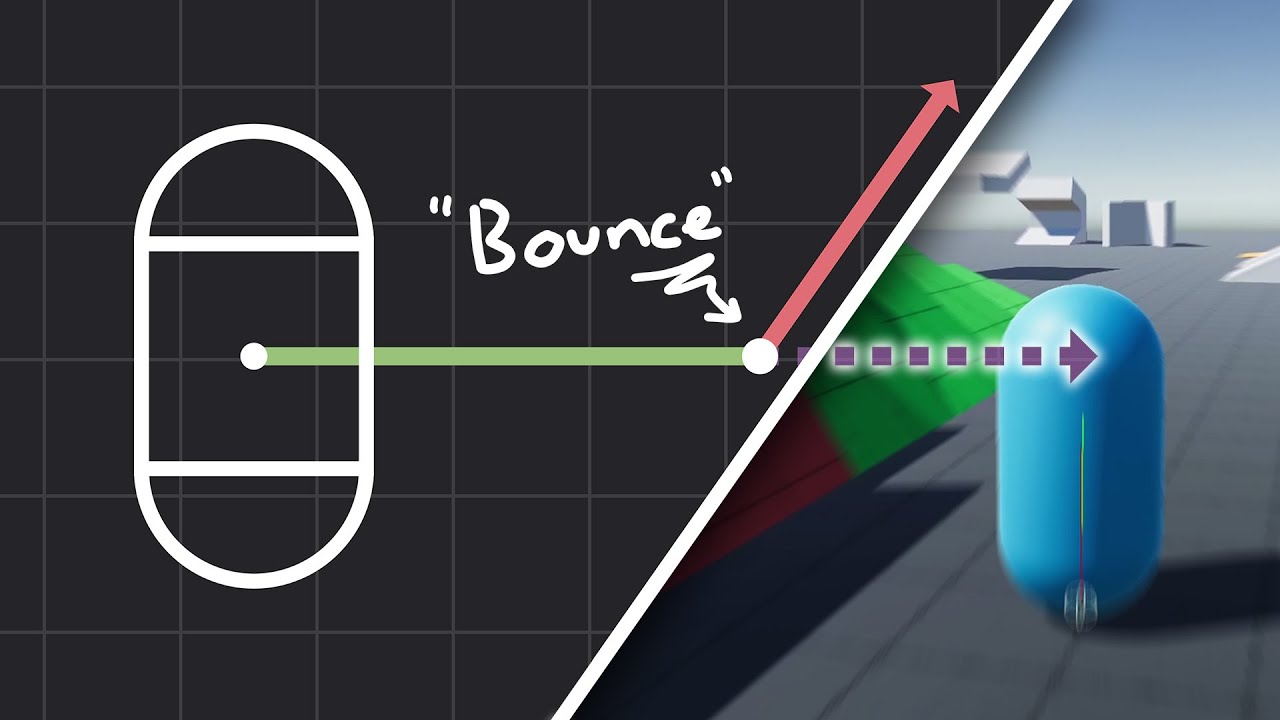
How to make actually decent collision for your custom character controller. Hopefully you find this helpful and people will finally stop saying "jUsT uSe DyNaMiC rIgIdBoDy!!!1!!11!!"
Chapters:
00:00 - Intro
01:09 - Algorithm
05:11 - Implementation
Improved Collision detection and Response (Fauerby Paper):
https://www.peroxide.dk/papers/collisi...
wintry quarry
eager stratus
I think I remember an approach like this being done with this video. That sound ...
Not sure - can you tell me at what timestamp it's discussed?
eager stratus
wintry quarry
Not sure - can you tell me at what timestamp it's discussed?
The concept in general is trying to make a character slide along a surface normal in the air
At least that's what I remember
Or slide along a surface normal in general
wintry quarry
eager stratus
At least that's what I remember
it's not clear what he's doing with the resulting vector but yeah manually redirecting the velocity vector parellel to the wall instead of into it should work
 wintry quarry
actually maybe types will give you a better result
it may point you to a different file with the type defined
or text search (x)
digital knot
 wintry quarry
doesn't the "in 3" thing mean it's in 3 files?
digital knot
idk
wintry quarry
oh nvm it's saying "line 3"
digital knot
oh
wintry quarry
Do you have a lot of files in your project?
digital knot
not much, i just created it yesterday
wintry quarry
try deleting the Library folder in your project root and see if it fixes anything. Also are there any other errors in the console?
digital knot
no other errors
wintry quarry
something is weird. If you restart Unity does it persist?
digital knot
yep
 dusty seal
Does anyone know how to make a grappling hook mechanic where when i look at something and hold a key it brings me towards it?
ive tried many times however nothing seems to work
frosty hound
None of these worked?
https://www.google.com/search?q=unity+grapple+hook&oq=unity+grapple+hook

www.google.com
Some of these are swinging, which is even more complex. Once you have the ability to shoot it at something (which is half the work), then going towards that point is much easier since it's a straight line.
dusty seal
frosty hound
None of these worked?
https://www.google.com/search?q=unity+grapple+hook&oq=unit...
no because all of them require a rigid body on the player capsule which the starter assets dont use. As a result they dont work or the physics just bug out
frosty hound
Right, which you mentioned in your initial question.
Shooting the gun has nothing to do with using a rb or cc, get that part down first then worry about moving after?
dusty seal
frosty hound
Shooting the gun has nothing to do with using a rb or cc, get that part down fir...
ive gotten the gun down and everything multiple times. What the problem is, is that the swing stuff doesnt work with my character so what I am attempting to do is make it pull myself towards the part. The problem is that the character glitches out and the only difference I see with those videos is that I dont use a rb. The physics those code uses glitch out my character control.
ive gotten in to pull me towards an object but whenever i look down my character levitates
 carmine summit
how does the character controller move? just using .Translate?
dusty seal
im not to sure. Im suing the starter assest in the unity asset store. I can check
winged ridge
dusty seal
ive gotten in to pull me towards an object but whenever i look down my character...
Don't forget, mass and gravity affect trajectory. If you pull something towards you, you'd have to counteract it's gravity and mass. If you are pulled towards something same concept.
carmine summit
i think the deal is
if this doesn't use a rigidbody then the character controller is probably controlling position directly
which means the object doesn't really work as a physics object and if you try to use it as one strange things happen
dusty seal
carmine summit
which means the object doesn't really work as a physics object and if you try to...
is there any way to work around this or should I just restart and code the character control from scratch? I have done a lot of changes like adding wall hops, double jumping, and sliding
carmine summit
you can absolutely work around this
it's probably going to mean scripting the grappling hook yourself to some extent, though
dusty seal
what the code does at the moment is uses a ray cast to find any objects with a certain tag. Then pulls the player towards it
by effecting the position of the capsule
carmine summit
what do you mean by "when you look down the character levitates"
winged ridge
You do tell the movement to stop once it gets to the point right?