#💻┃code-beginner
1 messages · Page 717 of 1
 remote sparrow
 zealous talon
i'm kinda losing my mind .....
 rich adder
it will explain whats happening, is basically wat was mentioned before, you push forward it goes off the slope then gravity pushes down again and repeat
so you keep playing ungrounded animation because thats what you set to happen if not grounded
so it needs to follow the slope direction instead of going just straight
did you debug why it wasn't moving with the added velocity ?
zealous talon
rich adder
did you debug why it wasn't moving with the added velocity ?
what do you mean?
rich adder
zealous talon
what do you mean?
you said you tried doing it how I had it with adding the velocity / movement of the platform to the player velocity
remote sparrow
i fixed it
rich adder
but it wasn't working for some reason ? so something you should look into, I did it similar
zealous talon
rich adder
but it wasn't working for some reason ? so something you should look into, I di...
you didn't use the rigidbody on the playform, right?
rich adder
zealous talon
you didn't use the rigidbody on the playform, right?
I did
zealous talon
mh
rich adder
Kinematic though
You can use dynamic depending on the mode of your game , if you lock constraints
zealous talon
so you add on the controller the rb.velocity's platform?
rich adder
yes the player moves according to how much platform moved
I use a raycast instead of triggers to detect it though, my platform knows nothing about the player
zealous talon
ok and you calculate velocity with kinematic rigid body as something light new position - last position / time.deltatime?
zealous talon
rich adder
I use a raycast instead of triggers to detect it though, my platform knows nothi...
mh ok but i don't think it makes a lot of diffences in my case
rich adder
zealous talon
ok and you calculate velocity with kinematic rigid body as something light new p...
pretty much
zealous talon
when the platform detects a trigger with the player it access the externalVelocity in the controller script and set it as its velocity
so it should be pretty much the same
rich adder
I mean sure but design choice, platforms shouldnt really know anything about the player
 patent hazel
slopeRotation = Quaternion.FromToRotation(Vector3.up, hitinfo.normal); so what this does is basically turning player movement vector with the angle between vector3.up and hitInfo.normal right?

 wintry quarry
patent hazel
slopeRotation = Quaternion.FromToRotation(Vector3.up, hitinfo.normal); so what ...
wintry quarry
patent hazel
slopeRotation = Quaternion.FromToRotation(Vector3.up, hitinfo.normal); so what ...
This code gives you a rotation that you would apply to rotate from Vector3.up to the hit normal
it doesn't do anything with any players
zealous talon
rich adder
I mean sure but design choice, platforms shouldnt really know anything about th...
yeah i'll correct that
rich adder
patent hazel
slopeRotation = Quaternion.FromToRotation(Vector3.up, hitinfo.normal); so what ...
doesn't she explain in the vid ? its been a while
patent hazel
if we multiply movement vector with slopeRotation thats what happens right?
patent hazel
rich adder
doesn't she explain in the vid ? its been a while
she does but i understand it better visually so i drew it
patent hazel
wintry quarry
it doesn't do anything with any players
if we do movementVector * slopeRotation i meant xD mb
wintry quarry
I think the more appropriate tool here would be to project the movement vector on the surface plane
wintry quarry
patent hazel
if we do movementVector * slopeRotation i meant xD mb
this would be invalid
the quaternion needs to be on the left
wintry quarry
I think it would approximately do the same as projecting the movement vector on the slope yes
(and then fixing the magnitude)
 compact sundial
I am using the onEnable function for my UI buttons. can I put multiple lines of
uiDoc.rootVisualElement.Q<Button>("LifeStealButton").clicked += OnClick;
in the enable function and they activate multiple buttons? or do I have to make a script for each button?
here is the full script
using UnityEngine;
using UnityEngine.UIElements;
public class ButtonOne : MonoBehaviour
{
    [SerializeField] private UIDocument uiDoc;
    [SerializeField] private ExtendedCharacterController characterController;
    [SerializeField] private GameObject player;

    // Start is called once before the first execution of Update after the MonoBehaviour is created
    void Update()
    {

    }

    void OnEnable()
    {
        uiDoc.rootVisualElement.Q<Button>("LifeStealButton").clicked += OnClick;
        //Debug.Log(uiDoc.rootVisualElement.Q<Button>("LifeStealButton"));

    }

    void OnClick()
    {
        //Debug.Log("YEET");
        player.TryGetComponent<LevelUpScript>(out LevelUpScript levelUpScript);
        if (levelUpScript.playerSkillPoints >= 1)
        {
            characterController.quickSlashAttackMultiplier += 1;
            levelUpScript.playerSkillPoints -= 1;

        }


    }
}
here had time to make a very quick and dirty demo..
https://paste.mod.gg/ggqldevsyctp/0

A tool for sharing your source code with the world!
compact sundial
compact sundial
```
using UnityEngine;
using UnityEngine.UIElements;
public class ButtonOne : Mo...
and by multiple buttons I mean they activate one button at a time depending on which one I click
wintry quarry
compact sundial
and by multiple buttons I mean they activate one button at a time depending on w...
This += line of code doesn't activate anything - it adds a listener to the button
Such that the listener will run every time the button is clicked
there's no limit to how many listeners you can add in a single script
rich adder
also good practice clean these up ondisable/destroy clicked -= OnClick;
compact sundial
wintry quarry
This `+=` line of code doesn't activate anything - it adds a listener to the but...
it actually does, I tried it with -= and it didnt work
like the OnClick function did not activate
wintry quarry
compact sundial
it actually does, I tried it with ``` -= ``` and it didnt work
Of course, that's unsubscribing
+= is correct, I didn't say it wasn't
compact sundial
oh
wintry quarry
compact sundial
```
using UnityEngine;
using UnityEngine.UIElements;
public class ButtonOne : Mo...
ButtonOne as the name of a script seems like a code smell to me tbh
compact sundial
yeah I had it the name of the script because I thought I was gonna have to make a script for each button
 plush zealot
For some reason this outputs the last card 5 times instead of outputting the top card then removing it and then outputting the top card again... these are the debug outputs im getting when I run it
https://hastebin.com/share/itiwizihah.csharp

Hastebin is a free web-based pastebin service for storing and sharing text and code snippets with anyone. Get started now.
I'm genuienly losing my mind here please help T-T
wintry quarry
plush zealot
For some reason this outputs the last card 5 times instead of outputting the top...
Need more code really but it's basically one of a few possibilities, for example:
deckhas a bunch of duplicate entries- The different cards in
deckare referring to the sameelement
showing the full script would probably help
as well as the ElementPage type
and any other relevant code
or perhaps you're doing some static variable stuff
plush zealot
I tried both those possibilities and checked the debugger neither is the case....
It doesn't have duplicates as the initial debug messages show it generates random ones
I thought the second too but it shouldn't be doing that since as also seen in the later debug messages the deck is shrinking....
wintry quarry
plush zealot
I tried both those possibilities and checked the debugger neither is the case......
um you are absolutely just making a list of 30 of the same object
        List<ElementPage> importD = new List<ElementPage>();
        ElementPage toAdd = new ElementPage("unassigned",1);
        int e;
        for(int i=0; i < 30; i++)
        {
            e = rnd.Next(6);
            switch (e)
            {
                case 0:
                    toAdd.element = "fire";
                    importD.Add(toAdd);
                    break;
                case 1:
                    toAdd.element = "earth";
                    importD.Add(toAdd);
                    break;
                case 2:
                    toAdd.element = "water";
                    importD.Add(toAdd);
                    break;
                case 3:
                    toAdd.element = "wind";
                    importD.Add(toAdd);
                    break;
                case 4:
                    toAdd.element = "lightning";
                    importD.Add(toAdd);
                    break;
                case 5:
                    toAdd.element = "dark";
                    importD.Add(toAdd);
                    break;
                case 6:
                    toAdd.element = "light";
                    importD.Add(toAdd);
                    break;
            }
            Debug.Log($"element of added card: {toAdd.element}. currently there are {importD.Count} cards in the Deck.");

        }
        startTurn(importD);
        #endregion
}```You make ONE object here - ElementPage toAdd = new ElementPage("unassigned",1);
and then you're adding that one object to the list 30 times with importD.Add(toAdd);
And when you're doing toAdd.element = "water"; you're just modifying that same object
plush zealot
yes
wintry quarry
You have a list with 30 references to the same card
wintry quarry
plush zealot
why does the debu.log message give out different results tho
because they are being printed at a moment right after you changed the element on the card
you're doing this:
- Make the card
- change the element to dark
- print the current element
- change the element to light
- print the current element
... so on
you still only have one card, you're just modifying it a bunch of times and printing the current state of it
plush zealot
ugh yeah ok
wintry quarry
You are probably get confused here because you're not understanding how references work in C#
plush zealot
if i put the toAdd in the for loop
it wouldnt happen that way
and work as intended
wintry quarry
to do this properly you would need to be doing ElementPage toAdd = new ElementPage(...); inside the loop
plush zealot
yeah...
wintry quarry
so that it creates 30 different objects
plush zealot
really quick
this would work how i'd want it to in java though right?
or did i completely shit the bed?
wintry quarry
It would work how you want if you were using struct instead of class
i.e. if ElementPage was public struct ElementPage instead of public class ElementPage
but Java only has class, so would work the same way as here.
plush zealot
ah ok
yeah no makes sense why it doesnt work
thought it would just copy the values
and put them in
wintry quarry
nope, that's not how references work
plush zealot
yeah I wanted to put it in the loop at first but then thought that's not entirely optimal since it would declare the variable a bunch of times
but it just doesnt work i guess
is there a way to do it cleaner?
I put it in the loop and it's still doing the same thing
O_O
wintry quarry
plush zealot
yeah I wanted to put it in the loop at first but then thought that's not entirel...
declaring a variable has no performance impact
plush zealot
ah alright
wintry quarry
plush zealot
is there a way to do it cleaner?
I mean yeah you can do this much cleaner
List<ElementPage> importD = new List<ElementPage>();
string[] elements = ["fire", "earth", "water", "wind", "lighting", "dark", "light"];
for(int i=0; i < 30; i++)
{
    int e = Random.Range(0, elements.Length);
    ElementPage toAdd = new ElementPage(elements[e],1);
    importD.Add(toAdd);
    Debug.Log($"element of added card: {toAdd.element}. currently there are {importD.Count} cards in the Deck.");
}```this is really all you need
 river pecan
Is there a built in method to check the distance where 2 colliders overlap?
 naive pawn
what value are you actually trying to find?
an overlap would be an area or a volume
perhaps draw out a diagram?
river pecan
naive pawn
perhaps draw out a diagram?
Like the distance between these 2 lines

Where the colliders overlap
naive pawn
just the horizontal overlap?
river pecan
Yeah
naive pawn
i don't think there's a method for that exactly, but you can compute it from their bounds probably
river pecan
Yeah I'm trying to calculate movement with colliders in the sense of
Calculate total distance between colliders
Then the distance of the overlap
Then move both by half of whatever the smallest distance is
river pecan
Well I don't want them to be able to jump on top of each other
naive pawn
you could probably just apply a force outwards
river pecan
naive pawn
you could probably just apply a force outwards
I tried that but they can walk throught each other
naive pawn
and you don't want that?
river pecan
No
naive pawn
so you want them to collide horizontally but not vertically?
river pecan
Yes
If they jump on the opponent
They should be pushed back
And continue their fall
Ideally both characters pushed away by half the distance
naive pawn
ngl i feel like this would be jarring
river pecan
It's how every fighting game collision I've ever played functions
naive pawn
hm, maybe i just haven't really encountered it
i'm thinking of minecraft collision lol
wait so - if you walk into another player, you should just be stopped?
and then if you jump on top of another player, you would then be teleported outwards to depenetrate?
or pushed out over time?
river pecan
Push out the frame they collide
They push each other
When you land on top of one another
naive pawn
so teleported, but narrow hitboxes so it's not super jarring?
naive pawn
gotcha, that makes more sense
river pecan
Calculate the total distance
Calculate the overlap distance
Teleport both by half the smallest distance
naive pawn
naive pawn
i don't think there's a method for that exactly, but you can compute it from the...
then yeah it would be this, assuming they're axis-aligned boxes or capsules
river pecan
naive pawn
then yeah it would be this, assuming they're axis-aligned boxes or capsules
They're box colliders
naive pawn
and are they axis-aligned?
 eternal needle
river pecan
Is there a built in method to check the distance where 2 colliders overlap?
eternal needle
river pecan
Is there a built in method to check the distance where 2 colliders overlap?
something like this?
https://docs.unity3d.com/ScriptReference/Physics.ComputePenetration.html
naive pawn
river pecan
Axis-aligned?
 river pecan
eternal needle
something like this?
<https://docs.unity3d.com/ScriptReference/Physics.ComputePe...
river pecan
eternal needle
something like this?
<https://docs.unity3d.com/ScriptReference/Physics.ComputePe...
This looks like it'd work, I will update if it do worky
naive pawn
basically, are they at right angles to world axes
river pecan
naive pawn
Yes, the squares never rotate
naive pawn
eternal needle
something like this?
<https://docs.unity3d.com/ScriptReference/Physics.ComputePe...
damn, the 2d version doesn't have it 😭
eternal needle
think 2d is just under a different name https://docs.unity3d.com/ScriptReference/Physics2D.Distance.html
apparently can be used for the overlap but i dont do 2d
 tropic orbit
Can someone help me with this code because when i run it nothing happens when i press spacebar
 naive pawn
eternal needle
think 2d is just under a different name <https://docs.unity3d.com/ScriptReferenc...
naive pawn
eternal needle
think 2d is just under a different name <https://docs.unity3d.com/ScriptReferenc...
it doesn't give depenetration info
naive pawn
tropic orbit
Can someone help me with this code because when i run it nothing happens when i ...
make sure you've saved and recompiled
eternal needle
naive pawn
it doesn't give depenetration info
it does in the ColliderDistance2D
river pecan
naive pawn
damn, the 2d version doesn't have it 😭
Yeah that's unfortunate
naive pawn
eternal needle
it does in the ColliderDistance2D
ahhh missed that, thanks
river pecan
Oh okay
naive pawn
river pecan
This looks like it'd work, I will update if it do worky
make sure to project the vector and probably also fix the distance, btw
direction is probably normalized so you could do direction*distance and project that probably
so you get horizontal depenetration
 steel relic
Hey everyone, I just released v1.0 of a utility I've been working on called FileMover Pro. It's a tool for developers to help organize messy asset folders with features like content-based duplicate finding, a review screen before any changes are made, and an undo button. I'm looking for any and all feedback! You can grab it for free on itch.io:
https://rottencone83.itch.io/filemover-pro-the-smart-file-organize
naive pawn
mmm not sure about that one
we don't really allow advertisement here. unsure if that counts
river pecan
naive pawn
make sure to project the vector and probably also fix the distance, btw
directio...
Being the thinker
If I could get both insert positions
 polar acorn
steel relic
Hey everyone, I just released v1.0 of a utility I've been working on called File...
polar acorn
tropic orbit
Can someone help me with this code because when i run it nothing happens when i ...
polar acorn
steel relic
Hey everyone, I just released v1.0 of a utility I've been working on called File...
polar acorn
tropic orbit
Can someone help me with this code because when i run it nothing happens when i ...
Try logging before setting the velocity and make sure the code runs
naive pawn
doesn't the yellow box on the left mean unsaved changes
eternal needle
steel relic
Hey everyone, I just released v1.0 of a utility I've been working on called File...
if you're actually expecting a code review, you should just paste a link to git or somewhere we can read the code without downloading it
Otherwise this is just an ad
river pecan
river pecan
If I could get both insert positions
Get the positions of both these lines that represet the full overlap

Then just subtract their x positions
Cuz that's how I'm doing the camera zoom
So possibly
naive pawn
finish a though before hitting enter please
 sour fulcrum
god i love ms paint drawings
river pecan
Oh okay, I have a habit of separating lines in discord
eternal needle
river pecan
Get the positions of both these lines that represet the full overlap
you have the bounds already from the colliders, along with the position. its pretty trivial to calculate what you want here assuming it should always only push the characters left or right.
river pecan
eternal needle
you have the bounds already from the colliders, along with the position. its pre...
I did this and got my desired effect
float overlapDistance = Mathf.Abs((transform.position.x + (transform.localScale.x / 2)) - (collision.transform.position.x - (collision.transform.localScale.x / 2)));
🤨 that's not taking into account the size of the colliders
river pecan
naive pawn
🤨 that's not taking into account the size of the colliders
I have it done in a hack ass way
So basically
Every collider is 1, 1
naive pawn
buddy use full sentences
river pecan
Sorry, bad habit
eternal needle
if the collider is on some child object which is scaled up then sure, but if you have some weird scaling on every single parent object then id reconsider your setup
naive pawn
you really should just use the sizing the collider provides instead of the scale
easier to manage, doesn't affect other stuff
river pecan
Every player collider is a child of the player. The colliders all have (1, 1) size, and the size is determined by scale of the transform. So that I can have the hitbox physically able to be seen.
naive pawn
So that I can have the hitbox physically able to be seen.
none of what you said, specifically enables that
 river pecan
Visualization in runtime
naive pawn
yeah can't you just use gizmos for that
river pecan
That's why I have it the hack way
eternal needle
gizmos dont display in a build
naive pawn
....would one want the hitboxes to show up in the build?
river pecan
naive pawn
....would one want the hitboxes to show up in the build?
Yes
There should be an option to turn them on and off
Ideally in fighting games
naive pawn
aight then
river pecan
Being able to visualise every hit/hurt box is important
tropic orbit
polar acorn
Try logging before setting the velocity and make sure the code runs
I went intot he player settings and changed the input mode to botht he new and old versions and that worked
 sly vortex
I need assistance with learning how to move my created character and NPCs. Basically, I have a zombie game I'm making
 silk night
sly vortex
I need assistance with learning how to move my created character and NPCs. Basic...
silk night
sly vortex
I need assistance with learning how to move my created character and NPCs. Basic...
We can help you with specific problems here
If you want to learn generally you should take a look at !learn
 eternal falconBOT
:teacher: Unity Learn ↗
Over 750 hours of free live and on-demand learning content for all levels of experience!
 light mica
Hey, can anyone here gimme some advice on how to start going deeper in C#?
 keen dew
I don't think you're ready to go deeper when you're still flailing with the basics. Follow the Unity Learn courses, the link is right above your message
light mica
Ok, thanks a bunch!
 grand snow
light mica
Hey, can anyone here gimme some advice on how to start going deeper in C#?
grand snow
light mica
Hey, can anyone here gimme some advice on how to start going deeper in C#?
If you want to strengthen your c# and object oriented programming skills you can look at the microsoft c# learning resources
https://dotnet.microsoft.com/en-us/learn/csharp
light mica
grand snow
If you want to strengthen your c# and object oriented programming skills you can...
Thanks for the advice as well, i'll take a look at it as soon as i can
 rough sluice
Will "Look" still get triggered if I dragged on-screen joystick?:

 rigid pike
Hi, i'm trying to make breakout clone, i just recently started learning Unity. I wrote this code for the ball movement, but no matter what value i enter, it still goes the same speed. Even if i use Time.deltaTime it still doesn't change anything. Can anyone help?
using Unity.VisualScripting;
using UnityEngine;

public class BallScript : MonoBehaviour
{

    public float ballSpeedX = 10;
    public float ballSpeedY = 1;
    public Rigidbody2D BallRigidBody;

    // Start is called once before the first execution of Update after the MonoBehaviour is created
    void Start()
    {

    }

    // Update is called once per frame
    void Update()
    {
        BallRigidBody.linearVelocity = new Vector2(ballSpeedX, ballSpeedY);
    }
}
 hexed terrace
rigid pike
Hi, i'm trying to make breakout clone, i just recently started learning Unity. I...
hexed terrace
rigid pike
Hi, i'm trying to make breakout clone, i just recently started learning Unity. I...
when you change the value - where are you changing it? Here in the code?
rigid pike
hexed terrace
when you change the value - _where_ are you changing it? Here in the code?
yes
nevermind figured it out. this seems to work for some reason:
using Unity.VisualScripting;
using UnityEngine;

public class BallScript : MonoBehaviour
{

    public float ballSpeedX;
    public float ballSpeedY;
    public Rigidbody2D BallRigidBody;

    // Start is called once before the first execution of Update after the MonoBehaviour is created
    void Start()
    {
        ballSpeedX = 2;
        ballSpeedY = 1;
}

    // Update is called once per frame
    void Update()
    {
        BallRigidBody.linearVelocity = new Vector2(ballSpeedX, ballSpeedY);
    }
}
if i set the values in start
hexed terrace
Part of the point of using public' is to expose the value to the inspector. This 'serializes' the field (saves it), so any changes you make in the code these values are not updated in the scene
If you want to change the values , then you do it in the inspector on the selected object
rigid pike
hexed terrace
If you want to change the values , then you do it in the inspector on the selec...
alright thank you!
hexed terrace
that way you can change them at run time (they won't be saved) and have different objects with different values
Your script just needs to be this
using UnityEngine;

public class BallScript : MonoBehaviour
{
    public float ballSpeedX = 10;
    public float ballSpeedY = 1;
    public Rigidbody2D ballRigidBody;

    void Update()
    {
        ballRigidBody.linearVelocity = new Vector2(ballSpeedX, ballSpeedY);
    }
}```there's nothing visual scripting related in it (atm anyway) -> remove the namespace use
Start is empty -> remove
those comments are messy -> remove, unless you like the reminder
rigid pike
hexed terrace
Your script just needs to be this
```cs
using UnityEngine;
public class BallScr...
this doesn't work
 ivory bobcat
rigid pike
this doesn't work
ivory bobcat
rigid pike
this doesn't work
What didn't work?
rigid pike
hexed terrace
Your script just needs to be this
```cs
using UnityEngine;
public class BallScr...
this code
but the one where i put the ballSpeedX = 10; in start works
ivory bobcat
Did setting a default value and assigning the value through the inspector not work?
I'm guessing there's a language barrier or something.
hexed terrace
rigid pike
this doesn't work
it does work.
rigid pike
ivory bobcat
Did setting a default value and assigning the value through the inspector not wo...
Oh right it works through the inspector, i keep forgetting sorry
i dont use inspector that much, only to assign for example the rigidbody so i didnt think of it even when you told me to do so. i gotta do some repetition to remember it :D
 rough granite
rigid pike
i dont use inspector that much, only to assign for example the rigidbody so i di...
rough granite
rigid pike
i dont use inspector that much, only to assign for example the rigidbody so i di...
Well you should start. The minute you make a variable public or use [SerializeField] (that is serializable) the value changed in code isn't updated for all instances on objects.
 silver fern
can I have multiple different variables with the same name inside of an array or similar?
sour fulcrum
you seem to maybe have a misunderstanding somewhere here
lets say i have a
int myIntNamedBobby this variable is this box

this box holds a int
and lets say i have
int[] myIntArrayNamedJames

this box can hold 16 ints
but this box holds 16 values, not 16 boxes
actually shit example since that container does contain 16 boxes
the array doesn't hold 16 different named variables
it's 1 variable holding 16 values
rough granite
sour fulcrum
the array doesn't hold 16 different named variables
Unless you use OOP which then yeah it still doesn't matter
sour fulcrum
no
silver fern
I'm thinking about how to implement debuffs. The debuffs are different and come from different sources so they would each have their own timer, and I thought about creating time variables on demand and pushing them into an array so they can be checked in Update() instead of predefining dozens of timer variables in case I might need that many
sour fulcrum
it doesn't matter what your storing
 night mural
sour fulcrum
it doesn't matter what your storing
night mural
sour fulcrum
it doesn't matter what your storing
an array is a data structure which contains multiple values, accessible by their 'offset' (represented by an index)
it can be stored in a variable just as an integer can
sour fulcrum
i have no idea why you have said this
night mural
because it's a better way to think about what you're trying to say than your picture with all the boxes
rough granite
sour fulcrum
it doesn't matter what your storing
No i know that's what i am agreeing with but also saying that if you were storing classes and you declared the class with names you can add two of the same declaration / variable name to an array.
silver fern
silver fern
I'm thinking about how to implement debuffs. The debuffs are different and come ...
but the variables in the array would then all have the same name
sour fulcrum
variables don't go in arrays
rough granite
silver fern
but the variables in the array would then all have the same name
That doesn't matter
sour fulcrum
values do
night mural
silver fern
I'm thinking about how to implement debuffs. The debuffs are different and come ...
you probably want a structure to represent a debuff and an amount of time remaining on it and then you would have a list of those which you add/remove from (or a dictionary keyed by debuff type, depending)
then some kind of debuff controller, either on the unit or more broadly which ticks down those debuffs
silver fern
My idea was to have a dictionary of debuff names with effects. When the debuff attack comes in, the debuff controller would pull the effects from that dictionary, apply them to the unit and start a corresponding timer, which removes the effect when it runs out
rough granite
silver fern
My idea was to have a dictionary of debuff names with effects. When the debuff a...
A dictionary and array are different
Why ask about an array when you planned to use a dictionary
silver fern
the dictionary is just to translate a debuff name to the effects that need to be applied
the array would have been to store the timers
rough granite
Why not have a class as they array data type?
silver fern
how so
 patent wedge
should i check ground type via tag or layer?
sour fulcrum
patent wedge
should i check ground type via tag or layer?
ideally component but tag is better than layer\
rough granite
Create a class something like
public class DebuffData
{
    public string DebuffName;
    public float DebuffLength;

    public DebuffData(string DebuffName, float DebuffLength)
    {
         this.DebuffName = DebuffName;
         this.DebuffLength = DebuffLength;
    }
}
public class DebuffController : MonoBehaviour
{
    DebuffData Debuff1 = (("DebuffName"), 1f );
    public DebuffData[] Debuffs;

    private void Start()
    {
         Debuffs = new DebuffData[] {Debuff1, Debuff1};
    }
 // change the second Debuff1 to whatever Debuff you make
}
and use that as the array type.
Took a bit to write since im on my phone :/
silver fern
is the public DebuffData(string DebuffName, float DebuffLength) a method?
I don't really understand what you wrote I think
especially not the second box
rough granite
silver fern
is the `public DebuffData(string DebuffName, float DebuffLength)` a method?
Yeah a constructor method
rough granite
silver fern
especially not the second box
Fair i think i messed something up
One sec, fixed
patent wedge
for some reason hit.collider.tag is always returning "Untagged"?
sour fulcrum
that collider's tag is untagged
silver fern
rough granite
One sec, fixed
why does the array need Debuff1 twice?
rough granite
silver fern
why does the array need Debuff1 twice?
It doesn't i just didn't feel like writing out a debuff2 to put in its place and a single value array seemed pointless.
silver fern
and that debuff1 has to already be predefined in that controller class?
sour fulcrum
nope
silver fern
because of DebuffData Debuff1 = (("DebuffName"), 1f );
rough granite
No you can define it in the array i just didn't have intellisense to fix my writing since i wrote this on phone in discord
silver fern
so I can leave that line out basically
rough granite
silver fern
so I can leave that line out basically
If you do that when you fill out Debuffs it needs to be like this Debuffs = new DebuffData[] {new DebuffData(("DebuffName"), DebuffLength)};
silver fern
{

    public DebuffData[] Debuffs;

    private void Start()
    {
         Debuffs = new DebuffData[] {};
    }
 // change the second Debuff1 to whatever Debuff you make
}```initialize it like that?
rough granite
silver fern
```public class DebuffController : MonoBehaviour
{
public DebuffData[] Debu...
No this would leave the array empty
silver fern
rough granite
No this would leave the array empty
it has to be empty at the start, the debuffs come in from outside
silver fern
ah
yeah the amount of debuffs would be variable
it has to be able to store any number of them
 slender nymph
then use a list
rough granite
Then yeah use List<DebuffData> Debuffs = new List<DebuffData>();
silver fern
alright cool thanks
public DebuffData[] Debuffs; would still be array though right? since that holds the name and length
silver fern
so to recap ```public class DebuffData
{
public string DebuffName;
public float DebuffLength;
public DebuffData(string DebuffName, float DebuffLength)
{
     this.DebuffName = DebuffName;
     this.DebuffLength = DebuffLength;
}
}
public class DebuffController : MonoBehaviour
{
private void Start()
{
     List<DebuffData> Debuffs = new List<DebuffData>();
}
}```
like that?
rough granite
Uh move the list out of start
silver fern
so just public class DebuffController : MonoBehaviour { List<DebuffData> Debuffs = new List<DebuffData>(); }
rough granite
Yeah
silver fern
alright nice
rough granite
Make it public or add a method to the class to add a debuff to it
silver fern
ok cool thanks
rough granite
And to add a debuff you can do Debuffs.Add(new DebuffData(DebuffName, DebuffLength);
Assuming you put it in a method
So it'd be
public void AddDebuf(string DebuffName, float DebuffLength)
{
    var Debuff = New DebuffData (DebuffName, DebuffLength);
    Debuffs.Add(Debuff);
}
once it times out I can just use the iterator variable in a loop as id to remove the entry from the list right?
sour fulcrum
yup, or the reference itself
Debuffs.Remove(myDebuffReference) is also valid (assuming its in there)
silver fern
what's the reference?
silver fern
I have two values for each list entry
well I gotta loop through it anyway to check each timer so id is probably easiest
I guess I'll have a second list that stores ids to be removed at the end of each loop
rough granite
Well you could in update use a foreach debuff in debuffs and reduce the debuff.DebuffLength -= Time.DeltaTime;
Then do if (debuff.DebuffLength <= 0);
Mark it to be removed and remove it after the loop is done.
sour fulcrum
silver fern
I have two values for each list entry
i know what your saying here but worth ensuring what specifically is happening here
you don't have two values for each list entry,
you have one value for each entry which has two values
silver fern
yeah
I'd do something like for(var i=0;i<debuffs.Count;i++) to check each list entry's timer, store the value of i in a second list if the timer runs out, and then remove all id's in that second list from debuffs
sour fulcrum
your over complicating it
for(int i=0; i< Debuffs.Count; i++)
    if (debuff.DebuffLength <= 0)
       Debufffs.RemoveAt(i);
oh I can just remove them during the loop?
sour fulcrum
or whatever you want
yes but actually theres a part of that i forgot
you can't remove them during a foreach loop and also you want a reverse for loop
for (int i = myArray.Length - 1; i >= 0; i--)
{
    // Do something
}
eg
silver fern
why's that?
grand snow
^ yea make sure to itterate backwards if you remove elements in that same loop
 cosmic dagger
If you remove from a loop during iteration, you must do it bakcwards . . .
sour fulcrum
it just be like that
grand snow
When you remove an element, the ones after get moved up by -1
if itterating forwards you will then skip over an element
cosmic dagger
When you remove an item from a list, all items after it shift down . . .
silver fern
that makes sense
grand snow
a,b,c,d
remove c
a,b,_,d
shift up elements
a,b,d
silver fern
then d would have the same id as c did before right
grand snow
yep which is why itterating backwards is best and is often more efficient if removing many elements
sour fulcrum
another nitpick but it's not really an id, index is the explicit term for whats going on here
 daring sentinel
Any idea where after reloading the current scene, the game freezes?
rich adder
silver fern
why's that?
just to add to this, a foreach wouldn't work because you cannot modify collection during iteration since it makes the collection immutable
sour fulcrum
i only point it out because id might imply the id itself has some sort of connection with the related value where in this case the index is just where something is in the collection, it's not specific to what that thing is, that just happens to be whats there
rich adder
daring sentinel
Any idea where after reloading the current scene, the game freezes?
no you're giving us no context
daring sentinel
rich adder
no you're giving us no context
using System;
using UnityEngine;
using Cysharp.Threading.Tasks;
using UnityEngine.SceneManagement;
using UnityEditor;

public class OptionsMenu : MonoBehaviour
{
    public ButtonHandler buttonsUI;
    public GameObject NPCDialoguePanel;
    public GameObject playerDialoguePanel;
    public GameObject dialogueOptionsPanel;
    public GameObject ResultsCanvas;
    public GameObject WinScreen;
    public GameObject gameOverScreen;


    public event Action<int> optionSelected;
    private bool sceneEnd = false;
    // Start is called once before the first execution of Update after the MonoBehaviour is created
    protected virtual void Awake()
    {
        ResultsCanvas.SetActive(false);
        NPCDialoguePanel.SetActive(true);
        dialogueOptionsPanel.SetActive(false);
        playerDialoguePanel.SetActive(false);
        GameState.decisionTime += chooseOption;
        GameState.sceneResults += (isWinner) => { displayResults(isWinner); };
        AnimationController.NPCResponse += () => TogglePlayerPanel(false);

    }

{...}

    public void nextLevel()
    {
        Debug.Log("Loading next level");

        return;
    }

    public void restart()
    {
        SceneManager.LoadScene(SceneManager.GetActiveScene().name);
    }

    public void QuitGame()
    {
        #if UNITY_EDITOR
            UnityEditor.EditorApplication.isPlaying = false;
        #else
            Application.Quit();
        #endif
    }
    protected virtual void OnDestroy()
    {
        GameState.decisionTime -= chooseOption;
        GameState.sceneResults -= (isWinner) => { displayResults(isWinner); };
    }

}
This is the code I have that reloads the scene
grand snow
daring sentinel
```cs
using System;
using UnityEngine;
using Cysharp.Threading.Tasks;
using Unit...
using a lambda to unsub like that doesnt work
rich adder
daring sentinel
```cs
using System;
using UnityEngine;
using Cysharp.Threading.Tasks;
using Unit...
could be not the reload scene script but probably other scripts in the scene
.also yeah assign actual method to the event if you want to properly unsub
grand snow
you can also store it in a delegate var like Action to unsubscribe correctly later but using a method is easier.
daring sentinel
What happens is that it plays the game fine, it just has this issue on reloading the scene if the player wants to restart the level
rich adder
by freezing what do you mean exactly? does the unity editor crash or
daring sentinel
No it just doesn't play, like it just becomes a still image, I can still exit out of play mode
rich adder
did you check the Console window for errors? could be pause on error is on
daring sentinel
Checked and there are no errors in the console, instead it's that the game's progress bars are now frozen and the timeline that plays when starting the game is not playing.
Also those Debug.Log messages are just in awake methods of scripts

 rich adder
daring sentinel
Checked and there are no errors in the console, instead it's that the game's pro...
rich adder
daring sentinel
Checked and there are no errors in the console, instead it's that the game's pro...
are you messing with TImescale at some point ?
daring sentinel
Oh I probably forgot to reset it then
daring sentinel
Yeah I do in this method of the script I posted
    protected virtual void displayResults(bool isWinner)
    {
        ResultsCanvas.SetActive(true);
        WinScreen.SetActive(isWinner);
        gameOverScreen.SetActive(!isWinner);
        Time.timeScale = 0f;

    }
Thanks for the heads up, I'll try it out
@rich adder Thanks so much, it works now!
rich adder
yup remember static variables like that are global and don't reset on reloads of scenes
daring sentinel
yeah cuz they belong to the class init
 smoky ruin
could someone help with this?
rich adder
smoky ruin
could someone help with this?

In this Unity game development tutorial we're going to look at how we can prevent a character from bouncing, when moving down a slope.
We'll start off by explaining why the character bounces when moving down a slope, and then explain how we're going to solve the problem.
We'll create a method that will detect whether the character is on a slop...
smoky ruin
I did it here, but I didn't understand why the player's speed is being reduced when he goes down the slope
slender nymph
show your code
rich adder
yea cause something sound off.. it should only be doing it on a downslope
smoky ruin
I think I solved it
basically:public bool IsGrounded()
{
Vector3 bottom = transform.position - new Vector3(0, baseHitboxHeight / 2, 0);
RaycastHit hit;
if (Physics.Raycast(bottom, Vector3.down, out hit, groundCheckDistance, groundMask))
{

    characterController.Move(Vector3.down * hit.distance);
    return true;
}
return false;
}
rough granite
smoky ruin
basically:public bool IsGrounded()
{
Vector3 bottom = transform.position - n...
Odd way of doing it but alright
rough granite
Well what you are doing is like adding a new force irrelevant to the players move speed that just forces it down at a speed of the distance the player is away from the ground. The proper way is geting the angle from your move direction and the ground and making the move direction face parallel to the ground while going the same direction as it was before
You are basically applying a second gravity force when not on the ground, and not too high up
silver fern
also you're doing it inside of the method that checks if you're grounded?
rough granite
silver fern
also you're doing it inside of the method that checks if you're grounded?
Yeah this too.
 pliant coyote
still having issues with my script, what is best way to spawn a ball prefab, and have it roll on the ground x distance?
its basically a similiar atatck to kogmaws ability if you are familiar in league of legends
smoky ruin
rough granite
Well what you are doing is like adding a new force irrelevant to the players mov...
Can I share my codes here? or in your DM
 frail hawk
pliant coyote
still having issues with my script, what is best way to spawn a ball prefab, and...
frail hawk
pliant coyote
still having issues with my script, what is best way to spawn a ball prefab, and...
what have you tried so far?
pliant coyote
rough granite
smoky ruin
Can I share my codes here? or in your DM
!code, i will not respond if it's dms
eternal falconBOT

Posting code
📃 Large Code Blocks
Use links to services like:
https://paste.mod.gg/, https://hastebin.skyra.pw/, https://paste.ofcode.org/, https://paste.myst.rs/
📃 Inline Code
Surround code with three backquotes. Not quotation marks.
To format as C#, add cs to the first line:
```cs
// Your code here
```
Add a comment with a line number if there is an error message.
frail hawk
i highly recommend learning the basics of programming instead of using ai
naive pawn
pliant coyote
its actually working now
schrodinger's error :)
annoys you for hours and then disappears the moment you try to show someone else
pliant coyote
naive pawn
schrodinger's error :)
annoys you for hours and then disappears the moment you t...
yeah wtf lol
naive pawn
also, all that rb configuration should be generally done on the actual rb in the inspector instead of here
rough granite
frail hawk
i highly recommend learning the basics of programming instead of using ai
As someone who learnt c# through ai (i knew java before) i agree it took (about 7 months of 6 hours a day) quite awhile to get the basics down before i could get free from using ai.
naive pawn
i knew java before
you are in a different situation
also, damn that's really slow for already knowing such a similar language
rough granite
naive pawn
also, damn that's *really* slow for already knowing such a similar language
Shh i knew the basics from a single course
naive pawn
ah, the "hello world" way of "knowing a language" 😉
rough granite
Also the 7 months is what i consider it since i learnt it by making a game and once it was fully playable is when i considered myself to know c#
sly vortex
Coding with AI when you don't know code yourself will only ultimately end up destroying any decent size project you try to make with it. And once you get one error, just delete it and go back to the top. AI is NOT recommended
rough granite
naive pawn
> i knew java before
you are in a different situation
I was saying that me using it didn't help much, but when i did use ai i never used ctrl+c, ctrl+v i read what it said tried to fix the variable names to how i would write them myself and fixed any bugs it made myself.
rough granite
naive pawn
ah, the "hello world" way of "knowing a language" 😉
Fair, i learnt the basics of (if statements, loops, methods, some OOP, and arrays) though i only had 2 weeks for each subject
rough granite
naive pawn
ah, the "hello world" way of "knowing a language" 😉
Also interestingly enough i wasnt told to do the print("hello world!"); it was print($"hello {teacherName}");
naive pawn
 that's not c# nor java
naive pawn
silver fern
isn't that python
python uses f"{x}", not $"{x}"
silver fern
right
naive pawn
(and you can use semis in python. it's not usually there by convention but it is allowed)
eternal needle
assuming they're just confusing it with the unity print method
naive pawn
fair
rough granite
naive pawn
<:derpThinking:598653508170022913> that's not c# nor java
Sorry Console.WriteLine($"hello {teachersname}");
rough granite
naive pawn
(and you can use semis in python. it's not usually there by convention but it is...
Can you use {}? I hated python cause of them not being there
eternal needle
i do often forget what method a language uses too, i use a few different languages/tools so theres like 6 different printing statements that I need. Kinda sucks when one is debug.log and another is log.debug
 vocal fjord
wait what
 naive pawn
rough granite
Can you use {}? I hated python cause of them not being there
naive pawn
rough granite
Can you use {}? I hated python cause of them not being there
i mean.. in a way, yes, but it won't be a block, it'll be a set, and only expressions will be allowed
eternal needle
but in unity id avoid using print also just because you dont have access to the 2nd parameter that debug.log has, which lets u specify an object to highlight
vocal fjord
vocal fjord
wait what
this doesnt make sense :(
smoky ruin
lol
vocal fjord
naive pawn
what does `MonoBehaviourPun` extend?
it's for pun libraries or something
idk
naive pawn
oh it's from that Photon.Pun namespace?
vocal fjord
it wouldnt work properly if it wasnt that
naive pawn
i didn't notice that at first, thought that was your own
one sec
ok yeah it inherits MonoBehaviour
what's the name of the file?
vocal fjord
ye
its the same thing, PhotonVRPlayer
its really weird
since im making a fork of an open source thing on github, when i imported it, it had some wacky behaviour like that
no idea why
naive pawn
do you have any compiler errors
naive pawn
is it preventing you from adding the component?
vocal fjord
yea
naive pawn
vocal fjord
since its in a prefab it wont let me save it but i opened it like that
..huh? scripts can't be in prefabs, they're files
vocal fjord
naive pawn
..huh? scripts can't be in prefabs, they're files
oops wait thats not what i meant sorry
i meant some of the scripts that were already in the gameobjects in the prefab made it so i couldnt actually save the prefab
hexed terrace
you can open prefabs with missing components, but it won't let you save the prefab - and you won't neccessilarly have compile errors
naive pawn
have you recompiled?
smoky ruin
smoky ruin
main:https://hastebin.skyra.pw/pelevasamo.csharp, walkstate:https://hastebin.sky...
somebody could help me with slope bounce?
vocal fjord
yeah, it was really weird
naive pawn
smoky ruin
somebody could help me with slope bounce?
what was your question?
vocal fjord
naive pawn
have you recompiled?
i tried changing the name of the script and also the class (because some of the other scripts were acting like that and thats how i fixed it) but it didnt work for this one for whatever reason, ill try that
smoky ruin
naive pawn
what was your question?
basically when my player goes up a slope, he goes up normally, but when he goes down, he "bounces" on it
I've been stuck on this for a few weeks now, and I've already read several tutorials
hexed terrace
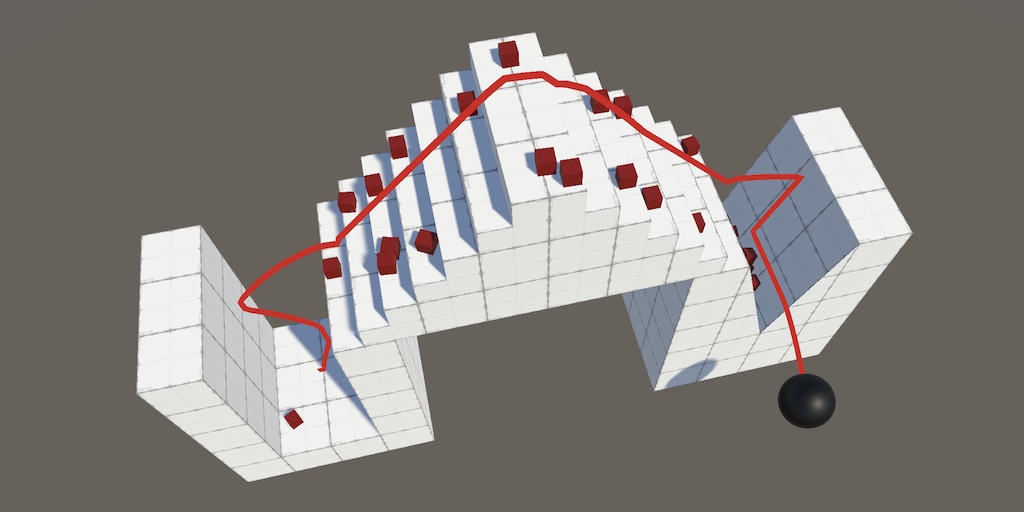
A Unity Movement tutorial about refining how a sphere interacts with surfaces.
vocal fjord
naive pawn
have you recompiled?
ok, i fixed it, i just set it as a regular MonoBehaviour because for some reason it isnt broken that way
im dumb
vocal fjord
ok i did NOT fix it
turns out im SUPER dumb and i need monobehaviourpun for photonview
hexed terrace
not knowing something != being dumb.
vocal fjord
according to unity MonoBehaviourPun is not a MonoBehaviour class
for
some reason
hmm what if i just put an empty monobehaviour class
along with the pun thing
yee it works
polar acorn
vocal fjord
according to unity MonoBehaviourPun is not a MonoBehaviour class
Unity will also say "Does not derive from MonoBehaviour" if a compile error is preventing it from actually compiling that class
even if the compile error is in a different class
vocal fjord
the script only has 1 class tho
polar acorn
A compile error in any script will prevent it from compiling changes to any other script
do you have any errors elsewhere?
slender nymph
if it isn't happening now then you don't, and i'd bet that at the time you either did or it was still compiling
vocal fjord
yeah maybe
 round mirage
Hello i would like to use setActive(false) but i know it will disable my script on my gameObject does i have to disable every component (exept my script) if i want to let my script run even if the object dont exist or something else exist to do this ?
slender nymph
if you want a component to still update, then yes. the object it is attached to must be active in the scene. you can either disable all other components on that object like you suggested or you could separate it to a different object
 tacit prism
What’s the point if char literal, since you can just use
console.writeline(“b”);
Instead of using the char literal with
‘b’

Started unity, reading up and learning more
slender nymph
well you can't assign "b" to a char variable, you can only assign a char to a char. a char is a single character
naive pawn
you can do math to chars
slender nymph
it's also a value type and really just an integer that displays as a character
naive pawn
strings are just arrays of chars
tacit prism
I just don’t like the examples there using, the way they show it makes me think initially it’s just a less efficient means of writeline
naive pawn
i mean it is trying to show the basics
it's not showing the practical use, it's showing an example use that you can play around with to understand
tacit prism
As you can tell I’m on my phone
Wish I had the built in console but since I’m at work I have to make do with this, slow day, might as well try to learn while I’m doing nothing
Net fiddle still works tho
Also if I understand this correctly
String uses “
Char uses ‘
And int uses none
naive pawn
tacit prism
Also if I understand this correctly
String uses “
Char uses ‘
And int uses none
you can't really compare the notation like that
integer notation is just a separate thing from strings and chars
there's a system of suffixes for the numerics instead
ivory bobcat
For the very basics of programming with C#, you can probably reach out to the csharp discord server - !csds
eternal falconBOT
Join the C# Discord server, a programming server aimed at coders discussing everything related to C# (CSharp) and .NET. https://discord.com/invite/csharp
silver fern
is there a way to have like a placeholder for a game object in a method dictionary?
ivory bobcat
What's a method dictionary?
rich adder
silver fern
is there a way to have like a placeholder for a game object in a method dictiona...
wdym a method dictionary
tacit prism
ivory bobcat
For the very basics of programming with C#, you can probably reach out to the cs...
Already joined 3 servers to learn, I ask a lot of questions, so I try to spread them across these three so I don’t overwhelm 
 silver fern
well I'm storing my debuff effects in a dictionary that translates the debuff name to its effects, that way each effectcontroller can pull the effects from that dictionary so it all stays in one place. But now I'm wondering about how exactly to store a burn effect like dealing damage every second. Dealing damage is done through the damage controller of the player object, and the effect controller would have access to that but the dictionary wouldn't, so I wanted to put a placeholder for the damage controller in the dictionary
tacit prism
There’s just so much to not understand
rough granite
tacit prism
Already joined 3 servers to learn, I ask a lot of questions, so I try to spread ...
Whats gdl :?
tacit prism
rough granite
Whats gdl :?
Game dev league, very nice community that tolerates my questions
rich adder
tacit prism
There’s just so much to not understand
in time things start to make more sense
rough granite
rich adder
in time things start to make more sense
The fun of coding it's like puzzles but more dynamic and expandable
tacit prism
I love logic, there just so many ways of doing things and not doing things I seem to overwhelm myself

rich adder
tacit prism
I love logic, there just so many ways of doing things and not doing things I see...
Do what's easiest to you. Improve / refactoring later on if needed
 rocky heart
guys i have a GameObject variable thats an instantiated object using GameObjectVariable = Instantiate(blah blah blah); and Destroy(GameObjectVariable); but it still says destroying assets is not permitted to avoid data loss
rough granite
rich adder
Do what's easiest to you. Improve / refactoring later on if needed
I did this and it hurts to refactor 20+ classes that all build off each other, done it like 4 times now for one project and im not even done this last time cause it's that much bigger.
ivory bobcat
tacit prism
Already joined 3 servers to learn, I ask a lot of questions, so I try to spread ...
Although csharp is used for scripting with Unity and you'll get folks directing others who are wanting to learn csharp to the Microsoft learning resources, this server-channel mainly discusses beginner coding concepts with csharp in Unity and not plain csharp console programming. Just wanted to direct you to the proper community for the proper discussion/support. I mean, folks here (on the server channel) would talk about programming fundamentals overall but it's probably a bit off topic tbh
rich adder
rough granite
I did this and it hurts to refactor 20+ classes that all build off each other, d...
If it works you typically leave it as is, refactoring is last resort, for improving readability for maintenance or perhaps improvement for speed
tacit prism
ivory bobcat
Although csharp is used for scripting with Unity and you'll get folks directing ...
The way the csharp community has it set up is a forum for questions, which feels less inviting than just an open channel lmao, because forums stay around and group up based on activity.
I’ll try not to move my questions here if yall want
ivory bobcat
rocky heart
guys i have a GameObject variable thats an instantiated object using GameObjectV...
You'd want to destroy the instance and not the prefab. Likely you're destroying the prefab and not the instance. Seeing the actual code would probably allow folks to point out any mistakes or misunderstandings you may have in the code.
rich adder
tacit prism
The way the csharp community has it set up is a forum for questions, which feels...
General talk channel is fine you don't need to use threads
tacit prism
Idk there’s some communities out there with pricks that “erm u need to use the proper area for questions” and such. Try not to encroach on those people
rough granite
rich adder
If it works you typically leave it as is, refactoring is last resort, for improv...
Well the thing is it worked for what it was but didn't for expanding like the current thing im doing is making my weapons instead of each be their own class basically doing nearly the same thing is using SOs and a large library of options to change how the weapon works.
rich adder
yea if your previous code didn't allow extension on it then you'd typically want a refactoring or sometimes just rewrite
silver fern
silver fern
well I'm storing my debuff effects in a dictionary that translates the debuff na...
I suppose I could add a dictionary of controllers and store a string together with the method in the effects dictionary so the effect controller knows what to do with it
rough granite
rough granite
Well the thing is it worked for what it was but didn't for expanding like the cu...
The previous thing i had to refactor was my StatsController, SkillsConntroller, and SkillList as it also wasn't expandable and was often buggy when testing and yet here i am refactoring that again to use SOs that go hand in hand with the weapon refactoring so i dont need to create new skills for each weapon.
rough granite
rich adder
yea if your previous code didn't allow extension on it then you'd typically want...
Yeah also completely deleted my whole enemy data and rewriting that rn too.
rich adder
rough granite
Yeah also completely deleted my whole enemy data and rewriting that rn too.
Tbh sometimes is better/quicker to just rewrite than refactoring. Especially if you have some lessons/takeaways learned from previous ways
cosmic dagger
☝️ This is true as well . . .
silver fern
silver fern
I suppose I could add a dictionary of controllers and store a string together wi...
it doesn't actually work
debuffs are a headache
I think my whole idea doesn't actually work
grand snow
an OO approach would be adding an instance that is able to apply some effect via virtual functions/interface
ivory bobcat
If there aren't too many.. probably a state manager would suffice unless you're needing to know info about the source etc
silver fern
there's 28 different ones rn but there could be more later
and they affect different things, like one deals damage, another reduces movement speed, things that are handled in different controllers
the effect controller was supposed to take the effect, apply it to the correct controller, and end the effect when the timer runs out
round mirage
slender nymph
if you want a component to still update, then yes. the object it is attached to ...
and does something to acces all component of a specified type in childrens of my gameObject exist ?
silver fern
and the effects should be stored in a common dictionary instead of being copypasted into every effect controller
slender nymph
round mirage
and does something to acces all component of a specified type in childrens of my...
Did you happen to check the docs?
silver fern
I suppose the question is, how to have the dictionary tell the effect controller where to apply the effects
grand snow
you have instances of these on the objects they effect instead?
silver fern
how do you mean?
grand snow
If my player can have effects then it can have a list of effect instances
silver fern
yes
grand snow
sounds like you went the other way, some class that applies effects to objects
silver fern
well it also keeps a list of them
cosmic dagger
silver fern
and the effects should be stored in a common dictionary instead of being copypas...
You'll need to create some type of pipeline with an order of operations for each type of effect, like Flat +/-, Percentage +/-, Resistances, Crit, etc . . .
If you're using SOs, you'll need to create instances of C# classes during runtime to track modified data . . .
silver fern
hang on I'll make a paste of my code to show you what I mean
cosmic dagger
Oddly enough, I'm doing smth similar right now. I only wanted to create a damage system to funnel through one point. Then I added damage types and it's blown up . . .
silver fern
A tool for sharing your source code with the world!
this the controller, the object and the dictionary
hexed terrace
I hope I can ask shader questions here
Nope, use #1390346776804069396
(delete from here so you don't get told off for crossposting)
grand snow
😴
 pliant bramble
Okay, thanks 🙂
silver fern
grand snow
you have instances of these on the objects they effect instead?
I'm not sure what you meant here
grand snow
silver fern
I'm not sure what you meant here
Your current design does keep a list of "EffectObject" so if each thing that can have effects has their own list and instances then that should make it easier to manage.
I presume these Effect objects will modify/manipulate stats in some way so this also simplifies how that works
silver fern
grand snow
Your current design does keep a list of "EffectObject" so if each thing that can...
that's already the case, each character has their own effect controller
but how do I get it to apply the effect to the right places?
cosmic dagger
I guess it depends how your effects integrate into your stats . . .
grand snow
silver fern
that's already the case, each character has their own effect controller
well you need to design that.
If your player has stats in a dictionary such as Dictionary<string, float> then either when the effect is added it is given the chance to modify these OR when you try to get a stat the effects have a chance to modify the result.
Basically you need to plan out what can be modified and then how it can be done in a generic way for all effects
e.g.
public float GetStat(string statname)
{
  float stat = stats[statname];
  foreach(var effect in effects)
  {
    stat = effect.ModifyStat(stat, statname);
  }
  return stat;
}
some things may not work well with such a system but some things will
silver fern
some affect stats but others for example deal damage every second
grand snow
Then you can provide the effect with a ref to the player its attached to so it can do things when active?
e.g. tick effects each Update() so they can do stuff
Then some effect can choose to deal damage to the player every x seconds cant it?
silver fern
yes, that was my original question. for that I need some kind of placeholder for the player ref in the dictionary
grand snow
Okay that honestly makes no sense to me
silver fern
or how do I do this
 vital vault
how should i move player in 3D for FPS?
grand snow
silver fern
or how do I do this
If EffectController exists alongside your player then it can allow the current EffectObjects to modify that player right?
rich adder
vital vault
how should i move player in 3D for FPS?
Keyboard or controller
 small valve
vital vault
how should i move player in 3D for FPS?
small valve
vital vault
how should i move player in 3D for FPS?
Take a look at some tutorial on yt
or somewhere
idk
vital vault
rich adder
Keyboard or controller
i mean how do i alter player pos
vital vault
small valve
Take a look at some tutorial on yt
i do not want to just paste
grand snow
@silver fern
public class EffectObject
{
  protected Player player;

  public EffectObject(Player player)
  {
    this.player = player;
  }

  //derived types can override this and do stuff!
  public virtual void OnTick();
}

//Example effect
public class PoisonEffect : EffectObject
{
    public override void OnTick()
    {
      player.Damage(1f);
    }
}
Rigidbody or Charactrr controllrt
small valve
vital vault
i do not want to just paste
I meant the explained tutorials, not just a copy and paste bro
vital vault
rich adder
Rigidbody or Charactrr controllrt
what should i use
also i want to add jumps
silver fern
grand snow
<@227086439798669313>
```cs
public class EffectObject
{
protected Player play...
ahh, so I should just store each kind of buff or debuff in its own class with methods overriding EffectObject
that makes sense
grand snow
I dont know what you planned to do before but this is how id do it
silver fern
well I was storing each effect in a dictionary translating effect name to effect method
but I suppose this is better
grand snow
yea thats not great, using object oriented programming correctly is the way to go
its why it exists
rich adder
vital vault
what should i use
Try both and see which one feels best, there is no set solution. All depends on how you want it to feel. CC Is easiest to get goin
silver fern
I see, thanks
vital vault
rich adder
Rigidbody or Charactrr controllrt
i think i will use rb cuz of gravity
vital vault
rich adder
Try both and see which one feels best, there is no set solution. All depends on ...
i just tried using _rb.AddForce and it was like dogshit
grand snow
silver fern
I see, thanks
btw in my example it will moan about public virtual void OnTick(); as it should instead be:
public virtual void OnTick() {}
//or
public abstract void OnTick();
https://docs.unity3d.com/ScriptReference/CharacterController.Move.html
Making gravity with CC is not big deal... a few lines of code.. with dynamic RB you will be struggling with other issues
 vital vault
rich adder
https://docs.unity3d.com/ScriptReference/CharacterController.Move.html
Making g...
vital vault
rich adder
https://docs.unity3d.com/ScriptReference/CharacterController.Move.html
Making g...
what exactly
also i need to be able to slide if like on a ramp or smth
rich adder
vital vault
also i need to be able to slide if like on a ramp or smth
None of those things are specific to one controller
vital vault
rich adder
None of those things are specific to one controller
will cc be able to slide
rich adder
Rb has weird issues sometimes like dealing with outside forces or sticking to walls without the material trick
rich adder
vital vault
will cc be able to slide
Like I said, yes none of that is specific to rb
cosmic dagger
silver fern
ahh, so I should just store each kind of buff or debuff in its own class with me...
Personally, I have a Stat class that holds a list of modifiers. The Modifier class has the Value (of the de/buff), the Priority (the order in which it's applied) and how it's applied (flat add/sub, percentage add/sub, or percentage multiplied) . . .
vital vault
rich adder
Rb has weird issues sometimes like dealing with outside forces or sticking to wa...
outside forces?
im making a really bare bones shooter lol
rich adder
vital vault
outside forces?
Yes other rididbodies for example , friction , etc.
grand snow
cosmic dagger
Personally, I have a `Stat` class that holds a list of modifiers. The `Modifier`...
I've done a similar system recently, where some modifiers are checked first to either multiply or add something to the stat before retrieval.
vital vault
rich adder
Yes other rididbodies for example , friction , etc.
i think it wont be much of an issue
cosmic dagger
grand snow
I've done a similar system recently, where some modifiers are checked first to e...
Yeah, when a modifier is added to a Stat, it calculates the final value, but does so in a specific order so scaling is always the same. I use SOs as ScriptableObject enums to drag-and-drop the priority. They just have a value on them . . .
grand snow
Mine was different, stats were stored in a dictionary (key as enum, float as value) and a modifier collection class held modification instances that were checked as a stat was retrieved
cosmic dagger
grand snow
Mine was different, stats were stored in a dictionary (key as enum, float as val...
I see. Where you had an enum and float for the dict, I had an SO enum (basically, an SO with the name of the Stat) as the key, and the Stat class as the value. The stats stored their own modifiers to keep it in one spot . . .
grand snow
I at one point needed to have modifications shared by whole groups of objects so I did it this way so they could all share 1 instance of this "modifier collection"
silver fern
in my case the modifiers are dynamic so I can't store them in a class
grand snow
plenty of ways to do it
cosmic dagger
silver fern
in my case the modifiers are dynamic so I can't store them in a class
You can, most modifiers are reactive (dynamic) where they're applied temporarily . . .
silver fern
wait, if I store each kind of debuff in its own class, how do I actually add one to the list?
I can't just pass a string with the debuff name to get the right one anymore
 dark herald
Good evening, I have a physics problem. I would like to make the wheels turn, but I can't do it. Where can I ask my question? Thank you!
grand snow
silver fern
wait, if I store each kind of debuff in its own class, how do I actually add one...
each effect instance can store its name so you can find it again
silver fern
grand snow
each effect instance can store its name so you can find it again
how do I do that then? loop through all the class files in the effects directory and check the name of each?
grand snow
silver fern
how do I do that then? loop through all the class files in the effects directory...
Well you can change it to Dictionary<string, EffectObject> to make it quicker but you had it as a List<> in the shared code
silver fern
there could be multiple instances of the same debuff so a dictionary wouldn't work I think
rn I have var effect = new EffectObject(characterController2D, damageController, effectAuthorityLevel, effectMultiplier, effectDuration); EffectsList.Add(effect);
but instead of EffectObject it would have to be PoisonEffect or SlowEffect or whatever
grand snow
well you can still loop over them to find one that meets your criteria
e.g. if(effect is PoisonClass) or if(effect.name = effectName
silver fern
loop over the class files yes?
silver fern
for example I have a string saying "Poison" or "PoisonEffect" and I need to find the correct effect class to add to the list
grand snow
Ah well you would ideally do this in your code:
player.AddEffect(new PoisonEffect(player));
its easier to just create the object of the correct type where required
If the system needs to be more flexable then you may need to have a more complex system to perform the object creation
You can use reflection to locate the type and create an instance but may be a bit advanced
silver fern
ok but how do I translate the string "Poison" into PoisonEffect(player)
grand snow
If you must do it that way then you need something to map a string to creating the correct object
switch(effectName)
{
  case "Poison":
    return new PoisonEffect();
}
again, learning more c# will help you figure out what to do
grand snow
using a string is not as good as using a custom enum
silver fern
I could do that too
 cosmic grotto
Hi I have been trying to implement a main camera follow script and I have the object I want the camera to follow moving but camera only looks and rotates when the script was attached but does not move when the object moves and yesterday I remove the script and tried the cinemachine camera and I have only got the same results?
dark herald
Good evening, I am trying to make my wheel stay fixed but can move except that it circles on itself but it does not stay fixed, how can I correct this?
Thanks
ivory bobcat
cosmic grotto
Hi I have been trying to implement a main camera follow script and I have the ob...
You'll probably need to provide more info for people to give proper suggestions
grand snow
dark herald
Good evening, I am trying to make my wheel stay fixed but can move except that i...
if using a rigidbody you can freeze axis movement
cosmic grotto
ivory bobcat
You'll probably need to provide more info for people to give proper suggestions
Hi this is code I have written so far. Not sure if this info is any help?
// The target that your camera will look at.
// Drag your ship's Transform into this field in the Inspector.
[SerializeField]
private Transform target;
// The speed at which the camera smoothly rotates to look at the target.
// Adjust this for a smoother or more immediate camera turn.
[Range(0.1f, 10.0f)]
[SerializeField]
private float smoothSpeed = 3.0f;

// Offset from the target (ship) to the camera
[SerializeField]
private Vector3 offset = new Vector3(0, 5, 8);

// LateUpdate is the best place for camera logic.
// It runs once per frame, after all other Update() and FixedUpdate() calls.
private void LateUpdate()
{
    //Debug.Log("cameraLookAt LateUpdate");
    // Essential check: If no target is assigned, the script stops to prevent errors.
    if (target == null)
    {
        Debug.LogWarning("CameraLookAt: Target is not assigned. Please drag the ship's Transform to the Target field in the Inspector.");
        return;
    }

    // Use local-space offset so camera stays behind the ship as it rotates
    Vector3 desiredPosition = target.position + target.TransformDirection(offset);
    // Smoothly move the camera to the desired position
    transform.position = Vector3.Lerp(transform.position, desiredPosition, smoothSpeed * Time.deltaTime);

    // Rotate the camera to look at the target
    Vector3 directionToTarget = target.position - transform.position;
    Quaternion desiredRotation = Quaternion.LookRotation(directionToTarget);
    transform.rotation = Quaternion.Slerp(transform.rotation, desiredRotation, smoothSpeed * Time.deltaTime);

    //Debug.Log("Camera position: {transform.position}, Desired: {desiredPosition}, Ship position: {target.position}");
}
share !code properly 👇
eternal falconBOT
Posting code
📃 Large Code Blocks
Use links to services like:
https://paste.mod.gg/, https://hastebin.skyra.pw/, https://paste.ofcode.org/, https://paste.myst.rs/
📃 Inline Code
Surround code with three backquotes. Not quotation marks.
To format as C#, add cs to the first line:
```cs
// Your code here
```
Add a comment with a line number if there is an error message.
cosmic grotto
Hi Sorry I am new to using discord please see link to my code. https://paste.ofcode.org/DeCnMPLaRp9FZKHWQPkQA3 !code
silver fern
honestly I might just be too stupid for this stuff. this solution with the long switch can't be right but I can't think of anything better
 eternal needle
small valve
what should I do..
eternal needle
small valve
what should I do..
read the #📖┃code-of-conduct and stop spamming the channel
small valve
eternal needle
read the <#497867528488484864> and stop spamming the channel
How the hell do you define spam bro.. I didn't copy and send the message more than once
lazy = bored ?
 fickle plume
@small valve Actually read #📖┃code-of-conduct and don't spam off-topic
small valve
okay okay fine
eternal needle
cosmic grotto
Hi I have been trying to implement a main camera follow script and I have the ob...
if the camera was not moving with your object using your script or cinemachine, then you were probably following the wrong target. Cinemachine is highly configurable so id suggest just sticking with that. Though you should add logs to see why this script is not moving your camera if you wanted to find the issue
vital vault
how should i move non kinematic rigidbody for first person controller
 rocky canyon
probably MovePosition()
silver fern
quaternion probably easiest
rocky canyon
quaternion yes

heres how i do rotation.. (but for rigidbody it'd be a bit different) not sure exactly what ud use fo ra rigidbody
silver fern
vital vault
around some axis
vital vault
im kinda caveman
rocky canyon

 vital vault
so i think i will just use trigonometry
rocky canyon
yea look here..
grand snow
you can do Quaternion * Vector3 to rotate a vector
rocky canyon
this is all the methods u can use
for rigidbody theres MoveRotation() that u can use like the MovePosition()
best thing to do is start experimenting
look at methods.. then try to implement what u think fits best
u can expose the values in the editor.. or use debug.logs and just see what happens w/ the values
 sturdy vigil
Hello guys, i have a question. I want to make a really big 2D world and i want to use a mesh. Do you know where i can learn how to do it?
rocky canyon
the more u practice the easier it comes
if u want to use a mesh and not a sprite its probably a 2.5D and not 2D
u can ignore one of the axis and have it act just as a 2d one would.. (u can still use all the sprites, 2d packages, all the 2d physics stuff and code) just in a 3D scene instead
like dis
 sturdy vigil
omg
rocky canyon
all game are technically 3D in unity anyway 😄
the 2d scenes/templates just do certain things to make it appear 2D
sturdy vigil
and do you know where i can learn to do this? i started the catlike coding tutorials but they seem to complex
rocky canyon
what do u mean? like the basics and stuff?
silver fern
rocky canyon
most ppl will tell u to use unity !learn
https://www.youtube.com/playlist?list=PLFt_AvWsXl0fnA91TcmkRyhhixX9CO3Lw i actually learned alot from this tutorial series tho
 eternal falconBOT
:teacher: Unity Learn ↗
Over 750 hours of free live and on-demand learning content for all levels of experience!
sturdy vigil
silver fern
something like this?
>https://www.codementor.io/@nick_gamesdeveloper/eye-opener...
yeah something like that
but more blocky, like terraria
sturdy vigil
rocky canyon
most ppl will tell u to use unity !learn
https://www.youtube.com/playlist?list=P...
ill watch it then ^^
rocky canyon
ohh u mean specifically the 2d terrain stuff
sturdy vigil
yeah like that
i dont know if i should use a tilemap or meshes, but searching i found meshes are better if i want to make a big world
because they are more performance friendly than the tilemap
rocky canyon
yea, if i had to chose id chose mesh's over tilemaps b/c i hate tilemaps 😄
but they're not really compareable most of the time.. ones for one thing anothers for another thing.. but yea both can be used kinda interchangeably
sturdy vigil
yeah tilemaps are more easy to implement than meshes
i mean i have the logic though but dont really know how to code it
sturdy vigil
i know how meshes work the coordinates and the triangles and the arrays to save the data but dont know how to code it
rocky canyon
if u search terraria unity you'll find some devlogs and stuff
it may help guide you torwards more specific things to look up
im a 3d guy so i dont really know much tbh
sturdy vigil
oh okay dont worry you have helped a lot
sturdy vigil
rocky canyon
if u search `terraria unity` you'll find some devlogs and stuff
ill try looking for that
rocky canyon
sturdy vigil
i know how meshes work the coordinates and the triangles and the arrays to save ...
sounds like ur already on the right path
thats sorta how tilemaps would work
u just keep a collection of the pieces of the terrain
however u end up deciding to do that
im ass at procedural stuff as well 😄
#programming #unitytutorial #gamedevelopment
Download my Complete 2D Gamekit here:
https://erensoftworks.itch.io/erens-complete-2d-gamekit-for-unity
How To Make A 2D Game Like Terraria / Minecraft in Unity! In this tutorial, I teach you how to make a 2D sandbox game like Minecraft or Terraria in Unity! It's easy to follow even for beginners as...
but yea ^ stuff like this... might find a gem in the bunch
sturdy vigil
im only starting to learn about it and its a pain 🤣🤣 a lot of maths
rocky canyon
ya, you'll have to know a bit of math
its not super bad tho.. b/c unity has lots of functions (especially like in the Mathf class) that does alot of the common stuff for u
vital vault
grand snow
you can do ``Quaternion * Vector3`` to rotate a vector
yea i did this
float cosa = Mathf.Cos(transform.rotation.y);
float sina = Mathf.Sin(transform.rotation.y);

float newX = moveInput.x*cosa - moveInput.z*sina;
float newZ = moveInput.x*sina + moveInput.z*cosa;

moveInput.x = newX;
moveInput.z = newZ;

Vector3 moveVelocity = moveInput*_speed*Time.deltaTime;
well yea you can 2d rotate like this but you dont have to...
vital vault
grand snow
well yea you can 2d rotate like this but you dont have to...
i know
but its just more familiar to me
i used to program my lil opengl games so im more used to rotate it in such way
grand snow
well yea you can do it manually like this, create a matrix or use a Quaternion
grand snow
yea there are constants provided to go from deg to radians and back
vital vault
grand snow
yea there are constants provided to go from deg to radians and back
i know that, thanks for one tutor i watched that explained raycasts and prefab shooting, it was in 2D and i noticed this convinient way
lol
i just pulled y from transform.rotation and i forgot that it was a quaternion
should i store camera as Camera or Transform?
 primal trench
is there a way to make a monobehavior script, add context, and run it on runtime?
not context
uh, contents
vital vault
primal trench
uh, contents
what contents
primal trench
vital vault
what contents
like...what's in the script
vital vault
primal trench
like...what's in the script
monobehavour scripts run on runtime huh
rough granite
like what, are you asking if you can change code mid runtime
primal trench
vital vault
monobehavour scripts run on runtime huh
no i need to make an entirely new monobehavior script, but nvm i thought of another way to do what i want
vital vault
how should i store camera? as camera or as Transform (or gameobject)
rocky canyon
just depends.. (if ur not accessing the variables of the Camera component) you can use Transform..
if u need to access the component u can cache it as a Camera instead.
vital vault
rocky canyon
just depends.. (if ur not accessing the variables of the Camera component) you c...
ok
cuz i only need to move it
rocky canyon
u can also just use https://docs.unity3d.com/ScriptReference/Camera-main.html Camera.main
if its the Camera thats tagged as Main Camera
rocky canyon
vital vault
cuz i only need to move it
i just use a Transform.. b/c most of the time I parent my Camera under a gameobject (Camera Holder) and move it around instead
and i have many transforms doing different things (swaying, camera breathing effect, etc)
 vital vault
rocky canyon
i just use a Transform.. b/c most of the time I parent my Camera under a gameobj...
vital vault
rocky canyon
i just use a Transform.. b/c most of the time I parent my Camera under a gameobj...
i would do it too, but there is a lil thing...
smoky ruin
Dude, unity is going to kill me one day
vital vault
im not coding MonoBehavour script, but NetworkBehavour...
vital vault
smoky ruin
Dude, unity is going to kill me one day
why
 boreal pawn
Hello,
I’d like to ask for your advice on something. The topic is about splitting my PlayerManager.cs into modular scripts. For example, when I separate the movement logic into a new script, I create PlayerMovement.cs. However, when I do this, the fields that need to be assigned in the Unity Inspector for PlayerMovement.cs no longer appear in PlayerManager.cs. Instead, I have to manually add PlayerMovement.cs to the player prefab.
What I actually want is to keep using PlayerManager.cs, but still be able to see and assign the Inspector fields of PlayerMovement.cs there.
Is this possible?
I’d really like to learn how to write my player code in a more modular and maintainable way, since my current code has grown beyond 2000 lines, which makes editing very difficult.
vital vault
boreal pawn
Hello,
I’d like to ask for your advice on something. The topic is about splittin...
i tought to do that in one of my projects... Well, screw it
rocky canyon
if the things ur assigning isn't part of the Prefab u have to do that at runtime
u can't assign things in a prefab to a script in the scene (unless the prefabs also in the scene)
and vice-versa.. you can't assign things in the scene to a prefab (unless the prefab is also in the scene or the things ur assigning are also in the prefab)
vital vault
boreal pawn
Hello,
I’d like to ask for your advice on something. The topic is about splittin...
thats what i talked about
rough granite
vital vault
thats what i talked about
!code
eternal falconBOT
Posting code
📃 Large Code Blocks
Use links to services like:
https://paste.mod.gg/, https://hastebin.skyra.pw/, https://paste.ofcode.org/, https://paste.myst.rs/
📃 Inline Code
Surround code with three backquotes. Not quotation marks.
To format as C#, add cs to the first line:
```cs
// Your code here
```
Add a comment with a line number if there is an error message.
vital vault
rough granite
!code
why
tbh, at the end i coded my player like that:
that *exact * link?
rough granite
vital vault
why
no im saying use a link not txt file
vital vault
rough granite
no im saying use a link not txt file
i know, but why
rough granite
only on pc
rich adder
vital vault
im not coding MonoBehavour script, but *NetworkBehavour*...
lol wat
vital vault
eternal falcon
btw i heard about a paste tool that allowed everybody to change text and it often were changed to this: stop pasting your code using (this tool name), lil (n word)
vital vault
rich adder
lol wat
mirror networking moment
rich adder
vital vault
mirror networking moment
you're making a controller for Networking but you want to use Rigidbody? 🤨
vital vault
rich adder
you're making a controller for Networking but you want to use Rigidbody? 🤨
yea
cuz i need slopes and stuff
i want to mimic one game
am i allowed to post gh links here?
its not my repo
rich adder
you do know that when you run rigidbody the clients will just see animations/tween and not physically accurate
by default in most server-client all rigidbody get turned into kinematic
vital vault
rich adder
you do know that when you run rigidbody the clients will just see animations/twe...
i only need for it to be correct on local player's side

GitHub
First person shooter written on 3dzavr game engine. - vectozavr/shooter
thats what i tried to mimic
smoky ruin
vital vault
why
I'm trying to fix a problem to finish moving my character, about the character controller bouncing when going down slopes
vital vault
smoky ruin
I'm trying to fix a problem to finish moving my character, about the character c...
at what moment of the slide
rich adder
vital vault
https://github.com/vectozavr/shooter
did you actually learn anything multiplayer before taking this on ? not exactly beginner friendly especially for fast shooters you need to learn about client side prediction
rocky canyon
smoky ruin
I'm trying to fix a problem to finish moving my character, about the character c...
u need to apply gravity to help it be grounded... and then zero it out when u do something like jump
rough granite
rocky canyon
u need to apply *gravity* to help it be grounded... and then zero it out when u ...
odd way of doing that
rich adder
smoky ruin
I'm trying to fix a problem to finish moving my character, about the character c...
still on this ?
vital vault
vital vault
https://github.com/vectozavr/shooter
it has really funky movement, and i quote: "i just checked if player had collisions to check if he could jump. But i realised that this realization allowed players to climb walls and stick to ceilings, and i kept it as a mechanic"
rough granite
why not just make the velocity be affected by the angle of the face below it
rocky canyon
rough granite
odd way of doing that
its actually very common https://www.youtube.com/watch?v=b7bmNDdYPzU&t=1s (good explaination of whats happening)

Source Code Available on GitHub: https://git.io/fAVCV
This tutorial focuses on providing a simple solution to rectify problems with bouncing/jittering that you may have when your FPS player walks down slopes.
when grounded make gravity something static lke = -12
when ur airbourne u add it up.. += -12
rich adder
Project On Plane / move with angle of slope probably much more robust
smoky ruin
rich adder
still on this ?
yes, I'm fed up
rocky canyon
ya, thats true.. i learned project on plane afterwards
rich adder
smoky ruin
yes, I'm fed up
You never posted the code that was requested hours ago and what exactly wasn't working.
smoky ruin
rich adder
You never posted the code that was requested hours ago and what exactly wasn't w...
I remember posting it, but it's here
vital vault
how to find child gameobject by tag
smoky ruin
rich adder
vital vault
how to find ***child*** gameobject by tag
whats the usecase
sounds like a codesmell
rich adder
if its a child why not just link the object directly in the inspector
vital vault
rich adder
if its a child why not just link the object directly in the inspector
wont it collapse when there is more than 1 player?
rocky canyon
each player has their own instance
it'd be their child.. so it'd work out for everyone
rich adder
vital vault
wont it collapse when there is more than 1 player?
no because if its local they all have their own reference
vital vault
rocky canyon
each player has their *own* instance
then its good
rich adder
as I said, if you dont know these baiscs should you really be doing networking now ? lol
rocky canyon
if u spawned (2) of em..
the first one would have their reference linked to it (in the children)
the second one would have their reference linked to it (in their children)
rich adder
for most setups, the clients know nothing about each other
rocky canyon
but just for giggles.. this is how u could find a child gameobject by Tag
foreach (Transform child in transform)
{
    if (child.CompareTag("MyTag"))
    {
        Debug.Log("Found: " + child.name);
    }
}```they are all running their own version of the game
rich adder
smoky ruin
main:https://hastebin.skyra.pw/pelevasamo.csharp, walkstate:https://hastebin.sky...
did you do the IsOnSlope from the vid I sent earlier ?
smoky ruin
rich adder
did you do the IsOnSlope from the vid I sent earlier ?
yeah
rich adder
smoky ruin
yeah
so whats happening ? how did you check the function was doing what was supposed to be doing ?
smoky ruin
I have been testing several methods, as I want to make a movement base and the only problem I am facing is about slopes
smoky ruin
lol
rich adder
what you need to do is debug why the solution wasnt doing it, cause i personally used that same thing and it should be working , even the Project Vector stuff
if its not doing it you need to do the next step and debug WHY
smoky ruin
I had done a test, and basically, when I don't reset the player's vertical speed, he goes up and down normally, but when I reset it, he has this problem
rich adder
smoky ruin
I had done a test, and basically, when I don't reset the player's vertical speed...
vertical velocity reset wdym ?
I don't see AdjustToSlope anywhere in your code
 smoky ruin
rich adder
I don't see AdjustToSlope anywhere in your code
smoky ruin
rich adder
I don't see AdjustToSlope anywhere in your code
yes, I removed it
smoky ruin
rich adder
vertical velocity reset wdym ?
speed accumulation
rich adder
instead of debugging you removed it..okay lol
smoky ruin
rich adder
instead of debugging you removed it..okay lol
I had already tested it before
rich adder
smoky ruin
I had already tested it before
I'm questioning what "tested before " even means for you cause you're all over the place bud
first you said you added it from the video I sent, then just jumped into not answering about what wasnt working about it into " testing several methods, as I want to make a movement base and the only problem I am facing is about slopes"
smoky ruin
yes buddy, I stopped responding because I was trying to fix this problem
rich adder
why post here if you're not going to debug it or explain what was wrong with it
all the several methods that exists to solve this and somehow isnt working for you the issue isn't the source but the user
rich adder
then it sounds like you didn't apply the fix correctly
circling back to you not debugging it
rough granite
the last code they shared on the matter for your help https://discordapp.com/channels/489222168727519232/497874004401586176/1408493380215767232
smoky ruin
rough granite
the last code they shared on the matter for your help https://discordapp.com/cha...
this kind of helped, but not directly, it became inconsistent and a series of problems occurred
rich adder
pretty bad solution and also not a good idea to call Move in multiple places at different times
smoky ruin
rich adder
circling back to you not debugging it
if you want to see for yourself
rich adder
smoky ruin
if you want to see for yourself
I'd see if you showed you copied the AdjustVelocity to slope method and apply that to your movement, then show its actually calling it so we can debug from there
rough granite
smoky ruin
this kind of helped, but not directly, it became inconsistent and a series of pr...
Of course what you were trying to do was add a force down based off the distance away which wouldn't stop it from bouncing as it'd need to be bouncing to stop
smoky ruin
rich adder
I'd see if you showed you copied the AdjustVelocity to slope method and apply th...
ok
rich adder
the problem happens because the character is trying to go on a straight line while the gravity occasionally pushes it down, causing the intermitted / bouncing
hence why the solution is to go along the direction of the slope
rich adder
smoky ruin
boy it worked but it gets slow
whatever it is you're doing with velocity you're somehow limiting to about half of it
if it is working then its easier to take it from there and debug the speed issue rather than giving up and endlessly look for other solutions
DesiredMove speed or whatever you got goin on there
smoky ruin
yeah
wait
I noticed that the steeper the slope, the slower it gets, and the less steep, the faster
the desired move speed is just the horizontal speed
rough granite
smoky ruin
boy it worked but it gets slow
not sure i would consider this working since you can still see times where it jumps
rocky canyon
this is why i prefer the (double gravity) method..
first video showing the movement projected along the slope (i always have trouble with the tops, edges, etc)
second video showing the movement as normal (with gravity being static walkin along the slope and then accumulating when in the air)
smoky ruin
rough granite
not sure i would consider this working since you can still see times where it ju...
no, it was me jumping to test it
rocky canyon
most likely is a skill issue, ngl and the way its detecting the slope..
but i like the other method ngl
rough granite
smoky ruin
no, it was me jumping to test it
not the times i saw unless your jump is 1/6th of an inch
rough granite
rocky canyon
this is why i prefer the (double gravity) method..
first video showing the move...
honestly the left kinda bothers me i feel like you should slide down that but you dont
rocky canyon
yea i tried to do it real quick for the video.. but couldn't figure it out quick enough 😄
rich adder
rocky canyon
this is why i prefer the (double gravity) method..
first video showing the move...
btw mainly talking about going down the slope fast moving forward , not so much climbing up
rocky canyon
rough granite
honestly the left kinda bothers me i feel like you should slide down that but yo...
that was the intended outcome.. but not the way i usually build them.. so (skill issues involved)
rough granite
fair i haven't made a full 3d project yet and my 2d one is a top down so i have yet to deal with slopes
rocky canyon
🍀 lucky you 🙂
rough granite
so not really the surest how they should feel
smoky ruin
rough granite
not the times i saw unless your jump is 1/6th of an inch
I just noticed this
rough granite
rocky canyon
🍀 lucky you 🙂
nah i just love space
rocky canyon
this is my route to slopes

nice and simple but yea i wish i could project better
i might try working out the project little later
been meaning to get one working but not as of yet
rocky canyon
rough granite
nah i just love space
like outer space stuff?
rough granite
rocky canyon
like outer space stuff?
ye, making a space bullet hell?
smoky ruin
rocky canyon
awesome
rough granite
reworking the weapon and skill system currently
vital vault
How can i make smth like convars in source? or basically a singleton that i can access from everywhere that contains some info, like references, settings, etc?
rocky canyon
just make a singleton.. put it in the scene add all ur references and tada finished
grand snow
"just make it!"
vital vault
rocky canyon
just make a singleton.. put it in the scene add all ur references and tada finis...
i want an elegant way to reference it
rocky canyon
lol.. true story.. they apparently already know what a singleton is (or sorta)
grand snow
to replicate convars it would need a few things but its doable
rocky canyon
singletons are easy and elegant to reference already...
MySingleton.instance.watever;
grand snow
I think here it doesnt need to be a singleton because i dont see why it needs to be a monobehaviour
rocky canyon
grand snow
to replicate convars it would need a few things but its doable
wait i think im missing something.. whats convars?
grand snow
in source engine a convar has a string name and holds some value. the value can be changed via the in game console or by map logic
rocky canyon
ahh gotcha
grand snow
concmd is a function you can call via the console and give arguments to
rocky canyon
yup, i was missing that little detail.. carry on. ill see myself out
grand snow
All i think you need to make convars is some object that has a name, description, holds a value and has an event to report when its value is changed
and some single place to keep em all
rocky canyon

Use the DevConsole 2 from Cobo Antonio on your next project. Find this GUI tool & more on the Unity Asset Store.
ive used this before.. ^ not sure its exactly what ur hunting.. but it just uses Static methods + attributes to make things simple
rich adder
can probably do a Dictionary or some type of json mapping
grand snow
where did json come from?
grand snow
nah thats where key values came from
rough granite
hey dont hate on Dictionaries
 slim spade
I'm trying to make a game on mobile and I'm pretty sure my game is not really heavy because I get around 800+ fps on my pc but I can't even hardly get 30fps on my mobile (I didn't see the literal number I'm guessing purely on visual and the discomfort it gives me)
And I get around 60-120 fps on genshin, honkai or any other heavy game
rough granite
slim spade
I'm trying to make a game on mobile and I'm pretty sure my game is not really he...
you using any kind of AA?
slim spade
I don't exactly know what AA means
rocky canyon
true.. it comes enabled
slim spade
 rough granite
depends on quality level in settings, and camera
 slim spade
My screen can support up to 120 fps so does it restrict it to 120 or 100 or 60?
rich adder
mobile doesnt care cause they're all capped at 30
slim spade
Oh okay thanks
slim spade
rich adder
mobile doesnt care cause they're all capped at 30
Could I increase that limit?
rough granite
turn it off i would assume
slim spade
slim spade
I turned off the optimized Frame Pacing
Should I open it?
slim spade
rich adder
read the Mobile parts for IOS/Android
Thanks
vital vault
rough granite
FSR
fsr isnt aa, dlss was marketed like aa, but the thing is that fsr or dlss is really bad for getting rid of aliasing, but really good for fps boost
rough granite
vital vault
fsr isnt aa, dlss was marketed like aa, but the thing is that fsr or dlss is rea...
having fsr at 100% is basically the same as aa
vital vault
rough granite
having fsr at 100% is basically the same as aa
no
its like reducing resolution
rough granite
not when it's at native resolution
rough granite
eh i guess alright
rough granite
vital vault
how can i check if rigidbody has any collision
add a component with OnCollsionEnter
vital vault
rough granite
add a component with OnCollsionEnter
can i get collision from it
rich adder
these are questions you should be simply googling..
rough granite
point a raycast from the center of that object and make it face the collided object and do hit.normal
rough granite
vital vault
can i get collision from it
thats what it's there for
vital vault
rough granite
point a raycast from the center of that object and make it face the collided obj...
every frame?
rough granite
vital vault
every frame?
no only on the frames that collsion is detected
vital vault
i heard that raycast almost every frame is a big nono
vital vault
rough granite
no only on the frames that collsion is detected
also
rough granite
if you have like 1k maybe
rich adder
thats what RaycastCommand is for