#💻┃code-beginner
1 messages · Page 691 of 1
 wicked fiber
 teal viper
wicked fiber
Im making a 2D game, and I can't figure out why this sprite is rotating on axis ...
teal viper
wicked fiber
Im making a 2D game, and I can't figure out why this sprite is rotating on axis ...
Probably due to LookAt
wicked fiber
Oh, that makes sense.
teal viper
That would make it face the other object
wicked fiber
yeah, using vector 3 right?
teal viper
Whether it's vector 3 or not is unrelated
wicked fiber
Well I want it to look at the mouse, just only using the z-axis
 ivory bobcat
wicked fiber
Im making a 2D game, and I can't figure out why this sprite is rotating on axis ...
ivory bobcat
wicked fiber
Im making a 2D game, and I can't figure out why this sprite is rotating on axis ...
Try debugging stuff:cs Debug.Log($"Initial Position: {transform.position}"); transform.position = Vector2.MoveTowards(transform.position, player.transform.position, 100000000); Debug.Log($"Position after moving: {transform.position}"); transform.LookAt(mousePos, transform.up); Debug.Log($"Rotation after looking: {transform.eulerAngles}"); transform.position += transform.up * GunHover; Debug.Log($"Position after offset: {transform.position}");
wicked fiber
Alr
teal viper
wicked fiber
Well I want it to look at the mouse, just only using the z-axis
Looking means facing the object forward(z axis) towards the target. You don't want to do that in 2d.
 teal viper
wicked fiber
teal viper
wicked fiber
Yep. The blue arrow(representing the object forward direction) is probably facing your mouse position.
teal viper
Don't use look at. Its specifically for 3d
You can assign the correct direction to the object transform.right for example
ivory bobcat
What does the current code look like?
wicked fiber
transform.position = Vector2.MoveTowards(transform.position, player.transform.position, 100000000);
Vector3 mousePos = (Vector2)cam.ScreenToWorldPoint(Input.mousePosition);
transform.LookAt(mousePos, transform.right);
transform.position += transform.up * GunHover;
ivory bobcat
He mentioned to remove LookAt
wicked fiber
What would I replace it with?
ivory bobcat
Instead, you'd be assigning a direction to the right property of transform.
wicked fiber
transform.up = mousePos - transform.position;
is that good?
It works!!!!!
thank you both for the help
ivory bobcat
transform.right = (mousePos - transform.position).normalized;```Maybe you won't need to normalize
 lunar hollow
Are there any functions for when Animations have Applied in this frame? So that i can modify the transform after the Animation is applied?
teal viper
lunar hollow
Are there any functions for when Animations have Applied in this frame? So that ...
LateUpdate
lunar hollow
Oh youre right! The issue was because of my update mode, thanks!
 latent mortar
i am doing the junior programmer course on unity learn, there is a part where you have to make a car that can drive and turn and i have done everything as it is shown in the tutorial but the car does not turn when i hold A and D, there is no error in the console, here is my code
A tool for sharing your source code with the world!
 eager spindle
latent mortar
i am doing the junior programmer course on unity learn, there is a part where yo...
eager spindle
latent mortar
i am doing the junior programmer course on unity learn, there is a part where yo...
What's the value of turnSpeed?
Good golly this paste site is not usable on mobile
latent mortar
eager spindle
What's the value of `turnSpeed`?
not sure
pretty much copied it off the tut'
that is the problem
the turnspeed's value does not change even tho the horizontalmovement value does
latent mortar
latent mortar
that is the problem
(i think)
 rich ice
latent mortar
not sure
rich ice
latent mortar
not sure
if the script is attached to an object (which it should be) you can see the variable's value in the inspector
eager spindle
latent mortar
not sure
At the top of the page, you declared public float turnSpeed; but didn't set it's value. At the moment, it's 0.
The tutorial might expect you to set the value of turnSpeed by going to the GameObject that has the script, and set the value there.
You're doing Vector3.right * Time.deltaTime * turnSpeed * horizontalInput, since turnSpeed is 0 as you haven't set it, the whole thing is 0
latent mortar
rich ice
if the script is attached to an object (which it should be) you can see the vari...
yeah the value is 0
eager spindle
change it to like 4
 latent mortar
hmm still seems to be on 0
 eager spindle
Just remove public for now if you don't need it to be changed by other scripts
latent mortar
eager spindle
change it to like 4
so how do i do that
eager spindle
Change it to 4
latent mortar
oh🤦♂️
eager spindle
The ones that are greyed out can't be changed, but this one can be changed 👍
 north kiln
The value assigned to a serialised field in code is just the default
latent mortar
works now😭😭😭
eager spindle
Huge
latent mortar
eager spindle
Huge
thanks for the help tho
wait but one last thing
now i have to manually change it when i click play
how do i make it already at 4
latent mortar
kk
rich ice
most things changed while in play mode wont save
latent mortar
man i am going to fail at the common sense test
rich ice
yup, you get used to it eventually
latent mortar
thanks yall
 past halo
auhg
 radiant zinc
how do I change the color of 2d scene I cant find no background color setting ( UNITY 6 )
eager spindle
radiant zinc
how do I change the color of 2d scene I cant find no background color setting ( ...
a bit of a broad statement uh
can you go to your camera
there's a colour picker in there
just pick the colour you want
radiant zinc
nope I dont think so
 eager spindle
very very old image but something like this
 eager spindle
radiant zinc
nope I dont think so
eager spindle
radiant zinc
nope I dont think so
It appears grey here but it's a different color when you play the game
eager spindle
radiant zinc
nope I dont think so
Open the Environment tab on the right
radiant zinc
yes I used to have it too in older version didnt use unity for a while now im back cant find that
ok
eager spindle
Unity 6 things
radiant zinc
the env
 eager spindle
radiant zinc
the env
eager spindle
radiant zinc
the env
Change background type from uninitialized to solid color
Then you'll get the color picker
 radiant zinc
hey another question I got how do u add an image in the new toolkit ||im trying to figure out how to use it so may be rly obvious but idk it||
eager spindle
radiant zinc
hey another question I got how do u add an image in the new toolkit ||im trying ...
Ngl I haven't tried it yet but just make sure you have the UI toolkit menu open first and create your first stylesheet
https://docs.unity3d.com/6000.1/Documentation/Manual/UIE-simple-ui-toolkit-workflow.html
https://docs.unity3d.com/6000.1/Documentation/Manual/UIBuilder.html
 radiant zinc
forgive me if im wrong but isnt this what the stylesheet is
I cant seem to find any componenet thats an image but ig I should rather check the manuals
 ivory bobcat
radiant zinc
forgive me if im wrong but isnt this what the stylesheet is
I cant seem to find...
ivory bobcat
radiant zinc
forgive me if im wrong but isnt this what the stylesheet is
I cant seem to find...
This is the beginner coding channel. I'm not certain what you're looking at but if it isn't related to beginner coding, you should try asking in #💻┃unity-talk
rich ice
( #🧰┃ui-toolkit )
 finite mango
looking to turn off all trail renderers' emmissions when a float called brakeInput is above 0.5f. Ive confirmed that the input is working as intended but the emission never changes from on to off.
function is called in Update()
    private void BrakeFX()
    {
        bool targetState = false;

        if (brakeInput > 0.5f)
        {
            targetState = true;
        }

        if (isBrakeTrailing == targetState)
        {
            return;
        }

        foreach (Transform child in brakeTrails)
        {
            child.gameObject.GetComponent<TrailRenderer>().emitting = targetState;
        }
        isBrakeTrailing = targetState;

    }
isBrakeTrailing stores current state of trail renderers' emission
brakeTrails is the parent gameobject to the trail renderer gameobjects
nvm, this code works. think i entered gamemode before it updated the script last time 🤦♂️
 eternal falconBOT

Posting code
📃 Large Code Blocks
Use links to services like:
https://paste.mod.gg/, https://hastebin.skyra.pw/, https://paste.ofcode.org/, https://paste.myst.rs/
📃 Inline Code
Surround code with three backquotes. Not quotation marks.
To format as C#, add cs to the first line:
```cs
// Your code here
```
Add a comment with a line number if there is an error message.
 jolly stag
Hello all I was wondering if I could get some help with the instantiate, I'm trying to make a simple bow and arrow system which involves getting an arrow to spawn relative to the players using an offset same offset. I've tried tying it to the MainCamera, Player and the bow object the player holds but I'm still not having any luck with it following rotation or across the Z axis. Thanks!
{
private WeaponSwitch weaponSwitch;
public GameObject arrow;
public GameObject player;
public float fireRate = 2.0f;
public float draw = 0f;
public bool canFire = true;
private bool drawWait = true;
public Vector3 offset = new Vector3(0, 0, 2);
public Camera playerCamera;
// Start is called once before the first execution of Update after the MonoBehaviour is created
void Start()
{
weaponSwitch = GameObject.Find("Player").GetComponent<WeaponSwitch>();
playerCamera = Camera.main;
}
private void FixedUpdate()
{
}
// Update is called once per frame
void Update()
{
if (weaponSwitch.one && Input.GetKeyDown(KeyCode.E) && canFire)
{
Debug.Log("Fire can be done");
Instantiate(arrow, new Vector3(playerCamera.transform.position.x, playerCamera.transform.position.y, playerCamera.transform.position.y), transform.rotation);
canFire = false;
StartCoroutine(FireRate());
} while (Input.GetKey(KeyCode.V) && drawWait == true) // Increases draw while V is held down
{
draw++;
StartCoroutine(BowDraw());
drawWait = false;
}
if (Input.GetKeyUp(KeyCode.V))
{
draw = 0;
}
}
IEnumerator FireRate() // creates a methord outside of the update timer
{
yield return new WaitForSeconds(fireRate); // creates a timer that waits for number seconds before deloying code below
canFire = true;
}
IEnumerator BowDraw()
{
yield return new WaitForSeconds(0.5f);
drawWait = true;
}
}``` keen dew
That code doesn't seem to use the offset vector at all
but the easiest way is to add an empty gameobject as a child of the player or camera to where you want the arrow to spawn and then use that object's position and rotation when instantiating
 crisp glen
Sup guys, anyone know where to find a good tutorial explaining how to make 3D first person player movement with the new input system? I am a complete beginner to scripting.
keen dew
Unity Learn
Free tutorials, courses, and guided pathways for mastering real-time 3D development skills to make video games, VR, AR, and more.
 devout flume
I had a question about games & modding, are compiled C# games moddable no matter what? (Using BepInEx or any other modding injection toolkit)
rich ice
devout flume
I had a question about games & modding, are compiled C# games moddable no matter...
we dont answer questions about modding here. better off asking in a dedicated modding server
devout flume
rich ice
we dont answer questions about modding here. better off asking in a dedicated mo...
It's more about knowing whether or not, as the game developer, I can make modding by injection harder (of course it's not impossible, but from what I've seen tools like BepInEx make it way easier than it should be)
But I understand that
rich ice
yeah it's in the #📖┃code-of-conduct
although afaik, there's no way to completely stop modding, you can just make it more difficult. il2cpp games are much harder to mod if i remember correctly, i've never used it myself though.
devout flume
Yeah that's the only thing I saw online so far. My bad for the question, thanks for your time though 🙏
 sage mirage
Hey, guys! I am currently trying to create smooth rotation of a game object specifically a crucifix to a specified angle but for one reason the game object is rotating in pivot instead of center. Is there a method or something that can handle it?
wallCrucifix.transform.rotation = Quaternion.Lerp(wallCrucifix.transform.rotation, targetRotation, Time.deltaTime * 2f);```It rotates the game object to the target rotation but the issue is that it doesn't happen in the local position of the game object but it seems like in world position
 wintry quarry
sage mirage
Hey, guys! I am currently trying to create smooth rotation of a game object spec...
wintry quarry
sage mirage
Hey, guys! I am currently trying to create smooth rotation of a game object spec...
Rotation always happens around the pivot
but you are asking about world space vs local rotation?
If you use transform.localRotation it will rotate in relation to its parent
is that what you are after?
It will be using the pivot of the object either way.
sage mirage
Yes let me show me very quickly
 tiny bloom
if I have one prefab that's used as a projectile
is there a way to tell it to pass through specific layers and hit specific layers at runtime?
im trying to do something like an arrow projectile that can be shot by players and enemies
and depending on who shoots, it decides on its own who to hit and who to pass through
 lethal meadow
tiny bloom
if I have one prefab that's used as a projectile
is there a way to tell it to pa...
lethal meadow
tiny bloom
if I have one prefab that's used as a projectile
is there a way to tell it to pa...
how is it moving? rigidbody or code
wintry quarry
tiny bloom
if I have one prefab that's used as a projectile
is there a way to tell it to pa...
Layer based ocllisions
If you mean modifying that at runtime:
https://docs.unity3d.com/6000.0/Documentation/ScriptReference/Physics.IgnoreLayerCollision.html
Or for a specific Rigidbody:
https://docs.unity3d.com/6000.0/Documentation/ScriptReference/Rigidbody-excludeLayers.html and/or https://docs.unity3d.com/6000.0/Documentation/ScriptReference/Rigidbody-includeLayers.html
sage mirage
wintry quarry
Rotation always happens around the pivot
Alright, first of all the game object is a parent game object it doesn't have any child objects. The first rotation in the video is what is expected to happen but it doesn't. The second rotation is happening right now like with pivot.
wintry quarry
sage mirage
Alright, first of all the game object is a parent game object it doesn't have an...
Discord won't embed unless you use mp4
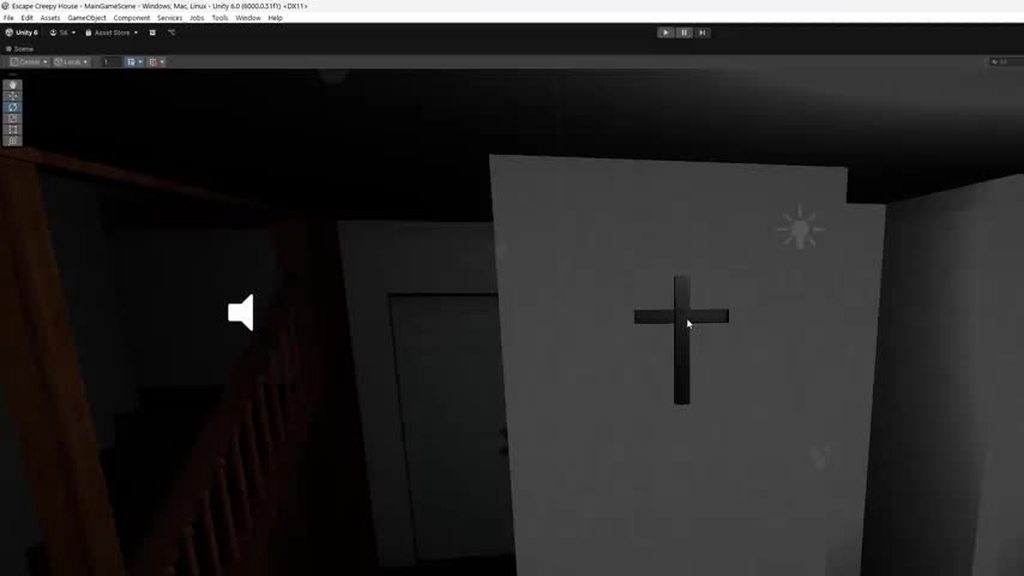 wintry quarry
sage mirage
Alright, first of all the game object is a parent game object it doesn't have an...
wintry quarry
sage mirage
Alright, first of all the game object is a parent game object it doesn't have an...
the simplest thing to do here is fix your 3D model so the pivot is in the correct place
sage mirage
Really? How to do it?
wintry quarry
you can also just add an empty parent object to this thing and rotate that
then just position the cross where you want as a child of that
sage mirage
I have seen many times the gizmo at this place
wintry quarry
sage mirage
Really? How to do it?
blender
sage mirage
and in different places
How to do it in blender XD I have never used blender only one two times

 lapis quail
For anyone like me who is just starting from complete scratch intending to make games in Unity, this course from the Microsoft C# documentation website is a great first step and I wish I started with it before losing myself in Unity tutorial hell right off the rip. Here is the link if anyone is in the same boat and doesnt know where to start!

Learn the basic syntax and thought processes required to build simple applications using C#.
hopefully someone finds this useful!
wintry quarry
sage mirage
How to do it in blender XD I have never used blender only one two times
you probably want Origin to Center of Mass (Volume).
But you can also position it manually wherever you'd like with "origin to 3D cursor"
after placing the cursor where you want.
tiny bloom
lethal meadow
how is it moving? rigidbody or code
rigidbody
tiny bloom
wintry quarry
Layer based ocllisions
i understand how to do that in project settings
where u make something completely ignore a layer
but at runtime?
 rich adder
lapis quail
https://learn.microsoft.com/en-us/training/paths/get-started-c-sharp-part-1/
rich adder
lapis quail
https://learn.microsoft.com/en-us/training/paths/get-started-c-sharp-part-1/
yeah those are really good
sage mirage
wintry quarry
you probably want Origin to Center of Mass (Volume).
But you can also position ...
But I was wondering, why this is happening with the gizmo of some models, and also another question. What if I dont want to fix this problem through blender but instead just want to fix it through code. Is there a way to do so? I am just curious and interested in learning all the approaches.
wintry quarry
tiny bloom
i understand how to do that in project settings
where u make something completel...
I just linked the APIs to you
right under the message you responded to
rich adder
sage mirage
But I was wondering, why this is happening with the gizmo of some models, and al...
if you don't want to do it via blender there is the parenting trick #💻┃code-beginner message
..doing this through code sounds like unnecessary nightmare lol..
btw its the pivot not gizmos, gizmos is the visuals you are seeing that represent that pivot point.. a little bit of pedantic note for ya
 foggy yoke
I'm a newbie, so sorry if this is a dumb question. How can I check if the player collides with a clone (an object instantiated at the start)?
wintry quarry
foggy yoke
I'm a newbie, so sorry if this is a dumb question. How can I check if the player...
Collision detection is handled via OnCollisionEnter(2D if 2D)
assuming you're using Rigidbodies
foggy yoke
wintry quarry
assuming you're using Rigidbodies
I am, but do I attach the script to the prefab?
wintry quarry
foggy yoke
I am, but do I attach the script to the prefab?
what script
you can have the collision handling logic on either the player or the obejct the player is colliding with
Do wahtever makes sense in your particular case
 dense sparrow
Anyone knows why this problem occurs when trying to render a 2D sprite UI element that has a 2 px black border?

Some of the sides become invisible and uneven
rich adder
dense sparrow
Anyone knows why this problem occurs when trying to render a 2D sprite UI elemen...
possibly due to not having pixel perfect
also not a code question..
 brazen aurora
im trying to make multiple attack types like stabbing and sweep attacks for different weapons. i put these attacktypes inside of an enum. when i only had one it worked fine, but then when i added the sweep type, that works fine, but the stab type doesnt work at all. the attack cooldown doesnt reset, the animations dont work, and it doesnt resest the isAttacking bool. ive been at this for hours please help. tell me if you need more code
 dense sparrow
rich adder
possibly due to not having pixel perfect
dense sparrow
rich adder
possibly due to not having pixel perfect
thanks
 brisk flint
brazen aurora
im trying to make multiple attack types like stabbing and sweep attacks for diff...
brisk flint
brazen aurora
im trying to make multiple attack types like stabbing and sweep attacks for diff...
what is attack type when you step through, is it pointed at stab or sweep?
if always sweep then its how u are setting attacktype
brazen aurora
can i not just set it in inspector?
brisk flint
ssetting in inspector does not mean something is not overwriting in code
brazen aurora
so how would i go about making it when i select the type in the inspector it will actually overwrite a variable or whatever
brisk flint
write a debug log to log attacktype in the start of this method
brazen aurora
yh i did that and its just giving sweep so thats always active
so how do i set the attack type with the enum
brisk flint
attacktype = AttackType.Stab
brazen aurora
ok i looked into enums a bit more and found that its being set to only sweep because thats how i put the prefabs into the inspector, if the weapon prefabs in a different order, its then the stab weapon that works and the sweep weapon that doesnt work
wintry quarry
brazen aurora
can i not just set it in inspector?
yes you can and this is the preferred way
brazen aurora
ive set it in the inspector, however that attack type just ends up being the last weapon ive placed into the scene instead of just being the weapon im holding
wintry quarry
that's a broader logical error in your code
nothing to do with enums at that point
rich ice
!code
eternal falconBOT
Posting code
📃 Large Code Blocks
Use links to services like:
https://paste.mod.gg/, https://hastebin.skyra.pw/, https://paste.ofcode.org/, https://paste.myst.rs/
📃 Inline Code
Surround code with three backquotes. Not quotation marks.
To format as C#, add cs to the first line:
```cs
// Your code here
```
Add a comment with a line number if there is an error message.
brazen aurora
wintry quarry
nothing to do with enums at that point
could you help me find the problem if i send the code because im genuinely so lost i have no clue what to do
 wooden hill
brazen aurora
could you help me find the problem if i send the code because im genuinely so lo...
wooden hill
brazen aurora
could you help me find the problem if i send the code because im genuinely so lo...
don't ask if someone can help.. just post it (use paste site if too long) and ask your question
brazen aurora
wintry quarry
brazen aurora
https://paste.ofcode.org/dNrVtLpJHdwHY3hBsKN4C2
        weapon = GameObject.FindWithTag("Weapon");
        if (weapon != null)
        {
            weaponController = weapon.GetComponent<Weapon>();
}```This is your problem
You have multiple weapons in the scene
you're just doing FindWithTag("Weapon")
in essence, you are just finding a random weapon
brazen aurora
so to fix it would i get the component from the weapon that im holding using the collider?
wooden hill
brazen aurora
so to fix it would i get the component from the weapon that im holding using the...
also in OnTriggerStay you're not getting the new weapons controller
weaponController still is the old one
and that's why calling weaponController.Attack() attacks how the old one would because you're literally still using the old one
wintry quarry
brazen aurora
so to fix it would i get the component from the weapon that im holding using the...
when you grab the weapon, then you assign the weapon reference
you already have grab logic
use it
in a sense you're already ding it with activeWeapon = collision;
but that's a Collider reference, you need to get the Weapon component too
brazen aurora
yh i meant to get the component in the grab function
wooden hill
yea just get it in the grab interaction
brazen aurora
thank you so much it finally worked
wooden hill
as long as you learned from it that's good
 ember tangle
Plane.Raycast(Ray ray, out float enter);
I dont understand float enter here
 naive pawn
anytime you see Type name, that's declaring something called name of type Type
here you're declaring a new variable enter of type float
out is a modifier, meaning the function will take the variable given and assign to that variable
you could also write the declaration separately:
float enter;
Plane.Raycast(Ray ray, out enter);
```writing the declaration within the `out` argument is just a shorthandI guess what I do not understand is why that float can become a vector3: ```// Calculate the planes from the main camera's view frustum
Plane[] planes = GeometryUtility.CalculateFrustumPlanes(Camera.main);
//different syntax to regular use so far. shoots ray from ship to target direction.
Ray ray = new Ray(player.transform.position, player.targeting.TargetDirection(player));
//not sure
float enter = 0;
for (int i = 0; i < 4; i++)
{
if (planes[i].Raycast(ray, out enter))
{
pointer.transform.position = Camera.main.WorldToScreenPoint(ray.GetPoint(enter));
break;
}
}```
specifically here ray.GetPoint(enter)
naive pawn
it doesn't
it's not transforming the float into a Vector3
it's using enter as just another variable in the calculation of ray.GetPoint
something like ray.origin + ray.direction * enter
ember tangle
hmmm I guess that makes more sense
On a related note, my code works if the ray intersects the left or right of the screen frustum, but is above the screen if the intersection is the top of bottom frustum plane:

here is more meaningful image of the one that works:


second one doesnt have that marker on the top side of the screen
 echo ravine
I am sometimes having some random errors like "something out of view frustum". I searched it and i didn't find a good solution. It also just gave me a dividing by zero error that fixed when i RESIZED THE GAME SCREEN.
naive pawn
ember tangle
second one doesnt have that marker on the top side of the screen
check scene view to see where it's going, debug your values, etc
ember tangle
naive pawn
check scene view to see where it's going, debug your values, etc
its amazing how just doing that instantly solved all my problems... 😩
I guess frustum planes are infinitely long.
naive pawn
planes in general are infinite
naive pawn
echo ravine
I am sometimes having some random errors like "something out of view frustum". I...
you should probably fix the underlying issue, if it's an issue at some specific resolution, then a player would also be able to resize to that value and get the error
 vestal cosmos
in a game if you have multiple levels how do you make them
rich adder
vestal cosmos
in a game if you have multiple levels how do you make them
mouse and keyboard usually
jolly stag
keen dew
but the easiest way is to add an empty gameobject as a child of the player or ca...
Thank you!
 astral citrus
Hi! Could you help me understand - I know there is Animancer asset in Unity3d asset store, I wonder if it's worth using or there are other options?
I've tried using Unity OOTB approach (with states, triggers etc.) and it feels a bit clunky when I need to do something when animation finishes or mid-animation.
For example right now I have this code to check if Animation finishes to trigger some action
            {
                var state = _animator.GetCurrentAnimatorStateInfo(0);
                return state.shortNameHash == animationNameHash && state.normalizedTime >= 0.90f;
            }, cancellationToken: _animator.GetCancellationTokenOnDestroy());
animation events are a thing
you generally would use those to sync mid-animation actions
astral citrus
I feel it's very brittle to use this, since maping done via some string in some place (not sure how to explain it)
naive pawn
magic strings?
if you select an animator before setting the animation event, you get a dropdown, so you don't have to type the method name yourself
but it is stored as a string and comes with the risk of accidentally breaking the reference with renaming (for example) of course
 sour fulcrum
Not that I have a better solution but in general I do agree animation events feel a little gross and tucked away compared to a majority of workflow in Unity
 grand snow
They arent super reliable so observing the animator state like this may not be soo bad
naive pawn
sour fulcrum
Not that I have a better solution but in general I do agree animation events fee...
oh yeah i do agree with that. wish there was something more direct and similarly low effort
though i guess it is just kinda the same as timeline events and unityevent callbacks
i do have a utility type to wait for animations completing specifically, that helps
 eternal needle
astral citrus
Hi! Could you help me understand - I know there is Animancer asset in Unity3d as...
eternal needle
astral citrus
Hi! Could you help me understand - I know there is Animancer asset in Unity3d as...
could you possibly just use state machine behaviours and the OnStateExit method?
https://docs.unity3d.com/6000.1/Documentation/ScriptReference/StateMachineBehaviour.html
or even Update i guess. either way it gives you access to the same values like normalizedTime
astral citrus
Thanks! I will check, didn't see this one. I believe I heared there some issue with it + Animator, but didn't check myself.
 earnest wind
Hey guys, i need some thinking power again
If i want to make 2 sliders, one for Saturation and one for Value
Then how would i calculate the colors that have to be on both sides in the gradient?
For example in RGB (R) i would just do (0, G, B) - (1, G, B)
earnest wind
wintry quarry
Same thing here
Oh so on S for example it would be H, 0, V - H, 1 V
Mhm i see
Thanks
wintry quarry
for the saturation slider you do (H, 0, V) - (H, 1, V)
earnest wind
wintry quarry
in the Hue slider you would do (0, S, V) - (1, S V)
I dont think u need to change Hue slider lol
Hue shouldnt change, its like a static rainbow
Typo i meant to say shouldnt**
 copper ravine
Hi, i need to make a transparent Window (except GameObject’s) and borderless on Linux, on windows ik there is a simple api for this, but on Linux it’s hard to make. Has anyone ever done something like this before?
rich adder
copper ravine
Hi, i need to make a transparent Window (except GameObject’s) and borderless on ...
this isn't exactly as trivial as windows, there are different graphics stacks you'd have to start from there then find the bindings for it
libX11 through PInvoke etc.
copper ravine
For now I have border less window but it’s black not transparent, and idk what I can do next, maybe other USE flags idk
I use wayland with kde
But unity is running under xwayland
rich adder
wayland is even harder to work with
copper ravine
Ikkk
In Godot I have this done in seconds
But export unity projects to Godot is pain
grand snow
you can use native code with unity so it surely can be done
if its an in engine function, check the src
copper ravine
And I’m in black hole
rich adder
could look into GTK#
lapis quail
hey my dice roll is not random it returns 5 every time what am I doing wrong?
'Random dice = new(0);
int roll = dice.Next(1, 7);
Console.WriteLine(roll);'
oh thats not right. idk how to do code boxes on here
grand snow
use UnityEngine.Random instead
you are seeding a new Random instance the same each time 😐
wintry quarry
yes with the same state (0)
lapis quail
its just C# im following the microsoft tutorial it says it should be working
grand snow
same seed = same results
wintry quarry
lapis quail
oh thats not right. idk how to do code boxes on here
!code
eternal falconBOT
Posting code
📃 Large Code Blocks
Use links to services like:
https://paste.mod.gg/, https://hastebin.skyra.pw/, https://paste.ofcode.org/, https://paste.myst.rs/
📃 Inline Code
Surround code with three backquotes. Not quotation marks.
To format as C#, add cs to the first line:
```cs
// Your code here
```
Add a comment with a line number if there is an error message.
wintry quarry
lapis quail
its just C# im following the microsoft tutorial it says it should be working
Definitely doing it wrong
whatever tutorial you're following is certainly not creating a new Random instance every time
grand snow
this is a unity server too
wintry quarry
But yeah if it's not a Unity question, it doesn't belong here
lapis quail
okay sorry
rich adder
!csharp
eternal falconBOT
Join the C# Discord server, a programming server aimed at coders discussing everything related to C# (CSharp) and .NET. https://discord.com/invite/csharp
copper ravine
Can I paste my code here?
rich adder
copper ravine
Can I paste my code here?
make sure you use proper format #💻┃code-beginner message
copper ravine
Idk how to use that 😭😭
rich adder
copper ravine
Idk how to use that 😭😭
it explains how lol
for the link ones just paste it on the site , hit save and send generated link
copper ravine
A tool for sharing your source code with the world!
Like that?
I don’t test it but it’s my idea
grand snow
If this was me id make a small lib to do this instead
rich adder
my suggestion earlier similiar, use something like GTK# or something to interact with as middleman
..actually nvm you'd need to make a new window with it.
wayland is a bit confusing lol
rich adder
what are you making anyway ? whats the usecase here
if its like a specific app you could just embed unity as library in a native app / toolkit
copper ravine
I am determined to fork mate-engine for Linux and I want to learn something about unity and C
rich adder
nvm only works on android/ios/windows
https://docs.unity3d.com/6000.1/Documentation/Manual/UnityasaLibrary.html
...depends on how deep the rabbit hole you're going...
copper ravine
I think the worst thing in my idea is everything about window rendering
rich adder
yeah no idea, you need a way to make those native calls and seems window transparency is a crucial part of the companion app you want to make
rich adder
copper ravine
Idk, how I can search this on google?
lookup the process 1 step at time, you wont find specific this is pretty complex
start with finding out how to do it natively maybe a shell command or library, go from there
copper ravine
I can do this very easily with python/C++ natively
rich adder
so then do it so, then make that call from unity
copper ravine
But how connect this to unity
rich adder
copper ravine
Okey okey, so how to set up project settings?
settings?
copper ravine
Sorry, build settings
 rough granite
File, Build Profile?
copper ravine
YEA
rich adder
you don't need special build settings
rich adder
copper ravine
Exactly
 woeful scaffold
Hey guys, im aiming to have the skills to make 3d gamse, do you guys prefer to use a pre-made asset player controller? or do u usually make ur own
I'm pretty sure I can't make it on my own, but I assume it'll be good to learn to do it on my own?
wintry quarry
woeful scaffold
Hey guys, im aiming to have the skills to make 3d gamse, do you guys prefer to u...
really depends on the game
woeful scaffold
guess so, i'm not sure myself, i wanted to have something similar to risk of rain 2 but i think its hard to make
as in the control and third person view
i find myself defaulting to first person as its easier?
wintry quarry
No way to learn other than trying
This is a pretty good baseline: https://assetstore.unity.com/packages/tools/physics/kinematic-character-controller-99131
wintry quarry
But it's not a full solution, it's a building block
woeful scaffold
im a little worried about animations and attaching the animations to attacks or so
but thats far ahead so ill just see what i can do for now
wintry quarry
Yeah, do that later
woeful scaffold
i feel lost when it comes to the code, i used chatgpt a couple times but it really feels just like copy and pasting therefore not learning much
wintry quarry
You won't learn by asking CGPT and copying code.
 shell knot
First question here, sorry in advance if my programming-speak is not up to par yet.
I am so close to adding a "Rotation" to my "Spaceship". I've set up the actions and binds following a tutorial for 3 dimensional movement with some modifications for an Ascend/Descend. All of this is working great, under the ShipMovement -> 3D Vector stuff. But, making the RigidBody of the ship just ROTATE on the Y axis is proving very complicated.
Just looking for some guidance on the next steps, I am trying to add Q and E as Yaw Left and Right controls. Should these also live under ShipMovement for simplicity? Or should I treat them as a new Action entirely like in the screenshot? If I have them as new Actions, I would have to call them separately from ShipMovement in my script, correct?
 wintry quarry
shell knot
First question here, sorry in advance if my programming-speak is not up to par y...
wintry quarry
shell knot
First question here, sorry in advance if my programming-speak is not up to par y...
Well you're not actually showing any code here.
I would probably not make this a single 3D vector input aciton though.
Why not have separate actions for Yaw, Pitch, and Roll?
Oh sorry, misrread your question
definitely do not try to shove rotation and movement controls into a single input action,. no
that doesn't make any sense and will confuse things
Also you haven't actually shown any code here so it's not clear what part you're actually having trouble with
making the RigidBody of the ship just ROTATE on the Y axis is proving very complicated
It shouldn't be.
shell knot
I guess my first question is what function should I be using to rotate a rigid body in the first place? I've seen rb.MoveRotation, rb.AddTorque, but can't quite get the right combination of variables to make either work. Here's an attempt using rb.MoveRotation:
//using System.Runtime.CompilerServices;
using Unity.Mathematics;
using UnityEngine;
using UnityEngine.InputSystem;

public class playerController : MonoBehaviour
{
    private PlayerControls1 playerControls;
    private Rigidbody rb;

    [SerializeField] public float moveSpeed;
    [SerializeField] public float rotationSpeed;

    void Start()
    {
        playerControls = new PlayerControls1();
        rb =  GetComponent<Rigidbody>();
    }

    private void OnShipMovement(InputValue inputValue){
        rb.linearVelocity = inputValue.Get<Vector3>() * moveSpeed;
        rb.MoveRotation = inputValue.Get<Vector2>() * rotationSpeed;
    }
And this gives me an error on line 22 (last line) "Cannot assign to 'MoveRotation' because it is a 'method group'".
wintry quarry
shell knot
I guess my first question is what function should I be using to rotate a rigid b...
depends what kind of effect you're going for
on a basic level you can just set the angular velocity based on the current input
or use AddRelativeTorque
And this gives me an error on line 22 (last line) "Cannot assign to 'MoveRotation' because it is a 'method group'".
Yeah this code makes no sense
you can't assign a value to MoveRotation
MoveRotation is a method that you would call
what would work there is:
rb.angularVelocity = inputValue.Get<Vector2>() * rotationSpeed;```it might not be exactly what you want though because angularVelocity is based in world space, and when yawing a spacecraft you most likely want to do so based on its current rotaiton - sort of a local space rotation
But it might be a good starting point
shell knot
that is, thank you. I will play around with actually "generating" the vector2 value
eager spindle
woeful scaffold
Hey guys, im aiming to have the skills to make 3d gamse, do you guys prefer to u...
the 3d games i make often have mechanics that aren't included with the premade asset so I usually end up overhauling it entirely
woeful scaffold
I just finished setting up my movement, camera settings, and gravity
pretty basic stuff but its nice

Now that this is out of the way (for now), time to try and make an interact system
@eager spindle my idea is:
have an "Interact Text" in my UI, make sure it's turned off and whenever a ray that is cast in update() hits it within a range I set, it triggers it to be active + it shows a custom text

is that a correct way of doing it? or is there a better way?
eager spindle
woeful scaffold
<@819432500920188938> my idea is:
have an "Interact Text" in my UI, make sure i...
Yep this is how I would do it too
woeful scaffold
ooo okay
i just am overthinking the idea of the update()
I wonder how i'll get it to be able to do custom functions upon interacting
I assume the ray hits, and inherits the function from the interactive object itself?
I guess I'll need 2 seperate scripts
1 for interactables and 1 for interaction
eager spindle
Yep, you should store the object last hit by the ray.
When you interact with the object, call the function on the object last hit by the ray
woeful scaffold
storing the last hit within update right?
so it doesnt save it for longer than it needs to i assume
ooooof this sounds basic but im sure im gonna get stuck
eager spindle
Took me a while to make the first time I tried it too
 eager spindle
the bean
woeful scaffold
LOl is that what u call them here
woeful scaffold
gotta make that nickname so big they replace capsule with bean asset
uldynia show me something u made
eager spindle
you can check out my stuff at uldynia.org
woeful scaffold
Should the Interact script be linked to the player or the camera itself?
I assume to the player as it moves with the camera?
caffeine junkie..
eager spindle
woeful scaffold
Should the Interact script be linked to the player or the camera itself?
I would put it on the player, but have a reference to the Camera to determine where the player is facing
eager spindle
woeful scaffold
caffeine junkie..
i consume obscene amounts of coffee and monster daily
woeful scaffold
which is your fav
eager spindle
mango
woeful scaffold
the blue one?
eternal needle
There's no off-topic in the server
woeful scaffold
oh my bad
I am making the PlayerInteract script right now, i was thinking of maybe adding a bool for canInteract maybe for the future?
eager spindle
woeful scaffold
I am making the PlayerInteract script right now, i was thinking of maybe adding ...
I would assign a Interactable script to the objects that can be interacted with
woeful scaffold
I am doing that exactly, but I wonder if i'll need that bool of "being able to interact" or not
oh wait maybe i should make it so the Interactable itself has a bool not the player
so i can lock chests for example or stuff like that
specific ones*
im struggling with the ray honestly
So i need to give it origin, direction, maxdistance
 raven yew
Hi!
in my start method, i make my cursor invisible and confined, my cursor then disappears and i can look around, but when i bring up my ui, i make visible and make the lockstate .none but the cursor doesn't come back. is this because my game is not built or is it something else. i cant seem to find the issue.
wintry quarry
raven yew
Hi!
in my start method, i make my cursor invisible and confined, my cursor then...
Show code.
Also make sure the code is running with debug.log
raven yew
!code
eternal falconBOT
Posting code
📃 Large Code Blocks
Use links to services like:
https://paste.mod.gg/, https://hastebin.skyra.pw/, https://paste.ofcode.org/, https://paste.myst.rs/
📃 Inline Code
Surround code with three backquotes. Not quotation marks.
To format as C#, add cs to the first line:
```cs
// Your code here
```
Add a comment with a line number if there is an error message.
raven yew
the cursor never reappears unless i press escape to leave the window

 wintry quarry
raven yew
the cursor never reappears unless i press escape to leave the window
wintry quarry
raven yew
the cursor never reappears unless i press escape to leave the window
What's pauseActionPlayer bound to
raven yew
enter
wintry quarry
raven yew
enter
Use Debug.Log and make sure your code is actually running
raven yew
is that really necessary if the ui pops up?
wintry quarry
Check console for errors
raven yew
there are none
wintry quarry
Search your code for anything else that is touching Cursor
raven yew
can anything indirectly affect my cursor?
 woven solstice
raven yew
the cursor never reappears unless i press escape to leave the window
woven solstice
raven yew
the cursor never reappears unless i press escape to leave the window
private void DisplayPause()
{
    if (m_pauseActionPlayer.WasPressedThisFrame())
    {
        CinemachineFreeLookCamera.SetActive(false);
        pauseDisplay.SetActive(true);

        InputActions.FindActionMap("Player").Disable();
        InputActions.FindActionMap("UI").Enable();

        // Delay cursor activation slightly to fix Unity input frame bug
        StartCoroutine(EnableCursorNextFrame());
    }
    else if (m_pauseActionUI.WasPressedThisFrame())
    {
        pauseDisplay.SetActive(false);
        CinemachineFreeLookCamera.SetActive(true);

        InputActions.FindActionMap("UI").Disable();
        InputActions.FindActionMap("Player").Enable();

        Cursor.lockState = CursorLockMode.Confined;
        Cursor.visible = false;
    }
}
Ooh yeah good point - if the two actions are bound to the same button they will both get triggered. Debug.Log would have helped figure that out though @raven yew
Although... It is an else if so that probably shouldn't happen?
woven solstice
Unity sometimes ignores "Cursor.lockState = None" @raven yew
raven yew
ok thank you for the suggestions, ill check them out ❤️
eternal needle
i have a sneaking suspicion AI was used for that help
sour fulcrum
woven solstice
Unity sometimes ignores "Cursor.lockState = None" <@614894106790985728>
Source?
respectfully dont know what was going on but 99% sure it was probably a code issue
eternal needle
unity doesnt just ignore code randomly, thats not how it works. dont use AI to help others please
woven solstice
sour fulcrum
respectfully dont know what was going on but 99% sure it was probably a code iss...
yeah it was a code issue
sour fulcrum
thats not unity sometimes ignoring it
woven solstice
when i say unity is ignoring code it means there is a problem with the code itself
sour fulcrum
thats not what those words mean
woeful scaffold
i did ittttt
i have an interaction system now, with object types like door, weapon
 woven solstice
cool how long did it take you to do it
woeful scaffold
i think like 1.5-2hrs
but hey now i can easily add types
Idk what to try and add now lmao i was so invested
eternal needle
woeful scaffold
i have an interaction system now, with object types like door, weapon
this still isnt the channel for these type of posts, there is #🏆┃daily-win and #1180170818983051344 though
rich ice
i dont think this is a beginner question, you should try making a dedicated post in #1390346827005431951
 lime sigil
oh wasn't sure in which of the two to put it
will move it there then
 next fable
hey guys, trying to figure out what's wrong with my raycasts, etc.
I'm trying to raycast straight down from really high up in the scene for collision checking
my debug output is like this: check hit at (11317.30, -16.58, -5911.03) unit position is (11317.30, 20000.00, -5911.03) local position is (-376.16, -20013.05, -0.48)
the code to output it is
 print("firing check from " + checkPosition + " unit position is " + unit.transform.position + " local position is " + transform.localPosition);
 Ray groundCheck = new(checkPosition, Vector3.down);
 Physics.Raycast(groundCheck, out RaycastHit hitCheck, 100000f, terrainLayer);
 hitDistance = hitCheck.distance;
print("check hit at " + hitCheck.point + " unit position is " + unit.transform.position + " local position is " + unit.transform.InverseTransformPoint(hitCheck.point));```oh yeah, for debugging purposes right now the unit.transform.position and the transform.position are in the same area
if I fired a ray using Vector3.down and check hit and unit position have the same x and z values, why is the local position different?
 silk night
next fable
the code to output it is
``` Vector3 checkPosition = new(transform.position.x, ...
silk night
next fable
the code to output it is
``` Vector3 checkPosition = new(transform.position.x, ...
is your unit scaled/rotated?
next fable
it
is rotated around the y axis?
as in, it spins around the vertical axis (like a 2d top down unit) - it shouldn't affect Vector3.down right?
silk night
InverseTransformPoint takes scale and rotation into account, if you just want the offset use hitCheck.point - unit.transform.position
next fable
InverseTransformPoint is just for debugging purposes, it matches up with the actual issue in my game which is a child of the unit at (0,0,0) is suddently returning (-376.16, -20013.05, -0.48) when I run this raycasting function
I would expect it to return (0,-20013.05,0)
silk night
for what is it returning it?
next fable
uhh don't quite get you
 earnest moss
Im new to unity
out of nowhere i legit changed nothing but i got this error
 next fable
earnest moss
Im new to unity
out of nowhere i legit changed nothing but i got this error
next fable
earnest moss
Im new to unity
out of nowhere i legit changed nothing but i got this error
might have deleted a c# file with TrackLineGenerator
silk night
child of the unit at (0,0,0) is suddently returning (-376.16, -20013.05, -0.48)
what function is returning that position? is it teleporting to that position?
earnest moss
next fable
might have deleted a c# file with TrackLineGenerator
already asked chatgpt and ive already checked all editor scripts in editor folder and all files are named correct
next fable
{
    if (transform.position - previousPostion != Vector3.zero)
    {
        transform.rotation = Quaternion.LookRotation(moveDisplacement, Vector3.up);
    }
    if (!ignoreGroundCollision) //if the unit ignores ground collision, do nothing, otherwise snap to terrain
    {
        Vector3 checkPosition = new(transform.position.x, 20000f, transform.position.z);
        print("firing check from " + checkPosition + " unit position is " + unit.transform.position + " local position is " + transform.localPosition);
        Ray groundCheck = new(checkPosition, Vector3.down);
        Physics.Raycast(groundCheck, out RaycastHit hitCheck, 100000f, terrainLayer);
        hitDistance = hitCheck.distance;
            print("check hit at " + hitCheck.point + " unit position is  " + unit.transform.position + " local position is " + unit.transform.InverseTransformPoint(hitCheck.point));
            Debug.DrawRay(groundCheck.origin, groundCheck.direction * 100000f);
            if (debugObject != null)
            {
                debugObject.position = hitCheck.point;
            }
            transform.position = hitCheck.point + new Vector3(0f, colliderDepth, 0f); //this is not producing results as expected when offset
            print("after collision check, local position is " + transform.localPosition + ", world position is " + transform.position);
        }
        transform.rotation = Quaternion.FromToRotation(transform.up, hitCheck.normal) * transform.rotation;
    }
}```@silk night each 'unit' contains a number of child objects
the unit moves around and the children snap to terrain, which is where I use this function
I raycast from high in the scene and find the point where the ray hits the ground, then I teleport the unit to that location
silk night
cant you just let them snap to hitCheck.position?
next fable
transform.position = hitCheck.point + new Vector3(0f, colliderDepth, 0f); //this is not producing results as expected when offset
that's this line of the function
but hitCheck.point is not returning the correct location
silk night
but your hitcheck is outputting values as expected
(11317.30, -16.58, -5911.03)
which is directly underneath your unit
next fable
well, yes that part is
but the local position is not correct
if hitcheck is (11317.30, -16.58, -5911.03) unit position is (11317.30, 20000.00, -5911.03) local position should be (0, -20013.05, 0) right?
the x and z is not right
silk night
localposition - yes
inversetransformpoint - maybe (only at 1,1,1 scale and 0 rotation)
next fable
inversetransformpoint I don't actually use in the function - it's just to output the log
silk night
print("after collision check, local position is " + transform.localPosition + ", world position is " + transform.position);
so what does this print?
next fable
after collision check, local position is (-376.13, -20011.56, -0.48), world position is (11317.30, -15.10, -5911.10)
I'll post a screenshot with all of the relevant debug logs
 silk night
oh wait, local position is again relative to rotation
so if your parent element is rotated the results will be off
silk night
most likely
if you rotate an element by 180° and you put a localposition directly below it, it will instead be above 😄
as it takes the parent elements rotation as base
silk night
different axis will return different results ofcourse, but it will respect all of them
next fable
here the bottom sphere is child of the top sphere, local position -10


if I rotate top sphere on the y axis only, local position is the same right?
north kiln
Why are you not using the return value of Physics.Raycast? It returns false if it didn't hit anything, which is important to know
next fable
oh, this is a simplified function
if it doesn't hit anything I raycast up because the unit might be underground
silk night
even if you rotate the parent, the localposition of the child will still be y -10
next fable
I got rid of those parts cause not relevant to the problem lol
silk night
so if the parent is rotated and you place the object directly underneath you have to counteract the rotation in the localposition
which gives you the weird local position 😄
silk night
i mean in the world space it IS directly underneath
i dont think its a bug
if you want the offset value just subtract both world positions from each other
next fable
i got it
the unit transform was not (0,blah,0) 🫠
it was like -0.02,blah,0.02
almost perfectly horizontal, but when you combine it with raycast distance of 20k, suddenly small error in the rotation becomes 300 units difference in the local position
next fable
silk night
even if you rotate the parent, the localposition of the child will still be y -1...
if the unit was 0, yy, 0, this would not be a problem because the unit only rotates in the y axis
but because it was very slightly off, the local position changes
thanks!!! we got there in the end
 olive oriole
I always get super confused what type of initialization in my scripts I should put in Awake vs. Start. And honestly, it's quite inadequate to have just those two, so I extended Unity's control flow.
naive pawn
olive oriole
I always get super confused what type of initialization in my scripts I should p...
!code
eternal falconBOT
Posting code
📃 Large Code Blocks
Use links to services like:
https://paste.mod.gg/, https://hastebin.skyra.pw/, https://paste.ofcode.org/, https://paste.myst.rs/
📃 Inline Code
Surround code with three backquotes. Not quotation marks.
To format as C#, add cs to the first line:
```cs
// Your code here
```
Add a comment with a line number if there is an error message.
naive pawn
oh wait thta's not asking for help
 rich scroll
I dont have code atm, but my character cant jump with the new input system. I have the default setup that comes with unity 6.1 and no matter if I use SendMessages or UnityEvents the public void OnJump(InputValue value) function doesnt trigger the jump. When I use the same jumping functionality with the old system it works just fine
Every other function (OnMove, OnLook, etc.) works just fine
naive pawn
rich scroll
I dont have code atm, but my character cant jump with the new input system. I ha...
olive oriole
naive pawn
oh wait thta's not asking for help
No, was just sharing in case anyone has similar feelings.
But nonetheless, pastebin or similar would be useful yeah
Next time I'll do that!
naive pawn
olive oriole
No, was just sharing in case anyone has similar feelings.
yeah so this channel is kinda transient, not really made for that kind of sharing
i don't think we have a space for this unfortunately
not saying it's against the rules, just that it's not really gonna stick around
 slender nymph
That would be something to throw into #1179447338188673034 probably
naive pawn
oh yeah that channel's a thing
olive oriole
slender nymph
That would be something to throw into <#1179447338188673034> probably
Ahhh nice! Didn't know that existed. I'll share it later then. Maybe polish it a bit more before creating a formal post.
 brazen compass
Damn man I've forgotten how to code
Sorry folks, I'm supposed to be alright at this but I have a question
naive pawn
just ask your question lol, we don't judge*
-# *results may vary
brazen compass
The following is part of a function. thisBlock is a code that denotes a tag for finding a part of a string to split at.
 string pattern = thisBlock + ":";
        print("The pattern is: " + pattern);

        string test = "this is a string that contains t1: and then another t1: and another t1: but also it has a c1: followed by another t1: with some stuff after";
        string[] result = Regex.Split(test, pattern);

        print("RESULT:\n");
        foreach (var line in result)
        {
            print(line);

        }

        string[] result2 = Regex.Split(test, "t1:");

        print("RESULT:\n");
        foreach (var line in result2)
        {
            print(line);

        }
Somehow, despite the identical nature of pattern and "t1:", they are producing different results

How is this possible?
I need the regex pattern to be variable based on thisBlock which is passed into the function. So I can't hard code it obviously. result2 is what I'm looking for, but I can't get it with a variable
I just don't have much experience with regex
naive pawn
perhaps try logging pattern.Length to make sure there's no weird invisible chars
naive pawn
cool, that's a very solid hint
try logging each char code out
uhhh not sure how to do that in c#, one sec..
wooden hill

null terminated string
naive pawn
perhaps something like this
for (int i = 0; i < pattern.Length; i++) print($"index {i} -> {(int)pattern[i]}");
that would be horrible lmao
brazen compass
 brazen compass
I see
naive pawn
13 is a carriage return, aka \r
naive pawn
it may be from a line break from windows that you haven't split/cleaned up properly
brazen compass

naive pawn
where are you getting thisBlock?
brazen compass
 naive pawn
yep there it is
naive pawn
well no
it's more something missing
to split lines properly regardless of format, you need the regex \r?\n
wooden hill
your file has crlf line endings
brazen compass
Crap this is why you study up on regex before making a text parser
wooden hill
works on my (linux) machine™️
naive pawn
there's 2 flavors of line endings - CRLF/\r\n/Carriage Return+Line Feed, and LF/\n/Line Feed
the former is primarily used on windows, the latter on *nix (mac/linux/etc)
(that's why %n exists in some formatting contexts - \r\n on windows, \n on *nix)
brazen compass
So would the best solution here be to pop the carriage return out of pattern or to change my file's line endings
naive pawn
either split by \r?\n or change the file's line endings
you can also set your ide to use lf/crlf by default, same for git if you're using that
wooden hill
I'd rather split for both cases than have another issue because of this
brazen compass
Like this?
 eternal needle
Do you really need to use \r?\n. It should be fine just using \r\n since you know which OS this is being written on
naive pawn
brazen compass
Like this?
without the space - literally \r?\n
(also yes what bawsi said - if all your files are crlf then this isn't a concern)
brazen compass
Oh oops idk how the space got there
wooden hill
naive pawn
(also yes what bawsi said - if all your files are crlf then this isn't a concern...
why take that risk instead of using that regex
naive pawn
but also this is a regex, string.Split is split by string iirc
wooden hill
oh right lol
naive pawn
wooden hill
why take that risk instead of using that regex
because regex is slower than normal/direct string manipulation
brazen compass
Oh I gotta change that to regex split too don't I
naive pawn
it's a much more complex thing, it comes with more flexibility at the cost of being more expensive
wooden hill
naive pawn
because regex is slower than normal/direct string manipulation
yeah but I'm sure this won't run every frame
eternal needle
Its not a performance issue thing either. Its just not a risk
naive pawn
it might make a difference if you have a massive text file
eternal needle
They arent gonna go to their 2nd pc on Linux and start editing this file
naive pawn
they might have a colleague using *nix (now or in the future) that ends up sending them a file with LF line endings 🤷
 brazen compass
Yippie
 naive pawn
wooden hill
well while at it make a pre build script that ensures all file endings to be crl...
naive pawn
wooden hill
well while at it make a pre build script that ensures all file endings to be crl...
kinda unnecessary, you can just configure your vcs
wooden hill
naive pawn
kinda unnecessary, you can just configure your vcs
someone not using vcs
nano
brazen compass
I really appreciate that. I was worried it was something exceptionally simple, but nah I actually just didn't know about the carriage return being included in the string. I appreciate it
naive pawn
wooden hill
nano
you really just preempted my next message on ides?
wooden hill
brazen compass
I really appreciate that. I was worried it was something *exceptionally* simple,...
always has been
eternal needle
brazen compass
Like this?
Another thing to consider here could just be splitting this text asset up into multiple text assets so you arent manually processing this > character to split data. You could have a list of text assets that you drag in
brazen compass
I want to avoid this due to the fact I'll be doing a lot of writing
It's a dialogue system
But one with mechanical elements
naive pawn
also SOs are a thing if you don't want the layer of parsing (or less of it)
eternal needle
brazen compass
I want to avoid this due to the fact I'll be doing a lot of writing
An even better reason to split up data. You dont need to be typing this into unity. Write it in a Google docs, copy paste into unity
brazen compass
No yeah that's what I mean
i'm typing it in .txt files
This is an example. Essentially I'm trying to make it so I can write in choices and dice rolls into my txt

And then the parser will just go "ah it's a c block. That means I should run the choice protocal"
Etc etc
Should really be using inkle
eternal needle
Yea thats gonna get messy fast
brazen compass
Maybe lol :P
I'm trying to roll my own for a little bit, and if I get overwhelmed I'll pack it in.
I like to give myself space to do things the wrong way and learn a thing or two before doing it the right way.
 drowsy flare
Picking up Unity again for a new project, after being away for half a year.
Should I start using 6.x or continue 2022.3.x that I know from before?
naive pawn
they aren't that different
if you're used to 2022/have it installed, you could just go with that
eternal needle
brazen compass
I like to give myself space to do things the wrong way and learn a thing or two ...
At the bare minimum if youre going to be writing a ton of text like this, I would look into scriptable objects as Chris mentioned. Idk exactly what you plan to have in one file atm but it'll at least take away this manual logic of "if there's a ... do this!" Because this is incredibly fragile and should never exist. Your scriptable object could have an enum for example
naive pawn
naive pawn
if you're used to 2022/have it installed, you could just go with that
(unless you want specific features/bugfixes that aren't supported/available on the old version)
drowsy flare
naive pawn
if you're used to 2022/have it installed, you could just go with that
I did a lot of stuff in 2022 that I might eventually want to reuse in this project, so might as well go with 2022 then? Thanks
brazen compass
eternal needle
At the bare minimum if youre going to be writing a ton of text like this, I woul...
I actually did that for an old project. It was good. Worked well. Idk, I'm just trying a thing that I think will make sense at some point.
grand snow
brazen compass
This is an example. Essentially I'm trying to make it so I can write in choices ...
why not use something pre made like inky or yarn spinner? They offer nicer ways to integrate extra data that you can get when parsing later
brazen compass
grand snow
why not use something pre made like inky or yarn spinner? They offer nicer ways ...

Idk I like making games it's fun
grand snow
Ha well not just me
regular expressions can become nasty quickly, see how it goes first i guess
brazen compass
I have made really cool things the wrong way before and gotten #goodGrades and now I'm in industry (not a programmer thank god) so I'm enjoying my little freak processes
grand snow
enjoy some nice regular expressions i once wrote to extract some data:
        private const string LineValueRegex = @"(?<=\= ?""?)-?[0-9]{1,}.?[0-9]*(?=""?)";
        private const string LineValueComplexRegex = @"(?<=\= ?""?)-?[0-9E+.]+(?=""?)";
        private const string LineArrayValueRegex = @"(?<=\[) ?(\d+), ?(\d+), ?(\d+) ?(?=\])";
wdym, regular expressions are so fun
brazen compass
Beautiful
eternal needle
brazen compass
I actually did that for an old project. It was good. Worked well. Idk, I'm just ...
Consider that if you start with something fragile and build upon it, you're going to have a ton of logic that will need to change if you ever actually want to change it. Look at the file you pasted above, you have a lot of commands that are really easy to mess up. At least with something like an enum you can just select what type of action to do
 short hazel
My addition to this: there's a parser generator called ANTLR in which you define the grammar and syntax of your "language", and then it can generate a parser for you in quite a bit of different languages. It's Java-based and can generate a C# parser just fine
eternal needle
Also a hill ill gladly die on is regex is easy. Mostly people forcefully use it in scenarios they shouldn't and make it harder upon themselves
naive pawn
-# i am that person
hell, i made a date parser that checks for valid days according to the month and leap years lmao
brazen compass
Please don't worry. I know abt tech debt :P I'm just a silly artist type but I still know how to get for real if I wanted. I'm playing with code. But to put your mind at ease, I graduated in the top 8 students out of 100 students for my game design degree at a prestigious uni.
I'm not a programmer, I'm a designer, so I still am not good at coding. But in terms of development pipelines and tech debt and project management, I know my stuff, I'm choosing not to do it because I have a job and this is play, not work.
eternal needle
brazen compass
Please don't worry. I know abt tech debt :P I'm just a silly artist type but I s...
Truthfully i dont know how to reply to most of that, but the suggestions are specifically because we know you are not the best at coding. Its not about calling out your skills but that you are making the coding side harder for yourself by manually processing strings. It is easier to not do that.
But if you insist on doing it this way thats fine.
brazen compass
It's not insistance on one way or another
It is play
It's a lovely way to make games
And hey I'm alright at coding. Sure I didn't know about carriage returns but like. Idk I've made cool stuff.
Idk I'm saying dw about it man
grand snow
brazen compass
And hey I'm alright at coding. Sure I didn't know about carriage returns but lik...
vs code can show "hidden" characters which is useful when debugging stuff like this
other editors like notepad++ can be told to show hidden characters too
I remember once needing to write something to get rid of these weird alternate new line characters from a document this writer did for us so this stuff happens
naive pawn
grand snow
vs code can show "hidden" characters which is useful when debugging stuff like t...
it's not in the source though, not sure that'd be useful for this situation in particular
grand snow
its more to idenfity if there is anything non visible in some text from somewhere
naive pawn
ah you mean like with the debugger?
 hardy galleon
hello guys i cant load scene for client with NetworkSceneManager i read the document but i didn't understand at all because of my language barrier. I just know i have to load scene with host or server and Network doing rest of sync for clients.
If somebody wanna help me i can share my code ^^ thx
rich adder
hardy galleon
hello guys i cant load scene for client with NetworkSceneManager i read the docu...
hardy galleon
oh there is a channel for it thank youuu
 kindred iron
Guys how can i make a healthUI script with using observer pattern also event system?
I tried to make the code but i cant because i have to get max health and calculate healt / maxhealt. I guess i cant use observerpattern here its not good. What do u think?
rich adder
kindred iron
Guys how can i make a healthUI script with using observer pattern also event sys...
ofc you should use events.. and Observer pattern is events
not sure what you mean here
tried to make the code but i cant because i have to get max health and calculate healt / maxhealt.
kindred iron
i need to update the ui so i have to get maxHealth of the player
grand snow
the player has an event for when its health changes, the UI subscribes to this to know when to refresh itself
rich adder
kindred iron
i need to update the ui so i have to get maxHealth of the player
just pass the current health thats updated in a float
like OnHealthUpdated?.Invoke(currentHealth)
kindred iron
grand snow
the player has an event for when its health changes, the UI subscribes to this t...
yeah ik but i have to get max health so i can make the percentage like health / maxHealth
kindred iron
rich adder
like `OnHealthUpdated?.Invoke(currentHealth)`
but is it really good to make a new event for that?
grand snow
kindred iron
yeah ik but i have to get max health so i can make the percentage like health / ...
if you subscribed to the event on your player instance, you can get this "max health" then
or give both as event args: public event Action<float, float> OnHealthChanged;
rich adder
kindred iron
but is it really good to make a new event for that?
why not ?
if you want you can also make it a struct or tuple to pass multiple values at once
there is also delegate type you can use so you can give the floats labels and be more explicit etc
kindred iron
hm ok ima try this way ty guys
 ashen hound
helu, im trying to implement audio into my physics based game but sofar it turned out either delayed or glitchy
because when changing or playing based on linear velocity its rather meh because the velocity is changing a lot because the thing iwant to add sound to is bumping a lot in tight space
im trying to add friction sound
rich adder
do you have an example or something ?
 topaz hatch
Morning everyone, I'm trying to disable the Image component of objects in a specific list through code. For whatever reason the Component.enable call does not work. Here is what I have:
` if (imgBulletIndex < imgBulletClips.Count -1)
{
Image imgDisplay = imgBulletClips[imgBulletIndex].GetComponent<Image>();
imgDisplay.enabled = false;
imgBulletIndex += 1;
}`
ashen hound
how do i snip code?
rich adder
topaz hatch
Morning everyone, I'm trying to disable the Image component of objects in a spec...
are you sure this is the Unity Image from UI
topaz hatch
rich adder
are you sure this is the Unity Image from `UI`
Oh? Let me re-type that to be sure.
rich adder
topaz hatch
Oh? Let me re-type that to be sure.
hover over it should tell you which namespace is coming from
rich adder
ashen hound
how do i snip code?
!code 👇
eternal falconBOT
Posting code
📃 Large Code Blocks
Use links to services like:
https://paste.mod.gg/, https://hastebin.skyra.pw/, https://paste.ofcode.org/, https://paste.myst.rs/
📃 Inline Code
Surround code with three backquotes. Not quotation marks.
To format as C#, add cs to the first line:
```cs
// Your code here
```
Add a comment with a line number if there is an error message.
 empty cairn
I am very very new to unity coding and want to make a simple 2D movement system, what would the best way to code that be?
 slow idol
empty cairn
I am very very new to unity coding and want to make a simple 2D movement system...
slow idol
empty cairn
I am very very new to unity coding and want to make a simple 2D movement system...
do you know C#?
topaz hatch
rich adder
hover over it should tell you which namespace is coming from
It didn't seem like it was. Now the whole initial getComponent Code is wrong. Let me type out my reference get again and see what happens.
rich adder
empty cairn
I am very very new to unity coding and want to make a simple 2D movement system...
check resources pinned and start from the basics
rich adder
topaz hatch
It didn't seem like it was. Now the whole initial getComponent Code is wrong. Le...
is your IDE configured ?
slow idol
is there a way to modify Unity’s built-in scripts? for example, add a pitch variation to all audio sources by default, without extra code upon instantiating one
topaz hatch
rich adder
is your IDE configured ?
I wouldn't know
rich adder
topaz hatch
I wouldn't know
 wooden hill
you can also look at the top of your file to see which it is "using"
rich adder
but probably configure your IDE if it isnt;
past halo
Lets gooo i managed to kitbash two different tutorials together to get the movement, physics and input systems i wanted raah
topaz hatch
It seems to be using the 'Image' from the Visual Editor.
rich adder
slow idol
is there a way to modify Unity’s built-in scripts? for example, add a pitch vari...
modify all the audio sources component? no unity wont let you touch their components since they are built to interact in the C++ side
slow idol
damn :(
wooden hill
topaz hatch
It seems to be using the 'Image' from the Visual Editor.
yea its the first recommended for me too, but you have to choose 2nd
 rich adder
I belive VS puts whatever namespace is first if you dont explicitly select it
topaz hatch
Okay I'm adding in that library
wooden hill
just click on 2nd and it should do that
wondering if we can set priority to unity first 
topaz hatch
UnityUI is not even showing up in the drop-down. Trying to fix up my library calls now
wooden hill
oh then probably not set up right
rich adder
topaz hatch
UnityUI is not even showing up in the drop-down. Trying to fix up my library cal...
which editor are you using
topaz hatch
Microsoft Visual Studios
topaz hatch
I feel like this is a recent issue for me. I fixed up the libraries at the top so lets see if this code works now.

 topaz hatch
There we go. It works.
Hmmm, I really don't remember having to care about knowing this in the past. Like Unity 2018 and such.
BUT, it's good to know now so in the future I can let others know
kindred iron
rich adder
which editor are you using
there is a new problem. I made the script separately so that i can put the health script to anything. But if i invoke a event this happens on every gameobjects where i put the healthscript and even tho the health is not players my ui updates (5min afk)
topaz hatch
Now I know why the older tutorials always did the using Unity.UI thing at the top.
rich adder
kindred iron
there is a new problem. I made the script separately so that i can put the healt...
that doesnt sound right, show the code maybe ?
grand snow
if the events not static its for that instance only, you are confused 😆
wooden hill
topaz hatch
Now I know why the older tutorials always did the `using Unity.UI` thing at the ...
how old are we talking
rich adder
topaz hatch
Now I know why the older tutorials always did the `using Unity.UI` thing at the ...
Unity.UI was a thing ?
grand snow
no its UnityEngine.UI
topaz hatch
Yeah. My bad
grand snow
System.Collections.Generic ❤️
topaz hatch
wooden hill
<:UnityChanThink:885169594560544800> how old are we talking
Before Unity 6 for sure.
wooden hill
I think that was just an example. the main thing being that you have to put the using statement yourself
huh im pretty sure even in unity 5 i didnt do that
what ide were/are you using?
rich adder
grand snow
no its UnityEngine.UI
Unity.Cinemachine has entered the room
topaz hatch
I didn't know there were other code uses for the Image call. But for context on myself I am someone who only knows C# through Unity. So I am not familiar with the hard C# programming stuff
rich adder
I guess it makes sense now that 3.0 is Unity.Cinemachine instead of redone as UnityEngine ig since it was an asset acquired
grand snow
rich adder
`Unity.Cinemachine` has entered the room
Unity.Collections too
guess for new stuff they decided to do this
rich adder
topaz hatch
I didn't know there were other code uses for the Image call. But for context on ...
Image is a class , so yeah its a pretty common name for a class
topaz hatch
oooh okay
rich adder
namespaces help encapsulate these within their own "group"
topaz hatch
So Image is a general C# class and Unity has it's own UI version called Class?
rich adder
na Image is just a common class for multiple different namespaces
the only ones that are built in are ones usually found in the System namespace
wooden hill
topaz hatch
So Image is a general C# class and Unity has it's own UI version called Class?
not a general c# class at all, its from the visualstudio editor package. The other two are from unity.
 rich adder
System.Drawing has one but don't think it woks in unity
gool ol windows forms (i think?)
kindred iron
rich adder
that doesnt sound right, show the code maybe ?
the code is:
using System;
using UnityEngine;

public class Health : MonoBehaviour
{
    [Header("Health")]
    public float health;
    public float maxHealth;
    public float defense;
    public float defenseMultiplayer;

    void Awake()
    {
        health = maxHealth;
        defense = 0;
        defenseMultiplayer = 1;
    }

    private void OnEnable() => EventManager.OnDamageTaken += Character_OnDamageTaken;
    private void OnDisable() => EventManager.OnDamageTaken -= Character_OnDamageTaken;

    private void Character_OnDamageTaken(DamageEvent damageEvent)
    {
        if (damageEvent.DamagedObject == null)
            return;

        if (damageEvent.DamagedObject != damageEvent.owner && damageEvent.DamagedObject == gameObject)
        {
            TakeDamage(damageEvent.damageAmount);
        }
    }

    public void TakeDamage(float amount)
    {
        //EventManager.SendHealthChange(health, healthChangeAmount, maxHealth);
        health -= (amount - defense) * defenseMultiplayer;

        if (health <= 0.1)
        {
            Die();
        }
    }

    public void Die()
    {
        Destroy(gameObject);
    }
}
yup EventManager.OnDamageTaken seems to be a static event so everyone(Health) subscribed to player taking damage will call that methodCharacter_OnDamageTaken
kindred iron
rich adder
yup `EventManager.OnDamageTaken` seems to be a static event so everyone(Health) ...
yeah thats the problem
even the enemy will invoke the event
wooden hill
Just like you checked the owner there you would need to check on your ui if its the player
rich adder
kindred iron
yeah thats the problem
yeah so don't make it static
why should ALL health listen for it
kindred iron
rich adder
yeah so don't make it static
wdym
the same health scripts has everybody
it changes nothing
 polar acorn
kindred iron
wdym
polar acorn
kindred iron
wdym
I believe they mean don't make it static
wooden hill
kindred iron
the same health scripts has everybody
yea so everybody will trigger the ui to update
kindred iron
polar acorn
I believe they mean don't make it static
 rich adder
kindred iron
it changes nothing
rich adder
kindred iron
it changes nothing
everyone is Reacting to the same static event
rather than listenening for a specific instance invoking it
every health component should subscribe to their own instance object they are on
 visual linden
I generally don't mind static events, but it's true that there seems to be some spaghetti happening in this specific case.
polar acorn
To be honest, why is the health script the one subscribing to an event? It seems like it should be the source of the events
The script named Health should probably be the canonical source of data
grand snow
that would make too much sense
rich adder
Yeah I guess they wanted to make it more modular but you should just call a TakeDamage method from whatever is taking damage from
kindred iron
polar acorn
To be honest, why is the _health_ script the one _subscribing_ to an event? It s...
there is one already:
public class EventManager : MonoBehaviour
{
    public event Action<DamageEvent> OnDamageTaken;
    public static event Action<float, float, float> OnHealthChanged;

    public static void SendDamage(DamageEvent damageEvent)
    {
        OnDamageTaken?.Invoke(damageEvent);
    }

    public static void SendHealthChange(float currentHealth, float healthChangeAmount, float maxHealth)
    {
        OnHealthChanged?.Invoke(currentHealth, healthChangeAmount, maxHealth);
    }
}
health component can have events for UI and sound effects or whatever else as Invoker instead of listener
naive pawn
yeah, we're saying to change the source of the events
polar acorn
kindred iron
there is one already:
```cs
public class EventManager : MonoBehaviour
{
publ...
So, this script is the canonical source of Health? This script represents the one overall Health data that everything shares?
kindred iron
rich adder
health component can have events for UI and sound effects or whatever else as In...
can u give me an example for ui pls
kindred iron
polar acorn
So, _this_ script is the canonical source of Health? This script represents the ...
for events yeah
like the name says event manager
rich adder
kindred iron
can u give me an example for ui pls
Player/Enemy takes damage call TakeDamage on health component
on Health component INVOKE an event OnHealthUpdate?Invoke or whatever (Other scripts subbed to it react, like UI for player specific etc.)
this way other objects can have it(Health) as long as they call Take Damage on Health component
polar acorn
kindred iron
for events yeah
So then what's the problem? If this is the one source of information about the concept of "Health" it seems to be behaving as expected. This one thing changes, everything that listens to it updates.
kindred iron
rich adder
Player/Enemy takes damage call TakeDamage on health component
on Health componen...
but when enemy gets damage wouldnt the health ui change again?
kindred iron
no this ui just for the player
grand snow
then make it do just that???
rich adder
so then only UI listenes for event on Health for player
kindred iron
enemy damaged -> notify stuff -> update ui
grand snow
have some amazing art
 rich adder
You can have the same event in Health, that doesnt mean other scrips have to listen to that event and react the same way
kindred iron
rich adder
You can have the same event in Health, that doesnt mean other scrips have to lis...
can u give me an small expamle pls?
rich adder
kindred iron
can u give me an small expamle pls?
I did
kindred iron
its hard to understand for me 😭
rich adder
put OnHealthChanged event in Health
then in player you += to it and react whatever you want from it, UI , Sound etc.
kindred iron
rich adder
put OnHealthChanged event in Health
then in player you `+=` to it and react wha...
in the player controller u mean i should " += " ?
wooden hill
If you know how to make events then that means you're almost there
rich adder
kindred iron
in the player controller u mean i should " += " ?
in the UI script or whatever other scripts you want reacting to that event from the player One
all HEALTH have that event, but only in the Player one do you want to += for the UI or anything player specific reaction
for Health on enemy maybe you'd only subscribe to it for a sound to play or whatever else
kindred iron
rich adder
all HEALTH have that event, but only in the Player one do you want to `+=` for t...
if i change something on health script it changes for enemy too

 grand snow
public class PlayerUI : MonoBehaviour
{
    [SerializeField]
    Slider healthSlider;

    public void Init(Player player)
    {
        player.OnHealthChanged += (float newHealth) => {
            healthSlider.value = newHealth;
        };
    }
}
UI subscribes to event on player and updates itself
polar acorn
kindred iron
if i change something on health script it changes for enemy too
You have one script that handles all health events. That script is the canonical source of all information about "health". If you want multiple different "health"s, you cannot have a single script with a static event handle it all. You would need to include information about which "health" you are sending a message about.
rich adder
kindred iron
if i change something on health script it changes for enemy too
change in what way ? you mean the static event you put ?
otherwise for the fields, that shouldnt be happening, every health script is its own component when its on gameobject
kindred iron
polar acorn
You have _one_ script that handles all health events. That script is the canonic...
so i need to send a like gameobject so i can understand which health script it invokes. Did i understand correct 😭?
grand snow
plz ditch this dumb design
polar acorn
kindred iron
so i need to send a like gameobject so i can understand which health script it i...
You would have the Health script be the one with the event, and other things subscribe to that. Rob even showed you how you could have your UI listen for a specific object's event
visual linden
(Also just a heads up, I think posting gifs is against the rules)
kindred iron
visual linden
(Also just a heads up, I think posting gifs is against the rules)
are u sure. then i wouldnt be able to send gifs
at this point
polar acorn
Reaction images in general, not "gifs" as a format
rich adder
no reaction gifs this obnoxious
grand snow
[man talking to brick wall meme]
visual linden
Yes, sorry, reaction images specifically 😮💨
naive pawn
[man tapping forehead gif]
kindred iron
so i shouldnt send this gif?
naive pawn
yes
kindred iron
oh
naive pawn
if you want to react, you can use reactions
reacting in general isn't against the rules, but using images/gifs is kinda obtrusive - that's why that specifically is against the rules
visual linden
Going back to the problem though, I really think Rob's code snippet above illustrates a much better approach. You could give that a go
kindred iron
rich adder
change in what way ? you mean the static event you put ?
otherwise for the fiel...
if i dont make it static how can i invoke the event?
rich adder
kindred iron
if i dont make it static how can i invoke the event?
being static has nothing to do with ability to invoke an event
kindred iron
rich adder
being static has nothing to do with ability to invoke an event
if i cant reach the event i cant invoke it
visual linden
Well, you need a reference to the instance, which is probably what they mean
rich adder
being static just means only 1 of that event exists, and everyone subscribes to it
(which in this case is not what you want)
kindred iron
but there is no event in playercontroller
rich adder
kindred iron
but there is no event in playercontroller
the player doesnt need any events
at least not now
polar acorn
kindred iron
but there is no event in playercontroller
Replace Player with whatever script has the event
This is what is known as an "example"
kindred iron
polar acorn
Replace `Player` with whatever script has the event
eventmanager
rich adder
forget that crap right now
polar acorn
kindred iron
eventmanager
EventManager should not exist
kindred iron
polar acorn
EventManager _should not exist_
why
polar acorn
kindred iron
why
Because you want more than one thing to have "Health" right?
kindred iron
polar acorn
Because you want more than one thing to have "Health" right?
wdym with thing?
ember tangle
It should be a health manager or a unit manager, not an event manager
kindred iron
polar acorn
Because you want more than one thing to have "Health" right?
oh yes
polar acorn
kindred iron
oh yes
So, if there are multiple things that have a "Health" value
You can not have one static event handle all of it.
Static is shared between everything
grand snow
my example is meant to be that you initialize the UI with the specific Player/Health INSTANCE that matters.
ember tangle
and if you need static access use a static instance of the class, not static events
kindred iron
polar acorn
So, if there are _multiple things_ that have a "Health" value
You **can not** h...
why cant i and what happens if it has
wooden hill
There are many solutions to this.
If you really want to use an "EventBus" then you would have call the ui only from the player's health reduction and not literally every entity that has the health script
kindred iron
grand snow
my example is meant to be that you initialize the UI with the specific Player/He...
i got it a lil better now :D
kindred iron
wooden hill
There are many solutions to this.
If you really want to use an "EventBus" then y...
but at this point i have to make a new script as PlayerHealth
polar acorn
kindred iron
why cant i and what happens if it has
You literally cannot. It's very simple. One thing is not two things.
Think of it this way, you have two cats. Those cats have two food dishes in different rooms (because cats fight over food). You ask someone to let you know when a cat's food bowl is empty. You're in your room, someone walks up to you and says "A Cat's bowl is empty".
Which cat do you go feed
kindred iron
guys i gotta go rn i will come back in 30 mins ty for ur helps 🙏
wooden hill
kindred iron
guys i gotta go rn i will come back in 30 mins ty for ur helps 🙏
Where did you learn events from btw?
ember tangle
polar acorn
You literally _cannot_. It's very simple. One thing is not two things.
Think of...
Great analogy tbh
 stuck field
polar acorn
You literally _cannot_. It's very simple. One thing is not two things.
Think of...
stuck field
polar acorn
You literally _cannot_. It's very simple. One thing is not two things.
Think of...
Neither, are you trying to make them fat? If you've filled both bowls already, you would only feed them both at their next meal times, but don't take this seriously, it's just not a good way to think about it as realistically you would never feed them once their bowl is empty, at that point just give them a massive pile of food 😭
polar acorn
stuck field
Neither, are you trying to make them fat? If you've filled both bowls already, y...
"Local cat never been fed in entire life, reports local cat"

 ember saffron
i don t understand the issue?
 stuck field
Think about what could be missing 🤔
slender nymph
ember saffron
i don t understand the issue?
what is Random.Range(lowestPoint, highestPoint) 0) supposed to be
ember saffron
im just beginning to start learning scripting so i dont know
 sharp jay
Comma innit
naive pawn
wouldn't the error message tell you
ember saffron
 naive pawn
"expected a ) or a ,"
polar acorn
ember saffron
i don t understand the issue?
What's the error say
naive pawn
yeah exactly
grand snow
yea what does "expected comma" even mean smh /s
polar acorn
ember saffron
Yeah, pretty clear
ember saffron
do i remove the ,? or
polar acorn
It tells you what it expects to be there
sharp jay
We need british translation for the console
polar acorn
and you can see that it is not
sharp jay
"oi fam. missin a comma innit"
polar acorn
ember saffron
do i remove the ,? or
remove what ,?

 polar acorn
ember saffron
but then i have two commas
polar acorn
ember saffron
but then i have two commas
why would you put it there
sharp jay
Oh. we're doing this are we
naive pawn
oh god
polar acorn
Do you know what a comma does
sharp jay
I see not much has changed in 3 years 😎
naive pawn
it's saying the 0 is unexpected, because it expected a , first
slender nymph
ember saffron
but then i have two commas
okay now what do you think Random.Range(lowestPoint, highestPoint) 0 is supposed to be
ember saffron
i don't know why people are getting pissed off?? from what i remember this is code-beginner 😭 im literally just starting out so, no!! i dont know anything abt coding atm
ember saffron
slender nymph
okay now what do you think `Random.Range(lowestPoint, highestPoint) 0` is suppos...
it's like
 polar acorn
ember saffron
i don't know why people are getting pissed off?? from what i remember this is co...
polar acorn
ember saffron
i don't know why people are getting pissed off?? from what i remember this is co...
Because you literally have an error message telling you exactly what to put and you just won't read it
polar acorn
ember saffron
it's like
like what
slender nymph
ember saffron
i don't know why people are getting pissed off?? from what i remember this is co...
if you know nothing then stop what you are doing and go learn the basics. there are beginner c# courses pinned in this channel that will teach you the basic structure of the language
 frail hawk
new Vector3(x,y,z)
grand snow
ember saffron
i don't know why people are getting pissed off?? from what i remember this is co...
new Vector3(0,0,0) ✅
new Vector3(0 0 0) ❌
ember saffron
ohhhh i think i fixed it? 😭
 frail hawk
yeah!
 rocky canyon
ez sauce

 ember saffron
it's like
ember saffron
ember saffron
it's like
from what i remember (i can be wrong cause i wrote this last night and im following like a learning the basics tutorial) i think its the like y and x rotation?
rocky canyon
h31gh70ff537
sharp jay
Oh, hi spawn
rocky canyon
👋 hi bud
ember saffron
sharp jay
have you written 0 as an O for offset
thats how he wrote it (the person im watching) 🥀
rocky canyon
fancy seeing u around here
sharp jay
ember saffron
thats how he wrote it (the person im watching) 🥀
I do doubt that
ember saffron
 frail hawk
dion if your rotation is weird after instantiating, you might want to use Quaterion.identity instead transform.rotation, just saying now
ember saffron
👍
ember saffron
sharp jay
who are these bogans doing youtube tutorials
dude i gen understand nothing from the tutoria
im tweaking
he's going so fast
rocky canyon
you have to build up exposure..
rocky canyon
ember saffron
he's going so fast
thats just the way it feels for any beginner
sharp jay
watch @rocky canyon tutorials instead
short hazel
Look at the difference between the "O" in Offset and the zero of the line 40 indicator
rocky canyon
took me hours to do my first 15 minute tutorial
nothing stopping u from pausing as u go..
dont try to do it all in one go
kindred iron
wooden hill
Where did you learn events from btw?
from yt, why?
ember tangle
Make slight changes to the code of the tutorial so you can better understand what is going on and get more comfortable messing around.
slender nymph
ember saffron
that is a capital letter not a number
ember tangle
Dont just copy
kindred iron
polar acorn
You literally _cannot_. It's very simple. One thing is not two things.
Think of...
i couldnt cuz idk which cats bowl empty is
polar acorn
kindred iron
i couldnt cuz idk which cats bowl empty is
Exactly.
That is why you cannot have a single static event handle multiple things having health
ember saffron
slender nymph
that is a capital letter not a number
oops
kindred iron
polar acorn
That is why you cannot have a single static event handle multiple things having ...
oh ok ty for the very good explanition u are a genius :D
kindred iron
polar acorn
That is why you cannot have a single static event handle multiple things having ...
and now how should i do?
slender nymph
ember saffron
oops
also next time it would help make it more obvious if you didn't intentionally crop the top part of the video out because line 28 has a 0 on it and the difference between that 0 and the O is fairly obvious
polar acorn
kindred iron
and now how should i do?
As we said, the thing that actually controls the health should be the thing that has the event (Not a static event), and things that need to listen for changes in a specific object's health would subscribe to that object's event
Furthering the analogy from before, imagine if instead of having one guy tell you when any cat's bowl is empty, imagine if you had as many guys as you had cats, and each one checked one bowl. When that specific guy shows up you know which cat to feed
kindred iron
OH NOW I UNDERSTAND IT FINALLYY
but i have a question
at this point i have to get the health of the player
so i can get the event
dont i?
sharp jay
you can get anything you want
 sharp solar
inside classes
defined variables are allocated new memory for every new instance of that class
do defined methods take up more memory for every new instance as well or does c# handle that part
wintry quarry
sharp solar
inside classes
defined variables are allocated new memory for every new instance...
no
the method is part of the class, not part of an instance in memory
rocky canyon
Think of methods as "instructions", not data. You don’t need a copy of instructions for every object—just one shared version. But instance variables are data, and each object needs its own set.
kindred iron
polar acorn
Furthering the analogy from before, imagine if instead of having one guy tell yo...
at this point i have to get the health of the player
so i can get the event
dont i?
rocky canyon
try it and see
polar acorn
kindred iron
at this point i have to get the health of the player
so i can get the event
dont...
You would need to tell the UI which Health component it should subscribe to the events from. This is an example of how you might do that:
#💻┃code-beginner message
rocky canyon
don't forget to unsubscribe ondestroy or disable.. don't want memory leaks
kindred iron
polar acorn
You would need to tell the UI which `Health` component it should subscribe to th...
but how can i init it in inspector
polar acorn
kindred iron
but how can i init it in inspector
Do both objects exist in the scene before you start the game
kindred iron
polar acorn
Do both objects exist in the scene before you start the game
wdym both?
rocky canyon
the health stuff and the ui stuff..
kindred iron
oh ok
polar acorn
kindred iron
wdym both?
The thing that has the Health and the thing that needs to know about Health
rocky canyon
reference one with the other 😉
sharp solar
grand snow
```cs
public class PlayerUI : MonoBehaviour
{
[SerializeField]
Slider he...
do serialized fields show during runtime or only in editor
otherwise why do serialized field over public
polar acorn
sharp solar
do serialized fields show during runtime or only in editor
otherwise why do seri...
Serialized Fields let you set a private variable in the inspector
While still being private
sharp solar
so it doesnt show when interacting with the class in script?
kindred iron
polar acorn
Do both objects exist in the scene before you start the game
they both exit. i didnt understand what u meant exactly
polar acorn
kindred iron
they both exit. i didnt understand what u meant exactly
Before you hit play, do both objects exist in the scene at the same time
Or are either of them spawned in at runtime
rocky canyon
sharp solar
do serialized fields show during runtime or only in editor
otherwise why do seri...
say you want a variable thats "private access" only the script can access it..
but lets say u also want to assign that in the inspector... sooo when ur script begins.. it has all the relevant data it needs
you can use [SerializeField] private ... in that case
sharp solar
ok
rocky canyon
no reason for it to be public just to have it exposed in the editor
sharp solar
is there any performance cost associated with public variables or is it just a cleanliness thing
naive pawn
there is, it looks nice 🙃
wintry quarry
yes - it gets serialized
naive pawn
rocky canyon
you can use `[SerializeField] private ...` in that case
(extra space)
sharp solar
but serialized private is also serialized
wintry quarry
that costs memory and some cpu to copy it arund
kindred iron
polar acorn
Before you hit play, do both objects exist in the scene at the same time
yeah player and healthui exit
 rocky canyon
naive pawn
(extra space)
rocky canyon
naive pawn
(extra space)
i knew that 🤪
naive pawn
sharp solar
is there any performance cost associated with public variables or is it just a c...
between a public field vs a private field marked SerializeField?
polar acorn
kindred iron
yeah player and healthui exit
So then you could just make a variable that holds a reference to a Health object and drag it in
sharp solar
naive pawn
between a public field vs a private field marked SerializeField?
sure
yes
polar acorn
Then on Start, subscribe to its events
kindred iron
polar acorn
So then you could just make a variable that holds a reference to a `Health` obje...
public variable?
polar acorn
kindred iron
public variable?
Or serialized
kindred iron
ohh ok
rocky canyon
having a public variable thats never needed outside the class just is another vulnerability... accidental changes can be made..
naive pawn
sharp solar
sure
there probably would be a difference just based on how unity acquires the variable but they both would use reflection anyways so there's not gonna be a significant difference
kindred iron
polar acorn
Or serialized
but wouldnt it be like a lil messy because we still trying to get the script from our script then we dont use observerpattern at this point right?
sharp solar
rocky canyon
having a public variable thats never needed outside the class just is another vu...
so its a cleanliness thing
rocky canyon
well for me yea..
polar acorn
kindred iron
but wouldnt it be like a lil messy because we still trying to get the script fro...
You are still only modifying the UI whenever necessary. You're not querying the player every frame to see if it changed
rocky canyon
when i first started coded i made EVERYTHING public
 hexed terrace
sharp solar
so its a cleanliness thing
hexed terrace
sharp solar
so its a cleanliness thing
It's called encapsulation
rocky canyon
lmao
polar acorn
Public vs. Private is like putting your clothes in a drawer or just piling them up on the sofa.
It's easier to access them on the sofa but a whole lot harder to find the specific thing you're looking for.