#💻┃code-beginner
1 messages · Page 658 of 1
 high summit
but from the back i can be the correct distance of interactrange
Kinda confusing
I'll double check it's collider
 slender nymph
you should give this a read https://unity.huh.how/coroutines/waiting
or wait, i guess you are setting hashappened to false in the coroutine? it's not exactly very clear with these screenshots of code
slender nymph
yeah that's just checking it's value not setting it, not sure if you actually read what i said
 alpine summit
is there a shortcut to getting a list of the four orthogonal directions? I'm imagining something like Vector2Int.orthogonal() that returns a List<Vector2Int>, but I'm not sure whether this exists and can't find it
high summit
I set the value to true futher down
hashappened = true;
So it only runs if it hasnt happened yet
slender nymph
please read what i said
high summit
I did, it's working so i'm unsure why you're referencing that that's all
slender nymph
so where do you set it to false again? or do you only want this to happen one time ever?
high summit
Yeah it's a one time jumpscare
Issue I'm having now with the raycast (sigh) is the range of 30 works fine from behind, But i have to walk about 3 grids infront of it for it to trigger it's facing front

And there is nothing in the way of it so i'm a little confused
slender nymph
confirm your assumptions, log what is detected by the raycast
high summit
Loud audio warning
This is whats happening, Seems it's only detecting when I look at the top of the box collider which is very weird
 high summit
yeah it's just grabbing objects behind it
Until I look at the head I believe
Wait will children inherit the tag of a parent?
Oh that's likely the issue then i'll double check
I think I figured it out lol

I'm looking through this door way from the inside
I think the mesh renderer is blocking the ray
So it's actually hitting the open space of the door
slender nymph
unless it has a collider then no it isn't
slender nymph
have you actually confirmed that is what is being hit?
like have you actually logged what is hit
high summit
I'm abit confused on the log line I need
Debug.Log(hitInfo);
just returns 'object'
slender nymph
so print the info in that object?
high summit
So like Debug.Log(hitInfo.collider.name);
slender nymph
sure, but you can add more than just a single piece of data to a log
high summit
Oh my god I'm hitting the invisible box trigger that actually spawns the mob behind you when you walk in
slender nymph
for example you could do this: Debug.Log($"Raycast hit {hitInfo.collider} with tag {hitInfo.collider.tag}", hitInfo.collider);
this will print the name and tag of the object as well as highlight the relevant object when you click it
high summit
I didnt think a ray would hit this?
 slender nymph
high summit
Oh my god I'm hitting the invisible box trigger that actually spawns the mob beh...
slender nymph
high summit
Oh my god I'm hitting the invisible box trigger that actually spawns the mob beh...
see this is why you need to verify your assumptions. you probably want a layermask on the raycast so it only hits specific layers (like actual obstacles)
high summit
There isn't any jumping in this game so i'll just drop it to footheight as it's impossible to 'look through it' at that height
But I appriciate you helping me debug ALOT
I'll defo be doing more debugging when running into issues like this
high summit
slender nymph
see this is why you need to verify your assumptions. you probably want a layerma...
I also found this! QueryTriggerInteraction.Ignore) which apparently fixes the issue
 eternal needle
alpine summit
is there a shortcut to getting a list of the four orthogonal directions? I'm ima...
eternal needle
alpine summit
is there a shortcut to getting a list of the four orthogonal directions? I'm ima...
what result are you actually trying to get here? "a list of the four orthogonal directions" doesn't make sense
alpine summit
I was just wondering whether there was a shortcut that evaluates to {Vector2Int.up, Vector2Int.right, Vector2Int.down, Vector2Int.left} so I can easily iterate over it
but if there isn't, it's not a big deal to just create a variable containing this list
eternal needle
alpine summit
but if there isn't, it's not a big deal to just create a variable containing thi...
yea there isn't one. just a note those arent orthogonal
 queen adder
Can someone help me as I'm just learning how to heal because my player doesn't respond to my keys when I want to move him
 wintry quarry
public IEnumerable<Vector2Int> AllDirections() {
  yield return Vector2Int.up;
  yield return Vector2Int.left;
  yield return Vector2Int.down;
  yield return Vector2Int.right;
}```this is a fun way
but a static array works too
 grand snow
good god burn it with fire
 open apex
In this code right here, "return dst;" is written to "return the results". However ☝️ 🤓 as this method already calculates the results, what's the point of using "return"? Is it because it returns the result back to the method? Wouldn't the method already calculate and have the result: ☝️ 🤓

(serious question btw)
 polar acorn
open apex
In this code right here, "return dst;" is written to "return the results". Howev...
polar acorn
open apex
In this code right here, "return dst;" is written to "return the results". Howev...
You know how you have float dst = on the line you call that function
That is because the function returns a value
If it didn't return the value, there's zero point in running the function at all because it wouldn't actually do anything
You'd compute a number then immediately volleyball spike it directly into the dumpster when the function ends
open apex
😍
" Is it because it returns the result back to the method" so is this kind of the answer?
Just tryign to make sure I understand what you are saying
polar acorn
If your function returns void, it can't be on the right side of an =
open apex
yes?
polar acorn
If it returns a value, you can use it anywhere that would expect that type
So, this function returns a float, so you can use a function call anywhere that expects a float
For example, you could use this function as a parameter in a new Vector3, or even as one of the parameters to another execution of this function
wintry quarry
open apex
In this code right here, "return dst;" is written to "return the results". Howev...
It returns the result back to the caller yes.
open apex
polar acorn
For example, you could use this function as a parameter in a `new Vector3`, or e...
So here, can you get the location of a player (vector3) and the location of another players vector3 and paste it there instead of needing to paste numbers? would that work (I am just talking about the raw idea not the details)
 polar acorn
open apex
So here, can you get the location of a player (vector3) and the location of anot...
polar acorn
open apex
So here, can you get the location of a player (vector3) and the location of anot...
I have no idea what you're asking here but this function takes four floats as parameters. You can get those floats however you like
wintry quarry
open apex
So here, can you get the location of a player (vector3) and the location of anot...
literal values and variables/properties/methods/etc can be used interchangeably, as long as they have the same type. So as long as whatever you plug in is a float, you can put anything you want in there. Be it 5 or transform.position.y or myRigidbody.velocity.magnitude it will ahappily accept anything that is a float or can be coerced into a float
open apex
wintry quarry
literal values and variables/properties/methods/etc can be used interchangeably,...
😍 so yes
wintry quarry
the only thing your method requires is that the expression you pass in is a float
it can be literally anything that resolves to a float type
fun note - because your method returns float, it too can be used as a parameter that expects a float.
 wintry quarry
open apex
Why am I getting this error? What am I doing wrong?
wintry quarry
open apex
Why am I getting this error? What am I doing wrong?
The method has no return statement
but you specified it as returning a float
 wintry quarry
Do you need it to return something?
it doesn't look like the caller is using or expecting it to return anything
Although it's also not doing anything right now
so it depends what you're trying to actualyl do here
wintry quarry
are you wanting the function to change the values of the variables from Update?
you would either have to return that data, or use ref params
open apex
I'm trying to get input from the user of x and y, these inputs will be used to change the size of a cube
open apex
😭
wintry quarry
The simplest thing to do here would be to use Vector2
because a function can only return one value
open apex
open apex
I'm like a caveman trying to invent fire
👨🪵 🔥
wintry quarry
but a Vector2 is two floats wrapped up in one
Wait it also looks like you're not even using your parameters really
I'm actually really confused about what your code is supposed to be doing
open apex
LMAOOO
wintry quarry
are you trying to SET the scale of the cube, or GET it?
open apex
set the scale
wintry quarry
Also why are you using Console.ReadLine?
This is not a console application
this is a Unity game
wintry quarry
you can't use Console.ReadLine
open apex
how do I get input
wintry quarry
what kind of input
wintry quarry
you don't
How would the user enter anything into the "console"
it's a 3D application, not a command line app
open apex
oh my goooood
open apex
wintry quarry
How would the user enter anything into the "console"
I will complete this some other time than
😭
if you wanted to code such thing
how would you have done it
wintry quarry
I'm trying to figure out what the "thing" you want to code is still
maybe you want to display some text inputs on screen and let the user input stuff there?
open apex
wintry quarry
I'm trying to figure out what the "thing" you want to code is still
Get a cube
wintry quarry
Then resize the cube to match?
open apex
and be able to change it's scale
wintry quarry
based on what though
open apex
through user input
wintry quarry
what kind of input
wintry quarry
from where?
open apex
wdum?
wintry quarry
from their mind?
open apex
wintry quarry
from where?
I thought of getting it from the console
wintry quarry
Typed into an input field in the screen?
open apex
I will have to create some UI
open apex
I thought of it as if it's a console program
open apex
Does this part of the code make sense for you? + would it work?

I know it wouldn't
but just this part
does it make sense?
wintry quarry
basically something like:
public Slider xSlider;
public Slider ySlider;
public Transform theCube;

void Update() {
  Vector3 scale = new(xSlider.value, ySlider.value, 1);
  theCube.localScale = scale;
}```this is what I would do
wintry quarry
open apex
Does this part of the code make sense for you? + would it work?
there's no reason to have two separate variables here
Just directly reference the Transform
wintry quarry
wintry quarry
basically something like:
```cs
public Slider xSlider;
public Slider ySlider;
pu...
this is what I would do
wintry quarry
open apex
anyways imma go back to what I was doing
you should definitely continue trying to learn how functions work though - that's valuable knowledge
open apex
Welcome to this introduction to game development. We'll be starting from the beginning, so no prior knowledge of programming or the Unity game engine is required.
Unity can be downloaded here: http://unity3d.com/get-unity
Watch episode 01: https://youtu.be/9iCnjdXEfMA
If you'd like to support these videos, you can make a recurring monthly don...
going through this
 rotund crown
bonk, i tried to get a horizontal direction, and rotate it 90 degrees

it always seems to be almost the same direction though
did i do a mistake?
do i need to normalize it?
 teal viper
rotund crown
it always seems to be almost the same direction though
teal viper
rotund crown
it always seems to be almost the same direction though
Add logs
rotund crown
i havent debugged much in unity yet, how do i do that?
oh i figured it out
i forgot that this object is off in narnia
 flint tendon
using UnityEngine;

public class PlayerController : MonoBehaviour
{
    public float moveSpeed = 5f;
    public Rigidbody2D RigidBody;
    public Weapon weapon;

    Vector2 moveDirection;
    Vector2 mousePosition;

    void Update()
    {
        // Get input for movement
        float moveX = Input.GetAxis("Horizontal");
        float moveY = Input.GetAxis("Vertical");

        // Get mouse position
        mousePosition = Camera.main.ScreenToWorldPoint(Input.mousePosition);

        if (Input.GetMouseButtonDown(0))
        {
            // Fire the weapon
            weapon.Fire();
        }

        moveDirection = new Vector2(moveX, moveY).normalized;
        mousePosition = Camera.main.ScreenToWorldPoint(Input.mousePosition);
    }

    void FixedUpdate()
    {
        if (moveDirection != Vector2.zero)
        {
            RigidBody.linearVelocity = new Vector2(moveDirection.x * moveSpeed, moveDirection.y * moveSpeed);
        }
        else
        {
            RigidBody.linearVelocity = Vector2.zero; // Stop the player when there's no input
        }

        Vector2 lookDirection = mousePosition - RigidBody.position;
        float aimAngle = Mathf.Atan2(lookDirection.y, lookDirection.x) * Mathf.Rad2Deg - 90f;
        RigidBody.rotation = aimAngle;
        // Rotate the player to face the mouse position
    }
}
hey so whenever i let go of my wasd keys to move the player they keep moving for a couple of seconds after, any help?
 verbal dome
GetAxis has some smoothing by default. Use GetAxisRaw to skip that, or modify the gravity/sensitivity settings of the axis in the input manager
@flint tendon
flint tendon
legend thank you
 foggy spade
using UnityEngine;
using UnityEngine.InputSystem;

public class FollowShip : MonoBehaviour
{   public Transform player;
    [SerializeField] private float MousePosY;
    [SerializeField]private float MousePosX;
    [SerializeField] private float LimitRotationX;
    [SerializeField] private float LimitRotationY;
    // Start is called once before the first execution of Update after the MonoBehaviour is created
    void Start()
    {

    }

    // Update is called once per frame
    void Update()
    {
        Vector3 MousePos = Input.mousePosition;
        MousePosX = MousePos.x;
        MousePosY = MousePos.y;
        LimitRotationY = Mathf.Clamp(-MousePosY, -80,80);
        LimitRotationX = Mathf.Clamp(MousePosX, 300,-300);
        transform.position = player.position + new Vector3(0,1,-2);
        transform.rotation = Quaternion.Euler(LimitRotationY, LimitRotationX,0);
    }
}
``` when i look left and right it snaps to each side any way to fix thisnevermind i fixed it!
 past laurel

 tepid idol
I'm trying to make an expandable menu. When I click on it (as shown in the gif), it doesn't expand, it does this weird thing. I'm not sure exactly if it's something wrong in the code or something wrong I'm doing in Unity. I've followed two YT tutorials and still got the same results.

This is how I'm trying to get it to look when it expands

 echo ruin
Looks like they “expand” inside the button itself
Did the tutorial use some kind of component that offsets the buttons from each other, or offset their location in thr code?
tepid idol
echo ruin
Did the tutorial use some kind of component that offsets the buttons from each o...
I know I'm supposed to use DOTween Package. It wasn't super clear if it used some kind of component that offsets the buttons from each other or offsets their location in the code since there was just music playing and no actual speaking. I can send the code if it helps
echo ruin
It might
tepid idol
!code
 eternal falconBOT

Posting code
📃 Large Code Blocks
Use links to services like:
https://paste.mod.gg/, https://hastebin.skyra.pw/, https://paste.ofcode.org/, https://paste.myst.rs/, https://scriptbin.xyz/
📃 Inline Code
Surround code with three backquotes. Not quotation marks.
To format as C#, add cs to the first line:
```cs
// Your code here
```
Add a comment with a line number if there is an error message.
tepid idol
echo ruin
It might
A tool for sharing your source code with the world!
A tool for sharing your source code with the world!
echo ruin
tepid idol
https://paste.mod.gg/mzlivgqgvsiy/0 - https://paste.mod.gg/nghapxcvfomk/0
You can send these to me in DMs, and I can take a look at it when I’m done with work, if somebody else hasn’t already responded by then
tepid idol
echo ruin
You can send these to me in DMs, and I can take a look at it when I’m done with ...
I was able to fix it, thank you. I ended up just recreating the images and adding the button component and that fixed it. I guess I did it incorrectly the first time.
Now I need to figure out why the buttons are like this when I load in. Edit: Fixed

 karmic badger
hey guys
Can you help me create first person player movement for mobile with unity's new input system?
I have asked in input-system channel also.
 naive pawn
karmic badger
hey guys
Can you help me create first person player movement for mobile with uni...
naive pawn
karmic badger
hey guys
Can you help me create first person player movement for mobile with uni...
don't crosspost please
echo ruin
tepid idol
I was able to fix it, thank you. I ended up just recreating the images and addin...
Very cool!
 harsh haven
Yo im cooked
I just tried to make a audio fader
And its so bad it causes unity to tweak out and no longer is able to be clicked on but keeps running
and i can't even force close it in taskmanager cause taskmanager doesn't recognize it as a application running
It might be because
oid FadeSong(int newSong, int old)
    {
        Debug.Log("fade");
        float timeToFade = 0.25f;
        float timeElapsed = 0f;

        while (timeElapsed < timeToFade)
        {
            if (old == 0)
            {
                song1.volume = Mathf.Lerp(0.1f, 0, timeElapsed / timeToFade);
                if (newSong == 1)
                {
                    song2.volume = Mathf.Lerp(0, 0.1f, timeElapsed / timeToFade);
                }
                if (newSong == 2)
                {
                    song3.volume = Mathf.Lerp(0, 0.1f, timeElapsed / timeToFade);
                }
            }
            if (old == 1)
            {
                song2.volume = Mathf.Lerp(0.1f, 0, timeElapsed / timeToFade);
                if (newSong == 0)
                {
                    song1.volume = Mathf.Lerp(0, 0.1f, timeElapsed / timeToFade);
                }
                if (newSong == 2)
                {
                    song3.volume = Mathf.Lerp(0, 0.1f, timeElapsed / timeToFade);
                }
            }
            if (old == 2)
            {
                song3.volume = Mathf.Lerp(0.1f, 0, timeElapsed / timeToFade);
                if (newSong == 0)
                {
                    song1.volume = Mathf.Lerp(0, 0.1f, timeElapsed / timeToFade);
                }
                if (newSong == 1)
                {
                    song2.volume = Mathf.Lerp(0, 0.1f, timeElapsed / timeToFade);
                }
            }
            timeElapsed = Time.deltaTime;
        }
        if (old == 0)
        {
            song1.Stop();
        }
        if (old == 1)
        {
            song2.Stop();
        }
        if (old == 2)
        {
            song3.Stop();
        }

    }
Is it because im trying to use Mathf.Lerp over a certain time
without using IEnumerator
Does that kill me
 swift elbow
this is your culprit
while (timeElapsed < timeToFade)
also how are either of your variables ever supposed to change on their own?
harsh haven
you mean Timetfade and elapsed?
I have ```cp
timeElapsed = Time.deltaTime;
To deal with that while loop no?
@swift elbow
harsh haven
Cause its not an ienumerator
swift elbow
the while loop never stops
harsh haven
can you explain this a little more
swift elbow
yes
harsh haven
harsh haven
I have ```cp
timeElapsed = Time.deltaTime;
```
Cause i thought this line would stop the while loop
swift elbow
harsh haven
Cause its not an ienumerator
its not just that
you need to yield to exit the loop
harsh haven
cause once it gets to that, timeElapsed is no longer smaller than timeTofade
what is yield?
swift elbow
it's what allows the loop to stop running
swift elbow
harsh haven
Cause i thought this line would stop the while loop
that won't on it's own
harsh haven
why not?
 north kiln
The contents of a while loop is the only thing running until the condition is met. It's important understand this means no other code is running, not even the code that updates input or renders the game.
harsh haven
i used a while loop in a different area of my code that does stop naturally without a yiled
yield
north kiln
So time won't advance because your code is the only thing occurring
north kiln
If it's in an Update loop then it's called every frame, so just use an if statement
the Update loop is the loop, no need to nest another one in it
harsh haven
while (newSong == n)
            {
                newSong = Random.Range(0,3);
            }
This is in the update loop
and succesfully stops
north kiln
Sure, because its condition can end
harsh haven
However what was above was its own method for fading tracks
yea but in the method, Time.DelteTime is stopping?
north kiln
it's condition relies on something within the loop
naive pawn
don't forget that Update is already a loop
harsh haven
Yea but the code i sent at first isn't in the update loop
its just a different method for fadingtracks
naive pawn
and it isn't called every Update?
if not, and it isn't from a coroutine, then it isn't going to do anything over time
harsh haven
Nah, its called every 5 seconds for testing purposes
naive pawn
so you do already have a loop
ah wait you mean it should do an entire fade every 5 seconds right
ok well, it needs to be able to do something over multiple frames
that would involve being in Update or a coroutine
otherwise you'd be doing the whole thing within a single frame, and that's not much of a fade, is it
harsh haven
yea makes sense
 median hatch
harsh haven
Yo im cooked
median hatch
harsh haven
Yo im cooked
what in the hell am i looking at
harsh haven
yo chillll im new 😭
naive pawn
ah yeah in regards to that; whenever you have symmetric x1, x2 etc, it should be in some other structure
 chrome shadow
why are my code components greyed out?
 teal viper
chrome shadow
why are my code components greyed out?
teal viper
chrome shadow
why are my code components greyed out?
Are there errors/warnings in the console or the inspector?
chrome shadow
Yeah turns out i messed some code up
 fast relic
is there a way to make Awaitable.WaitForSecondsAsync() ignore timescale (can't divie by timescale because it needs to be 0)?
can't seem to find anything about it online
 brave compass
fast relic
is there a way to make `Awaitable.WaitForSecondsAsync()` ignore timescale (can't...
brave compass
fast relic
is there a way to make `Awaitable.WaitForSecondsAsync()` ignore timescale (can't...
Seems like an oversight from Unity to not include a WaitForSecondsRealtimeAsync.
 brave compass
You can do is write your own async function that uses Awaitable.NextFrameAsync in a while loop until enough real time has passed.
slender nymph
couldn't you await Task.Delay in that case?
fast relic
slender nymph
couldn't you await Task.Delay in that case?
Task.Delay() doesn't work on web builds
straight up just doesn't
slender nymph
you should specify that you're using web next time then if you don't want solutions that won't work for the platform you are building for
fast relic
i'd preferably like solutions that work for all platforms
slender nymph
well your only option then is what MentallyStable suggested and just loop until that time has passed
brave compass
This should work.
public static async Awaitable WaitForSecondsRealtimeAsync(float seconds, CancellationToken cancellationToken = default)
{
    float targetTime = Time.realtimeSinceStartup + seconds;

    while (targetTime > Time.realtimeSinceStartup)
    {
        await Awaitable.NextFrameAsync(cancellationToken);
    }
}
i see
 twin sky
hey i got a problem, I feel like it's very simple but i'm missing something, i basically have a button, and on this button i added a script called "HouseInfo.cs" which looks like this :
public class HouseInfo : MonoBehaviour
{
    public void OnMouseDown()
    {
        Debug.Log("inventory");
    }
}
and whenever i click on the button, it doesn't print inventory somehow ?
may someone help me on this problem please ?
 brave compass
twin sky
hey i got a problem, I feel like it's very simple but i'm missing something, i b...
brave compass
twin sky
hey i got a problem, I feel like it's very simple but i'm missing something, i b...
OnMouseDown is called when game objects with colliders are clicked. And the colliders can't be triggers, unless Physics.queriesHitTriggers is true.
wintry quarry
twin sky
hey i got a problem, I feel like it's very simple but i'm missing something, i b...
That's not correct for a button
You should be using IPointerClickHandler or just use the on click event on the button component itself
twin sky
wintry quarry
You should be using IPointerClickHandler or just use the on click event on the b...
my Button is a prefab, and when i'm putting the script in his components it doesn't work aswell
@brave compass what do you recommend doing pls
brave compass
twin sky
<@153952447516114944> what do you recommend doing pls
PraetorBlue's answer is what I would answer. OnMouseDown is not the right event to use when using UI buttons.
twin sky
brave compass
PraetorBlue's answer is what I would answer. OnMouseDown is not the right event ...
so I need to have a Graphic Raycaster on the canvas if i'm using IPointerClickHandler ?
i just saw that on the doc
brave compass
twin sky
so I need to have a Graphic Raycaster on the canvas if i'm using IPointerClickHa...
I think one is always added by default when you create a Canvas.
 jolly stag
Hey guys, I'm not sure if this is quite the right place to ask for help with this but I'm trying to follow the unity coding tutorials and am on unit 4, I've just imported the tutorial assessts but they're all coming up pink? I think it's something to do with a rendering issue but when trying to swap the render I have no other options than what I'm using now. Thank you for any help

 rocky canyon
jolly stag
Hey guys, I'm not sure if this is quite the right place to ask for help with thi...
jolly stag
rocky canyon
https://www.youtube.com/watch?app=desktop&v=V_EGF1M3fgY
rocky canyon
jolly stag
Hey guys, I'm not sure if this is quite the right place to ask for help with thi...
jolly stag
rocky canyon
https://www.youtube.com/watch?app=desktop&v=V_EGF1M3fgY
Unfortunately none of these worked for me, I don't have any of the options listed that they select on my edit tab or window tab


 keen dew
Your project needs to use the same render pipeline as the tutorial. Check what the tutorial uses and create a new project with that render pipeline, or convert the current one
rocky canyon
jolly stag
Unfortunately none of these worked for me, I don't have any of the options liste...
oh mb the convertor only works for basic materials
i see here this is a custom material/broken material

its not likely gonna be easily convertable.. (you'll most likely have to try to chagne the shader to something that will work..) or recreate that shader somehow like in shadergraph
if u want it to just be not pink u can probably just use on of the basic Lit shaders
either under Standard> or Universal Rende> if ur using urp
rocky canyon
keen dew
Your project needs to use the same render pipeline as the tutorial. Check what t...
ah true.. ^ try to stick with the same renderer.. it'd just be less hassle in the long run
jolly stag
I've managed to find out where I went wrong.... I had a old version of unity from 2020 being used instead of 6.1 😮💨
Thank you all for your help, I have learned quite a bit about rendering pipelines and the like and will keep it in mind if I ever independently work on a game :)
rocky canyon
jolly stag
I've managed to find out where I went wrong.... I had a old version of unity fro...
soo much more to learn about em if im being honest..
lots of things it includes heh
jolly stag
rocky canyon
soo much more to learn about em if im being honest..
Seems to be the way of all things unity, never ending rabbit holes!
rocky canyon
hehe.. u got the idea 👍
 humble fjord
jolly stag
I've managed to find out where I went wrong.... I had a old version of unity fro...
humble fjord
jolly stag
I've managed to find out where I went wrong.... I had a old version of unity fro...
6.1 ain’t all that. i recently reverted
rocky canyon
nothing wrong with it considering its the latest version and wrinkles will slowly be ironed out..
but yea comparing the newest version with an older more stable version doesn't necessarily mean its bad
keen dew
It's perfectly fine for following along a beginner tutorial
rocky canyon
ppl have unwarranted hate for 6+ for some reason 😅
#1 issue ive seen isn't b/c of the editor itself but b/c they defaulted to the new input system for Unity6 and almost every beginner tutorial uses the old
rocky canyon
does the job.. but yea new system has lots of cool little perks
rebinding and multiple devices are why its worthy imo
much easier to do that stuff
and i guess action/event based inputs are better than polling inputs in general
 lost hamlet
I remember making a rebinding system with the old input system
Lost the original code
But i remember suffering to make it work
rocky canyon
i could 💯 imagine
 rare basin
If I have started a coroutine and the mono behaviour was destroyed, is the coroutine stopped aswell?
naive pawn
yes, the coroutine kinda runs on the component
rare basin
Are you 100% sure?
naive pawn
Coroutines are also stopped when the MonoBehaviour is destroyed or if the GameObject the MonoBehaviour is attached to is disabled.
MonoBehaviour.StartCoroutine
rare basin
Thanks
naive pawn
this is also quite easily testable if you don't believe it
 echo stone
 rich adder
echo stone
rich adder
echo stone
send the current code with the listed methods below 👇 and also explain what supposed to happen instead.
eternal falconBOT
Posting code
📃 Large Code Blocks
Use links to services like:
https://paste.mod.gg/, https://hastebin.skyra.pw/, https://paste.ofcode.org/, https://paste.myst.rs/, https://scriptbin.xyz/
📃 Inline Code
Surround code with three backquotes. Not quotation marks.
To format as C#, add cs to the first line:
```cs
// Your code here
```
Add a comment with a line number if there is an error message.
polar acorn
echo stone
What is the actual question, I just see a mouse circling a skeleton
echo stone
polar acorn
What is the actual question, I just see a mouse circling a skeleton
The enemy is walking around a certain patrol area and when it sees our player, it shoots, but when it sees the player, instead of breaking the loop, it makes a patrol movement and shoots when it comes in its way.
polar acorn
So, the issue that it's going back to a patrol right after attacking? What are you expecting it to do instead
echo stone
polar acorn
So, the issue that it's going back to a patrol right after attacking? What are y...
Hitting the player kind of breaks the patrol
Don't stop following the player
polar acorn
In order to know what "breaks the patrol" means, you are going to have to say what you expect it to be doing instead
polar acorn
echo stone
Don't stop following the player
It certainly looks like it does, considering it turns around and goes the other way
echo stone
polar acorn
It certainly looks like it does, considering it turns around and goes the other ...
yep
rich adder
yeah what ? you just contradicted the issue you listed lol
echo stone

In this episode we'll finally create melee enemies and ranged enemies. Then we'll add a simple patrol behavior to our enemies.
➤ Knight Sprite Pack: https://assetstore.unity.com/packages/2d/characters/knight-sprite-sheet-free-93897
➤ Starting Project: https://github.com/nickbota/Unity-Platformer-Episode-9
➤ Complete Project: https://githu...
I did it according to this video
rich adder
echo stone
what
You just said the Patrol breaks and follows player, but it looks its still Patrolling..
echo stone
rich adder
You just said the Patrol breaks and follows player, but it looks its still Patro...
patrol is not broken i guess the translation is wrong
Let me explain again
The skeleton walks around a certain patrol point and if a player comes in front of it, it shoots, but when the player moves away, it continues to walk between patrol points instead of following the player.
rich adder
well yes you worded it wrong the first time then
yes because
"Hitting the player kind of breaks the patrol
Don't stop following the player" is confusing if it showing it actually DOES NOT follow player
so you want to actually STOP the patroll and follow the player
rich adder
echo stone
yess
now we need to see the code as was asked...#💻┃code-beginner message
echo stone
I'm throwing the code
rich adder
echo stone
I'm throwing the code
also is the video you sent do the behavior you want or is just something you trying to add yourself ?
read the** 📃 Large Code Blocks** section plz
echo stone
rich adder
read the** 📃 Large Code Blocks** section plz
sorry https://paste.mod.gg
A tool for sharing your source code with the world!
echo stone
rich adder
also is the video you sent do the behavior you want or is just something you try...
wait a minute
rich adder
echo stone
sorry https://paste.mod.gg
you have to hit save before sending the link, so it generates the link
copy code, paste it on the site, hit save send link.
echo stone
A tool for sharing your source code with the world!
echo stone
rich adder
also is the video you sent do the behavior you want or is just something you try...
add myself
https://paste.mod.gg/sddvfcvmuqcc/0 attack script
A tool for sharing your source code with the world!
rich adder
echo stone
https://paste.mod.gg/zlfljkvqkeor/0
is this the only script ? certainly there is something more where is the player detection part
oh nvm..
rich adder
echo stone
https://paste.mod.gg/sddvfcvmuqcc/0 attack script
this will require you to do quite a bit of work for the conversion, is there really no Follow part of the video series ?
echo stone

GitHub
2D platformer for complete beginners in Unity. Episode 10. Adding ranged and melee enemies and giving them the ability to patrol. - nickbota/Unity-Platformer-Episode-10
rich adder
first thing would be communicating to the move script that now instead of rightEdge/leftEdge you need to replace it with a target
 digital haven
Trying to get character to slow down and stop moving. I can use W to get them moving but it takes forever to do so, and I have to move the blend tree bar which it should juse be controlled via pressing the W key, and releasing to stop.
Can someone help? I've been working on this all morning and its so annoying

Like even taking my finger off the w key it still moves which Is not good
echo stone
rich adder
first thing would be communicating to the move script that now instead of rightE...
:/ I have a competition tomorrow, I don't know if I will make it
slender nymph
digital haven
Trying to get character to slow down and stop moving. I can use W to get them mo...
you need to start by getting your !IDE configured 👇 (then properly format your code)
eternal falconBOT
💡 IDE Configuration
If your IDE is not autocompleting code
or underlining errors, please configure it.
Select one:
•  Visual Studio (Installed via Unity Hub)
• Visual Studio (Installed manually)
•  VS Code
•  JetBrains Rider
• :question: Other/None
rich adder
echo stone
:/ I have a competition tomorrow, I don't know if I will make it
well it would be possible but sounds like you don't know much about code this will be difficult to pull if in a day.. There is lots to unpack here
echo stone
rich adder
well it would be possible but sounds like you don't know much about code this wi...
Yes, I don't know much, I'm new.
rich adder
it may seem like "oh just switch it to this" but that does require a bit of base knowledge, mainly referencing and a basic state or even statemachine perhaps
first would be making such a boolean like IsFollowingPlayerTarget or something, then you would use that to change the patrol behavior.. Or use a condition when player is detected to just switch the Patrol move script to a Follow Player script which you can code seeprate to make it a bit easier
echo stone
rich adder
it may seem like "oh just switch it to this" but that does require a bit of base...
Actually this system is not a big problem for this skeleton but since I did not have time I copied it instead of a separate intelligence and made it a boss by only changing the appearance, so the boss works with problems.
rich adder
echo stone
Actually this system is not a big problem for this skeleton but since I did not ...
idk what " boss works with problems." means in this context
problems is pretty vague
echo stone
send video wait
digital haven
slender nymph
you need to start by getting your !IDE configured 👇 (then properly format your...
I followed the guide but I couldn't find the common7/IDE or any
Folder for visual studio just the .Exe
echo stone
rich adder
digital haven
I followed the guide but I couldn't find the common7/IDE or any
Folder for visua...
you realize you have VSCode and not Visual Studio right?
echo stone
echo stone
Everything is the same except the animations.
slender nymph
digital haven
I followed the guide but I couldn't find the common7/IDE or any
Folder for visua...
well not only did you follow the wrong guide considering you are using vs code and not visual studio, but that part of the guide is usually unnecessary
rich adder
If you need to link the exe manually you did something wrong in the setup, a properly followed setup would show the IDE in the dropdown
digital haven
rich adder
you realize you have VSCode and not Visual Studio right?
No I didnt. I am just learning still and only been doing it for a week now
digital haven
slender nymph
well not only did you follow the wrong guide considering you are using vs code a...
Okay then I need to install visual studio?
slender nymph
digital haven
No I didnt. I am just learning still and only been doing it for a week now
did you not notice that the logo icon did not match the one you were using when another one did?
slender nymph
digital haven
Okay then I need to install visual studio?
if you want to follow the guide for visual studio, then yes you'll need to install visual studio.
rich adder
digital haven
No I didnt. I am just learning still and only been doing it for a week now
should look like this when properly configured

Notice it will show the VSC version and the VIsual Studio Editor pakcage "enabled" then you can see all your Unity classes etc.
digital haven
slender nymph
did you not notice that the logo icon did not match the one you were using when ...
Not really
slender nymph
you should try paying attention to what you are doing/reading then
rich adder
echo stone
why not look up how to do a 2D sidescroller follow player type of meachanic and switch out the script from patrol move to follow player when player is detected ? this will probably be the most straight forward way you can do this
this way you dont have to worry about a statemachine or anything just yet
digital haven
Alright well my bad
echo stone
rich adder
why not look up how to do a 2D sidescroller follow player type of meachanic and ...
I searched for many resources but couldn't find any, I don't think I have much time to make it from scratch right now.
rich adder
echo stone
I searched for many resources but couldn't find any, I don't think I have much t...
This is something i find hard to believe, i been through thousands of resources and they do indeed show this
idk where you got that "couldnt find any" from
echo stone
I searched for a YouTube video but when I tried it was broken
I don't have much knowledge so I guess I won't be able to solve the problem.
rich adder
echo stone
I don't have much knowledge so I guess I won't be able to solve the problem.
tbh this is how they say "skill issue"
its most likely the video was fine and you just copied / followed it wrong due to lack of knowledge of what you're copying in the first place
 round mirage
hello i am currently moving my player with transform.Translate
Is it better to use FixedUpdate or Update ?
echo stone
rich adder
its most likely the video was fine and you just copied / followed it wrong due t...
I don't think so
rich adder
round mirage
hello i am currently moving my player with transform.Translate
Is it better to ...
eh if you want collisions to work properly, you should not use Translate in the first place
naive pawn
round mirage
hello i am currently moving my player with transform.Translate
Is it better to ...
Update, since you wouldn't have any interpolation
but generally there are better options than transform.Translate
round mirage
rich adder
eh if you want collisions to work properly, you should not use Translate in the ...
i know but it will be a mobile game without rigidbody so i think i will be ok (and every collision will stop the game 🙂 )
round mirage
naive pawn
Update, since you wouldn't have any interpolation
ty
rich adder
round mirage
i know but it will be a mobile game without rigidbody so i think i will be ok (a...
how do you plan on detecting collision to on obstacle in the first place anyway ?
those usually require 1 rigidbody
round mirage
rich adder
how do you plan on detecting collision to on obstacle in the first place anyway ...
OnCollisionEnter()
rich adder
round mirage
OnCollisionEnter()
see message #💻┃code-beginner message
round mirage
ohh
rich adder
You would get a more accurate result if you use Rigidbody on player then move with .linearVelocity in FixedUpdate
open apex
Trying to scale a cube with some input and a method. What's gone wrong here?
 round mirage
i never understand how to make it properly with rigidbody (with addforce if i remember correctly) There is always something who dont make my playerMove smooth
like the mouvement is ok but when i jump he is too slow or something like that
 frail hawk
then you are not doing it right my buddy
rich adder
round mirage
i never understand how to make it properly with rigidbody (with addforce if i re...
with .linearVelocity you get a closer result to Translate because it ignores mass and acceleration/friction
unlike AddForce's default mode
round mirage
rich adder
with .linearVelocity you get a closer result to Translate because it ignores mas...
Oh ok i will look at this
grand snow
open apex
Trying to scale a cube with some input and a method. What's gone wrong here?
You should convert the input field text... Not the field itself
And use the Parse() method instead
rich adder
TryParse to cover all weirdness

 open apex
rich adder
doesnt the TMP field have some weird extra character ?
open apex
rich adder
doesnt the TMP field have some weird extra character ?
I'm using input legacy
not tmp
rich adder
ohh right Im blind mb
rich adder
open apex
not tmp
bwt If you use TMP_InputField the component can actually use Regex / Set the field mode to only accept numbers
rich adder
open apex
I don't understand what the error means
you should do Debug.Log(input.text) and see what is actually getting in that function
also i would do TryParse
 bool success = int.TryParse(myValue, out number);
         if (success)
         {
            Debug.Log($"Converted '{myValue}' to {number}.");
         }
         else
         {
            Debug.Log($"Attempted conversion of '{myValue ?? "<null>"}' failed.");
}```it works 😍
open apex
but still don't understand the error
open apex
polar acorn
Whatever you have in the input field isn't a number
Changed from empty string to a "1" and it fixed it
 open apex
rich adder
bwt If you use TMP_InputField the component can actually use Regex / Set the fie...
open apex
rich adder
bwt If you use TMP_InputField the component can actually use Regex / Set the fie...
Thanks
polar acorn
open apex
Changed from empty string to a "1" and it fixed it
Because "" is not a number
open apex
I tried to use tmp input field but didn't know what it was called
open apex
polar acorn
Because `""` is not a number
I can't believe it was that simple
rich adder
open apex
Thanks
you can prevent player from passing in any letters just incase
 open apex
 rich adder
otheriwse you need to gracefully handle those edge cases
polar acorn
rich adder
you can prevent player from passing in any letters just incase
You still need to check for empty string though. Blank is a valid entry for an input field with this set but still isn't a number
open apex
This is the mess I created yesterday trying to do the same thing
polar acorn
open apex
https://cdn.discordapp.com/attachments/497874004401586176/1371292775575720026/im...
What's the error say
rich adder
yea your code is very brittle right now @open apex
any wrong input and everything breaks
round mirage
i spent so much time trying to find how to make my player move with addForce and the solution was only LinearVelocity 💀
open apex
I gave praetorblue so much headeache for this yesterday 😭
rich adder
round mirage
i spent so much time trying to find how to make my player move with addForce and...
well different methods used for different purposes 😛
open apex
open apex
https://cdn.discordapp.com/attachments/497874004401586176/1371292775575720026/im...
sent him this and he was bamboozled
rich adder
also Console.ReadLine doesn't work in Unity lol there is no Console to read input from
open apex
rich adder
also Console.ReadLine doesn't work in Unity lol there is no Console to read inpu...
yeah 😔
that was me yesterday
I can feel the evolution
digital haven
rich adder
should look like this when properly configured
Okay I have the right version with visual studio 2022 but I still am having issue with the code itself. Its like the character continues to move even when I take the finger off the W key when they should be stopping
open apex
from caveman to the stone age
rich adder
digital haven
Okay I have the right version with visual studio 2022 but I still am having issu...
wdym "the right version with visual studio 2022"
can you show its configured then cause now you switched IDE
do note a configured IDE is required before you get help here thats why its usually best to take care of that first
digital haven
I set it to be configured for game development in unity added it to unity from the external tools.
rich adder
digital haven
I set it to be configured for game development in unity added it to unity from t...
the word "show" is very important here
digital haven
Show where exactly?
digital haven
 rich adder
digital haven
rich adder
digital haven
okay this show partially what was asked sure, what about the IDE itself, does it say Assembly-CSharp
rocky canyon
 see: 👇
 digital haven
 rich adder
rocky canyon
<:this:1068243279549833257> see: 👇
rich adder
rocky canyon
<:this:1068243279549833257> see: 👇
that arrow chef kiss
rich adder
digital haven
quick hint , if you click that Yellow BroomSweep icon to properly cleanup / format the code
the indents look wonky and hard to read
 rocky canyon
^-- <insert crazy arrow>
i just Ctrl + A, C, V
didnt even know that was down ther 😄
digital haven
Yeah it still didn't work the character model keeps moving even after letting go
Of W
rich adder
digital haven
Yeah it still didn't work the character model keeps moving even after letting go...
well yeah this wont magically fix any bad code / logic but at least its configured properly
digital haven
Lmao I am
Following a guide to figure this out.
rich adder
Can you like give a quick rundown / recap of the original problem
rocky canyon
Its like the character continues to move even when I take the finger off the W key when they should be stopping
what makes you believe this? can u show the code that supports that statement?
digital haven
Essentially the character is supposed to move progressively accelerate on the velocity of the blend tree from walk to run by pressing W.
When I let go of W it should progressively decelerate and stop
rich adder
digital haven
Essentially the character is supposed to move progressively accelerate on the ve...
deceleration is a positive value , how is velocity supposed to go down or am i missing something ?
rocky canyon
whats =+ ?
 rocky canyon
+= and =+
rocky canyon
rich adder
hows that not underlined red ?
thats why i genuinely asked what it was
lo
open apex
Hi, confused regarding what the 0 here does?
 rocky canyon
u might want to expose ur velocity variable in the inspector
just to take a gander at the values u have
slender nymph
open apex
Hi, confused regarding what the 0 here does?
it does "being a 0"
 cosmic quail
rich adder
hows that not underlined red ?
cosmic quail
rich adder
hows that not underlined red ?
cuz it's seeing it as velocity = +Time.deltaTime i guess?
rocky canyon
open apex
Hi, confused regarding what the 0 here does?
it makes it a Vector3... by putting a zero in the Y place..
Vector3 (x,y,z)
rich adder
cosmic quail
cuz it's seeing it as velocity = +Time.deltaTime i guess?
Ohhh weird.. I never seen =+ before I suppose yea
 zenith cypress
rich adder
hows that not underlined red ?
zenith cypress
rich adder
hows that not underlined red ?
Turns into a 0 + X operation
rocky canyon
ya me neither lol.. learn something new everyda
open apex
rocky canyon
it makes it a Vector3... by putting a zero in the Y place..
so what's the point of "vertical"? that is what I am confused about, horizontal is x and vertical is y
open apex
rocky canyon
it makes it a Vector3... by putting a zero in the Y place..
ohh I understand now
rocky canyon
vertical in the input terms is forward and backwards on the joysticks or W and S on the keyboard..
open apex
nvm
open apex
isn't vertical for y though?
rocky canyon
W and S be forward and backwards.. hence being applied to the Z
open apex
WHy are they making use of it for z?
rocky canyon
open apex
isn't vertical for y though?
depends on what ur using it for..
rich adder
open apex
WHy are they making use of it for z?
because thats back and forward in 3d
slender nymph
open apex
isn't vertical for y though?
"Vertical" is an input axis that maps to W/S and Up/Down arrows. it has nothing to do with X Y and Z, it's just an input axis named vertical
open apex
thank you 🙂
open apex
slender nymph
"Vertical" is an input axis that maps to W/S and Up/Down arrows. it has nothing ...
I know..?
slender nymph
according to your question you didn't know
rocky canyon
- 0, Vertical, Horizontal
- Horizontal, 0, Vertical
- Vertical, 0, Horizontal
- Horizontal, Vertical, 0
- Vertical, Horizontal, 0
- 0, Horizontal, Vertical etc
rich adder
its the default name Unity has given it in the Input Manager
rocky canyon
rocky canyon
- 0, Vertical, Horizontal
- Horizontal, 0, Vertical
- Vertical, 0, Horizontal
- ...
i tried to get em all
rich adder
you could've called it "FlourBruth" in Input manager in Unity project settings and it would work the same as its mapped to specific keys there
open apex
can you theoratically add movement to the player without use of AddForce? as in
keyPressedDown = x axis + 0.1 every 1 second
rocky canyon
yes.. u can set velocity directly..
CC's have a Move() function that takes a vector3..
u can do it in there as well.. (input * speed * time.deltatime) for ex
open apex
rocky canyon
CC's have a Move() function that takes a vector3..
sorry for being uneducated but what is cc?
rocky canyon
character controller
rich adder
all those functions do is basically move the transforms after it did the physics movement
rocky canyon
its a unity component that makes building a character controller easier
rich adder
if you moved transform directly its basically teleport and you skip through walls / collider and anything physics related
open apex
rocky canyon
its a unity component that makes building a character controller easier
so it's already in place we can just make use of it instead of writing it ourselves?
digital haven
rich adder
deceleration is a positive value , how is velocity supposed to go down or am i m...
This is the other persons code and this is mine

 rocky canyon
yea.. u still have to write code for it.. but all the necessities are there..
open apex
thanks guys
rich adder
open apex
so it's already in place we can just make use of it instead of writing it oursel...
Character Controller is a component from the original PhysX (physics engine) , unity has just adapt it for use in their API
rocky canyon
continue on ur journey 🫡
so far so good
yea see

this makes sense to me
+= for go..
-= for slow..
rich adder
digital haven
This is the other persons code and this is mine
yes notice the very big difference in operators lol
rocky canyon
what u have is odd lol
digital haven
Its odd?
rich adder
if you were to use += still for deceleration, you need deceleration constant to be a - number
but -= is more straight forward
rocky canyon
rocky canyon
what u have is odd lol
in the context yes..
like the code says and like we've said..
its -= and u =+ which i'd never seen b4.. had to have someone chime in to even know what it was.. but if ur trying to copy the code from the tutorial 1:1 what you have is odd yes.. and incorrect
velocity += acceleration;

velocity += deacceleration;```So that += can cause it to not respond to the deceleration of velocity?
rocky canyon
digital haven
So that += can cause it to not respond to the deceleration of velocity?

look at ur code brother
polar acorn
digital haven
This is the other persons code and this is mine
"I did it exactly like the tutorial so why does theirs work and mine doesn't" counter:
Number of times it wasn't exactly like the tutorial: 185
Number of times it was exactly like the tutorial: 5
Number of times the code literally did not exist: 1
2022-07-19 to 2025-05-12
omg "code literally did not exist"
rocky canyon
those bottom two values are slow as molassis lol
digital haven
rocky canyon
Okay well its now:
velocity = - Time.deltaTime * deceleration now)
And it still didnt work
rocky canyon
rocky canyon
still wrong..
rich adder
omg..bruh..
rocky canyon
 grand snow
🤦♂️
rich adder
operator dislexia
rocky canyon
u either use a += and a negative value for deacceleration
or u use -= with a Positive value for deacceleration
polar acorn
digital haven
Okay well its now:
velocity = - Time.deltaTime * deceleration now)
"Equals negative x" and "minus-equals x" are not the same thing. You literally have the answer in front of you, look at the tutorial
rocky canyon
📌 and really important note here: += is not the same as =+ and -= is not the same as =-
the tutorial has it correct..
just gotta manage to carbon copy it over to ur side somehow
round mirage
Hello again 😉 so i used linearVelocity but its weird because when i put contraints on the x and y position ( my player move on the Z axis) it will work only if i uncheck the Y contraints and also my player get slower when he is on the middle of the map and when i go to the maximum position ( on the Z axis) he will not stop and idk why because it was working when i was using transform.translate 🥲
{
    private float lineLimit;
    public float speed;
    private Rigidbody rb;
    // Start is called once before the first execution of Update after the MonoBehaviour is created
    void Start()
    {
        rb = gameObject.GetComponent<Rigidbody>();
        Debug.Log(Screen.currentResolution.width);
        lineLimit = Screen.currentResolution.width / 2;
    }

    // Update is called once per frame
    void FixedUpdate()
    {
       if(Input.touchCount > 0)
       {
        Touch touch = Input.GetTouch(0);
        if(touch.position.x > lineLimit  && gameObject.transform.position.z < 4.7f)
        {
            rb.linearVelocity= new Vector3(0, rb.linearVelocity.y, speed);
        }
        else if (touch.position.x < lineLimit && gameObject.transform.position.z > -4.7f)
        {
           rb.linearVelocity= new Vector3(0, rb.linearVelocity.y, -speed);
        }
       }
       else
        {
            rb.linearVelocity = Vector3.zero;
        }
    }
}```I can't quite follow what your issue is but your code will only stop the object when you are not touching the screen. Until you release, it's going to keep going
digital haven
I edited it but it still isn't working
 rocky canyon
round mirage
Hello again 😉 so i used linearVelocity but its weird because when i put contrai...
rocky canyon
round mirage
Hello again 😉 so i used linearVelocity but its weird because when i put contrai...
the velocity is indeed working tho
 polar acorn
It seems to be working just fine, the value is increasing while you hold the button and decreasing when you're not
rocky canyon
i see it 👀
polar acorn
What are you expecting to happen that isn't?
rocky canyon
blendtree <- i believe
polar acorn
Looks like the blend tree's threshold is 1, so it would need to actually reach that value to change
rich adder
digital haven
I edited it but it still isn't working
you literlly have no IDLE pose ?
what to do when speed is 0 ? what animation is supposed to go to for stopping
digital haven
I do have a idle pose but it didn't say to add it to the tutorial
rich adder
digital haven
I do have a idle pose but it didn't say to add it to the tutorial
could you send the tutorial rq
digital haven
rich adder
could you send the tutorial rq
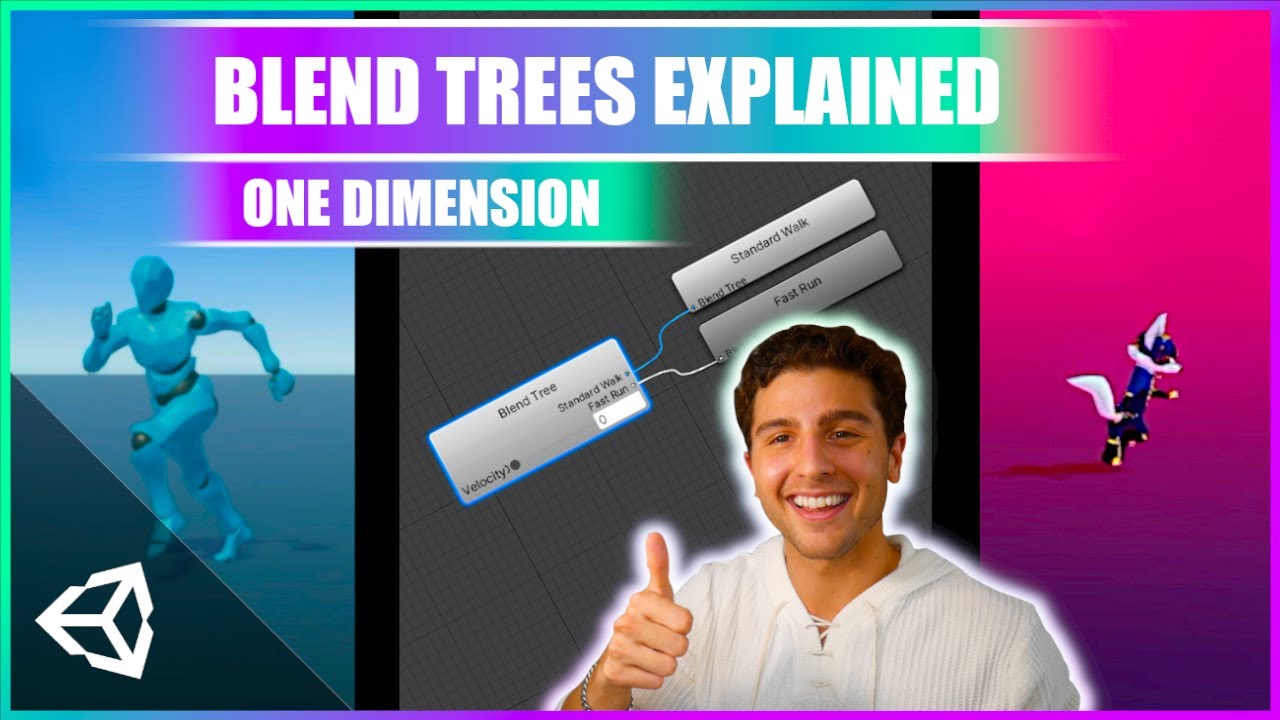
Learn how to animate characters in Unity 3D with dynamic animations from blend trees!
This beginner-friendly tutorial is a complete walkthrough of one dimensional blend trees and how we can use blend trees to create new animations for our characters using float parameters
ACCESS PROJECT FILES & SUPPORT THE CHANNEL:
💛 https://www.patreon.com...
polar acorn
Yeah, this does explain how to use a blend tree, but, again, what's the thing you're expecting to happen that isn't?
open apex
open apex
can you theoratically add movement to the player without use of AddForce? as in ...
Is this basically this?
 digital haven
polar acorn
Yeah, this does explain how to use a blend tree, but, again, what's the thing yo...
digital haven
polar acorn
Yeah, this does explain how to use a blend tree, but, again, what's the thing yo...
It should show the character being able to accelerate presses W and lets go of W decelerates.
Unless I'm missing something
polar acorn
open apex
Is this basically this?
Transform based movement is teleportation. It will move the character but it's not going to respect any sort of physics or colliders
polar acorn
digital haven
It should show the character being able to accelerate presses W and lets go of W...
Your blend tree settings look like they're set to go from 1-2, in your video you stopped it at around 0.3
open apex
polar acorn
Transform based movement is teleportation. It _will_ move the character but it's...
yes I have been told that, but is this correct?
polar acorn
open apex
yes I have been told that, but is this correct?
Run the code and see
You can check to see if it's doing what you want
digital haven
Its just strange his moved so fluidly, while mine takes a long time to start accelerating. Also the character starts to stop accelerating around 1 in velocity and stutters @polar acorn
rich adder
digital haven
I edited it but it still isn't working
You are controlling the wrong value here..
round mirage
rocky canyon
the velocity is *indeed* working tho
like i have to change linear velocity and velocity in the same time ??
rich adder
digital haven
I edited it but it still isn't working
the Blend tree value is "Blend" but you are controlling "velocity" they are different parameters
polar acorn
digital haven
Its just strange his moved so fluidly, while mine takes a long time to start acc...
Show the settings of your blend tree, it's cut off in your video
digital haven
polar acorn
digital haven
I don't know why you sent a video instead of a screenshot and then didn't even show your blend tree settings in the video
rich adder
digital haven
this is not even close to the oirignal video..
you added transitions when you can do it all in the Blend tree
Your blend tree is "Blend" parameter, yet ur controlling transitions with "velocity"
considering you messed a -= with =+ you seem to have a" copying exactly as is " issue lol
then wonder why it dont work right :]
 rich adder
its all very confusing at first sure, the video is showing you exactly how to set it up though.. you added some extra stuff on your own, before you try things on your own you have to understand what each thing does
polar acorn
digital haven
The video goes into deep detail about all those boxes. So, right now, your animation will blend between Walking and Running whenever the parameter Blend is between 1 and 2
Now, is the parameter Blend ever between 1 and 2?
round mirage
Hello 🙂 i solved my problem with contraints but my program who block the player when he go too far still dont work
    {
       if(Input.touchCount > 0)
       {
        Touch touch = Input.GetTouch(0);
        if(touch.position.x > lineLimit  && gameObject.transform.position.z < 4.7f)
        {
            rb.linearVelocity= new Vector3(0, rb.linearVelocity.y, speed);
        }
        else if (touch.position.x < lineLimit && gameObject.transform.position.z > -4.7f)
        {
           rb.linearVelocity= new Vector3(0, rb.linearVelocity.y, -speed);
        }
       }
       else
        {
            rb.linearVelocity = new Vector3(0, rb.linearVelocity.y, 0);
        }
}```"who block the player when he go too far" sorry what ?
digital haven
polar acorn
The video goes into _deep_ detail about all those boxes. So, right now, your ani...
Using 1 for walking and 2 for running the character is just nudging now
round mirage
rich adder
"who block the player when he go too far" sorry what ?
gameObject.transform.position.z < 4.7f
rich adder
ohhh you want to clamp his movement
rich adder
round mirage
yes
I'm on a mobile rq so can't analyze the whole thing but first make sure your conditions / values are what you expected them to be.. Use Debug.Logs also you might need to clamp a seperate variable
round mirage
rich adder
I'm on a mobile rq so can't analyze the whole thing but first make sure your con...
yes it was working before i changed transform.translate to rb.linearVelocity
polar acorn
digital haven
Using 1 for walking and 2 for running the character is just nudging now
I have no idea what you mean by this. A blend tree will mix between two animations based on a parameter. If your parameter named Blend is between 1 and 2, it will mix between your Walking and Running clips.
round mirage
rich adder
I'm on a mobile rq so can't analyze the whole thing but first make sure your con...
is it due to fixedUpdate ??
polar acorn
So, what is Blend? Is it between 1 and 2?
rich adder
round mirage
is it due to fixedUpdate ??
it should technically work similar, i still wouldnt grab input of touch in FixedUpdate and keep it in Update , only rb movement should generally be in FixedUpdate
like rb.velocuty = or addforce
polar acorn
digital haven
Blend is always 0, which is not between 1 and 2
So it will always be playing the Walking animation
If the value is less than your first threshold, it will play 100% of the first clip. If it's higher than the last threshold, it will play the second animation. If it's in between, it will blend.
The tutorial is very clear on all this, if you actually listen to what it has to say instead of finding code to copy paste out of it
digital haven
I have been rewatching these videos to understand it
polar acorn
It's legitimately one of the best explanations of how a blend tree works on the entirety of the internet
digital haven
Alright I'll rewatch the video.
polar acorn
So, knowing now what all these boxes mean, what are you expecting to happen that isn't? Because it seems like it's doing exactly what should be expected
digital haven
The walking should accelerate to running more easily. It feels like its stuck in walking
polar acorn
digital haven
The walking should accelerate to running more easily. It feels like its stuck in...
Well, yes. Because your blend tree is set to transition from walking to running as your parameter Blend goes from 1 to 2. You can look at the value and see that it remains firmly rooted at 0
0, being less than 1, will play only the Walking animation
digital haven
I thought you said blend is always 0?
polar acorn
It is, and I just repeated that one second ago
You can look at the value and see that it remains firmly rooted at 0
Your blend tree will transition between Walking and Running depending on the value of the parameter you've chosen, Blend. If Blend is less than the threshold of Walking, it will play Walking. If it is greater than the threshold of Running, it will play Running. If it is in between them, it will play a proportional mix of the two (so, halfway between the thresholds means halfway between the two animations)
Knowing this information, look at the values you have selected for the parameter and the thresholds. Do they make sense
What parameter and thresholds do you actually want to use
round mirage
does something who execute like an update but before update exist ?
polar acorn
round mirage
does something who execute like an update but before update exist ?
Chances are, if you need this, you're doing something wrong
digital haven
polar acorn
Your blend tree will transition between `Walking` and `Running` depending on the...
I wanna blend those togrher but I don't understand what numbers I need to do that now. I'm a bit confused on that part, but I understand the rest I think.
round mirage
polar acorn
Chances are, if you need this, you're doing something wrong
when all the code is in fixedUpdate it wont clamp my player and if i put in update it will clamp only if i stop pressing the key so if i hold my key my player wont stop 🥲
public class playerMove : MonoBehaviour
{
    private float lineLimit;
    public float speed;
    private Rigidbody rb;
    bool right = false;
    bool left = false;
    // Start is called once before the first execution of Update after the MonoBehaviour is created
    void Start()
    {
        rb = gameObject.GetComponent<Rigidbody>();
        Debug.Log(Screen.currentResolution.width);
        lineLimit = Screen.currentResolution.width / 2;
    }

    // Update is called once per frame
    void Update()
    {
       if(Input.touchCount > 0)
       {
        Touch touch = Input.GetTouch(0);
        if(touch.position.x > lineLimit  && gameObject.transform.position.z < 4.7f)
        {
           right = true;
        }
        else if (touch.position.x < lineLimit && gameObject.transform.position.z > -4.7f)
        {
           left = true;
        }
       }
    }

    void FixedUpdate()
    {
       if(Input.touchCount > 0)
       {
        Touch touch = Input.GetTouch(0);
        if(right)
        {
            rb.linearVelocity= new Vector3(0, rb.linearVelocity.y, speed);
            right = false;
        }
        else if (left)
        {
           rb.linearVelocity= new Vector3(0, rb.linearVelocity.y, -speed);
           left = false;
        }
       }
       else
        {
            rb.linearVelocity = new Vector3(0, rb.linearVelocity.y, 0);
        }
    }
}
I just explained what the numbers mean.
You have parameters in your animator. They're just variables you can set in code.
The box at the top of the blend tree is which parameter you want to read.
The threshold values determine which clip is played based on that parameter.
Less than the first threshold = play the first clip entirely
More than the second threshold = play the second clip entirely
In between = blend the two animations
polar acorn
round mirage
when all the code is in fixedUpdate it wont clamp my player and if i put in upda...
Velocity remains at whatever you last set it at until you change it or some other force slows it down. The only thing in your code that will ever change velocity to 0 is when Input.touchCount is 0. Nothing else will ever stop it
If you want it to stop when it's at a specific position, you will need to tell it to do so
Simply "not changing the velocity" does not stop the object. You have to set it to 0
open apex
polar acorn
Transform based movement is teleportation. It _will_ move the character but it's...
Does this make it so it respects physics and colliders (adding rigid body)
 digital haven
polar acorn
I just explained what the numbers mean.
You have parameters in your animator. T...
digital haven
polar acorn
I just explained what the numbers mean.
You have parameters in your animator. T...
Okay I figured it out
polar acorn
open apex
Does this make it so it respects physics and colliders (adding rigid body)
This one will exert forces, but by directly manipulating the position instead of using velocity or forces, it won't respond to any. For example, getting hit by a fast moving box going the other way isn't going to actually move it, it's going to set it's position to the new location. This can be a desired outcome, and is commonly used for Kinematic Character Controllers.
open apex
polar acorn
This one will _exert_ forces, but by directly manipulating the position instead ...
Would this be ideal for 2d smooth player movement (or not)?
polar acorn
open apex
Would this be ideal for 2d smooth player movement (or not)?
¯_(ツ)_/¯
What's "ideal" for movement is going to be entirely up to you
There isn't one "best" way to do movement
open apex
polar acorn
What's "ideal" for movement is going to be entirely up to you
ideal for me is smooth movement
player stops moving when the getkeydown a,b,c has stopped
polar acorn
What's "smooth movement" is going to be entirely up to you
 eager mesa
Hello everyone!
I'm currently trying to the cop car ai's less...messy? Honestly i just want him to spawn in paralel to the road (in this case it would be 270 on the Y axis)
Here's the code if you'd like to have a look: https://paste.mod.gg/qetzkovooluv/0
A tool for sharing your source code with the world!
I don't mind if the cop car throws himself out of the road once in a while but every time right after spawning is definetly not ideal.
I tried forcing its spawn angle, limiting its turning angle and turning speed but nothing quite fixed it.
rich adder
don't crosspost
polar acorn
Do you have Cinemachine installed
rich adder
polar acorn
Do you have Cinemachine installed
[apparently](#archived-code-general message) , probably best continue the one in #archived-code-general ig
polar acorn
!code
eternal falconBOT
Posting code
📃 Large Code Blocks
Use links to services like:
https://paste.mod.gg/, https://hastebin.skyra.pw/, https://paste.ofcode.org/, https://paste.myst.rs/, https://scriptbin.xyz/
📃 Inline Code
Surround code with three backquotes. Not quotation marks.
To format as C#, add cs to the first line:
```cs
// Your code here
```
Add a comment with a line number if there is an error message.
 echo cradle
hello, i'm trying to refactor my code from this
{
    void Interact();
    bool CanInteract();
}
to this
using System.Collections;

public interface Interactable
{
    IEnumerator Interact();

    bool CanInteract();
} ```

but the use of yield returns seems to break my logic, so im just trying to wrap my head around best practices for a IEnumerator interface

```cs using System.Collections;
using UnityEngine;

public class Chest : MonoBehaviour, Interactable
{

    public bool isOpened { get; private set; }
    public string ChestID { get; private set; }

    public GameObject itemPrefab;
    public Sprite openedSprite;

    // Start is called once before the first execution of Update after the MonoBehaviour is created
    void Start()
    {
        ChestID ??= GlobalUtilities.GenerateUniqueID(gameObject);
    }

    public bool CanInteract()
    {
        return !isOpened;
    }

    public IEnumerator Interact()
    {
        if (!CanInteract()) yield break;
        OpenChest();
    }
    private IEnumerator OpenChest()
    {
        SetOpened(true);
        if (itemPrefab)
        {
            GameObject chestItem;
           yield return chestItem = Instantiate(itemPrefab, transform.position + Vector3.down, Quaternion.identity);
        }
    }
    public void SetOpened(bool opened)
    {

        if (isOpened=opened)
        {
            GetComponent<SpriteRenderer>().sprite = openedSprite;
        }
    }
} ```No idea what that yield return is trying to do
echo cradle
polar acorn
!code
ya finally figured out teh key it wanted
polar acorn
that doesn't really make any sense
echo cradle
im just trying to get a generic interface, so that when i say add quests or chocies its flexable
polar acorn
What are you actually trying to do with those IEnumerators
echo cradle
polar acorn
What are you actually trying to do with those IEnumerators
im just trying to get a generic interface, so that when i say add quests or chocies its flexable
polar acorn
echo cradle
im just trying to get a generic interface, so that when i say add quests or choc...
So... what are you trying to do with the IEnumerators
Why are they not just functions that return void like your original interface
echo cradle
polar acorn
So... what are you trying to do with the IEnumerators
make a dialog system, make an encounter system, make an interactable system, make a party syste, make an inventory system, make traps, make cutscenes, maybe make a shop?
polar acorn
echo cradle
make a dialog system, make an encounter system, make an interactable system, mak...
Okay, but, why are they IEnumerators
echo cradle
polar acorn
Okay, but, why are they IEnumerators
... because i want an interface that can go though the elements of the various different collections i have?
polar acorn
echo cradle
... because i want an interface that can go though the elements of the various d...
Okay, so you intend to use them as an iterator to build up a collection? Not a Coroutine?
echo cradle
i'll have coroutines too, its just im trying to refactor what i have to make it more robust, should i have been using a coroutine in the code i gave?
polar acorn
If you intend to use it as a coroutine, you need to run it with StartCoroutine. If you intend for it to build up a collection, you would yield return one individual element of the collection
And then do .MoveNext() on the IEnumerator to get the next thing in the collection
These are pretty different use cases, highly unlikely that you'll ever be doing both with the same interface
echo cradle
polar acorn
If you intend to use it as a coroutine, you need to run it with `StartCoroutine`...
and startcoroutine needs a return type?
polar acorn
StartCoroutine returns Coroutine
echo cradle
polar acorn
If you intend to use it as a coroutine, you need to run it with `StartCoroutine`...
    {
        if (!CanInteract()) yield break;
        StartCoroutine(OpenChest());
    }
    private void OpenChest()
    {
        SetOpened(true);
        if (itemPrefab)
        {
            GameObject chestItem = Instantiate(itemPrefab, transform.position + Vector3.down, Quaternion.identity);
        }
    }
right so this doesnt cut it
polar acorn
echo cradle
```cs public IEnumerator Interact()
{
if (!CanInteract()) yield ...
You need to pass an IEnumerator to the coroutine
Before you were calling it like a normal method but it was an IEnumerator.
Now you're calling it like an IEnumerator but it's a normal method
echo cradle
right
    {
        if (!CanInteract()) yield break;
        StartCoroutine(OpenChest());
    }
    private IEnumerator OpenChest()
    {
        SetOpened(true);
        if (itemPrefab)
        {
            GameObject chestItem;
            yield return chestItem = Instantiate(itemPrefab, transform.position + Vector3.down, Quaternion.identity);
        }
} ```but i still cant open the chest
polar acorn
echo cradle
```cs public IEnumerator Interact()
{
if (!CanInteract()) yield ...
For a coroutine, that yield return doesn't really make sense
In a coroutine, the yield return is basically the "Wait condition"
default being yield return null which will resume next frame
echo cradle
polar acorn
default being `yield return null` which will resume next frame
ya its not working still, how would i structure a coroutine to Instantiate an itemPrefab and flip a sprite to open?
polar acorn
echo cradle
ya its not working still, how would i structure a coroutine to Instantiate an it...
Why would that need to be a Coroutine? What are you waiting for in it?
echo cradle
polar acorn
Why would that need to be a Coroutine? What are you waiting for in it?
because otherwise i'm making two different interactables and isn't the point of this is i only need one?
polar acorn
I'm still not sure why these return IEnumerator. What were you trying to do that couldn't be done with a normal method?
echo cradle
polar acorn
I'm still not sure why these return IEnumerator. What were you trying to do that...
its a matter of putting everything under the same interactable interface
wintry quarry
echo cradle
its a matter of putting everything under the same interactable interface
What does that have to do with coroutines?
polar acorn
echo cradle
its a matter of putting everything under the same interactable interface
And what are you intending to do that would require an IEnumerator
echo cradle
wintry quarry
What does that have to do with coroutines?
they're a part of IEnumerable?
wintry quarry
echo cradle
they're a part of IEnumerable?
But what does that have to do with your interface
echo cradle
polar acorn
And what are you intending to do that would require an `IEnumerator`
move, display text, pull up an invetory item for a relavent fight?
polar acorn
echo cradle
move, display text, pull up an invetory item for a relavent fight?
Okay, and what are you intending to do that would require an IEnumerator?
echo cradle
wintry quarry
But what does that have to do with your interface
i'm trying to refactor my code
polar acorn
Let me rephrase this:
What do you think returning IEnumerator does?
wintry quarry
This line:
yield return chestItem = Instantiate(itemPrefab, transform.position + Vector3.down, Quaternion.identity);```
Is showing me that you are probably confused about how coroutines work. Because it's pointless for this to be a coroutine and it's pointless to `yield return` this objectan interface that allows you to iterate the elements of a collection ?
polar acorn
echo cradle
an interface that allows you to iterate the elements of a collection ?
Right, so why are you making something an iterator? What is the point of doing so? Where are you actually using any of the features of IEnumerator
What is the purpose of this function? What do you want it to do?
echo cradle
wintry quarry
This line:
```cs
yield return chestItem = Instantiate(itemPrefab, transform.posi...
ok let me ask you this, would you make a pokemon game in unity withOUT Ienumerator?>
k wrong person
polar acorn
echo cradle
ok let me ask you this, would you make a pokemon game in unity withOUT Ienumerat...
Yes, easily
polar acorn
You could probably use coroutines somewhere
echo cradle
your SCRPTABLE OBJECTS?
polar acorn
What do any of those have to do with IEnumerator?
I really don't think you fully understand what this return type means
You seem to be dead set on returning it and have provided no reasons to do so
Why do you desperately need to be able to do foreach(var x in OpenChest()) somewhere?
wintry quarry
echo cradle
ok let me ask you this, would you make a pokemon game in unity withOUT Ienumerat...
that's a really weird question
that's like saying "Would you make a house without torx screws?"
Maybe?
echo cradle
polar acorn
Why do you _desperately_ need to be able to do `foreach(var x in OpenChest())` s...
THATS WHAT IM TYRYIN TO REFACTs
polar acorn
echo cradle
THATS WHAT IM TYRYIN TO REFACTs
So, you want to iterate over this function in a foreach? Why?
echo cradle
polar acorn
So, you _want_ to iterate over this function in a foreach? Why?
no i am tryin to move AWAY from taht
polar acorn
echo cradle
no i am tryin to move AWAY from taht
Then why the hell are you making your functions IEnumerators
Either they're Coroutines or iterators in a foreach
that's what IEnumerator does
and you don't wanna foreach them, and you don't have any wait conditions
so what is the point
echo cradle
polar acorn
so what is the _point_
the point, is i am trying to make a game, this game will have a bunch of interactables that will do EVERYTHING YOU CAN THINK OF. and you are telling me, once again, taht everything i am trying to do beyond basic fucking if statments is wrong and this si not the way to do it
naive pawn
jesus christ chill
echo cradle
have you conisdreed, foir opne fuckiing second that peopl,e come here to fiugure out how to do thigns RIGHT?
polar acorn
So, without just stating the definition of IEnumerator, what problem are you expecting this to solve? In terms of actual game interactions and normal english words, what are you intending IEnumerator to do
polar acorn
echo cradle
have you conisdreed, foir opne fuckiing second that peopl,e come here to fiugure...
I told you how to do it right, and that there seems to be no reason to use IEnumerators and you've fought me every step along the way
and can't explain why it has to be one
echo cradle
polar acorn
So, without just stating the definition of `IEnumerator`, what problem are you e...
i dont know how muc more basic you want me to get then i want to make unicorn overlord
polar acorn
The solution is: Don't return IEnumerator. You aren't doing anything that needs to return IEnumerator
So don't
It's a tool that does not apply to the things you say you're trying to do
so there is no point to do it
naive pawn
echo cradle
i dont know how muc more basic you want me to get then i want to make unicorn ov...
ok so if you don't understand it, don't use it randomly hoping it'll stick
echo cradle
polar acorn
so there is _no point to do it_
so then mr expert wehat IS the point of Ienumerator?
polar acorn
echo cradle
i dont know how muc more basic you want me to get then i want to make unicorn ov...
I'm asking you, what problem are you trying to solve with IEnumerator, because none of the things you've described are things that would warrant it
polar acorn
echo cradle
so then mr expert wehat IS the point of Ienumerator?
I told you, to make it so you can iterate over a function, or as a coroutine
Both of which you have said you don't want or don't need
echo cradle
polar acorn
Both of which you have said you don't want or don't need
read my chat again i WANT coroutines
polar acorn
echo cradle
read my chat again i WANT coroutines
Then what is the wait condition you want for your function
echo cradle
the rest, yes i am trying to figure out and notjhig that has been said HERTE has been helpful
polar acorn
What is your function waiting for
echo cradle
polar acorn
What is your function _waiting for_
for the chest to open and the item to spawn
polar acorn
echo cradle
for the chest to open and the item to spawn
Does that actually take any time?
Spawning an object does not take time
Changing a sprite does not take time
They're all synchronous
So, why is it a coroutine
polar acorn
You don't just change code for no reason, you identify a problem, and do something that gives a solution. Right now, you don't seem to have a problem
wintry quarry
We still haven't seen this interface
naive pawn
echo cradle
hello, i'm trying to refactor my code from this
```cs public interface IInterac...
you haven't?
wintry quarry
And that doesn't explain why OpenChest needs to be a coroutine
polar acorn
wintry quarry
We still haven't seen this interface
We have, it was at the top of the monolithic post they made at the start:
public interface Interactable
{
    IEnumerator Interact();
    bool CanInteract();
}
Ok well I didn't see it till now, no
echo cradle
polar acorn
So, _why is it a coroutine_
becasue my singalton dialog manager uses this
polar acorn
echo cradle
becasue my singalton dialog manager uses this
Uses what
echo cradle
polar acorn
Uses what
A tool for sharing your source code with the world!
naive pawn
so im confused what the disagreement is here
wintry quarry
at some point in the chain of code you'd want to actually yield return some kind of actual YieldInstruction
polar acorn
echo cradle
https://paste.mod.gg/jsihamwujvvh/0
Yes, this contains many coroutines.
These coroutines properly have wait conditions
wintry quarry
I think demonicArbitror just hasn't managed to ask the actual question they want the answer to here - which is probably something like "How do I make this coroutine happen over multiple frames and some period of real time?"
polar acorn
So, what does that have to do with this interface?
echo cradle
polar acorn
So, what does that have to do with this interface?
interfaces have DIALOGH TEXT?
polar acorn
wintry quarry
I think demonicArbitror just hasn't managed to ask the actual question they want...
I have been trying to ask them what they actually want to do but I keep getting "YoU cAnT mAkE a GaMe WiThOuT iEnUmErAtOrS"
polar acorn
echo cradle
interfaces have DIALOGH TEXT?
What?
naive pawn
echo cradle
```cs public IEnumerator Interact()
{
if (!CanInteract()) yield ...
so right now you have 2 detached coroutines, that's unnecessary
you could choose to either centralize it, and have Interact be the only coroutine or have both be coroutines where Interact yields OpenChest, or not, and have OpenChest be the only coroutine
which you choose depends on where you need the control over the coroutine
suppose you need to stop the coroutine, would that be from the thing calling Interact or the thing defining OpenChest?
echo cradle
actually i was just asking about refactoring from a void to an ienumerator becasue i wanted to tie all my syustems together
polar acorn
echo cradle
interfaces have DIALOGH TEXT?
Are you trying to start a coroutine from the function this Interface defines?
echo cradle
but nnonoooo Im DOiing It WRong
naive pawn
ok well "refactoring" a return type doesn't really make sense..?
polar acorn
echo cradle
actually i was just asking about refactoring from a void to an ienumerator becas...
and you haven't explained why
this isn't a "refactor" kind of thing
echo cradle
polar acorn
_and you haven't explained why_
do i need to define REFACTORING to you?>
polar acorn
this is a "radical change in functionality" thing
 sour fulcrum
echo cradle
no i am tryin to move AWAY from taht
sour fulcrum
echo cradle
no i am tryin to move AWAY from taht
this comment here explicitly says you want to move away from ienumatiors but now your saying your asking about moving to them?
naive pawn
echo cradle
do i need to define REFACTORING to you?>
no, we all know what it is
refactoring is making a code yield the same result with a different process
this is not that
polar acorn
echo cradle
do i need to define REFACTORING to you?>
Not however you mean it, because completely upending the functionality of your interface to make an iterator you don't want to iterate through isn't what I'd call refactoring
echo cradle
naive pawn
no, we all know what it is
refactoring is making a code yield the same result wi...
then what IS it because it lookms liek that to me
naive pawn
you want to make a synchronous system, asynchronous? that's not refactoring
polar acorn
echo cradle
then what IS it because it lookms liek that to me
Which is why I am 100% sure you have no idea what an IEnumerator is
naive pawn
that explicitly changes the behaviour
echo cradle
greatr you figure out why im in thbsi fucoiing discord
polar acorn
Which is why I continously ask what it is you're trying to accomplish
polar acorn
because this solution does not solve the problems you have stated
So I'm confused why you're insisting on doing it
polar acorn
"Hey man, why are you standing in the snow in your underwear with a pickaxe in your hand?"
"I'm trying to bake a cake"
naive pawn
do you have a reason, one that would be apparent in the resulting behaviour, to use coroutines? think about that
polar acorn
The thing you've said you want to do does not follow from the thing you're trying to do to do it
echo cradle
polar acorn
"Hey man, why are you standing in the snow in your underwear with a pickaxe in y...
"hey man im trying to refactor this code tom amek a better game" shits words in my mouth
wintry quarry
echo cradle
"hey man im trying to refactor this code tom amek a better game" *shits words in...
Are you actually here for help, or for an argument?
naive pawn
naive pawn
https://xyproblem.info
ok, so making everything a coroutine doesn't automatically achieve that, see link above
polar acorn
echo cradle
"hey man im trying to refactor this code tom amek a better game" *shits words in...
Why are you trying to change your perfectly functional interface into an iterator
What is the point of iterating this function
What goal is it intending to accomplish
An IEnumerator is not "Better code" that is a goal in and of itself
echo cradle
wintry quarry
Are you actually here for help, or for an argument?
help would be nice but @polar acorn cant seem to check his ego
naive pawn
then ignore him, you still have plenty of questions to answer
polar acorn
This isn't an ego problem, I solved your goddamn question an hour ago
naive pawn
naive pawn
https://xyproblem.info
@echo cradle go give this a read
polar acorn
The answer is: "Fucking don't"
naive pawn
think about what you're trying to achieve with making everything a coroutine
polar acorn
There's no reason to make these functions IEnumerators
sour fulcrum
echo cradle
help would be nice but <@153950686088921088> cant seem to check his ego
no man your being shockingly rude and childish in general
echo cradle
polar acorn
What _goal_ is it intending to accomplish
my goal, is get an inventory system, a collsion system, an ineractable system, a dialog system, and game all wrking together
naive pawn
and are they working together?
echo cradle
why do you think im here?
polar acorn
echo cradle
my goal, is get an inventory system, a collsion system, an ineractable system, a...
Okay, cool. Your original interface does that just fine
What is the problem with it
What does making it an iterator actually do to move towards that goal
naive pawn
echo cradle
why do you think im here?
good, then you've found an issue!
that's not equivalent to "i want to make everything a coroutine"
go dig into why exactly stuff doesn't work together
teal viper
echo cradle
why do you think im here?
Then maybe describe the actual problem.
naive pawn
again, go read about X/Y problem
echo cradle
teal viper
Then maybe describe the actual problem.
once i've stopped fighting with @polar acorn , maybe
polar acorn
echo cradle
once i've stopped fighting with <@153950686088921088> , maybe
I have been begging you to describe the problem and you just fucking won't
naive pawn
if you don't like the interaction, block him and answer everyone else's questions
echo cradle
polar acorn
I have been _begging_ you to describe the problem and you just fucking won't
ive been descripbing it in a bounch of differente ways, none of them seem to work, much like my code
naive pawn
if you keep insisting on fighting with digiholic, then it really does seem that you just want a fight
polar acorn
echo cradle
ive been descripbing it in a bounch of differente ways, none of them seem to wor...
And I've told you none of what you've described requires anything to return IEnumerator. So just, don't do that
echo cradle
naive pawn
if you keep insisting on fighting with digiholic, then it really does seem that ...
at this point its more of a problem with the 'your doing it all wrong' attitude thats pissig me off
naive pawn
echo cradle
at this point its more of a problem with the 'your doing it all wrong' attitude ...
then ignore it
you have actual issues to solve, don't you?
the block button exists for a reason
use it
so we can all move on
echo cradle
naive pawn
the block button exists for a reason
the block button blocks possiblilites
naive pawn
i mean, it doesn't actually fully block, so not really
polar acorn
echo cradle
at this point its more of a problem with the 'your doing it all wrong' attitude ...
Is your code doing what you want?
If no, then I'd say you are doing it wrong and I'm trying to explain how to do it right but you won't fucking tell anyone what you want to do so no one can help
echo cradle
naive pawn
so what's the holdup
... you HAVE heard of growing right?
polar acorn
echo cradle
... you HAVE heard of growing right?
Buddy are you drunk
naive pawn
yeah no clue where you're trying to pull this but it isn't going to be productive lmao
echo cradle
polar acorn
Is your code doing what you want?
If no, then I'd say you _are_ doing it wrong ...
right, i was clearly in a X/Y situation as whoever outlined
polar acorn
What are you even talking about
echo cradle
polar acorn
Buddy are you drunk
no i have fury
naive pawn
get that checked
naive pawn
it's not gonna make you more productive
and honestly, it's gonna make everyone else not want to help you
echo cradle
naive pawn
it's not gonna make you more productive
hmm anger does give motivation,m it jsut lacks focus
polar acorn
echo cradle
right, i was clearly in a X/Y situation as whoever outlined
Which is why I tried to get you out of it by asking what the fuck you were trying to accomplish with IEnumerator. Literally my first fucking question was an attempt to ask your problem instead of your proposed solution
teal viper
So basically, you have interactions that need to wait for some time(for an animation or something to complete) and you decided that you need coroutines everywhere for that?
naive pawn
anyways, are you gonna ask about your actual issue now
rather than stepping aside and trying to make everything a coroutine, seemingly for the sake of it?
echo cradle
teal viper
So basically, you have interactions that need to wait for some time(for an anima...
or at least a 'standard approach' to the various different systems i want to implement
naive pawn
your systems aren't working together, so find out why
naive pawn
echo cradle
or at least a 'standard approach' to the various different systems i want to imp...
...a standard approach in.. game design in general? yeah that's not really a thing
echo cradle
naive pawn
...a standard approach in.. game design in general? yeah that's not really a thi...
right what im trying to say is i want one interactable button, and for it to access all these different systems though one common interface?
was that better?
naive pawn
sure, didn't you already have that though
teal viper
echo cradle
or at least a 'standard approach' to the various different systems i want to imp...
In C# the standard way to do this is async. This allows you to make methods that would wait for something or execute something in the background. But there are many other ways to do it, like callbacks for example.
naive pawn
what was the issue with the old system?
polar acorn
echo cradle
right what im trying to say is i want one interactable button, and for it to acc...
Okay, and why does your initial interface not already do that, but the new one does?
How does your "refactor" actually work towards solving that problem?
echo cradle
polar acorn
Okay, and why does your initial interface not already do that, but the new one d...
because i want to weave in things like the dialog system and other animation based systems, so doesnt my 'interact' need to be an ienumerator for that or else ill be using multiple different interfaces?
teal viper
echo cradle
because i want to weave in things like the dialog system and other animation bas...
What makes you think that it needs to be an ienumerator?
echo cradle
because the dialog system is and i get compiler errors otherwise?
teal viper
Provide one specific reason with code example where it has to be an ienumerator.
polar acorn
echo cradle
because i want to weave in things like the dialog system and other animation bas...
A function does not need to be an IEnumerator to start a coroutine
polar acorn
echo cradle
because the dialog system is and i get compiler errors otherwise?
How about you show the actual error
Because you can 1000% call any of the coroutines in dialog manager without needing to be an IEnumerator
And it seems like you messed up the syntax and assumed that meant you had to basically turn your entire project into coroutines instead of trying to solve the original problem
Which is literally what the XY problem is
echo cradle
teal viper
Provide one specific reason with code example where it has to be an ienumerator.
heres an old project with the old input manager, it got the interactable from the opposing collider, i dont know if it HAS to be an ienumerator but this is just what i ended up doing https://paste.mod.gg/sxxjhtririys/0
A tool for sharing your source code with the world!
echo cradle
polar acorn
How about you show the actual error
as for teh actual error my codes a mess after trying to refactor it today
teal viper
echo cradle
as for teh actual error my codes a mess after trying to refactor it today
Version control
sour fulcrum
Not to be that guy but not sure how keen the server is on messing with pokemon fangame projects, might fall under modding type territory
echo cradle
teal viper
Version control<:thinksmart:1202247906455982142>
one man show, but ya for days liek this it would be nice, w/e its like 4 scripts
sour fulcrum
most solo devs still use version control
teal viper
echo cradle
one man show, but ya for days liek this it would be nice, w/e its like 4 scripts
Doesn't matter. It's to keep your changes organized and backed up.
 polar dust
echo cradle
as for teh actual error my codes a mess after trying to refactor it today
polar dust
echo cradle
as for teh actual error my codes a mess after trying to refactor it today
Do you know what "refactor" means?
 north merlin
How to play a anim from its beginning every time. Here is what I use but it doesnt restart it if it is already playing hitEffectAnim.Play("effect");
echo cradle
polar dust
Do you know what "refactor" means?
yes i faield to refactor, happy now?
echo cradle
sour fulcrum
Not to be that guy but not sure how keen the server is on messing with pokemon f...
he asked for an exampel that was teh one on hand
polar dust
you keep using the word, I'm only wondering what you think it means
echo cradle
polar dust
you keep using the word, I'm only wondering what you think it means
Refactoring is the process of improving the internal structure of existing software code without altering its external behavior or functionality. because i got in a fight with someone's ego today it failed. any more questions?
echo cradle
sour fulcrum
Thats really just not a productive attitude to have man
my 'productive day' went out the window as soon as i had to ask for help here
sour fulcrum
If your not in a productive mindset it's going to be very hard for anyone to help you regardless of your personal perception of their ego
polar dust
going back and reading, it appears like you were offered a lot of people's time to try and help you
sour fulcrum
It just comes off as very combative
teal viper
echo cradle
heres an old project with the old input manager, it got the interactable from th...
There's no reason whatsoever for the Interact method to be a coroutine. It doesn't do anything at all here.
polar acorn
echo cradle
my 'productive day' went out the window as soon as i had to ask for help here
And to think it could have been productive if you had just actually provided context the first time when asked, and believed people when they said it didn't need to be an IEnumerator
You, in fact, already had the working code all along
echo cradle
polar acorn
You, in fact, _already_ had the working code all along
i mean isn't a requirement of refactoring means you already HAVE working code?
polar acorn
echo cradle
i mean isn't a requirement of refactoring means you already HAVE working code?
Yeah, and it also means not changing the functionality of it into one that does not for no benefit
echo cradle
teal viper
There's no reason whatsoever for the Interact method to be a coroutine. It doesn...
right, it was jsut like that there because everything was an ienumerator in that example. im just looking for a clean way to implement an interface taht is scaleable to my wims
polar acorn
echo cradle
right, it was jsut like that there because everything was an ienumerator in that...
What you started with was perfectly scaleable
echo cradle
polar acorn
What you started with was perfectly scaleable
then lets hope tomorrow my questions are something different.
polar dust
id suggest trying to plan the question, figure out the best way to explain your goals and what you have
It'll be the most productive way for anyone to help you
echo cradle
polar dust
id suggest trying to plan the question, figure out the best way to explain your ...
thought i did today burt clearly, i need to look into it
polar dust
its a skill that takes time to develop!
teal viper
echo cradle
right, it was jsut like that there because everything was an ienumerator in that...
I assume that the reason this is a coroutine is because some of the interactions are actually doing something over time.
In this case, I'd have a whole interaction queue system on a character that can keep track of current interaction/s and update it correctly. Instead of just making the interact method a coroutine.
polar dust
I'll sometimes draft questions in notepad, write all the details out, and then I think if there's a better way to phrase what I've got
echo cradle
teal viper
I assume that the reason this is a coroutine is because some of the interactions...
yes that's why its like that, but in my current project i haven't have any animations yet. i was just trying to get everything set up. sorry i jumped the gun on ienuerable
echo cradle
teal viper
I assume that the reason this is a coroutine is because some of the interactions...
ok actually thanks becasue my next questiojn was handling multple ineractables in range
teal viper
A project I'm working on now had something called actions queue. There are different actions in the game, like sleeping, sitting, opening doors, crafting, moving items between inventories, etc... And the characters are controlled by ai mainly so they need to be able to queue many of this actions in order or parallel. Which is why there is a state machine on each character that handles queueing, executing, updating, finishing actions. All of this is done via the update, so no coroutines involved. This is the simplest setup you can have without complications.
Some actions would execute immediately, some wait for an animation to complete. This is all handled during the action update.
And interactable objects just provide the character with the required action. They don't handle the logic of the action(though some actions might call on some of the object's API).
sour fulcrum
teal viper
A project I'm working on now had something called actions queue. There are diffe...
What type is Action in that implementation?
teal viper
sour fulcrum
What type is Action in that implementation?
They all extend an abstract plain class CharacterAction.
sour fulcrum
Heard, whats your method of providing them an update loop?
teal viper
sour fulcrum
Heard, whats your method of providing them an update loop?
They are updated from the mentioned state machine on each character.
From character update loop
sour fulcrum
Ah nice
north merlin
north merlin
How to play a anim from its beginning every time. Here is what I use but it does...
bumping this so it's seen.
teal viper
north merlin
bumping this so it's seen.
What are you trying to play? Is it a state in the animator?
 cosmic dagger
teal viper
They are updated from the mentioned state machine on each character.
cosmic dagger
teal viper
They are updated from the mentioned state machine on each character.
So, the state machine holds a reference (or is passed a reference) to the current action, and within its Update the state machine executes the current action's Update?
teal viper
cosmic dagger
So, the state machine holds a reference (or is passed a reference) to the curren...
I guess state machine is not entirely correct way to describe it. It's a class that has a queue of actions. Basically in encapsulates the logic of queueing and updating actions. The character just calls enqueue and update methods on it. The "state machine" checks if there's a current action, updates it and handles finishing it. If there's no current action it dequeues the next action assigns it as the current action and repeats.
The character class itself only holds that state machine reference. As well as a planner object reference. The planner generates several actions and passes them to the character for it to enqueue and execute them. The code is still a bit sloppy, but it took me several iterations to get here, so I'll just keep it as is for now.
 still trail
I'm not sure if this is where I ask but I need help. I have a tile moving script, except my character would slightly move and offset their path when I try to collect an item, I'm guessing it has something to do with the Rigidbody on the item, does anyone know a fix?
wintry quarry
still trail
I'm not sure if this is where I ask but I need help. I have a tile moving script...
What is the desired behavior?
And what do you mean by "tile moving script" and "offset their path"
whose path?
cosmic dagger
teal viper
The character class itself only holds that state machine reference. As well as a...
Nah, that's pretty cool. It's always nice to see how others implement or build a system/mechanic . . .
still trail
wintry quarry
whose path?
The players path
wintry quarry
still trail
The players path
Presuumably your player is colliding with the item
So make the items use trigger colliders instead maybe? Hard to say as you have given very little detail here.
still trail
When the player collides with the object, it's meant to go into the inventory, just as it goes in and deletes itself, if slightly pushes the player off of the middle of the tile
It's 2d btw
cosmic dagger
still trail
When the player collides with the object, it's meant to go into the inventory, j...
They just explained above how you can fix the issue . . .
wintry quarry
still trail
It's 2d btw
yep, refer back to #💻┃code-beginner message
still trail
I'll give it a try, but I'm pretty sure it didn't work originally
Yea, it won't go in the inventory now
wintry quarry
still trail
Yea, it won't go in the inventory now
I mean, trigger colliders work in general, so it would have been a problem with your implementation. if you have a question about a specific implementation not working feel free to share the details of what you tried, including code and how you set the scene up.
i.e. did you actually switch to OnTriggerEnter2D instead of OnCollisionEnter2D?
still trail
Oh
cosmic dagger
A trigger collider does not physically collide with the object. It's a trigger zone. You need to change how the object's collide with each other since you are using a trigger collider instead of a regular collider . . .
rotund crown
I'm applying a texture to a plane, and i want to use alpha clipping to remove the white
i set the material to cut out mode, but no matter what i set the alpha cutoff slider to, it doesnt remove the white

am i misunderstanding something?
wintry quarry
rotund crown
I'm applying a texture to a plane, and i want to use alpha clipping to remove th...
alpha cutoff clips pixels with low alpha
not white pixels
north kiln
rotund crown
I'm applying a texture to a plane, and i want to use alpha clipping to remove th...
Make sure your texture has an alpha channel and is configured correctly in the importer
 wintry quarry
You want "alpha is transparency" checked
Also the image needs to actually have those transparent pixels
rotund crown
hm, in the tutorial i was following, they had a texture with a white background

does it need to be a texture with a transparent background? (but then what's the point of turning the transparent part of a texture transparent?
wintry quarry
rotund crown
does it need to be a texture with a transparent background? (but then what's the...
I have no idea what I'm looking at but yes it needs to be transparent
rotund crown
leaf texture with a white background
rotund crown
what's the purpose of alpha clipping then?
is it to prevent a square shaped texture with transparency from say casting a square shadow?
wintry quarry
Again alpha cutoff for cutout shader only works with the alpha channel
wintry quarry
rotund crown
what's the purpose of alpha clipping then?
is it to prevent a square shaped tex...
it clips the transparent fragments entirely
and yes it affects shadows
north kiln
It lets the material be opaque and write to the depth buffer to properly sort with other objects, while also having transparency defined by the texture
wintry quarry
yeah sorting with transparent shaders is often a nightmare
rotund crown
mmkay, time to photoshop then woo
rotund crown
wintry quarry
yeah sorting with transparent shaders is often a nightmare
oo yea ive seen games make mistakes in that
wintry quarry
it's entirely possible to write a cutout shader that cuts out white pixels instead of alpha
but it seems weird
also in this case wouldn't it cut out the white numbers on the dart board?
rotund crown
yeup, but i'm mostly just practicing
in this case this texture is temporary and just for prototyping
hm well now it looks like this
 wintry quarry
What's the original image look like
rotund crown
 wintry quarry
If you set it to Point filter, does it mostly fix it?
(though it may add other artifacts, I just want to see something)
rotund crown
got crispier but no
 wintry quarry
that feels like some kind of weird sampling error 🤔
What if you disable compression?
rotund crown
no visible change

