#💻┃code-beginner
1 messages · Page 631 of 1
 pure kite
 verbal dome
Oh, so rotation smoothing, not position smoothing?
Same suggestions apply nonetheless
For the Y angle you want to use the Mathf.LerpAngle/SmoothDampAngle variants instead so it wraps around
pure kite
it already wraps around I think? my current code is:```cs
void LateUpdate()
{
Cursor.lockState = CursorLockMode.Locked;
mouseVector = controls.Player.Look.ReadValue<Vector2>() * sens;
    look.y = Mathf.Clamp(look.y - mouseVector.y, -85f, 85f);
    look.x = Mathf.Lerp(look.x, mouseVector.x + look.x, 0.1f);

    transform.localEulerAngles = new Vector3(look.y, look.x, cameraTilt);
    mouseVector = Vector2.zero;
}```
Oh yeah, still though I'd keep it in the (-180..180) or (0..360) range to avoid precision issues if the number gets too large
pure kite
oh true
verbal dome
The player would need to spin around quite a lot for that, but better to be safe
Anyway see boxfriend's link for fixing the lerp
 dull slate
I'm working on the Roll-A-Ball Game Tutorial and stumped on the "Apply Force to the Player" section. I followed the instructions and my OnMove function is greyed out. I know its not being called but just dont understand what step I missed.
using System.Collections.Generic;
using UnityEngine;
using UnityEngine.InputSystem;
public class PlayerController : MonoBehaviour
{
private Rigidbody rb;
private float movementX;
private float movementY;
void Start()
{
rb = GetComponent <Rigidbody>();
}
void OnMove (InputValue movementValue)
{
Vector2 movementVector = movementValue.Get<Vector2>();
movementX = movementVector.x;
movementY = movementVector.y;
}
private void FixedUpdate()
{
Vector3 movement = new Vector3(movementX, 0.0f, movementY);
rb.AddForce(movement);
}
}``` pure kite
verbal dome
Anyway see boxfriend's link for fixing the lerp
pure kite
verbal dome
Anyway see boxfriend's link for fixing the lerp
Yeah changed it to look.x = Mathf.Lerp(look.x, mouseVector.x + look.x, Mathf.Exp(-0.01f * Time.deltaTime)); but it doesn't lerp? I tried changing the decay value to very large and very small numbers which made no difference
pure kite
I'm not great at c#, do I put the "static float" in update? idk how to use that
verbal dome
You could put it inside Update, that would make it a local function and it would be available only inside Update
 rich adder
dull slate
I'm working on the Roll-A-Ball Game Tutorial and stumped on the "Apply Force to ...
rich adder
dull slate
I'm working on the Roll-A-Ball Game Tutorial and stumped on the "Apply Force to ...
is the script on this object with PlayerInput? being grayed out its fine in this case cause SendMessages uses different way to call it
verbal dome
Better keep it separate in a class, it could be your current class or a different static class that contains helper methods
pure kite
oh ok wasn't sure if it had to be updated for it to work
verbal dome
That's not how local functions work, so yeah try to avoid them for now as a beginner
dull slate
rich adder
is the script on this object with PlayerInput? being grayed out its fine in thi...
I slapped it on there now. The tutorial didn't mention it so I was unsure

Ball still doesnt move though 🤔
rich adder
dull slate
I slapped it on there now. The tutorial didn't mention it so I was unsure
should be working, put a Debug.Log inside the method to be certain is called
dull slate
rich adder
should be working, put a Debug.Log inside the method to be certain is called
Tried that and nothing
pure kite
verbal dome
That's not how local functions work, so yeah try to avoid them for now as a begi...
am I using this right? it doesn't seem to be doing much lerp-ing, kinda just changes the sensitivity on the x axis cs static float ExponentialDecay(float value, float target, float decay, float deltaTime) => Mathf.Lerp(value, target, Mathf.Exp(-decay * deltaTime)); look.y = Mathf.Clamp(look.y - mouseVector.y, -85f, 85f); look.x = ExponentialDecay(look.x, look.x + mouseVector.x, 10f, Time.deltaTime);
dull slate
 rich adder
dull slate
Tried that and nothing
rich adder
dull slate
Tried that and nothing
show the console in playmode when you press keys
verbal dome
pure kite
am I using this right? it doesn't seem to be doing much lerp-ing, kinda just cha...
Try different decay values, you are currently just using 10f
Make a variable you can tweak in the inspector
dull slate
rich adder
show the console in playmode when you press keys
nvm works now lol! thank you!
rich adder
dull slate
nvm works now lol! thank you!
oh okay, cause the rigidbody seemed to be missing you probably had null ref
pure kite
verbal dome
Try different decay values, you are currently just using 10f
yeah I tried multiple values 0.001-1000 and all it did was change the speed there wasn't any lerp
dull slate
Weird that the tutorial doesn't tell us to attach the script to the object
verbal dome
pure kite
yeah I tried multiple values 0.001-1000 and all it did was change the speed ther...
Show the full script, use a paste site
rich adder
dull slate
the SendMessages uses some type of reflection " looking by name" so its private and naturally ide doesn't know if its called
rich adder
dull slate
Weird that the tutorial doesn't tell us to attach the script to the object
bad tutorial ?
dull slate

Unity Learn
In the second Roll-a-ball tutorial, you’ll: Add a Rigidbody to the Player sphere, so you can use the Unity physics engine Write your own PlayerController script in C#, to make the sphere respond to player input Test your script and fix errors
Not sure if I should just do pathways instead
rich adder
dull slate
Its this one https://learn.unity.com/tutorial/moving-the-player?uv=2022.3&projec...
you missed a step
 verbal dome
pure kite
<https://pastebin.com/mpvB1qJt>
verbal dome
pure kite
<https://pastebin.com/mpvB1qJt>
Were you changing the value of decaySpeed in the inspector or in the script?
pure kite
script, but I updated it every time I know things don't update like that in play mode
rich adder
@dull slate it helps most of the times if you read through/watch all steps a couple times without touching unity, then after starting to copy / following in Unity.
verbal dome
pure kite
script, but I updated it every time I know things don't update like that in play...
The value you define in the script is only the default value when you add the script for the first time, or reset it
Just tweak it in the inspector, that's the actual value that unity has serialized (saved) on the object
pure kite
I edited in script before I had a variable
and I added a public variable to change it but it's doing the same thing
verbal dome
Not sure then
 frigid sequoia
What is the index value of scene that is not on the buildIndex? Null?
Can I get something to happen if a scene is not on the build index?
Like... this scene is a testing ground not meant to appear on build so when loading it you can skip these steps?
 sour fulcrum
scene needs a build index
otherwise your not loading it
afaik
SceneManager converts the string name into index
frigid sequoia
Not if I start on that scene on the editor
 slate glade
I need som help with this thing I’m trying to make, and I can’t seem to find any resources online about it.
I want to make a game launcher for external, non-unity non-steam .exes where you can select a game by clicking on an image, it gives you a little description and you hit the launch button to play the game. I made a little mock-up for it but I’m not sure where to start.

 frigid sequoia
Pretty sure it still applies the on load effects
frigid sequoia
Then what the heck is it?
Does it return a missing reference error if I try to get the index?
sour fulcrum
It’s not acknowledged by any runtime available scene functions
 teal viper
frigid sequoia
What is the index value of scene that is not on the buildIndex? Null?
teal viper
frigid sequoia
What is the index value of scene that is not on the buildIndex? Null?
Maybe -1. Test and see for yourself
teal viper
frigid sequoia
What is the index value of scene that is not on the buildIndex? Null?
The docs explain it all actually
When unsure, read the docs first.
slate glade
slate glade
I need som help with this thing I’m trying to make, and I can’t seem to find any...
if anyone could send some resources or sites to help that would be great
sour fulcrum
There’s nothing directly to really link you to be honest
You’ll be looking for resources for the different aspects of this
how ui works, how to open an exe in unity etc
frigid sequoia
Yeah, you pretty much asked for a whole app lol
slate glade
frigid sequoia
Yeah, you pretty much asked for a whole app lol
fair
 toxic herald
@rich adder I FUCKING DID IT!
Now the video recording is working
i spent the whole day trying to figure it out, coding and refacturing, but finally did it
 calm adder
toxic herald
<@968604165150507078> I FUCKING DID IT!
calm adder
toxic herald
<@968604165150507078> I FUCKING DID IT!
What?
calm adder
toxic herald
Now the video recording is working
Sorry but i dont remembe helping you with something
frigid sequoia
Mmmm... What kinds of methods can I call from an UI dropdown on value changed?
It lets me pick methods that need an int as parameter so I guess the value it sends is the option index????
Cause I am kinda using an enum, and would love to be able to pass that as a parameter for the method
toxic herald
LMAO it was @rich adder , i chosed the wrong person when i was hovering through the @
teal viper
frigid sequoia
Mmmm... What kinds of methods can I call from an UI dropdown on value changed?
Only methods that take primitive type parameters. And there's a limitation on the number of parameters too iirc.
You could use an int and cast it to your enum later on.
frigid sequoia
I did that, but I was kinda hoping I could call a method with more than one primitive value
Like an int and 2 bools
But doesn't seem to allow it
I guess I have to split it on 4 methods then lol
This seems like a lot of jumps??? Am I doing this way more complex than it should or it is fine?

 teal viper
frigid sequoia
I did that, but I was kinda hoping I could call a method with more than one prim...
teal viper
frigid sequoia
I did that, but I was kinda hoping I could call a method with more than one prim...
You can add a "button handler" sort of script to your button, assign whatever properties/fields you want on it and call a no param method from your button. Then inside the method in the script call whatever the final destination is with whatever parameters you want.
teal viper
frigid sequoia
This seems like a lot of jumps??? Am I doing this way more complex than it shoul...
It's hard to read.
You should make it more generic like I suggested.
frigid sequoia
Yeah, the thing is this is technically 4 different dropdowns that are gonna do basically the same thing of changing an enum variable value on a script, just that the variable they are changing is different for each even tho the enum used is the same
I was hoping I could sort it out with just one method
teal viper
You can. Do it with a proxy script as I suggested.
The button doesn't need to know anything about your project.
But your own script can.
frigid sequoia
I don't quite get it. How can I know where I want the no param method to continue if I have no params added to it to tell??
teal viper
You define the parameters on your proxy script.
 eternal needle
toxic herald
LMAO it was <@968604165150507078> , i chosed the wrong person when i was hoverin...
eternal needle
toxic herald
LMAO it was <@968604165150507078> , i chosed the wrong person when i was hoverin...
did you end up using ffmpeg? just curious cause the feature is definitely interesting
teal viper
frigid sequoia
I don't quite get it. How can I know where I want the no param method to continu...
public class ButtonHandler: MonoBehaviour
{
    [SerializeField] ParamTypeA myParamA;
    [SerializeField] ParamTypeB myParamB;
    ///Etc...

    public void OnClick()
    {
        //Call a method, event or whatever.
        MyEvent(myParamA, myParamB);
    }
}
That, pretty much would just make them statics? I can... already do that?
Ouh, you are saying I could change the params like when you click on the dropdown to know what is that I am changing?
teal viper
frigid sequoia
That, pretty much would just make them statics? I can... already do that?
You can change them dynamically if you want. Point is, it allows you to bypass the limitation of the unity button.
toxic herald
eternal needle
did you end up using ffmpeg? just curious cause the feature is definitely intere...
Yess, then I combined it with another thing to get the audio and then merged it all together
toxic herald
eternal needle
did you end up using ffmpeg? just curious cause the feature is definitely intere...
But yeah, it makes quite a difference while recording, makes your fps go down like 15% when you're recording with the camera
I just wanna know if it will impact when the game gets the multiplayer, but I assume, since it's just recording from your screen, it will not break other people fps when you're recording
Maybe if you're the host a little bit
eternal needle
toxic herald
I just wanna know if it will impact when the game gets the multiplayer, but I as...
its not like you'd be using cpu power if someone elses computer was doing the work. but if u make a multiplayer game, it should be multiplayer from teh start
toxic herald
A quick video of me testing it(also realizing that I already got the ghost activities in the game though bug LMAO)
toxic herald
eternal needle
its not like you'd be using cpu power if someone elses computer was doing the wo...
Yes, but for now I'm just coding the mechanics
I'm on 3rd week of development actually
Only problem I get using it, is that it can only be done through the main camera, so even that I'm recording using the camera, you will see the player camera at the video
But maybe I could make it an head camera
 keen owl
toxic herald
A quick video of me testing it(also realizing that I already got the ghost activ...
keen owl
toxic herald
A quick video of me testing it(also realizing that I already got the ghost activ...
looks neat, good work!
toxic herald
Thanks!
rich adder
toxic herald
i spent the whole day trying to figure it out, coding and refacturing, but final...
awesome  what did you end up using ?
oh nvm just scrolled up
maybe knowing more could figure out if its something that can be offset into Jobs / async workload ?
frigid sequoia
How can I.... tell if a player is clicking inside the UI?
That's pretty abstract. Let me explain. I got a system where if the player clicks on an entity, it is selected and it's automatically deselected if it clicks anywhere else. When the entity is selected it shows an UI where the player can set a bunch of things. I want to not deselect the entity when clicking over there
How can I exactly tell when the player is doing that? With colliders seems like a total mess
sour fulcrum
Usually unity has some built in solutions to this but generally you just check if the mouse pos is inside the rect of the ui element
and then if they are clicking while in the rect then
there's ways you could handle checking for all that depending on your vibe
keen owl
frigid sequoia
That's pretty abstract. Let me explain. I got a system where if the player click...
You can just use an OnPointerOverUI (or any method you want) of a type bool and check if you are over the UI and if not, apply the deselection logic in some conditional. Also, you can’t use colliders with graphic raycaster elements
frigid sequoia
This SEEMS to work

But it's being a bit janky
Not sure if for UI elements I should be including camera or not
Seems worse with camera
 echo lintel
toxic herald
A quick video of me testing it(also realizing that I already got the ghost activ...
echo lintel
toxic herald
A quick video of me testing it(also realizing that I already got the ghost activ...
wait that's actually so cool
for mac is VScode better than Jetbrains as an IDE for a complete beginner
lowkey im gonna try jetbrains bc i have no idea what to expect anyways
keen owl
frigid sequoia
Not sure if for UI elements I should be including camera or not
What do you mean include camera? Your implementation looks correct the way it is right now
frigid sequoia
keen owl
What do you mean include camera? Your implementation looks correct the way it is...
Camera.main
keen owl
How would that help with your problem?
 rare basin
@frigid sequoia use EventSystem.current.IsPointerOverGameObject()
it returns true if the pointer is over UI content from either uGUI or UI toolkit
this is a code related channel
keen owl
If it’s code related, send the !code, otherwise check out #🤖┃ai-navigation
 eternal falconBOT

Posting code
📃 Large Code Blocks
Use links to services like:
https://paste.mod.gg/, https://hastebin.skyra.pw/, https://paste.ofcode.org/, https://paste.myst.rs/, https://scriptbin.xyz/
📃 Inline Code
Surround code with three backquotes. Not quotation marks.
To format as C#, add cs to the first line:
```cs
// Your code here
```
Add a comment with a line number if there is an error message.
 gilded canyon
keen owl
gilded canyon
keen owl
All good
 rancid tinsel
im really sorry i was sleepy and completely forgot i asked a question until i woke up today
ill look more into flyweight in unity then to see where i could include it
 spiral glen
the dotproduct of a quaternion is just
(q1w)(q2w)+(q1x)(q2x)+(q1y)(q2y)+(q1z)(q2z)
right?
 north kiln
Luckily there's an API for that
north kiln
Not sure why the API wouldn't exist
spiral glen
ig you're right
 keen dew
 chrome apex
So is slerp not doable in update? Should I use a coroutine or call a method with a while loop instead?
rare basin
huh, it's doable in update just fine
chrome apex
rare basin
huh, it's doable in update just fine
Sorry, I should have been more spwcific. I need to generate a target rotation and THAT should be outside of update. The slerp itself should work in update
north kiln
That is just as vague
Slerp is just a math function, you can call it from anywhere and it will "work"
chrome apex
north kiln
That is just as vague
I have an object which I don't want to be completely still. I need to add micro rotations that don't stray far from the original rotation
That part is fine
But do I just call a method with while (slerp in progress), then after finished, flips a bool
rare basin
why not just use DOTween
chrome apex
Then I have a if(finished) in update ehich calls the method
rare basin
and .OnCompleted() etc
chrome apex
Cause idk how to do the entire thing in update
rare basin
google DOTween
and DORotate()
DORotate(Vector3 to, float duration, RotateMode mode)
and OnCompleted()
 grand snow
nothing wrong with rotating yourself via Update or a coroutine or async func
rare basin
chrome apex
Is the way I described ok?
try it and see lol
chrome apex
Wait I think I figured out a nice solution
I call a method which just does float mytime = Time.time + somenumber
And in uodate I have if (Time.time >= mytime)
I think that works
Wait no, time will keep getting added, that needs to be a coroutine...
grand snow
you can store the start time, each update you do Time.time - startTime to get the relative time from the start.
Or you start with a float at 0, add Time.deltaTime each Update and use that to do the change.
 raw smelt
Hi i have some performance issues can you give me some tips how make game more optimize
2D kind of TowerDefens
many enamy + bullets
I already implementen Enamy and bullets Pool its helps but not enough
I am pretty sure that i should easy manage something like 1000 enamy at screen
Graphisc for now actually not exist XD (everything is just cricle or capsule )
Profiler show that orther + physics 90% of calculation time
rancid tinsel
raw smelt
Hi i have some performance issues can you give me some tips how make game more o...
record a video of your game so we know what its like
also are you doing a lot of stuff with physics?
raw smelt
for now Video is not needed XD Its just mechanics test and try optimize it
White go into center and you have to kill it fast enough XD
 raw smelt
rancid tinsel
also are you doing a lot of stuff with physics?
raw smelt
rancid tinsel
also are you doing a lot of stuff with physics?
just collider to detect "enamy in range"
- bullet hit enamy
rancid tinsel
raw smelt
for now Video is not needed XD Its just mechanics test and try optimize it
Whit...
video is needed to see when the lag spikes happen
or is that not the issue?
raw smelt
actually just slow down (there is not freez effect )
or the "fps jumps" are not that big
I notice that if i add "weapons" the fps go down faster
maybe its becouse every weapon have colider (to detec enamy in range )
can i somehow disable OnStayTrigger ( i have list of enamy enter into range anyway )
And its slow dows becouse every 2 s enamy respawn and everytime the number or respawned enamy are +1
rancid tinsel
are you checking distance for every weapon in update()?
raw smelt
not
rancid tinsel
raw smelt
can i somehow disable OnStayTrigger ( i have list of enamy enter into range anyw...
it may be this actually
from what i understand it runs every frame
replace it with OnTriggerEnter and OnTriggerExit
raw smelt
void OnTriggerEnter2D(Collider2D other)
{
if (other.CompareTag("Respawn"))
{
GameObject enamy = other.gameObject;
fire_controll.add_enamy_in_range(enamy);
}
}
and during updated i check
reload time
then if last target is still alive/active
if not then filter list of enamy (so there will be only active enamy )
and choose random enamy from list
replace it with OnTriggerEnter and OnTriggerExit
i have already OnTriggerEnter2D (becouse 2d)
eternal falconBOT
Posting code
📃 Large Code Blocks
Use links to services like:
https://paste.mod.gg/, https://hastebin.skyra.pw/, https://paste.ofcode.org/, https://paste.myst.rs/, https://scriptbin.xyz/
📃 Inline Code
Surround code with three backquotes. Not quotation marks.
To format as C#, add cs to the first line:
```cs
// Your code here
```
Add a comment with a line number if there is an error message.
rancid tinsel
use one of these to paste it
raw smelt
A tool for sharing your source code with the world!
ITs a little mess XD I will make refactor after optimize basic mechanics (:
- i am begginer in c# and unity
 ivory bobcat
You may want to consider using the profiler to see what's exactly slowing the application
raw smelt
i did phisics + orther
(btw i see potecial bug XD in finding enamy in range XD )
- i can see now that that list can go into infinity
But still scripts takes like max 5% in profiller
ivory bobcat
raw smelt
can i somehow disable OnStayTrigger ( i have list of enamy enter into range anyw...
You can disable the collider but it may do more than just what you're wanting.
raw smelt
nah i just afrad that this function is called too many times
for example 400 enamy in range of 20 weapons = 20*400=8000 calls ?
ivory bobcat
raw smelt
nah i just afrad that this function is called too many times
for example 400 en...
Use the profiler else that's only an assumption
raw smelt
i did use that XD
And physisc + orther are 80% of the calculation time
ivory bobcat
You'll need to provide the profiler info to get help with performance. The function cannot be optimized any further as it isn't doing much. You can use non-unity collision detection algorithms if you're needing lots of detection with objects. This isn't really a code issue anymore.
Profiler help would probably get more support in #💻┃unity-talk
 grand snow
raw smelt
Dalphat are you bot ?
I already gave profiler info ?
grand snow
raw smelt
Dalphat are you bot ?
I already gave profiler info ?
use deep profiling so you can try to identify what specifically in this function is the most costly operation
also you spelt enemy wrong
raw smelt
I see no extra info ):
 grand snow
there is a big area that shows the fucking calls for the frame
raw smelt
grand snow
also you spelt enemy wrong
English spelling make no sens XD
(but THX )
raw smelt
grand snow
there is a big area that shows the fucking calls for the frame
Where is that ?
grand snow

 polar acorn
raw smelt
polar acorn
raw smelt
This is the first time you've posted profiler information anywhere on the server. What do you mean you "already gave" it
rancid tinsel
polar acorn
This is the first time you've posted profiler information anywhere on the server...
he meant that he said he already checked profiler i think
grand snow
check my pic. click in the graph to highlight a frame and inspect the timeline OR hierachy below to actually see the calls and profiler info
@raw smelt ^^
raw smelt
 polar acorn
Just start unfolding menus and looking at stuff. Try to find what corresponds to that big spike from the screenshot
raw smelt
 grand snow
raw smelt
grand snow
raw smelt
check where there is a big spike on the graph or where its not giving a good framerate, then check the "main thread" area for the calls.
use hierachy mode as its easier to go down and read everything happening:

16 ms is the goal for 60 fps
you can see my example had 4.3 ms for the cpu this frame (total main thread time) which is very good
raw smelt
 grand snow
that frame is fine. find another that has a much larger ms time.
e.g. spike on graph that goes past 60 fps to like 30 or 20.
raw smelt

 tranquil forge
are you entering play mode with both scene tab and game tab open ?
polar acorn
raw smelt
Seems like it's resyncing and resimulating rigidbodies that takes up the most time
raw smelt
 polar acorn
So, what's the code that's rinning during this spike? What's the whole physics situation
 grand snow
raw smelt
grand snow
raw smelt
well thats good, shows the physics system calculating the contacts is taking way too long
try enabling multi threaded 2d physics if its not already @raw smelt
raw smelt
hymm ok how can i do it ? or just ask chat XD ?
grand snow
raw smelt
hymm ok how can i do it ? or just ask chat XD ?
Edit > Project settings > physics 2d > multithreading
if you cant even guess where to find settings like this you need to stop using ai 😐
🧠 use brain to make brain worky
raw smelt
Man i use unity 2 days XD
I will not expected that in Project settings
I will expedted that in some Engine Setting or something like that
But thx its helps a bit (:
But still i need something extra

 dusty nimbus
!code
eternal falconBOT
Posting code
📃 Large Code Blocks
Use links to services like:
https://paste.mod.gg/, https://hastebin.skyra.pw/, https://paste.ofcode.org/, https://paste.myst.rs/, https://scriptbin.xyz/
📃 Inline Code
Surround code with three backquotes. Not quotation marks.
To format as C#, add cs to the first line:
```cs
// Your code here
```
Add a comment with a line number if there is an error message.
grand snow
raw smelt
Man i use unity 2 days XD
I will not expected that in Project settings
I will ...
no worries. usually googling it (e.g. unity physics 2d multithreading) will show the doc page and you can see where it is (usually project settings for per project things)
raw smelt
yep i know but when i talk with someone i sometimes just ask XD
IMO is quite nice to talk not to look at google/chat etc everytime
grand snow
you will learn this stuff as you keep practicing but i google stuff and look at docs all the time
 crystal kindle
Guys, if I wanted to make a little money with unity, except Fiverr, is there anything else i can do?
 naive pawn
fiverr competitors?
polar acorn
sixerr?
 red igloo
I'm using the new input system and I was using a character controller but now I want to use a rigid body. This is my script idk if I have done it properly but why does the player spawn underground? and the movement is also locked.
verbal dome
As you can see the pivot of the character is too high
 slender nymph
red igloo
I'm using the new input system and I was using a character controller but now I ...
slender nymph
red igloo
I'm using the new input system and I was using a character controller but now I ...
so you remember everything i told you in the other channel? did you pay attention to any of that?
red igloo
slender nymph
so you remember everything i told you in the other channel? did you pay attentio...
yh sorry lol just fix it.
https://paste.ofcode.org/39hqPzxBusszvNqyEUs4FHn
slender nymph
now show what happens when you use this code
(and obviously have fixed the other things pointed out)
also keep in mind that the gizmo to move the object will be at the object's transform.position once you set the tool handle to Pivot
 patent plaza
Guys do you believe for a beginner solo developer can make a game jam next August ?
red igloo
slender nymph
now show what happens when you use *this* code
It works but there's a stutter when looking around
verbal dome
Start by enabling interpolation on the rigidbody
slender nymph
and stop breaking its interpolation by rotating its transform
red igloo
verbal dome
Start by enabling interpolation on the rigidbody
did that didn't fix it
slender nymph
slender nymph
and stop breaking its interpolation by rotating its transform
you have to do this as well
red igloo
slender nymph
and stop breaking its interpolation by rotating its transform
Should I use rb.MoveRotation instead of transform.Rotate?
slender nymph
which also should be done in FixedUpdate
 ionic crypt
hello, maybe kind of a dumb question but is it possible to assign a HDR color to a TextMeshPro text object? I've been poking around and looking up stuff and people seem to suggest it can be done from the color picker directly but i can't see any way to input a HDR color
 red igloo
slender nymph
which *also* should be done in FixedUpdate
red igloo
slender nymph
which *also* should be done in FixedUpdate
what so HandleRotation() called in FixedUpdate aswell?
slender nymph
ionic crypt
hello, maybe kind of a dumb question but is it possible to assign a HDR color to...
pretty sure you have to set it to RGB 0-1 (or whatever it's called) instead of RGB 0-255 to be able to set an HDR color with rgb
slender nymph
red igloo
what so HandleRotation() called in FixedUpdate aswell?
yes, all operations on a rigidbody should be performed in time with physics updating
ionic crypt
slender nymph
pretty sure you have to set it to RGB 0-1 (or whatever it's called) instead of R...
I did try putting in values > 1 with RGB 0-1 but the UI just clamps my value to 1 anyway
red igloo
slender nymph
yes, all operations on a rigidbody should be performed in time with physics upda...
I did that but the stuttering is still there but if I change the Fixed timestep from 0.02 > 0.01 the stutter is still there but its not as noticeable as before but I still don't want that stutter.
slender nymph
well then ask in a more relevant channel since this is a code channel 🤷♂️
#🔎┃find-a-channel
ionic crypt
oops ok thanks
red igloo
actually if I call the HandleRotation() in fixedupdate its actually worse?


Watch "HorrorGameProject - SampleScene - Windows, Mac, Linux - Unity 6 (6000.0.42f1)_ DX11 2025-03-24 15-33-12" on Streamable.
slender nymph
are you still rotating the camera in that too? because that you wouldn't want rotating in FixedUpdate, you want that following the rigidbody's interpolation
red igloo
slender nymph
are you still rotating the camera in that too? because that you *wouldn't* want ...
yes..
slender nymph
obligatory: use cinemachine for camera controls, it will be far better than anything you could write yourself
it also separates the camera controls from your movement code because why should the code that moves the player have any information about the camera
red igloo
slender nymph
obligatory: use cinemachine for camera controls, it will be far better than anyt...
Can you use cinemachine for first person?
also if I use cinemachine will the stutter still be there?
slender nymph
you can use cinemachine for any kind of camera stuff
slender nymph
red igloo
also if I use cinemachine will the stutter still be there?
provided you aren't breaking the rigidbody's interpolation and you aren't multiplying your mouse input by deltaTime it shouldn't
red igloo
slender nymph
provided you aren't breaking the rigidbody's interpolation and you aren't multip...
thanks I will take a look. If I wanted to control the cinemachine camera with the mouse should I make a separate script for that and add the camera movement from the from the fpscontroller script?
slender nymph
No you won't need that at all because you can tell cinemachine to just directly use the desired input action
red igloo
slender nymph
No you won't need that at all because you can tell cinemachine to just directly ...
how can I tell cinemachine to just directly use the desired input action?
 polar acorn
red igloo
how can I `tell cinemachine to just directly use the desired input action?`
polar acorn
red igloo
how can I `tell cinemachine to just directly use the desired input action?`
Position and Rotation controls. You should have the option to choose input bindings for them when you set them to anything other than None
Not sure the exact procedure for picking them in Cinemachine 3, I've been stuck on 2.x for compatibility reasons, so the menus are different but it's in there somewhere
red igloo
This is just confusing to setup, which ones would I use for an fps? and how would I rotate the camera without scripting it?

 naive pawn
follow, no?
oh wait that's not what that means
i was looking at both at the same time sorry
well there is #🎥┃cinemachine
and there are guides
 teal wind
Hi guys I am making my first unity game ofc in 2D and I got a bit of a problem with some triangles. can anyone help me pls?
I'll post a screen shot of it
here


 verbal dome
Is this a code question?
polar acorn
Is this a question at all even? What's the issue?
teal wind
the traingles aren't on top of the squares
rancid tinsel
teal wind
the traingles aren't on top of the squares
On the right, change order in layer
verbal dome
Read the warnings, btw. ⚠️ You aren't supposed to use a sprite here
rancid tinsel
But next time go to the #💻┃unity-talk channel for unity questiond
And here for code questions
teal wind
oh ok ty
polar acorn
teal wind
the traingles aren't on top of the squares
Why should they be
teal wind
cuz I want them there
polar acorn
Okay but what have you done in order for them to do that
the code doesn't care what you want, but what you've done
teal wind
I changed their layers and I added a 6th layer for the triangles
I can't code in C# yet
polar acorn
teal wind
I changed their layers and I added a 6th layer for the triangles
That has nothing at all to do with the render order
teal wind
polar acorn
That has nothing at all to do with the render order
then what should I do?
polar acorn
teal wind
then what should I do?
Move them
If you want something closer to the camera, put it closer to the camera
teal wind
ok ty
rancid tinsel
polar acorn
Move them
Isn't this an order in layer thing tho?
Or because they're on different layers its a camera issue?
polar acorn
rancid tinsel
Isn't this an order in layer thing tho?
You could, but why bother when you can just move them?
Physical position trumps sorting layer trumps order in layer
rancid tinsel
polar acorn
Physical position trumps sorting layer trumps order in layer
Does that work for UI as well?
polar acorn
rancid tinsel
Does that work for UI as well?
No, UI is based off of hierarchy order
rancid tinsel
Ig order in layer is most useful when the sprite position is important
If i understand it correctly
polar acorn
Yes, each level of abstraction is there for when you're forced into a specific value for the others
verbal dome
Doesn't seem like the On-Screen Button is meant to be used with a SpriteRenderer anyway
 polar acorn
Yeah but I'll let them step on that rake when they get to it, I'm just answering the question that was asked first and foremost
echo lintel
could someone help me find external tools in find Edit > Preferences on Mac 2022.3 LTS
like to connect your script editor
polar acorn
I think it's under the "Unity" menu on mac?
echo lintel
polar acorn
I think it's under the "Unity" menu on mac?
THANK YOU ❤️
 gleaming bridge
Could someone explain why objects are stuttering when i walking and move my camera around?
public class FirstPersonLook : MonoBehaviour
{
    [SerializeField]
    Transform character;
    public float sensitivity = 2;
    public float smoothing = 1.5f;

    Vector2 velocity;
    Vector2 frameVelocity;


    void Reset()
    {
        // Get the character from the FirstPersonMovement in parents.
        character = GetComponentInParent<FirstPersonMovement>().transform;
    }

    void Start()
    {
        // Lock the mouse cursor to the game screen.
        Cursor.lockState = CursorLockMode.Locked;
    }

    void Update()
    {
        // Get smooth velocity.
        Vector2 mouseDelta = new Vector2(Input.GetAxisRaw("Mouse X"), Input.GetAxisRaw("Mouse Y"));
        Vector2 rawFrameVelocity = Vector2.Scale(mouseDelta, Vector2.one * sensitivity);
        frameVelocity = Vector2.Lerp(frameVelocity, rawFrameVelocity, 1 / smoothing);
        velocity += frameVelocity;
        velocity.y = Mathf.Clamp(velocity.y, -90, 90);

        // Rotate camera up-down and controller left-right from velocity.
        transform.localRotation = Quaternion.AngleAxis(-velocity.y, Vector3.right);
        character.localRotation = Quaternion.AngleAxis(velocity.x, Vector3.up);
    }
}```heres my code, i have been trying to solve this for so long and just cant
naive pawn
gleaming bridge
```using UnityEngine;
public class FirstPersonLook : MonoBehaviour
{
[Seria...
!code
eternal falconBOT
Posting code
📃 Large Code Blocks
Use links to services like:
https://paste.mod.gg/, https://hastebin.skyra.pw/, https://paste.ofcode.org/, https://paste.myst.rs/, https://scriptbin.xyz/
📃 Inline Code
Surround code with three backquotes. Not quotation marks.
To format as C#, add cs to the first line:
```cs
// Your code here
```
Add a comment with a line number if there is an error message.
naive pawn
have you tried putting your camera movement in LateUpdate?
gleaming bridge
naive pawn
have you tried putting your camera movement in LateUpdate?
Yes, didnt work
its only an issue when im moving aswell, when im in place, it doesnt happen
https://www.youtube.com/watch?v=YtZU0drkFE0&ab_channel=AustinYarger
its very similer to this video

For smooth camera following of rigidbody gameobjects...
(1) Set rigidbody "interpolation" property to "interpolate".
(2) Make sure camera follow script is using Update() and multiplying by Time.deltaTime.
 cosmic quail
gleaming bridge
https://www.youtube.com/watch?v=YtZU0drkFE0&ab_channel=AustinYarger
its very si...
cosmic quail
gleaming bridge
https://www.youtube.com/watch?v=YtZU0drkFE0&ab_channel=AustinYarger
its very si...
are you using a rigidbody for movement?
red igloo
@gleaming bridge if your camera is jittering when looking around this is what I did to fix it
- Used input.getaxisraw instead of input.getaxis
- put them in fixed update
- changed the fixed time step from 0.02 to something lower
cosmic quail
gleaming bridge
```using UnityEngine;
public class FirstPersonLook : MonoBehaviour
{
[Seria...
the right way to do it is to put input in update, movement in fixedupdate, and camera movement in lateupdate. and enable interpolation on your rigidbody
naive pawn
setting velocity can be done in Update
 lunar crater
Does anyone know how i can move my player on a train without "lagging" a little bit behind in my 2d game? Both use a dynamic Rigidbody2D
 timber tide
Easiest way is to parent it, but I think the proper way to to distribute the velocity to what you're standing on
Non of that is handled for you so best to look around
lunar crater
timber tide
Easiest way is to parent it, but I think the proper way to to distribute the vel...
I tried to parent it, but that didnt work since i had to freeze position of the player
timber tide
lunar crater
I tried to parent it, but that didnt work since i had to freeze position of the ...
If the parent is also a rigidbody then that creates another problem of a composite body which I've not really looked into
 dire tartan
ive been looking around on google but cant find the answer im looking for is there any way to allow the user to input an image from files on their desktop during runtime in code and if so what would i look into to do so?
verbal dome
lunar crater
Does anyone know how i can move my player on a train without "lagging" a little ...
If you use a movement system where you recalculate the player's velocity each frame, you can include (add) the train's velocity to the final velocity of the player
lunar crater
verbal dome
If you use a movement system where you recalculate the player's velocity each fr...
Yeah, im using a velocity based movement system, if youd like i can send you the scripts so you can look into it
Or should i just use MovePosition()?
verbal dome
Share the code and people can take a look and help if they can
lunar crater
verbal dome
Share the code and people can take a look and help if they can
Where can i share it?
verbal dome
!code
eternal falconBOT
Posting code
📃 Large Code Blocks
Use links to services like:
https://paste.mod.gg/, https://hastebin.skyra.pw/, https://paste.ofcode.org/, https://paste.myst.rs/, https://scriptbin.xyz/
📃 Inline Code
Surround code with three backquotes. Not quotation marks.
To format as C#, add cs to the first line:
```cs
// Your code here
```
Add a comment with a line number if there is an error message.
lunar crater
using UnityEngine;

public class PlayerMovement : MonoBehaviour
{
    private Rigidbody2D rb;
    private SpriteRenderer spriteRenderer;

    [SerializeField] private float PlayerSpeed = 1f;
    [SerializeField] private float SprintSpeedMult = 2f;
    [SerializeField] private float JumpForce = 2f;
    [SerializeField] private Transform GroundCheck;
    [SerializeField] private LayerMask JumpableLayer;
    [SerializeField] private float groundCheckRadius = 0.2f; // Größe des Boden-Check-Kreises

    private bool isGrounded;
    private float moveInput;
    private bool jumpPressed;

    private void Awake()
    {
        rb = GetComponent<Rigidbody2D>();
        spriteRenderer = GetComponent<SpriteRenderer>();
    }

    private void FixedUpdate()
    {
        isGrounded = Physics2D.OverlapCircle(GroundCheck.position, groundCheckRadius, JumpableLayer);

        moveInput = Input.GetAxis("Horizontal");
        jumpPressed = Input.GetKeyDown(KeyCode.Space);

        if (moveInput > 0.01f)
            spriteRenderer.flipX = false;
        else if (moveInput < -0.01f)
            spriteRenderer.flipX = true;

        float currentSpeed = PlayerSpeed;
        if (Input.GetKey(KeyCode.LeftShift))
            currentSpeed *= SprintSpeedMult;

        rb.linearVelocity = new Vector2(moveInput * currentSpeed, rb.linearVelocity.y);

        if (jumpPressed && isGrounded)
        {
            rb.linearVelocity = new Vector2(rb.linearVelocity.x, JumpForce);
        }
    }
}
With 2D rigidbodies, MovePosition really just modifies the velocity
So shouldn't be different, you'd just use it a bit differently
lunar crater
Ah i see
verbal dome
So yeah first you'd need to detect what dynamic object you are standing on, like the train
And add its velocity to your final velocity
Jumping is gonna be tricky
lunar crater
verbal dome
So yeah first you'd need to detect what dynamic object you are standing on, like...
Can i just use a trigger for that?
verbal dome
Might wanna control the velocity completely yourself, including y velocity
timber tide
Thing with game logic is that usually we don't stay true to physics. Jumping usually does keep that localized velocity because otherwise platformers and stuff would feel awful
verbal dome
lunar crater
Can i just use a trigger for that?
Yeah but you could also just modify your current ground check to detect the collider it hit
OverlapCircle actually returns a Collider2D, but you are using it as a bool currently
Which works, but doesn't tell you which collider you are on
 grand badger
gleaming bridge
```using UnityEngine;
public class FirstPersonLook : MonoBehaviour
{
[Seria...
grand badger
gleaming bridge
```using UnityEngine;
public class FirstPersonLook : MonoBehaviour
{
[Seria...
resolved?
grand badger
lunar crater
```cs
using UnityEngine;
public class PlayerMovement : MonoBehaviour
{
priv...
You should be reading input in Update() -- not FixedUpdate() -- otherwise you're risking missing input.
lunar crater
grand badger
You should be reading input in `Update()` -- not `FixedUpdate()` -- otherwise yo...
Oh yeah, might as well do that
grand badger
lunar crater
Oh yeah, might as well do that
Vector2 moveDir;
bool jumpPressed;

    void Update()
    {
        moveDir.x = Input.GetAxis("Horizontal") * PlayerSpeed;

        if (Input.GetKey(KeyCode.LeftShift))
            moveDir.x *= SprintSpeedMult;

        if (!jumpPressed)
            jumpPressed = Input.GetKeyDown(KeyCode.Space);
    }

// ..and FixedUpdate just consumes those values, then sets `jumpPressed` to `false`.
i see i see, thank you!
grand badger
np
 tame gate
I´m terribly sorry to bother, I´m new here, but I only started to learn how to program this year and I´m having problems with my polygon collider 2D. I´m making a small Simon says like game with difficulty levels... The other levels worked fine, but the final level the stars start moving, and I´m having problems keeping them from escaping the cloud they are in. It´s almost as if the script of the stars is ignoring the collider. The cloud collider is marked as trigger, the stars are not. I have a static rigidbody2d on the cloud, and on my game manager there is a movement collider to control the area. I tried asking chat gpt to help me and I´m pretty sure it messed it up even more cause the stars continue getting off the cloud. I´ve redone the colliders several times, reset unity, but I´m becoming a bit desperate. I´m sorry if it is an obvious solution that I didn´t catch.
Please help ;-;
https://paste.mod.gg/basic/viewer/olbubqhprifm/0
A tool for sharing your source code with the world!
A tool for sharing your source code with the world!
A tool for sharing your source code with the world!
naive pawn
tame gate
I´m terribly sorry to bother, I´m new here, but I only started to learn how to p...
how are you intending the stars to stay in the cloud?
like what's the mechanism you have to do so (that isn't working)
trigger colliders don't really collide
tame gate
naive pawn
how are you intending the stars to stay in the cloud?
Well I´m basically using the Physics2D.OverlapPoint in the FloatingStarMover script so that the stars float to a random point inside the collider of thr cloud, and if the point is not inside the collider it should reject it and try another point using OverlapPoint. But it´s apparently not working or I did something wrong with the colliders or overlappoint is failing
I don´t quite know if I overcomplicated it as well
keen dew
You've disabled gizmos in the video so that none of the debug draws are visible and haven't selected the cloud object or any of the stars so we can't see the collider boundaries but I suspect that the part that adds the wavy motion with Mathf.Sin can easily put the stars outside the bounds since they don't move in straight lines
It would probably work better if the stars checked the boundaries as they move, instead of just picking a target inside the boundaries
tame gate
keen dew
You've disabled gizmos in the video so that none of the debug draws are visible ...
I´m sorry, I just recorded another video with them selected and with gizmos up. I didn´t quite know how to turn it on. I think I can now see the biggest problem lol
Cloud collider was not lined up with the drawing in play mode. Which I find it odd since it was in the scene.
But I will take the advice of checking boundaries as they move, thank you!
 keen dew
You can probably fix it just by making the collider smaller
tame gate
keen dew
You can probably fix it just by making the collider smaller
I´ll try that, thank you!
 prime lodge
can somebody explain please
 slender nymph
you're likely using a version of unity before 6 that did not include that name change
 crystal bridge
Hello, looking for some help on dialogue boxes (or at least what isn't connecting). The intent is that I have a DialogueManager in the hierarchy assigned the respective script. Each object in my game is meant to be clickable to pull up a dialogue box (like commentary). In this case, I have an object called "Photo" that is assigned the "DialogueTrigger" for a response when clicked and a "Dialouge" script which pull the design layout from the "RhiaDialogueBox" object and its children while having fields within the script components for customization.
Currently I know the object is responding to clicks because completely separate scripts like sound are working fine.


 slender nymph
!code
eternal falconBOT
Posting code
📃 Large Code Blocks
Use links to services like:
https://paste.mod.gg/, https://hastebin.skyra.pw/, https://paste.ofcode.org/, https://paste.myst.rs/, https://scriptbin.xyz/
📃 Inline Code
Surround code with three backquotes. Not quotation marks.
To format as C#, add cs to the first line:
```cs
// Your code here
```
Add a comment with a line number if there is an error message.
slender nymph
you also seem to have forgotten to say what isn't actually working
crystal bridge
slender nymph
you also seem to have forgotten to say what isn't actually working
Apologizes. When I click on the Photo object, the dialogue box/words/portrait aren't appearing at all. It is currently set to inactive in the hierarchy (seen in pics above), but I intended for it to appear with the customized features from the fields.
crystal bridge
slender nymph
!code
using UnityEngine;

public class DialogueTrigger : MonoBehaviour
{
    private void Update()
    {
        if (Input.GetMouseButtonDown(0)) // Left mouse button
        {
            // Perform a raycast to check if the object was clicked
            RaycastHit2D hit = Physics2D.Raycast(Camera.main.ScreenToWorldPoint(Input.mousePosition), Vector2.zero);

            // If something is hit and it has a Dialogue component, show the dialogue
            if (hit.collider != null)
            {
                Dialogue dialogue = hit.collider.GetComponent<Dialogue>();
                if (dialogue != null)
                {
                    dialogue.ShowDialogue(); // Trigger the dialogue
                }
            }
        }
    }
}
is this AI generated code
crystal bridge
slender nymph
is this AI generated code
Yes, I was basing the idea from a YouTube tutorial and trying to have AI help pull things together for my purposes (particularly with clicking as opposed to collision)
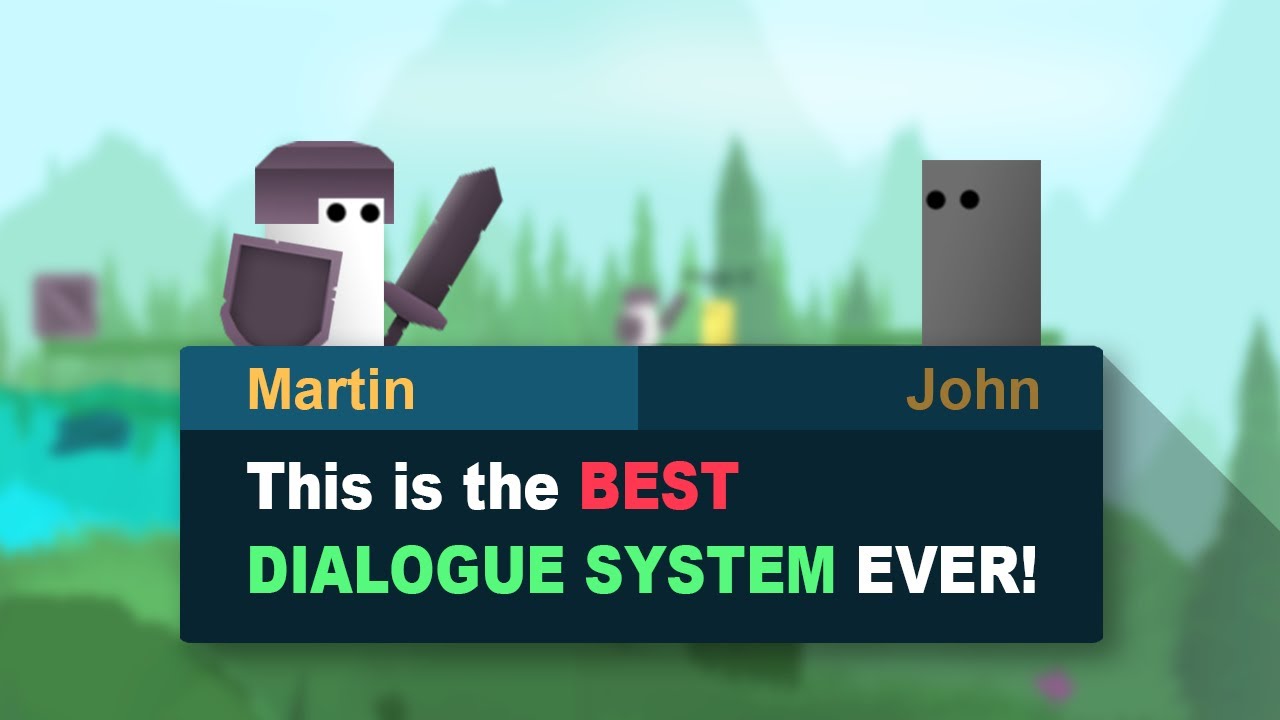
Today we will learn how to create a simple but extendable dialogue system in unity. You can grab the code below!
Get the Asset Pack + 2D Water System + 2D Moving Platforms and MORE FOR FREE HERE:
https://bit.ly/free-game-dev-assets
If you get stuck, you can ask for help on our discord server! Join through this link:
https://discord.gg/gazxdzNU...
using UnityEngine;

public class Dialogue : MonoBehaviour
{
    public string dialogueText; // Text to display
    public Texture[] portraitTextures; // Array of character portraits
    public GameObject dialogueBoxPrefab; // Reference to the dialogue box prefab

    public void ShowDialogue()
    {
        DialogueManager.Instance.DisplayDialogue(dialogueText, portraitTextures);
    }
}
it is against server rules to not disclose when something is AI generated.
also i don't help with AI generated code so good luck
timber tide
Regardless AI or not, if something isn't working then you should have that code fitted with debug.logs
 rich adder
 hidden fossil
im getting this warning thing does anyone know what it means?
hidden fossil
im getting this warning thing does anyone know what it means?
seems you destroy something, then try to do other stuff on it after it was destroyed
hidden fossil
oh yea also i got this bug again where if i play from the level, it shows me the livesUI and Enemy wave spawner there but if i play it from the main menu the livesUI and enemy wave spawner just disappear
rich adder
probably bad code or errors, or both
hidden fossil
like let me just film it down rq
oh wait what the
its now fixed?
oh wait no its not fixed yet
polar acorn
hidden fossil
oh yea also i got this bug again where if i play from the level, it shows me the...
If anything in your scene is marked as a DDOL and references anything that is not, it won't work. You should have the ephemeral objects reference the DDOLs, not the other way around
hidden fossil
oh wait i foudn a way to fix it
since for some reason my level 2 scene isnt loading the pause game and liveui component but level 1 and 3 are loading it so should i just delete level 2 and duplicate level 1 or 3?
polar acorn
It should either be a persistent DDOL Singleton that properly deals with extraneous copies of itself, or it should be wholly specific to the scene it's used in.
In both cases there should be an instance of this thing in every scene that could use it
hidden fossil
ok so i duplicated level 3 and changed its name to level 2 and its still hapenning?
polar acorn
Is it a DDOL Singleton that properly deals with extraneous copies of itself?
hidden fossil
no
oh wait i fixed it
i found out the problem
the build profile was using the same scene as level 2 so whenever i duplicated a level and set it to level 2 it would use the same DDOL singleton so i had to delete that level 2 scene in the build profile and make a new one
 errant shore
Hello guys, when I disable this Button.. How Can I activate it again when the game gets game over?

 slender nymph
set it active from a different object, or use an event that it subscribes to. Update does not run on disabled objects
slender nymph
that only enables the component, is that what you've disabled?
or did you perhaps set the entire gameobject to inactive
slender nymph
look at the documentation for GameObject to find out what method might be useful here
slender nymph
 sly canopy
whats the best way to learn (Dont say practice I already know lol)
rich adder
sly canopy
whats the best way to learn (Dont say practice I already know lol)
check pins
polar acorn
sly canopy
whats the best way to learn (Dont say practice I already know lol)
!learn
eternal falconBOT
:teacher: Unity Learn ↗
Over 750 hours of free live and on-demand learning content for all levels of experience!
 fiery notch
im using ai navigation to make the enemy follow the player once they enter their sight range. However, once the enemy reaches the player, it no longer chases him and completely stands still and never moves again. How can I make the enemy continuously chase the player, even if they reach them?


 wintry quarry
fiery notch
im using ai navigation to make the enemy follow the player once they enter their...
wintry quarry
fiery notch
im using ai navigation to make the enemy follow the player once they enter their...
why do you have the same conditions for Wandering and ChasePlayer?
fiery notch
wintry quarry
why do you have the same conditions for Wandering and ChasePlayer?
mistake on my end, i just fixed it
but that doesnt solve the initial issue
wintry quarry
fiery notch
but that doesnt solve the initial issue
you'd have to share your full script. And don't do so as screenshots
!code
eternal falconBOT
Posting code
📃 Large Code Blocks
Use links to services like:
https://paste.mod.gg/, https://hastebin.skyra.pw/, https://paste.ofcode.org/, https://paste.myst.rs/, https://scriptbin.xyz/
📃 Inline Code
Surround code with three backquotes. Not quotation marks.
To format as C#, add cs to the first line:
```cs
// Your code here
```
Add a comment with a line number if there is an error message.
fiery notch
wintry quarry
you'd have to share your full script. And don't do so as screenshots
oh no i got it thank you, it had to do with his sight range
thanks for the help
 earnest wind
Vector3 currentMousePosition = Input.mousePosition;
            Vector3 dragDirection = Vector3.zero;

            if (dragAxis == "X") dragDirection = Vector3.right;
            if (dragAxis == "Y") dragDirection = Vector3.up;
            if (dragAxis == "Z") dragDirection = transform.forward;

            Vector3 mouseDelta = currentMousePosition - dragStartPosition;
            Vector3 projectedDelta = Vector3.Project(mouseDelta, dragDirection);
``` anyone has any idea why the Z one is not that smooth? its kinda not pointing at the z..
(i made a drawline to show)

btw dragStartPosition is this when i start dragging
```cs
dragStartPosition = Input.mousePosition;
 teal viper
Does the error cause any actual issues? What is the context of the error? What socket is it talking about? Is there a callstack?
This channel is definitely not the right place to ask then.
Networking is not a beginner topic, and there's #archived-networking channel specifically for that.
 clever urchin
ah ok.. i'll delete these and repost there
spiral glen
can i get help with c++ pretty please 🥺
 ancient stirrup
sly canopy
whats the best way to learn (Dont say practice I already know lol)
ancient stirrup
sly canopy
whats the best way to learn (Dont say practice I already know lol)
do not be afraid of making something that turns out horribly
polar acorn
spiral glen
can i get help with c++ pretty please 🥺
Is it Unity related
spiral glen
polar acorn
Is it Unity related
if you pray enough
polar acorn
Then I guess it's off topic
eternal needle
earnest wind
```cs
Vector3 currentMousePosition = Input.mousePosition;
Vector3 dr...
what do you mean "why the Z one is not that smooth"? its really hard to tell what you're referring to from the given info
also not sure if its intended, but two of your vectors are using Vector3, while Z uses transform.forward.
https://docs.unity3d.com/6000.0/Documentation/ScriptReference/Transform-forward.html
representing the blue axis of the transform in world space
earnest wind
eternal needle
what do you mean "why the Z one is not that smooth"? its really hard to tell wha...
yeah because if it would be vector3.forward it wont work
let me make a video and show
@eternal needle here
you can see when i select it draws the direction, it should work but it just doesnt
eternal needle
earnest wind
you can see when i select it draws the direction, it should work but it just doe...
the code youve shown has nothing about moving objects, so its still not really possible to say much
earnest wind
eternal needle
the code youve shown has nothing about moving objects, so its still not really p...
yeah i just shown the part that calculates the direction
if you want i can show the whole function but there is a lot of variables in it
its just basic stuff like this

when started selecting
eternal needle
did you debug what the projectedDelta and other values are?
earnest wind
when dragging and when done dragging

 earnest wind
eternal needle
did you debug what the `projectedDelta` and other values are?
earnest wind
eternal needle
did you debug what the `projectedDelta` and other values are?
let me check
eternal needle
also !code
eternal falconBOT
Posting code
📃 Large Code Blocks
Use links to services like:
https://paste.mod.gg/, https://hastebin.skyra.pw/, https://paste.ofcode.org/, https://paste.myst.rs/, https://scriptbin.xyz/
📃 Inline Code
Surround code with three backquotes. Not quotation marks.
To format as C#, add cs to the first line:
```cs
// Your code here
```
Add a comment with a line number if there is an error message.
eternal needle
im pretty sure your projection here doesnt make sense, if the transform forward is (0,0,1) and you're comparing it by mouse position which wouldnt have a Z value
Like (X, Y, 0) and (0, 0, Z) should always be 0
earnest wind
eternal needle
Like (X, Y, 0) and (0, 0, Z) should always be 0
yeah thats what i was saying, so how should i do it?
eternal needle
is there a reason you're projecting the vector in the first place? couldnt you just take the magntiude of how far you moved the mouse and multiply that by the vector
earnest wind
eternal needle
is there a reason you're projecting the vector in the first place? couldnt you j...
wait i can do that 😭
yeah but what about moving it on -x tho? magnitude < 0???
eternal needle
well I guess magnitude alone would also have an issue if you want negative values, moving it backwards. But that part can be solved manually
It was also the first thing i thought of, not sure what people do for this otherwise
earnest wind
yeah i dont think it would work that well
i mean this works but not in all cases, when camera is rotated the other way its different
also here is debug
when changing x

when changing y


and when changing z
eternal needle
earnest wind
i mean this works but not in all cases, when camera is rotated the other way its...
it'd probably make more sense if you got the world space location. Did you look up any tutorial for doing this? Just quickly skimming through and a few of them seem to use world space
eternal needle
earnest wind
and when changing z
and yes because of what i said above about the vector projection
earnest wind
eternal needle
it'd probably make more sense if you got the world space location. Did you look ...
thats what i was previously using but it was off by a lot, it wasnt on the same plane as the x,y or z
im gonna try a different method and see if it works tho
wait i can show you how it was yesterday
eternal needle
you should probably follow tutorials instead of randomly trying methods if you aren't familiar with vector math. Getting the world space will probably be the best especially with your problem above of when the camera is rotated
earnest wind
eternal needle
you should probably follow tutorials instead of randomly trying methods if you a...
i dont follow tutorials 😎 ok i will but let me just try 1 method xD
yeah okay it doesnt work, i will go and learn
also thanks
eternal needle
🤷♂️ im not forcing you to not try it, but you'll probably see the usual advice will be go learn to debug for stuff like this anyways
the first thing you shouldve seen is that the vector is 0. Asking why the vector is 0 is a lot better if you havent yet learned how to calculate vector projection by hand
earnest wind
yeah im kinda new to this vector calculation stuff, not used to this
eternal needle
i usually have a lots of Debug.DrawRay around to visualize if things are complicated
its not really easy imo visualizing vector projection either, not that you need it here anyways
 acoustic belfry
Hi, i did in my 2D game an item that when touched causes the player to get points for helath, but idk why doesnt work
what i did wrong?
public class lifepoints : MonoBehaviour
{
    [SerializeField] private float lifepoint = 10;
    [SerializeField] private ValeriaController valeria;

    private void OnTriggerEnter2D(Collider2D other)
    {
        if (other.CompareTag("Player"))
        {
            valeria.TakeHealth(lifepoint);
            Destroy(gameObject);
        }

    }
}```Start debugging your code with Debug.Log
acoustic belfry
wintry quarry
Start debugging your code with Debug.Log
yep, doesnt show up
acoustic belfry
wintry quarry
what doesn't
inside the other compare tag
wintry quarry
acoustic belfry
inside the other compare tag
put it outside
and print the tag too
obviously we're not getting INSIDE the if
acoustic belfry
ok
wintry quarry
or the object would be geting destroyed
    private void OnTriggerEnter2D(Collider2D other)
    {
        Debug.Log($"Entered a trigger {other.name} with tag {other.tag}");
        if (other.CompareTag("Player"))
        {
            valeria.TakeHealth(lifepoint);
            Destroy(gameObject);
        }
}```neither works
wintry quarry
acoustic belfry
neither works
then you haven't set up the conditions in the scene correctly for OnTriggerEnter2D to run
acoustic belfry
oh
wintry quarry
Show the inspectors of the two objects you are expecting to interact
acoustic belfry


 wintry quarry
acoustic belfry
wintry quarry
acoustic belfry
neither of these colliders is a trigger
acoustic belfry
wintry quarry
neither of these colliders is a trigger
huh
wintry quarry
acoustic belfry
huh
OnTriggerEnter2D requires that at least one of the colliders is a trigger
otherwise it's just a regular collision
acoustic belfry
wintry quarry
OnTriggerEnter2D requires that at least one of the colliders is a trigger
you mean the IsATrigger check?
for a weird reason when i enable it on the item...it dissapears
wintry quarry
acoustic belfry
you mean the IsATrigger check?
for a weird reason when i enable it on the item.....
The "Is Trigger" checkbox on the collider, yes.
wdym by "it disappears"?
Maybe you mean it's falling through the floor or something? Because that makes sense
if it has a Rigidbody and no physical collider and gravity is enabled on it, it will fall through the floor
acoustic belfry
wintry quarry
Maybe you mean it's falling through the floor or something? Because that makes s...
ooh, that makes sense, idk is too far from the initial camera, when i get there its just gone
wintry quarry
acoustic belfry
ooh, that makes sense, idk is too far from the initial camera, when i get there ...
it's not "just gone"
don't forget you have the scene view
and the hierarchy
you can look at the state of any object in the scene at any time
acoustic belfry
yep, it falls to it demis
wintry quarry
mystery solved
acoustic belfry
wintry quarry
mystery solved
but how do i fix that?
or i better use overlapping?
wintry quarry
acoustic belfry
but how do i fix that?
It depends what kind of behavior you want
is there a good reason this object actually even needs a Rigidbody?
Does it need to physically interact with the world in any way other than being triggered by the player touching it?
acoustic belfry
wintry quarry
is there a good reason this object actually even needs a Rigidbody?
gravity, it acts like blood
the idea is that when i kill an enemy this one explodes in shards and in this item, wich falls to the ground, and the player can touch it for get more health. Is for make an fast acting gameplay needing to kill enemies for heal like in UltraKill
wintry quarry
acoustic belfry
gravity, it acts like blood
the idea is that when i kill an enemy this one expl...
So if you want it to physically interact with the world but not the player you need two different colliders
one for interacting with the world and one for being a trigger for the player
acoustic belfry
oooh, ok, thanks
acoustic belfry
wintry quarry
one for interacting with the world and one for being a trigger for the player
i dont know what went wrong, but still doesnt detects it, why?
wintry quarry
acoustic belfry
i dont know what went wrong, but still doesnt detects it, why?
you'd have to show what you did
acoustic belfry
i added a second boxcollider, this one with IsTrigger in on
 acoustic belfry
wintry quarry
you'd have to show what you did
acoustic belfry
wintry quarry
you'd have to show what you did
so what i did wrong?
wintry quarry
acoustic belfry
i added a second boxcollider, this one with IsTrigger in on
well the two colliders would need to be on separate child objects first of all
with different layers
and oyu'd use layer based collisions to set up the interactions
 rugged beacon
may i ask when you guys learning the save load system, which guides used to follow ?
acoustic belfry
wintry quarry
well the two colliders would need to be on separate child objects first of all
ooh, got it
rugged beacon
i think you can use this to avoid using another gameobject
 hidden fossil
does anyone know why its doing this when a wave starts?

its like this before the game starts
 slender nymph
You're using ToString on a list instead of it's count or some other numerical object
hidden fossil
would this be the wrong way to use a text function? [SerializeField] private TMP_Text WaveTxt;
slender nymph
hidden fossil
would this be the wrong way to use a text function? [SerializeField] private...
That part is not the issue, it's where you set the text that is
slender nymph
 solemn crypt
Working on main menu script any help with it ?
solemn crypt
Working on main menu script any help with it ?
👇 !ask
eternal falconBOT
:thinking: Asking Questions
:mag: Search the internet for your question!
:book: Use the API Scripting Reference and User Manual and this troubleshooting site for commonly posted issues.
:wrench: Attempt to debug your issue.
:thought_balloon: Find an appropriate channel by reading the name and description in #🔎┃find-a-channel
:grey_question: And don't ask to ask, ask a full question illustrating with screenshots if needed.
-# For more posting guidelines, go to #854851968446365696
hidden fossil
so this is wrong? WaveTxt.text = waves.ToString();
keen owl
hidden fossil
so this is wrong? WaveTxt.text = waves.ToString();
why don't you just concatenate the waves inside quotes?
slender nymph
hidden fossil
so this is wrong? WaveTxt.text = waves.ToString();
Yes, like I said you're calling ToString on the list object instead of on something that is a number (which is what I assume you want)
hidden fossil
ah fixed it
acoustic belfry
what's the difference between using OnTrigger and Physics2D.OverlapBox in efficency?
slender nymph
profile them and find out
 cosmic dagger
acoustic belfry
what's the difference between using OnTrigger and Physics2D.OverlapBox in effice...
cosmic dagger
acoustic belfry
what's the difference between using OnTrigger and Physics2D.OverlapBox in effice...
You'd have to test out both options and check the difference in performance. There's no way to tell unless someone has specifically done it themselves . . .
acoustic belfry
cosmic dagger
You'd have to test out both options and check the difference in performance. The...
i mean cuz i could more easily make my items using the overlap box, but all the people i see use the OnTriggerCollision
teal viper
acoustic belfry
i mean cuz i could more easily make my items using the overlap box, but all the ...
It depends on your setup and use case.
If they have colliders anyway, then using physics queries would just add extra processing time.
acoustic belfry
teal viper
It depends on your setup and use case.
If they have colliders anyway, then using...
i mean cuz they also have rigid bodies and using the OnTrigger causes some inconveniences
teal viper
Can't say anything as I don't know the whole context and/or what these inconveniences are.
acoustic belfry
well, the thing is, i want my enemy to explode in shards and items, and those items obviously for work need gravity wich is the rigidbody, but the issue is that when the collider is set to IsTrigger...it falls across the floor...i tried to use a child with another collision but it doesnt work as intended
teal viper
acoustic belfry
well, the thing is, i want my enemy to explode in shards and items, and those it...
Why not use colliders and on collision enter then?
teal viper
You want them to collider with stuff, no?
acoustic belfry
teal viper
You want them to collider with stuff, no?
yep
teal viper
Why a trigger then?
teal viper
Same as on trigger enter. It's called when the object is colliding.
acoustic belfry
oooh, makes sense, thanks :3
cosmic dagger
acoustic belfry
i mean cuz i could more easily make my items using the overlap box, but all the ...
You can use whatever works for you. Most people will use trigger or collision methods because those are the first ones we all learn and they are simple, though, they may not work as well depending on your use case, like the speed of objects, multiple collisions at once, etc . . .
acoustic belfry
cosmic dagger
You can use whatever works for you. Most people will use trigger or collision me...
ooh, well, thanks, i will have that in mind :3
so they use it cuz is like the basic thing to do, but not always the perfect one
frigid sequoia
Can I not get how many scenes I currently listed on the build with the SceneManager?
Is that SceneCount?
Cause that kinda reads that is returning the number of scenes loaded??
That description makes me think it's gonna count stuff like if I have the same scene loaded twice.... https://docs.unity3d.com/6000.0/Documentation/ScriptReference/SceneManagement.SceneManager-sceneCount.html
 sour fulcrum
 frigid sequoia
So... loadedSceneCount returns only the number of currently loaded scenes. sceneCount counts all the scene that are loaded, loading or being removed, and sceneCountInBuildSettings returns just the length of the list on the build settings right?
sour fulcrum
i believe this is true yeah
frigid sequoia
Ok, cool, thxs
acoustic belfry
how laggy are overlapping?
slender nymph
acoustic belfry
how laggy are overlapping?
"laggy" is not a descriptive term to describe much. If you want to know the performance impact of things you implement then use the profiler.
acoustic belfry
slender nymph
"laggy" is not a descriptive term to describe much. If you want to know the perf...
ok
well thanks
 modern solar
hey guys super dumb question i think im missing a unity package that will allow me to use Awaitable namespaces but i cant find this damn thing
CS0246 The type or namespace name 'Awaitable<>' could not be found (are you missing a using directive or an assembly reference?)
anyone have any ideas, ive tried defining it myself which then causes a slew of other issues
 sharp bloom
How do I register whenever a raycast stops hitting a collider?
Doesn't OnCollisionExit() work?
Collider is non-trigger mesh collider
keen dew
The question doesn't quite make sense, raycasting is a single event
If you have something like raycasting every frame and you want to know the first frame when the raycast doesn't hit anything anymore you'll have to use a separate variable to track that
 eager spindle
sharp bloom
How do I register whenever a raycast stops hitting a collider?
eager spindle
sharp bloom
How do I register whenever a raycast stops hitting a collider?
whats the approach here, are you raycasting every frame until the raycast no longer hits anything?
eager spindle
modern solar
hey guys super dumb question i think im missing a unity package that will allow ...
I tried this in my own instance and it works, the only namespace I'm using is UnityEngine

I'm not sure if the name Awaitable conflicts with anything else. Try using UnityEngine.Awaitable instead?
north kiln
where's the error?
sharp bloom
keen dew
If you have something like raycasting every frame and you want to know the first...
I select certain objects by raycasting every frame

 eager spindle
Awaitable doesn't exist in the current context
Could you try to right click it and see the fixes associated with this?
maybe one of the namespaces you're using conflicts with this
north kiln
well, Awaitable<bool>.MainThreadAsync isn't a thing for one
sharp bloom
sharp bloom
I select certain objects by raycasting every frame
What I want is have a state on the object like isBeingRaycasted
keen dew
You'll have to make that yourself. Each raycast is a separate thing, they don't have any knowledge of previous raycasts
sour fulcrum
(and the things your hitting don't know anything about the raycast)
north kiln
modern solar
is this in a completely different project or something?
Like, a different version than you're testing in where it does work
modern solar
eager spindle
> Awaitable doesn't exist in the current context
Could you try to right click it...
no its libretro im trying to import it and this one reference is not working. @eager spindle there was a fix to creat a reference in another file and it just now sent out a new slew o errors
modern solar
north kiln
Like, a different version than you're testing in where it does work
so far it just doesnt work?
north kiln
Are there errors in Unity?
 sharp bloom
keen dew
You'll have to make that yourself. Each raycast is a separate thing, they don't ...
sharp bloom
keen dew
You'll have to make that yourself. Each raycast is a separate thing, they don't ...
I know, but how should that be done? Yes I can make something like
if (hit) { object.isBeingHit = true } but that's in the update function and the object is changing constantly
I need to somehow cache it I think
 sour fulcrum
you cannot cache it, because as you said it's changing constantly
north kiln
modern solar
yes just this one
Well, as the Awaitable being missing error isn't there, I'd say it's an artefact of the IDE and not a real error
what's the actual error that does exist point to?
 keen dew
sharp bloom
I know, but how should that be done? Yes I can make something like
```if (hit) {...
keen dew
sharp bloom
I know, but how should that be done? Yes I can make something like
```if (hit) {...
You'll have to explain what the end goal is to get suggestions because that by itself would be enough for what you're asking for now
 inner path
modern solar
inner path
modern solar
what's your editor version?
modern solar
2022.3.49
sour fulcrum
sharp bloom
I know, but how should that be done? Yes I can make something like
```if (hit) {...
but in general, yes in a lot of circumstances raycasting in update loops like that is a totally valid way to do stuff
inner path
modern solar
2022.3.49
 north kiln
modern solar
2022.3.49
north kiln
modern solar
2022.3.49
Awaitable support is 2023.1+ (i.e. Unity 6), support before then is spotty,
sour fulcrum
raycasts are fairly cheap and built to be thrown out constantly
modern solar
ffff
im wanting to bring it into vrc and i know if i do it in a newer version thats not compatible
sharp bloom
sour fulcrum
but in general, yes in a lot of circumstances raycasting in update loops like th...
The thing is I need to also clear the isBeingHit flag somehow
modern solar
so is it just cooked then
sour fulcrum
sharp bloom
The thing is I need to also clear the isBeingHit flag somehow
clear?
oh
sharp bloom
Like set it to false I mean
north kiln
modern solar
so is it just cooked then
well, I'm surprised it even exists in that version. Though it might just be Awaitable<T> that doesn't
modern solar
i think its just awaitable
im thinking im going to have to rewrite all the code and replace it with Task
inner path
modern solar
im thinking im going to have to rewrite all the code and replace it with Task
coroutine cannot fix the problem?
modern solar
whats that .-.
someone mentioned that yesterday when i was chatting about it
no clue what it is tho
i shall look into it
inner path
before awaitable cum up, coroutine is a common solution when you need to wait something do as an async function
keen dew
sharp bloom
Like set it to false I mean
You can put isBeingHit = false to LateUpdate
sour fulcrum
this is correct but wherever your doing the raycast you can just use that result directly
sharp bloom
I think they start "fighting" rapidly back and forth
sour fulcrum
(was waiting on the code to show example)
sharp bloom
Or that was with update actually, I never tried lateupdate
sour fulcrum
eg. isBeingHit = Physics.Raycast(etc.)
modern solar
inner path
before awaitable cum up, coroutine is a common solution when you need to wait so...
excuse me while i re write everything and die XD
thank you guys!
sharp bloom
public GameObject CheckTileHitting()
{
    RaycastHit hit;

    Physics.Raycast(new Vector3(projectedPos.x, projectedPos.y+1, projectedPos.z), new Vector3(0, projectedPos.y-1, 0).normalized, out hit); //fire ray directly above tilemap

    if (hit.collider != null && hit.collider.CompareTag("Tile")) //check if ray hits a tile
    {
        return hit.collider.gameObject;
    }
    else
    {
        return selectedTile;
    }
}
and
    void Update()
    {
        mousePos = Mouse.current.position.ReadValue(); //read mouse position
        worldPos = cam.ScreenToWorldPoint(new Vector3(mousePos.x, mousePos.y, 7.88f)); //convert mouse position into world position
        projectedPos = Vector3.ProjectOnPlane(worldPos, new Vector3(0, 1, 0)); //account for camera rotation

        if (tm.toolBeingUsed)
        {
            selectedTile = CheckTileHitting();
        }

        if (selectedTile != null)
        {
            tm.selectedTile = selectedTile.GetComponent<gameTile>(); //send selected tile to tilemanager instnace
            selectedTile.GetComponent<gameTile>().StartHover();
        }

    }
Basically I need "StopHover()" somewhere
north kiln
Physics.Raycast returns a boolean, you should be using it instead of checking whether the hit's collider is null
acoustic belfry
wintry quarry
well the two colliders would need to be on separate child objects first of all
but i mean, if the script is in the IsTrigger on Children, how it will delete all the object and not just itself?
keen dew
var newSelectedTile = CheckTileHitting();
if(selectedTile != null && newSelectedTile != selectedTile) {
    // call StopHover here
}
selectedTile = newSelectedTile;
 willow shoal
using System.Collections;
using System.Collections.Generic;
using UnityEngine;
using UnityEngine.UI;
using UnityEngine.SceneManagement;

public class asphere1 : MonoBehaviour
{
    public float PlayerSpeed = 5;
    public float gravity = -9.81f;
    public float jumpHeight = 0.25f;

    public Transform groundCheck;
    public float groundDistance = 0.4f;
    public LayerMask groundMask;

    Vector3 velocity;
    void Update()
    {
        float amtToMove = Input.GetAxis("Horizontal") * PlayerSpeed * Time.deltaTime;
        transform.Translate(Vector3.right * amtToMove);
        float move = Input.GetAxis("Vertical") * PlayerSpeed * Time.deltaTime;
        transform.Translate(Vector3.forward * move);

        velocity.y += gravity * Time.deltaTime;

        isGrounded = Physics.CheckSphere(groundCheck.position, groundDistance, groundMask);

        if (!isGrounded)
            if (isGrounded && velocity.y < 0)
            {
                velocity.y = -2f;
            }
}
In my old script with character controler i used this
Vector3 move = transform.right * x + transform.forward * z;

controller.Move(move * speed * Time.deltaTime);

velocity.y += gravity * Time.deltaTime;

controller.Move(velocity * Time.deltaTime);
i trying make a script wtih no character controler or rigidbody
and im stuck here
: /
my player cant jump or and have no gravity
sour fulcrum
sharp bloom
```
public GameObject CheckTileHitting()
{
RaycastHit hit;
Physics....
ideally you would want something like this (very rough)
public bool CheckTileHitting(out GameObject tileObject)
{
    GameObject returnObject = null;

    if (Physics.Raycast(new Vector3(projectedPos.x, projectedPos.y+1, projectedPos.z), new Vector3(0, projectedPos.y-1, 0).normalized, out RaycastHit hit) && hit.collider.CompareTag("Tile")) //check if ray hits a tile
    returnObject = hit.gameObject;

    return (returnObject != null)
}
public GameObject selectedTile;

public void RefreshTileSelection()
{
    if (CheckTileHitting(out GameObject selection) && selection != selectedTile)
        selectedTile = selection;
        OnSelectionChange();
}
Well I don’t think you can get gravity without a rigidbody without very complex coding. Why don’t you want rigidbody on your character may I ask?
keen owl
What do you mean reflection?
willow shoal
when he jumps on the block next to him he bounces off it
keen owl
Did that object or your character have a physics material with a bounce value greater than 0 at all?
sharp bloom
keen dew
```cs
var newSelectedTile = CheckTileHitting();
if(selectedTile != null && newSe...
Ye this works for me thanks
eternal needle
keen owl
Well I don’t think you can get gravity without a rigidbody without very complex ...
Its not very complex code, it's literally the same code as moving an object horizontally
eternal needle
willow shoal
when he jumps on the block next to him he bounces off it
If you want an object which doesnt use physics, like doesnt bounce or push other objects, its probably better to make your own character controller. Youd basically do gravity the same way you showed when you used unitys CC
keen owl
eternal needle
Its not very complex code, it's literally the same code as moving an object hori...
Wouldn’t you have to calculate a collider below you and fall towards it exponentially (while calculating all other physics factors such as mass and terminal velocity)? Or am I overthinking it
eternal needle
keen owl
Wouldn’t you have to calculate a collider below you and fall towards it exponent...
This doesnt really make sense at all "calculate a collider below you and fall towards it".
You can use physics cast to see if anything is in the way, but that's not specific to gravity. You wouldnt want to move through objects horizontally either
You pretty much just add -9.8 * time.deltaTime or fixed delta time to a float and that's your current vertical speed.
keen owl
eternal needle
This doesnt really make sense at all "calculate a collider below you and fall to...
Ah yes casting, didn’t think of that. Still seems harder than using a standard rigidbody which is why I questioned it earlier
eternal needle
A rigidbody at first will be easier to setup, but if you need specific setups where you fight the physics system, it becomes more of a pain then just learning how to use a capsule cast
keen owl
eternal needle
A rigidbody at first will be easier to setup, but if you need specific setups wh...
I spent a while trying to create somewhat realistic physics simulations for gravity and mass with scripting and it definitely wasn’t fun at all to say the least lol.
eternal needle
keen owl
I spent a while trying to create somewhat realistic physics simulations for grav...
Well unitys physics system isnt realistic to our world in the first place. Mass doesnt affect the gravity, theres no air resistance (or other stuff u mentioned like terminal velocity) coded in
I mean truthfully if you were just coding gravity I dont consider that complex, but other stuff like terminal velocity or air resistance I could see being very tricky. Youd have to have a good understanding of physics already, plus it likely wouldnt be cheap to calculate any of that
keen owl
I don’t see why air resistance would be useful unless your game has parachutes which could be simulated with lowering gravity a little or counteracting the force but that seems more expensive than it needs to be to be honest
eternal needle
keen owl
I don’t see why air resistance would be useful unless your game has parachutes w...
Well thatd fall under "realistic physics simulations for gravity"
 supple wasp
Hi people, how are you? Can you help me with this code? I made this code to make an animation application using buttons for frames, but the problem is that when I put a recorded frame, it is put in all the ones there are instead of 1 by 1.
!code
eternal falconBOT
Posting code
📃 Large Code Blocks
Use links to services like:
https://paste.mod.gg/, https://hastebin.skyra.pw/, https://paste.ofcode.org/, https://paste.myst.rs/, https://scriptbin.xyz/
📃 Inline Code
Surround code with three backquotes. Not quotation marks.
To format as C#, add cs to the first line:
```cs
// Your code here
```
Add a comment with a line number if there is an error message.
supple wasp
Use Scriptbin to share your code with others quickly and easily.
 astral falcon
supple wasp
Hi people, how are you? Can you help me with this code? I made this code to make...
astral falcon
supple wasp
Hi people, how are you? Can you help me with this code? I made this code to make...
Can you try to rephrase what you mean? What is all the ones and what is a recorded frame? I get you have a keyframe dictionary and trying to add keyframes with the transform overrides. But where are you having issues?
supple wasp
When I put a frame already recorded of the object that was manipulated, that position remains in all the frames that are there.
instead of being different
astral falcon
where do you "put a frame already recorded" in code?
 subtle osprey
Guys I'm starting to get coding
It's taken 3 years but now if someone asks me how to code something I can tell them
My third eye has awakened
I am unstoppable
astral falcon
and whats your question?
subtle osprey
I'm him
 burnt vapor
subtle osprey
I'm him
burnt vapor
subtle osprey
I'm him
This server, and especially this channel, is purely for questions. Please try sticking to it.
Good job though!
 broken dagger
What is null in unity and how do we use it, and is there any documentation about it?
wintry quarry
broken dagger
What is null in unity and how do we use it, and is there any documentation about...
null is not a Unity concept. It's a C# concept (and also many, many other programming languages) and it's the value of a reference variable that isn't referring to any actual object.
You can imagine your reference variables are like pieces of paper with the address of a house written on them. If the variable is null, it means there is nothing written on the paper.
broken dagger
wintry quarry
You can imagine your reference variables are like pieces of paper with the addre...
Oh ok, ty, now I understand what null is, it’s the abstance of any value of a reference type. Thanks
burnt vapor
broken dagger
What is null in unity and how do we use it, and is there any documentation about...
null exists in Unity. If you want to visualize this you can enable nullabillity by placing your code in between #nullable enable and #nullable disable blocks. Unity will then explicitly specify indicate what values can be null in the code, though note that this could be a false-positive and you could choose to ignore it.
Once CoreCLR comes around the support is probably/definitely improved by introducing attributes and configuration around this.
grand snow
🤔 someone asking what null is wont understand what the core clr is
burnt vapor
Good thing they do know how to ask questions so if it confuses them they can always ask for more context
Which, by the way, is also the reason why I don't go into detail. It's entirely separate from the actual answer and not really important
 raw fiber
guys what is the problem i got my phone plugged in and everything worked last time
 grand snow
raw fiber
guys what is the problem i got my phone plugged in and everything worked last ti...
grand snow
raw fiber
guys what is the problem i got my phone plugged in and everything worked last ti...
If you run adb devices does it show up?
If not make sure usb debugging is enabled then re plug it in and confirm if it asks for permission
raw fiber
what is abd devices
grand snow
A command to run in cmd or powershell. It shows the connected android devices adb can find
raw fiber
ah ok thank you
grand snow
Adb is used to install the app (android debug bridge)
raw fiber
how to enter it in cmd it only gives me a massage that its not found
grand snow
You will have to find the adb provided with your unity install. Otherwise it can be installed via android studio
raw fiber
i just want to download the apk file of my game
grand snow
Then unplug your phone, make sure usb debugging is on and plug in again and accept a msg on your phone
It may ask if you should allow a pc to connect blah blah
raw fiber
where to enable usb debugging
grand snow

Android Developers
Learn how to configure system behaviors that help you profile and debug your app performance.
Follow this to make the hidden menu show
 rocky canyon
grand snow
Then unplug your phone, make sure usb debugging is on and plug in again and acce...
rocky canyon
grand snow
Then unplug your phone, make sure usb debugging is on and plug in again and acce...
or go into settings and manually turn on usb debugging
raw fiber
what setting unity or my phone
rocky canyon
tap, tap, tap, tap, tap, tap. "You are now a developer"
grand snow
rocky canyon
or go into settings and manually turn on usb debugging
Yea we got to that part 🙃
raw fiber
i already downloaded my apk once but everything was the same then now
grand snow
raw fiber
what setting unity or my phone
Your phone. Check the android dev page above
raw fiber
i just want to download thhe file
nothing on my phone or something
only a fcking file
grand snow
raw fiber
nothing on my phone or something
Okay easy mode is plug in phone, copy onto phone storage, install on phone.
raw fiber
last time i got the file on my pc and i want the same thing to happen again
grand snow
Most phones show up in explorer so you can copy files onto it
Unity made an apk when you built it
Go check where you told it to save to
raw fiber
wwhere to see?
grand snow
When you press build it should ask you to pick... Go check yourself
grand snow
👍
acoustic belfry
Hi, i tried to make an item that needs to collide with tileset but also be obtained by the player, i added an OnCollisionEnter for when the player touches it, but if the player life's >= 100 it should not get used, the problem is that due being a rigidbody, it bumps with the player, and if i exclude it layer from the item's rigidbody, it obviously doesn't trigger.
So how i can make for that when the Player touches it when health is full it just surpass it and doesnt bump it?
astral falcon
acoustic belfry
Hi, i tried to make an item that needs to collide with tileset but also be obtai...
Just like you wrote it. Check for the player health and if its full, do not execute the rest of your stuff
You might have to separate the visual object from your collider to be able to check before visually updating it
 delicate portal
How to subscribe to EventHandlers using lambdaM
acoustic belfry
astral falcon
Just like you wrote it. Check for the player health and if its full, do not exec...
no but i mean, i know how to check it life, the issue is that if i dont execute nothing they will just hit each other
grand snow
acoustic belfry
no but i mean, i know how to check it life, the issue is that if i dont execute ...
On collision enter, get player component from hit object. Check health. Either do thing or do not.
Oh wait you want the collision itself to not happen? Or just skip some logic?
You may have to disable the colliders or change layers to avoid collision
acoustic belfry
grand snow
Oh wait you want the collision itself to not happen? Or just skip some logic?
Yo...
Yes, i want the collision to dont happen. I know how to check if it health is not 100, thats how i discovered this issue
grand snow
You can also add specific exceptions for colliders: https://docs.unity3d.com/6000.0/Documentation/ScriptReference/Physics.IgnoreCollision.html
But if you have many objects then I would avoid doing this
eternal needle
delicate portal
How to subscribe to EventHandlers using lambdaM
Did you look at the docs? It's the same for subscribing to any delegate, you just need to know what the parameters are
delicate portal
eternal needle
Did you look at the docs? It's the same for subscribing to any delegate, you jus...
No parameters, yes I did
acoustic belfry
grand snow
Oh wait you want the collision itself to not happen? Or just skip some logic?
Yo...
Ok, but how, if the way to activate the logic is that they collide
:<
my idea was to do this for make an Item that has gravity and can get accesed
eternal needle
delicate portal
No parameters, yes I did
There are no parameters? Sounds weird for anything EventHandler. But in that case it's just
eventName += () => { your code}
https://learn.microsoft.com/en-us/dotnet/csharp/language-reference/operators/lambda-expressions
And wow that's a pain to type on mobile lol
grand snow
acoustic belfry
Ok, but how, if the way to activate the logic is that they collide
:<
my idea wa...
er you arent making sense anymore. You cant have a collision and also not? Are you thinking about triggers?
delicate portal
eternal needle
There are no parameters? Sounds weird for anything EventHandler. But in that cas...
Yeah no sorry I mean no custom parameters.
eternal needle
delicate portal
Yeah no sorry I mean no custom parameters.
Im not really sure what you mean by custom parameter. Either way you just need to look at what variable types the delegate (event handler) uses and copy those the input parameters part of the lambda expression
acoustic belfry
grand snow
er you arent making sense anymore. You cant have a collision and also not? Are y...
its a long story, and i know this is not making sense thats why im feeling frustated
i originally wanted to use triggers, but by doing so, it just fell down the ground, so i thought of using CollisionEnter, but i didnt realized they will bump each other when the item is not necessary
grand snow
what fell sorry?
acoustic belfry
the item
grand snow
a trigger/normal collider can be fixed and not fall if you configure the rigidbody correctly
astral falcon
acoustic belfry
no but i mean, i know how to check it life, the issue is that if i dont execute ...
as said, you need to detach it then. You gotta get the collision, check and then do the animation. You can easily just check for playerhealth while your object is kinematic, and if it should interact, turn it non kinematic and add some force or whatever. you can play around with that
polar acorn
acoustic belfry
its a long story, and i know this is not making sense thats why im feeling frust...
Colliders are solid objects. If two colliders will interact at all, they cannot ever occupy the same space (well, at least not for long before one of them gets flung out into space)
Triggers define an area that can detect things that are in them. They don't have any "presence", they merely describe empty space.
For example, you might be "In the living room" but you're not actually touching the living room. That's just the definition of the space inside those walls. The "living room" trigger likely contains a "couch" collider, which you can't ever be intersecting with, you would be colliding with it.
If you want something to have a physical presence that keeps things out, use a Collider. If you want something to be intangible but define a space that can be entered, use a trigger.
grand snow
delicate portal
How to subscribe to EventHandlers using lambdaM
what are you doing that has EventHandlers still 😐
Modern stuff is usually just public event Action foobar;
delicate portal
grand snow
what are you doing that has EventHandlers still 😐
Modern stuff is usually just ...
I'm using Actions my brain was just fryed
acoustic belfry
polar acorn
Colliders are solid objects. If two colliders will interact at all, they cannot ...
what if i want both
i mean, i heard of the idea of using childs wich made a lot of sense, my issue with that system is, who will have the script? the main, or the child?
grand snow
delicate portal
I'm using Actions my brain was just fryed
cool cool
polar acorn
acoustic belfry
what if i want both
i mean, i heard of the idea of using childs wich made a lot...
Then use both
grand snow
acoustic belfry
what if i want both
i mean, i heard of the idea of using childs wich made a lot...
the monobehaviour has to be on the same gameobject to get the event messages. so you may need another comp to "get" it from a child
i wish unity added real events for this shit
polar acorn
Collider that defines the solid part, child object with a trigger that has the detection radius
grand snow
yea thats a sane idea. you could technically have 2 colliders on 1 game object to simplify events...
acoustic belfry
my issue is, the child will get then the script? Ok, but how do i make it delete the whole object and not just itself?
polar acorn
grand snow
the monobehaviour has to be on the same gameobject to get the event messages. so...
It needs to be on the same object that the rigidbody is on to get event messages. Rigidbodies contain all child objects that don't belong to other rigidbodies
grand snow
Ohh yes you are right mb
polar acorn
When a Rigidbody interacts with a collider, what happens is the Rigidbody calls all of the event messages on itself, then it calls it on the object the other collider is on. If both objects have a Rigidbody, they'll both do the first thing and call the functions on themselves, and then when it comes to the "others", the message has already been handled and they won't call again
So, you can put the script on either the trigger child, or the object with the rigidbody, and it should work
As long as the other object has a rigidbody to call the function. If not, then it must be on the parent object with the rigidbody
acoustic belfry
oooh, so if i put the script in the main, it will activate ALL the collisions it has
acoustic belfry
polar acorn
When a Rigidbody interacts with a collider, what happens is the Rigidbody calls ...
or i got lost?
polar acorn
acoustic belfry
oooh, so if i put the script in the main, it will activate ALL the collisions it...
If the script is on an object that also has a Rigidbody, it will call the rigidbody event methods on all collider objects contained by that rigidbody, as well as the other object it hits and only that object. If both objects have a Rigidbody, they will each call the event functions on all collider objects contained by that specific rigidbody
So, basically, Child Collider gets hit. Tells its rigidbody "Hey, I got hit". Rigidbody tells all other scripts on this object "Hey we just got hit", and then it tells the thing that hit them "Hey, you got hit too."
If that object also has a rigidbody, it'll go tell its rigidbody and kick off the same process again
acoustic belfry
Oooh, so in theory if i make a child with a Trigger Collider it will work as the trigger collider of the main object, despite it has another one
Btw whats the difference between doing this and doing Physics2D.OverlapBox?
polar acorn
An OverlapBox wouldn't need any rigidbodies involved to detect the colliders
But, it does still need colliders
If you already have the rigidbody, it's cheaper to use the rigidbody events than overlaps (half the work is gonna be done regardless, might as well use it)
acoustic belfry
i dont need the rigidbodies for detect, i need them for dont phase the floor, or thats what you mean with detect?
polar acorn
Rigidbodies provide an object with the ability to use the physics system.
If you're not doing physics, you don't need them. If you are doing physics, you do need them
acoustic belfry
i need them
polar acorn
So then since the object already has a rigidbody, might as well use rigidbody event functions
acoustic belfry
i mean, all my enemies use overlapboxes for attack, the thing is, i want their rigibodides to only affect the floor, but i want the player to be able to phase thought them, idk i feel it feels better
or this is a bad idea?
acoustic belfry
polar acorn
If the script is on an object that _also_ has a Rigidbody, it will call the rigi...
hey it works, thanks :3
but now i have a existencial crissing trying to figure out if i should keep the overlap boxes of my enemies or replace them with mini-colliders like i did with the item. They both in theory have the same function, but i heard overlap is laggier or idunno
acoustic belfry
o h
dang, i want my game to have a lot of things on it and still have nice performance
well, thanks :3, this helped me a lot
slender nymph
acoustic belfry
hey it works, thanks :3
but now i have a existencial crissing trying to figure ...
i heard overlap is laggier
don't make assumptions. you've been told several times if you have actual performance concerns then use the profiler.
 spiral carbon
so i watched https://youtu.be/Weu305NLMqo?si=npmH7FQhX8sjPWSS and the first script isnt working pls may some one help

In this tutorial series I'll show you how to create an active ragdoll which works in multiplayer from scratch. Download complete Unity project 👇
https://www.patreon.com/posts/code-access-ep1-108262101
📍 Support us on Patreon and help us make more videos like this one ⏩ https://www.patreon.com/prettyflygames
In this episode we'll go t...
acoustic belfry
slender nymph
> i heard overlap is laggier
don't make assumptions. you've been told several t...
oh right, well i will investigate it now, thanks :3
slender nymph
spiral carbon
so i watched https://youtu.be/Weu305NLMqo?si=npmH7FQhX8sjPWSS and the first scri...
show relevant !code and be more specific about what exactly is not working with your implementation
eternal falconBOT
Posting code
📃 Large Code Blocks
Use links to services like:
https://paste.mod.gg/, https://hastebin.skyra.pw/, https://paste.ofcode.org/, https://paste.myst.rs/, https://scriptbin.xyz/
📃 Inline Code
Surround code with three backquotes. Not quotation marks.
To format as C#, add cs to the first line:
```cs
// Your code here
```
Add a comment with a line number if there is an error message.
polar acorn
spiral carbon
so i watched https://youtu.be/Weu305NLMqo?si=npmH7FQhX8sjPWSS and the first scri...
You're going to need to be more specific than "not working"
spiral carbon
polar acorn
You're going to need to be more specific than "not working"
so he has like this little tab underneath the script to put the spine or sum but i copied it and i didnt get the little tab
sorry for not the best explonation this is my first game
polar acorn
spiral carbon
so he has like this little tab underneath the script to put the spine or sum but...
Screenshot what you're seeing, and what it should look like
 slender nymph
spiral carbon
so he has like this little tab underneath the script to put the spine or sum but...
slender nymph
spiral carbon
so he has like this little tab underneath the script to put the spine or sum but...
fix your compile errors
 polar acorn
spiral carbon
polar acorn
spiral carbon
Do you have any errors in the console
spiral carbon
only this
 slender nymph
screenshot the entire console window
 polar acorn
spiral carbon
polar acorn
spiral carbon
Okay, can you show your !code, as it is in your file?
eternal falconBOT
Posting code
📃 Large Code Blocks
Use links to services like:
https://paste.mod.gg/, https://hastebin.skyra.pw/, https://paste.ofcode.org/, https://paste.myst.rs/, https://scriptbin.xyz/
📃 Inline Code
Surround code with three backquotes. Not quotation marks.
To format as C#, add cs to the first line:
```cs
// Your code here
```
Add a comment with a line number if there is an error message.
spiral carbon
mine
 slender nymph
so you didn't save and once you do you will have compile errors
wintry quarry
Forreach
slender nymph
get your !IDE configured 👇
eternal falconBOT
💡 IDE Configuration
If your IDE is not autocompleting code
or underlining errors, please configure it.
Select one:
•  Visual Studio (Installed via Unity Hub)
• Visual Studio (Installed manually)
•  VS Code
•  JetBrains Rider
• :question: Other/None
spiral carbon
his
 slender nymph
yes, yours is different
polar acorn
spiral carbon
mine
So, this isn't saved or your console would be absolutely obliterated with errors
spiral carbon
ok
polar acorn
spiral carbon
his
Oh man it's actually been a while
"I did it exactly like the tutorial so why does theirs work and mine doesn't" counter:
Number of times it wasn't exactly like the tutorial: 182
Number of times it was exactly like the tutorial: 5
Number of times the code literally did not exist: 1
2022-07-19 to 2025-03-25
 slender nymph
please pay attention to the instructions you've been given instead of ignoring them
polar acorn
spiral carbon
Correct. Your code is very wrong. Follow the instructions for configuring your IDE and write it correctly with the help of tools that can actually function
spiral carbon
Im so confused
slender nymph
spiral carbon
Im so confused
follow these instructions: #💻┃code-beginner message
spiral carbon
my brain hurts now
polar acorn
You click the link. Then you follow the instructions.
spiral carbon
im too stupid for this
spiral carbon
polar acorn
You click the link. Then you follow the instructions.
i am but im dyslexic
eternal needle
spiral carbon
i am but im dyslexic
you should really start with beginner concepts and learn c# properly. you aren't gonna succeed with your first attempt being a multiplayer ragdoll. this is extremely complex
spiral carbon
im not making it multiplayer but its the only tut i could find
eternal needle
my statement still stands. active ragdolls are not at all easy to setup, and you dont know basic c#. Follow the command they linked you above to configure your ide for unity, but i also suggest going through the pins and the intro to c# stuff. It will really help if you actually know what you're writing
spiral carbon
oh
acoustic belfry
polar acorn
So then since the object _already_ has a rigidbody, might as well use rigidbody ...
sorry for bother, but i have almost the same problem
i have the parent with the rigidbody collision and boxcollider and child with the boxcollider for interact with player, it all works great. The issue is that the parent rigidbody keeps bumping with the player, and if i exclude the layer, the child doesn't work. I tried to use the Layer Matrix...but for an strange reason...it didnt worked...
slender nymph
you can exclude the layer on the specific collider or put the child object on a different layer if using the layer matrix
acoustic belfry
already done...
slender nymph
show it
acoustic belfry
holup, the layer matrix how it was? I thought you said changing it in the inspector...wait a sec, i will test it
nvm i tested it
for a weird reason the layer matrix doesn't work, i mean, it still collisions despite i change it
 slender nymph
now show how the objects are set up
acoustic belfry
slender nymph
you can exclude the layer on the specific collider or put the child object on a ...
and if i exclude the layer from the collision, it will cause the logic to dont shoot
acoustic belfry
slender nymph
now show how the objects are set up
holup
slender nymph
acoustic belfry
and if i exclude the layer from the collision, it will cause the logic to dont s...
so exclude the other one?
acoustic belfry

 acoustic belfry
slender nymph
so exclude the other one?
acoustic belfry
slender nymph
so exclude the other one?
huh
slender nymph
congrats, you have modified the wrong layer matrix. you modified the one for 3d
slender nymph
did you not notice there were Physics2D settings directly below the setting category you have selected?
 covert bridge
Hey does anyone have any good 3D blackjack tutorials? I’m having a really hard time since I only find 2D ones from a few years back
eternal needle
covert bridge
Hey does anyone have any good 3D blackjack tutorials? I’m having a really hard t...
itll be very unlikely you find good tutorials that are extremely niche like this. emphasis on good.
look for tutorials on what you actually get stuck on.
slender nymph
also how would 3d blackjack be any different than 2d other than visuals?
rocky canyon
learn to adapt.
timber tide
change canvas raycaster to physics raycaster, done
 outer gorge
ok I'm new to this server but I'm having issues with IFactorySettings
error CS0426: The type name 'IFactoryControls' does not exist in the type 'DefaultControls'`
I'm using Unity version 2019.4.17f1
keen dew
What is IFactorySettings and why are you using a six year old version of Unity?
Discussing modding isn't allowed in this server
 long jacinth
howdy so i have this gun and i wanna knockback the player when i shoot the problem is that i cant get it to always make the player to knockback in the exact oppisite direction he is facing this is the code i use Player.GetComponent<Rigidbody2D>().AddForce(GunText.transform.position * -RecoilForce, ForceMode2D.Impulse); Destroy(bulletInstance, 3);
 slender nymph
it's transform.position is not the direction it is looking, you want it's transform.right or transform.up depending on what direction it points when not rotated
wintry quarry
long jacinth
howdy so i have this gun and i wanna knockback the player when i shoot the probl...
Alternatively use AddRelativeForce with Vector2.right or Vector2.up
or I guess down or left if you want the opposite
long jacinth
problem is that the gun faces the mouse
wintry quarry
long jacinth
problem is that the gun faces the mouse
then your quesiton was inaccurate. You said "make the player to knockback in the exact oppisite direction he is facing"
You should have said "knockback opposite the direction to the mouse"
long jacinth
oh sry
wintry quarry
presumably you're already calculating that direction to shoot the bullet
so just use the opposite of that direction
slender nymph
and if the gun is still rotated to face the mouse then you're still just going to use its transform.right or transform.up
long jacinth
the force is stronger in some directions :/
wintry quarry
long jacinth
the force is stronger in some directions :/
you're probably not normalizing the vector then
rocky canyon
 long jacinth
wintry quarry
you're probably not normalizing the vector then
long jacinth
wintry quarry
you're probably not normalizing the vector then
direction.normalized i did
long jacinth
Debug.Log(direction);
        if(!Player.GetComponent<PlayersMovement>().IsGrounded())
        {
            Player.GetComponent<Rigidbody2D>().AddRelativeForce(direction.normalized * -RecoilForce);
}```Relative force 🤔
Show full code
wintry quarry
long jacinth
```
Debug.Log(direction);
if(!Player.GetComponent<PlayersMovement>().IsG...
where did direction come from? It's probably a world space direction and thus not suited for use with AddRelativeForce
long jacinth
    {
        Vector2 mousePos = Camera.main.ScreenToWorldPoint(Input.mousePosition);
        Vector2 direction = mousePos - (Vector2)Gun.transform.position;
        GameObject bulletInstance = Instantiate(BulletPrefab, FirePoint.position, FirePoint.rotation);

        bulletInstance.GetComponent<Rigidbody2D>().AddForce(FirePoint.right * BulletForce * -1f);
        bulletInstance.GetComponent<BulletCol>().bulletDamage = BulletDamageDeal;

        Debug.Log(direction);
        if(!Player.GetComponent<PlayersMovement>().IsGrounded())
        {
            Player.GetComponent<Rigidbody2D>().AddRelativeForce(direction.normalized * -RecoilForce);
        }

        Destroy(bulletInstance, 3);
}```Also you most ikely want ForceMode2D.Impulse here
wintry quarry
long jacinth
```private void Shoot()
{
Vector2 mousePos = Camera.main.ScreenTo...
yeah this should be regular AddForce and it should be an impulse
long jacinth
wintry quarry
yeah this should be regular AddForce and it should be an impulse
it just cancels sideways knockbacks
eternal needle
this is a coding channel, probably #archived-shaders
 cyan otter
oh true my b
tame gate
I´m terribly sorry, but how do I get the autocomplete for visualstudio to work?
 final kestrel
!IDE
eternal falconBOT
💡 IDE Configuration
If your IDE is not autocompleting code
or underlining errors, please configure it.
Select one:
• Visual Studio (Installed via Unity Hub)
• Visual Studio (Installed manually)
• VS Code
• JetBrains Rider
• :question: Other/None
tame gate
thank you!
 fleet venture
can you not use records in unity?
rich adder
C#9 it should no?
rich adder
fleet venture
can you not use records in unity?
9 init and record support comes with a few caveats.
The type System.Runtime.CompilerServices.IsExternalInit is required for full record support as it uses init only setters, but is only available in .NET 5 and later (which Unity doesn’t support). Users can work around this issue by declaring the System.Runtime.CompilerServices.IsExternalInit type in their own projects.
You shouldn’t use C# records in serialized types because Unity’s serialization system doesn’t support C# records. "
rich adder
Because right now it's using .NET 4.x
Soon they will convert to Core clr, which gets the latest .net
teal viper
fleet venture
why does unity have such a limited version of c#
Because it's using Mono, an open source dot net backend, and it was not updated in a while. It's gonna switch to Microsoft dotnet afaik.
 oblique torrent
is this channel for unity specific coding questions or can i ask a question about a block of c# code in general?
slender nymph
what does the channel description say
wintry quarry
oblique torrent
is this channel for unity specific coding questions or can i ask a question abou...
This server is for Unity
oblique torrent
oookay thank you
crystal bridge
timber tide
Regardless AI or not, if something isn't working then you should have that code ...
Any recommendations on how I should go about Debugging between 3 scripts? I'm also concerned that I may have did something wrong with the components since that has happened before.
teal viper
crystal bridge
Any recommendations on how I should go about Debugging between 3 scripts? I'm al...
Same as debugging one script. What exactly is the problem?
crystal bridge
teal viper
Same as debugging one script. What exactly is the problem?
Since the problem is unknown, it is unclear which of the scripts is having the issue. Of course it could be more than 1, but again, we don't know. Plus, debugging statements can't really help if it's a component setting issue.
wintry quarry
crystal bridge
Since the problem is unknown, it is unclear which of the scripts is having the i...
Plus, debugging statements can't really help if it's a component setting issue.
Of course it can...
As always you start with the code nearest the issue and work backwards as needed
teal viper
crystal bridge
Since the problem is unknown, it is unclear which of the scripts is having the i...
As praetor said, you start with identifying the issue and looking at the code directly related to it.
If you need more help, you should share the details of the issue.
crystal bridge
crystal bridge
Hello, looking for some help on dialogue boxes (or at least what isn't connectin...
@teal viper Details are here
teal viper
crystal bridge
Hello, looking for some help on dialogue boxes (or at least what isn't connectin...
What is the actual issue? I don't see the "I expect X to happen, but Y happens/ X doesn't happen". The actual direct issue is not conveyed.
 honest violet
i am kinda losing it
tryna help a friend make something in vr and im trying to make a script to change the turn type, but i keep getting these erroors.
 slender nymph
teal viper
What is the actual issue? I don't see the "I expect X to happen, but Y happens/ ...
slender nymph
teal viper
What is the actual issue? I don't see the "I expect X to happen, but Y happens/ ...
it's a little further down before they admit that it's all AI generated
slender nymph
honest violet
i am kinda losing it
tryna help a friend make something in vr and im trying to ...
do those types exist in the project somewhere?
crystal bridge
teal viper
What is the actual issue? I don't see the "I expect X to happen, but Y happens/ ...
Mentioned in the next comment.
When I click on the Photo object, the dialogue box/words/portrait aren't appearing at all. It is currently set to inactive in the hierarchy (seen in pics above), but I intended for it to appear with the customized features from the fields.
teal viper
crystal bridge
Mentioned in the next comment.
When I click on the Photo object, the dialogue b...
So, if the objects you want to appear are inactive, they obviously need to be set to active. Are you doing that? And where?
 crystal bridge
While I did try them active, they are currently inactive because the script was to make them active and appear
slender nymph
honest violet
okay so did you add the correct using directive(s) in the code?
teal viper
crystal bridge
While I did try them active, they are currently inactive because the script was ...
Does the~~ script~~code that makes them active actually run? Can you pause your game when this is supposed to happen and inspect your hierarchy?