#💻┃code-beginner
1 messages · Page 570 of 1
 polar acorn
 inland latch
this is literally the object the debug log sent me to

 naive pawn
hey do you by any chance have multiple rbs on that object
 swift crag
that is impossible
inland latch
nope
 naive pawn
swift crag
that is impossible
naive pawn
swift crag
that is impossible
oh yeah.
polar acorn
What about child objects?
naive pawn
polar acorn
What about child objects?
GetComponent wouldn't get those
polar acorn
Okay, so, we know at the time of the log, this object's rigidbody is not kinematic, but at the time it's drawn in the inspector, it is. Something is setting it back to kinematic. Possibly something in Update?
 wintry quarry
inland latch
this is literally the object the debug log sent me to
wintry quarry
inland latch
this is literally the object the debug log sent me to
What's teh movement type on the XRGrabInteractable?
polar acorn
Or possibly something in the XR Toolkit
wintry quarry
The XRGrabInteractable can and does change the kinematic state of the RB if you're in particular movement type modes
swift crag
That does sound plausible
 inland latch
i ctrl f and iskinematic is only referenced in xr script and the script i've showed
wintry quarry
I'm asking about your settings on the XRGrabInteractable component in the inspector
not your code
inland latch
 inland latch
wintry quarry
not your code
inland latch
wintry quarry
not your code
someone else asked about my code
inland latch
polar acorn
Okay, so, we know at the time of the log, this object's rigidbody is not kinemat...
im not saying things randomly
polar acorn
wintry quarry
not your code
To be fair, I asked about the code. Since it's not set anywhere else it's probably the XR toolkit somewhere
Just wanted to make sure
wintry quarry
inland latch
what other components are on the object, if any?
polar acorn
inland latch
im not saying things randomly
Just reiterating where we're at in the investigation. Logs cannot lie. At the time that line runs, it is properly non-kinematic. So we need to find where it's changing
inland latch
inland latch
nope
everything here
polar acorn
I think there's a setting on the "Hand" object for how it handles grabbables?
inland latch
uhh what script am i looking for?
and or setting
i did change some of these settings
 polar acorn
I can't remember what it's called and I don't have any VR projects on this machine to look up, but it's in the game objects that define the "hand", where you'd specify things like what button grabs things. At least in SteamVR, I don't think I've ever used XR Toolkit without it


 polar acorn
inland latch
polar acorn
inland latch
Man this is just different enough from SteamVR that I don't know where to look specifically.
inland latch
wait

that's the code that's modifying it so it seems it's setting it back to the settings when dropped
polar acorn
That looks promising
inland latch
but the setting changed after it was picked up
polar acorn
It could have cached the wrong value for m_WasKinematic
inland latch
hang on
 burnt vapor
Didn't expect them to even copy the comments tbh
 languid spire
burnt vapor
Didn't expect them to even copy the comments tbh
languid spire
burnt vapor
Didn't expect them to even copy the comments tbh
that's why I said Copy/Paste rather than AI
burnt vapor
Understandable yeah
languid spire
no way they retyped all of those comments
 echo copper
How to add object to prefab but don't make him a child of it prefab?
or how to make child object not to following the parent object
swift crag
you can unparent it as you instantiate the prefab
polar acorn
I'm not sure what you mean by "adding" to a prefab other than making it a child
swift crag
I do this in my game
polar acorn
swift crag
you can unparent it as you instantiate the prefab
Ah, that, yeah
swift crag
I have a ragdoll system that must not be parented to the actual character (or it'd start moving itself around!)
polar acorn
that's basically the only way to do it
swift crag
During spawn, I create a new root object, reparent my entity to it, and then reparent the ragdoll system to it
(that way, I don't have a bunch of loose objects floating around in the hierarchy)
echo copper
okay, just unparent objects while spawning them in scene, right?
swift crag
indeed. you can do it in Awake so that it happens immediately
swift crag
swift crag
I have a ragdoll system that must not be parented to the actual character (or it...
I didn't want to create the new "empty root" in the prefab, since that would stop me from referencing the Entity component (which would no longer be on the root object!)
echo copper
wow, Fen, you're really helpful, thanks!
 crimson pike
when it comes time to reach out to these lists for entries by name, is using a linq search going to be less than performant long term?

or should i roll everything up into a dictionary at awake
polar acorn
Dictionary would be faster, but Linq queries wouldn't be too bad aslong as you're not doing it like, every frame
crimson pike
aim is to make the SOs drag and drop via the editor but at runtime do i need the added speed via dictionary?
(cuz i'm getting non programmer on board to help)
ok, i'm just not sure how far i have to go with unity to be scalable, if its overkill is all i'm asking
yeah i dont think i'm going to be accessing this info that frequently, if anything the scripts that need their references will pull them at awake i think
polar acorn
It's not too far to roll them into a dictionary at the start, that seems like a reasonable optimization if you're going to regularly access them by name
swift crag
Dictionaries also make it more clear what's going on
I'd value that over the (marginal) performance gain
crimson pike
yeah its more for readability
like cinematics just represent scripted non player controlled movements and stuff, it's basically just a stage based script sequence
 snow warren
hi
anyone needs my help
I am actually sad today and alone so i thought i could help someone with his problems
(code related only)
 woeful bridge
another thing cuz I don't know C# very well
If I remove index 0 of a list and have a index of 1 2 3 does it automatically shift or is it just
Null, "something", "Something", "Something"
I got a weird feeling the answer is gonna annoy me cuz everything with C# seems to annoy me so far lmao
 slender nymph
when you call Remove on a list all of the subsequent indices shift down
snow warren
woeful bridge
another thing cuz I don't know C# very well
If I remove index 0 of a list and ha...
how can you remove index 0
as far as i know list.Length is readonly
woeful bridge
Can you not remove values from a list????
slender nymph
woeful bridge
Is there a way to prevent that
if you want null entries then assign null. removing an object from the list literally removes it
snow warren
you can but it doesnt mean it removes an entire stack from memory and marks it null
its C# you are dealing with
swift crag
woeful bridge
Can you not remove values from a list????
that is what you are currently describing
removing values from a list
crimson pike
woeful bridge
another thing cuz I don't know C# very well
If I remove index 0 of a list and ha...
yes 1 becomes 0 automatically
slender nymph
also if you have no need to add or remove entries and you just want a fixed size, then just use an array
swift crag
woeful bridge
Is there a way to prevent that
what's the use-case here?
slender nymph
yeah just use an array. no need for Add/Remove methods on that
woeful bridge
kk
polar acorn
If the size is fixed, use an array. If it's variable, use a list
crimson pike
wait do you WANT the entries to be null?
woeful bridge
yes
crimson pike
then yeah array.
polar acorn
And if you want the list to contain the value null, you would need to set it specifically to null
crimson pike
use appropriate data structures for the job
crimson pike
lists are good when you want the collection to have convenient functionality without having to manage references/pointers
slender nymph
although rather than having an array of just random items that can be null, it may be better to just have an array of objects that control each specific hotbar slot and let them have a property that describes what that slot contains and let that be null
(let the property be null, not the array entry)
woeful bridge

snow warren
woeful bridge
Ok I'll set it to null thanks
you can do it like this
Ints[0] = null;

foreach(int Number in Ints)
{
    if(Number != null)
    {
        //Your code comes here
    }
}```I'm gonna do it my way then make it better after lol
snow warren
this way you can set one value null
as in your case 0
and it will continue to work from 1 2 3 and so on as index
woeful bridge
kk
slender nymph
snow warren
you can do it like this
```List<int> Ints = new List<>{ 1, 13, 98, 2};
Ints[0]...
i just want to point out that value types like int cannot be null
polar acorn
snow warren
you can do it like this
```List<int> Ints = new List<>{ 1, 13, 98, 2};
Ints[0]...
int is not nullable. You can't set a value in that list to null
snow warren
polar acorn
`int` is not nullable. You can't set a value in that list to null
is there no way to set it null
snow warren
polar acorn
If it's an `int?` then yes
didnt know that before
slender nymph
polar acorn
If it's an `int?` then yes
even then it's still not truly null. it's still an instance of a value type with a bool property that describes whether it is equivalent to null
polar acorn
woeful bridge
not type checking was so nice
As someone who regularly programs in Python and C#, no, it isn't. It's incredibly painful and if you're doing anything more complex than like, a script to compute how much of a tip to leave, you're going to do whatever it takes to enforce type checking
snow warren
woeful bridge
I miss lua sometimes
lua is expensive for game development but for inner game functions like debug functions and other developer features in games
many people support lua
like frostbite uses lua to set directory infos of their game files and hashing tables
woeful bridge
As someone who has been coding in lua for 3 years I prefer it lol
slender nymph
once you get used to a language that has actual types you'll find it is far better.
crimson pike
you can also use linq to filter out the nulls
snow warren
slender nymph
once you get used to a language that has actual types you'll find it is *far* be...
yep
polar acorn
You'll get sent a variable as a parameter and have to spend three hours tracking down the chain of references to find the thing that created it just to know what object it even is
woeful bridge
I've never had that issue before 
polar acorn
As opposed to C# where it's just like "Oh this variable is of type GameObject, you can use all the GameObject properties on it"
crimson pike
List<int?> Ints = new List<int?>{ 1, 13, 98, 2};

Ints[0] = null;

foreach(var Number in Ints.Where(i.HasValue))
{
        //Your code comes here

}
But yeah I know why type checking is important I just don't like it
polar acorn
crimson pike
```cs
List<int?> Ints = new List<int?>{ 1, 13, 98, 2};
Ints[0] = null;
foreach...
Again, can't set an int to null
crimson pike
fixed
woeful bridge
In 3 years of lua development I've never ran into the issue of tracking down a chain on refrences lol
snow warren
polar acorn
Again, can't set an int to null
well isnt int? used to know whether a pointer is null or not?
 rocky canyon
crimson pike
```cs
List<int?> Ints = new List<int?>{ 1, 13, 98, 2};
Ints[0] = null;
foreach...
rocky canyon
crimson pike
```cs
List<int?> Ints = new List<int?>{ 1, 13, 98, 2};
Ints[0] = null;
foreach...
whats the ? mean in the list type <Type>?
slender nymph
snow warren
well isnt int? used to know whether a pointer is null or not?
it's not a pointer
shorthand for Nullable<int>
snow warren
ok
rocky canyon
ahh okay.. thnky 👍
polar acorn
rocky canyon
whats the `?` mean in the list type `<Type>`?
The list of type int?
As in, nullable int
crimson pike
all the primitives can be nullable (bool? float? int? etc)
rocky canyon
ya, i was thinking that was ??
swift crag
That's an unrelated operator
crimson pike
?? is just an inline null check
swift crag
as are ?. and !
polar acorn
swift crag
That's an unrelated operator
Other than that they involve null
crimson pike
! is usually just "NOT(whatever)"
snow warren
crimson pike
! is usually just "NOT(whatever)"
hey i wanted to know how these binary operators work
and <<
crimson pike
you can use ? a few ways, depending on if its a ternary operator or you're breaking out inline on a null
rocky canyon
snow warren
hey i wanted to know how these binary operators work
>> and <<
they're bitshift operators i believe
crimson pike
ok uh
rocky canyon
check out fen's link
crimson pike
its for bitwise math
slender nymph
crimson pike
! is usually just "NOT(whatever)"
until it's used as the null forgiving operator
swift crag
slender nymph
until it's used as the null forgiving operator
this can produce really funny code
crimson pike
so like, take a 4 bit int for the sake of keeping simple
swift crag
bool x = !true!;
snow warren
crimson pike
its for bitwise math
i saw it once in the compiler
i used many multiplication and division in my code
and then compiled it
crimson pike
0000 = 0
0001 = 1
0010 = 2
0011 = 3
woeful bridge
I can be evil and use lua unity.... 
swift crag
or maybe bool x = !!!!!!!!!!!!!!!!!!!!!!true!;
crimson pike
bit shifting 0010 << would make it 0100
snow warren
i then disassembled it and it was using bitwise operators
crimson pike
bitshifting it >> would make it 0001
snow warren
how could it be related to math
 hardy sigil
swift crag
`bool x = !true!;`
hardy sigil
swift crag
`bool x = !true!;`
Would that compute to true?
swift crag
snow warren
i then disassembled it and it was using bitwise operators
that's a common optimization for powers of two
crimson pike
you probably dont need to do anything with that in unity... unless you're using bitflags
polar acorn
snow warren
what do they do
Shifts the bits of the value to the left or to the right, disregarding any values that shift "off" the number
crimson pike
i can't remember the last time i did bitwise operations
swift crag
hardy sigil
Would that compute to true?
No, false.
A prefix ! is a boolean not operator, which gives you false
A postfix ! is the null-forgiving operator, which only matters if you've configured your compiler to be strict about null-checking
snow warren
crimson pike
you probably dont need to do anything with that in unity... unless you're using ...
well for heavy binary data that can sometimes come in handy
crimson pike
but it involved writing drivers for a circuit board tests
swift crag
swift crag
that's a common optimization for powers of two
Shifting left by 1 doubles a number.
(an integer, that is)
rocky canyon
int x = 2;      // Binary: 10
int result = x << 1; // Binary: 100 (2 * 2 = 4)
Debug.Log(result); // Output: 4```
```cs
int x = 4;      // Binary: 100
int result = x >> 1; // Binary: 10 (4 / 2 = 2)
Debug.Log(result); // Output: 2```shifting a float left does funny stuff
woeful bridge
I had an idea then I could use a list for my hotbar slots and a array for whats in my inventory :D boom fucking big brain
crimson pike
theres good uses for it, usually like i said bitflag operations
 crimson pike
bitflags are like fancy optimized ways to use enum values
crimson pike
you can use it for option sets for instance
slender nymph
swift crag
this can produce really funny code
if(someValue !< 69) //more code here
polar acorn
crimson pike
bitflags are like fancy optimized ways to use enum values
I like to think of them as a compressed bool[]
crimson pike
yeah essentially
the behavior is like that
like say you want to have a checkbox list of options for something in your UI
rocky canyon
knowing Binary is a really useful skill when learning about bitshifting
swift crag
slender nymph
if(someValue !< 69) //more code here
Oh hell yeah
Bringing back the secret <-- operator
crimson pike
"Show Players" = 0001
"Show Terrain" = 0010
"Show Enemies" = 0100
"Show Projectiles" = 1000
snow warren
swift crag
Bringing back the secret `<--` operator
what does it do?
crimson pike
then you can use bitwise math to determine from a single integer value which of those are to be applied
its a very optimized way of handling things like that
rocky canyon
<!-- No Clue.. But this is a comment in HTML /-->
crimson pike
1111 would mean all of them are checked, 0000 would mean none are
swift crag
it's a good demonstration of how the compiler does not care about spaces, though!
God
 rocky canyon
swift crag
God
rocky canyon
swift crag
God
👀 huuh
crimson pike
you can use AND masking to determine if the option is selected or not like:
if (0010 & myOptionValue == 0010) //Show Terrain is selected if this is true
(and 0010 would usually be represented as an enum like MyEnum.ShowTerrain = Flags.Bit2 or whatever
or you can manually type it in as 0x01 or whatever
some of that may be slightly inaccurate i'm being hasty
swift crag
you'll see bitmasks when dealing with layer masks
crimson pike
at a very low level the code is all bitwise arithmetic. lots of it. if you ever study assembly have FUN

NOOP
rocky canyon
i'd like my language to be already constructed..
no. "Some assembly required" crap 🤪 🫠
crimson pike
get it? it was a comedic pause
rocky canyon
i did hear a rimshot in the distance..


 rich ice
crimson pike
aight, so this is the play then?
rich ice
crimson pike
aight, so this is the play then?
i can already see the 99+ messages in the error list
crimson pike
0 errors 😐
swift crag
rich ice
i can already see the 99+ messages in the error list
and why is that?
woeful bridge
Is there like a :GetChildren() kinda function that returns a array or list of all the children of a object?
swift crag
You can iterate over a transform
crimson pike
you can extend it yourself @woeful bridge
swift crag
foreach (Transform child in transform) {
  // ...
}
I know was just curious if there was a built in way
kk
will do that I'll just make my own version
crimson pike
 rich ice
(update, i just double checked, this doesn't cause a message in the error list  )
)
 woeful bridge
rich ice
(update, i just double checked, this doesn't cause a message in the error list <...
woeful bridge
rich ice
(update, i just double checked, this doesn't cause a message in the error list <...
womp
holy shit I just realize I can actually OOP in C#
I don't gotta do fake OOP anymore
its a Christmas miracle
crimson pike
my work wants "this" used anytime you're referencing a property or anything in itself, the habit stuck after 10 years
if you get errors its because of your linter settings or something
rich ice
crimson pike
why would it?
to me it just seems unnecessary in most cases. from the thousands of messages i get in my error list, about names and readonly fields, i kind of assumed that would be included
crimson pike
thats a you problem 
rich ice
real 
crimson pike
the two warnings coming from some assets i downloaded are driving me nuts tho
crimson pike
woeful bridge
I don't gotta do fake OOP anymore
wdym
you come from python/javascript?
woeful bridge
Lua doesn't have a way to OOP so you gotta fake it
crimson pike
lua i dont think was ever intended to be OOP
isnt it just for simple event scripting?
woeful bridge
luau is for game deving so
crimson pike
yeah i started implementing it on an old project, but it amounted to just telling sprites where to walk
swift crag
it's very popular as an embedded scripting system
 deft harness
crimson pike
isnt it just for simple event scripting?
deft harness
crimson pike
isnt it just for simple event scripting?
not hardly...
crimson pike
that was like 15 years ago tho
woeful bridge
yeah it doesn't support OOP but I basically just cloned refrences to kinda make my own objects
crimson pike
the OOP oriented stuff just used those script commands to do things in the engine
anyone remember ogre 3d?
woeful bridge

crimson pike
before we had these insanely easy to use tools like unity
polar acorn
rich ice
(update, i just double checked, this doesn't cause a message in the error list <...
Why would it? That's perfectly cromulent code
crimson pike
it was purely a graphics engine
crimson pike
though you could find libraries to handle things like input and physics
torque sounds familiar wasn't that physics?
oh yeah i do vaguely remember looking at this a long time ago
i think ogre 3d had recently started supporting c# environments w hen i got into it. c# was still relatively young then
rich ice
polar acorn
Why would it? That's perfectly cromulent code
considering the usual random stuff the messages tend to complain about. i assumed non-strictly required code would be included

which is also why i have messages disabled most of the time
 twin bolt
I'm trying to close a door from script, using MovetowardsAngle, which works, but the door glitches when the doors rotation = 0, and the player has to push the door off of a 0 y rotation, for it to work again. How do i fix this? https://hastebin.com/share/amuboyojam.cpp
Hastebin is a free web-based pastebin service for storing and sharing text and code snippets with anyone. Get started now.
slender nymph
what do you mean when you say it "glitches"
crimson pike
rich ice
which is also why i have messages disabled most of the time
That’s just code style whining at you. You can customize all of that
wintry quarry
twin bolt
I'm trying to close a door from script, using MovetowardsAngle, which works, but...
You're trying to read euler angles from a Transform and do logic based on it. It's a mistake every single time. Never do this.
twin bolt
slender nymph
what do you mean when you say it "glitches"
When the "Close Door" bool is enabled, but the door is at 0, the door jitters between 0 and 1, almost as if it is shaking, and the player has to apply force to fix it.
twin bolt
wintry quarry
You're trying to read euler angles from a Transform and do logic based on it. It...
What would i do then?
swift crag
you should keep track of the angle you want and use that to compute a rotation
wintry quarry
twin bolt
What would i do then?
keep track of the angle yourself in a float
swift crag
Euler angles can exhibit interesting behaviors, like suddenly changing by 90 or 180 degrees
rich ice
crimson pike
That’s just code style whining at you. You can customize all of that
wait you can? i haven't really messed with visual studios. im still using the default settings ._.
polar acorn
twin bolt
What would i do then?
Because the values 30, -330, and 390 are all the same angle
twin bolt
so read the euler angles from a transform, and set it to a float first?
polar acorn
and you have no idea what the inspector is going to decide to use
swift crag
twin bolt
so read the euler angles from a transform, and set it to a float first?
Do not read them.
If you must recover an angle from the existing transform, consider using Vector3.SignedAngle
That lets you reliably compute an angle between two vectors, given a third reference vector
crimson pike
rich ice
wait you can? i haven't really messed with visual studios. im still using the de...
Yeah it’s either linter or code style rules or something like that
crimson pike
It’s just what you set up to keep code standards consistent over a team
swift crag
the Euler angles it computes can abruptly change
twin bolt
swift crag
Do not read them.
I'm not following, so i should use Quaternion instead? If not how would i set a float, without reading the objects rotation?
swift crag
twin bolt
I'm not following, so i should use Quaternion instead? If not how would i set a...
Store the angle that you want the door to have.
rich ice
crimson pike
Yeah it’s either linter or code style rules or something like that
i'll give it a search now and see if i can mess with it a bit. thanks for letting me know 
swift crag
Change that angle to make the door open or close
Use the angle to compute a rotation for the door.
twin bolt
swift crag
Store the angle that you want the door to have.
I am storing a float, of the Closed Rotation, which is being used in this float newYRotation = Mathf.MoveTowardsAngle(Door.transform.eulerAngles.y, ClosedRotation, 100 * Time.deltaTime);
So i shouldnt be reading euler angles
swift crag
Okay, so store another float for the current angle
twin bolt
swift crag
Okay, so store another float for the current angle
And How would i get the current angle if this code is being executed every frame?
swift crag
The script decides the current angle
wintry quarry
twin bolt
I am storing a float, of the Closed Rotation, which is being used in this ```flo...
Door.transform.eulerAngles.y
You need to use your own variable instead of this
wintry quarry
twin bolt
And How would i get the current angle if this code is being executed every frame...
store it in a variable every time you calculate it
swift crag
private float angle;

public void Open() {
  angle = 90f;
}
something like that
wintry quarry
In fact you literally are already storing it
swift crag
(I presume you'd set a target angle and then move towards it)
wintry quarry
in a variable called newYRotation
swift crag
well, it's not being persisted
wintry quarry
just make sure to keep that around between frames - by storing it in a member/instance variable on your class.
swift crag
that's the thing that needs to be done
What you're doing will also break if the door isn't perfectly vertical, mind you. It'll spin on the wrong axis.
twin bolt
wintry quarry
```cs
Door.transform.eulerAngles.y
```
You need to use your own variable instead...
So for instance if i created a variable named "CurrentROT", would i use CurrentROT = Door.transform.euler angles.Y, every frame?
polar acorn
twin bolt
So for instance if i created a variable named "CurrentROT", would i use CurrentR...
You would never read the object's eulerAngles
polar acorn
You would keep track of the variable yourself
and then change the euler angles to the value you're keeping track of in code
swift crag
void Update() {
  currentAngle = Mathf.MoveTowardsAngle(currentAngle, targetAngle, Time.deltaTime * 90f);
}
that's it
wintry quarry
twin bolt
So for instance if i created a variable named "CurrentROT", would i use CurrentR...
never no
never read the euler angles from the Transform
that's the point
twin bolt
So i should create the float, set the float to 90 for instance, then at the end of it being processed, feed it back into this code? ``` Door.transform.eulerAngles = new Vector3(Door.transform.eulerAngles.x, newYRotation, Door.transform.eulerAngles.z);
you're still reading the euler angles from the transform
I would do something like this
swift crag
Pretend that Door.transform.eulerAngles is set-only
Do not attempt to read it.
Ever.
polar acorn
twin bolt
So i should create the float, set the float to 90 for instance, then at the end ...
Do not read from Door.transform.eulerAngles
Ever.
swift crag
Stop trying to get it! That's why it's breaking!
twin bolt
swift crag
Pretend that `Door.transform.eulerAngles` is set-only
Oh, you cant read eulerangles, only set?
polar acorn
Even when setting it, don't use its existing values
swift crag
You can, but you shouldn't.
polar acorn
twin bolt
Oh, you cant read eulerangles, only set?
You should not
swift crag
I don't think we're on the same page here.
We're telling you to stop trying to read the value of transform.eulerAngles because it can abruptly change in surprising ways
twin bolt
swift crag
We're telling you to stop trying to read the value of `transform.eulerAngles` be...
Okay.
swift crag
personally, I would prefer to do this:
door.localRotation = Quaternion.AngleAxis(angle, Vector3.up);
as the most clear way of describing what I'm doing
this also fixes several other problems, such as the door breaking when tilted
wintry quarry
Quaternion originalRotation;
float currentRotation = 0;
float targetRotation;

void Start() {
  originalRotation = Door.transform.rotation;
}

void OpenDoor() {
  targetRotation = 90;
}

void CloseDoor() {
  targetRotation = 0;
}

void Update() {
  currentRotation = Mathf.MoveTowards(currentRotation, targetRotation, rotationSpeed * Time.deltaTime);
  Door.transform.rotation = originalRotation * Quaternion.Euler(0, currentRotation, 0);
}```
I would do something like this @twin bolt ^Is the hierarchy in the same order still even when I press play?
wintry quarry
woeful bridge
Is the hierarchy in the same order still even when I press play?
as long as your code doesn't rearrange it
swift crag
swift crag
personally, I would prefer to do this:
```cs
door.localRotation = Quaternion.Ang...
my rule of thumb is that anything that involves manipulating individual components of a vector is wrong
swift crag
such as trying to put euler angles back together component-by-component
woeful bridge
I think I'm gonna finish coding a hotbar and picking up stuff today then I'll probably show my code for advice since I'm doing whats easy for me rn
twin bolt
wintry quarry
```cs
Quaternion originalRotation;
float currentRotation = 0;
float targetRotati...
Okay, i'll try it.
 plucky kernel
hope I can get some help with this. I had this question stored somewhere else on my computer
I can't figure out how and where to use LookRotation, in order to get my car to look like it's attached to the terrain (basically like Big Rigs). This is for a school project and my professor had us copy paste like 90% of the code I linked. My professor told me that I should try to use LookRotation. I looked at the documentation for it and I think I understand how to use it? I used the car's velocity vector as the Forwards parameter and the terrain normal from a Raycast as the Upwards parameter. However, I'm really lost on where and what this LookRotation should be added to. The car moves and rotates with the rBody.Move method at the bottom of the FixedUpdate method, so I decided that it should happen before that's called. I set the vehicle's transform.rotation to the LookRotation and it doesn't fully work as intended.
The car rotates with the terrain in the Y and Z axis, but no rotation ever happens in the X axis. When you turn, the car completely stops and turns in place and once let go, it continues in its new direction with the same velocity. It sometimes gets stuck on terrain, which only happens when I use LookRotation (like everything else I'm listing). Letting go of the gas decelerates the car drastically. When it comes to a complete stop, the LookRotation viewing vector returns zero and the rotation resets completely to 0. Lastly, the car doesn't move smoothly, but the frames aren't dropping. If I were to multiply transform.rotation by the LookRotation, then the car rotates super fast, in place, in the direction of player input (going forward, turning, and going backwards). Also, in the rBody.Move method, removing " * turning" in the last parameter doesn't change anything. I don't know how many of those issues are ones that I should've shared, but I'm just, very lost on how I should use LookRotation. Does anyone know what I'm doing wrong or any logic I'm not understanding? Here's the code: https://hastebin.com/share/ukejobujiv.csharp
Hastebin is a free web-based pastebin service for storing and sharing text and code snippets with anyone. Get started now.
woeful bridge
Is there like a .changed event for lists/arrays?
I tried googling but nothing was super helpful
polar acorn
woeful bridge
Is there like a .changed event for lists/arrays?
Not unless you make one
wintry quarry
woeful bridge
Is there like a .changed event for lists/arrays?
I used the car's velocity vector as the Forwards parameter and the terrain normal from a Raycast as the Upwards parameter.
Sounds about right
No - you could make wrappers for it
woeful bridge
womp
for now for simplicity sake even if its not performant I'm just gonna check every frame then make it better after
crimson pike
Events not hard to make just make your own
plucky kernel
wintry quarry
> I used the car's velocity vector as the Forwards parameter and the terrain nor...
so maybe I'm just using it in the wrong spot?
wintry quarry
plucky kernel
I can't figure out how and where to use LookRotation, in order to get my car to ...
if (Vector3.Dot(transform.forward, velocity) < 0 && movementDirection.x > 0)
{
    turning.y = -turning.y;
}
// Left reverse turning
else if (Vector3.Dot(transform.forward, velocity) < 0 && movementDirection.x < 0)
{
    turning.y *= -1;
}```uhhh this is bad
slender nymph
woeful bridge
for now for simplicity sake even if its not performant I'm just gonna check ever...
your code is what changes the collection, so instead of just checking each frame if it is different (which is likely not going to work the way you think it is), just do what you wanted to do on change when you change it
plucky kernel
wintry quarry
```cs
if (Vector3.Dot(transform.forward, velocity) < 0 && movementDirection.x > ...
oh I know, but it works somehow
wintry quarry
you shouldn't be touching .y of a quaternion
woeful bridge
I guess
plucky kernel
unless it's interfering with the LookRotation
woeful bridge
I haven't figured out cross script communication yet so I rather just get something functional rn then work on learning more
I wanna get the bare bone basics down checking every frame will do what I want tho all be it horribly not optimal
slender nymph
woeful bridge
I haven't figured out cross script communication yet so I rather just get someth...
slender nymph
woeful bridge
I wanna get the bare bone basics down checking every frame will do what I want t...
how do you plan to check this though
woeful bridge
..looping through an array all its doing is updating a UI
crimson pike
Yeah don’t do that
wintry quarry
plucky kernel
unless it's interfering with the LookRotation
You're also double-factoring in the turning quaternion
Once here:
velocity = turning * velocity;```
And again here:
```cs
rBody.Move(position + velocity * Time.fixedDeltaTime, transform.rotation * turning);
you're also modifying the Transform of a Rigidbody directly, which isn't good
twin bolt
wintry quarry
```cs
Quaternion originalRotation;
float currentRotation = 0;
float targetRotati...
Okay I intergrated what you gave into my script, and although it works, it just snaps there, it doesnt rotate over frames: ``` if (CloseDoor)
{
CurrentRotation = Mathf.MoveTowards(CurrentRotation, newYRotation, 1 * Time.deltaTime);
        Door.transform.rotation = StartRotation * Quaternion.Euler(0, CurrentRotation, 0);
    }```
yall I'm just learning the engine I don't need optimized code just yet lemme make my own mistakes I just asked if there was a .changed lol
slender nymph
we're trying to help you learn, but you're literally refusing to listen to the advice that will make things easier for you
wintry quarry
twin bolt
Okay I intergrated what you gave into my script, and although it works, it just ...
look at my code example. The rotation stuff is not inside an if statement and shouldn't be
plucky kernel
wintry quarry
```cs
if (Vector3.Dot(transform.forward, velocity) < 0 && movementDirection.x > ...
wait nvm, I just tested reversing with the LookRotation and yeah it's really not good
crimson pike
It’s not even really about optimization what you’re doing is called polling
woeful bridge
I learn better just logicing stuff out on my own
crimson pike
It’s got a lot of drawbacks to it especially with a black box engine
woeful bridge
crimson pike
It’s got a lot of drawbacks to it especially with a black box engine
I know lol thats why I'm gonna code it to functioning then change it
plucky kernel
wintry quarry
You're also double-factoring in the `turning` quaternion
Once here:
```cs
veloci...
for some reason removing that "* turning" in the Move method doesn't change anything
woeful bridge
Its like 10 lines of code lol I'll be ok
crimson pike
Aight good luck 👍
woeful bridge
I'll work on events after tho to make it better
twin bolt
wintry quarry
look at my code example. The rotation stuff is not inside an if statement and sh...
I know, thats for my script, its just a bool that closes the door when triggered: private void OnTriggerEnter(Collider other) { if (other.tag == "Player") { CloseDoor = true; Debug.Log("Closing"); GetComponent<BoxCollider>().enabled = false; } }
crimson pike
It’s probably easier to just use events right out the box tbh than what you’re looking to do
Events just take one event declaration and something to subscribe to it with its callback. It’s native c# stuff
plucky kernel
wintry quarry
you're also modifying the Transform of a Rigidbody directly, which isn't good
okay, what should I do instead? The only code I've added is the Reverse Turning logic and the LookRotation statement that I'm unsure of
the rest of the code is from my professor
which he had us use
wintry quarry
twin bolt
Okay I intergrated what you gave into my script, and although it works, it just ...
Hard to say without seeing the rest of the code then like where is newYRotation written
twin bolt
wintry quarry
Hard to say without seeing the rest of the code then like where is newYRotation ...
newYRotation is a public float variable i made, which i'm going to set (in the inspector), for every door. In this case its set to 90 in the inspector.
slender nymph
woeful bridge
I'll work on events after tho to make it better
you should take another look at my suggestion from earlier where your store an array of objects that directly control each hotbar element where those contain the information about what is stored in each element rather than having an array that directly stores what is contained in each hotbar element.
basically this:
class Hotbar
{
  Item item {get; set;}
}

Hotbar[] hotbarElements;
your hotbar class could then have an event that is fired when its item property is modified, then you won't need to loop through the array each frame, you will be able to hook up the UI objects directly to the Hotbar objects so that only the relevant objects are modified each frame instead of all of them
wintry quarry
twin bolt
newYRotation is a public float variable i made, which i'm going to set (in the i...
So it's like "closedAngle" or something?
twin bolt
wintry quarry
So it's like "closedAngle" or something?
Yes, these doors are only meant to go 1 way, back to being closed.
woeful bridge
slender nymph
you should take another look at my suggestion from earlier where your store an a...
So a getter and setter basically?
slender nymph
that's what a property is, yes
crimson pike
@woeful bridge
private int?[] list;

public event EventHandler ArrayChanged;

public void DoSomething() {
    list[0] = null;
    this.ArrayChanged?.Invoke(this, null);
}
thats on the event source
wintry quarry
twin bolt
Okay I intergrated what you gave into my script, and although it works, it just ...
This code is in Update? Where is it?
Maybe show the full script
crimson pike
public void Awake() {
    theObjectWithTheEventOnIt.ArrayChanged += this.OnArrayChange;
}

private void OnArrayChanged(object sender, EventArgs args)
{
    // respond to event here
}
just examples
how to define and trigger event with no special pattern, and how to subscribe (respectively)
twin bolt
wintry quarry
This code is in Update? Where is it?
Hastebin
Hastebin is a free web-based pastebin service for storing and sharing text and code snippets with anyone. Get started now.
wintry quarry
That's the blank hastebin link 😛
crimson pike
also null check this.ArrayChanged first too, in case no subscriptions have been made
twin bolt
wintry quarry
That's the blank hastebin link 😛
Oh Sorry
swift crag
That's a nice place to use ?.
crimson pike
yeah
crimson pike
yeah either way works
twin bolt
twin bolt
https://www.toptal.com/developers/hastebin
Hastebin is a free web-based pastebin service for storing and sharing text and code snippets with anyone. Get started now.
crimson pike
i'm just keeping it simple
swift crag
most of my events are just System.Actions
zero arguments, no return value, no brakes
yeehaw
woeful bridge
Honestly my biggest issue rn is UI is like 100x's harder on unity than my old engine I'm trying to figure that out I might just stop coding for a little and look at a tutrorial for an hour
crimson pike
not trying to confuse him with lambda stuff
slender nymph
you don't need any lambdas with System.Action, it's just another delegate like EventHandler
crimson pike
but yeah i love me lambdas 
crimson pike
true
swift crag
I found EventHandler to be extremely confusing, actually
I thought it was somehow "special"
as in, it was necessary to use event
crimson pike
its kind of outdated yeah since they introduced Func/Action
swift crag
event is literally just a way to stop other types from invoking or setting your delegate type
wintry quarry
twin bolt
https://hastebin.com/share/enomurevik.csharp
CurrentRotation should be private and it should start at 0
crimson pike
theres a few ways to go about it, thats one
woeful bridge
If i'm gonna be honest my major struggle in C# which is why I'm avoiding doing anything I consider advance rn is I'm having a really hard type getting my python/lua habits to go away
twin bolt
wintry quarry
`CurrentRotation` should be private and it should start at 0
Fixed that, but it still snaps there.
woeful bridge
I'm hardly able to even use camel case rn without fucking up 300 times lmao
crimson pike
        private int?[] list;

        public event Action ArrayChanged;

        public void Awake() {
            list[0] = null;
            this.ArrayChanged();
        }
also fine
woeful bridge
I might just learn C# first then go back into unity
I know basic C# cuz of java and shit
slender nymph
woeful bridge
I might just learn C# first then go back into unity
this is 100% the way to do it if you want to fully understand what's going on in your code
crimson pike
if you dont already know c# pretty well unity is just a buttload of extra academics to confuse yourself with
woeful bridge
I mean I understand C# just not on the level I do lua
crimson pike
although i did learn c# pretty well by using Ogre3d
woeful bridge
Which is the issue cuz I keep mixing them up
wintry quarry
twin bolt
Fixed that, but it still snaps there.
you sure there's no other components or anything? I'm not sure how that would happen 🤔
Can you Debug.Log currentRotation over time?
woeful bridge
I've done like a java and basic C# from college class but I learn better going into it and learning it myself through doing things which is why I'm doing unity rn
crimson pike
if anything use the unity project as the goal and anytime you dont know how to accomplish something natively in c# just study it and make a small project to get used to it
although unity does introduce some quirky rules to it all too, so maybe create a side console project for experimentation
woeful bridge
yeah a lot of engines do that lmao
godot make python but... quirky roblox made luau
swift crag
twin bolt
https://hastebin.com/share/enomurevik.csharp
note that you should use MoveTowardsAngle here, not MoveTowards, but that wouldn't cause it to instantly close
crimson pike
you already got some foundation, thats all you need to learn
 mystic lark
is it better if i dont have many if statements cuz i finished a simple game with like only 5-6 ifs
crimson pike
this UI part seems like a good introduction to events and Action/Func pipeline
if you want to make listeners and stuff
woeful bridge
ye though UI itself on unity is driving me fucking insane
roblox all I had to do to scale UI was just type in 0, .5, 0, .5 and boom shit scales on every reso unity ui has so much extra shit that its huring my brain lmao
twin bolt
wintry quarry
you sure there's no other components or anything? I'm not sure how that would ha...
The debug, says 0, until the "closeDoor" bool is enabled, then it starts saying -0.0197337
swift crag
woeful bridge
roblox all I had to do to scale UI was just type in 0, .5, 0, .5 and boom shit s...
You should have a look at https://docs.unity3d.com/Packages/com.unity.ugui@2.0/manual/UIBasicLayout.html
I struggled with UI for a while until I read how this works (along with Auto Layout)
woeful bridge
Is auto layout the grid layout stuff
swift crag
twin bolt
The debug, says 0, until the "closeDoor" bool is enabled, then it starts saying ...
this implies that CurrentRotation is getting set to 0 every frame
swift crag
woeful bridge
Is auto layout the grid layout stuff
more generally, it's all of the Layout Group components
woeful bridge
Yeah funny enough roblox taught me that and I was in a vc with another unity dev and he went woah wtf
lmfao
swift crag
It allows for your UI to grow and shrink based on the space requested by child objects
crimson pike
i haven't messed with the UI tools yet
woeful bridge
the stuff in that link is the stuff I need to learn so thats awesome thanks
swift crag
The problem is that the default UI objects (created in the GameObject menu) are not auto layout friendly
woeful bridge
Though does it matter i'm using that one pro ui thingy
swift crag
They all collapse into 0x0 points when put under a layout group that controls child size
woeful bridge
this shit

TMP
that stuff
Yeah I figured out layouts like instantly its just.. scaling that doesn't function lmao
 slender nymph
the layout of your objects like the TMP_Text object will be controlled by the layout group objects
woeful bridge
Though my biggest issue rn is just time
I'm trying to juggle doing two engines at the same time and its really hard to do that lmao
I might hire some devs to work on my roblox side of things so I can focus more on unity
I didn't think it be this hard to juggle engines
wintry quarry
twin bolt
The debug, says 0, until the "closeDoor" bool is enabled, then it starts saying ...
the same number over and over?
twin bolt
swift crag
this implies that CurrentRotation is getting set to 0 every frame
When i set the NewYRotation to 90, then the debug gives -90, at the beginning, and in half of a seconf it changes to -89
wintry quarry
My thinking is this stuff:
       if (CloseDoor == true && !Door.GetComponent<DoorStats>().open)
        {
            CloseDoor = false;

            if (LockDoor)
            {
                Door.GetComponent<DoorStats>().locked = true;
            }
}``` is making it stop after one framecan you comment that out for the moment
twin bolt
I'll comment it out
wintry quarry
twin bolt
When i set the NewYRotation to 90, then the debug gives -90, at the beginning, a...
it should start at 0
why isn't it starting at 0?
Are you sure you made CurrentRotation private?
twin bolt
wintry quarry
it should start at 0
It is at 0, i just changed it for testing
twin bolt
wintry quarry
it should start at 0
Okay after deleting that stuff, i got something new, the door snaps to the closed rotation, but now slowly rotates the x to -90
wintry quarry
twin bolt
Okay after deleting that stuff, i got something new, the door snaps to the close...
Are you changing its rotation after Start?
Maybe in the DoorStats script?
twin bolt
wintry quarry
Are you changing its rotation after Start?
Well the player opens the door first, to get it to the 0 rotation, then walking into the trigger, starts this function.
wintry quarry
I see so that's the problem
twin bolt
wintry quarry
Maybe in the DoorStats script?
Let me check
wintry quarry
you need to record the rotation after it opens
My original code example assumed it starts closed
And your code kind of assumes it starts out open now
twin bolt
Sorry, this code is meant to close the door once its open.
So i'll fetch the doors rotation at ontriggerenter
wintry quarry
Basically the only thing that needs to change is instead of doing StartRotation = Door.transform.rotation; in Start(), that code needs to happen as soon as the door finishes opening
wintry quarry
twin bolt
So i'll fetch the doors rotation at ontriggerenter
ah yeah that could work too actually
moving that to OnTriggerEnter
twin bolt
wintry quarry
Basically the only thing that needs to change is instead of doing `StartRotation...
Okay, no more glitching, but now for some reason the doors x is rotating 🤣
crimson pike
real briefly, what are Playables for?
wintry quarry
maybe some kind of scaling issue?
wintry quarry
crimson pike
real briefly, what are Playables for?
They're for Timeline
If you're talking about what I think you're talking about
twin bolt
wintry quarry
maybe some kind of scaling issue?
I dont think its scaling, the y isn't rotating at all, only the x, almost as if thats what i'm setting it to rotate.
crimson pike
wintry quarry
https://docs.unity3d.com/Packages/com.unity.timeline@1.8/manual/index.html\
broken link.
wintry quarry
Either one
twin bolt
wintry quarry
maybe some kind of scaling issue?
Here is the new script: https://hastebin.com/share/naqoliyoqa.csharp
Hastebin is a free web-based pastebin service for storing and sharing text and code snippets with anyone. Get started now.
wintry quarry
mainly intended for cutscenes I think? Anything where you want to set up a scripted sequence of events involving a bunch of different stuff like audio, camera movements, animations, etc.
crimson pike
oh cool. i guess my approach is redundant then
i was gonna use SOs to create pre-scripted sequence pieces
wintry quarry
I've never actually used Timeline so I have no idea how good or useful it is
crimson pike
checking a tutorial to see if its overkill for what i want to do with it
polar acorn
wintry quarry
I've never actually used Timeline so I have no idea how good or useful it is
If you've ever made an animation solely for the purposes of calling Animation Events at specific times - it's that, but not ass to actually work with
wintry quarry
twin bolt
Here is the new script: https://hastebin.com/share/naqoliyoqa.csharp
What's the starting rotation of the door
crimson pike
so long term i needed a way to expose cinematic sequence construction to non programmers for short "cutscenes" during gameplay
i was just gonna make SO pieces for like (MoveToDestination) or (PlayAnimState), preconstructed actions and stuff
polar acorn
crimson pike
so long term i needed a way to expose cinematic sequence construction to non pro...
Timeline and cinemachine are a perfect fit for that
crimson pike
and the non dev would just drag and drop those sub-units into a list
and configure them
polar acorn
You can create cameras for specific compositions and plan out cuts and whatnot just like you were editing video
crimson pike
yeah i just need them to be able to script short cinematic interactions after enemy waves or between map nodes* without breaking the game flow or needing to know unity too deeply
its just a simple shmup format
twin bolt
wintry quarry
What's the starting rotation of the door
-90
 humble forum
have the script player wich has money how can i easily show this as ui on the screen?
polar acorn
Put a script on your UI element that reads that value and updates the text
humble forum
for now it is just a variable int that gets read
 sweet mica
I can't get the GameOver to appear once the bird hits a pipe :(

 wintry quarry
sweet mica
I can't get the GameOver to appear once the bird hits a pipe :(
wintry quarry
sweet mica
I can't get the GameOver to appear once the bird hits a pipe :(
Is the code running? Check with Debug.Log
Also check the console for errors
sweet mica
No console errors, what do you mean by Dubug.Log?
wintry quarry
sweet mica
No console errors, what do you mean by Dubug.Log?
I mean add Debug.Log to your code so you can tell that it's actually running
e.g. put this inside OnCollisionEnter2D:
Debug.Log("Collision detected!");```Does that go in pipescript or birdscript?
wintry quarry
 crimson pike
ok so maybe advanced question?
sweet mica
Yeah i have that on both
crimson pike

 wintry quarry
sweet mica
Yeah i have that on both
wintry quarry
sweet mica
Yeah i have that on both
THe only one you showed
crimson pike
is that possible to pull off in the editor?
sweet mica
wintry quarry
THe only one you showed
I showed both lol
wintry quarry
crimson pike
What do you mean exactly
showing the destination when Move is selected?
 crimson pike
basically i can create sub classes of the CinematicAction with different parameters available
polar acorn
sweet mica
I showed both lol
You showed two scripts. One of which has OnCollisionEnter2D
sweet mica
Oh right
crimson pike
like Move would just be to a hard set vector, MoveToObject would allow a game object transform
all contained in a scriptable object that the user can pick a set of predefined cinematic action scripts to run in sequence
wintry quarry
crimson pike
like Move would just be to a hard set vector, MoveToObject would allow a game ob...
I would just put all the fields on the struct or class and conditionally render them with NaughtyAttributes
twin bolt
wintry quarry
on which axis?
The Door is on 0, -90, 90. It has a parent, but the parent hasn't been scaled, so there is no warping.
wintry quarry
twin bolt
The Door is on 0, -90, 90. It has a parent, but the parent hasn't been scaled, ...
That's why - it's starting out rotated weirdly
so due to gimbal lock you will get weird euler values in the rotation
sweet mica
So its detecting the collision
wintry quarry
is it visually rotating incorrectly?
wintry quarry
sweet mica
So its detecting the collision
Ok then the code is presumably working fine

 wintry quarry
crimson pike
wintry quarry
crimson pike
Did you install the NaughtyAttributes package?
crimson pike
oh its a library?
wintry quarry
yes
twin bolt
wintry quarry
is it _visually_ rotating incorrectly?
YEs, and in the inspector, it shows the x value is gradually rotating instead of the y.
crimson pike
kk
wintry quarry
twin bolt
YEs, and in the inspector, it shows the x value is gradually rotating instead of...
You'd have to show how it's oriented and everything
and which way the model is oriented
crimson pike
bloody sweet thx m8
 ocean loom
I am working on a portal for a project, and i would like to add a system where it takes the velocity at which u enter a portal, and exits u out the other side with the same velocity. However i am to get the rigidbody component. Any ideas on how i could implement this?
 rich ice
what order of operations do math functions follow? they dont seem to follow the usual BODMAS order (or whatever shorthand you have in your country)
polar acorn
rich ice
what order of operations do math functions follow? they dont seem to follow the ...
You should be writing math in such a way that the order doesn't matter
5 * 5 + 5 is bad math. Use (5 * 5) + 5 or 5 * (5 + 5) instead
rich ice
polar acorn
You should be writing math in such a way that the order doesn't matter
i am, visual studios just keeps reminding me that some brackets are useless. usually i just remove themm but it'd be nice to know why
humble forum
 humble forum
why does the size change when going full screen?
 polar acorn
ocean loom
I am working on a portal for a project, and i would like to add a system where i...
polar acorn
ocean loom
I am working on a portal for a project, and i would like to add a system where i...
If you need to get a component, GetComponent is usually your go-to
 tulip herald
!code
 eternal falconBOT

Posting code
📃 Large Code Blocks
Use links to services like:
https://paste.mod.gg/, https://hastebin.skyra.pw/, https://paste.ofcode.org/, https://paste.myst.rs/, https://scriptbin.xyz/
📃 Inline Code
Surround code with three backquotes. Not quotation marks.
To format as C#, add cs to the first line:
```cs
// Your code here
```
Add a comment with a line number if there is an error message.
ocean loom
polar acorn
If you need to get a component, `GetComponent` is usually your go-to
ive tried that, but it seems to not like it For some reason. Maybe because its a hashset 🤔 .
ocean loom
ocean loom
ive tried that, but it seems to not like it For some reason. Maybe because its a...
is there an alternative?
polar acorn
ocean loom
ive tried that, but it seems to not like it For some reason. Maybe because its a...
What are you calling GetComponent on
ocean loom
polar acorn
What are you calling GetComponent on
portalObjects
polar acorn
ocean loom
portalObjects
Yes that's a hash set. Hash sets do not have components
You are going to have to tell it which object you want to get the rigidbody from
sweet mica
So do I take my issue to unity talk? Since it's not a code issue?
humble forum
humble forum
why does the size change when going full screen?
digiholic?
ocean loom
polar acorn
You are going to have to tell it _which_ object you want to get the rigidbody fr...
how do i get component from any rigid body which collides?
polar acorn
ocean loom
how do i get component from any rigid body which collides?
Call GetComponent on it
ocean loom
polar acorn
Call GetComponent on it
ahhh okay okay, i think i understand now. Thanks alot!
 cosmic dagger
humble forum
why does the size change when going full screen?
cosmic dagger
humble forum
why does the size change when going full screen?
The size of what exactly: the screen, the sprites?
rich ice
rich ice
i am, visual studios just keeps reminding me that some brackets are useless. usu...
update: just searched to double check. turns out that visual studios was complaining about the brackets for a completely different reason
humble forum
cosmic dagger
The size of what exactly: the screen, the sprites?
the text on the screen
like it doesn t adjust
crimson pike
wintry quarry
Did you install the NaughtyAttributes package?
huh, ok so... it only works as a script component/monobehavior. as a plain old custom class it doesn't seem to know how to evaluate it
wintry quarry
ocean loom
I am working on a portal for a project, and i would like to add a system where i...
It's basically just something like:
Quaternion diff = exitPortalTransform.rotation * Quaternion.Inverse(originPortalTransform.rotation);
Vector3 newVelocity = diff * oldVelocity;```What text, I don't see any. How were we supposed to know you meant that?
wintry quarry
crimson pike
huh, ok so... it only works as a script component/monobehavior. as a plain old ...
It should work on any serializable class

 crimson pike
wintry quarry
It should work on any serializable class
crimson pike
wintry quarry
It should work on any serializable class


it works on an independent game object as a monobehavior component though
cosmic dagger
humble forum
cuz i talked with him aboutit before
Probably because the screen size is different (changes). It depends how your canvas is setup for scaling . . .
wintry quarry
crimson pike
it works on an independent game object as a monobehavior component though
hmm maybe I'm wrong
humble forum
cosmic dagger
Probably because the screen size is different (changes). It depends how your can...
but why doesn t it adjust automatically unity is weird compared to ue5
wintry quarry
But yeah it's possible to do with a custom editor
crimson pike
yeah found a 2019 thread saying it can't nest
wintry quarry
was just hoping naughty would work because it's easier
crimson pike
wonder if therse an alternative
polar acorn
humble forum
but why doesn t it adjust automatically unity is weird compared to ue5
Did you tell it to scale up for different screen sizes
wintry quarry
THere's Odin which is paid, or writing your own which is annoying
wintry quarry
I always use ChatGPT to help write custom editors
wintry quarry
twin bolt
Here is the video of whats happening <@179367739574583296>
Yeah I saw - can you show it in scene view with global and local rotations showing?
Your game isn't using a nontraditional world axis or something is it?
humble forum
polar acorn
Did you tell it to scale up for different screen sizes
no but why can t it adjust by default?
polar acorn
humble forum
no but why can t it adjust by default?
Because what if you don't want it to scale up with screen size
Then you'd be asking why it did that by default instead
One of the options has to be default
humble forum
polar acorn
Because what if you don't want it to scale up with screen size
then you change it why not just keep that at default would make sense imo
polar acorn
Scale with Screen Size just happens to not be the one they picked
humble forum
polar acorn
Scale with Screen Size just happens to not be the one they picked
yeah but why unlogical
polar acorn
humble forum
yeah but why unlogical
Just because it's the one you want doesn't mean it's the correct option
They have not yet invented mind-reading, so it doesn't do things unless you actually tell it to
humble forum
polar acorn
Just because it's the one _you_ want doesn't mean it's the correct option
but why n=wouldn t you wanna scale the size with the screen seems like the normal option ue 5 handles this better im sure
crimson pike
wintry quarry
Yeah I saw - can you show it in scene view with global and local rotations showi...
oh yeah found it. i can make my own hide/show attribute https://www.brechtos.com/hiding-or-disabling-inspector-properties-using-propertydrawers-within-unity-5/
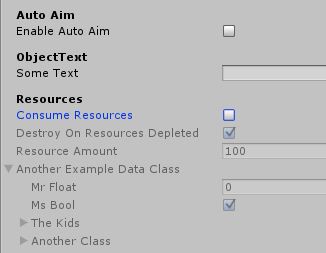
When working with unity and larger scripts that provide a lot of adjustable parameters, the inspector can quickly turn into a very unmanageable wall of text and entry fields. So lets take a look at what can be done to make inspector navigation a much more enjoyable experience without having to write a custom inspector layout […]
humble forum
anyway guess i will know know unity is the neighbour kid you don t wanna play with ig 
polar acorn
humble forum
but why n=wouldn t you wanna scale the size with the screen seems like the norma...
Because it is exactly as logical to have "Constant Pixel Size" as the default
There isn't a "right" answer
humble forum
polar acorn
Because it is exactly as logical to have "Constant Pixel Size" as the default
why not if people download it they will have different screen sizes?
polar acorn
humble forum
why not if people download it they will have different screen sizes?
Because you could very well be designing your UI around specific pixel counts and not screen percentages
Bigger screens might want to just have more space between elements, not bigger elements
humble forum
what i can t post a gif fine lol yeah get the point a bit not agreeing with their idea tho thank you for the explanation 🙂 ❤️
twin bolt
wintry quarry
Yeah I saw - can you show it in scene view with global and local rotations showi...
It seems like, in the local rotation, it is not moving:
 sleek notch
Hi can anyone help me? I have input system on player but for no reason it was working until I deleted files in project due to the conflict in uvsc and then I dowloaded from repository. When I Debug.Log() it will show the right reference but the input actions still not working at all
any idea?
snow warren
See if your input system is in the scene
sleek notch
wdym? I have linked in my player
snow warren
As an input system script in some gameobject right?
snow warren
It should work then
sleek notch
until now. I have the latest save in my project but for no reason when I downloaded back again it just doesn't work
snow warren
Reopen unity
snow warren
Ok
How about using the new input system
Open package manager and download the new input system by unity
It should fix the problem
 snow warren
I am going out of idea
sleek notch
I'm too. Idk when I Debug.Log the input action in script it shows Player/Move
snow warren
The input is always ok
sleek notch
But the ReadValue reads 0, 0
snow warren
sleek notch
But the ReadValue reads 0, 0
Show me your input system in inspector
 sleek notch
I havent deleted anything? I don't fully understand you
snow warren
sleek notch
Hi can anyone help me? I have input system on player but for no reason it was wo...
Here
You said it yourself
sleek notch
I deleted whole project to just link new one from unity repository
because there were some conflicts
crimson pike
 snow warren
sleek notch
because there were some conflicts
snow warren
sleek notch
because there were some conflicts
I can't help with this one
Try to port over because unity uses a lot of player settings
Any of them could impact your input system
Create a new unity project and simply copy your assets folder to the new project
sleek notch
I had same issue on school pc. Same unity editor version. It wasn't working until my teacher downloaded on visual studio the unity extention
idk what it would cause
I have deleted joystick input in input action because I just want keyboard only
snow warren

sleek notch
Oh well. I have created new Input system and created new move action and it works. Probably someting went wrong with the auto created when you create new project on unity 6
idk
snow warren
Idk
Happens sometimes
Happened to me once but not with input system
But with ui scroll scripts
sleek notch
yeah. Unity went wrong second time for me. It happens sometimes
 broken fable
Hey I was wondering if anyone could explain to me why the tomato isn't instantiated at the center of the locations i attempt to put it at? Here's a quick video demonstrating what is happening along with what I believe to be the relevant script.
wintry quarry
broken fable
Hey I was wondering if anyone could explain to me why the tomato isn't instantia...
Show the tomato prefab itself in prefab mode
 upper forge
So im looking to make a card game I already have the ful layout of the game even a prototype in person that i made. Im wanting to make this on unity to post in the google play store once finished, but im stuck on the coding....
What would be the best way to make a card class that has different types of cards
Trick Cards- do nothing except when played the next player has to play the same trick card or they lose a health letter
Obstacle Card- this card skips the next player.
Recovery Cards - this card recovers health if they have the certain cards to throw in the discard pile.
Special cards - these cards are handed out at the beginning and don't go in the normal deck they draw from can only be played once
 teal viper
upper forge
So im looking to make a card game I already have the ful layout of the game even...
teal viper
upper forge
So im looking to make a card game I already have the ful layout of the game even...
Inheritance. Or maybe just separate classes, possibly implementing the same interface.
 floral wren
upper forge
So im looking to make a card game I already have the ful layout of the game even...
floral wren
upper forge
So im looking to make a card game I already have the ful layout of the game even...
Composition.
Something like that
public class Card : Monobehaviour
{
  [SerializeReference] private List<CardEffect> effects;

  public void Play()
  {
    foreach(CardEffect effect in effects.OfType<IPlayableCardEffect>())
      effect.Play();
  }

  public bool TryGetEffect<T>(out T effect) {...}
}

public abstract class CardEffect
{
}

public interface IPlayableCardEffect
{
  public void Play();
}

public class TrickCards : CardEffect, PlayableCardEffect
{
  public void Play() { ... }
}

public class SpecialCardEffect : CardEffect
{

}
so if i did seperate classes i would just add the different scripts to the corrosponding card so each card would have different scripts on them?
upper forge
floral wren
Composition.
Something like that
```cs
public class Card : Monobehaviour
{
[...
this is a little confusing to me lol.... :/
teal viper
upper forge
so if i did seperate classes i would just add the different scripts to the corro...
Yes.
upper forge
teal viper
Yes.
okay and each card class have the functions for what the card does and then in the game manager class I would call the functions in there according to the rules of the game
teal viper
upper forge
okay and each card class have the functions for what the card does and then in t...
Yes
upper forge
teal viper
Yes
once i do that how would i go about creating the deck with the different cards?
teal viper
upper forge
once i do that how would i go about creating the deck with the different cards?
If your cards are prefabs, just instantiate them and to a list or something 🤷♂️
crimson pike
floral wren
Composition.
Something like that
```cs
public class Card : Monobehaviour
{
[...
Definitely break the different classes into their own files
 verbal dome
It's in one snippet obviously for demo purposes
teal viper
Most performance costs/optimizations come from the code logic, not language features. Though, some features might be more expensive.
Keeping the code as simple as possible is usually a good approach
 barren wing
Yeah. I hear don't use LINQ for performance, just keep it to for loops etc.
slender nymph
theoretically you already have a good understanding of how the language itself works and would just need to know about what has been added to the language rather than needing to learn from the beginning. you can check out this page to see what has been added to the language. keep in mind that unity also only uses c# 9 at the moment (and some features aren't supported)
barren wing
Oh, good. I thought it was C# 8 earlier. Good to know.
slender nymph
well 2020 is c# 8 i believe, but 2021+ uses c# 9
cosmic dagger
i feel like anything added after C# 5.0 or so is just syntatic sugar. if you use anything that's verbose or old, anyone hear will point out a better or newer way to do it . . .
crimson pike
barren wing
Yeah. I hear don't use LINQ for performance, just keep it to for loops etc.
Wait what
slender nymph
that's a common suggestion, though LINQ has really gotten quite performant in recent years and really shouldn't impact performance much compared to looping yourself
barren wing
LINQ is expensive, I've read. I've never used it.
cosmic dagger
crimson pike
Wait what
typically, using LINQ adds garbage, so most devs avoid it, unless necessary . . .
barren wing
Yeah, and PLINQ helped, I'm sure.
crimson pike
I can understand in update
cosmic dagger
true, it depends where and how often the method using it is called . . .
crimson pike
the nice thing about linq was always the fact it didn’t resolve the enumerators until they were actually utilized
It’s super nice for readability anyway. I made a whole bunch of extension methods using linq to organize gameObject collections
But mostly in start/awake never in updates
cosmic dagger
most people forget that about enumerables. creating or using a list computes it upfront, even when not needed . . .
crimson pike
you can always resolve with ToList or any other To
Force resolve* definitely ran that gauntlet enough times
It’s really more useful for web applications. But yeah in a game environment I’d keep it out of the render loop
barren wing
Yeah, I agree.
 gentle stratus
running into a real weird bug where whenever an enemy moves backward when i shoot at them, what kind of interaction could cause this
crimson pike
We’re at a point where platforms really aren’t sweating a little code bloat anymore.
slender nymph
gentle stratus
running into a real weird bug where whenever an enemy moves backward when i shoo...
see #854851968446365696 for what to include when asking for help
gentle stratus
ok ill edit it with code
crimson pike
These things might’ve been concerning in like early 2000s but your average home pc and modern consoles have a lot more ram and processing power now
 gentle bone
i think linq is in some cases even more efficent than some beginners workaround coding
gentle stratus
gentle stratus
running into a real weird bug where whenever an enemy moves backward when i shoo...
https://paste.mod.gg/jecqwmpqcpte/0 the move script of the projectile fired at the enemy
https://paste.mod.gg/qvzzsyeljfhj/0 the move script of the enemy
A tool for sharing your source code with the world!
A tool for sharing your source code with the world!
crimson pike
I wouldn’t sweat it unless you’re observing some real performance problems and need every optimization you can scrounge. Keep expensive calls out of frequent calls and pre initialize everything that might be expensive to retrieve in an update call
slender nymph
gentle stratus
https://paste.mod.gg/jecqwmpqcpte/0 the move script of the projectile fired at t...
fun fact, but you could have added both of those files in one link with that site. that's what the [+] button is for next to the file name tab
gentle stratus
oh i didnt know that
 nimble apex
will nullable UnityAction gives error when u invoke it ?
onInputValidated?.Invoke(...);```if its null
or it will ignore and bypass
cuz i dont want the error
slender nymph
- it's aleady nullable because delegates are reference types
- why would it throw when you're explicitly null checking here?
slender nymph
gentle stratus
oh i didnt know that
so i don't see anything specific that would cause the object to move backwards, are you certain it isn't like an animation causing it or some other code?
gentle stratus
uhhh the animation should make it run in place
thinking of any other movement script but idt theres any
slender nymph
also there are a few things in there i would really recommend changing, like the fact that you are relying on specific child objects
also this transform.TransformDirection(Vector3.forward) is just silly, just use transform.forward
crimson pike
It will pass
gentle stratus
theres the patrol movement script that the enemies have but it shouldnt run that if its chasing the player
slender nymph
have you actually confirmed it isn't still in that state or that it isn't still running at the time this happens? because the state you've shown should animate it, right? but it was very clearly not in the animation until way after it had moved backwards
crimson pike
nimble apex
will nullable UnityAction gives error when u invoke it ?
A ? Next to a nullable entry is literally telling the compiler to put an if (thisthing != null) continue
cosmic dagger
gentle stratus
theres the patrol movement script that the enemies have but it shouldnt run that...
have you checked and tested this?
gentle stratus
yeah i have it debug log what state its in and it always prints 2 (chasing) instead of 1 (patrolling)
crimson pike
You can also trail any inline declaration using ? With ?? At the end to default to that result instead too
gentle stratus
slender nymph
have you actually confirmed it isn't still in that state or that it isn't still ...
yeah thats true the animations are kinda screwed up i have to fix that
cosmic dagger
gentle stratus
https://paste.mod.gg/jecqwmpqcpte/0 the move script of the projectile fired at t...
i just started looking at this and you're using AddForce in Update which is incorrect. this should be in FixedUpdate since you're using the default force mode . . .
gentle stratus
whats the diff between update and fixedupdate
crimson pike
gentle stratus
whats the diff between update and fixedupdate
Fixedupdate is per physics calculation frame
slender nymph
update runs each frame, fixedupdate runs at a fixed timestep that is in time with the physics updating
crimson pike
Update is per frame as fast as your pc can render or at the target max frame rate
gentle stratus
also i noticed that the enemy only moves weirdly when the projectile is not homing on an enemy
cosmic dagger
gentle stratus
whats the diff between update and fixedupdate
FixedUpdate is used for physics calculations and interactions . . .
gentle stratus
also wdym by default force mode
slender nymph
crimson pike
I.e onInputValidated?.invoke(..) ?? OrAnotherMethod()
also this is not valid, can't use ?? with methods that return void (like a delegate's Invoke method)
gentle stratus
do you mean the parameters of the addforce line
crimson pike
slender nymph
also this is not valid, can't use `??` with methods that return void (like a del...
Yeah I’m not as my desk to validate that but I remember you can use return value methods in that way.
slender nymph
yes, it can be used with objects that could be null
crimson pike
I could’ve sworn you could break out any inline references to a void method too but meh
Oh wait yeah ?? Is more like (if the prior result is null, do the trailing result)
cosmic dagger
gentle stratus
also wdym by default force mode
AddForce has an optional ForceMode as the second parameter. if not assigned, it uses the default ForceMode.Force . . .
crimson pike
And ? Returns null by default if it can’t dereference
gentle stratus
ic
crimson pike
It’s just shorthand (x != null) ? LeadingThing() : trailingThing()
gentle stratus
ok after a bunch of testing ive found that somehow the enemy is just repelled by the projectile in general
i stopped the projectile from moving on its own and when its between me and the enemy the enemy doesnt move or moves backward
but when i get in front of it the enemy chases me again
slender nymph
the enemy checks if it has line of sight with the player in order to move while in that chase state you showed earlier. but that wouldn't allow it to move backwards
gentle stratus
yeah thats what i was confused by
cosmic dagger
@gentle stratus there is no need for GameObject enemy = collider.gameObject;. you only do this to call GetComponentInParent or GetComponentInChildren which you can do from collider.GetComponentInXXX
Pro-Tip: there is never a need to have a GameObject variable . . .
gentle stratus
it would make sense for the first part bc the projectile spawns near my head so ig its blocking a raycast
oh ok
gentle stratus
slender nymph
the enemy checks if it has line of sight with the player in order to move while ...
so presumably id have to use a mask to discount the projectile for the enemy
slender nymph
yes
gentle stratus
ok ty
cosmic dagger
gentle stratus
ok ty
also, you discard to returned bool value from Physics.Raycast. you don't check if the raycast hits something (a collider) or if hit.collider is true (an object was hit) before comparing the collider's tag . . .
gentle stratus
thats true but when i print out the results of the raycast it returns true whether or not there is a projectile between me and the enemy
and yet the enemy is still stuck
so maybe its not the raycast
slender nymph
like i pointed out before, if the raycast does not hit the player the enemy will not move toward it. so you need to make sure to filter out the projectiles using a layermask if you do not want the projectiles to affect it.
the raycast will likely always return true because it is infinitely long so it's likely going to hit your scene boundaries (like walls and stuff) if it doesn't hit the player, but it is still good practice to actually verify it hit something because what if you decide to add a hole in the wall or something that can be seen through but has no collider? your enemy may shoot its raycast out that hole and end up with NREs spamming the console
cosmic dagger
if you want the direction to be the forward-facing direction of the enemy, you can just use transform.forward instead of having to convert the world forward direction to the transform's . . .
i don't think you created a LayerMask and added the projectile to the layermask to filter it out, like boxfriend suggested . . .
gentle stratus
i added the layermask but i did forget that raycasts go forever
cosmic dagger
the default is 100 units. that's pretty big . . .
slender nymph
there is a parameter to set a limited range if you don't want an infinitely long
cosmic dagger
sorry, it's infinity ♾️, not 100 . . .
gentle stratus
alright so as long as i set it to the radius of the player detection sphere i should be good in theory
 stuck field
cosmic dagger
<@236644300413337600> there is no need for `GameObject enemy = collider.gameObje...
stuck field
cosmic dagger
<@236644300413337600> there is no need for `GameObject enemy = collider.gameObje...
Quite a few times you would need a gameobject variable, like enabling/disabling an object directly, using another objects name, so on, in these scenarios, a variable would prevent calling GameObject.Find() every frame/whatever you need, but in the case you stated, there is no need, but there are cases you would need one (This is assuming you aren't just going to use Transform variables or something then use .gameObject, if you need a gameobject and only a gameobject, it would be best to just use a gameobject variable rather than something like transform.gameobject)
cosmic dagger
stuck field
Quite a few times you would need a gameobject variable, like enabling/disabling ...
yes, there are a few instances like (de)activating an object, or using it for a prefab variable (use the class type instead) but you can access the gameObject property from any MonoBehaviour instance. there is no need to create a field itself to store the GameObject . . .
stuck field
Yeah, that's why I specified "another object", no need to store itself, but others, there is a need
gentle stratus
gentle stratus
alright so as long as i set it to the radius of the player detection sphere i sh...
ok now the enemies just never move towards me
bool lineOfSight = Physics.Raycast(eyeLine.transform.position, transform.forward, out RaycastHit hit, enemyStats.stats[StatNames.SightRadius], 1 << 7);
Debug.Log(transform.name + ": " + lineOfSight);
if (hit.collider != null && (hit.collider.CompareTag("Player") || (hit.collider.transform.parent != null && hit.collider.transform.parent.CompareTag("Player")))) {
if (!dying) controller.SimpleMove(enemyStats.stats[StatNames.Speed] * transform.forward);
}```
does this look right or did i do something wrong ivory bobcat
gentle stratus
ok now the enemies just never move towards me
```cs
bool lineOfSight = Physics.R...
ivory bobcat
gentle stratus
ok now the enemies just never move towards me
```cs
bool lineOfSight = Physics.R...
You're only moving if the if-statement is true so perhaps consider logging what you hit.
gentle stratus
it logs null bc the raycast is always false
even when i make the raycast 10x as long it doesnt hit anything
which is weird bc sightradius should set the radius of the sphere it detects the player in
cosmic dagger
gentle stratus
even when i make the raycast 10x as long it doesnt hit anything
are you using the correct layer? i'm not sure why you didn't just create a LayerMask variable and select the layers from the inspector . . .
gentle stratus
maybe i should try that
if i read correctly the layermask is supposed to have the layers you want to exclude right
 lethal owl
im learning how to code wtf is wrong with this script
using UnityEngine;
using TMPro;
public class HelloWorld : MonoBehaviour
{
public string firstName;
private TextMeshProUGUI textMeshPro;
void Start()
{
    textMeshPro = GetComponent<TextMeshProUGUI>();
    textMeshPro.text = $"Hello {firstName}!";
}


void Update()
{

}
}
NullReferenceException: Object reference not set to an instance of an object
HelloWorld.Start () (at Assets/Scripts/HelloWorld.cs:15)
 rich adder
lethal owl
im learning how to code wtf is wrong with this script
using UnityEngine;
using ...
rich adder
lethal owl
im learning how to code wtf is wrong with this script
using UnityEngine;
using ...
Your gameobject doesnt seem to have TextMeshProUGUI on it
just make the field SerializeField and assign it through inspector, much better anyway
lethal owl
rich adder
Your gameobject doesnt seem to have `TextMeshProUGUI` on it
its on a TextMeshPro object
rich adder
lethal owl
its on a TextMeshPro object
screenshot it
lethal owl
 rich adder
yeah TextMeshPro is not TextMeshProUGUI
lethal owl
maybe I should stick to the rectangle screenshotting
lethal owl
rich adder
yeah `TextMeshPro` is not `TextMeshProUGUI`
whats the difference and why did it work
slender nymph
TextMeshPro is the world space text object, TextMeshProUGUI is the UI text object, but they both inherit from TMP_Text so just use that as the data type instead
 untold shore
Hey, currently having a ton of issues with these card resets. Currently, I just want all the previous card objects (the children of hand transform) destroyed, but yet it's doing wacky things like copying them, drawing 4 cards, etc. What can I do to fix this? I've never used an Ienumerator method before, so I'm certain something is wrong with that, but I don't know what it would be. I know this is probably really basic, I apologize, still really new to coding these kind of projects. Thanks.
Code attempting to use:
  public void ResetPlayerHand()
    {
      handManager.cardsInHand.Clear();
      Debug.Log("Cleared cardsInHandPlayer");
      DestroyPlayerHandObjects();
      hand.GetComponent<CardValuesScript>().handValue = 0;
      Debug.Log("Number of children in handtransform before waiting: " + hand.transform.childCount);
      DrawCard(handManager);
      DrawCard(handManager);
    }
  public IEnumerable DestroyPlayerHandObjects()
  {
    for (int i = hand.transform.childCount - 1; i > 0; i--)
      {
        Destroy(hand.transform.GetChild(i).gameObject);
      }
      yield return new WaitForEndOfFrame();
  }
it didn't work because they are two different components. You have one component in code and a different component on the GameObject, hence, they do not match . . .
untold shore
untold shore
Hey, currently having a ton of issues with these card resets. Currently, I just ...
Alongside:
cosmic dagger
lethal owl
but not me he was using a ui object
wait, you're following a tutorial? i would look at what component they added and how they attempted to access it . . .
slender nymph
untold shore
Hey, currently having a ton of issues with these card resets. Currently, I just ...
you aren't starting the coroutine correctly, and not only that but the coroutine will not delay the code in the method it was started from unless that method is also a coroutine that is yielding the start coroutine call
lethal owl
cosmic dagger
wait, you're following a tutorial? i would look at what component they added and...
Looking to learn C#? Looking to learn Unity? In this course, you'll do both at the same time! In this first episode, you will put Unity to the test by having print your name across the screen.
Note: Unity is required. You can download the free version from Unity3d.com. This course has been developed using just the personal version.
Visual Stud...
untold shore
slender nymph
you aren't starting the coroutine correctly, and not only that but the coroutine...
Coroutine? I apologize, what's that?
lethal owl
I can see now they are using a UI component
lethal owl
untold shore
Coroutine? I apologize, what's that?
time I think
slender nymph
untold shore
Coroutine? I apologize, what's that?
what do you think that second method in the code block you posted is supposed to be?
rich adder
lethal owl
time I think
no
lethal owl
rich adder
no
then don't listen to me
cosmic dagger
lethal owl
time I think
i wouldn't randomly post a response if you're unsure about the correct answer . . .
cosmic dagger
untold shore
Coroutine? I apologize, what's that?
you called DestroyPlayerHandObjects in your method. do you know what that method is (a coroutine) and how it's supposed to work?
untold shore
slender nymph
what do you think that second method in the code block you posted is supposed to...
To destroy the children of one of the objects, but i have to delay a frame after so the next code can load in without it resulting with the same # of game objects. Sorry, again, very very new to this kind of thing.
rich adder
lethal owl
https://www.youtube.com/watch?v=lgUIx75fJ_E&list=PLFgjYYTq6xyhtVK6VzLiFe3pmBu-XS...
they're using UI you put a mesh world object, not the same thing
lethal owl
rich adder
they're using UI you put a mesh world object, not the same thing
I realize that now thanks
untold shore
slender nymph
it's a [coroutine](<https://docs.unity3d.com/6000.0/Documentation/Manual/corouti...
Thank you. Helps a ton
slender nymph
also give this a read: https://unity.huh.how/coroutines/waiting
untold shore
slender nymph
also give this a read: <https://unity.huh.how/coroutines/waiting>
Y'all are amazing for this stuff! Again, thank you.
slender nymph
!collab 👇
eternal falconBOT
:loudspeaker: Collaborating and Job Posting
We do not accept job or collab posts on Discord.
Please, use Discussions to promote yourself as job-seeking, advertise commercial job offers, or look for non-commercial projects to participate in:
• Collaboration & Jobs
lethal owl
will I ever need to use const int's in my code?
cosmic dagger
that depends on you and what you need in your code . . .
slender nymph
it still entirely depends on your code and needs. constants are just that, constants. there's nothing else special about them
cosmic dagger
they are constant values that cannot be changed. if you ever need that in your code, then yes. it's entirely up to you. we have no way to determine that . . .
lethal owl
so if I want to edit my code at all don't add them
cosmic dagger
which part about them confuses you?
slender nymph
lethal owl
so if I want to edit my code at all don't add them
i feel like there might be a huge disconnect between what you understand and what a constant actually is
lethal owl
its unchangable code
slender nymph
i mean the code itself can be changed, it's a variable that cannot be assigned to at runtime at all
cosmic dagger
it's a variable with a set value that cannot be assigned during runtime . . .
slender nymph
constants are useful for defining a value you plan to reuse multiple times in the code that should never ever change.
for example, the value of pi is a constant because pi cannot change. it will always be 3.14... so it is something that is typically declared as a constant (and in fact is a constant in both unity's Mathf struct and c#'s System.Math class)
 tough plinth
Hey guys!
Having troubles with accessing another value from GetComponent:
So I want to get the value from different object, and then assign that value to another variable (or just store it)
But that script changes value from already set one, to 0 for some reason.
Any thoughts?


Full code: https://hastebin.skyra.pw/oqihunofec.pgsql
 keen dew
If those logs are from the commented out lines, you're logging two different variables
also this scipt does the opposite of getting a value and assigning it to a variable (it assigns a value from this script to the other component)
tough plinth
Oh...
Any way of turning that process backwards?
So there is a plane model, which is player, and it has its speed (horizontalInput), and I want propeller to change its rotation speed based on horizontalInput of the player, so in need to get player speed somehow
keen dew
The left side of the = is what stores the value and the right side is the value that is stored
gentle stratus
getting a weird error here where it both prints out the value of the variable but also throws an error on the same line https://paste.mod.gg/xoanidideyej/0

A tool for sharing your source code with the world!
keen dew
so if you want to store a value to currentThrottle then currentThrottle = player.GetComponent....
tough plinth
Oh, that's how it works... Let me test it out
burnt vapor
gentle stratus
getting a weird error here where it both prints out the value of the variable bu...
What about logging every variable of playerStats.stats[StatNames.Health]?
playerStats and playerStats.stats specifically
cosmic dagger
tough plinth
Oh, that's how it works... Let me test it out
i would check out a beginner C# tutorial first as assigning a variable is one of the first things you learn. it's pretty important . . .
gentle stratus
thats a looot of variables but ig i could
burnt vapor
gentle stratus
thats a looot of variables but ig i could
Two variables is a lot?
gentle stratus
you said every variable
cosmic dagger
gentle stratus
getting a weird error here where it both prints out the value of the variable bu...
do you have a duplicate script of PlayerUpdate on a GameObject?
gentle stratus
i have like 20 variables in stats
burnt vapor
I'm just suggesting you figure out the actual null value here
These two are the first two instances you access
Instead of doing it all at once, start there
gentle stratus
cosmic dagger
do you have a duplicate script of `PlayerUpdate` on a GameObject?
that looks like the problem yeah
burnt vapor
cosmic dagger
do you have a duplicate script of `PlayerUpdate` on a GameObject?
This is probably the issue
And in that case health is null
Log that too
cosmic dagger
yeah, i'd log health and see what value you get . . .
burnt vapor
Even better would be to do Debug.Log(health, gameObject); because you can click the log message and get to the gameobject that's at faulth
tough plinth
cosmic dagger
i would check out a beginner C# tutorial first as assigning a variable is one of...
That's what I'm doing now actually, there is a plane course which doesn't require that programming as assigning variables is in a different topic.
I just wanted to do something out of the tutorial course lol
burnt vapor
burnt vapor
Even better would be to do `Debug.Log(health, gameObject);` because you can clic...
@gentle stratus ☝️
gentle stratus
yeah i fixed it thanks
tough plinth
keen dew
so if you want to store a value to `currentThrottle` then `currentThrottle = pla...
Oh.. It was so simple actually.. Thanks for the help guys! @keen dew @cosmic dagger
keen dew
You should probably go through a basic C# tutorial at this point
 glossy turtle
Are there any best tutorials on socket.io
I don't see any best tutorial on internet which explain socket.io for beginners.
 astral falcon
glossy turtle
Are there any best tutorials on socket.io
astral falcon
glossy turtle
Are there any best tutorials on socket.io
Define "best". Id say, the most recent ones are the best ones covering latest updates. The rest is the same google as we all use
deft harness
GetComponent<Animator>().SetTrigger("GrabLedge"); I'm a pretty advanced Python hobbyist and I'm learning C#. Is this line of code calling a method(SetTrigger) from a Class(GetComponent<Animator>) that hasn't been instantiated? (GetComponent<Animator>()...) Also what is the <Animator><foo> part exactly?
burnt vapor
deft harness
``GetComponent<Animator>().SetTrigger("GrabLedge");`` I'm a pretty advanced Pyth...
GetComponent can return null when it's not able to find the component
I assume that's your question?
languid spire
deft harness
``GetComponent<Animator>().SetTrigger("GrabLedge");`` I'm a pretty advanced Pyth...
no
GetComponent is a method which is being called to retrieve a reference to a Class of Type Animator (hence the <>)
The SetTrigger method is then being called on that class.
Note if the Animator class cannot be found this will thow a null ref exception
burnt vapor
deft harness
``GetComponent<Animator>().SetTrigger("GrabLedge");`` I'm a pretty advanced Pyth...
<Animator> refers to a generic type. These are used in favour of using the base object type since you are able to use the actual type as a parameter or in this case return type
Before generics you'd have to return an object and pass the type as a Type type parameter, and it was just messy all around because you had to cast it and all that
Maybe look up these keywords because casting and generic types are very useful to know
Also, generic types can have rules to them. If you go to the definition of GetComponent is probably has a rule that the type must refer to a class
deft harness
I should of known that I had been cast into generics and type-wrangling lol 🙂
languid spire
there is nothing complicated about generics, in fact c# would be a very poor language without them
 rigid tiger
Generics are pretty weird at first. Imagine something's notation being just T
Yeah.
The T symbol goes against every single standard modern programmers have when it comes to naming conventions
languid spire
but it doesn't have to be T, that is just a convention, it can be AbraCadabra if you want
rigid tiger
Can you show me that?
languid spire
    public class MyClass<Abrabadabra> where Abrabadabra : struct
    {

    }
I will mess around a bit when I get home, I did not know that T was not mandatory
I have never seen anything other than T so far
 runic lance
you can even have multiple generic parameters and they need to have different names MyClass<Foo, Bar>
languid spire
look at Dictionary - T1 and T2
rigid tiger
That seems like the natural progression in explanations, I was just about to mention dictionaries. I was googling things and that example came up.
languid spire
Had it been me I would have made it Dictionary<KEY, VALUE>
 deft harness
public class Box<T>
{
    private T contents;

    public void Add(T item)
    {
        contents = item;
    }

    public T GetContents()
    {
        return contents;
    }
}
is that a valid generic type?
languid spire
yes, perfect
so a declaration could be
Box<int> myBox = new Box<int>()
and contents will be of Type int
deft harness
cool
rigid tiger
It all comes down to type handling, generics can be dangerous
languid spire
dangerous? How? The strict typing of C# will stop that
deft harness
rigid tiger
It all comes down to type handling, generics can be dangerous
I prefer the term type-wrangling. Just as when wrestling a bull, wrestling with types is just as stressful! 🙂
rigid tiger
Add in complex polymorphism into generics and it only takes 1 runtime to bring everything down
languid spire
deft harness
I prefer the term ``type-wrangling``. Just as when wrestling a bull, wrestling w...
do you have any idea how many zero day exploits in C++ are caused because it is not a type safe language?
rigid tiger
Javascript, king of unsafe typing :D
languid spire
rigid tiger
Javascript, king of unsafe typing :D
but thats an interpreter not a compiled language
burnt vapor
deft harness
``GetComponent<Animator>().SetTrigger("GrabLedge");`` I'm a pretty advanced Pyth...
(I wanted to send this message a while ago but I got occupied lol)
So all in all, the following two lines are the same:
var @component = GetComponent<Animator>();
var @component = (Animator)GetComponent(typeof(Animator));
Maybe that makes it more clear
rigid tiger
languid spire
but thats an interpreter not a compiled language
🤔 are there any interpreted languages that are type safe? Now im curious.
languid spire
rigid tiger
🤔 are there any interpreted languages that are type safe? Now im curious.
C#
deft harness
languid spire
do you have any idea how many zero day exploits in C++ are caused because it is ...
Oh I love that C# is a type-safe language!
rigid tiger
C# is compiled though...
I prefer type safe languages that don't rely on indentation tbh, C# is perfect for me
burnt vapor
languid spire
do you have any idea how many zero day exploits in C++ are caused because it is ...
Don't you mean managed language? I see so many instances of vulnerabilities due to poor memory management and leaks
Shit where unmanaged memory is accessed due to a pointer
languid spire
rigid tiger
C# is compiled though...
I prefer type safe languages that don't rely on indenta...
no, source is transformed into IL which is interpreted at runtime
languid spire
burnt vapor
Don't you mean managed language? I see so many instances of vulnerabilities due ...
As well, that is the other drawback of not being type safe
burnt vapor
yeah
languid spire
this is why I hate when people go UnSafe in C# (yes I am looking at you Unity). It totally fucks up the whole point of the language
deft harness
is there any type of repl tool for c#? I know it's compiled but.....
burnt vapor
deft harness
is there any type of ``repl`` tool for c#? I know it's compiled but.....
The C# discord has one
eternal falconBOT
Join the C# Discord server, a programming server aimed at coders discussing everything related to C# (CSharp) and .NET. https://discord.com/invite/csharp
burnt vapor
They also have a bot spam channel where you can use it freely
Pretty sure the command is !eval
deft harness
burnt vapor
They also have a bot spam channel where you can use it freely
neat!
languid spire
deft harness
is there any type of ``repl`` tool for c#? I know it's compiled but.....
there is this https://dotnet.microsoft.com/en-us/platform/try-dotnet

Microsoft
Try .NET is a service that allows you to embed runnable .NET code snippets into your website, blog, or documentation. Go beyond copy and paste samples to live snippets.
deft harness
actually it wouldn't be too hard to set something like that up that can be used from the terminal....
burnt vapor
burnt vapor
Pretty sure the command is `!eval`
 runic lance
deft harness
actually it wouldn't be too hard to set something like that up that can be used ...
runic lance
deft harness
actually it wouldn't be too hard to set something like that up that can be used ...
there's the csharp command, I think from mono? https://www.mono-project.com/docs/tools+libraries/tools/repl/
I've always used it and never bothered to check where did it came from 😆 on MacOS though, not sure about Windows
 sand moss
Hi, I am implementing in app purchases. I want to ask if there is a better way to validate receipt without using backend. currently I am validating receipt after the purchase. backend implementation is tricky as the game is small and we are not using any backend for it so no usr login. so I am open to ideas
rigid tiger
If you do not use a backend your app will not stand a chance against pirates
languid spire
sand moss
Hi, I am implementing in app purchases. I want to ask if there is a better way t...
you must use a backend or not do it
burnt vapor
rigid tiger
If you do not use a backend your app will not stand a chance against pirates
Piracy has a lot more to it than just having a backend
Pirated applications are not suddenly safe with a backend