#💻┃code-beginner
1 messages · Page 528 of 1
 hexed dove
that the raycast doens't hit the ground
 slender nymph
then what does it hit?
hexed dove
slender nymph
and also what do you mean it "stops" at the if statement?
i mean that it doesn't execute the ground sorry
hexed dove
slender nymph
then what *does* it hit?
the teleporter collider probably
 polar acorn
hexed dove
the teleporter collider probably
polar acorn
hexed dove
the teleporter collider probably
Instead of relying on "Probably", log the object the raycast hits
slender nymph
don't assume, verify. you said you've been at this for 3 days and you haven't bothered checking what the raycast is actually hitting?
 polar acorn
hexed dove
it hits the teleporter for sure
polar acorn
hexed dove
it hits the teleporter for sure
Just log the object it hits instead of adding another if statement
hexed dove
yes it hit the tp
slender nymph
hexed dove
it hits the teleporter for sure
so if the raycast is hitting the teleporter, how do you expect it to hit the ground?
polar acorn
hexed dove
yes it hit the tp
Okay, and should it be able to hit the teleporter
hexed dove
the thing is that i want it to stay on the teleporter for one tick and then start moving again
but he needs to be able to take the teleporters in both ways
slender nymph
okay so if you want it to be considered grounded on the teleporter, then why not also consider that ground
hexed dove
slender nymph
so if the raycast is hitting the teleporter, how do you expect it to hit the gro...
it can't
polar acorn
Why not
hexed dove
slender nymph
okay so if you want it to be considered grounded on the teleporter, then why not...
because if i do so, the cube will just ignore the teleporter and just roll above it
polar acorn
So code it not to do that?
You get to decide what it does when the raycast hits something. None of that functionality is "built-in"
Decide what you want to happen when the ray hits a teleporter, or use different rays with different layer masks for different things
 sour nimbus
Hi, I'm making a game in which a murderer chases the character and I made the map with tilemaps. The problem is that when the murderer chases the player, he goes through the walls. How can I make it only walk along the path without going through walls?
slender nymph
you need some sort of pathfinding. it sounds like this is probably 2d, so i'd look into aron granberg's a* pathfinding project, or you can implement the a* algorithm yourself, or there's also an asset that allows you to use navmesh in 2d (i can't be bothered to google for its name though so you can look it up)
sour nimbus
thanks
 queen adder
Is there something such as an interger number in C#
polar acorn
queen adder
Is there something such as an interger number in C#
yes
assuming you spell it right
slender nymph
queen adder
Is there something such as an interger number in C#
surely you learned about int on your first day learning c# . . .
 red igloo
does anyone know any good tutorial videos that talking about the basics of coding? like what are variables/different types what are methods or functions etc. I can't seem to find any good ones. They either don't mention it or explain it in a way I cant seem to understand.
slender nymph
there's the beginner courses pinned in this channel. and i know you mentioned video specifically, but if you don't mind books, then the c# player's guide by rb whitaker is probably the best and most engaging c# learning materials i've found
 dire cloud
i have a problem in my 3d game when i look up and walk forward i walk up to the sky. don't really understand why
slender nymph
show relevant !code
 eternal falconBOT

Posting code
📃 Large Code Blocks
Use links to services like:
https://gdl.space/, https://paste.ofcode.org/, https://hatebin.com/, https://paste.myst.rs/, https://hastebin.com/
📃 Inline Code
Surround code with three backquotes. Not quotation marks.
To format as C#, add cs to the first line:
```cs
// Your code here
```
Add a comment with a line number if there is an error message.
 magic panther
I have a simple problem:
When I try to set the .position of a rectTransform component, it's Pos Z is usually something like 37,000, when I explicitly set it to 0 in C#
The element is a direct child of the Canvas it's in, without wrappers (fyi)
AREnforcer.cs -> https://hastebin.com/share/waqakoruqa.csharp
Hastebin is a free web-based pastebin service for storing and sharing text and code snippets with anyone. Get started now.
slender nymph
ideally you would be assigning the anchoredPosition of a recttransform, but are you sure you are explicitly assigning it to 0? this does not show your Vec2ToVec3 method so we have no way to be sure
magic panther
My bad, here they are
    virtual protected Vector3 Vec2ToVec3(Vector2 vector) {
        return new Vector3(vector.x, vector.y, 0);
    }

    virtual protected Vector2 Vec3ToVec2(Vector3 vector) {
        return new Vector2 (vector.x, vector.y);
    }
I'll try the anchoredPosition, this might be it
slender nymph
well that Vec2ToVec3 method is pointless considering it does exactly what the already existing implict cast from Vector2 to Vector3 does
also if you really want to keep these methods, you might consider making them extension methods instead of instance methods on this DefaultJrlGameObject class you have. also why are they virtual
magic panther
In case you're curious this is that Defaults file -> https://hastebin.com/share/gorifovagi.csharp
Hastebin is a free web-based pastebin service for storing and sharing text and code snippets with anyone. Get started now.
Also putting anchoredPosition appears to not work, the Z position is still messed up and they're improperly positioned (that last thing is just a thing of adjusting)
 slender nymph
yeah literally 0% of that needs to be an instance method on the base class
magic panther
magic panther
Also putting anchoredPosition appears to not work, the Z position is still messe...
Either way, what am I doing wwrong?
slender nymph
what is this object's parent

 verbal dome
dire cloud
i have a problem in my 3d game when i look up and walk forward i walk up to the ...
verbal dome
dire cloud
i have a problem in my 3d game when i look up and walk forward i walk up to the ...
When moving the player you should rotate the movement direction on the camera's horizontal (Y) axis, but not on the vertical (X) axis
slender nymph
magic panther
okay so whatever is instantiating this object is affecting the Z position because the anchoredPosition doesn't even assign that axis
 fathom geyser
slender nymph
there's the beginner courses pinned in this channel. and i know you mentioned vi...
fathom geyser
slender nymph
there's the beginner courses pinned in this channel. and i know you mentioned vi...
I’ve been learning from the c# players guide. I would recommend it as well.
magic panther
Here's what's instantiating it: https://hastebin.com/share/buwegikezi.csharp
Hastebin is a free web-based pastebin service for storing and sharing text and code snippets with anyone. Get started now.
slender nymph
and you're certain nothing else is affecting the position? also why are you even worried about the z position anyway? the canvas doesn't really care about that, it's an overlay canvas and things are drawn in hierarchy order not z position order
magic panther
when the Pos Z is not 0 the black boxes are invisible
I have to zoom out extremelly far to see them

 slender nymph
and you're certain nothing else is affecting the position? also why are you even worried about the z position anyway?
magic panther
I doubt this is having such impact (rect transform of the canvas), I don't even know how to change this

Besides this I have no ideas what might be causing issues here
slender nymph
none of the code you've shown assigns anything but 0 on the z axis. so something else must be modifying it if you are actually using the rectTransform.anchoredPosition now and not the transform.position
magic panther
How do I find out? Just click random stuff until you get it is enough?
slender nymph
look through your code at anything that references those objects
magic panther
magic panther
Here's what's instantiating it: https://hastebin.com/share/buwegikezi.csharp
@slender nymph besides this class it seems nothing uses these objects, if I'm looking correctly
||I also changed it a lil bit https://hastebin.com/share/piqayivipe.csharp||
What can change the Pos Z besides .somethingPosition in code?
slender nymph
magic panther
<@175082927862841344> besides this class it seems nothing uses these objects, if...
you're clearly missing something. or you didn't actually save the code after switching to assigning to the anchoredPosition instead of the transform.position
magic panther
It's all saved. Should I maybe just set the Z position to 0 on LateUpdate for now and come back to this later? This system besides this issue is somewhat finished
 vale chasm
Q: i have multiple scripts, am i able to combine them to one? each ahs its own class
polar acorn
vale chasm
Q: i have multiple scripts, am i able to combine them to one? each ahs its own c...
If any of them are MonoBehaviours, no you cannot
If they're all non-components, you still shouldn't
vale chasm
they are all things like this:
using UnityEditor;
using UnityEngine;
using System.IO;

public class MoveUsedPrefabs : EditorWindow
{
    [MenuItem("Fluffums/Move Used Prefabs")]
    static void MoveAllUsedPrefabs()
    {
        string usedPrefabsFolder = "Assets/! ! ! ! Fluffums/Prefabs";

        if (!AssetDatabase.IsValidFolder(usedPrefabsFolder))
        {
            AssetDatabase.CreateFolder("Assets", "! ! ! ! Fluffums/Prefabs");
        }
        GameObject[] prefabs = Resources.FindObjectsOfTypeAll<GameObject>();
        foreach (GameObject prefab in prefabs)
        {
            if (PrefabUtility.IsPartOfPrefabAsset(prefab))
            {
                string assetPath = AssetDatabase.GetAssetPath(prefab);
                if (!string.IsNullOrEmpty(assetPath) && assetPath.StartsWith("Assets"))
                {
                    string newPath = Path.Combine(usedPrefabsFolder, Path.GetFileName(assetPath));
                    newPath = AssetDatabase.GenerateUniqueAssetPath(newPath);
                    AssetDatabase.MoveAsset(assetPath, newPath);
                }
            }
        }
        AssetDatabase.SaveAssets();
        AssetDatabase.Refresh();
        Debug.Log("Moved all used prefabs to __UsedPrefabs folder.");
    }
}
Editor scripts should also be in their own files
 north kiln
(btw If that's the whole file it shouldn't be an EditorWindow it should just be static)
vale chasm
ah okay, just tring to condence what i can
vale chasm
north kiln
(btw If that's the whole file it shouldn't be an EditorWindow it should just be ...
like this?
 north kiln
Yes. Though your screenshot notes some other issues, do you not have error highlighting and autocomplete, or had your IDE just not fired up fully or detected that file?
vale chasm
im just running it in VSC, not VS
north kiln
I presume you mean that you've opened it quickly in VSC and you usually use a configured VS?
vale chasm
i usually use VSC not VS, just never really touch C#
{even in VS it shows no errors}
 grand walrus
What’s the best way for a beginner to learn programming?
north kiln
vale chasm
i usually use VSC not VS, just never really touch C#
{even in VS it shows no err...
!vscode
eternal falconBOT
Visual Studio Code guide
If your IDE is not underlining errors in red or autocompleting code,
please configure it using the link below:
north kiln
You should configure it even if you don't use it a lot
vale chasm
will do
 urban sky
So I want to show you guys my coding because I can't figure out how to fix two errors. Can I post the entire Visual Studio code here?
north kiln
grand walrus
What’s the best way for a beginner to learn programming?
There are links pinned to this channel that are good places to start
north kiln
urban sky
So I want to show you guys my coding because I can't figure out how to fix two e...
!code
eternal falconBOT
Posting code
📃 Large Code Blocks
Use links to services like:
https://gdl.space/, https://paste.ofcode.org/, https://hatebin.com/, https://paste.myst.rs/, https://hastebin.com/
📃 Inline Code
Surround code with three backquotes. Not quotation marks.
To format as C#, add cs to the first line:
```cs
// Your code here
```
Add a comment with a line number if there is an error message.
grand walrus
north kiln
There are links pinned to this channel that are good places to start
oke thenks
vale chasm
[i did the vsc setup from the bot above]
it seems my prefab script is a tad broken, its stuck loop renaming a prefab
 north kiln
Yeah that logic seems rather bad
it's not stuck in a loop, it's just doing the logic for every gameobject inside a prefab
instead of doing the logic on the prefab assets
north kiln
 rocky canyon
works *ok* on a small project 🙂
rocky canyon
works *ok* on a small project 🙂
It only works okay because those prefabs have only one child
Resources.FindObjectOfTypeAll<T> finds all T. Which inclides all the GameObjects that are loaded childen of a prefab
as the check is just are you a part of a prefab asset
it doesn't only do the logic on the root, it does it on all of them
This is my assumption. I wouldn't use FindObjectOfTypeAll in 95% of cases. You should use AssetDatabase.FindAssets("t:GameObject") which will find all the prefab assets (including the model prefabs)
vale chasm
the ! ! ! ! is to force it to the top, oh okay, clearly I need to do more research, as I'm sure my mats one is fucked as well seems it moves prefabs and fonts
rocky canyon
vale chasm
the ! ! ! ! is to force it to the top, oh okay, clearly I need to do more resear...
ah, that makes sense.. i just i try to avoid special characters in my filenames
has never been anything buy worrisome..
if u want to push it to the top u can use something a bit more traditional..
a_Prefabs or something
for the Menu Item.. u can use Priorities to have it listed at teh top.. but im guessing u mean the hiearchy/folderstructure
north kiln
is what we have (I personally hate it but whatever :P)
 rocky canyon
north kiln
is what we have (I personally hate it but whatever :P)
rocky canyon
north kiln
is what we have (I personally hate it but whatever :P)
i dont even trust underscores as a lead character 😄
maybe for Folders its fine tho..
i mean you're doing it.. soo that i trust lol
 north kiln
That's wild lol
rocky canyon
just broke my brain
rocky canyon
vale chasm
my project is just a mess
im actually gonna go play video games now.. 😬
vale chasm
and I'm gonna try to fix my script logic
rocky canyon
vale chasm
and I'm gonna try to fix my script logic
what if? string[] allPrefabGUIDs = AssetDatabase.FindAssets("t:Prefab"); ?
north kiln
That will exclude the model prefabs, yeah
rocky canyon
ahh, nvm that wont reference the used ones tho
north kiln
Used?
rocky canyon
would it? like if thats the goal prefabs being used within a scene in the scene-builds
not sure the end-goal tbh
north kiln
Who even knows what the goal is lol
rocky canyon
lol i just get all excited for editor code ¯_(ツ)_/¯
vale chasm
the goal is to move used [in the current scene/build] prefabs / mats so I can find and edit them easier
rocky canyon
okay.. thats what i kinda guessed... soo from all the scenes included in the build index
vale chasm
I think? mainly just the active one
rocky canyon
makes me wonder how unity does it.. when u build out ur game
cuz it ignores everything not used.. magic 🪄
i'm actually research that a bit.. never thought about it and now im curious 🙂
north kiln
the first idea would work if you checked if the GameObjects were actually in the scene and also built a hashset so you didn't move the same prefab multiple times
rocky canyon
very smart.. no duplicates + the speed of hashsets
✅ Confirmed, Hashsets + AssetDatabase works great.
haha, too bad I didn't think to include an undo button 😅
polar acorn
vale chasm
my project is just a mess
If everything is high priority, nothing is
Why are there a dozen folders that "need" to be at the top of the list
 devout flume
vale chasm
my project is just a mess
devout flume
vale chasm
my project is just a mess
That looks like my brain during lectures at uni
 sterile radish
hi, my game currently has a save system using a binary formatter. im trying to save a string,bool dictionary from my gamemanager called "flags" i set one of the values of this dictionary to true during playtime but whenever i re-open the game the value is false why is this? am i not saving the dictionary properly?
method for loading the player data from the player script
https://hatebin.com/nybycwdniv
the stuff im saving:
https://hatebin.com/pbtpdtakcl
 teal viper
sterile radish
hi, my game currently has a save system using a binary formatter. im trying to s...
teal viper
sterile radish
hi, my game currently has a save system using a binary formatter. im trying to s...
How are you actually de/serializing the data?
sterile radish
teal viper
How are you actually de/serializing the data?
i deserialize/serialize the data through my savesystem script
https://hatebin.com/hcpwkvsohi
teal viper
sterile radish
i deserialize/serialize the data through my savesystem script
https://hatebin.co...
I don't know if it's able to serialize dictionaries properly.
Start with debugging the values at save and load time
sterile radish
teal viper
I don't know if it's able to serialize dictionaries properly.
Start with debuggi...
hi, i've debugged the values and i think its what you said. at save time it debugs "True" which is what i want but then at load time it debugs "False"
slender nymph
sterile radish
i deserialize/serialize the data through my savesystem script
https://hatebin.co...
just FYI, you shouldn't be using BinaryFormatter
https://learn.microsoft.com/en-us/dotnet/standard/serialization/binaryformatter-security-guide
 gray bough
Hi! Can someone please help me with a problem in my C# code. I've been following a tutorial and I got this error and I cannot figure out how to fix it. I cannot figure out how to fix it


 slender nymph
- !code 👇
- what are you actually trying to accomplish with those lines that have errors on them?
eternal falconBOT
Posting code
📃 Large Code Blocks
Use links to services like:
https://gdl.space/, https://paste.ofcode.org/, https://hatebin.com/, https://paste.myst.rs/, https://hastebin.com/
📃 Inline Code
Surround code with three backquotes. Not quotation marks.
To format as C#, add cs to the first line:
```cs
// Your code here
```
Add a comment with a line number if there is an error message.
gray bough
slender nymph
1. !code 👇
2. what are you actually trying to accomplish with those lines that...
ah I'm so sorry. I am making a 9 tile game and I need to keep an index of the tiles and their position
slender nymph
that doesn't answer the question i asked. what are you actually trying to do with those specific lines. at a guess i'd assume you're trying to just swap the indices of those objects in your array, but considering you're not actually indexing the array there that is just a guess
gray bough
yes, I am trying to create the index. I create a variable to do so tile[i] and it is made from a different variable referenced from another C# Script so the type is [name of script] varName but it is telling me I cannot index a variable of this type
slender nymph
you need to be indexing the array, not the variable that holds your TileScript object (also TileScript is not a great name for a type)
 slow mantle
I fold, I definitely need help
I'm trying to increase the regen stat by 1.5x if the current enemy is enemy 0, but I can't think of a way to do it without permanently multiplying it by 1.5x, I just want it to return to the normal amount when fighting everything else
I've tried a few things but I ended up going back to where I started lol

I hope this is the right place to ask-
gray bough
slender nymph
you need to be indexing the array, not the variable that holds your TileScript o...
yes, I am trying to index the array. And TileScript is the name of the other C# file I'm referencing
slender nymph
so index the array, not the tile variable
slender nymph
slow mantle
I fold, I definitely need help
I'm trying to increase the regen stat by 1.5x i...
if you want to go back to what it was before you need to store that value somewhere. presumably you should do this actually on the PlayerManager object, and just tell it when you spawn an enemy that would influence its regen rate rather than having the EnemySpawnSystem object directly modify the regen rate
there's also so much static happening in that screenshot 😬
i hope you have a specific reason for that to be static rather than just using static for easy referencing
slow mantle
slender nymph
there's also so much static happening in that screenshot 😬
i hope you have a s...
I don't unfortunately, I'm new, and I've heard that it's bad, but I currently do not know what to do about it lol
slender nymph
you should learn how to properly get a reference to an object
slow mantle
slender nymph
you should learn how to properly [get a reference](<https://unity.huh.how/refere...
Wait, what problems would this cause if I kept going like this?
I'll definitely try to learn it, but why is this bad?
slender nymph
well static variables are not owned by each instance, so the first thing would be that having multiple copies of the same type of object may end up causing issues.
debugging with a whole bunch of public static members is also a pain in the ass because anything anywhere can change it at any time for no reason
it turns your code into spaghetti as you try to make everything static just because you don't know how to correctly reference other objects
believe me, when i was brand new to code i did the same thing. it is much better to learn to do it right
slow mantle
Hmm... It seems like that won't cause too many issues now since there's only ever one enemy instance, but I should learn this soon before it becomes a problem in the future
 frail iris
I def need help
slender nymph
obligatory: use cinemachine
 rocky canyon
you can get it from the package manager
 rocky canyon
Cinemachine
 steep rose
you could also just make it match the rotation of your plane object as well if you do not want to use cinemachine
 naive pawn
frail iris
naive pawn
frail iris
Packages: In Project
slender nymph
it's a unity package, so it will be in the unity registry
frail iris
i see
sorry im new to unitiy
im not new to programming or OOP at all been programming for 7 years just to the unity enviorment
I did a lot of roblox game dev over the years...
naive pawn
if you could ask as text that would also help fwiw
frail iris
alright after installing cinemachine how do i use it
slender nymph
yeah, that was a lot of yapping just for "how do i make my camera rotation follow my object"
also asking using your voice in video rather than via text means anyone who is hearing impaired likely won't be able to help you
frail iris
slender nymph
also asking using your voice in video rather than via text means anyone who is h...
okay my bad
how does one set up and use cinemachine

these docs are very extensive
and idk if i need to read all this yap
slender nymph
Read The Fucking Manual
frail iris
slender nymph
Read The Fucking Manual
ik what rtfm means
slender nymph
frail iris
?rtfm
this looks like you are asking what it means
steep rose
you could also look up a tutorial on how to use cinemachine as well
 steep rose
this server does not do that, you can look at bot commands here #854851968446365696
rocky canyon
you can create a cinemachine camera (whichever type you want)

it'll automatically put a cinemachine brain on ur main camera..
how it works is it uses ur main-camera..
for example you could have a dolly camera.. (that'd be a cinemachine camera).. and it'll have the main-camera Track and follow it along..
or if u had two different types of cinemachine cameras u can toggle them on and off.. and the main camera will know which one to track and when (depending on priorities)..
frail iris
 rocky canyon
for your use-case i think you just want the normal cinemachine camera
rocky canyon
frail iris
did u install the package?
steep rose
did you import it
frail iris
i was in play mode
steep rose
you can install it but must import it, if you do not it will not work
frail iris
i got it
rocky canyon
theres also a menu in the GameObject menu
 frail iris
lemme watch tutorials to figure out how to work it
steep rose
cinemachine should just be integrated into unity by default as it is used by many, I wonder why they did not do that yet 🤔
rocky canyon
frail iris
lemme watch tutorials to figure out how to work it
its a bit different now (most tutorials are about the older cinemachine) w/ the red logos
the new one is blue.. Cinemachine 3.0+ but it works pretty similarly
 rocky canyon
Cinemachine Camera is basically what you'll probably see referenced as a Virtual Camera in older videos.. You should be able to work-it out tho watching videos about the older version.
frail iris
i cant look around anymore
like in unity itself
if i hold right click i cant pan or move and idk if i locked my view or smth
rocky canyon
are u in the game-view? or playmode again?
frail iris
nether

this view
if i press the scene camera button i can
but it opens up a dialog
and once i close out of the dialog
i cant move my camera anymore
video for reference
rocky canyon
thats expected..
when using cinemachine the cinemachine camera is what controls the camera...
the camera follows it.. you can't manually move the camera
frail iris
to look around the game world?
rocky canyon
well which is it. is it the scene-view you can't move around?? or the Camera? two different things
 frail iris
watch the video for reference cus idk which is which
the camera that allows me to pan around
steep rose
he is talking about scene camera, not game view
frail iris
and look at objects
frail iris
steep rose
he is talking about scene camera, not game view
this then
frail iris
rocky canyon
when i press the button at the top
rocky canyon
you have errors down here
 frail iris
how do i reset my layout
 frail iris
ngl i just closed and open unity
steep rose
from what I'm seeing it is working only half of the time, and only when he opens the dialog box it works (most likely because of the errors)
frail iris
restarting unity worked
rocky canyon
ya, b/c hes got "DrawErrors"
restarting will fix it..
but what i thought u meant is this...
after adding a cinemachine camera.. u can't manually control the main-camera anymore..
its done thru the cinemachine components
steep rose
select game view and you will see whatever the current camera is seeing
oh yeah, nevermind then
 prime goblet
i have a script which relies on the mouse right click being held down, but when i move the cursor while still having the click held down, it acts like i released it,
        if (Input.GetMouseButton(1)) {
            Cursor.lockState = CursorLockMode.Locked;
            print("yeah");

        } else if (!Input.GetMouseButton(1)) {
            Cursor.lockState = CursorLockMode.None;
            print("no");
        }
when i hold it down, it prints "yeah" but when i move the cursor, it moves to "no" and releases the mouse lock
prime goblet
notably it's only with trackpad
 spare mountain
prime goblet
notably it's only with trackpad
spare mountain
prime goblet
notably it's only with trackpad
sounds like your mouse is registering a release, I can't imagine unity is at fault here
 jaunty bay
{
mouseCoords.z = 0f;
Vector3 direction = (mouseCoords - transform.position).normalized;
var bulletBoomerang = Instantiate(boomerang, transform.position + direction, Quaternion.identity);
bulletBoomerang.GetComponent<Rigidbody2D>().velocity = direction * boomerangSpeed;
}```
how to calculate distance when this function happens? wintry quarry
jaunty bay
```private void ThrowBoomerang()
{
mouseCoords.z = 0f;
Vecto...
wintry quarry
jaunty bay
```private void ThrowBoomerang()
{
mouseCoords.z = 0f;
Vecto...
How to calculate distance of what?
jaunty bay
wintry quarry
How to calculate distance of what?
distance of how far does the boomerang fly
i just need some sort of step measurement to track it
wintry quarry
jaunty bay
distance of how far does the boomerang fly
It will presumably fly forever
unless there is friction
or drag
or some other code
or an obstacle
jaunty bay
oh sorry i meant the distance of how far it traveled
jaunty bay
bulletBoomerang.GetComponent<Rigidbody2D>().velocity = direction * boomerangSpeed; this one flies it tho
wintry quarry
Yes that gives it velocity
rocky canyon
position it stopped - position it began = distance it travelled
wintry quarry
it's very unclear what you're asking about.
jaunty bay
okay, when bulletBoomerang.GetComponent<Rigidbody2D>().velocity = direction * boomerangSpeed; happens,
i want to have some sort of step to track on how long/far did the boomerang travel
wintry quarry
So you mean to say something like "When it stops moving, how can I check how far it travelled from the starting point"?
rocky canyon
or do u want to know how far it will travel before it gets force added?
jaunty bay
so that i can add some codes to Destroy() (for now) it when it reaches certain limit
wintry quarry
Put a script on the boomerang to track it. Like:
Vector3 startPosition;

void Start() {
  startPosition = transform.position;
}

void FixedUpdate() {
  float distanceFromStart = Vector3.Distance(transform.position, startPosition);
  if (distanceFromStart > something) DoSomething();
}```mkay thats actually quite handy ty
 feral oar
comrades, i'm working on making a player object using the built in character controller component with a third person camera. my goal is to have the character move in relation to the direction the camera is facing, which i have successfully done with a tutorial and it results in quick, snappy movements.
now i'm trying to smooth the movement out with some acceleration/deceleration like i would get if i utilized the "sensitivity" and "gravity" values in the input settings, but i can't figure out how to do so based on what i've gotten from the tutorial. maybe if i understood the math functions i could figure it out myself, but i don't know what to look into at this point to achieve what i'm attempting.
here's the relevant movement code: https://paste.ofcode.org/33hccHhCerP5Xhff5bK68Am
 rich adder
feral oar
comrades, i'm working on making a player object using the built in character con...
rich adder
feral oar
comrades, i'm working on making a player object using the built in character con...
maybe look into animation curves?
feral oar
that can work for something like this? i would have thought animation curves would be for actual animation related things
rich adder
eh yeah the names confusing but you can use those cool bezier for code so like acceleration but animating too sure

 toxic yacht
feral oar
that can work for something like this? i would have thought animation curves wou...
toxic yacht
feral oar
that can work for something like this? i would have thought animation curves wou...
I've started thinking of animation curves as draw-able easing functions.
var result = Vector3.Lerp(start, end, curve.Evaluate(frac));
ahhh i see
might be a good solution. thanks fellas
update: i found an alternative solution. i went to chat gpt for an explanation on how some of the other functions worked, and with a simple edit of multiplying the moveDir by move.magnitude it got me where i wanted. i guess the moveDir vector is normalized and that's why it took away that gradual acceleration?
 astral citrus
Hi could you please help me to test DOTween. It's not working for some reason. I can't grasp why.
Test run in EditMode via Rider using NUnit annotation Test and Test Fixture.
I have code like this
DOTween
  .To(() => Time.timeScale,
  x => Time.timeScale = x,
  targetTimeValue,
  duration)
  .SetUpdate(true);```
And test like this
// Call method above
// Validate
var constraint = Is.EqualTo(timeScaleBefore * GameSpeedScaleSlowdown).After(2000, 1);
Assert.That(() => Time.timeScale, constraint);```
 slender sinew
everything about that looks suspicious, have you verified that DOTween even executes in an editor test by default? have you verified that the time scale is being reset between consecutive test runs? have you verified that the timeScale is not affecting the duration of the tween? there are a lot of things for you to debug / test.
 tardy tendon
Ayooo guess what, this worked mate. And im not even sure why it didn't even cross my mind, thanks a lot mate. Cheers
 ripe shard
you can't realistically use DOTween in test code, there are too many caches and static processes involved that would confound the test results
 real thunder
tardy tendon
Ayooo guess what, this worked mate. And im not even sure why it didn't even cros...
real thunder
tardy tendon
Ayooo guess what, this worked mate. And im not even sure why it didn't even cros...
glad to hear 🙂
 long jacinth
i know what im doing is nonsense but how do i make it so that this script can store different types of buildings and i can add more by editing this script
 devout flume
long jacinth
i know what im doing is nonsense but how do i make it so that this script can st...
devout flume
long jacinth
i know what im doing is nonsense but how do i make it so that this script can st...
If by building you're referring to gameobjects, store them in a List<GameObject>. If you are referring to types, you'd need to write classes, and one of them is the mother of all the others (let's call it Building). You'd make a list of Building that way
More globally my guess is that the 2nd solution would fit more
real thunder
yeah, and I think it should not be one script, rather it should be one script per each building, but they are being children of main one
 urban prawn
I don't know if this is the best channel, as I have a hierarchy-organization question.
I guess it is a common thing, but I lack the vocabulary to do a good google search.
When I build objects, I usually create a parent object, that has the scripts attached and also a child object, with the actual geometry.
My thought was, that I can easily switch the geometry from placeholders to the actual models that I want to use in the final game.
That gave me some headache searching for components. Sometimes I have to search for a component in the children (when I search by tag) as I only tag the parent. And sometimes I have to search all parents, when I search a script component after a collision.
Is there a standard to form those objects and where to put the components? Or a best practice to make the player, enemies etc, modular?
teal viper
urban prawn
I don't know if this is the best channel, as I have a hierarchy-organization que...
I think most people do it the way you described: root object with logic and controllers and children with meshes, rig and whatever else you might need.
urban prawn
So the rigidbody and colliders would also be on the object with the meshes?
As I beginner I had the urge to put everything in the place with the tag that I might change from a script
rich adder
long jacinth
i know what im doing is nonsense but how do i make it so that this script can st...
lookup scriptable objects
 willow shoal
hi.. quick question.
how to move one transform like a position "z" after click "space" button
keyboard
I need a link or script for it
 blazing horizon
Okay, this is likely an ultranoob question:
What is a likely cause that in a new project me clicking UI buttons gets ignored? Is something obscuring them maybe?
 languid spire
blazing horizon
Okay, this is likely an ultranoob question:
What is a likely cause that in a ne...
languid spire
blazing horizon
Okay, this is likely an ultranoob question:
What is a likely cause that in a ne...
screenshot your hierarchy
 languid spire
you are missing an Event System
 snow warren
hi guys
i am having some trouble with UnityEngine.LoadRawTextureData(byte[] bytes);
you see this method works pretty well inside the editor but it doesnt work on build
any helps or idea why it isnt working?
rich adder
snow warren
you see this method works pretty well inside the editor but it doesnt work on bu...
no way to know since "doesn't work" can mean hundreds of things
snow warren
rich adder
no way to know since "doesn't work" can mean hundreds of things
it gives an error at runtime that the texture is not readable
i thought read and write are for textures that are imported into the editor
rich adder
so make sure its readable/writeable
snow warren
look at my code
                                            tex.LoadRawTextureData(tf.pictureData);
tex.Apply();```how can i possibly make this read/write able
rich adder
snow warren
look at my code
``` UnityEngine.Textu...
what is tf ?
snow warren
rich adder
what is `tf` ?
a class i wrote for handling raw textures
rich adder
snow warren
how can i possibly make this read/write able
by default is readable when you create via code. what is the fullstack trace of the error
snow warren
wait let me send
 steep oyster
how do I get the live blend percentage from cinemachinebrain to use in code?
rich adder
steep oyster
how do I get the live blend percentage from cinemachinebrain to use in code?
https://docs.unity3d.com/Packages/com.unity.cinemachine@3.1/api/Unity.Cinemachine.CinemachineBrain.html#Unity_Cinemachine_CinemachineBrain_ActiveBlend
https://docs.unity3d.com/Packages/com.unity.cinemachine@3.1/api/Unity.Cinemachine.CinemachineBlend.html#Unity_Cinemachine_CinemachineBlend_BlendWeight
steep oyster
rich adder
https://docs.unity3d.com/Packages/com.unity.cinemachine@3.1/api/Unity.Cinemachin...
tysm ill try
snow warren
rich adder
by default is readable when you create via code. what is the fullstack trace of ...
it gives Null reference exception at UnityEngine.Texture2D.Get_IsReadAble;
 burnt vapor
snow warren
it gives Null reference exception at UnityEngine.Texture2D.Get_IsReadAble;
burnt vapor
snow warren
it gives Null reference exception at UnityEngine.Texture2D.Get_IsReadAble;
Then Texture2D is null
rich adder
snow warren
it gives Null reference exception at UnityEngine.Texture2D.Get_IsReadAble;
the full stack trace though
burnt vapor
Not much else to say until you share the !code
eternal falconBOT
Posting code
📃 Large Code Blocks
Use links to services like:
https://gdl.space/, https://paste.ofcode.org/, https://hatebin.com/, https://paste.myst.rs/, https://hastebin.com/
📃 Inline Code
Surround code with three backquotes. Not quotation marks.
To format as C#, add cs to the first line:
```cs
// Your code here
```
Add a comment with a line number if there is an error message.
snow warren
rich adder
the full stack trace though
hmmmmmm
ok let me
steep oyster
i did [SerializeField] CinemachineBlend mainCamera; but it doesnt show up in inspector
why
says object reference not set to instance of an object
burnt vapor
steep oyster
says object reference not set to instance of an object
Screenshot your editor and share it here please

 burnt vapor
steep oyster
burnt vapor
steep oyster
Right, I thought it wasn't configured
What is the exception, then? Please share that one including stacktrace
steep oyster
wdym exception?
steep oyster
 burnt vapor
including stacktrace
 eternal falconBOT
Posting code
📃 Large Code Blocks
Use links to services like:
https://gdl.space/, https://paste.ofcode.org/, https://hatebin.com/, https://paste.myst.rs/, https://hastebin.com/
📃 Inline Code
Surround code with three backquotes. Not quotation marks.
To format as C#, add cs to the first line:
```cs
// Your code here
```
Add a comment with a line number if there is an error message.
steep oyster
using Cinemachine;
using System;
using System.Collections;
using System.Collections.Generic;
using Unity.VisualScripting;
using UnityEngine;
using UnityEngine.UIElements;

public class FixGroundRoof : MonoBehaviour
{
    [SerializeField] CinemachineBlend mainCamera;
    [SerializeField] CinemachineVirtualCamera normalCam;
    [SerializeField] CinemachineVirtualCamera roofCam;

    void Update()
    {
        if (normalCam.Priority == 10)
        {
            //transform.localPosition = new Vector3(transform.localPosition.x, Mathf.Lerp(transform.localPosition.y, 7, 5f * Time.deltaTime), transform.localPosition.z);
            transform.localPosition = new Vector3(transform.localPosition.x, 7 * mainCamera.BlendWeight, transform.localPosition.z);
        }
        else
        {
            //transform.localPosition = new Vector3(transform.localPosition.x, Mathf.Lerp(transform.localPosition.y, 6.5f, 5f * Time.deltaTime), transform.localPosition.z);
            transform.localPosition = new Vector3(transform.localPosition.x, 6.5f * mainCamera.BlendWeight, transform.localPosition.z);
        }
    }
}
There is an instance of this script in the scene with main camera unassigned
burnt vapor
I would assume that CinemachineBlend can't be used through the inspector
But more importantly what vertx said
steep oyster
north kiln
There is an instance of this script in the scene with main camera unassigned
but i cant assign it
burnt vapor
Either way it could also be that there's another exception you're missing and the code doesn't compile. This indirectly doesn't show any updates you made in the inspector
Hence the configuration + code that might run in the editor. Both which isn't the case
steep oyster
i also got this
 burnt vapor
Please don't share videos, just share screenshots
Especially since the stacktrace is very much something you can just screenshot
And if you must, at least have the video embed in Discord
snow warren
burnt vapor
And if you must, at least have the video embed in Discord
let me
@rich adder here is what i could get
steep oyster
using Cinemachine;
using System;
using System.Collections;
using System.Collections.Generic;
using Unity.VisualScripting;
using UnityEngine;
using UnityEngine.UIElements;

public class FixGroundRoof : MonoBehaviour
{
    [SerializeField] CinemachineBrain mainCamera;
    [SerializeField] CinemachineVirtualCamera normalCam;
    [SerializeField] CinemachineVirtualCamera roofCam;

    void Update()
    {
        if (normalCam.Priority == 10)
        {
            //transform.localPosition = new Vector3(transform.localPosition.x, Mathf.Lerp(transform.localPosition.y, 7, 5f * Time.deltaTime), transform.localPosition.z);
            transform.localPosition = new Vector3(transform.localPosition.x, 7f * mainCamera.ActiveBlend.BlendWeight, transform.localPosition.z);
        }
        else
        {
            //transform.localPosition = new Vector3(transform.localPosition.x, Mathf.Lerp(transform.localPosition.y, 6.5f, 5f * Time.deltaTime), transform.localPosition.z);
            transform.localPosition = new Vector3(transform.localPosition.x, 6.5f * mainCamera.ActiveBlend.BlendWeight, transform.localPosition.z);
        }
    }
}
fixed it btw, you're supposed to use ActiveBlend.BlendWeight on a CinemachineBrain
burnt vapor
snow warren
<@968604165150507078> here is what i could get
Some Texture2D appears to be passed somewhere that is null
Considering the stacktrace is pretty much internal or unclear I suggest you validate these instances
snow warren
burnt vapor
Some `Texture2D` appears to be passed somewhere that is `null`
it works fine in editor
at runtime the texture2d created is not readable
or writeable
languid spire
that is not what the error is saying. The texture does not exist at all
snow warren
languid spire
that is not what the error is saying. The texture does not exist at all

idk but my code is really simple
                                            tex.LoadRawTextureData(tf.pictureData);

tex.Apply();```and it works in editor really well
languid spire
you are looking at the wrong code, the problem is likely to be in the tf class whatever that is
snow warren
languid spire
you are looking at the wrong code, the problem is likely to be in the tf class w...
the tf class contains only raw texture bytes and their height and width and an enum for texture format
this works fine in editor
but on build crashes
on android it also works fine
but on standalone build it is error
steep oyster
is there a way to only move the sprite but not the collider?
snow warren
steep oyster
is there a way to only move the sprite but not the collider?
make the collider as a separate game Object
steep oyster
snow warren
make the collider as a separate game Object
ok ty
 jolly pendant
A little geometry problem. I have (the drawing is 2D, but the problem is in 3D so there are technically 2 angles per ray) a green and red rays, I want to build a blue ray which has double the angle between green and red rays. How do I calculate that?
 snow warren
jolly pendant
A little geometry problem. I have (the drawing is 2D, but the problem is in 3D s...
snow warren
jolly pendant
A little geometry problem. I have (the drawing is 2D, but the problem is in 3D s...
are you using quaternions or simple angular rotations?
to calculate angle between red and green you can substract them with each other
that gives you the difference
or you can find the mean angle by this
(anglered + anglegreen)/2
this gives you the mean angle
jolly pendant
I got the rays by doing (end - start).normalized for red and green
snow warren
jolly pendant
I got the rays by doing `(end - start).normalized` for red and green
ok
good for you
jolly pendant
But there is no end for the blue ray
snow warren
jolly pendant
But there is no `end` for the blue ray
lets suppose we take 2 rays
one at angle 10 and other at angle 20
the angle in between them is 10
man maths aint mathing
i wish if you could use trignometry in computer like tan and sin
they are much easier to use
especially in the case of couples
jolly pendant
I guess I could use sin and stuff, but then I must to convert back and forth. And geometry isn't my strength hehe
snow warren
jolly pendant
I guess I could use sin and stuff, but then I must to convert back and forth. An...
ok lets take one ray
or take 2 rays
to find the slope we use tan(a) = rayred/raygreen
this gives you the magnitude of slope
for the angle of the slope you can do
a = tan^-1(rayred/raygreen)
this gives you the angle of slope
this is if the two rays are at right angle or similar in 2 axis
you can then turn the blue ray in the z axis at the same angle of slope you found earlier
 night raptor
@snow warren @jolly pendant why are we not using Vector3.Reflect?
snow warren
night raptor
<@607914947581837321> <@282246408223064064> why are we not using `Vector3.Reflec...
what does it do?
night raptor
reflects a vector along normal (green vector in this case)
snow warren
night raptor
reflects a vector along normal (green vector in this case)

didnt know about this
jolly pendant
night raptor
reflects a vector along normal (green vector in this case)
Wouldn't that give me yellow?
 night raptor
I think Vector3.Reflect(-redVector, greenVector) would give the blue vector
snow warren
night raptor
I think `Vector3.Reflect(-redVector, greenVector)` would give the blue vector
the normal would be yellow
yes
sorry my bad
i didnt see the - sign
jolly pendant
I see, but there is a little catch. I said double the angle as a simple example, but actually it's more like increasing b degrees from the green ray to the red rather than double it. 🤔
So probable reflect wouldn't work in my case
night raptor
jolly pendant
I see, but there is a little catch. I said double the angle as a simple example,...
If a is the angle between red and green, where would the blue be then in reality? b degrees from where?
jolly pendant
Following the direction between read and green, I want to extrapolate blue being it b degrees more
mm, not sure if I'm explaining myself
night raptor
jolly pendant
Following the direction between read and green, I want to extrapolate blue being...
more than what? a * 2 + b from the red line?
jolly pendant
night raptor
more than what? `a * 2 + b` from the red line?
I have an enemy which attacks the player.
The enemy has its forward (red ray), and a direction between himself and the player (green ray). Basically, it must rotate red towards green in order to shoot at the player.
That would be a normal enemy, but this one is special. Rather than just rotate to the target, this enemy on purpose attack further from the player as if it "accidentally" misses (blue ray), and then it rotates towards red ray as a conventional enemy would do. So blue ray is like an extension from the angle of green and red plus a constant, a + b.
Actually, after attacking the enemy will continue rotating (like yellow ray), this time being something like -a - c, as it continues in the opposite direction.
I'm having trouble figuring out the math to get both blue and yellow axis.
 random bough
ima ask in genral
snow warren
jolly pendant
I'm having trouble figuring out the math to get both blue and yellow axis.
write it down on paper
i hope you didnt miss lectures about vectors in high school
jolly pendant
snow warren
i hope you didnt miss lectures about vectors in high school
Actually, our math teacher in high school was always complaining that the trigonometry program of our school was very bad 🥲
snow warren
jolly pendant
Actually, our math teacher in high school was always complaining that the trigon...
why dont you use worldtoscreen position
jolly pendant
WorldToScreen? Isn't that something for the camera?
snow warren
and determine from that where the player is
the enemy will rotate accordingly and when the raycast hits the player it will rotate upwards a few degrees before coming down
snow warren
jolly pendant
WorldToScreen? Isn't that something for the camera?
world to screen is a way of calculating where the object is from world to the screen point
night raptor
jolly pendant
I have an enemy which attacks the player.
The enemy has its forward (red ray), a...
Well, if that's what you are doing, I'm not sure this is at all what you want but regarding the question itself I would calculate the axis along which you would need to rotate the vector by doing Vector3.Cross(redVector, greenVector), figuring out a quaternion that rotates the vector by given amount using Quaternion.AngleAxis(angleToRotate, axisJustCalculated) and finally rotating either green or red vector by that quaternion
jolly pendant
night raptor
Well, if that's what you are doing, I'm not sure this is at all what you want bu...
I will try that. Thanks
jolly pendant
night raptor
Well, if that's what you are doing, I'm not sure this is at all what you want bu...
I think that actually do what I wanted. Thanks!
 upbeat wind
hello, can someone help, I'm trying to get an object to move from (0,1,0) to (-7,1,0) but I want it to move not just instantly teleport there. I've tried giving it a new vector but if I times it by speed or time.deltaTime it breaks and the object goes into the ground. and I've tried looking it up but I can't find anything that does what I want. I also want to use getkey so I can press A to activate it
night raptor
jolly pendant
I think that actually do what I wanted. Thanks!
Np, I still didn't quite understand the end effect you were looking for so there might be a better way to achieve what you want but when it comes to the question about the rotating vectors itself I think the solution provided should work. Btw. if you wonder how to rotate a vector by quaternion, Quaternion * Vector3 should do just that
 cosmic dagger
upbeat wind
hello, can someone help, I'm trying to get an object to move from (0,1,0) to (-7...
cosmic dagger
upbeat wind
hello, can someone help, I'm trying to get an object to move from (0,1,0) to (-7...
you can use a coroutine to move the object in a direction and check its distance each frame. when the distance is met, set the exact position, and end the coroutine . . .
jolly pendant
night raptor
Np, I still didn't quite understand the end effect you were looking for so there...
I was trying to use Vector3.SignedAngle to get the angles and Quaternion.AngleAxis or Quaternion.Euler to make the new rotation. But that wasn't working fine. Hadn't think in using Vector3.Cross to get the rotation axis, very clever!
upbeat wind
cosmic dagger
you can use a coroutine to move the object in a direction and check its distance...
I'm pretty new to unity and c# sorry I don't know how to do that, if you know I'll be able to look it up tell me and I'll do that, otherwise can you please explain?
night raptor
jolly pendant
I was trying to use `Vector3.SignedAngle` to get the angles and `Quaternion.Angl...
Nice way to get perpendicular between two vectors
 past spindle
Just making sure I got this right in my head. Inheritance requires the use of a parent script and child script, right? Do the objects those scripts are attached to need to have a similar relationship?
cosmic dagger
past spindle
Just making sure I got this right in my head. Inheritance requires the use of a ...
the script itself has the relationship, not the object . . .
if you have an Enemy script and an Orc script derived from Enemy, when you place the Orc script on a GameObject, it will contain the members of the Enemy script . . .
past spindle
cosmic dagger
the script itself has the relationship, not the object . . .
Would you not need to attach the enemy script to an empty parent object then?
cosmic dagger
past spindle
Would you not need to attach the enemy script to an empty parent object then?
No, there is no physical relationship between the scripts (code) . . .
past spindle
What would you attach the parent script to then?
cosmic dagger
Nothing, unless you want a basic enemy to have the Enemy script . . .
cosmic dagger
Some enemies may only need the basic stats (fields) of an enemy, while others will have specialized members (variables) for a specific type of enemy. that is when you would derive a child class from another script (which is Enemy in this example) . . .
cosmic dagger
past spindle
Scripts don't have to be attached to something in the scene to run?
yes, a script will not run unless attached to a GameObject, but a derived (child) class can run the methods of its parent class . . .
past spindle
ok, so the parent class can still be accessed by the child even if it isn't attached to a GameObject. Am I understanding that correctly now?
cosmic dagger
upbeat wind
I'm pretty new to unity and c# sorry I don't know how to do that, if you know I'...
this explains coroutines pretty well . . .
this shows how to move to a position quick and dirty . . .
cosmic dagger
past spindle
ok, so the parent class can still be accessed by the child even if it isn't atta...
yes, that is correct!
upbeat wind
cosmic dagger
this explains [coroutines](<https://www.youtube.com/watch?v=kUP6OK36nrM&ab_chann...
thank you very much, I appreciate it
cosmic dagger
@past spindle just make sure to setup the parent class correctly so the child (derived) class can access the necessary members: fields, properties, methods, events, etc . . .
 atomic sierra
can anybody explain why this keeps happening to me?

I'm just tyring to create a project with the 2D (Built-in Render Pipelin)
and I keep getting this error
it also happens for other templates as well
steep rose
what is your projects path, it shouldn't be in OneDrive but only in the C: drive
atomic sierra
i was doing it through onedrive
atomic sierra
but then i switched the path to This PC > C Drive > Unity Projects (newly made up folder) and it still gave me the same error
still got the same error


and i switched it to c drive
steep rose
I'm not entirely sure if that error would show up in the !logs but if it does, it should provide more information. You can also use a different version of the hub and or run it in administrator mode, this is a unity hub bug which is very weird to deal with.
eternal falconBOT
📝 Logs
Editor logs
Windows: %LOCALAPPDATA%\Unity\Editor\Editor.log
MacOS: ~/Library/Logs/Unity/Editor.log
Linux: ~/.config/unity3d/Editor.log
Unity Hub
Windows: %UserProfile%\AppData\Roaming\UnityHub\logs
Mac: ~/Library/Application support/UnityHub/logs
Linux: ~/.config/UnityHub/logs
steep rose
also this is more of a #💻┃unity-talk question
atomic sierra
Oh i c
I was tryong to find an appropriate channel, mostly eith the posting feature
But thanks for letting me know ill keep that in mind
steep rose
#🔎┃find-a-channel should help for finding a correct channel as well
steep rose
steep rose
I'm not entirely sure if that error would show up in the !logs but if it does, i...
if none of this works, you can restart the hub and or restart your PC as well
 ancient halo
can someone hook me up with a link or the way to implement camera movement using the inputSystem and ECS ?
or is there no need for that i should just use mono ?
 frail hawk
ancient halo
or is there no need for that i should just use mono ?
frail hawk
ancient halo
or is there no need for that i should just use mono ?
really unclear what you want.
ancient halo
I'm making a game using ECS and My player's Camera Movement woudn't work as the camera doesn't get converted to an entity as a whole
the entity that get's created with the baker is spreat from the actual camera so it doesn't move
 frosty hound
We have a #1062393052863414313 general chat you should be asking these questions in, that's where the experts are.
 valid violet
@ancient halo You can do not convert camera and use combination of ECS and Gameobjects I think, it is not hard (when watch tutorial video) to communicate simple way between ECS and GameObjects
red igloo
Hey I'm a beginner at coding and I have no idea where to start. I am already familiar with unity itself but coding not so much. I tried watching some tutorials about C# and it's just confusing they don't explain in detail what this and that does. I'm lost any advice? I know about unity.learn and unity documentation but is there anything else I could do?
 proper bobcat
red igloo
Hey I'm a beginner at coding and I have no idea where to start. I am already fam...
proper bobcat
red igloo
Hey I'm a beginner at coding and I have no idea where to start. I am already fam...
Theres many paths to learning, you could pick up a C# book or take a general short 1-4 course on the fundmentals of programming with C#. The only thing that really matters, is not necessarily the medium in which you learn through, but that you attempt to apply the lessons taught, that is, you need to code, over and over and over. Tweak and question "what if".
steep rose
red igloo
Hey I'm a beginner at coding and I have no idea where to start. I am already fam...
just start making a project to get the hands of unity and C#, I know I and many other recommended many tutorials and sites for you already so use those as referencing as well
red igloo
steep rose
just start making a project to get the hands of unity and C#, I know I and many ...
I'm already doing that ("Making a project") I am very familiar with unity itself the videos that you have previously recommended didn't really help. I keep questioning my self what are methods or what do the data types do what is Vector 3 etc. The tutorials that have been recommended by people and the ones I find myself are just bad they don't talk in detail about what does this do or what does that do. The only video that generally help a bit is the tutorial you sent a while back the learn unity basics by imphenzia
steep rose
if the questions you are asking about is "what a Vector3 is" and "what are methods" you should use the documentation and google as tools to help, tutorials only explore the very basics to dip your toes into unity and C#, https://docs.unity3d.com/ScriptReference/Vector3.html, https://learn.microsoft.com/en-us/dotnet/csharp/methods

Overview of methods, method parameters, and method return values
but you have to start projects and tinker with them in order to learn, failing is the only way to learn
proper bobcat
Agreed. If your question is "what's a vector3?" Then that'll lead you to search for Vector3 explanations. Which will tell you its just a collection of 3 float's or ints. Then you might ask "whats a float mean?"
And you just keep doing this piece by piece and building a small project.
frail hawk
are you learning c# for unity. if so switch to c# basics instead
steep rose
I believe I gave him that course for C# solely and for unity as well
red igloo
proper bobcat
Agreed. If your question is "what's a vector3?" Then that'll lead you to search ...
yes but what if I want to make my player move how would I know how to do that? I want to stop myself from watching tutorials
steep rose
you would use the transform of an object or one of the move methods provided by a RB or CC
using a vector3 you can control the direction and magnitude of them
steep rose
red igloo
yes but what if I want to make my player move how would I know how to do that? ...
it is mainly experimenting though, if you do not experiment you will still cling to tutorials and not better your skills
proper bobcat
red igloo
yes but what if I want to make my player move how would I know how to do that? ...
I always advocate as someone who teaches beginner regularly that there is nothing wrong with a primer. Learning the basics of the engine + C#. The problem arises when you never stop watching them and rely on them to do anything.
You might watch one of those 1-2 hour starting courses, where they make a simple 2d game from start main menu to finish. Even if its just picking up a coin and tada, the level is finished. Because that teaches you many of the fundamentals of game dev, (Transforms, collisions/triggers, sound, ui).
Just realize in whatever medium you intake learning, you aren't trying to learn the specifics really, like How do I move the player. You need to take a step back and realize that its teaching you how to move anything.
cosmic dagger
red igloo
yes but what if I want to make my player move how would I know how to do that? ...
you have to start from somewhere. we all wanted our players to move and looked up tutorials (either video or blogs) . . .
a problem i see most novices come across is watching and not doing. it's easy to keep taking in information, but not put it to use . . .
 wind raptor
In Unity, I have a monobehaviour with a a static boolean variable. In the inspector, I would like to link a UI toggle's state to that variable. Is there a way to do this without referencing a specific instance of the class?
cosmic dagger
wind raptor
In Unity, I have a monobehaviour with a a static boolean variable. In the inspec...
static implies that field belongs to the class itself, not an instance. unfortunately, you cannot view static fields from the inspector (unless you create a custom inspector) . . .
rich adder
Why is it static anyway? Statics do not get an inspector since they belong to class not instance
cosmic dagger
there is likely a better solution based on what you are trying to do . . .
 tight fossil
can you apply two MovePositions to the same object?
cosmic dagger
sure, why not? it's just calling a method . . .
now that doesn't mean it won't mess anything up, but it's probably easier to combine the two into one call instead . . .
long jacinth
rich adder
lookup scriptable objects
I tried that before and it isn’t good the thing is I want each gameobject or city to have its own stuff and if u want all cities to have a factory u gotta select all of them
wind raptor
rich adder
Why is it static anyway? Statics do not get an inspector since they belong to cl...
It's a global variable that will affect all instances of the class. I was just curious if there was a workaround while keeping the event logic in the inspector AND separate from a specific class instance
languid spire
wind raptor
It's a global variable that will affect all instances of the class. I was just c...
write a custom inspector, it'll be less than a dozen lines of code
wind raptor
Custom inspector for the UI toggle? That's where the event lives
languid spire
for the class where the static bool is
 naive locust
how are custom inspectors made?
languid spire
with code, read the Unity Docs
wind raptor
languid spire
for the class where the static bool is
Sorry, you don't have to respond to this since I've moved on. More out of curiosity now. But since the event is on the toggle script, how would a custom inspector work if not on the toggle?
languid spire
wind raptor
Sorry, you don't have to respond to this since I've moved on. More out of curios...
you're talking about having a static bool on a class and being able to visualuize it are you not. So I do not see where the the actual event comes into it.Presumsbly you have code in your toggle script to read/write the static bool from the other script
cosmic dagger
long jacinth
I tried that before and it isn’t good the thing is I want each gameobject or cit...
if these buildings are just data with base/static values, then ScriptableObjects (SOs) are an easy and modular solution. you can create a bunch of BuildingConfig SO assets with different values for each type of building. your Building class would have a reference to a BuildingConfig SO where it can either copy the initial values over to the Building class fields or use those values directly (if they are immutable — don't change — during gameplay) . . .
frail hawk
i agree SOs could be the best soloution in that case.
 tawny edge
TLDR;
My code fo jumping doesn't work and i don't undestand why.
So here is my code in which jumping doesn't work, i tied a few tests and hee is what i found:
- if i cut and past the line "rb.AddForce(transform.up * jumpForce);" fom the Jump function and paste it in the Update method, my main characte stats going up, so i don't think this is the poblem.
- i placed a Debug.Log line inside the Jump method to see if it's woking, and it is! Evey time i press space on my keyboad, a message appeas on my console!
So what is it that i am missing here? why is it that the line "rb.AddForce(transform.up * jumpForce);" doesn't work inside my Jump method?
using System.Collections.Generic;
using UnityEditor;
using UnityEngine;


public class PlayerMovement : MonoBehaviour
{
     [Header("Movement")]
    Rigidbody rb;
    private float vMovement;
    private float hMovement;
    public float speed = 10;
    public float jumpForce =100000.0f;
    void Start()
    {

    rb = GetComponent<Rigidbody>();
    rb.freezeRotation = true;
    }

    void Update ()
    {
      Movement ();
      Jump();
    }

    void Movement ()
    {
     vMovement = Input.GetAxis("Vertical");
     hMovement = Input.GetAxis("Horizontal");
     rb.position = rb.position + new Vector3(hMovement,0,vMovement) * speed * Time.deltaTime;

    }

    void Jump ()
    {    /*
        I DON'T KNOW WHY THIS DOES NOT WORK!!!
        my guesses:
        -I'm using addforce wrong?
        I tested and the game recognizes when i press the spacebar
        */


        if(Input.GetButtonDown("Jump"))
        {
            rb.AddForce(transform.up * jumpForce);
            Debug.Log("command received");
        }

    }

}
Your code is bypassing physics entirely and manually moving the object in Update:
rb.position = rb.position + new Vector3(hMovement,0,vMovement) * speed * Time.deltaTime;```So adding forces is not going to do anything
because you're overwriting everything the physics engine does
tawny edge
i'm unsure how to fix this.
How do i erwite code so that rb.AddFoce works?
wintry quarry
Rewrite your movement to properly use physics yes
frail hawk
make sure you assigned jumpforce in the inspector
public float jumpForce =100000.0f; or change the public to private and assign a lower value
tawny edge
frail hawk
public float jumpForce =100000.0f; or change the public to private and assign a...
i did that for testing when lower values didn't wok
 rocky canyon
when working correctly ur forces are gonna be way closer to 0
rocky canyon
tawny edge
i did that for testing when lower values didn't wok
ya, thats bc ur overriding the rigidbody position
add force cant do what it wants to do
frail hawk
oh yeah and than, you are overriding the position/physics
tawny edge
wintry quarry
Your code is bypassing physics entirely and manually moving the object in Update...
I'm unsure what to change this to so it could work with the physics in the game.
should i use Addfoce in that line too??
 verbal dome
This is misleading
Always use the .MovePosition() and .MoveRotation() methods on the Rigidbody (or Rigidbody2D) instance in order to move or rotate things.
Those aren't the only correact ways to move/rotate at all lol
Oh. It's Kurt-Dekker 🤦♂️
rocky canyon
yes it is.. i dont particularly agree with all that
but theres plenty of other discussion links.. and the guys actual youtube tutorial.. i think he manipulates Velocity directly
while omitting the Y
rocky canyon
verbal dome
Oh. It's Kurt-Dekker 🤦♂️
is that someone noteable?
is it the same guy that made the game 👇 he's referencing?
 rocky canyon
tawny edge
i did that for testing when lower values didn't wok
rocky canyon
tawny edge
i did that for testing when lower values didn't wok
if u wanna really learn i suggest keeping on learning about rigidbodies and doing ur tests..
if ur wanting to skip that and just have a character my fav is this one https://assetstore.unity.com/packages/tools/physics/kinematic-character-controller-99131?srsltid=AfmBOor_CGwouIvQq7ejbPCmYZSuQh1G1ZVYGXZJW806UJD2l0CQVyP- might help u skip some of the headaches associated w/ rigidbodies and movements

Get the Kinematic Character Controller package from Philippe St-Amand and speed up your game development process. Find this & other Physics options on the Unity Asset Store.
verbal dome
rocky canyon
is that someone noteable?
Hes a bit of a meme because every time anyone asks anything related to null reference exception, he always responds with the same mantra that starts like this

Even if it's like a NRE from unity's own code that you can't even fix
rocky canyon
verbal dome
Hes a bit of a meme because every time anyone asks anything related to null refe...
lol.. oh okay i gotcha lol
ole Kurt.. I thought it was a YanderDev type reference
rocky canyon
verbal dome
Hes a bit of a meme because every time anyone asks anything related to null refe...
i just link vertx huh how page now-a-days 😈
tawny edge
rocky canyon
OOoooh, OK!! Thank you for that!
rocky canyon
tawny edge
OOoooh, OK!! Thank you for that!
best of luck.. give some of those articles / tutorials a look.. try again and after that if ur still having problems come back.. 🍀
tawny edge
rocky canyon
best of luck.. give some of those articles / tutorials a look.. try again and af...
Will do!!! Thank you fo taking you time to help me!
rocky canyon
no worries. 🙂
tawny edge
To futrhe contextualize, i am learning coding with the Unity Learn couse, and fom what i talked with some people here before, that course doesn't have the best practices implemented for a work enviroment.
I used to hear that the best way to lean how to code is coding, so i tried to do something on my own but i'm unsure if i am getting ahead of myself.
wintry quarry
tawny edge
To futrhe contextualize, i am learning coding with the Unity Learn couse, and fo...
It doesn't have all the best practices no but it will get you started at least so you're not 100% disoriented.
tawny edge
wintry quarry
It doesn't have all the best practices no but it will get you started at least s...
good to know, because the disorientation feels too real sometimes XD
rocky canyon
tawny edge
To futrhe contextualize, i am learning coding with the Unity Learn couse, and fo...
nothing wrong w/ learning by doing.. its actually the best way imo to cement ideas and concepts u come across...
just keep in mind that ur probably never gonna write the best code the first time.. even after 3 years I still refactor on the daily..
you can always go back and change things here and there when u learn something new..
and even more-so when theres a problem and then you realize that what you've been working on is flawed from the get go..
experiences like that stick around w/ you
 raw loom
i'm trying to make a pinball game for a school project, i got the flippers to flip, but for some reason the ball doesn't get launched up when it gets flipped. how do i make it so the ball gets launched up?
slender nymph
hint: read the error in your console
 grave bluff
raw loom
i'm trying to make a pinball game for a school project, i got the flippers to fl...
grave bluff
raw loom
i'm trying to make a pinball game for a school project, i got the flippers to fl...
This is messing with my head. It looks like a 3d ball bouncing off 2d flippers lmao
raw loom
slender nymph
hint: read the error in your console
tried doing that, it told me to remove the rigidbody, but it produces the same result
slender nymph
hold on, you removed the rigidbody and the behavior stayed the same? then something isn't moving with physics which means it's not going to behave correctly anyway.
but the error was implying you need to make the mesh collider convex
steep rose
I would suggest just using primitives anyway unless you absolutely need the mesh collider
raw loom
slender nymph
hold on, you *removed* the rigidbody and the behavior stayed the same? then *som...
yeah it's the same

 slender nymph
raw loom
yeah it's the same
slender nymph
raw loom
yeah it's the same
if you want proper physics interactions then you need to move the objects with physics
slender nymph
 tough sundial
How do I swap the game logo?
tough sundial
How do I swap the game logo?
this is a code channel. also
https://screenshot.help

Learn how to take screenshots on many major platforms.
tough sundial
slender nymph
this is a code channel. also
https://screenshot.help
Ok.
raw loom
slender nymph
if you want proper physics interactions then you need to move the objects *with ...
move as in, the flipper going up?
slender nymph
yes . . .
 crimson widget
Hi all, question!
Is it a bad idea to use SO's to help with data storing of sorts?
For example I have a SaveData class that stores all sorts, like currency, number of objects purchased or whatever.
I was thinking of having an SO where when the game loads, I set its data at runtime, then I can utilise that during play, and finally, when I quit the game, I save the data from the SO back into the player prefs?
I am using SO's atm to handle all the unique resources and so on, but wanted them to also maybe hold some data at the same time maybe?
rocky canyon
u could do that..
have you looked into JSON tho?
much better than playerprefs
crimson widget
I have looked into JSONs, but thought player prefs could be enough for my game, as im simply storing basic data such as strings, floats, and ints. I can look into it further tho
slender nymph
you should avoid playerprefs for anything other than preferences for the application (player). it isn't really meant for save data, despite how many people bastardize it into being a save system.
and this goes especially for platforms where it doesn't store the data somewhere that is easily managed, like Windows which stores player prefs in the registry so you bloat the users registry with your data instead of writing it to disk correctly in a sane location like Application.persistentDataPath
rocky canyon
crimson widget
I have looked into JSONs, but thought player prefs could be enough for my game, ...
yea, i do the same thing w/ json. i have a savedata class that has a few structs.. like player position (made up of 3 floats) as a vector.. and the players name (a string).. and it works out really well..
ends up looking really nice and pretty

 brittle vector
Sorry for wall of text btw
Heya, I think this is a pretty simple question and I'm probably just missing something.
I have a button esq object that behaves like a button should, i.e. the player jumps on it the button depresses, then springs back up to an upper limit. It works via adding force to the button rigidbody until it reaches the top position. This all kind of works.
My problem is mostly that other objects sink into the button, I believe this is from me adding force to the rigidbody, but I'm not sure of a good solution to this? (See video). I have tried doing this work in FixedUpdate (instead of update, because it's also physics calculations), but if I move it into FixedUpdate from Update, my button object spazzes out (see other video).
So I guess my question(s) are:
Is there a good way to prevent my player rigidbody sinking into the button rigidbody while doing this addforce and button logic in the Update method?
OR
Does anyone know why my rigidbody spazzes out when I try to do this logic in the FixedUpdate method?
Some other things I've tried is making my button rb kinematic, I've tried messing around with the level of "spring force" to push the button back up, I've tried altering the mass and what not. Both Rigidbodies are set to interpolate and continuous as well.
I can also provide my code if people would find it useful for troubleshooting.
oops video embed fail let me fix
 timber tide
cant embed mkv
brittle vector
yeah  one sec
rocky canyon
the only thing is i see some people mention something other than JsonUtility
timber tide
JsonUtility is fine honestly
rocky canyon
i agree 👍
 private void Awake()
    {
        saveFilePath = Path.Combine(Application.persistentDataPath, "saveData.json");
        Load(); // Load existing save data or initialize a new one
    }

    public void Save()
    {
        string json = JsonUtility.ToJson(saveData, true);
        File.WriteAllText(saveFilePath, json);
        Debug.Log($"Save complete: {saveFilePath}");
    }

    public void Load()
    {
        if (File.Exists(saveFilePath))
        {
            string json = File.ReadAllText(saveFilePath);
            saveData = JsonUtility.FromJson<SaveData>(json);
            Debug.Log("Save data loaded.");
        }
        else
        {
            saveData = new SaveData(); // Default data
            Debug.Log("No save file found. Created new save data.");
        }
}``` works lovely for my small needsNewton handles nested types better though
rocky canyon
having saveData.SpawnCampData makes me feel all official 🤣
timber tide
but if you keep everything independent jsonutility is enough
rocky canyon
timber tide
Newton handles nested types better though
thats the one..
thanks for reminding me
brittle vector
brittle vector
Sorry for wall of text btw
Heya, I think this is a pretty simple question and I'...
First half is first problem, Second half is second problem
rocky canyon
rocky canyon
ends up looking really nice and pretty
"prettyprint" comes in clutch
 rocky canyon
brittle vector
First half is first problem, Second half is second problem
rocky canyon
brittle vector
First half is first problem, Second half is second problem
soo ur pushing the button down w/ code? vs letting the rigidbody do it automatically?
brittle vector
The button gets pushed down through physics calculations
The code pushes it back up via AddForce
steep rose
we would need to see the code
brittle vector
Here is the relevant button code
// Need to clamp the button top so it only moves up and down
        // new Vector3(0f, _buttonTop.transform.localPosition.y, 0f);
        var pos = transform.position;
        pos.y = Mathf.Clamp(_buttonTop.transform.position.y, _buttonLowerLimit.position.y, _buttonUpperLimit.position.y);
        _buttonTop.transform.position = pos;

        // Top of button is parented to base, so it should always have a local rotation of zero
        _buttonTop.transform.localEulerAngles = new Vector3(0f, 0f, 0f);

        // Is the button's local position is 0 then it's at the upper limit, so clamp it there if it exceeds it
        // And if it isn't, add the spring force to put it there
        if (_buttonTop.localPosition.y >= 0)
        {
            _buttonTop.transform.position = new Vector3(_buttonUpperLimit.position.x, _buttonUpperLimit.position.y, _buttonUpperLimit.position.z);
        }
        else
        {
            // Is it okay to do physics here?..
            _buttonTop.GetComponent<Rigidbody>().AddForce(_buttonTop.transform.up * _force * Time.deltaTime);
        }

        // Same logic but for lower limit
        if (_buttonTop.localPosition.y <= _buttonLowerLimit.localPosition.y)
        {
            _buttonTop.transform.position = new Vector3(_buttonLowerLimit.position.x, _buttonLowerLimit.position.y, _buttonLowerLimit.position.z);
        }
oh that didnt format nicely
rocky canyon
you could possibly fix that 2nd problem by making it static once it returns to the topmost position
timber tide
I'd figure out why both your player and button arent physically colliding
rocky canyon
liek a trigger that when the player gets on top of it it becomes dynamic again
rocky canyon
timber tide
I'd figure out why both your player and button arent physically colliding
exactly.. thats the first thing i noticed too
brittle vector
Yeah I guess I'm looking for a solution to either of those problems, realistically best practice would say I should be doing this in FixedUpdate because physics so I'm kinda trying to figure that one out
brittle vector
timber tide
I'd figure out why both your player and button arent physically colliding
I think this is a physics related issue of my force logic being done in update instead of fixedupdate, as this specific issue is resolved when the logic is moved there
Like I said my only problem when that happens is my button spazzes out?
rocky canyon
ya, u should keep all ur rigidbody forces in fixed..
raw loom
slender nymph
if you want proper physics interactions then you need to move the objects *with ...
i dont really follow ;-;
rocky canyon
id then try to fix the spazzing button
brittle vector
Right, so does anyone have any ideas on why the button spazzes lol
rocky canyon
raw loom
yeah it's the same
rigidbody.AddTorque() most likely
slender nymph
raw loom
i dont really follow ;-;
you have to move using the rigidbody, not using the transform. otherwise it won't correctly interact with physics because you are not moving with physics
raw loom
ohhhhhh i gotchu
steep rose
brittle vector
Here is the relevant button code
```C#
// Need to clamp the button top so it onl...
why is your button top a child of the upperlimit? also you are mixing transform movements with rigidbody movements which should not happen
rocky canyon
possibly with a spring to pull it back..
steep rose
if you solely want to use physics for the button, then just use joints
slender nymph
is the preachy name really necessary? pretty sure that's against the #📖┃code-of-conduct
rocky canyon
he could probably get away with just locking the x and z constraints
brittle vector
I think the transform stuff is just for clamping but I can see where they might interfere
rocky canyon
steep rose
if you solely want to use physics for the button, then just use joints
@steep rose not sure if it is..
just throw it in ur bio if people have a problem w/ it
timber tide
forget movement logic right now. Make player object naturelly fall onto button and button dont move
rocky canyon
this ^ one step at a time
but the correct way
u can put a collider beneath it so it doesn't move past that..
brittle vector
I'm not sure what you're getting at if I remove the button script it does just that
rocky canyon
and then once its being pressed down.. your only worry is about having it return after the rigidbody is removed from it
brittle vector
That's why I said I think it's a problem with me adding force against another rigidbody, causing them to sink into each other
rocky canyon
brittle vector
I'm not sure what you're getting at <:Klee_Derp:771104717665075221> if I remove ...
if ur willing to hang out just a bit i can probably reproduce this pretty quickly
timber tide
When I think of buttons, I don't think of an opposing force from the button when I stand on it
brittle vector
I guess long term the idea was eventually to have the force of the button as a factor in gameplay, so I wrote it with that in mind
rocky canyon
like a sonic spring?
brittle vector
Yeah or just having the button give enough force to project the player obj
 rocky canyon
im on the fence that ur overthinking it.. and u should let physics do more of the actual work than trying to manipulate it so much
is ur character controller a rigidbody? or a kinematic rigidbody? and are u manipulating the velocity or just using forces?
brittle vector
Yeah so my player is a rb with forces
rocky canyon
good good, great start. b/c being kinematic would complicate things a bit
brittle vector
I'm gonna try to remake my button object like 1 part at a time because right now, with no scripts whatsoever on it, it just starts.. flying away LOL
So I think I messed up something simpler
timber tide
brittle vector
I think this is a physics related issue of my force logic being done in update i...
Must have missed that, but yes. You want all rb method invokes in fixed update
If you want opposing forces, I'd probably use mass (and constant gravity) against a constant upward force from the button's body
rocky canyon
brittle vector
So I think I messed up something simpler
💯 good way to think about it
building simple.. (testing after every step)
and working in isolation really helps get the ball rolling...
after it works in isolation.. anything that breaks afterwards is a consequence of something else
brittle vector
Yeah so I've narrowed it down to 2 lines of code
rocky canyon
for example.. i wouldnt even worry about the player first..
u could just take a rigidbody cube.. and use gravity.. and drop it on top
etc
brittle vector
I'm not, like I said my problem is just my button wiggles back and forth
The player is perfectly fine
rocky canyon
yea, physics jitter
brittle vector
Is it best practice to call Physics.IgnoreCollision in Start or Awake, or does it matter?
 rocky canyon
brittle vector
Is it best practice to call `Physics.IgnoreCollision` in Start or Awake, or does...
rocky canyon
brittle vector
Is it best practice to call `Physics.IgnoreCollision` in Start or Awake, or does...
i always see that done in the Physics methods..
Raycast, OverlapSphere, Etc
i guess it just depends.. it could go either place
brittle vector
Sure if you're doing like instantaneous stuff, but for general stuff I would think you want it to call on the first frame/before. I.e. my button ignoring its housing rb
Anyways I guess I'll just look around, or maybe try springing my button differently
ty
rocky canyon
- If the behavior is static (unchanging during runtime), Awake or Start is ideal.
- If it’s dynamic (dependent on gameplay), use it within relevant physics methods or gameplay logic.
- Use Awake for immediate initialization and Start for initialization requiring external dependencies.
timber tide
The button spazing out just seems like the force is accumulating and you're not capping it. You could consider setting the velocity to 0 once it reaches the max
_buttonTop.transform.position = new Vector3(_buttonLowerLimit.position.x, _buttonLowerLimit.position.y, _buttonLowerLimit.position.z);
Like, you're setting position directly (shouldn't be doing this regardless), and constantly applying a force
I guess when you kill the velocity it may be fine to set the position to a keypoint, but not every frame.
rocky canyon
figured out a bit of it... @brittle vector

takes hella parameters to be able to fine-tune it to work how u want
https://www.spawncampgames.com/paste/?serve=code_555 something like this is what i came up w/ but im sure theres more that could be done to it
 sour fulcrum
Anyone know why this script in my package is being a little weird?
 upbeat wind
cosmic dagger
this explains [coroutines](<https://www.youtube.com/watch?v=kUP6OK36nrM&ab_chann...
upbeat wind
cosmic dagger
this explains [coroutines](<https://www.youtube.com/watch?v=kUP6OK36nrM&ab_chann...
sorry for replying so long after our initial conversation, but I've got the coroutine working, however I can't figure our where to put a getkey input as I want it to start when I press A
wintry quarry
sour fulcrum
Anyone know why this script in my package is being a little weird?
Does the filename have a space in it or something?
 pure drift
does anyone know how i could fix this greyed out code its in all of my files for all of my functions

 ivory bobcat
pure drift
does anyone know how i could fix this greyed out code its in all of my files for...
ivory bobcat
pure drift
does anyone know how i could fix this greyed out code its in all of my files for...
Is there an actual issue other than the aesthetic grey color?
timber tide
my eyes
sour fulcrum
wintry quarry
Does the filename have a space in it or something?
Nah. Something with Unity ended up just being completely fried. wiped the library and obj folder and reinstalled and its all good
super weird
pure drift
ivory bobcat
Is there an actual issue other than the aesthetic grey color?
doesnt run anything
ivory bobcat
pure drift
doesnt run anything
What do you mean by 'doesn't run anything'? Are you referring to the code not executing? Did you try placing a log to see if it prints to the console?
pure drift
ivory bobcat
What do you mean by 'doesn't run anything'? Are you referring to the code not ex...
let me check real quick
on another project i tried and it doesnt run anything with debug
ivory bobcat
But this project it does?
pure drift
no
ivory bobcat
The script is likely disabled or not in the scene.
ivory bobcat
Your sentences are too short. I'm unable to interpret what you're asking without having to assume. Going to take a break, good luck.
cosmic dagger
upbeat wind
sorry for replying so long after our initial conversation, but I've got the coro...
Typically, input checks are done in Update . . .
You can assign a bool variable based on the input and check that variable within the coroutine . . .
pure drift
does anybody know why my code may be greyed out in unity: after more testing it is able to run but i can barely look at it which is so annoying
this is how it looks like

 eager spindle
pure drift
this is how it looks like
eager spindle
pure drift
this is how it looks like
might want to show the full code. this usually happens if you #if a region in your code that causes it to not be included in the current platform.
#if #PLATFORM_STANDALONE_WIN
...
#endif
so in the above example the code may be grey if youre running it on android
because it only works on windows
pure drift
i have this code and only the variables i set are showing up as normal verything else is grey and i am on windows

and this issue has happend to all of my projects/files essentially


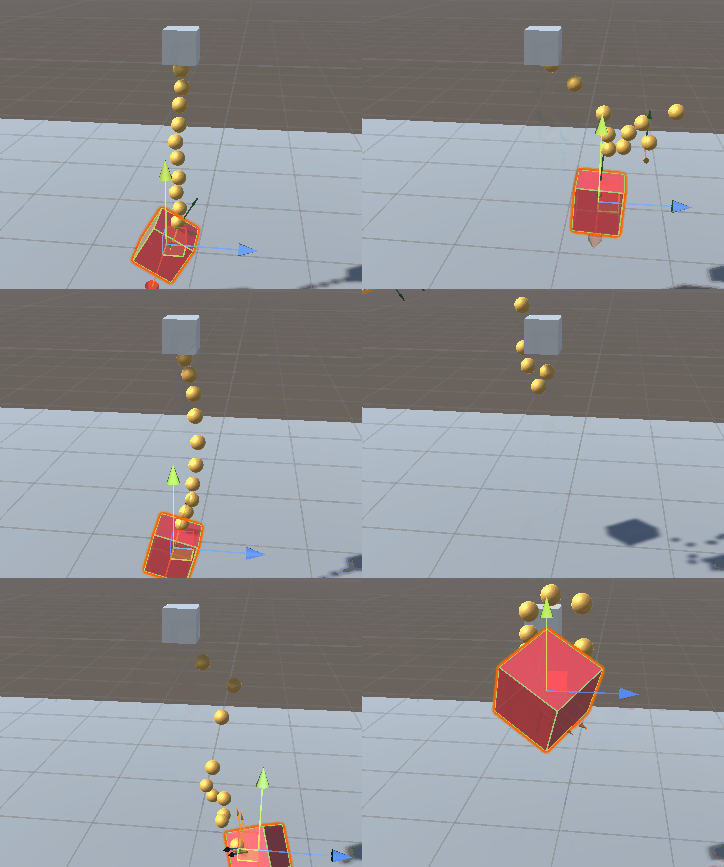 upbeat wind
cosmic dagger
You can assign a bool variable based on the input and check that variable within...
upbeat wind
cosmic dagger
You can assign a bool variable based on the input and check that variable within...
I'm confused sorry
pure drift
eager spindle
you may need to regenerate your project solution
i already tried that inside unity it didnt work
if this helps i get the error message ide 0051 inside my methods
eager spindle
upbeat wind
I'm confused sorry
void FixedUpdate() {
  Input.GetKeyDown("D");
}
^ will not work as you shouldn't call Input stuff in FixedUpdate. instead, you can do this in Update() or a coroutine.
The Update() method:
bool isDKeyPressed;
void Update() {
  isDKeyPressed = Input.GetKeyDown("D");
}
void FixedUpdate() {
  // you may use isDKeyPressed here
}```
`Update` runs as frequently as possible, while `FixedUpdate` runs every 0.02 seconds.my code does manage to get back to normal when it has an error inside it:
 upbeat wind
eager spindle
```
void FixedUpdate() {
Input.GetKeyDown("D");
}
```
^ will not work as you s...
upbeat wind
eager spindle
```
void FixedUpdate() {
Input.GetKeyDown("D");
}
```
^ will not work as you s...
would it be easier if i sent a screenshot of my code?
eager spindle
upbeat wind
would it be easier if i sent a screenshot of my code?
just understand that you should put your Input.GetKeyDown in Update instead of FixedUpdate
eager spindle
pure drift
my code does manage to get back to normal when it has an error inside it:
your ide is not paired properly unforunately
upbeat wind
eager spindle
just understand that you should put your `Input.GetKeyDown` in `Update` instead ...
but how do i make it activate the coroutine?
eager spindle
upbeat wind
but how do i make it activate the coroutine?
if you'd like to use a coroutine instead then you can
bool isDKeyPressed;

IENumerator DKeyPressedCoroutine() {
  while(true) {
    isDKeyPressed = Input.GetKeyDown("D");
    yield return null;
  }
}

void Start() {
  StartCoroutine(DKeyPressedCoroutine());
}

void FixedUpdate() {
  // you may use isDKeyPressed here
}
This consists of a coroutine that checks if the key is pressed. yield return null just means that it will wait until the next frame to check the key again. There are other things you can put besides null but you should look into coroutines to learn more.
The coroutine created will be started in Start().
note that this does about the exact same thing as the Update thing I wrote earlier
upbeat wind
eager spindle
if you'd like to use a coroutine instead then you can
```
bool isDKeyPressed;
I...
I just read the unity documentation, it makes sense now, thank you for your help!
 gentle pilot
Why does transform.localRotation no longer work
 nocturne kayak
Hey, can someone help me with events? i seem to be having some trouble setting them up
I created an event in this script (https://hastebin.com/share/waropafuho.csharp)
Hastebin is a free web-based pastebin service for storing and sharing text and code snippets with anyone. Get started now.
slender nymph
gentle pilot
Why does transform.localRotation no longer work
it does work. you need to show your code properly so we can see what you did wrong.
nocturne kayak
And am trying to subscribe to that same event in this one: (https://hastebin.com/share/evixabolay.csharp)
Hastebin is a free web-based pastebin service for storing and sharing text and code snippets with anyone. Get started now.
Still, i get this error
 slender nymph
well the current variable is not static so you need to access it via an instance reference
and you are attempting to subscribe the return value of setObjectToSpawn(prefabOne) to the event which is wrong
gentle pilot
‘’’cs
transform.localRotation = Quaternion.Euler(x, y, z)
‘’’
slender nymph
share the full code because that alone isn't incorrect
brittle vector
rocky canyon
figured out a bit of it... <@256187491512483850>
just saw this by the way, I'll check it out! Thank you!!
slender nymph
gentle pilot
‘’’cs
transform.localRotation = Quaternion.Euler(x, y, z)
‘’’
and pay better attention to the bot embed for sharing !code
eternal falconBOT
Posting code
📃 Large Code Blocks
Use links to services like:
https://gdl.space/, https://paste.ofcode.org/, https://hatebin.com/, https://paste.myst.rs/, https://hastebin.com/
📃 Inline Code
Surround code with three backquotes. Not quotation marks.
To format as C#, add cs to the first line:
```cs
// Your code here
```
Add a comment with a line number if there is an error message.
slender nymph
you did not
gentle pilot
… how?
slender nymph
wdym how? you used completely different characters
 near wadi
see ~ that key? use Shift with it, three times, then three more at the end
gentle pilot
I’m on phone
near wadi
come back when on the PC
slender nymph
gentle pilot
I’m on phone
then use a paste site like the bot linked if you cannot be bothered to post your code correctly. and since i asked you to share the full class anyway you should be using a paste site anyway
gentle pilot
you say if I can't be bothered to post my code correctly, I AM trying to post it correctly but the current console that I am on is not allowing me to do it. I understand you are trying to help but it wont work if all you are going to do is make assumptions and try to make me feel unworthy of help. I am trying to get a site to work so give it a minute Ill have to switch to PC so I can paste my code.
near wadi
simply post the entire code to the paste sites linked.
gentle pilot
i did it to paste of code
nocturne kayak
slender nymph
and you are attempting to subscribe the *return value* of `setObjectToSpawn(pref...
Alright, i might not be fully understanding how to use events here
(jk, i'm fully not understanding how to use events here)
slender nymph
you likely want to subscribe the method itself to the event, not the return value of a method call
gentle pilot
nocturne kayak
How can i achieve that? i assume i can't just subscribe WITHIN the method, right?
slender nymph
gentle pilot
https://paste.ofcode.org/6qJJ4aiKb93spsQmxtvRzT
your class does not inherit from MonoBehaviour therefore it does not inherit the transform property of a MonoBehaviour. it also means it is not a component and won't be attached to a gameobject to receive the Start and Update messages
gentle pilot
how could i get around this?
slender nymph
inherit from MonoBehaviour . . .
near wadi
take the Junior Programmer Pathway on the !learning site, since that is not making sense to you yet
eternal falconBOT
:teacher: Unity Learn ↗
Over 750 hours of free live and on-demand learning content for all levels of experience!
slender nymph
nocturne kayak
How can i achieve that? i assume i can't just subscribe WITHIN the method, right...
what resource(s) did you use to even learn about events? surely whatever you used showed how to subscribe to an event, right?
nocturne kayak
slender nymph
what resource(s) did you use to even *learn* about events? surely whatever you u...
Honestly? two different youtube tutorials i watched while sleep deprived at 5 AM
slender nymph
give them another watch while not sleep deprived then
teal viper
nocturne kayak
Honestly? two different youtube tutorials i watched while sleep deprived at 5 AM
If there's something specific about the tutorials that you don't understand, feel free to ask a specific question and link the video with a timestamp.
jaunty bay
usage wise, im pretty sure this is a mess for lines of codes, but as a beginner, im pretty sure making it as efficient as possible is the least of my concerns, right? 😅
timber tide
!code
eternal falconBOT
Posting code
📃 Large Code Blocks
Use links to services like:
https://gdl.space/, https://paste.ofcode.org/, https://hatebin.com/, https://paste.myst.rs/, https://hastebin.com/
📃 Inline Code
Surround code with three backquotes. Not quotation marks.
To format as C#, add cs to the first line:
```cs
// Your code here
```
Add a comment with a line number if there is an error message.
 hasty socket
hey guys! not sure if i am in the right channel for this but ill ask anyways
i am trying to add the newtonsoft json package but im kinda struggling here, i am using unity 6, and whenever i try to install it via package manager > install package from git URL/install package by name i get an error that it couldn't find it
 keen night
hello, did the way that ScriptableObjects are saved changed in Unity6 ? My script that changes some values in my scriptableobject in editor was working before, but since i'm on U6, when i quit unity, it resets... The only way I found right now to save it, is to change manually a variable in it, after doing my changes with my script. I tried this but nothing changed. If someone could help me, I don't find anything about it on the net :/
 burnt vapor
hasty socket
hey guys! not sure if i am in the right channel for this but ill ask anyways
i ...
burnt vapor
hasty socket
hey guys! not sure if i am in the right channel for this but ill ask anyways
i ...
Should work fine, please use the proper channel and share your error there because this is a coding channel for actual code
Apart from that, maybe try downloading again
north kiln
hasty socket
hey guys! not sure if i am in the right channel for this but ill ask anyways
i ...
Just install it via name com.unity.nuget.newtonsoft-json
north kiln
keen night
hello, did the way that ScriptableObjects are saved changed in Unity6 ? My scrip...
You call RecordObject before making modifications
keen night
ye i tried before and after
but it didn't changed
(because i didn't know if i had to record before or after)
 rare basin
I am having design issue how to pass my manager reference to the factory. I am learning factory pattern, and making a simple game with it. I have a TileFactory with a static function CreateTile(TileType type), inside that function I am spawning proper tile and referencing a proper tile prefab from my scriptable object TilePrefabs. How can I properly referene that TilePrefabs SO to my TileFactory. Should I make some kind of TileManager (singleton?) and make a reference to the SO there?
hasty socket
north kiln
Just install it via name `com.unity.nuget.newtonsoft-json`
and i tried to do that and got the error i mentioned above, however i will probably take this issue to unity talk as qyou said
teal viper
rare basin
I am having design issue how to pass my manager reference to the factory. I am l...
Yes. Though maybe make it a MonoBehaviour instead of an SO.
rare basin
teal viper
Yes. Though maybe make it a MonoBehaviour instead of an SO.
so just store all prefabs in a dictionary (i have serialized dicionaries so can edit them in inspector) in the TileManager instead of making additional TilePrefabs SO? is that ok approach?
and make TileManager a singleton
and reference it easily in the factory?
 errant pilot
Guys can i have a spritemask work on a single object only as i have multiple overlapping masks and i want each mask to work on its respective object
rare basin
i've heard that using singletons isn't a good practice not sure if it's the case here aswell
teal viper
rare basin
so just store all prefabs in a dictionary (i have serialized dicionaries so can ...
Yes. Or you can combine both. Have the TileManager reference an SO TileDatabase or something that would actually hold the prefab references.
rare basin
I see, that would be a nice idea, i think i will go for it, i just constantly have in back of my head that i shouldnt be using singletons and i feel "guilty?" lol
timber tide
If your class has Manager in the name, it could probably be a singleton
teal viper
If it fits your project and use case and you use them correctly, why not🤷♂️
rare basin
teal viper
If it fits your project and use case and you use them correctly, why not🤷♂️
i'd like to make it as my 1st main project and make it available on github so the recruiters can browse throught it, I always heard that singleton is anti-pattern and just because of using singletons i could not get the job, but im not sure if thats true
timber tide
errant pilot
Guys can i have a spritemask work on a single object only as i have multiple ove...
Not too sure the easiest way to go about that without using multiple viewports because masking deals with a single stenciling stack
teal viper
rare basin
i'd like to make it as my 1st main project and make it available on github so th...
Singletons are fine if you use them correctly. If you were not hired somewhere due to a few singletons in your code, you're probably better off not working in that company.
rare basin
teal viper
Singletons are fine if you use them correctly. If you were not hired somewhere d...
I see, thank you 😄
errant pilot
timber tide
Not too sure the easiest way to go about that without using multiple viewports b...
ok ill see what i can do thank you
timber tide
errant pilot
ok ill see what i can do thank you
This would also mean that the most next rendered viewport will render over the previous sprite/mask renders
Another idea is learn custom shaders or URP render objects and take control of the buffer
this way you can specify a single index to the mask and shader to reveal
errant pilot
that would work on a 2D game?
timber tide
Yeah, but I'm pretty sure you could get similar behavior from disabling* mask-all for the sprite mask for your use case or maybe I'm not understanding it completely
 summer hound
So, i just got an update to Visual studios, and after that i get these errors. The start is sitll running and setting variables and such, but it says its unused and its all greyed out and that screws up my OCD :D.
Anyone seen anything similar?
 languid spire
summer hound
So, i just got an update to Visual studios, and after that i get these errors. T...
languid spire
summer hound
So, i just got an update to Visual studios, and after that i get these errors. T...
if it bothers you that much, rollback the update
 hexed terrace
or use the workaround available here:
https://developercommunity.visualstudio.com/t/Private-Unity-messages-incorrectly-marke/10779025

Developer Community
burnt vapor
summer hound
So, i just got an update to Visual studios, and after that i get these errors. T...
These are not errors by default
These are analyzer suggestions
If you don't want these, either change your analyzer configuration or suppress the alayzer sugegstion/warning/error
You can change the severity of these so maybe you have done that
hexed terrace
The last update of VS causes this change
burnt vapor
#pragma warning disable IDE0051
private int _foo;
#pragma warning enable IDE0051
This is one way, syntax is probably not right though
burnt vapor
hexed terrace
The last update of VS causes this change
VS tends to do a lot of changes to analyzing, but this should still not be an error AFAIK?
hexed terrace
It's not an error, it's greying out the method because it thinks it isn't used - a change that happened because of the last update
hexed terrace
hexed terrace
or use the workaround available here:
https://developercommunity.visualstudio.co...
see here
burnt vapor
Okay, just want to be sure there
hexed terrace
It's the case of someone using 'Error' when they don't know the correct term/ applying 'Error' to everything different/ wrong
hexed terrace
I think the three dots under the method name have always been there? The actual only difference is the colour fade
burnt vapor
The three dots indicate that there is a suggestion, which is what OP showed
Same as with warnings where it would get a yellow underline, this is for suggestions
hexed terrace
Yes..
And the aren't what are new here, but the user has done 2+2 and gotten 5 - maybe
burnt vapor
I mean in this case it's only there because of the bug
rare basin
I have a code design type of question. I have a Player class, and I also have HealthSystem InventorySystem ExperienceSystem etc monobehaviour classes. I will need to reference these classes a lot in my game, either to add item to my inventory or heal my player. What is the best approach to access these classes dynamically in code? I was thinking, that my Player.cs should store references to all the reliable components, and because I already have reference to Player i could just do Player.healthSystem.Heal(amount) for example. Is this a good approach? That would force me to make my references public or private with public getters, which approach is better?
hexed terrace
seems like those three could just be singletons?
burnt vapor
rare basin
I have a code design type of question. I have a `Player` class, and I also have ...
I suggest you just stick to adding singletons/dependencies on the actual class rather than getting it from a "central" source
Because in the event it does change, it becomes a mess
And generally this is just more readable
rare basin
hexed terrace
seems like those three could just be singletons?
it's a lot more than just those three, it was just an example
burnt vapor
Also helps a lot with testing etc. since you're not bound to using the Player class if you want to test some of the systems
hexed terrace
and I can't think of a reason why the Player class should be the point to get info from
burnt vapor
What you could do is have a general abstract "system provider" where you get the systems from. It could also manage making these systems for you
rare basin
I thought that it will be a good idea, since player relies on all these component
burnt vapor
The benefit is that it has a single purpose and it could be mocked
rare basin
it's worth mentioning that Enemy.cs class will also have access to some of its own components (health system, loot system) etc
so im trying to figure out the best way to gather references to these systems
burnt vapor
Is the only reason to avoid repetitive code?
rare basin
so when I enter healing fountain location, that implements ILocation itnerface
i want to call player.healthSystem.Heal() or any other way
to heal the player
so health system cannot be obviously a singleton
hexed terrace
it can
rare basin
how come
when i will have multiple instances of health systems
for enemies, player, destructible objects
hexed terrace
No, right - I'm thinking of 'system' differently to how you are
rare basin
burnt vapor
I suggest you just stick to adding singletons/dependencies on the actual class r...
so in my ILocation how can I reference the player's health system? the player should also have a reference to health sytsem, no?
hexed terrace
you either get it from the player, or do a getcomponent to get it
rare basin
so it's okay to have a Player class, and reference to all the player related components in that class?
hexed terrace
it's ok to do whatever works for you 😄
rare basin
well i want to follow good practice and SOLID principles
i want to actually learn design patterns and stuff so i want to make things the right way
hexed terrace
It's best that the Player class isn't full of everything though.. so for example, it shouldn't have movement in there with references to health
rare basin
I can imagine that at some point the Player.cs class will have like 20 referneces to it's related components
hexed terrace
hexed terrace
so it should be named appropriately
rare basin
so it's more like uuhm.. PlayerSystemReferences.cs rather than Player.cs
at this point i dont know why do i even need Player.cs class
damn it's annoyingly hard to make clean architecture/design lol
last question, should i just make straigh up public HealthSystem healthSystem or make it [SerializeField] private HealthSystem healthSystem and then a getter for it?
rare basin
what about events?
is making public UnityEvent OnCharactedHealed also bad?
if i want to subscribe to that event in other class, let's say HealthUI
hexed terrace
I never use those, I would say they're slightly different - unsure if they'd still be classed as fields
hexed terrace
I use C# ones, not UnityEvent
rare basin
ah, how are you communcating between the events?
health -> healthUI for example
so you trigger OnDamageTaken in health, and want to listen to that event in healthUI
hexed terrace
Action would be public, it has to be for another class to subscribe to it - but Action isn't a field
rare basin
should healthUI have referene to health, or vice-versa? it's so many question damn 😄
i guess health shouldn't know anything about healthUI
that's the healthUI purpose to listen to health stuff
hexed terrace
Health doesn't need to know a..
rare basin
right 😄
i swear once I started learning all the good principles stuff got harder but it's so easier and pleasant to work with later on in the project
thank you for your time
summer hound
languid spire
if it bothers you that much, rollback the update
Thanks for the help you all, i had no clue it was a problem in the latest update, or well i mean, i kinda figured since it started last update. Thanks again 😄
queen adder
if i decleare function as static, buttons arrays needs to be static too. then it doesn't show up on inspector. Created instance but error "cant create monobehavior with new keyword".

 rich adder
queen adder
if i decleare function as static, buttons arrays needs to be static too. then it...
rich adder
queen adder
if i decleare function as static, buttons arrays needs to be static too. then it...
statics don't belong to instances, which is what scripts on gameobjects are.
this is bad use for static, because you gotta start making everything static. Must use a better way to do it
queen adder
rich adder
this is bad use for static, because you gotta start making everything static. Mu...
example?

Stack Overflow
Consider:
namespace WindowsApplication1
{
public partial class Form1 : Form
{
public Form1()
{
InitializeComponent();
}
private void button1_Cl...
like this?
rich adder
queen adder
example?
serialize it in the inspector when possible or pass the reference another way, like through a method
this is for regular c# you should not be looking at that in terms of unity because monobehavior classes behave different (they are not created with the new() keyword)
 keen dew
What you're trying to do is called the singleton pattern. See https://gamedevbeginner.com/singletons-in-unity-the-right-way/ for example
rich adder
yes just be mindful about using singleton, reserve it for specific scripts like managers (when you only need 1 of it, the name single-ton)
anything else should be https://unity.huh.how/references
🤔 Unity, Huh, How?
Choose the best way to reference other variables.
queen adder
thanks
 frozen pebble
rich adder
anything else should be https://unity.huh.how/references
frozen pebble
rich adder
anything else should be https://unity.huh.how/references
Is this web using industry programming rules?, because i found it useful
rich adder
frozen pebble
Is this web using industry programming rules?, because i found it useful
focuses on unity mainly but yeah they are common patterns used
frozen pebble
I should say game industry
hexed terrace
It's made by one of the mods here
rich adder
frozen pebble
I should say game industry
some concepts are similar/generic all around, but all depends on the framework you use
ofc none would apply to an unreal project, but the concepts can. "Singleton, References" etc.
past spindle
Can you not create a parent override within an if statement?
past spindle
teal viper
Wdym?
I have a method that displays "You have clicked a shape!" on my parent, but I'd like to override it in the child script to display "You have clicked a " +shape where shape is the type of shape.
teal viper
past spindle
I have a method that displays "You have clicked a shape!" on my parent, but I'd ...
You can override a method for sure, but not sure what it has to do with an if statement
past spindle
The call to display is within the if statement I used to detect the click on the shape
private void OnMouseOver()
{
if (Input.GetMouseButtonDown(0))
{
base.DisplayText();
}
if (Input.GetMouseButtonDown(1))
{
displayedText.SetActive(false);
InvokeRepeating("ChangeColor", 0.0f, 0.1f);
}
}
teal viper
Call the actual method override, not the base one.
past spindle
the method is in the parent. Isn't that how I call the method from the parent?
teal viper
Did you not want to override it? You're confusing me.
past spindle
I do
teal viper
If you want to call the base method, then what you have is correct.
If you want to call the override, then you don't need 'base'
past spindle
so just replace base. with override protected void?
teal viper
No. Override, protected and void are keywords used at declaration.
Just call the method normally, without base.
past spindle
I swear I tried that before and it didn't work. Ok, so I don't need the base. Do I just start a new line for the declaration then?
languid spire
the declaration does not go inside the if statment, it is just a normal method with override
past spindle
ok thank you
rich adder
past spindle
private void OnMouseOver()
{
if (Input.GetMouseButtonDown(0))
{
...
public class Parent{
public virtual void SayHi() { Debug.Log("Parent says Hi"); }
}
public class Child : Parent{
    public override void SayHi() { Debug.Log("Child says Hi"); }
    //output : Child says Hi
    public override void SayHi() { base.SayHi(); Debug.Log("Child Says Hi"); }
    // output : Parent says Hi - Child Says hi
}```base is how you refer to the parent class
this is how you refer to the current class the code is being run on
Since this is more common, it is the default behavior. If you call a method without specifying what object you call it on, the code will essentially assume this.theThingYouJustCalled()
errant pilot
for (int i = 0; i < numCamels; i++)
{
int randomIndex = Random.Range(0, combinations.GetLength(0));
combinationsList.Add(combinations[randomIndex, 0]);
}
guys why does this give me the same combination numcamels times?
its not luck
polar acorn
errant pilot
for (int i = 0; i < numCamels; i++)
{
int randomIndex = Random.Range...
Log randomIndex
See what it's giving you
errant pilot
polar acorn
Log randomIndex
i get different indeces but same combination?
and im sure my array has unique combinations
polar acorn
errant pilot
i get different indeces but same combination?
Next step: log the things pulled from the array and see if they're what you expect
 mental wind
Hello, I want to ask help with downloading the Unity editor.
I found my installation failed due to not enough permission even I run the Unity Hub as an admin.
Doesn't anybody know what to do with this?

 rich adder
mental wind
Hello, I want to ask help with downloading the Unity editor.
I found my installa...
rich adder
mental wind
Hello, I want to ask help with downloading the Unity editor.
I found my installa...
this is a code channel.
use #💻┃unity-talk
also check logs
mental wind
oh okay thank you
polar acorn
They did check logs, that's the log
rich adder
yea my eyes ain't working this morning 😵💫
willow shoal
hello. how to make a light off/on after click "M" and then save it, when i play again this scene
using System.Collections.Generic;
using UnityEngine;

public class ligth00 : MonoBehaviour
{
    private bool isMuted;

    // Start is called before the first frame update
    void Start()
    {
        isMuted = PlayerPrefs.GetInt("MUTED") == 1;
        AudioListener.pause = isMuted;
    }


    private void Update()
    {
        if (Input.GetKeyDown(KeyCode.M))
        {
            isMuted = !isMuted;
            AudioListener.pause = isMuted;
            PlayerPrefs.SetInt("MUTED", isMuted ? 1 : 0);
        }
    }
}
i try this. but i dont know what to do next
this is script for audio but i need for light
rich adder
willow shoal
```using System.Collections;
using System.Collections.Generic;
using UnityEngine...
literally the same exact concept
ideally you start grouping these settings together with a class/struct you can then jsonify
rich adder
willow shoal
i will try
yea try it. if you have issues post them
 placid elm
Hi, I am trying to make a fps meter for my mobile game however everytime I test the build on my mobile device it's constantly changing between 30 and 60 fps. It never goes above it, below nor in between those 2 values. This is code I am using
    private float updateTimer = 0.2f;

    [SerializeField] TextMeshProUGUI fpsTitle;

    void Start()
    {
        Application.targetFrameRate = 300;
    }

    private void UpdateFPSDisplay()
    {
        updateTimer -= Time.deltaTime;
        if (updateTimer <= 0f)
        {
            fps = 1f / Time.unscaledDeltaTime;
            fpsTitle.text = "FPS: " + Mathf.Round(fps);
            updateTimer = 0.2f;
        }
    }

    private void Update()
    {
        UpdateFPSDisplay();
}```Mobile devices do that
they lock you to 30 or 60 fps
if you can't get 60 you get locked to 30
placid elm
wintry quarry
Mobile devices do that
So it is impossible to check how many fps do I have in stock when it goes over those values?
wintry quarry
I don't know what you mean by "how many fps do I have in stock"
placid elm
wintry quarry
I don't know what you mean by "how many fps do I have in stock"
if it is set to 60 idk how much stuff can happen more on the screen before it goes below 60
placid elm
can I have profiler in my build?
wintry quarry
Yes
placid elm
I will have to look it up
wintry quarry
https://docs.unity3d.com/Manual/Profiler.html tells you how to use a profiler on your development build
 placid elm
thanks
rare basin
should the fields in my ScriptableObject class be upper or lower case
public class LevelData : ScriptableObject
{
    public string LevelName;
}
should it be levelName?
or is it a common standard to use uppercase for public properties and field in c# unity?
or should it be
[SerializeField]
private string levelName;

public string LevelName => levelName;
im not sure if it's also "forbidden" (yes ik nothing is forbidden lol) to use public fields in SO classes?
rich adder
rare basin
```cs
public class LevelData : ScriptableObject
{
public string LevelName;
}...
public fields/props
PascalCasing
private fields n such, camelCase.
rare basin
i see, what about the 2nd question?
rich adder
rare basin
i see, what about the 2nd question?
nothing wrong with using public fields in SOs
hexed terrace
I still don't use public fields in SO's
rich adder
i always prefer props with backfields, over public fields but thats just me
 neon ivy
quick question, in a behaviour tree, does a sequence node do the entire sequence in one go or does it do it per tick through the tree?
verbal dome
Should probably specify which behaviour tree you are talking about
Or do you mean in general/usually?
 ashen isle
ok cool i'm wondering how to write code for a back button to load the previous scene. Like in this instance I want to have a settings menu, and ik how to open it, but how do I program a button to go back to the scene they were just in instead of calling a specific scene. I.E if they came from the main menu go back to main menu, if they opened settings from scene three go back to scene three
slender nymph
does the settings menu need to be open in single mode? can you not just pause the current scene the open the settings in additive mode so that you can then just unload that scene and unpause the original scene?
otherwise you'd need to store what scene you were in when the settings menu was open, as well as the state of the scene, unless you want to just restart the scene when closing the settings
ashen isle
slender nymph
does the settings menu *need* to be open in single mode? can you not just pause ...
yes that sounds great how do i do that lol
slender nymph
look at the documentation for the LoadScene method
ashen isle
i'm like just escaping tutorial abyss and trying to figure stuff out, i have a grasp of the very basics
ashen isle
slender nymph
look at the documentation for the LoadScene method
ok and that will show me how to pause a scene?
slender nymph
no, you can look up how to pause things though
ashen isle
ok gotcha and last question for now sorry
this is the code i used to make the new game button load the new game scene

this code works
slender nymph
you need to configure your !IDE
eternal falconBOT
💡 IDE Configuration
If your IDE is not autocompleting code
or underlining errors, please configure it.
Select one:
•  Visual Studio (Installed via Unity Hub)
• Visual Studio (Installed manually)
•  VS Code
•  JetBrains Rider
• :question: Other/None
ashen isle
this code is the exact same but its to tell the main menu button in the settings menu to load the main menu scene. But when I go to on click event to sleect the main menu load function its not there
 ashen isle
eternal falcon
ashen isle
eternal falcon
thank you i'll do that
slender nymph
ashen isle
this code is the exact same but its to tell the main menu button in the settings...
just FYI, you do not need a completely separate component for this. just use the other component and change the string variable in the inspector
you'll also want to rename the variable and the method so it is more obvious that it can be reused
ashen isle
seperate component like i don't need a seperate button script? even if they are different scenes?
slender nymph
yes, your variable is serialized which means it can be edited in the inspector. just change the value in the inspector and you can change what scene the method loads
ashen isle
i think i get it