#💻┃code-beginner
1 messages · Page 472 of 1
 cosmic dagger
 snow warren

 nimble apex
you dont really need async for something like this right?
            Texture2D texture = new Texture2D(sourceImageInfo.imageWidth, sourceImageInfo.imageHeight, sourceImageInfo.textureFormat, false);
            texture.LoadImage(File.ReadAllBytes(filePath));
texture.name = fileName;```i would say 47 iterations
cuz i counted
cosmic dagger
@sour fulcrum just make sure you reference the instantiated settings SO so your UI will change the correct one . . .
 sour fulcrum
cosmic dagger
<@97329742172151808> just make sure you reference the instantiated settings SO s...
sour fulcrum
cosmic dagger
<@97329742172151808> just make sure you reference the instantiated settings SO s...
ya im creating it via a property kind of like a singleton pattern
so any outside scripts will get the runtime one
public class ScriptableSetting<T> : ScriptableSetting
{
    protected ScriptableSetting<T> RuntimeSettings
    {
        get
        {
            if (runtimeSetting == null)
                CreateRuntimeCopy();
            return (runtimeSetting as ScriptableSetting<T>);
        }
    }

    [SerializeField] protected T _settingValue;
    public T Value
    {
        get => RuntimeSettings._settingValue;
        set => RuntimeSettings.SetValue(value);
    }

    protected void SetValue(T newValue)
    {
        T oldValue = RuntimeSettings._settingValue;
        RuntimeSettings._settingValue = newValue;
        OnValueChanged.Invoke((oldValue, newValue));
        OnChanged.Invoke();
    }


    public ExtendedEvent<(T oldValue, T newValue)> OnValueChanged = new ExtendedEvent<(T oldValue, T newValue)>();
}
public class ScriptableSetting : ScriptableObject
{
    public ExtendedEvent OnChanged = new ExtendedEvent();

    [SerializeField] protected ScriptableSetting runtimeSetting;

    protected void CreateRuntimeCopy()
    {
        runtimeSetting = Instantiate(this);
    }
}
abit of my super cursed code
oh neat it's kinda working
cosmic dagger
nice . . .
 somber hollow
Guys is it possible to make graphics like this in unity?
https://www.instagram.com/p/C706AyvI2bf/?img_index=3 IF so what kind of stuff can i research?

Styleframe / SKETCH designs for SQUARE together with the talented team @brandnewschool
Brand New School built a grid system that combines animation, illustration and abstract UI elements into an infinite icon set.
Likes
245

 Instagram
 keen dew
Unity is not modeling software so no. You can make things like that in Blender for example and import to Unity
cosmic dagger
you can achieve a render like that using HDRP . . .
snow warren
somber hollow
Guys is it possible to make graphics like this in unity?
https://www.instagram.c...
yes you can
but its better to do such stuff where its supported
i would suggest maya and blender
 eternal needle
 strong wren
how can i backup my project
strong wren
how can i backup my project
use version control, github
strong wren
eternal needle
use version control, github
github?
thats for storing the project isnt it?
 willow scroll
strong wren
github?
willow scroll
strong wren
github?
Any git. GitHub Desktop may be suitable, for example
strong wren
willow scroll
Any git. GitHub Desktop may be suitable, for example
isnt github a website
eternal needle
strong wren
thats for storing the project isnt it?
and what else do you consider a backup to be?
willow scroll
strong wren
isnt github a website
Yes. I am talking about GitHub Desktop
strong wren
eternal needle
and what else do you consider a backup to be?
yeah but its like saying to store it in a usb drive, yeah i know but what do i store
and where are the files?
willow scroll
strong wren
isnt github a website
 eternal needle
strong wren
yeah but its like saying to store it in a usb drive, yeah i know but what do i s...
eternal needle
strong wren
yeah but its like saying to store it in a usb drive, yeah i know but what do i s...
any unity github guide will go exactly through the steps and what to actually commit
 languid spire
strong wren
and where are the files?
languid spire
strong wren
and where are the files?
do you not know which folder you selected when you created the project?
Anyway the file location is directly underneath the project name in the hub
strong wren
languid spire
do you not know which folder you selected when you created the project?
Anyway t...
nah i always just keep everything in the default folder
 cyan token
somber hollow
Guys is it possible to make graphics like this in unity?
https://www.instagram.c...
cyan token
somber hollow
Guys is it possible to make graphics like this in unity?
https://www.instagram.c...
it is
strong wren
willow scroll
i just did that and i got some quick question
1: does it automatically update the github page or do i have to update it manually
2: and if no is there just a "update button" or do i have to tell it again which file to upload then overwrite the old file?
willow scroll
strong wren
i just did that and i got some quick question
1: does it automatically update th...
The GitHub page is updated when you click on "Fetch origin"
 strong wren
willow scroll
The GitHub page is updated when you click on "Fetch origin"
strong wren
willow scroll
The GitHub page is updated when you click on "Fetch origin"
oh ok
how often should i update it?
willow scroll
There is a number of non-fetched commits, which is non shown if is 0
willow scroll
strong wren
how often should i update it?
When you're ready to publish your commit
willow scroll
strong wren
that makes working on this project alot easier
Yes, since you can keep track of your commits and back up if something doesn't work
 solemn fractal
Hey guys I need to access a variable inside my playerBullet Script that is inside my PlayerBullet Prefab. But the bullet is just spawned around 5..10sec inside the game, but I need already the value to appear in the screen since start, but not being able to do it as it was not spawned yet and I cant get the value, any ideas?
eternal needle
solemn fractal
Hey guys I need to access a variable inside my playerBullet Script that is insid...
what do you need it for? this sounds like you have something setup backwards
also nothings stopping you from reading values from the prefab itself
solemn fractal
like show on the screen.. like player damage.. so when game starts the damage will already show on the screen of the bullet
how do I acess the value inside the prefab already even without being spawned?
eternal needle
solemn fractal
how do I acess the value inside the prefab already even without being spawned?
the exact same way you access it when it is spawned. although needing to do this sounds very questionable still. Could you not just spawn the player in and enable it around 5-10 seconds rather than spawn it at that time? Would save you from having to reference the prefab then the spawned object if these numbers change
solemn fractal
I can but them in the screen it will be updated only after 5..10 sec and that is ugly..
eternal needle
i have no clue what that means. Nothing i suggested visually changes anything
solemn fractal
Game starts, you have in the screen a text saying. Player damage: 2
that number 2 I can get only when the bullet spawns that is the prob
eternal needle
solemn fractal
that number 2 I can get only when the bullet spawns that is the prob
Well as I said above, no you are not limited to this. You can get it from the prefab.
But again this seems very backwards. so I suggest you either spawn the object earlier or have this damage number exist elsewhere
solemn fractal
Ok, I will make it elsewhere. thank you 😄
solemn fractal
eternal needle
Well as I said above, no you are not limited to this. You can get it from the pr...
I can put that script not only on playerbullet prefab but also on my player, is that gonna be bad? player is always spawned on the scene..
 midnight meteor
i have a public static gameobject array , why it doesnt show up on editor ? even with [SerializeField]
languid spire
midnight meteor
i have a public static gameobject array , why it doesnt show up on editor ? even...
because Unity does not serialize static objects
midnight meteor
oh i got you thanks
eternal needle
solemn fractal
I can put that script not only on playerbullet prefab but also on my player, is ...
i have no clue what script you are talking about, so thats up to you to decide. if it isnt a hassle to get the value, and it makes sense to be on the player then sure
solemn fractal
eternal needle
i have no clue what script you are talking about, so thats up to you to decide. ...
already fixed here ty ty
 abstract copper
Issue: The time (in minutes) on package labels decreases by 2 every second instead of by 1. However, when the minute is at a number ending with 8 or 3 example (38 and 33), it decreases by 1 to 37 or 32, and then continues decreasing by 2 until it reaches 8 or 3, respectively.
Script: https://pastebin.com/mX06pqsY
 static wasp
i have 73k errors in 200 lines of code, this is the definition of pain
eternal needle
abstract copper
Issue: The time (in minutes) on package labels decreases by 2 every second inste...
you should really add debugs and see whats happening specifically. also this doesnt make a whole lot of sense. the time in minutes decreases by 2? i only see you adding to it in update
abstract copper
eternal needle
you should really add debugs and see whats happening specifically. also this doe...
tried debugging but idk how really any further, yea it decreases by 2 on the package label but ti should by 1. so 1 in game minute = 1 irl second
languid spire
abstract copper
Issue: The time (in minutes) on package labels decreases by 2 every second inste...
I have to ask, why are you not using a TimeSpan?
abstract copper
I followed a tutorial for day and night cycle and he included the time manger in it so I used his
So I just built upon it
eternal needle
abstract copper
tried debugging but idk how really any further, yea it decreases by 2 on the pac...
i see no debugs in your code. but also i have no clue what value you're talking about. Do you mean timeLeft since thats the only thing related getting set to the label text
abstract copper
Yes time left, It counts down
And thats what decrements by 2 instead of 1 every second
eternal needle
that seems like its just using the hours, which would imply its going down by 2 hours every second
languid spire
static wasp
i have 73k errors in 200 lines of code, this is the definition of pain
you will probably find solving one basic structural one with reduce that considerably. So double check your code structure very carefully
static wasp
languid spire
you will probably find solving one basic structural one with reduce that conside...
i tried and now i have 162k errors 👍
languid spire
static wasp
i tried and now i have 162k errors 👍
do you know what I mean by 'code structure'?
static wasp
languid spire
do you know what I mean by 'code structure'?
brackets and stuff like that?
languid spire
static wasp
brackets and stuff like that?
exactly
eternal needle
abstract copper
And thats what decrements by 2 instead of 1 every second
add debugs for, (or some way to see), elapsedMinutes and totalElapsedTimeInHours
Check if the minutes there are correct. If they are, then its some issue with your delivery time.
If they arent, then check the equation in line 7.
Also if you attach the debugger, you can just see all of these values and use breakpoints to run the game line by line
it should be pretty easy to work backwards here to see which point a value is incorrect, since its all just simple math
abstract copper
ok il debug those but keep in mind i DO NOT know simple math, i did not pay attention in school
 teal viper
Good opportunity to learn it then
languid spire
abstract copper
ok il debug those but keep in mind i DO NOT know simple math, i did not pay atte...
can you use a calculator?
eternal needle
no one was saying to do it by hand, but its simple math in that u can plug it into a calculator immediately
compared to something like rotations, quaternion math, where a vast majority in here would not be able to do it even with a calculator
abstract copper
what should i compare the minutes to? like the minutes to the hours?
like if elapsedMinutes are same as minutes in elapsedHours
languid spire
you know if you switch to using TimeSpan you wouldn't need to be doing any of this
eternal needle
abstract copper
what should i compare the minutes to? like the minutes to the hours?
well id pray that your calculation of minutes / 60 is correct, i was saying to check if the minutes make sense logically. Like pause the game, look at the time in TimeManager, then check if you get the correct results in UpdateLabel.
 sick storm
hi i am having problems with my dash as when i dash upwards it sends me further then when i dash left or right can someone help me?
languid spire
sick storm
hi i am having problems with my dash as when i dash upwards it sends me further ...
!code
 eternal falconBOT

Posting code
📃 Large Code Blocks
Use links to services like:
https://gdl.space/, https://paste.ofcode.org/, https://hatebin.com/, https://paste.myst.rs/, https://hastebin.com/
📃 Inline Code
Surround code with three backquotes. Not quotation marks.
To format as C#, add cs to the first line:
```cs
// Your code here
```
Add a comment with a line number if there is an error message.
sick storm
languid spire
sick storm
https://gdl.space/onatasepim.cs
yoiu are going to have to really debug your code, you are mixing AddForce and setting velocity so it's impossible for us to know exactly what is going on there
 steep rose
sick storm
hi i am having problems with my dash as when i dash upwards it sends me further ...
steep rose
sick storm
hi i am having problems with my dash as when i dash upwards it sends me further ...
Are you jumping and dashing? If so that could be an issue
 thick dove
I'm actually losing my mind. How is something as simple as "setactive" fucking me over
languid spire
thick dove
I'm actually losing my mind. How is something as simple as "setactive" fucking m...
at a guess because when a gameobject is inactive none of it's scripts will run?
thick dove
it's not the gameobject's script, so that's not the issue :(
languid spire
setactive is only valid on a game object
thick dove
yeah, but it's not on the gameobject that it wants to set active
 frosty hound
You need to provide actual details for your issue
thick dove
 languid spire
!code
eternal falconBOT
Posting code
📃 Large Code Blocks
Use links to services like:
https://gdl.space/, https://paste.ofcode.org/, https://hatebin.com/, https://paste.myst.rs/, https://hastebin.com/
📃 Inline Code
Surround code with three backquotes. Not quotation marks.
To format as C#, add cs to the first line:
```cs
// Your code here
```
Add a comment with a line number if there is an error message.
frosty hound
Also is you rlog running?
thick dove
    private void Update()
    {
        Debug.Log("Menu is " + menuIsUp);
        // Check if Olimar is within the Onion's collider
        if (Vector3.Distance(olimarTransform.position, destination.transform.position) < distance)
        {
            Debug.Log("Olimar is within distance");
            if (Input.GetKeyDown(KeyCode.Space) && !menuIsUp)
            {
                menuIsUp = true;
                onionMenu.SetActive(true);
                logicManager.Pause();
                Debug.Log("Paused");

                inputCoroutine = StartCoroutine(CheckForInputCoroutine());
            }
        }

        if (menuIsUp && Input.GetKeyDown(KeyCode.Space))
        {
            UpdatePikmin();
            menuIsUp = false;
            onionMenu.SetActive(false);
            logicManager.Unpause();
            StopCoroutine(inputCoroutine);
        }
    }
yeah the log comes up as if it's working properly
steep rose
have you checked if your onionMenu is actually on using your script?
the script looks fine to me
thick dove
yeah, I tried it in Start and it works fine there
steep rose
as long as your debugs are going
frosty hound
Well, you have an if statement back to back. When you turn menuIsUp = true , it will immediately run the next if statement because it's now true and you're pressing space.
 queen adder
Unsure if this would be the correct channel, but I am using the Starter Asset Third Person controller, and for some reason sometimes if I bump into stuff or fall too hard the jump just stops working. My project is just to show off my level design skills but is a jumping puzzle, and I would probably lose points if my teacher has to restart, any way to fix this/ find out why its happening?
frosty hound
Well, maybe not, depends on what's happening in your pause.
Put a log in your second if statement and see if they both fire
thick dove
oh my god thank you
I can probably just make that an elseif statement inside the distance checking if
thank you so much, christ
frosty hound
I would flip the if statements. Do the distance check inside the input one.
Either way, organize it however makes sense to you.
queen adder
what is the trick to make properties visible in the editor again? 
oh [field: SerializeField]
 wintry quarry
queen adder
oh [field: SerializeField]
wintry quarry
queen adder
oh [field: SerializeField]
Fields need to be serialized to show in the inspector. To be serialized they need to follow these rules:
https://docs.unity3d.com/Manual/script-Serialization.html#SerializationRules
thick dove
That single issue was actually driving me nuts for so long, I was put off from making progress on my game. It's like a massive weight was lifted off me lol
 ionic zephyr
how can I generate trees (and other things like bushes or entities like enemies) in this type of procedurally generated terrain


 finite dew
ionic zephyr
how can I generate trees (and other things like bushes or entities like enemies)...
finite dew
ionic zephyr
how can I generate trees (and other things like bushes or entities like enemies)...
you can use white noise to generate possible placement positions, and discard the ones that overlap with other structures or are out of map bounds
ionic zephyr
finite dew
you can use white noise to generate possible placement positions, and discard th...
Okay, I´ll check it out then, thanks!
 marble hemlock
any suggested resources for learning how to make dialogue systems?
to clarify, for someone who is just starting out and trying to get a grasp on it
 vocal marlin
lmao
I just made one
It was from a tutorial from Brackeys video
his videos are really good
And even if your dialogue system isn't the same you can tailor it
to your project
 cosmic quail
vocal marlin
And even if your dialogue system isn't the same you can tailor it
cosmic quail
vocal marlin
And even if your dialogue system isn't the same you can tailor it
but if u want the player to have dialogue choices too then you gotta rework the entire thing
vocal marlin
I'm working on doing that now and it doesn't look like it
 rotund bronze
{
_rb.velocity = new Vector2(_horizontalInput * _moveSpeed , _rb.velocity.y) ;
}
else
{
_rb.velocity = new Vector3(0f, _rb.velocity.y);
}```
any way to stop micro movement from this code? what I mean by micro movement is a very small change in x and z, even though I have set velocity to zero in x and z deft grail
rotund bronze
``` if (_horizontalInput != 0)
{
_rb.velocity = new ...
deft grail
rotund bronze
``` if (_horizontalInput != 0)
{
_rb.velocity = new ...
do you have a controller plugged in? could be giving the small input
rotund bronze
deft grail
do you have a controller plugged in? could be giving the small input
nah, I'm using keyboard currently
cosmic dagger
rotund bronze
``` if (_horizontalInput != 0)
{
_rb.velocity = new ...
what type is _horizontalInput?
rotund bronze
cosmic dagger
what type is `_horizontalInput`?
float
cosmic dagger
rotund bronze
float
you're comparing it to 0; try using `Approximately or check if it's less than a threshold value . . .
rotund bronze
cosmic dagger
you're comparing it to 0; try using `Approximately or check if it's less than a ...
ah ok thx
 lapis frigate
can anyone explain to me why do I get an error when I do have a button called "Inventory"

 polar acorn
lapis frigate
can anyone explain to me why do I get an error when I do have a button called "I...
polar acorn
lapis frigate
can anyone explain to me why do I get an error when I do have a button called "I...
What's the error say
wintry quarry
lapis frigate
can anyone explain to me why do I get an error when I do have a button called "I...
The first step is always to read the error
lapis frigate
Argument 1 cannot convert string to int
wintry quarry
lapis frigate
Argument 1 cannot convert string to int
Right, now look at the GetMouseButton function:
https://docs.unity3d.com/ScriptReference/Input.GetMouseButton.html

public static bool GetMouseButton(int button);
what kind of parmeter is that expecting?
languid spire
inb4 he has a UI Button called Inventory
polar acorn
lapis frigate
Argument 1 cannot convert string to int
Correct. "Inventory" is not a number
cosmic dagger
languid spire
inb4 he has a UI Button called Inventory
yep, just waiting for the reveal . . . 🍿
lapis frigate
so I can I know the int value?
wintry quarry
lapis frigate
so I can I know the int value?
int value of what?
lapis frigate
and blame him https://youtu.be/LaQp5u0_UYk?t=456

In this video we’ll create a UI for our inventory that is highly flexible for different sizes and scales nicely for different inventory types. We'll set things up so you can call up your menus with a button press and pause the game while browsing your items.
This series is designed to be quite powerful, scalable for large games, and flexible en...
wintry quarry
Did you read the docs?
The button values are: 0 for the left button, 1 for the right button, 2 for the middle button.
polar acorn
lapis frigate
so I can I know the int value?
Which number of mouse button do you want to press
wintry quarry
lapis frigate
and blame him https://youtu.be/LaQp5u0_UYk?t=456
why would I blame him?
He's calling a totally different function
you should probably copy his code if you want to use the tutorial
polar acorn
lapis frigate
and blame him https://youtu.be/LaQp5u0_UYk?t=456
"I did it exactly like the tutorial so why does theirs work and mine doesn't" counter:
Number of times it wasn't exactly like the tutorial: 177
Number of times it was exactly like the tutorial: 5
Number of times the code literally did not exist: 1
2022-07-19 to 2024-08-27
 iron steeple
is it bad if i changed version
 cosmic dagger
you can use a newer version. that will migrate your project over to it . . .
iron steeple
cosmic dagger
you can use a newer version. that will migrate your project over to it . . .
does it break my script?
languid spire
iron steeple
does it break my script?
no
cosmic dagger
nah, only if there are breaking changes . . .
iron steeple
so its safe if i migrate rn?
languid spire
it's a patch version change
 thorny basalt
iron steeple
so its safe if i migrate rn?
thorny basalt
iron steeple
so its safe if i migrate rn?
Yeah. I would personally make a backup just in case though
iron steeple
Well i alreadt migrate it :/
 rich adder
iron steeple
Well i alreadt migrate it :/
rich adder
iron steeple
Well i alreadt migrate it :/
you should be using Version Control regardless
iron steeple
rich adder
you should be using Version Control regardless
so its still fine
iron steeple
rich adder
but you should still learn about Version Control
what is that
rich adder
iron steeple
what is that
its a system that tracks your project, any changes gets documented, each time you want to backup the project you "commit" the changes , you can revert to any state at any time
its really something that will prevent future headaches if something goes wrong with project especially
 carmine narwhal
rich adder
its a system that tracks your project, any changes gets documented, each time yo...
carmine narwhal
rich adder
its a system that tracks your project, any changes gets documented, each time yo...
any tips on what to use that is not github? because i cant load my projects to github since they are to big 😦
rich adder
carmine narwhal
any tips on what to use that is not github? because i cant load my projects to g...
did you use the proper gitignore, you generally don't need that much.
how big is the assets folder?
carmine narwhal
i dont know it is the right gitignore i just use the unity one. its well over 20gb 😛
and github says max 5gb
rich adder
carmine narwhal
i dont know it is the right gitignore i just use the unity one. its well over 20...
the assets folder?
I think with that size you will have trouble any VC without paying boats load of money
carmine narwhal
rich adder
the assets folder?
I think with that size you will have trouble any VC without ...
ive stoped making stuff in it i will double check just cant remember the name atm
rich adder
if its the actual assets folder and mostly 3D assets that dont change, offset them to big storage like google drive n such while keeping VC for the rest of the project
carmine narwhal
rich adder
if its the actual assets folder and mostly 3D assets that dont change, offset th...
sounds to complicated for me ;:(
oh it was 3.8 gb the assets folder.
rich adder
you should be good then
carmine narwhal
it says its to big 😦 maybe im doing something wrong ....
rich adder
what does?
carmine narwhal
the initial commit says to big with some random lfs comment that i cant remember from my brain atm
rich adder
carmine narwhal
the initial commit says to big with some random lfs comment that i cant remember...
well first i would check if your github was actually added properly to the first commit, then would enable LFS if each individual file is bigger than typical size per-file limit
carmine narwhal
rich adder
well first i would check if your github was actually added properly to the first...
i dont know how to enable lfs 😛 dont even know what that is .....
rich adder
carmine narwhal
i dont know how to enable lfs 😛 dont even know what that is .....
simple google 😉
https://docs.github.com/en/repositories/working-with-files/managing-large-files/about-git-large-file-storage

GitHub Docs
carmine narwhal
that link does not say anything aboutn how to enable lfs it only explains what it is 😛
rich adder
carmine narwhal
that link does not say anything aboutn how to enable lfs it only explains what i...
did you click the breadcrumb uptop?
carmine narwhal
rich adder
did you click the breadcrumb uptop?
breadcrumb?

 rich adder
carmine narwhal
breadcrumb?
rich adder
carmine narwhal
breadcrumb?
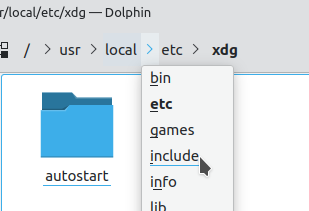
A breadcrumb or breadcrumb trail is a graphical control element used as a navigational aid in user interfaces and on web pages. It allows users to keep track and maintain awareness of their locations within programs, documents, or websites. The term alludes to the trail of bread crumbs left by Hansel and Gretel in the German fairy tale.
carmine narwhal
im way to stupid for this. thanks for the help though. that only led to the weird console thing where you need to enter shitloads of weird lines to get it to work´....
polar acorn
carmine narwhal
im way to stupid for this. thanks for the help though. that only led to the weir...
You mean git
that's how git works
carmine narwhal
polar acorn
that's how git works
***** Profanity words 😛
why make it so complicated...
 carmine narwhal
rich adder
`git gud`
carmine narwhal
rich adder
`git gud`
:_D will never be that 😄 im R3tarded 😄
i guess i will have to live without it 🙂 and hope my computer doesnt die 😄
rich adder
carmine narwhal
i guess i will have to live without it 🙂 and hope my computer doesnt die 😄
if you plan on creating a game, using git aint the hardest part you will be doing.. its quite easy. enter a few commands and you're done
there are also GUI clients that exists (GithubDesktop, Fork etc.)
carmine narwhal
rich adder
if you plan on creating a game, using git aint the hardest part you will be doin...
what? i have tried with tutorials and it never works for me..
ionic zephyr
Any recommendations of resources that teach how to fill a procedurally generated map with trees, enemies, bushes and so on?
rich adder
ionic zephyr
Any recommendations of resources that teach how to fill a procedurally generated...
break down the problem into smaller steps
steep rose
carmine narwhal
what? i have tried with tutorials and it never works for me..
you should use github desktop with git
rich adder
carmine narwhal
what? i have tried with tutorials and it never works for me..
wdym never works..it does work. Its not difficult at all
steep rose
steep rose
you should use github desktop with git
its extremely easy to set up
rich adder
how do you plan on code if a few commands on console scare you
carmine narwhal
rich adder
how do you plan on code if a few commands on console scare you
thats not the problem, problem is what the tutorial says should happend doesnt.
steep rose
explain
rich adder
carmine narwhal
thats not the problem, problem is what the tutorial says should happend doesnt.
like what?
carmine narwhal
cant remember exactly i kinda gave up on it 6months ago ish. but it was one of the lines that something should have happend it happend for my friend it worked for him. but when i did it it said the same thing but i still couldnt commit the big change
steep rose
steep rose
explain
you can either use a GUI client to use git or use console commands
steep rose
carmine narwhal
cant remember exactly i kinda gave up on it 6months ago ish. but it was one of t...
what? what big commit
so you got it working then if you can commit?
carmine narwhal
steep rose
what? what big commit
i think its better i try again and show you when the fault happends
rich adder
maybe make a thread
carmine narwhal
hard to explain something that happend over 6months ago 😄 now i cna hardly remembner how to use github or github desktop 😛
steep rose
you should definitely get version control up and running
rich adder
carmine narwhal
hard to explain something that happend over 6months ago 😄 now i cna hardly reme...
github desktop https://www.youtube.com/watch?v=5IxUElilf2M
The only thing is sometimes LFS gets weird on github desktop, might need to be enabled via terminal
carmine narwhal
rich adder
github desktop <https://www.youtube.com/watch?v=5IxUElilf2M>
The only thing is s...
i will try later today thanks 😄
steep rose
i just followed a brackeys tutorial for my github desktop version control 😅
 rich adder
lapis frigate
I added this code into a canvas and it doesnt work
rich adder
lapis frigate
I added this code into a canvas and it doesnt work
is the canvas gameobject disabled?
lapis frigate
no
steep rose
lapis frigate
I added this code into a canvas and it doesnt work
did you debug
lapis frigate
the inventory menu is disabled
I mean its started as diasbled
i cant enbale it ingame
rich adder
lapis frigate
the inventory menu is disabled
im talking about the gameobject this script is on
carmine narwhal
rich adder
github desktop <https://www.youtube.com/watch?v=5IxUElilf2M>
The only thing is s...
min 0:51 this does not happend for me i get this instead
 steep rose
carmine narwhal
min 0:51 this does not happend for me i get this instead
steep rose
carmine narwhal
min 0:51 this does not happend for me i get this instead
press locate
rich adder
carmine narwhal
min 0:51 this does not happend for me i get this instead
remove
steep rose
and find the folder
rich adder
this is something old you previously had that was moved/deleted
lapis frigate
rich adder
im talking about the gameobject this script is on
wdym disabled
carmine narwhal
oki so remove for now
lapis frigate
how can I disable a canvas
rich adder
carmine narwhal
oki so remove for now
make a thread.
also
remove any git / gitignore folder(make sure show hidden files and folders is on) in the project so you start fresh
lapis frigate
you mean the V sign below the inspector?
steep rose
lapis frigate
how can I disable a canvas
scripts wont work if the scripts gameobject is disabled
rich adder
lapis frigate
you mean the V sign below the inspector?
show the inspector where you put the script
lapis frigate
 rich adder
lapis frigate
rich adder
lapis frigate
does this get disabled?
 carmine narwhal
make a thread.
lapis frigate
no
steep rose
did you debug if the code was even running?
rich adder
lapis frigate
no
put Debug.Log and see if it runs at all
polar acorn
lapis frigate
I added this code into a canvas and it doesnt work
Add this log outside the if:
Debug.Log($"{gameObject.name} update - Button? {Input.GetButton("Inventory")} - Menu? {menuActivated}");
See if the button value changes while you're holding whatever you assigned to "Inventory". You might want to enable collapse in your console
polar acorn
Does menuActivated change whenever you press your inventory button?
polar acorn
Can you show a screenshot of the console after you press the button once?
With collapse enabled, so all of the lines will show as one group
lapis frigate
polar acorn
Can you show a screenshot of the console after you press the button once?
 polar acorn
lapis frigate
polar acorn
lapis frigate
Enable collapse
lapis frigate
 polar acorn
lapis frigate
polar acorn
lapis frigate
Can you share the full !code of the script? The entire script?
eternal falconBOT
Posting code
📃 Large Code Blocks
Use links to services like:
https://gdl.space/, https://paste.ofcode.org/, https://hatebin.com/, https://paste.myst.rs/, https://hastebin.com/
📃 Inline Code
Surround code with three backquotes. Not quotation marks.
To format as C#, add cs to the first line:
```cs
// Your code here
```
Add a comment with a line number if there is an error message.
polar acorn
With the log included
lapis frigate
I pasted it there how do I send it to you
polar acorn
send the link
lapis frigate
polar acorn
Did you actually save the script like this? Because there's no such thing as menuActivateds so this shouldn't compile
 lapis frigate
I did it as the normal way then I changed it to that to see if it will do anything
wait
you mean
polar acorn
There is no "normal way" for menuActivateds to be written. There's nothing with that name in the script
lapis frigate
waits its not the problem
polar acorn
As shown, this shouldn't compile
lapis frigate
I thought u meant the ==
cuz some poepne dont like that
u can ignore the s
its a my misstype the code is as it should be
lapis frigate
polar acorn
As shown, this shouldn't compile
its not a compilation problem
polar acorn
lapis frigate
its a my misstype the code is as it should be
Okay, did you make any other changes to the code as you were pasting it into the website
lapis frigate
nope
polar acorn
Okay, remove that log and put this one inside the if statements:
Debug.Log($"{gameObject.name}- Menu Activated: {menuActivated}. Inventory Menu State: {InventoryMenu.activeInHierarchy}");
it doesnt show anything in the console
I think its might be a problem with the if statements
polar acorn
Can you show a screenshot of your full unity window with the console open, with this object selected, during playmode?
 polar acorn
lapis frigate
polar acorn
lapis frigate
 lapis frigate
polar acorn
lapis frigate
polar acorn
sure but the console is empty
polar acorn
lapis frigate
sure but the console is empty
do it anyway
lapis frigate
ok
lapis frigate
polar acorn
do it anyway
 polar acorn
lapis frigate
polar acorn
lapis frigate

 polar acorn
Okay, as a warning, you have errors disabled in your console. You don't seem to have any errors, but you'd be hiding them if you did

This is what I wanted to see, if anything came up while you were playing
lapis frigate
ok
polar acorn
because any error could prevent your code from completing
Add this after your last else if statement:
else {
  Debug.Log($"{gameObject.name} did not enter any condition. Button: {Input.GetButtonDown("Inventory")}, Menu {menuActivated}, Inventory Object: {InventoryMenu}");
}
And show this screen again after you attempt to press "Inventory"
lapis frigate
yes it does that
it says it doesnt get the button input
should I screen shot the inventory button in the input manger?
lapis frigate
polar acorn
Yes
 polar acorn
lapis frigate
polar acorn
lapis frigate
It seems to be reading as Input.GetButton but not Input.GetButtonDown? I'm going to try to check something.
lapis frigate
Hmm so it checks the wrong function?
polar acorn
I don't have Unity on this machine, can you send a screenshot of your "Jump" button in the input manager? It should be already set up by Unity
lapis frigate
polar acorn
I don't have Unity on this machine, can you send a screenshot of your "Jump" but...
omfg I fixed it
it was so stupid
polar acorn
Something in the input manager settings?
polar acorn
Yep, that'd do it I think
lapis frigate
anyway thank you for your time
 maiden chasm
rate my plane code
cosmic dagger
maiden chasm
rate my plane code
best to !code with these links . . .
eternal falconBOT
Posting code
📃 Large Code Blocks
Use links to services like:
https://gdl.space/, https://paste.ofcode.org/, https://hatebin.com/, https://paste.myst.rs/, https://hastebin.com/
📃 Inline Code
Surround code with three backquotes. Not quotation marks.
To format as C#, add cs to the first line:
```cs
// Your code here
```
Add a comment with a line number if there is an error message.
cosmic dagger
maiden chasm
https://paste.ofcode.org/aNXfpmgNWhTvpfCiTzkEP3
rb is a Rigidbody component you assigned from the inspector. why are you getting the Rigidbody component again to change useGravity?
rb is already the Rigidbody component. just use that . . .
maiden chasm
true thats right for the gravity this is my simple plain control
cosmic dagger
using GetComponent in Update is bad and you can avoid that . . .
maiden chasm
i have make that script is it good ore wath i can do better
cosmic dagger
i just mentioned it. you'd do rb.useGravity instead because rb is the Rigidbody component . . .
cosmic dagger
you have movement += transform.forward * speed * Time.deltaTime; but you create Vector3 movement = Vector3.zero; in the previous line. there is no need to add. you can condense these two lines into one . . .
Vector3 movement = transform.forward * speed * Time.deltaTime;```yes you are right
cosmic dagger
when you rotate with transform.Rotate(+Wendigkeit * Time.deltaTime, 0 * Time.deltaTime, 0); you are multiplying deltaTime by 0. this is pointless, as it will always be 0 . . .
maiden chasm
thgis is also better Vector3 movement = transform.forward * speed * Time.deltaTime;
 sullen zealot
hello! where can i ask a firebaseauth code question?
rich adder
sullen zealot
hello! where can i ask a firebaseauth code question?
!ask
eternal falconBOT
:thinking: Asking Questions
:mag: Search the internet for your question!
:book: Use the API Scripting Reference and User Manual and this troubleshooting site for commonly posted issues.
:wrench: Attempt to debug your issue.
:thought_balloon: Find an appropriate channel by reading the name and description in #🔎┃find-a-channel
:grey_question: And don't ask to ask, ask a full question illustrating with screenshots if needed.
-# For more posting guidelines, go to #854851968446365696
ionic zephyr
!code
eternal falconBOT
Posting code
📃 Large Code Blocks
Use links to services like:
https://gdl.space/, https://paste.ofcode.org/, https://hatebin.com/, https://paste.myst.rs/, https://hastebin.com/
📃 Inline Code
Surround code with three backquotes. Not quotation marks.
To format as C#, add cs to the first line:
```cs
// Your code here
```
Add a comment with a line number if there is an error message.
ionic zephyr
Does somebody know why my GameObjects are instantiating between my tiles? (I mean, not in the center of the tile)
https://gdl.space/duxivumawo.cs this is the code with which I paint the tiles and Instantiate objects
 pine hearth
ionic zephyr
Does somebody know why my GameObjects are instantiating between my tiles? (I mea...
pine hearth
ionic zephyr
Does somebody know why my GameObjects are instantiating between my tiles? (I mea...
Hi Pingu, from a quick look there's a good deal going on in your code. My first recommendation to you would be to break down your code into the tiniest possible bit, to help isolate what's causing your issue. Probably the easiest would be to comment out stuff and/or make a separate script that spawns GameObjects onto tiles, but create your own tiles, to simplify that part of your code. That will help isolate if it's in how you're instantiating GameObjects, or if it has something to do with the perlin noise.
Again, this is just from a quick look, but I'd try it and see what it might show you!
ionic zephyr
pine hearth
Hi Pingu, from a quick look there's a good deal going on in your code. My first...
Oh, my bad, this isnt the full code, these are two exctracts from two different scripts, one generates the terrain (PaintTiles) and the other one Instantiates the Objects
pine hearth
ionic zephyr
Oh, my bad, this isnt the full code, these are two exctracts from two different ...
No worries! All the more reason why I would break this down into smaller, tinier bits to help process what's happening.
Another simplification step could be spawning just one unit, and see if you can get it to spawn in the center of a tile. Start with drilling down into the core of this code. Was this from a tutorial?
 rocky canyon
if they're spawning between tiles and not centered on tiles.. then it must be the way u calculate the x and y coords
ionic zephyr
rocky canyon
if they're spawning between tiles and not centered on tiles.. then it must be th...
It is the same on both scripts since I pass the same Roompositions
 muted wadi
i have a question about negative numbers related to coding. I'm currently using a value to determine the player's velocity as a single number, the problem is that the value only detects the player's velocity in their forward direction. I would like to detect their velocity omnidirectionally to have an accurate velocity value for when they collide with objects. How could I go about doing that?
    {
        generalVelocity = Vector3.Dot(body.transform.forward, body.velocity);
    }
Not really
ionic zephyr
rocky canyon
vs the other one not?
Oh it surely is this
you are totally right, let me check
rocky canyon
muted wadi
i have a question about negative numbers related to coding. I'm currently using ...
use velocity.magnitude
muted wadi
oh my lord i forgot that was a thing
but doesn't that only return a value between 0 and 1?
ionic zephyr
rocky canyon
are they being instantiated *inside* a parent gameobject?
they still are instantiated wrongly
rocky canyon
muted wadi
but doesn't that only return a value between 0 and 1?
it returns the length of a vector..
it ignores the direction
muted wadi
oh wait 0-1 is .normalised
muted wadi
rocky canyon
it ignores the direction
big up
eternal needle
1 is normalized. 0 would mean you have zero vector
rocky canyon
ionic zephyr
they still are instantiated wrongly
sorry, im not good at tiles.. i just figured id throw out my best guess
ionic zephyr
rocky canyon
sorry, im not good at tiles.. i just figured id throw out my best guess
Don´t worry and thank you anyway!
rocky canyon
ionic zephyr
Don´t worry and thank you anyway!
good luck 🍀
rocky canyon
muted wadi
i have a question about negative numbers related to coding. I'm currently using ...
isnt it b/c u specify the transform.forward?
wouldnt generalVelocity just be rb.velocity?
rocky canyon
ya, 3 floats.. a singular vector3
(that would be all ur velocities)
whats the code for?
muted wadi
detecting the overall speed of collisions in a direction
the problem was that getting .velocity itself gave me negative numbers for when the player would collide with something in reverse
muted wadi
what's that?
muted wadi
is this a property?
rocky canyon
thats a Mathf function
muted wadi
oh its mathf.abs
im gonna be completely honest i had no clue how this function worked up until now
rocky canyon
lol.. it gets the distance from the number to 0
soo negative numbers end up positive
positive numbers stay posiitive
muted wadi
oh man thats really useful actually
but yeah its pretty important because I want players to be able to collide with other objects in the scene at high speeds and deal damage based on their own velocity
is there a way to lock float values in the editor to a decimal point like with the .ToString("F1") method?
static wasp
How do i make an array accept negative values like it would in python? (nvm, i figured it out)
rocky canyon
you'd need to write an editor script / w an OnValidate method to round it everytime u made a change
eternal needle
static wasp
How do i make an array accept negative values like it would in python? (nvm, i f...
What do you mean, arrays arent limited to storing positive numbers. If you're trying to access it via negative index, you use ^
rocky canyon
static wasp
How do i make an array accept negative values like it would in python? (nvm, i f...

arrays can always use negative numbers
now.. if u mean negative array index's no.. lol
static wasp
rocky canyon
~~now.. if u mean negative array index's no.. lol~~
yes, this, but I figured it out
rocky canyon
ahh okay
eternal needle
rocky canyon
~~now.. if u mean negative array index's no.. lol~~
Yes you can, as I wrote above. arr[^1]
rocky canyon
i was reading this.. edit: dang that post is 9 yrs old
absolute value.. is that wat the ^ is
 short hazel
Means "from end"
short hazel
You can do substrings and collection slices with them, in modern .NET
One of these is an index, a pair of them a range
string s = "hello";
s[1..3] // "el" (1 to 3)
s[..^2] // "hel" (0 to 2-from-end)
TIL
short hazel
They're cool, and of course you can use variables in these, you're not limited to number literals or constants
steep rose
short hazel
```cs
string s = "hello";
s[1..3] // "el" (1 to 3)
s[..^2] // "hel" (0 to 2-from...
i think i understand now
 short hazel
Ah yep you have the analyzer telling you that you can simplify the regular substring into the "slice" substring
They both compile to the same code, so they're equally performant
 mint remnant
not a huge fan of the new string stuff, starts to look a bit convoluted. perl is a perfect example of it going too cryptic
rocky canyon
lol, just noticed that
im all about learning some new syntax
may never use it.. but its cool to know
 zenith cypress
After using rust, I much prefer the new range syntax personally 
short hazel
There's always worse, you haven't yet stumbled on the latest pattern matching (with is) implementations
You know you're in the deep end when you start seeing stuff like [ 2, _, 3, .. ] and [..var r]
zenith cypress
while we are on interesting string stuff, I was curious if you could change a string in-place, and you technically can. It could break, but that's okay 
var test = "Number 1!";
unsafe {
    fixed (char* ptr = test) {
        ptr[test.Length - 2] = '2';
    }
}
// Number 2!
Debug.Log(test);
yo, what do i do?
 polar acorn
static wasp
yo, what do i do?
polar acorn
static wasp
yo, what do i do?
My guess: You have variables with the same name as the old obsolete MonoBehavior methods, like having a public Collider collider or public Rigidbody rigidbody. You should click no, then probably go rename those so Unity stops complaining
static wasp
this is the code, i added, are there any variable names like that?
            public RaycastHit hit;
            Vector3 bottom_pos = player3.transform.position + Vector3.down * player3.collider.height / 2;
            if (Physics.Raycast(bottom_pos, Vector3.down, out hit, 0.1f))
            {
                if (hit.collider.CompareTag("Ground"))
                {
                    is_jumping = false;
                }
            }
it might be the first line but i'm not sure
short hazel
player3.collider is the one triggering it
static wasp
what should i change
short hazel
Whatever player3 is, go to its script and rename the collider field to something else
Pay attention to the warnings (underlined green-ish / yellow) that say that your variable is "hiding an inherited member"
static wasp
but i'm trying to get the height of the collider of player3
short hazel
So it's not one of your own variables?
static wasp
yes
short hazel
What's the type of that player3? GameObject?
static wasp
yes
short hazel
Okay so yep Unity complaining is purely normal here. Nowadays you need to use GetComponent<T>() to get a component attached to a GameObject
So get the collider using that, and you'll be able to get its height just fine
Or even better, change the type of player3 from GameObject to Collider so you can access it directly. You'll still be able to use .transform on it!
 amber spruce
hey so i have this weird bug in my game where my enemies which normally should just go towards the player the entire time but if i punch them a couple times they just go in the direction i punched them
public class EnemyMovement : MonoBehaviour
{
    Transform player;
    public float moveSpeed;

    void Start()
    {
        player = FindAnyObjectByType<PlayerMovement>().transform; // Find the player object
    }


    void Update()
    {
        transform.position = Vector2.MoveTowards(transform.position, player.transform.position, moveSpeed * Time.deltaTime); // Constantly move the enemy towards the player
    }
}
thats my enemy movement script anyone know why this is happening
is there some rigidbody or collider setting i need to change
 sleek gazelle
amber spruce
hey so i have this weird bug in my game where my enemies which normally should j...
sleek gazelle
amber spruce
hey so i have this weird bug in my game where my enemies which normally should j...
Does the player move?
amber spruce
yeah
sleek gazelle
amber spruce
yeah
If player is already a gameobject.transform
Why use player.transform.position
And not just player.position
amber spruce
not sure the tutorial i watched did that i kinda assumed it did smth different
sleek gazelle
amber spruce
not sure the tutorial i watched did that i kinda assumed it did smth different
Can you try by removing the first .position? The one when setting the value of player
amber spruce
nope didnt fix it
sleek gazelle
amber spruce
nope didnt fix it
PlayerMovement is a script? (Ig yes) Is it only attached to one game object?
amber spruce
yep
sleek gazelle
public class EnemyMovement : MonoBehaviour
{
    GameObject player;
    public float moveSpeed;

    void Start()
    {
        player = FindAnyObjectByType<PlayerMovement>(); // Find the player object
    }


    void Update()
    {
        transform.position = Vector2.MoveTowards(transform.position, player.transform.position, moveSpeed * Time.deltaTime); // Constantly move the enemy towards the player
    }
}
Try this maybe? And make sure moveSpeed is never negative (which would make your enemy go away from the player)
marble hemlock
vocal marlin
It was from a tutorial from Brackeys video
trying to apply it to my script and it is absolutely beating my ass
im sort of at the halfway point, where he's linked up the continue button to cycling through dialogue, but ive been trying to get it so it shuts down the movement and camera script i have on my player, and its showing that both of them are getting shut down, but then my player can still move
the idea is that when they enter the prompt to interact with the player, it'll stop them from turning away or walking away while still being in the dialogue. when it hits the last dialogue, it'll just release them again
i got it to work for my other menus but suddenly this one wants to be stubborn
naps are necessary
amber spruce
sleek gazelle
```cs
public class EnemyMovement : MonoBehaviour
{
GameObject player;
pu...
still doesnt work it seems to be randomly when i like spam punch them they glitch out and start just slowly going in the direction they where hit but it looks like they are trying to go to me at the same time so they like jump back and forth its really weird
sleek gazelle
amber spruce
still doesnt work it seems to be randomly when i like spam punch them they glit...
Do they have other scripts attached?
amber spruce
the enemys have a sprite renderer a capsule collider 2d a rigidbody 2d a health script and the enemy movement script
marble hemlock
oh and then it'll say "hey this thing doesnt have a reference"
wdym it doesnt have a reference
you are very clearly deactivating the reference
sleek gazelle
amber spruce
the enemys have a sprite renderer a capsule collider 2d a rigidbody 2d a health ...
So what makes them go away when you punch them?
amber spruce
well its like moving into them my characters fist has a collider that knocks them back
amber spruce
yeah movespeed doesnt change
sleek gazelle
So idk, sorry
amber spruce
all good
 ivory bobcat
amber spruce
hey so i have this weird bug in my game where my enemies which normally should j...
ivory bobcat
amber spruce
hey so i have this weird bug in my game where my enemies which normally should j...
Are you using physics? Check the velocity of said enemies, if you are.
amber spruce
so that does seem to be the problem i think but im not sure how to correct it
as i noticed that a enemy that was moving away from me had a x velocity of 5
ivory bobcat
amber spruce
so that does seem to be the problem i think but im not sure how to correct it
Maybe instead of setting the position (via move towards Transform), set the direction of velocitycs [SerializeField] private Rigidbody rb; private void FixedUpdate() { rb.velocity = (player.transform.position - transform.position).normalized * (moveSpeed * Time.deltaTime); }
If you've got some knock back feature, you'd probably want to disable movement for some duration while still being knocked back
 dense tangle
pls help
I'm trying to find the problem for 1 day and i couldn't
if someone can see where's the mistake pls tell me
this is the code
using System.Collections;
using System.Collections.Generic;
using UnityEngine;
using UnityEngine.EventSystems;

public class SkeletonBattleState : Enemystate
{


    private Transform player;
    private Enemyskeleton enemy;
    protected int moveDir;
    public SkeletonBattleState_(Enemy enemyBase, EnemyStateMachine _stateMachine, string _animBoolName, Enemy_skeleton enemy) : base(_enemyBase, _stateMachine, _animBoolName)
    {
        this.enemy = enemy;
    }

    public override void Enter()
    {
        base.Enter();

        player = GameObject.Find("Player").transform;
    }

    public override void Update()
    {
        base.Update();
        if (player.position.x > enemy.transform.position.x)
        {
            moveDir = 1;
        }
        else if(player.position.x < enemy.transform.position.x)
        {
            moveDir = -1;
        }

        enemy.SetVelocity(enemy.moveSpeed * moveDir, rb.velocity.y);
    }

    public override void Exit()
    {
        base.Exit();
    }

}
player = GameObject.Find("Player").transform;
this part basically can't find the player, but in the scene there are the player named exacly how it's written
I see some videos and search to understand how the gameobject.find works but it seems alright for me(I know it isn't but i can't tell what's wrong 😦 )
 deft grail
dense tangle
pls help
I'm trying to find the problem for 1 day and i couldn't
if someone can ...
deft grail
dense tangle
pls help
I'm trying to find the problem for 1 day and i couldn't
if someone can ...
have you verified the code even runs?
with a Debug.Log
ivory bobcat
Error says you've got an nre (null reference exception) on line 28 of skeleton battle states
dense tangle
deft grail
with a Debug.Log
yes
steep rose
dense tangle
yes
you couldnt have since you have an error
ivory bobcat
Looks like a runtime error (196 of them)
dense tangle
when i tested to see if the player is returning the gameobject or as null it says null
dense tangle
ivory bobcat
Looks like a runtime error (196 of them)
its in update
steep rose
dense tangle
when i tested to see if the player is returning the gameobject or as null it say...
did you not assign a value in the inspector?
ivory bobcat
dense tangle
its in update
What line is 28?
dense tangle
ivory bobcat
What line is 28?
if (player.position.x > enemy.transform.position.x)
dense tangle
steep rose
did you not assign a value in the inspector?
no
ivory bobcat
One of them is null
dense tangle
i'm doing this code following a course
dense tangle
ivory bobcat
One of them is null
its player
but i can't do the player(transform) recognize the player(gameobject)
ivory bobcat
You'll need to assign player a reference before using the variable
dense tangle
non english speaker my bad if i say something wrong or confusing
dense tangle
ivory bobcat
You'll need to assign player a reference before using the variable
if i'm not mistaken its this right?
private Transform player;
ivory bobcat
dense tangle
if i'm not mistaken its this right?
private Transform player;
That's just declaring the variable
dense tangle
🗿
steep rose
dense tangle
🗿
have you assigned said variable?
ivory bobcat
You'll either need to assign it through the inspector (via with a serialized field attribute for private members or as a public member) or Find - preferably the first.
dense tangle
ok
steep rose
so thats not assigned then?
dense tangle
steep rose
have you assigned said variable?
apparently not
steep rose
dense tangle
apparently not
then assign it and you should be okay
teal viper
dense tangle
if i'm not mistaken its this right?
private Transform player;
What you're doing is basically saying: there's gonna be a table in this room and never actually putting the table there. So when you want to use the table, the space-time continuum breaks.
dense tangle
teal viper
What you're doing is basically saying: there's gonna be a table in this room and...
omg
steep rose
teal viper
What you're doing is basically saying: there's gonna be a table in this room and...
interesting table analogy
dense tangle
ok
I make it public and assign the gameobject player
but the error still happening
🥸
steep rose
same error or different error?
ivory bobcat
Did you reference the player in the scene?
steep rose
dense tangle
I make it public and assign the gameobject player
also you do not need to make it public to assign something via inspector
amber spruce
ivory bobcat
If you've got some knock back feature, you'd probably want to disable movement f...
the knockback is just from the fist collider pushing it back
amber spruce
ivory bobcat
Maybe instead of setting the position (via move towards Transform), set the dire...
i will try this in a little
dense tangle
steep rose
same error or different error?
same
dense tangle
ivory bobcat
Did you reference the player in the scene?
yes
ivory bobcat
dense tangle
yes
Did you save the script?
dense tangle
ivory bobcat
Did you save the script?
yes
ivory bobcat
Can you show us the updated error?
steep rose
hmmmmmm
    public SkeletonBattleState_(Enemy enemyBase, EnemyStateMachine _stateMachine, string _animBoolName, Enemy_skeleton enemy) : base(_enemyBase, _stateMachine, _animBoolName)
    {
        this.enemy = enemy;
    }
is this.enemy = enemy; supposed to be in a start method?
try putting it in a start method
dense tangle
start method?
dense tangle
steep rose
is `this.enemy = enemy;` supposed to be in a start method?
as far as I know yes
ok
steep rose
dense tangle
as far as I know yes
its not in any
static wasp
dense tangle
start method?
the void Start()
steep rose
thats probably why
dense tangle
ivory bobcat
Can you show us the updated error?
I am not crazy, i assign the player gameobject in the public variable returned to the code and it disapeared
im not crazy
i swear
steep rose
you dont assign it while in game
ivory bobcat
steep rose
```
private void start()
{
    this.enemy = enemy;
}
```
I'm assuming everything works now
steep rose
it will revert when you do
dense tangle
steep rose
you dont assign it while in game
yes i dont
ivory bobcat
Had probably forgotten to save
steep rose
CTRL + S game not on point
dense tangle
ivory bobcat
I'm assuming everything works now
just give a warning but nothing happen
dense tangle
the player arent assigned
ivory bobcat
steep rose
```
private void start()
{
this.enemy = enemy;
}
```
This doesn't do anything btw
steep rose
ivory bobcat
This doesn't do anything btw
yes i know its not capitilized
static wasp
is there a way to make OnCollisionEnter work for gameobjects that don't have the script attached to them?
ivory bobcat
His original method takes an enemy parameter and assigns it to his enemy (explicit this). The start method doesn't receive an enemy thus just assigns it to itself (no work done)
steep rose
ivory bobcat
His original method takes an enemy parameter and assigns it to his enemy (explic...
then there is something wrong with his SkeletonBattleState_ script
ivory bobcat
steep rose
then there is something wrong with his `SkeletonBattleState_` script
I'm assuming it's called elsewhere (likely a constructor method) and a part of his tutorial.
Which makes little sense as the Unity messages imply that it's a mono behavior (which has no constructor)
steep rose
ivory bobcat
I'm assuming it's called elsewhere (likely a constructor method) and a part of h...
he should go back in his tutorial where he wrote this script and should check then if enemy is actually found
dense tangle
guys i think i resolve it
i forget to tell that im using hierarchy
so i put it in the main code
and it appear
sorry
💀
but now other error that wasnt there appeared
with the enemy variable
😩
enemy.SetVelocity(enemy.moveSpeed * moveDir, rb.velocity.y);
this part
the same error

steep rose
remove the start method (if you still have it) and go back to your original
dense tangle
steep rose
remove the start method (if you still have it) and go back to your original
i removed already
same error
💀
steep rose
a new error or the exact same error as last time?
dense tangle
same
ivory bobcat
Figure out what's null and make it not null
 languid snow
How do I make a bullet ignore collision with the object that created it? I know i have to use "Physics.IgnoreCollision(the collider from the thing that instantiates the bullet, GetComponent<Collider>());" How do i access the collider from the thing that instantiates the bullet
ivory bobcat
You tell the bullet who that thing is
languid snow
how
its an enemy so theres many of them
and i need it to hit other enemies, just not itself
ivory bobcat
For instance...cs var bullet = Instantiate(bulletPrefab); bullet.owner = this;
languid snow
oh its bullet.owner?
ivory bobcat
Well, you'd use your own names and whatnot but the important concept would be caching the instance and informing the instance who the shooter is.
dense tangle
I FIXED IT
ivory bobcat
Or have the shooter setup the ignore collision
dense tangle
THANKS @ivory bobcat @steep rose
steep rose
dense tangle
THANKS <@335967437315112961> <@670797575216955395>
🤔
what did you do to fix it?
dense tangle
i will have to see the video again
ivory bobcat
var bullet = Instantiate(...);
Physics.IgnoreCollision(collider, bullet, true);```what i did was to declare from where the rb.velocity.y was comming from
basically
i have to return the way it was before this conversation even starts
thats why i will see the video again
but i dont think this causes any trouble the way it are now
just make the code a bit messy if the people seeing are a complete perfectionist
but thanks for the help
languid snow
ivory bobcat
```cs
var bullet = Instantiate(...);
Physics.IgnoreCollision(collider, bullet, t...
does doing "var bullet = Instantiate(...); actually instantiate the object? (ive never used var before)
ivory bobcat
languid snow
does doing "var bullet = Instantiate(...); actually instantiate the object? (ive...
Instantiate returns the instance that is created.
https://docs.unity3d.com/ScriptReference/Object.Instantiate.html
ivory bobcat
languid snow
does doing "var bullet = Instantiate(...); actually instantiate the object? (ive...
languid snow
i see, thank you
for the enemies own collider i just do GetComponent<Collider>() no?
ivory bobcat
That or have a private serialized field and assign it through the inspector.
languid snow
ill try the second one, its telling me it cant find the enemies collider (which is kinda weird imo)
cos it does have a collider
ivory bobcat
ivory bobcat
```cs
var bullet = Instantiate(...);
Physics.IgnoreCollision(collider, bullet, t...
Implies that you've got a field called collider and that the bullet prefab is a collider referencecs [SerializeField] private Collider collider;//Assigned from the inspector [SerializeField] private Collider bullet Prefab;//Assigned from the inspectorwhere the instantiated instance would be a reference to the object as it's Collider component.
languid snow
wait its a box collider 2d, does that interfere with something?
ivory bobcat
Use physics 2d for 2d stuff
https://docs.unity3d.com/ScriptReference/Physics2D.IgnoreCollision.html
You'd also use the 2d variants for the fields and whatnot.
 lethal meadow
whenever I'm trying to see if something is within a certain distance of something else I just use a raycast with a certain length
is there a better way of doing it
Vector3 targetPos = obj2.transform.position - obj1.transform.position;
if (Physics.RayCast(obj1.transform.position, targetPos, out hit, 10))
{
debug.log("in range")
}
just an example
deft grail
lethal meadow
Vector3 targetPos = obj2.transform.position - obj1.transform.position;
if (Physi...
you can use a Physics.Overlap of some sort
lethal meadow
idk what that is never used it
deft grail
lethal meadow
idk what that is never used it
look at the docs, its pretty easy to use
lethal meadow
I see
what about seeing if a something is in eyeline
like i have flashbangs that check if there's a direct path to the player
and turrets that aim and shoot if they're in eyeline
lethal meadow
is a raycast not just a better version of that
 meager gust
with a raycast you'd have to give it a direction & distance
linecast automatically computes the direction & distance
but yes, you could achieve the same result with a raycast
lethal meadow
meager gust
with a raycast you'd have to give it a direction & distance
I mean that's literally just ,15 at the end of it
sour fulcrum
This might be a silly question but having some difficulty identifying generics (fairly new to integrating generics into non generic scenarios)
I have a ScriptableSetting class which inherits from ScriptableObject and then a ScriptableSetting<T> class that inherits from ScriptableSetting. I'm doing some editor window stuff where i wanna show a list of all the stuff inside them and im fine doing that in a generic function but i don't know how to find and cast every ScriptableSetting<T> to start off this whole thing if that makes sense
Like usually i'd type check and cast but i afaik i can't type check to see if it's the generic version
i think im just doing this allwrong
im guessing i need some little box that helps me ungeneric-ify the info kinda how serializedproperties and unityevents do
static wasp
chat is dead
cosmic dagger
lethal meadow
is there a better way of doing it
If you just want to check distance, you can use what you already have. This will give you the distance ```cs
float distance = (obj2.transform.position - obj1.transform.position).magnitude;
if (distance < 10) { }
It's the same as using the ```cs
Vector3.Distance(obj1.transform.position, obj2.transform.position);``` method, and you compare the returned value against 10. This doesn't involve raycasting, the physics engine, or needing to have colliders . . .how does a vector3 to float work
 timber tide
vector3 = 3 floats
cosmic dagger
lethal meadow
how does a vector3 to float work
A Vector3 consists of 3 float values. That is the type of the position property of a Transform . . .
No one said floatvector3. That is not a type . . .
Vector3.Distance is a Unity method that returns a float . . .
eternal needle
lethal meadow
so if you did debug.log(floatvector3)
it would look exactly like a compile error
cosmic dagger
It's the same as doing . . . (obj2.transform.position - obj1.transform.position).magnitude;
mint remnant
original author of hte method is a guy named Pythagarus
steep rose
eternal needle
it would look exactly like a compile error
good one
cosmic dagger
mint remnant
original author of hte method is a guy named Pythagarus
Don't say his name three times . . .
 grizzled acorn
Is SpriteRender.bounds extremely inaccurate or am I doing something wrong?
        var newPos = new Vector2(Nozzle.position.x + movement * speed.x, Nozzle.position.y);
        print(GantryRenderer.bounds.size.x/2);
        if (newPos.x < Nozzle.position.x && newPos.x < GantryRenderer.bounds.min.x) return;
        if (newPos.x > Nozzle.position.x && newPos.x > GantryRenderer.bounds.max.x) return;
        Nozzle.position = newPos;

The Highlighted Object should not exceed the others boundaries
 quick fractal
Is there any way to get the "local" position of a GameObject? I took a look at transform.localPosition but that looks like it's relative to the main parent which still uses world position.
each time I move a different transform to the gameObject + -1 on the z axis it moves to a different side, I really need it to always move it to the same position relative to the gameObject
amber spruce
ivory bobcat
Maybe instead of setting the position (via move towards Transform), set the dire...
this seems to work i am gonna test some more but i dont seem to be having the same issue
only thing is speed has to be changed a lot but thats a simple fix
also i asked a ai to try and figure out what movespeed should be so it is the same speed as before and its saying that its a lot slower because im multipling by time.deltatime twice is this true?
or is my ai bugging
timber tide
quick fractal
Is there any way to get the "local" position of a GameObject? I took a look at t...
localposition should give you the local position of current parent of that object
if you want a local position relative to a greater parent, I usually do something like taking the world position and sticking it into this method:
https://docs.unity3d.com/ScriptReference/Transform.InverseTransformPoint.html
 urban wasp
I made the enemy patrol but the patrol process is very fast how do i slow it down?
quick fractal
I want local position relative to the gameobject, not a parent or child
Should've specificed 😅
timber tide
check that method then
alternatively, cache the starting position of each and accumlate units
 lean anvil
I just got an insane amount of errors after following through a course and I'm not sure on how to fix all of these errors. If anyone could help it would be appreciated.


 timber tide
urban wasp
I made the enemy patrol but the patrol process is very fast how do i slow it dow...
timber tide
urban wasp
I made the enemy patrol but the patrol process is very fast how do i slow it dow...
you'd probably want to give us an idea what the code looks like
urban wasp
how do i share?
timber tide
lean anvil
I just got an insane amount of errors after following through a course and I'm n...
well, your first error there is a null reference error, so something isn't set in the inspector or isn't instantiated in code so figure out where that's happening
!code
eternal falconBOT
Posting code
📃 Large Code Blocks
Use links to services like:
https://gdl.space/, https://paste.ofcode.org/, https://hatebin.com/, https://paste.myst.rs/, https://hastebin.com/
📃 Inline Code
Surround code with three backquotes. Not quotation marks.
To format as C#, add cs to the first line:
```cs
// Your code here
```
Add a comment with a line number if there is an error message.
urban wasp
timber tide
honestly the translate seems fine to me, and the speed isn't anything bizarre?
quick fractal
timber tide
if you want a local position relative to a greater parent, I usually do somethin...
This seems interesting.. Might be what I need
urban wasp
it looks fine but it is not giving right result
urban wasp
timber tide
honestly the translate seems fine to me, and the speed isn't anything bizarre?
yes , that is the thing i want to fix
timber tide
I mean your value of speed there. Is it set to 1 for the sake of testing here?
timber tide
So, I've not done a 2D platformer for a while, but I wouldn't actually rotate but instead inverse the scaling
for when I would do the flip() stuff
So, I'm not too sure if the behaviour of rotating on the y here by 180 is correct
quick fractal
timber tide
check that method then
 Vector3 creatureRelative = closestCreature.transform.InverseTransformPoint(closestCreature.transform.position);
 gameObject.transform.position = creatureRelative + teleportOffset;```
ignoring that this isn't formatted correctly, would this be the right setup for InverseTransformPoint? From what I've read on the documentation you provided it seems goodteleportOffset is just Vector3(0, 0, -1);
timber tide
the dot operation is called on the object you want to use as the relative object which you feed a world position to and get back a return that's now in local space relative to that transform
there's also a matrix4x4 method that does similar if I recall
quick fractal
timber tide
the dot operation is called on the object you want to use as the relative object...
I'm assuming I have everything around the wrong way then because I'm just teleported to 0 0 0
Well, 0, 0, -1
timber tide
in your code you're using the method on the same transform so yes you're going to get a vector 0 position
a better idea of what this method returns is say you want the local value if you were to child an object to another
quick fractal
timber tide
in your code you're using the method on the same transform so yes you're going t...
Oh I think I get what you mean now, should I be using the gameobject I'm teleporting's transform instead?
If not I do not get what you mean now
If it's local position relative to the position I enter then it makes sense to use the gameobject I'm teleporting, sorry if you've already said that.
timber tide
im not entirely sure of the use case here, but I'd experiment between those objects
I usually use this method for when I want local coordinates without having to child that object
because childing objects also force rotational local values onto that child
while sometimes I just prefer having those local positions ;p
lean anvil
timber tide
well, your first error there is a null reference error, so something isn't set i...
the cutting recipe so array has all the kitchenobjectso in the inspector so im not sure where the problem might be
 timber tide
urban wasp
even if i set the value 1 or 0 it speed is same
timber tide
urban wasp
even if i set the value 1 or 0 it speed is same
oh, so does it flicker at 0 too, thus not translating at all? I can only guess maybe the rotation is being applied to a pivot that's centered to this level.
urban wasp
i think so
timber tide
but I looked it up and 180 rotation on the y is fine, and so does flipping the scaling on the x
timber tide
lean anvil
the cutting recipe so array has all the kitchenobjectso in the inspector so im n...
well, your code shows two possibilities it can be on line 119, I suggest using debug.log and checking each one of those variables for if one print null
sour fulcrum
@cosmic dagger Thanks for the help yesterday, Got the thing I was working on mostly-ish working. Architecture wise it's abit overengineered but happy I mostly figured out what I was trying to do

the serialization in the window is rough because its accessing those values in a way where actual game mechanics and/or a fully fledged options menu could access them at runtime so abit harder to use unity's built in stuff to handle it
lean anvil
timber tide
well, your code shows two possibilities it can be on line 119, I suggest using d...
i see that there are no cuttingrecipeso here

i checked in the inspector again
timber tide
lean anvil
i see that there are no cuttingrecipeso here
Oh, yeah the data type looks wrong. Show the SO script
you should be extending from ScriptableObject if you arent

 timber tide
havent seen createassetmenu invoked like that but otherwise looks fine
maybe try CreateAssetMenu(menuName = "CuttingRecipes")
then create it from the asset menu
lean anvil
timber tide
maybe try ```CreateAssetMenu(menuName = "CuttingRecipes")```
where should i paste this code down?
timber tide
look at your screenshot and toss what's there inside of the parentheses
lean anvil
oh alright
oh there was a problem here also

alright i fixed the vegetables error
now im having errors on cooking the meat


 charred spoke
Thats what this method does…. It just logs an error
lean anvil
oh wait hold on
charred spoke
Did you mean to just test it with debug.log ?
lean anvil
i was using debug.log for the other error i had
now i was checking if the game ran fine but it showed an error on the stove counter
 misty remnant
hi can someone tell how i can make and object 1.5f away on the z axis from a target object and basically do this?

 timber tide
easy solution: child it
 devout flower
Or math
misty remnant
timber tide
easy solution: child it
i don wanna child it i want them to be separate
misty remnant
devout flower
Or math
how?
ivory bobcat
Could probably use a parent constraint component if you want the parent effect without parenting
misty remnant
oh also i want the object to rotate around the target which is working
this is what i am doing
 ivory bobcat
Assuming you're going to be rotating the target as well
https://docs.unity3d.com/Manual/class-ParentConstraint.html
misty remnant
can i add this parent constraint through code to an object bc i am trying to rotate the foot as you can see in the photo it works but it is crooked when the character is rotated any degree other than 0

 ivory bobcat
Maybe just have it inactive and activate it whenever you're needing it.
misty remnant
misty remnant
hi can someone tell how i can make and object 1.5f away on the z axis from a tar...
tbh i cant so i will have to find away to do this
lean anvil
Im getting an CS0229 error because there's some kind of conflict with two members named input in my project. Can anyone help me figure out why this is happening?


 slender nymph
- !code 👇
- you have two of the same type, likely an accidentally duplicated script file
eternal falconBOT
Posting code
📃 Large Code Blocks
Use links to services like:
https://gdl.space/, https://paste.ofcode.org/, https://hatebin.com/, https://paste.myst.rs/, https://hastebin.com/
📃 Inline Code
Surround code with three backquotes. Not quotation marks.
To format as C#, add cs to the first line:
```cs
// Your code here
```
Add a comment with a line number if there is an error message.
lean anvil
slender nymph
1. !code 👇
2. you have two of the same type, likely an accidentally duplicated...
alr thanks for the help
abstract copper
    private void HandleMovement()
    {
        float moveX = Input.GetAxis("Horizontal");
        float moveZ = Input.GetAxis("Vertical");

        Vector3 move = transform.right * moveX + transform.forward * moveZ;
        Vector3 velocity = move.normalized * movementSpeed;
        velocity.y = playerRigidbody.velocity.y;

        playerRigidbody.velocity = velocity;
    }
Why does my player still keep moving for a split second after I release the move keys? I used the same script from my last project and that one did not have this issue.
keen dew
use GetAxisRaw if you want it to stop instantly
abstract copper
Okay, any idea why my other project kind of smoothed it out when stopping? This one just kinda snap stops it
Its all the same code
ivory bobcat
Likely friction
abstract copper
I also used same material to remove friction
ivory bobcat
I'm assuming the scenes are different
abstract copper
Yea they are not all the objects had no friction
ivory bobcat
Are the scripts the same?
ivory bobcat
If the scripts are the same then it's likely something from the environment causing the character to either decelerate or accelerate faster
abstract copper
In one project I have more fps even tho it has more stuff then the other one so idk tbh
Thanks anyway
ivory bobcat
Have a blank scene in both with the bare minimum and see if the two projects run the same. Then slowly incorporate stuff till they differ.
 gleaming forge
Hi, Im new here. I started learning Unity last week to help my friends son with their schoolwork.
I'm having a problem when I push my Unity project to Github using the Github .gitignore. When I clone the project back down to a new folder and open it in Unity, heirarchy is reset like a new project. All the gameobjects are there in the project pane and it builds and runs fine.
Any idea whats going on?

 gleaming forge
sorry, where should I post this? new
slender nymph
well typically you would post it in #💻┃unity-talk but i've already answered your question so you don't need to repost it there
 polar kraken
Hey all,
I have an issue and I couldn't find a solution yet.
That rod animation and the line physics are not synced. Line logic is in FixedUpdate and Rendering that line is in LateUpdate.
Also first particle of the line is always same as tip of the rod position and it is in FixedUpdate.
I've tested to put it in the Update or moving rendering to Update or FixedUpdate but still same issue.
Any idea on that ?
eternal needle
polar kraken
Hey all,
I have an issue and I couldn't find a solution yet.
That rod animation ...
fixed update is 50 times per second, update/lateupdate is however many fps you have. these 2 will basically never be in sync.
moving the rod in fixedupdate should be fine but that does depend how you're actually moving it
polar kraken
eternal needle
fixed update is 50 times per second, update/lateupdate is however many fps you h...
By animation. I've changed the animation Update Mode to Animate Physics for testing but it was the same
gleaming forge
Hi again. I'm trying to create a place to store global game state. I'm thinking of storing this in a script called GameState.cs and following the advice from here with public static variables https://discussions.unity.com/t/c-how-to-access-a-script-not-attached-to-a-gameobject/648267/2
using System.Collections;
using System.Collections.Generic;
using TMPro;
using Unity.VisualScripting;
using Unity.VisualScripting.FullSerializer;
using UnityEngine;

public class GameState : MonoBehaviour
{
    // Start is called before the first frame update
    public static Dictionary<string, object> globalState = new Dictionary<string, object>();
    public static int numberOfPlayers = 2;

    private void Start()
    {
        globalState.Add("status", "menu");
        globalState.Add("playerCount", 1);
    }
}
Then accessing the script from another script in the same scene like this;
using System.Collections;
using System.Collections.Generic;
using UnityEngine;
using UnityEngine.UIElements;
using UnityEngine.SceneManagement;

public class StartMenuLogic : MonoBehaviour
{
   [SerializeField] UIDocument mainMenuDocument;
   private Button settingsButton;

   private void Awake()
   {
     // define the form elements
     VisualElement root = mainMenuDocument.rootVisualElement;
     settingsButton = root.Q<Button>("settingsButton");
     settingsButton.clickable.clicked += openSettings;
   }

   private void openSettings()
   {
     print(GameState.name);
   }
}
But I get "an object reference is required for the non-static field" on GameState.name.
Does this mean GameState is non-static or GameState.name is non-static or something else?
languid spire
the class GameState is non static and the variable name is also non static
gleaming forge
If feels to me like GameState is not being imported. Am I missing something? That article is from 2016
Assets\Scripts\StartMenuLogic.cs(56,15): error CS0120: An object reference is required for the non-static field, method, or property 'Object.name'
Is there an updated guide on accessing scripts from another script?
languid spire
Either you need to make GameState static (and drop the monobehaviour) or use the singleton pattern
gleaming forge
Like
public static class GameState
yes, then you need to change the Start method as well because that wont execute automatically
 mental aspen
Hey, I cant understand timeline workflow. When I hit play nothing logs at all, but when I pause playmode and go frame by frame manually then I have logs, but instead of 5 times, its 8?
I have no idea what is going on here


 gleaming forge
So;
using System.Collections;
using System.Collections.Generic;
using TMPro;
using Unity.VisualScripting;
using Unity.VisualScripting.FullSerializer;
using UnityEngine;

public static class GameState
{
    // Start is called before the first frame update
    public static Dictionary<string, object> globalState = new Dictionary<string, object>();
    public static int numberOfPlayers = 2;

    private static void Start()
    {
        globalState.Add("status", "menu");
        globalState.Add("playerCount", 1);

    }
}
how are you going to execute Start ?
gleaming forge
No idea
 burnt vapor
I'm not sure what the issue is in general. If this is supposed to be a Monobehaviour then you did it wrong
It's not supposed to be all static, and it should inherit from the MonoBehaviour class
gleaming forge
This is code-beginner right. I'm a beginner
burnt vapor
Sorry, but these things should not even happen if you have everything set up correctly
languid spire
He wants a script NOT attached to a Game Object
burnt vapor
Ah, I see now. There was a conversation above
mental aspen
mental aspen
Hey, I cant understand timeline workflow. When I hit play nothing logs at all, b...
Bump
gleaming forge
@languid spire Thanks for your help, all working now and I understand a little better 🙂
burnt vapor
gleaming forge
So;
```
using System.Collections;
using System.Collections.Generic;
using TMPro;...
This is fine if you want to very easily access static variables, but use a constructor instead to store the initial states
Even better would be to use singletons and to keep this script on a Monobehaviour.
languid spire
gleaming forge
<@556797857584381953> Thanks for your help, all working now and I understand a l...
you may want to read
https://learn.microsoft.com/en-us/dotnet/csharp/programming-guide/classes-and-structs/static-constructors

A static constructor in C# initializes static data or performs an action done only once. It runs before the first instance is created or static members are referenced.
burnt vapor
Generally having everything static like this is not a good idea in terms of scalability
gleaming forge
Thanks all, I'll read that. This first project is not supposed to be scalable but I will read and learn for future projects
burnt vapor
gleaming forge
Thanks all, I'll read that. This first project is not supposed to be scalable bu...
All good, but I suggest you still read about Singletons. While they don't apply here as much they will be required once you encounter single instance Monobehaviours that must be accessed from anywhere. This will be sooner than you might think. https://unity.huh.how/references/singletons
This is because MonoBehaviours can't be static like this.
gleaming forge
burnt vapor
All good, but I suggest you still read about Singletons. While they don't apply ...
Thanks, I will
 hollow forum
for some reason i cant use Input.mousePosition when trying to assign it to a variable
im not sure whether its a problem with visual studio or a problem with my packages
languid spire
hollow forum
for some reason i cant use Input.mousePosition when trying to assign it to a var...
show the !code
eternal falconBOT
Posting code
📃 Large Code Blocks
Use links to services like:
https://gdl.space/, https://paste.ofcode.org/, https://hatebin.com/, https://paste.myst.rs/, https://hastebin.com/
📃 Inline Code
Surround code with three backquotes. Not quotation marks.
To format as C#, add cs to the first line:
```cs
// Your code here
```
Add a comment with a line number if there is an error message.
hollow forum

im just trying to do what it says on the documentation
but everytime it just says it doesnt exist
languid spire
So you decided to totally ignore the bot message?
hollow forum
Vector3 mousePos = Input.mousePosition;
languid spire
do you have your own class called Input?
languid spire
and do you have the input manager set to old or both?
languid spire
post the complete script to a paste site
hollow forum
theres literally 5 lines of code
using System.Collections.Generic;
using UnityEngine;

public class Input : MonoBehaviour
{
    // Start is called before the first frame update
    private Vector2 mousePos = Vector2.zero;
    public float maxPower = 10f;


    void Start()
    {

    }

    // Update is called once per frame
    void Update()
    {
        Vector3 mousePos = Input.mousePosition;
    }
}
ignore the vector3 vector2 thing
i just fixed that
languid spire
Ok, so when I asked if you have your own class called Input your answer was what?
hollow forum
no
languid spire
and what is that class called ?
languid spire
so what do you think the class name is then ?
hollow forum
ik its called input
languid spire
so you DO have a class called Input then don't you
hollow forum
let me try something quickly
it was because the name of the class was input
great
i just needed to change that name
languid spire
you will also need to change the file name
 autumn tusk
how do i change the size of a boxcollider2d in runtime? i see examples on the unity manual over changing the size of a standard boxcollider but nothing about a boxcollider2d
colllider2d.size does nothing
 languid spire
because you need to reference an INSTANCE not the class itself
And why are you using Collider2D when you know it's a BoxCollider2D ?
autumn tusk
ok yeah changing the type to boxcollider fixed my issues
languid spire
you have modified an instance of a prefab, you can update the prefab with the changes
but that will change all instances
if you have modified the prefab, you can remove the overrides on the instance

Unity Learn
Prefabs are a special type of component that allows fully configured GameObjects to be saved in the Project for reuse. These assets can then be shared between scenes, or even other projects without having to be configured again. In this tutorial, you will learn about Prefabs and how to create and use them.
 bleak hare
hello how can i switch from 2d to 3d
steep rose
You make a new 3d project
bleak hare
no i switch to 2d
steep rose
Then you make a 2d project
bleak hare
Bro can you make it understand its hopeless
Guys how to switch 3D because my camera become 2d idk how to change back
steep rose
Just right click and move your camera
 bleak hare
I dont have that
 languid spire
Do not post photos, use screenshots
bleak hare
idk this
 fickle plume
@bleak hare You've been told already, this is not the code issue, stop cross-posting here
fickle plume
Your question is in #💻┃unity-talk
 worthy tundra
can i store a video as a reference?
 cerulean tulip
Hey I was wondering what if I used math.sin for the x and y pos? I remembered sin and cos both return a number of -1 to 1 right?

 north kiln

cerulean tulip
north kiln
<:tryitandsee:1090612861178478703>
: 0
cerulean tulip
north kiln
<:tryitandsee:1090612861178478703>
Can i solicit in your dm?
north kiln
No
cerulean tulip
north kiln
No
ok
 devout birch
Hey ! Right now, I’m trying to create a 2D rogue-like game, but I’m having a lot of difficulties with the attack system for the mobs. I'm not quite sure how to make it work properly... To summarize my attack system so far : The mob chases the player, and when it gets close enough, it stops and attacks using a BoxCollider2D that serves as a hitbox (thanks to the OnTriggerEnter2D() function). However, this isn’t viable because if the player doesn’t move, the BoxCollider2D doesn't trigger anymore, and thus the player doesn’t take damage... I'm not sure if I'm on the right track, so if anyone can help me, that would be great ! (PS : I can show my script if u want)
steep rose
devout birch
Hey ! Right now, I’m trying to create a 2D rogue-like game, but I’m having a lot...
we would 100% need you to show your !code
eternal falconBOT
Posting code
📃 Large Code Blocks
Use links to services like:
https://gdl.space/, https://paste.ofcode.org/, https://hatebin.com/, https://paste.myst.rs/, https://hastebin.com/
📃 Inline Code
Surround code with three backquotes. Not quotation marks.
To format as C#, add cs to the first line:
```cs
// Your code here
```
Add a comment with a line number if there is an error message.
steep rose
it doesnt matter if you're moving or not a trigger will still trigger, so you must be doing something to counteract that
devout birch
Ok so this is my Hitbox script for my Mob
using UnityEngine;

public class HitboxDetector : MonoBehaviour
{
    [SerializeField] PlayerStatistics playerStats;
    private MobBehavior mobBehavior;
    private CoroutineManager coroutineManager;
    private BaseAttack baseAttack;

    private void Start()
    {
        mobBehavior = GetComponentInParent<MobBehavior>();
        coroutineManager = FindObjectOfType<CoroutineManager>();
        baseAttack = new BaseAttack(playerStats, mobBehavior, coroutineManager);
    }

    private void OnTriggerEnter2D(Collider2D collision)
    {
        if (collision.CompareTag("Player"))
        {
            baseAttack.PerformAttack();
        }
    }


}
and this is the script for basic attack
using System.Collections;
using UnityEngine;

public class BaseAttack
{
    // readonly = final (en java)
    public bool CanAttack { get; private set; }
    private readonly PlayerStatistics playerStats;
    private readonly MobBehavior mobBehavior;
    private readonly CoroutineManager coroutineManager;

    public BaseAttack(PlayerStatistics playerStats, MobBehavior mobBehavior, CoroutineManager coroutineManager)
    {
        this.playerStats = playerStats;
        this.mobBehavior = mobBehavior;
        this.coroutineManager = coroutineManager;
        CanAttack = true;
    }


    public void PerformAttack()
    {


        if (CanAttack)
        {
            coroutineManager.RunCoroutine(AttackCooldown(1f));
            MobStats mobStats = mobBehavior.GetMobStats();
            playerStats.TakeDamage(mobStats.GetDamage());
            Debug.Log("Il reste " + playerStats.GetCurrentHealth + " HP au Joueur !");
        }
    }


    private IEnumerator AttackCooldown(float cooldownTime)
    {
        CanAttack = false;
        yield return new WaitForSeconds(cooldownTime);
        CanAttack = true;
    }


}
If you want the Mob to perform multiple attacks you should use OnTriggerStay
steep rose
curious on why it doesnt execute when standing still
languid spire
because Enter is only performed once
steep rose
each time when something goes into the trigger
devout birch
languid spire
If you want the Mob to perform multiple attacks you should use OnTriggerStay
I know that but i think it's not "pro", i really want to do great
languid spire
each time the player goes into the trigger
steep rose
well yes, im going off the fact he tested standing still while not already in the trigger
languid spire
if you want to do pro, redsign your system
devout birch
languid spire
if you want to do pro, redsign your system
how
languid spire
hit box should be on the player not the mob
devout birch
I already have an hitbox on my Player for attack mobs, so i must to add an new BoxCollider2D to simulate the mob attack ? (sry for my english :( )
languid spire
you dont need 2, one hit box can do both jobs
devout birch
so what i have to do with the mob ? Mob must trigger the hitbox on the player ?
mental aspen
mental aspen
Hey, I cant understand timeline workflow. When I hit play nothing logs at all, b...
Bump. Help please :>
 orchid kite
guys i need help i dont hv any errors on unity but i am throwing bananas via object pooling i hv 10 bananas in unity but i encounter 2 problems, 1 the banana is not moving any distance and 2 the clones of the banans are not deleting themselves like my code says to
any fixes thanks

 foggy yoke
Hey guys! Im trying to make a 2d shooting game but the bullet falls down when I shoot. My shooting code:
public GameObject shootPos;
public GameObject bullet;
private GameObject shoot;
private void Update()
{
if (Input.GetButtonDown("Fire1"))
{
shoot = Instantiate(bullet, shootPos.transform.position, Quaternion.Euler(0,0,-90));
}
}
}```
The bullet is a prefab
The components of the bullet: keen dew
There's nothing there that would make it move forward
 analog wren
orchid kite
guys i need help i dont hv any errors on unity but i am throwing bananas via obj...
analog wren
orchid kite
guys i need help i dont hv any errors on unity but i am throwing bananas via obj...
do you set your speed?
orchid kite
oh i forgot to set it that must be it
analog wren
you probably need to set the gameobject active status to false when OnTriggerEnter2D
orchid kite
ah what a dumb mistake thank you bro
analog wren
so then when attack called, it will find the banana that is deactivated correctly
orchid kite
alr thanks man
analog wren
foggy yoke
Hey guys! Im trying to make a 2d shooting game but the bullet falls down when I ...
you have to apply velocity after instantiate
devout birch
foggy yoke
Hey guys! Im trying to make a 2d shooting game but the bullet falls down when I ...
Try Quaternion.Identity and remove rigidbody on ur bullet prefab
orchid kite
its still not working i set the speed and its only moving like 1cm and when i added that disable object it like only stays there for a second and goes away like a flicker so im not sure whats happening
@analog wren
analog wren
what the speed value you've set?
orchid kite
i set it to 10
analog wren
make the value larger? So then it can move futher before it get destroy by disable by the broke > 5
orchid kite
alr
analog wren
seems like your direction is only for the size of the banana
orchid kite
its not working its still the same and its still doing the flicker thing
orchid kite
analog wren
seems like your direction is only for the size of the banana
size?
Ok well it moved a bit but its still making a bunch of copies and not deleting its ef
self
i upped the cooldown
but its still making the copies and not moving any distance at all
ya so the speed is not making any difference
analog wren
oh ya, try remove your rigidbody
orchid kite
rigidbody of what
this is what it looks like rn

its just making a bunch of copies with the click and not dleeting itself and not moving any distance
Can anyone help me fixx this issue thanks the code is here
im using object pooling but its not deleting itself and bananas dont move distance
polar acorn
orchid kite
Can anyone help me fixx this issue thanks the code is here
https://gdl.space/nu...
Looks like it's colliding with something and stopping all of its movement and timers
Try putting a log in the on trigger enter
if this banana touches any object, it freezes in place and sticks around forever
orchid kite
iv never done a log statment before so how do i write it this is my first time
polar acorn
Debug log should literally have been the first line of code you ever wrote in unity
if you don't know how to do a debug log, you've gotten way ahead of yourself trying to implement object pooling
orchid kite
lol
analog wren
the code seems fine like on my side, can you post a video on how it looks like on your side?
I can create the banana and it get destroy after it broke
languid spire
orchid kite
lol
it's no laughing matter. How did you ever expect to debug code?
orchid kite
bro i just found it funny cuz it was so basic its not a big deal
orchid kite
analog wren
I can create the banana and it get destroy after it broke
alright
the fisrt lines are just imports
 analog wren
is there any error?
orchid kite
nope
polar acorn
This has already been answered
the banana is colliding with something as soon as it spawns
Use logs to find out what
orchid kite
alright
i hv just added the debug statment so lets see what it i
it says its hitting my monkey @polar acorn
should i move away the firepoint far away from it
polar acorn
orchid kite
it says its hitting my monkey <@153950686088921088>
And do you want the banana to freeze in place forever when it touches the monkey?
orchid kite
nope
polar acorn
Do you want the banana to freeze in place forever when it hits anything
polar acorn
So, you should probably add in some code that makes it disappear
orchid kite
but i did
polar acorn
Where?
orchid kite
private void OnTriggerEnter2D(Collider2D collision)
{
hit = true;
circleCollider.enabled = false;
but when i set the gameobject to false
polar acorn
orchid kite
private void OnTriggerEnter2D(Collider2D collision)
{
hit = true;
...
How does that make it disappear
orchid kite
then it just flickers and its not moving any distancfe
polar acorn
That, in fact, makes the object freeze in place forever and never interact with anything ever again
orchid kite
so if its hitting the monkey therefore freezing do i move the firstpoint farther away
firepoint
polar acorn
First off, you should make the banana actually do what you want it to do on collision with the things you actually want it to collide with