#💻┃code-beginner
1 messages · Page 471 of 1
 summer stump
 frosty hound
@shrewd hill If you're not using a properly configured IDE, you cannot use this discord.
 shrewd hill
which one do i use
frosty hound
Visual studio, install it from Unity Hub.
shrewd hill
i did
 steep rose
configure your !ide
 eternal falconBOT

💡 IDE Configuration
If your IDE is not autocompleting code
or underlining errors, please configure it.
Select one:
•  Visual Studio (Installed via Unity Hub)
• Visual Studio (Installed manually)
•  VS Code
•  JetBrains Rider
• :question: Other/None
summer stump
shrewd hill
i did
No. You did not
shrewd hill
im using visual studio
summer stump
If you can guarantee you completed all three steps of configuration (after installing), then click regenerate project files in external tools while vs is closed
steep rose
then configure it
click this Visual Studio (Installed manually) in the bot message
then scroll down and follow the steps
Now that i think of it ive never used these links, idk why my ide came configured (unless i did)
 languid snow
knowing an objets rotation (quaternion) how can i set its RigidBody2d velocity in that direction?
i tried using transform.up and transform.forward but it doesnt really work

waittt i might get it working
summer stump
Why not use the transform.forward instead of rotation?
Ah, there was lag.
Yep, I think that way is good, and it WILL work if that forward is cached in the right spot
 rich adder
languid snow
i tried using transform.up and transform.forward but it doesnt really work
rich adder
languid snow
i tried using transform.up and transform.forward but it doesnt really work
it works
 summer stump
Blue is forward. Red is right.
You are in 2d
summer stump
No. Just learning
 static wasp
yo, how do i add a offset to a quaternion
 toxic cloak
hello is there any way to start a timer and check when the game is paused
toxic cloak
static wasp
yo, how do i add a offset to a quaternion
euler angles?
 eternal needle
static wasp
i have a quaternion and i want to give it a offset
eternal needle
static wasp
i have a quaternion and i want to give it a offset
define a quaternion using Quaternion.Euler, then multiply the quaternion you want to rotate with it.
toxic cloak
m a beginner i guess i would make a parent of the object and offset the child and rotate the parent instead of the child
static wasp
eternal needle
define a quaternion using Quaternion.Euler, then multiply the quaternion you wan...
wdym by multiply the quaternion?
how
eternal needle
https://docs.unity3d.com/ScriptReference/Quaternion-operator_multiply.html
it means exactly what i wrote
static wasp
i don't quite understand that
steep rose
static wasp
i don't quite understand that
literally just multiply a Quaternion.Euler by another Quaternion.Euler
thats it
toxic cloak
toxic cloak
hello is there any way to start a timer and check when the game is paused
guys can anyone help me with this
static wasp
steep rose
literally just multiply a Quaternion.Euler by another Quaternion.Euler
so something like this
Quaternion.Euler(0, 90, 0) * Quaternion.Euler(0, 90, 0);
it worked thx for yall
eternal needle
static wasp
so something like this
Quaternion.Euler(0, 90, 0) * Quaternion.Euler(0, 90, 0);
well idk about 2 Quaternion.Euler since you said you already had a rotation. but yes that is how you multiply
eternal needle
toxic cloak
guys can anyone help me with this
what part do you struggle with? and have you googled/coded anything related to this
steep rose
anywho i gotta go now
static wasp
eternal needle
well idk about 2 Quaternion.Euler since you said you already had a rotation. but...
nah, that was just a example, thx tho
toxic cloak
eternal needle
what part do you struggle with? and have you googled/coded anything related to t...
like i want to start a timer when the game is paused and resume it when the timer reaches its destination
summer stump
toxic cloak
hello is there any way to start a timer and check when the game is paused
Yes
toxic cloak
summer stump
Yes
how please thank you
eternal needle
toxic cloak
like i want to start a timer when the game is paused and resume it when the time...
did you read my question to you, because repeating the same thing wont solve the issue
summer stump
toxic cloak
how please thank you
Well timers a EXTREMELY basic and have many guides. Have you looked one up yet?
toxic cloak
sorry english is not my main language so i get lost in the docs explanation
summer stump
toxic cloak
sorry english is not my main language so i get lost in the docs explanation
I mean just add deltaTime to a float. It can be as simple as that
toxic cloak
summer stump
I mean just add deltaTime to a float. It can be as simple as that
but delta time dosent works when timescales is 0
summer stump
toxic cloak
but delta time dosent works when timescales is 0
I thought you wanted it to pause when it was timescale 0. Do you mean you want the period of time that timescale is 0 to be on a timer?
If so, here
https://docs.unity3d.com/ScriptReference/Time-unscaledTime.html
toxic cloak
yes when paused i meant sorry if i interpreted it incorrectly
summer stump
No worries. Just added a link to unscaled time
eternal needle
if u want unscaled delta time that exists as well https://docs.unity3d.com/ScriptReference/Time-unscaledDeltaTime.html
summer stump
Oh haha, I thought that was what I linked the first time. Should have looked closer at what I was linking lol
toxic cloak
Thank you that what i was looking for
 prime cobalt
I know you can make raycasts ignore triggers but can you make raycasts ignore non triggers?
eternal needle
prime cobalt
I know you can make raycasts ignore triggers but can you make raycasts ignore no...
Set the layers to what you want it to hit
prime cobalt
eternal needle
Set the layers to what you want it to hit
Unfortunatly that isn't working since the thing casting the raycast is trying to find another of the same object on the same layer so it hits itself.
 slender nymph
set itself to another layer for the duration of the raycast
eternal needle
You could even use something like RaycastAll or try to start the ray so it wont hit the current object
Is this in 2d?
prime cobalt
Nah 3d
prime cobalt
slender nymph
set itself to another layer for the duration of the raycast
I'll try this
eternal needle
prime cobalt
Nah 3d
Then you're raycast shouldnt really be hitting the object it's starting inside in the first place
 austere hazel
Also I have my own question, I was following a guide for flappy bird and I am supposed to add a script to a button, but I can't pick a function when I do.
The guides component
 slender nymph
austere hazel
Also I have my own question, I was following a guide for flappy bird and I am su...
austere hazel
slender nymph
austere hazel
Also I have my own question, I was following a guide for flappy bird and I am su...
austere hazel
but this is what mine looks like
 slender nymph
your inspector is in debug mode
austere hazel
oh, how do I unclick that, I must've done it a while ago
nvm
i figured it out, I was wondering why I couldn't do other stuff like the anchor
thanks
must also be why my fonts aren't working but ill figure that out
 marble hemlock
quick question
this is the first time I've written that bit underlined
this isnt really a "something is wrong" question, but to clarify i dont have to declare the variable beyond this?
 slender nymph
that is declaring the variable
marble hemlock
and the variable represents whatever its hitting?
slender nymph
no, it "represents" the NPCInteract component that TryGetComponent will attempt to find on the collider that was detected with the raycast
marble hemlock
ah
i dont have to use a variable in this situation then right?
i could simply just say the component name
slender nymph
marble hemlock
i dont have to use a variable in this situation then right?
wdym by "use a variable"? you are using a variable. you are declaring a local variable of type NPCInteract as the output parameter for TryGetComponent
marble hemlock
i think im a little confused hold on
OH
okay so its like when i declare a variable like public GameObject blah;
except in this case, the type is NPCInteract
or am i going the wrong way with this
slender nymph
yes, a variable of type NPCInteract. but it is a local variable rather than a field
marble hemlock
okay thank you
 waxen adder
How do I create a custom path for a NavMeshAgent given some Vector3s without using something like SetDestination?
slender nymph
create an object of type NavMeshPath and pass it to SetPath() on the agent
 teal viper
marble hemlock
i think im a little confused hold on
teal viper
marble hemlock
i think im a little confused hold on
A variable is basically an identifier that holds or points to a value. Class fields are variables, as well as temporary local variables that you declare inside a method.
waxen adder
slender nymph
create an object of type [NavMeshPath](<https://docs.unity3d.com/ScriptReference...
I think I can only create an empty path with the given constructor, so how would I populate it with its corners (or something equivalent)?
marble hemlock
time to figure out dialogue boxes 
slender nymph
waxen adder
I think I can only create an empty path with the given constructor, so how would...
ah yeah, you're right looks like that is only created internally. but also why do you need the NavMeshAgent if you want to manually set the path? at that point just move the object along those points yourself
marble hemlock
i vaguely remember starting that at some point and then getting irritated
i think it needed to be coded in a way where it would keep going through an array and selecting new dialogue choices every time they click
it wasnt irritating because it didnt work, but because i didnt fully understand what i was doing
waxen adder
slender nymph
ah yeah, you're right looks like that is only created internally. but also why d...
That's fair. Reason for using navmeshes is that I like the path calculation logic for the most part of navmeshes. Just had to translate down the corners it has into a list of appropriate grid points and get rid of any redundant points. I do have a list of grid points to work with, so like you said I can just move the object along the points instead of relying on the agent for movement at this point.
slender nymph
don't even need the navmeshagent for calculating the path, NavMesh has a static CalculatePath method you can use https://docs.unity3d.com/ScriptReference/AI.NavMesh.CalculatePath.html
so you can basically create your own navmeshagent that does that extra processing on the path you want
waxen adder
Oh! Right! Would I still need the surface/obstacles?
slender nymph
yes, that is all still used to create the navmesh
waxen adder
Nice, but I can do away with the agent component. One less thing to worry about
 fathom bramble

what in the unity voodoo magic is going on here
this is so weird, it only happens on windows builds, on webgl builds I upload to itch.io it doesn't
when the player plays again, the next time the game says gameover, it's like it's doing it twice
slender nymph
show relevant code

 modest dust
You most likely have two coroutines running
slender nymph
at a guess i'd say you're starting the coroutines twice. also that is one of the worse ways to reveal text over time. if you're using TextMeshPro objects just assign the text property all at once then modify its maxVisibleCharacters property over time
fathom bramble
Hmm okay. Is there anyway to stop the coroutines?
like maybe within the OnDestroy
method
modest dust
Save your coroutine in a Coroutine variable and stop that to make sure only one is running at a time
fathom bramble
slender nymph
but also just address what is causing it to *start* more than once
I legit have no idea
when the game restarts
I checked
the object does destroy
slender nymph
what calls this method
fathom bramble
and the methods do unsubscribe
slender nymph
ah so it's an event. then most likely it is multiple subscriptions
fathom bramble

a subscription calls it

but the subscription is lost when the game is over
Oh
wait
I see the issue
is it calling the coroutine when unsubbing
LOL
going to test if that's the issue
 hollow lance
hi peeps.... so umm... im following this tutorial... https://www.youtube.com/watch?v=BccG8MSb9OU and uh, i was wondering,,. when they got to the camera part, how'd they tie camera movement to the player? i mean like, forward being where the camera(player) is facing
In this video, we start our FPS game development series in Unity by focusing on essential character mechanics. In this part you'll learn how to create smooth character movement, jumping and sprinting abilities, how to implement dynamic footstep sounds for different terrains, and add an immersive camera shake effect.
---------------------------...
slender nymph
follow the instructions in the camera section to find out
hollow lance
i did
their camera code didnt even work at first, it was missing a code snippet i got from the comment section

it also mentions how movement is seperate from cam orientation, which is what i wanna fix
maybe its missing a code snippet that rotates the player along with the camera?
slender nymph
if you need help with your setup then you need to show how you've got everything set up and the relevant code. i doubt anyone wants to watch an entire tutorial just to see what you copied from (and may not even necessarily have 100% of)
hollow lance
oh sorry, lemme send the code here
using System.Collections;
using System.Collections.Generic;
using UnityEngine;
using Cinemachine;

public class PlayerController : MonoBehaviour
{
    [Header("References")]
    private CharacterController controller;
    [SerializeField] private CinemachineVirtualCamera virtualCamera;


    [Header("Movement Settings")]
    [SerializeField] private float moveSpeed = 5f;

    private float xRotation;

    [Header("Input")]
    [SerializeField] private float mouseSensitivity;
    private float moveInput;
    private float turnInput;
    private float mouseX;
    private float mouseY;

    private void Start()
    {
        controller = GetComponent<CharacterController>();
    }

    private void Update()
    {
        InputManagement();
        Movement();
    }

    private void Movement()
    {
        GroundMovement();
        Turn();
    }

    private void GroundMovement()
    {
        Vector3 move = new Vector3(turnInput, 0, moveInput);

        move.y = 0;

        move *= moveSpeed;

        controller.Move(move * Time.deltaTime);
    }

    private void Turn()
    {
        mouseX *= mouseSensitivity * Time.deltaTime;
        mouseY *= mouseSensitivity * Time.deltaTime;

        xRotation -= mouseY;

        xRotation = Mathf.Clamp(xRotation, -90, 90);

        virtualCamera.transform.localRotation = Quaternion.Euler(xRotation, 0, 0);

        transform.Rotate(Vector3.up * mouseX);
    }

    private void InputManagement()
    {
        moveInput = Input.GetAxis("Vertical");
        turnInput = Input.GetAxis("Horizontal");
        mouseX = Input.GetAxis("Mouse X");
        mouseY = Input.GetAxis("Mouse Y");
    }
}


*mouse sens is placeholder value for now
 slender nymph
mouseSensitivity * Time.deltaTime; well that's wrong. mouse input is already framerate independent so multiplying it by deltaTime just ends up with stuttery controls that are dependent on the framerate.
seems like this is a pretty flawed tutorial overall, you may want to consider finding one without so many mistakes
slender nymph
i do not keep a list of tutorials because i don't use them myself
slender nymph
my recommendation for learning how to use unity is to follow the pathways on the unity !learn site to learn how to use the engine at a fundamental level then read the documentation for further information
eternal falconBOT
:teacher: Unity Learn ↗
Over 750 hours of free live and on-demand learning content for all levels of experience!
hollow lance
fair. thanks!
fathom bramble
@slender nymph Okay I found out the issue, alot of my subscribers were not unsubscribing when the game was over. I don't know which one caused the issue exactly but making them all unsubscribe fixed it
I'll look at your suggestion on how to better animate the text though
thanks for the help!
 thorny junco
I just tried spawn object like this but ıt's not working 😦
 thorny junco
It's in 😦

 wintry quarry
thorny junco
I just tried spawn object like this but ıt's not working 😦
wintry quarry
thorny junco
I just tried spawn object like this but ıt's not working 😦
Use an array
This is not a case for a switch
thorny junco
wintry quarry
Use an array
This is not a case for a switch
okay thank you
 languid spire
thorny junco
It's in 😦
languid spire
thorny junco
It's in 😦
It very clearly is not
thorny junco
wha 😭
 wooden minnow
private int notPlayerLayerMask = ~(1 << 23 << 24 << 25 << 26 << 27 << 28); this will collide with anything that isnt in the 23rd-28th layers right?
eternal needle
wooden minnow
`private int notPlayerLayerMask = ~(1 << 23 << 24 << 25 << 26 << 27 << 28);` thi...
You should just expose a layermask to inspector and select it from there. If you wanna combine the layers you would use bit wise OR not just bitshift by every number
wooden minnow
eternal needle
You should just expose a layermask to inspector and select it from there. If you...
i have no idea what that second half means
eternal needle
wooden minnow
i have no idea what that second half means
Well then either start googling or just use the first sentence and dont worry about learning that for now
wooden minnow
ok ty
 formal sable
Hey guys! Can you help me? Why my joystick isn't working, when I click him?

 fossil drum
 cosmic edge
Setup your !ide, there is a bunch of thing's named incorrectly.
Setting up your IDE will help you a lot.
eternal falconBOT
💡 IDE Configuration
If your IDE is not autocompleting code
or underlining errors, please configure it.
Select one:
• Visual Studio (Installed via Unity Hub)
• Visual Studio (Installed manually)
• VS Code
• JetBrains Rider
• :question: Other/None
cosmic edge
fossil drum
Setup your !ide, there is a bunch of thing's named incorrectly.
Setting up your ...
ok thx im gonna what is it in link bot
 ripe shard
pick one
cosmic edge
fossil drum
Setup your !ide, there is a bunch of thing's named incorrectly.
Setting up your ...
i already have all the thing done
do i need to install sdk?
fossil drum
cosmic edge
i already have all the thing done
Well, GetComponant is wrong, you have multiple different spellings of RigidBody2D, so clearly it isn't done.
fossil drum
cosmic edge
but i did all the thing
Did you restart the editor?
cosmic edge
i just restarted now
fossil drum
Once half your code is red underlined, you know it works.
 teal viper
cosmic edge
idk why
teal viper
cosmic edge
idk why
It tells you why
cosmic edge
.net thing is installed
teal viper
cosmic edge
.net thing is installed
Well, not according to VS code.
How did you install it?
cosmic edge
i just writed on google sdk i installed i use the .exe thing and installed sdk and i restarted vs studio
languid spire
cosmic edge
i just writed on google sdk i installed i use the .exe thing and installed sdk a...
did you reboot your pc?
cosmic edge
no
languid spire
do it
cosmic edge
ok
cosmic edge
languid spire
do it
now i launch only vs or unity too?
teal viper
cosmic edge
now i launch only vs or unity too?
It doesn't matter.
cosmic edge
ok
i dont have the error
but i dont know if it gonna work im gonna try
i have new error
failed to restore solution
c#dev kit

and now my program have error
languid spire
that is absolutely correct
cosmic edge
so why i have error if it dont have error?
languid spire
you do have errors, look at the difference between line 11 and line 14
you need to learn to read error messages, they do not lie
cosmic edge
yes but they say me Getcomponant does not exist but it exist
languid spire
not it does not, look how you spelt it
cosmic edge
o yes thx im not english so i didnt see it
i found the second error too
and now only the last
done thank you
i corrected all the thinh
thing
languid spire
hopefully now the ide will help you not to make such simple errors
cosmic edge
yes im new to unity so i wasnt understand the thing with code
cosmic edge
languid spire
hopefully now the ide will help you not to make such simple errors
i fixed the error but the goal of the script dont work
in the video it make the character move
and me it dont work
languid spire
so post the !code and DO NOT post a photo of the code
eternal falconBOT
Posting code
📃 Large Code Blocks
Use links to services like:
https://gdl.space/, https://paste.ofcode.org/, https://hatebin.com/, https://paste.myst.rs/, https://hastebin.com/
📃 Inline Code
Surround code with three backquotes. Not quotation marks.
To format as C#, add cs to the first line:
```cs
// Your code here
```
Add a comment with a line number if there is an error message.
languid spire
cosmic edge
but it gonna be long i have discord on phone
so open discord on your pc
cosmic edge
{
public float moveSpeed;

public float jumpForce;

private Rigidbody2D rb2d;

void Start()
 {
           rb2d = GetComponent<RigidBody2D>();
}


void Update()
{
    float MoveInput = Input.GetAxisisRaw("Horizontal");
    transform.position += new Vector3 (Moveinput,0,0) * moveSpeed * Time.deltaTime;


    if (Input.GetKeyDown(KeyCode.Space) && Mathf.Abs(rb2d.velocity.y) < 0.001f)

{
      rb2d.AddForce(new Vector2 (0, jumpForce), ForceMode2D.Impulse);
}

}


}
@languid spire
i dont have discord on my pc
no need help i fixed it
 lethal meadow
ive been doing unity for like 6 days now and this is my 4th project

Watch Untitled and millions of other Requested videos on Medal, the largest Game Clip Platform.
maybe 5th i forgor
idk what to do with it
i did what i wanted to
what could i do/try
 grand badger
ship it!
lethal meadow
grand badger
ship it!
wym
grand badger
make a full game and sell it
grand badger
yeah :p actually selling it might be overambitious, but ship it is viable -- you could make a portfolio project
lethal meadow
eh idk
grand badger
join a game jam with a team and learn together with others (and FROM others)
or challenge your solo skills if you're feeling confident for some reason 😆
grand badger
lethal meadow
ive been doing unity for like 6 days now and this is my 4th project
but jokes aside, 4 projects in 6 days is impressive, and entering a game jam is a nice next step
lethal meadow
alr
any game jam works?
or would i need a unity centered one
might try make a mobile game but idk how
just because it would be kinda cool to have my own app on my phone
grand badger
my biggest motivation when I was starting to code was to pimp my QOL up
be it phone apps or PC apps, or even games to play
lethal meadow
i just play siege 💀
 scenic saffron
why is my effect not facing the normal vector of the hit object?
 lethal meadow
i dont need any of this i do it because im bored
 indigo hull
This is probably a simple question, but on linux (Ubuntu) what is a good IDE or editor for C#?
 grand badger
@indigo hull bingalicious is right
for C# both VSCode and Rider are great
but Unity for Linux is just terrible
 sage abyss
Hey, why when I use StopCoroutine while WaitForSeconds is processing, it will still invoke the event after the settled time?
 lethal meadow
grand badger
but Unity for Linux is just terrible
lethal meadow
grand badger
but Unity for Linux is just terrible
whats even the point of linux
windows is fine
you can get activation keys for like 2 pounds
grand badger
linux is great, windows is horrible
lethal meadow
how so
grand badger
I mean.. your PC can close because windows wants to auto-update
lethal meadow
ive genuinely never had that happen to me
grand badger
shitton of vulnerabilities and bugs
lethal meadow
idk maybe im simple but the only bug ive noticed was when my taskbar completely stopped working
along with other basic fundemental things
happened like twice though
grand badger
not to mention I can't be sure my key presses and mouse movements aren't being logged to help improve Microsoft Services
grand badger
oh but it's kinda toggled on by default anyway
lethal meadow
ive never used linux but isnt it incompatable with a lot of things
grand badger
it is, yeah -- highly because of compatibility
indigo hull
It isn't a money thing. I can install windows on this today if I wanted to.
I just have Linux on this laptop ATM.
steep rose
Actually linux itself isn't highly incompatible when it comes to gaming, when proton came out all a developer had to do was incorporate it into their game. But big companies dont want to do that for some reason
Well incorporate it into their anti cheat system
scenic saffron
how do i wait before calling a function
 willow scroll
scenic saffron
how do i wait before calling a function
willow scroll
scenic saffron
how do i wait before calling a function
If it's only for a single method, you can create your own assistance method
scenic saffron
i tryed but im stopid
willow scroll
scenic saffron
i tryed but im stopid
public void Invoke(float delay, Action action)
{
    StartCoroutine(InvokeCoroutine());

    IEnumerator InvokeCoroutine()
    {
        yield return new WaitForSeconds(delay);

        action?.Invoke();
    }
}
ok
willow scroll
You can also make it a static extension method, which will require a MonoBehaviour as a parameter
steep rose
I would recommend looking it up on docs to learn
scenic saffron
ok
willow scroll
public static void Invoke(MonoBehaviour source, float delay, Action action)
{
    source.StartCoroutine(InvokeCoroutine());

    IEnumerator InvokeCoroutine()
    {
        yield return new WaitForSeconds(delay);

        action?.Invoke();
    }
}
Do you need Coroutines for a simple wait, if you already have Tasks?
steep rose
Yes, they are simple but effective.
willow scroll
willow scroll
```cs
public static void Invoke(MonoBehaviour source, float delay, Action action...
This is also simple and effective
You can use this instead of creating an additional Coroutine for every method, which has to be delayed once
Also, I am a type of person to do extensions and assistance methods for everything
steep rose
While yes its is far more useful I'm not sure a beginner would know what it is and how to use it. But I can agree with you that it's way better to have something like that then make a new one every time 😅
I might use that myself
willow scroll
steep rose
While yes its is far more useful I'm not sure a beginner would know what it is a...
I totally get what you mean. If they need some continuous logic, they must learn Coroutines themselves, but they can use the provided assistance method without knowing how it's implemented, the same way as we use Rigidbodies, Collisions etc. without knowing their source code
steep rose
True, I might need to check into extension methods 😅
They look really useful
willow scroll
steep rose
True, I might need to check into extension methods 😅
They look really useful
That's why I have this
 steep rose
I can stick with corountines lmao
Although it would be good dive into their source code and how they work so anyone can make one
willow scroll
I don't think it's available
steep rose
Hey at least I see no cpp in there
willow scroll
They probably do use it
 iron blade
        const float skinWidth = 0.015f;
        Vector3 capsulePosition = transform.position;
        float pawnHalfHeight, pawnRadius;
        pawnHalfHeight = (collider.height / 2) - collider.radius;
        pawnRadius = collider.radius;

        Vector3 capsuleTop = capsulePosition + new Vector3(0, pawnHalfHeight, 0);
        Vector3 capsuleBottom = capsulePosition - new Vector3(0, pawnHalfHeight, 0);

        Collider[] collisions = Physics.OverlapCapsule(capsuleTop, capsuleBottom, pawnRadius, canCollideWith);
        if(collisions.Length > 0)
        {
            Debug.Log("StartPenetrating");
            OutHit.bStartPenetrating = true;
            return true;
        }

        if (bSweep)
        {
            if (Physics.CapsuleCast(capsuleTop, capsuleBottom, pawnRadius - skinWidth, Delta.normalized,
                    out RaycastHit hit, Delta.magnitude + skinWidth))
            {
                if (hit.distance <= skinWidth)
                {
                    return false;
                }

                OutHit.bBlockingHit = true;
                OutHit.hit = hit;
                transform.Translate(Delta.normalized*(hit.distance - skinWidth));
                return true;
            }
        }
anyone know why after
transform.Translate(Delta.normalized*(hit.distance - skinWidth));
        Collider[] collisions = Physics.OverlapCapsule(capsuleTop, capsuleBottom, pawnRadius, canCollideWith);
        if(collisions.Length > 0)
        {
            Debug.Log("StartPenetrating");
            OutHit.bStartPenetrating = true;
            return true;
        }
returns true
could it be floating point issues?
 deft grail
iron blade
could it be floating point issues?
deft grail
iron blade
could it be floating point issues?
idk if its just me but i have no idea what the issue is or the question
maybe you might wanna rephrase it
iron blade
so im trying to create a kinematic character controller
 const float skinWidth = 0.015f;
 if (Physics.CapsuleCast(capsuleTop, capsuleBottom, pawnRadius - skinWidth, Delta.normalized,
                    out RaycastHit hit, Delta.magnitude + skinWidth))
            {
                if (hit.distance <= skinWidth)
                {
                    return false;
                }

                OutHit.bBlockingHit = true;
                OutHit.hit = hit;
                transform.Translate(Delta.normalized*(hit.distance - skinWidth));
                return true;
            }
this checks for if i can fully move through vector Delta without colliding into something, ie a wall
if im not wrong this should put my character right up against the wall
but for some reason on the next frame
     Collider[] collisions = Physics.OverlapCapsule(capsuleTop, capsuleBottom, pawnRadius, canCollideWith);
        if(collisions.Length > 0)
        {
            Debug.Log("StartPenetrating");
            OutHit.bStartPenetrating = true;
            return true;
        }
this returns true, which means my character is inside something
teal viper
iron blade
so im trying to create a kinematic character controller
```c#
const float skin...
Log what it is colliding with.
 teal viper
Log it. What's the point of that debug log about starting penetration then? It would be much more informative to log the colliding objects in there
iron blade
teal viper
Log it. What's the point of that debug log about starting penetration then? It w...
as in i logged it and it displayed as its colliding with that wall
but its not supposed to collide with it
teal viper
iron blade
so im trying to create a kinematic character controller
```c#
const float skin...
Debug the hit distance of the capsule cast.
iron blade
teal viper
Debug the hit distance of the capsule cast.
so i did that
and
suddenly
it stopped colliding
i changed literally nothing in the code
iron blade
teal viper
Stopped colliding? You mean went through the wall?
owait im stupid i disabled the penetration check
hit.distance seems to be correct in stopping at 0.015f

maybe its the overlap capsule
teal viper
iron blade
hit.distance seems to be correct in stopping at 0.015f
Share the updated code.
iron blade
teal viper
Share the updated code.
no change to code other than adding in all the debug.logs
teal viper
Also, that value is not less than your skinWidth.
teal viper
iron blade
no change to code other than adding in all the debug.logs
That's an update.
iron blade
        const float skinWidth = 0.015f;
        Vector3 capsulePosition = transform.position;
        float pawnHalfHeight, pawnRadius;
        pawnHalfHeight = (collider.height / 2) - collider.radius;
        pawnRadius = collider.radius;

        Vector3 capsuleTop = capsulePosition + new Vector3(0, pawnHalfHeight, 0);
        Vector3 capsuleBottom = capsulePosition - new Vector3(0, pawnHalfHeight, 0);


        Collider[] collisions = Physics.OverlapCapsule(capsuleTop, capsuleBottom, pawnRadius, canCollideWith);
        if(collisions.Length > 0)
        {
            Debug.Log("StartPenetrating");
            Debug.Log(collisions[0].name);
            OutHit.bStartPenetrating = true;
            Debug.Break();
            return true;
        }

        if (bSweep)
        {
            Debug.DrawLine(capsuleTop, capsuleTop + new Vector3(0,pawnRadius,0), Color.magenta);
            float dist = Delta.magnitude + skinWidth;
            Debug.DrawLine(transform.position, transform.position+ Delta.normalized);
            if (Physics.CapsuleCast(capsuleTop, capsuleBottom, pawnRadius - skinWidth, Delta.normalized,
                    out RaycastHit hit, dist, canCollideWith))
            {
                Debug.Log(hit.distance);
                if (hit.distance <= skinWidth)
                {
                    Debug.Break();
                    return false;
                }
                OutHit.bBlockingHit = true;
                OutHit.hit = hit;
                transform.Translate(Delta.normalized * (hit.distance - skinWidth), Space.World);
                return true;
            }

            OutHit.bBlockingHit = false;
            transform.Translate(Delta.normalized * Delta.magnitude, Space.World);
            return true;
        }
So, according to the value that you get, there seems to be no problem.
What's the issue?
iron blade
when i re-enable
        Collider[] collisions = Physics.OverlapCapsule(capsuleTop, capsuleBottom, pawnRadius, canCollideWith);
        if(collisions.Length > 0)
        {
            Debug.Log("StartPenetrating");
            Debug.Log(collisions[0].name);
            OutHit.bStartPenetrating = true;
            Debug.Break();
            return true;
        }
it says that its penetrating
teal viper
Does the hit distance print less than skinWidth before that happens?
iron blade
no
teal viper
iron blade
```c#
const float skinWidth = 0.015f;
Vector3 capsulePosition = ...
Why are you subtracting the skinWidth from the pawnRadius in the capsule cast?
Shouldn't you be adding that instead?
Or at least not subtracting.
teal viper
Isn't that argument corresponding to the radius of the cast capsule? In this case I don't see how it's related to where it starts.
iron blade
https://www.youtube.com/watch?v=YR6Q7dUz2uk&t=433s
im following this tutorial and he says he starts the collision check inside the collider to avoid clipping through things due to floating point inaccuracies
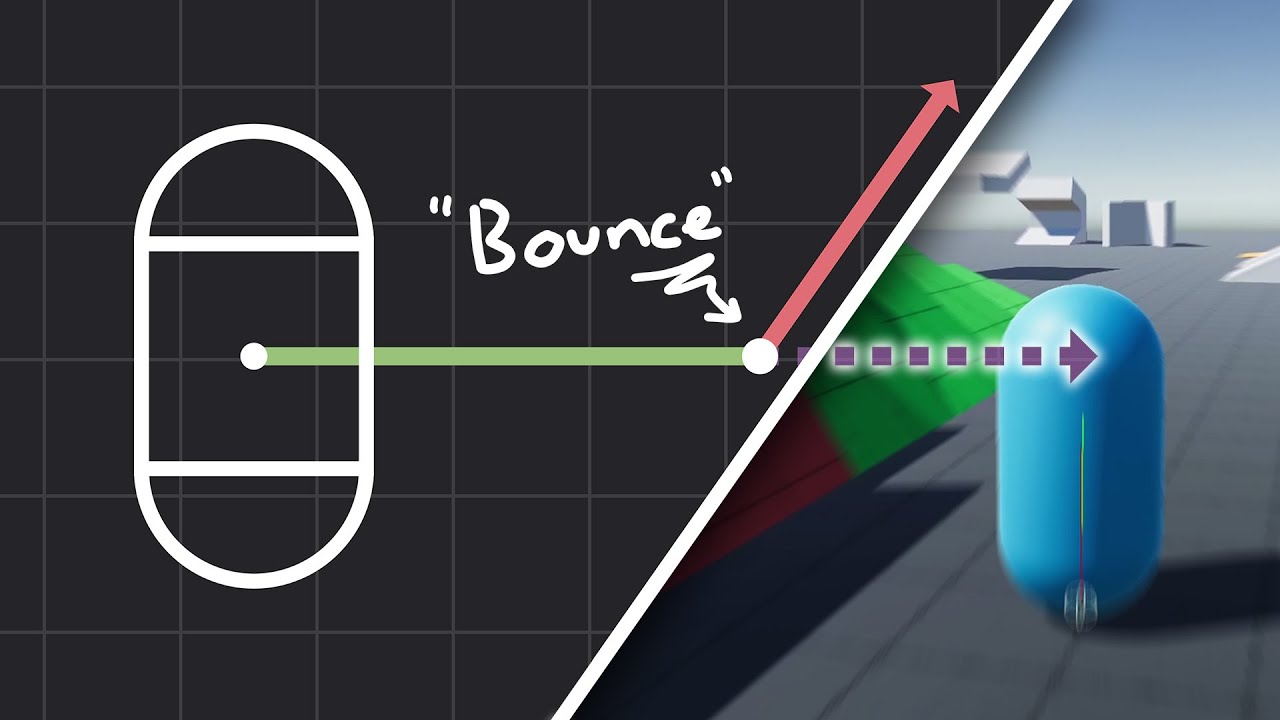
How to make actually decent collision for your custom character controller. Hopefully you find this helpful and people will finally stop saying "jUsT uSe DyNaMiC rIgIdBoDy!!!1!!11!!"
Chapters:
00:00 - Intro
01:09 - Algorithm
05:11 - Implementation
Improved Collision detection and Response (Fauerby Paper):
https://www.peroxide.dk/papers/collisi...
teal viper
iron blade
https://www.youtube.com/watch?v=YR6Q7dUz2uk&t=433s
im following this tutorial an...
I still don't see how these 2 things are related..?
The radius of the capsule is unrelated to where the cast starts.
Anyways, I'm off to sleep.
iron blade
teal viper
The radius of the capsule is unrelated to where the cast starts.
alright gn thanks for the help
what i meant by that is that the cast size is slightly smaller than the collider
 queen adder
Heyo, I've been trying to create a simple mechanic of stepping into a trigger and being pushed away, like this one: https://youtu.be/Z4Heqe0AKD4?t=99
I've tried a couple different things from looking around online but none seem to work, I'm using this little bit of code: https://docs.unity3d.com/ScriptReference/MonoBehaviour.OnTriggerStay.html
as well as the unity provided third person player controller package. I've put rigid bodies on the box collider and the player and it doesn't seem to be triggering, any suggestions?
 foggy yoke
I got this error when trying to make a Raycast2D: Argument type 'UnityEngine.Ray2D' is not assignable to parameter type 'UnityEngine.Vector2'
This is my code for the Raycast:
if (Physics2D.Raycast(ray, out hit))
        {
            Debug.Log("Something was hit!");
        }```
My ray: `ray = new Ray2D(player.position, Input.mousePosition);`I work in 6000.0.1f1
deft grail
foggy yoke
I got this error when trying to make a Raycast2D: `Argument type 'UnityEngine.Ra...
it doesnt take a ray for the 1st paramter
it takes a Vector2
foggy yoke
deft grail
it doesnt take a ray for the 1st paramter
So I don't need the ray at all?
And now this error: Argument is 'out' while parameter is declared as 'value'
im really doing something wrong here
static wasp
is there a way to have 2 OnCollisionEnters in different script
static wasp
i want an OnCollisionEnter in the player script, and another one in the bullet collision script
 cosmic dagger
yes, you can do that. each script is its own . . .
static wasp
when i do that, it tells me
Script error: OnCollisionEnter
This message parameter has to be of type: Collision
The message will be ignored.
cosmic dagger
sorry, i thought you meant 2 different OnCollisionEnter methods in one script . . .
static wasp
cosmic dagger
sorry, i thought you meant 2 different `OnCollisionEnter` methods in one script ...
no, different scripts
cosmic dagger
static wasp
when i do that, it tells me
Script error: OnCollisionEnter
This message paramet...
this is a different error. it says the parameter of the method OnCollisionEnter has to be of type Collision . . .
collision and trigger methods have a parameter . . .
static wasp
well it is type collision
cosmic dagger
show code. no way for us to see . . .
static wasp
ok, one sec
this is in the player script
    void OnCollisionEnter(Collision collision)
    {
        if (collision.gameObject.CompareTag("Ground"))
        {
            is_jumping = false;
        }
    }
and this is in the bullet collision script
    void OnCollisionEnter(Collision collision)
    {
        if (collision.gameObject.tag == "Bullet" && collision.gameObject != gameObject)
        {
            Destroy(collision.gameObject);
        }
    }
 polar acorn
Do you have a script named Collision
cosmic dagger
do you have a script name Collision?
polar acorn
static wasp
yes
don't
You should probably not ever have classes with the same name as Unity classes unless you want to fully qualify every type name which is just annoying to write and read
so you should just not do that
cosmic dagger
static wasp
yes
you have the same class, Collision as the UnityEngine.Collision class. it will use your class instead because it's within your projects namespace . . .
foggy yoke
I got this error: Assets\Scripts\PlayerShooting.cs(18,52): error CS1615: Argument 2 may not be passed with the 'out' keyword I dunno what it means
deft grail
foggy yoke
I got this error: `Assets\Scripts\PlayerShooting.cs(18,52): error CS1615: Argume...
did you even bother reading the docs that i sent
 verbal dome
Show code
foggy yoke
deft grail
did you even bother reading the docs that i sent
yeah
cosmic dagger
foggy yoke
I got this error: `Assets\Scripts\PlayerShooting.cs(18,52): error CS1615: Argume...
do you have the out keyword along with the 2nd argument?
verbal dome
Oh its the raycast
foggy yoke
okay nvm, i realised
deft grail
lethal meadow
idk what to do
summer stump
lethal meadow
idk what to do
Depending on what you are actually wanting, #archived-game-design would be good too
 wild cargo
I am trying to randomly generate items from a list of objects. I want some variance between some of the object variables, so after it is copied from a list, I alter some properties. The problem is, whenever i generate a duplicate object, it is overwriting the previous alterations and I don't understand why.
in as simple terms as I can explain, in the following scenario:
randomObjectA = objectA
randomObjectA.RandomlyAdjustVariables();
randomObjectB = objectA;
randomObjectB.RandomlyAdjustVariables();
randomObjectA gets overwritten to what randomObjectB changed. I want them to stay different.
I can show code if needed
verbal dome
So you want a copy instead of modifying the original?
wild cargo
yes
cosmic dagger
wild cargo
I am trying to randomly generate items from a list of objects. I want some varia...
randomObjectA and randomObjectB both refer to objectA. since they are reference types, they point to the same object in memory. when modifying one, the changes will reflect in the other . . .
verbal dome
I assume that the object is a class (not a struct) then. Classes are reference types, if you want a copy then use a struct, or manually copy the values to a new instance of that class
 maiden chasm
How to male good water
verbal dome
maiden chasm
How to male good water
With code?
maiden chasm
With animation an code
cosmic dagger
wild cargo
yes
you need to create a new instance of objectA and assign that to each random object . . .
verbal dome
maiden chasm
With animation an code
Not sure how you'd use code here (apart from shader code) so I dont think its a question for this channel
maiden chasm
And another questions is who to make an mg for a plane game with prefabs
My Gun is so buggx
verbal dome
Machine gun?
 tawdry quest
How do i check if an android device is connected to the internet and then check if its connected via Wifi or via Mobile Carrier ?
verbal dome
maiden chasm
My Gun is so buggx
Show your current gun code and tell whats wrong with it
tawdry quest
tawdry quest
How do i check if an android device is connected to the internet and then check ...
Googling, is this even possible ?
To check if internet its recommending pinging a website, since the internal option only checks if were connected to a network, not actually online
and there doesnt seem to be any way to check if wifi or LTE
wild cargo
verbal dome
I assume that the object is a class (not a struct) then. Classes are reference t...
this worked, thanks! ur the best
 rancid tinsel
hey guys im experimenting with fixed joint 2d and im trying to set up an attachable barrel, but when the run rotates the barrel kind of.. wiggles? any idea what might be causing that
this is how im rotating the gun

oh wait i actually stumbled on a fix i think
made the barrel a child of the gun
verbal dome
When dealing with rigidbodies, you should not use transform
rancid tinsel
so now the script affects both of them
rancid tinsel
verbal dome
When dealing with rigidbodies, you should not use ``transform``
i know, but im only using the rigidbody for the fixed joint
i want to make a game where you can build your weapon out of parts at runtime, do you know of a better way of attaching objects in 2d?
verbal dome
Child/parent is probably the simplest way
rancid tinsel
actually thinking about it now youre probably right
since ill have to manually assign the position anyway i think
verbal dome
You could have some script on each part that store "sockets" and "plugs" for attaching
rancid tinsel
verbal dome
You could have some script on each part that store "sockets" and "plugs" for att...
thats actually a fantastic idea
especially since the plan is for the player to be able to build wacky/op weapons with lots of parts
verbal dome
Each of those plugs/sockets could have a local position, angle, and probably some ID/tags for checking if an attachment is valid
 hasty pine
heya, I am relatively new to unity but have developed games in other engines.
Right now I use scriptable objects to spawn "enemies", each enemy has its own health and the damage it is supposed to do
what would be the best practice to store immutable data? Like base damage, base health of a particular enemy
polar acorn
hasty pine
heya, I am relatively new to unity but have developed games in other engines.
Ri...
ScriptableObjects are designed for this, you've got the right idea
You'd make a ScriptableObject file in your project with the base stats and attach that to a MonoBehaviour that initializes its data from the SO (but doesn't change it) and tracks its own individual health and stats
hasty pine
Ohh i see, i can have both immutable and mutable data in the same i believe?
Like currenthealth and base health
or you mean something else?
deft grail
hasty pine
Like currenthealth and base health
you can just make a int health in your script, and that would be seperate from the SO health
hasty pine
ohh that makes sense
eternal needle
hasty pine
Ohh i see, i can have both immutable and mutable data in the same i believe?
It means use the scriptable object for the immutable data to plug it into your monobehaviour. That monobehaviour will store everything, immutable or mutable.
hasty pine
alright thanks
hasty pine
eternal needle
It means use the scriptable object for the immutable data to plug it into your m...
understood
using UnityEngine;


public class CharacterHealth : ScriptableObject
{
    public int baseHealth;
}
using UnityEngine;

public class HealthManager : MonoBehaviour
{
    public CharacterHealth characterHealth;
    private int currentHealth;

    void Start()
    {

        currentHealth = characterHealth.baseHealth;
    }

    public void TakeDamage(int amount)
    {
        currentHealth -= amount;
        if (currentHealth < 0)
            currentHealth = 0;
    }

    public void Heal(int amount)
    {
        currentHealth += amount;
        if (currentHealth > characterHealth.baseHealth)
            currentHealth = characterHealth.baseHealth;
    }

    public int GetCurrentHealth()
    {
        return currentHealth;
    }

}```something like this i believe
deft grail
hasty pine
```cs
using UnityEngine;
public class CharacterHealth : ScriptableObject
{
...
i think its better to make another int just to GET the SO health and not modify.
instead of constantly accessing the SO itself
so just a int baseHealth; baseHealth = characterHealth.baseHealth;
 abstract copper
I get error: #💻┃unity-talk message
After a package is destroyed for not being deliverd in time (using the method in the package script), and when the spawner tries to spawn another.
Package script: https://pastebin.com/uVzvPMmS
The spawner: https://pastebin.com/Vx5B6J78
Don't judge my poo poo code but give suggestions if u want, will optimize it later anyway its just for a prototype.
 frank delta
                    void PlayerLook()
        {
            //this get direction of mouse from center of screen(can be visualized by the white line below the character feet)
            direction = (new Vector2(Input.mousePosition.x, Input.mousePosition.y) - new Vector2(Screen.width / 2f, Screen.height / 2f)).normalized;
            //this get the angle between the red block(forward) to the targeted direction vector
            float deltaAngle = Vector3.SignedAngle(transform.forward, transform.position + new Vector3(direction.x, 0, direction.y), Vector3.up);
            //^^^ the above works correctly, vvv whichever under is not for some reason

            //intended to just snap the rotation and stop completely to avoid overshooting
            if(Mathf.Abs(deltaAngle) < (_rotSpeed * 1.1f))
            {
                //snapping
                transform.LookAt((transform.position + new Vector3(direction.x, 0, direction.y)));
                return;
            }
            //turning L, R respectively
            if(deltaAngle < 0)
            {
                transform.Rotate(0, -_rotSpeed, 0);
                return;
            }
            if (deltaAngle > 0)
            {
                transform.Rotate(0, +_rotSpeed, 0);
                return;
            }
        }
How is it once I move, this codes just break
hasty pine
deft grail
i think its better to make another int just to GET the SO health and not modify....
alright
verbal dome
hasty pine
alright
IMO both ways are fine, just different "overhead"
Storing the value on the class directly takes more memory
Vs the overhead of accessing the value via the SO
Both are very small in this case
SO is often used so that you dont need to store the same values in each instance of your class but shared in the SO instead
steep rose
abstract copper
I get error: https://discord.com/channels/489222168727519232/497872424281440267/...
you are probably destroying something that doesnt exist or adding something that doesnt exist
i would recommend taking a look at the line that the error says there a problem
abstract copper
I mean it says its trying to access something deleted but idk what else then spawn area
And spawn area is not being deleted
destroyed if u will
I think I found out
I didn't know that object are still in the list as null
 limber grail
So i have a Main Menu that i want to load when i start the game in unity. One idea of me was to have it shown at the beginning and then to turn it off via script. But when i want to restart the Level i get it again because i just reload the Scene from the beginning but if i put in the line to make the Main menu invisible it does not work and stays visible. The OnClick() function is the restart.

 willow scroll
limber grail
So i have a Main Menu that i want to load when i start the game in unity. One id...
willow scroll
limber grail
So i have a Main Menu that i want to load when i start the game in unity. One id...
I've read it 4 times, but I still don't get it fully
rich adder
limber grail
So i have a Main Menu that i want to load when i start the game in unity. One id...
so keep track of it with a bool, make the object DDOL so it doesnt reset on each restart
 wooden slate
guys, can i animate object without animator, like i want to have only idle animation . can i do it without creating everytime new animation controller?
 bold nova
Im trying to change scenes in unity. I do with with SceneManager.LoadScene(.., LoadMode.Single). But something strange happens. It seems like the game goes through only one game loop (meaning that only start and one update method call) that nothing happens. No changes, no method calls. But when I load scene from scene folder directly, everything works. I don't use any scripts that I don't destroy onLoad. What might be the problem?
static wasp
guys, do collisions just not work for planes, it works with a cube, but not a plane
verbal dome
static wasp
guys, do collisions just not work for planes, it works with a cube, but not a pl...
Maybe you are hitting the plane from behind
The unity plane mesh is one-sided
static wasp
i used a box collider tho
static wasp
the floor here
 verbal dome
First, try giving it some thickness (size y) so it's not nearly zero
static wasp
verbal dome
First, try giving it some thickness (size y) so it's not nearly zero
i just tried that right now, still doesn't work
verbal dome
Or make the box way thicker and move it downwards
verbal dome
Box collider.
static wasp
still doesn't work
 short hazel
Make sure you're moving the object that's supposed to collide with the plane in a physics-friendly way
Using the Rigidbody
static wasp
wdym by physics-friendly way
short hazel
If you teleport it around by changing its transform.position, it won't work, changing the position ignores physics!
static wasp
i'm using this way to move it
transform.position += bullet_direction * bullet_speed * Time.deltaTime;
Yep that's why
static wasp
then why does it work on a cube
short hazel
Because the cube is big enough for the physics engine to catch that both colliders intersect
short hazel
If your bullet is small enough, on one frame it'll be above the plane, and on the next frame it'll be below
No Transform manipulations at all, use a Rigidbody
limber grail
willow scroll
I've read it 4 times, but I still don't get it fully
I have a Main Menu UI that i want to show when starting the Game and when pressin on the Menu butten in a Game Over screen. The Problem is that if i don't hide it, it will show again when i reset the level with a Restart Button. I tried just writing it to be unactive via .SetActive(false). But it didn't work and still showed. And i was looking for a solution for that. I hope this explains it better.
static wasp
short hazel
If your bullet is small enough, on one frame it'll be above the plane, and on th...
doesn't rigidbody just add mass and gravity, what will it do to fix this
short hazel
Mass can be set to nearly zero, and gravity can be disabled per-Rigidbody
static wasp
short hazel
Mass can be set to nearly zero, and gravity can be disabled per-Rigidbody
it works, thanks, but why does the rigidbody fix this
steep rose
it uses physics
static wasp
ok, thanks
short hazel
It uses the physics engine, which has a prediction system built in, so it can detect collisions that are about to happen
limber grail
rich adder
so keep track of it with a bool, make the object DDOL so it doesnt reset on each...
But i mean how would i do that. The line that is in there reset's the level how ould a bool change that and maybe the DDOL changes it but i don't know how to make the object DDOL
rich adder
limber grail
But i mean how would i do that. The line that is in there reset's the level how ...

bool is probably not even necessary but you should probably make the object a singleton if you plan on reloading the same scene you put DDOL in or it just keeps creating new DDOL on each reload
limber grail
ok thanks for the help will do
 real heart
So I have updated all 3 files to work with Vector3 but the generation still works the same, the chunks do not vertically connect with eachother.
I'll link all 3 updated scripts here for brevity: Chunk.cs and NoiseGenerator.cs and ChunkManager.cs @frosty hound
Also it becomes very slow now, like after some point it starts getting very laggy.


 weak cedar
You could make it so that only the chunks in the cameras pov load
frosty hound
real heart
So I have updated all 3 files to work with Vector3 but the generation still work...
I think you meant to tag someone else?
real heart
I do have a view distance slider, I suppose I can turn that down to 1
 summer stump
frosty hound
I think you meant to tag someone else?
summer stump
frosty hound
I think you meant to tag someone else?
Osmal said to ping them. Close names
I know when I start to type tags, sometimes it jumps to another name
real heart
frosty hound
I think you meant to tag someone else?
Whoops, you're right, my apologies. I meant to tag @verbal dome
real heart
weak cedar
You could make it so that only the chunks in the cameras pov load
Okay so if I set the view distance to 2 it's smooth 😁 
weak cedar
I think unity has a built in one, but if not, just not render the chunks behind you
It had a specific name I forgot whats it called
real heart
weak cedar
I think unity has a built in one, but if not, just not render the chunks behind ...
I will have to probably make it work like that when I get to optimizing it further indeed. Thank you very much for the advice.
For now I'm suprised it's this fast.
weak cedar
There are also many resources regarding performance issues about voxel games made with unity
Voxel games use chunk system as well (like minecraft)
slender nymph
real heart
I will have to probably make it work like that when I get to optimizing it furth...
frustum culling is already built in so things that are not within the camera's view frustum are already not rendered
real heart
slender nymph
frustum culling is already built in so things that are not within the camera's v...
Oh then that explains it. Wow, I'm surprised Unity does that for us.
weak cedar
weak cedar
There are also many resources regarding performance issues about voxel games mad...
You could search about it
weak cedar
weak cedar
It had a specific name I forgot whats it called
Ty @slender nymph
slender nymph
real heart
Oh then that explains it. Wow, I'm surprised Unity does that for us.
i think it would be more surprising if a game engine did not include frustum culling by default.
there is also occlusion culling which can be set up, but it seems like you are probably doing proc gen stuff which wouldn't work with occlusion culling anyway
but if you are experiencing performance issues you need to use the profiler to determine where those issues may be coming from
real heart
I see, thank you very much. Well it's currently smooth cause I've dropped the view distance to 2. It's the most I can go cause if I drop it to 1 it only generates other chunks if I start moving around 😁
@verbal dome So this is how it works now after I have updated the code, the chunks are no longer connected properly even horizontally, and vertically they are still separated from eachother.
verbal dome
Something wrong about the noise coordinates still. Looks like chunks on the same Y level are identical to each other
 carmine narwhal
using System.Collections.Generic;
using System.Runtime.CompilerServices;
using UnityEditor.Experimental.GraphView;
using UnityEngine;

public class BallMoveMent : MonoBehaviour
{
    private Rigidbody2D rb;
    public float startSpeed = 100f;
    public float speedIncrease = 1f;
    private Vector2 currentSpeed;
    private int collisionCount;
    private float bouncOffset = 0.1f;
    private float minX = -0.5f;
    private float minY = -1f;
    private int maxX = 1;
    private int maxY = -1;


    void Start()
    {
        rb = GetComponent<Rigidbody2D>();
        StartMoveMent();
    }

    private void StartMoveMent()
    {

        float x = Random.Range(minX, maxX);
        float y = Random.Range(minY, maxY);

        Vector2 direction = new Vector2(x,y).normalized;
        rb.velocity = direction * startSpeed * Time.deltaTime;
         // got a tip on discord to negate the velocity but i dont know where he ment i was supose to do it. it does not work here.
        Debug.Log(direction);
        currentSpeed = direction * startSpeed;


    }
    public void OnCollisionEnter2D(Collision2D collision)
    {


        collisionCount++;
        if(collisionCount % 5 == 0)
        {
           // is this the right way to negate velocity? cause it does not work anywhere rb.velocity = -rb.velocity;
            rb.velocity *= speedIncrease * bouncOffset;
        }


    }
}
``` Help im confused.@real heart Show your current scripts including the NoiseGenerator (especially GetNoise)
real heart
verbal dome
<@998405690718703696> Show your current scripts including the NoiseGenerator (es...
I have linked them above
real heart
real heart
So I have updated all 3 files to work with Vector3 but the generation still work...
Here
verbal dome
So the coordinate that you changed from Vec2 to Vec3 seems to drip all the way down to GenerateNoiseLayer, where it is passed into the compute shader:cs NoiseShader.SetVector("_NoiseOffset", globalOffset);
I suppose that the compute shader is still expecting a Vector2, not Vector3. You'd have to make it work with Vec3 (float3 in shader)
real heart
//Assets/Scripts/Compute/Includes/MetricsCompute.compute
static const uint numThreads = 8;

int _ChunkSize;
int _Scale;

int indexFromCoord(int x, int y, int z)
{
    return x + _ChunkSize * (y + _ChunkSize * z);
}
static const uint numThreads = 8;

int _ChunkSize;
int _Scale;

int indexFromCoord(int x, int y, int z)
{
    return x + _ChunkSize * (y + _ChunkSize * z);
}
// Assets/Scripts/GridMetrics.cs

public static class GridMetrics
{
    public const int NumThreads = 8;

    public const int Scale = 32;

    public const int GroundLevel = Scale / 2;

    public static int[] LODs = {
        8,
        16,
        24,
        32,
        40
    };


    public static int LastLod = LODs.Length - 1;

    public static int PointsPerChunk(int lod)
    {
        return LODs[lod];
    }

    public static int ThreadGroups(int lod)
    {
        return LODs[lod] / NumThreads;
    }
}
I also have some additional files like these, I have to updte these as well ?
// Assets/Scripts/Compute/NoiseCompute.compute

#pragma kernel GenerateNoise //Computation which will be executed repeatedly, in parallel (on multiple threads)

#include "Includes\FastNoiseLite.compute"
#include "Includes\MetricsCompute.compute"

RWStructuredBuffer<float> _Weights;

float _NoiseScale;
float _Amplitude;
float _Frequency;
int _Octaves;
float _GroundPercent;
int _GroundLevel;
float2 _NoiseOffset;  // Added this line
int seedValue;  // Declare this at the top where you declare other variables

[numthreads(numThreads, numThreads, numThreads)]
void GenerateNoise(uint3 id : SV_DispatchThreadID)
{
    fnl_state noise = fnlCreateState();
    noise.seed = seedValue;  // Add this line to set the seed value. Replace "seedValue" with the actual variable name if different.
    noise.noise_type = FNL_NOISE_OPENSIMPLEX2;
    noise.fractal_type = FNL_FRACTAL_RIDGED;
    noise.frequency = _Frequency;
    noise.octaves = _Octaves;
    float3 pos = (id * _NoiseScale) / (_ChunkSize -1) * _Scale + float3(_NoiseOffset.x, 0, _NoiseOffset.y);  // Modified this line
    float ground = -pos.y + (_GroundPercent * _GroundLevel);
    float n = ground + fnlGetNoise3D(noise, pos.x, pos.y, pos.z) * _Amplitude;
    _Weights[indexFromCoord(id.x, id.y, id.z)] = n;
}
}```
And this one too.Yep, see how _NoiseOffset is float2, not float3
You need to convert everything that uses XZ to use XYZ instead
cosmic dagger
real heart
```js
//Assets/Scripts/Compute/Includes/MetricsCompute.compute
static const uint...
May be easier to post !code using a paste site . . .
eternal falconBOT
Posting code
📃 Large Code Blocks
Use links to services like:
https://gdl.space/, https://paste.ofcode.org/, https://hatebin.com/, https://paste.myst.rs/, https://hastebin.com/
📃 Inline Code
Surround code with three backquotes. Not quotation marks.
To format as C#, add cs to the first line:
```cs
// Your code here
```
Add a comment with a line number if there is an error message.
verbal dome
@real heart ```cs
- float3(_NoiseOffset.x, 0, _NoiseOffset.y);```
Pretty sure that should just be+ _NoiseOffset
You want to use all of the components of the vector: x, y, z
real heart
verbal dome
Yep, see how ``_NoiseOffset`` is float2, not float3
Okay so great news, updating that file solved the issue with the chunks not connecting horizontally!
Not they're seamless again.
verbal dome
Did you change NoiseOffset to float3 too?
real heart
I don't think so, vertically they are still the same.
I'll check if I did that.
I have it like this now:
// Assets/Scripts/Compute/NoiseCompute.compute

#pragma kernel GenerateNoise

#include "Includes\FastNoiseLite.compute"
#include "Includes\MetricsCompute.compute"

RWStructuredBuffer<float> _Weights;

float _NoiseScale;
float _Amplitude;
float _Frequency;
int _Octaves;
float _GroundPercent;
int _GroundLevel;
float3 _NoiseOffset;
int seedValue;

[numthreads(numThreads, numThreads, numThreads)]
void GenerateNoise(uint3 id : SV_DispatchThreadID)
{
    fnl_state noise = fnlCreateState();
    noise.seed = seedValue;
    noise.noise_type = FNL_NOISE_OPENSIMPLEX2;
    noise.fractal_type = FNL_FRACTAL_RIDGED;
    noise.frequency = _Frequency;
    noise.octaves = _Octaves;

    float3 pos = (id * _NoiseScale) / (_ChunkSize - 1) * _Scale + _NoiseOffset;

    float ground = -pos.y + (_GroundPercent * _GroundLevel);
    float n = ground + fnlGetNoise3D(noise, pos.x, pos.y, pos.z) * _Amplitude;

    _Weights[indexFromCoord(id.x, id.y, id.z)] = n;
}```Looks better to me. Still some issues or?
real heart
verbal dome
Looks better to me. Still some issues or?
Yup, vertically speaking.


Still no connection.
Like it still looks like a bunch of sheets on top of each other.
verbal dome
Maybe something to do with the "ground" calcualtion in the shader. Not sure.
real heart
verbal dome
Maybe something to do with the "ground" calcualtion in the shader. Not sure.
Do I have to update anything in this one ?
//Assets/Scripts/Compute/Includes/MetricsCompute.compute

static const uint numThreads = 8;

int _ChunkSize;
int _Scale;

int indexFromCoord(int x, int y, int z)
{
    return x + _ChunkSize * (y + _ChunkSize * z);
}
I didn't update it yet.
// Assets/Scripts/GridMetrics.cs

public static class GridMetrics
{
    public const int NumThreads = 8;

    public const int Scale = 32;

    public const int GroundLevel = Scale / 2;

    public static int[] LODs = {
        8,
        16,
        24,
        32,
        40
    };


    public static int LastLod = LODs.Length - 1;

    public static int PointsPerChunk(int lod)
    {
        return LODs[lod];
    }

    public static int ThreadGroups(int lod)
    {
        return LODs[lod] / NumThreads;
    }
}
Same with this one.
 scenic saffron
how to make a loop
deft grail
scenic saffron
how to make a loop
what kind? what are you trying to do
the easiest loop is foreach
scenic saffron
deft grail
what kind? what are you trying to do
i want to fix this
 deft grail
scenic saffron
i want to fix this
deft grail
scenic saffron
i want to fix this
use a for loop
 deft grail
scenic saffron
like this?
deft grail
scenic saffron
like this?
yeah, if you want it infinite times you can just put it in Update or use a coroutine or something
scenic saffron
!code
eternal falconBOT
Posting code
📃 Large Code Blocks
Use links to services like:
https://gdl.space/, https://paste.ofcode.org/, https://hatebin.com/, https://paste.myst.rs/, https://hastebin.com/
📃 Inline Code
Surround code with three backquotes. Not quotation marks.
To format as C#, add cs to the first line:
```cs
// Your code here
```
Add a comment with a line number if there is an error message.
scenic saffron
why is my camera movment getting faster with lower fps? https://gdl.space/oserudotiq.cpp
polar acorn
scenic saffron
why is my camera movment getting faster with lower fps? https://gdl.space/oserud...
Don't multiply mouse input by deltaTime
It's already framerate independent
real heart
verbal dome
Maybe something to do with the "ground" calcualtion in the shader. Not sure.
// Assets/Scripts/Compute/NoiseCompute.compute

#pragma kernel GenerateNoise

#include "Includes\FastNoiseLite.compute"
#include "Includes\MetricsCompute.compute"

RWStructuredBuffer<float> _Weights;

float _NoiseScale;
float _Amplitude;
float _Frequency;
int _Octaves;
float _GroundPercent;
int _GroundLevel;
float3 _NoiseOffset;
int seedValue;

[numthreads(numThreads, numThreads, numThreads)]
void GenerateNoise(uint3 id : SV_DispatchThreadID)
{
    fnl_state noise = fnlCreateState();
    noise.seed = seedValue;
    noise.noise_type = FNL_NOISE_OPENSIMPLEX2;
    noise.fractal_type = FNL_FRACTAL_RIDGED;
    noise.frequency = _Frequency;
    noise.octaves = _Octaves;

    float3 pos = (id * _NoiseScale) / (_ChunkSize - 1) * _Scale + _NoiseOffset;

    // Removed the ground calculation
    float n = fnlGetNoise3D(noise, pos.x, pos.y, pos.z) * _Amplitude;

    _Weights[indexFromCoord(id.x, id.y, id.z)] = n;
}```
You won't believe it but I think that was it!
I have updated my code like this and that seems to have solved it! 😮
 steep rose
neato man great job
carmine narwhal
can someone help with this. according to unity.docs reflect works as pic to the left but does that mean it will go as the orange arrow in pic to the right or the black one? excuse my 3 year old drawing 😄
 real heart
steep rose
neato man great job
real heart
steep rose
neato man great job
There's one issue however, I have no idea what is going on when I dig. Some weird stuff happening @verbal dome Like something doesn't look right, I can see through the terrain at parts, some weird looking stuff.
steep rose
that seems to be an issue with your breaking of your terrain
real heart
I mean besides that, some parts of the terrain look like they are missing their faces if you pay attention,
 real heart
steep rose
that seems to be an issue with your breaking of your terrain
real heart
steep rose
that seems to be an issue with your breaking of your terrain
And here when I dig my tunnel, do you see that crease ? That looks like a vertical disconnection in the terrain itself. I wonder if that is caused by me digging or if the terrain is already disconnected like that before I dig ?
Could it be the digging which causes those creases ? I have not updated my digging script after updating the rest of the code to work with Vector3 instead of Vector2.

 mint remnant
how are you doing the 3d noise? Looks like this is all done in compute shaders
steep rose
real heart
And here when I dig my tunnel, do you see that crease ? That looks like a vertic...
thats what i was talking about with the creases, as to your other picture im not to sure
real heart
mint remnant
how are you doing the 3d noise? Looks like this is all done in compute shaders
Yes I'm doing it through a script which makes use of some compute shaders. You can see how I do it if you scroll a bit up, I have posted the code for my files in here.
steep rose
i only know so much when it comes to procedural stuff, so I applaud you 😅
mint remnant
I had been working with attempting to do 3d noise, but only have a 2d version and was going to use 3 planes to generate it at 3 axis. When working with chunks just on 2d I had lots of issues with making edges connected as well. The solution was making sure the predicted max extents on height were normalized across all chucnks globally and not locally tro the chunk
real heart
steep rose
i only know so much when it comes to procedural stuff, so I applaud you 😅
I used a guide to get me started, I don't know almost anything about it either 😁
real heart
steep rose
thats what i was talking about with the creases, as to your other picture im not...
This is my digging script.
verbal dome
I would start by making a debug option that colors each chunk's mesh with a different color. Easier to debug and present problems to others
mint remnant
The next big issue was getting the collision mesh calculated in a timely fashion in a single frame to prevent fps drop. Still haven't really solved that
real heart
verbal dome
I would start by making a debug option that colors each chunk's mesh with a diff...
Genius! Thank you very much for that idea!
real heart
mint remnant
The next big issue was getting the collision mesh calculated in a timely fashion...
If you have issues with it my code works just fine when moving around, like you can use that as a starting point, I don't mind it. Most of the code is from following a guide anyway 😁
Actually hold on, I can link you the guide, would you like that ? @mint remnant Cause it also explains things in detail.
mint remnant
yes would love to look at it
real heart
mint remnant
yes would love to look at it
https://polycoding.net/marching-cubes/part-1/ Here you go 😁
Poly Coding
Unity tutorial on the marching cubes computer graphics algorithms. Written in HLSL and C#.
verbal dome
real heart
There's one issue however, I have no idea what is going on when I dig. Some weir...
Could be an issue with how you detect what chunks are affected.
FindAffectedChunks uses Physics.OverlapSphere to find the chunks around the digging position. Doesn't seem like a very reliable way of doing it.
To detect a near chunk, its collider would have to be inside the radius. But what if that chunk's mesh doesn't have any vertices at that point yet?
mint remnant
real heart
https://polycoding.net/marching-cubes/part-1/ Here you go 😁
Thanks!, if you want some altrenate good stuff on marching cubes, Sebastion Lague does some good stuff in his raytracing vids on it
verbal dome
real heart
There's one issue however, I have no idea what is going on when I dig. Some weir...
Like, at 0.50+ mark you dig into the chunk under you, but it can't be detected by the overlap because it doesn't yet have any mesh there
It would work if each chunk had a trigger box collider that encompasses the whole chunk, though.
Am I making sense?
real heart
verbal dome
Like, at 0.50+ mark you dig into the chunk under you, but it can't be detected b...
Yes, so what should I do instead ? Like what do I need to modify ?
verbal dome
Don't rely on mesh colliders for the overlap.
Could either:
A. Add a trigger box collider to each chunk so they can be always detected, despite having only "empty" space
B. Use some manual math to check what chunks overlap the digging point+radius
real heart
verbal dome
Don't rely on mesh colliders for the overlap.
Could either:
A. Add a trigger box...
I see, thank you very much I think I just found out what is going on. I'm afraid the terrain itself might have those creases, I'm not 100% sure cause it's hard to tell, but have a look.


Made a recording to better show what is going on.
The Chunks seem to be misalgined, so something is probably not calculated right somewhere. At least I know now it's not from the digging script but I wonder what causes this issue to happen now.
It looks like an offset issue, like a slight miscalculation somewhere.
verbal dome
Yeah something about the voxel coordinates in each chunks is off
Like its skipping some voxels between chunks
mint remnant
what helped me a little was adding a plane with the noise generated on it as a texture that I could move around in hte scene to see where it matched up verses not
verbal dome
Yep - when doing proc gen stuff, visualizing your data is powerful
mint remnant
https://gyazo.com/06ec056d72041a3d07fa2217ba48f624 can see that it lines up right, but in 3d this might be a bit more tricky

also helped alot to have the offsets into the noise generation on the plane on a slider that updated in real time so you could move it around
real heart
Claude suggested doing this.

So I've done that and the issue disappeared horizontally, but now I get it vertically lol.
 mint remnant
when trying to debug issues like this add lots of toggle switches to turn off features and work with as few of chunks as possible to focus only on the problem. it can be a pain to have to rerun lots of extra code each change
real heart
I'll try and do that, and also add more debug stuff like you guys said, as in visual stuff. Thank you very much 🙏🏻
 orchid kite
!code
eternal falconBOT
Posting code
📃 Large Code Blocks
Use links to services like:
https://gdl.space/, https://paste.ofcode.org/, https://hatebin.com/, https://paste.myst.rs/, https://hastebin.com/
📃 Inline Code
Surround code with three backquotes. Not quotation marks.
To format as C#, add cs to the first line:
```cs
// Your code here
```
Add a comment with a line number if there is an error message.
 devout birch
Hey ! Right now, I’m trying to create a 2D rogue-like game, but I’m having a lot of difficulties with the attack system for the mobs. I'm not quite sure how to make it work properly... To summarize my attack system so far: The mob chases the player, and when it gets close enough, it stops and attacks using a BoxCollider2D that serves as a hitbox (thanks to the OnTriggerEnter2D() function). However, this isn’t viable because if the player doesn’t move, the BoxCollider2D doesn't trigger anymore, and thus the player doesn’t take damage... I'm not sure if I'm on the right track, so if anyone can help me, that would be great ! (PS : I can show my script if u want)
orchid kite
    [SerializeField] private float cooldown;
    [SerializeField] private Transform firePoint;
    [SerializeField] private GameObject[] bananas;
    private MonkeyScript playerMovement;
    private float cooldownTime = Mathf.Infinity;


    private void Update()
    {
        if (Input.GetMouseButton(0) && cooldownTime > cooldown && playerMovement.canAttack())

            Attack();

        cooldownTime += Time.deltaTime;
    }
im getting this error and unity message of no reference: NullReferenceException: Object reference not set to an instance of an object
MonkeyAttack.Update () (at Assets/MonkeyAttack.cs:15)
can someone please tell me how to refrence this the error is on the line of the if statment btw
deft grail
orchid kite
```cs
[SerializeField] private float cooldown;
[SerializeField] private...
where do you assign playerMovement?
orchid kite
private MonkeyScript playerMovement;
deft grail
orchid kite
private MonkeyScript playerMovement;
thats where you declare it
where do you assign it
orchid kite
idk what that means sry im so nooby
deft grail
orchid kite
idk what that means sry im so nooby
it means where do you give it a value
right now its null
nothing
deft grail
orchid kite
i did not give a value
then thats why you get the error
summer stump
Then the value is null. That is the default until you give it a value (for reference types)
deft grail
orchid kite
idk what value to give it
your monkeyscript that you want to give it
devout birch
I think u need to [SerializeField] private MonkeyScript playerMovement; and attach this script in u other script
orchid kite
deft grail
your monkeyscript that you want to give it
wdym sry i didnt undestand
orchid kite
devout birch
I think u need to [SerializeField] private MonkeyScript playerMovement; and atta...
i hv a banana object
summer stump
So there is a MonkeyScript on some object. You need to tell the compiler that your variable is pointing at that specific MonkeyScript
This is a good guide for all that
https://unity.huh.how/references
deft grail
orchid kite
wdym sry i didnt undestand
you create a variable of type MonkeyScript
orchid kite
ya i put monkeyscript on my monkey
orchid kite
summer stump
So there is a MonkeyScript on some object. You need to tell the compiler that yo...
how do i do that
deft grail
orchid kite
ya i put monkeyscript on my monkey
so you need to drag that into this variable slot in the inspector (which you dont have yet), or do it through code
summer stump
orchid kite
how do i do that
Did you read the guide I linked?
orchid kite
ya im a bit confused
devout birch
attach like this
 orchid kite
i think i did that
deft grail
orchid kite
i think i did that
you didnt, because its private and doesnt have SerializeField
devout birch
i don't think so because ur Script "MonkeyScript playerMovement;" is "private"
 tulip parrot
I have a problem, I am trying to use the OnMouseOver method but it is never called and I don't understand the reason.
orchid kite
alr mister
deft grail
tulip parrot
I have a problem, I am trying to use the OnMouseOver method but it is never call...
you need a 3d collider i think on the gameobject, do you have one?
orchid kite
thanks guys im very noobdy so this is all new stuff to me
devout birch
orchid kite
thanks guys im very noobdy so this is all new stuff to me
np np
summer stump
orchid kite
alr mister
To clarify, they are describing a "serialized reference" which you can read more of in the guide i linked
orchid kite
summer stump
To clarify, they are describing a "serialized reference" which you can read more...
ok i think i will understand it more
summer stump
orchid kite
thanks guys im very noobdy so this is all new stuff to me
I also recommend doing this !learn
The pathways are quite thorough
orchid kite
thanks guys appreciate it
eternal falconBOT
:teacher: Unity Learn ↗
Over 750 hours of free live and on-demand learning content for all levels of experience!
tulip parrot
deft grail
you need a 3d collider i think on the gameobject, do you have one?
mi object is a 2d object and have a box collider2d
rich adder
how did you verify its never called
rich adder
tulip parrot
mi object is a 2d object and have a box collider2d
https://docs.unity3d.com/ScriptReference/MonoBehaviour.OnMouseOver.html
This function is called on Colliders and 2D Colliders marked as trigger when the following properties are set to true:
- For 3D physics: Physics.queriesHitTriggers
- For 2D physics: Physics2D.queriesHitTriggers
if its trigger double check these
tulip parrot
rich adder
https://docs.unity3d.com/ScriptReference/MonoBehaviour.OnMouseOver.html
> This f...
some of my colliders are trigger but dont works
i make a debug log in that methods
never go on
rich adder
tulip parrot
some of my colliders are trigger but dont works
the script is on the same object as collider ?
tulip parrot
rich adder
the script is on the same object as collider ?
yeah
rich adder
tulip parrot
yeah
can you show the setup?

 rich adder
tulip parrot
rich adder
tulip parrot
the gameobject
tulip parrot

 north kiln
rich adder
https://docs.unity3d.com/ScriptReference/MonoBehaviour.OnMouseOver.html
> This f...
north kiln
rich adder
https://docs.unity3d.com/ScriptReference/MonoBehaviour.OnMouseOver.html
> This f...
This was never confirmed.
Also these methods don't work with the new input system.
tulip parrot
north kiln
This was never confirmed.
Also these methods don't work with the new input syst...
i dont understand if the new input system have a trouble, i really dont know if i make some wrong
rich adder
It should work iirc I haven't used in years, I just use raycast or the built in physics raycaster component with event trigger
the built in one I found to be finnicky also no layer filter / hitinfo support
rich adder
tulip parrot
i dont understand if the new input system have a trouble, i really dont know if ...
check this too

 rich adder
tulip parrot
i try using IPointerEnterHandler, IPointerExitHandler but nothing happens
rich adder
tulip parrot
i try using IPointerEnterHandler, IPointerExitHandler but nothing happens
You would need to put the physics2d raycaster component on camera
default usually works with canvas UI
tulip parrot
 rich adder
tulip parrot
rich adder
tulip parrot
on the camera
rich adder
tulip parrot
its my camera
test it with a log it should work
orchid kite
using System.Collections;
using System.Collections.Generic;
using UnityEngine;

public class MonkeyAttack : MonoBehaviour
{
    [SerializeField] private float cooldown;
    [SerializeField] private Transform firePoint;
    [SerializeField] private GameObject[] bananas;
    private MonkeyScript playerMovement;
    private float cooldownTime = Mathf.Infinity;


    private void Update()
    {
        if (Input.GetMouseButton(0) && cooldownTime > cooldown && playerMovement.canAttack())

            Attack();

        cooldownTime += Time.deltaTime;
    }

    private void Attack()
    {
        cooldownTime = 0;

        bananas[FindBanana()].transform.position = firePoint.position;
        bananas[FindBanana()].GetComponent<BananaThrow>().SetDirection(Mathf.Sign(transform.localScale.x));
    }

    private int FindBanana()
    {
        for (int i = 0; i < bananas.Length; i++)
        {
            if (!bananas[i].activeInHierarchy)
                return i;
        }

        return 0;
    }
}
guys i got the same error and making it public/serialized field did not work
NullReferenceException: Object reference not set to an instance of an object
MonkeyAttack.Update () (at Assets/MonkeyAttack.cs:16)
the first if statment is where the error is
rich adder
orchid kite
```cs
using System.Collections;
using System.Collections.Generic;
using UnityEng...
changing the access modifier wont change a NRE, you need to assign it
orchid kite
what does that mean
rich adder
orchid kite
what does that mean
you don't know what assigning value to something is ?
orchid kite
ya

 orchid kite
rich adder
you don't know what assigning value to something is ?
orchid kite
rich adder
you don't know what assigning value to something is ?
could u give an example with my come am very confused
please and thank you
rich adder
orchid kite
could u give an example with my come am very confused
which one is line 16
orchid kite
the first if statment
rich adder
you have to assign it , either with = or inspector
orchid kite
if (Input.GetMouseButton(0) && cooldownTime > cooldown && playerMovement.canAttack())
orchid kite
drag n drop where
rich adder
orchid kite
drag n drop where
rich adder
tulip parrot
did you put the interface ? can you show a bit of the scene and where is the object when you hover it
devout birch
orchid kite
drag n drop where
do u have a gameObject with the "MonkeyScript" in ur scene ?
tulip parrot
rich adder
did you put the interface ? can you show a bit of the scene and where is the obj...
what do you mean interface?
orchid kite
devout birch
do u have a gameObject with the "MonkeyScript" in ur scene ?
yessir
rich adder
tulip parrot
what do you mean interface?
send the complete class https://gdl.space
tulip parrot
 devout birch
ok create a function Start() :
private void Start()
{
playerMovement = FindObjectByType<MonkeyScript>();
}
tulip parrot
rich adder
send the complete class https://gdl.space
rich adder
devout birch
ok create a function Start() :
private void Start()
{
playerMovement = FindO...
better to assign it in the inspector, no reason to search through all objects when its already in the scene..
orchid kite
im so confused bro
devout birch
he said it doesn't work
rich adder
orchid kite
im so confused bro
did you click the link I sent
orchid kite
ya
rich adder
devout birch
he said it doesn't work
no he simply switched the access modifier without assigning the component to playerMovement
rich adder
orchid kite
ya
so did you not drag the script into the slot ?
orchid kite
i didnt see the slot
rich adder
rich adder
orchid kite
i didnt see the slot
did you make it SerializeField
orchid kite
yes
devout birch
rich adder
no he simply switched the access modifier without assigning the component to pla...
oh...
rich adder
then you should have a field for MonkeyScript
drag n drop script from an object inside
verbal dome
Is MonkeyScript even serializable/MonoBehaviour?
rich adder
also make sure this for MonkeyScript ^
orchid kite
i made it serializedfield but i dont hv any playermovement options in unity
rich adder
orchid kite
i made it serializedfield but i dont hv any playermovement options in unity
do you have compile errors in console ?
orchid kite
it says no errors just when i click my mouse button in play mode to have the banana throw it gives me that error i showed u before
maybe this will help idk
 rich adder
orchid kite
it says no errors just when i click my mouse button in play mode to have the ban...
rich adder
orchid kite
it says no errors just when i click my mouse button in play mode to have the ban...
welll...

i made it serializedfield but i dont hv any playermovement options in unity
rich adder
well its probably just lack of knowing what you're expect to see/happen ig
tulip parrot
i dont know how to fix this
rich adder
I wonder if pixelPerfect is messing with raycaster
tulip parrot
same

i try disabling UI elements and the same, i try deleting and the same result
i try a lot of things but nothing happens
i dont know if camera has to be down of my blocks
rich adder
tulip parrot
same
wait did you put event System gamoebject
orchid kite
rich adder
welll...
ok well i hv a new problem the monkeyscript code wont go in there
rich adder
tulip parrot
same
make sure you have this . Ipointer needs it
 rich adder
orchid kite
ok well i hv a new problem the monkeyscript code wont go in there
rich adder
orchid kite
ok well i hv a new problem the monkeyscript code wont go in there
wdym wont go there
orchid kite
like im trynna drag my monkeyscript into that area however its not letting me put it in
rich adder
orchid kite
like im trynna drag my monkeyscript into that area however its not letting me pu...
are you putting the one from the same gameobject
orchid kite
ya
tulip parrot
rich adder
make sure you have this . Ipointer needs it
i have it
rich adder
tulip parrot
i have it
get rid of the canvas
tulip parrot
 orchid kite
wait i put it on gameobject
rich adder
tulip parrot
btw UI elements WILL block the raycast with that component (physics raycaster)
 rich adder
if you're still having trouble use a regular raycast
var ray = cam.ScreenPointToRay(Input.mousePosition)
var hit = Physics2D.Raycast(ray, etc.
orchid kite
ok now i hv to fix so much of that same issue thank you tho @rich adder i rlly appreciate it
rich adder
orchid kite
ok now i hv to fix so much of that same issue thank you tho <@968604165150507078...
huh? what same issue?
orchid kite
like i hv the same refrence issues but on my banana throw code cuz my things are on private like boxcollider
rich adder
orchid kite
like i hv the same refrence issues but on my banana throw code cuz my things are...
well yes NRE are all the same thing, they dont have a value assigned and you're trying to use it
make sure they are assigned like you saw, it should be ez
orchid kite
yessir thanks
tulip parrot
my UI Input System is right?
 rich adder
tulip parrot
my UI Input System is right?
rich adder
tulip parrot
my UI Input System is right?
seems like it, I haven't used it too much tbh
#🖱️┃input-system
 rocky canyon
tulip parrot
my UI Input System is right?
rocky canyon
tulip parrot
my UI Input System is right?
 scenic saffron
why is my character stopping late when i normalize the movement vector?
 teal viper
scenic saffron
why is my character stopping late when i normalize the movement vector?
teal viper
scenic saffron
why is my character stopping late when i normalize the movement vector?
I don't think normalization is related here. The issue is probably GetAxis. It interpolates the input.
If you want it not to do that use GetAxisRaw
scenic saffron
teal viper
I don't think normalization is related here. The issue is probably GetAxis. It i...
It works perfectly without normalization
get axis raw fixes it for some reson
teal viper
Ah, well, I guess normalization magnifies the issue, since it bumps even a very small vector to magnitude 1
scenic saffron
teal viper
Ah, well, I guess normalization magnifies the issue, since it bumps even a very ...
true
thx
summer stump
scenic saffron
get axis raw fixes it for some reson
for some reason
Well, for the reason that dlich explained. GetAxis will slowly reduce the value over time. GetAxisRaw is instant. That smoothing is the primary cause
Just to be clear.
summer stump
scenic saffron
And normalization breaks the soothing
I think dlichs choice of word, "magnifies", is best. But yeah, it breaks how it is SUPPOSED to work yes
scenic saffron
Thx guys
tulip parrot
Pointer-related actions used with the UI input module should generally be set to Pass-Through type so that the module can properly distinguish between input from multiple pointers (action Move/RightClick[/Mouse/rightButton] is set to Button)
UnityEngine.GUIUtility:ProcessEvent (int,intptr,bool&)
Event System send this warning
 snow warren
Hello
i am facing some trouble
i wrote this script as a drag handle
using UnityEngine.EventSystems;

public class DragHandle : MonoBehaviour, IDragHandler
{
    private Vector2 Previous = Vector2.zero;
    public void OnDrag(PointerEventData data)
    {
        Previous += data.delta;
        if (data.dragging)
        {
            BorderlessWindow.MoveWindowPos(Previous, Screen.width, Screen.height);
        }
    }
}```on UI
wherever i put this script
if i drag there then it should move the window
the window does move
but the drag is pretty big
and stutters a lot
and not correct
any helps?
snow warren
Anyone??
teal viper
snow warren
```using UnityEngine;
using UnityEngine.EventSystems;
public class DragHandle :...
- Using "Previous" probably breaks a few things.
- I'm not sure why check dragging if it's already in the on drag method.
rocky canyon
snow warren
```using UnityEngine;
using UnityEngine.EventSystems;
public class DragHandle :...
    private Vector2 previousMousePosition;

    public void OnDrag(PointerEventData data)
    {
        // calculate mouseDelta
        Vector2 mouseDelta = data.position - previousMousePosition;
        BorderlessWindow.MoveWindowPos(mouseDelta, Screen.width, Screen.height);

        // update new position
        previousMousePosition = data.position;
    }

    private void Start() => previousMousePosition = Vector2.zero;
im in agree'ance w/ dlich.. something odd about the way u use previous.. i'd do it this way..
the first way gets the delta.. directly tracking the movement between frames
the way u had it accumulates the delta which is the change between the last event..
(minor difference)
blabla... compounding errors.. blabla if event handling isn't perfectly smooth.. blabla etc
Input: Mouse moves from (100, 100) → (120, 120) → (140, 140).
- New Delta :
Drag 1. No Movement (initial position set), Drag 2. Moves by 20, Drag3. Moves by 20. - Accumulative Delta:
Drag1. Moves by 20, Drag2. Moves by 40. Drag3 (we'll ur already there)
 hybrid gust
if I want to get the bounds for an object, but I DO want the bounds to remain the same, even when I rotate said object. Am I supposed to use Mesh.bounds, or Renderer.bounds?
feel like my brain is incapable of understanding docs today
I'm assuming mesh.bounds
rocky canyon
renderer i think
hybrid gust
oh?
teal viper
hybrid gust
if I want to get the bounds for an object, but I DO want the bounds to remain th...
Presumably, mesh bounds is always in the local space, so it wouldn't move either.
rocky canyon
mesh bounds do not account for objects rotation.. (own local space)
hybrid gust
like, if I have a rectangle, and I wanted to get the long side via bounds.size
I should use Renderer bounds then?
rocky canyon
try it and see
Use Renderer.bounds to get the bounding box in world space, which includes the effect of rotation. Use Mesh.bounds if you only need to know the bounds relative to the mesh’s local space, without considering the object's rotation.
hybrid gust
rog
rocky canyon
just copy-pasta.. i'd need to test myself real quick.. but it looks legitimate
hybrid gust
i'll try it here in a minute, I think i need brain food cause the brain fog is heavy rn
rocky canyon
Vector3 syze = renderer.bounds;
float longestSide = Mathf.Max(syze.x, syze.y, syze.z); would be how u get the longest side i think
 fallen compass
!cs
eternal falconBOT
Join the C# Discord server, a programming server aimed at coders discussing everything related to C# (CSharp) and .NET. https://discord.com/invite/csharp
queen adder
queen adder
Heyo, I've been trying to create a simple mechanic of stepping into a trigger an...
Bump 😬
eternal needle
queen adder
Bump 😬
you'd have to show more of your setup. and also there is this link you can go through to see why you arent getting physics messages https://unity.huh.how/physics-messages
queen adder
My setup right now is just that default code snippet, a box collider, and the player with a rigid body on it. It simply never enters the if statement because it's not detecting the rigid body, I have to assume it's just to do with where I'm putting it (player armature because I didn't think putting it on the follow camera or parent seemed correct)  I will look at that link, thank you.
 cerulean cargo
I am having this issue where when I shoot a raycast from the parent transform of the camera, the raycast one time will hit dead center, then the next it may hit a but lower. I have all scripts controller the camera turned off. And this issue is still happening!
`public void Shoot()
{
if (playerCamera == null)
{
Debug.LogError("Player camera is not assigned.");
return;
}
// Cast a ray from the center of the screen
RaycastHit hit;

// Visualize the raycast
//Debug.DrawRay(ray.origin, ray.direction * maxDistance, Color.red, 2f);

if (Physics.Raycast(playerCamera.position, playerCamera.forward, out hit, maxDistance, hitLayers))
{
    // Log the hit details
    Debug.Log($"Hit Point: {hit.point}, Hit Normal: {hit.normal}");

    // Check if the hit object has the "Enemy" tag
    if (hit.collider.CompareTag("Enemy"))
    {
        ActivateEffect(bloodEffectPool, hit);
    }
    else
    {
        ActivateEffect(bulletHolePool, hit);
    }
}
else
{
    Debug.Log("Raycast did not hit any object.");
}
}
I do not know how to send a code snipped correctly
mint remnant
follow steps in this !code
eternal falconBOT
Posting code
📃 Large Code Blocks
Use links to services like:
https://gdl.space/, https://paste.ofcode.org/, https://hatebin.com/, https://paste.myst.rs/, https://hastebin.com/
📃 Inline Code
Surround code with three backquotes. Not quotation marks.
To format as C#, add cs to the first line:
```cs
// Your code here
```
Add a comment with a line number if there is an error message.
toxic cloak
does singleton classes dosent works inside coroutines?
mint remnant
nothing special that they wouldn't
unless of course you're talking about creating one inside a coroutine, which would be weird
toxic cloak
oh sorry nvm my instance was null
cerulean cargo
{
    if (playerCamera == null)
    {
        Debug.LogError("Player camera is not assigned.");
        return;
    }

    // Cast a ray from the center of the screen
    RaycastHit hit;

    // Visualize the raycast
    //Debug.DrawRay(ray.origin, ray.direction * maxDistance, Color.red, 2f);

    if (Physics.Raycast(playerCamera.position, playerCamera.forward, out hit, maxDistance, hitLayers))
    {
        // Log the hit details
        Debug.Log($"Hit Point: {hit.point}, Hit Normal: {hit.normal}");

        // Check if the hit object has the "Enemy" tag
        if (hit.collider.CompareTag("Enemy"))
        {
            ActivateEffect(bloodEffectPool, hit);
        }
        else
        {
            ActivateEffect(bulletHolePool, hit);
        }
    }
    else
    {
        Debug.Log("Raycast did not hit any object.");
    }
}```I do not think its in the code but When I shoot a raycast, it hits in different places even though the camera is not moving at all!
wintry quarry
cerulean cargo
```public void Shoot()
{
if (playerCamera == null)
{
Debug.LogEr...
Well what did you assign to playerCamera?
cerulean cargo
wintry quarry
Well what did you assign to playerCamera?
yes I did indeed.
cerulean cargo
wintry quarry
Well what did you assign to playerCamera?
The player camera is the camera parent transform.
cerulean cargo
wintry quarry
Well what did you assign to playerCamera?
Because That is the object that has the camera controller script to move the camera
wintry quarry
cerulean cargo
yes I did indeed.
That wasn't a yes or no question
cerulean cargo
wintry quarry
That wasn't a yes or no question
I read it wrong sorry.
wintry quarry
It would help to understand the hierarchy and which objects are which and which objects are actually moving or not etc
cerulean cargo
wintry quarry
It would help to understand the hierarchy and which objects are which and which ...
So I have a player, and I have a camera parent as a child of the player, That camera parent is what rotates with the gyroscope script. However, This issue is still happening with that script disable.
I dont directly rotate the cameras because I have 2 of them since it is a VR game. I Use one for the left eye and one for the right. So I rotate the camera Parent instead.
In this image, the VR Camera rig is the parent of all of the camera stuff
 slender nymph
 weary belfry
oops didnt see that thanks
 dense pike
Hi I need help creating a trigger enemy animation script
eternal needle
dense pike
Hi I need help creating a trigger enemy animation script
asking it the exact same way wont change anything. dont just ignore what others said. look at the #854851968446365696 on how to ask
if you havent even started trying to do it, then start googling specifically for what youre trying to do
 sour fulcrum
Is there any reliable initialization-esque call on scriptableobjects in a play mode context? awake and onenable seem off
online seeing a lot of suggestions to just use initializeonload type stuff? nvm
i hate unity sometimes

 nimble apex
i had optimized my team project code a bit, currently we need to download game images from our cloud servers, store it into local storage , and use it as texture2D
this is my code to store it
File.WriteAllBytes(filePath, downloadedTexture.EncodeToPNG());```

this is my code to read it and use it as texture2D
```cs
    public Texture2D LoadTextureFromLocal(string fileName, bool isMipMap = false)
    {
        string filePath = $"{Application.persistentDataPath}{agent_image_default_path}{fileName}.png";
        AgentCustomFileVersion sourceImageInfo = LocalDataConfigScript.dataStore.localResourceVersion.agent_customs.Find(x => x.name == fileName + ".png");

        if (!File.Exists(filePath)) { return null; }

        if (isMipMap)
        {
            Texture2D mipMapTexture = new Texture2D(sourceImageInfo.imageWidth, sourceImageInfo.imageHeight, sourceImageInfo.textureFormat, true);
            //mipMapTexture.SetPixels(texture.GetPixels());
            //mipMapTexture.Apply();

            return mipMapTexture;
        }
        else
        {
            Texture2D texture = new Texture2D(sourceImageInfo.imageWidth, sourceImageInfo.imageHeight, sourceImageInfo.textureFormat, false);
            texture.LoadImage(File.ReadAllBytes(filePath));
            texture.name = fileName;

            return texture;
        }
    }```

1. do u guys think i need to specify texture2D in the constructor first? or just a loadimage is fine, or u have a better function to do it

2. do u guys have better solution on mipmap part? cuz i heard getpixels also quite expensive if u use it like thisp.s mimap part is not written by myself, im still improving it
snow warren
rocky canyon
```cs
private Vector2 previousMousePosition;
public void OnDrag(Pointer...
doesnt work sadly
same error
teal viper
snow warren
same error
Error? What error? You mean issue?
snow warren
rocky canyon
```cs
private Vector2 previousMousePosition;
public void OnDrag(Pointer...
its not error
but it still moves a lot and moves the application outside the boundaries of display
here is the movewindow function i am using
private static extern bool MoveWindow(IntPtr hWnd, int x, int y, int nWidth, int nHeight, bool bRepaint);```usually int x and y varies between 0 to 10
which is drag
in my case drag is either tooo much
or too low
this is the drag i get
 grand badger
nimble apex
i had optimized my team project code a bit, currently we need to download game i...
grand badger
nimble apex
i had optimized my team project code a bit, currently we need to download game i...
Wdym the constructor? 😛 What constructor?
- If you mean
textureyou could declare withvar tex = new Texture2D(1, 1);. The dims will be set correctly replaced afterLoadImage. - That said, have you encountered issues after creating your
texwithmipmap: trueand then callingLoadImage? It may be just enough.
nimble apex
grand badger
Wdym the constructor? 😛 What constructor?
- If you mean `texture` you could dec...
so that means i dont even need to set image width/height/format or so much 💩 , on new texture2D?
cuz loadimage will just fix it all for me
grand badger
ya

 slender nymph
configure your !IDE and you might see the error 😉
eternal falconBOT
💡 IDE Configuration
If your IDE is not autocompleting code
or underlining errors, please configure it.
Select one:
• Visual Studio (Installed via Unity Hub)
• Visual Studio (Installed manually)
• VS Code
• JetBrains Rider
• :question: Other/None
slender nymph
also it is against server rules to discuss decompilation and modding games and it is clear that this is decompiled/ripped code
 arctic brook
whoops
cosmic dagger
what the hell is that script? 🤔
sour fulcrum
Any suggestions on a solid way to have an awake/onenable/start esque function run on scriptableobjects in play mode with no sort of outside manager esque scripts involved
cosmic dagger
sour fulcrum
Any suggestions on a solid way to have an awake/onenable/start esque function ru...
nope, something has to call those methods . . .
sour fulcrum
i dont like that 😦
cosmic dagger
best to explain what you're trying to do . . .
teal viper
sour fulcrum
i dont like that 😦
SOs don't really belong to any scene, so it doesn't make sense that it would be called on them. Also they're supposed to be stateless data.
sour fulcrum
cosmic dagger
best to explain what you're trying to do . . .
Weird shit that you guys are gonna tell me not to do aha (no disrespect)
cosmic dagger
probably . . .
sour fulcrum
teal viper
SOs don't really belong to any scene, so it doesn't make sense that it would be ...
Fair to an extent but given the amount of ways they can be used it does feel a little odd that there isn't anything available (espicially when their existing awake and onenable functions are so weird)
I know it's kinda offically implemented in TileBase in the Tilemap package but can't tell if that relies on the Tilemap existing to invoke it
cosmic dagger
sour fulcrum
Fair to an extent but given the amount of ways they can be used it does feel a l...
their data is not tied to a scene, this allows their use anywhere in the project . . .
just use a manager or controller script for them, if necessary . . .
sour fulcrum
cosmic dagger
their data is not tied to a scene, this allows their use anywhere in the project...
I'm aware and I don't think that is a practical argument against what I'm looking for (I could see it being a code design/architecture one though)
slender nymph
you haven't actually said what you are trying to accomplish with this though so a proper solution can't be suggested until you do.
https://xyproblem.info/
cosmic dagger
sour fulcrum
I'm aware and I don't think that is a practical argument against what I'm lookin...
hard to tell as you haven't told us anything about what you're doing . . . 🤷♀️
sour fulcrum
Yeah I know it's just abit of a rabbit hole that's a whole weird thing to explain, Totally get my responses have been unideal in regards to finding an actual answer
the kind of rough tldr is im prototyping a super generic settings system that allows me to have each individual game setting exist as a class stored inside a scriptableobject
but trying to figure out a way to properally handle modifications to the class inside the scriptableobject needing to not effect it's defaults
slender nymph
why does it specifically need to be in a ScriptableObject
sour fulcrum
honestly just to work with Unity in regards to referencing via drag and drop, visualising the info real nicely etc.
slender nymph
why do you need to drag and drop? just use a static class, your architecture here just sounds like you are trying to make a static class without making it static
cosmic dagger
snow warren
I have a problem
don't we all . . .
grand badger
GetComponent<RectTransform>().rect
snow warren
cosmic dagger
don't we all . . .
sour fulcrum
a static class creates problems for me in regards to making it generic and modular enough to use in any project i throw at it + i want to easily view these settings in the inspector for editing purposes
grand badger
try again, it works!
snow warren
ok
cosmic dagger
sour fulcrum
but trying to figure out a way to properally handle modifications to the class i...
so you have a settings SO and you want to mess with its values during play mode without changing the defaults?
snow warren
grand badger
try again, it works!
didnt work
    {
        Rect rect = this.GetComponent<RectTransform>().rect;
        if (rect.Contains(Event.current.mousePosition) && Event.current.type == EventType.MouseDown && Event.current.button == 0)
        {
            Window.ResizeTopStart();
        }
        if ((Event.current.type == EventType.MouseUp && Event.current.button == 0) || (Window.MoveWindow && !Input.GetKey(KeyCode.Mouse0)))
        {
            Window.ResizeTopEnd();
        }
}```fun fact, but you don't even need the GetComponent. its transform can just be cast to RectTransform
sour fulcrum
cosmic dagger
so you have a settings SO and you want to mess with its values during play mode ...
This is correct
cosmic dagger
sour fulcrum
This is correct
you need to create a settings SO with default values. when exiting play mode, assign the actual settings SO values to the default SO values . . .
snow warren
slender nymph
fun fact, but you don't even need the GetComponent. its `transform` can just be ...
in my case its not working
it says object reference not set
cosmic dagger
like the button some games have that will set a specific setting (or all) to default when pressed . . .
slender nymph
snow warren
in my case its not working
it says object reference not set
is this attached to a UI object?
snow warren
slender nymph
is this attached to a UI object?
yep
slender nymph
show the inspector
cosmic dagger
snow warren
in my case its not working
it says object reference not set
might help to see the actual error message . . .
slender nymph
that too
sour fulcrum
hm
Let me ponder my orb abit on that suggestion, doesn't solve what im looking for outright but with some tinkering around it may
I can perhaps do something disgusting
snow warren
 cosmic dagger
sour fulcrum
hm
Let me ponder my orb abit on that suggestion, doesn't solve what im looking ...
cosmic dagger
sour fulcrum
hm
Let me ponder my orb abit on that suggestion, doesn't solve what im looking ...
that's the typical way to set an SO back to default values. either use values from a SO with default settings and assign the values manually . . .
snow warren
snow warren
here is the inspector pic
slender nymph
show the full stack trace for the error
cosmic dagger
snow warren
here is the inspector pic
where is the error message so we can see where it occurs?
snow warren
cosmic dagger
where is the error message so we can see where it occurs?
ok
ReSize.Update () (at Assets/bB/ReSize.cs:9)
now show code . . .
snow warren
using UnityEngine;
using UnityEngine.UI;

public class ReSize : MonoBehaviour
{
    public void Update()
    {
        Rect rect = this.GetComponent<RectTransform>().rect;
        if (rect.Contains(Event.current.mousePosition) && Event.current.type == EventType.MouseDown && Event.current.button == 0)
        {
            Window.ResizeTopStart();
        }
        if ((Event.current.type == EventType.MouseUp && Event.current.button == 0) || (Window.MoveWindow && !Input.GetKey(KeyCode.Mouse0)))
        {
            Window.ResizeTopEnd();
        }
    }
}
and which is line 9
snow warren
if (rect.Contains(Event.current.mousePosition) && Event.current.type == EventType.MouseDown && Event.current.button == 0)```exactly, so the GetComponent line works just fine and so does getting its rect (which is a value type so that cannot be null)
you don't have an EventSystem in your scene
cosmic dagger
hmmm, do you have an event system?
snow warren
cosmic dagger
hmmm, do you have an event system?
my bad
i thought the code should work without one
how to add one?
cosmic dagger
nah, box beat me to it . . .
snow warren
cosmic dagger
nah, **box** beat me to it . . .

cosmic dagger
it adds by default when you create a UI element . . .
slender nymph
snow warren
i thought the code should work without one
your code is literally attempting to use the current EventSystem, so without one how could that possibly work?
cosmic dagger
make an empty GameObject and add the EventSystem component to it . . .
snow warren
slender nymph
your code is literally attempting to use the *current* EventSystem, so without o...
is one event component okay
or multiple would work
slender nymph
you can only have one
cosmic dagger
you can add via the dropdown menu: GameObject > UI > EventSystem . . .
slender nymph
oh wait wtf, your code is using Event.current not EventSystem.current
that's for IMGUI
slender nymph
what are you trying to do
snow warren
slender nymph
what are you *trying* to do
rescale window
as i removed the borders using C++ user32 lib
so its now a frameless window
now i am trying to rescale window with no borders
slender nymph
so based on the screenshot you previously posted then deleted, it seems you are trying to make some sort of launcher program in unity. which is not the appropriate technology for that. so good luck 🤷♂️
sour fulcrum
cosmic dagger
you need to create a settings SO with default values. when exiting play mode, as...
currently playing around with my default settings SO's creating a runtime copy during playmode (which will then "reset" on exiting playmode because they will get destroyed)
cosmic dagger
sour fulcrum
currently playing around with my default settings SO's creating a runtime copy d...
i had a SO_Settings class with two assets: Settings_Default and Settings_Game. the values from Settings_Game changed during play mode and would save (to store and load). i used a button or a bool — can't remember — that when pressed, or selected would reset Settings_Game to the values of Settings_Default and that was it. nothing fancy . . .