#💻┃code-beginner
1 messages · Page 414 of 1
 swift crag
 tired junco
Hey i'm currently trying to create 3D car physics. I followed along this tutorial (https://www.youtube.com/watch?v=CdPYlj5uZeI) and i think i understood mostly everything so far. But this tutorial only focuses on cars that have 4 wheels that are evenly distanced from the center of mass of a rigidbody and a spring force is applied. My Question is how would you manage to adjust it so that the spring force works with a car whichs wheels arent evenly distanced from the center of mass of the rigidbody? Would you define a variable ("influnece") and define it by the distance of the wheels from the center of mass and then multiply it with the force? (how would you do this?)
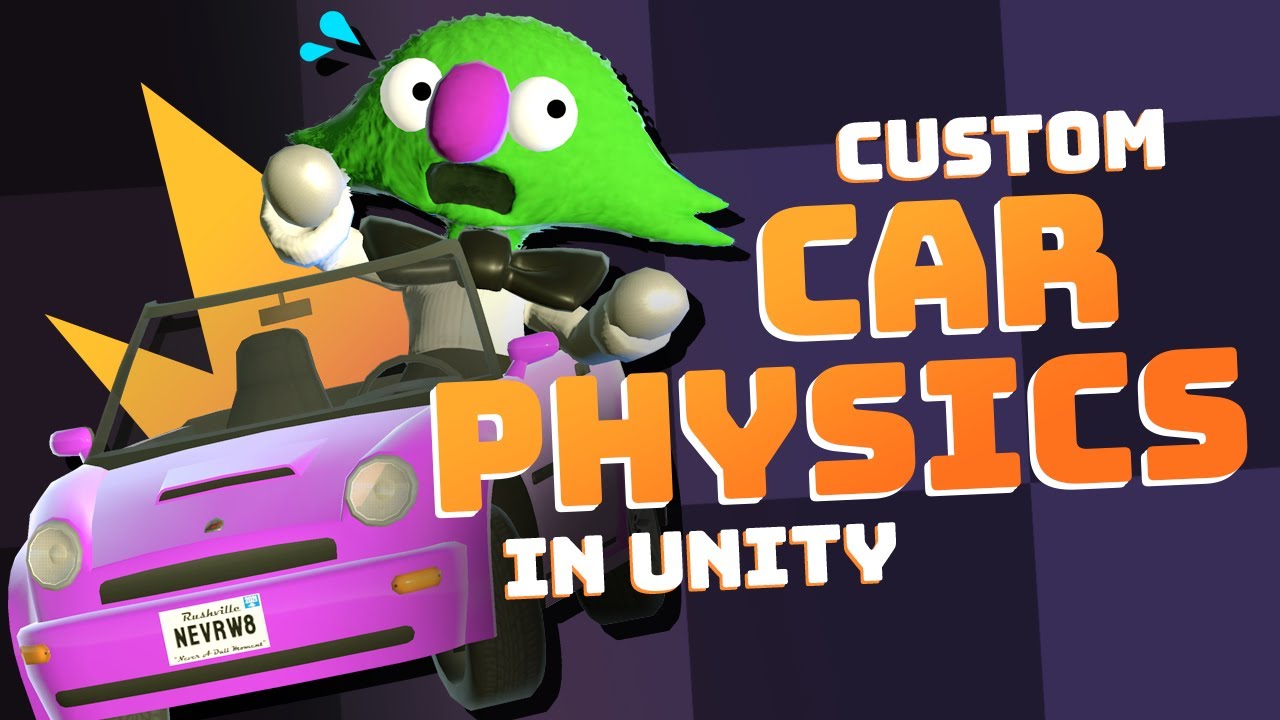
A detailed look at how we made our custom raycast-based car physics in Unity for our game Very Very Valet - available for Nintendo Switch, PS5, and Steam.
BUY NOW!! https://toyful.games/vvv-buy
~ More from Toyful Games ~
- Physics Based Character Controller in Unity: https://youtu.be/qdskE8PJy6Q
- Instant "Game Feel" Tutorial: https://youtu.be/...
 night raptor
tired junco
Hey i'm currently trying to create 3D car physics. I followed along this tutoria...
night raptor
tired junco
Hey i'm currently trying to create 3D car physics. I followed along this tutoria...
I don't see a reason to adjust the spring force based on any center of mass calculations. In real life too the springs on the side of more mass would get more contracted and therefore give enough force to support the mass of the car
tired junco
night raptor
I don't see a reason to adjust the spring force based on any center of mass calc...
so probably i should rather find matching values for the springs strength then doing it by defining an influence right?
 rough orbit
I'm too green to understand what's wrong here, if anyone can help

 summer stump
rough orbit
I'm too green to understand what's wrong here, if anyone can help
summer stump
rough orbit
I'm too green to understand what's wrong here, if anyone can help
You have OnTrigger inside OnCollision
Also a missing curly brace (not semicolon, sorry about that). It should be added between those methods, which will solve the first issue too
night raptor
tired junco
so probably i should rather find matching values for the springs strength then d...
Exactly. If you happen to need tougher springs on one side of the car, you should just increase the spring strength on that side. That's what you do in real life too if the springs are not strong enough to hold the weight. I assume you have a fixed car model that you have to fine tune the wheels for and not something like a car building game where anything can be built?
tired junco
night raptor
Exactly. If you happen to need tougher springs on one side of the car, you shoul...
That makes sense (quite interesting actually). And yes i have a fixed car model. thanks a lot
night raptor
tired junco
That makes sense (quite interesting actually). And yes i have a fixed car model....
np. I'm actually working on my own wheel collider code now so if you need any further help or have any questions regarding wheel physics, I might be able to help
 river quiver
this is what happens when i try to make an animation to an object, why?
this is the code to creating animation:
{
    GameObject mainCamera = GameObject.FindGameObjectWithTag("MainCamera");
    AnimationClip clip = new AnimationClip();
    Animation animation = mainCamera.GetComponent<Animation>();
    AnimationCurve curve = AnimationCurve.Linear(0.0f, mainCamera.transform.position.x, 0.5f, mainCamera.transform.position.x + 21);

    clip.SetCurve("", typeof(Transform), "position.x", curve);
    clip.name = "CameraMoveRight";
    clip.legacy = true;

    animation.clip = clip;
    animation.AddClip(clip, clip.name);

    AssetDatabase.CreateAsset(clip, "Assets/" + clip.name + ".anim");
    animation.Play();

    leftArrow.SetActive```
 umbral rock
im following a tutorial on fps camera movement and came across this line of code, i dont really understand what he is doing here, i thought a vector3 always needed an x value an y value and a z value, but he doesnt do that here?
 summer stump
river quiver
this is what happens when i try to make an animation to an object, why?
this is ...
summer stump
river quiver
this is what happens when i try to make an animation to an object, why?
this is ...
Camera mainCamera = Camera.main
Try the standard way of getting the camera reference
river quiver
summer stump
Camera mainCamera = Camera.main
Try the standard way of getting the camera refer...
okay
river quiver
umbral rock
im following a tutorial on fps camera movement and came across this line of code...
cause he only moves on the z and x axis i think
umbral rock
river quiver
cause he only moves on the z and x axis i think
yes, but dont u need to declare the y value as 0?
or if u dont fill it in it will set the y to 0?
summer stump
umbral rock
im following a tutorial on fps camera movement and came across this line of code...
Both transform.right and .forward have x y and z values
river quiver
probably not idk tho for sure
 modest dust
umbral rock
im following a tutorial on fps camera movement and came across this line of code...
modest dust
umbral rock
im following a tutorial on fps camera movement and came across this line of code...
transform.right is a Vector3 being multiplied by x, transform.forward is a Vector3 being multiplied by z. Then you just add up two vector3s.
umbral rock
but where is the y?
umbral rock
yes but he doesnt do that here, u dont need to declare the y value?
summer stump
umbral rock
but where is the y?
Both transform.right and .forward have y already
They are Vector3s
modest dust
umbral rock
yes but he doesnt do that here, u dont need to declare the y value?
Please look up Vector math, both right and forward are vectors, both already have x y z
umbral rock
theyr y is 0?
river quiver
summer stump
Camera mainCamera = Camera.main
Try the standard way of getting the camera refer...
still doesnt move. the purpose is that i want to have like a smooth transition to a different screen maybe there is another way like rigidbody or something?
modest dust
umbral rock
theyr y is 0?
It depends on the gameobject rotation
summer stump
umbral rock
theyr y is 0?
If their rotation is not pointing up then yeah. It depends on their rotation
summer stump
river quiver
still doesnt move. the purpose is that i want to have like a smooth transition t...
Does it still say missing though?
river quiver
summer stump
Does it still say missing though?
yh
umbral rock
ooh, so in the transform.right the 'transform' is actually the component of the gameObject?
summer stump
river quiver
yh
Ok weird. Well I would suggest looking into cinemachine
summer stump
umbral rock
ooh, so in the transform.right the 'transform' is actually the component of the ...
Well yeah of course. It is that objects transform.
 rich adder
umbral rock
ooh, so in the transform.right the 'transform' is actually the component of the ...
rich adder
umbral rock
ooh, so in the transform.right the 'transform' is actually the component of the ...
transform is a property of the a component
umbral rock
is it important that u understand that?
river quiver
summer stump
Ok weird. Well I would suggest looking into cinemachine
ight ill watch brackeys tutorial, thanks
summer stump
umbral rock
is it important that u understand that?
Yes?
summer stump
river quiver
ight ill watch brackeys tutorial, thanks
I recommend against brackeys. (Or code monkey)
Learn.unith has a course
river quiver
summer stump
I recommend against brackeys. (Or code monkey)
Learn.unith has a course
why
summer stump
river quiver
why
Because I spend too much time fixing his errors here
umbral rock
so transform.right has an x value of 1 or -1 and an y value of 0 and a z value of 0?
river quiver
its free?
umbral rock
if i understand it right
rich adder
river quiver
its free?
mate its part of unity
summer stump
umbral rock
so transform.right has an x value of 1 or -1 and an y value of 0 and a z value o...
No.
modest dust
umbral rock
so transform.right has an x value of 1 or -1 and an y value of 0 and a z value o...
No, it depends on the gameobject rotation
umbral rock
its 1 or -1 depending on the input, if its A or D key
river quiver
rich adder
mate its part of unity
sry mb
summer stump
It depends on the rotation, and it is unlikely to ever be exact like that
 river quiver
thanks @summer stump
modest dust
umbral rock
its 1 or -1 depending on the input, if its A or D key
You're talking about x and z, not right and forward
umbral rock
modest dust
You're talking about x and z, not right and forward
so the right and forward will never be 0? i guess thats logical other wise the object would never move right?
rich adder
umbral rock
so the right and forward will never be 0? i guess thats logical other wise the o...
ofcourse is 0
whats any number x 0
summer stump
umbral rock
so the right and forward will never be 0? i guess thats logical other wise the o...
Those are just directions
modest dust
umbral rock
so the right and forward will never be 0? i guess thats logical other wise the o...
If you look at your gameobject in your scene view and select it, you can see 3 arrows (vectors) representing forward, right and up
rich adder
if they weren't 0 then it would constatly move without input
modest dust
Rotate the gameobject and they rotate with it
rich adder
transform.right (1,0,0) * 0 = 0
umbral rock
rich adder
if they weren't 0 then it would constatly move without input
well, if u look at the code, and imagined that transform.right was 0 then multiply it by 1 bcs of the x input than that would mean it would still be 0?
rich adder
umbral rock
well, if u look at the code, and imagined that transform.right was 0 then multip...
transform.right is not 0
x/z without input makes them 0
umbral rock
rich adder
transform.right is not 0
yes, thats what i meant ye ye
ahh ok ok
so if u wouldnt multiplay it by x and z the object would constantly move
rich adder
yes
modest dust
Yes
umbral rock
ahh ok, thanks for the help, i understand it now
night raptor
umbral rock
im following a tutorial on fps camera movement and came across this line of code...
In case you are following the Brackeys tutorials as you seem to be, I just wanna let you know that what they say at part 6:56 is nonsense. There's an mistake in that tutorial which has been went unnoticed by many. Don't multiple Mouse X and Mouse Y by Time.deltaTime, they are already framerate independent unlike the other axes like Horizontal which in most cases needs to be multiplied by deltaTime
rich adder
indeed mouse Input is always frame-rate independent
umbral rock
night raptor
In case you are following the Brackeys tutorials as you seem to be, I just wanna...
alright, thanks for that tip!!
 remote osprey
How come when I Instantiate a horizontal layout group, It only instantiates its rect transform and not its children?
umbral rock
would u guys say that understand what code does and why to use it and how things work is the most important thing when learning to code? or is it not necessary?
remote osprey
Yes, it is the most important thing
Because that's essentialy what you'll do everyday as a programmer
But you don't have to understand absolutely everything when you're getting started
focus on learning the basics first
umbral rock
im going to study how to become a ceo of an indie game studio, im gonna learn how to code, how to get art in your game and stuff, im looking forward to it thats why im already learning how to code 🙂 trying to understand the code im writing is hard but as u said, its essential...
 languid spire
umbral rock
would u guys say that understand what code does and why to use it and how things...
languid spire
umbral rock
would u guys say that understand what code does and why to use it and how things...
it is absolutely essential. Programming is an exact art, there is no room for doubt or guess work
umbral rock
languid spire
it is absolutely essential. Programming is an exact art, there is no room for do...
yep, got ya!
so if i come against something and i know what it does but idk why he does it in the tutorial its necessary to figure it out?
languid spire
remote osprey
But you don't have to understand _absolutely everything_ when you're getting sta...
you do have to understand absolutely every line of code you write
remote osprey
That's true
But I mean is, don't try to understand how the computer creates a "random" number
Not at the beginning, at least
umbral rock
yeah, dont go in too deep u mean
remote osprey
Yes
umbral rock
just learn what it does and why to use it
umbral rock
but, lets say u understand what the line of code does in the tutorial but u dont know why u need to write it, is it necessary to research why then?
remote osprey
Yep
languid spire
Fair, why, how and when are important. How it works can come later
remote osprey
You need to understand what the tutorial is trying to teach you
umbral rock
ait
remote osprey
What I recommend is
umbral rock
so understand what the code does and why u use it
remote osprey
Go slowly
And break the code you see online into chunks
So if you see a tutorial that creates a spaceship, makes it move with directional inputs and shoot lasers with the key 'z'
umbral rock
i'v already made flappybird myself without tutorial, so thats big for me, im 20 days into unity tho... so idk if thats a big thing that i can already create flappybird xD
 cosmic dagger
remote osprey
You need to understand what the tutorial is trying to teach you
cosmic dagger
remote osprey
You need to understand what the tutorial is trying to teach you
You need to understand how to create a random number, what to write/access, and why (you need it). I doubt anyone is saying you need to know how the engine produces said random number . . .
remote osprey
I'd recommend you break the code down like this:
- creating the spaceship and giving it a sprite
- how to get user input (when they press "z")
- how to move the spaceship
- how to create the laser and add collision behaviour to it
Write those down in different modules/classes and play with each of them until you understand each behaviour individually
Then you compose them and write your game
remote osprey
umbral rock
i'v already made flappybird myself without tutorial, so thats big for me, im 20 ...
That's good
It's your first game, congratulations! 👏👏
cosmic dagger
As long as you understand each line of your code, you're fine. You should be able to go through your script and know what it does. It greatly helps with debugging and recreating similar code . . .
umbral rock
remote osprey
It's your first game, congratulations! 👏👏
thanks mate 🙂
remote osprey
remote osprey
How come when I Instantiate a horizontal layout group, It only instantiates its ...
Anyway, anyone has any idea why?
 rocky canyon
is the children elements contained in the prefab ur instantiating?
rocky canyon
ur instantiating it to a canvas right?
rocky canyon
well a horizontal layout group needs to be a UI element (nested under a canvas)
if not its not gonna act right
 hallow acorn
hey i want to make a cannon and spawning the prefabs for the projectiles works fine but i want it to get a force applied. would it work to give the prefab a script which adds force in the awake method so the force gets applied just once per clone?
 vale bronze
I feel like 90% of beginner unity tutorials don’t do their job well. They only explain HOW to use an element of code and only how to use it in one very specific scenario. Imo, more tutorials need to go into the WHEN and WHY. I’ve used so many coding elements, but I have no idea why I used them or when to use it elsewhere. It would be wayyy more useful if I knew when to use the elements instead of just being taught how use it in one very specific situation.
(Alright, rant over lol)
rocky canyon
(normally transform.forward * speed)
hallow acorn
rocky canyon
(normally transform.forward * speed)
thanks that was the way i did it before but every clone gets the force multiple times that was my only problem
rocky canyon
vale bronze
I feel like 90% of beginner unity tutorials don’t do their job well. They only e...
tbh thats 90% of the purpose of most tutorials
they give u a concept u wasnt aware of.. its up to u to resaerch it farther
languid spire
vale bronze
I feel like 90% of beginner unity tutorials don’t do their job well. They only e...
you are absolutely correct, this is why reading the docs is superior to video tutorials for learning purposes
vale bronze
rocky canyon
tbh thats 90% of the purpose of most tutorials
i agree, but it is that hard to just mention “you should use coroutines when you need to add a pause without freezing your game” or something like that. Most tutorials just use them without explaining why they use it
rocky canyon
vale bronze
i agree, but it is that hard to just mention “you should use coroutines when you...
well those doo suck.. i tend to explain why i use something -> show the implementation -> then let the view modify it (learn more on their own)
similar to here, we don't wanna be hand-holding the entire time.
languid spire
vale bronze
i agree, but it is that hard to just mention “you should use coroutines when you...
That is because the vast majority of tutorials are made by people who only know a very little bit more than you do
rocky canyon
thats not a good way to learn
vale bronze
languid spire
you are absolutely correct, this is why reading the docs is superior to video tu...
Unity, in my opinion, has the best documentation ive ever seen. Not only is the documentstiom incredible, but the unity manual with code examples helped me so many times
rocky canyon
vale bronze
Unity, in my opinion, has the best documentation ive ever seen. Not only is the ...
unity has great documentation.. not only that but most include examples (a snippet of code)
thats good enough to let u see how its commonly used
languid spire
vale bronze
Unity, in my opinion, has the best documentation ive ever seen. Not only is the ...
It's not the best I've seen. Unfortunately it's geting very much poorer. The documentation for their packages is, frankly, bloody awful
rocky canyon
this i agree w/ too.. they're innovating/adding features/packages faster than they can adequately doc it
or maybe im salty lol
i feel like i was late to the party for things like the new input system for example
the docs we'rent good enoughfor my limited understanding.. until much later
languid spire
Actually you are being kind.
Since Unity introduced their CD/CI pipeline the docs are purely generated from comments in the code and they leave, to put it politely, a lot to be desired
 fervent abyss
hi erm i’m getting a “Invalid scene name (empty string) and invalid build index -1“ error when trying to switch scenes. i’m doing:
SceneManager.LoadScene(SceneManager.GetSceneByName(startScene).buildIndex);
the startScene string is not empty?
the scene is added to the build settings as well
rocky canyon
why u using a string && an index?
languid spire
if it is saying startscene is empty it IS empty
rocky canyon
rocky canyon
why u using a string && an index?
ohh nvm ur using a string to get the index
but yea its empty if the code says it is
check ur String
 spice sigil
Does anyone know why there is an error here? My friend and I are making a game, and he tried to make this script to make a day and night cycle but there was an error
using UnityEngine;

public class DayNightCycle : MonoBehaviour
{
    [SerializeField] private float dayDuration = 120f; // Duração do ciclo completo (dia + noite) em segundos
    private float rotationSpeed;
    private Light directionalLight;

    void Start()
    {
        rotationSpeed = 360f / dayDuration; // Velocidade de rotação para completar um ciclo em 'dayDuration' segundos
        directionalLight = GetComponent<Light>();
    }

    void Update()
    {
        // Rotacionar no eixo Y
        transform.Rotate(Vector3.up, rotationSpeed * Time.deltaTime);

        // Ajuste a intensidade da luz
        float timeOfDay = Mathf.PingPong(Time.time, dayDuration) / dayDuration;
        directionalLight.intensity = Mathf.Lerp(0.1f, 1f, Mathf.Abs(Mathf.Cos(timeOfDay * Mathf.PI * 2)));
    }
}
and would you care to share the error with us?
languid spire
and line 27 is?
spice sigil
Yes
languid spire
is what
languid spire
wtf is line 27
rocky canyon
its a simple syntax error
spice sigil
languid spire
wtf is line 27
yes lol I forgot I'll show you where it is
spice sigil
languid spire
wtf is line 27
I also made a mistake, I confused the 1 with a 7 lol, and line 21 where this directionalLight.intensivity is
 spice sigil
yes I am
languid spire
rocky canyon
theres nothing wrong with taht script
agreed
languid spire
spice sigil
yes I am
screenshot the consle
rocky canyon
nah, ur mistaken.. if u copied a different version.. the version u pasted is correct
i literally copy and pasted it in my project.. (no errors) and functional
spice sigil
languid spire
screenshot the consle
I managed to solve it lol, it was a scene association problem, now it's working
rocky canyon
thats not what solved it.. perhaps maybe the scene had a different script (or different version)
spice sigil
thanks for the help
fervent abyss
rocky canyon
ohh nvm ur using a string to *get* the index
erm i forgot that i can put scene name instead of build index and it works now... 💀
(hooray)
 sharp abyss
Anybody know how can I make my character hold the weapon with 2 arms. I thought about adding a public gameobject to a script which is on the both lower arms but didnt know what to do next. I also want to use those slots because I want to also use one handed weapons. I want to use slots too because there are another actions character does when weapon is not 2 handed

https://hatebin.com/jfngrqiyyv I have these script to move left upper , right upper and low arms but I want to be able to move lower arms only when weapon isnt 2 handed.
 wintry quarry
sharp abyss
Anybody know how can I make my character hold the weapon with 2 arms. I thought ...
wintry quarry
sharp abyss
Anybody know how can I make my character hold the weapon with 2 arms. I thought ...
this kind of thing is typically done with inverse kinematics.
sharp abyss
wintry quarry
this kind of thing is typically done with inverse kinematics.
I'm trying with relative joints
wintry quarry
I'm not sure what "relative joints" means.
I would hihgly recommend looking into inverse kinematics
sharp abyss
is it a good idea?
sharp abyss
wintry quarry
I'm not sure what "relative joints" means.
Its a component
sharp abyss
wintry quarry
I would hihgly recommend looking into inverse kinematics
I will take a look thanks
rocky canyon
i agree, 2D bones + inverse kinmeatics
sharp abyss
character is a ragdoll btw
ohhh inverse kinematics was what I was exactly looked for
 eternal needle
This is why I also wrote it depends how you want to move things, inverse kinematics might conflict with your ragdoll. But if the movement is desired then carry on
sharp abyss
I was trying to make the combat mechanic in bloody bastards game if you know but it uses 2 digital analog sticks like in controller and couldnt think of anything relevant to that
hallow acorn
does rb.AddForce() use the global transform? and can i change it to local?
 willow scroll
hallow acorn
does `rb.AddForce()` use the global transform? and can i change it to local?
willow scroll
hallow acorn
does `rb.AddForce()` use the global transform? and can i change it to local?
Yes, Rigidbody.AddForce uses global space, if you want to change it to local, use Rigidbody.AddRelativeForce
hallow acorn
ty
 ornate spoke
How do I call the particle system at a game object's position? (nvm, fixed)
 sour spear
How do i get the Vector the player's model is currently pointing in?
languid spire
sour spear
How do i get the Vector the player's model is currently pointing in?
transform.forward
 wary orchid
Over the last two months, I learned how to program in C# using Visual Studio. While I can script, scripting in Unity 2d is different from scripting in the console. For example, I don't know how to make a catchable and throwable gun, convert my mouse position into the rotation of the hand holding the gun, or convert the gun's rotation to the bullet's direction.I would be grateful if you could find a solution or suggest what to do.Thanks, Braiy
languid spire
wary orchid
Over the last two months, I learned how to program in C# using Visual Studio. Wh...
!learn
 eternal falconBOT
:teacher: Unity Learn ↗
Over 750 hours of free live and on-demand learning content for all levels of experience!
willow scroll
wary orchid
Over the last two months, I learned how to program in C# using Visual Studio. Wh...
This is great if you already know C#. If you want to learn how to do all these things, I would suggest you to start from Unity's official learning site, already mentioned above
 stoic oracle
Hello folks,
I'm trying to make a 3D 3rd person character turn to 'catch up to' the direction they are moving. I got this code from a nice tutorial:
if (moveDirection != Vector3.zero)
    PlayerModel.forward = Vector3.Slerp(PlayerModel.forward, moveDirection.normalized, Time.deltaTime * rotationSpeed);
The character turns nicely, however, I'm having issues using this because my character ends up tilted a bit. I think this is because the character is parented to a moving platform that rocks back and forth. I've attached a picture of the tilt.
I thought this could be easy to resolve by setting the PlayerModel.up = transform.up to realign the player model with the player object itself. However, when I have both of these called nothing happens. It doesn't align the UP vectors, but it also stops the character from turning at all, like they cancel each other out.
PlayerModel.forward = ....
PlayerModel.up = ...
I am just trying to figure out a way to rotate this model object about it's y axis to match the lateral movement direction. However, I am not having luck getting that to work. Anybody know how I can do that?
 sour spear
is there an efficient way to determine the orientation of the nearest wall in 3D space? assuming you are looking at a flat slice about the player
 slender nymph
get its normal from a RaycastHit
stoic oracle
sour spear
is there an efficient way to determine the orientation of the nearest wall in 3D...
Here is an article about someone finding the closest enemy.
https://forum.unity.com/threads/clean-est-way-to-find-nearest-object-of-many-c.44315/
Once you've determined the closest, you can just reference the transform rotation I believe.
Unity Forum
Imagine a field with many, many enemies. And you have a key to shoot the nearest target. Well, that is almost my game.
I can think of a couple ways...
slender nymph
assuming you are looking at a flat slice about the player
this bit makes me think they are looking at the wall already and want to get its orientation. which would be what I suggested, raycast against it and the normal is the direction the wall faces
sour spear
in practice, im just tryna figure out when a wall is close enough to wall kick on it
slender nymph
raycast or some other physics cast. you can specify a max distance for the cast so if nothing is hit the wall is too far. if something is hit you can check if it is a wall (or just filter colliders using a layermask so only walls are detected if you want) then you can get the wall's orientation using the normal
sour spear
ah gotcha
so i have something like this, which returns a wall when its amply close, how do i get the orientation of the wall? assumedly hit.normal, but im not sure whether thats to the face or the racyast
 slender nymph
the normal is the direction that the surface of the object that was hit is facing
sour spear
ok perfect
 desert temple
Following my tutorial, but I've got some errors, so I'm back again looking for any possible clarification on what I might have goofed up.
 slender nymph
configure your !IDE
sour spear
last question for now i promise, suppose i have a force A that the player is moving by every frame, how can i force the player to face the (x and z) direction of A
slender nymph
slender nymph
configure your !IDE
damn, seems like the bot is asleep. IDE configuration guides are in #854851968446365696
slender nymph
sour spear
last question for now i promise, suppose i have a force A that the player is mov...
remove the Y component of the force and assign the resulting vector to the transform.forward
sour spear
what is the difference between doing that and something like transform.rotation = Quaternion.LookRotation(new Vector3(A.x, 0, A.z).normalized);?
desert temple
slender nymph
configure your !IDE
I, wholeheartedly, do not know what that means, and it was never told to me in my game scripting class, I think.
slender nymph
visual studio is not configured. which is why you do not get proper syntax highlighting nor are your errors underlined in the code.
desert temple
I don't really know how that works, admittedly.
slender nymph
as i've already said, the configuration guides are linked in #854851968446365696
it is a requirement that your IDE be configured to get help here
 errant pilot
Guys how can i get the highest quality possible using these settings?
 slender nymph
this is a code channel
errant pilot
my sprites look a tiny bit rough ig
errant pilot
slender nymph
this is a code channel
oh mb where do i go?
slender nymph
errant pilot
ty
desert temple
Okay, I've got the IDE set up, I think? Anyway, I'm not really sure what to do with the errors here.
 slender nymph
all of those errors you see are caused by a simple mistake, you must have an operator in order to perform a mathematical operation. you can't just put a number next to parentheses for multiplication like you can on a math worksheet for school, * has to be used to multiply
 inner quartz
if (BlazeCoins >= 1000 && BlazeCoins < 1000000)
{
BlazeCoinsConvert = BlazeCoins / 1000;
BlazeCoinsAbbreviation = "K";
}
else if (BlazeCoins >= 1000000 && BlazeCoins < 1000000000)
{
BlazeCoinsConvert = BlazeCoins / 1000000;
BlazeCoinsAbbreviation = "M";
}
else if (BlazeCoins >= 1000000000)
{
BlazeCoinsConvert = BlazeCoins / 1000000000;
BlazeCoinsAbbreviation = "B";
}
else
{
BlazeCoinsConvert = BlazeCoins;
BlazeCoinsAbbreviation = "";
}
if (BlazeCoinsTarget >= 1000 && BlazeCoinsTarget < 1000000)
{
BlazeCoinsTargetConvert = BlazeCoinsTarget / 1000;
BlazeCoinsTargetAbbreviation = "K";
}
else if (BlazeCoinsTarget >= 1000000 && BlazeCoinsTarget < 1000000000)
{
BlazeCoinsTargetConvert = BlazeCoinsTarget / 1000000;
BlazeCoinsTargetAbbreviation = "M";
}
else if (BlazeCoinsTarget >= 1000000000)
{
BlazeCoinsTargetConvert = BlazeCoinsTarget / 1000000000;
BlazeCoinsTargetAbbreviation = "B";
}
else
{
BlazeCoinsTargetConvert = BlazeCoinsTarget;
BlazeCoinsTargetAbbreviation = "";
}
if (Energy >= 1000 && Energy < 1000000)
{
EnergyConvert = Energy / 1000;
EnergyAbbreviation = "K";
}
else if (Energy >= 1000000 && Energy < 1000000000)
{
EnergyConvert = Energy / 1000000;
EnergyAbbreviation = "M";
}
else if (Energy >= 1000000000)
{
EnergyConvert = Energy / 1000000000;
EnergyAbbreviation = "B";
}
else
{
EnergyConvert = Energy;
EnergyAbbreviation = "";
}```
So, how do I can reduce formatting radiant frigate
!code
eternal falconBOT

Posting code
📃 Large Code Blocks
Use links to services like:
https://gdl.space/, https://paste.ofcode.org/, https://hatebin.com/, https://paste.myst.rs/, https://hastebin.com/
📃 Inline Code
Surround code with three backquotes. Not quotation marks.
To format as C#, add cs to the first line:
```cs
// Your code here
```
Add a comment with a line number if there is an error message.
slender nymph
inner quartz
```
if (BlazeCoins >= 1000 && BlazeCoins < 1000000)
{
BlazeC...
put your suffixes into an array with the lowest at the earliest element, then loop through the array dividing by 1000 for each iteration until it is no longer divisble
inner quartz
slender nymph
put your suffixes into an array with the lowest at the earliest element, then lo...
so... I didn't understand half of the words
 radiant frigate
https://gdl.space/redoxubovo.cpp, i think im not using raycast syntax correctly how can i create a raycast return in form of an array? for what i know think im doing it exactly as the doc says
 radiant frigate
did you reference it?
 opaque scroll
 slender nymph
radiant frigate
https://gdl.space/redoxubovo.cpp, i think im not using raycast syntax correctly ...
slender nymph
radiant frigate
https://gdl.space/redoxubovo.cpp, i think im not using raycast syntax correctly ...
you have several syntax issues there
radiant frigate
radiant frigate
did you reference it?
well more than reference it, assign it?
inner quartz
slender nymph
put your suffixes into an array with the lowest at the earliest element, then lo...
so... Just like this?
 radiant frigate
opaque scroll
radiant frigate
opaque scroll
you need to drag the bloodparticle into the serialize field
so it knows that the particle is indeed the one you want to play
i think
slender nymph
inner quartz
so... Just like this?
this just creates an array of empty strings because there is nothing assigned to the elements of the array. so no, that is not all you need to do
opaque scroll
radiant frigate
well more than reference it, assign it?
U mean in the inspector?
radiant frigate
opaque scroll
U mean in the inspector?
or via code, yes
inner quartz
slender nymph
this just creates an array of empty strings because there is nothing assigned to...
how do I can make not empty strings
radiant frigate
slender nymph
you have several syntax issues there
could you tell me which ones?
opaque scroll
radiant frigate
or via code, yes
well it seems like
 inner quartz
how do I can make not empty strings
inner quartz
inner quartz
how do I can make not empty strings
I don't know anything about arrays or dictionaries
slender nymph
radiant frigate
could you tell me which ones?
your IDE should be underlining your syntax errors in red already
slender nymph
inner quartz
how do I can make not empty strings
radiant frigate
slender nymph
your IDE should be underlining your syntax errors in red already
for what i think im doing pretty much the same as this
 slender nymph
do you or do you not see red underlines in your code
slender nymph
so then surely you can see that what you wrote is not valid, right?
radiant frigate
yes
but i dont know how to write it to be valid, and for what it seems visually i think im writting it exactly as in the doc
slender nymph
so create an array variable. and pass that into the Raycast call
opaque scroll
@radiant frigate Nvm i got it to work by using PUBLIC

and then assignet by inspector
slender nymph
radiant frigate
but i dont know how to write it to be valid, and for what it seems visually i th...
you can't just copy the method signature and expect that to JustWork™️
radiant frigate
i know
radiant frigate
slender nymph
so create an array *variable*. and pass *that* into the Raycast call
i thought it created an array variable on the moment of use
ill go try that, ty!
slender nymph
no, even if that was what you were supposed to be doing you aren't even doing that correctly
radiant frigate
i know, thats why i asked, but it seems not only am i doing it wrong, it isnt just possible
slender nymph
well that's just not true. the issue is just that you are doing it wrong
radiant frigate
so it is possible to do it that way?
slender nymph
it is possible to populate an array with the Physics2D.Raycast method, yes
desert temple
slender nymph
all of those errors you see are caused by a simple mistake, you *must* have an o...
I actually missed a subtraction sign. Once I added it, it worked fine. Now it's complaining about pommeSlider not being defined or something. Not sure what's up with that.

 slender nymph
desert temple
I actually missed a subtraction sign. Once I added it, it worked fine. Now it'...
slender nymph
desert temple
I actually missed a subtraction sign. Once I added it, it worked fine. Now it'...
did you read what the error says?
desert temple
Oh, I read it, I just don't understand it.
slender nymph
The type 'LightsaberBuilder' already contains a definition for 'pommelSlider'
summer stump
desert temple
Oh, I read it, I just don't understand it.
You have two things called pommelSlider.
You can only have one
slender nymph
as in you already have a variable with that name. you cannot create another
summer stump
By the naming scheme, it seems like the first was supposed to be called pommelPrefabs
 north kiln
One can also Google errors they don't understand and other people will have explained them
 heady pagoda
yurr i dont wanna be annoyin or shi but i got this code to push me forward when i press Q but it just doesnt push me. like at all
 slender nymph
don't use GetKeyDown in FixedUpdate. it only returns true for the first frame the key is pressed, which is usually not a FixedUpdate frame
summer stump
heady pagoda
yurr i dont wanna be annoyin or shi but i got this code to push me forward when ...
Is that script on an object with a dynamic rigidbody?
 ivory bobcat
desert temple
Oh, I read it, I just don't understand it.
ivory bobcat
desert temple
Oh, I read it, I just don't understand it.
It says you've already defined a variable using that name and cannot do so again
 north kiln
slender nymph
heady pagoda
yurr i dont wanna be annoyin or shi but i got this code to push me forward when ...
north kiln
slender nymph
heady pagoda
yurr i dont wanna be annoyin or shi but i got this code to push me forward when ...
also it looks like your !IDE is not configured
eternal falconBOT
💡 IDE Configuration
If your IDE is not autocompleting code
or underlining errors, please configure it.
Select one:
• Visual Studio (Installed via Unity Hub)
• Visual Studio (Installed manually)
• VS Code
• JetBrains Rider
• Other/None
desert temple
summer stump
You have two things called pommelSlider.
You can only have one
Wait, so does that mean I'd have to delete one these? Since I'm following the tutorial, and it has both.
 inner quartz
slender nymph
<https://learn.microsoft.com/en-us/dotnet/csharp/programming-guide/classes-and-s...
inner quartz
slender nymph
<https://learn.microsoft.com/en-us/dotnet/csharp/programming-guide/classes-and-s...
I din't understand anything
slender nymph
desert temple
Wait, so does that mean I'd have to delete one these? Since I'm following the t...
notice how that screenshot the names are different
summer stump
desert temple
Wait, so does that mean I'd have to delete one these? Since I'm following the t...
Ah, exactly as I said, it was supposed to be pommelPrefabs
Look closely at what you wrote
heady pagoda
slender nymph
don't use GetKeyDown in FixedUpdate. it only returns true for the *first* frame ...
so where do i gotta put it
summer stump
heady pagoda
so where do i gotta put it
Just... look
Look at the screenshot you just sent
heady pagoda
summer stump
Just... look
aight thx
ivory bobcat
desert temple
Wait, so does that mean I'd have to delete one these? Since I'm following the t...
You've likely misread what the tutorial has provided
desert temple
summer stump
Ah, exactly as I said, it was supposed to be pommelPrefabs
Look closely at what ...
Oooooh, I see what I did.
inner quartz
slender nymph
notice how that screenshot the names are different
what is next
 slender nymph
next you should stop what you are doing, and go through the beginner courses pinned in this channel because creating a string property isn't at all what i suggested
inner quartz
slender nymph
next you should stop what you are doing, and go through the beginner courses pin...
okay maybe later
slender nymph
then you'll get help maybe later
summer stump
inner quartz
okay maybe later
Good to take a break for sure. Just be sure to do it before attempting anything else
I have these pinned in my clipboard:
https://www.w3schools.com/cs/index.php
And then
https://learn.unity.com/pathways
inner quartz
summer stump
Good to take a break for sure. Just be sure to do it before attempting anything ...
I've only slept for 3 hours and I'm sick now, it's very hard for me to do anything.
summer stump
inner quartz
I've only slept for 3 hours and I'm sick now, it's very hard for me to do anythi...
Yeah, not a good state to be in when learning a new language and way of thinking.
Get better soon!
radiant frigate
!code
eternal falconBOT
Posting code
📃 Large Code Blocks
Use links to services like:
https://gdl.space/, https://paste.ofcode.org/, https://hatebin.com/, https://paste.myst.rs/, https://hastebin.com/
📃 Inline Code
Surround code with three backquotes. Not quotation marks.
To format as C#, add cs to the first line:
```cs
// Your code here
```
Add a comment with a line number if there is an error message.
radiant frigate
okay i dont know what is wrong now nor how to use it https://gdl.space/kocoyakoqi.cpp
inner quartz
summer stump
Yeah, not a good state to be in when learning a new language and way of thinking...
thank you
slender nymph
radiant frigate
okay i dont know what is wrong now nor how to use it https://gdl.space/kocoyakoq...
you've somehow made this even worse
radiant frigate
amazing
slender nymph
RaycastHit2D,[] longDashArray is not valid at all
also why do you have a discard in the method parameters?
there is just so much wrong here
radiant frigate
because i was subscribing the method to the new input system action.performed
function* i mean
or im just messing names up in my brain
slender nymph
oh my god that's no discard, that's actually a valid identifier 
slender nymph
you should use an actual name for your parameter not _ even though that is somehow valid. it's going to cause a lot of confusion
radiant frigate
i was just using ctx before
slender nymph
and you need to go relearn the basics since you clearly don't know how to declare and use an array. there are some beginner courses pinned in this channel that will help you get started
slender nymph
radiant frigate
i was just using ctx before
then why did you change it
radiant frigate
because i saw that i can write that so it doesnt take the callbackcontext as a parameter
and for what i´ve heard i think it was better for optimization
which may just be fake tbh
but since it didnt give any problem i just went with it
slender nymph
radiant frigate
because i saw that i can write that so it doesnt take the callbackcontext as a p...
that's not at all what is happening there though
radiant frigate
maybe im just explaining myself as bad as a human can
slender nymph
if you were using a lambda expression and used a discard _ for the parameter that would be what it is doing. however _ in this context is the identifier for your parameter. so you have a parameter of type CallbackContext with the name _
radiant frigate
slender nymph
and you need to go relearn the basics since you clearly don't know how to declar...
isnt that the way?
 radiant frigate
slender nymph
if you were using a lambda expression and used a discard `_` for the parameter t...
radiant frigate
slender nymph
if you were using a lambda expression and used a discard `_` for the parameter t...
oh..
slender nymph
radiant frigate
isnt that the way?
well that's not even the right type of array you need for the method.
slender nymph
yes and you need to not be attempting to redeclare the array inline, you need to actually just use that one
and you need to give it a valid size. there's no need for it to be serialized either
radiant frigate
true, i can just use debug.log for debugigng
radiant frigate
slender nymph
yes and you need to not be attempting to *redeclare* the array inline, you need ...
now it says i cant convert a "raycasthit2d[]" to "int"
slender nymph
well i don't know what your code currently looks like. but you need to compare your parameters to the ones shown in the docs
after you fix the parameters you'll also need to fix the fact that this method call shouldn't be the condition for an if statement since it returns int and not bool
radiant frigate
isnt it supposed to be true in case it hits something?
radiant frigate
yes i know you said it isnt a bool
slender nymph
correct
 tribal solstice
this is the look script for the X axis for my first fps I just started but when I use my mouse in game to look around the camera does not turn, can someone tell me what I did wrong
 radiant frigate
https://gdl.space/epuxetumak.cpp it seems to match for me
 slender nymph
tribal solstice
this is the look script for the X axis for my first fps I just started but when ...
slender nymph
tribal solstice
this is the look script for the X axis for my first fps I just started but when ...
you didn't follow the tutorial correctly. also don't multiply mouse input by deltaTime, it is already frame rate independent so that multiplication just makes it dependent on the framerate again and causes you to end up with stuttery controls because brackeys didn't bother vetting the code he was teaching.
oh and make sure to reduce the sensitivity both in the code and the inspector since it is about 100 times too high
radiant frigate
what is vetting
if i may ask
tbh i can use google nvm
oh, research or reinspect
slender nymph
radiant frigate
https://gdl.space/epuxetumak.cpp it seems to match for me
and yet you've still got it as the condition for the if statement
radiant frigate
yes yes i will change it afterwards
slender nymph
do it now
slender nymph
now, use the intellisense in your IDE to look at the parameters the method expects. and also look at the documentation again
radiant frigate
the method expects an int , and the docs seem to want an array with a set maximun numbers that represent the returns that can be returned?
slender nymph
here, let me make this a bit more clear. show me which overload expects (Vector2, Vector2, int, RaycastHit2D[], float)
radiant frigate
none
slender nymph
well those are the parameters you've passed
radiant frigate
i dont know how to display the overload options but i remember looking because i thought about that
but the docs seem to say to use an array
slender nymph
at no point am i saying you shouldn't be using an array anywhere. but your parameters do not match up with the overloads shown in the docs. there are some undocumented overloads that may take the types you are trying to pass, but not in that order
slender nymph
radiant frigate
i dont know how to display the overload options but i remember looking because i...
assuming your are using visual studio: https://learn.microsoft.com/en-us/visualstudio/ide/using-intellisense?view=vs-2022#parameter-info
radiant frigate
i am
radiant frigate
slender nymph
assuming your are using visual studio: <https://learn.microsoft.com/en-us/visual...
im trying to find the edit option, i think i might be blind
slender nymph
just use the shortcut the page tells you. Ctrl+Shift+Space
but the Edit option is at the top of the window in the toolbar
radiant frigate
slender nymph
but the Edit option is at the top of the window in the toolbar
oh i was doing right click....
 slender nymph
So that is the one you were looking at in the docs which we've determined is not the one you are actually trying to use
or at least your parameter types do not match up with it
radiant frigate
why is it not?
slender nymph
remember what types i said your parameters are? #💻┃code-beginner message
radiant frigate
okay, for what i´ve learnt this can be a layermask: (1 << 7)
slender nymph
that is an integer for a bitmask used for a layermask, yes. but the overload you are looking at does not accept an integer for any of its parameters
radiant frigate
yes, i understand that
but why am i getting the error on the 4th overload
when the problem is supposed to be on the 3rd
slender nymph
what are the parameters you see for the fourth overload?
radiant frigate
that it asks for or that i have?
it asks for an int, but i have an raycasthit2d array
slender nymph
show what you see
radiant frigate
slender nymph
specifically show the overload you are looking at that you think the parameters are correct for. not your code. i've already seen your code.
radiant frigate
okay, the 4th one, where i have the "longDashArray"
slender nymph
that is a parameter. not an overload. the overloads are the different signatures that accept different parameters
hallow acorn
donno if thats the right channel for my problem but im triying to make a game where cannons shoot bombs at your island and you have to throw them away before they explode. the bombs simply roll done the island has anyone an idea how i could stop the bomb by rolling in a "dynamic" way?
slender nymph
i've already told you why what you have is wrong. you need to look at the other available overloads to find the one that matches the types of parameters you are trying to pass, they are just in a different order as i've already told you
radiant frigate
so i guess i have to say the 5th one?
radiant frigate
slender nymph
i've already told you why what you have is wrong. you need to look at the other ...
okay let me check again
the 6th one seems to also be usable i think
slender nymph
hallow acorn
donno if thats the right channel for my problem but im triying to make a game wh...
how i could stop the bomb by rolling in a "dynamic" way
what do you mean by this? are you asking how to prevent the bomb from rolling? because if so, it should either not have a rigidbody, the rigidbody should be kinematic (so outside forces like gravity and friction do not apply), or you need to constrain axes on its position/rotation
slender nymph
radiant frigate
the 6th one seems to also be usable i think
so if you've found an overload of the Physics2D.Raycast method that takes the parameter types you are expecting to pass, have you found the correct order for those parameters?
radiant frigate
the order seems to be correct
slender nymph
prove it
hallow acorn
slender nymph
> how i could stop the bomb by rolling in a "dynamic" way
what do you mean by th...
yeah i know how i can stop a ball but is there an easy way to make it look normal and not like a pingpong ball falling on to tape?
slender nymph
i have no idea wtf you mean by that
radiant frigate
i think he means using a material for the rigidbody
slender nymph
well that's not even a code question so 🤷♂️
hallow acorn
ok then just tell me where to post it then and im gone pls
radiant frigate
yeah but if he doesnt know it exists he could think that it can be made via code( which can but is just hard)
radiant frigate
hallow acorn
ok then just tell me where to post it then and im gone pls
i have no clue but search on yt or on the docs about rigidbody materials or something like that
i just checked and 6th doesnt work because it asks for a list not an array
slender nymph
then look at the available overloads again and find the one that actually has the types you are trying to pass
radiant frigate
"RaycastHit2d[] results" is an array right?
rich adder
[] are arrays, yes
 light arrow
if (playerMovement != null)
{
while (currentStamina < maxStamina * 0.15f) // If stamina is below 15% of max
{
playerMovement.moveSpeed = playerMovement.reducedSpeed;
}
} not sure if this is the right way to paste the code but whenever my stamina bar gets to 15%, unity freezes like nothing works i cant hit the X or stop playing. i know it works but i have not tried it with a while loop but a if. could that be my problem
rich adder
light arrow
if (playerMovement != null)
{
while (currentStamina < maxSta...
infinite loop
radiant frigate
rich adder
`[]` are arrays, yes
hi navarone!
radiant frigate
slender nymph
then look at the available overloads *again* and find the one that actually has ...
so the 5th
slender nymph
no, the 5th overload of the 8 available was the one you were looking at first which did not even have an int parameter but you're trying to pass an integer for the layermask
radiant frigate
so the problem is in the layer mask and not in the array?
slender nymph
oh my god
radiant frigate
and because the algorithm thinks i want to use other one, it gives me the error on the 4th?
slender nymph
how many fucking times do i have to say you just need to find the overload that takes the types you are trying to pass so you can see that your parameters are not in the correct order
slender nymph
radiant frigate
and because the algorithm thinks i want to use other one, it gives me the error ...
it seems you are still confusing the word "overload" for the word "parameter"
slender nymph
radiant frigate
where it says 5 of 8 here is referring to the overloads. this is the 5th of the 8 available overloads. use the arrow buttons to scroll through the different overloads to find the one you are actually trying to use
radiant frigate
thats what i think it is
slender nymph
and what types does the other one accept?
we've looked at number 5 several times now. what is the other overload that accepts an array as a parameter
radiant frigate
the same ones, but it takes out the distance
thats the only other one
instead of 5 parameters it asks for 4 which are the same ones as in the 5th overload
slender nymph
so you do not see the one that takes (Vector2, Vector2, float, RaycastHit2D, int)
radiant frigate
no i do not
slender nymph
what version of unity are you using
radiant frigate
3.6.1
slender nymph
are you sure about that
radiant frigate
 slender nymph
that's the hub. not unity. you are using 2022.3.21
radiant frigate
oh, then yes, im using 2022.3.21f1
slender nymph
yes i saw that from the screenshot. the overload i am referring to has been available since 2018 so I don't know why you are not seeing it
but your parameters are not in the correct order for it
radiant frigate
it has 8 overloads for you too?
maybe im just blind
but i only do see 2 that ask for an array on the parameters
or more specifically Raycasthit2D
well i see a third, but that one still asks for a contact filter and is a list, not an array
slender nymph
well then it looks like you'll just need to create a contact filter then
radiant frigate
dude i feel bad for you, you´ve been helping me for like 1.5 hours
i aprecciate it a lot
radiant frigate
i think it isnt
as i said maybe im just blind
do i screenshot each option?
in case im just 0/20 vision
slender nymph
honestly just create the contact filter at this point. just var filter = new ContactFilter2D().NoFilter(); filter.SetLayerMask(<your mask here>);
radiant frigate
and if i dont have a layer mask i can use the (1<<7)?
slender nymph
that is the layermask
slender nymph
ah shit, this whole time i was looking at the Raycast methods on the PhysicsScene struct rather than the Physics2D class because for some reason Physics2D is declared later on in the Physics2D.bindings.cs file than PhysicsScene2D is. that's my bad
 jaunty bay
henlo ppl, does anyone know how to refer a scene using serialized field?
{
public SceneAsset _targetWarp;
private void Start()
{
_targetWarp = GetComponent<SceneAsset>();
}
public void Interact()
{
Debug.Log("Interacted with: " + this.name);
}
}```
ive tried SceneManager.LoadScene(string) but obv it wont let me since it takes string, but what ive wanted to do i want to make the target warp selectable by the inspector. anyway i can do that? radiant frigate
slender nymph
ah shit, this whole time i was looking at the Raycast methods on the PhysicsScen...
radiant frigate
slender nymph
ah shit, this whole time i was looking at the Raycast methods on the PhysicsScen...
idk what any of that means lol
slender nymph
i was looking at the c# bindings that unity has posted on github. but i was accidentally looking at the wrong type because both of those types are declared in the same file, but the one i should have been looking at (which also happens to share a name with the file they are both declared in) was declared later in the file. I was looking at the first type PhysicsScene2D, but because github isn't that great at showing the context for a select method it was not immediately clear. I was not the only one who made that mistake as I actually got the link from a comment from the Developer Notes Extension which made the same mistake
slender nymph
jaunty bay
henlo ppl, does anyone know how to refer a scene using serialized field?
```pub...
you can't. you can serialize a string or int to represent the scene, but you won't be able to drag a scene asset like that by default
i think there may be some asset/package that will allow you to do that, but it basically just boils down to serializing the string name or int index of the scene for loading at runtime
radiant frigate
slender nymph
i was looking at the c# bindings that unity has posted on github. but i was acci...
so this was an epic gamer moment ig
jaunty bay
slender nymph
i *think* there may be some asset/package that will allow you to do that, but it...
oh ok tyy
thts such a basic feature tht unity should have smh
heady pagoda
yo idk if im slow but ts is still not workin
 slender nymph
heady pagoda
yo idk if im slow but ts is still not workin
slender nymph
heady pagoda
yo idk if im slow but ts is still not workin
you still haven't bothered to configure your !IDE 👇
eternal falconBOT
💡 IDE Configuration
If your IDE is not autocompleting code
or underlining errors, please configure it.
Select one:
• Visual Studio (Installed via Unity Hub)
• Visual Studio (Installed manually)
• VS Code
• JetBrains Rider
• Other/None
heady pagoda
imma be honest i have no idea what that means and the links also dont really help
summer stump
heady pagoda
imma be honest i have no idea what that means and the links also dont really hel...
Click the first or second one and follow the steps
And IDE is the thing you write code in
But yeah, as you were told in the other server and this one hours ago, your rigidbody is not assigned anywhere. It is private (so cannot be done in the inspector) and not done in the code
slender nymph
heady pagoda
imma be honest i have no idea what that means and the links also dont really hel...
 jaunty bay
using UnityEngine;
using UnityEditor;

public class SceneAssetNameRetriever : MonoBehaviour
{
    public SceneAsset _targetWarp;

    void Start()
    {
        if (_targetWarp != null)
        {
            string scenePath = AssetDatabase.GetAssetPath(_targetWarp);
            string sceneName = System.IO.Path.GetFileNameWithoutExtension(scenePath);
            Debug.Log("The scene asset name is: " + sceneName);
        }
        else
        {
            Debug.Log("No SceneAsset assigned.");
        }
    }
}
#endif
i found this, is it fine?
rich adder
jaunty bay
```#if UNITY_EDITOR
using UnityEngine;
using UnityEditor;
public class SceneAss...
this wont work inside the final game
wintry quarry
jaunty bay
```#if UNITY_EDITOR
using UnityEngine;
using UnityEditor;
public class SceneAss...
This will only work in the editor
slender nymph
it's also just getting the scene name from the sceneasset anyway
jaunty bay
ah ok ty
rich adder
why is typing a scene name such a hastle lol
make your own struct/class , easily store as string if you want objects
slender nymph
you could write a property drawer that allows you to choose a scene name from a dropdown, that's what I did. I just plop a Scene attribute (that I created, obviously) onto a serialized string and the property drawer just draws a dropdown menu with a list of the scenes in the build settings and assigns the field to the name selected
jaunty bay
rich adder
why is typing a scene name such a hastle lol
cuz turning a 10 sec work to an hour work just to simplify the simplest thing is what i do
slender nymph
or there are assets like NaughtyAttributes that have similar (if not exactly the same) functionality
 unkempt harness
Anyone know how I can add an infinite grid background to my 2d game? It's a simulation for planets and gravity but I want to add a grid so you can see the scale as the camera moves around.
sharp abyss
Does anybody know how can I make a combat like the game bloody bastards for pc? I mean the combat.
rich adder
sharp abyss
Does anybody know how can I make a combat like the game bloody bastards for pc? ...
coding
sharp abyss
I know it
https://hatebin.com/rlcybwbyfm I wrote this
it rotates shoulders and elbows
I can make the one handeds but I couldnt figure out how to do the 2 handed weapons
 idle ginkgo
{
    bool changingDirections = (direction.x > 0 && rb.velocity.x < 0) || (direction.x < 0 && rb.velocity.x > 0);

    if (onGround)
    {
        if (Mathf.Abs(direction.x) < 0.4f || changingDirections)
        {
            rb.drag = linearDrag;
        }
        else
        {
            rb.drag = 0f;
        }
        rb.gravityScale = 0;
    }
    else
    {
        rb.gravityScale = gravity;
        rb.drag = linearDrag * 0.15f;
        if (rb.velocity.y < 0)
        {
            rb.gravityScale = gravity * fallMultiplier;
        }
        else if (rb.velocity.y > 0 && !Input.GetButton("Jump"))
        {
            rb.gravityScale = gravity * (fallMultiplier / 2);
        }


}```this is the code i have written for modifying gravity
but idk why i am able to jump higher when i run and jump at the same time
as compared to when i only jump
i want the max jump height to stay consitent
slender nymph
!code
eternal falconBOT
Posting code
📃 Large Code Blocks
Use links to services like:
https://gdl.space/, https://paste.ofcode.org/, https://hatebin.com/, https://paste.myst.rs/, https://hastebin.com/
📃 Inline Code
Surround code with three backquotes. Not quotation marks.
To format as C#, add cs to the first line:
```cs
// Your code here
```
Add a comment with a line number if there is an error message.
slender nymph
idle ginkgo
but idk why i am able to jump higher when i run and jump at the same time
well how are you applying the jump
idle ginkgo
 rb.AddForce(Vector2.up * jumpSpeed, ForceMode2D.Impulse);
jumpTimer = 0;```you should consider showing the full code so that all of the relevant context is available and we don't have to play 20 questions to see what is going on in your code
idle ginkgo
oh ok i am sorry wait
 sand heath
jaunty bay
cuz turning a 10 sec work to an hour work just to simplify the simplest thing is...
sand heath
jaunty bay
cuz turning a 10 sec work to an hour work just to simplify the simplest thing is...
you can use assetbundles
i think the question is why do you want the name of the scene
could you not just make a scriptableobject with a string with the name of the scene and a display name?
sand heath
idle ginkgo
``` rb.velocity = new Vector2(rb.velocity.x, 0);
rb.AddForce(Vector2.up * jumpS...
why are you setting the velocity
the documents say specifically not to do that
 rich adder
sand heath
why are you setting the velocity
rich adder
sand heath
why are you setting the velocity
perfectly normal
summer stump
sand heath
the documents say specifically not to do that
Yes, that is an unfortunate error in the documentation in my opinion. Unity docs are really really good most of the time, but there are weird statements like that sometimes. It does say "most cases" and "can" but, I would still say it could be worded better.
Setting velocity is VERY snappy. Which is preferable in many cases, but yeah, not realistic behaviour compared to a real life object with inertia.
We're talking about video games though 😸
sand heath
well getting faster while jumping is unrealistic
thought it might be relevant since we only got 3 lines of code to go off of 
summer stump
sand heath
well getting faster while jumping *is* unrealistic
That is not intrinsically because of setting velocity though. But yeah, there are issues you have to be conscious of. Dash handling and overriding gravity being two big ones
 acoustic arch
ive been tampering aroundf with making a 2D building system using tilemaps but ive run into an issue
so im trying to make it so that you cant build in certain locations or on top of other colliders
im doing it completely from scratch atm
this is the code of it so far
it works as it should but after a while of placing blocks down randomly i cant fill in some gaps and it detects a collider despite their not even being in object
i tested the mouse position and it wasn't that so it must be that the raycast is too large and hitting the colliders?
 hasty blade
hey so I made an array with an animator override controller and an integer. I’m wondering how I could access the animator override controller in the array
i’ve always been really bad with arrays. I figured a list out but i realized I need to use an array for this to work
slender nymph
lists work just like arrays do
there's just no Add or Remove methods on an array since the size is fixed
hasty blade
so it’s would be like:
array[]
pretty much
ah i think i asked the wrong question. how do i access a certain aspect of a class
slender nymph
it seems you would benefit from learning the fundamentals of using c#. there are beginner courses pinned in this channel that will help you get started
 gilded thunder
someone pls help me with this, I can press key but it's only move in one position
here the code


 near wadi
!code
eternal falconBOT
Posting code
📃 Large Code Blocks
Use links to services like:
https://gdl.space/, https://paste.ofcode.org/, https://hatebin.com/, https://paste.myst.rs/, https://hastebin.com/
📃 Inline Code
Surround code with three backquotes. Not quotation marks.
To format as C#, add cs to the first line:
```cs
// Your code here
```
Add a comment with a line number if there is an error message.
 subtle folio
can someone please help me with what to do on this test allocation exit code 139
 languid spire
subtle folio
can someone please help me with what to do on this test allocation exit code 139
languid spire
subtle folio
can someone please help me with what to do on this test allocation exit code 139
please do not cross post
subtle folio
languid spire
please do not cross post
deleted the other one
 winter tinsel
Instantiate(projectile, myrigidbody.position, Quaternion.AngleAxis(myrigidbody.rotation, myrigidbody.position));
and yet the rotation is allways at the 0 point, why?
is it because i dont use quaternions to change the rotation of the rigidbody?
cosmic dagger
winter tinsel
```Instantiate(projectile, myrigidbody.position, Quaternion.AngleAxis(myrigidbod...
the 2nd param of Quaternion.AngleAxis is an axis, but you're using a position . . .
cosmic dagger
also the 1st param is an angle, yet you're using a Quaternion?
winter tinsel
not using a quaternion by my own will i just have to because ive tried converting to euler angles and it just WONT WORK
ive tried alot of things and itll either not rotate OR only rotate towards the 0,0
cosmic dagger
no, you choose the axis. i'd check the unity docs or look at a tutorial for Quaternion.AngleAxis if you don't understand it . . .
i'm unsure what you're trying to do with that code . . .
winter tinsel
instantiate object at the position of another rigidbody and make the rotation of that object the same as the rigid body
rotation of said body
 winter tinsel
instantiate object at the position of another rigidbody and make the rotation of...
winter tinsel
winter tinsel
instantiate object at the position of another rigidbody and make the rotation of...
first 2 parts work, the rotation just simply wont work right lol
cosmic dagger
try assigning the rotation of the rigidbody for the rotation param of Instantiate . . .
winter tinsel
how
cosmic dagger
the same way you assigned the rigidbody position for the position param; just use the rigidbody rotation . . .
winter tinsel

cant convert from float to quaternion
for example if i try quaternion.euler(myrigidbody.rotation)
it kinda looks like i need to take away 90
cosmic dagger
oh, you're using Rigidbody2D? that's important information to provide . . .
try myrigidbody.transform.rotation . . .
winter tinsel
cosmic dagger
try `myrigidbody.transform.rotation` . . .
ok promising
cosmic dagger
winter tinsel
thought it was obvious but sorry
myrigidbody could be Rigidbody or Rigidbody2D. the default is the 3D version . . .
winter tinsel
nope
winter tinsel
cosmic dagger
`myrigidbody` could be `Rigidbody` or `Rigidbody2D`. the default is the 3D versi...
i just renamed it
its public Rigidbody2D myrigidbody
winter tinsel
winter tinsel
ok promising
the rotation is towards the 0 point
 quick pollen
is there a way to turn off the collider on a charactercontroller?
 full kite
Hello guys!
Here, in console, it will spam a bunch of zeros.
But in a part of the script, this value changes to 2, but in the console, its still spammes 0. Can somebody tell me why?

 willow scroll
full kite
Hello guys!
Here, in console, it will spam a bunch of zeros.
But in a part of...
willow scroll
full kite
Hello guys!
Here, in console, it will spam a bunch of zeros.
But in a part of...
Hey. Could you first, please, share your script in a readable text form? !code
eternal falconBOT
Posting code
📃 Large Code Blocks
Use links to services like:
https://gdl.space/, https://paste.ofcode.org/, https://hatebin.com/, https://paste.myst.rs/, https://hastebin.com/
📃 Inline Code
Surround code with three backquotes. Not quotation marks.
To format as C#, add cs to the first line:
```cs
// Your code here
```
Add a comment with a line number if there is an error message.
full kite
willow scroll
Hey. Could you first, please, share your script in a readable text form? !code
public int t=0;


    void Update()
    {
        Debug.Log(t);
    }```


```if (mouseButtonReleased && thisGameobjectName == "Lvl1" && collisionGameobjectName == "Lvl1")
        {
            mouseButtonReleased = false;
            Destroy(gameObject);
            Destroy(collision.gameObject);
            t=2;
} ```Where is the condition called?
full kite
willow scroll
Where is the condition called?
    {
        string thisGameobjectName;
        string collisionGameobjectName;

        thisGameobjectName = gameObject.name;
        collisionGameobjectName = collision.gameObject.name;

        if (mouseButtonReleased && thisGameobjectName == "Lvl1" && collisionGameobjectName == "Lvl1")
        {
            mouseButtonReleased = false;
            Destroy(gameObject);
            Destroy(collision.gameObject);
            t=2;
        }
}```Why do you assign the variable t after destroying its script?
 lethal bolt
Why cant i make a vector3 anymore?
 full kite
willow scroll
Why do you assign the variable `t` after destroying its script?
full kite
willow scroll
Why do you assign the variable `t` after destroying its script?
What do you mean?
full kite
full kite
What do you mean?
its like a bool that has values
willow scroll
full kite
What do you mean?
You destroy the script by destroying its gameObject:
Destroy(gameObject);
You should read the error
full kite
Ok, so
willow scroll
full kite
that t has nothing to do with the script itself ig
You guess?
full kite
that t==2, tells me to spawn another gameobject
willow scroll
How?
eternal falconBOT
Join the C# Discord server, a programming server aimed at coders discussing everything related to C# (CSharp) and .NET. https://discord.com/invite/csharp
full kite
void Update()
    {
        if (t==2)
        {
            GameObject myGameObject2 = new GameObject("Lvl" + t.ToString());
            ren = myGameObject2.AddComponent<SpriteRenderer>();
            ren.sprite = CamilaLvl2;
            bc2d = myGameObject2.AddComponent<BoxCollider2D>();
            rb2d = myGameObject2.AddComponent<Rigidbody2D>();

            rb2d.gravityScale = 0;
            bc2d.isTrigger = true;
        }
        Debug.Log(t);
}```The condition won't execute on the destroyed object
willow scroll
full kite
Like the t isnt even going to 2 for a sec
Because of what I have previously mentioned?
full kite
willow scroll
The condition won't execute on the destroyed object
and why s that?
willow scroll
t should not be printed after a successful collision
full kite
ok so let me clarify what I want.
After a succesfull collision, both of them should be destroyed and then appears a new one
willow scroll
full kite
ok so let me clarify what I want.
After a succesfull collision, both of them sh...
You have to call a method directly within the successful collision
full kite
willow scroll
You have to call a method directly within the successful collision
a function you mean?
willow scroll
full kite
a function you mean?
A method, I mean
eternal falconBOT
Posting code
📃 Large Code Blocks
Use links to services like:
https://gdl.space/, https://paste.ofcode.org/, https://hatebin.com/, https://paste.myst.rs/, https://hastebin.com/
📃 Inline Code
Surround code with three backquotes. Not quotation marks.
To format as C#, add cs to the first line:
```cs
// Your code here
```
Add a comment with a line number if there is an error message.
full kite
public void Create (int level)
    {
        GameObject myGameObject2 = new GameObject("Lvl" + level.ToString());
        ren = myGameObject2.AddComponent<SpriteRenderer>();
        ren.sprite = CamilaLvl2;
        bc2d = myGameObject2.AddComponent<BoxCollider2D>();
        rb2d = myGameObject2.AddComponent<Rigidbody2D>();

        rb2d.gravityScale = 0;
        bc2d.isTrigger = true;
    }

    private void OnTriggerStay2D (Collider2D collision)
    {
        string thisGameobjectName;
        string collisionGameobjectName;

        thisGameobjectName = gameObject.name;
        collisionGameobjectName = collision.gameObject.name;

        if (mouseButtonReleased && thisGameobjectName == "Lvl1" && collisionGameobjectName == "Lvl1")
        {
            mouseButtonReleased = false;
            Create(2);
        }
    }```

like I can also do thatbut still doesnt work
willow scroll
full kite
but still doesnt work
What does not work? *
full kite
nope
languid spire
I see nowhere where you set/increment t
full kite
languid spire
I see nowhere where you set/increment t
I removed that part
full kite
willow scroll
What does not work? *
 languid spire
then why
if (t ==2) ?
willow scroll
They have removed that part
full kite
But idk what part should I put cause non of them works
willow scroll
full kite
But idk what part should I put cause non of them works
You should first define "none of them works"
 willow scroll
Is the sprite not added to the object?
full kite
nope
willow scroll
"Nope, it's added", or "Nope, it's not added"?
full kite
nope its not added
full kite
full kite
nope its not added
 willow scroll
full kite
willow scroll
full kite
Are you sure that's the object you're creating?
Also, not sure why you don't instantiate it
full kite
willow scroll
Also, not sure why you don't instantiate it
what do you mean by that?
full kite
willow scroll
Are you sure that's the object you're creating?
this is the canvas that has the script
not my gameobject that I create during script
willow scroll
Then take a minute to explain your issue, and not make me guess it myself
full kite
So basically
When colliding 2 of Lvl1 Objects, it should spawn another gameobject that has the level 2 in it which it does. But the sprite isnt there. The script is in Canvas, and in Canvas an image its assigned to it, but in the 2 Of Lvl1 Objects, which is also the script, its not assigned there, because Idk how, and it doesnt make sense why I should assign there if I take the sprite from canvas
willow scroll
Well, could you now send the spawned object?
full kite
One sec
full kite
willow scroll
Well, could you now send the spawned object?
its empty

but the sprite should be taken from the canvas
not this lvl1 object
and there is assigned
willow scroll
It's not the spawned object.
full kite
it is
full kite
full kite
its empty
This is the lvl1
object
not the one that hasnt the image
this one has the image
willow scroll
I'm asking you to show the script you are spawning, creating, instantiating, initializing
full kite
public void Create (int level)
    {
        GameObject myGameObject2 = new GameObject("Lvl" + level.ToString());
        ren = myGameObject2.AddComponent<SpriteRenderer>();
        ren.sprite = CamilaLvl2;
        bc2d = myGameObject2.AddComponent<BoxCollider2D>();
        rb2d = myGameObject2.AddComponent<Rigidbody2D>();

        rb2d.gravityScale = 0;
        bc2d.isTrigger = true;
    }

    private void OnTriggerStay2D (Collider2D collision)
    {
        string thisGameobjectName;
        string collisionGameobjectName;

        thisGameobjectName = gameObject.name;
        collisionGameobjectName = collision.gameObject.name;

        if (mouseButtonReleased && thisGameobjectName == "Lvl1" && collisionGameobjectName == "Lvl1")
        {
            mouseButtonReleased = false;
             Destroy(gameObject);
            Destroy(collision.gameObject);
            Create(2);
        }
}```The GameObject, I mean
full kite
what do you mean?
willow scroll
full kite
oh
willow scroll
GameObject myGameObject2 = new GameObject("Lvl" + level.ToString());
Posting code
📃 Large Code Blocks
Use links to services like:
https://gdl.space/, https://paste.ofcode.org/, https://hatebin.com/, https://paste.myst.rs/, https://hastebin.com/
📃 Inline Code
Surround code with three backquotes. Not quotation marks.
To format as C#, add cs to the first line:
```cs
// Your code here
```
Add a comment with a line number if there is an error message.
full kite
full kite
like how do I spawn the first one?
do you mean how do I spawn the first one?
willow scroll
full kite
do you mean how do I spawn the first one?
I mean, show the GameObject's Inspector
full kite
full kite
its empty
this is the gameobejct inspector
heady pagoda
yurr i got this dash script and it works but there isnt a cooldown
dont have any errors too
 willow scroll
full kite
this is the gameobejct inspector
willow scroll
full kite
this is the gameobejct inspector
Could you, please, consider reading what I have asked you to do?
heady pagoda
willow scroll
Could you, please, consider reading what I have asked you to do?
lmao 😭
willow scroll
heady pagoda
yurr i got this dash script and it works but there isnt a cooldown
dont have any...
You don't even seem to call the Attack method
eternal needle
your !ide isnt configured either
eternal falconBOT
💡 IDE Configuration
If your IDE is not autocompleting code
or underlining errors, please configure it.
Select one:
• Visual Studio (Installed via Unity Hub)
• Visual Studio (Installed manually)
• VS Code
• JetBrains Rider
• Other/None
cosmic dagger
lethal bolt
Why cant i make a vector3 anymore?
you have two using statements (namespaces): UnityEngine and System.Numerics that define a Vector3 type. the IDE does not know which one you're using. you need to remove one of the using statements (you do not need), or fully qualify the type you want by doing UnityEngine.Vector3 or System.Numerics.Vector3 . . .
full kite
!code
eternal falconBOT
Posting code
📃 Large Code Blocks
Use links to services like:
https://gdl.space/, https://paste.ofcode.org/, https://hatebin.com/, https://paste.myst.rs/, https://hastebin.com/
📃 Inline Code
Surround code with three backquotes. Not quotation marks.
To format as C#, add cs to the first line:
```cs
// Your code here
```
Add a comment with a line number if there is an error message.
full kite
willow scroll
Could you, please, consider reading what I have asked you to do?
        ren = myGameObject.AddComponent<SpriteRenderer>();
        ren.sprite = CamilaLvl1;
        ren.sortingOrder = 2;
        myGameObject.AddComponent<BuyScript>();
        bc2d = myGameObject.AddComponent<BoxCollider2D>();
        rb2d = myGameObject.AddComponent<Rigidbody2D>();

        rb2d.gravityScale = 0;
        bc2d.isTrigger = true;

        float newWidth = 2f;
        float newHeight = 1.21f;
        myGameObject.transform.localScale = new Vector3(newWidth, newHeight,0);
        Image image = myGameObject.AddComponent<Image>();
        RectTransform uitransform = myGameObject.GetComponent<RectTransform>();
        uitransform.anchorMin = new Vector2(0.5f, 0.5f);
        uitransform.anchorMax = new Vector2(0.5f, 0.5f);
        uitransform.pivot = new Vector2(0.5f, -0.03f);

        if (!FirstOccupied)
        {
            myGameObject.transform.SetParent(carpet1.transform, false);
            FirstOccupied=true;
            Position(carpet1);
        }
}
 young fossil
Capture the flag.
- Do you see any logical problems with it?
- Should I switch to a HFSM?
 willow scroll
full kite
```GameObject myGameObject = new GameObject("Lvl1");
ren = myGameObject....
willow scroll
full kite
```GameObject myGameObject = new GameObject("Lvl1");
ren = myGameObject....
I'm just asking you to read my previous responses. What is that you don't understand in "send the spawned object's Inspector"?
full kite
willow scroll
I'm just asking you to read my previous responses. What is that you don't unders...
and I asked which one
willow scroll
full kite
and I asked which one
The spawned one.
full kite
I got 2 spawned ones
Lvl1 and Lvl2 that doesnt appear
and doesnt have any sprite attached to it
cosmic dagger
full kite
```GameObject myGameObject = new GameObject("Lvl1");
ren = myGameObject....
why are you creating a GameObject like this instead of using a prefab with the needed components? 🤔
willow scroll
I only see a single GameObject being created
full kite
full kite
```GameObject myGameObject = new GameObject("Lvl1");
ren = myGameObject....
this is the 2nd
full kite
cosmic dagger
why are you creating a GameObject like this instead of using a prefab with the n...
cause I tried and idk how to do it
willow scroll
full kite
this is the 2nd
Is this the Inspector?
full kite
willow scroll
Is this the Inspector?
Let me give you both of em
willow scroll
cosmic dagger
why are you creating a GameObject like this instead of using a prefab with the n...
Them being able to neither explain the issue properly, nor send the Inspector of the GameObject is a worse thing, currently
full kite
willow scroll
Is this the Inspector?
This is the first


 willow scroll
full kite
This is the first
willow scroll
full kite
This is the first
You have said the spawned object's sprite is not set. It is.
full kite
full kite
its not
on the lvl1 its working
on the lvl2 its not working
this is my question
why its not working
cosmic dagger
full kite
cause I tried and idk how to do it
if you can't, then i suggest following a tutorial on prefabs, how to create and use them. they are essential to creating GameObjects at runtime and populating your game . . .
willow scroll
Well, it's Lvl2. You haven't even send the code for it, I suppose.
full kite
full kite
```
public void Create (int level)
{
GameObject myGameObject2 = new...
this is the code for lvl2
full kite
cosmic dagger
if you can't, then i suggest following a tutorial on prefabs, how to create and ...
You think it ll work?
willow scroll
full kite
You think it ll work?
No, it won't work if you don't listen to me
willow scroll
full kite
this is the code for lvl2
Please, show the sprite
full kite
oke
full kite
willow scroll
Please, show the sprite
 cosmic dagger
full kite
You think it ll work?
cosmic dagger
full kite
You think it ll work?
at this point, no, it'll confuse you more to start smth new. continue following your current instructions . . .
full kite
cosmic dagger
at this point, no, it'll confuse you more to start smth new. continue following ...
this is what im trying to do
willow scroll
full kite
this is what im trying to do
Show its variable
full kite
im alr confused asf cause english its not even my first language, and some techincal terms its kinda hard
full kite
willow scroll
Show its variable
huh?
willow scroll
Show its variable
willow scroll
"That's supposed". Is it there, though?
full kite
willow scroll
"That's supposed". Is it there, though?
no its not
this is my question
Why?
young fossil
If you don't know fundemental knowledge it is hard for people to show you how to do things. You need to refer to a tutorial and learn the basics before you ask people here.
willow scroll
And so that's why I'm asking you to show it
Show the sprite variable set in the Inspector, or print it before the assignment
full kite
willow scroll
Show the sprite variable set in the Inspector, or print it before the assignment
 willow scroll
Now print it here
ren.sprite = CamilaLvl2;
in canvas the gameobject was assigned
in the runtime

there isnt
willow scroll
So, have you printed it?
young fossil
Wasting people's time not listening to instructions
young fossil
young fossil
Capture the flag.
- Do you see any logical problems with it?
- Should I switch t...
Bump
full kite
willow scroll
So, have you printed it?
what do you mean by printing it?
young fossil
full kite
what do you mean by printing it?
https://docs.unity3d.com/Manual/ManagedCodeDebugging.html
You need to go and learn the basics
 willow scroll
full kite
what do you mean by printing it?
willow scroll
full kite
what do you mean by printing it?
Using the Debug.Log or MonoBehaviour.print method with the suitable string
full kite
willow scroll
Using the `Debug.Log` or `MonoBehaviour.print` method with the suitable `string`
I did, that sprite isnt going where it supposed to go. I mean in the lvl2 gameobject assigned
the gameobject spawns
all the components and their settings are good
but not the sprite
willow scroll
full kite
I did, that sprite isnt going where it supposed to go. I mean in the lvl2 gameob...
So, have you already sent the message logged?
full kite
IM trying to figure out what message can you possibly talk about
willow scroll
You have just said you have done that already
full kite
The debug.log thing I did
young fossil
Darius, please you need to go and learn Unity basics in their tutorials. You are going to get nowhere like this
full kite
young fossil
Darius, please you need to go and learn Unity basics in their tutorials. You are...
at least Im trying my best to actually understand smthing

If my best is low, im still trying
 young fossil
full kite
at least Im trying my best to actually understand smthing
young fossil
full kite
at least Im trying my best to actually understand smthing
Yes, it isn't about your best. We understand you are trying your best, everyone is at different levels. But Darius, we can't help you, even in the beginner channel, if you are missing fundemental understanding
full kite
willow scroll
You have just said you have done that already
ill make you a quick mp4 to actually see what I see
full kite
full kite
ill make you a quick mp4 to actually see what I see
does that help you?
willow scroll
There would be no need in a quick mp4, if you could only follow my instructions
full kite
willow scroll
There would be no need in a quick mp4, if you could only follow my instructions
I cant understand some terms
this is y im trying to make you rephrase it
young fossil
full kite
I cant understand some terms
You need to go and learn them if you want to effectively ask for help
willow scroll
I'm explaining things in terms, which should already be known to you
eternal needle
full kite
this is game dev. not "i dont know how a computer works" beginner. You'll quickly exhaust anyones patience if you dont at least know the fundamentals.
Sitting around instead of adding 1 line of code because u dont know the fundamentals isnt trying, it is just struggling. You cant struggle your way through this
young fossil
This is also a public chat, there's other people wanting to ask their questions, including me, so this pointless conversation fills up the chat log and nothing is being done with it
eternal needle
there should really be some command/pin/message in the read me about the word "beginner" meaning beginner game dev. Not beginner whats 1+1
full kite
damn alr
young fossil
eternal needle
there should really be some command/pin/message in the read me about the word "b...
They have it in a lot of other programming servers. Not sure why they didn't do it here. In other ones I've seen a pinned channel with a list of tutorials that people must know about
willow scroll
young fossil
This is also a public chat, there's other people wanting to ask their questions,...
[Your question](#💻┃code-beginner message) doesn't belong in #💻┃code-beginner, I suppose. #archived-code-general #archived-code-advanced
young fossil
willow scroll
[Your question](https://discord.com/channels/489222168727519232/4978740044015861...
Where should I post it?
full kite
@willow scroll if you still have patience (i think its negative at this point) can we go in dm?
if not, its alr
ill come in 2 3 hours when all these pro went outside
willow scroll
full kite
<@1025482839954821222> if you still have patience (i think its negative at this ...
No, we cannot. You should consider following my instructions, if you want to receive help from me.
young fossil
willow scroll
[Your question](https://discord.com/channels/489222168727519232/4978740044015861...
Are you saying they belong in general/advanced or they also don't belong there?
willow scroll
young fossil
Are you saying they belong in general/advanced or they also don't belong there?
Yes, I'm saying that your question is too hard for #💻┃code-beginner
full kite
willow scroll
No, we cannot. You should consider following my instructions, if you want to rec...
can you point out what instruction i didnt follow please
willow scroll
full kite
can you point out what instruction i didnt follow please
Each
full kite
can you point them out?
eternal needle
young fossil
This is also a public chat, there's other people wanting to ask their questions,...
also for your question, its really up to you if you need a HFSM or not. Another thing to consider is do you really want some things to only transition to specific states. Like could an enemy never go from dropping an enemy flag, to protecting their own, or searching for items, or engaging enemies?
willow scroll
full kite
can you point them out?
It would take a lot of time to create such a list
The last one was about printing a message to console
 tropic vault
Howdy. How would I convert a distance between two Vector3 points to a Lerp interpolation point (t, 0-1)? Like between (10, 0, 0) and (30, 0, 0), (20, 0, 0) would be 0.5
willow scroll
tropic vault
Howdy. How would I convert a distance between two Vector3 points to a Lerp inter...
Why 0.5?
young fossil
eternal needle
also for your question, its really up to you if you need a HFSM or not. Another ...
That's exactly why I am considering a HFSM. Since I could group those states to make it easier for multiple tranisitons to a single state like dropping a flag
cosmic dagger
young fossil
Capture the flag.
- Do you see any logical problems with it?
- Should I switch t...
this is hard to answer without seeing the process in motion. essentially, couldn't you go to any state? the type of FSM you want is dictated by you and your demands . . .
tropic vault
willow scroll
Why `0.5`?
Because 20 is the middle point between 10 and 30
Lerp(10, 30, 0.5) would give 20
young fossil
cosmic dagger
this is hard to answer without seeing the process in motion. essentially, couldn...
Not sure what you mean by go to any state?
tropic vault
But I want to convert a position between two points into a value between 0 and 1
cosmic dagger
young fossil
Not sure what you mean by go to any state?
the same thing bawsi said, instead of transitioning to specific states, they could go to any or more states . . .
tropic vault
I want to move a sprite mask up to reveal an object depending on the score, basically
young fossil
cosmic dagger
the same thing bawsi said, instead of transitioning to specific states, they cou...
Either it needs to be changed to a HFSM or FSMs are the wrong apporach in general
willow scroll
tropic vault
Because 20 is the middle point between 10 and 30
Got it, I'm trying to remember the formula right now
tropic vault
So 10/100 would be 10% revealed or 0.1
eternal needle
tropic vault
Lerp(10, 30, 0.5) would give 20
there is an inverse lerp function
cosmic dagger
tropic vault
Howdy. How would I convert a distance between two Vector3 points to a Lerp inter...
based on the start distance and end distance, you want the interpolant? as long as you have the current distance, use InverseLerp . . .
tropic vault
cosmic dagger
based on the start distance and end distance, you want the interpolant? as long ...
jesus christ they have a function for everything
full kite
Ok @willow scroll so
    {
        GameObject myGameObject2 = new GameObject("Lvl" + level.ToString());
        ren = myGameObject2.AddComponent<SpriteRenderer>();
        ren.sprite = CamilaLvl2;
        bc2d = myGameObject2.AddComponent<BoxCollider2D>();
        rb2d = myGameObject2.AddComponent<Rigidbody2D>();

        rb2d.gravityScale = 0;
        bc2d.isTrigger = true;
    }

    private void OnTriggerStay2D (Collider2D collision)
    {
        string thisGameobjectName;
        string collisionGameobjectName;

        thisGameobjectName = gameObject.name;
        collisionGameobjectName = collision.gameObject.name;

        if (mouseButtonReleased && thisGameobjectName == "Lvl1" && collisionGameobjectName == "Lvl1")
        {
            mouseButtonReleased = false;
            Create(2);
            Destroy(gameObject);
            Destroy(collision.gameObject);
        }
    }```
this is all the code that has the problem somewhere. By pressing a button, a gameobject spawns that has the sprite setted up properly


```public void Position (GameObject carpet)
    {
        RectTransform uitransform2 = carpet.GetComponent<RectTransform>();
        uitransform2.pivot = new Vector2(0.5f, -1.05f);
    }

    public void BoughtButtonPressed()
    {
        GameObject myGameObject = new GameObject("Lvl1");
        ren = myGameObject.AddComponent<SpriteRenderer>();
        ren.sprite = CamilaLvl1;
        ren.sortingOrder = 2;
        myGameObject.AddComponent<BuyScript>();
        bc2d = myGameObject.AddComponent<BoxCollider2D>();
        rb2d = myGameObject.AddComponent<Rigidbody2D>();

        rb2d.gravityScale = 0;
        bc2d.isTrigger = true;

        float newWidth = 2f;
        float newHeight = 1.21f;
        myGameObject.transform.localScale = new Vector3(newWidth, newHeight,0);
        Image image = myGameObject.AddComponent<Image>();
        RectTransform uitransform = myGameObject.GetComponent<RectTransform>();
        uitransform.anchorMin = new Vector2(0.5f, 0.5f);
        uitransform.anchorMax = new Vector2(0.5f, 0.5f);
        uitransform.pivot = new Vector2(0.5f, -0.03f);

        if (!FirstOccupied)
        {
            myGameObject.transform.SetParent(carpet1.transform, false);
            FirstOccupied=true;
            Position(carpet1);
        }```
When pressing the button 2 times, 2 gameobjects spawns. When colliding them, a new gameobject spawns that hasnt the image assigned. In the canvas it is assigned (as u can see from the picture above) But when running, all the settings without that sprite is on the spot. This is my main question. Why in the first type of gameobject the sprite went perfect in the sprite renderer and in the second type of the gameobject it didnt, using the same part of the script (you can see from the code)
 willow scroll
tropic vault
Because 20 is the middle point between 10 and 30
willow scroll
tropic vault
Because 20 is the middle point between 10 and 30
But the distance is always going to give you 0.5...
10 - 0%
30 - 100%

30 - 10 = 20 (100% distance)
20 - 10 = 10 (x% distance)
10 / 20 = .5 (50% distance in this case, and every other)
So it doesn't make sense to me
tropic vault
So there is only InverseLerp for floats but I only need the Y axis so it's okay
willow scroll
tropic vault
so like i put in min, max and current and it gives me 🍵 ?
If you do it without the distance, but with the current value:
min:  50
max:  100
curr: 70

50  - 0%
100 - 100%
70  - x%

x = (curr - min) / (max - min)
x = (70 - 50) / (100 - 50)
x = 20 / 50
x = .4 (40%)
thanks i figured it out
eternal needle
young fossil
Either it needs to be changed to a HFSM or FSMs are the wrong apporach in genera...
the question of hfsm or fsm is really up to you, because a hfsm is just a fsm. The states may just be state machines themselves. (If im remembering correctly at least). Yea you could use it if you wanted to group some states but i dont really see how you would wanna do that here. What kind of groups could exist?
My point relates more to the issues that you may even see in the animator. Where you might have to connect every state to every state, because your animations can play whenever. So consider do you even need restrictions on how it transitions? The only thing then you might just have to define if a state can be entered, if you dont setup these transition rules.
willow scroll
Wrong sprite assignment
tropic vault
wait hold on
Vector3 lp = castleMask.transform.localPosition;
float t = Mathf.InverseLerp(0f, 15.69f, lp.y);
castleMask.transform.localPosition = new(lp.x, Mathf.Lerp(0f, 15.69f, t));
how do i base this on the score
languid spire
tropic vault
```cs
Vector3 lp = castleMask.transform.localPosition;
float t = Mathf.InverseLe...
this
castleMask.transform.localPosition = new(lp.x, Mathf.Lerp(0f, 15.69f, t));
is not even valid C#
tropic vault
it is
which part in particular is concerning you
new()? this syntax is there since like 8 or 9 idk
languid spire
missing the word Vector3
tropic vault
shortened new() are a thing for a long time
the compiler infers the type
if it couldn't i'd get an error
i'm not getting one
so how do i base this on the score
young fossil
eternal needle
the question of hfsm or fsm is really up to you, because a hfsm is just a fsm. T...
Been thinking... I may just try with this FSM approach. If it doesn't work, I'll then start breaking down actions and grouping them, for more control at least. I can already think of how I could expand their actions a bit, but I want to avoid doing that for now
 rich egret
I'm trying to run OnRoomListUpdate, but it says that entering the lobby in ConnectToServermakes it not work, where should I put OnRoomListUpdate?
eternal needle
young fossil
Been thinking... I may just try with this FSM approach. If it doesn't work, I'll...
It really just is a pain, where we have to experiment and possibly fail to see if you need something more defined. But better than setting up complex environments you wont use. If you do need a very well defined list of actions, I hear GOAP is a good way of doing this stuff
young fossil
eternal needle
the question of hfsm or fsm is really up to you, because a hfsm is just a fsm. T...
And yea, I agree. The issue of a bunch of "back and forth" transitions is annoying and messy. I considered other approaches to this AI solution, notable BTs, Utility and some others. But personally I think this is a simple AI and doesn't need anything more complicated than an FSM
tropic vault
tropic vault
so how do i base this on the score
hold on maybe i inverse lerp current and max score and just use the t for the position lerp
young fossil
eternal needle
It really just is a pain, where we have to experiment and possibly fail to see i...
Unfortunately I guess I'll have to risk facing the pain
eternal needle
young fossil
Unfortunately I guess I'll have to risk facing the pain
In my game, I literally just have a list of states the AI can enter, then it enters whichever has the highest weighting. It works well enough especially since im not going for a dark souls type enemy.
Just a bunch of dumb capsules running around
young fossil
eternal needle
In my game, I literally just have a list of states the AI can enter, then it ent...
Yep, that is UtilityAI. Looked into it. Same AI that The Sims uses
If I found compelling evidence of it being able to mimic advanced behaviour, I'd go for it. But I searched everywhere and no luck
eternal needle
I'm not too aware of existing packages like utility, but it's pretty trivial to setup the basics. Most AI packages are dogshit
eternal needle
I'll never forget when I got one in a bundle. The dev said the performance is good. I tested with 50 AI and saw the AI were allocating 1mb every frame cause of overlap checks
young fossil
Half Life 1 uses FSM for example. It has flaws, of course, soldiers cannot fire while they are in their "get to cover" state for example. But for my AI, i don't need that level of complex behaviour for my solution
winter tinsel
eternal needle
I'll never forget when I got one in a bundle. The dev said the performance is go...
👀
how to make zipbomb game 101
young fossil
eternal needle
I'll never forget when I got one in a bundle. The dev said the performance is go...
Amazing
Also there are some brutal medium blogs out there
inner quartz
Hello guys, I need a help, why the private static float variable doesn't save without PlayerPrefs
languid spire
inner quartz
Hello guys, I need a help, why the private static float variable doesn't save wi...
because neither private not static variables are serialized, so double whamy
eternal needle
young fossil
Also there are some brutal medium blogs out there
Medium is generally pretty shit. Misinformation just because they want to be the first and loudest, anti copy stuff which makes it tedious to follow., Literally anyone can write an "article" there.
The best tutorials are often not very popular cause beginners cant follow along (like those 30 min 1000 view in depth videos).
winter tinsel
well speaking of help,

 winter tinsel
well speaking of help,
winter tinsel
winter tinsel
well speaking of help,
 languid spire
winter tinsel
well speaking of help,
languid spire
winter tinsel
well speaking of help,
2 things there that could be null, debug.log them
winter tinsel
languid spire
2 things there that could be null, debug.log them
what 2 things
willow scroll
winter tinsel
what 2 things
rigidbody and shippy
languid spire
winter tinsel
what 2 things
projbody or shippy
winter tinsel
willow scroll
`rigidbody` and `shippy`
shippy is code
im refrencing something inside another code
willow scroll
winter tinsel
shippy is code
A class, you mean? It can be null.
winter tinsel
but i changed it to a variable within the same code and same error
winter tinsel
willow scroll
A class, you mean? It can be null.
yeah its a script
im refrencing a script, BUUUt
willow scroll
winter tinsel
yeah its a script
Yeah, it's a class.
winter tinsel
winter tinsel
but i changed it to a variable within the same code and same error
this
languid spire
winter tinsel
but i changed it to a variable within the same code and same error
STOP making assumptions and debug
young fossil
eternal needle
Medium is generally pretty shit. Misinformation just because they want to be the...
Apart from some small places on the internet, Unity tutorials are mostly misleading, clickbait and just show you how to write crappy, quick code without delving into the "whys" and "hows".
I think at least for AI, I found it a million times better to just look at some articles, usually written by industry programmers, explaining how the algorithms work and how they adjusted it to their projects. I'd advise anyone on this as much as I can
Problem is when I get to a dead end on my design, like now, where I feel it doesn't like that FSM can solve my AI problems. And like we said, the only way to find out will be in the middle of implementation. If this were the only thing I was focusing on, it'd be a lot easier
winter tinsel
languid spire
projbody or shippy
doesnt log either
languid spire
winter tinsel
doesnt log either
show code
winter tinsel
wait lemme try something else
willow scroll
winter tinsel
doesnt log either
Maybe, you first should have look at the Debug.Log method?
languid spire
winter tinsel
yeah it was direction that was null
then that is a very odd name for a variable. one would expect a direction to be a value type not a reference type
languid spire
then it cannot be null
winter tinsel
how do i refrence it properly form that code
inner quartz
languid spire
because neither private not static variables are serialized, so double whamy
I need to save it through the PlayerPrefs?
winter tinsel
actcually nvm if i use it itll cause issues
actually
how would i go about making an object spawn at another object then go in the opposite direction from it?
languid spire
inner quartz
I need to save it through the PlayerPrefs?
I would first ask youself why is it private static and does it need to be
winter tinsel
i know how to spawn it but what code do i need to put into the projectile to make it move away from its spawn point
i feel like rotation right?
inner quartz
languid spire
I would first ask youself why is it private static and does it need to be
private, because it can be hacked in public, static, because static variables are saved when loading the scene
languid spire
inner quartz
private, because it can be hacked in public, static, because static variables ar...
not an ideal way of ensuring data persistence but, yes, you could use PlayerPrefs to persist the data between sessions
inner quartz
languid spire
not an ideal way of ensuring data persistence but, yes, you could use PlayerPref...
I would have done so if it hadn't been for one thing
inner quartz
inner quartz
I would have done so if it hadn't been for one thing
if I play on my phone and I exit, for example, turning off the phone, then the data will not be saved, and absolutely all data will be not even by default, but by 0
languid spire
inner quartz
if I play on my phone and I exit, for example, turning off the phone, then the d...
that sounds like you need to implement a proper save/load system
inner quartz
languid spire
that sounds like you need to implement a proper save/load system
I don't know how to fix it lol
languid spire
inner quartz
I don't know how to fix it lol

Unity Learn
Do you want to know how to keep your data between scenes? How about between executions of your game? This recorded live session demonstrates how to do both. We will look at things like DontDestroyOnLoad, PlayerPrefs, and data serialization. Note that this tutorial is coding intensive. It is advisable that you understand datatypes and object-orie...
inner quartz
languid spire
https://learn.unity.com/tutorial/persistence-saving-and-loading-data
thanks
 random dove
 halcyon dagger
ayo, where are tha "bake" and "object" options?

 frank zodiac
should enums be INSIDE or OUTSIDE of classes
 teal viper
halcyon dagger
ayo, where are tha "bake" and "object" options?
teal viper
halcyon dagger
ayo, where are tha "bake" and "object" options?
They moved to the navmesh surface component. Check the navigation package documentation
halcyon dagger
teal viper
They moved to the navmesh surface component. Check the navigation package docume...
Alr, thanks mate
random dove
teal viper
They moved to the navmesh surface component. Check the navigation package docume...
brother do you know what does that mean
 teal viper
random dove
brother do you know what does that mean
teal viper
random dove
brother do you know what does that mean
Please don't ping people into your questions. It's against the server rules.
teal viper
random dove
It means exactly what it says. That type doesn't have an enabled property or field.
random dove
teal viper
It means exactly what it says. That type doesn't have an `enabled` property or f...
iam new i dont know
just trust me i dont even know hi bye haha of C#
teal viper
random dove
iam new i dont know
Then I suggest to go learn the basics of C# first as well as the beginner pathways on unity !learn.
eternal falconBOT
:teacher: Unity Learn ↗
Over 750 hours of free live and on-demand learning content for all levels of experience!
teal viper
random dove
do you know about the tutorial?
There are plenty. Just google.
random dove
teal viper
There are plenty. Just google.
what should i search sir
teal viper
random dove
idh money to pay for courses
There are plenty of free courses and tutorials. You don't need to pay anyone
teal viper
random dove
what should i search sir
"C# basics"
random dove
eternal falcon
## :teacher: [Unity Learn ↗](<https://learn.unity.com/>)
Over 750 hours of free ...
well on this web?
teal viper
random dove
well on this web?
Yes, unity learn is completely free.
teal viper
random dove
no bro for now i want to just fix it.
I can't help you fix it if you don't understand my explanation
random dove
well is there any tutorial about enable bla bla
north kiln
Is your !ide configured? For a start
eternal falconBOT
💡 IDE Configuration
If your IDE is not autocompleting code
or underlining errors, please configure it.
Select one:
• Visual Studio (Installed via Unity Hub)
• Visual Studio (Installed manually)
• VS Code
• JetBrains Rider
• Other/None
random dove
north kiln
Is your !ide configured? For a start
idk
i have visual studio
with Unity With development tool installed
and what is vs jet brains
 errant anchor
!code
eternal falconBOT
Posting code
📃 Large Code Blocks
Use links to services like:
https://gdl.space/, https://paste.ofcode.org/, https://hatebin.com/, https://paste.myst.rs/, https://hastebin.com/
📃 Inline Code
Surround code with three backquotes. Not quotation marks.
To format as C#, add cs to the first line:
```cs
// Your code here
```
Add a comment with a line number if there is an error message.
north kiln
random dove
and i dont get any suggestions
Then it's not correctly configured
north kiln
Follow the relevant link and do the instructions.
random dove
north kiln
Is your !ide configured? For a start
1st and second is done
north kiln
So is VS set in Unity's external tools settings?
random dove
just tell me how to download C# on extensions
random dove
north kiln
So is VS set in Unity's external tools settings?
yep
i latestly searched how let vs work according to unity so i got an tut
as you can see

there are only some working texts from vs
he didnt know defaultInput
Character.Movement
and it dont suggest me
what to do
north kiln
https://unity.huh.how/ide-configuration/visual-studio#if-you-are-experiencing-issues
Are the extra troubleshooting steps I have to fix it
random dove
north kiln
https://unity.huh.how/ide-configuration/visual-studio#if-you-are-experiencing-is...


how to perform # 2
random dove
where is?
tropic vault
click external tools
random dove
on unity?
north kiln
 tropic vault


 north kiln
You are beyond help if you can't even read
errant anchor
hey guys have some problem I've noticed that when my project starts running, the character falls from the sky. Normally, there is no speed change on the X-axis, but during the fall, the X-axis velocity changes. I haven't performed any operations during this time, but when debugging, I can see that the X-axis velocity changes. Could anyone help me understand what causes this change in the velocity value? Thank you for your assistance in resolving this issue.
 tropic vault
errant anchor
hey guys have some problem I've noticed that when my project starts running, th...
tropic vault
errant anchor
hey guys have some problem I've noticed that when my project starts running, th...
any code attached to the player?
random dove
errant anchor
hey guys have some problem I've noticed that when my project starts running, th...
boogi duugi lmao
errant anchor
errant anchor
hey guys have some problem I've noticed that when my project starts running, th...
code is here https://gdl.space/kunicowage.cs
 fickle plume
@random dove Stop spamming the channel
If you have a question put it in one coherent sentence
tropic vault
errant anchor
code is here https://gdl.space/kunicowage.cs
are you sure there is no horizontal movement?
from the keyboard
random dove
come dm arsik
errant anchor
tropic vault
are you sure there is no horizontal movement?
yes so sure i can attatch velocity change log here
tropic vault
weird
can you show me the PlayerInputController class
@random dove please ask everything here, don't resort to dms
seems like only the y velocity changes
x stays 0
random dove
Stop spamming the channel
fickle plume
!mute 1247883379685199947 3d spam
random dove
if you have a question put in once sentence
eternal falconBOT
 furry005_ was muted.
tropic vault
hahaha
errant anchor
tropic vault
weird
Wait for me, I will reproduce this bug.
tropic vault
errant anchor
Wait for me, I will reproduce this bug.
take your time
fickle plume
errant anchor
yes so sure i can attatch velocity change log here
Physics objects will increase velocity until they hit terminal velocity if there's drag to counteract it. So check that you have enough drag to stabilize velocity.
 solemn bobcat
random dove
tutorial video*
solemn bobcat
random dove
tutorial video*

Setup Visual Studio with Unity. Quick, easy and straight to the point. Consider subscribing and liking the video if it made your life easier.
Download Visual Studio's latest version: https://visualstudio.microsoft.com/downloads/
errant anchor
Now, the latest issue is that my character's animation is based on velocity. I just debugged and saw that there is no speed on the X-axis, but when the character initially runs and lands, a walking animation automatically plays. This is really confusing, and I don't know where the problem is.
errant anchor
fickle plume
Physics objects will increase velocity until they hit terminal velocity if there...
ok i'll try
 hoary ice
i am using navmesh and i want to spawn something at the most edge of the available area, how do i get the vector3 position of that?