#💻┃code-beginner
1 messages · Page 351 of 1

 grave frost
you paid then? You have to just pay for a premium account right?
 fluid kiln
yep its not abt the dialogue itslf, but the triggers, like speaking to an npc, entering a scene, stepping into a certain area, getting an item... ecc ecc...
(the trickiest part is the one that checks if the player has achieved X things in the story)
 eager spindle
grave frost
you paid then? You have to just pay for a premium account right?
eager spindle
grave frost
you paid then? You have to just pay for a premium account right?
I don't have lfs on as my files aren't >100mb each
Even though the repository is 26gb
grave frost
eager spindle
I don't have lfs on as my files aren't >100mb each
I meant for disabling pushing to main
eager spindle
grave frost
I meant for disabling pushing to main
There's a setting in GitHub for that uh
Branch protection
Yuh
grave frost
Yea you can't enable it with a regular repo
 rocky canyon
fluid kiln
yep its not abt the dialogue itslf, but the triggers, like speaking to an npc, e...
rocky canyon
fluid kiln
yep its not abt the dialogue itslf, but the triggers, like speaking to an npc, e...
well if that isn't present then i wouldn't consider it a real dialog system
more of fluff at that point 😅
eager spindle
fluid kiln
yep its not abt the dialogue itslf, but the triggers, like speaking to an npc, e...
Box collider with trigger
Attach a script that takes in a serializable object where on trigger enter, it plays the lines stated in the serializable object
grave frost
eager spindle
I don't have lfs on as my files aren't >100mb each
Also that's still really large.... i'd say over 15-20mb it should be added to lfs. We baked lighting though, so we had one file that was like almost 2 GB lol.
Total project size for us: 58 GB
Build size: 2 GB
eager spindle
And also track that the dialogue has already been played before in your save file
eager spindle
grave frost
Also that's still really large.... i'd say over 15-20mb it should be added to lf...
School project so I don't really care what GitHub thinks
We don't even bundle our assets
grave frost
eager spindle
School project so I don't really care what GitHub thinks
You say that and then one of your files you pushed gets corrupted or something
eager spindle
Hasn't happend yet
grave frost
eager spindle
We don't even bundle our assets
You regularly bundle your assets?
eager spindle
Tbf I've never made a project large enough to justify bundling my assets
rocky canyon
whats bundling ur assets mean?
eager spindle
Even my genshin ripoff was only 400mb despite having a lengthy campaign
fluid kiln
rocky canyon
well if that isn't present then i wouldn't consider it a real dialog system
yessir i agree, but what if i need a dialogue to trigger under super specific conditions? do i just make a personalized script? Is a bunch of ifs the best way?
rocky canyon
fluid kiln
yep its not abt the dialogue itslf, but the triggers, like speaking to an npc, e...
simple trigger colliders.. that call a function within ur DialogManager class
eager spindle
rocky canyon
whats bundling ur assets mean?
let's say you're making genshin impact, big open world RPG with lots of assets.
but you can't load 60gb of assets at once
to bundle your assets means to place them in files that get loaded at different times. if you're in one region then the files for that region get loaded and the rest remains unloaded to save ram
It's very important for console because consoles have very little ram 😡
rocky canyon
NPC: Billy VISIT: #4
rocky canyon
eager spindle
let's say you're making genshin impact, big open world RPG with lots of assets. ...
ohh okay.. yea makes sense
AAA kinda stuff
Loading Shaders
eager spindle
also helpful for sharding downloads for your game
grave frost
eager spindle
Tbf I've never made a project large enough to justify bundling my assets
Oh we're talking about Addressables here huh?
eager spindle
just a brief summary
rocky canyon
/woosh
eager spindle
I haven't touched it much because I don't make big game
rocky canyon
that 1 thing i haven't even had secondary exposure to
eager spindle
Everything I have is low poly
rocky canyon
eager spindle
Everything I have is low poly
Same! 🤜 🤛
eager spindle
including my skibidi toilet fan game
rocky canyon
lowpoly-ftw
not b/c i can't model..
but b/c i can't texture 😄
 grave frost
eager spindle
let's say you're making genshin impact, big open world RPG with lots of assets. ...
grave frost
eager spindle
let's say you're making genshin impact, big open world RPG with lots of assets. ...
I would probably suggest using the newer Addressables system rather than asset bundles directly
eager spindle
fluid kiln
yep its not abt the dialogue itslf, but the triggers, like speaking to an npc, e...
I feel like my method is hard coded but yea having triggers that read scriptable objects for dialogue does wonders
grave frost
rocky canyon
lowpoly-ftw
not b/c i can't model..
but b/c i can't texture 😄
Substance Painter go brr
rocky canyon
well, i can texture.. but im bad at UV mapping
grave frost
womp womp
rocky canyon
grave frost
Substance Painter go brr
wanna hook me up with a subscription 😈
theres 1 that u can compile urself for free i believe
grave frost
rocky canyon
wanna hook me up with a subscription 😈
no cus i dont have one lol
rocky canyon
ArmorPaint
eager spindle
Tldr I have QuestManager.AddObjective, either takes in Dialogue which plays dialogue, Position which places a marker and asks players to go to a location, Entity which asks player to kill enemy(ies) and Puzzle
This Quest manager is independent of CampaignManager
rocky canyon
grave frost
no cus i dont have one lol
https://armorpaint.org/ this one is free if u compile it yourself 🙂
rocky canyon
eager spindle
Tldr I have QuestManager.AddObjective, either takes in Dialogue which plays dial...
sounds solid
eager spindle
rocky canyon
lowpoly-ftw
not b/c i can't model..
but b/c i can't texture 😄
this is fine imo
I enjoy low poly games a lot
rocky canyon
ya, im growing tired of flat shaded models tho..
eager spindle
as a Roblox child
rocky canyon
i'd like to adda bit of texture here and ther..
eager spindle
can't you texture in unity?
eager spindle
if you're daring enough you can make submeshes and do the base map in unity
rocky canyon
not the texturing.. but the UV mapping
just havent learned enough yet to be good at it
eager spindle
you can start small ig make submesh for the walls of the barn and put some stock texture
I don't really 3d model I just paste cubes in the scene and call it a day
rocky canyon
eager spindle
you can start small ig make submesh for the walls of the barn and put some stock...
https://www.thebasemesh.com/ not sure if ur familiar. but this is a great asset
all of these come with great UV's
eager spindle
Ooh
Right now I'm using Womp3D for my more complicated models
Very fast to get into
rocky canyon
thats what i use to practice my texturing for now... and once i feel comfortable doing that.. i'll have more context to use myself.. when trying to layout good UVs
b/c its not that i can't UV its more like I don't know what good UV's should look like..
i'll just Smart UV unwrap everything! 🤣
eager spindle
rocky canyon
i'll just Smart UV unwrap everything! 🤣
sounds revolutionary
rocky canyon
but anywho, i believe we've went offtopic a bit 🤏
🤫 i'll be quiet.. just waiting for some code related questions lol
eager spindle
right now I'm thinking of server side implementation to store user data, I'm making a small project right now and am lazy to set up firebase
how secure is making an in-memory database in python flask? user passwords will be hashed with bcrypt
rocky canyon
i'll probably just try to contend with this error for a while
 rocky canyon
eager spindle
right now I'm thinking of server side implementation to store user data, I'm mak...
rocky canyon
eager spindle
right now I'm thinking of server side implementation to store user data, I'm mak...
i've never used flask for anything but webdev
does it have an API that unity can use?
rocky canyon
eager spindle
right now I'm thinking of server side implementation to store user data, I'm mak...
well is anything ever actually secure?
i do know 1 thing.. server-side is hella lot better than client side
soo u got that going for ya
rocky canyon
eager spindle
you can send POST/GET/FETCH requests with unity networking
soo basiclly a www web request type thing?
eager spindle
Yep
rocky canyon
i haven't much experience with those outside of setting up a Mirror lobby
i should experiment myself
eager spindle
the database
Dictionary<int, string> passwords; // user passwords hashed with bcrypt
Dictionary<int, Inventory>; // user's inventory
struct Inventory {
int coins;
List<item>
}
in theory this is secure
but people absolutely despise me for this implementation
rocky canyon
why is that?
eager spindle
no one uses flask to make an actual backend they keep saying it's for learning purposes
and to go use a proper backend
 spiral narwhal
        private static IEnumerator LoadGame(GameStateModel modelToLoad)
        {
            var operation = SceneManager.LoadSceneAsync(modelToLoad.CurrentSceneName);

            while (!operation.isDone)
            {
                yield return null;
            }

            GameSaveService.LoadGameState(modelToLoad.FileNameWithoutExtension);
        }
Is there a way to do this statically
Because StartCoroutine does not exist in a static context
eager spindle
spiral narwhal
Because StartCoroutine does not exist in a static context
you want to do this across scenes?
 slender nymph
you can start the coroutine from a non-static method on a MonoBehaviour, such as in response to pressing a Play button
eager spindle
slender nymph
you can start the coroutine from a non-static method on a MonoBehaviour, such as...
This object will die during the scene switch
Put it in donotdestroy
spiral narwhal
I do want it from a static context
eager spindle
❌
spiral narwhal
But StartCoroutine does not exist
eager spindle
you can make a public static instance though
slender nymph
spiral narwhal
I do want it from a static context
why
spiral narwhal
Easy service integration
If there's no way to make it static that's ok
Just making sure
slender nymph
then either make a persistent gameobject that you can start the coroutine from or don't use a coroutine
spiral narwhal
Do I HAVE to use a coroutine for just "waiting" while loading?
eager spindle
public class GameLoader:MonoBehaviour {
  public static GameLoader instance
  Start() {
    DoNotDestroy
  }
  public IEnumerator LoadGame() {
  }
}
smth like this
spiral narwhal
I know what a singleton is haha
slender nymph
spiral narwhal
Do I HAVE to use a coroutine for just "waiting" while loading?
depends, are you using Unity 2023 or newer?
eager spindle
then just Start routineGameLoader.Instancr.LoadGame())
spiral narwhal
22 LTS
slender nymph
then the only built in option for waiting for that load to complete is a coroutine
eager spindle
spiral narwhal
Do I HAVE to use a coroutine for just "waiting" while loading?
in addition to loading scene async you can also load it additively, then once it's done you can unload the main menu
eager spindle
stuff might explode though last time I tried it the engine didn't like me
I'm ngl a lot of loading screens are fake
If you're not loading 8gb of assets or waiting for other players to join you can fake a loading screen
slender nymph
just write a static class that will spawn a gameobject with a component that just starts the coroutine on it and marks itself as DDOL. then the static class just keeps the reference to that spawned object for the duration of the session and you can change scenes using that
or you could use a singleton, but that would require putting it in a scene manually or lazy loading it which is basically the same thing i just described anyway
i personally prefer the static class option because then the monobehaviour can be private so nothing can access it directly without some wacky shit like Find
eager spindle
imagine using Find in production
 mystic dawn
can anyone help me figure out why my enemy movement script is not working?
my enemy keeps just moving up and down and does not follow the player at all :((( i've set up the entire enemy script and everything works correctly apart from moving the enemy
 slender nymph
what is the target field assigned to
eager spindle
mystic dawn
can anyone help me figure out why my enemy movement script is not working?
my ...
you're setting your own RB velocity when trying to move the enemy
 wintry quarry
Vector2 direction = (target - (Vector2)transform.position).normalized;```but yeah it's unclear which script this is
or what object it's attached to
or what the variables are assigned to
etc
mystic dawn
i think i found it as i sent the message it's so dumb im ashamed of saying what it was
eager spindle

rocky canyon
eager spindle
I'm ngl a lot of loading screens are fake
whats wrong with that?
    IEnumerator BootEnvironments()
    {
        FindLightController();
        yield return GetRandomWaitTime();
        environmentProgress = 100f;
        IncrementSector();
    }

    IEnumerator BootSystems()
    {
        FindGamePlayObjects();
        SetupSettings();
        yield return GetRandomWaitTime();
        systemsProgress = 100f;
        IncrementSector();
    }

    IEnumerator BootGameSetup()
    {
        SetupPlayer();
        yield return GetRandomWaitTime();
        gameSetupProgress = 100f;
        IncrementSector();
}``` 😄eventually i wont need to fake it 🤣
rocky canyon
but u can tell from the video its soo fast.. b/c i reduced the GetRandomWaitTime() to zero
 strong wren
how can i check if a value is going down in an if statement?
cause if(value--) doesnt work
wintry quarry
strong wren
how can i check if a value is going down in an if statement?
if (value < previousValue)
strong wren
wintry quarry
`if (value < previousValue)`
that will just check if a value is smaller then another value
wintry quarry
strong wren
that will just check if a value is smaller then another value
yes
and if that "other value" is the previous value of the variable
then we know it's "going down"
you asked quite a vague question btw, so I'm answering to the best of my ability with the given context, which was basically 0
strong wren
ok leme explain more
eager spindle
strong wren
how can i check if a value is going down in an if statement?
You mean to say that if the value now is less than the value last frame?
int coins;
int coinsLastFrame;
Update() {
if(coins < coinsLastFrame) {
}
// other logic
coinsLastFrame= coins // make sure this is last
}
depends on what you're doing
wintry quarry
Yes^ in other words if (value < previousValue)
but if this really doesn't answer the question, more context would be nice.
 radiant frigate
im having an error that says that addforce doesnt take 4 arguments, what sintaxis error am i having? i searched in the docs and couldnt find it or dont understand it
 wintry quarry
radiant frigate
im having an error that says that addforce doesnt take 4 arguments, what sintaxi...
wintry quarry
radiant frigate
im having an error that says that addforce doesnt take 4 arguments, what sintaxi...
You're looking at the docs for Rigidbody
this is a Rigidbody2D
eager spindle
radiant frigate
im having an error that says that addforce doesnt take 4 arguments, what sintaxi...
it takes in a Vector3 not 3 floats
do check the examples
 faint sluice
radiant frigate
im having an error that says that addforce doesnt take 4 arguments, what sintaxi...
faint sluice
radiant frigate
im having an error that says that addforce doesnt take 4 arguments, what sintaxi...
Also you're supposed to give direction of force in vector format, not separate floats
wintry quarry
radiant frigate
im having an error that says that addforce doesnt take 4 arguments, what sintaxi...
Rigidbody2D takes two arguments for AddForce: Vector2 and ForceMode2D
spiral narwhal
        private IEnumerator LoadGame(GameStateModel modelToLoad)
        {
            Debug.Log("loading");

            var operation = SceneManager.LoadSceneAsync(modelToLoad.CurrentSceneName);
            operation.allowSceneActivation = true;

            while (!operation.isDone) yield return null;

            Debug.Log("finished");

            GameSaveService.LoadGameState(modelToLoad.FileNameWithoutExtension);
        }
"loading" is printed and the scene changes correctly, however, "finished" is never printed, nor is the method unterneath it called. Why?
wintry quarry
https://docs.unity3d.com/ScriptReference/Rigidbody2D.AddForce.html Always check docs @radiant frigate
 eager spindle
spiral narwhal
```csharp
private IEnumerator LoadGame(GameStateModel modelToLoad)
...
eager spindle
spiral narwhal
```csharp
private IEnumerator LoadGame(GameStateModel modelToLoad)
...
scene dies before finished is printed
radiant frigate
thanks everyone ill check!
eager spindle
you can load it additively
wintry quarry
spiral narwhal
```csharp
private IEnumerator LoadGame(GameStateModel modelToLoad)
...
You are probably running this coroutine on a GameObject in the previous scene and since you didn't load the new scene additively, this object went byebye
eager spindle
then unload after finish is printed
spiral narwhal
Ah so I can simply transfer it to a DDOL object?
wintry quarry
You need to either load additively or this object needs to be DDOL
strong wren
oh nvm the hting i needed fixed itself out
eager spindle
suspicious
wintry quarry
i mean if(value--) was certainly pretty confusing
strong wren
im adding sprinting and i wanted to make it so when a person is running or jumping to set the regentimer to 5
and idk why i came to check if the stamina value is going down
wintry quarry
strong wren
wdym by XY?
basically you actually wanted to know if you were sprinting, you thought you could do this by checking if stamina was going down, but really you should just be checking your isSprinting variable or whatever
strong wren
oh
yeo
yep
idk i confuse myself when i am reworking on my own code, so sometimes if i just reread the code then i can easily do it
fluid kiln
eager spindle
I feel like my method is hard coded but yea having triggers that read scriptable...
tysm!
 bronze mortar
Hey guys, I just wrote a script to spawn a prefab within this range, but it's not spawning anything. Does anyone know why? Yep, the object has a collider and is prefabbed

 wintry quarry
bronze mortar
Hey guys, I just wrote a script to spawn a prefab within this range, but it's no...
wintry quarry
bronze mortar
Hey guys, I just wrote a script to spawn a prefab within this range, but it's no...
Is the code running? Make sure with Debug.Log
bronze mortar
True :p
 short hazel
Unless that function is hooked up to an event (like a button click), the "0 references" on top of that in the code should be pretty self-explanatory :)
radiant frigate
okay i added force but now he just phases through the wall, i could make a hitbox to tp in him back again but i just wanted to ask if there is something smarter that wont lead me to having to do this each time i use addforce
wintry quarry
radiant frigate
okay i added force but now he just phases through the wall, i could make a hitbo...
Which object are we talking about?
The spaceman?
radiant frigate
yes
wintry quarry
You just need to make sure its colliders are properly arranged
looks like the sprite and collider are not aligned properly
radiant frigate
if i allign it it shouldnt phase through the wall?
eager spindle
for the spaceman could you show the collider
wintry quarry
radiant frigate
if i allign it it shouldnt phase through the wall?
of course
eager spindle
like the circle collider attached to it
radiant frigate
 bronze mortar
short hazel
Unless that function is hooked up to an event (like a button click), the "0 refe...
bronze mortar
short hazel
Unless that function is hooked up to an event (like a button click), the "0 refe...
I just added this, but the script won't even run... That's weird
 radiant frigate
radiant frigate
radiant frigate
this should work then right?
wintry quarry
radiant frigate
and the collider for the wall?
wintry quarry
bronze mortar
I just added this, but the script won't even run... That's weird
Well do you have an event system in the scene? What kind of object is this script attached to?
short hazel
bronze mortar
I just added this, but the script won't even run... That's weird
Is that script on a UI object (under a Canvas)? Do you have an Event System in the scene? Does that have a Graphics Raycaster attached to it?
radiant frigate
i think the collider is directly related to the grid so i shouldnt or maybe even cant change that
but i might be wrong
wintry quarry
radiant frigate
i think the collider is directly related to the grid so i shouldnt or maybe even...
you can change it
it's from the tiles
and the colliders for the tile sprites can be configured in the sprite editor
make sure the collision shape is correct for the tiles
bronze mortar
wintry quarry
Well do you have an event system in the scene? What kind of object is this scrip...
It's on this game object 
 wintry quarry
bronze mortar
It's on this game object <:UnityChanHuh:885169594711539842>
wintry quarry
bronze mortar
It's on this game object <:UnityChanHuh:885169594711539842>
so it's a physical game world object? Does your camera has a PhysicsRaycaster2D?
and again, do you have an event system in the scene
 hollow dawn
I cant look up or down is there something wrong with my code? https://paste.ofcode.org/yKdjLnwaFD38szFjp7yjr8
radiant frigate
but even if it were wrong wouldnt it just stop at the collider point
something like this

where even if the sprites where overlaping
the colliders arent
wintry quarry
hollow dawn
I cant look up or down is there something wrong with my code? https://paste.ofco...
well for one xRotation -= mouse_Y * verticalSensitivity * Time.deltaTime; you should not be multiplying deltaTime in here
bronze mortar
wintry quarry
and again, do you have an event system in the scene
No I don't 
wintry quarry
but it's more likely an issue of how you set things up in the inspector
wintry quarry
bronze mortar
No I don't <:sadok:1068114223621754981>
well you need one
and also the physics raycaster2d on the camera
bronze mortar
How do I add an even system? I'm a little unfamiliar with that
hollow dawn
wintry quarry
well for one `xRotation -= mouse_Y * verticalSensitivity * Time.deltaTime;` you ...
so shall I get rid of Time.deltaTime?
wintry quarry
hollow dawn
so shall I get rid of Time.deltaTime?
yes in both places, but again that's likely only one of your problems.
you probably didn't put the script on the right object or your objects are not arranged properly in the hierarchy etc.
short hazel
bronze mortar
How do I add an even system? I'm a little unfamiliar with that
In the Hierarchy, under the right-click > Create menu
 wintry quarry
radiant frigate
wintry quarry
radiant frigate
this isn't relevant to our discussion
the sprite editor for the individual sprite is where you'd set the physics shape
radiant frigate
 eager spindle
and your wall too
bronze mortar
short hazel
In the Hierarchy, under the right-click > Create menu
Under the right click?
short hazel
Yeah when you right-click in the Hierarchy
 wintry quarry
radiant frigate
wintry quarry
radiant frigate
looks like you're using a rule tile to just spawn a prefab
so you'd have to show that prefab
as that will be a separate GameObject and won't be related to the Tilemap collider really
bronze mortar
short hazel
Yeah when you right-click in the Hierarchy
There's no "create menu"
radiant frigate
ill just try
eager spindle
I mean the tile map collider should cover that but
short hazel
bronze mortar
There's no "create menu"
I forgot how it's called. "GameObject" maybe? There aren't many options, look through all
wintry quarry
instead of using a normal tile
radiant frigate
wintry quarry
Why are you doing it this way
because im a begginer and dont know any other way
this was what made the most sense to me
since it wouldnt let me just choose the square sprite as default i created a gameobject that was just the sprite
bronze mortar
short hazel
I forgot how it's called. "GameObject" maybe? There aren't many options, look th...
 wintry quarry
radiant frigate
because im a begginer and dont know any other way
wintry quarry
radiant frigate
because im a begginer and dont know any other way
I recommend investing in this short tutorial to learn how to use tilemaps https://learn.unity.com/tutorial/introduction-to-tilemaps
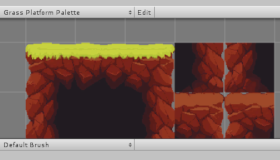
Unity Learn
Unity’s Tilemap system makes it easy to create and iterate level design cycles within Unity. It allows artists and designers to rapidly prototype when building 2D game worlds. In this tutorial, you'll create a Tilemap and explore the Tilemap system including Tilemap settings, and you'll use the Tile Palette to edit your Tilemap.
short hazel
bronze mortar
UI > Event System
Seems like they pulled all the options up to the root menu itself
And grouped them up better
bronze mortar
short hazel
UI > Event System
Seems like they pulled all the options up to the root menu its...
Do I really need an Event system? Since I'm not using nothing from the UI section
eager spindle
I mean just have it in
short hazel
Yes, that is what detects objects and dispatches events to scripts
eager spindle
It's not that expensive
wintry quarry
bronze mortar
Do I really need an Event system? Since I'm not using nothing from the UI sectio...
you are using the event system if you want to use PointerClickHandler
That's part of the event system
bronze mortar
aa oki
short hazel
You'll need a Physics Raycaster on the camera too
wintry quarry
2d*


 eager spindle
🎊
rocky canyon
bronze mortar
for whatever reason
never a good thing
radiant frigate
wintry quarry
and drawing with your tiles
i read it and i now created a sprite in my assets which is now with what i draw
and it has collision thanks to the tilemap collider
but i still phase through it
wintry quarry
You already had the sprite I thought. This was more a question of using a Tile vs a GameObject
So you owuld have added the tile to a tile palette
radiant frigate
yes i added the tile to a tile palette
should i have just placed a bunch of gameobjects as walls?
radiant frigate
srry im not understanding what the problem is now
wintry quarry
look at the colliders
radiant frigate
its in chunk mode
and its well represented i think

the yellow part is the collider
or should be
wintry quarry
the green outlines are the collider
it's common to combine that with a Composite Collider2D btw
regardless, this should be alright so - back to the player
Also make sure your camera is head-on. Are you in 2D mode?
radiant frigate
 radiant frigate
wintry quarry
Also make sure your camera is head-on. Are you in 2D mode?
radiant frigate
wintry quarry
Also make sure your camera is head-on. Are you in 2D mode?
yes
wintry quarry
radiant frigate
yes
can you show your code
 eternal falconBOT

Posting code
📃 Large Code Blocks
Use links to services like:
https://gdl.space/, https://paste.ofcode.org/, https://hatebin.com/, https://paste.myst.rs/, https://hastebin.com/
📃 Inline Code
Surround code with three backquotes. Not quotation marks.
To format as C#, add cs to the first line:
```cs
// Your code here
```
Add a comment with a line number if there is an error message.
radiant frigate
wintry quarry
this code isn't really adding forces it's just setting velocity, btw
rocky canyon
if ur setting the velocity every frame (b/c of movement) adding forces isn't going to do anything
you'll just reset them the next frame
wintry quarry
radiant frigate
but the collision should
the collision part isn't going to matter because Update is overwriting the velocity every frame entirely
rocky canyon
😄
radiant frigate
so i should addforce instead of .velocity?
wintry quarry
Not necessarily
i mean basically it has nothing to do with the problem you're talking about
radiant frigate
okay i will give some context of why i did things so maybe that helps you help me
at first whenever i collide with the ball it would slow down, so what i made was that whenever i collide with it, it just sends me back
and the way i thought of doing this was with .velocity
but it didnt work, so i tried with addforce and it kinda works, the problem is that i now phase through the walls
 silk fossil
bronze mortar
silk fossil
bronze mortar
🤫
wintry quarry
radiant frigate
but it didnt work, so i tried with addforce and it kinda works, the problem is t...
neither of those should phase through walls
radiant frigate
should i try to change to addForce instead of velocity
wintry quarry
it won't make a difference
radiant frigate
because since it resets each time for it to impact it has to be very high in the only frame it acts, so maybe by changing it to addforce i can lower it and make it so it doesnt have the speed to phase?
wintry quarry
it has to be an issue with your colliders
rocky canyon
one workaround is to pause ur player's movement code for the knockback to take affect..
then after a short delay.. reenable it
radiant frigate
a couroutine?
rocky canyon
    private IEnumerator ResumeMovementAfterKnockback()
    {
        yield return new WaitForSeconds(0.2f); // Adjust as needed
        allowMovement = true;
    }
``` yes a coroutine could probably achieve thatbut that would be the same as making my character work with addforce right?
well not completely
but in that aspect
rocky canyon
Knockback(){
allowMovement = false;
rb.AddForce(knockbackforce);
StartCoroutine(ResumeMovementAfterKnockback());}```if u use addforce ur gonna have to add in a little bit more calculation
wintry quarry
Again ultimately adding forces and setting velocity will move the object via velocity
so it doesn't matter which one you use
rocky canyon
u can't continually addforce or ur player would keep speeding up
wintry quarry
it won't change this problem of overlapping
radiant frigate
but i´ve checked the colliders and they seem to be working
wintry quarry
you should pause the game when it's happening and closely inspect the obejcts and their colliders
wintry quarry
radiant frigate
showing your Rigidbody inspector might help too
 wintry quarry
radiant frigate
wintry quarry
radiant frigate
turn collision detection to Continuous that might help a little
and turn on interpolation (set to interpolate) to make the movement smoother
radiant frigate
what does interpolate do?
wintry quarry
makes the motion look smoother
it will be naturally stuttery because physics runs at a fixed framerate
wintry quarry
Pretty much for any moving Rigidbody
radiant frigate
or is there a situation where its detrimental ?
wintry quarry
it has a small performance cost but for a single object and especially the player object it's worth it.
 cunning narwhal
Is there a go-to guide for when I should be using a scriptable object? Technically everything in the entire game can be one right?
rocky canyon
Another workaround is if ur knockback affects 1 axis.. that ur movement doesn't for example its common in here to see:
- players being moved with velocity
- jump being added with AddForce
in that circumstance there a work around where u feed the Y velocity into ur movement function.. so the movement function is not affecting the axis that u apply the forces to.. playerRB.velocity = new Vector3(0f, rb.velocity.y, 0f);
just another tidbit of information that might be beneficial to know..
wintry quarry
cunning narwhal
Is there a go-to guide for when I should be using a scriptable object? Technical...
No, everything in the game cannot be a ScriptableObject.
You will need a presentation layer of some kind
Either GameObjects or Entities
radiant frigate
wintry quarry
turn collision detection to Continuous that might help a little
okay it was the collision detection mode
cunning narwhal
Ah gotcha, I'm confused on when to make one and for what purpose really
 wintry quarry
cunning narwhal
Ah gotcha, I'm confused on when to make one and for what purpose really
wintry quarry
cunning narwhal
Ah gotcha, I'm confused on when to make one and for what purpose really
when you want to create data assets that you can create and edit in the Unity Editor and read in your code
rocky canyon
all this data is read-only data.. my player controller just uses it to set up the controller
hollow dawn
Everything is ruined and now I have to make a new project 😦
rocky canyon
!vc
eternal falconBOT
Using version control in Unity
Unity Version Control
 Git
Git
Get the latest .gitignore file from here. It should be placed at the root of your Unity project directory.
cunning narwhal
Thanks to you both again, I'm a bit new to SO's and DOTS concepts. So if I understand it right, while I could use a class with my variables to initialize and set values, the SO comes in as a way to save it to a file for later reads?
So I would have a scriptable object that holds player data, map data, items, etc
rocky canyon
yea, but u wouldn't necessarily use them to save data to a file that gets read later..
thats more of a job for a JSON type text system
If you need to save ScriptableObject data to a file for later use, you would typically serialize the data to a file using Unity's serialization system (e.g., using BinaryFormatter, JSONUtility, PlayerPrefs, etc.) and then deserialize it when needed..
they're not typically used for persistent data
 rich adder
rocky canyon
If you need to save ScriptableObject data to a file for later use, you would typ...
rich adder
rocky canyon
If you need to save ScriptableObject data to a file for later use, you would typ...
eh dont use BinaryFormatter (unsafe)
if you must use BinaryWriter
cunning narwhal
Oooh I think I get it now, basically it moves it outside of memory so that other things like prefabs that are instantiated a hundred times can access the values stored in there vs making new memory spots per instance
 rotund quest
hi
is there a way to spawn an object randomly within a certain range?
for example: i want to spawn object X between these 2 lines, and that no matter what the size of object X is, it will always be between these 2 lines (no clipping)
 rich adder
yup. use something like Random.Range
rocky canyon
u can take the size of the object into account
and just subtract half of it from the min
and half of it from the max
rotund quest
wow thanks
rocky canyon
well i mean Add half of it to the min and Subtract half of it from the max, but u got the idea
rotund quest
yeah
rocky canyon
cunning narwhal
Oooh I think I get it now, basically it moves it outside of memory so that other...
exactly! u can define a reusuable data structure that can be accessed by multiple gameobjects, instances, etc, this can be helpful when u want objects to share the same data without duplicating it in memory..
so stats for a gun in a shooter game for example
 willow scroll
rotund quest
hi
is there a way to spawn an object randomly within a certain range?
for examp...
willow scroll
rotund quest
hi
is there a way to spawn an object randomly within a certain range?
for examp...
What was said above, and I also like to use this struct I've created some time ago. Not sure if it helps you.
rocky canyon
u should make it an extension to the Random.Range class 😉
Random.Range(min,max,sizeOfObject);
lol
willow scroll
rocky canyon
u should make it an extension to the Random.Range class 😉
Great idea, I will make it in some time when will need to use it again
Haven't used it in a while, found in the old code
rocky canyon
i been working my way up to extension methods

starting with my own static classes.. and then once i feel comfortable i'll start using predefined classes to add to
willow scroll
Why don't you implement the Up?
willow scroll
Also you know that ternary operators are cool?
rocky canyon
willow scroll
Also you know that ternary operators are cool?
ofc i do!

 willow scroll
using Input = UnityEngine.Input;

return held ? Input.GetMouseButton(0) : Input.GetMouseButtonDown(0);
imma change it right now 😄
willow scroll
rocky canyon
ofc i do!
Damn, isn't that the same code you've provided some time ago?
Shouldn't you have changed it to the lambda switch?
rocky canyon
lol.. when i showed my previous switch statement and said it was ugly?
rocky canyon
willow scroll
Shouldn't you have changed it to the lambda switch?
i did the reverse
ohh yea.. lambda switch
nah, i hadnt tried that yet
ofc, imma tie the two together sometime.. right now its just a public enum called Direction..
willow scroll
[this is my response from 2 weeks ago](#💻┃code-beginner message)
rocky canyon
but i'd like it to return the direction.. but to do that imma need to pass in the gameobject first
so i can get the correct local transforms
lmao.. eyes still bleeding i guess
willow scroll
Now the right one
rocky canyon
haha.. i apologize
willow scroll
That's alright, I've almost recovered
rocky canyon
lmao ahh, good memory then 👍
willow scroll
It's not, you usually don't forget something that makes your eye bleed fast
rocky canyon
willow scroll
It's not, you usually don't forget something that makes your eye bleed fast
like what ChatGPT tried to feed me earlier

c'mon! (╯°□°)╯︵ ┻━┻
when I'm refactoring I always like to get ChatGPT to make me chuckle first
never fails
willow scroll
ChatGPT is definitely going to throw a few errors and skip a few parts of the code when refactoring
rocky canyon
oh yea, im very aware.. its like coaching a toddler
willow scroll
rocky canyon
ofc i do!
However, this ternary operators will make even ChatGPT chuckle 
 queen adder
Why can't I put any game objects inside of this prefab?
 willow scroll
queen adder
Why can't I put any game objects inside of this prefab?
willow scroll
queen adder
Why can't I put any game objects inside of this prefab?
Prefabs cannot reference the objects from the scene
queen adder
Oh
queen adder
willow scroll
Prefabs cannot reference the objects from the scene
I tried fixing it with this, but it still won't work
 willow scroll
queen adder
I tried fixing it with this, but it still won't work
willow scroll
queen adder
I tried fixing it with this, but it still won't work
-
- Are you sure the objects with the tags
TopLeftandBottomRightexist in the current scene?
- Are you sure the objects with the tags
-
- Are you sure they're enabled?
queen adder
willow scroll
* 1. Are you sure the objects with the tags `TopLeft` and `BottomRight` exist in...
ya, its enabled and tags
queen adder
willow scroll
* 1. Are you sure the objects with the tags `TopLeft` and `BottomRight` exist in...
 willow scroll
queen adder
willow scroll
queen adder
I mean, you don't expect Start to run on the prefab, do you?
willow scroll
queen adder
Wdym
If you want the Start method to run, you'll have to make sure the object is in the scene. The Unity methods don't run on the prefabs.
queen adder
willow scroll
If you want the `Start` method to run, you'll have to make sure the object is in...
So here's how it works: I have this game card. When you press the game card, it spawns an Egg, and the Egg prefab hatches a chicken. Up until then, everything works fine. The problem is, the chicken prefab can't contain any game objects inside

Maybe that helps clarify some things because I'm a little confused ngl
wintry quarry
queen adder
So here's how it works: I have this game card. When you press the game card, it ...
you should probably be passing a reference to the spawn area to the chicken when you spawn it
so it can know where to spawn its babies
queen adder
wintry quarry
so it can know where to spawn its babies
It should already work the way it is 

 willow scroll
queen adder
It should already work the way it is <:UnityChanThumbsUp:885169594808029275>
willow scroll
queen adder
It should already work the way it is <:UnityChanThumbsUp:885169594808029275>
It's so cute
As PraetorBlue mentioned, simply pass the objects needed for the card when instantiating it
 queen adder
willow scroll
As PraetorBlue mentioned, simply pass the objects needed for the card when insta...
queen adder
willow scroll
As PraetorBlue mentioned, simply pass the objects needed for the card when insta...
What does that mean?

willow scroll
queen adder
What does that mean?
When you instantiate the card, assign its variables needed, assuming they differ when spawning different cards
wintry quarry
queen adder
What does that mean?
give the chicken script a function like:
public void SetupSpawnArea(Transform tl, Transform br)``` and just call that after you spawn itinstantiatedPrefab = Instantiate(prefab)
instantiatedPrefab.someVariable = 10
wintry quarry
More generally it would probably be good if there was a "CardPlatform" script or something
that you generically pass to every card you spawn
and contains all that information
rocky canyon
yup, i concur
queen adder
Cards? I'm a lil confused, I feel like we're not exactly on the same page 😭
wintry quarry
queen adder
So here's how it works: I have this game card. When you press the game card, it ...
whatever this is
 median rune
queen adder
It should already work the way it is <:UnityChanThumbsUp:885169594808029275>
median rune
queen adder
It should already work the way it is <:UnityChanThumbsUp:885169594808029275>
aw how cute .
willow scroll
And you would usually make a struct for the variables required
wintry quarry
whatever you want to call it
queen adder
chicken? xd
wintry quarry
when you spawn it, you should pass it a reference to the platform it will live on
rocky canyon
how about that.. big blanket term
rocky canyon
noo memes k thx bye
queen adder

rocky canyon
public class Chicken : MonoBehaviour
{
    public void Initialize(GameObject ground)
    {
        Debug.Log($"Chicken spawned on: {ground.name}");
    }
}

public class ChickenSpawner : MonoBehaviour
{
    public Chicken chickenPrefab;
    public GameObject ground;

    public void SpawnChicken()
    {
        Chicken newChicken = Instantiate(chickenPrefab, transform.position, Quaternion.identity);
        newChicken.Initialize(ground);
    }
}``` rocky canyon
queen adder
sooo i shouldnt use the "top left bottom right" thingy at all?
rocky canyon
queen adder
sooo i shouldnt use the "top left bottom right" thingy at all?
what u mean by that?
are you using UI components for all this?
if ur gonna set the position of the chicken/egg/ or whatever.. u can probably just leave it anchored to the center
dont quote me on that tho...
i tend to use 2D Sprite objects.. instead of UI components
which dont have an anchor
wintry quarry
queen adder
sooo i shouldnt use the "top left bottom right" thingy at all?
well you can but it would be part of the platform script and you can read it from the chicken. Or the platform could have a function where you pass in a prefab reference and it just spawns it for you within the area.
queen adder
rocky canyon
what u mean by that?
That's the issue I'm trying to solve. I have two game objects: one at the top left and one at the bottom right.
I also have an egg prefab, but I can't assign these two objects to it to determine the spawn area because prefabs can't take game objects
 wintry quarry
ALmost every programming problem can be solved by adding layers of abstraction or indirection
wintry quarry
queen adder
That's the issue I'm trying to solve. I have two game objects: one at the top le...
because prefabs can't take game objects
This isn't quite accurate. The rule is that assets cannot reference objects in the scene.
They can certainly reference other assets or objects within the same asset
rocky canyon
well that problem has already been solved for u..
regardless of ur setup its the same problem.. u cant put scene references in a prefab
queen adder
wintry quarry
> because prefabs can't take game objects
This isn't quite accurate. The rule is...
ya xd
rocky canyon
u have to do that after the prefab is instantiated
thats true for every prefab.. not just Ui objects
u can use regular values for the bounds..
just find out what the X coord is for the left one.. and the right one
and what Y coord is for the top one and bottom one
queen adder
True I guess, you could also do it that way
i guess its the easier way

bump
months and months of dealing with this issue
slender nymph
this is a code channel
 outer quail
Why does this hide cursor script not work if I add it as a the player component?
using System.Collections;
using System.Collections.Generic;
using UnityEngine;
public class HideCursor : MonoBehaviour
{
void Start()
{
Cursor.visible = false;
Cursor.lockState = CursorLockMode.Locked;
}
grave frost
did you click into the game view / is the game view focused??
 frail laurel
Hello, could anyone help me im trying to figure how to make when Playerisdead the player couldn't move ?
 eternal needle
frail laurel
Hello, could anyone help me im trying to figure how to make when Playerisdead th...
eternal needle
frail laurel
Hello, could anyone help me im trying to figure how to make when Playerisdead th...
Which part of this are you struggling with? This could be a simple if statement
frail laurel
!code
eternal falconBOT
Posting code
📃 Large Code Blocks
Use links to services like:
https://gdl.space/, https://paste.ofcode.org/, https://hatebin.com/, https://paste.myst.rs/, https://hastebin.com/
📃 Inline Code
Surround code with three backquotes. Not quotation marks.
To format as C#, add cs to the first line:
```cs
// Your code here
```
Add a comment with a line number if there is an error message.
frail laurel
eternal needle
Which part of this are you struggling with? This could be a simple if statement
this is my script https://gdl.space/usunaxipav.cpp
eternal needle
frail laurel
this is my script https://gdl.space/usunaxipav.cpp
Think about which parts of this script you dont want to run if the player is dead. You can just return early to stop any logic from happening further in the function.
 main anchor
does anybody know what causes my player to act like this? (im referring to the slowly sinking on invisible floor and being unable to jump off the ground)
https://hastebin.com/share/veragiduco.csharp
heres my movement script if you wanted to see it
rocky canyon
your controller probably is flagged as isGrounded when that starts to happen
its probably how u implement ur gravity
eternal needle
frail laurel
i don't want him to move
Yes I understand the issue, and my answer above is to guide you how you can return early from the functions that do move the player. Also you could just set the rb to kinematic, but then it will also not even fall on the ground
frail laurel
eternal needle
Yes I understand the issue, and my answer above is to guide you how you can retu...
how do i return?
 rocky canyon
! means not
frail laurel
thanks
eternal needle
frail laurel
or if(!canMove)
! does the opposite for bools, so !canMove means "if I cant move"
rocky canyon
!canMove or cantMove would be the same thing
but thats just my example.. u can use a false flag or a positive flag
and name it anything u want
frail laurel
so if i am dead but my player can still move
if(!canMove)
{
return;
}
}
}
main anchor
rocky canyon
its probably how u implement ur gravity
its weird though because it differs depending on the height i fall from, example:
frail laurel
so i put walk and thoose things in return?
rocky canyon
frail laurel
so if i am dead but my player can still move
if(!canMove)
{
...
if(dead){return;}
that way, if !dead.. the return wont run.. and the code below it executes.. (the movement code)
frail laurel
mhm
rocky canyon
main anchor
its weird though because it differs depending on the height i fall from, example...
ya, because you've built up momentum on the long fall
 grim tulip
What are the most common questions being asked in beginners code?
rocky canyon
the code thats working against u when isGrounded.. isn't going to slow it down as much
rocky canyon
grim tulip
What are the most common questions being asked in beginners code?
why my code not work
 languid spire
how fix
grim tulip
rocky canyon
why my code not work
Mmmm okay
rocky canyon
its differnt day to day..
rocky canyon
a lot of How i reference this
how i make this code do this to this other object..
or why i can't make my prefab do a thing (when they're trying to access the actual prefab and not the instance)
languid spire
what does this mean
rocky canyon
orrr.. how can i set this thing from this other scene before i even access the other scene
rocky canyon
languid spire
how fix
so honest 😄
slender nymph
I want that <incredibly googleable thing> to happen. Does anyone have a script I can use
rocky canyon
oh oh, heres the best one: chatGPT told me to do this, and it was working at first, but i changed something and now it doesn't
frail laurel
!code
eternal falconBOT
Posting code
📃 Large Code Blocks
Use links to services like:
https://gdl.space/, https://paste.ofcode.org/, https://hatebin.com/, https://paste.myst.rs/, https://hastebin.com/
📃 Inline Code
Surround code with three backquotes. Not quotation marks.
To format as C#, add cs to the first line:
```cs
// Your code here
```
Add a comment with a line number if there is an error message.
languid spire
how about 'I changed nothing and now it doesnt work'
frail laurel
rocky canyon
slender nymph
I want that <incredibly googleable thing> to happen. Does anyone have a script I...
i feel like i culd be perfectly fine with posting a screenshot of a codeblock and making them copy it out.. as an alternative of telling them no freebies
rocky canyon
frail laurel
https://gdl.space/ugamezaway.cpp help
theres a problem here...
if you return early.. its skipping all the code beneath it..

meaning.. if ur bool isDead is true.. theres no possible way for the code thats highlighted to set it back to true
frail laurel
how do i fix that?
rocky canyon
ohh wait.. that doesn't matter.. because its already true if thats the case
whast wrong with it?
frail laurel
i want the player to stop mowing
rocky canyon
well when its dead it will..
eternal falconBOT
Posting code
📃 Large Code Blocks
Use links to services like:
https://gdl.space/, https://paste.ofcode.org/, https://hatebin.com/, https://paste.myst.rs/, https://hastebin.com/
📃 Inline Code
Surround code with three backquotes. Not quotation marks.
To format as C#, add cs to the first line:
```cs
// Your code here
```
Add a comment with a line number if there is an error message.
rocky canyon
when green is true the return makes it skip the rest

if its false.. it skips the return and does the rest of the code
wintry quarry
frail laurel
when the player isdead
Well yeah
    public void SetWalking(bool _state)
    {
        if (isDead) // Check if the player is dead before playing the sound
        {
            return;
}```look at what your code does
frail laurel
dam
wintry quarry
it's not going to reach the part where it stops the audio source
frail laurel
it checks
frail laurel
i want like when the player is dead the sound would stop working because now when the player is mowing the realistic sound of walking starts playing
wintry quarry
Something like
public void SetWalking(bool _state)
{

    if (_state && !audioSource.isPlaying && !isDead)
    {
        // Play the walk sound
        audioSource.PlayOneShot(walkSound, soundVolume);
    }
    else if (!_state)
    {
        // Stop the walk sound
        audioSource.Stop();
    }
}```now it shows this menu but when i press w i still hear the sound of walking🤔
 wintry quarry
Or perhaps just
public void SetWalking(bool _state)
{
    if (_state && !audioSource.isPlaying && !isDead)
    {
        // Play the walk sound
        audioSource.PlayOneShot(walkSound, soundVolume);
    }
    else
    {
        // Stop the walk sound
        audioSource.Stop();
    }
}```but idk if this code is even running at all on the menu something is off
you should probably not even have the movement script enabled anymore when the player dies
 devout oak
Hi, it's my first time making a post in this server so sorry if something is posted incorrectly. I am making an FPS game as a project but have ran into an issue that I am having trouble fixing. I am making a hover system where upon hovering, the GameObject is outlined (using an Outline script that I got from the Asset Store called QuickOutline) and when F is pressed, the GameObject is also destroyed. I'm trying to hover over a stationary gun GameObject with a raycast and it doesn't detect it.
Couple of things I have already tried:
- assigning a Box Collider to both the GameObject and the model within it,
- assigning the Weapon script to the GameObject,
- tried using ChatGPT to add debugging logs and it said that the raycast detection was working perfectly but it wasn't detecting anything: No Weapon component found on hit object or its parent UnityEngine.Debug:Log (object) InteractionManager:Update () (at Assets/LowPolyFPSLite/Scripts/InteractionManager.cs:72)
https://hastebin.com/share/eyuqagizic.csharp <- InteractionManager
https://hastebin.com/share/kicozatemo.csharp <- Weapon
https://hastebin.com/share/nonusezoti.csharp <- WeaponManager
Apologies if this post is not formatted the best, thank you!
Hastebin is a free web-based pastebin service for storing and sharing text and code snippets with anyone. Get started now.
Hastebin is a free web-based pastebin service for storing and sharing text and code snippets with anyone. Get started now.
Hastebin is a free web-based pastebin service for storing and sharing text and code snippets with anyone. Get started now.
wintry quarry
devout oak
Hi, it's my first time making a post in this server so sorry if something is pos...
Have you done any debugging?
I see you said you used CGPT to do it but...
You need to print which objecty your raycast his hitting
make sure you're hitting the expected object
note that it will be the actual collider object, so if that's a child of the gun, it's not going to have the other stuff directly for example
Debug.Log and print what you're hitting
devout oak
wintry quarry
I see you said you used CGPT to do it but...
I used ChatGPT because I've never debugged something manually haha, not experienced with that sadly. I'm doing this as part of my uni course. I'll try to debug it and post what the raycast hits.
 swift crag
well, it's time to get some experience (:
wintry quarry
devout oak
I used ChatGPT because I've never debugged something manually haha, not experien...
All you do is put print statements where you expect certain things and compare what it prints with your expectations. You're trying to deduce what's going on with the code
Debugging is such an underlooked skill
devout oak
wintry quarry
All you do is put print statements where you expect certain things and compare w...
The version with debug logs: https://hastebin.com/share/idoyecaquy.csharp
The return is "No weapon detected by raycast.
UnityEngine.Debug:Log (object)
InteractionManager:Update () (at Assets/LowPolyFPSLite/Scripts/InteractionManager.cs:48)"
Hastebin is a free web-based pastebin service for storing and sharing text and code snippets with anyone. Get started now.
wintry quarry
devout oak
The version with debug logs: https://hastebin.com/share/idoyecaquy.csharp
The r...
ok but you should log more info
devout oak
Yeah I don't really know how lmao
wintry quarry
Just print the name or something
for example
Debug.Log($"The name of the object we hit was {objectHitByRaycast.name}");```but really... you are being pretty careless with some of this
There's a difference between hit.transform and hit.gameObject and hit.collider
those can be different objects
so.. start printing out what everything is
devout oak
wintry quarry
There's a difference between `hit.transform` and `hit.gameObject` and `hit.colli...
I was following a tutorial on YouTube for this because I'm not too experienced with Unity overall. I ran into this issue and just haven't really found any help with it online.
I debugged it the way you're detailing: https://hastebin.com/share/nenirohoqe.csharp
And it says that "Raycast hit: Box_01 (4)
UnityEngine.Debug:Log (object)
InteractionManager:Update () (at Assets/LowPolyFPSLite/Scripts/InteractionManager.cs:33)"
Box_01 is a box asset which the GameObject (the gun) is placed on so it seems like it's ignoring the GameObject completely.
Hastebin is a free web-based pastebin service for storing and sharing text and code snippets with anyone. Get started now.
wintry quarry
devout oak
I was following a tutorial on YouTube for this because I'm not too experienced w...
ok so we learned somethign!
Your raycast is hitting the gun itself
 icy sluice
hello, why AI refuses to pathfind when i build my project, but it does well in editor
devout oak
Can you teach me how like I'm five years old lmao, I'm new to Unity sorry
wintry quarry
you can just use a layermask on the raycast.
Or perhaps rethink why your gun even has an active collider at this point in time in the first place
devout oak
I tried a layermask earlier because that's something that ChatGPT recommended me actually but it's already set to the default layer
wintry quarry
Yeah why
You need to use a mask that includes the interactable things but doesn't include other stuff like your gun
For this raycast we only want interactable stuff right?
devout oak
Yeah so I want the guns to be detected by the raycast to be hovered so the outline script works when hovered or to be picked up with a certain key
but not other stuff like the boxes
wintry quarry
the gun you're holding is certainly not something we want our raycast hitting
so either exclude it via a layermask, or turn its collider off entirely
devout oak
It's not being held. It's placed down stationary
wintry quarry
because again, why does the gun you're holding need a collider
oh it's not the one you're holding
devout oak
The gun isn't being held by the player
 wintry quarry
ok but like
wintry quarry
Oh it's a totally separate object
devout oak
yeah
wintry quarry
ok then yeah your gun either doesn't have a collider
or its collider is on a layer that's being ignored by your raycast
or your raycast isn't passing through it
 devout oak

I think it might be the raycast not passing through it. It detects the box but not the GameObject itself so I'm 100% certain that the raycast is working but the gun just isn't being detected for some reason
wintry quarry
ok and the inspector for the box?
devout oak
Wait I just noticed something, it said it hit Box_01 (4) but Box_01 (4) is over here.. the box under the gun is called Box_01 (8)
 wintry quarry
devout oak
Wait I just noticed something, it said it hit Box_01 (4) but Box_01 (4) is over ...
wintry quarry
devout oak
Wait I just noticed something, it said it hit Box_01 (4) but Box_01 (4) is over ...
ok so probably your raycast is just going in the completely wrong place
devout oak
Yeah most likely
wintry quarry
Looks like you're using Camera.main.ViewportPointToRay(new Vector3(0.5f, 0.5f, 0));
Where's your main camera located?
devout oak
MainCamera's located on the player body
Won't post the image for some reason
One second
wintry quarry
You sure that's the main camera?
devout oak

 devout oak
?_? How is it not
wintry quarry
the main camera will have the MainCamera tag
devout oak
Oh
wintry quarry
so you are firing your raycast from some completely different place
devout oak
I gave it the tag now
wintry quarry
well...
devout oak
Let me try again
wintry quarry
now you have two
wintry quarry
you should find the other camera that had the tag
devout oak
wtf
wintry quarry
(there could be more than one)
devout oak
all the cameras that came with the asset I installed had the maincamera tag on all the cameras and there were like 5
lmfao that is not something I bothered to check
wintry quarry
yep there's your problem
devout oak
Let me test it out now
wintry quarry
in the future a Debug.DrawRay with your raycast will also have revealed the issue
It would show that the ray is going in the completely wrong place
devout oak
Oh my god it works
Amazing
Yeah thank you, I never thought about that
As I said I'm new to Unity, I spent over like two hours stressing about this and couldn't fix it haha
Thank you
devout oak
wintry quarry
in the future a Debug.DrawRay with your raycast will also have revealed the issu...
Can you tell me which area of my code I could put this in?
I'd like to try it out before I get off
wintry quarry
the spot where you do the raycast of course
devout oak
"Ray ray = Camera.main.ViewportPointToRay(new Vector3(0.5f, 0.5f, 0));"
Here then right
icy sluice
hello, why AI refuses to pathfind when i build my project, but it does well in editor
swift crag
icy sluice
hello, why AI refuses to pathfind when i build my project, but it does well in e...
You should make a development build and see if you're getting errors
A console will appear in the game to display them.
devout oak
devout oak
"Ray ray = Camera.main.ViewportPointToRay(new Vector3(0.5f, 0.5f, 0));"
Nevermind did it, thank you @wintry quarry. I appreciate it tenfold
icy sluice
swift crag
You should make a development build and see if you're getting errors
RuntimeNavMeshBuilder: Source mesh Plane.011 does not allow read access. This will work in playmode in the editor but not in player
UnityEngine.AI.NavMeshBuilder:BuildNavMeshData
couple of bilion theese
"GetRemainingDistance" can only be called on an active agent that has been placed on a NavMesh.
UnityEngine.StackTraceUtility:ExtractStackTrace ()
and coupple of bilion theese
icy sluice
swift crag
You should make a development build and see if you're getting errors
thannks for help
swift crag
icy sluice
RuntimeNavMeshBuilder: Source mesh Plane.011 does not allow read access. This wi...
So you're building a navmesh at runtime, then?
icy sluice
yes
swift crag
if you're using the "Render Meshes" mode for NavMeshSurface, you'll need to enable Read/Write on the relevant mesh assets
icy sluice
thank you
 final glade
Hello I have a question,
I have 3 scenes in my game, when I load a scene after the one prior is complete it just shows it without actually running the game or initiatializing anything, any recommendations?
I used SceneManagement.LoadScene
 deft grail
final glade
Hello I have a question,
I have 3 scenes in my game, when I load a scene after t...
deft grail
final glade
Hello I have a question,
I have 3 scenes in my game, when I load a scene after t...
wdym without actually running it? what happens
final glade
final glade
It just shows it on game mode without running
It = next scene
swift crag
show your code
final glade
!code
eternal falconBOT
Posting code
📃 Large Code Blocks
Use links to services like:
https://gdl.space/, https://paste.ofcode.org/, https://hatebin.com/, https://paste.myst.rs/, https://hastebin.com/
📃 Inline Code
Surround code with three backquotes. Not quotation marks.
To format as C#, add cs to the first line:
```cs
// Your code here
```
Add a comment with a line number if there is an error message.
final glade
It actually loads it but just shows it on game view without anything running
For more details these scenes are a copy I created (ctrl+d) with some changed varriables
swift crag
how do you know that nothing is running? do you have components with Awake/Start methods that aren't running?
(you'd add a log message to check this)
 sly peak
Hello, i am having an error from assets ive imported.
I was wondering if someone would be able to assist me in finding out whats causing it and how to fix it?

 slender bridge
sly peak
Hello, i am having an error from assets ive imported.
I was wondering if someone...
slender bridge
sly peak
Hello, i am having an error from assets ive imported.
I was wondering if someone...
Well its telling you the script, the variable, and where in the code the error is coming from.
 near wadi
sly peak
Hello, i am having an error from assets ive imported.
I was wondering if someone...
near wadi
sly peak
Hello, i am having an error from assets ive imported.
I was wondering if someone...
That type of message means you need to specify Which place to use the MinAttribute from (in my limited knowledge)
 frosty hound
Specifically, you have two namespaces that use MinAttribute and you need to specify which one you're using.
You can first see if you're even using both the ones specified by checking at the top of your script in the using. If it's greyed out, you can just delete it.
 dull saffron
hi im fairly new to unity and im recreating watermelon game, does anyone know how to make it so the cloned fruits are deleted when the game over screen pops up?

 timber tide
wintry quarry
timber tide
wintry quarry
No a List
Java has lists too BTW
Unless you're talking about ArrayList
C#'s List is the same as Java's ArrayList basically
dull saffron
oh ok ill check that out tyy
final glade
Guys another quick question sorry, I have different levels (scenes) in my game. I want to set a var differently for each level through serialized field. The problem is it sets it the same for all levels I can’t have different values for it
wintry quarry
final glade
Guys another quick question sorry, I have different levels (scenes) in my game. ...
Where does the field live?
On a script? Which script?
final glade
wintry quarry
On a script? Which script?
Yes on a script this script is responsible for animation. Basically called GermAnimation
It is attached to a prefab
wintry quarry
final glade
It is attached to a prefab
Ok and you are instantiating it into the scene at runtime?
final glade
wintry quarry
Ok and you are instantiating it into the scene at runtime?
The var is an int for germ magnitude responsible for the max magnitude of a germ so not during run time
wintry quarry
Then you need to either put the prefab directly in the scene at edit time instead and edit the value there, or use another script which you put in the scene and set the field there, and have it communicate with the germ one
wintry quarry
final glade
The var is an int for germ magnitude responsible for the max magnitude of a germ...
If it's not at runtime you can just set it differently in each scene
On the actual instance in the scene
final glade
wintry quarry
If it's not at runtime you can just set it differently in each scene
It changes
Like if I set it one it is the same for all the others
wintry quarry
Only if you are changing the actual prefab
But the one in the scene can have an override
 rustic dagger
I need help someone please. I don't know why i'm getting errors for this, but I may just be stupid

 wintry quarry
rustic dagger
I need help someone please. I don't know why i'm getting errors for this, but I ...
wintry quarry
rustic dagger
I need help someone please. I don't know why i'm getting errors for this, but I ...
First thing's first you need to configure your IDE
When it's configured you will see your errors underlined in red in the code editor itself
!ide
eternal falconBOT
💡 IDE Configuration
If your IDE is not autocompleting code
or underlining errors, please configure it.
Select one:
• Visual Studio (Installed via Unity Hub)
• Visual Studio (Installed manually)
• VS Code
• JetBrains Rider
• Other/None
rustic dagger
thanks!
wintry quarry
you will also get autocomplete etc
 crude rampart
Good evening everyone
I am currently having an issue where I'm trying to split the player and launch it towards the mouse cursor
However the issue is that it doesn't seem to want to go towards the mouse and I can't seem to quite understand
Can anyione tell me if there are any issues with my code?
 void Split()
 {

     if (transform.localScale.x <= originalSize * splitFraction)
     {
         Debug.Log("Player too small to split");
         return;
     }

     // Reduce player's size by a tenth before splitting
     float newSize = transform.localScale.x * (1 - splitFraction);
     transform.localScale = new Vector3(newSize, newSize, 1f);

     // Create the detached part
     GameObject detachedPart = Instantiate(playerPartPrefab, transform.position, transform.rotation);
     float detachedPartSize = newSize * splitFraction;
     detachedPart.transform.localScale = new Vector3(detachedPartSize, detachedPartSize, 1f);

     // Launch the detached part towards the mouse cursor
     Rigidbody2D rb = detachedPart.GetComponent<Rigidbody2D>();
     if (rb != null)
     {
         //find mouse position
         Vector3 mousePos = Input.mousePosition;
         mousePos.z = Camera.main.nearClipPlane;
         Vector3 mousePosition = Camera.main.ScreenToWorldPoint(mousePos);
         //Sending it towards the mouse
         Vector2 launchDirection = (mousePosition - transform.position).normalized;
         rb.velocity = launchDirection * launchDistanceMultiplier * detachedPartSize * launchVelocity;
     }

     // Set the cooldown timer
     cooldownTimer = cooldownDuration;
}```what does it do instead?
crude rampart
I think its shooting opposite of the mouse actually when I take a closer look
wintry quarry
crude rampart
I think its shooting opposite of the mouse actually when I take a closer look
Have you tried using Debug.Log here to print out the various values involved in your velocity calculation and the resulting velocity to see what's going on?
specifically all the stuff here:
rb.velocity = launchDirection * launchDistanceMultiplier * detachedPartSize * launchVelocity;
This seems maybe a little sketchy too: mousePos.z = Camera.main.nearClipPlane; You sure that's right? And is this an orthographic camera, or a perspective camera?
wintry quarry
Camera.main.nearClipPlane is almost definitely really small
With a perspective camera it's usually better to use Plane.Raycast instead
crude rampart
is there any particular reason?
wintry quarry
Yes because it lets you actually get the world position on the desired plane in the world you want
instead of hoping and praying like you do with ScreenToWorldPoint
with ScreenToWorldPoint you need to make sure the z distance is correct, and correlates to the plane in the world you're interested in
And see the bottom section about using Plane.Raycast instead which is better IMO
Almost always in these circumstances it makes more sense to specify a plane on which you want to project the mouse, rather than a distance
 zenith python
How did you make your object face the mouse? I have been trying to do that for a while
wintry quarry
zenith python
How did you make your object face the mouse? I have been trying to do that for a...
2d or 3d?
zenith python
3d
wintry quarry
You do what we're discussing here to get a world space position
then you do myObject.transform.LookAt(mousePosition);
or you do transform.forward = directionTowardsTheMouse; which you'd calculate based on the mouse world space position
or transform.rotation = Quaternion.LookRotation(direction, desiredUp;
lots of options
radiant frigate
im searching how to measure the distance between 2 points, found vector2.distance but i cant manage to make it work, i need to know the distance in a line from point a to b in meters in both x and y dimensions, but every video that i find displays it only in the x dimension
zenith python
I just tried that and its rotating in multiple directions as well as not rotating a full 360
wintry quarry
radiant frigate
im searching how to measure the distance between 2 points, found vector2.distanc...
Vector2.Distance does it
it's literally the pythagorean theorem btw
radiant frigate
yes i know
 polar acorn
radiant frigate
im searching how to measure the distance between 2 points, found vector2.distanc...
polar acorn
radiant frigate
im searching how to measure the distance between 2 points, found vector2.distanc...
It gets the raw straight line distance between two points
wintry quarry
So what's the issue with it?
radiant frigate
and that straight line should be 1 single number that would be a float right?
radiant frigate
i try to make a comparison with an if and it tells me that i cant do that
wintry quarry
show exactly the code you wrote
radiant frigate
omw
wintry quarry
and the error you got
sounds like you tried to compare a Vector2 with a float or something
polar acorn
radiant frigate
and that straight line should be 1 single number that would be a float right?
Yes, that's what it returns
radiant frigate
 polar acorn
radiant frigate
polar acorn
radiant frigate
What the hell is new Vector2Distance
wintry quarry
radiant frigate
Why did you write new Vector2Distance?
What is that
distance = Vector2.Distance(a, b);
radiant frigate
yes
wintry quarry
which is just.... nonsense to be frank
polar acorn
Which would be a class named Vector2Distance, which you would have had to create
radiant frigate
whenever i create a var that is a vector i usually need to create a new vector to which i can later on make the var that i created compare or make equal to
wintry quarry
radiant frigate
whenever i create a var that is a vector i usually need to create a new vector t...
I think you have a fundamental misunderstanding how variables and values and expressions in C# work
remember, first of all, that you're not creating a Vector2 here
you already have two vectors
and you're trying to create a float that is the distance between them
and we have a function that does that
so no need to construct anything with new
radiant frigate
wintry quarry
remember, first of all, that you're not creating a Vector2 here
yes as soon as i read that i realized that i should change the var to float
im an ape bruh
i even looked at the docs and found nothing but 1 line and got scared
lmao
but it was a whole diff thing
ty guys!
zenith python
wintry quarry
You do what we're discussing here to get a world space position
What do you mean world position
The mouse's x and y?
wintry quarry
zenith python
The mouse's x and y?
the position of the mouse after converting the screen space coordinates to world space
 misty coral
does OnCollisionEnter not get triggered if the rigidbody it is colliding with is kinematic?
I have a wall
wintry quarry
misty coral
does OnCollisionEnter not get triggered if the rigidbody it is colliding with is...
OnCollisionEnter needs at least one dynamic body
zenith python
wintry quarry
the position of the mouse after converting the screen space coordinates to world...
I dont understand how you would convert the two
wintry quarry
zenith python
I dont understand how you would convert the two
that was the whole subject of the conversation above #💻┃code-beginner message
zenith python
Yeah ive read that like twice now
wintry quarry
well I'm not sure how to help much further than that
wintry quarry
You clearly didn't read this then https://unity.huh.how/screentoworldpoint
misty coral
wintry quarry
You clearly didn't read this then https://unity.huh.how/screentoworldpoint
are there any other ways to detect collision with zero rigid bodies
misty coral
😩
wintry quarry
is there a reason you need to not use Rigidbodies:?
maybe explain what your goal is
misty coral
ok so
I made a monster neck by making a bunch of spheres follow eachother
and the problem is
the neck goes through walls
so I want to use collision detection to make it not go through walls
but adding a rigidbody breaks the way the neck works
wintry quarry
well you either need to re-make it with dynamic Rigidbodies or you need to do your own Sphere/Circlecasting as you move the pieces of the neck to make sure they won't go inside stuff
Hence what I said about "direct physics queries"
misty coral
wintry quarry
well you either need to re-make it with dynamic Rigidbodies or you need to do yo...
The problem with "remaking it" is I cant figure out why rigid bodies break it in the first place
wintry quarry
Seems pretty obvious
misty coral
Huh?
wintry quarry
adding a realistic physics simulation fights with whatever your existing movement logic is
misty coral
Ok but I can just choose to disable gravity
even doing so it still has issues
My code is literally just a bunch of distance checks
so if sphere1 is too far from sphere2 it moves back
wintry quarry
misty coral
Ok but I can just choose to disable gravity
gravity is only one aspect of the physics simulation
simply disabling gravity doesn't take away from the fact that the physics simulation is fighting your code
your code is attempting to directly control the spheres.
The physics engine does the same thing.
Chaos ensues
you either need to work with it or bypass it.
wintry quarry
wintry quarry
well you either need to re-make it with dynamic Rigidbodies or you need to do yo...
hence my suggestion here
 flint python
Hello, in my code, I have .SetActive(false) for the child game object, is there a way to activate back the child object by activating its parent object?
wintry quarry
flint python
Hello, in my code, I have .SetActive(false) for the child game object, is there ...
no, you will need to directly activate the child now
flint python
ok thanks
eager spindle
if this is a problem you're encountering, do you happen to use transform.GetChild?
or anything relating to getting/finding gameobjects
zenith python
wintry quarry
You clearly didn't read this then https://unity.huh.how/screentoworldpoint
Thank you, i used the plane and raycast however my object rotates in multiple axis when i only want it to rotate on the y axis
eager spindle
eager spindle
or anything relating to getting/finding gameobjects
using these isn't very healthy
zenith python
I cant seem to figure out a solution
wintry quarry
zenith python
Thank you, i used the plane and raycast however my object rotates in multiple ax...
that means you used the wrong plane
if you use a plane that is at the height with your object on the y axis, it will only rotate on the y axis
very simple to do that if you just use your object's position to build the plane
zenith python
I tried using my objects position but it doesnt work
wintry quarry
it works
maybe show your code
and your scene setup
and what you're trying to do
queen adder
guys i have spaghetti code 😩
misty coral
wintry quarry
gravity is only one aspect of the physics simulation

How does movePosition differe from MoveTowards
wintry quarry
MoveTowards is just a math function, it just calculates a position.
Rigidbody.MovePosition is teleportation with RIgidbodies that respects the interpolation settings
misty coral
so then the commented out line and the three lines below it are functionally the same right?
(because they are absolutely not working the same in engine)
wintry quarry
except for the * 1.15 bit
but also
it depends where this is running
if it's in FixedUpdate yes
if it's in Update then you're doing it wrong
because Rigidbody.MovePosition only can live in FixedUpdate
misty coral
wintry quarry
if it's in Update then you're doing it wrong
Ah
misty coral
wintry quarry
because Rigidbody.MovePosition only can live in FixedUpdate
woops
wintry quarry
And a third point - MovePosition doesn't really help you here
it doesn't respect collisions
misty coral
Well you said I need to change the way to neck works to use dynamic Rigidbodies
and after that I can worry about collision
wintry quarry
I said that was one option
and if you're doing that you'd have to deal with velocities or forces
radiant frigate
i remember doing this in my last project but i cant find anything that i manage to understand, how was it that i rotated something in the z axis at the moment of instantiating it ?
 acoustic arch
can i check if a list contains a specific field on an element?
wintry quarry
acoustic arch
can i check if a list contains a specific field on an element?
wdym by containing a specific field on an element?
You mean if any element of the list has a specific value for one of its fields?
acoustic arch
so my list contains items that are scriptable objects and it's checking if it contains a specific item/s within it
wintry quarry
bool containsItem = myList.Contains(someItem)
acoustic arch
wintry quarry
You mean if any element of the list has a specific value for one of its fields?
this
wintry quarry
acoustic arch
this
Either write a loop and check each element, or use Linq.
zenith python
wintry quarry
maybe show your code
Im on mobile, would a picture be fine
acoustic arch
wintry quarry
Either write a loop and check each element, or use Linq.
alright
wintry quarry
zenith python
Im on mobile, would a picture be fine
would prefer !code
eternal falconBOT
Posting code
📃 Large Code Blocks
Use links to services like:
https://gdl.space/, https://paste.ofcode.org/, https://hatebin.com/, https://paste.myst.rs/, https://hastebin.com/
📃 Inline Code
Surround code with three backquotes. Not quotation marks.
To format as C#, add cs to the first line:
```cs
// Your code here
```
Add a comment with a line number if there is an error message.
zenith python
Yes i would do that but the internet on my pc is broken
dull saffron
ive got a countdown script, but it starts when the game starts. is there a way to hide it and then have it appear and start at a certain point in the game?
wintry quarry
disable it
wintry quarry
no like the enabled checkbox
dull saffron
this one?
 dull saffron
that works yes
wintry quarry
or just disable the script itself
wintry quarry
activate it
dull saffron
how do you activate it in code
 wintry quarry
dull saffron
what does this mean?
wintry quarry
dull saffron
what does this mean?
You're trying to call SetActive on something other than a GameObject reference
dull saffron
ohhh rn im calling it on the script
dull saffron
does it work on a textmp?
dull saffron
ohh ok got it
wintry quarry
dull saffron
does it work on a textmp?
all of these things are components that are attached to GameObjects
wintry quarry
THere's no way to have a TMP that is not attached to a GameObject
so I don't really understand the question


 wintry quarry
those are GameObjects
dull saffron
at a certain point
wintry quarry
Everything you see in the Hierarchy is a GameObject
wintry quarry
TMP_Text is a COMPONENT
do you understand the difference between Components and GameObjects?
wintry quarry
dull saffron
everything in the hierarchy is a GameObject.
GameObjects have components attached to them
When you select a GameObjectyou can see all its Components in the inspector.

these are components^