
#💻┃code-beginner
1 messages · Page 267 of 1
 rich adder
 ivory bobcat
Either that or if you're aware of the two objects and only need these two objects to ignore each other, you can opt for https://docs.unity3d.com/ScriptReference/Physics.IgnoreCollision.html
 eternal needle
Check if it is the character or camera stuttering. Easiest way is to watch it in scene view, if the character moves smoothly then it is the camera

 icy junco
eternal needle
Check if it is the character or camera stuttering. Easiest way is to watch it in...
icy junco
eternal needle
Check if it is the character or camera stuttering. Easiest way is to watch it in...
yes thx its the camera the player is moving smooth
 rich adder
 ionic zephyr
what did you do
 rich bluff
ionic zephyr
rich bluff
ionic zephyr
this is unrelated to the error
ionic zephyr

 rich bluff
at some point you assigned incorrect value to gameObject.layer
ionic zephyr
rich bluff
at some point you assigned incorrect value to `gameObject.layer`
I dont know where really because the original layer is assigned in Start
 coarse lance
I have a working score in my ingame quiz scene, which is ++ if correct answer, but i want to make it appear in the next scene, printing that player 1 has had ... right answers.
How do i do that? its smh not saving the score for the next scene
rich adder
ionic zephyr
I dont know where really because the original layer is assigned in Start
show
ionic zephyr
 rich adder
coarse lance
I have a working score in my ingame quiz scene, which is ++ if correct answer, b...
rich adder
coarse lance
I have a working score in my ingame quiz scene, which is ++ if correct answer, b...
Well you can it make it DontDestroyOnLoad
rich bluff
then InvulnerableLayer has incorrect value
coarse lance
rich adder
Well you can it make it DontDestroyOnLoad
how do i write that
ionic zephyr
rich bluff
then InvulnerableLayer has incorrect value
what does "incorrect value" mean?
rich bluff
error says 0.. 31
ionic zephyr
 ionic zephyr
yeah
rich bluff
gameObject.layer is not layermask
ionic zephyr
oh
rich adder
coarse lance
how do i write that
DontDestroyOnLoad(theObjectYouWant)
https://docs.unity3d.com/ScriptReference/Object.DontDestroyOnLoad.html
rich bluff
just int value directly
rich bluff
one is bit flags another is just an int
ionic zephyr
so I should introduce the layer number?
rich adder
coarse lance
how do i write that
There is also PlayerPrefs you could use but that also saves between sessions, so if you want fresh score each run you'd have to wipe value
ionic zephyr
8 in this case
 rich bluff
there probably is a method in LayerMask struct that converts layer name to its int value, or something else
ionic zephyr
ionic zephyr
and I specified not to collide here
coarse lance
rich adder
There is also PlayerPrefs you could use but that also saves between sessions, so...
my game is like 3 questions for player 1 -> scene which shows his results and for player 2 to get ready -> 3 questions for player 2 -> End Scene and who won (game for one handy, not online)
 wintry quarry
ionic zephyr
wintry quarry
ionic zephyr
is this 2D or 3D?
ionic zephyr
2D
rich bluff
unity uses PhysX for 3d and Box2D for 2d, separate libraries separate settings
rich adder
coarse lance
my game is like 3 questions for player 1 -> scene which shows his results and fo...
alright then. Not sure how that changes anything I suggested lol
coarse lance
rich adder
alright then. Not sure how that changes anything I suggested lol
Player Prefs would be better no? i tried to use that but its smh not working
its still saying 0 correct even if player 1 is guessing some correct
 solid bough
quick silly problem
after building the build and sharing it with my friend
after she opens the .exe file nothing happens, ever
any simple solutions i might be missing?
rich adder
coarse lance
Player Prefs would be better no? i tried to use that but its smh not working
its...
Like I said, Playerprefs would also persist after they close game, so just something to keep in mind
show me how you implemented it
rich adder
solid bough
quick silly problem
after building the build and sharing it with my friend
after...
tell them to check playerlogs maybe ?
ivory bobcat
coarse lance
Player Prefs would be better no? i tried to use that but its smh not working
its...
Maybe show your implementation
solid bough
rich adder
tell them to check playerlogs maybe ?
they dont appear
rich adder
solid bough
they dont appear
the txt file ?
solid bough
rich adder
the txt file ?
si, it doent appear in the data folder
rich adder
AppData / localLow ?
ivory bobcat
solid bough
quick silly problem
after building the build and sharing it with my friend
after...
Did you add/set the correct scene in the build settings?
solid bough
rich adder
AppData / localLow ?
should the game make any files there?
solid bough
ivory bobcat
Did you add/set the correct scene in the build settings?
yes, it works for me, just not for her
 rocky canyon
solid bough
should the game make any files there?
rocky canyon
solid bough
should the game make any files there?
yes, it should be the CompanyName you used
rich adder
solid bough
should the game make any files there?
ideally a playerlog if it doesnt completly silently crash
%USERPROFILE%\AppData\LocalLow\CompanyName\ProductName\Player.log
solid bough
i don't recall making a companyname and i cannot find anything like that in my locallow
is it necessary to be here and im missing it?
rocky canyon
rich adder
ideally a playerlog if it doesnt completly silently crash
`%USERPROFILE%\AppData...
u gotta change ur Pc's name bro.. thats a gnarly profile name 😈
rich adder
solid bough
i don't recall making a companyname and i cannot find anything like that in my l...
I think default is "DefaultCompany"
if you never set it
coarse lance
rich adder
Like I said, Playerprefs would also persist after they close game, so just somet...
i dont know, i tried a lot, im pretty confused rn, but thats what i wrote
 solid bough
rich adder
I think default is "DefaultCompany"
solid bough
rich adder
I think default is "DefaultCompany"
OH it isthank you
rich adder
coarse lance
i dont know, i tried a lot, im pretty confused rn, but thats what i wrote
ur assigning the value to a local variable inside Start, it never escapes it
classic mistake
solid bough
rich adder
tell them to check playerlogs maybe ?
well there is only Player.txt with some two random paths
rich adder
for your friend ? nothing inside ?
coarse lance
rich adder
ur assigning the value to a local variable inside Start, it never escapes it
where do i put all of that otherwise hahahahahaha
solid bough
rich adder
for your friend ? nothing inside ?
just mono path and mono config path
for me there is a lot of stuff, for her nothing
 polar acorn
coarse lance
where do i put all of that otherwise hahahahahaha
polar acorn
coarse lance
where do i put all of that otherwise hahahahahaha
Create variables outside of Start. Populate them inside Start
rich adder
coarse lance
where do i put all of that otherwise hahahahahaha
preferably inside a field
rocky canyon
do they have a firewall / something blocking the program from running? since its gonna be unknown publisher (not signed)
rich adder
worth checking
solid bough
rocky canyon
do they have a firewall / something blocking the program from running? since its...
build works for me, she also has 64-bit, no antivirus on, could windows firewall be blocking it?
rocky canyon
it would prompt you to allow it
rich adder
solid bough
build works for me, she also has 64-bit, no antivirus on, could windows firewall...
can they run other unity games?
solid bough
rich adder
can they run other unity games?
never tried before
rich adder
or any other 3D games
coarse lance
i actually dont know what to do lol
rich adder
coarse lance
i actually dont know what to do lol
do you know how to make fields inside a class
solid bough
rich adder
or any other 3D games
she must have
rocky canyon
private float makeYourVariableHere;

void Start(){
      makeYourVariableHere = AssignYourVariableHere;
}```if its a public variable you can access it outside the class, as long as you have a reference to the class its within
myScript.myVariable = newValue;
 acoustic crow
how i can remove this line from my wheelcollider?
 rocky canyon
collapse the component
coarse lance
rich adder
do you know how to make fields inside a class
yes, but still i have no clue what to do
rocky canyon
or go in here and find the component to disable
 solid bough
build works for me, she also has 64-bit, no antivirus on, could windows firewall...
solid bough
solid bough
build works for me, she also has 64-bit, no antivirus on, could windows firewall...
hm, it actually works for other people, just not her, so it makes sense that it should be something like a firewall?
rocky canyon
ya, its most likely something on her machine
does it even show that it starts up? could check in the taskmanager
rocky canyon
coarse lance
yes, but still i have no clue what to do

Unity Learn
What are Variables and Functions, and how do they store and process information for us? This tutorial is included in the Beginner Scripting project. Previous: Scripts as Behavior Components Next: Conventions and Syntax
solid bough
rocky canyon
does it even show that it starts up? could check in the taskmanager
how would i go about checking in task manager whether it starts in any capacity?
do i stay in details and look for the slighest change? there must be an easier way right
rocky canyon
 rich adder
might help
rocky canyon
should just pop its head up in ur processes
you'd know if it even starts running (im doubting it does)
solid bough
rocky canyon
should just pop its head up in ur processes
well it doesn't appear there so unless it starts for a milisecond we wont know
i suppose it just doesnt
 proven junco
I am trying to get a audio slider funktion but it is not working
 rocky canyon
solid bough
i suppose it just doesnt
rocky canyon
solid bough
i suppose it just doesnt
ya, i think even if it insta crashes the task manager would show it red-lining ur ram for a second before closing lol
 rare basin
proven junco
I am trying to get a audio slider funktion but it is not working
rare basin
proven junco
I am trying to get a audio slider funktion but it is not working
very useful info
rocky canyon
i dont think its running.. try right clicking and running as administrator?
solid bough
rocky canyon
i dont think its running.. try right clicking and running as administrator?
tried it, i think i got her to turn off all firewalls and antiviruses, still nothing
rare basin
proven junco
I am trying to get a audio slider funktion but it is not working
also configure your !Ide
 eternal falconBOT

💡 IDE Configuration
If your IDE is not autocompleting code
or underlining errors, please configure it.
Select one:
• Visual Studio (Installed via Unity Hub)
• Visual Studio (Installed manually)
• VS Code
• JetBrains Rider
• Other/None
rocky canyon
solid bough
tried it, i think i got her to turn off all firewalls and antiviruses, still not...
very odd
proven junco
rare basin
also configure your !Ide
what
rocky canyon
solid bough
tried it, i think i got her to turn off all firewalls and antiviruses, still not...
 polar acorn
proven junco
I am trying to get a audio slider funktion but it is not working
polar acorn
proven junco
I am trying to get a audio slider funktion but it is not working
What calls ChangeVolume? What calls Load?
rocky canyon
proven junco
I think I configured it yeasterday
MonoBehaviour gave you away.. in urs it's not colored
 solid bough
rocky canyon
solid bough
rocky canyon
he says it was crashing, so doesnt sound too similar, hers doesnt even start
and i dont want her to underclock her gpu for me 🥹
rocky canyon
true, im just lookin at all avenues
proven junco
rocky canyon
`MonoBehaviour` gave you away.. in urs it's not colored
what I tried doing it yeasterday n I thought I did it
 swift sedge
rocky canyon
`MonoBehaviour` gave you away.. in urs it's not colored
swift sedge
rocky canyon
`MonoBehaviour` gave you away.. in urs it's not colored
what ide is that?
rocky canyon
swift sedge
what ide is that?
VSCommunity
swift sedge
ah
proven junco
I installed some add ons too
swift sedge
the text looks similar to vs code
solid bough
rocky canyon
true, im just lookin at all avenues
that sounds pretty silly too
 rare basin
proven junco
what
rare basin
proven junco
what
it is not configured
proven junco
polar acorn
What calls `ChangeVolume`? What calls `Load`?
no clue watched a video on having the slider UI be connected to the script
 rare basin
proven junco
no clue watched a video on having the slider UI be connected to the script
rare basin
proven junco
no clue watched a video on having the slider UI be connected to the script
then you are just blindly copy&pasting the code
polar acorn
proven junco
no clue watched a video on having the slider UI be connected to the script
and did you do that
rocky canyon
solid bough
that sounds pretty silly too
thats nutty lol
proven junco
rare basin
then you are just blindly copy&pasting the code
I dont really know coding I just gotta get this slider working
 carmine sierra
If im making a menu with multiple stages (such as one to click play/options/quit and another stage where players can enter their names) should i split them into different scenes and go through the scene manager order? or is there an easier way where they stay in the same scene
rare basin
get your ide configured first @proven junco
 flint falcon
So I'm trying to learn some super basic game stuff and following a tutorial. I go into VS to add some code for movement but things like Vector2 arent changing color like in the tutorial. I have the unity plug in checked and updated on the VS installer
rocky canyon
rare basin
flint falcon
So I'm trying to learn some super basic game stuff and following a tutorial. I g...
!ide
eternal falconBOT
💡 IDE Configuration
If your IDE is not autocompleting code
or underlining errors, please configure it.
Select one:
• Visual Studio (Installed via Unity Hub)
• Visual Studio (Installed manually)
• VS Code
• JetBrains Rider
• Other/None
rich adder
flint falcon
So I'm trying to learn some super basic game stuff and following a tutorial. I g...
!ide
eternal falconBOT
💡 IDE Configuration
If your IDE is not autocompleting code
or underlining errors, please configure it.
Select one:
• Visual Studio (Installed via Unity Hub)
• Visual Studio (Installed manually)
• VS Code
• JetBrains Rider
• Other/None
proven junco
rare basin
get your ide configured first <@390514284880461826>
man I tried and I thought I did 
rare basin
proven junco
man I tried and I thought I did <:notlikethis:1068134558123442236>
ok, so your try wasn't succesfull
dont think - check
carmine sierra
carmine sierra
If im making a menu with multiple stages (such as one to click play/options/quit...
anyone know?
should i just use different scenes for every step in the menu
rocky canyon
proven junco
man I tried and I thought I did <:notlikethis:1068134558123442236>

A couple of ways to configure Visual Studio and Unity.
- You already have Visual Studio : 0:25
- You need to download Visual Studio,
- through the Unity Hub : 2:09
- through Visual Studio's Homepage : 2:49
Visual Studio Download Page :
https://visualstudio.microsoft.com/downloads/
carmine sierra
also can variables carry over into different scenes
rare basin
carmine sierra
also can variables carry over into different scenes
such a google questions you are asking
just try to googile it first
proven junco
I promise unity was attached yeasterday
 rocky lava
is there anything wrong abt this? i genuinely cannot see it, first pic is mine, 2nd pic is the tutorial

 rocky canyon
carmine sierra
should i just use different scenes for every step in the menu
rocky canyon
carmine sierra
should i just use different scenes for every step in the menu
sure, you can.. while doing a menu system i ended up using additive loading.. to load multiple scenes at once..
rare basin
rocky lava
is there anything wrong abt this? i genuinely cannot see it, first pic is mine, ...
you cna clearly see a red underlined error
rich adder
rocky lava
is there anything wrong abt this? i genuinely cannot see it, first pic is mine, ...
if statements dont want ; right when you open it
rocky canyon
i had one scene that had DDOL objects that i could store my data in..
polar acorn
rocky lava
is there anything wrong abt this? i genuinely cannot see it, first pic is mine, ...
Try looking at the things that are underlined in your code. Start from the first one, since one issue often casues another
ivory bobcat
solid bough
he says it was crashing, so doesnt sound too similar, hers doesnt even start
an...
Was it a crash or was it the warning about the application not being signed/safe/trusted etc?
 solid bough
ivory bobcat
Was it a crash or was it the warning about the application not being signed/safe...
solid bough
ivory bobcat
Was it a crash or was it the warning about the application not being signed/safe...
nono, i was talking about the guy from the link,
for my friend it doesnt even start
polar acorn
Also,
Number of times it wasn't exactly like the tutorial: 150
Number of times it was exactly like the tutorial: 5
Number of times the code literally did not exist: 1
2022-07-19 to 2024-3-21```trying it but it doesnt bode well
rare basin
Number of times the code literally did not exist: 1 lol i want to hear that story someday xD
rocky canyon
like i said, im just sending any solution i find lol.. since not sure why it would run on ur machine and not theirs
if its the exact same build
rich adder
maybe they just have a crappy potato 😛
polar acorn
rare basin
`Number of times the code literally did not exist: 1` lol i want to hear that st...
Code Monkey tutorial on an online lobby that literally made the lobby script "An exercise left up to the viewer" despite the other code directly referencing specific properties and functions from it
solid bough
the game really really doesnt require a strong machine
its ultra basic
ivory bobcat
solid bough
nono, i was talking about the guy from the link,
for my friend it doesnt even s...
Maybe reboot the computer? If they rejected it the first time, it may continue to block the application if an attempt is made to run it again.
polar acorn
Never shown in the video, not on the github
solid bough
ivory bobcat
Maybe reboot the computer? If they rejected it the first time, it may continue t...
trying it rn 😼
swift sedge
proven junco
yeah stupid vs and unity dont wanna stay connected
they do
swift sedge
theres a visual studio package especially for linking to unity, so they are meant to be together forever
solid bough
still nothing :( exe doesnt start
proven junco
well I installed unity pack and connected yeasterday and it was working
but not today
rocky canyon
proven junco
Do I have to change everytuime
no.. make sure on ur current open project you set it to be VSComm in the External Editor drop down in the settings
rich adder
proven junco
well I installed unity pack and connected yeasterday and it was working
keep regen project files
until it stubbornly accepts
 proven junco
rocky canyon
proven junco
rocky canyon
yeah I know It was selected yeasterday
rocky canyon
👍 yea just regen the files.. and make sure not to change it back before u close unity
proven junco
I only had to do it again today
rocky canyon
i find a good restart of unity / vscommunity/ sometimes the machine all at once solidfies things
proven junco
do I need to do some special to regen files
proven junco
everytime I've closed?
proven junco
Yeah strange
swift sedge
that external script editor can be set to any executable in theory. Unity just executes the program and adds the path to the opened file to the args 
 rocky canyon
did u restart it?
proven junco
 rocky canyon
aye that ones right
swift sedge
yay
rocky canyon
its now configured
 rare basin
now fix the errors
polar acorn
proven junco
There you go, now your error is underlined in red
swift sedge
and dont use player prefs...
rare basin
and make sure ChangeVolume is being called
rocky canyon
; say what?
rare basin
swift sedge
and dont use player prefs...
huh? why
rocky canyon
cuz he's gonna say use JSON
proven junco
swift sedge
and dont use player prefs...
why
rich adder
its fine for a newbie
rare basin
also there is a typo in your player prefs saving
proven junco
prefs
rare basin
sometimes you have "volume" sometimes "Volume"
rare basin
proven junco
how would I do
many ways
not something you would be intrested for now, using prefs is completely fine for a begginer
swift sedge
proven junco
how would I do
data contracts are pretty cool, Unity also has a built-in JSON class
 proven junco
rare basin
sometimes you have "volume" sometimes "Volume"
proven junco
rare basin
sometimes you have "volume" sometimes "Volume"
there are "Volume" and audioListener.volume and ChangeVolume
rare basin

 swift sedge
player prefs is just hackable since code can be injected into it, but its fine if you are starting
rare basin
swift sedge
player prefs is just hackable since code can be injected into it, but its fine i...
and json isnt? lmao
rocky canyon
ya ^ just remember if ur saving ur remaining lives in playerprefs..
proven junco
thx
rocky canyon
imma have an infinite lives hack
rich adder
swift sedge
player prefs is just hackable since code can be injected into it, but its fine i...
anything on client is hackable..
rocky canyon
obsfucation
rich adder
not even
rocky canyon
obfuscation?
 short hazel
Since you're using that "Volume" string a few times, consider making it a const value, so you onlyhave to modify it once to reflect changes everywhere
swift sedge
thats why you use data bases if you are a large scale company
proven junco
swift sedge
player prefs is just hackable since code can be injected into it, but its fine i...
yo my game gon be on itch so hackable either way, Im I right .... ha ha ha ha
rocky canyon
swift sedge
thats why you use data bases if you are a large scale company
MongoDB free database 😄
polar acorn
swift sedge
player prefs is just hackable since code can be injected into it, but its fine i...
You're thinking of binary serialization. The issue with PlayerPrefs is that they persist after deleting the game and storing too much is just a leech on your player's hard drives
swift sedge
rocky canyon
MongoDB free database 😄
or make your own
rocky canyon
as if
swift sedge
buy a server, get linux running, etc etc
eternal needle
swift sedge
player prefs is just hackable since code can be injected into it, but its fine i...
Not this shit again...
eternal needle
There is no way you are suggesting this to a guy who just got his ide configured
rich adder
yeah your db will be hacked in minutes
short hazel
Plus not all of binary serialization has vulnerabilities, just BinaryFormatter...
You can use a BinaryReader/Writer just fine
rare basin
yea don't use BinaryFormatter
proven junco
yeah Imma just make a server while I'm at it
rare basin
proven junco
yeah Imma just make a server while I'm at it
just use player prefs
you are fine
swift sedge
a game obviously had to be breached for people to find out how unsafe binary formatters are
i wonder
rich adder
that has nothing to do with games
rare basin
swift sedge
a game obviously had to be breached for people to find out how unsafe binary for...
the thing that binary formatter is unsafe and dangerous has nothing to do with games and game development
short hazel
People thinking C# is only used for making games be like:
rocky canyon
is this the unity version of json?
 swift sedge
rocky canyon
is this the unity version of json?
swift sedge
rocky canyon
is this the unity version of json?
yes
rich adder
prettyprint
rocky canyon
i had tremendous help building my save system
swift sedge
i dont know why unity has one when there is a perfectly good one in the system namespace
wintry quarry
swift sedge
i dont know why unity has one when there is a perfectly good one in the system n...
Unity's is faster
rocky canyon
aye!
eternal needle
swift sedge
a game obviously had to be breached for people to find out how unsafe binary for...
You should really stop worrying about breaches. Its seemingly mentioned everytime saving comes up. This is a fact: any offline game can 100% be "hacked" and any data can be injected/modified. No ifs buts or ands.
rocky canyon
the guy that helped me build mine has a few published games so i trusted he knew best
 timber tide
Is there a reason to use Slerp over RotateTowards? Also, what defines the up axis for RotateTowards, does it just Vector.Up the space that it's in?
polar acorn
timber tide
Is there a reason to use Slerp over RotateTowards? Also, what defines the up axi...
Same reason you'd use Lerp over MoveTowards
polar acorn
They do different things. One of them gets a value some percent of the way between two values, one of them moves towards a value without exceeding some defined maximum
wintry quarry
timber tide
Is there a reason to use Slerp over RotateTowards? Also, what defines the up axi...
Slerp is great when you know the start, end, duration and if you want to apply an easing function of some kind
rocky canyon
ya, true.. i construct my quaternions/rotations before hand. and then feed them into slerp
found thats the best way for me
timber tide
Well, one thing I don't understand is that you define the up axis of rotation with Slerp, but RotateTowards you dont
rocky canyon
i use slerp for all rotations.. even if they dont need it, the fact that i could smooth it later is always a plus
wintry quarry
timber tide
Well, one thing I don't understand is that you define the up axis of rotation wi...
You don't define any up axis 🤔
you just give start and end rotations
polar acorn
timber tide
Well, one thing I don't understand is that you define the up axis of rotation wi...
What do you mean, there's no "up axis" in slerp
wintry quarry
Are you thinking of LookRotation?
timber tide
oh ok right it's look rotation I am defining the up axis
maybe the better question is, I want to Slerp on both the y and the x (to tilt forward and down), but getting some unintended behavior
polar acorn
timber tide
maybe the better question is, I want to Slerp on both the y and the x (to tilt f...
Slerp takes two direction vectors, it doesn't operate on individual axes
timber tide
Yeah, so do I make two look rotations and apply slerp on that rotation twice with different look rotations?
proven junco
back again, what do I do
 polar acorn
timber tide
Yeah, so do I make two look rotations and apply slerp on that rotation twice wit...
polar acorn
timber tide
Yeah, so do I make two look rotations and apply slerp on that rotation twice wit...
You give it the start direction, the end direction, and the percentage of the way between them
rocky canyon
hehe, im already getting anxious thinking about it
polar acorn
proven junco
back again, what do I do
What's line 37 of SoundManager.cs
proven junco
proven junco
back again, what do I do
 eternal falconBOT
Posting code
📃 Large Code Blocks
Use links to services like:
https://gdl.space/, https://paste.ofcode.org/, https://hatebin.com/, https://paste.myst.rs/, https://hastebin.com/
📃 Inline Code
Surround code with three backquotes. Not quotation marks.
To format as C#, add cs to the first line:
```cs
// Your code here
```
Add a comment with a line number if there is an error message.
proven junco
how do I do
short hazel
Read the bot message
 hexed terrace
volume slider will be null
proven junco
youtube did not teach
polar acorn
proven junco
youtube did not teach
Show the tutorial
and show a screenshot of your inspector for this script
rocky canyon
muahah i feel a list addition
timber tide
polar acorn
You give it the start direction, the end direction, and the percentage of the wa...
right, but if I do
targetRotation = Quaternion.LookRotation(targetDirection, Vector3.up);
then slerp this towards the direction, it will only rotate on the world axis (in global)
rocky canyon
u hadn't assigned ur volume slider as mentioned
it don't know which slider is volumeSlider
timber tide
it's like I want to do:
targetRotationY = Quaternion.LookRotation(targetDirection, Vector3.up);
targetRotationX = Quaternion.LookRotation(targetDirection, Vector3.right);
That will be the exact Quaternion you'll get when the t parameter of Slerp is 1
proven junco


In this unity tutorial, you'll learn how to make a volume slider for your game. Adding a volume slider in your game settings gives players the option to play with or without sound.
➤Adding BGM and On/Off Sound Button - Easy Unity Tutorial: youtu.be/AFcHsKd_aMo
Timestamps:
0:00 Intro
0:11 Volume Slider UI Setup
0:46 Sound Manager Scripting
3:26...
polar acorn
proven junco
https://www.youtube.com/watch?v=yWCHaTwVblk,
Show the inspector of this script in your scene
rocky canyon
watch 3:16
proven junco
 hexed terrace
rocky canyon
watch 3:16
hexed terrace
rocky canyon
watch 3:16
Stone Cold?
rocky canyon
lol i thought that too
hexed terrace
proven junco
this is not the requested inspector
rocky canyon
 swift sedge
attach the script to the entity and then slide the slider onto the variable in the now created script component
proven junco
nothing
rocky canyon
swift sedge
attach the script to the entity and then slide the slider onto the variable in t...
Unity 101
polar acorn
Number of times it wasn't exactly like the tutorial: 151
Number of times it was exactly like the tutorial: 5
Number of times the code literally did not exist: 1
2022-07-19 to 2024-3-21```well I did asign now
rocky canyon
well, that error will be gone 👍
swift sedge
polar acorn
```I did it exactly like the tutorial so why does theirs work and mine doesn't" ...
lol
rocky canyon
New Boss Enter
proven junco
yeah
I was joking
ha ha ha
found it
Now I have to make an menu with audio slider in the gane to
game
rocky canyon
part of coding is designing things to be easily copied
u should have the bulk of it ready now, since u just did it
proven junco
Yeah Probb easy task
 visual wharf
Hello, I don't want to interrupt anything but I am currently struggling with making a little menu in the FPS microgame template. The issue I am facing is that I can click through my menu when it is active. I tried to copy the way the pause menu works from the template itself but for I can't seem to figure out where they prevent the player from clicking through the UI. Here is the code I am working on https://hastebin.com/share/jazipicope.cpp
Hastebin is a free web-based pastebin service for storing and sharing text and code snippets with anyone. Get started now.
visual wharf
cool
rocky canyon
do u have an EventSystem in ur scene?
visual wharf
yes
but that was already there as part of the template
oh and I can use my menu when the pause menu is open
 gleaming kraken
i need help, why cant I update the VS Code package? It says on the documentation it needs to be a newer version, and even warns me so in vs code.
 proven junco
is there any shortcut for scenes in unty
short hazel
gleaming kraken
i need help, why cant I update the VS Code package? It says on the documentation...
It is deprecated. Now VSC uses the same backend as VS, so you need the Visual Studio Editor package
hexed terrace
"for scenes" ... what?
gleaming kraken
short hazel
It is deprecated. Now VSC uses the same backend as VS, so you need the Visual St...
oh, I see, thank you
hexed terrace
your question was stupid and doesn't make sense.
short hazel
What is a "shortcut for scene"?
hexed terrace
what do you want this shortcut to do..
proven junco
shortcut for scene
hexed terrace
no, there are no shortcuts to quickly load scenes
proven junco
alr
short hazel
In Blender it [numpad] just orients the view, it does not change scenes?
polar acorn
I don't think Blender has a concept of "scenes"
short hazel
It's very much not the same concept yep
polar acorn
The closest analogue is opening an entirely different .blend file
which there is not a shortcut for
hexed terrace
there's an asset on the UAS that does quick loading / swapping of scenes..
proven junco
short hazel
It's very much not the same concept yep
okey well it was an refrense
timber tide
Quaternion rot;

void RotationMethod1
{
  Vector3 targetDirection = (newTarget.Transform.position - transform.position).normalized;

  Quaternion  targetRotation = Quaternion.LookRotation(targetDirection, Vector3.up);
  rot = Quaternion.Slerp(rot, targetRotation, speed * Time.fixedDeltaTime);
  targetRotation = Quaternion.LookRotation(targetDirection, Vector3.right);
  rot = Quaternion.Slerp(rot, targetRotation, speed * Time.fixedDeltaTime);

  transform.rotation = rot;
}

//don't believe this is the ideal way
void RotationMethod2
{
  Vector3 targetDirection = (newTarget.Transform.position - transform.position).normalized;

  Quaternion targetRotation = Quaternion.LookRotation(targetDirection, Vector3.up);
  targetRotation *= Quaternion.LookRotation(targetDirection, Vector3.right);
  rot = Quaternion.Slerp(rot, targetRotation, speed * Time.fixedDeltaTime);

  transform.rotation = rot;
}

void RotationMethod3
{
  Vector3 targetDirection = (newTarget.Transform.position - transform.position).normalized;

  Quaternion targetRotation = Quaternion.LookRotation(targetDirection, Vector3.up);
  Quaternion temp_rot1 = Quaternion.Slerp(rot, targetRotation, speed * Time.fixedDeltaTime);
  targetRotation = Quaternion.LookRotation(targetDirection, Vector3.up);
  Quaternion temp_rot2 = Quaternion.Slerp(rot, targetRotation, speed * Time.fixedDeltaTime);

  rot = rot1 * rot2;
  transform.rotation = rot
}```
So between these three methods, what would be the solution to how I want to combine these slerp rotations every frame, or what else should I consider cause all my testing coming out pretty bad.so that my "stupid" question could be understood
polar acorn
timber tide
```cs
Quaternion rot;
void RotationMethod1
{
Vector3 targetDirection = (newTa...
Why do you keep doing two LookRotations?
And why with one using Vector3.Right as up?
timber tide
because Vector3.up look rotation only seems to rotate me on the world up axis
short hazel
proven junco
so that my "stupid" question could be understood
And I still don't understand it, because what you want to do and what Blender does is different. Blender has no concept of scenes, so do you want to open another scene from the code, or move the camera in the currently active scene?
timber tide
I need both y rotation and x tilting rotation
polar acorn
timber tide
because Vector3.up look rotation only seems to rotate me on the world up axis
No, the up you give it there is to set the roll for the resulting rotation. LookRotation creates a quaternion such that it's forward is the given direction and it's local up is oriented towards the given parameter
timber tide
perhaps something else wrong with my logic, because what I am applying it to is being stubborn and only rotating one axis
polar acorn
Quaternion.LookRotation(targetDirection, Vector3.up) will produce a quaternion of this object, looking straight in the targetDirection, while still staying upright
Quaternion.LookRotation(targetDirection, -Vector3.up), for example, would have it pointing the same way, but upside-down
 vale geode
hi when i try to bake a object navmesh i the buton doesnt give me the option to what should i do
 timber tide
Hmm, alright, so slerp should technically get me to the point where I am directly looking at it, but it has some different orientations for how it will do that eh
 neat beacon
i put it in a separate script and referenced the game object component and still no luck.
foreach (Collider2D collider in colliders) {
if (collider != null) {
GameObject parentObject = collider.transform.parent.gameObject;
SpriteRenderer parentSpriteRenderer = parentObject.GetComponent<SpriteRenderer>();
if (parentSpriteRenderer != null) {
parentSpriteRenderer.sprite = null;
}
Destroy(collider.gameObject);
pm.CreateDust(collider.transform.position);
}
}``` vale geode
 swift crag
are you in play mode?
swift crag
are you in play mode?
yup thanks for help
neat beacon
neat beacon
i put it in a separate script and referenced the game object component and still...
where did u go buddy (on runtime after a click)
 polar acorn
timber tide
Hmm, alright, so slerp should technically get me to the point where I am directl...
polar acorn
timber tide
Hmm, alright, so slerp should technically get me to the point where I am directl...
So, picture a tennis ball with a nail sticking out of it. You can rotate the ball so that the nail is pointing due north, but notice that you can spin the ball however you like by twisting the nail. This is why you can't get an orientation with just one axis. If you instead put a second nail somewhere in the ball, and made sure that second nail was pointed straight up and the first one is pointed due north, you can't rotate the ball any more without invalidating one of those conditions. That's why you specify two vectors for LookRotation
 potent nymph
so far I've only used coroutines with waitforseconds, which is pretty straightforward. However, I've seen examples online that looks like this:
IEnumerator MyCoroutine(){
    while(true){yield return null;}
}
Although I know coroutines are used for executing code asynchronously, I don't understand why while(true) doesn't result in an infinite loop
swift crag
vale geode
yup thanks for help
If you frequently forget that you're in play mode, you can configure the color the editor tints itself with when in play mode. The default is very subtle.
polar acorn
neat beacon
where did u go buddy (on runtime after a click)
Either you set pm to null or pm is destroyed
swift crag
potent nymph
so far I've only used coroutines with waitforseconds, which is pretty straightfo...
You yield return null; every iteration of the loop.
A while loop that does nothing at all would, indeed, freeze your game.
swift sedge
swift crag
A while loop that does nothing at all would, indeed, freeze your game.
which is a bad thing?
polar acorn
potent nymph
so far I've only used coroutines with waitforseconds, which is pretty straightfo...
The yield return null means "Wait until next frame to do anything else here". This means it does one iteration of the loop per frame, kind of like a mini-Update
swift crag
swift sedge
which is a bad thing?
most gamers do not enjoy the game not running
polar acorn
swift sedge
which is a bad thing?
I did answer a question once where that was the desired outcome.
swift crag
In an enumerator, yield halts the method and returns control to whoever called MoveNext() on the enumerator
polar acorn
They were making a meta horror game and needed a way to force a game crash and asked for ideas
potent nymph
polar acorn
The `yield return null` means "Wait until next frame to do anything else here". ...
I see, so it essentially is an infinite loop, but only executes once per frame if I'm understanding correctly
polar acorn
I told em "just stick in an while true loop"
swift crag
potent nymph
I see, so it essentially is an infinite loop, but only executes once per frame i...
It's an infinite loop that takes a nap every iteration
so yeah
polar acorn
potent nymph
I see, so it essentially is an infinite loop, but only executes once per frame i...
Yep. It will do one iteration per frame for ever, so there's plenty of time for all the other stuff to run in the meantime
neat beacon
polar acorn
Either you set `pm` to null or `pm` is destroyed
i never made it null. Not sure what's going on with it...
timber tide
polar acorn
So, picture a tennis ball with a nail sticking out of it. You can rotate the bal...
Right, I guess there's more flawed somewhere in my logic, but beyond rotating with a single look rotation and adding forward offset, the object that's rotating eventually gets to the point where it only wants to rotate on the y axis and not the x. Specifically for projectiles that home onto their targets.
swift sedge
until the user presses the X button on the top right of the window, or cancels it in task manager after freaking out that pressing the X button doesnt work because the app is frozen
polar acorn
neat beacon
i never made it null. Not sure what's going on with it...
Well, when a statement is true and one of the conditions in the or is false, then the other one must be
polar acorn
timber tide
Right, I guess there's more flawed somewhere in my logic, but beyond rotating wi...
So, you want this object to rotate towards looking at newTarget over some period of time, yes?
 timber tide
I've tried both, but idk once the projectile overshoots it just wants to stay on the y
polar acorn
swift crag
if only there were some way to, say, RotateTowards a target rotation...
Well, either one could work, it'd just depend on if @timber tide wants a constant speed or constant time to reach the destination
swift crag
indeed
timber tide
sec let me chop up the code a bit
Vector3 targetDirection = (newTarget.Transform.position - transform.position).normalized;
Quaternion targetRotation;

targetRotation = Quaternion.LookRotation(targetDirection, Vector3.up);

homingRotation = Quaternion.Slerp(
    homingRotation,
    targetRotation,
    currentHomingSpeed * Time.fixedDeltaTime);

Vector3 posChange = currentSpeed * Time.fixedDeltaTime * transform.forward;

transform.rotation = homingRotation;

transform.position += posChange;
that's basically only stuff I've acting on rotation and position at the moment
so basically the projectile spawns facing an incline and homes onto a target, but since the rotation speed can be slower/faster than the target, it can over/under shoot. And, the problem is that once it over shoots it does not want to correct its rotation and tilt upwards
polar acorn
timber tide
```cs
Vector3 targetDirection = (newTarget.Transform.position - transform.positi...
Do you want the rotation to happen at a constant speed or do you want the rotation to reach the destination in a given time
polar acorn
timber tide
it's a constant speed here
Okay, so if you want the speed to be constant, RotateTowards is what you want to be using instead of Slerp
proven junco
https://www.youtube.com/watch?v=G1AQxNAQV8g
Okey Im eithe like really dumb or something, I try to follow but he says pause buttom and shows a ui obj but does not say what it is, like hello

If you are making a game and need a pause menu, this video is for you. In this video, I teach you how to pause the game in Unity. Enjoy watching.
💙Subscribe to My Channel: http://www.youtube.com/c/SoloGameDev?sub_confirmation=1
❤️Join My Channel to Support Me: https://www.youtube.com/c/SoloGameDev/join
●For How to Make a Multiplayer Game in U...
timber tide
I do get similar behavior with RotateTowards but ill try it out again
polar acorn
transform.rotation = Quaternion.RotateTowards(transform.rotation, targetRotation, maxDegreesPerFrame)
polar acorn
proven junco
https://www.youtube.com/watch?v=G1AQxNAQV8g
Okey Im eithe like really dumb or s...
What do you mean "Does not say what it is"? Surely they say it's a UI object, since you seem to know it's a UI Object. What else would they need to say?
flint falcon
why everytime i open unity i get this error? Assertion failed on expression: 'SUCCEEDED(hr)'
proven junco
polar acorn
What do you mean "Does not say what it is"? Surely they say it's a UI object, si...
I only know it is some kind of ui think bc of the inspector and the options that is has but he dpsnt say what it is
just "Pause buttom"
proven junco
but WHAT is a pause buttom
polar acorn
proven junco
but WHAT is a pause buttom
A... button
rare basin
it's a UI element called a.. button
proven junco
an invisable button
rare basin
lol
proven junco
yeah but he has two diff sections of buttons
one pause menu buttons
and then pause button
rare basin
anyway this is code related channel
proven junco
well it is code related
rare basin
and your questions doesnt make sense
rare basin
proven junco
well it is code related
then show the code
rocky lava
is there a way to connect this transparent box to the red enemy to use as a vision cone?, he goes through waypoints so i would also like him to turn at corners

 past brook
is there a way to test if an Axis key is released like Input.GetKeyUp?
rare basin
past brook
is there a way to test if an Axis key is released like Input.GetKeyUp?
axis can't be released its a.. axis
not a key or button that can be phyiscally released
you can test if the getaxis returns 0 for example
polar acorn
rocky lava
is there a way to connect this transparent box to the red enemy to use as a visi...
If by "connect" you mean "make this move when the enemy moves" then make it a child object of it
polar acorn
past brook
is there a way to test if an Axis key is released like Input.GetKeyUp?
Axes don't have a press or release state. Check if the axis's value is 0 to see when it's "released"
past brook
i was asking if it had a way to tell if the axis wasn't having one of its input keys pressed
past brook
that worked thanks
visual wharf
Anyone know why I am clicking through my ui menu back into the game instead of on the ui?
 summer stump
visual wharf
Anyone know why I am clicking through my ui menu back into the game instead of o...
summer stump
visual wharf
Anyone know why I am clicking through my ui menu back into the game instead of o...
Does the UI have raycasttarget enabled? Do you have an event system in the scene? What layer is the ui on?
visual wharf
The UI is on the second layer, there is an event system but I am not quite sure where the raycastTarget setting is supposed to be
there is a graphic raycaster component on it with the blocking mask set on everthing
Found it! Raycast Target is enabled on all the elements
if it helps I am using the FPS microtemplate from unity and the pre existing pause menu does work in it and even makes my menu work when it is enabled in the background
could it be caused by having a second canvas in my scene?
carmine sierra
I added a new scene to my game. The build works as intended but the play test is still stuck on the previous scene indexes.
swift crag
did you add the scene to the scene list in the build settings?
carmine sierra
yes, although i do realise instead of saying Scenes/scenename, it says Player1 Name, which is the name of that scene
swift crag
that's just the path to the Scene asset
carmine sierra
yeah but it doesn't have that path on the new scene that i added
swift crag
Screenshot the scene list for me.
carmine sierra

 rich egret
hi
vale geode
hi i cant get the agent to move in the navmesh, i have baked the mesh blow him and its blue but i cant get him to walk
 rich egret
in need help
swift crag
Okay, so the scene named "Player1 Name" should be loaded when you load scene index 1
 fervent dust
Failed to defeat the Leshy, maybe next time ⚔️🥳
New enemy: Leshy
Game name: FolkOrigin - on Steam
---------------- add to wish list ------------------
https://store.steampowered.com/app/2863790/FolkOrigin/
I am creating game together with my brother 😀, it is strategy game combined with an RPG game.
My: Unity + C#✍️
My brother: art 2D🎨
More information soon...
#FolkOrigin

FOLK ORIGINFolk Origin is an RTS game with an RPG flavor, in which the entire world is set on a 2D hexagonal map. The main goal is to expand the settlement in such a way as to ensure the production and extraction of as many resources as possible on the map. A well-planned distribution of labor results in the effective acquisition of resources ne...
Release Date
Coming soon
carmine sierra
swift crag
Okay, so the scene named "Player1 Name" should be loaded when you load scene ind...
yeah
 polar acorn
fervent dust
Failed to defeat the Leshy, maybe next time ⚔️🥳
New enemy: Leshy
Game name: Fol...
rich egret
polar acorn
fervent dust
Failed to defeat the Leshy, maybe next time ⚔️🥳
New enemy: Leshy
Game name: Fol...
rich egret
I'm trying to make a 3D model run on a 2D screen but it doesn't work
 rich egret
polar acorn
https://dontasktoask.com/
rich egret
polar acorn
https://dontasktoask.com/

polar acorn
rich egret
I'm trying to make a 3D model run on a 2D screen but it doesn't work
Looks like it's working just fine you're going to have to say what the actual issue is
neat beacon
polar acorn
Well, when a statement is true and one of the conditions in the `or` is false, t...
fixed! Instantiated a prefab for the effect instead, and it deletes after with the deleted block Performance efficient solution 🙂
swift crag
carmine sierra
yeah
What behavior are you observing in the editor and in the built game?
rich egret
polar acorn
Looks like it's working just fine you're going to have to say what the actual is...
No, when I start the game it disappears
carmine sierra
swift crag
What behavior are you observing in the editor and in the built game?
the built game runs the scene order fine (although there is another issue with an input box) however the editor doesn't load the scene entirely and skips to the next scene
swift crag
Show the code that loads the scene.
carmine sierra
 polar acorn
rich egret
No, when I start the game it disappears
polar acorn
rich egret
No, when I start the game it disappears
Well, with all of the information provided, the only thing I can possibly answer is "Is it actually somewhere visible to the camera"
swift crag
Log the currently active scene and its build index before calling LoadScene
See what value it actually has in the editor.
rocky lava
i'm using waypoints to make this enemy move, how do i turn the field of vision block when its going a certain direction instead of having it at the front the entire time
 carmine sierra
okay, but the build settings shows it is 0 and it should load 1 by the code logic
swift crag
carmine sierra
okay, but the build settings shows it is 0 and it should load 1 by the code logi...
right, but what value do you actually get in the editor?
 carmine sierra
was this wrong
 swift crag
Log the currently active scene and its build index before calling `LoadScene`
swift crag
swift crag
Log the currently active scene and its build index before calling `LoadScene`
I forgot that the scene object alone wouldn't tell you anything; i should've said the name and the build index
carmine sierra
nvm i see the issue
rich adder
rocky lava
i'm using waypoints to make this enemy move, how do i turn the field of vision b...
vision block?
swift crag
rocky lava
i'm using waypoints to make this enemy move, how do i turn the field of vision b...
Parent the object to the enemy and then make the enemy rotate.
swift crag
I don't use build indices in the editor. Maybe they can be wrong until you restart the editor or something
rocky lava
swift crag
Parent the object to the enemy and then make the enemy rotate.
how would i do that while it's walking though?
carmine sierra
swift crag
I don't use build indices in the editor. Maybe they can be wrong until you resta...
thanks ill try that
swift crag
swift crag
Parent the object to the enemy and then make the enemy rotate.
You can use Quaternion.LookRotation to compute a rotation in the direction of movement, and then use Quaternion.RotateTowards to steadily rotate the enemy towards that rotation
rich adder
rocky lava
the red transparent cube in front of it
is it not parened? it should move with it
rocky lava
it is, it moves with it
swift crag
Quaternion target = Quaterion.LookRotation(direction);
transform.rotation = Quaternion.RotateTowards(transform.rotation, target, Time.deltaTime * 90);
just does not rotate
swift crag
Note that this will make the enemy tilt up and down if the destination is above or below them
If you don't want that, consider...
rich adder
rocky lava
just does not rotate
is the enemy rotating then
swift crag
direction = Vector3.ProjectOnPlane(direction, Vector3.up);
This will throw out the up-and-down part of direction
I guess direction.y = 0 also works 😉
carmine sierra
the new scene i added is in bold

I haven't used unity in a while so maybe i added the scene in a different way?
rocky lava
swift crag
```cs
Quaternion target = Quaterion.LookRotation(direction);
transform.rotation ...
where would i put this in the code? im not that good with coding sorry\
 swift crag
carmine sierra
I haven't used unity in a while so maybe i added the scene in a different way?
swift crag
carmine sierra
I haven't used unity in a while so maybe i added the scene in a different way?
Ah, I get it
you have multiple scenes loaded
rocky lava
or would it be a seperate script?
rich adder
rocky lava
where would i put this in the code? im not that good with coding sorry\
you're not rotating here ofc the box would not rotate as well
swift crag
"Player1 Name" is the active scene.
rich adder
rocky lava
or would it be a seperate script?
put it in update
swift crag
If you don't want to actually have multiple scenes open for editing at once, just close the others in the editor
You've dragged the scene assets into the hierarchy window to open them like that
carmine sierra
yeah it worked, i just unloaded the scenes i don't want active
but I have an issue with an input text box not appearing when I load the game, any ideas why?
swift crag
I prefer to not look at the active scene index; I just directly go to the scene I need
carmine sierra
swift crag
I prefer to not look at the active scene index; I just directly go to the scene ...
is this how id do it?

 honest haven
im checking for null but its still throwing an error
 carmine sierra
sorry nvm just googled it
polar acorn
honest haven
im checking for null but its still throwing an error
It's not null. It's destroyed
If this is an expected outcome, the object being destroyed, you can do != null. Unity has overridden the == operator to work properly for destroyed objects, but the C# implicit cast doesn't
honest haven
polar acorn
It's not null. It's destroyed
Im not destroying it, its has a ddol, and im just trying to deactive it
i know there error says i am
polar acorn
honest haven
Im not destroying it, its has a ddol, and im just trying to deactive it
The error is pretty specific in letting you know it's been destroyed
rich adder
carmine sierra
is this how id do it?
You would store the string or int probably
honest haven
but i have not writen any code to do it
polar acorn
Show the !code for PlayerController
eternal falconBOT
Posting code
📃 Large Code Blocks
Use links to services like:
https://gdl.space/, https://paste.ofcode.org/, https://hatebin.com/, https://paste.myst.rs/, https://hastebin.com/
📃 Inline Code
Surround code with three backquotes. Not quotation marks.
To format as C#, add cs to the first line:
```cs
// Your code here
```
Add a comment with a line number if there is an error message.
honest haven
polar acorn
honest haven
https://gdl.space/ehiqodonub.cs
This script doesn't seem to have a DDOL in it anywhere
rich adder
carmine sierra
is this how id do it?
 [SerializeField] string SceneName = "MyScene";
    public void Method()
    {
        SceneManager.LoadScene(SceneName);
}```Several things.
- Why are all your prefabs of type
GameObjectif literally the first thing you do with them is GetComponent - Why are you setting
instanceinside of this script when (presumably) all of these scripts setinstanceinside of their own code - Why is this object a DDOL and none of the things it's spawned?
honest haven
polar acorn
Several things.
1. Why are all your prefabs of type `GameObject` if literally th...
Number 3) im trying to load a battle scene, and i dont want to craft in that scene nor use that type of inventory. Battle scene is the only exception where the ddol is not needed
number 2) i do need to refactor.
number 1) again i will refactor
polar acorn
honest haven
Number 3) im trying to load a battle scene, and i dont want to craft in that sce...
You're treating your PlayerController.instance as if the player controller is a DDOL, but it isn't. Changing scenes destroys PlayerController.instance
honest haven
polar acorn
You're treating your `PlayerController.instance` as if the player controller is ...
when you say its not a ddol. i know im not setting it in the player controller. but i am in the Essentials loader am i not?
well im setting the essientals loader as a ddol
polar acorn
honest haven
when you say its not a ddol. i know im not setting it in the player controller. ...
You are setting the EssentialsLoader to be a DDOL
honest haven
polar acorn
You are setting _the EssentialsLoader_ to be a DDOL
Is that not a good way to do that?
polar acorn
honest haven
Is that not a good way to do that?
I mean, does it need to be a DDOL? There doesn't seem to be anything relevant on this that would need to persist between scenes. It doesn't even hold any data
Why did you make the EssentialsLoader persistent but all of your singletons not be
honest haven
No true but when i go into a new scene or create a new scene. i was thinking it would be easier to use the essientals load as it holds all my UI stuff. then i dont have to add it to a new scene each time.
timber tide
polar acorn
`transform.rotation = Quaternion.RotateTowards(transform.rotation, targetRotatio...
Ok, I figured it out. Apparently unity's rigidbodies was fighting with my navmesh (I've not used unity's for a while), and it seems like the transform values I was sampling was not the same as the ones that I was debugging/displayed in the editor
polar acorn
honest haven
No true but when i go into a new scene or create a new scene. i was thinking it ...
It doesn't seem to hold anything. Although I suppose it's possible you put this on your canvas or something
timber tide
but RotateTowards does make more sense so I'll stick with that.
honest haven
polar acorn
It doesn't seem to _hold_ anything. Although I suppose it's possible you put thi...
So if you was building or have built an rpg game. would you manually add the player the ui to each scene? When you say data also. the game manager does keep track if a battle is active and the inventory menu does keep track of what items i have
polar acorn
honest haven
So if you was building or have built an rpg game. would you manually add the pla...
It's very simple:
Does this object need to exist in multiple scenes? If so, then make it a DDOL.
honest haven
so or though i wont use items in the battle when i go back into the scene world i do want to be able to craft again
polar acorn
Nothing you've shown of EssentialsLoader indicates it should be a DDOL at all. All it does is spawn in a bunch of prefabs when the game boots and then do nothing else ever again
 primal shadow
Does anyone know what code it is to give roles
Like bartender or manger stuff like that or vip
rich adder
make an Enum ?
primal shadow
What does that do
polar acorn
primal shadow
What does that do
Lets you define ints with names basically
timber tide
IEnumerator HomingAbility()
{
    while(true)
    {
        do
        {
            int randomFrames = UnityEngine.Random.Range(1, 4);

            for (int i = 0; i < randomFrames; i++)
            {
                yield return new WaitForFixedUpdate();
            }

        } while (!isHomingAllowed);

        //home onto target;
    }
} ```
When I deactive this, it will exit out of the yield and won't re-enter when I flip it back on, right? So I'd have to call the coroutine again when I activate ittrying to spread out some work over frames cause it is a lot of projectiles
rich adder
don't think so, but also why not test 😛
timber tide
ive already frozen unity once testing some stuff haha
rich adder
I was under the assumption when you deactivate it basically runs something like StopAllCoroutines
 north kiln
By 'it' do you mean isHomingAllowed?
polar acorn
I am unsure what this is supposed to be doing.
proven junco
someone got a video on how to choose fullscreeen mode or windowed
polar acorn
Also, if isHomingAllowed is true, there's no yields, so it'll go infinite
proven junco
kinda stuck on that
timber tide
it's not supposed to exit out of the ienumerator and it will always yield at least 1 frame
rich adder
proven junco
someone got a video on how to choose fullscreeen mode or windowed
there are plenty, what did you search?
polar acorn
timber tide
it's not supposed to exit out of the ienumerator and it will always yield at lea...
Where
north kiln
Presumably there's other code where the comment is
polar acorn
Ah, probably
proven junco
rich adder
there are plenty, what did you search?
"choosable fullscreen mode button unity"
timber tide
the do while will always fall into the for loop
at least 1 frame (there is no waitforframes(int num) so this is my solution)
rich adder
proven junco
"choosable fullscreen mode button unity"
i mean, why not just
"FullScreen Switch Unity"
"Making Button Unity"
combine the two
proven junco
polar acorn
https://docs.unity3d.com/ScriptReference/Screen-fullScreen.html
do i put this on a button?
polar acorn
proven junco
do i put this on a button?
You call this wherever you want to change the full screen mode
timber tide
it's an infinite coroutine, and it's to control overlap sphere operations every frame cause I don't really need to update the rotation that quickly
proven junco
rich adder
i mean, why not just
"FullScreen Switch Unity"
"Making Button Unity"
I'm searching for a menu button script that allowes me to put a button into work by pressing it and activating fullscreen or windowed
rich adder
proven junco
I'm searching for a menu button script that allowes me to put a button into work...
why not just use a Toggle
carmine sierra
rich adder
```cs
[SerializeField] string SceneName = "MyScene";
public void Method()
...
thanks got there
polar acorn
proven junco
I'm searching for a menu button script that allowes me to put a button into work...
Once you know how to run code from a UI button you can do literally whatever you want on a button press
proven junco
rich adder
why not just use a Toggle
I did find one with toggle but it didnt work
carmine sierra
the input field and the border around it (below the text) doesnt load when i play it
 proven junco
but I will try to make my own code
carmine sierra
 rich adder
proven junco
but I will try to make my own code
potent nymph
rich adder
proven junco
but I will try to make my own code
potent nymph
I have the following code that starts a coroutine which is supposed to call the method AssignMeshData after the vertices have been defined
    //called on button click
    private void CreateMesh()
    {
        _meshDataCS.CreateVertexBuffer();
        StartCoroutine(AwaitComputeBuffer(_meshDataCS));
    }

    private IEnumerator AwaitComputeBuffer(MeshDataComputeShader meshDataCS)
    {
        while (meshDataCS.vertices == null)
        {
            yield return null;
        }
        AssignMeshData(meshDataCS.vertices, meshDataCS.uvs);
    }
However, it only appears to work when CreateMesh is called a second time, but doesn't work when called the first time
carmine sierra
carmine sierra
the input field and the border around it (below the text) doesnt load when i pla...
any ideas?
potent nymph
vertices are assigned on line 84 https://gdl.space/oqositorip.cs
proven junco
rich adder
combine these two and you're golen
https://docs.unity3d.com/2019.1/Documentation...
Yeah I made my own code and feel like a god
proven junco
rich adder
combine these two and you're golen
https://docs.unity3d.com/2019.1/Documentation...
but thx for the help either way
vale geode
hi same question from earlier but now it clips in the ground

if i can give more context for help i will
 frosty hound
More context? Maybe start with the context.
swift crag
carmine sierra
is this how id do it?
if you're wondering why serializing a Scene didn't work, that's because Scene is an object that represent a runtime scene (the actual data Unity creates when it loads a scene)
If you google "unity scene field" you'll find a thread on the unity forums talking about this
there's a nice "SceneField" script in there that can be used to pick a scene in the inspector
frosty hound
Also, @vale geode , I suggest you remove the inappropriate stuff from your server profile.
vale geode
i trying to make the nav mesh agent follow waypoint in the scene ,i have baked the scene already and yeah thats it, but im stuck and i cant figure whats going on, the tutorials i follow dont seem to have the same problems and no errors on console
frosty hound
Looks like the pivot for your character is too high
rich adder
also why is there a giant box collider
vale geode
is it supposed to be below ground?
vale geode
rich adder
also why is there a giant box collider
dont know but il make it smaller if it helps
rich adder
vale geode
dont know but il make it smaller if it helps
you just added something without reason?
 olive storm
@rich adder yaw its been 4 days i still dont knoe womp womp
vale geode
it afects the mesh?
rich adder
vale geode
it afects the mesh?
not really but it might affect collision wrong just remove it and put capsule if you want collider on it
fix the mesh , you haven't shown how you put mesh
vale geode
i imported a fbx from blender, the origin is on ground level and removed the colider but it didnt change
rich adder
vale geode
i imported a fbx from blender, the origin is on ground level and removed the col...
where at ? also the pivot mode should be Local not Global
seems you got something tilting forward but gizmos shows upright
vale geode
looks like this when not in play
 rich adder
vale geode
looks like this when not in play
rich adder
vale geode
looks like this when not in play
you probably baked the navmesh wrong / tiled maybe
carmine sierra
I entered one scene by accident and now cant access multiple scenes at a time
how can i return to that
the hierarchy just shows the one scene rn
nvm got it fixed
gleaming kraken
is code monkey a good place to start for someone who has no clue what unity is apart from that it makes games?
rich adder
gleaming kraken
is code monkey a good place to start for someone who has no clue what unity is a...
no.
!learn
eternal falconBOT
:teacher: Unity Learn ↗
Over 750 hours of free live and on-demand learning content for all levels of experience!
gleaming kraken
eternal falcon
## :teacher: [Unity Learn ↗](<https://learn.unity.com/>)
Over 750 hours of free ...
what's this
lemme check it out
rich adder
proper way to learn unity, start with the essentials pathway first

 teal viper
TMP_Text
carmine sierra

underlined in red though
also the input field needs one
i did google this btw
teal viper
carmine sierra
underlined in red though
What fixes does your ide suggest? What ide is that even?
carmine sierra
asks me if im missing a directive
idk if i am
screenshotted to show the ones im using
also the ide is configured, it is vs
code
found the issue
teal viper
It should give you a suggestion of how to fix the issue or what namespace to use.
carmine sierra
using TMPro was necessary
teal viper
As for the other one, you can look for it in the docs:
https://docs.unity3d.com/Packages/com.unity.textmeshpro@1.0/api/TMPro.html
coarse lance
   void Start() {


    // Display results, for example, using UI text elements:
    player1ResultsText.text = "Player 1: " + player1Score + " correct answers";
    player2ResultsText.text = "Player 2: " + player2Score + " correct answers";

    // You could also display who won or if it's a tie
    if (player1Score > player2Score) {
        winnerText.text = "Player 1 Wins!";
    } else if (player1Score < player2Score) {
        winnerText.text = "Player 2 Wins!";
    } else {
        winnerText.text = "It's a Tie!";
    }
}


            public void CheckAnswerAndUpdateScore(string selectedAnswer)
{
    // Assuming 'actualAnswer' holds the correct answer (e.g., "A", "B", "C", or "D")
    // This value should be set whenever you generate/load a new question+
     // Example correct answer

    // Check if the selected answer matches the correct answer
    if (selectedAnswer == QuestionGenerate.actualAnswer)
    {
        // Correct answer, increment the score of the current player
        if (currentPlayer == 1)
        {
            player1Score++;
            PlayerPrefs.SetInt("CorrectAnswersPlayer1", player1Score);
        }
        else if (currentPlayer == 2)
        {
            player2Score++;
            PlayerPrefs.SetInt("CorrectAnswersPlayer2", player2Score);
        }

        // Optionally, you can add feedback for the correct answer here
        Debug.Log("Correct! Player " + currentPlayer + "'s score: " + (currentPlayer == 1 ? player1Score : player2Score));
    }
    else
    {
        // Wrong answer, add feedback or handle accordingly
        Debug.Log("Wrong answer.");
    }

    // Ensure to save the updated scores
    PlayerPrefs.Save();


}


    // Update is called once per frame
    void Update()
    {


     if (totalQuestionsAsked >= 4) {
    // Save the score for the current player

    PlayerPrefs.SetInt("CorrectAnswersPlayer" + currentPlayer, currentPlayer == 1 ? player1Score : player2Score);
    PlayerPrefs.Save();

    // Reset for next player or end game
    totalQuestionsAsked = 0;
    correctAnswers = 0;
    displayingQuestion = false;

    if (currentPlayer == 1) {
        // Switch to Player 2
        currentPlayer = 2;
        UnityEngine.SceneManagement.SceneManager.LoadScene("ZwischenScene"); // A scene where Player 2 gets ready
    } else {
        // Both players have played, go to results
        UnityEngine.SceneManagement.SceneManager.LoadScene("EndScene"); // The scene where you compare scores and show results
    }
    return; // Prevent further execution in this update
}
        // displayingQuestion = true;
i dont get why it issnt working, in "ZwischenScene" it doesnt show how many player 1 actually correctly guessed, it just says 0.
can smn help me out?
teal viper
Wat? ZwichenScene?
coarse lance
so, the game is asking 3 question, which can be answered wrong and correct.
after these 3 question it switches to a scene, where it shows how many questions you have answered correctly.
but its just saying 0 no matter what, so i guess i did something wrong
vale geode
rich adder
you probably baked the navmesh wrong / tiled maybe
update i checked the navmesh suface and baked again did see changes on the rotation of the colider of the navmesh agent, but the model it self rotates 90 degres and it still doesnt follow the path im going to rotate the model from blender and import again to see if thats the problem
teal viper
coarse lance
so, the game is asking 3 question, which can be answered wrong and correct.
afte...
What scene is the code above from..?
rich adder
coarse lance
but its just saying 0 no matter what, so i guess i did something wrong
You set Int but never load it
coarse lance
rich adder
You set Int but never load it
why shouldnt it load there ?
it should load on the scene change no?
rich adder
coarse lance
why shouldnt it load there ?
where are you loading anything to make it not 0 ?
rich adder
coarse lance
it should load on the scene change no?
yeah where is PlayerPrefs.GetInt
 rich adder
proven junco
why scripto not worko
rich adder
proven junco
why scripto not worko
you've been told a few times how to share code here
proven junco
what
rich adder
!code
eternal falconBOT
Posting code
📃 Large Code Blocks
Use links to services like:
https://gdl.space/, https://paste.ofcode.org/, https://hatebin.com/, https://paste.myst.rs/, https://hastebin.com/
📃 Inline Code
Surround code with three backquotes. Not quotation marks.
To format as C#, add cs to the first line:
```cs
// Your code here
```
Add a comment with a line number if there is an error message.
coarse lance
rich adder
yeah where is `PlayerPrefs.GetInt`
it just load the saved no
proven junco
using System.Collections.Generic;
using UnityEngine;

public class PauseMenu : MonoBehaviour
{
    public GameObject pauseMenu;
    public static bool isPaused;

    void Start()
    {
        pauseMenu.SetActive(false);
    }

    void Update()
    {
        if (Input.GetKeyUp(KeyCode.Escape))
        {
            if (isPaused)
            {
                ResumeGame();
            }
            else
            {
                PauseGame();
            }
        }

    }

    public void PauseGame()
    {
        pauseMenu.SetActive(true);
        Time.timeScale = 0f;
        isPaused = true;
    }

    public void ResumeGame()
    {
        pauseMenu.SetActive(false);
        Time.timeScale = 1f;
        isPaused = false;
    }

}
where are you loading to make it not 0 when you switch ?
proven junco
proven junco
```cs using System.Collections;
using System.Collections.Generic;
using UnityEng...
no pause menu when pressing esc
coarse lance
rich adder
where are you loading to make it not 0 when you switch ?
but why sould it be wrong to use getint in start??????
rich adder
coarse lance
but why sould it be wrong to use getint in start??????
what?
rich adder
proven junco
no pause menu when pressing esc
Start debugging the script
proven junco
how I do that
rich adder
proven junco
how I do that
Put logs. inside the methods, make sure everything is running
coarse lance
PlayerPrefs.GetInt is in start.
rich adder
coarse lance
PlayerPrefs.GetInt is in start.
where
coarse lance
 rich adder
coarse lance
rich adder
coarse lance
maybe send the correct script ?
 coarse lance
coarse lance
coarse lance
yeah ok but its still not working with that
 using System.Collections;
using System.Collections.Generic;
using UnityEngine;
using UnityEngine.UI;


public class QuestionGenerate : MonoBehaviour
{

    public static string actualAnswer;
    public static bool displayingQuestion = false;
    public int questionNumber;
    public static int totalQuestionsAsked = 0;
    public static int correctAnswers = 0;
    public static int currentPlayer = 1;
    [SerializeField]
    private Text player1ResultsText;
    [SerializeField]
    private Text player2ResultsText;
    [SerializeField]
    private Text winnerText;
    public static int player1Score = 0;
    public static int player2Score = 0;

    public int scorevalue;


 void Start() {
    // Correctly update class-level static variables from PlayerPrefs
    player1Score = PlayerPrefs.GetInt("CorrectAnswersPlayer1", 0); // Use default value of 0 if not set
    player2Score = PlayerPrefs.GetInt("CorrectAnswersPlayer2", 0);

    // Display the scores using the updated static variables
    player1ResultsText.text = "Player 1: " + player1Score + " correct answers";
    player2ResultsText.text = "Player 2: " + player2Score + " correct answers";

    // Determine who's winning and update the winnerText accordingly
    if (player1Score > player2Score) {
        winnerText.text = "Player 1 Wins!";
    } else if (player1Score < player2Score) {
        winnerText.text = "Player 2 Wins!";
    } else {
        winnerText.text = "It's a Tie!";
    }
}


            public void CheckAnswerAndUpdateScore(string selectedAnswer)
{
    // Assuming 'actualAnswer' holds the correct answer (e.g., "A", "B", "C", or "D")
    // This value should be set whenever you generate/load a new question+
     // Example correct answer

    // Check if the selected answer matches the correct answer
    if (selectedAnswer == QuestionGenerate.actualAnswer)
    {
        // Correct answer, increment the score of the current player
        if (currentPlayer == 1)
        {
            player1Score++;
            PlayerPrefs.SetInt("CorrectAnswersPlayer1", player1Score);
        }
        else if (currentPlayer == 2)
        {
            player2Score++;
            PlayerPrefs.SetInt("CorrectAnswersPlayer2", player2Score);
        }

        // Optionally, you can add feedback for the correct answer here
        Debug.Log("Correct! Player " + currentPlayer + "'s score: " + (currentPlayer == 1 ? player1Score : player2Score));
    }
    else
    {
        // Wrong answer, add feedback or handle accordingly
        Debug.Log("Wrong answer.");
    }

    // Ensure to save the updated scores
    PlayerPrefs.Save();


}


    // Update is called once per frame
    void Update()
    {


     if (totalQuestionsAsked >= 4) {
    // Save the score for the current player

    PlayerPrefs.SetInt("CorrectAnswersPlayer" + currentPlayer, currentPlayer == 1 ? player1Score : player2Score);
    PlayerPrefs.Save();

    // Reset for next player or end game
    totalQuestionsAsked = 0;
    correctAnswers = 0;
    displayingQuestion = false;

    if (currentPlayer == 1) {
        // Switch to Player 2
        currentPlayer = 2;
        UnityEngine.SceneManagement.SceneManager.LoadScene("ZwischenScene"); // A scene where Player 2 gets ready
    } else {
        // Both players have played, go to results
        UnityEngine.SceneManagement.SceneManager.LoadScene("EndScene"); // The scene where you compare scores and show results
    }
    return; // Prevent further execution in this update
}
is the script running in second scene?
coarse lance
yes
rich adder
dont sharecode like this
coarse lance
and connected to ui
rich adder
its too large
coarse lance
!code
eternal falconBOT
Posting code
📃 Large Code Blocks
Use links to services like:
https://gdl.space/, https://paste.ofcode.org/, https://hatebin.com/, https://paste.myst.rs/, https://hastebin.com/
📃 Inline Code
Surround code with three backquotes. Not quotation marks.
To format as C#, add cs to the first line:
```cs
// Your code here
```
Add a comment with a line number if there is an error message.
coarse lance
rich adder
coarse lance
https://gdl.space/nojusuzase.cs
how many of these scripts do you have
coarse lance
how many scripts in the whole game?
rich adder
these are static
public static int correctAnswers = 0;
rich adder
prob not, wondering why you made them static
 teal viper
Start from debugging from both sides:
- Is the value saved at all?
- Is the correct value saved?
- Is it overriden later on?
- Is the value loaded at all?
- Is the value overriden later on?
coarse lance
i guess i went somewhere wrong
coarse lance
teal viper
Start from debugging from both sides:
1. Is the value saved at all?
2. Is the co...
thanks :)
teal viper
I guess that would mean that 2 is failing.
teal viper
How is it that you're only debugging it now though?
rich adder
why did you do it last minute 
coarse lance
teal viper
How is it that you're only debugging it now though?
yeah im lost
coarse lance
rich adder
why did you do it last minute <:UnityChanOops:885169594879328306>
i can only work under strong pressure

coarse lance
coarse lance
i can only work under strong pressure
nah i can still finish it, its almost done, but this is so annoying rn
rich adder
Debug.Log your selectedAnswer and actualAnswer
make sure the values are what you assume them to be
coarse lance
i mean actual answer is correct ( i can see that from jsut playing )
rich adder
huh thats 1 out 2
teal viper
How is the actual answer correct if the debugs are not? Either you're debugging the wrong thing or confirming the wrong way.
coarse lance
yeah i dont get it
coarse lance
teal viper
How is the actual answer correct if the debugs are not? Either you're debugging ...
by playing, i can see that only the right answer is right, which tells me that the actual answers are correctly used

i mean my buttons are working with actual answer
rich adder
coarse lance
what does it have to do with selectedAnswer
 polar acorn
coarse lance
polar acorn
coarse lance
Why all the getcomponents. Why are your answerX variables already of type button
rich adder
coarse lance
but where is selectedAnswer variable coming from
coarse lance
polar acorn
Why all the getcomponents. Why are your answerX variables already of type button
im not advancend
polar acorn
coarse lance
Instead of just logging "Wrong answer", why not log selected answer and actual answer
polar acorn
coarse lance
im not advancend
You've made it more complicated
coarse lance
beginners like to do that
polar acorn
coarse lance
beginners like to do that
So do you want solutions or do you just want validation
coarse lance
solutions ofc
polar acorn
So, log the values, see what they are versus what you expect them to be
coarse lance
yeah sad life
 polar acorn
coarse lance
yeah sad life
polar acorn
coarse lance
yeah sad life
So it appears your selected answer is null or blank.
rich adder
so where do you pass the selectedAnswer to CheckAnswerAndUpdateScore
polar acorn
Where do you call CheckAnswerAndUpdateScore
coarse lance
CheckAnswerAndUpdateScore is defined to an active GameObject in the scene
coarse lance
coarse lance
thats all i have with CheckAnswerAndUpdateScore
rich adder
then how exactly do you expect selectedAnswer not the be null ?
 quartz mural
what does it mean if the function name is in a darker shade

bcz its not working for some reason
it used to before
i think the shade of it and its functionlaity is linked?
anyone?
rich adder
quartz mural
what does it mean if the function name is in a darker shade
it means its not used anywhere
rich adder
coarse lance
i thought
if actual answer -> selected answer +1
whats that even mean->
where is the function running from?
coarse lance
what do i have to do now??
rich adder
how else is it printing Debug.Log("Wrong answer.");
rich adder
coarse lance
what do i have to do now??
pass the right string for CheckAnswerAndUpdateScore
coarse lance
how do i do that?
gleaming kraken
so im trying to get the collider to scale it to the pipe, but for some reason, the collider just isn't showing, why is that?
 polar acorn
coarse lance
CheckAnswerAndUpdateScore is defined to an active GameObject in the scene
polar acorn
coarse lance
CheckAnswerAndUpdateScore is defined to an active GameObject in the scene
Show where you are calling this function
coarse lance
public class AnswerButtons : MonoBehaviour
{
    public QuestionGenerate questionGenerate;

    public void OnAnswerASelected()
    {
        questionGenerate.CheckAnswerAndUpdateScore("A");
    }
you mean like this?
coarse lance
polar acorn
Show where you are calling this function
idk what to do
polar acorn
coarse lance
```c#
public class AnswerButtons : MonoBehaviour
{
public QuestionGenerate q...
okay and what calls OnAnswerASelected?
coarse lance
bro what does calling mean
show me an example

i mean trough that now this happenms
polar acorn
coarse lance
bro what does calling mean
If you don't know the very very basic words that make up the concept of programming I can't really help you. You literally don't speak the language
coarse lance
i only took german courses
issnt this the beginners chat?
and if you show me an example i will understand it xd
polar acorn
coarse lance
So, somewhere, you're passing in a blank or a null. Click on that log and look at the stack trace at the bottom. Show that
 coarse lance
it shows no stack trace
coarse lance
coarse lance
it shows no stack trace
but if i clikc one answer, its being output several times instead of one time
polar acorn
coarse lance
it shows no stack trace
You seem to have somehow disabled the stack trace in your logs. Try to find out how to get those back. It'll tell you what function is calling this one so you can see what's passing in a blank
coarse lance
oh
 karmic mulch
yo I have a problem with
my script
someone will help
karmic mulch

 scarlet skiff
now might be a little late but, do you happen to know any good tutorials regarding this? some sort of guide with visuals, would be helpful as im not the sharpest tool in the shed
summer stump
karmic mulch
What is the question?
karmic mulch
the projectile does not destroy itself upon contact with the wall
summer stump
karmic mulch
the projectile does not destroy itself upon contact with the wall
Does the projectile have a dynamic rigidbody on it?
Do either have a trigger collider?
 silk night
scarlet skiff
now might be a little late but, do you happen to know any good tutorials regardi...
silk night
scarlet skiff
now might be a little late but, do you happen to know any good tutorials regardi...
Look for it in the unity docs, there should be sample code
summer stump
Ah, you move it with velocity. So I guess question 1 is yes
karmic mulch
 summer stump
karmic mulch
summer stump
karmic mulch
Is the WALL a trigger? Why use OnTriggerEnter here instead of OnCollisionEnter
silk night
Is any of your colliders a trigger?
coarse lance
polar acorn
You seem to have somehow disabled the stack trace in your logs. Try to find out ...
i am crying
karmic mulch
summer stump
Is the WALL a trigger? Why use OnTriggerEnter here instead of OnCollisionEnter
it works but the player passes through the floor
 foggy lion
is it possible to disable the gravity of a 3D character controller?
summer stump
karmic mulch
it works but the player passes through the floor
What?
Please answer my questions
 verbal dome
foggy lion
is it possible to disable the gravity of a 3D character controller?
verbal dome
foggy lion
is it possible to disable the gravity of a 3D character controller?
What do you mean with 3D character controller?
summer stump
foggy lion
is it possible to disable the gravity of a 3D character controller?
You have to add gravity via code if you use Move. So just DON'T do SimpleMove and don't add gravity
verbal dome
Yeah if it's CC, then just.. don't apply it
karmic mulch
summer stump
What?
Please answer my questions
the player falls through the wall
summer stump
karmic mulch
the player falls through the wall
That has nothing to do with what we were talking about. But ok, if you want to change subjects without answering me...
Does the player have a collider?
karmic mulch
yes
summer stump
karmic mulch
yes
Ok, back to my question earlier, IS THE WALL A TRIGGER. Please answer this time.
It should NOT be
karmic mulch
yes
summer stump
karmic mulch
yes
Don't make it a trigger 🤷♂️
foggy lion
summer stump
You have to add gravity via code if you use Move. So just DON'T do SimpleMove an...
If the info helps, im trying to make a vr ice pick climbing game using open xr tool kit
and right now im trying to apply force in the opposite direction of my ice picks
but gravity is weighing my player down
and im using the Character Controller
coarse lance
how do i fix this?
 karmic mulch
summer stump
Don't make it a trigger 🤷♂️
karmic mulch
summer stump
Don't make it a trigger 🤷♂️
but then the bullet is not destroyed..
summer stump
karmic mulch
but then the bullet is not destroyed..
As I said, use OnCollisionEnter
karmic mulch
summer stump
As I said, use OnCollisionEnter
 summer stump
karmic mulch
summer stump
karmic mulch
Well yeahhhh
You have to look at the docs...
Google it for the right signature. It is not the same as OnTriggerEnter
coarse lance
public void CheckAnswerAndUpdateScore(string selectedAnswer)
{

    Debug.Log("Selected Answer: " + selectedAnswer + ", Actual Answer: " + QuestionGenerate.actualAnswer);


    if (selectedAnswer == QuestionGenerate.actualAnswer)
    {

        if (currentPlayer == 1)
        {
            player1Score++;
            PlayerPrefs.SetInt("CorrectAnswersPlayer1", player1Score);
        }
        else if (currentPlayer == 2)
        {
            player2Score++;
            PlayerPrefs.SetInt("CorrectAnswersPlayer2", player2Score);
        }


    }
    else
    {

    }


    PlayerPrefs.Save();
}
0x0000028b35b4a083 (Mono JIT Code) QuestionGenerate:CheckAnswerAndUpdateScore (string) (at ....QuestionGenerate.cs:62)
0x0000028b35b499eb (Mono JIT Code) AnswerButtons:AnswerB () (at ...AnswerButtons.cs:82)
the right one ⬆️
0x0000028b35b4a083 (Mono JIT Code) QuestionGenerate:CheckAnswerAndUpdateScore (string) (at C...QuestionGenerate.cs:62)
wrong one ⬆️
its somehow getting triggered twice, but where
https://gdl.space/buyadadasi.cs
thats my whole code.
foggy lion
verbal dome
What do you mean with 3D character controller?
If the info helps, im trying to make a vr ice pick climbing game using open xr tool kit
and right now im trying to apply force in the opposite direction of my ice picks
but gravity is weighing my player down
and im using the Character Controller
Its just the default character controller
verbal dome
And you want to disable gravity?
foggy lion
Yes
verbal dome
You have code that is applying gravity, CharacterController doesnt apply it by default. Add an if statement or something
foggy lion
Well that must be the default open XR stuff then
verbal dome
Not familiar but probably yeah
 bleak pasture
it's not illegal to edit it, swat not gonna swat you
foggy lion
bleak pasture
it's not illegal to edit it, swat not gonna swat you
I know lol
bleak pasture
Ok I said this because I didnt know at some point I thought it was against the license to change downloaded assets code 😄
foggy lion
XD
bleak pasture
where as now I just have one megaproject with all the assets and I just copy the code when I need it rather than to have to use all the other garbage in the package
cuz I dont need a 12th inventory manager, or a 6th basic controller etc or fixing someone else code
foggy lion
ugh
I hate this
I may just try to remove the character controller and make my own rigidbody movement
But that scares me, considering all the new names for VR stuff I have to deal with
bleak pasture
Are you not able to find what is applying gravity is that the real problem ?


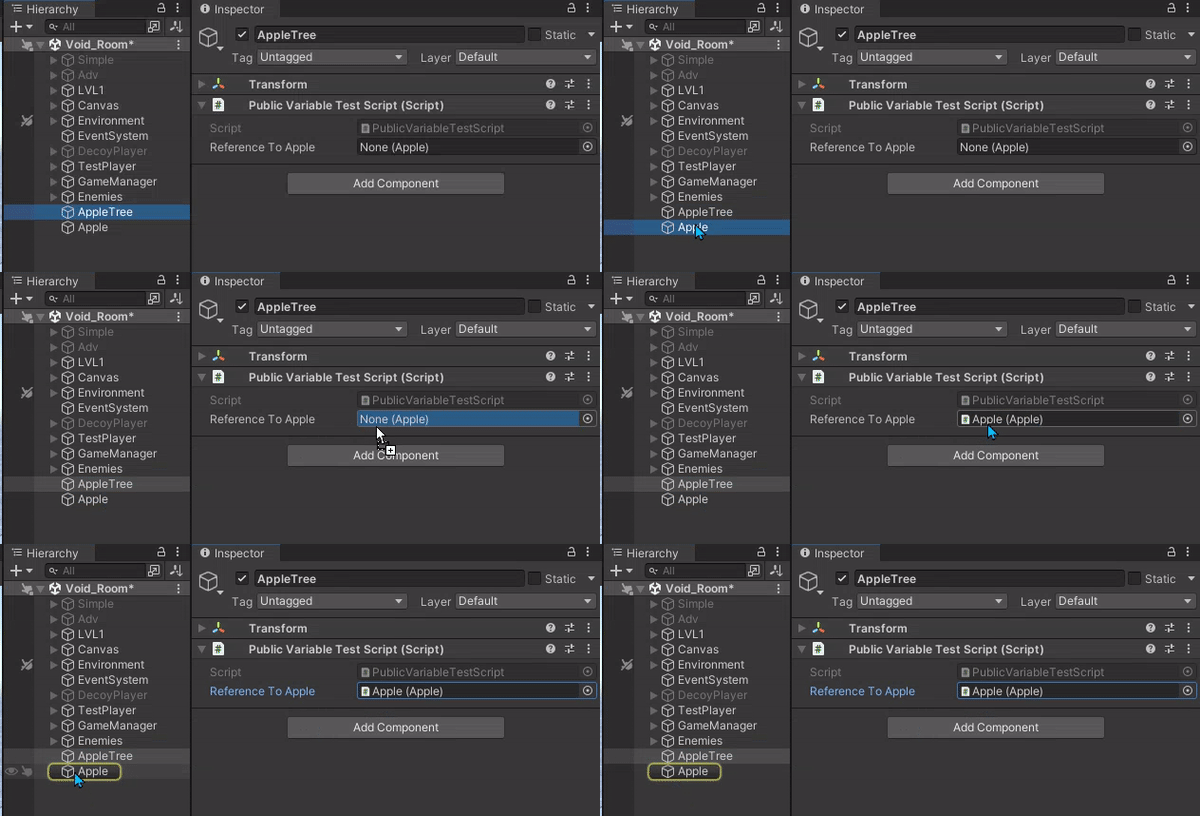 summer stump
foggy lion
I just need to figure out how to access this now
summer stump
foggy lion
I just need to figure out how to access this now
GetComponent<ContinuousMoveProvider>().UseGravity = false
?
No idea
bleak pasture
could enable fly as well looking at the docs since it overrides gravity
possibly it would override conflicting code that does gravity as well if you dont know whats causing it
polar acorn
coarse lance
https://gdl.space/buyadadasi.cs
thats my whole code.
Why is actualAnswer static? Does every question share the same answer?
And as to the blank one, look for anything else calling CheckAnswerAndUpdateScore because it isn't in this script
foggy lion
summer stump
GetComponent<ContinuousMoveProvider>().UseGravity = false
?
This was the answer: GetComponent<ActionBasedContinuousMoveProvider>().useGravity = false;
And I think it works?
But also not really
Idk man
I've been dealing with this for 6h :(
 woven crater
Do I need to create a level management object that swap out tile or just making each level a separate scene?
rich adder
second sounds easier
 eager spindle
is system.serializable a c# thing or unity thing?
if its a c# thing how would I serialize a class myself?
ive not been able to find many articles on it because all of them are about unity
 granite atlas
i have isTrigger turned on in my box collider but i cannot pass through it]
eager spindle
do you have another box collider on the same object?
that happens to have istrigger turned off
granite atlas
nope only 1 box collider
eager spindle
if you remove the box collider are you able to pass through it?
timber tide
if (hasHitThisFrame)
{
    rb.MoveRotation(hitRotation);
    rb.MovePositon(currentSpeed * Time.fixedDeltaTime * transform.forward);
}```
Does rb methods usually resolve as soon as you call them such that transform.forward will be updated?otherwise I guess ill add this to my backlog of tests to do
granite atlas
eager spindle
if you remove the box collider are you able to pass through it?
i can
eager spindle
stop the simulation and add the box collider back, set it to trigger before startingthe game
should be fine now
eager spindle
timber tide
```cs
if (hasHitThisFrame)
{
rb.MoveRotation(hitRotation);
rb.MovePosito...
it should resolve immediately, i think transform.forward is a getter/setter that rotates(the quaternion) immediately
but you might need to check your script execution order
are there any scripts depend on the transform.forward of this gameobject?
timber tide
beyond just adding constant forward speed, no
 narrow girder
how do i create an ai npc that moves and acts by itself?
 frigid sequoia
narrow girder
how do i create an ai npc that moves and acts by itself?
frigid sequoia
narrow girder
how do i create an ai npc that moves and acts by itself?
That's basically asking for wish. Be more specific
narrow girder
frigid sequoia
That's basically asking for wish. Be more specific
sorry uhmm I created a sprite that have all the animations but I dont want I would would be the one to control it. but instead it will just spawn randomly and do its own thing and maybe attack the player also
frigid sequoia
narrow girder
sorry uhmm I created a sprite that have all the animations but I dont want I wou...
Then just do it step by step. Each of the thing u want it to do
narrow girder
frigid sequoia
Then just do it step by step. Each of the thing u want it to do
I mean like the script in unity. Like the code to import it into the game. Is there a reference that you might have?
teal viper
narrow girder
I mean like the script in unity. Like the code to import it into the game. Is th...
There are many ways to implement npc ai. I suggest looking up some tutorials. Also, research what ai techniques are there overall: state machines, behaviour trees, planners like GOAP, etc...
narrow girder
ahhh i see okie
bleak pasture
also ai is a very hot suject atm so beware of wasting money on assets you don't fully understand
cuz a lot of them use AI as a buzzword
narrow girder
bleak pasture
also ai is a very hot suject atm so beware of wasting money on assets you don't ...
I just want it to spawn and do random things without me controlling it XD
bleak pasture
Id start with rule based systems in all case you have to design and implement the rules. Id start with stuff like ai controller besides what dlich said
frigid sequoia
Man, just make the same u did with the player, but change the input with random values
bleak pasture
at the end of the day it just the same stuff as you except without a keyboard. so if you have a controller that handle walking that would need to work without player input. So if you have no idea of what you want to do as a player you wont be able to have an AI do it either. AI assets dont make them magically know about your features/world, even machine learning require a lot of hand holding at the start to define goals
teal viper
narrow girder
I just want it to spawn and do random things without me controlling it XD
That's a very complicated thing to do you know
bleak pasture
and nothing prevent you from starting with a bunch of if since your gonna need those rules later
teal viper
It's like saying "I just want million dollar without doing anything. Am I asking for too much?". Obviously, that's a bit of an exaggeration, but the point is, "I just want it to do random things" is not a one click of a button thing. Neither it's one script. It's probably some 10s of scripts and a setup in the scene
bleak pasture
- optimization do cuz game loop are under 1s so you cant spend 10s every tick in your game loop on AI so you have to fake a lot of AI ...
 lilac olive
    private void OnTriggerEnter(Collider other)
    {
        if (other.CompareTag("FingerTip"))
        {
            button.onClick.Invoke();
        }
    }```

Hey, i was watching a video on setting up UI buttons for VR controllers and he has this function in a script
However when i rewrite it IDENTICALLY it says onClick "onClick is obsolete. Use clicked instead (UnityUpgradable)"
however when i use clicked "The event 'clicked' can only appear on the left hand side of += or -="clicked is from uitoolkit and onclick is from the unity standard gui manager. Are you sure you are using the same UI package as the streamer ?
lilac olive
Yea the problem was i did
using UnityEngine.UIElements;
and not
using UnityEngine.UI;
wintry quarry
lilac olive
```c#
private void OnTriggerEnter(Collider other)
{
if (other.C...
onClick is a UnityEvent. clicked is a C# event
But yeah you had the wrong one
lilac olive
oops
Well moment of truth if buttons finally work
Does "OnClick.Invoke" Still do the colour Changing properties?
 north kiln
lilac olive
Does "OnClick.Invoke" Still do the colour Changing properties?
north kiln
lilac olive
Does "OnClick.Invoke" Still do the colour Changing properties?
No. The event doesn't do anything you haven't set yourself
lilac olive
damn i guess im stuck adding a box collider to every button
teal viper
lilac olive
damn i guess im stuck adding a box collider to every button
You shouldn't mix ui with physics.
lilac olive
teal viper
You shouldn't mix ui with physics.
i have to ?
to have Physical clickable buttons atleast from what i saw
teal viper
lilac olive
i have to ?
to have Physical clickable buttons atleast from what i saw
Wdym by "physical clickable buttons?
 covert sinew
I've got a halfway decent inventory system working right now, but my next step I've been struggling with, due to being unsure which route to take with it. What are some good resources that describe good current methods for handling dragging an item out of one slot and into another?
Should I be storing item data in a mouse-cursor-object? A temporary variable? An Event?
I'm sure I could muddle my way through one possibility or another, but without knowing which methods are good, and which ones are dead ends, in terms of implementation, I'm worried I'll pick the wrong idea to pursue and screw myself over.
bleak pasture
covert sinew
I'm sure I could muddle my way through one possibility or another, but without k...
so you are saying you are scared of learning/getting experienced in unity ?
even if you picked the perfect one you might realize at some point it's no longer what you want at a future point of time
just try to not waste 80$ on assets promising ultimate solutions of ultimate destiny
there are plenty of examples for many things on abandoned unity projects on github or youtube
covert sinew
bleak pasture
so you are saying you are scared of learning/getting experienced in unity ?
It takes longer to unlearn bad habits and practices than it takes to learn good ones.
I haven't bought any assets yet, making everything myself from what resources I can find, so I prefer to learn from good resources, since a lot of the "tutorials" I've found seem to almost teach someone the wrong way to do something on purpose.
bleak pasture
how do you know at this point ? You are gonna asks us about every possible approach you see which is subject to personal opinion when the true answer is best approach depends on your use case?
covert sinew
No, I only come here when I'm uncertain, because that's typically when someone would come to more experienced individuals to get pointed in the right direction?
timber tide
there's a few ways to do it, but the (most) correct way is that your inventory should be functional without the UI
beyond that, it's really up to your design, but anything on the UI should not be considered required to serialize any data.
covert sinew
timber tide
there's a few ways to do it, but the (most) correct way is that your inventory s...
Yeah, that part is all good and done right now, I have an inventory system which, in pure data, can handle stacking, splitting stacks, moving, removing, and adding in various ways. I came here because I was uncertain what the best practice was for implementing the mouse as a tool to interact with it.
timber tide
what operations are we talking about? Swapping data?
covert sinew
Currently, it can handle:
Adding an amount of items to the earliest valid slot
Adding an amount of items to a specific slot (and stacking if items already exist in it)
Removing an amount of items from the earliest valid slots (and spreading to multiple slots if need be)
Removing an amount of items from a specific slot (and optionally requiring that it be a specific item in order for it to do so)
Moving an amount of items from one slot to another
I'm investigating how to use the mouse to drag an element from one part of the UI to another, in order to move items from one slot to another, and what some common and "best practice" implementations of that would look like.
timber tide
each inventory type manager should have a swap method with parameters from and to where you check if the item dragged onto it is compatable with the correct type
mouse drag would be considered UI such that you've slots (also UI) that corresponds to the inventory slot
so inventory slot 1 -> Inventory UI Slot 1
covert sinew
My UI already makes sure that all inventory slots automatically coincide with the child index of the slots that are displaying them.
timber tide
for the most simpliest design I'd just give each UI slot the reference to the pertaining inventory and the slot index it corresponds to.
otherwise bind callback events if you care
covert sinew
I'm trying to figure out if my mouse cursor should have what is basically a "one slot inventory", so when you drag an item out, it leaves the inventory and enters into a mouse cursor object's inventory, where it can then be acted upon to swap it into a different slot, or if it should just hold references to the slots and amounts in question, and then perform the Item Moving function using that temporary data once initiated.
Because I can think of a few different ways to do this, but I don't know if any of them are beginners traps.
bleak pasture
I personally only encountered implementations using raytracing and I dont like implementing it
Id rather use a container system with weight/# of items limit than this
timber tide
IDragHandler event is fine, you drag the UI slot onto another inventory slot and you basically invoke the swap event on that slot which references the inventory it's bound to
covert sinew
Gotcha, so use the IDragHandler, and feed it variables based on what is being dragged, and what it has been dragged over, then fire once the drag event ends?
timber tide
so example ->
Drag Slot1 InventoryA to Slot1 InventoryB
Slot1 InventoryB has a method that passes the information that Slot1 InventoryA has been dropped onto it
InventoryB resolves the swap operation (it should have information about InventoryA and the slot index dropped from the drop operation) and does a callback for slots to update
foggy lion
What does | do in code?
covert sinew
timber tide
so example ->
Drag Slot1 InventoryA to Slot1 InventoryB
Slot1 InventoryB has a ...
I might still need to have a "mouse slot" though, since my inventory can in theory split stacks. if only because I'd need to visually modify an icon as soon as an amount is dragged off of it, and create a new icon that holds the removed amount, right?
timber tide
you have a fake drag icon yes
the whole visual aspect of dragging is just fluff, you technically dont need any indication that you're dragging to complete a drag and drop operation. The only thing that matters is IDrag and IDrop interfaces for the most part.
It cares where you clicked (get info from that if it has IDrag), and where you unclicked (read info into gameobject if it has IDrop)
covert sinew
Interesting. So basically, have a fake invisible icon as part of a mouse cursor icon, which only serves the purpose of displaying its variables for the event during dragging, but don't actually change anything until a valid swap is done.
timber tide
you start a drag operation, enable fake item slot and change the sprite and text (if you've got stacks)
and follow the cursor
covert sinew
Yeah, thank you very much.
I don't know if this counts as spoonfeeding, but if you hadn't given me the right direction, I'm almost positive I would have done very nasty things to my code without knowing any better.
timber tide
and hide item slot you clicked temporarily until drag is completed (and unhide if operation did not swap)
yeah no problem. Inventory stuff is a pain
timber tide
foggy lion
What does | do in code?
|| is OR operation, while | is bitwise OR
covert sinew
ye, I almost had a panic attack when a minor bug cropped up, I was so wound up trying to make the inventory system work, lmao. It turned out to be the simplest thing to fix, too.
Basically, my current system has icons, but it also has empty slot gameobjects, and the icons slide towards the "slot" they belong in. I was deleting the empty slots when they were no longer needed, which was causing bugs when trying to use certain functions, since item icons would get confused which slot they were meant to be "assigned to"
foggy lion
timber tide
|| is OR operation, while | is bitwise OR
Thanks
timber tide
foggy lion
Thanks
It's useful for combining layer masks for raycast operations and such
covert sinew
Now, my inventory currently only creates empty slots, without ever deleting them, so the "array" of empty slots is always equal to the highest number of items to have been in the inventory so far, preventing issues where there are too many icons and not enough slots to assign them to.
I might do something more optimized later, but I'm goingto hold off on it until it becomes a problem.