#💻┃code-beginner
1 messages · Page 260 of 1
 vagrant lynx
Hmm I see, thanks for this guide bro
 quartz mural

 woven crater
can i check for multiple tag? return true if one of them is found

 quick summit
hello im new to unity and i have tried to figure this out for so long. So i have been trying to make a watermelon game where you launch it, and the further you go the more money you earn. i have made 2/3 out of all the sprites but i'm trying to know how to add a force to the catapult and also give it like a swing motion so it would launch it.

 buoyant knot
woven crater
can i check for multiple tag? return true if one of them is found
buoyant knot
woven crater
can i check for multiple tag? return true if one of them is found
a gameobject can only have one tag
woven crater
the other way around
 rich bluff
have both lists have equal amount of elements
woven crater
buoyant knot
a gameobject can only have one tag
smth like this
 buoyant knot
woven crater
can i check for multiple tag? return true if one of them is found
buoyant knot
woven crater
can i check for multiple tag? return true if one of them is found
also i recommend this pluggin so you don’t need to reference tags/layers using strings:
 quartz mural
oh sorry i meant
 rare basin
woven crater
smth like this
rare basin
woven crater
smth like this
sure you can, but with ||
quartz mural
when an index is null
rare basin
woven crater
smth like this
but thats not designer friendly
and not extendable at all
if you want to add more obvjects
buoyant knot
woven crater
smth like this
that will always return false because a gameobject can only have ONE tag
 short hazel
woven crater
smth like this
short hazel
woven crater
smth like this
You need an OR a || b, not an AND a && b, but yes
woven crater
oh or
buoyant knot
you would want to make a common component that stores Tag-like information to identify wtf something is and does
rich bluff
quartz mural
when an index is null
ensure that the objects you previously put into the list arent being destroyed, or just remove nulls after the objects are destroyed if thats the intent
short hazel
And don't forget to put the ORs in parentheses because they have lower precedence than the ANDs (like addition has less precedence than multiplication)
rare basin
buoyant knot
you would want to make a common component that stores Tag-like information to id...
or just use interfaces/inheritance
woven crater
👍 ty
buoyant knot
EntityData : MonoBehaviour, give it a bunch of
public enum Shape { Box, Circle…. }
[field: SerializeField] public Shape geometryType {get; private set; } = Shape.Box;
Then GetComponent<EntityData>()
rich bluff
@buoyant knot about your question, why 1 per frame? whats the idea? i can imagine a scenario where a single keypress would send several commands that have to be queued
quartz mural
rich bluff
ensure that the objects you previously put into the list arent being destroyed, ...
how do i make sure they arnet being destroyed
buoyant knot
rich bluff
<@652940956806676480> about your question, why 1 per frame? whats the idea? i ca...
imagine I press hotkeys for undo, redo, draw, and rotate all on one frame. And my game depends on like a drag and draw system
rich bluff
quartz mural
how do i make sure they arnet being destroyed
look at the list in the inspector, if it says "missing refererence" it means they were there before, but you or unity destroyed them, so now theres only a dangling reference pointing to nothing remains
buoyant knot
or i am holding draw then press undo and rotate hotkeys on one frame. Q: What happens?
Currently a mess
rich bluff
that is the responsibility of the input system, to lock contexts
buoyant knot
what do you mean? you mean my code?
rich bluff
your input system, its not necesseraly command based
quartz mural
rich bluff
look at the list in the inspector, if it says "missing refererence" it means the...
it doesn say anythign about missing reference?
buoyant knot
yes, I want to use a command pattern to receive commands, and produce a single coherent result on each frame
rich bluff
similar to unity/rewired maps, there are input contexts which you enable depending on situation
which stack
buoyant knot
i’m confused. you mean inputsystem has a way to do this?
rich bluff
so if you start dragging, you push a dragging context and any keypresses like undo/redo would be ignored because they are not part of the dragging context
no i mean your code
buoyant knot
maybe explain to me what I should do so I can follow
rich bluff
unity input system would be the underlying implementation of the this concept
buoyant knot
right now, I have an InputAction asset, PlayerInput, and BuildInput class which subscribes methods (function of ImputAction.CallbackContext) to performed/started/etc
from here, what are you suggesting I do to make the different input actions able to cancel each other (or something like that)
rich bluff
can they be activated/deactivated simply? so they would unsub completely and not invoke anything
im thinking in terms of editor design so, context map would be something like
buoyant knot
i feel like that will turn into spaghetti, because now I need to juggle subscriptions from every possible input
some hotkeys are a one-frame thing. Some hotkeys are going to be a drag sort of thing
short hazel
You can have a Stack<?> that when you push something onto it, it disables an input action map, and when popping it, it enables it back again
rich bluff
- Main workspace
  - Viewport active - overrides hotkeys that overlap with main workspace
   - Drawing tool - disables main hotkeys, while keeping viewport hotkeys
if implemented like a stack with some rules, any time you click on the viewport, its context is pushed to the stack and anything below it should either deactivate or follow rules, click away and its popped from the stack, restoring previous state
 torpid dust
I disabled normal and tangent. And every time I run the project, it puts it back and then tells me that I shouldn't be doing it. I don't understand.
 buoyant knot
i was thinking having:
enum flag Command
struct CommandState {
Command started
Command held
Command released
}
lastFrame’s command state
this frame’s command state.
A static function of last frame and this frame’s CommandState that tells us: 1) Active command, 2) if that command should count as initial press or held, 3) a command we need to register as releasing
but idk if this is overcomplicated, or if there is a smarter system
rich bluff
its pretty simple approach and it will suffer from overlaps in various uses cases
its a good start
buoyant knot
rich bluff
its pretty simple approach and it will suffer from overlaps in various uses case...
wdym
i’m not defensive, just wondering since I’m still brainstorming
rich bluff
you dont keep state history to which program can return to, its destructive
so if something unexpected happens and it will, this will lead to various "stuck input" and so on
short hazel
torpid dust
I disabled normal and tangent. And every time I run the project, it puts it back...
Yeah I get that too and never had any issue with it. You should be able to just ignore that
buoyant knot
rich bluff
you dont keep state history to which program can return to, its destructive
the default state would be nothing held
rich bluff
by state i mean editor state, like which windows are opened, which viewports and tools and so on
 swift crag
short hazel
Yeah I get that too and never had any issue with it. You should be able to just ...
swift crag
short hazel
Yeah I get that too and never had any issue with it. You should be able to just ...
yes, I also see them coming back for some reason
rich bluff
as these things get very complex the state configs at various points tend to overlap
buoyant knot
i’m not sure I understand how it breaks.
do you mean the magical static method I wrote would get complex?
rich bluff
no it remains simple, the editor grows complex, so a simple method may not fit into scenarios that need you to abort/return to previous state
or, when you need to make decisions on priorities
buoyant knot
I am thinking the priority would be defined by the value of the flag enum.
swift crag
A stack will allow you to have an arbitrarily long sequence of command states.
buoyant knot
but then I can’t unpress something in the middle of the stack? unless I don’t understand what you mean for the stack representation
rich bluff
if its a command queue+stack i view it separately from input processing
a command is created from an input, or created by script
rich bluff
that is implementation detail
buoyant knot
yeah, but the input action invocation creates a new (some object) onto (some data structure) that registers it has fired.
And then I need to parse it in some non-asenine way
rich bluff
base input system (Inputv1/v2/rewired)
  your input context/filtration code
   generates editor commands

game/editor/network code
  generates commands

data
  txt scripts or anything, generates commands

command system (receives commands)
the idea is to make a class where my editor queries it to ask “what command to do now?”
if I can get that information into my editor class, I can take it from there
but the “input receiver” class needs to receive info from inputsystem to update internals to make a coherent response to that question
rich bluff
buoyant knot
but the “input receiver” class needs to receive info from inputsystem to update ...
class CommandCtx
{
   List<Type> allowedCommands;
   protected void Allow<T>()
    {
      allowedCommands.Add(typeof(T));
    }
}

class CommandSys
{
    Stack<CommandCtx> contexts;
    Queue<Cmd> commands;
    public void Push(...) ...
    public void Pop()
    {
        contexts.Pop();
    }
    public bool TryExecuteNext() {
        Cmd next = commands.Dequeue();
        // filtering
        if(contexts.Peek().allowedCommands.Contains(next.GetType())
            return Execute(next);
       return false;
    }
}

class DragCmdCtx : CommandCtx
{
    void DragCmdCtx()
    {
      Allow<StartDrag>();
      Allow<AbortDrag>();
      Allow<CompleteDrag>();
    }
}

// start drag
CommandSys.TryExecute(new StartDrag()); // fail
CommandSys.Push(new DragCmdCtx());
CommandSys.TryExecute(new StartDrag()); // success
CommandSys.TryExecute(new CompleteDrag());
just as illustration
rich bluff
you can do it with enum, but its hard to extend locally
swift crag
rich bluff
```cs
class CommandCtx
{
List<Type> allowedCommands;
protected void Allow<...
this reminds me of how I did commands for an RTS game
although that was a queue, not a stack
buoyant knot
give me a hot minute. the architecture is very different from my initial vision, so it needs to sink in
swift crag
actually it's very much divorced from how that worked lol
rich bluff
swift crag
although that was a queue, not a stack
commands are in queue, the filtration is stack
swift crag
A context is a situation you're in. Your current situation is the most recent context.
buoyant knot
because i would expect the list/collection of commands to be effectively constant, and the contexts change
swift crag
A command is a thing you tried to do. Your current command is the oldest command you haven't handled yet.
rich bluff
stack is a very simple solution, a robust solution is a graph
buoyant knot
oh you queue them because you want to still execute it if valid, but later
rich bluff
colony sims, city builders with lots of windows have to return not hierarchically, because you can have many identical windows open
so there has to be a graph that remembers the path to previously opened/focused context
buoyant knot
i’m really confused about this combo of stack and queue, sorry
rich bluff
simple editor with panels, like unity, you open a modal window, it is hirarchically on top of everything, so its on top of the stack
it catches all input
as soon as you close it its popped
so everything returns to how it was before
you open sevaral same windows, they open on top of each other pushed into stack, only top of the stack is processed
piramid basically
buoyant knot
but you have a queue of the commands, and stack of command contexts, because you want to do the most recent commandContext if it is possible
rich bluff
yes commands can come from many different places, not all should execute if the context doesnt allow it
buoyant knot
but let’s say I press draw, press undo, then release draw, release undo
 prime lodge
hi i have array called weapons that is a as a class gameobject and iam trying to SetActive actual weapon but unity tells me this and i dont know really how event work yet
 buoyant knot
now I would pop a draw contex which is not valid?
buoyant knot
prime lodge
hi i have array called weapons that is a as a class gameobject and iam trying to...
you probably want a for loop, for starters
rich bluff
guess a simple way would be for a command to track which context it originated from
swift crag
prime lodge
hi i have array called weapons that is a as a class gameobject and iam trying to...
you're trying to assign the return value from SetActive into activeWeapon
rich bluff
if that context is no longer valid dismiss it
swift crag
SetActive returns void, meaning that it doesn't return anything at all
buoyant knot
second, set active returns void, and you are trying to assign active weapon to a void, which makes nonsense
prime lodge
swift crag
you're trying to assign the return value from `SetActive` into `activeWeapon`
sorry my bad i didnt saw it 💀
yeah it makes sense now
swift crag
I think you should have a List<Weapons> that you loop over, rather than a List<GameObject>, which it looks like you have
(maybe rename that to Weapon)
activeWeapon should be a Weapon, not just some random game object
and weapons should be a list of Weapon, rather than a list of literally anything in your scene!
 rancid tinsel
Is there some function in unity to check what OS the game is running on or what OS the build is for?

I want to add a keybinding option for PC only
rancid tinsel
swift crag
notably, <https://docs.unity3d.com/ScriptReference/Application-platform.html>
thank you, that's extremely useful
swift crag
rancid tinsel
Is there some function in unity to check what OS the game is running on or what ...
note that this is iOS, not macOS
you shouldn't need to distinguish between windows/mac/linux
rancid tinsel
swift crag
note that this is iOS, not macOS
I see, thank you for pointing that out because I forget that iOS and macOS are separate
swift crag
(i build for all three platforms and the only platform-specific code I have is for opening the log directory)
rancid tinsel
what are these 3 for?
 swift crag
you can read about all of the enum values here https://docs.unity3d.com/ScriptReference/RuntimePlatform.html
rancid tinsel
thank you
swift crag
windows store apps are distinct from regular Windows applications
in ways I don't really know about
something about UWP
 honest vault
is there anyone that has 1 min free time to explain something to me?
 silk night
UWP apps have some integration into windows and can use certain functionality
silk night
honest vault
is there anyone that has 1 min free time to explain something to me?
Dont ask for someone to help, just ask the question
rare basin
honest vault
is there anyone that has 1 min free time to explain something to me?
just ask the question man
honest vault
silk night
Dont ask for someone to help, just ask the question
ok, im using ontriggerenter2d and i have the script attached to the bullet that when it collides with something it should destroy it. but thats not happening for some reason ill provide the code
honest vault
rare basin
just ask the question man
ok😂
rare basin
honest vault
ok, im using ontriggerenter2d and i have the script attached to the bullet that ...
debug.log it
if its even being called
swift crag
honest vault
ok, im using ontriggerenter2d and i have the script attached to the bullet that ...
honest vault
honest vault
ok, im using ontriggerenter2d and i have the script attached to the bullet that ...
Hastebin is a free web-based pastebin service for storing and sharing text and code snippets with anyone. Get started now.
swift crag
these pages will walk you through all of the possible problems
rare basin
rare basin
debug.log it
@honest vault
honest vault
rare basin
debug.log it
i did debug log but it didnt even pass thru the ontriggerenter for it to debug it
rare basin
then its not being called
honest vault
swift crag
<https://unity.huh.how/physics-messages>
ill take a look. thanks
rare basin
swift crag
<https://unity.huh.how/physics-messages>
read this
 atomic sierra
how do I avoid blindly following tutorials to learn how to make certain features or styles of games? Like I'm following a brackeys tutorial on how to make a tower defense game, but I know that I might end up seeing things I've never seen before, and I don't want to end up just blindly following the tutorial without understanding any of the code or features in Unity.
 wintry quarry
atomic sierra
how do I avoid blindly following tutorials to learn how to make certain features...
wintry quarry
atomic sierra
how do I avoid blindly following tutorials to learn how to make certain features...
Follow the tutorial to understand how it works
Then take those learnings and apply the techniques yourself
silk night
atomic sierra
how do I avoid blindly following tutorials to learn how to make certain features...
Copy features of games you like
You wont have a 1:1 tutorial but rather smaller problems to look up
atomic sierra
wintry quarry
Then take those learnings and apply the techniques yourself
can you explain this more in-depth? like I don't understand what you mean by that
oh i c
swift crag
This will mostly come with experience.
silk night
atomic sierra
can you explain this more in-depth? like I don't understand what you mean by tha...
Well you can follow a tutorial by just following its code or you can watch a tutorial to understand it
In the latter you should watch it and the try to recreate the code instead of 1:1 copying it
swift crag
It's a bit hard for me to give advice here because I started at the "just figure stuff out myself" phase. I had a lot of programming experience when I picked up Unity.
atomic sierra
silk night
In the latter you should watch it and the try to recreate the code instead of 1:...
so watch the coding bit, then pause the video, go to unity, and try to copy it from memory?
silk night
not copy, but recreate, in your own ways
swift crag
the goal is to not copy it, but to instead implement the ideas
atomic sierra
silk night
not copy, but recreate, in your own ways
oh so just play with the code and change it a bit, essentially
that makes sense
 long matrix
Guys i have a question how to make my jump on 2d video game look better? this is my jump velocity code rb.velocity = Vector2.up * jumpSpeed;
atomic sierra
but im learning how to make a tower defense game from the very basics
like ive never implemented this stuff before
 polar acorn
atomic sierra
how do I avoid blindly following tutorials to learn how to make certain features...
polar acorn
atomic sierra
how do I avoid blindly following tutorials to learn how to make certain features...
Watch the tutorial once without coding along.
Then watch the tutorial while coding along.
Then try to code it again without watching the tutorial.
Ideally on different days each time
swift crag
Separation between learning and doing (or between learning and learning again) is very helpful
I often struggle with a problems for a while, then come back the next day and immediately solve it
(without thinking about it much in the interim)
long matrix
rb.velocity = Vector2.up * jumpSpeed; guys what can i add to make jump more smooth give ideas pls
swift crag
don't crosspost. you just asked this in #archived-code-general
long matrix
But someone else solving his problem there
honest vault
long matrix
But someone else solving his problem there
i dmed u
 violet token
long matrix
```rb.velocity = Vector2.up * jumpSpeed;``` guys what can i add to make jump mor...
violet token
long matrix
```rb.velocity = Vector2.up * jumpSpeed;``` guys what can i add to make jump mor...
override rb.velocity with a vector3 velocity that takes in rb.velocity x and z with a float variable that will keep track of gravity and jumping for the rb.velocity.y
long matrix
wdym?
violet token
Vector3 velocity;

velocity = rb.velocity;

float ySpeed = Gravity/Jump();

velocity.y = ySpeed

rb.velocity = velocity;
I dont understand the float ySpeed
violet token
For gravity
ySpeed += Physics.gravity.y * Time.deltaTime;
When Jumping
if (Jump())
    ySpeed = jumpHeight;
 eternal falconBOT

Posting code
📃 Large Code Blocks
Use links to services like:
https://gdl.space/, https://paste.ofcode.org/, https://hatebin.com/, https://paste.myst.rs/, https://hastebin.com/
📃 Inline Code
Surround code with three backquotes. Not quotation marks.
To format as C#, add cs to the first line:
```cs
// Your code here
```
Add a comment with a line number if there is an error message.
 dapper forge
Hey what can I do when my code doesnt detect my LobbyManager anymore ? He says he is not here anymore

 languid spire
dapper forge
Hey what can I do when my code doesnt detect my LobbyManager anymore ? He says h...
languid spire
dapper forge
Hey what can I do when my code doesnt detect my LobbyManager anymore ? He says h...
missing using statement?
violet token
the ySpeed is a float that each frame gravity will be added pushing your rb down, when you jump, the ySpeed is now the jumpHeight which you character will gracefully jump up and next frame the gravity will begin to pull back down
dapper forge
@languid spire No the script has problems too. I doesnt autofill anymore ..
I cant even enter Debug.Log or something
 languid spire
dapper forge
<@556797857584381953> No the script has problems too. I doesnt autofill anymore ...
languid spire
dapper forge
<@556797857584381953> No the script has problems too. I doesnt autofill anymore ...
which IDE are you using?
long matrix
Gonz this will let me jump higher as long as i press more time?
or just make the jump smoother
violet token
long matrix
Gonz this will let me jump higher as long as i press more time?
You can add if statements to limit jumps or not, this will make jumping smoother
long matrix
How i do it in my code? if i get input with bool and not bool function
violet token
In your code you are overriding the x and z variables of rb.velocity so even if you can jump it will affect your movement
violet token
I will share myt code, onlly difference is I use Character Controller not rigidbody
 full sparrow
dapper forge
it only works not anymore on my LobbyManager Script
full sparrow
dapper forge
it only works not anymore on my LobbyManager Script
is the name at the top of the script the same as the name of the file
violet token
long matrix
Its 2d game
Give me a minute
long matrix
ok
silk night
dapper forge
I cant even enter Debug.Log or something
!ide
eternal falconBOT
💡 IDE Configuration
If your IDE is not autocompleting code
or underlining errors, please configure it.
Select one:
• Visual Studio (Installed via Unity Hub)
• Visual Studio (Installed manually)
• VS Code
• JetBrains Rider
• Other/None
 obtuse axle
Hello i have a question about synchronising player movement in multiplayer with Photon
violet token
long matrix
ok
https://gdl.space/ikinijumav.cs
I translated my 3D Movement code to a basic 2D movement, let me know if this helps
Haven't tested myself
obtuse axle
When i build my game, and i run the game once, there's no problem. But when i log a second time with another window of the game, when im in one window, i control the second character, and when im in the other window, i control the first character
is there a way to switch that?
 rich adder
obtuse axle
Hello i have a question about synchronising player movement in multiplayer with ...
obtuse axle
rich adder
obtuse axle
Hello i have a question about synchronising player movement in multiplayer with ...
obtuse axle
mb
violet token
obtuse axle
mb
probably sending info to wrong clients
obtuse axle
yeah but idrk how to fix that
 frail star
Anyone know how I can fix TMP_InputField? The first time I tap it the android keyboard opens , if I then click outside the keyboard to close it , then tap TMP_InputField again the keyboard doesn't open
violet token
maybe implement code to detect on touch input to trigger event that will pull up keyboard
long matrix
Gonz i dont understand what does it do?
frail star
long matrix
Gonz i dont understand what does it do?
Ok behavior is even more curious
It opens the keyboard about 40 to 50 percent of the time
violet token
long matrix
Gonz i dont understand what does it do?
This is the best I can do to help you understand lol, its been fun, goodluck
public class Move2D : MonoBehaviour
{
    Rigidbody2D rb;
    Vector2 velocity;

    int speed = 2, jump = 3;
    float ySpeed;

    private void Awake() => rb = GetComponent<Rigidbody2D>();

    // Update is called once per frame
    void Update()
    {
        velocity.x = PlayerInput();  //Stores Input Value (Left/Right Movement)

        Gravity();  //Applies Gravity | Handle Jumping

        rb.velocity = velocity;  //Applies Player Movement, Gravity, and Jump to RigidBody
    }

    public float PlayerInput()
    {
        float input = Input.GetAxis("Horizontal");  //Raw Input Value

        return input * speed;  //Product is Movement Speed in Left/Right Direction
    }
    public bool PlayerJump()
    {
        if (Input.GetKeyDown(KeyCode.Space))  //If Jump Button Pressed, Then Jump
            return true;

        return false;
    }
    public void Gravity()
    {
        ySpeed += Physics.gravity.y * Time.deltaTime;  //Stores Gravity to be Applied
        if (onGround())  //Checks if player is grounded to continue
        {
            if (PlayerJump())  //If player is jumping
                ySpeed = jump;  //Override Gravity with jump height

            if (ySpeed <= 0) ySpeed = -.25f;  //If not jumping and player is grounded, Stop applying gravity
        }
        velocity.y = ySpeed;  //Store current direction of travel on y axis
    }
    public bool onGround()
    {
        Ray ray = new Ray(rb.transform.position, Vector3.down);
        Debug.DrawRay(ray.origin, ray.direction * .02f, Color.blue);

        if (Physics.Raycast(ray, .02f))
            return true;

        return false;
    }
}
Yea you would maybe have to use an event system to get that firing the way you want it, I dont know about android dev so thats all I can say
frail star
violet token
Yea you would maybe have to use an event system to get that firing the way you w...
Thank you
 drifting atlas
how do i cap a value in unity?
if(Input.GetKeyDown(KeyCode.Space) == true) { transform.Rotate(Vector3.fwd * 25); }
I have this to make the character rotate up but I want it to cap at 25
 stoic glen
How can I change the Pivot of an Object to the bottom of it?
 steep mist
I’ve been informed that the only way to use unity’s Lobby feature is to code it. There’s a few example codes but none of them have any kind of UI or game object lines.
Can someone walk me through what exactly i need to do to create a lobby
 summer stump
stoic glen
How can I change the Pivot of an Object to the bottom of it?
summer stump
stoic glen
How can I change the Pivot of an Object to the bottom of it?
2d or 3d?
stoic glen
summer stump
2d or 3d?
3d
summer stump
stoic glen
3d
you either make a parent empty gameobject and use that as the pivot, or change the pivot from your modeling software (like blender)
wintry quarry
atomic sierra
can you explain this more in-depth? like I don't understand what you mean by tha...
What I'm saying is that the point of a tutorial is not to come out with a working thing. The point of the tutorial is to learn how to make a working thing. You can then apply that knowledge and make your own working thing that fits into the specific individual needs of your project.
rancid tinsel
any idea why line 41 is throwing this error? https://gdl.space/muxucijunu.cs

 verbal dome
rancid tinsel
any idea why line 41 is throwing this error? https://gdl.space/muxucijunu.cs
verbal dome
rancid tinsel
any idea why line 41 is throwing this error? https://gdl.space/muxucijunu.cs
You should show your !code
eternal falconBOT
Posting code
📃 Large Code Blocks
Use links to services like:
https://gdl.space/, https://paste.ofcode.org/, https://hatebin.com/, https://paste.myst.rs/, https://hastebin.com/
📃 Inline Code
Surround code with three backquotes. Not quotation marks.
To format as C#, add cs to the first line:
```cs
// Your code here
```
Add a comment with a line number if there is an error message.
rancid tinsel
I did
 sand veldt
Hi guys is there a way to get a random poin on nav mesh from script
rancid tinsel
verbal dome
You should show your !code
The link is the code, not the image lol
sand veldt
so i can make the movment of npc random
verbal dome
rancid tinsel
The link is the code, not the image lol
Lol i somehow didnt see, my bad
rancid tinsel
verbal dome
Lol i somehow didnt see, my bad
no worries
 twilit pilot
drifting atlas
how do i cap a value in unity?
`if(Input.GetKeyDown(KeyCode.Space) == true)
...
twilit pilot
drifting atlas
how do i cap a value in unity?
`if(Input.GetKeyDown(KeyCode.Space) == true)
...
use Mathf.Clamp - though clamping rotations can be a little fiddly, you'll probably want to perform the rotation and then afterwards clamp, e.g transform.eulerAngles.z (or whichever axis of rotation you want to clamp)
verbal dome
rancid tinsel
no worries
So either _playerInput or its .actions is null
rancid tinsel
verbal dome
So either _playerInput or its .actions is null
this is what my PlayerInput looks like

I'm not sure what I might have done wrong since it's my first time using the input system
verbal dome
Idk about the input system but you are missing a reference
The object that has ControlsScript, does it also have a PlayerInput?
rancid tinsel
im an idiot
is there a way to check through the hierarchy if any other object holds the script
oh wait nvm i found it
rancid tinsel
verbal dome
The object that has ControlsScript, does it also have a PlayerInput?
i put the ControlsScript on the wrong object lol
verbal dome
rancid tinsel
is there a way to check through the hierarchy if any other object holds the scri...
You can type t:controlsscript in the hierarchy search to search by type
For next time
rancid tinsel
verbal dome
For next time
thank you
violet token
rancid tinsel
thank you
I believe its the orde the code is being executed
rancid tinsel
violet token
I believe its the orde the code is being executed
dont worry its fixed now, the script was on the wrong object that didnt have the PlayerInput on it
violet token
Oh I didnt see that haha, it usually are the little things 😂
Does anyone know why my Raycast detects the terrain but the same ray in a SphereCast does not?
    public static bool onGround()
    {
        Ray ray = new Ray(controller.transform.position, Vector3.down);
        Debug.DrawRay(ray.origin, ray.direction * .02f, Color.blue);

        if (Physics.SphereCast(ray, .15f, .02f))
            return true;

        return false;
    }
Raycast is the same just without the 2nd param and it works fine
rich adder
violet token
Does anyone know why my Raycast detects the terrain but the same ray in a Sphere...
put the hitInfo parameter and debug what its hitting, also draw Gizmos.DrawSphere
 timber tide
something something spherecast doesn't detect if it's spawned inside of the source
overlap does
violet token
timber tide
something something spherecast doesn't detect if it's spawned inside of the sour...
This is my problem, thank you
 muted trout
i have a rhythm game but the beat of the game becomes unsynced with the beat of the music whenever someone tabs out and tabs back in, how would i fix that?
timber tide
maybe try just replaying it at the time in which you tabbed out? I think I've seen someone with this issue before
rancid tinsel
how do you reference an input action map in code?
as in, set an InputActionMap variable to a specific InputActionMap
wintry quarry
rancid tinsel
as in, set an InputActionMap variable to a specific InputActionMap
FindActionMap on an InputActionAsset
Or by name in the generated C# class
rancid tinsel
thank you
swift crag
praying for InputActionMapReference
(there's an InputActionReference, but no equivalent class for an action map)
 smoky mauve
Why isn't carreras showing up in the inspector?
 swift crag
you named your class Camera
so the name "Camera" refers to your class, not Unity's Camera class
change the name of your class
oh wiat, that's not "Camera"...
I read that as "Camera", whoops
smoky mauve
np
swift crag
Ah, you just have the wrong attribute on the classes.
You use [System.Serializiable] to make a class serializable
[SerializeField] on a class definition doesn't do anything
smoky mauve
ty
 rotund egret
[Mobile] How do I make it so the last touch isn't registered on a new scene until the last touch is released?
rich adder
rotund egret
[Mobile] How do I make it so the last touch isn't registered on a new scene unti...
we dont have enough info on your setup to know
rotund egret
{


    bool mouse_over = false;


    public void OnPointerEnter(PointerEventData eventData)
    {
        mouse_over = true;
        //Debug.Log("Mouse enter");
    }

    public void OnPointerExit(PointerEventData eventData)
    {
        mouse_over = false;
        //Debug.Log("Mouse exit");
    }


    void Update()
    {

        if (mouse_over && Input.GetKey(KeyCode.Mouse0))
        {
            gameObject.SetActive(false);
        }


    }


}
Script applied to each squares
also had this, it worked but I had to tap the square one by one and not with one continuous tap
{
bool mouse_over = false;
public void OnPointerDown(PointerEventData eventData)
{
mouse_over = true;
//Debug.Log("Mouse enter");
}

public void OnPointerUp(PointerEventData eventData)
{
mouse_over = false;
//Debug.Log("Mouse exit");
}

void Update()
{

if (mouse_over)
{
gameObject.SetActive(false);
}

}
}
make a bool or something that you can only activate in new scene when Mouse GetKeyUp
you can use a DDOL type object that goes through all scenes and tracks mouse instead
 lilac olive
Hey, How can i make a Live Screen Capture that is accessible Unity?
This is to enable screen mirroring in VR onto a mesh
rancid tinsel
I'm trying to set up a binding system with the UnityEngine.InputSystem but the Rebind Save Load script isn't actually saving anything. Any idea what I might have done wrong?
 misty coral
Oh yea I under stand, your saying because I am basically hitting anything that has an Enemy1 tag
rotund egret
rich adder
make a bool or something that you can only activate in new scene when Mouse GetK...
Kinda works but I sometimes have to tap twice and it still registers the last touch
rich adder
rotund egret
Kinda works but I sometimes have to tap twice and it still registers the last to...
they are probably conflicting cause of the OnPointerEnter
You need control that somehow, like if(isGameReady == false) return
or if they are buttons you can set interactable to false or disable the raycast target
until user has released key if holding down when scene was switched
I would keep track of that inside a script thet checks the event OnActiveSceneChanged from scene manager.
like psuedo : If Scene was switched and user is holding mouse, activate bool that needs a MouseKeyUp to go to false, and without this on false none of the buttons are actived
rancid tinsel
rancid tinsel
I'm trying to set up a binding system with the UnityEngine.InputSystem but the R...
ok it just suddenly started working :/
muted trout
timber tide
maybe try just replaying it at the time in which you tabbed out? I think I've se...
\replaying what ?
timber tide
muted trout
\replaying what ?
I mean, save as much of the state as possible when tabbing out then reinstantiate it from that point if possible. (Consider forcing your game to pause too when tabbing which will make the transition less spontaneous)
violet token
rotund egret
Kinda works but I sometimes have to tap twice and it still registers the last to...
You can look into scriptableObjects, data containers that persist between scenes and runtime
violet token
muted trout
\replaying what ?
You can try freezing the timescale on tab out and resume timescale when refocused
rich adder
violet token
You can look into scriptableObjects, data containers that persist between scenes...
that wont really help here
just overcomplicates what they need
violet token
just one more script and can be used for other constants or persistent data
 queen adder
whats wrong? unity remote doesnt work
 raw kindle
How can I glue two object together so they move as if they are one objects but still have seperate colliders?
rich adder
raw kindle
How can I glue two object together so they move as if they are one objects but s...
Parent Constraint
rich adder
queen adder
whats wrong? unity remote doesnt work
probably not, has that app even been updated?
also adb.exe: error: no devices/emulators found
raw kindle
rich adder
Parent Constraint
will the parent be affected by the child colliding with something?
queen adder
maybe the computer doesnt recognize my phone
rich adder
raw kindle
will the parent be affected by the child colliding with something?
this isn't exactly parenting per se
it just does smiliar thing
raw kindle
for example in my game I have a core (blue) with other objects glued on it, I dont want the object glued to it to clip through walls
 rich adder
raw kindle
for example in my game I have a core (blue) with other objects glued on it, I do...
rich adder
raw kindle
for example in my game I have a core (blue) with other objects glued on it, I do...
make some overlapbox / boxcast
queen adder
i'd make an empty object and put all of these guys inside of it
rich adder
check if position is free to move there
swift crag
raw kindle
for example in my game I have a core (blue) with other objects glued on it, I do...
are the fixed joints still giving you trouble?
if so, then yeah, just parenting objects together could be a solution
raw kindle
I found something that might answer the question but I just dont understand the solution: https://forum.unity.com/threads/attaching-objects-to-each-other-solved.371660/

Unity Forum
Hello there guys,
I've recently downloaded and started messing with the amazing Unity Engine and of course, I have s**tloads of questions about it. So...
swift crag
I know that rigidbodies aren't a huge fan of being parented to each other, but I don't know enough to say if that'll really screw up your game (and this is 2D, where i'm also less experienced)
timber tide
raw kindle
for example in my game I have a core (blue) with other objects glued on it, I do...
If you got a grid and they move by index you can just do logical indexing instead of colliders
raw kindle
timber tide
If you got a grid and they move by index you can just do logical indexing instea...
they dont move in a (snap to grid) way if thats what you mean
violet token
rotund egret
```public class MouseLaser : MonoBehaviour, IPointerEnterHandler, IPointerExitHa...
What script do you use to switch levels?
timber tide
ah, ok, well what you can do then is make an empty gameobject and then parent the cubes that move together. Oh, you'd want to transfer the RB to the parent and probably remove them from the children
 timber tide
rbCast sounds good too
 crisp anvil
any reason why a singleton reference would work in one script but not another?
swift crag
misty coral
this finds something tagged Enemy1 and tries to get an EnemyCode component from it
misty coral
so because its so vague it wont be able to pick out specific enemies?
rich adder
crisp anvil
any reason why a singleton reference would work in one script but not another?
yeah probably order of methods
misty coral
like I have 3 enemies
rich adder
ie accessing before its assigned
misty coral
but I have to kill each one in a specific order and if I dont the others dont recieve any damage
timber tide
don't use Find then
raw kindle
rich adder
if they're rigidbodies you can use [RbCast](https://docs.unity3d.com/ScriptRefer...
I willl check it out
rotund egret
violet token
What script do you use to switch levels?
        if (AreAllGameObjectsDisabled())
        {
            indexList.RemoveAt(indexList.Count - 1);


            if (AreListsEqual(indexList, compareIndexList))
            {

                score += 2;
            }
            else
            {
                score += 1;
            }

            timeLeft = deathTimer;


            Debug.Log("GG");

            SceneManager.LoadScene("Main");
        }```

That's just one part of it (in update)give each enemy an id to compare
misty coral
i was thinking of trying to identify the enemy by it being hit by a raycast, could that work?
violet token
Yes, although you may need a way of storing/accessing that data.
when your raycast hits a target you can pull the id and compare it to a list of bools to see if that target can be damaged
say you have an array of 3 bools [0, 1, 2] (false, false, false).
each target will have an id [0, 1, 2]
when the raycast hits a target with id 2, you will check if target 0 and 1 are dead (true), if so, deal damage.
swift crag
When you hit something, you get the collider that the ray hit.
You can use TryGetComponent to look for a component on the same object as the collider.
if (hit.collider.TryGetComponent(out Hurtbox hurtbox)) {
  hurtbox.Damage(12345);
}
 delicate portal
!collab
eternal falconBOT
📢 Collaborating and Job Posting
We do not accept job or collab posts on discord.
Please use the forums:
• Commercial Job Seeking
• Commercial Job Offering
• Non Commercial Collaboration
 violet token
rotund egret
```// Detection for Winning and Perfect Clean
if (AreAllGameObjectsDisab...
violet token
rotund egret
```// Detection for Winning and Perfect Clean
if (AreAllGameObjectsDisab...
This doesnt help
short hazel
misty coral
Prefer TryGetComponent (#💻┃code-beginner message) to account for the fact that the object you hit might not have the targeted script.
swift crag
TryGetComponent is really handy
if (!hit.collider.TryGetComponent(out Thingy thingy))
  return;

thingy.florp = 123;
Anything that has this "TryX" pattern is handy
swift crag
I've written functions that do several of them in a row and bail out early if any of them fails
queen adder
can i set this "0" to be other value via script?

 rocky canyon
why not just call the function from the other script and pass in 0?
queen adder
and how to do this?
rocky canyon
thats more for fixed values per the inspector..
queen adder
how to check if button was pressed via script
short hazel
That is, what they want
rocky canyon
referencedScript.MyFunction(value);
short hazel
Via the event, ev.Invoke(0) - you'll have to change the event's type to a UnityEvent<int>
rocky canyon
ahh events
short hazel
Or UnityEvent<float> if you need to pass floats
Then, you'll be able to select a function from the "Dynamic int / float" menu of the event's Inspector
swift crag
you'll need to write some code
violet token
misty coral
Oh I got it i think
        bool[] defeated = { false, false, false };

        if (Physics.Raycast(ray, out hit, 100f))
        {
            enemy = hit.collider.TryGetComponent<EnemyCode>():
            if (enemy == null) return;

            switch (enemy.id)
            {
                case 0:
                    //Deal Damage
                    break;

                case 1:
                    if (defeated[0])
                        //Deal Damage
                    break;

                case 2:
                    if (defeated[0] && defeated[1])
                        //Deal Damage
                        break;
            }
        }
the code will respond to the button being clicked by invoking another UnityEvent
it'll pass the current number to that UnityEvent
[SerializeField] UnityEvent<float> myEvent;

public void DoTheThing() {
  myEvent.Invoke(currentCost);
}
Ok, thanks!
short hazel
violet token
```cs
bool[] defeated = { false, false, false };
if (Physics.Ra...
Don't spoonfeed code. This does not work because the "defeated state" of the enemies is reset each time this is executed, as a new array containing 3 false is re-created. Also what if in the future they need more enemies?
And yeah that usage of TryGetComponent is a compiler error here
It does not work like that
 leaden crow
Need a little help here
I'm trying to convert the game I made in school from the old Input Manager to the new Input System and I was wondering, is it possible to call a function with arguments through it?
I'm getting a cannot implicitly convert type 'void' to 'System.Action'
 violet token
short hazel
Don't spoonfeed code. This does not work because the "defeated state" of the ene...
violet token
short hazel
Don't spoonfeed code. This does not work because the "defeated state" of the ene...
This is only POC I dont give copy and paste code hence "//Deal Damage"
This is a follow up message from earlier #💻┃code-beginner message
short hazel
leaden crow
Need a little help here
I'm trying to convert the game I made in school from th...
You'll have to create another function in-between to be able to pass the value of activeSlot.
Something like this:
private void HandleInput()
{
    BuyAmmo(activeSlot);
}
And then subscribe to HandleInput in your Start method
leaden crow
Ah I think I have actually done that already I just forgot
Oh right I did it to call a Coroutine
Is there an actual technical reason why arguments aren't supported in here or is it quirky Unity business
short hazel
The syntax you had said "execute this function, then add its result to the event"
leaden crow
btw i just realized there's a channel for the input system
I'll make sure to ask there next time
short hazel
So yep you need a way to pass a function without actually executing it, and that's done either with what you have now, or with a lambda expression: += () => BuyAmmo(activeSlot) which is an anonymous, inline function
short hazel
Note that you're not able to unsubscibe from lambda expressions with -=.
 eager elm
leaden crow
Ah I think I have actually done that already I just forgot
eager elm
leaden crow
Ah I think I have actually done that already I just forgot
thats just how events work in C#. You could do
csInputManager.Instance.interact += BuyAmmo;if the event would return an int value, but it returns null.
But you should ask yourself if you even need to pass an argument, can't you check what the activeSlot is inside your BuyAmmo() method?
leaden crow
Yeah that one didn't actually need it
Unsure of why I bothered adding it rn
May be residual code from when I was coding that part since I tried a bunch of different things
wintry quarry
misty coral
There's no reason to do this.. Again, you would get the reference directly from the RaycastHit. There's no need for FindWithTag and indeed it will give you the wrong result
 scarlet skiff
Why does my Bomb (https://gdl.space/wuhefuyixu.cs) ALWAYS spawn parryable (https://gdl.space/susonacuke.cpp) bombs if the main bomb was parryable? that should the RNG decide, but when i remove the component it should then never even become parryable (but it still turns red).
And you can see in the message i replied to that the componenet parryable does get removed so how come it still turns red
lilac olive
is there a way to script the Rotation of a texture>/
eager elm
scarlet skiff
Why does my Bomb (https://gdl.space/wuhefuyixu.cs) ALWAYS spawn parryable (https...
I don't see where you add parryable to your object, but maybe you add it on the prefab before spawning it and that causes the prefab itself to be red?
scarlet skiff
eager elm
I don't see where you add parryable to your object, but maybe you add it on the ...
yes the prefab has it, and no the prefab isnt red, sometimes them ain bomb is red soemtimes not, which makes sense cuz thats what parryable does... but when it gets remvoed.. still red bombs
also if the main bomb wasnt red the split bombs wont be red
ever
100% based on the before-split bomb, which idk how that makes sense
polar acorn
If the object was parryable when the component is destroyed it won't turn back to its normal color. Probably instead of destroying the parryable component or not you should set a boolean in that class and use that bool to determine parryability instead of the presence or absence of a component. This way you always have a component that can control the material even if it becomes unparryable
 naive tapir
It is saying I have nothing attached but I do
NullReferenceException: Object reference not set to an instance of an object
TriggerZoneScript.Update () (at Assets/Scripts/RobotDamageTrading.cs:37)

is this a code issue
or a variable issue
swift crag
Perhaps another instance of the component doesn't have anything assigned
You can search the hierarchy for t:RobotDamageTrading to find all instances of the component.
naive tapir
thx
 covert sinew
OnDrag is called for every frame that the pointer is being moved while held down, right?
 dusk minnow
I have a Problem, i got a player obj(cube) and the colliders of it are attached to it. Rb is in player and the colliders in the attached ones. The script in the attached colliders dont trigger OnCollisionEnter tho?
 swift crag
Collision messages only get sent to the object with the Rigidbody on it.
unlike trigger messages, which go to both the collider's object and the rigidbody's object
If you need to know which collider caused a collision, the Collision object has that in otherCollider
(somewhat confusingly named; collider is the incoming collider, and thus otherCollider is your collider!
dusk minnow
but one collider should detect left collision and one upper collision
swift crag
swift crag
If you need to know which collider caused a collision, the `Collision` object ha...
ah, wait, that's only on Collision2D; Collision doesn't have that
dusk minnow
swift crag
(somewhat confusingly named; `collider` is the incoming collider, and thus `othe...
mh okay?
swift crag
dusk minnow
but one collider should detect left collision and one upper collision
ah, it looks like you can figure this out by using a ContactPoint
 scarlet skiff
polar acorn
If the object was parryable when the component is destroyed it won't turn back t...
scarlet skiff
polar acorn
If the object was parryable when the component is destroyed it won't turn back t...
you mean instead of the parryabel script determening if it should be parryable or not just do it in the bomb script?
swift crag
the examples include code that gets the collision contacts
ContactPoint includes "thisCollider" and "otherCollider"
dusk minnow
swift crag
ah, it looks like you *can* figure this out by using a ContactPoint
yes, i have it but i have 2 colliders like in the image, rb is in player, collider with script in child
swift crag
Yes.
swift crag
swift crag
ContactPoint includes "thisCollider" and "otherCollider"
Get a ContactPoint from the collision and look at these properties
I dunno which will be which
You can then run code that depends on which of your colliders was involved
dusk minnow
swift crag
Get a ContactPoint from the collision and look at these properties
i have that
it works
dusk minnow
swift crag
Collision messages only get sent to the object with the Rigidbody on it.
that helped
 warm condor
Hey everyone. Is there any way I could simplify this code. My intention with this code is to add acceleration before coming to max speed. Here is my code:
    accilerate(direction);
    limitMaxRunningSpeed(direction);
}
private void accilerate(int direction){
    if (Input.GetKey(KeyCode.LeftShift) ){
        initialiseAccelirationRunningValues();
        accelerateBeforeRunning(direction);
    }
}
private void initialiseAccelirationRunningValues(){
    if (Input.GetKeyDown(KeyCode.LeftShift)){
        speedDuringRunning = Math.Max(initialHorizontalSpeed, walkingSpeed);
        time = timeItTakesToFinnishAcceliration;
    }
}```In an Abstract Class, is there a way to make it so that its Events retain what is in them, adding the override afterwards, instead of replacing it, when overriding them in its child classes?
wintry quarry
covert sinew
In an Abstract Class, is there a way to make it so that its Events retain what i...
Separate the abstract part from the non abstract part
E.g.
void SomeFunction() {
  DoMandatoryStuff();
  DoAbstractStuff();
}```DoAbstractStuff would be the abstract method
buoyant knot
wdym overriding the event
you mean you are struggling with the event keyword with parent vs child? or what?
covert sinew
public abstract class Dragger : MonoBehaviour, IDragHandler, IBeginDragHandler, IEndDragHandler
{

    public bool isDragging;

    public Vector2 mousePosition;

    public void OnBeginDrag(PointerEventData eventData)
    {
        isDragging = true;
    }

    //When the object this is on is dragged
    public void OnDrag(PointerEventData eventData)
    {
        mousePosition = eventData.position;
    }

    public void OnEndDrag(PointerEventData eventData)
    {
        isDragging = false;
    }
}
I'm working on an abstract class for making child classes to handle dragging icons, so this up above would be used for making classes that go on an icon, but I also want to be able to add other stuff to this, and was curious if I simply had to re-add the abstract functionality when overriding the virtual events.
So This has functionality in OnBeginDrag, and so would the child, but the child would do extra stuff, rather than just setting isDragging to true, if I made it into a virtual class
wintry quarry
covert sinew
```
public abstract class Dragger : MonoBehaviour, IDragHandler, IBeginDragHandl...
You would add a call to an abstract method in each of these
buoyant knot
so you mean PointerEventData
yeah, you basically want the interface to target a method in your class
which can be virtual or abstract
wintry quarry
I.e.
mousePosition = eventData.position;
AbstractDrag();```
Inside OnDragthe child class still implements the interface, because it inherits the whole base class.
Interface is just a guarantee that you will find a specific public function with a given signature
covert sinew
wintry quarry
I.e.
```cs
mousePosition = eventData.position;
AbstractDrag();```
Inside OnDrag
Pastebin
Pastebin.com is the number one paste tool since 2002. Pastebin is a website where you can store text online for a set period of time.
Like this?
wintry quarry
Yep
covert sinew
That makes sense. Thank you very much!
I'm struggling hard with implementing mouse behavior, with how obscure it seems to be, but this helps a lot.
wintry quarry
I would make them protected not public, but yeah
covert sinew
All of them?
wintry quarry
You could also pass in the event data parameter
wintry quarry
covert sinew
All of them?
The virtual ones
The interface implementations have to be public
buoyant knot
yes. don’t expose a method that doesn’t need to be
covert sinew
Is there a reason for that, or is it just for organizational purposes?
wintry quarry
Best practice is to expose as little as possible
To prevent unintended access and to make the interface to the class as small as possible
buoyant knot
covert sinew
Is there a reason for that, or is it just for organizational purposes?
in theory, you could post your bank account publicly too
theoretically, it would work just the same
but you shouldn’t
warm condor
can anyone help me here? #💻┃code-beginner message
queen adder
is there a way to blacken the whole screen via code? Blocking all inputs?
dusk minnow
When i have a script detecting a collision, can i check what gameobject caused the oncollisionenter to run?
languid spire
dusk minnow
When i have a script detecting a collision, can i check what gameobject caused t...
yes
eager elm
queen adder
is there a way to blacken the whole screen via code? Blocking all inputs?
add an Image on a canvas that is fullscreen and make it black. Should do both things.
dusk minnow
languid spire
yes
how
swift crag
queen adder
is there a way to blacken the whole screen via code? Blocking all inputs?
do you mean blocking all UI inputs?
if so, yeah, a big image on top of everything will work
languid spire
dusk minnow
how
the collision events supply a Collision parameter which has a gameObject property
dusk minnow
collision.gameobject?
languid spire
whatever the parameter is named but, yes
dusk minnow
i have this setup. Player has rb and script with oncollisionenter. The attached childs "collider..." have the collider. How can i check which one detected the collision
 languid spire
why not say that in the first place?
queen adder
anyone know how to change this material face color to red via script?
 dusk minnow
swift crag
didn't you say you got this working already?
dusk minnow
swift crag
didn't you say you got this working already?
bro, i dont need contact points
i need to check whether child1 or child2 collider was hit
languid spire
yes you do becaue those will give you the collider which will give you the gameObject
swift crag
you can store references to the colliders on those two child objects
and then check which one of them is equal to the collider from the ContactPoint
I'm not sure if you want thisCollider or otherCollider. Log both and see which one is yours.
 queen adder
timber tide
https://docs.unity3d.com/ScriptReference/Material.html
queen adder
timber tide
https://docs.unity3d.com/ScriptReference/Material.html
the problem is now that i cant see this material atlas in inspector since its a prefab
short hazel
 meager raptor
You have another one elsewhere that doesn't have it
languid spire
meager raptor
notice how the error is on a completely different script!
short hazel
queen adder
the problem is now that i cant see this material atlas in inspector since its a ...
If you're trying to change the color of a TextMeshPro text, then you should do that on the TMP Text component itself, not the material it uses
 kindred stratus
{

    public float speed;

void Update()
    {

    if (Input.GetKey(KeyCode.D))
        {
        transform.Translate(Vector2.right * speed);
        }

    else if (Input.GetKey(KeyCode.A))
        {
        transform.Translate(Vector2.left * speed);
        }

    else if (Input.GetKey(KeyCode.S))
        {
        transform.Translate(Vector2.down * speed);
        }

    else if (Input.GetKey(KeyCode.W))
        {
        transform.Translate(Vector2.up * speed);
        }
    }
}``` how would change this to make it use the right physics things instead of transform.translate (I would watch a tutorial on YouTube but there are no tutorials for 4 directional movement)dont edit the prefab instance with materials, instantiate one and make a new material instance
meager raptor
short hazel
You have another one elsewhere that doesn't have it
i dont have another game object with that script
meager raptor
languid spire
notice how the error is on a completely different script!
i dont get it
short hazel
meager raptor
i dont have another game object with that script
Show line 17 of Interactable.cs, that's where your error is originating from
timber tide
oh it's a tmpro, yeah should just edit the vertex colors itself
meager raptor
short hazel
Show line 17 of `Interactable.cs`, that's where your error is originating from
 languid spire
meager raptor
i dont get it
languid spire
meager raptor
i dont get it
Not the same script

 meager raptor
languid spire
Not the same script
meager raptor
languid spire
Not the same script
so why it say in console "You probably need to assign the highlight variable of the IBuilding script in the inspector."
summer stump
meager raptor
Show the inspector of the object with Interactable on it
rare basin
meager raptor
so why it say in console "You probably need to assign the highlight variable of ...
where does it say that
buoyant knot
meager raptor
why is it public. should be protected
summer stump
rare basin
where does it say that
#💻┃code-beginner message
Right there
short hazel
Is class Interactable abstract or something? Are you using inheritance here?
rare basin
wouldn't it be much easier to use interfaces to interactables?
so you can just add IInteractable to the class
short hazel
It's weird that the script attached to the object is named IBuilding, that is mostly reserved for interfaces yep
Prefixing the name with "I"
rare basin
Building : MonoBehaviour, IInteractable
meager raptor
summer stump
Show the inspector of the object with Interactable on it
there isnt one, i set it like this

i just want to know where the error is coming from
summer stump
meager raptor
there isnt one, i set it like this
Type "t:IBuilding" into the hierarchy search
short hazel
That says "3 asset references" and I bet at least one of them doesn't have the object dragged into the Inspector
summer stump
And the "I" prefix should be reserved for Interfaces as they were saying. That made things very confusing
meager raptor
summer stump
Type "t:IBuilding" into the hierarchy search
that solved my error thnx, idk why variable wasnt assigned when i typed that in but it was assigned everywhere else
meager raptor
short hazel
That says "3 asset references" and I bet at least one of them doesn't have the o...
yes 2 are in inspector 1 isnt
 clever oar
how can i save the project to be sharable? I mean save scene, scripts and materials? I tried to share full Unity project folder, but it takes so much time and VR project is big.... Package?
leaden crow
I'm having trouble with my camera look script, I'm trying to get it to be clamped between 2 diffferent values, but changing the sensitivity is changing how much the camera can actually rotate and I have no clue why

It only works properly if the sensitivity is set to 1
short hazel
clever oar
how can i save the project to be sharable? I mean save scene, scripts and materi...
Share as in for other people to work on the project? Then use Git, with a correctly configured setup it will exclude the files that are not needed
swift crag
leaden crow
I'm having trouble with my camera look script, I'm trying to get it to be clampe...
use sensitivity to control how quickly you change yRotation
(and xRotation)
You're multiply xRotation with the sensitivity to calculate the actual angle
So if sensitivity is 10, xRotation can be 19, whilst the actual angle is 190
that doesn't make sense
xRotation += InputManager.Instance.GetCamY() * sensitivity; would be more reasonable.
swift crag
short hazel
Share as in for other people to work on the project? Then use Git, with a correc...
yes -- and if you need to, you can export a .zip containing only the tracked files!
leaden crow
swift crag
`xRotation += InputManager.Instance.GetCamY() * sensitivity;` would be more reas...
ah thanks, that did fix it
clever oar
short hazel
Share as in for other people to work on the project? Then use Git, with a correc...
i think its same, but i want to save the necessary files which is needed and then other person can just open it in new project. VR projekt is too big for git. maybe i write bad gitignore >.<
swift crag
clever oar
i think its same, but i want to save the necessary files which is needed and the...
it's more likely that your Library folder is too big for git
there's nothing intrinsically "huge" about a VR project
leaden crow
I thought it didn't matter when the xrotation got multiplied, good to know it does matter
swift crag
leaden crow
I thought it didn't matter when the xrotation got multiplied, good to know it do...
well, it wouldn't matter if you also multiplied by sensitivity when clamping it, I guess
and then divided by sensitivity afterwards
short hazel
clever oar
i think its same, but i want to save the necessary files which is needed and the...
The standard Unity gitignore will ignore the Library folder. Make sure you have the correct one: https://github.com/github/gitignore/blob/main/Unity.gitignore
And that it's placed at the project root! (where the Assets folder is, not inside of it or above it)

GitHub
A collection of useful .gitignore templates. Contribute to github/gitignore development by creating an account on GitHub.
swift crag
The value you were clamping was only equal to the actual value you used to rotate the camera if sensitivity was 1
otherwise, you had two different angles entirely
leaden crow
The thing is I was under the impression that multiplying xrotation/yrotation in the Quaternion.Euler wouldn't have an effect on the variable itself
swift crag
leaden crow
The thing is I was under the impression that multiplying xrotation/yrotation in ...
It doesn't.
leaden crow
gah
clever oar
short hazel
The standard Unity gitignore will ignore the `Library` folder. Make sure you hav...
so everything you need to open the scene/assets in new project is "assets" folder then?
swift crag
float angle = 10;
angle = Mathf.Clamp(angle, -50, 50);
transform.rotation = Quaternion.AngleAxis(angle * 10, Vector3.up);
everything else Unity recreate by own?
swift crag
this gives you a 100 degree rotation
it doesn't matter that you clamped angle to between -50 and 50; you just multiplied the dang thing by 10!
swift crag
clever oar
everything else Unity recreate by own?
Not just Assets.
But yes, Unity creates a bunch of stuff as it imports your assets/packages/etc.
short hazel
clever oar
everything else Unity recreate by own?
No, there are other things outside of Assets that are required. Let the gitignore do its thing and everything will be fine
 nocturne parcel
Hey guys, help me understand async/await. SO, I was under the impression it would behave like a Coroutine in some way, allowing the rest of the code to go on without blocking it.
Here, SaveWorld() is an async method (https://pastebin.com/4Q9xX2AH). It uses WriteAsync (I'm not implementing the queue functionality just yet, so ignore it).
So does LoadScene() loads a new scene without waiting for the save file to be written or not?

 night swift
anyone have a simple rundown on how to make a dual weapon system? (like right click for left gun, left click for right gun)
short hazel
nocturne parcel
Hey guys, help me understand async/await. SO, I was under the impression it woul...
Yes it does, as you're not awaiting the Task WorldManager.Instance.SaveWorld() returns. This comes at a cost that any exception thrown in this async method will never be reported, it will be "swallowed".
When you await the task, it checks whether an exeption was thrown, and if that's the case, it's re-thrown. As you don't await, this verification is not made.
covert sinew
I have a few questions that I can't easily find answers to.
Does OnDrag fire every frame, or just once, when a mouse is being dragged? Should I make it so drag effects only end on OnPointerUp, if the intent is for a drag to only end once you actually let go, rather than once you stop moving the mouse?
Are the pointer events only called on the object, or, for example, is "OnPointerDown" called whenever you click, on all objects that are listening for it?
It's not totally clear if I'm meant to explicitly check which object is being interacted with in the script, using the eventData associated with the event, or if the event itself is only being called from within the object that is being interacted with with the mouse.
nocturne parcel
short hazel
Yes it does, as you're not `await`ing the Task `WorldManager.Instance.SaveWorld(...
So it does wait for the saving to finish?
short hazel
No, as you don't await in void CreateNewWorld()
timber tide
covert sinew
I have a few questions that I can't easily find answers to.
Does OnDrag fire ev...
ondrag sets the current event to dragging until you release
or explicitly unset it
covert sinew
Right, so as long as I set dragging, it will remain until the mouse comes up.
Good to know.
nocturne parcel
short hazel
No, as you don't `await` in `void CreateNewWorld()`
aaah, I see, so it would only wait if I did await SaveWorld()
timber tide
OnPointerDown is called from the gameobject with the script
summer stump
nocturne parcel
aaah, I see, so it would only wait if I did `await SaveWorld()`
It's like having a coroutine with no yield
Without an Await it just goes like normal
short hazel
nocturne parcel
aaah, I see, so it would only wait if I did `await SaveWorld()`
Yep and with this, the scene wouldn't load until the task has finished running, allowing execution past the await
covert sinew
Thank you, Mao. I understand these questions may seem obvious, but I don't like making assumptions in unity, considering sometimes it can be a bit...
timber tide
Yea, stuff like BeforeDrag and AfterDrag are one time calls too
BeforeDrag -> OnDrag (till release) -> AfterDrag -> OnDrop
nocturne parcel
short hazel
Yep and with this, the scene wouldn't load until the task has finished running, ...
And is this bad? You said that thing about exception. Can't I just throw a try/catch?
short hazel
Yeah and adding a try/catch won't do anything because there's no visible exception being thrown
nocturne parcel
I mean, it does what I wanted: it does not block gameplay while saving.
Unless there is a better way to do this
short hazel
It's thrown inside the async method which runs "elsewhere", but there's nothing (the await) to "bubble up" the exception to the caller, the task is deemed as faulted and just stops running silently
You can still handle exceptions from inside the async methods though
nocturne parcel
I mean, I had an exception still thrown
When I tried to save immediately after loading a new scene
I got an access violation because I tried saving while still writing the file
The exception still ocurred
short hazel
Unity somehow caught it because of its internal workings and logged it to the console, but if you put a try/catch in the method where you don't await, the catch will never happen
C#/VB/F# compiler playground.
 wispy jetty
Ive been working on a little project just for fun and I came across a issue, The sounds play just fine whenever their not set up to swap scenes but whenever they are set up to swap scenes they do not play
 lone iris
Im working on a rougue like top down shooter without procedural generation, i wrote down some pseudo code for an enemy spawner, is there a better way to do it?
Public int enemys_to_spawn
Public int enemys_spawned
Public gameObject Enemy
[timer]
Private float spawnRate
Private float timer
Start
{
Timer = 0f
Enemys_spawned = 0
}
Update
{
If (enemys_spanwed <= enemys_tospawn)
{
If (timer < spawnrate)
{
Timer = timer + time.deltaTime
}
Else
{
Spawn()
Timer = 0
Enemys_spanwed ++
}
}
Else
{
Destroy game object
[or]
Change animation
}
}
Void spawn()
{
Instantiate (enemy, transform.position, transform.rotation)
}
silk night
lone iris
Public int enemys_to_spawn
Public int enemys_spawned
Public gameObject Enemy
[t...
!code
eternal falconBOT
Posting code
📃 Large Code Blocks
Use links to services like:
https://gdl.space/, https://paste.ofcode.org/, https://hatebin.com/, https://paste.myst.rs/, https://hastebin.com/
📃 Inline Code
Surround code with three backquotes. Not quotation marks.
To format as C#, add cs to the first line:
```cs
// Your code here
```
Add a comment with a line number if there is an error message.
lone iris
silk night
!code
Its pseudo code, not done yet, sorry im new to the server too
silk night
still formatting would help
And yes, you should look up coroutines and "WaitForSeconds()"
lone iris
silk night
And yes, you should look up coroutines and "WaitForSeconds()"
Coroutines are a good option, have to think how to implement it, new to coding and ive only been coding for like 4 months, i could also use Invoke
silk night
you can just have a loop in the coroutine and at the end of the loop use the WaitForSeconds, so you can have an interval between it, maybe have a cancel property too
lone iris
Yeah
lilac olive
is it possible to screenshot the FULL users screen? like not just the game
silk night
you can look for a library for it, compile it into a dll and call that
lilac olive
Are C# Dll usable? as its .net
kindred stratus
{

    public float speed;
    public Rigidbody2D pRb;

void Update()
    {

    if (Input.GetKey(KeyCode.D))
        {
            pRb.velocity = (Vector2.right * speed);
        }

    else if (Input.GetKey(KeyCode.A))
        {
            pRb.velocity = (Vector2.left * speed);
        }

    else if (Input.GetKey(KeyCode.S))
        {
            pRb.velocity = (Vector2.down * speed);
        }

    else if (Input.GetKey(KeyCode.W))
        {
            pRb.velocity = (Vector2.up * speed);
            print (pRb.velocity);
        }
    }
}``` everytime i press a key it moves me but it keeps going until a hit a diffrent key then it keeps going in that direction. anyone knlw how to fix this?Fix what? That is exactly what you have programmed
kindred stratus
languid spire
Fix what? That is exactly what you have programmed
It never stops moving me when I stop pressing the key
languid spire
no, because you do not tell it to
covert sinew
Question, how do I get the screenspace coordinates of a UI element? I'm trying to set an icon's position to match that of the mouse, but because it's a child of other objects, I can't just make its AnchoredPosition match the mouse's screenspace coordinates.
buoyant knot
covert sinew
Question, how do I get the screenspace coordinates of a UI element? I'm trying ...
Camera has methods to convert between screen space and world space
lilac olive
Assembly 'Assets/CaptureScreen.dll' will not be loaded due to errors:
Unable to resolve reference 'System.Drawing.Common'. Is the assembly missing or incompatible with the current platform?
Reference validation can be disabled in the Plugin Inspector.
is there a way i can use System.Drawing.Common>
buoyant knot
Canvas has a method/property to convert between original canvas space and rescaled canvas space (ie screen space)
kindred stratus
languid spire
no, because you do not tell it to
What would I use to tell it to stop it
buoyant knot
you need BOTH camera and canvas methods to go between UI space and world space
languid spire
kindred stratus
What would I use to tell it to stop it
you know as well as GetKey there is GetKeyDown and GetKeyUp, now which ones do you think you should be using?
 minor patio
so I have a method on a button that is returning an object I'm searching for twice, and I've got no idea how to debug this - I don't know if it's my code of if it's because I've got the same script attached to multiple buttons...
buoyant knot
kindred stratus
What would I use to tell it to stop it
I would first try to get input as a Vector2, to make the rest of your logic simpler
covert sinew
buoyant knot
you need BOTH camera and canvas methods to go between UI space and world space
I don't want to convert between UI Space and World Space, though, The UI element is on the canvas? Or am I misunderstanding this.
buoyant knot
- Input => input vector
- input vector => change velocity
buoyant knot
covert sinew
I don't want to convert between UI Space and World Space, though, The UI element...
UI elements are in canvas space
the camera governs screen space
kindred stratus
languid spire
you know as well as GetKey there is GetKeyDown and GetKeyUp, now which ones do y...
Getkeyup maybe
minor patio
https://hastebin.com/share/olimijahox.kotlin
to me, my method seems sound; but what do I know..?
Hastebin is a free web-based pastebin service for storing and sharing text and code snippets with anyone. Get started now.
buoyant knot
UI elements live in canvas space.
Canvas applies resizing (depending on screen resolution) to render onto screen space.
languid spire
kindred stratus
Getkeyup maybe
That might be a plan. Apply a velocity on key down, remove the velocity on key up
buoyant knot
buoyant knot
1) Input => input vector
2) input vector => change velocity
@kindred stratus First separate your input from your actual physics
buoyant knot
languid spire
That might be a plan. Apply a velocity on key down, remove the velocity on key u...
that sounds like it will be janky af
you run into a wall while holding left, the wall takes your velocity, and then you stop pressing left, so now you move right
languid spire
buoyant knot
that sounds like it will be janky af
I don't care, it's what he asked for
summer stump
kindred stratus
```public class Movement : MonoBehaviour
{
public float speed;
public R...
Why not just else velocity = 0 at the very end of the if else chain
buoyant knot
languid spire
I don't care, it's what he asked for
is your ultimate goal here to waste this man’s time as much as possible, under the pretense of being some sort of teacher? because you are mostly wasting his time
kindred stratus
summer stump
Why not just else velocity = 0 at the very end of the if else chain
That’s what I was going to try
buoyant knot
once you have a simple Vector2 that represents what direction you are “pressing”/holding/etc. Then you can convert it to an actual velocity
languid spire
buoyant knot
is your ultimate goal here to waste this man’s time as much as possible, under t...
I quote 'It never stops moving me when I stop pressing the key'
buoyant knot
you know what he means. Stop going the monkey’s paw approach of technically granting a wish, while giving him something he doesn’t want
minor patio
ladies, please - take it outside... XD
swift crag
kindred stratus
```public class Movement : MonoBehaviour
{
public float speed;
public R...
If you want to be able to move on the diagonals, then an if...else if...else if... sequence does not make sense: it permits you to move in one direction, and one direction only
I imagine that's something you want.
 quiet scaffold
I have a button listener added, but it doesn't activate the OnOptionChosen function when i click any of the 3 buttons
public void Start()
{
Debug.Log("starting method");
foreach (Button button in upgradeButtons)
{
button.onClick.AddListener(OnOptionChosen);
}
}
void OnOptionChosen()
{
Debug.Log("Clicked");
disableUpgradeScreen.SetActive(false);
Debug.Log("Disable screen");
}
```and yes, they are assigned languid spire
buoyant knot
you know what he means. Stop going the monkey’s paw approach of technically gran...
languid spire
buoyant knot
you know what he means. Stop going the monkey’s paw approach of technically gran...
So as well as being the style police you have appointed yourself the correct answer police as well?
What I told him answers the question asked. Your offerings added nothing to the solution of his problem
minor patio
quiet scaffold
I have a button listener added, but it doesn't activate the OnOptionChosen funct...
in your foreach, try:
button = GetComponent<Button>();...? Just above your addListener
swift crag
buoyant knot
you know what he means. Stop going the monkey’s paw approach of technically gran...
it is not very helpful, yes
 ionic zephyr
if I want to do a melee fist attack is it okay if I create a gameobject with a collider that is child of my player?
or is there a better way to do it
minor patio
aww, my problem is getting swept under the rug... 😦
 surreal wagon
can someone please help me here, This is my code for displaying a highscore but when i play the game it doesnt display it

 teal viper
minor patio
aww, my problem is getting swept under the rug... 😦
teal viper
minor patio
aww, my problem is getting swept under the rug... 😦
Maybe provide more details on your issue in one message? For one, I don't understand what you mean by "returns object more than once".
summer stump
surreal wagon
can someone please help me here, This is my code for displaying a highscore but ...
Set the display outside of the GetInt condition
surreal wagon
summer stump
Set the display outside of the GetInt condition
outside of the if statement orr...?
summer stump
Either use a set property where it updates text
Or set it after the entire if else chain
summer stump
surreal wagon
outside of the if statement orr...?
Yes
minor patio
teal viper
Maybe provide more details on your issue in one message? For one, I don't unders...
my bad - I'm kinda new to this
my method is returning an object twice when I call it via a single button press. The method is attached to multiple Buttons, but I'm only pressing one button to get a return twice
summer stump
I also recommend against using playerprefs in this way at all honestly
Disk read/write is not something you want to use every frame
teal viper
minor patio
my bad - I'm kinda new to this
my method is returning an object twice when I cal...
How do you know that?
minor patio
Debug.Log entries
surreal wagon
summer stump
Yes
thank you that worked but when i die and the game resets my high score goes down to 0 again
buoyant knot
surreal wagon
thank you that worked but when i die and the game resets my high score goes dow...
save to a JSON
minor patio
teal viper
How do you know that?
that & the logic in the method is executing...
silk night
surreal wagon
thank you that worked but when i die and the game resets my high score goes dow...
Look into playerpreferences, you can persistenly save values there
surreal wagon
buoyant knot
save to a JSON
im sorry i have absolutely no idea what that means or how to do that
summer stump
surreal wagon
thank you that worked but when i die and the game resets my high score goes dow...
When you die is when you should likely be reading from disk
Or better yet, have a singleton in DDOL that holds the highscore
buoyant knot
PlayerPrefs is convenient, but it effectively permanently saves data to your computer even if you uninstall the game
teal viper
minor patio
that & the logic in the method is executing...
So "the method is called twice" is what you want to say?
buoyant knot
JSON is a file format. I am telling you to save a file (in JSON format) with your data. Unity specifically has several tools to convert an object to a JSON file format
minor patio
teal viper
So "the method is called twice" is what you want to say?
I guess that's the case, yeah 
surreal wagon
buoyant knot
JSON is a file format. I am telling you to save a file (in JSON format) with you...
I will look into this, thank you
buoyant knot
you’d need to look it up. Velvary has a youtube video guide on that
minor patio
teal viper
So "the method is called twice" is what you want to say?
but I'm only calling the method once in my code
buoyant knot

In this tutorial you'll learn how to save and read data into JSON files. We focuse more on lists which needs a little bit more code than default objects, but the latter one is also explained.
JSON files store data in key-value pairs and are mainly used in web languages for communication between client and server, but it is also quite useful for ...
teal viper
minor patio
but I'm only calling the method once in my code
What about the button?
I thought it was called from the button?
Share the code that you call the method from
And share the button setup. Take a screenshot of it's inspector
minor patio
teal viper
I thought it was called from the button?
the button is only using AddListener - the code is hastebinned, above, but:
one moment
buoyant knot
buoyant knot
https://youtu.be/KZft1p8t2lQ?si=SCE0m8TP0mTMDP-o
@surreal wagon making sure you got the link
surreal wagon
buoyant knot
<@546151037883383808> making sure you got the link
watching it rn
teal viper
minor patio
the button is only using AddListener - the code is hastebinned, above, but:
one ...
I only see the code of the actual method..? I assume.
teal viper
minor patio
the button is only using AddListener - the code is hastebinned, above, but:
one ...
Share the code where you add listener.
minor patio
teal viper
I only see the code of the actual method..? I assume.
oh, yeah
my bad
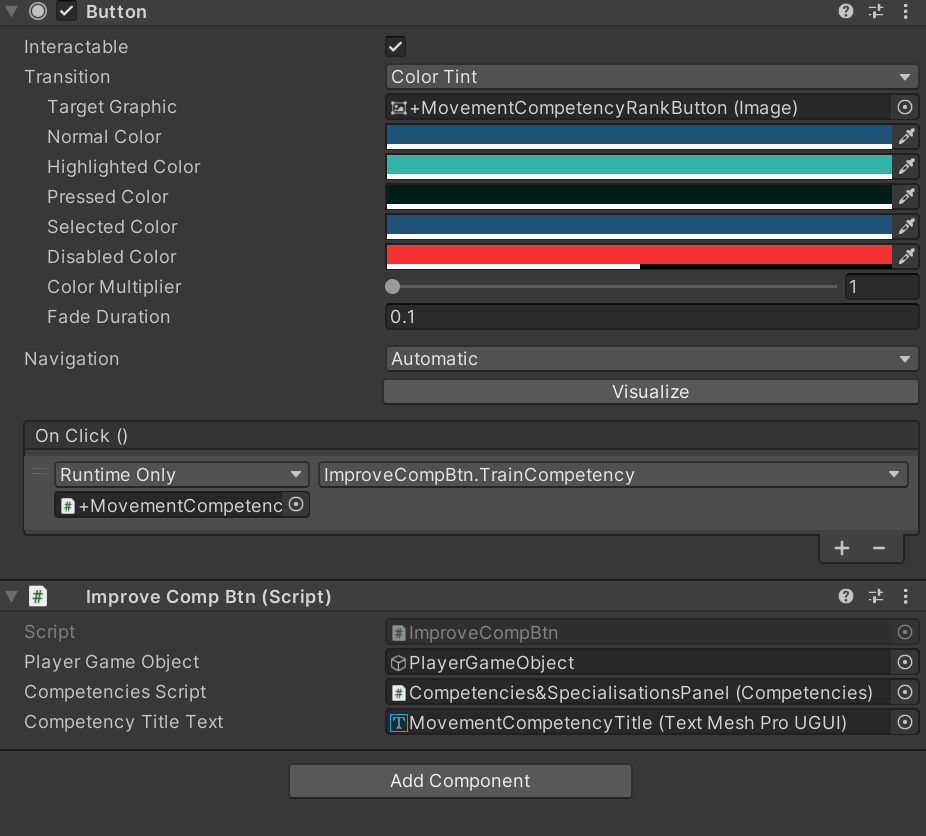
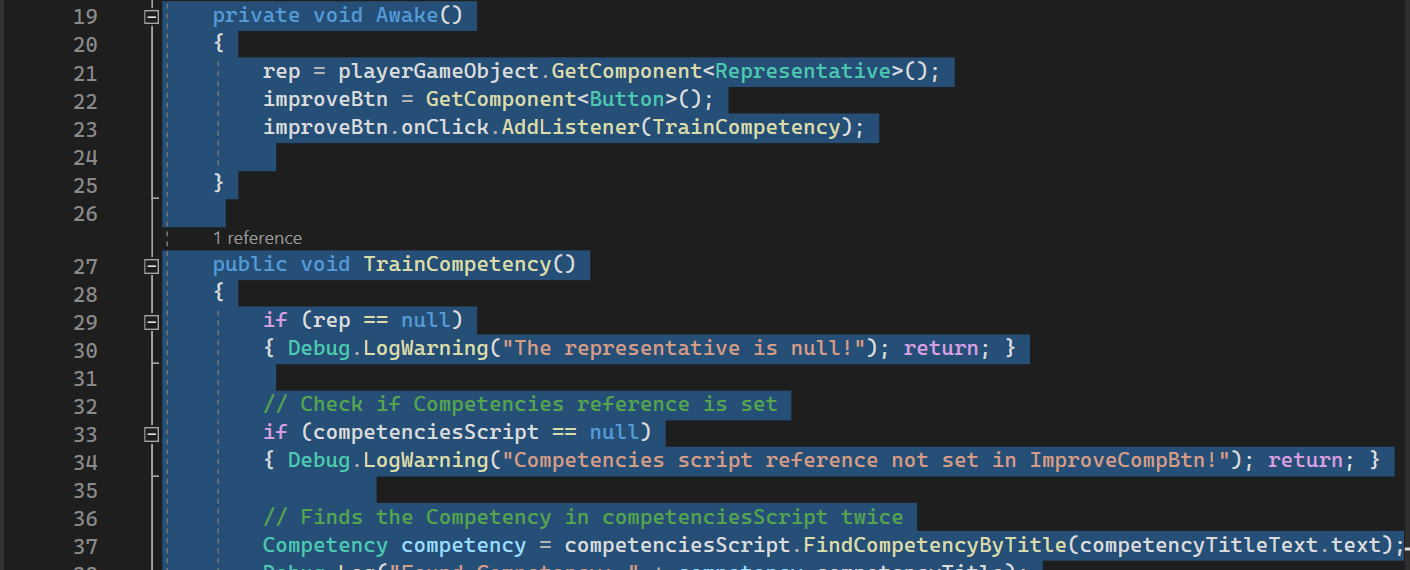
whoops - is that any better?
summer stump
surreal wagon
watching it rn<:kk_happy:855652705078214676>
While JSON IS way better, that is not actually the issue here
It's a logic issue
surreal wagon
a what now?
summer stump
I assume you reload the scene when you die?
surreal wagon
yes
summer stump
surreal wagon
a what now?
And problem with your logic
teal viper
minor patio
https://i.imgur.com/BZ5TjDI.png
and
https://i.imgur.com/Hnp6ZdZ.png
So you subscribe to it both in code and in the inspector
1 + 1 is 2 you know
minor patio
teal viper
So you subscribe to it both in code and in the inspector
didn't realize that was the case
but thanks for pointing that out
 craggy oxide
you're welcome
summer stump
surreal wagon
yes
Then the player is destroyed and a new one is created. So the score variable is reset, to 0.
You would want to read from file rigit then (after the scene loads).
But a better choice, as I said earlier, is to have score held by a manager singleton that is in DontDestroyOnLoad, so you sidestep the issue entirely
Then only load from JSON when you start the game or save
surreal wagon
summer stump
Then the player is destroyed and a new one is created. So the score variable is...
how do i put it in dont destroy on load
im sorry if thats easy im new to unity
summer stump
surreal wagon
how do i put it in dont destroy on load
DontDestroyOnLoad(managerObject)
Whenever you see something you don't know, just google "unity [term]" and the docs will come up
There is example code there
ionic zephyr
if I am making a 1 vs 1 combat system is it better to make an Overlap Circle or a child collider2D in this case????
minor patio
teal viper
So you subscribe to it both in code and in the inspector
yeah, you were right, and I feel like a prat - thanks again
teal viper
minor patio
yeah, you were right, and I feel like a prat - thanks again
We all make mistakes
minor patio
teal viper
We all make mistakes
I make your share of em too, it would seem XD
ionic zephyr
ionic zephyr
if I am making a 1 vs 1 combat system is it better to make an Overlap Circle or ...
it is for a fighting game
silk night
ionic zephyr
it is for a fighting game
Do you have humanoid characters?
ionic zephyr
yeah
silk night
Block out your characters with colliders and attach circular triggers to the attacking part (e.g. fist, sword)
ionic zephyr
oh sorry, they are humanoid but not as big
teal viper
minor patio
I make your share of em too, it would seem XD
Now you're not gonna make that mistake again. Probably.
 silk night
oh, do you dont need that exact precision?
ionic zephyr
yeah, thats it bro
minor patio
teal viper
Now you're not gonna make that mistake again. Probably.
I wouldn't count on that
but I'll try not to
silk night
then go for the shape that feels best, i would test a box and a circle
ionic zephyr
and should I make it a child of the player?
silk night
You can attach it to the parent or make it a child, depending on how complex your character is
if you dont catch collision events it propagates up to the parent script
ionic zephyr
okay, thanks
 mild halo
Anyone have any idea why I basically never hit r_strafe in my blend tree? movementX and movementY definitely track accurately, and quickly, and basically every other state I have works perfectly, it's just this one Q.Q
 silk night
same for l_strafe or does that work better?
mild halo
l_strafe works perfectly
where it should be going to r_strafe, it seems to default to the first item in the blend tree
silk night
mild halo
l_strafe works perfectly
also please dont crosspost questions in multiple channels, for blendtrees ill have to pass though, never used them 😄
mild halo
my b
 sullen trail
Is this a good description of what is going on in this code? Just trying to properly apply lambda functions to my code

 austere monolith
!code
eternal falconBOT
Posting code
📃 Large Code Blocks
Use links to services like:
https://gdl.space/, https://paste.ofcode.org/, https://hatebin.com/, https://paste.myst.rs/, https://hastebin.com/
📃 Inline Code
Surround code with three backquotes. Not quotation marks.
To format as C#, add cs to the first line:
```cs
// Your code here
```
Add a comment with a line number if there is an error message.
austere monolith
https://hastebin.com/share/itikijofoc.csharp why is it following me backwards
Hastebin is a free web-based pastebin service for storing and sharing text and code snippets with anyone. Get started now.
sullen trail
austere monolith
!code
Again, not asking for help with my code. Im asking if the description that is going along with the code is accurate to what is going on
austere monolith
sullen trail
Again, not asking for help with my code. Im asking if the description that is go...
i did that command for my own knowledge
sullen trail
Gotcha
sullen trail
no worries lol
 north kiln
austere monolith
https://hastebin.com/share/itikijofoc.csharp why is it following me backwards
north kiln
austere monolith
https://hastebin.com/share/itikijofoc.csharp why is it following me backwards
Your code does nothing to rotation
 worldly widget
austere monolith
https://hastebin.com/share/itikijofoc.csharp why is it following me backwards
worldly widget
austere monolith
https://hastebin.com/share/itikijofoc.csharp why is it following me backwards
rotate the visual on the Y axis, on the prefab/gameobject?
 violet topaz
How do i hide the text after i pick it up. I tried a bool but i kept giving me a error. code-```cs
public class ObjectGrabbable : MonoBehaviour
{
private Rigidbody objectRigidBody;
private Transform objectGrabPointTransform;
public float smoothTime = 0.3F;
private Vector3 velocity = Vector3.zero;
private void Awake()
{
objectRigidBody = GetComponent<Rigidbody>();
}
public void Grab(Transform objectGrabPointTransform)
{
this.objectGrabPointTransform = objectGrabPointTransform;
objectRigidBody.useGravity = false;
}
public void Drop()
{
this.objectGrabPointTransform = null;
objectRigidBody.useGravity = true;
}
private void FixedUpdate()
{
    if(objectGrabPointTransform != null)
    {

        transform.position = Vector3.SmoothDamp(transform.position, objectGrabPointTransform.position, ref velocity, smoothTime);
        objectRigidBody.MovePosition(transform.position);
    }
}
}
public class PlayerInteractUI : MonoBehaviour
{
    [SerializeField] private GameObject containerGameObject;
    [SerializeField] private PlayerInteract playerInteract;
    [SerializeField] private TextMeshProUGUI interactTextProUGUI;


    [SerializeField] private Transform playerCameraTransform;
    [SerializeField] private LayerMask pickUpLayerMask;

    private void Update()
    {
        float pickUpDistance = 2f;
        if (playerInteract.GetInteractableObject() != null && (Physics.Raycast(playerCameraTransform.position, playerCameraTransform.forward, out RaycastHit raycastHit, pickUpDistance, pickUpLayerMask)))
        {
            Show(playerInteract.GetInteractableObject());
        }
        else
        {
            hide();
        }
    }
    private void Show(IInteractable interactable)
    {

        containerGameObject.SetActive(true);
        interactTextProUGUI.text = interactable.GetInteractText();
    }
    private void hide()
    {
        containerGameObject.SetActive(false);
    }
}
Hastebin is a free web-based pastebin service for storing and sharing text and code snippets with anyone. Get started now.
rocky canyon
hello fam.. hows the waters today?
rocky canyon
austere monolith
https://hastebin.com/share/itikijofoc.csharp why is it following me backwards
why not rotate the graphics 180 deg
violet token
violet topaz
```cs
public class PlayerInteractUI : MonoBehaviour
{
[SerializeField] priva...
You might be better off using while loop
interacting = playerInteract.GetInteractableObject() != null && Physics.Raycast(playerCameraTransform.position, playerCameraTransform.forward, out RaycastHit raycastHit, pickUpDistance, pickUpLayerMask);
while (interacting)
  Show();
else
  Hide();
"but it kept giving me an error" is very vague
swift crag
violet token
You might be better off using while loop
```cs
interacting = playerInteract.GetI...
this would freeze the game.
violet token
I wouldn't really handle interactions the way he is but it's my best guest llol
I would have each interactable GO derive from Interactive then on raycast collision pull interactive and trigger interact prompt
swift crag
Yes, the player should be raycasting to look for an interactable object
violet topaz
so what should i do?
violet token
I would raycast for collider with Grabble (base script). If detected trigger grab prompt.
When grab button pressed invoke method to store current distance from ray origin to grabbable position.
Store Grabbable Transform and update position of Transform in update to x distance along raycast.
Sorry I might now be explaining properly
swift crag
you should have one place the does the raycasting. It should look a bit like this:
public Interactable targetedInteractable;

public void CheckForInteractable() {
  targetedInteractable = null;
  bool canInteract = true;

  if (holdingObject)
    canInteract = false;

  // you can add other conditions too. maybe you can't
  // interact while jumping, for example

  if (canInteract && Physics.Raycast(...)) {
    // assign something to targetedInteractable in here
  }
}
You'd call CheckForInteractable() once per frame before you try to do anything with the targetedInteractable field. If you're allowed to interact and the raycast finds something to interact with, then targetedInteractable will be non-null. Otherwise, it will be null.
you could also return an Interactable from CheckForInteractable, I suppose
 sour fulcrum
More of a C# question I suppose, but if I have a list of ints and another int, what's the best way to figure out which int in the list is closest to my other int?
 native seal
loop through all while storing a closestvalue then return that at the end
updating if there is one closer durign the loop
you could also use Linq
sour fulcrum
whats the relevant linq function for this kinda thing?
native seal
OrderBy
then call .FirstOrDefault
it is less efficient than a loop though
just less lines
native seal
np
violet topaz
swift crag
you should have one place the does the raycasting. It should look a bit like thi...
I got it to work but i can only assign one GameObject to it how would i fix it. i added a bool to the end of Physics.Raycast()
public class PlayerInteractUI : MonoBehaviour
{
    [SerializeField] private GameObject containerGameObject;
    [SerializeField] private PlayerInteract playerInteract;
    [SerializeField] private TextMeshProUGUI interactTextProUGUI;


    [SerializeField] private Transform playerCameraTransform;
    [SerializeField] private LayerMask pickUpLayerMask;
    ### ADDED ###
    public ObjectGrabbable objectGrabbable;


    private void Update()
    {
        float pickUpDistance = 2f;
        if (playerInteract.GetInteractableObject() != null && (Physics.Raycast(playerCameraTransform.position, playerCameraTransform.forward, out RaycastHit raycastHit, pickUpDistance, pickUpLayerMask)) && objectGrabbable.Grabbed == false)
### ADDED^ ###
        {
            Show(playerInteract.GetInteractableObject());
        }
        else
        {
            hide();
        }
    }
    private void Show(IInteractable interactable)
    {

        containerGameObject.SetActive(true);
        interactTextProUGUI.text = interactable.GetInteractText();
    }
    private void hide()
    {
        containerGameObject.SetActive(false);
    }
}
public class ObjectGrabbable : MonoBehaviour
{
private Rigidbody objectRigidBody;
private Transform objectGrabPointTransform;
public float smoothTime = 0.3F;
private Vector3 velocity = Vector3.zero;
### ADDED ###
public bool Grabbed;
private void Awake()
{
objectRigidBody = GetComponent<Rigidbody>();
}
public void Grab(Transform objectGrabPointTransform)
{
this.objectGrabPointTransform = objectGrabPointTransform;
objectRigidBody.useGravity = false;
### ADDED ###
Grabbed = true;
}
public void Drop()
{
this.objectGrabPointTransform = null;
objectRigidBody.useGravity = true;
### ADDED ###
Grabbed= false;
}
private void FixedUpdate()
{
if(objectGrabPointTransform != null)
{
transform.position = Vector3.SmoothDamp(transform.position, objectGrabPointTransform.position, ref velocity, smoothTime);
objectRigidBody.MovePosition(transform.position);
}
}
}``` gaunt crystal
Hi I'm having trouble trying to figure out how go fix this error
If anyone would like to help me that would be great I'm very knew to unity coding

 frosty hound
gaunt crystal
Hi I'm having trouble trying to figure out how go fix this error
If anyone woul...
frosty hound
gaunt crystal
Hi I'm having trouble trying to figure out how go fix this error
If anyone woul...
You have two scripts called PlayerMovement
gaunt crystal
which one do i change the name for?
 frosty hound
Check your project folder in Unity. Also take screenshots, it's 2024.
gaunt crystal
I can't seem to take a screen shot on my desktop for some reason :/ Shift+S+Windows Key don't seem to work but works on other computers
I also found my problem Thank you for the help 👍
 cobalt creek
for non physics ui objects, is rect.contains a good way to detect overlap?
teal viper
cobalt creek
for non physics ui objects, is `rect.contains` a good way to detect overlap?
Contains is for a point afaik.
cobalt creek
thank
teal viper
There's Overlaps method for checking overlap with other rect
summer stump
gaunt crystal
I can't seem to take a screen shot on my desktop for some reason :/ Shift+S+Wind...
Open the program "snip and sketch" once
Should work after that
violet topaz
gaunt crystal
I can't seem to take a screen shot on my desktop for some reason :/ Shift+S+Wind...
I think if you click windows + G it pops up game bar than take a screenshot there
cobalt creek
public void printStringList(List<string> list)
        {
            string output = "";
            foreach(string entry in list)
            {
                output = output + entry.ToString() + ";";
            }
            Debug.Log(output);
        }

        public void printIntList(List<int> list)
        {
            string output = "";
            foreach(int entry in list)
            {
                output = output + entry.ToString() + ";";
            }
            Debug.Log(output);
        }
``` is there way i can combine these two into one function?A generic method
teal viper
You're welcom
 fathom gate
so i managed to get my scene yiew about a million miles away from my map is there any to like reset its position to (0,0,0) or something
 slender nymph
not a code question. but you can double click an object in the hierarchy and the camera will move to focus on that object
fathom gate
thanks
also my bad im in the wrong channel
 lavish magnet
How straight forward would it be to make a game launcher? Could i make one in unity? Like multiple games and you click one and it opens? and I want to make the ui clean and have animations
teal viper
lavish magnet
How straight forward would it be to make a game launcher? Could i make one in un...
It's possible in unity, but it's not a great idea, since you'll be bringing the whole engine into it. It's better to use some ui specific framework for the launcher.
lavish magnet
Since we dont need an actual entire game engine?
teal viper
Yes
lavish magnet
Like just code it and use a ui framework
teal viper
Yes.
teal viper
- Select a programming language of choice.
- Research what ui frameworks are available for it.
- Learn to use the framework.
- Write your launcher app.
lavish magnet
Sounds good
slender nymph
lavish magnet
Would i be able to use c#
sure, there are probably plenty of UI frameworks you could choose from for a launcher app. but also why make a launcher app?
slender nymph
i mean, alright. but like nobody wants to have to download a separate launcher for a game they get through a storefront that already has its own launcher
teal viper
How are you planning to distribute the game/s?
lavish magnet
These games would just be for personal use
teal viper
Okay then.
lavish magnet
is that fine or do I have to do it differently
teal viper
No. What you have to do doesn't change anyway. You just don't want a steam game to open a launcher suggesting other games to the user(although there are plenty of titles that do that)
lavish magnet
might attempt it in unity first
 polar wasp
yoyo
misty coral
using transform.LookAt is bugging my enemy code so they always approach me from the same angle, what can I do?
When I try to run in circles they back away from me to try and approach me from a certain angle
 misty coral
ok
This is before the transform.LookAt is applied:


I just want you to get the idea that they can group up at any angle
here is what they do with transform.LookAt
polar wasp
right
misty coral
 polar wasp
so even if they surround you separately, they will form into a group?
misty coral
They always do this
they back up and try to push me to the left side of the screen
without transform.LookAt
they could group up in anydirection
polar wasp
and with it?
misty coral
but with it they reorganize whenever i move to specifically get on that side of my character

Always like this
I dont really know if Im putting it into words well
polar wasp
no no i get what you mean
misty coral
yea if I try to go on the right side of the screen, they will reposition to push me to the left
always
polar wasp
maybe you need to use deltas or vectors(?) pretty new to programming as well as that math but from what i know, unless you specify that you want something to move on a delta or vector3, it will move as if it’s running along a graph
so it’ll run along the x axis and then down the z in order to get to their target
rather than taking the hypotenuse of the shape
is my guess, someone may need to correct me
 charred spoke
What do you want the LookAt to do? Because right now the code seems like a very wrong way to use LookAt
misty coral
I just want the enemies to look at the player, so the raycasts I have on them on constantly in the proper orientation
Like I already am using one to be able to jump when small ledges are in the way
without LookAt the raycasts can end up facing backwards, so it doesn't function as intended
charred spoke
Just call LookAt(playerPosition)
 eager spindle
lavish magnet
How straight forward would it be to make a game launcher? Could i make one in un...
eager spindle
lavish magnet
How straight forward would it be to make a game launcher? Could i make one in un...
for c# you can use opentk or raylib
or MAUI but that's also quite heavy
i would honestly use raylib-cs

 eager spindle
the way you'd do it is that your project folder contains your launcher exe and a folder to your game, so you can call the exe from your launcher
polar wasp
misty coral
now they are just pushing to the right
can we have a video
misty coral
polar wasp
i might have been right
I will try to research what you are talking about, as I am struggling to understand it rn
misty coral
well those lines at the bottem of the enemy objects,
I use them to detect when a object is infront
so they can jump
also
if I add an actual model, I want them to be facing the player anyway
polar wasp
misty coral
I will try to research what you are talking about, as I am struggling to underst...
try using vector3
misty coral
ok
 eternal needle
misty coral
You can see how they group up on me much more naturally
eternal needle
misty coral
You can see how they group up on me much more naturally
LookAt really shouldnt have any affect on movement, because this is just affecting the rotation. if it does affect movement, that is either because you are basing some logic off the forward direction, or your object is not centered properly.
misty coral
eternal needle
LookAt really shouldnt have any affect on movement, because this is just affecti...
so, similar to my player movement, I have to adjust the axis by the rotation of the enemy?
Like if the enemy turns, the "forward direction" isnt the same as if it looked in a straight direction
eternal needle
misty coral
so, similar to my player movement, I have to adjust the axis by the rotation of ...
i really dont know what you're asking with that tbh
misty coral
Basically when the enemy rotates, what was considered forward isn't actually the forward direction of the enemy anymore
eternal needle
misty coral
Basically when the enemy rotates, what was considered forward isn't actually the...
this still doesnt really make sense, or where this came from. All i said was that LookAt doesnt affect movement. It also shouldnt do anything relative to what you were saying about "run in circles they back away from me to try and approach me from a certain angle". The code you've shown just shows that the enemies should go straight to you
i suggest you just use unity navmesh agents for your AI enemies
misty coral
eternal needle
this still doesnt really make sense, or where this came from. All i said was tha...
The problem I'm having is that the enemies aren't going straight toward me
misty coral
eternal needle
i suggest you just use unity navmesh agents for your AI enemies
I will look into it
eternal needle
misty coral
The problem I'm having is that the enemies aren't going straight toward me
start debugging and see what the movement is even. I suspect you have a different issue from what you think. Like use Debug.DrawRay or DrawLine to visualize where the AI is trying to go in the first place
 atomic bison
good morning there 🙂
what is the best approach if i want to instantiate some part of map as a prefab but i need to find the corner of the existin point where should be connected?
everytime i try this is instantiate in the middel of the other mesh renderer

this is the best i can do

the upper piece is the one instantiate but cannot connect the corner
 frigid sequoia
atomic bison
everytime i try this is instantiate in the middel of the other mesh renderer
frigid sequoia
atomic bison
everytime i try this is instantiate in the middel of the other mesh renderer
This seems that would be way easier if you just change the prefab origin, so you can instantiate it right on the corner position instead of calculating where it should be spawned
You can just store it on an empty to do that
languid spire
AI Code failing once again
atomic bison
yes xDDD
atomic bison
frigid sequoia
This seems that would be way easier if you just change the prefab origin, so you...
what do you mean with prefab origin?, prefab position?
frigid sequoia
atomic bison
what do you mean with prefab origin?, prefab position?
Create an empty parent for the prefab, make a prefab of the whole thing, with the empty as a parent. You can move everything inside the emty parent and the origin will remain the same
atomic bison
languid spire
AI Code failing once again
im testing chatgpt for some methods and this is true, alof of mistakes made it
atomic bison
frigid sequoia
Create an empty parent for the prefab, make a prefab of the whole thing, with th...
at first time i used this, but now i was changed, making as parent of the prefab the first wall where i have to connect finding the corner of the other existin wall
i cannot understand your example, if i instantiate a prefab with an empty parent, how can i move the content inside without moving the parent?
with localposition?
frigid sequoia
atomic bison
at first time i used this, but now i was changed, making as parent of the prefab...
Rephrase that so it looks a bit more like actual english
atomic bison
i really apologize for my english
frigid sequoia
Image 1: The big cube is inside of a Empty Parent, the other one is outisde the empty parent, is just a reference so you can see the origin of the empty parent (initially the same as the big cube). You can now, select the cube inside the empty and move it exactly the amount it needs so the origin of the empty aligns with its corner (Image 2); save the empty parent as a prefab and when instatiated it will use the origin of the empty, which is the corner of the actual mesh


This makes it way less messy to calculate where you should be instantiating the prefab, if you want to align corners
atomic bison
frigid sequoia
Image 1: The big cube is inside of a Empty Parent, the other one is outisde the ...
now i understand! thanks so much
is more easy this way yes
 stuck jay
How do you show properties in the inspector?
frigid sequoia
stuck jay
How do you show properties in the inspector?
Like tagging them on the script so they are shown in the editor?
stuck jay
Mhm
[SerializeField] doesn't work
Someone told me the only way to show properties is by making private serializable fields
 gaunt ice
you need field:serializefield
stuck jay
Is that the same as SerializeField?
 modest dust
A property is just sugar syntax for getter/setter methods. SerializeField, as the name suggests, works for fields, not methods. If you want to specify to target the backing field instead, you add field: before your attributes.
frigid sequoia
Shouldn't the component name share the name of the attached script???
 modest dust
Depends on the Unity version
 radiant frigate
caesar can i have some help in a problem im running into since like 2 hours ago?
imma explain it:
it may take a while tho
"https://gdl.space/gazudegasu.cs" idk what this errors even mean

i have googled them and couldnt understand what they meant
b4 i had an array called probability and then made a list that contained every int inside "probability" but if i added an int to the array it wouldnt transfer to the list and somehow would remember the last version of the array, and the problem solved itself alone
i have no clue of how or why this happens
 burnt vapor
radiant frigate
"https://gdl.space/gazudegasu.cs" idk what this errors even mean
burnt vapor
radiant frigate
"https://gdl.space/gazudegasu.cs" idk what this errors even mean
Seems like you get rid of the enemy before you instantiate them, I guess
See if the error persists if you remove remainingenemies.Remove(nextEnemyToSpawn);
Also a List does not update its position if you remove an index. Perhaps you want a Queue
radiant frigate
but then it will just keep spawning it infinitely right?
radiant frigate
burnt vapor
Also a List does not update its position if you remove an index. Perhaps you wan...
i dont think so
the problem was that, where now is written [SerializeField] public int[] probabilities = { 1, 1, 1, 1, 1, 1, 1, 1, 2, 2, 3, 3, 3, 3, 3, 3, 3 };
b4 it was written without the 3´s but if i checked the list it wouldnt copy that
radiant frigate
yes
burnt vapor
Then you would not even need a list if you have a static length, or I am misunderstanding this
burnt vapor
So if you don't spawn enemies in a queue, maybe instead integrate the weights inside the actual list and contain a struct of weight and the thing to spawn
burnt vapor
radiant frigate
but since the engine has a limited amount of money
Lol no, the engine has plenty
It's also not the engine but the end user, but a list is not going to make any type of dent you should worry about
radiant frigate
radiant frigate
but since the engine has a limited amount of money
if the money goes below x number then it should remove the possibility to spawn that type of enemy
radiant frigate
burnt vapor
Lol no, the engine has plenty
i mean like "in game currency"
burnt vapor
Sorry I read this as memory


 radiant frigate
burnt vapor
Sorry I read this as memory
radiant frigate
burnt vapor
Sorry I read this as memory
yeah it makes sense np np
burnt vapor
I don't think you should write your code around this arbitary limitation though
But that's obviously not the issue here
radiant frigate
srry if this is spontaneous but can i call you for explaining it completely?
its kinda hard to explain on paper
if not np
i can try to explain it on here
burnt vapor
I can't because work
But I think your issue is the removal of the reference and because of this you can't manipulate the gameobject
radiant frigate
but basically its a system where the engine buys enemies, each one costs certain amount , so whenever it cant afford an enemy it should remove the possibility of even buying it next time it goes through the while loop
radiant frigate
burnt vapor
But I think your issue is the removal of the reference and because of this you c...
which line are you refering to?
burnt vapor
#💻┃code-beginner message This one
I haven't seen the error before but this seems most reasonable
radiant frigate
that error stops to pop up but then it just spawns the first enemy
it worked until now
i just added the 3´s and another if( enemyType == 3) so the pool is wider
i now changed it and wrote it under the instantiate order so it deletes it after
idk why it was working earlier tho
also remainingenemies is a list, why is there written array.data?
 burnt vapor
Because a List holds an array internally
A List is an array that resizes itself exponentially using new array instances if the old array is too small for what it must contain
So if you have a static length you might as well use an array
radiant frigate
burnt vapor
A List is an array that resizes itself exponentially using new array instances i...
yes i know that
radiant frigate
burnt vapor
So if you have a static length you might as well use an array
its not static sadly
burnt vapor
The internal array is what Unity uses when you serialize it, I guess
So the error is likely Unity not being able to find data anymore in this
radiant frigate
so i should just make it public?
burnt vapor
No, I still think you remove data and Unity tries to access this
Do you happen to have a PropertyDrawer?
radiant frigate
i dont even know what that is
 maiden parcel
hi there, anyone can help me with a unity problem?
i got a school task where a enemy has to follow you and i got that, but the enemy rotates when i freeze the rotation
the code bassicly is that enemi is moving in arround the screen untill it sports the player, but when it spots it, the enemy mades a strange flick
i dont know if its a code problen
but its seems to
!code
eternal falconBOT
Posting code
📃 Large Code Blocks
Use links to services like:
https://gdl.space/, https://paste.ofcode.org/, https://hatebin.com/, https://paste.myst.rs/, https://hastebin.com/
📃 Inline Code
Surround code with three backquotes. Not quotation marks.
To format as C#, add cs to the first line:
```cs
// Your code here
```
Add a comment with a line number if there is an error message.
maiden parcel
 keen dew
What does a strange flick mean? Can you show a video recording?