#💻┃code-beginner
1 messages · Page 255 of 1
 teal viper
 eternal falconBOT
:teacher: Unity Learn ↗
Over 750 hours of free live and on-demand learning content for all levels of experience!
 dark kettle
im in the code-beginner channel for a reason though. and I know the basics of programming :/
 radiant frigate
alrighty i will try to
 silk night
dark kettle
im in the code-beginner channel for a reason though. and I know the basics of pr...
silk night
dark kettle
im in the code-beginner channel for a reason though. and I know the basics of pr...
This channel is for beginner unity help, not beginner c# help
dark kettle
they are basically one in the same
silk night
No
teal viper
dark kettle
im in the code-beginner channel for a reason though. and I know the basics of pr...
I've seen you trying to declare a variable in the method parameters👀
dark kettle
because you were suggesting something that confused me, and it looked strange to me too, but I figured if that was the right thing to do then I had more to learn
and I was asking for feedback cus it looked odd to me
and help on how to apply the logic correctly
instead I get told to go learn the basics, when im in a beginner channel
teal viper
If you knew the basics, you'd k ow that it's an invalid syntax. You'd also know what they actually meant.
radiant frigate
teal viper
You follow the !learn courses and read the C# manual.
oh yeah, i meant c# specifically (idk if its good asking that in an unity server tho)
teal viper
radiant frigate
oh yeah, i meant c# specifically (idk if its good asking that in an unity server...
C# manual
 thorn holly
radiant frigate
oh yeah, i meant c# specifically (idk if its good asking that in an unity server...
thorn holly
radiant frigate
oh yeah, i meant c# specifically (idk if its good asking that in an unity server...
I like the codecademy beginner one personally but really any work
Very interactive
dark kettle
I figured it was invalid, but went with it anyway trusting their advice, but applying it incorrectly. and no, I dont know what they meant, cus they werent really being clear enough for me
radiant frigate
dont i need to instal smth so i can write the code and display the results? (like a console or smth)
teal viper
radiant frigate
oh yeah, i meant c# specifically (idk if its good asking that in an unity server...
Also just google. There are tons of materials online. !learn also covers some C# in unity context.
eternal falconBOT
:teacher: Unity Learn ↗
Over 750 hours of free live and on-demand learning content for all levels of experience!
dark kettle
also, this channel is for c# on top of unity, cus its in a scripting sub-category. plus says CODE-beginner
teal viper
radiant frigate
dont i need to instal smth so i can write the code and display the results? (lik...
Visual studio
 rich adder
download more ram
thorn holly
dark kettle
I figured it was invalid, but went with it anyway trusting their advice, but app...
If you’re going to implement a solution, make sure you actually understand what it does instead of just copying and pasting
radiant frigate
rich adder
download more ram
wasnt ram in-real-time computer capacity to have things open?
dark kettle
anyways, I am sorry for taking my frustration out on yall, im just tired of being told to "google it", "go to basics", and "read the documentation" when I am asking about a simple problem in a beginner-oriented channel. I am well aware that I need to learn stuff, but I am trying to find a solution to a problem
rich adder
radiant frigate
wasnt ram in-real-time computer capacity to have things open?
Random Access Memory, yes its whats being stored in realtime
radiant frigate
and why do i need to instal more? ( also, isnt that impossible?)
thorn holly
dark kettle
anyways, I am sorry for taking my frustration out on yall, im just tired of bein...
Okay, but again, blindly implementing a solution without understanding what it does doesn’t really accomplish anything
thorn holly
dark kettle
anyways, I am sorry for taking my frustration out on yall, im just tired of bein...
And if you’re told to google it, then it’s a very googleable problem
dark kettle
thorn holly
Okay, but again, blindly implementing a solution without understanding what it d...
it solves my problem and teaches me something along the way
rich adder
dark kettle
anyways, I am sorry for taking my frustration out on yall, im just tired of bein...
we did give you simple solutions but if you cannot understand the suggestions, its best you learn those basics
thorn holly
dark kettle
it solves my problem and teaches me something along the way
Copying and pasting teaches you nothing
dark kettle
copying and pasting without taking the time to look at what you are copying/pasting, yes. but thats not what I am doing
dark kettle
rich adder
we did give you simple solutions but if you cannot understand the suggestions, i...
I tried the solutions and they didnt work
rich adder
looking and understanding are two different concepts
dark kettle
in order to understand, you have to look
rich adder
dark kettle
I tried the solutions and they didnt work
tell me how a debug log I wrote "Doesn't work"
radiant frigate
also, navarone, do you want to see on what i spended like 11 hours yesterday?
rich adder
cause that would be amazing
dark kettle
oh the debug code im sure worked, but it didnt activate, which means theres something else going on
rich adder
dark kettle
oh the debug code im sure worked, but it didnt activate, which means theres some...
where did you put it then ?
 dark kettle
so how do I fix the trigger
thorn holly
dark kettle
so how do I fix the trigger
There could be many issues with your trigger
Show it in the inspector is a good first step
rich adder
dark kettle
so how do I fix the trigger
go through this
https://unity.huh.how/physics-messages/3d-physics-messages
its a very simple click guide make sure u follow through it
dark kettle
the first image is where the script is applied, the second image shows where the trigger is. its a child of defaultcube, which is what the building is determined to be

 rich adder
none of which have a trigger collider
oh wait nvm second one but you're missing the Rigidbody
dark kettle
I cant have the defaultcube have a rigidbody, cus then the swinging stops working
dark kettle
idk, cus the swinging mechanic isnt mine, i just know I tried the rigidbody earlier and it didnt work
as in, you cant grapple onto the building
rich adder
this is why people say "Debug it"
"Idk" is pretty much not gonna get you far
you have to find out
dark kettle
idk what causes things to not work with rigidbodies, though
rich adder
we can't mind read the entire project and its code, learning to debug should be your first step before even learning code
rich adder
dark kettle
idk what causes things to not work with rigidbodies, though
we can't know what you did exactly 🤷♂️ its all speculation
anyway using triggers isn't the only way, more methods exists that dont rely on Rigidbody
like Overlaps and such, but those require a lil more work to implement compared to OnTrigger
thorn holly
dark kettle
idk, cus the swinging mechanic isnt mine, i just know I tried the rigidbody earl...
Yoinking other peoples code as a beginner can get really confusing when you implement your own features
thorn holly
dark kettle
idk, cus the swinging mechanic isnt mine, i just know I tried the rigidbody earl...
A good first step could be understanding how this swinging mechanic works
rich adder
its like stealing a car without knowing how to drive
thorn holly
rich adder
its like stealing a car without knowing how to drive
But, once you become a more experienced coder, you can steal enough cars to cause a global transportation crisis
rich adder
Gone in 60 Secs
dark kettle
im here, I was doing something
thorn holly
dark kettle
im here, I was doing something
So yeah, first step is either making your own swing mechanic or understanding how the other one works
Otherwise you’ll run into similar problems over and over again as you add new things
dark kettle
while i start looking through the code, what are some things to look out for? what do rigidbodies not work with?
rich adder
dark kettle
while i start looking through the code, what are some things to look out for? wh...
what exactly wasnt making it work ? explain what "didnt work" meant
thorn holly
dark kettle
while i start looking through the code, what are some things to look out for? wh...
Don’t look for anything specific, understand how every aspect of the swing mechanic works and then it should make sense why the rigidbody screws it up
thorn holly
rich adder
what exactly wasnt making it work ? explain what "didnt work" meant
And also, this ^?
dark kettle
in the game, theres a red orb that shows where the cursor is or the nearest available spot for the grapple raycast thing to align to. it shows up on the building before rigidbody, and doesnt show up after, thus you cant grapple swing from that spot
rich adder
dark kettle
in the game, theres a red orb that shows where the cursor is or the nearest avai...
is the building marked as static on the inspector?
maybe the rigidbody was pulling the collider down
 rich adder
 dark kettle
oh, its not static
so if i make it static, the rigidbody could potentially work then?
rich adder
hmm adding rigidbody wuold normally make the building fall
nahh you would add it as kinematic
dark kettle
i turned gravity off
when i did the rigidbody
and locked the rotation and position
so, instead of doing rigidbody, add a kinematic?
rich adder
kinematic is part of rigidbody
dark kettle
kinematic fixes the swinging issue, but having a rigidbody doesnt seem to fix the triggers
the start works though
 rich adder
dark kettle
weird that doesnt work either
rich adder
dark kettle
weird that doesnt work either
did you give the building both collider and rigidbody
and which one has trigger
dark kettle
buildingprocedural_gen has the script, refers to defaultcube, defaultcube has rigidbody and a meshcollider, and its child, new_building_trigger, is the box collider set to be a trigger


 rich adder
dark kettle
buildingprocedural_gen has the script, refers to defaultcube, defaultcube has ri...
rich adder
dark kettle
buildingprocedural_gen has the script, refers to defaultcube, defaultcube has ri...
trigger collider needs the script or the rigidbody need script, either one
also u have to show hierarchy its hard to tell who child of what
dark kettle
sorry, here you go

ill try putting the script on default cube then
oof I put it on default cube, and now my cursor is locked and I cant stop the play
 rich adder
dark kettle
oof I put it on default cube, and now my cursor is locked and I cant stop the pl...
rich adder
dark kettle
oof I put it on default cube, and now my cursor is locked and I cant stop the pl...
You should have not put it on the cube you spawn
you crated an infinite loop 
recursively
dark kettle
then what should I put it on, if I cant use the empty I was using previously or the cube
rich adder
dark kettle
then what should I put it on, if I cant use the empty I was using previously or ...
never good idea having object spawn itself
like why would building spawn, detect another building and spawn another copy and keeps going without reason to stop
you only need 1 spawning script
dark kettle
you told me that the script needs to be on the building, so thats what I did lol
rich adder
that was before I saw trigger was child of each building
your setup was confusing tbh lol
dark kettle
fair lol
rich adder
dark kettle
fair lol
can you tell me again why is building carrying a trigger to detect another building ?
dark kettle
that... is an excellent point
I thought the trigger box would detect the player entering/leaving though lol
rich adder
well how do you want them to spawn exactly ?
yeah but you're checking Tag of a building not player
dark kettle
I was wanting a building to spawn if the player enters the trigger, and the building destroying when the player leaves its zone
rich adder
is player rigidbody ?
dark kettle
no
rich adder
Character Controller ?
rich adder
ok so keep the trigger on building put the tag there, then the script should be maybe on the player
each time you enter a trigger you can find the parent /building it is and + that to new spawn pos
dark kettle
so the only thing im changing is the script location to player for this test
rich adder
dark kettle
so the only thing im changing is the script location to player for this test
yea first see if the log prints when you enter newbuilding trigger
dark kettle
ok sweet the code works now! now I gotta tweak it, cus it was like a building-apocalypse lolll
and it spawned behind the player, which i dont want
woo progress!!!
rich adder
dark kettle
and it spawned behind the player, which i dont want
hmm yeah you would need to work with some trig math here if you want a good result
Dot product would be your best friend
luckily unity has these built in
 desert flume
slider.OnValueChange doesn't work
rich adder
desert flume
slider.OnValueChange doesn't work
debug it
desert flume
In Start()
slider.onValueChanged.AddListener(OnDifficultyChange);
    private void OnDifficultyChange(float value)
    {
        Console.WriteLine(value);
    }
 manic quiver
Anyone know why this doesn't work? I want the speed of the particles to be proportional to the speed of the rigidbody2D (rb2d)
    ParticleSystem p = Instantiate(leaveBehind, transform.position, Quaternion.identity);
    var main = p.main;

    main.startSpeedMultiplier = rb2d.velocity.magnitude;
is the script running?
manic quiver
Yes. To be exact there are more lines after this that work just fine like
main.startColor = particleColor;
So the references and all are there, but startSpeedMultiplier doesn't seem to do anything?
 eternal needle
manic quiver
So the references and all are there, but startSpeedMultiplier doesn't seem to do...
eternal needle
manic quiver
So the references and all are there, but startSpeedMultiplier doesn't seem to do...
maybe you just wanna change the startSpeed specifically, https://docs.unity3d.com/ScriptReference/ParticleSystem.MainModule-startSpeed.html
manic quiver
eternal needle
maybe you just wanna change the startSpeed specifically, <https://docs.unity3d.c...
I've tried that, problem is that means all praticles have the same speed. I want them to be random between two constants but scale with the velocity
Alrighty resolved. Solution: I don't know dawg. But I scaled the particle's simulation speed and lifespan propotionally instead and that kinda is the same thing. 
 valid mist
Hi Everyone,
I have 3d avatar character game object and camera in Unity Scene.
- How can I restrict the movement of camera when distance between character object and camera is very close?
- Is there any option to restrict the camera movement using object collision?
- How can we restrict camera movement within a specific boundary using C# script?
Kindly anyone provide suggestions to achieve it.
rich adder
easiest way would probably be starting with Cinemachine
dark kettle
how can I get the ontriggerexit function to destroy the building the player is leaving? not necessarily the building being created in ontriggerenter, but the one the player is currently leaving?

not only does the on trigger exit not work, but it causes buildings to stop spawning
 rich adder
dark kettle
not only does the on trigger exit not work, but it causes buildings to stop spaw...
rich adder
dark kettle
not only does the on trigger exit not work, but it causes buildings to stop spaw...
dont post screenshots of !code
eternal falconBOT

Posting code
📃 Large Code Blocks
Use links to services like:
https://gdl.space/, https://paste.ofcode.org/, https://hatebin.com/, https://paste.myst.rs/, https://hastebin.com/
📃 Inline Code
Surround code with three backquotes. Not quotation marks.
To format as C#, add cs to the first line:
```cs
// Your code here
```
Add a comment with a line number if there is an error message.
dark kettle
using System.Collections;
using System.Collections.Generic;
using UnityEngine;

public class ProceduralGen_Building : MonoBehaviour
{

    bool IsCollision = false;

    // Start is called before the first frame update
    void Start()
    {
        Instantiate(Building, new Vector3(Random.Range(40, 61), 0, Random.Range(40, 61)), Quaternion.identity);
    }

    // Update is called once per frame
    void Update()
    {
        //transform.position += new Vector3(0, 0, -10) * Time.deltaTime;


    }

    private void OnTriggerExit(Collider other)
    {
        IsCollision = false;

        waitFiveSeconds();

        if (IsCollision == false)
        {
        other.gameObject.tag = "Destroy";
        }


        if (other.gameObject.CompareTag("Destroy"))
           {
               Destroy(Building);
           }


    }


    public GameObject Building;

    private void OnTriggerEnter(Collider other)
    {
        IsCollision = true;

        Debug.Log(other.gameObject.name + other.gameObject.tag);

        if (other.gameObject.CompareTag("New_Building_Trigger"))
        {
            Instantiate(Building, transform.position + new Vector3(Random.Range(40, 61), 0, Random.Range(40, 61)), Quaternion.identity);
        }
    }

    private void OnTriggerStay(Collider other)
    {

        Debug.Log(other.gameObject.name + other.gameObject.tag);


    }


    IEnumerator waitFiveSeconds()
    {

        yield return new WaitForSeconds(5);
    }


}
Debug wether OnTriggerExit is even called
rich adder
also you cannt start coroutine like this waitFiveSeconds();
since it does not do what you think it does
dark kettle
it shows up or something cus it causes the code to stop working or stop spawning stuff
rich adder
its just empty
dark kettle
so do waitFiveSeconds(5);?
rich adder
wat no, this isn't a guessing game lol
dark kettle
that wasnt a guessing game, that was me thinking thats what you meant and seemed logical to me
teal viper
dark kettle
it shows up or something cus it causes the code to stop working or stop spawning...
"it shows up or something" is not how you debug...
desert flume
how can i hide a ScrollView without disabling it?
 royal linden
how many vertexs can i have on a model without losing performance


 timber tide
somewhere between 1 and 1 bazillion
 rocky lava
does anyone have an idea of why this is caused? im not that good with unity and doing this via a tutorial so i dont really know what everything means
timber tide
well, for one you should connect vs to unity
rocky lava
i did yesterday, i updated it via the thingy someone linked
teal viper
royal linden
how many vertexs can i have on a model without losing performance
How many dollars do I need to feel happy?
teal viper
rocky lava
i did yesterday, i updated it via the thingy someone linked
It's still not configured !ide
eternal falconBOT
💡 IDE Configuration
If your IDE is not autocompleting code
or underlining errors, please configure it.
Select one:
• Visual Studio (Installed via Unity Hub)
• Visual Studio (Installed manually)
• VS Code
• JetBrains Rider
• Other/None
rocky lava
im confused then? because i followed the first and the 2nd one, which one do i use them?
teal viper
rocky lava
im confused then? because i followed the first and the 2nd one, which one do i u...
The second should be enough
Share a screenshot of the unity workload installed in vs and the correct ide selected in unity external tools

 teal viper
rocky lava
you mean this right?
teal viper
rocky lava
you mean this right?
This and unity workload in VS
It's one of the steps. You should know it.
rocky lava
you want me to take a pic of this? i woke up like an hour agho with like 3h of sleep im not functioning well im so sorry
 teal viper
rocky lava
you want me to take a pic of this? i woke up like an hour agho with like 3h of s...
teal viper
rocky lava
you want me to take a pic of this? i woke up like an hour agho with like 3h of s...
The whole window with unity workload visible
It doesn't look like you have it from this screenshot though
rocky lava
 teal viper
rocky lava
teal viper
rocky lava
Okay. I assume you did install it before and didn't just tick the checkbox now.
Try regenerating project files in unity external tools.
 teal viper
rocky lava
this is good right?
teal viper
rocky lava
this is good right?
I think so. Can you take a screenshot of the whole window?
rocky lava
 rocky lava
 teal viper
Yeah, that's configured correctly.
rocky lava
thats iut
because i did this from a tutorial
and i deleted EVERYTHIGN thinking i made a mistake and followed everything as close as possible, but it's the same mistake
teal viper
rocky lava
and i deleted EVERYTHIGN thinking i made a mistake and followed everything as cl...
The error implies that there is no EnableOutline() method in the Interactable class. Is there?
rocky lava
uhh, you mean something it can refer back to? because that EnableOutline() is the first time i've used it
 teal viper
rocky lava
uhh, you mean something it can refer back to? because that EnableOutline() is th...
teal viper
rocky lava
uhh, you mean something it can refer back to? because that EnableOutline() is th...
Didn't you say it's from a tutorial?
teal viper
rocky lava
Now compare the name of the method you call and the one defined in this class
teal viper
rocky lava
except for this script
Wdym?
rocky lava
EnableOutline is only mentioned in this script and the other

it also says 0 references
teal viper
Yes, because you're not calling it from anywhere
 languid spire
OutLine and Outline ?
teal viper
And the method you're trying to call doesn't exist
rocky lava
teal viper
Yes, because you're not calling it from anywhere
i might
just be stupid
🥹
 dark mirage
hello I'm quite new at unity, is there anyone who could lend me a hand and teach me the basics? I would like to make a game but I'm currently doing all the planning and animation and coding is just overhelm me a bit yet
 static bay
dark mirage
hello I'm quite new at unity, is there anyone who could lend me a hand and teach...
static bay
dark mirage
hello I'm quite new at unity, is there anyone who could lend me a hand and teach...
I would suggest picking up the basics of C# first. A lot of people start out with Unity tutorials that SOUND simple, but without the fundamentals they quickly get overwhelmed.
Once you understand variables, methods, fields and classes, you should have enough to bite into the simple tutorials without feeling immediately lost.
dark mirage
I have the basics of programming in other languages (html,css,java,python)
but I understand what you say
I just got really excited and wanted to jump into
royal linden
timber tide
somewhere between 1 and 1 bazillion
idk seems laggy to me
 dark mirage
it would be much better if I could find a cooperative programmer and leave the unity to him but I cant afford it
static bay
royal linden
idk seems laggy to me
Woah. How many verts does this thing have?
static bay
dark mirage
it would be much better if I could find a cooperative programmer and leave the u...
And what would you contribute?
royal linden
idk 4m i think
static bay
royal linden
idk 4m i think
Okay.
Well.
That's probably too much.
For comparison high detail human models usually have 20-60k tris.
teal viper
dark mirage
it would be much better if I could find a cooperative programmer and leave the u...
!collab👇
eternal falconBOT
📢 Collaborating and Job Posting
We do not accept job or collab posts on discord.
Please use the forums:
• Commercial Job Seeking
• Commercial Job Offering
• Non Commercial Collaboration
static bay
Where did you get this tree?
Like I work with high detail brain models that usually clock in at 140k per hemisphere.
So 4m is like.
Nuts.
teal viper
I mean, it depends. If he's making an ant simulator and the tree is the whole world, then it's fine.
static bay
teal viper
I mean, it depends. If he's making an ant simulator and the tree is the whole wo...
Alright that's a fair one I guess.
dark mirage
static bay
And what would you contribute?
I'm making the art and animation also I have the game design
dark mirage
teal viper
!collab👇
thank you
static bay
dark mirage
I'm making the art and animation also I have the game design
Well what does your art look like?
 errant canopy
How does it work with OnTriggerEnter for child objects when having multiple colliders on an object?
 dark mirage
static bay
Well what does your art look like?
dark mirage
static bay
Well what does your art look like?
pretty basic 2D yet, but improving every day
also I have a friend who working on the sound effects and the music
teal viper
errant canopy
How does it work with OnTriggerEnter for child objects when having multiple coll...
Wdym by "how does it work"? It works the same as with one collider.
errant canopy
teal viper
Wdym by "how does it work"? It works the same as with one collider.
From what I've read on forums, OnTriggerEnter should still be fired off even if put on the parent object, but I don't seem to be getting a response.
teal viper
errant canopy
From what I've read on forums, `OnTriggerEnter` should still be fired off even i...
It would be called either on the collider or on an attached rb. If the collider belongs to the rb.
It wouldn't be called on the parent for no reason
Wouldn't
errant canopy
Ah right, just asking, but would it be bad practice to move a trigger to use it as a "second" trigger?
teal viper
No clue what that means
errant canopy
Just to give a short explanation what I'm doing, I wanna check if the player touches the left trigger and then activate the right trigger to see if the player goes back.
So would it be bad practice to change the transform position and just write some code around that? Or is there a better/easier solution
teal viper
errant canopy
Just to give a short explanation what I'm doing, I wanna check if the player tou...
That sounds fine.
teal viper
errant canopy
So would it be bad practice to change the transform position and just write some...
Change position of what?
errant canopy
The collider.
teal viper
Why change it's position?
errant canopy
To check if they go back as I said
teal viper
Just use a second trigger🤔
errant canopy
Yep that's what my original question was about, but I can't add 2 colliders to the single object 😁

Doesn't allow me to change the second collider
teal viper
errant canopy
Yep that's what my original question was about, but I can't add 2 colliders to t...
You can...🤔
static bay
I'm actually not even sure which collider causes an OnTriggerEnter first if there's multiple on the same object.
You'd think it would go down the list but knowing Unity it might be random.
errant canopy
void Start()
{
    firstCollider = transform.GetChild(0).GetComponent<BoxCollider>();
    secondCollider = transform.GetChild(1).GetComponent<BoxCollider>();
    firstCollider.enabled = true;
    secondCollider.enabled = false;
}

I've tried this
static bay
Well, "undefined".
teal viper
errant canopy
```cs
void Start()
{
firstCollider = transform.GetChild(0).GetComponent<BoxC...
That's 2 colliders on 2 objects.
teal viper
errant canopy
That's 2 colliders on 1 object
Which of the setups do you have actually?
errant canopy
errant canopy
I just added this to show you I can't change the second collider if 2 are on 1
errant canopy
errant canopy
```cs
void Start()
{
firstCollider = transform.GetChild(0).GetComponent<BoxC...
Right now I have this.
teal viper
errant canopy
I just added this to show you I can't change the second collider if 2 are on 1
You should be able to
errant canopy
But the problem is that I can't get the trigger from them in the parent object that has the script.
teal viper
But yeah, it's better to have 2 objects
errant canopy
teal viper
You should be able to
The picture shows I can't 😁
The button is missing
 teal viper
errant canopy
The picture shows I can't 😁
teal viper
errant canopy
The picture shows I can't 😁
It doesn't show me anything like that
errant canopy
 teal viper
errant canopy
The button is missing
teal viper
errant canopy
The button is missing
Aah, that
You can still edit the numbers in the inspector
errant canopy
But if I then call OnTriggerEnter
Which would it get
And how would I disable the SECOND component
static bay
You can expose fields in the script for the box colliders and just slot them in
then modify them in code
teal viper
errant canopy
Which would it get
The one that has the collider
errant canopy
Alright perfect let me try
static bay
And if you want to shoot yourself in the foot you can use GetComponents and then access the collider components with [0] and [1] 🙃
 visual hedge
@teal viper can you tell me if splitting one big coroutine in bunch of smaller ones is a good idea?)
static bay
visual hedge
<@209684227720085505> can you tell me if splitting one big coroutine in bunch of...
How big we talking?
teal viper
visual hedge
<@209684227720085505> can you tell me if splitting one big coroutine in bunch of...
Mm.. depends on how you do it. What's the purpose of splitting it though?
visual hedge
I have a coroutine that runs for each unit acting in turn-based game. And there are 3 paths split by if statements depending on whether unit uses magic, melee or non-damage ability. So was thinking if splitting them into 3 diff coroutines would be a thing
static bay
visual hedge
Around 350-400 lines
That sounds pretty long. I would only split it up if the actual yields are complicated. If it's just a lot of regular code split up by the occasional yield return new WaitForSeconds then I'd just take the complicated code out, put them in methods, and call the methods.
visual hedge
Having those "yield return new waitforseconds" is crucial there... thats why its a coroutine
teal viper
visual hedge
I have a coroutine that runs for each unit acting in turn-based game. And there ...
Sure, why not
static bay
visual hedge
Having those "yield return new waitforseconds" is crucial there... thats why its...
Sure but if the code is like
yield return new WaitForSeconds(2);

//Spawn and fire magical bolt at target (~100 lines.)

yield return new WaitForSeconds(1);
Then just move the complicated logic out of the coroutine into methods, and then just call the methods.
 keen dew
You can move the yield lines to methods as well, if you call them with yield return OtherMethod();
desert flume
How can I hide an object without disabling it
because if i disable it ill be disabling the box collider
static bay
desert flume
How can I hide an object without disabling it
disable its renderer
desert flume
fair
visual hedge
static bay
Sure but if the code is like
```cs
yield return new WaitForSeconds(2);
//Spawn ...
Actually great idea. That's what I was thinking about. Thank you!
 nimble apex
i only have 2-3 hrs left for this
so i have two 3D objects but display with an orphographic camera so they look like 2D UI
they are processed with a plugin called megafier
and displayed by a special camera
however, one of the object size will go off, like it couldnt maintain the same ratio under different resolution ratio
my question is, can you force the camera that display the gameobject , to display it with a fixed screen size?
 queen adder
Hi , anybody can send a tutorial for make main menu for a 3d game ?
 keen needle
string timeStamp = System.DateTime.Now.ToString("yyyy-MM-dd h:mm");
string filePath = Path.Combine(Application.persistentDataPath, "datos_" + timeStamp + ".txt");
I have problems with the date format but I don't know why
rocky lava
Does anyone have any idea why i cannot pick this up? it's supposed to have an outline around it when im close to it with some text saying to pick it up, but when i press F nothing happens


it's also supposed to dissapear when i press F
keen dew
keen needle
string timeStamp = System.DateTime.Now.ToString("yyyy-MM-dd h:mm");
stri...
Are you planning to tell what problems you're having or are we supposed to guess?
 honest haven
rocky lava
Does anyone have any idea why i cannot pick this up? it's supposed to have an ou...
honest haven
rocky lava
Does anyone have any idea why i cannot pick this up? it's supposed to have an ou...
Where are you calling CheckInteration ?
timber tide
rocky lava
Does anyone have any idea why i cannot pick this up? it's supposed to have an ou...
Ya need to start learning how to debug your code and such that when I look at this code it should be riddled with debug.log statements
rocky lava
honest haven
Where are you calling CheckInteration ?
it's unused i think
honest haven
rocky lava
it's unused i think
ok well debugthe currentInteractable make sure its not null
rocky lava
timber tide
Ya need to start learning how to debug your code and such that when I look at th...
im doing it via a tutorial and i really dont know how to make like, any code at all
keen needle
keen dew
Are you planning to tell what problems you're having or are we supposed to guess...
sorry, I want to create a .txt with that name, and it gives an error Could not find a part of the path "C:\Users\PRACTICAS1\AppData\LocalLow\DefaultCompany\AVRIX\datos_ 2024-03-15T10:09:57Z.txt".
 wild fox
static bay
disable its renderer
wild fox
static bay
disable its renderer
and how to enable the renderer again once the player dies/scene ends/next level
honest haven
rocky lava
im doing it via a tutorial and i really dont know how to make like, any code at ...
        {
            Debug.Log("pressed");
}``` learn about debugYou can't have the : character in filenames
rocky lava

that works
i just don't know why it doesn't outline and pick up the object
i extended the player reach thinking that might help, but that also did nothing
honest haven
rocky lava
ok so that works then, so you next debug should be the currentInteration.Interact
keen needle
keen dew
You can't have the `:` character in filenames
ty
honest haven
rocky lava
I dont no your full script but im guessing your using ray cast to detect the hit to pick it up. Add a fixed update and call your ray cast funtion inside that. private void FixedUpdate() { CheckInteration(); }

 honest haven
yes inside there add a debug.log to see if your even calling it
if it does not work add this private void FixedUpdate() { CheckInteration(); }
rocky lava
where would i add the debug? im a 3d artist i dont know anything abt this 🥹
im so sorry
honest haven
rocky lava
you mean right here?
top line inside this function
rocky lava
ok so where the { is
honest haven
try it
rocky lava
both get a whole lotta red lines on the code under it
rocky lava
 honest haven
no revert that.
you have deleted your original function name
Fixedupdate is its own function
rocky lava
OH
desert flume
the vertical layout group im using is forcing the panels inside to occupy 100% of the content

way too tall
rocky lava
im lost
like i know what it means, i just dont know how to tie it together into like
actual code
like where do i put this n that
honest haven
rocky lava
im lost
void CheckInteraction()
{
RaycastHit hit;
}
this is your function
desert flume
nvm i fixed it
honest haven
to debug it do
void CheckInteraction()
{
    Debug.Log("am i being called");
    RaycastHit hit;
}
radiant frigate
desert flume
nvm i fixed it
nice pfp
desert flume
ty
honest haven
if that is being called then you need to keep going down your list with debugs, you can even check varables.
if that debug is not being called then that means you are not calling it on that script
rocky lava
uh i dont think im calling it

this is correct right
i feel like my issue is with checkinteraction then
honest haven
private void FixedUpdate()
{
CheckInteraction();
}
void CheckInteraction()
{
Debug.Log("am i being called");
RaycastHit hit;
so then i would call it and check ifthat fixed it
rocky lava
 honest haven
raycast is a physics function so your want to call it in fixed update rather then update as its physics
honest haven
rocky lava
ok so is that working because you added fixed update?
honest haven
there you go
take a debug couse and also learn c# basics
other wise your always running uphill
 lament prism
I am getting an error called Boxcollider does nut support negative scale or size where can I get help with this issue?
 wintry quarry
lament prism
I am getting an error called Boxcollider does nut support negative scale or size...
wintry quarry
lament prism
I am getting an error called Boxcollider does nut support negative scale or size...
Make sure your object doesn't have negative scale
Or size
lament prism
wintry quarry
Make sure your object doesn't have negative scale
I was watching a tutorial and he did the same thing but he wasnt getting any errors. what should I do then if I want a reversed object?
 wintry quarry
lament prism
I was watching a tutorial and he did the same thing but he wasnt getting any err...
wintry quarry
lament prism
I was watching a tutorial and he did the same thing but he wasnt getting any err...
Why do you have a 3d collider on a 2d object, is that intentional?
Anyway you can just rotate it 180 degrees instead of negative scaling
lament prism
wintry quarry
Why do you have a 3d collider on a 2d object, is that intentional?
oh no its a mistake
lament prism
wintry quarry
Anyway you can just rotate it 180 degrees instead of negative scaling
alright thanks
radiant frigate
okay so i have different types of enemies and i want to make a "wave manager" that spawns them randomly, this is my aproach:
New enemy generation system:
Create a list
loop:
Have x amount of coins depending on the wave
Let each enemy have a value in coins
add enemies to the list randomly until you reach 0 coins
Start instantiating enemies while deleting them from the list until there is no more enemies remaining
set the amount of coins to x number for the next wave
Increase wave counter
(would this make sense?)
i´ve just learnt how arrays and lists work and thought this could be a good way of using them


 hexed terrace
we’ve all been there
keen dew
Some more often than others
 lapis yew
The forbidden semicolumn
radiant frigate
are the instructions "return,jump,break,continue and goto" something that i should learn as early as possible?
timber tide
take you 2 seconds to learn it
teal viper
radiant frigate
are the instructions "return,jump,break,continue and goto" something that i shou...
You can skip the jump and goto. Everything else is crucial. You can't really write functional code without it.
radiant frigate
timber tide
take you 2 seconds to learn it
then imma just do it
radiant frigate
teal viper
You can skip the jump and goto. Everything else is crucial. You can't really wri...
is continue that important?
teal viper
radiant frigate
is continue that important?
Yes.
radiant frigate
radiant frigate
okay so i have different types of enemies and i want to make a "wave manager" th...
if you want to (dont feel obligated) and have some time, would this make sense
teal viper
radiant frigate
okay so i have different types of enemies and i want to make a "wave manager" th...
Makes sense.
 weary reef
Hey! I probably have a stupidly simple question, but here we go: What would a GameObject that shows a 2d matrix on the editor, look like? (as a script)
So in practice I want to see a 500 by 500 grid on the screen (2d) and every other block be white/black.
Background: I'm trying to figure out how to just output stuff in the world, from a empty gameobject script. I haven't done unity or c# before, but I work full time on typescript/python.
teal viper
weary reef
Hey! I probably have a stupidly simple question, but here we go: What would a `G...
That would probably require a custom shader.
weary reef
Hmm, got some links towards that?
I can probably figure it out, with the right direction 😅
teal viper
Google unity grid shader
Probably not gonna be exactly what you're looking for, so you'll need to figure it out from there.
weary reef
Hmm, let me see, just a second 
This at least one of the things I'll need a bit later. I think I'm looking for something more basic like console.log("X") in JS that would output into the console, but instead it be Some C# code in GameObject script -> Box/Grid shown in scene view
Maybe I'm looking for the information/docs on "how unity turns gameobjects into stuff in game world"
Sorry for being a bit weird with the questions 
teal viper
weary reef
Maybe I'm looking for the information/docs on "how unity turns gameobjects into ...
It doesn't.
teal viper
weary reef
This at least one of the things I'll need a bit later. I think I'm looking for s...
There's Debug.Log() if you're looking to log something in the console.
As for documentation, there's !docs
eternal falconBOT
 teal viper
And !learn
eternal falconBOT
:teacher: Unity Learn ↗
Over 750 hours of free live and on-demand learning content for all levels of experience!
 humble prism
Hi guys I gave a problem with my script I am making a horror game and when there's a Jump scare there should be a Chromatic Aberration effect which show up to this point everything works, but the main problem is I am trying to let it fade out, and it doesn't work I tried Using an I Enumerator and Also a method i am also calling it right but i doesn't want to work
void HandleChromaticAberration()
    {
        if (UseChormaticAberration == true)
        {
            if (chromaticAberration != null)
            {
                chromaticAberration.active = true;
                chromaticAberration.intensity.value = 0;
                isFading = true;

                if (isFading)
                {
                    intensityTimer += Time.deltaTime;
                    float t = intensityTimer / fadeDuration;

                    chromaticAberration.intensity.value = Mathf.Lerp(1f, 0f, t);

                    if (intensityTimer >= fadeDuration)
                    {
                        isFading = false;
                    }
                }
            }

        }
        else
        {
            Debug.LogError("Chromatic Aberration reference is null.");
        }
} ````Share !code ptoperly
eternal falconBOT
Posting code
📃 Large Code Blocks
Use links to services like:
https://gdl.space/, https://paste.ofcode.org/, https://hatebin.com/, https://paste.myst.rs/, https://hastebin.com/
📃 Inline Code
Surround code with three backquotes. Not quotation marks.
To format as C#, add cs to the first line:
```cs
// Your code here
```
Add a comment with a line number if there is an error message.
weary reef
teal viper
It doesn't.
Hmm. So to just splurge what I have here: I have a 2d matrix data source and all of the "cells" in that 2d matrix hold the following info type: string; color: string; opacity: number;. I'd like to display that in the game world (as 2d), but from a single GameObject 
teal viper
weary reef
Hmm. So to just splurge what I have here: I have a 2d matrix data source and all...
You probably mean a 2d array? Not a matrix.
You have several options: either instantiate objects(planes or cubes) for each cell and change their color or write a custom shader to draw your grid in one GPU command.
teal viper
humble prism
Hi guys I gave a problem with my script I am making a horror game and when there...
What exactly doesn't work? Are there errors? Compile errors? Runtime errors? Does the code even run? Where are you calling the method from?
weary reef
teal viper
You probably mean a 2d array? Not a matrix.
You have several options: either in...
Ah right, yeah that's what I meant 😅
How well does Unity handle a sizeable amount of objects? Let's say 6 million?
teal viper
weary reef
Ah right, yeah that's what I meant 😅
How well does Unity handle a sizeable amo...
It depends on how you render them.
It can be anywhere from very fast to slideshow.
weary reef
Hmm, alright. I'll probably go with the custome shader route, since that is more or less guaranteed to not be a slideshow 
Thank you a ton!
humble prism
teal viper
What exactly doesn't work? Are there errors? Compile errors? Runtime errors? Doe...
the code is running it show up the effect but i dosent decrased it
on screen
there are no errors or compile errors
 void OnTriggerEnter(Collider other)
    {
        if (other.CompareTag("Player"))
        {
            Object.SetActive(true);
            HandleObjectAnimation();
            HandleChromaticAberration();
            if (UseSound == true)
            {
                TriggeredSound.Play();
            }
        }
        gameObject.SetActive(false);
}```there is the method begin called
radiant frigate
does someone know why goto doesnt work here?
 keen dew
Labels end in a colon, not semicolon
radiant frigate
in this: , ?
keen dew
but please don't even try to learn goto. It's generally considered bad practice
radiant frigate
its already in a while loop but since i dont want the money to go into "debt" i want that whenever it buys a random thing that has more price that it can afford it gives back the money and goes back to buying other item instead
keen dew
You can do that with just continue
radiant frigate
but then it doesnt go back to the start does it ?
keen dew
Yes it does. That's exactly what continue does.
radiant frigate
ohhhh
then i understood what it does completely wrong
which makes sense since then it would have no use
radiant frigate
keen dew
Yes it does. That's exactly what `continue` does.
ty and sorry for my dumb ahh
oh another thing
nvm i figured out a tricky way
 rancid tinsel
any idea what this could be about?

ive never encountered this error before
i have a feeling its because its trying to access a script from a different scene
teal viper
humble prism
```cs
void OnTriggerEnter(Collider other)
{
if (other.CompareTag("...
So it's only called once. Obviously, any logic that runs over time wouldn't work.
teal viper
rancid tinsel
i have a feeling its because its trying to access a script from a different scen...
Definitely that. Unless you have several scenes loaded at the same time, objects in the othe scene don't exist.
rancid tinsel
teal viper
Definitely that. Unless you have several scenes loaded at the same time, objects...
im assuming DontDestroyOnLoad only works if changing scenes via script rather than loading them in the editor
teal viper
rancid tinsel
any idea what this could be about?
null reference exception means that you're trying to access somethin in null. You can see the line that causes the issue in the callstack.
teal viper
rancid tinsel
im assuming DontDestroyOnLoad only works if changing scenes via script rather th...
Yep.
It only works at runtime i think
rancid tinsel
ok sick so this should work when i make a scene manager
 limber valley
Hi guys, anyone know how i can fix this error please ?
My class Quest :
public class Quest : MonoBehaviour
{
    public QuestName questName;
    public QuestState questState;
    public QuestType questType;
    public QuestRewardType questRewardType;
    public int questRewardAmount;
    public string questDescription;
    public Vector3 questLocation;

    // Start is called before the first frame update
    void Start()
    {

    }

    // Update is called once per frame
    void Update()
    {

    }
}
The class producing the error :
[System.Serializable]
public class QuestManager : NetworkBehaviour
{
public static QuestManager Instance { get; private set; }
private SyncList<Quest> activeQuests = new SyncList<Quest>();
private void Awake()
{
if (Instance == null)
Instance = this;
else
Destroy(gameObject);
}
public void CreateDiscoveryZone(Vector3 location, Quest quest)
{
Debug.Log("CreateDiscoveryZone");
// Create zone...
}
public void ActivateQuest(Quest quest)
{
activeQuests.Add(quest);
}
public void CompleteQuest(Quest quest)
{
// quest.Complete();
activeQuests.Remove(quest);
}
}``` rancid tinsel
can you not access this in the inspector?
 teal viper
limber valley
Hi guys, anyone know how i can fix this error please ?
My class Quest :
```...
teal viper
limber valley
Hi guys, anyone know how i can fix this error please ?
My class Quest :
```...
Share the error details
teal viper
rancid tinsel
can you not access this in the inspector?
No
rancid tinsel
teal viper
No
so ill have to reference like this?
 limber valley
teal viper
Share the error details
limber valley
teal viper
Share the error details
   at Unity.ILPP.Runner.PostProcessingPipeline.HandleDiagnosticMessages(String ilppName, List`1 messageList, LoggerAndProgressSink& combinedLogger)
   at Unity.ILPP.Runner.PostProcessingPipeline.PostProcessAssemblyAsync(PostProcessAssemblyRequest request, Action`2 progressSink)
   at Unity.ILPP.Runner.PostProcessingService.PostProcessAssembly(PostProcessAssemblyRequest request, IServerStreamWriter`1 responseStream, ServerCallContext context)
Unhandled Exception: System.InvalidOperationException: Post processing failed
   at Unity.ILPP.Trigger.TriggerApp.<ProcessArgumentsAsync>d__1.MoveNext() + 0xf74
--- End of stack trace from previous location ---
   at System.Runtime.ExceptionServices.ExceptionDispatchInfo.Throw() + 0x20
   at Unity.ILPP.Trigger.TriggerApp.<ProcessArgumentsAsync>d__1.MoveNext() + 0x1149
--- End of stack trace from previous location ---
   at System.Runtime.ExceptionServices.ExceptionDispatchInfo.Throw() + 0x20
   at System.Runtime.CompilerServices.TaskAwaiter.ThrowForNonSuccess(Task) + 0xb6
   at System.Runtime.CompilerServices.TaskAwaiter.HandleNonSuccessAndDebuggerNotification(Task) + 0x42
   at Unity.ILPP.Trigger.TriggerApp.<RunAsync>d__0.MoveNext() + 0xc7
--- End of stack trace from previous location ---
   at System.Runtime.ExceptionServices.ExceptionDispatchInfo.Throw() + 0x20
   at System.Runtime.CompilerServices.TaskAwaiter.ThrowForNonSuccess(Task) + 0xb6
   at System.Runtime.CompilerServices.TaskAwaiter.HandleNonSuccessAndDebuggerNotification(Task) + 0x42
   at Program.<<Main>$>d__0.MoveNext() + 0x1a3
   at System.Runtime.ExceptionServices.ExceptionDispatchInfo.Throw() + 0x20
   at System.Runtime.CompilerServices.TaskAwaiter.ThrowForNonSuccess(Task) + 0xb6
   at System.Runtime.CompilerServices.TaskAwaiter.HandleNonSuccessAndDebuggerNotification(Task) + 0x42
   at Program.<Main>(String[]) + 0x20
   at Unity.ILPP.Trigger!<BaseAddress>+0x47849b
Why do you need the scene reference?
rancid tinsel
teal viper
Why do you need the scene reference?
ig so i know which scene I want to change to
but youd just use buildindex anyway right?
teal viper
limber valley
Hi guys, anyone know how i can fix this error please ?
My class Quest :
```...
Are you using mirror?
teal viper
rancid tinsel
but youd just use buildindex anyway right?
Yes
limber valley
teal viper
Are you using mirror?
yes !
humble prism
teal viper
So it's only called once. Obviously, any logic that runs over time wouldn't work...
Do i need to call it in update?
teal viper
limber valley
Hi guys, anyone know how i can fix this error please ?
My class Quest :
```...
I assume the issue is using Quest in a sync list. Because it's a MonoBehaviour, Mirror can't serialize it.
teal viper
humble prism
Do i need to call it in update?
In update or a coroutine.
radiant frigate
srry for the stupid question but how can i make the script know wich one is the first gameobject of a list? context: i have a list of enemies that will spawn that round, my goal is to take the first gameobject( enemy) from the list make a var gameobject equal to it, spawn one, remove the gameoject from the list and keep doing that in a loop until there are no remaining.
humble prism
teal viper
In update or a coroutine.
Ah okey I will try that
teal viper
radiant frigate
srry for the stupid question but how can i make the script know wich one is the ...
Well, how would you access the first element in an array?
teal viper
Yes.
radiant frigate
it starts with 0
i forgot completely 💀
my memory is ass
so i just do what i wrote with a 0 instead of a 1?
teal viper
Yes.
limber valley
teal viper
I assume the issue is using Quest in a sync list. Because it's a MonoBehaviour, ...
Yeah, i found the error, thanks anyway 😉
rancid tinsel
im running into a weird issue where this is only going through when false rather than when true like it should be

any ideas on what could be causing it?
wintry quarry
rancid tinsel
any ideas on what could be causing it?
I 100% guarantee you are mistaken
Add another log inside the if statement
And add an else if you need to
And make sure Collapse is not enabled in your console window
rancid tinsel
https://gdl.space/epohaweyex.cs this is the settings script and this is the script from the screenshot https://gdl.space/tecaxezebe.cs (line 157)
honest haven
fullscreenEnabled != fullscreenEnabled just fyi a neater and better way to toggle
wintry quarry
rancid tinsel
https://gdl.space/epohaweyex.cs this is the settings script and this is the scri...
ok, so explain why you think the if statement is working backwards?
rancid tinsel
honest haven
fullscreenEnabled != fullscreenEnabled just fyi a neater and better way to toggl...
i saw that when i was researching into how to do it but that syntax confuses me
 wintry quarry
rancid tinsel
i saw that when i was researching into how to do it but that syntax confuses me
wintry quarry
rancid tinsel
i saw that when i was researching into how to do it but that syntax confuses me
! negates a bool
rancid tinsel
 wintry quarry
it turns true into false and false into true
rancid tinsel
so it returns false but the if statement goes through
wintry quarry
rancid tinsel
so it returns false but the if statement goes through
no..
the else is running
and printing that it's false
the if is not running
wintry quarry
ok but that's not being shown here
clearly the else is running
because it's printing false
You should really use better logs
to be more clear
 wintry quarry
            Debug.Log(SettingsScript.main.tutorialsEnabled);
            if (SettingsScript.main.tutorialsEnabled)
            {
                Debug.Log("Tutorials are enabled, activating the menu");
                tutorialMenu.SetActive(true);
            }
            else {
                Debug.Log("Tutorials are NOT enabled, NOT activating the menu");
}```so yeah the else is running
wintry quarry
yeah exactly
rancid tinsel
but i have no idea why the tutorial gets toggled on then
rancid tinsel
ill look around if anything else is doing it yeah
wintry quarry
maybe something in LevelManager.Pause?
rancid tinsel
it might be because i left the tutorial menu on in the other scene 😭
let me test it now
ok now its just not setting it active
whats the ctrl F shortcut but for the whole solution?
 teal viper
that is not a valid syntax
teal viper
Depends on the "something"
 cosmic grove
its a string array
probably has something in it at times
do i have to loop everything an remove them 😭
wintry quarry
cosmic grove
its a string array
new string[0];
teal viper
Then you create it as a new string array
teal viper
If you want to remove things, you'll need to use a list.
cosmic grove
i want my array to be empty
wintry quarry
cosmic grove
i want my array to be empty
an empty array is a 0 length array, and can't hold anything
you really want a List
wintry quarry
to clear a list is myList.Clear();
cosmic grove
wintry quarry
to clear a list is `myList.Clear();`
or ill just go learn lists again
wintry quarry
cosmic grove
how do i every element not have a value
for an array, you loop through and assign them all to null
but that doesn't make it empty
it makes it full of nulls
wintry quarry
of course
that's what = is for
it's wasteful generally to do that though since you'll be discarding the old array
which means it needs to be garbage collected
Using a List you can reuse the same memory and still resize it
honest haven
wintry quarry
that's what `=` is for
i have not used arrays at all. is there any time that one might be used?
i just seem to default to list
wintry quarry
when you know the number of things isn't going to change
honest haven
cool
rocky lava
What component do i use with Navai for it to mark the map as walkable
 prime lodge
why this doesnt work?
 wintry quarry
prime lodge
why this doesnt work?
wintry quarry
prime lodge
why this doesnt work?
because it doesn't make any sense at all?
Find needs the name of the object you're looking for, as a string
prime lodge
sorry i forgot the whole line 💀
wintry quarry
GetComponent<RocketMotor>() is going to return the RocketMotor component that is attached to the GameObject this script is attached to
teal viper
rocky lava
What component do i use with Navai for it to mark the map as walkable
Do you mean navmesh? Or what's Navai?
 teal viper
rocky lava
i only got these two
teal viper
rocky lava
i only got these two
What unity version are you using?
silk night
the version is in the window title
rocky lava
 teal viper
rocky lava
2021.3.22f1
teal viper
rocky lava
2021.3.22f1
Then you'll need to use the navigation tab to define the areas
https://docs.unity3d.com/2021.3/Documentation/Manual/nav-AreasAndCosts.html
 quick kelp
ok i tried biding my player in a new scene today and i keep getting this and i have no clue of why its happening even tho it works perfectly fine in the test scene
Player movement: inventory open function
 {
   canMove = true;
 }

private void OnEnable()
{
 EventBus.Instance.onOpenInventory += () => canMove = true;
 EventBus.Instance.onCloseInventory += () => canMove = false;
}

private void OnDisable()
{
 EventBus.Instance.onOpenInventory -= () => canMove = true;
 EventBus.Instance.onCloseInventory -= () => canMove = false;
}```

EventBus
private void Start()
{
canMove = true;
}
private void OnEnable()
{
EventBus.Instance.onOpenInventory += () => canMove = true;
EventBus.Instance.onCloseInventory += () => canMove = false;
}
private void OnDisable()
{
EventBus.Instance.onOpenInventory -= () => canMove = true;
EventBus.Instance.onCloseInventory -= () => canMove = false;
}```
 teal viper
Share the line that throws the error
silk night
teal viper
Share the line that throws the error
EventBus.Instance.onOpenInventory += () => canMove = true; should be the error line
wintry quarry
silk night
`EventBus.Instance.onOpenInventory += () => canMove = true;` should be the error...
EventBus.Instance is null
also you pasted the same code for both files
teal viper
The intention was for them to figure that out...
wintry quarry
You can see that the only thing that could possibly be null on that line is EventBus.Instance yes @quick kelp ?
quick kelp
line 33 is the error
EventBus.Instance.onOpenInventory += () => canMove = true;
teal viper
silk night
sorry 😄
That's fine. I just like using situations like that to teach them to read errors.
quick kelp
i read the error i just dont get how the error is now poping up as soon as i copy and past things from the test scene into the new scene
wintry quarry
quick kelp
i read the error i just dont get how the error is now poping up as soon as i cop...
You're focused too much on that circumstance of copy and pasting
think about the error and the code
you're trying to access Instance before it's assigned
 long matrix
Hello guys i have a question what is better to achive ground check on 2D OnCollisionEnter2D or OverlapCircle()?
wintry quarry
overlap
 cosmic dagger
I concur . . .
long matrix
Why overlap?
wintry quarry
collisions can happen anywhere
if you bump your head, that doesn't mean you're grounded
long matrix
Another problem my player's rigidbody interpolation is interpolate and im on a moving platform and i try to move with rb.velocity it doesnt move if im at interpolate so i add the platform speed to player it fix but do a lot of calculations is there another way to fix it?
wintry quarry
interpolation doesn't affect the actual motion of the body at all
long matrix
No for example im on moving platform that is the player's parent while he collide with it if player's interpolation is none or extrapolat and player move its fine but he looks wired beacues its extrapolat and not interpolate
if he is interpolate he cant move
or move very slow and wird
wintry quarry
It's not interpolation that is the problem it's your movement code
setting the velocity directly is going to mean the platform can't impart any velocity to the player
interpolation doesn't affect the movement
it only affects the visuals of the movement
long matrix
But isnt rigidbody.velocity the propare way to move?
wintry quarry
there is no "proper" way to move
long matrix
like this rb.velocity = new Vector2(moveSpeed * moveX, rb.velocity.y);
wintry quarry
there are different ways with different drawbacks and advantages
The most physically realistic way is to only use AddForce
long matrix
And it will fix the moveplatform problem?
wintry quarry
it will allow your platform's friction to affect the player
"fix the problem" is a massive oversimplification of what it will do
long matrix
i changed the moving platfrom movement from rb.moveposition to vector3.movetowards cuz rb.moveposition was laggy
wintry quarry
Sounds like you were usng MovePosition inside Update instead of FixedUpdate
long matrix
no
wintry quarry
you don't seem to have a grasp on what the code is doing
MoveTowards doesn't move an object
it's just a math function
long matrix
Ye but i move it toward waypoint
 buoyant knot
you want to figure out what sort of player you want first tbh.
Do you want precise snappy movement like Mario, or flowey ragdoll-like movement.
long matrix
Like hollowknight smooth movement
wintry quarry
long matrix
Ye but i move it toward waypoint
it would need to be combined with some other thing like rb.MovePosition or rb.position = to actually move the thing
you can use MovePosition WITH MoveTowards
as long as it's in FixedUpdate and interpolation is enabled it will be smooth and correct
buoyant knot
Hollow knight would probably be done by dynamic rigidbody, where forces add, like Praetor says
long matrix
ye bgut i fixed it with vector3.movetward the waypoint
Loup addforce? why not velocity
wintry quarry
because they wanted realism
Just FYI, by the way, the only thing AddForce does is change the velocity
ultimately the only thing any of these things are doing is changing the velocity
buoyant knot
setting velocity effectively deletes all history of an object’s momentum
long matrix
So velocity is like mario movement right
wintry quarry
it's just a matter of whether the change to velocity is taking current velocity into account or not
wintry quarry
long matrix
So velocity is like mario movement right
mario famously has realistic momentum to his movement
buoyant knot
adding force additively adds the contributions of multiple different things that can modify your velocity, and continuously adds it to your current velocity. It keeps momentum easier
cosmic grove
guys is there a way to clone thats not looping throught the entire list and creating a new list?
long matrix
so addforce on horizontal and jump?
wintry quarry
cosmic grove
guys is there a way to clone thats not looping throught the entire list and crea...
define "clone"?
if you need a second list, you have to create a new list one way or another
cosmic grove
wintry quarry
define "clone"?
new variable thats not a reference
wintry quarry
cosmic grove
new variable thats not a reference
all your variables to lists will be references.
But you want to create a new object and reference the new one
buoyant knot
wintry quarry
mario famously has realistic momentum to his movement
mario turns on a dime, praetor. There is a little bit of simulated drag added for more fluid motion, but Mario would 100% be setting velocity constantly.
wintry quarry
cosmic grove
new variable thats not a reference
new List<Whatever>(oldList) will create a new list with all the same contents as the other list.
wintry quarry
buoyant knot
mario turns on a dime, praetor. There is a little bit of simulated drag added fo...
I disagree
mario has momentum
long matrix
Guys what instead of addforce and velocity i can add to the horizontal movement? that hollow knight or other games did?
cosmic grove
wintry quarry
`new List<Whatever>(oldList)` will create a new list with all the same contents ...
hmmm. i tried that but didnt work. but i mighve done smething wrong. thanks
long matrix
i mean in addition
wintry quarry
also note that "Mario" is describing like 25+ games over the decades
cosmic grove
long matrix
i mean in addition
addforce is good tho.
buoyant knot
the world of mario as a whole sucks at transfer of momentum, which is core to a dynamic rb simulation. Objects in mario can only receive/transfer momentum with a single surface at a time.
wintry quarry

just a little video i made comparing how each 3d mario (that has a dive move) differently treats mario's existing momentum in the dive. 64 and sunshine overall have much more momentum-based physics than any of mario's later games, but i thought the dive in particular was a good comparison to clearly show the difference. the odyssey/3d world dive...
buoyant knot
i’m focusing on the base mario titles. Except sunshine, which definitely used something more like add force
wintry quarry
mario basically invented the idea of momentum in platformers
buoyant knot
Sunshine mario plays very different to every other 3D mario
 ivory bobcat
cosmic grove
hmmm. i tried that but didnt work. but i mighve done smething wrong. thanks
ivory bobcat
cosmic grove
hmmm. i tried that but didnt work. but i mighve done smething wrong. thanks
Show what you've tried
buoyant knot
mario is very different from madeline in celeste, who activelt recieves momentum and forces from everthing she touches, and multiple things at once.
ivory bobcat
The list constructor definitely should take a list and create a new list with the same contents
cosmic grove
i need a better ide for real
wintry quarry
cosmic grove
i need a better ide for real
Use Rider
cosmic grove
i dont think they have a community version
timber tide
man mario 64 was so ahead for its time
long matrix
K and on the jump should i use addforce or velocity? and what to add pressure jump? double jump? maybe wait a bit before jump and fall?
buoyant knot
Mario has a concept of momentum, but it is not based on physics. It is one based on reference framing, relative to the velocity of the one surface you ride. eg floor/wall
buoyant knot
long matrix
K and on the jump should i use addforce or velocity? and what to add pressure ju...
I always set velocity for jump so that jump can be a consistent height regardless of your current velocity.
wintry quarry
It's based on physics - it's just a different physics simulation than we're used to in Unity
all of these are physics simiulations of one kind or another
buoyant knot
If your jump is based on addForce, then when you are on a falling platform, and jump, then you can jump while still having downward velocity
setting world velocity gives a constant jump height in the ref frame of the world
long matrix
rb.AddForce(new Vector2(moveSpeed * moveX - rb.velocity.x, 0), ForceMode2D.Impulse); is it good addforce movement for horizontal? moveX is getaxisraw
buoyant knot
that should be force mode
horizontal movement should usually be additive
regardless of what sort of character controller you have
long matrix
When i do force mode to be good speed the movespeed should be like 400
wintry quarry
long matrix
When i do force mode to be good speed the movespeed should be like 400
depends - where are you adding the force?
buoyant knot
AddForce ForceMode sets vel += deltaTime * force / mass; at end of frame.
(at least in 2D)
buoyant knot
any impulse mode force can be expressed as a force mode force by math
long matrix
So impulse is like rb.velocity?
buoyant knot
but you usually use impulse mode when you want to apply force once. Like a sudden yeet/collision
force mode is intended more for a force that acts over multiple frames
i forget the exact equation right now, but that is the general idea
long matrix
But when im using force mode my move speed has to be like x100 higher idk if its right
wintry quarry
long matrix
So impulse is like rb.velocity?
No.
velocity = SETS the velocity
AddForce ADDS to the velocity
you can think of AddForce as velocity +=
long matrix
So addforce is like with acceloration right?
buoyant knot
and in 2D, impulse mode IMMEDIATELY sets velocity, on that line
wintry quarry
the only thing the forcemode does is change HOW MUCH the velocity is changed
long matrix
Like realistc movement with acceloration?
rocky lava
Im trynna make a very simple gun in unity, but the sphere goes straight down whenever i shoot
buoyant knot
AddForce force mode should have an input of force in units of Newtons (kg m/s^2)
rocky lava
 wintry quarry
long matrix
Like realistc movement with acceloration?
wintry quarry
long matrix
Like realistc movement with acceloration?
Here's the real deal
AddForce(x, ForceMode2D.Force) is the same as rb.velocity += x / rb.mass * Time.fixedDeltaTime;
AddForce(x, ForceMode2D.Impulse) is the same as rb.velocity += x / rb.mass
buoyant knot
let me just double check the math rq
long matrix
and velocity doesnt take care about rb.mass?
buoyant knot
velocity is just m/s
long matrix
K so if i want acceloration so i need Addforce
but how can i controll the accerolation
 gilded temple
hey guys, unrelated to current disscusion, fairly new to unity, quick question, what would be the best way to not display a node without setting it inactive ? for context i have an empty node with just a script that serves as a parent for my menu, problem is if i set it to inactive the script stops listening (if im correct), is there a trick like adding a node that can be set to not display somewhere ? Tried looking it up didnt find anything satisfying
wintry quarry
long matrix
and velocity doesnt take care about rb.mass?
velocity is literally velocity. It's just how fast the object is moving and in what direction
wintry quarry
gilded temple
hey guys, unrelated to current disscusion, fairly new to unity, quick question, ...
Disable the renderer, or whatever the visible component is
wintry quarry
velocity is whatever the hell you set it to
gilded temple
wintry quarry
Disable the renderer, or whatever the visible component is
so disable the childs renderer* rather tha nthe parent directly ?
wintry quarry
if you set it to a differnt thing each frame, it will certainly not stay the same
long matrix
So almost every good game use addforce?
wintry quarry
gilded temple
so disable the childs renderer* rather tha nthe parent directly ?
or the whole child object. Whatever makes sense for you
gilded temple
tyu
wintry quarry
long matrix
So almost every good game use addforce?
every good game uses the thing that makes sense for that game
every game is different
wintry quarry
wintry quarry
Here's the real deal
`AddForce(x, ForceMode2D.Force)` is the same as `rb.velocit...
Also as I explained here AddForce can be recreated using the velocity property anyway
long matrix
Like i use velocity and i fill like my movement a bit wird and slow aswell the jump
buoyant knot
wintry quarry
Here's the real deal
`AddForce(x, ForceMode2D.Force)` is the same as `rb.velocit...
double checked, this is right
long matrix
feel
I tried adding force to player rb.AddForce(new Vector2(moveSpeed * moveX - rb.velocity.x, 0), ForceMode2D.Impulse); but it feels like abit slow and with delay
idk if i did the addforce right
buoyant knot
you probably did not adjust any of the numbers
long matrix
Maybe the problem is the movement speed value or gravity how can i find a good values?
long matrix
Is there like a way to check the gravity compare to the speed value?
buoyant knot
jump velocity i calculate through kinematic equations, where I input a desired Jump height (meters) and time to reach the top of the jump (sec), and input gravity (m/s^2), and i calculate the initial jump velocity that satisfies it
long matrix
K and genral question the way im using addforce here is fine? rb.AddForce(new Vector2(moveSpeed * moveX, 0), ForceMode2D.Force);
buoyant knot
this will add a force to your character proportional to your move speed and how much you tilt the controller, and increase without bound
which will let you go to arbitrarily high speed
rocky lava
rocky lava
nvm found it, character rotation was wrong
buoyant knot
//Calculate gravity strength using the formula (gravity = 2 * jumpHeight / timeToJumpApex^2).
gravityStrength = -(2 * jumpHeight) / (jumpTimeToApex * jumpTimeToApex); // = acceleration in units/s^2

//Calculate the rigidbody's gravity scale (ie: gravity strength relative to unity's gravity value, see project settings/Physics2D)
gravityScale = gravityStrength / Physics2D.gravity.y;

// Calculate forces. mpulse force is more like velocity. Use my own kinematic eqn. Based on vf^2 = vi^2 + 2a*dist
jumpForce = Mathf.Sqrt(Mathf.Abs(gravityStrength * 2 * jumpHeight));
this is how I calculate my jump force
long matrix
But about the horizontal movement
I want smooth stable speed
maybe when i stop very little bit move slow like hollow knight
buoyant knot
public void AddForceAlongGround(float targetGroundSpeed, float accelRate, bool shouldBeOnGround) {
    Vector2 slopeNormalToUse = contacts.currentBase.slopeNormal;
    // This will make it possible but very slow to climb steep slopes.
    if (Vector2.Angle(Vector2.up, contacts.currentBase.slopeNormal) > KinematicPhysics2D.MAX_SLOPE_ANGLE // Slope too steep
            && (contacts.currentBase.slopeNormal.x * targetGroundSpeed < 0)) { // Moving into the slope (negative number);
        targetGroundSpeed = 0f; // Bring to full stop
    }

    // Scale by slope normal.
    Vector2 alongSlopeVec = Vector2.Perpendicular(slopeNormalToUse); // points in negative x
    Vector2 targetSpeedVec = new Vector2(targetGroundSpeed, alongSlopeVec.y * targetGroundSpeed / alongSlopeVec.x);

    //Calculate force along x-axis to apply = speed difference * acceleration rate. Units are pretty fucked here.
    Vector2 newForce = (targetSpeedVec - rigidBody.velocity) * accelRate;

    // No Y component if not grounded OR if jumping etc
    if (!shouldBeOnGround) { newForce.y *= 0; }
    //Convert this to a vector and apply to rigidbody
    AddForce(newForce, ForceMode2D.Force);
}
This is the code I use for running
I have more bools and things here to deal with slopes
long matrix
hm its for 3d game?
long matrix
I dont have slopes
There isnt a simple way to make like this rb.velocity = new Vector2(moveSpeed * moveX, rb.velocity.y); look a bit better?
wintry quarry
add some interpolation?
buoyant knot
then just skip the part about my slopes, and do the math for slopenormal = Vector2.Up
long matrix
rb.velocity = new Vector2(moveSpeed * moveX, rb.velocity.y); you mean i can add accelrate to it?
wintry quarry
Vector2 targetVelocity = new Vector2(moveSpeed * moveX, rb.velocity.y);
rb.velocity = Vector2.MoveTowards(rb.velocity, targetVelocity, 4 * Time.deltaTime);```
Some simple interpolation for exampleYou combine physics with not physics and physics with time.deltetime and not time.fixeddeltatime is it k?
wintry quarry
I am not doing anything here that is non physics
long matrix
rb.velocity
wintry quarry
I am moving entirely with rb.velocity
long matrix
its physics
wintry quarry
long matrix
You combine physics with not physics and physics with time.deltetime and not tim...
In FixedUpdate Time.deltaTime == Time.fixedDeltaTime
wintry quarry
MoveTowards, as I said before, is a math function
long matrix
oh
wintry quarry
it has nothing to do with moving any physical objects
i'm using it to "move" the velocity
buoyant knot
the relevant part of my code that does not include slopes is:
AddForce(newForce, ForceMode2D.Force);```K and the 4 is instead of movespeed? and is it fine to do it in 1 line?
 nova gorge
hello, could somebody help me with unity collision 2D?
buoyant knot
accel rate is kg/s, which is 1 over how many seconds I want it to take to reach max velocity, and make it independent of mass
long matrix
b.velocity = Vector2.MoveTowards(rb.velocity, new Vector2(moveSpeed * moveX, rb.velocity.y), 4 * Time.deltaTime); is it fine i do it in 1 line?
buoyant knot
long matrix
K and the 4 is instead of movespeed? and is it fine to do it in 1 line?
why do you care so much about doing it in one line? You should be focussed on doing it right
buoyant knot
have you ever heard the saying that the compiler is smarter than you?
well, the compiler is smarter than you
write your code well in a legible way. And even if the compiler were not smarter than you, a new vector is one of the most insignificant costs, and terrible reasons to make your physics code harder to read
you will need to do a LOT of modifications to physics code to add features and special cases in the future. you cannot afford for it to be challenging to read just to save a line.
long matrix
k but Vector2 newForce = (targetSpeedVec - rigidBody.velocity) * accelRate; i dont have targetSpeedVec and accel rate the targetspeed is the movespeed
buoyant knot
when the compiler would figure it out anyway
buoyant knot
long matrix
k but ``` Vector2 newForce = (targetSpeedVec - rigidBody.velocity) * accelRate...
then I guess you need to go calculate those variables.
long matrix
I dont know what values to give them
buoyant knot
accelRate is a value in kg/s. It is 1/(how many seconds it takes to go from 0 to targetSpeed). The kg scaling is because it applies this amount regardless of your mass.
if you want mass to matter, then it needs to be split off
long matrix
Is it fine if i dont incluade mass?
buoyant knot
that's up to you.
long matrix
So if i dont want by mass so i dont need accelRate var?
buoyant knot
imagine metal mario vs regular mario. When you move the control stick, const force means metal mario is slower.
long matrix
ye
buoyant knot
the way I coded accel rate means metal mario and regular mario move at equal rates
because my accel rate is kg/s, and not 1/s
long matrix
But i mean i just want to move the player smooth on x axis and you told me addforce is better so there isnt simple way to do it?
long matrix
But first i need to know how to do the 1 line right
buoyant knot
no
buoyant knot
long matrix
But first i need to know how to do the 1 line right
idk who taught you this, or where you got this from, but you need to delete that mentality from your memory
do the process in steps, with however many lines of code each step requires
long matrix
I mean i watched a lot of tutorails and all i saw use to use rb.velocity = new Vector2(moveSpeed * moveX, rb.velocity.y);
buoyant knot
and how is that working for you?
long matrix
Its not like in popular games
long matrix
So what they add? are they adding acceleration?
buoyant knot
- calculate your desired velocity
- calculate how fast you want to go to that velocity
- apply the change to get to that new velocity
long matrix
Every popular game change the velocity by time?
buoyant knot
you need to do what is right for your game
the code will only do what you tell it to do
long matrix
Idk what is right its platformer and i want to make the controll feel good as possible
buoyant knot
buoyant knot
1) calculate your desired velocity
2) calculate how fast you want to go to that ...
any process that does not include these 3 steps will likely not work for you
long matrix
But movement with same velocity cant look good?
buoyant knot
long matrix
But movement with same velocity cant look good?
usually not, which is why we don't do that
long matrix
So its like going from 0 to 4 movespeed with accelration and when stop from 4 to 0 with deaceleration?
thats what addforce do?
buoyant knot
    if (forceMode == ForceMode2D.Force) totalForce += force;
    else rigidBody.velocity += force / rigidBody.mass;
}```this is what AddForce looks like
and force mode at the end of the frame does: rigidBody.Velocity += totalForces * deltaTime / mass
long matrix
But addforce wont just addforce infinitly i need to clamp it?
buoyant knot
that is why we calculate the force based on the difference between the target vel and current vel.
long matrix
The target vel is the max vel?
buoyant knot
because we can do whatever we want to calcuate the target vel
long matrix
K so i can do like cureent force max force and than do addforce till the current force reach max forch and than do rb.velocity?
buoyant knot
target velocity is not the max. it is whatever we want our velocity to be, given infinite time at the current game state
AddForce in force mode should be done in FixedUpdate
long matrix
    public float maxSpeed = 5f; // Maximum speed
    public float acceleration = 30f; // Acceleration
    public float deceleration = 30f; // Decelerationfloat moveInput = Input.GetAxisRaw("Horizontal");

        // Calculate target velocity and apply horizontal force
        rb.AddForce(Vector2.right * moveInput * moveSpeed * acceleration, ForceMode2D.Force);

        // Limit velocity and decelerate if no input
        rb.velocity = new Vector2(
            Mathf.Clamp(rb.velocity.x, -maxSpeed, maxSpeed),
            rb.velocity.y
        );

        if (moveInput == 0f)
        {
            rb.velocity = new Vector2(
                Mathf.MoveTowards(rb.velocity.x, 0f, deceleration * Time.fixedDeltaTime),
                rb.velocity.y
            );
}``` this is a code i found is it a fine way to do accelration and decelration and use addforce like that?that won't work
long matrix
Why
buoyant knot
AddForce modifies velocity at end of frame
right before physics sim
do what I told you
long matrix
    {
        float moveInput = Input.GetAxisRaw("Horizontal");

        // Calculate target velocity and apply horizontal force
        rb.AddForce(Vector2.right * moveInput * moveSpeed * acceleration, ForceMode2D.Force);

        // Limit velocity and decelerate if no input
        rb.velocity = new Vector2(
            Mathf.Clamp(rb.velocity.x, -maxSpeed, maxSpeed),
            rb.velocity.y
        );

        if (moveInput == 0f)
        {
            rb.velocity = new Vector2(
                Mathf.MoveTowards(rb.velocity.x, 0f, deceleration * Time.fixedDeltaTime),
                rb.velocity.y
            );
        }
}```this. and on separate lines
long matrix
Like how to know the desired velocity?
buoyant knot
you calculate it based on whatever you want it to be
this is the velocity you want to be at if the player's input is constant, and you gave the game infinite time
long matrix
like its 0 and go to 5 in 0.5 seconds? so the desired velocity is 1 in 0.1 second?
buoyant knot
It would be like targetVelocity = 5 m/s. And accelRate = 0.5 kg/s. So from a current velocity of 0 m/s, we would be at 2.5 m/s after 1 sec, and at 5 m/s at 2 seconds, and 5 m/s at 3 seconds.
that is what the code I wrote does
long matrix
// Calculate target velocity and apply horizontal force
rb.AddForce(Vector2.right * moveX * moveSpeed * acceleration, ForceMode2D.Force);
        // Limit velocity and decelerate if no input
        rb.velocity = new Vector2(
            Mathf.Clamp(rb.velocity.x, -maxSpeed, maxSpeed),
            rb.velocity.y
        );

        if (moveX == 0f)
        {
            rb.velocity = new Vector2(
                Mathf.MoveTowards(rb.velocity.x, 0f, deceleration * Time.fixedDeltaTime),
                rb.velocity.y
            );
        } WHEN IM USING IT and dowing accle and deaccle like 75 the player moves fast and kinda smooth but i dont see accelration or deaccerlation like when i stop move it should still move a bit?
add force should always come last.
you only add force AFTER you know how much force to add. Do not add force, and try to correct it later
long matrix
                Mathf.Clamp(rb.velocity.x, -maxSpeed, maxSpeed),
                rb.velocity.y
);``` and this part needed?i gtg now, but good luck
long matrix
K ty for help
 royal elm
how does quaternion.euler work
 slender nymph
did you check the docs?
royal elm
m doing it rn n it's a lil confusing
 summer stump
royal elm
how does quaternion.euler work
royal elm
summer stump
royal elm
how does quaternion.euler work
royal elm
like why doesn't it exceed 180 degrees
slender nymph
where are you seeing that Quaternion.Euler does not exceed 180 degrees?
also signed angles go from -180 to 180. unsigned angles go from 0 to 360
royal elm
A single quaternion cannot represent a rotation exceeding 180 degrees in any direction.
slender nymph
again, where are you seeing this
royal elm
summer stump
<https://mathworld.wolfram.com/EulerAngles.html>
thanks
royal elm
slender nymph
again, where are you seeing this
the docs
slender nymph
fucking where
royal elm
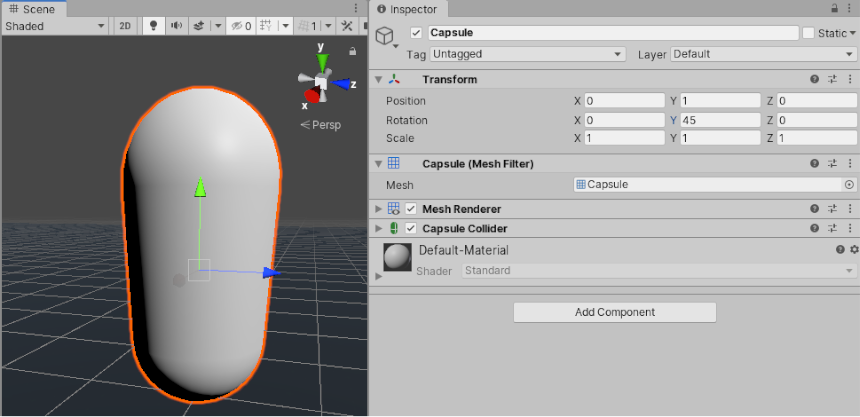
Rotations in 3D applications are usually represented in one of two ways: Quaternions or Euler angles. Each has its own uses and drawbacks. Unity uses Quaternions internally, but shows values of the equivalent Euler angles in the Inspector to make it easy for you to edit.
slender nymph
i think you are misunderstanding what that is actually saying. a quaternion can represent any rotation, they do not represent single angles. and they aren't even expressed in degrees anyway
royal elm
what does that limitation mean
slender nymph
considering you won't need to construct quaternions manually and can just use euler angles it doesn't matter. just use euler angles and convert that to a quaternion using Quaternion.Euler
 swift crag
If you animate between two Quaternions, the object won't move by more than 180 degrees
I believe that's the point.
A Quaternion won't capture a 3600 degree rotation
If you lerp between two sets of Euler angles, you can go through many full rotations
long matrix
            rb.AddForce(Vector2.right * moveX * moveSpeed * acceleration, ForceMode2D.Force);

            // Limit velocity and decelerate if no input
            rb.velocity = new Vector2(
                Mathf.Clamp(rb.velocity.x, -maxSpeed, maxSpeed),
                rb.velocity.y
            );

            if (moveX == 0f)
            {
                rb.velocity = new Vector2(
                    Mathf.MoveTowards(rb.velocity.x, 0f, deceleration * Time.fixedDeltaTime),
                    rb.velocity.y
                );
}``` this code is fine for 2d horizontal movement?thanks Fen & boxfriend I think m getting it now
thorn holly
long matrix
```// Calculate target velocity and apply horizontal force
rb.AddFor...
Looks fine to me
 worthy merlin
How do I get a randomization in C# Unity. was expecting there to be something built in but I can't find a random range function
 polar acorn
worthy merlin
How do I get a randomization in C# Unity. was expecting there to be something b...
polar acorn
worthy merlin
How do I get a randomization in C# Unity. was expecting there to be something b...
 slender nymph
can't find a random range function
it's like they didn't even bother googling that bit right there
visual hedge
public struct Blah
{
public string id;
public string name;
}
Blah blah = new();
blah = blahBlahBlahBlah;
blah.id = "blaaaaah";
blah.name = "uuuuuhhhhh";
will now blahBlahBlahBlah.id be equal to blah.id?
1 sec
I mean do I modify the source?
thorn holly
visual hedge
```cs
public struct Blah
{
public string id;
public string name;
}
```
```cs
Bla...
No
slender nymph
visual hedge
I mean do I modify the source?
no. structs are passed by copy so blah = blahBlahBlahBlah; is just assigning a copy of it to your blah variable
visual hedge
I got into some strange problem where my SO skill is getting modified by the script and it's no bueno and I am trying to debug it and find out what causes it with no success... 😦
slender nymph
you'll want to learn about the difference between Value Types (like structs) and Reference Types (like classes)
 uncut light
anyone can help me how to install bolt in unity
wintry quarry
uncut light
anyone can help me how to install bolt in unity
wouldn't it just be done from the package manager like any other asset?
slender nymph
uncut light
anyone can help me how to install bolt in unity
it's just called Visual Scripting now. and there's a whole server for it #763499475641172029
visual hedge
something I do with structs also modifies the source... dammit, broke my head already
wintry quarry
Oh also I was thinking of Photon Bolt 😆
wintry quarry
visual hedge
something I do with structs also modifies the source... dammit, broke my head al...
you'd have to show your code and explain what issue you're running into
uncut light
wintry quarry
wouldn't it just be done from the package manager like any other asset?
facing error
slender nymph
wintry quarry
Oh also I was thinking of Photon Bolt 😆
oh that's also a possibility i guess lol. i just assumed they mean the old bolt that got turned into visual scripting 🤷♂️
wintry quarry
uncut light
facing error
wdym? Show screenshot/error message?
visual hedge
wintry quarry
you'd have to show your code and explain what issue you're running into
it will be a bit too much... I will spend some time modifying the code that made it all to go sideways and we will see... if no success, will come back here.
thank you
thorn holly
slender nymph
you'll want to learn about the difference between Value Types (like structs) and...
For April fools, they should make Vector3 a class instead of a struct
wintry quarry
that might literally kill someone
visual hedge
ow wait... one question more
thorn holly
wintry quarry
that might literally kill someone
“It’s just a prank bro”
 wintry quarry
uncut light
wintry quarry
uncut light
how did you install it
That looks like this asset https://assetstore.unity.com/packages/tools/visual-scripting/bolt-enhanced-186373
which is not the normal Bolt package
uncut light
wintry quarry
how did you install it
package manager then my assets then bolt enhance
wintry quarry
uncut light
package manager then my assets then bolt enhance
Are you trying to install that
visual hedge
[System.Serializable]
public struct ActionSettings
{
    public float TrueDamage;
    public SkillType skillType;
    public List<UnitStateMachine> endTargetList;
    public int strikeCount;
    public bool canCrit;
    public bool isDodgeable;
    public bool ignoreDefense;
    public AffectedStat targetStat;
    public bool isHeal;
    public List<StatusEffectList> applyStatusEffects;
}
Basically my applyStatusEffects is getting polluted. I guess...
I guess I found the issue... here^
[System.Serializable]
public struct ActionSettings
{
    public float TrueDamage;
    public SkillType skillType;
    public List<UnitStateMachine> endTargetList = new ();
    public int strikeCount;
    public bool canCrit;
    public bool isDodgeable;
    public bool ignoreDefense;
    public AffectedStat targetStat;
    public bool isHeal;
    public List<StatusEffectList> applyStatusEffects = new ();
}
will that solve the issue? We will see in a minute
wintry quarry
or the real Bolt package
wintry quarry
visual hedge
```cs
[System.Serializable]
public struct ActionSettings
{
public float True...
what is StatusEffectList?
visual hedge
wintry quarry
what is `StatusEffectList`?
class
wintry quarry
Unlikely the thing you did will fix anything
uncut light
wintry quarry
Are you trying to install that
no i am trying to installl bolt to make games in unity using visual scripting
slender nymph
visual hedge
```cs
[System.Serializable]
public struct ActionSettings
{
public float True...
List is a reference type. so when you copy the struct it copies the reference to the List so each copy of that struct uses the same list
wintry quarry
uncut light
no i am trying to installl bolt to make games in unity using visual scripting
you installed some random asset store package
remove that
Go to Package Manager -> Unity Registry -> Visual Scripting
install that
(unless it's in your project already)
Visual Scripting is installed by default in new projects
 hexed fractal
Vector3 movementForce = ((Input.GetAxisRaw("Vertical") * transform.forward) + (Input.GetAxisRaw("Horizontal") * transform.right)).normalized * movementSpeed;
Debug.Log(movementForce);
movementForce = cameraTransform.TransformDirection(movementForce);
Debug.Log(movementForce);
rigidBody.AddForce(movementForce, ForceMode.Force);
Question. I dont understand how using the TransformDirection method magically makes you able to walk in the directions of the camera..
i just cant understand it
slender nymph
the TransformDirection method transforms the Vector3 you pass to it to be relative to the object's rotation
wintry quarry
hexed fractal
```c#
Vector3 movementForce = ((Input.GetAxisRaw("Vertical") * transform.forwar...
Imagine you ARE the camera. When you think of "right" and "forward" which ways do you look?
hexed fractal
why doesnt the description of it say that..
wintry quarry
That's what TransformDirection does
hexed fractal
wintry quarry
Imagine you ARE the camera. When you think of "right" and "forward" which ways d...
yeah but the GetAxisRaw stuff
id assume it works differently
wintry quarry
those are just numbers
that you're plugging into a vector
and treating as local space vector
you then transform that vector into world space with TransformDirection
slender nymph
hexed fractal
why doesnt the description of it say that..
it does, just using different words. Transforms direction from local space to world space.
wintry quarry
and now it's what you want
Although I will say
this code is BUSTED
Vector3 movementForce = ((Input.GetAxisRaw("Vertical") * transform.forward) + (Input.GetAxisRaw("Horizontal") * transform.right)).normalized * movementSpeed;
Debug.Log(movementForce);
movementForce = cameraTransform.TransformDirection(movementForce);```transform.forward is a WORLD SPACE vector
you are passing it into TransformDirection which expects a LOCAL SPACE vector
so this won't work properly
hexed fractal
it kinda does
wintry quarry
kinda but not really
hexed fractal
i mean
wintry quarry
instead of transform.forward you should be using Vector3.forward
hexed fractal
i dont know what its supposed to be
wintry quarry
and Vector3.right instead of transform.right
slender nymph
yeah the transformdirection call isn't necessary. also those multiplications can be removed and use AddRelativeForce instead with the local space direction