#💻┃code-beginner
1 messages · Page 247 of 1
 languid spire
 visual hedge
languid spire
it's still wrong. Why would you destroy a game object and then set it to DDOL ?
visual hedge
languid spire
it's still wrong. Why would you destroy a game object and then set it to DDOL ?
it destroys other instance if it exists
languid spire
read what I wrote
visual hedge
languid spire
read what I wrote
I mean maybe you shoudl read the code once again? 😄 Because what the code tells makes perfect sense to me
languid spire
what your code should be
       void Awake()
    {
        if (instance == null)
        {
            instance = this;
            DontDestroyOnLoad(gameObject);
        }
        else
        {
            Destroy(gameObject);
        }

    }
well yeah... okay, that looks better 🙂
I will be quite honest: this piece of code is how I saw it in one tutorial. it worked and well, made no trouble so I assumed it's liek it should be
 waxen aurora
I need help on parsing a Json array string:
Assuming this is the string I get in a SendMessage pointed from a Front End to a Unity WebGL instance
string jsonString = "[{\"title\":\"Be Effective\",\"desc\":\"\",\"name\":\"general_be_effective\",\"isCompleted\":true},{\"title\":\"Be Proactive\",\"desc\":\"3000 points\",\"name\":\"be_proactive\",\"isCompleted\":false},{\"title\":\"The End in mind\",\"desc\":\"6000 points\",\"name\":\"begin_with_the_end_in_mind\",\"isCompleted\":false},{\"title\":\"Put First Things First\",\"desc\":\"9000 points\",\"name\":\"put_first_things_first\",\"isCompleted\":false},{\"title\":\"Think Win / Win\",\"desc\":\"12000 points\",\"name\":\"think_win_win\",\"isCompleted\":false}]";
I've prepared this class to fill up with all the values stores in the json
public class TrophyData
{
public string title;
public string desc;
public string name;
public bool isCompleted;
}```
Now I usually just had a simple method like this one to parse
```public void SetDataTrophies(string jsonString)
{
TrophyData[] trophyDataArray = JsonUtility.FromJson<TrophyData[]>(jsonString);
//LOG
foreach (TrophyData data in trophyDataArray)
{
Debug.Log("Title: " + data.title);
Debug.Log("Description: " + data.desc);
Debug.Log("Name: " + data.name);
Debug.Log("Is Completed: " + data.isCompleted);
}
}```
But for some reason i now get an error on the JsonUtility.FromJson part
"ArgumentException: Return type must represent an object type. Received an array"
Can somebody help me figure out whats wrong? keen dew
As it says, JsonUtility can't deserialize arrays as the root element
 eternal needle
Cant newtonsoft do it?
keen dew
Any proper JSON library can
 candid tree
how to make a button where when we press it our player will do an animation with an example of a cooking animation, and it will be triggered by one button
 vale karma
{animator.Play("nameofanimation");
}
that should work
but thats a very hack way to do it. ud want much more than that
waxen aurora
keen dew
Any proper JSON library can
So should I integrate something?
keen dew
It would probably be a good idea in general to start using something else other than JsonUtility to read and write JSON, yes
 barren violet
visual hedge
well yeah... okay, that looks better 🙂
I will be quite honest: this piece of co...
barren violet
visual hedge
well yeah... okay, that looks better 🙂
I will be quite honest: this piece of co...
I think the way you did it was actually in the official Unity Learn pathway. But you left out the static reference to the Instance
 wintry quarry
How bout sharing the one that doesn't work and the actual error message you see?
visual hedge
wintry quarry
How bout sharing the one that doesn't work and the actual error message you see?
I guess I was tired or stupod last time I trìed doing this. I tried it once again like 40 min ago and it worked just fine. I believe it was giving errors because 2 "singletons" were attached to a single gameObject
wintry quarry
Wouldn't be a problem
candid tree
vale karma
but thats a very hack way to do it. ud want much more than that
what's that? can i know?
vale karma
ah, i may not be able to help u ther
 opal portal
is there any way to check which key is being pressed? something like Input.getKeyPressed(), im looking for it but i dont find it
visual hedge
wintry quarry
Wouldn't be a problem
Anyways, problem is gone but thanks to posting that code, well, now also my gamemanager got a bit better code 🙂
wintry quarry
opal portal
is there any way to check which key is being pressed? something like Input.getKe...
Either iterate through all keycodes or use https://docs.unity3d.com/ScriptReference/Input-inputString.html
Or switch to the new input system which has slightly better support for this

 rare basin
new input system
opal portal
oh lit that? xD
waxen aurora
keen dew
It would probably be a good idea in general to start using something else other ...
are there some libraries I can include? Sorry but I have really poor knowledge about this topic
wintry quarry
opal portal
> new input system
which new system?
The one Unity released 5-6 years ago
 nocturne parcel
waxen aurora
are there some libraries I can include? Sorry but I have really poor knowledge a...
nocturne parcel
waxen aurora
are there some libraries I can include? Sorry but I have really poor knowledge a...
Newtonsoft
 grizzled surge
Do someone know how I can make this change the text to the current number of the countdown? The countdown starts at 3 and I want it to show 3 then 2 then 1
 languid spire
i guess you would use count.ToString() rather than countDownTime as you are not changing that in the while loop
grizzled surge
I will try
 tender stag
Vector3 targetPosition;
Vector3 velocity = Vector3.zero;
transform.position = Vector3.SmoothDamp(transform.position, targetPosition, ref velocity, duration); ``` teal viper
tender stag
```public float duration = 0.5;
Vector3 targetPosition;
Vector3 velocity = Vect...
teal viper
tender stag
```public float duration = 0.5;
Vector3 targetPosition;
Vector3 velocity = Vect...
!code
 eternal falconBOT

Posting code
📃 Large Code Blocks
Use links to services like:
https://gdl.space/, https://paste.ofcode.org/, https://hatebin.com/, https://paste.myst.rs/, https://hastebin.com/
📃 Inline Code
Surround code with three backquotes. Not quotation marks.
To format as C#, add cs to the first line:
```cs
// Your code here
```
Add a comment with a line number if there is an error message.
teal viper
Also, feels like something's missing
teal viper
Here, use it wisely: `
tender stag
alright thanks
teal viper
tender stag
```public float duration = 0.5;
Vector3 targetPosition;
Vector3 velocity = Vect...
And where do you run it from?
tender stag
in update
teal viper
Is velocity a local variable?
tender stag
global
teal viper
Should be working then.
tender stag
i mean it is working
teal viper
I mean frame independent.
tender stag
its just that on lower fps its faster
tender stag
teal viper
I mean frame independent.
yeah thats not working
teal viper
It should be transitioning from source to target position in duration time.
tender stag
i can send u a video once i get on my pc of what it looks like
 cunning solar
!code
eternal falconBOT
Posting code
📃 Large Code Blocks
Use links to services like:
https://gdl.space/, https://paste.ofcode.org/, https://hatebin.com/, https://paste.myst.rs/, https://hastebin.com/
📃 Inline Code
Surround code with three backquotes. Not quotation marks.
To format as C#, add cs to the first line:
```cs
// Your code here
```
Add a comment with a line number if there is an error message.
 proven herald
Is there a clean way to detect when someone clicks outside of UI?
I'd like to make my ui close if someone clicks outside of it, some people suggest a larger image but that's not clean and wont work for world space ui
wintry quarry
proven herald
Is there a clean way to detect when someone clicks outside of UI?
I'd like to ma...
Make a Screen Space - Camera Canvas.
Set the canvas Plane Distance to ~500 or 1000
Put an Image component on it and set the alpha to 0, with the full stretch anchor preset so it covers the whole screen.
Put an EventTrigger with a PointerClick event on it (or a custom script with IPointerClickHandler)
Whenever you receive the pointer click event on this thing, it means the player clicked outside of all other UI.
tender stag
teal viper
Yeah, that would help.
alright im on my pc
give me a 2 minutes and i'll send u the video
can you see when im in full screen and the fps is like 600 its a lot slower?
and its faster when im at 100 fps in windowed
 sterile loom
Is it possible to create an animation that follows the cursor? Like the one on this video https://www.youtube.com/watch?v=DPqc7qYDtzM but not just modifying the Z rotation but rather completely triggering a different animation when mouse points somewhere else? Like say a 2.5d game, project zomboid sort of mechanic but the sprite is 2d

In this video we will learn how to Aim a Melee Weapon at mouse pointer in Unity 2D. In the later video I will show you how to perform an attack and how to create enemies to fight with.
Make a Juicy 2d Shooter course:
https://courses.sunnyvalleystudio.com/p/make-a-juicy-2d-shooter-prototype-in-unity-2020
How to get input using the new input sys...
teal viper
tender stag
can you see when im in full screen and the fps is like 600 its a lot slower?
and...
It looks like it's a bit more complex than just smooth dumping the position. Share the whole code.
tender stag
sure give me a second
waxen aurora
nocturne parcel
Newtonsoft
How can I integrate it? I dont have a reference to that lib
tender stag
i have to warn u its quite long, but your looking at line 23/27, line 86/96, line 107
https://hastebin.skyra.pw/velemezowi.pgsql
maybe its because i use same velocity for every smoothdamp?
but i dont that should be a problem since their not playing at the same time
proven herald
wintry quarry
Make a Screen Space - Camera Canvas.
Set the canvas Plane Distance to ~500 or 10...
Found something like this, and modified it a bit
public class CloseOnClickOutside : MonoBehaviour, IPointerEnterHandler, IPointerExitHandler {
    [SerializeField] private ScriptableObject toggleableUI;

    private bool _inContext = true;


    private ToggleableUI _toggleableUI;

    private void Awake() {
        _toggleableUI = GetComponent<ToggleableUI>();
    }

    void Update() {
        if (Input.GetMouseButtonDown(0) && !_inContext) {
            _toggleableUI.Hide();
        }
    }

    public void OnPointerEnter(PointerEventData eventData) {
        _inContext = true;
    }

    public void OnPointerExit(PointerEventData eventData) {
        if (!_toggleableUI.IsVisible()) return;

        _inContext = false;
    }
}```

Downside, I still gotta figure out what's wrong with it cause once the menu closes, it'll never open again, but if I can make it works it seems to be a bit less setup?Hmm... Where do you set ladderStartPositionDuration?
tender stag
teal viper
Hmm... Where do you set `ladderStartPositionDuration`?
editor

they are never changed
when playing
teal viper
tender stag
Can you debug ladderPositionVelocity and see if it's different between windowd and full screen?
tender stag
teal viper
Can you debug `ladderPositionVelocity` and see if it's different between windowd...
sure
teal viper
tender stag
sure
And debug the duration as well, while you're at it.
teal viper
yes
tender stag
the one on the left is with lower fps

im not sure if this is what you meant
but wont the velocity also be different depending on how far im away from the target position?
tender stag
tender stag
the one on the left is with lower fps
ladderStartPositionDuration is always the same
teal viper
tender stag
but wont the velocity also be different depending on how far im away from the ta...
Yes. It should.
Hmm... The velocity seems to be quite different though. Although I guess it's showing the change per frame..?🤔
tender stag
yeah
 swift crag
let me try simulating this on my end
 white void
I'm trying to make a list in Unity which only has integers, but those integers skip some numbers, e.g 1, 2, 3, 4, 6, 7, 8, 10 instead of 1, 2, 3, 4, 5, 6, 7, 8, 9, 10
Unity keeps giving me the error:
Here's my code:

 wintry quarry
white void
I'm trying to make a list in Unity which only has integers, but those integers s...
wintry quarry
white void
I'm trying to make a list in Unity which only has integers, but those integers s...
Arrays in C# have Length, not Count
also this code isn't going to give you what you want 😛
white void
wintry quarry
also this code isn't going to give you what you want 😛
Thanks, also nice to meet you again 😄
Basically defining lst here
 wintry quarry
I would do something like this:
int[] GenerateNumbers(int count) {
  int numbers = new int[count];
  int numberOfNumbersGenerated = 0;

  float chanceToSkip = 0.3f; // 30% chance to skip
  for (int i = 0; numberOfNumbersGenerated < count; i++) {
    if (Random.value < chanceToSkip) continue; // randomly skip numbers
    numbers[numberOfNumbersGenerated] = i;
  }

  return numbers;
}```ok, that's nice - again arrays use Length, not Count
int[] means array of integers
white void
wintry quarry
ok, that's nice - again arrays use Length, not Count
where does it even have count in that one
white void
I'm trying to make a list in Unity which
 vale anvil
 ivory bobcat
tender stag
i have to warn u its quite long, but your looking at `line 23/27`, `line 86/96`,...
ivory bobcat
tender stag
i have to warn u its quite long, but your looking at `line 23/27`, `line 86/96`,...
The only thing I see throwing red flags relative to delta time would be cs float ySmoothVelocity = Mathf.Lerp(rb.velocity.y, yTargetVelocity, 1 - Mathf.Pow(ladderAcceleration, Time.deltaTime * 10));where the exponential arithmetic may yield vastly different results
tender stag
thats the correct way of doing it
teal viper
tender stag
yeah
Just did a quick test, and it works the same at different frame rates
ivory bobcat
But I've no clue how your code actually operates
tender stag
teal viper
Just did a quick test, and it works the same at different frame rates
bro what
my unity is tweaking
 golden ermine
Hi guys, I made save and load script yesterday and today I changed my time on laptop cause it didnt showed it correctly and now in my game my save and load system doesnt work(more specificlly only load system, i can save but not load) and it shows this error:
 wintry quarry
golden ermine
Hi guys, I made save and load script yesterday and today I changed my time on la...
wintry quarry
golden ermine
Hi guys, I made save and load script yesterday and today I changed my time on la...
you shouldn't really be writing your save game file to the Assets folder.
It should go to Application.persistentDataPath
ivory bobcat
tender stag
thats the correct way of doing it
Delta time in smaller rates or larger rates will play a huge difference on that line.
 stuck palm
getting an error with my random object. any idea why this is?
using Random = Unity.Mathematics.Random;

public class PatientSpawner : MonoBehaviour
{
    private LevelManager _levelManager;
    public bool playerSpawned;
    public GameObject patient;
    private Random random;
    void Start()
    {
        _levelManager = FindObjectOfType<LevelManager>();
        random = new Random();
    }
 wintry quarry
stuck palm
getting an error with my random object. any idea why this is?
```cs
using Rando...
wintry quarry
stuck palm
getting an error with my random object. any idea why this is?
```cs
using Rando...
open the full stack trace
tender stag
ivory bobcat
Delta time in smaller rates or larger rates will play a huge difference on that ...
 stuck palm
wintry quarry
open the full stack trace
stuck palm
wintry quarry
open the full stack trace
float spawnTime = random.NextFloat(1f,2f);
 golden ermine
wintry quarry
you shouldn't really be writing your save game file to the Assets folder.
It sho...
golden ermine
wintry quarry
you shouldn't really be writing your save game file to the Assets folder.
It sho...
oh okay, where would that save my data
swift crag
I think smoothDamp is working fine.

These dots were created by damping from [0,0,0] to [1,0,0] with a smoothTime of 0.2f
wintry quarry
golden ermine
oh okay, where would that save my data
swift crag
I used deltaTime values of 0.001, 0.01, and 0.1 (bottom to top)
stuck palm
i dont understand the issue, ive initialised a new object
swift crag
ivory bobcat
The only thing I see throwing red flags relative to delta time would be ```cs
fl...
This code is resaonable
tender stag
so what could my issue be?
stuck palm
wintry quarry
You need to initialize Random with a seed:
https://docs.unity3d.com/Packages/com...
oh weird, i thought it did that automatically
swift crag
It gives you a framerate-independent lerp with a moving start point
wintry quarry
stuck palm
oh weird, i thought it did that automatically
Not the Unity Mathematics one. System.Random does.l
tender stag
tender stag
u can clearly see that its running faster at lower frame rate right?
its not just me
anyway i'll be right back if anyone knows what the issue might be please let me know
ivory bobcat
tender stag
Right, so notice that the blue line is significantly lower at 0.05 seconds compared to the others
wintry quarry
If duration of the animation is important I don't think SmoothDamp is going to guarantee it.
swift crag
What is your stopping condition?
tender stag
ivory bobcat
Right, so notice that the blue line is significantly lower at 0.05 seconds compa...
 swift crag
That's something I forgot to bring up last night.
stuck palm
wintry quarry
You need to initialize Random with a seed:
https://docs.unity3d.com/Packages/com...
it works now, but each instance of this object has the same seed now so every value is the same between these 4 objects
swift crag
ivory bobcat
Right, so notice that the blue line is significantly lower at 0.05 seconds compa...
well, yeah, because that's 10 frames per second
wintry quarry
stuck palm
it works now, but each instance of this object has the same seed now so every va...
give them different seeds then. Use an instance id of an object or something
ivory bobcat
tender stag
Stop showing images without posting a valid argument. The results will be the same, how they get there will vastly differ
ivory bobcat
Uncertain if it's your issue but it's the only thing relative to time that would stand out immediately with what you've shown
swift crag
ivory bobcat
Stop showing images without posting a valid argument. The results will be the sa...
tender stag
wintry quarry
If duration of the animation is important I don't think SmoothDamp is going to g...
maybe
swift crag
the page explains the point of calculating the t factor like that
tender stag
swift crag
What is your stopping condition?
when the coroutine finishes
thats when the smoothdamp finishes
stuck palm
wintry quarry
give them different seeds then. Use an instance id of an object or something
i'm using GetInstanceID, but the random values seem to be very close to each other. any idea why this might be?
 swift crag
stuck palm
i'm using GetInstanceID, but the random values seem to be very close to each oth...
swift crag
stuck palm
i'm using GetInstanceID, but the random values seem to be very close to each oth...
this could just be random luck
as long as the seeds are even slightly different, the results should be very different
teal viper
tender stag
when the coroutine finishes
I'd try to isolate that smoothdamping from all the other logic and see if that works. In my tests, there doesn't seem to be a huge difference between framerates no matter what I try, so there's definitely something wrong in your setup.
teal viper
tender stag
maybe i’ll try lerping it?
You could try, but I feel like it might have a similar issue.
swift crag
There is a noticeable difference if you have a distance threshold.

in this case, I asked it to damp towards [1, 0 ,0], but to stop if it got within 0.5 of the destination
teal viper
The point is that the time from point source point to target point wouldn't change regardless of the framerate
swift crag
it ran for 0.2 seconds with a delta time of 0.1, 0.01, and 0.001
it terminates sooner with a smaller timestep
however, i wouldn't expect this to produce more than a frame's worth of difference
One possibility is that something else is manipulating the position of the player.
ivory bobcat
swift crag
https://unity.huh.how/lerp/wrong-lerp
You're missing my point
tender stag
swift crag
One possibility is that something else is manipulating the position of the playe...
i can try turning some stuff off
and seeing if that changes anything
teal viper
I'd try turning all of it off and only leave smoothdamping in update.
ivory bobcat
Unless the values are being altered elsewhere the issue likely lies with something else.
tender stag
i've turned everything i possibly could of and its still happening
ivory bobcat
Maybe just log the smooth damp value with the others off. It should be consistent.
swift crag
ivory bobcat
You're missing my point
I must be, since the entire point of that page is to explain why calculating the t factor that way gives you consistent behavior across different frame rates.
yes, the blue line is lower than the others at 0.05 seconds; this is because the blue line respresents a framerate of 10
there is no frame at 0.05 seconds at all, so it's not surprising that the blue line is below the other lines (which do have frames in that period)
 hazy crypt
Hey guys, looking for some advice rather than a problem to fix.
I have a coroutine that waits 1 second when my player leaves the ground, then allows them to rocket boost upwards. I’ve tried initialising the coroutine from inside the Update method but it runs my coroutine every frame, whereas I just want it to run once. I can’t seem to find an appropriate method when looking at the monobehaviour docs. Can someone give me an idea of how to go about this?
wintry quarry
hazy crypt
Hey guys, looking for some advice rather than a problem to fix.
I have a corout...
use a bool variable and an if statement
ivory bobcat
swift crag
yes, the blue line is lower than the others at 0.05 seconds; this is because the...
Right. I'm uncertain of the original issue but I'm assuming it's to do with the transition rather than the result (assuming low and high rates arrive at the ladder at the specified time but interpolated differently - extreme example: cubic vs sine)
swift crag
ivory bobcat
Right. I'm uncertain of the original issue but I'm assuming it's to do with the ...
Yes, and this method gives you the most accurate transition possible.
hazy crypt
wintry quarry
use a bool variable and an `if` statement
I’m not sure I understand mate, I’m already using a bool value to see if the player is grounded. This works fine, but for when it is false, update method calls the coroutine every frame rather than just once. How would I ensure that I only call the coroutine once?
swift crag
It doesn't matter what your framerate is; if you have a frame at at time t, it will exactly fit the curve you'd get from an infinitesimally small timestep
wintry quarry
hazy crypt
I’m not sure I understand mate, I’m already using a bool value to see if the pla...
use another bool to track if you already started your coroutine
hazy crypt
I SEE
if (not on ground && coroutine not already started)
That’s makes sense
Thanks so much
Dumb brain moment
ivory bobcat
swift crag
It doesn't matter what your framerate is; if you have a frame at at time `t`, it...
I'm assuming both arrived at the ladder at the same time (did not time it, on mobile) but that there were variances in the stepping
On second look, the lower frame rate looks genuinely quicker. Maybe log how quickly each finished?
ivory bobcat
swift crag
the exponential calculation is correct.
Just to be clear, nobody said it wasn't. I've only pointed out that it would be the only place where they're using delta time that could cause interpolation to differ in rate - assuming smoothness was the issue and not how quickly it was completing.
swift crag
I see.
I did notice that it's a bit moot, though, since that's in the "Climbing" state
ivory bobcat
Yeah, assumed smooth damp couldn't possibly be incorrect unless used incorrectly then scanned the code and thought interpolation (smoothness) was the issue rather than one being actually quicker than the other.
eternal falconBOT
💡 IDE Configuration
If your IDE is not autocompleting code
or underlining errors, please configure it.
Select one:
• Visual Studio (Installed via Unity Hub)
• Visual Studio (Installed manually)
• VS Code
• JetBrains Rider
• Other/None
tender stag
ivory bobcat
On second look, the lower frame rate looks genuinely quicker. Maybe log how quic...
the higher fps one doesnt even have enough time to finish
ivory bobcat
tender stag
the higher fps one doesnt even have enough time to finish
Why not? Do you no longer call the line?
tender stag
tender stag
the stage finishes
like getting onto the ladder stage
ivory bobcat
Got to open a browser real quick
teal viper
tender stag
the coroutine finishes
Maybe the issue is with the coroutine then, and not the SmoothDamp. You should log how far the smoothdamping gets before changing to the next state.
ivory bobcat
How are you controlling frame rates?
teal viper
That's why I suggested isolating it entirely.
ivory bobcat
If you're modifying the time, maybe yield relative to real time
tender stag
ivory bobcat
How are you controlling frame rates?
Application.targetFrameRate = -1;
Application.targetFrameRate = 20;
tender stag
teal viper
That's why I suggested isolating it entirely.
yeah im gonna do that once i get home
cause i have to go out
ivory bobcat
tender stag
which causes the smoothdamp to stop
So if anything, you've determined that the coroutine is stopping prematurely
tender stag
or the smoothdamp isnt fast enought because of framerate
ivory bobcat
Pretty certain that unless you're simply skipping calls to it, it should behave as expected.
 loud python
hey anyone know why the SpawnInventorySlot method is not correctly acquiring the InventoryItem gameobject? And yes it is assigned in the field of the inspector. Here is the code https://paste.ofcode.org/YxXE9qQDCmkpsKKfkiE92p
 polar acorn
loud python
hey anyone know why the SpawnInventorySlot method is not correctly acquiring the...
polar acorn
loud python
hey anyone know why the SpawnInventorySlot method is not correctly acquiring the...
Are you getting an error
loud python
polar acorn
Are you getting an error
I am not. PS here is where im calling the method https://paste.ofcode.org/A33cjg7qHxjB6efFedqFrh
 ebon robin
I have a base class called EnemyController which has a variable called EnemyData. SlimeController extends EnemyController and I want SlimeData to also extend EnemyData. How do I do that?
loud python
in the instance of inventorymanager
 queen adder
Have you checked if any of those items were null?
polar acorn
loud python
I am not. PS here is where im calling the method https://paste.ofcode.org/A33cjg...
So what is the issue you're having? What are you expecting to happen versus what is actually happening
polar acorn
ebon robin
I have a base class called EnemyController which has a variable called EnemyData...
Make a class SlimeData that extends EnemyData
queen adder
If your if statements aren't running and ur not getting a error then one of the if statements null check is actually null
loud python
polar acorn
So what is the issue you're having? What are you expecting to happen versus what...
im expecting the InventorySlot prefab that is assigned in the insepctor to instantiate in the ItemContent reference that is also signed in the inspector
polar acorn
loud python
im expecting the InventorySlot prefab that is assigned in the insepctor to insta...
Okay and what is happening
ebon robin
polar acorn
Make a class `SlimeData` that extends `EnemyData`
but how to override EnemyData with SlimeData in SlimeController so I could use SlimeData methods?
polar acorn
ebon robin
but how to override EnemyData with SlimeData in SlimeController so I could use S...
You wouldn't. If you need to use methods unique to the slime data class then you need to have a reference of type slime data
Why would you have methods unique to this data type though?
loud python
polar acorn
Okay and what _is_ happening
When I assigned the Onclick in the field of the inspector for the button, and I click the button the Inventory.instance.SpawnInventorySlot should spawn in the instance in the itemcontent..but it seems that its just not instantaiting at all.
Inventorymanager.instance.spawnInventoryslot*
ivory bobcat
ivory bobcat
Pretty certain that unless you're simply skipping calls to it, it should behave ...
Where it'll take you from one value to the other within the respected time provided you give it a non modified velocity variable and large enough max speed @tender stag
queen adder
Check if the null checks are actually null inside of the SpawnInventory Method
 faint sluice
loud python
When I assigned the Onclick in the field of the inspector for the button, and I ...
faint sluice
loud python
When I assigned the Onclick in the field of the inspector for the button, and I ...
Where does the debugs stop?
polar acorn
loud python
When I assigned the Onclick in the field of the inspector for the button, and I ...
Okay, so, what function does the button call?
loud python
woops a bit long sorry
the butto ncalls the InventoryManager.instance.SpawnInventorySlot basically
queen adder
loud python
hey anyone know why the SpawnInventorySlot method is not correctly acquiring the...
Wait which method is wrong then?
polar acorn
loud python
the butto ncalls the InventoryManager.instance.SpawnInventorySlot basically
What do your logs look like
queen adder
Now I'm confused
So does it get called via a unity event? What was the method you just posted
loud python
It gets called with a UI button
polar acorn
So it looks like none of these else conditions where you log a warning are being run, but it could also mean that literally nothing is being called at all
So put some logs in the case where things "work" instead of only for errors
queen adder
loud python
It gets called with a UI button
Buttons use unity events just a fyi
polar acorn
Log things like inventoryItems when you get them
Make sure they're what you expect them to be
loud python
polar acorn
So it looks like none of these else conditions where you log a warning are being...
okay hmm...im thinking it is a problem with the SpawnInventorySlot method but I am searching... and it looks like it all checks out...
faint sluice
loud python
okay hmm...im thinking it is a problem with the SpawnInventorySlot method but I ...
Just put the logs on expected paths like digiholic is suggesting...
ebon robin
oh yes why didn't I just do new SlimeData data
loud python
faint sluice
Just put the logs on expected paths like digiholic is suggesting...
okay will do
I put this "Debug.LogWarning("InventorySlotSpawned!");" after I call InventoryManager.Instance.SpawnInventorySlot and I get the log in the debug when I trigger the event, but still not InventorySlot Instantiation https://paste.ofcode.org/yUFhYUWTZqde4ugxpqKWb9
 scarlet sierra
Can anyone suggest me a best source or course to Begin my C# Code Journey ? Thank you
 rich adder
scarlet sierra
Can anyone suggest me a best source or course to Begin my C# Code Journey ? Than...
rich adder
scarlet sierra
Can anyone suggest me a best source or course to Begin my C# Code Journey ? Than...

Learn C# in your browser, and get started with your own development environment
scarlet sierra
rich adder
https://learn.microsoft.com/en-us/dotnet/csharp/tour-of-csharp/tutorials/
Thank You Brother
queen adder
Well there's no Instantiate() call som I'm guessing it's inside the InventoryItemController.AddItem() method?
loud python
I think im figureing out the problem here...im trying to call the additem from the Slot that hasn't been instantiated yet in the SpawnInventoryItemSlot prefab....
loud python
queen adder
Well there's no Instantiate() call som I'm guessing it's inside the InventoryIte...
yes
So I need to create another additemToInv method I think
will tell if this is it.
scarlet sierra
!cs
eternal falconBOT
Join the C# Discord server, a programming server aimed at coders discussing everything related to C# (CSharp) and .NET. https://discord.com/invite/csharp
hazy crypt
hello all
Im new to coroutines and Id like a hand working out why my coroutine isnt ending early
IEnumerator RocketBoost(float boostTime, float waitTime)
    {
        rocketBoostRoutineStarted = true;
        Debug.Log("coroutine started");

        if(ColliderEvents.playerGrounded == false)
        {
            yield return new WaitForSeconds(waitTime);
            Debug.Log("waittime over");
        }
        else
        {
            rocketBoostRoutineStarted = false;
            Debug.Log("Landed before boost");
            yield break;
        }

    }
Heres the script
rich adder
hazy crypt
Heres the script
show how you try end early
hazy crypt
my script is above
rich adder
hazy crypt
my script is above
nothing here would stop the WaitForSeconds
hazy crypt
I see
i thought that when the else statement was true, it would end the whole coroutine
rich adder
well yeah It wont wait, are you sure the bool is true?
 rocky canyon
it would
hazy crypt
Well Im still getting the WaitForSeconds debug.log after the player hits the ground
rocky canyon
then ur bool isnt what u believe it is
rich adder
hazy crypt
Well Im still getting the WaitForSeconds debug.log after the player hits the gro...
then you already hit the first if statement
therefore second else statement is not ran
hazy crypt
rich adder
then you already hit the first if statement
I see
Okay so how would I stop the WaitForSeconds
rich adder
You would need to store it in a Coroutine then stop that
Coroutine theBoost;
theBoost = StartCoroutine(etc..
if(someCondition)
StopCoroutine(theBoost)
rocky canyon
^ you'd need to do something like that
hazy crypt
Where would I need to place that in the code
rocky canyon
step outside the coroutine (for managing the coroutine)
hazy crypt
Inside the If statement?
rich adder
hazy crypt
Where would I need to place that in the code
well there are 3 seperate parts
rocky canyon
no. not if the if is inside the coroutine
rich adder
first you declare the variable inside the class, outside the methods basically
rocky canyon
listen up students.. the teachers talking
rich adder
then whenever you call StartCoroutine
replace it with myroutine = StartCoroutine
oh and put StopCoroutine in a separate method you call whenever
rich adder
rocky canyon
listen up students.. the teachers talking
where's the paddle!
rich adder
np . come back if something breaks :p
rocky canyon
rich adder
then whenever you call StartCoroutine
replace it with `myroutine = StartCorouti...
then u can stop the coroutine w/ ur if conditional elsewhere. perhaps in the update. like (if ur coroutine is running.. and this conditional ends up being false.. stop that coroutine (now that u have a reference to it) @hazy crypt
hazy crypt
Im not sure I completely understand but Im gonna have a go and see if I can work things out
If I still dont get it ill come back
Dont want to go in circles and waste your time
rich adder
hazy crypt
Im not sure I completely understand but Im gonna have a go and see if I can work...
which part are you confused on?
hazy crypt
I think im not understanding exactly how coroutines are executed and written, the order seems to be different to writing other things like methods which Im more familiar with
        //rocket boost
        if (ColliderEvents.playerGrounded == false && rocketBoostRoutineStarted == false)
        {
            StartCoroutine(RocketBoost(1f, waitTimeBeforeBoost));
            Debug.Log("start boost coroutine");
        }

        if (ColliderEvents.playerGrounded == true)
        {
            StopCoroutine(RocketBoost(1f, waitTimeBeforeBoost));
            Debug.Log("stop boost coroutine");
            rocketBoostRoutineStarted = false;
        }
once you call a coroutine it runs.. and its over
rich adder
because youre not storing the same coroutine
rocky canyon
you have to create a reference to a coroutine and use that reference to call stop on it
so it know which coroutine to stop
hazy crypt
Okay, and I can declare it at the top of the script
rich adder
thats why we do theCoroutine = StartCoroutine
StartCoroutine returns a Coroutine object
hazy crypt
do i need to declare the object type like with variables
 halcyon geyser
var
rich adder
private Coroutine myCoroutine
rich adder
halcyon geyser
*var*
you cannot use var at class level
rocky canyon
if (ColliderEvents.playerGrounded == false && rocketBoostRoutineStarted == false)
{
    rocketBoostCoroutine = StartCoroutine(RocketBoost(1f, waitTimeBeforeBoost));
    Debug.Log("start boost coroutine");
}

if (ColliderEvents.playerGrounded == true)
{
    if (rocketBoostCoroutine != null)
    {
        StopCoroutine(rocketBoostCoroutine);
        Debug.Log("stop boost coroutine");
        rocketBoostRoutineStarted = false;
    }
}```private Coroutine rocketBoost;
private void Awake()
{
rocketBoost = StartCoroutine(RocketBoost(1f, waitTimeBeforeBoost));
}
Now I have this
rocky canyon
that'll run the coroutine on the first frame.. is that something u want?
rich adder
rocky canyon
```cs
if (ColliderEvents.playerGrounded == false && rocketBoostRoutineStarted ==...
basically this
forgot does stopping set it to null or you have to explicitly say so ?
rocky canyon
it may not work.. but its the gist of it
hazy crypt
rocky canyon
that'll run the coroutine on the first frame.. is that something u want?
No, I want to reference the corouitne
Ill try again hold up
rich adder
thats what rocketBoostCoroutine is for
you just need to declare it (which you have in snippet you sent)
hazy crypt
Oh I see, sorry I didnt see your code
It had already scrolled by
Ill implemetn now
thanks
rocky canyon
 // Store the IEnumerator without starting it
rocketBoost = RocketBoost(1f, waitTimeBeforeBoost);```Yeah that makes sense
rocky canyon
StartCoroutine(rocketBoost); // start it when needed```if you send an entire class, use a link
rocky canyon
i think thats how it works
 pseudo ermine
rich adder
if you send an entire class, use a link
pseudo ermine
rich adder
if you send an entire class, use a link
oops, my bad. want me to do that?
rich adder
pseudo ermine
oops, my bad. want me to do that?
yes !code
eternal falconBOT
Posting code
📃 Large Code Blocks
Use links to services like:
https://gdl.space/, https://paste.ofcode.org/, https://hatebin.com/, https://paste.myst.rs/, https://hastebin.com/
📃 Inline Code
Surround code with three backquotes. Not quotation marks.
To format as C#, add cs to the first line:
```cs
// Your code here
```
Add a comment with a line number if there is an error message.
rocky canyon
damnit
pseudo ermine
Hey Hey! How can I make it so the player has to be within a certian field of view before it moves to the player?
rich adder
maybe deleet the old eye sore?
hazy crypt
@rocky canyon It works perfectly, thank you a million times over!
pseudo ermine
rich adder
maybe deleet the old eye sore?
I already did?
rocky canyon
hazy crypt
<@317141358894645248> It works perfectly, thank you a million times over!
no prob 👍 thank @rich adder as well
hazy crypt
@rich adder Thanks mate!
rich adder
np 🙂
hazy crypt
❤️
rich adder
pseudo ermine
Hey Hey! How can I make it so the player has to be within a certian field of vie...
I usually use a Dot product for that
pseudo ermine
rich adder
I usually use a Dot product for that
wdum?
rocky canyon
magic math stuff..
rich adder
good video example :
https://www.youtube.com/watch?v=xlnkTEyAx7Q

Download the Source - https://game.courses/dot/
Determine if an object or character is in front of another, seen by it, or behind it in Unity3D with this simple 2 line c# script. Discover the power of Vector3.Dot and how to use it in a few seconds to make your AI better.
Architecture Course - https://game.courses/architecture/
Become a Member ...
rich adder
rocky canyon
magic math stuff..
these functions really are godsent lol Aint no way i knew how to make dot product just by writing it out
rocky canyon
if i remember correctly i use Dot product for this mechanic
same principal.. i could just offset it.. to have a 180 degree in front
rocky canyon
rich adder
these functions really are godsent lol Aint no way i knew how to make dot produc...
i honest hate using them.
confuses me if im modest
BUT your absolutely right.. it'd be ten-fold as tedious if they didnt exist
rich adder
all the Mathf functions too 😮
rocky canyon
Mathf is probably my favorite
rich adder
soo much goodies inside
rocky canyon
ive never looked inside the full thing.. my brain might explode 🤯
rich adder
all the stuff i hated doing in school now comes back to haunt me lol https://docs.unity3d.com/ScriptReference/Mathf.html
rocky canyon
here we go.. let me shield my computer
what sucks is for me to vizualize alot of this stuff i have to make examples
rocky canyon
lol,, how many comments do u want?
- yes

im just giving them grief.. b/c honestly im glad they're there
❤️ ya Unity Staff 🙂
@rich adder is there any other special classes that worth peeking at? imma book mark a few of em
rich adder
rocky canyon
<@968604165150507078> is there any other special classes that worth peeking at? ...
so many! depends what context :p
various random utilities I found interesting like
https://docs.unity3d.com/ScriptReference/ColorUtility.html
(its the simple stuff sometimes ) 😛
rocky canyon
yea, forget i asked.. theres just too many... all of em are really interesting
Color, Vector3, etc
Yea, lmao, RIGHT! im looking at Color atm
jeez Quaternion.. 👀 i'll forget I opened that one
it gives you a new appreciation of how important game engines are to the layman's of the world
wait im confused.. wheres Random.Range?

does partial have something to do.. is there more pieces of this elsewhere?
languid spire
Random is a partial class, there are bits of it all over the place
rocky canyon
ahh, that makes sense.. soo u can have multiple static classes?
in different pieces?
wintry quarry
it's one class, just written across multiple files
rocky canyon
languid spire
Random is a partial class, there are bits of it all over the place
omg, thats super interesting..
ive never knew
languid spire
partial classes are super cool
wintry quarry
rocky canyon
and the compiler will just put them together?
(in the abstract sense) that i can call w/e function that corresponds
wild bro..
what is the partial part called?
languid spire
rocky canyon
and the compiler will just put them together?
yes, as long as all the bits go into the same .dll, you cannot split a partial class across dll's unfortunately
rocky canyon
ohh thats outside my skillset anyway (for now)
swift crag
partial is very useful for code generation purposes
rocky canyon
languid spire
yes, as long as all the bits go into the same .dll, you cannot split a partial c...
what you mean by unfortunately? what usefulness am I missing?
swift crag
along with the interesting @identifier syntax
rocky canyon
swift crag
`partial` is very useful for code generation purposes
whats the partial bit called?
swift crag
which lets you use anything you want as a identifier, including keywords
it's a keyword
i'm not sure if there's anything more specific to asy
 tall delta
rocky canyon
whats the `partial` bit called?
tall delta
rocky canyon
whats the `partial` bit called?
keyword modifier
rocky canyon
oh okay.. was just curious so i could loook up other things similar
b/c i really do find that interesting..
languid spire
well say you had a .dll for Unity and a .dll for Windows and a .dll shared by both, it would be nice to have a partial class in all 3
rocky canyon
ohh okay.. yea that makes sense
swift crag
the class needs to be fully defined before you can compile it, hence that not being possible
rocky canyon
tall delta
keyword modifier
i actually dont much about them other than
protection level type and name
not even sure what static is.. tbh and thats sad
i know what it does obv.. but not what its called
rich adder
static modifier ?
wintry quarry
rocky canyon
soo maybe *another* keyword modifier lol
rich adder
was just about to send this..lol
 rocky canyon
wintry quarry
https://learn.microsoft.com/en-us/dotnet/csharp/language-reference/keywords/
rocky canyon
wintry quarry
https://learn.microsoft.com/en-us/dotnet/csharp/language-reference/keywords/
the real MVP today
rich adder
if you look at docs on the left side, they got all the good stuff
tall delta
rocky canyon
i actually dont much about them other than
`protection level` `type` and `name`
a small thing most people don't know is that adding the 'sealed' class modifier will actually create a faster and more optimized version of the class. so that actually has compile implications, something public, private, abstract etc, etc, does not have.
swift crag
don't you still have to resolve virtual sealed methods, since there could still be several targets (any class you inherit from that also has that virtual method)?
or is the improvement somewhere else
tall delta
swift crag
don't you still have to resolve virtual sealed methods, since there could still ...
'virtual sealed' does not make any sense, because sealed means that you can't inherit from that class
rocky canyon
rich adder
if you look at docs on the left side, they got all the good stuff
can u elaborate.. where at?
swift crag
tall delta
'virtual sealed' does not make any sense, because sealed means that you can't in...
I mean a virtual method you override from a parent class.
rocky canyon
In the following example, Z inherits from Y but Z cannot override the virtual function F that is declared in X and sealed in Y.
makes me feel dumb when i read stuff like this 😢
swift crag
public class Parent
{
    public virtual void Foo() { }
}

public sealed class Child : Parent
{
    public override void Foo()
    {
        base.Foo();
    }
}
e.g.
swift crag
tall delta
a small thing most people don't know is that adding the 'sealed' class modifier ...
I'm just curious about what's "faster" when a class is sealed
rich adder
rocky canyon
can u elaborate.. where at?
all these goodies!
honestly their docs is solid af
 ivory bobcat
rocky canyon
makes me feel dumb when i read stuff like this 😢
ivory bobcat
rocky canyon
makes me feel dumb when i read stuff like this 😢
You'd seal it if you aren't wanting any other class to override the member - this class has already override a virtual or abstract member and thus sealed this from any other class along the chain.
swift crag
rocky canyon
```In the following example, Z inherits from Y but Z cannot override the virtual...
A sealed member forbids any derived class from using override with it
rocky canyon
When a class is sealed in C#, it means that the class cannot be inherited, and no other class can derive from it. This restriction can lead to certain performance optimizations by the compiler and runtime. Here's a brief explanation with a code example:
// Sealed class
public sealed class SealedClass
{
    public int Calculate(int a, int b)
    {
        // Perform some calculation
        return a + b;
    }
}

// Inheritance example with a non-sealed class
public class BaseClass
{
    public virtual int Calculate(int a, int b)
    {
        // Perform some calculation
        return a + b;
    }
}

public class DerivedClass : BaseClass
{
    // This class can be further inherited
    // Additional functionality can be added
}
chatgpt explanation 😄
In terms of speed or performance, sealing a class can potentially enable certain compiler optimizations because the compiler knows that there are no derived classes to consider. However, the impact on performance is usually negligible in most scenarios.
tall delta
swift crag
I'm just curious about what's "faster" when a class is sealed
tbh I don't remember the nuances, I just internalized that the IL code will be different when using 'sealed'. and in a normal .NET jit application it's then able to optimize in ways it can't with 'normal' classes. but using mono or IL2CPP might yield different results in a unity context.
rocky canyon
often minimal he says
swift crag
Note: The sealed modifier is primarily used to prevent unintended derivation, but it also enables certain run-time optimizations. In particular, because a sealed class is known to never have any derived classes, it is possible to transform virtual function member invocations on sealed class instances into non-virtual invocations. end note
from the spec
that makes sense
rocky canyon
swift crag
A `sealed` member forbids any derived class from using `override` with it
ya, see makes me feel dumb.. b/c i wouldn't know or be able to set up any system that I could forseeably need anything like that..
swift crag
the C# specification is the place to look for the really fine details
since it..you know, fully specifies C#
rocky canyon
but to all the advanced coders out there.. im assuming its helpful.. so with purpose i suppose
swift crag
swift crag
```cs
public class Parent
{
public virtual void Foo() { }
}
public sealed c...
If your compile time type is Child, you positively know that the runtime type is also going to be Child
So you can turn that into a non-virtual call
ivory bobcat
rocky canyon
but to all the advanced coders out there.. im assuming its helpful.. so with pur...
Mainly for explicitness in constraint
rocky canyon
rich adder
all these goodies!
honestly their docs is solid af
oh i thought u meant in the extracted unity class repo
ya.. i been reading over the docs more and more often..
ivory bobcat
And the optimization if you care
rocky canyon
where its applicable ofc..
rich adder
rocky canyon
ya.. i been reading over the docs more and more often..
yes feels way less robotic than it used to be back in the day when I tried getting into early MSDN
tall delta
anyways, that was my hot-tip, every class that can be sealed, should be sealed. gotta save cycles wherever you can! 😆
rocky canyon
all good!.. happy for everyone that chimed in
i didn't mean to start an avalanche
what i've learned.. programming languages are way way more involved than a beginner can even perceive
languid spire
not all of them, just the good ones
rocky canyon
im balls deep in the new input system atm

i needed a break.. lol
using a Radio controller and ran into issues..
theres deadzones programmed into the Firmware of the radio.. soo I get values from .-72 -> + .72 and trying to figure out how to deal with it
magic numbers suck cs private float NormalizeInput(float inputValue) { // Map the inputValue from the range (-0.72 to 0.72) to (0 to 1) var zeroToOne = Mathf.InverseLerp(-0.72f,0.72f,inputValue); return zeroToOne; } but that's the best i know to do..
imo The solution is to have a Calibration prompt before hand..
that can register the top most and lower most values and use them in code
 brave compass
rocky canyon
im balls deep in the new input system atm
brave compass
rocky canyon
im balls deep in the new input system atm
Yaw Pitch Roll can be one Vector3 input. Maybe also a, b, c, d, not sure what they represent.
rocky canyon
brave compass
Yaw Pitch Roll can be one Vector3 input. Maybe also a, b, c, d, not sure what th...
even if its 4 actually inputs?
wintry quarry
rocky canyon
magic numbers suck ```cs
private float NormalizeInput(float inputValue)
...
Couldn't you use the Deadzone processor instead? https://docs.unity3d.com/Packages/com.unity.inputsystem@1.0/manual/Processors.html#axis-deadzone
rocky canyon
wintry quarry
Couldn't you use the Deadzone processor instead? https://docs.unity3d.com/Packag...
didn;t know this existed 👀
i tried to change it in the input system.. but i couldnt get it to work correctly
ivory bobcat
rocky canyon
theres deadzones programmed into the Firmware of the radio.. soo I get values fr...
Divide the values by 0.72 and you ought to get values in the range (-1, 1)
brave compass
wintry quarry
Couldn't you use the Deadzone processor instead? https://docs.unity3d.com/Packag...
You mean the Normalize processor?
rocky canyon
brave compass
Yaw Pitch Roll can be one Vector3 input. Maybe also a, b, c, d, not sure what th...
they're toggles on the radio
wintry quarry
brave compass
You mean the Normalize processor?
nah then they'd only get 0 or 1
rocky canyon
brave compass
You mean the Normalize processor?
when i normalized the inputs i still got the -.7 - +.7 but it coulda been user error tbh
wintry quarry
rocky canyon
the throttle still feels bad tbh.. the values seem to skip alot of numbers
brave compass
wintry quarry
nah then they'd only get 0 or 1
Not according to one of the examples in the doc.
// Normalize 2 against a [1..5] range. Returns 0.25.
NormalizeProcessor.Normalize(2, 1, 5, 1)
Deadzone just means it will stay zero until you've moved the stick past the deadzone.
swift crag
the names are a bit misleading
rocky canyon
ohh yea, thats not what i need then
wintry quarry
interesting
swift crag
Normalize is a remap
wintry quarry
I see
swift crag
Normalize Vector 2 is a normalization
I guess that "Normalize Float" would be...very pointless
public float MyEpicFloatNormalizer(float input) => 1f;
ya, it didnt do anything from my perspective
brave compass
rocky canyon
when i normalized the inputs i still got the -.7 - +.7 but it coulda been user e...
Did you set the min/max to -0.72 and 0.72?
rocky canyon
im using floats b/c the control surfaces are actually split

its not 1 input. but 2 inputs combined.
but i did think about trying to use vector2
rocky canyon
brave compass
Did you set the min/max to `-0.72` and `0.72`?
damnit..
i did not 🤦♂️
this is the first time using new input system..
brave compass
rocky canyon
im using floats b/c the control surfaces are actually split
That feels like an implementation detail that your game doesn't need to know about. But if the goal is to only support this specific controller, then I guess you can do it this way.
rocky canyon
brave compass
That feels like an implementation detail that your game doesn't need to know abo...
i haven't figured out how to use different inputs quiet yet
swift crag
You can make a composite Vector2 action out of two float controls
rocky canyon
i'd like to be able to use a gamepad as well..
im just using this controller.. b/c im trying to make a FPV drone simulator.. and it fits well
since its an RC radio
swift crag
oops, I was mistaken; I was thinking of making a Vector2 action out of four controls
 rocky canyon
but yea, for it to be useful to anyone besides me.. i need find a way to support both RC radios, and Gampads (PS4-5) (Xbox)
i got alot of learning for the new input system tho..
i've fallen behind
every tutorial i watch is 100% different.. i can't find uniformity in any of em
    [SerializeField] private RadioControls radioControls;```
```cs
 private void Awake()
    {
        // create new radioControls
        radioControls = new RadioControls();

        // set input actions
        thrust = radioControls.Base.Thrust;
        yaw = radioControls.Base.Yaw;
        pitch = radioControls.Base.Pitch;
        roll = radioControls.Base.Roll;
this is the way I settled on
 quasi steeple
SOs and gameobject script
swift crag
rocky canyon
every tutorial i watch is 100% different.. i can't find uniformity in **any** of...
There are a number of different ways to get input.
rocky canyon
sooo no one right way i suppose
swift crag
These pages describe the different ways.
rocky canyon
thanks i'll give it a look
swift crag
rocky canyon
```cs
[SerializeField] private RadioControls radioControls;```
```cs
privat...
You're using the "Generate C# Class" option here.
rocky canyon
yessir
rocky canyon
swift crag
You're using the "Generate C# Class" option here.
i gathered this was the better way
than to use the component
swift crag
It's convenient, yeah. It's very similar to using InputActionReference
you just reference members of the generated class instead of assigning things in the inspector
both of them give you access to InputActions
rocky canyon
but not sure its the way i need to go.. since i want to support different radio's.. theres 100s of radios.. so i think i need a calibration scene..
that can grab any input from any style radio and map them to the correct axis'
thrust, yaw, pitch, and roll
swift crag
I haven't gotten into rebinding yet.
rocky canyon
ya, im probably over extending myself.
but what bettter way to learn than to jump in the deep end i suppose
#restoftheowl
 safe root
!code
eternal falconBOT
Posting code
📃 Large Code Blocks
Use links to services like:
https://gdl.space/, https://paste.ofcode.org/, https://hatebin.com/, https://paste.myst.rs/, https://hastebin.com/
📃 Inline Code
Surround code with three backquotes. Not quotation marks.
To format as C#, add cs to the first line:
```cs
// Your code here
```
Add a comment with a line number if there is an error message.
safe root
https://gdl.space/evenurovey.cpp
So i'm making a 2D game and i've gotten the movement down but now my dash just doesn't add the the rigidbody force or at least very rarely and it doesn't move. I need to have it dash but it isn't doing it.
wintry quarry
safe root
https://gdl.space/evenurovey.cpp
So i'm making a 2D game and i've gotten the mo...
You're doing this every single frame: rb.velocity = new Vector2(horizontalInput * moveSpeed, rb.velocity.y);
where in that code do you suppose a dash would have time to happen?
safe root
wintry quarry
where in that code do you suppose a dash would have time to happen?
I did have chatGPT help so that may explain it but the dash should happen in the IEnumerator Dash
wintry quarry
safe root
I did have chatGPT help so that may explain it but the dash should happen in the...
You're going to need to do some of your own thinking about the code soon
Again, think about it. You're setting the horizontal velocity every single frame
directly setting it
to an exact number
safe root
wintry quarry
You're going to need to do some of your own thinking about the code soon
I know, trust me. I understand code but not to make it. I fail my test cause of creating it.
wintry quarry
how do you suppose a dash that should happen over multiple frames could possibly work in that context?
rocky canyon
hey, add this dash force to the velocity!
nope, imma set the velocity to What I want!
fine then! 😦
 warm condor
Hey guys, so right now, I am programing my animations by playing them through code in vs. The problem is that I want to play a certain animation before another animation when a player hits a button, but I don't know how to do that. For example, before playing the running animation, there is an acceleration animation to be played before hand. Here is my code so far:
https://hastebin.com/share/ahewoyojop.csharp
Hastebin is a free web-based pastebin service for storing and sharing text and code snippets with anyone. Get started now.
rocky canyon
Declliration eh?
warm condor
rocky canyon
`Declliration` eh?
yea sorry for the spelling errors
rocky canyon
lol no prob..
 sterile moon
is there a way to transform.rotate.up?
rocky canyon
you can play ur acceleration animation.. and then check when its finished to play the next animation
warm condor
how do I check when an animation has finished playing?
rocky canyon
sterile moon
is there a way to transform.rotate.up?
transform.forward = Vector3.up;
rocky canyon
warm condor
how do I check when an animation has finished playing?
(!myAnimation.isPlaying)
or myAnimation.isPlaying == false
warm condor
ohh ok that is very helpful
rocky canyon
as long as its not looping it'll finish
wintry quarry
sterile moon
is there a way to transform.rotate.up?
What exactly do you want to accomplish with this line of code?
sterile moon
I'm trying to make cointrollable hydraulics for my vehicle (not fancy hydraulics, but like work hydraulics, for the tow truck chassis)
I am really stuck on this part of it and could honestly use someone to help me hash the details out in code. I understand the code, but I feel like some of what I need to do is beyond my knowledge of the 3D world space
@wintry quarry
rocky canyon
sterile moon
I'm trying to make cointrollable hydraulics for my vehicle (not fancy hydraulics...
https://www.youtube.com/watch?v=HIeRuyRL22A i made an excavator using hinge joints

Recreating a hydraulic system I used on an early project of mine, where I built a physics driven excavator in Unity.
wintry quarry
sterile moon
I am really stuck on this part of it and could honestly use someone to help me h...
but what are you actually trying to do with that line of code
sterile moon
Move a fucking arm up and down
wintry quarry
I don't see what transform.rotate.up has to do with hydraulics
are you wanting it to be physically realistic?
sterile moon
or in and out, depending on the arm. But it all has to be in coorelation to eachother
wintry quarry
move things in local space would be my suggestion
rocky canyon
muahah
sterile moon
At the moment I dont care, I just want the damn thing to move within realistic constraints
 raw kindle
Hello, I have a question regarding on how I can make stiff joint between object in a way that they dont start stretching
wintry quarry
sterile moon
At the moment I dont care, I just want the damn thing to move within realistic c...
just setting localPosition to some desired value and clamping will do it
if you want physical realism look into ArticulationBody and Prismatic Joint
rocky canyon
@rich adder let it be known i can't control an actual excavator, lmao
sterile moon
so what did you use to make the arm portions move on button pressed held @rocky canyon ?
rocky canyon
i moved the anchor point of the hinge joints that i used to connect the arm pieces
sterile moon
Right now I just have my arm pieces, and I have their origin points set to their pivot locations, everything moves how I want it to manually, I just cant get it to all move properly in code. The up and down arms move fine, but the slider arm does not
rich adder
rocky canyon
<@968604165150507078> let it be known i can't control an actual excavator, lmao
oh dang you did the hard part first ? lol
rocky canyon
you keep the connector anchor point where it is.. and change the anchor point of the hinge joint..
warm condor
rocky canyon
`(!myAnimation.isPlaying)`
it looks like I am having an error
 rocky canyon
that will pull the connected arm towards the center of the gameobject ur using to contain the hingepoint
rich adder
warm condor
it looks like I am having an error
string doesn't have method/property called isPlaying
rocky canyon
warm condor
it looks like I am having an error
ur trying to see if a string is playing
strings dont play
animation clips do
playerAnimation.idle.isPlaying
not sure why ur converting it to a string
warm condor
but I am trying to refrence the name of the animation right?
rocky canyon
rich adder
oh dang you did the hard part first ? lol
im a physics lover.. i know how they function... but can't control one worth a flip
rocky canyon
warm condor
but I am trying to refrence the name of the animation right?
no u reference the actual animation clip..
u may in ur code need to use a string for w/e reason.. but asking if it isPlaying is not one of those reasons
rich adder
rocky canyon
im a physics lover.. i know how they function... but can't control one worth a f...
yeah that part gets diffcult, esp when you start adding suspensions n junk
rocky canyon
rocky canyon
i have an entire video showing how i did it
https://github.com/SpawnCampGames/Excavator-Physics
oh snap, i actually have the entire unitypackage available
warm condor
ok then how do I get access to the clip so that I can use the function?
rich adder
what type is playerAnimation and idle
rocky canyon
@rich adder in case u missed it https://hastebin.com/share/ahewoyojop.csharp
Hastebin is a free web-based pastebin service for storing and sharing text and code snippets with anyone. Get started now.
warm condor
playerAbunation is an enum, and idle is the animation within the enum
rocky canyon
they are Enums 🤔 ?
warm condor
yea
rocky canyon
soo ur using a enum just for the string? (name of the clip) ?
rich adder
warm condor
playerAbunation is an enum, and idle is the animation within the enum
so idle would not have a bool in it
warm condor
no
warm condor
rocky canyon
soo ur using a enum just for the string? (name of the clip) ?
yea, I find it much easier to do so
rocky canyon
until u need to access the actual clip Lol
rocky canyon
he wants to play a clip (acceleration) before he plays a walk/run animation..
i suggested he use isPlaying.. so he can know when the clip finishes before calling the next animation..
but i wasn't aware of his setup
rich adder
oh that makes sense then
you can just have the clip have Exit time no?
this way it has to finish before going to next state
 silk night
I dont have all the context, but you can always use animation triggers
sterile moon
@rocky canyon That looks like the behavior I am wanting, minus the actual slider pistons, I think because I don't have the additional slider pistons the design you have is a little more advanced that I need
rocky canyon
i dont know why people don't use the animator more often..
its like everyone hard codes the animations..
i dont get it
rich adder
yeah I almost use blend tree for anything
rocky canyon
sterile moon
<@317141358894645248> That looks like the behavior I am wanting, minus the actua...
that may be true.. it was an experiment to see how realistic i could make the arms move..
(mimicing actual hydraulics)
it may not be best suited for what ur doing
silk night
I recently discovered the animator for UI stuff, before always used DoTween 😄
rocky canyon
can you share code/ video of what u have so far? so we have some context to work off of? @sterile moon
rich adder
tweens are more flexible / can be changed realtime
rocky canyon
silk night
I recently discovered the animator for UI stuff, before always used DoTween 😄
i've always been told not to use animator on UI.. b/c it has to redraw it every time u do
so i specifically use tween for it..
rich adder
and that
rocky canyon
idk know 😄
sterile moon
What I have right now is 2 primary arm pieces that need to move up and down, a third arm piece that needs to slide in and out, a fourth part that needs to tilt left and right, a 5th part that needs to swing two parts open and closed, sounds easy right
rocky canyon
sure
lmao
for a system like that.. make sure u know the difference between local space and global space
its really important when moving pieces around like that
warm condor
rich adder
you can just have the clip have Exit time no?
but aren't there really any other way to get access to the animation clip? Cause I thought that you do that by using their names.
sterile moon
 silk night
rocky canyon
i've always been told not to use animator on UI.. b/c it has to redraw it every ...
silk night
rocky canyon
i've always been told not to use animator on UI.. b/c it has to redraw it every ...
Oh i thought they fixed that
rich adder
warm condor
but aren't there really any other way to get access to the animation clip? Cause...
I showed you how
rocky canyon
sterile moon
if u want it to be simulated.. u can just rotate the pieces w/ code
rich adder
you mean the clip from animator that is playing?
sterile moon
 warm condor
rich adder
you mean the clip from animator that is playing?
warm condor
rich adder
you mean the clip from animator that is playing?
yes
rich adder
or use IK
sterile moon
 rocky canyon
wouldnt it be this piece that rotate
 rocky canyon
AnimationClip animationClip = playerAnimator.runtimeAnimatorController.animationClips
.FirstOrDefault(clip => clip.name == animationClipName);``` i found this crazy ass code warm condor
rich adder
https://docs.unity3d.com/ScriptReference/Animator.GetCurrentAnimatorStateInfo.ht...
warm condor
rich adder
https://docs.unity3d.com/ScriptReference/Animator.GetCurrentAnimatorStateInfo.ht...
oh shoot, I didn't see that
rocky canyon
sterile moon
and they are all connected with parent/child objects or physics joints?
sterile moon
Partent child connected so they all move and stay connected like I want them for now
rocky canyon
ohh soo if they are connected using the hiearchy u can just use translation to rotate them
sterile moon
I have the arms up down movement working, minus clamping
rocky canyon
transform. -> rotate
sterile moon
Yeah been there, BUT the issue is I have is when going to the slider portion
rocky canyon
can u share the !code for the part that u working on?
eternal falconBOT
Posting code
📃 Large Code Blocks
Use links to services like:
https://gdl.space/, https://paste.ofcode.org/, https://hatebin.com/, https://paste.myst.rs/, https://hastebin.com/
📃 Inline Code
Surround code with three backquotes. Not quotation marks.
To format as C#, add cs to the first line:
```cs
// Your code here
```
Add a comment with a line number if there is an error message.
sterile moon
That third picture DOES NOT rotate. It needs to slide in and out going in and out of the second arm no matter what position the second arm is in. No one has seemed to get that part yet to be able to help me
Current code involved with moving, key binds are just all over the place for testing
Nope, next imasge after that needs to slide. The part that you have there is what it needs to slide in and out of
warm condor
rich adder
https://docs.unity3d.com/ScriptReference/Animator.GetCurrentAnimatorStateInfo.ht...
ok I got it, so it should look like that for what I want, right?
}```This guy slides

in and out of this guy, no matter what angular position this is at

Im apparently making a porno, don't mind me
rocky canyon
ok i think i understand now
soo.. the 2nd image rotates up and down.. and u want the first image to slide in and out.. no matter the rotation
sterile moon
Exactly
silk night
this whole setup screams IK
rocky canyon
phew, lmao
rocky canyon
silk night
this whole setup screams IK
yup, thats a good way to do it.. im a physics junkie.. so i like to use hinge joints and manipute the anchor points..
(gives it a real jerky realistic feel)
but an arcade feeling might work for this guy
sterile moon
I would really love, and honestly would pay for you to help me get it going, physics would be ideal, but id settle for arcade right now just as proof of concept
rocky canyon
with an IK system u could rotate the very end point (the bucket) and all the other things would just work
rich adder
warm condor
ok I got it, so it should look like that for what I want, right?
``` if (...
you tried it?
sterile moon
Thing is though they all need to be controlled individually
rocky canyon
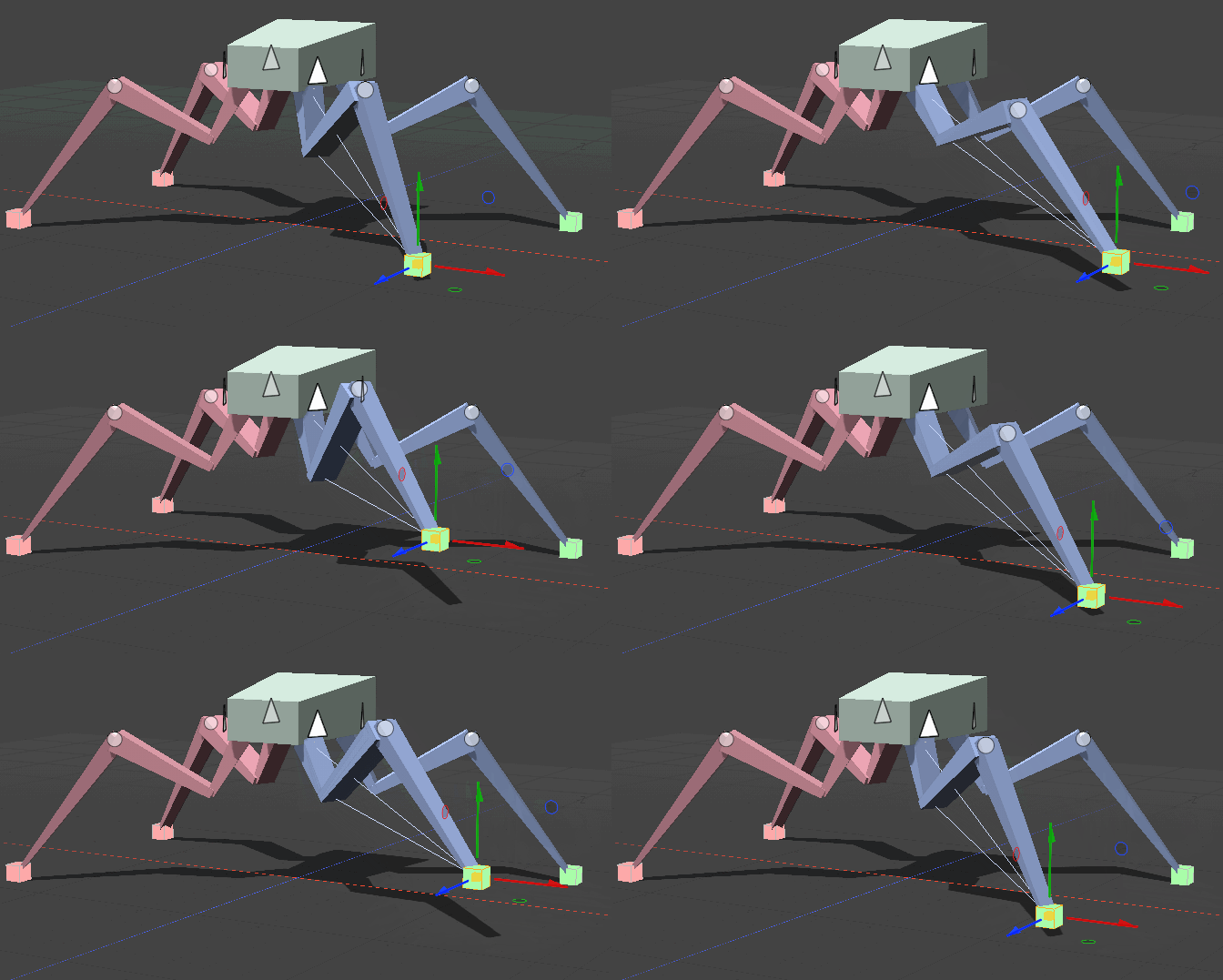 sterile moon
On a real tow rig, each piece of manipulated through its own lever
rocky canyon
true true
tender stag
@swift crag @teal viper im back now
sterile moon
I was thinking of learning IK for this too, but that does movement in relation for all objects
tender stag
i still havent figured it out, any ideas?
rocky canyon
i think ur setup is good
warm condor
rich adder
you tried it?
yea... the if statement returns true immediately
rocky canyon
but u really should be using transform.localPosition on alot of these pieces
the ones that are parented to other pieces
warm condor
warm condor
yea... the if statement returns true immediately
it does not return true when the animation finishes
rocky canyon
weird
rich adder
warm condor
it does not return true when the animation finishes
just use animation events
prob be easier to deal with
 shadow rain
hi, sorry too bother but I'm making a medieval game and I just want to get an idea on how to count up hits until it reaches a certain number and then an animation will play. Could anyone tell me how to do so if not somewhat of an idea will do just fine. Thank you
rocky canyon
rich adder
prob be easier to deal with
^ this is probably ur best bet.. it would require u to redo some of ur script.. but it would be better inthe long run
sterile moon
rocky canyon
^ this is probably ur best bet.. it would require u to redo some of ur script.. ...
me?
rich adder
shadow rain
hi, sorry too bother but I'm making a medieval game and I just want to get an id...
int hits;
public void IncreaseHits(){
hits++;
}
Debug.Log(hits)```the guy with the animation clip problem
sterile moon
ahh
shadow rain
rich adder
```cs
int hits;
public void IncreaseHits(){
hits++;
}
Debug.Log(hits)```
ty
rocky canyon
public int maxHits = 5;
private int currentHits = 0;

void OnHit()
{
    currentHits++;
    if (currentHits >= maxHits)
    {
        PlayAnimation();
        currentHits = 0; // to reset
    }
}```So, how would I use localPosition in this plan, as I dont see a way to access localPosition.rotation.y
shadow rain
also would i make another paramater like an int one?
warm condor
rich adder
just use animation events
hmmm, alr ill try to learn it
rocky canyon
sterile moon
So, how would I use localPosition in this plan, as I dont see a way to access lo...
localRotation
theres transform.position and transform.localPosition, same with rotation, transform.rotation and transform.localRotation
rich adder
shadow rain
also would i make another paramater like an int one?
you just declare them
access modifier - variable type - variable name
eg
private string helloWorld = "Hello World";
shadow rain
ok ty ty
sterile moon
And I would just use transform.Rotate to actuate the move right?
rocky canyon
rich adder
you just declare them
`access modifier - variable type - variable name`
eg
`pri...
i need this tattoo'd on my forehead.. so i can just facetime all these guys.. it'd be so much easier
rocky canyon
sterile moon
And I would just use transform.Rotate to actuate the move right?
to actuate a rotation yes
for a move it'd be position
rich adder
rocky canyon
i need this tattoo'd on my forehead.. so i can just facetime all these guys.. it...
go hard or go home!
rocky canyon
face tats are trendy
rocky canyon
sterile moon
And I would just use transform.Rotate to actuate the move right?
how much time have u spent learning unity?
polar acorn
sterile moon
And I would just use transform.Rotate to actuate the move right?
Why would .Rotate cause something to move
polar acorn
But the lure isn't the thing that's rotating
rocky canyon
thats y i asked how much learning he's done.. it seems he's confusing some basic principals
.position, .rotate.. very very crucial things
sterile moon
Im good with the code, and I'm good with the 3D world, thjis is my first time really mixing the two hardcore outside of just theoretical principals
rocky canyon
well, thats fine.. ur bound to run into issues.. this is the troubleshooting stage..
try changing some things to local space..
it would make ur functionallity very differently
sterile moon
Way ahead of you, already switching all parented arm objects to local
rocky canyon
cool cool, just do that and test.. and see what happens
then re-iterate and try again
sterile moon
transform up is z axis right
rocky canyon
transform.up is the local Y axis of that object
depends on whether its rotated or not
Y axis
Z is forward
X = left right, Y = up and down, Z = forward and backward
 sterile moon
And here in is where my problem lays I think, I have no clear axis for mvoement for the slider it seems
swift crag
X is red, Y is green, Z is blue
 tender stag
@swift crag @teal viper the first smoothdamp runs at unlimited fps and the second runs at 15
u can see how the times of how long the smoothdamp took to finish
the one with lower fps was faster
rocky canyon
tender stag
<@118467312197042182> <@209684227720085505> the first smoothdamp runs at unlimit...
i just want to congratulate you.. ur progress has been epic
rocky canyon
no im serious
tender stag
thanks man
rocky canyon
constantly progressing.. and learning new things all the time
tender stag
if i could only figure out why smoothdamp is so fps dependant
rocky canyon
multiply it with time.deltaTime
 barren vapor
rocky canyon
barren vapor
rocky canyon
dang, my hand had a cramp while trying to do that
rocky canyon
barren vapor
dang, my hand had a cramp while trying to do that
it took me way too long to find the correct hand gesture..
tender stag
 rocky canyon
soo many different axis's in different software
rocky canyon
tender stag
and it passes in Time.deltaTime by default
then why is it frame dependent then?
rocky canyon
lol.. u got me entriqued as well.. imma do some testing.. standby
tender stag
we've been trying to figure this out like half of the day
 sharp wyvern
tender stag
for others it isnt
sharp wyvern
tender stag
for others it isnt
points towards one of your params... like velocity... you sure that per second and not per frame?
 meager steeple
how do i make a slider be saved? for my volume slider, the volume itself is saved but the value of the slider isnt
rocky canyon
you have to reset it onload
tender stag
sharp wyvern
points towards one of your params... like velocity... you sure that per second ...
yeah
rocky canyon
meager steeple
how do i make a slider be saved? for my volume slider, the volume itself is save...
just do it manually using the value u saved
meager steeple
so what you set value of slider = volume ?
faint sluice
meager steeple
so what you set value of slider = volume ?
If your sliders min max values are 0-1 yes
sharp wyvern
meager steeple
so what you set value of slider = volume ?
you'll save the value using whatever method you like, then when the game starts you load that value and assign it to the slider.value .. this is a commonly used class for that kinda stuff: https://docs.unity3d.com/ScriptReference/PlayerPrefs.html
meager steeple
sharp wyvern
you'll save the value using whatever method you like, then when the game starts ...
problem is that it doesnt save when you switch scenes not even if you close the game
tender stag
sharp wyvern
points towards one of your params... like velocity... you sure that per second ...
im actually tweakin
im making a new project
newer unity version
just to see if it might be that
which i know it wont
sharp wyvern
meager steeple
problem is that it doesnt save when you switch scenes not even if you close the ...
thats what that class I linked is for
meager steeple
👍
rocky canyon
you can use additive loading to always have ur sliders loaded.. or u can initialize them each load
sharp wyvern
tender stag
just to see if it might be that
which i know it wont
ya, doubt that'll change it.. I'd try a simple test class first.. make sure it ACTUALLY works the way you expect (via lotsa debug.log's), with known/less variable inputs. Then start addin' in the variable inputs till you find the culprit.
rocky canyon
meager steeple
👍
//exit from settings option
public void UpdateGameSettings()
{
// Get the GameSettings from the GameManager
CurrentSettingsMemory gameSettings = GameManager.x.Settings_Memory;
gameSettings.musicVolume = (int)(musicSlider.value * 100);
gameSettings.sfxVolume = (int)(sfxSlider.value * 100);
gameSettings.mouseSensitivityX = MouseSensXSlider.value;
gameSettings.mouseSensitivityY = MouseSensYSlider.value;
if(invertYToggle.isOn)
{
gameSettings.invertY = true;
}
else
{
gameSettings.invertY = false;
}
gameSettings.qualityLvl = (QualityLevel)GraphicQualityPreset_DropDown.value;
gameSettings.fieldOfView = (int)fovSlider.value;
gameSettings.shakeIntensity = (int)(ScreenShakeUI.screenShakeSlider.value * 100);
UpdateVisuals();
SaveSettings();
}``` tender stag
sharp wyvern
ya, doubt that'll change it.. I'd try a simple test class first.. make sure it...
tender stag
sharp wyvern
ya, doubt that'll change it.. I'd try a simple test class first.. make sure it...
i already did that
rocky canyon
i run UpdateGameSettings anytime a new scene is loaded.. using a Json file.. but u could also use playerprefs as Glurth has mentioned
tender stag
tender stag
<@118467312197042182> <@209684227720085505> the first smoothdamp runs at unlimit...
right here
i disabled the movement script
and everything else
 silver timber
@tender stag do you have any code you could share?
rocky canyon
yea exactly..
tender stag
rocky canyon
i wanna rob, inspect it
tender stag
tender stag
https://discord.com/channels/489222168727519232/497874004401586176/1216746039630...
u can read from this down
what we've been trying
pretty much everything
rocky canyon
oh hell nah, imma write a simple version
🤣 i was gonna copy and paste and see if i can see what ur seeing
tender stag
lmao
 rocky canyon
translations? then
shadow rain
kinda like this?


 tender stag
rocky canyon
soo ur saying smoothdamp is frame dependent
tender stag
rocky canyon
soo ur saying smoothdamp is frame dependent
take a look at this #💻┃code-beginner message
rocky canyon
alright.. imma write me a simple cube movement script.. and a frame limiter.. brb
sharp wyvern
tender stag
right here
to figure out whats going on, I'd try more debug logs.. e.g. output of the velocity each frame, along with deltaT?
tender stag
silver timber
tender stag
take a look at this https://discord.com/channels/489222168727519232/497874004401...
What is calling HandleLaddering()?
Also instead of doing all that angle math have you considered just using Mathf.SmoothDampAngle? Then you can just damp between yRotation and yTargetRot
rocky canyon
why is my stuff Yellow all of a sudden?
 tender stag
silver timber
What is calling `HandleLaddering()`?
Also instead of doing all that angle math h...
tender stag
silver timber
What is calling `HandleLaddering()`?
Also instead of doing all that angle math h...
HandleLaddering is in update
i might consider just using lerp at this point
tender stag
tender stag
but i just wanna know why this is happening
its not gonna let me sleep otherwise
meager steeple
sharp wyvern
you'll save the value using whatever method you like, then when the game starts ...
{
    private const string FullscreenPrefsKey = "IsFullscreen";

    void Start()
    {
        // Load the saved fullscreen mode setting or default to true
        bool isFullscreen = PlayerPrefs.GetInt(FullscreenPrefsKey, 1) == 1;
        SetFullscreen(isFullscreen);
    }

    public void SetFullscreen(bool isFullscreen)
    {
        Screen.fullScreen = isFullscreen;
        Debug.Log("Toggled Fullscreen");

        // Save the current fullscreen mode setting
        PlayerPrefs.SetInt(FullscreenPrefsKey, isFullscreen ? 1 : 0);
        PlayerPrefs.Save();
    }
}```
i have that alreadyso i just do that for the slider too?
sharp wyvern
yep.. preety much all the same cept this one line Screen.fullScreen = isFullscreen; (and names, ofc)
meager steeple
what do i set the value to be at the start? 1?
rocky canyon
tender stag
but i just wanna know why this is happening
seems to work fine for me
same distance travelled..
    void Update()
    {
        // calculate target position
        float targetX = initialX + Mathf.PingPong(Time.time * moveSpeed,moveDistance * 2) - moveDistance;
        // damp the smoooth
        float smoothX = Mathf.SmoothDamp(transform.position.x,targetX,ref velocity.x,smoothTime);
        // make it move
        transform.position = new Vector3(smoothX,transform.position.y,transform.position.z);
}```Same for SmoothDampAngle
public class SmoothDampTest : MonoBehaviour
{
    public float timeStep = 1f / 60f;
    public float smoothTime = 3f;
    [Range(0f, 360f)]
    public int targetAngle = 0;
    private float _angularVelocity;
    private Vector3 _eulerAngles;
    private IEnumerator Start()
    {
        _eulerAngles = transform.eulerAngles;

        while (true)
        {
            yield return new WaitForSeconds(timeStep);

            _eulerAngles.x = Mathf.SmoothDampAngle
            (
                current: _eulerAngles.x,
                target: targetAngle,
                currentVelocity: ref _angularVelocity,
                smoothTime: smoothTime,
                maxSpeed: float.MaxValue,
                deltaTime: timeStep
            );
            transform.eulerAngles = _eulerAngles;
        }
    }
}
right so when i change my scenes, and the full screen toggle is un loaded, when i go back and open the options menu again, it changes itself back to full screen
public class ToggleFullscreen : MonoBehaviour
{
private const string FullscreenPrefsKey = "IsFullscreen";
public UnityEngine.UI.Toggle Toggle;
private void Awake()
{
if (PlayerPrefs.GetInt("ToggleSelected") == 0)
{
Toggle.isOn = true;
}
else
{
Toggle.isOn = false;
}
// Load the saved fullscreen mode setting or default to true
bool isFullscreen = PlayerPrefs.GetInt(FullscreenPrefsKey, 1) == 1;
SetFullscreen(isFullscreen);
}
public void SetFullscreen(bool isFullscreen)
{
Screen.fullScreen = isFullscreen;
Debug.Log("Toggled Fullscreen");
// Save the current fullscreen mode setting
PlayerPrefs.SetInt(FullscreenPrefsKey, isFullscreen ? 1 : 0);
PlayerPrefs.SetInt("ToggleSelected", 0);
PlayerPrefs.Save();
}
}```
its like its just not saving sage mirage
Hey, guys! I am currently making best score and best time on my game. They will be appeared at the main menu scene. I have a round manager class where I have all of this functionality. Now the problem is that I have that round manager class attached to my game object called round manager in Main game scene. How can I move that class inside my main menu scene in order to update my best score and best time because I have only attached my game objects in Main Game to my round manager class component.
 dapper egret
silver timber
Same for SmoothDampAngle
```cs
public class SmoothDampTest : MonoBehaviour
{
...
dapper egret
silver timber
Same for SmoothDampAngle
```cs
public class SmoothDampTest : MonoBehaviour
{
...
Interesting now i see lerping and smooth damp in a different light,where did you learn the ins and outs of all the lerping stuff,i only find amateur ways of doing lerp and not the right way
sage mirage
rocky canyon
silver timber
Same for SmoothDampAngle
```cs
public class SmoothDampTest : MonoBehaviour
{
...
thats some crazy syntax
rocky canyon
dapper egret
Interesting now i see lerping and smooth damp in a different light,where did you...
have u checked out https://gamedevbeginner.com/the-right-way-to-lerp-in-unity-with-examples/
silver timber
dapper egret
Interesting now i see lerping and smooth damp in a different light,where did you...
This is another good resource https://youtu.be/yGhfUcPjXuE?list=PLrWlVANGG-ij06UCpfdxQ-LBclsWUDLt-
Not specifically about lerp vs smoothdamp, but goes into detail about time steps and interpolation

DeltaTime. This video is all about that mysterious variable that oh so many game developers seem to struggle with. How to use DeltaTime correclty? I got the answers and hope this video will help to deepen your understanding about how to make frame rate independent video games.
0:00 - Intro
0:34 - Creating The Illusion of Motion
1:11 - Simple Li...
 hollow forum
everytime i log on to vscode to do some programming for unity, vscode does not recognise any of the unity methods e.g. Physics.Raycast()
can i have some help?
silver timber
rocky canyon
thats some crazy syntax
haha the named arguments?
rocky canyon
silver timber
haha the named arguments?
i literally have no idea whats going on 😄
rocky canyon
hollow forum
everytime i log on to vscode to do some programming for unity, vscode does not r...
!ide
eternal falconBOT
💡 IDE Configuration
If your IDE is not autocompleting code
or underlining errors, please configure it.
Select one:
• Visual Studio (Installed via Unity Hub)
• Visual Studio (Installed manually)
• VS Code
• JetBrains Rider
• Other/None
rocky canyon
configure it and it will
 short hazel
The args are in order so named arguments are technically not needed, but it's useful if you have a method that takes a lot of them, or want to explicitly show what each parameter does
rocky canyon
silver timber
Same for SmoothDampAngle
```cs
public class SmoothDampTest : MonoBehaviour
{
...
wait, is that the same thing as SmoothDamp(x,y,z,t);
meager steeple
meager steeple
```cs
public class ToggleFullscreen : MonoBehaviour
{
private const string F...
↑↑
silver timber
rocky canyon
wait, is that the same thing as SmoothDamp(x,y,z,t);
It's SmoothDampAngle which is meant for animating angles. Just this method signature https://docs.unity3d.com/ScriptReference/Mathf.SmoothDampAngle.html#:~:text=public static float SmoothDampAngle(float current%2C float target%2C ref float currentVelocity%2C float smoothTime%2C float maxSpeed %3D Mathf.Infinity%2C float deltaTime %3D Time.deltaTime)%3B
rocky canyon
ahhh, ive never seen that before..
short hazel
rocky canyon
just x: bla y: bla
Yes you do that if you want to pass the arguments in another order (but why would you do that), or if there are optional arguments you want to skip, eg. raycast mask without distance: Raycast(origin, direction, layerMask: mask)
rocky canyon
pretty cool
rocky canyon
meager steeple
↑↑
i didn't ignore ya, i just don't see the issue
silver timber
rocky canyon
i literally have no idea whats going on 😄
haha yea i think it's a lot easier to read. it's explicitly showing how my variables map to the method arguments. I don't do it this way all the time, but it's helpful for methods with lots of args, or methods where it's not immediately clear what youre passing without reading the source of the method
meager steeple
rocky canyon
i didn't ignore ya, i just don't see the issue
so it should be working?
short hazel
Most code editors (Visual Studio and Rider included) will have an option to show argument names inline
Disabled by default, I have them enabled for var and lambda argument types
rocky canyon
silver timber
haha yea i think it's a lot easier to read. it's explicitly showing how my varia...
i rely on tooltips

but cool to know that exists
silver timber
Yea I have it disabled as well since I don't always want to see arg names
rocky canyon
ya, can make ur code pretty chunky
rocky canyon
meager steeple
so it should be working?
imo it should.. can you debug it.. or visually inspect it..
i've never used playerprefs tho, im a JSON fan boi.. but idk
meager steeple
rocky canyon
imo it should.. can you debug it.. or visually inspect it..
honestly as long as it looks right thats fine for me
its for a school project so i dont necessarily need it to be working since they dont see it
rocky canyon
lol.. what?! as long as its working should be ur go-to
rocky canyon
meager steeple
its for a school project so i dont necessarily need it to be working since they ...
classic
makes up cited sources for research paper
what does yellow signify? i cant find anything on google
 shadow rain
hello, how would I make a gameobject disapear without destroying it?
wintry quarry
shadow rain
hello, how would I make a gameobject disapear without destroying it?
deactivate it
meager steeple
shadow rain
hello, how would I make a gameobject disapear without destroying it?
GameObject.SetActive(false)
shadow rain
okedoke ty ty
wintry quarry
or disable its renderer
rocky canyon
MeshRenderer.enabled = false
short hazel
rocky canyon
what does yellow signify? i cant find anything on google
You are infected. Please respect a quarantine period, or the end of symptoms, whichever comes first.
Idk, seems like a theme thing? Is it taking your Windows accent color now? I haven't started the 2022 version in a while
rocky canyon
its usually blue..
shadow rain
tyty
rocky canyon
nah, my theme is brown
no clue.. i'll figure it out..
or i wont.. regardless lol

tf i figured it out...
i never changed it tho.. oh well
short hazel
Ahh neat that explains it
rocky canyon
yea.. i feel dumb
short hazel
I don't have the option so looks like it's from a recent update. By default mine are only outlined blue
hollow forum
I just tried to instantiate a new Vector3 but apparently it is an ambiguous reference between unity vector3 and System numerics Vector 3. Any help?
short hazel
hollow forum
I just tried to instantiate a new Vector3 but apparently it is an ambiguous refe...
Remove the using System.Numerics; at the top, it also provides a Vector3 so your compiler cannot guess which one you want, Unity's or Numeric's?
wintry quarry
hollow forum
I just tried to instantiate a new Vector3 but apparently it is an ambiguous refe...
Why do you have using System.Numerics;?
if you don't have a good reason for it, remove it
hollow forum
why is it even there
 river roost
probably an auto add
river roost
yes
wintry quarry
you weren't paying close attention and added it from an auto suggestion
hollow forum
oh ok
wintry quarry
hollow forum
just unity engine?
you can use whatever you want but you most likely want UnityEngine.Vector3
hollow forum
ill make sure to check
short hazel
river roost
probably an auto add
Yep Quick Actions, or if using VS22 it's added automatically if you select the wrong element of the completion list
rocky canyon
hollow forum
just unity engine?
to start out yes, as u add things u might need more..
like UnityEngine.UI, or System.Collections, etc
hollow forum
yea im a beginner so im not really sure
shadow rain
Ive used this channel so much today lol but! my particles are spawning when the game starts and not when the enemy dies could someone help perchance?
wintry quarry
shadow rain
Ive used this channel so much today lol but! my particles are spawning when the ...
How did you set things up to try to make them spawn the an enemy dies?
It's going to be as easy or hard to run as you make it.
shadow rain
wintry quarry
How did you set things up to try to make them spawn the an enemy dies?
like this

if thats what u mean
wintry quarry
shadow rain
like this
ok and where do you call OnHit from?
shadow rain
 wintry quarry
Ok so is this running when the game starts? Use Debug.Log to find out
if it's not, then the particles are coming from elsewhere at the start of the game
probably you left an object with the particle system on it in the scene with Play on Awake
shadow rain
is that it?:/
 wintry quarry
that just grabs a reference to the Particle System
shadow rain
ok ok
wintry quarry
and saves it in a variable
shadow rain
sry but where should i put debug.log?
wintry quarry
OnTriggerEnter and/or OnHit
shadow rain
 tender stag
rocky canyon
seems to work fine for me
tender stag
rocky canyon
seems to work fine for me
thats weird
wintry quarry
shadow rain
You need to actually write a message to log
tender stag
silver timber
Same for SmoothDampAngle
```cs
public class SmoothDampTest : MonoBehaviour
{
...
why the hell is it slower for me
wintry quarry
Do you have an actual question?
tender stag
tender stag
why the hell is it slower for me
slower and faster
depending on framerate
shadow rain
wintry quarry
You need to actually write a message to log
like what sry (Im thick)
wintry quarry
shadow rain
like what sry (Im thick)
just something you will notice
like "OnTriggerEnter was called" @shadow rain
Use !learn
eternal falconBOT
:teacher: Unity Learn ↗
Over 750 hours of free live and on-demand learning content for all levels of experience!
:teacher: Unity Learn ↗
Over 750 hours of free live and on-demand learning content for all levels of experience!
wintry quarry
as for people to work for free, that's called slavery
and it's outlawed in most places
shadow rain
 wintry quarry
shadow rain
wintry quarry
shadow rain
yes you don't need to show a screenshot every time you write some code
now run your game and see if that is running or not
shadow rain
im just gonna change smth
how would i reference the skinned messh renerer?
!code Slime.SkinnedMeshRenderer?
eternal falconBOT
Posting code
📃 Large Code Blocks
Use links to services like:
https://gdl.space/, https://paste.ofcode.org/, https://hatebin.com/, https://paste.myst.rs/, https://hastebin.com/
📃 Inline Code
Surround code with three backquotes. Not quotation marks.
To format as C#, add cs to the first line:
```cs
// Your code here
```
Add a comment with a line number if there is an error message.
wintry quarry
shadow rain
how would i reference the skinned messh renerer?
Same way you reference ANY component in Unity
wintry quarry
make a serialized field and drag and drop it in, or use GetComponent or whatever
shadow rain
ok so
it does work at the end
so i was right
kinda
BUT i disabled the whole slime instead of the renderer causing the particle system to be disabled too!
the only problem still is that that particles still play at the beginning
AND BOOM FIXED!
play on awake ❌
this is great!
 tawdry rock
Hi. how can i put a decal where a gameobject touches another gameobject surface?
ivory bobcat
tawdry rock
Hi. how can i put a decal where a gameobject touches another gameobject surface?
This is the coding channel, maybe try asking in #💻┃unity-talk
 wise oyster
Why are UI elements not showing up if I enable them in a certain scene? They appear and disappear in another but not in this scene :(
 ivory bobcat
Not related to code but I'd suggest pausing and viewing the object from the Editor scene view - assuming that's the game view window.
wintry quarry
wise oyster
Why are UI elements not showing up if I enable them in a certain scene? They app...
Maybe they're not in the right place
ivory bobcat
It may be doing what it's supposed to be but simply.. what he said 

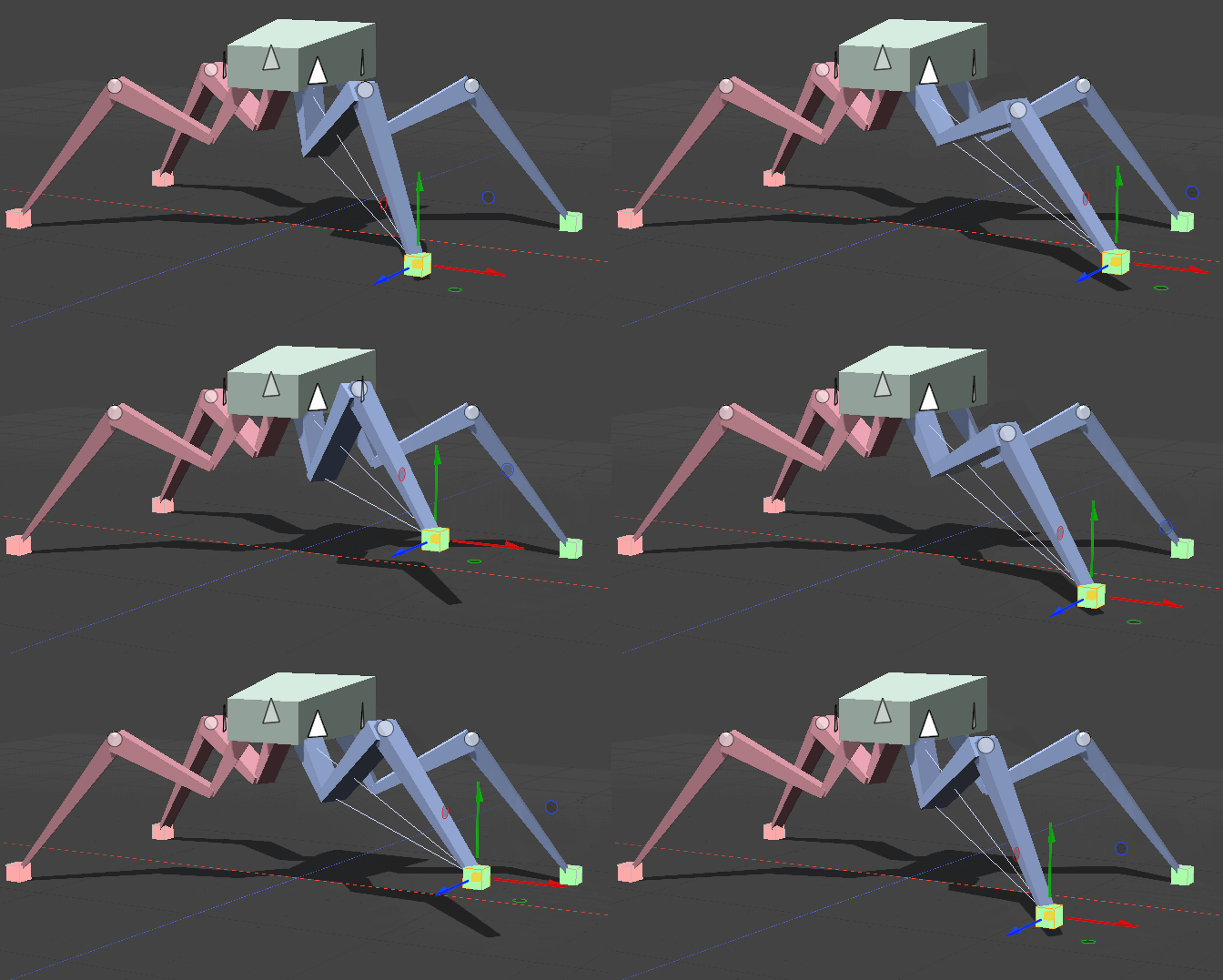 swift crag
"Screen Space - Overlay" canvases are placed in the scene so that world space and the canvas's local space are equivalent
you get a very large canvas as a result
silver timber
tender stag
why the hell is it slower for me
Idk sorry. Your code has a lot more going on than the simple test I did so it has to be something to do with how you're using the function. I would start as simple as possible, make sure it works, and then add complexity incrementally
rocky canyon
tender stag
thats weird
idk man.. 1 running full speed, and the other only being 15 fps.. .03 is pretty minor
 tender stag
the coroutine stops the smoothdamp
after a like second
so the 0.3 would make a masive difference
it looks like the coroutine is fps dependent
rocky canyon
the only difference between mine and urs.. is i calculate the smooth damp (outside the transform.position)
transform.position = Vector3.SmoothDamp(transform.position, ladder.bottomStartPosition.position, ref ladderPositionVelocity, ladderStartPositionDuration); heres urs
       float smoothX = Mathf.SmoothDamp(transform.position.x,targetX,ref velocity.x,smoothTime);
        // make it move
transform.position = new Vector3(smoothX,transform.position.y,transform.position.z);```heres mine
tender stag
someone said that this doesnt make a difference
rocky canyon
thats the only difference I visibly see tho