#💻┃code-beginner
1 messages · Page 235 of 1
 silent locust
 rich adder
Open Sample Scene
silent locust
thank you
 tender stag
how can i invert this 180 degrees? float yTargetRot = climbingWall.transform.rotation.eulerAngles.y;
if i add a - it doesnt work properly
tender stag
lmao
yeah it works
thanks
also is there any way to make smoothdamp run at the same speed regardless of the fps?
because there is a masive difference to the point where it breaks the game
 elder osprey
How can I implement acceleration without using AddForce. I want a custom acceleration amount. Here is my code currently: ```cs
void FixedUpdate()
{
Move();
}
void Move()
{
Vector3 desiredVelocity = transform.TransformDirection(moveInput.x, 0, moveInput.y) * speed;
rb.velocity = desiredVelocity;
rb.velocity = new Vector3(Mathf.Clamp(rb.velocity.x, -speed, speed), rb.velocity.y, Mathf.Clamp(rb.velocity.z, -speed, speed));
}```
As you can see I've already clamped the velocity to the speed.
 slender nymph
increase velocity over time instead of just assigning it
elder osprey
slender nymph
increase velocity over time instead of just assigning it
How to I decrease it afterwards?
slender nymph
the same way you increase it
also that's honestly a pretty terrible way to clamp the velocity. just clamp the magnitude of the desiredVelocity vector before applying the Y velocity
silent locust
is there a good gun tutorial
elder osprey
slender nymph
the same way you increase it
So when would I decrease it? because if I do cs rb.velocity += acceleration; rb.velocity -= acceleration;the player wouldnt move
slender nymph
just use Mathf.MoveTowards to move the current velocity towards the desired velocity
then when there's no input the desired velocity will be 0,0,0
just don't include the Y velocity in that calculation if you want normal gravity
elder osprey
slender nymph
just use Mathf.MoveTowards to move the current velocity towards the desired velo...
like this? ```cs
void FixedUpdate()
{
Move();
}
void Move()
{
Vector3 velocity = rb.velocity;
Vector3 inputVelocity = transform.TransformDirection(moveInput.x, 0, moveInput.y) * speed;
velocity.x = Mathf.MoveTowards(velocity.x, inputVelocity.x, speed / acceleration);
velocity.z = Mathf.MoveTowards(velocity.z, inputVelocity.z, speed / acceleration);

rb.velocity = velocity;
}```
slender nymph
sorry, Vector3.MoveTowards instead of doing each axis individually
or you could try it like that if you'd like and see if it works 🤷♂️
elder osprey
Both seem to work well, but using Vector3.MoveTowards gravity is very slow.
This is what I did: ```cs
void FixedUpdate()
{
Move();
}
void Move()
{
Vector3 inputVelocity = transform.TransformDirection(moveInput.x, 0, moveInput.y) * speed;
rb.velocity = Vector3.MoveTowards(rb.velocity, inputVelocity, baseSpeed / acceleration);
}```
slender nymph
remember how i said not to include the Y axis in your MoveTowards calculation?
elder osprey
How can I use Vector3.MoveTowards while not including the Y axis?
 nova frigate
does anyone know how to access Wwise using scripts?
silent locust
i just set up better movement and when i press play i just get flung
how do i fix that
 wintry quarry
Doesn't sound better
 dusty silo
I have a local variable which I initialize before it gets assigned in a following loop. However, after the loop, the compiler says that my variable is unassigned. How can I get the loop-assigned value to persist post loop?
 summer stump
dusty silo
I have a local variable which I initialize before it gets assigned in a followin...
summer stump
dusty silo
I have a local variable which I initialize before it gets assigned in a followin...
Are you assigning it to a class-member variable, or a local variable inside the loop?
You should probably just show the code
dusty silo
Local variable (of a function) initialized, assigned in a loop.
ptpPath(Vertex a, Vertex v, int t){
Vertex current;
Vector2 d = b - a:
for(...){current = ...}
//Current is uninitialized here
}
 cosmic dagger
dusty silo
ptpPath(Vertex a, Vertex v, int t){
Vertex current;
Vector2 d = b - ...
cosmic dagger
dusty silo
ptpPath(Vertex a, Vertex v, int t){
Vertex current;
Vector2 d = b - ...
If the for loop is skipped (meets exit condition), current will remain uninitialized . . .
 whole idol
How do u fix this?

 reef patio
problems, solve?
 whole idol

 reef patio
a powerful website for storing and sharing text and code snippets. completely free and open source.
whole idol
Oh nevermind I found it

Ok so, I did update it. WHY AM I STILL GETTING THIS MESSAGE ???!?!?!?!?!?!?!
Edit: Nvm, I restarted it's all good.

 rugged beacon
Im on my first 2d map proj, stuck on combining procudural generation with chunk loading
how do i approach this
reef patio
I have 3 errors of Player Animation.
Can someone help with it, its scripting?

a powerful website for storing and sharing text and code snippets. completely free and open source.
 queen adder
@sam you forgot a { after the SetMoveBool method
Also add some spacing to ur methods
reef patio
which line?
reef patio
 queen adder
Method signatures must have: MethodName(paramType paramName) { }
Both the errors and the code
reef patio

 rugged beacon
also got a ; end of line 24
i think you should learn programing first
reef patio
ok, the IDE broke again
queen adder
its not the IDE
reef patio
what is it?
queen adder
Method signatures shouldnt have semicolons at the end
MethodName(paramType paramName) ;
Is wrong^^
summer stump
Line 24 is just invalid syntax, as Vee said
summer stump
I guess the IDE IS broken though, because it should be pointing this out
!ide
 eternal falconBOT

💡 IDE Configuration
If your IDE is not autocompleting code
or underlining errors, please configure it.
Select one:
• Visual Studio (Installed via Unity Hub)
• Visual Studio (Installed manually)
• VS Code
• JetBrains Rider
• Other/None
queen adder
{ { } doesnt make sense to the compiler
rugged beacon
sometime when i use vsc for unity only it randomly stop working also, no suggesting anything
just close and reopen every since, no clue what cause it
reef patio
can you paint strike it Vee?
 reef patio
show me with paint where the incorrect portions are?
summer stump
rugged beacon
sometime when i use vsc for unity only it randomly stop working also, no suggest...
Vs code is not officially supported by Unity. MS is maintaining their own extension
queen adder
Not to be a asshole
summer stump
reef patio
show me with paint where the incorrect portions are?
Just count the curly braces
queen adder
But i like ppl to figure stuff out on there own
summer stump
And remove the ; where they said
queen adder
Otherwise they will be here all the time
rugged beacon
you should learn the basic programming first sam
reef patio
 queen adder
You cant have mutiple { in a method
slender nymph
reef patio
show me with paint where the incorrect portions are?
if you get your !IDE configured it will show it for you
eternal falconBOT
💡 IDE Configuration
If your IDE is not autocompleting code
or underlining errors, please configure it.
Select one:
• Visual Studio (Installed via Unity Hub)
• Visual Studio (Installed manually)
• VS Code
• JetBrains Rider
• Other/None
reef patio
one moment im going to remodify my VSC2019
queen adder
Like i said its MethodName(paramType paramName) { }
The { } define the scope of the method
reef patio
ohhh ok
queen adder
So its { = Start of the method. } = The end of the method
 queen adder
We cant help without seeing the code. Although i wish i was a master programmer and could just tell ur problems from just looking at the errors
reef patio
link?
queen adder
!code
eternal falconBOT
Posting code
📃 Large Code Blocks
Use links to services like:
https://gdl.space/, https://paste.ofcode.org/, https://hatebin.com/, https://paste.myst.rs/, https://hastebin.com/
📃 Inline Code
Surround code with three backquotes. Not quotation marks.
To format as C#, add cs to the first line:
```cs
// Your code here
```
Add a comment with a line number if there is an error message.
reef patio
to the copy paste url
queen adder
Just do one of these and send the link back here
reef patio
queen adder
Again
{ } Defines scope
Two { doesnt make sense to the compiler
Review ur code one more time
summer stump
 summer stump
reef patio
https://gdl.space/ucukohawoz.cs
summer stump
reef patio
https://gdl.space/ucukohawoz.cs
Take a look at this ☝️
queen adder
Pretty neat ^^^
Thats why its important to have Matching { and } braces in ur code
{
{
}
}
summer stump
You have scope issues on lines 24, 25, 27, 36
summer stump
reef patio
it went backwards
Did you look at the image I sent? Did you compare what vee has been saying to your code.
There are significant and obvious issues on the lines I pointed out. You need to just take the time to look while thinking about what you've been told.
The solutions are SUPER obvious and easy
Look at EVERY curly brace and ask yourself "does this one need to be here?"
 summer stump
reef patio
summer stump
reef patio
Ignore the errors for now. The compiler is super confused by the mismatched scopes.
Fix those, THEN see what errors are left
Proper indentation would help too
reef patio
i'll see what I can do
queen adder
Make sure each "{" has a matching "}"
Thats it
And Method names cant have a ; at the end of them
 barren violet
Unless they’re abstract but that’s for a different lesson
 frosty hound
All this was covered yesterday, how is it still a problem. 🤔
 teal viper
 uncut shard
heres my script
uncut shard
heres my script
!code
eternal falconBOT
Posting code
📃 Large Code Blocks
Use links to services like:
https://gdl.space/, https://paste.ofcode.org/, https://hatebin.com/, https://paste.myst.rs/, https://hastebin.com/
📃 Inline Code
Surround code with three backquotes. Not quotation marks.
To format as C#, add cs to the first line:
```cs
// Your code here
```
Add a comment with a line number if there is an error message.
cosmic dagger
uncut shard
heres my script
Use one of the provided links to post your code. Not everyone can see the script when dropped into Discord. . .
uncut shard
reef patio
https://gdl.space/metuvesuta.cs 1 error left...what to do?
 uncut shard
Hi I sent the code
teal viper
uncut shard
Hi I sent the code
Don't ping everyone.
That code doesn't make much sense. Are you following a tutorial?
uncut shard
I am yes sorry
teal viper
uncut shard
I am yes sorry
Share the tutorial.
summer stump
reef patio
https://gdl.space/metuvesuta.cs 1 error left...what to do?
You have the word private inside a method
Because, again, the braces are messed up
reef patio
i see that its in the tutorial I look at
summer stump
You never close the ReadMovement method
summer stump
reef patio
i see that its in the tutorial I look at
I strongly doubt that
But it's possible 🤷♂️
If so, the tutorial is wrong
uncut shard
YouTube
Learn How To Make an Endless Runner Game From Scratch With Blender And Unity. All code is written entirely in C#. https://play.google.com/store/apps/details?...


 uncut shard
me?
summer stump
reef patio
how do I correct the problem so it works?
Look at each brace and make sure it has a matching one in the right placa
Again, your ReadMovement method is not closed. You start OnEnable INSIDE of ReadMovement because of this
uncut shard
teal viper
Share the tutorial.
i shared the tutorial
summer stump
uncut shard
i shared the tutorial
They are probably looking at it now
uncut shard
summer stump
They are probably looking at it now
ok
frosty hound
reef patio
how do I correct the problem so it works?
You've been told many times by now, that you need opening and closing braces. You must have the same number of open as close. They must encompass the code around the class, the functions and the if statements (in your code).
If you this is something you're going to keep asking, then you're going to need to do some basic C# learning.
uncut shard
@reef patio it is best to follow tutorials on Youtube
frosty hound
Actually, you also need to show that your IDE is configured with a screenshot of it underlining the error. Failing to do this will result in you not asking any further questions here. Enough is enough on that front.
teal viper
uncut shard
https://youtube.com/playlist?list=PL0WgRP7BtOez8O7UAQiW0qAp-XfKZXA9W&si=btQGvwEj...
That's not a great tutorial... Even their demonstration of the end result is jittery, meaning they're not moving the object correctly...
Didn't unity !learn have a course on endless runner?
eternal falconBOT
:teacher: Unity Learn ↗
Over 750 hours of free live and on-demand learning content for all levels of experience!
uncut shard
teal viper
That's not a great tutorial... Even their demonstration of the end result is jit...
okay I see
 buoyant knot
your IDE should immediately be able to identify curly brace issues, because everything will turn red lol
buoyant knot
uncut shard
<@880555918083903499> it is best to follow tutorials on Youtube
That’s how he got here in the first place.
uncut shard
ok @buoyant knot
buoyant knot
in general, YT tutorials are great to show you install/setup, and show the different tools you can use
YT tutorials generally suck at style and code architecture
summer stump
uncut shard
<@880555918083903499> it is best to follow tutorials on Youtube
Strongly disagree honestly. At least until you understand unity and coding kinda well at least.
Best to do a c# tutorial like https://www.w3schools.com/cs/index.php or tutorialspoint or microsofts own guide first.
If not, then just !learn
I always recommend against youtube at first though
eternal falconBOT
:teacher: Unity Learn ↗
Over 750 hours of free live and on-demand learning content for all levels of experience!
buoyant knot
case and point: most YT tutorials spam public fields, which is very noobish
uncut shard
Okay thats how I learn @buoyant knot I see
teal viper
To be fair public fields are the least of the problematic things. Much worse is if they use functionally incorrect stuff. Like moving physical objects via transform. Or querying input in fixed update.
 final trellis
I have 3 classes, Entrant, AbberationEntrant and GreyEntrant, both AbberationEntrant and GreyEntrant inherit from the Entrant class
how would I make an array, where each element can be any of the 3 classes?
queen adder
Make a array that takes in the BaseClass type
I always forget the syntax for arrays for some reason hold on
Entrant[] entrants;
@final trellis
final trellis
how would i declare the first element in the array to be a normal entrant, then abberation then grey during the initialization of the array? cant seem to get the syntax right
queen adder
Are you doing it via the editor or via code?
@final trellis
Obviously via code if you cant the syntax right sorry im dumb
teal viper
final trellis
how would i declare the first element in the array to be a normal entrant, then ...
You assign a reference of a desired type to the array element.
A reference type array holds references to the objects, not the objects themselves.
queen adder
Should be like any other type?
entrants[index] = entrant_reference
teal viper
So, what matters is how you create the object and what type it is.
queen adder
Share code as well
final trellis
oh i meant something like this, but the current unity C# version doesnt seem to like it

 queen adder
!code
eternal falconBOT
Posting code
📃 Large Code Blocks
Use links to services like:
https://gdl.space/, https://paste.ofcode.org/, https://hatebin.com/, https://paste.myst.rs/, https://hastebin.com/
📃 Inline Code
Surround code with three backquotes. Not quotation marks.
To format as C#, add cs to the first line:
```cs
// Your code here
```
Add a comment with a line number if there is an error message.
queen adder
Oh lol
No
Just make it the base type
You dont need the sub types in the declaration
 north kiln
final trellis
oh i meant something like this, but the current unity C# version doesnt seem to ...
north kiln
final trellis
oh i meant something like this, but the current unity C# version doesnt seem to ...
Yes, that is unsupported by Unity's C# version
teal viper
final trellis
oh i meant something like this, but the current unity C# version doesnt seem to ...
The issue is that that's not a correct syntax of a constructor.
north kiln
It's the recently introduced collection initialiser syntax.
final trellis
right i forgor the ()
final trellis
itd be damn nice if it was 12 tho
north kiln
In roughly a year's time it might be
queen adder
Were talking about unity having nice features here... A.K.A Impossible
final trellis
Pastebin
Pastebin.com is the number one paste tool since 2002. Pastebin is a website where you can store text online for a set period of time.
pastebin of the classes code
 final trellis
damn what'd I do
final trellis
boobs are a real thing
final trellis
you should be more concerned about the markiplier slider
final trellis
i prob dont need a pastebin but my array declaration is just
    [SerializeField]
    Entrant[] entrants = { new Entrant(), new AbberationEntrant(), new GreyEntrant() };
Does that work? I thought that syntax was unsupported
final trellis
its supported as soon as you replaces the square brackets with curlies
final trellis
but theres an issue where, either its all being converted to just the Entrant class, or the variables for the 2 other classes arent serializing
 summer stump
final trellis
but theres an issue where, either its all being converted to just the Entrant cl...
summer stump
final trellis
but theres an issue where, either its all being converted to just the Entrant cl...
Well, the array IS declared as Entrants, so it will only show the variables available from that class
final trellis
is it possible for it to show me everything?
summer stump
final trellis
is it possible for it to show me everything?
I am not sure how. It would probably take something like an editor extension
Maybe a serializable dictionary could do it?
Not sure
final trellis
agh i should probably check odin serializer's legal stuff then
bc i have it im just anxious abt using it in this project since its for a gamejam where the projects gotta be open source
queen adder
What are u trying to do exactly?
Having an array of multiple types is a code smell to me personally
final trellis
basically, im tryna make a Papers Please inspired game where instead of determining if their papers are in order, its if theyre human or not. each "day" has an assigned list of Entrants. These Entrants can either be random human, random nonhuman, randum indeterminate, complete random, or compeltely scripted human/nonhuman/indeterminate
my idea is to make each day's entrant list an array it goes through
final trellis
maybe, but then I cant change my mind on if the 2nd entrant is nonhuman or not that way
queen adder
Instead of using the array to access them. Instead just make them public or have some form of Get And Set that handles retrieving the references
Then again i dont know ur project fully or your requirements. But theres always multiple ways to do the same thing
It seems like the Unity Editor doesnt like multiple types in the Array declartion so you could make a custom script or look into another way of handling the problem. Its honestly out of my expertise but i hope someone else here can help!
buoyant knot
final trellis
but theres an issue where, either its all being converted to just the Entrant cl...
I appreciate that breast size is the first slider defined in your class
final trellis
ay i aint the one down bad here!
tiddy size is a thing that varies between humans!
 abstract finch
Is there a way to make the float less long?

 frigid sequoia
abstract finch
Is there a way to make the float less long?
frigid sequoia
abstract finch
Is there a way to make the float less long?
You want the number itself to be rounded or just to show rounded?
If you just want it to show with less decimal use standard string formating
abstract finch
frigid sequoia
You want the number itself to be rounded or just to show rounded?
Ah sorry I just want this to show. 0.10
ideally ".1"
frigid sequoia
Else, multiply it and then divide it by the same number, since that would make it lose the last decimals since it can only store up to so many
abstract finch
    {
        value *= 100;
        value = Mathf.Floor(value);
        value /= 100;
        Debug.Log(value);
        return value;
    }```
This seems to work frigid sequoia
You could simplify it like this

Which, is also literally the first google seach I found
So... I don't mind answering, but next time if you think your question is generic enough pls search it fisrt
 wraith hornet
have u guys use Physics.SphereCast with both index layermask and float maxdistance ?
 limber narwhal
is there a way to force using access modifier for variables in vscode , sometimes i forget to put "private" and copilot always suggests variables without "private"
 polar acorn
wraith hornet
have u guys use Physics.SphereCast with both index layermask and float maxdistan...
polar acorn
wraith hornet
have u guys use Physics.SphereCast with both index layermask and float maxdistan...
 polar acorn
limber narwhal
is there a way to force using access modifier for variables in vscode , sometime...
polar acorn
limber narwhal
is there a way to force using access modifier for variables in vscode , sometime...
Variables with no access modifier are considered private by default
limber narwhal
polar acorn
Variables with no access modifier are considered private by default
i understand, i was just reading on whether i should use private or without and settled on always using private (but sometimes i forget to do it and occasionally go thru my scripts to check if i missed it)
it's not a big deal, i can just keep checking scripts from time to time, ty
 lavish gate
Hey guys, memory leak but idk where its happening, how do i check whats wrong?

 neat beacon
Working on this drawing tool, I need it to be interactable with the player object. How would I go about that?
Drawing Tool Script: https://pastebin.com/wTWpLL4K
Pastebin
Pastebin.com is the number one paste tool since 2002. Pastebin is a website where you can store text online for a set period of time.
elder osprey
I currently have a problem with my movement code causing my player to move strangely. Here is my movement code: ```cs
void FixedUpdate()
{
Move();
}
void Move()
{
Vector3 velocity = rb.velocity;
Vector3 inputVelocity = transform.TransformDirection(moveInput.x, 0, moveInput.y);
velocity.x = Mathf.MoveTowards(velocity.x, inputVelocity.x * speed, speed / acceleration);
velocity.z = Mathf.MoveTowards(velocity.z, inputVelocity.z * speed, speed / acceleration);

rb.velocity = velocity;
}``` In this video I am moving back and forth, then I am spam tapping the forward move key to show how the player moves at a weird angle: https://streamable.com/mzdrv0
 teal viper
lavish gate
Hey guys, memory leak but idk where its happening, how do i check whats wrong?
teal viper
lavish gate
Hey guys, memory leak but idk where its happening, how do i check whats wrong?
Could be related to the stack overflow that you have.
lavish gate
I fixed the problem anyway, was instantiating every single update and deleting the same thing because i was missing something that was crucial
elder osprey
Would it be better to lerp instead of using Mathf.MoveTowards?
Nvm, using lerp does seem to work better, and it uses the acceleration variable like acceleration should be used now.
 strong imp
Why is my spot light that im using for my flashlight making the terrian (floor) glow weridly once shined within range of it. If it goes close to the floor it lights a big area. Can anyone help me
 river roost
strong imp
Why is my spot light that im using for my flashlight making the terrian (floor) ...
river roost
strong imp
Why is my spot light that im using for my flashlight making the terrian (floor) ...
 tawdry mirage
trying to make missiles fly, with homing after reaching high(total trajectory is more like of mortar), in 2d by using
transform.rotation = Quaternion.RotateTowards(transform.rotation, Quaternion.LookRotation(dirToTarget), turnSpeedBase);
by default, up is Vector3.up, and when missiles flies vertically(diving), it does weird spiraling ang goes off my 2d zeroed z. So, when missile starts diving, i feed Vector3.right(or left) as up direction and it goes without spiraling. I don't think i get it.
So, the up direction's purpose is to control how the curve will go, right?
 eternal falconBOT
Posting code
📃 Large Code Blocks
Use links to services like:
https://gdl.space/, https://paste.ofcode.org/, https://hatebin.com/, https://paste.myst.rs/, https://hastebin.com/
📃 Inline Code
Surround code with three backquotes. Not quotation marks.
To format as C#, add cs to the first line:
```cs
// Your code here
```
Add a comment with a line number if there is an error message.
 languid spire
line 34, please pay attention to your code
reef patio
im on line 34
languid spire
the brace is the wrong way round
 languid spire
post code again
reef patio
languid spire
now count your braces, they need to be balanced
languid spire
yes, you have 6 open and 8 close. you do understand wehat balanced means don't you
reef patio
yes
languid spire
so if you have 6 open you should only have 6 close
reef patio
bar 6?
languid spire
balanced as in 1 close for each open
reef patio
or the sixth brace?
languid spire
neither, look at your code from top to bottom, each section should have 1 opening brace and 1 closing brace, this is very basic C#, you should know this
reef patio
like this {} ?
languid spire
yes
reef patio
in each opening section?
languid spire
create a new c# script and look at it's structure

 reef patio
oh that part
languid spire
what did you think I was talking about?
reef patio
the top part to bottom
languid spire
well, that is the bottom. Is your IDE even configured?
reef patio
ya
languid spire
show me, screenshot the complete ide window
reef patio
 languid spire
So it is not configured
!ide
eternal falconBOT
💡 IDE Configuration
If your IDE is not autocompleting code
or underlining errors, please configure it.
Select one:
• Visual Studio (Installed via Unity Hub)
• Visual Studio (Installed manually)
• VS Code
• JetBrains Rider
• Other/None
reef patio
what's wrong with it?
languid spire
this
it should say Assembly-CSharp
 reef patio
ok ill check
 stuck jay
If I were to make a Doom 1993 style ammo system (touching ammo increases an ammo variable in an AmmoManager script) would the best way to do that is to use dictionaries and make an enum for each ammo type?
rich adder
stuck jay
If I were to make a Doom 1993 style ammo system (touching ammo increases an ammo...
sure that can work.
 static bay
No just have the pickup tell the AmmoManager how much to give.
Now you can have as many as you want.
stuck jay
static bay
No just have the pickup tell the AmmoManager how much to give.
Why not make an Enum for each ammo variable?
That way I can have a MaxAmmoCount variable
rich adder
You will need enum anyway if you want to know what ammo type you picked up
stuck jay
But how would I define a maximum ammo cap?
Do I set it in the dictionary?
So it'd be
(PlasmaAmmo, 600)
rich adder
store them inside fields like consts or yeah dictionary could work too
You can make custom class to store all that info in the value
reef patio

 arctic ibex
Hey anyone know what this means?
 stuck jay
rich adder
store them inside fields like consts or yeah dictionary could work too
You can m...
stuck jay
rich adder
store them inside fields like consts or yeah dictionary could work too
You can m...
So I can just make a class called Ammo and have it store the type (Enum,) max amount, etc?
rich adder
stuck jay
So I can just make a class called Ammo and have it store the type (Enum,) max am...
the enum would be the Key
stuck jay
But then how would I initialize it? Dictionary's?
rich adder
the class could be just the currentAmmo and maxAmmo
teal viper
arctic ibex
Hey anyone know what this means?
What's on line 213 of the movescript?
arctic ibex
teal viper
What's on line 213 of the movescript?
 reef patio
Done, again, thanks.
rich adder
stuck jay
But then how would I initialize it? Dictionary's?
public Dictionary<AmmoType, AmmoInfo> AmmoInventory = new Dictionary<AmmoType, AmmoInfo>
{
    { AmmoType.Pistol, new AmmoInfo { MaxAmmo = 100, CurrentAmmo = 50 } },
    { AmmoType.Rifle, new AmmoInfo { MaxAmmo = 200, CurrentAmmo = 100 } },
};```
Just an idea, but obviously you can use other ways, like scriptable objects or just a bunch of fields or classes. Remember, there isn't just one way to do things as long as it works for you and easy to understandHmmm... Maybe check angle for NAN🤔
arctic ibex
teal viper
Hmmm... Maybe check angle for NAN🤔
whats NAN?
teal viper
Not a number
arctic ibex
How would I check that?
stuck jay
rich adder
```cs
public Dictionary<AmmoType, AmmoInfo> AmmoInventory = new Dictionary<AmmoT...
AmmoType is the Enum, and AmmoInfo is the class, right?
stuck jay
Why not just make the class handle both the info and type?
rich adder
Sure you could do it that way too
 radiant forge
   if (Timer > MaxTime)
        {
            Variation = Random.Range(0, Walls.Count);
            Distance = Random.Range(3, 6);
            Pos += Distance;

            // Instantiate a random wall from the Walls list
            GameObject NewWall = Instantiate(Walls[Variation]);
            NewWall.transform.position = transform.position + new Vector3(Pos, Random.Range(-Height, Height), 0);
            Destroy(NewWall, 60);
            Timer = 0;
        }


Timer += Time.deltaTime;``` ive made this script to generate objects and i (player) have a constant speed but no matter how mush i fiddle with it either the generator outruns me or i outrun ityou still need a collection to store them
I mean you could put a whole bunch of fields but that to me seems very code smell lol
Dictionary is neater imo
if you had 14 weapons you would have 14 fields 😵💫
stuck jay
rich adder
Dictionary is neater imo
No I meant why make the dictionary handle <AmmoType, AmmoInfo> when you could place AmmoType in AmmoInfo?
So it'd only be <AmmoInfo>
rich adder
stuck jay
No I meant why make the dictionary handle <AmmoType, AmmoInfo> when you could pl...
yes but now where are you storing AmmoInfo
rich adder
and how are you going to know which ammoInfo you want?
rich adder
stuck jay
Or do you need two parameters for dictionaries?
a dictionary is a Key Value storage
like a real life dictionary , you lookup a word(value) by a letter (the key)
stuck jay
So we're basically assigning the enums values?
rich adder
the first param/type is always the Key
WeaponType is the Key to find which ammoInfo you want to pullup
arctic ibex
teal viper
float.IsNAN I think.
<https://learn.microsoft.com/en-us/dotnet/api/system.single...
So uh... I added this little if statement to the code (I've probably done this wrong but whatever) and the error is gone. I took this line away and the error came back?
 teal viper
arctic ibex
So uh... I added this little if statement to the code (I've probably done this w...
teal viper
arctic ibex
So uh... I added this little if statement to the code (I've probably done this w...
Does it print the log?
arctic ibex
no
languid spire
arctic ibex
So uh... I added this little if statement to the code (I've probably done this w...
why would you test for something AFTER you have used it?
stuck jay
rich adder
WeaponType is the Key to find which ammoInfo you want to pullup
That's actually close to my original implementation, I just didn't know how to assign more than one variable to the Key
arctic ibex
languid spire
why would you test for something AFTER you have used it?
Good point I guess, still don't no why it fixed it self tho
stuck jay
So AmmoType.pistol would only have MaxAmmo, it wouldn't keep track of current ammo
teal viper
arctic ibex
Good point I guess, still don't no why it fixed it self tho
Must be some specific case where the value is invalid.
arctic ibex
arctic ibex
no
OH wait I might have forgotten to trigger the spin thing while i was playing
hang on
Oh... so now my character just doesn't rotate at all
rich adder
stuck jay
That's actually close to my original implementation, I just didn't know how to a...
No Key has to be only 1 type.
Also you can make your own keys by using classes but you have to implement their respective methods for equality check
arctic ibex
It doesn't run that spin code or the other one that goes at a different time
stuck jay
rich adder
No Key has to be only 1 type.
Also you can make your own keys by using classes ...
A thousand thanks for the help!
rich adder
stuck jay
A thousand thanks for the help!
np! best of luck
teal viper
arctic ibex
It doesn't run that spin code or the other one that goes at a different time
Well, make sure what it runs first
arctic ibex
... I don't know at what point I broke it, but after futher testing, it's barely functional
It can't even press the play button from the main menu anymore
 fickle plume
!warn 880555918083903499 Configure your IDE to ask questions here as you've been told before, next time you will be muted.
eternal falconBOT
 sam_othman has been warned.
 hot wave
how to add a highlight made from shader to an object?
i know how to raycast, just confused with integration of two shaders 
or how they work together
ah wait I found out how 
https://www.youtube.com/watch?v=fJRtSSD32UE, but I think it is inefficient, it is making lots of materials with highlighted versions (1 object specific shader with fresnel, 1 object specific shader without fresnel) if it was 30 objects, it would reach 60 shaders, instead of using a transparent fresnel thingy and the object's shader (object specific shaders + fresnel (universal)) which would only be 30 shaders + 1 (fresnel), but I dont know how to do the second one
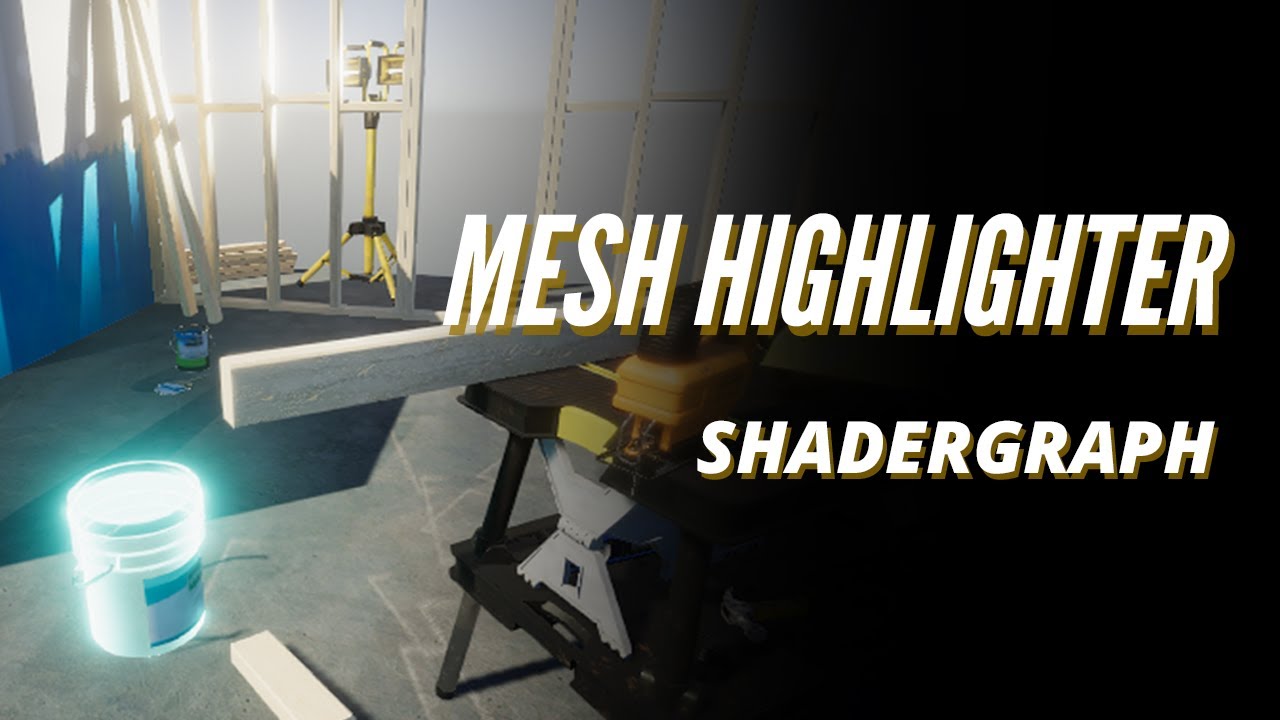
what would be the best approach to make highlights?
 timber tide
if you can manage it all in a single shader, why not
hot wave
it uses 2 shaders, I dont know how they interact or how to make it work
static bay
hot wave
https://www.youtube.com/watch?v=fJRtSSD32UE, but I think it is inefficient, it i...
Wouldn't it just be 2 Materials? One without fresnel and one with? Multiple objects with the same material will share a material instance by default.
But regardless, yes I would just use 1 shader.
Swapping between meshes is... hard to manage in some cases.
hot wave
im still confused how materials work with unity, I might be misunderstanding how they work
static bay
And you can't do a nice smooth transition between unhighlighted and highlighted either.
hot wave
from the video, they made something like helmet texture and helmet texture with highlight, then wood texture, wood texture with highlight, instead of making something like helmet texture and highlight texture (universal) but I do not know how to make a universal fresnel work if it is also a shader (not sure if two shaders apply on one item)
 abstract marlin
- Offtopic from yoour Talk but Want to Share-
Ayoooo got my Essentials Badge , now up to the Junior Programmer Course 😄
static bay
hot wave
from the video, they made something like helmet texture and helmet texture with ...
Do you know anything about shaders or the Shader Graph?
hot wave
static bay
Do you know anything about shaders or the Shader Graph?
I know shaders in blender, it is a bit similar in unity i think
but dont know how they interact with 3d space or code
or what limitations objects have when it comes to shaders, like, I know i just need to make a universal fresnel over an object to save shaders instead of making copies, but dont know if it would be possible to overlay that over a shader
if I could relate it to editing pictures, the video made something like pngs instead of layered psds
timber tide
materials is unity's batching concept for shaders, but it's less of a thing in URP I've read (from the devs)
 rare rover
Hello
timber tide
wrong channel, wrong place. Try the forums
rare rover
The forums ?
Do you have any forums I can join ?
timber tide
!collab
eternal falconBOT
📢 Collaborating and Job Posting
We do not accept job or collab posts on discord.
Please use the forums:
• Commercial Job Seeking
• Commercial Job Offering
• Non Commercial Collaboration
 jovial talon
hey could someone help me with this error ?

i can send screenshot of the script


 faint sluice
jovial talon
faint sluice
jovial talon
What's trajectoryline?
jovial talon
i basically want to make a ball that u can drag and shoot with your mouse and the line is smt that u will se on screen to indicate where you will really go
faint sluice
What you're trying to achieve doesn't matter here
languid spire
jovial talon
i basically want to make a ball that u can drag and shoot with your mouse and th...
your !ide is not configured. Do that before asking questions
eternal falconBOT
💡 IDE Configuration
If your IDE is not autocompleting code
or underlining errors, please configure it.
Select one:
• Visual Studio (Installed via Unity Hub)
• Visual Studio (Installed manually)
• VS Code
• JetBrains Rider
• Other/None
jovial talon
its not that its not configured im just using notepad
languid spire
well don't. you must have a configured ide to ask questions here
faint sluice
I'm speechless
jovial talon
ah k sry
 errant pilot
Guys can someone lead me to a good projectile motion tutorial, i need help pls
faint sluice
errant pilot
Guys can someone lead me to a good projectile motion tutorial, i need help pls
YouTube those words
errant pilot
none of them are like i want 😭
 keen dew
How are we supposed to know what kind of tutorial you want?
faint sluice
What do you mean by "good projectile tutorial" then? If you want your projectile to work hyperspecific ways you won't find any, you have to create on your own
Or by modifying existing methods
errant pilot
like i have a target transform and i set the height, i want the object to go in a trajectory towards the target
any ideas
timber tide
math
faint sluice
errant pilot
like i have a target transform and i set the height, i want the object to go in ...
What does that even mean?
timber tide
easiest way is to let gravity to it all for ya
faint sluice
Is this projectile idea of yours freshly cooked in your brain or did you see similar thing happen in any game?
static bay
I assume it means they have a target they want to hit, and an intended height the projectile should reach during the travel.
Which can be figured out using the kinematic formulas.
errant pilot
static bay
I assume it means they have a target they want to hit, and an intended height th...
yes its not that deep
errant pilot
static bay
Which can be figured out using the kinematic formulas.
just mechanics?
faint sluice
errant pilot
yes its not that deep
Set height of what? Projectile? Target? Launcher? That may not be deep but vague as hell
static bay
It's not that vague.
If I'm being real these are the types of questions you'd get in physics classes a ton.
errant pilot
faint sluice
Set height of what? Projectile? Target? Launcher? That may not be deep but vague...
one second ill show you
languid spire
errant pilot
just mechanics?
question is. How do you want to move your projectile?
 timber tide
math
languid spire
but how? Manually? Physics? Magic?
faint sluice
static bay
It's not that vague.
It is vague af
errant pilot
languid spire
but how? Manually? Physics? Magic?
idk whatever works best
faint sluice
See?
timber tide
there's no shortage of youtube tutorials on this
static bay
float targetThrowHeight = //provide your intended height here
Vector3 initialPos = //provide your initial position
Vector3 targetPos = //provide your target's position

float gravity = Physics.gravity.y;
float displacementY = targetPos.y - initialPos.y;

Vector3 displacementXZ = new Vector3(targetPos.x - initialPos.x, 0, targetPos.z - initialPos.z);
float time = Mathf.Sqrt(-2 * targetThrowHeight / gravity) + Mathf.Sqrt(2 * (displacementY - targetThrowHeight) / gravity);
Vector3 velocityY = Vector3.up * Mathf.Sqrt(-2 * gravity * targetThrowHeight);
Vector3 velocityXZ = displacementXZ / time;

Unity Learn
In this tutorial students will learn about the parabola formed by projectile motion and use physics calculations to start programming an automatic attacking tank. Next, students will complete the programming of the AI tank by adding Unity physics back on the shells and automatically controlling when the tank shoots through code.
faint sluice
You really went ahead and spoonfed answer? 
timber tide
Unity even made one
static bay
faint sluice
You really went ahead and spoonfed answer? <:atwhatcost:1068114091987718204>
I've been fucking with Pikmin-esque arc throws for like, 2 weeks. Would you believe my throw code was open?
faint sluice
static bay
I've been fucking with Pikmin-esque arc throws for like, 2 weeks. Would you beli...
I don't mind it, but I don't think we are supposed to spoon-feed answers here
Oh well
timber tide
if that was the case then all replies should be followed by "Did you debug your code at all?"
faint sluice
timber tide
if that was the case then all replies should be followed by "Did you debug your ...
It's different helping figure out the issue, and totally different just straight up giving a codeblock for a problem but I digress
static bay
Nah, that's fair. My bad.
 eager bane
Hello can anyone help me with jaggy movement, I was using transform based movement but then I started using rigidbody based cuz the collisions weren't working but now it jags a lot
Also I have low fps cuz of OBS
languid spire
eager bane
Hello can anyone help me with jaggy movement, I was using transform based moveme...
post your !code
eternal falconBOT
Posting code
📃 Large Code Blocks
Use links to services like:
https://gdl.space/, https://paste.ofcode.org/, https://hatebin.com/, https://paste.myst.rs/, https://hastebin.com/
📃 Inline Code
Surround code with three backquotes. Not quotation marks.
To format as C#, add cs to the first line:
```cs
// Your code here
```
Add a comment with a line number if there is an error message.
timber tide
assuming you changed all your movement methods to rigidbodies, it must be done in fixedupdate
eager bane
timber tide
assuming you changed all your movement methods to rigidbodies, it must be done i...
Yeah I tried that as well
arctic ibex
Hey is there any common reason fo rplayers/rigidbody 2D's to be bouncy? the physics object attached isn't, but for some reason the player is?
eager bane
languid spire
post your !code
https://gdl.space/janoriyeta.cpp This is not the one I'm using in the video but it's jaggy as well
static bay
I saw the .cpp extension and got concerned
eager bane
it's not cpp it's cuz of the website
dw I'm using cs extension
Also for some reason it's not jaggy when there is no rotation
When I add the player rotation it starts to be like that
timber tide
Seems fine, I'd expect something more with the camera
you've got it following the mouse it seems or something (regardless, jitter with rb is pretty common)
eager bane
timber tide
you've got it following the mouse it seems or something (regardless, jitter with...
Oh yeah
 sage mirage
Hello, guys! I got a reference issue but I am not sure why? I have tried to add some debug.log statements to figure it out it says that the issue persists somewhere in my PlayerController script at the lines it says in console. Is someone available to help figure it out?
timber tide
eager bane
Oh yeah
If you've not looked into cinemachine, it fixes a lot of stuff itself
eager bane
timber tide
If you've not looked into cinemachine, it fixes a lot of stuff itself
Alright I'll take a look thnx
keen dew
sage mirage
Hello, guys! I got a reference issue but I am not sure why? I have tried to add ...
Surely you should know by now that you need to show the code
sage mirage
keen dew
Surely you should know by now that you need to show the code
Hey! Do you want me to make a thread maybe?
keen dew
however you want
eager bane
timber tide
If you've not looked into cinemachine, it fixes a lot of stuff itself
Yeah the problem is the camera thnx for helping again
sage mirage
NullReferenceException
 cunning rapids
I know this probably isn't the right channel but idk where else to post it. Why does my material inspector look like that and how to change it back?
 cunning rapids
timber tide
debug mode is on, click the triple dots
cunning rapids
timber tide
debug mode is on, click the triple dots
Oh alright. I tunred it on when working with animations. Thanks!
 subtle veldt
Hey there, I have some problems with the physics and the linear drag particularly.
So I adjusted the Linear Drag value of my rigidbody and I find it perfect for the X velocity but not for Y tho.
My object reaches its terminal velocity too quickly and that terminal velocity is too slow. I think the right thing to do would be to add some code to FixedUpdate but I don't know what to add without messing to much with the physics of my object.
 sage mirage
 crystal cipher
How you send that?
languid spire
crystal cipher
!code
eternal falconBOT
Posting code
📃 Large Code Blocks
Use links to services like:
https://gdl.space/, https://paste.ofcode.org/, https://hatebin.com/, https://paste.myst.rs/, https://hastebin.com/
📃 Inline Code
Surround code with three backquotes. Not quotation marks.
To format as C#, add cs to the first line:
```cs
// Your code here
```
Add a comment with a line number if there is an error message.
lavish gate
https://pastebin.com/TP1FWfMh i have this script right here, its pretty messy so hopefully that doesn't get in the way too much.
I have this script on 2 objects and it should run on both objects when they collide. I want when they collide for an animation to happen and for a singular new piece to spawn in.
Pastebin
Pastebin.com is the number one paste tool since 2002. Pastebin is a website where you can store text online for a set period of time.
Right now, I can only get 2 pieces spawning at the same time with some experimentation, ive been looking at this code for like over a month on and off and havent found a cleaner solution to what is right now (the animation is new and broke lots of things)
arctic ibex
!code
eternal falconBOT
Posting code
📃 Large Code Blocks
Use links to services like:
https://gdl.space/, https://paste.ofcode.org/, https://hatebin.com/, https://paste.myst.rs/, https://hastebin.com/
📃 Inline Code
Surround code with three backquotes. Not quotation marks.
To format as C#, add cs to the first line:
```cs
// Your code here
```
Add a comment with a line number if there is an error message.
lavish gate
What did i do?
 gloomy bison
RectTransform itemSlotRectTransform = Instantiate(itemSlotTemplate, itemSlotContainer).GetComponent<RectTransform>();``` gives the error that the object i want to instantiate is null but they both have recttransforms??


the specific block this is happening in is as follows:
 void RefreshInventoryItems() {
        int x = 0; int y = 0; float itemSlotCellSize = 90f;
        foreach (Item item in inventory.GetItemList()) {
            RectTransform itemSlotRectTransform = Instantiate(itemSlotTemplate, itemSlotContainer).GetComponent<RectTransform>();
            itemSlotRectTransform.gameObject.SetActive(true);

            itemSlotRectTransform.anchoredPosition = new Vector2(x * itemSlotCellSize, y * itemSlotCellSize);
            Image image = itemSlotRectTransform.Find("image").GetComponent<Image>();
            image.sprite = item.GetSprite();
            x++;
}
Show where you assign itemSlotTemplate
gloomy bison
private void Awake() {
        itemSlotContainer = transform.Find("itemSlotContainer");
        itemSlotTemplate = itemSlotContainer.Find("itemSlotTemplate");
    }
they're both transforms above awake in
Transform itemSlotContainer;
    Transform itemSlotTemplate;
Show them in the hierarchy
gloomy bison

 rich bluff
gloomy bison
```csharp
private void Awake() {
itemSlotContainer = transform.Find("ite...
rich bluff
gloomy bison
```csharp
private void Awake() {
itemSlotContainer = transform.Find("ite...
where is RefreshInventoryItems called from
keen dew
For some reason it doesn't find the template object, but you shouldn't use Find anyway, just make the fields public and drag the objects in
gloomy bison
rich bluff
where is RefreshInventoryItems called from
a setinventory from another script
public void SetInventory(InventoryScript inventory) {
        this.inventory = inventory;
        RefreshInventoryItems();
}```and where is that called from
gloomy bison
keen dew
For some reason it doesn't find the template object, but you shouldn't use Find ...
will do that. thanks
rich bluff
if both are in Awake it may simply be initialization order issue
gloomy bison
awake in the player script
private void Awake() {
        inventory = new InventoryScript();
        uiInventory.SetInventory(inventory);
    }
do i put one in start then?
rich bluff
move the code that accesses other scripts to start
gloomy bison
all of it?
 scarlet skiff
idk what i did but my force field and fireball dont interact no more


 rich bluff
its the logic behind the system - Awake phase is for setting up internals, Start is for accessing externals
gloomy bison
ahhh thanks
rich bluff
all scripts first go through Awake phase, by Start everything is expected to be setup and ready
gloomy bison
do i do the same with the find ones too?
rich bluff
otherwise you have to rely on Script Execution ORder
private void Awake() {
        inventory = new InventoryScript();

    }
private void Start()
{
        uiInventory.SetInventory(inventory);
}
i have provided the collision script + both the fireballs and force fields components i nthe screenshots

 rich bluff
so Find fails
see API Docs for Find
if may ignore the object it originated from, or something similar
gloomy bison
monovegaviours can only be added using addcomponent()
rich bluff
InventoryScript() ?
keen dew
If you drag the objects there you have to remove the Find lines
gloomy bison
the one thing i forgot to do lol. thanks
scarlet skiff
scarlet skiff
idk what i did but my force field and fireball dont interact no more
any1?
crystal cipher
a powerful website for storing and sharing text and code snippets. completely free and open source.
whats wrong with the physics
it should jump over naturatly not just tripping over and flying
 neon ivy
I'm creating custom gravity and I want to have a normalized vector3 in the direction of the gravity so I can determine which way it goes for each object that has this custom gravity override the normal gravity.
does anyone have an idea how to do this efficiently?
rich bluff
what do you mean efficiently?
i dont think there is a way to skip squaring on normalization if thats what youre asking
sqrt'ing
neon ivy
well I could create an empty game object and use that to get a direction for gravity but maybe there's a better way of doing it
rich bluff
you mean an object that will represent the attractor?
 short hazel
Do it like how physics do it by default. There's Physics.gravity so make your own static gravity property
 pallid nymph
why would you need a separate GO? you just assign the gravity to some component that handles it 🤔
scarlet skiff
scarlet skiff
idk what i did but my force field and fireball dont interact no more
any1?
hot wave
when I see highlight tutorials, they often replace the material from the object, is it possible to add another shader on top instead? like fresnel with transparency so the original shader is kept?
rich bluff
hot wave
when I see highlight tutorials, they often replace the material from the object,...
yes
you can use Command Buffers for that in built-in and Render Features in new RP
command buffer is a container for a bunch of instructions, like draw this mesh with this shader after camera is done rendering
hot wave
is there a tutorial for command buffers with similar scenario? or similar use
I am pretty new, but I want to explore
rich bluff
it can get quite messy tho trying to overlay it on top of existing shader
rich bluff
hot wave
is there a tutorial for command buffers with similar scenario? or similar use
probably
rich bluff
that shouldnt be an issue
zfight happens when both shaders are in the same sorting group, your overlay shader should already be higher, and as command buffer will not even be rendered in the same queue
dusty silo
scarlet skiff
idk what i did but my force field and fireball dont interact no more
Might be because you can't use the equals operator on strings.
short hazel
I guess the easiest solution is to have the highlight effect on the shader but disabled, and you tweak the intensity from the code by modifying an exposed property.
But that would imply copy-pasting the highlight effect to all shaders that can be highlighted
neon ivy
rich bluff
are they moving?
probably yea
hot wave
rich bluff
zfight happens when both shaders are in the same sorting group, your overlay sha...
ah, I see, it is like something above the shaders
hot wave
short hazel
I guess the easiest solution is to have the highlight effect on the shader but d...
this was one of the options, option 1 was make 2 copies of highlighted and non highlighted materials, option 2 is pasting it in every shader, my 3rd option is to make a fresnel on top of every interactable
scarlet skiff
dusty silo
Might be because you can't use the equals operator on strings.
well uhm, how do i approach this then?
rich bluff
neon ivy
probably yea
depending on how many attractors/attractees there will be you may have to implement some sort of spatial optimization structure, in any case the query for the closest attractor, or all in range, will take a massive chunk of computations, at which point whether they are game objects or just v3 in an array is insignificant
hot wave
i thought the first two options were troublesome, or another way to make it do less work
dusty silo
scarlet skiff
well uhm, how do i approach this then?
collision.gameObject.name.Equals(Names.shield)
short hazel
Or 4th option is to have a separate object that you reposition above the currently selected object
equals? really lol
== exists and works fine
scarlet skiff
short hazel
`==` exists and works fine
appearantly not..
dusty silo
Then I am of no use lol
 tacit estuary
dusty silo
`collision.gameObject.name.Equals(Names.shield)`
tacit estuary
dusty silo
`collision.gameObject.name.Equals(Names.shield)`
that’s only a java thing 😅
short hazel
Well if == returns false, then your strings are different
hot wave
short hazel
Or 4th option is to have a separate object that you reposition above the current...
ah, like instanced ( i do not know the term xD)? but would that be costly, or not much
short hazel
hot wave
ah, like instanced ( i do not know the term xD)? but would that be costly, or no...
Nah if you have only one instance of it that you disable/enable and move as needed
scarlet skiff
short hazel
Well if `==` returns false, then your strings are different
i chekced the names, they are correct, and the object do in fact collide, so idk why it would return false then
 cinder plover
Can someone please tell me how to position the text just a bit higher and rotated for 180
 hot wave
short hazel
Nah if you have only one instance of it that you disable/enable and move as need...
hot wave
short hazel
Nah if you have only one instance of it that you disable/enable and move as need...
if it were you, would you choose 4th or 2nd approach? I do not know the cons and pros yet
short hazel
scarlet skiff
i chekced the names, they are correct, and the object do in fact collide, so idk...
The code says otherwise. Maybe one has a space or invisible characters at the end? Have you logged them and their lengths in the console to see if the variables contains really what you think they are?
 stone narwhal
Best ways to learn coding
neon ivy
rich bluff
depending on how many attractors/attractees there will be you may have to implem...
if I have 2 attractors I should just be able to normalize the dot product of their attraction right? maybe have the vector decrease in length exponentially over distance
tacit estuary
scarlet skiff
i chekced the names, they are correct, and the object do in fact collide, so idk...
Try also using a debug log outside of the if statement. An easy thing to print would be the name of the colliding game object like what SPR2 mentioned. It would narrow down whether it’s a naming problem or a detection problem.
rich bluff
neon ivy
if I have 2 attractors I should just be able to normalize the dot product of the...
can you elaborate? im not sure how dot would help here
dusty silo
Doesn't the dot product return a scalar?
stone narwhal
stone narwhal
Best ways to learn coding
I wanna make a VR game but I don't really have any coding experience. Should I learn general coding or lean how to code vr games straight off the bat?
pallid nymph
neon ivy
if I have 2 attractors I should just be able to normalize the dot product of the...
do you actually have a problem with the performance? if not - I'd say implement in the easiest way and improve only if necessary
neon ivy
dusty silo
Doesn't the dot product return a scalar?
if I have a source of attraction on the left at distance 3 and a source on the top at distance 2, the object in question should move to the top left but more towards the top because it's closer
short hazel
There are formulas for gravity attraction calculations, what do you currently have in place?
Usually you compute each attraction vector for each body, then average them
neon ivy
ah ok
short hazel
They're based on distance, so bodies that are farther away will attract way less than closer or more massive ones (if you want to implement mass, there are also formulas with them)
rich bluff
problem is locating nearest attractors when you have lot of them, because if you dont optimize that part it will lead to combinatorial explosion
neon ivy
maybe I should only check for gravity sources within a certain radius around the object then?
scarlet skiff
what the hell is going on
 neon ivy
forgot -1?
rich bluff
neon ivy
maybe I should only check for gravity sources within a certain radius around the...
yes and the method of doing so will affect performance the most
the rest, vector computations you can unload onto a Job
pallid nymph
neon ivy
maybe I should only check for gravity sources within a certain radius around the...
again, before trying to optimize, understand what the parameters are - do you actually have hundreds / thousands of objects that affect each other, or < 10?
optimizing stuff is great fun, it just seems like that's a few steps ahead of your current stage
rich bluff
until a certain point, after which custom structures will perform better
neon ivy
pallid nymph
again, before trying to optimize, understand what the parameters are - do you ac...
I mostly just want to future proof and learn. I never had a lot of vector math in school
rich bluff
relying on physX internal trees for sphere queries is easy, but they come with an overhead because its a structure designed to work with lots of various geometries, plus you will be relying on moving colliders in the scene
pallid nymph
okay, so start with making it work in an easy to code way, play with the elements, see at what counts it starts being problematic, profile, try more advanced solutions, profile and measure improvement 🙂
the point of starting with a simple solution is to have something to compare your optimal thing against, and to be able to compare effort vs effect
neon ivy
I'll see what I can do
pallid nymph
(otherwise cache's points are all 💯 👍 )
rich bluff
if you want to learn about spatial structures
https://en.wikipedia.org/wiki/Bounding_volume_hierarchy
https://en.wikipedia.org/wiki/Quadtree
https://en.wikipedia.org/wiki/Octree
and spatial hashing
neon ivy
last question, should I check for custom physics objects from the source of attraction or the other way around?
short hazel
scarlet skiff
what the hell is going on
Inspect each line of the error. If none of them point to your own code, then you can ignore it.
You know when it points to your code when the line has a link to one of your files, with a line number. Instead of the <hex number>:0 at the end
 cursive abyss
gloomy bison
the specific block this is happening in is as follows:
```csharp
void RefreshIn...
cursive abyss
gloomy bison
the specific block this is happening in is as follows:
```csharp
void RefreshIn...
try AddComponent instead of GetComponent
pallid nymph
(oh... pointcache! took me a while to realize you're you 😄 )
scarlet skiff
short hazel
Inspect each line of the error. If none of them point to your own code, then you...
i see, yea i just re ran the game and did the same thing but the error didnt show up
Also, the debug shows that it is ion fact colliding with the shield, so yea the problem is somewhere with in the if statement, tho even after copying the name fro mthe heirchy its still not running the if statement
short hazel
scarlet skiff
i see, yea i just re ran the game and did the same thing but the error didnt sho...
Apply the debugging instructions provided earlier on. Log both strings and their lengths to the console.
rich bluff
neon ivy
last question, should I check for custom physics objects from the source of attr...
i think its best to iterate over each object, computing the vector for each individually, if you are using custom tree, and from source if its physx query, it seems to be a complex topic with nuances
there is actually another way completely which may be most performant
there is a thing called flowfield, where space is a grid with each cell being assigned a vector value
there is a possibility that instead of assigning a static vector for a cell you can assign which attractors are affecting it
then each object will know which are in range just by accessing the cell it is in, and compute the final value
the only heavy computation will be updating the grid when attractors move
which is basically just a spatial hash
neon ivy

rich bluff
flow field will not work here because it will lack the resolution and the physics would be wonky
neon ivy
I will pretend to know what this means until I take the time to read up on it xD
rich bluff
those are all just ways to look up things in space with minimal iterations
neon ivy
I've seen flow fields in videos a handful of times
scarlet skiff
short hazel
Apply the debugging instructions provided earlier on. Log both strings and their...
what the hell, how is it even possible if i literally copied the name exactly
 short hazel
You aren't colliding with what you expected
That's the lengths right? Also log the strings themselves
scarlet skiff
error solved, thanks


 opaque crescent
teal viper
opaque crescent
teal viper
<@&502884371011731486> suspicious link
teal viper
 twin ibex
``` void OnTriggerEnter2D(Collider2D collision)
{
if (collision.C...
twin ibex
``` void OnTriggerEnter2D(Collider2D collision)
{
if (collision.C...
You're trying to destroy a prefab, which is not really possible at runtime and probably not what you want.
twin ibex
what should i do then
teal viper
Well, what do you want to do?
 teal viper
This a prefab, an asset. Do you want to destroy/delete the asset from the project?
teal viper
A prefab is an asset.
teal viper
So you want it deleted from your project?
twin ibex
i want the current prefab that tuched the barrier to be sestroyed
timber tide
public static class SaveLoadManager
{
    public static SaveData saveData = new SaveData();
}

[System.Serializable]
public class SaveData
{
    public ScoreTuple casualTopScore = new("Casual", 0, 0, 0);
    public ScoreTuple normalTopScore = new("Normal", 0, 0, 0);
    public ScoreTuple advanceTopScore = new("Advance", 0, 0, 0);

    public ScoreTuple[] previousScores = new ScoreTuple[6];
}

[System.Serializable]
public class ScoreTuple
{
    public string mode;
    public int score;
    public int words;
    public int skips;

    public ScoreTuple()
    {
        mode = "None";
        score = 0;
        words = 0;
        skips = 0;
    }

    public ScoreTuple(string mode, int score, int words, int skips) { }
}```
Any reason why
```cs
public ScoreTuple[] previousScores = new ScoreTuple[6];
default constructor isn't being called here? This works if I just make it into a singleton, but I'm trying to figure out why doing it static this way just doesn't populate this array with defaults.
teal viper
twin ibex
i want the current prefab that tuched the barrier to be sestroyed
A prefab instance maybe? The gameobject in the scene? Because if you destroy a prefab it implies it being deleted from the project.
teal viper
Do you understand the difference between prefabs and objects in the scene?
twin ibex
teal viper
Do you understand the difference between prefabs and objects in the scene?
no ?
i think not that much
teal viper
timber tide
```cs
public static class SaveLoadManager
{
public static SaveData saveData ...
The default value of reference types is null
 blazing estuary
using System.Collections;
using System.Collections.Generic;
using UnityEngine;
public class PlayerShip : MonoBehaviour
{
public int shipSpeed;
public GameObject enemyShip;
// Start is called before the first frame update
void Start()
{

}

// Update is called once per frame
void Update()
{
    Quaternion rotation = Quaternion.LookRotation(enemyShip.transform.position + transform.position, transform.TransformDirection(Vector3.up));
    transform.rotation = new Quaternion(0, 0, rotation.z, rotation.w);
    transform.Translate(transform.up * Time.deltaTime * shipSpeed);
}
}
timber tide
teal viper
The default value of reference types is null
Yeah, but I have a default constructor here, why wouldn't that be called? no wait uh
twin ibex
i want the white wall to destroy only the ball but its not working
blazing estuary
what exactly is telling it to do that
teal viper
timber tide
Yeah, but I have a default constructor here, why wouldn't that be called? no wai...
Because a constructor is called when an object is created. You just have an array of nulls, no objects in there from what I can see.
teal viper
twin ibex
i think not that much
Then I suggest going through the beginner pathways on unity !learn
eternal falconBOT
:teacher: Unity Learn ↗
Over 750 hours of free live and on-demand learning content for all levels of experience!
twin ibex

 teal viper
twin ibex
i want the white wall to destroy only the ball but its not working
teal viper
twin ibex
i want the white wall to destroy only the ball but its not working
Well, you're not referencing the ball
blazing estuary
blazing estuary
using System.Collections;
using System.Collections.Generic;
using UnityEngine;
...
its even looking away sometimes
im clueless
 timber tide
teal viper
Because a constructor is called when an object is created. You just have an arra...
timber tide
teal viper
Because a constructor is called when an object is created. You just have an arra...
new ScoreTuple[6];
This should be creating 6 indices and all the data should be populated
twin ibex
 languid spire
timber tide
new ScoreTuple[6];
This should be creating 6 indices and all the data should be...
languid spire
timber tide
new ScoreTuple[6];
This should be creating 6 indices and all the data should be...
no
teal viper
timber tide
new ScoreTuple[6];
This should be creating 6 indices and all the data should be...
No. That creates the array.
short hazel
ScoreTuple is a class, the default value for reference types is null
twin ibex
teal viper
Then I suggest going through the beginner pathways on unity !learn
@teal viper
how i must follow this website
teal viper
twin ibex
no i rreferenced it
No. That's not the ball that you showed. It's not a scene object.
twin ibex
yes its a prefab
teal viper
twin ibex
<@209684227720085505>
how i must follow this website
Yes. Follow the courses on the website to learn properly.
teal viper
twin ibex
yes its a prefab
Yes. And a prefab is not an object in the scene.
twin ibex
teal viper
Yes. Follow the courses on the website to learn properly.
it learns the c# ? for unity
bcuz i don't know much about c#
twin ibex
teal viper
Yes. And a prefab is not an object in the scene.
so ow to delete it?
teal viper
twin ibex
it learns the c# ? for unity
bcuz i don't know much about c#
Yes, they cover some C# as well.
For C# I'd recommend the Microsoft C# manual though
teal viper
twin ibex
so ow to delete it?
Delete what?
twin ibex
teal viper
For C# I'd recommend the Microsoft C# manual though
no its bad for unity
it didnt helped me
twin ibex
teal viper
Delete what?
the ball
timber tide
Well
public class SaveLoadManager : MonoBehaviour
{
    // "Global" instance
    public static SaveLoadManager Instance;

    public SaveData saveData = new SaveData();
}```
Making save data not static here does populate each array with defaults so if someone can expain what black magic is happeningUnity serialization
short hazel
It's serialized by Unity
timber tide
ok, so unity is calling the constructor then
languid spire
yes
teal viper
twin ibex
no its bad for unity
it didnt helped me
I really don't understand what you're saying, but you should do proper learning.
teal viper
twin ibex
the ball
Reference it instead the prefab
timber tide
ok right, this what happens when I use this language primarily for unity
twin ibex
teal viper
I really don't understand what you're saying, but you should do proper learning.
hmmm
the ball is a bullet
the player is shooting bullets
i want the white wall to destroy the bullet
the bullet is instantiating when i shoot using left M click
i want to destroy the bullet
teal viper
twin ibex
hmmm
the ball is a bullet
the player is shooting bullets
i want the white wall...
Then you need to destroy the instantiated bullets, not the prefab that they're spawned from.
twin ibex
teal viper
Then you need to destroy the instantiated bullets, not the prefab that they're s...
yes
spawned ??
wth is spawn hhh
its a shooter point i mean
teal viper
instantiated
twin ibex
do u understand ?
teal viper
No. I don't understand.
Please use google translate or something to convey your thought.
twin ibex
teal viper
Please use google translate or something to convey your thought.
emotional damage
teal viper
But the solution to your issue is to destroy the instantiated bullets, and not their prefab. Understand?
twin ibex
teal viper
No. I don't understand.
i dont know to cry or laugh
teal viper
Maybe do some learning instead. Probably the best course of action.
!learn
eternal falconBOT
:teacher: Unity Learn ↗
Over 750 hours of free live and on-demand learning content for all levels of experience!
twin ibex
think i am wasting ur time , right
twin ibex
eternal falcon
## :teacher: [Unity Learn ↗](<https://learn.unity.com/>)
Over 750 hours of free ...
what iz zis
what it learn
twin ibex
teal viper
It doesn't learn. It teaches you.
whats the deferent beatwen learn and teach
twin ibex
teal viper
It doesn't learn. It teaches you.
it helps ? more than tuts?
teal viper
twin ibex
whats the deferent beatwen learn and teach
For that you'll need to learn English. Not really a question for this server.
teal viper
twin ibex
it helps ? more than tuts?
Yes, since it goes over all the stuff that you need to know.
twin ibex
teal viper
Yes, since it goes over all the stuff that you need to know.
what abou coding
it doesnt
i dont want every thing
teal viper
twin ibex
what abou coding
it doesnt
Unity learn does cover some coding, but ideally you should go throught the Microsoft C# manual.
teal viper
twin ibex
i dont want every thing
You do. You do want everything related to basics of working with unity.
twin ibex
teal viper
You do. You do want everything related to basics of working with unity.
no i mean every thing of c#
teal viper
twin ibex
no i mean every thing of c#
You wouldn't learn everything of C# even if you wanted to.
twin ibex
just 1 q
what shoud do here?

 steel smelt
@twin ibex Unity learn is fine. Plz do not go through that guide
twin ibex
teal viper
You wouldn't learn everything of C# even if you wanted to.
i mean i want a few of the all
 clear seal
This is good
short hazel
twin ibex
just 1 q
what shoud do here?
If you read, it'll tell you what to do
clear seal
!learn
eternal falconBOT
:teacher: Unity Learn ↗
Over 750 hours of free live and on-demand learning content for all levels of experience!
twin ibex
donot ?
teal viper
twin ibex
just 1 q
what shoud do here?
At the very least go over "Get started" and "Fundamentals" Maybe check the tutorials as well for beginner tutorials.
twin ibex
steel smelt
<@815832220090499072> Unity learn is fine. Plz do not go through that guide
u r saing its fine ?
steel smelt
@twin ibex I am under the assumption that you have never developed any software under any form, correct?
If so, then reading a cold hard manual is going to affect your motivation. It'll be a while till you see any form of progress.
If you were experienced in a different area, my advice would be different
 tribal minnow
hey guys, i just learned how to make asset bundles in unity, but i dont know how to instantiate them. i want to instantiate them using asset play delivery if possible.
does anyone know how ?
twin ibex
steel smelt
<@815832220090499072> I am under the assumption that you have never developed an...
ok then
teal viper
I'd still go through some of it. That's what I did when I was starting and it helped a lot.
twin ibex
wtf i must do
go through it or not
teal viper
Even if you don't understand all of it right away, it would give you some idea on the concepts and how they're related
short hazel
Yeah definitely do the "Introduction to C#" link on that page
steel smelt
Take our input and think for yourself 🙂
twin ibex
teal viper
Even if you don't understand all of it right away, it would give you some idea o...
what r u talking about ?
teal viper
twin ibex
wtf i must do
go through it or not
Up to you, but maybe start with unity learn instead.
tribal minnow
tribal minnow
hey guys, i just learned how to make asset bundles in unity, but i dont know how...
is putting them here and making the delivery mode install time enough or is there anything else i should do ?
 teal viper
twin ibex
what r u talking about ?
teal viper
twin ibex
what r u talking about ?
About the C# manual.
twin ibex
do u mean this ?
 teal viper
twin ibex
do u mean this ?
teal viper
twin ibex
do u mean this ?
No, I was pretty clear about what I meant here:
<#💻┃code-beginner message>
But you might as well go through this too.
Here's another pro tip: improve your English. It's very important for software development.
 teal viper
It covers object oriented programming. Very important concept of you want to improve beyond basics, but you don't have to learn it right now.
teal viper
twin ibex
i mean its not Related to unity
It is. It's part of C#. And unity uses C#.
As I said, start with unity learn first.
 thorn holly
The game engine is built around c#, not the other way around
 steel smelt
@twin ibex Dude, I'm sure you can figure that one out
teal viper
twin ibex
what path
Essentials, then programming. The rest is optional.
twin ibex
teal viper
Essentials, then programming. The rest is optional.
qqqqq
how the Essentials

the Essentials is 2 weeks and the junior 12
how?
thorn holly
twin ibex
how?
That’s how long it takes to learn them
short hazel
Welcome to programming, where practice is required to get good
 noble yew
how can I create a logic where if triggers works > play sound and if trigger doesnt work > play another sound? to play a sound when trigger works is clear but idk how to connect them so i wouldnt play 2 sounds at once or missplay one of them
twin ibex
thorn holly
That’s how long it takes to learn them
i will die
twin ibex
twin ibex
how the Essentials
bro do u see
teal viper
thorn holly
That’s how long it takes to learn them
It can be faster depending on your experience
twin ibex
the Essentials is every thing but in 2 weeks
how
steel smelt
2 weeks is absolutely nothing if you want to make games
twin ibex
but the juniorr is apart of the Essentials but its 12
twin ibex
steel smelt
2 weeks is absolutely nothing if you want to make games
i dont mean that
steel smelt
Yeah I realize that just now
short hazel
It's not a part of it, it's after as the graph shows
steel smelt
I think it's supposed to be a path and not a container
short hazel
Observation and understanding is one of the key skills to have when starting out with programming, you need to work on that
twin ibex
short hazel
Observation and understanding is one of the key skills to have when starting out...
how to open those skills ?
steel smelt
@twin ibex Practice makes perfect
short hazel
Practice, like everything
twin ibex
steel smelt
<@815832220090499072> Practice makes perfect
practice what
if i dont know much about c#
short hazel
That's what the tutorials do, they make you practice
twin ibex
short hazel
That's what the tutorials do, they make you practice
no the tut stocked me in a loop
but i exited it
and now iam trying to practice
steel smelt
Member for 3 years. Maybe troll
short hazel
If you're stuck on a tutorial it's most of the time because it was too advanced for you
twin ibex
short hazel
If you're stuck on a tutorial it's most of the time because it was too advanced ...
ok
give me a bigginer tutorial that explains the codes
 cosmic quail
twin ibex
ok
give me a bigginer tutorial that explains the codes
cosmic quail
twin ibex
ok
give me a bigginer tutorial that explains the codes
!learn
eternal falconBOT
:teacher: Unity Learn ↗
Over 750 hours of free live and on-demand learning content for all levels of experience!
short hazel
Unity Essentials linked above.
twin ibex
cosmic quail
!learn
learn isnt a tutorial
cosmic quail
twin ibex
learn isnt a tutorial
really? 😱
short hazel
It's a collection of tutorials
clear seal
that explains the basics
twin ibex
u said it
steel smelt
Holy hell, hadn't explored learn in years. Feels bloated now
twin ibex
the basics
clear seal
twin ibex
the basics
you can't learn complicated stuff in c# if you dont know the basics 💀 😭
twin ibex
after it
twin ibex
short hazel
You haven't even started
thats not my first time
clear seal
twin ibex
after it
well do it and then you will see like @short hazel said
steel smelt
@twin ibex Okay, well after it, you will be a slightly improved version of the Salata developer, and then you keep going until the version is good enough to create what you want to create
and likely stopping won't even be an option at that point
twin ibex
i willl learn from it ?
i mean learn to do somthing without tuts
short hazel
You could have began like 20 minutes ago, yet you're still here complaining and thinking about your future. Just go do it now
You'll see what you learn while doing it, along the way
 clear seal
twin ibex
i willl learn from it ?
i mean learn to do somthing without tuts
clear seal
twin ibex
i willl learn from it ?
i mean learn to do somthing without tuts
you WILL learn of it it's simple you can try to copy it in a notebook or something
when you code, try to go back and see it many time when you need and you will learn it
twin ibex
i must stop the YT tutorials , right
clear seal
not exactly
cosmic quail
no u can do both
clear seal
unity learn explain the basics while the yt tut learn how to do stuff
thorn holly
Not exactly, just make sure you’re actually retaining the information from the videos and not just copying the code
twin ibex
ok
 cinder crag
im having a slight issue with my sliding and im not sure why. idk why but im floating after sliding from any height , if i jump and slide , i float until the sliding timer runs out same happens with the ramp etc, pls someone help me
https://youtu.be/SsckrYYxcuM?si=6I-npAjAxarKsd-q this is the tutorial i followed for the sliding
ADVANCED SLIDING IN 9 MINUTES - Unity Tutorial
In this video, I'm going to show you how to further improve my previous player movement controller by adding an advanced sliding ability, that supports sliding in all directions, sliding down slopes and building up speed while doing so.
If this tutorial has helped you in any way, I would really ap...
clear seal
cinder crag
im having a slight issue with my sliding and im not sure why. idk why but im flo...
meh i had the same problem too :/
cinder crag
clear seal
meh i had the same problem too :/
did you fix it?
clear seal
cinder crag
did you fix it?
i tried by going to dave's discord server
in was barely active
cinder crag
yeah trying to find a solution there as well but it was barely active
hopefully someone can find the solution to this problem
thorn holly
cinder crag
im having a slight issue with my sliding and im not sure why. idk why but im flo...
Hey, can you post your code on one of these? Thanks! !code
eternal falconBOT
Posting code
📃 Large Code Blocks
Use links to services like:
https://gdl.space/, https://paste.ofcode.org/, https://hatebin.com/, https://paste.myst.rs/, https://hastebin.com/
📃 Inline Code
Surround code with three backquotes. Not quotation marks.
To format as C#, add cs to the first line:
```cs
// Your code here
```
Add a comment with a line number if there is an error message.
cinder crag
thorn holly
Hey, can you post your code on one of these? Thanks! !code
Oh yeah! Sorry
thorn holly
You’re fine! That’ll just let me see it on phone.
cinder crag
thorn holly
You’re fine! That’ll just let me see it on phone.
https://paste.ofcode.org/Gpyu9hF7uqzKX2JUKcvgnz here you go
 amber dust
hi sombody can teach me one script to player movement with animation?
i aready have all animation and i know a little of movement code
thorn holly
cinder crag
https://paste.ofcode.org/Gpyu9hF7uqzKX2JUKcvgnz here you go
Can I see the script that holds SlidingMovement()?
Or actually, it would appear that the entire script didn’t paste into the website
 polar mica
Hey, I have a question, I want to position the white gameobject at the edge of the camera, as it works in the canvas with anchor presets, but I don't know how to do it with gameobjects
 cinder crag
thorn holly
Can I see the script that holds `SlidingMovement()`?
cinder crag
thorn holly
Can I see the script that holds `SlidingMovement()`?
its in the sliding script lol

 wanton canyon
don't know where to ask this so just gonna ask here - trying to implement a simple pick up script for items, however they seem to be rotating weirdly as you can see in the video and Im not exactly sure what is causing this. I just followed and copied code from this tutorial: https://www.patrykgalach.com/2020/03/16/pick-up-items-in-unity/
thorn holly
cinder crag
its in the sliding script lol
And then can I see the jump script?
cinder crag
thorn holly
And then can I see the jump script?
the jumping is in the PlayerMovement script , lemme send it to you rq
timber tide
wanton canyon
don't know where to ask this so just gonna ask here - trying to implement a simp...
Do you not set them to their identity rotation when picked up?
and if you're childing them, and the parent has rotational values then they too will be affected by it
wanton canyon
timber tide
and if you're childing them, and the parent has rotational values then they too ...
yeah I have a parent with the script and then the model underneath - I have only been applying transformations to the parent. Unfortunately I dont know what you mean by setting identity rotation - I am really bad at programming
timber tide
Quaternion.Identity
basically the default rotation of the object (or just zero out the rotation ^^)
frigid sequoia
If I want to do roguelike stuff where like, the player gains fancy things during the run. Like, for example returning damage back when attacked or gaining a temporary speed buff after killing an enemy. Should this kind of stuff be already within the player controller script waiting for a boolean to trigger them? Should they be like separated scripts components that I do attach to the player later? Or is there a way to add or override methods to an existing script during runtime?
 lean geyser
Hey, have a little problem, I used to have a spawn prefab responsible for spawning bullets for the ship which was a child of player, but now that I moved it as a reference it doesn't seem to update its position anymore (I can see the bullets spawning in the console, but that's about it). I'm guessing it's a very easy fix, could anyone help out with some suggestions?
lean geyser
lean geyser
Hey, have a little problem, I used to have a spawn prefab responsible for spawni...
This also got me a bit confused as I am not sure how to manually assign the position for the spawner anymore
 icy junco
is there someone who can help me setting up with a ladout choosing screen for an fps , just like a good tutorial or a way how its done best would be a big help already
timber tide
frigid sequoia
If I want to do roguelike stuff where like, the player gains fancy things during...
Your examples don't seem controller specific. This would be more related to a class like PlayerStats, PlayerModifiers, ect
frigid sequoia
lean geyser
This also got me a bit confused as I am not sure how to manually assign the posi...
Like... just have a reference to what point you want the proyectile to spawn, like the current ship position + an offset
cinder crag
cinder crag
https://paste.ofcode.org/mxU2LDvGsfnZ6RV3XrXXPy here
@thorn holly sorry to tag but here
frigid sequoia
timber tide
Your examples don't seem controller specific. This would be more related to a cl...
Yeah, I see that in retrospective; but I added all this into the player controller a while ago, since I was just managing basic movement at the moment
frigid sequoia
frigid sequoia
Yeah, I see that in retrospective; but I added all this into the player controll...
Anyways, the question remains kinda the same
wanton canyon
timber tide
basically the default rotation of the object (or just zero out the rotation ^^)
found this code in the script SimpleGrabSystem - is this not doing what you said? (sorry for the silly questions;;;)
 timber tide
So locally the values should be rotated as their defaults, meaning if you were to take out the model and put it in your scene that's how they should be displayed, but this also takes into account of the parent rotation if it is being rotated too
Which makes sense because it does follow your arms, so the question is are these objects orientation the same as the imported rotation
thorn holly
cinder crag
the jumping is in the PlayerMovement script , lemme send it to you rq
I’m sorry, I have to go, I hope someone else can help you
Sorry
cinder crag
thorn holly
I’m sorry, I have to go, I hope someone else can help you
damn , alrighty , its fine dwdw
cinder crag
cinder crag
im having a slight issue with my sliding and im not sure why. idk why but im flo...
can someone help me with this?
timber tide
wanton canyon
found this code in the script SimpleGrabSystem - is this not doing what you said...
Drag out a pumpkin into your scene with a 0,0,0 rotation that's not parented and tell me if it's flipped like in your video
if it is -> the forward direction of the object was not exported/imported correctly
wanton canyon
timber tide
Drag out a pumpkin into your scene with a 0,0,0 rotation that's not parented and...
it is ;_; Okay, so I imported the models wrong...
timber tide
z-forward, y up
You can also wrap it into an empty gameobject and use that as the pivot
buttt, if you know how to change orientation through blender, I'd just go ahead and do that
wanton canyon
I think doing that + hitting "apply transform" worked! I will test with my other food stuffs
timber tide
there's one other option that deals with transform units if you're importing by fbx
in case your objects import with terrible scaling
 grizzled zealot
Where should I store data for a game element? In the associated script or in another object? E.g., an object has "health", where do I store the current health value? Since I have many other properties (e.g., weight, height, money), if I store the associated values in each script, I get a hotchpotch of scripts and always have to look for it. If I store it in a central object, then some game elements will not have all properties but their objects have them.
 carmine ferry
Hey everyone. I am an absolute beginner at game-programming. I watched a tutorial on how to program your first game. When it gets to player-movement I followed the instructions step by step and seemingly have everything right, yet I get an error message CS1503. Could someone help me? I don't really know what I did wrong.

 wanton canyon
timber tide
there's one other option that deals with transform units if you're importing by ...
wanton canyon
timber tide
there's one other option that deals with transform units if you're importing by ...
what's the other option?
carmine ferry
 rare basin
that's not how you declare a coroutine
rare basin
that's not how you declare a coroutine
How do I declare it then? I checked it multiple times but I can't find the difference to the code in the tutorial.
rare basin
carmine ferry
How do I declare it then? I checked it multiple times but I can't find the diffe...
i just told you
show the code in the tutorial
100% it's not 1:1
timber tide
wanton canyon
what's the other option?
Ah, maybe it was apply transform like you were saying
carmine ferry
rare basin
i just told you
 abstract marlin
rare basin
yup
abstract marlin
rare basin
yup
ayoooo just a quick question to you , youre name sounds familiar , are u working on diffrent other platforms and are u creating programs ?
rare basin
abstract marlin
ayoooo just a quick question to you , youre name sounds familiar , are u working...
wdym different other platforms
short hazel
grizzled zealot
Where should I store data for a game element? In the associated script or in ano...
If you don't want to do it the "composition" way where you have 1 script per "feature", then you can do it with interfaces. Declare an interface like IHealth which forces the class to implement a Health property.
Then to get the script and modify the health, use your regular GetComponent but pass the interface type: GetComponent<IHealth>(). It will get the first component that implements the interface (your script), and you'll be able to modify it as usual
abstract marlin
rare basin
wdym different other platforms
Some Platforms related to League of Legends , creating tools to boost the playfun and making the game easier 😄
timber tide
grizzled zealot
Where should I store data for a game element? In the associated script or in ano...
Usually you store information about the gameobject such as stats on a component internally. There is no requirement to do that though, and you can pretty much store data about gameobjects on an external script decoupled from the gameobject. This way would require some additional identification and callbacks though because otherwise that gameobject would be ambiguous as to what it contains.
rare basin
abstract marlin
Some Platforms related to League of Legends , creating tools to boost the playfu...
yea if you call it like that 😄
cinder crag
cinder crag
im having a slight issue with my sliding and im not sure why. idk why but im flo...
Does someone know how I can fix this pls
wanton canyon
eggplant is behaving weirdly when doing the same thing I did for the pumpkin (export as fbx with apply transform, z forward y up). the mesh collider is rendered above the model itself?

 noble folio
hello, im getting this error can someone help me?
 summer stump
noble folio
hello, im getting this error can someone help me?
summer stump
noble folio
hello, im getting this error can someone help me?
Show line 15
noble folio
if (other.GetComponent<PlayerVariables>().Player == 1)
{
fpitf.WhichPlayerHasPossesion = 1;
}
btw fpitf is a script
summer stump
noble folio
if (other.GetComponent<PlayerVariables>().Player == 1)
{
...
Which of those lines is 15?
noble folio
the if
summer stump
Then it didn't find the PlayerVariables script on other
noble folio
well thats strange
summer stump
You need to check if the getcomponent returns null before trying to use the component
summer stump
noble folio
well thats strange
Or use TryGetComponent
 nocturne parcel
You must check if other is not null and it is the player
summer stump
nocturne parcel
You must check if other is not null and it is the player
Other can't be null, it's the parameter of OnTriggerEnter
nocturne parcel
Oh, true
frigid sequoia
wanton canyon
eggplant is behaving weirdly when doing the same thing I did for the pumpkin (ex...
If you changed the export settings with already some samples on the scene, it does update the mesh, but not the collider, which is calculated when you assign the collider based on the current mesh, so it keeps the original mesh shape
noble folio
is this right? btw i just added debug.log so i know if it works
if (other.GetComponent<PlayerVariables>())
{
Debug.Log("Works");
}
summer stump
noble folio
is this right? btw i just added debug.log so i know if it works
I would use TryGetComponent or put == null at the end
noble folio
and how should i do it with the TryGetComponent?
summer stump
TryGetComponent gives you the benefit of being able to use the script directly from that one call
wintry quarry
noble folio
if (other.GetComponent<PlayerVariables>())
{
Debug.L...
TryGetComponent was made for this
noble folio
i never used it
summer stump
other.TryGetComponent(out PlayerVariables player)
wintry quarry
noble folio
and how should i do it with the TryGetComponent?
Always check the docs for examples https://docs.unity3d.com/ScriptReference/Component.TryGetComponent.html
noble folio
summer stump
other.TryGetComponent(out PlayerVariables player)
thanks
noble folio
wintry quarry
Always check the docs for examples https://docs.unity3d.com/ScriptReference/Comp...
alright i will
cinder crag
cinder crag
im having a slight issue with my sliding and im not sure why. idk why but im flo...
Does no one know how to fix this?
wanton canyon
frigid sequoia
If you changed the export settings with already some samples on the scene, it do...
if I create a new parent object, assign eggplant fbx and add mesh collider component, it still happens
wintry quarry
cinder crag
Does no one know how to fix this?
you only shared one script and it's most likely the PlayerMovement script that's the issue
summer stump
noble folio
it cant find it
Debug what other is, outside any if statement
noble folio
ok
nocturne parcel
cinder crag
Does no one know how to fix this?
Are you following the tutorial to the letter?
frigid sequoia
wanton canyon
if I create a new parent object, assign eggplant fbx and add mesh collider compo...
What? That shouldn't happen. Did you try to just drag the model into scene and add a meshcollider? Does it still get the collider wrong?
carmine ferry
is there a way to reset the corresponding metadata? I messed up a little while moving a couple of files
 wanton canyon
frigid sequoia
What? That shouldn't happen. Did you try to just drag the model into scene and a...
wanton canyon
frigid sequoia
What? That shouldn't happen. Did you try to just drag the model into scene and a...
Yuppp
frigid sequoia
wanton canyon
Yuppp
It does only happen with that model?
queen adder
I could just be being incredibly dumb but im confused why im getting this error when its just not true??
this is my script: https://hastebin.com/share/adoyigoxem.csharp

Hastebin is a free web-based pastebin service for storing and sharing text and code snippets with anyone. Get started now.
noble folio
summer stump
Debug what other is, outside any if statement
so it debugs ball which im using
short hazel
queen adder
I could just be being incredibly dumb but im confused why im getting this error ...
There's another script somewhere else in the scene that doesn't have them assigned, and that's the one throwing the exceptions.
Locate it and remove it
wanton canyon
frigid sequoia
It does only happen with that model?
it is happening with the pumpkin too - I exported these with fbx apply transform z forward y up. I assume it'll happen to my other foodstuff models if I do it that way, too 😅
 queen adder
short hazel
There's another script somewhere else in the scene that doesn't have them assign...
queen adder
short hazel
There's another script somewhere else in the scene that doesn't have them assign...
thank you so much i was really lost
Very cool shaders!! hamantha
short hazel
queen adder
thank you so much i was really lost
You should be able to do it easily from the Hierarchy's search bar, search for t: EnemySpawn to filter out the list to object having this script attached
noble folio
so i dont know what im doing wrong
queen adder
short hazel
You should be able to do it easily from the Hierarchy's search bar, search for `...
I've got it now it was on one of the enemies, thank you for pointing that out
summer stump
noble folio
so it debugs ball which im using
Does that object have the PlayerVariables script in it?
Not on a child or anything?
noble folio
it has it in the object
i have a gameobject of 11 gameobjects and all 11 of those have it
frigid sequoia
wanton canyon
it is happening with the pumpkin too - I exported these with fbx apply transform...
That's... weird, those kind of issues happen cause the export is wrong, but seing the imagen just seems that the mesh IS slighty moved for some offset or weird parenting...
timber tide
wanton canyon
it is happening with the pumpkin too - I exported these with fbx apply transform...
Do you have convex enabled
wanton canyon
timber tide
Do you have convex enabled
yes
models fall through the terrain if I do not
frigid sequoia
If you are using blender. I use this and then in Unity, when importing, tick "bake axis conversion"

Try that
timber tide
Hmm, and it's only one gameobject such that you've not a secondary mesh child with the mesh collider not rendering.
wanton canyon
well so in hierarchy view the eggplant for example looks like this, I was putting the mesh collider in the circled part
 wanton canyon
frigid sequoia
Try that
wanton canyon
frigid sequoia
Try that
doing that is slightly different but mesh collider is still off
 cinder crag
nocturne parcel
Are you following the tutorial to the letter?
cinder crag
nocturne parcel
Are you following the tutorial to the letter?
Wdym?
noble folio
it just cannot find the PlayerVariables script because everything else is working
frigid sequoia
wanton canyon
well so in hierarchy view the eggplant for example looks like this, I was puttin...
Do you really need to have 3 objects there? Why not combine them?
nocturne parcel
cinder crag
Wdym?
You're following that tutorial, correct?