#💻┃code-beginner
1 messages · Page 225 of 1
 languid spire
 grim pecan
i figured it out
i mispelled the smallest little tiniest word
i hate coding so much
languid spire
no you did not
 rocky canyon
root parent is rotating the blip w/ the offset..
the blip itself is rotating towards the camera..
(2 rotations)
grim pecan
languid spire
no you did not
the error that was showing was my return method, i had also forgotten to put void and i mispelled collision
rocky canyon
if you hate coding, why u doing it? 🤔
 lethal bolt
That was Confusing but now it rotates Automatically
 languid spire
grim pecan
the error that was showing was my return method, i had also forgotten to put voi...
languid spire
grim pecan
the error that was showing was my return method, i had also forgotten to put voi...
lol, void was the return type it was expecting
grim pecan
rocky canyon
if you hate coding, why u doing it? 🤔
school project
rocky canyon
ahh school..
lethal bolt
lethal bolt
That was Confusing but now it rotates Automatically
I see that it has something to do with the bottom lines Because of Time.FixedDeltaTime, but idk how to make it Controllable by the keys?
rocky canyon
it should be controlleable with the keys now..
altho its either gonna go one way or another..
need an else statment.. if ur not pushing w or s (rotation of 0) soo it doesnt keep rotating
 ashen wind
I'm running into a weird bug with raycasting
I've got an inventory with a bunch of boxes that have boxcollider2Ds

and when I mouse down I want it to raycast and grab the box you're dragging the item from
and when I mouse up I want it to raycast and grab the box you're dragging the item to
the problem is, when I do the mouseup raycast it gets both boxes
rocky canyon
you'll probably need one of those raycasts to ignore the item itself
ashen wind
which should be impossible
ashen wind
rocky canyon
you'll probably need one of those raycasts to ignore the item itself
but I don't think that's the problem, since the only thing that has colliders is the box's "icon" gameobjct
oh
rocky canyon
well how would ur raycast hit the box itself then?
ashen wind
wait
rocky canyon
lol
ashen wind
i just realized what i'm doing wrong
ashen wind
i'm dragging the icon of the axe
but the icon of the axe is the thing with the collider
not the box
so it's under the mouse when I release it
ashen wind
yeah let me try that
lethal bolt
Only the S works?

 scarlet tiger
lethal bolt
Only the S works?
scarlet tiger
lethal bolt
Only the S works?
not sure what you are asking but you have two if blocks, that else is only a part of the second one. That indentation above with the {} does nothing fyi
but describe your issue more, what are you expecting to happen?
grim pecan
I clicked play on unity but didn't notice the error in the bottom right saying "The reference script (Unknown) on this Behaviour is missing" and now i cant do anything in unity, like its stuck on play but nothings moving and i cant click anything on it
lethal bolt
scarlet tiger
not sure what you are asking but you have two `if` blocks, that `else` is only a...
I want to Rotate an platform with an ball on top
W for + and S for - but When i press S it goes +
scarlet tiger
you're setting the angular velocity to the same thing for both cases..
lethal bolt
Lol, but still it only Work with S
 frigid sequoia
This should be more of an interface than a superclass rigth?
 scarlet tiger
lethal bolt
Lol, but still it only Work with S
scarlet tiger
lethal bolt
Lol, but still it only Work with S
you have two if blocks
read the code line by line as if you are pressing W
frigid sequoia
Cause I am very confused about when I should use interface
 short hazel
frigid sequoia
Cause I am very confused about when I should use interface
short hazel
frigid sequoia
Cause I am very confused about when I should use interface
Abstract class & method, or interface, if you do not want to have an implementation in the base type, and want the compiler to force you to implement in the derived/implementing type.
If GeneralPowerUpLogic itself is not meant to be attached to a GameObject, only one of its derived classes, then make it abstract.
Note that with an interface, you won't be able to declare all these serialized fields, and the OnTriggerEnter method.
frigid sequoia
short hazel
If `GeneralPowerUpLogic` itself is not meant to be attached to a GameObject, onl...
It's not meant to, is just the base that all powerUps are gonna share, I did that previously with proyectiles making a superclass, but I was thinking is more like a interface thing maybe
short hazel
If you plan on having some implementation and shared members, like you have now (name, description, activation logic), then go for an abstract class.
 queen adder
An abstract method is pretty much the same as a normal interface
grim pecan
i hate unity so so so so so so so os os os o so much
queen adder
Whats wrong?
grim pecan
it crashed and i thought i had saved it but no
i never saved it at all
i have to restart
write everything again
make all the prefabs again
queen adder
That's more so a you thing then unity.....make sure you save often
There's packages that will enable you to autosave
 rich adder
grim pecan
make all the prefabs again
rich adder
grim pecan
make all the prefabs again
prefabs would still be present usually, they are assets
queen adder
I will admit there's no reason unity is this old and doesn't have a autosave feature
short hazel
Code is saved from the code editor. After a crash, Unity will open a default empty scene, open the one you have saved by going through your Assets and well, opening it
grim pecan
rich adder
prefabs would still be present usually, they are assets
yeah i just realized the prefabs and scripts are still there (thank god i was about to give up if they werent)
queen adder
I believe they're saved into the project as soon as you drag them into the editor
rich adder
grim pecan
yeah i just realized the prefabs and scripts are still there (thank god i was ab...
only thing you need to mostly worry about is ctrl+s the shit outta your Scene
rocky canyon
queen adder
I will *admit* there's no reason unity is this old and doesn't have a autosave f...
it does..
 rich adder
but also, start using Version Control for you scripts
queen adder
I mean for scenes
rocky canyon
but working in ur scene is dynamic..
i would hate for my scene to save all the time
esp when im just testing stuff
queen adder
That's true
rich adder
pretty sure you can recover also a crashed scene if you don't open unity yet, there is a temp file
rocky canyon
they make assets that do it if u want
rich adder
rocky canyon
i would hate for my scene to save all the time
well a Disable / Enable feature wouldn't hurt..
rocky canyon
also true
rich adder
they're just lazy lol
 native seal
when I try to place tiles using SetTileBlock it places empty tiles. Is that a limitation of the function since it has to be a square area?

 sage folio
hey so with this 2D platformer movement script, https://hatebin.com/bjvuemtuyl, I'm following a tutorial so i'm not really entirely sure where to put this, but how/where in the code do i check for if the player is moving? (i'm connecting the inputs to an animator)
 lost anvil
im trying to change the item i pick up's text to whatever i set it as but it is giving me this error been trying to fix it for ages this TMP stuff is shit
 languid spire
lost anvil
im trying to change the item i pick up's text to whatever i set it as but it is ...
languid spire
lost anvil
im trying to change the item i pick up's text to whatever i set it as but it is ...
how do you enable and disable itemText?
languid spire
no, I mean with which line of code
lost anvil
line 34 - 43
languid spire
but what does the line read, show me
lost anvil
i sent the script
languid spire
I know, show me the line
lost anvil
 languid spire
ok, so why do you do that and not
itemText = true or itemText=false ?
 outer cobalt
https://gyazo.com/2e331be49001ac2aea819f594afd3e22 why does the animation continue to play even after i stop?

even if i jump it goes back to walk when i dont want to play that right now
lost anvil
languid spire
ok, so why do you do that and not
itemText = true or itemText=false ?
thats not what i want to fix right now i want to fix why its not changing the text determined on the component on the object itself
languid spire
I know what you want to fix, I'm trying to get you to understand what you are doing and doing wrong
lost anvil
languid spire
ok, so why do you do that and not
itemText = true or itemText=false ?
because itemText is a TextMeshProUGUI variable
languid spire
exactly so why try to set a string to it?
lost anvil
itemText = hit.collider.GetComponentInChildren<TextMeshProUGUI>().text;
how is is that a string?
i swear its the same thing as the variable
languid spire
enabled is a property of itemText which you can set to true or false.
languid spire
lost anvil
itemText = hit.collider.GetComponentInChildren<TextMeshProUGUI>().text;
how is ...
look at the ,text at the end
sage folio
outer cobalt
https://gyazo.com/2e331be49001ac2aea819f594afd3e22 why does the animation contin...
click off has exit time on the arrow going back to idle
lost anvil
ok how do i fix it
outer cobalt
sage folio
click off has exit time on the arrow going back to idle
it is
sage folio
hm, one sec lemme check something
languid spire
as I said, you use itemText.enabled because the enabled property can take a bool variable so maybe itemText has another property that can take a string variable
sage folio
outer cobalt
it is
what is your problem exactly?
it just seems like your walk animation is going on too long
lost anvil
languid spire
as I said, you use itemText.enabled because the enabled property can take a bool...
and what is that property?
languid spire
well have a look, that is what your ide and the documentation is for
 fathom mist
It seems like there's already a conversation going on about walking animations haha I joined for help with that too
sage folio
outer cobalt
it is
are you sure you've checked this to off?

on the arrow going back to idle?
lost anvil
languid spire
well have a look, that is what your ide and the documentation is for
can you not just tell me please?
outer cobalt
 languid spire
lost anvil
can you not just tell me please?
languid spire
lost anvil
can you not just tell me please?
no
outer cobalt
sage folio
it just seems like your walk animation is going on too long
yea it is
lost anvil
cheers mate
languid spire
lost anvil
cheers mate
if I gave you the answer you will have learned nothing
sage folio
outer cobalt
yea it is
under setting what is the transition duration + offset?
could you show me the ramp too?
fathom mist
Is there a separate window for sprite animations? I understand how to code a character moving around and kind of how to put in a sprite to rotate buut I'm not sure how to get a proper walk cycle going
sage folio
sage folio
could you show me the ramp too?
wait nvm
outer cobalt
sage folio
under setting what is the transition duration + offset?

im trying sum out right now
fathom mist
Window might not be the best word for it
sage folio
outer cobalt
at the bottom of the window is there a viewport?
outer cobalt
sage folio
at the bottom of the window is there a viewport?
yes
sage folio
outer cobalt
yes
could you take a look at the animation timeline to see what is going on?
lost anvil
languid spire
if I gave you the answer you will have learned nothing
please tell me i dont care about learning about it i just want to fix it its doing my head in
outer cobalt
im noticing too that if i move the isWalking stays true for a couple seconds too before returning to false
sage folio
outer cobalt
im noticing too that if i move the isWalking stays true for a couple seconds too...
could it possibly be a code problem?
languid spire
lost anvil
please tell me i dont care about learning about it i just want to fix it its doi...
no, if you don't learn you will be back again in 5 minutes with the exact same problem is a different context. If you don't want to learn don't do gamedev
lost anvil
yeah cheers good help
sage folio
outer cobalt
im noticing too that if i move the isWalking stays true for a couple seconds too...
could you send your code? (in a paste website, ofcourse)
outer cobalt
sage folio
could you send your code? (in a paste website, ofcourse)
yeah for sure, its a bit frusterating to be honest hahaha
Pastebin
Pastebin.com is the number one paste tool since 2002. Pastebin is a website where you can store text online for a set period of time.
sage folio
i get it man, i'm still having trouble with my script (its a little higher up here, i'm just sitting here waiting for a solution of some kind 🥲)
outer cobalt
if i cant figure it out ill take a look tomorrow, i dont wanna get frusterated at it 🙂
sage folio
if i'm being honest your code is a little confusing, i guess i don't usually put all of my animations into a function to use, because i usually just add the setbool straight into the checks themselves, but let me see if there is a problem with the timing of calling the functions
 wintry quarry
outer cobalt
im noticing too that if i move the isWalking stays true for a couple seconds too...
wintry quarry
outer cobalt
im noticing too that if i move the isWalking stays true for a couple seconds too...
well yeah
you're checking if the x velocity is exactly 0
that's not going to happen immediately
outer cobalt
ah so i am thinking too uh, advanced lol
sage folio
yep
outer cobalt
so from where should i check it then? lol
sometimes i check everything and i dont think about the base and its frusterating at times hahahah
sage folio
if i'm being honest the script feels over complicated for what you are trying to do (although i fully understand and it still works fine), i would usually just call for if the player is touching a layer that i make for all ground objects/using collisions as i am right now for my project
if you have a groundcheck
you could look into considering putting the setbool there
outer cobalt
yessir a groundcheck and a wall one
but im building it this way so i can easily control it when it does get advancer
sage folio
ok so i have a better idea then
outer cobalt
hahaah i fixed it
outer cobalt
well now it only works to the right
sage folio
:|
outer cobalt
hahahaha uhhhhhhhh
sage folio
confusing
well i don't really know how to help then, you could instead of checkling for exactly 0 just check if under the max and above the minimum
 swift crag
Choose some small value and test if you're at least that close to zero
if (Mathf.Abs(current) < threshold) { ... }
fixed it but i did it differently and i dont know if that is gonna cause issues
i instead put the if (Mathf.Abs(rb.velocity.x) > 0) { isWalking = true; } else { isWalking = false; } into FixedUpdate
swift crag
This is testing if your velocity is not exactly zero
outer cobalt
the threshold should be a small value above 0?
swift crag
wintry quarry
you're checking if the x velocity is exactly 0
isn't that what Praetor suggested doing?
outer cobalt
ah yea i get it now
learned a lot actually trying to fix this instead of googling the problem
thank you guys
its fixed
 swift crag
Equality comparisons to exact values are generally a bad idea
(and Mathf.Abs(x) > 0 is just x == 0)
It's often a bad idea because of floating-point error. 0.1 + 0.2 isn't exactly 0.3
It's also a bad idea here for less technical reasons: because it takes a while to get to exactly 0
outer cobalt
yea i noticed, it takes some time to reach the full 0 so thats why it plays the animation again because its still not 0
grim pecan
im following the create with code lesson 4.4 tutorial step 3 but this keeps saying its wrong but i cant figure out why

 lost anvil
languid spire
no, if you don't learn you will be back again in 5 minutes with the exact same p...
lost anvil
languid spire
no, if you don't learn you will be back again in 5 minutes with the exact same p...
genuinely just help
ive been trying different things for ages
swift crag
lost anvil
genuinely just help
Continuing to pester Steve will not get you help.
Fixing your attitude might.
lost anvil
you help then lad
wintry quarry
grim pecan
im following the create with code lesson 4.4 tutorial step 3 but this keeps sayi...
you spelled it wrong
grim pecan
spelt what wrong?
wintry quarry
Read the error
 outer cobalt
lost anvil
you help then lad
outer cobalt
lost anvil
you help then lad
5 bucks
wintry quarry
there's no such thing as "length" on an array
lost anvil
ok sound
outer cobalt
you're not gonna learn anything from begging others for help, try to figure it out yourself just like i did, you wont learn anything from it
grim pecan
wintry quarry
there's no such thing as "length" on an array
ithis is the code form the video im watching and we have the same exact script?
 wintry quarry
grim pecan
ithis is the code form the video im watching and we have the same exact script?
wintry quarry
grim pecan
ithis is the code form the video im watching and we have the same exact script?
thjat doesn't look like your script
that looks different
grim pecan
thats the script from the video
wintry quarry
you wrote "length". They wrote"Length"
grim pecan
o m f g
wintry quarry
You can't do things your own way. You have to do it exactly right
 timber comet
grim pecan
o m f g
timber comet
grim pecan
o m f g
Yeah, welcome to C#
grim pecan
i didnt realise mine wasnt captilized
swift crag
there is no room for creative liberty here
 frosty hound
grim pecan
im following the create with code lesson 4.4 tutorial step 3 but this keeps sayi...
frosty hound
grim pecan
im following the create with code lesson 4.4 tutorial step 3 but this keeps sayi...
Haven't you been told already to configure your !ide
 eternal falconBOT

💡 IDE Configuration
If your IDE is not autocompleting code
or underlining errors, please configure it.
Select one:
• Visual Studio (Installed via Unity Hub)
• Visual Studio (Installed manually)
• VS Code
• JetBrains Rider
• Other/None
grim pecan
frosty hound
Haven't you been told already to configure your !ide
i dont know how
frosty hound
If you're planning to continue asking questions here, you're required to have it done.
grim pecan
and im gonna do it once i finish this
frosty hound
Good thing there's a bot message
timber comet
eternal falcon
Just follow this
grim pecan
timber comet
Just follow this
i was planning on it once i finished this project which im almost done wiht
frosty hound
Well, then you won't ask any further questions here. See you when it's configured.
wintry quarry
grim pecan
i was planning on it once i finished this project which im almost done wiht
you will finish the project 20x faster after you do it
 summer stump
lost anvil
ok sound
summer stump
lost anvil
ok sound
I'm confused. The issue is that you want to reference the text component, but you are passing the text PROPERTY of the text component instead? Just don't use the property
Steve basically gave you the exact answer.
swift crag
wintry quarry
you will finish the project 20x faster after you do it
imagine if your code editor pointed directly to the problem and could suggest the correct property name
sounds a lot more useful
summer stump
lost anvil
mate ive got no idea what you mean
.text is a property
swift crag
grim pecan
i didnt know it would do stuff like that i thought it only color coded the words 💀
lost anvil
swift crag
<https://docs.unity3d.com/Packages/com.unity.textmeshpro@1.0/api/TMPro.TMP_Text....
have done
swift crag
grim pecan
i didnt know it would do stuff like that i thought it only color coded the words...
congratulations, you're about to be pleasantly surprised
now go set it up
summer stump
lost anvil
have done
Then you know what .text is
swift crag
lost anvil
have done
okay, so you know exactly why your code is wrong
lost anvil
no i dont because i dont understand it lol
 summer stump
lost anvil
no i dont because i dont understand it lol
summer stump
lost anvil
no i dont because i dont understand it lol
#💻┃code-beginner message
Don't use that property
lost anvil
what am i supposed to do then
swift crag
.text is a property that returns a string. Is a string a TextMeshProUGUI?
lost anvil
?? are you asking me lol
swift crag
Yes.
lost anvil
i dont kow
swift crag
I am asking you if string is the same thing as TextMeshProUGUI
summer stump
lost anvil
what am i supposed to do then
I recommend going through !learn
And possibly https://www.w3schools.com/cs/index.php
eternal falconBOT
:teacher: Unity Learn ↗
Over 750 hours of free live and on-demand learning content for all levels of experience!
swift crag
If you answer "I don't know" to every single question that's asked of you, then nobody is going to want to help you
lost anvil
yeah nice one i understand
 supple citrus

How would I set the Source Image sprite to a Jpg file I have in PersistentDataPath?
I cant figure out how to load the image as a sprite and not a texture
Or how to convert from one to the other
during runtime ^
 polar acorn
lost anvil
i dont kow
polar acorn
lost anvil
i dont kow
Then guess based off of things you do know
sage folio
sage folio
hey so with this 2D platformer movement script, https://hatebin.com/bjvuemtuyl, ...
hey could i get some help with this?
rich adder
sage folio
hey could i get some help with this?
use the velocity of the movement to drive the Animator blend tree param
 whole idol
why does my ladder not work???
using System.Collections;
using System.Collections.Generic;
using UnityEngine;
using UnityStandardAssets.Characters.FirstPerson;
public class Ladder : MonoBehaviour
{

    public Transform playerController;
    bool inside = false;
    public float speed = 3f;
    public FirstPersonController player;
    public AudioSource sound;


    void Start()
    {
        player = GetComponent<FirstPersonController>();
        inside = false;


    }


    void OnTriggerEnter(Collider col)
    {

        if (col.gameObject.tag == "Ladder")
        {
            Debug.Log("TouchingLadderTrue");
            player.enabled = false;
            inside = !inside;
        }


    }

    void OnTriggerExit(Collider col)
    {

        if (col.gameObject.tag == "Ladder")
        {
            Debug.Log("TouchingLadderFalse");
            player.enabled = true;
            inside = !inside;
        }


    }

    void Update()
    {
        if (inside == true && Input.GetKey("w"))
        {
            player.transform.position += Vector3.up /
            speed * Time.deltaTime;
        }

        if (inside == true && Input.GetKey("s"))
        {
            player.transform.position += Vector3.down /
            speed * Time.deltaTime;
        }

        if (inside == true && Input.GetKey("w"))
        {
            sound.enabled = true;
            sound.loop = true;
        }
        else
        {
            sound.enabled = false;
            sound.loop = false;
        }


    }


}
could you elaborate? i haven't used unity in a while and don't entirely know what the animator blend tree param means
rich adder
sage folio
could you elaborate? i haven't used unity in a while and don't entirely know wha...
First step is to learn what Animator does, if you got that covered then look into blend tree. You can use the speed of your character to drive different animations, like idle, walk, run for example
You can do it without the blend tree and just lay out all the clips on animator then make your own transitions, but its easier with the former, even for 2D.
sage folio
then i'll look into what that is, it sounds more practical
rich adder
I suggest if you are following a tutorial to finish it up, also look into how Animator works. You need reference to Animator to switch animations
sage folio
i might use a different tutorial, the one i am using feels less advanced and understandable than what i am trying to achieve
rich adder
whole idol
why does my ladder not work???
```c#
using System.Collections;
using System.Col...
whats not happening and what is supposed to happen instead?
rich adder
sage folio
i might use a different tutorial, the one i am using feels less advanced and und...
also Unity has many good ones
!learn
eternal falconBOT
:teacher: Unity Learn ↗
Over 750 hours of free live and on-demand learning content for all levels of experience!
whole idol
rich adder
whats not happening and what is supposed to happen instead?
I try to run up the ladder by pressing "W" and it's not going up as it is supposed to
 short hazel
whole idol
I try to run up the ladder by pressing "W" and it's not going up as it is suppos...
short hazel
whole idol
I try to run up the ladder by pressing "W" and it's not going up as it is suppos...
Your ladder object is not tagged "Ladder" as the code expects it to be
 sage mirage
Hey, guys! I want to make a functionality for my timer. So, whenever the game is over to freeze the timer only and not the game itself. Is there a way to succeed that? I am currently using Game States for my Game Over and all of that states, so I have tried to use it inside my update timer but nothing changed?
I am using for timer Time.deltaTime.
wintry quarry
sage mirage
Hey, guys! I want to make a functionality for my timer. So, whenever the game is...
A simple bool variable should do the trick
sage mirage
wintry quarry
A simple bool variable should do the trick
Not game states?
wintry quarry
i don't know what "game states" are
maybe?
It depends what that is
show some code
wintry quarry
ok
 grizzled zealot
Is there a standard unity component for throttling events? Even if the event generator stuffs events in the queue, I want at most x per second to be delivered.
sage mirage
Wherever I want I am using it
wintry quarry
grizzled zealot
Is there a standard unity component for throttling events? Even if the event gen...
what kind of events are you talking about
whole idol
short hazel
Your ladder object is not tagged "Ladder" as the code expects it to be
Jesus I tried to fix this but I think there's a problem with my unity file not getting saved or something. Someone told me you're in the playmode and that's why it's not getting saved or something like that. Something to do with these 3 buttons up here probably
 wintry quarry
yes you're in play mode
grizzled zealot
wintry quarry
what kind of events are you talking about
Player smashes buttons, but I only want 1 per 10ms. Object spawns bullets, but should only do so 1 per 100ms. etc. Lots of rate limits needed in all kinds of places.
wintry quarry
grizzled zealot
Player smashes buttons, but I only want 1 per 10ms. Object spawns bullets, but s...
use a timer variable
sage mirage
Handle Game States:
{
    switch (currentState)
    {
        case GameState.Playing:
            uiManager.InputForPauseMenuScreen();
            Time.timeScale = 1f;
            break;

        case GameState.Paused:
            uiManager.InputForPauseMenuScreen();
            Time.timeScale = 0f;
            break;

        case GameState.GameOver:
            GameOver();
            break;
    }

    if (currentState == GameState.Playing)
    {
        UpdateTimer();
    }
}```
My update timer:
```public void UpdateTimer()
{
    if (timerText != null)
    {
        time += Time.deltaTime;
        int minutes = Mathf.FloorToInt(time / 60);
        int seconds = Mathf.FloorToInt(time % 60);
        timerText.text = string.Format("{0:00}:{1:00}", minutes, seconds);
        timerText.text = "Timer: " + timerText.text;
        Debug.Log("Timer updates: " + timerText.text);
    }
}```Any changes made to the scene in this state will be reverted when play mode stops.
wintry quarry
sage mirage
Handle Game States:
```private void Update()
{
switch (currentState)
{
...
just don't update the timer if you're in whatever state you want it not to update for
 short hazel
Stop play mode, change the ladder's tag, save, and play again
grizzled zealot
wintry quarry
use a timer variable
I'm thinking of a pipe and filter arcthiecture as found in stream processing, where I can add additional nodes in the list publish/subscribe pattern and control rates.
short hazel
whole idol
ok so am I in the player mode right now?
Correct. Blue means "active"
wintry quarry
grizzled zealot
I'm thinking of a pipe and filter arcthiecture as found in stream processing, wh...
that would require everything to be goiung through a single "pipe" You named some random disparate "things" happening on your game
you could certainly write a little utility class if you want to implement that kind of thing
whole idol
short hazel
Correct. Blue means "active"
Ok so what's the difference between these two modes then?

 wintry quarry
the one on the right is nothing
whole idol
ok
wintry quarry
I think if you have that mode on the right it will start the game paused when you press play
but otherwise it does nothing
rocky canyon
 yup
yup
short hazel
Paused but not playing. You can use this if you want the game to pause on the very first frame when play mode is enabled
grizzled zealot
wintry quarry
you could certainly write a little utility class if you want to implement that k...
The problem is that with timers, I need write a variable for each action that has a rate limit and need to code it differently (e.g., drop excess events, drop excess events after XY in queue). I was hoping to have a standard component for this. It's like queueing up actions.
short hazel
The third button is only active when in play mode and paused. This allows you to advance execution to the next frame
whole idol
short hazel
Paused but not playing. You can use this if you want the game to pause on the ve...
Why ?
short hazel
Debugging, mainly
wintry quarry
grizzled zealot
The problem is that with timers, I need write a variable for each action that ha...
write one
it will be very simple
grizzled zealot
I understand how to write it, but wanted to save time 😄
Don't want to reinvent the wheel.
 timber tide
invoke, coroutines, you've a lot of options
whole idol
short hazel
Your ladder object is not tagged "Ladder" as the code expects it to be
Ok, I fixed it, so now why is the player still not going up?
 sage mirage
wintry quarry
just don't update the timer if you're in whatever state you want it not to updat...
sage mirage
wintry quarry
just don't update the timer if you're in whatever state you want it not to updat...
Yes but how to not update the timer if I dont have a functionality for that? What I did was
{
  do update timer
}
yes that makes sense
sage mirage
wintry quarry
yes that makes sense
Can I add like else if statement or else?
I dont know what to put inside else
wintry quarry
sage mirage
Handle Game States:
```private void Update()
{
switch (currentState)
{
...
I mean why isn't ist just inside the switch statement? Why a separate if?
fathom mist
I have a sprite sheet that I want to put into my game for an assignment but I'm not sure how to code the animation or really where to begin with that as well as initiating a scene change into a new area by going through like a door - can someone help me out? I'm like astronamically awful with coding so the things I've seen online are really confusing to me so far
short hazel
whole idol
Ok, I fixed it, so now why is the player still not going up?
You'll have to do a bit of debugging here. Is OnTriggerEnter executed in your code? Log a message in it, and make sure you're getting it when colliding with the ladder
 low path
What are your other current states? Paused?
sage mirage
wintry quarry
I mean why isn't ist just inside the switch statement? Why a separate if?
I don't know can I do that inside switch? I thought because I have my cases there and not to mix them up
wintry quarry
sage mirage
I don't know can I do that inside switch? I thought because I have my cases ther...
?
        case GameState.Playing:
            uiManager.InputForPauseMenuScreen();
            Time.timeScale = 1f;
            UpdateTimer();
            break;
I didn't code this. This was in a ready made package. I don't code in C# at all
using System.Collections;
using System.Collections.Generic;
using UnityEngine;
using UnityStandardAssets.Characters.FirstPerson;
public class Ladder : MonoBehaviour
{

    public Transform playerController;
    bool inside = false;
    public float speed = 3f;
    public FirstPersonController player;
    public AudioSource sound;


    void Start()
    {
        player = GetComponent<FirstPersonController>();
        inside = false;


    }


    void OnTriggerEnter(Collider col)
    {

        if (col.gameObject.tag == "Ladder")
        {
            Debug.Log("TouchingLadderTrue");
            player.enabled = false;
            inside = !inside;
        }


    }

    void OnTriggerExit(Collider col)
    {

        if (col.gameObject.tag == "Ladder")
        {
            Debug.Log("TouchingLadderFalse");
            player.enabled = true;
            inside = !inside;
        }


    }

    void Update()
    {
        if (inside == true && Input.GetKey("w"))
        {
            player.transform.position += Vector3.up /
            speed * Time.deltaTime;
        }

        if (inside == true && Input.GetKey("s"))
        {
            player.transform.position += Vector3.down /
            speed * Time.deltaTime;
        }

        if (inside == true && Input.GetKey("w"))
        {
            sound.enabled = true;
            sound.loop = true;
        }
        else
        {
            sound.enabled = false;
            sound.loop = false;
        }


    }


}
@sage mirage Ελλαδάρα
short hazel
Modify the code to add more debug statements inside OnTriggerEnter/Exit
Maybe they're not getting executed because your physics setup is incorrect?
sage mirage
wintry quarry
?
```cs
case GameState.Playing:
uiManager.InputForPauseMenuS...
It is the same thing with that did in if statement before. So, the problem here like I said before is which function to make for freezing the timer like stopping it.
I have to make a separate function and add it to my game over state
whole idol
short hazel
Maybe they're not getting executed because your physics setup is incorrect?
Most likely this
wintry quarry
sage mirage
It is the same thing with that did in if statement before. So, the problem here ...
The timer will not run with this code unless:
- You are in the Playing state.
- You are updatiung the timer elsewhere
short hazel
whole idol
Most likely this
For OnTriggerEnter to happen, you need two colliders, one checked "Is Trigger", the other not, and at least one Rigidbody on either of the objects
Usually the player has both the Rigidbody and the non-trigger collider, which leaves the trigger collider for the other object that needs to be detected
sage mirage
wintry quarry
The timer will not run with this code unless:
- You are in the Playing state.
- ...
You know I don't think I do that somewhere in my code :/
Can I make a thread and show you more information? I mean if you have available time.
whole idol
short hazel
For `OnTriggerEnter` to happen, you need two colliders, one checked "Is Trigger"...
using System.Collections;
using System.Collections.Generic;
using UnityEngine;
using UnityStandardAssets.Characters.FirstPerson;

public class Ladder : MonoBehaviour
{
    public Transform playerController;
    bool inside = false;
    public float speed = 3f;
    public FirstPersonController player;
    public AudioSource sound;

    void Start()
    {
        player = playerController.GetComponent<FirstPersonController>();
        inside = false;
    }

    void OnTriggerEnter(Collider col)
    {
        if (col.gameObject.tag == "Ladder")
        {
            player.enabled = false;
            inside = true;
        }
    }

    void OnTriggerExit(Collider col)
    {
        if (col.gameObject.tag == "Ladder")
        {
            player.enabled = true;
            inside = false;
        }
    }

    void Update()
    {
        if (inside && Input.GetKey("w"))
        {
            player.transform.position += Vector3.up * speed * Time.deltaTime;
        }

        if (inside && Input.GetKey("s"))
        {
            player.transform.position += Vector3.down * speed * Time.deltaTime;
        }

        if (inside && Input.GetKey("w"))
        {
            sound.enabled = true;
            sound.loop = true;
        }
        else
        {
            sound.enabled = false;
            sound.loop = false;
        }
    }
}
 north kiln
!code
eternal falconBOT
Posting code
📃 Large Code Blocks
Use links to services like:
https://gdl.space/, https://paste.ofcode.org/, https://hatebin.com/, https://paste.myst.rs/, https://hastebin.com/
📃 Inline Code
Surround code with three backquotes. Not quotation marks.
To format as C#, add cs to the first line:
```cs
// Your code here
```
Add a comment with a line number if there is an error message.
north kiln
short hazel
There's no need to post the code - you removed the debug logs entirely, and you didn't confirm or deny that your objects are correctly set up for OnTrigger messages to happen
whole idol
I asked chatgpt to make this cause I dont code in C# ...
short hazel
Mistake
rocky canyon
you get what u pay for
whole idol
short hazel
There's no need to post the code - you removed the debug logs entirely, and you ...
how do I confirm that my objects are correctly set up for OnTrigger messages to happen?
short hazel
Learn C#, or delegate the task to someone else. Server rules here says to not ask nor answer questions with unverified AI output
whole idol
btw isn't OnTrigger like a function variable here?
short hazel
I explained the required setup, and vertx linked their troubleshooting website, choose either or both
vertx's one is more complete and covers pretty much all the edge cases that could happen
whole idol
oh ok true, i should probably learn some C# scripting for unity.. thats true but i was told you can code in any language of your choosing or use the visual nodes and stuff
like blender
But Im not sure if this problem is code related
short hazel
Unity only supports C#, but they have their scripting nodes solution: #763499475641172029
The code looks fine, it's probably just that your two objects aren't set up correctly
whole idol
because im followign a tutorial and these are the exact same assets the person on youtube is using
Ok so he says you should place the object collider like this. Which doesnt rly make sense. I would just leave it on the body of the yellow ladder and not move it at all

Here's the source material https://youtu.be/rRkvV-EYLbA?list=PLlcgaDpDEvw05IgKGZo9FYA8Fo38RtAqH&t=212
How To Make A HORROR Game In Unity | Creating Ladders | Horror Series Part 002
Today we look at making ladders and adding more realism to our character.
DOWNLOAD ASSETS PROVIDED BY ME HERE:
https://drive.google.com/drive/folders/10BvUxAOeOxZac-GfecJWSFahuMB8bOo0?usp=sharing
short hazel
whole idol
Ok so he says you should place the object collider like this. Which doesnt rly m...
Notice that there are two colliders on this object. One is for standard collisions (the non-trigger one), so you don't pass through it with your player, and the second one (the trigger) acts as the detection area for climbing it
Triggers are detections areas, no more, no less. They don't collide with other colliders
whole idol
yeah but are we required to place the second one like that?
short hazel
It's to make it so you have to jump to activate it.
whole idol
Ok so you're supposed to go through that collider as I understand it and colliders work kinda like minecraft redstone elevators instead of collision handlers?
short hazel
If you had it lower, breezing past it diagonally would activate the climbing, which you probably don't want.
rocky canyon
its just a trigger.. if ur in the trigger ur climbing code runs
almost every player will jump towards a ladder anyway
saving time.. and whatnot lol
short hazel
whole idol
Ok so you're supposed to go through that collider as I understand it and collide...
Triggers detect when another collider + rigidbody enters its detection area, as I explained. They don't do anything else. They don't apply any force to the player, they don't block the player in their path, etc.
whole idol
short hazel
If you had it lower, breezing past it diagonally would activate the climbing, wh...
Ok, that makes sense now.
Though Im jumping and it's not getting activated btw
short hazel
I'll let you scroll up for the troubleshooting links and/or the code debugging steps
 midnight harbor
 short hazel
midnight harbor
short hazel
midnight harbor
I think the script (first screenshot) is referring to the wrong InputManager type, seeing that the class (second screenshot) has "0 references" as per the indicators above the class name
Make sure you have a using Niipperi.Manager; at the top, and that it's not picking up some from another namespace
And go to where _inputManager is declared and Ctrl+Click the InputManager, it will take you to where the class is defined, make sure it's your own script
midnight harbor

yes i am using it
but it still doesnt work
i am following the tutorial step by step but seems like somethink goes wrong
wintry quarry
you haven't shown what type _inputManager is
midnight harbor
 wintry quarry
nor have you shown the error message
just looks like you didn't save your scripts tbh
midnight harbor
 short hazel
Showing how your using is grayed out, you're not using it
So it's 100% choosing another type here
wintry quarry
midnight harbor
Yeah just ctrl + click InputManaer here and it will take you to the type it thinks it's using
midnight harbor
i am clicking it but nothings happening
short hazel
With Ctrl held down
midnight harbor
yes ofc
short hazel
Or, right-click the word and select Go To Definition
 midnight harbor
aaaaaa😂
omd
now
yeah it puts me in the empty script, now i know whats happening

 visual hedge
is there any particular reason why goto thing is not being used very often in c# from what I see everywhere?
Like (pseudocode) ```if (blah blah)
{
goto Case1;
}
else
goto Case2;
because it leads to spaghetti code
why use a goto in that example instead of just local functions for example
short hazel
midnight harbor
yeah it puts me in the empty script, now i know whats happening
Yep that's probably one of your own you didn't delete, before you started using namespaces.
Since that one gets put in the "global namespace", it's technically "closer" to the one in Niipperi.Manager (there's less distance to cover to reach the type), so it's picking up that one first
visual hedge
wintry quarry
why use a goto in that example instead of just local functions for example
well if I have many if's that are starting to deep nest... goto would be preventing that from happening. I've heard that nesting is also very bad
low path
I’m sure there’s a bottom middle hacker graph about goto
 ivory bobcat
visual hedge
well if I have many if's that are starting to deep nest... goto would be prevent...
ivory bobcat
visual hedge
well if I have many if's that are starting to deep nest... goto would be prevent...
How do the gotos resolve the need for nested ifs?
midnight harbor
short hazel
Yep that's probably one of your own you didn't delete, before you started using ...
so should i just delete the empty script?
short hazel
Yep
visual hedge
ivory bobcat
How do the gotos resolve the need for nested ifs?
well maybe you are actually right and use of local functions would be better solution. Kinda answers my question. Thank you )
low path
Functions can solve those issues. Goto labels don’t provide the same guarantees as function calls so almost always avoided.
visual hedge
okay, thank you
midnight harbor
short hazel
Yep
i deleted it and i dont have any errors now, thank you and sorry for my stupidness
 ripe shard
visual hedge
is there any particular reason why goto thing is not being used very often in c#...
ripe shard
visual hedge
is there any particular reason why goto thing is not being used very often in c#...
the somewhat "official" reason is that goto makes code correctness (way) harder to prove.
 scarlet skiff
do both gameobejcts need to have a rigidbody to detect if they collided with eachother if both have a trigger collider?
ripe shard
scarlet skiff
do both gameobejcts need to have a rigidbody to detect if they collided with eac...
no, but triggers aren't colliders and it may depend on your physics settings and whether your rb's are both kinematic
scarlet skiff
so.. 2 gameobejct with "is trigger" box collider cannot interact?
summer stump
scarlet skiff
so.. 2 gameobejct with "is trigger" box collider cannot interact?
They can, via OnTriggerEnter callback
If one has a dynamic rigidbody or both have kinematic iirc
scarlet skiff
im doing all those things but still wont work and cant figure out where i messed up
ivory bobcat
scarlet skiff
so.. 2 gameobejct with "is trigger" box collider cannot interact?
Colliders don't do anything by themselves
ripe shard
scarlet skiff
im doing all those things but still wont work and cant figure out where i messed...
is the rb kinematic?
scarlet skiff
ripe shard
is the rb kinematic?
oh wait, nope
ivory bobcat
A rigid body or character controller would interact with the colliders
ripe shard
scarlet skiff
oh wait, nope
then its fine and should work
are you using OnTriggerEnter?
 ripe shard
check your scales
scarlet skiff
oh wait, the player parent does have a script that flips the player
ripe shard
pro tip: never use scales other than 1,1,1
only bad things happen when you scale stuff
ripe shard
(you can use scale as a temporary effect or for temporarily testing things)
wintry quarry
visual hedge
well if I have many if's that are starting to deep nest... goto would be prevent...
write functions
ripe shard
scarlet skiff
it would very hard to avoid scaling things up
why would that be?
scarlet skiff
id have to fix the size of every sprite before importing, no?
ripe shard
obviously
ripe shard
well, technically scaling is a viable thing to do, if you know what you are doing, for some effects its necessary, but scaling because "you dont know" isn't gonna end well
anyway, just a rule of thumb
scarlet skiff
the obejct that has this issue doesnt get scaled i dont think
scarlet skiff
ripe shard
check your scales
by this u meant the ones in transform component or something here

 potent nymph
how do I get this exact rotation value via script? transform.localEulerAngles.x returns 358 instead of the value shown here:
 north kiln
potent nymph
how do I get this exact rotation value via script? transform.localEulerAngles.x ...
north kiln
potent nymph
how do I get this exact rotation value via script? transform.localEulerAngles.x ...
That value only exists in the editor and cannot be recovered at runtime https://unity.huh.how/quaternions/members#note
scarlet skiff
scarlet skiff
but.. what the hell is this 😭
ok so i solved this by changing the flip method to use rotation rather than scale, but still them ain issue is unsolved
ripe shard
scarlet skiff
by this u meant the ones in transform component or something here
this is not a scale, but yes, this one should be positive size too. you should check the transform scales in the hierarchy all the way from the box collider to the root
scarlet skiff
ripe shard
this is not a scale, but yes, this one should be positive size too. you should c...
wdym by root?
ripe shard
a root is the element in a tree that has no parent
 gaunt kestrel
Hi, i began coding in unity a few months ago, and i am starting a new project, i have unity basics, know c#, understand how game objects, components and stuff work etc.. but recently ran into a problem, i my project i need to create instances of a class and i am not sure i understand correctly how theses instance are linked to actual game objects
ripe shard
gaunt kestrel
Hi, i began coding in unity a few months ago, and i am starting a new project, i...
they are only linked to gameobjects if they are MonoBehaviours, which you add as componets on an existing gameobject
gaunt kestrel
yes, i think i understood this correctly, but my issue is different, it's kinda hard to explain but ill try :
scarlet skiff
ripe shard
a root is the element in a tree that has no parent
sorry im not following 😵
here is how it looks like in hierchy
 ripe shard
scarlet skiff
here is how it looks like in hierchy
ripe shard
scarlet skiff
here is how it looks like in hierchy
"player" is the root, it has no parent
so are "ground" and "Main Camera"
"Game" is a scene, which is a container for hierarchy trees
gaunt kestrel
i want to create new instances of a class, but they should be represented as game objects (in my case "World", this class is monobehavior and attached to a game object that i turned into a prefab to create new instances with my main script, but i want my worlds game object/class to be made up of Regions, wich is another class, these regions should be represented as game objects, child of the World game object, but i cannot figure out how to do it properly, my wold class contain a list of Regions, but then how do i turn theses region into a game object in my scene?
my problem is making the link between "virtual" instances and game object in the scene
scarlet skiff
so i would be checking the parryHitBox and player?
ripe shard
gaunt kestrel
my problem is making the link between "virtual" instances and game object in the...
Region is not a monobehaviour then?
gaunt kestrel
currently no, but i think it should be ? but i still don't fully understand how i can make this "link"
timber comet
gaunt kestrel
i want to create new instances of a class, but they should be represented as gam...
If I read correctly you want to use polyphormism on Regions
ripe shard
If you want to associate a Region with a GameObject you have to maintain that association manually, for example you could create a GameObject instance for each region, and store them in a dictionary with the respective Region object as a key
gaunt kestrel
well i think in my case i don't really want to associate a game object to a region, but i want the game object child of the world to be the regions that make it up (if that make sense)
ripe shard
it would probably make sense to have regions derive from monobehaviour though and just create regions as gameobjects with a region component
gaunt kestrel
yes i think this is what i need to do, but don' t fully understand how
timber comet
gaunt kestrel
well i think in my case i don't really want to associate a game object to a regi...
Then just make Region region = new Region(); region.gameObject.parent = this;
gaunt kestrel
i think my problem is that i don't really knw in what case use monobehavior and in what case not to
ripe shard
you make a GO with a world component and add children to that gameobject with a GO for each region which all have a Region component
gaunt kestrel
so i need to make a prefab for my region game object?
timber comet
timber comet
Then just make Region region = new Region(); region.gameObject.parent = this;
Idk if you should create first the GameObject and then attach the Region class to it or this is ok
gaunt kestrel
also not sure when to use thoses
ripe shard
gaunt kestrel
i think my problem is that i don't really knw in what case use monobehavior and ...
if you want to reference and see the object in the editor and expose config parameters in the inspector, then you use a monobehaviour
timber comet
gaunt kestrel
so i need to make a prefab for my region game object?
Are regions empty gameObjects?
gaunt kestrel
no they will contain data in the future, like props etc
timber comet
ripe shard
if you want to reference and see the object in the editor and expose config para...
Then just do this
gaunt kestrel
the goal of my project is basically to take a file, read data from it (world/regions data), and create a world/regions from the file data in my scene that i could later save into another file, i think i need to make these worlds and region game object and not just regular class because they will contain compoenents such as mesh filter/renderer etc...
 teal viper
What data exactly do you need to save?
Components are not data btw. But they could be storing or referencing data.
gaunt kestrel
data that will basically be stored in json, in this case its objects name and position in the scene
ripe shard
gaunt kestrel
the goal of my project is basically to take a file, read data from it (world/reg...
there is typically no reason to not use unity's component architecture for almost everything, it overall makes for a very convenient workflow in the vast majority of projects.
its only caveat is, that it doesn't offer any guidance and is VERY generic.
teal viper
gaunt kestrel
data that will basically be stored in json, in this case its objects name and po...
So you can store it in a plain class
gaunt kestrel
but then if i use monobehavior for everything, to use a method for a specific region i would have to do World.regionList(n).getComponent(region).myMethod() or something like this?
where as with regular class i could just do World.regionList(n).Mymethod
ripe shard
those are not the same thing
GetComponent is an abstraction so you can have any type of component on your container object
gaunt kestrel
yes, it's something else but i was also wondering how to access the regions method using monobehavior for both
ripe shard
you'd have to do the same thing in your DIY component system
you can also cache any result you get from GetComponent and put into a property you'd access directly like in the plain C# example you gave
gaunt kestrel
but then the regionList of the world class will be a list of GameObject or Region? if i make the region monobehavior and be GO
ripe shard
actually, if you generate the world, there should be no reason to use GetComponent since you can assign all the references while you are spawning the world
ripe shard
gaunt kestrel
but then the regionList of the world class will be a list of GameObject or Regio...
whatever you prefer
mind unity is just plain old c# with some extras, you can do almost everything you like, the only thing you cant do is call new on a monobehaviour.
in a way monobehaviours are just making c# classes visible, touchable and hierarchically composable.
gaunt kestrel
This component system is really getting me lost, i thought i understood it well i the beginning but now that i start using it this way i realize its not that easy
 floral kettle
does anybody have a good ik solver for unity? without being the default one
gaunt kestrel
ripe shard
you are probably overthinking it
i think i am
ripe shard
floral kettle
does anybody have a good ik solver for unity? without being the default one
asset store Final IK
floral kettle
ripe shard
asset store `Final IK`
is it easy to use
ripe shard
floral kettle
is it easy to use
easy enough
floral kettle
ok
ripe shard
it has lots of features, so that stands in the way of simplicity
the internal one is considerably more low level and thus "simpler"
ripe shard
gaunt kestrel
i think i am
maybe you can watch a video or read some intro to the component system just to get into the right frame of mind or mental model
 olive heron
gaunt kestrel
This component system is really getting me lost, i thought i understood it well ...
olive heron
gaunt kestrel
This component system is really getting me lost, i thought i understood it well ...
A normal class definition (non monobehaviour) requires you to make an instance of that class and keep a reference to it as a field or property or local variable right?
A monobehavior derived class is the same, the main difference is that an instance of that class requires it to be a component attached to a gameobject in the scene.
There are more difference and nuances to it but you can ignore that for now
gaunt kestrel
so i cannot create instances of regions (monobehavior), if there is no game object attached to it?
olive heron
As far as I've worked with monobehaviours, they've always been attached as a component to a gameobject in the scene
wintry quarry
MonoBehaviours are components. Components cannot exist without being attached to a GameObject
if you want a class that can be created without a GameObject, don't make it a MonoBehaviour
gaunt kestrel
so in my case, i my monobehavior world, my "populateWithRegion" method should create Children game object for that world with the region component, while keeping a reference to theses region in the list of the world
teal viper
gaunt kestrel
so in my case, i my monobehavior world, my "populateWithRegion" method should cr...
Or make it a plain class, so that you don't need to create a gameObject for it.🤷♂️
gaunt kestrel
but i need the regions to be game object because in the future they will contain other components for mesh rendering and other stuff
teal viper
If you want it to be a MonoBehaviour it would be wise to make a Region prefab that you instantiate and initialize with your data.
olive heron
Look at it like this:
You create a game, and you have a gun in that game, the gun has a method "shoot" which makes it fire a bullet in the 3D world. This gun object will be a monobehaviour because it influences your scene, it's attached as a component to the gameobject representing your gun. Just as that gameobject will have components that make it so it renders a 3D model for the gun etc.
But you also want to calculate damage for that gun shot. So you create a class and call it "GunDamageCalculator.cs", and inside you have a lot of methods and whatever that you use to calculate damges with and general helper stuff. This script just does the code that you need it to do but isn't represented in your game scene so it doesn't have to be a monobehaviour. (it could be a monobehaviour but it doesn't have to be)
gaunt kestrel
ok i get this
olive heron
In your case
You have a world gameobject. And it has region properties. Do you need your region objects to do something in your scene at all?
or is it all just abstract logic, as a part of your 'world' object
gaunt kestrel
No they need to physically be in the scene
so i made the region class monobehavior
olive heron
Also what dlich reccomends is the way to go I think.
Create one of these region gameobjects, attach your region component to them, save that gameobject as a prefab.
Give your 'world' class a field that can reference that prefab so that you can instantiate new instances of the region object in your scene, and access it's region component to initialize it with whatever makes that region unique
google tutorials or examples of unity prefabs instantiating if that's a bit too much info
gaunt kestrel
no i understood that right ty, ill try this out
fathom mist
!code
eternal falconBOT
Posting code
📃 Large Code Blocks
Use links to services like:
https://gdl.space/, https://paste.ofcode.org/, https://hatebin.com/, https://paste.myst.rs/, https://hastebin.com/
📃 Inline Code
Surround code with three backquotes. Not quotation marks.
To format as C#, add cs to the first line:
```cs
// Your code here
```
Add a comment with a line number if there is an error message.
olive heron
gaunt kestrel
no i understood that right ty, ill try this out
A tip:
You don't have to do
public GameObject RegionPrefab;
You can actually use the region's component type for your prefab field:
public Region RegionPrefab;
And then your list of Regions can be filled with those compoents straight out of instantiation
`private List<Region> _regions = new List<Region>();
Region newRegion = Instantiate(RegionPrefab, this.transform);
newRegion.InstantiateMethod("whatever parameters you want");
_regions.Add(newRegion);`
like that
(your region prefab gameobject root needs to have the Region component attached for that to work)
fathom mist
// using System.Collections;
using System.Collections.Generic;
using UnityEngine;
using TMPro;

public class PlayerMovement : MonoBehaviour
{

    //two text varuable
    public TMP_Text ScoreText;
    public TMP_Text WinText;


    //create a speed variable for the player
    public float speed;

    //counting system

    public int count;

    //create a rigidbody variable for the player
    Rigidbody2D rb2d;

    //call sound controller script
    SoundController sc;


    // Start is called before the first frame update
    void Start()
    {

        //get the rigidbody2d component to access it
        rb2d = GetComponent<Rigidbody2D>();

        WinText.text = "";
        ScoreText.text = "Score:";

        //Initialize SoundController Script
        sc = GameObject.Find("SoundController").GetComponent<SoundController>();

    }

    // Update is called once per frame
    void FixedUpdate()
    {
        float moveHorizontal = Input.GetAxis("Horizontal"); //x
        float moveVertical = Input.GetAxis("Vertical"); //y


        // Debug.Log(moveHorizontal);

        //need vector2 value by combining x and y

    Vector2 movement = new Vector2(moveHorizontal, moveVertical);

        // add physics to force the player to move with certain speed
        //rb2d.AddForce(movement * speed);
        rb2d.velocity=(movement * speed);
    }

    private void OnTriggerEnter2D(Collider2D other)
    {

        //When a gameobject with a collider passes through an object on trigger checked
        //it'll do something
        if (other.gameObject.CompareTag("PickUp"))
        {
            //it will set the other game objects active status to false

            other.gameObject.SetActive(false);

            count = count + 1;

            ScoreText.text = "Score: " + count.ToString();
            sc.PlayScoreSound();

            if (count >= 4)
            {

                //display win text
                WinText.text = "Gathered all materials";
                sc.PlayWinSound();

            }
        }
    }

}
I was told to share my script here, I'm trying to code a player character moving around and assign a walking animation to each direction- I'm not sure where to go from here
rich adder
fathom mist
I was told to share my script here, I'm trying to code a player character moving...
do you have a blend tree?
fathom mist
This?
 rich adder
fathom mist
This?
rich adder
fathom mist
This?
no
fathom mist
What is that qwq
fathom mist
I'm so sorry in advance for the dumb questions 
rich adder
its fine dw
whole idol
anyone knows what this is?
 rich adder
fathom mist
or does it not matter
rich adder
fathom mist
or does it not matter
it does not matter
rich adder
whole idol
anyone knows what this is?
You need to install the .NET SDK as it says
make sure to restart pc after doing so
rich adder
fathom mist
This?
https://docs.unity3d.com/Manual/BlendTree-2DBlending.html
you want this if you are doing topdown

 rich adder
fathom mist
that'll help for this then?
rich adder
fathom mist
that'll help for this then?
yeah each direction will be assigned a specific XY so if you press for example on key D, your X 1 - Y 0 etc..
they come from your Inputs
You just apply those from moveHorizontal / moveVertical
fathom mist
Aa i might have to find a video that goes through the motions
rich adder
fathom mist
Aa i might have to find a video that goes through the motions
good idea
fathom mist
The player movement script is something I had prewritten from another simple project
rich adder
not a diffcult process tbh
fathom mist
I just get really confused easily with this
I also have this error but I'm assuming it's because all I have rn are the animations and no script attached?
 rich adder
fathom mist
I also have this error but I'm assuming it's because all I have rn are the anima...
rich adder
fathom mist
I also have this error but I'm assuming it's because all I have rn are the anima...
not sure whats inside that animator? try clearing the console window of everything maybe its ikd ?
and no the script shouldn't matter for animator
 rich adder
yeah its probably have a fit with your layout for some reason
fathom mist
Oh ok
rich adder
you can always reset layout and do it again if it keeps coming back
 fathom mist
My camera dissapeared?
whole idol
whole idol
why am i still getting this?
 slender nymph
whole idol
I just installed it
slender nymph
whole idol
I just installed it
restart your pc
fathom mist
I added it back and my sprite is gone on the preview

I messed with the variables and cant find the sprite ._.
rich adder
fathom mist
I messed with the variables and cant find the sprite ._.
this is a blank scene..
fathom mist
It would at least show the sprite so I could do the animations?
I was able to test it by making him fall on a box
rich adder
oh.. so just check if its in front of it
 summer cave
I keep looking it up and trying but i cant get it to work so ima ask here. How do i make something Ignore all collisions when a certian object has a tag/layer apllied to it
summer cave
summer cave
I keep looking it up and trying but i cant get it to work so ima ask here. How ...
Everything im looking up and testing isnt working
rich adder
summer cave
I keep looking it up and trying but i cant get it to work so ima ask here. How ...
switch it to a layer that has no other layers to collide with
summer cave
ty, i will look into it
fathom mist
Thank god restarting fixed it
ok so I did find a video explaining the blend tree but there's already a movement script attached to the character- I feel like ripping the script from the other project with different names and stuff will just break it
rich adder
fathom mist
Thank god restarting fixed it
no , all is needed is to reference the Animator and pass the appropriate values from inputs of character script
fathom mist
What
queen adder
Your player should have a animator component connected to it. The animator will have parameters that you can set for it that will determine what animation plays. But you have to set those parameters for the animator via code
You set up the parameters that will dictate what animation plays. But in order for that to happen you have to get a reference to the animator via code
fathom mist
So the blend tree isn't needed?
It's saying that there's a weird error but when I play test it the sprite floats around according to the keys presssed so it's working fine?
 rich adder
fathom mist
So the blend tree isn't needed?
rich adder
fathom mist
So the blend tree isn't needed?
the blend tree will make it easy to transition between those 4 walk cycles based on inputs
you have to map X to horizontal and Y to vertical
fathom mist
Side note can I keep it purely directional instead of allowing it to to diagonals by getting rid of line 40
fathom mist
rich adder
you have to map X to horizontal and Y to vertical
how do I do that
sorry im functioning on pure panic rn
rich adder
fathom mist
how do I do that <:AU_sweat:823327853474873364>
create 2 parameters in Animator, xMove, yMove
as floats
fathom mist
in the code?
rich adder
no read carefully what i said lol
 static cedar
fathom mist
It's saying that there's a weird error but when I play test it the sprite floats...
static cedar
fathom mist
It's saying that there's a weird error but when I play test it the sprite floats...
Looks like fear and hunger NGL.
fathom mist
It is inspired from it yes :3c
I do that for each animation then individually and not worry about the controller yet?

Ignore that I figured it out LOL
rich adder
fathom mist
Ignore that I figured it out LOL
now you just need to link those to the 2D composite
https://docs.unity3d.com/Manual/BlendTree-2DBlending.html
fathom mist
So do not worry abt the script itself yet
rich adder
not rn
you just have to setup the animations first
the code part is the easiest tbh
2 lines
fathom mist
https://youtu.be/d_gSegD2FXo?si=pd4V1X85_I6mZZNW
This video keeps telling me that I gave coding to do and idk what that is
Learn how to setup animations for your 2d Unity characters. This tutorial demonstrates creating an animator controller, creating animation clips or motions, setting up a blend tree, and scripting animation parameters so your animator controller can display the right animation at the correct time.
Part 2 https://youtu.be/NgTf4av7vmE
Script https...
Oh ok
rich adder
fathom mist
https://youtu.be/d_gSegD2FXo?si=pd4V1X85_I6mZZNW
This video keeps telling me th...
it shows the steps around 7:40ish of blend tree
should not be hard to follow, vid is legit
the only difference the code at end uses new input system
but the method for SetFloat is the same
fathom mist
ok so I think I got most of it but for some reason it's looping the walk left animation and just still floating around

Idk what object it's refering to either?
 cosmic dagger
fathom mist
ok so I think I got most of it but for some reason it's looping the walk left an...
cosmic dagger
fathom mist
ok so I think I got most of it but for some reason it's looping the walk left an...
check the console to see the script and line number of the error . . .. . .
we can't tell anything from that message alone . . .
fathom mist
ok nvm abt the error
but I dont know why it's just playing one animation and still moving like it's floating
teal viper
Upload it as mp4.
cosmic dagger
use https://www.streamable.com to post vid links or upload as mp4 . . .
 queen adder
okay
fathom mist
using System.Collections;
using System.Collections.Generic;
using UnityEngine;
using TMPro;

public class PlayerMovement : MonoBehaviour
{


    //create a speed variable for the player
    public float speed;

    //counting system

    public int count;

    //create a rigidbody variable for the player
    Rigidbody2D rb2d;


    // Start is called before the first frame update
    void Start()
    {

        //get the rigidbody2d component to access it
        rb2d = GetComponent<Rigidbody2D>();
    }

    // Update is called once per frame
    void FixedUpdate()
    {
        float moveHorizontal = Input.GetAxis("Horizontal"); //x
        float moveVertical = Input.GetAxis("Vertical"); //y


        // Debug.Log(moveHorizontal);

        //need vector2 value by combining x and y

    Vector2 movement = new Vector2(moveHorizontal, moveVertical);

        // add physics to force the player to move with certain speed
        //rb2d.AddForce(movement * speed);
        rb2d.velocity=(movement * speed);
    }

    private void OnTriggerEnter2D(Collider2D other)
    {

        //When a gameobject with a collider passes through an object on trigger checked
        //it'll do something
        if (other.gameObject.CompareTag("PickUp"))
        {
            //it will set the other game objects active status to false

            other.gameObject.SetActive(false);

            count = count + 1;

        }
    }

}
this is my script btw
queen adder
wait how do you post scripts like that?
eternal falconBOT
Posting code
📃 Large Code Blocks
Use links to services like:
https://gdl.space/, https://paste.ofcode.org/, https://hatebin.com/, https://paste.myst.rs/, https://hastebin.com/
📃 Inline Code
Surround code with three backquotes. Not quotation marks.
To format as C#, add cs to the first line:
```cs
// Your code here
```
Add a comment with a line number if there is an error message.
fathom mist
Like that
queen adder
thanks!
teal viper
fathom mist
```cs
using System.Collections;
using System.Collections.Generic;
using UnityEng...
Share the error details
queen adder
i have this issue where i can stick to the wall whenever im moving "ps im using a rigidbody" ping me if you have an idea of how to fix it
slender nymph
show code
fathom mist
teal viper
Share the error details
It's not giving me a specific error it's just playing the left movment animation when I preview the game
teal viper
fathom mist
It's not giving me a specific error it's just playing the left movment animation...
What about the error in the console?
fathom mist
I tried adding the private Animator animator;
animator = GetComponent<Animator>(); and it hit me with all these

so im assuming I shouldnt just add that
Nothing in the console
teal viper
fathom mist
Nothing in the console
There was an error in the console on the original screenshot.
teal viper
fathom mist
I tried adding the private Animator animator;
animator = GetComponent<Animator>(...
These are compile errors, so you're doing something wrong.
As for the animation issue, where do you set the animator parameters?
fathom mist
I fixed that bc it was in reference to a sound thing
wintry quarry
fathom mist
I tried adding the private Animator animator;
animator = GetComponent<Animator>(...
start at the top of the file and tackle them one by one. Most likely some basic syntax errors
fathom mist

I'm so confused
I think I need a new script from scratch
Because trying to edit this one is just making it more confusing
midnight harbor
Yo, can someone help me? i wanted to make player movement smoother as was showen in yt tutorial but i am still getting errors, how can i fix this?

 slender nymph
lerp only has 3 arguments, not 4
https://docs.unity3d.com/ScriptReference/Mathf.Lerp.html
midnight harbor
what should i remove from that line of code?
slender nymph
learn about lerp and then think about what exactly you are trying to lerp. then you should be able to determine what the parameters you need are
https://unity.huh.how/lerp
 fathom mist

A very simple way to move a 2D top down character in Unity
• Here's the code for copy pasta: https://justpaste.it/4hgfc
• Unity version in the video: 2020.3.40f1
#unity #gamedev #unity3d #unity2d #2d #gaming #indiegame #indie
I just copied the script from this
I've been at this for like two hours I'm just as lost as I was before
ok so the problem is I still dont understand why the animation for walking left only plays no matter the direction
I'm nervous to start messing with things myself bc last time I did that I broke like everything
teal viper
Share the code.
fathom mist
using System.Collections;
using System.Collections.Generic;
using UnityEngine;

public class PlayerMovement : MonoBehaviour

{

    public float movSpeed;
    float speedX, speedY;
    Rigidbody2D rb;

    // Start is called before the first frame update
    void Start()
    {
        rb = GetComponent<Rigidbody2D>();

    }

    // Update is called once per frame
    void Update()
    {

        speedX = Input.GetAxisRaw("Horizontal") + movSpeed;
        speedY = Input.GetAxisRaw("Vertical") + movSpeed;
        rb.velocity = new Vector2 (speedX, speedY);

    }
}
why are you adding instead of multiplying
teal viper
45 sec long video is not a tutorial
slender nymph
not well enough because the "tutorial" multiplies by movSpeed it doesn't add it
fathom mist
I was following another video I just needed the barebones script for movemtn bc my last one was not working for me bc it was just me editing something from anothe rproject
please be patient with me I've been at this for awhile and I dont know what im doing Im sorry
slender nymph
you should consider going through some basic courses to learn what you are doing so you'll have an easier time at this. there are some great c# courses pinned in this channel and the pathways on the unity !learn site are an excellent place to start with learning the engine
eternal falconBOT
:teacher: Unity Learn ↗
Over 750 hours of free live and on-demand learning content for all levels of experience!
fathom mist
I'm in a class for this rn I just want to assign the animations to the different directions the character moves ;^;
He moves fine now I just dont know how to do that and the videos I watch keep confusing me
teal viper
Wdym by "I'm in a class for this"? If you're in a class do what they taught you in the class
fathom mist
I just wanted to make a walk cycle
supple citrus
Methods to detect whether an object has been clicked other than OnMouseDown() and rect.contains(Input.MousePosition) ?
 rugged beacon
var currentPos = new Vector2Int(Random.Range(-map.size,map.size), Random.Range(-map.size,map.size));
is there any unity method exclude a range like 50 from (0,0) or something simliar from the random.range ?
fathom mist
I just wanted to figure out how to add animations to the sprite floating around and right now he moves fine but it just keeps playing the walk left animation and I don't know how to fix that that's all I'm asking help for rn
teal viper
supple citrus
Methods to detect whether an object has been clicked other than OnMouseDown() an...
IPointerEnterHandler and other similar interfaces callbacks.
teal viper
fathom mist
I just wanted to figure out how to add animations to the sprite floating around ...
You need to set the animator parameters.
fathom mist
The video I watched awhile ago confused me, I have the blend tree set up
In the code?
teal viper
Ofc. Where else?
 teal viper
Unity engine can't read your thoughts. The way you tell it what to do is via code
fathom mist
Learn how to setup animations for your 2d Unity characters. This tutorial demonstrates creating an animator controller, creating animation clips or motions, setting up a blend tree, and scripting animation parameters so your animator controller can display the right animation at the correct time.
Part 2 https://youtu.be/NgTf4av7vmE
Script https...
I thought you were telling me to mess with the blend tree sorry
I dont know what you mean by animation parameters
frosty hound
Watch the video then?
fathom mist
This was the video I was using but he mentioned the package manager and do I have to worry abt that?
teal viper
fathom mist
This was the video I was using but he mentioned the package manager and do I hav...
What context did they mention it in?
fathom mist
I dont know what he means when he talks about it at around 8:30 ish
teal viper
I can't watch the video now. What do they say exactly?
supple citrus
teal viper
IPointerEnterHandler and other similar interfaces callbacks.
Does the object have to be the first thing below the Cursor for this to work? I can't get OnPointerEnter to trigger and Im thinking its because my object has other things on top of it


Im trying to detect if '5' gets clicked
fathom mist
"In my player controller script wherever you get the import values that are allowing you to move certain directions - in this case im using the import manager event which is available in window package manager"
For some reason this is just not computing with me and I get hung up on this
It seems he's using that as the basis for the animation parameters?
teal viper
supple citrus
Does the object have to be the first thing below the Cursor for this to work? I ...
It needs to be the topmost detectable object, yes.
 abstract finch
What should I name a variable that holds the information for levels?
I'm trying to create a struct which contain a list of levels in a roguelike game so it resets on death.
Should I name it struct Stage?
supple citrus
teal viper
It needs to be the topmost detectable object, yes.
How would I detect clicks if it wasnt the topmost object
teal viper
supple citrus
How would I detect clicks if it wasnt the topmost object
You don't.🤷♂️
Don't put other detectable objects on top of it.
supple citrus
The only way i can think of is rect.contains(mouseposition) but the rect transform of this object is relative to the centre of its anchor for some reason
while input.mouseposition isnt
so Contains doesnt compute
queen adder
You dont have to do it like that
Unity has interfaces that allow you to detect what was clicked in the UI instead of constantly checking where the mouse is
teal viper
fathom mist
"In my player controller script wherever you get the import values that are allo...
I don't think an "import manager" is what they're talking about. Maybe "input manager"? The new input system? Perhaps they're using the new input system that needs to be installed via the package manager?
supple citrus
queen adder
Unity has interfaces that allow you to detect what was clicked in the UI instead...
How would I detect if the parent was clicked if its being covered by 3 children
Even if the parent has a collider and the children dont, OnMouseDown() doesn't trigger
queen adder
Are the children clickable?
teal viper
Don't make this children detectable to the pointer.
teal viper
Ui doesn't use collider for pointer events.
teal viper
It uses Graphics components and there's a setting to make them not detectable.
queen adder
fathom mist
please be patient with me I've been at this for awhile and I dont know what im d...
same here but i would reccomend looking through the unity forums before you attempt some things
UI components shouldnt have colliders
floral kettle
i kinda want to make a spider-like procedural walk animation but i cant find anything to help me do it, do yall have anny recommendations
queen adder
floral kettle
i kinda want to make a spider-like procedural walk animation but i cant find any...
i think codeer has a video that has the base concept
cosmic dagger
floral kettle
i kinda want to make a spider-like procedural walk animation but i cant find any...
just search procedural animation in unity . . .
floral kettle
yeah i saw it, he doesnt really explain how
supple citrus
queen adder
UI components shouldnt have colliders
But isnt OnMouseDown based on colliders
queen adder
It can be
floral kettle
cosmic dagger
just search procedural animation in unity . . .
i aint buying an asset
cosmic dagger
floral kettle
i aint buying an asset
no one said that . . .
queen adder
i'd reccomend looking on youtube
floral kettle
cosmic dagger
no one said that . . .
thats an asset in unity
queen adder
But UIs have there own seperate mouse detection
cosmic dagger
supple citrus
But isnt OnMouseDown based on colliders
that does not use pointer events . . .
supple citrus
cosmic dagger
that does not use pointer events . . .
I have all 3 methods in the same script on this object and none of them are triggered lol
queen adder
floral kettle
thats an asset in unity
rig a model in blender first
Thats because you dont really understand how raycasting to a canvas works
rugged beacon
https://www.youtube.com/watch?v=swYBGqXtHEY&ab_channel=LéoChaumartin
i see this one explain

Sources: https://github.com/lchaumartin/SpiderProceduralAnimation/tree/FirstVideo
Music: https://youtu.be/4yEbXdevEYM
The spiders I used:
https://assetstore.unity.com/packages/3d/characters/robots/spider-orange-181154
https://assetstore.unity.com/packages/3d/characters/animals/insects/spider-green-11869
🎤 Discord: https://discord.gg/kYwzdvAt8q...
supple citrus
queen adder
Thats because you dont really understand how raycasting to a canvas works
True
queen adder
UI components do not need colliders to pick up mouse detection
cosmic dagger
floral kettle
thats an asset in unity
anything can be an asset. an asset is just someone else code that you use. this means, you can also do it on your own. there are tutorials for creating procedural animation. a google or youtube search will yield results . . .
supple citrus
So in order to get it to detect mouse clicks i delete the collider and ....
queen adder
Well yes delete the collider first
Put the children objects on the IgnoreRaycast Layer
floral kettle
cosmic dagger
anything can be an asset. an asset is just someone else code that you use. this ...
ok . . . i will . . . search more . . .
sorry couldnt hold back
😭
anyways yeah ill search a bit more
fathom mist
teal viper
I don't think an "import manager" is what they're talking about. Maybe "input ma...
Huhh maybe? Either way I cant seem to figure out how to set up the animation parameters correctly- I figured it would be easier with a smaller script but this is still really confusing to me
teal viper
fathom mist
Huhh maybe? Either way I cant seem to figure out how to set up the animation par...
Did you make any attempt?
supple citrus
queen adder
Put the children objects on the IgnoreRaycast Layer
I just want 1-5 to be detected
 fathom mist
 supple citrus
Currently 1-5 has UI layer and everything but has Ignore Raycast
fathom mist
Yeah I tried following the video again, I deleted a bunch of stuff and tried something else but this is where I ended up
teal viper
fathom mist
What is that supposed to do?
Did you check the documentation on the methods before using them?
 fathom mist
This is where the video told me to add the parameters so I was just following what he was saying
teal viper
fathom mist
This is where the video told me to add the parameters so I was just following wh...
I really doubt that's what they're saying in the video. Besides, I'm not asking what the video says, I'm asking wether you understand what that code does?
fathom mist
SetFloat was giving me an error
fathom mist
Which is why I'm asking for help
teal viper
fathom mist
SetFloat was giving me an error
So you've decided to use a completely different thing and thought it would work?
fathom mist
I don't know what that means
queen adder
Theres alot wrong with the code
 abstract pelican
Hey guys
Can you tell me how to change the value through the code? I want when I aim there was a target, and when I release the targeting key there was a player.
 queen adder
No offense
fathom mist
Yes because it gave me a reccomended fix and I wanted to try something before asking for help again
I know thats why im here
queen adder
Your trying to pass in two parameters as one entire string
teal viper
fathom mist
I don't know what that means
Then you'll need to go back to basics. Analyze what is it that you don't understand first. Then follow appropriate learning materials or documentation to understand it.
fathom mist
I'll just send what I originally had
fathom mist
I'm just gonna go back to my old script bc I think that one's better
queen adder
abstract pelican
Hey guys
Can you tell me how to change the value through the code? I want when I...
I hate the cinemachine API tbh
fathom mist
Lemme send it
queen adder
Unity Forum
Since my player gets initialized in runtime, I am trying to add cinemachine's target and follow through code. What I tried below is not working:...

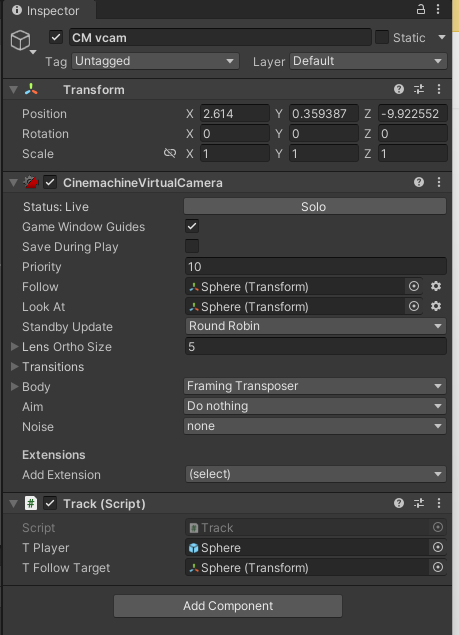 fathom mist
using System.Collections;
using System.Collections.Generic;
using UnityEngine;
using TMPro;

public class PlayerMovement : MonoBehaviour
{

    //two text varuable
    public TMP_Text ScoreText;
    public TMP_Text WinText;


    //create a speed variable for the player
    public float speed;

    //counting system

    public int count;

    //create a rigidbody variable for the player
    Rigidbody2D rb2d;

    //call sound controller script
    SoundController sc;


    // Start is called before the first frame update
    void Start()
    {

        //get the rigidbody2d component to access it
        rb2d = GetComponent<Rigidbody2D>();

        WinText.text = "";
        ScoreText.text = "Score:";

        //Initialize SoundController Script
        sc = GameObject.Find("SoundController").GetComponent<SoundController>();

    }

    // Update is called once per frame
    void FixedUpdate()
    {
        float moveHorizontal = Input.GetAxis("Horizontal"); //x
        float moveVertical = Input.GetAxis("Vertical"); //y


        // Debug.Log(moveHorizontal);

        //need vector2 value by combining x and y

    Vector2 movement = new Vector2(moveHorizontal, moveVertical);

        // add physics to force the player to move with certain speed
        //rb2d.AddForce(movement * speed);
        rb2d.velocity=(movement * speed);
    }

    private void OnTriggerEnter2D(Collider2D other)
    {

        //When a gameobject with a collider passes through an object on trigger checked
        //it'll do something
        if (other.gameObject.CompareTag("PickUp"))
        {
            //it will set the other game objects active status to false

            other.gameObject.SetActive(false);

            count = count + 1;

            ScoreText.text = "Score: " + count.ToString();
            sc.PlayScoreSound();

            if (count >= 4)
            {

                //display win text
                WinText.text = "Gathered all materials";
                sc.PlayWinSound();

            }
        }
    }

}
airy What is this supposed to show us?
Also dont get Input values from FixedUpdate
@supple citrus did u get it figured out?
fathom mist
This si what I started with, I couldnt figure out how to get the animation to stop looping on the walk left one so I ditched it and tried a new script but I want to know how to add the animation parameters from the video to this because I keep getting confused
queen adder
The code u had was almost fine
fathom mist
I just want to know how to get the animations to play properly while moving around
Oh
cosmic dagger
are the animation transitions setup correctly?
queen adder
I think that part is fine
fathom mist
I'm sorry I've been having this same issue for a little over two hours and I'm just losing my mind trying to teach myself how to make a walk cycle
queen adder
He was using the wrong method
Its not that hard
You made a simple mistake
Go back to what u had with animator.GetFloat()
Ill walk u thru it
supple citrus
queen adder
<@388715330458877952> did u get it figured out?
No, it's not detecting anything at all Im so confused
fathom mist
Thank you so much let me uh copy and paste it back into here since I removed it
not the chat ofc
cosmic dagger
if y'all are doing that, i'd make a thread. a walkthrough will take up the chat . . .
fathom mist
fathom mist
```cs
using System.Collections;
using System.Collections.Generic;
using UnityEng...
ok so im starting with this
supple citrus
queen adder
Show me ur entire editor
 fathom mist
I made a thread so I dont take up the chat anymore should I delete it
supple citrus
queen adder
From what i can tell you dont have a event system
What is that + I have other things in this project detecting mouseclicks that work
frigid sequoia
This is more an UI question, but since it seems that it does indeed requieres code I am gonna ask. How should I make a canvas scale depending of the size the text of its textmeshpro childs? Does this really need to be made manually by a custom script?
supple citrus
Also while theres a screenshot does anybody know why those 3 objects are red
theyve been like that forever but they work fine so i just ignore it
queen adder
I believe its because you deleted the original prefab
supple citrus
probably I dont remember its been months
queen adder
Are those other things UI?
supple citrus
Only things under UICanvas and Canvas are UI
queen adder
The event system is what controls UI events
 queen adder
Thats weird then
supple citrus
I just cant select the presets
abstract pelican
wtf

 queen adder
Its working now?
queen adder

supple citrus
shrug if it works it works
queen adder
Do they have a button Component?
abstract pelican
help guys
queen adder
Whats set to target?


 queen adder
abstract pelican
queen adder
abstract pelican
What does the error say?
abstract pelican
queen adder
What does the error say?
I don't understand
summer stump
abstract pelican
AimController lines 32 and 40
abstract pelican
 queen adder
It says those things arent set to a reference
Your target and player have there references so its not them
Only one thing on those lines could be null
abstract pelican
Oh, the thing is, I forgot to delete the old target.
but, now I still have another problem, I can't see the picture.
abstract pelican
I can't see the scope for some reason
queen adder
You set vcam to a new one
abstract pelican
no
queen adder
Are u still getting the NREs?
abstract pelican
 wintry quarry
abstract pelican
wintry quarry
abstract pelican
These are NREs. Null Reference Exception
abstract pelican

I turn on the scope object, it worked before until I started working with vcam.
 abstract pelican
queen adder
It stand for Null Reference exception
abstract pelican
queen adder
It stand for Null Reference exception
I don't have any errors in the console right now.
teal viper
NRE is a runtime error. You won't get it until you run the game the execution runs into it.
queen adder
abstract pelican
You set ur cursors visible to false when u start aiming?
 summer stump
abstract pelican
summer stump
abstract pelican
Near clipping plane I guess?
Since it is an offset from the camera or something?
 queen adder
Camera clip plane is on the main camera
abstract pelican
 queen adder
You could also just the cursors sprite to whatever sprite ur using for the aiming
abstract pelican
When there is a virtual camera, you can't change anything on the main camera
queen adder
Thats what i originally thought u were doing but i guess not
summer stump
abstract pelican
When there is a virtual camera, you can't change anything on the main camera
Well, affecting the virtual camera affects the main camera
abstract pelican
teal viper
NRE is a runtime error. You won't get it until you run the game the execution ru...
I know, I don't have this error after I deleted the duplicate.
abstract pelican
summer stump
Well, affecting the virtual camera affects the main camera
yes
I know that. That's what I'm telling him.
teal viper
The sprite is parented to the v cam, so when it had position 0 on Z, it was right on/out the boundary of the camera frustum.
Which would make it not visible of course
queen adder
summer stump
abstract pelican
I know that. That's what I'm telling him.
Ok, not sure why, because they clearly knew that.
But ok
To be clear, the offset I mentioned before is the offset from the camera, not something in code
abstract pelican
All right, brother.
I've almost done what I want to do for my game, now I just need to do the shooting. 😄
queen adder
Also clipping planes isnt effect by cinemachine anyway lol. But im glad to hear ur game is almost finished
 summer stump
You can always just access the main camera and adjust if, while still using a virtual camera
abstract pelican
Such a big screen is awful, get yourself a screenshot app.
abstract pelican
queen adder
Also clipping planes isnt effect by cinemachine anyway lol. But im glad to hear ...
No, my game is not finished, one mechanic in the game is finished:D
abstract pelican
queen adder
teal viper
To be fair vCam can override the clipping plane settings of the camera iirc.
teal viper
abstract pelican
https://app.prntscr.com/
Why would you need an app. If it's windows, you can just use the snipping tool.
Win + shift + s
summer stump
teal viper
To be fair vCam can override the clipping plane settings of the camera iirc.
Oh. I thought that's what vee meant haha
summer stump
teal viper
Win + shift + s
Works so well!
summer stump
queen adder
Theres is quite literally a prtsc button
Yeah, it is pretty low quality though for some reason. Your image earlier was unreadable.
abstract pelican
teal viper
Win + shift + s
Honestly it's not convenient, I'm already used to one-click app and send it wherever I want.
summer stump
I'm on mobile though. Not sure about desktop
queen adder
Still good to know
teal viper
It was fine. Discord doesn't load the full res image in preview. Especially on mobile. You need to download it to see the full res.
abstract pelican
has anyone done a gun recoil?
queen adder
Anyone down for a code review on me?
For my PlayerMovement and PlayerAnimator
Curious to hear ur guys thoughts
teal viper
Sure, just share the code
cosmic dagger
time to destroy . . .
queen adder
!code
eternal falconBOT
Posting code
📃 Large Code Blocks
Use links to services like:
https://gdl.space/, https://paste.ofcode.org/, https://hatebin.com/, https://paste.myst.rs/, https://hastebin.com/
📃 Inline Code
Surround code with three backquotes. Not quotation marks.
To format as C#, add cs to the first line:
```cs
// Your code here
```
Add a comment with a line number if there is an error message.
teal viper
Is there anything in the code that concerns you?
cosmic dagger
queen adder
Oh god please dont lol
what specifically are you unsure about?
the first thing is naming convention for variables . . .
queen adder
Ah yes
Ive been told about the naming conventions
More so a personal preference
When i work with other ppl i do camelCase but for solo i do pascal
cosmic dagger
_moveDirection not _move_direction. makes it harder to read the variables. especially, when you have 2+ underscores, like box_cast_distance. everything is lowercase and takes longer to read what the variable is, instead of boxCastDistance . . .
teal viper
queen adder
https://gdl.space/otajujohof.cs
- I'd avoid assigning physics properties(like velocity) on an input callback.
- not sure what the 2 last lines in the fixed update are for.
queen adder
The last two lines were for debugging i need to delete them actually
queen adder
cosmic dagger
`_moveDirection` not `_move_direction`. makes it harder to read the variables. e...
Yeah but like i said its personal preference whats hard to read to some ppl is easy to read for me. I switch to normal conventions for group projects tho
teal viper
I'm also, not sure about boxcast for ground detection, but I guess it's more of a design decision.
cosmic dagger
the boxcast for ground check is a bit weird . . .
queen adder
Really?
cosmic dagger
ashh, you beat me to it . . .
queen adder
What would u guys do?
cosmic dagger
i feel like it'll get caught in seems more easily . . .
anythig round is easier . . .
teal viper
Sphere circle maybe.
teal viper
queen adder
I havent had any problems *yet* but when i do ill keep that in mind
See how far on an edge your character can stand, it would probably look like it's floating in the air.
queen adder
Design decision on my part
I feel like if their feet are touching the ground they shouldnt be falling. Even if its llike a pixel of there foot. Idk if thats normal tho
Mind the music
cosmic dagger
nah, they should slide and fall from that . . .
queen adder
