#💻┃code-beginner
1 messages · Page 212 of 1
 wooden minnow
 sour dome
Edit: moved code to https://hastebin.com/share/ilogemacuf.csharp per Bot's recommendation
I have the SimpleRandomWalkDungeonGenerator piece of code from a tutorial. I am having a hard time understanding the protected and abstract stuff, can someone help me implement that RunProceduralGeneration into my PortalBehaviour script? My goal here is to make it so a new dungeon is generated when a collision happens between a player and a portal prefab.
Hastebin is a free web-based pastebin service for storing and sharing text and code snippets with anyone. Get started now.
wooden minnow
sour dome
Edit: moved code to https://hastebin.com/share/ilogemacuf.csharp per Bot's recom...
?code
 rare basin
sour dome
Edit: moved code to https://hastebin.com/share/ilogemacuf.csharp per Bot's recom...
rare basin
sour dome
Edit: moved code to https://hastebin.com/share/ilogemacuf.csharp per Bot's recom...
!code jezus
 eternal falconBOT

Posting code
📃 Large Code Blocks
Use links to services like:
https://gdl.space/, https://paste.ofcode.org/, https://hatebin.com/, https://paste.myst.rs/, https://hastebin.com/
📃 Inline Code
Surround code with three backquotes. Not quotation marks.
To format as C#, add cs to the first line:
```cs
// Your code here
```
Add a comment with a line number if there is an error message.
wooden minnow
that's not the command...
wooden minnow
eternal falcon
oh ffs it's with ! not ?
rare basin
Debug seconds
and debug your timeScale
WaitForSeconds() is dependant on the timeScale
wooden minnow
how do i log timeScale?
rare basin
Time.timeScale
wooden minnow
3 seconds, timescale is 1
rare basin
then i honestly dont know
wooden minnow
is it because im disabling the object?
 burnt vapor
sour dome
Edit: moved code to https://hastebin.com/share/ilogemacuf.csharp per Bot's recom...
burnt vapor
sour dome
Edit: moved code to https://hastebin.com/share/ilogemacuf.csharp per Bot's recom...
Uhh, so protected on a class, method or property basically indicates on the class containing it can use it. Additionally if you inherit from that class they can also use it. Look up public, protected, private and internal accessors.
As for Abstract, this is also related to inheritance. Abstract means the class must be inherited from and implement whatever is abstract, be is just the class or also methods, properties and such.
To learn about Abstract, also look up protected/override and the difference between those and Abstract.
sour dome
Thank you for the code tip, I have moved the code per suggestions: #💻┃code-beginner message
burnt vapor
Better you learn what they are than have us fix the code
wooden minnow
rare basin
if you are disabling the object the coroutine is on
i am
how do i fix that?
rare basin
don't disable the object
or disable just it's renderer
not the entire object
is it a 2d or 3d game
wooden minnow
2d
sour dome
burnt vapor
Uhh, so `protected` on a class, method or property basically indicates on the cl...
I understand that protected and override part. I'm just not sure how to fix it without going deep into the AbstractDungeonGenerator and changing it away from Abstract (which will break a lot of the other related scripts that inherited that class)
rare basin
althought im not sure why this is not working, because coroutines are not stopped when a MonoBehaviour is disabled
~~only if it's destroyed ~~
Edit: nevermind, SetActive() also stops the coroutine
 fierce shuttle
You mentioned you started watching tutorials, see if those help, if not you can try searching "C# events" and see some more examples outside of Unity (which may make it a bit easier to understand), if your still confused after trying some stuff, maybe you can show what you have and where your confused
sour dome
I also understand that's why SimpleRandomWalkDungeonGenerator has that protected override void RunProceduralGeneration() which allows it to have its own version of RunProceduralGeneration(), but that just means that I need to also do an override on PortalBehaviour() which seems a bit convoluted to me.
Note: my javascript/node experience does not help here since we don't usually use private/abstract classes in my previous projects
 hidden sleet
fierce shuttle
You mentioned you started watching tutorials, see if those help, if not you can ...
hidden sleet
fierce shuttle
You mentioned you started watching tutorials, see if those help, if not you can ...
Will do. I’ve heard about a fair few different event systems but I’m not too sure in which case each of them are used
 young warren
Hi! when it comes to events and delegates, I usually recommend this video
https://www.youtube.com/watch?v=UWMmib1RYFE

The observer pattern is essentially baked into C# and Unity. It comes in the form of delegates, events, actions, and to some extent funcs. The observer pattern de-couples the source of information from the object receiving the information. This makes unity projects more stable, easier to add mechanics, and far less likely to break.
Blog Post Co...
I used it myself to understand the syntax. I hope it helps you as much as it did me
hidden sleet
Looks good, will give it a look
The hardest part so far definitely seems to be making it so each class only does the one thing it describes
young warren
understandable 😆 that takes a bit of discipline
but remember that's just a recommendation/suggestion. not a must
hidden sleet
Indeed
and it makes me understand why so many people recommend multiple small projects instead of one medium to big game as a first go around
although I'm glad this guy makes me realise it's not just me confused by the syntax lol
young warren
if it's any reassurance, i truly knew nothing about the C# syntax of events and delegates before, and that one video is all I needed. So best of luck with that. Take it slow
hidden sleet
One thing I'm not too sure on is while adding a function that has return types and parameters looks simple enough, where do you actually pass in those values?
young warren
hidden sleet
One thing I'm not too sure on is while adding a function that has return types a...
for Func?
hidden sleet
hang on, lemme bring up my example
oh it seems to be working this time?
ok
:/
Right, so I want to set up a broadcast from the UI slot script, which the inventory manager will act upon and reduce the item count, then update the display
think I got it
young warren
I think what you're asking might be in the Actions and Funcs section. particularly in the Action part
it's just myEvent?.Invoke(myParameter);
hidden sleet
yeah I was getting an error when I tried that before, I assume it must have been unrelated
 queen adder
Hey guys I have an issue,in my game I have a simple shooting script that spawns an object at a co-ordinate and then when I click on the screen it just drops it and adds a bit of velocity.
The issue is that in the editor everything works perfect fine, but when I create a build for my android phone when the object gets shot (so it's falling) it's movement is not smooth and it feels really laggy.
If needed I can show my script, but all the shooting is in fixed update and everything else is just for checking if the player has clicked on the screen
young warren
queen adder
Hey guys I have an issue,in my game I have a simple shooting script that spawns ...
just show the script please
queen adder
Okay give me a minute
hidden sleet
So I've got the delegate in the ui - ```cs
public abstract class newInventoryUiSlot : MonoBehaviour, IPointerClickHandler
{
public InventoryManager Manager;
public InventoryItemSlot CorrespondingInventoryItem;
public delegate void OnUiItemClicked();
public OnItemAdded onUiItemClicked;

public void OnPointerClick(PointerEventData eventData)
{
    itemPlacer itemPlacer = FindObjectOfType<itemPlacer>();

    if (itemPlacer)
    {
        itemPlacer.placeItem(CorrespondingInventoryItem.item.objectPrefab);
    }
    //When the ui item is clicked, send an event to the inventoryManager to remove the item, then update the display
    if (onUiItemClicked != null)
    {
        onUiItemClicked.Invoke(Manager.getProcessedInventory());
    }
}
}```
But this would be for every individual slot. Would it be wise to make that onUiItemClicked a static?
 swift crag
hidden sleet
So I've got the delegate in the ui - ```cs
public abstract class newInventoryUiS...
swift crag
hidden sleet
So I've got the delegate in the ui - ```cs
public abstract class newInventoryUiS...
Sure. You can then have something else subscribe to OnUiItemClicked on each inventory slot.
rare basin
hidden sleet
So I've got the delegate in the ui - ```cs
public abstract class newInventoryUiS...
why not just use Action
swift crag
no static members here
rare basin
public Action OnUiItemClicked;
swift crag
and yes, you should generally just use System.Action and System.Func
System.Action is used for functions that return void. System.Func is used for functions that do not return void.
System.Action<Foo, Bar> takes a Foo and a Bar as arguments. System.Func<Foo, Bar> takes a Foo as an argument and returns Bar
young warren
I second using Action as opposed to delegate void
far easier to write, and less syntax to remember
swift crag
The event keyword allows for anyone to subscribe/unsubscribe, but only allows the member's class to actually invoke the delegate
hidden sleet
I was just wondering since if I have one for each ui slot wouldn't I need to iterate through and assign the function in the inventory manager for each one
rare basin
swift crag
`System.Action` is used for functions that return `void`. `System.Func` is used ...
doesn't func return that last input parameter?
bar in this case?
swift crag
hidden sleet
I was just wondering since if I have one for each ui slot wouldn't I need to ite...
There are two options here.
queen adder
young warren
just show the script please
Bruh the script is too long so I need to send it in three different messages
young warren
queen adder
Bruh the script is too long so I need to send it in three different messages
!code
eternal falconBOT
Posting code
📃 Large Code Blocks
Use links to services like:
https://gdl.space/, https://paste.ofcode.org/, https://hatebin.com/, https://paste.myst.rs/, https://hastebin.com/
📃 Inline Code
Surround code with three backquotes. Not quotation marks.
To format as C#, add cs to the first line:
```cs
// Your code here
```
Add a comment with a line number if there is an error message.
swift crag
- You can use
System.Action<UISlot>instead ofSystem.Action. This will allow the UI slot to pass itself. - Whoever subscribes to the event can create an anonymous function that includes the slot. Like this:
foreach (var slot in slots) {
  slot.OnClick += () => HandleSlotClick(slot);
}
why can't I use delegates?
swift crag
System.Action is a delegate type
hidden sleet
ah, I see
swift crag
I just find it nicer to use the System.Action and System.Func types
I find it jarring to have what looks like a method signature
queen adder
young warren
!code
Here you go ig
https://paste.ofcode.org/W7QLZaYMyngV863bAy5bFt
hidden sleet
Yeah I will admit trying to wrap my head around this delegate code is already giving me a headache
although that's just me struggling to figure out where I should put the stuff that handles changing the inventory
swift crag
swift crag
- You can use `System.Action<UISlot>` instead of `System.Action`. This will allo...
you know, I'm curious if this causes the same footgun that a for loop does https://unity.huh.how/anonymous-methods-and-closures
I don't quite remember
foreach is materially different from for
young warren
queen adder
Hey guys I have an issue,in my game I have a simple shooting script that spawns ...
so it lags as it falls?
queen adder
young warren
so it lags as it falls?
Yep
hidden sleet
Yeah that action does look a little clearer ```cs
public abstract class newInventoryUiSlot : MonoBehaviour, IPointerClickHandler
{
public InventoryManager Manager;
public InventoryItemSlot CorrespondingInventoryItem;
public delegate void OnUiItemClicked();
public event OnItemAdded onUiItemClicked;

public event Action uiItemClicked;

public void OnPointerClick(PointerEventData eventData)
{
    itemPlacer itemPlacer = FindObjectOfType<itemPlacer>();

    if (itemPlacer)
    {
        itemPlacer.placeItem(CorrespondingInventoryItem.item.objectPrefab);
    }

    uiItemClicked?.Invoke();

}
}```
right then, time to figure out the rest
young warren
queen adder
Yep
can i see the script of the object that's spawned and falling?
swift crag
hidden sleet
Yeah that action does look a little clearer ```cs
public abstract class newInven...
public event Action uiItemClicked;
This line doesn't do what you think it does
young warren
hidden sleet
Yeah that action does look a little clearer ```cs
public abstract class newInven...
by the way, the naming convention for C# is PascalCase for types/class names
hidden sleet
oh?
swift crag
oh, no, I misread your code.
young warren
so it should be ItemPlacer itemPlacer = FindObjectOfType<ItemPlacer>(); since you seem to care about conventions 🙂
queen adder
Actually this is the main script that the objects have, the other two scrips are one that is for merging objects and one the deletes the object if there is a bomb nearby
hidden sleet
young warren
so it should be `ItemPlacer itemPlacer = FindObjectOfType<ItemPlacer>();` since ...
Didn't spot that one
queen adder
young warren
can i see the script of the object that's spawned and falling?
I'm gonna send the other two scrips, but the don't have anything physics related (I think)
hidden sleet
wait now even I'm confused. Hang on
rare basin
hidden sleet
Yeah that action does look a little clearer ```cs
public abstract class newInven...
you can delete the now
    public delegate void OnUiItemClicked();
    public event OnItemAdded onUiItemClicked;
This works fine, good. It's strictly for loops that'll do that to you...
rare basin
public abstract class newInventoryUiSlot : MonoBehaviour, IPointerClickHandler
{
    public InventoryManager Manager;
    public InventoryItemSlot CorrespondingInventoryItem;

    public event Action OnUiItemClicked;

    public void OnPointerClick(PointerEventData eventData)
    {
        itemPlacer itemPlacer = FindObjectOfType<itemPlacer>();

        if (itemPlacer)
        {
            itemPlacer.placeItem(CorrespondingInventoryItem.item.objectPrefab);
        }
        OnUiItemClicked?.Invoke();
    }
}
sorry, I have to go. I'd suggest making a thread though. things are getting busy here
hidden sleet
Ah, I think I tabbed by accident. That was the event that fires when the inventory is changed
 swift crag
This works fine, good. It's strictly `for` loops that'll do that to you...
swift crag
swift crag
This works fine, good. It's strictly `for` loops that'll do that to you...
(or anything else that create a variable once and modifies it)
hidden sleet
so that shouldn't be there
rare basin
rare basin
```cs
public abstract class newInventoryUiSlot : MonoBehaviour, IPointerClickHan...
@hidden sleet take a look
hidden sleet
goodness I'm not making this easy for myself am I 
rare basin
you either use
public Action ...
or delegate + instance of that delegate
dont mix both
 brave compass
swift crag
I just find it nicer to use the `System.Action` and `System.Func` types
brave compass
swift crag
I just find it nicer to use the `System.Action` and `System.Func` types
I like to compare the use of Actions/Funcs vs delegate definitions to the use of tuples vs struct definitions. Tuples are quicker, but depending on the number of properties, can be lengthy. And if you reuse the same tuple in multiple places, you have to redefine the properties in each occurrence, making refactoring more difficult.
hidden sleet
rare basin
dont mix both
yeah I got rid of the delegate
swift crag
brave compass
I like to compare the use of Actions/Funcs vs delegate definitions to the use of...
True, that's a fair point.
hidden sleet
now I need to figure out where these will actually all go to
 timber tide
Actions should be all you need. You shouldn't need return through func and just have bi-directional action events
assuming this is through UI -> Manager -> Model
brave compass
But my main issue with it is the fact that that the parameters in Actions/Funcs are unnamed. You only have the type to guess what it means. In cases where there's only one parameter of each type or no parameters, it's fine. But then you have cases like:
Action<Scene, Scene> SceneManager.activeSceneChanged
What do the <Scene, Scene> parameters mean? Well, you can't know for sure without checking the documentation.
swift crag
brave compass
But my main issue with it is the fact that that the parameters in Actions/Funcs ...
You know, I completely forgot to consider that!
public event System.Action<GameState, GameState> StateChanged;
the second one is...probably the new state
but maybe that's the first one
rare basin
that's actually the good point, never thought about this in such way
i cna imagine working in a bigger team
and using <GameState, GameState> might be confusing for others
well this case might be understandable better than some other cases, cuz
<oldState, newState>
 gaunt ice
oldState probably is the variable name not type name
hidden sleet
So if I have this action on my ui element that fires when something is clicked, passing the item that slot represents, in my inventory I could listen for that and remove the item. But since each ui slot will be it's own object, would I still be able to make the action static in my UI slot, so that I don't need to constantly look through the list of displayed slots and add / remove the actions?
swift crag
why not just subscribe to each slot?
the slot can choose to not invoke the event if it doesn't have an item in it
rare basin
hidden sleet
So if I have this action on my ui element that fires when something is clicked, ...
i wouldn't make a static event for adding a item in the inventory
hidden sleet
swift crag
why not just subscribe to each slot?
I think I'll try that approach. Just struggling to wrap my head around it
swift crag
swift crag
- You can use `System.Action<UISlot>` instead of `System.Action`. This will allo...
see here
If you need both the slot and the item it contained, you can use System.Action<Slot, Item>
brave compass
rare basin
<Slot, Item = null> kinda?
With custom delegates, yes. Not with Action.
swift crag
the compiler isn't yelling at
public delegate void Test(GameObject x = null);
so ye
timber tide
Well, just my opinion is that you shouldn't have the reference to the slot or manager on the slotUI itself as this is the whole idea of using the events here to remove that coupling
 final kestrel
I cannot seem to get my enemy capsule turn while attacking the player. Here is the code. Can someone help me out.
https://hatebin.com/nrywpnbmwd
hidden sleet
timber tide
Well, just my opinion is that you shouldn't have the reference to the slot or ma...
yeah that's what I'm trying to resolve. It's just gotten a bit complicated as I try to figure out how to do that properly
timber tide
only the manager should know about what slotUI maps to the actual slot data
gaunt ice
just remember
using alias=Type name; is supported
```so you can
```cs
Action<OldState,NewState>
```by using statementat the moment I'm trying to get a list of all the slots displayed, so I can then get the listeners set up
hidden sleet
timber tide
only the manager should know about what slotUI maps to the actual slot data
I've got this thing set up at the moment which I want to try and bridge that gap ```cs
public class UiInventoryManager : MonoBehaviour
{
protected InventoryManager InventoryManager;
public List<newInventoryUiSlot> UiInventorySlotList;
public Dictionary<InventoryItemSlot, GameObject> invSlotToUiObject = new Dictionary<InventoryItemSlot, GameObject>();
public Dictionary<Structure, GameObject> structToUiObject = new Dictionary<Structure, GameObject>();
public RectTransform scrollParent;
public GameObject slotPrefab;
 stuck palm
Im sending out a static event, and I can see that its being sent out, but my recipient doesnt seem to be receiving it. why woudl this be?


did my message send/
timber tide
hidden sleet
I've got this thing set up at the moment which I want to try and bridge that gap...
Right, the reference on the inventory I'd say correct here, so basically you want to forward that event from the UISlot to the inventory manager.
through the UIManager
 hexed terrace
stuck palm
Im sending out a static event, and I can see that its being sent out, but my rec...
hexed terrace
stuck palm
Im sending out a static event, and I can see that its being sent out, but my rec...
this log doesn't show what you think it does, it just shows that OnReady is called, anything after log may not happen because of the if statement.. check those
hidden sleet
timber tide
Right, the reference on the inventory I'd say correct here, so basically you wan...
k, so that would end up being Ui slot clicked -> send event to UI manager -> send event to inventory manager essentially?
stuck palm
hexed terrace
this log doesn't show what you think it does, it just shows that OnReady is call...
ahhh, i see its not actually firing now, thank you
timber tide
hidden sleet
k, so that would end up being Ui slot clicked -> send event to UI manager -> sen...
that seems like an idea, but since you do have the reference to the inventory here (which like I was saying is fine), you could just call the method on the inventory itself here.
stuck palm
fixed the bug, thank you
timber tide
depends how exposed you want the use method on inventory
hidden sleet
Is it not necessarily bad for the UI script to be modifying the actual inventory? That sort of decoupling is why I started this in the first place
timber tide
Well, you're taking input from the user through the UI, and the manager is passing it through to the inventory. You want that input from the user, but the inventory itself has the last word for if it should use the information it's being given.
Your inventory should still be functional without the UI, but by designing your system this way you can deatch these interfaces without having remake the whole inventory itself.
rare basin
hidden sleet
Is it not necessarily bad for the UI script to be modifying the actual inventory...
single-responsibility rule
keep the UI for the UI
dont let it modify the actuall slot data
hidden sleet
that's what I'm trying to figure out 
At this point I'm struggling to keep track of what's what now
 noble summit
to make an enemy follow the player, why do you have to do player position - enemy position to get the vector3 position to go to
 devout flower
I have a problem where I turn on the animator, make an empty parent, copy over the scale to the parent, set the child scale to Vector3.one, and play my animation (the fish slap one, which doesn't change the scale).
For some reason, the child scale is set back to what it used to be.
I was wondering if this was a code or animation issue?
Also, later, after my child object has played another animation (the SwitchModes one shown in the animator) and goes back to play the one that there is a bug with, the scale works as intended
timber tide
hidden sleet
At this point I'm struggling to keep track of what's what now
Clicking on a slot and requesting the inventory to Use() the contents isn't the UI that's modifying the slot contents.
If you were to drag a slot onto another slot, you request the inventory by sending both to, and from, slots and to swap them (if possible)
 fringe perch
Hello is there a way to not generate in custom physics shape ? In the same tile map there are tiles I don't want to have colliders but from the same set and separating only one stair seems ugly as a solution
rare basin
noble summit
to make an enemy follow the player, why do you have to do player position - enem...
that is the direction you need to go
hidden sleet
So if I just have this UiInventoryManager, which keeps track of which slots exist and what items they are for, listen to that click and remove the item from the inventoryManager using the Inventory's own method, that still abides by those principles?
noble summit
rare basin
that is the direction you need to go
but why is it not just the player position
 polar acorn
noble summit
to make an enemy follow the player, why do you have to do player position - enem...
polar acorn
noble summit
to make an enemy follow the player, why do you have to do player position - enem...
That doesn't get a position that gets a direction
hidden sleet
hidden sleet
So if I just have this UiInventoryManager, which keeps track of which slots exis...
Ah, Okay. I think that's what I've generally been confused by then
noble summit
polar acorn
That doesn't get a position that gets a direction
how
hidden sleet
I've been obsessed with trying to make everything clean and tidy so I can maintain some good architecture but I had no real clue how to link stuff together with that in mind
polar acorn
noble summit
how
Because subtracting two positions gets you the direction vector from one to the other
You can try this out on a sheet of graph paper, put two dots, manually work out how many X and Y steps to go from one to the other, then subtract the positions and see how the numbers align
final kestrel
final kestrel
I cannot seem to get my enemy capsule turn while attacking the player. Here is t...
Sorry if this is a spam. Can someone help me out with this one? My enemy capsule does not rotate at all. I have assigned the target to player in the inspector as well.
polar acorn
final kestrel
Sorry if this is a spam. Can someone help me out with this one? My enemy capsule...
Try logging transform.rotation before and after the Slerp line and see if they're different. If they're different, but no rotation is happening, then something else is likely setting the rotation and overwriting this. If they're the same, then something is wrong in the math and it's not getting a target
hidden sleet
Something else then, I've got two different inventory types - Inventory and StructureInventory. If possible I'd like to extend InvManager so that different classes handle the different types of inventory as i've had to essentially make a copy of this one. What could I potentially do to have this method exist in a superclass, and the subclass can use it but pass in either this Inventory or the StructuresInventory? cs public void DisplayInventoryOnLoad(Inventory inventory) {
noble summit
polar acorn
You can try this out on a sheet of graph paper, put two dots, manually work out ...
it all makes sense now 😨
final kestrel
polar acorn
Try logging `transform.rotation` before and after the `Slerp` line and see if th...
they are the same
brave compass
final kestrel
Sorry if this is a spam. Can someone help me out with this one? My enemy capsule...
You're slerping from Quaternion.identity to the target rotation. The t value you're using is Time.deltaTime * turnSpeed. Assuming you're running at 60 FPS and turnSpeed is set to its default value of 10, the t value is equal to 0.1666. So what you're doing every frame is setting the enemy's rotation to be 16.6% the way from the zero rotation to the target rotation.
hidden sleet
hidden sleet
Something else then, I've got two different inventory types - Inventory and Stru...
if I had the parameter be of a generic type could that work?
polar acorn
brave compass
You're slerping from `Quaternion.identity` to the target rotation. The `t` value...
Oh, right I literally did not even see that the first parameter wasn't the current rotation. @final kestrel this is the problem
final kestrel
Oh so I just use the transform.rotation?
Okay after changing it my capsule rotates but It was something to do with the animator. I was setting the rotation there on idle state. Removed it and it works now thanks a lot.
timber tide
hidden sleet
Something else then, I've got two different inventory types - Inventory and Stru...
I wouldnt deal with generics
just use polymorphism and make a virtual method
hidden sleet
but how would parameters work in that case? If I have a virtual method that takes Inventory i'd still need another that takes StructuresInventory
timber tide
Why cant inventory and this other inventory derive from a single type
hidden sleet
I tried to figure out a way too but I just couldn't figure it out. I'd like to, and have tried different ways to, but for the time being I felt I had to do this just to get it at least working before figuring that out too
Unless i literally make a class they can derive from that has no code in it, I can't really see enough similarities between what both inventories do under the hood that I can use to make one class they can cleanly extend from
timber tide
Well, you can also just implement the method only in the subclass too
and keep the superclass abstract
You can try generics, but if you don't have a constraint then that will create more problems for this probably
hidden sleet
if I have a start method on a superclass I assume it'll fire on the subclass too?
timber tide
sure, and you can also override it too
hidden sleet
can I do a fancy thing and have it so the subclass does a second start after the first one? So if my super does this ```cs
private void Start()
{
inventoryManager = FindObjectOfType<InventoryManager>();
}, Can I have it so the sub does this after that first Start has run ? inv = inventoryManager.getProcessedInventory();```
timber tide
look up base keyword
 dim monolith
not a unity problem, but i been trying to run c# codes on visual studio code. i look up yt vid on how to set it up . im still not able to
hidden sleet
timber tide
look up base keyword
so base.Start in the sub's start method could do that?
timber tide
will call the previous implementation too, yes
hidden sleet
doesn't seem to allow Start()
timber tide
well, you need to implement start in the superfirst and make it virtual
hidden sleet
So a 'private virtual void Start()' but start doesn't show up in the tab list
 timber tide
doesnt look like you're overriding start
hidden sleet
oh the tab list doesn't show up
hang on
I think I get you
Is base a bit like super.### in java?
rare basin
you don't override Start() anywhere
you just made a new Start()
should be override void Start()
hidden sleet
So 'private virtual void Start()' in one, and 'override void Start()' in the other?
timber tide
protected
hidden sleet
haven't done overriding in C# yet if you couldn't tell :/
hang on

what am I failing to understand here
timber tide
access modifiers
hidden sleet
ah yes
Theeerrre we go

So this onDestroy method that's on the super, will it run that when the subclass is destroyed too?
timber tide
if it's implemented at the base, it'll run in all children classes
hidden sleet
k, good to know
timber tide
unless you override its implementation
hidden sleet
learning many things today my word
still got a headache
and the person using this won't know I changed anything once it's done 
I just need to learn some decent principles so it's possible to expand this
timber tide
i'd learn more on the polymorphism before getting involved with the events
and getting the design of your classes down
hidden sleet
It was a rather rushed job at the start since this is a uni project I needed to push out. But now I'm putting more time into properly understanding more about what I should be doing
 sweet osprey
What might be the opposite of this.AddComponent<MyScript>()? I want to Remove the script by code now.
Is the most convenient way really something like: Destroy(this.GetComponent<MyScript>()) ? Seems elaborate
polar acorn
sweet osprey
What might be the opposite of this.AddComponent<MyScript>()? I want to Remove th...
Destroy
 cosmic dagger
sweet osprey
What might be the opposite of this.AddComponent<MyScript>()? I want to Remove th...
cosmic dagger
sweet osprey
What might be the opposite of this.AddComponent<MyScript>()? I want to Remove th...
Use Destroy with the component reference . . .
 fiery fjord
This might be more of an advanced topic but I'll try my shot in this channel. I'm working with Physics scenes (In 2D) and I am currently having an issue with the simulation updating correctly (I may misunderstand the timing of it)
This is my "Physics Scene Manager" script which simply manages the physics of my scenes.
I am attempting to grab all of the points of a physics object to make a trajectory line using a line renderer. (Under the GetHiddenPhysicsPoints() method) Everything is working except the capturing of the velocity of the rigidbody.


Here is my script called "Trajectory Drwaer" which takes in a hidden physics object (which is already moved to the physics scene on start) and simply adds a velocity given a current direction (which is updated every tick). The problem lies in these two lines:
``
// Sets velocity of the rigidbody with direction and throw velocity
currentPhysicsObjectRb.velocity = currentDirection * throwVelocity;
    // Gets physics points from hidden physics object for drawing
    List<Vector2> physicsPoints = PhysicsSceneManager.GetHiddenPhysicsPoints(hiddenPhysicsObject);
``
This is where the physics call is made to change the velocity. I have also tried using the AddForce method for my rigidbody. I was hoping someone could help my clarify what could be the issue here. Any help is appreciated, thank you!

 fading rapids
whats wrong with line 27
 fading rapids
xDDDDD
polar acorn
fading rapids
whats wrong with line 27
When a semicolon is missing, the previous line can't actually end, meaning line 27 is line 26 as far as the compiler is concerned
fiery fjord
fading rapids
xDDDDD
Been there too many times haha
cosmic dagger
fading rapids
whats wrong with line 27
Check the entire method and look at the error message. The line does not end until it reaches a semi-colon . . .
fading rapids
ty
hidden sleet
So @timber tide , for something like this, this doesn't necessarily mean that this crafting manager actually has the inventory within it, but it's just referencing what is on the InventoryManager instead? ```cs
public class CraftingManager : MonoBehaviour
{
//Handles turning one object into another and holds the process to perform
public InventoryManager inventoryManager;
public Inventory rawInventory;
public Inventory processedInventory;
public List<Item> outputItems = new List<Item>();
public Dictionary<CraftMethod, Item> craftToItem = new Dictionary<CraftMethod, Item>();
public static CraftMethod craftMethod;
// Start is called before the first frame update
void Start()
{
    rawInventory = inventoryManager.getRawInventory();
    processedInventory = inventoryManager.getProcessedInventory();
    craftToItem.Add(CraftMethod.RodCraft, outputItems[1]);
    craftToItem.Add(CraftMethod.CuboidCraft, outputItems[0]);
    craftToItem.Add(CraftMethod.PlateCraft, outputItems[2]);
}```
is there anyone that could help me privately with a short code
or here if u like that
 spare mountain
just post it here why do you need private help
timber tide
hidden sleet
So <@288886727555284995> , for something like this, this doesn't necessarily mea...
Right, it's a reference so you can pretty much bind another inventorymanager here.
fading rapids
idk seems unrelated to the type of posts i see here
fiery fjord
fiery fjord
Here is my script called "Trajectory Drwaer" which takes in a hidden physics obj...
Found out my issue, this whole time I have been spawning the ghost object as inactive since it didn't have to be active on spawn. But I forgot to reactivate it once it spawned lol
fading rapids
but ill post it then
hidden sleet
okay, that's a big help. Was so caught up with wasting memory that I got a bit ahead of myself
fading rapids
hidden sleet
So <@288886727555284995> , for something like this, this doesn't necessarily mea...
how do i post my script like you?
fiery fjord
 hidden sleet
The sign to the left of 1, three times on either side :/
fading rapids
OKAY
fiery fjord
it's not that sign, but that's a way to send it
spare mountain
fading rapids
how do i post my script like you?
!code
fiery fjord
Oh it is
eternal falconBOT
Posting code
📃 Large Code Blocks
Use links to services like:
https://gdl.space/, https://paste.ofcode.org/, https://hatebin.com/, https://paste.myst.rs/, https://hastebin.com/
📃 Inline Code
Surround code with three backquotes. Not quotation marks.
To format as C#, add cs to the first line:
```cs
// Your code here
```
Add a comment with a line number if there is an error message.
fiery fjord
Nvm
spare mountain
hidden sleet
I can't send the sign without the formatting
```
fading rapids
Hastebin is a free web-based pastebin service for storing and sharing text and code snippets with anyone. Get started now.
i dont understand why the dashing is not working
spare mountain
fading rapids
i dont understand why the dashing is not working
define "not working"
e.g. what do you expect to happen vs what is happening
fading rapids
when i click E the dashing button ntohing happens
while i am supposed to dash a specific amount of lenth
spare mountain
fading rapids
when i click E the dashing button ntohing happens
when are you changing your character's velocity?
fading rapids
Oh wait
spare mountain
all I see is you changing a bunch of variables which don't affect line 34
fading rapids
damn
hidden sleet
timber tide
Right, it's a reference so you can pretty much bind another inventorymanager her...
How can I specifically tell whether something is a reference or actually contains the data? my inventory itself is a scriptable object, so that I figured means there can only be one instance of it stored as an asset, but for others is it just wherever you use the new keyword like you would outside of unity?
timber tide

Learn more about: Value Types and Reference Types
hidden sleet
That one's for visual basic, does that still apply?
timber tide
oh huh that was my top google result, but they are somewhat similar

Reference types - C# Reference
hidden sleet
I'll go look it up regardless
haven't done all too many projects of my own, so I've not delved too deep into the topic
I think It'll definitely be worth doing some research on it though. Felt like I was almost holding myself back because I understood things incorrectly
Need to take a step back to fully grasp everything I've changed up to day. Still determining exactly how stuff works together but I know a heck of a lot more than I did at the start!
Do any of you ever organise files and folders so that they kind of represent the hierarchial structure of your class inheritance? At the moment I've got common scripts (Ui scripts, movement scripts) etc all in one place, but it's already becoming messy
hidden sleet

fading rapids
fading rapids
when i click E the dashing button ntohing happens
https://hastebin.com/share/elukagewet.csharp, now the dashing is working for both left(E) and right(E) but it is like randomized(i think) if i click E 10 times maybe 2 times it works
spare mountain
fading rapids
https://hastebin.com/share/elukagewet.csharp, now the dashing is working for bot...
what do you mean it's randomized?
hidden sleet
Although in all honesty the hardest part of all this is spotting the situations where some technique can be applied to streamline it, and maintaining a bank of everything that can be done. There’s so much it’s overwhelming at my level
fading rapids
if I click e or q the dash button it isnt always dashing
sometimes its dashing twice in a row
and sometimes its just not dashing
spare mountain
fading rapids
if I click e or q the dash button it isnt always dashing
that's possibly because of getkeydown
try using getkey and a variable
spare mountain
you don't know what a variable is?
you should learn the basics of C# before trying to code anything
fading rapids
not by name maybe
hidden sleet
Was just thinking, are there ways to view some unity projects so I can learn more about general design principles and patterns?
When I started work on learning Minecraft modding I could just find mods on curseforge and look at them, but are there any ways to do something similar for Unity?
 storm imp
what does this mean and how do I fix it?

 wintry quarry
storm imp
what does this mean and how do I fix it?
wintry quarry
storm imp
what does this mean and how do I fix it?
it means you have a field in your script that you're not using (zoomSpeed)
it's a warning not an error
polar acorn
storm imp
what does this mean and how do I fix it?
You have a variable that you are never using. If you intended to use it somewhere, you forgot to. If you intend not to use it, you can probably just get rid of it
storm imp
polar acorn
You have a variable that you are never using. If you intended to use it somewher...
No I think I need it
polar acorn
storm imp
No I think I need it
Then you should probably be using it somewhere
wintry quarry
storm imp
No I think I need it
Well you're not currently using it. Do you plan to use it in the future?
storm imp
wintry quarry
Well you're not currently using it. Do you plan to use it in the future?
yes
polar acorn
storm imp
yes
Then the warning will go away when you actually use it
wintry quarry
storm imp
yes
then don't worry about it
 frank delta
wintry quarry
Well you're not currently using it. Do you plan to use it in the future?
frank delta
wintry quarry
Well you're not currently using it. Do you plan to use it in the future?
Hey this is really unrelated but I found one of your answer on the Unity Forum lol, thanks

Aight cya! Sleep now
 zinc osprey
Hi guys, how come when I rightclick on the red spot it detect the Player, not the item slot?


The script is attached to the Player.
wintry quarry
zinc osprey
The script is attached to the Player.
the script is the one receiving the event
and the scirpt is on Player
so you have clicked on player
Each slot should have a script on it with OnPointerClick to detect them individually
zinc osprey
oh alright thx
wintry quarry
zinc osprey
oh alright thx
What you could try
is eventData.pointerCurrentRaycast.gameObject
zinc osprey
It works, thx ❤️
fading rapids
how do i fix player sticking on wall while pressing d in air towards the collider

 vague field
hey i just loaded in a new avatar, but i cant safe it because a prefab is missing and i just cant figure out what prefab or how to solve this problem, ive been struggling for over an hour on this now. How can i solve this problem?


 cunning raven
Could you add a physics mat that applies no friction?
fading rapids
cunning raven
Could you add a physics mat that applies no friction?
ima try
cunning raven
Or something of that nature
polar acorn
vague field
hey i just loaded in a new avatar, but i cant safe it because a prefab is missin...
Check the objects listed. You have a missing script on those objects. Either assign a script or remove the component
fading rapids
cunning raven
Or something of that nature
ty it worked
cunning raven
np
 jaunty coyote
I have a void OnEnable and void OnDisable which i want them to run when i activate/deactivate a script. However, they only work once-the first time. I tried debuging and came to a conclusion this is only a problem with enabeling/disabeling the script but not the object. If i wanted to enable/disable the object of the script, the script would work correctly.
but i need it to work so if i enable/disable the script
polar acorn
They do
OnEnable and OnDisable work whenever this component is active or not. Deactivating an object also deactivates all scripts on it, so it will fire all OnDisable functions
jaunty coyote
polar acorn
OnEnable and OnDisable work whenever this component is active or not. Deactivati...
i know how it should work
the thing is it only works once
polar acorn
jaunty coyote
the thing is it only works once
Then the object is only enabled/disabled once
storm imp
wintry quarry
Well you're not currently using it. Do you plan to use it in the future?
I thought I was using it already
jaunty coyote
polar acorn
Then the object is only enabled/disabled once
im stupid, the void works correctly but i got problems with assigning animations, ill figure it out
polar acorn
storm imp
I thought I was using it already
Not according to your warning you're not
storm imp
polar acorn
Not according to your warning you're not
interesting
polar acorn
storm imp
interesting
Where do you think you are using it
storm imp
polar acorn
Where do you _think_ you are using it
in my CameraController script
vague field
polar acorn
Check the objects listed. You have a missing script on those objects. Either ass...
worked, but i cant find the last missing prefab
 polar acorn
storm imp
in my CameraController script
polar acorn
storm imp
in my CameraController script
show
polar acorn
vague field
worked, but i cant find the last missing prefab
Look at the full error and see what object it's on
storm imp
polar acorn
show
cs
using System.Collections;
using System.Collections.Generic;
using UnityEngine;

public class CameraController : MonoBehaviour
{
    // Sensitivity of the mouse
    private float rotateSpeed = 7.0f;

    // Zoom in/out variables
    private float zoomSpeed = 600.0f;
    private float zoomAmount = 0.0f;

    //tourmanger
    private TourManager tourManager;
    // Start is called before the first frame update
    void Start()
    {
        tourManager = GetComponent<TourManager>();
    }

    // Update is called once per frame
    void Update()
    {
        if (tourManager.isCameraMove)
        {

            if (Input.GetMouseButton(0))
            {
                Quaternion currentRotation = transform.rotation;
                Quaternion xRot = Quaternion.AngleAxis(Input.GetAxis("Mouse Y") * rotateSpeed, Vector3.right);
                Quaternion yRot = Quaternion.AngleAxis(Input.GetAxis("Mouse X") * rotateSpeed, Vector3.up);
                transform.rotation = currentRotation * yRot * xRot;
            }

        }


    }

    public void ResetCamera()
    {
        transform.localEulerAngles = new Vector3(0, 0, 0);
        zoomAmount = 0.0f;
        Camera.main.transform.localPosition = new Vector3(0, 0, zoomAmount);

    }
}
So where are you using zoomSpeed
storm imp
polar acorn
So where are you using zoomSpeed
private float zoomSpeed = 600.0f;
polar acorn
storm imp
private float zoomSpeed = 600.0f;
So where are you using zoomSpeed
storm imp
polar acorn
So where are you _using_ zoomSpeed
I guess am not
vague field
polar acorn
Look at the full error and see what object it's on
fixed, tysm

 short hazel
It's a method you put in a class, like void Update() { }
But named OnControllerColliderHit
 short hazel
Ah I see, it's the argument that's not correct, not the method name
OnControllerColliderHit(ControllerColliderHit hit)
//                      ^ HERE
There's no "On" for the argument type
 grizzled surge
How is it supposed to look?
I tried following a tutorial but it is hard without a good understanding of c#
short hazel
Just like how I typed it
grizzled surge
Oh right
short hazel
Notice the difference
Also you need to configure VS Code so it works with Unity, that line should be underlined red
!vsc
grizzled surge
I see
short hazel
!vscode
eternal falconBOT
Visual Studio Code guide
If your IDE is not underlining errors in red or autocompleting code,
please configure it using the link below:
short hazel
There we go
 median rain
hey, Im new here. i got 3 errors and idk how to fix them
Shader error in 'BoatAttack/Water': redefinition of 'SurfaceData' at final/Library/PackageCache/com.unity.render-pipelines.universal@14.0.10/ShaderLibrary/SurfaceData.hlsl(5) (on d3d11)
Shader error in 'Unlit/InfiniteWater': redefinition of 'SurfaceData' at final/Library/PackageCache/com.unity.render-pipelines.universal@14.0.10/ShaderLibrary/SurfaceData.hlsl(5) (on d3d11)
Shader error in 'BoatAttack/Water': redefinition of 'SurfaceData' at final/Library/PackageCache/com.unity.render-pipelines.universal@14.0.10/ShaderLibrary/SurfaceData.hlsl(5) (on d3d11)
grizzled surge
short hazel
Also you need to configure VS Code so it works with Unity, that line should be u...
I am still using unity 2020
short hazel
And?
grizzled surge
Says I need atleast 2021
short hazel
Meh try anyway
short hazel
median rain
hey, Im new here. i got 3 errors and idk how to fix them
Shader error in 'BoatA...
Nothing as good as package errors when starting a new project.
If you're not using the Universal Render Pipeline (URP), you can uninstall the package from the Package Manager (Window > Package Manager). If you don't know whether you're using URP or not, leave it as is.
If you're using URP, close Unity, go to where your project is saved, and delete the Library folder only. Then start your project again. It'll take more time to start up as it needs to rebuild everything, but that should solve the problem.
median rain
short hazel
Nothing as good as package errors when starting a new project.
If you're not usi...
idk if im using URP but I downloaded an Asset from Unity and I added it from the package manager, and I go those 3 errors
and I do use URP just checked. ill go delete the library and see if it works
deleted the library
 real estuary
I'm a bit new to unity, but I've been using it for about 3 months with minimum to no issues with uploading avatars to vrchat that I've purchased. Recently though, as soon as I open a new project this error pops up. I've tried deleting the library folder and reopening it, but that doesn't work. Any help is appreciated.
This is Unity 2022.3.6f1

 smoky granite
can any1 help me?
 ivory bobcat
Maybe but not if you don't provide information about what you're needing help with upfront.
smoky granite
sorry
basically
i want to use lerp to scale up an objecty
this is my code so far
`public class LerpScaling : MonoBehaviour
{
private Vector3 endScale = new Vector3(0.9437993, 0.9437993, 0.9437993);
private Vector3 startScale;
private float desiredDuration = 2f;
private float elapsedTime;


// Start is called before the first frame update
void Start()
{
    startScale = transform.localscale;
}

// Update is called once per frame
void Update()
{
    elapsedTime += Time.deltaTime;
    float percentageComplete = elapsedTIme / desiredDuration;

    transform.localscale = Vector3.Lerp(startScale, endScale, percentageComplete);
}
}`
and its broken

 rocky canyon
localscale isnt a thing
ivory bobcat
Maybe you've got a typo. Make sure to have a configured ide to prevent minor syntax errors from getting in the way of your adventure/journey.
rocky canyon
configure ur IDE and it'll show u the typos/errors as u code !ide
eternal falconBOT
💡 IDE Configuration
If your IDE is not autocompleting code
or underlining errors, please configure it.
Select one:
• Visual Studio (Installed via Unity Hub)
• Visual Studio (Installed manually)
• VS Code
• JetBrains Rider
• Other/None
short hazel
If you are not getting code completion suggestions as you type, you need to configure your code editor
smoky granite
eternal falcon
i have tried so hard and its not working
median rain
short hazel
Nothing as good as package errors when starting a new project.
If you're not usi...
thxx a lot it did work, do have some warnings but I can live with those :))
grizzled surge
What can this mean?
 smoky granite
oh lemme try
ivory bobcat
grizzled surge
What can this mean?
The error usually comes with code.
grizzled surge
ivory bobcat
The error usually comes with code.
 short hazel
grizzled surge
What can this mean?
short hazel
grizzled surge
What can this mean?
You are trying to do something with a variable that does not contain a value. The second line here gives you a hint, it's in your PlayerManager script, on line 25.
ivory bobcat
Score text is null
smoky granite
i fixed it but now its saying this?
 ivory bobcat
You need to fix your ide
 summer stump
grizzled surge
summer stump
grizzled surge
One issue that may be causing the null is that you have a TMP text object? And it isn't letting you drag it in?
grizzled surge
short hazel
Can't get the `.text` on nothing (null)
So I fill it like this?
 summer stump
grizzled surge
So I fill it like this?
summer stump
grizzled surge
So I fill it like this?
No
short hazel
No, like scoreText doesn't have a value
smoky granite
rocky canyon
use ur eyeballs
im so sorry man
summer stump
You have to reference the object that has the text component
rocky canyon
no worries.. ur just making it hard on urself w/o the IDE
grizzled surge
summer stump
You have to reference the object that has the text component
Oh
grizzled surge
summer stump
You have to reference the object that has the text component
So the reference is the text in my hierarchy?
summer stump
grizzled surge
So the reference is the text in my hierarchy?
Yeah
You have to point to that
rocky canyon
well itd be the thing u wanna change yea
grizzled surge
summer stump
You have to point to that
But I have done that now but still have the error?
ivory bobcat
Maybe show where you assigned it, whether through code or inspector.
summer stump
grizzled surge
But I have done that now but still have the error?
You have done what now?
grizzled surge
summer stump
You have done what now?
given it a reference
summer stump
grizzled surge
given it a reference
And what does that mean specifically?
ivory bobcat
Also consider it becoming null if it's been destroyed.
summer stump
grizzled surge
summer stump
And what does that mean specifically?

Is scoreText what you mean that I should reference it to?
summer stump
grizzled surge
Where do you reference that?
ivory bobcat
Where do you reference it?
grizzled surge
summer stump
Where do you reference that?
Idk
summer stump
grizzled surge
Is scoreText what you mean that I should reference it to?
Up to you. Can't say
grizzled surge
 smoky granite
guys im so sorry im so STUPID but please help me this isnt a spelling error this time
 ivory bobcat
grizzled surge
ivory bobcat
grizzled surge
That would be using it
You'd need to reference it before using the variable
summer stump
grizzled surge
You need to assign the reference. Either by dragging the object in via the inspector, or by using scoreText =
grizzled surge
ivory bobcat
You'd need to reference it before using the variable
Can you give me an example if possible? Idk how to
summer stump
ivory bobcat
smoky granite
guys im so sorry im so STUPID but please help me this isnt a spelling error this...
Configure your ide. You've likely missed a step like many others have. We cannot help without you having a properly configured ide first.
median rain
the first img is my console that should look like the 2nd one... Why??


im missing folders
ivory bobcat
grizzled surge
Can you give me an example if possible? Idk how to
#💻┃code-beginner message
Check the unity inspector field for that script component
rocky canyon
smoky granite
i'll retry
uninstall the IDE ur using..
restart the entire PC..
then install it thru the Unity Hub
thats the easiest way
grizzled surge
ivory bobcat
https://discord.com/channels/489222168727519232/497874004401586176/1209218128836...
I managed to fix it:D
smoky granite
rocky canyon
uninstall the IDE ur using..
restart the entire PC..
then install it thru the Un...
okok do i uninstakll visual studio code and then re install it through unity?
helloo
ivory bobcat
Just install Visual Studio (assuming you need VSC for other stuff)
ivory bobcat
This is the coding channel, general unity discussions would be in #💻┃unity-talk
smoky granite
!ide
eternal falconBOT
💡 IDE Configuration
If your IDE is not autocompleting code
or underlining errors, please configure it.
Select one:
• Visual Studio (Installed via Unity Hub)
• Visual Studio (Installed manually)
• VS Code
• JetBrains Rider
• Other/None
 rotund vapor
How would i go about making a script that changes the song playing in a audio source from a intager?
rotund vapor
 summer stump
rotund vapor
How would i go about making a script that changes the song playing in a audio so...
summer stump
rotund vapor
How would i go about making a script that changes the song playing in a audio so...
From an integer? You could use an enum where the value is the name of the clip or something
Or use a dictionary
Or just use an array and the integer would be the index
ivory bobcat
Or an array
rotund vapor
summer stump
Or just use an array and the integer would be the index
that would work better
summer stump
rotund vapor
that would work better
Depends. How many clips will you have?
I'm partial to the enums, but it's kinda more work. Array is easiest
rotund vapor
summer stump
Depends. How many clips will you have?
not counting the defualt one, 4
rare basin
PlayAudioClip(AudioEnum enum)
summer stump
rotund vapor
not counting the defualt one, 4
You'd be perfectly fine just doing an array then
The indexes won't get too confusing
grizzled surge
Guys I have a problem with getting my car that runs into a wall to collide with it. When it collides with the wall it is supposed to stop but it doesn't. Could someone help me with it?
 rich adder
grizzled surge
Guys I have a problem with getting my car that runs into a wall to collide with ...
rich adder
grizzled surge
Guys I have a problem with getting my car that runs into a wall to collide with ...
show both colliders, also show how you move car
grizzled surge
rich adder
show both colliders, also show how you move car
 grizzled surge
grizzled surge
grizzled surge
 ivory bobcat
grizzled surge
ivory bobcat
grizzled surge
The other data are important as well
grizzled surge
grizzled surge
 rotund vapor
summer stump
You'd be perfectly fine just doing an array then
The indexes won't get too confu...
rotund vapor
summer stump
You'd be perfectly fine just doing an array then
The indexes won't get too confu...
how do i make it stop the other audio before playing the new one
rich adder
grizzled surge
mate, these cutoff screenshots its hard to tell which object is what
rare basin
rotund vapor
how do i make it stop the other audio before playing the new one
read the docs man
AudioSource.Stop()
everything is in there
rotund vapor
rare basin
AudioSource.Stop()
thank u
grizzled surge
rich adder
mate, these cutoff screenshots its hard to tell which object is what
okay let's make it bigger
 ivory bobcat
So, a collision will not occur if there isn't a rigid body or character controller involved
rich adder
grizzled surge
okay let's make it bigger
show the Sedan root object
grizzled surge
there is a character controller
summer stump
rotund vapor
how do i make it stop the other audio before playing the new one
If you use Play, it will stop whatever is playing on that source
grizzled surge
 rich adder
grizzled surge
rich adder
grizzled surge
so you're using a Character controllerfor car? why do you have a mesh collider then
anyway does wall have collider?
grizzled surge
rich adder
so you're using a Character controllerfor car? why do you have a mesh collider t...
The wall has a box collider
The car came with mesh collider in the asset I used
rich adder
grizzled surge
The wall has a box collider
show how you are moving car
ivory bobcat
grizzled surge
Maybe you should use the character controller to move rather than teleporting with Transform?
grizzled surge
rich adder
show how you are moving car
 rich adder
yes Translate = No collisions
you are essentially teleporting
replace it with Character Controller Move method
ivory bobcat
Google Unity Character Controller Script and check out it's move methods
grizzled surge
Oh okay I will do so
ivory bobcat
Or lookup a tutorial
The docs should be enough for a single particular behavior though
rich adder
yeah its a farily easy mechanic
grizzled surge
This is it?
rich adder
yes
ivory bobcat
Evaluate the code and see what you can make out of it
rich adder
btw Your direction seems wrong
ivory bobcat
Read the description as well
rich adder
oh nvm I see you're doing that already, just combine the two direction into one single call
 vast saffron
sorry this has nothing to do with this channel but can somone help me how to fix this and make it bigger again

 lost anvil
Anyone know?
 potent garnet
How would you DoTween a mesh gameobject's color? I'm trying to access the gameObject's meshrenderer -> material then do DoColor from there, but it throws an error.
 rich adder
vast saffron
sorry this has nothing to do with this channel but can somone help me how to fix...
rich adder
vast saffron
sorry this has nothing to do with this channel but can somone help me how to fix...
cntrl + scroll mouse wheel?
vast saffron
doesnt work
rare basin
left ctrl + scroll up
rich adder
rare basin
left ctrl + scroll up
make sure its enabled
rare basin
zoom in/out
vast saffron
doesnt work
 ivory bobcat
It's not remotely related to Unity.
vast saffron
rich adder
how am i finding this now if its now to small
vast saffron
ivory bobcat
It's not remotely related to Unity.
whats wrong with you
stop hating around
rich adder
vast saffron
how am i finding this now if its now to small
because the menu options arent ?
 rich adder
so do the shortuct ctrl + ,
search for Mouse Zoom, but thats for the code part your whole app is borked
google it
ivory bobcat
vast saffron
stop hating around
Because it isn't.
vast saffron
ivory bobcat
Because it isn't.
"🤓" "Because it isn't."
rare basin
it kinda is
"anything related to begginr codding in Unity"
if he is coding in unity
and he needs help with his code editor
vast saffron
yes i am
rare basin
then it is related
summer stump
rare basin
if he is coding in unity
He's doing html according to the first image
vast saffron
summer stump
He's doing html according to the first image
doesnt matter
i named it wrong
rare basin
well now it does xd
summer stump
vast saffron
doesnt matter
Well, that's why dalphat was saying that. No need to be a jerk to them
rich adder
mate you wanna develop, learn how google works to be honest @vast saffron
vast saffron
summer stump
Well, that's why dalphat was saying that. No need to be a jerk to them
i wasnt
hes not friendly
trying to hate around
ivory bobcat
vast saffron
trying to hate around
It's pretty normal here
vast saffron
gotta feel pretty cool right? @ivory bobcat
WOW!
u didnt help a noob for coding
cool
rare basin
lmao
rich adder
just be quiet and move on
rare basin
monday strikes hard 😄
rich adder
stop being a child on tantrum
short hazel
You're doing HTML and JS. This isn't the place
vast saffron
okay
summer stump
vast saffron
ur so cool
<@&502884371011731486>
rich adder
alt account probably
lost anvil
🤣
rich adder
yes i bet you been banned here before
ivory bobcat
Spam <@&502884371011731486>
vast saffron
cause i dont know how to code?
rare basin
@vast saffron#💻┃code-beginner message
vast saffron
rare basin
<@1149987645234102323>https://discord.com/channels/489222168727519232/4978740044...
yes
vast saffron
ivory bobcat
Spam <@&502884371011731486>
Not spam at all im not even posting every 3 seconds
rare basin
now you are - stop, and move on
rich adder
vast saffron
Not spam at all im not even posting every 3 seconds
spam is also talking offtopic nonesense
vast saffron
rich adder
spam is also talking offtopic nonesense
okay but yall wanna ban me thats not appropiate
 frosty hound
Move on please
vast saffron
frosty hound
Move on please
yes i will, thanks i was just replying to his message
rare basin
vast saffron
okay but yall wanna ban me thats not appropiate
that's the server rules
vast saffron
rare basin
that's the server rules
move on please
rotund vapor
summer stump
If you use Play, it will stop whatever is playing on that source
ok i have been working on it but now it will not accept my audio source and says that it does not exist
Code:
    [SerializeField] private bool UseSongSet = true;
    public AudioClip Set1;
    [SerializeField] private AudioSource bgm;
    private void Start()
    {
        if (UseSongSet == true)
        {
            SetSongSet();
        }
    }
    private void SetSongSet()
    {
        bmg.Play();
        bmg.clip = Set1;
        bmg.Play();
    }
either accept the rules, or leave the server #📖┃code-of-conduct
vast saffron
rare basin
either accept the rules, or leave the server <#497867528488484864>
move on please 👍
im accepting the rules
and will now move on
 rare basin
rotund vapor
ok i have been working on it but now it will not accept my audio source and says...
rare basin
rotund vapor
ok i have been working on it but now it will not accept my audio source and says...
is your IDE configured?
spare mountain
rocky canyon
make sure u have this asssigned in the inspector
woah what is up with your screenshot? it's all chromatic aberration-ed
 rare basin
rotund vapor
it is asssigned
rare basin
rotund vapor
it is asssigned
what is the error, can you screenshot it
ivory bobcat
rotund vapor
ok i have been working on it but now it will not accept my audio source and says...
Your ide likely isn't configured
rotund vapor
ivory bobcat
Your ide likely isn't configured
IDE?
 ivory bobcat
Typo is present in the code you sent
eternal falconBOT
💡 IDE Configuration
If your IDE is not autocompleting code
or underlining errors, please configure it.
Select one:
• Visual Studio (Installed via Unity Hub)
• Visual Studio (Installed manually)
• VS Code
• JetBrains Rider
• Other/None
vast saffron
what? move on please
 fickle plume
@spring onyx Don't spam the channel

 fickle plume
!ban 500905566785241088 Spamming alt account
eternal falconBOT
 quex7390 was banned.
fickle plume
!mute 1149987645234102323 3d ignoring warnings spam
eternal falconBOT
pfrarr was muted.
 sage mirage
Hey, guys! I have a small issue with my game. When my game object collides with the other game object I want to see a particle effect but I have made a functionality so that when it collides to hit game over and freeze the game. So, with that I can't see actually the particle effect only the startup of it.
rare basin
that is a code related channel
hidden sleet
A little bit confused on how parameters work here within the context of actions. I've got this action set up here cs public event Action<Inventory> OnItemAdded; Which is invoked later in the script cs OnItemAdded?.Invoke(this); But where it actually listens to this it doesn't seem to like me putting in the parameters from before. With an action setup like this, how do parameters work?
 rocky canyon
spare mountain
woah what is up with your screenshot? it's all chromatic aberration-ed
rocky canyon
spare mountain
woah what is up with your screenshot? it's all chromatic aberration-ed
lol what? nu uh
hidden sleet
UpdateDisplay is a void, but I just want to pass in the inventory, but not sure exactly where cs public void UpdateDisplay(Inventory inventory)
rare basin
hidden sleet
A little bit confused on how parameters work here within the context of actions....
just += UpdateDisplay;
hidden sleet
where does the parameter that you've passed in go?
spare mountain
rocky canyon
lol what? nu uh
idk
 rare basin
then UpdateDisplay gets that inventory
hidden sleet
so would updateDisplay just receive whatever it was from where it was invoked?
 eternal needle
hidden sleet
where does the parameter that you've passed in go?
eternal needle
hidden sleet
where does the parameter that you've passed in go?
You dont pass in a parameter at that point. You are just adding to the delegate for what method should be running when the event is invoked
rare basin
hidden sleet
so would updateDisplay just receive whatever it was from where it was invoked?
yes
exactly
hidden sleet
Alright, I see
 trim gulch
Hi! My character keeps getting stuck on the tilemap's walls. I've tried everything I've seen, using composite colliders, adding materials with no friction, etc. but it still won't work. Does anyone have any Idea what could be?
rare basin
public event Action<int> IntAction;

private void PrintNumber(int number)
{
   Debug.Log(number);
}
@hidden sleet
so for instance if you do
IntAction?.Invoke(5);
it will debug log 5
(int number) is now 5 -> the invoked parameter
 slender nymph
trim gulch
Hi! My character keeps getting stuck on the tilemap's walls. I've tried everythi...
slender nymph
trim gulch
Hi! My character keeps getting stuck on the tilemap's walls. I've tried everythi...
show how you move the object
also it is a known issue with Box2D (the physics engine unity uses for 2d physics) that you can get caught on the edges of tiles if using a collider with corners so if that is what you are experiencing rather than a friction/code related issue then you'd want to ensure you are using a round collider
trim gulch
slender nymph
show how you move the object
 trim gulch
slender nymph
also it is a known issue with Box2D (the physics engine unity uses for 2d physic...
trim gulch
slender nymph
also it is a known issue with Box2D (the physics engine unity uses for 2d physic...
Oh
I'll try that then
slender nymph
trim gulch
and you've put the physics material 2d on the collider and/or the rigidbody2d?
also keep in mind that your input overrides gravity too (realized it is top down not side scroller so this isn't an issue)
trim gulch
slender nymph
and you've put the physics material 2d on the collider and/or the rigidbody2d?
In both
trim gulch
slender nymph
also it is a known issue with Box2D (the physics engine unity uses for 2d physic...
I think this fixed it
I'm testing it and it seems to work so far
Thank you so much
median rain
median rain
the first img is my console that should look like the 2nd one... Why??
any1?
rich adder
median rain
any1?
where is the code question ?
rare basin
median rain
any1?
did anyone understand anything from your question?
rich adder
median rain
there is no code question. Im missing some files and Idk why
then why are you posting in a code channel
rare basin
median rain
there is no code question. Im missing some files and Idk why
so why do you ask in code related channel
median rain
fair enough... srry
 unique citrus
i got a code related question the errors have just came up now and idk whats wrong
 rare basin
do you have duplcicate GunController file?
unique citrus
nope
slender nymph
are you missing a using directive or assembly reference?
unique citrus
idk thats the thing
rare basin
or, is your IDE configured? lets start with that
slender nymph
unique citrus
idk thats the thing
paste the entirety of GunController.cs into a bin site 👇 !code
eternal falconBOT
Posting code
📃 Large Code Blocks
Use links to services like:
https://gdl.space/, https://paste.ofcode.org/, https://hatebin.com/, https://paste.myst.rs/, https://hastebin.com/
📃 Inline Code
Surround code with three backquotes. Not quotation marks.
To format as C#, add cs to the first line:
```cs
// Your code here
```
Add a comment with a line number if there is an error message.
eternal falconBOT
Posting code
📃 Large Code Blocks
Use links to services like:
https://gdl.space/, https://paste.ofcode.org/, https://hatebin.com/, https://paste.myst.rs/, https://hastebin.com/
📃 Inline Code
Surround code with three backquotes. Not quotation marks.
To format as C#, add cs to the first line:
```cs
// Your code here
```
Add a comment with a line number if there is an error message.
unique citrus
rare basin
or, is your IDE configured? lets start with that
yep
rare basin
show a screenshot from your IDE
slender nymph
unique citrus
!code
you were meant to read the bot message to post your code to a bin site
rocky canyon
aye, thats the best one imo
slender nymph
also for future reference, when sharing your code do not edit it. you added the comment at the top so now the line numbers do not match up with your errors. of course the issue is going to be that either you are using an asmdef that does not have an engine reference or you've put the file in some special folder that acts like it has an asmdef
polar acorn
Well, it's in Assets so it's not the latter
slender nymph
yeah i just went back and looked at that lol
polar acorn
Do you have any files in your project with the extension asmdef?
polar acorn
unique citrus
im not no
Can you send a screenshot of your Assets folder in Unity?
slender nymph
if you make any change to your code and save it again, do those errors persist
polar acorn
Hopefully there's not so much there it won't fit on one screen
unique citrus
polar acorn
Can you send a screenshot of your `Assets` folder in Unity?
yep
polar acorn
Also, the old standby, try closing and reopening Unity
 unique citrus
polar acorn
Also, the old standby, try closing and reopening Unity
unique citrus
polar acorn
Also, the old standby, try closing and reopening Unity
ill do that now
 vague dirge
What's the difference between transform.rotation = Quaternion(0f, 90f, 0f) and transform.Rotate(World.up, 90f) ?? It outputs smth different but I don't understand hy it would do the same thing
polar acorn
unique citrus
Yep, definitely no assembly definitions
slender nymph
vague dirge
What's the difference between `transform.rotation = Quaternion(0f, 90f, 0f)` and...
the first assigns a specific rotation. the latter rotates by 90 degrees
polar acorn
vague dirge
What's the difference between `transform.rotation = Quaternion(0f, 90f, 0f)` and...
The first one sets the rotation, the second one performs a rotation
vague dirge
Ok
polar acorn
Note that the values you see in the inspector are one of infinite possible vectors that represent the same orientation. It's possible the objects could be oriented identically but have different Euler Angles. Check the directions the three arrows are pointing when you've got the object selected
unique citrus
polar acorn
Yep, _definitely_ no assembly definitions
how do i solve that then?
vague dirge
polar acorn
The first one _sets_ the rotation, the second one _performs_ a rotation
And is there a way to set the rotation with Rotate() ? Because the fact of giving a custom axxis of rotation is really usefull and I didn't find it in another method
polar acorn
unique citrus
how do i solve that then?
In this case, the Assembly Definition being present and misconfigured could cause the problem, but if there are none then it should be working. I'm gonna say first try a restart and see if the errors come back
unique citrus
done a restart errors are still there
unique citrus
still says im missing assembaly referances
polar acorn
vague dirge
And is there a way to set the rotation with Rotate() ? Because the fact of givin...
Just multiply your axis by your angle and it should work
unique citrus
slender nymph
if you make any change to your code and save it again, do those errors persist
yea
hexed terrace
unique citrus
still says im missing assembaly referances
force a compile of the class - right mouse click the file -> reimport
oh, nm that's the same as what box just said to do
vague dirge
polar acorn
Just multiply your axis by your angle and it should work
In the quaternion of a multiply the rotation itself ?
polar acorn
unique citrus
yea
Try closing Unity, then delete the Library folder in your project. The next time you re-open the project it'll generate a new one
polar acorn
vague dirge
In the quaternion of a multiply the rotation itself ?
Actually forget what I just said, use this instead:
https://docs.unity3d.com/ScriptReference/Quaternion.AngleAxis.html
 quaint crystal
if i convert two centers of two bounds to worldposition then average it, will i get the center of both?
thanks
vague dirge
polar acorn
Actually forget what I just said, use this instead:
https://docs.unity3d.com/Scr...
Thanks, it's not working but I think I'm doing smth wrong, I have a new clue to work with. Thanks !
timber tide
quaint crystal
if i convert two centers of two bounds to worldposition then average it, will i ...
It would be half the distance between two pivots if you wanna do it that way
hidden sleet
Following on from what I was going on about earlier, I've realised that i've got it so that my ui slot will be what spawns this object into the world, which doesn't feel right. Is that necessarily bad? ```cs
public class newInventoryUiSlot : MonoBehaviour, IPointerClickHandler
{
public InventoryItemSlot CorrespondingInventoryItem;

public event Action<InventoryItemSlot> uiItemClicked;

public void OnPointerClick(PointerEventData eventData)
{
    itemPlacer itemPlacer = FindObjectOfType<itemPlacer>();

    if (itemPlacer)
    {
        itemPlacer.placeItem(CorrespondingInventoryItem.item.objectPrefab);
    }

    uiItemClicked?.Invoke(CorrespondingInventoryItem);

}
}```
timber tide
Your UIManager should contain the list/array of slots
you can actually just initialize them on the scene as a prefab if you want too and just serialize them
hidden sleet
In this case my UI one has a dictionary that would map a slot to one of the UI gameobjects public Dictionary<InventoryItemSlot, GameObject> invSlotToUiObject = new Dictionary<InventoryItemSlot, GameObject>();
I'm just unsure whether it makes sense for the item placing logic to exist on it too
timber tide
Dictionary is fine, you can also just assume your inventory slots and UISlots are as of same indicies for each list
hidden sleet
dang now another issue has popped up as a result of all this refactoring
timber tide
I'm not a fan of slot ref to slot ref though, but that's something I'm not 100% sure of the correct way with dealing. Preferably (in my opinion), your UI manager would have the reference to each UIslot in the dictionary, and mapped to a indice which you would send to your inventory to manage
hidden sleet
in an attempt to make it easier for me to set up all these ui managers I've now made it so I can't control whether clicking a ui element allows for item spawning in a specific scene
 opaque matrix
Can anyone help me with anims? Every anim works BUT the falling one. It doesnt play plus it doesnt go back to idle
timber tide
Should debug your code and make sure you're even going into your statement
hidden sleet
I think Im back to square 1 now...
went through all this to overcome a problem, fixed many others and I seem to have backed myself into a corner
Cause now that same ui slot code means it spawns in the item regardless of which scene you are in, which I only want it to work in certain scenes
timber tide
Use your comparisons and check before you add your item
hidden sleet
{


    public InventoryItemSlot CorrespondingInventoryItem;

    public event Action<InventoryItemSlot> uiItemClicked;

    public void OnPointerClick(PointerEventData eventData)
    {

        if (CorrespondingInventoryItem.item is ProcessedItem)
        {
            itemPlacer itemPlacer = FindObjectOfType<itemPlacer>();

            if (itemPlacer)
            {
                itemPlacer.placeItem(CorrespondingInventoryItem.item.objectPrefab);
            }

            uiItemClicked?.Invoke(CorrespondingInventoryItem);
        }


    }
}``` I could do this I supposewait can you do 'is not' that type
otherwise I can only get specific
but wait even that won't work
AHHH
What i'd like is some boolean on the uiSlot to say if it should be clickable or not, but I don't know how I'd differentiate them when they are spawned since all ui items are created the same way now
bouta bring out the pencil and paper to fix all this
slender nymph
hidden sleet
wait can you do 'is not' that type
yes but it probably requires unity 2021+ since i think that was introduced in the c# 9 pattern matching improvements
 autumn tusk
i dont understand why my code is acting this way
lemme showcase my issue
so basically i have a fading text system that shows you what you got from a pickup
potent garnet
for some reason, this isn't working
 slender nymph
do you have the DOTween namespace added in your using directives?
potent garnet
yup
 slender nymph
then you'd better ask the dotween community 🤷♂️
autumn tusk
autumn tusk
so basically i have a fading text system that shows you what you got from a pick...
for some reason when i pick up pickups the pickup text just breaks
discord media uploading is being slow as hell
gimmie a sec
quaint crystal
what does it mean by "Note that the returned position is affected by scale"?
https://docs.unity3d.com/ScriptReference/Transform.TransformPoint.html
potent garnet
nvm got it to work
slender nymph
quaint crystal
what does it mean by "Note that the returned position is affected by scale"?
htt...
a parent's scale will affect the coordinate system for all of its children. so a point at local position 0,1,0 on a child where the parent's scale is 2,2,2 and both positions are at 0,0,0 would be at 0,2,0 in world space
slender nymph
show code
autumn tusk
Hastebin is a free web-based pastebin service for storing and sharing text and code snippets with anyone. Get started now.
this is the pickup code
this is the pickup text code
Hastebin is a free web-based pastebin service for storing and sharing text and code snippets with anyone. Get started now.
slender nymph
check the console for errors
and then make sure that the correct object is set for the Pickup variable on that object
autumn tusk
slender nymph
check the console for errors
no errors
it just seems to break after picking up 3 pickups
lost anvil
I have an item that i can pick up with a text overlay and i want to change that text to whatever the items Text Component says but when i run the following code it makes the text disappear all together?
using System.Collections;
using UnityEngine;
using UnityEngine.UI;

public class firstPersonRaycast : MonoBehaviour
{
    public Camera camera;
    public float rayDistance;
    public float distance;
    public GameObject hand;
    public Text itemText;

    Rigidbody itemRb;

    void Start()
    {
        itemText.enabled = false;
    }

    void Update()
    {
        RaycastHit hit;
        Ray ray = camera.ScreenPointToRay(Input.mousePosition);

        if (Physics.Raycast(ray, out hit, rayDistance))
        {
            if (hit.collider.CompareTag("interactable") || hit.collider.CompareTag("pickObject"))
            {
                itemText = hit.collider.gameObject.GetComponent<Text>();
                itemText.enabled = true;
            }
            else
            {
                itemText.enabled = false;
            }
        }

        if (Input.GetKeyDown(KeyCode.E))
        {
            Pickup();
        }
    }

    void Pickup()
    {
        RaycastHit hit;
        Ray ray = camera.ScreenPointToRay(Input.mousePosition);

        if (Physics.Raycast(ray, out hit, rayDistance))
        {
            if (hit.collider.CompareTag("pickObject"))
            {
                itemRb = hit.collider.gameObject.GetComponent<Rigidbody>();

                Debug.Log("You hit a pickObject!");
                GameObject target = hit.collider.gameObject;
                target.transform.position = hand.transform.position;
                target.transform.SetParent(hand.transform);

                itemRb.constraints = RigidbodyConstraints.FreezeAll;
                target.transform.localEulerAngles = new Vector3(90f, 0, -90f);
            }
        }
    }
}

 north kiln
lost anvil
I have an item that i can pick up with a text overlay and i want to change that ...
north kiln
lost anvil
I have an item that i can pick up with a text overlay and i want to change that ...
Are you not getting a NullReferenceException? Your code replaces the text with one from whatever you're looking at, which seems unlikely to be what you want
Surely you want to get some sort of name and apply that info to the text you currently have
lost anvil
north kiln
Are you not getting a NullReferenceException? Your code replaces the text with o...
that is what i want, i want the text to change to the text in the component inside the object
lost anvil
north kiln
Are you not getting a NullReferenceException? Your code replaces the text with o...
and no im not
lost anvil
north kiln
Surely you want to get some sort of name and apply that info to the text you cur...
i want to make this script work for alot of items tho
north kiln
Yes, the name being retrieved from what you look at
It seems very fragile to me to rely on tags and a component being there
I would have a component with an interface that you can look for, if that exists on what you hit, you can get the label from it and assign it to your text object
lost anvil
north kiln
I would have a component with an interface that you can look for, if that exists...
okay ill try that, just have to learn about interfaces now lol
north kiln
!code
eternal falconBOT
Posting code
📃 Large Code Blocks
Use links to services like:
https://gdl.space/, https://paste.ofcode.org/, https://hatebin.com/, https://paste.myst.rs/, https://hastebin.com/
📃 Inline Code
Surround code with three backquotes. Not quotation marks.
To format as C#, add cs to the first line:
```cs
// Your code here
```
Add a comment with a line number if there is an error message.
vague dirge
How to apply a rotation uppon pre-existing one ? Like instead of doing transform.rotation = Quaternion(), I'd like to do smth like transform.rotation += Quaternion()
north kiln
vague dirge
How to apply a rotation uppon pre-existing one ? Like instead of doing `transfor...
 hidden bone
i need help with how loading scenes work when building the project. do i ask here or is there another channel i should ask in
north kiln
Please use the large codeblock method, which is linking to code
north kiln
hidden bone
i need help with how loading scenes work when building the project. do i ask her...
Not really sure what the issue would be, but if it's code-related, ask here
hidden bone
its not code-related. i just dont know how to only load 1 scene. I want only the main menu to be loaded on launch and idk how to do so. is unloading the other scene enough or will that not do anything to the project when its actually built
north kiln
Just add it to the build settings, and if it's the first scene it will be the one that's loaded
 rich adder

smoky granite
can someone help me if i explain?
summer stump
smoky granite
can someone help me if i explain?
 smoky granite
sorry i just feel bad
summer stump
We can only know if we can help if you DO explain
summer stump
smoky granite
sorry i just feel bad
No need. All good
smoky granite
so im trying to make a UI element that scales when hovering over it and unscales when stoping hovering. i have learnt to use lerp and its slightly working but i need to know how to get it back to its original state after unhovering
this is my code so far
`using System.Collections;
using System.Collections.Generic;
using UnityEngine;
using UnityEngine.EventSystems;
public class LerpScaling : MonoBehaviour, IPointerEnterHandler, IPointerExitHandler
{
private Vector3 endScale = new Vector3(0.9437993f, 0.9437993f, 0.9437993f);
private Vector3 startScale = new Vector3(0.7167659f, 0.7167659f, 0.7167659f);
private float desiredDuration = 2f;
private float elapsedTime;


// Start is called before the first frame update
void Start()
{
    startScale = transform.localScale;
}

// Update is called once per frame
void Update()
{

}

public void OnPointerEnter(PointerEventData eventData)
{
    elapsedTime += Time.deltaTime;
    float percentageComplete = elapsedTime / desiredDuration;

    transform.localScale = Vector3.Lerp(startScale, endScale, percentageComplete);
}

public void OnPointerExit(PointerEventData eventData)
{
    elapsedTime += Time.deltaTime;
    float percentageComplete = elapsedTime / desiredDuration;

    transform.localScale = Vector3.Lerp(endScale, startScale, percentageComplete);
}
}
`
north kiln
Please link to large codeblocks !code
eternal falconBOT
Posting code
📃 Large Code Blocks
Use links to services like:
https://gdl.space/, https://paste.ofcode.org/, https://hatebin.com/, https://paste.myst.rs/, https://hastebin.com/
📃 Inline Code
Surround code with three backquotes. Not quotation marks.
To format as C#, add cs to the first line:
```cs
// Your code here
```
Add a comment with a line number if there is an error message.
rich adder
smoky granite
`using System.Collections;
using System.Collections.Generic;
using UnityEngine;
...
I would not lerp there.. Start a coroutine
or even easier, use Dotween
smoky granite
north kiln
Please link to large codeblocks !code
sorry i will next time
north kiln
Would the the tiniest little application of deltaTime
a little blip when you enter and exit
 sullen jetty
Hey I'm having some trouble with my character movement in a game i'm making. Whenever I am against a wall, I am able to jump infinitely. Do you have any solutions?
My Player Movement script:
using UnityEngine;

public class PlayerMovement : MonoBehaviour
{
    private float horizontal;
    public float speed = 2f;
    public float jumpingPower = 6f;
    private bool isFacingRight = true;

    [SerializeField] private Rigidbody2D rb;
    [SerializeField] private BoxCollider2D feetCollider;
    [SerializeField] private LayerMask groundLayer;

    void Update()
    {
        horizontal = Input.GetAxisRaw("Horizontal");

        if (Input.GetButtonDown("Jump") && IsGrounded())
        {
            rb.velocity = new Vector2(rb.velocity.x, jumpingPower);
        }

        if (Input.GetButtonUp("Jump") && rb.velocity.y > 0f)
        {
            rb.velocity = new Vector2(rb.velocity.x, rb.velocity.y * 0.5f);
        }

        Flip();
    }

    private void FixedUpdate()
    {
        rb.velocity = new Vector2(horizontal * speed, rb.velocity.y);
    }

    private bool IsGrounded()
    {

        return Physics2D.OverlapBox(feetCollider.bounds.center, feetCollider.bounds.size, 0f, groundLayer);
    }

    private void Flip()
    {
        if (isFacingRight && horizontal < 0f || !isFacingRight && horizontal > 0f)
        {
            isFacingRight = !isFacingRight;
            Vector3 localScale = transform.localScale;
            localScale.x *= -1f;
            transform.localScale = localScale;
        }
    }
}
your overlapbox is probably too wide
smoky granite
rich adder
or even easier, use Dotween
how can i do that
rich adder
smoky granite
how can i do that
Download the plugin, call DoScale
smoky granite
rich adder
Download the plugin, call DoScale
where can i get that i didnt do itr
sullen jetty
slender nymph
your overlapbox is probably too wide
How do I change the size?
slender nymph
notice how the size of the box is determined by the size of the collider assigned to feetCollider
vague dirge
Quick question, I have a Quaternion.AngleAxis(targetAngle, Vector3.up), and when I do that the rotation of my transform clips between 90,180 on Y axis, but I debugged the thing the Quaternion is constant and targetAngle too. Why the rotation is changed then ?
QuaternionA*QuaternionA = QuaternionA right ?
 rose imp
No experience at all with coding or anything, but having a great time. I was wondering, if I download a system in the asset store, can I put any asset into it? for instance could I download a racing system, and then attach it to a car asset in the store?
timber tide
easier said then done
eternal needle
rose imp
No experience at all with coding or anything, but having a great time. I was won...
if the racing system was made well, sure. otherwise you might have to jump through hoops to make it work
north kiln
vague dirge
QuaternionA*QuaternionA = QuaternionA right ?
QuaternionA*QuaternionA = QuaternionA ... no?
if they're both the identity, sure 😛
vague dirge
Oh
vague dirge
north kiln
`QuaternionA*QuaternionA = QuaternionA` ... no?
And is there a way to do so even if they arent ?
north kiln
I don't know what you're asking; but don't expect something from euler angles, they're derived from the quaternion, as long as the output rotation is what makes sense the values of the euler angles can be whatever combo makes up that orientation
vague dirge
Yeah right 💀 (btw this site is amazing)
 north kiln
Thanks 👍
eternal needle
vague dirge
And is there a way to do so even if they arent ?
to do what?
rose imp
Another beginner question, when learning how to use unity, would you reccomend trying to learn by downloading premade systems and then tinkering around with them? or starting super simple with something I write by myself to learn the basics?
vague dirge
rose imp
Another beginner question, when learning how to use unity, would you reccomend t...
I started with Brackey's introduction for C# then character movement tutorials, it worked (is working ?) great for me
eternal needle
rose imp
Another beginner question, when learning how to use unity, would you reccomend t...
if you wanna learn, then yes learn the basics with c#. premade assets will be a pain if it doesnt do exactly what you need because you wont know how to fix it
also Brackeys is known to be pretty bad, i wouldnt recommend
start c# outside of unity
vague dirge
eternal needle
to do what?
When I move I multiply my character's rotation by a quaternion, but it clips at each frame enven if the quaternion is constant. Therefore I guess it's safer to set it instead of declaring it, and doing a little math here and there ?
rose imp
vague dirge
I started with Brackey's introduction for C# then character movement tutorials, ...
thanks a bunch, I will look into
rose imp
eternal needle
also Brackeys is known to be pretty bad, i wouldnt recommend
thank you, I will look into learning C#
eternal needle
vague dirge
When I move I multiply my character's rotation by a quaternion, but it clips at ...
i think you are a bit confused on the terms and its really hard to understand what the issue is or what you are asking tbh
vague dirge
eternal needle
start c# outside of unity
Before Brackeys I learned the very basis on Codecademy, a free site to learn whatever programming language you want @rose imp , with exercises and an online terminal, you can try it it can be useful
vague dirge
eternal needle
i think you are a bit confused on the terms and its really hard to understand wh...
Yeah it's a common issue of mine sorry. But I have right now an hypothesis that I wanna try, if I don't succeed I'll reask my question, thanks for helping
timber tide
what do you mean by clipping? Gimbal locked?
rose imp
vague dirge
Before Brackeys I learned the very basis on Codecademy, a free site to learn wha...
thank you, just looked into it, do I only need to focus on C# for now?
vague dirge
rose imp
thank you, just looked into it, do I only need to focus on C# for now?
If you want to use Unity, I guess so ? That's what I personnaly planned, I learned other languages since but for non Unity related purposes
vague dirge
rose imp
thank you, just looked into it, do I only need to focus on C# for now?
The most important is understanding algorithmic and logic (fancy worlds to mean knowing how to "think" like a computer, with variables and statements). The rest is only syntax that you learn quickly (at least in my opinion).
vague dirge
timber tide
what do you mean by clipping? Gimbal locked?
I have transform.rotation = transform.rotation*Quaternion.AngleAxis(targetAngle, Vector3.up);/Debug.Log(Quaternion.AngleAxis(targetAngle, Vector3.up));, targetAngle is constant
timber tide
maybe try not rotating by 90 on the y every frame
 polar ermine
How to make player invisible behind objects in unity 2D rpg with urp? Without urp i was able to make it by changeing project settings but in urp it isnt possible
vague dirge
timber tide
maybe try not rotating by 90 on the y every frame
That's what I want to avoid
timber tide
polar ermine
How to make player invisible behind objects in unity 2D rpg with urp? Without ur...
like topdown 2D?
polar ermine
 timber tide
yeah, it's in project settings somewhere. You're looking for transparent sorting axis and you want to sort by the y
and after that you need to go into the sprite editor and move the pivot points to their feet and then on all sprite renderers you need to sort by pivot point
polar ermine
There is no settings that have transparent in name and i got info that some settings are hidden Becouse of urp
 full imp
Hey, does anyone know how I can make a gameobject inactive through the network in photon pun? It seems like I can't do what I have here
private void OnCollisionEnter(Collision collision)
{
if (isFalling && PV.IsMine)
{
isOnGround = true;
isFalling = false;
}
if (collision.transform.tag == "Item")
{
PV.RPC("EquipItem", RpcTarget.All, collision.transform.name);
}
}
[PunRPC]
void EquipItem(GameObject item)
{
item.SetActive(false);
}``` teal viper
full imp
Hey, does anyone know how I can make a gameobject inactive through the network i...
teal viper
full imp
Hey, does anyone know how I can make a gameobject inactive through the network i...
You can't pass references over the network. The referenced object only exists on the client that calls the rpc.
full imp
teal viper
You can't pass references over the network. The referenced object only exists on...
So I assume that would be the player that hits the object?
timber tide
polar ermine
There is no settings that have transparent in name and i got info that some sett...
Ah, it would be part of the rendering asset then if it's not in graphics
teal viper
full imp
So I assume that would be the player that hits the object?
No. You simply can't send references. If you did it would just arive as a long number that doesn't make sense to the other clients. You'd use whatever your networking framework uses to identify objects over the network.
Also, it's a question for #archived-networking
Also, I'd recommend not diving into networking as a beginner.
full imp
Oh right - I'll see if I can find any guides to networking
teal viper
And he does exactly what I recommend against...
polar ermine
timber tide
Ah, it would be part of the rendering asset then if it's not in graphics
Mg i finally found it thx Man
 vast ruin
I think I broke something but I'm absolutely not sure why - I'm following https://www.youtube.com/watch?v=AmGSEH7QcDg from Code Monkey and after the movement refactor, the "walk" animation is no longer triggering.
The animation is setup correctly afaict, based on the boolean
The boolean IS being updated, the log shows the isWalking boolean being updated when I move, but the animation screen just stays on Idle...
Here's the Player.cs
using System.Collections;
using System.Collections.Generic;
using UnityEngine;

public class Player : MonoBehaviour {

    [SerializeField] private float moveSpeed = 7f;
    [SerializeField] private GameInput gameInput;

    private bool isWalking;

    private void Update() {
        Vector2 inputVector = gameInput.GetMovementVectorNormalized();
        Vector3 moveDir = new Vector3(inputVector.x, 0f, inputVector.y);
        transform.position += moveDir * moveSpeed * Time.deltaTime;

        isWalking = moveDir != Vector3.zero;
        Debug.Log(isWalking); // This updates correctly in the Console
        float rotateSpeed = 20f;
        transform.forward = Vector3.Slerp(transform.forward, moveDir, Time.deltaTime * rotateSpeed);
    }

    public bool IsWalking() {
        Debug.Log("Checking if is walking?" + isWalking); // This never prints, if that's important
        return isWalking;
    }
}

 carmine sierra
is anyone able to help me in dms? The issue isn't too complicated
just because I need to send parts of two different codes and give a tiny bit of context
rich adder
Make a thread and link to it with the main question
cosmic dagger
carmine sierra
just because I need to send parts of two different codes and give a tiny bit of ...
That's like any other question. Just post in here or create a thread. No DMs allowed . . .
carmine sierra
Slingshot game help
will someone close the thread
I can't do it rn
so I want to come back to it tmrw
 fleet granite
is there a way so that when i change the size of a boxcollider2d it doesn't resize via the center
like as if i was manually dragging it
cosmic dagger
Not that I recall; you have to move it if you resize it . . .
vast ruin
oh god, C# has a way to define output params inside the function's input params. my brain just melted >.<
fleet granite
cosmic dagger
Not that I recall; you have to move it if you resize it . . .
alright
 night mural
fleet granite
is there a way so that when i change the size of a boxcollider2d it doesn't resi...
night mural
fleet granite
is there a way so that when i change the size of a boxcollider2d it doesn't resi...
you can put it in a parent and offset it so that its pivot is in a corner and the scale the parent which will have the effect of scaling the collider object from that corner
 craggy oxide
should Coroutines be the go-to for creating cooldowns/countdowns or is there an equally efficient way of doing it in a normal method
cosmic dagger
It's one way to do it. Coroutines, timers, or async, take your pick . . .
Use what works until you come across a problem that needs a different solution . . .
night mural
craggy oxide
should Coroutines be the go-to for creating cooldowns/countdowns or is there an ...
i always felt like a simple timer is much less confusing and easier to debug/keep track of 
with dotween existing i'm not sure what i'd ever use a coroutine for actually
 hybrid gust
Any ideas as to why this List<Vector2> is refuses to actually be set? 'allPlacementGridPointsInScreenSpace' is a private field that nothing else is writing over or setting to null. I'm super confused.


Debug.Log() outputs both counts as 152 aswell
night mural
so everything works but it's not showing up in the inspector?
night mural
are you sure you have the instance selected and not, like the prefab or something?
hybrid gust

I'm looking at the prefab not the actual game
thx
Been staring at this too long clearly
 minor patio
lawdy
night mural
that's a classic
hybrid gust
night mural
that's a classic
I'm glad I'm not the only one who's done this then 😭 😂
Thought I was losing my mind
been working in OnValidate() so long that thought never even crossed my mind
minor patio
I have a conditional if statement that increments a score using points from a pool; problem is, if the pool has enough points the if statement is true for multiple increments. How to put a (brake) on the code jumping a score of (example) 4 to a score of 6 and instead correctly increment to 5?
hybrid gust
reset the pool to zero after adding it, no?
minor patio
no
pool gets set to (pool - incrementing cost)
hybrid gust
Code snippet?
minor patio
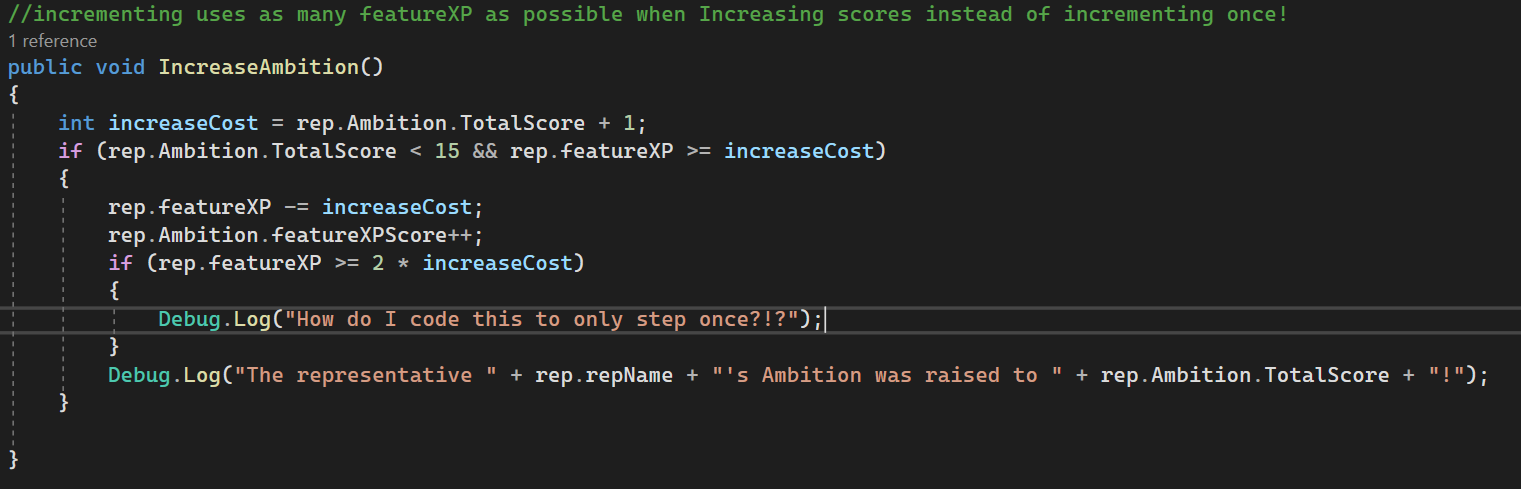

I'm not sure I should even be using an if statement for this process, because of the limitation described
night mural
so you want to do something when they cross a particular threshold, but only once when they initially cross it? it would be easier if you describe what you actually want instead of the code which doesn't work
hybrid gust
Yeah I'm lost too
night mural
i feel like the way it works now is kind of how i'd expect it too, like if earning 10 points gets me 1 ambition and i earn 20 points, i should get 2 ambition right?
rocky canyon
u could always add some extra checks in there.. like if its over ur increment value you deduct just once then run the code again w/ the remainder, unless im confused too
minor patio
each Feature has + & - buttons to increase their score from a pool of available points (rep.featureXP); I'm looking to place a limit on the number of score increments per button press to 1. The points earned are the pool from which 8 different scores can be raised
minor patio
rocky canyon
u could always add some extra checks in there.. like if its over ur increment va...
sort-of what I'm aiming at, yeah
rocky canyon
why does it get triggered twice?
same kinda logic goes behind reloading a magazine and having x amount of bullets added back into ur remaining ammo pool
minor patio
the if statement is true multiple times with the pool points a character starts off with
teal viper
minor patio
the if statement is true multiple times with the pool points a character starts ...
The question is why is it called multiple times on one button press.
minor patio
rocky canyon
same kinda logic goes behind reloading a magazine and having x amount of bullets...
but reversed, code-wise
rocky canyon
cant be that hard to change up the logic within the if to know if it should run only once or call itself again, after removing what was spent
minor patio
teal viper
The question is why is it called multiple times on one button press.
because I'm using a conditional if
teal viper
minor patio
because I'm using a conditional if
That's not how ifs work
They don't loop code
minor patio
the points in the pool are exceeding the cost of raising a score twice
night mural
(is this running in update)
rocky canyon
has to be right?
minor patio
in some circumstances
teal viper
There seem to be some huge misunderstanding and lack of proper info sharing surrounding the issue.
night mural
if you only run it on button press, it will only run when they press the button
one time per press
minor patio
night mural
(is this running in update)
yeah
night mural
welltheresyourproblem
teal viper
minor patio
yeah
Ok, maybe should start from pointing that out then.
rocky canyon
ur button logic should handle that, it should only fire once (and the method called from it)
then if theres leftover stuff it merits a 2nd button press
teal viper
The solution is simple: don't call it in update, or make a mechanism that limits it to being called once after each button press.
minor patio
wait - the display is run through an update, the code I have is just running off the button I've attached code to
minor patio
teal viper
The solution is simple: don't call it in update, or make a mechanism that limits...
I'm trying to find said mechanism
teal viper
minor patio
I'm trying to find said mechanism
If you need help with that you'd need to share more context/code.
teal viper
minor patio
wait - the display is run through an update, the code I have is just running off...
Then it shouldn't be called more than once and you don't need any mechanism to prevent it.
Maybe confirm what your code does first, because it seems like even you don't have a full grasp on it.😅
In either case, sharing more details is gonna help.
minor patio
teal viper
Then it shouldn't be called more than once and you don't need any mechanism to p...
that's what I thought, but an if is true if an if is true
or at least, it is in how I've coded it 
teal viper
minor patio
that's what I thought, but an if is true if an if is true
or at least, it is in ...
The if is really unrelated here... Unless you share more details(debug results, inspector setup, code) there's not much we can help you with.
minor patio
teal viper
The if is really unrelated here... Unless you share more details(debug results, ...
sorry
the way I'm looking at it the if is the whole problem
but thanks for the input
cosmic dagger
Smth smells . . .
teal viper
minor patio
sorry
the way I'm looking at it the if is the whole problem
Well, it's not from our perspective. So unless you share more details, any further conversation is pointless.
cosmic dagger
minor patio
sorry
the way I'm looking at it the if is the whole problem
Press a button, execute a method. That's it. Create an empty method with a log. Attach it to the button (remove your current method). Press the button and see how many times to log appears from the console . . .
minor patio
sorry, I gotta split
Next caller XD
cosmic dagger
Sus . . .
sour dome
Does anyone know what this means? generator = (AbstractDungeonGenerator)target; I'm trying to learn what is being assigned to generator. The paranthesis + target is a bit new for me, I'm not sure what to search for to learn more about this subject.
teal viper
sour dome
Does anyone know what this means? ` generator = (AbstractDungeonGenerator)target...
It's casting the target objects to AbstractDungeonGenerator
Look up type casting in C#.
sour dome
so target in this case is...not defined anywhere?
 sour dome
but that means... generator = generator?
teal viper
The real type is defined somewhere else. Depends on where it is passed in from.
sour dome
this was taken from a youtube tutorial for procedural dungeon generator so I'm just trying to understand what he's doing here
teal viper
sour dome
but that means... generator = generator?
It assigns a reference. It is null initially.
sour dome
right, so line 10 initialize it but it's null, then line 12 assigns a reference to itself?
teal viper
generator is null initially. Then they assign it in awake
teal viper
sour dome
right, so line 10 initialize it but it's null, then line 12 assigns a reference ...
No.
F12 while your cursor is over the target variable and it would take you wherever it's defined.
sour dome
gotcha, public UnityEngine.Object target
teal viper
teal viper
It's defined right there in your script
That message was a mistake after all. I confused target with generator.
 sour fulcrum
Trying to read up on it online but seems somewhat niche
Am i correct in that tags in unity are hardcoded into a project when you built it and you can't assign new tags to objects at runtime unless their on that built manifest of tags?
teal viper
sour dome
gotcha, ` public UnityEngine.Object target`
Must be defined in Editor
sour dome
teal viper
Must be defined in Editor
yup, thanks for the f12 tip!
