#💻┃code-beginner
1 messages · Page 144 of 1
 swift crag
 delicate portal
I have a question related to Unity's netcode for gameobjects. I implemented a simple multiplayer host-client system but whenever I click on host it works perfectly fine until I make another instance as a client. Then the host's camera swithces to the client's, why is that? It has to do with camera ownership or something like that right?
This is my cameraHandler script:

 rich adder
delicate portal
I have a question related to Unity's netcode for gameobjects. I implemented a s...
rich adder
delicate portal
I have a question related to Unity's netcode for gameobjects. I implemented a s...
the mouse input is hella wrong too
delicate portal
I thought I'd get quicker help here
rich adder
post in the proper channel
 timber tide
if you have to ask that question then you didnt read the docs
 open kernel
How could I spawn a sphere at a random point on the map?
delicate portal
timber tide
if you have to ask that question then you didnt read the docs
Well I tried to but never found anything related
I kinda lean towards having only one camera and let it follow the local player rether than having a two cameras in the scene
rich adder
open kernel
How could I spawn a sphere at a random point on the map?
what have you tried ?
 tough lagoon
delicate portal
I have a question related to Unity's netcode for gameobjects. I implemented a s...
tough lagoon
delicate portal
I have a question related to Unity's netcode for gameobjects. I implemented a s...
Also, you probably don't want to use Time.deltaTime there. It's calculating mouse distance since the last frame, so the time that took doesn't matter much.
delicate portal
I think that would be the fix
delicate portal
tough lagoon
Also, you probably don't want to use `Time.deltaTime` there. It's calculating m...
Sure point, I'll try that out
 gaunt ice
you need dt here since you are using getaxisraw not getasix
tough lagoon
Gotcha, foggy brain this morning, I misread it
swift crag
yeah, you get nonsense units if you try to use deltaTime there
oh god i got punked too 
in my defense, I have a cold
 lunar grove
can we change character controller radius and height programatically in code?
swift crag
One thing to keep in mind: after changing the height, you'll also want to change the center.
you usually make the center half of your height off the ground
lunar grove
oh okay but all my trying to do is change the character controller's height when I press or hold a key
bu thtanks for the help though
rich adder
not code question
swift crag
lunar grove
oh okay but all my trying to do is change the character controller's height when...
If you reduce your height but don't change the center point, you'll be floating in the air
rich adder
lunar grove
oh okay but all my trying to do is change the character controller's height when...
swift crag
(and then fall to the ground if you're applying gravity)
lunar grove
swift crag
If you reduce your height but don't change the center point, you'll be floating ...
Ah so that's why my player floated when I changed the center, but didnt change the height I guess it works both ways lol
 fleet granite
why doesn't it move upwards?

there are no errors in the script and the debug message shows in unity
rich adder
fleet granite
why doesn't it move upwards?
why would it do anything ?
movement alone isn't doing anythin
rich adder
fleet granite
wha
perhaps you should start with some courses and learn the basics
 cerulean kestrel
I* have an enable and disable buttoon for my vr game and i wanna see if i can when i press it an animation plays

how do i dom that
rich adder
cerulean kestrel
how do i dom that
learn about interactions in VR, do some courses
cerulean kestrel
ok
rich adder
cerulean kestrel
ok
 signal notch
i have a 2d player and a joystick that gives me an horizontal and vertical value, how can i rotate my player with it? thanks :D
rich adder
signal notch
i have a 2d player and a joystick that gives me an horizontal and vertical valu...
I think you should start from the beginning
!learn
 eternal falconBOT
:teacher: Unity Learn ↗
Over 750 hours of free live and on-demand learning content for all levels of experience!
fleet granite
fleet granite
wait hold on
okay i used some code from one of the starter projects it works now
 thorny orchid
When I work on a multiplayer game should i first make the game as if it was a singleplayer game, creating the player, map and anything else that's relevant to the gameplay and then port it into multiplayer or port the parts of the game in multiplayer as i make them?
rich adder
man if you need to ask this, frankly you're not ready for multiplayer
thorny orchid
Well you gotta start somewhere right?
rich adder
starting would be not diving head first in multiplayer
thorny orchid
How do I tackle learning multiplayer if i don't dive into it, like eventually im gonna have to learn it
swift crag
you will want to start with tutorials or pre-built example projects
Multiplayer breaks a lot of rules
rich adder
thorny orchid
How do I tackle learning multiplayer if i don't dive into it, like eventually im...
have you made any full games like possibility released in a store ?
not like tutorial games like pong or something
when you made all the systems yourself , then you're probably ready to dip toes
imagine having to sync all those same systems across different builds
swift crag
the big hurdle with multiplayer is that you can no longer know the whole state of the game, and that many things are no longer "instant"
thorny orchid
No I've never released any games yet, i had one tutorial game that being flappy bird, and then i decided to try and make pong without following any tutorials, it didnt take me that long so i decided to add like powerups and also advanced settings that let you change some variables from ingame, i started working on a breakout game but I got bored of it that's why I wanted to learn multiplayer
rich adder
thorny orchid
No I've never released any games yet, i had one tutorial game that being flappy ...
and how do you expect multiplayer to not yield the same result? boredom is from lack of learning
thorny orchid
Cause like with multiplayer I can show it and play with friends once its done so I'm more motivated to finish it
rich adder
maybe the idea of that is exciting but once you go deep into it you realize its the same stuff you were doing for say Breakout but now more complex and more problematic
its not a discouragement post, you can do what you want but just saying what to expect since multiplayer is somehow seen as "Easy"
thorny orchid
What would you suggest is best for me to do now maybe work on another single player game before diving on more difficult stuff?
rich adder
thorny orchid
What would you suggest is best for me to do now maybe work on another single pla...
I think you trying to expand on Breakout and adding more feature was a good path
maybe trying to aim for an actual finished release, even if no one plays it. You now have a finished product on your belt
this forces you to learn things like Menus, Settings, Data persistance
all very important topics
thorny orchid
One last thing, how did you learn how to make multiplayer games?
rich adder
I just worked on smaller projects that sync max of 4 people , something like simple Prop hunt games and other spin offs of gmod type mini games
by doing lots of singleplayer projects
all the systems are the same but now you have to sync that across different versions of the game which is what makes multiplayer complex. Keeping that data in sync and not compromised
I'm not at all close to good
mutliplayer is too hard to do alone anyway
 pearl lodge
rich adder
all the systems are the same but now you have to sync that across different vers...
pearl lodge
rich adder
all the systems are the same but now you have to sync that across different vers...
Did you use NetCode for game objects?
rich adder
pearl lodge
Did you use NetCode for game objects?
yea
thorny orchid
Thanks for everything Nava, super helpful
rich adder
thorny orchid
Thanks for everything Nava, super helpful
gl in your journey 🙂
godspeed
 stuck palm
how would u do a fade to black and a fade in between level switches?
 wintry quarry
stuck palm
how would u do a fade to black and a fade in between level switches?
wintry quarry
stuck palm
how would u do a fade to black and a fade in between level switches?
fade to black with a fullscreen UI element and changing its alpha over time
stuck palm
I have a line which spawns an object, but the object spawned seems to be parented to the player. how can i fix this?
 wintry quarry
stuck palm
I have a line which spawns an object, but the object spawned seems to be parente...
wintry quarry
stuck palm
I have a line which spawns an object, but the object spawned seems to be parente...
This second parameter is telling it which object to set as the parent object

remove that if you don't want it to be parented
timber tide

refer to the docs if you dont know the params
IDE usually does tell you some hints if you hover over it if configured
there'a also a way to bring up all overloaded method but it's some stupid key combination you should change
 rocky canyon
nah, i hadnt forgot.. and thanks for the overview.. im always looking at what others do to solve their issues.. the good coders learn from trial and error... better coders learn from watching other's trial and errors.. im glad u got it figured out.. way to debug bud 👍
 nova swift
Thanks
stuck palm
what is the audio mixer for?
 polar acorn
stuck palm
what is the audio mixer for?
polar acorn
stuck palm
what is the audio mixer for?
mixing audio
stuck palm
polar acorn
mixing audio
can you use that for like setting volume?
polar acorn
stuck palm
can you use that for like setting volume?
why not check the documentation
rich adder
thats what mixers are
 short hazel
Routes audio through channels that can be independently configured
stuck palm
cus i had this really unnecessary audio manager class
if i can just use an audio mixer that would be a lot easier
short hazel
You'll have to configure all the audio sources to use the new mixer, but yes it simplifies stuff, and is controllable by code with parameters (like animators or shaders)
 cosmic hinge
            {
                Fire();
            }```
Is there a way to check if string key is available in project before trying to get input based on it?Considering the names of buttons can't be changed at runtime I don't think this is necessary
 sage mirage
Hey, guys! I have a question. How to stop if I want to the speed of my GameObjects?
For example, if my object is moving and I want to prevent that from moving
polar acorn
sage mirage
Hey, guys! I have a question. How to stop if I want to the speed of my GameObjec...
Depends on what your implementation of "speed" is
wintry quarry
sage mirage
For example, if my object is moving and I want to prevent that from moving
Stop moving it
objects don't move on their own
unless it has a Rigidbody.
sage mirage
I mean I can't just set the timescale to 0 because it freezes the game what I want is to just set it's speed to 0 or something and yes it has rigid
stuck palm
im using a line renderer, how can i spawn like a circle where the line intersects with the floor?
 swift crag
You will need to handle that separately.
 frosty hound
Put a plane with a circle texture at that point?
Or use an asset like Shapes to generate it
rich adder
prob need some type of raycast from the points closer to the end
swift crag
Finding that point will require a little bit of legwork.
yeah, short raycasts from point to point would reveal where it hits the ground
stuck palm
swift crag
Finding that point will require a little bit of legwork.
i already use a suvat equation to calculate the points, maybe i could do like a checksphere?
swift crag
As long as the points have consistent spacing, sure
Otherwise you might miss the ground
stuck palm
they should, yes
 zealous oxide
hey friends, whats the suggested way of moving a game object from one scene to another? its something i've not done yet and i want to know whats the best practise. SceneManager.MoveGameObjectToScene or using Object.DontDestroyOnLoad ? thanks
swift crag
of course, a raycast would also tell you exactly where you hit the ground
so the circle could be placed more accurately
swift crag
zealous oxide
hey friends, whats the suggested way of moving a game object from one scene to a...
You'd need to have multiple scenes loaded simultaneously to use MoveGameObjectToScene
If that's the case, then that sounds like the best option
DontDestroyOnLoad moves you into a special scene that's never unloaded
so you still wouldn't be in a second scene
you'd just not be in the first scene!
zealous oxide
swift crag
You'd need to have multiple scenes loaded simultaneously to use MoveGameObjectTo...
wicked, thanks. im aware the second scene would need to be loaded. I've found this https://stackoverflow.com/a/45802196 but "sceneAsync" seems to be psuedo code in the example as in my ide its highlighted red. im guessing this is what should have been written in? SceneManager.LoadSceneAsync

Stack Overflow
We tryed different ways to move UI-object to another scene, but we failed. Over object is in Canvas.
Method 1: we used LoadLevelAdditive, but there moved all objects from first scene without over ...
swift crag
sceneAsync is declared up top
stuck palm
swift crag
of course, a raycast would also tell you exactly where you hit the ground
this is my code for the trajectory drwaing
 swift crag
that does not consistently space your points
they're spaced consistently in time, sure
but the thing is going to move faster and faster over time
Go with raycasts between each pair of points.
stuck palm
like a raycast downwards?
swift crag
no, a raycast from point X to point X + 1
stuck palm
oh i see
yeah so i'll have to store the previous one and the current one i guess right
swift crag
You could raycast after every 5th point or something if it turns out to be a performance issue
you probably don't need to raycast EVERY pair of points
but you do want lots of points for a smooth curve
stuck palm
i'll just try and see what works, thank you
zealous oxide
in this code the old scene never gets deactivated if im reading/seeing this right? https://hatebin.com/jckhdqency
 rich adder
zealous oxide
in this code the old scene never gets deactivated if im reading/seeing this righ...
rich adder
zealous oxide
in this code the old scene never gets deactivated if im reading/seeing this righ...
!code
eternal falconBOT

Posting code
📃 Large Code Blocks
Use links to services like:
https://gdl.space/, https://paste.ofcode.org/, https://hatebin.com/, https://paste.myst.rs/, https://hastebin.com/
📃 Inline Code
Surround code with three backquotes. Not quotation marks.
To format as C#, add cs to the first line:
```cs
// Your code here
```
Add a comment with a line number if there is an error message.
short hazel
That's a lot of code for something that would be identical to using DontDestroyOnLoad() on the player
And no, the old scene stays since LoadSceneMode.Additive is specified
zealous oxide
short hazel
That's a lot of code for something that would be identical to using `DontDestroy...
someone above mentioned DontDestroyOnLoad() loads the player into a special scene thats never unloaded
short hazel
Yes correct
 west sonnet
Could someone please help me understand why I can't use SetActive here

 languid spire
Slider is a component not a GameObject
west sonnet
How can I make a Slider appear and disappear with a button click?
 sharp lake
Hello, i've been trying to use vs code for unity followed the steps presented in the readme in this discord. However my vscode doesn't autocomplete anything. I have this 2 errors everytime i open vscode:
"Microsoft.CodeAnalysis.LanguageServer client: couldn't create connection to server.".
[stderr] Failed to load /snap/dotnet-sdk/233/shared/Microsoft.NETCore.App/8.0.0/libcoreclr.so, error: /lib/x86_64-linux-gnu/libpthread.so.0: version `GLIBC_PRIVATE' not found (required by /snap/core20/current/lib/x86_64-linux-gnu/librt.so.1)
Tried googling it, installed, uninstalled a bunch of thing but no luck so far. can anyone help me with this issue?
short hazel
west sonnet
How can I make a Slider appear and disappear with a button click?
You can deactivate the object the slider is on. It is possible to access the object on any component using the .gameObject property
eternal falconBOT
Visual Studio Code guide
If your IDE is not underlining errors in red or autocompleting code,
please configure it using the link below:
 celest holly
if i was to make a gun script should i assign that to the gun or the character that will be using the gun
considering it will be pickable
west sonnet
Gun, I think
celest holly
cool thanks
 limpid shoal
can some one please explain why there is an error on the 19th row although there is nothing there


what shall I do to the script?
polar acorn
limpid shoal
can some one please explain why there is an error on the 19th row although there...
The fact that there's nothing there is the problem
short hazel
You need to configure your !ide
eternal falconBOT
💡 IDE Configuration
If your IDE is not autocompleting code
or underlining errors, please configure it.
Select one:
• Visual Studio (Installed via Unity Hub)
• Visual Studio (Installed manually)
• VS Code
• JetBrains Rider
• Other/None
short hazel
The error should be there, underlined red
 fringe kindle
How do I go about resetting another item's velocity when my player dies, without resetting the whole scene?
polar acorn
fringe kindle
How do I go about resetting another item's velocity when my player dies, without...
Set that object's velocity to 0
limpid shoal
polar acorn
The _fact_ that there's nothing there _is_ the problem
oh
sharp lake
sharp lake
Hello, i've been trying to use vs code for unity followed the steps presented in...
Anyone? 😦
stuck palm
swift crag
You could raycast after every 5th point or something if it turns out to be a per...
idk if i did this right, it only seems to show up at the end of the line

 visual hedge
Hello. I am using nav mesh and nav agent + 3rd person view and mouse input + raycast to determine where the hero has to go, and it's working just how it is intended. But... that raycast seems to ignore te UI elements and is sending the hero to run when I am trying to interact with UI elements. In this case Inventory and Equipment windows. Is there a way to prevent this? And I think I still want my hero to be able to move when UI is open, so disabling the nav agent / movement script while UI is shown is not an option. Especially because there are parts of UI that are always shown.

Movement script:
 timber tide
just check if mouse is over the UI
timber tide
visual hedge
Hello. I am using nav mesh and nav agent + 3rd person view and mouse input + ray...
visual hedge
timber tide
just check if mouse is over the UI
yeap, thank you, that totally solved the thing. Also found this in google 🙂 Should use search more often and deep before asking in here, I guess.
 sharp lake
 meager sentinel
guys why the hell VSC ide stills without working
meager sentinel
guys why the hell VSC ide stills without working
do you have this error as well?
"Microsoft.CodeAnalysis.LanguageServer client: couldn't create connection to server.".
meager sentinel
sharp lake
do you have this error as well?
"Microsoft.CodeAnalysis.LanguageServer client: ...
yeah
sharp lake
well that makes two of us...
 humble lantern
Heya! I'm trying to use an optional variable for a color that will either be passed down or just insert a defaultcolor, however I didnt manage to get it to work with
Color color = defaultColor where color is the variable i want to use in the method and defaultColor is the default color declared further up in the script.
It tells me that Default parameter value for 'color' must be a compile-time constant
short hazel
humble lantern
Heya! I'm trying to use an optional variable for a color that will either be pas...
The value you pass for optional parameters must be constant. Things like "hello" and 42 are constants, but not a variable nor Color.blue for example
Consider making a method overload, where it executes the other method with your color
void Method() => Method(Color.red); // whatever default color
void Method(Color col) { /* implementation... */ }
Someone knows how to fix this error? i got it
zealous oxide
i'm still stuck with my moving gameobject between scenes problem. i've now used the code off the unity documentation (its simpler than the stackoverflow example) and it doesnt work as intended. I have to hit the key to start the coroutine twice and then it moves the game object into the new scene but it only unloads the old game scene the second/subsequent times I hit it. the coroutine stops just shy of moving the gameobject. it seems to be trying to be moving the gameobject before the scene is loaded if i'm reading it right? https://hastebin.com/share/loxinejudi.csharp advice would be welcome


Hastebin is a free web-based pastebin service for storing and sharing text and code snippets with anyone. Get started now.
rocky canyon
visual hedge
yeap, thank you, that totally solved the thing. Also found this in google 🙂 Sho...
something you may not already know.. most of the time unless its on the tip of our tongues we read the message and search google behind the scenes to give a fully detailed answer that includes some links for resources 😉 lol
humble lantern
short hazel
Consider making a method overload, where it executes the other method with your ...
oh, I'm declaring the color variable so it's editable from the inspector but never assign it in script. If I assign it in script, is it constant enough? The Method is quite long and since my understanding of method overload is copying the function just with different parameters, I'm worried it's gonna make the script huge
visual hedge
rocky canyon
something you may not already know.. most of the time unless its on the tip of o...
I mean if one knows what to look for is already much better than when one has no clue. I had to make like 3-4 different requests to explain the problem briefly to google 🙂 I actually might wanna try asking questions to chat gpt also.
short hazel
humble lantern
oh, I'm declaring the color variable so it's editable from the inspector but nev...
No, constants must be literals like numbers and strings, or members that are marked as const (has the same restrictions as default parameter values)
 rotund hull
is it possible to check for collision on a gameobject that the script checking for collision isn't attached to it
short hazel
The example overload I showed does not make use of copy-pasting the implementation, at all
rotund hull
and if yes how
rocky canyon
visual hedge
I mean if one knows what to look for is already much better than when one has no...
ya, thats the important part.. usually coming to here to ask questions will reveal Keywords and important terminolgy one might not know.. but then u learn / see those and it helps u find a starting point to start searching
that was my thing when i experimented with Unreal engine.. i knew what i was lookin for but alot of their terminology is different
rocky canyon
visual hedge
I mean if one knows what to look for is already much better than when one has no...
use chatGPT with a grain of salt..
 queen adder
quick question
short hazel
rotund hull
is it possible to check for collision on a gameobject that the script checking f...
No, but you can have a script that detects the collision, then raises an event the script of your choice will handle
queen adder
i have a 3d scene and i am trying to add a background
rocky canyon
its helpful to show u things u didnt know but its not good to just copy and paste from it
queen adder
but when i add a canvas and a panel and add an image to that panel
rocky canyon
queen adder
i have a 3d scene and i am trying to add a background
a skybox?
rotund hull
short hazel
No, but you can have a script that detects the collision, then raises an event t...
alright thanks
rocky canyon
u need to use the sorting orders
stuck palm
void DrawTrajectory()
    {
        bool firstHit = false;
        Vector3 previousPoint = Vector3.zero;
        Vector3 origin = _heldItem.gameObject.transform.position;
        Vector3 startVelocity = (throwForce * (ThrowProgress / 100)) * transform.forward;
        lr.positionCount = linePoints;
        float time = 0;
        for (int i = 0; i < linePoints; i++)
        {
            Vector3 pos = startVelocity * time + Physics.gravity / 2 * (time * time);
            Vector3 point = pos;
            RaycastHit hit;
            lr.SetPosition(i, origin + point);
            time += timeIntervalInPoints;
            previousPoint = pos;
            if (firstHit) {return;}
            if (Physics.Raycast(previousPoint, pos - previousPoint, out hit, Vector3.Distance(previousPoint, pos)))
            {
                sphere.transform.position = hit.point;
                firstHit = true;
            }
        }
        firstHit = false;
        lr.startColor = Color.Lerp(smallThrow, bigThrow, ((float)ThrowProgress / 100));
        lr.endColor = Color.Lerp(smallThrow, bigThrow, ((float)ThrowProgress / 100));
    }
I'm having an issue where i try to make the sphere go to where it first hits the floor, but it doesnt seem to be doing anything
rocky canyon
queen adder
basically blurring it all out
gotta make sure u got the sorting order correct
queen adder
what does that mean
rocky canyon
the lower layer needs a lower number than the upper layer
 gusty hazel
hi, how do i reference a player pref in a different code, because i have a code that sets the pref value with a slider then i want to reference it to have a value equal that pref
queen adder
rocky canyon
the lower layer needs a lower number than the upper layer
in the hierarchy ?
what numbers are you talking about
short hazel
rotund hull
alright thanks
Do note that collision events are bubbled upwards the hierarchy to the Rigidbody. So if you have a Rigidbody on an object, and that has multiple children with colliders on it, then the object with the rigidbody will be the one catching the collision messages
 tall stag
sorry for messy code btw :<
 visual hedge
rocky canyon
use chatGPT with a grain of salt..
visual hedge
rocky canyon
use chatGPT with a grain of salt..
tested it and chat gpt gave me the right answer 🙂 So also good to know I can ask it )
 rotund hull
short hazel
Do note that collision events are bubbled upwards the hierarchy to the Rigidbody...
rotund hull
short hazel
Do note that collision events are bubbled upwards the hierarchy to the Rigidbody...
ok thank you
rocky canyon
queen adder
in the hierarchy ?
in the hierarchy it should be the top objects are drawn first.. the objects below it are drawn on top and so on..
but sometimes u have to manually put in the order to make sure they render correctly
queen adder
i see
queen adder
rocky canyon
where do i find this menu
languid spire
gusty hazel
hi, how do i reference a player pref in a different code, because i have a code ...
PlayerPrefs are common across all code, so just access as normal
rocky canyon
queen adder
where do i find this menu
in the inspector... almost every UI element will have a Sorting Layer and a Sorting Order
tall stag

rocky canyon
queen adder
where do i find this menu
ur not trying to put a 3d game object over the top of a UI element?
 halcyon cliff
or on-screen-stick-
rocky canyon
that wouldnt work unless u chose to use a World Space Canvas..
a regular canvas will always be on top of the gameworld
meager sentinel
Guys someone could help me? My ide for VSC dont works
queen adder
rocky canyon
a regular canvas will always be on top of the gameworld
so how can i have a background ?
by adding a quad ?
rocky canyon
rocky canyon
queen adder
so how can i have a background ?
that would work..
a quad, a plane, a sprite.. but it would have to be a World Space Canvas
could probably parent it to the camera too.. so u could just have to fill the camera's frustrum.. and it would follow the camera around whereever it looked.. so it would always be in the background
queen adder
ok yes i get that part
let me show you what i got rn

when i make it to world space canvas its no longer on the screen
rocky canyon
you have to position it
its not gonna be exactly where u want it..
- click the gameobject
- hover over the scene view
- press F to focus on it
swift crag
A world space canvas has a literal position in the world. It's not going to be automatically drawn onto your screen or positioned in front of the camera
queen adder
so it will have to be positioned into camera field of view manually
rocky canyon
yes
queen adder
if the camera moves it will all break inni
rocky canyon
it doesnt work the same as a normal canvas
a normal one is drawn Over the screen and can just scale to it
a world space doesn't do any of that
rocky canyon
queen adder
if the camera moves it will all break inni

yes, as long as its not covered up you can click it just like a normal canvas
 rocky canyon
it means ur trying to do something with something thats not assigned
PlayerScript.MoveFunction(); <--- if PlayerScript is not assigned to an Instance of that class it will give a null error
 stable ore
rocky canyon
it means ur trying to do something with something thats not assigned
stable ore
rocky canyon
it means ur trying to do something with something thats not assigned
oh alr
rocky canyon
it will tell u what line the errors on
if u double click it it should pull up the script
rocky canyon
its not tho.
 sharp lake
Hello, i've been trying to use vs code for unity followed the steps presented in the readme in this discord. However my vscode doesn't autocomplete anything. I have this 2 errors everytime i open vscode:
"Microsoft.CodeAnalysis.LanguageServer client: couldn't create connection to server.".
[stderr] Failed to load /snap/dotnet-sdk/233/shared/Microsoft.NETCore.App/8.0.0/libcoreclr.so, error: /lib/x86_64-linux-gnu/libpthread.so.0: version `GLIBC_PRIVATE' not found (required by /snap/core20/current/lib/x86_64-linux-gnu/librt.so.1)
Tried googling it, installed, uninstalled a bunch of thing but no luck so far. can anyone help me with this issue?
rocky canyon
yup.. so the error is happening in ItemCollector.. on line 2
20*
what does line 20 say.. post ur code
stable ore
 rocky canyon
sharp lake
Hello, i've been trying to use vs code for unity followed the steps presented in...
rocky canyon
sharp lake
Hello, i've been trying to use vs code for unity followed the steps presented in...
try again i would say..

 stable ore
rocky canyon
stable ore
rocky canyon
whats wront with it?
rocky canyon
its probably because cherriesText is not assigned..
OR.... cherries is not assigned
short hazel
More than probably
rocky canyon
^ lol
stable ore
how do i assign?????
short hazel
Concatenating string with null does nothing, so it's definitely the text that's not there
stable ore
i dont know what those words mean lol sorry im begginer

In this part, we will add collectible items to our game and display a counter in the UI.
Github repository:
https://github.com/codinginflow/2DPlatformerBeginner
🎓 Learn how to build a 2D game in Unity (beginner): https://www.youtube.com/playlist?list=PLrnPJCHvNZuCVTz6lvhR81nnaf1a-b67U
🎓 Learn how to build a 3D game in Unit...
this is the tutorial i am following to understand unity basics
short hazel
Private, serialized
stable ore
short hazel
Private, serialized
serialized
short hazel
You should be able to drag-drop the Text directly onto the script, in Unity
rocky canyon

you declared it.. meaning ur asking for a Text element to exist thats called CherriesText..
but if u dont drag something into the inspector you havent assigned it
it knows its there.. but it doesnt know what or which one it is
rocky canyon
i mean.. in his script he HAS it declared somewhere
short hazel
Theirs is [SerializeField] private but doesn't matter
rocky canyon
he didnt share that part.. so im just guessing
 oak fulcrum
can u guys help me pls
stuck palm
Im getting a null error at the debug hit, surely that shouldnt happen if nothing is being scanned?

 stable ore
rocky canyon
there.. fixed it
stable ore
rocky canyon
there.. fixed it
ALR but above public class yh?
rocky canyon
a public class just means its exposed in the editor and can be accessed from anywhere
swift crag
stuck palm
Im getting a null error at the debug hit, surely that shouldnt happen if nothing...
I'm not sure you are. Perhaps you didn't save and recompile.
rocky canyon
serialized means its exposed in the editor.. but its private. (can only be accessed in the class its in)
swift crag
I see no way for that to throw an exception
oak fulcrum
oak fulcrum
i tried following a tutorial the one that makes you make a flappy bird game and for some reason the changing text when colliding doesnt work
stable ore
rocky canyon
a public class just means its exposed in the editor and can be accessed from any...
i get red error at bootom of my screen in vscode
swift crag
RaycastHit.transform is the Transform of the rigidbody or collider you hit
stable ore
but when you look at the errors it sasy 0
 swift crag
So as long as Physics.Raycast returned true, it ought to be valid -- and every Transform has a GameObject, and every GameObject has a name
rocky canyon
what error? show it
 vale geode
Hi can i get some help i dont know whats wrong with my code but its not working can i share here or do i post it somewere else?
rocky canyon
!code
eternal falconBOT
Posting code
📃 Large Code Blocks
Use links to services like:
https://gdl.space/, https://paste.ofcode.org/, https://hatebin.com/, https://paste.myst.rs/, https://hastebin.com/
📃 Inline Code
Surround code with three backquotes. Not quotation marks.
To format as C#, add cs to the first line:
```cs
// Your code here
```
Add a comment with a line number if there is an error message.
stable ore
 swift crag
stuck palm
swift crag
stuck palm
Sanity check this by making a change in your code editor, saving, and reloading in unity
swift crag
stable ore
i get red error at bootom of my screen in vscode
that doesn't mean you have compile errors
rocky canyon
stable ore
means ur IDE isnt configured (attached) to unity
swift crag
I think this is because you tried to attach the debugger and something failed
stable ore
rocky canyon
means ur IDE isnt configured (attached) to unity
WHAT DOES THAT MEAAAAN
swift crag
I see that you have the debugger tab open
 stuck palm
swift crag
Sanity check this by making a change in your code editor, saving, and reloading ...
stuck palm
swift crag
Sanity check this by making a change in your code editor, saving, and reloading ...
i did, rider auto saves and i reloaded
swift crag
stable ore
WHAT DOES THAT MEAAAAN
your IDE is your integrated development environment. It's your code editor.
rocky canyon
stable ore
WHAT DOES THAT MEAAAAN
calm down... imagine not know everything when you're learning something new..
stable ore
swift crag
I see that you have the debugger tab open
yh i closed vscode and re opened
rocky canyon
take it in.. learn from what you Dont know
swift crag
stuck palm
i did, rider auto saves and i reloaded
oh
stable ore
rocky canyon
calm down... imagine not know everything when you're learning something new..
yh ik so confusing the terms you using (didnt mean to sound agressive btw)
swift crag
stuck palm
i did, rider auto saves and i reloaded
look at the end of the second line in your screenshot
rocky canyon
well.. u gotta start by being introduced to those words..
swift crag
line 4 is not part of your if statement (:
gusty hazel
if (swing == true) {
            AudioCont.clip = swong;
        }

        if (enemyhurt == true) {
            AudioCont.clip = ehurt;
        }

        if (ghosthurt == true) {
            AudioCont.clip = ghurt;
        }

        if (playerhurt == true) {
            AudioCont.clip = phurt;
        }

        if (win == true) {
            AudioCont.clip = won;
        }

        if (lose == true) {
            AudioCont.clip = lost;
        }

        if (music == true) {
            AudioCont.clip = main;
        }
        if (sceneName == "Menu" || sceneName == "Settings"){
            AudioCont.clip = main;
        }
is there anythiung wrong with this logic
stuck palm
swift crag
Sanity check this by making a change in your code editor, saving, and reloading ...
the layermask?
rocky canyon
Unity Debugger Extension Issues: Check if there are any issues with the Unity Debugger extension in Visual Studio Code. Make sure it's properly installed and updated.

Project Configuration: Ensure that your Unity project is configured correctly for debugging. You might need to set the correct build configuration and enable debugging in your Unity project settings.``` rocky canyon
but im not familiar with VSCODE
swift crag
Your IDE should be warning you about this. That terminates the if statement .
rocky canyon
so i dont know if its just because the editor isnt set up correctly . or u pressed a button that caused that lol
VSCommunity is superior btw
stable ore
rocky canyon
VSCommunity is superior btw
whats the diffrence?
swift crag
oh, one other thing
stuck palm
swift crag
thats weird, thanks now it owrk
swift crag
it's possible that your theme just makes the bar red
If there was an error, you'd see a popup or something
stuck palm
no, red lines show up when i get an error
swift crag
I'm talking about Batman's problem
stable ore
swift crag
it's possible that your theme just makes the bar red
i use eva dark idk
swift crag
it might just be red normally
i don't think it's a problem (and it's certainly not indicating you have a compile error)
stable ore
swift crag
i don't think it's a problem (and it's certainly not indicating you have a compi...
yh but in game when my player hits object the game stops
and idk why
swift crag
That has nothing to do with your code editor
That's because you have Error Pause enabled in the console
Ask about your actual problems, not about your attempted solution to those problems.
swift crag
swift crag
That's because you have Error Pause enabled in the console
This pauses the game when an uncaught exception causes an error to get printed to the console.
oak fulcrum
can someone help me fr 😭
stable ore
swift crag
That has **nothing to do** with your code editor
alr
stable ore
swift crag
That's because you have Error Pause enabled in the console
i turned it off
zealous oxide
zealous oxide
i'm still stuck with my moving gameobject between scenes problem. i've now used ...
https://hastebin.com/share/hivujobipa.rust apologies for the bump but i'm still hoping someone has a suggestion of whats going wrong here? this is my first time trying to move an object between scenes. in the debug log I can see the scene is loaded @ 100% but the subsequent debug line says the Destination Scene is not valid. I can see in the build manager there are only two scenes, the one start scene and the second scene, that i'm trying to load the game object into it

Hastebin is a free web-based pastebin service for storing and sharing text and code snippets with anyone. Get started now.
stable ore
but now when my player collides with the cherries the score dosent update and cherries dissaper wich is what i intended
but score not changing idk how to fix
rocky canyon
oak fulcrum
can someone help me fr 😭
just ask ur question... gotta wedge in up here.. maybe someone see's it maybe u have to ask again /shrug.. but just get out the information first.. and those that can/want to help will
oak fulcrum
i asked the question but no one answered me
rocky canyon
then ask again.. or share the link where u asked.. it's been buried
oak fulcrum
oak fulcrum
here
rocky canyon
oak fulcrum
can someone help me with changing text when colliding with a collider
easy.. u just need to reference that text element..
oak fulcrum
let me send you the code
swift crag
stable ore
but now when my player collides with the cherries the score dosent update and ch...
Yes, because you're getting errors.
rocky canyon
and then anytime u pass the thingy.. in ur function u just add one to the value and update it
swift crag
Don't ignore the console.
frosty hound
!warn 1049049404289597532 We don't tolerate toxicity here
eternal falconBOT
 bobzyz has been warned.
swift crag
Turning off Error Pause just stopped your game from pausing when an error happened.
stable ore
eternal falcon
lol
oak fulcrum
rocky canyon
and then anytime u pass the thingy.. in ur function u just add one to the value ...
 stable ore
swift crag
Don't ignore the console.
stable ore
swift crag
Don't ignore the console.
its just yappin some stuff i dont have a clue about
oak fulcrum
oak fulcrum

 rocky canyon
oak fulcrum
rocky canyon
oak fulcrum
you see where u have Text scoreText thats ur variable. u can change it by calling scoreText.text =
to make a number into a string (thats what text displays) you use the ToString() method..
            // Update the text with the current score
scoreText.text = "Score: " + score.ToString();```score would be ur integer
gusty hazel
else {
AudioCont.clip = null;
}
rocky canyon
this looks fine 🤔
 stable ore
I FIXED MY PROBLEM
gusty hazel
mb
stable ore
LESS GOOO
rocky canyon
YAY! get ready for ur next one 😛
oak fulcrum
rocky canyon
```cs
// Update the text with the current score
scoreTex...
red lines under score
 gusty hazel
else {
AudioCont.clip = null;
}
gusty hazel
gusty hazel
else {
AudioCont.clip = null;
}
is this right to make the audioclip on an auidio source empty
rocky canyon
since ur learning u'll be fixing problems for a while lol
rocky canyon
oak fulcrum
red lines under score
b/c theres no score in that script..
this is the score right?
 stable ore
rocky canyon
YAY! get ready for ur next one 😛
stable ore
rocky canyon
YAY! get ready for ur next one 😛
YAY CANT WAIT TO BECOME A SOLO DEV AND STRUGGLE ON SOME RANDOM PROBLEM EVERY DAY CUZ I RUSH MY STUFF
😁 🙂
rocky canyon
wouldnt it be v.ToString();
ur passing in the score to that function with the v variable
stable ore
rocky canyon
since ur learning u'll be fixing problems for a while lol
Yh so DEPWESSED
rocky canyon
gusty hazel
else {
AudioCont.clip = null;
}
that can work 👍
oak fulcrum
so should i replace the int v with v.ToString();
rocky canyon
u can also call OneShots() it will play a audioclip u tell it to.. w/o having to chnage the clip in and out
{
// Play the audio clip once
audioSource.PlayOneShot(myAudioClip);
}``` smoky niche
Hey, I have a small performance related question.
Is it performce-heavier to use a reference to a float value from another script rather than using a float value from the same script?
rocky canyon
oak fulcrum
so should i replace the int v with v.ToString();
public void AddScore(int newScore)
{
    scoreText.text = newScore.ToString();
    Debug.Log("Changed The Score: " + newScore.ToString());
}```v is a wierd variable name.. but yes
polar acorn
smoky niche
Hey, I have a small performance related question.
Is it performce-heavier to us...
It is one additional CPU cycle.
If you did it four billion times it'd take one second
rocky canyon
you may need to pass in the current score as well.. so u can add it before u change it into a string..
smoky niche
polar acorn
It is one additional CPU cycle.
So if I reference 2 values it’s 2 CPU cycles?
oak fulcrum
rocky canyon
v is a wierd variable name.. but yes
i got it from the unity suggestion thing
rocky canyon
public void UpdateScore(int currentScore, int scoreToAdd)
{
    int newScore = currentScore + scoreToAdd;
    scoreText.text = newScore.ToString();
    Debug.Log("Changed The Score: " + newScore.ToString());
}```this would make more sense to me.. so u can add the score to the old score.. without having to worry about trying to convert the string back into a number.. then adding it.. and then converting it back to a string
oak fulcrum
it still doesnt work
stuck palm
@swift crag got it to work kinda, they seem kinda off though,this is the code i wrote, any ideas why it might not work?

 rocky canyon
did you assign the text variable in the inspector?
did u get errors? can you get errors?
swift crag
stuck palm
<@118467312197042182> got it to work kinda, they seem kinda off though,this is t...
You keep raycasting from the origin
oak fulcrum
i didnt get any errors
swift crag
you need to raycast from point i-1 to point i
oak fulcrum
rocky canyon
did you assign the *text* variable in the inspector?
how my unity looks rn
 swift crag
remember what your last point was and use that instead of origin
(and skip that for the first iteration)
actually, as long as you remember where you started from before you start the loop, you don't have to skip a step
rocky canyon
oak fulcrum
i didnt get any errors
easy enough.. i'll share the script if you need it.. but its basically what you have already
oak fulcrum
send sir
rocky canyon

SpawnCampGames Code Paste
oak fulcrum
hold on wait
stuck palm
swift crag
actually, as long as you remember where you started from before you start the lo...
thats fixed it, thank you :)
rocky canyon
its a Public void AddScore so as long as u reference this script you can just call that function from anywhere
also its using TextMeshPro.. instead of ur regular text.. cuz ill go ahead and tell you.. Unity's regular text sucks
TMPro is much better
oak fulcrum
this is broken rn
 oak fulcrum
it doesnt call the right thing?
rocky canyon
it probably calls something thats not there..
 eternal needle
this is some mighty cursed code, and you should look at what the error says
rocky canyon
look inside the Logic script.. is there a GetV() function?
if there is.. is it Public can it be accessed outside the script its in?
oak fulcrum
there isnt
oak fulcrum
so how can i fix it
rocky canyon
remove the thing that calls the thing that doesnt exist...
create the thing that doesnt exist
theres only so many options
fringe kindle
polar acorn
Set that object's velocity to 0
I tried doing Vector3.zero for the vine rigidbody but the vine still moves.
Do you think it's something to do with the Hinge Joint on the other parts of the vine?
eternal needle
oak fulcrum
so how can i fix it
are you following a tutorial or something?
rocky canyon
why the extra funciton anyway? if its just 1 point per pipe-passed why not just pass in a 1
AddScore(1);
stuck palm
@swift crag it seems to break if it scans two walls, how do i make it so it only goes for the first?

like this
rocky canyon
and make the function just take in the int and add it to the score.. like my script does..
swift crag
stuck palm
stop as soon as you hit a wall
rocky canyon
i think ur complicating things that shouldnt be as complicated
swift crag
Set the last point of the line renderer to wherever you hit
oak fulcrum
eternal needle
are you following a tutorial or something?
was following a tutorial but like for some reason the thing he did didnt work
rocky canyon
probably just a missed detail..
when following a tutorial.. ud be suprised.. you can miss a simple step.. or even a typo.. can cause the whole system to break down..
and sometimes u dont even know it until u get to the end..
eternal needle
oak fulcrum
was following a tutorial but like for some reason the thing he did didnt work
then yea you either missed a step, named something wrong, or just havent gotten to the part where they actually write the method
rocky canyon
testing periodically is the key.. every change u make save and test..
if it doesnt act exactly like the tutorial ur following stop.. take a breath and look around for an error
but yea it could be that ur just not finished
eternal needle
this is generally why I say people should do c# before unity, the beginner unity tutorials are "here copy paste this exactly" then you have no clue what the simplest of errors mean.
 median vapor
I have a problem where in my script function "PromjenaDepositZnakova" return true and the if statement doesnt run, it is true for 3 frames, so i thoth that was the problem then i used second variable that makes the "If" staement active until it is finish with the desiered actions but it didn't help, any ideas becouse i have no clue?

 oak fulcrum
should i send the tutorial ive been following?
sorry for looking like i dont know anything, i only started using c sharp today
rocky canyon
u gotta start somewhere..
eternal needle
median vapor
I have a problem where in my script function "PromjenaDepositZnakova" return tru...
first thing configure your !ide
eternal falconBOT
💡 IDE Configuration
If your IDE is not autocompleting code
or underlining errors, please configure it.
Select one:
• Visual Studio (Installed via Unity Hub)
• Visual Studio (Installed manually)
• VS Code
• JetBrains Rider
• Other/None
rocky canyon
it usually isn't perfect ur first few tries..
 atomic haven
not quite a coding problem but does anyone know how to make it so unity doesnt smothen out low res pixel sprites
rocky canyon
change the filtering in the inspector
stuck palm
swift crag
stop as soon as you hit a wall
doing this seems to break the renderer and leave behind a bunch of trails, the circle works t hough


 river pecan
atomic haven
not quite a coding problem but does anyone know how to make it so unity doesnt s...
river pecan
atomic haven
not quite a coding problem but does anyone know how to make it so unity doesnt s...
Turn off filtering
 swift crag
stuck palm
doing this seems to break the renderer and leave behind a bunch of trails, the c...
swift crag
stuck palm
doing this seems to break the renderer and leave behind a bunch of trails, the c...
You need to clear out old points.
You were previously doing a fixed number of points, presumably
so you were always overwriting every single entry in the points array
eternal needle
oak fulcrum
should i send the tutorial ive been following?
sorry for looking like i dont kno...
no need to apologize for it. You probably should go through the tutorial yourself instead of sending it for someone else to solve. we would have to see a lot of your setup to find what parts you missed. Also i do recommend doing basics of c# without unity so you can learn properly.
atomic haven
rocky canyon
ty
stuck palm
swift crag
You need to clear out old points.
how would u clear out points?
oak fulcrum
ill try to continue n fix it tomorrow guys, thank you for the support and help that youve given me
river pecan
atomic haven
ty
Also making it a 2D texture type might be what you're looking for too
 rocky canyon
my reccomendation is to just save it. where u left off.. go do some simpler stuff.. and come back when u feel uve learned a thing or two..
!learn
eternal falconBOT
:teacher: Unity Learn ↗
Over 750 hours of free live and on-demand learning content for all levels of experience!
rocky canyon
is a good place to start
swift crag
stuck palm
how would u clear out points?
you set the positionCount
stuck palm
swift crag
you set the `positionCount`
to i?
rocky canyon
oak fulcrum
ill try to continue n fix it tomorrow guys, thank you for the support and help t...
no problem.. just learn from ur experience every day..
its not a failure if u learn from it
swift crag
stuck palm
to i?
at the end, yeah. You could also just set the rest of the points to the same position
I'm not sure how costly it would be to constantly mess with positionCount at every step
I'm guessing that's re-allocating an array somewhere in native code land
rocky canyon
anyone ever play DoorKickers? any advice on how they draw out the pathing for the agents?
swift crag
So I would do this:
- Set
positionCountto the maximum number of points you want - Set some positions
- Set
positionCountto the number of positions you set
swift crag
rocky canyon
anyone ever play DoorKickers? any advice on how they draw out the pathing for th...
I've used the Shapes library to draw navmeshagent paths before
rocky canyon
 rich adder
rocky canyon
anyone ever play DoorKickers? any advice on how they draw out the pathing for th...
rich adder
rocky canyon
anyone ever play DoorKickers? any advice on how they draw out the pathing for th...
splines!
rocky canyon
ya, it like uses the navmesh pathing while u draw i think..
allowing u to only draw where they can move
swift crag
Unity's Splines package lets you create splines, then extrude meshes along them and place objects at specific points
rocky canyon
ohhhh really..
theres also a mechanic where it looks the direction that u tell it to.. so im thinking im going to need the navmesh to do one thing.. and have the aiming part disconnected completely.
so it gets controlled individually
 earnest burrow
I am having trouble getting raycasts to collide properly, and would like some help. I am performing raycasts at multiple different airborne points to handle enemy spawning, but none of them seem to detect the collision with the blue plane


I have spawned capsules and drawn debug lines in an attempt to see what was wrong but have not found anything about it
The console output is
False
(Random testing coordinates that are correct)
(0,0,0)
timber tide
layers
earnest burrow
I have tried switching out the 6 for Physics.AllLayers but it didnt help
timber tide
is it just the navmesh or have you tried raycasting on objects with colliders
pearl lodge
Hello everyone I am following the Unity YouTube tutorial on NetCode but run into this error.
Any idea on how to fix this?
 timber tide
navmesh has a specific raycast too I believe. I've not used it for a while so I may be wrong
earnest burrow
timber tide
is it just the navmesh or have you tried raycasting on objects with colliders
Underneath the navmesh there is a large block with a collider
 heady rover
Hello, i want to ask a question, i want my character to move in 3 lanes but it only moves between 0 and 2 lanes which moves between 4f and -4f in x axis without coming to center which is lane 1, how can i fix that?


i am sorry if its a bad question i am still a beginner
rocky canyon
timber tide
navmesh has a specific raycast too I believe. I've not used it for a while so I ...
GetClosestNavMeshPoint(hit.point); theres this function
timber tide
I'd try to figure out why raycasting against a basic gameobject with a collider isn't outputting a hit value first
rocky canyon
heady rover
Hello, i want to ask a question, i want my character to move in 3 lanes but it o...
you'll just want to cut the screen up into thirds.. isntead of halves like u have now correct?
timber tide
assuming you've tried it without a layermask, I'm not too sure from that image otherwise
rocky canyon
if(on left) else if(on right) else (center)
heady rover
rocky canyon
you'll just want to cut the screen up into thirds.. isntead of halves like u hav...
i want my screen in halves but i want it to change the lanes according to touch, like it should lerp to certain lanes when i clicked but instead of going from lane 0 to lane 1, it just jumps from 0 to 2 without coming back to 1, in same way its not coming to lane 1 on right too, it just jumps to 0 from 2
rocky canyon
heady rover
Hello, i want to ask a question, i want my character to move in 3 lanes but it o...
  if (Input.touchCount > 0)
    {
        Touch touch = Input.GetTouch(0);

        float screenWidth = Screen.width;

        float oneThird = screenWidth / 3f;
        float twoThirds = 2f * screenWidth / 3f;

        if (touch.position.x < oneThird)
        {
            Debug.Log("Left Third");
        }
        else if (touch.position.x < twoThirds)
        {
            Debug.Log("Center Third");
        }
        else
        {
            Debug.Log("Right Third");
        }
}``` what bout?ohh u just want smoothing?
heady rover
uhmm no, like i am making a endless runner game like subway surfers, it goes smoothly but it skips the lane on center (which is lane 1) and goes between lane 0 (left) and lane 2 (on right), like it acts like i didn't defined lane 1 (center lane)
like if i put more details, character should go between 4f, 0f, -4f in order, but it just goes from 4f to -4f, skipping 0f position completely
 north kiln
earnest burrow
I am having trouble getting raycasts to collide properly, and would like some he...
north kiln
earnest burrow
I am having trouble getting raycasts to collide properly, and would like some he...
Note that Quaternion(0,0,0,0) is an invalid quaternion. Use Quaternion.identity to represent the default rotation. And 6 is not a layer mask.
polar acorn
!code
eternal falconBOT
Posting code
📃 Large Code Blocks
Use links to services like:
https://gdl.space/, https://paste.ofcode.org/, https://hatebin.com/, https://paste.myst.rs/, https://hastebin.com/
📃 Inline Code
Surround code with three backquotes. Not quotation marks.
To format as C#, add cs to the first line:
```cs
// Your code here
```
Add a comment with a line number if there is an error message.
 dark oak
using System.Collections.Generic;
using UnityEngine;

public class PlayerMovement : MonoBehaviour {

    public float speed = 10f;
    public float jumpForce = 5f;
    public GameObject player;
    public Rigidbody rb;
    private bool isGrounded;

    // Use this for initialization
    void Start () {

    }

    // Update is called once per frame
    void FixedUpdate () {
        float Horizontal = Input.GetAxis("Horizontal") * speed;
        float Vertical = Input.GetAxis("Vertical") * speed;

        rb.velocity = new Vector3(Horizontal, rb.velocity.y, Vertical);

        isGrounded = Physics.Raycast(transform.position, Vector3.down, 0.1f);

        if (Input.GetButtonDown("Jump") && isGrounded)
        {
            Jump();
        }
    }

    private void Jump()
    {
        rb.AddForce(Vector3.up * jumpForce, ForceMode.Impulse);
    }
}```

Please this c# script is not making my player jump
Please help fix code safe barn
I am trying to use this code to disable scripts on F1 and then re enable on F2, but after pressing F1, the F2 key doesnt even work at all
public void Switcher()
    {
        GameObject carController = GameObject.Find("Cylinder.009");

        if (Input.GetKey(KeyCode.F1))
        {

            carController.GetComponent<CarController>().enabled = false;
            gameObject.GetComponent<ForkliftController>().enabled = false;
        }
        if (Input.GetKey(KeyCode.F2))
        {

            carController.GetComponent<CarController>().enabled = true;
            gameObject.GetComponent<ForkliftController>().enabled = true;
        }
}```is it something to do with the unity editor?
same thing when u use Esc key, that has a function within the editor
works fine in the game.. but it will unfocus the game window inthe editor
f1 and f2 probably have unity functions tied to them.. wiggin something out
check the shortcuts and find out..
safe barn
there is no unity hotkeys linked to f1 and f2
rocky canyon
might want to use different keys while ur building and swap to the f1 and f2 keys in the build..
have u tested a build to see if they work in the build?
safe barn
i was debugging with logs, and I pressed F2 (before F1) and it logged. then I did F1 then did F2 and f2 didnt log
safe barn
rocky canyon
have u tested a build to see if they work in the build?
no
just using the game scene
rocky canyon
may be a non-issue.. ```The F1 and F2 keys are commonly used by Unity for specific editor functionalities. It's generally a good practice to avoid using keys that are already reserved by Unity or other software to prevent conflicts and unexpected behavior.
In Unity, F1 is often associated with the Help menu, and F2 is commonly used for renaming selected objects. If you assign these keys to custom functionalities, you might interfere with the default behaviors of Unity's editor.```
F2 is Rename..
i know for sure i use it daily
pearl lodge
Quick general question. In the download page for unity, the 2021 version seems to be the latest one. Why is that? shouldn't the latest version be 2022?
on that note, when a tutorial says that is compatibility is 2021, do I need a 2021 version (just a newest one) or will the 2022 versions also work?

 rocky canyon
well.. do u know what GetKey does?
every frame its held down that functions runs..
if u press it jsut once.. it may run 20 times
GetKeyDown would be a single keypress
north kiln
pearl lodge
Quick general question. In the download page for unity, the 2021 version seems t...
 safe barn
rocky canyon
GetKeyDown would be a single keypress
safe barn
rocky canyon
GetKeyDown would be a single keypress
i tried that before, still doesnt work
i really dont know the problem, its weird
north kiln
pearl lodge
Quick general question. In the download page for unity, the 2021 version seems t...
looking at the LTS archive page, you can see they are ordered by the date they were released. You can see 2022 right there. 2023 is not an LTS
pearl lodge
north kiln
looking at the LTS archive page, you can see they are ordered by the date they w...
Thank you. Do you know the answer to my follow up question about requirements? The tutorial says 2021.3 or newer. Can I use a 2022 LTS?
north kiln
It says "or later"
so yes, go for it
I have no idea how true that compatibility is, it's impossible to say
rocky canyon
{
    GameObject carController = GameObject.Find("Cylinder.009");

    if (Input.GetKey(KeyCode.F1))
    {
        Debug.Log("F1 pressed");
        carController.GetComponent<CarController>().enabled = false;
        gameObject.GetComponent<ForkliftController>().enabled = false;
    }

    if (Input.GetKey(KeyCode.F2))
    {
        Debug.Log("F2 pressed");
        carController.GetComponent<CarController>().enabled = true;
        gameObject.GetComponent<ForkliftController>().enabled = true;
    }
}```

use some debug's im almsot certain the input works fine..

ofc for it to register input correctly it would need to be run in a looop or something.. like in update
```cs
void Update()
{
    Switcher();
}```u also would need to change some things around if u did that.. i wouldnt GetComponent Every frame..
id assign those in a start method or something.. so they're allready setup.. and then ur Update loop would keep up with the inputs
safe barn
rocky canyon
```public void Switcher()
{
GameObject carController = GameObject.Find("Cyli...
I did that already
hold on
rocky canyon
safe barn
ill be back
safe barn
private CarController carController;
private ForkliftController forkliftController;
Do i need these even if CarController is on a diff game object?
polar acorn
safe barn
```csharp
private CarController carController;
private ForkliftController forkli...
Do you want to create a field variable with the given types on this object?
rocky canyon
if u go to press the first toggle button, and it can't find the component then ull get a null error.. that script will stop working and then it wont get the next input. b/c of the error.. have u checked to make sure theres no errors?

works fine..
im thinking ur gameobject that holds the forklift and car controller are disabled.. then ur script never assigns the scripts.. and then the first time u press the button it errors out.. and breaks the script
if this gameobject is disabled, then the GetComponents won't be able to find the scripts.. then u got errors waiting to break it

 worn spear
Hey spawn. Do you have 5 minutes to help me too? I got a question regarding how I could tackle a Slider for visualizing my dogs hungerBar
rocky canyon
you can use a slider component.. or you can use a image component with the type set to fill
worn spear
Yeah I have set up my sliderbar already and put it under my "Dogs" GameObject
rocky canyon
u can get the reference to it.. and set it manually in code with image.fillAmount;
i think it is
safe barn
rocky canyon
if this gameobject is disabled, then the GetComponents won't be able to find the...
Its not
worn spear
My Slider has a script called "SliderController" which should control the value
rocky canyon
safe barn
Its not
not sure what to tell ya..

works fine.. with the GetKeyDown.. and the .enabled =
worn spear
But I want to give the Health my dogs . I am just confused here
 rocky canyon
all u need to do is assign the slider somehow..
safe barn
my car controller is on a completely different object, meanwhile the switcher function is inside the forklift controller on a gameobject
worn spear
Do i need to just get the Dog as reference in the SliderController script and then use image.fillAmount on slider? I thought I need to increaste the Slider.value ?
rocky canyon
once u have the reference its ez as healthBar.fillAmount = 100f;
worn spear
ok
rocky canyon
or.. yea silder uses value
polar acorn
safe barn
This is just so confusing and weird. It should work
What should work
rocky canyon
polar acorn
What should work
worn spear
If i give my AnimalHunger script to my Dog it has a own value of hunger for each instance of dog and I want my collision detection in my projectile do the increasement of hunger bar
I did and chose only whole values instead of floats
rocky canyon
smart.. you can use GetComponentInChildren<> if u have access to the main object
polar acorn
safe barn
I am trying to use this code to disable scripts on F1 and then re enable on F2, ...
What script is this code in
rocky canyon
to grab teh specific slider for the specific dog
worn spear
I think I did understand it. Just thinking if it´s good that my detect collision script is doing the increment. I think it´s the way since I get the collision directly from the dog object so I can easily access the property of that class
safe barn
polar acorn
What script is this code in
forklift controller
rocky canyon
worn spear
I think I did understand it. Just thinking if it´s good that my detect collision...
if it makes sense to you then go for it.. i think thats a valid way of doing it
worn spear
So basically my slidercontrol is just for showing the fill value and my collision is doing the increment part
polar acorn
safe barn
forklift controller
So why do you expect it to work after hitting F1. You just disabled it.
worn spear
rocky canyon
if it makes sense to you then go for it.. i think thats a valid way of doing it
Thanks a lot sir!! I always overcomplicate the unity path challenges 😄
safe barn
polar acorn
So why do you expect it to work after hitting F1. You just disabled it.
Because F2 is supposed to enable them
worn spear
But I want to write clean Code and start doing so from the beginning
polar acorn
safe barn
Because F2 is supposed to enable them
And how is that supposed to run on a disabled script
rocky canyon
worn spear
Thanks a lot sir!! I always overcomplicate the unity path challenges 😄
no problem.. its a learning experience.. do what works for you Now and then later u can refactor and use different methods taht u may not know at the moment..
safe barn
Oh.
rocky canyon
refactoring is just part of it 🙂
worn spear
I just dont want to be in refactor hell 😄 I want to pass all challenges for now and have halfway decent code and then move on and write my first project
safe barn
I feel so stupid
rocky canyon
polar acorn
And how is that supposed to run on a disabled script
oh dang, lmao this time I was overthinking it
good catch
worn spear
haha
polar acorn
But also don't use getcomponent in update. Reference the other script directly instead of just the object, and use this for this script
worn spear
Is there any places where I can find other devs and share my experience and knowledge and vice versa? I feel like here there is a lot of newcomers with no coding experience. I am a Junior Developer right now so I would like to learn and share stuff with a little more advanced people then complete beginners
rocky canyon
worn spear
I just dont want to be in refactor hell 😄 I want to pass all challenges for now...
well, when ur updating UI theres a rule of thumb to do it as little as possible, for example u wouldnt want to update ur healthbar every single frame.. for no reason...
now, when it gets attacked you know the health will change.. and thats a good time to just go ahead and update its health.. so now ur updating only when the health actually changes
you can do that inside the TakeDamage() function or whatever..
so ur on the right track.. by thinking about incrementing it when interactions are occuring
worn spear
I see. Perfect yeah that was what I was thinking. For this Project it doesnt really matter but keeping it performant for scaling is always good
Thats why I overthink most of the stuff the beginner path is using weird ways to just implement it to not make it too complicated for beginners I guess
It´s basically the "fetch game" from Unity learn path
rocky canyon
you can move up the ladder..
#archived-code-general
#archived-code-advanced
you could also make urself a thread in the dev-logs.. or join the message boards etc..
lots of places you can share... make a project page on Itch.io
worn spear
Done all the challanges just kept stuck here yesterday overthinking and refactoring too many times
rocky canyon
and get some followers to follow ur progress 👍
worn spear
Thanks mate!
Any tips what techniques to learn next? Right now I focus on the IDE, Movement, Transform, General Script behaviour etc.
I think as next Topics there is important stuff like "Caching" instead of overusing the Tag feature
and then probably Layers and scriptable objects
rocky canyon
scriptable objects, might want to look into enums, and simple state machines..
loops, interfaces, structs, events
try to start using the animator and whatnot pretty soon..
cant think of anything specifically
worn spear
Ok thanks. Yeah I know loops, interfaces , structs etc. from my C# learning already so I just need to update my memory on that part since I didnt really code for months in my previous job
Thanks
pearl lodge
Every time I change something Unity says "Reloading Domain" even if its adding a blank line. How do I stop this?
Kind of annoying.
worn spear
Another Question I hope I am right here: I have a Projectile and that Projectile has a "DetectCollision" script. I just gave it a private property for the "damage/hunger whatever" and in the Start() -Method a Random declaration of that variable. This way every time I spawn a Projectile the Value should be random right? It always spawns a Instance of that script when the Prefab (Projectile) is being instantiated
worn spear
pearl lodge
Every time I change something Unity says "Reloading Domain" even if its adding a...
To disable Domain Reloading:
Go to Edit > Project Settings > Editor.
Make sure Enter Play Mode Options is enabled.
Disable Reload Domain.
But dont get confused when you change your code and it does not change it in Unity
I dont recommend it. I am a Beginner though 🙂
rocky canyon
worn spear
Another Question I hope I am right here: I have a Projectile and that Projectile...
ya, each projectile will instantiate its own instance of that script
each time, it'll run and set a random number
worn spear
Thanks spawn. I think I get the understanding right now. It´s basically OOP 😄
rocky canyon
unless ur just that lucky/unlucky where they're all the same 😄
worn spear
Yeah that happens a lot to me 😄
rocky canyon
unity's random isn't teh greatest random..
worn spear
My dogs have random positions too but often they spawn near each other 😄 Didnt implement a check for Pos difference so far haha. Just want to get it done so I can move on with my life 😄
rocky canyon
but from what ive heard computers in general just arent good at giving a good variety of random numbers
worn spear
True... Computer .Random() is not rly Random I read sometimes ago
but better then iterating myself 😄
rocky canyon
ya, as u advanced ull probably end up tweaking it and making ur own RNG
worn spear
yp
rocky canyon
ohh and navigation
thats a big one.. NavMeshAgents / and their pathfinding
the better u are at that.. the more real you can get ur enemies and stuff to move about
at first ull just set the destination. i still do that at first.. and then as the projects progress i want them to do other things..
so i end up having my own implementation of pathing
worn spear
I see.. Yeah my Goals are simple for the moment trying to get some prototype microgames for my real business I start soon hopefully
rocky canyon
im currently working on this.. gotta make my own Formation type stuff
w/ some offsets or groupings.. idk how imma do it yet tbh
but this aint gonna cut it lol
worn spear
Looks nice hahaha!
I think you just need to set a offset so they dont run into eachother 😄
But looks cool
rocky canyon
thanks, i think imma do a click and drag style system.. so i can click where i want them to start forming up and release where i want them to stop
and then i can draw shapes like a line, or an arch, and they'll just space themselves out in that shape
worn spear
Sounds fun. What use case do you need this system for
worn spear
I see
rocky canyon
and they auto shoot, but ur goal is to position them and have em facing the correct ways
like a puzzle / bullet hell kinda game
i may even get off on a tangent and make a simulator type game
NPC could be a rabbit.. 2 rabbits meeting might make more rabbits..
lmao idk, I'm still learning just like you
worn spear
hahahaha
yeah you need a eco system then if the rabbits wanna have some "sexy-time"
maybe build some wolves too so they dont grow too big 😄
in Population
I have seen a Sebastian Lague Video on this Topic a long time ago haha
 shrewd basalt
hey im trying to get the camera to rotate around the player character (like in this video: https://youtu.be/jZeIeTk-I28?list=PLvnl04mTlSUhx9-FF-eGb-1qcuhLI5A48) but i cant get shit to work at all, ive tried so much shit and i just dont know what to do anymore
The spiritual embodiment of Ace Combat is here: PROJECT WINGMAN! The game is available on Steam on December 1, 2020, make sure to check it out.
Project Wingman Playthrough Playlist: https://www.youtube.com/playlist?list=PLvnl04mTlSUhx9-FF-eGb-1qcuhLI5A48
✈✈ PW INFO ✈✈
Steam page - https://store.steampowered.com/app/895870/Project_Wingman/
Dev...
rocky canyon
worn spear
I have seen a Sebastian Lague Video on this Topic a long time ago haha
yup, ive seen that one too..
i want to use minimal graphics.. let ur imagination fill in the gaps
worn spear
shrewd basalt
hey im trying to get the camera to rotate around the player character (like in t...
I think you need the position of the player and then get this here and build a simple rotation around it https://docs.unity3d.com/ScriptReference/Transform.LookAt.html
like a mix of this https://www.youtube.com/watch?time_continue=197&v=iuygipAigew&embeds_referring_euri=https%3A%2F%2Fwww.google.com%2Fsearch%3Fq%3Dunity%2Brotate%2Bcamera%2Bover%2Ba%2Bfixed%2Bpoint%26rlz%3D1C1CSMH_deAT1040AT1040%26oq%3Dunity%2Brotate%2Bcamera%2Bover%2Ba%2B&source_ve_path=Mjg2NjY&feature=emb_logo&ab_channel=LMHPOLY + the unity lookAt possibly?

How to rotate a camera around the object in Unity at runtime around 1 axis, in this case, y-axis at any speed you want. This is a very simple method useful to show off your assets in Unity scene.
--TUTORIAL POST (more info)
https://www.lmhpoly.com/tutorials/unity-tutorial-rotate-a-camera-around-the-object
🎲MY UNITY GAME ASSETS🎲
https://www.lm...
rocky canyon
shrewd basalt
hey im trying to get the camera to rotate around the player character (like in t...
cinemachine.. its built into unity and has preset cameras for stuff like this..
would def be easier than making ur own
worn spear
Ok.... then even easier 😄
worn spear
shrewd basalt
hey im trying to get the camera to rotate around the player character (like in t...
also if you say you tried "so much shit" it would make sense to provide atleast a code or anything so people know what "shit" you tried and can actually help you 🙂
and maybe tell you what is wrong
rocky canyon
but yea building ur own is def an option..
a Camera Rig is what u end up with.. a system of transforms and stuff that ur camera moves with and pivots around
worn spear
Yeah probably depends on use case.
rocky canyon

Lets make the cinemachine camera follow and track the player without a single line of code and all this can be done inside Unity with relative ease. This can be done in most modern versions of Unity and you can follow this tutorial to get yourself started!
🎁 Get OVER 185+ Scripts, Projects and premium content on my PATREON HERE:
➡️http://bit.l...
good crash course on the component
worn spear
Nice
Question
using Github with my development .. Does it upload every file I have in my folders like images and stuff too?
Or just the code base ?
I need to setup GitHub and get used to it... I sometimes forget already stuff I changed on like 10 classes 😄
 teal viper
worn spear
I need to setup GitHub and get used to it... I sometimes forget already stuff I ...
teal viper
worn spear
I need to setup GitHub and get used to it... I sometimes forget already stuff I ...
You can push and pull whatever files/changes you decide to. And there's also .gitignore file that dictates what files/paths/extensions the version control would ignore.
worn spear
Thank you dlich!
 covert wyvern
Hi,
I'm following this tutorial:https://www.youtube.com/watch?v=LVu3_IVCzys
I began by copying everything as shown in the video but I kept receiving the below error:
"Severity Code Description Project File Line Suppression State
Error CS0246 The type or namespace name 'CustomActions' could not be found"
In the end I downloaded the project files and copy n' paste into a new script file. Still the same error message appears.


The first part of a series where we'll be making a top down/isometric controller similiar to games like league of legends, runescape and diablo!
3D Models ► https://quaternius.com/
Project Download ► https://github.com/ItsPogle/Unity-Mouse-Click-Movement-Template
Discord ►► https://discord.gg/EevPKhxs34
Twitter ►► https://twitter.com/ItsPogle
...
north kiln
covert wyvern
Hi,
I'm following this tutorial:https://www.youtube.com/watch?v=LVu3_IVCzys
I ...
Find out what CustomActions is and where it was declared, because it's not a default thing.
Presumably it's the autogenerated class that was created when they would have set up their input system asset
 proud robin
hi
how can i snap a character to ground
and stop it from walking off edges
rich adder
proud robin
hi
how can i snap a character to ground
and stop it from walking off edges
not enough info given here
proud robin
rich adder
not enough info given here
so uh making a moveable character permanently snapped to the ground, like teleporting to lowest point that collides, with a threshold of how far to detect
and when moving on edge of whatever the player collides to stand on, stop player from moving so that it can't fall off the edge
rich adder
you could look into rayasts
teal viper
Sounds like you want the character to be controlled by a navmesh agent.
rich adder
navmesh good also yea
 dense root
How do I trigger my next word in the list? My game currently populates random words but it won't change words upon correct input
private void OnEndEdit(string text)
{
    if (Input.GetKeyDown(KeyCode.Return) || Input.GetKeyDown(KeyCode.KeypadEnter))
    {
        if (EventSystem.current.currentSelectedGameObject == japInputField.gameObject)
        {
            Debug.Log("OnEndEdit for Japanese InputField");

            // Reset the input field's value
            japInputField.text = "";

            // Set the focus back to the input field
            japInputField.Select();
            japInputField.ActivateInputField();

            // Changes image
            cImage.changeImage();
        }
        else if (EventSystem.current.currentSelectedGameObject == spaInputField.gameObject)
        {
            Debug.Log("OnEndEdit for Spanish InputField");

            // Reset the input field's value
            spaInputField.text = "";

            // Set the focus back to the input field
            spaInputField.Select();
            spaInputField.ActivateInputField();

            // Changes image
            cImage.changeImage();
        }
    }
}
 proud robin
teal viper
Sounds like you want the character to be controlled by a navmesh agent.
proud robin
teal viper
Sounds like you want the character to be controlled by a navmesh agent.
alright thanks you guys
proud robin
proud robin
alright thanks you guys
how can i constraint edges without navmesh tho
i dunno how you would do that with raycast
teal viper
proud robin
how can i constraint edges without navmesh tho
i dunno how you would do that wit...
It's not impossible, but it's not gonna be as solid as a navmesh imho. You just need to make some raycasts in front of the character downwards and see if they hit anything and/or if the hit distance is big enough.
 spiral rain
Hey I am trying to make a random scrolling animation that selects a item (like what it looks like when choosing a mini game in Mario party)
proud robin
teal viper
It's not impossible, but it's not gonna be as solid as a navmesh imho. You just ...
thanks
polar acorn
dense root
How do I trigger my next word in the list? My game currently populates random wo...
Have you tried putting a log outside the if to see if the function is running, and possibly logging what EvenSystem.current.currentSelectedGameObject is?
dense root
polar acorn
Have you tried putting a log outside the `if` to see if the function is running,...
Yeah I narrowed it down to that being the issue, now I'm having trouble with calling OnEndEdit

Apparently it is unused in my project now
 polar acorn
dense root
Yeah I narrowed it down to that being the issue, now I'm having trouble with cal...
polar acorn
dense root
Yeah I narrowed it down to that being the issue, now I'm having trouble with cal...
You cannot assign a private function to a UI event callback
dense root
Oh nice thank you
 rocky basalt
How can I modify the rate over time of particle emission when it's set to a random value between two number? How do I set the min and max during runtime?

 opal elk
How could I make an instance prefab get the canvas to life?
shrewd basalt
hey how does RotateAround work
ive never been able to get it right
timber tide
public void RotateAround(Vector3 point, Vector3 axis, float angle); ```angle is degrees per second
 stoic basalt
Hello, i know this is the wrong chat, but i really need some help
and im new and cant find the write chat
teal viper
rocky basalt
How can I modify the rate over time of particle emission when it's set to a rand...
Did you check the docs?
rocky basalt
Yeah I found it, mb
teal viper
stoic basalt
Hello, i know this is the wrong chat, but i really need some help
No one can help you if you don't ask your question.
timber tide
rocky basalt
How can I modify the rate over time of particle emission when it's set to a rand...
https://docs.unity3d.com/ScriptReference/ParticleSystem.MinMaxCurve.html
Check the second example
stoic basalt
okay
rocky basalt
timber tide
https://docs.unity3d.com/ScriptReference/ParticleSystem.MinMaxCurve.html
Check ...
Yeah, I didn't realize I had to copy the struct first, didn't know it was struct either.
timber tide
yeah it's an annoyance
rocky basalt
Lol
teal viper
Lua?🤯
 rare urchin
i got raycast like this now. what i should add to make button click work
 crisp prism
@rare urchin how long have you been coding
teal viper
rare urchin
i got raycast like this now. what i should add to make button click work
- You have an error.
- Buttons are ui objects. They don't work with physics raycasts.
teal viper
rare urchin
i use world space canvas
That doesn't change what I said.
teal viper
rare urchin
add collider and graphic ray to canvas and button
No need for colliders. It's not gonna help.
rare urchin
idk GPT telling me
teal viper
Lol, that's the problem.
polar acorn
UI objects don't respond to physics raycasts
teal viper
rare urchin
so how i fix this
Share your world space canvas inspector. Does it have a graphics raycaster?
rare urchin
teal viper
Share your world space canvas inspector. Does it have a graphics raycaster?
yep
teal viper
Check the event system info. What does it detect when you hover over the button?
teal viper
You don't need raycasts with ui.
polar acorn
!code
eternal falconBOT
Posting code
📃 Large Code Blocks
Use links to services like:
https://gdl.space/, https://paste.ofcode.org/, https://hatebin.com/, https://paste.myst.rs/, https://hastebin.com/
📃 Inline Code
Surround code with three backquotes. Not quotation marks.
To format as C#, add cs to the first line:
```cs
// Your code here
```
Add a comment with a line number if there is an error message.
eternal needle
they have also told you a few times now that you dont need raycasts
north kiln
!code
eternal falconBOT
Posting code
📃 Large Code Blocks
Use links to services like:
https://gdl.space/, https://paste.ofcode.org/, https://hatebin.com/, https://paste.myst.rs/, https://hastebin.com/
📃 Inline Code
Surround code with three backquotes. Not quotation marks.
To format as C#, add cs to the first line:
```cs
// Your code here
```
Add a comment with a line number if there is an error message.
polar acorn
No one is reading the bot
north kiln
 crisp prism
what
rare urchin
eternal needle
they have also told you a few times now that you dont need raycasts
so what i need

teal viper
Same as with regular ui.
If your button is not reacting to hovering over it, you might want to debug with the event system.
eternal needle
rare urchin
so what i need
im not really sure what the goal is, you should just need the built in event system.
Also use google instead of chatgpt, because chatgpt just keeps going with its incorrect solutions while google will at least tell you how to detect that you're hovering over a UI object.
rare urchin
eternal needle
im not really sure what the goal is, you should just need the built in event sys...
i just wanna Click Button on world space
that all
teal viper
Chat gpt is only helpful when you know what to ask it and how to interpret/confirm the answer.
rare urchin
teal viper
Chat gpt is only helpful when you know what to ask it and how to interpret/confi...
i dont know
 polar acorn
rare urchin
polar acorn
rare urchin
UI objects should not have colliders
 fierce wolf
I was wondering why my audio doesnt play when I press Jump it just says null
 polar acorn
fierce wolf
I was wondering why my audio doesnt play when I press Jump it just says null
polar acorn
fierce wolf
I was wondering why my audio doesnt play when I press Jump it just says null
Are you getting an error
 worn spear
fierce wolf
I was wondering why my audio doesnt play when I press Jump it just says null
worn spear
fierce wolf
I was wondering why my audio doesnt play when I press Jump it just says null
you have jumpSound initialized but never declared
polar acorn
fierce wolf
What line
worn spear
you actually need to tell the variable which sounds it has so it can play or not ?
fierce wolf
oh
worn spear
basically saying int x; and then never giving it a value
rare urchin

worn spear
so its null
fierce wolf
alr ill try to fix it thanks
worn spear
no worries
I have a Question I have a Canvas with slider + Text and a slidercontroller.cs script which controls the slider + text. My Parent Object is "FeedBar" and it´s children has the script + the Text it should change. When I save it as a Prefab and put it on a GameObject it´s fine but I loose the "FeedValue" Text association to it.

 worn spear
So I need to manually put it back into place. Should I better keep the Controller on the Parent ? I dont know why it´s loosing it when I saved it into a Prefab and telling him he should use the TextMeshProUI element
polar acorn
rare urchin
<@153950686088921088>any ez way to click it

Unity Learn
Buttons are one of the most commonly used UI components. They are very easy to customize and quick to configure to complement any art style to match an application. In this tutorial, you will learn to create UI buttons.
 nimble apex
my first question is, can you modify surface type (opaque/transparent) by code during runtime
worn spear
Nevermind ignore my Question pls I was just too dumb to save it in my prefab
nimble apex
if you can modify it, what will be the shader keyword for that
due to the code architecture, i must reassign a new shader and reconfigure the material of a gameobject, the code is on below
  private void AssignContentCard(GameObject parentObj, Material contentSidemat)
  {
    GameObject ContentSideCard = parentObj.transform.GetChild(0).gameObject;
    //reset shader for urp mat, it  may set in prefab when all game change to urp

    contentSidemat.SetFloat("__surface", 1.0f);
    contentSidemat.SetOverrideTag("RenderType", "Transparent");

    ContentSideCard.GetComponent<MeshRenderer>().material.shader = contentSidemat.shader;
    ContentSideCard.GetComponent<MeshRenderer>().material.mainTexture = GameManager.Instance.GetNoNumber_NumberTextureByNumberTexture(contentSidemat.mainTexture as Texture2D);//get no number card texture

    ContentSideCard.GetComponent<Renderer>().material = contentSidemat;

    Debug.Log($">>> {ContentSideCard.GetComponent<Renderer>().material.GetTag("RenderType", false)}");
    Debug.Log($">>> {ContentSideCard.GetComponent<Renderer>().material.GetTag("SurfaceType", false)}");
    Debug.Log($">>> {ContentSideCard.GetComponent<Renderer>().material.GetFloat("__surface")}");
  }
it is known that all debug log is successfully parsed , and editor can reflect the changes correctly , however , when i built it into app, the problem still there, its like the changes here didnt apply at all
rare urchin
polar acorn
https://learn.unity.com/tutorial/creating-ui-buttons
it just overlay?
polar acorn
rare urchin
it just overlay?
Whether the canvas is an overlay or not is irrelevant
rare urchin
i wanna do on world space
polar acorn
rare urchin
i wanna do on world space
Whether the canvas is an overlay or not is irrelevant
rare urchin

it work on other project but not my project
cuz i have rotation and zoom code in camera?
yea
Everything happen cuz my player Cam code
ehehehe
My bad
timber tide
nimble apex
my first question is, can you modify surface type (opaque/transparent) by code d...
That requires a recompile of the shader code so doubtful
nimble apex
if i need to describe my problem in simplest way
rare urchin
when i test game and click screen why i lost my cursor
polar acorn
rare urchin
when i test game and click screen why i lost my cursor
Probably because you have code that hides your cursor
nimble apex
"a specific gameobject surface render type should be transparent during runtime , it performs well and can show transparent in editor, but it showed what opaque render type will show after ran in the built app"
rare urchin
polar acorn
Probably because you have code that hides your cursor
that why i cant click right
 sour fulcrum
When you instansiate a gameobject is there a window after having the reference to the instanced object and not the asset but before the object/s trigger awake and onenable and stuff?
rare urchin
polar acorn
rare urchin
that why i cant click right
Probably
nimble apex
nimble apex
"a specific gameobject surface render type should be transparent during runtime ...
aight
polar acorn
sour fulcrum
When you instansiate a gameobject is there a window after having the reference t...
Awake and OnEnable are called immediately, before Instantiate returns
nimble apex
wait i think i need to explain it a bit more
sour fulcrum
fun
polar acorn
sour fulcrum
fun
Don't put code that depends on other code running in Awake or OnEnable. That's literally what Start is for
sour fulcrum
thats not what im trying to do
i wanted to disable certain objects inside of the instance before they could have their awake called
but without changing the prefab asset reference
polar acorn
sour fulcrum
but without changing the prefab asset reference
Make a prefab variant
sour fulcrum
has to be at runtime
 rich carbon
Hi! I'm sort of a beginner in unity, but I'm working on a project and have some stuff that need to be delivered in a few hours, I did the hardest part already which was in the project online backend, now I just need to open that thing inside the unity project, I imported the unity-webview package but I don't really know how to make it appear inside the ui thing in the project (It's a WIP by various developers that got hired to do it)
The UI I'm targetting is in a modal and I needed to know how to put a webview inside of it where I want to, does anyone know where should I look for clues? I tried looking at a tutorial, but it didn't show, it only used the sample provided x. x
 brisk escarp
ok, i have ran the vs debug and it came up with no problems, My space bar is not working on the jump. anyone have any ideas on why i cant jump?

 polar acorn
brisk escarp
ok, i have ran the vs debug and it came up with no problems, My space bar is not...
polar acorn
brisk escarp
ok, i have ran the vs debug and it came up with no problems, My space bar is not...
Nothing here seems to have anything to do with jumping
You've just got a variable
brisk escarp
 polar acorn
brisk escarp
polar acorn
brisk escarp
What calls MyInput

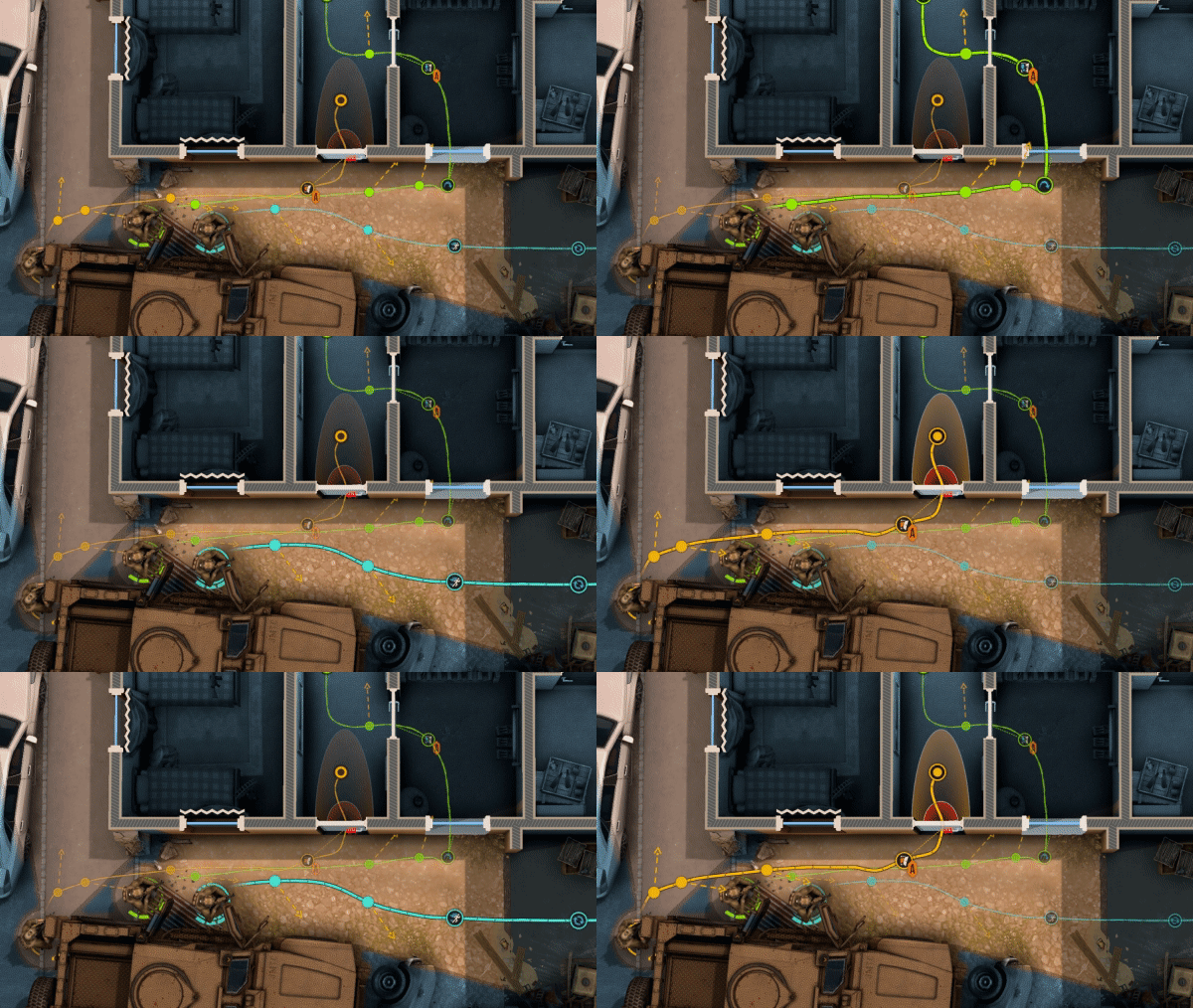 polar acorn
brisk escarp
my wasd keys are working
polar acorn
brisk escarp
my wasd keys are working
Try logging readytojump and grounded before jumping
worn spear
If you have no InputManager etc. you could also use a If statement for spacebar check
{
    Vector3 projectilePosition = new Vector3(transform.position.x, _projectileHeightY, transform.position.z);
    Instantiate(projectilePrefab, projectilePosition, transform.rotation);
} ```for example
and do Jump there
GetKey only checks if the key is held down
brisk escarp
ok, one sec
ok so the is grounded and the ready to jump was false i dont know what to do now, i do have gravity but im stumpted
brisk escarp
polar acorn
Try logging `readytojump` and `grounded` before jumping
do you have any other suggestions by any chance
polar acorn
brisk escarp
do you have any other suggestions by any chance
Well, should they be false
brisk escarp
Shouldn't the ready-to-jump be true? and than i should be able to jump
polar acorn
brisk escarp
Shouldn't the ready-to-jump be true? and than i should be able to jump
I dunno, should it? I don't know what you want to be happening or what you've done
brisk escarp
im getting this in my console,
 polar acorn
Okay, so then what little of the code you've shown is doing as expected. You need both of those to be true, neither of them are.
brisk escarp
i dont know what to do to make them true,
polar acorn
brisk escarp
i dont know what to do to make them true,
= true usually does the trick
brisk escarp
ive done that already and i believe the problem here is that unity isnt regestring the player is on the ground so they are not working, do you think it could be a thing to do with layers?
 polar acorn
brisk escarp
ive done that already and i believe the problem here is that unity isnt regestri...
polar acorn
brisk escarp
ive done that already and i believe the problem here is that unity isnt regestri...
When do you call that function
And also I have no idea if it could do with layers because I don't know how you're setting grounded
brisk escarp
i call the function reset jump when the player has jumped and landed
 polar acorn
brisk escarp
i call the function reset jump when the player has jumped and landed
polar acorn
brisk escarp
i call the function reset jump when the player has jumped and landed
So if it starts false how is it ever going to become true
Since it can only be called after a jump which would require it to be true
brisk escarp
i just tried to change it to true and still not jumping
 waxen adder
I have my player character being instantiated after the scene loads and I want a first person camera for them. How would I achieve that simply? I'm still deeply in a prototyping stage
polar acorn
waxen adder
I have my player character being instantiated after the scene loads and I want a...
Put a camera in the prefab
waxen adder
Can I use the main camera or do I add one?
polar acorn
The only difference for a main camera is the tag
waxen adder
Ah ok
brisk escarp
Im going to try fix my problem later when i can think better
thanks for all the help 🙂
waxen adder
noice, we can walk around now

I recall someone mentioning cinemachine or something? Might try that out in the future, but this will work for now
 misty orchid
why the code not duplicate my
penguin
 languid spire
misty orchid
why the code not duplicate my
penguin <:notlikethis:1068134558123442236>
misty orchid
languid spire
<#763499475641172029>
languid spire
misty orchid
why the code not duplicate my
penguin <:notlikethis:1068134558123442236>
misty orchid
languid spire
<#763499475641172029>
No one help me
 fossil drum
misty orchid
No one help me
fossil drum
misty orchid
No one help me
Visual scripting is quite active though 
 fringe plover
Whats the difference between FindObjectByTypeand FindObjectOfType?
timber tide
It is recommended to use Object.FindObjectsByType instead.```
That's the differenceFindObjectByType isn't a thing, do you mean FindFirstObjectByType/FindAnyObjectByType? Either way, look at the docs.
 shadow shadow
void CreateNest()
{
    GameObject nest = GameObject.CreatePrimitive(PrimitiveType.Sphere);
    nest.transform.position = cc.transform.position;
    nest.transform.rotation = cc.transform.rotation;
    nest.GetComponent<SphereCollider>().enabled = false;
    nestList.Add(nest);
}
Does anyone have any idea why the nest object invisible. It automatically applies the mesh renderer and mesh filterer too so I am confused
fossil drum
fringe plover
Whats the difference between `FindObjectByType`and `FindObjectOfType`?
https://docs.unity3d.com/ScriptReference/Object.FindObjectsOfType.html
https://docs.unity3d.com/ScriptReference/Object.FindObjectsByType.html
https://gamedev.stackexchange.com/questions/204741/whats-the-difference-between-findobjectsbytype-and-findobjectsoftype
Scripting: Added: New Object.FindObjectsByType() function added as a potentially faster alternative to Object.FindObjectsOfType().
fringe plover
alr thank you guys
north kiln
Because then it's consistent
But yes, they provided the overload so you can avoid that
Same with the difference between FindFirstObjectByType and FindAnyObjectByType
timber tide
shadow shadow
```cs
void CreateNest()
{
GameObject nest = GameObject.CreatePrimitive(Primi...
does it have a material
shadow shadow
If I am not wrong it gets assigned the default material
timber tide
thought so
north kiln
why not just look at it
in the Scene view
and check
send screenshots of what it looks like, what the setup is
because as far as we can tell, it might not even be in the view of the camera
or you might be inside of it, or it might not even exist
shadow shadow
the position is Infront of the camera and I confirmed that by moving the camera to it.
and it is in the hierarchy once created
hella confused because it works the same if any other person does the same thing
north kiln
send screenshots
shadow shadow
of what in specific
north kiln
It selected in the scene view with the inspector and camera visible
shadow shadow
this is for a mod for a unity game btw, should have said this earlier.
north kiln
and this is why we don't allow modding discussion on this server
shadow shadow
Sorry, was unaware
 lucid path
Hi, its my first time using Unity and I'm trying to make a simple 2D game. I have this movement for my player, and it worked fine for awhile.
if (Input.GetKey(KeyCode.W) && Input.GetKey(KeyCode.D))
{
    myRigidBody.velocity = (Vector2.up + Vector2.right).normalized;
}
else if (Input.GetKey(KeyCode.W) && Input.GetKey(KeyCode.A))
{
    myRigidBody.velocity = (Vector2.up + Vector2.left).normalized;
}
else if (Input.GetKey(KeyCode.S) && Input.GetKey(KeyCode.D))
{
    myRigidBody.velocity = (Vector2.down + Vector2.right).normalized;
}
else if (Input.GetKey(KeyCode.S) && Input.GetKey(KeyCode.A))
{
    myRigidBody.velocity = (Vector2.down + Vector2.left).normalized;
}
else if (Input.GetKey(KeyCode.W))
{
    myRigidBody.velocity = Vector2.up;
}
else if (Input.GetKey(KeyCode.S))
{
    myRigidBody.velocity = Vector2.down;
}
else if (Input.GetKey(KeyCode.A))
{
    myRigidBody.velocity = Vector2.left;
}
else if (Input.GetKey(KeyCode.D))
{
    myRigidBody.velocity = Vector2.right;
}
else
{
    myRigidBody.velocity = Vector2.zero;
}
However, I'm now adding knockback for when you get hit by enemies.
if (collision.gameObject == player)
{
    playerRigidbody.AddForce(direction * -knockback, ForceMode2D.Impulse);
}
I'm using the AddForce() method for this, but since myRigidBody.velocity is set to zero at every frame, the two counteract each other. Is there any way for me to do knockback without velocity? Or should I rework my movement code?
I just joined this server, if this is in the wrong channel lmk.
timber tide
lucid path
Hi, its my first time using Unity and I'm trying to make a simple 2D game. I hav...
thing is you're setting velocity to 0 every frame if you're not doing anything, so if that's the problem you need to set velocity to 0 once before being knocked back add some sort of flag or condition to prevent adding velocity (or continuously setting it to zero in this case) while being knocked back.
but yeah, usually try to stick to one of the four (five?) different ways to move an rb as much as possible
rich carbon
How do I show an SVG image from an URL in an UI object in Unity 2020? I could only find very old stuff when searching
Like, 2014
fringe kindle
How do I restrict a camera following the player to only moving along the Y axis? I tried adding a rigidbody with constraints to it but it didn't work. Is there a better way?
Here's the script, for context

 pliant blade
fringe kindle
How do I restrict a camera following the player to only moving along the Y axis?...
pliant blade
fringe kindle
How do I restrict a camera following the player to only moving along the Y axis?...
Can't you just constantly set Y to a set value? Probably super inefficient but its how I'd do it
 slender sinew
fringe kindle
How do I restrict a camera following the player to only moving along the Y axis?...
slender sinew
fringe kindle
How do I restrict a camera following the player to only moving along the Y axis?...
just.. don't change the X and the Z? A simple way to do that would be something like
var newPosition = cam.transform.position; // Create a new position from the current position

newPosition.y = player.transform.position.y; // Update only the Y value of this new position

cam.transform.position = newPosition; // Apply the new position to the camera
Your current code confuses me though, so maybe you are looking for something else?
fringe kindle
slender sinew
just.. don't change the X and the Z? A simple way to do that would be something ...
Basically, the camera is supposed to be a certain distance from the player as it follows it up the tower
 modest dust
fringe kindle
Here's the script, for context
modest dust
fringe kindle
Here's the script, for context
Playing around with rigidbody constraints won't help in any way if you set the transform position directly and not via the rigidbody. In your case, just initialize your camera with a default position and then simply update only the Y position
private Vector3 m_position;

public void Awake() // Or Initialize() called manually if you have to move the player somewhere first or reset the position a few times ig
{
  m_position = player.transform.position;
  m_position.y += 1.9f;
  // And some other modifications if you want, since I see that the z position is also different in your code
  cam.transform.position = m_position;
}

public void Update()
{
  m_position.y = player.transform.position.y + 1.9f;
  cam.transform.position = m_position;
}
All good got it working 👍
sorry if i've been a bit irritating with the constant questions recently, it's my first time doing proper coding in Unity
 dusky tusk
hello! im new to unity.. im making a rigid body with kinematic as its body type, but it doesnt seem to collide with ny sprite shape
teal viper
dusky tusk
hello! im new to unity.. im making a rigid body with kinematic as its body type,...
Kinematic rbs don't respect collisions. You'll need to implement your own collision handling.
dusky tusk
oof:(