#💻┃code-beginner
1 messages · Page 130 of 1
 wicked blaze
 modest dust

Showing something in the inspector isn't the only purpose of using 'public'. Read about encapsulation
 novel shoal
modest dust
Showing something in the inspector isn't the only purpose of using 'public'. Rea...
novel shoal
modest dust
Showing something in the inspector isn't the only purpose of using 'public'. Rea...
showing them in the inspector and using them in other programs and classes*
modest dust
novel shoal
showing them in the inspector and using them in other programs and classes*
public fields are serialized by default in the inspector, other than that it's just about the access
novel shoal
but what's the point of making things private if they don't affect anything?
 celest flax
I'd like to check if a list contains every value in either an array or another list using just an if-statement. What would be a good way to do this?
modest dust
novel shoal
but what's the point of making things private if they don't affect anything?
encapsulation.
novel shoal
novel shoal
but what's the point of making things private if they don't affect anything?
it's just faster to make everything public
novel shoal
modest dust
encapsulation.
gotta read it
 spiral oak
novel shoal
it's just faster to make everything public
spiral oak
novel shoal
it's just faster to make everything public
And more prone to bugs that are very complicated to solve
modest dust
novel shoal
it's just faster to make everything public
Read about ensapsulation, it's worth it. Most fields should be private (or protected/internal)
 gaunt ice
celest flax
I'd like to check if a list contains every value in either an array or another l...
gaunt ice
celest flax
I'd like to check if a list contains every value in either an array or another l...
do you know what is hash table
novel shoal
modest dust
Read about ensapsulation, it's worth it. Most fields should be private (or prote...
searched in the unity docs but found no results
modest dust
novel shoal
searched in the unity docs but found no results
Encapsulation isn't a unity thing.
novel shoal
gaunt ice
encapsulation is oop concept
i haven't studied oop yet tho
in the learn.unity pathway there wasn't oop
gaunt ice
there actually is, but just one chapter iirc
modest dust
novel shoal
i haven't studied oop yet tho
Just search for "C# Encapsulation" or simply "Encapsulation"
spiral oak
novel shoal
in the learn.unity pathway there wasn't oop
Unity uses C#, which is an object-oriented programming language. So literally everytime you program in Unity you're using oop
 dire torrent
whats confusing about it? I would suggest learning basics of programming before getting into unity.
I would spoonfeed you code but that probably wont be healthy for you either. And I assume you're asking here because you wanna learn rather than just getting spoonfed code that could be provided to you by chatgpt or elsewhere 😄
novel shoal
spiral oak
Unity uses C#, which is an object-oriented programming language. So literally ev...
ik that script are classes and every component is a class too
dire torrent
novel shoal
i haven't studied oop yet tho
yea would highly recommend learning the language (which includes oop) before game dev. It's gonna end up saving you so much time and headache haha
novel shoal
i come from python, there i learned about oop, i also did a full course with classes too, but since i hadn't used them ever since i forgot about them
dire torrent
i see
novel shoal
dire torrent
yea would highly recommend learning the language (which includes oop) before gam...
i did a course about it which included classes, but since i never used them in 2 months i forgot how to even make one
celest flax
gaunt ice
do you know what is hash table
I looked it up an kinda understand I think? Is it like a mix between hashset and dictionary?
 quick edge
(already posted this yesterday, but maybe someone can help me today ;) )
Yo! I have a problem. I have created an empty game object (a pivot) as a parent of a Camera. When I'm not in play mode if I rotate the pivot the camera rotate around it like supposed, but when I'm in play mode it doesn't work anymore. The camera rotate around itself. I don't understand why. I didn't find any solutions on the internet. Can you help please?
Edit : Someone told me to remove "* Time.deltaTime" so now this isn't in the code naymore
novel shoal
novel shoal
i did a course about it which included classes, but since i never used them in 2...
i cannot remember stuff without using them at least a bit, in fact i hate latin and can't remember anything
gaunt ice
hash table is data structure, it is just a name to desrcibe something that can offer you a O(1) lookup for given key
dictionary is hash table (or hashmap)
spiral oak
novel shoal
i cannot remember stuff without using them at least a bit, in fact i hate latin ...
Well, in Unity you will have the chance to use oop a lot
novel shoal
spiral oak
Well, in Unity you will have the chance to use oop a lot
but where is the pathway chapter with classes? i finished it but never used them
gaunt ice
btw the name is not important
spiral oak
novel shoal
but where is the pathway chapter with classes? i finished it but never used them
I dont know, I just took a C# course before getting into Unity. I didnt use Unity learn, short tutorials were enough for me as I already knew C#
Just researching about what I want to do before actually doing it works for me
novel shoal
spiral oak
I dont know, I just took a C# course before getting into Unity. I didnt use Unit...
it took me 2 months to do the pathway since i am 16 yo, so it's been 2 months since i have even read about a class
novel shoal
spiral oak
Just researching about what I want to do before actually doing it works for me
i wanted to do a full course so that i could know about a lot of topics if i needed to use them
dire torrent
quick edge
(already posted this yesterday, but maybe someone can help me today ;) )
Yo! I ...
is this script on the pivot or the camera?
also keep Time.deltaTime or else the camera will rotate faster for the person with higher FPS than a person with a lower FPS.... unless that's what you want.
quick edge
dire torrent
is this script on the pivot or the camera?
also keep Time.deltaTime or else the ...
On the pivot
quick edge
dire torrent
is this script on the pivot or the camera?
also keep Time.deltaTime or else the ...
Someone told me that's not the case because the mouse Delta is already in Time.deltaTime
spiral oak
novel shoal
i wanted to do a full course so that i could know about a lot of topics if i nee...
Well, thats not a bad idea, but I recommend you to also research yourself, don't just stick to Unity learn
dire torrent
quick edge
Someone told me that's not the case because the mouse Delta is already in Time.d...
ohh yea new input system, yea idk much about it so it probably is lol my bad
quick edge
np
And something I didn't mention. When I'm in play mode and I manually rotate the pivot, the camera rotate on itself instead of rotating around the pivot
dire torrent
quick edge
(already posted this yesterday, but maybe someone can help me today ;) )
Yo! I ...
what do you mean whern you say "camera rotates around itself instead"
dire torrent
ah
novel shoal
spiral oak
Well, thats not a bad idea, but I recommend you to also research yourself, don't...
if i need i can do it, obviously there are a LOT of things i don't know about unity yet, so if i ever needed them i can still look them up on yt
quick edge
quick edge
And something I didn't mention. When I'm in play mode and I manually rotate the ...
I'm not on "center" mode. I'm on "pivot"
dire torrent
quick edge
And something I didn't mention. When I'm in play mode and I manually rotate the ...
make sure your script is on the pivot gameobject
because only way the camera would rotate locally is if the script was on the camera itself
or maybe you have a script on the pivot AND the camera 
quick edge


 lunar tapir
Hi, I am trying to make a cyborg futuristic hacking game.
I have this OperatingSystem script which goes onto cyborgs with a serialized list of Applications
public class OperatingSystem : MonoBehaviour {
    private Root root;
    [SerializeField] private List<Application> applications;

    private void Start() {
        root = new Root();
        applications.Add(new TerminalApplication(this));
    }
}```

Here is my application class. It is not a MonoBehaviour but all its fields are serialized ( as far as I understand ).
```cs
[Serializable]
public abstract class Application {
    [SerializeField] private string name;
    [SerializeField] private bool adminPerms;
    [SerializeField] private OperatingSystem os;

    public Application(string name, OperatingSystem os = null) {
        this.name = name;
        this.os = os;
        if (os != null) { adminPerms = true; }
    }
Here is the TerminalApplication class which inherits from Application.
[Serializable]
public class TerminalApplication : Application {
public TerminalApplication(OperatingSystem os) : base("TERMINAL", os) {}
}```
It should show the list of applications in the inspector as far as I understand, but it is not showing (as seen in the screenshot). What might be wrong? quick edge
dire torrent
or maybe you have a script on the pivot AND the camera <:var:982618034072088616>
quick edge
dire torrent
or maybe you have a script on the pivot AND the camera <:var:982618034072088616>
That's not the case
dire torrent
quick edge
That's not the case
hmm interesting
quick edge
I don't understand at all x)
I saw one person having the same problem on the Internet, but nobody answered the solution
wicked blaze
dire torrent
whats confusing about it? I would suggest learning basics of programming before ...
remembering that chatgpt exits makes me sad cause most people just go there and get the code
dire torrent
wicked blaze
remembering that chatgpt exits makes me sad cause most people just go there and ...
yea its not a healthy approach to learning to code imo either since coding is more about problem solving yourself haha
dire torrent
quick edge
I don't understand at all x)
ohh i see the issue
quick edge
no way
dire torrent
you're modifying the camera's position
wicked blaze
dire torrent
yea its not a healthy approach to learning to code imo either since coding is mo...
trueeee
dire torrent
not about rotation but when you move the camera
dire torrent
you need to move pivot
 ancient island
hey guys, I'm designing my game's UI and I wonder which is the lowest screen resolution I should design for? I've been working on 800x400 portrait (yes, it's forced to be portrait) provided by unity, but when arranging some stuff they simply don't fit into the screen (with other game components) or they are too small for larger screen resolutions. I already know about canvas scaler and configured it to my needs, but the problem persists so I wonder if people actually uses 800x400 phones
 gilded pumice
hey guys how can I reference a public variable in a different script (attached to a different game object if this helps) I've already referenced the script and that works fine for calling methods from the other script, but I can't for the life of me figure out how to reference a variable
quick edge
I set the camera behind the character. This prevent the camera from "rotating" around the pivot because in reality it's not rotating but moving around ?
This is the problem ?
ancient island
gilded pumice
hey guys how can I reference a public variable in a different script (attached t...
if the variable is public it is the same as calling a method
dire torrent
quick edge
I set the camera behind the character. This prevent the camera from "rotating" a...
shouldnt the camera already be offset from the pivot?
and then you can just move the pivot on the exact player's position without offset
 little garden
im not sure how to compute the time dialation seconds
quick edge
dire torrent
and then you can just move the pivot on the exact player's position without offs...
Yes, that's a good idea
Thanks! It was simple my bad x)
 languid spire
gilded pumice
hey guys how can I reference a public variable in a different script (attached t...
languid spire
gilded pumice
hey guys how can I reference a public variable in a different script (attached t...
if referenceing a method is
script.method();
then referencing a variable is
script.variable;
dire torrent
quick edge
Thanks! It was simple my bad x)
no worries haha
gilded pumice
languid spire
if referenceing a method is
script.method();
then referencing a variable is
scri...
yeah but it is still giving me a null reference
if (Input.GetKeyDown(KeyCode.Space) && hardGameManager.phaseNumber > 0)
{
phaseWalls = true;
phaseVisual.gameObject.SetActive(true);
hardGameManager.phaseNumber -- ;
languid spire
on which line?
gilded pumice
the if line
it doesn't like hardGameManager.phaseNumber
which is script variable with public variable from that script
languid spire
then hardGameManager is null, so you're not referencing it correctly
gilded pumice
am I supposed to use the assigned variable to the script or the actual name of the script here?
I thought it was the assigned variable that I declared in start
hardGameManager = GameObject.Find("Game Manager Hard Mode").GetComponent<HardModeGameManager>();
languid spire
do you even check to see if that line works?
dire torrent
wicked blaze
trueeee
imma dm you in a lil while after a work call to help you understand without spoonfeeding 😄
wicked blaze
dire torrent
imma dm you in a lil while after a work call to help you understand without spoo...
omg, thanks soo much
 hidden sleet
currently watching a tutorial on saving data using json, but they say they'll be using the BinaryFormatter, however someone here yesterday said that isn't wise as it was depreciated or something. What else could be used then?
modest dust
lunar tapir
Hi, I am trying to make a cyborg futuristic hacking game.
I have this Operating...
Unity serialization doesn't support inheritance. Use this instead: https://docs.unity3d.com/ScriptReference/SerializeReference.html
wicked blaze
dire torrent
imma dm you in a lil while after a work call to help you understand without spoo...
I took some time and red you message again and came up with this, it actually works!

i made it myself
dire torrent
wicked blaze
I took some time and red you message again and came up with this, it actually wo...
awesome
wicked blaze
im suprised it actually works
but im happy
and now i dont really know what else to add
novel shoal
https://hatebin.com/krsdqjzsbd
unity states that at line 32 there is an empty statement
dire torrent
line 31 has a ; after while :D
novel shoal
dire torrent
line 31 has a `;` after `while` :D
right
wicked blaze
wicked blaze
and now i dont really know what else to add
i have sprinting, crawling, crouching, what else is an good feature
lunar tapir
modest dust
Unity serialization doesn't support inheritance. Use this instead: https://docs....
thanks! issue is solved
wicked blaze
wicked blaze
i have sprinting, crawling, crouching, what else is an good feature
i wanna try to add things myself to see what i have learned
novel shoal
wicked blaze
i have sprinting, crawling, crouching, what else is an good feature
i'm trying to do wall jumping :)
dire torrent
novel shoal
right
also i think you just need to use if instead of while there since Update is essentially a loop itself 
novel shoal
i'm 99% sure it won't work tho
wicked blaze
novel shoal
i'm trying to do wall jumping :)
i can see the basic picture of what you wanna do
novel shoal
dire torrent
also i think you just need to use `if` instead of `while` there since Update is ...
makes sense
gilded pumice
languid spire
do you even check to see if that line works?
the one in start certainly does as I've been able to call methods from that script just fine. I'm getting the null reference error specifcally on that line (the if conditional). It is not a compilation error, it only kicks it out when I press the space bar during test. I certainly don't see any errors with syntax but I'm also pretty new
languid spire
null ref is a runtime error not a compilation error. it means something is null. so on this line
if (Input.GetKeyDown(KeyCode.Space) && hardGameManager.phaseNumber > 0)
the only thing that could be null is the hardGameManager variable
wicked blaze
hmmmm is adding some hand movement to the game an good idea just for the player to not be an capsule
some capsule hands 🙂
xd
im going to try to make an item pick up feature and try to learn something new
novel shoal
https://hatebin.com/uwdbpyjgqm
if the bool isOnWall is true and i try to jump no force is applied (in the inspector i set the values to be -5x and 5y)
 swift crag
Rigidbody.velocity += new Vector3(0, wallDrag, 0);
This runs every frame, so the amount the velocity changes per second will depend on your framerate.
hidden sleet
currently working on a saving and loading system, I guess I can put the save function in the on application quit method?
swift crag
Consider using AddForce -- and doing it in FixedUpdate, too.
swift crag
hidden sleet
currently working on a saving and loading system, I guess I can put the save fun...
That's a reasonable choice, yes. I would also save at other times, like when you switch levels, or every few minutes
Application.quitting won't fire if the game crashes or gets forcibly closed
hidden sleet
switch levels sounds good, not sure how I would get it to recognise that the scene has been switched though
swift crag
SceneManager.activeSceneChanged
that event fires when the active scene changes (unsurprisingly)
You could also just save the game when you decide to load a new scene
hidden sleet
shrimple as that
swift crag
since you'll presumably have code whose job is to load levels
swift crag
swift crag
`Rigidbody.velocity += new Vector3(0, wallDrag, 0);`
This runs every frame, so ...
note that this isn't why your jump is working
hidden sleet
at the moment I lierally just have a button that switches scenes and that's it, got no custom loading stuff yet
swift crag
Although, maybe other parts of your code are changing your velocity so quickly that you can't get off the ground at all
novel shoal
swift crag
Consider using `AddForce` -- and doing it in `FixedUpdate`, too.
i did both, but the wall jump thing is still not working
swift crag
add some Debug.Log statements to find out exactly what is going on
also, if you're now in FixedUpdate, you will need to change how you get input
specifically, GetKeyUp is flaky in FixedUpdate
because it only returns true for one frame
you might get two frames before another physics update happens
hidden sleet
what's the difference between fixed and regular?
novel shoal
swift crag
because it only returns true for one *frame*
sp getkeydown
swift crag
novel shoal
sp getkeydown
Same issue.
swift crag
hidden sleet
what's the difference between fixed and regular?
Update runs once per frame
FixedUpdate runs right before the physics update
which normally happens 50 times per second
swift crag
novel shoal
sp getkeydown
What you can do is check input in Update, then use the input in FixedUpdate
bool wantsJump = false;

void Update() {
  if (Input.GetKeyUp(KeyCode.Space))
    wantsJump = true;
}

void FixedUpdate() {
  if (wantsJump) {
    wantsJump = false;
    // do a jump
  }
}
like so
 warped roost
what is the best and most efficient way to learn c#?
novel shoal
@swift crag using debug.log, it prints something to the console, but it adds no force
languid spire
warped roost
what is the best and most efficient way to learn c#?
lots of practice
hidden sleet
I learnt it back at secondary school, which was a good way to point me in the right direction, but from scratch I'm not really sure what the best way would be
I've got an absolutely huge handbook that I've written which contains all the things I've learnt though
oh, I seem to have an issue. When you quit the application by pressing the play button again is it suppose to clear out this inventory?

 dire torrent
hidden sleet
oh, I seem to have an issue. When you quit the application by pressing the play ...
dire torrent
hidden sleet
oh, I seem to have an issue. When you quit the application by pressing the play ...
the json? yea unless you store it in a file
hidden sleet
well in this case the inventory should already have stuff in it
since I'm aiming to save it when the application closes

but does putting it there mean the object already has its data wiped before it can save or something?
 buoyant knot
uh, that is dangerous business
hidden sleet
in what way
buoyant knot
on application quit, several things might be null
buoyant knot
same thing happens in OnDestroy
hidden sleet
unless I save every time an item is picked up perhaps?
dire torrent
just save in between or when you click the quit or exit to menu button :O
buoyant knot
openning and writing files is expensive shit
hidden sleet
don't have any kind of auto save system at the moment
swift crag
you should save often, but not too often (:
tighten bolt. do not overtighten. do not undertighten.
swift crag
buoyant knot
don’t save on application quit
does that method fire after objects are destroyed by the scene unload?
i've never thought about that
buoyant knot
you also don’t want to save if the player expects it to not be saved
swift crag
I'm only ever saving data that isn't on scene objects anyway
dire torrent
maybe make a save button too on top of periodical saves if player chooses to keep on autosave
hidden sleet
well this is only meant to be a uni project, it's scale is absolutely tiny. I suppose saving on scene change might work, but it's only played for a couple of seconds in total
buoyant knot
swift crag
does that method fire *after* objects are destroyed by the scene unload?
i’m not exactly sure. but it is dangerous
especially if you force quit or something
novel shoal
this is my issue
buoyant knot
or stop the process, or crash
hidden sleet
buoyant knot
i’m not exactly sure. but it is dangerous
Yeah I figured it wouldn't be wise, just didn't know of when else itll be appropriate
buoyant knot
find a trigger where it makes sense to save
something that happens not super frequently
hidden sleet
scene change might be useful, but I also don't want them to pick something up then quit and lose it
buoyant knot
or a button the player can press
most modern games have manual save, autosave, and a button to turn off autosave
hidden sleet
I mean, this is literally all I have at the moment. You walk over the boxes and it adds stuff to an inventory which carries over to the next scene, this isn't going to have a save slot system
 novel shoal
this is my issue
novel shoal
novel shoal
this is my issue
guys please
buoyant knot
hidden sleet
I mean, this is literally all I have at the moment. You walk over the boxes and ...
then just add a temporary button for testing, and add a proper save trigger later
buoyant knot
novel shoal
guys please
see if your rigidbody has continuous collision detection mode. it should
hidden sleet
since the user should be able to leave at any point, they could potentially pick up one thing then leave the game which is valid
best way I could describe it is a pokemon go type thing where you can just load it up, pick something up then shut it off
buoyant knot
buoyant knot
see if your rigidbody has continuous collision detection mode. it should
in discrete collision detection mode, you will be clipping into the wall every time you move
hidden sleet
but I assume that just stores it all on a database somewhere else, not locally
dire torrent
novel shoal
guys please
i think it'll be a good idea at this point to not use velocity for movement but just move using AddForce
a mixture of both is gonna be pretty inconsistent to use and will result in more issues down the line
buoyant knot
i use both when I want to make .velocity methods override added forces
hidden sleet
also why is everything red
dire torrent
buoyant knot
i use both when I want to make .velocity methods override added forces
i mean i would still use .velocity to clamp the speed or to make it stop moving when no input is pressed to avoid sliding
but other than that, i'd use AddForce for everything else related to player movement
novel shoal
https://hatebin.com/zghpcroddo
changed it to addforce
buoyant knot
AddForce impulse mode directly modifies velocity instantly btw
it’s just something you need to be aware of
AddForce (force mode) adds a force vector to be added in at start of similation.
Changing velocity changes velocity as of right now
dire torrent
buoyant knot
AddForce impulse mode directly modifies velocity instantly btw
doesnt set it though, just adds force instantly :o
novel shoal
novel shoal
https://hatebin.com/zghpcroddo
changed it to addforce
now i cannot jump anymore lol
buoyant knot
AddForce in impulse mode directly changes your velocity from one line of code to the next. and does not change totalForces
maybe 3D is smarter
dire torrent
novel shoal
now i cannot jump anymore lol
because you're doing AddForce(horizontalInput, Rigibody.velocity.y, 0) so you're constantly applying force on the y axis
that's probably not the only issue but should be an issue
buoyant knot
your jump method should probably set rigidbody.velocity = new Vector2(rigidbody.velocity.x, jump speed);
dire torrent
you can do it with AddForce
that code is fine, try changing the number, increase it
novel shoal
buoyant knot
your jump method should probably set rigidbody.velocity = new Vector2(rigidbody....
i changed everything to addforce
dire torrent
and Rigidbody.AddForce(new Vector3(0, jumpForce, 0), ForceMode.Impulse);
i think that's the issue... you arent making a new Vector3
buoyant knot
setting y velocity makes your jump a specific height from start position, every time, even off of a falling platform.
AddForce impulse mode will make your jump just add force from your starting velocity, so jumping from falling platform can still have a downward velocity
depends on what you want. both are valid
hidden sleet
if the json here is just {}, even though the serialisable tag is on the slot that the container is a type of, is that just down to the fact that the item itself can't be properly serialised?


 buoyant knot
i prefer set velocity, which is more cartoony, and simpler for the player to know where they will end up
AddForce maintains reference frame, and conserves momentum
novel shoal
horizontalInput = Input.GetAxis("Horizontal");
Rigidbody.AddForce(new Vector3(horizontalInput * horizontalSpeed, 0, 0),ForceMode.Impulse);
if (Input.GetKeyDown(KeyCode.Space) && isGrounded)
{
Rigidbody.AddForce(new Vector3(0, jumpForce, 0),ForceMode.Impulse);
isGrounded = false;
}
@dire torrent
dire torrent
looks fine and yea loop's point is valid, if you want to air jump that's gonna be a bit iffy
buoyant knot
that will work, but in 2D, you should use Vector2
buoyant knot
is your rigidbody in dynamic mode?
dire torrent
put a debug.log and see if the code is getting called
novel shoal
the wall jump works only once
buoyant knot
use Debug.Log when you call AddForce to know if it is getting called at all
because it could be adding the force followed by something blocks it, OR it just never tries to add the force at all
dire torrent
buoyant knot
setting y velocity makes your jump a specific height from start position, every ...
i suppose another solution would be to just reset y velocity whenever jump is pressed and then add force if wanting to do that
buoyant knot
and make sure your rigidbody is in continuous collision detection mode
default is discrete, which is wrong
novel shoal
i think the issue is that i add a -5 force on the x axis on the wall jump
even if the wall is on the left
but idk how to make it so that it's +-5 depending on the direction of the movement
hidden sleet
strange, I can serialise the whole class but not the list in the class. So when serialising, can you not just directly pass in a list? Does it have to be a class with a list in it?
buoyant knot
novel shoal
but idk how to make it so that it's +-5 depending on the direction of the moveme...
you need to detect the wall
novel shoal
buoyant knot
you need to detect the wall
how?
hidden sleet
raycast perhaps?
novel shoal
what?
hidden sleet
well to detect the wall the first one I'd try would be a raycast to the left or right that juts out a short distance, and if it intersects the wall, which could have a tag on it, it knows it's on the wall
or a collider perhaps
novel shoal
i need to see a tutorial on what raycast is
hidden sleet
I watched Game Dev Beginner's one on it recently, was pretty good
buoyant knot
novel shoal
how?
I would use .Cast on your collider
In 2D, raycast has a very similar cost to casting your whole box collider
swift crag
A raycast is like shooting a laser into your scene.
The laser stops when it hits a collider.
It's part of a small set of physics queries that are all extremely useful
novel shoal
i checked unity's tutorial on raycast
buoyant knot
i never raycast. I always use Cast on my colliders, because it gives me more complete info
novel shoal
so i have to create a ray on collision with a wall, whose origin is the player and check which is the nearest wall?
buoyant knot
and the moment you shoot 2 raycasts for one collider, it straight up costs more than .Cast
spiral oak
Hey, I'm a bit unsure about something about C#: If I use a using clausule when using unmanaged resources (in my case StreamWriter), there's no need to make the class IDisposable, right?
novel shoal
buoyant knot
i never raycast. I always use Cast on my colliders, because it gives me more com...
it's a bit confusing lol
buoyant knot
there are a few ways to cast.
ContactFilter2D contactFilter = // make a contact filter that only shows terrain with walls
List<RaycastHit2D> hits = new();
int hitCount = playerCollider.Cast(Vector2.left, contactFilter, hits);
then check hits for valid hits
novel shoal
can't also i do transform.position - collider.transform.position and check wether it's positive or negative?
buoyant knot
there are several ways to make that better, but that is the general idea
languid spire
spiral oak
Hey, I'm a bit unsure about something about C#: If I use a ``using`` clausule wh...
using automatically calls dispose when the scope closes
buoyant knot
you can also call playerCollider.GetContacts, which gives you all the contacts for the player collder. Then sift through them to check for a wall
hidden sleet
what happens then when you call collider.Cast instead of just raycast?
novel shoal
novel shoal
can't also i do transform.position - collider.transform.position and check wethe...
can i do this?
buoyant knot
collider.Cast checks moving the whole shape
spiral oak
languid spire
using automatically calls dispose when the scope closes
The thing is that I saw a class in an asset which uses StreamWriter inside an using clausule as well, but the class does implement IDisposable with an empty Dispose method. So there's no point on doing that, right?
hidden sleet
so would that essentially perform multiple raycasts across the whole collider to the lefT?
 languid spire
spiral oak
The thing is that I saw a class in an asset which uses StreamWriter inside an us...
languid spire
spiral oak
The thing is that I saw a class in an asset which uses StreamWriter inside an us...
but that would be Idisposable for the class not for the Streamwriter?
hidden sleet
like sending out a ghost of yourself
buoyant knot
if you shoot a raycast, it’s like a laser, which would have gone straight though and missed both green shapes
hidden sleet
does that also exist in 3D or is it just 2d?
hidden sleet
sounds like it would be
spiral oak
languid spire
but that would be Idisposable for the class not for the Streamwriter?
Yes, I saw that as the class uses StreamWriter, it implements IDisposable. But I dont understand why
languid spire
spiral oak
Yes, I saw that as the class uses StreamWriter, it implements IDisposable. But I...
because he is making the class itself disposable, that has nothing to do with the StreamWriter
hidden sleet
goodness me my project is already becoming a mess
spiral oak
languid spire
because he is making the class itself disposable, that has nothing to do with th...
Thank you, then it seems that it's just a mistake of the asset creator. He made the class IDisposable because he thought he had to do it when using StreamWriter, so that was confusing me
gaunt ice
you use some idisposable class doesnt mean your class have to be idisposable
spiral oak
gaunt ice
you use some idisposable class doesnt mean your class have to be idisposable
Thanks, thats what I was asking basically
languid spire
spiral oak
Thank you, then it seems that it's just a mistake of the asset creator. He made ...
implenting IDisposible does give you more fine grained control over garbage collection, perhaps he was just giving you the option to use it
spiral oak
languid spire
implenting IDisposible does give you more fine grained control over garbage coll...
So there's actually a point on making an empty Dispose method?
languid spire
yes
dire torrent
what do you mean
gaunt ice
you must implement the dispose method even if the method body is empty
spiral oak
languid spire
yes
Then I guess it makes the garbage collector delete the class instance when the using clausule ends. Am I wrong?
novel shoal
on collision i did transform.position.x - collision.gameobject.position.y to check the direction of the player on the wall
languid spire
spiral oak
Then I guess it makes the garbage collector delete the class instance when the u...
No, that is correct, it can be very important, especially in game dev, to control exactly when objects are collected and not just leaving it to the collector. But this falls into the subject of extreme optimisation
dire torrent
novel shoal
on collision i did transform.position.x - collision.gameobject.position.y to che...
have you thrown a Debug.Log to check the direction?
novel shoal
dire torrent
have you thrown a Debug.Log to check the direction?
in the editor it's public but it's 0
 ivory jacinth
Hi could someone help me with this error
 languid spire
not unless you post a proper screenshot
spiral oak
languid spire
No, that is correct, it can be very important, especially in game dev, to contro...
Thank you so much, I finally understand. I will start using it too
novel shoal
@languid spire can you help me, too?
languid spire
novel shoal
<@556797857584381953> can you help me, too?
no
novel shoal
languid spire
no
lol
dire torrent
novel shoal
in the editor it's public but it's 0
hmm there used to be Collision.hitPosition or something i cant seem to find it on the Unity documentation but i think your playerPosition and Collision.transform.position is probably the same lol
ivory jacinth
languid spire
not unless you post a proper screenshot
Better?
 novel shoal
dire torrent
hmm there used to be Collision.hitPosition or something i cant seem to find it o...
novel shoal
dire torrent
hmm there used to be Collision.hitPosition or something i cant seem to find it o...
Collision.transform.position is the same as playerPosition, but collision.transform.position is different
dire torrent
novel shoal
Collision.transform.position is the same as playerPosition, but collision.transf...
hmm then idk it should be setting the playerdirection fine
novel shoal
i forgot to use collision.gameobject.transform.position, and instead used collision.transform.position
hidden sleet
there's a difference?
languid spire
ivory jacinth
Better?
you've probably got a package compatibility problem, so check which packages you are using
spiral oak
novel shoal
i forgot to use collision.gameobject.transform.position, and instead used collis...
Thats exactly the same
The transform of the collision is the same transform as the transform of the GameObject of the colisión
dire torrent
shouldnt make a difference
novel shoal
dire torrent
shouldnt make a difference
idk now it's set as positive
 shut bronze
Hey Guys, I have a pretty advanced problem. I am currently working on a registration screen in Unity while storing the user data on a MySQL Database. Does somebody here have experience on the subject?
novel shoal
but it doesn't change if the collision is negative
languid spire
shut bronze
Hey Guys, I have a pretty advanced problem. I am currently working on a registra...
yes, what is the problem?
shut bronze
languid spire
yes, what is the problem?
The storing of the Data is working fine, but I hav implemented a function where the php Code should echo a Error Code when the Username is already taken. The function is working, but i don't get the Error code that should be echoed
languid spire
that sounds more like a php problem rather than a sql problem
shut bronze
languid spire
yes, what is the problem?
Is it ok if I pm you? To further explaine what I am having issues with?
languid spire
no, I don't do php
shut bronze
languid spire
no, I don't do php
Ok
dire torrent
ohh it could happen when your player's X is negative
so
if player is left of the wall player.x - collision.x could be -3-6 and now you get -9 which means you apply force on the right side when you should be applying force on other side
or wait bad math on my end
nvm idk lol
novel shoal
dire torrent
ohh it could happen when your player's X is negative
so
if player is left of the...
if it’s negative i apply a force on the right
@dire torrent actually you are right, i switched them and it works
tyyyy
 polar acorn
shut bronze
Ok
polar acorn
shut bronze
Ok
This is why you ask your question instead of asking someone to commit to answering before they know what the question is.
https://dontasktoask.com/
 languid spire
also a typical X Y problem
novel shoal
gotta suffer to reach perfection
hidden sleet
why is it that so many times when I try to do the 'attach to unity and play', VS goes into play mode but unity itself just freezes up and does nothing
polar acorn
hidden sleet
why is it that so many times when I try to do the 'attach to unity and play', VS...
Did you hit a breakpoint in code
hidden sleet
nope, it's just doing nothing
polar acorn
Does the game run normally without being in debug mode
hidden sleet
perfectly fine
its just like just spending an absolute preparing itself to run in debug
oh and now somehow implementing file saving has broken my ui... neat
languid spire
how is that even possible? System IO has absolutely nothing to do with UI
 fickle plume
@dire torrent No off-topic media, please
hidden sleet
languid spire
how is that even possible? System IO has absolutely nothing to do with UI
must have been something else I changed while trying to get it to work. No matter, will fix it later
novel shoal
using System.Collections;
using System.Collections.Generic;
using UnityEngine;
public class EnemyBehaviour : MonoBehaviour
{
public float minXValue;
public float maxXValue;
public float xSpeed;
public Rigidbody rb;
void Start()
{
rb = GetComponent<Rigidbody>();
}
void FixedUpdate()
{
rb.velocity = new Vector3(xSpeed, 0, 0);
if (transform.position.x < minXValue || transform.position.x > maxXValue)
{
xSpeed *= -1;
}
}
}
this should invert the enemy direction if it gets out of selected bounds, but, using a cylinder as an enemy it's buggy and doesn't work
 wintry quarry
novel shoal
using System.Collections;
using System.Collections.Generic;
using UnityEngine;
...
wintry quarry
novel shoal
using System.Collections;
using System.Collections.Generic;
using UnityEngine;
...
well it's going to invert the direction every single physics frame while it's outside the bounds
not to mention you're inverting it AFTER you already set the velocity this frame
so there wil be a 1 frame delay before it takes effect
 ivory bobcat
Define buggy?
 burnt vapor
novel shoal
using System.Collections;
using System.Collections.Generic;
using UnityEngine;
...
burnt vapor
novel shoal
using System.Collections;
using System.Collections.Generic;
using UnityEngine;
...
Please properly format your !code
 eternal falconBOT

Posting code
📃 Large Code Blocks
Use links to services like:
https://gdl.space/, https://paste.ofcode.org/, https://hatebin.com/, https://paste.myst.rs/, https://hastebin.com/
📃 Inline Code
Surround code with three backquotes. Not quotation marks.
To format as C#, add cs to the first line:
```cs
// Your code here
```
Add a comment with a line number if there is an error message.
novel shoal
wintry quarry
well it's going to invert the direction every single physics frame while it's ou...
it inverts every single frame
even if it's inside the bounds
wintry quarry
how about this:
public float speed;
float currentSpeed;
void Start() {
currentSpeed = speed;
}
void FixedUpdate()
{
float xPos = rb.position.x;
if (xPos < minXValue) currentSpeed = speed;
else if (xPos > maxXValue) currentSpeed = -speed;
rb.velocity = new Vector3(currentSpeed, 0, 0);
}``` amber spruce
https://pastebin.com/FMp66y25 anyone know what this error means
Pastebin
Pastebin.com is the number one paste tool since 2002. Pastebin is a website where you can store text online for a set period of time.
wintry quarry
Looks like a problem in SkinChangedServerRpc at Assets/Scripts/MultiplayerPlayerController.cs:163
amber spruce
 [ServerRpc(RequireOwnership = false)]
 private void SkinChangedServerRpc(int variable)
 {
     SkinNetwork.Value = variable;
     Skin = variable;
 }
 public void SetSkinWizard()
 {
    //CharacterSelect = GameObject.Find("CharacterSelect");
     //SkinNetwork.Value = 2;
     SkinChangedServerRpc(2);
     animator.runtimeAnimatorController = WizardCombo[0].animatorOV;
     animator.Play("Attack", 0, 0);
     m_Coll.size = new Vector2(0.35f, 0.66f);
     m_Coll.offset = new Vector2(0f, 0f);
     CharacterSelect.SetActive(false);
 }
those are the 2 functions it has a problem with
wintry quarry
based on the rest of the trace possibly you have a NetworkObject that was not properly initialized
amber spruce
wintry quarry
based on the rest of the trace possibly you have a NetworkObject that was not pr...
so for example im trying to doa character select screen should the canvas or buttons be network objects
ivory bobcat
amber spruce
```csharp
[ServerRpc(RequireOwnership = false)]
private void SkinChangedServer...
Which line is 163? (initially when the error occurred)
amber spruce
like should they have a network object component
SkinNetwork.Value = variable;
this is 115
SkinChangedServerRpc(2);
no
Whatever object MultiplayerPlayerController is on needs to be a NetworkObject
amber spruce
it is
ivory bobcat
amber spruce
like should they have a network object component
That's the line that's giving the error so it would imply that Skin Network is null
wintry quarry
and how was it created?
wintry quarry
ivory bobcat
That's the line that's giving the error so it would imply that Skin Network is n...
Nah the NRE trace would end there
amber spruce
wintry quarry
and how was it created?
a network manager
wintry quarry
the NRE is happening inside some deepish networking stuff
ivory bobcat
amber spruce
a network manager
Where do you instantiate it? What is the variable referencing?
wintry quarry
which kinda implies to me the network variable is somehow not set up properly, or the network object itself isnt
amber spruce
wintry quarry
which kinda implies to me the network variable is somehow not set up properly, o...
so i get the errors when i try and click on of the buttons on the character select screen
everything works fine otherwise
ivory bobcat
So you get the error because something is null. Which is expected - the entirety isn't working properly.
ivory bobcat
Two options:
- Record the previous value and check if it's changed.
- When you change the value, update the other.
 prime lodge
but i mean in equation
 frosty hound
x ++
y --
is the equation
Unless you have something more elaborate? But not according to your initial question
amber spruce
ivory bobcat
Two options:
- Record the previous value and check if it's changed.
- When you c...
so weirdly 1 button works the other 3 dont
gilded pumice
Does anyone have an idea why a UI won't update a number?
public void PhaseAbilityNumber(int phaseToAdd)
{
    phaseNumber += phaseToAdd;
    if (Input.GetKeyDown(KeyCode.Space) && phaseNumber > 0)
    {
        phaseNumber--;
    }
    hardPhaseText.text = "Phases Left " + phaseNumber;
}
The code works in every way except it doesn't decrement phaseNumber visually (it still obviously recognizes that the number has been subtracted) I'm sure the answer is simple I just am unsure what to do. I tried moving the if statement to update but that didn't work either. It's like the "phaseNumber" part of the .text isn't updating
prime lodge
frosty hound
x ++
y --
is the equation
i need to make weight reliant to hunger IF the hunger decreases the weight will increase
 gilded pumice
it updates positively but not negatively visually
prime lodge
but i have no idea how to do it
ivory jacinth
Hi could someone help me
 gilded pumice
ivory jacinth
Hi could someone help me
gilded pumice
ivory jacinth
Hi could someone help me
you need to set a number to the array, even like 0
languid spire
ivory jacinth
Hi could someone help me
obvious syntax errors
gilded pumice
an int
languid spire
what is line 21 and 22?
ivory jacinth
Where ?
 amber spruce
so each character is a button and the samurai one works but the other 3 dont i get the previous error when i try pressing the other 3
public void SetSkinSamurai()
{
    SkinChangedServerRpc(1);
    animator.runtimeAnimatorController = SamuraiCombo[0].animatorOV;
    animator.Play("Attack", 0, 0);
    m_Coll.size = new Vector2(0.31f, 0.7f);
    m_Coll.offset = new Vector2(0.06f, 0f);
    CharacterSelect.SetActive(false);
}
public void SetSkinWizard()
{
    SkinChangedServerRpc(2);
    animator.runtimeAnimatorController = WizardCombo[0].animatorOV;
    animator.Play("Attack", 0, 0);
    m_Coll.size = new Vector2(0.35f, 0.66f);
    m_Coll.offset = new Vector2(0f, 0f);
    CharacterSelect.SetActive(false);
}
public void SetSkinKnight()
{
    SkinChangedServerRpc(3);
    animator.runtimeAnimatorController = KnightCombo[0].animatorOV;
    animator.Play("Attack", 0, 0);
    m_Coll.size = new Vector2(0.38f, 0.64f);
    m_Coll.offset = new Vector2(-0.02f, 0f);
    CharacterSelect.SetActive(false);
}
public void SetSkinButter()
{
    SkinChangedServerRpc(4);
    animator.runtimeAnimatorController = ButterCombo[0].animatorOV;
    animator.Play("Attack", 0, 0);
    m_Coll.size = new Vector2(0.46f, 0.83f);
    m_Coll.offset = new Vector2(0f, 0f);
    CharacterSelect.SetActive(false);
}
those are each characters functions
 frosty hound
prime lodge
i need to make weight reliant to hunger IF the hunger decreases the weight will ...
frosty hound
prime lodge
i need to make weight reliant to hunger IF the hunger decreases the weight will ...
So the issue implementing your already decided on math, or are you asking for math help?
languid spire
ivory jacinth
Where ?
did you not read the error messages?
prime lodge
frosty hound
So the issue implementing your already decided on math, or are you asking for ma...
yes
ivory jacinth
languid spire
did you not read the error messages?
yes i read the messages
frosty hound
prime lodge
yes
You can't answer "yes" to two given questions in a sentence.
ivory jacinth
this is the script
 gilded pumice
ivory jacinth
Where ?
gilded pumice
ivory jacinth
Where ?
this doesn't contain the error
ivory jacinth
gilded pumice
this doesn't contain the error
So where is the error?
languid spire
Vector 2 ?????????????
gilded pumice
its line 22, character 34 according to your error message
ivory bobcat
ivory jacinth
So where is the error?
Line 22 of the Player Movement script
languid spire
Obvious Syntax Error
 ivory jacinth
languid spire
Obvious Syntax Error
ivory jacinth
languid spire
Obvious Syntax Error
what should I write there?
swift crag
given that your avatar is the python logo, I presume you've written python before
ivory bobcat
Vector and 2 needs to be joined
languid spire
what do you think should be in place of Vector 2 ?
swift crag
foobar = 3
print(foo bar)
yse
yes
swift crag
swift crag
```python
foobar = 3
print(foo bar)
```
this is clearly bogus
you've made the same mistake
ivory jacinth
languid spire
what do you think should be in place of Vector 2 ?
I dont know?
ivory jacinth
this one Vector2
languid spire
so why are you not using that?
btw your !IDE is probably not configured otherwise it would have shown you this
eternal falconBOT
💡 IDE Configuration
If your IDE is not autocompleting code
or underlining errors, please configure it.
Select one:
• Visual Studio (Installed via Unity Hub)
• Visual Studio (Installed manually)
• VS Code
• JetBrains Rider
• Other/None
ivory jacinth
thank you very much @languid spire 
quick edge
Yo! I want to Clamp an (euler) angle between -90 and 90 but angles in Unity are between [0, 360] (from what I saw). I saw people create functions to convert it between [-180, 180] but my question is. Is it easier to Clamp a Quaternion ?
languid spire
you cannot clamp a Quaternion
quick edge
R.i.p...
ivory bobcat
Those values wouldn't be euler values
swift crag
well, that would involve converting your quaternion into euler angles
can you explain what you want to accomplish first
not "clamp an angle"
what are you making your game do?
novel shoal
wintry quarry
how about this:
```cs
public float speed;
float currentSpeed;
void ...
https://hatebin.com/njslecvgho
now it doesn't work anymore, it flips forever
quick edge
I have a camera on a player. I want the camera to be locked between -90 and 90 degrees (on top of my character or on the bottom)
I used Mathf.Clamp() but it doesn't work because the transform.position.eulerangles.x is between 0 and 360
The solution I found is what I said earlier. But I want to know if this is the correct way to process (if there is one)
swift crag
i would suggest just storing the pitch you want the camera to have in a float
and then directly set the camera's rotation based on that
wintry quarry
novel shoal
https://hatebin.com/njslecvgho
now it doesn't work anymore, it flips forever
whya re you doing this?
        if (gM.isGameActive)
        {
            gameObject.SetActive(true);
            currentSpeed = xSpeed;
}``` private void HandleRotation()
{
float xAxisMouse = _playerInputActions.GroundedGameplay.CameraMovement.ReadValue<Vector2>().y;
float yAxisMouse = _playerInputActions.GroundedGameplay.CameraMovement.ReadValue<Vector2>().x;
transform.Rotate(-xAxisMouse * _rotationSpeed, 0f, 0f, Space.Self);
transform.Rotate(0f, yAxisMouse * _rotationSpeed, 0f, Space.World);
yPivotAngle = transform.rotation.eulerAngles.x;
yPivotAngle = Mathf.Clamp(yPivotAngle, _yMinimumRotation, _yMaximumRotation);
transform.rotation = Quaternion.Euler(yPivotAngle, transform.rotation.eulerAngles.y, transform.rotation.eulerAngles.z);
}
This is my code actually
swift crag
float yaw;
float pitch;

void Update() {
  yaw += // yaw input
  pitch += // pitch input

  yaw = Mathf.Repeat(yaw, 360);
  pitch = Mathf.Clamp(pitch, -90, 90);

  camera.rotation = Quaternion.AngleAxis(yaw, Vector3.up) * Quaternion.AngleAxis(pitch, Vector3.right);
}
This is how I usually do it.
novel shoal
wintry quarry
whya re you doing this?
```cs
if (gM.isGameActive)
{
...
if the game is not active the speed is 0
wintry quarry
quick edge
```
private void HandleRotation()
{
float xAxisMouse = _playerIn...
reading back individual euler angles is always a bad idea
wintry quarry
novel shoal
if the game is not active the speed is 0
that's not what that code even does though
quick edge
wintry quarry
reading back individual euler angles is always a bad idea
How should I process ?
quick edge
swift crag
```cs
float yaw;
float pitch;
void Update() {
yaw += // yaw input
pitch += ...
Thanks!
wintry quarry
quick edge
How should I process ?
tracj your own variables
novel shoal
wintry quarry
that's not what that code even does though
also if the game is not active the gameobject is not active
wintry quarry
novel shoal
also if the game is not active the gameobject is not active
then you don't need to do anything
novel shoal
wintry quarry
then you don't need to do anything
why?
wintry quarry
why not pause the game e.g. with timeScale when it's not active
swift crag
            Vector3 flattened = Vector3.ProjectOnPlane(entity.transform.forward, Vector3.up);
            yaw = Vector3.SignedAngle(Vector3.forward, flattened, Vector3.up);

            Vector3 rotated = Quaternion.AngleAxis(-yaw, Vector3.up) * entity.transform.forward;
            pitch = Vector3.SignedAngle(Vector3.forward, rotated, Vector3.right);
This is how I figure out the right pitch and yaw when taking control of an entity in my game
wintry quarry
novel shoal
why?
if the object isn't active it won't move anyway
gilded pumice
Why does this visually update when I add but not when I subtract? do I need to pass 2 parameters to this method for that? It seems to functionally decrement, but it doesn't update the number on the screen (only positively) any ideas?
public void PhaseAbilityNumber(int phaseToAdd)
{
phaseNumber += phaseToAdd;
if (Input.GetKeyDown(KeyCode.Space) && phaseNumber > 0)
{
phaseNumber--;
}
hardPhaseText.text = "Phases Left " + phaseNumber;
}
quick edge
swift crag
```cs
float yaw;
float pitch;
void Update() {
yaw += // yaw input
pitch += ...
What is "yaw" and "pitch" ?
What does that mean ?
novel shoal
wintry quarry
why not pause the game e.g. with timeScale when it's not active
well yeah but that’s not the problem
swift crag
quick edge
What is "yaw" and "pitch" ?
Yaw is left-right rotation. Pitch is up-down rotation
(and Roll is...rolling!)
novel shoal
novel shoal
well yeah but that’s not the problem
the speed changes between -speed and speed every frame
quick edge
swift crag
```cs
float yaw;
float pitch;
void Update() {
yaw += // yaw input
pitch += ...
Repeat is just a modulo ?
quick edge
swift crag
Yaw is left-right rotation. Pitch is up-down rotation
Ok thanks
swift crag
quick edge
Repeat is just a modulo ?
Not exactly, because C#'s % operator isn't actually the modulo operator
it's the remainder operator
-1 % 5 == -1
oh, well
yes, that's right! :p
Repeat is the modulus operator. It's just that people often call % "modulo" when it really isn't
ivory bobcat
gilded pumice
Why does this visually update when I add but not when I subtract? do I need to p...
Define "visually update". It'll only decrement on number being greater than zero and space key pressed.
swift crag
(please, microsoft, give me a %% operator)
quick edge
swift crag
Repeat is the modulus operator. It's just that people often call `%` "modulo" wh...
Ok thanks!
swift crag
gilded pumice
Why does this visually update when I add but not when I subtract? do I need to p...
GetKeyDown is only true for a single frame
gilded pumice
ivory bobcat
Define "visually update". It'll only decrement on number being greater than zero...
I am using .text to dynamically update on screen
swift crag
Perhaps you wanted GetKey?
gilded pumice
swift crag
Perhaps you wanted GetKey?
perhaps, I'll try it
lunar tapir
Hi, how can I create a Text Input action in the new Input system?
 quick edge
swift crag
```cs
float yaw;
float pitch;
void Update() {
yaw += // yaw input
pitch += ...
quick edge
swift crag
```cs
float yaw;
float pitch;
void Update() {
yaw += // yaw input
pitch += ...
So if I only want Y rotation the "yaw" serves no purpose ?
swift crag
I don't know what you intend for this code to do
swift crag
quick edge
So if I only want Y rotation the "yaw" serves no purpose ?
No, yaw is rotation around the Y axis.
quick edge
ok lmao
quick edge
Then the other one serves no purpose ?
swift crag
You called it "y axis", but that's probably because it's coming from the Y part of player input
ivory bobcat
lunar tapir
Hi, how can I create a Text Input action in the new Input system?
Wrong channel, try #💻┃unity-talk or #🖱️┃input-system
lunar tapir
ivory bobcat
Wrong channel, try <#497872424281440267> or <#763502300781477948>
alright
swift crag
If you only want to tilt the camera up and down, you're only changing its pitch, or its local X rotation
quick edge
Okay
 delicate portal
Hey what can I do against camera object clipping and stuff like theese?

 gilded pumice
swift crag
GetKeyDown is only true for a single frame
gilded pumice
swift crag
GetKeyDown is only true for a single frame
yeah the issue isn't that it's not registering, it is, it just isn't updating visually, the number on the screen won't go down even if the program recognizes that it did!
and it will go up which makes the mystery even worse
swift crag
how do you know the program "recognized" that the value went down?
 rich adder
delicate portal
Hey what can I do against camera object clipping and stuff like theese?
rich adder
delicate portal
Hey what can I do against camera object clipping and stuff like theese?
use raycast to retract the weapon or make the player collider big enough
(using two cameras is also an option but come to avoid this technique because you won't get any shadowing , if that doesn't bother you then use camera stacking)
ivory bobcat
gilded pumice
yeah the issue isn't that it's not registering, it is, it just isn't updating vi...
Place a log to print the value after updating the string text
gilded pumice
swift crag
how do you know the program "recognized" that the value went down?
because when the value is 0 you can't use that resource anymore, even if it says higher on screen
ivory bobcat
Likely how you're calling this with a negative value simply likely isn't occurring instead
swift crag
gilded pumice
because when the value is 0 you can't use that resource anymore, even if it says...
prove it by logging the reduced value, as well as the value of hardPhaseText.text at the end
gilded pumice
I'll give it a go
quick edge
swift crag
```cs
float yaw;
float pitch;
void Update() {
yaw += // yaw input
pitch += ...
I don't think this works for my case. I want to Clamp the transform rotation not the input?
swift crag
The point is that you track the pitch value you want
and then directly set the rotation based on it
you aren't just adjusting the existing rotation
note that you'll probably want to switch to local rotation here
so that the camera is being pitched up and down relative to its parent
ivory bobcat
quick edge
I don't think this works for my case. I want to Clamp the transform rotation not...
You don't clamp the rotation. You'd clamp your own managed variables and only update the rotation values with your variables.
delicate portal
rich adder
use raycast to retract the weapon or make the player collider big enough
(using ...
Sure, does it hel if I make the gun collider bigger? or If the raycast hits, lets say within 1 meter, the gun rotates/or the collider increases size, or something like that?
rich adder
delicate portal
Sure, does it hel if I make the gun collider bigger? or If the raycast hits, let...
putting collider on the weapon wont stop it from glitching through the wall if your player keeps pushing into the wall, you'll get weird collision
the collider resizing makes more sense on the player(since its moving) not the weapon
quick edge
delicate portal
Hey what can I do against camera object clipping and stuff like theese?
Don't know if this can help you. But i've seen a indie game developer talk about this. The general solution (if I remember correctly) is to have two different things the in game object and the visual. The visual is like an "image" that isn't in your world but in your screen (if it's understandable)
If it's not in your world it can't clip
rich adder
yea I suggested that already, its called camera stacking
quick edge
My b
rich adder
that wont give you shadows on the weapon from the world you're in, which is a major drawback
but if you dont care about that then its fine
 naive wharf
I've got a bunch of objects with the same script and one manager object with a manager script. Now I want the manager script to have a list with every object that has the other script. What would be a smart way of doing that where I wouldn't have to drag and drop the objects in the list in the editor?
swift crag
rich adder
that wont give you shadows on the weapon from the world you're in, which is a ...
it can also be a bit of a performance hit to have multiple cameras
I like to go with the physically accurate approach of pulling the weapon back
rich adder
same
swift crag
if you also accurately fire from the gun's muzzle, rather than just raytracing from the center of the screen, this could have some gameplay implications
ivory bobcat
naive wharf
I've got a bunch of objects with the same script and one manager object with a m...
Drag and drop if possible else have whoever instantiated those objects, initialize them.
rich adder
naive wharf
I've got a bunch of objects with the same script and one manager object with a m...
do you spawning them at runetime? add them to list when you spawn. otherwise a simple FindObjectsOfType or something in awake should be fine to cache
naive wharf
all the objects are there at the start i dont spawn them in
rich adder
whats wrong with the inspector then? its usually the fastest solution
naive wharf
when my game evolvs
naive wharf
rich adder
you can select all and drag them in array
oh true
rich adder
naive wharf
and i need to change them
what does that mean?
swift crag
If you're always adding and removing objects, I would just grab them all in Awake
naive wharf
well I need to add new ones and remove old ones while developing and i think its annoying to have to reasign them
swift crag
or have each object report itself to the manager
void Awake() {
  Manager.instance.Register(this);
}
this sort of vibe
rich adder
naive wharf
oh true
if you type t:MyScript in hierarchy search, you will find all your objects btw so you dont have to go through the hirerchy
swift crag
I have an EntityManager that keeps track of all entities in my game
at the end of the entity's Awake method, it registers itself
EntityManager.Instance.Register(this);
It's incremental. You'd provide the change as change occurs. Automation is usually less performant - the cost of your efforts with precaching vs potential error prone runtime loading.
swift crag
ivory bobcat
It's incremental. You'd provide the change as change occurs. Automation is usual...
forgetting to drag an object in is going to be a major source of errors, IMO
swift crag
If the goal is to just get every object of type X, doing it at runtime will be way more reliable.
If you have more specific needs, then the issue is murkier
naive wharf
swift crag
```cs
EntityManager.Instance.Register(this);
```
let me try this
ivory bobcat
swift crag
forgetting to drag an object in is going to be a major source of errors, IMO
Having a missing dependency is greatly more confusing. You'd at least be able to validate with the inspector in the editor.
swift crag
for example, if you care about the exact order of objects, and also need to exclude certain objects based on non-trivial criteria, you might just want to set it up in the inspector
swift crag
ivory bobcat
Having a missing dependency is greatly more confusing. You'd at least be able to...
but, by definition, there would be no missing objects
because you got all of them!
ivory bobcat
swift crag
because you got all of them!
If you didn't drag an object in, it's not meant to be in 
swift crag
ivory bobcat
If you didn't drag an object in, it's not meant to be in <:notlikethis:106813455...
or you forgot to drag it in
it sounds like Pixel wants to get every instance of X.
 junior parrot
Hi, why doesn't BoxCast detect the stairs when the player is in the middle of them?
Code:
void ClimbingStairs()
{
    if (CheckUp(stairsLayer))
    {
        rig.velocity = new Vector2(rig.velocity.x, Input.GetAxis("Vertical") * wallMovementSpeed);
    }
}

// Check Up

private bool CheckUp(LayerMask layer)
{
    return Physics2D.BoxCast(coll.bounds.center, coll.bounds.size, 0f, Vector2.up, 1f, layer);
}
make editor script that mixes FindAll and Inpsector xD
novel shoal
swift crag
Repeat is the modulus operator. It's just that people often call `%` "modulo" wh...
are you italian?
swift crag
swift crag
it sounds like Pixel wants to get every instance of X.
If you can express the criteria for which instances of X to get through code, it's going to be very, very reliable to just get them through code.
swift crag
novel shoal
are you italian?
not a lick!
novel shoal
swift crag
not a lick!
isn’t “modulo” italian?
rich adder
novel shoal
isn’t “modulo” italian?
latin
swift crag
there you go, latin
 swift sedge
novel shoal
isn’t “modulo” italian?
swift sedge
novel shoal
isn’t “modulo” italian?
just about everything stems from latin
ancient island
junior parrot
Hi, why doesn't BoxCast detect the stairs when the player is in the middle of th...
which type of collider are you using for your player and for the ladder?
novel shoal
novel shoal
the speed changes between -speed and speed every frame
anyway i have not solved this yet
rich adder
novel shoal
isn’t “modulo” italian?
 junior parrot
ancient island
which type of collider are you using for your player and for the ladder?
junior parrot
ancient island
which type of collider are you using for your player and for the ladder?
for the player I use BoxCollider2D and for the Stairs I use Tilemap Collider with Composite Collider 2D
novel shoal
rich adder
mb
ivory bobcat
swift crag
it sounds like Pixel wants to get every instance of X.
Which is fine. I'd just not ever promote automation unless human effort is beyond manageable. We won't remember these self initializing procedures and debugging can be annoying.
swift crag
ivory bobcat
Which is fine. I'd just not ever promote automation unless human effort is beyon...
to the contrary, I automate everything I possibly can
ancient island
try looking in the composite collider options, there should be an option to select whether you want it to be "outline" or "polygon". Make sure to choose polygon
swift crag
I am a fallible meatbag
rich adder
novel shoal
mb
had to take latin in my middle school
Italian schools..
swift crag
for example, my game's settings menu is generated completely automatically
I hand the game a hierarchy of settings definitions and it spits out menus and sliders and buttons
When I add a new setting, it automatically appears in the settings menu
I can't forget
junior parrot
ancient island
try looking in the composite collider options, there should be an option to sele...
Oh thanks, it worked!
swift crag
and I can't accidentally modify one of the prefab instances so that it looks a little wrong
novel shoal
rich adder
had to take latin in my middle school <:notlikethis:1068134558123442236>
Italia...
are you italian too?
rich adder
novel shoal
are you italian too?
yas
swift crag
I automate anything that I can express through code.
novel shoal
i am taking latin in middle school too
novel shoal
i couldn’t do informatics since my parents wanted me to do latin bc “it makes you reason”
novel shoal
rich adder
but yeah lets not go offtopic
right
ancient island
junior parrot
Oh thanks, it worked!
nice! the issue was that te box collider was detecting the outline, so at the middle of the ladder you were inside the collider so the boxCast didn't catch it. When you set it to polygon, the collider is set also inside the outline
 woven crater
do i want to use object pooling when spawning enemy.....?
rich adder
novel shoal
i couldn’t do informatics since my parents wanted me to do latin bc “it makes yo...
smart.
when I went to school we had windows 98 and had to learn Office, thats about all the "information technology" we got . Poor school
ivory bobcat
swift crag
I can't forget
When a setting is missing and you don't recall what you've done with it, how it's found or which script does the initialization.. it can be tedious if your system isn't well built.
rich adder
but anyway can you repost your issue @novel shoal
swift crag
ivory bobcat
When a setting is missing and you don't recall what you've done with it, how it'...
I don't know what you mean by "don't recall what you've done with it"

they all live right here
I do have an editor script that makes sure every setting has valid localized strings and is included in the hierarchy
data validation, basically
a setting with no category makes no sense; there is nowhere to put it
It's all very uniform.
I guess it would be bad if my code was bad
but that's a tautology. everything is bad if it's bad.
ivory bobcat
For example, Play button is missing but it's obviously in the scene. You've set this up 3 years ago and do not recall which component script is managing this.
swift crag
if it's obviously in the scene already, then it's clearly not being created automatically
ivory bobcat
Or if whatever is expecting it to be there simply isn't able to properly acquire it etc
novel shoal
novel shoal
https://hatebin.com/njslecvgho
now it doesn't work anymore, it flips forever
the enemy gameobject should basically just go back and forth between two given ranges, but it doesn’t, instead its speed becomes negative or positive every frame
swift crag
you're describing a very vague category of problems
ivory bobcat
swift crag
if it's obviously in the scene already, then it's clearly not being created auto...
Automation was referring to referencing already existing objects in scene as the op had described
novel shoal
swift crag
you're describing a very vague category of problems
me? i answered to my code
swift crag
ivory bobcat
Automation was referring to referencing already existing objects in scene as the...
I would probably not grab a reference to the play button from code
There is only one play button, after all.
But if I had several levels, each of which had varying numbers and kinds of enemies, I'd be very unhappy if I had to make sure every single one was dragged into the EnemyManager's enemy list
ivory bobcat
swift crag
There is only one play button, after all.
But.. everything can be automated 🥹
swift crag
ivory bobcat
But.. everything can be automated 🥹
i do not understand what your point is
rich adder
novel shoal
the enemy gameobject should basically just go back and forth between two given r...
why are you doing this way
ivory bobcat
No user awareness is necessary if the code base is perfect
swift crag
this does not feel very productive
novel shoal
rich adder
why are you doing this way
that’s the only way i thought about
i could also use a coroutine
 normal mango
thinking about a mechanic where the player can walk to each "door", and a snapping arrow appears that points to each other door, too which the player can teleport too. any suggestions on starting to make this?
 novel shoal
i could also use a coroutine
novel shoal
novel shoal
i could also use a coroutine
yeah that seems the best thing to do
rich adder
novel shoal
that’s the only way i thought about
What I would do is when enemy reaches a point you rotate 180 instead of making -speed
so speed can always be positive
novel shoal
rich adder
so speed can always be positive
and can i use coroutines instead of points?
swift crag
normal mango
thinking about a mechanic where the player can walk to each "door", and a snappi...
Each door should know which door it connects to. Each door should also have an arrow sprite positioned next to it.
When the player hits a trigger collider on the door, it tells both itself and its linked door "show the arrow!"
rich adder
novel shoal
and can i use coroutines instead of points?
why would coroutine change anything
whats the objective of that?
swift crag
If you want to draw an arrow between the two doors, you'll need a LineRenderer or something. You would give each door its own LineRenderer, and you'd set its points appropriately when the player runs into the trigger
novel shoal
rich adder
why would coroutine change anything
it’s easier to make it go for some time and then flip it than to do it with points
rich adder
novel shoal
it’s easier to make it go for some time and then flip it than to do it with poin...
like a timer you mean?
sure that can work
swift crag
swift crag
Each door should know which door it connects to. Each door should also have an a...
public class Door : MonoBehaviour {
  [SerializeField] Door linkedDoor;
  [SerializeField] SpriteRenderer arrow;

  public void ShowArrow() {
    arrow.enabled = true;
  }

  void OnTriggerEnter(Collider other) {
    if (other.TryGetComponent(out Player player)) {
      ShowArrow();
      linkedDoor.ShowArrow();
    }
  }
}
It'd look a bit like this
you'd write similar code to hide the arrow
novel shoal
rich adder
like a timer you mean?
they go in a direction for, say, 5 seconds, then flip, then 5 second to return to the starting position, then flip
and so forth
rich adder
novel shoal
they go in a direction for, say, 5 seconds, then flip, then 5 second to return t...
that can work, you have to also consider obstacles / wall, what happens if you bump into those
also is this 2D or 3D ? because you're using Rigidbody and not Rigidbody2D??
 coarse compass
Hi, I want to Raycast to a navmesh. But navmeshes are not colliders. Is it ok to add a mesh collider to the navmesh surface or is this dumb af? What would be a better solution?
ivory bobcat
novel shoal
the enemy gameobject should basically just go back and forth between two given r...
if at target
    if target is point A
        set target to point B
    else
set target to point A```just in case you find this later, this doesn't sound like you want -- https://docs.unity3d.com/ScriptReference/AI.NavMesh.Raycast.html
this method checks if a ray crashes into a navmesh edge
swift crag
Maybe you can just use SamplePosition?
Especially if you can raycast onto the colliders that are used to create the navmesh in the first place
raycast onto a floor collider -> SamplePosition to snap onto the mesh
rich adder
yeah def raycast on collider then use SamplePosition
swift crag
This won't work if you're using renderers, not physics colliders, to create the mesh
I don't like doing that, though :p
i always switch my surfaces to hierarchy only + physics colliders
coarse compass
I'm already using that but I specifically want to raycast downward from points high up above the navmesh. SamplePosition has a "spherical" range.
rich adder
same, that makes my "scenery" objects have navmesh
novel shoal
rich adder
that can work, you have to also consider obstacles / wall, what happens if you b...
it’s a 2.5 game
rich adder
novel shoal
it’s a 2.5 game
gotcha
novel shoal
anyways i can put the time of the coroutine in a variable and change it for every enemy depending on its position
rich adder
novel shoal
anyways i can put the time of the coroutine in a variable and change it for ever...
yeah
ivory bobcat
novel shoal
anyways i can put the time of the coroutine in a variable and change it for ever...
If the time is off though, the object may not be where you'd expect it to be 🤔
Sounds like potential future problems but it likely will work.
 visual hedge
Pokemon-ish type of game.
Each player / character has the list of the "pokemons" he owns. "Pokemons" are also upgradeable and so on.
Player is also upgradeable and so on.
Serialization: Do I serialize both player data and pokemon data as player data or do I separate the pokemon data from players data and serialize (I mean save the data into json or binary) them separately?
Together: CharName.dat
Separately: CharName.dat + CharNamePokemons.dat
coarse compass
I guess I could also use SamplePosition and then NavMesh.Raycast to see that point fall on the border, which means it wasn't above the navmesh but next to it 🤔
Not sure how NavMesh.Raycast behave with a source position that isn't on the NavMesh
rich adder
coarse compass
I guess I could also use SamplePosition and then NavMesh.Raycast to see that poi...
curious, what is the usecase here?
novel shoal
ivory bobcat
If the time is off though, the object may not be where you'd expect it to be 🤔
...
i can set time off?
ivory bobcat
novel shoal
i can set time off?
You could be missing frames and potentially traversing farther or shorter than the wanted distance. But likely this will not happen. Just sort of reminds me of older Bethesda games running at frames > 60 or lag
rich adder
coarse compass
Not sure how NavMesh.Raycast behave with a source position that isn't on the Nav...
ohh Navmesh raycast apparently is not what i thought it was xD
It rays from point to another point, it has no direction . Apparently the best solution would probably be Raycast + Sample Position to find that point on navmesh itself
coarse compass
rich adder
curious, what is the usecase here?
I'm creating random points with Poisson Disc Sampling over a rectangular area, and then I want to project those points to the navmesh, discarding any that wouldn't hit the navmesh. Using SamplePosition with a small range does that but if there is lots of height variations on the navmesh then I need to increase the range and I'd get lots of points on the borders of the navmesh.
coarse compass
rich adder
ohh Navmesh raycast apparently is not what i thought it was xD
It rays from poin...
Yeah that does make the most sense. I can simply use the ground geometry that is already there.
I'll generate the points really high up and raycast down to infinity
rich adder
coarse compass
Yeah that does make the most sense. I can simply use the ground geometry that is...
yea as long as the ground has collider should work perfectly this way
 twin bolt
Does anyone know how this code could bug out my pickup system, where gameobjects that the player is holding, moves freely around while the player is looking around? If the player is just moving and not looking around, the item stays in the right position. ```#Movement///
float horizontalInput = Input.GetAxis("Horizontal");
float verticalInput = Input.GetAxis("Vertical");
        // Calculate the movement direction relative to the camera's rotation
        Vector3 forward = playerCamera.transform.forward;
        Vector3 right = playerCamera.transform.right;
        forward.y = 0f; // Ensure no vertical movement
        right.y = 0f;   // Ensure no vertical movement
        forward.Normalize();
        right.Normalize();

        Vector3 desiredMoveDirection = forward * verticalInput + right * horizontalInput;

        // Apply the movement to the rigidbody
        rb.velocity = desiredMoveDirection * playerSpeed;
///
#Camera Movment
///
yaw = playerCamera.transform.localEulerAngles.y + Input.GetAxis("Mouse X") * mouseSensitivity;
            if (!invertCamera)
            {
                pitch -= mouseSensitivity * Input.GetAxis("Mouse Y");
            }
            else
            {
                // Inverted Y
                pitch += mouseSensitivity * Input.GetAxis("Mouse Y");
            }

            // Clamp pitch between lookAngle
            pitch = Mathf.Clamp(pitch, -maxLookAngle, maxLookAngle);

            playerCamera.transform.localEulerAngles = new Vector3(pitch, yaw, 0);
///```
The item is a child of the playerCamera
 short hazel
I'd advise against reading and writing to localEulerAngles directly.
Store the rotation in degrees in your script, as two variables, and modify those instead. Then assign to localRotation using Quaternion.Euler(x, y, z). This is because there can be multiple Euler angles that represent the same rotation, so on two consecutive frames you might be getting wildly different XYZ values
twin bolt
short hazel
I'd advise against reading and writing to `localEulerAngles` directly.
Store the...
ok
twin bolt
short hazel
I'd advise against reading and writing to `localEulerAngles` directly.
Store the...
Okay i changed, but i'm still dealing with the objects not staying with their parent
short hazel
Is the parent scaled other than (1, 1, 1)? That might be the cause of them warping
wintry quarry
twin bolt
Okay i changed, but i'm still dealing with the objects not staying with their pa...
dynamic rigidbodies will not follow their parents
warping is also a possibility
twin bolt
short hazel
Is the parent scaled other than (1, 1, 1)? That might be the cause of them warpi...
No, their not warping, there quite literally moving, within the players hand. Basically like your in space.
twin bolt
short hazel
Is the parent scaled other than (1, 1, 1)? That might be the cause of them warpi...
Yes
short hazel
Is the movement consistent or random?
twin bolt
short hazel
Is the movement consistent or random?
Consistent, moves only when i move AND look around at the same time.
short hazel
Show the Inspector of one of these pickups while they're a child of the player
twin bolt
short hazel
Show the Inspector of one of these pickups while they're a child of the player
Screenshot or video?
short hazel
Screenshot, just to see what components are attached to it
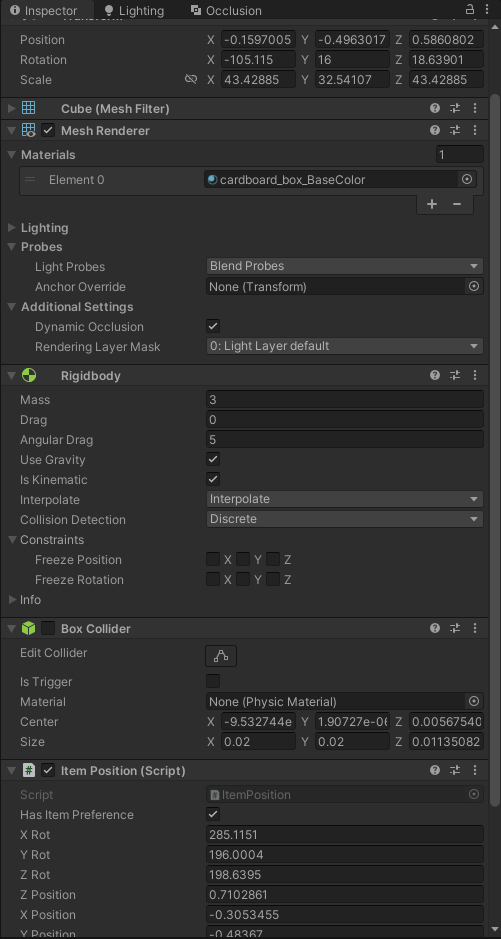 short hazel
Does it need to have a rigidbody? What I usually do is have the base item as a prefab, and make a variant of it for the pickup
See if the problem goes away when removing the Rigidbody
twin bolt
short hazel
Does it need to have a rigidbody? What I usually do is have the base item as a p...
Rigidbody, is for dropping it, and it being "pushable" while on the ground.
short hazel
Yeah I have these separated. A prefab for holding, and a prefab (variant) for picking up
twin bolt
short hazel
See if the problem goes away when removing the Rigidbody
and your right, the rigidbody is the culprit
How is the rigidbody doing this?
short hazel
They run on the Physics system, which is updated at a different rate than the rest of the game (eg. Update vs. FixedUpdate)
twin bolt
short hazel
They run on the Physics system, which is updated at a different rate than the re...
So how can i fix this without making multiple variants of an object?
short hazel
You can't
Make prefab variants. Updating the root prefab will also update its variant
 spiral narwhal
How do I change the z-index of UI Images if I cannot change the hierarchy? (it is used for layout reasons)
In this example, if I hover over any card, it should be the topmost card
 novel shoal
void FixedUpdate()
{
if (gM.isGameActive)
{
gameObject.SetActive(true);
}
rb.velocity = new Vector3(xSpeed,0,0);
StartCoroutine(MoveForSecond());
gameObject.transform.Rotate(0, 180, 0);
}
is this ok?
 carmine elm
how can i acess an int variable from another script
novel shoal
carmine elm
how can i acess an int variable from another script
make a reference to the inspector
swift crag
spiral narwhal
How do I change the z-index of UI Images if I cannot change the hierarchy? (it i...
someone asked about this a few days ago and I didn't have a great answer then
 cosmic dagger
spiral narwhal
How do I change the z-index of UI Images if I cannot change the hierarchy? (it i...
cosmic dagger
spiral narwhal
How do I change the z-index of UI Images if I cannot change the hierarchy? (it i...
the z-index is just the z-axis of its position. you can change or if the sort order (if the cards are placed on a sorting layer) . . .
spiral narwhal
cosmic dagger
the z-index is just the z-axis of its position. you can change or if the sort or...
No, it's a UI image, not a sprite
cosmic dagger
spiral narwhal
No, it's a UI image, not a sprite
you can't change the sibling index of each child from the hierarchy?
swift crag
the order is being used for layout already
rich adder
SetSibilingIndex
swift crag
swift crag
someone asked about this a few days ago and I didn't have a great answer then
that was the issue we ran into last time
I guess you could just run the layout once, then turn it off
carmine elm
novel shoal
make a reference to the inspector
how can i do that
 boreal sundial
!code
eternal falconBOT
Posting code
📃 Large Code Blocks
Use links to services like:
https://gdl.space/, https://paste.ofcode.org/, https://hatebin.com/, https://paste.myst.rs/, https://hastebin.com/
📃 Inline Code
Surround code with three backquotes. Not quotation marks.
To format as C#, add cs to the first line:
```cs
// Your code here
```
Add a comment with a line number if there is an error message.
spiral narwhal
swift crag
I guess you could just run the layout once, then turn it off
Mm, that's an idea. Thanks
cosmic dagger
carmine elm
how can i do that
check the general section of the pinned messages (from this channel) . . .
swift crag
spiral narwhal
Mm, that's an idea. Thanks
You could also lay out a bunch of empty/dummy cards
then make the real cards follow the dummy ones as long as they're in your hand
short hazel
novel shoal
void FixedUpdate()
{
if (gM.isGameActive)
{
game...
gameObject.transform.Rotate(0, 180, 0); can be simplified down to just transform.Rotate(0, 180, 0);, since component scripts have direct access to transform.
Also the rotation should be done with the Rigidbody, if the movement is done with it too
spiral narwhal
swift crag
You could also lay out a bunch of empty/dummy cards
I think I will have a single "Detail" card instance that moves to the currently hovered card. Could be a birt risky because of anchored positions and stuff, but maybe it works
novel shoal
if the script you are trying to access to is the game manager, just declare a variable in your script: public GameManager gM;
and then access its component gM = gM.GetComponent<GameManager>();
and then you can access every value in that script by using something like gM.(insert variable name/method name)
@carmine elm
swift crag
spiral narwhal
I think I will have a single "Detail" card instance that moves to the currently ...
Yeah, that's a reasonable idea. It's what we came up with last time this was asked here (i forget when exactly)
The only problem is that you need to seamlessly get rid of it when you grab the card, and make sure it always overlaps properly
novel shoal
short hazel
`gameObject.transform.Rotate(0, 180, 0);` can be simplified down to just `transf...
rb.rotation =new Vector3(0,180,0);
doesn't work, how do i rotate it with the rb
short hazel
"doesn't work" - what does this mean?
novel shoal
short hazel
"doesn't work" - what does this mean?
cannot convert from vector3 to quaternion
like, what the hell is a quaternion
 spiral narwhal
swift crag
Yeah, that's a reasonable idea. It's what we came up with last time this was ask...
spiral narwhal
swift crag
Yeah, that's a reasonable idea. It's what we came up with last time this was ask...
Yeah. Really wish Unity allowed setting a separate z index, just like with sprites
swift crag
yeah, that's just down to how UI rendering works
cosmic dagger
novel shoal
void FixedUpdate()
{
if (gM.isGameActive)
{
game...
okay, for what?
short hazel
novel shoal
what the hell is a quaternion
You don't want to know how it works inside
swift crag
novel shoal
what the hell is a quaternion
it is a rotation
the specifics are irrelevant -- just like how you don't actually care how a Transform works
novel shoal
huh? dude you are scaring me
short hazel
You can search for it on Wikipedia but I'm not liable for the brain damage induced from reading the page
novel shoal
swift crag
the specifics are irrelevant -- just like how you don't actually care how a `Tra...
transform is a class that has position, rotation etc. values withint it
swift crag
It is a way to store a rotation. It works better than Euler angles
swift sedge
its a rotation matrix
swift crag
novel shoal
transform is a class that has position, rotation etc. values withint it
It abstracts a Matrix4x4
a 16-element matrix of floats
Quaternions are weird math, but you don't really care about the weird math
I kind of wish Unity just called it a Rotation
novel shoal
rb.rotation =Quaternion.Euler(0,180,0);
swift crag
Yeah, that's what you need to do.
Quaternion has lots of methods for creating and messing with rotations.
swift sedge
swift crag
I kind of wish Unity just called it a `Rotation`
rb.rotation = new Rotation(0, 180, 0);
novel shoal
i'll (maybe) understand quaternions at university (not likely)
novel shoal
swift crag
you know how complex numbers work?
i have not done them yet at school, but kinda
swift crag
real number: a
complex number: a + bi
quaternion: a + bi + cj + dk
novel shoal
swift crag
they're complex numbers 2
huh, maybe i shall quit the idea of doing anything math related
swift crag
they're a bundle of joy
novel shoal
swift crag
they're a bundle of joy
fr
swift crag
but again: we do not care about how they work
I don't care how they work!
I've also forgotten how transformation matrices work. Been a hot minute since I did those in college.
I just let Unity deal with it
novel shoal
swift crag
I've also forgotten how transformation matrices work. Been a hot minute since I ...
how old are you?
swift sedge
all you really need to use is Quaternion.Euler which has x, y, z
short hazel
God that method name is awful. FromEulerAngles() would be better
swift sedge
novel shoal
how old are you?
the best question to ask on social media:
swift sedge
short hazel
God that method name is awful. `FromEulerAngles()` would be better
Roblox uses FromEulerAnglesXYZ() for their CFrame rotation matrix
novel shoal
rb.rotation =Quaternion.Euler(0,180,0);
it doesn't flip the object
novel shoal
novel shoal
rb.rotation =Quaternion.Euler(0,180,0);
it doesn't flip the object
the fact that it has constraints on the axis affects it?
novel shoal
swift sedge
the best question to ask on social media:
😒
short hazel
Check other places where you could be overriding transform.rotation directly
novel shoal
https://hatebin.com/ddlbjmddqs
nowhere
short hazel
And yes constraints will prevent it from moving/rotating on the enabled axes
novel shoal
with transform.rotate instead of rb.rotation it used to work
short hazel
If you just need to flip a sprite, then use spriteRenderer.flipX instead of rotating the whole object
novel shoal
short hazel
And yes constraints will prevent it from moving/rotating on the enabled axes
can i enable the rotation only when i need it to and then disable it?
buoyant knot
does your gameobject have colliders
 prime cobalt
Is there a command to get a component in a parent of a parent or do I have to make a self refrence loop?
buoyant knot
if you move transform.rotation, that does not update the colliders etc
novel shoal
short hazel
If you just need to flip a sprite, then use `spriteRenderer.flipX` instead of ro...
no it's an enemy which has to go on a direction for some time and then flip to go on another for that amount of time
 summer stump
prime cobalt
Is there a command to get a component in a parent of a parent or do I have to ma...
summer stump
prime cobalt
Is there a command to get a component in a parent of a parent or do I have to ma...
GetComponentInParent should go all the way up the chain iirc
But it returns the FIRST hit
prime cobalt
Oh ok cool
naive wharf
I made a gravity simulation using rigidbodys and a script that adds a force to them but making a stable orbit is really hard because you have to restart the scene and slightly tweak the initial velocity until its stable. So I want to make a script that shows me where the object will go in the future but i have no idea how to do that. I've looked at other peoples code that did similair stuff but they dont apply to my case, how could I even approach this?
novel shoal
buoyant knot
if you move transform.rotation, that does not update the colliders etc
it's not flipping at all
buoyant knot
prime cobalt
Is there a command to get a component in a parent of a parent or do I have to ma...
novel shoal
but with transform.rotate it used to rotate
novel shoal
novel shoal
can i enable the rotation only when i need it to and then disable it?
can i?
buoyant knot
2D rigidbodies have rotation as a float, not a quaternion
short hazel
novel shoal
can i enable the rotation only when i need it to and then disable it?
Yes, the constraints is made up of a flags enum value you can toggle from the code.
But before editing the code, disable the constraints to see if they're the cause.
novel shoal
buoyant knot
2D rigidbodies have rotation as a float, not a quaternion
i'm using 3D stuff
buoyant knot
and it has a rigidbody, not rigidbody2D?
novel shoal
buoyant knot
and it has a rigidbody, not rigidbody2D?
exactly
novel shoal
short hazel
Yes, the constraints is made up of a *flags enum* value you can toggle from the ...
it's not rotating but it's also adding a z force and the enemy cube falls even though the game is a 2.5
buoyant knot
like a teleport
novel shoal
buoyant knot
for that, I would try MoveRotation
okk thx
 split dragon
Hi. I have a problem that I need to select several array elements at the same time to change the volume of the sound on the slider at the same time. I tried to write comma separated (0, 1, 2, etc.) or from 0 to 10, but there can only be 1 value in the array (the console told me so). Is it possible to get around this somehow and call several array elements at once through 1 line? Of course, I know that you can create a new int, etc., but is there an easier way?
 novel shoal
rb.MoveRotation(Quaternion.Euler(0, 180, 0)); @buoyant knot
summer stump
split dragon
Hi. I have a problem that I need to select several array elements at the same ti...
You simply can't provide an index like that
You want a loop (foreach or for)
buoyant knot
novel shoal
rb.MoveRotation(Quaternion.Euler(0, 180, 0)); <@652940956806676480>
this will make a kinematic rigidbody rotate to that rotational state next physics update while respecting collisions
split dragon
summer stump
You simply can't provide an index like that
You want a loop (foreach or for)
Ok. Thanks
buoyant knot
and automatically interpolate during non-fixed frames
 small mantle
I just installed the Input System, but its not showing up in code?

 novel shoal
buoyant knot
this will make a kinematic rigidbody rotate to that rotational state next physic...
novel shoal
buoyant knot
this will make a kinematic rigidbody rotate to that rotational state next physic...
so is thir right?
buoyant knot
should be
swift crag
small mantle
I just installed the Input System, but its not showing up in code?
go to Preferences -> External Tools and hit the button to regenerate project files
buoyant knot
but that is a really fast rotation
swift crag
and also restart your code editor
novel shoal
buoyant knot
but that is a really fast rotation
that's what it's supposed to be, it's not supposed to be noticeable
instead, it should be instant
buoyant knot
well, that rotation will take 1 fixed frame, potentially many normal frames. so 0.05 s by default
small mantle
swift crag
and also restart your code editor
The Unity Editor, or Visual Studios?
buoyant knot
rb.rotation is instant, but does not respect colliders
swift crag
small mantle
The Unity Editor, or Visual Studios?
Visual Studio is your code editor.
the thing you use to edit code files
 robust condor
Can the tile system rule placement feature be used at runtime? When a player places a tile, I want it to change the terrain so that the edges get a cliff for example. So it knows if it will be a corner piece or not
novel shoal
buoyant knot
rb.rotation is instant, but does not respect colliders
it's not working, what the issue with transform.Rotate()? it's the only one that worked
buoyant knot
novel shoal
it's not working, what the issue with transform.Rotate()? it's the only one that...
rb.rotation should automatically move the transform as well, but I’m more used to 2D
i would debug.Log to see the transform.rotation and rigidbody.rotation before and after. For rb.rotation, and transform.Rotate()
small mantle
swift crag
go to Preferences -> External Tools and hit the button to regenerate project fil...
It worked, thank you!
buoyant knot
because it’s possible something else is overwriting the change
novel shoal
buoyant knot
because it’s possible something else is overwriting the change
there is nothing that overwrites it
buoyant knot
buoyant knot
i would debug.Log to see the transform.rotation and rigidbody.rotation before an...
then do this
novel shoal
now even transform.Rotate does not work
buoyant knot
sounds like it was never really working
that’s the problem with moving transforms. there are side effects
novel shoal
void FixedUpdate()
{
if (gM.isGameActive)
{
gameObject.SetActive(true);
}
rb.velocity = new Vector3(xSpeed,0,0);
StartCoroutine(MoveForSecond());
transform.Rotate(0, 180, 0);
}
what could overwrite it?
buoyant knot
just print with debug.log
Debug.Log(transform.rotation.ToString() + “ - “ + rb.rotation);
languid spire
novel shoal
void FixedUpdate()
{
if (gM.isGameActive)
{
game...
that code makes no sense. what happens if gm.isGameActive is false?
short hazel
Do note that transform.Rotate() will not wait until the coroutine has finished running. It will be executed immediately.
Co-routine, runs "separately" / "concurrently"
 tawny rain
!IDE
eternal falconBOT
💡 IDE Configuration
If your IDE is not autocompleting code
or underlining errors, please configure it.
Select one:
• Visual Studio (Installed via Unity Hub)
• Visual Studio (Installed manually)
• VS Code
• JetBrains Rider
• Other/None
buoyant knot
also, you are doing this in fixed update, every fixed frame rotating to 0,180,0. Meaning you move once and never again?
novel shoal
languid spire
that code makes no sense. what happens if gm.isGameActive is false?
if gm.isGameActive is false the game is in the starting screen/gameover screen
languid spire
novel shoal
if gm.isGameActive is false the game is in the starting screen/gameover screen
so why are you executing the rest of the method?
 serene barn
does anyone organize there code?
or do you just look at it and are like "good enough"
novel shoal
languid spire
so why are you executing the rest of the method?
if the game is not active the rest of the method doesn't apply since the gameobject is not set as active
languid spire
that makes no sense
short hazel
If the game object is not active the method does not run at all
novel shoal
short hazel
If the game object is not active the method does not run *at all*
i know
short hazel
So your if statement will technically never pass when this object is disabled
It's not needed to have it right now
novel shoal
i need to put it in the game manager?
short hazel
Anywhere else that is active, so the code to enable your object runs
 hard cloak
Please can someone tell me the simplest way to make a gameobject active when a player hits a boxcollider2d trigger box?
 slender nymph
do you know how to set a gameobject active?
hard cloak
SetActive(true) right?
slender nymph
yes. so do that in OnTriggerEnter2D
novel shoal
@short hazel
https://hatebin.com/bwbiakeqcj
it still doesn't flip the object
novel shoal
slender nymph
yes. so do that in OnTriggerEnter2D
or with OnCollisionEnter
slender nymph
that wouldn't work with a trigger
slender nymph
novel shoal
<@356398888036335617>
https://hatebin.com/bwbiakeqcj
it still doesn't flip the ...
you're starting the coroutine every FixedUpdate. after a certain point it will start rotating constantly as all of the coroutines begin to end
novel shoal
slender nymph
you're starting the coroutine *every* FixedUpdate. after a certain point it will...
if it starts a coroutine it should wait until the coroutine ends before executing that code
slender nymph
why would it do that?
slender nymph
you thought wrong. there is nothing preventing you from starting multiple separate instances of the coroutine because you do nothing to check whether it is already running or not
novel shoal
slender nymph
you thought wrong. there is nothing preventing you from starting multiple *separ...
and how do i make it running only when it’s not running? by using a bool?
slender nymph
that is one way, yes
novel shoal
https://hatebin.com/yinqfnivzf
@slender nymph now the object is standin still
slender nymph
what is xSpeed set to
novel shoal
one
slender nymph
okay and does anything else like friction or a drag affect its speed?
novel shoal
slender nymph
okay and does anything else like friction or a drag affect its speed?
before putting a bool in the coroutine it used to move
slender nymph
because it sounds like now your speed is too low to overcome those forces since you are no longer resetting the velocity every single fixed update
slender nymph
novel shoal
before putting a bool in the coroutine it used to move
that doesn't answer the question i asked
novel shoal
so i just need to make the speed higher?
slender nymph
maybe, you didn't bother answering the question i asked
slender nymph
then come back when you can troubleshoot your issue
what do you mean by "it just defaults to all of them"
also you should consider changing that to a for loop now so you don't have to come back later and fix the for loop whenever you've got it set up. also you do not need to access a gameobject's gameObject property to call SetActive on it. you're already access the gameobject
spiral narwhal
public void Rotate(float degrees)
        {
            var transformContainerRotation = _transformContainer.localRotation;

            _transformContainer.localRotation = new Quaternion
            (
                transformContainerRotation.x,
                transformContainerRotation.y,
                degrees,
                transformContainerRotation.w
            );
        }
When I pass Rotate(2f) for example, in the inspector the rotation turns out to be something ridicilous like 164f. No matter if it's rotation or localRotation. Does anyone know how to properly rotate the container?
slender nymph
well for one, quaternions are not in degrees
short hazel
Quaternion XYZW are not angles in degrees, do not modify them manually
spiral narwhal
slender nymph
well for one, quaternions are not in degrees
That's fair, I just mean the z value in the inspector though
spiral narwhal
short hazel
Quaternion XYZW are not angles in degrees, do not modify them manually
Oh
slender nymph
and even if you were assigning using Quaternion.Euler rotations can be expressed in many different ways so what you see in the inspector may differ from what you set in code
spiral narwhal
Maybe my approach is overkill too. I want to change the rotation of hand cards based on their index in the hand. So for example card 1 and 10 have a rotation of -5 and 5, cards 2 and 9 have a rotation of -4 and 4, and so on and so forth.
private void RecalculateTransforms()
        {
            var hasMiddle = _handCardViews.Count % 2 is 1;

            if (hasMiddle)
            {
                for (var i = 0; i < _handCardViews.Count / 2; i++) _handCardViews[i].Rotate(2 * i);

                for (var i = _handCardViews.Count / 2 + 1; i < _handCardViews.Count; i++)
                    _handCardViews[i].Rotate(-(2 * i));
            }
            else
            {
                for (var i = 0; i < _handCardViews.Count / 2; i++)
                    _handCardViews[i].Rotate(2 * i);

                for (var i = _handCardViews.Count / 2; i < _handCardViews.Count; i++)
                    _handCardViews[i].Rotate(-(2 * i));
            }
        }
Never mind the unneccessary split between conditions, it's just easier to test right now
slender nymph
also if you just want to rotate by a specific number of degrees, you can just use transform.Rotate
for(var i = 0; i < weapons.Count; i++)
  weapons[i].SetActive(i == selectedWeapon);
Yes I think that sounds good. I would use the one with three floats for x y and z degrees and set x and y to 0 and z to the desired amount right?
slender nymph
spiral narwhal
Yes I think that sounds good. I would use the one with three floats for x y and ...
keep in mind that transform.Rotate does not set the rotation to what you pass, it rotates by that number of degrees
i would personally not even have those other checks and just parent your weapons to the weapon slots or whatever. then have the weapon slots determine whether anything is equipped there
spiral narwhal
slender nymph
keep in mind that transform.Rotate does not *set* the rotation to what you pass,...
Aww man.
slender nymph
yeah so use Quaternion.Euler like i suggested before
spiral narwhal
Ok, thanks
 delicate pewter
Uhm, why am I getting the error "Type or namespace "FreeTickets" cannot be found..." when im doing super basic stuff...
public FreeTickets fc;
In a different script
Not even sure what to show here..
slender nymph
do you have a type called FreeTickets


 slender nymph
is it in a namespace?
slender nymph
have you imported that namespace into the other file?
slender nymph
make sure your !IDE is configured so that you can easily fix these issues using the quick actions and so that you can also automatically add using directives
eternal falconBOT
💡 IDE Configuration
If your IDE is not autocompleting code
or underlining errors, please configure it.
Select one:
• Visual Studio (Installed via Unity Hub)
• Visual Studio (Installed manually)
• VS Code
• JetBrains Rider
• Other/None
quick edge
Yo! Quick question, is it better to use Cinemachine or do my own camera system ? I want to do a simple camera capable of colliding with wall, follow and rotate around the player.
slender nymph
cinemachine
serene barn
so I have this bullet and it spawns with the key press but unity is saying there's no rigidbody attached to the bullet clone
slender nymph
is there a rigidbody attached to the bullet clone?
serene barn
it's a clone from a prefab
slender nymph
and is there a rigidbody attached to the bullet clone?
quick edge
slender nymph
cinemachine
Why? There is not a single situation in which I should do the all thing myself?
slender nymph
quick edge
Why? There is not a single situation in which I should do the all thing myself?
you can if you want. but cinemachine will be better
ancient island
quick edge
Why? There is not a single situation in which I should do the all thing myself?
no need to reinvent the wheel, it is better to focus on your game
slender nymph
serene barn
yes
show it
quick edge
ancient island
no need to reinvent the wheel, it is better to focus on your game
I'm gonna learn to use cinemachine then. Cinemachine allow you to do 99% of the job ?
serene barn
 slender nymph
serene barn
slender nymph
serene barn
now show the relevant code and the error
serene barn
//from bullet
public class Projectile : MonoBehaviour
{
    // start of void (ridigbody)#1
    Rigidbody projectilRidigBobody;
    void Awake()
    {
        projectilRidigBobody = GetComponent<Rigidbody>();
    }
    //end of start

// ----------------------

    //start of Launch
    public void Launch(Vector2 direction, float force)
    {
        projectilRidigBobody.AddForce(direction * force);
    }
    //end of Launch

// ----------------------

    //start of Collision

    void OnCollisionEnter2D(Collision2D other)
    {
        Debug.Log("projectil has touched" + other.gameObject);
        Destroy(gameObject);
    }

    //End of Collision

// ----------------------
}
//from character
  public GameObject projectilePrefab;
   void Launch()
   {
       GameObject projectileObject = Instantiate(projectilePrefab, rigidbody2d.position + Vector2.up * 0.5f, Quaternion.identity);
       Projectile projectile = projectileObject.GetComponent<Projectile>();
       projectile.Launch(LookDirection, 300);

       animator2.SetTrigger("Launch");
   }
   //End of Launch
 slender nymph
well that error is correct. there is no Rigidbody attached to that object at all
there is a Rigidbody2D though which is a completely unrelated component
serene barn
because it's a clone
slender nymph
no becaues it doesn't have a Rigidbody component
swift sedge
"RidigBobody" ?
serene barn
oh now i cant someone at all until it hits something
serene barn
swift sedge
"RidigBobody" ?
Please not
just go with it
and it's not colliding with anything
slender nymph
does it have a collider
hidden sleet
Trying to resolve item saving and loading, but I'm having issues. I've got an item database that contains items with IDs and Ids with items as two separate dictionaries. The player script will call load inventory when spawned which will simply read the file corresponding to the input string, then the database should assign the items and ids. I can see that the inventory is correctly filled with the item, but then in my inventory this line here breaks because the database is null. The database is assigned in the scriptable object for the inventory, but as soon as I run it, it just dissapears and I've got no clue why


 serene barn
alright its all fixed thanks a lot
slender nymph
hidden sleet
Trying to resolve item saving and loading, but I'm having issues. I've got an it...
share the full !code for the inventory class
eternal falconBOT
Posting code
📃 Large Code Blocks
Use links to services like:
https://gdl.space/, https://paste.ofcode.org/, https://hatebin.com/, https://paste.myst.rs/, https://hastebin.com/
📃 Inline Code
Surround code with three backquotes. Not quotation marks.
To format as C#, add cs to the first line:
```cs
// Your code here
```
Add a comment with a line number if there is an error message.
hidden sleet
https://hastebin.com/share/ajivimetoj.csharp hope this works
Hastebin is a free web-based pastebin service for storing and sharing text and code snippets with anyone. Get started now.
not used it before
seems like it's all there
slender nymph
you're overwriting the entire class inside of LoadInventory with whatever you have serialized. this includes those references to the other objects which you cannot just write to disk like that
https://docs.unity3d.com/ScriptReference/JsonUtility.ToJson.html
If the object contains fields with references to other Unity objects, those references are serialized by recording the InstanceID for each referenced object. Because the Instance ID acts like a handle to the in-memory object instance, the JSON string can only be deserialized back during the same session of the Unity engine.
hidden sleet
oh I see, cause of the this it's saving the entire class which loses the reference
 queen adder
using System.Collections;
using System.Collections.Generic;
using UnityEngine;

public class doortry : MonoBehaviour
{
    public GameObject character;
    private void OnTriggerEnter(Collider other)
    {
        if (other.CompareTag("Player"))
        {
            Debug.Log("collide");
            character.transform.position = new Vector3(25f, 25f, 25f);
        }
    }
}
i get collide msg on log but it doesn't teleport my character
slender nymph
are you using a CharacterController
queen adder
slender nymph
are you using a CharacterController
yes
slender nymph
 tribal minnow
hey guys, i need help with the unity starter assets third person controller. the mouse speed goes sooo fast when the fps drops .
how do i fix that ?
short hazel
tribal minnow
hey guys, i need help with the unity starter assets third person controller. the...
Do not multiply mouse input with Time.deltaTime
Lower FPS => greater deltatime => increased sensitivity
tribal minnow
short hazel
Do not multiply mouse input with `Time.deltaTime`
so i should just remove the * deltaTimeMultiplier here ?
 short hazel
Seems like the condition above fails
It's not detecting your input as a mouse, if it was the multiplier would be 1 as per the ternary expression
hidden sleet
slender nymph
you're overwriting the entire class inside of LoadInventory with whatever you ha...
Changed it so that it should only load the inventory item container rather than the whole class, but now the json string is just empty. I've already gone and added the serialisable tag to everything but it's still being a nuisance

 slender nymph
well the issue was more so where you load the save and overwrite the assignments that were serialized in the inspector
i only linked the ToJson doc so you would understand why that was happening
hidden sleet
yeah it seems like the database is sticking there which is nice
not sure why this is suddenly happening though
tribal minnow
short hazel
Do not multiply mouse input with `Time.deltaTime`
it worked thank you bro
 sacred orbit
is it possible to set the value of a public gameobject variable to null through script?
cause gameObject = null; doesn't work :/
languid spire
gameObject is a property of the script, you cannot set that to null but you can set other GO variables to null
short hazel
tribal minnow
it worked thank you bro
See my next messages because there's an issue with the code (the asset's code?). It was multiplying by deltatime because it did not recognize your input device as a mouse.
float deltaTimeMultiplier = IsCurrentDeviceMouse ? 1.0f : Time.deltaTime;
Do you have a controller plugged in that could affect the value of IsCurrentDeviceMouse? Try to look where that variable is set for more clues
tribal minnow
short hazel
See my next messages because there's an issue with the code (the asset's code?)....
hmm no i dont have any controllers only the mouse
short hazel
(Steering wheels / HOTAS included in the "controllers" devices)
tribal minnow
 swift crag
sacred orbit
is it possible to set the value of a public gameobject variable to null through ...
swift crag
sacred orbit
is it possible to set the value of a public gameobject variable to null through ...
what are you trying to accomplish here?
tribal minnow
and it does say its a keyboard and mouse
tribal minnow
short hazel
(Steering wheels / HOTAS included in the "controllers" devices)
what are HOTAS
swift crag
swift crag
what are you trying to accomplish here?
as Steve said, you can't just set a mono behaviour's gameObject property to null
if that's not what you're doing, show your code
sacred orbit
swift crag
what are you trying to accomplish here?
whenever I switch to a different item it changes gameObject variable "heldItem" to the gameobject that you switch to (all this works well and is simplified here so I don't have to explain it) problem is, when you drop an item the heldItem variable doesn't change and can cause some wacky issues, so I want to make that heldItem variable be nothing
sacred orbit
gameObject = null;
doesn't work :/
robust condor
Set the variable to null
sacred orbit
thats
hidden sleet
would this need to have some serialisable tag on it for it to properly serialise into json?
 sacred orbit
what I am doing
robust condor
No
hidden sleet
or just the type in the list
robust condor
heldItem = null
swift crag
sacred orbit
gameObject = null;
doesn't work :/
Show your code.