#💻┃code-beginner
1 messages · Page 126 of 1
 deep bear
 wintry quarry
deep bear
Sorry for the noob question, but what is Unity's built in `EventSystem` used for...
wintry quarry
deep bear
Sorry for the noob question, but what is Unity's built in `EventSystem` used for...
Mouse/touch/pointer interactions with UI (And non UI) objects
deep bear
wintry quarry
Mouse/touch/pointer interactions with UI (And non UI) objects
So it should not be used for linking things like button clicks to events that other objects listen to?
wintry quarry
deep bear
So it should not be used for linking things like button clicks to events that ot...
The event system facilitates the button click handling itself
deep bear
wintry quarry
The event system facilitates the button click handling itself
Do you have a link to a good tutorial by any chance? I tried searching on YouTube and they all seemingly were using their own custom event systems
wintry quarry
deep bear
Do you have a link to a good tutorial by any chance? I tried searching on YouTub...
A good tutorial for what exactly? What specifically are you trying to do?
deep bear
So basically, I'm making a card game. I have a button that when pressed, toggles the deck view on/off.
wintry quarry
Ok and what problem are you having with it?
deep bear
Right now I'm using a custom "EventManager" object that has this script attached.
wintry quarry
!code
 eternal falconBOT

Posting code
📃 Large Code Blocks
Use links to services like:
https://gdl.space/, https://paste.ofcode.org/, https://hatebin.com/, https://paste.myst.rs/, https://hastebin.com/
📃 Inline Code
Surround code with three backquotes. Not quotation marks.
To format as C#, add cs to the first line:
```cs
// Your code here
```
Add a comment with a line number if there is an error message.
deep bear
Ah thank you.
So this is the script:
https://gdl.space/oditaqasem.cs
Then on the button in the inspector, I have this
 deep bear
And then this is my "BattleUI" script: https://gdl.space/sibuwikihi.cs
wintry quarry
The only issue I see so far is that your DDOL singleton event manager button onclick setup is going to break when the scene changes.
deep bear
So right now, this works if the "BattleScene" is the first scene to be loaded. However, if I transition to it from another scene, it doesn't work
deep bear
wintry quarry
The only issue I see so far is that your DDOL singleton event manager button onc...
Yeah this exactly my issue
wintry quarry
deep bear
Then on the button in the inspector, I have this
yeah basically this screenshot right here is the wrong approch
instead of linking the button directly to that function in the inspector you should make a script ON the button with this function:
public void WhenTriggerBattleButtonClicked() {
  EventManager.current.TriggerBattleDeckButtonClicked();
}```and link that
this way it will always use the correct EventManager instance
deep bear
Oh cool, thank you. So just do it programmatically rather than through the inspector?
wintry quarry
well you'll still use the inspector
you just need another layer of indirection so that it's using the correct EventManager instance
 warm condor
do you guys have any idea to why the function rb.AddForce isin't adding any force. It has been a weird problem and nothing is making any sense.
{
    if(Input.GetKeyUp(KeyCode.A) == true && Input.GetKey(KeyCode.D) == true && rb.velocityX >= walkingSpeed)
    {
        rb.velocity = new Vector2(0, rb.velocity.y);
        rb.AddForce(new Vector2(rightDirection * forceForSuddentChangeOfDirection, rb.velocity.y)); //This line and the one above it are not adding any force
    }
    else if (Input.GetKeyUp(KeyCode.D) == true && Input.GetKey(KeyCode.A) == true && -rb.velocityX >= walkingSpeed)
    {
        rb.velocity = new Vector2(0, rb.velocity.y);
        rb.AddForce(new Vector2(leftDirection * forceForSuddentChangeOfDirection, rb.velocity.y)); //This one as well is not adding any force
    }
}```Well first off adding the current y velocity as part of the force is defnitely a mistake
second, you're either not adding enough force, or you're overwriting the velocity elsewhere in your code
warm condor
wintry quarry
Well first off adding the current y velocity as part of the force is defnitely a...
what do you mean?
wintry quarry
rb.AddForce(new Vector2(leftDirection * forceForSuddentChangeOfDirection, rb.velocity.y));
that should definitely be 0
why would you add the current y velocity as a force there
makes no sense
warm condor
ohhh yea I see what you mean
warm condor
wintry quarry
second, you're either not adding enough force, or you're overwriting the velocit...
I have a hunch that that is the case but I don't see how
here Ill send you the code
deep bear
wintry quarry
you just need another layer of indirection so that it's using the correct EventM...
Oh I see. So I'll keep it the exact same in the inspector, but just add that bit of code to the button's script?
Or will I reference the WhenTriggerBattleButtonClicked in the inspector?
wintry quarry
deep bear
Or will I reference the `WhenTriggerBattleButtonClicked` in the inspector?
reread my message
#💻┃code-beginner message
deep bear
Ah okay awesome, misunderstood but it makes a lot of sense now. Thank you
warm condor
wintry quarry
second, you're either not adding enough force, or you're overwriting the velocit...
I am pretty sure that I am overwriting the velocity in my code, but the thing that I don't understand is that the addForce function is suppesed to increase the velocity at a certain point before it goes back to its initial velocity
well at least that is how I understood that function
 vital spade
hello everyone, I'm trying to add a sound effect into my game however the effect plays with like 150ms delay, I did change the project settings to best latency btw. I'm thinking it's maybe caused by this "dead air" before the sound starts. I tried cutting out that part using an audio editor but unity added a bit of it back on import and I can't seem to be able to get rid of it fully. Any suggestions are appreciated

 ancient island
that shouldn't happen. If you properly trimmed that silent part, unity should import the audio file as it is
maybe your program added it, maybe you didn't save the file...
try again and if it doesn't work i'll try to help you
warm condor
so @wintry quarry, what do you think could the problem be?
wintry quarry
warm condor
I am pretty sure that I am overwriting the velocity in my code, but the thing t...
If you do this:
int speed = 4;
speed += 1; // this is like add force
speed = 4;
``` what do you think the speed will be at the end of this?like I said, if you're overwriting velocity, it doesn't matter what forces you add
the only thing AddForce does is change the object's velocity
warm condor
I see, then how do I go around this problem? because I can't really think of a way do something about it
wintry quarry
You'd have to explain what you're trying to do
warm condor
well, what I want is that when the player makes a suden change of firection, I want to add force to that direction where he has changed
wintry quarry
You're talking in terms of forces. Maybe explain in terms of the actual behavior you're trying to achieve
warm condor
well, there are three functions in the update, there is the recording the horizontal speed, there is the adding the force when studently changing directions and there is the move function, that checks which keys are being pressed to make a certain movement. It also has acceleration functions and decelliration function. At first I was thinking of adding the sudden movemnt function into the move function but it seems a little too hard
I was also thinking of disabling some functions , switching them from one function to another, but idk how to even do that
 swift crag
vital spade
hello everyone, I'm trying to add a sound effect into my game however the effect...
swift crag
vital spade
hello everyone, I'm trying to add a sound effect into my game however the effect...
Don't use the MP3 format
Although, that looks like an Ogg Vorbis file
MP3 requires the file length to be a multiple of some small amount, which can result in dead air before the audio starts
I don't think that's a problem with OGG, though
vital spade
swift crag
Don't use the MP3 format
oh okay thank you
swift crag
oh right -- "Vorbis" in that screenshot means it's stored by Unity in the Vorbis format
not that the file it came from is using Vorbis
Unity imports whatever audio format you give it and then stores it in another internal format
 teal gulch
Hello, I want to implement a lever that can trigger functions of other objects referenced in lever inspector. I just don't know how to reference functions of other objects in inspector, maybe someone could help me with that or suggest another way of doing this?
swift crag
You'll want to use UnityEvent
you know how Button has that "on click" list in the inspector?
that's a UnityEvent
[SerializeField] UnityEvent onLeverPull; will add a field called "On Lever Pull" that can invoke a method on another component
If you need to pass a value along -- maybe whether the lever is up or down -- consider UnityEvent<bool>
That would be able to call any method that takes a boolean
teal gulch
swift crag
You'll want to use `UnityEvent`
Thank you very much! Don't know how I missed that feature 😅
 amber spruce
public List<AudioClip> SamuraiAudio;
this would allow me to make a list of various audio clips right
 buoyant knot
I would make a function to specifically ChangeWeaponTo(int ID) which handles that
like your UpdateWeapon, but with an argument of the new id
 gaunt ice
selectedWeapon = Mathf.Abs(selectedWeapon - 1) % weapons.Count;
you want 0 -> weapons.Count-1
then it gives abs(-1)=1%weapons.Count probably 1
buoyant knot
i would
gaunt ice
just change it to event based, store the current weapon you use, when switch the weapon, disable current weapon and assign new selected weapon to current weapon
buoyant knot
you also won’t need to iterate. just go to the one current weapon and turn it off. then go to the new weapon ID and turn it on, and assign the current weapon id
wintry quarry
you would need to actually pass in the argument
buoyant knot
i might even change the selected weapon int to be a property with a backing field
wintry quarry
but yeah the for loop is a little much. Just disabling the old weapon and enabling the new is all you need
wintry quarry
buoyant knot
i might even change the selected weapon int to be a property with a backing fiel...
this is how I'd do it too
buoyant knot
because it’s basically a getter and setter
wintry quarry
that being said I feel like what you have should actually work as is
try adding some log statements to see what's going wrong
buoyant knot
also don’t iterate
wintry quarry
e.g. in your loop you can print whether you're activating/deactivating each weapon
buoyant knot
weapons[current].gameobject.SetActive(false);
weapons[newID].gameobject.SetActive(true);
current = newID;
 bitter oar
Help! How would i check if a Vector3 is to my players right or his left?
buoyant knot
in a property, maybe i can help with syntax:
private int CurrentWeapon { get => _currentWeapon; set {
weapons[_currentWeapon].gameobject.SetActive(false);
weapons[value].gameobject.SetActive(true);
_currentWeapon = value;
}}
From the player's perspective? Or from a global coordinate system perspective?
bitter oar
wintry quarry
From the player's perspective? Or from a global coordinate system perspective?
no, from a 3rd person camera
buoyant knot
bitter oar
Help! How would i check if a Vector3 is to my players right or his left?
i would use transform.left or something, take a dot product, and see if that dot product is positive or negative
wintry quarry
bitter oar
no, from a 3rd person camera
Yeah but like... From the player's perspective, or on absolute terms?
buoyant knot
positive = left, negative = right
wintry quarry
in absolute terms you just compare the x coordinate of their positions
bitter oar
wintry quarry
Yeah but like... From the player's perspective, or on absolute terms?
player
wintry quarry
bitter oar
player
if you want it from the player's perspective then you'd do something like:
Vector3 localPos = player.transform.InverseTransformPoint(theVector3);
bool toTheRight = localPos.x > 0;
bool toTheLeft = localPos.x < 0;```you have to define a vector for what is the player’s left. get a vector from player pos to the point. and then dot product.
wintry quarry
this gets the position in the player's local coordinate system, and just checks if the x is positive or negative.
buoyant knot
Transform also has methods for this stuff, like praetor is showing, but for simple stuff I prefer to do it like this. because those methods confuse me sometimes
 native flicker
how could i use arrays inside different files?
wintry quarry
native flicker
how could i use arrays inside different files?
wdym by "inside different files"?
gaunt ice
i think he means in other scripts
wintry quarry
what are you trying to do with the arrays?
wintry quarry
native flicker
how could i use arrays inside different files?
In general cross script communication works the same way, regardless of whether the field or property is an array, an int, a GameObject or anything else.
native flicker
making a cost var with diff prices in it
wintry quarry
Basically it makes no difference if it's an array
You do the same as ever - get a reference to an instance of the other script. Then you can freely interact with all its members through that reference.
native flicker
so i got this script
script 1
public class Data
{
    public BigDouble money;
    public BigDouble[] cost;
    public BigDouble lvl1;
    public Data(){
        money = 0;
        lvl1 = 0;
        cost = new BigDouble[]{10, 20};
    }
}```
script 2
public void Textfix()
{
    if (data.money < 1000)
        {moneyText.text = "Money: " + data.money.ToString("F1");}
    if (data.money >= 1000 && data.money < 1000000)
        {moneyText.text = "Money: " + (data.money / 1000).ToString("F2") + "k";}
    if (data.money >= 1000000 && data.money < 1000000000)
        {moneyText.text = "Money: " + (data.money / 1000000).ToString("F2") + "M";}
    if (data.money >= 1000000000 && data.money < 1000000000000)
        {moneyText.text = "Money: " + (data.money / 1000000000).ToString("F2") + "B";}
    if (data.money >= 1000000000000 && data.money < 1000000000000000)
        {moneyText.text = "Money: " + (data.money / 1000000000000).ToString("F2") + "T";}
    if (data.money > 1000000000000)
        {moneyText.text = "Money: " + (data.money / 1000000000000000).ToString("F2") + "q";}
    if (data.cost[0] < 1000) ///this one
        {cost1Text.text = "Money: " + data.cost[0].ToString("F1");}
}```
and then i get this error
this is the error IndexOutOfRangeException: Index was outside the bounds of the array.
and there reference is set correctly
wintry quarry
native flicker
so i got this script
script 1
```
public class Data
{
public BigDouble money...
cost must be an empty array. You'd have to show how you initialized the data variable
native flicker
public Data data;i have this
buoyant knot
do
public Data data = new();
wintry quarry
native flicker
`public Data data;`i have this
ok and where are you initializing it? That's just a declaration.
native flicker
right after i create my class
buoyant knot
actually, index out of range exception means it is initialized; but the index is too big
native flicker
using System.Collections;
using System.Collections.Generic;
using UnityEngine;
using UnityEngine.UI;
using TMPro;
using System;
using BreakInfinity;
using UnityEngine.U2D.IK;

public class Manager : MonoBehaviour
{
public Data data = new();```still same error
buoyant knot
which line gives index out of range? is it the one with cost[0]?
native flicker
yes
buoyant knot
call Debug.Log(data.cost.Length);
 languid spire
show inspector of Manager
buoyant knot
oh, also because it is public, unity might try to serialize it. i wonder if that is the problem
languid spire
is Data marked as Serializable?
buoyant knot
you probably also want [NonSerialized] public Data data = new();
native flicker
its 0
native flicker
languid spire
is Data marked as Serializable?
wym?
buoyant knot
if it is serializable, Unity may try to save the old Data value you have stored
which is wrong here
native flicker
nope still 0
languid spire
you have a public variable data in a Monobehaviour, that means Unity will try to serialize it if the class is marked as serializable
native flicker
yes but i did NonSerialized before data and still same error
buoyant knot
try to call Debug(cost.Length); in the constructor for Data
buoyant knot
native flicker
yes but i did NonSerialized before data and still same error
we want to clear out all the bad things it could be, even if it’s not the cause for this specific issue
languid spire
I still want to see the Inspector of Manager
native flicker
this?
 buoyant knot
yeah, it isn’t serialized, which is good
native flicker
i get this ArgumentNullException: Object Graph cannot be null. Parameter name: graph System.Runtime.Serialization.Formatters.Binary.ObjectWriter.Serialize (System.Object graph, System.Runtime.Remoting.Messaging.Header[] inHeaders, System.Runtime.Serialization.Formatters.Binary.__BinaryWriter serWriter, System.Boolean fCheck) (at <17d9ce77f27a4bd2afb5ba32c9bea976>:0) System.Runtime.Serialization.Formatters.Binary.BinaryFormatter.Serialize (System.IO.Stream serializationStream, System.Object graph, System.Runtime.Remoting.Messaging.Header[] headers, System.Boolean fCheck) (at <17d9ce77f27a4bd2afb5ba32c9bea976>:0) System.Runtime.Serialization.Formatters.Binary.BinaryFormatter.Serialize (System.IO.Stream serializationStream, System.Object graph, System.Runtime.Remoting.Messaging.Header[] headers) (at <17d9ce77f27a4bd2afb5ba32c9bea976>:0) System.Runtime.Serialization.Formatters.Binary.BinaryFormatter.Serialize (System.IO.Stream serializationStream, System.Object graph) (at <17d9ce77f27a4bd2afb5ba32c9bea976>:0) SaveSystem.<SaveData>g__Save|6_0[T] (System.String path, SaveSystem+<>c__DisplayClass6_0`1[T]& ) (at Assets/Scripts/SaveSystem.cs:30) SaveSystem.SaveData[T] (T data, System.String filename) (at Assets/Scripts/SaveSystem.cs:21) Manager.Update () (at Assets/Scripts/Manager.cs:188)
buoyant knot
if you put Debug.Log(cost.Length) in Data’s constructor, what is the result?
ancient island
does anyone know about a better way to make a timer? I've been doing this for now:
m_milliseconds = Mathf.FloorToInt((m_pointsTimer % 1f) * 100); // m_pointsTimer is increased by Time.deltaTime every frame

        if (m_pointsTimer - 1f >= 0) {
            m_pointsTimer -= 1f;
            m_seconds++;
            if (m_seconds >= 60) {
                m_seconds = 0;
                m_minutes++;
            }
        }

        m_timerLabel.text = (m_minutes < 10 ? "0" : "") + m_minutes + ":" +
                              (m_seconds < 10 ? "0" : "") + m_seconds + "." +
                              (m_milliseconds < 10 ? "0" : "") + m_milliseconds;
I need a better aproach or a built in Unity timer because at game over I have to decrease the timer down to 00:00.00
buoyant knot
ancient island
does anyone know about a better way to make a timer? I've been doing this for no...
coroutine
native flicker
buoyant knot
if you put Debug.Log(cost.Length) in Data’s constructor, what is the result?
the msg above
buoyant knot
and you get that when you press play?
ancient island
buoyant knot
coroutine
yeah but I have to display it, coroutines wont work because of that
native flicker
Data..ctor () (at Assets/Scripts/Data.cs:20)

``` and still 0coroutines can work. and you probably want to use ToString formatting arguments
buoyant knot
native flicker
```NullReferenceException: Object reference not set to an instance of an object
...
and this is when Debug.Log is put AFTER you assign cost = new… ?
buoyant knot
and data = new() only once when you declare data?
native flicker
yes i think so
buoyant knot
but the constructor is being called, because you see the debug log
native flicker
i also removed NonSerialized and now no errors and var is now 2
yes
its fixed now, tysm
 cosmic quail
swift crag
If you need to pass a value along -- maybe whether the lever is up or down -- co...
cosmic quail
swift crag
If you need to pass a value along -- maybe whether the lever is up or down -- co...
interesting, the documentation says nothing about UnityEvent<bool> 🤯 where did you learn this? also is UnityEvent<bool, int> also possible? And UnityEvent<bool, int, int> etc depending on how many parameters your method has?
buoyant knot
i would also make data a property.
public Data data {get; private set; }
automatically not serialized, and data can’t be assigned in different places
native flicker
alright thak you for all your help
buoyant knot
then click on the set keyword, and ctrl+R (or ctrl shift R?) to find all references to it
so you can make sure it is only assigned once
native flicker
alright thx
buoyant knot
gl
 cunning rapids
Ah shit sorry for the late reply
I was very busy
Did you figure it out?
Also, guys, should I use an object pool?
For the muzzle flash?
Here
 sterile radish
why can't i access this public void on my button's On Click event?
https://hastebin.com/share/zujevevawa.cpp

Hastebin is a free web-based pastebin service for storing and sharing text and code snippets with anyone. Get started now.
native flicker
buoyant knot
gl
so i tried adding another array but it doesn't work, i get the same issue as above, when its starts its set to 0 but the other one does work
    public void Textfix()
    {
        if (data.cost[0] >= 1000 && data.cost[0] < 1000000)
            {cost1Text.text = "Money: " + (data.cost[0] / 1000).ToString("F2") + "k";}
        if (data.cost[0] >= 1000000 && data.cost[0] < 1000000000)
            {cost1Text.text = "Money: " + (data.cost[0] / 1000000).ToString("F2") + "M";}
        if (data.cost[0] >= 1000000000 && data.cost[0] < 1000000000000)
            {cost1Text.text = "Money: " + (data.cost[0] / 1000000000).ToString("F2") + "B";}
        if (data.cost[0] >= 1000000000000 && data.cost[0] < 1000000000000000)
            {cost1Text.text = "Money: " + (data.cost[0] / 1000000000000).ToString("F2") + "T";}
        if (data.cost[0] > 1000000000000)
            {cost1Text.text = "Money: " + (data.cost[0] / 1000000000000000).ToString("F2") + "q";}
        if (data.lvl[0] < 1000) ///this line
            {lvl1Text.text = "Money: " + data.lvl[0].ToString("F1");}
        if (data.lvl[0] >= 1000 && data.lvl[0] < 1000000)
            {lvl1Text.text = "Money: " + (data.lvl[0] / 1000).ToString("F2") + "k";}

    }```
```C#
public class Manager : MonoBehaviour
{
    public Data data {get; private set; }```
```C#
[Serializable]
public class Data
{
    public BigDouble money;
    public BigDouble[] cost;
    public BigDouble[] lvl;
    public Data(){
        money = 0;
        lvl = new BigDouble[] {0, 0, 0};
        cost = new BigDouble[] {10, 125};
        Debug.Log(lvl.Length);

    }
}```why is data serializable? should it be?
native flicker
yes its cause everything is stored there for save system
buoyant knot
use debugger then, to look into it
wintry quarry
sterile radish
why can't i access this public void on my button's On Click event?
https://haste...
because it has 3 parameters
the UI only supports one parameter
buoyant knot
put a breakpoint and look at wtf is in data during textfix
native flicker
textfix is just so its like 100M 1B those stuff and i need to check how much is inside those vars to know wether its in millions or smt like that
also debugger i tried that but i can't find any solution
same error as before but its all the same
buoyant knot
debugger doesn’t mainly show errors. debugger should let you see the contents of variables
get in there and look at the contents of data
 spiral narwhal
The predefined type 'System.Runtime.CompilerServices.IsExternalInit' must be defined or imported in order to declare init-only setter
What does that mean

Oh, it seems Unity does not support records like this
 cosmic dagger
spiral narwhal
`The predefined type 'System.Runtime.CompilerServices.IsExternalInit' must be de...
cosmic dagger
spiral narwhal
`The predefined type 'System.Runtime.CompilerServices.IsExternalInit' must be de...
You can't use record I believe . . .
The docs should have a specific example on using record with Unity . . .
 brave compass
It's the primary constructor that is the problem.
 solemn wraith
Hi, I'm having an issue with my camera controller which you can see here: https://gdl.space/metemicame.cs . In particular, the GetCameraSize() function is the issue; As I say in the large comment at the top of the file, at step 5 I would like for this to return the smallest orthographic size where all the points can be seen. My issue is that this isn't working -> Not all the points can be seen. I'm sure it's just a tiny issue with my logic or something, but I can't pin point it. I would appreciate any help
brave compass
brave compass
It's the primary constructor that is the problem.
It generates a property with an init setter, which is not supported in Unity. Except, the only thing missing is this System.Runtime.CompilerServices.IsExternalInit type. You can define it yourself.
buoyant knot
unity doesn’t support record keyword
spiral narwhal
Mmm, this is what I found:
Record support
C# 9 init and record support comes with a few caveats.

The type System.Runtime.CompilerServices.IsExternalInit is required for full record support as it uses init only setters, but is only available in .NET 5 and later (which Unity doesn’t support). Users can work around this issue by declaring the System.Runtime.CompilerServices.IsExternalInit type in their own projects.
You shouldn’t use C# records in serialized types because Unity’s serialization system doesn’t support C# records.
Does this mean I need to import that package somehow to use records?
buoyant knot
because Unity doesn’t believe in new versions of C#. only some minor support
nope, Unity will not support it
brave compass
Unity supports records, and can support init properties if you define this System.Runtime.CompilerServices.IsExternalInit type yourself.
buoyant knot
unity has never supported records for me
brave compass
buoyant knot
unity has never supported records for me
Which version?
spiral narwhal
brave compass
Unity supports records, and can support `init` properties if you define this `Sy...
Eh.
Reserved to be used by the compiler for tracking metadata. This class should not be used by developers in source code.
Better leave my hands off this if the docs ask you to stay away
buoyant knot
i’ve been on the recent version i believe.
native flicker
buoyant knot
debugger doesn’t mainly show errors. debugger should let you see the contents of...
the data is set, but when the game starts it gets cleared
buoyant knot
most recent as of June 2023
buoyant knot
native flicker
the data is set, but when the game starts it gets cleared
yeah. you set it to new
native flicker
im lost rn
brave compass
spiral narwhal
Eh.
```
Reserved to be used by the compiler for tracking metadata. This class sh...
It's simply an empty type that the compiler relies on for metadata. There's no issue with defining it yourself.
buoyant knot
do you want the Data field to get serialized in the Manager monobehaviour
brave compass
Just a file with this is enough:
namespace System.Runtime.CompilerServices
{
      internal static class IsExternalInit {}
}
then you definitely do not want to serialize it
spiral narwhal
brave compass
Just a file with this is enough:
```cs
namespace System.Runtime.CompilerServices...
Okay, I'll check it out!
Funny that Unity doesn't include those 3 lines then haha
native flicker
then what do i need to change in my code?
buoyant knot
click on the “set” keyword for data, and search all references
look for where it gets assigned
i think it is ctrl shift R on windows
or maybe ctrl R
we’re looking for every time data gets set
and we want that to be a single time
sterile radish
i want to use this function as a sort of buying mechanic for my cookie clicker game. i tried adding it to my buy button for my shop items however it seems that UI can only have one parameter in a function. how else would i go on about implementing buying items in my game?
https://hastebin.com/share/kamoxidefi.cpp
Hastebin is a free web-based pastebin service for storing and sharing text and code snippets with anyone. Get started now.
buoyant knot
what do you mean
click on “set” where you wrote private set
then ctrl+R
(or ctrl-shift-R, don’t remember)
native flicker
Ooh alright
buoyant knot
now at the bottom of visual studio it should show you every time it is used
links to every line
native flicker
Alr
solemn wraith
sterile radish
i want to use this function as a sort of buying mechanic for my cookie clicker g...
what do you mean by only 1 parameter?
are you having issues with having 3 arguments to the function?
sterile radish
yes
solemn wraith
well is this function in a monobehaviour?
sterile radish
yeah
solemn wraith
It's probably not the best solution but why not try using a struct?
cosmic dagger
solemn wraith
are you having issues with having 3 arguments to the function?
Button events can only use methods with one parameter when attempting to add a method from a MonoBehaviour in the inspector . . .
solemn wraith
solemn wraith
Hi, I'm having an issue with my camera controller which you can see here: https:...
I don't mean to be rude, but I'm also still looking for some help regarding my own issue.
cosmic dagger
sterile radish
i want to use this function as a sort of buying mechanic for my cookie clicker g...
As SDS stated, you can creete a struct with your parameters as its fields, but you need to subscribe the method to the button listener via code . . .
sterile radish
okay ill try using a struct, thanks guys!
sterile radish
cosmic dagger
As SDS stated, you can creete a struct with your parameters as its fields, but y...
sorry i'm pretty new to structs. what would i need to put inside the struct? should i store my parameters in the struct and use a new method to call that struct?
gaunt ice
struct="light weight" class
and you can treat it as class
solemn wraith
sterile radish
sorry i'm pretty new to structs. what would i need to put inside the struct? sho...
I'm not exactly the most knowledgable but I think something like this should work:
[System.Serializable]
public struct ShopParameters {
   [SerializeField] public int parameterName,
}

public void Buy(ShopParameters param) {...}
They are similar to creating a class but you use the struct keyword instead. You can find a tutorial online to give you an example. The fields of the struct will be the same names as the parameters for the method . . .
 dire torrent
not sure if this is the right channel for this
for some reason i cant seem to do anything with TextMeshPro in code.
using TMPro; gives me this error: ```
error CS0246: The type or namespace name 'TMPro' could not be found (are you missing a using directive or an assembly reference?)

here's the package in package manager too :O
 solemn wraith
dire torrent
not sure if this is the right channel for this
for some reason i cant seem to do...
solemn wraith
dire torrent
not sure if this is the right channel for this
for some reason i cant seem to do...
did you import tmp essential resources?
dire torrent
yep i get this when i click on it
 solemn wraith
did you like save your file maybe?
wintry quarry
dire torrent
even vscode shows an error saying TMPro type or namespace couldnt be found
do you have an assembly definition in your Scripts folder?
solemn wraith
well I have no clue then
dire torrent
wintry quarry
do you have an assembly definition in your Scripts folder?
sorry what assembly definition? :O
wintry quarry
dire torrent
sorry what assembly definition? :O
Any assembly definition
Do you have one or not?
Take a look
it would be a .asmdef file, it will look like a puzzle piece icon in project window
dire torrent
ok yea i got one
 wintry quarry
dire torrent
ok yea i got one
wintry quarry
dire torrent
ok yea i got one
That's your problem
why is that there
either remove it, or add the TMP reference to it
wintry quarry
dire torrent
its a project im using
aight will add reference
you mean an asset?
dire torrent
its a project i cloned from github for embedded web browser
wintry quarry
dire torrent
its a project i cloned from github for embedded web browser
Sure but why are your scripts inside that package's asmdef?
It should be in its own folder
In fact it should have been imported as a package and not in your Assets folder at all
dire torrent
this sample unity project was setup in that github too
dire torrent
oh yea its separately in Packages folder
this is just a template project i was using since it was already setup 😄
wintry quarry
if it's in Packages you can delete the stuff from Assets
In any case there's absolutely no reason your custom script inside Assets/Scripts should be covered under this assembly definition
solemn wraith
solemn wraith
Hi, I'm having an issue with my camera controller which you can see here: https:...
Hi I'm still looking for help in my problem thanks.
warm condor
do you guys know how to use this function?
ForceMode.VelocityChange
wintry quarry
warm condor
do you guys know how to use this function?
```ForceMode.VelocityChange```
that's not a function
it's a member of the ForceMode enum
Typically you use it with AddForce:
rb.AddForce(someForce, ForceMode.VelocityChange);```oh i see, then how do you use it in the AddForce funtion?
wintry quarry
as a parameter
warm condor
ahh alr, ill try it out
is it only used for the y axis or can it also be used for the x axis as well?
wintry quarry
warm condor
is it only used for the y axis or can it also be used for the x axis as well?
i have no idea what this question means
it applies to the entire force
cosmic dagger
warm condor
is it only used for the y axis or can it also be used for the x axis as well?
You provide the direction of force when calling the AddForce method . . .
warm condor
so can you do this?
rb.AddForce(ForceMode.VelocityChange, someforce);
wintry quarry
warm condor
so can you do this?
```rb.AddForce(ForceMode.VelocityChange, someforce);```
no
wintry quarry
wintry quarry
Typically you use it with AddForce:
```cs
rb.AddForce(someForce, ForceMode.Veloc...
like this
You have to give the parameters in the order they're defined:
https://docs.unity3d.com/ScriptReference/Rigidbody.AddForce.html
cosmic dagger
warm condor
so can you do this?
```rb.AddForce(ForceMode.VelocityChange, someforce);```
Take a look at the unity docs for the method. It has examples and details on each forcemode . . .
warm condor
cosmic dagger
You provide the direction of force when calling the `AddForce` method . . .
wdym?
solemn wraith
warm condor
wdym?
The first parameter has to be a vector I think, rb.AddForce(new Vector3(), ForceMode.VelocityChange)
cosmic dagger
warm condor
wdym?
You provide (enter) the direction of force. It can be on any axis: x, y, or z . . .
 polar acorn
warm condor
so can you do this?
```rb.AddForce(ForceMode.VelocityChange, someforce);```
polar acorn
warm condor
so can you do this?
```rb.AddForce(ForceMode.VelocityChange, someforce);```
What do you think ForceMode.VelocityChange means
What are you expecting it to do
Because I do not think it means what you think it means
warm condor
polar acorn
What do you think `ForceMode.VelocityChange` means
I think it adds the force on an object in a certain way. For example, ForceMode.Acceleration makes it accelerate where as ForceMode.Impulse interprets it as an impulse
solemn wraith
solemn wraith
Hi, I'm having an issue with my camera controller which you can see here: https:...
Can someone please help me? I think I'm just messing up some simple logic but I can't pin point it
polar acorn
warm condor
I think it adds the force on an object in a certain way. For example, ForceMode....
Yes that is correct but do you know what acceleration or impulse mean

You still have to give it a force. The force mode is not itself a force, it just determines how that force gets added
 steel pelican
Hey
 hidden sleet
If I have an empty object acting as a group for objects to be a child of, if I want them all to behave like they are stuck together would I need to remove the rigidbody from all the children and give one to the parent instead?
polar acorn
hidden sleet
If I have an empty object acting as a group for objects to be a child of, if I w...
Yes
warm condor
polar acorn
You still have to give it a force. The force mode is not itself a force, it just...
ahhh I see, that makes sense
hidden sleet
cheers, wasn't sure if adding one to an empty object would work since it doesn't have any physics properties
 rocky canyon
use a primative collider that surrounds the general shape of all ur pieces together
or.. keep the colliders u have..
warm condor
can you use these different types of forces to avoid overwriting another force?
rocky canyon
the rigidbody will take all child colliders into cosideration
 ivory bobcat
Could probably do some complex/bizarre joint connection system with the bunch of rigid bodies as well - constrains the objects together.
rocky canyon
hehe maybe a bunch of fixed joints might wor
polar acorn
warm condor
can you use these different types of forces to avoid overwriting another force?
No
Forces don't overwrite, they add
That's why it's called addforce
steel pelican
when i am trying to build my game for ios with unity then i am getting this error again and again and i am unable to fix it :
Linker command failed with exit code 1 (use -v to see invocation)
ivory bobcat
Every time you apply force to an object, you're giving it more force - direction can be negative but it's technically adding forces to the already existing force being applied to the object.
rocky canyon
u could add a positive force.. and then add a negative force..
would likely be close to cancelling each other out
but probably never exact
warm condor
polar acorn
No
damn I see. The thing is that I want to add a force when the player sudently changes dorections, but my move function is setting the velocity to a deffined speed, making the AddForce not adding any force.
steel pelican
steel pelican
when i am trying to build my game for ios with unity then i am getting this erro...
anyone please ??
polar acorn
warm condor
damn I see. The thing is that I want to add a force when the player sudently cha...
Then you will need to not do that
ivory bobcat
steel pelican
anyone please ??
Doesn't sound like a coding issue, you should probably try moving your message to #💻┃unity-talk
native flicker
buoyant knot
what do you mean
it is set 2 times, in time there and 1 time here C# private void Start() { data = SaveSystem.SaveExists(dataFileName)/// this line ? SaveSystem.LoadData<Data>(dataFileName) : new Data(); data.up1 = 0; ///lastFocusTime = DateTime.Now; Debug.Log(data.lvl.Length); Textfix(); imageChange(offlineImage); } what do i change or do?
hidden sleet
rocky canyon
the rigidbody will take all child colliders into cosideration
oh that's neat. So one rigidbody on the child should behave as I want it to
now for the moment of truth
welp
got close X/
ivory bobcat
native flicker
it is set 2 times, in time there and 1 time here ```C#
private void Start()
...
You might want to summarize what you've done thus far and what the issue is.
native flicker
native flicker
so i tried adding another array but it doesn't work, i get the same issue as abo...
so here is the thing thats going on now
solemn wraith
How can I force screen orientation to be landscape and lock orientation? Currently I have:
Screen.orientation = ScreenOrientation.LandscapeLeft; in my Start() but it doesn't seem to work
native flicker
native flicker
so i got this script
script 1
```
public class Data
{
public BigDouble money...
this was whats going on before
wintry quarry
native flicker
this was whats going on before
almost certainly oyu're dealing with an uninitialized serialized (aka all empty/default) copy of your class.
but without seeing more code it can't be said for sure
native flicker
but weird thing is, i left my pc for 2h, did nothing and its F* fixed 💀
I just restarted untity and all errors are gone...
so ye thx for trying to help but im good now ig
warm condor
polar acorn
Then you will need to not do that
but how? I tried playing around with the if statements, but will will always end up getting complicated, I am trying to find a simple way out
oh wait, is it possible to disable some functions and enable other functions?
because I was maybe I can enable a function at a specific moment and then let the other function do its thing after when a function has done its purpose
ivory bobcat
warm condor
oh wait, is it possible to disable some functions and enable other functions?
You'd get the entire set together (rigid body physics as a component)
warm condor
ivory bobcat
You'd get the entire set together (rigid body physics as a component)
I don't understand, what is a set?
ivory bobcat
The entirety of the rigid body physics system with the component
 charred spoke
Its what digiholic told you. Dont set your velocity directly use AddForce
cosmic dagger
warm condor
but how? I tried playing around with the if statements, but will will always end...
You should not mix setting the velocity and using add force. Setting the velocity will override any force applied . . .
 uncut dune
Trying to make a wand moving around my player and when the mouse gets further I want the wand to go a bit further from the player and its the last line of code that is doing that. and for that I should just be able to twick the x value of the want and it works if I change it in inspeactor but for some reason that last line of code is also changing my y value Idk why
 warm condor
ahh I see, is there any diffrence between Adding forces and setting the velocity? I thought that adding forces makes the movement feel snappy where as adding forces makes the movement mode rolly, like a ball
ivory bobcat
uncut dune
Trying to make a wand moving around my player and when the mouse gets further I ...
You're assigning one of the values zero in the vector 3
wintry quarry
warm condor
ahh I see, is there any diffrence between Adding forces and setting the velocity...
You can think of it this way.
Setting velocity:
velocity = x;
Adding force:
velocity = velocity + force;
effectively they do the same thing - change the velocity
but adding force takes the current velocity into account and adds to it
uncut dune
ivory bobcat
You're assigning one of the values zero in the vector 3
the z
and the y
the y should keep being 0
and it changes
Im hella confused
wintry quarry
Snappiness or not just depends on how much force you're adding and when.
wintry quarry
uncut dune
Trying to make a wand moving around my player and when the mouse gets further I ...
first thing's first. Is this an orthographic camera or a perspective camera?
wintry quarry
ok - you're being a little careless with your z coordinates here.
note that even in 2d, all these things will have a z coordinate
ah nvm you're using Vector2s everywhere.
ivory bobcat
uncut dune
and it changes
If the y value is changing, maybe this function isn't occurring every frame to constrain the y value?
 tawdry dome
I'm trying to open the Ruby 2D Adventure Beginner tutorial on unity hub, but I can't open the assets on the store
This is the tutorial: https://learn.unity.com/tutorial/welcome-to-2d-beginner-adventure-game?uv=2022.3&courseId=64774201edbc2a1638d25d18#
The assets is called StarterAssets.unitypackage but when I try to add it to unity hub as a project, the file doesn't show up to be selected, and when I select the entire folder it says it is invalid.
I've tried opening the StarterAssets thing but it opens up unity start icon then it dissapears and nothing happens.
When I've gone on the website to download the assets, when I open it in the unity hub, the unity hub has a little loading screen then nothing happens.
Any help on how to open this tutorial? Thanks
This is the asset on the store : https://assetstore.unity.com/packages/2d/unity-learn-2d-beginner-tutorial-resources-urp-140167?utm_source=youtube&utm_medium=social&utm_campaign=education_global_generalpromo_2019-05-03_learn&utm_content=video_2d-beginner-project.
I'm not sure if this is different to the one on the tutorial page, but I can't manage to download it anyways.

Get the Unity Learn | 2D Beginner: Tutorial Resources | URP package from Unity Technologies and speed up your game development process. Find this & other 2D options on the Unity Asset Store.

Unity Learn
In this introductory tutorial, you’ll learn the following things: What this course is about. Who this course is for. How this course is structured. You’ll also have the opportunity to explore the example 2D adventure that we have created! By the end of the tutorial, you should know whether the 2D Beginner: Adventure Game course is right for yo...
uncut dune
ivory bobcat
If the y value is changing, maybe this function isn't occurring every frame to c...
but when I cut that line of code off it keeps being 0
uncut dune
wintry quarry
note that even in 2d, all these things will have a `z` coordinate
ah nvm you're ...
yah I would just want it to be 0
should I set it 0?
wintry quarry
nvm I think it's fine because you're explicitly using Vector2s
ivory bobcat
uncut dune
but when I cut that line of code off it keeps being 0
You've likely got something else going on
wintry quarry
though you are definitely being a little inefficient with how you construct them
uncut dune
I just checked if I set the x value in that to a constant it stops moving with its parent object
not sure why
yah the parent of it moves
wintry quarry
uncut dune
I just checked if I set the x value in that to a constant it stops moving with i...
are you wanting all this stuff to be relative to the parent? You should use localPosition instead then
but be careful because the mouse pos is in world space
ivory bobcat
The values you see in the inspector are the local position and whatnot
uncut dune
wintry quarry
are you wanting all this stuff to be relative to the parent? You should use loca...
ohhhhhhhhh
ok I will try using the localposition
so the position is like setting despiting there existing a parent?
wintry quarry
yes
it's setting world position
if the parent is at +5 and you set position to 0, your local position will be set to -5
hidden sleet
so setting localPosition to 0 I assume will align it with the parent?
uncut dune
thank you its almost working
uncut dune
hidden sleet
so setting localPosition to 0 I assume will align it with the parent?
yes I guess so
hidden sleet
Currently got an issue where I can't drag a a group of objects around once they've merged. Got this for the drag and drop and I thought I needed to check whether a parent exists then set the transforms to that. I can move each individual one but once they've merged together I don't even get the mouseDown breakpoint reached
Yeah I click on them like this and they don't move like before
 sterile radish
how would i subscribe a method to a button's onclick listener through code?
hidden sleet
does the parent empty also need it's own collider for you to then be able to click on it?
Since it looks like the OnMouseDown method is never fired for me
wintry quarry
sterile radish
how would i subscribe a method to a button's onclick listener through code?
button.onClick.AddListener(...);```thanks
hidden sleet
oh my, fixed it. Turns out I just needed to put my drag and drop script on the group empty object 
my word I think this is the messiest way of doing this possible
just the whole component and script system gets a bit tough to wrap my head around. Had to put the objectSnap script on this just so I could pass in an instance of it since I have a delegate that needs to be fired when two items snap 

surely this can't be how you are supposed to do it
 wintry quarry
hidden sleet
just the whole component and script system gets a bit tough to wrap my head arou...
wintry quarry
hidden sleet
just the whole component and script system gets a bit tough to wrap my head arou...
well what does the ObjectSnap script do? Is it supposed to be on one of the snappable objects?
If so it doesn't make any sense to put it here
hidden sleet
it's only supposed to go on the snappable ones, yes. I just couldnt figure out how I could make it so that the CreateNewStructure method runs since it needed a reference to the object snap
wintry quarry
If you want the BuildManager to know when any objects snap, you would need to either:
- Switch to a static event and subscribe to that (and pass a ref to theobject in the event)
- have BuildManager dynamically subscribe to each snappable object (possibly by having them register themselves with the BuildManager in Awake)
hidden sleet
but this seems to convoluted I know it's not the right way
so given this, I could just set that event to static it should work for the most part?


 delicate portal
Hey I'm working on an FPS shooter where the enemy is controlled by AI. Whenever an enemy dies, a script should apply force to its rigidbody, but instead it doesnt do anything, what can go wrong? (death is made with ragdolls)

 hidden sleet
at first glance I'd assume it's cause rig doesn't have anything assigned to it in the inspector

 twin hill
hi guys how can i fix this the collider is not moving forward when the animation is playing, and when the animation finishes, the character goes back to the starting point of the animation and my collider and script in the Parent(BaykusEnemy) :/


 delicate portal
On playtime it works
 wintry quarry
hidden sleet
so given this, I could just set that event to static it should work for the most...
wintry quarry
hidden sleet
so given this, I could just set that event to static it should work for the most...
well you'd likely want to pass in the snapping object itself in the delegate
but yes, because then you can subscribe to the static event without an instance
the instance will come as a parameter
 marsh prairie
guys I still cannot solve this issue. I have a house prop. It has doors. When I add Mesh Collider for it, it closes all the house. I cannot go through the door. Is there only way to fix this by adding manually box colliders around all walls, roof ?
 wintry quarry
marsh prairie
guys I still cannot solve this issue. I have a house prop. It has doors. When I ...
wintry quarry
marsh prairie
guys I still cannot solve this issue. I have a house prop. It has doors. When I ...
if you set the collider as convex it cannot have holes
to be perfectly honest, manually placing a few box colliders will probably be the most performant solution
marsh prairie
if I set it to Convex then all physic props and me goes out after I hit Play button. Everything then is outside
marsh prairie
if I have like around 100 house props now and every of them are the same.... this is the hardcore to play with box colliders 😦 how to do for the roof ? :/
wintry quarry
marsh prairie
if I have like around 100 house props now and every of them are the same.... thi...
Make it a prefab
you then only need to do it once
hidden sleet
wintry quarry
well you'd likely want to pass in the snapping object itself in the delegate
If you pass in the snap object in the delegate though, how can that work here since I need that object first before being able to call the actual method?
 wintry quarry
hidden sleet
If you pass in the snap object in the delegate though, how can that work here si...
wintry quarry
hidden sleet
If you pass in the snap object in the delegate though, how can that work here si...
You shouldn't be calling it here at all
the ObjectSnap class should be calling it
rocky canyon
marsh prairie
guys I still cannot solve this issue. I have a house prop. It has doors. When I ...
yup, just make ya a box collider for the wall and add it to the building.. leaving a gap for the door
u want ur colliders as simple as possible for hte most part
marsh prairie
hmmm Thanks PraetorBlue 🙂 looks like i gonna have so much boring work 😦
rocky canyon
esp if u have lots of physics in ur game
wintry quarry
marsh prairie
hmmm Thanks PraetorBlue 🙂 looks like i gonna have so much boring work 😦
not really
you make the prefab once
then stamp it around your world as many times as you want
marsh prairie
yes but other houses ar not the same .... i have lots of different houses .... 😦 and all of them I plan to make enterable
wintry quarry
ok well yes each one should be a prefab'
possibly prefab variants of some base house prefab
buoyant knot
one prefab can contain other prefabs
marsh prairie
how about that V form roof for bos collision ?
hidden sleet
but the objectsnap class doesn't have the CreateNewStructure method.
I think i'll definitely do more research into this, struggling to figure it all out
rocky canyon
u ever gonna be walkin across the roof?
wintry quarry
marsh prairie
how about that V form roof for bos collision ?
Depends how accurate you need collisions to be
wintry quarry
hidden sleet
but the objectsnap class doesn't have the CreateNewStructure method.
I think i'l...
It doesn't need to, that's the whole point of the event
marsh prairie
🙂
buoyant knot
let’s say you have a red wall and blue wall. these two should be prefab variants of a wall prefab.
let’s say you have a house with 4 walls. That should be a house prefab, which contains 4 wall prefab-connected objects in it
rocky canyon
OR.. an alternative.. make the doorways a threshold.. that u load into..
then it drops u inside the house..
then no messy door colliders to mess with 😄
marsh prairie
but if I have a weather conditions, and there are no box colliders for the roof, it means that rain/snow will go into house ?
rocky canyon
yup, this is just basic game developing trouble shooting..
hidden sleet
if you aren't supposed to do this at all here then how is the method in here going to be fired?
 rocky canyon
do u turn off the weather while ur inside? if theres windows can you turn it off? does ur weather effects actually collide with things? etc etc
wintry quarry
hidden sleet
but the objectsnap class doesn't have the CreateNewStructure method.
I think i'l...
Example:
https://hatebin.com/sdhqvnleza
buoyant knot
you can always define a zone with no weather, depending on how you make weather
marsh prairie
its open world, you can explore, and weather doesnt change if youre inside
rocky canyon
yea, but sometimes u have to deal with stuff like that for performance.. say ur inside a house with no windows.. or even better an underground tunnel..
buoyant knot
i would then make a monobehaviour for a roof, which defines a region under it to block weather
rocky canyon
why spend the resources running the weather when ur not gonna see it?
buoyant knot
or monobehaviour for a house or something
rocky canyon
why not keep track of what the weather was originally? u can turn it back on when u exit.. or get to the top floor
etc etc
marsh prairie
hmmm 🙂
buoyant knot
i think he means if you are looking outside door, you should see dry indoor and rain outside in one frame
rocky canyon
but ya, its ur choice.. i like to disable stuff on the outside when ur inside
no need on using that extra resources
hidden sleet
wintry quarry
Example:
https://hatebin.com/sdhqvnleza
Just realised I've been a complete fool and forgot to reference the class. I really need a break...
rocky canyon
buoyant knot
i think he means if you are looking outside door, you should see dry indoor and ...
true.. in that case id probably make tiny volumes to put in front of each window
buoyant knot
depends on how you define weather tbh
rocky canyon
facts
buoyant knot
if every raindrop has a sphere collider, then just use colliders. but that shit will get expensive
marsh prairie
😄
buoyant knot
either way, you need some way to represent the volume where you expect no weather
but that is a very different question
marsh prairie
Chat-GPT always has solutions 😄
Certainly! If you want your player to collide with the house but still interact with doors using the 'E' key, you can use a combination of colliders and raycasting. Here's a simple example script:
Create a new script (e.g., DoorInteraction) and attach it to the player or an empty GameObject in the scene.
Set up Colliders:
Give your house GameObject a MeshCollider for collision with the player.
For the doors, you can use primitive colliders like BoxCollider or SphereCollider for each door.
Write the Script:
but i tried a lot of of its offers but none worked for that house PROP 😄
buoyant knot
i too believe in sphere colliders for doors 
marsh prairie
😄
buoyant knot
doors are always hard tbh. there are many videos detailing how to do doors
marsh prairie
yep, different ways to do it, but still the house prop is my headache
rocky canyon
graphics and interactions always seperate
member that and ur fine.. ur house prop is a graphic..
the colliders would be its own thing sharing a parent
u could keep mesh renderers and filters on it and enable and disable them as u need while building it out
when finished.. just remove all the mesh rendererer stuff. and keep the colliders
hidden sleet
buoyant knot
doors are always hard tbh. there are many videos detailing how to do doors
what's the hardest part about them?
rocky canyon
the only time i have issues with doors is when i want them physically accurate and try to use unity's hinge joints
😅
buoyant knot
3 things make doors hard. 1) Loading/spawning things, 2) colliders meeting at a sharp angle and moving with a hinge, and 3) graphics on each side of the door
rocky canyon
i animate my doors.. always have them open outwards, simple solution
or sliding doors.. (#sci-fi)
buoyant knot
japanese sliding doors are extremely easy to implement relative to doors with hinges
rocky canyon
lol..
 hidden sun
does anyone know why transform.pos has other value than it should have? When i set it to an int, it s auto adding 0.5

 hidden sleet
at least I'm prepared for what would lie ahead when I need to work on them in the future 😬
buoyant knot
or metroid prime energy doors that just appear / disappear entirely
rocky canyon
buoyant knot
japanese sliding doors are extremely easy to implement relative to doors with hi...
bead doors are even easier
 hidden sleet
even doors are beyond what I can realistically do at the moment
marsh prairie
ok, I see You guys are active today. How do I bake NavMesh for my big terrain ? ..... is it possible to bake like manually ?
buoyant knot
i can feel the GPU melting
 rich adder
rocky canyon
bead doors are even easier
rich adder
rocky canyon
bead doors are even easier
Hitman Absolution
hidden sleet
or do what SC Chaos Theory does
 toxic latch
a game object can exist simply as a means of utilizing scripts, correct? or are they explicitly intended to be "physical" objects within the scene?
hidden sleet
have most doors be fabric ones you walk through
rocky canyon
toxic latch
a game object can exist simply as a means of utilizing scripts, correct? or are ...
u described a basic "GameManager"
rich adder
rocky canyon
with bead texture
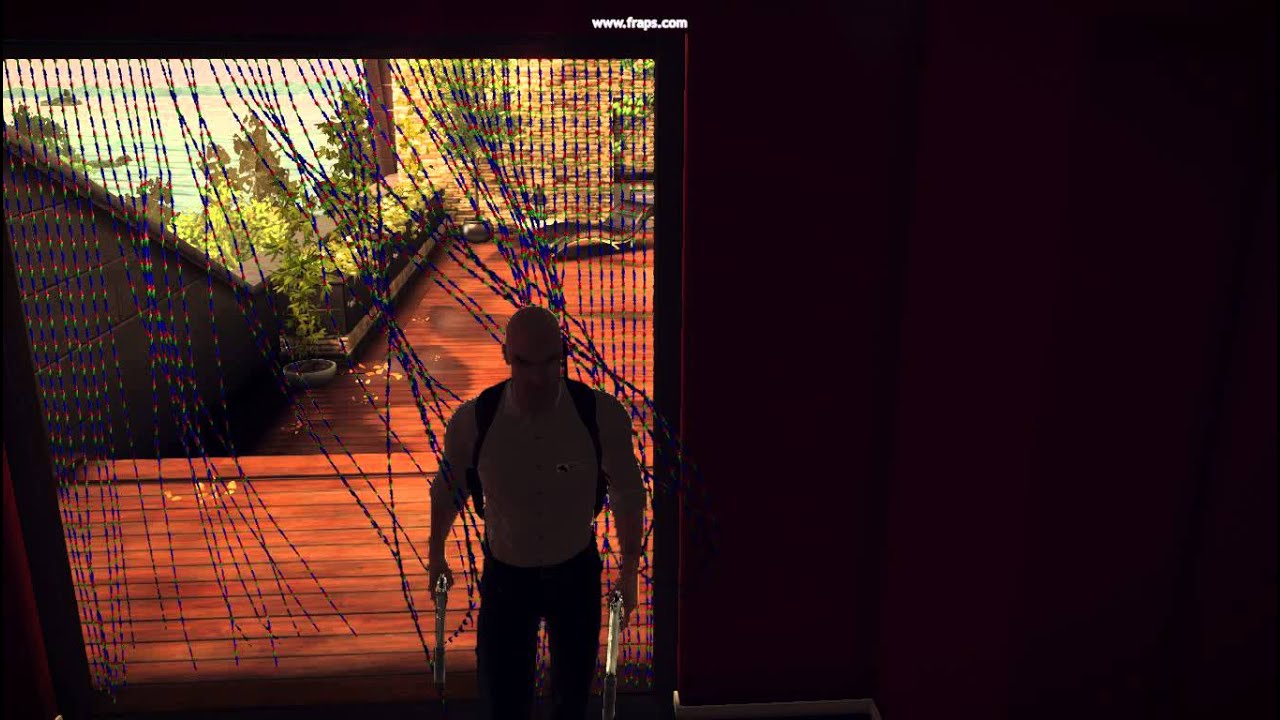
I must have spent at least 2 minutes doing this before recording.
rocky canyon
oh fck that
lmao
how do they do that i wonder?
verlet rope sim?
with some colliders spaced out
rich adder
prob just a bunch of hinges
rich adder
xD
rocky canyon
does look cool tho
rocky canyon
marsh prairie
ok, I see You guys are active today. How do I bake NavMesh for my big terrain ? ...
im not so sure now that they changed the navmesh stuff
u could usually mark ur stuff as static / navigation and inside the navigation window u could click bake
and it would run a bake manually.
rich adder
just do realtime baking
hidden sleet
is a navmesh always required for any ai to be able to walk on it?
hidden sleet
gotcha
rich adder
hidden sleet
is a navmesh always required for any ai to be able to walk on it?
if you want proper A* and RVO
hidden sleet
saw a gdc talk about that a little while ago but I've not looked into it much yet
rocky canyon
A* is the shit
 eternal needle
hidden sun
does anyone know why transform.pos has other value than it should have? When i s...
eternal needle
hidden sun
does anyone know why transform.pos has other value than it should have? When i s...
The value you see in inspector is local position, the debug is world position
marsh prairie
hmmm navarone , you mean when I Play game, i bake it to terrain surface ?
rocky canyon
its wat unity uses.. but u can get assets/ external repo's that have much more for A*
u can have flying enemies for example with no nav mesh
hidden sun
eternal needle
The value you see in inspector is local position, the debug is world position
ty
rich adder
marsh prairie
hmmm navarone , you mean when I Play game, i bake it to terrain surface ?
for big terrains prob easier than a giant navmsesh
you bake as you walk
marsh prairie
maybe you have a quick tutorial for that ?
marsh prairie
i would walk onto the playable area only
rich adder
ah unity nuked the page without replacement..smart
marsh prairie
yeah
hidden sleet
rocky canyon
u can have flying enemies for example with no nav mesh
wondered how that'd work with flying ones. I imagined creating a navmesh as a sort of volume would be the solution but that sounds rather strenuous
rocky canyon
same link lol
marsh prairie
😄
rich adder

Learn how to bake a NavMesh on a small portion of your level. This allows much faster baking of NavMeshes on large procedural worlds, or on very large worlds. We do this by specifying a volume around the player and use the NavMeshBuilder class to collect the relevant sources and update a registered NavMeshData.
If you are taking this concept a...
this dude has the best Navmesh agent videos
marsh prairie
already watching
 fickle plume
I think they moved quite a few tutorials into Pathways courses and never redirected properly.
Still can be found on YouTube Unity channel though
rocky canyon
hidden sleet
wondered how that'd work with flying ones. I imagined creating a navmesh as a so...
most of the flying enemy stuff ends up being custom
depending on whetehr ur making a 2d gmae, 3d game, or w/e
toxic latch
if you have a game that is primarily text-based other than basic icons to represent a character or item, etc., in what form does an item possessed by the player 'exist'? Like if the player has an AK-47 rifle, but that rifle is only really represented as an inventory icon and a +3 attack bonus, how should you bring that rifle into 'existence' i.e. when the character comes to actually possess it? Specifically if you want to be able to add a scope for a +1 attack bonus (it seems a lot of people use scriptable objects for inventory items but as I understand it you cannot edit their variables at runtime and thus cannot at the scope for +1 attack for example)
rocky canyon
rich adder
and it looks like its "flying" xD
this is absolutely practical for smaller 2d type platformers
make the graphics bob up and down above the capsule 😄
rich adder
thats howI faked some drone enemies, but in 3d
toxic latch
so could you just use a game object even though the object doesn't need to be represented physically within the scene?
wintry quarry
toxic latch
if you have a game that is primarily text-based other than basic icons to repres...
Often I would use a reference to a ScriptableObject that describes the weapon. The SO may itself have a reference to a prefab that you could instantiate to bring it into the real world, as well as a reference to a sprite to show it in the inventory UI for example
rocky canyon
rich adder
thats howI faked some drone enemies, but in 3d
the navmeshagent doesnt need the collider right above the ground mesh does it?
im wondering how ud walk beneath it?
wintry quarry
toxic latch
if you have a game that is primarily text-based other than basic icons to repres...
There's nothing stopping you from wrapping the SO reference in another object at runtime to apply things like this
for example
class InventoryWeapon {
  WeaponSO baseweapon;
  List<Modifier> modifiers;
}```looks like that guy wrote his own NavMesh Bake script
rocky canyon
toxic latch
so could you just use a game object even though the object doesn't need to be re...
absolutely..
rich adder
rocky canyon
im wondering how ud walk beneath it?
i just put the actual collider on the mesh/graphic, so it can easily go under stuff
rocky canyon
toxic latch
so could you just use a game object even though the object doesn't need to be re...
when people talk about seperating graphics from logics thats what they mean... the graphics are a seperate part of the piece.. if u remove them completely u basically have an invisible object (holding all the logic)
toxic latch
rocky canyon
when people talk about seperating graphics from logics thats what they mean... t...
and there is nothing "wrong" with this in terms of best practices?
rocky canyon
no, not that i can think of... how else would u run logic in the game, without the chunk of code being in the game itself somehow
 gilded pumice
Hey guys I'm on the create with code 2 unit and am getting this error and I've checked all over up and down to try and see where the (almost certainly) syntax error is and I just can't find it.
Difficulty Button https://paste.ofcode.org/3bhXhbSgwNXWY6EQJXRvvNk
GameManager https://paste.ofcode.org/mmmkXGWihTJbzBg42DUdEG
Error Message: Assets\Scripts\DifficultyButton.cs(26,21): error CS1061: 'GameManager' does not contain a definition for 'StartGame' and no accessible extension method 'StartGame' accepting a first argument of type 'GameManager' could be found (are you missing a using directive or an assembly reference?)
any help would be appreciated
toxic latch
rocky canyon
no, not that i can think of... how else would u run logic in the game, without t...
right, and I guess what I'm trying to clarify my understanding on is that even though I have a weapon defined within my script(s) for example, it doesn't really exist within the game until it's attached to an object... is that right?
wintry quarry
gilded pumice
Hey guys I'm on the create with code 2 unit and am getting this error and I've c...
did you save all of your scripts?
rocky canyon
ya, it has to be inside the hierarchy to run..
unless ur code sepcifically references it some other way
gilded pumice
wintry quarry
did you save all of your scripts?
yes
rocky canyon
toxic latch
right, and I guess what I'm trying to clarify my understanding on is that even t...
this is a common way to enable and disable stuff
say u have a Gun.. u can keep that object attached to the player and disabled..
once u enable it.. (u can enable the graphics with it) and the logic (the code that works the gun)
gilded pumice
wait. no the game manager script wasn't saved
rocky canyon
and voila you have a gun object
gilded pumice
lol
rocky canyon
gilded pumice
wait. no the game manager script wasn't saved
that'll do it too 😄
gilded pumice
rocky canyon
that'll do it too 😄
uggggggggg just save both scripts with one save lol. thanks though
rocky canyon
toxic latch
right, and I guess what I'm trying to clarify my understanding on is that even t...
for example my GameManager runs alot of things in the game but as u can see in the scene view..

 slender nymph
obligatory "use cinemachine"
rocky canyon
its just an empty gameobject sitting at (0,0,0)
 sacred orbit
I’m quite new to c# but I’m pretty sure your Lerp is wrong
hidden sleet
rocky canyon
for example my GameManager *runs alot of things in the game* but as u can see in...
are those empties literally only there to create space in the list?
rocky canyon
hidden sleet
are those empties literally only there to create space in the list?
affirmative
hidden sleet
fair enough
sacred orbit
It’s jumping to the final position because you have the return value set immediately
rocky canyon
once im closer to finished product ill go back and delete most of em
slender nymph
well your lerp is FPS dependent. the more frames you have, the faster it will lerp
rocky canyon
hidden sleet
are those empties literally only there to create space in the list?
because each one is keeping track of a transform..
hidden sleet
also from the links you've all sent here I've come to realise that my game dev tips and tutorials youtube playlist is growing incredibly large
rocky canyon
its a waste of performance.. (not alot) but it'll add up
so when its time ill remove em
rocky canyon
hidden sleet
also from the links you've all sent here I've come to realise that my game dev t...
they add up 😄

i was thinking the same..
ur lerp should be continuously running i think..
in a seperate loop or something..
hidden sleet
I tend to find one good tutorial, check out the person who made it and then save like 15 of their other vids including the start of other playlists. It's a rabbit hole i tell you
sacred orbit
rocky canyon
in a seperate loop or something..
Yes
rocky canyon
i bet all that happens at once.. during the keypress.. and it doesnt have time to smooth
eternal needle
It can but that's not how you've coded it. You made it just be at 20% between start and end
sacred orbit
Pretty sure you set the percentageComplete in a while loop and call the lerp in a separate function
Then use percentageComplete as your 3rd parameter
Let me get on my computer and I can show you the way I’ve been coding lerps, 1 sec
rocky canyon
MoveTowards ftw
slender nymph
the issue wasn't where the Lerp call was. it was the fact that you were moving 20% of the way from startPosition to finalPosition each frame so after 5 frames it's already there
sacred orbit
Give me 1 sec mish I will show you
slender nymph
read the overview and the wrong lerp section in that link to learn how to correctly use lerp
also when working with rotations, you probably want slerp instead
sacred orbit
oops
slender nymph
oh and you are lerping a value you use to rotate rather than the rotation itself which is odd
rocky canyon
 void SmoothRotate(Vector3 rotationAmount)
    {
        // Calculate the target rotation
        Quaternion targetRotation = Quaternion.Euler(rotationAmount);

        // Store the current rotation
        Quaternion currentRotation = Camera.main.transform.rotation;

        // Slerp the current rotation towards the target rotation
        Camera.main.transform.rotation = Quaternion.Slerp(currentRotation, targetRotation, rotationSpeed * Time.deltaTime);
    }```
edit: i still dnt think this is completely correct, Im bad at lerps too 😄how do i view and edit a struct in the inspector?
sacred orbit
float percentageComplete = 0;

 while (percentageComplete < 1)
 {
     yield return null;
     percentageComplete += Time.deltaTime / 4;
     lerpFunction();
 }

void lerpFunction()
{
gameObject.transform.rotation = Quaternion.Lerp(Quaternion.Euler (startAngle), Quaternion.Euler (endAngle), percentageComplete);
}
make it serializable and then you have to have a variable of that type that is serialized on a component
sacred orbit
@queen adder this is how i've been lerping, dont know if it's the best but it works
hidden sleet
Are back ticks not a thing on mobile? Straight up can’t find them
slender nymph
sacred orbit
```
float percentageComplete = 0;
while (percentageComplete < 1)
{
yield...
note that this will only work in a coroutine
sacred orbit
oops, didn't add that
slender nymph
hidden sleet
Are back ticks not a thing on mobile? Straight up can’t find them
this probably depends on your device and the keyboard you use on said device. and is entirely unrelated to unity or coding
sterile radish
slender nymph
make it serializable and then you have to have a variable of that type that is s...
i tried that but it doesnt work for some reason
rocky canyon
hidden sleet
Are back ticks not a thing on mobile? Straight up can’t find them
click the symbols button
slender nymph
sterile radish
i tried that but it doesnt work for some reason
then you did something wrong and should share what you tried
rocky canyon
and then its on the 2nd page of them
click the 1/2 button
it lists more
and its in the middle left
sterile radish
slender nymph
then you did something wrong and should share what you tried
Hastebin is a free web-based pastebin service for storing and sharing text and code snippets with anyone. Get started now.
slender nymph
you didn't mark the struct as serializable or have a variable of that type in your component
so the only two things i said you need to do were ignored
hidden sleet
Can’t spot em, will look em up later on, not too important. Just didn’t want to paste loads of stuff without it being in a code block
rocky canyon
hidden sleet
Are back ticks not a thing on mobile? Straight up can’t find them

2nd one to the right on top row
rocky canyon
hidden sleet
Can’t spot em, will look em up later on, not too important. Just didn’t want to ...
use a third party website its easier
for example
sterile radish
slender nymph
you didn't mark the struct as serializable *or* have a variable of that type in ...
oh okay ill try that. also what do you mean by having a variable of that type in my component?
slender nymph
i mean that you need a variable of type ShopParameters in your BuyItem component
there wouldn't be any serialized variable of that type without it
rocky canyon
[System.Serializable]
public struct ShopParameters
{

}```public class ShopManager : MonoBehaviour
{
public ShopParameters shopParams;
boxfriend is the MVP i just follow
 queen adder
Can somebody please explain why I'm getting this error?
The code works exactly like it should


 languid spire
AI_Script is null
slender nymph
you likely have one of those components in the scene where AI_Script has not been assigned in the inspector. or you are overwriting its assignment somewhere
queen adder
slender nymph
you likely have one of those components in the scene where AI_Script has not bee...
That's it thanks
slender nymph
also unrelated to your code issue, but the inconsistent naming conventions, namely the seemingly random inclusion of Snake_Case, is kind of annoying. standard c# conventions don't use snake_case at all, types should typically be PascalCase, class variables either camelCase or PascalCase depending on their access modifier, and local variables as camelCase
queen adder
slender nymph
also unrelated to your code issue, but the inconsistent naming conventions, name...
Thanks for the feedback, I know a lot of people would disagree with my choice but I never use camel case, I use pascal for everything other than constants
slender nymph
well you're still randomly using Snake_Case which is the biggest issue with your naming here
the most important thing is that you are being consistent. which you are not
 robust condor
What is an easy way to snap cubes together? Imagine the default cube, put one in the middle, then I pick up another cube and instantiate it on the cursor, now I want it to snap to all 4 sides on the Z and X axis to that cube (or any other cube) only and when pulling the cube close to that cube it snaps into the side so they always form a perfect grid. Pretty much like holding down V in the editor
queen adder
slender nymph
well you're still randomly using Snake_Case which is the biggest issue with your...
Any variables which are not pascal are typos
slender nymph
then AI_Script, AI_Weapon_Enable, and your class names are typos
queen adder
every new word is caps, how is that not pascal?
slender nymph
PascalCase does not use underscores between the words. that is only done in snake_case. and that's been my entire point this whole time
queen adder
Ohh right I see, well I must have gotten the two mixed up
naming conventions are something I never had in mind
since all my projects are solo so only I need to understand my way of coding
you are right though I should start doing it the industry standard way
slender nymph
i'm not even saying to follow the standard coding conventions. i'm saying you should at least be consistent with your naming conventions.
but if you do want to follow the standard conventions then check this out https://learn.microsoft.com/en-us/dotnet/csharp/fundamentals/coding-style/coding-conventions
spiral narwhal
public class BoardService : Service, ICardSearchable

public interface ICardSearchable
{
        public bool CardsExist()
Why can I not call BoardService.Instance.CardsExist (it doesn't find CardsExist)
slender nymph
is CardsExist a default interface method where the implementation is defined in the interface, or does the BoardService class define the implementation?
spiral narwhal
No only the interface defines it
slender nymph
that's why. only variables of the interface type will have that method on them. you can't even just call CardsExist within the BoardService class without casting to ICardSearchable first
 desert elm
does this still work?
 slender nymph
it is recommended to instead use the CompareTag method rather than string equality when checking tags
but otherwise, yes it does still work
spiral narwhal
slender nymph
that's why. only variables of the interface type will have that method on them. ...
Mmm. Maybe I'm approaching it wrong, but this is what I want:
In a card game, there are different locations where cards can be (deck, hand, board, etc.).
All of these have services that are ICardSearchable. That interfaces demands that the service should implement
protected IEnumerable<CardSO> CardSet(); as a way to get the set of cards of that location (the hand for example has a list of cards, the deck as a stack of cards, and so on).
CardsExist itself is but an algorithm that shouldn't change for any card location. It should be available to outside methods.
swift crag
That's all you need to do. If it's not showing up, you probably have a compile error.
Unity won't use your new code until there are zero compile errors.
desert elm
slender nymph
but otherwise, yes it does still work
then what am I doing wrong?
 swift crag
well, your syntax is wrong
languid spire
col not collision
 summer stump
desert elm
then what am I doing wrong?
summer stump
desert elm
then what am I doing wrong?
Your curly braces are messed up
 bleak vale
I want to move object smoothly when collision enter. I cant do this with * time.deltaTime since its only in 1 frame. How can I do this?
slender nymph
spiral narwhal
Mmm. Maybe I'm approaching it wrong, but this is what I want:
In a card game, t...
okay well your issue is that BoardService does not implement the method, it's on the interface. you could case BoardService.Instance to ICardSearchable to be able to call that method. or you could instead move the implementation of the method to the class instead of the interface.
summer stump
@desert elm
 swift crag
bleak vale
I want to move object smoothly when collision enter. I cant do this with * time....
swift crag
bleak vale
I want to move object smoothly when collision enter. I cant do this with * time....
you could use a coroutine
i should point out that there's nothing special about Time.deltaTime here
bleak vale
wdm nothing special?
swift crag
you're asking how to do something over several frames; you could do this without factoring in deltaTime just fine
swift crag
you are absolutely going to use Time.deltaTime.
bleak vale
Oh
swift crag
I cant do this with * time.deltaTime since its only in 1 frame.
This is just a weird thing to say, which is why I brought it up.
desert elm
summer stump
Your curly braces are messed up
oh right forgot those for the method
I see the issue
spiral narwhal
slender nymph
okay well your issue is that `BoardService` does not implement the method, it's ...
Mmm, that seems like a strange limitation in C#. I shouldn't have to "redefine" a method in a class.
The reason I don't want to move the implementation to the class is that if the algorithm changes, I would have to change the implementation in every single class, instead of just one in the interface.
swift crag
spiral narwhal
Mmm, that seems like a strange limitation in C#. I shouldn't have to "redefine" ...
C# does not permit multiple inheritance
Interface implementations are not inherited.
They're strictly only accessible through the interface type itself.
slender nymph
spiral narwhal
Mmm, that seems like a strange limitation in C#. I shouldn't have to "redefine" ...
this is how default interface methods work. they do not exist on the class, they only exist on the interface therefore you need a variable of the interface type to access them
swift crag
It's useful for ensuring backwards-compatibility when adding members to an interface
swift crag
bleak vale
I want to move object smoothly when collision enter. I cant do this with * time....
have a look at this.
spiral narwhal
So my best choice is to just do something like public bool CardsExist() =>CardsExist(); ?
swift crag
spiral narwhal
So my best choice is to just do something like public bool CardsExist() =>CardsE...
no, because the CardsExist implementation only exists on the interface type. If you want to access the interface method, you'd need to cast this to the interface type and then call the method on it.
what you wrote would just be infinite recursion
buoyant knot
spiral narwhal
So my best choice is to just do something like public bool CardsExist() =>CardsE...
that is an infinite loop
spiral narwhal
Oh I think I get it. So a class that implements a public method does not know that it has that public method?
swift crag
It absolutely does.
buoyant knot
it does
swift crag
Interface methods aren't virtual
buoyant knot
but multiple classes can have that interface
bleak vale
using System.Collections;
using System.Collections.Generic;
using UnityEngine;

public class PressurePlate : MonoBehaviour
{
    [SerializeField] Transform interactObject;
    private void OnCollisionEnter(Collision collision)
    {
        StartCoroutine(Move());
    }
    private void OnCollisionExit(Collision collision)
    {
        interactObject.position -= Vector3.up * 2f;
    }
    IEnumerator Move()
    {
        interactObject.position += Vector3.up * 2f * Time.deltaTime;
        yield return new WaitForSeconds(2f);
    }
}
@swift crag I dont know if it is what u meant
buoyant knot
so, you know how enemies in mario can spawn from spawnpoints or pipes or blocks or billblasters?
spiral narwhal
So more like this: public bool CardsExist() => ((ICardSearchable)this).CardsExist()
buoyant knot
spawnpoints and pipes need to know if what they spawned died, so things that get spawned need some some of reference to the thing that spawned it to let it know.
swift crag
actually, let me take that back. that was incorrect.
buoyant knot
but they are all totally different, so i would make an ISpawner interface. Then anything that is spawned holds an ISpawner. ISpawner has public void OnSpawnedThingDied();
My pipe, spawnpoint, bill blaster, and block all have a behaviour that implements ISpawner. They do different things when OnSpawnedThingDied() is called
swift crag
swift crag
actually, let me take that back. that was incorrect.
It was unrelated to what you were doing.
buoyant knot
pipe needs to check if it was at its spawn limit. spawnpoint needs to know to turn off forever. block doesn’t care. and bill blaster knows to turn back on.
swift crag
spiral narwhal
Oh I think I get it. So a class that implements a public method does not know th...
When you implement an interface, you must provide a concrete implementation of every method in the interface.
Default interface methods allow you to not implement a certain method. The default is used if you don't provide one.
spiral narwhal
I think my issue was that I did not think of casting. It should be a nice implementation if I just cast to the interface and call that method 👍
swift crag
Indeed. That will work.
buoyant knot
and all the enemies or whatever that spawn do not care what kind of thing spawned them. they just have a reference to an ISpawner
swift crag
It does lead to some annoying copy-pasting
buoyant knot
does this make sense?
bleak vale
bleak vale
```CS
using System.Collections;
using System.Collections.Generic;
using UnityEn...
Can someone explain to me why its not working?
swift crag
bleak vale
```CS
using System.Collections;
using System.Collections.Generic;
using UnityEn...
This coroutine sets the position once.
It then waits for 2 seconds before ending.
That doesn't sound like what you want.
 visual hedge
Do I have to somehow do the "disenvoke" for the event? Or it's a one-time trigger thing?
Not asking about unsubscribing, only about if there's opposite to .Invoke()
swift crag
bleak vale
Yeah
then you'll need to set the position many times.
swift crag
visual hedge
Do I have to somehow do the "disenvoke" for the event? Or it's a one-time trigge...
I do not understand what you mean. You can't.."un-invoke" a method, for sure
buoyant knot
swift crag
When you implement an interface, you must provide a concrete implementation of e...
interface can define a common non-virtual implementation in itself btw
swift crag
right, that's the default interface method.
bleak vale
swift crag
I do not understand what you mean. You can't.."un-invoke" a method, for sure
U can by CancelInvoke()
swift crag
slender nymph
buoyant knot
interface can define a common non-virtual implementation in itself btw
yes, the default implementation was what was being discussed
visual hedge
swift crag
I do not understand what you mean. You can't.."un-invoke" a method, for sure
Oh yeah, haven' thought about that as a method 🙂 Okay, you solved that for me, thanks )
swift crag
bleak vale
U can by CancelInvoke()
that's unity's Invoke method
which lets you send a message to an object after a delay
buoyant knot
i think AA is gone rn.
visual hedge
yeah, I meant UnityEvent
swift crag
yeah, Invoke will run the method exactly once
visual hedge
sorry, it's a bit of html talking in me. IF we open the tag, we better close it at some point )
Or if we instantiate some game object, we better destroy it after it's no longer needed. That was the question basically.
swift crag
I do not understand.
visual hedge
no wonder, because it's silly question
I think one has to be a bloody noob to understand what I am asking 😄
cunning rapids
Guys, should I use an object pool here to optimize the muzzle flash effect?
rich adder
cunning rapids
Guys, should I use an object pool here to optimize the muzzle flash effect?
why are you spawning new one each time?
wildly unnecessary
cunning rapids
rich adder
why are you spawning new one each time?
It's a prefab holding all the particle data
rich adder
cunning rapids
It's a prefab holding all the particle data
unrelated to my statement
cunning rapids
I'm just creating an instance of said prefab since all the particles play on awake anyway
I don't know how else to apply said effect
swift crag
well, you will need to create one burst of particles per shot
 vast ivy
rich adder
not that difficult
vast ivy
rich adder
not that difficult
It’s a #💻┃code-beginner , they’re not in here if it’s easy for them xD
rich adder
ps.Emit()
rich adder
so for loop
rich adder
vast ivy
It’s a <#497874004401586176> , they’re not in here if it’s easy for them xD
yes, 🙂 better to start early to do it right
swift crag
You can then call Emit on them to make them spit out particles on-demand
You might need to switch the particle system to use world space, not local space, if you weren't parenting each of those systems to the gun.
queen adder
i made an ai enemy that can go so distances and chase us when we close to it, but when i changed its position now it is not working
swift crag
Otherwise, the effects will appear to be stuck to the gun
rich adder
queen adder
i made an ai enemy that can go so distances and chase us when we close to it, bu...
what is "not working"
cunning rapids
And I can provide with my code
queen adder
queen adder
i made an ai enemy that can go so distances and chase us when we close to it, bu...
i mean it has moving animation but doesnt change position
it was working
before i changed its position
bleak vale
swift crag
then you'll need to set the position *many times*.
So I dont really have to use time.deltaTime?
Since I have to repeat this code
swift crag
bleak vale
So I dont really have to use time.deltaTime?
you sound confused about what deltaTime tells you
let me explain in a thread
queen adder
 cunning rapids
bleak vale
So I dont really have to use time.deltaTime?
cunning rapids
bleak vale
So I dont really have to use time.deltaTime?
time.deltaTime measures the time between every frame
whereas just time is fixed to real-time
queen adder
queen adder
i send a video about it to unity-talk
swift crag
cunning rapids
This is how it looks like
Set each particle system to emit no particles. It's in the "Emission" tab in the inspector.
Then attach this prefab to the end of the gun and leave it activated.
Add ParticleSystem fields to your weapon component and drag the references in.
cunning rapids
And then?
swift crag
When you fire, call Emit on each particle system
the number you pass is how many particles spawn, so you'll need to pick a good number for each one
cunning rapids
I tried making a public ParticleSystem variable before but it didn't let me drag objects that were in the scene but only prefabs
swift crag
Prefabs can't refer to scene objects, yes
but it sounds like you already have a weapon prefab here
do all of this setup on the weapon prefab.
rocky canyon
particle systems are trial and error for me.. sometimes u can nest the 2ndary particles under the root.. and fire off the top one..
all the ones below will follow suit
cunning rapids
swift crag
Prefabs can't refer to scene objects, yes
So how must I drag in the particle systems into the inspector if it won't let me do it directly from the hierarchy?
swift crag
cunning rapids
So how must I drag in the particle systems into the inspector if it won't let me...
You're going to need to clarify what you're doing.
Do you not have an instance of this prefab attached to the gun?
cunning rapids
Nope
swift crag
well, do that!
cunning rapids
Prefabs
 rocky canyon
if the prefab needs to reference something in the scene, you either need to have the thing start in the scene with the references ready to go..
or grab teh refernences during runtime
after the prefab starts to exist
cunning rapids
Gun inspector
 swift crag
You're not going to be instantiating the prefab over and over anymore.
You're going to have one instance on the gun
it will already exist; it's not being created by your weapon code

 serene barn
i got a new bug that seems intresting, my character is NOW stuck at 0, 0
swift crag
Something like that! Here's how I would do it
wintry quarry
cunning rapids
So do I do something like this? (Give me a second please)
better to use an array than numbered variables!
cunning rapids
Alright, thank you
swift crag
[System.Serializable]
public struct ParticleInfo {
  public ParticleSystem system;
  public int count;
}

[SerializeField] List<ParticleInfo> particleInfos;

void Shoot() {
  foreach (var info in particleInfos) {
    info.system.Emit(info.count);
  }
}
Now you can make a list of particle systems and how many particles you want to emit!
cunning rapids
swift crag
Something like that! Here's how I would do it
Then I attach the particle systems into the gun's hierarchy?
swift crag
nice and neat, no recompiling needed every time you want to change a number
swift crag
cunning rapids
Then I attach the particle systems into the gun's hierarchy?
You'd attach your prefab to the gun, yes
and then reference its particle systems
 swift crag
```cs
[System.Serializable]
public struct ParticleInfo {
public ParticleSystem...
swift crag
swift crag
```cs
[System.Serializable]
public struct ParticleInfo {
public ParticleSystem...
If you did this, you'd set the "Particle Infos" list to hold 3 elements, then drag the particle systems into each one
rocky canyon
just fire off hte top most particle.. the child particles will fire also
serene barn
it seems so weird but im not too sure if its the player controller or something else
swift crag
and then punch in how many particles to emit from each one
cunning rapids
swift crag
You'd attach your prefab to the gun, yes
Done
 rocky canyon
if u attach it to firepoint u can save urself the trouble or moving everything
swift crag
rocky canyon
if u attach it to firepoint u can save urself the trouble or moving everything
Yeah, you should align it properly.
rocky canyon
just move the firepoint , the particle system will follow
 quick edge
Yo! I have a small problem and I don't really know how I can find a workaround. I use a CharacterController and I apply gravity like so :
private Vector3 playerVelocity = Vector3.zero;
private float gravityValue = -9.8f;

playerVelocity.y += gravityValue * Time.deltaTime;
And it works fine. The problem is, if the CharacterController is close to the ground but less than 9.8 units from the ground it will stop falling while not touching the ground. I guess that's because if the CharacterController fall another 9.8 units it will be in another object and the CharacterController doesn't allow you to cross objects. But I want my character to fall until it touches the ground. How can I do that ?
cunning rapids
rocky canyon
just move the firepoint , the particle system will follow
My fire point is in front of the player, but my FXPoint makes it look like it's firing from the barrel
Easier to deal with ADS
swift crag
quick edge
Yo! I have a small problem and I don't really know how I can find a workaround....
9.8 meters shouldn't come up here -- you only accelerate by a tiny bit each frame
serene barn
fixed it
swift crag
quick edge
Yo! I have a small problem and I don't really know how I can find a workaround....
I need to see how you're reading the velocity back from the player controller
use !code to share large scripts
eternal falconBOT
Posting code
📃 Large Code Blocks
Use links to services like:
https://gdl.space/, https://paste.ofcode.org/, https://hatebin.com/, https://paste.myst.rs/, https://hastebin.com/
📃 Inline Code
Surround code with three backquotes. Not quotation marks.
To format as C#, add cs to the first line:
```cs
// Your code here
```
Add a comment with a line number if there is an error message.
swift crag
large code blocks up top
cunning rapids
swift crag
Set each particle system to emit no particles. It's in the "Emission" tab in the...
I turn it off completely or??
swift crag
cunning rapids
I turn it off completely or??
Yes.
You're going to use Emit() to emit particles.
swift crag
quick edge
https://gdl.space/azodecedac.cs
ah, so you reset playerVelocity if you're on the ground
cunning rapids
swift crag
You're going to use `Emit()` to emit particles.
Right, of course
wintry quarry
quick edge
Yo! I have a small problem and I don't really know how I can find a workaround....
I don't think it has anything to do with your code. I think your CharacterController is probably just not aligned with the Renderer on your character
swift crag
That'd be my guess
The default makes you float, since the capsule is centered on the origin
quick edge
wintry quarry
I don't think it has anything to do with your code. I think your CharacterContro...
Don't know if this help you
 rocky canyon
       private void ApplyGravity()
        {
            // if our controller is grounded and our simulated gravity is less than the gravity we defined
            if(characterController.isGrounded && gravitySim < playerSettings.gravity)
                gravitySim = playerSettings.gravity;
            // we set it back to the defined value

            // to simulate gravity we keep adding scaled gravity to the player (the above conditional keeps it clamped for us)
            gravitySim += playerSettings.gravity * Time.deltaTime;
}```this is my gravity function... if im grounded i keep it constant
if im not.. i added my force
visual hedge
ScriptableObject inventory: One has to create item database in order to save the data.
Do I have to make skill database in order to save the data about the scriptable object skills that characters have?
quick edge
I think the problem is what I said in my first message. But I'm new so I'm probably wrong
rocky canyon
rocky canyon
if im not.. i added my force

making sure ur order of logic fits ur needs is important too..
i get my input, then i do my ground check, finally i use all the information ive gathered to move the player appropriately
quick edge
swift crag
That'd be my guess
Did you see the picture ?
rocky canyon
could u make a video, or screenshot what it looks like
the picture shows that ur graphics (the ball thing) is aligned to the bottom of ur capsule.
but its also not in play mode..
quick edge
You want me to show it in playmode ?
 cunning rapids
swift crag
You're going to use `Emit()` to emit particles.
cunning rapids
swift crag
You're going to use `Emit()` to emit particles.
I think I understood it after reading the documentation.
Something like this should theoretically work, correct? ```cs
private void EmitParticleSystems()
{
if (system1 != null)
{
system1.Emit(1);
}
    if (system2 != null)
    {
        system2.Emit(1);
    }

    if (system3 != null)
    {
        system3.Emit(1);
    }
}
from the screenshot alone to me it seems the ground's collider doesn't match up with teh actual ground plane
slender nymph
cunning rapids
I think I understood it after reading the documentation.
Something like this sh...
if you ever find yourself differentiating variables only by adding a number ot the same name, you should be using some sort of collection like a List or array
rocky canyon
i can kinda see the wall behind to the right.. also floating a bit off the ground
cunning rapids
slender nymph
if you ever find yourself differentiating variables only by adding a number ot t...
Yes, I've seen this suggestion and I'll implement it directly after playtesting. Thank you
 quick edge
rocky canyon
from the screenshot alone to me it seems the ground's collider doesn't match up ...
quick edge
rocky canyon
from the screenshot alone to me it seems the ground's collider doesn't match up ...
Yes but it's not supposed to. And I guess the problem is that in this exact situation the CharacterController can't substract 9.8 because the CharacterController will be in the ground.
rocky canyon
but nothing like urs
quick edge
But I don't know what to do xD
swift crag
quick edge
That might just be the Skin Width
 north hawk
Guys uhh
quick edge
If I manually move my character the thing works

Don't know if it help
The problem is the gravity don't do its job
north hawk
Do you guys use gtag fan games
swift crag
quick edge
The problem is the gravity don't do its job
Gravity is working fine. It’s just that there’s a slight margin around the collider
The character controller doesn’t give up if it sees an obstacle. It moves as far as it can.
rocky canyon
^ what he said... ur lookin for the error in the wrong place
cunning rapids
@swift crag , the emit system works nearly flawlessly, only issue is that it doesn't follow the rotation of my weapon
swift crag
swift crag
That might just be the Skin Width
I ran into this recently
quick edge
swift crag
Gravity is working fine. It’s just that there’s a slight margin around the colli...
And how should I correct that ?
swift crag
quick edge
And how should I correct that ?
Move your character visual down
rocky canyon
u have to use local rotations and not world rotations
rocky canyon
cunning rapids
<@118467312197042182> , the emit system works nearly flawlessly, only issue is t...
thers a setting in there where u change the particles simulation space
 cunning rapids
Brilliant! Thank you
rocky canyon
or.. it could be the facing direction.. if that doesnt work..
swift crag
rocky canyon
thers a setting in there where u change the particles simulation space
With the space on Local, the smoke will stick to the gun
quick edge
swift crag
Move your character visual down
But this will change nothing ?
The visual doesn't have any hitbox
rocky canyon
swift crag
With the space on Local, the smoke will stick to the gun
yea, thats what i was thinkin after i said it.
swift crag
quick edge
But this will change nothing ?
If the problem is that you’re floating slightly, this will fix your problem
swift crag
This has nothing to do with the ground being “in the way” for that last little bit of falling
rocky canyon
the player basically thinks its grounded now..
swift crag
cunning rapids
Brilliant! Thank you
If the problem isn’t fixed, please show us a video
rocky canyon
thats fine, just move the graphics to be TRUELY groundewd
cunning rapids
swift crag
If the problem isn’t fixed, please show us a video
Will do
quick edge
This is my character. I don't understand what you want me to do


 rocky canyon
sure, if that works out when ur player is moving about
swift crag
quick edge
This is my character. I don't understand what you want me to do
I would suggest restructuring a bit
- Player <- has the CharacterController
- Model <- has the renderers and stuff
rocky canyon
 swift crag
Alternatively, change the center of the controller a bit.
rocky canyon
graphics should be decoupled from the logic
quick edge
swift crag
- Player <- has the CharacterController
- Model <- has the renderers and stuff
I create an empty game object named Model and child "Md_Char..." and "Root" ?
rocky canyon
you should be able to change out the graphics whenever u want, and it not affect the controller at all
quick edge
rocky canyon
you should be able to change out the graphics whenever u want, and it not affect...
Yes I can do that
rocky canyon
ahh then it shuld be fine.. if u can make sense of the hiearchy then thats all that matters
swift crag
Is "Player" a prefab created from a model you imported?
 quick edge
Yes
rocky canyon
unless ur showing it around askin for help, then it may confuse others..
swift crag
and is "Md_Char_Low_Poly_Man" an object with a skinned mesh renderer?
If so, then you need to parent "Player" to a new game object
and put the controller on that new object
quick edge
swift crag
and is "Md_Char_Low_Poly_Man" an object with a skinned mesh renderer?
Yes
Ok
swift crag
rocky canyon
mine floats a *bit*
^ this happens beacuse the controller has a little extra "padding" around it
the thickness is based on the Skin Width
This helps it to collide properly and avoid getting stuck.
i just noticed that in my own game. time to fix that!
quick edge
Like this then ?

Still happening

(English isn't my first language so i'm probably not understanding what you want me to do)
sterile radish
!code
eternal falconBOT
Posting code
📃 Large Code Blocks
Use links to services like:
https://gdl.space/, https://paste.ofcode.org/, https://hatebin.com/, https://paste.myst.rs/, https://hastebin.com/
📃 Inline Code
Surround code with three backquotes. Not quotation marks.
To format as C#, add cs to the first line:
```cs
// Your code here
```
Add a comment with a line number if there is an error message.
 terse raven
using System.Collections.Generic;
using UnityEngine;

public class PlayerMovement : MonoBehaviour
{
    public PlayerScriptableObject playerObject;
    public GameObject playerGameObject;
    public Rigidbody playerRigidbody;

    public float maxVelocityChange = 4f;

    float currentMoveSpeed;
    float xInput;
    float yInput;

    // Start is called before the first frame update
    void Start()
    {
        currentMoveSpeed = playerObject.movementSpeed;
    }

    // Update is called once per frame
    void Update()
    {
        GetPlayerInput();
        MovePlayer();
        PlayerRotate();
    }

    void GetPlayerInput()
    {
        xInput = Input.GetAxisRaw("Horizontal");
        yInput = Input.GetAxisRaw("Vertical");

        if(Input.GetKey(KeyCode.LeftShift))
        {
            currentMoveSpeed = playerObject.sprintSpeed;
        }
        else
        {
            currentMoveSpeed = playerObject.movementSpeed;
        }
    }

    void MovePlayer()
    {
        Vector3 moveDirection = new Vector3(xInput, 0f, yInput).normalized;
        Vector3 force = moveDirection * currentMoveSpeed * Time.fixedDeltaTime * 1000f;
        force = Vector3.ClampMagnitude(force, currentMoveSpeed);
        playerRigidbody.AddForce(force);
    }

    void PlayerRotate()
    {
        //stuff
    }
}
Hi there I have this code for a player movement in 3D. However when the player moves its slightly jittering, any way to solve this?
sterile radish
how would i go on about checking if the player has bought a specific item using this approach?
https://hastebin.com/share/ifafocikaj.csharp
Hastebin is a free web-based pastebin service for storing and sharing text and code snippets with anyone. Get started now.
swift crag
quick edge
Like this then ?
Now move "CharacterModel" down a little
The controller will still look like it's floating a little.
But the model's feet will be on the ground.
cunning rapids
@swift crag It works!! Thank you for your help. I appreciate it
 swift crag
Yes. That will compensate for the skin width.
 keen dew
terse raven
```csusing System.Collections;
using System.Collections.Generic;
using UnityEngi...
keen dew
terse raven
```csusing System.Collections;
using System.Collections.Generic;
using UnityEngi...
Physics based movement should be done in FixedUpdate
also MovePlayer is needlessly complicated, forces shouldn't be multiplied by deltatime and it looks like ClampMagnitude is there just to fix the problem that it causes
quick edge
swift crag
Yes. That will compensate for the skin width.
But it still doesn't count as grounded
 copper magnet
I copied an old Unity code snippet and im getting this error :
was there previously a namespace named carManager ?
terse raven
keen dew
Physics based movement should be done in FixedUpdate
Thank you!
swift crag
quick edge
But it still doesn't count as grounded
Perhaps you need to change where you do your grounding check as well.