#💻┃code-beginner
1 messages · Page 109 of 1
 vocal thorn
vocal thorn
i just dont know how to fix it
vocal thorn
vocal thorn
vocal thorn
i just dont know how to fix it
Okay, I need some help again
My otters are visible
but their coordinates are completly jumbled up
 ivory bobcat
Have you looked into coroutines yet?
vocal thorn
this is where they are atm (I stopped the game, the coords keep on changing)
 vocal thorn
ivory bobcat
Have you looked into coroutines yet?
vocal thorn
ivory bobcat
Have you looked into coroutines yet?
I have yes, but I don't understand how to implement them
ivory bobcat
If not, consider investing some time into that to substitute your delay feature from sleep
vocal thorn
thats the plan, however right now the coordinates are my priority, i can't tell why they're moving wrong.
 patent compass
!learn
 eternal falconBOT
:teacher: Unity Learn ↗
Over 750 hours of free live and on-demand learning content for all levels of experience!
ivory bobcat
Else the game/while-loop will immediately end (an undefined behavior which no amount of bandaid can help)
vocal thorn

 lucid atlas
hello every1, im new
vocal thorn
lucid atlas
hello every1, im new
hiya, same here
 rare basin
vocal thorn
rare basin
vocal thorn
!code
eternal falconBOT

Posting code
📃 Large Code Blocks
Use links to services like:
https://gdl.space/, https://paste.ofcode.org/, https://hatebin.com/, https://paste.myst.rs/, https://hastebin.com/
📃 Inline Code
Surround code with three backquotes. Not quotation marks.
To format as C#, add cs to the first line:
```cs
// Your code here
```
Add a comment with a line number if there is an error message.
rare basin
also don't use print()
lucid atlas
what should i do now🥺🥺
rare basin
ues Debug.Log instead
lucid atlas
can some1 show me what should i do🥺🥺
vocal thorn
rare basin
ues `Debug.Log` instead
understood
rare basin
lucid atlas
can some1 show me what should i do🥺🥺
please learn how to ask questions
lucid atlas
rare basin
please learn how to ask questions
oh my apologize
ivory bobcat
ivory bobcat
Else the game/while-loop will immediately end (an undefined behavior which no am...
This is important @vocal thorn
 wild cargo
lucid atlas
oh my apologize
wild cargo
lucid atlas
oh my apologize
Install Unity, try to make a simple game, when you encounter an error google first and if you find no results then post here
vocal thorn
ivory bobcat
This is important <@708412729177669655>
Im aware that the loop ends.
but that shouldn't change the fact that the coords change...
vocal thorn
rare basin
!code
rare basin
and pls adapt your formating and naming conventions
to one standard
it is unreadable
ivory bobcat
vocal thorn
but that shouldn't change the fact that the coords change...
Immediately, so no amount of replacement will matter - which is what your appearance function does.
lucid atlas
wild cargo
Install Unity, try to make a simple game, when you encounter an error google fir...
i installed but im Python programmer, not C programmer, so idk how 2 code em 😦
rare basin
lucid atlas
i installed but im Python programmer, not C programmer, so idk how 2 code em 😦
then learn it, this is a code realted help question
when you will have an issue with particular code/system/mechanic then you can ask here
also unity is C#, not pure C
ivory bobcat
lucid atlas
i installed but im Python programmer, not C programmer, so idk how 2 code em 😦
You'll either need to learn how to code with c#, find/use specific code on the net (non flexible) or !collab with others
eternal falconBOT
📢 Collaborating and Job Posting
We do not accept job or collab posts on discord.
Please use the forums:
• Commercial Job Seeking
• Commercial Job Offering
• Non Commercial Collaboration
lucid atlas
rare basin
then learn it, this is a code realted help question
we don't have something to convert them right?
vocal thorn
ivory bobcat
*Immediately*, so no amount of replacement will matter - which is what your appe...
I'm really sorry if this is super annoying, but I can't quite understand what you mean..
vocal thorn
rare basin
and pls adapt your formating and naming conventions
any suggestions?
rare basin
vocal thorn
any suggestions?
google the unity programming naming conventions
vocal thorn
rare basin
google the unity programming naming conventions
Right. Thank you!
ivory bobcat
vocal thorn
I'm really sorry if this is super annoying, but I can't quite understand what yo...
Everything will finish in one frame
vocal thorn
I'll send the updated version
vocal thorn
ivory bobcat
Everything will finish in one frame
OH.
Okay, understood. That's the reason why the Coroutines exist right?
I just read up on that
A slightly random question, but if anyone knows Java, do you have any Tips on how to use that knowledge (other than Algorithms) in C#?
wild cargo
vocal thorn
A slightly random question, but if anyone knows Java, do you have any Tips on ho...
Well if you have the knowledge in Java, then you'll find there's similar/same concepts in c# and you don't even have to learn them bc you know how they works
Common sense basically
rare basin
vocal thorn
A slightly random question, but if anyone knows Java, do you have any Tips on ho...
it's just different syntax
as any other language


 gaunt ice
Dont always use class
java have no struct....
 whole isle
is mine wrong cause in the videio they have asset
gaunt ice
please watch(?) the video more carefully
whole isle
oh is it not in the IEnemurator
vocal thorn
rare basin
it's just different syntax
I moved from Python to Java this year, and it was quite simple, but a few changes. Java to C# is relatively close from Syntax (in my opinion ofc), however I just can't quite grasp everything like with the Java transition, I think that might be my main issue.
ivory bobcat
whole isle
While loop is outside of the coroutine or any function which was invalid
whole isle
ivory bobcat
While loop is outside of the coroutine or any function which was invalid
yh i put it in
vocal thorn
rare basin
google the unity programming naming conventions
Right I just changed the variables. I hope it's easier to understand now.
whole isle
ivory bobcat
While loop is outside of the coroutine or any function which was invalid

im facing this error now
ivory bobcat
whole isle
im facing this error now
Read what the error says

 north kiln
The code is completely different in those areas
ivory bobcat
whole isle
You'll want to follow along more carefully
north kiln
whole isle
The name of GameObjects do not relate to how you write code
vocal thorn
vocal thorn
https://hatebin.com/uwtpkqfcnc
Is a Coroutine something i should look into?
whole isle
k thx imma try fix it
ivory bobcat
vocal thorn
Is a Coroutine something i should look into?
Either that or you'll have to implement your own timers.
Or use task-await, invoke, etc
vocal thorn
ivory bobcat
Either that or you'll have to implement your own timers.
Or use task-await, invo...
From your personal experience, which one is more reccomendable?
whole isle
ivory bobcat
Type name = stuff
can u elaborate pls
ivory bobcat
vocal thorn
From your personal experience, which one is more reccomendable?
It'd be relative to the task at hand (none are deprecated) https://www.codinblack.com/how-to-run-a-method-at-certain-time-intervals-in-unity/
ivory bobcat
whole isle
can u elaborate pls
What you've done was Type = name = stuff instead
 gaunt ice
please compare your code and the code video shown char by char
ivory bobcat
ivory bobcat
It'd be relative to the task at hand (none are deprecated) <https://www.codinbla...
This doesn't include c#/unity tasks (which are a bit more complicated) @vocal thorn
 vocal thorn
ivory bobcat
This doesn't include c#/unity tasks (which are a bit more complicated) <@7084127...
vocal thorn
ivory bobcat
This doesn't include c#/unity tasks (which are a bit more complicated) <@7084127...
I think I'll test out CoRoutines first, see how it works and come back to that if it doesnt work that well...
thank you though!
 north kiln
It would be much easier to write if you tried to understand why you were writing it 
vocal thorn
vocal thorn
I think I'll test out CoRoutines first, see how it works and come back to that i...
Before I dissapear into Coroutines, I have 3 Otters and I'd like for the code to run for each at the same time, is that possible? (As in, my coroutine would change the position of one otter only and not all 3)
vocal thorn
They're GameObjects, does that make a difference?
vocal thorn
north kiln
You have 3 instances of the Otter class and they each run their own coroutine
if i were to type:
startCoroutine(randomappearance(otterTopRow);
startCoroutine(randomappearance(otterMiddleRow);
startCoroutine(randomappearance(otterBottomRow);
wouldn't the next Coroutine start once the first one is done? Or am I thinking completely wrong, and a Coroutine is like it's own process?
north kiln
You are thinking wrong either way
vocal thorn
Okay. Do you mind explaining? I'm sorry for the inconvieniece
north kiln
The code executes each coroutine until their first yield, and then the next frame Unity resumes at that point of each coroutine if the yield has passed
Nothing executes in parallel/simultaneously, but there will be 3 coroutines running at once
vocal thorn
Okay Okay.
north kiln
You can use the debugger and step over the code for the first execution and see where it goes. Though the next frame execution jumps to the yield from unmanaged code when Unity calls it
vocal thorn
Just so that i know I'm understanding it correctly:
the yield in one Coroutine has nothing to do with the yield in a different one, for example:
CoRou 1 -> yield return null;
CoRou 2 -> yield return new WaitForSeconds(5);
it wouldn't wait for those 5 seconds so that it CoRou could move on. Because It's not connected.
north kiln
They are separate state machines, yep
vocal thorn
north kiln
You can use the debugger and step over the code for the first execution and see ...
This is so dumb, but I love the debugging tool in Java, how do you use it in Unity? I've seen the Debug icon at the bottom, but i dont see a change.
rare basin
vocal thorn
This is so dumb, but I love the debugging tool in Java, how do you use it in Uni...
google it
vocal thorn
north kiln
They are separate state machines, yep
Okay, I think i understand the concept now thank you.
rare basin
"how to debug in Unity using a debugger"
north kiln
There's good resources pinned about debugging with VS. the video series is quite thorough
vocal thorn
Thank you!!! I'll def look into it
 sour fulcrum
bit of a weird question, I have a terrain that im loading into a scene OnSceneLoaded
but due to its resolution and trees and such it seems to drawcall bomb the build into crashing
 teal viper
That wouldn't crash the build. At least not directly.
sour fulcrum
is there a built in way to gradually stream this in or can i like professionally unity to brace for impact
teal viper
Indirectly you could be running out of vram, but I highly doubt it.
Inspect the player/ crash logs. There must be some clues to what caused the crash.
sour fulcrum
teal viper
That wouldn't crash the build. At least not directly.
im doing some weird unity mod type stuff here w/ assetbundles so i think it might be in this case along with some other stuff. I know the specifics of that isn't the vibe of this server but i was hoping for a more generic solution for it if it exists
teal viper
The generic solution is: investigate the crash and eliminate it's cause.
There's no more generic than that.
teal viper
Or logs.👀
rare basin
anyway, use addressables on that and recude draw calls by batching, making atlas materials, merge meshes together into one
there is a lot of optimization you can do
do LODs etc, many drawcalls = cpu bottleneck
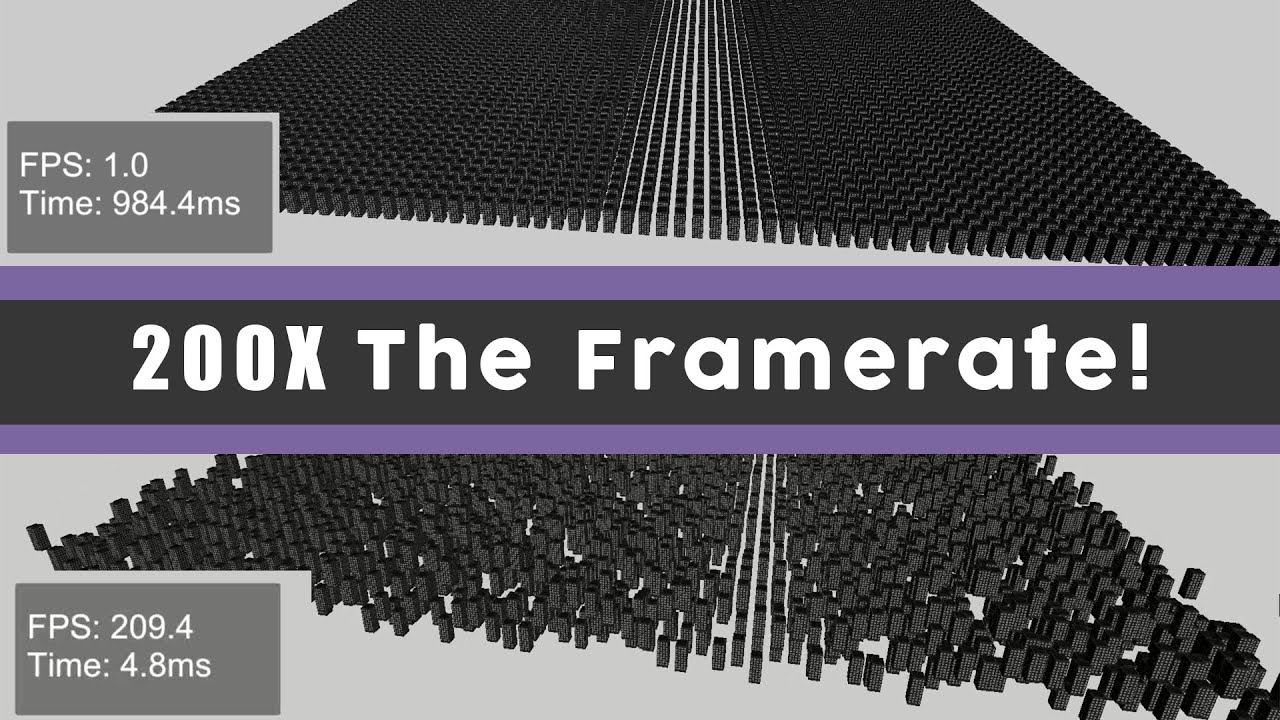
A short video on how to improve your frame rate in Unity. This video covers various optimizations to reduce draw calls such as combining meshes, batching and gpu instancing.
Music Credit: LAKEY INSPIRED
Track Name: "The Process"
Music By: LAKEY INSPIRED
Official SoundCloud https://soundcloud.com/lakeyinspired
Official YouTube Channel:https:/...
sour fulcrum
I would love to use Adressables here but as it’s mod related I cannot
I’ve been looking through the logs a ton and I can’t find anything that points towards the crash specifically that doesn’t also occur on a build that successfully loads. I can add logs to places but aside from the function where i create it I don’t know where specifically unity crashes between then and the crash, will post a log but ofc it will be missing a lot of context
rare basin
without any context/data/logs/errors we cannot help you, espeficially in a code related channel 😉
rare basin
just debug the issue, try to load smaller terrain
see if the problem is indeed in the big terrain itself
then maybe async load it piece by piece
teal viper
sour fulcrum
I would love to use Adressables here but as it’s mod related I cannot
I’ve been...
The crash would be the last thing in the logs. Also if it actually crashes, there should be a dedicated crash log.
Or crash report.
rare basin
what do you even my by crash
does the app just fereze and dont respond
or do you have unity crash message?
sour fulcrum
game freezes before crashing, i do not get a crash message
not avoiding btw in the process of getting info
teal viper
Could be an infinite loop then
rare basin
so this is not a crsah
either infinite loop, or you load extremaly insane amount of data (which i doubt it)
teal viper
Connect the debugger to the build and break when it freezes(it might break automatically too)
sour fulcrum
Player.log with crash
https://hastebin.com/share/puqiciciji.yaml
This is the code that instantiates the terrain on OnSceneLoaded (it spawns the prefab, moves all its root objects to the scene and turns itself off)
                        GameObject mainPrefab = Instantiate(Terminal_Patch.newMoons[StartOfRound.Instance.currentLevelID].MainPrefab);
                        if (mainPrefab != null)
                        {
                            Logger.LogInfo("Moving Custom Moon To Scene : " + scene.name);

                            SceneManager.MoveGameObjectToScene(mainPrefab, scene);
                            mainPrefab.transform.DetachChildren();
                            mainPrefab.SetActive(false);
this is the end of the function and crashes after this, depending on the terrain settings
sour fulcrum
teal viper
Connect the debugger to the build and break when it freezes(it might break autom...
can I do this at runtime?
teal viper
sour fulcrum
can I do this at runtime?
Sure
teal viper
sour fulcrum
Player.log with crash
<https://hastebin.com/share/puqiciciji.yaml>
This is the ...
Could be a script in the terrain.
sour fulcrum
teal viper
Sure
didnt know that! i'd love if you could point me in the right direction for that
sour fulcrum
teal viper
Could be a script in the terrain.
only has terrain, terrain collider and ive experimented with a rigidbody too. i've had crashes and no crashes regardless of the rb
sour fulcrum
rare basin
then maybe async load it piece by piece
how would i go about doing that?
tried googling but couldnt find any solid answers
teal viper
sour fulcrum
didnt know that! i'd love if you could point me in the right direction for that
Google "attaching debugger to unity build".
From the logs, it looks like it's something in the hdrp render render loop, but it's hard to say anything specific, since there are debug symbols missing.
sour fulcrum
teal viper
Google "attaching debugger to unity build".
I was under the impression I was limited from doing that as this is a mod that’s injected to a preexisting build
vocal thorn
Hello- it's me again. I think I have the Coroutines figured out, the only thing I can't right now is something fairly basic. My otter is always at the wrong coords.
    IEnumerator randomappearance(GameObject selectedOtter){
        Debug.Log("Coroutine Started");
        selectedOtter.gameObject.SetActive(true);
            var hInput = Input.GetAxis("Horizontal");
            var vInput = Input.GetAxis("Vertical");
            int xlocation = Random.Range(1,3);
            Vector3 newx = new Vector3(vInput,hInput,0);

            if(selectedOtter != null){

                if(xlocation == 1){
                    newx = new Vector3(vInput,hInput,0.7f);
                    Debug.Log("reached location changer start 1");
                    yield return null;
                }
                else if(xlocation == 2){
                    newx = new Vector3(vInput,hInput,1.4f);
                    Debug.Log("reached location changer start 2");
                    yield return null;
                }
            selectedOtter.transform.position = newx;
            yield return new WaitForSeconds(Random.Range(0,3));
            }
    }
When looking at the coords that I want, they're completely off...
teal viper
sour fulcrum
I was under the impression I was limited from doing that as this is a mod that’s...
Could be. I don't know how exactly you're building it, so can't say much.
ivory bobcat
Local position would be what you'd see in the inspector.
vocal thorn
the position i want is (0,0,1.4)... It's slightly off.
 teal viper
sour fulcrum
I was under the impression I was limited from doing that as this is a mod that’s...
teal viper
sour fulcrum
I was under the impression I was limited from doing that as this is a mod that’s...
Probably better contact the actual game devs.
ivory bobcat
vocal thorn
the position i want is (0,0,1.4)... It's slightly off.
Show the logs
Are you certain they're the same object?
vocal thorn
ivory bobcat
Are you certain they're the same object?
quite yes
ivory bobcat
Debug.Log($"{selectedOtter.name} has a position of {selectedOtter.transform.localPosition}", selectedOtter);```okay
ivory bobcat
Place it before the yield statement but after assigning position
vocal thorn
just did!

 ivory bobcat
So you've got a clearer image of what's going on now.
vocal thorn
yes
not sure how to fix it though
one second i think i might have found the issue
nevermind
still cant find the issue
i know what the issue is, im not sure how to resolve it
ivory bobcat
vocal thorn
Was that with the edit? #💻┃code-beginner message
vocal thorn
what edit?
ivory bobcat
The edit to the code I provided.
vocal thorn
Ah sorry, i didnt see it
ivory bobcat
It should be the correct object with the edited code
Previously it was analyzing whoever was managing the three
vocal thorn
Yes! It's selecting the Children now
ivory bobcat
So is the info correct?
vocal thorn
is there a way to get the axis of the children instead of the parents too? I think thats whats happening,
ivory bobcat
Maybe you meant to move relative to local position
vocal thorn
this is how im getting the coordinates at the moment

could i put a selectedOtter.Input.etc()?
ivory bobcat
...localPosition = newx;```I'm not sure what you're doing so I've got no advice.
vocal thorn
ivory bobcat
I'm not sure what you're doing so I've got no advice.
I tested it and It didnt work
 vocal thorn
vocal thorn
vocal thorn
Error code I get with localposition
ivory bobcat
ivory bobcat
```cs
Debug.Log($"{selectedOtter.name} has a position of {selectedOtter.transfor...
Take my log example as a reference
vocal thorn
Ah, okay I see my error
I think the parent is moving with them because the coords on the children are looking great, but they're landing in the middle of nowhere
ivory bobcat
The inspector position would be the local position of the object relative to it's parent. If you want their world position to be at the specific coordinates, use position like before.
The inspector value will not be what their world position is if they're child to another object not at (0, 0, 0)
vocal thorn
is there a way to lock the parent into place?
i found a solution
if anyone else ever has this issue
just add a rigid body and put all constraits on
rare basin
vocal thorn
Hello- it's me again. I think I have the Coroutines figured out, the only thing ...
you said you got the naming conventions don
vocal thorn
rare basin
you said you got the naming conventions don
I attempted, did i not do it right? I understood it as easy to understand variable names, the first letter small, the other words (if present) with a capital...
rare basin
IEnumerator randomappearance(GameObject selectedOtter)
that is not a propper funcion naming
infact it makes me not even wanting to read the rest of the code 😄
rare basin
vocal thorn
I attempted, did i not do it right? I understood it as easy to understand variab...
newx so this should be newX based on your conclusion, why isn't it
vocal thorn
I forgot about the functions
vocal thorn
rare basin
`newx` so this should be `newX` based on your conclusion, why isn't it
I personally don't really set much worth on the names of my variables, i know they're important, however I keep on forgetting follow the guidelines. Apologies.
 static cedar
rare basin
infact it makes me not even wanting to read the rest of the code 😄
static cedar
rare basin
infact it makes me not even wanting to read the rest of the code 😄
Probably used to not having the .Net naming convention. 
Microsoft seems to hate snake_case.
vocal thorn
static cedar
Probably used to not having the .Net naming convention. <:UnityChanThink:8851695...
Im coming from Java and Python, so possibly? (I have no idea.)
static cedar
Basically:
- Classes, Structs & Functions: PascalCase
- Getters/Setters: PascalCase
- Variables: camelCase
- Private field variables: _case (I don't think people hear this often but i'm pretty certain Microsoft suggests this and can see this on some of their standard libraries.)
- Interfaces: IPascalCase (Yes, with the I at the start.)
- Attribute Classes: PascalCaseAttribute (With the Attribute at the end. Don't worry about having to use the entire name though, compiler lets you cut the Attribute at the end when using the attribute.)
vocal thorn
static cedar
Basically:
> - Classes, Structs & Functions: PascalCase
> - Getters/Setters: Pas...
Thank you! I'll try to keep that in mind.
static cedar
Nah, don't. Just follow the naming convention when the compiler notification gets annoying. 
I do snake_case for my variables.
static cedar
There's just some people that wants you to stick to those guidelines as much as possible. I'd prefer to stick to whats right for me.
vocal thorn
static cedar
There's just some people that wants you to stick to those guidelines as much as ...
I feel like that's a good mindset.
gaunt ice
you can have your own set of naming convention
static cedar

 median mortar
Hi guys, how do I assign Meshes/Materials from a ScriptableObject?
...
[SerializeField] ArrowSO type;
...
private void OnEnable() {
        MeshFilter meshFilter = this.gameObject.AddComponent<MeshFilter>();
        MeshRenderer meshRenderer = this.gameObject.AddComponent<MeshRenderer>();
        meshFilter.mesh = type.meshFilter.mesh;
        meshRenderer.material = type.meshRenderer.material;
}
public class ArrowSO : ScriptableObject
{
    public BowSM.EArrowType _ArrowType;
    public MeshFilter meshFilter;
    public MeshRenderer meshRenderer;
    public Material material;
}
Doesn't work like that, Filter/Renderer are still none in the inspector...
static cedar
gaunt ice
you can have your own set of naming convention
In that case, just disable the compiler checks for the above. 
I personally don't wanna see "IDEXXXX: The name must be in fuck u case."
vocal thorn
 ty !!
ty !!
rare basin
static cedar
There's just some people that wants you to stick to those guidelines as much as ...
Sure, then you join a company where they are adapted to the standards, and you need to adapt yourself so why not adapt frmo the start to the standards?
teal viper
median mortar
Hi guys, how do I assign Meshes/Materials from a `ScriptableObject`?
```
...
[Se...
I don't see you assigning these fields anywhere.
Assuming you're talking about the SO fields
static cedar
rare basin
Sure, then you join a company where they are adapted to the standards, and you n...
I hate how you have a point.
rare basin
lol
static cedar
I don't think i'll be a programmer for work though. But i can bend myself in work.
gaunt ice
i suggest you follow the naming standard actually, it is easier to read some source code of standard libraries
static cedar
That's just the bare-minimum.
rare basin
also when you share code to public
when they are adapted to standards
it is much easier to read your code
instead of your own naming conventions
teal viper
Some conventions are widely accepted in the developer community. If you go against them, it would be more difficult to get help.
static cedar
Are there standards on how you sort the members of a struct/class/interface?
(Top to bottom)
- Constructor
- Fields
- Properties
- Methods
- Private Methods
- Static Methods
- Operators
- Nested class or something
I guess?
teal viper
There aren't really that I'm aware of, but most people just end up having a similar layout.
fields and properties at the top and methods in the bottom/
gaunt ice
usually i will align them manually to reduce padding space
in cpp you can put variables in header, left the methods in other file
same as c
static cedar
gaunt ice
usually i will align them manually to reduce padding space
in cpp you can put va...
U can do the sorta the same with partial in C# too.
So why not?
median mortar
teal viper
I don't see you assigning these fields anywhere.
I'm having an ArrowSO, that hat some Meshes and Materials, created several of them for different Arrow Types
Now I want to assign the different Meshes and Materials to just one Arrow Object, that can change it's appearance/behaviour depending on the SO given to it.
public class Arrow : MonoBehaviour,IArrow
{
    #region StateMachine
    ...
    #endregion
    #region ArrowSpecifics
    [SerializeField] ArrowSO type;
    #endregion
    ...
    private void OnEnable() {
        MeshFilter meshFilter = this.gameObject.AddComponent<MeshFilter>();
        MeshRenderer meshRenderer = this.gameObject.AddComponent<MeshRenderer>();
        meshFilter.mesh = type.meshFilter.mesh;
        meshRenderer.material = type.meshRenderer.material;
    }
    ...
}
 teal viper
median mortar
I'm having an ArrowSO, that hat some Meshes and Materials, created several of th...
teal viper
median mortar
I'm having an ArrowSO, that hat some Meshes and Materials, created several of th...
Okay. So what's the problem?
static cedar
I think i'd prefer you to paste the entire !code.
eternal falconBOT
Posting code
📃 Large Code Blocks
Use links to services like:
https://gdl.space/, https://paste.ofcode.org/, https://hatebin.com/, https://paste.myst.rs/, https://hastebin.com/
📃 Inline Code
Surround code with three backquotes. Not quotation marks.
To format as C#, add cs to the first line:
```cs
// Your code here
```
Add a comment with a line number if there is an error message.
median mortar
teal viper
Okay. So what's the problem?
That my Meshes and Materials assigned to the SO aren't assigned to my added components on the Arrow GameObject using the Arrow class.
How do I assign the Meshes and Materials specified in my SO to my Arrow GameObject properly?
 teal viper
median mortar
That my Meshes and Materials assigned to the SO aren't assigned to my added comp...
teal viper
median mortar
That my Meshes and Materials assigned to the SO aren't assigned to my added comp...
Are there any errors in the console?
median mortar
teal viper
Are there any errors in the console?
Oh yeah, doesn't seem to be allowed anyway.
`Not allowed to access MeshFilter.mesh on Prefab object. Use MeshFilter.sharedMesh instead``
My bad, f'ed up my debug console
teal viper
Well, the error pretty much explains it
median mortar
Yeah, thanks anyway 😄
 old gorge
Hi, I've seen a few resources that suggest to use the Animator built-in state machines liberally for when you need a FSM even if it has nothing to do with animations.
Is this a common practice ?
 lavish terrace
unity editor cancels all assigned List<> contents when entering playing mode from editing mode any idea why ?

 teal viper
lavish terrace
unity editor cancels all assigned List<> contents when entering playing mode fro...
teal viper
lavish terrace
unity editor cancels all assigned List<> contents when entering playing mode fro...
Probably doing with it something in code in awake/start/onenable
maybe even update
lavish terrace
using System.Collections;
using System.Collections.Generic;
using Unity.VisualScripting;
using UnityEngine;
public class BossKilledScript : MonoBehaviour
{
public GameObject RewardUI;
public BossScript bossScript;
public LootSystemScript lootSystemScript;
public List<KilledRewardScript> RewardsUI = new List<KilledRewardScript>();
public List<RewardScriptableObjects> Rewards = new List<RewardScriptableObjects>();

public bool Rewarded = false;

void Start()
{
    bossScript = GameObject.FindGameObjectWithTag("Boss").GetComponent<BossScript>();
    lootSystemScript = GameObject.FindGameObjectWithTag("LootSystem").GetComponent<LootSystemScript>();
}

void Update()
{
    if (bossScript.BossKilled == true && Rewarded == false)
    {
        Rewarding();
    }
}

void Rewarding()
{
    RewardUI.SetActive(true);

    int RewardNum = 0;
    foreach (RewardScriptableObjects Reward in Rewards)
    {

        if (lootSystemScript.ItemID[Reward.ItemId] == false)
        {
            int RewardRNG = Random.Range(1, 101);

            if (Rewards[RewardNum].RNG >= RewardRNG)
            {
                lootSystemScript.ItemID[Reward.ItemId] = true;
                RewardNum += 1;
                RewardsUI[RewardNum].ItemImage.sprite = Rewards[RewardNum].RewardIcon;
            }
            else
            {
                RewardNum += 1;
            }
            Debug.Log(Reward.DisplayName + " " + lootSystemScript.ItemID[Reward.ItemId]);
        }
    }

    Rewarded = true;
}
}
teal viper
!code
eternal falconBOT
Posting code
📃 Large Code Blocks
Use links to services like:
https://gdl.space/, https://paste.ofcode.org/, https://hatebin.com/, https://paste.myst.rs/, https://hastebin.com/
📃 Inline Code
Surround code with three backquotes. Not quotation marks.
To format as C#, add cs to the first line:
```cs
// Your code here
```
Add a comment with a line number if there is an error message.
lavish terrace
it is a bit messy in here
using System.Collections;
using System.Collections.Generic;
using Unity.VisualScripting;
using UnityEngine;

public class BossKilledScript : MonoBehaviour
{
    public GameObject RewardUI;
    public BossScript bossScript;
    public LootSystemScript lootSystemScript;

    public List<KilledRewardScript> RewardsUI = new List<KilledRewardScript>();
    public List<RewardScriptableObjects> Rewards = new List<RewardScriptableObjects>();

    public bool Rewarded = false;

    void Start()
    {
        bossScript = GameObject.FindGameObjectWithTag("Boss").GetComponent<BossScript>();
        lootSystemScript = GameObject.FindGameObjectWithTag("LootSystem").GetComponent<LootSystemScript>();
    }

    void Update()
    {
        if (bossScript.BossKilled == true && Rewarded == false)
        {
            Rewarding();
        }
    }

    void Rewarding()
    {
        RewardUI.SetActive(true);

        int RewardNum = 0;
        foreach (RewardScriptableObjects Reward in Rewards)
        {

            if (lootSystemScript.ItemID[Reward.ItemId] == false)
            {
                int RewardRNG = Random.Range(1, 101);

                if (Rewards[RewardNum].RNG >= RewardRNG)
                {
                    lootSystemScript.ItemID[Reward.ItemId] = true;
                    RewardNum += 1;
                    RewardsUI[RewardNum].ItemImage.sprite = Rewards[RewardNum].RewardIcon;
                }
                else
                {
                    RewardNum += 1;
                }
                Debug.Log(Reward.DisplayName + " " + lootSystemScript.ItemID[Reward.ItemId]);
            }
        }

        Rewarded = true;
    }
}
Can you remove "using Unity.VisualScripting;" line?
teal viper
make the lists private
lavish terrace
wouldnt that make them unassignable in unity?
teal viper
Not if you use the proper [SerializeField] attribute
lavish terrace
aight
teal viper
[SerializeField] private List<KilledRewardScript> RewardsUI = new List<KilledRewardScript>();
same :/
its not the update method
i removed it completly and still same problem
it caused by smth else
and it is not refrenced in other scripts aswell
teal viper
lavish terrace
unity editor cancels all assigned List<> contents when entering playing mode fro...
Are these actually scriptable objects..?
lavish terrace
uhm not these but other ones
 eager elm
lavish terrace
it is a bit messy in here
eager elm
lavish terrace
it is a bit messy in here
Stop calling your Scripts 'Scripts'
lavish terrace
eager elm
Stop calling your Scripts 'Scripts'
what should i call scripts other than scripts?
teal viper
lavish terrace
and it got fixed
So it's fixed?
lavish terrace
i think so i just need to find a solution for this new error
eager elm
lavish terrace
what should i call scripts other than scripts?
just leave out the 'script' part
lavish terrace
typical domino effect
teal viper
lavish terrace
i think so i just need to find a solution for this new error
What error?
lavish terrace
 lavish terrace
eager elm
just leave out the 'script' part
lavish terrace
eager elm
just leave out the 'script' part
noooo it is better so u can have boss and bossScript at the same time
teal viper
Why would you need both? lol
teal viper
lavish terrace
Seems like there are more Rewards, than there are RewardUI
lavish terrace
boss is the boss game object while bossScript is the bossScript
teal viper
How the heck are you gonna mix up scripts and gameobjects?
gaunt ice
do you know that monobehaviour has a field that reference back to the gameobject?
gaunt ice
yes
lavish terrace
yea however if im gonna refrence the boss from the player script
gaunt ice
so you just need to reference the script
teal viper
You don't need the this. btw
whole isle


 teal viper
lavish terrace
yea however if im gonna refrence the boss from the player script
teal viper
lavish terrace
yea however if im gonna refrence the boss from the player script
Then you can name your variables differently. Script/class names have nothing to do with it.
lavish terrace
script, rigidbody, etc etc
whole isle
whole isle
when i change the health the hearts done decreae
lavish terrace
teal viper
Then you can name your variables differently. Script/class names have nothing to...
yea ik its just how my brain recognize it
is it that bad tho ?xd
gaunt ice
whole isle
when i change the health the hearts done decreae
update wont run in edit mode
 royal ledge
Is Muliplayer event system known to be unreliable? I have it working perfectly instantiating a UI menu for each player, however if i load that scene from my lobby, it doesen't work at all, every component has been linked as it should be (Player root/First select) but i get no response from the UI even though the player inputs works absolutely fine, i don't know how to trouble shoot it. I can see it has the "first selected" selected but i can't get it to move at all.
whole isle
rare basin
`hearts[i].enabled = i < numOfHearts;`
shall i remove that line
gaunt ice
actually i dont even know if you are in play mode or not....but i guess
rare basin
royal ledge
Is Muliplayer event system known to be unreliable? I have it working perfectly i...
this is a code related channel
rare basin
whole isle
shall i remove that line
i just gave you alternative, simplier, shorter replacement for your if/else
whole isle
gaunt ice
actually i dont even know if you are in play mode or not....but i guess
im not in play mode
rare basin
do whatever you want with it
gaunt ice
then ofc update wont run unless this class is execute always
 prime lodge
why this loop repeats infinitly
i wanted to make it repeat only one time
 royal ledge
Aren't components just code visualized in unityxD?
whole isle
rare basin
do whatever you want with it
ur confusing me so what shall i do with hat lin e
rare basin
whole isle
ur confusing me so what shall i do with hat lin e
read again what i said
gaunt ice
technically everything is code and visualized by your gpu finally sent to screen
rare basin
prime lodge
why this loop repeats infinitly
i wanted to make it repeat only one time
!code
eternal falconBOT
Posting code
📃 Large Code Blocks
Use links to services like:
https://gdl.space/, https://paste.ofcode.org/, https://hatebin.com/, https://paste.myst.rs/, https://hastebin.com/
📃 Inline Code
Surround code with three backquotes. Not quotation marks.
To format as C#, add cs to the first line:
```cs
// Your code here
```
Add a comment with a line number if there is an error message.
eager elm
prime lodge
why this loop repeats infinitly
i wanted to make it repeat only one time
it doesn't repeat infitinetly, you are just calling it (probably) every frame.
rare basin
prime lodge
why this loop repeats infinitly
i wanted to make it repeat only one time
why do you use a loop
if you want to do something just one time?
prime lodge
yes
whole isle
rare basin
`hearts[i].enabled = i < numOfHearts;`
shall i replace this with that u wrote
 rare basin
whole isle
shall i replace this with that u wrote
rare basin
whole isle
shall i replace this with that u wrote
as i said man, do whatever you want with this
you can replace it or not
teal viper
royal ledge
Aren't components just code visualized in unityxD?
Components are serialized objects.
whole isle
rare basin
you can replace it or not
would it solve it tho
gaunt ice
no
gaunt ice
read what i had said
rare basin
not related to your issue
whole isle
ok i understand now
eager elm
prime lodge
yes
you can set dead to false, or even better have another bool that you set to true once you call the code you want to run only once.
whole isle
do u know how i can attempt to solve the issue
gaunt ice
turn on play mode
eager elm
whole isle
do u know how i can attempt to solve the issue
show all of your code

 eager elm
whole isle
eager elm
whole isle
Create a new method with all the code in your Update function and call it UpdateHeartDisplay()
Call that method in
Update() and OnValidate()
OnValidate() is called in the editor whenever you make changes to the script, so it will now also update before you enter playmode.
whole isle
eager elm
Create a new method with all the code in your Update function and call it Update...
ty


 languid spire
whole isle
why is there an issue idk how to fix it
languid spire
whole isle
why is there an issue idk how to fix it
if you bothered to go and learn some basic C# you would know how to fix it
teal viper
whole isle
why isnt this called player health
Tip: PlayerHealth is a type name.
Or supposed to be at least.
 polar acorn
whole isle
polar acorn
whole isle
Do you have a script with that name
whole isle
polar acorn
Do you have a script with that name
yh
polar acorn
whole isle
yh
Show it
whole isle
whole isle
why isnt this called player health
nvm it keeps showing up as (script)
even thought when i go on it its called PlayerHealth
polar acorn
Show it
whole isle
 polar acorn
The code
languid spire
inb4 it NewBehaviourScript
whole isle
 polar acorn
teal viper
file name != type/class/script name
polar acorn
teal viper
file name != type/class/script name
It should be equal but it's not im guessing
teal viper
whole isle
This is a variable declaration.
polar acorn
The. Lid.
gaunt ice
the class inside the PlayerHealth.cs, show the class together with file name
and
!learn
eternal falconBOT
:teacher: Unity Learn ↗
Over 750 hours of free live and on-demand learning content for all levels of experience!
whole isle
im trynna call the PlayHealth script into the dealing damage script
polar acorn
whole isle
im trynna call the PlayHealth script into the dealing damage script
Show the fucking code already
 teal viper
Does that look like PlayerHealth?
 whole isle
mb i thought u can just rename it
teal viper
You can rename it now to the proper name.
whole isle
yh i chanhed it thx
languid spire
called it #💻┃code-beginner message
rare basin
whole isle
mb i thought u can just rename it
you can have different class name and file name but only in the newer unity versions iirc
rare basin
whole isle
also you might want to restructure your code architecture
SlimeDealingDamage, what if you have skeleton and zombie and more enemy types?
will you do SkeletonDealingDamage ZombieDealingDamage etc for each?
you can make generic DamageDealer class for example and just set different parameters for each enemy (via scritpable objects or directly in the inspector), you can then make other classes based on this class for Boss for example, and with overriding certain functions etc
whole isle
thx for the tip ill change that


the charachter not taking damage ive looked at the code and console
and cant figure out what to do
 modest dust
Why have an Update method when you can do all of that within TakeDamage method
 verbal dome
whole isle
verbal dome
whole isle
Start putting Debug.Logs in your methods to see if they are even running
whole isle
verbal dome
Start putting Debug.Logs in your methods to see if they are even running
im trynna learn how to do that never done that
modest dust
Also check your damage field within the inspector to check if it's actually non-zero
whole isle
modest dust
Also check your damage field within the inspector to check if it's actually non-...

the damage is set at 2
modest dust
Then do a Osmal said
whole isle
do i have to go here
 verbal dome
whole isle
do i have to go here
whole isle
verbal dome
<https://docs.unity3d.com/ScriptReference/Debug.Log.html>
verbal dome
whole isle
do i have to go here
whole isle
verbal dome
<https://docs.unity3d.com/ScriptReference/Debug.Log.html>
im watching a vid
verbal dome

whole isle
or is reading better
verbal dome
You should learn to read the docs first, yes
The video might have some useful tips but start with docs always
 hallow heath
this is the first time i got null reference error but no details. I cannot figure out what scripts causing this error. why this happening?
 gaunt ice
turn on the stacktrace?
whole isle
verbal dome
The video might have some useful tips but start with docs always
would this be corrrect
 modest dust
whole isle
would this be corrrect
modest dust
whole isle
would this be corrrect
This might be too deep, put a debug into your OnCollisionEnter2D as this is where it all starts
To see if it even calls that method
verbal dome
Yeah but add some text to it so its easier to identify rather than just a number.
$"Health after TakeDamage: {health}" or "Health after TakeDamage: " + health
 tawdry mirage
i'm trying to precalculate circle segment mults by chord.
each step increases chord length by 0.001 and it is just array for 1000 doubles.
the problem is that with chord length close to zero, central angle in radians is close to Pi, and it decreases as chord length increases, it should be opposite, rigth?
for (int i = 0; i < lengthMultsByChord.Length; i++)
{
    if (i == 0) continue;
    double chordLength =  1d * i / lengthMultsByChord.Length;
    double centralAngleRad = 2 * Math.Acos(chordLength / 2);
    double centralAngle = centralAngleRad * 180 / Math.PI;
    lengthMultsByChord[i] = ((centralAngle / 360) * 2 * Math.PI);
}
i think i can just inverse angle, but how it works?
assuming r = 1
verbal dome
But the main idea is to see if the functions are running at all @whole isle
whole isle
verbal dome
Yeah but add some text to it so its easier to identify rather than just a number...
i can check the health whike running cause i can see on the script and the heart
and it dosent decrease
verbal dome
whole isle
i can check the health whike running cause i can see on the script and the heart
Ok but you still dont know if the functions are running or not unless you do some debugging.
hallow heath
gaunt ice
turn on the stacktrace?
thank you, set the stack trace logging to full in console menu shows the details.

 whole isle
some1 told me
polar acorn
whole isle
some1 told me
No, they didn't
whole isle
i guess i misunderstood
polar acorn
At no point did anyone tell you to try to log a function
whole isle

 swift crag
You were told to log to check if the function was being called.
whole isle
k i changed it
tawdry mirage
Debug.Log("it works");
 rich adder
whole isle
rich adder
whole isle
 whole isle
ohhh so if the function works it will say itworks
swift crag
whole isle
ohhh so if the function works it will say itworks
Correct.
whole isle
tawdry mirage
Debug.Log("it works");
would i check the console for the message
modest dust
whole isle
ohhh so if the function works it will say itworks
All Debug.Log() does is send a log message to your unity console, which you can then read, so the input parameter should be a string or something convertible to a string
Also reading the docs is helpful
swift crag
you can also pass a second argument as the "context" of the log. clicking on the log entry will take you to the context object in the hierarchy.
Debug.Log("I worked", gameObject);
(or in the project window, if it's an asset)
I have some editor scripts that check for any invalid assets
e.g. I forgot to give something a description
it'll log a warning, and clicking the warning will take me to the bad asset
whole isle
 rich adder
whole isle
rich adder
whole isle
; means you're ending a statement
which is invalid on an if statement makes if statement pointless
 swift crag
Restart your editor.
that's a problem on unity's end
There's a bug with the code that draws graphs (like for animators, I think) that makes it spew those errors
polar acorn
rich adder
~~which is invalid on an if statement~~ makes if statement pointless
Well, it's valid, but it means the if statement is entirely pointless, it contains no code
whole isle
 rich adder
polar acorn
Well, it's _valid_, but it means the if statement is entirely pointless, it cont...
rich adder
polar acorn
Well, it's _valid_, but it means the if statement is entirely pointless, it cont...
yeah mb, ill fix it 😅 its still compiles fine but the if useless yea
whole isle
its gone now somehow
the message is still there actually but the game loaded

this is the only thing i get
but i dont think it related
rich adder
whole isle
you have empty Animation Event on your animation clip
whole isle
rich adder
you have empty Animation Event on your animation clip
found it and got rid of it
polar acorn
Yeah that sounds like a good way to reset the animator state
 rich adder
whole isle
nothing shows up in console log
rich adder
whole isle
nothing shows up in console log
thats good
polar acorn
whole isle
nothing shows up in console log
Did you actually open the console to check
whole isle
polar acorn
Did you actually open the console to check
mb i thouight i was on console log let me chek

still nothing
polar acorn
Then nothing ever calls TakeDamage
rich adder
whole isle
i got no clue what to do
so your collision don't work ? https://unity.huh.how/physics-messages (follow this guide)
verbal dome
Next check if OnCollisionEnter2D is being run and log the other object/its tag too
whole isle
verbal dome
Next check if OnCollisionEnter2D is being run and log the other object/its tag t...
 verbal dome
Put some thought into it
whole isle
i tried doing bothj
collison2d and collisom
then i tried doing Collison2D by itself
ill try playuer
modest dust
Trying random things won't help
verbal dome
You are accessing the tag right above it. I didnt tell you to log the collision itself, but the tag.
Also a comma is not how you print multiple values here
whole isle
verbal dome
You are accessing the tag right above it. I didnt tell you to log the collision ...
so i would need to look in the other function
whole isle
verbal dome
You are accessing the tag right above it. I didnt tell you to log the collision ...
do i need to add another debug log underneath
verbal dome
Im so confused how you come up with this random stuff from simple instructions
whole isle
😭
verbal dome
Probably best if you read everything 4 times
Log the tag and name of the object you are colliding with
whole isle
wdym when u say tag
gaunt ice
.tag
whole isle
oh
polar acorn
whole isle
wdym when u say tag
You are literally already using it
rich adder
whole isle
i thought it was a terminology
 private void OnCollisionEnter2D(Collision2D collision)
    {
        Debug.Log($"Hit object: {collision.gameObject} with tag: {collision.gameObject.tag}");
    }```
if you're curious about $, its called [String Interpolation](https://learn.microsoft.com/en-us/dotnet/csharp/language-reference/tokens/interpolated)thank u

nothing happeningggg
rich adder
whole isle
then you did not follow this ? #💻┃code-beginner message
whole isle
rich adder
then you did not follow this ? https://discord.com/channels/489222168727519232/4...

what the diffrence between Kinematic rigid boddy trigger and the 3rd 1
 merry spade
Sorry if this is the wrong channel, but I think the "beginner" channel could help me with everything so, I am trying to add a package through Git URL but its not working, I tried adding a manifest line but then there is written, that I need to have Git installed on my System, so I installed it and added it in my system environment variables. But still its not working... please help me
 slender nymph
whole isle
what the diffrence between Kinematic rigid boddy trigger and the 3rd 1
slender nymph
whole isle
what the diffrence between Kinematic rigid boddy trigger and the 3rd 1
Kinematic Rigidbody refers to a rigidbody that is set to kinematic and does not have a trigger collider.
Kinematic Rigidbody Trigger refers to the same thing but with a trigger collider
 meager sentinel
Someone knows how to place the IDE for modding a game in VSC? Idk if it's the same for unity, since i have it installed and no errors show for unity (It's a unity game obviously, and idk if i am on the wrong channel, if i am please lead me to the channel where i should be)
whole isle
slender nymph
`Kinematic Rigidbody` refers to a rigidbody that is set to kinematic and does no...
would a trigger collidee be like my charchters sword
rich adder
meager sentinel
Someone knows how to place the IDE for modding a game in VSC? Idk if it's the sa...
modding is not supported on this discord
#📖┃code-of-conduct
slender nymph
whole isle
would a trigger collidee be like my charchters sword
how should i know whether your character's sword has a trigger collider or not?
whole isle
k im pretty sure it does
slender nymph
rather than being "pretty sure" you can just look at its collider and find out
median mortar
Hi guys, how can I use a ParticleSystem defined on an ScriptableObject on my GameObject?
Having a ParticleSystem that holds a reference to a flame prefab
public class ArrowSO : ScriptableObject
{
    public ParticleSystem ParticleSystem;
}
Want to instantiate the ParticleSystem hold by the SO and play it on my arrow, but watching in debug _ParticleSystem stays stopped
public class Arrow : MonoBehaviour,IArrow
{
    ...

    [SerializeField] ArrowSO _Type;
    Awake(){
    ...
    if(Type.ParticleSystem != null)
    {

        _ParticleSystem = Instantiate(_Type).ParticleSystem;
        _ParticleSystem.Play();
    }
    ...
}
How can I use a ParticleSystem defined on a ScriptableObject?
 whole isle
yh it is each time i click the sword then the clollider turns on
slender nymph
that's not what trigger collider means. there is a checkbox that is literally called Is Trigger on the collider
whole isle
its turned on
slender nymph
median mortar
Hi guys, how can I use a `ParticleSystem` defined on an `ScriptableObject` on my...
you need to instantiate the ParticleSystem
meager sentinel
rich adder
modding is not supported on this discord
<#497867528488484864>
there's nothing about modding in that channel i think, i passed it 2 times
 subtle canyon
median mortar
Hi guys, how can I use a `ParticleSystem` defined on an `ScriptableObject` on my...
subtle canyon
median mortar
Hi guys, how can I use a `ParticleSystem` defined on an `ScriptableObject` on my...
Also you define _Type but you are using Type
slender nymph
meager sentinel
there's nothing about modding in that channel i think, i passed it 2 times
 subtle canyon
slender nymph
subtle canyon
slender nymph
Wow you know the server rules line by line or something?
meager sentinel
slender nymph
oh k i guess.
median mortar
subtle canyon
Also you define `_Type` but you are using `Type`
My bad, was just from copying the code over to Discord
subtle canyon
median mortar
My bad, was just from copying the code over to Discord
oh
slender nymph
subtle canyon
Wow you know the server rules line by line or something?
no, i just know how to read
polar acorn
meager sentinel
there's nothing about modding in that channel i think, i passed it 2 times
 rich adder
dam im slow to send today
eager elm
median mortar
My bad, was just from copying the code over to Discord
Did you understand what you are doing wrong?
whole isle
i think this is my problem
 polar acorn
whole isle
i think this is my problem
polar acorn
whole isle
i think this is my problem
why
whole isle
polar acorn
why
nvm it not mb
median mortar
eager elm
Did you understand what you are doing wrong?
Thought I already instantiate it by _ParticleSystem = Instantiate(_Type).ParticleSystem; or do I have to do it like
var SO = Instantiate(_Type);
_ParticleSystem = SO.ParticleSystem;
 eager elm
median mortar
Thought I already instantiate it by `_ParticleSystem = Instantiate(_Type).Partic...
eager elm
median mortar
Thought I already instantiate it by `_ParticleSystem = Instantiate(_Type).Partic...
both are wrong. You are Instantiating the ScriptableObject and not the ParticleSystem
subtle canyon
slender nymph
no, i just know how to read
So you are telling me that the moment he said modding you went to the rules and checked if his message didnt break any rules? I dont think anybody does that. You can only say that instantly when you know that rule from before
slender nymph
i've also been here long enough that i know modding is not permitted. and if you knew how to read you would know that i wasn't even the person who pointed out that modding isn't permitted here, i just pointed out that they were wrong about modding not being mentioned in the rules
polar acorn
whole isle
i thought the ticks were suppose to be like that
You should try reading things instead of just looking for copyable things and blindly copying
median mortar
eager elm
both are wrong. You are Instantiating the ScriptableObject and not the ParticleS...
So how is it done then?
Do I have to use AddComponent<ParticleSystem>() and copy the values from the SO?
eager elm
median mortar
So how is it done then?
Do I have to use `AddComponent<ParticleSystem>()` and co...
you need
ParticleSystem particleSysClone = Instantiate(_Type.ParticleSystem);
polar acorn
subtle canyon
So you are telling me that the moment he said modding you went to the rules and ...
He literally said "It's not in the rules" with a link to it. Then we clicked on it and found it, it's like eight lines down
it's not hard to find
median mortar
eager elm
you need
ParticleSystem particleSysClone = Instantiate(_Type.ParticleSystem);
Oh so you can also instantiate a ParticleSystem by itself? Didn't know that
subtle canyon
slender nymph
i've also been here long enough that i know modding is not permitted. and if you...
Well that's what I said previously that you know the rules of the server but you are the one who said "No, I just know how to read. "
eager elm
median mortar
Oh so you can also instantiate a ParticleSystem by itself? Didn't know that
You can Instantiate any unity object
polar acorn
subtle canyon
Well that's what I said previously that you know the rules of the server but you...
Yes, because that's how they found the rule that they highlighted. By reading. Reading the thing the other guy said wasn't there
whole isle
polar acorn
it's not hard to find
preachhh
median mortar
eager elm
You can Instantiate any unity object
So ParticleSystem is inheriting MonoBehaviour and thus can be instantiated?
Does everything that can be seen in the Inspector work that way?
 wintry quarry
median mortar
So `ParticleSystem` is inheriting MonoBehaviour and thus can be instantiated?
Do...
wintry quarry
median mortar
So `ParticleSystem` is inheriting MonoBehaviour and thus can be instantiated?
Do...
no it's inheriting UnityEngine.Object and hence can be Instantiated
polar acorn
median mortar
So `ParticleSystem` is inheriting MonoBehaviour and thus can be instantiated?
Do...
Note that if you instantiate a reference to a component, it clones the entire object that component is on
subtle canyon
polar acorn
Yes, because that's how they found the rule that they highlighted. By reading. R...
My point was that he had to know that discussion about modding was not allowed in this server which he admitted himself.
polar acorn
Instantiate clones an entire GameObject, so you can pass in the object or anything on it
median mortar
wintry quarry
no it's inheriting `UnityEngine.Object` and hence can be Instantiated
OK, good to know, time to refactor some stuff 😄
Thanks!
whole isle
@rich adder soz for the tag but i went through the entire thing and couldnt find the problem
polar acorn
subtle canyon
My point was that he had to know that discussion about modding was not allowed i...
- They weren't the person that originally pointed it out
- They've been here for 3 years and there's like twelve rules it's not hard to learn
slender nymph
subtle canyon
My point was that he had to know that discussion about modding was not allowed i...
christ you're really set on being right, aren't you? well if you want to familiarize yourself with what is and is not allowed here you can go read #📖┃code-of-conduct yourself
polar acorn
whole isle
<@968604165150507078> soz for the tag but i went through the entire thing and co...
So which object has the rigidbody2d
rich adder
whole isle
<@968604165150507078> soz for the tag but i went through the entire thing and co...
show both objects colliding, their inspector
subtle canyon
polar acorn
1. They weren't the person that originally pointed it out
2. They've been here f...
I never said it is hard to learn the rules, I was just amazed that he knew them so well considering I am fairly new to the server
Also I wasnt even talking to you @polar acorn

 languid spire
subtle canyon
I never said it is hard to learn the rules, I was just amazed that he knew them ...
languid spire
subtle canyon
I never said it is hard to learn the rules, I was just amazed that he knew them ...
you will find that all of us regulars know the rules and we enforce them as much as the mods do
whole isle
preachh
polar acorn
whole isle
Okay so you didn't follow the instructions on the page
subtle canyon
languid spire
you will find that all of us regulars know the rules and we enforce them as much...
ohh that's amazing, in all the other server's I had been no one bother's rules
whole isle
subtle canyon
ohh that's amazing, in all the other server's I had been no one bother's rules
tuff this 1 does
rich adder
whole isle
i changed it to continus
no
not referring to that at all
you're using wrong method for your collider types..
languid spire
subtle canyon
ohh that's amazing, in all the other server's I had been no one bother's rules
it's self preservation and for our own sanity
polar acorn
whole isle
i did
On this page, which link did you click
https://unity.huh.how/physics-messages
subtle canyon
languid spire
it's self preservation and for our own sanity
nice
whole isle
i wam working in 2D
polar acorn
whole isle
i wam working in 2D
On this page, which link did you click
https://unity.huh.how/physics-messages/2d-physics-messages
whole isle
collison message
rich adder
and are you using colliders or triggers?
polar acorn
whole isle
collison message
Where on this grid would you place your two objects
 rich adder
this will never work with OnCollisionEnter
 whole isle
polar acorn
Where on this grid would you place your two objects
whole isle
polar acorn
Where on this grid would you place your two objects
(2,3)
polar acorn
whole isle
(2,3)
Why
Do you know what a trigger is
Do you notice how both of your objects have both a rigidbody and a trigger
slender nymph
they are also both kinematic so even if is trigger was disabled for both that wouldn't even be the right one
polar acorn
 whole isle
polar acorn
whole isle
polar acorn
😭
whole isle
so what do i ned to do
polar acorn
whole isle
so what do i ned to do
You need to actually figure out what you're doing instead of changing random checkboxes
it's not magic, all those changes mean things
 ivory bison
polar acorn
ivory bison
polar acorn
Is that new, never seen it
polar acorn
You've been here for days coding by successive approximation, you need to actually do some guided learning on !learn
eternal falconBOT
:teacher: Unity Learn ↗
Over 750 hours of free live and on-demand learning content for all levels of experience!
whole isle
polar acorn
You've been here for days coding by successive approximation, you need to actual...
ill do that from tmr
polar acorn
ivory bison
Is that new, never seen it
It's on Vertx's frequently asked question site
https://unity.huh.how/
whole isle
i just wanna finsih this health systme
ivory bison
polar acorn
It's on Vertx's frequently asked question site
https://unity.huh.how/
Thanks
rich adder
whole isle
i just wanna finsih this health systme
then do it correctly lol
subtle canyon
whole isle
so i should remove triggers for my player body
Bro I think instead of just asking for help and copy pasting other's codes you can learn and write the code yourself.
If you are having a problem you can ask here but you are practically having these guys babysit you which is not appropriate at all.
whole isle
subtle canyon
Bro I think instead of just asking for help and copy pasting other's codes you c...
ill stop asking for help after i finish the health
i promise
 hollow carbon

when i start my game i cant see my spaceship
so how could i do the backround transparent so that i could see the game objects?
the image should be on the Backround
slender nymph
first, this is a code channel. second, you're not really providing enough context
hollow carbon
be mad
verbal dome
Did you mistype "my bad" or are you being a dick
hollow carbon

hollow carbon
slender nymph
first, this is a code channel. second, you're not really providing enough contex...
mimimimi
slender nymph
someone clearly doesn't want help
hollow carbon
bro i just only ask a Question
 untold idol
verbal dome
Did you mistype "my bad" or are you being a dick
untold idol
verbal dome
Did you mistype "my bad" or are you being a dick
def the latter
languid spire
hollow carbon
bro i just only ask a Question
in the wrong channel
hollow carbon
untold idol
def the latter
Hahahahah
hollow carbon
languid spire
in the wrong channel
ok
untold idol
Markus wreakin havoc in the Unity Discord Server
hollow carbon
what?
hollow carbon
languid spire
in the wrong channel
what channel should i use?
languid spire
hollow carbon
what channel should i use?
id:browse Find the right one for your question
hollow carbon
ok but why are these people so toxic here
languid spire
nothing toxic about it. There are rules, we obey those rules, so must you
 summer stump
hollow carbon
ok but why are these people so toxic here
summer stump
hollow carbon
ok but why are these people so toxic here
You were the most toxic person here. Someone pointed out the rules and you insulted them.
And then antagonized people
polar acorn
hollow carbon
ok but why are these people so toxic here
Asking the question in the relevant channel only serves to actually get your question answered instead of ignored but if you want to be ignored you do you
 spark ravine
Lol literally just did the Unity Tutorial Create with Code:
using System.Collections;
using System.Collections.Generic;
using UnityEngine;

public class MoveForward : MonoBehaviour
{
    public float speed;

    void Update()
    {
        transform.Translate(transform.forward * Time.deltaTime * speed);
    }
}
For some reason the object doesent move along the local z axis, but rather the world z axis.
Thought transform.forward is local and Vector3. forward is global and sometimes it works like that too...
rich adder
afaik Translate default is self no ?
 solemn fractal
Hey guys.. was checking here on how to communicate or transfer data between scenes.. and found some ways to do it.. any tips or best practices on that? Never done it and I might need to do it now first time. thank you!
rich adder
spark ravine
Lol literally just did the Unity Tutorial Create with Code:
```csharp
using Syst...
when is "sometimes"
swift crag
spark ravine
Lol literally just did the Unity Tutorial Create with Code:
```csharp
using Syst...
Link us to the tutorial page you're on.
subtle canyon
solemn fractal
Hey guys.. was checking here on how to communicate or transfer data between scen...
Well there are several ways
- Scriptable Objects
- Make a save file and save your data in there and you can retrieve it in another scene
- Have a DontDestroyOnLoad Gameobject store important variables
swift crag
You're correct in that transform.forward is the forward direction of the transform and Vector3.forward is global.
spark ravine
rich adder
when is "sometimes"
last tutorial project
aka last script that did the same
wild cargo
subtle canyon
Well there are several ways
1. Scriptable Objects
2. Make a save file and save y...
Also static non-monobehaviour classes
swift crag
Show us that last script, then.
spark ravine
swift crag
Link us to the tutorial page you're on.

Unity Learn
Overview: In this lesson, you will allow the player to launch the projectile through the scene. First you will write a new script to send the projectile forwards. Next you will store the projectile along with all of its scripts and properties using an important new concept in Unity called Prefabs. The player will be able to launch the projectil...
solemn fractal
subtle canyon
Well there are several ways
1. Scriptable Objects
2. Make a save file and save y...
hmm yeah.. i dont know found kind of dumb of unities part.. u need to save or go around just to transfer data between scenes.. i dont know.. any ways i got the idea now. thank you!!
subtle canyon
wild cargo
Also static non-monobehaviour classes
yeah
swift crag
spark ravine
Lol literally just did the Unity Tutorial Create with Code:
```csharp
using Syst...
Notice the difference.

transform.forward is a vector pointing in the forward direction of the transform. The vector is a world-space vector.
transform.Translate interprets the vector you give it in local-space, by default.
swift crag
So transform.Translate(Vector3.forward) moves you forwards by 1 unit in your forward direction
subtle canyon
wild cargo
Also static non-monobehaviour classes
Actually for most cases non-monobehaviour classes should be go to option. I forgot to mention them lol
spark ravine
never used transform. Translate
swift crag
transform.Translate(transform.forward) will be unpredictable
Suppose you're pointing straight up
spark ravine
always jsut used transform... += ... xD
swift crag
transform.forward will be an up-vector: [0, 1, 0]
spark ravine
or mostly rigidbodys
subtle canyon
spark ravine
always jsut used transform... += ... xD
same
swift crag
Passing that to Translate will move you in your local up direction
wild cargo
subtle canyon
Actually for most cases non-monobehaviour classes should be go to option. I forg...
Yeah they're of great use, for example I'm using them to keep a cache of all loaded save data and stuff
swift crag
which will make you move sideways
It'll work perfectly if you aren't rotated at all
in that case, local-space and world-space directions agree exactly
and transform.forward will be equal to Vector3.forward
That's why your code sometimes worked
swift crag
spark ravine
Lol literally just did the Unity Tutorial Create with Code:
```csharp
using Syst...
I would not think of Vector3.forward as being "global"
A vector, by itself, doesn't have any context
Vector3.forward interpreted as a world-space vector points in the world +Z direction. Vector3.forward interpreted as a local-space vector points in your +Z direction
spark ravine
ok and when the function itself usees local space it is reversed I guess?
 swift crag
well, in that case, you got some weird double-conversion going on
swift crag
swift crag
well, in that case, you got some weird double-conversion going on
var a = transform.TransformDirection(Vector3.forward);
var b = transform.forward;
These are the same thing
You wound up doing this
var a = transform.forward;
var b = transform.TransformDirection(a);
b is...extra-transformed
it doesn't really make sense
spark ravine
ah ok got it XD
swift crag
var a = transform.InverseTransformDirection(transform.forward);
var b = Vector3.forward;
these are also identical, btw
Transform* goes from local to world space. InverseTransform* goes from world to local space
old gorge
old gorge
Hi, I've seen a few resources that suggest to use the Animator built-in state ma...
any thougts about that please ?
verbal dome
old gorge
Hi, I've seen a few resources that suggest to use the Animator built-in state ma...
Not super common from what I know but it's a valid option
swift crag
yeah, it is a state machine
verbal dome
Probably not common because it is rarely spoken of
old gorge
ok thanks
languid spire
old gorge
any thougts about that please ?
It's an interesting concept but I would be concerned about the unnecessary overhead compared to just rolling your own state machine system
 sage mirage
Hey, guys! I have a question. I want to pause and unpause my game whenever the game is running and it is not game over with an ESCAPE button how to do that?
So, when the game is over to not allow the player to interact with that button.
{
    if (Input.GetKeyDown(KeyCode.Escape))
    {
        if (pauseIsActive)
        {
            StartCoroutine(ResumeAfterDelay());
        }

        else
        {
            StartCoroutine(PauseAfterDelay());
        }
    }

}


IEnumerator ResumeAfterDelay()
{
    yield return new WaitForSecondsRealtime(pauseMenuScreenDelay);
    pauseIsActive = false;
    pauseMenuScreen.SetActive(false);
    audioManager.mainGameMusicAudioSource.UnPause();
    Time.timeScale = 1f;
    Debug.Log("Pause menu screen is disabled after delay!");
}

IEnumerator PauseAfterDelay()
{
    yield return new WaitForSecondsRealtime(pauseMenuScreenDelay);
    pauseIsActive = true;
    pauseMenuScreen.SetActive(true);
    audioManager.mainGameMusicAudioSource.Pause();
    Time.timeScale = 0f;
    Debug.Log("Pause menu screen is enabled after delay!");
}```
I have this code on my UI manager script here!Use a "game over" bool and just check that?
sage mirage
So, here is where I am interacting with that button and pausing and unpausing actually
I have made one time before this functionality but now I got confused!
rich adder
sage mirage
I have made one time before this functionality but now I got confused!
whats confused on
May I recommend a global event?
public static event Action<bool> OnGamePaused
then anything that needs to stop doing stuff, ie like UI you can disable interactor/raycast
unless I misunderstood the q sorry xD
sage mirage
rich adder
`public static event Action<bool> OnGamePaused`
Oh, that's seems cool! How to use it do I have to copy paste that somewhere in my code?
rich adder
sage mirage
Oh, that's seems cool! How to use it do I have to copy paste that somewhere in m...
put it inside a GameManager script or something
then anyscript that needs to know game is paused you subscibe to it in Enable
sage mirage
So, what that does actually can you please specify?
rich adder
sage mirage
So, what that does actually can you please specify?
its just an event. if you pause game you can have other scripts do stuff depending on if game paused/unpaused. isn't that what you wanted?
eager elm
rich adder
its just an event. if you pause game you can have other scripts do stuff dependi...
I think he just wants the player to not be able to pause the game once the game is over.
eager elm
sage mirage
```public void InputForPauseMenuScreen()
{
if (Input.GetKeyDown(KeyCode.Esca...
Just add a bool for gameOver in there.
sage mirage
Yes that's what I want
rich adder
yeah def a bool but may I suggest enum instead ?
sage mirage
Yes!
rich adder
imo its cleaner to have your gamestate be enum
instead of a bunch of bools
public enum GameState { Playing, Menu, Paused, GameOver} //etc.
I usually have something like this with also an event OnStateChanged?.Invoke(currentGameState)
 harsh owl
currently when i accelerate my car quickly stops because of the drag value of my rigidbody. how can i make my car not stop so quick without changing my drag values (cant change them because my suspensions wouldnt work well anymore), im using AddForce for accelerating the car
rich adder
harsh owl
currently when i accelerate my car quickly stops because of the drag value of my...
why would it break suspensions
swift crag
i bet it'd get too powerful and fling the car around
I suspect you just need to tune your suspension as well
maybe the suspension spring joints need more damping
I've been going through similar things recently
trying to find a good combination of parameters that doesn't just explode the object
harsh owl
swift crag
i bet it'd get too powerful and fling the car around
yea thats what is happemning
whenever i fall and land its like constantly bouncing
swift crag
Damp the spring joints themselves
harsh owl
yea i just got it
summer stump
There is this
!learn
eternal falconBOT
:teacher: Unity Learn ↗
Over 750 hours of free live and on-demand learning content for all levels of experience!
summer stump
And good resources pinned to this channel
harsh owl
swift crag
Damp the spring joints themselves
quick side question, should i use an empty parent object for my car and attach the rigidbody and driving script to it or just have the carmesh be the main parent with all the scripts and the rigidbody?
swift crag
i prefer the former
(in general, not just when doing physics)
that makes it way easier to swap out the model
harsh owl
thanks
summer stump
Which one? Unity.learn?
Go to pathways and do the "essentials" pathway, then the "junior programmer" pathway
sage mirage
Hey, guys! I want to know when we declare a bool variable called gameIsActive what we mean when we want to use it somewhere in our code. I mean the game is active when the play mode is active or when the game is running like the player is playing the game?
This bool variable confuses me sometimes and I don't know in which cases to use it that's why I ask.
wintry quarry
sage mirage
This bool variable confuses me sometimes and I don't know in which cases to use ...
A bool is just a variable that can have one of two values : true or false
wintry quarry
what we mean when we want to use it somewhere in our code. I mean the game is active when the play mode is active or when the game is running like the player is playing the game?
I don't really understand this question. The scope of the variable really depends on where you declare it
You should learn about the various different types of variables in C#:
- Member variables
- Local variables
And modifiers like static etc.
As a general rule anything you do in code is something that will exist in your game program when it is running, The exception is if it's a serializeds variable somewhere you can then assign it in the editor/inspector.
 vast matrix
Im following a ground check tutorial vid and in the vid he was able to see the BoxCast and I cant here is my code ``` void OnDrawGizmozs(){
Gizmos.color=Color.red;
Gizmos.DrawCube(transform.position-transform.up*maxdistance, BoxSize);
}
bool GroundCheck(){
if(Physics.BoxCast(transform.position, BoxSize, -transform.up, transform.rotation, maxdistance, LayerMask)){
return true;
}
else{
return false;
}
}
Did you enable gizmos?
sage mirage
wintry quarry
As a general rule anything you do in code is something that will exist in your g...
Thanks for that! I know all of that you say I am using C# and learning it already a year or so and I have learned the basics. I just got confused with that specific gameIsActive variable like if we use it when the play mode is active or when the player is playing the game and for example when the game is over then game is not active so bool will be false.
wintry quarry
sage mirage
Thanks for that! I know all of that you say I am using C# and learning it alread...
I have no idea what variable you're talking about
gameIsActive sounds like some custom variable you made
vast matrix
wintry quarry
Did you enable gizmos?
idk how
wintry quarry
vast matrix
idk how
press the gizmos button
vast matrix
first time using them
vast matrix
I dont see one
wintry quarry
top right
sage mirage
Public bool gameIsActive; when we declare it on our own
wintry quarry
sage mirage
``Public bool gameIsActive;`` when we declare it on our own
there's nothing special about that
you could have called it public bool ajlskhdlakjhrfelkjhrf;
rich adder
learn the enum like I suggested and set your gamestate with that @sage mirage
wintry quarry
it's just a normal bool variable
sage mirage
I mean when you call it with a name and you want to use it for something specific you will not call it fjdhvuduirth
wintry quarry
sage mirage
I mean when you call it with a name and you want to use it for something specifi...
sure buyt my point is jthe name of the variable is irrelevant
the variable will behave the same no matter what name it has
vast matrix
wintry quarry
top right
Still cant see them
rich adder
vast matrix
Im following a ground check tutorial vid and in the vid he was able to see the ...
ur missing a comma
vast matrix
rich adder
~~ur missing a comma~~
where?
wintry quarry
vast matrix
Still cant see them
do you have any compile errors?
vast matrix
nope
wintry quarry
You sure?
verbal dome
sage mirage
Hey, guys! I want to know when we declare a bool variable called ``gameIsActive`...
You are asking us about the use case of a variable that you yourself made, can't really answer that
If someone suggested it and there is some context then ask whoever suggested it
rich adder
vast matrix
welp I give up on this tutorial
send tutorial
vast matrix
rich adder
send tutorial

Learn how to use Boxcast to check if the player is grounded in Unity.
#unity3d #unity3dtutorial #unity2d #unitytutorial
You can get the code samples from
https://vionixstudio.com/2021/10/26/how-to-make-a-character-jump-in-unity/
TIMESTAMP
00:00 Introduction
00:36 Different ways to Ground Check
02:31 Ground Check in Unity 3D
08:14 BoxCast not w...
rich adder
timestamp for boxcast
vast matrix
lemme try to find it
between 3:00 and 6:50 imma try to find the exact moment tho
about 4:10
rich adder
oh ig you did copy the same
vast matrix
heres the full image
 wintry quarry
vast matrix
Im following a ground check tutorial vid and in the vid he was able to see the ...
wintry quarry
vast matrix
Im following a ground check tutorial vid and in the vid he was able to see the ...
You spelled OnDrawGizmozs wrong
it should be OnDrawGizmos
rich adder
vast matrix
heres the full image
OnDrawGizmozs
vast matrix
so thats what ive been doing wrong
rich adder
oh nvm im too slow today
summer stump
This isn't really a code question.
#🔀┃art-asset-workflow maybe?
vast matrix
Now that I actually got to see the boxcast if my player moves the boxcast also moves making it impossible for him to jump sometimes
 blissful phoenix
harsh owl
currently when i accelerate my car quickly stops because of the drag value of my...
blissful phoenix
harsh owl
currently when i accelerate my car quickly stops because of the drag value of my...
Would you say this Kart Controller is a good alternative to RCC?
harsh owl
blissful phoenix
Would you say this Kart Controller is a good alternative to RCC?
nah man xd
 ocean wolf
Is there a glaringly obvious reason the Scale of these GameObjects returned via method are incorrect and do not update whatsoever?
Hastebin is a free web-based pastebin service for storing and sharing text and code snippets with anyone. Get started now.
rich adder
you're overwriting size each iteration
ocean wolf
so I need a Vector3[] for scale as well
languid spire
scale is set to the last value of the itteration, so yes if you want a scale per object
ocean wolf
thank you
languid spire
not sure why you have 2 identical loops though @ocean wolf
languid spire
        for(int i = 0; i < TPRP.Length; i++){
            colliderLengths[i] = (point[i].transform.position - associated[i].transform.position).magnitude;
            scale = new Vector3(width, width, colliderLengths[i]);
        }

        for(int i = 0; i < TPRP.Length; i++) {
            go[i].transform.position = TPRP[i];
            go[i].transform.rotation = Quaternion.LookRotation(point[i].transform.position - associated[i].transform.position);
            go[i].transform.localScale = scale;
            go[i].GetComponent<MeshRenderer>().material = blue;
        }
make them one loop
languid spire
then your scale is ok
ocean wolf
@languid spire @rich adder cheers fellas
 autumn tusk
why am i getting this error in particular? i dragged an item into the "spookyenemy" field
 summer stump
autumn tusk
why am i getting this error in particular? i dragged an item into the "spookyene...
summer stump
autumn tusk
why am i getting this error in particular? i dragged an item into the "spookyene...
Maybe you have a different instance of the component somewhere
Or you unassign the reference in awake or start
autumn tusk
this is my code
using System.Collections.Generic;
using UnityEngine;

public class tutorialSpawning : MonoBehaviour
{
    [SerializeField] public GameObject spookyenemy;
    [SerializeField] GameObject spookyscaryskull;

    // Start is called before the first frame update
    void Start()
    {

    }

    // Update is called once per frame
    void Update()
    {

    }
    private void OnCollisionEnter2D(Collision2D collision)
    {
        if (collision.gameObject.CompareTag("Player"))
        {
            Instantiate(spookyenemy,transform.position,Quaternion.identity);
            Destroy(spookyscaryskull);
        }
    }
}
Then the first thing I said
Type "t:tutorialSpawning" into the hierarchy search bar
 tender breach
I'm making a tetris-like game, but when the pieces aren't 0 degrees, they don't fall down.
 timber tide
probably worth it to post some script of the problem
tender breach
Me?
slender nymph
tender breach
Me?
yes, but please screenshot what your code looks like in your IDE to get started
you didn't do that yesterday when it was requested of you
tender breach
 slender nymph
this is not your ide
 short hazel
Lord almighty that code style
slender nymph
tender breach
screenshot your code editor
tender breach
 summer stump
tender breach
summer stump
tender breach
My god. Why!?
tender breach
What?
slender nymph
why am i not surprised it's vs code after seeing this god awful formatting
short hazel
Put it all on one line at this point
slender nymph
tender breach
also i can see you didn't listen to a thing that was told to you yesterday considering you're still trying to use the individual components of transform.rotation as if they are actually in degrees
tender breach
How do I fix that?
slender nymph
at this point it would be quicker and easier if you just started over and learned the basics first
short hazel
And focus especially on code style while learning, please
blissful phoenix
harsh owl
nah man xd
Oh, well alright then
 eternal needle
slender nymph
also i can see you didn't listen to a thing that was told to you yesterday consi...
eternal needle
slender nymph
also i can see you didn't listen to a thing that was told to you yesterday consi...
That's how every conversation has been with them. They post a question, people react, how do I fix it, they dont respond further and come back another day
polar acorn
eternal needle
That's how every conversation has been with them. They post a question, people r...
Just gotta wait until people who'll just hand out the solution for free with no follow up questions are out. Like prodding a jenga brick until you find one that's loose
eternal needle
This is a special case, no one is reading that code
languid spire
I must say, that is probably the worst block of code I have ever seen and that is saying a great deal
polar acorn
languid spire
I must say, that is probably the worst block of code I have ever seen and that i...
I've seen worse
 tough lagoon
Hah sadly me too
polar acorn
At least the variables aren't all sequential single letters
 zenith cypress
Don't give them ideas 
timber tide
cant say my first tetris game looked all too well haha
tough lagoon
My favorite part is that it's a screenshot. You literally have to review it as is 😄
slender nymph
in all fairness i did specifically request a screenshot so we could see if they are using a configured IDE. and of course they are using vs code and screenshot it in a way that doesn't make that very clear
rich adder
tobe fair to VSCode even that formats your code with C# devkit
idk wassup with theirs
tough lagoon
I'll leave it at - at least they are trying and didn't copy it from chatgpt
languid spire
I'll say one thing for their code formatting, at least the misplaced ; was blindingly bleeding obvious
 queen adder
i get some fps drop because of this scene what can i do for optimization
 rich adder
queen adder
i get some fps drop because of this scene what can i do for optimization
rich adder
queen adder
i get some fps drop because of this scene what can i do for optimization
that grass tho
probably what lagging
queen adder
rich adder
that grass tho
what can i do for it
timber tide
is it on a terrain
 cosmic dagger
First time I've seen that code format structure. Sheesh . . .
timber tide
grass should be somewhat optimized, but the verts would still add up
ideally I'd look into baking the fort meshes together
rich adder
yea terrain grass is just billboard yes?
is fort static ?
that should at least bake it into a whole mesh
timber tide
oh yeah static should work (probably better if you don't want to deal with the culling)
queen adder
how can i do static
 sly wasp
Hey
I made a “private Coroutine deathPlayer”
And then to call it I did
deathPlayer = StartCoroutine(DeathPlayer(“Animation));
That works fine, but to stop it I did
StopCoroutine(deathPlayer);
The coroutine did not stop
rich adder
sly wasp
Hey
I made a “private Coroutine deathPlayer”
And then to call it I did
deathPlay...
show the full !code (use link)
eternal falconBOT
Posting code
📃 Large Code Blocks
Use links to services like:
https://gdl.space/, https://paste.ofcode.org/, https://hatebin.com/, https://paste.myst.rs/, https://hastebin.com/
📃 Inline Code
Surround code with three backquotes. Not quotation marks.
To format as C#, add cs to the first line:
```cs
// Your code here
```
Add a comment with a line number if there is an error message.
sly wasp
rich adder
show the full !code (use link)
What I described there is the only things that are important
rich adder
sly wasp
What I described there is the only things that are important
context of the code is more important
sly wasp
I don’t see the point in using that since it will show the same thing
queen adder
i couldnt find this section
 slender nymph
queen adder
i couldnt find this section
slender nymph
queen adder
i couldnt find this section
this is a code channel
languid spire
sly wasp
Hey
I made a “private Coroutine deathPlayer”
And then to call it I did
deathPlay...
deathPlayer = StartCoroutine(DeathPlayer(“Animation));
really?
 frosty hound
sly wasp
What I described there is the only things that are important
frosty hound
sly wasp
What I described there is the only things that are important
That is how you stop a coroutine that is playing, yes.
rich adder
queen adder
i couldnt find this section
#💻┃unity-talk
also is the Rendering section (window => rendering)
sly wasp
languid spire
deathPlayer = StartCoroutine(DeathPlayer(“Animation));
really?
What do you mean “really?”?
slender nymph
well what you've posted would be a compile error
languid spire
well that line of code will not even ccompile
sly wasp
frosty hound
That is how you stop a coroutine that is playing, yes.
The thing is it didn’t work
 rocky canyon
languid spire
I must say, that is probably the worst block of code I have ever seen and that i...
rocky canyon
languid spire
I must say, that is probably the worst block of code I have ever seen and that i...
https://hatebin.com/nzwvlfqihy
eye-bleach I tried to fix the formatting.. Not sure if i got it exactly correct, but the {s starting blending in to each other about 2 if statements in.. lol
slender nymph
sly wasp
The thing is it didn’t work
share the full code as requested
frosty hound
sly wasp
The thing is it didn’t work
Hence 🫴 #💻┃code-beginner message
sly wasp
slender nymph
well what you've posted would be a compile error
*(“Animation”)
Meant to put that
Ok
I’ll show it then
frosty hound
But anyway, not interested in people who are resistant to help. Hopefully someone else can.
eternal needle
That is why you just show your code properly from the start. You cannot show 2 lines of code then claim all is correct. If all is correct then you dont have an issue
frosty hound
(But likely you're calling the coroutine multiple times 🏃♂️)
sly wasp
slender nymph
frosty hound
(But likely you're calling the coroutine multiple times 🏃♂️)
we have a winner
polar acorn
sly wasp
https://hatebin.com/ohhukwzzdr
Never presume you know what is relevant to share and what isn't ever again.
sly wasp
polar acorn
Never presume you know what is relevant to share and what isn't ever again.
I just put that there for a sec, I’ll explain it now
slender nymph
you never bother checking if the coroutine is already running when you go to start it
languid spire
damn, are we having a 'bad code day' or what?
slender nymph
that is also a gigantic mess of conditions
sly wasp
slender nymph
you never bother checking if the coroutine is *already* running when you go to s...
That would be a good idea, I think that would work
sly wasp
languid spire
damn, are we having a 'bad code day' or what?
You must be misunderstanding
When I missed the quote I was actually typing it from memory, in the actual code it works
I mistyped it
rich adder
the parameter is the last thing they're prob referring to
languid spire
I meant your code, have you never heard of caching GetComponent?
sly wasp
Why would I need to
rich adder
or caching soundclips..
 visual hedge
any reason why my editor / game stopped seing OnRightClickEvent? It was working just fine and then suddenly (no idea what I did wrong) it stopped working and rightclick event doesn't get registered at all
sly wasp
rich adder
or caching soundclips..
I don’t want to make a giant mess
rich adder
ironic
languid spire
sly wasp
Why would I need to
first rule of programming, never repeat anything you dont have to
modest dust
sly wasp
I don’t want to make a giant mess
It's an even bigger mess with all these GetComponents and Resources.Load
Like dear lord, it's been a while since I've seen this many in one place
rich adder
sfx.GetComponent<AudioSource>().PlayOneShot(Resources.Load<AudioClip>("sfx/Hr_run_jump"));
this can literally be
someAudioSource.PlayOneShot(Hr_run_jump);
or hell use a dictionary/lists of Sfx someAudioSource.PlayOneShot(soundFxDict[c_run_jump]);
rich adder
You can literlly load those in from resources
just in awake
put them in dictionary
lookup each sound by const of names or something
do something else other than what you're doing now lol
slender nymph
sly wasp
I meant of mentioning audio clips
prefer a bunch of fields over dozens of unnecessary getcomponent and resources.load calls
 dry tendon
Hello everyone! I'm working on a Unity project and need help creating a custom function in C#. I want it to behave like Start or Update but with a 3-second delay after the game starts. Is there a recommended way to do this and allow different scripts to define their own behavior for this function, similar to Start? I've tried Invoke but seek a solution that supports different implementations in various scripts. Any advice or examples would be appreciated! Thanks!
Did i express good myself?
 golden otter
for delayed functions Invoke should be enough tho
dry tendon
hmm... i want to do it on many scripts... so my intention is like to create function like start , for example delayedStart, callable from every scripts just one time from each script... idk if i'm expressing good myself...
rich adder
I try to stay away from unity's invoke
golden otter
rich adder
I try to stay away from unity's invoke
why?
rich adder
golden otter
why?
iirc it uses reflection
/slow
idk if its still like that
I dont use it
eternal needle
dry tendon
Hello everyone! I'm working on a Unity project and need help creating a custom f...
You can do coroutine as suggested, but I have to ask what is the purpose of this? This sounds like you're trying to combat some execution order in a poor way
golden otter
oh right
dry tendon
eternal needle
You can do coroutine as suggested, but I have to ask what is the purpose of this...
I feel the beggining of the game it's like not as fluid as i would like... idk if its cause i'm doing too much things on start / awake... so i hope executing some things later would make the game start a bit more fluid (i have a loading screen, so i dont care calling a bit later some things
timber tide
Using forces (rigidbodies), I'm looking for a way to generate a very specific radius of gravity instead of a lesser field of gravity over an area. Would that be possible or should I just consider doing my own transformation logic
slender nymph
fun fact but you can turn Start into a coroutine and just put a delay right inside of it if you need to
dry tendon
slender nymph
fun fact but you can turn Start into a coroutine and just put a delay right insi...
that's another posibility
i'll first try it with a corrutine to try... thanks @slender nymph @rich adder @eternal needle @golden otter 🙂
 safe carbon
void OnCollisionEnter(Collision collision) {
  if (collision.collider != null)
  {
      rb.velocity = new Vector2(0f, 0f);
  }
}
am i using it wrong
slender nymph
safe carbon
void OnCollisionEnter(Collision collision) {
if (collision.collider != nu...
golden otter
safe carbon
void OnCollisionEnter(Collision collision) {
if (collision.collider != nu...
what about this:
void OnCollisionEnter(Collision collision) {
    rb.velocity = Vector2.zero;
    rb.isKinematic = true; // disable physics
}
its prob cause its a 2D game
slender nymph
golden otter
what about this:
```cs
void OnCollisionEnter(Collision collision) {
rb.velo...
this still wouldn't work
rich adder
safe carbon
its a 2d game
then you prob want to use 2D physics messages 🙂