#💻┃code-beginner
1 messages · Page 84 of 1
 austere monolith
mb
 scenic cipher
Can you send me a screenshot of your hierarchy with it opened to Camera?
 scenic cipher
Is PlayerLook.cs on your Camera or Player game object?
austere monolith
camera
scenic cipher
I think it would be best to update your PlayerLook.cs.
using System.Collections;
using System.Collections.Generic;
using UnityEngine;

public class PlayerLook : MonoBehaviour
{
    [SerializeField] private Transform playerTransform;

    public float sensitivityX = 2f;
    public float sensitivityY = 2f;

    private float rotationX = 0f;
    private float rotationY = 0f;


    // Start is called before the first frame update
    void Start()
    {
        Cursor.lockState = CursorLockMode.Locked;
    }

    // Update is called once per frame
    void Update()
    {
        float mouseY = Input.GetAxis("Mouse Y") * sensitivityY;
        float mouseX = Input.GetAxis("Mouse X") * sensitivityX;

        transform.Rotate(Vector3.up * mouseX);

        rotationY += mouseX;
        rotationX -= mouseY;
        rotationX = Mathf.Clamp(rotationX, -90f, 90f);

        playerTransform.rotation = Quaternion.Euler(0f, rotationY, 0f);
        transform.rotation = Quaternion.Euler(rotationX, rotationY, 0f);
    }
}``` scenic cipher
Drag PlayerContainer or Capsule into the playerTransform depending which one has the PlayerMovement script.
scenic cipher
austere monolith
I edited the code above to fix that.
scenic cipher
You're welcome.
austere monolith
im trying to make an offline shooter
scenic cipher
austere monolith
im trying to make an offline shooter
Ah cool, so am I.
scenic cipher
Sure, in a minute.
 modest barn
Struggling to understand what VS is trying to tell me here. Is this even something to do with Unity? Fortunately it's only a suggestion and not an error, but I'm just curious.

 wary sable
Where is it best practice to put things like player scripts, colliders, rigidbodies, etc. On a parent object or the armature itself, or potentially other location?
scenic cipher
wary sable
Where is it best practice to put things like player scripts, colliders, rigidbod...
Parent is best.
wary sable
scenic cipher
Parent is best.
ty
scenic cipher
modest barn
Struggling to understand what VS is trying to tell me here. Is this even somethi...
Dropdown inherits from MonoBehavior. Unity expects MonoBehaviors to be instantiated as a component.
modest barn
Ahh
scenic cipher
It doesn't need to be (to my knowledge), but is recommended.
modest barn
scenic cipher
It doesn't need to be (to my knowledge), but is recommended.
Cool. Didn't need MB in Dropdown anyhow so I just removed that and once again all is well 🙂
 cerulean crypt
Am I being really dumb or is there no easy way to fix objects to a position from the camera's perspective? Like I wanna do a FPS counter and my camera can move about but I can't find a way to make text that stays in the same position in the camera
scenic cipher
cerulean crypt
Am I being really dumb or is there no easy way to fix objects to a position from...
Are you using UI for that?
I would assume so, but just making sure
cerulean crypt
scenic cipher
I would assume so, but just making sure
Never assume I'm smart. I wasn't. Thanks 😂
I'm really new to this so sorry for a dumb question
scenic cipher
No worries, good luck with your project!
cerulean crypt
scenic cipher
No worries, good luck with your project!
Thanks 👍
Might be back here in like 5 with more dumb questions, who knows
scenic cipher
And I will be here. 🙂
 polar acorn
modest barn
Cool. Didn't need MB in Dropdown anyhow so I just removed that and once again al...
polar acorn
modest barn
Cool. Didn't need MB in Dropdown anyhow so I just removed that and once again al...
Dropdown is a Unity script. If you've made your own script with that name, you should probably change it
wary sable
For my movement controller I want the possibility of making the player go faster than its "max speed" so when adding force while walking / sprinting is capped, there is still potential for the players magnitude to go above that especially for instances where the player is interacting with the environment.
I thought a good way to do this would be to check if the resulting magnitude of adding a force to the player would be greater that the max speed...
Maybe im just having an aneurism but I cant figure out the if statement for that (this would have to be done without actually applying the force since I dont want to make any reductive changes to the players magnitude after forces have been applied)
 formal escarp
I need some help. im using this code to try so i can pickup and drop items, but when i do it this way it also "drops" the camera 💀
using System.Collections;
using System.Collections.Generic;
using UnityEngine;

public class Equipar : MonoBehaviour
{
   public Transform PlayerTransform;
   public GameObject Linterna;
   public Camera Camara;
   public float range = 2f;
   public float open = 100f;

   void Start()
   {
       Linterna.GetComponent<Rigidbody>().isKinematic = true;
   }

   void Update()
   {
       if (Input.GetKeyDown("e"))
       {
           UnequipObject();
           Shoot();
       }
   }
   void Shoot()
   {
       RaycastHit hit;
       if (Physics.Raycast(Camara.transform.position, Camara.transform.forward, out hit, range))
       {
           Target target = hit.transform.GetComponent<Target>();
           if (target != null)
           {
               Equip();
           }
       }
   }

   void UnequipObject()
   {
       PlayerTransform.DetachChildren();
       Linterna.transform.eulerAngles = new Vector3(Linterna.transform.eulerAngles.x, Linterna.transform.eulerAngles.y, Linterna.transform.eulerAngles.z - 45);
       Linterna.GetComponent<Rigidbody>().isKinematic = false;
   }
   void Equip()
   {
       Linterna.GetComponent<Rigidbody>().isKinematic = true;
       Linterna.transform.position = PlayerTransform.transform.position;
       Linterna.transform.rotation = PlayerTransform.transform.rotation;
       Linterna.transform.SetParent(PlayerTransform);

   }
}

 summer cradle
formal escarp
I need some help. im using this code to try so i can pickup and drop items, but ...
summer cradle
formal escarp
I need some help. im using this code to try so i can pickup and drop items, but ...
puede que esto te ayude
if (Physics.Raycast(ray, out hit))
{
if (hit.collider.CompareTag("Interactable"))
{
//Toma el objeto
}}
formal escarp
Grande David. But do you think using a comparetag is better?
summer cradle
RaycastHit hit;
Ray ray = mainCamera.ScreenPointToRay(Input.mousePosition);
            if (Physics.Raycast(ray, out hit))
            {
                if (hit.collider.CompareTag("Interactable"))
                {
                    // Tomar el objeto
                    heldObject = hit.collider.transform;
                    isHoldingObject = true;
                }
            }
maybe yes no? because of uh otherwise it will drop the entire thing instead of the item
summer cradle
formal escarp
Grande David. But do you think using a comparetag is better?
is only an example
formal escarp
makes sense. thanks brother.
 fair steeple
Hey, I'm trying to make a state machine for my character controller. This is the flow I want to follow. I have an abstract State class, a State Manager class that manages the state change and then a class per each of the three states. What I don't understand is how to put the regular movement logic (input, add force, etc.) into these state classes and make it work. I'm really lost with this so I don't even understand where to start.


 gaunt ice
transition of fsm can dependent on input and current state (mealy machine)
fair steeple
I see, but what is the entry point? Where does the Jump function that adds force upwards go in this script? Do I add the logic directly in RunCurrentState()?
public class JumpState : State
{
    public LocomotionState locomotionState;
    bool hitGround;
    public override State RunCurrentState()
    {
        if (hitGround)
            return locomotionState;
        else return this;
    }
}
really depends on how you want it structured but if this state is only active when your character is off the ground then you will need to add the force outside of it
fair steeple
I think RunCurrentState() is being called every update by the StateManager tho
I don't get any of this
Thanks tho
I'll deal with it another day
wary sable
np, just keep at it... It will make sense at some point and it will be really rewarding once it does
fair steeple
it better is lol
 stark flint
Hello I am writing some code to allow the user to move and test interaction however my character is not moving https://pastebin.com/2APzENgB
Pastebin
Pastebin.com is the number one paste tool since 2002. Pastebin is a website where you can store text online for a set period of time.
 summer stump
stark flint
Hello I am writing some code to allow the user to move and test interaction howe...
summer stump
stark flint
Hello I am writing some code to allow the user to move and test interaction howe...
You set moveDir to (0,0,0) then use it without ever updating it when you update inputVector
stark flint
You mean this Vector3 moveDir = new Vector3(inputVector.x, 0f, inputVector.y);
 keen dew
Vector2 inputVector = new Vector2(0, 0);
Vector3 moveDir = new Vector3(inputVector.x, 0f, inputVector.y);
both inputVector.x and inputVector.y are zero. So moveDir will always be (0, 0, 0)
and what do you expect this to do: Vector3 moveDirZ = new Vector3(0, 0, 0).normalized;
stark flint
have you seen this tho if (Input.GetKey(KeyCode.W)) { inputVector.y = +1; } if (Input.GetKey(KeyCode.A)) { inputVector.x = -1; } if (Input.GetKey(KeyCode.S)) { inputVector.y = -1; } if (Input.GetKey(KeyCode.D)) { inputVector.x = +1; }
summer stump
stark flint
have you seen this tho ```if (Input.GetKey(KeyCode.W)) {
inputVector.y = +1;...
That doesn't change moveDir
Because you do that AFTER setting moveDir to inputVectors values
It doesn't retroactively change anything
keen dew
Code runs from top to bottom. It's not going to jump back up to change moveDir after running those lines
summer stump
stark flint
have you seen this tho ```if (Input.GetKey(KeyCode.W)) {
inputVector.y = +1;...
Here, I simply moved some stuff around
https://gdl.space/onocoqucin.cs
I have NO IDEA what is going on with the moveDirZ like Nitku mentioned, so I didn't even touch that (commented where I stopped).
I made things global values instead of local, and the most important change, I simply put the moveDir assignment below this:
#💻┃code-beginner message
It just to give you an idea. Did it on my phone too, so may be typos lol
keen dew
inputVector needs to be zeroed at the start of the frame though, now it keeps the value if you let go of movement keys
summer stump
keen dew
inputVector needs to be zeroed at the start of the frame though, now it keeps th...
Ah yeah. Good point
https://gdl.space/uroxiyifid.cs
Fixed
keen dew
And I'm not sure it needs to be global because it's not used anywhere else unless there are plans to do that later. It doesn't seem to do anything in the other method
no wait it is used, forget that
summer stump
keen dew
no wait it is used, forget that
Yeah, it was another case of being made zero in the HandleInteractions method. I removed that, made it global, and now it will carry over in the same frame.
Then be zeroed the next as you pointed out. Thanks
 signal current
hi guys im new to unity can someone teach me basic coding for it
gaunt ice
!learn
 eternal falconBOT
:teacher: Unity Learn ↗
Over 750 hours of free live and on-demand learning content for all levels of experience!
signal current
gaunt ice
!learn
ok
 fleet patio
Ok guys I have problem with simple SphereCast. There is some asset which visualizes SphereCast, capsulecast etc? I don't know how to position it
 north kiln
fleet patio
Ok guys I have problem with simple SphereCast. There is some asset which visuali...
north kiln
fleet patio
Ok guys I have problem with simple SphereCast. There is some asset which visuali...
Just pretend that the last sentence on that page doesn't exist, I forgot to update it lol
fleet patio
north kiln
https://unity.huh.how/physics-queries/visual-debugging
oh lol is it that easy? I enabled it but I can't see any debug on scene view during play
north kiln
You're using the Physics Debugger and have queries enabled?
It will only show them for the frames you're actually performing checks on
 sullen rock
Hi! could someone please help me fix this piece of code? Im trying to calculate the difference between 2 rotations
Quaternion targetQuat = Quaternion.Euler(new Vector3(0, 0,targetRot)) ;
Quaternion confirmedQuat = Quaternion.Euler(new Vector3(0, 0, target.transform.rotation.z));
Quaternion dif = Quaternion.Inverse(confirmedQuat)*targetQuat ;
finalRotZ = (int)dif.eulerAngles.z;
north kiln
target.transform.rotation.z is nonsense, Quaternions are complex numbers, the z is not what you think it is
Perhaps you meant to use eulerAngles
fleet patio
oh I forgot to check types
sullen rock
oh right
fleet patio
ehh I wasted so much time.. xD thank you
sullen rock
that fixed it, thanks!
 raven kindle
using System.Collections;
using System.Collections.Generic;
using UnityEngine;

public class GeneratePlatforms : MonoBehaviour
{
    public GameObject platformPrefab; // This is your preset GameObject
    public Transform player;
    public float platformWidth = 3f;
    public float gapHeight = 2f;
    public int maxPlatforms = 10; // Set the maximum number of platforms to be loaded

    public int gapChance = 20; // 2 in 10 chance of a gap

    public int platformsSpawned = 0; // Keep track of how many platforms have been spawned

    public float layer1 = -3.5f;
    public float layer2 = -1.5f;
    public float layer3 = 0.5f;

    private List<Transform> activePlatforms = new List<Transform>();


    void Start()
    {
        SpawnInitialPlatforms();
    }

    void Update()
    {

    }

    void SpawnInitialPlatforms()
    {
       // Spawn for first layer
         for (int i = 0; i < maxPlatforms; i++)
         {
            // Spawn the platform
            SpawnNextPlatform();
         }
    }

    void SpawnNextPlatform()
    {
        // Layer1

        // Spawn the platform
        int randomNumber1 = generateRandomNumber();
        if (randomNumber1 != 0)
        {
            SpawnPlatforms(1);
        }

        // Layer2

        // Spawn the platform
        int randomNumber2 = generateRandomNumber();
        if (randomNumber2 != 0)
        {
            SpawnPlatforms(2);
        }

        // Layer3

        // Spawn the platform
        int randomNumber3 = generateRandomNumber();
        if (randomNumber3 != 0)
        {
            SpawnPlatforms(3);
        }
    }
    public int generateRandomNumber()
    {
        // Random number generator
        int random = Random.Range(0, gapChance);
        return random;
    }

    void DeleteOffscreenPlatforms()
    {

    }

    void SpawnPlatforms(int layer){
        // Spawn platform

        float xPos = 0f;
        float yPos = 0f;


        if (layer == 1)
        {
            // Spawn platform at layer 1 at value of layer1 for y coords, value of platformsSpawned for x coords

            xPos = platformsSpawned * platformWidth;
            yPos = layer1;

            // Spawn the platform
            SpawnPlatform(new Vector3(xPos, yPos, 0f));

            platformsSpawned++;

        }
        else if (layer == 2)
        {
            // Spawn platform at layer 2

            xPos = platformsSpawned * platformWidth;
            yPos = layer2;

            // Spawn the platform
            SpawnPlatform(new Vector3(xPos, yPos, 0f));

            platformsSpawned++;
        }
        else if (layer == 3)
        {
            // Spawn platform at layer 3

            xPos = platformsSpawned * platformWidth;
            yPos = layer3;

            // Spawn the platform
            SpawnPlatform(new Vector3(xPos, yPos, 0f));

            platformsSpawned++;
        }

        void SpawnPlatform(Vector3 position)
        {
            GameObject newPlatform = Instantiate(platformPrefab, position, Quaternion.identity);
            activePlatforms.Add(newPlatform.transform);
        }
    }
}
Does anyone know why this is spawning multiple platforms ontop of each other, and causing unity to crash?
gaunt ice
!code
eternal falconBOT

Posting code
📃 Large Code Blocks
Use links to services like:
https://gdl.space/, https://paste.ofcode.org/, https://hatebin.com/, https://paste.myst.rs/, https://hastebin.com/
📃 Inline Code
Surround code with three backquotes. Not quotation marks.
To format as C#, add cs to the first line:
```cs
// Your code here
```
Add a comment with a line number if there is an error message.
 somber herald
This has nothing to do with code but I'm kinda pissed off, I move a child to a different location, parent it to an empty, and the empty teleports to the child. Why?

Any time I move the child the parent generates coordinates to offset it back to where it came from like what...
raven kindle
https://pastebin.com/aMrYyGXU
Why does this keep spawning platforms ontop of each other?
Pastebin
Pastebin.com is the number one paste tool since 2002. Pastebin is a website where you can store text online for a set period of time.
 eternal needle
raven kindle
https://pastebin.com/aMrYyGXU
Why does this keep spawning platforms ontop of eac...
eternal needle
raven kindle
https://pastebin.com/aMrYyGXU
Why does this keep spawning platforms ontop of eac...
do you by chance have this GeneratePlatforms script on an object that you are spawning
raven kindle
eternal needle
do you by chance have this GeneratePlatforms script on an object that you are sp...
How would i fix this?
eternal needle
raven kindle
How would i fix this?
Dont have a script that spawns objects on Start on the object being spawned
raven kindle
oke, and that will fix it?
or will the multiple objects still run the update method?

this would fix it?
eternal needle
You need to change the spawn condition (so its not on Start everytime), if your platforms need to spawn other platforms.
Or move this script to some other object which handles spawning all platforms. meaning platforms do not have this script
You should also configure your !ide because that is not valid c#
eternal falconBOT
💡 IDE Configuration
If your IDE is not autocompleting code
or underlining errors, please configure it.
Select one:
• Visual Studio (Installed via Unity Hub)
• Visual Studio (Installed manually)
• VS Code
• JetBrains Rider
• Other/None
somber herald
eternal needle
You should also configure your !ide because that is not valid c#
LOL wat
oh ur right
somber herald
wtf XD
 rare basin
it is not configured
raven kindle
eternal needle
You need to change the spawn condition (so its not on Start everytime), if your ...
how would i move it to a different object?
 rich summit
Errr I'm learning unity in my class right now and I'm questioning my teacher's methods of trying to do this script for a scene-changing text adventure
Basically, each new room has it's own scene because I need to set 3 options, a body text, and a scene image.
But I feel like doing this for a script is so inefficient and it's taking up so many lines I have to run a marathon to reach a certain point

 eternal needle
is that visual studio? I dont recall the "0 references" thing being shown on vs, i thought that was vs code @raven kindle
somber herald
somber herald
This has nothing to do with code but I'm kinda pissed off, I move a child to a d...
also not to be impatient but if any1 can solve this im still stuuuckk
rich summit
rich summit
Errr I'm learning unity in my class right now and I'm questioning my teacher's m...
It's also creating several issues like not being able to put different text within the same scene because everything is called every frame
somber herald
rich summit
Errr I'm learning unity in my class right now and I'm questioning my teacher's m...
i think its silly but i'd make a dictionary of those function data types just because i have ocd
forgot what they're called
eternal needle
rich summit
Errr I'm learning unity in my class right now and I'm questioning my teacher's m...
yes this is garbage, your teacher probably wrote this for the purpose of writing something that works instead of being a proper solution. I would assume this isnt some university level course
rich summit
Highschool, this is my first course for the major
It just works but If I try to do more complex stuff it begins causing problems
gaunt ice
create mapping from enum to C# action
raven kindle
eternal needle
is that visual studio? I dont recall the "0 references" thing being shown on vs,...
its vscode
rich summit
somber herald
i think its silly but i'd make a dictionary of those function data types just be...
Is there a documentation I can read or tut on how to do that
eternal needle
rich summit
Highschool, this is my first course for the major
Its likely that the teacher isnt fully aware of how to code, or that they wrote this in a quick way so that everyone could understand it. this wouldnt be meant to be turned into an actual game but more of "look this works!"
somber herald
rich summit
Is there a documentation I can read or tut on how to do that
if you don't know delegates or maps then its a bit excessive
i'd say it might even overcomplicate it
rich summit
eternal needle
Its likely that the teacher isnt fully aware of how to code, or that they wrote ...
Well I hope he'd be aware on how to code considering he's teaching the class, but I'm pretty sure it's the latter. I myself just REALLY don't like to look at this code because it makes me feel so lost
somber herald
It'd look great but i'd just make a #region and minimize it
rich summit
somber herald
if you don't know delegates or maps then its a bit excessive
This is the first project we're doing, before we learned how to make a number guessing game but that's about it so I'm pretty new
eternal needle
Oh i just looked more clearly, thats all in update 🫣
rich summit
eternal needle
Oh i just looked more clearly, thats all in update 🫣
Is there a way I can make it so it doesn't call every frame because that sounds excessive on the computer
eternal needle
raven kindle
how would i move it to a different object?
you simply put the script on a different object. im not really sure what the goal is (game-wise) so its hard to suggest much
raven kindle
its an endless runner game
gaunt ice
after reading the method bodies
it should be a state-driven or fsm

 gaunt ice
but capture input still needed to be done in update
raven kindle
and add the platformM as a prefab?
somber herald
rich summit
Is there a way I can make it so it doesn't call every frame because that sounds ...
the easiest way to have it not be excessive is to only have it execute when a condition is met, but you really don't need to worry about computation so early in cs
eternal needle
rich summit
Is there a way I can make it so it doesn't call every frame because that sounds ...
honestly dont worry about the performance right now. It will make it more complicated and its not gonna matter in your case here. I doubt you would even get more fps, you would end up with more troubles with the input not being captured every frame
eternal needle
raven kindle
soo like this?
sure, and yes i guess to adding the prefab if that is what you want to spawn
raven kindle
it worked thanks !
rich summit
eternal needle
honestly dont worry about the performance right now. It will make it more compli...
Well my biggest issue with this is that I have a line that tells you you've collected an item, but it immediately gets overridden with that scene's original text next frame
somber herald
you can try implementing a timer
time.deltaTime counts up, and you can store this in a float
eternal needle
Honestly with your current code, theres not much you can do about that
There would be a lot you would have to edit..
somber herald
and then check if the time has gotten over a specific number
signal current
hi guys
somber herald
hiya
rich summit
eternal needle
There would be a lot you would have to edit..
That's unfortunate
somber herald
in 3D?
signal current
somber herald
in 3D?
which is easier 3d or 2d?
signal current
ok
signal current
somber herald
in fact if you do 3D you might not like unity by the time you're done
i tried unity for the first time but i gave up and i decided to try again
somber herald
yeah it happens to the best of us
im currently waiting for support on something that makes no sense
signal current
somber herald
yeah it happens to the best of us
ok so can you help me
about the
player thing
signal current
ok bye
signal current
bye
 magic apex
Hello I have a doupt that Idk how to solve. I need to add 2 texts into a Dialogue Manager and I have those in my Canvas, but I cannot drag them into the Dialogue Manager. I guess is a problem with the type of the 2 objects but they are regular TextMesh-Pro so idk what is the issue. Thank you for your help!


 somber herald
in hopes that i wake up tomorrow with someone fixing this blathsphemy
somber herald
magic apex
Hello I have a doupt that Idk how to solve. I need to add 2 texts into a Dialogu...
make it a TextMeshProUGUI
it might require a using thing on top i dont remember
 somber herald
i think you need a using TMPro
na i dont think it works
tmp is lil bit more annoying to use
eternal needle
rich summit
Well my biggest issue with this is that I have a line that tells you you've coll...
yea looking at this code more, your teacher really doesnt know what they're doing. Its just the unfortunate reality but on the bright side, most of learning programming will be your own experimentation and self practice.
I would simply add another text if you want to display something unique, and maybe use some timer to keep track of how long it should be on screen. Otherwise you're gonna have to edit every single method here.
This next part might be more than what you'll learn soon, so dont stress much if you dont understand the topic: In reality, you would want to define these methods (like Castle_Room0A) as a class "State". Not an enum. Then you can have methods like "OnStateEnter" "OnStateExit". These handle what happens when you enter and leave a state, allowing you to do stuff like set a text once when entering a state. This is the very basic of state machines
magic apex
somber herald
i think you need a using TMPro
It's not working, I still have the default names

 somber herald
do those drag in?
 somber herald
thats good
magic apex
But it looks like a text font? Or not idk
somber herald
nah thats just tmpros logo they're strange ones
i miiight be wrong but i think it represents a text box
raven kindle
When i change this variables. nothing seems to update?

maybe i put them in start instead?
somber herald
magic apex
Ty :))
np glad to help
 static bay
raven kindle
When i change this variables. nothing seems to update?
static bay
raven kindle
When i change this variables. nothing seems to update?
It's likely using the values in the inspector.
raven kindle
ohh
magic apex
somber herald
would be nice
Srry im a full beginer 😦
static bay
Ya the defined values in the inspector take priority over what they're initialized to in the code.
somber herald
. . . pls
somber herald
magic apex
Srry im a full beginer 😦
what im going through is black magic or something
static bay
What's the issue?
 ivory bobcat
signal current
to a 2d sprite
ivory bobcat
signal current
to a 2d sprite
Is this related to coding?
This is the Unity beginner coding channel.
static bay
signal current
to a 2d sprite
is this set on your import settings?
 fleet patio
    private void SlideMove()
    {

        if (_isUnderWater) return;

        if (isSlopeTooStep)
        {
            Vector3 slopeNormal = hitGround.normal;
             Vector3 slideVelocity = Vector3.ProjectOnPlane(playerVelocity, slopeNormal);
            //slideVelocity = ClipVelocity(slideVelocity, slopeNormal, 1.0f + 1f * (1f - fFriction));

            playerVelocity = slideVelocity;
            playerMoveState = PLAYER_MSTATES.SLIDING;


            if (DrawDebugInfo)
            {
                // Debug.Log("Slope: " + Vector3.Angle(hitGround.normal, Vector3.up) + " Applying velocity to player: " + slideVelocity);
                // Debug.DrawLine(transform.position, slideVelocity.normalized * 50f, Color.red, 5f);
            }
        };
    }    /*
I am out of ideas. (CC) Sliding works perfectly but player still can climb through this to steep slide because I think velocity applied in movement is higher than this applied on slope.
Don't wanna change movement code because it's perfectly balanced so I must take care of this in sliding code. Any ideaS?
 topaz mortar
fleet patio
```cs
private void SlideMove()
{
if (_isUnderWater) ret...
topaz mortar
fleet patio
```cs
private void SlideMove()
{
if (_isUnderWater) ret...
just increase slide velocity? or reduce movespeed on slides? not sure what you're asking
I have this for my MySQL database, any quick feedback?
 ivory bobcat
topaz mortar
I have this for my MySQL database, any quick feedback?
ivory bobcat
topaz mortar
I have this for my MySQL database, any quick feedback?
Doesn't look related to coding or unity - relational database.
 waxen adder
Is there any website anyone can think of that lists various procedural generation techniques for various applications? I'm kind of in a bingey deep dive right now
 barren vapor
topaz mortar
I have this for my MySQL database, any quick feedback?
barren vapor
topaz mortar
I have this for my MySQL database, any quick feedback?
Seems to look decent yes. it's a multiple relation I think? a mod can be assigned to different weapons and a weapon can have different mods?
 spare sparrow
i have this template for a top down 2d racing game with a tilemap in it. Whenever i select the racetrack it is highlighted in orange. whats the easiest way to detect whether my car is in or outside this outline?
 topaz mortar
barren vapor
Seems to look decent yes. it's a multiple relation I think? a mod can be assigne...
topaz mortar
barren vapor
Seems to look decent yes. it's a multiple relation I think? a mod can be assigne...
yep 🙂
topaz mortar
waxen adder
Is there any website anyone can think of that lists various procedural generatio...
unity gaming services has a procedural generation app, but I don't know anything about it
waxen adder
^ Not getting anything typing "unity procedural generation app." Do you have a link for that?
spare sparrow
spare sparrow
i have this template for a top down 2d racing game with a tilemap in it. Wheneve...
even just a keyword for what im looking for would be great, i just have no idea where to start
barren vapor
topaz mortar
yep 🙂
oh, I'd name it:
"items -> itemMod <- mods"
but it's your own choice ofcourse
ivory bobcat
spare sparrow
i have this template for a top down 2d racing game with a tilemap in it. Wheneve...
Not the easiest but if you fired a raycast from cam through the car and did not hit the track collider.. your car would not be on the track.
spare sparrow
ivory bobcat
Not the easiest but if you fired a raycast from cam through the car and did not ...
since unity "knows" where my track is, since its making the outline, couldnt i just use that in some way?
topaz mortar
wouldn't it make more sense to add a collision event to the car & racetrack and just check if they're colliding?
ivory bobcat
spare sparrow
since unity "knows" where my track is, since its making the outline, couldnt i j...
Sounds like unsophisticated magic-ery talk wishful thinking.
spare sparrow
ivory bobcat
Sounds like ~~unsophisticated magic-ery talk~~ wishful thinking.
i got no idea what im doing man
spare sparrow
topaz mortar
wouldn't it make more sense to add a collision event to the car & racetrack and ...
but that seem a lot simpler
I also need to spawn obstacles, only on the track so i also need to figue out something for that. I assume theres a million better ways, but couldnt i just randomly spawn objects, check if they collide with the track and destroy them if they dont?
ivory bobcat
That could potentially lead to an infinite loop
spare sparrow
i am aware
ivory bobcat
Or very bad delays
spare sparrow
i just know absolutely no better way to do that lol
topaz mortar
spare sparrow
I also need to spawn obstacles, only on the track so i also need to figue out so...
nah that's pretty terrible lol
spare sparrow
What would a good unity dev do instead?
topaz mortar
find a youtube tutorial that does something similar and copy the logic
you're not the first one trying to spawn obstacles on a racetrack
spare sparrow
true, but i dont know what to search for to find something on now to detect whether there is track or not
i literally just do not know the words to find the correct thing
ivory bobcat
Create a line to represent the route (the path stretched) and spawn said obstacle a variable distance between the left and right edge of the route (unless your road thins or thickens, this should not change). The route could be a line generated from a line renderer with points etc
spare sparrow
thats great, ty
topaz mortar
spare sparrow
true, but i dont know what to search for to find something on now to detect whet...
just use your words lol
https://www.youtube.com/results?search_query=unity+racetrack+with+ostacles
topaz mortar
spare sparrow
true, but i dont know what to search for to find something on now to detect whet...
this one might be good: https://www.youtube.com/watch?v=IOYNg6v9sfc

Let's make a simple Checkpoint System perfect for any Racing Game or anything where you want the Player to go through a preset path.
✅ Get the Project files and Utilities at https://unitycodemonkey.com/video.php?v=IOYNg6v9sfc
🌍 Get my Complete Courses! ✅ https://unitycodemonkey.com/courses
👍 Learn to make awesome games step-by-step from start to...
even if it's not exactly what you need, you can take what you learn and rework it into what you need
spare sparrow
ill give that a shot
Ive figured out that the thing i was looking for was called 2d tilemap collider, tutorial did help a lot
 nimble scaffold
Can I make a system that where I'll make a game and in game I'll make a custom map without coding but playing the game..... And after making the map I'll publish it from my pc I mean unity..?
modest barn
polar acorn
`Dropdown` is a Unity script. If you've made your own script with that name, you...
Ooh makes sense. Thanks! I'll just make it DropDown 🙂
 sonic remnant
question, how can i add paremeters / functions like this guy does in the video?
timestamp(5MIN,29SEC)
https://www.youtube.com/watch?v=uAiQLcNC8Og&t=10s

In this episode, we will continue working on the game's saving and loading systems.
After creating the option to save into a binary file, we are going to see how to save into a JSON file.
We will also learn how to encrypt and decrypt our JSON files to make them more secure.
HexDump Online - Show Content of a Binary File:
https://www.fileformat....
spare sparrow
my car object has my carcontoller script with the OnTriggerStay2d method and a "TilemapCollider2D racetrackCollider;" that is in my RacetrackTilemap object. now my carcontroller script says RacetrackCollider is not defined. How do i make the collider from the racetrack object visible to my carcontroller script?
 sullen rock
Hi, could someone help me decode this stack trace?
A Native Collection has not been disposed, resulting in a memory leak. Allocated from:
Unity.Collections.NativeArray`1:.ctor(Byte[], Allocator)
UnityEngine.Networking.UploadHandlerRaw:.ctor(Byte[])
<PostJsonRequest>d__9:MoveNext() (at Assets\Scripts\PlatfromSetup\PlatformComunication\RestCommunication.cs:176)
UnityEngine.SetupCoroutine:InvokeMoveNext(IEnumerator, IntPtr)
UnityEngine.MonoBehaviour:StartCoroutineManaged2(MonoBehaviour, IEnumerator)
UnityEngine.MonoBehaviour:StartCoroutine(IEnumerator)
RestCommunication:PostDataProgress(TileGameScore, Int32) (at Assets\Scripts\PlatfromSetup\PlatformComunication\RestCommunication.cs:67)
GameManagerSetup:Update() (at Assets\Scripts\PlatfromSetup\PlatformComunication\GameManagerSetup.cs:421)
https://gdl.space/pidetemude.cs this is the coroutine it points to
rare basin
sullen rock
Hi, could someone help me decode this stack trace?
A Native Collection has not...
try this
IEnumerator PostJsonRequest(string url, string json)
{
    var uwr = new UnityWebRequest(url, "POST");

    byte[] jsonToSend = new System.Text.UTF8Encoding().GetBytes(json);

    using (var uploadHandler = new UploadHandlerRaw(jsonToSend))
    {
        uwr.uploadHandler = uploadHandler;

        uwr.downloadHandler = new DownloadHandlerBuffer();
        uwr.SetRequestHeader("Content-Type", "application/json");

        yield return uwr.SendWebRequest();

        if (uwr.isNetworkError)
        {
            if (reportToTextMesh) TmErrory.text = "Error While Sending: " + uwr.error;
        }
        else
        {
            if (reportToTextMesh) TmErrory.text = ("Received: " + uwr.downloadHandler.text);
        }

        sending = false;
    }
}
to be frank I do not understand what´s the change supposed to do, but it seems this worked
rare basin
in Unity when you are dealing with native resources like NativeArray you need to make sure they are properly disposed
otherway you get a memory leak
your code before:
byte[] jsonToSend = new System.Text.UTF8Encoding().GetBytes(json);
uwr.uploadHandler = (UploadHandler)new UploadHandlerRaw(jsonToSend);
new code:
byte[] jsonToSend = new System.Text.UTF8Encoding().GetBytes(json);

using (var uploadHandler = new UploadHandlerRaw(jsonToSend))
{
    uwr.uploadHandler = uploadHandler;
    // rest of your code
}
encapsulating the UploadHandlerRaw into the using statement, C# automatically disposes the resources when they are no longer needed (going out of the } scope)
@sullen rock
sullen rock
thanks!
 normal arrow
Hi guys !
i've installed an ui package for Vr, and followed the setup tutorial but when i installed it i get theses errors :
https://assetstore.unity.com/packages/3d/gui/vr-ui-package-249282


Elevate your workflow with the VR UI Package asset from Realary. Find this & other GUI options on the Unity Asset Store.
scenic cipher
normal arrow
Hi guys !
i've installed an ui package for Vr, and followed the setup tutorial ...
Go to the Package Manager, make sure you're in the Unity Registry, and search for "Visual Scripting". Make sure it is enabled.
normal arrow
oh thanks man i didnt know that ! it works ! thanks
 vital sail
I try Oculus question2 for the first time.
I want to make the canvas turn on when I use the "X" button, is this okay?
Canvas is connected to Canas.
Code :
void MenuButton()
{
if (OVRInput.GetDown(OVRInput.Button.Three)) {
Canvas.gameObject.SetActive(true);
}
}
 hidden sun
hi, I want to access Spawnedtile in a script which its attached to SpawnedPlane but i get null. I want to use the Spawnedtile position for overlapbox.


 wintry quarry
hidden sun
hi, I want to access Spawnedtile in a script which its attached to SpawnedPlane ...
wintry quarry
hidden sun
hi, I want to access Spawnedtile in a script which its attached to SpawnedPlane ...
you "get null" where? Which script is attached to which object?
Are you seeing an error? Share the full error message
hidden sun
Debug prints null. I have a main object which Instantiate 4 objects(1 matrix, 3 planes) each plane will acces spawnedtile and print it.
wintry quarry
hidden sun
Debug prints null. I have a main object which Instantiate 4 objects(1 matrix, 3 ...
which debug
wintry quarry
hidden sun
2nd photo line 15
that's getting a PlaceOb jects component from some part of the prefab.
It's not the same PLaceObjects that spawned this thing
 languid spire
looks like a script execution order problem
wintry quarry
if you want that instance, pass it in as a parameter
nah looks like a "you need to pass in a reference to the thing in the instance you just spawned" problem
wintry quarry
make a function like this in PlaneScript:
public void Init(PlaceObjects spawner) {
  this.TileScript = spawner;
}```
and call it from PlaceObjects:
```cs
GameObject plane = Instantiate(PlanePrefab);
plane.GetComponent<PlaneScript>().Init(this);```yes
hidden sun
wintry quarry
make a function like this in PlaneScript:
```cs
public void Init(PlaceObjects sp...
ty
wintry quarry
don't forget to delete your current Start code which is broken
hidden sun
yes
umm somehow i got an error
Object reference not set to an instance of an object
 safe root
namespace TowerDefense
{
    public class Cursor : MonoBehaviour
    {
        Vector3Int GetTargetTile()
        {
            Ray ray = Camera.main.ScreenPointToRay(Input.mousePosition);
            RaycastHit hit;
            if (Physics.Raycast(ray, out hit))
            {
                Vector3Int targetTile;
                targetTile = Grid.WorldToGrid(hit.point + hit.normal * 0.5f);

                return targetTile;
            }
            return Vector3Int.one;
        }

    // Update is called once per frame
        void Update()
        {
            transform.position = GetTargetTile();
        }
    }
}
Why doesn't Grid contain the definition?
 wintry quarry
safe root
```cs
namespace TowerDefense
{
public class Cursor : MonoBehaviour
{
...
wintry quarry
safe root
```cs
namespace TowerDefense
{
public class Cursor : MonoBehaviour
{
...
It's called WorldToCell
safe root
wintry quarry
It's called WorldToCell
I'm trying to call WorldToGrid
 rich adder
no such thing
wintry quarry
safe root
I'm trying to call WorldToGrid
there is no such thing
you can only call functions that exist
safe root
 wintry quarry
safe root
wintry quarry
safe root
this is a function you wrote somewhere
call it with the appropriate class
whatever class it's inside
MyClass.WorldToGrid
you are trying to do Grid.WorldToGrid, which is not a thing
safe root
Grids
polar acorn
safe root
Grids
So call it on Grids
safe root
But when I do that it doesn't work. Hold up
polar acorn
There is no such thing as WorldToGrid inside of Grid
Grid and Grids are different words
formal escarp
polar acorn
There is no such thing as `WorldToGrid` inside of `Grid`
"There´s no war in basing se"
rich adder
safe root
But when I do that it doesn't work. Hold up
how you made a class called Grids but are trying to use Grid 🤔
wintry quarry
polar acorn
`Grid` and `Grids` are different words
prove it!
safe root
Wait.... WHY DOES IT WORK NOW>....
polar acorn
wintry quarry
prove it!
I can't, the bot won't let me
 safe root
I HAVE CHANGE IT TO Grids SO MANY TIMES
polar acorn
safe root
I HAVE CHANGE IT TO Grids SO MANY TIMES
You were mistaken
rich adder
safe root
```cs
namespace TowerDefense
{
public class Cursor : MonoBehaviour
{
...
also if this is not underlined red in your editor, you should follow !ide
eternal falconBOT
💡 IDE Configuration
If your IDE is not autocompleting code
or underlining errors, please configure it.
Select one:
• Visual Studio (Installed via Unity Hub)
• Visual Studio (Installed manually)
• VS Code
• JetBrains Rider
• Other/None
safe root
Huh?
safe root
polar acorn
You were mistaken
Seems so
rich adder
safe root
Huh?
configure your Code Editor properly so you can get suggestions in the editor / error underline
safe root
Oh, thank you
formal escarp
hey guys i need some help, let me show you my code.
Basically i was trying to do a pick up thingy following a tutorial. Problem is, when i touch the button to pickup/drop it drops the camera. so yeah, thats pretty bad it should not be doing that.
using System.Collections;
using System.Collections.Generic;
using UnityEngine;

public class Equipar : MonoBehaviour
{
    public Transform PlayerTransform;
    public GameObject Linterna;
    public Camera Camara;
    public float range = 2f;
    public float open = 100f;

    void Start()
    {
        Linterna.GetComponent<Rigidbody>().isKinematic = true;
    }

    void Update()
    {
        if (Input.GetKeyDown("e"))
        {
            UnequipObject();
            Shoot();
        }
    }
    void Shoot()
    {
        RaycastHit hit;
        if (Physics.Raycast(Camara.transform.position, Camara.transform.forward, out hit, range))
        {
            Target target = hit.transform.GetComponent<Target>();
            if (target != null)
            {
                Equip();
            }
        }
    }

    void UnequipObject()
    {
        PlayerTransform.DetachChildren();
        Linterna.transform.eulerAngles = new Vector3(Linterna.transform.eulerAngles.x, Linterna.transform.eulerAngles.y, Linterna.transform.eulerAngles.z - 45);
        Linterna.GetComponent<Rigidbody>().isKinematic = false;
    }
    void Equip()
    {
        Linterna.GetComponent<Rigidbody>().isKinematic = true;
        Linterna.transform.position = PlayerTransform.transform.position;
        Linterna.transform.rotation = PlayerTransform.transform.rotation;
        Linterna.transform.SetParent(PlayerTransform);

    }
}
not sure how i can fix that.
wintry quarry
formal escarp
Basically i was trying to do a pick up thingy following a tutorial. Problem is, ...
doesn't sound like a script problem. Sounds like a problem with how you set up the obejcts in the scene
seems like the camera itself is attached to whatever rigidbody you're dealing with
what is this Linterna object - why is it used? Shouldn't you just be using whatever object you hit with the raycast?
formal escarp
You mean in the hierarchy? let me show you.
safe root
rich adder
configure your Code Editor properly so you can get suggestions in the editor / e...
How do I know it works?
formal escarp
 formal escarp
wintry quarry
what is this `Linterna` object - why is it used? Shouldn't you just be using wha...
formal escarp
wintry quarry
what is this `Linterna` object - why is it used? Shouldn't you just be using wha...
Linterna is flashlight.
It´s spanish.
 brave tapir
Hi I have an issue where when i have setup pixel perfect camera and I have it follow the player character smoothly via code the player character gitters as it moves.
I looked up online but the solutions are for when u zoom in or change scaling.
wintry quarry
brave tapir
Hi I have an issue where when i have setup pixel perfect camera and I have it fo...
how is the player moving?
brave tapir
Vector3 playerInput = new Vector3(Input.GetAxisRaw("Horizontal"), Input.GetAxisRaw("Vertical"), 0);
transform.position = transform.position + playerInput.normalized * speed * Time.deltaTime;
wintry quarry
brave tapir
Vector3 playerInput = new Vector3(Input.GetAxisRaw("Horizontal"), Input.GetAxisR...
in Update? FixedUpdate?
brave tapir
update
rich adder
safe root
How do I know it works?
when you type unity components, they would show up for example, most of the featyres is outlined in the guide . I have a video walkthrough as well if you need one
wintry quarry
brave tapir
Hi I have an issue where when i have setup pixel perfect camera and I have it fo...
how does this "smooth following" happen in the camera script?
safe root
rich adder
when you type unity components, they would show up for example, most of the feat...
Like this?
 brave tapir
    void Start()
    {
        // Calculates the minimum size of a screen pixel
        multiple = 1.0f / pixelPerUnit;
    }

    // This function rounds to a multiple of pixel
    // screen value based on pixel per unit
    private float RoundToMultiple(float value, float multipleOf)
    {
        // Using Mathf.Round at each frame is a performance killer
        return (int)((value / multipleOf) + 0.5f) * multipleOf;

    }

    private void FixedUpdate()
    {
        float t = RoundToMultiple(cameraSpeed * Time.deltaTime, multiple);
        cameraObject.transform.position = Vector3.Lerp(cameraObject.transform.position, objectToFollow.transform.position + offset, t);
    }
This code is your problem
you are moving the camera in FixedUpdate
rich adder
safe root
Like this?
It should look something like this
 modest barn
Both the .meta files and the files in the Library folder regenerate after being deleted, right?
rich adder
if you deleted .meta files, they regen but all your references are now broken
.meta aren't meant to be deleted
wintry quarry
Technically meta will regenerate yes, but it will still break the project
modest barn
Hm.. it's saying that my .meta has inconsistent casing (because I renamed Dropdown.cs to DropDown.cs and the .meta file is still Dropdown) so can I just rename it? I'm glad I asked here before just deleting it.
wintry quarry
Sounds like one of those "case sensitive filesystem" problems which are a nightmare 😵💫
rich adder
modest barn
Hm.. it's saying that my `.meta` has inconsistent casing (because I renamed `Dro...
did you rename outside unity?
wintry quarry
I wouldn't name it that anyway
There's an existing Unity class with that name
In IMGUI
modest barn
Wait never mind it said it renamed successfully
modest barn
wintry quarry
I wouldn't name it that anyway
I renamed Dropdown to DropDown because someone told me that Dropdown was a Unity class. Was it, in fact, the other way around?
rich adder
unless you know what you're doing with namespaces I'd be careful using reserved names, and yes unity's is Dropdown not DropDown
wintry quarry
I just mean the word dropdown
IDK if I would use it at all
IDK the casing off the top of my head
Having them differ by one letter case is even more confusing
modest barn
I've never used the Unity dropdown class - what does it do? Is it just for the legacy Dropdown UI objects?
wintry quarry
yes
modest barn
Great, I don't plan on using that so I won't stress about it now, but I'm going to add a note on the script just in case. Thanks!
wintry quarry
the issue is when you type DropDown in another script you may accidentally import UnityENgine.UI and it will still bite you regardless
but by all means it is your project 😉
modest barn
That's actually a good point, thank you. Probably will rename it then.
On another note, is this something I have to worry about:
GameObject (named 'Main') references runtime script in scene file. Fixing!
i'm not really sure what that is
rich adder
modest barn
On another note, is this something I have to worry about:
```
GameObject (named ...
sounds like a custom error /warning
modest barn
Definitely haven't made anything custom...
rich adder
weird never seen that one before, but yeah you can't reference scene objects if you're in a prefab or another scene
modest barn
Not using any prefabs and I've not got any other scenes. So it's a mystery...
rich adder
modest barn
Not using any prefabs and I've not got any other scenes. So it's a mystery...
open object Main and check what it is then
modest barn
I made the object myself, it just holds scripts. Currently one in there.

I'll go fix the compilation errors and see if the error in the Console goes away.
wintry quarry
definitely fix the errors but that may also be related to the meta file issue
modest barn
wintry quarry
definitely fix the errors but that may also be related to the meta file issue
All fixed. Now it's just an issue with using new() with MonoBehaviours, and until now I've always just got rid of MonoBehaviour and used Constructors, but now that I'm using the script on a GameObject, I can't remove the MonoBehaviour inheritance.
I really do not understand the documentation on using AddComponent(), can someone help me out with it?
rich adder
modest barn
All fixed. Now it's just an issue with using `new()` with MonoBehaviours, and un...
yeah Monobehaviours aren't regular C# objects and unity does their own magic with them so they cannot new()
When you add it to a gameobject unity does that for you, and awake is sort of like a constructor where you can initialize stuff in there
wintry quarry
modest barn
All fixed. Now it's just an issue with using `new()` with MonoBehaviours, and un...
yeah you can't do that
modest barn
https://discussions.unity.com/t/you-are-trying-to-create-a-monobehaviour-using-the-new-keyword-this-is-not-allowed/97887/5
I just read the really good explanation at this post, so I definitely understand it more. I'm going to try using AddComponent() and see what happens 😄
Unity Discussions
The problem is, as has been said, this line: ItemClass itemObject = new ItemClass(); Unity does not allow you to instantiate anything inheriting from the MonoBehaviour class using the new keyword. This seems a bit odd, until you consider what the MonoBehaviour class is. MonoBehaviours are scripts that are attached to an object in the scene, a...
modest barn
rich adder
yeah Monobehaviours aren't regular C# objects and unity does their own magic wit...
What is the difference between using Start() and Awake()?
 scenic cipher
Awake() runs when the Component is constructed, Start() is when the game starts, or when the component is enabled
rich adder
basically start wont run if script is disabled but awake can
 thick topaz
hi, so im trying to make the character like dash towards the cursor and im so confused here, as its working, jsut not in the x axis though,
if (Input.GetButtonDown("Fire1") && attacking ==  false)
        {
            animator.SetTrigger("Attack");
            attacking = true;

            if(move.x > 0 || move.x < 0)
            {
                Vector2 playerPos = this.gameObject.transform.position + SliceAbsOffset;
                Vector3 mousePosition = Camera.main.ScreenToWorldPoint(Input.mousePosition);
                Vector2 mousep = new Vector2(mousePosition.x, mousePosition.y);
                Vector2 direction = (mousep - playerPos).normalized;
                Debug.Log(direction);
                Vector2 force = direction * 10;
                Debug.Log(force);
                rb.AddForce(force, ForceMode2D.Impulse);
            }
        }```

the only other references in my code to the rigidbody are

```c#

if (Input.GetKeyDown("space"))
        {
            rb.velocity = new Vector2(rb.velocity.x, 5);
        }

and

private void FixedUpdate()
    {
        rb.velocity = new Vector2(move.x * 5, rb.velocity.y);

        if (move.x < 0f)
        {
            sr.flipX = true;
        } else if (move.x > 0f)
        {
            sr.flipX = false;
        }
    }```

both of which work exactly how you would expect, but for some reason with the dash attack thing its not moving in the x, only very slightly, like less than 0.0001 which i think is just more to physics error than anything,

any help as to why this may be happening will be greatly appreciated :)You are doing this every FixedUpdate:
rb.velocity = new Vector2(move.x * 5, rb.velocity.y);
how do you suppose there's any room for velocity from your force to affect the thing?
thick topaz
no i know, but even when i dont have that it doesnt work, and im adding the force to that so that shouldnt matter
wintry quarry
That matters quite a lot. you are overwriting the x velocity every frame
safe root
rich adder
It should look something like this
Got it..... So it didn't work
thick topaz
wintry quarry
That matters quite a lot. you are overwriting the x velocity every frame
ok, but like i said, even if i did it without that it doesnt work
wintry quarry
thick topaz
ok, but like i said, even if i did it without that it doesnt work
I doubt that
what does your code look like "without that"
wintry quarry
Then you have something else setting the x velocity
thick topaz
i dont lol
wintry quarry
or you are colliding with something, etc.
rich adder
safe root
Got it..... So it didn't work
clearly it works lol
you just didnt do it right
thick topaz
im just gonna rewrite it so it calculates the velocity every frame and then handles it
safe root
rich adder
clearly it works lol
you just didnt do it right
Well yeah but I don't know what I did wrong
rich adder
safe root
Well yeah but I don't know what I did wrong
Im no psychic i have no clue what you did . You missed a step somewhere
thick topaz
wintry quarry
or you are colliding with something, etc.
Heres a vid to show you
safe root
rich adder
Im no psychic i have no clue what you did . You missed a step somewhere
Well I used unity one
summer stump
thick topaz
Heres a vid to show you
So can you show your code NOT in a video that scrolls up and down quickly. It looked like you were still setting x velocity in a different method, and it was not commented
wintry quarry
thick topaz
Heres a vid to show you
show inspector of your Rigidbody?
rich adder
safe root
Well I used unity one
"I used the Unity one" ok thats helpful
summer stump
Yeah, in ManageVelocity you set the x velocity
Ahhh, but that method call is commented. Well, this is why showing code in a video sucks hahaha
rich adder
thick topaz
its not letting me send the script what
!code
eternal falconBOT
Posting code
📃 Large Code Blocks
Use links to services like:
https://gdl.space/, https://paste.ofcode.org/, https://hatebin.com/, https://paste.myst.rs/, https://hastebin.com/
📃 Inline Code
Surround code with three backquotes. Not quotation marks.
To format as C#, add cs to the first line:
```cs
// Your code here
```
Add a comment with a line number if there is an error message.
thick topaz
cheers
im promise you im not ive combed over everything
and thats the only script on the player too
im so confused
safe root
rich adder
"I used the Unity one" ok thats helpful
https://learn.microsoft.com/en-us/visualstudio/gamedev/unity/get-started/getting-started-with-visual-studio-tools-for-unity?pivots=windows#configure-unity-to-use-visual-studio
I used this site for it and only skipped "Add version of Visual Studio that isn't listed"

Connect Unity and Visual Studio and use Visual Studio Tools for Unity to support writing and debugging for cross-platform development.
rich adder
safe root
https://learn.microsoft.com/en-us/visualstudio/gamedev/unity/get-started/getting...
you have Visual Studio code dont you ?
why are you following this guide instead
safe root
rich adder
you have Visual Studio code dont you ?
Yes I do and because this was from what you sent
 thick topaz
summer stump
Ahhh, but that method call is commented. Well, this is why showing code in a vid...
thick topaz
summer stump
Ahhh, but that method call is commented. Well, this is why showing code in a vid...
i showed it previously too,
summer stump
thick topaz
i showed it previously too,
I wasn't here at that time 🤷♂️
Thanks for sending it again. Cheers
Ah sorry, it wasn't that far up, I could have scrolled
safe root
rich adder
skill reading issue 🙂
When I read "Select one" I though one of them would slove my problem
thick topaz
im just so confused why its only affecting the x axis, and anything it prints shows positives and wahtnot in the log so
rich adder
safe root
When I read "Select one" I though one of them would slove my problem
no you have to like read and pay attention to what you're clicking when you do stuff
esp if you want to make games
thick topaz
even when i log the velocity right after its what it shoudl be
the velocity in the rigidbody info has x locked at 0 though
wintry quarry
thick topaz
the velocity in the rigidbody info has x locked at 0 though
did you show the inspector yet?
safe root
rich adder
no you have to like read and pay attention to what you're clicking when you do s...
I am doing that stuff and the same stuff I just did were on the same page. So the one I selected were ways to help fix the problem! I don't know what got you all angry but I would not like to be insulted
wintry quarry
thick topaz
the velocity in the rigidbody info has x locked at 0 though
Maybe you constrained x position for example?
Or maybe your animator is doing it
thick topaz
wintry quarry
Maybe you constrained x position for example?
Or maybe your _animator_ is doing ...
no because if i apply velocity through the fixedupdate i can move around freely and jump and everything is normal
thick topaz
wintry quarry
did you show the inspector yet?
 wintry quarry
try disabling the animator temporarily
rich adder
safe root
I am doing that stuff and the same stuff I just did were on the same page. So th...
I'm just telling you to pay attention to what you do lol no need to take it personal.
You came back saying "It dont work" we see this every day.
when in reality you followed the wrong thing from the beginning, im just letting you know .. have to follow the steps exactly because its tricky in VSCode instead of VS
summer stump
safe root
I am doing that stuff and the same stuff I just did were on the same page. So th...
VSCode isn't directly supported by Unity and it can be tricky
rich adder
thanks Microsoft also for confusing naming scheme 👍
safe root
rich adder
I'm just telling you to pay attention to what you do lol no need to take it pers...
I understand and I'm sorry if it came out as rude but saying that to me did annoy me. Also I don't think it working cause I already did these steps throught the other links
summer stump
safe root
I understand and I'm sorry if it came out as rude but saying that to me did anno...
What exact steps did you do?
We go through this with people almost every day, and there is ALWAYS a missed step
thick topaz
ah, ok it is the animator, that has been screwing it over
summer stump
Could you, for instance, show the Package Manager window?
rich adder
safe root
I understand and I'm sorry if it came out as rude but saying that to me did anno...
It is working, I just did it recently again. Make sure to manually Install the .NET SDK as well as sometimes VSCode has trouble downloading it
summer stump
thick topaz
ah, ok it is the animator, that has been screwing it over
Oh daang! Nice catch!
thick topaz
i disabled the root motion on it and now it works, damn
dont even know what that does
wintry quarry
that lets the animator control the root object's position
safe root
summer stump
What exact steps did you do?
We go through this with people almost every day, an...
I have set up unity and made sure to set up Unity's external editor
rich adder
there are more steps
summer stump
safe root
I have set up unity and made sure to set up Unity's external editor
That is extremely vague. There are multiple steps to that
Show the package manager
Show external tools
Show the extensions you have
Show the console of vs code
thick topaz
awesome, well thankyou :))
safe root
summer stump
That is extremely vague. There are multiple steps to that
Show the package manag...
I don't know where that last one is


 summer stump
safe root
I don't know where that last one is
summer stump
safe root
I don't know where that last one is
Ok all that looks right. Except you need to remove the Visual Studio Code Editor package in Unity. They both just use the VS one now.
For the last one, just show a screenshot of the whole vs code editor. Preferably with some code showing
It might be the issue nav mentioned
#💻┃code-beginner message
Or you might need to just click "regenerate project files" in the external tools menu while vs code is closed.
safe root
summer stump
Ok all that looks right. Except you need to *remove* the Visual Studio Code Edit...
 summer stump
@safe root
Ok, looks fine. No error about the SDK showing. Try closing it, clicking regenerate project files, and reopening it
safe root
summer stump
<@334485684465434625>
Ok, looks fine. No error about the SDK showing. Try closi...
I did that and it seems a lot different
 summer stump
safe root
summer stump
safe root
Should be good to go. See if it does autocompletion. Misspell something and make sure it gives you an error
safe root
Thank you, thank you very much
 full imp
    void OnNightTimeAction()
    {
        GameObject[] toDestroy = GameObject.FindGameObjectsWithTag("DayEntity");
        foreach (GameObject entity in toDestroy)
        {
            //Destroy(entity);
            entity.SetActive(false);
        }

        for (int i = 0; i < vertices.Length; i++)
        {
            Vector3 worldPoint = transform.TransformPoint(mesh.vertices[i]);
            var noiseHeight = worldPoint.y;

            if (noiseHeight > 0 && noiseHeight < 6)
            {
                float zombieRate = UnityEngine.Random.Range(1, 200);

                if (zombieRate == 1)
                {
                    GameObject objectToSpawn = entities[1];
                    Instantiate(objectToSpawn, new Vector3(vertices[i].x, noiseHeight, vertices[i].z), Quaternion.identity);
                }
            }
        }
    }```

I found out that this method causes my game to freeze a bit when it is called - specifically the larger for loop. Where can I look for ways to improve the code so that it stops freezing when called?How many elements are in vertices? Is this script on the entities prefabs?
full imp
polar acorn
How many elements are in `vertices`? Is this script _on_ the `entities` prefabs?
A lot since it's used to generate a terrain (I just ran a Debug.Log to print it and it put 10201)
And the script is not on the prefabs
polar acorn
full imp
A lot since it's used to generate a terrain (I just ran a Debug.Log to print it ...
That is a lot of objects to instantiate
full imp
It's on the procedural generation script where I create the terrain and add objects to it
full imp
polar acorn
That is a _lot_ of objects to instantiate
Yeahh I realised when I saw the output hahaha
scenic cipher
@full imp You could thread the function which may help, but it may be best to not iterate so many times and/or instantiate too many objects.
 round moon
did someone can explain why code error ? ? btw sry if my typing english it wasn't good ( im from indonesia ) i learn it c# + unity btw from udemy , did someone buy this course from udemy ?


 scenic cipher
round moon
did someone can explain why code error ? ? btw sry if my typing english it wasn'...
scenic cipher
round moon
did someone can explain why code error ? ? btw sry if my typing english it wasn'...
As the error says, you're missing a semicolon
 short hazel
round moon
did someone can explain why code error ? ? btw sry if my typing english it wasn'...
short hazel
round moon
did someone can explain why code error ? ? btw sry if my typing english it wasn'...
You need to configure your code editor, it will help with these errors
!vscode
eternal falconBOT
Visual Studio Code guide
If your IDE is not underlining errors in red or autocompleting code,
please configure it using the link below:
summer stump
round moon
did someone can explain why code error ? ? btw sry if my typing english it wasn'...
Translate is also misspelled
full imp
scenic cipher
<@1005382534529556581> You could thread the function which may help, but it may ...
Is there a way to limit the iteration? I was thinking of skipping a few vertices but I'm not sure if that helps a lot
round moon
scenic cipher
As the error says, you're missing a semicolon
ahh okok i see , and i didnt focus when i watch course from udemy after end of command starts must end with semicolon @,@ thx for help me sir btw
scenic cipher
full imp
Is there a way to limit the iteration? I was thinking of skipping a few vertices...
Well it depends on what your goal is, what is the function supposed to do exactly?
round moon
short hazel
You need to configure your code editor, it will help with these errors
aight sir
full imp
I'd like it to go through every vertex of the map and use the random.range to possibly spawn an entity on that spot
scenic cipher
That is a lot to do, especially on a big map and if you don't want it to lag.
I think it would be best to find a better solution.
full imp
I heard that coroutines help a lot with these issues, should I try using that?
round moon
summer stump
Translate is also misspelled
ehh ? misspelled ??
scenic cipher
full imp
I heard that coroutines help a lot with these issues, should I try using that?
I'm not too sure, Coroutines are on the main thread just like normal code. @wintry quarry may know.
summer stump
round moon
ehh ? misspelled ??
Yes. You spelled it Translete
It is Translate
The "e" needs to be an "a"
scenic cipher
@full imp But I really don't think iterating over all of vertices your map is a great idea.
Is there a reason you don't just randomize the amount of enemies you want to spawn, then iterate that number and randomly spawn them on you map?
full imp
I actually haven't thought about that haha - would I need to just place one using a random.range from 0 to vertices.length?
scenic cipher
What do you mean?
full imp
So normally I wouldn't want to iterate through the whole array as it can cause it to freeze, would I want to generate a random number of enemies and then have them place in a random vertex on the map?
scenic cipher
Here is what I would do.
int enemiesToSpawn = Random.Range(minEnemies, maxEnemies);
for (int i = 0; i < enemiesToSpawn; i++)
{
   Vector3 spawnPoint = new(Random.Range(minXSpawn, maxXSpawn), 0, Random.Range(minZSpawn, maxZSpawn));
   // Instantiate code here
}
ahh , i see thx man @@ , fvck me i must be thorough when i was type something into coding damn @,@
full imp
scenic cipher
Here is what I would do.
```cs
int enemiesToSpawn = Random.Range(minEnemies, max...
Ahh right, that's good to know thanks a lot 🙂
scenic cipher
full imp
Ahh right, that's good to know thanks a lot 🙂
You're welcome.
If your ground is not flat, you may need to raycast from the sky down to get the Y position.
full imp
Yeahh I already have a variable that provides me the Y value so it shouldn't be too bad, thanks though
scenic cipher
👍
 misty otter
Hey! Haven't touched unity in ages and I'm getting confused between editor rotation coordinates and scripting ones.
summer stump
misty otter
Hey! Haven't touched unity in **ages** and I'm getting confused between editor r...
Best thing to do is just not compare them at all.
They are more closely related to euler angles, but not exactly. They do NOT match quaternion values though
Store a float and add to or subtract from it when you rotate, then put that back by building a quaternion from eulers using Quaternion.Euler()
scenic cipher
misty otter
Hey! Haven't touched unity in **ages** and I'm getting confused between editor r...
The editor rotation takes in a euler angle which is converted to a Quaternion in code, transform.rotation tates in a Quaternion
misty otter
void Update ()
    {
        // Make turn button non interactable if user has not enough money for the turn
        if (!_isStarted && Input.GetKeyDown (KeyCode.Space)) {
            TurnWheel ();
        }

        if (!_isStarted)
            return;

        float maxLerpRotationTime = 4f;

        // increment timer once per frame
        _currentLerpRotationTime += Time.deltaTime;
        if (_currentLerpRotationTime > maxLerpRotationTime || transform.eulerAngles.z == _finalAngle) {
            _currentLerpRotationTime = maxLerpRotationTime;
            _isStarted = false;
            _startAngle = _finalAngle % 360;

            GiveAwardByAngle ();
        }

        // Calculate current position using linear interpolation
        float t = _currentLerpRotationTime / maxLerpRotationTime;

        // This formulae allows to speed up at start and speed down at the end of rotation.
        // Try to change this values to customize the speed
        t = t * t * t * (t * (6f * t - 15f) + 10f);

        float angle = Mathf.Lerp (_startAngle, _finalAngle, t);
        transform.localEulerAngles = new Vector3 (0, 0, angle);
    }
that's my update script that handles rotation. In editor, while changing the x axis it rotates correctly but I just can't make it work in code, it spins in odd manners haha
summer stump
What is going on with t...
My brain can't follow that lol
misty otter
summer stump
What is going on with t...
My brain can't follow that lol
tbh I found that online lolz, it shouldn't be part of the problem tho, at least that's what I think
Again, total noob on this lolz
 desert elm
!= is the inverse of == right?
wintry quarry
misty otter
```c#
void Update ()
{
// Make turn button non interactable if user ...
well your code is rotating it in the z axis, not x
scenic cipher
@misty otter Rotations can be tricky, my old door system used to rotate in every direction when interacted with despite Y being the only rotation I was changing - to this day I don't know why it was doing that lol.
summer stump
desert elm
!= is the inverse of == right?
Yes
 scenic cipher
Hmm, are you sure you're rotating the correct axis?
misty otter
wintry quarry
well your code is rotating it in the z axis, not x
Tried moving angle between x, y and z in the last line (transform.localEulerAngles = new Vector3 (0, 0, angle);) with no luck whatosever
desert elm
thanks
 celest ravine
hey there, i made a basic data save and loading script which works perfectly fine as long as you play in the editor. but when i make an apk and install it on my phone it stopps working. Does anyone think they could help me fix that issue. Because I am a little clueless on why that is the case
scenic cipher
@misty otter What if you just tried this?
transform.Rotate(Vector3.right * rotationSpeed * Time.deltaTime);
When I rotate in X in editor things just rotate differently than when I do it in runtime
 scenic cipher
celest ravine
hey there, i made a basic data save and loading script which works perfectly fin...
scenic cipher
celest ravine
hey there, i made a basic data save and loading script which works perfectly fin...
How are you saving the data?
misty otter
And neither x, y nor z seem to rotate in the way i want it to
misty otter
scenic cipher
<@180408824774131713> What if you just tried this?
```cs
transform.Rotate(Vector...
I need the wheel to rotate to certain preselected angles so as to draw the challenges
There's the rest of the script if it helps
wintry quarry
misty otter
And neither x, y nor z seem to rotate in the way i want it to
you shouldn't be guessing. You should know which axis you want to rotate on
wintry quarry
misty otter
When I rotate in X in editor things just rotate differently than when I do it in...
in your screenshot here you have -90 on the y axis
basically your object is already rotated weirdly
so then when you set it to 0 you're screwing that up
fix the orientation in the editor and then rotate on the desired axis
scenic cipher
misty otter
```c#
void Update ()
{
// Make turn button non interactable if user ...
Ah yes Praetor is right, you're setting the value of X and Y to 0 in this code.
celest ravine
scenic cipher
How are you saving the data?
Basically like so:
List<object> gameData = getGameData();
BinaryFormatter binaryFormatter = new BinaryFormatter();
FileStream fileStream = new FileStream(filePath, FileMode.Create);
binaryFormatter.Serialize(fileStream, gameData);
fileStream.Close();
and then i have methods for everything that I call from another script that has dontdestroy on load. And that saves data like so:
public class DataHandler : MonoBehaviour
{
    private static DataHandler _instance;
    private void Awake()
    {
        if (_instance == null)
        {
            _instance = this;
            DontDestroyOnLoad(gameObject);
            DataManager.LoadGameData();
        }
        else
        {
            Destroy(gameObject);
        }
    }
    private void OnApplicationQuit()
    {
        DataManager.SaveGameData();
    }
}
of course i have methods for saving and loading data. But what I am trying to say is I am saving data using binaryFormatter/FileStream and I am saving data OnApplicationQuit() and loading once the awake function of that script runs.
I am wondering if it has anything to do with the way I am saving the data or with some sort of permissions
scenic cipher
Try this @misty otter
transform.localEulerAngles = new Vector3 (angle, transform.localEulerAngles.y, transform.localEulerAngles.z);```BinaryFormatter is 😬
misty otter
wintry quarry
in your screenshot here you have -90 on the y axis
prefab just goes woops if i set it to 0
 wintry quarry
celest ravine
Basically like so:
```cs
List<object> gameData = getGameData();
BinaryFormatte...
wintry quarry
celest ravine
Basically like so:
```cs
List<object> gameData = getGameData();
BinaryFormatte...
anyway the question is where is filepath comoing from
wintry quarry
misty otter
prefab just goes woops if i set it to 0
make an empty parent
celest ravine
wintry quarry
BinaryFormatter is 😬
why? Do you recomend anything else?
desert elm
Is it possible to change every mention of a variable in a script at once?
celest ravine
wintry quarry
anyway the question is where is `filepath` comoing from
Application.persistentDataPath
summer stump
celest ravine
why? Do you recomend anything else?
BinaryWriter
Microsoft is removing BinaryFormatter entirely from what I heard
scenic cipher
celest ravine
Basically like so:
```cs
List<object> gameData = getGameData();
BinaryFormatte...
You need to find a solution that works on all platforms you're planning on supporting. I'm not sure if BinaryFormater does. Also you need to make sure the filepath would work on mobile.
wintry quarry
celest ravine
why? Do you recomend anything else?
I recommend literally anything else, yes
celest ravine
wintry quarry
It's dangerous and being removed from .NET
https://learn.microsoft.com/en-us/dot...
I see, ok
misty otter
maybe add an empty game object and rotate that to fix it?
wintry quarry
celest ravine
Application.persistentDataPath
On Unity I think you need to read/write files with UnityWebRequest for some reason IIRC
celest ravine
summer stump
BinaryWriter
Microsoft is removing BinaryFormatter entirely from what I heard
So binaryWriter works similarely?
misty otter
wintry quarry
make an empty parent
great
wintry quarry
misty otter
maybe add an empty game object and rotate that to fix it?
yes or alternatively fix the 3D model in blender
 fluid kiln
in the update function can i make it so it waits x seconds before doing something?
celest ravine
wintry quarry
On Unity I think you need to read/write files with UnityWebRequest for some reas...
well, and you think binarywriter wouldn't work?
misty otter
Tried that and still experiencing the same issue, making rotations on X but it seems as it if were a different X in editor and in game haha
short hazel
celest ravine
So binaryWriter works similarely?
No. With BinaryWriter you have to write the elements yourself, one by one, basically creating your own file format. An easier and faster way is to use JSON serialisation
desert elm
desert elm
Is it possible to change every mention of a variable in a script at once?
So I dont have to manually change every single mention myself?
summer stump
celest ravine
So binaryWriter works similarely?
Not really. I use JSON exclusively though, so I dunno
Edit: ah, SPR2 knows
celest ravine
summer stump
Not really. I use JSON exclusively though, so I dunno
Edit: ah, SPR2 knows
I see, and that works well on all devices?
summer stump
celest ravine
I see, and that works well on all devices?
Should. JSON is ubiquitous
If javascript works, JSON works
scenic cipher
desert elm
So I dont have to manually change every single mention myself?
What do you mean?
celest ravine
summer stump
Should. JSON is ubiquitous
If javascript works, JSON works
expectable, i mean we use json everywhere basically
scenic cipher
celest ravine
I see, and that works well on all devices?
JSON is great and easy to use.
celest ravine
scenic cipher
JSON is great and easy to use.
yeah i have experience with json, from the web, i just haven't used them in unity yet since I am quite new
scenic cipher
Take a look at this, it may help. https://docs.unity3d.com/2020.1/Documentation/Manual/JSONSerialization.html
desert elm
scenic cipher
What do you mean?
If I have many instances of a variable in a script because I use it a lot, and I only now noticed that it has a typo- and, even though it has no effect on code, I want to fix it
and I am asking if there is a way to edit every instance of that variable at once
misty otter
void Update ()
    {
        // Make turn button non interactable if user has not enough money for the turn
        if (!_isStarted && Input.GetKeyDown (KeyCode.Space)) {
            TurnWheel ();
        }

        if (!_isStarted)
            return;

        float maxLerpRotationTime = 4f;

        // increment timer once per frame
        _currentLerpRotationTime += Time.deltaTime;
        if (_currentLerpRotationTime > maxLerpRotationTime || transform.eulerAngles.x == _finalAngle) {
            _currentLerpRotationTime = maxLerpRotationTime;
            _isStarted = false;
            _startAngle = _finalAngle % 360;

            GiveAwardByAngle ();
        }

        // Calculate current position using linear interpolation
        float t = _currentLerpRotationTime / maxLerpRotationTime;

        // This formulae allows to speed up at start and speed down at the end of rotation.
        // Try to change this values to customize the speed
        t = t * t * t * (t * (6f * t - 15f) + 10f);

        float angle = Mathf.Lerp (_startAngle, _finalAngle, t);
        transform.localEulerAngles = new Vector3 (angle, 0, 0);
    }
Added a parent to handle all the rotation fixing, now it's at 0 0 0 yet this still happens:
 wintry quarry
misty otter
```c#
void Update ()
{
// Make turn button non interactable if user ...
wintry quarry
misty otter
```c#
void Update ()
{
// Make turn button non interactable if user ...
looks like you're rotating the child
instead of the parent
scenic cipher
desert elm
If I have many instances of a variable in a script because I use it a lot, and I...
If you're using Visual Studio you can click CTRL+SHIFT+F, click "Replace in Files", set "Find" to the old variable name, and "Replace" to new variable, change "Look In" to "Current Document", then click "Replace All"
short hazel
scenic cipher
If you're using Visual Studio you can click CTRL+SHIFT+F, click "Replace in File...
Error-prone, don't
desert elm
scenic cipher
If you're using Visual Studio you can click CTRL+SHIFT+F, click "Replace in File...
oh okay, thanks-
nevermind
wintry quarry
misty otter
```c#
void Update ()
{
// Make turn button non interactable if user ...
the parent is the thing that should be at 0,0,0 in the editor. The child should be rotated however necessary to make it upright. Then in the code you rotate the parent
scenic cipher
short hazel
Error-prone, don't
Why would there be an error?
short hazel
Because you might be modifying other things than your variable
Class name because it contains the word, for example
CTRL+R twice to do it while respecting the code architecture (VS 2019/2022)
scenic cipher
Not if "Match Case" and "Match whole word" is ticked
short hazel
That's dumb, just use the better solution that is the context-aware rename
summer stump
scenic cipher
Not if "Match Case" and "Match whole word" is ticked
Some people make the mistake of naming their variables the same as the type.
Not a good idea, but that would cause issues with your method
short hazel
Yeah doing that on a code base that has 100+ scripts is a really bad idea lol
At least the (Ctrl+R)² allows you to preview the changes you'll be applying through the files
Doing that on a class name will also rename the file for you, which is pretty cool.
And it'll check that there won't be any conflicts with existing names in other files
desert elm
short hazel
`CTRL+R` twice to do it while respecting the code architecture (VS 2019/2022)
thank you then-
 hollow dawn
is it easier to make a mobile game than a pc game in unity? I'm a beginner btw
scenic cipher
hollow dawn
is it easier to make a mobile game than a pc game in unity? I'm a beginner btw
PC might be slightly easier since you don't need to worry as much about performance or functions that aren't available on mobile, but they are very similar.
hollow dawn
hmm im going to stick with pc then ty
scenic cipher
hollow dawn
hmm im going to stick with pc then ty
You should create a mobile game if you were wanting to. Chances are it will be just as easy as a PC game.
desert elm
Can you "rotate" a Transform value around a point?
 scenic cipher
desert elm
Can you "rotate" a Transform value around a point?
scenic cipher
desert elm
Can you "rotate" a Transform value around a point?
You could create an empty parent and rotate the parent to rotate the child around a point
formal escarp
Not sure why i cant attach the animation to the script. any ideas? i have a public animation on the script but nothing
 desert elm
scenic cipher
You could create an empty parent and rotate the parent to rotate the child aroun...
desert elm
scenic cipher
You could create an empty parent and rotate the parent to rotate the child aroun...
so i can spawn an object, and then have that object spawn itself a child a random distance from it, and then rotate the parent?
celest ravine
I changed my save system to work with JSONUtility and now it still does not work on my phone
scenic cipher
celest ravine
I changed my save system to work with JSONUtility and now it still does not work...
Are you sure the save path works on mobile?
celest ravine
scenic cipher
Are you sure the save path works on mobile?
my save path is Application.persistentDataPath + "/gamedata1.json"
celest ravine
scenic cipher
Are you sure the save path works on mobile?
do you think the OnApplicationQuit function might be a problem? Does that fire too on mobile?
scenic cipher
celest ravine
do you think the OnApplicationQuit function might be a problem? Does that fire t...
I believe that should work fine on mobile.
scenic cipher
formal escarp
Not sure why i cant attach the animation to the script. any ideas? i have a publ...
Click "Assets" in the "Select Animation" window
scenic cipher
desert elm
so i can spawn an object, and then have that object spawn itself a child a rando...
If I understand you correctly, yes. Right click the game object click "Create Empty Parent" them move the child object to the position you need it in, then it will rotate around the parent object when you rotate the parent.
celest ravine
scenic cipher
I believe that should work fine on mobile.
do you think i have to turn on external saving permission? But that would not make any sense to me?
scenic cipher
celest ravine
do you think i have to turn on external saving permission? But that would not ma...
I have never saved data to mobile, so I'm not the best person to answer that question unfortunately.
celest ravine
scenic cipher
I have never saved data to mobile, so I'm not the best person to answer that que...
well, thats fine, then you are probably as confused as I am, I might look on stack overflow if someone had similar problems
formal escarp
scenic cipher
Click "Assets" in the "Select Animation" window
It breaks when i do that
"Type Mismatch"
desert elm
scenic cipher
If I understand you correctly, yes. Right click the game object click "Create Em...
Could I just have the first game object rotate a random amount?

 scenic cipher
formal escarp
It breaks when i do that
scenic cipher
formal escarp
It breaks when i do that
What if you change the variable type to AnimationClip?
scenic cipher
desert elm
Could I just have the first game object rotate a random amount?
Okay?
formal escarp
scenic cipher
What if you change the variable type to AnimationClip?
Not a bad idea, ill try that.
scenic cipher
 stuck palm
how come this isnt working? im checking isGrounded on jump, but it never works
stuck palm
how come this isnt working? im checking isGrounded on jump, but it never works
Are you getting both print messages?
stuck palm
scenic cipher
Are you getting both print messages?
im getting "checking grounded", but not jamped
eternal needle
celest ravine
do you think i have to turn on external saving permission? But that would not ma...
How are you reading it? Reading files on android for example is different from pc
scenic cipher
stuck palm
im getting "checking grounded", but not jamped
It may be an issue with your raycast. Physics.OverlapSphere is often used instead of Raycast for ground checks.
celest ravine
eternal needle
How are you reading it? Reading files on android for example is different from p...
can I dm you my script?
short hazel
stuck palm
how come this isnt working? im checking isGrounded on jump, but it never works
That variable name groundLayer makes me think you're passing one layer index instead of a layer mask, which makes the operation fail
stuck palm
short hazel
That variable name `groundLayer` makes me think you're passing one layer index i...
ground layer is of type layer mark
and i've set that value in the inspector
short hazel
Okay next time make sure to add "Mask" in the name, so it's not ambiguous
stuck palm
im using a plane as the ground on the ground layer, could that be the problem?
short hazel
Removing the mask entirely should be your first step. If it starts working again, then the mask was the problem, else, something else is wrong, like the position/direction of the ray, or whatever you're trying to hit is not detectable (no collider)
desert elm
how can I get a random rotation?
 wintry quarry
desert elm
how can I get a random rotation?
wintry quarry
desert elm
how can I get a random rotation?
Read your error messages
In fact two problems with that line
short hazel
desert elm
how can I get a random rotation?
Random rotation meaning? Around one axis? Looking somewhere randomly?
Important info missing here
desert elm
well yeah its that random creates an interger
which is not a transform.rotate value
 novel shoal
https://hastebin.com/share/okofebedaq.csharp
also, this should spawn an obstacle once every two seconds, but it spawns a lot of them
Hastebin is a free web-based pastebin service for storing and sharing text and code snippets with anyone. Get started now.
stuck palm
short hazel
Removing the mask entirely should be your first step. If it starts working again...
removing the mask didnt work. does transform.position mean the center, where the xyz lines are?
 short hazel
stuck palm
removing the mask didnt work. does transform.position mean the center, where the...
short hazel
stuck palm
removing the mask didnt work. does transform.position mean the center, where the...
Correct
wintry quarry
stuck palm
removing the mask didnt work. does transform.position mean the center, where the...
Depends if your tool handle position is set to Pivot
desert elm
short hazel
Random rotation meaning? Around one axis? Looking somewhere randomly?
Important ...
a random amount of degrees/ set the Z value to a random value between 0 and 360
stuck palm
im trying this now, just making the size really big, but no luck either
 stuck palm
wintry quarry
Depends if your tool handle position is set to Pivot
stuck palm
wintry quarry
Depends if your tool handle position is set to Pivot
no its set to center
short hazel
You're not using the distance variable!
stuck palm
yeah just fixed that
its weird, the jump worked once, but not again
maybe i need to make the overlapsphere bigger
each time is me pressing the space bar, it manages to jump once
 short hazel
Remove the mask. Take all possibilities of failure out
novel shoal
novel shoal
https://hastebin.com/share/okofebedaq.csharp
also, this should spawn an obstacle...
can you help me with this one?
stuck palm
short hazel
Remove the mask. Take all possibilities of failure out
overlap sphere only works with a mask though
theres no overload with no mask
or should i set it in the inspector
short hazel
You might want CheckSphere, as you're not using the colliders it returns, just whether it hit anything
That method returns a bool, and does not create an array to store the colliders, which is a very slight performance gain
wintry quarry
stuck palm
no its set to center
Change it to pivot to see the actual pivot
stuck palm
wintry quarry
Change it to pivot to see the actual pivot

its so strange, it will succeed once seemingly randomly and then never work again
wintry quarry
Yep that's the actual pivot
celest ravine
Guys is anyone here experienced with storing data locally on android in unity? My scripts work in the editor but not on an actual device
short hazel
novel shoal
can you help me with this one?
You start a job that instantiates the object each X seconds, but you do that 60 times a second, in Update.
Thus 60 instantiates will be "queued for execution in 2 seconds", each 16 milliseconds. Surprised your game didn't crash.
You need to call InvokeRepeating once, in void Start() for example, since it repeats
stuck palm
wintry quarry
Yep that's the actual pivot
the floor is a plane, is it checking like past the plane which is why nothing shows up?
novel shoal
short hazel
You start a job that instantiates the object each X seconds, but you do that 60 ...
i have to multiply for time.Deltatime?
novel shoal
oh ok
stuck palm
this is so bizarre
short hazel
stuck palm
this is so bizarre
Debug.DrawRay, Gizmos.DrawSphere can be used to visually represent where your ground check is in the world, in scene view, and in game view (if you enable it)
celest ravine
Hah i figured it out. It seems that it really is the onApplicationQuit event seems like using OnApplicationPause is working better
stuck palm
short hazel
`Debug.DrawRay`, `Gizmos.DrawSphere` can be used to visually represent where you...
i made the floor a really big cube, and now it works for some reason, but also isGrounded is always returning true
short hazel
Well looks like the symptoms of the ray/sphere being below the plane, if adding thickness solves it
But again, debugging is pretty much required here, and Unity provides good tools for that
stuck palm
short hazel
Well looks like the symptoms of the ray/sphere being below the plane, if adding ...
i've got this in my script, but no spheres are showing up in the scene view

gizmos are enabled before you ask
short hazel
Try assigning them a color beforehand Gizmos.color = ...
novel shoal
@wintry quarry now i used rb.MovePosition, but it still does not work for the first ones, then it works in a strange way after
stuck palm
short hazel
Try assigning them a color beforehand `Gizmos.color = ...`
update a spehre is being drawn but it is tiny
i didnt even notice
novel shoal
short hazel
stuck palm
update a spehre is being drawn but it is tiny
Set the appropriate parameters. Position and radius should be the exact same as in your Overlap/CheckSphere
stuck palm
this appears to be where its checking
 novel shoal
novel shoal
novel shoal
@short hazel
stuck palm
short hazel
Set the appropriate parameters. Position and radius should be the exact same as ...
just realised my mistake...
 short hazel
wtf is this lol
stuck palm
the vector is some random place
i thought the first vector was the size of the sphere
im stupid
wintry quarry
novel shoal
<@179367739574583296> now i used rb.MovePosition, but it still does not work for...
Move position also doesn't respect collision.
Your options are setting the velocity and using forces
novel shoal
wintry quarry
Move position also doesn't respect collision.
Your options are setting the velo...
okk
short hazel
stuck palm
i thought the first vector was the size of the sphere
Imagine if you didn't have these enabled... Please actually use them
 stuck palm
short hazel
Imagine if you didn't have these enabled... Please actually use them
stuck palm
short hazel
Imagine if you didn't have these enabled... Please actually use them
strange, issue is still happening even after fixing

new updated code
figured it out
the cube wasnt a ground object
formal escarp
my brain is fucking rotting at this point i cant attach the goddam thing and ive been trying to fix for 40 minutes already


 dense root
So I'm trying to create a brick breaker, however it won't "destroy" the brick. Here are my Unity settings and the code:
private void OnCollisionEnter2D(Collision2D collision)
{
    hitCounter++;

    SpriteRenderer m_SpriteRenderer;
    m_SpriteRenderer = GetComponent<SpriteRenderer>();

    if (hitCounter == 1)
    {
        m_SpriteRenderer.color = Color.blue;
    }

    else if (hitCounter == 2)
    {
        m_SpriteRenderer.color = Color.red;
    }

    if (hitCounter == 3)
    {
        Destroy(gameObject);
    }

    Debug.Log("Hit Brick");
}


Does OnCollisionEnter2D only detect collisions from colliders? Not rigidbodies?
And if so, how do I set that up so that it doesn't "push" the brick
 swift crag
your question is ill-posed
a collision occurs when two colliders overlap
but those colliders can be children of a rigidbody, meaning that the rigidbody is involved
dense root
Right... so when I attached a rigidbody to my projectile it "pushes" the brick... how do I avoid that?
swift crag
the Rigidbody2D component allows something to be affected by physics
dense root
It destroys it as intended but creates a "bouncy" ball projectile
swift crag
I'm guessing the brick also has a Rigidbody2D on it
rare basin
you throw a ball into the wall
dense root
Yeah
dense root
Yeah of course
swift crag
You can remove the rigidbody from the brick. It shouldn't ever be affected by physics
It can still be hit by a collider that is a child of a Rigidbody2D
 dense root
It isn't currently, but without the RigidBody it won't be destroyed
rare basin
why not
dense root
Here maybe it's easier if I record a video
rare basin
you can use OnTriggerEnter
and put the rigidbody on the ball
and collider only on the brick
swift crag
A rigidbody collider can trigger a collision message when it hits a collider that isn't part of a rigidbody.
Something else must be wrong.
Perhaps the ball's rigidbody is kinematic
In that case, you wouldn't get a collision message if it hit a static rigidbody
You would get a message if it hit a non-kinematic rigidbody
dense root
Let me try OnTriggerEnter
swift crag
you will also need to switch the brick's collider to be a trigger
note that, in this case, you must make the ball bounce yourself
 fading finch
hello everyone
short hazel
They are triggers
swift crag
swift crag
Perhaps the ball's rigidbody is kinematic
is this the case?
swift crag
ah, they are triggers already. I see.
You wouldn't get collision messages when hitting them, then
under any circumstances
and it looks like the ball isn't kinematic.
 dense root
swift crag
dense root
swift crag
Kinematic rigidbodies aren't affected by physics. If you're using AddForce to shoot the projectiles, then nothing will happen.
dense root
Adding a Box collider to the projectile doesn't seem to do the trick either
 swift crag
A dynamic rigidbody with a trigger collider will cause a message when it hits a static trigger collider.
dense root
private void OnTriggerEnter(Collider other)
{
    hitCounter++;

    SpriteRenderer m_SpriteRenderer;
    m_SpriteRenderer = GetComponent<SpriteRenderer>();

    if (hitCounter == 1)
    {
        m_SpriteRenderer.color = Color.blue;
    }

    else if (hitCounter == 2)
    {
        m_SpriteRenderer.color = Color.red;
    }

    if (hitCounter == 3)
    {
        Destroy(gameObject);
    }

    Debug.Log("Hit Brick");
}
why is my background moving faster than the obstacle in a 2d side scroller when they have the same mass and speed?
swift crag
dense root
```c#
private void OnTriggerEnter(Collider other)
{
hitCounter++;
Sprit...
This also looks fine. So you are seeing nothing printed to the console, then?
short hazel
dense root
```c#
private void OnTriggerEnter(Collider other)
{
hitCounter++;
Sprit...
That's the 3D version. You're in 2D!
novel shoal
novel shoal
why is my background moving faster than the obstacle in a 2d side scroller when ...
@swift crag
swift crag
novel shoal
why is my background moving faster than the obstacle in a 2d side scroller when ...
you're going to have to show us what you're doing..
short hazel
Don't ping random people, also
novel shoal
https://hastebin.com/share/urohinelob.csharp
this is the script
Hastebin is a free web-based pastebin service for storing and sharing text and code snippets with anyone. Get started now.
short hazel
swift crag
I do very little 2D so I didn't even think about that
Well scrolling up, they had the 2D version of the code... what happened in between?
swift crag
ah, yes, that threw me off..
https://unity.huh.how/physics-messages/2d-physics-messages
you should read through this
novel shoal
the background moves at that speed, the same goes for an obstacle instantiated by the spawn manager
 short hazel
novel shoal
the background moves at that speed, the same goes for an obstacle instantiated b...
short hazel
novel shoal
the background moves at that speed, the same goes for an obstacle instantiated b...
Perspective or orthographic camera?
novel shoal
short hazel
Perspective or orthographic camera?
perspective
short hazel
It's normal that objects farther away appear to move slower than closer objects in perspective configuration
short hazel
Try it in real life lol
novel shoal
i'll make a video
short hazel
It works like that IRL
novel shoal
yeah but the background is very near to the obstacle
and they move at a different speed, but the gap is wide
short hazel
Your speed variable, make sure they are identical in the Inspector of the two objects
novel shoal
short hazel
The value you set in code will be applied once, then the value you set in the inspector will take precedence over it
novel shoal
https://hastebin.com/share/uguzevepub.csharp
also, the obstacles used to move faster before applying this component to the background, this makes no sense
Hastebin is a free web-based pastebin service for storing and sharing text and code snippets with anyone. Get started now.
novel shoal
short hazel
The value you set in code will be applied once, then the value you set in the in...
both have 300 in the inspector
swift crag
rb.velocity=(Vector3.left*Time.fixedDeltaTime*speed);
this doesn't make sense
the velocity should just be Vector3.left * speed
you want to just set the velocity to a constant value.
it's not like you're adding a little to the velocity every fixed update
(in which case you would need to used deltaTime)
novel shoal
i was using transform.translate and forgot to modify that
why do the obstacle fall even though their rotation in blocked?
short hazel
Rotation locking will not prevent position changes
novel shoal
short hazel
Rotation locking will not prevent position changes
they fall
they rotate on the z axis
short hazel
You need to constrain the position to make them not move
novel shoal
short hazel
You need to constrain the *position* to make them not move
they rotate on the z axis, i didn't say anything about not moving
novel shoal
they rotate
short hazel
Note that changing position via the transform will override the constraints you set in the Rigidbody
(as it does not use the rigidbody to move anymore)
novel shoal
short hazel
Note that changing position via the `transform` will override the constraints yo...
i changed onyl the position of the background
not for the obstacles
@short hazel
short hazel
What do you want me to do? Post the updated code of both objects
novel shoal
https://hastebin.com/share/uguzevepub.csharp
https://hastebin.com/share/kafecerubi.csharp
the background has both, while the obstacles have the second only
short hazel
The background having both is a mistake
One uses the Rigidbody, the other uses the Transform. They'll walk over each other
novel shoal
one just resets the position, the other just applies a velocity
they do two different things that have nothing in common
short hazel
Yeah but they act on the same object in two different ways
They have something in common
novel shoal
how can i reset the position using rb?
short hazel
The background should not have a rigidbody, it doesn't need physics
novel shoal
i have to create a separate script with transform.Translate and find the value that makes the speed equal to the translation?
short hazel
You already have the "separate script": the one that handles resetting the position if it goes off-screen
short hazel
Multiplication by deltaTime to make it a "X units per second" velocity, that will match your obstacle's, since rigidbody velocity is already in units per second
formal escarp
why i cant attach the animation 😭
 short hazel
Multiplication by `deltaTime` to make it a "X units per second" velocity, that w...
short hazel
short hazel
Multiplication by `deltaTime` to make it a "X units per second" velocity, that w...
You might want to disable linear drag completely on the rigidbody also, that slows it down and can make a difference over time
novel shoal
short hazel
Multiplication by `deltaTime` to make it a "X units per second" velocity, that w...
that guy told me to remove time.DeltaTime
polar acorn
formal escarp
why i cant attach the animation 😭
Where are you trying to attach it
formal escarp
polar acorn
Where are you trying to attach it
sorry how come?
polar acorn
formal escarp
sorry how come?
Because your picture is very unclear what you're actually trying to do
 polar acorn
formal escarp
polar acorn
formal escarp
Why does this script want a Legacy Animation Component
polar acorn
You probably shouldn't be using the Animation component, and since you probably aren't that'd be why you can't add it. You don't have any.
You have an Animator
formal escarp
 novel shoal
transform.Translate(30 * Time.deltaTime * Vector3.left);
rb.velocity = (Vector3.left * speed * Time.deltaTime);
wintry quarry
formal escarp
You seem confused about the difference between Animation, AnimationClip, and Animator
novel shoal
okk
wintry quarry
novel shoal
transform.Translate(30 * Time.deltaTime * Vector3.left);
rb.velocity = (Vector3....
should probably use speed in both places as well not 30 in one and speed in the other
novel shoal
how can i remove overwrite mode?
wintry quarry
press insert
formal escarp
wintry quarry
You seem confused about the difference between `Animation`, `AnimationClip`, and...
I know the difference between Animation and Animator, but AnimationClip is the "video" if we can call it that right?
novel shoal
wintry quarry
should probably use `speed` in both places as well not `30` in one and `speed` i...
okk
polar acorn
formal escarp
I know the difference between Animation and Animator, but AnimationClip is the "...
AnimationClip is the actual file that contains the animation
Animator is a state machine that defines states with clips and how to transition between them
Animation is a legacy component you should not use
formal escarp
ooohh.
novel shoal
wintry quarry
press insert
i don't have the insert key
formal escarp
i think i get it now, thanks.
short hazel
novel shoal
i don't have the insert key
It's usually somewhere around the Delete key
polar acorn
novel shoal
how can i remove overwrite mode?
What do you mean "overwrite mode"
novel shoal
short hazel
It's usually somewhere around the `Delete` key
i found out in my keybord it's the 0 in the right number pad
novel shoal
polar acorn
What do you mean "overwrite mode"
when you write something in a line it overwrites what's written there
polar acorn
novel shoal
when you write something in a line it overwrites what's written there
Then yes, that's insert
short hazel
The first computers had overwrite mode on by default, wild
I also have it on Numpad 0 lol, apart from aside the Delete key
novel shoal
short hazel
The first computers had overwrite mode on by default, wild
I also have it on Num...
are you european?
bc i am
short hazel
Yup, but I don't think it makes a difference. I'm on a laptop, so the number of keys is reduced. Desktop keyboards usually have a standalone Insert key
novel shoal
i am from italy, have an italian Desktop keyboard, and it's not standalone
austere monolith
public class GunZoom : MonoBehaviour
{
    public Transform zoomedInPosition; // The position to move to when zoomed in
    public float zoomSpeed = 5.0f; // Speed of zooming in/out
    public Transform crossHair;

    private Vector3 originalPosition; // Store the original position of the gun
    private bool isZoomedIn = false; // Flag to track whether we are zoomed in

    private void Start()
    {
        originalPosition = transform.localPosition; // Store the original local position
    }

    private void Update()
    {
        // Check for right mouse button input
        if (Input.GetMouseButtonDown(1))
        {
            // Zoom in
            isZoomedIn = true;
        }
        else if (Input.GetMouseButtonUp(1))
        {
            // Zoom out
            isZoomedIn = false;
        }

        // Lerp between original and zoomed-in positions based on isZoomedIn
        if (isZoomedIn)
        {
            transform.localPosition = Vector3.Lerp(transform.localPosition, zoomedInPosition.localPosition, Time.deltaTime * zoomSpeed);
        }
        else
        {
            transform.localPosition = Vector3.Lerp(transform.localPosition, originalPosition, Time.deltaTime * zoomSpeed);
        }

        if(isZoomedIn = true)
        {

        }


    }
}
how do i fix this error?

 fair marlin
 austere monolith
wait wrong question
fair marlin
fair marlin
This is a UK keyboard, but it is located here
austere monolith
how can i make if(isZoomedIn = true) then remove crossHair
novel shoal
fair marlin
This is a UK keyboard, but it is located here
oh i have 2 ins
short hazel
austere monolith
how can i make if(isZoomedIn = true) then remove crossHair
== for starters, to compare two values. = sets a variable to a new value
fair marlin
novel shoal
oh i have 2 ins
Send a pic of your keyboard
novel shoal
short hazel
`==` for starters, to *compare* two values. `=` sets a variable to a new value
now they run at the same speed, though they still fall
that's the best screenshot i was able to do
 novel shoal
fair marlin
Send a pic of your keyboard
novel shoal
fair marlin
Send a pic of your keyboard
i found it, i have it where you said it was, and on the 0 too
short hazel
novel shoal
that's the best screenshot i was able to do
Show your rigidbody constraints on that object
 short hazel
You're getting a 403 Forbidden on these UnityWebRequests, which is pretty much the server (itch.io) refusing the request. Not sure if it's because of the game's config, or if Itch doesn't like streaming assets
short hazel
novel shoal
That's the prefab, make sure you didn't accidentally uncheck those on the instance in the scene
Modifications will be shown in bold, with a blue margin on the left of the Inspector
 spiral narwhal
short hazel
You're getting a 403 Forbidden on these UnityWebRequests, which is pretty much t...
spiral narwhal
short hazel
You're getting a 403 Forbidden on these UnityWebRequests, which is pretty much t...
In itch they say
Attempting to access a path that doesn’t point to a file — If you attempt to load a resource that doesn’t point to a file the request will fail. This includes attempting to access a folder (paths ending in /) instead of a specific file. Due to our security settings, our system will return a 403 error instead of the more commonly seen 404. (In Chrome you may see net::ERR_ABORTED 403).
So the streaming assets don't exist?
novel shoal
solved it
the obstacle was the child of the object whose constraints i was modifing, idk why it had a child for the image, but now it works
short hazel
spiral narwhal
In itch they say
`Attempting to access a path that doesn’t point to a file — If...
They might exist, but the fact that you have special characters in the game name Neuer%2520Ordner might affect it. Generally when working with Unity the names you use should not have any spaces or special characters in them. The build utility breaks at the slightest inconvenience, and seems like it's the case here too
 blissful heart
Any ideas why on the scene UI the UI image and the UI text mesh pro looks clean and on the game tab if looks horrible lmao?
all the sprites are point(no filter) already
 spiral narwhal
short hazel
They might exist, but the fact that you have special characters in the game name...
spiral narwhal
short hazel
They might exist, but the fact that you have special characters in the game name...
Ok I will upload it again using a name without a space
wintry quarry
blissful heart
Any ideas why on the scene UI the UI image and the UI text mesh pro looks clean ...
Your game window is zoomed in 1.1x
blissful heart
wintry quarry
Your game window is zoomed in 1.1x
its not that 😦

already ticket preserve aspect as well
wintry quarry
blissful heart
its not that 😦
Looks fine to me. Maybe disable compression on the sprites?
short hazel
spiral narwhal
Ok I will upload it again using a name without a space
Yeahhh looks like it really messed up, and encoded the URL twice lol. Unescaping %2520 yields %20, which if unescaped a second time, yields a space character. So it probably decodes it once, but the URL is still invalid
blissful heart
wintry quarry
Looks fine to me. Maybe disable compression on the sprites?
gonna try that
oh lol i already done that too forgot
always when i upload a sprite i config to point(no filter), and compression none
blissful heart
wintry quarry
Looks fine to me. Maybe disable compression on the sprites?
the problem is the text, idk why the text is getting a lil transparent at the game tab
spiral narwhal
short hazel
Yeahhh looks like it really messed up, and encoded the URL twice lol. Unescaping...
Thank you so much, that seems to have been the issue
short hazel
Ahh Unity and path handling, it's always been an adventure
blissful heart
blissful heart
the problem is the text, idk why the text is getting a lil transparent at the ga...
 blissful heart
solved. changed the canva to Screen Space - Camera and them the UI adapted itself
 minor roost
using UnityEngine;
public class NewBehaviourScript : MonoBehaviour
{
public int worldSize = 100;
public float NoiseFreq = 0.05f;
public float seed;
public Texture2D noiseTexture;
private void Start()
{
    GenerateNoiseTexture();
}

public void GenerateNoiseTexture()
{
    noiseTexture = new Texture2D(worldSize, worldSize);

    for (int x = 0; x < noiseTexture.width; x++)
    {
        for (int y = 0; y < noiseTexture.height; y++) // fixed the loop condition
        {
            float v = Mathf.PerlinNoise(x * NoiseFreq, y * NoiseFreq); // multiplied by NoiseFreq to adjust frequency
            noiseTexture.SetPixel(x, y, new Color(v, v, v));
        }
    }

    noiseTexture.Apply();
}
}

it does that and i want it to be like that
 summer stump
minor roost
summer stump
minor roost
The class name and file name do not match
blissful heart
yeah check the name
summer stump
Change the class to TerrainGeneration
minor roost
ill try
minor roost
summer stump
The class name and file name do not match
how do you fix?
summer stump
minor roost
how do you fix?
Just change the name of the class
minor roost
sorry im a begginer how?
summer stump
You have it called NewBehaviourScript right now
Rename it to TerrainGeneration
blissful heart
you can create another script and name it TerrainGenerator and copy paste the code there
your script is named monobehaviour
summer stump
The part where it says public class NewBehaviourScript is what what needs to be changed
summer stump
blissful heart
your script is named monobehaviour
That is what it is inheriting from. That part is fine
minor roost
summer stump
The part where it says `public class NewBehaviourScript` is what what needs to b...
OHHHH ty
 ionic kelp
one last question, why when I press jump, the character performs the action 1 time out of 10? the game therefore becomes unplayable
 minor roost
summer stump
That is what it is inheriting from. That part is fine
minor roost
summer stump
That is what it is inheriting from. That part is fine
it dont work 😢
using UnityEngine;
public class TerrainGeneration : MonoBehaviour
{
public int worldSize = 100;
public float NoiseFreq = 0.05f;
public float seed;
public Texture2D noiseTexture;
private void Start()
{
    GenerateNoiseTexture();
}

public void GenerateNoiseTexture()
{
    noiseTexture = new Texture2D(worldSize, worldSize);

    for (int x = 0; x < noiseTexture.width; x++)
    {
        for (int y = 0; y < noiseTexture.height; y++) // fixed the loop condition
        {
            float v = Mathf.PerlinNoise(x * NoiseFreq, y * NoiseFreq); // multiplied by NoiseFreq to adjust frequency
            noiseTexture.SetPixel(x, y, new Color(v, v, v));
        }
    }

    noiseTexture.Apply();
}
}
 fossil drum
ionic kelp
fossil drum
ionic kelp
FixedUpdate doesn't run each frame, you need to get input in the Update function.
GetButtonDown is only true for 1 frame, and a lot of the times that's not the FixedUpdate frame.
minor roost
its same name
summer stump
minor roost
**its same name**
Can you show a screenshot of the code in your editor, don't crop it, show the whole thing
minor roost
 summer stump
minor roost
summer stump
minor roost
No, the code. In Visual Studio or whatever you use
minor roost

 quartz anvil
Having trouble with getting input from an input field while having a playercontroller active. I have a prefab that when placed down will activate an inputfield to show up but when i try to type in it nothing happens. I've tried manually deactivating the playcontroller to see if that would help but it doesn't. Do I need to add a method that deactivates the player movement script when the input field show up? Anyone help is appreciated
summer stump
minor roost
Ok, remove the component/script here
#💻┃code-beginner message
And just add it again
Also, don't ignore that sdk error. You gotta fix that
minor roost
ok
keen dew
It's not saved
summer stump
keen dew
It's not saved
I don't use vs code, so for my own reference, what shows whether it is saved or not? The white dot by the tab?
minor roost
summer stump
Ok, remove the component/script here
https://discord.com/channels/48922216872751...
still nothing happens
keen dew
Yup
minor roost
fixing error rn tho
keen dew
Isn't it the same in VS?
summer stump
minor roost
still nothing happens
See what nitku said. It is not saved
summer stump
keen dew
Isn't it the same in VS?
There is a yellow bar on the left for every unsaved change, and it turns green when saved
Next to the line numbers
Also an asterisk on the tab iirc
ionic kelp
fossil drum
FixedUpdate doesn't run each frame, you need to get input in the Update function...
after correcting the code my character becomes slow and the "PlayerRun" animation to the left no longer works
fossil drum
ionic kelp
after correcting the code my character becomes slow and the "PlayerRun" animatio...
Post your !code
eternal falconBOT
Posting code
📃 Large Code Blocks
Use links to services like:
https://gdl.space/, https://paste.ofcode.org/, https://hatebin.com/, https://paste.myst.rs/, https://hastebin.com/
📃 Inline Code
Surround code with three backquotes. Not quotation marks.
To format as C#, add cs to the first line:
```cs
// Your code here
```
Add a comment with a line number if there is an error message.
minor roost
ill brb ill check if it works
ionic kelp
 summer stump
ionic kelp
polar acorn
ionic kelp
summer stump
ionic kelp
polar acorn
ionic kelp
Have you tried this code to fix it?
 scenic cipher
polar acorn
Have you tried this code to fix it?
scenic cipher
polar acorn
Have you tried this code to fix it?
This looks correct. It should fix your issue @ionic kelp
ionic kelp
I would just like to know why my character is slow and no longer performs the RUN animation when going left
scenic cipher
Then please copy and paste your !code using the codeblocks, not pictures of your code, especially not pictures from your phone.
eternal falconBOT
Posting code
📃 Large Code Blocks
Use links to services like:
https://gdl.space/, https://paste.ofcode.org/, https://hatebin.com/, https://paste.myst.rs/, https://hastebin.com/
📃 Inline Code
Surround code with three backquotes. Not quotation marks.
To format as C#, add cs to the first line:
```cs
// Your code here
```
Add a comment with a line number if there is an error message.
ionic kelp
using UnityEditor.Experimental.GraphView;
using UnityEngine;
public class PlayerMovement : MonoBehaviour
{
public float moveSpeed;
public float jumpForce;
private bool isJumping;
private bool IsGrounded;

public Transform groundCheckLeft;
public Transform groundCheckRight;

public Rigidbody2D rb;
public Animator animator;
public SpriteRenderer spriteRenderer;

private Vector3 velocity = Vector3.zero;


   void Update()
{
    IsGrounded = Physics2D.OverlapArea(groundCheckLeft.position, groundCheckRight.position);

    float horizontalMovement = Input.GetAxis("Horizontal") * moveSpeed * Time.deltaTime;

    if (Input.GetButtonDown("Jump") && IsGrounded)
    {
        isJumping = true;
    }

    MovePlayer(horizontalMovement);

    Flip(rb.velocity.x);

    float characterVelocity = Mathf.Abs(rb.velocity.x);
    animator.SetFloat("Speed", rb.velocity.x);

}

void MovePlayer(float _horizontalMovement)
{
    Vector3 targetVelocity = new Vector2(_horizontalMovement, rb.velocity.y);
    rb.velocity = Vector3.SmoothDamp(rb.velocity, targetVelocity, ref velocity, .05f);

    if(isJumping == true)
    {
        rb.AddForce(new Vector2(0f, jumpForce));
        isJumping = false;
    }
}

void Flip(float _velocity)
{
    if (_velocity > 0.1f)
    {
        spriteRenderer.flipX = false;
    }else if(_velocity < -0.1f)
    {
         spriteRenderer.flipX = true;
    }
}
}
scenic cipher
eternal falcon
Please put it in a code block. This tell you how to do it.
I'm not sure how your animation controller is setup, but try this.
       void Update()
    {
        IsGrounded = Physics2D.OverlapArea(groundCheckLeft.position, groundCheckRight.position);

        float horizontalMovement = Input.GetAxis("Horizontal") * moveSpeed * Time.deltaTime;

        if (Input.GetButtonDown("Jump") && IsGrounded)
        {
            isJumping = true;
        }

        MovePlayer(horizontalMovement);

        Flip(rb.velocity.x);

        float characterVelocity = Mathf.Abs(rb.velocity.x);
        animator.SetFloat("Speed", Mathf.Abs(rb.velocity.x));
   }
Having trouble with getting input from an input field while having a playercontroller active. I have a prefab that when placed down will activate an inputfield to show up but when i try to type in it nothing happens. I've tried manually deactivating the playcontroller to see if that would help but it doesn't. Do I need to add a method that deactivates the player movement script when the input field shows up? I'm fairly sure on how to get the string from the field but I just need to know how to enter text to the field lol. sorry for posting twice I just don't want this question to get lost and i gotta go to work soon. Sometimes i like pondering the answer at work.
polar acorn
ionic kelp
using UnityEditor.Experimental.GraphView;
using UnityEngine;
public class Playe...
!code
eternal falconBOT
Posting code
📃 Large Code Blocks
Use links to services like:
https://gdl.space/, https://paste.ofcode.org/, https://hatebin.com/, https://paste.myst.rs/, https://hastebin.com/
📃 Inline Code
Surround code with three backquotes. Not quotation marks.
To format as C#, add cs to the first line:
```cs
// Your code here
```
Add a comment with a line number if there is an error message.
minor roost
what the

 slender nymph
quartz anvil
Having trouble with getting input from an input field while having a playercontr...
slender nymph
quartz anvil
Having trouble with getting input from an input field while having a playercontr...
do you have an event system in your scene?
polar acorn
minor roost
what the
Look at that script and find the lines underlined in red
eternal needle
quartz anvil
Having trouble with getting input from an input field while having a playercontr...
What does the "playcontroller" have to do with this? Without seeing code or your setup, it's not really possible to suggest anything. (Besides what boxfriend said)
Have you tried getting an input field working alone, with one just preplaced in scene
scenic cipher
quartz anvil
Having trouble with getting input from an input field while having a playercontr...
Have you clicked on the Input Field with your mouse before starting to type?
quartz anvil
@slender nymph I do. and @scenic cipher I have tried using the cursor to click on the field and it doesnt do anything either.
slender nymph
just to confirm, you have released the cursor in game and not just pressed escape to release it in the editor?
quartz anvil
@slender nymph no I havent, thats probably it isnt it
slender nymph
yes
quartz anvil
I love you
slender nymph
alternatively, if you don't really need the cursor for anything else, you can select the input field in code via the EventSystem
quartz anvil
Nah I need a cursor for inventory stuff and such. I know where to go now, ty.
full imp
void Update()
    {
        if (Input.GetKeyDown(KeyCode.Mouse0))
        {
            Ray ray = Camera.main.ScreenPointToRay(Input.mousePosition);
            RaycastHit hit;

            if (Physics.Raycast(ray, out hit))
            {
                agent.SetDestination(hit.point);
            }
        }
}```This is a code for my NavMeshAgent to follow anywhere I click on the map
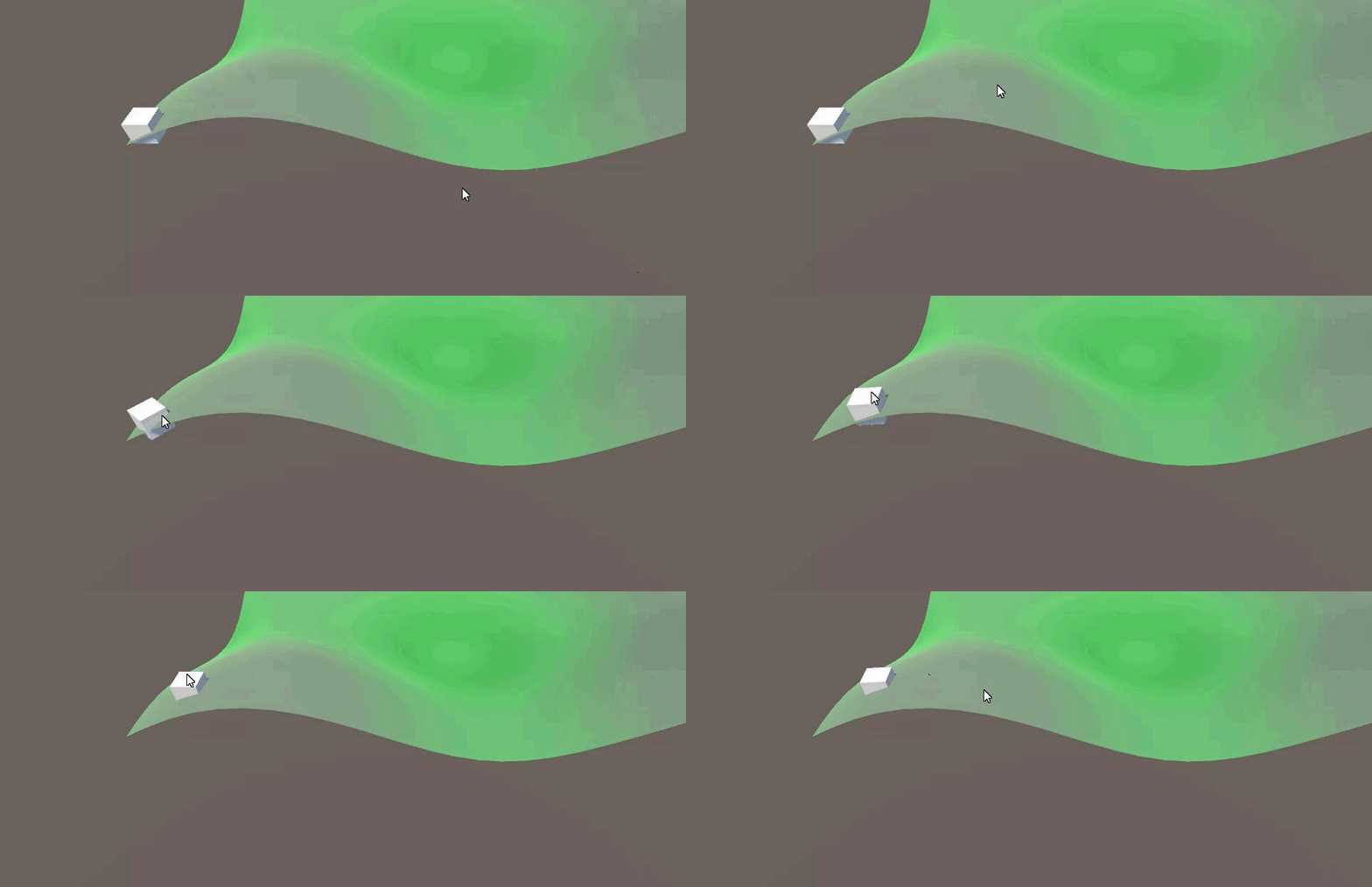
but for some reason when i click on the map it doesn't move but when I click on the object it moves
And it's also giving this for some reason
 slender nymph
- does the object you are clicking have a collider?
- are you certain that the navmeshagent is actually touching the navmesh at the start?
full imp
It doesn't have a collider lemme add that
slender nymph
well that is definitely why it isn't working then. Physics.Raycast casts a ray and returns true if it hits a collider

