#💻┃code-beginner
1 messages · Page 48 of 1
 bitter carbon
 slender nymph
unity does not have hot reload so changing your code while it is already running isn't going to fix it
 sturdy lintel
how do I fix the math, Im confused
bitter carbon
i cant remember if i saved or not
bitter carbon
slender nymph
unity does not have hot reload so changing your code while it is already running...
so i HAVE to restart unity
slender nymph
yes
bitter carbon
oho k
 ivory bobcat
For example, random stuff for the last section would result in an infinite loop
bitter carbon
ivory bobcat
For example, random stuff for the last section would result in an infinite loop
yea the prob was, i saved then contineud to work on it so the past 20 mins its been goign without me realisng
now it isnt letting me close unity
😥
slender nymph
use the task manager
bitter carbon
yea i was
its ok it closed
i hope i saved it
earlier
oh yea luckily my code saved even though i had that infinite loop thing
\
am i fine to use this

@slender nymph
@ivory bobcat
ill risk it ig
slender nymph
what is this loop even for anyway?
bitter carbon
just a gameplay mechanic, ive been working on this simple loop for like an hour long
ivory bobcat
bitter carbon
am i fine to use this
If j is zero, you'll crash

 polar acorn
bitter carbon
am i fine to use this
polar acorn
bitter carbon
am i fine to use this
6 minus 0.6 any number of times is not likely going to end up greater than 180
slender nymph
bitter carbon
nah it is 9
but it will be in the negatives before i reaches 180
ivory bobcat
bitter carbon
just a gameplay mechanic, ive been working on this simple loop for like an hour ...
What are you trying to do?
slender nymph
bitter carbon
just a gameplay mechanic, ive been working on this simple loop for like an hour ...
this also does not answer the question
bitter carbon
polar acorn
6 minus 0.6 any number of times is not likely going to end up greater than 180
o wait
yea
i jkust realised
i gotta change the middle thing
to like 5
for now
ivory bobcat
bitter carbon
am i fine to use this
If your j is less than zero, it'll crash
 summer stump
It seems like... that is not the issue
slender nymph
bitter carbon
to like 5
congrats. you won't even enter the loop
bitter carbon
ivory bobcat
If your j is less than zero, it'll crash
yea i just did the math and realised it will get to - numbers quick
polar acorn
ivory bobcat
If your j is less than zero, it'll crash
Well, if their j is less than 180 it'll crash
 cosmic dagger
the value never goes up . . .
bitter carbon
cosmic dagger
the value never goes up . . .
it does at first
slender nymph
if you would just explain what you are actually trying to do instead of making random guesses at what might be the issue, then a proper solution can be suggested instead of you just changing random bits of your for loop and expecting something to happen
 ivory bobcat
What're you trying to accomplish?
bitter carbon
slender nymph
if you would just explain what you are actually trying to do instead of making r...
well it is trial and error really
slender nymph
what is?
polar acorn
bitter carbon
What is the point of this loop
bitter carbon
and if u go up aenough i explained
slender nymph
literally where
polar acorn
bitter carbon
well it is trial and error really
Have you tried thinking first, then writing
 inner marsh
so i followed the whole guide, i so far have no syntax highlighting and nothing underlined as red, pretty sure i did everything step by step this time.
slender nymph
bitter carbon
and if u go up aenough i explained
just saying "it's a game mechanic" says nothing at all about it
polar acorn
Less crash prone if you do the math before running it
bitter carbon
polar acorn
Have you tried thinking _first_, then writing
yea but ill need to do like 20 sums in my head
summer stump
inner marsh
so i followed the whole guide, i so far have no syntax highlighting and nothing ...
Did you remove the Engineering package?
Fen gave instructions here
#💻┃code-beginner message
bitter carbon
afk like 2 mins ima think about it
polar acorn
bitter carbon
yea but ill need to do like 20 sums in my head
Or, and follow me on this one,
on a computer
 rich adder
slender nymph
just saying "it's a game mechanic" says nothing at all about it
rich adder
slender nymph
just saying "it's a game mechanic" says nothing at all about it
don't you know ? its a mechanic to crash the player
bitter carbon
polar acorn
on a computer
well with calc it takes ages to type em
polar acorn
bitter carbon
and if u go up aenough i explained
And how does this for loop achieve the timer behaviour you described before
inner marsh
summer stump
Did you remove the Engineering package?
Fen gave instructions here
https://disco...
yes
 bitter carbon
polar acorn
And how does this for loop achieve the timer behaviour you described before
bitter carbon
polar acorn
And how does this for loop achieve the timer behaviour you described before
ill explain when im finished its easier
polar acorn
bitter carbon
ill explain when im finished its easier
no
summer stump
inner marsh
yes
Ok. And show your External Tools menu
slender nymph
inner marsh
yes
if you've installed the extension and you don't see any errors in vs code, then regenerate project files and restart vscode
polar acorn
We're not going to code by successive approximations
What is this loop even for
why does it exist
what is it trying to achieve
What are you looping over
and what code do you intend to repeat
 quiet dune
Hi, so I'm debugging a C# script with a collection of game objects. I'd like to be able to select objects from the collection in the unity editor as an easy way to find them. I found the Selection.activeGameObjects command, but it doesn't work, because the Editor freezes up during debugging. Is there any way around that?
ivory bobcat
bitter carbon
and if u go up aenough i explained
I've gone up to your first statement #💻┃code-beginner message and have wasted my time. What are you trying to accomplish?
summer stump
ivory bobcat
I've gone up to your first statement https://discord.com/channels/48922216872751...
They want a timer that gets faster and faster
I dunno beyond that
cosmic dagger
must . . . go . . . faster . . .
bitter carbon
ivory bobcat
I've gone up to your first statement https://discord.com/channels/48922216872751...
i have figured it out, since some ppl seem curios ill put a video in works in progress in a few mins
slender nymph
do they? because the math they are using makes it slower over time
polar acorn
summer stump
I dunno beyond that
yes that's it, but they have yet to explain how this for loop relates to that at all
ivory bobcat
bitter carbon
i have figured it out, since some ppl seem curios ill put a video in works in pr...
Forget it, I'll just block.
inner marsh
summer stump
Ok. And show your External Tools menu
 inner marsh
slender nymph
if you've installed the extension and you don't see any errors in vs code, then ...
inner marsh
slender nymph
if you've installed the extension and you don't see any errors in vs code, then ...
wym regenerate project files
bitter carbon
ivory bobcat
Forget it, I'll just block.
ok👍
polar acorn
inner marsh
wym regenerate project files
Click the button that says "Regenerate Project Files"
slender nymph
inner marsh
wym regenerate project files
did you even bother looking at the screenshot you posted right before this message?
inner marsh
slender nymph
did you even bother looking at the screenshot you posted right before this messa...
ima little blind alr
slender nymph
inner marsh
ima little blind alr
hope this helps 👍
 inner marsh
polar acorn
Click the button that says "Regenerate Project Files"
inner marsh
polar acorn
Click the button that says "Regenerate Project Files"
clicked that and restarted vsc and nothing still
cosmic dagger
slender nymph
hope this helps 👍
wait, where is it?
rich adder
inner marsh
ima little blind alr
off to a good start
slender nymph
inner marsh
clicked that and restarted vsc and nothing still
check the console in vs code for errors
for example, an error regarding the .net sdk or omnisharp
 surreal scaffold
slender nymph
check the console in vs code for errors
surreal scaffold
slender nymph
check the console in vs code for errors
yep
inner marsh
No compatible .NET runtime found. Minimum required version is 7.0.
Dotnet path: c:\Users\randh\AppData\Roaming\Code\User\globalStorage\ms-dotnettools.vscode-dotnet-runtime\.dotnet\7.0.13~x64\dotnet.exe
Activating C# + C# Dev Kit + C# IntelliCode...
waiting for named pipe information from server...
[stdout] {"pipeName":"\\\\.\\pipe\\21bad252-f7fe-4a3e-ac52-ef4fd59c6140"}
received named pipe information from server
attempting to connect client to server...
client has connected to server
[Info - 1:15:13 PM] [Program] Language server initialized```restart your computer
installing the extension should have installed the .net sdk so you just need to restart to get it into the path correctly
ivory bobcat
quiet dune
Hi, so I'm debugging a C# script with a collection of game objects. I'd like to ...
You may need to provide more info to determine why it's freezing. Having a list, dictionary or collection of references to your game objects shouldn't be an issue.
bitter carbon
slender nymph
do they? because the math they are using makes it slower over time
btw if u are curios its in #archived-works-in-progress , if u dont care then fair enough
slender nymph
and that still doesn't explain the purpose of it
bitter carbon
oh
ill say now
there is plants, and the player needs to tend to them or they die and u lose, so basically the more the time goes on the more frequent u gotta tend to them otherwise it will go on forever at same difficulty, so i just needed a loop for that
slender nymph
why do you need a loop for that?
bitter carbon
so it knows the times, i mean i could manually write them but it would be like 150 differerent numbers if u add up all thje plants
slender nymph
i don't think this is going to do at all what you expect it to do
bitter carbon
lol here is where i find out i did it wrong😳😳
slender nymph
you know the loop runs to completion before continuing to the code after it, right?
 rocky canyon

bitter carbon
slender nymph
you know the loop runs to completion before continuing to the code after it, rig...
eya ill jkusty put what i want inside the loop
yea
just
summer stump
bitter carbon
eya ill jkusty put what i want inside the loop
Then the timer will go off that many times in one frame
slender nymph
bitter carbon
eya ill jkusty put what i want inside the loop
you should do some beginner c# courses to learn how loops, and just code in general, work
summer stump
A loop just... isn't what you want at all
summer stump
I would either put a formula in a method or the getter of the variable
Each time you call either, it updates the time it takes
slender nymph
honestly a serialized animation curve would be a nice idea for the time curve. then just sampling it at different points to get the time or whatever would be super easy
would also allow the curve to be different for different objects
bitter carbon
is there not a way where ucan put all teh variables from a for loop in a array or smth, i swear someone said that to me once
summer stump
bitter carbon
is there not a way where ucan put all teh variables from a for loop in a array o...
I guess... but why? That sounds awful
You can certainly build an array in a for loop though
Then what? You iterated the array?
Why do any of that
slender nymph
bitter carbon
is there not a way where ucan put all teh variables from a for loop in a array o...
bitter carbon
summer stump
I guess... but why? That sounds awful
You can certainly build an array in a for ...
ill do that
it seems like easiest way to me
summer stump
bitter carbon
ill do that
It's a really really bad way to do it. Way harder to get just right too
But ok
bitter carbon
idk how to use animation curves or whatever
summer stump
bitter carbon
idk how to use animation curves or whatever
Look it up 🤷♂️
Or do what I said and just use a method or the getter of a property
A loop is just added complexity for no reason
bitter carbon
not sure how i would add a method to achieve same thing
summer stump
bitter carbon
not sure how i would add a method to achieve same thing
public float GetNextTiming()
{
  return currentTime *= .95f;
}
As simple as this, but probably want to find a better formula
But you should definitely just look up animation curves
It'll be exactly what you want
bitter carbon
summer stump
But you should definitely just look up animation curves
im still a beginner so idk if im read yfor that
cosmic dagger
bitter carbon
im still a beginner so idk if im read yfor that
that's the easy, beginner way . . .
rich adder
they're literally so easy
cosmic dagger
you just create a curve to determine how fast/little the value changes over time . . .
rich adder
you're doing everything in the inspector, instead of the manual way with writing formulas
 buoyant knot
ok I think I figured out a little more about my issue
 lusty socket
https://gdl.space/isotemihar.cs hi just wondering if anyone could help me find the fix to my issue, the player jump no longer works in game and ive no idea why, any help? thankyou
buoyant knot
kinematic rigidbody2d has velocity and MovePosition is called that fixed frame. If you call Physics2D.Simulate, the rigidbody's velocity gets set to zero.... SOMETIMES! In one block of code, velocity gets set to zero, and for another object, it doesn't!
and idk why
cosmic dagger
doesn't Simulate get called globally for all rigidbodies?
lusty socket
lusty socket
https://gdl.space/isotemihar.cs hi just wondering if anyone could help me find t...
jump animation*** sorry
buoyant knot
cosmic dagger
doesn't `Simulate` get called globally for all rigidbodies?
I mean I can set velocity, then manually call simulate, and immediately after that call, the velocity has changed
bitter carbon
slender nymph
honestly a serialized animation curve would be a nice idea for the time curve. t...
i mostly understand the animation curve but i dont understand how i would use it in my context, should i make the x axis 180 long or am i doing smth wrong
sturdy lintel
anyone??
slender nymph
bitter carbon
i mostly understand the animation curve but i dont understand how i would use it...
i am not going to answer any more of your questions until you have demonstrated that you have gone through some beginner c# courses and understand how the code works.
rocky canyon
unrelated / kinda related.. when i expose an animation curve to be able to edit it via the inspector i get some weird Editor error..
bitter carbon
slender nymph
i am not going to answer any more of your questions until you have demonstrated ...
it isnt even code it is the curve thing u suggested
but sure
rocky canyon
dont know the exact error, but i can clear it and it stays gone for atleast a little while
cosmic dagger
rocky canyon
unrelated / kinda related.. when i expose an animation curve to be able to edit ...
that's fine. i think i used to get that, but not anymore . . .
buoyant knot
and if I don't call moveposition, rb velocity definitely won't get set to zero. idk why this is happenning
cosmic dagger
so if you call Simulate and MovePosition, it will reset to zero?
buoyant knot
if I call MovePosition, then call simulate, now the velocity is zero
but not always? I don't understand why
if I set the simulation mode to Script, how does that work with Callbacks/Contacts?
Can I:
Call simulate, do X, then physics system generates contacts and callbacks?
 sharp kiln
Hello everyone, so to start with this so for VRChat, and i have asked for help from their discord but there has been no response
I am getting a free compile errors and i have no idea how to rectify them. Any help will be appreciated thank you also im sorry if this is the wrong channel im not too sure where else to put this
 inner marsh
slender nymph
restart your computer
inner marsh
slender nymph
restart your computer
still getting the same error even after restart
slender nymph
then make sure you've got the .net sdk installed
inner marsh
 slender nymph
no
it's not an extension
although i will recommend switching to a real IDE that will be easier to configure
inner marsh
slender nymph
although i will recommend switching to a real IDE that will be easier to configu...
like js visual studio?
slender nymph
i don't know what that js is supposed to be, but Visual Studio instead of VS Code, yes.
inner marsh
just
inner marsh
slender nymph
i don't know what that `js` is supposed to be, but Visual Studio instead of VS C...
alr
should i fully remove vs code then?
slender nymph
up to you
 quasi rose
inner marsh
should i fully remove vs code then?
quasi rose
inner marsh
should i fully remove vs code then?
keep it for your JS projects
inner marsh
js?
 round scaffold
Jack skeleton projects
inner marsh
slender nymph
i don't know what that `js` is supposed to be, but Visual Studio instead of VS C...
nothing shows up in the external tools for it
 slender nymph
have you actually installed it?
inner marsh
yes
rocky canyon
then its not installed correctly.. or u need to restart unity
inner marsh
alr ill restart it
slender nymph
then restart unity and/or your pc
if it still doesn't show up, you can always add it manually
rocky canyon
if its in the OS folder (c:) drive or w/e it should be visible
but if not u can just directly point to it as box sed
slender nymph
even installed elsewhere it should show up. i had vs installed on a different drive for the longest time since i had no room on C
inner marsh
aight i restarted unity and it works now
ty
and still no red error lines
but it does seem to be configured
slender nymph
did you install the unity workload?
inner marsh
so thats good
inner marsh
slender nymph
did you install the unity workload?
installed it with the instilation of vs
or i may not have
idk where modify is in the tab it dont show
slender nymph
it's in the visual studio installer like the instructions say
inner marsh
yes i installed the thing for unity
slender nymph
regenerate project files and restart visual studio. if it is still not working then screenshot the entire visual studio window with the solution explorer visible
 polar acorn
inner marsh
current errors
polar acorn
inner marsh
current errors
Okay so you didn't fix the one thing that was pointed out to you last time
 elfin mist
Once you're finished your conversation, has anybody got any recommendations for courses for unity? Preferably free ones because I'm cheap.
slender nymph
!learn
 eternal falconBOT
:teacher: Unity Learn ↗
Over 750 hours of free live and on-demand learning content for all levels of experience!
elfin mist
slender nymph
!learn
Ah, thanks.
inner marsh
i forgot a space... god damn it im dumb
2 ish hrs over a space 💀
anwyayssss
still 10 errors
summer stump
What is the point of this method anyway?
inner marsh
 polar acorn
inner marsh
2 ish hrs over a space 💀
polar acorn
inner marsh
2 ish hrs over a space 💀
And also the thing we told you about last time
inner marsh
summer stump
What is the point of this method anyway?
raycast for lasers
inner marsh
polar acorn
And also the thing we told you about last time
which is?
polar acorn
that you still haven't fixed
 wintry quarry
inner marsh
wintry quarry
inner marsh
Just go one by one and fix them. They're probably all simple
summer stump
inner marsh
raycast for lasers
But... why not just raycast? It seems like an unnecessary abstraction. You're already passing in all the same parameters
slender nymph
summer stump
But... why not just raycast? It seems like an unnecessary abstraction. You're al...
yeah, that's certainly an odd choice. i would understand if their static method maybe passed in some specific parameters for it. but all this is doing is just passing the same data to a different static method
summer stump
Ohhh, could barely see that semicolon in the screenshot. Almost cut off there
summer stump
slender nymph
yeah, that's certainly an odd choice. i would understand if their static method ...
Yeah, I thought at first is defaulted some data or parameter... but no. Just renaming the raycast essentially
inner marsh
i actually fixed it there was a semicolon at the end of the public static bool line that broke it
mb for the waste of time
polar acorn
inner marsh
i actually fixed it there was a semicolon at the end of the public static bool l...
Yes, that is what we said several times
Congratulations, you finally listened
But also, do read what everyone's saying. There's no point in this function's existence in the first place
buoyant knot
how does motion happen at physics frame/update?
like, if my RB is at X right before simulation, is it now at X+1 immediately after update?
or does physics sim tell it to have a velocity to go through X=>X+1 between the end of physics calculation and start of next physics update?
wintry quarry
buoyant knot
or does physics sim tell it to have a velocity to go through X=>X+1 between the ...
Rigidbody has a velocity property
It uses that
wintry quarry
wintry quarry
Rigidbody has a velocity property
^ same answer
In 2d kinematic bodies can have velocity
buoyant knot
I'm confused because I'm calling MovePosition(), and sometimes the physics simulation sets my velocity to zero
and I am most certainly supposed to be moving
wintry quarry
MovePosition overrides the velocity
buoyant knot
ok, that's perfect, but my RB isn't moving
TryCastedMoveWeak(Vector2.left, mover, true, out RaycastHit2D hit);
Debug.Log("after cast move: " + mover.ToStringDetailed());
mover.SetPositionAndRotation(mover.initialSimulationPosition, mover.initialSimulationRotation);
Debug.Log("after set pos:   " + mover.ToStringDetailed());
mover.rigidBody.MovePosition(mover.intermediatePosition);

Physics2D.Simulate(deltaTime);
Debug.Log("after simulate: " + mover.ToStringDetailed());```TryCastedMoveWeak sets mover.intermediatePosition to a new value (that works right), and places it at that new position via transform.position and rigidbody.position
SetPositionAndRotation sets transform.position and rigidbody.position back to their original values
then I call MovePosition to that farthest intermediate position, then simulate. But it doesn't move
- If I only have TryCastedMoveWeak and Simulate, it moves
- If I only have MovePosition to position+ Vector2.up, and simulate, we move
I'm confused as to why it isn't respecting the MovePosition command if I have shuffled it around previously
wintry quarry
buoyant knot
```Debug.Log("before cast: " + mover.ToStringDetailed());
TryCastedMoveWeak(...
SetPoisitionAndRotation is for a Transform
Don't use it for physics
buoyant knot
I'm just moving both together. both transform and rigidbody position, so they don't desync
maybe I should just avoid moving transform at all?
buoyant knot
progress. I'm going to expand to other test case
idk why moving the transform would block it from moving, but at this point i'll take it
holy shit that worked
thanks praetor
 topaz gorge
buoyant knot
progress. I'm going to expand to other test case
topaz gorge
buoyant knot
progress. I'm going to expand to other test case
Normally with any type of movement mainly character or NPC movements you dont want to modify the transform directly
buoyant knot
well, I was trying to move both the transform + rigidbody together, to avoid the need to sync transforms, but I guess not
wait, do colliders live in rigidbody space? or transform space?
topaz gorge
transform
lusty socket
lusty socket
https://gdl.space/isotemihar.cs hi just wondering if anyone could help me find t...
could anyone help with this please
buoyant knot
that’s bad. I need to temporarily teleport all colliders for a moment
topaz gorge
well you can also change the colliders position by itself
buoyant knot
i’m doing a sequential physics calculation, where I move blocks A then B then C, and block B is colliding based on where A is after it moves
how would I do that without shifting the transforms
 lone sable
Is it possible to do Resources.Load(searchHere) where searchHere is something like **/ResourceName*
topaz gorge
buoyant knot
how would I do that without shifting the transforms
you typically provide the path to the resource you want to load as a string This path should include the folder structure within the "Resources" folder For example, if you have a resource named "MyPrefab" located in a folder called "Prefabs" within the "Resources" folder
buoyant knot
uh, not me
topaz gorge
sorry that was for toonic lol
topaz gorge
lusty socket
could anyone help with this please
im looking into it
buoyant knot
anyway, how do I temporarily teleport a whole object with all its colliders temporarily. Just so it can be in the right position for Cast calls, and be allowed to just… put it back after
lusty socket
topaz gorge
im looking into it
thankyou
lone sable
topaz gorge
you typically provide the path to the resource you want to load as a string This...
Right, but specifically in this case I have a bunch of external sprites placed inside the Resouce Folder. Where I want it to do like.
Resource.Load(dynamicName) and then returns the Sprite/Image, where it will only ever be a sprite.
But it can also be under a sub folder.
topaz gorge
buoyant knot
anyway, how do I temporarily teleport a whole object with all its colliders temp...
you can disable the physics when teleporting it, which will allow you to change the transform directly without issue
buoyant knot
i don’t understand? This is all within one function, basicallt
polar acorn
buoyant knot
anyway, how do I temporarily teleport a whole object with all its colliders temp...
Call Physics.SyncTransforms() after setting the transform position, it'll resync physics to the new position
topaz gorge
polar acorn
Call `Physics.SyncTransforms()` after setting the transform position, it'll resy...
his option also works too
buoyant knot
Is that expensive to call 10k times a frame?
polar acorn
buoyant knot
Is that expensive to call 10k times a frame?
Probably better to move everything first then call it once
it affects all transforms when it's called
topaz gorge
lone sable
Right, but specifically in this case I have a bunch of external sprites placed i...
string dynamicName = "Sprites/MySprite"; // Include the folder structure
Sprite mySprite = Resources.Load<Sprite>(dynamicName);
You do mean something like this right
buoyant knot
I figured, but I need to move the one thing, one collision at a time, so I can calculate positions of other things
 meager gust
buoyant knot
Is that expensive to call 10k times a frame?
meager gust
buoyant knot
Is that expensive to call 10k times a frame?
yes, it is.
you will lock up your game
buoyant knot
I don’t need to do it for all transforms. I have a reference to the one thing that needs to be moved
polar acorn
buoyant knot
I figured, but I need to move the one thing, one collision at a time, so I can c...
Maybe what you need is a Collider2D.Cast? https://docs.unity3d.com/ScriptReference/Collider2D.Cast.html
 lone sable
topaz gorge
```cs
string dynamicName = "Sprites/MySprite"; // Include the folder structure
S...
lone sable
topaz gorge
```cs
string dynamicName = "Sprites/MySprite"; // Include the folder structure
S...
Yeah, but its not always going to be Sprites. It could be something else. Sprites should be a Wildcard. As should the ending of MySprite.
polar acorn
See what would be collided with if you moved this collider in some direction
lone sable
"*/MySprite*
buoyant knot
I’m using Cast to calculate position, but now I need to set it
because block B then does it’s own cast, and depends on where block A plans to be next frame
so block A needs to cast, go to where it plans to be, do casts with block B, then put them all back. and tell them to smoothly travel to target position
does all of this make sense?
and I’d forseeably maybe do that 10k times a frame
meager gust
doing anything 10k times a frame is expensive.
topaz gorge
lone sable
Yeah, but its not always going to be Sprites. It could be something else. Sprite...
public T LoadResource<T>(string dynamicName) where T : Object
{
    // Load the resource based on the provided dynamic name and type
    T loadedResource = Resources.Load<T>(dynamicName);

    if (loadedResource == null)
    {
        Debug.LogWarning("Resource not found: " + dynamicName);
    }

    return loadedResource;
}
So you want something like this where you can load various types of resources
buoyant knot
i just can’t afford to sync the whole scene 10k times a frame
meager gust
buoyant knot
i just can’t afford to sync the whole scene 10k times a frame
I don't know what you're doing, but you probably need to rethink everything.
your plan sounds strange
buoyant knot
it’s a custom physics engine
it’s going to be expensive
there’s no way for it to not be expensive
topaz gorge
yeah thats a lot
buoyant knot
we’ll see how far I can push it
buoyant knot
this would be super easy if I could just get into unity’s physics update, but that shit is a black box
with tons of injected code
meager gust
wat
buoyant knot
and there are several things I want to do that I’m blocked from because I can’t get the access I need
meager gust
like what
buoyant knot
moving in reference frames for one
meager gust
what is a reference frame
buoyant knot
i spent a literal month going around to figure out how to make a block ride a block in its reference frame etc
block A is moving with some velocity, and if block B is on top, then it rides at that velocity, and B can have its own velocity, which effectively adds
effectors are also a black box
topaz gorge
lusty socket
could anyone help with this please
Debug your boxcast to see its position and make sure it is touching the ground
lusty socket
topaz gorge
Debug your boxcast to see its position and make sure it is touching the ground
which one the standing or crouching one?
buoyant knot
which leads to garbage like platform effectors (used for one ways) cannot be combined with surface effectors
topaz gorge
lusty socket
which one the standing or crouching one?
Both just incase
lusty socket
okay 2 mins
topaz gorge
buoyant knot
which leads to garbage like platform effectors (used for one ways) cannot be com...
You can look into sabastian lague or something like that he does a lot of physics stuff, might be a good watch for what your doing
buoyant knot
i’ll check him out. right now I have implementation challenges
meager gust
@buoyant knotCan you explain very simply what you're trying to do
I saw your messages earlier about moving colliders based on other colliders, but that's still really vague
summer stump
From what I understand, they want to have a kind of heavily limited collisions. If you have a stack of boxes riding on a moving platform and the topmost box hits an overhang, they want ONLY that box to slide off, but none of the others to even move at all (other than continuing on with the platform)
I saw a drawing they made a while ago that made it sound like that
meager gust
There's likely a reason that's happening, probably because of performance. Stacking stuff in physics engines and expecting it to behave properly isn't really a piece of cake, from what I've heard from actual engineers.
@buoyant knot you'd probably be better off shopping for different physics engines and porting them into unity
rather than trying to write your own engine or modify unity's black box in any way. which I'm pretty sure violates their tos
I've gone down the rabbit hole of trying to fix implementation-specific things in unity for months on end, so I know how much of a pain in the ass it is.
buoyant knot
at this point, I'm more comfortable making my own thing with my very specific needs than trying to fit a square into an extremely snug rectangular hole
meager gust
I mean, if I'm reading the issue right, you could just disable the rigidbodies on the under-stacked boxes and give them a parent-move type of feature
you'd probably have to manually update the offset of the top box as well too though
buoyant knot
I have tried so much shit for that, dude
it was a straight month of going to different sites, and I honestly give up on making it work with the built in physics engine
parent-moving isn't a thing in unity. you can move transforms, which makes collision janky af
lone sable
topaz gorge
```cs
public T LoadResource<T>(string dynamicName) where T : Object
{
// Loa...
Nono.
Like.
I should be able to search with wild cards for teh resource.
meager gust
buoyant knot
parent-moving isn't a thing in unity. you can move transforms, which makes colli...
it's a thing when you have kinematic bodies
buoyant knot
and I've asked the unity devs enough and the general concensus was "uh, yeah that's hard. don't think you can do that champ"
buoyant knot
meager gust
it's a thing when you have kinematic bodies
I know. but I need to be able to evaluate them as kinematic RBs to give them full collision
they need things like gravity, and pushing, and collision with walls...
lusty socket
topaz gorge
Both just incase
buoyant knot
they are effectively dynamic rigidbodies coded as kinematic
anyway, not to shoot you down. But i tried for a month problem solving with lots of people to make physx work, and everytime I try to do physics stuff while keeping to physx, I CONSTANTLY have these little "spend 1-2 weeks to do something simple" bullshit. I'm tired of trying to work in their box.
ok, it looks like collider bounds move with setting RB position, which very poggers
meager gust
to actually get the physics engine to react to your changes though, you must perform a synchronization somewhere
that's a fact.
buoyant knot
Q: if I move RB of block A's position, then immediately cast block B, will it cast based on block A's new position?
meager gust
no
you must perform a synchronization
which is heavy.
assuming we're still talking about 3d physx and not box2d. I can't help with box2d.
 dry tendon
    private IEnumerator CanvasTextFade()
    {
        yield return new WaitForSeconds(loadingCanvasTime);
        loadingCanvasTextAnimator.SetTrigger("ActiveLoadingCanvasFadeText");

        // Obtén la duración de la animación desde el Animator
        float animationDuration = loadingCanvasTextAnimator.GetCurrentAnimatorStateInfo(0).length;

        // Espera hasta que la animación haya terminado
        yield return new WaitForSeconds(animationDuration);

        // Desactiva el objeto loadingCanvas
        Debug.Log("Empieza canvas fade corrutina");
        StartCoroutine(CanvasFade());
```why when i execute this code it takes a bit of time until the anim ends and the log is printed? Does anyone know it?What are you asking? Just IF it works? Have you tried it?
buoyant knot
meager gust
assuming we're still talking about 3d physx and not box2d. I can't help with box...
box2D
summer stump
At quick glance it looks fine..
meager gust
you mentioned physx, which is 3d.
dry tendon
summer stump
What are you asking? Just IF it works? Have you tried it?
nono, that its supposed to execute all without time spaces... and when i execute this code it takes a bit of time until the anim ends and the log is printed
buoyant knot
and I try to almost exclusively use very basic geometries. Basically all box colliders, edge colliders, and some composite colliders with as few vertices as possible
summer stump
dry tendon
nono, that its supposed to execute all without time spaces... and when i execute...
So... you WANT it to take no time? But it does?
I'm sorry, I'm just not understanding you
buoyant knot
casting 10k 3D meshes a frame would melt any computer, I think lol
dry tendon
summer stump
So... you WANT it to take no time? But it does?
I'm sorry, I'm just not underst...
yeah, that
summer stump
dry tendon
yeah, that
You have two yield return WaitForSeconds(someTime) written there
So... it will wait for those seconds...
buoyant knot
also, my engine is going to have no rotation
everything has locked rotation, which should also help make everything cheaper
summer stump
buoyant knot
casting 10k 3D meshes a frame would melt any computer, I think lol
ECS should be able to handle it
But that is irrelevant and unhelpful here
buoyant knot
and simpler, because no quaternions, tensors, or matrices get involved
meager gust
how many items are you simulating at once
buoyant knot
looking at maybe 1000
lusty socket
lusty socket
@topaz gorge does this help?
buoyant knot
my plan is to mostly cast each one at a time, and try to avoid re-casting. but theoretically, several may need to be cast a few times. this is like worst cast scenario
topaz gorge
lusty socket
<@462936041444212736> does this help?
So i think i see your problem one sec
topaz gorge
lusty socket
<@462936041444212736> does this help?
Wait hold on but your player is jumping whats your issue? is it the animation
lusty socket
topaz gorge
Wait hold on but your player is jumping whats your issue? is it the animation
yes the animation i corrected myself after the original post you mustve missed it sorry
topaz gorge
lusty socket
yes the animation i corrected myself after the original post you mustve missed i...
So the animation is the problem
 native seal
Anyone know how I should code infinite tiles around the player, similar to games like vampire survivors? I want it so they can just walk in any direction forever
topaz gorge
lusty socket
yes the animation i corrected myself after the original post you mustve missed i...
Can you show me your Animator
meager gust
native seal
Anyone know how I should code infinite tiles around the player, similar to games...
floating origin
native seal
meager gust
floating origin
can you go into more detail? idk what that is
lusty socket
topaz gorge
Can you show me your Animator
ofc 2 secs
summer stump
native seal
Anyone know how I should code infinite tiles around the player, similar to games...
Move the world around the player
Then add more map as you go
meager gust
native seal
can you go into more detail? idk what that is
world moves around the player. If you move the player infinitely in one direction, you run out of precision, and things will start jittering around.
summer stump
Removing stuff out of range
lusty socket
topaz gorge
Can you show me your Animator
you wanna see it whilst in game or just a screenshot
native seal
okay so how do I add more map around the player?
meager gust
this isn't just a 1 step thing
you'll need to google it and get familiar with the concept
native seal
yeah I understand, do I use instantiate?
or some function in tile or something
i couldnt find one answer online
meager gust
you'll need to store your tile data somewhere
topaz gorge
native seal
yeah I understand, do I use instantiate?
for generating the tiles the first time yes, but you will want to make a pool for them for performance
meager gust
apparently unity has a prebuilt tile system, so most of this might actually already be implemented for you
topaz gorge
lusty socket
you wanna see it whilst in game or just a screenshot
screenshot is fine
native seal
meager gust
apparently unity has a prebuilt tile system, so most of this might actually alre...
yes how do I create tiles in script? thats what im trying to figure out
lusty socket
topaz gorge
screenshot is fine

when in game @topaz gorge it just shows the jumpanim as false all the time, but before the crouch it worked perfectly
buoyant knot
okay, so just moving the rigidbody.position does update the colliders, and keeps collisions up to date
ie if I move rigidbody.position, and then a different collider casts, then it DOES respond to the new position
meager gust
buoyant knot
ie if I move rigidbody.position, and then a different collider casts, then it DO...
you need to check if the setter is manually updating the hierarchy volumes
which it probably is
aka synchronizing the physics engine
topaz gorge
lusty socket
So there a few things that needs to be changed in the script i will point them out and put comments and so on
buoyant knot
my role in the sync is just making sure that casts from the moved collider are correct, and casts that would interact with the moved collider are correct
lusty socket
topaz gorge
So there a few things that needs to be changed in the script i will point them o...
thankyou i appreciate it
meager gust
buoyant knot
my role in the sync is just making sure that casts from the moved collider are c...
are you still trying to implement this on top of box2d or are you actually making a custom collision response?
buoyant knot
I'm solely relying on Box2D to calculate casts
and move things where I tell it to move them
meager gust
and is this a mobile game?
 tepid cove
i have a code which should actiave a ragdoll for my enemy doing an idol animation: but the bullet just bounces off and doesnt trigger the ragdoll and the enemy carries on idol animating. this is my code:


 sour fulcrum
Is there a better way I should be avoiding list duplicates other than just (aside from just ensuring my logic never does it twice ofc)
if (!List.Contains(Item))
List.Add(Item)
hasn't been a problem yet just curious
ivory bobcat
Maybe using a different collection if duplicates aren't to be had. Hashset https://learn.microsoft.com/en-us/dotnet/api/system.collections.generic.hashset-1?view=net-7.0
 eternal needle
sour fulcrum
Is there a better way I should be avoiding list duplicates other than just (asid...
eternal needle
sour fulcrum
Is there a better way I should be avoiding list duplicates other than just (asid...
If you have to use a List, then you're gonna have to check it with contains or some linq function.
Different data structures can provide faster lookups but you'll have to adjust this implementation. If this isnt a performance issue, I wouldnt even worry about it
ivory bobcat
Where hashset Add would simply not add the element if already existing
Looks like a premature optimization question.
sour fulcrum
ivory bobcat
Looks like a premature optimization question.
Yeah, Just had a bad vibe and wanted to double check
buoyant knot
sour fulcrum
Is there a better way I should be avoiding list duplicates other than just (asid...
if you are contemplating duplicating a list, you are probably doing something wrong
duplicating a field usually leads to bugs where the two are supposed to be aligned, and are not
buoyant knot
oh i didn’t understand what you meant by duplicates
I’m pretty sure Linq has .Distinct()
I use .Distinct when I need to cull a bunch of dupes at once
.Contains is O(n), and is good for upkeep.
.Distinct is O(n ln n) i think, and it is probably much better for giant lists with one big cull at once
ivory bobcat
tepid cove
i have a code which should actiave a ragdoll for my enemy doing an idol animatio...
Maybe you ought to provide more info like the console logs, if any.
buoyant knot
alternatively, HashSets avoid duplicates naturally. Depends on what you need
topaz gorge
lusty socket
thankyou i appreciate it
There you go
oh you can remove the namespace
Not sure how i got double using variables those will also need to be removed
 split wave
would anyone be able to help me with scripting these UI’s along with a round system please
if anyone is able to help them please take this to DM’s.
 frosty hound
That's not how this server works. If you have a coding question, you're free to ask it.
summer stump
split wave
how do i start 💀
!learn
eternal falconBOT
:teacher: Unity Learn ↗
Over 750 hours of free live and on-demand learning content for all levels of experience!
summer stump
Also check the pins in this channel for more resources
meager gust
@buoyant knotIf your current solution ends up not working, I think you should bite the bullet and just make your own simple custom "physics engine" not involving box2d. The fact that your bodies can't rotate simplifies this 100x.
It would be a pretty damn cool project
buoyant knot
I’ll only know once I can stress test it, then deep profile to see where the cost is
and what you’re proposing would simply involve replacing calls to .Cast with something else, which would be tough but doable
meager gust
Can I see a graphic or something that you're doing
buoyant knot
what sort of graphic
meager gust
a video that shows me what the issue is
buoyant knot
i have a diagram
meager gust
sure
 meager gust
you wouldn't need a cast. you would simply find the overlap and depenetrate. gravity would be simple af
(assuming you write your own custom solution)
buoyant knot
besides the general lack of access to be able to screw with effectors
well, I’m casting because I want things to move in reference frame
just to make it a bit clear: say block A is moving left, and block B is riding block A and jumps that same frame
 formal escarp
Guys i have a question about, code in general. I know how to read and understand some basic code, like movement, how to move the camera around, how to jump etc. I can read some other stuff and understand it, but i cant memorize it/write it on my own without looking at it. Is this a bad thing? 💀 im kinda new.
buoyant knot
in my method, B is casted to the left (movement in A’s ref frame), and then B does his own movement up (B’s personal jump)
meager gust
the top cube just collides with green static cube and falls off. what am I missing?
wintry quarry
formal escarp
Guys i have a question about, code in general. I know how to read and understand...
It's normal, just keep practicing and you'll get it
buoyant knot
formal escarp
Guys i have a question about, code in general. I know how to read and understand...
you will learn the more you use the same tool
meager gust
I don't know what you mean by reference frame either
formal escarp
alrighty
buoyant knot
meager gust
I don't know what you mean by reference frame either
imagine you jump when you are in a plane moving at 100 mi/hr. You should move around in the plane just as though you were on normal ground, but now your speed is basically +100 mi/hr
meager gust
yeah an overlap and bounds check would allow you to see whose underneath you, and mimic their velocity
buoyant knot
but now tack on the plane accelerating/turning, and you running into birds flying at 5 mi/hr
buoyant knot
meager gust
yeah an overlap and bounds check would allow you to see whose underneath you, an...
I already have a system to define the relationship of what rides what
that was not an issue even with box2D
the box2D challenge was making the physics work out, once you know B is riding A
meager gust
yeah, the custom physics solution would solve that
meager gust
what's the issue again? friction makes them all fall?
buoyant knot
friction doesn’t really help things track properly in Box2D
even assuming the thing on top doesn’t try to move
friction will apply some force to move together, but not enough to be exact
so in the plane example, your ass would 100% fall off and hit the runway
Box2D’s joints also apply force in both connected things. So the joint would let the plane move you, but block you from moving in the plane, and if you hit a random concrete wall, the plane would come to a screeching halt too
meager gust
yeah
buoyant knot
also box2D only lets you completely ignore pairs of colliders. not ignore force from one specific collider to another specific collider
so if block B is jumping on A, you have a choice between block B falling through A, or A also falling.
my workaround is to literally make two colliders for every object. Which works, but god damn that is a shitty solution
buoyant knot
ty burt. i’ll take a look
meager gust
it used to have working demos. what a shame they broke that.
sturdy lintel
Can someone help me out here please?
topaz gorge
sturdy lintel
Can someone help me out here please?
why are you doing the target direction in 2 places, in awake and start
sturdy lintel
I never removed it, once that part worked, sorry.
my actual issue is with the projection
topaz gorge
im looking rn was just wondering about that
topaz gorge
sturdy lintel
I never removed it, once that part worked, sorry.
so whats the exact issue your having with this
sturdy lintel
If you see this image, I want to show such black projections on the barrier, but I don't know how to
 topaz gorge
sturdy lintel
If you see this image, I want to show such black projections on the barrier, but...
topaz gorge
sturdy lintel
If you see this image, I want to show such black projections on the barrier, but...
To create black projections on the barriers you can do this by using a shader that darkens the areas where the balls cast shadows on the barriers
sturdy lintel
topaz gorge
To create black projections on the barriers you can do this by using a shader t...
yeah, but my requeirement for the assignment is to do this using vector math. I have created a vvsmall black cylinder prefab & I need to show it & calculate its position & scale it so as to make it look like projection
topaz gorge
sturdy lintel
yeah, but my requeirement for the assignment is to do this using vector math. I ...
i see
sturdy lintel
something like this. I tried this, but I dunno where I'm goin wrong
 topaz gorge
i got what you need
sturdy lintel
topaz gorge
i got what you need
pls tell me
topaz gorge
 for (int i = 0; i < wallControllerRef.barriersList.Count; i++)
    {
        Vector3 ballPos = this.transform.localPosition;
        Vector3 normal = wallControllerRef.barriersList[i].transform.forward;

        // Calculate the dot product to determine the projection
        float d = Vector3.Dot(ballPos, normal);
        float D = Vector3.Dot(normal, wallControllerRef.barriersList[i].transform.position);

        // Calculate the projected position on the barrier
        Vector3 projectedPosition = ballPos - ((d - D) * normal);

        ballShadowLine.transform.up = (projectedPosition - this.transform.localPosition).normalized;

        // Adjust the scale of the shadow line based on the projection
        ballShadowLine.transform.localScale = new Vector3(0.02f, (projectedPosition - this.transform.localPosition).magnitude * 0.5f, 0.02f);

        // New code to create shadows
        Vector3 shadowPosition = projectedPosition;

        // Calculate the height (Y scale) of the shadow based on the distance between the projection and the ball
        float shadowScaleY = (projectedPosition - this.transform.localPosition).magnitude * 0.5f;

        // Instantiate a shadow object
        GameObject shadow = Instantiate(blackCylinderPrefab, shadowPosition, Quaternion.identity);

        // Set the shadow's scale, making it look like a projection
        shadow.transform.localScale = new Vector3(0.02f, shadowScaleY, 0.02f);

        // Parent the shadow to the barrier to move with it
        shadow.transform.parent = wallControllerRef.barriersList[i].transform;
    }
this should do what you need, i put in comments to explain it
kinda a pain you cant use shaders though
sturdy lintel
wow wait, let me read it
topaz gorge
if you dont want the shadows to parent to the barrier you can always remove it of course
sturdy lintel
topaz gorge
if you dont want the shadows to parent to the barrier you can always remove it o...
this is what I got 😬
 topaz gorge
any errors?
sturdy lintel
none
sturdy lintel
topaz gorge
one minute
topaz gorge
sturdy lintel
none
might be because the cylinders are being parented under the barrier, could be messing up there scale and so on
 viral hemlock
Can someone please explain class inheritance to me
frosty hound
You have a class that has functions and variables.
You have another class that inherits from that class, which then gives it access to its functions and variables.
lusty socket
topaz gorge
There you go
hey sorry @topaz gorge this code when added in game still does the same and plays no animation when jumping saying the parameter is false, is there anything else that could be going wrong with it?
topaz gorge
lusty socket
hey sorry <@462936041444212736> this code when added in game still does the same...
I kinda figured it wouldn't fix it, i dont see anything wrong with the code it must be something with the animation tree
topaz gorge
lusty socket
hey sorry <@462936041444212736> this code when added in game still does the same...
If you wanna hop in a call we can debug the problem more effectively
lusty socket
topaz gorge
If you wanna hop in a call we can debug the problem more effectively
yeah can do man
rich adder
viral hemlock
Can someone please explain class inheritance to me
Dog > Mammal > Animal
||
Eat()
cosmic dagger
viral hemlock
Can someone please explain class inheritance to me
Character
Player : Character
Enemy : Character
Goblin : Enemy
Troll : Enemy . . .
 vapid tendon
!vc
eternal falconBOT

Using version control in Unity
Unity Version Control
 Git
Git
Get the latest .gitignore file from here. It should be placed at the root of your Unity project directory.
 opaque agate
🧑🏫 Unity Learn ↗
Over 750 hours of free live and on-demand learning content for all levels of experience!
 hollow osprey
hi guys
 timid gale
Hey SO, I'm STILL trying to get my button to get me to a different scene, HOW IN THE FARK DO I DO IT!!??? 😭
My "Find a game" button is a TMP-Text (UI)
I've added a button component to it for On Click; Hide shit (other menus)
AND, the script which is 'meant ' to take me to the new scene.
I'm not getting anything from console saying that my script is wrong.
Is my script wrong????

 young warren
timid gale
Hey SO, I'm STILL trying to get my button to get me to a different scene, HOW IN...
young warren
timid gale
Hey SO, I'm STILL trying to get my button to get me to a different scene, HOW IN...
Do you have code that loads another scene?
Hard to say if your script is wrong if you don't show the code
timid gale
It's literally in the photo my dude
young warren
Okay, then you just need to look up how to make buttons do something on click
You need to attach that script to an object, then drag that object into the on click field
That should allow you to select the function in the drop-down
timid gale
I literally did that; it's not working.
summer stump
timid gale
I literally did that; it's not working.
You added the script. Not an object with the script...
As Wytea is saying
timid gale
Is that TMP_Text/ Button not an object??
young warren
Okay and is the script with the scene loading code on it?
timid gale
I've been following tutorials which say I can use a TMP_Text as a button and add the script to it but; I haven't been able to get that working.
young warren
young warren
You need to attach that script to an object, then drag that object into the on c...
Please calm down and read what I said here
summer stump
We don't mean dragged into the box. The script has to be actually added as a component. And then the object with that component is dragged into the box
young warren
It's not the tutorials fault most of the time. You probably misunderstood or missed a step
So one step at a time, show us where the script is attached to?
timid gale
young warren
It's not the tutorials fault most of the time. You probably misunderstood or mis...
I tried retracing my steps like 5 times to make sure; when I have dragged the script onto the 'object' it's there BUT, Script is greyed out and blank.......
young warren
young warren
So one step at a time, show us where the script is attached to?
This
Show this please
polar acorn
timid gale
Hey SO, I'm STILL trying to get my button to get me to a different scene, HOW IN...
You have to drag in an object with a script component, not the script file
young warren
We're not saying dragging the script into the on click field
Literally, attach the script onto an object
summer stump
timid gale
I tried retracing my steps like 5 times to make sure; when I have dragged the sc...
 young warren
Your Go2GameScene script
summer stump
You don't drag the thing I put an X on
young warren
Which object is it attached to
timid gale
 polar acorn
timid gale
polar acorn
timid gale
Okay and did you drag that object into the slot or did you drag the script file
young warren
I'll just step away now
polar acorn
young warren
I'll just step away now
Maybe if enough other people repeat what you said right away they'll figure it out
timid gale
(Trying to figure it out) 😂
polar acorn
timid gale
(Trying to figure it out) 😂
The script file is not an object. You cannot drag the script file into your button the same way you cannot drive the schematic of a car
summer stump
timid gale
(Trying to figure it out) 😂
Just drag the FindGame_Button from the hierarchy into the slot
The button. NOT the script
polar acorn
You drag in a game object with the script on it into the slot
Then you can choose a function from one of that objects components
 timid gale
summer stump
Just drag the FindGame_Button from the hierarchy into the slot
The button. NOT ...
timid gale
summer stump
Just drag the FindGame_Button from the hierarchy into the slot
The button. NOT ...
I actually did that the first time but, it didn't work so, I thought I did something wrong.
summer stump
timid gale
I actually did that the first time but, it didn't work so, I thought I did somet...
It looked like the script wasn't attached to the button in the first screenshot?
Did you add it after we said to?
Not sure why it wouldn't work otherwisd
timid gale
It was there, hence the confusion.
And my dumb brain not getting around it.
(I have ZERO experience in coding and figuring things out as I go.) 😅
Probably not the smartest idea to go about things BUT, I'm making progress. 😂
 timber tide
Only going to get so far without learning some coding. Best to start now with some c# tutorials.
 merry spade
How can I send data from one client to another? or from one client to the server and the server sends it to all clients? I heard of the netcode thing but how does this work?
 spiral oak
merry spade
How can I send data from one client to another? or from one client to the server...
spiral oak
merry spade
How can I send data from one client to another? or from one client to the server...
I would say this question should be in #archived-networking
merry spade
ty
merry spade
when i hold right click and move my mouse my mouse x is inverted
ah nvm
my scene view camera was upside down
xD
 unreal phoenix
What would a way to perfectly subtract a direction from a velocity?
Walking at a wall on an angle, subtracting the walking velocity in the walk that is parallel to the normal of the wall
wintry quarry
unreal phoenix
Walking at a wall on an angle, subtracting the walking velocity in the walk that...
Project the velocity vector on the surface normal.
Subtract the projection from the original vector
unreal phoenix
Just to be crystal clear, this is the result I am looking for
 unreal phoenix
wintry quarry
Project the velocity vector on the surface normal.
Subtract the projection from...
unreal phoenix
wintry quarry
Project the velocity vector on the surface normal.
Subtract the projection from...
I will try this
Though I am not sure what you mean by projecting it
bitter carbon
anyone know if there is a way to like wait 1 seconds in soem code
wintry quarry
unreal phoenix
Though I am not sure what you mean by projecting it
Vector projection
Vector3.ProjectOnPlane
bitter carbon
like it pauses the code, 1 seconds later it unpauses
unreal phoenix
wintry quarry
Vector3.ProjectOnPlane
Ah
 fossil drum
bitter carbon
like it pauses the code, 1 seconds later it unpauses
fossil drum
bitter carbon
like it pauses the code, 1 seconds later it unpauses
https://docs.unity3d.com/Manual/Coroutines.html has waitforseconds in it.
bitter carbon
fossil drum
https://docs.unity3d.com/Manual/Coroutines.html has waitforseconds in it.
i dotn wanna do a coroutine, is there any other ways
unreal phoenix
bitter carbon
i dotn wanna do a coroutine, is there any other ways
Async tasks, probably not as useful for what you want though
fossil drum
bitter carbon
i dotn wanna do a coroutine, is there any other ways
Do you have any reason why not to use a coroutine?
bitter carbon
fossil drum
Do you have any reason why not to use a coroutine?
not really just cant be bothered to do it all
its a bit strnage there isnt just a : WaitForSeconds(4)
unreal phoenix
I mean, that's just how it works though
bitter carbon
ok ig ill do a coroutine
timber tide
You can do a timer loop, which is pretty basic

 short hazel
And the coroutine must be out of whatever method you've put it in here
Else Unity won't be able to call it
unreal phoenix
What IDE are you using, are you checking intellisense or errors? Do you have completion suggestions?
short hazel
Looks like VS 2022, seeing the font and the indentation guide lines
 simple sun
can someone explain to me how this works?
im doing a regular raycast on the default layer which everything in the game is on right now
but for some reason, the raycast detect whats behind the player
but my debug draw shows it hit the player
it is supposed to hit the player btw, and when i move my character, it does detect my player being hit
void Update()
    {
        Debug.DrawRay(sun.position, transform.position - sun.position, Color.red, 1);
        RegenHealth();
        SunDamage();
        print("Health: " + health);
    }

void SunDamage()
    {
        if (species != Life.Species.Vampire) return;
        RaycastHit hitObject;
        Vector3 direction = transform.position - sun.position;

        if(Physics.Raycast(transform.position, direction.normalized, out hitObject, direction.magnitude, raycastLayer))
        {
            print(hitObject.transform.name);
            if(hitObject.transform == transform)
            {
                TakeDamage(100 * Time.deltaTime);
            }
        }
        else
        {
            print("nothing hit");
        }
    }
 short hazel
If you remove the layer mask from the raycast, does it detect the player correctly?
Also it's a layer mask right, not just a single layer?
simple sun
short hazel
If you remove the layer mask from the raycast, does it detect the player correct...
it does not detect my player
simple sun
short hazel
Also it's a layer *mask* right, not just a single layer?
yes, layermask
but for now, its on default
 ripe shard
simple sun
it does not detect my player
ripe shard
simple sun
it does not detect my player
Remove the mask, try again, if that doesn’t work make sure your math is right and colliders exist.
simple sun
ripe shard
Remove the mask, try again, if that doesn’t work make sure your math is right an...
already done
ripe shard
This is the default process everyone uses to debug raycasts
 wise fractal
can someone help why theres an error (I want to use GetFloat/Int and not Haskey) cs if (PlayerPrefs.GetFloat("sumTime", time); { time = PlayerPrefs.GetFloat("sumTime"); timeTXT.text = Mathf.Round(time).ToString();
simple sun
well, as i said
already done
spr2 told me to remove it
i removed it
the debug.drawray shows the math is right
and i checked to make sure my collider is there
and it is
which the raycast debug also shows
short hazel
Extend the ray distance a bit
The exact magnitude from the vector might just be falling short
simple sun
short hazel
Extend the ray distance a bit
extended by 50%, same result
short hazel
wise fractal
can someone help why theres an error (I want to use GetFloat/Int and not Haskey)...
You need to use HasKey for the if. The syntax of the if is also incorrect, you're missing a closing parenthesis and the semicolon ; is not supposed to be there.
ripe shard
simple sun
extended by 50%, same result
your debug doesnt use the same arguments as your raycast
 verbal dome
wise fractal
can someone help why theres an error (I want to use GetFloat/Int and not Haskey)...
verbal dome
wise fractal
can someone help why theres an error (I want to use GetFloat/Int and not Haskey)...
Are you trying to check if "sumTime" exists? Why not use haskey?
simple sun
ripe shard
your debug doesnt use the same arguments as your raycast
it uses the same math
ripe shard
simple sun
it uses the same math
that does not matter, if you want to debug something you have to put in the exact same variables, otherwise its pointless
simple sun
ripe shard
that does not matter, if you want to debug something you have to put in the exac...
thats kinda impossible as they dont take the same arguments
ripe shard
simple sun
thats kinda impossible as they dont take the same arguments
they take the same values for the corresponding parameters
short hazel
The debug starts with the sun's position, the raycast with this Transform's position
That's not right
simple sun
ripe shard
they take the same values for the corresponding parameters
and thats what i give them
simple sun
short hazel
The debug starts with the sun's position, the raycast with this Transform's posi...
i think you spotted it
simple sun
short hazel
The debug starts with the sun's position, the raycast with this Transform's posi...
yes, thats the mistake i did
thanks for your help
ripe shard
simple sun
i think you spotted it
and you would have spotted it too if you had used the exact same values for the debug and the raycast and not just assumed that you did it all right
verbal dome
wise fractal
can someone help why theres an error (I want to use GetFloat/Int and not Haskey)...
You syntax looks very off actually..; after the if and missing parenthesis 🤔
What are you trying to do
simple sun
ripe shard
and you would have spotted it too if you had used the exact same values for the ...
a debug doesnt take all these arguments (for it to be really exact same values)
which is why i said its impossible to give it the same
i understood what you meant wrong
nothing about me assuming i did it right, as i knew i wasnt because it wasnt working
 ripe shard
simple sun
a debug doesnt take all these arguments (for it to be really exact same values)
...
ripe shard
simple sun
a debug doesnt take all these arguments (for it to be really exact same values)
...
but it would have taken the sun.position
simple sun
ripe shard
but it would have taken the sun.position
again
i understood you wrong
which is why i didnt catch the mistake at first
but its ok
spr2 helped me see the mistake
ripe shard
you can use this to fix those issues and just have all physics casts be drawn automatically with the exact same API https://github.com/vertxxyz/Vertx.Debugging
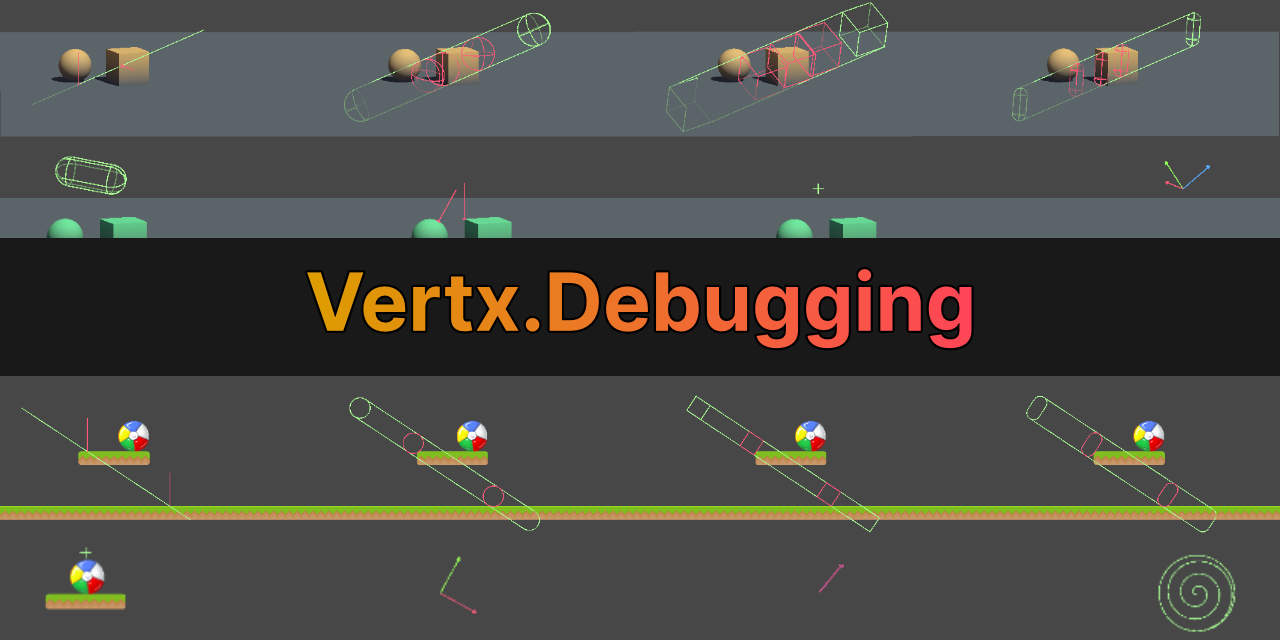
GitHub
Debugging Utilities for Unity. Contribute to vertxxyz/Vertx.Debugging development by creating an account on GitHub.
bitter carbon
 silk night
waitfor1sec
waitfor1Sec
are not the same
silk night
waitfor1sec
waitfor1Sec
are not the same
Ohh i didnt notice lol, S and s looks so siniliar
 rare urchin
using System.Collections;
using System.Collections.Generic;
using UnityEngine;

public class PlayerController : MonoBehaviour {

    public float playerSpeed = 400f;
    public float mouseSensitivity = 1f;


    float mouseUpDown = 0.0f;
    float mouseRangeUpDown = 90f;

    public bool canLookAround = true;

    CharacterController characterController;

    private void Start()
    {
        characterController = transform.GetComponent<CharacterController>();
    }

    private void Update()
    {
        Cursor.lockState = CursorLockMode.Locked;
        Cursor.visible = false;
        HandleMovement();
        HandleMouseLook();
    }

    void HandleMovement()
    {
        float x = Input.GetAxis("Horizontal") * Time.deltaTime * playerSpeed;
        float z = Input.GetAxis("Vertical") * Time.deltaTime * playerSpeed;

        Vector3 move = new Vector3(x, 0, z);
        move = transform.rotation * move;
        characterController.Move(move * Time.deltaTime);
    }

    void HandleMouseLook()
    {
        if (canLookAround == true)
        {
            float mouseLeftRight = Input.GetAxis("Mouse X") * mouseSensitivity;
            transform.Rotate(0, mouseLeftRight, 0);

            mouseUpDown -= Input.GetAxis("Mouse Y") * mouseSensitivity;
            mouseUpDown = Mathf.Clamp(mouseUpDown, -mouseRangeUpDown, mouseRangeUpDown);
            Camera.main.transform.localRotation = Quaternion.Euler(mouseUpDown, 0, 0);

        }
    }
}
My capsule is floating

When walk down
 fickle plume
rare urchin
My capsule is floating
fickle plume
rare urchin
My capsule is floating
Unity Discussions
How can I give the player gravity with a character controller? I tried using transform.translate as well as charactercontroller.move, but they don’t seem like the best methods.
rare urchin

 north kiln
Also check the skin width is not the issue https://unity.huh.how/character-controller/skin-width
unreal phoenix
does ClosestPointOnBounds only use the colliders surface area and not the volume?
 solemn fractal
Hey guys, I am using on start method this code: Cursor.lockState = CursorLockMode.Locked; But it is not locking the mouse, any tips?
 eager elm
solemn fractal
Hey guys, I am using on start method this code: Cursor.lockState = CursorLockMo...
eager elm
solemn fractal
Hey guys, I am using on start method this code: Cursor.lockState = CursorLockMo...
that's just the editor behaviour, try it out in Build & Play
 tacit grotto
Is there a way to disable collision between 2 layers or objects mid game?
 vocal marlin
yes
Physics2D.IgnoreCollision(col1, col2, false);
or just Physics if its a 3d game
 pearl flower
In Build my colliders of ragdoll doesn't change position or rotation. It's only in Build.


 calm coral
Hey I was wondering what Vector3.Reflect() can be used for? For stuff like bullet ricochet? Raycasting on a surface and guessing how will it bounce? 
 heady nimbus
Does OnDisable get called when you exit play mode as well?
slender nymph
yes
heady nimbus
Well bummer..
slender nymph
calm coral
Hey I was wondering what `Vector3.Reflect()` can be used for? For stuff like bul...
it can be used for anything you might need to reflect a direction vector for. so yes ricochet and other things like that would be included in that
calm coral
slender nymph
it can be used for anything you might need to reflect a direction vector for. so...
Okay, thanks! 
lone sable
Given a sprite, that has Alpha Padding. Is it possible to ignore the Alpha Padding via shader or by code?
ripe shard
calm coral
Hey I was wondering what `Vector3.Reflect()` can be used for? For stuff like bul...
Also for guns that shoot rays that bounce 3 times off walls
heady nimbus
I have a loot drop script for dropping items when the enemy is destroyed, and I was trying to keep it completely independent of the enemy logic by instantiating the dropped item during loot droppers OnDisable, but quickly realized how incorrect that was.
Should I just call the item drop from the enemy or is there a correct way to do what I was originally trying that would keep them separate?
 silver flicker
Yo, so I need a little help here, I need myself a little bit of guidance on how I would create a 360 degree dashing system, where this ball will dash toward the mouse without using the LookAt() function and have a set speed and time / cooldown
 heady nimbus
Capture position of the mouse on input (dash button) and AddForce in that direction?
If you want it on a cooldown, just start a coroutine that sets a flag when cd is over.
silver flicker
Is there a way to do that without using 'transform.__' bc I can't use that to my knowledge without using the lookat function
 mild mortar
I'm trying to fix the issue of my character bouncing down a slope, I found a tutorial that gave the details to make a method "VelocityToSlope".
But because their original movement is done differently, I can't seem to implement it the same way they show in the video.
Does anyone know how I can use it with my current code?
silver flicker
How would u do that?
heady nimbus
silver flicker
Is there a way to do that without using 'transform.__' bc I can't use that to my...
If the ball has a rigid body on it, you can use the AddForce function. That's not from the transform component.
And you can absolutely use transform to move without using LookAt. I believe LookAt just changes the Vector2.forward? I could be wrong
silver flicker
I think I got it, thanks man
buoyant knot
mild mortar
I'm trying to fix the issue of my character bouncing down a slope, I found a tut...
do you use a dynamic or kinematic RB?
if you use dynamic RBs, bouncing/deflecting will be an issue
what I have done in the past is store last frame’s velocity, and if we just hit a slope (from a not grounded state), then roll back to old velocity, and calculate the new velocity you want
it isn’t perfect, but that happens when you are asking the physics system to do the calculations for you
mild mortar
buoyant knot
do you use a dynamic or kinematic RB?
I don't think it's kinematic that's it set to
buoyant knot
i spent a lot of effort on this sort of problem
reverting the velocity and setting it to what you want is probably what you want
at least it is closer
let me back up a bit: you have X velocity on a dynamic RB. then you ram into a slope
the physics system makes you slide AND changes your velocity based on the elastic collision
my solution for this requires like 4 different parts
- When you first hit a slope, revert velocity back to last frame.
- Give yourself zero gravity when on ground/slopes
- when on ground, calculate proper velocity based on slope normals
- when grounded, addForce in a vector dependent on slope normals
i think there was another critical detail, but I think these are all crucial
i am currently in the process of giving up and making my own kinematic character controller
i spent a lot of time trying to make it work with a dynamic RB. You can make it work, but it is not easy
mild mortar
Yeah it sounds like a lot has to go into this 😅
 harsh owl
I got a Problem, When steering/rotating, my rigidbody doesnt move in the direction the cube/car is rotated but it just moves on the Z axis (forward and backwards, but not in the direction the RB is facing). Im trying to recreate F-zero movement. Also, i cant move and rotate/steer at the same time, only one at a time
if (Input.GetKey(KeyCode.A))
{
    float horizontalInput = Input.GetAxis("Horizontal");

    Quaternion deltaRotation = Quaternion.Euler(0, -steeringSpeed * horizontalInput, 0);

    carRigidbody.MoveRotation(carRigidbody.rotation * deltaRotation);
}
else if (Input.GetKey(KeyCode.D))
{
    float horizontalInput = Input.GetAxis("Horizontal");

    Quaternion deltaRotation = Quaternion.Euler(0, steeringSpeed * horizontalInput, 0);

    carRigidbody.MoveRotation(carRigidbody.rotation * deltaRotation);
}
else if (Input.GetKey(KeyCode.W))
{
    movementInput = new Vector3(0, 0, Input.GetAxis("Vertical"));
    carRigidbody.MovePosition(transform.position + movementInput * Time.deltaTime * accelerationSpeed);
}
else if (Input.GetKey(KeyCode.S))
{
    movementInput = new Vector3(0, 0, Input.GetAxis("Vertical"));
    carRigidbody.MovePosition(transform.position + movementInput * Time.deltaTime * accelerationSpeed);
}
is there a way to link Unity inspector tooltip to the XML <summary> ?\
 woven kestrel
Hello, does anyone know why my project crashes when I click the "Menu Principal" button? (If you need a code, ask me)
summer stump
woven kestrel
Hello, does anyone know why my project crashes when I click the "Menu Principal"...
We will always need the code 😄
Can't say much without it
I'll say it doesn't look like a crash to me though. Maybe linked to the wrong scene?
Show a screenshot of the button inspector too
 swift crag
perhaps you're using LoadSceneAsync and did not allow the operation to complete
so the scene is loading forever
but yes. code please.
young warren
harsh owl
I got a Problem, When steering/rotating, my rigidbody doesnt move in the directi...
for not being able to rotate/steer at the same time, use all if, not else if
for your other problem, please google "rigidbody move position with local rotation unity". i found a few results with that
harsh owl
young warren
for not being able to rotate/steer at the same time, use all `if`, not `else if`
i found a solution, thanks buddy
woven kestrel
!code
eternal falconBOT
Posting code
📃 Large Code Blocks
Use links to services like:
https://gdl.space/, https://paste.ofcode.org/, https://hatebin.com/, https://paste.myst.rs/, https://hastebin.com/
📃 Inline Code
Surround code with three backquotes. Not quotation marks.
To format as C#, add cs to the first line:
```cs
// Your code here
```
Add a comment with a line number if there is an error message.
woven kestrel
summer stump
Can't say much without it
a powerful website for storing and sharing text and code snippets. completely free and open source.
woven kestrel
swift crag
perhaps you're using `LoadSceneAsync` and did not allow the operation to complet...
This is the button I use to return to the main menu.

whith this script
a powerful website for storing and sharing text and code snippets. completely free and open source.
swift crag
woven kestrel
is "AwakeScene" the scene you're intending to load?
woven kestrel
swift crag
is "AwakeScene" the scene you're intending to load?
yes
swift crag
Does that scene work if you start it directly?
check what info messages are being logged, just in case they're relevant

you have them hidden here
woven kestrel
The problem comes when you tried to load a second time
swift crag
oh, you're loading the "Carga" scene
woven kestrel
swift crag
check what info messages are being logged, just in case they're relevant
They are only checkpoint messages
swift crag
which then uses LoadSceneAsync to load the "AwakeScene" scene
is that correct?
I need to see the code that does that.
woven kestrel
okey
woven kestrel
swift crag
is that correct?
a powerful website for storing and sharing text and code snippets. completely free and open source.
swift crag
hm, that looks okay
I would add some log statements to the coroutine
when you start, during the loop, and when you end
LoadScene is definitely getting called, since AwakeScene starts loading
and it looks like the progress bar is full, too
woven kestrel
Look, if I remove the "Cargo" scene the same thing still happens
swift crag
Oooh, I think I get it
Do you set the timescale to 0 when you pause the game?
You aren't setting it back
So deltaTime is always 0
The loading screen got stuck, because it used deltaTime, and the car select + game scenes aren't doing anything
You need to reset it either immediately when you click the quit button, or when you load the title scene
woven kestrel
a powerful website for storing and sharing text and code snippets. completely free and open source.
this is my pause menu
swift crag
if Continue isn't called when you quit back to the main menu, the time scale will remain at 0
woven kestrel
swift crag
if `Continue` isn't called when you quit back to the main menu, the time scale w...
thank you so much
woven kestrel
swift crag
if `Continue` isn't called when you quit back to the main menu, the time scale w...
and what can I do to correct it
swift crag
One tip -- use Time.unscaledDeltaTime instead of Time.deltaTime if you want to ensure something is measured in real-world time
swift crag
woven kestrel
and what can I do to correct it
I would set the timescale to 1 when the pause menu object is destroyed. That would guarantee that the timescale is reset when the pause menu goes away
Or you could just set it when the button is clicked
It probably calls a method. You could do it in that method.
sturdy lintel
hey quick question, can anyone tell me how do we get the center of sphere & radius of sphere, without the use of colliders ??
So I have a plane in unity, whose child is a sphere. and I want to get it's center P & radius

 languid spire
sturdy lintel
hey quick question, can anyone tell me how do we get the center of sphere & radi...
languid spire
sturdy lintel
hey quick question, can anyone tell me how do we get the center of sphere & radi...
If the sphere has a renderer then https://docs.unity3d.com/ScriptReference/Renderer-bounds.html
swift crag
sturdy lintel
hey quick question, can anyone tell me how do we get the center of sphere & radi...
I'm not really clear on what you're doing here.
does the sphere's diameter match the width of the plane?
sturdy lintel
I need to check if my projection poin P is within the sphere or not. But I don't wish to use colliders or renderers
sturdy lintel
swift crag
does the sphere's diameter match the width of the plane?
yes it does
swift crag
"projection point"?
explain what you're actually doing here
what are you trying to make your game do?
not "find the center of the sphere". i'm talking about gameplay here.
languid spire
This is stupid, the center of the sphere is the center of the plane and the radius is half the width of the plane, 1st grade stuff
wintry quarry
sturdy lintel
hey quick question, can anyone tell me how do we get the center of sphere & radi...
Is your sphere's radius and center not clearly defined somewhere? Why would you need to "get" it?
There's no way to have a Sphere without already knowing it's center and radius, since those two data points define the sphere in the first place
swift crag
getting major XY vibes from this
especially since, as Steve pointed out, the math for the example above is completely trivial
 flat slate
what is the best way to make trees in a topdown game
rich adder
flat slate
what is the best way to make trees in a topdown game
Not sure where the code question is ?
flat slate
you right
sturdy lintel
wintry quarry
Is your sphere's radius and center not clearly defined somewhere? Why would you ...
private bool isWithinRegion(Vector3 point, GameObject barrier)
    {
        Vector3 sphereCenter = barrier.transform.Find("ActiveRegion").transform.position;
        float sphereRadius = barrier.transform.Find("ActiveRegion").transform.localScale.x * 0.5f;
        float dist = (point - sphereCenter).magnitude;
        Debug.Log(sphereCenter + " point=" + point + " " + dist);

        if (dist <= sphereRadius) return true;
        else return false;
}```so this is what I am trying to do
I need to check if my "point" is within the sphere
but this doesn't seem to be working
any clue?
 keen dew
Log all the values and see which ones are not what you expected
slender nymph
also consider caching the result of that Find call instead of calling transform.Find twice within the same method
wintry quarry
sturdy lintel
```cs
private bool isWithinRegion(Vector3 point, GameObject barrier)
{
...
What's with this transform.Find an reading local scale stuff?
Put a script on the barrier and just give it a TestPoint or IsPointInRange function and handle it there
Give it a real "radius" property, don't rely on Transform scale. This stuff is super finicky
buoyant knot
sturdy lintel
```cs
private bool isWithinRegion(Vector3 point, GameObject barrier)
{
...
i strongly recommend against using .Find
praetor speaks truth
It’s ok to have a script with <50 lines of code. So easy to manage
 gilded sinew
peeps, this is stuck for 10 minutes now after i added unity play store plug in


is the process over and i can press x or i wat more idk
tacit grotto
I'm getting the error CSI 503: Argument 2: cannot convert from 'method group' to 'UnityEngine.Collider2D' when I use Physics2D.IgnoreCollision(Collider, HandL.GetComponent<CircleCollider2D>, false);
Collider is a BoxCollider2D.
languid spire
HandL.GetComponent<CircleCollider2D>()
meager gust
mild mortar
I don't think it's kinematic that's it set to
Project your movement vector onto the the slope's plane
you'll get a new movement vector pointed down/up the slope
that should solve your problem with bouncing down a slope
mild mortar
meager gust
Project your movement vector onto the the slope's plane
I'll give it a try. Thanks ❤️
 civic oriole
Hey guys have a problem, When I try to build my game there are 3 errors that point to a script and the build is aborted
Assets\02Scripts\PatchNotesManager.cs(6,34): error CS0246: The type or namespace name 'EditorWindow' could not be found (are you missing a using directive or an assembly reference?)```

```cs
Assets\02Scripts\PatchNotesManager.cs(12,6): error CS0246: The type or namespace name 'MenuItemAttribute' could not be found (are you missing a using directive or an assembly reference?)```

```cs
Assets\02Scripts\PatchNotesManager.cs(12,6): error CS0246: The type or namespace name 'MenuItem' could not be found (are you missing a using directive or an assembly reference?)```

Script:
```cs
using UnityEditor;
using UnityEngine;

public class PatchNotesManager : EditorWindow
{
    private string version = "";
    private string[] changes = new string[] { };
    private PatchNotesDisplay patchNotesDisplay;

    [MenuItem("Window/MenuOptions/Patch Notes Gen")]
    public static void ShowWindow()
    {
        GetWindow<PatchNotesManager>("Patch Notes Generator");
    }

    void OnEnable()
    {
        patchNotesDisplay = FindObjectOfType<PatchNotesDisplay>();
    }

    void OnGUI()
    {
        GUILayout.Label("Patch-Notes Generator", EditorStyles.boldLabel);

        version = EditorGUILayout.TextField("Version", version);

        GUILayout.Label("Changes (one per line):");
        string changesText = string.Join("\n", changes);
        changesText = EditorGUILayout.TextArea(changesText, GUILayout.Height(100));
        changes = changesText.Split('\n');

        if (GUILayout.Button("Send"))
        {
            if (patchNotesDisplay != null)
            {
                patchNotesDisplay.AddPatchNotes(version, changes);

                string patchNotesText = patchNotesDisplay.GetPatchNotesText();
                System.IO.File.WriteAllText("PatchNotes.txt", patchNotesText);
            }
        }

        if (GUILayout.Button("Delete All Patch Notes"))
        {
            if (patchNotesDisplay != null)
            {
                patchNotesDisplay.ClearAllPatchNotes();
            }
        }
    }
}```you're trying to use UnityEditor stuff in a build
UnityEditor is available in the editor only
wintry quarry
Stop using Editor only code in your production script
Why are you using EditorGUILayout; ?
If this is for the game itself you should only use GUILayout
ok seems like an editor only script then
it shouldn't be included in your build
civic oriole
how to remove this from my build?
wintry quarry
put it in an Editor folder
wintry quarry
civic oriole
thanks
 solid mantle
So basically i already ahve a code and it works but when i use the same code but try and load a diffrent scene it does not work
using System.Collections;
using System.Collections.Generic;
using UnityEngine;
using UnityEngine.SceneManagement;
public class SceneLoader: MonoBehaviour
{
public void LoadScene ()
{
SceneManager.LoadScene("Game");
}
}
thats thew code
wintry quarry
solid mantle
using System.Collections;
using System.Collections.Generic;
using UnityEngine;
u...
What about it doesn't work?
How are you calling the LoadScene function?
Also !code to share code here
eternal falconBOT
Posting code
📃 Large Code Blocks
Use links to services like:
https://gdl.space/, https://paste.ofcode.org/, https://hatebin.com/, https://paste.myst.rs/, https://hastebin.com/
📃 Inline Code
Surround code with three backquotes. Not quotation marks.
To format as C#, add cs to the first line:
```cs
// Your code here
```
Add a comment with a line number if there is an error message.
solid mantle
eternal falcon
oh alr
solid mantle
wintry quarry
How are you calling the LoadScene function?
What do you mean???
sorry im just confused because im new to coding and stuff like this
wintry quarry
solid mantle
What do you mean???
Code doesn't just magically run on its own
you have to call it somehow
YOu said you are using a button? YOu mean a UI button? Show how you set that up
solid mantle
ok
Im using a button ui and all i did was go and press create ui then well add the button and i named did all of that then i went and added the code like i did with the other button
wintry quarry
solid mantle
Im using a button ui and all i did was go and press create ui then well add th...
show it
solid mantle
ok
wintry quarry
screenshots
 bold ice
im tryna write a first person camera
using
float mouseX = Input.GetAxis("Mouse X") * sensitivity;
float mouseY = Input.GetAxis("Mouse Y") * sensitivity;
to get the mouse movement, then used
transform.Rotate(mouseY, mouseX, 0, Space.World);
and noticed it fks about and makes the camera roll
what's the best way to combat this?
me and 3d space dont go well together
wintry quarry
bold ice
im tryna write a first person camera
using
```
float mouseX = Input.Ge...
follow a tutorial - there are many of them and they solve this in many ways
commona pproach is to use two objects - the palyer and the camera as a child of thje player
solid mantle
wintry quarry
screenshots
what it lookes like for what i did before

 timid gale
How do I get my script to show on the TextMesh??
I know my script is correct because, it shows on the TextMesh in the Inspector BUT, it doesn't show where the text 'should be' in the game when I hit play to test it.....
Am I missing something stupidly simple here????
 solid mantle
wintry quarry
screenshots
solid mantle
wintry quarry
screenshots
now what i did for it

 wintry quarry
solid mantle
now what i did for it
wintry quarry
solid mantle
now what i did for it
right see how it says "no function"?
solid mantle
yea
wintry quarry
YOu need to set that up like in the first one.
solid mantle
oh alr let me do that
wintry quarry
timid gale
How do I get my script to show on the TextMesh??
I know my script is correct be...
From a code perspective that should work but why are you using TextMesh as part of your UI? TextMesh is a 3D game world text
Did you mean to use TextMeshPro - Text (UI)?
TextMesh is not going to show up in the UI
timid gale
When I use TMP-Text; it doesn't work in the Inspector at all but, with Text Mesh; it does.
wintry quarry
timid gale
When I use TMP-Text; it doesn't work in the Inspector at all but, with Text Mesh...
it will work in the inspector as long as you use the correct type in your script
TMP_Text
you have TextMesh in your script, which is wrong
solid mantle
wintry quarry
YOu need to set that up like in the first one.
ok so i tried to do that and realized that its not the same
this the one im working on thats not working
 wintry quarry
solid mantle
this the one im working on thats not working
wintry quarry
solid mantle
this the one im working on thats not working
you'd have to show the code for SceneManager2
solid mantle
and this is the one thats not working
 solid mantle
wintry quarry
show SCeneManager2 code
solid mantle
wintry quarry
show SCeneManager2 code
ok
Code for the one thats not working

Code for one that is working
 wintry quarry
solid mantle
Code for the one thats not working
wintry quarry
solid mantle
Code for the one thats not working
This is the wrong script
This is SceneLoader
Show SceneManager2
They should not have the same class name
solid mantle
the one that i said is not working is the one up top and i kept changing the name because i thought i did something to it
wintry quarry
The name of the script needs to match the class name
You also need to eliminate all compile errors
solid mantle
So i fixed one of the errors in the script but unity still says this
 polar acorn
Did you save
solid mantle
yea i did
polar acorn
Show code
 polar acorn
- This is not SceneManager2
- Your line of code has a space in it
- You have not configured your !ide
eternal falconBOT
💡 IDE Configuration
If your IDE is not autocompleting code
or underlining errors, please configure it.
Select one:
• Visual Studio (Installed via Unity Hub)
• Visual Studio (Installed manually)
• VS Code
• JetBrains Rider
• Other/None
 vale mountain
"The name 'AudioManager' doesnt not exist in the current context" even though its a class in a different script
swift crag
Explain your problem.
summer stump
vale mountain
"The name 'AudioManager' doesnt not exist in the current context" even though it...
Is it in a namespace?
polar acorn
vale mountain
"The name 'AudioManager' doesnt not exist in the current context" even though it...
Show code
vale mountain
summer stump
Is it in a namespace?
yeah
will i have to do
using namespace
at the top
summer stump
vale mountain
at the top
yes
vale mountain
ohh ok thx
polar acorn
vale mountain
at the top
Finish a thought, then hit enter. There's no reason this should have been four messages
vale mountain
sorry its a habit
harsh owl
im currently using rigidbody.moveposition for my hovercar controller. How can i let my hovercar reduces its speed slowly after letting go of the acceleration button? Right now after i let go it instantly stops
swift crag
harsh owl
im currently using rigidbody.moveposition for my hovercar controller. How can i ...
instead of just calling MovePosition with a value based off of the player's current input, smooth it out a little
e.g.
smoothedMove = Vector3.MoveTowards(smoothedMove, input, Time.deltaTime * accelerate);
If it's a non-kinematic rigidbody, you could also use its current velocity
So you'd move the current velocity towards the player's desired velocity a little, then move the hovercar with that
vale mountain
i have a script (audiomanager) with a playfootsteps() function that plays footstep sound when called. i found that it is being called using debug.log()s and stuff but the actual sound isnt playing. this is the settings on each audiosource that is being played
 harsh owl
swift crag
So you'd move the current velocity towards the player's desired velocity a littl...
harsh owl
swift crag
So you'd move the current velocity towards the player's desired velocity a littl...
ive tried this now
for(float currentVelocity = carRigidbody.velocity.magnitude; currentVelocity > 0; currentVelocity--)
carRigidbody.MovePosition(carRigidbody.position * Time.deltaTime * accelerationSpeed);
but its not doing anything, is that how you thought i should do it?
swift crag
this doesn't make much sense to me
harsh owl

swift crag
MovePosition moves a rigidbody towards a position
You're moving it towards..its position, times delta time, times an acceleration speed
harsh owl
makes sense
swift crag
You would want to take its current position and add something to it
Although, since it's non-kinematic, why not just set its velocity directly?
summer stump
harsh owl
makes sense
does it?
swift crag
does it tho
swift crag
harsh owl
ive tried this now
```
for(float currentVelocity = carRigidbody.velocity.magnit...
The for loop also does not make sense.
I guess it would call MovePosition more if the velocity was higher
harsh owl
some post on google said movePosition doesnt affect rigidbody velocity
swift crag
It is meant to be used with kinematic rigidbodies, I think
Moves the kinematic Rigidbody towards position.
so just set the velocity
rb.velocity = Vector3.MoveTowards(rb.velocity, input, Time.deltaTime * acceleration);
e.g.
You could also adjust the acceleration rate depending on whether the input is non-zero
that'd make you speed up quickly and slow down more gradually
 unreal imp
guys anyone can help me? ```public class BulletScript : MonoBehaviour
{
public Material toilet;
private void Start()
{
}
void OnTriggerEnter(Collider col)
{
    /*if (col.CompareTag("FlushLever") || col.CompareTag("Toiletmxv"))
    {
        //Instantiate(decalHitWall, hit.point + hit.normal * floatInfrontOfWall, Quaternion.LookRotation(hit.normal)).transform.parent = hit.transform;
        var v = col.GetComponent<DecalObjectThroughtShoot>();
        v.ShootToDecal();
    }
    if (col.material == toilet)
    {
        Instantiate(decalHitWall, hit.point + hit.normal * floatInfrontOfWall, Quaternion.LookRotation(hit.normal)).transform.parent = hit.transform;

    }*/
    if (col.CompareTag("Toilet") && !col.GetComponent<ToiletBehaviour>().isInFire)
    {
        var destroy = col.GetComponent<ToiletBehaviour>();
        destroy.hitsReceived++;
        //Instantiate(decalHitWall, hit.point + hit.normal * floatInfrontOfWall, Quaternion.LookRotation(hit.normal)).transform.parent = hit.transform;
    }
    if (col.CompareTag("Toilet") && col.GetComponent<ToiletBehaviour>().isInFire)
    {
        var destroy = col.GetComponent<ToiletBehaviour>();
        destroy.hitsReceived = destroy.maximalHitsToDestroy;
        //Instantiate(decalHitWall, hit.point + hit.normal * floatInfrontOfWall, Quaternion.LookRotation(hit.normal)).transform.parent = hit.transform;
    }
    if (col.CompareTag("WeakPoint"))
    {
        var v = col.GetComponent<WeakPoint>();
        v.currentShoots++;
    }
    if (col.CompareTag("SkibidiToilet"))
    {
        var v = col.GetComponent<LifeSystem>();
        v.life--;
    }
    Destroy(gameObject);
}
}```
unreal imp
unreal imp
guys anyone can help me? ```public class BulletScript : MonoBehaviour
{
publ...
the OnTriggerEnter of my bullet doesnt works
yeah,both objects have a rigidbody and the bullet has a collision trigger
by some reason the bullets bounce off objects and do not pass through them
or maybe it's the gun script, I changed it so that the bullets came out of the gun but were centered on the player's crosshair after being shoot
{
    //bullet
    public GameObject bullet;

    //bullet force
    public float shootForce, upwardForce;

    //Gun stats
    public float timeBetweenShooting, spread, reloadTime, timeBetweenShots;
    public int magazineSize, bulletsPerTap;
    public bool allowButtonHold;

    int bulletsLeft, bulletsShot;

    //Recoil
    public Rigidbody playerRb;
    public float recoilForce;

    //bools
    bool shooting;

    //Reference
    public Camera fpsCam;
    public Transform attackPoint;

    //Graphics
    public GameObject muzzleFlash;
    //public TextMesh ammunitionDisplay;

    //bug fixing :D
    public bool allowInvoke = true;

    private void Start()
    {
        //make sure magazine is full
        //bulletsLeft = magazineSize;
    }

    private void Update()
    {
        if (Input.GetMouseButtonDown(0))
        {
            Shoot();
        }
}``` {
//Find the exact hit position using a raycast
Ray ray = fpsCam.ViewportPointToRay(new Vector3(0.5f, 0.5f, 0)); //Just a ray through the middle of your current view
RaycastHit hit;
//check if ray hits something
Vector3 targetPoint;
if (Physics.Raycast(ray, out hit))
targetPoint = hit.point;
else
targetPoint = ray.GetPoint(75); //Just a point far away from the player
Vector3 directionWithoutSpread = targetPoint - attackPoint.position;
float x = Random.Range(-spread, spread);
float y = Random.Range(-spread, spread);
Vector3 directionWithSpread = directionWithoutSpread + new Vector3(x, y, 0); //Just add spread to last direction
GameObject currentBullet = Instantiate(bullet, attackPoint.position, Quaternion.identity); //store instantiated bullet in currentBullet
currentBullet.transform.forward = directionWithSpread.normalized;
currentBullet.GetComponent<Rigidbody>().AddForce(directionWithSpread.normalized * shootForce, ForceMode.Impulse);
currentBullet.GetComponent<Rigidbody>().AddForce(fpsCam.transform.up * upwardForce, ForceMode.Impulse);
Debug.Log("it works");
}
}```its better to pay attention to this
 teal viper
unreal imp
```private void Shoot()
{
//Find the exact hit position using a ray...
teal viper
unreal imp
```private void Shoot()
{
//Find the exact hit position using a ray...
Try drawing a few debug rays for the final direction, as well as outputting the name of the hit object.
sour fulcrum
Wasn’t sure what channel to ask this in but does Prefab (Isolation) mode work functionally or just visually? Like if I open a prefab in isolation can it still find stuff like singletons that live in the currently open scene? Or is it a proper isolated workspace
teal viper
sour fulcrum
Wasn’t sure what channel to ask this in but does Prefab (Isolation) mode work fu...
You mean the prefab edit mode?
sour fulcrum
Yes
teal viper
Hard to say. I think it acts as a separate scene. Might be wrong though.
In any case you shouldn't be relying on any code working correctly in it.
sour fulcrum
teal viper
In any case you shouldn't be relying on any code working correctly in it.
That's what I'm looking to correct yeah. Have a feeling it might be still finding them but wanted to vibe check here before diving into reworking my stuff just incase someone had some wise sage words for me 😛
 gloomy jacinth
Can someone help me. I am trying to make climbing physics like the game Tunnels on app lab. But nothing is working. Videos are telling me i need an XR Direct Climb Interactor but i dont have one. Can someone please help? That would be AMAZING!
 tender stag
better way to write this?
 teal viper
gloomy jacinth
Can someone help me. I am trying to make climbing physics like the game Tunnels ...
teal viper
gloomy jacinth
Can someone help me. I am trying to make climbing physics like the game Tunnels ...
If it's VR related, better ask in #🥽┃virtual-reality
Otherwise, share more details and code.
teal viper
tender stag
better way to write this?
Your way is not really bad, but you could make it shorter:
eatDelay -= Time.deltaTime;
eatDelay = Mathf.Max(0, eatDelay);
Could also put the eatDelay - delta right in the Max parameters.
tender stag
like this? delay = Mathf.Max(delay - Time.deltaTime, 0);
unreal imp
teal viper
Try drawing a few debug rays for the final direction, as well as outputting the ...
What would that be like?
unreal imp
ok,I'm going to try to find out
teal viper
unreal imp
What would that be like?
unreal imp
thanka doc
 olive lintel
Hey guys, I'm trying to make a day cycle system where I calculate the time of day depending on real world Unix time, however I'm having a problem where the following float is returning NaN, does modulus only work for integers in c#?
```private float cycleFract()
{
return hourFract() % (1/cyclesPerHour);
}
private float hourFract()
{
    DateTime getTime = DateTime.Now;
    int getSecond = getTime.Minute * 60 + getTime.Second;
    return getSecond / 3600f;
}```
Modulo does not only work with ints
DateTime.Now returns the date AND time btw
Perhaps you wanted DateTime.Now.TimeOfDay?
olive lintel
nah that part works fine for me its only when I try to get the modulo of hourFract and 1/cyclesPerHour I get returned NaN :/
summer stump
olive lintel
nah that part works fine for me its only when I try to get the modulo of hourFra...
Oh that part was just for simplifying not to fix it (which is why I said btw). Sorry for the confusion
eternal needle
olive lintel
Hey guys, I'm trying to make a day cycle system where I calculate the time of da...
What value is cycleFract supposed to be? Can you give a math example, this seems like a weird calculation
olive lintel
eternal needle
What value is cycleFract supposed to be? Can you give a math example, this seems...
its a float between 0 and 1 to represent the point during the current day/night cycle
so say theres 5 cycles per hour
well a more easy example would be 60 actually
basically every second would be 1/60th of a day cycle if that makes sense ig
eternal needle
olive lintel
its a float between 0 and 1 to represent the point during the current day/night ...
If it returned a float between 0 and 1, that means you wouldve done % 2, not 1 / X
olive lintel
eternal needle
If it returned a float between 0 and 1, that means you wouldve done % 2, not 1 /...
well this version of the function wasn't finished I was just trying to figure out why I was getting NaN I found a workaround though finally
    {
        float getHourFract = hourFract();
        float getDivisor = getHourFract / (1f / cyclesPerHour);
        int divisorToInt = (int)getDivisor;
        float lastHourFract = (float)divisorToInt * (1f / cyclesPerHour);
        float nextHourFract = (float)(divisorToInt + 1) * (1f / cyclesPerHour);
        return (getHourFract - lastHourFract)/(nextHourFract - lastHourFract);
    }

    private float hourFract()
    {
        DateTime getTime = DateTime.Now;
        int getSecond = getTime.Minute * 60 + getTime.Second;
        return getSecond/3600f;
}```basically this is what I was trying to figure out sorry for wasting time guys :/
eternal needle
If you want 5 cycles an hour, I would just take the minutes and then divide by 12 for the int result
olive lintel
uhm wait how would that work cause like wouldn't it look kinda odd cause I'm trying to lerp between lighting values
so if it was like
wouldn't it kinda like jump tho
like the time would skip a bit cause the integers arent like 100% accurate to a floating point number
idk how to describe what I'm trying to say rn 💀
eternal needle
olive lintel
idk how to describe what I'm trying to say rn 💀
Yea not really sure what you're trying to say, but this calculation seems a bit extensive for basically an in game timer.
I dont get why you need the IRL time if your day night cycles in game are way more frequent. If you need a day/night timer just add by time.deltaTime and multiply by the cycles per hour
 acoustic arch
in my coding course i keep getting this dumb one wrong
what is the shorthand for
x = x*y
i did
x *= y
and got it wrong
what in the world?
summer stump
acoustic arch
and got it wrong
How was it wrong?
acoustic arch
it didn't tell me
thing is i'm doing a bunch of other coding stuff much more complex for my games so this course feels stupid
summer stump
8 = 8 * 2
Is the same as
8 *= 2....