#💻┃code-beginner
1 messages · Page 38 of 1
 wintry quarry

 summer stump
Does that look like this?
#💻┃code-beginner message
What is the difference between mine and yours?
 mossy arrow
summer stump
Does that look like this?
https://discord.com/channels/489222168727519232/497874...
mossy arrow
summer stump
Does that look like this?
https://discord.com/channels/489222168727519232/497874...
huh?


 slender nymph
you should really consider going through some beginner courses to learn wtf you are doing. Debug.Log should have been like the first line you wrote in unity

 elfin eagle
slender nymph
you should really consider going through some beginner courses to learn wtf you ...
elfin eagle
slender nymph
you should really consider going through some beginner courses to learn wtf you ...
only one u need is unity junior programmer pathway
mossy arrow
elfin eagle
only one u need is unity junior programmer pathway
whats that*
summer stump
mossy arrow
why is no one talking
Is there a question? You have the tools. You used them. Now try more
slender nymph
elfin eagle
only one u need is unity junior programmer pathway
disagree. learning the basics of c# first then doing the junior programmer pathway is a better idea. you'll get a better grasp of what is going on when you actually get to writing unity code
mossy arrow
summer stump
Is there a question? You have the tools. You used them. Now try more
ok so i dont see my gave over screen
mossy arrow
slender nymph
disagree. learning the basics of c# first *then* doing the junior programmer pat...
i did do the basics nothing said something about debug
 shell sorrel
if you missed that, you did not follow the basics
summer stump
mossy arrow
ok so i dont see my gave over screen
So use debug more...
mossy arrow
summer stump
So use debug more...
ok
shell sorrel
learning about debug or print call for any langauge is like first 10 mins of learning shit
slender nymph
mossy arrow
i did do the basics nothing said something about debug
somehow i doubt that
mossy arrow
slender nymph
somehow i doubt that
ask me something
slender nymph
no, i'm just going to block you since you clearly don't know wtf you are doing and you refuse to actually take the time to learn
 swift crag
how about you stop wasting our time and go learn the fundamentals of programming
it's really not that much to learn, but you really do need to put in some amount of effort on your own
mossy arrow
slender nymph
no, i'm just going to block you since you clearly don't know wtf you are doing a...
then what the fuck im i doing.
there we fixed it
 heady nimbus
I should probably just look at this more tomorrow when I'm not so tired but I can't get this enemy to reverse direction when it hits a wall. It does it when it finds the end of the platform, but then just slams into the wall and stops... It's probably something very stupid...
summer stump
heady nimbus
I should probably just look at this more tomorrow when I'm not so tired but I ca...
You're doing else if
So it it is grounded, it never evaluates the wallcheck
Also, looks like you do two wallchecks, but the first isn't actually used?
heady nimbus
Ah yea shit the first was to make sure the gizmo was actually drawing correctly, forgot to take it out..
 round scaffold
this is gonna sound real dumb
but i have an interaction system that calls a function on an object when its close enough
is there a way to let that object know what called its interact function?
shell sorrel
make the first arg of the function be the calling object
then when you call it just pass a this reference
 copper perch
Can anyone help me with my ammo pick up for my fps game.
The ammo pick up script below is not working with the UI script and the Player Manager script.
using System.Collections;
using System.Collections.Generic;
using UnityEngine;

public class AmmoPickUp : MonoBehaviour
{
    public AudioSource pickupSound;
    public int ammoToAdd = 20; // Number of bullets to add when picking up one clip
    public string ammoType = "DualGlock"; // Type of ammunition (can be "Pistol", "Shotgun", etc.)

    private void OnTriggerEnter(Collider other)
    {
        if (other.CompareTag("Player"))
        {
            // Play the pickup sound
            pickupSound.Play();

            // Update the player's ammunition count based on the ammo type
            PlayerManager.Instance.AddAmmo(ammoType, ammoToAdd);

            // Add bullets to the total bullets count
            PlayerManager.Instance.totalBullets += ammoToAdd;

            // Destroy the ammo pickup object
            Destroy(gameObject);
        }
    }
}```Ok so I think it's a problem with the way I'm reversing direction because if I put a wall in front of the enemy, it WILL reverse off that, but will not reverse again
 rich adder
copper perch
Can anyone help me with my ammo pick up for my fps game.
The ammo pick up script...
rich adder
copper perch
Can anyone help me with my ammo pick up for my fps game.
The ammo pick up script...
what is nor working exactly
put a debug.log inside the trigger
slender nymph
copper perch
Can anyone help me with my ammo pick up for my fps game.
The ammo pick up script...
be more specific than "not working"
rich adder
i smell gpt 😮
slender nymph
yeah there's a lot of unnecessary comments here
round scaffold
whats the error
Assets\Inventory system\Scripts\InventoryContainer.cs(13,25): error CS0246: The type or namespace name 'GroundItem' could not be found (are you missing a using directive or an assembly reference?)
am i missing some kind of reference?
 slender nymph
do you have a type called GroundItem
round scaffold
yea
slender nymph
where
 slender nymph
it doesn't look like it, but just to be sure is that class in a namespace?
 cosmic dagger
round scaffold
cosmic dagger
round scaffold
are the scripts inside of a namespace?
 queen adder
Try recompiling...
cosmic dagger
do the class name and the file name for GroundItem the same?
 north kiln
round scaffold
my inventory script is inside an assembly
north kiln
round scaffold
my inventory script is inside an assembly
You'll have to elaborate, as every bit of code is in an assembly
queen adder
It can sometimes be that.
slender nymph
round scaffold
is that the problem
yes, that assembly will need to reference the assmebly the other type is in
cosmic dagger
did you save the GroundItem file?
north kiln
Do you mean under an assembly definition?
 lean grove
Wrapping all your code in a specific namespace schema will do wonders
cosmic dagger
oh, just read the assembly comment. that's most likely it . . .
round scaffold
alrighty lemme try lol
 ashen ferry
I want to instantiate/destroy some prefabs while in edit mode I didnt try anything yet but whats the idea would execute always attribute suffice or not
rich adder
lean grove
Wrapping all your code in a specific namespace schema will do wonders
its so annoying we can't even use scoped namespaces bruh
lean grove
One day…
slender nymph
hopefully sometime next year 🤞
lean grove
Or the next
queen adder
round scaffold
Have you tried regenerating the project files?
round scaffold
how i do that just opening and closing it?
slender nymph
that's not going to magically make one assembly have a reference to another
rich adder
if you're using assembly defintions make sure you include the correct one
queen adder
Go to Preferences - External Tools, and you'll see a button that says "Regenerate project files".
queen adder
slender nymph
that's not going to magically make one assembly have a reference to another
Yep. If different assemblies then it likely wouldn't work.
heady nimbus
Is Quaternion.Euler "amount to rotate" or "set rotation to"?
rich adder
heady nimbus
Is Quaternion.Euler "amount to rotate" or "set rotation to"?
Euler just turns vector3 into Quaternion no?
slender nymph
heady nimbus
Is Quaternion.Euler "amount to rotate" or "set rotation to"?
neither, it just makes a quaternion from euler angles. the angles you supply and how you use it is what determines whether it is amount to rotate or the desired rotation
queen adder
I got a question about custom inspector script. Is it viable to post it here or in code-advanced?
rich adder
heady nimbus
Ok so I'm not using it correctly then. What would I want to use as an "amount to rotate"
shell sorrel
also i tend to avoid Euler where i can, oftne better ways to do things
queen adder
rich adder
prob <#533353544846147585>
Thanks.
round scaffold
i decided just delete all my assemblies and take the headache later when the project actually gets big enough to care
cant hve problems when u erase them from thier virtual existenc

cosmic dagger
round scaffold
i decided just delete all my assemblies and take the headache later when the pro...
once you create an assembly, all of your scripts have to use an assembly definition . . .
rich adder
yeah compartmentalized af in the beginning . Overkill
shell sorrel
really would avoid them unless you have a reason to isolate certain things
and want to ensure a system is easy to move between projects
cosmic dagger
shell sorrel
and want to ensure a system is easy to move between projects
i mainly do this, or at least, try to . . .
shell sorrel
even in a very large project at work, we only have a handful of extra asmdefs or precompiled assemblies in use
and that is mostly for things we use more like a library
heady nimbus
Nevermind, I'll just flip localScale, that seems easier for now. Lol. But yay! It's working
shell sorrel
cosmic dagger
i mainly do this, or at least, try to . . .
yeah for that, also a precompiled assembly that has types used by client and some logic on our server
cosmic dagger
see, that sounds cool . . .
shell sorrel
our behaviour system has one too, since it was useful being able to use internal to properly encapsulate things
cosmic dagger
that's what i need to start doing: change my classes to internal from public . . .
 worthy veldt
i used OnPointer events for my buttons, and now i want to display item information UI when mouse is hovering over item slot.
even though this preview UI is set to ignore raycast, this new instantiated UI is obstructing and thus executing OnPointerExit. how do i make it behave like it doesnt exist or do i have to change and write raycasts from scratch
 upper spire
how can i get the material of the face a raycasthit variable hit?
queen adder
how to make this Task class nullable, but still visible in the inspector? I cant null it since the class is serilized
 wintry quarry
worthy veldt
i used OnPointer events for my buttons, and now i want to display item informati...
wintry quarry
worthy veldt
i used OnPointer events for my buttons, and now i want to display item informati...
Disable raycast target on the Image or any graphics in it
queen adder
[Serializable]
public class Task
{
    public int priority;
    public Vector3 position;
    public Skills required;

    public Task(int priority, Vector3 position, Skills required)
    {
        this.priority = priority;
        this.position = position;
        this.required = required;
    }
}```i did
wintry quarry
queen adder
how to make this `Task` class nullable, but still visible in the inspector? I ca...
Unity serialization doesn't support null.
Use a bool and naughyyAttributes to hide it
north kiln
queen adder
how to make this `Task` class nullable, but still visible in the inspector? I ca...
You can't, especially not in your Unity version
cosmic dagger
worthy veldt
i used OnPointer events for my buttons, and now i want to display item informati...
i assume the buttons are the item slot? if so make sure raycast are ignored for the instantiated object . . .
wintry quarry
worthy veldt
i did
Show
worthy veldt
sec
wintry quarry
worthy veldt
sec
Because what I'm talking about is not the Ignore Raycast layer.
Which Is what your original comment seemed to imply
worthy veldt
 cosmic dagger
queen adder
```cs
[Serializable]
public class Task
{
public int priority;
public Ve...
cosmic dagger
queen adder
```cs
[Serializable]
public class Task
{
public int priority;
public Ve...
use an empty ctor that sets defaults for all of its fields . . .
wintry quarry
worthy veldt
Any child objects of this?
lean grove
upper spire
how can i get the material of the face a raycasthit variable hit?
I'm not sure you can. raycasts hit colliders, not materials, so unless each face has a separate collider, I think you can only get the one material.
upper spire
lean grove
I'm not sure you can. raycasts hit colliders, not materials, so unless each face...
im sure its possible, ive seen forum posts but i cant get it to work myself
something about a triangleindex
wintry quarry
upper spire
how can i get the material of the face a raycasthit variable hit?
RaycastHit has info about the triangle it hit for MeshColliders
lean grove
upper spire
im sure its possible, ive seen forum posts but i cant get it to work myself
You could maybe get UV info and map it out from there, but that's not something I have experience in
upper spire
wintry quarry
RaycastHit has info about the triangle it hit for MeshColliders
how do i get the material of the triangle in that case?
wintry quarry
upper spire
how do i get the material of the triangle in that case?
You'd have to examine the mesh and see which submesh that triangle is in
Does your object actually have multiple materials?
upper spire
wintry quarry
Does your object actually have multiple materials?
yeah
wintry quarry
Then yeah see which submesh the triangle is in
worthy veldt
wintry quarry
Any child objects of this?
no i set all object of this preview UI like this, you can try it yourself, this onpointer events doesnt seem to behave in line with Raycast.
wintry quarry
worthy veldt
no i set all object of this preview UI like this, you can try it yourself, this ...
Works fine for me...
upper spire
wintry quarry
Then yeah see which submesh the triangle is in
how do i do that? sorry i havent done much with meshes before now.
worthy veldt
owh, really. i had to write my own raycast before just to finish the job
i'd love to know whats wrong this. ill check again
wintry quarry
worthy veldt
i'd love to know whats wrong this. ill check again
Check which object your event system is actually seeing in the preview window
Disable raycast target on it
wintry quarry
upper spire
how do i do that? sorry i havent done much with meshes before now.
You'd have to iterate over all the triangles in each submesh until you find the triangle you hit
Probably best to build a Dictionary to map it beforehand
Otherwise it will be quite slow
upper spire
im so dumb 
upper spire
wintry quarry
You'd have to iterate over all the triangles in each submesh until you find the ...
yeah i have no idea what im doing i give up 💀 thanks anyway
 static cedar
queen adder
how to make this `Task` class nullable, but still visible in the inspector? I ca...
static cedar
queen adder
how to make this `Task` class nullable, but still visible in the inspector? I ca...
I'm not sure if u can do that without a custom inspector.
And on top of that, also serialise reference.
static cedar
Tbh, at that point, just make an attribute so it's reusable. 
 sturdy lintel
using System;
using UnityEngine;

public class TravellingBalls : MonoBehaviour
{
    private Vector3 startPoint;
    private Vector3 endPoint;
    private Vector3 direction;

    private GameObject travellingBallPrefab;

    private float speed = 6f;
    private float lifeSpan = 10f;
    private float spawnInterval = 1f;

    void Update()
    {
    }
}
I want to modify this script such that:
- the travellingBalls will always stay on the lineSegmentLayer while translating between the startPoint & endPoint. Note that these 2 points can change their position, then the balls should change their path.
- The balls will destroy themselves after the lifeSpan (in seconds) is over
- The balls will keep on being generated after the spawnInterval (in seconds)
I want to achieve the following without the use of lerp, slerp, lookAt(), coroutines.
Can anyone please help me out ??
rich adder
spawnInterval should be handled by a ball spawner
same with spawning and timed lifespan
rich adder
is easier to let the spawner destroy what it spawned
sturdy lintel
sturdy lintel
```cs
using System;
using UnityEngine;
public class TravellingBalls : MonoBehav...
Could you guys help me code this part? I ain't able to
static cedar
First make a ball spawner class that inherits from monobehaviour.
sturdy lintel
static cedar
First make a ball spawner class that inherits from monobehaviour.
Can we get on a call?
 teal viper
sturdy lintel
```cs
using System;
using UnityEngine;
public class TravellingBalls : MonoBehav...
teal viper
sturdy lintel
```cs
using System;
using UnityEngine;
public class TravellingBalls : MonoBehav...
You literally don't have anything. Did you even make an attempt?
Try to write some code and come back if it doesn't work.
Don't expect people to write the code for you.
Also provide more info on why you don't want to use lerp?
static cedar
I don't think he knows that ngl.
sturdy lintel
public class TravellingBalls : MonoBehaviour
{
    public GameObject travellingBallPrefab;
    private GameObject travellingBall;

    private Vector3 startPoint, endPoint, directionOfTravel;
    private float speed = 6f, lifeSpan = 10f, spawnInterval = 1f;

    void Update()
    {
        Debug.Log(startPoint + " " + endPoint);
        this.transform.position += directionOfTravel * speed * Time.deltaTime;
    }

    public void GenerateTravellingBalls(Vector3 _startPoint, Vector3 _endPoint)
    {
        startPoint = _startPoint;
        endPoint = _endPoint;
        directionOfTravel = (_endPoint - _startPoint).normalized;
        Debug.Log(_startPoint + " " + _endPoint);
    }
}```
This is what I tried to write so far. But the Debug.Log() inside update ends up printing NullBut that has to be mentioned since that's what he's asking.
teal viper
sturdy lintel
```cs
public class TravellingBalls : MonoBehaviour
{
public GameObject trave...
Okay. That should've been the code to provide in the original message.
teal viper
sturdy lintel
```cs
public class TravellingBalls : MonoBehaviour
{
public GameObject trave...
I don't see why the debug log there should print null.
If it's an error, provide more details.
In fact it's impossible for it to print null there.
sturdy lintel
No error. I mentioned right it prints Null. I am calling this GenerateTravellingBalls() from another script. If I do Debug.Log() inside GenerateTravellingBalls() then it prints proper value
teal viper
sturdy lintel
No error. I mentioned right it prints Null. I am calling this GenerateTravelling...
Then it's not the debug log in this script that prints null..?
slender nymph
yeah it is 100% impossible for either of the logs in that code to print null since those Vector3s cannot be null
teal viper
Make sure your debug logs are informative and tell you what objects are involved. You can also look at the stack trace to see where it was printed.
sturdy lintel
The first Debug.Log is done from Inside the GenerateTravellingBalls() the 2nd Debug.Log is done from Update()
 cosmic dagger
sturdy lintel
```cs
public class TravellingBalls : MonoBehaviour
{
public GameObject trave...
cosmic dagger
sturdy lintel
```cs
public class TravellingBalls : MonoBehaviour
{
public GameObject trave...
How are the logs printing null? The value within the logs are value types which cannot be null . . .
sturdy lintel
sorry 0,0,0 not null
rich adder
sturdy lintel
The first Debug.Log is done from Inside the GenerateTravellingBalls() the 2nd De...
nothing here says null
cosmic dagger
You have to present your information correctly. . .
sturdy lintel
my bad
slender nymph
sturdy lintel
The first Debug.Log is done from Inside the GenerateTravellingBalls() the 2nd De...
i'd bet you're calling GenerateTravellingBalls on a prefab and not the instance in the scene
sturdy lintel
This is what I am doing in another script
 slender nymph
where do you assign tBall
sturdy lintel
I am dragging the TravellingBallPrefab in the editor inside the tBall
slender nymph
well there you have it.
cosmic dagger
sturdy lintel
This is what I am doing in another script
You don't assign the instantiated object . . .
slender nymph
sturdy lintel
I am dragging the TravellingBallPrefab in the editor inside the tBall
you probably want to call GenerateTravellingBalls on the object you instantiate on the previous line rather than on the prefab. Instantiate returns a reference to the instantiated object so you can assign that to a variable
sturdy lintel
I'm sorry, I didn't understand 😢 I am very new, just started learning 8days back
Could you explain in some other way
slender nymph
you're calling the method on your prefab rather than on the one that you just put into the scene
do you know what it means when a method returns something?
sturdy lintel
slender nymph
do you know what it means when a method returns something?
yeah
slender nymph
great! So Instantiate returns the object that was spawned. do you know how to get that returned object?
sturdy lintel
GameObject TBall = Instantiate(travellingBallPrefab,
sphere1.transform.localPosition, Quaternion.identity);```sure. but you probably want to make your travellingBallPrefab a TravellingBalls type rather than a GameObject type and it will return a TravellingBalls object. then you won't need to call GetComponent on it
sturdy lintel
I feel awful to ask you again. But I don't understand how to fix this yet 😢
slender nymph
show what you've tried and let me know what part you are not understanding
sturdy lintel
I haven't made any changes to the code yet. For now the smallest thing I want to achieve is. I want to move these travellingBalls between 2 points, after small interval the balls should respawn & travel between those 2 points
slender nymph
focus on the issue at hand first. you need to make sure that you are calling that GenerateTravellingBalls method on the object you instantiated and not on the prefab
sturdy lintel
sturdy lintel
```cs
GameObject TBall = Instantiate(travellingBallPrefab,
sphere1.transform.lo...
If I use this, I can't do TBall.GenerateTravellingBalls() it throws error
slender nymph
sturdy lintel
If I use this, I can't do TBall.GenerateTravellingBalls() it throws error
sturdy lintel
slender nymph
sure. but you probably want to make your `travellingBallPrefab` a `TravellingBal...
I didn't understand what you meant by this.
slender nymph
the type of object you put as the first parameter for Instantiate is the type of object Instantiate returns. obviously GameObject does not have a method called GenerateTravellingBalls. that is on your TravellingBalls type. if your prefab variable is a GameObject type then Instantiate will return a GameObject. and how do you get your component from a GameObject?
slender nymph
yes. except you can completely skip the GetComponent step if you just make your prefab variable the type you want to access
for example, if you were to pass your tBall variable instead of travellingBallPrefab it would return a TravellingBalls type because that's what tBall is. it's also conveniently your prefab too
sturdy lintel
TravellingBalls TBall = Instantiate(travellingBallPrefab, sphere1.transform.localPosition, Quaternion.identity);
TBall.GenerateTravellingBalls(sphere1.transform.localPosition, sphere2.transform.localPosition);
yep, there you go
just make sure you've actually changed the type for your travellingBallPrefab variable and that you drag the object into the inspector again. do that even if it shows it is still assigned
sturdy lintel
This is throwing an error "InvalidCastException: Specified cast is not valid.
(wrapper castclass) System.Object.__castclass_with_cache(object,intptr,intptr)
UnityEngine.Object.Instantiate[T] (T original, UnityEngine.Vector3 position, UnityEngine.Quaternion rotation) (at /"
slender nymph
yep and i just told you how to fix that
sturdy lintel
So this works now
So at first my prefab was being assigned to a GameObject type. But then what exactly was the issue with that? Why didn't the movement part of the script work exactly
This is the first time, I encountered this problem so trying to make a note of it. Could you point me to some resource so that I can read it as well
slender nymph
it had nothing to do with it being a GameObject type. as i already explained, you were calling the GenerateTravellingBalls method on the prefab not on the instance you spawned in the scene
sturdy lintel
So I created a prefab but then my other script was not able to understand the start,end points that I was assigning were for that created instance?
am I correct
slender nymph
not really
let's put it this way:
create a new txt file somewhere on your computer. add some text to it then save it. this file will represent your prefab.
if you were to copy that file to another place on your computer they would be two separate files so modifying one will not modify the other.
now open the original file again, add some text to it, but do not save. this operation represents you calling the GenerateTravellingBalls method on the prefab. since that method modified non-serialized variables they weren't changed (not that you'd want them to change in this case).
now look at the first copy you made. notice how it didn't change when you performed the previous operation (and how the prefab wouldn't have changed either)? yeah, that's what you were doing basically
and even if calling that method had changed the prefab, it would not have done anything to the object you had spawned on the line before, it only would have effected future objects spawned as clones of that prefab
sturdy lintel
Damn now I get it
Thanks for being so patient with me
I really appreciate it. From next time, I will make sure to convey my issues properly at beginning which I didn't do it right now. Sorry for the inconveniences
 pastel marten
Can anyone give me some guidance here?
I want the player to walk in different directions based on the direction they are aiming and their movement direction. (strafe left, backward left, forward right, etc)
I tried playing with the code but I can't seem to figure it out.
Need to calculate the player rotation and movement direction difference, then activate animations based on that.
Already have the animations and animator controller set up, just not sure how to code this...
How should I code the animations to trigger based on the players rotation +/- movement direction?
Tried calculating the player.forward - movementVector, but it always returns 0f or it will return different angles based on which direction the camera is facing, which makes it impossible to trigger animations based on the angle. Is there a way to calculate the cameraForward rotation into the playerRotation and playerMovementDirection?
I made a short video clip displaying the problem. Any Help is Appreciated! 
 eternal needle
pastel marten
Can anyone give me some guidance here?
I want the player to walk in different d...
eternal needle
pastel marten
Can anyone give me some guidance here?
I want the player to walk in different d...
https://docs.unity3d.com/ScriptReference/Vector3.Angle.html
Is this what you need? Im not sure what you tried to calculate before but subtracting the 2 vectors shouldnt be 0 unless they were the same. Without seeing the code, its hard to suggest why they gave this result.
 candid oyster
how can I make a gameobject's name a string?
slender nymph
wdym? because it already is a string
eternal needle
You wanna assign it a certain value I assume?
candid oyster
and then I have a string variable
and I want the string variable
to be the gameobjects name + something
stringvariable = GameObject + "2"
did you know that you can finish typing your full thought before pressing enter?
candid oyster
slender nymph
did you know that you can finish typing your full thought *before* pressing ente...
true
slender nymph
also GameObject has a name property that will return its name, which you would know if you had consulted the !api
slender nymph
wait is that not the command. maybe !docs
 eternal falconBOT

 pseudo sable
GameObject.name will return the name of the game object as it appears in the scene
candid oyster
Thanks, it works
pseudo sable
GameObject.name also has a setter so you can change the name of the object on the fly with GameObject.name = "foo"
eternal needle
pastel marten
Can anyone give me some guidance here?
I want the player to walk in different d...
you dont need to dm me. i offered help in this channel so just post it here please.
pastel marten
eternal needle
you dont need to dm me. i offered help in this channel so just post it here plea...
oh sorry, here we go
pastel marten
eternal needle
you dont need to dm me. i offered help in this channel so just post it here plea...
Thanks for offering some help. Here are my scripts. I have a PlayerMovement script and CameraFollow script:
 gaunt ice
!code
eternal falconBOT

Posting code
📃 Large Code Blocks
Use links to services like:
https://gdl.space/, https://paste.ofcode.org/, https://hatebin.com/, https://paste.myst.rs/, https://hastebin.com/
📃 Inline Code
Surround code with three backquotes. Not quotation marks.
To format as C#, add cs to the first line:
```cs
// Your code here
```
Add a comment with a line number if there is an error message.
pastel marten
I was trying to put the code in the TopDownPlayerMovement script in the MovePlayerTowardTarget(Vector3 targetVector) method when RightClickHold
eternal needle
use the code command above to paste it to a code site. discord trims it
pastel marten
Here in this block section is where I was making previous attempts:
private void MovePlayerTowardTarget(Vector3 targetVector)
    {
        var speed = MovementSpeedWhileWalking * Time.deltaTime;
        //playerSpeed = MovementSpeedWhileWalking;
        if (_input.RightMouseHold)
        {
            isAiming = true;
            speed = speed * MovementSpeedWhileAiming;
        }
        else if(_input.Shift && !isAiming)
        {
            speed = speed * MovementSpeedWhileRunning;
            playerAnimator.SetBool("isRunning", true);
        }
        else if (!_input.Shift)
        {
            playerAnimator.SetBool("isRunning", false);
        }

        targetVector = Quaternion.Euler(0, _camera.transform.rotation.eulerAngles.y, 0) * targetVector;
        var targetPosition = transform.position + targetVector * speed;
        transform.position = targetPosition;
    }
let me try pastebin for the full script
slender nymph
skipped right over that "Large Code Blocks" section, eh?
pseudo sable
yeah pastebin will be much easier to see
slender nymph
if you're going to use pastebin, make sure you select the correct language for syntax highlighting
pastel marten
Pastebin
Pastebin.com is the number one paste tool since 2002. Pastebin is a website where you can store text online for a set period of time.
pastel marten
slender nymph
if you're going to use pastebin, make sure you select the correct language for s...
I selected C#, didnt check if there was a Unity or Monobehaviour tho
pseudo sable
c# is all good!
slender nymph
c# is the language
pastel marten
I should have saved a copy of my edited script where I made an attempt to calculate the angle as a float based on playerRotation and movementDirection.
It worked... except for when I rotated the camera, then it was out of whack. It only worked for like World-Z direction
eternal needle
pastel marten
Here in this block section is where I was making previous attempts:
```csharp
pr...
where are you doing the comparison for targetVector and transform.forward after you rotate it by Quaternion.Euler(0, _camera.transform.rotation.eulerAngles.y, 0)
pastel marten
I had it in the MovePlayerTowardTarget() method
after the if (_input.RightMouseHold) statement
or in*
Unless you are asking about the camera rotation? That's handled by a different script.
eternal needle
it would have to be later on in the function, after the vector is rotated. from what i see, doing it at that point would mean you are just checking the players input compared to the players transform.forward
like the players input could be (0, 0, 1) the entire time but rotating the camera and doing Quaternion.Euler(0, _camera.transform.rotation.eulerAngles.y, 0) * targetVector is what you gives you movement in the direction you want. So thats the movement you wanna compare to the forward, not (0, 0, 1)
pastel marten
eternal needle
like the players input could be (0, 0, 1) the entire time but rotating the camer...
so what I did that somewhat worked before was
angle = Quaternion.Angle(player.transform.rotation, Quaternion.LookRotation(moveDirection));
``` but maybe I needed to use a global rotation instead of the local? or visa versa? Because the angle (float) would differ based on the camera's rotation around the player.

are you suggesting I should try
```csharp
angle = Quaternion.Euler(0, _camera.transform.rotation.eulerAngles.y, 0) * targetVector;
```?I can give that a shot, but the players rotation and aiming rotation can sometimes differ from the camera's y-angle
I was under the assumption I should base the animation states according to the players rotation & movement direction.
eternal needle
pastel marten
so what I did that somewhat worked before was
```csharp
angle = Quaternion.Angle...
im saying compare the vector given from Quaternion.Euler(0, _camera.transform.rotation.eulerAngles.y, 0) * targetVector and transform.forward of the player
with Vector3.Angle
pastel marten
var Vector3 modifiedDirection = Quaternion.Euler(0, _camera.transform.rotation.eulerAngles.y, 0) * targetVector;

float angle = Vector3.Angle(playerForward, modifiedDirection);
is that essentially what you are saying?
eternal needle
Unless im misunderstanding something, you want to know when theres a big difference between where the player is trying to move and where they are looking, like looking one way but moving the other way, so you can play animations based on that.
pastel marten
Yes, I want the animations to change based on the direction the player is facing when aiming and the direction the player is moving. 🙂
eternal needle
you already calculate the value in line 145 of the pastebin you posted, so you can just use that. but yea get the angle then just check if the angle is greater/less than some amount. Based on that amount, play a different animation (or change some value so whatever other code can play the correct animation)
pastel marten
eternal needle
you already calculate the value in line 145 of the pastebin you posted, so you c...
Right, thanks.
So that is just returning 0f constantly.
I changed it to the following and it seems to be working, no matter what the camera's rotation is:
float angle = Quaternion.Angle(transform.rotation, Quaternion.LookRotation(targetVector));
The only issue I see is that StrafeLeft and StrafeRight are both returning 90° angles. I wonder how I would adjust it so that StrafeLeft is -90 and StrafeRight is +90? hmmm....
(Making progress!) I appreciate your help! Just have to figure out how to get a different value for Strafe Left/Right
eternal needle
pastel marten
Right, thanks.
So that is just returning 0f constantly.
I changed it to the fo...
you shouldnt need to use Quaternion.Angle here, especially because you're now constructing a quaternion from the targetVector. With vector3 you could use
https://docs.unity3d.com/ScriptReference/Vector3.SignedAngle.html
 lean basin
Hello, I have a prefab, and I wanted to change one of it's component to a class that inherited it. How do I do that without changing the component's current property and references in the inspector?
pastel marten
eternal needle
you shouldnt need to use Quaternion.Angle here, especially because you're now co...
Aw man (or lady), you are amazing! It works!! 🥳
Here is the final code I implemented at the end of the MovePlayerTowardTarget():
float signedAngle = Vector3.SignedAngle(transform.forward, targetVector, Vector3.up);
print("Signed Angled = " + signedAngle);
Anyways, Thank you very very much! *Big high five!
pseudo sable
lean basin
Hello, I have a prefab, and I wanted to change one of it's component to a class ...
I'm not sure you can do that, probably your best bet is to add the new component onto your prefab and copy the settings over while they're on screen, then remove the old one
if they have the same properties you might be able to right click old one > copy values, right click new one > paste values, maybe
lean basin
pseudo sable
if they have the same properties you might be able to right click old one > copy...
this one didn't work. And I haven't added any new properties. Just empty script that inherited that component.
pseudo sable
might just have to be a manual job then unfortunately, as far as I know the editor isn't really aware of any inheritance and will treat them as basically different components
 tender stag
how can i make each required item i dont have template name text turn red? and if i do have it to turn white```cs
if(inputItem)
{
foreach(var template in templates)
{
foreach(var requirement in inputItem.GetProcess<RepairProcess>().repairRequirements)
{
int amount = InventoryManager.Instance.inventory.GetAmount(requirement.item, InventoryManager.Instance.inventory.inventoryCells);
        if(amount >= requirement.amount)
        {
            template.transform.GetChild(1).GetComponent<TMP_Text>().color = Color.white; // Set text color to white
        }
        else
        {
            template.transform.GetChild(1).GetComponent<TMP_Text>().color = Color.red; // Set text color to white
        }
    }
}
}```
also i dont really want to use transform get child
but i dont see another way of doing it
 quaint thicket
I'm trying to make a gameobject rotate the same direction as a camera but only using the Y rotation. For instance, even though the camera can look in all directions the gameobject would only rotate left/right and not up/down.
Never mind, I solved it. Talking about it really does help.
pseudo sable
tender stag
also i dont really want to use transform get child
you could add a component script onto the template gameobjects that handles it for you, so you would only have to call template.SetTextColor(color) (for example) - that way you can just change the implementation in the template code if you find a better way to do it
also might be worth looking into .GetComponentInChildren<T>()
This method checks the GameObject on which it is called first, then recurses downwards through all child GameObjects using a depth-first search, until it finds a matching Component of the type T specified.
tender stag
pseudo sable
you could add a component script onto the template gameobjects that handles it f...
that'll be the best otion
thanks
pseudo sable
no worries!
quaint thicket
I'm using a Cinemachine freelook camera and want to allow it to look upwards. For instance, when I use the mouse to rotate the camera below a gameobject it will show the camera facing upwards.
Solved it. The Cinemachine's FreeLook camera's Orbits > BottomRig needed to be set to a minus number like -4.5.
Still having a issue with the camera kind of zooming in to the middle rig while transitioning from looking upwards/downwards
eternal needle
quaint thicket
Still having a issue with the camera kind of zooming in to the middle rig while ...
This isnt really a code question. Theres a #🎥┃cinemachine channel. Just to quickly suggest something, you probably have a small radius for your middle rig if it seems like its zooming in.
quaint thicket
eternal needle
This isnt really a code question. Theres a <#763497743976497222> channel. Just ...
I thought the same thing an tried changing it but didn't help. But thank you for pointing out I was asking this in the wrong channel.
 uneven swan
using System.Collections;
using System.Collections.Generic;
using UnityEngine;

public class InternetChecker : MonoBehaviour
{

    public static bool InternetConnection;

    void Start()
    {
        StartCoroutine(CheckInternetConnection(isConnected =>
        {
            if (isConnected)
            {
                Debug.Log("Internet Available!");
                InternetConnection = true;
            }
            else
            {
                Debug.Log("Internet Not Available");
                InternetConnection = false;
            }
        }));
    }

    IEnumerator CheckInternetConnection(Action<bool> action)
    {
        UnityWebRequest request = new UnityWebRequest("http://google.com");
        yield return request.SendWebRequest();
        if (request.error != null) {
            Debug.Log ("Error");
            action (false);
        } else{
            Debug.Log ("Success");
            action (true);
        }
    }
}
it says Assets\Scripts\InternetChecker.cs(27,41): error CS0246: The type or namespace name 'Action<>' could not be found (are you missing a using directive or an assembly reference?)
 normal shell
uneven swan
```csharp
using System.Collections;
using System.Collections.Generic;
using Unit...
normal shell
uneven swan
```csharp
using System.Collections;
using System.Collections.Generic;
using Unit...
you need to import the namespace system at the top
using System;
uneven swan
i have it i miss copied it it seems
oh actually you were right I don't have just the using System never used it almost
normal shell
😁
uneven swan
thx
lean basin
I have this script:
public enum State {None, Idle, Walk, Rotate, Check, Chase,ChaseDynamic, Peek,InitialPooled, Pooled, Despawning, DebugFreeze, Examine, Pounce, Laugh}
public void ChangeState(State newState)
{
    nextState = newState;
}
But why doesn't it appear as an option in UnityEvent trigger dropdown?
pseudo sable
for a button event or?
lean basin
this event

custom UnityEvent. Im guessing it would be the same for button's OnClick event, but haven't tried,
 slender cargo
So I am working on a silly game of mine, How would I get a line renderer with physics between 2 objects?

Line renderers have no physics, so does anyone have any suggestions?
Rope physics?
pseudo sable
lean basin
custom UnityEvent. Im guessing it would be the same for button's OnClick event, ...
it could be that the handler needs to have some kind of BaseEventData as a parameter before it gets picked up in the UI, possibly, try adding BaseEventData event as the first parameter of your method and see if it at least sees it
(or even just as the only parameter, just to test)
slender cargo
slender cargo
So I am working on a silly game of mine, How would I get a line renderer with ph...
In theory I could attatch a few rigidbodys with hinge joints, but idk whether it would look right...
 lean basin
pseudo sable
it could be that the handler needs to have some kind of `BaseEventData` as a par...
lean basin
pseudo sable
it could be that the handler needs to have some kind of `BaseEventData` as a par...
BaseEventData don't appear when I used it as the only parameter. However string appear.
Hmmm, did perhaps UnityEvent hates enums? I wanted to pass an enum 
it would be funny if I had to create a class for this 
pseudo sable
quick check, looks like enums are indeed not supported!
you could cast back and forth from a string or int that represents the enum though
pseudo sable
slender cargo
In theory I could attatch a few rigidbodys with hinge joints, but idk whether it...
thinking out loud, you could create the rope with rigidbodies, but have them invisible and use a linerenderer to draw a line through them, so the line is just reacting to whatever the rigidbodies are doing?
pseudo sable
lean basin
BaseEventData don't appear when I used it as the only parameter. However `string...
another solution would be having a different handler for each enum type, which may or may not be appropriate based on your project, like this:
public void FuncWithEnum(EnumType enumType) {
    switch (enumType) {
        case EnumType.Value1:
            //Do something
            break;
        case EnumType.Value2:
            //Do something
            break;
    }
}

public void FuncWithEnumValue1() => FuncWithEnum(EnumType.Value1);
public void FuncWithEnumValue2() => FuncWithEnum(EnumType.Value2);
then your event can just point to FuncWithEnumValue1(), etc. might get a bit wild if you're doing anything a bit more complex though
slender cargo
pseudo sable
thinking out loud, you could create the rope with rigidbodies, but have them inv...
That’s a great idea!!
lean basin
pseudo sable
another solution would be having a different handler for each enum type, which m...
so making new argumentless function to call the enum function. it should work for now. Thanks for your assistance
lean basin
pseudo sable
quick check, looks like enums are indeed not supported!
Where did you obtain this information?
pseudo sable
lean basin
so making new argumentless function to call the enum function. it should work fo...
no problem!
pseudo sable
slender cargo
That’s a great idea!!
let us know how you get on!
slender cargo
pseudo sable
let us know how you get on!
On lunch break but will do in a bit!
pseudo sable
lean basin
Where did you obtain this information?
https://discussions.unity.com/t/enum-as-a-function-param-in-a-button-onclick/214010/7
it's talking about the OnClick delegate but i'm sure it'll all come from the same base

Unity Discussions
This is a bit old, but I had this problem just right now, so I’ll share my solution to it: To avoid the problems of the upcast from ints, like the compatibility with other codes, the requirement of keep tracking the meaning of each number, or the problem if the enum get modified in the original order of the elements; and to avoid add another Mo...
(thread is quite old so maybe it's supported now but i suspect since it isn't working for you, it's still not supported - unless there's a new fangled approach)
 azure zenith
I am supposed to make a throwable item explode if it touches the ground in an OnDestroy() method, how would I do this?
pseudo sable
azure zenith
I am supposed to make a throwable item explode if it touches the ground in an `O...
detect collision between the item and the ground, call Destroy(gameObject), then in the OnDestroy() you can spawn a new gameobject that is the explosion
OnDestroy() gets called on a gameobject just before it is removed
pseudo sable
no worries!
azure zenith
If you are still here, I tried it and it worked. However, if I press restart the game, every single throwable explodes
I guess that is normal...?
cosmic dagger
azure zenith
If you are still here, I tried it and it worked. However, if I press restart the...
when you load a scene, everything from the current scene is destroyed, therefore, OnDestroy is called on all of the GameObjects . . .
azure zenith
I only want it called on the throwable that the player throws
Or maybe that is not possible
cosmic dagger
OnDestroy is a unity event function that is automatically called when a GameObject is destroyed . . .
teal viper
You can't control the OnDestroy function being called, but you can control what happens inside of it.
cosmic dagger
you don't even need to use it. just destroy the GameObject when it collides with an object (or only the ground) . . .
azure zenith
From the Unity's website: Note: OnDestroy will only be called on game objects that have previously been active.
pastel marten
Would anyone be able to help me figure this out?
I am trying to set the Movement Angles X & Y for a Blend Tree and can't quite figure out the proper method of doing so.
Here is the method I am attempting:
private void ApplyAnimation()
    {
        // Calculate normalized movementAngleX and movementAngleY.
        movementAngleX = Vector3.SignedAngle(transform.right, targetVectorA, Vector3.up);
        movementAngleY = Vector3.SignedAngle(transform.forward, targetVectorA, Vector3.up);

        // Ensure that the resulting values are clamped to the range [-1, 1].
        movementAngleX = Mathf.Clamp(movementAngleX, -1f, 1f);
        movementAngleY = Mathf.Clamp(movementAngleY, -1f, 1f);

        // Set the Blend Tree parameters in the Animator
        playerAnimator.SetFloat("MovementAngleX", movementAngleX);
        playerAnimator.SetFloat("MovementAngleY", movementAngleY);

        print("X = " + movementAngleX);
        print("Y = " + movementAngleY);
    }
``` it gets the targetVectorA from here:
```csharp
        targetVector = Quaternion.Euler(0, _camera.transform.rotation.eulerAngles.y, 0) * targetVector;
        var targetPosition = transform.position + targetVector * speed;
        transform.position = targetPosition;

        targetVectorA = targetVector;
The -1,1 values seem correct in the debug console ~ the problem is I want it to use all the in between values and also set back to 0,0 when there's no input or movement.
Also, if I walk straight forward movementAngleY = 1 and movementAngleX does not go back to 0. Seems like a constant 1,1 or -1,1 and never a 1,0 or 0,-1
Should I be using Mathf.Lerp for this? Or is there another math function I should be using?
Here is the full script: https://pastebin.com/SHqHF6xD
And here is an image of my Blend Tree below:
 swift crag
pastel marten
Would anyone be able to help me figure this out?
I am trying to set the Movemen...
swift crag
pastel marten
Would anyone be able to help me figure this out?
I am trying to set the Movemen...
I don't understand your logic. You're using Vector3.SignedAngle, which will produce values between -180 and 180
It's going to tell you the angle between two vectors
But that's not what you want. You want to compute X and Y values telling you how much you're moving in those directions
pastel marten
swift crag
I don't understand your logic. You're using `Vector3.SignedAngle`, which will pr...
Yea, my first goal was to get the difference between the player look rotation & player movement direction/targetVector so I could activate animations based on the angle. (Strafing Left/Right, Walk Backward Left, etc)
swift crag
You should use Vector3.Dot. If you do this:
Vector3.Dot(transform.right, movementVector);
you'll get a value between -x and x, where x is the length of movementVector
If the two vectors are aligned, you'll get x
if they're pointing in opposite directions, you'll get -x
Alternatively, convert the movement vector into local space and then just use its X and Z components
var local = transform.InverseTransformVector(movementVector);
local.x will be the left-right component and local.z will be the forward-backward component
the Inverse methods take a world-space vector and convert it to local-space
pastel marten
swift crag
You should use `Vector3.Dot`. If you do this:
```cs
Vector3.Dot(transform.right...
Let me give this a try. Thanks for helping! I will let you know if it works. 👍
 dusk dust
I searched about the Resource folder, and they said it's not recommended in production, why is that and what is the alternative?
swift crag
I would not say it's "not recommended in production"
heady nimbus
Did debugging in vscode get fixed with the new c# dev kit stuff?
swift crag
heady nimbus
Did debugging in vscode get fixed with the new c# dev kit stuff?
yeah, worked well when I used it a week ago
swift crag
swift crag
I would not say it's "not recommended in production"
It is a lot less flexible than Addressables, for sure
but sometimes you just need to load an object by a name with no other references
for example, I recently added a "singleton scriptable object" type to my project
it's a singleton that initializes itself like this
heady nimbus
swift crag
yeah, worked well when I used it a week ago
Thanks I'll look into it then. Didn't want to waste my time if it was still busted. I'm getting failed to attach errors, but I'm sure I can find the solution somewhere
swift crag
_instance = Resources.Load<T>(typeof(T).Name);
i should really make a subdirectory to put these singleton assets in
azure zenith
From the Unity's website: Note: OnDestroy will only be called on game objects that have previously been active.
Is it possible to disable it on objects that have been active?
dusk dust
swift crag
It is a lot less flexible than Addressables, for sure
Ok thx 💙
queen adder
Hi i need help on adding admob banner to my game
swift crag
azure zenith
I am supposed to make a throwable item explode if it touches the ground in an `O...
I would not do this in OnDestroy
I would make it explode when it detects that it has hit the ground
 stable jackal
helo im pretty new and im following a guide for a game, im using Unity 2018.3.7f1 and i need to import Navmesh components, im on the github link right now but i dont know how to "import" this navmesh into my game/unity project
swift crag
stable jackal
helo im pretty new and im following a guide for a game, im using Unity 2018.3.7f...
can you link me to the guide?
stable jackal
sure do i send it here or to your dms
swift crag
here.
stable jackal
FULL 3D ENEMY AI in 6 MINUTES! || Unity Tutorial:
Today I made a quick tutorial about Enemy Ai in Unity, if you have any questions just write a comment, I'll try to answer as many as I can :D
Also, don't forget to subscribe and like if you enjoyed the video! :D
See you next time.
Links:
➤ NavMesh Components: https://github.com/Unity-Technologi...
dude just said go to this github link and import navmesh components, and idk how to do that
swift crag
see the readme on the github page
Clone or download this repository and open the project in Unity. Alternatively, you can copy the contents of Assets/NavMeshComponents to an existing project.
So, you can just copy that entire NavMeshComponents folder into your project
stable jackal
ohh
swift crag
Make sure to click the correct link here first
master for 2020.3-LTS, 2019.3 for up to 2019.4-LTS, 2018.3 for up to 2018.4-LTS and 2019.2, 2018.2, 2018.1, 2017.2 for up to 2017.4-LTS, 2017.1, 5.6.
(these are hyperlinks on the readme)
stable jackal
thank you
swift crag
oh, that link is busted
it's not set up correctly

You can switch branches in this dropdown menu
You will want to pick 2018.3
then download the zip, unpack it, and copy NavMeshComponents into your assets folder
 stable jackal
so im just gonna download the assets folder then shove it into my project?
swift crag
pretty much
stable jackal
alr thanks thanks
swift crag
the important folder in there is NavMeshComponents. The others are samples and stuff
stable jackal
im at the 2018.3 branch i dont see a green download button how do i download this (sorry i am very new to all this)
nevermind, found it
 subtle veldt
Hello !
This is the code I use to make my player move :
    void Update()
    {
        playerRigidbody.velocity = new Vector2(inputX * walkingSpeed, playerRigidbody.velocity.y);
    }

    public void Move(InputAction.CallbackContext context)
    {
        inputX = context.ReadValue<Vector2>().x;
    }
But I need to change it because it causes weird things to happen when I link my player to another object with a SpringJoint2D. How would you make your player move in a 2D game which uses Physics ? (i'm using grappling hooks for example)
stable jackal
question how do i add like my gameobject ground/player into a layermask
pastel marten
@swift crag
It's working as intended! Thank you!
        movementAngleX = Vector3.Dot(transform.right, targetVectorA);
        movementAngleY = Vector3.Dot(transform.forward, targetVectorA);
        float length = targetVectorA.magnitude;
        movementAngleX /= length;
        movementAngleY /= length;
        movementAngleX = Mathf.Clamp(movementAngleX, -1f, 1f);
        movementAngleY = Mathf.Clamp(movementAngleY, -1f, 1f);

        playerAnimator.SetFloat("MovementAngleX", movementAngleX);
        playerAnimator.SetFloat("MovementAngleY", movementAngleY);
thankss
swift crag
pastel marten
<@118467312197042182>
It's working as intended! **Thank you!**
```csharp
...
Nice 👍
 spice smelt
well i have made guns and i want to do some particles and shooting animation shake screen or something
- my model broke
 spice smelt
tutorial
north kiln
Pins in the relevant channel #🔀┃art-asset-workflow
wintry quarry
stable jackal
question how do i add like my gameobject ground/player into a layermask
Just make a LayerMask variable and set it up in the inspector
stable jackal
yup thank you, running into another problem rn where if i click play my enemy ai just vanishes into thin air
cosmic dagger
stealth mode activate . . .
azure zenith
Can I have two OnCollisionEnter in my script?
cosmic dagger
azure zenith
Can I have two `OnCollisionEnter` in my script?
no . . .
you only need the one . . .
 polar acorn
azure zenith
Can I have two `OnCollisionEnter` in my script?
polar acorn
azure zenith
Can I have two `OnCollisionEnter` in my script?
Why would you need to
 gray python
Hello, i'm wondering if anyone could help me understand the built in physics engine a lil bit, right now this dash function is working fine while on the ground and while moving, however it's not applying the force correctly/at all while in the air during a jump. Could anyone tell me why, or maybe what to watch out for?
void Dashing() {
    float dashForce = 30f;
    if (Input.GetButton("Dash")) {
        if (IsFacingRight() == true && !hasDashed) {
            Debug.Log("Dash Right");
            rb.AddForce(Vector2.right * dashForce, ForceMode2D.Impulse);
        } else if (IsFacingRight() == false && !hasDashed) {
            Debug.Log("Dash Left");
            rb.AddForce(Vector2.left * dashForce, ForceMode2D.Impulse);
        }
        hasDashed = true;
    }
}
 silk night
gray python
Hello, i'm wondering if anyone could help me understand the built in physics eng...
silk night
gray python
Hello, i'm wondering if anyone could help me understand the built in physics eng...
How does it behave while in the air?
polar acorn
gray python
Hello, i'm wondering if anyone could help me understand the built in physics eng...
Are you setting the velocity directly at any point? You're probably overwriting the dash velocity
gray python
silk night
How does it behave while in the air?
doesn't apply any force at all, the jump itself is normal, it doesn't interfere with the jump's velocity
gray python
polar acorn
Are you setting the velocity directly at any point? You're probably overwriting ...
I'll look into that, maybe my base movement forces are affecting it, will get back to you on that one in a sec
subtle veldt
subtle veldt
Hello !
This is the code I use to make my player move :
```
void Update()
...
Can someone help me please ?
azure zenith
If I add a tag to an empty object, will it also apply to all its children?
silk night
azure zenith
If I add a tag to an empty object, will it also apply to all its children?
Why dont you try it
azure zenith
I did and I do not think it does
heady nimbus

swift crag
Tags and layers both apply just to the object you set them on
but Unity does offer to apply a layer to all children if you want
azure zenith
Basically, I made an empty object to store all my cubes
Does that mean the empty object is a parent and all its cubes are child objects?
swift crag
That sounds reasonable.
The Hierarchy shows you all of the objects in the scene. In this example, "Camera Controls" is the parent of "Main Camera", and "Main Camera" is the child of "Camera Controls"

Every item in the Hierarchy is a GameObject. Every GameObject has a Transform.
and the Transform is what has a parent / has many children
that's why you do transform.SetParent(otherObject.transform), not SetParent(otherObject)
azure zenith
So if I add a tag to the parent object, it will apply the same tag to all its children objects?
swift crag
No.
swift crag
Each game object can have a tag
azure zenith
I see
swift crag
Tags aren't propagated to children or anything like that
azure zenith
What if I added a script?
swift crag
Sure, you could set the tags of all of the children if you wanted to
 somber wren
someone has any idea of it is not hitting ?


also my ray are clearly hitting ? the layer is all on default
polar acorn
The fact that it's curved leads me to believe this is not the ray you've drawn
It's just another red gizmo
somber wren
its a serie of rays
its a coded Arc RayCast fonction, its just a serie of rays that end up doing an ArcRay
kind of like that
 shell sorrel
does the raycast originate from inside the wall
if so it would not hit the collider
polar acorn
And is it always supposed to be a 180 degree arc? If so, it seems like it's working just fine
somber wren
not it orginates from above the spider, i mean the first ray
polar acorn
Pictured is only about a 90 degree arc, and the last segment is the one that hits the wall
somber wren
yes, but its not returning that it hits as it should
no, its supposed to stop when it hit something
shell sorrel
test assumptions
do 1 raycast with the same settings you know will hit and see what happens
polar acorn
Make sure the thing you're expecting to hit is in the layer mask
Use that same mask with something easy like an infinite forward ray
somber wren
ill see
shell sorrel
if something does not work, i tend to just strip it back to the most simple test case that uses the same parameters
somber wren
a simple infinite ray doesnt work too :(
azure zenith
swift crag
Sure, you could set the tags of all of the children if you wanted to
I have a lot of game objects and adding a script manually to all of them would be an effort?
shell sorrel
why would you need to do it manually to all of them though
pseudo sable
@azure zenith have a look here
https://discussions.unity.com/t/is-there-an-easy-way-to-apply-the-same-tag-to-all-children-of-an-object/28582/2
Unity Discussions
Not tested, but this should work (C#): foreach(Transform t in transform) { t.gameObject.tag = "theTag"; } gameObject.tag = "theTag";
few solutions depending on how you want it to work
swift crag
azure zenith
I have a lot of game objects and adding a script manually to all of them would b...
what are you trying to accomplish here?
not "setting tags on objects"
what are you trying to make your game do?
heady nimbus
Dumb question, if I want an enemy to be able to pass through the player, but still collide with ground and walls and use physics, what options do I have to handle this
shell sorrel
@heady nimbus physics layers
https://docs.unity3d.com/Manual/LayerBasedCollision.html you can define what layers interact with what other layers in this matrix
 heady nimbus
Awesome, thank you, I'/ll look into it
polar acorn
somber wren
a simple infinite ray doesnt work too :(
Then it would seem your targets are not in that layer mask
heady nimbus
shell sorrel
https://docs.unity3d.com/Manual/LayerBasedCollision.html you can define what lay...
Hmm, I don't think this is what I want. Not sure I can accomplish what I'm trying to do without multiple colliders actually...
I want the enemy to still trigger collision with the player, but pass through it. I probably can't do this with a rigid body though
shell sorrel
would need mulitple colliders then
1 that does the real collisions but ignores the player
then a other that is just a trigger collider on a layer that colliders with player
heady nimbus
Ok, so I could one that uses the Layer Overrides -> Exclude Layers -> Player
Cool, I think it's working, thanks
silk night
Yes
heady nimbus
!ide
eternal falconBOT
💡 IDE Configuration
If your IDE is not autocompleting code
or underlining errors, please configure it.
Select one:
• Visual Studio (Installed via Unity Hub)
• Visual Studio (Installed manually)
• VS Code
• JetBrains Rider
• Other/None
 vagrant lynx
I want to delete the visual studio
silk night
You cant really delete it because you need dependencies of it
vagrant lynx
Should I have to keep it
silk night
but you can just not open it and use vs code instead
vagrant lynx
Okay
heady nimbus
? What dependencies do you need? I removed it in favor of VSCode...
silk night
Oh my bad, that was UE5 that needed vs installed
heady nimbus
Lol I was going to say, I always remove studio
vagrant lynx
So, is that okay to uninstall it ??
heady nimbus
Lmao, so I got my knock back "working" but it has some amusing side effects going on. If I hit player input in the direction of the knock back at the exact right moment I get a bit of a velocity "boost". Hahaha
silk night
vagrant lynx
So, is that okay to uninstall it ??
Yes, should be ok then
spice smelt
lets say i have a script that changes weapon
vagrant lynx
Alright
spice smelt
what do i need to add to in to make them animated
silk night
heady nimbus
Lmao, so I got my knock back "working" but it has some amusing side effects goin...
Just "stun" the player for x time when knocked back
polar acorn
spice smelt
what do i need to add to in to make them animated
Probably an animator
heady nimbus
I lock movement
polar acorn
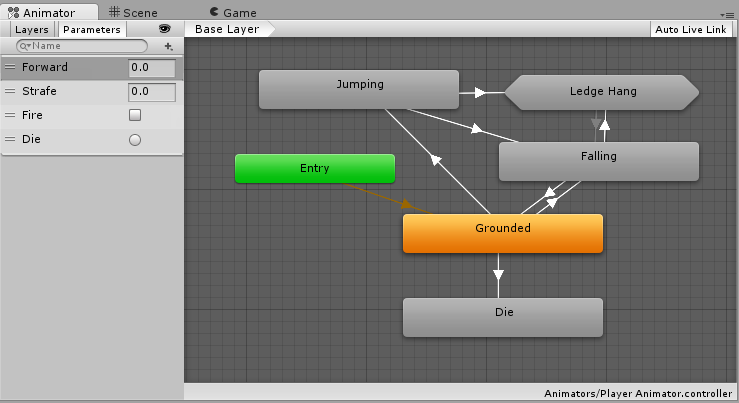
Unity Learn
An Animator Controller is a Unity asset that controls the logic of an animated GameObject. Within the Animator Controller there are States and Sub-State Machines that are linked together via Transitions. States are the representation of animation clips in the Animator. Transitions direct the flow of an animation from one State to another. In thi...
heady nimbus
But I probably need to set velocity to 0, THEN handle the knock back
vagrant lynx
I opened a script rn, and it's showing
Do you trust the authors of the file or folder ?
heady nimbus
But for now it's funny
silk night
vagrant lynx
I opened a script rn, and it's showing
``Do you trust the authors of the file or...
VSCode always asks that
polar acorn
vagrant lynx
I opened a script rn, and it's showing
``Do you trust the authors of the file or...
Well, do you?
Do you trust yourself?
vagrant lynx
polar acorn
Well, _do_ you?
Yes!
heady nimbus
I wouldn't. Tired me and drunk me write some pretty suspect scripts
vagrant lynx
Lol
polar acorn
heady nimbus
I wouldn't. Tired me and drunk me write some pretty suspect scripts
Yes the answer to that question is whether I am being asked to trust severely undercaffeinated me or dangerously overcaffeinated me (I have no other forms)
swift crag
you don't need Visual Studio installed to use Unity or another core editor..
oops, was scrolled back
swift crag
vagrant lynx
I opened a script rn, and it's showing
``Do you trust the authors of the file or...
people realized that you could put malicious code into things like Tasks
heady nimbus
Kind of sad to see it go, but yes, setting velocity to 0 before locking movement and processing knock back DOES prevent the rocket launch effect I was getting. Lol
swift crag
so the default is to run in an "untrusted mode" that disables that stuff
azure zenith
I believe OnCollisionEnter checks all objects colliding with an object?
Unless you tell it not to?
heady nimbus
If the objects have a collider, yes
azure zenith
Then a specific object will collide with the object?
swift crag
swift crag
what are you trying to accomplish here?
.
what are you trying to do?
don't ask about your attempted solution. ask about your original problem.
queen adder
!code
eternal falconBOT
Posting code
📃 Large Code Blocks
Use links to services like:
https://gdl.space/, https://paste.ofcode.org/, https://hatebin.com/, https://paste.myst.rs/, https://hastebin.com/
📃 Inline Code
Surround code with three backquotes. Not quotation marks.
To format as C#, add cs to the first line:
```cs
// Your code here
```
Add a comment with a line number if there is an error message.
copper perch
rich adder
what is nor working exactly
hello, the ammo number does not update to 20 when I pick up the ammo clip, and the sound plays when I eneter the 3rd level right away, and play on awake is off on the audio source
polar acorn
copper perch
hello, the ammo number does not update to 20 when I pick up the ammo clip, and t...
Log the object this collides with. If you get a log right away, then this object is colliding with something playing the sound. If you get no log, the sound is playing somewhere else
copper perch
polar acorn
Log the object this collides with. If you get a log right away, then this object...
ahhhhhhhh thank you.
if you can walk me through this ill make you guns, particles, zombies, and give ya sounds and music anything you need
polar acorn
 mellow jacinth
Someone teach me
mellow jacinth
Someone teach me
!learn
eternal falconBOT
:teacher: Unity Learn
Over 750 hours of free live and on-demand learning content for all levels of experience!
azure zenith
swift crag
don't ask about your attempted solution. ask about your original problem.
Okay, when a player throws a grenade into a cube, it will explode and the cube will destroy, but if they also go through the cube, it will also explode and destroy.
heady nimbus
azure zenith
Okay, when a player throws a grenade into a cube, it will explode and the cube w...
Sounds like you just need to check what is colliding with the cube before destroying it
if (col.gameObject.GetComponent<Grenade>())
Or something along those lines
azure zenith
Cheers
So yeah, basically I do not want the cube to explode and destroy when a player goes through it
mellow jacinth
polar acorn
!learn
Bruh
polar acorn
mellow jacinth
Bruh
Bruh what I answered your question
swift crag
heady nimbus
`if (col.gameObject.GetComponent<Grenade>())`
Indeed.
I prefer using TryGetComponent. It can be very handy for doing an early-return
heady nimbus
Yea, try is probably better, but I suck as this and always forget it. Haha
swift crag
void OnCollisionEnter(Collision collision) {
  if (!collision.gameObject.TryGetComponent(out Grenade grenade))
    return;

  // do stuff with the grenade variable
}
TryGetComponent returns false if it fails
if it succeeds, then you'll have a variable named grenade holding the Grenade
silk night
What the hell is going on with my nav-agents here?
https://img.sidia.net/ZEyI5/BOmAJuDe53.mp4/raw
I basically tell them to follow my player:
public void OnPosition(GameEntity entity, Vector3 value)
{
    Agent.SetDestination(value);
}
The onposition is called whenever my player moves to a new position
 unique hull
silk night
What the hell is going on with my nav-agents here?
https://img.sidia.net/ZEyI5...
unique hull
silk night
What the hell is going on with my nav-agents here?
https://img.sidia.net/ZEyI5...
I am not an expert at the navmeshes , but i am using destination on all my units without any problems. Try using that instead of SetDestination
 silk night
unique hull
I am not an expert at the navmeshes , but i am using destination on all my units...
silk night
unique hull
I am not an expert at the navmeshes , but i am using destination on all my units...
    /// <summary>
    ///   <para>Sets or updates the destination thus triggering the calculation for a new path.</para>
    /// </summary>
    /// <param name="target">The target point to navigate to.</param>
    /// <returns>
    ///   <para>True if the destination was requested successfully, otherwise false.</para>
    /// </returns>
    public bool SetDestination(Vector3 target) => this.SetDestination_Injected(ref target);

    /// <summary>
    ///   <para>Gets or attempts to set the destination of the agent in world-space units.</para>
    /// </summary>
    public Vector3 destination
    {
      get
      {
        Vector3 ret;
        this.get_destination_Injected(out ret);
        return ret;
      }
      set => this.set_destination_Injected(ref value);
    }
They are doing the same thing
 timber tide
lol at the spinning cube
do you get the same results without rigidbody
ideally you don't want to use rigidbody anyway
silk night
OHHH that might be it xD
timber tide
Rather, rigidbody is fine, but using it for collision detection like this does cause complications.
ideally, you'd make your own character controller and handle how things should be pushed back instead of relying on the physics system.
silk night
removing / setting the rigidbody to kinematic fixes the issue
I dont want player/monster collision anyways
Aslong as the monsters dont clump up while following me its fine, and navagents seem to prevent that by default
timber tide
if you do want to use kinematic, you can potentially try just adding *your own displacement methods around your character passively to push stuff back
silk night
Nah basically I just need an ontriggerenter to damage my player when its touched
 buoyant knot
is there any overhead for using tuples?
swift crag
tuples are reference types, so they're different from a struct
i guess this could result in more garbage being produced than if you were passing structs around
buoyant knot
I’m making a system where I need to store pairs of colliders (where col 1 ignores force from col2), and I’m contemplating Dictionary<Collider2D, HashSet<Collider2D>> vs HashSet<Tuple<Collider2D, Collider2D>>
 short hazel
First one if you need to access the second element of the pair using the first, and fast
buoyant knot
also wtf tuples are reference types?
short hazel
Else second one
buoyant knot
I just need to check the pair really fast
 brave compass
The old System.Tuple is a class. But the language feature (x, y) has been replaced with System.ValueTuple, which is a struct.
short hazel
In recent enough versions of C#, there's ValueTuple, a struct
buoyant knot
ie if I have colliders 1 and 2, do we ignore
elfin eagle
im new to scriptable objects, so like can you not assign gameobjects or anything else?
 buoyant knot
hmmm, maybe ValueTuple will do this faster?
short hazel
Second one then, tuples will correctly produce hash codes for the pair
It defaults to ValueTuple now
buoyant knot
elfin eagle
im new to scriptable objects, so like can you not assign gameobjects or anything...
ScriptableObjects don’t usually live in the scene, if that is what you mean
elfin eagle
ohh ok is it like in project files only?
buoyant knot
SOs are usually used as immutable data that you store separately that can be used to populate/query other things
cosmic dagger
elfin eagle
im new to scriptable objects, so like can you not assign gameobjects or anything...
you can't assign a scene GameObject . . .
brave compass
elfin eagle
im new to scriptable objects, so like can you not assign gameobjects or anything...
You can't assign anything that lives in a specific scene. The ScriptableObject could be loaded at any time, when any scene is loaded, so the object might not exist.
buoyant knot
so if I am making a Goomba SO, I could add in: Goomba Prefab (to make it), string for enemy name, bool for if I can stomp it…
but 1) you really do NOT want to write to SOs during runtime. You can, but I always pay the price
like, you do NOT want enemy boss current HP in an SO
you DO want enemy boss Max HP in an SO. That does make sense
understand?
buoyant knot
buoyant knot
so if I am making a Goomba SO, I could add in: Goomba Prefab (to make it), strin...
back to this, it would be an Enemy SO, which you can make a new file tied to Enemy SO, which corresponds to GoombaData
elfin eagle
alright okay i see
buoyant knot
So I define EnemySO with: GameObject prefab for enemy, string for name, bool for stompable…
Then [CreateAssetMenu()], and you can make a new EnemySO file
then you fill that new EnemySO file in inspector with goomba data, and call it GoombaEnemyData
then again right click on asset menu to make another EnemySO, and we fill it out again, but this time for Koopas
right click asset menu => new EnemySO file => make Piranha plant file
timber tide
yes
buoyant knot
then in game, I would make an EnemyDataHolder Monobehaviour, for example. This is a component that goes in the prefab, and I have a Serialized Field for EnemySO, and connect it.
elfin eagle
I have this main problem so I have a game object in scene one, and in scene two there is a prefab of that game object. My character has a script attached to it that the game object in scene 2 needs to access but it cant since it is from originally from scene 1 (Im using do not destroy on load). I need help to find a way that the gameobject in scene 2 can access it when the player enters the scene
so how could I use the scriptible object to fix this? or is there a different way
buoyant knot
So every goomba, koopa, and piranha plant has its own EnemyDataHolder component for every new one, and that component has a reference to the data for that specific enemy
timber tide
ye
buoyant knot
yeah
timber tide
I like to add constructors on my SOs too so I can just call them to construct them right from it. Assuming it will only ever be inserted by one type of monobehaviour.
buoyant knot
scriptable objects do not exist in any scene
I try not to ever construct SOs outside asset menu. GC doesn’t automatically clean up / destroy them when done
which is obnoxious
timber tide
Oh, no I mean I construct the enemy by calling the SO, instead of the enemy prefab script
buoyant knot
scenes are basically giant prefabs. The scene has a bunch if gameobjects, and each gameobject has components. Those components can reference SOs or prefabs. And prefabs can have gameobjects with components that reference SOs
timber tide
just a different way to implement it
buoyant knot
timber tide
Oh, no I mean I construct the enemy by calling the SO, instead of the enemy pref...
oh yes. always
I always instantiate prefabs by looking into an SO
example: GetTile from tilemap => tilebase for a given tile => big dictionary gives me the SO associated with that tilebase => that SO has a field for a prefab
this way the tile on the tilemap is tied to a prefab
does all of this make sense?
swift crag
short hazel
Second one then, tuples will correctly produce hash codes for the pair
this is very important if you're throwing them in a HashSet
otherwise two tuples with the same elements will still have different hash codes
buoyant knot
and ty guys.
brave compass
Does the order not matter for the hashcode ValueTuple generates?
Pretty sure it does. (colliderA, colliderB) != (colliderB, colliderA)
 sage mirage
Hey, guys! I have a question. Can I use a lot of Audio Sources on a specific game object? If yes how to manage on this object the sounds?
swift crag
You can have multiple audio sources. You'll just need to put in a little more effort to pick the right one
cosmic dagger
brave compass
Does the order not matter for the hashcode ValueTuple generates?
i do believe the order is necessary to produce the correct hash . . .
swift crag
Dragging a game object into a field will pick the first matching component on it
But you can drag a specific component into a field instead.
sage mirage
For example, I want to add for the player game over sound when he collides with an object and also hit sound when the collision occurs
buoyant knot
sage mirage
Hey, guys! I have a question. Can I use a lot of Audio Sources on a specific gam...
yes. SerializeField to get references to specific ones
swift crag
sage mirage
For example, I want to add for the player game over sound when he collides with ...
If you're playing lots of one shot sounds, you should just have a single audio source that you pass various AudioClips to
Multiple audio sources are only needed if you want to have several simultaneous non-one-shot sounds, or want to have different audio settings for different sounds
brave compass
cosmic dagger
i do believe the order is necessary to produce the correct hash . . .
Yeah, this appears to be the method it uses to generate the hash of a two element ValueTuple.
public static int Combine(int h1, int h2) => (h1 << 5 | h1 >>> 27) + h1 ^ h2;
that is probably cleaner tbh
sage mirage
swift crag
If you're playing lots of one shot sounds, you should just have a single audio s...
Can I pass to a single Audio Source a lot of clips? There is only one space for audio clip?
swift crag
sage mirage
Can I pass to a single Audio Source a lot of clips? There is only one space for ...
You'd use AudioSource.PlayOneShot
audioSource.PlayOneShot(someClip);
This does not use the audio clip field on the audio source
buoyant knot
so let’s say you are looking at a gameobject with like 20 different audio sources, but it also has all the colliders etc. That will be a mess
swift crag
I prefer to put different audio sources on different game objects
I can add audio filters to each one independently, and it's just easier to wrangle them
sage mirage
Yes but if i have the clip inside of my audio clip on audio source then I can play only this sound if I am not wrong?
swift crag
sage mirage
Yes but if i have the clip inside of my audio clip on audio source then I can pl...
No. You can pass whatever you want to PlayOneShot.
That audio clip field is only used when you Play() the audio source.
buoyant knot
you probably want to make an SO with separate fields for: death SFX, dmg SFX, running SFX, idle SFX etc. if it gets complicated
swift crag
PlayOneShot does not set the field and doesn't care about the field. You can have many one-shot sounds going simultaneously
buoyant knot
if you don’t need to make multiple gameobjects with similar SFX needs, you can use field: SerializeField to specify specific audio clips
sage mirage
swift crag
PlayOneShot does not set the field and doesn't care about the field. You can hav...
So, the field is important when I have to manage for example background music? For example, back music for my main menu and back music for main game?
swift crag
It's used when you Play()/Pause()/Stop() the audio source
Which you usually do for things like music
buoyant knot
which you don’t usually want two of at the same time
sage mirage
@swift crag To tell you the truth, I didn't know that with a single Audio Source you can handle with PlayOneShot() every sound you want. Thanks! I will see what I can do with all your suggestions.
spice smelt
i need help
buoyant knot
PlayOneShot is a method for an AudioSource that takes an AudioClip as an argument
short hazel
sage mirage
<@118467312197042182> To tell you the truth, I didn't know that with a single Au...
PlayOneShot also has the ability to stack the sounds. Like call it 3 times with 3 different clips, and it'll play them all blended in. Up to a certain limit of course
buoyant knot
myAudioSource.PlayOneShot(myAudioClip)
myAudioSource can come from GetComponent. myAudioClip comes from SerializeField OR from a scriptable object
 buoyant knot
I’m going to take the plunge btw, fen. I’m going to refactor all my physics to manually do the simulation with kinematic RBs. It’s going to take a while, but I think will be worth it.
spice smelt
what if i want all of my weapons to react when jumping for examle little move
and also how do i add a soudeffects
buoyant knot
spice smelt
and also how do i add a soudeffects
AudioSource component
 golden ermine
Can someone help me do this? I have an script that is attached to player canvas and it counts have many wood logs is collected and it shows in in the textUI. I have prefab that is Campfire with sprite set to not on fire and when player collects 3 wood and enters campfire trigger it will change sprite to campfire that works with animations and it will heal player when its inside of its trigger. I have trouble with this cause Campfire is prefab and im counting the wood in player canvas so i cannot assign it from script inside campfire prefab. Can someone help with that
spice smelt
when I jump i dont want them to be steady in one place i just want them to follow my camera with little delay
wintry quarry
spice smelt
when I jump i dont want them to be steady in one place i just want them to follo...
you're all over the place. Solve one problem at a time.
spice smelt
wintry quarry
you're all over the place. Solve one problem at a time.
okay the weapons thing first
how do I make them follow my camera with a little delay
spice smelt
YE
wintry quarry
Google "unity fps weapon sway" and find a tutorial
short hazel
Weapon sway is the term
golden ermine
golden ermine
Can someone help me do this? I have an script that is attached to player canvas ...
PlayerUI script: https://hastebin.com/share/uwucamigiq.csharp
Hastebin is a free web-based pastebin service for storing and sharing text and code snippets with anyone. Get started now.
buoyant knot
golden ermine
Can someone help me do this? I have an script that is attached to player canvas ...
you can not store persistent info in a prefab
prefab campfire script needs to be able to get a reference to the count
golden ermine
buoyant knot
you can not store persistent info in a prefab
this script is not in prefab, its in canvas that is inside game scene
sage mirage
@swift crag Hey! Something else about before. Do I have to add my Sound Effect from Project windows right to my Hierarchy in order to use PlayOneShot from the single Audio Source that I have?
golden ermine
and also i want multiple campfires
swift crag
sage mirage
<@118467312197042182> Hey! Something else about before. Do I have to add my ```S...
AudioClip is not a component. It is an asset.
buoyant knot
you might want a singleton that gives access to the total game inventory/score
swift crag
You should add fields to your player component to hold the audio clips
like [SerializeField] AudioClip hurtSound;
 violet topaz
does anyone know how to assign the player to the camera follow script when changing scene ```cs
public class CameraFollow : MonoBehaviour
{
[SerializeField] private Vector3 offset;
[SerializeField] private float damping;
public Transform target;

private Vector3 vel = Vector3.zero;


private void FixedUpdate()
{
    Vector3 targetPosition = target.position + offset;
    targetPosition.z = transform.position.z;

    transform.position = Vector3.SmoothDamp(transform.position, targetPosition, ref vel, damping);
}
}```
 buoyant knot
CampfireScript can use Inventory inventory = Inventory.GetInstance();
then read inventory.logCount in Start
golden ermine
buoyant knot
you might want a singleton that gives access to the total game inventory/score
can i do it somehow easier without doing singleton
buoyant knot
yes, but it’s harder because you need to manage references to things to avoid FindComponentInScene or something
singleton is the easiest way. You sure don’t want to keep two sets of counts of logs, right? And you definitely don’t want that in a static class
swift crag
golden ermine
Can someone help me do this? I have an script that is attached to player canvas ...
why not make the player tell the campfire that the player is adding wood?
rather than having the campfire look at the player inventory
buoyant knot
swift crag
why not make the player tell the campfire that the player is adding wood?
campfire doesn’t exist yet
swift crag
buoyant knot
campfire doesn’t exist yet
doesn't matter. you wouldn't reference the campfire in advance anyway
sage mirage
swift crag
`AudioClip` is not a component. It is an asset.
Yes! I mean how can I use AudioSource.PlayOneShot() if there is a string name required as a parameter inside the method? Do I have to add those Sound Effects assets on my Hierarchy as objects and make tags for each one of them in order to get reference with the method above?
swift crag
you'd find the campfire when you mouse over it
or whatever you do to decide you're going to interact with the campfire
buoyant knot
campfire needs to access that data from somewhere
swift crag
i'm suggesting to invert this
Campfires should have no idea about my inventory
what are they doing in my backpack?
golden ermine
and when i have 3 wood collected and approach any of them it should take away 3 woods and change sprites and start animation as well as heal the player when isnide of trigger. While the other one can do the same only if i have 3 more wood
buoyant knot
either way, you need the link between the thing with the logs and the campfire
swift crag
The player should look for a campfire nearby and tell the campfire to light up
The player can then deduct 3 logs from their inventory
buoyant knot
and I would rather my inventory not know about the campfire, than the campfire not know about inventory
swift crag
Campfires that steal your wood sound a lot weirder than players that put wood in campfires
The inventory wouldn't know either. The inventory is an inventory.
The player notices the campfire and has an inventory.
void OnTriggerEnter(Collider other) {
  if (other.TryGetComponent(out Campfire campfire) {
    if (inventory.logs >= 3) {
       campfire.Ignite():
       inventory.logs -= 3;
    }
  }
}
Problem solved.
buoyant knot
there are a lot of ways to do this. not difficult
swift crag
I think this is the most natural way to do it, and also, conveniently, the easiest to implement
the campfire doesn't need to be made aware of your inventory
golden ermine
uh also i have this script that is attached to player, also when entered ontrigger it will make campfire https://hastebin.com/share/zolepomowa.csharp
Hastebin is a free web-based pastebin service for storing and sharing text and code snippets with anyone. Get started now.
swift crag
Instead of finding a campfire in the scene, just see if the thing you bumped into in OnTriggerEnter2D is a campfire
golden ermine
can i do that with if(collision.gameObject.tag == "Campfire")
buoyant knot
i don’t understand the difficulty here
swift crag
actually, looking at your code, you've already solved the problem more-or-less how I described
buoyant knot
when you collide/trigger, both things get references to each other
swift crag
the player notices a campfire, ignites it, and deducts 3 logs
maybe there is a miscommunication here
polar acorn
golden ermine
can i do that with if(collision.gameObject.tag == "Campfire")
Use CompareTag, not ==
https://docs.unity3d.com/ScriptReference/Component.CompareTag.html
buoyant knot
player should have a reference to an inventory, and UI display should also have a reference to inventory
swift crag
yep yep
golden ermine
 buoyant knot
this is why I thought it would make sense for inventory to be a singleton, unless it is a multiplayer game
swift crag
golden ermine
you're still using CampfireSpriteRenderer, which may not be from the campfire you just collided with
golden ermine
 swift crag
That looks more reasonable. I'd go a step further and create a Campfire component that does everything for you
instead of doing a bunch of GetComponent calls
 floral wren
buoyant knot
this is why I thought it would make sense for inventory to be a singleton, unles...
floral wren
buoyant knot
this is why I thought it would make sense for inventory to be a singleton, unles...
Not really a good idea to have the inventory as singleton. You might want to have other character/object have an inventory.
buoyant knot
player should not have any knowledge of the campfire’s structure.
swift crag
buoyant knot
player should not have any knowledge of the campfire’s structure.
bingo. encapsulation!
buoyant knot
player has no business setting animator flags
swift crag
the player knows how to tell campfires to ignite. the player doesn't care how the campfire works
encapsulation will prevent so many errors
buoyant knot
floral wren
Not really a good idea to have the inventory as singleton. You might want to hav...
that’s why I specified. If there’s only one inventory in the game, singleton makes it easier. Otherwise, you need to get direct references for each player
swift crag
of course, you can always split the difference
inventories as non-static objects, but with a static reference to the player's inventory
buoyant knot
which would probably mean inventory would be a serializable POCO
golden ermine
Okay but how can I now make gameobject that is inside that campfire that i collided with set to true with in that if statemnet
swift crag
golden ermine
Okay but how can I now make gameobject that is inside that campfire that i colli...
make a new script called Campfire
floral wren
buoyant knot
that’s why I specified. If there’s only one inventory in the game, singleton mak...
It is more a question of potential growth of the game. It does not need to be multiplayer to be needing more inventory. You might want AI to behave with an inventory.
swift crag
It should have a reference to the animator and to the sprite renderer.
golden ermine
swift crag
make a new script called `Campfire`
okay what then
swift crag
It should have a method that, when you call it, does all of the work needed to make the campfire light up
Then you can just get that single Campfire component and tell it to turn on
buoyant knot
floral wren
It is more a question of potential growth of the game. It does not need to be mu...
only he knows his game’s needs. and if you’re making a really fixed single player game like mario, I argue it is actively worse to spend more time with a non-singleton. Goombas have no business keeping their own coin count
swift crag
Imagine you have lots of things that can ignite a campfire. If you decided to change how the visual works, you will have to change every single place that lights campfires
golden ermine
buoyant knot
only he knows his game’s needs. and if you’re making a really fixed single playe...
im making single player 2d top down game for school exam
swift crag
replacing GetComponent<SpriteRenderer>() with GetComponent<CoolNewThing>()
That's a hassle, and you'll probably miss something.
So, instead, just hide all of that logic inside the Campfire component
Change it once and you're golden.
 obsidian fern
Does anyone have an idea how I could go about making an inventory system like the one in dredge? With puzzle pieces that can be rotated around to fit into each other
buoyant knot
Campfire needs its own Monobhevaiour, my man
buoyant knot
obsidian fern
Does anyone have an idea how I could go about making an inventory system like th...
you probably want to use tilemaps. I have solved this issue before, but you are going to need a lot of math
golden ermine
swift crag
Then you can just get **that single `Campfire` component** and tell it to turn o...
okay can I do inside Campfire script like: public void Ignite() {inside this everything that it needs to do} and in playerMovement script in that if statement call it with collision.GetComponent<CampfireScript>().Ignite();
rich adder
obsidian fern
Does anyone have an idea how I could go about making an inventory system like th...
are you talking about a grid inventory ?
swift crag
golden ermine
okay can I do inside Campfire script like: public void Ignite() {inside this eve...
yep!
obsidian fern
rich adder
are you talking about a grid inventory ?
Yes but for example an item could be in an L shape using 3 tiles
golden ermine
swift crag
yep!
thanks, i will do that and then i will update u guys
swift crag
I have lots of really small components I only use in one or two places. They make my life simpler.
rich adder
obsidian fern
Yes but for example an item could be in an L shape using 3 tiles
yea thats called like Tetris inventory or something ?
many diff ways to do it
tilemap is interesting usecase too, never tried it though
buoyant knot
tilemap will work well. but you need math
rich adder
like everything else 😛
swift crag
I'm pretty sure this was a homework problem at my university
obsidian fern
I don't know how I'm going to learn how to do this
buoyant knot
you need an SO that has information about the position of each tile.
 timber tide
Easy way is to just check neighbors of the 2D array
rich adder
seem codemonkey has one, just be careful with codemonkey code xD
buoyant knot
you need a function to rotate the coordinates of each tile, and output a shape.
and you need a function that can look into the tilemap and retrieve the SO
rich adder
eh why would u use invoke repeating?
 solar heron
Can someone help me, im trying to update the InvokeRepeating method because im trying to make my mobile clicker game clicks counter go up
 buoyant knot
yeah
obsidian fern
Seems way over my head. But this is unfortunately my goal
timber tide
it's basic array navigation
solar heron
rich adder
jesus..
yeah my code is crap XD
buoyant knot
I would not store all that info into playerprefs
golden ermine
 rich adder
solar heron
yeah my code is crap XD
rich adder
solar heron
yeah my code is crap XD
lol its fine. what are you trying to do though exactly?
 buoyant knot
you would want to store the counts of everything into a JSON/BSON
solar heron
rich adder
lol its fine. what are you trying to do though exactly?
So basically, im trying to make the money counter go up 1 by 1 but fast per Money Per Second. and im stuck because i cannot update the invoke repeating method
buoyant knot
if someone is determined enough to look up the save file and edit it, they are determined enough to figure out how to read it
rich adder
solar heron
So basically, im trying to make the money counter go up 1 by 1 but fast per Mone...
yeah you would want to use a coroutine so you can modify the same one or stop it, etc.
buoyant knot
solar heron
So basically, im trying to make the money counter go up 1 by 1 but fast per Mone...
good. you should not invoke repeating
solar heron
rich adder
yeah you would want to use a coroutine so you can modify the same one or stop it...
Oh okay ill try, i never used a couroutine but ill try!
rich adder
solar heron
Oh okay ill try, i never used a couroutine but ill try!
StartCoroutine returns a Coroutine
buoyant knot
I would make an SO with details about a specific type of thing: name, click frequency, reference to sprites etc.
golden ermine
is now everything fine?

 buoyant knot
then make a single component that takes in info from that one coroutine to start running it. I expect you only need to define one IEnumerator to make your code work
rich adder
golden ermine
is now everything fine?
campfire healing? are you making terraria
golden ermine
lmao
i made that script before but didnt used it so i just used it now, i didnt bother to change a name lol
buoyant knot
i would just call it campfirep
and then give it responsibility over anything a campfire needs to do
rich adder
CampfireController
golden ermine
also can i move that if statement from playermovement script inside campfire script so that when player is inside campfire trigger it will lit not when campfire is inside of player trigger
buoyant knot
because changing the animator to IsLit has nothing to do with healing
buoyant knot
golden ermine
also can i move that if statement from playermovement script inside campfire scr...
that is correct
player has no business knowing anout the inner workings of campfire
golden ermine
also can i add to if statement (Input.GetKeyDown(KeyCode.E) && everything else) will that work so when im in trigger and then press e it will lit
buoyant knot
player knows about player
golden ermine
or maybe put first if statement inside that input.getkeydown(keycode.e)
 uncut veldt
Hi quick question im having a problem with rotation as i have a motorbike in a project and i want to aplly lean to counteract the wheel collider lean as that leans in the wrong dirrenction i am currently using this to do that ow wver it doesnt work as intended at all cs transform.rotation = Quaternion.Euler(new Vector3(transform.rotation.x, transform.rotation.y, -Mathf.Clamp(leanCoeffitient * frWheel.steerAngle, -maxLeanValue, maxLeanValue))); any help is apreciated
buoyant knot
you also do not want to write the number 3
you want to use private const int, and define 3 at the top
solar heron
    private void Update()
    {
        StartCoroutine(GiveMoneyPerSecond());
    }

    IEnumerator GiveMoneyPerSecond()
    {
        yield return new WaitForSeconds(time / MPS);
        money += 1;
        PlayerPrefs.SetFloat("money", money);
    }
``` uh is this good XDespecially for school, I would dock you for putting that magic number 3 randomly in your code
solar heron
nope i guess not its wayyy to fast
buoyant knot
solar heron
```cs
private void Update()
{
StartCoroutine(GiveMoneyPerSecond(...
do not start a coroutine in every update lmao
that starts a coroutine every frame
golden ermine
buoyant knot
you want to use private const int, and define 3 at the top
is this script now all good?
 solar heron
I want it to be once every time / MPS
buoyant knot
also stop using playerprefs like that
rich adder
solar heron
I want it to be once every time / MPS
put it in start where it was
wintry quarry
golden ermine
is this script now all good?
looks like an immediate null reference exception with playerUI since it's private and never assigned
uncut veldt
solar heron
I want it to be once every time / MPS
you could use InvokeRepeating or you could add a bool to the iEnumerator and only ollow the code to run every x seconds thats what i do anyway
rich adder
golden ermine
is this script now all good?
use TryGetComponent instead
buoyant knot
golden ermine
is this script now all good?
definitely not
getkeydown is true for one frame when you press a button
golden ermine
buoyant knot
getkeydown is true for one frame when you press a button
ontriggerstay then?
buoyant knot
nope
buoyant knot
those trigger callbacks happen once every physics frame
timber tide
obsidian fern
Seems way over my head. But this is unfortunately my goal
Basically, designate a pivot for your items and inventory. Preferably the most top left index would be [0][0] of each of them. In your item's data, make an array of vector2Int. Now, say a dagger takes up 3 spaces vertical, then your array of vector2Ints would be [0, 0], [0, 1], [0, 2]. Now, when you pick up the dagger, first scan from the top left to the bottom right of your inventory. When you find an open space, take that index and try finding open indices for all of your dagger. If the open inventory index is [2, 0] then you now make this the pivot and add/check if your dagger fits at this space so add your Vector2Ints with this value each -> [2, 0], [2, 1], [2, 2]. If each slot is empty, add the dagger, otherwise search for the next open slot and redo the vector3Int addition and check operation.
golden ermine
buoyant knot
nope
when then
rich adder
golden ermine
ontriggerstay then?
ideally you make a bool you toggle in update
only use bool in Trigger
buoyant knot
i use input system, but that’s beyond him rn I think
rich adder
yes
buoyant knot
i think GetKey tells you if the key is currently pressed, not necessarily this frame
golden ermine
how to fix

 edgy prism
golden ermine
how to fix
edgy prism
golden ermine
how to fix
.gameObject
buoyant knot
also, you need ontriggerStay, probably
cosmic dagger
golden ermine
how to fix
what does the error say?
rich adder
golden ermine
how to fix
this wouldn't set it back to false tho
golden ermine
edgy prism
.gameObject
 rich adder
isEPressed = Input.GetKeyDown(KeyCode.E)
buoyant knot
you need to stop guessing and asking us
rich adder
golden ermine
if(TryGetComponent(out PlayerUI playerui))
cosmic dagger
golden ermine
again, posting the error helps. that's not how you use TryGetComponent . . .
swift crag
golden ermine
why is the campfire talking to the inventory?
edgy prism
mr Navarone I have a bone to pick with you
swift crag
I suggested making the player tell the campfire to ignite.
rich adder
edgy prism
mr Navarone I have a bone to pick with you
oh uh that dont sound good
swift crag
It should be a very simple class
buoyant knot
right now, we tell you X is wrong, and then you make some haphazard change immediately. You will not learn unless you take a moment to think
golden ermine
cosmic dagger
again, posting the error helps. that's not how you use `TryGetComponent` . . .
 swift crag
why is the campfire talking to the inventory?
swift crag
swift crag
why is the campfire talking to the inventory?
public class Campfire : MonoBehaviour {
  public Animator animator;
  public SpriteRenderer spriteRenderer;
  public Sprite ignited;

  public void Ignite() {
    animator.SetTrigger("Foo");
    spriteRenderer.sprite = ignited;
  }
}
This is all the campfire should care about.
rich adder
golden ermine
swift crag
when you tell it to turn on, it turns on.
edgy prism
rich adder
oh uh that dont sound good
Hahha you remember a few days back we were talking about inky? I have spent all of today and more of yesterday than I care to admit trying to figure out how to implement it in my code
swift crag
you're creating needless complexity by making the campfire try to find and reason about the player's inventory
rich adder
edgy prism
Hahha you remember a few days back we were talking about inky? I have spent all ...
wait really? did you look up other tuts. this guy trever or w/e really helped me
edgy prism
rich adder
wait really? did you look up other tuts. this guy trever or w/e really helped me
Yeah I mean it works great other than me being stupid
golden ermine
swift crag
you're creating needless complexity by making the campfire try to find and reaso...
but still if i do it in campfire script it will work but its more complicated?
swift crag
golden ermine
but still if i do it in campfire script it will work but its more complicated?
anything can work
buoyant knot
swift crag
you're creating needless complexity by making the campfire try to find and reaso...
there are multiple issues here. And it’s not the code being in the campfire class
rich adder
edgy prism
Yeah I mean it works great other than me being stupid
this guys video helped me greatlly on this, he also has Portraits and names features.
Not sure why the link isn't embedding the video but you can click it
also this one https://youtu.be/tVrxeUIEV9E?
golden ermine
okay guys this is what it looks like now, so first issue is why is trygetcomponent not working
 swift crag
because that's not how you use it, full stop.
rich adder
golden ermine
okay guys this is what it looks like now, so first issue is why is trygetcompone...
because u aint using it correctly
swift crag
you should read the documentation
you can't just mash random words together and get a working program
rich adder
the doc does suck for TryGet
not gonna lie
I sent in a "Report issue with this page"
swift crag
what is the problem?
cosmic dagger
golden ermine
that's not how you use TryGetComponent. you can look at the !docs for an example or look at this: #💻┃code-beginner message
eternal falconBOT
rich adder
swift crag
what is the problem?
the use reduant <T> when you can just pass it in the ( out Rigidbody rb)
edgy prism
rich adder
this guys video helped me greatlly on this, he also has Portraits and names feat...
Thanks I will give them a watch and see if that helps my current issue is more or less just that im doing everything in coroutines and once story.canContinue is false Im crying
rich adder
yeah its weird, hopefully they fix it lol
also would be nice to show that you can also use it if you already have a non local var
cosmic dagger
yep, weird they added it in there . . .
 eager elm
that's also pretty advanced for beginner code, just use GetComponent() and check for null
swift crag
eager elm
that's also pretty advanced for beginner code, just use GetComponent() and check...
i would not call TryGetComponent "advanced"
it has an out parameter, I guess
golden ermine
i know this is incorrect but i dont understand it by that document
 cosmic dagger
eager elm
that's also pretty advanced for beginner code, just use GetComponent() and check...
cosmic dagger
eager elm
that's also pretty advanced for beginner code, just use GetComponent() and check...
Try methods are not advanced at all. they are common . . .
rich adder
golden ermine
i know this is incorrect but i dont understand it by that document
you see PlayerUI is darkgreen
it means its reduant
golden ermine
yes
swift crag
golden ermine
i know this is incorrect but i dont understand it by that document
This is valid code.
rich adder
you can remove <PlayerUI>
swift crag
It's not exactly what you intended, though.
It is storing the PlayerUI object it found into the woodCount variable
cosmic dagger
golden ermine
i know this is incorrect but i dont understand it by that document
you can remove the grayed (darkened green) PlayerUI between the angle braces . . .
swift crag
if (playerUI.gameObject.TryGetComponent(out PlayerUI ui)) {
  // the ui variable isn't going to be null in here
  if (ui.woodCount >= 3) {
    ...
  }
}
This is a valid usage.
The method returns true if it finds the component.
You can then use the component inside the if block.
If the component is not found, the block is skipped.
eager elm
the entire code is unnecessary though, just change
GameObject playerUI to PlayerUI playerUI
swift crag
that would also be reasonable, yes.
I almost never reference a GameObject
I always want something more specific
golden ermine
 rich adder
golden ermine
i know this is incorrect but i dont understand it by that document
rich adder
golden ermine
i know this is incorrect but i dont understand it by that document
just to recap
PlayerUI playerUi;
if(playerUi != null)
playerUi.stuff```
is the same as
```cs
if(TryGetComponent(out PlayerUI ui))
ui.stuff```That ought to work! I would break the big line up into smaller chunks.
But it looks fine to me.
golden ermine
Okay thanks guys, also did i fix bool that says when e is pressed. Cause i dont see why it shouldnt work lol
eager elm
golden ermine
Okay thanks guys, also did i fix bool that says when e is pressed. Cause i dont ...
your playerUI is also not assigned anywhere, you might want to make it public and assign it in the Inspector
golden ermine
eager elm
your playerUI is also not assigned anywhere, you might want to make it public an...
i cant cause campfire is an prefab and playerUI is in game scene
rich adder
you're gonna get null reference exception then
golden ermine
how to fix it
rich adder
make it not null
golden ermine
yea but how can i assign it when its in prefab
rich adder
depends why does campfire care about UI in the first place
some type of unity style dependency injection, pass the component through method from whoever has the reference
golden ermine
cause in playerUI script i count how many wood i have
rich adder
golden ermine
cause in playerUI script i count how many wood i have
then it should be a static instance of a class that tracks your inventory
the UI should not care about logic
golden ermine
i know but its not only ui i named my script wrong
rich adder
and your stats should be public /singleton available
rich adder
golden ermine
i know but its not only ui i named my script wrong
time to start using clearer names
 rich adder
you need a singleton
so you can make it static
then you just access stats when you need them
PlayerUI.Instance.wood
or w/e
golden ermine
 rich adder
right
so you need to just assign it
this isn't needed

and the other one in if statement trigger
golden ermine

 golden ermine
 golden ermine
no where to assign it
rich adder
golden ermine
no where to assign it
in awake of playerUI
private void Awake()
    {
        if(instance != null && instance != this )
        {
            Destroy(gameObject);
        }
        else
        {
            instance = this;
        }
}```okay i did it
thank you it works now, now i can have as many campfires as i want haha
rich adder
golden ermine
thank you it works now, now i can have as many campfires as i want haha
next step.. Putting your stats into a struct / class
🙂
golden ermine
😟
rich adder
haha that comes later tho, you did well so far
quick learner
using class /struct will just help you group stuff together
 sand veldt
i think its a dum question but is it necessary to clear a list or we can set it to null
private void table_OnTableSitEvent(object sender, Table.KitchenObjectSOsEventArg e)
{
    kitchenObjectSOs=null;
    kitchenObjectSOs = e.kitchenObjectSOs;
    CreateUIIcons();

}
the first line is not necessary at all
sand veldt
i dont want to clear data from the real list
wintry quarry
kitchenObjectSOs = e.kitchenObjectSOs; is sufficient
kitchenObjectSOs=null; can be deleted, as it is simply overwritten on the next line
it's kind of like
int x;
x = 5;
x = 3;
print(x);```you don't need the x = 5 line, it adds nothing of value.
 pine abyss
Hello folks!
Weird question. Would anyone have any idea how to use the SetLookAt IK function to rotate an animated head of an avatar based on mouselook? I know how to make it rotate with regard to another GO, but based in mouse? That's too much for me... thanks! ❤️
sand veldt
wintry quarry
you don't need the x = 5 line, it adds nothing of value.
ok thanx
wintry quarry
pine abyss
Hello folks!
Weird question. Would anyone have any idea how to use the SetLook...
use the mouse input to move some other object that the IK is looking at