#💻┃code-beginner
1 messages · Page 16 of 1
 swift crag
for example, you couldn't tell Vector2.down (Vector2 is a type) apart from Vector2.down (Vector2 is a local variable)
 languid spire
GPT Code using WebRequest
 tulip stream
ok, i have another question
    private bool isWalled()
    {
        RaycastHit2D raycastHit = Physics2D.BoxCast(boxCollider.bounds.center, boxCollider.bounds.size, 0, new Vector2 (transform.localScale.x, 0), 0.1f, wallLayer);
        return raycastHit.collider != null;
    }
this time you can see i used a new vector for the direction, in this case i guess:
- The box travels in the direction of whatever the transform.localScale.x is
- And doesn't travel at all on the y axis because it's 0.
Correct me if i'm wrong.
 slender nymph
yes, it will cast right or left depending on whether the x scale is positive or negative
swift crag
yes, because the Y component of the direction is zero.
 ashen ferry
u can google a class.method and unity docs will be first result with good explanation ur current direction is pure left or right if u add some y then it will go up or down as well
tulip stream
thank you guys a lot
i'm just trying to acquire good fundamentals from the start of my journey in game dev
tulip stream
ashen ferry
u can google a class.method and unity docs will be first result with good explan...
i use the documentation, but sometimes i get that feeling of something that needs a confirmation from other devs
 twin bolt
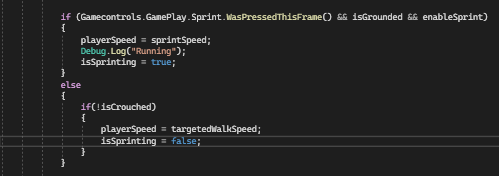
How do i fix this, i'm trying to make to set up sprinting in my game, but the "isSprinting" bool just flickers while "IsWalking" stays on even when Sprint is being pressed. ( I know how to fix the IsWalking problem). https://i.imgur.com/TzpwVlD.png
 swift crag
why are you checking if the input was pressed on this frame?
don't you want to check if it's being pressed at all?
twin bolt
Isn't that how the new input system works, or am i missing something?
twin bolt
oh wow, i didnt even know that was a thing
Wow that works, i previously used waspressedthisframe, in my old script, but i ended up having to recreate everything from scratch. Thanks
How do i fix a issue with my player controller, where when i crouch the player scales from the middle instead of bottom. I know i can just create a pivot, but that would completely mess up my player object. How can i scale from the bottom of the player using script?
 royal linden
WHY do i get this
 royal linden
where tho i cant figure it
twin bolt
You need to set up your Visual studios correctly, it will show you this
swift crag
Is your code editor highlighting errors right now?
twin bolt
!ide
royal linden
it says no errors
 eternal falconBOT

💡 IDE Configuration
If your IDE is not autocompleting code
or underlining errors, please configure it:
• Visual Studio (Installed via Unity Hub)
• Visual Studio (Installed manually)
• VS Code*
• JetBrains Rider
• Other/None
*VS Code's debugger plugin is unsupported.
We recommend using VS or Rider instead.
royal linden
v studio
swift crag
Visual Studio, not Visual Studio Code?
swift crag
twin bolt
How do i fix a issue with my player controller, where when i crouch the player s...
I'd just bite the bullet and restructure the player object now. A lot of things are simpler when your character's pivot point makes sense.
twin bolt
swift crag
I'd just bite the bullet and restructure the player object now. A lot of things ...
Okay, thanks
twin bolt
Yea
royal linden
swift crag
Visual Studio, **not** Visual Studio Code?
wdym .. theres 2?
swift crag
Ah, then you just need to set its position correctly
swift crag
royal linden
wdym .. theres 2?
"Visual Studio" and "Visual Studio Code" are two different code editors.
Show me a screenshot of your code editor.
swift crag
swift crag
Ah, then you just need to set its position correctly
I set the position to be half of the controller's height. That keeps the bottom of the capsule on the ground.
The controller is usually on the character root for me, so I can't exactly parent it to something else
royal linden
 swift crag
That is Visual Studio Code.
swift crag
eternal falcon
Follow the "VS Code" instructions here.
Do not skip any steps.
note that you will not be using the "Visual Studio Code Editor" package. You will be using the "Visual Studio Editor" package.
royal linden
breh
swift crag
If you can't update the "Visual Studio Editor" package to 2.0.20 or later, that's an easy fix. Ask me about if you can't.
royal linden
but it says this
 swift crag
Yes. You are using Visual Studio Code.
swift crag
swift crag
note that you will **not** be using the "Visual Studio Code Editor" package. You...
that's why I mentioned this.
Both editors now use the same package: "Visual Studio Editor"
Follow the instructions to the letter.
twin bolt
swift crag
I'd just bite the bullet and restructure the player object now. A lot of things ...
Okay, i managed to fix it using a Asset, but now the playercontroller script doesn't know if i'm grounded or not.
swift crag
if your only problem was that the character controller is in the wrong position, then you just need to set its offset...
swift crag
royal linden
where is Workloads tab
I told you to click the "VS Code" link.
You have clicked a completely unrelated link.
Click the "VS Code" link. Follow the instructions.
You need to pay attention to what you're doing.
twin bolt
I'm using rigidbody, character controller was extremely janky for me when i used it.
swift crag
swift crag
do you mean the CharacterController capsule?
so, not that
I'd move the colliders to child objects, then
twin bolt
No, sorry, i though your were referring my player controller
swift crag
the rigidbody can remain on the character root
(if this is not the setup, then I'll need to see what you're doing)
royal linden
swift crag
I told you to click the "VS Code" link.
i did
swift crag
the "VS Code" link has zero mentions of "Workloads"
because "Workloads" are a Visual Studio concept
you are not using Visual Studio. you are using Visual Studio Code.
royal linden
breh
ashen ferry
https://hatebin.com/vertrmegae im looking to exclude some stuff from builds are these ways valid? from what I see Conditional attribute takes care of calls automatically so I dont need to do anything extra right
 zealous oxide
do ppl generally use the particule system for objects such as health kits/experience orbs/coins?
royal linden
im lost
 swift crag
royal linden
im lost
swift crag
royal linden
im lost
this is complete nonsense. you have somehow installed and opened Visual Studio while allegedly following the instructions for setting up Visual Studio Code.
royal linden
but i installed from what it told me
swift crag
I told you repeatedly to click the "VS Code" link.
You have clicked something else and followed those instructions instead.
This is the link I've asked you to follow several times now.
Click it. Follow those instructions.
royal linden
 swift crag
This has absolutely nothing to do with the instructions for VS Code.
royal linden
that was in the link
swift crag
What link?
royal linden
the bot link u put
swift crag
I told you to click the "VS Code" link in that message.
Four or five times now.
You are completely ignoring me. This is ridiculous.
royal linden
i did
twin bolt
This might actually be the longest it has taken someone to get the ide configured. I thought i was bad
swift crag
No, you clicked one of the two "Visual Studio" links.
swift crag
twin bolt
This might actually be the longest it has taken someone to get the ide configure...
This is also the first time I've ever seen someone's source code include HTML-escaped characters
we'll get to that, eventually
royal linden
i hate this pc

 polar acorn
royal linden
the bot link u put
polar acorn
royal linden
the bot link u put
Please screenshot the bot post and circle the link you clicked
royal linden
it was this one
 polar acorn
royal linden
it was this one
polar acorn
royal linden
it was this one
So, again, why
You were told to click the vs code link
Because that is what you have
So why did you click the visual studio one
royal linden
i thought that was it
polar acorn
Why did you think the link that said "Visual Studio" was the link you should click when you were repeatedly told to click on the "VS Code" link
Why did you not assume that you should click the one that says "VS Code"
royal linden
idek that they were links
polar acorn
royal linden
idek that they were links
Is this your first time on a computer
royal linden
polar acorn
Is this your first time on a computer
no theres so many steps
polar acorn
royal linden
no theres so many steps
You haven't even gotten to the steps yet. You still haven't clicked on the link you were told to click
royal linden
i have wdym
polar acorn
royal linden
i have wdym
Okay so did you go back and click on the VS code link?
royal linden
yes
polar acorn
royal linden
yes
Please show a screenshot of which link on the bot you have clicked
royal linden
 polar acorn
Good. Now do those steps.


 nocturne parcel
Stop what?
Add a grounded check and a limit of how many times the player can jump in the air.
The ground check should be a ray pointing down
 queen adder
How do i Fix this
 nocturne parcel
Ah, i see
You just need to make the wall tag different from the ground, then the grounded only checks the ground tag
The wall jump method should have it's own check
Then
if (touching wall) blah blah blah
queen adder
queen adder
How do i Fix this
The code is using System.Collections;
using System.Collections.Generic;
using UnityEngine;
using UnityEngine.SceneManagement;
public class MainMenu : MonoBehaviour
{
[SerializeField] private string NewGame = "Level1";

public string NewGameLevel1 { get; private set; }

public void Newgamebutton()
{
    SceneManager.LoadScene(NewGameLevel1);
}
}
 nocturne parcel
queen adder
The code is using System.Collections;
using System.Collections.Generic;
using Un...
nocturne parcel
queen adder
The code is using System.Collections;
using System.Collections.Generic;
using Un...
Your NewGameLevel isn't returning anything
public string NewGameLevel1 { get => NewGame; set;}
 wintry quarry
royal linden
wintry quarry
royal linden
Package manager is part of the Unity editor, not unity hub
 timid quartz
Is there a good way to tell what game object I'm hovering the mouse over? I'm debugging some drag-drop problems and I think there's an element on blocking my mouse but I don't know where to begin to get what game object it is
never mind I think I randomly stumbled on the element
 supple wasp
What is the name of this thing that comes out?

 frigid quartz
royal linden
frigid quartz
royal linden
I'm also a beginner but I think I can help you out with this one.
The package manager can be found within the Unity Editor - the Unity Editor is what pops up after you've opened your project in the Unity Hub. After you've opened your project, you may need to open the "Project Manager" window from the "Window" tab in the menu toolbar at the top of your screen.
Open project>Window>Package Manager
royal linden
im trying to free up space rn ill this later ty
frigid quartz
royal linden
im trying to free up space rn ill this later ty
No problem. Good luck!
royal linden
u too
wintry quarry
timid quartz
Is there a good way to tell what game object I'm hovering the mouse over? I'm de...
The preview window for the event system shows you
 crisp radish
Hello guys,
Can someone help me understand Pixels Per Unit and Orthographic Size and Aspect Ratio?
- I have an orthographic camera of size 6 at world origin
- I have a gameobject with Sprite Renderer at world origin with scale (1,1,1)
- I have a 1920x1080 .png file attached to this object
- My aspect ratio is set to 16:9
I want my .png to fill the screen. How do I calculate the Pixels Per Unit when importing the Texture 2D asset?
1- Calculate the width of the camera view in world units:
Camera Width = Camera Size * Aspect Ratio = 6 * (16 / 9) = 10.67 units
2- Image width in world units should be equal to the camera width. So, PPU is:
PPU = Image Width / Camera Width = 1920 / 10.67 ≈ 180 PPU
But this is wrong. The answer is 90 PPU. But I don't understand why. Any help?
It perfectly fits if I set my PPU to 90 when importing... But I can't quite understand why
wintry quarry
crisp radish
Hello guys,
Can someone help me understand Pixels Per Unit and Orthographic Siz...
Orthographic size is HALF the height
Not the full height
So with size 6 it sees 12 units high
ashen ferry
I think u can just image Y pixels count / ortho size * 2 to get ur ppu? with same aspect ratio it will scale in automatically lol
wintry quarry
And 21.whatever wide
 chilly jetty
so I have a problem with my game, so I Am making a character selector for my game which is like dani's game which is named off the balls but thats not important, anyways so when you choose a character and press spawn its fine since there is already a script to spawn the player/ball but on the GameManager it can only have one reference but i would have multiple characters so i use this approach
FindAndAssignBall();
private void FindAndAssignBall()
{
// Find the Ball component in the scene
ball = FindObjectOfType<Ball>();
    // Check if the Ball component was found
    if (ball == null)
    {
        Debug.LogError("Ball component not found in the scene.");
    }
}
but even tho there is a Ball component as i said the ball is spawned in im not sure if its because its happening in the same frame or not tho well anyways it won't get the component help!
 north kiln
You should definitely not be using any Find method for this (or generally, ever, if you can avoid it).
When you spawn the ball, Instantiate returns a reference to it. So add that reference to a collection that associates it to a player. That list can be on GameManager if you want it to be
crisp radish
Thanks for the answers guys. PPU = Y pixels count / (ortho size * 2) it seems. Makes sense.
So, in my case PPU = 1080 / (6 * 2) = 90
chilly jetty
north kiln
You should definitely not be using any Find method for this (or generally, ever,...
uh what and how?
north kiln
That is not a helpful sentence. I cannot elaborate on a complete lack of understanding
chilly jetty
so this is the line of code i use to instantiate the player
Instantiate(GameManagers.instance.currentCharacter.prefab, transform.position, Quaternion.identity);
chilly jetty
north kiln
That is not a helpful sentence. I cannot elaborate on a complete lack of underst...
Ok so what i mean how do i do it how do i set the reference while spawning the ball?
north kiln
and Instantiate returns a reference to the spawned ball, so cache it in a collection like a list
chilly jetty
north kiln
and Instantiate returns a reference to the spawned ball, so cache it in a collec...
how???
hello?
chilly jetty
north kiln
and Instantiate returns a reference to the spawned ball, so cache it in a collec...
Uhm excuse me but how?
north kiln
What part do you not understand? If I send you some code, I have no idea whether you'll even be able to understand it, or whether I'll just be thrown into elaborating something else
chilly jetty
north kiln
and Instantiate returns a reference to the spawned ball, so cache it in a collec...
so you mean i just instantiate the ball in the void Start?
north kiln
You Instantiate it when you need it, and you add the newly created instance to a collection like a list
then, you can easily find the object again by looking at the collection
polar acorn
chilly jetty
how???
Do you know how to add something to a list
chilly jetty
polar acorn
Do you know how to add something to a list
No. not at all
polar acorn
chilly jetty
No. not at all

Learn how to use C# List and its methods and properties.
 analog lark
is Start() supposed to be called when an object just becomes active?
 summer stump
analog lark
is `Start()` supposed to be called when an object just becomes active?
summer stump
analog lark
is `Start()` supposed to be called when an object just becomes active?
It is called one time in the objects lifetime
So yeah, after the FIRST time it is active
And never again
If you're looking for something called whenever the object is activated, you want OnEnable
analog lark
no like i thought start() was called on all objects when the scene was loaded
not when something was enabled
(for the first time)
summer stump
analog lark
no like i thought start() was called on all objects when the scene was loaded
All objects that are ALREADY IN the scene, and active, yes
wintry quarry
analog lark
no like i thought start() was called on all objects when the scene was loaded
The scene loading happens to be when all those objects are activated for the first time
summer stump
If not active, it won't be called.
For objects isntantiated later, start (for those objects) won't be called till later
analog lark
kk
royal linden
how can i fix this and what does it mean

 leaden knoll
Does anyone know the website for learning the basics of programming?
summer stump
leaden knoll
Does anyone know the website for learning the basics of programming?
Ah, I guess that is the basics of c# itself, not necessarily programming. But the basics of a language will help with any language honestly. If you understand concepts like variables, conditions, and all that, you can carry that to other languages
wintry quarry
 acoustic arch
whats the or operator
acoustic arch
whats the or operator
| and || are both or operators in C#
acoustic arch
thanks
 uncut pawn
Hey guys I have sort of a simple question

I have this script where I need to access a variable called "score" on another script
but the other script has several variables and I want to be able to set them on the inspector, what is the best way to do it?
for example, one of this script has scorer.score to take the value of the score variable, I want to have a field in the inspector to change this "score" to any variable I want to retrieve
summer stump
uncut pawn
for example, one of this script has scorer.score to take the value of the score ...
You mean that when you type scorer.score, you want to get different variables based on something you set on the VariableLinkingExample script?
uncut pawn
yes, I want a inspector field where the string of the variable will replace the score variable in the code based on what the input is
Should I be using reflection or something?
summer stump
Yeah, it looks like you are wanting reflection
I would instead recommend that you simply call a method, and pass in a parameter to decide what to return. Maybe the parameter is an enum?
Reflection is costly and usually not the best solution, but that IS what you are asking for
uncut pawn
considering I have like one of this for each object on an inventory in the game, doesn't seems like the most optimized solution
summer stump
uncut pawn
considering I have like one of this for each object on an inventory in the game,...
I agree. I would try to find a different path to the solution.
This is what we call an XY Problem.
You've described what you want (X).
But it might help to know WHY you want it, and there may be a better solution (Y)
https://xyproblem.info/
So what is the goal for having this variable seleciton scheme?
 ivory bobcat
Why doesn't the other type expose it's members to the inspector?
uncut pawn
Integration between two assets that handle variables
ivory bobcat
Is this an Editor tool?
uncut pawn
I am tempted on doing it on an OnUpdate method or simply putting everything on the same script 😬
ivory bobcat
Else you can just reference the instances and assign it a value whenever - not specific to the Editor inspector.
uncut pawn
I probably can do it without reflection if I simply do it on a single script 
probably is that the tool gave me an example on how to sync one variable when i will need to sync dozens
 frozen dagger
im making character selection stuff, but i have problem, when im creating object from prefab i cant save health bar value in prefab cuz its not character child object, then, is there any way to call object from hierarchy?
ivory bobcat
frozen dagger
im making character selection stuff, but i have problem, when im creating object...
When you instantiate the object, assign the necessary reference.
analog lark
should i call getcomponent in awake or start
ivory bobcat
analog lark
should i call getcomponent in awake or start
Awake if it's something on this object. Start if it's something on another object.
uncut pawn
aaand. I did it with reflection
hope I doesn't tanks my performance when I have more than 100 variables to sync
ivory bobcat
uncut pawn
hope I doesn't tanks my performance when I have more than 100 variables to sync
It's only in the Editor so it'll not matter 🤷♂️
I'd just reference the instances and modify the values where the instances are.
analog lark
is using rigidbody for platformer movement bad?
summer stump
analog lark
is using rigidbody for platformer movement bad?
Nope
analog lark
i remember being told something about using kinematics or something to have a better movement system
not really sure tho
summer stump
analog lark
i remember being told something about using kinematics or something to have a be...
You can have more precise control over movement with a kinematic rigidbody, but that means you have to manually control gravity and stuff
 young warren
are you actually using TextMeshPro?
most likely you're using the UGUI version
never mind. show the component please
the one you're trying to get
yes, show the component
summer stump
if you have backgroundFrame, and title is the child, why use find?
young warren
please, show the component
the component that is attached to the Title object
the one you're trying to access with GetComponent
summer stump
In the inspector, which is by default on the right
young warren
yes
so, that TextMeshPro - Text
so the type isn't actually TextMeshPro, it's TextMeshProUGUI, but you can just use the parent class which is easier to type TMP_Text
so you want GetComponent<TMP_Text>
and if you havent learned what a component is, the beginner courses on Unity Learn will be beneficial
like the beginner scripting course perhaps
i hope you understand why it works
 eternal needle
you should also 100% ditch this name based approach while you're at it, Intro can just have a script which holds these references then anything that wants to can interact with that object instead
its fragile when everything is supposed to be named a certain way or a random unrelated script breaks
 final trellis
how would I specifically "target" the invItem that was found in the tempInvList List

tempInvList is a list full off scriptable objects with a stacks integer and whenever it finds a duplicate, it increases stacks of that object by 1
summer stump
final trellis
how would I specifically "target" the ``invItem`` that was found in the ``tempIn...
Wouldn't it just be invItem at that point. It is contained in tempInvList and isStackable, so is that NOT what you want already?
 timber tide
ya editing scriptable objects?
final trellis
timber tide
ya editing scriptable objects?
ive figured out that im dumb and thats not how I've implemented the stack count but im still asking this question as if I am bc there will 100% eventually be a time where im gonna need to interact with an object thats already in a list
final trellis
summer stump
Wouldn't it just be invItem at that point. It is contained in tempInvList and is...
this block of code and this method of implementation are designed so that it doesnt create duplicate "inventory objects" within the inventory
final trellis
final trellis
ive figured out that im dumb and thats not how I've implemented the stack count ...
nvm fuck it i aint gonn embarass myself by asking for help with a problem I thought I had but diddnt
 vital tangle
Guys I want to ask about multiplayer servers
I want to host my own server from my laptop
instead of buying any online server services
timber tide
final trellis
ive figured out that im dumb and thats not how I've implemented the stack count ...
contains only returns a bool, not the instance itself
final trellis
timber tide
contains only returns a bool, not the instance itself
ye, hence me wondering how i'd get the instance
summer stump
final trellis
bc the more I think abt it the more I might need to if I end up not being able to figure this shit out
timber tide
final trellis
ye, hence me wondering how i'd get the instance
Foreach over it and check each index yourself, or use Find
final trellis
oh so lists just have a find method
thanks microsoft ❤️
( fuck microsoft I only like them for adding Lists to C# theyre like arrays for dumb people like me )
 celest fable
Hi, I have this as my game atm. I want the gold ones to give you a point, but the red ones to deduct a point. what would I write in my script to tell which type of obstacle it is?

 silent valley
!ide
eternal falconBOT
💡 IDE Configuration
If your IDE is not autocompleting code
or underlining errors, please configure it:
• Visual Studio (Installed via Unity Hub)
• Visual Studio (Installed manually)
• VS Code*
• JetBrains Rider
• Other/None
*VS Code's debugger plugin is unsupported.
We recommend using VS or Rider instead.
celest fable
?
celest fable
celest fable
Hi, I have this as my game atm. I want the gold ones to give you a point, but th...
got it nvm
timber tide
Ya need some sort of collider detection first, usually there's a few helper functions for colliders like https://docs.unity3d.com/ScriptReference/Collider.OnTriggerEnter.html

You can also cast yourself to detect colliders using methods like overlapsphere
 strong wren
 raw valley
There have been a lot of patch releases for your version. Current 2021.3 is 2021.3.30f1
celest fable
timber tide
Ya need some sort of collider detection first, usually there's a few helper func...
yea I figured it out I had a collision system already
I just didnt konw how to differentiate between the gold adn red ones but I figured it out
using .CompareTag("xxx")
and adding tags to both kidns
 polar comet
Can someone compare the writing of .velocity to translate
 fossil drum
polar comet
Can someone compare the writing of `.velocity` to translate
fossil drum
polar comet
Can someone compare the writing of `.velocity` to translate
What do you mean?
polar comet
I had a collision problem while using translate for movement because with translate I just phase through solid gameObjects so a member told me to switch to .velocity or .addforce or something so I want to know how i can edit my movement scripts to .velocity
eternal needle
polar comet
I had a collision problem while using translate for movement because with transl...
these would be completely different styles of movement, moving something via physics would respect collisions but theres some drawbacks. like moving it exactly some distance or even stopping a moving rigidbody is harder
if your character doesnt need to be tossed around, its probably better to use some custom character controller (like with kinematic rb)
polar comet
Well I think i should do that anyway because I think that would solve my collision problems
polar comet
eternal needle
if your character doesnt need to be tossed around, its probably better to use so...
I'm a bit lost can you explain that
 keen dew
There are about a million tutorials for physics-based movement so maybe better to follow one of those
eternal needle
polar comet
I'm a bit lost can you explain that
theres just some annoyances with using physics to move, even though it solves the immediate collision issue. You should consider what your game is gonna be and how you're gonna let the character move. its hard to get right like how much to accelerate/decelerate by, friction is annoying, and collisions can result in unexpected movement
polar comet
Well I mean I think it might be the only thing I can do because collisions are worth the sacrifice
polar comet
eternal needle
theres just some annoyances with using physics to move, even though it solves th...
Do you have any other solutions ?
 wooden minnow
how would i get the gameobject for every child of an object in a foreach loop?
 shy cloud
I just set up a scroll with a mask and a scrollbar and everything works fine, except only the UI elements hide behind the mask and the game objects dont. How can I fix that?
 river roost
wooden minnow
how would i get the gameobject for every child of an object in a foreach loop?
river roost
wooden minnow
how would i get the gameobject for every child of an object in a foreach loop?
Make an extension method
public static class TransformExtensions {
    public static IEnumerable<Transform> GetChildren(this Transform transform) {
        for (var i = 0; i < transform.childCount; i++) {
            yield return transform.GetChild(i);
        }
    }
}
```Use it like so
```cs
foreach (Transform child in transform.GetChildren())
already figured it out but still thanks
i did
foreach (Transform child in gameObject.transform)``` cursive tangle

 light oracle
Any advice? OnTriggerStay and OnTriggerEnter are both firing every frame, despite my 1 trigger and 1 collider not moving. It's just a box and a plane
I was hoping to use OntriggerExit to handle moving out of a trigger area, but whenever I'm inside of that trigger area, it calls OnTriggerExit as well as OnTriggerStay
Every frame
river roost
shy cloud
I just set up a scroll with a mask and a scrollbar and everything works fine, ex...
A UI mask only hides other UI objects
shy cloud
So what can I do to hide the game objects?
fossil drum
cursive tangle
Don't post memes here, read the #📖┃code-of-conduct
cursive tangle
ok
 dire ivy
Howdy, I'm working on a Drag and Drop system. It works mostly as it should but the problem I have is when moving Items from slot to slot, specific positions with specific Items don't snap into the correct position. I'll showcase them starting in the Inventory, then moving them.

 timber tide
Looks like you've a rogue slot there
have you debugged the positioning of where it's supposed to be socketed
dire ivy
I havent but I can give that a try
dire ivy
I can tell you that the slots are a template made from a script that makes a grid. Its possible that what is the error is the actual slots themselves because you can pull the "slot" from the slot. I dont exactly know how to say it but these items are just changing the sprite
dire ivy
oh yes
timber tide
vertical layout
Alright, so technically that whole layout there consists of slots but you've only got a portrait on some
sooo few things you can try to debug, assuming you're using Ipointer events. Name each slot and use IPointerEnter to debug.log the exact slot and see if the coordinates match
dire ivy
yes, i'm using the Ipointer events. I'll attempt to debug and get back to you
dire ivy
so with the provided image, interestingly enough the itemSlot position never changes with the 3 Items regardless of the position of the Item

I believe this has something to do with the original positioning of items vs the template being at 0, 0.
timber tide
What exactly is the full behavior of an item when you drop it into a slot? Is it being set to an index minus 1?
and have you confirmed that the slot your cursor goes over is the one displayed on the UI
 main flame
Hey, my player object has a RigidBody2D and a BoxCollider2D on it, and it can go through objects that have a BoxCollider2D and are not trigger. I want it those objects to block it, what am I missing?
 gaunt ice
is either one of the boxcollider is trigger?
gaunt ice
check the inspector of the obj which have both rb and box collider (the one you mentioned)
main flame
Works as expected now I'm dumb 🙂
queen adder
I have a direction East, what is the best approach to do something like this, for a randomgen.
50% to continue to go to current direction, and 25% to go left or right of current direction
I'm thinking of ```cs
if(50%) proceed
else
{
if(50%)
dirvec *= Quaternion.Euler(0, 0, 90)
else
dirvec *= Quaternion.Euler(0, 0, -90)
}

any other better approach?
 oblique torrent
return gameBoard.MainBoard[(int)square.x, (int)square.y] != null;
how could i possibly be getting a null reference exception error here
keen dew
Either gameBoard, gameBoard.MainBoard or square is null
oblique torrent
keen dew
Either `gameBoard`, `gameBoard.MainBoard` or `square` is null
i done Debug.Log(gameBoard) and Debug.Log(gameBoard.mainBoard)
and both didnt return null
square is a vector2 which i am passing into a function and i believe its also not null
i might restart again and do this more neatly
nvm gameBoard is returning null now
queen adder
https://paste.ofcode.org/hgDna3UYkP6YZc56zDPRJ6
https://paste.ofcode.org/v7TrAR4TrtjyWXXXBjFxj5
How to make, always same speed of translate move? Because, if i make long drag, player move faster.
keen dew
control.playerDirection = shootDirection.normalized;
is there a GUILayout method that can accept an SO/prefab in the inspector?
languid spire
queen adder
is there a GUILayout method that can accept an SO/prefab in the inspector?
no but EditorGUILayout has one
queen adder
ugh why are there 2 classes for it?
languid spire
because Unity
languid spire
thingy?
queen adder
 languid spire
If you mean method, say method. But yes, that's the one
queen adder
Make a text field where the user can enter a password.
User can access it? it's an editor script...
languid spire
you wanted to use it in the Inspector, no? That is the Editor
queen adder
yea the docs is quite confusing with the term user
since it's an editor, only use can see it, right?
actually imma just try to use it
swift crag
it's similar to GUILayout.PasswordField
EditorGUILayout methods include IMGUI logic that specifically works in the editor
This works just like GUILayout.PasswordField, but correctly responds to select all, etc. in the editor, and it can have an optional label in front.
I presume it's used by the VRChat SDK's login screen
for example
 vocal marlin
I'll just get to the point, im making a card game and when i draw a card i dont literally take the card i just recreate the card from the info that is in the deck abut some cards have different scripts and i dont know how to keep that info the same, can someone help?
here is the code
    public void DrawCard()
    {
        if(deck.Count >= 1)
        {
            Card topCard = deck[0];
            GameObject card = Instantiate(newCard, new Vector2 (0, 0), Quaternion.identity);
            card.transform.SetParent(cardHandArea, false);
            card.name = topCard.gameObject.name;
            card.GetComponent<Card>().handIndex = cardsInHand;
            card.GetComponent<Card>().suit = topCard.suit;
            card.GetComponent<Card>().rank = topCard.rank;
            card.GetComponent<Card>().faceCard = topCard.faceCard;
            card.GetComponent<Image>().sprite = topCard.GetComponent<SpriteRenderer>().sprite;
            deck.Remove(deck[0]);
            UpdateGameState();
            return;

        }
    }
you can just Instantiate an object to copy it
instead of instantiating newCard and then copying everything over
vocal marlin
this is because of pure laziness (because my dumbass made all the card scripts attached to a game object attached to a sprite renderer and normal transform instead of just an image and a rect transform which is what they need to be because they're in a grid layout group) but is there another way. its fine if not
 cosmic dagger
vocal marlin
I'll just get to the point, im making a card game and when i draw a card i dont ...
cosmic dagger
vocal marlin
I'll just get to the point, im making a card game and when i draw a card i dont ...
yeah, i'd instantiate topCard or deck[0]. also, Instantiate has a parameter for the parent. use that instead of assigning the parent afterwards . . .
cosmic dagger
and you can avoid the same GetComponent over and over . . .
swift crag
Card cloned = Instantiate(topCard, cardHandArea);
cloned.handIndex = cardInHand;
you will probably need to fix its position and rotation afterwards
cosmic dagger
vocal marlin
this is because of pure laziness (because my dumbass made all the card scripts a...
an Image is a component that is attached to a GameObject, so it's the same thing. i think you mean you attached it to a scene GameObject instead of a UI GameObject . . .
queen adder
How to find B Vector, if i know only A Vector?
 fossil drum
queen adder
How to find B Vector, if i know only A Vector?
fossil drum
queen adder
How to find B Vector, if i know only A Vector?
Well, you need 2 pieces of information to get the third one, so do you know the middle of the cross?
fossil drum
Well, then its quite easy, you can just normalize the A position, and multiply it with how far you want B to be.
Or don't normalize at all, and just multiply by something you want. But I guess the problem is bigger then this.
You could also use LerpUnclamped, from the origin and A, and then put in a value that's higher, depending on how far you want B to be from A. So lots of options 
fossil drum

vocal marlin
cosmic dagger
an `Image` is a component that is attached to a GameObject, so it's the same thi...
yh thats waht i meant
queen adder
@fossil drum
https://paste.ofcode.org/Xi7pNDeGDsVvXWPEauuYEX
in void Drag()
I make something bad, because first drag crosshair pos work, next drag - crosshair pos doesnt work
 solar tide
Hey, how do you add custom packages to your Unity project? I'm trying to add this custom webp reader plugin but I don't know how to.

GitHub
:art: WebP made easy for Unity3d. Contribute to netpyoung/unity.webp development by creating an account on GitHub.
fossil drum
queen adder
<@138576222572642304>
https://paste.ofcode.org/Xi7pNDeGDsVvXWPEauuYEX
in void D...
Perhaps you start at the origin and the second drag you are not starting at the origin?
queen adder
After shot, player pos change. at first drag is 0,0 next its randomly where you stop player
fossil drum
queen adder
After shot, player pos change. at first drag is 0,0 next its randomly where you ...
Yeah, so, that's what I meant that its probably harder. This solution only works when the origin was 0. Which would be fine in something like Angry Bird where your start doesn't change.
queen adder
Ok, i understand. So which solution i may to choose
fossil drum
You can still choose this one, you just need to adjust your starting point
eternal falconBOT
Posting code
📃 Large Code Blocks
Large code blocks should be posted as links to services like:
https://gdl.space/, https://paste.ofcode.org/, https://hatebin.com/
https://paste.myst.rs/, https://hastebin.com/
📃 Inline Code
Surround code with three backquotes. Not quotation marks.
To get C# formatting the first line should only contain cs or csharp.
Add a comment with a line number if there is an error message.
```cs
// Your code here
```
Do not share screenshots of code unless requested.
queen adder
Vector2 normalizedCrosshairPos = (new Vector2(player.transform.position.x, player.transform.position.y) - dragDirection).normalized * 5;
its not enough?
fossil drum
I think you need to add either startDragPos, or dragPos to that result.
queen adder
hey all, working on a topdown 2d TD concept to learn unity.
i've settled on making my player kinnematic type rb2d
while having enemies implemented as dynamic type rb2d
and mapobjects (trees/stones/etc) static type rb2d
does this seem like a right and/or typical approach?
making my player dynamic type rb2d produced frictions (when moving up against other mapobjects) that were not desirable for smooth movement, so for the player exclusively, I've opted for the kinematic movement.
 verbal dome
queen adder
hey all, working on a topdown 2d TD concept to learn unity.
i've settled on maki...
verbal dome
queen adder
hey all, working on a topdown 2d TD concept to learn unity.
i've settled on maki...
You mentioned friction. It can be adjusted by assigning a PhysicsMaterial2D to the objects collider (or rb)
Enemy as dynamic and map objects as static seems fine to me
queen adder
verbal dome
You mentioned friction. It can be adjusted by assigning a PhysicsMaterial2D to t...
thanks @verbal dome - I'll do some playing around with PhysicsMaterial2D and see which results different types produce. I feel I'm just finally getting the hang of 'trigger' vs 'nontrigger' colliders and how/when to use the ontriggerenter2d and oncollisionenter2d to achieve the desired functionality
verbal dome
Yeah. Triggers are basically colliders that dont actually affect physics but can still detect hits
swift crag
object is keyword.
languid spire
no, for 2 reasons
Transform
object is a reservered word
swift crag
you will see an error like this if you try to use a keyword as a name

keywords have special meaning, so they are not valid names
 oblique ginkgo
Hey is there any issue with making a property that has a private getter and public setter
swift crag
It's weird, but as long as the compiler lets you do it...
queen adder
why its doesnt work
 swift crag
queen adder
why its doesnt work
swift crag
queen adder
why its doesnt work
perhaps you can tell us what the problem is...
I'd just copy the camera's Z-coordinate into the position
so
Vector3 target = focus.position;
target.z = camera.position.z;
camera.position = target;
about crosshair pos
swift crag
yeah, same difference
 zenith cypress
queen adder
why its doesnt work
zenith cypress
queen adder
why its doesnt work
Well main thing I see is normalizedCrosshairPos seems unneeded, and it is getting a direction between a position, and a normalized direction. Wouldn't that just need to be
// get direction to new mouse position and scale it
var dragDirection = (dragPos - startDragPos).normalized * 5f;
// offset crosshair from player by scaled direction
crosshair.transform.position = (Vector2)player.transform.position + dragDirection;
yes, but in need to add distance from player, because with your solution - i dont have distance from player
zenith cypress
Clarify? As I am not sure why you need that.
queen adder
With your solution works great, but Your solution make always like red cricle, but i need more distance like B circle

void Drag()
    {
        dragPos = Camera.main.ScreenToWorldPoint(Input.mousePosition);
        Vector2 dragDirection = (startDragPos - dragPos).normalized;
        crosshair.transform.position = (Vector2)player.transform.position + dragDirection;
    }
If you want a bigger radius, multiply by a bigger value 
queen adder
and there is problem, because i dont know where put multiply
zenith cypress

.normalized gives a 1 radius circle. Multiply to make that circle whatever you want. *5f makes it 5 radius
 raven sage
Hi, I'm a total beginner, first of all, to get further help, I need an answer to the question: if I want to define the behavior for the red square, is it in the correct place?
 polar acorn
I'm not sure what you mean by this question, but if you're brand new you probably shouldn't have your inspector in debug mode it's just going to show you a bunch of information you don't have the context to understand
 lime leaf
I am taking part in a game jam in a few hours and need to learn unity quick. Any reccomendations how to do this?
polar acorn
lime leaf
I am taking part in a game jam in a few hours and need to learn unity quick. Any...
I thought you quit unity
lime leaf
I have to come back to it Epic Games' Unreal Engine Crashed my computer yesterday
wintry quarry
lime leaf
I am taking part in a game jam in a few hours and need to learn unity quick. Any...
Learning Unity takes years
The best you can do right now is follow some intro tutorials
lime leaf
By the way the game jam starts in under 3 hours
timber tide
lime leaf
By the way the game jam starts in under 3 hours
You on a team? You aren't always required to code, so take this as an opportunity to learn from them. But yeah, you aren't learning much in the next 3 hours
polar acorn
Then you'd better !learn fast
eternal falconBOT
🧑🏫 Unity Learn can offer you over 750 hours of free live and on-demand learning content for all levels of experience! Make sure to check it out at https://learn.unity.com/
keen dew
You can watch all that in 3 hours if you set it to 250x speed
fossil drum
We lost level 2 boost on the server. We are back to 25mb again
 tender stag
can someone help me with the HandleControlClick() function?
https://hastebin.skyra.pw/tidevepoqi.csharp
i have to check here if the amount of the item you are trying to quick stack can fit into the cells

if it can fit, just Add to the cells
timber tide
if not do nothing
tender stag
and if it cant, make the cells item amount its max stack size
and subctract from the item you are quick stacking
timber tide
why does it fly out of your inventory
tender stag
because the Drop gets called
because the inventory cannot fit any more of the item
inside of it
so it drops the rest
timber tide
honestly you got a lot of the code going already and no one knows it better than you
if anything, yeah, you'll need a few more statements here so it stacks to the amount and after that do nothing
tender stag
 timber tide
use as many statements as you want, nothing is intensive here
tender stag
i made comments if it makes it easier to understand
timber tide
you seem to have the idea there
tender stag
but im not sure how i can make it happen
timber tide
no item should be deleted or made, you're only distributing a number from one object to another
tender stag
what do you mean
timber tide
if the object can't fully fit, you're only adding onto an object until it's full. If you can't fully stack it then the original object stays too
tender stag
yeah
but if the item you are stacking can fully fit into cells
then you need to destroy it
timber tide
Yep
tender stag
and just add the whole amount of the item
i got the idea is im just confused
i dont want to make new functions for this
i want to keep the whole logic inside of HandleControlClick()
but i dont think thats possible
queen adder
hey all, in my topdown 2d concept, i have tree and stone prefabs, each with a animation controller.
when the player hits these objects with a pickaxe, the animation is triggered.
this works, but now I'm trying to enhance it so that the animation doesn't just always play the brief "up/down" bounce, rather bounces according to the direction of the hit. (which could be from any 360 position around the object). For example, if the player hits it from the left, instead of bouncing "up/down" it could bounce "left/right". how is this handled? i've tried a couple of things on the tree/map transform, the spriterenderer's transform, and the animator transform, but I'm not achieving the desired behavior.
swift crag
I see two options
One: Create animations for the four cardinal directions, then use a 2D blendtree to mix them.
Two: Do the movement entirely in code.
 cinder shoal
Hey I've an issue with OverlapBox2D (collisions)
swift crag
If you did option one, you'd need to set two float parameters on the animator based on the direction of the hit
queen adder
swift crag
I see two options
thanks @swift crag , the animation is very simple, so I could see option 2 actually being a good possible fit. do you know which of the 2 is better for overall performance?
swift crag
queen adder
thanks <@118467312197042182> , the animation is very simple, so I could see opti...
both are probably equivalent. it's going to be more about which you find easier to implement.
If I did it in code, I'd probably do something like this
private Vector2 basePosition;

private Vector2 offset;
private Vector2 offsetTarget;
private Vector2 offsetVelocity;

public void Hit(Vector2 dir) {
  offsetTarget += dir.normalized;
}

void Awake() {
  basePosition = transform.position;
}

void Update() {
  offsetTarget = Vector2.MoveTowards(offsetTarget, Vector2.zero, Time.deltaTime);
  offset = Vector2.SmoothDamp(offset, offsetTarget, ref offsetVelocity, 0.3f);

  transform.position = basePosition + offset;
}
It will be harder to get the exact style of movement you want.
cosmic dagger
queen adder
How to find B Vector, if i know only A Vector?
If you know the middle, get the direction from the center and A, then you can multiply the direction by any distance to get B by adding that result to the origin position . . .
swift crag
The blend tree approach would look more like
public void Hit(Vector2 dir) {
  animator.SetFloat("hitX", dir.x);
  animator.SetFloat("hitY", dir.y);

  animator.SetTrigger("hit");
}
The animator would have a 2D blendtree state that's entered when the hit trigger is set. It would blend based on hitX and hitY
queen adder
swift crag
The animator would have a 2D blendtree state that's entered when the `hit` trigg...
Thanks, this is awesome feedback. I'll probably play around with both, as I haven't done a 2D blendtree yet, so will give some learning opportunity. Much appreciated!
cinder shoal
!code
eternal falconBOT
Posting code
📃 Large Code Blocks
Large code blocks should be posted as links to services like:
https://gdl.space/, https://paste.ofcode.org/, https://hatebin.com/
https://paste.myst.rs/, https://hastebin.com/
📃 Inline Code
Surround code with three backquotes. Not quotation marks.
To get C# formatting the first line should only contain cs or csharp.
Add a comment with a line number if there is an error message.
```cs
// Your code here
```
Do not share screenshots of code unless requested.
languid spire
So this
Instantiate(Cube, newPos, new Vector3(0, 1, 1));
the third parameter should be a Quaternion not a Vector3
cinder shoal
(Syntax highlighting)
 elfin eagle
try Instantiate(Cube, newPos, transform.rotation)
languid spire
which means your GameObject.Find is failing
polar acorn
Log the objects after you find them. See which one is failing to find
languid spire
maybe it's the Block failing as you havent shared the complete error message
why?
but it is. Did you log both of the Finds like digi suggested?
How do you know it is Cube it is complaining about. You have 2 finds and 2 Instantiates. Stop making assumptions
 livid path
How to exclude certain components on build?
Like I have Component attached on prefab, but it needs to be only in edit time
languid spire
livid path
How to exclude certain components on build?
Like I have Component attached on pr...
livid path
languid spire
https://docs.unity3d.com/ScriptReference/Build.IPreprocessBuildWithReport.OnPrep...
thanks

 rich adder
 shadow flame
Quit doesn't work in the editor if thats what ur testing
shadow flame
rich adder
Quit doesn't work in the editor if thats what ur testing
no when i build it
it doent do anything
rich adder
then you should debug your button first
 violet rose
shadow flame
no when i build it
violet rose
shadow flame
no when i build it
Your IDE says 0 references, you're not calling it anywhere
rich adder
violet rose
Your IDE says 0 references, you're not calling it anywhere
button's OnClick probably
shadow flame
violet rose
Your IDE says 0 references, you're not calling it anywhere
im new and idk what tham neans
rich adder
shadow flame
it doent do anything
put Debug.Log inside the method then look at Console window in editor, check for log print
violet rose
shadow flame
im new and idk what tham neans
Where are you calling "quitgame"?
shadow flame
 shadow flame
violet rose
Where are you calling "quitgame"?
shadow flame
violet rose
Where are you calling "quitgame"?
how does the other button work then
shadow flame
rich adder
put Debug.Log inside the method then look at Console window in editor, check for...
nothing comes up
rich adder
shadow flame
nothing comes up
cool so your button isn't working
shadow flame
in the console
rich adder
shadow flame
in the console
lets see the Button component inspector
shadow flame
rich adder
lets see the Button component inspector
 rich adder
shadow flame
rich adder
shadow flame
when you hover the button is your Highlighting working and pressed ?
shadow flame
rich adder
when you hover the button is your Highlighting working and pressed ?
yup
 rich adder
shadow flame
rich adder
shadow flame
hmmm screenshot your console window rq

 willow scroll
shadow flame
willow scroll
shadow flame
these warnings usually disappear when you start your game one more time
rich adder
shadow flame
dont crop show the full window
shadow flame
 willow scroll
shadow flame
willow scroll
shadow flame
yep
shadow flame
willow scroll
these warnings usually disappear when you start your game one more time
yeah there gone
rich adder
shadow flame
yeah there gone
the script "mainmenu" in OnClick you added is the one on the button ?


 delicate portal
How can I make this dirty code into a cleaner one?
 willow scroll
delicate portal
How can I make this dirty code into a cleaner one?
willow scroll
delicate portal
How can I make this dirty code into a cleaner one?
!code
eternal falconBOT
Posting code
📃 Large Code Blocks
Large code blocks should be posted as links to services like:
https://gdl.space/, https://paste.ofcode.org/, https://hatebin.com/
https://paste.myst.rs/, https://hastebin.com/
📃 Inline Code
Surround code with three backquotes. Not quotation marks.
To get C# formatting the first line should only contain cs or csharp.
Add a comment with a line number if there is an error message.
```cs
// Your code here
```
Do not share screenshots of code unless requested.
delicate portal
willow scroll
private void AddSmth(Button button)
{
    button.onClick.AddListener(() =>
    {
        orders.ResetBools();
        orders.isIdle = true;
        pig.IdleOrder();
    });
}
the bools and orders are not the same
willow scroll
I see, haven't mentioned
there's not much that you can do then
you can modify pig's methods though
rich adder
shadow flame
i fixed it
what was it?
 bright violet
i need to drag and drop an object from another scene in a unity event field, how could i do that?
rich adder
bright violet
i need to drag and drop an object from another scene in a unity event field, how...
uh you can't its in another scene lol
bright violet
rich adder
uh you can't its in another scene lol
yeah it's in my bootstrap scene, which is additively loaded all the time
rich adder
bright violet
yeah it's in my bootstrap scene, which is additively loaded all the time
did you look at the link?
bright violet
yeah yeah i'm just gonna make a script that triggers the function i need and make the button reference that
rich adder
this one is interesting to look at as well
https://blog.unity.com/engine-platform/spotlight-team-best-practices-guid-based-references
shadow flame
how do i keep music playing whie changing scenes
rich adder
shadow flame
how do i keep music playing whie changing scenes
put it in a DontDestroyOnLoad
also don't crosspost, just noticed you asked in multiple channels.
 worn fulcrum
Hi i am new to coding and i want to learn how to do it
rich adder
worn fulcrum
Hi i am new to coding and i want to learn how to do it
check the pins in this channel
start there
worn fulcrum
Ok thank you
 umbral bough
Hi, I have this struct:
[System.Serializable]
public struct PlaceableItem<T> where T : ItemSO
{
    public T ItemSO;
    public int MaxItems;
    [Tooltip("Amount the item should move for when switching planets")]
    public float HideOffset;
    [HideInInspector] public HashSet<GameObject> PlacedItems;
}
private void LoadPlanetItems()
{
    _loadedPlanet = GameManager.Instance.PlanetManagerScript.CurrentPlanet;
    foreach (var plant in _loadedPlanet.PlaceablePlants)
    {
        var np = Instantiate(_plantItemPrefab, _plantsMenu);
        np.Init(plant);
    }
}
public void Init(PlanetScript.PlaceableItem<ItemSO> plant)
{

}
I would like to pass a PlaceableItem<ItemSO> that was originally PlaceableItem<PlantSO>(which does derive from ItemSO) but I don't seem to be able to cast it or directly pass it to a function that accepts a PlaceableItem<ItemSO>.
The reason I am using generics in the first place is to make working with the inspector easier so I'd prefer to keep it that way.
Thanks in advance!
vocal marlin
public virtual void OnPlay()
    {
        List<Card> cardsInHand = new List<Card>();
        for (int i = 0; i < gameManager.cardsInHand; i++)
        {
            cardsInHand.Add(gameManager.cardHandArea.GetChild(i).GetComponent<Card>());
        }
    }
for some reason this causes a transform child out of bounds error when it shouldnt
rich adder
vocal marlin
```cs
public virtual void OnPlay()
{
List<Card> cardsInHand = new Li...
it does though
umbral bough
vocal marlin
```cs
public virtual void OnPlay()
{
List<Card> cardsInHand = new Li...
are you sure that it has the child count of i?
 short hazel
vocal marlin
```cs
public virtual void OnPlay()
{
List<Card> cardsInHand = new Li...
short hazel
vocal marlin
```cs
public virtual void OnPlay()
{
List<Card> cardsInHand = new Li...
cardInHands is greater than cardHandArea's child count.
rich adder
so you dont have enough children
vocal marlin
it is supposed to be equal
rich adder
well code says it isn't
vocal marlin
it mgiht be because of some ordering
umbral bough
you should prob do i < gameManager.cardHandArea.childCount
vocal marlin
ill check it out
umbral bough
vocal marlin
it mgiht be because of some ordering
why would ordering affect child count
vocal marlin
i mean ordering of some code because i think one of my lines of code decreases on of these values
umbral bough
oh
umbral bough
umbral bough
Hi, I have this struct:
```cs
[System.Serializable]
public struct PlaceableItem<...
bump
vocal marlin
umbral bough
you should prob do `i < gameManager.cardHandArea.childCount`
i think ill just do this
its probs because i set parent to another thing in the gamemanager script
silly me
umbral bough
vocal marlin
i think ill just do this
sure, it is a temp fix and you should look into why your code wasn't behaving as expected in the first place
it might lead to additional issues in the future
vocal marlin
public void PlayCard()
    {
        if(selectedCard && selectedCard.CanBePlayed())
        {
            Destroy(selectedCard.GetComponent<Collider2D>());
            selectedCard.gameObject.transform.SetParent(discardPile, false);
            selectedCard.cardRectTransform.localPosition = Vector2.zero;
            selectedCard.cardRectTransform.rotation = Quaternion.Euler(0, 0, rotationCurve.Evaluate(Random.Range(0f, 1000f)));
            selectedCard.OnPlay();
            selectedCard.DeselectCard();
            if(discardPile.childCount > discardPileCardLimit)
            {
                Destroy(discardPile.GetChild(0).gameObject);
            }
            turnsAllowed--;
            UpdateGameState();
        }
    }
this is the function btw
selectedCard.gameObject.transform.SetParent(discardPile, false);
``` i think this was the problemYou would need to use generic variance to convert a generic type argument to a more/less derived type. For this, your struct needs to implement a generic interface that declares the generic type parameter as covariant IPlaceableItem<out T>, and use the interface everywhere instead of the concrete type.
Learn more about variance
umbral bough
vocal marlin
```cs
selectedCard.gameObject.transform.SetParent(discardPile, false);
``` i thi...
I mean if you changed the parent and didn't -- the cardsInHand value then yes
umbral bough
short hazel
You would need to use *generic variance* to convert a generic type argument to a...
I see, gpt actually recommended the same/similar approach.
It however recommended an odd approach of casting which I haven't tested yet:
private PlanetScript.PlaceableItem<ItemSO> ConvertToItemSO(PlanetScript.PlaceableItem<ItemSO> input)
{
    return input; // This is essentially a no-op, but it satisfies the type system.
}
Is that a bad way of doing things because it seems like way less code tbh?
 sharp abyss
When I drop enemy after I pick up he starts floating and slowly ascends
wooden minnow
how do i get quaternion - quaternion as a variable?
short hazel
umbral bough
I see, gpt actually recommended the same/similar approach.
It however recommende...
Here the return type and the parameter type are identical, so I don't know what this is supposed to do other than a noop
wooden minnow
since i cant do / or - between 2 quaternions
short hazel
But yes variance is the way, but as always not sure how it would play out with Unity and all its quirks
umbral bough
short hazel
Here the return type and the parameter type are identical, so I don't know what ...
yeah I didn't even catch that, guess gpt was just high
wooden minnow
use phind instead of gpt
short hazel
As long as you use the concrete generic type instead of the interface for serializing in the Inspector, it should be fine
umbral bough
wooden minnow
use phind instead of gpt
tried it when it came out but I can't say that I was a huge fan, did it get better?
wooden minnow
idk
umbral bough
summer stump
For code
I wouldn't necessarily agree with that, if you have a decent knowledge of a language and need some help it can be useful, I've learned quite a bit using gpt
it's not good for beginners imo tho because it spits out a lot of incorrect data
wooden minnow
how would i do something like
Vector3 rotationAddon = rightHandRotation - prevRightHandRotation;```?both right hand and prev right hand are quaternions
summer stump
umbral bough
I wouldn't necessarily agree with that, if you have a decent knowledge of a lang...
I think it's ok for reducing boilerplate, but not really for learning. It often offers a bad DIRECTION for solving the problem
I spend a LOT of time digging people out of holes gpt put them in
ashen ferry
I use chat gpt to see what kind of angle it will take with my problem lol bro gives me good approach but trash code
umbral bough
summer stump
I think it's ok for reducing boilerplate, but not really for learning. It often ...
yeah, that's why I said it's not good for beginners.
as someone with what I'd say is a decent knowledge of c# I find it really useful for, as you mentioned, boilerplate, some logic and things I didn't run into yet w c#
summer stump
umbral bough
yeah, that's why I said it's not good for beginners.
as someone with what I'd sa...
No i understand what you were saying
umbral bough
wooden minnow
how would i do something like
```cs
Vector3 rotationAddon = rightHandRotation - ...
 wooden minnow
umbral bough
[not sure if this is what you are looking for](https://forum.unity.com/threads/s...
wooden minnow
umbral bough
[not sure if this is what you are looking for](https://forum.unity.com/threads/s...
and how do i turn it into a Vector3 so i can use it in transform.Rotate?
umbral bough
wooden minnow
and how do i turn it into a Vector3 so i can use it in transform.Rotate?
.eulerAngles I am guessing
umbral bough
I am positive that's a property of quaternions in unity, let me check
umbral bough
 wooden minnow
tysm
sharp abyss
can someone help my problem iin threads
delicate portal
Hey! Using the new inputSystem, how can I check if I'm attacking?
umbral bough
sharp abyss
can someone help my problem iin threads
reply to it so that people can find it
lime leaf
Can anyone recommend a unity tutorial
 sharp abyss
umbral bough
reply to it so that people can find it
sharp abyss
umbral bough
reply to it so that people can find it
I cant reply it
thread id 1158100374583005394
rich adder
umbral bough
rich adder
oh, my bad, I missed the part where he said it was a thread
rich adder
lime leaf
Can anyone recommend a unity tutorial
!learn
eternal falconBOT
🧑🏫 Unity Learn can offer you over 750 hours of free live and on-demand learning content for all levels of experience! Make sure to check it out at https://learn.unity.com/
umbral bough
sorry about that
rich adder
all good. 🙂
lime leaf
Thanks
rich adder
sharp abyss
thread id 1158100374583005394
also you need to provide more context
scripts help but you need to show inspectors and all that..
sharp abyss
even when use gravity enabled it still rises
lime leaf
Is there a different tutorialm perifably video based
polar acorn
lime leaf
Is there a different tutorialm perifably video based
In that case, try !learn
eternal falconBOT
🧑🏫 Unity Learn can offer you over 750 hours of free live and on-demand learning content for all levels of experience! Make sure to check it out at https://learn.unity.com/
lime leaf
Someone just sent me that
lime leaf
What do I start with then
raw valley
why is it saying the layer is ont defined


running the game it acts as if its not defined
timber tide
lime leaf
What do I start with then
Essentials then junior
lime leaf
Ok
timber tide
mostly the essentials for 2d and 3d space stuff
slender nymph
raw valley
why is it saying the layer is ont defined
there could be a whitespace character after it. select the layer, delete it, then type it out again making sure not to add a space or anything at the end of the name
it's also possible it says ltem and not Item
rich adder
raw valley
why is it saying the layer is ont defined
screenshots of code boo
raw valley
slender nymph
there could be a whitespace character after it. select the layer, delete it, the...
no whitespace and its spelled correctly, i get this error and it works with all other layers
 slender nymph
and what is line 105 of Player.cs
keeping in mind that the layer cannot be null. something else on that line is null
raw valley
slender nymph
and what is line 105 of Player.cs
 raw valley
oops
rich adder
raw valley
!code
eternal falconBOT
Posting code
📃 Large Code Blocks
Large code blocks should be posted as links to services like:
https://gdl.space/, https://paste.ofcode.org/, https://hatebin.com/
https://paste.myst.rs/, https://hastebin.com/
📃 Inline Code
Surround code with three backquotes. Not quotation marks.
To get C# formatting the first line should only contain cs or csharp.
Add a comment with a line number if there is an error message.
```cs
// Your code here
```
Do not share screenshots of code unless requested.
raw valley
the first line is 105
rich adder
layersHit whats that
raw valley
method to shorten
return Physics2D.BoxCast(transform.position, playerCollider.size, 0, new Vector2(moveDelta.x, 0), Mathf.Abs(moveDelta.x * moveSpeed * Time.deltaTime), layer);
slender nymph
raw valley
method to shorten
` return Physics2D.BoxCast(transform.position, playerC...
and what happens when nothing is hit?
raw valley
it does nothing
slender nymph
spoilers: you get a null reference exception when you try to access the gameObject property of a null collider 😉
raw valley
why doesnt it give me an error when checking for other layers im not touching like enemy or collider
slender nymph
because you didn't hit anything on that layer
raw valley
im probably missing something but i dont hit the item and it gives me an error but when i dont hit something else i dont get an error
slender nymph
your issue is literally that you are doing .gameObject on a null object. remove that part of the line and it will work just fine because collider can be implicitly cast to bool so the if statement will be checking if the collider is null. as it is now, you're trying to check if the gameObject is null but since the collider is null you are getting an exception
raw valley
oh i copied and pasted from the enemy collider and then changed it but forgot to change item collider im so stupid
thanks
zealous oxide
im trying to implement a healing over time feature into my player script. the current/max health are both ints. the screenshotted code works just not in the way i'd like. i'd like to heal the character 1 unit of health a second but the current code heals the player so fast, too fast. but if I try to change the pointsToHeal float to something small, and round that up, the roundtoint just rounds down & the character doesnt heal. Any idea how I make this work?
 vocal marlin
public override void OnPlay()
    {
        List<Card> cardsInHand = new List<Card>();
        for (int i = 0; i < gameManager.cardHandArea.childCount; i++)
        {
            cardsInHand.Add(gameManager.cardHandArea.GetChild(i).GetComponent<Card>());
        }
        int j = 0;
        foreach (Card card in cardsInHand)
        {
            if (card.suit == CardSuit.Spade || card.suit == CardSuit.Wild)
            {
                Destroy(card.gameObject);
                j++;
            }
            if(j >= cardsToDiscard)
            {
                break;
            }
        }
        gameManager.UpdateGameState();
    }
i must be missing something because this line of code doesnt seem to be getting called
gameManager.UpdateGameState();
any errors? have you confirmed that the rest of the code is actually running?
timber tide
zealous oxide
im trying to implement a healing over time feature into my player script. the cu...
where do you reset your timer, oh nm I see what you're doing
vocal marlin
but not at the right time it seems
slender nymph
zealous oxide
im trying to implement a healing over time feature into my player script. the cu...
either make the actual health a float and just display it as an integer or you need to store the accumulated health gain and add it when it gets to whole numbers
vocal marlin
the weirdest thing is that OnMouseEnter is working but OnMouseDown isnt
wooden minnow
how would i lock an objects rotation from passing 30 or -30 in all axises
zealous oxide
slender nymph
either make the actual health a float and just display it as an integer or you n...
i'll have to give this a go
wooden minnow
like i dont want it to pass 30 or go under -30 in all 3 axises
slender nymph
wooden minnow
how would i lock an objects rotation from passing 30 or -30 in all axises
you'll need to track the rotations manually on each axis then clamp those values you track and apply them as the rotation
 steady quartz
hi , I have problem ,when I add script component and try to start the game , the script deleted and hidden in object then the game start ,
the script removed from components , I try to add it again but its removed when I press start
wooden minnow
slender nymph
you'll need to track the rotations manually on each axis then clamp those values...
whut
slender nymph
steady quartz
hi , I have problem ,when I add script component and try to start the game , the...
don't crosspost. and maybe try answering follow up questions
https://discordapp.com/channels/489222168727519232/763495187787677697/1158110950952550470
wtf why are my message links not being formatted as message links anymore
slender nymph
wooden minnow
whut
if you search for "clamp camera" in this discord you'll find many examples of what i mean. those examples typically only clamp a single axis but the concept is exactly the same
zealous oxide
zealous oxide
i'll have to give this a go
this worked, thanks. i'd hoped to have kept the whole thing as integers but floats are fine too
vocal marlin
vocal marlin
```cs
public override void OnPlay()
{
List<Card> cardsInHand = new L...
reminder
wooden minnow
slender nymph
if you search for "clamp camera" in this discord you'll find many examples of wh...
basically just
                if (rotation.x > 30) { rotation.x = 30; }
else if (rotation.x < -30) { rotation.x = -30; }``` but for every axis?well that's certainly not enough info to determine if that is correct or not
wooden minnow
i guess ill try it and see
acoustic arch
mouseX = Input.GetAxis("Mouse X") * sensativity; mouseY = Input.GetAxis("Mouse Y") * -1 * sensativity; transform.localEulerAngles = new Vector3(mouseX, mouseY, 0);
the camera rotates for a frame then goes back to 0,0,0 instantly
swift crag
well, sure, you're setting the camera's rotation based on the mouse input from that frame
rather than adding to the camera's rotation based on the mouse input
I would suggest storing two floats for the X and Y rotations
add mouseX and mouseY to them each frame
then use them to compute the new local euler angles
(note that you'll probably want to switch mouseX and mouseY when setting the local euler angles)
moving the mouse horizontally should make you rotate around the Y axis
wooden minnow
wooden minnow
basically just
```cs
if (rotation.x > 30) { rotation.x = 30; }
...
(it didnt)
swift crag
Quaternion.x is not the X-axis rotation
It is the X component of the quaternion.
You should generally never directly manipulate the quaternion's four values (x, y, z, w)
acoustic arch
swift crag
well, sure, you're setting the camera's rotation based on the mouse input from t...
i figured it out
i had to add it up
mouseX += Input.GetAxis("Mouse X") * sensativity;
swift crag
Also, manipulating the eulerAngles of a rotation is unreliable. For an example, try using the local rotation gizmos to rotate an object around one axis, then another
all three euler angle values can wind up changing
swift crag
swift crag
I would suggest storing two floats for the X and Y rotations
I usually do what I suggested here, then clamp those values
swift crag
swift crag
Also, manipulating the `eulerAngles` of a rotation is unreliable. For an example...
actually, a better example: rotate an object 90 degrees around the global X, then try rotating it along global Z
whoops!
 sharp abyss
when I drop enemy once it doesnt follow me anymore and only randomly rotate , ascend
 unreal imp
Hey, does anyone know how to make an object eraser/regulator? eg: there can't be more than 20 toilets, if that happens the toilets will be erased in the order of which one was generated first (I already asked this before but I can't figure it out and it wasn't so clear, sorry 😦 )
timber tide
that's a lot of toilets
ashen ferry
maybe make a queue where your toilets will be added when spawning them and if count is more than x dequeue one and destroy it
unreal imp
what the queue will do is that if the toilet number 1 that has place 0 in the array is destroyed, it assigns the second toilet to place 0 of the array, then with the third, fourth,etc to be the cuantity equal to the limit?
ashen ferry
its like a supermarket queue when one customer leaves everyone behind it takes step forward lol
short hazel
It's literally like a queue of people waiting to do something. The people arrive at the end of the queue always, and the first one are picked out always
FIFO collection: first in, first out
Queue<T> type, in System.Collections.Generic
swift crag
Yeah, a queue is precisely what you want.
One thing to note. If you destroy an object, it will not leave the queue.
So you might erroneously think you're out of space
Queue<T> does not allow you to access random items
So, even though it's probably slower, it might make more sense to just use a List<T>
you'd then need to make sure you clean the list frequently enough
maybe every time the list is full and you're thinking of destroying an old item?
timber tide
Honestly, just do an array if you know the exact indices that you want ;)
swift crag
then you'd have to move items around manually when removing them
ashen ferry
Gameobject oldToilet = toiletsQueue.Dequeue(); it will dequeue and u got ref bro wont even stumble upon Peek(); at first to leave it in queue 
timber tide
Guess it depends on usecase, since having an empty index in between may be wanted?
sharp abyss
can someone take a look at my thread
unreal imp
Uh, sorry for being late, I was playing tf2 😉
slender nymph
sharp abyss
can someone take a look at my thread
it generally helps to link the thread so people don't have to go searching for it. you can also consider maybe adding some more information. see #854851968446365696 for what to include when asking for help
 queen shore
Can I anyone help me?
#💻┃unity-talk message
Here is my problem
unreal imp
swift crag
maybe every time the list is full and you're thinking of destroying an old item?
yeah
but simply idk if theres a mathematical expresion for make that about if the toilet 0 is deleted the toilet 1 pass to that position
with List
im talking about assigning the places for replace
bad english again 🙄
ashen ferry
    [SerializeField] int maxToilets = 20;

    public void RegisterToilet(GameObject toilet)
    {
        toilets.Enqueue(toilet);

        if(toilets.Count > maxToilets)
        {
            GameObject oldestToilet = toilets.Dequeue();
            Destroy(oldestToilet);
        }
}```boom done
can I premake a list and when I serialize to editor it already shows up with elements
timber tide
wouldnt you do a stack now for that haha
summer stump
ashen ferry
```private Queue<GameObject> toilets = new();
[SerializeField] int maxToilet...
He shoots the toilets iirc, so they would need random access to remove them in the middle of the queue
ashen ferry
stack would mean newest toilet gets destroyed so u cant add more toilets
idk im going off what I read one sec
ashen ferry
unreal imp
Hey, does anyone know how to make an object eraser/regulator? eg: there can't be...
here
"in order which was generated first"
summer stump
I know, I wish they reiterated what they wanted.
I'm just bringing up the context of the game they've been working on for I dunno how long. Feels like a couple weeks dealing with shooting toilets that bounce around or smthn?
ashen ferry
summer stump
Unless there's someone else with a game like that and I'm misremembering, lol
ashen ferry
would be hilarious if theres some another dude in same timeframe making a game shooting toilets ngl
unreal imp
ashen ferry
```private Queue<GameObject> toilets = new();
[SerializeField] int maxToilet...
didn't they just say that it won't be deleted from the queue list?
ashen ferry
Dequeue removes it automatically
u could mess up with Peek but it would be hard to do accidentally ngl
unreal imp
:/
ashen ferry
just google queue
unreal imp
summer stump
I know, I wish they reiterated what they wanted.
I'm just bringing up the conte...
In reality it doesn't have much shape yet and it's going to cost me a lot of time, I'm trying to imitate it with some features of the gmod
It's about skibidi toilet, look it up on YouTube
🥲
and besides, I'm barely adapting to this
 vital gust
Hey guys 👋
ashen ferry
https://hatebin.com/inqentmash can I skip here typing out block of same code to initialize new PlanetResourceRates for each enum type in a way it would show up in editor
vital gust
I wanna create a jump and run platformer in which you can switch between 2D and 3D. How would I start or are there any tutorials or sth? I couldn't find anything on YouTube
eternal needle
ashen ferry
https://hatebin.com/inqentmash can I skip here typing out block of same code to ...
seems like you just want to loop through the enum values
https://learn.microsoft.com/en-us/dotnet/api/system.enum.getvalues?view=net-7.0
ashen ferry
actually even typed out list doesnt create new entries with elements already created lol
its scriptable object I want it to be like an asset to look at for values for that planet I cant loop through in declaration
actually I think it aint even possible im gonna make it from scratch in editor for each planet 
timber tide
If you just want to see the values you could just do like some readonly list perhaps?
and populate it within onvalidate
otherwise to make a new enum type I'd assume some parsing
ashen ferry
yea that woulda worked prolly but already made the lists by hand so no going back 
analog lark
is it fine to use playerprefs to store which levels a player has completed?
summer stump
analog lark
is it fine to use playerprefs to store which levels a player has completed?
It's about the same amount of work to save to a custom file. I have never found a good use of playerprefs except maybe settings like resolution and volume and stuff
Something like gameplay data, I wouldn't use player prefs
ashen ferry
just do json prolly
summer stump
analog lark
a static class or smth?
or a singleton gamemanager
Neither. Save to file. Like blin said, json is a standard.
But you should have an object to hold the data when you retrieve it, like a singleton, as you said.
But that alone won't do the job, because when yoy close the game, the data the gamemanager holds will be lost unless writing to a file
swift crag
You might hold the data in a singleton
 lone sable
So I'm trying to create a bullet that homes towards the player, but, I don't want it to excede a maximum turn angle. I think I'm doing something wrong here, and, I'm not 100% sure what I'm doing wrong...
void FixedUpdate() {
        if (!hasStartedMoving) return;
        if (Mathf.Abs(currentMax) >= maxTurnAngle) return;
        Vector3 directionToPlayer = (player.position - transform.position).normalized;
        Quaternion rotationToPlayer = Quaternion.LookRotation(directionToPlayer, Vector3.up);

        Quaternion newRotation = Quaternion.Slerp(transform.localRotation, rotationToPlayer, homingSpeed * Time.fixedDeltaTime);

        float angleDiff = Mathf.DeltaAngle(transform.localRotation.eulerAngles.y, newRotation.eulerAngles.y);
        if (Mathf.Abs(currentMax + angleDiff) <= maxTurnAngle) {
            currentMax += angleDiff;
            bgBullet.SetRotation(newRotation.eulerAngles.y);
        }
    }
 unique violet
Why isnt this color what its suppose to be? its going out as white
new Color(113, 133, 133);
Color uses float values from 0 to 1. if you want integers from 0 to 255 use Color32
unique violet
thanks
ashen ferry
lone sable
So I'm trying to create a bullet that homes towards the player, but, I don't wan...
I didnt test but I think this might work Vector3 dirToTarget = target - transform.position; Quaternion targetRot = Quaternion.LookRotation(dirToTarget); transform.rotation = Quaternion.RotateTowards(transform.rotation, targetRot, speed); RotateTowards speed param would be the speed u need your bullet to rotate towards target
lone sable
ashen ferry
I didnt test but I think this might work ```Vector3 dirToTarget = target - trans...
Seems like that did the trick, well, slight modifications, but yeah. Thanks!
Now I just need to decide if it will home towards the target indefientantly if the player is running away from it lol
ashen ferry
if I want to generate random int never repeated prior I suppose theres only way about it have a list of generated ints and check if new one isnt in that list?
slender nymph
yeah pretty much, though i'd recommend a hashset instead of a list. unless you have a predefined range that isn't large in which case an array would be pretty simple to use
HashSet will be easiest to use and one of the quicker options since it has an O(1) lookup time
ashen ferry
cool thx
lone sable
ashen ferry
if I want to generate random int never repeated prior I suppose theres only way ...
Whats the reason behind this though? As there might be an altenrative to what you are trying to do.
It almost sounds like you might be trying to do a GrabBag style randomization? If thats the case, I'd copy one list to a new list, then whenever you randomly pull from the "GrabBag", remove it from the list. Once the count reaches zero, re-add and repeat.
ashen ferry
nah its identifier thing huge random int would pass its function more clearly since its created together with planet and never edited or looked at by human again but im just obsessed with random stuff and prolly gonna do same like before, start at 0 and go up by one after each planet lol way easier to store/use
slender nymph
if you don't mind the identifier being 128bit instead of 32bit you could use a Guid instead. then you won't have to worry so much about tracking what has been used since it is very unlikely to get collisions
 neon wedge
!IDE
eternal falconBOT
💡 IDE Configuration
If your IDE is not autocompleting code
or underlining errors, please configure it:
• Visual Studio (Installed via Unity Hub)
• Visual Studio (Installed manually)
• VS Code*
• JetBrains Rider
• Other/None
*VS Code's debugger plugin is unsupported.
We recommend using VS or Rider instead.
ashen ferry
Damn. Yea this is the best one
 hidden citrus
is it possible to execute code on an entire list all at once, or is an iterator like for/foreach required? I want to execute minions[i].Kill() on every single minion, problem is each minion has an Ondeath event which auto removes it from the list, so the code breaks because the list shrinks dynamically, and it'd be iterating over nulls/missing/shrunken count which results in everything falling apart. It'll iterate 1-2 entries then break because the total count is reduced each kill() thats executed
 modest dust
hidden citrus
is it possible to execute code on an entire list all at once, or is an iterator...
modest dust
hidden citrus
is it possible to execute code on an entire list all at once, or is an iterator...
Just make a temporary list/array containing the enemies which need to be killed and iterate over that instead
Or iterate starting from the last one
Then the decreasing list length won't matter
hidden citrus
ah good point, like a secondary list/array. that would solve it id imagine. thanks
summer stump
hidden citrus
ah good point, like a secondary list/array. that would solve it id imagine. than...
If you write ToList on a list, it makes a copy. So you can do
foreach (MinionType minion in minionList.ToList())
But yeah, iterating in reverse order also solves it without a copy of the list
swift crag
(note that you'd be doing a traditional for loop there, rather than a foreach)
 polar jetty
Does anyone know a good video that can explain (or nudge me in the right direction) how to make a combat system like the one in the Mario and Luigi games?
swift crag
!code
eternal falconBOT
Posting code
📃 Large Code Blocks
Large code blocks should be posted as links to services like:
https://gdl.space/, https://paste.ofcode.org/, https://hatebin.com/
https://paste.myst.rs/, https://hastebin.com/
📃 Inline Code
Surround code with three backquotes. Not quotation marks.
To get C# formatting the first line should only contain cs or csharp.
Add a comment with a line number if there is an error message.
```cs
// Your code here
```
Do not share screenshots of code unless requested.
swift crag
polar jetty
Does anyone know a good video that can explain (or nudge me in the right directi...
can you elaborate a little? I've only seen a little of those games
share your code correctly...and actually ask a usable question
i have no idea what your problem is
polar jetty
swift crag
can you elaborate a little? I've only seen a little of those games
The combat of the Mario and Luigi games are turned based, but with timed attacks. For example, when jumping on an enemy, pressing A right as Mario lands on the enemy will deal more damage than if he didn't. It's like Paper Mario
swift crag
That kind of thing will probably need special code for each kind of attack
I would use animation events to show a button prompt at the right moment
polar jetty
swift crag
I would use animation events to show a button prompt at the right moment
So for coding, is it just like making regular turn based combat but with a little spice? I'm not a Unity expert, so forgive me for being naive
swift crag
Yeah. It wouldn't be that wildly different
 cyan island
Has anyone ever seen this? The enemy is showing a super small X velocity but when I log it to the console, it shows 3. I have no idea what is causing this or how I would fix it.
swift crag
swift crag
It might look like this
// this would get called by an animation event
void PromptReady() {
  ready = true;
}

IEnumerator Attack() {
  animator.Play("Run");

  while (!reachedTarget) {
    // some logic to move the player goes here.
    // reachedTarget becomes true when you get close enough.
    yield return null;
  }

  ShowButtonPrompt();

  ready = false;
  hit = false;
  bonusDamage = false;
  animator.Play("Jump");

  // hit gets set to true when you actually hit the enemy.
  // this could be an animation event, or it could be distance based. whatever works.
  while (!hit) {
    // some logic to make the player move through the air
    if (Input.GetKeyDown(KeyCode.Space) && ready)
      bonusDamage = true;
  }

  if (bonusDamage)
     enemy.TakeDamage(3);
  else
     enemy.TakeDamage(2);
}
super rough idea
The jump animation would trigger the PromptReady animation event
 wind flower
Hello I have a quick question, I have an assignment where "When the user clicks on the left side of the cube using the left mouse button another object appears (Sphere)" was wondering what are the steps on check how did I click the left side of that object?
swift crag
swift crag
```cs
// this would get called by an animation event
void PromptReady() {
rea...
I implemented abilities in an RTS like this.
(except that I manually iterated the "coroutine")
It works pretty darn well
 weak talon
if (Input.GetMouseButtonDown(0))
{
playerRb.AddForce(Vector2.right * 10, ForceMode2D.Impulse);
}
would anyone know why this isnt working
for example it isnt adding force when i press
swift crag
have you used Debug.Log to check if your code is even running
weak talon
swift crag
have you used `Debug.Log` to check if your code is even running
yes and it works
it is even weider because if i change "Vector2.right" to "Vector2.up" it works only sometimes works
swift crag
perhaps the player is getting stuck on a collider?
....what?
this looks a lot like ChatGPT spam
and gone. mysterious.
queen adder
Any ideas why my character facing backwards
here are the codes :v
wait how do i post codes like the ones above?
player movement code
https://gdl.space/raw/weqegeqike

apologies if the codes kinda goofy, i just relied on a tutorial on everything, still learning 💀
summer stump
Where do you actually call HandleAllMovement. Also, slerp is used incorrectly there. It needs to increase from 0 to 1, but you are doing a set value multiplied by deltaTime (which is a value that goes up and down or stays the same).
 rancid wave
queen adder
player movement code
https://gdl.space/raw/weqegeqike
rancid wave
queen adder
player movement code
https://gdl.space/raw/weqegeqike
Freeze Rotation i think
summer stump
Also, rotation is frozen in the rigidbody, but you're trying to rotate it
summer stump
rancid wave
Freeze Rotation i think
It is already for every axis
twin bolt
Why don't my rotations match? https://i.imgur.com/kiospQt.png https://i.imgur.com/956UHNn.png I'm trying to store rotation.
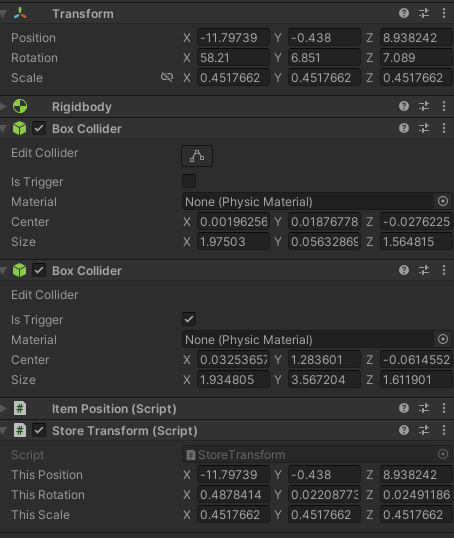
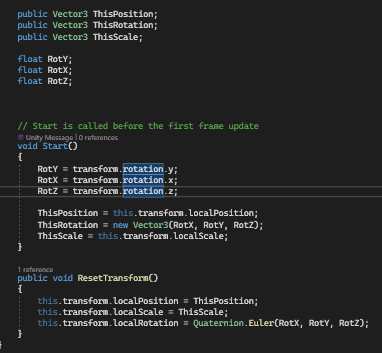 rancid wave
i mean he freeze the rotation.
summer stump
rancid wave
i mean he freeze the rotation.
Ah, and it shouldn't be? I agree. At least not for all axes
north kiln
twin bolt
Why don't my rotations match? https://i.imgur.com/kiospQt.png https://i.imgur.co...
queen adder
wait im having overload with the information im receiving lol
rancid wave
if he unfeeze the Y hes good
queen adder
rancid wave
if he unfeeze the Y hes good
i did its the same
summer stump
queen adder
wait im having overload with the information im receiving lol
First. Don't freeze y axis of the rigidbody.
Second. Where do you call HandleAllMovement?
Third, try without the slerp
rancid wave
queen adder
i did its the same
Okay then its the X
queen adder
summer stump
First. Don't freeze y axis of the rigidbody.
Second. Where do you call HandleAl...
hol up, third, okay ill check this out
queen adder
rancid wave
Okay then its the X
the model is just tilting
swift crag
queen adder
wait im having overload with the information im receiving lol
Read the page that vertx linked you to.
oh, wait
queen adder
swift crag
Read the page that vertx linked you to.
that aint mine xD
swift crag
that was a different reply entirely. my bad.
I was reading your code and wondering "hey, where's the mistake?!"
twin bolt
north kiln
https://unity.huh.how/programming/quaternions/members
Thanks, it's working.
queen adder
swift crag
<:atwhatcost:1068114091987718204>
me
 wary sable
hallo, Im working on an inventory system, and Ive come to the point where I need to decide on a more "formal" structure. I've heard a lot of good reasons to use item ID's, but I'm not sure how I would integrate that while having items with "dynamic properties". Would it make sense to create a whole system for creating item ID's or would just adding their classes to a list be just as effective?
queen adder
summer stump
First. Don't freeze y axis of the rigidbody.
Second. Where do you call HandleAl...
https://gdl.space/raw/ameqorabag
input
player manager
https://gdl.space/raw/utojasarin
queen adder
summer stump
First. Don't freeze y axis of the rigidbody.
Second. Where do you call HandleAl...
ill just remove the line of slerp?
summer stump
queen adder
ill just remove the line of slerp?
For now, I would comment it out. We want to reduce factors in the issue. Set the rotation directly to targetRotation to see what that changes.
Slerp will need to be fixed to use it. It isn't smoothly increasing from 0 to 1, it is jiggling around some value based on your framerate
 abstract pelican
 private void handleRotation()
        {
            Vector3 positionToLookAt;
            positionToLookAt.x = currentMovement.x;
            positionToLookAt.y = 0.0f;
            positionToLookAt.z = currentMovement.z;
            Quaternion currentRotation = transform.rotation;

            if (isMovementPressed)
            {
                Quaternion targetRotation = Quaternion.LookRotation(positionToLookAt);
                transform.rotation = Quaternion.Slerp(currentRotation, targetRotation, rotationFactorPerFrame * Time.deltaTime);
            }
        }

        private void onMovementInput(InputAction.CallbackContext context)
        {
            currentMovementInput = context.ReadValue<Vector2>();
            currentMovement.x = currentMovementInput.x;
            currentMovement.z = currentMovementInput.y;
            currentRunMovement.x = currentMovementInput.x * runMultiplier;
            currentRunMovement.z = currentMovementInput.y * runMultiplier;
            isMovementPressed = currentMovementInput.x != 0 || currentMovementInput.y != 0;
}```why does it not work correctly in isometry?
if I press W then the character goes to the left
I have to press W+D to make it go up
currentMovement.x = currentMovementInput.y; work W and S
how now to correctly prescribe for A + D ?
weak talon
i have made a code where when i left click it does this
rb.AddForce(rotation.transform.right * 5, ForceMode2D.Impulse);
but for some reasno it sometimes doesnt work
cosmic dagger
weak talon
i have made a code where when i left click it does this
rb.AddForce(rot...
where is this code located? also, you can just use transform.right . . .
weak talon

 weak talon
cosmic dagger
where is this code located? also, you can just use `transform.right` . . .
weak talon
cosmic dagger
where is this code located? also, you can just use `transform.right` . . .
the first picture is in void update
cosmic dagger
hmmm . . .
cosmic dagger
weak talon
the first picture is in void update
if you do this multiple times it will call the coroutine over and over . . .
weak talon
cosmic dagger
hmmm . . .
also when it does work it feels like it just teleports instead of adding a force
rancid wave
How can i fix this. here's the code for the First Person cam. Anyone know what i did wrong?
using System.Collections;
using System.Collections.Generic;
using UnityEngine;
public class firstPCam : MonoBehaviour
{
// Variables
public Transform player;
public float mouseSensitivity = 2f;
float cameraVerticalRotation = 0f;
bool lockedCursor = true;
void Start()
{
// Lock and Hide the Cursor
Cursor.visible = false;
Cursor.lockState = CursorLockMode.Locked;
}
void Update()
{
// Collect Mouse Input
float inputX = Input.GetAxis("Mouse X") * mouseSensitivity;
float inputY = Input.GetAxis("Mouse Y") * mouseSensitivity;
// Rotate the Camera around its local X axis
cameraVerticalRotation -= inputY;
cameraVerticalRotation = Mathf.Clamp(cameraVerticalRotation, -90f, 90f);
transform.localEulerAngles = Vector3.right * cameraVerticalRotation;
// Rotate the Player Object and the Camera around its Y axis
player.Rotate(Vector3.up * inputX);
}
}
``` cosmic dagger
weak talon
also when it does work it feels like it just teleports instead of adding a force
cosmic dagger
weak talon
also when it does work it feels like it just teleports instead of adding a force
this will create overlap and can skip or remove some of the code from working. if you only want one instance of the coroutine running, you need to store the coroutine and check if it's already running before starting it . . .
weak talon
also tried this and it doesnt work
 cosmic dagger
rancid wave
How can i fix this. here's the code for the First Person cam. Anyone know what i...
cosmic dagger
rancid wave
How can i fix this. here's the code for the First Person cam. Anyone know what i...
sure, first, did you try reading the error that is highlighted?
cosmic dagger
rancid wave
Yeah
okay, do you understand what the error is saying and where the error occurs?
rancid wave
No sadly
cosmic dagger
weak talon
also tried this and it doesnt work
can this coroutine start over and stop the current one from running, or can there only be one instance running at a time?
summer stump
rancid wave
No sadly
You can't multiply vector3 by a vector3
cosmic dagger
rancid wave
Yeah
okay, do you know what the * operator is?
rancid wave
But they no * Vector3 by a vector3
rancid wave
cosmic dagger
okay, do you know what the `*` operator is?
Yeah
cosmic dagger
rancid wave
Yeah
what is it called?
summer stump
rancid wave
But they no * Vector3 by a vector3
Well, you never showed the code with the error, so I can't confirm that. But the error says there is
rancid wave
The Only Code i have.
using System.Collections;
using System.Collections.Generic;
using UnityEngine;

public class firstPCam : MonoBehaviour
{

    // Variables
    public Transform player;
    public float mouseSensitivity = 2f;
    float cameraVerticalRotation = 0f;

    bool lockedCursor = true;


    void Start()
    {
        // Lock and Hide the Cursor
        Cursor.visible = false;
        Cursor.lockState = CursorLockMode.Locked;

    }


    void Update()
    {
        // Collect Mouse Input

        float inputX = Input.GetAxis("Mouse X") * mouseSensitivity;
        float inputY = Input.GetAxis("Mouse Y") * mouseSensitivity;

        // Rotate the Camera around its local X axis

        cameraVerticalRotation -= inputY;
        cameraVerticalRotation = Mathf.Clamp(cameraVerticalRotation, -90f, 90f);
        transform.localEulerAngles = Vector3.right * cameraVerticalRotation;


        // Rotate the Player Object and the Camera around its Y axis

        player.Rotate(Vector3.up * inputX);

    }
}

```the * operator is the multiply operator. the errors states you cannot multiply a Vector3 by another Vector3. now you know to look for two Vector3 variables being multiplied . . .
rancid wave
the only 2 and its not
 summer stump
rancid wave
The Only Code i have.
```csharp
using System.Collections;
using System.Collecti...
summer stump
rancid wave
The Only Code i have.
```csharp
using System.Collections;
using System.Collecti...
The error is from Moving.cs you are showing firstPCam
cosmic dagger
rancid wave
The Only Code i have.
```csharp
using System.Collections;
using System.Collecti...
also, the error tells you what script and the line number it is on. look at this: https://unity.huh.how/programming/common-errors/stack-traces to figure out where the error is. you sent a completely different script unrelated to the error . . .
rancid wave
summer stump
The error is from Moving.cs you are showing firstPCam
Wait Yeah it cloud be
summer stump
rancid wave
Wait Yeah it cloud be
Not could be. Is
cosmic dagger
rancid wave
Wait Yeah it cloud be
it's not it could be, it is . . .
rancid wave
Fuck i am so Dumb Thank you guy's
cosmic dagger
the error gives you the information you need. check the link to find out how to read it . . .
@weak talon you should store the coroutine in a variable and check if that variable is null before starting the coroutine, then we can see if it works. you may have overlap from calling the same coroutine multiple times when the mouse button is let go . . .
wary sable
having trouble comparing types from a dictionary... I had this working well with a list but for some reason I cant get it to work with a dict. I know its possible and I've done it before but atm im stuck...
    if (kvp.Value is typeof(type)) {
    }
}```you need to get the type of the variable you want to check: kvp.Value.GetType() . . .
wary sable
cosmic dagger
you need to get the type of the variable you want to check: `kvp.Value.GetType()...
"type is a var, but used like a type"...
even when using typeof or getType
cosmic dagger
do you already know the type you want to check for?
slender nymph
it's just if(kvp.Value is YourTypeHere)
wary sable
the type is "dynamic"
slender nymph
why
wary sable
they are all childeren of the same class but they are different types
cosmic dagger
slender nymph
it's just `if(kvp.Value is YourTypeHere)`
that's what i was going to mention but i don't think they know the type beforehand . . .
slender nymph
wary sable
they are all childeren of the same class but they are different types
use that base class as the type stored in the dictionary then. don't use dynamic
cosmic dagger
so each key is a different type of the base type?
wary sable
slender nymph
use that base class as the type stored in the dictionary then. don't use dynamic
then I wont be able to tell things like different pieces of armor apart, I need to know that to dispaly them properly in the ui
polar acorn
What do you need to know about them
wary sable
their type
polar acorn
Why
slender nymph
wary sable
then I wont be able to tell things like different pieces of armor apart, I need ...
okay did you mean that you don't know the type you are checking for when you said dynamic or did you actually mean the dynamic type? because that is a thing, but is also not what you should be using
cosmic dagger
what they like, their favorite food, hobbies, and so on?
wary sable
slender nymph
okay did you mean that you don't *know* the type you are checking for when you s...
no I am trying to differentiate different childeren of the same class
polar acorn
What do you need the type for? Why can you not have an overridden property or variable?
slender nymph
wary sable
no I am trying to differentiate different childeren of the same class
then i already gave you the answer
wary sable
polar acorn
wary sable
https://discord.com/channels/489222168727519232/497874004401586176/1158233086094...
That's not the same thing
slender nymph
wary sable
https://discord.com/channels/489222168727519232/497874004401586176/1158233086094...
wow it's almost like i linked an answer to that already. if there is something wrong with that answer then you need to fuckin say so, not just link the same question with no extra context
wary sable
slender nymph
wow it's almost like i linked an answer to that already. if there is something w...
that was me saying so.
slender nymph
jesus christ
wary sable
Im sorry I should have provided more context as to what the var type was
slender nymph
i'm just not going to help you then since you are apparently incapable of providing context 🤷♂️
wary sable
slender nymph
i'm just not going to help you then since you are apparently incapable of provid...
you are clearly incapable of having a conversation so I am AOK with that. If you are going to help people please drop the attitude.
polar acorn
You still haven't said what you're trying to get from the objects
why you need to know the type
slender nymph
or even why my answer was not sufficient
wary sable
sorry, ill get back to you asap, im just pulling an old file to check something I previously deleted...
I guess I could use an override in each child to do the same thing, I just remember having the same system working with a List a few days ago (which unfortunately is evaporated)... I just like keeping things as clean in each class as possible and if I could do it by type that would be nice
here is the full method (currently)
private void DispType(Type type) { foreach(var kvp in inventory) { if (kvp.Value is type) { } }
timid quartz
I am trying to serialize an association between a few boolean values and a scriptable object, but unity reports that scriptable objects aren't serializable. Am I just SOL? Is there a better way to structure save data that I'm missing?
wary sable
polar acorn
If you _do_ need to know the type, what boxfriend sent did it
unfortunately it doesn't since type is a variable, and running typeOf() or getType() on it doesn't work either
wary sable
timid quartz
I am trying to serialize an association between a few boolean values and a scrip...
It definity depends on what you need to serialize the data for, but a solid alternative to SO's would be a generic C# class marked as [serializable]
that can then be wrapped in a monobehavior and then put on an object
timid quartz
I am a little worried that would mess up my asset creation flow - right now I am using scriptable objects to make new cards in my card game.
slender nymph
timid quartz
I am trying to serialize an association between a few boolean values and a scrip...
this is kind of vague, but you can't serialize a scriptable object (or really most objects derived from UnityEngine.Object). you could use some sort of identifier that is serialized both as part of the SO and with the booleans to associate them with that instance of the SO
timid quartz
ahhh I see. so some ID or key. and then at runtime re-associate
slender nymph
yeah pretty much. although it really depends on exactly how you are handling the serialization/deserialization 🤷♂️
timid quartz
hmmm. so the serialized stuff in a list that gets serialized. and inside each instance within that list, I store the index of the character data, of which is in a separate list
I think that makes sense
as long as I don't change the order of the characters without wiping save data
rancid wave
How would a make my player Preventing Running Through Walls
wary sable
your player and whatever you dont want it to run thought will need colliders
there is already a collider built into the player controller component, so if you have that then you are half way there.
rancid wave
See i have it all setup just not working
unique violet
This piece of code keeps returning 404 but it works in a different script with the completely same method.
this is my link:
https://raw.githubusercontent.com/loyahdev/test/main/repo.txt
ive been going through with chatgpt and it was extremely confusing to fix and we never got a fix
rancid wave
wary sable
your player and whatever you dont want it to run thought will need colliders
unique violet
what do you mean?


 unique violet
yeah its base64 code
its suppose to be there
it works completely fine in a different script with the same method and same link
rancid wave
oh
cosmic dagger
unique violet
This piece of code keeps returning 404 but it works in a different script with t...
huh? does this have anything to do with unity?
unique violet
because unity isnt getting the text data
wary sable
rancid wave
the objects that you walked through, were those cube, ... cube(4)?
rancid wave
wary sable
the objects that you walked through, were those cube, ... cube(4)?
Yeah its all cube(Number)
cosmic dagger
unique violet
because unity isnt getting the text data
how and where is your code running from?
rancid wave

 mossy arrow
What does float mean in unity c#?
cosmic dagger
mossy arrow
What does float mean in unity c#?
the same thing. it's C#, not unity . . .
wary sable
rancid wave
having istrigger checked disables collision with other bodies
unique violet
cosmic dagger
how and where is your code running from?
This is the whole script:
https://pastebin.com/eRB8C8pw
also does unity have a max amount it can collect from a link as my txt file has 1613457 characters. My code is running from a simple button which has that on clicked function that gets ran when i click my button
mossy arrow
What does float mean in c#
cosmic dagger
mossy arrow
What does float mean in c#
you can easily google that . . .
rancid wave
wary sable
having istrigger checked disables collision with other bodies
So like this
 wary sable
rancid wave
So like this
wary sable
rancid wave
So like this
that should work, yes