#💥┃post-processing
1 messages · Page 12 of 1
 coral notch
 tender narwhal
Sweet thank you @coral notch
coral notch
@tender narwhal your welcome.
tender narwhal
also @coral notch do you know if people download post processing tools to make the PP in their games or should I be doing that all myself if I want to publish the game?
coral notch
Ummmm I guess that depends on exactly what your going for and which rendering pipeline your going to use
If your using HDRP or URP they have a different PP stack than standard rendering
tender narwhal
Oh right, I've not looked into any of this yet, it'll be one of the later things to do
 cobalt wing
just a note this here: while URP does have it's own PP, upcoming URP version will have option to still use the PPv2 (postprocessing package)
that feature was already merged in github, so it's probably landing on 7.2.0 URP
coral notch
Oh that’s cool . Makes it more u n I v e r s a l. 🙂
cobalt wing
fairly certain it's only going to be there for a while so it'll be easier for people to upgrade to URP
wouldn't expect it to stay around forever
for example, the PR that implemented that is currently only merged into release/2019.3 branch, which is afaik branch Unity is using to prepare next 7.x release
but it's not in master (at least not yet)
 severe slate
how do i post process in unity 5?
 wet kayak
Using the HDRP you have to download the post processing stack v2
and then make a scene settings component
cobalt wing
@severe slate this depends on your Unity 5 version
which one you are at?
I think Unity added better support for PP around 5.3 or 5.2
so if you're on earlier version, it's pretty much individual pp shaders (Unity shipped with some)
for latter you can use at least cinematic effects and post processing stack v1 I think, not sure if pp v2 was ever supported for Unity 5.x cycle
severe slate
oh
 ionic sinew
using unity 2019.3, HDRP 7.1.7 - is there a way to make the Post Process Volume only effect a target camera?
cobalt wing
@ionic sinew camera has "volume layer mask", I guess you could somehow utilize that
I've never tried to do this myself
ionic sinew
I'll look into it cheers! Was hoping to apply it to a camera used in a Render Texture
cobalt wing
it does seem to work
put a volume in specific layer
and then refer to that on your camera
do note that if you don't want that volume to affect regular camera, you need to omit the custom volume layer from the regular cam
default is "everything" so it'll just grab all volumes from all layers
cobalt wing
@ionic sinew one more thing, it would be probably safer to add the volumes you need for RT cameras on lower priority, that way if you don't unselect these volume's layers from main camera, their effects would still get overridden by other global volumes that have bigger prio (if they hold same effects)
this of course only works if the main volume has components that can override those other in prio
ionic sinew
Thank you - what you've suggested so far worked perfectly, will play with the priorities
cobalt wing
np. happy it worked
 subtle iris
Has anyone had similar issues in HDRP with depth of field?
I tried using multiple cameras but I can't do that in HDRP.
I'm using TMPro and I know these shaders don't write depth but I don't know anything about shaders so I don't have the knowledge to change them.
 buoyant galleon
Good luck editing the post-processing shaders in HDRP anyway, Unity went down the route of "almost 3000 LoC blob file" with HDRP on the C# side
subtle iris
Oh, are there any workarounds?
buoyant galleon
For your issue, there is a chance it's something that could be fixed on the text side as opposed to the DoF side - looks like the text isn't rendering to the depth buffer so the DoF thinks it's out of focus
if you can get the text/canvas to render after the main postprocessing - that would work
cobalt wing
ah, I just replied to you on the forums
I've edited built-in HDRP PP many times, have made custom passes and custom pp passess and there hasn't been a thing I couldn't have figured out withing resonable short working hours
so I dunno what the rant is about
things weren't any better in past, just different
and if you look at other engines, modifying their PP is absolute pain in comparison to HDRP
buoyant galleon
The rant isn't about that it's not possible, it's just now to maintain a postprocessing asset I have to have 3 completely different codebases instead of 1
cobalt wing
yeah, I can see the pain then
but first of all, as asset dev, you can't modify the internal effects anyway
buoyant galleon
but appreciate the docs link, that is helpful and not something I'd seen in a thread before
cobalt wing
so you really have to roll out your own variants
yeah, I noticed nobody updated that thread with the new custom passes, they are really handy 🙂
what goes to HDRP API, the internals keep shifting, they've done that now while it's been on preview and will keep doing that on the future
what shouldn't live as much is the APIs actually meant to be exposed to users
there's been some minor adjustments to the custom passes too since they came around but it's also improtant to remember that HDRP isn't officially released yet so they don't really need to commit to keeping the API compatible yet
this changes the moment they have first official release
( I mean, they gotta keep it compatible from that point or have easy upgrade path )
buoyant galleon
Yeah, I think that's my main point of issue with the whole thing, and in the last 3 years the whole of PP in Unity has just been a mess
cobalt wing
you mean PPv2 then
buoyant galleon
I mean all of it, PPv1, PPv2, HDRP PP
cobalt wing
well, now URP PP too 😄
buoyant galleon
haha yep
cobalt wing
but first official URP release will have PPv2 backwards compatibility
buoyant galleon
I get the sense they made PPV1 (with some new hires who just 'went for it'), hired proper people who saw the effects were super dodgy, rewrote the effects for PPV2, realised that they needed to rework them anyway for HDRP, rewrote them, etc, etc
yeah that will be nice
cobalt wing
tbh, I dunno if URP has custom PP for the new interated PP yet even
but I haven't checked it's state as I'm not really using URP for anything
buoyant galleon
the silly thing about it all is that it's just not good design to start with, having completely separate PP systems now IMO
cobalt wing
I can see it being a major pain for asset publishers, yes
buoyant galleon
like - one of the best things about Pre-URP was that you could write a bloom shader, put some conditional keywords in it, and it could run on an iPhone 5 or a Xbox One
cobalt wing
it's not really that big deal for people who pick one RP and stick with it
buoyant galleon
Yeah, for sure. The thing is of course, so many people have not got the foggiest clue about writing postpro, I remember I went to PAX Aus once and had a chat to all the (~25) devs in the indie area there
1 group of them had written custom postpro, so many rely on what's inbuilt + on the asset store
cobalt wing
it's not that surprising
PP is a thing that is super easy to outsource
so why bother understanding it
buoyant galleon
yeah, unfortunately just means more games will look the same because it just costs more to develop/maintain a postpro asset
so less reason to make new ones as an asset store dev/etc. At least combined postpro (aka performant postpro)
cobalt wing
well, with HDRP , the need for custom PP effects is even less
buoyant galleon
I disagree tbh
cobalt wing
but from asset publishers perspective, HDRP's hardcoded approach on most effects could bring more market for more flexible PP effects
buoyant galleon
The need for custom base effects is less, but there's probably 1 in 100 released AAA games out there that only need what's in HDRP atm
cobalt wing
I dunno, for me HDRP's built-in effects provide me the most things I need
but like mentioned, I do make custom ones, tweak internal HDPR ones too
buoyant galleon
yeah
cobalt wing
for example I have modified TAA shader
but there really isn't any TAA on the market that would work without ghoshting
buoyant galleon
Livenda's is so far ahead of Unity's in that regard though
cobalt wing
Livenda is such crap tho
buoyant galleon
No argument there, but it's a nice TAA
cobalt wing
like their whole business setup is shadiest thing I've ever seen
well, it still ghosts
and since they obfuscate all shader code, it's totally useless for me as I can't fix it manually for the cases I know will ghost
they recently put CTAA on -70% sale
only to shortly after deprecate it and start selling CTAA v2
it's so typical Livenda
as customers point of view, I try to avoid buying any 3rd party stuff because of crap like that
it's totally worthless for me to have more black boxes that will inevitably do outdated and unmaintained
and have zero ways to fix them myself
buoyant galleon
I can say from experience that experienced developers like yourself are very few and far between compared to who normally buys assets 😄
cobalt wing
(I'm talking about obfuscated code + precompiled shaders and code)
buoyant galleon
yeah pointless obfuscating tbh, just more hassle
unless you're selling it for like 10k
cobalt wing
and to the earlier AAA game, that's a totally different market
those guys have tech guys who can do whatever from scratch
buoyant galleon
Not really, to serious Unity devs - most popular game on Steam atm (Tarkov) has the same # of custom effects, as well as uses non-standard postpro
and that's 10 russians making it
they're not writing papers on new AO methods like the AAA guys, but it's not that hard making a custom helmet-hud-blur shader
cobalt wing
no I mean, I meant your comment on 1 in 100 released AAA games... well, technically there isn't many such games made with Unity to begin with, but I mean, if you have that big budget, it makes sense to do custom stuff more
but I guess the term AAA is something people could debate about
buoyant galleon
I guess AAA was a bad word to use there, 1 in 100 released successful/mainstream games
cobalt wing
to me it's always been about big budget productions, not any indie things
anyway, the higher production values, more custom you see, that's expected
buoyant galleon
Yeah. I guess at the end of the day my honest hope, commercial considerations aside, is that Unity doesn't end up like Unreal where every single game made on it looks the exact same because of the default postprocessing
cobalt wing
I think that "UE4" look boils really down only to two PP effects: their ACES default values and TAA
Unity games have had stronger "unity-look" in past which mainly means no PP or very little of it 😄
buoyant galleon
Unreal's bloom, SSRR, AO, all look very recognisable
cobalt wing
it really boils down to the defaults the engine offers to the users as so many will just roll with them
UE4 and HDRP now have same AO algo btw
(GTAO)
I dunno if it's enabled by default on UE4 yet
buoyant galleon
ah that's interesting
cobalt wing

GitHub
A bunch of custom passes made for HDRP. Contribute to alelievr/HDRP-Custom-Passes development by creating an account on GitHub.
there's no similar repo for custom PP passes
the functionality between the two can overlap a bit tho
there will be shader graph support for some of these things too
I mean, you can already author SG's that you drive with custom passes with zero code, but afaik there will be dedicated SG's too for authoring these
some work for this going on here: https://github.com/Unity-Technologies/ScriptableRenderPipeline/tree/custom-pass-sg/2019.3
 light lance
Hey folks. Anybody here know their way around Screen Space Reflections for Unity?
cobalt wing
@light lance better just ask the actual question
light lance
Hello @cobalt wing ! I can't get Screen Space Reflections working - it's greyed out in my stack.
I've tried this with a Post Process Stack set to global, one set to normal... all my cameras are set to Deferred.
Anything with a Post Process Volume is set to the PostProcessing Layer.
Still just getting skybox on my mirror (s) and greyed out options in the inspector.
Do you know how I can make the Screen Space Reflections work and make the controls active?
cobalt wing
@light lance so you are using the default built-in renderer (not LWRP/URP/HDRP)?
cobalt wing
you do need to have smooth materials for SSR to show up, your scene doesn't look like there are any reflective objects around
light lance
There are two suitable surfaces / materials in the scene, both showing the skybox in the screenshot.
cobalt wing
also, does that PP volume work for other effects? I know PPv2 layer setup is tricky at first
light lance
Both have worked with cubemap/lightprobes so far...
I'm only running Screen Space Refelections at the moment...
cobalt wing
yeah, but if you add something else, does it work?
would be nice to verify the volume is setup correctly
light lance
Nope... =/ Just tried Bloom, also Greyed out. You're on the money.
cobalt wing
it really usually boils down to having the PP layer setup wrong on the camera itself
light lance
Neither Bloom nor Grain are working. Okay...
cobalt wing
I don't see the camera's layer (from the top) on that image
can you try putting it to postprocessing
light lance
Wilco, currently it's at Default.
cobalt wing
I dunno if that was required or not, you'd think the script setting would be enough
light lance
Changed; no difference to my eyes.
cobalt wing
basically if you set that PP layer components layer to everything, it'll work but it's going to be inefficient
I don't really quicly spot what's going on here, but then again, it's been a long time since I'ved this PP setup
light lance
Set it to 'Everything', no change.
cobalt wing
that's weird, it shouldn't be that difficult
one sec, I'll double check on new scene
cobalt wing
the PP layer thing is what usually goes sideways but yours looks fine
light lance
Hmm. Frustrating.
cobalt wing
hmmm, it does work for me
can you try this: put autoexposure effect to you PP volume and adjust exposure compensation
that should change the image brightness
light lance
Wilco.
cobalt wing
if that doesn't work, there's something funky going on
also put that PP layer components layer back to postprocessing from camera 🙂
light lance
It's also greyed out.
cobalt wing
that's the default setup
you can enable individual controls by checking the checkboxes
or if you want all enabled, just hit that tiny "all" link in the top of the effect
light lance
The headings become a darker black, but the controls are all greyed out. One moment...
cobalt wing
the top red highlight is just for individual checkboxes
bottom one will enable all for select effect
light lance
OH GOOD GRIEF. Hang on.
cobalt wing
if you don't have checkbox checked, it'll just use defaults
light lance
Didn't realise that I could turn those on with the OBVIOUS checkbox to the side - that's great. Unfortunately, I'm still not getting the effect.
cobalt wing
so putting like value 10 to "Exposure Compensation" doesn't do anything for you?
do you have some errors on your console?
light lance
Sorry, setting Exposure Compensation to 10 does work - scene is much brighter.
I have no errors.
cobalt wing
ok then the volume works
I'm still guessing your materials are not reflective enough
light lance
Appreciate your patient testing, @cobalt wing .
cobalt wing
try putting a material on scene that's got smoothness of 1, could put metallic to 1 too, just to make sure
I get this on simple test scene:
my plane material is just:
light lance
This is my mirror material:
cobalt wing
yeah, looks good to me
if you still don't see the SSR on scene, I dunno, maybe it's broken 😄
I tested this on 2019.3 and Postprocessing 2.3.0 package as I don't have 2019.2 installed
cobalt wing
do note that PPv2 SSR is kinda lacking, it's one of the worst SSR effects IMHO, even the old PPv1 and cinematic effects SSR was better
there's also stochastic one from community
Unity Forum
[IMG]
This is a a new screen space reflection effect I made.
It is based on the "Stochastic Screen-Space Reflections" presentation by Tomasz...
light lance
I'll take whatever you recommend - this is my first use of reflections.
cobalt wing
that thread has the original thing linked on the first post and some later posts have some others upgraded version of it
that stochastic SSR can be bit noisy due to how it works tho
light lance
I'm glad to have the option, though I can't help but think I should be able to get the standard version working...
cobalt wing
it should work yes 😄
light lance
Rrr.
cobalt wing
my test scene setup is super simple
here's the camera:
and this was the PP volume GameObject:
light lance
Just going to try to replicate that.
cobalt wing
you had this setup initially I think
besides the tweaked SSR values but you'd see the effect even on default values
you have multiple cameras on your scene?
light lance
I had, but one was switched off.
Hmm. Applying the Mirror material to the ground plane in my new test, it appear black...
cobalt wing
it does also get affected by reflection probes if you have them
light lance
So I shouldn't worry about the sky here?
cobalt wing
ah, I meant the effect itself
no idea what it's all black like that if your material isn't
light lance
Really weird. Dragged in the environment and stuck the camera where the scene cam was...
Confusing.
cobalt wing
ah
so you only had reflective material on the bottom?
SSR can only reflect what's rendered on screenspace, as the name hints
if you look top down, there's no much data it can use
light lance
Well, this is basically my copy of your reflective test, but with my room shoved on top of it.
Now I've added the same mirror material as is on the floor onto the reflective surfaces of the 'mirrors'...
Sheer black.
Just doing a quick test on the mirror normals...!
No, they all seem fine.
cobalt wing
anyway, SSR is tricky due to how it works
you could try the other implementations or just try different reflection captures
light lance
Taking my 'mirror' floor and turning it 90 degrees so it's a wall in the room gives me...
That's very true, but I can't help but feel I should be able to get this working...
So annoying as I NEED a working mirror for this project.
cobalt wing
SSR wouldn't work for actual mirrors that well
light lance
What would you recommend?
cobalt wing
because usually you'd expect to see something back that's not rendered in the camera view
raytraced reflections would work but DXR is super early on Unity and only works HDRP and RTX compatible gpu's 😄
depending on the application and quality you need, you could just do reflection captures
light lance
Gaaaaaah. Don't want to get into RTX...! =D I'd consider doing a dummy room that 'mirrors' everything, but it'd be really complicated for the purpose in mind...
cobalt wing
you could also have another camera that renders the mirror into rendertarget
this is how all car mirrors work in games
all in all, mirror like realtime reflections are pain in realtime rendering
you'd usually avoid them at all cost
light lance
I'm liiiistening...!
This is bascially a project where someone is dressing in third person in front of a mirror.
cobalt wing
there's also this old school hack that you could just mirror all geometry in the scene, behind the "mirror"
light lance
I think I could definitely afford the camera render-target. Basically, this is render-texture, but in 3D, not screen'style'.
Yeah, as I said earlier, " I'd consider doing a dummy room that 'mirrors' everything, but it'd be really complicated for the purpose in mind..."
cobalt wing
I wonder if you could just setup the room as prefab and then place that on other gameobject where you'd invert the scale on one axis
anyway, that trick is done in many games as well, it was more common when game engine rendering options were more limited
some did even ocean reflections like that 😄
cobalt wing
anyway
light lance
I'm a bit confused that we don't have a slightly easier method, atm. =/
cobalt wing
setting reflection probe specifically to suit the mirrors position would be the simplest setup overal
if the quality is not good enough for you, then consider other options
it'll not reflect in realtime, but will work on static objects
I think there's way to do dynamic captures for that too but it's quite perf heavy
light lance
I tried setting up a reflection / light probe but... Just seemed really blurry and it didn't seem to match the angle of the camera.
I think I had it set to realtime.
cobalt wing
yeah, you'd need to up the res for it for this use case
but it's not going to be that great
light lance
Correction - the res is fine.
Just turned it back on and I think I'd forgotten it was okay. Bit pixelly, but that's not an issue.

Almost how things should look, bar the warping and the failure to reflect the player character (white block).
cobalt wing
are you using box projection?
light lance
Yep.
cobalt wing
it'll not be geometrically correct on all angles tho
light lance
Yeah. =/
cobalt wing
but yeah this is what people usually setup for less important objects
light lance
I can set the type to Custom and tick to allow dynamic objects, but then it asks me for a cubemap and... well, it's just blank...
 dusty river
@light lance what kind of game are you making?
light lance
Can I ask you again about how you'd setup a mirror in a car?
dusty river
It looks good
cobalt wing
just assign rendertexture to extra camera
and then assign that RT to materials color
light lance
Ha! Thanks Getwoon. It's just a dressup game atm. With some entertaining extra stuff, if this works.
Aaight. I'll give that a go.
cobalt wing
to make the RT reflect what player should see, you have to "mirror" the transform from player to the camera through the mirror's local space
you can probably find some tutorial on this if you find some "portal" tutorial somewhere
you need the same math there to be able to look through the mirrors
light lance
Iiiiiieeee have an idea for that.
cobalt wing
it's basically just bunch of https://docs.unity3d.com/ScriptReference/Transform.InverseTransformVector.html and alike
I've done portal effect in UE4 a long time ago using similar stuff
light lance
Well, the camera's going to be static for 999.999% of this, so I can probably cheat... though making portals sounds like fun.
cobalt wing
many racing games don't actually do dynamic transform adjustments at all as it's usually fine to just have camera rendering backwards there 😄
it would need to be tracking the player head if it were VR game tho
light lance
Yeah. Goddamn, I love all the hacks and cheats in games. =D
cobalt wing
yeah, always do the bare minimum
cobalt wing
if it's a game and mirror plays no major role... I'd really just omit the mirror
light lance
Sorry, having minor issues with my 'screen', back in a sec.
It's a game about dressing up. =D
cobalt wing
😄
light lance
I'M SCREWED etc.
cobalt wing
well then you could do the geometry mirroring hack
or RT
or... you could also use camera stacking
light lance
Really think RT's going to be my big win.
So disappointed the other options didn't come through.
cobalt wing
I totally forgot that as it's not a thing on HDRP I use
you know how Unity's camera stacking works?
cobalt wing
basically you could just have the bottom camera shooting from the mirror and then the main thing would cull the mirror so the bottom view would show through
I dunno if you'd need some stencil mask for it or if you could handle it some simpler way
light lance
That's fair, but tricky from the angle I want.
cobalt wing
I've never had to do that myself
light lance
I've done a bit of it.
cobalt wing
only used that setup to render gun on top of everything else
light lance
You can actually cheat quite a lot with it.
I'm encountering some really weird shit now, however...
WHAT IN FUCK
Just assigned a default material to the mirror surface, no changes, this is what I get.
What in fuck?
...
Hold on, is that UV'd...?
No, that shouldn't affect this.
There's no texture on the material.
(Candyman, Candyman, Candymaurughh--)
Btw, this was the reference for the room:
So weird. That stretching effect is only happening on the mirror objects in my scene. If I put the material on anything else, it acts like normal.
Confused am I.
cobalt wing
gl then I suppose 😄
I'd really investigate the mirror geometry if I were making that
it's easy to mirror dynamic objects too
light lance
Ehh. Regards mirroring the dynamic objects, I have enough trouble setting up a nice clothing-swapping character, I was hoping the mirror'd be the easy part. =/
Yeah, somethings obviously odd with the mirror geo, somewhere.
 proud bobcat
I upgraded my project to urp, I am using the new post processing volume component, but it won’t work.
Does anyone know how to fix this?
proud bobcat
never mind I fixed it
 scenic stratus
Hey there! Any news about custom pp in URP now the 19.3 is out?
cobalt wing
it's coming at some point 😄
also I dunno is latest URP has PPv2 support back again or not
 dry folio
why peoples more like PPv2 that PPv3 ?
cobalt wing
but it's merged on github, so technically with that in, you can still keep using old PP with it's custom PP until the URP's built-in PP can do custom
you can't mix these tho
so if you opt for PPv2 on URP, you can't use any of the built-in volume effects
@dry folio a) people don't like to readjust their settings b) there's no custom PP support for the new URP PP yet
HDRP now supports custom PP on it's integrated PP so I'd assume URP will get some similar workflow eventually
scenic stratus
yeah it's all messed up
I did some blit effects using custom feature pass, but it was an hell of a job
not very familiar with command buffers 😦
so for the next ones I will wait for the either pp stack v2 to work again or the support of custom pp in their volume thing
I was hoping that it will be available with official 19.3 version :x
 worthy rapids
i'm trying to figure out why it's not working with my post-processing from urp
even though i followed the tutorials
here
i probably missed something with it
worthy rapids
bah! i give up, i will go to bed instead
 pallid niche
Also really struggling to get post processing working with URP. Feel like I've checked and enabled 100's of settings but I'm just missing one more
worthy rapids
same
i even created a new project to test them out, it work fine and wondering why it's not working
pallid niche
Thanks for that idea. I checked out the example URP project and saw the component was slightly different ("Volume" instead of "Post-process Volume"). Honestly thought the one I was using was newer because of the fancy icon but whatever.
@worthy rapids looks like your game is in canvas. What's your render mode set to? I don't think post processing will work with overlay
worthy rapids
i was forced to use canvas because of that stupid problem with tilemap not working with the button script 😐
and where do i check the render mode?
nevermind, found it
i use screen space
since my game is full of tilemap and sprite renderer
pallid niche
Try screen space camera
pallid niche
Overlay or camera?
worthy rapids
yep
camera
overlay suck because it didn't get a perfect pixel directly on the real size
since the overlay make it look like a planetary canvas compared to the sprite
oh and i also use the cinemachine
as shown
for the screen space
pallid niche
ah I see. Just tested my canvas UI and post processing started applying to that when I swapped it over so I'm not sure what is wrong in your case
worthy rapids
indeed
and i'm so clueless like this:

hummm
i will try something
i hope that by deleting the library actually solve the problem...
hum didn't fixed it apparently XD;
pallid niche
Just noticed the intensity values on your post process profile are at or near zero. Did you try adjusting those way up?
worthy rapids
i did and nothing happen
OH!
it worked!
i had to create a gameobject with volume since i noticed it was gone after i deleted the library folder!
so it worked!
pallid niche
😅 so you had like a bugged game object?
worthy rapids
more like: not wanted to make the renderer working
since i apparently forgot to delete the library before starting the project after i upgraded to 2019.3
back
was eating a crepes XD;
worthy rapids
now i have to figure out how to add a custom post-processing to make my game look like it was on the old TV
worthy rapids
nice, since i switched to universal rp, the framerate is now above 60fps... each time!
here the progress so far:
worthy rapids
ignore the mouse bugs XD;
severe slate
@worthy rapids
"nice, since i switched to universal rp, the framerate is now above 60fps... each time!"
Im not understanding this.
Do you mean that it gives you a performance boost?
worthy rapids
yep
severe slate
or that you do not know how to modify the desired Target Frame Rate?
worthy rapids
on the screen, you can see the data related to the FPS
severe slate
Im just confused it's not running at like... 2000
severe slate
Is your PC 20 years old?
worthy rapids
nope
it will soon turn 10 years
it was a small boost actually
before, it stay at about 50 to 60 now it goes about 70 to 80
not much difference to be fair XD
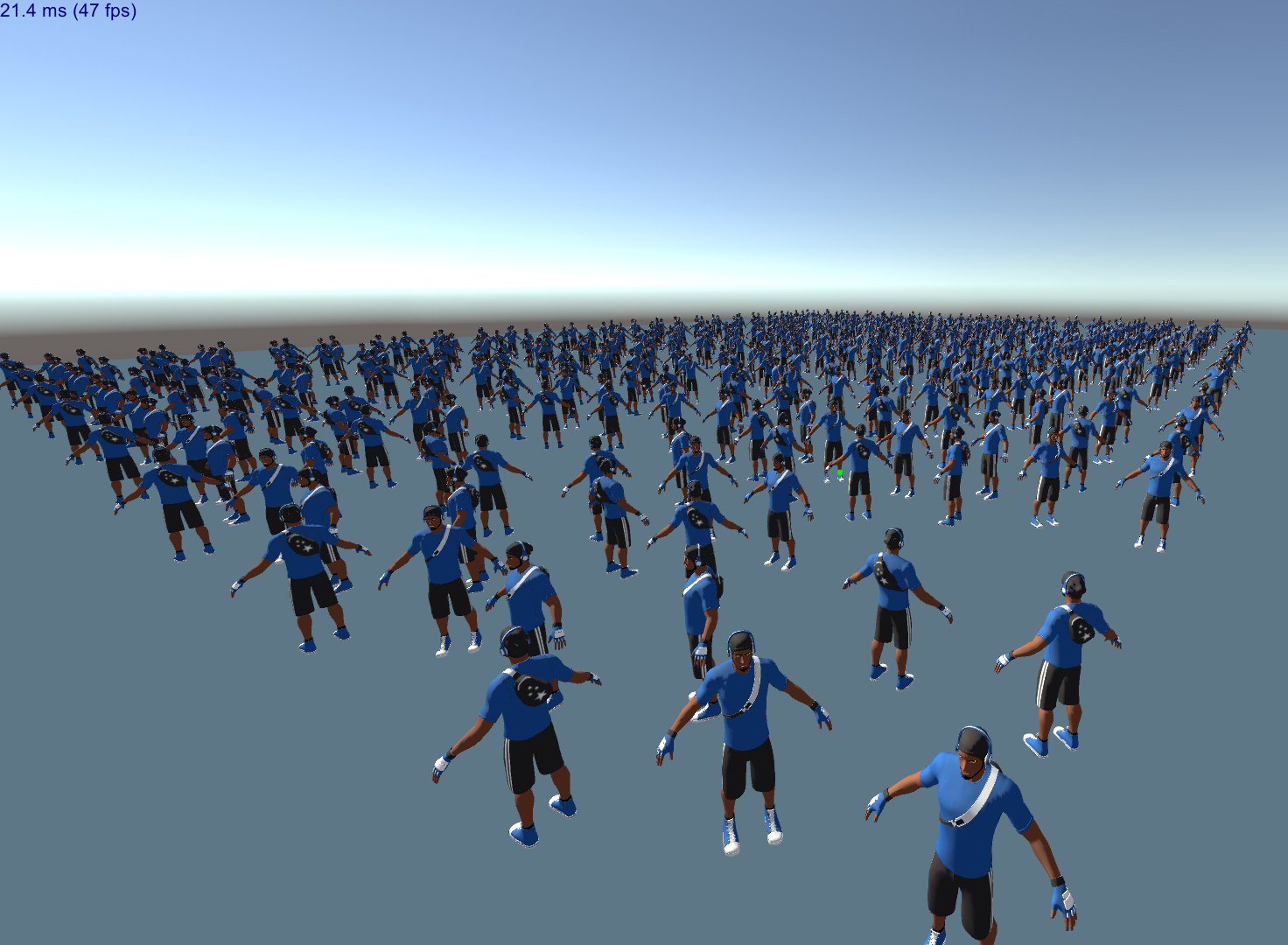 worthy rapids
it's 2D game, not 3D game 😐
and it's still in early stage of game dev
i mean: it's not even ready for alpha build
severe slate
I just dont understand how I need to put like 70 millions verts in my scene to get your perf
and your 2D game... is just as power hungry
My PC is 10 years old too
severe slate
myabe your fps counter is wrong
it shows 326.00 fps
while in your game it's much lower
unless you are like emulating for a platform?
mobile or else?
no idea
worthy rapids
probably because the FPS script have a limiter, i followed that site long ago: https://catlikecoding.com/unity/tutorials/frames-per-second/

A Unity C# scripting tutorial in which we'll design a test scene to tank our FPS, then measure it with our own counter.
 near valve
I get the feeling this question was answered before, but I gotta ask it again.
I'm in HDRP with Cinemachine, and I have a Canvas using Screen Space - Camera as the Render mode. However, it seems the UI is affected by the Post-processing of the scene, which is something I do not want to happen. I have read that switching to Screen Space - Overlay is the way to fix this issue, but that option doesn't work in HDRP as far as other people have told me, and I've tested to confirm as much. How would I disable Post-Processing for the UI?
Or, in a more general sense, how do I disable Post-Processing for certain objects?
 tardy coyote
Does somebody know where unitys post processing stack went?
 knotty stone
how do you do post processing through C# i need to make a graphics menu
@tardy coyote its in package manager
tardy coyote
aight thanks!
 silk mason
I'm having a problem with post-processing layers
I have a bunch of world-space canvases that I'm using to hold the player's and objects' healthbars
Currently I have their layer set to "UI".
I want my post processing to only run on the environment, not this world-space UI
Changing the camera's "Volume Mask" doesn't do anything.
Any ideas on fixing this? I'm using the Universal Render Pipeline.
(I've also posted this to #📲┃ui-ux)
silk mason
Still haven't found a solution 🙁
tender narwhal
Does anyone know how to get volumetric light working? I've enabled it and added the global node with fog and everything but no luck.
Maybe there's a way to make artificial god rays of sunlight??
 sweet tulip
Guys so i Updated Unity to 2019.3 and the Post Processing for UI has stop working and Yes I have all the new post processing stuff
cobalt wing
what is "all the new post processing stuff" in this context, @sweet tulip
?
ah, so you got PP working, just not for UI?
it would be also nice to mention which renderer you use now as there are three different ones on 2019.3 and they all use different PP system
sweet tulip
@cobalt wing I am using URP with new 2d renderer
 valid cliff
Concerning URP, volume's weight is editable but what about depth of field and so on, how do we access them?
 keen pond
hey, is it posibble to change the renderqueue for a postprocess, other htan afterstack, beforestack or beforetransparent? it could be useful with aftertransparent.
 dense rivet
 rugged wind
Hope that this is the right channel 😄 how would you guy go about this? Basically applying some effects that could incude fog and blur only to a portion of the screen? multiple cameras? something else?
 unreal sapphire
Are you talking about the water? If so, you can do that with a surface shader on the water that does a grabpass for the pixels behind it, sample from that grabpass, and modify the values accordingly. For instance, you could offset the sample based on the surface normal of the water (to achieve a sort of refraction effect), or apply fog based on the depth values of everything under the water compared to the depth values of the water surface.
Oh is the player camera in that image like halfway submerged in water?
All of what I described above is not a post-process effect, but if you're talking about the post-process effect for the player's camera being under water (or partially underwater), that is different
cobalt wing
also how you'd implement that would be different based on your used renderer
I hope people will eventually remember to tell the renderer they are asking the question for as the approaches can be quite different
rugged wind
This is using deferred, unfortunately it's unity 5.4 so no scriptable pipeplines or other fancy stuff
thanks for the help guys!
@unreal sapphire yeah I mean the camera being half submerged, so you see the half submerged looks like water, and the top doesn't
many games just apply it to the whole thing even if it's half submerged and it looks really bad
I've only seen it done properly on a couple of instances
 clever bane
Hey is there anyone willing to help me out on post processing? I'm a beginner in Unity and for some reason i cannot get it to work on my build, I'm using 2019.3
It won't apply to the camera
I've done all the steps to set it up in the tutorials
@here
@rapid wigeon
cobalt wing
you really want to ping 20 000 users on this server? 😄
there's a reason why those are disabled here
cobalt wing
anyway, are you using built-in renderer, URP or HDRP?
cobalt wing
if you haven't installed URP or HDRP or used those special templates that come with the sample scene with a workbench, you are using the built-in (asking about this vecause how you setup PP differs between these)
@clever bane can you show your post processing layer component on the camera gameobject?
clever bane
cobalt wing
no I mean, you should have post processing layer component there, that view doesn't show it
cobalt wing
yeah, that looks about right
and when you are actually viewing through that same main camera, none of the PP effects apply?
or is broken only on build?
clever bane
yeahhh like when I adjust any of the effects, they wont apply
I'm not so sure
I feel like im missing something
cobalt wing
there really shouldn't be more to it.. have global PP volume on postprocessing layer, which you have
and camera to have PP layer component that's set to use that postprocessing layer, which you have done
ah
you have errors there
check your console
cobalt wing
if you have some compilation issues there, it's possible it affects PP too
so better check those errors on the console
cobalt wing
they don't always have to be relevant
you shouldn't have errors when you try to run something as they can block following operations
like, for example if you have issues on some scripts, it may even prevent the whole package manager from loading etc
clever bane
ohh okay I see, I will talk to my team about fixing those and trying again
thanks that is somewhat helpful!
cobalt wing
hope it helps 🙂
 sour steeple
has anyone ever seen a guide for converting Cg shaders to be compatible with the post processing stack? I feel like this is a simple thing but that I'm digging myself into a hole the more I try to fix the issue
All the examples I've seen and built-in shaders are fragment shaders only, but I'm having some library conflict issues with UnityCG.cginc and StdLib.hlsl due to some code in the vertex shader
cobalt wing
is this some shadertoy conversion? 🙂
sour steeple
No. I bought it off the asset store
My game uses the post-processing stack with cinemachine, but the shader writes to a render texture to display on camera. I feel like I could hack around and get it to work in conjunction with the post-processing stack, but for the energy I'd invest in doing that, I might as well rework the shader to make it compatible with the post processing stack
cobalt wing
do note that new SRPs have their own PP's if you move onward to them, you may need to rewrite that again
right now URP 7.2 has pp v2 backwards compatiblity but it's there only to get people migrated easier
sour steeple
I don't really need that much access to the render pipeline, only post-processing effects, but I suppose it would be cool to have. Do you recommend migrating to URP? I really haven't looked into SRPs at all
cobalt wing
I recommend whatever works for you 😄
there's pros and cons on all the options
built-in renderer definitely has the biggest 3rd party asset support
sour steeple
Well yeah, that's true. I guess you can't say because you know nothing about my game
I just know that they were talking about SRPs when I went to unite a year and a half ago and I wasn't sure if I was out of the loop by not using them lol
 hot ridge
What do I have to do to create a custom post process "effect" with the URP?
cobalt wing
right now you can't unless you go back to PPv2 with it (which is now possible with 7.2.0)
they are still working on exposing custom PP for the new built-in PP on URP
hot ridge
ok thx
cobalt wing
Support for creating custom effects with Universal Render Pipeline's post processing.
Currently with 2019.3, URP package version 7.2.0 you can use Post processing v2 and its custom effects. Forum post on that release here:
sour steeple
mkaing progress
sour steeple
can someone do a reality check to make sure what I'm trying to do is possible? The image effect I'm converting to work with PPS is actually composed of three shaders and blits three times. we blit the source to a temporary RenderTexture using the first shader, then we use that temp RenderTexture as a texture input for the next shader, which we blit from source to another RenderTexture, and then we finally blit from that RenderTexture to the destination using our last shader.
sour steeple
NO WAY
THIS WHOLE TIME IT WASN'T WORKING BECAUSE I FORGOT TO CHANGE THE SHADER PATH THE PROPERTYSHEET USES TO THE NEW SHADER WITH MY NEW CODE
BAHAHAHAH I'M AN IDIOT LMAAOOOO
 scenic lagoon
I have a question. I downloaded the Cinemachine asset from the store. When I install it, I now get an error about PostProcessing not existing in namespace UnityEngine.Rendering. I have PostProcessing installed so I'm not sure why I'm getting an error now. I'm using Unity 2017.4.36.
sour steeple
I don't know if it was that exact issue, but I had some issue like that about Cinemachine not recognizing the Post Processing Stack. Do you have to be using Unity 2017? I'm pretty sure the asset store versions of Cinemachine and Post Processing Stack are depreciated.
scenic lagoon
Post Processing is. But Cinemachine is not.
It states it works with 2017.4 and that's why I downloaded it.
But it won't messes with the Post Processing Stack I have installed.
Totally breaks it.
I don't see where to get Post Processing Stack V2 anywhere.
sour steeple
Googling around and it looks like package manager was in Unity 2017(.2 and above?). I'm pretty sure v2 was only distributed through the package manager, as it's meant to totally replace v1 and they're trying to consolidate all the editor add-ons from Unity to there
nice pfp
scenic lagoon
Hmmm...I don't see the Package Manager anywhere in my project.
sour steeple
It's under Window
scenic lagoon
In 2017.4, it's definitely not there.
Doing some digging around, it looks like it was added in 2017.2, but then not used at all in later versions.
sour steeple
hmm
scenic lagoon
When I go to the Post Processing asset I have in the Asset Store, it says it's deprecated and to get V2.
But no where do I see where to get V2.
sour steeple
my readme says this
# Post-processing Stack v2

This branch is under maintenance and holds the current version of the post-processing stack for the built-in pipelines.

Instructions
------------

Documentation is available [in the manual](https://docs.unity3d.com/Packages/com.unity.postprocessing@latest/index.html).

The current version requires Unity 2017.2+.

For older versions of Unity (5.6 and 2017.1) you should use version [2.1.8](https://github.com/Unity-Technologies/PostProcessing/tree/bec8546fc498db388cedadd14021cc7006338cc4).

License
-------

Unity Companion License (see [LICENSE](LICENSE.md))
 marsh frigate
scenic lagoon
marsh frigate
scenic lagoon
There's no place to get this for Unity 2017.4.
@marsh frigate That's only for people who are using Unity 2017.1 and lower.
marsh frigate
No it's not
scenic lagoon
According to the readme that @sour steeple posted 2.1.8 should be used with Unity 2017.1 and lower. The Git repository shows 2.1.7 as the highest there.
sour steeple
I assume this is a scenario where you have to be using Unity 2017?
scenic lagoon
I have the one from the store that was updated in 2019, but that's the one that's been deprecated.
sour steeple
Because the easiest solution to me is to just upgrade
marsh frigate
The one I literally just linked says The current version requires Unity 2017.2+. and the version number is 2.3.1
scenic lagoon
I'm looking at the "Releases" tab and it only goes to 2.1.7.
marsh frigate
Just download it directly
and put the PostProcessing folder into your assets
though if it doesn't work then I've got no clue as you are on an ancient version 😛
scenic lagoon
It's only 2017.4.36.
Not sure why they don't have the package available on the store.
marsh frigate
they perhaps took it down because people kept downloading it and causing conflicts with the package manager version
sour steeple
just try the 2.1.7 version? You're still on 2017.2 not Unity 2017.1 or Unity 5.6 so it should still work
maybe
scenic lagoon
I'm using the most recently one that's on the store. Have been for a long time. It wasn't until I tried to install Cinemachine that I even knew this was a thing. Heh, heh.
No conflicts until today.
Anyway, thanks for the assistance. Now that I have V2, I'm gonna try this again. 😄
sour steeple
good luck!
scenic lagoon
Woot! Got it in...and Cinemachine seems to be in, too. I do feel like there are some things missing from the Post Processing asset, but it compiled so I'm fine as of now.
cobalt wing
just to be clear, if you need PPv2, use package manager
it's the "Post Processing" package there
marsh frigate
They're in 2017.4
cobalt wing
ah, then the asset store version might be actually the only official alternative
unless you get some older release from github
marsh frigate
It doesn't seem to exist any more so the github is all there seems to be
marsh frigate
from what I can see that seems to be the case, and that was also my assumption of why 😛
cobalt wing
hmmmm, the readme says: ```The current version requires Unity 2017.2+.
For older versions of Unity (5.6 and 2017.1) you should use version 2.1.8.```
(on github)
marsh frigate
We've gone over all of this
cobalt wing
yes, I'll move along 😄
scenic lagoon
They should have a note somewhere saying that if someone needs Post Processing V2 and are using 2017.2+, then get it at X place. I spent well over an hour searching and looking for where to get it. Coming here was my last resort.
marsh frigate
Why are you back on 17.4 btw?
scenic lagoon
Because of console development mainly.
 tribal mist
Hey guys. Using 2019.3 and URP 7.1.6 How do I get a render texure that I want to use in the UI to have post-processing ?
tribal mist
nevermind I got it was from the color format of the texure
clever bane
For some reason post proccessing is still not applying to my main camera. We have a scripted render pipeline so idk how that affects PP. I pretty much followed a tutorial to set up post proccessing and didnt miss a step. We are on version 2019.3
Lmk if anyone knows why
cobalt wing
@clever bane did you get the rest of the errors fixed ?
like, there's no more errors on console
clever bane
yeah we did that and deleted the other cameras and only kept main camera
severe slate
You need to add a VOLUME in your Item List (hierarchy)
You need to assign a Custom Renderer to your camera
And you can add a Volume Profile (list of post processing features)
cobalt wing
@clever bane oh I missed you're on SRPs now, last time we chatted here you were on built-in
yeah, you need volume workflow if you want to use URP's own PP or HDRP
URP 7.2 lets you use the old postprocessing package too but I believe it's a setting you have to manually enable (haven't checked how they conf it)
clever bane
Ohhhhhh okay let me try that and see if it works. thank you!
 twilit needle
 clever bane
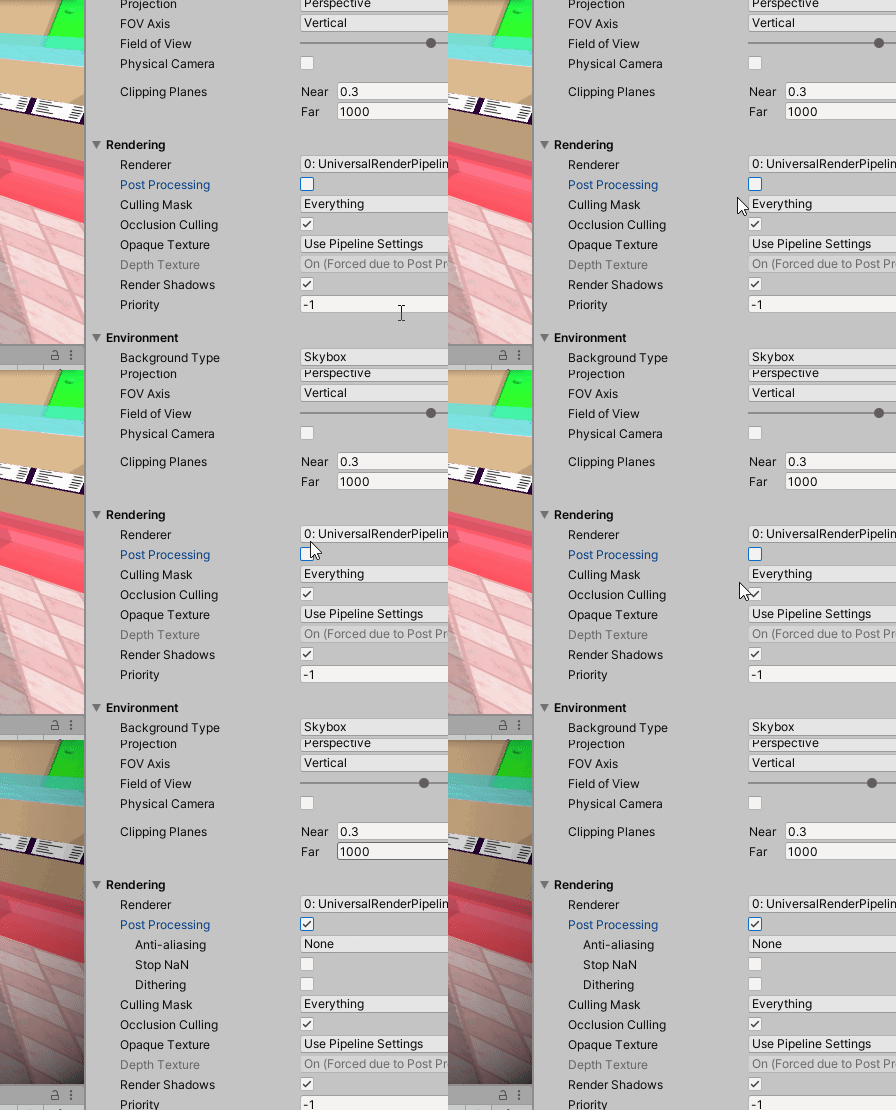
i did that it still doesnt work but im probably missing something stupid, I’ll post a screen recording of what i have 😭
thanks for all your guy’s help tho
I’m actually a director/co-producer of a team of 13 for this game idea i pitched. I’m mainly an artist so i literally have no technical skills or know much about unity
so yeah here is my screen recording
is there something that im missing?
@severe slate thanks for helping out btw chris
severe slate
👍
clever bane
it still didn’t end up working though
its there something im missing?
i recorded what i have
severe slate
Start from the camera -> Find its renderer in your Assets folders
It will lead you to the other pieces of the puzzle
cobalt wing
@clever bane there is actually URP Asset assigned to your project settings->graphics->SRP asset?
 rocky onyx
Hi all, why is using UnityEngine.Rendering.HighDefinition; Have squiggly line on HighDefinition, and all my classes (Volume, Bloom, FilmGrain, etc) too.
There is no error in editor tho, only on my VS Code
Yes this seems to be a VS code problem...
 peak rampart
Downgrade you vsc plugin in the package manager to 1.1.3
1.1.4 is busted
@rocky onyx
rocky onyx
@peak rampart
Can't find that package. I don't even have that installed..
rocky onyx
Ooops, it works thanks Tront!!
 hollow chasm
Can someone please check the last reply on this thread? I am having trouble integrating URP, Post Processing and AR together. For some reason the glow effect is not showing up when deployed in AR - https://forum.unity.com/threads/configuring-ar-foundation-3-0-0-preview-to-work-with-lwrp-or-urp.736583/
Unity Forum
With AR Foundation 3.0.0-preview, we are supporting Lightweight Render Pipeline (LWRP) or Universal Render Pipeline (URP).
AR Foundation supports the...
rocky onyx
Hi all. I'm actually super new to HDRP. I have something with HDR color, and the color blooms by default even with no PP on. Is it possible to turn this off, or HDRP picking up HDR values and blooms it, is just how it is here?
cobalt wing
@rocky onyx hdrp has "default volume" in the project settings
It has bunch of effects that are always enabled regardless if you add them to scene
 spare olive
hi, dunno if this is post processing or lighting, but when you select a game object you get an orange glow, how do i get that exact type of glow on my object?
dry folio
@spare olive google for Unity Outline Shaders/Effect
 void forge
hello. does anyone know if the post processing effects under urp should work with opengles 2?
 wide sable
which do you guys think looks better? the first is no color grading and the second has it
 lethal yarrow
@wide sable Second photo, color almost looks washed out in the first.
rocky onyx
@cobalt wing Thanks, found it!
 narrow pagoda
what else do I have to do to enable a post process volume? I add a Game Object > 3D > Post process volume in my scene, choose a profile and play with the settings, but it does nothing
dry folio
@narrow pagoda you have to enable PP on camera settings or add special component.
You have to read manual .
severe slate
Create a renderer and, if required, Post Process Data (list of post processing features that you want a cam to render)
Create a Volume in your scene that will become your Post Process Volume
Customize it, add post processing features
Make sure that your camera uses the correct Renderer and Post Processing is Enabled
@narrow pagoda
narrow pagoda
thanks
 pale barn
have a problem. Was following this tutorial for a toon shader. Everything went perfectly fine till I tried to use the outline.
Im not even sure that the regular post processing effects work.
Followed this to the letter.

Get the shader lighting code here: https://pastebin.com/4P3WV4EY
Get the assets for the post-processing outline here: https://github.com/IronWarrior/UnityOutlineShader
Don't forget to hit that like button and if you'd like to see more gaming goodness then subscribe for more!...
 wraith ledge
Hello
Im trying to lerp the value of my post process using code but when i press " P ", the value change immediatly without taking care of the lerp's time.
Btw i'm using the HDRP on 2019.3.1f1 and the volume component not the post process layer
marsh frigate
@wraith ledge you don't actually seem to be modulating the time value
lerp is a static function, you have to pass a value between 0-1 that is the normalised percentage between A and B
if you just pass 1 into it, you get B
wraith ledge
erh ok but i still don't get it how i should fix this problem because i've already used the lerp and it worked :/
 grave arch
has anyone had weird issues with bloom and urp? it seems to be waaaay less strong in the game view
added vignette to show that the same profile is effecting the scene and game view ^
same cube in front of the camera too ofc
 gritty folio
@grave arch Has the camera / pipeline settings got HDR enabled? Only thing I can think of that would affect it
grave arch
@gritty folio That solved it, thanks ❤️ It working in the scene view threw me off, but I def should have looked into that 😑
 safe frost
I need some help getting HDRP post processing and UI to work. I have a camera with quite a lot of post processing (dof, bloom, ...) and another camera for the UI (Some of the UI is world space, would be affected by the dof). The UI Camera's culling mask is set to the ui layer, the clear flags are set to depth. The background type is set to none.
The world camera renders the world with post processing and without the ui as you would expect. However if I activate the ui camera (which only renders the ui, i checked), the post processing in the world disappears. I'll send some images showing the setup. Thanks for the help!
MainCamera
Ui camera
UI Camera disabled (How the world should look)
sweet tulip
Guys How can I change setting of a Volume profile by a script in 2019.3?
I am getting error here i dont know why
it says it dosent exsits
cobalt wing
that's for the old postprocessing package
cobalt wing
which renderer you use?
sweet tulip
i am trying to get the vignette setting so i change it when my player hits low health
 icy fox
Hey, Looking for tool or advice, how compare two post process volume,
The reason, bc in our race game, our car looks different, have different color tone, on different maps and in garage.
So I could open my two different scenes side by side, place my car, and adjust there PP.
And related question to this. Are you using different Color Adjustments in your game for different environment, or same for all scenes ?
 north meteor
anyone knows why the antilaysing of the universal pipeline doesn't work in webgl? even though the post processing is working fine.
 white eagle
quick question. how do I add a bloom effect to a Camera component on an OVRCameraRIg
 bronze mural
There's a guide in the pinned messages
white eagle
having trouble getting the bloom to show on the camera
applied the layer component to the object with the camera component
and created a gameobject with the volume component
applied bloom but changing the value doesnt seem to do anything
it changes the bloom on the player character but not the surrounding building objects
ok, changing threshold to 0 applies it to everything but makes it too bright on the player character. any way to make the buildings more sensitive to bloom?
 bright ruin
Hello, Is anybody else having issues with getting postprocessing v2 to work in 2019.3.3? I believe that it should still be compatible for now (https://docs.unity3d.com/Packages/com.unity.render-pipelines.universal@7.2/manual/integration-with-post-processing.html) but it just doesn't seem to work. I've tried both upgrading my current project, as well as starting a fresh new project.
cobalt wing
@bright ruin and you have URP 7.2+ and have configured it to use the old postprocessing?
it's not a setup where you get both the URP PP and old PP running at the same time, you can only have one of them active at the same time
bright ruin
Thanks 🙂
 humble tide
any perfomance issues for lwrp post processing on mobile? i'd like to know which effects cost the most in performance...
 gritty plinth
I'm having issues with post-processing in Unity, are there any compatibility issues with the Universal RP? I've mirrored other peoples set ups like 5 times trying to make something change, but nothing does in the editor or game window. I am using the built in post processing.
gritty plinth
Could this be the issue?
I've been trying to find anything that could fix it for like 8 hours, I
've reimported it, tried it in empty projects, (it works then for some reason) but I cant fix it in the project I need to.
marsh frigate
If you're using PPv2 and not the one built into URP you have to be on 7.2.0+ URP
gritty plinth
I'm using the one pre-installed from the package manager
So if you have URP installed you don't need PPv2 installed?
gritty plinth
When I uninstall PPv2 a bunch of compiler issues occur
marsh frigate
Like what?
marsh frigate
Remove the Cinemachine PostFX folder
gritty plinth
Thanks so much @marsh frigate, I've been stuck on this for hours and it finally works properly with just URP.
 low bronze
so i have a float called filledPercentage, and I want my Chromatic Aberration effect to have the same intensity for filledPercentage, like this: postProcessing.GetComponent<ChromaticAberration>().intensity = fillPercentage; However it says "Cannot implicitly convert type 'float' to 'UnityEngine.Rendering.PostProcessing.FloatParameter'"
marsh frigate
intensity will have a .Value field, or something like it
marsh frigate
There's also an .Override method. I forget what's best tbh. Scripting for it has changed through the versions
low bronze
Yeah, that's why I get so confused.
I'll give it a test, fingers crossed it works. Thank you, I would've never known that value is a thing.
marsh frigate
You should just type . and get some autocomplete when you see that a warning is telling you that a type is another thing
low bronze
Right, okay, so now I have an error when I collide with the trigger saying "GetComponent requires that the requested component 'ChromaticAberration' derives from MonoBehaviour or Component or is an interface."
Ahh, alright, fair enough.
Any idea?
marsh frigate
what is postProcessing?
low bronze
public PostProcessVolume postProcessing;
Which is from using UnityEngine.Rendering.PostProcessing;
marsh frigate
https://docs.unity3d.com/Packages/com.unity.postprocessing@2.3/manual/Manipulating-the-Stack.html
Is the docs I would look at to do this sort of thing
low bronze
i dont understand it though
marsh frigate
The Profile Editing section shows you what methods you can use if you want to directly edit the profile like you are
low bronze
would chromaticAberration.enabled.Override(true); chromaticAberration.intensity.Override(fillPercentage); work?
marsh frigate
The Quick Volumes section is appropriate for temporary effects
low bronze
Oh, alright
marsh frigate
Your problem is that GetComponent has nothing to do with the profile
As it says in Profile Editing, you can get sharedProfile and then use TryGetSettings to get an effect
But Quick Volumes are generally more appropriate
low bronze
Like PostProcessEffectSettings AddSettings(PostProcessEffectSettings ChromaticAbberation)?
I don't understand how to execute it into my code correctly, hang on.
Yeah, I don't know what to do 
severe slate
I have no idea why this is happening, my post-processing effects only appear in my scene view but not in the game view or builds
bronze mural
@severe slate Check if your camera is set as target for the volume effects
severe slate
bronze mural
For the URP you need to use its own volume. Your Unity version is not up-to-date.
severe slate
alrighty, I'm downloading the new version
bronze mural
Don't forget to update all packages after. The component is called just Volume, it doesn't have an icon.
severe slate
okay, I'll see if it works, thanks :)
severe slate
@bronze mural I updated unity and the packages and now nothing works
bronze mural
Define nothing works
bronze mural
Before upgrade effects were applied to the scene using default render pipeline PPS
You need to create URP asset and set it up with new Volume
There were a lot of changes
There's a guide here in the pins
severe slate
I got it working... but it's still in the scene view
@bronze mural can you apply pp onto UI elements? Because only color grading works
so I just figured out that PP doesn't work on UI elements

bronze mural
@severe slate You need to set Canvas to Screen Space overlay and set camera. Then PP will be used on the UI
 soft quail
how control the URP volume by script
 fresh olive
I'm having an issue with Dept Of Field on URP. See that black spot.. What's causing it? Does not seem to be related to bloom.
cobalt wing
I dunno about URP but in HDRP they put black on PP in case there's some NaN values
there also have been sometimes options to bypass that
@fresh olive
 scenic merlin
Hello!
guys I have a queston about the full screen shaders for postProcessing
I saw that the shaders api for HDRP 7.1.8 has changed a bit, so , is there any api reference for making the postprocessing shaders?
I have been searching how can I acces to the vertex of objects, but I have not got any answer
could someone help me?
cobalt wing
@scenic merlin HDRP docs have examples for this
it's linked in the pinned here too
well, the HDRP docs, not the custom pp
scenic merlin
I already saw those
but I am wondering if there is any api for the Custom post process shaders
scenic merlin
How can I get access to the normal of an vertex?
I wanto to add this line to my shader to make an fresnel effect: float fresn = 1 - dot(i.normal, i.viewDir);
but the normal subscript doesnt exist, so how can I acces to it?
`float4 CustomPostProcess(Varyings input) : SV_Target
{
UNITY_SETUP_STEREO_EYE_INDEX_POST_VERTEX(input);
    uint2 positionSS = input.texcoord * _ScreenSize.xy;
    float3 outColor = LOAD_TEXTURE2D_X(_InputTexture, positionSS).xyz;
    float depth = LoadCameraDepth(input.positionCS.xy);
    float vert = input.normal;`
I found old snippet from custom pass sg where they implement sg normal node with this code:
float3 shadergraph_HDLoadSceneNormal(float2 uv)
{
    NormalData normalData;
    DecodeFromNormalBuffer(uv, normalData);
    return normalize(normalData.normalWS);
}```no idea if you can just run that DecodeFromNormalBuffer in custom pp pass
@scenic merlin
if that doesn't work, might be worth looking how HDRP does SSAO
altho it must be in compute shader so it might not apply
scenic merlin
currently I am not programming a custom pass shader, I am programming a postprocessing full screen shader
cobalt wing
yeah I know
cobalt wing
you probably have to include com.unity.render-pipelines.high-definition/Runtime/Material/NormalBuffer.hlsl
if not done already
it has this: cs void DecodeFromNormalBuffer(uint2 positionSS, out NormalData normalData) { float4 normalBuffer = LOAD_TEXTURE2D_X(_NormalBufferTexture, positionSS); DecodeFromNormalBuffer(normalBuffer, positionSS, normalData); }
and the thing it calls etc..
scenic merlin
hmmmmmm
 desert canyon
how to apply post processing unity to only certain objects
 knotty night
You could do it by combining multiple cameras, because post processing is applied after the scene is renderer, but keep in mind that it wouldn't work with certain effects. For example, bloom will always be applied to the whole shot no matter what you do. @desert canyon
desert canyon
Oh I see
 modest fjord
Hi, guys, I am having problem with URP post processing in Oculus Quest build. I have an empty profile on "Volume" script, but somehow the view is brigther and duller than without post processing. If there is no Volume component, then I see regular unaltered view. By the way, even if I disable Volume component, the view is still getting brighter
modest fjord
Sryy for bothering, updated urp to 7.2.1 now it works
 rotund bridge
I created URP project and there is fog everywhere, how do i get rid of that fog
its really irritating and makes me unable to play the game
because I dont see anythng
rotund bridge
nevermind, just create a new scene
god damn it unity, I wasted so much time on figuring that out
severe slate
@rotund bridge topleft of your screne
lighting settings
there is a drop down, click it
turn off fog
^
 dusty pike
Hi, I'm trying to get volumetric lights working in a scene but they aren't showing up.
I created a new HDRP asset, enabled volumetrics,
created a new volume profile that I added to the camera, and enabled volumetrics on my lights
But it just isn't showing up
 ornate spruce
have u watched any vidoes on it?
 rain galleon
Is it possible to do a layered rendering with URP? like have 2 camera, one that renders the X objects with Y processing effects, and another camera that only render the background?
 lethal musk
@rain galleon Have you looked into camera stacking? https://docs.unity3d.com/Packages/com.unity.render-pipelines.universal@7.2/manual/camera-stacking.html
 fallen meadow
@bold parcel I think you need Ambient Oclussion to get that small shadows at the corners. Also a Point Light with low intensity near the back of the room to get that gradient light. To improve performance you should try to bake the lightmaps at the end.
scenic merlin
@bold parcel use ambient occlusion to make the edges shadows, and use some bloom too
rain galleon
@lethal musk I did, you can't have effects on an overlay camera, I want to do the post effects only on the foreground
Or is there a way that I don't know about? maybe using depth buffer?
rain galleon

Stack Overflow
I am using Unity 2019.3.5f1 and I am using the Universal Render Pipeline (URP).
I am trying to use the post processing in URP for the foreground only (in my case, the players), and I want the leav...
Anyone can help me with this?
severe slate
Hi I'm trying to port https://blogs.unity3d.com/wp-content/uploads/2019/03/image16.png to the unversal render pipeline, but the sparks look very ugly there as they don't seem to glow as much. I'm wondering whether the HDR+bloom just are worse in the URP vs the HDRP. Should I just use the HDRP or are there better solutions available?
 severe slate
is there a way to make the canvas/ui get affected by post processing?
if anyone else is trying to post process ui, on canvas change "render mode" to "screen space camera" and drop your camera with the post processing in the "render camera" gameobject.
 echo lava
Hey, anyone else had a problem with SSAO in HDRP? It doesn't seem to work. I can enable it and noothing happens. Tried everything, even turning it off and back on in default pipeline settings. It just doesn't want to work.
I just noticed, whole lighting doesn't work 😦
severe slate
way to disable post processing in the editor? it makes drawing levels with tile palette difficult because i have added some retro vhs effect that makes the screen look curved
echo lava
About my problem, i solved it. Turned out that my map had transparency. I had to disable that.
 fallen lily
hello i dont know how to use pp can you give me a video on youtube that can help me
(tutorial)
severe slate
@fallen lily https://www.youtube.com/watch?v=a0OQvWAPeuo don't do the mistake i did and buy post processing stack v2, it literally doesn't work. instead import the implemented package "post processing" and it's literally post processing stack but it actually works and its free ( though its older version but whatever who cares )

Learn how to master Post Processing in Unity!
Get 2 months free on Skillshare: http://skl.sh/Brackeys
● Post Processing Stack: http://u3d.as/KTp
● Documentation: http://bit.ly/2qF2cyN
♥ Support my videos on Patreon: http://patreon.com/brackeys/
···························...
 candid spire
Does anyone know if PPv2 will be available for URP 8.x.x? I was able to use it in Unity 2019.3 but PPv2 seems to be missing from URP 8.0.1 and Unity 2020.1
bronze mural
@candid spire It's integrated in URP, use Volume component. Details are in pins.
cobalt wing
@bronze mural @candid spire Unity added backwards compatibility for PPv2 on URP 7.2+ but I dunno if they'll actually plan to forward port that change. The main reason for it to even exist on 7.x is that forced PP change would not break peoples projects on 2019 cycle and for people to have means to use custom postprocessing on URP until they come up with custom PP passes on URP natively
I wouldn't be surprised if the PPv2 support would only stay on 7.x URP
all in all, better just upgrade to the URP's built-in PP if you can
 golden terrace
How do Post-Processing layers work? Should I create a new layer just for post-processing?
 woeful walrus
Hi, someone know how I could make diffraction spikes using HDRP ?
I want objects with emission materials to look like on this image
@random stag I think its a question that goes in the Networking channel
 random stag
Ok, ty!
 oblique lance
I need help with a rendering issue so if you think you know how to deal with this then please do. So the issue is that I am following Brackeys tutorial and the first picture is what his looks like and the second is what mine looks like. I am using the lightweight RP and the exact same quality settings and the exact same material. Why is this and how do I fix it?
 amber canyon
why does post-processing not work? I use the unity version 2019.3.3f1
cobalt wing
@amber canyon URP, HDRP?
both has their own internal PP now but URP 7.2+ has option to use the old postprocessing package as well
if you use their built-in PP, you can't use the postprocessing package and old scripts for PP anymore
 novel wasp
@woeful walrus you need to create a star filter post processing effect, if you want to get that kind of effect from emissive pixels.
woeful walrus
Ok thank you
novel wasp
I don't know if there's such available atm for HDRP (in Asset Store).
But theory/examples are out there for a few types of such effects, they are not exactly new things...
cobalt wing
@amber canyon what I said still stands
if you are using URP, you need to use the new volume workflow with the pp or if you want to use the OLD postprocessing, you can do that with URP 7.2+ by selecting the PPv2 for your postprocessing type
amber canyon
how do i know what my version of URP is?
novel wasp
@amber canyon check in package manager which version you have installed.


 bronze mural
It's #archived-shaders related. And you expose properties which you then can access with the script.
severe slate
👍
 oak heath
Does post processing do anything on 2d pixel game with lighting?
bronze mural
Yes. Post Processing does just that, it applies effects on the resulting image according to the current volume using its settings. 2D or not.
bronze mural
depends how subtle you want the effect to be.
amber canyon
how do I enable ambient occlusion with URP?
marsh frigate
@potent loom Soft Knee, Diffusion and Shutter Angle, are the things you're looking for, but they're no longer as resolution dependent, and are closer to what you would see from a real camera
 potent loom
Ah okay I have the first two on
Wait I also have shutter angle on
Why did they literally downgrade from v1 to v2?
All the graphs and whatnot are gone showing you useful information
Also how would I change shutter angle to get frame blending?
marsh frigate
Higher Shutter angles result in more blending because the exposure is longer
potent loom
I have max angle
changing the angle does nothing
In fact the whole motion blur section doesn't change anything
marsh frigate
I don't have any non URP projects any more to test it
potent loom
both sliders in Post Processing v1 didn't do anything either, only the third slider for frame blending would do anything.
now that third slider is gone (in v2)
marsh frigate
Okay, works totally fine here
potent loom
Ah sorry I actually NEED frame blending I forgot how my thing works, it is a compute shader so nothing is actually moving
marsh frigate
I had to enable vsync so I would get differences between frames far enough apart
potent loom
I don't think movement in a compute shader counts as movement to postprocessing
Unless ofc there is just an issue with post processing and it should be working?
Cute cat btw
marsh frigate
not sure tbh, I would have suggested writing motion vectors, but your thing ain't moving. I'm not familiar with whether it blends frames regardless. Perhaps make a thread on the forums (https://forum.unity.com/forums/image-effects.96/) or hope someone with more knowledge is online. All else fails you can look to port/make your own as it's all scriptable
potent loom
The issue is that I found like 3 posts ranging from 2018 to now about this exact problem, but nobody ever responded to them, so I highly doubt anyone would answer one I post any time soon
potent loom
Just found another question related to it: https://answers.unity.com/questions/1712215/motion-blur-by-multiple-frame-blending.html
Unity is the ultimate game development platform. Use Unity to build high-quality 3D and 2D games, deploy them across mobile, desktop, VR/AR, consoles or the Web, and connect with loyal and enthusiastic players and customers.
So I'm most definitely not the only one having this issue
potent loom
How would I apply motion blur to a compute shader?
 prime plank
Hello guys 🙂 I would love to make my own post processing for the latest release of HDRP. Is that possible yet ? I found the post processing under create/shaders/HDRP/Post Processing. Are there tutorials which work with the new release ?
cobalt wing
I've done few custom effects with it
for example, here's a quick color blindness filter port for HDRP's custom PP: https://discordapp.com/channels/489222168727519232/517108768933281843/668655970804564011
prime plank
I tried that some time ago and it didnt work and found online that it does not work. So I guess it works again now ? 😄 Thank you for the quick response, Olento 😉 (I think I saw you over at the Substance discord 🤔 )
cobalt wing
yeah, I'm all around 😄
also, custom PP passes have always worked for me, there's been some bugs but they never affected me
but these hasn't been around longer than HDRP 7.1.x I think
so if you've seen some older things, they've basically just modified HDRP package directly
prime plank
Allright 🙂 Thank you !
potent loom
For compute shaders, when using [numthreads(#, #, #)] and Dispatch(..., #, #, #), how are these thread groups meant to match up? I don't entirely understand these thread groups, etc.
 viral turtle
numthreads defines how you utilise a thread group, 64 total is a good number to use, eg [numthreads(64,1,1)] for a 1D operation, or [numthreads(8,8,1)] for a 2D operation
dispatch should be called with how many thread groups you want, so divide your count by the numbers in numthreads
 blazing shale
hi friends, I'm looking for a starting point to work on an altered version of an SSAO effect. my understanding of a normal SSAO effect is that in screen space, it darkens the areas near concave edges - I want to alter the effect to get brighter convex edges 🙂 any help is appreciated
ideally I'd like to work with some code and see how an SSAO effect works.
buoyant galleon
You mean reverse SSAO Tyser? That's super easy, just take an existing SSAO and it will have a combine function (usually in the Post-processing Uber-pass, if it's a good system), then often it's something like:
finalColor *= aoColor
Which is a multiply (and multiplying anything by a 0-1 makes it darker), so you can play with that area - could be as simple as changing the *= to a /=
 marble pecan
Hello I currently have a scene in URP and my object fade away in the distance (they become grayer). I've been searching everywhere but I can't find out where to disable this?
Anyone has a suggestion?
 alpine swallow
Fog? In Lighting window
marble pecan
I feel so stupid, thanks a lot! It worked😅
 orchid tapir
Hi all! Chasing a new business endeavor and running into Unity challenges. I need to capture 8k 360 spherical images....HDRP doesn't seem to work with 360 images right now, the stitching is off and the exposure is different on each side of the cube map....Universal works but I can't get anti aliasing to work with UP. Anyone have a second to assist? Many many thanks in advance
blazing shale
@buoyant galleon hi! yeah, I think so.. the key detail is that I want the effect on convex edges. ultimately, the effect I'm going for is brightening edges to make them appear rounded, so that wouldn't happen on the edges that normally receive SSAO darkening. do you have any recommendations for an existing SSAO that would be easy to learn off of? thanks for the help 😄
buoyant galleon
What do you mean convex edges?
An easy one is https://github.com/keijiro/DeferredAO

GitHub
SSAO image effect for deferred shading. Contribute to keijiro/DeferredAO development by creating an account on GitHub.
by "easy" I mean it's all relative, if you've never made a postprocessing shader before you won't understand AO right off the bat 🙂
blazing shale
so on a cube, all the edges are convex - I guess is all I mean..
in a game like Minecraft where everything is made of cubes, AO typically darkens the areas where there are concave edges I believe
buoyant galleon
Well it's not that simple, AO darkens areas that aren't hit by light. you could have the edge of a cube in the corner of a building, and it would still get darkened, convex or not
blazing shale
here's an example of the effect I am trying to replicate:
blazing shale
I suspected it might have something to do with looking at the difference in normals?
buoyant galleon
that's almost a surface shader thing
AO is an extremely complex (processing-wise) algo that needs full context of everything that's around it and its orientation vs. the light source etc. That just looks like a nice surface shader that deals with normals/angle of incidences differently
blazing shale
well that's a relief 😄
I had some helpful input that it might be a normal map that is generated along with the voxels, but in the example, the effect actually changes size with the distance from the camera. that is, if I am closer to the edge, the effect is smaller
I'm pretty new to shaders and haven't written any of my own just yet. I understand all the basic concepts because I work with folks who are far better than me at them though 🙂 do you have any guidance on what exactly this effect would take, or should I be moving to #archived-shaders at this point?
buoyant galleon
Move to #archived-shaders as I have no idea what you'd need to do that 😄
blazing shale
thanks mate!
 iron minnow
Hi! I'm using the 2019.2.14 and the latest post processing stack 2.1.7, I'm unable to create a new layer+volume in my scene on windows, it just renders a black screen when no effects are added or they're disabled. This isn't ideal as I don't want to always use the effects. This works fine on mac which is the baffling thing.
I've tried recreating the camera stack with settings and effects, switching layer etc, but it's always the same. I have another camera for the ui that has a separate layer and volume that is working fine. I've tried disabling that in case it's interfering but no dice either.
Any ideas how to further debug this? Thanks!
 sharp viper
hey guys is there any post processing asset for mobile?
 topaz terrace
Does anyone know why when I enable color grading on the post processing volume, everything does dark and I can no longer see the objects in my scene?
iron minnow
btw, I fixed my issue by rebuilding the camera, components and effects and deleting the old one 🤷♀️
buoyant galleon
Anyone managed to get custom postprocessing working on 2020? This is the most confusing thing I've opened since vim
buoyant galleon
^Figured it out but yeah, lol
 robust umbra
auto exposure in post processing stack isn't updating when the timescale is set to zero
cobalt wing
you'd think that's what you'd want
like, if you slow down time, it would make sense that the PP effects that depend on time slow accordingly as well
robust umbra
i don't want it to be like that
@cobalt wing i'm just setting the timescale to 0 so it's paused
cobalt wing
unless there's some extra setting for it, I guess you need to make a custom PP then
or modify the existing one
robust umbra
@cobalt wing fixed it by changing Time.deltatime to Time.fixedUnscaledDeltaTime in autoexposure.cs line 155. thanks for pointing the the way to solve it
topaz terrace
Would someone please answer my question?
rugged wind
@topaz terrace can you post a screenshot of your CC settings?
severe slate
Can someone help me with post processing? I keep trying to add it to my 2D game for a bloom+vignette effect and all the options are greyed out, im probably missing something but could really use some help, thanks :)
 indigo blaze
What is the fastest and simplest way to implement motion blur on an fps camera?
marsh frigate
indigo blaze
I installed the post processing and I followed the tutorial for the motion blur but I see no difference when I am rotating the camera
rugged wind
@severe slate can you post a screenshot of your setup?
 rich elbow
void Update()
    {
        underwater = (controller.transform.position.y < water.transform.position.y);

        if (underwater)
        {
        }
        else
        {
        }
    }
so I have this variable telling whether the player is underwater or not, and I want to tint the screen blue when you go underwater
What's the easiest way to update this from within the code?
buoyant galleon
That question used to be easy to answer, but now with Unity's 3(+versions) of different render pipelines you need to let us know what version you're on first, and what render pipeline and postprocessing you're using 🙂
rich elbow
@buoyant galleon Using the Universal Render Pipeline template, and whatever postprocessing is set to by default
That must be why nothing I googled for it was working
 wintry charm
Hi, so I've been fiddling with the most recent post processing version 2.3.0, now for some reason it is not working, I've got my layer on my main camera set to specific layers, and for each layers I've added effects in the volume profiles with each object having the correct layer respectively per volume and I'm getting absolutely no result?
 fallow wasp
Does anyone know how to fix this?
severe slate
idk
Hello!
So I've been making some post processing for my main menu, but for some reason, when I reopen Unity. All the post processing is gone
Is there a fix to this?
never mind, I fixed the issue
I just needed to go to URP and Post processing and put V2
topaz terrace
@rugged wind where can I find my cc settings?
topaz terrace
@rugged wind sorry. I fixed the problem. I wasn't on the right render pipeline
worthy rapids
is there a way to add a new visual effect to this list?
i mean by creating a custom one then the already made
worthy rapids
i'm trying to make a crt effect for my game