#💥┃post-processing
1 messages · Page 11 of 1
 cobalt wing
the effect reminds me of old mpeg 2 compression artifacts and then some sharpen on top of it
or jpeg too I guess
 fervent kite
You'll get more details from DLSS (missing thin lines in the distance etc because it's trained against a supersampled source which has these details compared to TAA with only knows about what's on the screen at the current res). The problem is that so far, the only great example we've seen is from the Port Royal demo... which runs on a rail. So ML training becomes a breeze. Doing proper training for an actual game where the player can move everywhere is much, much more involved. I'm not sure it's actually practical, you'd have to train each game separately for an undefined amount of time in specific conditions...
cobalt wing
what I wonder the most about DLSS is the amount of data they need to ship on each driver release, like do they stream the game specific data on demand or will this just bloat the drivers the more games implement this thing?
the final trained ML data must still be relatively small so no idea if that's ever going to matter in reality
still having to have driver support for thing like this specific to your games sounds really silly
it just means it'll not be used on more than some AAA games eventually
fervent kite
Don't look at the current nvidia driver size... Soon it won't fit on a single cdrom (and it's compressed)
 broken birch
any chance of a performant GI-ish post process @fervent kite? :D
cobalt wing
this shows my TAA pain directly https://aws.amazon.com/blogs/gametech/anti-ghosting-with-temporal-anti-aliasing/

Amazon Web Services
Game developers like to customize their technology to deliver the experiences they want to share with players. The Grand Tour Game was no exception. Starting with many of Lumberyard’s rendering features, we added new innovations to the engine to achieve the results we wan...
cobalt wing
they also use the naughty dog solution chm mentioned yesterday
cobalt wing
//Complex anti-ghosting is based on stencil tagging, pixel depth, and pixel motion. This greatly mitigates ghosting from both camera rotation and fast camera motion. Key objects (such as character models) are tagged in their material and get marked in the stencil buffer. If the current and history stencils differ, then reject the history as the pixel is newly uncovered. If the pixel is not marked (meaning it is typically environment such as roads or terrain) and the pixel has moved above a threshold, perform depth-based anti-ghosting to mitigate ghosting near the camera where it is most egregious. This motion threshold should be kept relatively low, as if it is too high, you will notice the TAA history blend pop out from behind the car as the camera speeds up or slows down.
cobalt wing
not really sure about the depth check thing in game like that because they mostly have large motion vectors only near the camera anyway, makes one wonder why they needed to take that into account at all
I mean this https://s3-us-west-2.amazonaws.com/m9rw/GameTechBlog/TGTAntiAliasing/CameraMotionAntiGhostingVis.gif

you can see the manually set depth there on the sides especially which they combine with pixels motion threshold
oh I think I got it, they can use smaller threshold for the motion this way
broken birch
the ND solution is very high perf too
surprisingly
(PS4 is a bit old now)
but
but nothing! It seems pretty effective :P
This issue effects FPS weapons and stuff too
cobalt wing
I tried to implement the part that's on that GIF above but I get a lot of flicker from the motion vector check
depth check is rock solid, it's the motion vector that doesn't give consistent result
is there some reason why the motion vectors wouldn't be present for each frame?
broken birch
@Olento I figure rendering the object without motion vectors in a totally separate pass, using the up coming render pipeline stuff should actually just clear it up, I think?
seems really overkill what they did
or maybe just factor in motion vectors actually
cobalt wing
I don't really get what you are saying
broken birch
work with them
well
you get the trail from TAA
because it doesn't factor in fast motion
but we have motion vectors so we should use that data somehow
cobalt wing
yeah, but I try to implement this specific solution and motion vectors don't work the way I'd expect them to
cobalt wing
it's only motion vectors that flicker for me
cobalt wing
no VR here
broken birch
above my experience level at this point, I can understand it but it's beyond what I've done myself so I'd be guessing
where's ben golus when you need him :P
or chm :P
cobalt wing
I tried disabling all possible HDRP options but the ones I need for this to work, toggled every remaining setting in different position, issue remains 😄
broken birch
I agree though, TAA and motion blur actually, are 2 things in unity that just don't seem very nice, I hope they're very performant though because that's the only salvation for them
cobalt wing
@broken birch oh you meant earlier to render the vehicles in separate pass?
yeah, that's a total overkill 😃
would have to render the terrain and road in other pass and everything else on top
I'm not that stubborn to get the TAA ghosting solved, just want to try this approach to see the results
cobalt wing
            Clear                           = 0,    // 0x0
            LightingMask                    = 3,    // 0x7  - 2 bit - Lifetime: GBuffer/Forward - SSSSS
            // Free slot 4
            // Note: If required, the usage Decals / DecalsForwardOutputNormalBuffer could be fit at same location as LightingMask as they have a non overlapped lifetime
            Decals                          = 8,    // 0x8  - 1 bit - Lifetime: DBuffer - Patch normal buffer   (This bit is cleared to 0 after Patch normal buffer)
            DecalsForwardOutputNormalBuffer = 16,   // 0x10 - 1 bit - Lifetime: DBuffer - Patch normal buffer   (This bit is cleared to 0 after Patch normal buffer)
            DoesntReceiveSSR                = 32,   // 0x20 - 1 bit - Lifetime: DethPrepass - SSR
            DistortionVectors               = 64,   // 0x40 - 1 bit - Lifetime: Accumulate distortion - Apply distortion (This bit is cleared to 0 after Apply distortion pass)
            SMAA                            = 64,   // 0x40 - 1 bit - Lifetime: SMAA EdgeDetection - SMAA BlendWeight.
            ObjectMotionVectors             = 128,  // 0x80 - 1 bit - Lifetime: Object motion vector pass - Camera motion vector (This bit is cleared to 0 after Camera motion vector pass)
All = 255 // 0xFF - 8 bit```tempted to start with the SSR one as it is already setup to write individually selected materials into stencil ( I know I should use SMAA one as it's not in use when TAA is enabled )
cobalt wing
oh snap, figured out why the motion vectors go totally off
it's the vehicle tools sample itself, there's no interpolation and camera follow updates by default on fixedupdate 🤔
so there literally isn't movement on some frames, hence no motion vectors
broken birch
unity's demos usually have the most crap cameras known to humankind despite having a fully features cinemachine. Check out the grass vfx sample for a lesson on how to completely ruin a camera
cobalt wing
yeah, I've noticed, just forgot 😄
got that SSR stencil read now and used as filter, remaining parts now are the blur filter and the history stencil mask (so I can check the previous and current masks difference)
I need to figure out how to store that history buffer somewhere, it would be just total waste of stencil buffer to store it there 😄
broken birch
nice, so this is an actual solution for your project? wonder why Unity doesn't have this option considering it's probably common now
cobalt wing
well, it would let me at least expose TAA as an option
broken birch
uncharted 4 basically said here's TAA, here's how to fix it and make it all run fast
cobalt wing
I still got some flicker from motion vectors (just not full on / off like before)
I think the current flicker comes from the old interpolation/not real deltatime issue
broken birch
make sure the car's rigidbody is set to interpolate
broken birch
maybe unity's motion vectors are buggy then
cobalt wing
actually I think the motion vectors work fine
it's just the deltatime not matching rendering thing again
broken birch
the doomsday stutter
when all black holes align
so about that frame timing issue, is unity doing anything in that respect?
cobalt wing
well, they closed the ticket 😄
so, probably not
but I'll try something on this when I get to implement my own physics interpolation on Unity Physics
therefore not really bothered too much of the motion flicker right now as it could just solve itself then
this is my current mask, you can clearly see the flicker from motion vectors part (the part in the middle)
hmmm, should probably put some frame timing tool to this, it would confirm my suspicions if it's the deltatime issue
in that debug mask, red is the area that gets no TAA, black is the area that gets faded to TAA, rest has it already
motion vectors fade distance is tad too big but it's tweakable value
cobalt wing
well, you see my progression here 😄 used the channel for a lot of rubber ducking apparently. Anyway will continue on that tomorrow, still have to figure out how to save the stencil history. It's been all fairly straight forward so far because I can just search with SRP repo for their conventions for specific things + there's practically few second compile time to verify the changes (no need to restart the editor either for most changes).
I really dig the iteration times on Unity. I've done custom PP stuff on Unreal and one line change can take up to half hour to compile there
cobalt wing
well, I got motion vectors little better by fixing the physics update, it still jitters but it's way smaller now, will see if I can somehow avg it
but I have another issue now, Unity's TAA darkens and sometimes lightens the image
FXAA doesn't do this for example
I put FXAA pass for the pixels that got faded out from TAA but it's not the same luminance value, same happened on the blurred nonAA version
cobalt wing
matched the intensity by measuring luminance for both TAA and FXAA color and corrected accordingly and it's almost good now, it's still just tad darker if the road is all bright but that's not a typical scenario (this could also bring some of the artifacts back as the luminance is now matched with TAA that has them but it seems fine on my tests, probably because it doesn't propagate as easily), this is so hacky now :D
cobalt wing
while at it, I made stencil opt out for motion blur too.. it was destroying the vehicles so I just use the same stencil tag as I have for TAA now and can tell motion blur to not apply the effect on specific objects
it still blurs a bit on the border occasionally, will see if the additional stencil history will fix it when I get to it
broken birch
At this point it's looking like "good enough-ship" sort of thing
Now why doesn't unity have an option for this per object like uncharted 4 does? :P
cobalt wing
that part I could PR if I get it clean enough
I took a break from this now, got sidetracked with other things
it's mainly tying one extra resource and I still don't know how I should properly make it (copy existing stencil to history buffer)
actual stencil usage is fine for the naughty dog thing because SMAA stencil bit isn't used when TAA is in use, so it just sits there and doesn't take away free slot (and you can't really reuse PP stencil for anything but other PP anyway
cobalt wing

GitHub
Purpose of this PR
This PR allows part of the frame to not execute TAA, but go straight through with just the unjittered sample of the scene color.
The client for this is particles, so the tagging ...
That changes the TAA setup.. It would have made everything simpler for me tho as I had to learn how to get stencil to Taa compute but now the new shader has it already :)
There is no explanation why TAA got moved from compute to regular shader. Hope it is still as fast... (edit, according to Unity profiler it's twice faster now, got ~0.2ms on gpu profiler)
cobalt wing
what's stupid is that I actually knew about that PR beforehand, just forgot it existed =/
broken birch
welcome to my addled world.
so hey, this means that, some objects can be higher quality antialiasing than others, right?
generally the weapon or player
just this is for particles so I'm not really sure how it can be effectively used
cobalt wing
@broken birch that PR is only for excluding things from TAA, basically you mark something and it gets no AA whatsoever
@foggy arch
but this long targets tend to move
so never count it's going to be in 2019.3 unless you've seen the WIP version and it starts to look likely
I'm also re-thinkin this TAA-FXAA mix thing more now, I could totally have use for stencil that tags out of TAA (and uses FXAA etc for those instead)
in my case, I know my driving surfaces will be always noisy, but not have much aliasing issues, so I could just slap FXAA on all of those by design, and let the TAA handle the rest
this would eliminate the most common ghosting in my game
the tricky part then would be how to blend between them, as there could be hard edges on things that should blend
could be a nonissue tho, will try this later
 foggy arch
got it thanks @cobalt wing
broken birch
I'm not naming variables with an 0 first.
 remote marlin
Hi, I am trying to do post-processing on my Mac and I get this error.
Shader error in 'Hidden/PostProcessing/Lut2DBaker': failed to open source file: '../ACES.hlsl' at line 10 (on metal)
Compiling Vertex program
Platform defines: UNITY_NO_DXT5nm UNITY_ENABLE_REFLECTION_BUFFERS UNITY_NO_CUBEMAP_ARRAY UNITY_NO_SCREENSPACE_SHADOWS UNITY_PBS_USE_BRDF2 SHADER_API_DESKTOP UNITY_HARDWARE_TIER3 UNITY_LIGHTMAP_DLDR_ENCODING
Does that mean post-processing in LWRP not working on metal?7
 chilly chasm
@remote marlin If you just installed/updated any rendering or post packages, restart your Unity, and if the problem persists, try deleting the Post Stack folder in the PackageCache folder.
remote marlin
@chilly chasm Can you tell me where the cache is located?
chilly chasm
Sure, it is usually in the Library folder of your project.
Library\PackageCache
remote marlin
Ahh I though you mean the cache from unity itself
chilly chasm
you should see something like this
so delete the postprocessing folder and if you are using any SPR that folder too. Unity will recreate it when you open your project again.
remote marlin
okay, thanks. I will try it.
chilly chasm
When I started using Unity, I quickly came to find out that deleting the entire Library folder may resolve many issues. 😄
remote marlin
But could take ages to re-created. 😦
If did it but when I adding bloom to the post processing profile and set the intensity to 1 I get this errors.
cobalt wing
could be API compatibility issue or bug
afaik, 2.1.6 is latest version
could try upgrading it
@remote marlin
postprocessing package that is
5.7.2 is tad old LWRP version as well
so could try updating that too
remote marlin
I read that the LWRP package brings post processing as a dependency.
cobalt wing
yes
remote marlin
But I can anyway add the package by myself without conflicts?
cobalt wing
unless they've changed that recently
you can, but it's still probably better to try just newer LWRP itself
basically what happens when you install it manually on package manager is that it overrides the versions set in the dependencies
chilly chasm
There is no issue, I am using like that all the time.
cobalt wing
so if you update to newer LWRP that requires newer PP that you have installed, it can't do that automatically
chilly chasm
Only issue you have is that you are on a mac 😛
cobalt wing
so it's something you have to be aware of if you do that (that you need to keep everything involved manually up-to-date then )
it's totally possible that bloom is just broken on metal
also stuff like that tend to get fixed on newer versions
but it can take time, especially if nobody reported the issue...
chilly chasm
I have reported such issues but because many of them get fixed either by a newer version or by deleting the library, I think they are lower in the priority queue...
 zenith adder
Heyo, I'm using 2019.1 LWRP and can't seem to get the PP debug overlays to work. They work fine in the Default unity 3D project setup but not with the LWRP and HDRP setups. Am I missing something? or is this still a wip thing? Sorry if this has been already covered I was unable to find anything on google about it.
The monitors also seem to be sampling half the screen space
cobalt wing
@zenith adder 2019.1 HDRP doesn't support the postprocessing package to begin with
you have to use it's own PP
zenith adder
Any idea about LWRP?
cobalt wing
no idea, does the PP itself work?
zenith adder
Yea in the standard setup
cobalt wing
I mean, does PP in general work with the LWRP for you?
PP itself definitely works with LWRP
so if you don't see any PP in LWRP, it's some configuration issue on your project
I'm asking because it's not clear if you have issues with the PP on whole or just with some debug mode on it
@zenith adder
cobalt wing
ah ok, no idea on those :/ I don't even use LWRP myself so it's not something I'd use
zenith adder
Too easy, probs just one of those things that'll be fixed over time
 worthy rapids
what is the proper way to add post-processing with cinemachine and pixel art?
 oblique zenith
hey channel! i'm attempting to get some depth of field working in our game via the pp stack, but it's applying a flat focus to everything in the scene - just doesn't really account for any depth at all. our game is in 3d space, but mostly 2d assets. any 3d meshes (like the terrain) are currently using unlit materials. after a bunch of fiddling, i at least got the 3d bits to work, by changing them to some lit material. but still nothing for the 2d stuff
happy to provide more details, but thought i'd start there in case this issue rings any bells for anyone!
the 2d assets are (currently) a mix of sprite renderers, tk2d, and spine animations
 keen skiff
Hello everyone! I got a question;
So I'm working on this little map thingy but for some reason map doesnt cast shadows and AO doesnt work on hills/mountains (it works on environment). I feel like it's just a checkbox or something somewhere but can't find it ><
The environment is from vfx samples. it's a hdrp project. I feel shadow&ao is all light map based in the scene so it doesnt work on my procedurally generated map but I couldn't find anything regarding that really.
anyone has any ideas? Thanks in advance! 🙏
map has a custom shader built with shader graph but I couldnt get it to work with a hdrp lit material either
oh and asking here because I got to this point with ambient occlusion problem 😃
 tight glade
AO should work if thats just a regular mesh with a shader. Depending on which version of HDRP you are using. AO will be in different locations
keen skiff
map shader is transparent at the moment, do you think that would cause problems? or do you have any suggestions what should I check?
keen skiff
my bad with previous statement that it doesnt work with default material either. it all works with defaulthdmaterial so it's definitely a shader issue
keen skiff
so it really was the transparency but I realized I dont need transparency for alpha cutout so changed shader to opaque and it's all working now! thanks again
 cold olive
Hello,
I am in deep trouble after migrating project to 2019.1 Looks like almost all assets involved in postprocessing are now incompatible with postprocessing stack. They either make screen black, or work incorrectly. I ask for any help possible regarding this issue
I have updated PPv2 to latest, and reimported it after
cobalt wing
@cold olive if you use HDRP, it doesnt use PPv2 anymore on 2019.1
cold olive
@cobalt wing I am using "legacy" non-srp rendering
cobalt wing
ah, that should still work
cold olive
indeed it should, but something has definitely changed
even simple effect working with fullscreen buffer is broken. Will research, but maybe there is known breaking change
Found it! It was this new dude here, ON by default, which is breaking
It is new optimization which breaks OnRenderImage based effects
 snow drift
Makes sense.
 next reef
i think the post processing stack resets the camera projection matrix by default?
is there any way to prevent that?
 marsh frigate
It was the case a while back that it didn't support the physical camera settings because of this, though that was a long time ago
next reef
looks like using physical camera settings (lens shift) with the latest post processing stack works.
so i'll just move away from manually editing the projection matrix
 gaunt trout
Post proccess is working with Lwrp in 2019.1 There is something wrong When I use it I see black screen. :/
gaunt trout
Ok reimport is solved problem 😃
next reef
When there are multiple image filters attached to the camera, they process image sequentially, by passing first filter's destination as the source to the next filter.
Does this still apply to PostProcessing Stack V2 on 2019.1?
I have another script (MKGlow) that uses Camera.OnRenderImage and it is no longer applied correctly before/after the postprocesslayer effects.
looked into the code and seems like there's new stuff relating to commandbuffers added recently
hmm.. need to learn how to properly blit into the results of the stack
 fresh canopy
ok so... how in the world do you get Depth of Field to work?
no matter what I do it just blurs eveyrhting
 olive shadow
Ok... I installed Post Processing to use FXAA
but I have missing files

There is no AA in the post processing profiles
There is no Post-Processing Behavior script
Figured it out
You go on camera and do Post Process Layer
Got it, had to add Render Camera to Canvas
That actually fixed the MSAA in Project settings but not the FXAA
Fixed FXAA by checking "keep alpha"
 echo topaz
I'm having an issue where on a new project (2019.1.0f2) and the latest LWRP and PP packages, if I add a Post Processing Layer to the camera, I get two shader errors (Hidden/PostProcessing/Uber and Hidden/PostProcessing/Copy" fail to open source files.
The camera also displays a black screen with a pink triangle in the center.
I've tried deleting the cache folders and restarting. I've re-added all the latest packages. Anyone else seen this before?
cobalt wing
@echo topaz which LWRP and PP versions?
"latest" doesn't really tell much
as Package Manager can initially install really old ones too
also make sure you have matching package versions if you installed core and shader graph manually (you don't need to install them separately)
echo topaz
Apologies. I meant literally the latest available packages. It turned out to seem to be an issue with installing the LWRP (which installs a dependency for PP) as well as installing the PP stack. Removing PP from package manager and reimporting seemed to fix it, as the folders remained after removing since the dependency was installed i guess. @cobalt wing
Like you mentioned. Thank you!
cobalt wing
ah, nice
you can still install newer PP package in some cases, it's just the Core, LWRP and SG versions that need to match
if you install some package manually, it overrides the version that would be installed as dependency
so if you have newer PP installed manually, the dependency that would install older version will then not do anything
hope that makes sense 😃
echo topaz
Its just strange because, unless I'm mistaken, the dependency PP and the manual installation are the same version number.
Right now at least
broken birch
hehe unity + version numbers are a strange meta-universe unto themselves
 mystic vector
Hey guys, when making a custom PP effect using LWRP. Is it best to go for a custom shader with the PostProcessing Stack v2 or to make an extra pass in the pipeline?
 iron estuary
Questions, does the ambient occlusion of default Post Processing Stack v2 already support LWRP ?
 severe field
Yes
broken birch
On top of LWRP's own built in post effects?
cobalt wing
I thought PPv2 AO was disabled on LWRP
they allow it now for reals?
@severe field I can't find changelog entry for that either on either LWRP or PP package, can you tell when was that added?
severe field
Wait... My mistake.
I checked it.... AO doesn't work for LWRP
I just thought that because it said it on the list of effects you could add.
Not I would use it for what I'm doing back in the lab... All of it's baked.
 grave arch
I'm kinda new to hdrp post processing. any idea why the screen goes completely white when i disable the exposure on the default volume?
edit: I have the default procedural sky so the environment shouldn't be the reason
cobalt wing
@grave arch HDRP uses more realistic lighting values now, so if you use disable the exposure, you have dial down the intensity from your light sources as well (and remove the exposure from procedural sky)
old directional light default used to be around 3.14 I think
I think new directional lights have intensity of 100k
so that's quite huge difference
grave arch
@cobalt wing good to know. do you think the exposure is affecting bloom at all? I've been trying to get it to work with vfx graph but have had no luck. I just recently tried making a default cube and adding an emissive material as a test and even that didn't work. It just got blurry
cobalt wing
@grave arch blur is from the new bloom filter on HDRP
believe it or not but it's by design that way
they say it's more physically accurate that way
so, basically you only ever use intensity of 0.1-0.3
I personally can't stand even 0.2 as it clearly softens the image already
0.1 intensity and 0.4 in scattering seem to work for me without fully degrading the visuals
iron estuary
any ways to fake Lens Flares with the LWRP render pipelines ?
 fringe sierra
hi guys, i just wanted to ask how can i import a video sequence from my unity project
 smoky grail
Anyone know why post processing would cause my game screen to go black and my scene to go grey?
cobalt wing
@smoky grail can you give more details
like, what renderer (built-in, LWRP, HDPR), what PP in use, what engine etc? versions for all
smoky grail
LWRP, PP v2, Unity V 2019.1f
Unity version may be wrong number but it’s the one right before b
Of 2019
cobalt wing
you've installed PP package separetely?
asking because LWRP installs right version automatically
there could be some mismatch if you installed it manually
smoky grail
I installed both through the package manager
Not sure which one I installed first though
cobalt wing
either way, I'd start by removing the PP package, let LWRP deal with it
and update LWRP to latest
which is probably 5.13 or newer by now
oh
I know what causes the gray thing
you upgraded your project from earlier engine version, right?
smoky grail
I think so
cobalt wing
LWRP 5.7 (or 5.6, either one) and newer use different shader property name for base color
this causes all old material to lose the base color texture maps and color values
it resets them to default gray color
it has nothing to do with postprocessing
as for game view being black, that could be some PP setting, check that you don't have exposure etc set there to something that could cause that to happen
smoky grail
Well, does it make any difference if I replaced all my materials after I installing LWRP?
cobalt wing
you have to manually fix the color properties on the materials
smoky grail
As the timeline went, we upgraded to 2019, installed LWRP then everything was pink, I replaced all materials then tried PP
cobalt wing
it's only the base color that's changed, if you had like normal maps or other channels set there, they still are like they should be
smoky grail
We didn’t have any normals or anything yet, we just had some placeholder materials as we had just started
cobalt wing
well, you probably upgraded to older LWRP version first
it's the move to 5.7+ that messes up the colors
they changed that little before 2019.1 was released
like month or two before
smoky grail
Oh I see
I’ll try updating LWRP after uninstalling PP v2
Another question though, do you have any knowledge of Camera opaque texture use in shader graph?
smoky grail
No, it’s not related to post processing. It’s a means of creating water refraction in LWRP. I’m having an issue with it where the object is still rendering behind the refraction
And can’t seem to find anyone who knows about it haha
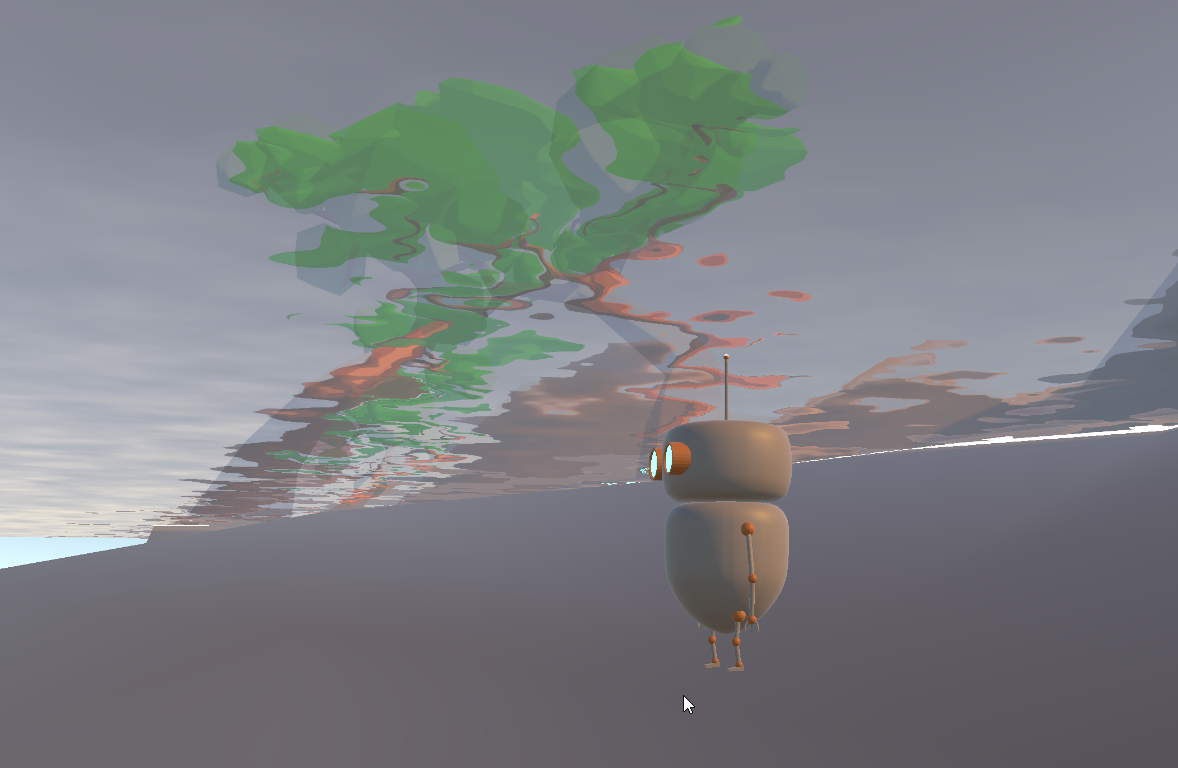 cobalt wing
#archived-shaders would probably be best place to ask about that
my knowledge on LWRP is quite limited (I just bumped into that gray material issue while testing something else)
smoky grail
I did, but unfortunately just got skipped over with no response. I’ve also tried multiple discord’s trying to find an answer and can’t get anyone to help. A little frustrating but I can understand that it is fairly new so many don’t know much.
The only thing I can think of is that my LWRP is messed up in some way. As there is an option called RequiresColorTexure that is supposed to be included in the additional camera data script that you can put on your camera, but the script has no drop down menu to change variables
 open totem
@smoky grail disable "Directly Render to Camera", it's a brainfart some Unity developer left in that's causing all these issues.
Or ignore this, Discord didn't update the thread and I was still reading the old messages
Speaking of post-processing: I'm on Unity 2019.1.3, Legacy Render Pipeline, Post-Process Stack v2.1.6, working on an Oculus Go project; the last update screwed some things up with screen buffer sizes and rendering causing the PPFX to be shown twice at half the size
Has anyone managed to solve this?
smoky grail
@open totem where would this "Directly Render to Camera" be located at?
open totem
On the Post-Process Layer component, the last checkbox
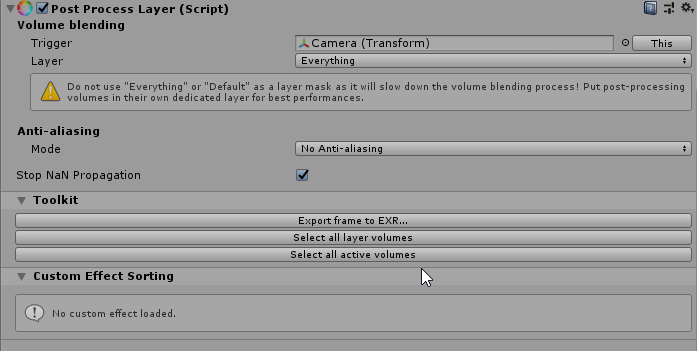 open totem
@smoky grail Weird, which version of PPStack v2 are you on?
smoky grail
If this was to fix the grey and black issue, then I solved the solution by uninstalling PPv2 from the package manager and just using LWRP Post Processing that comes with it.
I think they were conflicting
However I'm still having issue with the shadow cascades when using a refraction shader lol
Im able to mask it through PP depth of field when underwater though
next reef
i'm trying to do two post-process volumes for our game
1st - In-game scene/geometry
2nd - UI
i can't figure out how to have the UI-only process layer.
i have the canvas setup as camera-space to where the postprocess layer is
next reef
same issue as this. but setting to world-space didn't do it for me
https://forum.unity.com/threads/post-processing-on-ui.609577/
Unity Forum
Hi, I'm using unity 2018.3 and the latest post processing package version. I'm trying to set a post processing effect just for the UI, but I can't find...
 wet ember
could someone point me in the right direction as far as compositing multiple cameras together along with postprocessing stack v2 effects?
what I imagined would happen is, I have my depth 0 camera that draws all the main game geometry, and applies postprocessing
then I have my depth 1 camera that doesn't clear any buffers and only draws UI elements on top with no post-processing
unfortunately it seems like the order is camera 0 -> camera 1 -> post processing effects, rather than camera 0 -> postprocessing effects -> camera 1
any way to force the latter behavior?
I was able to do it by adding the following script to my main game camera:
    [SerializeField] private Camera _otherCamera;

    private void OnRenderImage(RenderTexture source, RenderTexture destination) {
        _otherCamera.Render();
    }
}```works like a charm
 quaint rune
strange, adding the PostProcessLayer component to the depth 0 camera should make it render postpro before camera 1, as the component hooks command buffers to the camera it attaches to
 gleaming sail
I'll make sure to save that, I remember having issues with post processing and the multiple camera setup before
 ripe tree
Hi, is HDRP 5.16.1 not working with 3d luts?
ripe tree
@cobalt wing It's there just, no difference at all. exported 32 log .cube luts from nuke
ripe tree
Haven't tried on LWRP or PPstack2, I could try and see if they are working there
ripe tree
@cobalt wing Works with LWRP not with HDRP
ripe tree
probably a placeholder in HDRP, seeing as the tooltip for the input texture on Color Lookup refers to bloom dirt texture
cobalt wing
I didn't see doc page for that setting either
github doesn't find anything that refs to that ColorLookup class
there's validation for the texture tho
but I could have missed something
ripe tree
thanks, so I suspect that on hold for the moment
 deep monolith
@keen sluice
It is normal for messages to be deleted here. Use the forum if you want have a good solution.
 keen sluice
Usually not. Tried to say what i did in Unity, what Unity Version i use, what Render Pipeline and such.
deep monolith
And you message was delete? I have the same probleme here that my message was always delete. Use the Forum... Funny thing is, the same people that delete your message will answer in the forum 😄
keen sluice
Well, would be nice if ANYWHERE on the docs there would be the info that Post Processing Stack v2 is incompatible with HDRP. Like it only has been said in the changelogs
broken birch
it's experimental, so expect noce things in 2019.3
cobalt wing
that's a good point
proper docs are usually expected only once the thing has been released
on the bright side, Unity is still sticking to the HDRP release target on 2019.3 this fall/winter (they just promoted this again at AMD's E3 stream)
following the development closely, I've been quite skeptical on this target in particular as there are still quite big changes under way and they haven't even fully gotten to the polish and optimization passes yet afaik
when they get everything under the new render graph is the biggest question mark here
 languid briar
@keen sluice - Good catch :) We've recently updated the Manual docs with an overview of which render pipeline supports what post-processing. It should be out with the next publish. HDRP 19.x+ has its own post-processing. The docs for that will be in the HDRP docs.
 elder juniper
I am having an issue with ambient occlusion in the post processing stack 2 in Linux, editor and build, tested in both 2018.3/4 - whenever the camera moves, I get massive artifacts on the screen. AO looks good/correct when the camera isn't moving.
I can reproduce the issue in a fresh project [3D w/ extras]
cobalt wing
2019.1 HDRP Templates readme used to have link to old PP package as well
I dunno if that's still there or if it got fixed
but if it's still there, that can cause a lot of confusion as it's a thing that literally pops up when you open the HDRP template
languid briar
Thanks @cobalt wing :) I’ll ping the hdrp team and ask :)
cobalt wing
well, I can check it on my end too
gimme a minute
@languid briar ```md
This Project Template uses the following features:
- High Definition Render Pipeline - For more information, see the https://github.com/Unity-Technologies/ScriptableRenderPipeline/wiki on the Scriptable Render Pipeline repository.
- Shader Graph tool - This tool allows you to create shaders using a visual node editor instead of writing code. For more information on the Shader Graph, see the https://github.com/Unity-Technologies/ShaderGraph/wiki on the Shader Graph repository.
- Post-processing stack - The Post-Processing Stack enables artists and designers to apply full -screen filters to scenes using an artist-friendly interface. For more information, see the https://github.com/Unity-Technologies/PostProcessing/wiki on the Post-Processing GitHub repository.```
oh, those links didn't survive my paste 😄
anyway the point is, the current template (com.unity.template.hd-2.11.1-preview) which ships with 2019.1.6f1 still links you to old PP wiki
this is from README.md that shows on the inspector when you open the HD template
cobalt wing
np
 unreal sapphire
I am working on porting my custom post process effect to the PostProcessingV2 stack, and I noticed that the PostProcessVolume.weight value is not respected by my custom shader (it does not fade in or out depending on the value). I was wondering how this value gets passed into the shaders so that I can make my custom post process effect respect it as well
 hardy jungle
Does anyone know how I can activate/deactivate a override of my volume profile via script? How do I reference such an override component?
For example I have a Channel Mixer override on my Volume Settings and would only like to turn it on in a certain area of my game.
I'm using HDRP and Unity 2019.1
cobalt wing
should work somewhat same way as overriding postprocessing volumes on earlier versions
hardy jungle
Nvm, thought of a workaround. Just created two Scene Settings holding different Volume Profiles and activated/deactivated the whole GameObject
Follow-up question: I want different layers to be affected by different volume profiles. AKA How do I create a layer mask for my volume profile?
 split oak
i put my HUD canvas on "screen-space camera" render mode so it gets post processing applied to it. I mainly did it for the bloom, but it's also getting motion blurring despite not moving, I wanna stop the motion blur, but I don't see a way to disable motion vectors on canvas renderers
any ideas?
oh I just unexpectedly solved it. I made a second cam just for the HUD, background type: none, culling mask: only ui, depth: above zero
It's removed the motion blur but it's still receiving bloom, which is exactly what I want, but i'm not sure why it works. I expected it to lose both motion blur and bloom and for me to have to set up a second graphics volume that had bloom but not motion blur
marsh frigate
The post processing stack has ambient occlusion
just get it from the package manager
Documentation
Post Processing Stack V2 (Built-in & LWRP): https://docs.unity3d.com/Packages/com.unity.postprocessing@latest/index.html
URP Post Processing: https://docs.unity3d.com/Packages/com.unity.render-pipelines.universal@latest/index.html?subfolder=/manual/integration-with-post-processing.html
HDRP Post Processing: https://docs.unity3d.com/Packages/com.unity.render-pipelines.high-definition@latest/index.html?subfolder=/manual/Post-Processing-Main.html
Post Processing Overview (Effect Compatibility)
https://docs.unity3d.com/Manual/PostProcessingOverview.html
When asking questions it's helpful to include which render pipeline you are using
Forums
Image Effects: https://forum.unity.com/forums/image-effects.96/
Troubleshooting
https://unity.huh.how/graphics/post-processing
 lunar kelp
where is the download?
marsh frigate
look at the documentation I just posted
marsh frigate
What part? The second link in the sidebar is Installation
Then you go to the third link Quick-start and it leads you through it step by step
lunar kelp
the thing is
i need help with ambient occlusion with the graphics card i have
cus it doesnt work the one u recommended me
@marsh frigate .-.
soz for ping
cobalt wing
@lunar kelp on Unity 2018+, open package manager and install postprocessing package
lunar kelp
again
cobalt wing
on Unity 2017 and older, install from asset store
lunar kelp
that one doesnt work it wasnt made for my graphics card
cobalt wing
that's DX10 one?
lunar kelp
how do i check
cobalt wing
well, if you haven't installed LWRP, it's the old built-in renderer
lunar kelp
link?
cobalt wing
lets just focus on the actual issue
cobalt wing
you probably haven't used postprocessing stack v2 before?
cobalt wing
make sure you have the volume working, I suspect you don't have any effects working there right now
not just AO
that quick start describes the necessary steps to set it up
lunar kelp
Erm
im not good at following insturctions but have u saw the reqires parT?
would you like a call and you can help me with the step by step thing you see i aint good with those ikea instructions i mean unity instructions xD
cobalt wing
there are plenty of tutorials for this purpose around
cobalt wing
there really isn't much to it, you install PP package from package manager, you slap PP layer to camera, set camera and PP layer to use same layer (make one for postprocessing if there's no such thing)
then put PP volume in some gameobject, mark it global and make PP asset for it, assign it to this PP volume and mark this layer to that same layer you put your camera into
then just add AO effect to the PP asset and it's done
cobalt wing
(it might have AO setup by default, can't remember anymore)
lunar kelp
is it pp2 or pp1?
marsh frigate
can you screenshot this issue?
cobalt wing
you don't have DX11 compute on your DX10 GPU
did you try the other option?
but it's possible you'll get the same
lunar kelp
Could u call me?
cobalt wing
no
cobalt wing
anyway, lack of compute basically just means you have to find implementation that doesn't need it
but it'll be slow
especially on that GPU
you could try Unity's old cinematic effects from asset store
but it could have same limitation
all in all, it's pretty pointless to try to get SSAO on that gpu
even if you can find on that runs, it'll be slow
lunar kelp
Unity's old cinematic effects?
cobalt wing
you should find an asset from Unity
yes
if that fails for the same reason, then you gotta go digging github or some paid PP package that works on noncompute
or just... get better gpu
cobalt wing
that's not avg gpu by any standards
that's not even been min spec for most PC games in half decade
that being said, I think it's good for weak gpu's being able to run your game
but you wouldn't have SSAO enabled on such
lunar kelp
i installed it but i dont see it in my unity
and imported *
where do they place the folder?
cobalt wing
Unity itself supports DX10 gpus still, but you'll not get all graphical feats with it
well, if you imported the asset, it literally showed you dialog with all the files when you hit "ok"
it's somewhere in the Assets folder
marsh frigate
well then import it again and look at the dialog
marsh frigate
It's importing into Standard Assets/Effects
you can see it there
and also you can see it on the asset store if you click Package Preview
marsh frigate
Add the ambient occlusion script to your camera
lunar kelp
now?
-eh
gasps
:0
it works
now how to customize it
ok thx
@marsh frigate and @cobalt wing ROYAL THANKS!!!! X3 ur both awesome
owo
 trail flare
 silk mason
Thanks!
 merry arch
Hello, has anybody noticed a difference in bloom when working with linear colour space?
my issue does not happen in gamma
(pp v2)
 gilded dirge
Can you draw anything around an object using edge detection + layering to only include the character? I'm wondering how I could go about making a cute fur shader. (Doesn't need physics, and isn't really detailed.)
This is the effect I'm going for: https://i.imgur.com/Xp7eej1.png

 mellow onyx
I'm no expert but I think of Option 1: compute shaders, but is a complex topic even for me a programmer. Option 2: Parallax shader to mimic fur. Option 3: Use particles maybe. Option 4: Tesselate the mesh a lot and bump it (probably what the image is doing). Cant think of anything else.
 iron minnow
hey folks. any idea how to turn off ambient occlusion in the PP stack v2 properly?
If you toggle it off it stops rendering the effect, but it will still build the depth texture (which is where most of the performance is spent)
next reef
hmm.. i have two cameras with each having a post-processing Layer+Volume.
the layer is working on the second camera, since it's applying deferred fog.
but the second camera doesn't get the effects from the volume (color grading, bloom, etc.)
open totem
@next reef damn, is that Garrison Archangel 😍 ?
back on topic, have you tried toggling "Directly to camera" off? The "Unity 2019 + PPv2 2.1.7" combo broke a lot of stuff, and that toggle is the first culript
next reef
yes it is. and that was exactly the cause. i had it turned off for both cameras
 severe slate
Hello i need a suggestion please look in #archived-game-design
 narrow halo
Hi everyone, small question is it known that the Post Process Debug component isn't working as it should ?
For example I tried debugging DoF and nothing was showing as debug view (histogram and other are working but the debug aren't showing). The DoF itself is working but I saw videos showing red debug views fading out depending on the strength of the DoF
Anyway, if anyone saw something related to that ping me please
 exotic loom
Hey all - my team is looking for someone to come audit and address some graphical performance issues our game is experiencing. Does anyone know any contractors that would be up for this?
If anyone is interested please DM me 😃
More information can be found here: https://forum.unity.com/threads/looking-for-graphical-performance-audit-contractor.712493/
Unity Forum
Hey there, we are looking for a contractor to help us identify and address some graphical performance issues that we're having. We're using a number of...
mystic vector
@next reef Is... is that an Exteel kind of game?
next reef
it;s a mech action game. currently on steam early access
next reef
i'm the gameplay and sometimes graphics dev.
team handles the models and animations.
 runic ibex
@silk mason Did you use the MK Glow plugin ?
 frail vale
Curious what I should be looking up to test/try an effect or if this would even be accomplished with post processing.
Scene as it stands right now
interesting effect that happens when recorded with my gif maker
I would be curious to see if the gif makers style of my world could some how be used as a real time style?
 sweet tulip
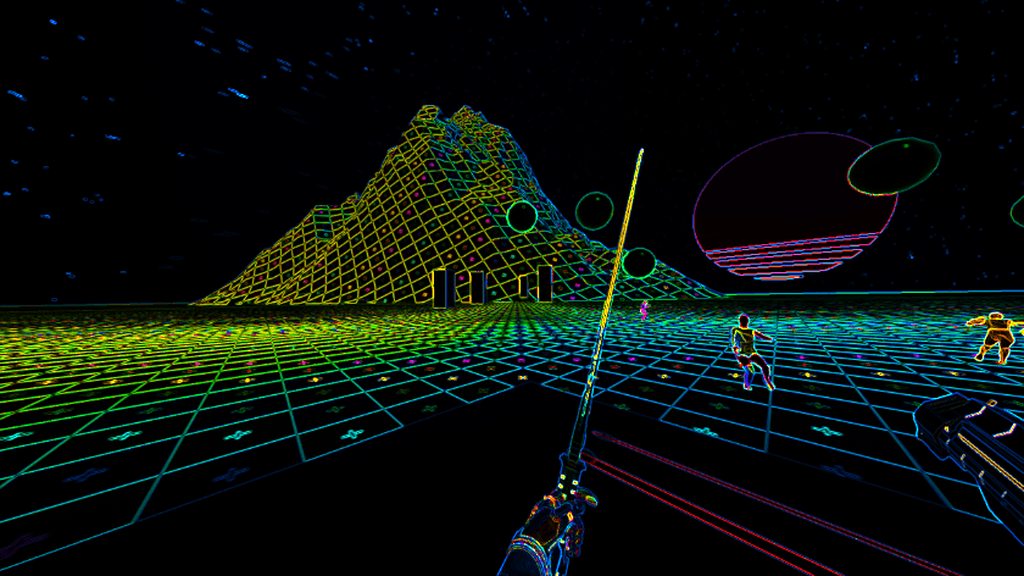
@silk mason how did you made that neon like effects?
next reef
@frail vale the gif maker is limiting the colors down to reduce its file size. basically, a simple Posterize image effect would do that.
frail vale
Ah got it, thank you for that info
Did you play project entropia by chance their flying vehicles are called sleipnirs
 echo lava
Hey
I'm looking for ideas how to fix UI blurrness with HDRP
i set up motion blur and depth of field on HDRP, and wanted to use RawTexture on UI with my custom shader
but to make the shader visible, i had to change canvas settings to World Space - Camera
thus, everything in UI is now blurred
 trail moth
What exactly is post processing ?
marsh frigate
An easily searchable term
 clever plinth
I need a sanity check, post processing stack custom effects do not play well with VR since 2019.1. Even in multi-pass rendering.
The UNITY_SINGLE_PASS_STEREO doesn't seem to be set anymore, making VR-specific shader code not run 😕
clever plinth
Found the culprit, since 2019.1 VR post processing no longer works using the legacy render pipeline 🙃
cobalt wing
that's a weird regression
considering that later on with 2019.3, PP stack v2 is ONLY used for legacy render pipeline 😄
open totem
Don't tell me, I'm raging at Unity for breaking the PP stack on VR
Also, can't use LWRP because it does the weird "One grey eye" bug, making it unusable
severe slate
for some reason none of the post processing stuff is working, even if i turn their settings up all the way,
and no, its not because the vignette is set to off, i was flickering that hoping it would do something, turned on it still doesnt work
 arctic root
@severe slate maybe set it to isglobal? Im not sure if your camera is actually using the postprocessingvolume, cause it all looks good to me
severe slate
is global does nothing aswell
 lethal musk
is there a way out-of-the-box to make the vignette go all the way to the center to create a full-screen black image?
https://gyazo.com/e6cb767214fa4e131685a19ecb0f6d87

this is the furthest it'll go if the intensity is set to 1.0 (max)
lethal musk
nevermind just ended up making my own vignette shader
 wraith fox
 coral shoal
very cool
 mellow summit
ummm.. Can someone please tell me why Screen Space Reflections in Post Processing v1 look way better than v2 ones? (first picture is v2 with Overkill quality ,second picture is v1 with default quality.) Also i dont know why v2 has like black artifacts
ugly glitching in some angles
cobalt wing
@mellow summit ppv2 ssr is useless
They tried to optimize it too much... I never got v2 one working without crazy artifacts
PPv1 or cinematic effects ssr is way better
There is also stochastic ssr from community which is nice for the old renderer
HDRP has nice SSR built-in as well
 fringe valley
Hi guys, I'm searching for a way to achieve a sharpening effect with an HDRP pipeline (VR enabled). There are some assets in the store for LWRP and PPv2 that are not compatible. Any idea? I don't know much about programming yet. Thank you
mellow summit
@cobalt wing yea i tried stochastic too. all screen space reflection systems work flawlessly except for ppv2
also Cinematic Effects is just PPv1 but the difference is that the pp stack is ordered correctly and is more organized.
 alpine swallow
Wondering if they would implement support for rough reflections in ssr. I missed this
cobalt wing
I always thought it was just an optimization right now as it's fairly heavy operation
severe slate
does exists an practical method to AO on LWRP?
 spring crescent
Someone know why my emissive material didn't work anymore after i installed lightweight RP ? I've already updated all my materials, applied post process volume/layer on my camera and same for the layer post process + i've created a post process profile with bloom effect to make the glow pop out more but nothing happend
If someone have an idea pls msg me (sorry for my bad english, hope it's understandable)
 bright mirage
Question, why does PostProcessing affect my lighting when the light isnt in the layer that the PP affects? -.-
 vapid citrus
O p t i m i z a t i o n
 rigid echo
Hello everybody,
i am quite new to unity. I tried to find out how to setup lightweight RP and then using Post processing. Unfortunately I can't find any helpful tutorials in the web. My problem is, when the tutorials say: Add LWRP asset. But I just find the universal renderer. I am using Unity 2019.3.0a12. Can anyone help me to setup?
languid briar
Hey - LWRP has become Universal (as of 19.3). Universal has its own native post-processing solution that works out of the box. (Can't use it with ppv2)
You'll still have to add a Universal Render Pipeline Asset to your Graphics Settings:
https://docs.unity3d.com/Packages/com.unity.render-pipelines.universal@7.0/manual/configuring-universalrp-for-use.html
rigid echo
Ah okay that was the information I didn't had thank you very much!
rigid echo
Do you have any recommendations where i can find some information about post processing with this pipline?
languid briar
Eh. I wish I could just link you to the docs, but they're running a little behind. I'm working with the dev on them and hope to have them out soon.
What I CAN tell you is that it uses the same Volume system as HDRP, so you could read the HDRP volume documentation for how-to-use.
And then only use whichever properties show up in the UI for Universal.
It's hacky. But it's a place to start :)
(And I promise the actual docs will be out soon. :))
rigid echo
Okay then i try to find out something about this 🙂
rigid echo
I think i slowly understand after watching the manuals and the test projects
languid briar
Nice! Can’t wait to see what you produce!
rigid echo
@languid briar I found out with the new build in post processing volume there is no need of a render Pipline. I didn't found out to use it with render pipline but it works without it
 golden hound
Thank you @languid briar those HDRP docs really helped me out setting up the Universal RP! 😄 I just had a question on if you would happen to know how to get it to work with the new experimental 2D lighting that's being implemented because I can't seem to get it to work with that, but post processing does work if I disable the experimental 2D lighting and just use the forward renderer in the pipeline asset
 bleak horizon
When the ambient occlusion will be available for URP?!
languid briar
@golden hound - the Universal RP docs have an entire section for 2D. Have you looked there? You can find them via the first link I sent yesterday. See the table of content in the left-hand side, towards the bottom is 2D.
golden hound
I've checked the docs to get the 2D experimental lighting and post processing to work separately, but I can't get them to work together. I figure it's cause the Forward Render Data has a Post Process Data variable while the 2D Render Data doesn't seem to have that variable even if I look at the inspector in debug mode.
languid briar
@golden hound - I've just asked my devs, and PP and 2D don't work together right now. But they will soon™ :)
cobalt wing
this was merged to master 2 days ago: https://github.com/Unity-Technologies/ScriptableRenderPipeline/pull/4369
GitHub
Purpose of this PR
Get Post-processing working with 2D again.
Release Notes
ResourceReloader now works on non-public fields.
Pixel Perfect Camera now allows rendering to a render texture.
Post-pr...
so probably included on next URP (2019.3) release
@golden hound
if you don't mind experimenting, you could just grab the current SRP master from github and try it
golden hound
@languid briar Thank you for that! I'm glad that Unity includes all these cool features out of the box and I can't wait to see what the future holds! 🙇 @cobalt wing Oh snap! I downloaded the current SRP and tried using their own URP demo project and it worked like a charm! 2D and post processing working in tandem!  Thank you two for all the help! Also also thanks 0lento for all your help on the ECS channel as well, I tend to mostly lurk over there but you and a bunch of other people have been a great help!
languid briar
Yay! So glad you’ve had this success!!
 errant rivet

reddit
1 vote and 4 comments so far on Reddit
Anyone else had this problem?
I'm not using any volumes or layers, but enabling the post process layer component makes my game preview blurry. I'm using VR.
2019.1.1f1
oh I see, enabling the post process layer component adds 4 command buffers to my camera, and removing these manually removes the blur
specifically the command buffer called "BeforeImageEffects: Post-processing"
If not, shall I write it up for the issue tracker?
 ivory barn
Hey I'm using first time post processing stack in 2019.3.05a version unity and then ( Assets/PostProcessing/Editor/PropertyDrawers/MinDrawer.cs(6,34): error CS0104: 'MinAttribute' is an ambiguous reference between 'UnityEngine.PostProcessing.MinAttribute' and 'UnityEngine.MinAttribute' )
Can anyone solve this issue
 sterile cosmos
I just tried to deploy the ne pipeline to Oculus Go and post-processing still doesn't work. Going to test without Oculus and see if it works on Android.
Yeah. It works on Android when I deploy it there.
 inner kelp
So upgraded my Project to 2019.3b1 & switched from LWRP to Universal. Everything is fine just the PP-effects dont show in 2019.3b1 although the stuff is set up the same way. I only noticed those new settings in the camera itself. Does anyone know how I can get the PP-effects to show again in 2019.3?
cobalt wing
@inner kelp URP doesn't support old postprocessing package anymore
it comes with it's own PP, like HDRP does
basically you just add regular (non PP) volume to the scene and add overrides to it
also make so to remove PP layer and PP volumes from your project now
inner kelp
Overrides? damn... I better wait for the documentation then. Thanks for the fast answer!
cobalt wing
I think there are some docs for this somewhere
but if you can't find them, you can always look at how HDRP docs describe volumes
should be pretty similar deal now
it's not all that different setup from old PP volume
you mainly don't have to set the layers and the PP layer component
and volume is using different component
vapid citrus
New pp is super intuitive. I believe in you!
 bronze mural
@ivory barn There's documentation in the pinned messages
It has a quick start guide
@ivory barn Also stop pinging people out of conversation to your issues.
bronze mural
it's a camera effect, it works on anything.
bronze mural
I'm not up-to-date on that one. I think HDRP has it's own and LWRP doesn't support everything.
ivory barn
Kk
I just imported pp from accets.. and i was making a script "postprocessprofile" but it didn't work
It shows only script
bronze mural
Documentation has a detailed guide how to set it up.
ivory barn
Where can i get it ?
bronze mural
The pinned messages
ivory barn
Ohh ty
languid briar
The documentation in the pinned message is only for the Post Processing V2 package.
If you're using URP or HDRP, they both have their own built-in post-processing solution, that relies on their own Volumes framework.
They are incompatible with the PPv2 package.
Docs for HDRP post-processing: https://docs.unity3d.com/Packages/com.unity.render-pipelines.high-definition@7.0/manual/Post-Processing-Main.html
Docs for URP post-processing = incoming.
 wet rivet
any recommendations on getting good PPS results in a low poly setting?
i feel like the way im setting it up contrasts too much
idk if PPS can do a flatter lighting to fit better something more cartoony
 dry folio
@wet rivet do you have photo with camera view + stat?
wet rivet
will provide when i get home
had to go to work
heres a bit of the current scene look tho
doesnt differ much from game mode
but as you can see the shading is too uhh soft id say
too excessively detailed
dry folio
And you have problems with FPS on that simple scene?
wet rivet
not really fps problems but i wanted a better aesthetic to it
flatter shadows, and less smoothing
but i think at this point the issue is more of my settings
i meant pps as the post processing stack
 cyan seal
Question: How should Auto Exposure be configured in the Post Processing Stack?
I've noticed that by looking down at the ground, said ground becomes extremely bright.
Not something I really want.
For a bit of context here, I'm attempting to re-create the lighting, post processing and color grading used in Shadow of the Colossus (the PS2 version) for a project I'm working on. I think I've got the basics ironed down, but this has bugged me for a while and I can't figure out how to solve it without ruining the overall effect.
cyan seal
Still need help with this issue.
wet rivet
@cyan seal https://youtu.be/_PzYAbPpK8k around 6 minutes in

In this video we take a look at how to use the Post-Processing Stack in Unity to drastically improve the look of our visuals in our project. We take a look a...
he shows too exactly the problem you ran into
its a p neat video
cyan seal
So I guess it's impossible to get rid of that effect completely?
That's kind of what I tried as well.
cobalt wing
@cyan seal what do you need the auto exposure for then?
that's how the effect works by design
cyan seal
Recreating SOTC's eye adjustment effect
cobalt wing
you can clamp the range I think tho
but if you have like specific places where you want to apply the effect, you could just apply the autoexposure to local volumes where you want it to work
and just use fixed or more restricted values on the open areas
 tribal mist
Hey guys I want to ask if anyone has managed to get the pp stack working on a oculus quest or android VR in general
open totem
@tribal mist I was just about to ask if Unity has ever bothered to fix it, guess I was wrong
https://github.com/Unity-Technologies/PostProcessing/issues/844 this should be a good workaround though
GitHub
What happened? when using Post Process Layer in VR the Picture is blurred and with pixelated edges, even without any Post Process Volume Effects. Post-processing stack version (v1, v2)? v2 Unity ve...
 tranquil cloud
Quick Q on creating a PostProcessVolume dynamically using QuickVolume(). Previously we had it working where I'd create a dynamic volume and apply some overrides for user driven video setting changes. However, it doesn't seem to be working the same way anymore (the overrides are not affecting the end result). Since I need more info to debug, I was hoping I could look at the PostProcessVolume I instantiated via script in the editor, though I don't see any new game objects created... Where is this new component actually being instantiated??
Nm, it's getting a HideAndDontSave flag set on it which is making it invisible in the hierarchy. I'll just disable that for now. 😉
coral shoal
Does anyone know how I could achieve a cavity rendering post processing filter? Maybe its just 6am and its something easy i havint thought of, but i really love what the cavity filter as a viewport shader does in blender 2.8,
Possible in unity?
My first thought was using depth, clamping to a mesh like an outline shader would so it wouldint be everything in the scene just whats camera visible
And then ehh.. Yeah im terrible at this stuff anyone willing to throw me a line would be much appreciated
 wet knoll
First-person swimming in water post-processing advice needed
 obtuse seal
Does anyone know if it is posible to render some things after AA? for example text?
i have some text mesh pro intagration into my enviroment, for example text in monitors on walls, and my AA is really messing it up, is there any way to render the text after the AA pass?
 rocky onyx
How to access Bloom, Exposure etc in Volume in script? This is HDRP
I'm guessing UnityEngine.Rendering.PostProcessing is not HDRP
Volume volume = GetComponent<Volume>();
Bloom bloom;        volume.profile.TryGetSubclassOf(typeof(Bloom), out bloom);```
Doesnt work..Sorry. Got it
using UnityEngine.Experimental.Rendering.HDPipeline;
 ashen edge
I'm trying to get the Post-Processing stack Ambient Occlusion to work with an orthographic camera, is this possible?
 dapper relic
Is there a way to exclude some layers from post processing without using extra cameras? For example i want to use Canvas with "Screen Space - Camera" render mode instead of default "Screen Space - Overlay", but with this mode canvas is affected by post processing
 sick kiln
afaik in PPv2 is not possible
 barren shale
Hey, quick question, using the unity classic render pipeline (not SRP), the PostProcessing volume makes my camera projection matrix uneditable. Is there a way to get around this?
Edit: Hack, not for production, but setting the projection matrix to a variable and then assigning it during the OnPreRender message does the trick for me. Might break advanced effects like TAA.
 copper snow
Hey, I'm looking for some help on post-processing settings. Got two screenshots of the same scene, with what looks like almost the same settings. First screenshot is Unity 2018.1 with Post-Processing Stack from the Asset Store.
Second screenshot is 2018.3 with the Post-Processing package v2.1.7 from the Package Manager.
So my problem is that all my effects just look less vibrant than before and I was wondering if anyone had the same issue and found a good solution?
I heard something about another post-processing stack on GitHub, but I'm not sure what's the go-to solution lately.
 knotty night
Hmm it seems to me that the seconds Post Processing Stacks differs a bit from the first one, so it's expected that there would be some changes. Are you sure your graphics settings haven't changed somehow? e.g. linear / gamma color space, HDR rendering
copper snow
Nope, haven't changed any graphics settings. I checked, and both are default and Gamma. I'm not sure where to check HDR settings (if it's the one on the Camera, it's enabled)
Might just have to try and replicate the colors to look more similar to the old post processing
knotty night
Yeah, Post Processing Stack has changed so the only thing that's left is to try to replicate the settings
But the logo in the first picture looks good indeed 👍
 idle citrus
1 camera active, multiple games, 3 different versions of unity, 2 times now my main camera refuses to display anything but black (does not say no cams rendering) on display 1 but display 2 is fine. Is this a postprocess ing issue?
coral shoal
Yeah it's weird i have a couple cameras in my scene that broke when updating to x2019
try disabling the proc layer on the camera in your case, if it changes from black that answers your question
@idle citrus
 dire valve
hello, does anybody know how to disable the post processing on the UI layer without using 2 cameras ( our project is built in the LWRP and it does not support 2 cameras)
 broken girder
how do you rendering something after depth of filed? I have some transparent objects that need to be sharp all the time
 torn elk
Hey I got an issue with my AR(Vuforia)/Mobile sprites when I build them for android. They seem to be oversaturated. How do I fix that with post processing? :D
 forest elbow
Having trouble getting post processing to work. Following a tutorial that first sets up HDRP which seemed to go well, however my post effects do nothing at all. I installed postprocessing pack. I created a 'empty object' called postprocessing and created a pp layer. Added a profile with extreme adjustments set to global. Set layer to PP. Then in camera I have it set to PP also. I add a PP volume, set to PP layer. Tried messing about with layers but nothing I do changes anything in my game camera. Unity 2019.2.9. Can anyone please help? I've tried uninstalling the PP and reinstalling, same issues.
forest elbow
I'm reading HDRP and PostProcessing don't work well together, even though the tutorial I'm using seems to use it fine
forest elbow
Ok got it working via another tutorial where they use 'Volume' instead 'of 'post processing'
 sly nacelle
afaik HDRP come with its own post processing, so you should not use the separate package together with it
forest elbow
Yeah exactly, took me a while to figure that out. Was confused as a tutorial I was watching clearly used both HDRP and the old processing stack together combined. Still a bit confused by it actually https://youtu.be/12gkcdLc77s
Upgrade to HDRP and take your graphics to the next level! This video is sponsored by Unity 👕 LINE OF CODE: https://lineofcode.io/discount/SHIRTMEUP ● Temple ...
cobalt wing
yeah, that doesn't apply anymore 🙂
it used to but that changed on 2019.1 already
on that video Brackeys used 2018.3
 hardy patrol
When are we gonna get ambient occlusion for lwrp?
cobalt wing
I'd guess it's related to lacking(?) depth prepass on URP
you need either depth or normal buffer to be able to SSAO
if you have deferred rendering (which URP will have soon), then you get both options, for forward path, you'd need that depth buffer to do AO
hardy patrol
well I tried having MSVO on LWRP (Unity 2019.2.9f1) but it just does not change anything. SSAO does not work with scriptable render pipelines as it is shown by the warning given when I select it. So if I download 2019.3 and get URP I have a chance to get some AO ?
activating depth texture doesn't make it work either
cobalt wing
it does work on HDRP
(you said it doesn't work on SRPs which covers a lot more than LWRP)
and yeah, it's not been implemented on LWRP/URP afaik
hardy patrol
Just going to wait then
 rich hill
post processing wont show in my editor camera
or ingame / testing
Ive followed tutorial exactly
I take it back
i never checked game camera
broken girder
is there anyway to get depth of field on transparent items in HDRP?
I am making a hologram and it is getting blurred when trying to focus on it
forest elbow
If I wanted to revert my scene from HDRP to not have it, how would I go about doing that?
 cursive moat
Pretty sure you just remove the HDRP pipeline asset, then convert your material shaders back to default ones
severe slate
There should be a Setting to set all your materials to HDRP
There must be another setting to do the opposite
cobalt wing
it's a one way street atm
of course you can write your own scripts to do the transfer the other way around
broken girder
is there anyway to get text to respond to exposure?
right now it does nothing to text and effects everything else which makes it look really odd
thanks
Using text mesh pro
 tawny cape
I have two effects, but this one does not show up as an option to select
and this one does
I am not sure what I'm doing wrong
marsh frigate
Fairly certain that side is only populated by your C# scripts
and not the shaders
It'll be the PostProcess attribute on your PostProcessEffectSettings
tawny cape
I think I'm getting close to getting this effect to work in LWRP, but the underlined line of code keeps giving me an error "'tex2D': no matching 2 parameter intrinsic function", even though a couple lines earlier I did not get an error
marsh frigate
It's SAMPLE_TEXTURE2D(_MainTex, sampler_MainTex, i.uv);
tawny cape
I no longer get the error, but instead I get warnings about leaks
the image effects also makes the screen fully white or black, instead of partially black to match the cutoff and this texture
As the effect is meant to be a screen transition effect
 lean tangle
That warning can be fixed by just restarting the editor
its really annoying..that warning..
tawny cape
yea, I no longer see it after restarting
now I'm just not getting why the effect doesn't work in a way that I'm expecting
 crimson fulcrum
Is there an example texture for URP Color Lookup Texture? I keep getting this error.
I found this thread, but I don't understand what the fix is.
https://forum.unity.com/threads/where-is-urp-color-lookup-sample-texture.750356/
Unity Forum
Hi, the color lookup function in URP is different from PPV2, the new one is 2d lut texture, but I can't find a sample, so I don't know how to use it. I...
tawny cape
try a render texture
I can't seem to find the Vignette shader to look at the code of on the github of the post processing stack, does it have some different name?
marsh frigate
I went into the UberPost.shader file, and then saw where it applied the vignette, searched for the function name, then found it wasn't there.
Looked at the include files, thought it likely to exist in ...Shaders/PostProcessing/Common.hlsl" over all the others
and then searched for the function name there
tawny cape
ah
 jaunty ember
Is ambient occlusion not available in the URP?
tawny cape
see if this one works for you @jaunty ember https://github.com/beinteractive/LWRPAmbientOcclusion

GitHub
Post-Processing Stack v2 Ambient Occlusion works on Lightweight Render Pipeline - beinteractive/LWRPAmbientOcclusion
also, I've tried to extract the masked vignette post processing effect to a separate shader, but it only outputs a black screen
tawny cape
I've also tried achieving a similar effect by trying to port a dissolve shader to the post processing stack, but it gives me an only marginally better result, as it instead goes between a darkened game screen at cutoff values between 0 and 0.5, and a clear game screen above it
tawny cape
ah
 strange fulcrum
Hi people, quick question, is there a easy way to control the post-processing effects using shader graph? everything I find in google is from around a year ago and it didn't see to be possible back then,I couldn't find any kind of guide and I have been trying for hours with no success
cobalt wing
@strange fulcrum not supported atm
there is an old draft of giving shader graph support for custom post processing (at least on HDRP) but it's not something you can merge to current HDRP versions anymore (nor it really worked when it was done)
but it's coming officially at some point
right now HDRP got custom pass and custom postprocessing pass in code
 quaint wagon
anyone knows how can I enable post processing on the inspector camera?
marsh frigate
on the little preview? Or do you mean in the scene view
If you mean the scene view
 final hazel
Hi guys ! I would like to make a dark ambiance, so I used post processing with color grading and vignette, but I can't use light. I'm totally new to this, can someone give me a hand to understand how it works ?
I'm in a 2D project with unity 2018.4
knotty night
What do you mean with light?
final hazel
umm.. I would like to do a dark atmosphere which became brighter when we go further. but I need light in the level for lamps
and I really don't know how to do that ^^'
I want to learn about lightning and post processing for this project ^^
knotty night
Hmm what I can recommend you is watch a video about Lighting in Unity
Brackeys has done one already
For the lamps you can use Spot Lights
I'm sorry but I don't really know how can I help at this point as it is a bit general question
final hazel
yeah don't worry, I will find this way, I forgot about about Brackeys video which can help me a lot. I think my problem is more about lightning finally, sorry to bother you here ><"
quaint rune
does anybody know why Postprocessing Stack v2 doesn't support single pass double wide mode in 2019.1+ ?
Instead it issues a drawcall for each eye and uses two textures
it is done via compile directive
 stoic canopy
Hi guys i am using unity 2019.3.9 with URP.
My problem is when i checked post-processing in camera to use post-processing.
After that, in my game view show nothing like picture below.
How could i fix my problem??
severe slate
http://petersikachev.blogspot.com/2018/12/lcecbf-linear-cost-exact-circular-boker.html?m=1
Cc @fervent kite
Does Unity's DOF use this approach or the frostbite's approach?

Depth-of-field has always been a costly post process for video games. Particularly, a circle-of-confusion filter proved to be a bottleneck....
 inner locust
maybe frostbite bcz its the best game engine of the world
worlds no 1
but its not for private use
cobalt wing
Unity's HDRP team has many ex frostbite devs in it
severe slate
I was actually refering to this one:
https://www.ea.com/frostbite/news/circular-separable-convolution-depth-of-field

Electronic Arts Inc.
Talk by Kleber Garcia at GDC 2018
 tribal bluff
Does anyone know, is it possible to apply a post process to just the UI? Say my canvas and its children but not to the rest of what the camera sees?
 crystal imp
I was wondering how do you handle MeshRenderers in a custom PostProcessRenderer ? For now i have to store the list of mesh renderers statically, but this is not very elegant and i want to set this settings independently for each of my profiles. Having just a public field for this list in my PostProcessRendererSettings class could be the solution but i didn't find a way to set it via GetSetting<T>.
 stark fable
@tribal bluff Yes it is. Use second camera, that renders only UI and apply postprocessing. Worth to mention that camera stacking is not supported in URP now.
tribal bluff
Why not, and any plans to bring it back? How would this effect be created post URP?
 zinc harbor
they are working on bringing camera stacking back to URP
stark fable
@tribal bluff it is because clear flags affects performance in a bad way.
Postrocessing works per camera only. Also you can use camera opaque texture to recreate some effects in shader graph.
 arctic briar
bloom keeps making things glow like this
it happens at certant angles too
i have no clue what it is
cobalt wing
it's quite impossible to tell what's going on there without seeing any of the actual setup (unless there's some known issue about this)
 buoyant galleon
Barrel Distortion is fun! Especially when it doesn't come with a side of random blur 😄
keen skiff
Hello everyone! I'm trying to add ambient occlusion to my camera and it works on everything except my custom transparent shader/material (created in shader graph). Does anyone has any idea how can I change it to support ambient occlusion properly?
alpine swallow
@buoyant galleon great result. I don't like built-in panini projection effect because of bluring
 cosmic kiln
i need volumetric lighting in URP project, do you know anything that can help?
chilly chasm
The sky disappears when the camera goes bellow 0.5 what could be causing this? It happens both in the Play camera as well as the editor.
HDRP 7.1.5, 2019.3 0b11
 halcyon sail
im trying to add lens distortion but when i add it the effect doesnt work even if i put the intensity to 100
chilly chasm
@cosmic kiln don't use URP. better use the standard pipeline.
https://tenor.com/view/its-atrap-trap-admiral-akbar-star-wars-we-are-trapped-gif-9276476

considering what you can't do in URP you get nothing but excellent performing dead ends if you use URP unless you have a team that knows what it is doing, and you are ready to spend time doing it.
Go for standard pipeline and optimize it as much as you can. There is huge support on the asset store if you want to use all kinds of beautiful volumetric features such as aura 2 etc.
knotty night
i need volumetric lighting in URP project, do you know anything that can help?
@cosmic kiln You can't get volumetric lighting in URP.
You should use the standard render pipeline with a third-party asset (Aura 2 or Hx Volumetric Lighting), but it isn't free.
Or you can alternatively use HDRP with it's own volumetric system, but it may be an unworthy conversion, depending on your project.
As @chilly chasm said, I think that if you really need volumetric lighting in URP, use Built-In Render Pipeline.
cosmic kiln
@chilly chasm @knotty night Thank you for responses, i have aura 2 and ill consider switching to standard pipeline
cosmic kiln
but problem is that i won't be able to use shader graph for example and probably other stuff
knotty night
@cosmic kiln then you should either consider using:
● HDRP without Aura 2 but with Shader Graph
● or the Standard Render Pipeline with Aura 2 & Amplify Shader Editor
 wind epoch
 woven herald
Standard Render Pipeline with Aura 2 & Amplify Shader Editor. probably most feature rich and robust combo currently for production ready aimed projects when dealing with rendering features in general. URP has lots of functional stuff missing. for me it includes deferred rendering and point light realtime shadows currently. also lack of AO in bultin PP that comes with URP.
severe slate
I wanna add some brightness to my scene for a quick sec
any thoughts?
 willow harbor
Are there any news about Custom Post Processes in URP?
mellow summit
@cosmic kiln you could use ShaderGraph to make a soft particles and camera fading shader and a cone mesh if the volumetric light is a spot light to fake volumetrics,however,if you want a volumetric Directional light,you should go for Builtin or HD render pipeline
cobalt wing
@woven herald I thought they added ao alreafy
woven herald
they did? haven't visited since 7.1.2 if memory serves correctly. also the bloom was acting weird with threshold values.
not listed here yet either , will have to check if AO has been added. might try it again
cobalt wing
It is possible it hasnt landed on releases yet, I just saw the wip branch some while ago
cobalt wing
GitHub
Scriptable Render Pipeline. Contribute to Unity-Technologies/ScriptableRenderPipeline development by creating an account on GitHub.
yeah, I don't think that landed on 7.x at all
 fathom sail
our company are still on 2018.4 and planning to go to 2019 if there anything new for graphic side
since i dunno if there any place for visualization question
what is something that we should look forward into?
atm we are still using old pipeline and was interested to try something new
mostly for architectural visualization.
heard good stuff about hdrp and urp, but have 0 experience with it
only been using standard lightbaking + post processing stack so far.
 wind fiber
hey all, simple question which i've forgotten the answer to. Im on Unity 2018.3, LWRP. Trying to make it so only emissive objects are having bloom applied to them, because the bloom on the environment is overwhelming :P. In the past, I would have set threshold to 1 and enabled hdr on the camera, but that doesnt seem to be doing the trick here. Any threshold over 1 is not rendering bloom at all
any ideas?
 devout orbit
Hey guys, is Post processing v2 supposed to work on mobile in VR with single pass?
dry folio
@devout orbit its not works very well on Oculus Quest
devout orbit
ah, forgot to mention that I'm also on LWRP
devout orbit
Update: It works with URP@master 🙂 although seems to be eating 5-10 FPS for me
devout orbit
yep, its own one @cobalt wing
buoyant galleon
Just had a dive into a very interesting thread on PPv2s performance... Scary scary stuff
 fiery tusk
Hey everyone, I'm currently working with the postprocessing stack v2.2.2 and I was wondering what triggers PostProcessEffectRenderer.Release. If I set the effect On or Off release is not triggered. How can I know if the effect is active or inactive ?
 cosmic quartz
 nocturne grove
Hi! Is there any way to render out 32 bit EXR frames with the Unity Recorder and keep all the 32 bit information intact? When I render out, the output frames are 32 bit but it has no information above 255.
 deep arrow
Hey guys, so recently i did a test upgrade of my project to 2019.3 to see if it will be possible to upgrade our engine version from 2018 and get some performence boost. Everything worked well except couple of shaders that i fixed however for some reason when i started moving the post processing stack v2 to the new PPv2 that comes with Universal rendering pipeline post processing doesn't get applied to cameras that are inside a prefab. I've tried creating a new camera inside the prefab deleting the old one setting the both the global volume to the same layer as the layer inside the camera however it doesn't even pick it open. But if i just create a blank camera then add a volume set up a profile everything works like its intended to, is this some kind of bug in the pre release ot i am doing something wrong with the prefab?
As you can see the camera does have indeed the new post processing as they even work in the editor. However in the game view they aren't present at all.
severe slate
Guys what should i add to my camera
So i can put the Post Processing item into it
i did add bloom and stuff
just wanna put it into the camera
fathom sail
need layer + volume
i forgot the best way to do it, but easiest to tag everything + isGlobal
 prisma stag
Hello, i'm trying to control the value from post process stack V2 by script, but i cannot find a sample or doc of this, do you have an idea how to do it ?
 knotty bone
if you reference the Profile, you should be able to change Values by MyV2VolProfile.Something.Something. Another option would be to simply use "using UnityEngine.Rendering.PostProcessing" and then by init Variables: e.G. AmbientOcclusion AO and then PostProcessVolume ppv = GO.GetComponent<PostProcessVolume>() continued by ppv.profile.TryGetSettings(out AO) you should be able to check and then change them. e.G. if(AO.enabled.value == true){ AO.enabled.value = false}.
 rich idol
Hello, where is the antialiasing on the 2.2.2 Post Processing Stack?
 wraith nacelle
Hi all, does anyone know if one can isolate assets/layers to render post processing FX, like bloom, so that only my light source assets are rendered with bloom and not the entire scene?
im using 2018.4.6f1
 rustic oar
@rich idol in URP MSAA and SSAA/Render Scale is in the render pipeline asset, SMAA/FXAA is on the camera, and TAA is not supported.
rich idol
@rustic oar thanks
devout orbit
Hey guys, how can I check if render scale gets applied?
Also, does it change the rendering resolution like XRSettings.eyeTextureResolutionScale?
rustic oar
I find the best way is to set it to a ridiculously low scale e.g. 0.1
and I believe it is currently not working in VR/XR with URP
devout orbit
thanks @rustic oar ! yeah looks like it doesn't
https://github.com/Unity-Technologies/ScriptableRenderPipeline/blob/3f34d9b73e21ddb4cacaf1e868d70e727efdd786/com.unity.render-pipelines.universal/Runtime/UniversalRenderPipeline.cs#L291
Oh, looks like this is the answer - it just uses XRSettings.eyeTextureResolutionScale if XR is enabled
GitHub
Scriptable Render Pipeline. Contribute to Unity-Technologies/ScriptableRenderPipeline development by creating an account on GitHub.
rich idol
Anybody knows why on Unity 2019 SSR doesnt looks right? It is adding reflections from objects that are close to the camera, see image:
dry folio
@rich idol its how works Screen Space Reflections.
Do you want a real reflections? - use planar reflections from HDRP render
rich idol
@dry folio But why this started happening on Unity 2019, my project was on 2018 before and it doesnt have this problem
 hidden spruce
I can't get post processing to work with cinemachine on 2019.2.11f1... It shows effect in scene view but not in game view.
Oh, I got it, there was camera component inside of virtual camera
 dull lintel
Hi here !
Do you know if there is currently alternatives to the legacy HDRP ambient occlusion ? I find nothing in the store
 brazen garnet
dry folio
brazen garnet
dry folio
@dull lintel why do you want PPv1 instead of use PPv2?
dull lintel
I would prefer the V2 but Kry send me files for the V1
Also I finally found out that the V1 and 2 arnt anymore compatible with HDRP since 2019
it was before that
cobalt wing
@dull lintel what do you actually want?
PPv1 was never compatible with HDRP and PPv2 was only compatible with Unity 2018's HDRPs (unless we count few early 5.x HDRP versions that still supported PPv2)
Built-in HDRP PP used different AO algo at first
they only recently swapped it to GTAO
I still don't get why they didn't keep both around
cobalt wing
you talk about the current one on HDRP 7 or the older one on HDRP 5?
I can't remember when it was swapped exactly but I'm assuming it was during 6.x cycle
GTAO that's on current HDRP is one of the most accurate AO's you get from screenspace
dull lintel
I'm with HDRP 6.9 and you are telling me there are better post process in 7 ? 😮
dull lintel
@cobalt wing I just tried it , and even if the UI and controls looks the same , the result is way nicer ! thanks for the tip
But testing more in depth I realised the DOF is now masking in black instead of blurring , looks like there has been a little roll back there 😦
 kind umbra
Anyone know why when I upgraded from LWRP to URP all my post processing effects stopped working?
Tried reinstalling them and checked to make sure Post Processing was enabled in my pipeline asset and it all looks correct...
dry folio
@kind umbra PPv2 not supported in URP, you have to use Post Effects V3
kind umbra
Got it working now thanks @dry folio
 wary elk
guys I have a basic problem with the post-processing
I set Layer and Volume in camera but the checked effects are not shown in the view
(I'm using Universal 2019.3)
cobalt wing
@wary elk check the answer Vilaskis gave two messages above yours
dry folio
@wary elk create empty object > add component called "volume" > and add Post Effect parametrs in volume.
P.S. be sure PP checkbox enabled on camera
wary elk
Ok thanks a lot guys :)
 surreal fulcrum
rich idol
surreal fulcrum
rich idol
Anybody has some workarounds to getting PostProcessing working on VR in Unity 2019?
 fresh olive
There's no way i can convert my old lwrp postprocess profile to work with the urp? Spent a long time tweaking on this, a while back and can't seem to get happy with the new one 😛
And is it just me or does the new "volume" set up feel so much less intuitive and polished than it used to..?
fathom sail
Just wondering, if anyone have a script for capturing 360 image with post processing.
I have tried the free on asset store, but it seem like it didnt capture any post processing effect.
I havent try Unity Screen Recorder yet, so if anyone have input for it, i would be appreciated
I need to capture some video footage and 360 view.
 gaunt ginkgo
Anyone else run into this? When I have a Post Processing Layer enabled, the editor's gridlines show through objects. But when I turn it off, they're occluded correctly.
This happens as soon as I add the Post processing layer to the camera, with no settings applied at all
Unity Version: 2019.2.17f1
Latest release of the PostProcessing plugin as well
 hot ridge
Is v2 working on the latest unity version (universial rp)?
Just to confirm that my settings are broken and not unity
 mellow tundra
Hello, I'm wanting to make a "blinding effect", similar to Minecraft. Essentially, it'd function as a fog effect. However, it can't simply be fog, since some objects in my scene (clouds) aren't affected by fog. Would this essentially be a depth effect? Aka super simple?
mellow tundra
Never mind, I got it! I just used the fog effect as a base, and went from there. I don't really know why my objects that are supposed to not support fog doesn't apply fog effects but does apply my binding effect, but I guess it doesn't matter if it works, aye?
hot ridge
So I managed the post process effect show up in the scene window. But the camera is not affected
I have no idea why....
hot ridge
If its the Option called: Post processing i already tried toggling that on and of
hot ridge
Ok after a restart it workd... weird
Is it possible to not include a specific layer? Like main character from motion blur?
severe slate
Uncheck it...
 indigo spade
ok I might be dumb, but how do you gett eh post processing effects to work lol
I don't understand the post processing layer
marsh frigate
What exactly is the problem and your current setup? The Quick-start page on the docs goes into it in quite a bit of detail
indigo spade
aight, got it to work, lookin hella 👌
hot ridge
@severe slate i didn't want to deactivate motion blur completely. I was just asking if it is possible to exclude specific objects.
I don't think it is, but I wanted to double check
severe slate
I never tried, but it might be possible to do it with TAGS
marsh frigate
@hot ridge there should be an option on the mesh renderer to not write to the motion blur
marsh frigate
hooray for rotating bodies
hot ridge
um which option?
http://prntscr.com/qmne72
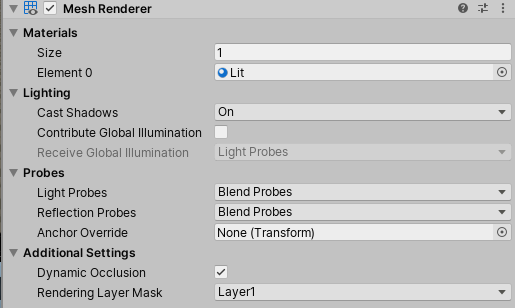 cobalt wing
hmmm, maybe it's only for SRPs then
it would be here https://docs.unity3d.com/Packages/com.unity.render-pipelines.high-definition@6.7/manual/Images/MotionVectors1.png

you can write custom shaders for the built-in that has motionvectors pass that omits the movecs from your material tho
 slender sigil


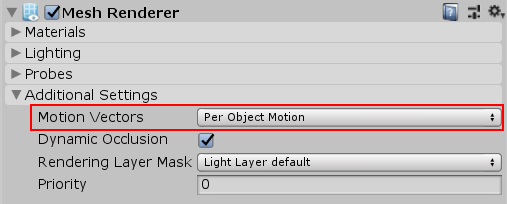 cobalt wing
@slender sigil you'd have better responses in #✨┃vfx-and-particles
it's not really a PP topic
cobalt wing
no worries, just don't think you'll find vfx people on this channel that much
 tender narwhal
Hey if anyone could help I’d appreciate it a lot. I basically just want to know if it’s better making lighting in Unity or making/importing it from Blender? (And yes I put this in the lighting tab but pp is very close so maybe it’s better in one)