#🔀┃art-asset-workflow
1 messages · Page 75 of 1
 burnt harbor
 cloud lion
i dont know if thats a model or not
how do i know what the correct ppu is?
all the guides online just say "set it to the right number" lol
 tawdry valley
 cloud lion
100 is the default
tawdry valley
well.. pixels per unit
how many pixels do u want to fit inside 1 unit
and its usually set it to the right number
cloud lion
i dont really care. i just want to be able to use an art pack and have it fit in my tile map/tile grid
tawdry valley
cuz theres no way of knowing what everyones image size is
burnt harbor
100 is usually well too big. Most will be like 16 or 32 or something. But like, where you downloaded the texture from should say what it should be
tawdry valley
or the scale of their game
burnt harbor
For example if it says it’s a 16x16 tile set then you would put 16
tawdry valley
burnt harbor
100 is usually well too big. Most will be like 16 or 32 or something. But like, ...
i use 25 with Point Filter
works gr8 to start with
cuz i make my sprites usually 1920x 1920
cloud lion
Each of the included isometric sprites is 512 × 512 in size, a flat single tile is 128 × 64 in size. The transparent pixels around each of the tiles is margin for larger tiles, or tiles that don't fit within the usual tile size.

Tiled

Tileset properties: Set the drawing offset to X: -192 and Y: 170.
Map properties: Set tile width and height to 128 × 64.```the point is im not making my sprites. i want to use something off the shelf
given the above information, what should my PPU be?
tawdry valley
not really a point tho, regardless of whether its ur art or someone elses.. u need to adjust the Pixels Per Unit, the texture type, the filter mode, the pivot
etc etc
burnt harbor
cloud lion
given the above information, what should my PPU be?
Probably 512?
tawdry valley
if its 512 pixels wide..
and u want it to fit in 1 tile..
then 512/ 1 =
512
if u want it to fit in 2 tiles... then 512 / 2 = 266
etc etc
cloud lion
so i drag my png file into my project, and i change the ppu to 512
then i drag that entry in my project list into my tilemap
burnt harbor
It’s in the import settings after you drag it in yes
 tawdry valley
thats 1 unit i bet... the tilemap grid appears to be 4 units x 4 units or something similar
put it in ur scene
and then adjust the PPU
u can drop in a sprite too to compare it to
like a basic square sprite
and use that as reference
 burnt harbor
Oh it might be the 128x64 flat single tile from your list? Try 64 maybe instead
cloud lion
try 64 what
ppu?
now it just looks bad in a different way

and to select the tile in the palette to draw it, i have to click some offset tile that is always different based on the size of the tile

oh and now the tiles do not cleanly occupy my tilemap in my scene
tawdry valley
im awful with tilemaps.. i suggest u watch a crash course on tilemaps
tawdry valley
bummer... lol
should be ez tho.... as long as u set the same settings for each tile..
whether they are too big or two small as long as they have a uniform size they should fit together
cloud lion
well im totally stuck 😦
 feral quail
Im very new to unity but I have this character in blender that I want to export into unity but all the materials are an image texture so every time I import it on unity it is just grey. How do I make it so the material is included?

 eager mist
feral quail
Im very new to unity but I have this character in blender that I want to export ...
eager mist
feral quail
Im very new to unity but I have this character in blender that I want to export ...
import image as well
feral quail
yeah got it all sorted now thanks tho
 lime bluff
Does anyone has any good guides on the artistic side of Post Processing? Like how to know what is good haptics, camera shakes, chromatic abrations, etc.?
 eager mist
 blazing phoenix
how do i make it look better besides materials
blazing phoenix
how do i make it look better besides materials
maybe take a look at some references
blazing phoenix
k
 shadow cradle
are the adam models still available?
 red socket
Does anyone here have experience importing skinned meshes from Unity into Blender?
ive found plenty of documentation on the opposite, pulling skinned meshes from blender into unity, but not the reverse
Unity has an FBX exporter which can be used to export skinned meshes into FBX files, but when i import this into blender there are some serious problems with the model in blender
this is the exported mesh from unity, in unity

but when i import this same mesh into blender, the rig is rotated relative to the visual mesh

i can manually reposition the rig to align properly with the model, which makes it work halfway decently in blender, but when i export this as an FBX and import back into unity, it has a similar issue of being misaligned on the rig
right off the bat i can see that it's backwards when imported, but the rig itself seems to be in a completely different place, at least when animated

same model when animated, the animations are positioning everything 90 degrees offset from it's actual rotation

has anyone else run into similar issues to this, and have you been able to resolve them?
if not, does anyone have any advice i could use to figure out how to resolve this myself?
 worn sable
Hi all! Im newer to Unity and Probuilder and Im trying to figure out how to make this bit of floor curved, because im going to be making the curved area into carpet, I dont know how to do this. Im trying to subdivide faces and move the vertecies, but 1: It snaps even if i turn snapping off, and 2: theres gotta be a better way to do this i dont know. Any ideas?

🙏 Sorry if this is in the wrong section as well. I didnt notice the Probuilder section until as soon as i posted
 vapid loom
Hi all, I have a question about importing FBX models. I made a simply cube in blender with 3 materials and random cube faces assigned to a material. I want to import this to unity with only 1 material, 1 uv set but no matter what I change it always generates 3 materials for the mesh renderer. How can I change this? I only want to use materials for ease of painting in 3dCoat but have 1 uv map, 1 material in unity.
 frail hedge
Guys, I have this model of a chest that has children objects

but for some reason when I import it into my unity project I don't have them

does someone know how to fix it?
red socket
make sure you select the entire heirarchy when you export from blender
right click -> select heirarchy
frail hedge
red socket
right click -> select heirarchy
I did and I still get the same result
 fluid oak
vapid loom
Hi all, I have a question about importing FBX models. I made a simply cube in bl...
fluid oak
vapid loom
Hi all, I have a question about importing FBX models. I made a simply cube in bl...
Make a copy of the object with only one material in blender?
 serene geyser
guys have some true isometric blocks assets? on unity forum said i need put 0.57735 on Y to be isometric instead dimetric

but seens almost all assets
arent isometric as you can see

it isnt on correctly angles
 outer halo
You have to set it to whatever projection you're using on the tileset. Changing the grid projection in Unity isn't going to make the art change.
Looks to me the tiles are using the half height, so 0.5
 blissful relic
is Aseprite any good?
serene geyser
outer halo
You have to set it to whatever projection you're using on the tileset. Changing ...
"You have to set it to whatever projection you're using on the tileset"
where?
that scale thing?

okie bet
also how do i find the perfect pixel pear unit for the tiles sprites? it seens bigger than should be @outer halo
 long hare
Does anyone know how I would mask a Mesh Renderer? I want to hide the scrolling of the slot as you can see the feet and coins in the pictures attached. THanks in advance!


 honest storm
Hello. How long is the average waiting-list to upload packages to the asset store?
 tall sonnet
How do you make it so 2D pixel art sprites are displayed correctly ? I changed the bilinear thing to point, but I remember there's something about camera size and / or resolution. What's camera size actually refers to again ?
shadow cradle
tall sonnet
How do you make it so 2D pixel art sprites are displayed correctly ? I changed t...
orthographic size
just use the pixel perfect component
shadow cradle
its automatic
Unity Forum
2D Pixel Perfect 5.0 released for Unity 2021.1
[ATTACH]
About Pixel Perfect Camera
The 2D Pixel Perfect package contains the Pixel Perfect Camera...
 foggy spade
can anyone help me get my blender model into unity? i cant get my shaders to transfer properly
 frigid widget
foggy spade
can anyone help me get my blender model into unity? i cant get my shaders to tra...
frigid widget
foggy spade
can anyone help me get my blender model into unity? i cant get my shaders to tra...
check out how to get materials and texture over to unity
https://www.youtube.com/watch?v=5UZ-niuRWz8
custom shaders from belnder will not work in unity

Export 3d models from Blender 2.83 to Unity with textures and Materials.
✅Asset Used: House Model
https://bit.ly/2DssWPb
▬▬▬▬▬▬▬▬▬▬▬▬▬▬▬▬▬▬▬▬
💎 Watch advanced tutorial on Patreon 💎
http://patreon.com/uguruz/
▬▬▬▬▬▬▬▬▬▬▬▬▬▬▬▬▬▬▬▬
📱Social Links:📱
🔸 Discord https://discord.gg/BmYJC34
🔸 Twitter: https://twitter.com/U_Guruz
🔸 Facebook: ht...
foggy spade
watched that one, it didnt help
frigid widget
what part did not work ?
 spark vigil
u just uv and mark seams n sharp and then just make a material in unity and then assign that texture that u put
its really that simple to use textures
 placid kestrel
why does my tree look fine in blender but shite in unity (i tried recalculating normals)

 sullen plank
Need to unwrap UVs properly
placid kestrel
But it's made out of materials
placid kestrel
sullen plank
Need to unwrap UVs properly
am i really forced to do this if it's from materials
sullen plank
Model needs valid UV, even if it points to just one pixel
sullen plank
Blender preview doesn't use material until you set it. If you do, you'll see the same broken thing
You can use automatic unwrapper
sullen plank
Follow any online guide how to do that properly
 dawn sentinel
placid kestrel
dont they get natively imported to unity
dawn sentinel
placid kestrel
dont they get natively imported to unity
you seem to be using plain colours anyway, so i'd recommend creating 2 materials inside unity with the right colours and apply them to the tree. that should work fine without having to create custom UVs
if you want to add detail to the textures, then you'll need to unwrap your models in an external DCC application
 arctic edge
 placid kestrel
dawn sentinel
you seem to be using plain colours anyway, so i'd recommend creating 2 materials...
placid kestrel
dawn sentinel
you seem to be using plain colours anyway, so i'd recommend creating 2 materials...
I prefer designing inside blender
is there really no way
dawn sentinel
placid kestrel
is there really no way
is there a reason why you're hesitant to create new materials?
This documentation may help you in some way, specifically the 'Dealing with Materials and Textures' part: https://docs.unity3d.com/Manual/ImportingModelFiles.html

 oak bluff
Hey, I tried to import an image and tried to turn it into a cubemap for the skybox, but for some reason I can't change the mapping on it and i don't know why. The next steps that I have to do are quite simple, but it's just this roadblock that I don't understand
serene geyser
why it loses quality (its a dimetric square)


if you get closer it be fine

otherwise

dimetric projection btw
 hard kelp
Any idea why my UMA looks like this? All the textures on it are flat colors.
 hard kelp
found out it was the shader. Don't know why diffuse shaders do that but I switched to a toon shader that looks good.
 errant kestrel
Guys, how do i make better quality 2D game characters, which i can use to make aninations later too? Can anyone show me the steps please?
fluid oak
errant kestrel
Guys, how do i make better quality 2D game characters, which i can use to make a...
That is a very large and vague question. Can you be more specific?
 modern shuttle
Is there a way to make multiple sprites into 1 prefab?.
Instead of copy pasting multiple grass and creating multiple objects which floods the workspace.
outer halo
Kind of? You can child a bunch of grass to a single parent and prefab that. It'll still have all the children, but at least you can collapse it in the hierarchy.
errant kestrel
fluid oak
That is a very large and vague question. Can you be more specific?
So actually i wanna make my own 2d characters for my game in photoshop...I was trying to make one using pen tool in photoshop but it came out to be pixelated...so i wanna know how can i make my character with better quality that every other game developer does. What should be the approx. size of canvas/image? And is making character with pen tool better or just simple brush.....
fluid oak
Okay, that's a lot of questions. Let's see...
Pen tool vs brush is a matter of taste. The biggest thing you can do for making high quality linework and details is to work at a much higher resolution than you actually use in game, and then scale down.
The actual size of your sprites will depend on the target resolution of your game, and how large on screen the assets will be.
If you are importing as a spritesheet, then the maximum size for your platform will be very important in your image import settings. If you're importing as a character rig using the psd import package, it does most of the packing for you but you'll still need to be careful about the filtering and max size settings.
serene geyser
@fluid oak ayo pink
errant kestrel
fluid oak
The actual size of your sprites will depend on the target resolution of your gam...
So what can be the approx canvas size for mobile games?
modern shuttle
outer halo
Kind of? You can child a bunch of grass to a single parent and prefab that. It'l...
thank you
 wild ermine
guys how can i make pixels i exported from aseprite unblurry in unity? everything i import there gets really unblurry
sullen plank
wild ermine
guys how can i make pixels i exported from aseprite unblurry in unity? everythin...
Set filtering to point and turn off compression for pixel art
you can also set those presets to be default on import
wild ermine
sullen plank
Set filtering to point and turn off compression for pixel art
i sadly have no idea where to find that._. been looking for alot of time
wild ermine
the second i wrote i m stupid, i found it
but it still doesnt change much in quality
sullen plank
and compression. Then apply
wild ermine
oh, ty got it
 dawn forum
Not sure where to ask this so thought this channel might be the most relevant for it.
For fiverr art asset commissions, I need the commercial rights to the art but the package details are inconsistent with whether commercial use is mentioned, does that mean that none of those packages include it or did the seller just forget to include those details and I have to ask them about it? 
sullen plank
Legal side of things would be better addressed by their own support.
 frank lynx
Trying to import this goofy ahh fbx with texture, yet in unity it doesn't import no matter what I try.


any ideas on why?

 misty lantern
frank lynx
Trying to import this goofy ahh fbx with texture, yet in unity it doesn't import...
misty lantern
frank lynx
Trying to import this goofy ahh fbx with texture, yet in unity it doesn't import...
https://www.cgtrader.com/tutorials/1542-importing-an-fbx-file-into-unity-with-textures
This is the only tutorial about doing it which I can find
Tbh it's more practical to import textures separately so you can iterate the model/texture independently without having to re-import both
frank lynx
I actually tried separate exporting, the texture wouldnt stick, only the UV maps alpha or something did
 buoyant swallow
okay so i kinda got an obscure question, but i need some help with handling rigs and shit. so im trying to import some of the enemies from amnesia and the brute (the one with the blade) shares the same rig and animation as the grunt (the one with the long mouth). the problem is that the legs are messed up and idk why. i linked the animation from the grunt to the brute which works, but again, idk why the legs are broken when they should share the same rig and anim (in fact, importing one of the brute animations imports a grunt animation instead which further proves the fact that they share the same rig). and by weird i mean that it's so spread out
so any ideas guys? im so close to importing animations to the brute but the fact that the legs are weird annoys me alot
tl;dr, both enemies share the same rig but one of them has their legs spread out: why?
buoyant swallow
nvm solved it lmao
frank lynx
Why are my textures not exporting from blender? The UV mesh is getting exported, not the texties.
 fervent breach
Why is weighting so painful
fluid oak
Is it painful?
fluid oak
frank lynx
Why are my textures not exporting from blender? The UV mesh is getting exported,...
Did you follow the tutorial someone just linked you this morning?
frank lynx
I did, it didnt work. A different one did though.
 hazy kindle
Hello! I have small problem and looking for kind soul who maybe got answer . We bought character from asset store and team wanted me to makes more skins to it. I work in Blender and when tried to export it in to blender it breaks prefab or hides and not showing in viewport. I tried to even add it to prefab as diffrent object but when used skinmesh renderer it disapear lefts only bounds box. Does anybody knows how add new mesh to already existing prefab with bones?
hazy kindle
How Import from unity to blender armature model? maybe i making something wrong with importing what breaks scales or something?
 light vine
Hey guys, I've got a MagicaVoxel model that I've rigged in Blender using Rigify for Unity. I've exported that as a .FBX and I've imported that into my Unity game. The GameObject itself is perfect, rigged and everything. But I cannot get it to be coloured as it is in Blender. The material that is included just paints it grey.
I've tried exporting the palette from MagicaVoxel and setting that as the albedo of the material, but that changes nothing at all. When I change the palette texture to point/no compression, it changes to a slightly darker grey.
Ultimately; how do I get the colours to transfer, as it has from magicavoxel to blender, to unity?
I am using URP
^ If I export from MagicaVoxel as an Obj and import it to Unity, it has its colour already applied on the resulting gameobject
misty lantern
@light vine How are the "colors" applied to the mesh once it's in blender?
Usually it's either an UV mapped texture, solid colors all in different material slots or less commonly vertex colors
light vine
Vertex Colours
misty lantern
light vine
Vertex Colours
To display vertex colors you need a shader that supports them
I don't think unity supplies any such one by default, but with URP it's fairly simple to create your own vertex color shader using shader graph
Another option is to try to find an URP compatible vertex color shader on the asset store
light vine
Oh I see, damn, that's a bit confusing to me haha. Seems mental to me that the countless tutorials I've watched that do it just fail to mention it. Thanks for pointing the way @misty lantern ❤️
https://www.youtube.com/watch?v=YfyFqUemD40 8 minutes of this tutorial has solved it, thank you so much man @misty lantern
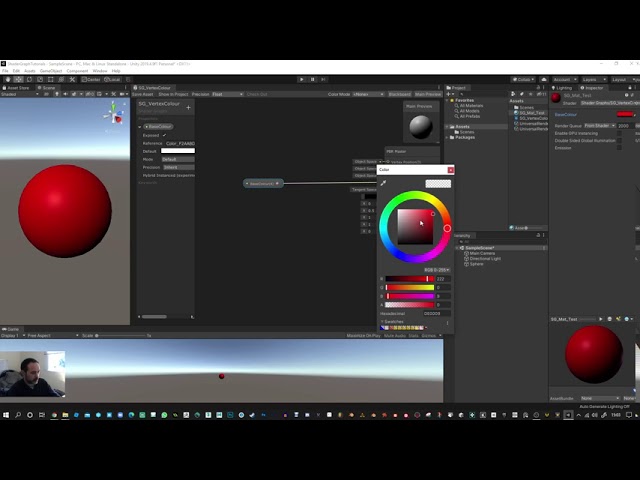
This one is to help get you started using Shader Graph.
Uses Vertex Colour, 1 texture and 1 base colour.
Lerp node and multiply node.
Colour Property, Texture property and Vector1(float) property.
Apologies for the banging noises, my girlfriend is a bit of a chef maniac! Also the first few minutes of the video is me trying to work out how to s...
Literal hours of my life
misty lantern
great! 👍 
I admit when I started I spent way too long being confused why vertex colors as a feature seemed to be entirely missing from Unity
 wheat heath
Quick question. Can I make a tiled sprite that will stretch until a certain point, at which it will then add another tile? I'm trying to get my UI to look right but the tiles don't add up easily.
 whole lily
Why is unity scaling my models down to 0.032808 when I drag them into a scene? The import settings is set to a Scale Factor of 1. And Convert Units is checked to be true.
fluid oak
whole lily
Why is unity scaling my models down to 0.032808 when I drag them into a scene? T...
Is there scaling on the model prefab?
whole lily
fluid oak
Is there scaling on the model prefab?
Well, not the prefab. I mean dragging the model (the imported .fbx) straight into a scene. There does seem to be some default scaling on that. So I need to have our artists ensure that all meshes (even child meshes) on exported .fbx have their scale normalized at 1, 1, 1...is that correct?
fluid oak
whole lily
Well, not the prefab. I mean dragging the model (the imported .fbx) straight int...
I believe that the specific steps depend on what software you are using but generally you need to apply all transforms and modifiers.
frank lynx
why are my models like this
 hazy kindle
Hello! I have small problem and looking for kind soul who maybe got answer . We ...
hazy kindle
hazy kindle
Hello! I have small problem and looking for kind soul who maybe got answer . We ...
still anybody can help me?
hazy kindle
What am i doing wrong?
 misty lantern
hazy kindle
What am i doing wrong?
misty lantern
hazy kindle
What am i doing wrong?
Trying to post videos as gifs? 🤔
hazy kindle
misty lantern
Trying to post videos as gifs? 🤔
😐
No i trying to import to blender object and export it back to unity without broke it. Becouse i had to made skin for character and when i trying add it to orginal file it breaks
misty lantern
hazy kindle
No i trying to import to blender object and export it back to unity without brok...
That's usually what happens
Armature deformations expect all transforms to be the exact same to be able to have its mesh swapped 1:1, but when exporting to FBX the transforms will irreversibly be altered
When exporting that FBX again, the transforms are altered again
It's a miserable effort and I don't recommend it
If you want to stay sane I recommend doing all reskins on the source armature, or another re-created source armature used for all the skins
hazy kindle
Well how i told before i get this model from assetstore so i dont have source
misty lantern
I don't see many options besides
-figure out export settings that work for that specific mesh through trial and error, I would assume you'd have to apply the inverse of the transforms that were applied by the asset creator when they exported the mesh, not exactly sure about that though
-ask the creator for the source files
-re-make the source armature based on the imported one so that you can get it working reliably upon export and re-export all skins to use that new source, animations could be transferred with retargeting
All of these options are kinda bad
using premade assets sucks like that
hazy kindle
I agree with that but work just told me well we have that asset use it. And now im trying to not fall in to madness failing with adding it every time
well i will think about that . thank you
misty lantern
hazy kindle
well i will think about that . thank you
It's a tedious situation definitely
There may be some guides for this exact issue because I've seen many struggling with it, but I haven't found any of them
Personally if I had to do that I'd try to contact the asset author on the off change they might be kind enough to give the source files
hazy kindle
Okey i figured out with Informatic. He found addont with transform skinmesh renderer from file to file. and like for now it looks like it works.
Here I place link to that it's free. Maybe it will help somebody else with similar issue

Use the Skinned Mesh Transfer from Blink on your next project. Find this utility tool & more on the Unity Asset Store.
blissful relic
 dusty jewel
Is it better to scale the sprite or to change Pixels per Unit for the png?
dusty jewel
Is it better to scale the sprite or to change Pixels per Unit for the png?
Depends on what youre going for
generally, pixels per unit should be the same for every sprite
 woven crater
Hai guys, i just learn unity now, so i want to make house in unity, anyone have a recomended assets to make a house?, or have tutorial video about make building or house in unity?, i will appreciate
outer halo
woven crater
Hai guys, i just learn unity now, so i want to make house in unity, anyone have ...
Don't crosspost please.
You don't "make" it in Unity, you model and create assets outside and import them. You can use something like Blender.
woven crater
outer halo
Don't crosspost please.
You don't "make" it in Unity, you model and create asse...
Alright thank you for the information, and sorry for my message
fluid oak
frank lynx
why are my models like this
Like what? If you mean the messed up texture, bad uv mapping.
@hazy kindle unlike unreal, unity assets are usually the source file.
frank lynx
fluid oak
Like what? If you mean the messed up texture, bad uv mapping.
Should I unwrap it again or something
fluid oak
Probably.
misty lantern
frank lynx
why are my models like this
vague question
I can see like 4-5 issues there
fluid oak
Yeah. Flipped normals, bad UVs, messed up skeleton and weights. So hard to pick just one 😄
frank lynx
What are normals
 neat juniper
frank lynx
What are normals
neat juniper
frank lynx
What are normals
A normal is the direction that a polygon is facing
neat juniper
I know you can recalculate normals easily in blender, not sure in Unity
Pretty new to unity myself, speaking of which
I have a material, but I don't want the material to scale with meshes that I put it on, how can I achieve this? 😅
misty lantern
Incorrect bone transforms can also cause normals to flip around
neat juniper
I want to prevent this stretching automatically, is what I'm saying
I know I can manually enter texture tile numbers but that's really tedious 😓

 misty lantern
neat juniper
I want to prevent this stretching automatically, is what I'm saying
I know I ca...
misty lantern
neat juniper
I want to prevent this stretching automatically, is what I'm saying
I know I ca...
A triplanar shader can keep texture scale even regardless of object scale or shape
In most cases though each mesh's UV map takes care of texture scaling
neat juniper
Right
I had this thought of just making a bunch of materials in S3dDesigner for quick mock-up work in unity without faffing about with UV's
Too ambitious? haha
misty lantern
neat juniper
Right
I had this thought of just making a bunch of materials in S3dDesigner for...
Triplanar shaders work great for that, and probuilder is perfect for mock-ups and I think it can also make texture scale consistent in UVs
neat juniper
Ah brilliant, I'll look into that, cheers!
 mental frost
I’ve got an issue. I need to either figure out how to make the sprite renderer act like a canvas element or make an image act like a sprite render
I need to use the tiled (width and height) feature of the sprite render to adjust a sprite; since when I use an image it won’t scale just from the pivot point it always scales out both ways. So the solution wouldn’t be to use a sprite render, but my games 3D and idk how to make it work such that the sprite render completely overlays the screen like an image
misty lantern
mental frost
I’ve got an issue. I need to either figure out how to make the sprite renderer a...
Hmm what are you trying to do exactly?
 sinful night
Hey, I am in the process of creating a game and I need to create stylised art. I've used blender for a while but only in the hard modelling phot realistic side with minimal sculpting. I can't find any beginner friendly tutorials that explain a workflow for this. Does anybody know how I can get started?
 glacial vector
neat juniper
Right
I had this thought of just making a bunch of materials in S3dDesigner for...
glacial vector
neat juniper
Right
I had this thought of just making a bunch of materials in S3dDesigner for...
Materials from Designer would still depend on UVs
Whereas with a shader you can bypass that
 flint sentinel
Hi, I wanna create a character for my game in photoshop but I am not sure which resolution I should use
any recommendations?
 low arrow
flint sentinel
Hi, I wanna create a character for my game in photoshop but I am not sure which ...
low arrow
flint sentinel
Hi, I wanna create a character for my game in photoshop but I am not sure which ...
2d pixelated ?
go with 32 or 64
flint sentinel
low arrow
2d pixelated ?
go with 32 or 64
something like hollow knight say
nothing too realistic but not pixelated either
 solar python
Hi, I'd like to set my project's saturation very, very high. Setting Unity's default postprocessing saturation to 100 is not enough. How can I make saturation more than this?
low arrow
flint sentinel
something like hollow knight say
then go 128 or higher
flint sentinel
ok, thanks!
 flint geyser
Hey I have a question as a beginner
When it comes to making low poly Unity Assets how come I see a lot with no textures or only base colours? I'm scrolling through the asset store to judge the market on what I should be producing and I just wanna know if textures add too much bulk to the file or something?
spark vigil
flint geyser
Hey I have a question as a beginner
When it comes to making low poly Unity Asset...
Low poly means lots file sizes. Textures make fine sizes much bigger
 narrow elbow
Any idea why this is happening to my trees? When I use the terrain tree painter? The tree looks normal when manually placed, but too small up close and large/black far away? I didn't add any lodding to the tree in blender yet so I'm confused as to why this is happening.

 fervent sphinx
narrow elbow
Any idea why this is happening to my trees? When I use the terrain tree painter?...
fervent sphinx
narrow elbow
Any idea why this is happening to my trees? When I use the terrain tree painter?...
its something the terrain does for optimisation i believe. not sure how to fix it other than not using terrains. this is only one of many problems with the terrains imo. there might be workarounds though if anyone else is willing to answer
narrow elbow
Ah that's a shame. Really annoying. But I'll have to place my trees manually I guess 
fervent sphinx
narrow elbow
Ah that's a shame. Really annoying. But I'll have to place my trees manually I g...
there are asset packs on unity asset store that allows you to use a paint functionality on meshes though, i remember having some issues with it for some reason but i dont know what was the problem. but im sure it should work well for this
if you use it you might want to lock the paint rotation to up in world space because by default the prefabs will be rotated to the mesh's normals
narrow elbow
the rotation isn't the issue, just this weird 5x shadow tree it creates haha
fervent sphinx
https://unity.com/features/polybrush i think this is the one
no but it might be if you use this ^
should be fine on flat planes though
though as said earlier ive run into issues with using this. which might be just by the nature that it might or might not be good for final products but rather prototyping only
 tribal parcel
Hello im tiring to import my model with textures into unity but the textures doesnt show up
sullen plank
tribal parcel
Hello im tiring to import my model with textures into unity but the textures doe...
If Unity can't find similar default material to replace imported one, you need to create and assign one yourself.
tribal parcel
there all one kind of shader, aistandard from maya
so i thought it might not be that difficult to read the files
fluid oak
tribal parcel
there all one kind of shader, aistandard from maya
from Maya will not parse. Those aren't unity materials or shaders.
outer halo
serene geyser
Any hire Channel ?
No. Use the forums. #📖┃code-of-conduct has the links.
dusty jewel
ANy suggestions for the terrain? I use Sprite SHape Profile. I was thinking of something grray but with more grass etc. Not too detailed but not that simple as well
 spark vigil
use reference lot of refs availabe at unity assets store
dusty jewel
reference?
dusty jewel
I draw em on IPad
spark vigil
here is one for example
https://assetstore.unity.com/packages/2d/environments/2d-fantasy-sprite-bundle-217587

Elevate your workflow with the 2D Fantasy sprite bundle asset from Laetus Somnia. Find this & more Environments on the Unity Asset Store.
u can refere to that and try replicate with ur own art assets
spark vigil
why don't you install pure ref on ur laptop or pc and make a moodboard
read the book by unity
 dusty jewel
How do I use those 2 randomly?
 dusty jewel
spark vigil
https://blog.unity.com/games/our-biggest-e-book-yet-2d-game-art-animation-and-li...
dusty jewel
spark vigil
https://blog.unity.com/games/our-biggest-e-book-yet-2d-game-art-animation-and-li...
Wow thanks gonna check it for suree 😄
 steady tangle
Hello, I am trying to do a pixel art outline, and put together a shader that does this.
However, it gets cut off by my sprite bounds, so I search online and saw the "Extrude Edges" import setting is what I need.
But even when pushing extrude edges, the sprite bounds are not changing, and my outline still gets cut off.
I have this sprite

and my outline produces this

 wary bloom
can someone help me, i want to transform my character sprites into a spritesheet, i used this website but the quality of the images got worse https://codeshack.io/images-sprite-sheet-generator/ . My sprites are just pngs that i have
outer halo
You either do it yourself, in Photoshop or something, or you use a tool. For example:
https://www.codeandweb.com/texturepacker
TexturePacker creates and optimizes sprite sheets for your game engine
wary bloom
to do it in photoshop i just need to put all the images together?
outer halo
Yes, but in a properly spaced grid ideally so you can easily splice it in Unity by row and column count.
wary bloom
its also losing qualiy in photoshop... could it be because i compressed the images before?
hm no..
misty lantern
https://github.com/Unity-Technologies/VFXToolbox
Unity has their own packing tool as well
It even stores the sequence as an asset so it can be regenerated as soon as you make changes to the source frames
wary bloom
should i worry about this?
 misty lantern
wary bloom
should i worry about this?
misty lantern
wary bloom
should i worry about this?
Seems easy enough to test
Do the sequenced sprites look different from their originals?
wary bloom
im not sure how to use this, i exported and my images just got a weird background and are not in sprite sheet format
misty lantern
wary bloom
im not sure how to use this, i exported and my images just got a weird backgroun...
You need to change the type to sprite in import settings
wary bloom
so first i drop my images here?

then when i put "import as sprite" everything just disappears

ok on processor i needed to add somehting
they still lose qualityy ahhh
also, the file size of a spritesheet is bigger than of all images separated
or maybe the images just get bigger when i put them on unity
outer halo
Well, yeah, there's going to be space between the different sprites. The whole point is that they all get packed into one larger texture.
wary bloom
i drop one 100KB image into unity and in unity it has 1.9MB
but in file explorer in the assets of the project it says the 100KB as well
 obtuse oyster
Unity encodes textures to be rendered en masse by the GPU. It's the size in memory, not on disk
It also can store more complex info like mipmaps for example. It's not comparable to a image file format
sinful night
Hey, I am in the process of creating a game and I need to create stylised art. I've used blender for a while but only in the hard modelling phot realistic side with minimal sculpting. I can't find any beginner friendly tutorials that explain a workflow for this. Does anybody know how I can get started? Sorry for asking twice, I just didn't previously receive a response\
misty lantern
sinful night
Hey, I am in the process of creating a game and I need to create stylised art. I...
What type of "stylized" do you mean and what subject matter? That would narrow it down a lot
sinful night
misty lantern
What type of "stylized" do you mean and what subject matter? That would narrow i...
Sorry, should have done that from the start.

this style in particular
or something along these lines
in terms of subject matter, buildings are the main things, so architecture inspired by Polish, Dutch, Serbian, Romanian and Hungarian architecture.

'

 misty lantern
I doubt there are tutorials specifically for this kind of style, as there isn't really a special workflow required
sinful night
some examples
misty lantern
Most of the style comes from the simple and hand painted textures
sinful night
Right
On the topic of texturing, are there any good free alternatives to substance painter? Or is that my only option?
misty lantern
The same techniques you use for photorealistic modeling are useful here, but without so much of the baking or PBR material parts
Photorealistic modeling includes low poly techniques anyway so it's useful either way
misty lantern
sinful night
On the topic of texturing, are there any good free alternatives to substance pai...
Blender can do the same stuff, but doesn't have so many tools for it
Quixel Mixer is free, though I believe the material assets it ships with are only free to use in Unreal engine games
Then there's something like Armor Paint
sinful night
I see. So it mainly revolves around creating more simplified lower poly models and letting the textures be the centrepiece?
sinful night
misty lantern
Blender can do the same stuff, but doesn't have so many tools for it
Quixel Mixe...
Ah ok
Well thanks a lot
wary bloom
@misty lantern do u have any tip on what options to use here? Some of my characters are getting way worse quality while others only almost unnoticeable decrease of quality

I removed the background of my images with photoshop and they have some parts that are not so well removed dont know if thats causing problems
misty lantern
wary bloom
<@166982635950702592> do u have any tip on what options to use here? Some of my ...
Do you have an example of what kind of "worse quality" it is?
And what format are you saving them to in photoshop
wary bloom
the left images are the ones that dont come from the spritesheet
 wary bloom
the left images are the ones that dont come from the spritesheet
wary bloom
wary bloom
the left images are the ones that dont come from the spritesheet
honestly in this image they look kinda better kek
i also changed the color of my project from gamma to linear and everything in the game looks worse now.. maybe i should go back
misty lantern
wary bloom
the left images are the ones that dont come from the spritesheet
The ones on the left seem to have mip maps or bilinear filtering disabled which would make them more pixelated
If your generated texture sheet is really massive, it may be hitting the max size limit and getting downscaled
I believe 2048 width and height is the default max size in import settings
wary bloom
hmmmm yes that helped
i still dont think i can fit them perfectly tho
but that explained why a character was worse than other
wary bloom
misty lantern
I believe 2048 width and height is the default max size in import settings
this limitation also exists outside of this unity tool? because first i tried putting them on photoshop and i also got decreased quality
and i have characters that have like 1000 pixels width uh.. maybe i should just forget sprite sheets
i could also resize them and then make them bigger in game but i dont know if they would lose quality with that
 forest ember
Hello, don't know if this is the right place. I'm not that good at art but need want to get better. What's the best workflow for creating interior designs?
I'm using archimesh with blender to make something usable but it isn't all that good. Would spending more time hand crafting levels in blender be ideal or should I find assets on the store and use that?
 bitter pine
Hi, I've got an object in scene with cube Mesh filter, and I want to change it to FBX model I made in Blender. Is there any way to do it without dropping it in as a child?
fluid oak
bitter pine
Hi, I've got an object in scene with cube Mesh filter, and I want to change it t...
You can replace the mesh in the mesh filter with any mesh asset.
bitter pine
fluid oak
You can replace the mesh in the mesh filter with any mesh asset.
yes, but I can only set there parts of the FBX, not the object as whole
misty lantern
bitter pine
yes, but I can only set there parts of the FBX, not the object as whole
The "parts" are individual mesh objects
An FBX asset can contain multiple separate mesh objects
A single mesh filter/renderer cannot represent multiple mesh objects
(excluding submeshes but that isn't something you run into normally)
fluid oak
bitter pine
yes, but I can only set there parts of the FBX, not the object as whole
The FBX isn't a mesh; it is a container that can have lots of meshes in it.
light vine
Hi guys, don't know if this is the correct place to discuss this but I've just downloaded a pack of prefabs from the asset store with the aims to build a rudimentary map with them. They're packaged as they are in the image below (not sure why they're pink)... is the only way to build a map with these to sort of meticulously position them?

 fading bluff
i know this sounds kinda odd. but whats the best way on deciding placement for something simple? like berries on a bush for example?

i wanna add berries to this but i cant figure out a good way to show them without them looking out of place
fluid oak
fading bluff
i know this sounds kinda odd. but whats the best way on deciding placement for s...
Depends on the sort of distribution you want. I like Poisson sampling, but for a more orderly look you could go with a golden spiral or Fibonacci pattern.
fading bluff
fluid oak
Depends on the sort of distribution you want. I like Poisson sampling, but for a...
i dont know really. i dont want the berries to overpower the view. so you can still see its a bush but also have them be noticeable
a problem as well is its a topdown game

sort of links awakening top down
so i gotta try and make the berries look like they fit into the bush properly
also oof

 night ginkgo
heyyy quick question, I have a model in blender and i'm wondering do the textures i create in unity transfer over, or should I do the texture work within unity and shading too.
I wanna know if it's worth the investment learning it on blender 1st, cause i'm trying to get a lil a avatar done and uploaded to vrchat
 lime pollen
night ginkgo
heyyy quick question, I have a model in blender and i'm wondering do the texture...
lime pollen
night ginkgo
heyyy quick question, I have a model in blender and i'm wondering do the texture...
textures are just images. You just need to assign them in unity
shaders don't transfer over however
 desert imp
I need import texture of size 513x513px, but when I import it, unity automatically convert it to 512x512px, how I can avoid it?
misty lantern
desert imp
I need import texture of size 513x513px, but when I import it, unity automatical...
There is a "non-power of 2" option in import settings
Why 513 specifically?
 potent hemlock
I am building a marble track composed of individual track pieces. As you can see, the boundaries of the glass panes between each track piece are visible.
I want to make these invisible, so it looks like one continuous piece of glass on each side. Does anyone know how to do this?

Got it (see front wall)
For anyone having the same issue, here's how to fix it:

(ProBuilder)

For both panes:

 dawn sentinel
fading bluff
so i gotta try and make the berries look like they fit into the bush properly
dawn sentinel
fading bluff
so i gotta try and make the berries look like they fit into the bush properly
i feel like it's also a detail problem. The berries are far too detailed compared to the tree they're on. That, and their scale
there are a few articles on composition i'd recommend to go through. They'd probably help you understand how you can compose your berries better.
http://www.neilblevins.com/art_lessons/art_lessons.htm
Scroll down to '9) Composition'

 vapid patrol
hay guys
I was working on a book with a flipping page
Is there any way I can apply texture to both the sides of the page
i made the animation in blender
here's is what I am working on
Right now I have used a cube for texturing both the sides
but the page does not coincide perfectly, which is why I will be copying a plane from the book itself and apply texture on it.
glacial vector
Do you need different textures on the two sides @vapid patrol?
vapid patrol
yes
vapid patrol
glacial vector
Do you need different textures on the two sides <@603650227139903491>?
and I am going to change the texture whenever the animation resets
glacial vector
vapid patrol
and I am going to change the texture whenever the animation resets
I see. Then you have two options: Either have the page be two planes (one with inverted normals), or make a shader that treats the backface differently. If you're using the shader graph then there should be a node called "Is front face"
vapid patrol
glacial vector
I see. Then you have two options: Either have the page be two planes (one with i...
actually I am not much familiar with blender
are you talking about the unity shaders?
I am making a UV map to make textures because I want to place the textures really precisely.
does unity import the node setup?
I saw tutorial to apply textures on both of the sides using it
glacial vector
No, shaders from blender will not carry across. I'm talking about the shader graph in unity
vapid patrol
glacial vector
No, shaders from blender will not carry across. I'm talking about the shader gra...
I just used a hack
I just extruded it for 0.001 😅
and then UV unwrapped
its working fine but now I am facing some issues with other thing
but its blender issue
so I'll look into it
misty lantern
vapid patrol
I just used a hack
I just extruded it for 0.001 😅
and then UV unwrapped
its wo...
A simpler option is to duplicate the faces in place and invert their normals
 proud sigil
Hi! I am trying to use LOD on my models, yet it works in unity when the LOD0, LOD1s are all single models but does not work when there's hierarchy under each LOD0, LOD1... is it required for LOD models to not have hierarchies?
 hidden forum
Regarding performance, does using a blender icosphere improve performance by much over using lets say a unity sphere? These will be used as bullets. or is this a dumb question?
vapid patrol
Can anyone help me out in this
when I rotate the bone, the previous part of the object deforms
 craggy gulch
How do I resize the actual meshes of a model? Not the prefab, the model itself. I imported a bunch of stuff and they are all 100x too big (something that is one meter big takes up 100 meters instead). And I hear resizing the prefab causes performance issues so I want to fix the problem at the source by reimporting. I have no idea why there are no good google results for this.
lime pollen
craggy gulch
How do I resize the actual meshes of a model? Not the prefab, the model itself. ...
You can change it in the model import settings
craggy gulch
there are no options

and "reimport" doesn't show any screen either
pressing "open" does nothing. what are the point of all these menu items that do nothing?
 slow abyss
Does anyone know of resources/tools for texturing of meshes to be used in a cell shaded world?
fluid oak
vapid patrol
Can anyone help me out in this
when I rotate the bone, the previous part of the ...
Looks like the weight influence area for each bone is way too big, so bones down the chain are influencing vertices they shouldn't.
fluid oak
hidden forum
Regarding performance, does using a blender icosphere improve performance by muc...
Depends on the mesh; if they are being used for bullets you can probably use a very simplified mesh compared to the default unity one.
Make sure they are pooled if you are really worried about performance.
misty lantern
craggy gulch
there are no options
Mesh import settings are in the asset you imported, what you're looking at now is the mesh data that's inside of the imported asset
Assets contain more than just mesh data, such as more meshes, their armatures, armatures' animations and embedded materials
This is why the import settings must be inspected at the asset that contains all that
eager mist
Hey! I'm new to blender, but really new and uh, i have some problems making good ttextures, since i only know how to paint atm
misty lantern
eager mist
Hey! I'm new to blender, but really new and uh, i have some problems making good...
Painting is a totally valid technique for making textures, but getting the patterns on the texture map is just a small part of the process
You would also have to look into how to make them seamless, minimize repetition and how to UV map them
Skills learned with procedural materialization can also be made use of with painted ones
eager mist
Thanks! I'm not anyways looking to make a really big realistic game for my first Unity game! Thanks
night ginkgo
lime pollen
textures are just images. You just need to assign them in unity
THANK YOU!!!
night ginkgo
vapid patrol
hay guys
I was working on a book with a flipping page
Is there any way I can app...
Super Coooll!!!! 
 ember idol
i'm just getting started with unity; why is my material preview mesh so small?

i cant' find any way to make it bigger
 flint warren
 vapid patrol
fluid oak
Looks like the weight influence area for each bone is way too big, so bones down...
vapid patrol
fluid oak
Looks like the weight influence area for each bone is way too big, so bones down...
I really dont know what to do here
can you help me out

 red grail
How would I get started into creating scenes on Unity? Should I block out everything in Unity or should I model all the environments in blender and import them?
fluid oak
vapid patrol
I really dont know what to do here
can you help me out
I don't use whatever 3d software you are using so I really can't beyond telling you what the problem is.
fluid oak
red grail
How would I get started into creating scenes on Unity? Should I block out everyt...
Either is totally fine.
vapid patrol
i checked the weight graph its pretty much constant
and I am using blender
vapid patrol
vapid patrol
I really dont know what to do here
can you help me out
this is the weight mode
nm
I need to figure out sonething
fluid oak
vapid patrol
I need to figure out sonething
 vapid patrol
by any chance do you have any experience with blender
and help me out
I understood the problem but dont know what to do
fluid oak
I don't use blender.
dawn sentinel
ember idol
i'm just getting started with unity; why is my material preview mesh so small?
try switching between mesh types by clicking on this button and see if that resets the scale
 ember idol
dawn sentinel
try switching between mesh types by clicking on this button and see if that rese...
ember idol
dawn sentinel
try switching between mesh types by clicking on this button and see if that rese...
i actually found the problem fixed itself by uh.. i don't remember but i'm pretty sure what happened was just a bug
changing meshes didn't help though
i think i tried selecting a different material then went back to the original one
it's probably just a linux bug
i selected something else then reselected the material and the preview worked as expected
i greatly appreciate your response though; seriously 10/10 i'm not sure why you were kind enough to respond to a question over a day old but i salute you @dawn sentinel
 ember inlet
Could I get some advice on a skin texture map?
Trying to avoid having to edit this the hard way, lol
For an avatar that has metal on their skin, and I do not want it
lime pollen
ember inlet
For an avatar that has metal on their skin, and I do not want it
Just edit it in the image editor of your choice
ember inlet
Okay, do you have any advice on the easiest way of doing it? I'm using PS for reference. (Also; can I post it here or will I get in trouble for showing nudity, lol)
I assume I'd have to cut out those bits and just repaint it?
 lime pollen
Just grab the texture file and paint over it
ember inlet
Okay, cool. Thanks
 grim flame
hey so in blender i modeled something easy, that contains a sphere that was cut down from the middle, in blender i can see the interior of the sphere but in unity i can't, how can i fix this?

this is how it looks in blender
 vapid patrol
grim flame
hey so in blender i modeled something easy, that contains a sphere that was cu...
vapid patrol
grim flame
hey so in blender i modeled something easy, that contains a sphere that was cu...
I think this is because it is plane and not a 3d object
jst extrude the hemisphere a tiny bit
like 0.001 times
that should solve the problem
dawn sentinel
grim flame
hey so in blender i modeled something easy, that contains a sphere that was cu...
it's a single sided mesh. Unity's default shaders don't render backfaces. You'll need to add some depth/ thickness to the mesh or use a shader that renders backfaces.
 bright fog
Hey does anyone know any good 3d modeling tutorials for making a person
 coarse mountain
vapid patrol
Can anyone help me out in this
when I rotate the bone, the previous part of the ...
coarse mountain
vapid patrol
Can anyone help me out in this
when I rotate the bone, the previous part of the ...
probably you need to weigh paint it
coarse mountain
bright fog
Hey does anyone know any good 3d modeling tutorials for making a person
yes, search on YouTube sculpting in zbrush or blender, take some time to learn but is worth, good luck 👍, one tutorial will not help, is better you look into many and get the essence till you build your skill 😉
 void thicket
Working on some levels in Unity
 tall fiber
hey guys do u know how to change pivot point of an object ?
shadow cradle
make a parent object where you want the object to pivot from
alternatively use transform.rotatearound
or make a skeleton for your model
tall fiber
isnt it a way to just move the pivot point
misty lantern
tall fiber
isnt it a way to just move the pivot point
Only in case of sprites in the sprite editor
GameObjects don't have a "pivot point", rather a hierarchical order of origins
The origin point is always the subjective zero coordinate of a gameobject, it can't be "moved" other than when moving the whole gameobject
Some components can be moved/rotated relative to it, but not all, that's why using parent objects functionally as pivot points is useful
Meshes also have their own origins, defined in the mesh editor when modeling/exporting
tall fiber
thxx
 rough phoenix
Firstly sorry if this is the wrong channel - I wasn't quite sure where it went.
But does anyone know what this error means? I don't understand it.
 glacial vector
Try opening the file path in Explorer and delete the meta file like it suggests @rough phoenix. Do you use version management? Hard to know why it would mess up like tha
rough phoenix
glacial vector
Try opening the file path in Explorer and delete the meta file like it suggests ...
Thats the weird thing, I don't think it even exists - maybe that's why there is an error?
I dont use version control but starting to think I need to learn how to, and fast.
 glacial vector
Not in unity, in windows explorer
 olive ridge
where does one usually go in order to make new 2D pixel assets? like I want to make a platform, what should i use to make the said platform??
rough phoenix
glacial vector
Not in unity, in windows explorer
Thanks, I was being a derp and looking for it in Unity. Deleted and restarted and isn't there, for now...... Cheers 🙂
lime pollen
olive ridge
where does one usually go in order to make new 2D pixel assets? like I want to m...
In any image editor. You can also look for specialized pixel art tools like asesprite
 errant dirge
Hey guys. I'm in the middle of creating a model in Blender (but I suck at making the textures) so I'm using BlenderKit to apply the materials. When I go to export them into Unity, they don't appear. Why?
lime pollen
errant dirge
Hey guys. I'm in the middle of creating a model in Blender (but I suck at making...
you have to manually assign them in unity
errant dirge
lime pollen
you have to manually assign them in unity
How do I go about doing that? I'm probably googling stuff wrong.
lime pollen
errant dirge
How do I go about doing that? I'm probably googling stuff wrong.
stick them in the base texture slot of the material
or you can just drag the texture onto the model
errant dirge
lime pollen
or you can just drag the texture onto the model
May be a little confused. Where exactly? The material's already applied to the object.
 lime pollen
errant dirge
May be a little confused. Where exactly? The material's already applied to the o...
lime pollen
errant dirge
May be a little confused. Where exactly? The material's already applied to the o...
in unity, like I said
although those look like custom materials so you should probably bake them out to textures first
errant dirge
Yeah I think the baking is what I gotta do, I just haven't figured that part out yet. Seen that referenced a couple times.
lime pollen
fyi thats not gonna work very well with metallic materials, you need to set those up in unity
 tender frigate
Can I use Sprite Atlas to optimise build size when I'm using a bunch of NPOT sprites?
fluid oak
tender frigate
Can I use Sprite Atlas to optimise build size when I'm using a bunch of NPOT spr...
Yes.
tender frigate
fluid oak
Yes.
When I include my sprite atlas my build size was increased
fluid oak
tender frigate
When I include my sprite atlas my build size was increased
Are you including the original textures AND the packed textures?
Also, are you talking a unity generated atlas or one you made yourself?
tender frigate
fluid oak
Also, are you talking a unity generated atlas or one you made yourself?
Unity generated sprite atlas
I don't know how to not include the original textures in the build
Should I make a sprite atlas manually?
fluid oak
You can, though you shouldn't generally need to.
And they shouldn't be included unless they are used by something aside from sprites(like being applied as a texture in a separate material) or are placed in the /resources folder
tender frigate
Is there a way to not include the original sprites?
fluid oak
Generally, if they aren't used by something else it they aren't supposed to be included.
tender frigate
They are only referenced by SpriteRenderer in the scene
glacial vector
The spriterenderer should only reference the atlas
tender frigate
How can I make the sprite renderer to reference atlas
And how can I not include the original sprites in build?
glacial vector
I might be misremembering. I also remember at just being automatic
 robust hull

 woven cradle
render with different shader then stitch together
 mighty jacinth
Hello ! I was digging files in a Unity game, and wondering Can you, and if yes how do you extract single sprites from a sprite atlas ? I have near zero knowledge in Unity
Because the atlases I found are jigsaw puzzles
woven cradle
can you show an example?
blissful relic
mighty jacinth
Hello ! I was digging files in a Unity game, and wondering __Can you, and if yes...
yes, set the sprite mode to "multiple"
then slice it
mighty jacinth
blissful relic
yes, set the sprite mode to "multiple"
what do I open the files with to do so ?
blissful relic
mighty jacinth
what do I open the files with to do so ?
just google "unity how to use spritesheets"
mighty jacinth
woven cradle
can you show an example?
The file looks like this (same when I view it in AssetStudio)
 woven cradle
you probably need some meta data
mighty jacinth
I have a MonoBehaviour file referring to each atlas
tender frigate
For some reason sometimes the Sprite Atlas texture is included in the build when the Sprite Atlas is deleted, and sometimes it don't when I added it back
 native iron
i need help, does anyone know how to find unity scenes, i cant find mine that has all the work i did, i saved it and all that before but for some reason now its gone and im scared its gone forever
fluid oak
mighty jacinth
Hello ! I was digging files in a Unity game, and wondering __Can you, and if yes...
This isn't a server for ripping assets from other peoples' games. 
mighty jacinth
fluid oak
This isn't a server for ripping assets from other peoples' games. <:UnityChanLoo...
Oh no, i'm only to see unused and/or upcoming content
Certainly not using it
 manic coyote
native iron
i need help, does anyone know how to find unity scenes, i cant find mine that ha...
manic coyote
native iron
i need help, does anyone know how to find unity scenes, i cant find mine that ha...
There should be a filter option in the project tab. Maybe make it just show scenes
lime pollen
mighty jacinth
Certainly not using it
still not the place to discuss it, sorry
 hollow citrus
Does somebody why this happense?
 outer halo
hollow citrus
Does somebody why this happense?
outer halo
hollow citrus
Does somebody why this happense?
Your normals are facing inwards and unity culls backfaces. Flip them in blender (or whatever modeling program you use)

 boreal ivy
Hi, guys. I would like to make the tilemap sprites that players stands or walks behind appear translucent. What would be the right way to do it in a top down 2d game?
shadow cradle
You'd have to get a reference to the tilemap component and set the tile color's alpha to what you want
shadow cradle
boreal ivy
Hi, guys. I would like to make the tilemap sprites that players stands or walks ...
Thats all youll need
boreal ivy
How would I know if I player is behind a tree
shadow cradle
Use a colider
boreal ivy
A second collider? It already has a composite collider to prevent the player from walking through walls and trees
shadow cradle
Should be fine if its a trigger colider
 regal frigate
Hi guys, for pixel art, is there any standard for the sprite size? 32x32? Would it be a problem if I mix different sizes for the sprites? Should I try to avoid scaling up and down?
For example, if my character is 32x32, but I want to create a statue for the map and make it into a 256x256, woudl it be an issue? Or it would be better to split the statue into 32x32 sprites and put them together in the scene?
 novel garden
Is there a way to store just Line data in an FBX? Like no polygones or anthing, just many series of points that are supposed to form 0 thickness lines.
misty lantern
novel garden
Is there a way to store just Line data in an FBX? Like no polygones or anthing, ...
Fbx doesn't support cuves or "points" as far as I know, but you could convert curves/lines to edges
 placid zealot
Does anyone here have any good modular or standalone 2D assets for endless space shooter type games? 🙂
 vestal hazel


 carmine wagon
Can anyone help with this

I have rigged this character and done what I need to in blender
Can I just import into unity like that ?
If so how
fluid oak
novel garden
Is there a way to store just Line data in an FBX? Like no polygones or anthing, ...
Unity supports point and line meshes but not sure whether you can import/export non triangle meshes to/from FBX with the unity importer/exporter.
 wide wasp
carmine wagon
Can I just import into unity like that ?
wide wasp
carmine wagon
Can I just import into unity like that ?
Yes, you can export as an FBX file and drag that right into unity.
 remote path
So, I've been working on this nice lil' tank model for a few days now, and am quite pleased with it, but haven't been impressed with the appearance of it with textures in unity (it's currently rendered with Cycles, so really high resolution once the camera settles down). I'm obviously not going to push textures to something ludicrous like 4096x4096 because I'm not awful, and I'm already pushing it by using 2048/2048. I would love to be able to maintain the soft, clean appearance it has in blender in Unity somehow. Could I possibly just recreate the shader in Unity? It looks alright from afar in Unity, but the player gets really close where it ends up looking rough. The lighting also doesn't look great with it in Unity but I can fix that another time since I know what's causing it.
P.S: It also appears as if surfaces which are flat in Blender are not correctly lit in Unity. Is this something I did? Should I create a texture to store the normals to ensure they are imported completely by Unity? Changing import settings doesn't appear to affect things.
TL;DR, looking for the best way to maintain the appearance of my model in Unity, mainly normals and the quality of the textures (Should I consider LODs?)
Sorry for the wall of text and thank you in advance


Imported normals helps a bit but some places like fenders and transmission case are still strangely lit
 wide wasp
remote path
Imported normals helps a bit but some places like fenders and transmission case ...
wide wasp
remote path
Imported normals helps a bit but some places like fenders and transmission case ...
You'd probably want to use area weighted normals generated in blender and then imported yo unity. As for the texture issue, that is pretty much the worst sort of texture map for compressing; if you really need it very crisp with low texture size you can use decals and trim textures instead of baking all the edge detail but that's a lot more work.
You'll probably need to decide whether you are willing to sacrifice visual fidelity, geometry complexity, or texture size.
remote path
Alright, thanks!
Already weighted normals, looks fine in blender, but I might just not be able to notice the bad normals I suppose. Made extra sure problem areas were flat and reran the weighted normals. Might have fixed it
boreal ivy
So I get this weird effect when I'm rotating my sword around the axis. Is there anyway to fix that?
 regal frigate
I am testing with sprites and I have this character sprite which is 15x15. I have a health bar which is 64x64. When both are imported in the scene, why it shows like this?

Shouldn't the health bar have the double width?
I made sure that the pixels per unit is 64 for the health bar
 misty lantern
boreal ivy
So I get this weird effect when I'm rotating my sword around the axis. Is there ...
misty lantern
boreal ivy
So I get this weird effect when I'm rotating my sword around the axis. Is there ...
Can you describe the "weird effect"? I don't see anything unexpected
boreal ivy
@misty lantern the pixels move and the sprite becomes kinda obscure when it's not at right angles
When I rotate the sprite in editor it stays perfectly normal
But in game pixels start shifting
misty lantern
boreal ivy
<@166982635950702592> the pixels move and the sprite becomes kinda obscure when ...
That's a fundamental limitation of pixel art
To get around that you'd have to abandon pixel perfect rendering and let the pixels be rotated as squares
boreal ivy
How do I do that?
misty lantern
You probably have pixel perfect camera component in use?
boreal ivy
Yeah, I have cinemachine with pixel perfect component
 misty lantern
Indeed
The "shifting" here is technically authentic and a limitation which all old games were subject to
boreal ivy
Not really going for old style. How can I deal with these lines?
misty lantern
If the lines are showing the background of the scene, the solution is to use pixel perfect rendering
If they're bleeding color from adjacent tiles on the tilemap, you need a tilemap with margins
Packing a texture atlas lets you generate margins for sprites so that would work too
That looks like color bleed to me so you may be able to get by without pixel perfect rendering
boreal ivy
It's a free asset pack. Should I get some other with margins?
misty lantern
Perhaps, or try generating the texture atlas with margins
I haven't seen any asset packs which have margins in their tilemaps
 misty lantern
Look for instructions in the docs, I haven't done that process personally
boreal ivy
Ok. So what I had to do is make a sprite atlas and pack my tilesheet with sprites into it and set the margin to 8
flint sentinel
Hi, I am planning to have artwork similar to hollow knight/ori and the will of the wisps and I was wondering what's the best size to choose for the character picture in photoshop, I was thinking of 512x512 or 256x256 but i am not really sure which one would suite me best and give me a decent performance in game
 hoary kindle
I dont think you need to be thinking performance at this point, just choose the one that looks better
You can decrease the Max Size import option in unity later in the developement assuming its not pixel art (in which case you cant just auto resize)
fluid oak
boreal ivy
Weird effect?
flint sentinel
hoary kindle
You can decrease the Max Size import option in unity later in the developement a...
thanks!
boreal ivy
fluid oak
Weird effect?
I meant pixels shifting and making it look blurry
wide wasp
regal frigate
I made sure that the pixels per unit is 64 for the health bar
The pixels per unit setting is how many pixels equal one meter. So if you increase that setting it makes the sprite smaller.
regal frigate
wide wasp
The pixels per unit setting is how many pixels equal one meter. So if you increa...
I understand. How can I decide which sprite size to use for my game? 32x32, 64x64..
wide wasp
You decide how many pixels you want to be in a meter, and type that in.
misty lantern
boreal ivy
I meant pixels shifting and making it look blurry
Blurry? Is that what you meant by "obscure"?
The compression in the gif is so high that blurriness is completely concealed
fluid oak
yeah

 boreal ivy
misty lantern
Blurry? Is that what you meant by "obscure"?
The compression in the gif is so hi...
boreal ivy
misty lantern
Blurry? Is that what you meant by "obscure"?
The compression in the gif is so hi...
I don't think I can send a video in here. So the gif was my only option
misty lantern
boreal ivy
I don't think I can send a video in here. So the gif was my only option
You can
mp4 and webm work great
And if the sprite is blurred when angled, an image should show that too?
even with video the quality needs to be high enough to show what it needs to show
the gif has video compression underneath gif compression so that makes it quite difficult to see
boreal ivy
Can I record videos in mp4 or webm format with obs?
misty lantern
boreal ivy
Can I record videos in mp4 or webm format with obs?
I haven't recorded with obs but mp4 is usually the default format for most recorders
You can also upload videos to sites like youtube in various formats and link that
eager mist
People please help, How to crop a sprite sheet in Unity 3d.
Or is it impossible to do this in Unity 3d?
misty lantern
eager mist
People please help, How to crop a sprite sheet in Unity 3d.
What kind of cropping do you mean? Sprites can be sliced from a sprite sheet with the sprite editor
eager mist
misty lantern
What kind of cropping do you mean? Sprites can be sliced from a sprite sheet wit...
To cut sprites like in Unity 2d.
Like I have 2d characters and 3d location
misty lantern
eager mist
Like I have 2d characters and 3d location
Sprites can be used in 3D space (with some considerations)
If you want to display only a part of a texture on 3D geometry you'll have to tweak its UV map, or UV tiling and offset in shader
The tiling and offset section of the default materials can do this
For the record there isn't a Unity 2D and Unity 3D, just Unity
eager mist
Thx.
fluid oak
You can just stick sprites into a 3d scene.
boreal ivy
misty lantern
Sprites can be used in 3D space (with some considerations)
If you want to displa...
Here
You can see the pixels shift when it's being rotated in game. but when I try to rotate it in the editor everything stays perfectly normal
misty lantern
boreal ivy
Here
There's no blurring fortunately, just the expected shimmering / pixel shifting
You could try disabling "upscale render texture" in pixel perfect component while keeping pixel snapping on
That may give you the seamless rotation you want while mitigating tilemap issues
 misty lantern
boreal ivy
misty lantern
boreal ivy
If you want to use pixel perfect camera you'd have to conform to its resolution constraints
But I think you stated that you didn't really want a pixel perfect look?
boreal ivy
Pixel perfect camera seems to fix more issues than I thought it could. If I remove it then when the camera moves it makes all of the pixels shift by small increments and it makes it look bad
 autumn prairie
is blender free
outer halo
autumn prairie
is blender free
Yes. You could easily have just looked.
 sharp sinew
Hi im relatively new to unity and i have began making my first game without using a tutorial and i am wondering how can i can add art to my 2d game that i have already coded some of it so is it possible to add art to a game object if its already been coded and if yes how?
misty lantern
sharp sinew
Hi im relatively new to unity and i have began making my first game without usin...
Yes, you can add sprite renderer components to your gameobjects (or create them as child gameobjects for organization, better control and easier animating)
sharp sinew
misty lantern
Yes, you can add sprite renderer components to your gameobjects (or create them ...
i have the sprite renderer tho
sharp sinew
sharp sinew
i have the sprite renderer tho
doesnt it just give it colour?
misty lantern
sharp sinew
doesnt it just give it colour?
It renders sprites if you have some, as the name implies
I recommend you find tutorials or the documentation of this topic
sharp sinew
misty lantern
I recommend you find tutorials or the documentation of this topic
i cant find any
sharp sinew
misty lantern
It renders sprites if you have some, as the name implies
ik but its a 2d square right so i just want it to have this picture on it instead of it just being a solid color

@misty lantern pls help ive been trying for 3 hours
misty lantern
sharp sinew
i cant find any
https://docs.unity3d.com/Manual/Quickstart2DCreate.html here you can read about how sprites are used and how they work
sharp sinew
thanks
autumn prairie
If i ever want to sell my game can i take free 3d models off the internet or is that not allowed
 manic sun
I believe you can but you likely have to check licensing for them. Some specify that it's not for commercial use and some say that if you are to use it commercially you should credit them (which I'd advise everybody does regardless) so it likely just depends on the information you can find about the particular models you've downloaded
autumn prairie
manic sun
I believe you can but you likely have to check licensing for them. Some specify ...
ok thank you i really dont wanna model
autumn prairie
manic sun
I believe you can but you likely have to check licensing for them. Some specify ...
know any sites?
manic sun
Sketchfab is a good one. Many models and they have the licensing info in the description, iirc
autumn prairie
ok
 sick fox
why my sprite is looking like that>
 wide wasp
sick fox
why my sprite is looking like that>
wide wasp
sick fox
why my sprite is looking like that>
Like what?
sick fox
this is how it should look

 alpine nimbus
So a made a model from Blender and imported into Unity, but whenever they walk around they are walking backwards. I thought that maybe I did the wrong setting for importing my model, changed it, same problem. I changed the rotation of the model itself in blender, still the same problem.
I'll also just say I am using the NavMesh component for them walking around if that is known to cause problems.
Any ideas for what is causing my problem?
wide wasp
sick fox
this is how it should look
Looks like that is just the checkerboard background used to show transparency.
sick fox
no
wide wasp
alpine nimbus
So a made a model from Blender and imported into Unity, but whenever they walk a...
Make sure that all transforms are applied before exporting. You can also rotate the direction in the unity importer inspector.

 alpine nimbus
wide wasp
Make sure that all transforms are applied before exporting. You can also rotate ...
alpine nimbus
wide wasp
Make sure that all transforms are applied before exporting. You can also rotate ...
where exactly do you rotate the direction in the unity importer inspector? I might be blind or looking at the wrong thing
actually i managed to figure out the solution, but thanks for helping
I was still using the animations from the bad models 😅
wide wasp
sick fox
the first one is how it should look
Oh, that looks like compression artifacts.
wide wasp
alpine nimbus
I was still using the animations from the bad models 😅
That would do it 😛
sick fox
wide wasp
Oh, that looks like compression artifacts.
what is that>
wide wasp
They are caused by unity compressing the image. You can change the settings for that in the import inspector.
 dire flicker
 teal hearth
any quick solutions for this?
teal hearth
any quick solutions for this?
You have unweighted vertexes. This can be caused by your source model, or by using 16 bit index buffers when you need 32 bit.
teal hearth
ahhh thank you. i was worried that was the problem. i might just go back to solid objects in future jams.
eager mist
How to make a regular pixel picture?
 sullen plank
eager mist
How to make a regular pixel picture?
sullen plank
eager mist
How to make a regular pixel picture?
make sure compression is off and filtering set to point on pixel art asset
eager mist
sullen plank
make sure compression is off and filtering set to point on pixel art asset
Thx.
 fair narwhal
Which channel would be best to ask stuff about ArtEngine?
sullen plank
fair narwhal
Which channel would be best to ask stuff about ArtEngine?
This channel seems like the closes thing for it. You can try #💻┃unity-talk as well, but don't post in both at once, please.
fair narwhal
Do you know if there is a dedicated AE server?
sullen plank
Not aware of it, no. There could be a dedicated thread of the forums
sinful night
Are there any free courses on stylists art in blender?
 vast kelp
okay this may seem a really simple question but im confused asf. Whats some good lengths and widths for a pixel art focused game?
wanting to start making some early concepts but i have no idea about sizes
sullen plank
It depends how detailed you want it to be. If there is full screen art, should aim how it would be presented for fixed resolution, which would fit better to most resolutions at proportional increments. Because otherwise rescaling will be a problem
vast kelp
yeah there is full screen art
sullen plank
For example some games with beautiful 720p art that suffered because they could not have been resized cleanly for common resolutions. You want to pick one that will closely fit when scaled 2:4 times
And also keep it fixed at closest one
 vale spoke
How do I assign Unity material assets to the material slots in an Blender .blend asset?
sullen plank
vale spoke
How do I assign Unity material assets to the material slots in an Blender .blend...
Models must be instanced as prefabs to be edited.
vale spoke
sullen plank
Models must be instanced as prefabs to be edited.
It did import as a prefab. I found what I was looking for though, there is a materials tab when you select the prefab in the project explorer.
sullen plank
vale spoke
It did import as a prefab. I found what I was looking for though, there is a mat...
When you import an asset you can't modify its properties. Make it into a prefab, then you can duplicate or recreate materials and switch them on the asset, and other things.
 summer cedar
building a 2d top down game...should a house be in a prefab or just a collision layer? I get really weird things happening with the prefab but I would like to throw a generic house around the map a lot
fluid oak
summer cedar
building a 2d top down game...should a house be in a prefab or just a collision ...
There is no right answer really. Either method has benefits and downsides.
 robust bane
hi i have a question. I want to make a level with tile palette system. Everything is on position 0 here.

but as soon as i draw something it changes the position and still says it's on 0

how to change that??
 shut tendon
do you have your pivit on global, or local?
shut tendon
robust bane
but as soon as i draw something it changes the position and still says it's on 0
because if local then it changes dependign on what is on the gameobject
i mean center or pivot, sorry
 shut tendon
robust bane
<@566402656277626881>
shut tendon
robust bane
<@566402656277626881>
i mean at the top
 robust bane
oh that is also center
 shut tendon
ye
robust bane
and that is the correct one?
shut tendon
um, idk exactly, change it and see if it works
shut tendon
ight
robust bane
THANK YOU (:
Pivot mode worked
 shut tendon
your welcome :)
also the mode next to that allows you to switch to local movement, so if you need to move somthing straight at an angel (after you rotate it), it is good for that
robust bane
Okay maybe I will need that some time ;D
shut tendon
:D
wary bloom
im trying to use a sprite mask but for some reason the actual mask is way smaller than the size of the object
 manic coyote
wary bloom
im trying to use a sprite mask but for some reason the actual mask is way smalle...
manic coyote
wary bloom
im trying to use a sprite mask but for some reason the actual mask is way smalle...
if it's UI, use a UI mask instead
wary bloom
where are those
wary bloom
my objective is to make it fill the heart
 manic coyote
wary bloom
my objective is to make it fill the heart
manic coyote
wary bloom
my objective is to make it fill the heart
why do you have both SpriteRenderer and Image
if it's a UI, it's Image
wary bloom
mhm
guess that i need an image of the interior shape of the heart
or
this tells me to use a svg image? but we cant use svgs looks like

ok managed to use svg
but where is that "overflow" attribute
hm, will do it the dummy way is better
shut tendon
so im trying to render sprite textures in HDRP and it works fine with the lights in the scene turned off, even tho there are no lights in the scene, but when i turn them on they go gray. iv tried adding lights but nothing works

 shut tendon
please @ me if you have anwser
vast kelp
I can't seem to change the pixels per unit. Whenever I click on it in my asset I can't change anything for some reason
Cant change it in pixel perfect camera either
where I also cant change the resolution for some reason
wait nvm I think my unity was just broken or something
shut tendon
shut tendon
so im trying to render sprite textures in HDRP and it works fine with the lights...
nvm, it got it, just needed a directinal light
:/
 worn fox
is there a way to use multiple UDIMS on one material in Unity?
spark vigil
so if you add a shader graph water shader to a a tileset for example the water tileset
it works right?
fluid oak
You don't add shaders to tilesets, you add them to materials.
eager mist
can someone help me in 3D please ?? (or point me towards the right channel)
fluid oak
eager mist
can someone help me in 3D please ?? (or point me towards the right channel)
You need to ask specific questions to get answers.
eager mist
fluid oak
You need to ask specific questions to get answers.
the thing is I am not sure where to post it but here is the question, I made a low poly 3d model, and as you can see in the pics, there are those white lines as if the model is not colored, but when i zoom in those same lines are colored... how do i make that disappear from far distances?

 misty lantern
eager mist
the thing is I am not sure where to post it but here is the question, I made a l...
misty lantern
eager mist
the thing is I am not sure where to post it but here is the question, I made a l...
Very likely that the color regions are surrounded by white in the UV layout
When looking at textured meshes from afar, the textures will be kind of blurred so the white color bleeds over (due to mip mapping)
For this reason you'd want to spread out the UV islands' color to the unused regions, or unwrap the UVs so compactly that it won't be necessary
eager mist
misty lantern
Very likely that the color regions are surrounded by white in the UV layout
When...
I see, thank you. I will try to fix it
 lament smelt
Hello!
Hope this is a correct place to ask that question. Is there a way to replace my tiles with their updated versions without having to place them manually? Note I cannot use Rule Tile as I've gotta stick with the 2020 for that one
To expand on the topic, I have few grids with levels already built using them, but my art person created updated version of the tiles. I really want to avoid having to place them manually as that'll basically mean rebuilding the whole level
 distant hearth
Hey is there any "basic list of Blender things to do to prep for unity" info out there? I just opened a tutorial and the XYZ being fucky drove me to ask. I assume there's more goofy things to manage?
fluid oak
lament smelt
Hello!
Hope this is a correct place to ask that question. Is there a way to repl...
If the textures are the same size and layout, you can just update the file.
If you changed other stuff is is trickier
lament smelt
fluid oak
If the textures are the same size and layout, you can just update the file.
they're pretty much the same, the only difference is some have gotten their small parts removed so the collider works better. other than that they're the same
 long knoll
Hi, got a question but not sure how to word it.
Im working on blender making animated charatcers. Export to unity via fbx an all works fine.
The problem is when updaing the fbx file with new aniamtions
The new animations dont show up unless i delete the file and re-add it but then all the import properties are broken like aniamtion events, loop flag and avatar settings. is there a way to make unity reload to see the new animations but not destroy any existing meta data attached to it?
glacial vector
Are you exporting from blender directly into the unity assets folder @long knoll?
long knoll
not always, usualy have a spereate working dir but not sure how that would effect things
https://answers.unity.com/questions/476839/not-importing-new-animations.html
i do thin ki found the issue on the forum. thers a few places asking and some giving long winded ways. Answer by legoblaster1234 is what i was lookign for though, they understood the issue and have a good solution.
Turns out the aniamtions were being imported they are just stuck in this dropdown. so u have to create a new track with the plus then use the dropdown underneeth to add it to the list

Unity is the ultimate game development platform. Use Unity to build high-quality 3D and 2D games, deploy them across mobile, desktop, VR/AR, consoles or the Web, and connect with loyal and enthusiastic players and customers.
 outer halo
boreal ivy
Why is my text all blurry?
outer halo
boreal ivy
Why is my text all blurry?
Don't use the legacy Text component, use the TextMeshPro component.
boreal ivy
Ok. Thanks
 formal shale
Any1 who knows how the leaves in Overwatch are created, i am very familiar on how to use normal shading and such to smooth out vegetation and not make em look like rotated planes, but these ones are just beautiful

 misty lantern
formal shale
Any1 who knows how the leaves in Overwatch are created, i am very familiar on ho...
misty lantern
formal shale
Any1 who knows how the leaves in Overwatch are created, i am very familiar on ho...
Most of the effect is carried by authored normals, most likely


 formal shale
And what is the best way of achieving this
Cus in blender i usually take a spheres normal and transfer em to the leaves
misty lantern
Sure, that's how it usually is done
sculpted shapes work too
formal shale
mhm
formal shale
misty lantern
https://developer.unigine.com/en/docs/2.15.1/content/tutorials/vegetation/tree_n...
where can i find this post
wanna have a look myself
misty lantern
formal shale
where can i find this post
formal shale
thx
 glacial halo
can you use normal tiles with an isometric tilemap?
placid kestrel
Model looks fine in blender but shite in unity.
I don't think its the backface culling since there are two separate faces for the inside and outside.
I already tried recalculating normals
Any ideas?

 fluid oak
placid kestrel
Model looks fine in blender but shite in unity.
I don't think its the backface ...
fluid oak
placid kestrel
Model looks fine in blender but shite in unity.
I don't think its the backface ...
Do you have any unapplied modifiers or anything?
 obsidian axle
@placid kestrel did you try turning on backface culling in blender?
just to see if those 2 triangles are the wrong way
 brazen fable
hello, is there a way i can group many sprite to one gameobject?
i have this and i want to know if you can group the sprites in one gameobject

i know
but the sprites of the tilemap insert them all on one gameobject
but i can do it on paint.net
i just wanted to know if i could do that
 supple pendant
placid kestrel
Model looks fine in blender but shite in unity.
I don't think its the backface ...
supple pendant
placid kestrel
Model looks fine in blender but shite in unity.
I don't think its the backface ...
could be negative faces
 celest turtle
how can I fix the quality of my character, I mean because I see it pixelated but it shouldn't

 proper kite
I'm just curious if anyone here has any solutions to color banding on their gradients. I switched to HDRP and it helped a decent amount but the banding is still there...
placid kestrel
celest turtle
how can I fix the quality of my character, I mean because I see it pixelated but...
Remove compression from import settings, and there is another thing you need to disable called "bilinear filtering" iirc
celest turtle
placid kestrel
Remove compression from import settings, and there is another thing you need to ...
Ok I'll try! Thank you!
fluid oak
placid kestrel
Remove compression from import settings, and there is another thing you need to ...
...why would you disable filtering for that?
That is what you do to make pixels more obvious, not less
fluid oak
proper kite
I'm just curious if anyone here has any solutions to color banding on their grad...
Dithering probably.
placid kestrel
fluid oak
...why would you disable filtering for that?
Oh you are right, I'm too used to respond to pixel art issues..
Sorry for the confusion
misty lantern
proper kite
I'm just curious if anyone here has any solutions to color banding on their grad...
Depends on the banding
Is it in lighting or in the textures themselves?
proper kite
Probably textures but I'm not quite sure
celest turtle
placid kestrel
Remove compression from import settings, and there is another thing you need to ...
nothing changed by removing compression
sinful night
Not sure if this is the fully correct channel but
I am struggling to come up with an art style/direction for my game. I have no clue what it’s gonna look like and when I come up with concepts either in my head or in blender, I never end up liking them and/or am not able to execute them well/efficiently.
Let me give you some context
My game is about an orphaned girl who is raised by a local village tramp. She eventually becomes a mercenary to make money and adopts the mindset that her job is dictated by the prices and prices alone.
It’s set in the fictional land of Irone, loosely based off of Dutch, Polish, Serbian, Italian, Portuguese and Byzantine Culture. I’ve even created a conlang for this. The world is expansive and packed with lore.
The story events basically follow the mc’s jobs and where they lead her. She discovers a weapon called the amber moon, loosely based off of the Game Bolg spear. She visits other kingdoms and finds out that people were being massacred in a genocide. Famines swept across the land, fields were black with the soot of war and houses reduced ancient remainders of deeds long gone. She fights these off, and goes rogue, gaining a sense of moral drive, rather than pure monetary drive. The story is about the external struggle of the world in shambles but also the internet struggle of our protagonist figuring out who she is. Asking big questions. Then the amber moon starts behaving weirdly and it turns out the amber moon has built a consciousness from the main character and is now fighting back. It has decided what is right, and wants to change the world into it’s image. So in the final boss, you are fighting the real physical threat, as well as all of you that you want to cast away, that has turned into this being. The Amber moons personality was crafted from all that the MC wanted to forget about themselves, all that they had carved out, all the worst parts, all the inhibitions.
That’s the main plot. I need t come up with a style I can make efficiently, fast, and most of all, one that can represent these themes and tell a story. I plan to have cutscenes with va, so the style can’t be too simple. And to clarify it is 3D.
Any help is greatly appreciated.
 dry geyser
if i had 4 cubes side by side by side. as 1 FBX but 4 individual objects. And i textured all 4 in 1 UV space so they all shared a texture but had their own spaces in the textures. could I then bring them into Unity as 1 object and delete some of the squares as variants? or would I be better off exporting each cube individually, so i had 4 objects imported in Unity, and just share the same material with all 4?
fluid oak
sinful night
Not sure if this is the fully correct channel but
I am struggling to come up wit...
Looking at existing art seems like a good way to try styles out.
Find something that resonates and try replicating/iterating on it
fluid oak
dry geyser
if i had 4 cubes side by side by side. as 1 FBX but 4 individual objects. And...
Depends on what you are optimizing for, but as long as they share a material you probably won't see much performance difference.
dry geyser

im making rack mounted studio gear
but for variety. i would like to 'move' the individual items around
so its like, do i export 'each' one, so 8 exports + 1 for casing
or can i get away with 1 model, and 8 variatns, that move the loose objects around?
never really tried this concept in unity
but if there is minimal to no difference in performance / optimization / draw calls / etc.. then i could paint the whole thing substance, then go back to blender and export 'just' the items individually that i want and rebuild it in unity etc
sinful night
fluid oak
Find something that resonates and try replicating/iterating on it
That's the thing. I can't find something that actually hits the spot
it's always something just a little bit off
 slender fossil
Just try a couple of different things and you'll probably get a better of idea of what will work and what won't
fluid oak
Well, I suppose that little bit is where the 'art' comes in 😄
slender fossil
Of course that's time intensive, but I think it'll get you closest to what you need
Sort of like art triangulation
sinful night
fluid oak
Well, I suppose that little bit is where the 'art' comes in 😄
pretty much. just been stumped, and turned to discord to find some ideas to light a spark I guess
slender fossil
dry geyser
I would probably just do the 1 chassis and separate buttons so you can stay flexible. It will increase the amount of draw calls but seeing as your object is already pretty low poly I think you should be ok
fluid oak
dry geyser
but if there is minimal to no difference in performance / optimization / draw ca...
If it is all one material, you'll probably have no real issues with having them be separated.
And as a bonus they will be movable if you need to animate them.
dry geyser
the only issue with the buttons seperated is that when this goes into substance painter, i will have 'shadows and artifacts' left over on the orange and blue, if that makes sense.
this is just a quick pic to show the discord not realistic final
fluid oak
Separate the pieces in the baking mesh
 fluid oak
The baking mesh doesn't have to be identical to the in-game one, as long as the UVs are the same
dry geyser
i'd have to photoshop / clean it
because its using the generators like 'dirt' dust scratches
and accounting for the buttons and dials
fluid oak
If you move the buttons and dials physically away from the other surfaces, AO won't add those
dry geyser
i am less worried about the buttosn, i am going to move 'racks'
1x 19U
i just want variety in the 4 items vertically
fluid oak
You can just have all the pieces floating independently in space for the bake model
fluid oak
Or even just turn off all but the piece you are working on
dry geyser
so can i go in unity and seperate 1 loose FBX and make variants
or is it better to go back to blender and do it
and have the shroud and a few racks
ok thanks for your help, i will give things a go
 royal prairie
can someone help me fix this issue? for some reason some of the bones on the rig are missing, i'm trying to make a VRChat model for a friend of mine but i'm having issues

shoulder bones are missing, arm bones are not where they need to be
and for some unknown reason a left leg bone is missing too
fluid oak
dry geyser
or is it better to go back to blender and do it
Probably easiest to do in blender
 old steeple
is there a way to import an .obj file with individual models still being split up within that .obj asset?
 viral field
I've a problem. I made a background, but after putting it into Unity, its darker and the colors aren't as consistent as they are in the image
the difference

 viral field
If someone has an answer, please dm me!
 fervent slate
Having a problem with Sprite Shape. So i got the middle sprite and i wanted to fill up the gap but Sprite Shape somehow changed that sprite and it causes weird filled texture. So if somebody know how to fix this, please help
 fervent slate
Okay, solved by myself 
 obsidian moon
hey i made a gun i know the texture is trash. please give me any info on how to make it better (the model not texture). thanks 😄

 terse siren
so half the time
i'm making sprites
the background is either white or just alpha 0
how do i trim that crap out
autumn prairie
For vfx artist is it to early to start learning vfx if you dont have a game to use it on
 solar arch
terse siren
the background is either white or just alpha 0
solar arch
terse siren
the background is either white or just alpha 0
depends on how you setup the materials in Blender... look up for Alpha-clipping in blender
terse siren
uh is this for 2d assets?
solar arch
there are couple of ways to achieve this, either by using bsdf-tranparent node or just as straight as toggling on the alpha-clip in the material property
oh wait, you're using blender?
oh wow, I thought that Gun screenshot was part of your question haha 🤣
terse siren
lol
fluid oak
autumn prairie
For vfx artist is it to early to start learning vfx if you dont have a game to u...
Depends on what your goal is. If you just want to make VFX you can do that.
autumn prairie
fluid oak
Depends on what your goal is. If you just want to make VFX you can do that.
I want to make vfx for my spells and don’t want them to look like absolute garbage when I make them
I also don’t know where I would make them
fluid oak
Well, I mean, it wouldn't hurt to hunt up some tutorials and learn a bit.
 hollow siren
So, ihave this image, is there a way to make it repeat itself and move horizontaly so it gives the impresion the camera its like moving in the city?
 misty lantern
hollow siren
So, ihave this image, is there a way to make it repeat itself and move horizonta...
misty lantern
hollow siren
So, ihave this image, is there a way to make it repeat itself and move horizonta...
You can search for "infinite scrolling background" tutorials
To get a parallax effect you need to have the image separated into layers by depth
 sour osprey
do you guys have a good explanation on why you can't morph meshes with different vertex number?
 fair gull
hey,anyone know about any free 3d magic assets?
fluid oak
fair gull
hey,anyone know about any free 3d magic assets?
Nobody knows of any; it is a great mystery.
 sacred grotto
Hi all
I'm designing my level in blender, and would like to maintain prefab connection to modular meshes used to make the shape of the level
But Unity doesn't recognize Blender's "duplicate linked", Unity imports each mesh as separate meshes
fluid oak
sour osprey
do you guys have a good explanation on why you can't morph meshes with different...
Work your way through it: you take point 0 of the first mesh, and move it to the position of point 0 of the second mesh.
If you have x points in mesh 1 and less than x points in mesh 2, where does point x go?
sour osprey
to the multiverse XD
fair gull
fluid oak
Nobody knows of any; it is a great mystery.
taking in account what kind im asking of it doesnt surprise me
 tame scaffold
Is the typical process for making low poly environments to use Unitys terrain editor, or make them in blender > import?
 past glade
obsidian moon
hey i made a gun i know the texture is trash. please give me any info on how to ...
past glade
obsidian moon
hey i made a gun i know the texture is trash. please give me any info on how to ...
The magazine looks a little out of place.
 grand thicket
fro anyone that knows about blender, could you help fix the eyes? I dont know why they look like that, I got the 3D model from the model resource

 lapis glen
Hello! I'm currently creating an environment with many posters on the walls. I'm considering two workflows, using either a decal projector or a mesh plane to display the textures. Which workflow would you recommend, and how would you optimize the large number of textures/materials required (i.e texture atlases, offsets, etc)?
fluid oak
tame scaffold
Is the typical process for making low poly environments to use Unitys terrain ed...
You can lower the resolution of unity terrains a lot, but I suppose it depends on the exact style you want.
coarse mountain
royal prairie
and for some unknown reason a left leg bone is missing too
rigging is not easy
royal prairie
I noticed 😭
coarse mountain
I also struggle a lot and went to pixel art instead, what software you are using?
I just used my 3d model as base to do the pixel art
but I still was able to animate it except the face
is too advanced
royal prairie
You mean for 2d art?
royal prairie
I made a model from scratch in PMX
Slapped it into Blender, had some issues that i fixed there, now this is causing problems in Unity
Only used 3 things
coarse mountain
I use maya zbrush and substance painter only
I tried blender before maybe I should try it again
royal prairie
Yeah i have like 0 experience, im only trying to make a VRChat model for a friend of mine bc she doesnt know anything
Im just a simple 2D artist 😭
coarse mountain
have so many pipeline to import yo unity, I think it will take a year of hard work 😅 to get it right and easy
1 year just to learn rigging well
royal prairie
Yeah i was trying to follow a tutorial
But the bones
Are so hard to do
Fix
Everything
Physics and rest works fine
But the bones are all over the place
I thought id be easy to do since i saw people making the model with 0 effort
It'd
I was simply looking for someone to help me out on this
So i never have to do it again
coarse mountain
rigging is expensive work
 mortal axle
Hi everyone. I'm currently developing a top-down shooter based on a heavily limited ammo system and have a working prototype. My question is: when is a good time to begin implementing the final artwork? Should it be incorporated as early as my basic prototype or should I wait until I have absolutely all of the mechanics that I want for the final game? Thank you
fluid oak
No right answer, really.
blissful relic
mortal axle
Hi everyone. I'm currently developing a top-down shooter based on a heavily limi...
Something inbetween probably
once you have a well-polished prototype
having some basic artwork will make game easier to test and get opinions from others
fair gull
hey,anyone here knows where i can download a dummy model cause unity is giving me bugs when i try to import something from the store.
or it wont open the project
tame scaffold
Is it possible to add a material to my low poly landscape that changes depending on the height of the terrain? If so, where do I start looking for information?
And as usual I find the Brackeys video I need AFTER I can't find it. 👍
fair gull
Anyone knows were can i get some magic assets?
cause its rlly hard to find any,and the good ones are kinda expensive
 real glen
I'm having an issue with importing models and them not having their textures and materials applied. I've tried doing the 'extract materials' and 'extract textures' thing but that doesn't seem to be working.
I've run into this several times before and haven't ever quite figured out the trick to get around it
fluid oak
fair gull
cause its rlly hard to find any,and the good ones are kinda expensive
This is really more a channel about making things.
fair gull
my bad,but tbh,i rlly dont know where i should ask
fluid oak
Look up tutorials on making the kind of effect you want?
Or go on fiver and hire someone I guess
blissful relic
Well then go for a minimalist style
if you cant afford to buy nor make high quality assets
eager mist
I was learning how to do textures today in blender for unity and heres the result in blender (1st image)
but in unity it doesnt have the displacement like in blender (2nd image) Is it possible to add the displacement to unity?

 lime pollen
eager mist
I was learning how to do textures today in blender for unity and heres the resul...
lime pollen
eager mist
I was learning how to do textures today in blender for unity and heres the resul...
you will need to create a normal map in blender and add that to the unity material
if you want specifically a displacement map you will have to use a different shader, there are tutorials out there you can consult
eager mist
lime pollen
you will need to create a normal map in blender and add that to the unity materi...
It does have a normal map though which confused me

 lime pollen
eager mist
It does have a normal map though which confused me
lime pollen
eager mist
It does have a normal map though which confused me
yeah thats not quite a displacement map, you'd want a different shader for that
eager mist
oh so you need an entire displacement map for that?
lime pollen
yes
eager mist
whats the purpose of a normal map then, i thought it did the thing that the normal map did
oh just figured it out, alr ill watch a few tutorials, thanks for the help!
 pallid arch
is there a way to fix this eye and eyebrow glitch ?
 lime pollen
pallid arch
is there a way to fix this eye and eyebrow glitch ?
lime pollen
pallid arch
is there a way to fix this eye and eyebrow glitch ?
you probably need to set alpha is transparency in the texture import settings
sour osprey
hi is it possible to create a mesh "filled" with mesh inside? is it maybe too "expensive" for any regular pc to handle?
fluid oak
sour osprey
hi is it possible to create a mesh "filled" with mesh inside? is it maybe too "e...
You mean like voxels, or tetrahedra, or...?
sour osprey
I just checked on google, both could work, tetrahedra looks better to me though
misty lantern
sour osprey
hi is it possible to create a mesh "filled" with mesh inside? is it maybe too "e...
Usually in this situation you'll be cutting one mesh with another
My understanding is that you'd render the mesh that's doing the cutting in the parts being cut from the target using shaders, with normals facing inward
But it does depend on how the inside is meant to be seen
sour osprey
I see...
do you have by any chance documentation on what you just said? like a tutorial video from the internet or something?
sounds interesting
glacial vector
Mesh Slicing is the term I would search for @sour osprey. It's been covered quite a bit
sour osprey
thanks Ole
 spiral spade
hello, im doing an hpbar in unity, it currently look like this, and im trying to make it go to 0 without getting a distorted image

when i scale down to 0 i get this

is there any way to make the borders stay like the original image?
i already put, in the sprite editor, the green boxes on the borders

but i still get the image distorted, any solutions?
fluid oak
spiral spade
you need to set the sprite to be nine sliced
Or the borders don't do anything
 maiden girder


 shadow cradle
Are u using pixel perfect component
 hidden flame
how would i make if im in front of a bush im a layer above it so the bush is behind me but if im behind the bush the bush is a layer under me
outer halo
hidden flame
how would i make if im in front of a bush im a layer above it so the bush is beh...

Watch this video in context on the official Unity learn pages -
http://www.unity3d.com/learn/tutorials/topics/2d-game-creation/sorting-groups-and-transparency-sort-axis
In this live training session we will learn a workflow for laying out a simple 2D scene using 2D sorting groups, sprite meshes and 9-Slice sprites introduced in Unity 5.6. We wi...
hidden flame
thanks
hidden flame
outer halo
https://youtu.be/q-r1YJzj28M
would this work with tilemaps too?
hidden flame
outer halo
https://youtu.be/q-r1YJzj28M
still doesnt work unless i missed something
how do i delete something part of a tilemap
or tile palette
 valid rivet
@hidden flame the sprite editor is in the sprite import settings menu
hidden flame
that?
 valid rivet
and you need to set up both the bush and character w/ pivot at the base and sorting based on pivot
hidden flame
?
valid rivet
 hidden flame
1 thing at a time
hidden flame
how do i delete something part of a tilemap
or tile palette
hidden flame
valid rivet
https://docs.unity3d.com/Manual/SpriteEditor.html
ye no clue
do i only have to change the players pivot
or do something with the bush and trees as well?
valid rivet
hidden flame
do i only have to change the players pivot
no, change both
and both have to have the sprite renderer sorting based on pivot
valid rivet
yes
hidden flame
that is stupid
hidden flame
hidden flame
how do i delete something part of a tilemap
or tile palette
5eyr9u8rte[ijhtrrt[jiohu
valid rivet
if they're set up as prefabs it shouldn't be too much work