#🔀┃art-asset-workflow
1 messages · Page 66 of 1
 glad jewel
 wooden fern
glad jewel
by render face, you probably mean cull-off or double sided rendering. The defaul...
wooden fern
glad jewel
by render face, you probably mean cull-off or double sided rendering. The defaul...
No results. I should also mention I'm on URP
 glad jewel
wooden fern
No results. I should also mention I'm on URP
glad jewel
wooden fern
No results. I should also mention I'm on URP
ok, for urp i don't know, but you can probably just create your own shader using shader graph that has both options ticked (culling off and transparency as alphatest/cutout). i haven't played with urp myself though to know what options shadergraph exposes
glad jewel
wooden fern
No results. I should also mention I'm on URP
It seems the default URP shaders do expose all the needed options though https://docs.unity3d.com/Packages/com.unity.render-pipelines.universal@7.1/manual/particles-lit-shader.html
In this case alphatest/cutout seems to be called alpha clipping
wooden fern
glad jewel
In this case alphatest/cutout seems to be called alpha clipping
Default URP unlit shader with alpha clipping enabled and rendering both faces is what I was using when I took that screenshot
glad jewel
wooden fern
Default URP unlit shader with alpha clipping enabled and rendering both faces is...
looks like clipping is then not calculated the same as alphatest in built-in pipeline (maybe just using clip() on regular transparency?) have you tried using the 'opaque' blend mode with alpha clipping? maybe that works
 misty lantern
Hard to tell precisely, but usually this era of games have lights drawn into textures (like spotlights there) or vertex lighting, whether dynamic or baked
Unity has the old-style vertex lighting but it's a little bit hidden
misty lantern
wooden fern
Default URP unlit shader with alpha clipping enabled and rendering both faces is...
Your problem is caused by "transparency sorting"
In unity, you need to use an opaque texture with alpha clipping
In blender you choose between alpha "clip" and "blend", but in unity this is different because transparent materials can also be clipped, so using clipping doesn't mean it isn't transparent necessarily
wooden fern
@misty lantern @glad jewel Thank you guys for your help! I found a shader that fixed all my issues, without having to mess with shader graph and with minimal setup. Legacy Shaders/Transparent/Cutout/Soft Edge Unlit
misty lantern
wooden fern
<@!166982635950702592> <@!487153878836576256> Thank you guys for your help! I fo...
I think the default URP shaders give you opaque cutout options, without having to use any legacy shaders or SG
wooden fern
misty lantern
I think the default URP shaders give you opaque cutout options, without having t...
They had alpha clip, but it didn't work
 inner flax
whats the name of the google service that has a ton of free models
 outer halo
Google Poly, which has been shut down.
inner flax
is there an alternative
 feral cloud
Blender
Let's be real here, you won't find many places where you can download whatever you want for free.
It's best to learn how to make 3D assets with a 3D app.
And it doesn't take much time to learn how to create low poly assets, worst case scenario
misty lantern
inner flax
is there an alternative
OpenGameArt is always worth checking out
misty lantern
feral cloud
And it doesn't take much time to learn how to create low poly assets, worst case...
It certainly took years off my life, in more ways than one
Honestly you'd be better off paying someone to make you some models than endlessly scavenging for parts that don't fit each other anyway
feral cloud
Or just make it
3d modeling isnt particularly complicated if you are making stuff for yourself
Substance painter givrs you a lot of power and resources
 marsh summit
It's worth learning the skill anyway.
And you can control the quality / polycount etc. Once you have a team with modelers on it, it gets a bit more complex. But even then it is handy being able to do a quality set of models.
If you don't want to do the Substance Painter thing there is Armor Paint as well (free) to start with
If not that, then buy a low poly asset pack off unity. something with a ton of models. And just make it fit whatever the heck oyu are trying to build for a prototype
 ruby dune
inner flax
is there an alternative
ruby dune
inner flax
is there an alternative
Maybe sketchfab, but "free" models are not the majority. You do find somd neat ones occasionally though (as some said, if youre doing low poly or simpler environment art, worth learning some 3D yourself, blender is very accessible now)
 umbral verge
Hello, is there a way to open all the empty hierarchy at once please?
 lapis jolt
inner flax
is there an alternative
lapis jolt
inner flax
is there an alternative
Free 3D Models, TF3DM is the go to place where you can share your free 3d assets and download instantly any you like. TF3DM hosts 15.000+ 3d models, in various formats for BLENDER, OBJ, 3DS, C4D, MAX, MAYA, which you can download absolutely for free.
many free models are there but all arent free
feral cloud
Seriously, it's freaking easy and blazing fast to make low poly to mid poly models
To just use free models online is very lazy.
And sure, you could find very nice free assets online. But chances are the art direction will be a complete incoherent mess.
And if you work smart you can step it up a bit a go for high poly + bake
To get a high poly all you need to do is add a few extra support loops here and there


It takes a few minutes to do UV maps. You even save time if you mirror parts of the mesh.
And it takes a few minutes, if you already have the Substances in your library, to paint a 3D prop with Substance Painter.
 misty lantern
feral cloud
Seriously, it's freaking easy and blazing fast to make low poly to mid poly mode...
misty lantern
feral cloud
Seriously, it's freaking easy and blazing fast to make low poly to mid poly mode...
The tools are awful to learn to use though, especially blender
Making shapes is only 10% of the process
90% is trying to get the right shapes out from the program
feral cloud
I felt tat way about Blender for a long time.
But I sat down and took the time to learn how to use it and now, I don't think that it's as bad as you say it is.
misty lantern
Keyword is "long time"
I know its quirks now too, after some years
feral cloud
In fact, I compiled a list of most essentials 3d modeling operations that someone needs to know in Blender to get things done.
Blender can be learned in a few minutes.
misty lantern
Hahaha
I mean it's possible you're a savant of some sort
Or you had a background in 3D arts before learning blender
Or both!
feral cloud
I definitely had prior experience with 3D modeling before.
But I learned most of MODO in 2 days.
And Blender, because of its awkwardness took me several weeks.
However, by compiling what I learned and know about 3D modeling. Someone else would strongly benefit from this information to slightly speed up their learning process.
https://expandskillset.com/gamedev-blender-3Dmodeling-basics.html
All the hot keys, the operations, etc. It's all there
It's a roadmap.
misty lantern
Well, knowing the fundamentals of 3D goes a loong way
misty lantern
A beginner isn't going to know any of it
feral cloud
Which is why I use gifs to explain 3d modeling operations
misty lantern
You already know what operations you want to use because the workflow is ingrained into your brain
misty lantern
This discussion is equivalent to telling an artist to "just code your game yourself, C# is easy" by someone who already knows game programming and learned C# after C++
misty lantern
Sure
Like we do
Doesn't matter what you do, there's always the risk you lose any perspective about how the things you take for granted make no sense to a beginner
feral cloud
I agree. But everyone needs to get started somewhere. And everyone makes it look 300% more complicated than it really is
Artist, at some point in their career, would even strongly benefit from learning how to code to build their own custom scripts or tools.

Disciplines must be combined at some point to create an even stronger discipline
misty lantern
None of this is relevant to how tone deaf it is to tell a programmer to "just make your own models, it's easy"
Anyone can do it, if they invest the monumental time and effort
How much experience have you had to gather to get to the point where modeling was "easy"?
feral cloud
It really doesn't take much time to learn 3D modeling and only 3d modeling.
And that's coming from someone who went to college twice in different disciplines and saw over 120 people go through this process.
And I saw their evolution over time.
The really difficult aspects of 3d art is design, Sub-D modeling and advanced 3d sculpting
Low poly modeling is fairly simple.
misty lantern
Do you mean formal 3D education?
feral cloud
Yes. Trained by industry vets.
misty lantern
Well that's quite the significant advantage compared to the average person don't you think
feral cloud
In school programs designed by game companies
Yes and no.
You can learn everything online these days
I just wanted the paper
misty lantern
I'm surprised this isn't convincing you my point about being out of touch
feral cloud
I knew how to model before I enrolled
Self-taught
However, I didn't know about the existence of zbrush
Or texturing
And Substance came out when we were still using the old workflow
Spec/Glossiness
And photoshop
Substance Designer and Painter made texturing easy
If you have a mentor or a proper Wiki anyone can learn 3d modeling blazing fast
You need to understand the workflow, asset creation
Blender -> Substance Painter
Fairly simple and straight forward learning
misty lantern
You're making less sense as we go on, who's going to have a mentor?
Docs are useful if you already know what you're looking for
feral cloud
BLENDER
High poly -> Low Poly -> Uving
Substance painter
Baking -> texturing
You are on Discord
Mentors everywhere
You like some artists on Youtube or else? Text them
misty lantern
Ah, you don't mean like a real mentorship
feral cloud
We learn from others. You don't need a second mom at home to do that
Just ask around
misty lantern
There's 9 beginners to each 1 who knows the tools
And most of them want to be paid for their efforts, as they should
Mentorships are extensive work
feral cloud
I did my homework.
Went to college
Then graduated.
Then I surrounded myself with artists I admired.
Asked them questions. Improved. Showed them my progress.
They were pleased. They didn't mind helping me more.
Eventually, I was the one helping them out.
That's the ladder
🪜
misty lantern
I am glad for you
When you tell people to just learn a new profession, you should be earnest about the years of effort it took
It isn't a practical option for everyone
feral cloud
Man. No only I know how much efforts it took me to learn it all.
But I know how much time we (there are many others) can save others by being here online on Discord, on forums, Youtube, blogs, etc.
It has never been easier to learn 3d
misty lantern
It may be easier than before but there's still a significant friction in the up-start
Anyone can pick up a pencil and draw characters and landscapes even if they may not be "great"
Without a course on modeling fundamentals and blender workflow the average person isn't going to get anything out of it besides some disconnected primitives
feral cloud
I can't agree. Again, I been to college several times and saw people who had zero experience in 3d modeling be able to create decent 3d map layouts in a day
More like in less than 2 hours
misty lantern
You were watching people who were taught by the industry professionals
And/or who had an unknown amount of grind behind them
It's not comparable at all
feral cloud
They were taught to push buttons
Like any tutorial
Trust me. There was nothing special in those courses
Just learn the app
The only useful thing that we learned from industry vets were the workflow and terminology
misty lantern
Personalized education is always better than canned tutorials, there's no chance that you go off learning the wrong things and if you get stuck there's immediately someone putting you back on track
feral cloud
Yes it was easy.
misty lantern
Congratulations you are probably a savant
feral cloud
And of course it took me more time to learn, because in my days there were no tutorials
Hell, we didnt even have a content browser in our game engines
Try to make a map without seeing what props XXX long name is
misty lantern
Wait, did it take a day or longer?
feral cloud
Dude the point is simple
Learn 3D 20 years ago
Learn 3D now isnt the same
Learn 3D from people like me now...
You learn in a day
Like I said. it has never been easier to learn 3d
misty lantern
It's not possible to learn all the necessary knowledge that fast
There's so much you have to know, countless different specific workflows for meshes of different purpose
feral cloud
And Im telling you. It has been done before.
misty lantern
If you're looking for tutorials on your own, you won't even know if it'll be useful for video game asset creation
3/5 tutorials for the right thing teach it the wrong way
You see an issue but you won't know what to search for because you don't know what it's called
feral cloud
Well the first thing people need to learn is how to use the internet efficiently.
There are tons of learning resources online that can teach people how to do Game Art
In 2014, I had written a 70 pages long guide on how to use MODO for game asset creation.
It's been used by people from multiple countries. Teachers adopted it.
misty lantern
You obviously have no idea what kind of a swamp it is to learn 3D without your industry vets
misty lantern
And I had it easy, having been in modding scenes for years before learning 3D in earnest so I was already familiar with searching, getting technical and a lot ofthe terminology
When you get into it, there's virtually an infinite amount of information out there, and you have no idea if any of it is relevant or not
feral cloud
Hey what is the workflow for games?
BLENDER
- High poly model
- Low poly
- UVing
And then...
SUBSTANCE PAINTER
- Baking
- Texturing
How hard was this? Probably saved someone days of research in one post.
Polycount.com has a large enough Wiki for 3d artists.
You want to learn fast?
Ask around where the learning resources and communities are
To jump blindly into an app is the worst possible approach to learning
You are talking about how hard it is to learn 3D.
yet if someone finds my website, it's all handed on a golden plate
No excuse whatsoever
misty lantern
feral cloud
To jump blindly into an app is the worst possible approach to learning
Well that's kind of what you imply by insinuating that modeling is easy
You're not willing to admit even a little bit that learning this profession is a big undertaking?
 misty lantern
Not only are you out of touch, you're willingly and proudly out of touch
outer halo
You've officially met, who I assume was Skilljitsu. They're like this. Just move on and don't try to argue.
feral cloud
Yes. That's me. Just rebranded, because I do appreciate useful feedback.
@misty lantern
Look. I agree with you. It would probably take a few days for someone to learn the fundamentals of 3D modeling.
But if you look around, you will also notice how fast people learn compared to how it was 5 years ago. 10 years ago. 15 years ago and beyond.
We have data to show this.
misty lantern
Sorry, I've had very practical problems because of educators who absolutely refuse to relate to beginners or their challenges
feral cloud
What I'm saying is that if you find someone actually qualified to teach someone else, you can slightly speed up the learning process.
And this is just a natural thing. And a no brainer.
And I agree with you.
I personally dislike the traditional education system which is why I decided to build a different educational system by creating my own website where people can learn freely without spending thousands of dollars which is what I had to do.
So you say vets helped us learn 3d?
no, they didnt
They just gave us a roadmap that was already available online
It was already available on websites such as polycount.com
Their Wiki
It's been there for decades now.
Thankfully, this Discord exists.
A a few others
New comers can come here and ask how to do 3D and they get answers fast
And links to useful learning resources
 tribal ravine
Hey where do you guys look for skyboxes?
 frigid island

anyone know why rigify is making praying mantis arms?
metarig (right) seems fine
misty lantern
tribal ravine
Hey where do you guys look for skyboxes?
https://polyhaven.com/hdris this has been great
tribal ravine
misty lantern
https://polyhaven.com/hdris this has been great
Ah Thanks
Also is there anyway you can assign materials to specific faces in unity?
misty lantern
tribal ravine
Also is there anyway you can assign materials to specific faces in unity?
Probuilder might have something like that, but otherwise you'll have to use a 3D editor
 errant plover
feral cloud
<@!166982635950702592>
Look. I agree with you. It would probably take a few days...
errant plover
feral cloud
<@!166982635950702592>
Look. I agree with you. It would probably take a few days...
This has been my experience. I am shocked with how quickly people I train, can pick-up Blender and run with it. It's probably some sort of 100 monkey side effect or some connected global consciousness thing. Whatever it is, times are changing.
feral cloud
Indeed
Additionally, there is a concept that is taught here in Montreal.
Every new comer who goes to our trainings (game dev) and choose a specific branch (level design or 3d modeling or 3d animation) also need to spend the first Session (3 months) learning the basics of all 3 branches.
So everyone needs to learn a bit of level design, a bit of 3d modeling and a bit of 3d animation
And then they have a full year to focus on their specialty.
And that makes it easier for them, later to communicate with each other.
Because they understand a bit better the worlds they live in
And what their challenges might be
tribal ravine
misty lantern
Probuilder might have something like that, but otherwise you'll have to use a 3D...
wdym by 3D editor?
i wish i could just make the materials in blender and then automatically import them into unity with the whole object
misty lantern
tribal ravine
wdym by 3D editor?
You can assign materials to faces in blender, for example
tribal ravine
Yeah but how would i import those materials in unity
misty lantern
They should import as normal? The slots for materials should appear the same way in unity as they do in blender
Similarly, anyway
misty lantern
tribal ravine
i wish i could just make the materials in blender and then automatically import ...
https://youtu.be/yNqj66ndwXc There is a way to do this, but it seems experimental, at best
misty lantern
If you don't use Substance tools, then most people bake the all the procedural textures and roughness/specular etc maps into textures, then import those textures into unity and recreate the material in unity with those texture maps
But that's not related to material slots, if those are still missing for you
 sinful night
Hey, when I import 3d models form blender to unity, they appear transparent
any idea why this is?
errant plover
This question is asked 10 times a day. Recalculate the normals to outside.
outer halo
We probably should make a pinned tutorial about that. 🤔
sinful night
errant plover
This question is asked 10 times a day. Recalculate the normals to outside.
I see, sorry to be a bother
errant plover
Not to say you are annoying. I mean its a very common issue. Easy fix.
feral cloud
They are right.
- Find your fav app to do 3d modeling
- Find your fav app to do UVing
- Find your fav app to do baking
- Find your fav app to texture 3d assets
- Make sure your smoothing groups work correctly and were saved
- Make sure you manually triangulated your mesh before exporting to Unity otherwise the auto triangulation could do weird stuff
misty lantern
This is the #🔀┃art-asset-workflow channel, we don't know how to troubleshoot the unity hub
 minor horizon
yeah, i just don't know what channel to put it in. i do all my stuff in 3-d so...
misty lantern
minor horizon
ok, thank you
 tropic zenith
tribal ravine
Hey where do you guys look for skyboxes?
tropic zenith
tribal ravine
Hey where do you guys look for skyboxes?
asset store
 pastel steppe
tribal ravine
Hey where do you guys look for skyboxes?
pastel steppe
tribal ravine
Hey where do you guys look for skyboxes?
Hdri haven
 modest rapids
When clicking on a Prefab in my scene, Unity's default behavior is to select the LOD child-prefab instead of the parent prefab.
Is there a reason the parent isn't selected? Is there a way to change this from the default behavior?
This little bit of behavior adds a lot of clicks to level design, and I really can't think of an example where we'd ever want to select a child LOD group instead of the parent prefab.
For a specific example, I have a candle holder in my scene and would like to click it to move it around the room, but I always have to click once for the LOD group, then the parent again in the Hierarchy.
 modest rapids
not to mention how easy it is to move the LOD group on accident, very frustrating behavior, I have to be doing something wrong here?
 sullen plank
@modest rapids You can choose which object is selected when clicking on a group https://docs.unity3d.com/Manual/ScenePicking.html
modest rapids
sullen plank
<@!444627772728541194> You can choose which object is selected when clicking on ...
tyvm!
 rapid echo
Made a new scene for a garden project in Blender. Using geometry nodes for foliage. Wip. 🌻
.
https://twitter.com/FarrukhAbdur/status/1423529049952067586?s=20

New progress on the hydrangea flower garden scene. 🌸🌿
#b3d #blender3d #gamedev #blender #indiedev https://t.co/gLMmqsOvmG

 Twitter
·
Twitter
·
 karmic ivyBOT
:card_box: Documentation
Pro-Tools
Probuilder
Polybrush
Progrids
General
FBX Exporter
Alembic
Universal Scene Description
Git
MeshSync
Delighting Tool
:books: Resources
:mag: Troubleshooting
Inverted Normals
 obtuse oyster
karmic ivy
obtuse oyster
karmic ivy
 maiden charm
Guys how to make model in unity look more like it was in blender?
 outer halo
You use the built in unlit shader and apply a texture to your model, or you create a custom shader that lets you control the colour gradient.
maiden charm
ok, i found some shader i like..
but when i was experimenting with "sharp-shadow" asset from unity store and deleted it
now after i run game it gives me this error:
Asset Packages/com.unity.render-pipelines.high-definition/Runtime/RenderPipelineResources/Mesh/UnityBall_Base_shadows.asset has no meta file, but it's in an immutable folder. The asset will be ignored.
how to fix it?
 eager mist
How many triangles should tree have not to slow down the game?
 balmy bough
Pow, you are dead
 balmy bough
i gave him a Bruin
 tribal ravine
hey guys what resolution Textures should i be downloading?
im doing VR dev so im guessing less?
tribal ravine
Hey do you guys have any advice on how i could create like a concept art for an enviroment in a scene?
 empty marlin
does anyone know what might be causing this shading issue? i got this asset off the asset store (or from somewhere, i didn't create it originally). i tried importing it to blender, but it was an ascii FBX file, and blender only can deal with binary fbx. so i converted it via autodesk's tool, and was able to open it. when i export the fbx from blender and place it into unity though, with or without changes to the mesh, the lighting gets really strange (although it does align to the mesh so it's not a totally random pattern). does anyone know why or have any ideas/clues on how to fix this lighting? 🤔
Normal asset on the left, blender-exported binary fbx asset on right
 misty lantern
empty marlin
does anyone know what might be causing this shading issue? i got this asset off...
misty lantern
empty marlin
does anyone know what might be causing this shading issue? i got this asset off...
One thing I'd try is to recalculate normals upon import into unity
sullen plank
It looks to me as z fighting as well, feels like automation created faces in a new format but didn't cleaned up old ones.
Could try welding overlapping points and then running faces normalization. Might need manual fixes as well though
empty marlin
misty lantern
One thing I'd try is to recalculate normals upon import into unity
awesome, will try this!! thanks!
empty marlin
sullen plank
Could try welding overlapping points and then running faces normalization. Might...
sweet, thanks for the tip!! will try that out
frigid island
is there a method for 'combining' the materials on any given model into 'one' texture? i have some models in my game that im using for prototyping and they have their individual low-poly faces all with their own material and its killllling my unity editor every time i select the objects

 faint mortar
maiden charm
Guys how to make model in unity look more like it was in blender?
faint mortar
maiden charm
Guys how to make model in unity look more like it was in blender?
I'm not judging u, cuz I have absolutely no modeling skill in blender, but to be honest, the face kinda creepy  😂
😂
It's still pretty good
 spark vigil
hey for models when using riggify addon in blender what to do for smooth animation when exporting to unity?
any particular setup to follow?
tribal ravine
faint mortar
I'm not judging u, cuz I have absolutely no modeling skill in blender, but to b...
yeah it looks unnatural af lol
 neat field
@sullen plank scam up there
sullen plank
!ban 570106889606791186 Scam.
 lilac edgeBOT
 Alabaster1#8709 was banned
 sinful tendon
Is there a way to unjoin objects in blender
misty lantern
sinful tendon
Is there a way to unjoin objects in blender
"Separate" operation with shortcut P
sinful tendon
thx
sinful tendon
misty lantern
"Separate" operation with shortcut P
that did nothing
misty lantern
Are you sure you're in edit mode
sinful tendon
misty lantern
Are you sure you're in edit mode
oh yeah thx
thx thx
How can I lower the face amount its kinda big lmao

12k bad for unity
12k faces
 sinful tendon
why isn't it letting me painttt
 harsh dagger
Probably not properly UV mapped
You can easily paint the pupils in a texture
I would recommend painting it in a proper image editing software like photoshop or gimp. If you must paint it directly on the model then substance painter is the go to software for these type of things.
 thorn crescent
Hello. for making a level, should I do modular for unity or create a whole level in maya and then import
sinful tendon
now what is that
 sinful tendon
thorn crescent
Hello. for making a level, should I do modular for unity or create a whole level...
sinful tendon
thorn crescent
Hello. for making a level, should I do modular for unity or create a whole level...
Use probuilder and progrids from unity
harsh dagger
That depends a lot on the type of game you are making, though.
thorn crescent
Is it better to make the whole level in maya and then export it to unity
Or, make modular assets, export it to unity and then design a level
 tranquil crystal
hey y'all
anyone into procedural mesh?
before i attempt and waste my time on this, im wondering if mesh.SetVertices(Native#) is slower than mesh.SetVertexBuffer?
i mean, im going to try the SetVertexBuffer method. SetVertices seems to take up the most time
 autumn python
@eager mist what does the texture look like, and what is the model you're trying to apply it to
eager mist
Well I downloaded Unity to make architecture, and the texture was meant for a simple wall in one of my architecture designs. I basically just want the texture to be on a square
thisn is the texture
 autumn python
Ah, I would recommend ProBuilder for that
ProBuilder's UVs automatically tile as you increase the size of your object
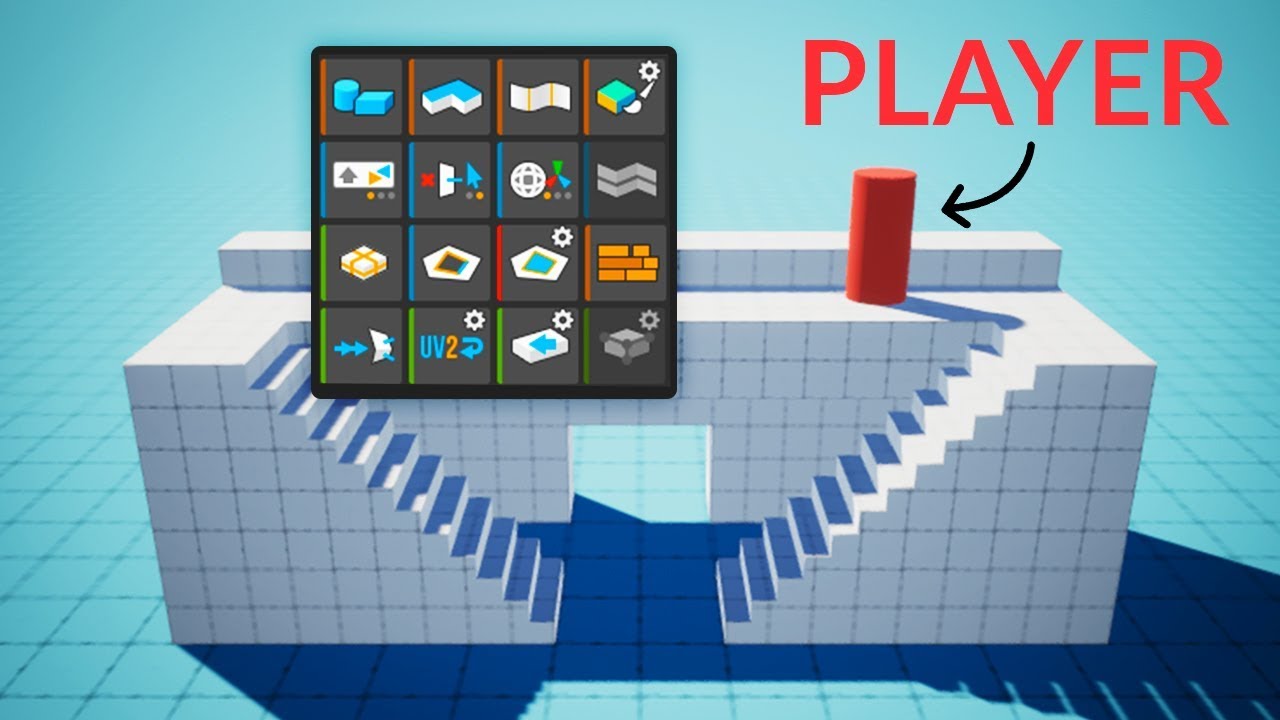
Here's how you can easily create levels in Unity using ProBuilder!
This video is sponsored by Unity.
● Download the Project: https://ole.unity.com/pb_brackeys
● Learn more about ProBuilder: https://youtu.be/PUSOg5YEflM
♥ Support Brackeys on Patreon: http://patreon.com/brackeys/
·······························································...
eager mist
autumn python
ProBuilder's UVs automatically tile as you increase the size of your object
Ohhhh. I thought it was a whole other software 😂 What's the pricing for the app?
autumn python
ProBuilder is free!
eager mist
autumn python
ProBuilder is free!
Oh, where do I get it?
autumn python
Watch the video I posted 😄
 gleaming scroll

[Share and Support]
Hello everyone! I am a looking forward to get in touch with some artists to take this game further! Here’s something I am looking for...
Looking for artists to collaborate with!
eager mist
autumn python
Watch the video I posted 😄
How do I find Progrids? Is it still downloadable?
eager mist
eager mist
How do I find Progrids? Is it still downloadable?
Nevermind I found out :d
 placid zealot
eager mist
Nevermind I found out :d
placid zealot
eager mist
Nevermind I found out :d
is it just embedded into Unity now? Or did u buy from store?
 wraith hare
guys i made an arm model using makehuman but i can't move some bones using "G"
like i want to be able to link the hand to the gun
and move the gun to move the whole arm
just like in sfm
misty lantern
wraith hare
guys i made an arm model using makehuman but i can't move some bones using "G"
l...
I don't know how makehuman works but sounds like you're describing an IK rig
 meager pike
I am horrible with Blender and I'm not interested in learning it, I am focused on implementing programming tools. However, this current project requires two fences. I've made them by following this tutorial:
Yet, I realized this is using like 200k verts, and a ton of tris. Is there a way to optimize this?

i go from 130k tris, to 3k tris with the fences turned off.
eager mist
@meager pike usually, fences like this are done by using simple quads with the holes having 0 alpha in the texture. Then you use a shader with alpha clip transparency and done.
wraith hare
misty lantern
I don't know how makehuman works but sounds like you're describing an IK rig
yeah
eager mist
So you need to get a tiling chain link texture and uv unwrap a quad onto it.
meager pike
eager mist
<@!109570263581982720> usually, fences like this are done by using simple quads ...
Damn, that's completely beyond me, but that does make sense. I'll try looking into it. Thank you.
eager mist
It's a chain link fence, right?
eager mist
 eager mist
Like that?
meager pike
Like a ski fence
eager mist
Yeah.
meager pike
but yeaa
eager mist
Always done with a texture.
misty lantern
Ski fences are too thin to practically make them with geometry
meager pike
eager mist
<@!109570263581982720> usually, fences like this are done by using simple quads ...
@misty lantern Yeah Bea's comment here totally makes sense in theory to me. Just unsure how to go about it atm, but will research.
What I have just isn't going to work for 60fps mobile.
misty lantern
meager pike
<@!166982635950702592> Yeah Bea's comment here totally makes sense in theory to ...
here's the idea
 meager pike
misty lantern
here's the idea
meager pike
misty lantern
here's the idea
Damn never used node stuff like this in Blender before. My experience pretty much is just deleting the default cube.
misty lantern
Just one face with a fence alpha mask texture, with alpha clipping to control the transparency so there won't even be overdraw
meager pike
Trying to see if i can just find a chain link texture and slap that on a cube or something
misty lantern
Nodes don't carry over to unity so they're not hugely important in your case
But the concept is the same over there
meager pike
So am I understand that I should just be able to find a proper texture, and then put it on a cube? Scale it down to be thin etc?
misty lantern
Sure
something like this as an alpha mask
but not copyrighted like this one

Ski fences seem to be hexagonal or square shaped grids
meager pike
misty lantern
Ski fences seem to be hexagonal or square shaped grids
Yeah, not too worried about specifics, should be low enough quality to not even tell, but good point.
I'm testing right now with:

But eh
Trying to read into alpha mask, because if i could "hide" the cube, it would be perfect.
misty lantern
Once you have an alpha mask working right, the material needs to be "opaque" with "alpha clipping" enabled
meager pike
misty lantern
Once you have an alpha mask working right, the material needs to be "opaque" wit...
Ok, reading into alpha mask. Not a familiar term for me.
Just about perfect, just need to hide the black:

Which is the cube *
misty lantern
That's what alpha mask + clip does
meager pike
misty lantern
That's what alpha mask + clip does
Got it with:

But now, I need the length of this times like 100
misty lantern
That's where tiling settings of the material come in
Or UV mapping of the model
meager pike
misty lantern
That's where tiling settings of the material come in
Or UV mapping of the model
Thank you. You're right, I think tiling. Let me see..
Totally forgot about tiling, I think this should work. I'll post with performance update momentarily. Thanks for the input @misty lantern
@misty lantern It's not bad for quick set up, but I can't seem to increase the visual distance.

The fence goes all the way down, but you can't tell until you move down the hill more and then it continually appears.
Figured out how to solve that but now the fence is so faded.. hmm
 misty lantern
meager pike
misty lantern
meager pike
This is a side effect of mip mapping
I'm not entirely sure what the fix would be
meager pike
Ok. I mean I suppose this works for a little mobile game. I value 60fps over aesthetics for this project.
misty lantern
How'd you solve the disappearing issue
meager pike
Well it's just very faint but it it
It's no longer completely missing like the first pic
 misty lantern
You could try changing mip map filtering from Box to Kaiser
and try the Preserve Coverage and Alpha Cutoff Value options
They seem to be specifically for the situation that alpha masked textures get softened out of existence
meager pike
Not seeing preserve coverage but kaiser doesnt seem to make a difference. Here's all the settings in case I've done something blatantly wrong:

 misty lantern
this here
it's cut off by the box

Surface type transparent works, but opaque with alpha clipping performs better
And should cause less visual glitches
meager pike
ok messing with it..
With opaque that's when i get issues
of it cutting out


Looks better, but then it's a block further
meager pike
meager pike
Or it disappears like here
misty lantern
meager pike
Or it disappears like here
Like, randomly? Or depending on some settings?
It's unlikely that it's going to look perfect, due to limitations how mipmapping works
 verbal sparrow
hey does anyone wanna be the head 3D Modeller on a dev team?
do u wanna start a dev team?
errant plover
How many heads would I have to model?
meager pike
misty lantern
Like, randomly? Or depending on some settings?
It's due to a setting.
meager pike
misty lantern
It's unlikely that it's going to look perfect, due to limitations how mipmapping...
Yeah, i think i'll have to deal with it being sort of faint.
 turbid kayak
Hi, when swapping out the mesh of a skinned mesh renderer, my model is offset like this. The scale is fine, its just the position. It should snap the to assigned root bone if it is exported correctly right?

 sly raft
enemy model wip

 zinc pilot
made in blender for fun


dont mind the noise

except for the ships textures everything else is mine


 glacial vector
eager mist
how can i import this
glacial vector
eager mist
how can i import this
Blender materials do not carry across to Unity. You'll have to remake the shader
eager mist
glacial vector
Blender materials do not carry across to Unity. You'll have to remake the shader
in unity?
glacial vector
Yes
misty lantern
Baking the procedural texture into an image texture works too
lapis jolt
make that an image texture
 dapper spade
I'm fairly new to substance painter and all I usually do is just convert the textures to HDRP, but there is one problem I'm encoutering. The opacity map I assigned to it is not working.

what I'm trying to achieve

 raw palm
I need help, i made a knife model in Blender and use it in Unity but no matter the rotation i changed in Blender, the rotation in Unity will always be the same and when i open the model using 3D view it works just as Blender, yeah so this causing problems for the rotation in my pickup script.
dapper spade
show some screenshots.. preferably from both unity and blender

 dapper spade
just rotate its transform?
raw palm
yeah so i have a pickup system which will rotate to 0, 180, 0
so it doesnt matter if i rotate its transform
and i also have another model of knife and it works fine the rotation is working correctly
raw palm
i don't know..?
raw palm
yup
dapper spade
which one ;-;
raw palm
i changed the rotation and exported it
outer halo
Make sure you apply the rotation in blender as well.
 dapper spade
you can make an empty object in unity
make the knife its children, and rotate it
then the parent will have 0, 0, 0 rotation and yeah...
raw palm
well i mean that works too
but im still wondering why if i apply the rotation using Ctrl + A it resets the rotation to like flat on the ground
dapper spade
does you knife have any bones?
raw palm
no
misty lantern
raw palm
is this not the way to apply rotation?
This does not alter the mesh unless you use the "apply transforms" operation, or enable applying transforms on export
Anyway, the rotation doesn't even need to be correct necessarily
You can place the mesh under an empty gameobject and rotate the mesh object under that to be of correct orientation
dapper spade
or just edit the mesh, press A and rotate it with R?
 turbid wedge
why does the "convert units" tab not do anything
if I change the scale value and press apply, the model scales accordingly in my scene
but if I check or uncheck that box, nothing happens after pressing apply
sly raft
can someone help me with this
 raw palm
alright so it works fine with empty game object
 split timber
are these white lines something to do with not enough edge padding, or something else?

scaling the object so it's longer doesn't get rid of those lines or move them
misty lantern
split timber
scaling the object so it's longer doesn't get rid of those lines or move them
what lines, exactly
split timber
i think it's the uvs or something. See the lines separating the black textures?
I think it's taking the color of the sides and putting it there bc theres not enough padding
misty lantern
what does that part look on the UV map
split timber

ima just make it half one color half the other
with the uvs kind of small on each side
I mean there's no reason for me to have baked it. But what if it was a more complex texture? how would I fix that??
misty lantern
This isn't much info about the mesh, but I would guess it's a very normal case of UV bleeding
split timber
this is about how big the uv is though, is that not enough space?
 misty lantern
Can you show a picture with the UV islands visible
split timber
yes
give me a second

could it be bleeding from a different part?
i decreased the size like that specifically because it was giving me a problem
misty lantern
That's what I would've tried as a solution too 🤔
Sure there's no edges or such in the black area?
split timber
nope
i fixed it
i just did what I said, made half the texture black half the texture gray and put all the uvs on corresponding side
glacial vector
dapper spade
I'm fairly new to substance painter and all I usually do is just convert the tex...
You need to use a shader on that texture set that supports opacity
 fiery patio
Is it legal if I get a 3d player model from the unity asset store and the asset has the unity license, use the player model for my main character in my game and post it on steam and getting all the money?
dapper spade
anything you buy from the asset store can be used commercially as far as I know
 fleet granite
hi guys
me need help
Video Tutorial

me

I press S and why is it so stretched on the video in width because of what is it?
outer halo
They pressed S (scale), then X (x-axis).
If you don't define an axis to scale along, it'll scale uniformly along all of them, as you're experiencing.
fleet granite
outer halo
If you don't define an axis to scale along, it'll scale uniformly along all of t...
thx
 frigid kite
what is the best format Unity can use for 3D models with animation?
frigid kite
thanks osteel
frigid kite
I'm creating gameobjects via script in the editor and I believe these are getting saved in the scene, is there a way to tell unity that these gameobjects are not to be saved?
 lime pollen
frigid kite
I'm creating gameobjects via script in the editor and I believe these are gettin...
lime pollen
frigid kite
I'm creating gameobjects via script in the editor and I believe these are gettin...
anything you create using an editor script outside of playmode will be saved, why not just create the objects during playmode?
frigid kite
hm, it's cool not having to enter playmode
well, it was for a bit. now unity is taking ages to start and I'm unsure how to fix the problem.
found something: gameobject.hideFlags = HideFlags.DontSave;
frigid kite
sorry wrong channel
fleet granite
hi guys
I have it stretching like this with G + E on the video differently, what could be the problem?

video
 spark vigil
what are some optimizations people need to do for using hand painted or pbr models?
i find the HP/pbr models are too big in file sizes
even the high poly baked to low poly the file sizes are huge
really wonder how these folks make their final product within considerable size
or the optimisations techniques are not followed anymore?
 simple sonnet
spark vigil
what are some optimizations people need to do for using hand painted or pbr mode...
simple sonnet
spark vigil
what are some optimizations people need to do for using hand painted or pbr mode...
You mean textures? You can just change compression method and max size in Unity depending on the platform. 2k to 1k texture is 1/4th the file size basically. Just an example
 jaunty violet
Guys I'm using blender to bake textures for Oculus quest 2. But I don't get that realism as I get when using hdrp for a pc application
My objects and environments still look a little cartoonish
And for bigger objects like walls and tables my AO maps (shadows) get pixalated.
misty lantern
spark vigil
i find the HP/pbr models are too big in file sizes
Are you including the textures in the files? In either case, you'll get the final filesize for textures after compressing and downscaling them during import
Otherwise I'm curious what kind of polycount and filesize the problematic models have
 solid iris
can some one help me with blender 3D animation?
 severe summit
does anyone have a copy of maya autodesk that can help me? i need someone to convert a .mb file to a .fbx file?
lapis jolt
if anyone has a concept art of snow ball gun
and is willing to share then pls share to me
all i found till now is this

and i dont know if i can use it\
lapis jolt
i think i can use this in a non commercial way
rapid echo
Some progress for a garden scene in blender.
.
https://twitter.com/FarrukhAbdur/status/1426078354088861697?s=20
New progress. Added some wind chimes in the garden environment. 🌸
#b3d #gamedev #blender3d #indiedev #blender https://t.co/DRHfXg5T9R
 Twitter
·
Twitter
·
 whole crow
how do i undo / see which one it means?

 wide quiver
Not sure where to ask this but o well. how does one go about texturing a VERY large mesh ~ where you can't use UV re-purposing or texture tiling without making the texture file obscenely high resolution?
misty lantern
whole crow
how do i undo / see which one it means?
This probably means there's problematic n-gons or non-manifold geometry
N-gons often cause problems, non-manifold sometimes
https://blender.stackexchange.com/questions/7910/what-is-non-manifold-geometry
Edges that perfectly overlap other edges are the worst offenders in my experience
They are often created if you erroneously cancel an extrusion operation
glacial vector
wide quiver
Not sure where to ask this but o well. how does one go about texturing a VERY la...
Tiling textures + trim sheets + vertex painting + decals
wide quiver
can't tile the texture
misty lantern
wide quiver
can't tile the texture
wdym
wide quiver
these are large rock sculpts
glacial vector
Why can't you tile a rock texture
misty lantern
🤔
wide quiver
how do you bake normals from high poly model to low poly model with tiling?
misty lantern
I suspect you may want to look into detail maps
wide quiver
okay
misty lantern
Well, you can
If you keep the resolution low enough
The detail maps are still doing the heavy lifting though
wide quiver
misty lantern
I suspect you may want to look into detail maps
ok did quick googling on that, looks like it could work yeah
how performance heavy are those?
glacial vector
An alternative is a workflow where you blend different tileable textures with a uniquely unwrapped mask. The mask will be low res but that's fine when you blend tileables
misty lantern
wide quiver
how performance heavy are those?
Not too bad
Better than trying to fit big and small details on the same map
Detail mask is a nice trick too, though not always needed
wide quiver
well it looks decent enough already i'm just trying to make it so the model doesn't look like complete ass when you walk close up to it
misty lantern
Especially for rocks you'll want to use detail maps to give it the appearance of "stone"
The only thing the base texture needs to handle is big, nonspecific variations in color over the whole mesh
Or in case of normal maps, uniquely placed cracks
wide quiver
 misty lantern
Just something to break up the repetition of the detail maps
Every stone of the same type of rock can use the same detail texture, so it's economical
wide quiver
alright thanks a lot guys
 obsidian moon
can i get some constructive criticism on my vector model please 🙂
 misty lantern
obsidian moon
can i get some constructive criticism on my vector model please 🙂
misty lantern
obsidian moon
can i get some constructive criticism on my vector model please 🙂
Looks great
Would look even better with smooth shading and face weighted normals
obsidian moon
misty lantern
Looks great
Would look even better with smooth shading and face weighted normals
im new to blender idk what any of that means lol but ill try research it
misty lantern
obsidian moon
im new to blender idk what any of that means lol but ill try research it
from left to right: flat shaded, smooth shaded, smooth shaded with weighted normals

oh wait my mistake, third is auto smoothed, not weighted normals
this one is with weighted normals

probably the most "realistic" technique
obsidian moon
Oh ok, is it just a modifier?
misty lantern
obsidian moon
Oh ok, is it just a modifier?
There is a modifier that calculates weighted normals, yes
You can also make them manually wit Set From Faces normal operation
 twin stone
hey guys, does anyone know how can I ignore this "ground" object on the "floor" object in blender? I don't know where can I ask about that so I hope someone is going to help me here xD
 obsidian moon
Do you mean hide it? You just click the eye next to it in the hierarchy
Or delete it
twin stone
I don't really know how to write it exactly xD but I mean I want this floor to be flat on this ground so I just want to hide this high ground elements on it
 obsidian moon
Oh you mean get rid of the sand on top of the cube foundation?
twin stone
yep
obsidian moon
You can either move the vertices or use a Boolean modifier to carve the sand away I think
twin stone
well I tried to use boolean modifier but it doesn't work properly xD but moving vertices is not bad idea
I will try it, thanks!
obsidian moon
np if it doesn’t work ask again I’m not the best at blender lol
 spring pewter
hello everyone, I have a doubt and I would love to solve it, I'm creating a game with a very large map and I need to create some vegetation, following some tutorials I have created some grass but using 3d models with few faces (4/5 ), now I would like to create other types of grass but that have more complex shapes, I have looked around on the web and some use 3-plane textures to simulate grass. Is there a more effective way to do this and maybe one that cannot burden the performance too much? PS: I suck at making textures.
Thanks in advance
obsidian moon
any other constructive criticism (scroll up to see before)
 misty lantern
obsidian moon
any other constructive criticism (scroll up to see before)
misty lantern
obsidian moon
any other constructive criticism (scroll up to see before)
The noise texture is strange and nonsensical to be quite honest, try using a PBR standard metal material
The mesh is almost entirely smooth shaded now, the weighted normals aren't working properly if that's the intention
Though the barrel and some screws are flat shaded still? Not sure what's going on there
Normals can be confusing
 indigo barn
Does anyone know what program this is made in?
 outer halo
indigo barn
Does anyone know what program this is made in?
outer halo
indigo barn
Does anyone know what program this is made in?
Old version of Blender.
 distant summit
I use 2.79b
eager mist
@thorny wasp you helped me with other stuff i was wondering if you can help me with something or at least point me towards a tutorial, i asked someone else earlier and they couldn't help me at all this is my issue, i have this tree and the mesh is glitching back and forth like there 2 meshes in one but thats not the issue and you seem experienced enough to help me what do you suggest i do?


 thorny wasp
I know -100 about 3D modelling
eager mist
ah ok
eager mist
thorny wasp
I know -100 about 3D modelling
jus tso you know for future refrence it was the light bias
i needed to turn it up
 livid salmon
@modest rapids Do you know how to add a point in ProBuilder?
I've got a point (TOP LEFT) but I was wondering how to create a point below it. I can't find a way to do it
 modest rapids
I meant try asking here, not try pinging me here ._.
I also already answered this
sdfjaakjsdf imma' go make dinner
livid salmon
Alright, cya
spring pewter
spring pewter
hello everyone, I have a doubt and I would love to solve it, I'm creating a game...
someone can help me? Or I should ask it in another channel?
eager mist
 eager mist
obsidian moon
any other constructive criticism (scroll up to see before)
eager mist
obsidian moon
any other constructive criticism (scroll up to see before)
revert the changes the one above looks way better
modest rapids
@livid salmon by the way, I know it's hard to get help here sometimes, if you'd like a few Discord invites to helpful communities, send me a dm and I'll be happy to share them
simple sonnet
So I've read through docs to try to understand what exactly Unity's "Generate Lightmap UV's" does, but I seriously can't find any. Does it do a full auto-unwrap or just layout the UVs?
misty lantern
simple sonnet
So I've read through docs to try to understand what exactly Unity's "Generate Li...
Full unwrap to the second UV channel, afaik
simple sonnet
misty lantern
Full unwrap to the second UV channel, afaik
Yea. I did a test earlier, and it does. I just never have any luck with baking results using it so always set up my second UV channel myself. 🤷♂️
 quiet thunder
my first sculpt with blender
 spark vigil
making some puny characters
https://gyazo.com/1e134b632898dc12bf1db8455b416a08

 hot atlas
anyone know how to fix an issue im having where one of my models keeps just sliding away for no reason? (dont really know what chat to post this question in but this seems most fitting)
eager mist
hot atlas
anyone know how to fix an issue im having where one of my models keeps just slid...
do you use blender and have an animation?
just any kind of animation
hot atlas
eager mist
do you use blender and have an animation?
i have no animation its just a model i got from the asset store
hot atlas
no i have no rigidbodies (not on the object atleast)
eager mist
hmmm
im lost man
maybe attach a rigidbody and set it to is kenimatic true and gravity off
@hot atlas
hot atlas
ye ill try it now
hot atlas
eager mist
maybe attach a rigidbody and set it to is kenimatic true and gravity off
ye it didnt work ._.
hot atlas
its just slowly sliding down to the right
hot atlas
ye
eager mist
like it isnt colliding with anything and just going on your screen or what
send a pic of what your thing looks like
 eager mist
 eager mist
hot atlas
i could send a video to
eager mist
hot atlas
i could send a video to
can you?
hot atlas
hot atlas
eager mist
and it does that on start infinitely?
yes
eager mist
so go into the isnpector in play mode, does the guns position move in the inspector stats?
it does nm
@hot atlas as dumb as this sounds just try to make/place another in the scene
hot atlas
ok
simple sonnet
hot atlas
yes
What's on the parents of the gun?
eager mist
simple sonnet
What's on the parents of the gun?
no parents
simple sonnet
It does
hot atlas
eager mist
<@!299890666962419712> as dumb as this sounds just try to make/place another in...
why in gods name did that work
eager mist
simple sonnet
It does
thats the one thats being held
eager mist
hot atlas
why in gods name did that work
lol idk
hot atlas
eager mist
lol idk
unity just gotta be like that sometimes
eager mist
is it named different than the first one in any way?
you may have something messing with the object based on its name
hot atlas
ye it just has a (1) at the end cuz i just did copy paste
hot atlas
eager mist
you may have something messing with the object based on its name
that is very possible
simple sonnet
eager mist
thats the one thats being held
In the video the one he has selected lives inside a parent and isn't the one being held. Different style...
 eager mist
hot atlas
that is very possible
eager mist
hot atlas
that is very possible
perhaps an animation
ive found unity doesnt like things named the same name too
simple sonnet
Oh lol, my bad. I didn't look close enough. Looked like it was inside it there
eager mist
lol its alr
hot atlas
eager mist
perhaps an animation
idk cuz the weird thing is i copied it again and renamed it the same thing as the one that was moving and this time it was normal
hot atlas
anyways thank you for the help :D
eager mist
np
my first time helping somone lol
well i have tutored and taught ppl before but never helped
 bold basin
guys my brother has an interview tomorrow 3d artist (textures) what kind of questions should he anticipate
eager mist
robot from danis games

 arctic oxide
does anyone that use blender see this glitch before
i imported a blender file into unity and it looks like this

from inside you can see the sides

but in blender and 3d displayer it looks like this

 eager mist
arctic oxide
eager mist
arctic oxide
try exporting it as fbx, sometimes obj glitches like that
arctic oxide
eager mist
try exporting it as fbx, sometimes obj glitches like that
i did
i normally export in fbx
i triend normal blender save too
eager mist
arctic oxide
i did
thats really weird, could you be using a bad shader?
arctic oxide
i normally just program and have bad graphics but i was like i can try so i dont have much experience in doing graphics
arctic oxide
eager mist
thats really weird, could you be using a bad shader?
where would i check which shaders
arctic oxide
no
eager mist
add one and see if that works
arctic oxide
eager mist
add one and see if that works
it didnt

its made in hdrp could that be a problem?
eager mist
arctic oxide
its made in hdrp could that be a problem?
i have no clue but probably
arctic oxide
eager mist
i have no clue but probably
ok thx
simple sonnet
arctic oxide
it didnt
Looks like your normals are inverted? "To access the option and/or correct an inside-out or inverted face, first select the errant mesh element in Edit Mode [1] (using vertex, edge or face) and from the Mesh menu upper-left click Normals [2] then Flip [3] from the options that appear – Mesh » Normals » Flip"
If you apply a two sided shader to it and it fixes it, that's the issue
arctic oxide
simple sonnet
Looks like your normals are inverted? "To access the option and/or correct an in...
ye thx
someone answered to me on blender discord
 hollow leaf
Could somebody let me know where i can learn blender properly
simple sonnet
hollow leaf
Could somebody let me know where i can learn blender properly
Endless resources on YouTube..
hollow leaf
simple sonnet
Endless resources on YouTube..
That is the problem, there are so many videos on yourube that I don’t know which one to watch
simple sonnet
hollow leaf
That is the problem, there are so many videos on yourube that I don’t know which...
Understandable. I'd search for blender basics, beginner, etc. And just make sure they have a majority of likes. I'd suggest learning by doing though. Hard to memorize and understand menus without creating at the same time.
eager mist
question: my guy doesnt go pew pew it goes brrrrrr for some reason
even though its not a question
 neon hazel
Hi, I'm trying to retexture the props from an asset pack, but multiple different props use the same materials, and I'm not sure how to use substance painter to focus on one prop at a time. When I edit textures for one prop, I end up messing up the other props that have the same texture and it ends up like this:

I feel like I should find some way to import an fbx which holds all the objects using the same material, but I can't find anything for that
eager mist
neon hazel
I feel like I should find some way to import an fbx which holds all the objects ...
If they use different materials you just drag on a new material for every object and the texture should go off that
neon hazel
eager mist
If they use different materials you just drag on a new material for every object...
Oh, so do you mean I should make separate duplicates of the material for each prop that uses it?
eager mist
neon hazel
Oh, so do you mean I should make separate duplicates of the material for each pr...
Yes
Seperate textures too
Just duplicate it
It uses the same uvs so it should work
Materials change the over all color so make different ones
neon hazel
eager mist
Materials change the over all color so make different ones
Ok, thanks much!
neon hazel
eager mist
<@163723238071861248> ?
I didn't try it yet, but I'm 99% sure based on what you said that it will
eager mist
Yeah
neon hazel
Only downside I guess is that it will take up a bit more space though :d
eager mist
Try making different mats first then duplicate the txtur
eager mist
neon hazel
Only downside I guess is that it will take up a bit more space though :d
Not even a mb
neon hazel
Yeah, I need to get the original texture again since I overwrote it lol
eager mist
Lol
neon hazel
eager mist
Not even a mb
Ooh okay cool
 distant hearth
I've made this much of a raccoon in Dust3d. Is making keyframes / aniumating in unity easy?

idk what to do next tbh
lime pollen
distant hearth
idk what to do next tbh
you need to rig it before animating it, and not in unity
distant hearth
lime pollen
you need to rig it before animating it, and not in unity
the colors are rig representation
of limbs etc
so if that's done it's good to import? any specific file types or whatever?
lime pollen
distant hearth
so if that's done it's good to import? any specific file types or whatever?
ideally fbx
animating in unity is somewhat annoying, you want to do that in blender or something
hollow leaf
simple sonnet
Understandable. I'd search for blender basics, beginner, etc. And just make sure...
Got it. Thanks man
distant hearth
lime pollen
ideally fbx
idk anything about animating tbh. Thanks for the advice
eager mist
How to make those neon red light Effects?
 lapis jolt
simple
go to unity
create new matterial
crank up the emmison map intensity
works in urp and not in normal 3d btw
^^^^^^^^^
@eager mist
eager mist
lapis jolt
<@456226577798135808>
I thought of doing that in blender :o
lapis jolt
no
unity has its own technique for glass glow etc
creating it in blender will lead to many problems
outer halo
You need to use post processing, bloom. The material has to use emission as well.
lapis jolt
^^^^^
eager mist
Hey guys this isnt really about a problem I have, but I am making a first person horror game, do I need to hand texture absolutely EVERYTHING?
harsh dagger
No, if you use software like Substance Painter you could do it procedurally
It's a big time saver
Now if you mean UV mapping the automatic UV mapping from the latest versions of Maya are pretty good
But for UV mapping I still think doing it by hand is the best route
eager mist
Well I UV unwrap in Blender and do all my texturing in photoshop
eager mist
harsh dagger
But for UV mapping I still think doing it by hand is the best route
But uh do you know how I can get UV mapping to work correctly in Unity? the mapping is wrong in Unity but its correct in Blender.
misty lantern
eager mist
Hey guys this isnt really about a problem I have, but I am making a first person...
Not if you don't want to
Other solutions include using generic textures per material, trim sheets and procedural texturing
misty lantern
eager mist
But uh do you know how I can get UV mapping to work correctly in Unity? the mapp...
When importing a mesh unity has the option to generate UV maps
Make sure that option is off if your mesh already has UV maps
eager mist
where is that option?
harsh dagger
When you import your mesh to Unity, it will then be in your assets window
if you click it, you should see options in your inspector

 harsh dagger
Both textures look different, though
The yellow is much bigger on the texture below
misty lantern
Zoomed in, likely
harsh dagger
Did you make sure you saved the mesh and re-exported it?
eager mist
yes
harsh dagger
Are you exporting as FBX?
misty lantern
Applied transforms? Do you have modifiers or multiple UV channels?
misty lantern
Can't think of anything else off the top of my head
I haven't had to troubleshoot this kind of issue before
eager mist
I might just wanna set all my textures in Blender, and just export the FBX with the material
I've seen few people do it that way
harsh dagger
If your mesh is properly UV mapped it doesnt matter, it should be working
Maybe the material in blender has different scale / offset
So the 1 / 1 in Unity looks off
misty lantern
Oh yea you could show the material in blender's shader editor too
eager mist
So wait a minute
I am starting over the modeling process. It's okay to make separate models? I thought you had to make EVERYTHING in your model using one mesh
harsh dagger
It's okay to have separated pieces
simple sonnet
Yea, you can export multiple meshes in one fbx or whatever. But I do recommend combining them at the end if they make up one solid object (like the foot of table + the table for example). Just export them with different materials applied if you want the ability to assign unique ones to each of the pieces in Unity.
Of course, the absolute best is to have them all use the same material and textures. Just mapping them out.
misty lantern
Geometry does not have to be continuous and a mesh asset can contain multiple mesh objects
harsh dagger
If it's for promo you could either render in a rendering software or create a scene in unity specific for that. Then bump all the quality settings to max and such
Not forgetting to use hero assets if available
modest rapids
It seems like the 2021 beta is breaking all material files for most all assets in the store? (even the Starter Assets pack made by Unity that's just a month old)...
Is this something... to worry about?
It looks like I can import a project into 2020, export assets as a custom package, then import into a 2021 project and the materials will work properly.
This must just be a temporary thing (or maybe I'm stumbling over myself). I'd love to hear if anyone out there is having similar experiences.
 brave ravine
I tried 2021.2 for the first time today with the new Cinematic Studio sample, and all the materials seemed to reimport correctly - it even had to do the whole 'These were made with an older version of HDRP and need to be converted" thing
That's the only experience I have with it, but it seemed to be fine
modest rapids
hm, maybe I've just had a couple flukes, thank you for sharing
brave ravine
Welcome. I might've gotten lucky too. I've been sticking with 2020 LTS for my main project so far, but pondering the jump
modest rapids
I'd recommend it, but I do think there's something going on here with material files... be careful with backups before upgrading
brave ravine
Yeah, I have local and remote backups, AND actual version control 🙂
The only way to get an Apple Silicon native editor is 2021.2+, which is my main incentive. I've been afraid of problems with various assets though because they don't seem to test on it as much yet.
But man, the slow translated editor is killing me
modest rapids
yeah, I kind of feel like testing a little bit crowd sourced
but, overall I think 2021 has a lot more verified bug fixes than new hidden bugs, haha
brave ravine
It did seem pretty solid. I don't think I encoutered any bugs as I worked through the course on the sample project
And man, the speed was soooo much better. If they get burst working soon I probably won't be able to make excuses not to move to it anymore
misty lantern
modest rapids
It seems like the 2021 beta is breaking all material files for most all assets i...
Materials broken how? Iirc the starter package materials need to be converted to your respective rendering pipeline regardless of editor version
If you're not on built-in
modest rapids
drops albedo input (but holds onto normal and metalic), I think it will uncheck transparencies, for URP
I'm probably just doing something foolish if no one else has experienced this
simple sonnet
misty lantern
Geometry does not have to be continuous and a mesh asset can contain multiple me...
Yes, but it's more performant to combine into bigger meshes than have thousands of smaller meshes when you could just combine them. Can also be done with batching of course
 dire ermine
 eager mist
Got a question guys, How would I UV unwrap difficult models CORRECTLY? Don't get me wrong, I would LOVE to hand texture every one of my models (seriously) but what's stopping me is that I don't know how to UV unwrap properly
lime pollen
eager mist
Got a question guys, How would I UV unwrap difficult models CORRECTLY? Don't get...
uv unwrapping is a skill in of itself, my advice would be to go through tutorials and get familiar with the unwrapping tools available to you in blender (assuming you're using blender) the rest is just practice
eager mist
lime pollen
uv unwrapping is a skill in of itself, my advice would be to go through tutorial...
Ok let me ask you this. Would it be better, lets say a chalkboard for example, to make the legs seperate, and the actual board separate from the other part that holds the board up, or join them together?
lime pollen
chalkboards have legs? 🤔
 eager mist
ok. Sorry for asking, I just wanna hand texture my models, I'm just not that good at UV unwrapping
Wont joining them mess up the UV unwrap?
or the textures?
livid salmon
So I've got a Roof Cloth which can only been seen from the top not the bottom. How do I fix this?
 lapis jolt
livid salmon
So I've got a Roof Cloth which can only been seen from the top not the bottom. H...
lapis jolt
livid salmon
So I've got a Roof Cloth which can only been seen from the top not the bottom. H...
i think its due to normals and stuff
livid salmon
normals?
livid salmon
lapis jolt
did u export from blender
and maybe
lapis jolt
livid salmon
normals?
ys
livid salmon
I'm confused
livid salmon
Wait, I don't think it was from blender
lapis jolt
then
livid salmon
I'm still trying to find the fbx file
lapis jolt
ok
lapis jolt
lapis jolt
turn on face orientation
then look from the side u want to see
red ones are bad blues are good
lapis jolt
lol
livid salmon
Remind me again, where's overlays?

 livid salmon
Didn't work
 lapis jolt
slect the roofs
roof cloths
i mean the red bois
try flipping normals
cause frick red bois
livid salmon
Doesn't work either
lapis jolt
wht happens
livid salmon
Nothing
lilac edgeBOT
Hex
#FF0000
RGB
255, 0, 0
 livid salmon
It's not
lilac edgeBOT
livid salmon
Oh well that was dumb of me
livid salmon
It has worked and now I know I need to spend more time learning Blender 😂
livid salmon
Fair enough
lapis jolt
turn on backface culling in blender to see how model will look in unty
livid salmon
One sec, getting these meshes to flip is tiring
lapis jolt
lol
livid salmon
Backface culling didn't do anything?
livid salmon
Good to hear
Not to do the same thing over and over for about 2 hours, wish me luck!
Oh one question, how do you extend a already made mesh?
livid salmon
Extruding only extends the mesh lines. But doesn't add to it

I want it to be double sided? If you know what I mean?
Like this where it has two sides?

I was tempted to do Ctrl+C, Ctrl+V then flip it
Wait...
I'm being more stupider by the second
I need to Extrude the faces right'?
lapis jolt
yes
livid salmon
Gotcha, another hour...
lapis jolt
u tried to do edge exrtrude i guess
livid salmon
Yeah
@lapis jolt I have this problem when I import a FBX file into unity it changes the area in which it was?
Before

After

It's like Blender doesn't save the correct positioning for anything
lapis jolt
both looks same to me
livid salmon
Look for this in both pictures
 livid salmon
@lapis jolt? Any ideas?
errant plover
Apply the position.
lapis jolt
livid salmon
<@!806069435017199646>? Any ideas?
blenderr ctrl + a
apply transformation or position or smthing
livid salmon
No same issue
 lapis jolt
livid salmon
No same issue
lapis jolt
livid salmon
No same issue
applied transformation?
also while exporting from blender tick apply transform option

unit not recquired that much
 lapis jolt
export selct fbx

selct the otems u wann a export 1st
then go to export fbx
tick limit to selected items
apply transformation
bamm
livid salmon
I don't think I want to touch that again

 livid salmon
Ikr
lapis jolt
🥺 poor guy
try to select all
if your pc handles that very cool
or just manually adjust chnaged positions in unity
livid salmon
It's definitely something to do with Blender because I imported it then just exported it straight away and still had the same effect
lapis jolt
didi u download thgat model from somehwere
livid salmon
The whole model? No
livid salmon
Yes and no, some of it I made. Some of it I didn't
lapis jolt
lapis jolt
just try doing this
ok
a to selct all btw
delete light and camer and all
not required
livid salmon
It's a masterpiece
 livid salmon
lapis jolt
livid salmon
lapis jolt
With this applied
livid salmon
Even that
lapis jolt
lapis jolt
apply transformation or position or smthing
1st do this
lapis jolt
lapis jolt
then this
lapis jolt
livid salmon
Even that
okk
then apply rotation
before transform
ctrl a location rotation transform scale apply everyhting

4 th option
livid salmon
Okay, so it's going well apart from the 90 degree rotation
lapis jolt
then apply rotation before appling transforms
livid salmon
How?
lapis jolt
 livid salmon
In Transform?
lapis jolt
lapis jolt
2nd option
 lapis jolt
noice
livid salmon
Not nice haha
lapis jolt
do apply transform 1st
then everthing will be normal position except 90degree roattion
selct 90degree ones
r axis 90
problem solved
livid salmon
r axis?
livid salmon
So it's the right rotation but wrong place
 livid salmon
Ah okay
livid salmon
Do you think you could fix it if I send you my unity project and blender file?
livid salmon
Cause from my point of view you know more than I do haha
lapis jolt
lol
livid salmon
And I want this to work because it will save me a ton of time 😂
lapis jolt
im just a 15yr kid that tries every keyboard shortcut heh
livid salmon
haha
eager mist
hello, i am new to blender can someone help me?
when i tried to resize this sphere it turns into a a capsule type shape
 tulip fractal
eager mist
hello, i am new to blender can someone help me?
when i tried to resize this sphe...
tulip fractal
eager mist
hello, i am new to blender can someone help me?
when i tried to resize this sphe...
there should be a key you hold down that constrains its dimensions
like shift
 ripe valley
Can someone help me with a problem im having? Its my first time making assets for unity and im having some trouble.
I have exported my fbx and textures separately out of blender. When i bring the fbx into unity and place it in the scene the textures work.
What i have noticed is that in the project assets it shows the model on its side and in the editor it rotates it -90 so that its upright.
Also some child objects are stretched in a weird way and get worse when rotated. I am not using apply rotation as when i bring the objects into unity some child objects are missing.
Here are the pictures showing what i mean. Sorry if this is the wrong place to post this.


 eager mist
tulip fractal
there should be a key you hold down that constrains its dimensions
eager mist
tulip fractal
there should be a key you hold down that constrains its dimensions
Oh ok thanks
 fluid oak
@ripe valley the 'on its side' thing is because blender and unity use different axis for 'up.' The distorted rotations usually are due to an object being the child of a non uniformly scaled transform.
ripe valley
so i should apply scale in blender?
fluid oak
The scale of the child is applied in the object space of the parent.
And yes, you should apply all scales before export if you can.
ripe valley
ok i can apply the scales, but im not sure what you meant by "The scale of the child is applied in the object space of the parent."
ripe valley
I have manually applied the scale in the context menu but when i tick apply scale in the export menu it makes the children objects really small and distorted
if i untick it, it works but then its on its side
 cinder sun
Think I’ve done something wrong…

 maiden birch
