#🔀┃art-asset-workflow
1 messages · Page 65 of 1
 sudden urchin
Making minecraft would be dumbish so imma make cod
 deft pollen
Guys who already work as an artist in game development, tell me please what pack of programs are you currently using for work?
 maiden tangle
deft pollen
Guys who already work as an artist in game development, tell me please what pack...
maiden tangle
deft pollen
Guys who already work as an artist in game development, tell me please what pack...
Blender/maya/zbrush/3dcoat are the popular 3d choices I see the most around here
Preference really at this point in the industry.. But blender is a favorite among indies
For good reason, the 2.8+ update was huge and very noob-friendly coupled with lots of youtube series around it.
 hoary bronze
 stray stone
deft pollen
Guys who already work as an artist in game development, tell me please what pack...
stray stone
deft pollen
Guys who already work as an artist in game development, tell me please what pack...
Maya, Zbrush, Blender, Houdini, Substance, Several custom programs, And if I'm on the realtime team, whatever engine the clients are using.
 outer halo
@sudden urchin This isn't a social hang out. Good for you for learning, but keep this channel for 3D discussion.
 blissful relic

Blender Stack Exchange
I want to lock objects from getting selected, but not change their visibility.
2.8 removed the lock button from the outliner. How do you lock objects in 2.8?
googled it in a few seconds
sudden urchin
Sad
I made a sword
But its all in one piece
I can't figure out how to colour it
Like i can't make any fancy uv stuff
I just wanted to add simple basic colours
(In blender)
outer halo
If you don't want to paint or texture it, and just want to use solid materials, you can select specific faces and assign a material only to that face.
outer halo
It's not texturing, you're just giving it a material. Texturing would be actually putting a texture on it (either imported or painting directly on it). Which would require doing some UVing.
sudden urchin
Oh ok rn imma stick to the basic materials and when i get some better understanding in the modeling then ill learn texturing
 eager mist

 stray stone
I love when they are cleaned topologically.
eager mist
The biggest challenge for me is really the UVs
stray stone
There's more problems here than Just the UV's.
 stray stone
Why.... Given the blade is the largest part.
Why did you give the handle the biggest textel space?
eager mist

@stray stone
How would you split the big blade for texturing?
It's already mirrored so it's really fine.
stray stone
Well given you can use substance to texture. I would place it diagonally across the space.
If I really wanted to get more into it then I would split it horizontally and have an upper and lower half.
eager mist
It really makes no difference at the moment since Im using a 2K texture for all my FPS weapons.
 polar ledge
Excuse me, i have a question
eager mist
There will be a lot of free space on the UVs.
stray stone
It does make a difference, quite a large difference in fact.
polar ledge
polar ledge
Excuse me, i have a question
my grass on my terrain is looking kinda white but thee textures
is not


can somebody help me please?
stray stone
@eager mist You have given that blade less than 500 pixels in width of texture space.
Given it's teh largest part, I would want to make that the largest islance I can cause I can then pump in more detail.
 stray stone
polar ledge
stray stone
polar ledge
Check the material for your terrain.
polar ledge
stray stone
Check the material for your terrain.
but i can only put textures
stray stone
Also, it could be affected by your lighting setup. Check what that is doing.
eager mist
@stray stone
I totally get your point. But at the moment, considering how the prop looks in game. I'll better move on to another piece and finish this game
I'll keep this in mind for future props. Thank you
polar ledge
stray stone
Also, it could be affected by your lighting setup. Check what that is doing.
i changed the metallic now it's good :)
stray stone
👍
polar ledge
just
the specular i changed it but the terrain material dont change
how can i make change the material please?
stray stone
There's a material somewhere, I don't remember where. I don't use unity terrain that often.
stray stone
eager mist
Which of these topologies is in game?
eager mist
The middle one is the low poly.
The one at the bottom is Sub-D.
The top and mid are the same
stray stone
@eager mist You can merge all these boxed verts into one in each.
And then the handle can be reduced in number around.
If you are doing low poly/Hard surface. Triangles are Ok. Take advantage of it.

I wouldn't use more than 8 around for the handle. Smooth shading will do a great job with it.
I would also bevel the edge of the blade, It will read better on screen and also provide an area for light to catch for that visual gold. It doesn't have to be much, Just not a sharp edge. 👌
And I can definitely see the UV's island size disparity between the handle and the blade. The blades texture is very blurry compared to the handle. This is because you have half of your UV's space dedicated to the handle. Something that is smaller and also going to be hidden by hands I presume.
eager mist
By reducing the grip that will introduce distortion into the UV. It's quite ugly.
I've made the changes that you asked and it was really a waste of time. For not much gain.
Im just reverting to the one I had before.
The bevel is the only change that could be worth doing. But it's such a tiny little detail.
In-game
eager mist

 queen wind
my model looks like this in game

"my" its a free model i modified
but it looks like this in blender

ohh its backfaces, but im not sure what i should do about that
i cant go through that all, there are hundreds
i used the solidify modifier which was a LOT of vertices but oh well
eager mist
Yes. You need to check Backface Culling with Blender
otherwise, you'll not going to like the rest
of the story
stray stone
queen wind
i cant go through that all, there are hundreds
You can select all of the faces and hit Shift + N. Which will recalculate them. Which should fix most of then.
If you use the face orientation option instead of back face culling, it will Colour the mesh red and blue, blue for the right way the the normals face. This will make it easier to see the faces that are flipped the wrong way.
 errant plover
Jesus Christ that SUV... You would be fired lol.
sudden urchin
is this too bad to be the first thing i made???

@eager mist
U said i should make something low poly
So i made one
It tool like 1 hour to get the base shape amd another hour to detail and colour
I feel this is good
And
I didn't know how to render this...
So i just took a screen shot
eager mist
Cool.
eager mist
Try 3D sculpting in the process.
Then retopology
 visual lion
Any environment artist here? Do you sketch before start modeling? Is a good idea to learn drawing?
eager mist
Yes
Many top artist model a rough version of what they want, then draw over the details, then continue to model, etc
Some artists sketch a scene first
Sometimes there are dedicated concept artists for this
 coral wigeon
visual lion
Any environment artist here? Do you sketch before start modeling? Is a good idea...
coral wigeon
visual lion
Any environment artist here? Do you sketch before start modeling? Is a good idea...
There's no right or wrong way to do it, which is simultaneously great and terrible. If there's no wrong way, then you can't get it wrong, but there's also an infinite number of ways to go about it. Sketching first is definitely a legit way to do it, and probably a good idea in many cases, but certainly not necessary.
eager mist
Just raw logic here
It takes a lot less time to draw than to do something in 3D
Anyone will strongly benefit from getting better and proficient at drawing
If you go watch ,let's say...
''Character Design and Modeling for Next-Gen Games With Vitaly Bulgarov''
You'll see Vitaly start with XSI, then switch to photoshop later on to sketch what he is about to do next with detailing


And then he brings it into Zbrush to make more modifications
 visual lion
coral wigeon
There's no right or wrong way to do it, which is simultaneously great and terrib...
visual lion
coral wigeon
There's no right or wrong way to do it, which is simultaneously great and terrib...
Since im alone, sketching will increase my time on everything but in the other hand I always well like I dont have a solid plan
 robust hull
 outer halo
Where is it from?
 sullen plank
'PICA PICA' is a demo and experiment using SEED's 'Halcyon' research engine and Microsoft's new DirectX Raytracing API to do real-time GPU raytracing on Nvidia Volta GPUs. by EA
 idle frost
queen wind
i just used the solidify modifier and its good
idle frost
queen wind
i just used the solidify modifier and its good
bro
 timber tinsel

 misty lantern
timber tinsel
misty lantern
timber tinsel
Looks great but what's with the crunchy render?
sudden urchin
timber tinsel
Fabulous
 sonic ibex
hey guys, I see videos where they stack rocks one on top of each other and using mesh colliders. Is that approach fundamentally wrong in terms of performance or is there something that I'm missing?
timber tinsel
misty lantern
Looks great but what's with the crunchy render?
Screenshot
 next sundial
So, I've been working on a scene using a TV screen as was struggling to figure out how to just have an animated noise texture on it. While being stuck on that and a couple other issues I had totally forgotten that at some point, I want to actually play video clips, with audio, on this screen. Is that a possibility and where can I go to learn how to do that? Thanks!
 placid zealot
Do y'all know of any popular artists who develop stylized (think clash of clans, civ6) style assets for Unity store?
misty lantern
next sundial
So, I've been working on a scene using a TV screen as was struggling to figure o...
Vague question
Kinda depends how do you want it to look
next sundial
misty lantern
Vague question
Kinda depends how do you want it to look
How is it vague? I want to be able to have video clips play on a tv screen in my scene, with audio. I honestly don't know how to be clearer.
next sundial
placid zealot
Do y'all know of any popular artists who develop stylized (think clash of clans,...
Synty Studios is the only one I can think of off-hand...
but they're more low poly/stylized than simply stylized.
placid zealot
Thanks 🙂
Not quite what I was looking for, but very impressed either way by what their packs offer!
errant plover
@sonic ibexIf there is no player interaction with the rocks, then don't bother with colliders.
sonic ibex
yeah, that's what I thought, thanks!
 inland ledge
i need to help to make a simple 3d game really quick
 slow arch
inland ledge
i need to help to make a simple 3d game really quick
slow arch
inland ledge
i need to help to make a simple 3d game really quick
Uhhhhhhhhhh
slow arch
inland ledge
i need to help to make a simple 3d game really quick
What kind of?
inland ledge
tryna make a game like a maze and done
slow arch
Make multiplayer chess
inland ledge
i have to finish in 5 hours
chess is hard
i have 5 hours to do it
or i will repeat this subject
slow arch
Make a game where fire structure is in middle & glass of water is chasing fire & you have to destroy it by clicking on it
 slow arch
Is there any script
 slow arch
then show the script pls
 slow arch
inland ledge
slow arch
inland ledge
I cant see the namespace on top
 slow arch
Oh yeah that's the error talking about
sudden urchin
The Syntax of get component is wrong
GetComponent(TypeOf(Animator))
Probably
Its something like that
slow arch
sudden urchin
The Syntax of get component is wrong
Ok
errant plover
If that's for a school project, you are going to fail. Don't keep variable declarations in Update()
 lime pollen
i think the fact that he's doing this 5 hours before its due is the real reason he's going to fail 😂
sudden urchin
Yea
Keep ur variables declaration out of any functions
Thats even gonna help u
Make all of em at the very beginning of the cod3
It will not get messy
misty lantern
next sundial
How is it vague? I want to be able to have video clips play on a tv screen in my...
I mean like are you asking for help with the static or the video? You probably looked at tutorials and got stuck with something, but with what?
What kind of monitor / tv are you trying to simulate, and how accurately
Are you more familiar with script or shaders
Does the static need to be overlayed on the video or are they separate things
 drowsy elm
Hi how can i fix this, that you can no longer see the 3d writing on the other side?
 misty lantern
drowsy elm
Hi how can i fix this, that you can no longer see the 3d writing on the other si...
misty lantern
drowsy elm
Hi how can i fix this, that you can no longer see the 3d writing on the other si...
What kind of object is the text
Canvas?
drowsy elm
No, 3d- objects - 3d-Text
misty lantern
drowsy elm
No, 3d- objects - 3d-Text
Apparently you'll have to modify the shader or find a new shader that doesn't have ZTest Always, but getting into the built-in shaders is a huge pain
It's better if you use the Text Mesh Pro package, which has better text rendering and by default includes 3D text object that doesn't suffer from this problem
drowsy elm
misty lantern
Apparently you'll have to modify the shader or find a new shader that doesn't ha...
Oh yea thanks
 burnt bobcat
Guys how do I make my character look like the one I made in blender
outer halo
By making materials, recreating the look, applying the textures and assigning it to your character.
 burnt trellis
while we're on that topic
What parts of a file get imported from blender without any problems usually?
errant plover
Everything should import fine. You just won't have the same materials.
eager mist
sudden urchin
GetComponent(TypeOf(Animator))
There are a handful of overloads for GetComponent - both GetComponent(Type type) and GetComponent<T>() work.
 eager mist
burnt trellis
What parts of a file get imported from blender without any problems usually?
eager mist
burnt trellis
What parts of a file get imported from blender without any problems usually?
Unity's .fbx importer supports skeletons, animations, meshes, and material IDs. Lights/cameras will not be imported by design, and the .fbx format is just as incapable of storing complex materials an importer would be at adapting them to Unity's own material system.
burnt trellis
Oh neat, appreciate the help
 fluid oak
Also blendshapes and texture files(if present in the file)
next sundial
misty lantern
I mean like are you asking for help with the static or the video? You probably l...
Oh I see. Okay, sorry. In my mind everything made sense so I didn't see how it could be confusing, but yeah I see it now. And i don't know what I was doing before when searching for answers, but everything I was getting for results wasn't what I wanted, But I think I found a couple things now that might help. But to answer your questions, the static and video would be separate elements, though doing a nice transition from one to the other would be nice. basically this CRT TV is going to be the interface for the player to gather information and handle some dialog interactions through. So when not in use I want it have static on screen, which could be in video form or whatever works best. But when in use I want it to provide dialog and text options for the player to choose as well as play video clips that the player will get bits of information from. many of the video clips will be public domain historical footage and possibly some footage filmed myself. And I'm more comfortable with shaders than scripts.
 candid hollow
Been working on a Luxury cruise yacht world for VRChat, and I need some help deciding on what to put in the middle of the room. Any thoughts?

It’s gonna be a place for people to hang out
idle frost
inland ledge
coollect a coin and i win the game
goty
 heavy kiln
candid hollow
Been working on a Luxury cruise yacht world for VRChat, and I need some help dec...
heavy kiln
candid hollow
Been working on a Luxury cruise yacht world for VRChat, and I need some help dec...
fountain
candid hollow
heavy kiln
fountain
Ooo, that’s not a bad idea
candid hollow
I got it. A holographic image of George Lucas
 minor sparrow
Made a base house generator for someone's game!
candid hollow
Mandalorian helmet?
 low ledge
3D print adaptation for airsoft
candid hollow
Ah, okay
Would you mind if I asked for the file? I might be able to use it for mandalorian armor
 mystic olive
What is the best series of videos, to learn Substance Painter?
 vague kelp
Hi, all! I'm pushing some ideas around for a game. Is there a way for a model to have two separate sets of UV coordinates?
misty lantern
vague kelp
Hi, all! I'm pushing some ideas around for a game. Is there a way for a model to...
Yes, it's very common
Lightmaps are often stored in the second UV channel
vague kelp
misty lantern
Yes, it's very common
Lightmaps are often stored in the second UV channel
Ah. Do you know how I'd do that in Blender? Is there some terminology I can use to start my Google adventures?

 errant plover
Looks like both A and B.
sudden urchin
To me it looks shader magic
misty lantern
vague kelp
Ah. Do you know how I'd do that in Blender? Is there some terminology I can use ...
Second UV channel
They reside here
 minor sparrow
A little update to the tool:
Added the option to add more floors.
And added the option to expand the house (join houses together).
vague kelp
misty lantern
They reside here
Much appreciated
eager mist
Hi, I am not skilled yet and would really appreciate some help with this. I am using Autodesk Maya 2022.
No matter how I try to map this character (In this case UV > Automatic) the top parts of the cloak, and various other parts, get cut up into their own isolated shells.
These isolated shells (highlighted) seem to be their own strictly independent components that refuse to merge or sew with any other shells.
I've tried looking up "how to reset UV maps" in Google to see how I can start from scratch, but all instructions I've followed have just led to this same problem.
 lime pollen
eager mist
Hi, I am not skilled yet and would really appreciate some help with this. I am u...
lime pollen
eager mist
Hi, I am not skilled yet and would really appreciate some help with this. I am u...
Dont use automatic mapping, manually select your faces and use planar mapping. I suggest looking up a uv mapping/texturing tutorial to see how its done
burnt bobcat
outer halo
By making materials, recreating the look, applying the textures and assigning it...
How?
 limber haven
eager mist
Sound is weird, though
limber haven
eager mist
Sound is weird, though
how so? is it the gunshots or the footsteps
sudden urchin
Animating will surely drive me crazy
sudden urchin
Is it alr if i animate in unity itself or is it a bad idea and i should do it in blender?
 fleet harbor
Hi, I am a programmer making a game, and I need a cigarette 3d model. Can someone possibly make this for me???
lime pollen
sudden urchin
Is it alr if i animate in unity itself or is it a bad idea and i should do it in...
Do it in blender unless you want to make procedural animations
 spark ivy
I'm receiving an error when I'm importing my 3D character: Maximum allowed thread group count is 65535 ( I think my model has too many polygons ) Anyway, is there a way to apply the textures on my model, without drag and dropping them in the Scene, because I can't deploy the model in the scene. All I want is to export it to .VRM and I can, but it's all white..
sudden urchin
fleet harbor
Hi, I am a programmer making a game, and I need a cigarette 3d model. Can someon...
Dont expect someone will do free work for u
sudden urchin

In this 2015 GDC session, Bungie's David Helsby shows how Bungie creates high quality first-person animation that supports Destiny's cutting edge gameplay.
Update: Due to a technical error, the last portion of this talk is not currently available on YouTube or the GDC Vault. We do apologize for the inconvenience.
GDC talks cover a range of d...
Hmm....
This is awesome
misty lantern
If only the answers were simple
sudden urchin
Hmm
errant plover
@spark ivy looks like a shader issue.
@fleet harbor a cigarette model is very easy. Create a cylinder, scale it out, apply the scale, apply a texture. Its good practice.
eager mist
Made some improved renders for my battle axe


Continuing my Medieval/Fantasy 3D town project.
Currently blocking out the whole thing

 dire ermine
Working on dungeon game assets with blender
 errant plover
@dire ermine Torus01 Torus02 Torus03 Torus04 Torus05 name your assets 😛 Looks good tho.
dire ermine
Thanks, will do when export them 👍
 tribal ravine
i still dont understand how game levels are made like an appartment room, where do i even start? Probuilder? Blender? i dont get it
These youtubers talk so much about the programming part of Unity but i cant find any tutorials on making the maps/levels and everything visual
errant plover
Make a base wall, a wall with a window, a wall with a door in it, all in blender. Export and piece it together in unity.
Some walls I made recently.
 eager mist
very nice
tribal ravine
errant plover
Make a base wall, a wall with a window, a wall with a door in it, all in blender...
Say i wanted to make an alleyway, do i make the buildings on the side piece by piece or in Probuilder?

its things like this that my stupid brain doesnt know how to choose
outer halo
When you say piece by piece ... do you mean brick by brick? 🤔
tribal ravine
Haha nah mate
i meant like the buildings have windows on top and such
so doing them in blender might be easier
errant plover
Depends if you wanna be able to see inside the building.
If not, then make the walls and windows separate. Then you can drag and drop windows as needed.
eager mist
@tribal ravine
Why ProBuilder instead of Blender?
If you learn Blender now, you have that skill acquired forever after
There isn't really ''a way'' to do it correctly.
There are many.
As long as the game offers good performance, it's right
 wide palm
Probuilder is pretty clunky, much easier to make stuff in blender I think
 tribal warren
tribal ravine
so doing them in blender might be easier
tribal warren
tribal ravine
so doing them in blender might be easier
Generally, most assets you see in games are made in software like 3ds Max, Maya, or Blender. ProBuilder is a plugin for Unity, and is useful for blocking out levels and getting a sense of their overall design, but not necessarily creating finished pieces.
Here's a great resource on building environments:
eager mist
see some people prefer to do it all in zbrush or else
wide palm
There's a adding called sprytile for blender that's kinda nice
eager mist
polycount is great
but they just give you refs
and the community... let just say it is a closed circle of friends
Take everything with a grain of salt
Wanna learn? find the artists who do use those workflows, get in touch with them
Most 3d artists arent on polycount
tribal warren
eager mist
Take everything with a grain of salt
Yeah. I think one of the hardest aspects of learning 3D art, or anything like that, is piecing together the overwhelming amount of information available.
limber haven
eager mist
<@!234398317583400961>
Why ProBuilder instead of Blender?
i personally use pro builder for building levels and buildings cause it helps me get a sense of scale
also once i finish the model in unity i can import it into blender and finish it up
eager mist
cool
nice to see you got your own workflow and approach
nice
me, I just use a character ref in all my 3d scene
And sometimes some gameplay refs
jumping, crouching ,etc
I do it all in MODO and update the props in Unity or UE4
it's also faster to use 3d meshes than let's say using the Brushes to build geometry in UE4
those brushes get slower to build over time and tend to crash
I dont know about ProBuilder
in Unity
limber haven
eager mist
me, I just use a character ref in all my 3d scene
oh that’s a pretty good idea
tribal ravine
eager mist
<@!234398317583400961>
Why ProBuilder instead of Blender?
well whats the point of going into blender for a brick wall
i just dont understand what i should be doing in Probuilder and what i should be doing in Blender
eager mist
Usually, ProBuilder is for Level Designers
to help them blockout a rough 3d map layout
it's not for 3d modeling for games
At least, that's what I understood from the concept
Im not saying it's not possible to do 3d props with ProBuilder
tribal ravine
ah i see like before it gets “art passed”?
tribal ravine
Nah i dont wanna make 3D props with Probuilder
eager mist
Level designers usually spend like 2 weeks building and tweaking a game level
Then a 3d art team takes over it
tribal ravine
but say for example your making a pretty plain simple square room, do you make the room in ProBuilder or in Blender?
tribal ravine
eager mist
Level designers usually spend like 2 weeks building and tweaking a game level
Th...
well thats more for like big teams
eager mist
Artists generally use 3DS Max or Maya or MODO or Blender as a general 3D app (modeling, UVing, etc.)
Zbrush or else for 3d sculpting
Substance Painter to texture meshes
Substance Designer to create smart materials that they can either apply with SD or SP.
outer halo
Whatever you want. But you're going to want to fill that room with content, of which you're definitely not going to model in probuilder.
eager mist
Blender is the FREE alternative to 3ds max, maya, modo or zbrush
outer halo
Also, you're going to want textures, which you'll need to figure out UVs for in Blender. Doing all that in probuilder will be way harder.
eager mist
If you are making games solo... learn Blender for sure
or learn other 3d app if you can afford them
tribal ravine
eager mist
If you are making games solo... learn Blender for sure
i am and its great
limber haven
pro builder for sketching out, blender for final props
tribal ravine
Nah ive noticed that in most cases a skilled blender user is better than a skilled Maya, Cinema4D and such user
tribal warren
tribal ravine
but say for example your making a pretty plain simple square room, do you make t...
ProBuilder is great for "grayboxing." The idea is that you design the level in ProBuilder, then the art team creates the actual assets that will take over for the placeholders.
 tribal ravine
tribal warren
ProBuilder is great for "grayboxing." The idea is that you design the level in P...
tribal ravine
tribal warren
ProBuilder is great for "grayboxing." The idea is that you design the level in P...
so the equavilent of a solo game dev is Designing the level using something like Probuilder and then creating everything in blender and modulary plop them down to form the level right?
eager mist
A skilled 3D artist will be well versed in:
- 3D modeling
- 3D sculpting
- Texturing
limber haven
tribal ravine
so the equavilent of a solo game dev is Designing the level using something like...
pretty much y
tribal ravine
tribal warren
https://www.blog.radiator.debacle.us/2017/09/how-to-graybox-blockout-3d-video-ga...
Oh mate this looks like a good blog thanks!
limber haven
yeah i suck at sculpting
eager mist
takes time
limber haven
haven’t needed to yet though lol
eager mist
it's oky
limber haven
games first person and i haven’t made any characters yet so sculpting isn’t a beast i’ve had to overcome yet
eager mist
But I'll just say.. you can go VERY FAR with just 3d modeling and texturing
Or... 3d sculpting
tribal warren
tribal ravine
Oh mate this looks like a good blog thanks!
Just found it myself! That article is pretty good though.
tribal ravine
Are materials hard to form? i dont understand how people align a flat texture to a 3D object, Guess ill have to search up some videos
eager mist
But if you are a master 3d sculptor... SKY IS THE LIMIT
tribal ravine
Thanks guys you’ve really boosted my confidence in this whole level design thing
eager mist
@tribal ravine
No. You could just buy Substance Painter and a Subscription to their Smart Material Library...
ANd just use a library of already made substances
limber haven
tribal ravine
Are materials hard to form? i dont understand how people align a flat texture to...
uv unwrapping
limber haven
only problem, substance isn’t free and i’m too cheap 😎😎
tribal warren
tribal ravine
Are materials hard to form? i dont understand how people align a flat texture to...
eager mist
Substance is the cheapest 3d app of all 3d apps
tribal ravine
Also im guessing if your making an inaccessible building i should make the whole thing instead of modular?
eager mist
know that
limber haven
well yeah but i’m just not planning on spending money for my game
eager mist
To get my MODO license, it was like $2,000+ CND
limber haven
sheesh
tribal ravine
tribal warren
https://artisticrender.com/the-definitive-tutorial-to-uv-mapping-in-blender/
Thanks for the useful blogs!
eager mist
Then it's like 500-600 to upgrade
limber haven
i just don’t like subscription services
tribal ravine
is there any free material websites that you guys use?
tribal warren
tribal ravine
Thanks for the useful blogs!
Glad to help! 😀
limber haven
tribal ravine
is there any free material websites that you guys use?
there’s cc0 textures
eager mist
It's worth spending a bit of time to create for yourself a collection of essential Smart Materials
Concrete, Metal, Wood, Leather, etc.
tribal ravine
What are “Smart” Materials?
limber haven
i think it’s a substance designer thing
eager mist
Materials with modifiable parameters
Like you can change the height, add or remove grass or snow or rust
it's procedural
So you can make much easier transitions, let's say for a terrain.
tribal warren
tribal ravine
What are “Smart” Materials?
If you're familiar with layers in Photoshop, it is a similar concept. A regular material might have a few maps, but Smart Materials have multiple layers built in, which are modifiable in the Adobe Substance suite, making it easy to change them and iterate new designs.
eager mist
more sand, more grass, more moss, now snow, more rocks
tribal warren
Check out some Substance Painter videos on YouTube and you will get an idea of what's possible.
eager mist
That is the thing, it shouldn't be compared to Photoshop
tribal ravine
tribal warren
If you're familiar with layers in Photoshop, it is a similar concept. A regular ...
Ahh like a material with a NormalMap and the others
that make it look more “3D”
eager mist
Because Smart Materials are using ''a process'' to build the texture, unlike stacked layers in photoshop
Meaning that by changing 1 node in a graph to build a smart material, that change is passed down to all other nodes
So you can change colors of all props in the game!
mass production
It's a process. Not images stacked one on top of the other to create a final image

But... it can take more time to build Smart Materials.
Because let's be real, I can just launch modo, grab random photos and paint over a mesh quickly to get something that looks oky
But then, it's hard to tweak, modify, etc. it
Pros and cons
With Substance Designer, the trick is to start with building the Height Map. Like 3D projection from above, similar to a normal map. But with tesselation
And then the rest comes easy.
GDC 2016: Naughty Dog's Texturing for Uncharted 4 by Rogelio Olguin
https://youtu.be/Vd-ZxCLqaBU
Rogelio Olguin was one of the strong pioneers of Substance Designer when it started to become popular

GDC 2016 presentation by Rogelio Olguin: Senior Texture Artist/Naughty Dog
He was the first artist that I saw who was using 3d tesselation to build his normal maps
and height maps
and basically from there... he developed his workflow
basically using nodes to 3d sculpt a seamless texture

Wait for UNITY3D experiments at 0:35 !!!
detailed information:
https://www.artstation.com/artwork/0X4K14
Pirate Island Material is almost a terrain editor. You can wrap parameters for topology ( noise, erosion, terraces etc ), change sea level, depth, opacity of the water and foam intensity. Also, it allows you to add rocks ( you can play with...
tribal ravine
arent you meant to do the materials in Unity?
tribal warren
Basically, you create the materials in another program, then load them into Unity. Unity is really just rendering them on screen.
tribal ravine
Ah i see
Also whats a good way to see how optimized your game is? i may do some development for the Oculus Quest which is a Standalone device so i have to be very careful as to what i add
eager mist
Unity and Unreal Engine they are game engines in the sense...
They are the platform that allows developers to integrate all things into one place
3d models, textures or materials, animations ,etc
Are all done outside of Unity or Unreal
And for 3d animation, video games and films have different workflows
For games, we use bones and joints, etc
For films (pixar ,etc.) , they use deformers
Deformers tend to be too heavy for game engines
real-time
For texturing, artists were using MARI for films.
But in recent years... as Substance Designer and Painter got better
The film industry also started to use Substance
so... we aren't sure where MARI is going. (it may die)
tribal warren
tribal ravine
Also whats a good way to see how optimized your game is? i may do some developme...
That's a good question. This may be useful! I'm not particularly well versed in that kind of stuff unfortunately.
https://docs.unity3d.com/Manual/Profiler.html
You can use Unity's profiling tools to get an idea of how your app might run on a target platform. I suppose the old school way would be creating a demo build, and actually running it on the hardware, but that's not always feasible.
eager mist
Im not sure how different it is to develop for Occulus, but you should target 90 fps (frame rate) to offer smooth experience for the human eyes
the problem with most game projects is that the dev team literally cripple the performance by adding a hell lot of stuff
And then they try to go from less than 30fps to above 30-60 fps
which is quite a lot of trouble to ask for
I remember working with Unreal Engine 3, UDK
And our graphics programmer wanted to much to be next gen, he was ready to cut our FPS in half to just get dynamic lighting in
tribal ravine
eager mist
Im not sure how different it is to develop for Occulus, but you should target 90...
Yeah pretty much 90hz is the standard but the Quest 2 Screen is also 2K and thats all running on an XR2
so Optimization is mandatory
atleast for the Standalone projects but for PC VR Games i can probably go alot more ham with it
outer halo
#854851968446365696 for where job and collab posts should go.
 grim heron
outer halo
<#854851968446365696> for where job and collab posts should go.
grim heron
outer halo
<#854851968446365696> for where job and collab posts should go.
Oh ok ty


 fair grove
Hi ! How can I use Multiple UDIM on one mesh in UNITY ?
tribal ravine
dire ermine
More progress with Dungeon game assets i'm working on
im guessing those crates and such are individual objects?
dire ermine
@tribal ravine yes they are individual objects, just duplicated one crate and scaled for different sizes.
tribal ravine
dire ermine
<@234398317583400961> yes they are individual objects, just duplicated one crat...
Nice 
 leaden jasper
i think this might be the right place to ask lol. is there a way to make textures on objects scale automatically without attaching a script to each object?
 swift estuary
leaden jasper
i think this might be the right place to ask lol. is there a way to make texture...
swift estuary
leaden jasper
i think this might be the right place to ask lol. is there a way to make texture...
Build your objects with probuilder (which will adjust UVs automatically) or use a Triplanar Mapping shader
 ebon otter
ok question yall. I have about 2 years experince in Maya, and i want to start learning unity. is there no UV editor?
how does anyone edit the uv's on their model?
outer halo
You do it in maya and reimport.
outer halo
Well, the prefab has to contain a mesh, which has to be an FBX.
You can open that in Maya and edit it.
 cosmic nymph
I just accidentally found out that this actually changes the albedo when you import into Unity and it kinda hurts because now I have to make sure I didn't change any of these colors
 icy rose
When using a SkinnedMeshRenderer does the root bone need to be a child GO or can it live anywhere? as im having an issue trying to use some pre made humanoids models, where if I take their mesh and root but put it in another object (so I can control it a bit more specifically) it never renders
 median siren
Soon I'll be live making car models for my game, please set a reminder so you don't miss it!
https://youtu.be/WGC7p_C0bRY
Making Car Models for My Game | Car Minigames
Please click the notification button, so you know when I go live! :)
● Instagram: https://www.instagram.com/polycatgames/
● Twitter: https://twitter.com/games_polygon
● Google Play (my games): https://play.google.com/store/apps/dev?id=7252949958674834205&hl=en&gl=US
● Don't click here: https:/...
 dawn ember



 quasi verge
opinions on my first attempt at a human-like model, rigged model and first attempt at animations? :3

i would send a gif if i wasn't a lazy coder
eager mist
If you want to make your own games
Do everything
If you want a job, do a specific thing very well. And get known for it
Decent first model, I'll say.
But compared to what the industry expects, you are... maybe 30% there
Ex:
 queen wind
my car with about 122k vertices adds 12 mil vertices to the scene?
misty lantern
queen wind
my car with about 122k vertices adds 12 mil vertices to the scene?
Subd gets applied when you export perhaps?
 misty lantern
queen wind
im having serious performance issues after switching to urp
misty lantern
queen wind
im having serious performance issues after switching to urp
Going to take a stab in the dark and say that something very much Not Normal is happening in your project in general
queen wind
found the problem
apparently each camera adds to the vertices count
which is very frustrating
i just want security cameras
ive disabled every camera and still have 4 million verts
misty lantern
queen wind
i just want security cameras
Security cameras could be optimized a lot by calling camera.Render only a couple of dozen times per second, sequentially
Could even look more authentic
queen wind
well theyre not exactly security cameras
theyre external cameras on my car
its a game about storm chasing
theyre all being rendered to 256x256 render textures
which should be pretty fast but
my fps went from like 150 to 20
when i switched to urp
misty lantern
But yea usually performance isn't supposed to degrade with URP
queen wind
ive done everything i can to optimise
my terrain trees are taking up 20 million verts
everything looks awful after upgrading to urp too
but i have to because i need the vfx graph
queen wind
misty lantern
Security cameras could be optimized a lot by calling camera.Render only a couple...
i did this and it didnt help at all
misty lantern
Yea well if your performance is dragging in the mud even without the cameras, maybe you should fix that first
queen wind
i really dont know what to do
misty lantern
Performance info is not going to be reliable before it's working normally
queen wind
my trees are 2k vertices, my car is 122k
yet theres 30-40 mil vertices
in the scene
misty lantern
Try making a new test scene to see if performance is broken there too? Then move parts of your main scene over and watch the vert count
The vertex counter might not be reliable anyway
Some people on the forums are reporting 50x the expected amount of verts
eager mist
After my tests, I got the best performance with URP. Switching to URP shouldnt drop performance.
Are you using scripts?
queen wind
misty lantern
Try making a new test scene to see if performance is broken there too? Then move...
the menu scenes work
flawlessly
but also have sorta high vert counts (about 700k, very small scene, one camera)
queen wind
eager mist
Are you using scripts?
yeah but the profiler shows rendering is taking up like 92% of the performance hits
im doing absolutely everything i can to improve performance and nothing is working
im gonna revert and show how it works better without urp and stuff
sadly this is much better
 queen wind
misty lantern
Going to take a stab in the dark and say that something very much Not Normal is ...
queen wind
misty lantern
Going to take a stab in the dark and say that something very much Not Normal is ...
how could i find whats wrong with my project
misty lantern
queen wind
how could i find whats wrong with my project
I wish I had some answer for that, but I've not dealt with this level of destruction
What I would do is not try to upgrade the project, rather pack the scripts and assets into a package and move those over to a fresh URP project
A bit tedious probably, but it should avoid this sort of mishaps
misty lantern
queen wind
are you serious
Not sure if it's the best idea, but it's the only idea I have
Oh, after googling the issue, ofc
queen wind
this is awful my god
misty lantern
queen wind
this is awful my god
What editor / urp versions were you working with btw?
misty lantern
Beta version, could be unstable
queen wind
it was bad in 2021.1 as well
but
the input system package is awful
and it didnt work
at all
the only fix was to upgrade
misty lantern
Awful it might be, but it should work
queen wind
no it
doesnt work
it was a known problem
unity themselves said the only fix is to upgrade to 1.1.0
misty lantern
Wow
queen wind
which is only in 2021.2
tribal warren
quasi verge
opinions on my first attempt at a human-like model, rigged model and first attem...
Great first effort! Reminds me a bit of a Half-Life scientist, like he should be working in Black Mesa. You should post a gif if you get a chance!
If I were to offer some critique:
- The face looks great! But it looks a bit like it's been pasted onto his head, leaving his ears and neck feeling a little left out. Make sure to clearly delineate the forms of the body, and pay close attention to the silhouette.
- His clothes also feel somewhat pasted-on, or like body paint. You could potentially add some additional detail to the model, in order to more clearly show the weight and folds of the clothing.
- Parts of the texture are a little stretched, and the seams could use some work.
Other than that, I'd say you're well on your way. Would be interested to see some animation. Good job! 😀
tribal warren
dawn ember
https://twitter.com/harmony_hunnie/status/1420371952074698755?s=20
Awesome! Shredding a secret half-pipe in the forest is on my bucket list. 🤙
dawn ember
tribal warren
Awesome! Shredding a secret half-pipe in the forest is on my bucket list. 🤙
hehe ur hip!! thx(:
eager mist
Me, I'm not upgrading Unity unless I absolutely have to
I download a version and stick to it
There is enough trouble as it is to make a game lol
not adding more troubles to my plate
queen wind
i have absolutely no way of doing what i want to do
i need big corn fields but the best i can find for an interactive grass shader is low poly stuff
i cant have corn inside the car
does anyone know how i could have a corn field not clip through stuff?
eager mist
Not sure what you are asking for
misty lantern
queen wind
i need big corn fields but the best i can find for an interactive grass shader i...
A field of corn is inevitably going to be pretty low-poly
GPU Instanced meshes might work for performance, but I don't know if they can be made interactive.
If there is a shader that makes it sway, it's possible to modify that shader to bend the corn to the ground where the car drives by drawing onto a rendertarget texture that modifies the corn rotation
https://forum.unity.com/threads/cornfield-performance-tricks.338204/ here's some discussion about trying to do a similar thing
queen wind
honestly instead of bending the corn i think im either gonna have the fields unplanted or face the corn when youre near it using an old shader i made
i just have to figure out the best way to actually get the corn
queen wind
misty lantern
A field of corn is inevitably going to be pretty low-poly
GPU Instanced meshes m...
this is my solution
it uses dithering
misty lantern
queen wind
it uses dithering
Decent and definitely performant!
 hollow jackal
 eager mist
hello, if here some people that uses blender could you help me?
this is a map for my game

but if i zoom out it starts to look like this

can i fix this, and if yes, how?
errant plover
Well why are you so far away?
Is the track flat? Raise it slightly up.
It looks like Blender is trying to use an LOD. Which I've never seen happen before.
 pastel steppe
eager mist
but if i zoom out it starts to look like this
pastel steppe
eager mist
but if i zoom out it starts to look like this
The geometry looks like it's intersecting
eager mist
@errant plover
No. It's Z fighting. It occurs in several 3d apps when geometry are close to each other
it often happens with decals
sometimes devs have to specify in which order things need to appear on screen
Lift the track up a bit, you'll see
@eager mist
Z-fighting that is caused by insufficient precision in the depth buffer can be resolved by simply reducing the visible distance in the world. This reduces the distance between the near and far planes, and solves the precision issue. However, in certain virtual environments, such as a space simulator, or a flight simulator, this is not possible.
 dawn ember
 eager mist
<@!454483996915531776>
No. It's Z fighting. It occurs in several 3d apps when ge...
eager mist
eager mist
<@!454483996915531776>
No. It's Z fighting. It occurs in several 3d apps when ge...
okay thanks. Didn't thought this is so complex
 deep shadow
dawn ember
https://twitter.com/harmony_hunnie/status/1420820084487081992?s=20
deep shadow
dawn ember
https://twitter.com/harmony_hunnie/status/1420820084487081992?s=20
pool (:
 cerulean pilot
https://twitter.com/SoulRBLXShibo/status/1420825202770989060?s=20
https://twitter.com/SoulRBLXShibo/status/1420839080905019397?s=20


 eager mist
Always dreamed of playing a Cubic Marshmallow character
 split timber
why does the material render with these lines like this? Only when there's light on it.

apparently it's soft shadows causing it but why?
sullen plank
@sly reef #854851968446365696 For job posts location.
 turbid kayak
Hey guys, I posted this in #archived-code-general but I think it would best belong here. #archived-code-general message
Here is the link to the question! I would appreciate any thoughts - I'm not well versed in texture art and thus have a hard time debugging these kind of problems.
eager mist
For text, usually companies would create a separate texture with words on it.
Then use Decals and place those decals on meshes
However, I've never seen this technique being applied to animated characters.
Since most 3D asset use Color map, Roughness, Metallic, Normalmap, etc.
I assume that it would be possible with code to add an extra texture for text, par character.
@turbid kayak
I asked the question on Polycount. So far, the answer is ''change the shader''.
As in, you should be able to add a new texture per character to add text.
turbid kayak
Gatcha - I tried to avoid having to write a shader and hoped to use the standard shader. I've used shader graph, but our project is in unity 2017 - no URP. For a little more info on the feature, it also allows the player to input custom names and view their avatar during runtime in the customization screen e.g. typing their team name in an input field and having it display on the jersey. Its why I decided to use this solution. I can set the standard shaders color map to the cameras output to do that runtime stuff as well as take snapshots of the texture and apply it to the characters. Most definitely costs more memory to do this, but the textures are only 1024x1024 with about 9 avatars to spawn in
I think regardless of the approach, adjusting the offset of a texture and the material by the same amount SHOULD make it appear no different right?
referring back to my first screenshot in my post - it just makes no sense why the texture would be smudged and torn like that in only that one area
 lapis jolt
cerulean pilot
https://twitter.com/SoulRBLXShibo/status/1420825202770989060?s=20
https://twitte...
lapis jolt
cerulean pilot
https://twitter.com/SoulRBLXShibo/status/1420825202770989060?s=20
https://twitte...
do you have any tutorial link as to how you made this
cerulean pilot
lapis jolt
do you have any tutorial link as to how you made this
Not something people do tutorials on sadly it’s something you have to learn yourself
errant plover
@turbid kayak did you apply the scale on your model? Re-check the UVs. Also recommend upgrading as new LTS lines are released. Unless the boss hates it or something. I used Unity 10 years ago, I know it can be scary thinking of upgrading a project. I still get scared sometimes.
 feral cloud
There are many people on Youtube who create guns
Time lapses
Ex:
Mech per day: MECH TWO PART 2 | By Tor Frick
https://youtu.be/duam8bKJysU
leaden jasper
ive got two questions, whats a general price for 3d models im considering getting a character done, but I dont want to overpay lol. Assuming this price may be too steep for me, are there any good tutorials on modeling people? ideally something relatively beginner friendly, ive done some modeling in the past
eager mist
hey i need help with my track. I importet my track from blender as an .fbx file into unity but unity somehow got rid of some parts of my track. Why?

This is how it should look like btw

*yes the light is also messed up but i want to focus on that later
 sacred root
eager mist
but the light is still to bright
sacred root
eager mist
but the light is still to bright
When you exported your model, was there a light source in your blender scene?
lapis jolt
cerulean pilot
Not something people do tutorials on sadly it’s something you have to learn your...
Ok
Do you have any reference images
eager mist
sacred root
When you exported your model, was there a light source in your blender scene?
no i also already figured the problem out
 eternal cypress
 outer halo
Create a square to fit in that corner, then bevel the edge at the far corner to curve it.
 sinful night
Hey I am working in blender and I have a model with different parts and materials, normally it looks like this

however if I join the parts this happens

Any Idea why?
lapis jolt
sinful night
however if I join the parts this happens
just change the red in material to gold and gold to red
idk why but the colours have inveretd somewhow
sinful night
I see
this happens after inverting the colors

also as a sidenote, how I do import eevee shaders into unity?
 chrome lily
sinful night
also as a sidenote, how I do import eevee shaders into unity?
chrome lily
sinful night
also as a sidenote, how I do import eevee shaders into unity?

The new glTF export capabilities of Blender 2.8 offer significant improvements to the workflow between Blender and Unity. This video shows you how you can export a PBR textured 3d-model from EEVEE render engine to Unity 3D and have all the texture maps automatically assigned.
sinful night
Materials dont show up...
outer halo
sinful night
Materials dont show up...
You have to recreate materials in Unity.
sinful night
Hmmm, I see
misty lantern
sinful night
Hmmm, I see
As of yet, shaders/materials are incompatible between engines, technically, even if they use the same maps and variables
Solutions like the one above are experimental at best
 nocturne moon
Is it possible to have a high quality subsurface scattering effect with the standard HDRP lit shaders?
I'm trying to set one up so it looks like this Blender render:

but so far this is the best I've come up with:
 misty lantern
nocturne moon
but so far this is the best I've come up with:
misty lantern
nocturne moon
but so far this is the best I've come up with:
You should use more drastic lighting for testing the SSS, from this image it's hard to see if it's active at all
In the above image a big part of the effect is how thin parts are more translucent, and how shadows are visible through the object
That part is practically impossible without ray-traced SSS
tribal ravine
Hey do you guys always use physical reference pictures in your projects when your making an object or something?
nocturne moon
misty lantern
You should use more drastic lighting for testing the SSS, from this image it's h...
In the above image a big part of the effect is how thin parts are more translucent
Would this be possible with something like a thickness map or a subsurface mask map? Or would this still require ray-tracing?
misty lantern
nocturne moon
> In the above image a big part of the effect is how thin parts are more translu...
It's worth a try
nocturne moon
alright, time to learn how make both of those
tribal ravine
Hey guys is Low Poly literally just making an object without a subdivision surface modifier?
outer halo
It just means the model as a low poly count.
There's no real rule on how to achieve that.
tribal ravine
is low poly harder?
feral cloud
No
 latent shore
Any suggestions for games?
feral cloud
Sub-D modeling and advanced 3d sculpting are harder


 sage talon
 fluid escarp
how can i fix this shiny floor when i hit play
fluid escarp
how can i fix this shiny floor when i hit play
hard to say...is it a light problem. maybe you animated light values also??
fluid escarp
all the lights in the house are disabled
 manic flint
fluid escarp
its normal in scene
manic flint
fluid escarp
its normal in scene
creepy vibe
sage talon
metallic, or something
sage talon
check which property on the material chnages
fluid escarp
i opened unity and this suddenly happened yesterday it was working fine
sage talon
in play mode?
fluid escarp
yes
sage talon
Mayeb you are animating the player
fluid escarp
no
sage talon
root motion?
fluid escarp
idk what that is
feral cloud
As a side note.
It does take longer to use Sub-D modeling or sculpt things in 3D to create a high poly model. However, the latest texturing worklows heavily depend on High Poly -> Low Poly baked normal map, curvature map, ambient occlusion, etc.
sage talon
tehre a root motion check box on your player. probably not the problem though
fluid escarp
ok
sage talon
I know that when you press play, your animator will take control of what ever object has an animator component on it. so maybe you have made lots of recordings which you didn't intend.
fluid escarp
u know i will exit unity and not save and come back
sage talon
good idea
fluid escarp
do u think that will work
sage talon
hmmm...maybe.
fluid escarp
btw its nt only on the floor
lets me take a screen shot of the table
look at the light

its coming from above it
sage talon
maybe you animated the lightt
sage talon
is it still disabled in playe mode?
fluid escarp
let me check
yes
btw there is only a few lights in the house not in every room
and the shiny light is in all the house
fluid escarp
sorrrrry soooo sorry
sage talon
you may have turned it off in scene view
 spark vigil
anyone doing level design in unity with 3D assets for sidescrollers?
example game:https://youtu.be/BP8obzjPLFA
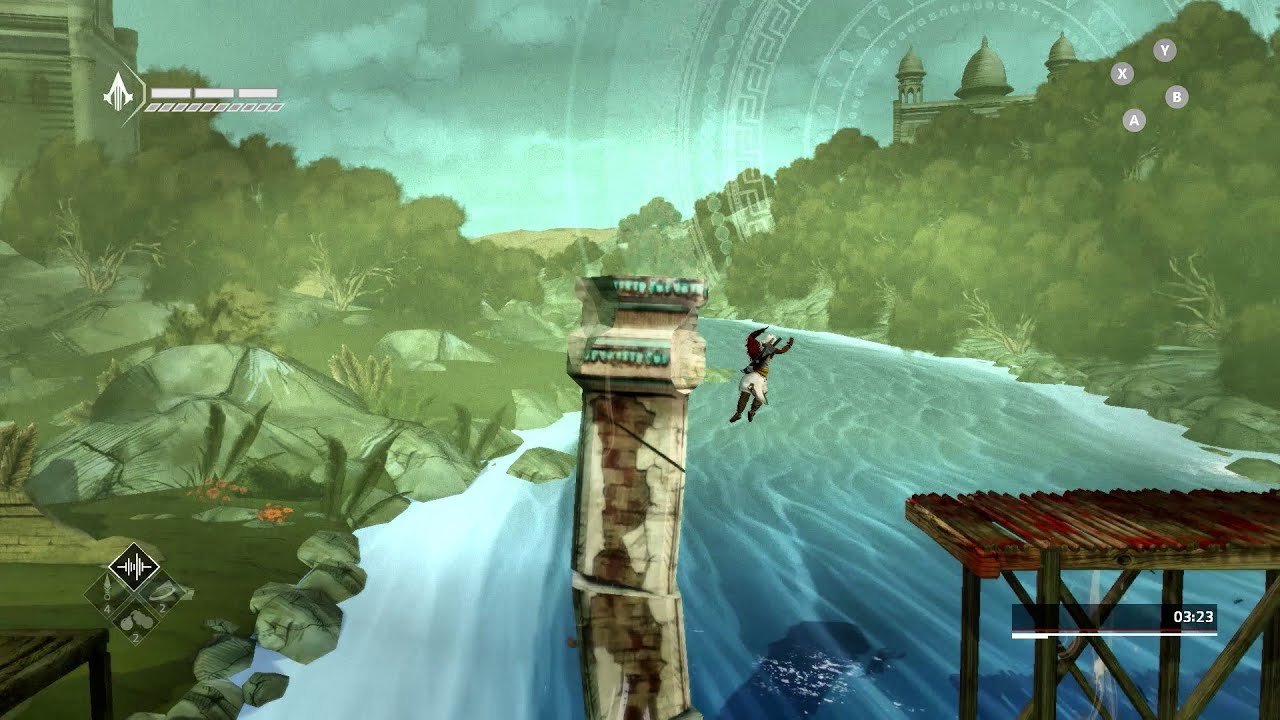
See how this colorful chapter of Assassin's Creed: Chronicles starts out.
----------------------------------
Follow IGN for more!
----------------------------------
IGN OFFICIAL APP: http://www.ign.com/mobile
FACEBOOK: https://www.facebook.com/ign
TWITTER: https://twitter.com/ign
INSTAGRAM: https://instagram.com/igndotcom/?hl=en
WEBSITE: htt...
what to use in place of tilemaps for 3D prefabs?
pro builder?
misty lantern
spark vigil
what to use in place of tilemaps for 3D prefabs?
Anything that can make 3D meshes, really
Blender, Max, Maya, whatnot
spark vigil
Ok I made it. But what tool in unity to use to make levels like tiles
In 2D I use tilemap or spriteshape
What tool for 3d for something alike?
My 3d assets are cubes with textures on them
So looking to snap on grid
Use pro builder?
Goal to make good looking side scroller levels
Like the video

One of the oldest and the best platform games. It also launched the wave of several remakes and additional continuations of story of a prince from Persia.
LINK TO GET THE GAME: http://adf.ly/PyChj
An old school example
misty lantern
You can snap any assets into editor's grid normally, if your assets fit the grid
There's no "3D tile" type system deeper than that normally, though I've seen some asset packs include their own functionalities like that
misty lantern
spark vigil
Goal to make good looking side scroller levels
Guess you'll need good looking art then
spark vigil
That is not a problem
misty lantern
The important thing is that the art is made so that it can be used modularly
spark vigil
But it's taking to long to make levels
misty lantern
I'm making a dungeon out of 3x3 tiles which are either floor, wall or decorative variants of floor and wall
Then just duplicate and move them using the basic grid snapping
You can find / code fancier versions of that, but that's the idea
spark vigil
ah tilemap is easier
alright ima find something to make my life easier
or code it myself
 glacial latch
Anyone here good with fluid simulation in Blender?
 undone finch
what software should I use for 3d modeling
undone finch
just wanted to make sure
spark vigil
google will find you more
tribal ravine
Damn it blows my mind when i play a game and i realize that every object im looking at has been hand crafted in 3D software
queen wind
i cant figure out where to start with player models, the way i have it now just has no clear way of doing animations
id like to have one skeleton that supports all player models
they all use the same skeleton but i cant just swap them out
where do i even start with player models?
changing hand poses when youre holding something, etc
my players are split into a bunch of meshes because mixamo sucks

idk what to do
chrome lily
queen wind
my players are split into a bunch of meshes because mixamo sucks
Have you exported it as "FBX for Unity"? or just as .fbx from Mixamo?
queen wind
chrome lily
Have you exported it as "FBX for Unity"? or just as .fbx from Mixamo?
i just redownloaded one to confirm

thats how it imported
chrome lily
Is this your own custom character or a Mixamo Default character?
queen wind
mixamo default
its the josh model in that example
id love to have one rig that i can swap oout
because then i could animate that one rig
i currently would have to redo every animation for each character
chrome lily
queen wind
my players are split into a bunch of meshes because mixamo sucks
But why is this a problem? Those meshes are probably weight painted with the rig, so shouldn't be a problem
queen wind
they are, but i cant swap out characters easily
i have multiple player models
that the player will be able to choose from
how can i have a player switcher and animations when the models arent consistent
every single mesh is its own skinned mesh
and they all have different root bones
id make a class for the bones but
 chrome lily
Are you trying to make the animations in Unity?
queen wind
i kinda have to
chrome lily
Why tho make em in Blender
queen wind
cant
the players use inverse kinematics
and are vr
well
vr sometimes
other times pc
i only want to animate some things
the hands, for example
but nothing else
chrome lily
I'm not an expert on animation but I'm pretty sure Blender has IK
queen wind
blender ik doesnt transfer to unity
my ik is like
the hand bones following the controller positions
the head turning
etc
im lucky my players cant walk
chrome lily
Take the models from Mixamo and rerig them using Rigify in Blender
Thats all I can think of
queen wind
how do people do this oh my god
chrome lily
That would give you a consistent bone structure
queen wind
well
the bone structure is consistent
the mesh structure isnt
they all have exactly the same rig
chrome lily
Then first put the meshes together then delete the bones and rerig em and make em have the same root bone
idk
chrome lily
I hate me, I'm bread
tribal ravine
my first ever good 3D Model, the Topology is awful, and it doesnt look that great but its a start to a greater journey!
 feral cloud
High poly
Low poly
Uv map.the low poly
Baking from high poly to low poly with cage
When you export the low poly to Unity or else.. the mesh gets triangulated
 lapis jolt
 tawdry valley

 lapis jolt
cool
did you smooth it ? how did you smooth it
when i use subdiv my whole models destroyed
errant plover
Shade Smooth. Sub-div is for close up movie shots or cut scenes.
lapis jolt
glacial latch
Anyone here good with fluid simulation in Blender?
i do fluid sim a bit
 lapis jolt
ok
tawdry valley
yea shade smooth is tricks and mirror
lapis jolt
hmm
tawdry valley
if u subdivide ur mesh will be mor complicatd than it needs to be
lapis jolt
use auto smooth under normals
lapis jolt
lapis jolt
use auto smooth under normals
makes it better

 tawdry valley
ohh let me try that out
nah that doesnt work really..
the faces are still super evident
kinda smooths the edges between faces and thats about it 🤔
tawdry valley
oh u right.. @ one point its about identical to shade smooth
i guess this way u can have a bit more control
lapis jolt
hmhm
tawdry valley
thx didnt know that ❤️
misty lantern
tawdry valley
i guess this way u can have a bit more control
When auto smoothing is enabled you can also right click on edges and "mark sharp" to get even more control
 umbral verge
Hello, could someone tell me why when I import an FBX file to Unity, all the meshes are upside down? an invisible side and a visible side of the mesh
I am using the 2019 version of Unity
misty lantern
umbral verge
Hello, could someone tell me why when I import an FBX file to Unity, all the mes...
Upside-down and inside-out are two separate problems
Upside-down is caused by axis settings being wrong in the fbx export window
Inside-out mesh is caused by inverted normals
umbral verge
misty lantern
Upside-down and inside-out are two separate problems
Upside-down is caused by ax...
Hmmm I see, knowing that I am not the author of the FBX project, is it possible to correct this on Unity? or do I have to go through the creator to fix it and redo the export correctly?
misty lantern
umbral verge
Hmmm I see, knowing that I am not the author of the FBX project, is it possible ...
Well, which problem is it of the two?
I think both can be fixed
 sinful tendon
Im new to blender and im trying to make this smaller by the y axis (left and right) but nothing is working it just comes out weird
 misty lantern
sinful tendon
Im new to blender and im trying to make this smaller by the y axis (left and rig...
misty lantern
sinful tendon
Im new to blender and im trying to make this smaller by the y axis (left and rig...
Select the edges
Scale and press Y to restrict scaling to Y axis
sinful tendon
misty lantern
Select the edges
Scale and press Y to restrict scaling to Y axis
It only scales that specific edge
misty lantern
sinful tendon
It only scales that specific edge
Select multiple edges
sinful tendon
all of em?
misty lantern
Or faces
Select whatever you want to be scaled
I'm not sure if your arrows point to just those two edges or if you mean the whole thing
Anyway, scale with locked axes by pressing x, y or z
glacial latch
lapis jolt
i do fluid sim a bit
Think you could help me today at like 6pm US East?
sinful tendon
misty lantern
Or faces
Doesnt work
misty lantern
sinful tendon
Doesnt work
It's working for me right now!
sinful tendon
Example: I just did it for all of em and they just clipped trough each other to form this abomination
 misty lantern
sinful tendon
Example: I just did it for all of em and they just clipped trough each other to ...
misty lantern
sinful tendon
Example: I just did it for all of em and they just clipped trough each other to ...
If you have doubles or overlapping geometry then any operation can break the mesh
sinful tendon
That what happens to me
misty lantern
sinful tendon
That what happens to me
You have lots of disconnected and overlapping geometry
Generally you can fix it by selecting all with A, then "merge by distance"
lapis jolt
glacial latch
Think you could help me today at like 6pm US East?
no
ask in chat i can help like that
umbral verge
I have his mistakes, if someone could help me it would be good
 sinful tendon
Im trying to extrude in this head but im using the mirror modifier How do I remove that wall in the middle
 lapis jolt
delete the face in the joining part i guess
sinful tendon
Thanks now how did i make the cage hug the model again?
like the black cage what you use to edit stuff
like touch the model
lapis jolt
sinful tendon
like the black cage what you use to edit stuff
wdym
sinful tendon
like how do I make the wireframe touch the model, like floating parts of it
I forgot what its called
the black thing
you use in editing mode
lapis jolt
screenshot
 lapis jolt

are you asking about making that floating part touch the model?\
if yes then go to edge select and delet the not needed ones 👍
sinful tendon
How do I delete it faces, vericies and edges, non of them worked
lapis jolt
sinful tendon
How do I delete it faces, vericies and edges, non of them worked
send a screen rec of what you tried to do
🙂
sinful tendon
delete the floating black line but non of the 3 delete options (vericies edges and faces worked)
sinful tendon
yes
lapis jolt
hmm
then maybe i have an idea

enable this , box select that edge and try deleting

 sinful tendon
lapis jolt
enable this , box select that edge and try deleting
sinful tendon
lapis jolt
enable this , box select that edge and try deleting
Thanks it worked
lapis jolt
👍
eager mist
eager mist
why all my models looks like this?
fixed, if anybode have the same problem:
 sinful tendon
Why is the UV unwrap button not working, I marked all seams but it doesn nothing
does*
misty lantern
sinful tendon
Why is the UV unwrap button not working, I marked all seams but it doesn nothing
Did you select all the faces you want to unwrap
sinful tendon
Thanks
sinful tendon
Any idea why the color on the mirrored side is darker than the original side
 misty lantern
sinful tendon
Any idea why the color on the mirrored side is darker than the original side
misty lantern
sinful tendon
Any idea why the color on the mirrored side is darker than the original side
It's the edit mode overlay
sinful tendon
thanks


 spice violet
Hey is there a way to change the axis the transform bases its rotation around? I modeled and rigged something in blender that I intended to use procedural animation on, but I can't constrain the bones properly since the local angles are all somewhat screwed up and tilted from how I need iy
 tulip linden
how do i use this materials?

 long dragon
tulip linden
how do i use this materials?
long dragon
tulip linden
how do i use this materials?
You will probably need to create a new Material and assign those textures on the right slots.
Generally the name of the file helps you with that. But I would say they are in that order: Ambient Occlusion, Albedo, Emission and Normal map
On the Mesh Import Settings, you can also try to see if it already has a Material to be imported together. This way you would not need to create the material. https://docs.unity3d.com/Manual/class-Mesh.html
tulip linden
long dragon
You will probably need to create a new Material and assign those textures on the...
Thank You
It worked
 old folio
i have a problem. when i try to create faces in blender with a loop that is jagged a get a weird effect that makes the vertices on the end connect to eachother with faces but i don't want this i just want each individual vertex to connect with a face to the next one.
 eager mist
very true @old folio
chrome lily
misty lantern
old folio
i have a problem. when i try to create faces in blender with a loop that is jagg...
You'll have to do it individually for every two adjacent vertices
Or make a big n-gon like you have there, use knife tool to cut it between the jaggies, then delete the excess material
Usually problems like these are best avoided altogether by keeping topology good
old folio
misty lantern
You'll have to do it individually for every two adjacent vertices
Or make a big ...
what is an n - gon? also i tried the first thing but it is just really big (that's what she said) so i couldn't be bothered to do it all of it and decided to come here so i might try the first technique
misty lantern
old folio
what is an n - gon? also i tried the first thing but it is just really big (that...
Faces with more than 4 edges are called n-gons in modeling terms
Modeling programs can only really work nicely with faces with 4 edges or quads
old folio
ok
tribal ravine
Hey guys ive ran into this issue where when i import either a blender file or an fbx it isnt properly imported and it has missing face and such
this is in blender


this is in unity
the red circles are where theres missing faces
outer halo
Flip your normals in blender.
 slate carbon
how do i project a grid onto a sphere without disortions on top?
 tribal ravine
outer halo
Flip your normals in blender.
tribal ravine
outer halo
Flip your normals in blender.
Thanks!
Also should i use .blend files or .fbx?
outer halo
FBX
tribal ravine
Is there anyway to check these flipped normals in blender before importing them to unity? @outer halo
outer halo
Yes, turn on Face Orientation. Anything blue are facing out, red are in.
tribal ravine
Ah great thanks!
 quaint seal
Hey ppl. I am more from the programmer side, but a team mate asks for polycount for characters/assets for mobile games? Can u give me any advices? Some ranges or max?
errant plover
Depends on your busiest game play area. Populate that type of scene and run it on your target device. Then adjust as needed. Its also always easier to make something nice and lower the quality later with an LOD or reducing shadow distance or whatever.
errant plover
From my experience. Limiting the FPS to 30 or 45 is helpful for battery life. Also don't go over 1 gig of RAM usage. Remember the player is using a tiny screen, they won't notice a difference between a 4k texture and a 1k texture.
limber haven
tribal ravine
Hey guys ive ran into this issue where when i import either a blender file or an...
even if your normals are correct, sometimes this happened to me just using the material that the fbx imports with by default, change it to your own material
tribal ravine
Ah alright thanks for letting me know
 balmy bough
"Bone Heat Weighting: failed to find solution for one or more bones"
someone have an idea about how to fix it?
 untold tartan
The interior of the trucks is closed, but why does it get light? I couldn't find the solution
 misty lantern
untold tartan
misty lantern
untold tartan
Your shadow resolution/quality is too low for the shadows to work properly
 drifting stirrup
I was told if I want to separate objects I've joined in blender, I can just press F3 to search and type separate but when I do this nothing comes up. Does anyone know why?
misty lantern
drifting stirrup
I was told if I want to separate objects I've joined in blender, I can just pres...
Make sure you're in edit mode
drifting stirrup
Yeah sorry I just realiesd that, thanks
 frigid island
hey, anyone familiar with blender -> unity imports know why my Mesh imports with the wrong rotation?


the model itself looks fine, but the mesh is always rotated like that
misty lantern
frigid island
hey, anyone familiar with blender -> unity imports know why my Mesh imports with...
Unity and blender use different axis systems
You'll have to find a guide or experiment until you find axis remapping settings that work
frigid island
ok understood thank you, ill fiddle with it
 young spire
Hi everyone!
Can anyone tell me what might cause these artifacts on a transparent mesh?

This is a cutout shader
The model looks great with an opaque shader, and these definitely aren't backfaces. The model is coming from Blender as an FBX
Strangely, triangulating the mesh before exporting changes the positions of the artifacts, but does not remove them completely
young spire
Recalculating normals was my first thought as well, no benefit im afraid
frigid island
the experimental thing?
balmy bough
someone knows how to grab a gun xD?
 young spire
guns too big for the hands
 slim jasper
young spire
Strangely, triangulating the mesh before exporting changes the positions of the ...
slim jasper
young spire
Strangely, triangulating the mesh before exporting changes the positions of the ...
how does the UV map look?
young spire

UVs did seem to have some effect on the issue, but it persisted even if I collapsed the UVs down to a single point
queen wind
my materials look like solid colors on my mesh

oh got it, i went into edit mode on blender and clicked uv, and then "smart uv project"
 glad jewel
Is there an artist who can tell me how typical N64 (looking) levels are lit (like here https://www.youtube.com/watch?v=llkQPRJYBqc) Is it manual work (vertex paint) or just very low-res light baking?
 wooden fern
I have some issues with faces rendering in front of faces that are supposed to overlap them. How can I fix this?
This model was created in Blender, with a texture from Photoshop

Most sources I can find say that it's Z-fighting and the solution is to not have overlapping transparent faces. But I've never seen a grass model like this kind without overlapping faces so is there some way around that?
glad jewel
wooden fern
I have some issues with faces rendering in front of faces that are supposed to o...
try using a cutout shader, which also seems to be a good fit for your artstyle
wooden fern
glad jewel
try using a cutout shader, which also seems to be a good fit for your artstyle
That did fix my issue, but it doesn't seem to have an option for render face, which I need to prevent backface culling