#🔀┃art-asset-workflow
1 messages · Page 61 of 1
 ionic harbor
 frosty cedar
the problem was lining up each and every board on the outside
and i was taught to smart uv map stuff from a youtbue tutorial then I realized it would NOt work for something like that lol
ionic harbor
frosty cedar
and i was taught to smart uv map stuff from a youtbue tutorial then I realized i...
smart uv is usually not good
uv unwraping is easy once you got the hang of it
my rule is to always scale objects in edit mode, so that object mode size remains 1,1,1
it appears to help the uv scaling, if im correct
frosty cedar
no idea what that means lol
but yeah, it took me like 6 hours to straighten the planks on the barrel.
frosty cedar
i am in blender
i did unwrap it
then i did smart uv map
and it was the worst thing
lol
 quiet tulip
Does anyone know why my materials are not working in Unity? I am using a .blend file, and blender recognizes the textures fine but Unity pretends they don’t exist
 brave ravine
Materials don't transfer between applications in general. You need to remake your materials in Unity
quiet tulip
I’ve already done it once and the materials were recognized. The second model I attempted is not recognized
I’ll have to try again tmrw
brave ravine
It's possible to embed the textures in an FBX say, and Unity can generate a basic material from that. But materials themselves don't transfer
 amber walrus
Yea Unity may sometimes replicate some values, but the material(shader) systems are indeed completely different
 zenith surge
I am trying to create a wood texture for a wooden support/pole but I cant figure out how to create something that does not look clearly repetitive. Do I make it less detailed, much more detailed, stretch it out, or make it 256 L by 512 H (originally at 256x256)?
I want to create some textures being a mixed version of Paper mario TTYD and The legend of Zelda: Windwaker.
Any tips to what I can do? This is my poor semi-attempt until I realized the problem:

 eager mist
Does anyone have any advice for how I can UV unwrap complex objects like these?

Specifically when it comes to parts like its feet and the bars on the front end

 stray stone
eager mist
Specifically when it comes to parts like its feet and the bars on the front end
stray stone
eager mist
Specifically when it comes to parts like its feet and the bars on the front end
Break it down into simpler shapes. If you are a seam at the top of the leg. You break the mesh into a cylinder and a L bracket for UVing. Which is a lot easier.
 edgy notch
Hey all, as I‘ve just started out learning 3D art I was wondering: is there a need of low poly 3d artists for hobby projects/game jams? Or is 3D mainly for the industry who make big games?
eager mist
stray stone
Break it down into simpler shapes. If you are a seam at the top of the leg. You ...
Do you mean like this? I'm just doing planar-based projections for these and it's taking a very long time (that's just one leg). Do I just have to get really fast at this, or is there a faster way?
 eager mist
edgy notch
Hey all, as I‘ve just started out learning 3D art I was wondering: is there a ne...
eager mist
edgy notch
Hey all, as I‘ve just started out learning 3D art I was wondering: is there a ne...
3D skills can be used for lots of things... I can't say what the demand is like for game jams, but I can imagine there's always going to be a programmer with an idea who can benefit from an extra set of hands in the art department - especially if it's low poly like you said, because that's pretty big in the "indie" field nowadays.
stray stone
eager mist
Do you mean like this? I'm just doing planar-based projections for these and it'...
This is definitely a practice skill, when you have more experience it's faster. Looking at your mesh. I could have it done in a couple minutes. But I've got nearly 10 years of this work.
edgy notch
eager mist
3D skills can be used for lots of things... I can't say what the demand is like ...
Thank you! I am just having so much fun with the 3D tools so I was just curious how I could use the skills I learn 🙂 Really looking forward to make some nice assets
eager mist
stray stone
This is definitely a practice skill, when you have more experience it's faster. ...
A couple minutes for one leg, or all four?
stray stone
eager mist
A couple minutes for one leg, or all four?
The whole model. Haha.
eager mist
stray stone
The whole model. Haha.
That's insane. It took me nigh on three hours just to get this done. I don't feel I was working particularly slow either. If you have any suggestions, looking at this image, please let me know. I've used cylinder and planar projections for the whole thing.
 eager mist
Also is it common to "UV as you go" or should you do it when you are done with the mesh modelling?
 harsh dagger
zenith surge
I am trying to create a wood texture for a wooden support/pole but I cant figure...
harsh dagger
zenith surge
I am trying to create a wood texture for a wooden support/pole but I cant figure...
It depends, it's a bit challenging to make a seamless pattern that does not clearly look like it is repetitive or has areas that when zoomed out tend to be apparent.
Sometimes what looks good in a 9x9 grid may look horrible if you tile it hundreds of time across a surface.
It comes down to testing and testing, with photoshop you can setup smart layers which you can tile in a grid and work your way from there. Changing one smart layer will change all the other ones that are a copy of it.
When a certain feature of your texture becomes apparent, it is then a matter of breaking it down until it is gone (which could introduce other repetitive areas as a result).
And the level of detail and size has nothing to do with it. There are plenty of HD realistic looking textures that tile just fine.
Sometimes creating an alternate texture that can tile with the main one is a good idea, it can help break the repetitiveness
 proud halo
Anybody have an idea what was causing this? I managed to fix the issue by getting rid of a cylinder it spawned on

 neat field
Check your gameobject and it's parents scaling
 earnest pagoda
hi, i am exporting a model from blender in .obj format to mixamo then .fbx from there to unity, but in unity the scale is very small its -100 time in unity. Is there a way to fix scale in blender to match unity's scale for .obj export formats . Thanks in advance.
neat field
You have an option in Unity to re-scale models
earnest pagoda
neat field
You have an option in Unity to re-scale models
oh
could you please share some details i am new to blender
 neat field
Much better to do this from Blender tho, but I don't know Blender... Search for words like Transform, Scale, Scaling...
earnest pagoda
ok thanks for the assist
stray stone
@earnest pagoda Ctrl + a to set scale on blender.

Then these export settings will export well for you.
earnest pagoda
stray stone
Then these export settings will export well for you.
thank you it worked, but now i realize its scales down when i download the fbx back from mixamo i think its because of mixamo .
stray stone
Yeah mixamo re-exports if you are using mixamo to rig.
earnest pagoda
oh
if i import it back to to blender and export it to unity after fixing the scale the bone names wont change right and the animations from mixamo will support
stray stone
Should be good.
earnest pagoda
thanks a bunch @stray stone it worked 🙂
stray stone
👍
 ionic blade
This might be the most noobish question I have ever posted here but how do i make a slope in unity out of a default cube?
I have never done any basic 3d modelling inside unity itself, only imported from other programs.
 swift estuary
ionic blade
This might be the most noobish question I have ever posted here but how do i mak...
swift estuary
ionic blade
This might be the most noobish question I have ever posted here but how do i mak...
rotate the cube so it's tilted?
Otherwise you need a custom mesh. The default cube is and always will be cube shaped
You can do some rudimentary 3d modelling in Unity itself if you install ProBuilder
ionic blade
swift estuary
rotate the cube so it's tilted?
yeah, that is one idea i just had
seems to work i guess
so you can't do basic 3d modelling in unity itself without addons
i see
stray stone
Well, an old paid add-on they assimilated and hired the developer to continue working on. 😅
 drifting skiff
anyone know of any assets or methods to allow me to use projectors with normal maps?
stray stone
They do different things. Probuilder was designed to be a blocking tool. To set up a level design and get to testing quickly.
Blender is a modelling software so then you can do more.
 snow jetty
You can do like... Everything in blender tbh
stray stone
snow jetty
You can do like... Everything in blender tbh
Except decent aniamtion. 🥲 Still the one thing Maya has over blender.
Aniamtion tooling.
eager mist
I have a question. When UV unwrapping, should you "unwrap as you go", unwrap each object as it is finished, or unwrap only when all objects are finished and combined
 coral hemlock
sounds like the sort of thing that depends a lot on what you're doing and what workflow you like
snow jetty
stray stone
Except decent aniamtion. 🥲 Still the one thing Maya has over blender.
I'm not very well versed in animation lol, btw our school is getting some MoCap equipment next semester (double Kinects) and i need to know the best software for capturing the data, can you just do it straight in unity?
stray stone
The best program is usually motion builder. A tool dedicated to it.
Unity is a poor tool to do motion capture with.
stray stone
eager mist
I have a question. When UV unwrapping, should you "unwrap as you go", unwrap eac...
I unwrap as I go for big things and wait till the end for small things.
snow jetty
Awesome, hopefully we can convince our teacher to make those 3d printed finger tracker gloves and we can have pretty advanced mocap for under 1k
stray stone
I wouldn't bet on it.
The thing with motion capture isn't the data capture. It's the cleaning.
The more you capture the more you have to clean and that is a time consuming process.
At my work we capture the body motion, and the finger are animated seperate.
Faces are captured as a seperated process as well, but that gets a lot more cleaning and checks before it's signed off.
snow jetty
Ah i see
stray stone
Motion capture is good, but it's not good at all when you need something of detail.
The other issue is that Motion capture looks poor in a scene that's not hyper real. There's principals to animation that allow you to create a appealing animation with character. Motion capture does none of it.
Hand animation still looks better in more cases than mocap.
Because mocap lacks character motion. It's realistic which is then uncanny to us because it's not what we usually see in games and aniamtion.
stray stone
Yeah. It's fine if you use it in the right case.
Which would be a AAA realistic style game. Like Watchdogs or such.
A game like fortnite, it's all hand animated.
Because real motion would look too odd.
snow jetty
What about a game where i want the antagonist to look odd and uncanny, not weird but like something Is off
stray stone
Does it look like a real person?
snow jetty
It's a wireframe mesh, think pretty much a super hot character but black and red
coral hemlock
if you want any sort of responsiveness, you end up giving a lot in terms of animation unless your game is very slow paced (looking at you, red dead 2)
so mocap is great for stuff like cutscenes, but that sword swing ain't going to work without some animators punching it up
stray stone
Red dead 2 is so bad because of the physics.
Mocap is a good to get some base motion in yeah, but you'll have to clean and then reanimate on top of it.
snow jetty
What about for stuff like just walking anims tho? I gotta be able to use mixamo for that right?
stray stone
I actually just finished a project at work which we used motion capture in, we had 14 animators clean and tweak on top of it.
coral hemlock
yeah, andy serkis is great and all but gollum was really a triumph of animation
coral hemlock
snow jetty
What about for stuff like just walking anims tho? I gotta be able to use mixamo ...
you use whatever you can to get the game shipped
stray stone
Now I'm working on a movie which is all hand animated. No mocap here.
snow jetty
It's not for selling, mostly i just wanna flex on the other schools at our game awards
snow jetty
I'm still a first year in video game graphics (16)
coral hemlock
especially if you get bogged down trying to live up to a professional's standards for process and quality 😉
stray stone
I flexed at my school by building a environment in the old unity rendering system and made it look like Unreal. With full VR.
I am lucky that I am now a professional. Working at a high end Animation studio. 👀
snow jetty
Our school bought 10 Quest 2s for development and I'm super hyped to make a game for them
stray stone
Design is hard.
VR doesn't follow standard convention.
I got into VR from the very beginning.
snow jetty
I know, I'm a VR fanatic
stray stone
My first VR project was with Disney. 😅
snow jetty
I know, but i think it's worth a shot
stray stone
Sure thing!
snow jetty
I'll probably try and get a job or an internship at DICE for a few years first tho. I don't like supporting them but they're the easiest way for me to get some experience
stray stone
Don't limit yourself.
Remember it's a highly competitive industry.
In other news. The new season of Love Death Robot came out last week, Pay attention to the credits of a certain bad lawn based episode. 👀
snow jetty
stray stone
Remember it's a highly competitive industry.
I know, but i don't know many other places especially in sweden that are as open to new people as DICE
stray stone
Then look around the other places. I was applying to places in France, spain and Germany. And I live in the UK.
snow jetty
Should I be looking at those places because it'll be hard to get into DICE or because DICE is a bad place to start?
stray stone
No, you should be looking at as many options as you can. Cause it's a competitive industry.
Dice wont take all the newcomers. You'll need to plan for not getting the job. Also you might find different things more interesting.
DICE is a AAA studio, so it's 5/6 years of long development which doesn't really change. They make FPS games, so you gotta like making FPS games, if you want to do VR , not a good choice.
Lots of things to consider.
snow jetty
The prospect of moving countries for uncertain work is really scary
I'd love to work at somewhere like Stress level zero but moving to the US is like... Impossible
stray stone
I wouldn't want to work there. 4 years to make bone works and it looks like a project some of the students at my uni made.
They spend to much time flaffing around. Game isn't even good.
snow jetty
I like them
Nonetheless i want to work at an indie studio but you need to be more experienced to get hired for them
Somewhere like landfall maybe
stray stone
Indie studios like multiple skilled users.
Which makes me fine as I work as a technical artist. 😎
snow jetty
Yeah i know, that's why I'm trying to learn as much as i can while I'm in school right now
Especially with 3d modelling and working with a team
And 3d animation
And texturing
I'm trying to learn like... Everything i can
And we haven't even started doing 3d stuff in school yet
Btw @stray stone is it fair to say that MoCap is to animation what photoscanning is to hand modelling?
stray stone
Photoscanning is a different ballgame.
I can talk about it later. I'm gonna watch AoT. 😅
 buoyant tundra
does anyone have any suggestion for a good way in blender to select an edge, then get 2 new edges on either side of it with equal X distance to the original centre line? (preferably creating new faces too)?

or rather, how should I approach a case like this, where I have straight lines, and now want to turn the side edges into something that gives me a thicker outline, like in the right example of that skyscraper?
the centre pic is bevel, but that does not seem to be the best approach. any of you blender pros that can give a noob a hint? :)
 outer halo
Can you not just loop cut vertically on either side?
buoyant tundra
hmm, maybe I could. I need to learn loop cuts better, I only use it for basic shapes and get confused when I want better precision.
but I know there are more options for it to control cut parts fo an object, right?
maybe bevel is the best way to achieve a simple outline in this case?
I have had other cases where I wondered about duplicating/splitting an edge into more parts and input distance from original
thought there must be some fast way to achieve this
outer halo
If you want a corner, then bevel sure. You probably want to grab the top and bottom edge you omitted in your screenshot so it goes all the way across.
buoyant tundra
yeah you're right, that works for this case at least. thanks :)

if you had an edge and wanted 2 new edges and faces on either side of it, with X distance. would you loop cut then too?
I keep forgetting I can use loopcuts then scale or move right after
time to watch an advanced loopcut tutorial I guess. thanks for the advice :)
outer halo
Yeah loopcut would be the built in way. Not sure if there are addons for more features.
buoyant tundra
btw been looking for a way to group up faces or verts or edges to make reselecting them later easier, I found the "seperate" and it makes a new group, but when I try to select the group it says this feature is no implemented yet.
do you know of any addon or similar feature to achieve this?
should I start treating parts of my object as seperate objects, and the main object as a parent/collection?
I have seen there are grouping functions for objects
stray stone
The collection system took over as the grouping system.
And making groups of faces is not really a system that's easy to implement because of something called a vertex order. Every mesh has one, but as soon as you add or delete a vertex, the order will change. So to make it so you can group things with a system , you have to account for that which is currently impossible.
buoyant tundra
so how do you guys keep track and quick select/edit categories/groups of faces or edges when you are working on models?
assign different materials when creating geometry, then use those to quick select later if you need to edit?
outer halo
Detach the faces and make it a seperate mesh is pretty much the fastest thing you can do.
buoyant tundra
but then you cant select them later? well I thought so rather, but now when I tried seperating it made a new object. Im confused as I tried this just the other week 😄
Im pretty sure I made subgroups of meshes for a house I modelled the other week, which I thought was awesome (reminded me of groupig in sketchup)
but when I tried to select it blender said feature not implemented yet
select a group of meshes that is
oh that was vertex groups
so similar can be done with faces, which is implemented?
sorry for pestering you guys but it can be hard to search for these specific things as a rookie, especially when blender has evolved and changed so much, plus I am not that into all the terminology yet. :p
loving blender but its slightly overwhelming
I was supposed to work on my game in Unity but sidetracked, figured It was time I learned basic blender
right, I tried what you said which is basically separating meshes into different objects
it makes sense now, will treat objects like groups. thanks. sometimes it helps just typing it out. :)
outer halo
Sorry, baby duty. But yes, essentially making the separate objects if you need to be able to easily group them.
Though, I don't know if it'll suit your needs, but you could try looking into:
https://docs.blender.org/manual/en/latest/modeling/meshes/properties/vertex_groups/assigning_vertex_group.html
stray stone
Vertex group is for things like weight painting. Not used for editing meshes.
outer halo
Ah right. My limited artistic knowledge. 😆
stray stone
buoyant tundra
but then you cant select them later? well I thought so rather, but now when I tr...
Here's an interesting thing to note in blender. If you mark some seams and they form a closed panel. When you're in face mode and select one and press ctrl + L (select linked) it'll stop when it hits the seam.
eager mist
If some 3d artist want to jam, feel free to dm me
amber walrus
@edgy stag Don't crosspost.
 edgy stag
Wym i need help with both 3d modeling and animation??
amber walrus
Would be easier to know if you just asked the question
edgy stag
Well i was wondering if someone can help me make a player model?
amber walrus
In what way?
 molten lantern
hey there, when i put my model into unity it wont show the mirrored side
Does someone know a fix for this
From blender
outer halo
Apply the modifiers before exporting.
Best to duplicate it, then apply, so you don't lock your original model.
molten lantern
already applied them
@outer halo made a coppy and tried again
and also didnt work
outer halo
Your model is literally just one half, after importing, despite applying the modifier? Can you show a screenshot?
 outer halo
Your normals are inverted for one thing. Start by flipping them.
 outer halo
That is way too big a topic to explain right now. Read and do this:
https://www.katsbits.com/codex/flip-normals/#:~:text=To access the option and,– Mesh » Normals » Flip.
Make sure you turn on Face Orientation as explained at the bottom, and make sure all your faces are blue.
molten lantern
@outer halo i have this
 molten lantern
i have this but when i invert them the rest changes to red

nvm got it
gonna try it now
@outer halo Thank u bro it work rn !
ionic harbor
Hey, i got some lowpoly assets, were 1 asset may consist of multiple meshes. Can i somehow treat them as one? Like changing the shader, and not having to go to mesh for mesh?
If you imagine a tree, with the root, then the tree/bark, and on top the leaf, this is 3 meshes with 3 materials on for colors
i would want this 'tree' to be greenish for a visual effect, and then get the colors back, so like a filter on the material.
swift estuary
ionic harbor
Hey, i got some lowpoly assets, were 1 asset may consist of multiple meshes. Can...
Unity supports the use of multiple materials on a single mesh. In Unity this is called "submeshes", where each material on the MeshRenderer corresponds to a submesh.
ionic harbor
but, i cannot say gameObject. material is bla bla. because its the children and they are many, i could loop through them. but is there a better way
ionic harbor
swift estuary
Unity supports the use of multiple materials on a single mesh. In Unity this is ...
hmmm


this is the setup @swift estuary
Do you understand how im thinking
swift estuary
No
I don't know what you're asking
if you want to use a single MeshRenderer with multiple materials you need to collapse this all into one mesh in Blender or similar application
ionic harbor
I want the whole tree to change material
yea, but then i cannot choose what part of the mesh has what color right
swift estuary
then either loop through the Renderers of the individual objects or merge them all into one object as I described and loop through just the materials in the one renderer
swift estuary
ionic harbor
yea, but then i cannot choose what part of the mesh has what color right
yes you can
as explained - with submeshes
this will set up the mesh to have mutliple submeshes in Unity which youi can apply Unity materials to
 sudden coyote
Does anyone have Maya (2016 or older) ?
I need a small favor to convert a few .mb to fbx
stray stone
@sudden coyote Why does it have to be 2016, you can use the more uptodate one. 🤔
sudden coyote
stray stone
<@!146321583319941120> Why does it have to be 2016, you can use the more uptodat...
Its because i used the 2016 version, idk if its backwards compatible
i also did mention or older
stray stone
It'll go forwards. 🤔
stray stone
I have a student version, and LT.
stray stone
It'll work. DM me it.
sudden coyote
and if you would be willing to convert 20 more 😄
 copper solstice
I'm having an issue getting my model textures to show up. They're all coming in grey
 delicate mason
Hey, not sure if anyone is familiar with VRChat's process, but they do a thing where they create a placeholder targeting dot with a script in the viewpoint
Basically it's like "choose coordinates for your eyes"

It uses this little dot as a targeting example and is controlled with the the script on the object

Anyone know how this is done?
Like how they accomplish a placeholder dot like this?
I need to create something similar for an item script, where a point is used as the place where the item is grabbed
Would help a ton if I was able to create a little "the point is here" type indicator like this dot
Their script is a dll file so I can't really read it
delicate mason
Perfect, exactly what I was looking for. Thank you. :)
delicate mason
That's okay, that's what I wanted
swift estuary
ok cool
 wintry elk
Hey guys!
I'm creating a procedural road mesh using Sebastian Lague's Path Creator, but there's something wrong when triangulating the mesh, it results in triangles instead of quads which forms a kind of "bumps" when my rigidbody car runs over it, specially when the mesh generated is some sort of curve mixed with slope, something like in the image.
So, what is the propper way to construct a smooth road from a curve spline?

 wheat blaze
Why does parenting an object to another make the parent take on the child's pivot point?
swift estuary
wheat blaze
Why does parenting an object to another make the parent take on the child's pivo...
It doesn't
swift estuary
wheat blaze
Why does parenting an object to another make the parent take on the child's pivo...
Make sure this is set to "Pivot" not "Center"
 swift estuary
wintry elk
Hey guys!
I'm creating a procedural road mesh using Sebastian Lague's Path Creat...
swift estuary
wintry elk
Hey guys!
I'm creating a procedural road mesh using Sebastian Lague's Path Creat...
Are you using the Road Creator thingy from the examples?
wintry elk
swift estuary
Are you using the Road Creator thingy from the examples?
I'm using a self made one, i think that the concept is the same, but instead I create a quaternion from the path forward and the global up vector (0, 1, 0) to transform the vertice
wheat blaze
swift estuary
Make sure this is set to "Pivot" not "Center"
Oh thank God
I thought I would have to go back to Blender and change its empty
swift estuary
wintry elk
I'm using a self made one, i think that the concept is the same, but instead I c...
hey I'm doing pretty much the same thing haha
swift estuary
wintry elk
I'm using a self made one, i think that the concept is the same, but instead I c...
I pretty much just modified his code like this in that relevant place:
 wintry elk
swift estuary
hey I'm doing pretty much the same thing haha
wintry elk
swift estuary
hey I'm doing pretty much the same thing haha
I'm doing this because I provide a polygon array to the script that shapes the road
So I just transform each polygon point with the quaternion to create the mesh
 woven tide
I've created a material/texture for a rectangle with a scale of 1024px width x 2048px height as I wanted the material/texture to cover the tile in full rather than repeat. Just wondering whether this is a good idea or am I going to experience issues? Probably matters to state that this is also for mobile
 void thicket


 polar ledge
hello i dont know where to post it so excuse me if i miss the category :)
I wanted to know how much vertices and face can show unity with a rrandom graphic card
Thanks for the help
 pastel steppe
copper solstice
I'm having an issue getting my model textures to show up. They're all coming in ...
pastel steppe
copper solstice
I'm having an issue getting my model textures to show up. They're all coming in ...
You need to bake the textures and export those images as well
eager mist
Can anyone please help me understand why this is not UV unwrapping nicely?

Specifically this part

 copper needle
I have 3d text but I want them to be unable to see them from behind a wall I have a universal render pipeline
swift estuary
copper needle
I have 3d text but I want them to be unable to see them from behind a wall I hav...
isn't that the default?
copper needle
swift estuary
isn't that the default?
sorry text mesh pro
swift estuary
copper needle
sorry text mesh pro
isn't that the default
copper needle
swift estuary
isn't that the default
no
swift estuary
You can't see TextMesh or TextMeshPro through walls normally
copper needle
I want it to stop going through walls
copper needle
swift estuary
You can't see TextMesh or TextMeshPro through walls normally
I have universal render pipeline does that make a difference
swift estuary
no
Show screenshot of wht you mean?
Are you sure you're using the 3d/game world version and not the UI version?
copper needle
swift estuary
Are you sure you're using the 3d/game world version and not the UI version?
3d game version
here this is the other sign of the sign
 swift estuary
Why do your signs look like that?
Are you using an unlit shader?
Or are the normals just all messed up
Also you can control whether the back side of the textMeshPro is shown with this setting:

that's part of the material, which is part of the font asset
This is what happens when you set culling to "Back"
swift estuary
Find your font asset (it's linked in your TMP component), and the material is a child asset of it

 hallow viper
I modeled a character in blender. How can I now texture this and then generate maps for the various textures?
swift estuary
hallow viper
I modeled a character in blender. How can I now texture this and then generate m...
hallow viper
swift estuary
https://www.youtube.com/watch?v=AnRQhH3fEDY
and when I have a texture painted on the object, how can I make the maps for that? so that I can determine, for example, that a certain area should reflect more than the rest, or that a normal map is particularly strong in one area?
swift estuary
hallow viper
and when I have a texture painted on the object, how can I make the maps for tha...
it all depends on the shader you're using. but essentially it's the same strategy of texture painting
You can texture paint and create a mettalic or smoothness map for example
hallow viper
do I have to draw them over again?
swift estuary
draw what
hallow viper
There must be a way that I can take the finished textured object and then have maps calculated in another program, where I can then use masks to determine where and how strong the rendered map should be and then calculate the whole thing use a new one. I hope I have not explained that too cumbersome now
swift estuary
hallow viper
There must be a way that I can take the finished textured object and then have m...
calculate it based on what though?
hallow viper
Like in shadermap for Exemple, but i can devide the texture in parts
woven tide
Anyone familiar with blender materials that can help me? I've applied a image texture via materials but I can't seem to find the x/y repeat scales, so it isn't just a single image stretched to fit the face.
 errant plover
@woven tide Scale the UV up. The texture will auto repeat.
woven tide
errant plover
<@!828984387211231272> Scale the UV up. The texture will auto repeat.
Thank you! 🙂
stray stone
eager mist
Can anyone please help me understand why this is not UV unwrapping nicely?
I go to ask, is the scale of your object 1?
 restive canopy
Hello guys in having extreme drift assest I'm getting error some one can help me dm I can pay also
 acoustic river
Any idea what the problem is for this tree material?
 acoustic river

 dull cedar


 ionic wagon
I'm having an issue while trying to create an avatar for beat saber. I've got it set up in Blender and it looks good when I export, but when I try to put the atlas png on in Unity the eyes and face look all wrong. Does anyone know what is causing this?
Should look like this

Unity makes it this

 ruby scroll
ionic wagon
Unity makes it this
ruby scroll
ionic wagon
Unity makes it this
I assume the eyelash material needs to be transparent
As for the pupils, it might be from shader/material color isntead of texture
ionic wagon
It all comes in as a single atlas.png that cats creates in blender by merging the materials though. So not sure how to change the materials to work like that.
 bitter mural
 stray stone
ionic wagon
It all comes in as a single atlas.png that cats creates in blender by merging th...
stray stone
ionic wagon
It all comes in as a single atlas.png that cats creates in blender by merging th...
In the material settings there should be a setting that dictates it's rendering mode.
If you change that to one of the alpha types you'll be able to get transparency.
Probably Cutout being teh choice you want.
 snow salmon
I'm having a big problem here and i have no idea how to fix it... i am trying to export to unity using the blender file, but it gets all destroyed and with no materials, can anyone tell me why this is and hot to fix it???
 blissful relic
Is Blender good for making whole maps?
harsh dagger
Yeah
harsh dagger
Still, use Blender and create collision models using primitive tools like boxes and whatnot, when you import them to Unity and add primitive colliders, they will have the exact size you used in Blender
You can then just delete their mesh renderers
Much better than wasting a lot of time trying to align colliders inside Unity
blissful relic
Alright
stray stone
snow salmon
I'm having a big problem here and i have no idea how to fix it... i am trying to...
Hey there,
So let's break it down, The models aren't broken. What's happening is that you have normals facing the wrong way.
In a game engine a polygon faces one way, if you look at it from the back then you will see through it, so you have a mix of correctly facing and not correctly facing polygons.

Blender has a way to visualise these, The blue is the front facing side, the red is the back side. You can also turn on backface culling in blender to see the results of what the game engine would see.

To fix this, you can flip the faces, this is the menu location for it. After you select the polygons in edit mode.

You can also use Shift + N with all the polygons selected to "Recalculate Normals", which will run an automated system to detect and flip models from facing inside to out.
Alt + N Will also bring up the normal editing menu.
And now Second with your materials, all 3D engine have there own way of reading and writing materials and shaders, and sadly these aren't compatible.
There are initiatives that are working on this to try and make this less of a problem, That's called the Universal Scene Description (USD for short)
The only thing you can do is recreate your material in unity right now.
Hope all this information helps. :)
@snow salmon
 rustic folio
stray stone
rustic folio
stray stone
I would also recommend exporting 3D models into FBX, Just because when you use blend files in unity, your computer requires blender to be installed, which can pose a problem if you are on a different computer that doesn't have it. Under the hood, when you use a blender file in unity. Unity opens blender to do edits and such to keep that information.
If you export to FBX then the data is easier to share and update, and then also removes a lot of the redundant data that comes in a blender file.
Think of a blend file as a zip folder, it holds more data than just the 3D model. This includes things like custom brushes, and even teh layout of the saved file.
These are my recommended Export settings that I have been using for the better part of 7 years now with blender to unity exports. :)
@snow salmon
 snow salmon
Thanks a lot my guy, some other people helped me with figuring out the inverted faces thing, but about the materials...i saw a vid on yt where they exported as .blend but the objects got all their materials...
https://youtu.be/NjflKgMepQs?t=345
Quick and easy import from Blender 2.8 and 2.9 to Unity. Import an FBX or import the Blend file directly into Unity with the new(ish) prefab workflow.
Become A Channel Member: https://www.youtube.com/channel/UCkr9CPPqT9VWUjkpo3HcACg/join
Discord: http://discord.onewheelstudio.com
Patreon: https://www.patreon.com/onewheelstudio
Twitter: https...
stray stone
Those look to just be basic coloured materials, You look to have an image texture with yours.
snow salmon
stray stone
Those look to just be basic coloured materials, You look to have an image textur...
tru...
stray stone
I would recommend not using blender files, It's bloat to use.
Also, if you import a blender file with materials, You can't actually edit those materials in unity. The settings are locked.
You would only be able to make changes in blender.
snow salmon
stray stone
Also, if you import a blender file with materials, You can't actually edit those...
but the file would update on unity if i decided to edit the model later... that was what i was going for
stray stone
You could just re-export the file.
stray stone
The challenge with blender files for unity. Is that blender is opened in the background while you use unity.
You can't see it, but it's doing this.
It's the same as if you were to use a Maya or other 3D programs file format, the original program is open in the background.
And then also that file contains all the additional blender specific data that you don't need in your unity files.
As i said, Layouts of the blender window (It saves the layout to the file), The unused materials, The orphan data, the brushes, there's a lot of data.
So if you use a FBX file, it strips all of that data out and only gives you what you want. The 3D model, and it's material assignments, Any rigging an aniamtions you have made.
And then this also makes it easier to share your files, cause you then don't require the other people opening your project to have blender installed. Which is useful if you are working with a team, or have another computer that doesn't have blender installed.
snow salmon
Yheaa, i realize that now, did not think of it that deeply😅 thanks for the great advice 🙂
stray stone
👍
 civic knot
so i just ported a model i made in blender to unity
and the textures went all weird
blender

unity

 lime pollen
civic knot
so i just ported a model i made in blender to unity
and the textures went all we...
lime pollen
civic knot
so i just ported a model i made in blender to unity
and the textures went all we...
what format did you export them in?
civic knot
ah im not sure, this is my first time exporting stuff
i exported the model as an fbx
the textures are just pngs

 lime pollen
civic knot
lime pollen
civic knot
try setting path mode to copy
 lime pollen
weird, you may just have to manually reassign them then
civic knot
the ones that are not working are the ones that have more than one connection to them
 lime pollen
oh, that makes sense
blender materials aren't 1-1 to unity materials
you'll have to recreate them in unity
civic knot
ah i see
neat field
@civic knot Maybe a bit old but there's some good infos here :
https://www.edy.es/dev/docs/materials-and-textures-from-blender-to-unity-3d/
 terse herald
I'm working on terrain inspired by the terrain seen in the PS2 version of Shadow of the Colossus and could use some pointers on how to get it to feel like SOTC or improve the geometry in general.
 indigo prawn
 blissful relic
Is blender optimized? Can it be used on potato laptops?
eager mist
Yep it can, i run it on celeron and 2gb ram, but idk about rendering
Havent tried
@blissful relic
blissful relic
k


 glacial vector
Nice @vestal hazel :) seems like you shared the photos twice
Is this the same environment as from a while ago?
stray stone
@reef cave What does the mesh look like?
 reef cave
stray stone
<@!455323624216461315> What does the mesh look like?
reef cave
stray stone
<@!455323624216461315> What does the mesh look like?
i can show you
stray stone
Well post a screenshot here? :)
 stray stone
And the wireframe?
reef cave
 stray stone
Yeah, Ok, I can see some of the things you can improve.
reef cave
If you feel we can go in a call and it will be better
stray stone
Well if you wait a couple hours, I'm at work right now.
reef cave
m... then we can try text
stray stone
The cylinders for your rigging, can be reduced.
I assume you've just used default ones scaled up and rotated.
You can actually reduce this significantly.

Both of these are different numbers of polygons around, One is 10 the other is the default at 32.
stray stone
You can go way lower than that.
When things are smooth you can get tiny, Especially if it's for small cylinders like that.
I've used ones as low as 4 for things, and it's looked fine.
stray stone
Then your sofa's are pretty high, Looks like you sculpted them a bit.
So it's one of those things do you want to keep all that detail or do you want to reduce it.
Everything else doesn't look to bad.
But overall 45% CPU and 60% is actually fine, It's when you go beyond 100% then you start to worry cause that'll freeze/crash drivers and such.
reef cave
But when you use very bad game like VRC you need less ahah
 gusty surge
ah yes RTX sofa
reef cave
so that's why i'm trying to go lower than that
stray stone
That's not what RTX is. 🙃
gusty surge
ik
stray stone
@reef cave Then you can go low poly and then bake the details/normals into textures.
Extremly common in games, Almost every 3D game uses normals. It's essentially free detail.
reef cave
stray stone
<@!455323624216461315> Then you can go low poly and then bake the details/normal...
i never did something like that hahah i'm very new to stuff like that
stray stone
Ah, this is a very common approach for getting lots of detail and keeping it optimised.
High poly sculpt on the left, Low poly retopology on the right.
 reef cave
So i don't even know how to do textures on blender i just know that all my stuff are cubes
stray stone
Well I would reccomend taking some tutorial, I assume you've done the blender guru donut one?
reef cave
never
stray stone
If not, I would recommend that, then when you finish that, do his anvil one. That will teach the basics of high to low poly baking.
reef cave
i learn all by myself never used any tutorials or something ahah
harsh dagger
Time to change that then
reef cave
i don't think i need something that basic 😛
stray stone
Sometimes you gotta do it, Especially with technical skills like this.
reef cave
and i can't follow a tutorial, i hate tutorials because they let thing on the air like you know how to use it... stuff like that
reef cave
for example
harsh dagger
He is implying that the people teaching these tutorials assume that you know some things
reef cave
"use this tool and do something like this"
stray stone
The blender guru donut and anvil tutorials are for people learning new things, and he explains each tool and what it's use is.
It doesn't have any assumptions that you have used the program before.
I wish I had those when I started doing 3D.
stray stone
Sure, but do you know how to then sculpt detail, unwrap it, then use that to bake the high poly detail down into a texture.
Then use that texture and additional textures to create a realsitic PBR shader?
harsh dagger
Can you create a donut without a torus, though?
reef cave
stray stone
Sure, but do you know how to then sculpt detail, unwrap it, then use that to bak...
i know how to unwrap it
stray stone
The donut tutorial covers, Sculpting, Materials, Masking systems, Particle placement,
Lighting, Rendering, modelling techniques.
reef cave
harsh dagger
Can you create a donut without a torus, though?
i think i can with a cube
stray stone
You are getting hung up on the subject of the tutorial, rather than the content.
harsh dagger
It sounds like you already know a lot of the basics then, I don't see how you could get lost on beginner level tutorials
reef cave
i get lost on tutorials that's why i hate them 😛
stray stone
🤔
harsh dagger
How about articles?
harsh dagger
There are a few articles / tutorials on mesh optimization
stray stone
Are you wanting to be a 3D artist?
reef cave
stray stone
Are you wanting to be a 3D artist?
i was thinking but everyone is too good at blender haha
stray stone
But then I ask you to explore, How do you think they got so good?
Cause I can tell you with very pretty good knowledge as someone who teaches blender and other Art programs.
It's because they sat through tutorials,
They did the sequence of learning to make it easier and faster for them.
What you are doing, is guessing and testing lots things, and then hoping they work. It's slow and clunky, especially as a beginner.
stray stone
A blender course is still just a tutorial.
When I teach, it's a tutorial, Just in a different way.
The tutorials will let you see a more standard and simple approach from what are most of the time, experienced people.
reef cave
stray stone
The tutorials will let you see a more standard and simple approach from what are...
You can't ask something
so you will get stuck
harsh dagger
That is when you research on the topic
stray stone
Most tutorials are designed so you don't get stuck, if you follow what happens.
And then if you do, look at the comments, see if others have the same problem.
And I'll tell you, When you do enter the working field, and a studio. You will be expected to be able to do this.
You will be told you have to learn a new tool or program, and you get less than a week to learn it most of the time.
I can say this, because It's something I am currently doing at work.
I've actually had to learn 2 new tools over the last 2 weeks. Ontop of doing my task list. XD
I aint got any time.
reef cave
i don't know but i can learn by my self i think
stray stone
You think you can, But I can assure you. You can't.
I made the same mistakes as you, but I was doing this at a time when the wealth of information that is out there was significantly less.
reef cave
i will be fine with what i'm doing
eager mist
Question, I'm making a horror fps game and needing to make a character (human) and other human type characters. what software do you guys recommend if this is the right channel to ask
I'm tried working with daz3d but it's really shitty in my opinion
i've* \
stray stone
@eager mist Depends on what you want to achieve, and what skills you have just now.
If you want to go from scratch, you can use blender and sculpt/model a character there.
pastel steppe
eager mist
Question, I'm making a horror fps game and needing to make a character (human) a...
You can use a software like MakeHuman(Free)
or Character Creator(Costs money but you can get a free trial)
eager mist
@pastel steppe am I able to make good looking 4k type characters
don't want a garrys mod / hl2 source looking character you know
pastel steppe
Character Creator gives high quality results. Make Human gives the shape but not good looking clothes or textures
eager mist
ahh okay well thank you!!
pastel steppe
Default Make Human character

The clothes in my opinion look bad but you can get rid of them
stray stone
I've been given character that I now know have been made with this software.
They aint great at all. XD
I'll stick to sculpting mine.
 pastel steppe
stray stone
I've been given character that I now know have been made with this software.
Th...
pastel steppe
stray stone
I've been given character that I now know have been made with this software.
Th...
They are good from far away
Very far away
stray stone
pastel steppe
Very far away
So far away they look like the spiderman boat people. :P
 pastel steppe
Yep
pastel steppe
 eternal temple
finished level 1
eternal temple
finished level 1
Looks very nice
I wonder if when Metahumans comes out of beta if it can be used with Unity?
stray stone
I have played with it, It can be. But looking at the models, They aren't gonna be ground breaking.
It's just clever work, but still uncanny in some areas.
But also note, It's Epic.
So unless you are using unreal engine, you are gonna have to pay for use with other engines. (If you don't know how to make the changes needed in maya).
It's funny, They are fighting as court case about Apple Monopolisation. But people aren't picking up on Epic doing exactly that. They bought mega scans, made it free for unreal but then still charge everyone else, that's the definition of monopolisation. ;)
pastel steppe
I always found it ironic they were fighting a company for a monopoly over selling games while trying to monopolize the game engine industry
pastel steppe
I hate how in that case in kind of seems like they are trying to pass themselves off as a small indie company that is severely affected by the 30% cut
stray stone
No no, This is a crusade for the little guy!
pastel steppe
Sorry I forgot
stray stone
https://www.eurogamer.net/articles/2021-05-11-epic-v-apple-trial-debates-the-appropriateness-of-fortnites-naked-banana-man-peely
But we have great articles like this from it.
stray stone
They discussed the nature of a banana wearing clothes, yes.
pastel steppe
What does that have to do with anything? Also to me both companies seem extremely petty.
stray stone
This is a learning opportunity for the public as well to see how secretive the games company is.
There's already been several games leaked because they didn't know it was still secret.
pastel steppe
Nice
blissful relic
To make a tilemap with 3d blocks, would it be enough to just make a ton of blocks or would it lag
stray stone
You would want to make different sized blocks that allow you to use less models.
Says you know a section is gonna be 10 blocks long, and then know other areas are 10blocks long.
Then make a block that actually 10 blocks long, instead of 10, 1 long blocks.
blissful relic
stray stone
Then make a block that actually 10 blocks long, instead of 10, 1 long blocks.
Alright, is that all?
stray stone
I mean, it's hard to quintify.
 vestal hazel


 tender cairn
hey! am I allowed to post questions here? Im struggling with my UV and setting it up in unity :p
I made this rapier in blender:

but a) my uv fills the gold and blue steel with black and b) the uv is misaligned in unity. Does anyone know a fix or what I'm doing wrong? Thanks

 lime pollen
tender cairn
but a) my uv fills the gold and blue steel with black and b) the uv is misaligne...
lime pollen
tender cairn
but a) my uv fills the gold and blue steel with black and b) the uv is misaligne...
- make sure your export settings are correct (see pins)
- check your texture import settings. if you have alpha values in your texture you need to check alpha is transparency
tender cairn
lime pollen
1) make sure your export settings are correct (see pins)
2) check your texture i...
Thanks. I'll give those a look
 fluid fiber
I imported my model made in blender. But why there is hole? help pls

 still cloak
@fluid fiber because you dont have backface culling turned on in blender, which makes backwards faces turn invisible in blender so you can tell when a mesh is inside out
 uneven hamlet
Do these seem like 'game ready' models to you guys?

 gusty surge
nope
lime pollen
Yep
 fringe hearth
I'm trying to make a mesh in blender for muzzle flash to use in Unity but I don't know how to make normals on both sides of a circle and plane
eager mist
heads up to anybody looking for something to put on their resume, Looking for a 3d modeller for my horror game, Non-profitable but it is something you can show off to future employers.. etc!
blissful relic
Is it possible in Blender to swap controls so I can rotate camera with RMB instead of MMB?
 high yoke
eternal temple
finished level 1
high yoke
eternal temple
finished level 1
holy shit
is that a model or?
that's really cool lol
eternal temple
high yoke
holy shit
still a work in progress... the white part too wide im re rendering it a bit thinner
 high yoke
eternal temple
still a work in progress... the white part too wide im re rendering it a bit thi...
high yoke
eternal temple
still a work in progress... the white part too wide im re rendering it a bit thi...
What program do you use to model?
harsh dagger
Judging by the picture, blender
There's a popular tutorial on YouTube on how to make a donut in Blender so I assume that's the one
high yoke
harsh dagger
There's a popular tutorial on YouTube on how to make a donut in Blender so I ass...
I was just thinking of that.
I remember watching that a while back
Is there any where in here i can post jobs?
Like work i need doing in return for pay, for example?
frosty cedar
uneven hamlet
Do these seem like 'game ready' models to you guys?
i guess?
eager mist
hey everyone, I started learning how to use probuilder yesterday and created this lamp thing

my question is, how can I make the lamp kind of bend if I bend it in the middle


like how would I do it so that when I bend it the whole lamp bends? Im very new to probuilder and have been using unity for only around 4 months so any help would be appreciated
stray stone
eager mist
like how would I do it so that when I bend it the whole lamp bends? Im very new ...
This would require you to do something like rigging if you want to keep it as a single mesh.
If you just want to bend shapes, you can break it into smaller shapes and then animate those singularly.
Pro builder was designed to be a mockup tool for level design, but many have used it for more.
There is a point in which you have to migrate over to a dedicated 3D tooling program.
harsh dagger
Anyway, rigging mechanical objects are quite easy, just parent their individual pieces properly and position their pivots voilá!
stray stone
Yep, That makes it easy to animate most mechanical things. 👍
eager mist
thank you for the answer, now atleast I have an idea of what I have to do and know what to google and look up on youtube 😄
 maiden tangle
gusty surge
nope
maiden tangle
gusty surge
nope
no? have you not heard of low poly games.. ? You can't be that new
maiden tangle
uneven hamlet
Do these seem like 'game ready' models to you guys?
love the top one, great choice in colors
 fluid oak
I made my first try at 3d trees

Still trying to go for a look that blends with the 2d characters
amber walrus
@past thicket Don't crosspost.
gusty surge
maiden tangle
no? have you not heard of low poly games.. ? You can't be that new
doesnt look ready even for a lowpoly game
maiden tangle
gusty surge
doesnt look ready even for a lowpoly game
You are entitled to your opinion which may be wrong.
art may be subjective, but in my perspective low poly is as low as you wish it to be.. I don't see any rules regarding what is ready and what is not so I have no idea where you're pulling from
unturned.. 433,812 reviews on steam
 maiden tangle
fluid oak
Still trying to go for a look that blends with the 2d characters
maiden tangle
fluid oak
Still trying to go for a look that blends with the 2d characters
card style is really neat. I like how the trees look hand painted (irl) and put in a game
maiden tangle
eager mist
thank you for the answer, now atleast I have an idea of what I have to do and kn...
definitely check out blender, it'll make your life a lot easier!
fluid oak
Thanks! For the moment the foliage is cards, while the trunks are 3d
gusty surge
maiden tangle
You are entitled to your opinion which may be wrong.
he asked for opinions
maiden tangle
gusty surge
doesnt look ready even for a lowpoly game
Care to elaborate? This doesn't help him improve
eager mist
maiden tangle
definitely check out blender, it'll make your life a lot easier!
I tried learning from some blender toturials but for some reason whenever trying to use the brushes it didnt work ( with mouse and with a drawing tablet ) so after around of week with 0 progress I kind of.. gave up :/
gusty surge
maiden tangle
Care to elaborate? This doesn't help him improve
a lot of weird angles, some texture overlap issues
eager mist
fringe hearth
I'm trying to make a mesh in blender for muzzle flash to use in Unity but I don'...
It's not possible.
But there are some double-sided shaders on the Unity market :)
 valid mantle
How do I rotate a mesh? If I rotate the mesh in blender it doesn't change in unity


it's always facing down
no matter what I do
fringe hearth
eager mist
It's not possible.
But there are some double-sided shaders on the Unity market :...
I found out what I needed. For what I wanted I had to use solidify modification to the meshes. Gives it a back side. Even if the normals don't show, but it's visible
fringe hearth
valid mantle
it's always facing down
Are you using it in vfx graph? You can just alter the direction by setting the angle
valid mantle
What's VFX graph?
eager mist
fringe hearth
I found out what I needed. For what I wanted I had to use solidify modification ...
There are also some double-sided shaders.
In case you don't want to add geometry
valid mantle
I just searched it up. I don't use it
fringe hearth
What are you using to create your muzzle flash? Particle system I don't have experience with but I wouldn't be surprised if it can rotate too
fringe hearth
eager mist
There are also some double-sided shaders.
In case you don't want to add geometr...
Will those add performance hit as well? I actually have a model same as brinch. So I couldn't see from all sides and I assumed it was because of the normals
valid mantle
@fringe hearth I'm using a particle system
Btw I'm using the unlit particle shader for my muzzle flash. Ive turned on "Two-sided" so I can see both sides because of the normals
What a coincidence that we both are trying to make muzzle flashes lol
fringe hearth
I'm using vfx graph instead of the particle system
errant plover
You need to apply the rotation. Press Ctrl A when the object is selected. @valid mantle
valid mantle
Ah ok. I just exported it as an .obj instead of .fbx which worked too
glacial vector
@valid mantle when exporting an FBX you can also check apply transforms in the export settings
valid mantle
Yes I tried that, but something was wrong about the scale in Unity
eager mist
fluid oak
I made my first try at 3d trees
I really like your art style!
fluid oak
Thanks 😄
acoustic river


Hi, any idea why the roughness detail is not showing up in HDRP Unity?
I know its inverted roughness
 light pier
@acoustic river : use the HDRP > Autodesk material settings and click the boxes for metallic and roughness
HDRP sun shaft test
 light pier
change HDRP/Lit to HDRP/Autodeskinteractive
acoustic river
Yup its working
Thank you! @light pier
Maybe it was working before since i have to zoom in
light pier
YW
 light pier
depends on your texture sizes and environment settings
i am trying to get an answer on my problem
regarding this exact issue
acoustic river
I think different shader is fine, but having too many texture set for render would affect the performance of the game
say if you have a modular environment with couple UV sets then it renders smoothly
light pier
im having issues rendering terrain and Vegetation Studio Pro on a simple 1000 x 260 terrain @ 4k
cant get answers on it which is holding back production
Not really sure what the issue is
90% sure its user error
acoustic river
screenshot?
vestal hazel

 signal pilot

Free to download store
Credit me pls
Follow for more quality models
if there is any problem, comment down below
Unity 3d ready
Note : the black brick is actually red - Store Small (Game Ready) - Download Free 3D model by Monstr 3d (@monstranim) [dda5629]
signal pilot
signal pilot
https://sketchfab.com/3d-models/store-small-game-ready-dda56293d6d44896a842b4663...
its free to download
 hushed lynx
can someone help me with blender? I downloaded a human model, the head was just like a puppet (no eyes / nose / ears) so I modelled a nose and it worked quite fine, but now I have very bad shadow / shading / lightning problems. Like the vertices are connected wrong or something

this looks good, the nose is modelled
but this is the light:

and in Unity:
 uneven hamlet
I may be wrong but it may be the normals, the way some "faces", well, face
Look up fixing normals, theres a display which showa which way it's facing, and tool I think that fixes it on its own by making all faces face outwards
uneven hamlet
hushed lynx
I'm not sure exactly when it happens, but it's good to check every once in a while if there are some normals that are wrong. You'll see with show-normals the faces which dont point outwards
stray stone
hushed lynx
can someone help me with blender? I downloaded a human model, the head was just ...
What is happening here is that lighting section is because of what is called N-Gon's.
An N-gon is a face with more than 4 edges, One of those polygons there is 7 edges, which makes it harder for the computer to cut into triangles. (all rendering is in triangles.) So it's trying to guess the best solution which generally doesn't work out very well in any 3D package and gives a different result to the lighting.
hushed lynx
uneven hamlet
I'm not sure exactly when it happens, but it's good to check every once in a whi...
normals look fine
hushed lynx
stray stone
What is happening here is that lighting section is because of what is called N-G...
so what to do? trying to split more so i have more vertices? Or is the whole way I try to model a nose here wrong
stray stone
You can add cuts into the mesh to get the results you want, But given the shape of the nose and everything I would look into remodelling it.
You want to keep all the edges as quads (4 edges) or Tris (3 Edges).
 sullen plank
@hushed lynx Select all vertices in Blender and press Shift + N
sullen plank
Yea, if that won't help need to fix orphaned/disconnected vertices
hushed lynx
sorry. I dont get it.... when i have a quite "rough" mesh and the nose needs to be more detailed so i need finer mesh / higher vertices in there it automatically looks that way that the mesh, where the low-detail mesh touches a high detailed mesh i have multiple vertices
not 4 vertices building a face but 6-7

what would be the way to go here
sullen plank
It looks like it decided for you where to put triangles the ugly way. Make surrounding area more complex as well.
and decide how it should triangulate (or do it more cleanly like this)

 lone flax
Good morning/Night. Im Looking for a job (idc about payment)
My Portfolio https://docs.google.com/document/d/1PkfrMV-KRun3fK9OH8fXG5nKbau1UaiQ4m_RURqJ_Us/edit?usp=sharing

Google Docs
Skriptek Portfolio Boeing 757-200 Date: April/May 2021 Airbus A350-900XWB Date: January 2021 Boeing 737 MAX 8 Date: March 2021 Others
harsh dagger
That portfolio looks a bit tiny, honestly you need to have way more models than that if you want someone to hire you.
And try to also display your models with wireframe, potential employers want to know how clean your meshes are too.
outer halo
lone flax
Good morning/Night. Im Looking for a job (idc about payment)
My Portfolio https:...
You need to make a proper portfolio, or use something like Art Station. Google docs isn't how you share works.
Also, this Discord isn't for job posting. Unity has a place for that on the forums. You can find links in #💻┃unity-talk.
lone flax
outer halo
You need to make a proper portfolio, or use something like Art Station. Google d...
THANKS
eager mist
is mesh combining usually done runtime or in editor, then saved and loaded
the latter had some insane sizes if i remember well
 ashen salmon
Any tips for better roads? tiling too much visible
 errant plover
Add other crap. Old newspapers, a trash can, a parked car, street lights, etc.
 ivory swan
hello, im adding coliders for all the elements of the house, but my first person character does not recognize it, any tips?
 ruby scroll
ashen salmon
Any tips for better roads? tiling too much visible
ruby scroll
ashen salmon
Any tips for better roads? tiling too much visible
I'd say remove the details/cracks, and add them using decal (or using 2nd uv set)
 subtle scroll
 lime pollen
You object is falling, it's not the camera
This should go in #💻┃code-beginner probably
 stoic ferry
lime pollen
This should go in <#497874004401586176> probably
stoic ferry
lime pollen
This should go in <#497874004401586176> probably
You are totally right, I deleted it as a result.
 vivid finch
hey i want to make a monkey but i dont know how to use blander any tips on were to start
stoic ferry
Thank you for the help.
vivid finch
i dont know anything
lime pollen
vivid finch
hey i want to make a monkey but i dont know how to use blander any tips on were ...
You should start here https://youtu.be/TPrnSACiTJ4

Blender tutorial for beginners! The long awaited reboot of the popular donut tutorial, completely remade for Blender 2.8x. New videos will be uploaded every other day to this channel.
Get the shortcut pdf: https://mailchi.mp/ef5b15a32043/subscribe-to-the-newsletter
Follow me:
Twitter: https://...
lime pollen
Y-you're welcome?
 willow junco
 eternal temple
lime pollen
You should start here https://youtu.be/TPrnSACiTJ4
eternal temple
lime pollen
You should start here https://youtu.be/TPrnSACiTJ4
im working on mine rn :D

 static knoll
Hey artists, I am a poor lost programmer and I need your help. I posted this on the shaders channel but maybe you have seen this before in Unity.
The model someone sent me render like this in Unity (2021.1.7) with standard (transparent) shader.
Have you ever seen this problem ?

I don't know if it's a model problem, or anything else
thanks
 night socket
Trying to improve the visuals/design of my marble run game. Currently I'm using a HDRI for lighting but with the background type being solid color since I wasn't a big fan of the HDRI being visible.
I tried experimenting with different shaders(including one given to me by someone in this server but I can't remember their username RIP) to distort the HDRI and project it differently in such a way that it created a floor that you built on which looked kind of nice but all of them had annoying distortions that looked hella ugly.

I liked the idea of having a floor that you built on. Something like the carpet of a living room because it made it feel like you were a kid building with the blocks which I feel fits with the games overall aesthetic
vestal hazel
 stray stone
night socket
Trying to improve the visuals/design of my marble run game. Currently I'm using ...
stray stone
night socket
Trying to improve the visuals/design of my marble run game. Currently I'm using ...
Add some bevelling with your blocks, If you look at toy wooden blocks they all have rounded corners so it doesn't have a chance to cut kids.
But it'll also add a more natural looking line that hides things not being perfeclty close to each other and seems more deliberate.
stray stone
static knoll
The model someone sent me render like this in Unity (2021.1.7) with standard (tr...
Looks like you have flipped normals. In 3D faces only face one direction.
So if they are facing the wrong way you'll see right through them. There are ways to fix this in almost every 3D modelling program.
In blender, you can select a face and press Shift + N, and it'll use automated methods, but you can also go to the menu and select Mesh > Normals > Flip to manually flip normals.
If you want to visualise the way faces are looking in Blender, you can select the overlay dropdown and turn on "Face orientation", this will colour the mesh red and blue, red being the back, and blue being the front.
And in the shading mode drop down, you can toggle Backface Culling to see what would happen in a game engine.
Hope this helps.
static knoll
Thanks, they verified the model, everything seems alright with the faces. Seems to be a z fighting problem. Thank you for the answer by the way !
stray stone
If it's to do with transparency, then you'll have to look into the rendering mode.
You want the back stuff to render first, then the front stuff.
The problem could be that you'rs is rendering the front stuff first, then the back stuff.
static knoll
I'll try to look at that
stray stone
Try whacking on a regular shader and see if it's fine, then you'll know it's a shader issue.
static knoll
this is the standard shader
static knoll
oh yes, all is well in opaque
stray stone
Okay, then yeah it's a shader mode. Check what alpha settings you are using.
Then look at the other options.
static knoll
Yes, thank you, i'm looking at it
I have a stable version, but too much transparent
stray stone
It's been too long since I've used the standard stuff, I'm a HDRP boy now.
static knoll

haha, I'm not in HDRP at the moment
A bit lost in HDRP
you think it could be better in HDRP ?
stray stone
Nah, It won't matter.
static knoll
ok
stray stone
Yeah, I've exhausted all my known options.
Only other thing I could think of is turn the shader to debug mode and put in a custom render queue number.
static knoll
thank you for the help
 knotty barn
Someone help me, this is a ragdoll I wanna make, but it just keeps stretching.
 night socket
stray stone
Add some bevelling with your blocks, If you look at toy wooden blocks they all h...
night socket
stray stone
Add some bevelling with your blocks, If you look at toy wooden blocks they all h...
they already have bevelling.
stray stone
knotty barn
Someone help me, this is a ragdoll I wanna make, but it just keeps stretching.
Check you're skinning.
stray stone
night socket
they already have bevelling.
Do they? It's far to subtle if so.
stray stone
knotty barn
?
The weights of the rig.
stray stone
So then how did you skin the mesh?
knotty barn
stray stone
So then how did you skin the mesh?
What does skin the mesh mean?
I have gone through three tutorials on rigging, but never came across this term.
stray stone
You have bones - You then weight the mesh to the bones. This is referred to as skinning.
knotty barn
Yes, I did that by selecting the mesh and the bones and Ctrl+P...doing that stuff.
stray stone
Ctrl + P > Then used the auto skinning?
knotty barn
Yes.
stray stone
Yeah, so then you need to go into the weights and tweak them, so that the elbow it looks like, follows the right bones.
The wrong bones are influencing the mesh.
knotty barn
If I send you the Blend file, can you show me?
I am confused right now.
(Not a virus, I promise!)
knotty barn
This is still confusing me...
stray stone
Your bones aren't weighted correctly.
The part of the eblow that is staying put is being influenced by another one.
You then need to edit your weights to make sure that the right bones are being controlling the right part of the mesh.
I suspect that, that part of the elbow is being controlled by a root bone.
If you had gone through 3 rigging tutorials, it should have shown you how to adjust the weights of your mesh.
stray stone
Rigging is complex and that's why there aren't many professional riggers in teh world.
It's very hard to find people who rig for a job, I'm one of the few.
I work professionally as a rigger at a high end animation studio.
stray stone
It won't. Just go in an edit the weights.
You just have to paint some stuff to fix it. It's a really easy fix.
 stray stone
You just told me you watched 3 Tutorials, So you should know how to do this.
OOOOR, did you only watch how to get the parenting set up with auto weighting and call it a day.
stray stone
Yeah, no, You never trust the auto system. You should always check it after the fact.
knotty barn
'k.
knotty barn
stray stone
Yeah, no, You never trust the auto system. You should always check it after the ...
Guess I'll give it a try again.
eager mist
well damn me
stray stone
Are you gonna ask the same thing? XD
eager mist
i tried impostors and theyre fine for gpu stuff but they dont allow mesh combining
and mesh combining would greatly save my cpu
stray stone
knotty barn
Guess I'll give it a try again.
I ask, If CG geek was confusing you with meshes, how much experience do you have with blender?
knotty barn
stray stone
I ask, If CG geek was confusing you with meshes, how much experience do you have...
1-2 months.
Like, he was confusing me with the naming.
stray stone
What do you mean?
knotty barn
He was going too fast, barey explaining stuff clearly, and went through weight painting in less than a minute.
 vast vessel
outer halo
vast vessel
outer halo
Try looking on the asset store for alternatives:
https://assetstore.unity.com/packages/3d/characters/hyper-casual-characters-2-170063?q=hyper casual&orderBy=1
stray stone
knotty barn
He was going too fast, barey explaining stuff clearly, and went through weight p...
CG geek is a tutorial channel with people who have some experiance, you should have swapped to someone else.
Or you could have rewatched parts of it till you go a look.
knotty barn
stray stone
CG geek is a tutorial channel with people who have some experiance, you should h...
Hmm.
frosty cedar
knotty barn
Hmm.
what are you looking for?
frosty cedar
just reply to yourself the main point of what you're asking
frosty cedar
frosty cedar
just reply to yourself the main point of what you're asking
like this ^
knotty barn
knotty barn
Someone help me, this is a ragdoll I wanna make, but it just keeps stretching.
.
stray stone
He's got elbows that havn't been skinned right.
I've advised him to go and adjust them, but he doens't know how. Despite saying he's watched 3 tutorials.
And I've also given a demo video.
frosty cedar
Retek, looks like theres a point thats in another
try going into edit mode and see if theres a dot in those two spots

a dot like that
@knotty barn
knotty barn
Hmmm.
frosty cedar
like go into edit mode and take a pic of that area again
stray stone
It's a skinning issue. 🙃
knotty barn
Edit mode of the mesh or the bones?
frosty cedar
knotty barn
Edit mode of the mesh or the bones?
i'd say the mesh
knotty barn
frosty cedar
i'd say the mesh
 stray stone
knotty barn
stray stone
knotty barn
So select the mesh, go into weight mode, and select the arm joint.

Check both of these bones.
knotty barn
In edit mode of the mesh?
stray stone
In weight mode of the mesh.

Then you can select the influences of different bones in this menu.
knotty barn
'k.
stray stone
This is what I was telling you to check, The arm joints aren't influencing the elbow of the mesh.
knotty barn
stray stone
This is what I was telling you to check, The arm joints aren't influencing the e...
Like this?
 stray stone
You need to have the mesh in weight paint mode.
It would be blue with a gradient to red for the different joints.
knotty barn
How to enter Weight Paint mode?
stray stone
Same way you enter edit mode.
knotty barn
Oh, there it is!
stray stone
 knotty barn
This, right?
 stray stone
There we go, now you can see that the elbow isn't being influenced. So you just have to paint some in there.
knotty barn
How can you see?
frosty cedar
I wish I could do this type of stuff lol
knotty barn
I can't understand.
 stray stone
Blue means = 0% influence.
red means = 100% Influence.
You want the right bone to effect the right parts of the mesh.
So go through all the other bones, and see what is affecting the elbow.
knotty barn
Lower arm.
 knotty barn
Yes.
knotty barn
stray stone
Is it just that?
It is.
stray stone
I feel like there's more to it than that one.
stray stone

Quick intro and guide to skinning/weight painting.
this video is meant for those with a basic understanding of Blender
Also, here's a tutorial.
It's in blender 2.79. But the method hasn't changed.
Anyway - Check out something I helped work on.
Love Death Robot Volume 2 - The tall Grass. 😏
frosty cedar
and here I thought you were above advertisement :C
knotty barn
stray stone
Anyway - Check out something I helped work on.
Love Death Robot Volume 2 - The ...
So, I need to paint it red or blue?
frosty cedar
red
stray stone
frosty cedar
and here I thought you were above advertisement :C
Gimmie this one,. XD
frosty cedar
xD
eager mist
stray stone
https://www.youtube.com/watch?v=Tl4qTgwQwYw
thumbnail dude looks like titan from aot
stray stone
Yeah. XD
knotty barn
@stray stone Is this okay?
 stray stone
Which bone is that?
frosty cedar
stray stone
Gimmie this one,. XD
also yall may want to come up with a new name, that name sounds ridiculous
frosty cedar
that would explain alot
knotty barn
stray stone
Which bone is that?
Upper arm.
 frosty cedar
i dont have netflix LOL
stray stone
knotty barn
Upper arm.
Yeah, that looks better.
stray stone
frosty cedar
i dont have netflix LOL
Professional aniamtion studio worker here. :P
frosty cedar
lol
knotty barn
stray stone
Yeah, that looks better.
Also how is this leg?
 eager mist
damn i think dots rendering is even worse than mono
knotty barn
I made it to full influence?
knotty barn
Will it work now?
stray stone
It should do.
knotty barn
Let's see.
 stray stone
Weheey, What's happening here.
Even the legs aren't moving. 🤔
What are you using for your ragdoll?
knotty barn
Unity's Ragdoll maker.
stray stone
Send me the blend file.
stray stone
You have 2 sets of arm bones.
knotty barn
?
 knotty barn
Wow, how did it happen?
stray stone
And some is waited to one set, and the other is weighted to another.
So then yes, this is still a skinning issue, but now there is a fundimental rigging issue.
knotty barn
stray stone
So then yes, this is still a skinning issue, but now there is a fundimental rigg...
Can you fix it?
stray stone
Yes, but then You won't learn.
So I'm not going to, but now you know one of the problems.
So i suspect if you check your rag doll bone assignements, you'll have used one set of arm bones, and not the other.
knotty barn
Bro I have been learning this the whole day, it's just a simple mistake.
stray stone
It shoulnd't be hard to fix.
Remove the double bones, Check names.
Then remove the skinning from the mesh and re-parent it.
Then check over it all.
knotty barn
faints
stray stone

To delete all skin groups.,

Then don't forget to remove the modifier.
Then you can reskin no bother. :)
knotty barn
stray stone
Then you can reskin no bother. :)
You mean painting all that again?
stray stone
Use the auto to get a bulk of it done, then just check and make sure it all looks right.

 stray stone
Yeah, now reparent the rig to the mesh.
stray stone
Yeah.
 stray stone
That will do all the assignments, all you have to do is check to make sure it's what you want.
And make adjustments that you need.
knotty barn
Sure. :)
knotty barn
stray stone
That will do all the assignments, all you have to do is check to make sure it's ...
BTW, if I just apply the bones without Inverse Kinematics, will the ragdolls still work?
stray stone
Should do, I'm not sure. I've never used it. ¯_(ツ)_/¯
This is the closest i've gotten with ragdollls. xD
knotty barn
stray stone
This is the closest i've gotten with ragdollls. xD
Uhhh, you just put a Rigidbody...on a capsule...
knotty barn
stray stone
I'm an artist, I don't do much with physics.
FINALLY!
GOT IT WORKING!
Yes!
Though it kinda behaves weirdly, but at least it works!

 flint pivot
eager mist
flint pivot
eager mist
can anyone explain texture compression high quality vs low quality
so low quality means the texture is more compressed?
and faster
@eager mist texture compression will make the texture maps lower in resolution so pretty much they become more pixelated/blurry, the reason you would want to do this is that your game can run faster but also to reduce the game's build file size, most modern AAA games have a huge file size that is caused by HD textures so you may want to reduce it if that's what you're going for (and yeah low quality = more compressed = smaller file size)
pastel steppe
stray stone
https://i.gyazo.com/b369e8cf2bae46b1860ff1e988ab39bc.mp4
Nice looking scene
stray stone
It's just a rough one, I've actually gotten mad because I was building out some grid pieces to make roads with and was unsatisfied so here I am breaking into houdini to generate custom shaped roads.
But I don't half ass my learning, so I'm gonna learn all of houdini so I don't have to struggle later.
frosty cedar
does anyone know a good character modelling tutorial for blender
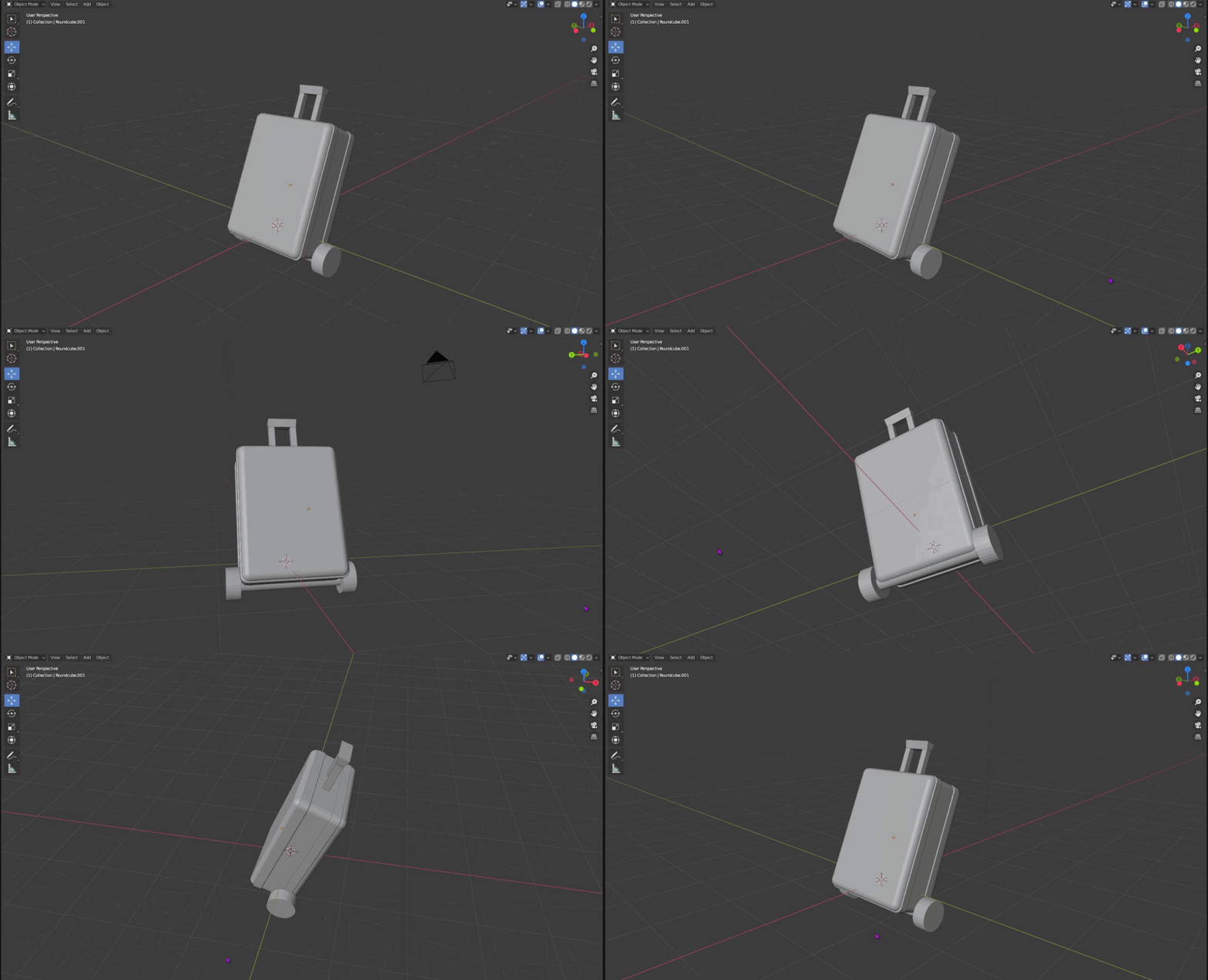 knotty barn
frosty cedar
does anyone know a good character modelling tutorial for blender
knotty barn
frosty cedar
does anyone know a good character modelling tutorial for blender
Look up CG Geek low poly character.
lime pollen
frosty cedar
should I put this into the asset store, it's supposed to be luggage
No, you'll likely get rejected because its a pretty basic object that plenty of people can replicate
stray stone
Not everything should just be an "Let's put this on the store", type of deal.
You dilute your quality, and also if you do it to often, people will see your stuff as flips.
 ruby raptor
Hello, I've been developing my roguelite 3d mobile game for some time and now I'm on the process of wanted to make my 3D character for my game but I'm a blender noob
is there a tutorial where I can easily create a mobile friendly 3d character similar to the pictures below?
even better would be a software that easily generates one for noobs like me, as i dont want to take too much time in making character and a few NPCs as there is still a lot to develop in my game.
Thanks!

 frosty cedar
stray stone
Not everything should just be an "Let's put this on the store", type of deal.
Y...
frosty cedar
stray stone
Not everything should just be an "Let's put this on the store", type of deal.
Y...
flips?
frosty cedar
ruby raptor
Hello, I've been developing my roguelite 3d mobile game for some time and now I'...
that second image reminds mea bit of SAO but with like pokemon diamond pearl kind of models
stray stone
Asset flipping, is when you make a lot of the same assets and tweak them ever so much so they can be sold as somthing else.
It's a common term for games that will use the smae free/cheap store bought assets to make basically the same game over and over.
frosty cedar
i mean
I just want to make a lot of different game assets
i made a barrel using like 3 toruses
stray stone
Why not just one cylinder?
frosty cedar
you're thinking of a metal drum
stray stone
No?
frosty cedar

something like this
gimme a sec i can post mine, blenders just being slow to load
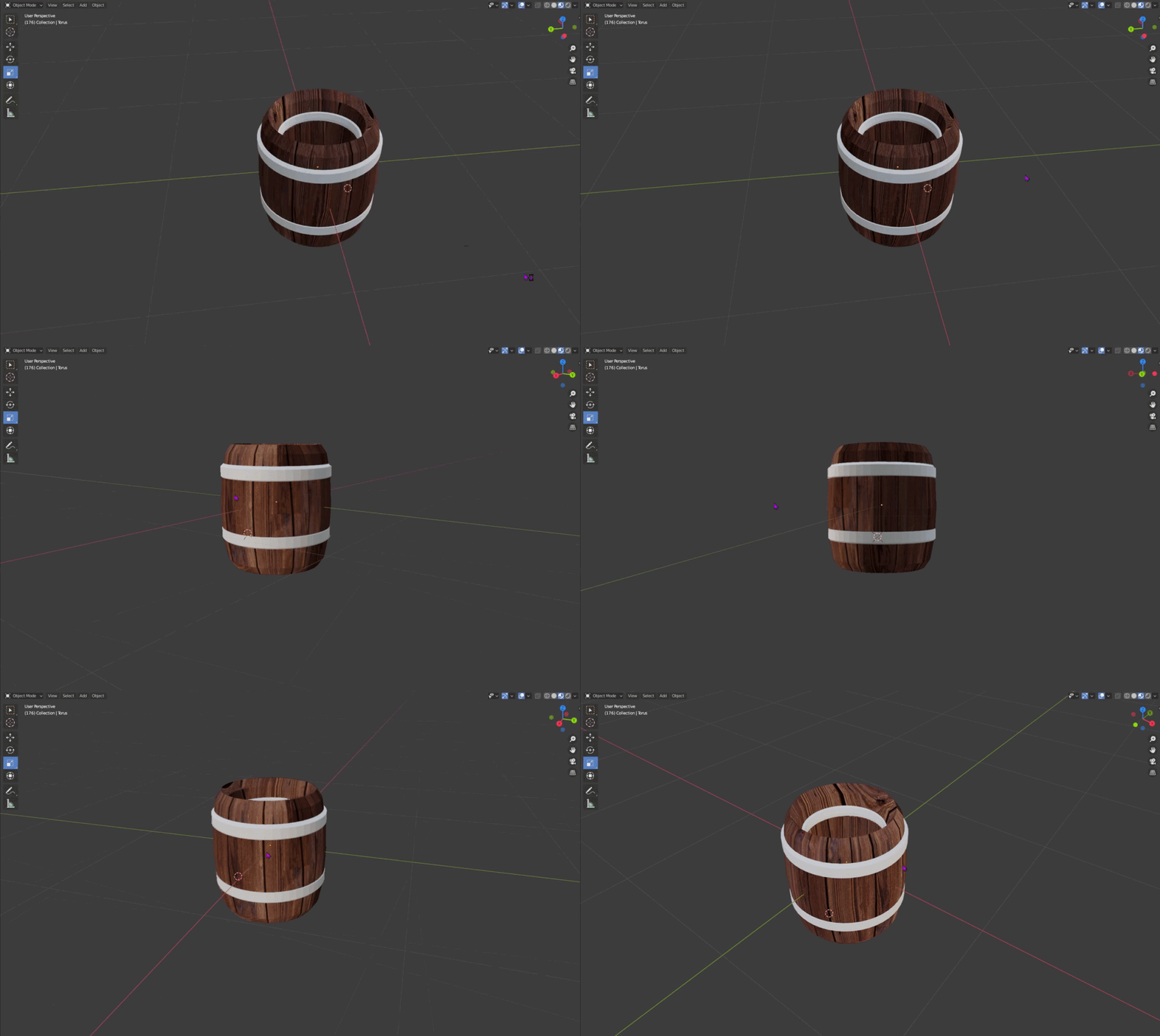
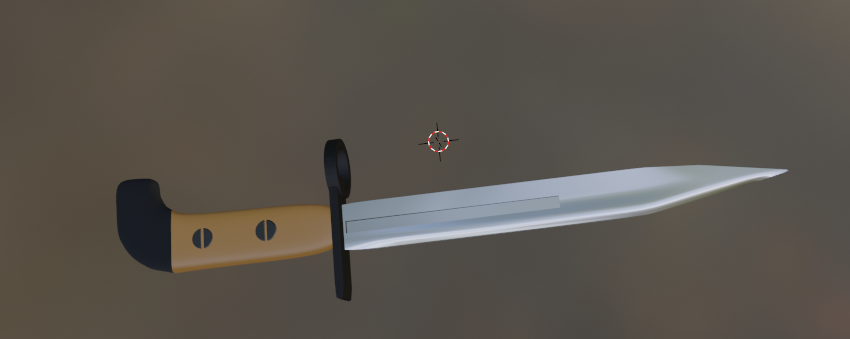
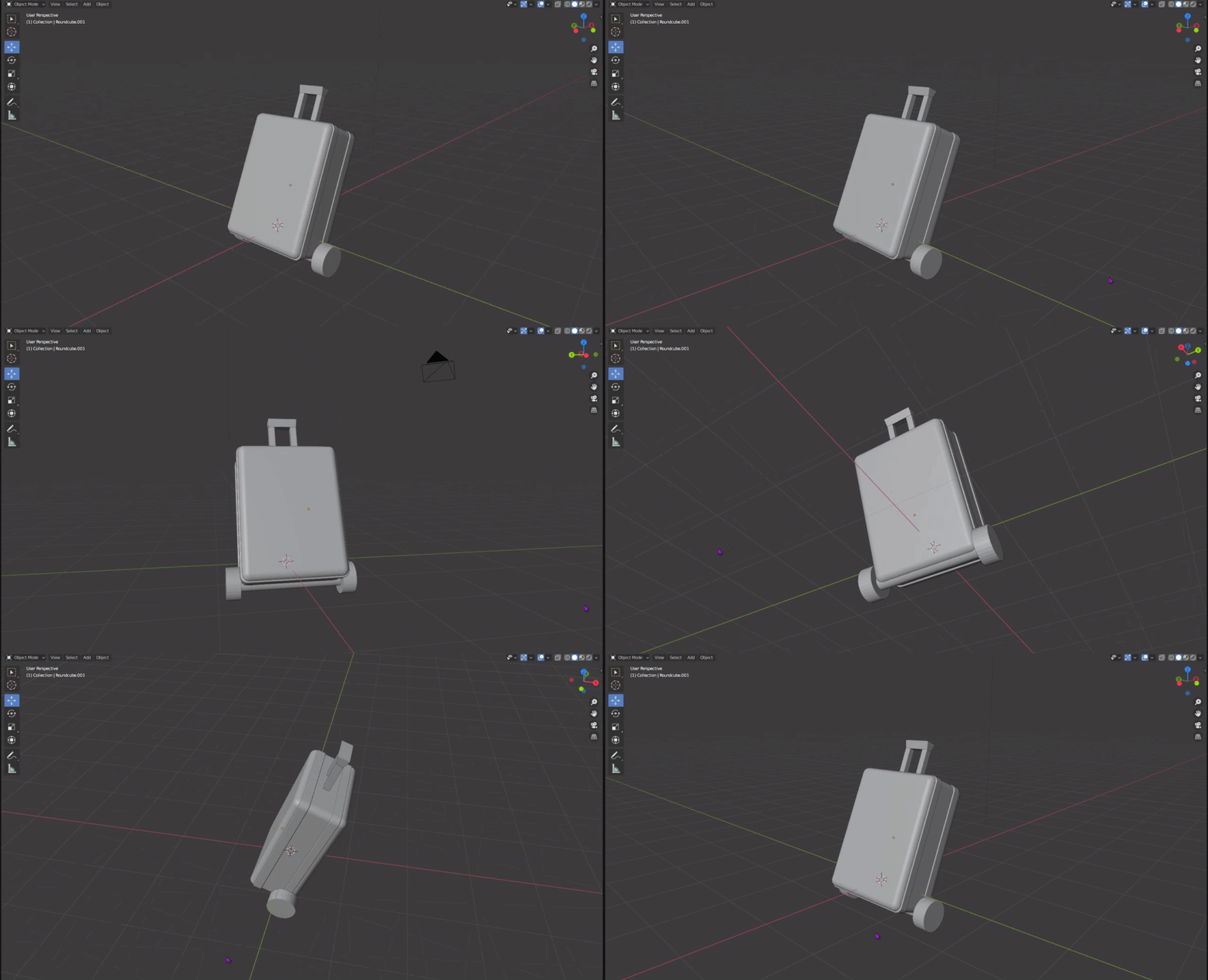


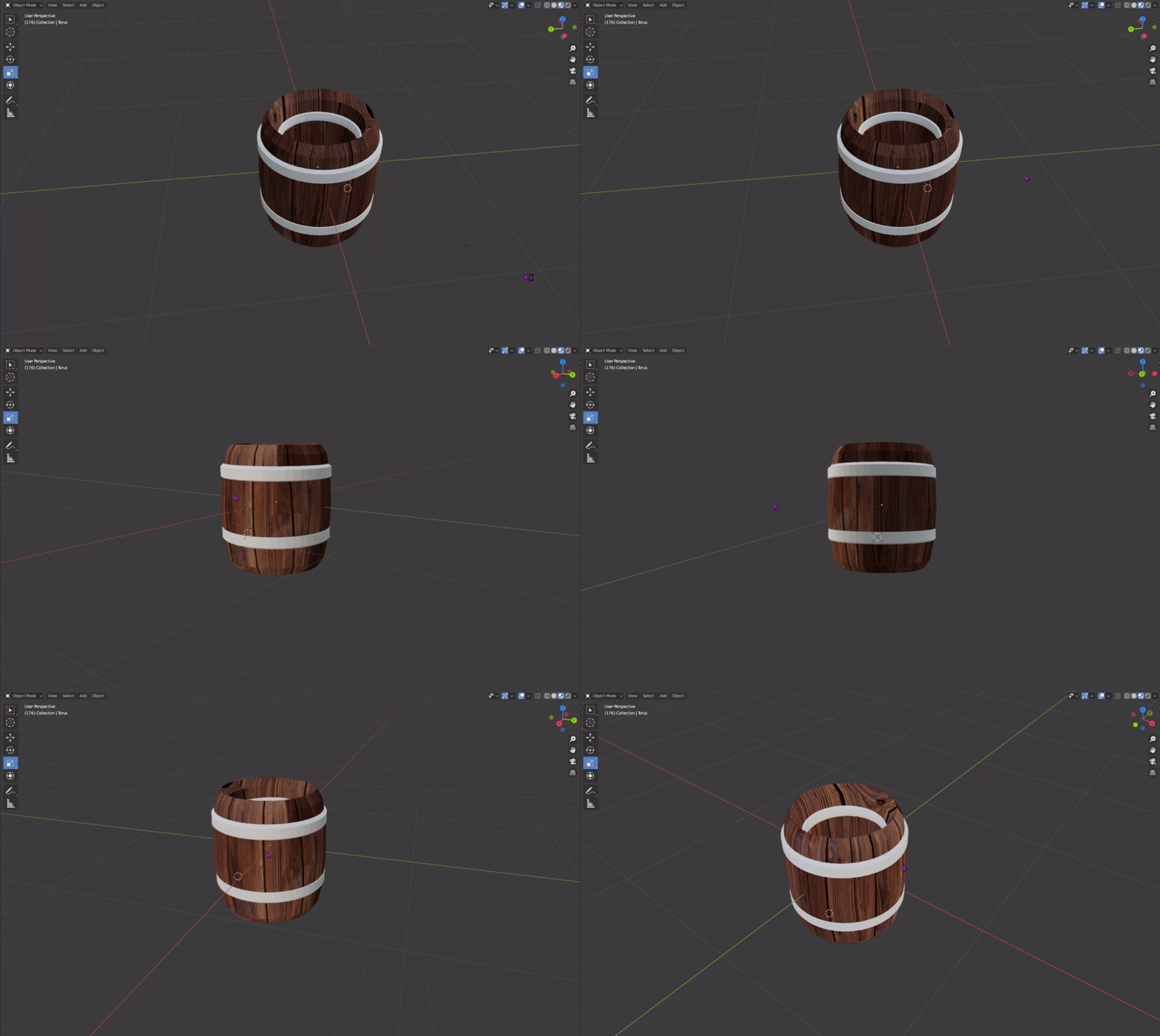 stray stone
Tip : The rings don't appear on the inside, they are on the outside only.
You contaminate the drink inside if you add the metal inside, because it rusts.
frosty cedar
i was gonna say how are you so good, then i remembered you're a professional, then I was gonna say what but then I realized that makes a lot of sense LOL
i'm just very new to blender
frosty cedar
I'm not thinking about making money