#🔀┃art-asset-workflow
1 messages · Page 46 of 1
 near lotus
 mossy fjord
I'm pretty certain that it isn't a flipped normals thing. Heres the face orientation
 gritty reef
Have you tried importing the fbx into a fresh Blender project to see if it is deformed there as well?
mossy fjord
No other shoulder is the same
gritty reef
ah okay
gritty reef
You don't have any faces or edges hidden inside the model or loose vertices hanging around?
mossy fjord
Not that know of. I've removed doubles in blender and it doesn't remove any verts
mossy fjord
Thats alright. Thanks for trying
If I apply the armature and then import to unity it's 100% fine. Is there some sort of setting that affects the weight assigned to bones in unity compared to blender?
 slate axle
Guys, when I import a model that I made in Blender, into Unity, it loses thr Emission materials. How do I fix that?
gritty reef
I don't know anything about bones and animation or any of that, but the dudes in #🏃┃animation might be able to help you if no one here throws anything out there @mossy fjord 🙂
mossy fjord
I'll give it a go. Thank you!
gritty reef
No problem and good luck!
 frigid widget
@slate axle most material propeties that are defind in Blender do not survice the import via FBX into unity , you have to adjust the materials in unity to your liking
 fluid oak
@bronze mango Stuff like tiling textures, and trim sheets.
If you can afford it, stuff like decals and vertex blending can help a lot too.
 vast roost
Hi, when I try to import a portal with color from blender as fbx into my game it just turns black and has no glow. The material is just plain white not the blue material that was added on the blender file. I dont know whats happening
vast roost
thanks
 crystal wing
Newer to Blender. I had 1/4 of this model, and I mirrored it get the other pieces. Is there a quick way to combine all the mirrored faces and edges together?
crystal wing
I tried that, it didn't work :(
mossy fjord
Are you sure that the vertices along the edges of the mirror are touching?
crystal wing
Yea, as far as I can tell. I had to leave the computer for a bit. But I'll double check that
mossy fjord
If that doesn't work you can try to merge close vertices by pressing Alt+M and choose "By Distance"
crystal wing
👍
 carmine isle
Hey guys, I want to have an outline effect on my character, think like Borderlands. Should I just do it in blender has part of the model or use shaders?
mossy fjord
Alright guys, I'm convinced that Unity is just messing with me at this point. I've retopologized this model, rerigged, the whole thing. I updated unity and reimported my model. I get the same error with the mesh formation but to a slightly different degree. The shoulders are now relatively normal but now there's a cavity in the chest area right under the neck. There HAS to be something up with importing the rig to unity. I've tried going to the rig setting in unity and changing the skin weights from Standard (4 Bones) to 255 and it's done nothing for me. Does anyone have ANY suggestions? It feels like I've tried everything at this point.
 rugged flint
looking for an artist/level designer to help with a multiplayer sandbox game
 eager mist
Can you extract a rig from an exported FBX and use that same rig on your own models?
e.g. in blender
fluid oak
You can do it directly in unity, if it is a humanoid rig
 visual geode
Hello guys! Where i can ask for a help from 3d Artist? I mean i want same 3d and can give back same code.
 lone light
Cavity as in polygons got sucked in or polygons invisible @mossy fjord ?
Also can you try triangulating your geometry in your 3d software before doing an import?
In case you don't have triangles
 lost hemlock
If I'm making a low poly 3D environment in blender, should I add lighting in blender or add it in unity?
lost hemlock
Also is Blender a good program for simple 3D animation / effects? Like special attacks in a moba or action game etc
visual geode
Any 3D Artist need a code side help? I have a proposal for you. To make a exchange code on art.
 rigid pelican
 safe silo
@rigid pelican how do you make THIS? I am a level between beginner and intermidiate at blender, but how do you create this?
rigid pelican
alot of s,e,draging
safe silo
@rigid pelican I tried copying your catana :3
safe silo
I'd love to learn how to model a sword
 vestal kelp
im trying to make shattering but when i put it into unity it doesnt say there are any slices
blender btw
any fixes?
mossy fjord
@lone light Cavity as in polys getting sucked in. The normals are all facing outwards. I also triangulated the mesh and it did nothing
lone light
🤔 if you export that mesh and import it in a different 3d tool does the same thing happen?
That would point at Unity
IF you're doing FBX you can also try a different version
mossy fjord
Which other file types support animations in unity?
I don't have any other 3D tools on my pc besides Unity and Blender so I can't test it sadly. However, when I import the FBX that I export from blender back into blender it looks and animates fine
Also when I apply the armature in blender it looks completely fine in unity but then I can't animate it
 bronze mango
How do you model and texture things that are a bit bigger without losing quality? I see three ways:
- modular: downside - each piece will have a different material
- triplanar mapping: - downside is that you'll have to place a lot of decals to avoid repetition
- one piece: downside is that the texture will look bad due to lower texel density.
I see a lot of awesome unity levels but I can't figure this thing out
near lotus
You wouldn't use triplanar mapping generally, on something like a house for example. You would use a lot of tiling textures on regular UVs.
Modular is another good way. You can create a bunch of parts and texture them all together, so they share a material. Then assemble your house with them.
Using detail maps is generally a good idea for tiny details.
crystal wing
Why is it that importing a model from Blender to Unity changes my materials? It's not even the lighting. I checked the material in both programs, and the actual hex colour is different in Unity (along with all the values for stuff like metallic being gone)
near lotus
Because 1:1 compatibility with materials between Blender and Unity isn't the expectation. You need to set up your materials in Unity.
crystal wing
There's no way around that, eh? So set up textures in Blender, if it has a texture. Then make a material in Unity and apply the texture, if it has one
near lotus
Set up textures in Blender...? I guess, only if you're doing texture painting or something.
near lotus
No idea why you would think that. They're two different programs with different shaders and different uses.
crystal wing
I know that, just thought something as simple as the hex colour code would be retained. Would baking the texture be a viable option?
near lotus
See I can't answer because I don't know what you're trying to do.
crystal wing
Fuck, I don't even know what I'm trying to do.
near lotus
It would help me if I knew what your end goal was.
crystal wing
Working on a game with a friend. I'm actually coding it in Unity, he's just making models for me. He's newer to Blender, but actually has the creative skill to make shit. I know the basics of Blender, but I can't design for shit.
He's sending me .blend files that already have materials, but I can't use them without manually creating the materials after I import them.
near lotus
Yeah that's how it is.
crystal wing
Damn, alright. Thanks.
near lotus
Are his materials complicated? Is he using nodes and stuff to make them render nicely in Blender?
Or are they just basic colors?
crystal wing
Just basic colours that are metallic and shit at the moment.
near lotus
Ok, just set them up in Unity then. It's the best solution.
 frail skiff
when bringing assets into a scene- is there any tricks to doing that efficiently? Currently using a set of assets which fit together quite well but dragging stuff into the scene always just places them wherever kinda
fit together quite well - i mean like this
 glacial vector
Holding v to vertex snap is useful for placing modular pieces
But there is also a ProGrid package in the package manager than can be helpful for level art
frail skiff
ok nice thanks alot already 2 things i didnt know
the only decent way i found is by replacing the mesh inside the mesh filter but that would not be clever since there the mesh renderer doesnt care about that right? In addition to this it is quite a hassle because i need to "open" up the hierarchy of the objects everytime since i need to access the mesh inside
so every replacement takes these steps right now
glacial vector
It's not ideal but it works
But ctrl+D to duplicate if you already have one present
frail skiff
the thing is i totally loose focus on whats which mesh cause everything is open
even with just these 20 things once i open everything up its 60
ok so importing them on from one FBX seems to save myself from having that many unncessary icons
glacial vector
And materials 👍
frail skiff
youre right its only one material now
now i am wondering tho. What if i wasnt working on this alone hmmm
then i guess ill have two of these massive fbx files with meshes in them?
glacial vector
Not sure what you mean. You wouldn't have two people working on the same mesh
frail skiff
true but i might have different people bringing different meshes in and if you have to search through multiple huge fbx "folders" it might become strange
but am i actually just doing something entirely wrong tho ? i have worked with ue before and each mesh actually is imported as that into the engine but in unity i always get two of each
im sure there is a way to not have that happen?
 junior stone
@frail skiff did you just export your scene as an fbx from your modelling software?
frail skiff
yes @junior stone
exporting them one by one did this ... (one sec making a screenshot)
since i want to access the meshes tho, to replace them i need to open them all up, you know what i mean?
junior stone
you can have them all in the scene in blender and export them separately instead of as one fbx tho
when you export, you can choose to export only selected
junior stone
oh ok, but wouldnt you just keep the .blend file and re-export them if you need to?
frail skiff
you mean import the blend file instead of fbx?
junior stone
I mean open the blend file in blender and re-export the fbx files you changed
frail skiff
not sure what you mean ? I can just export again from blender since i have the export folder and the asset folder for the project share the same location
its gonna automaticaly reimport
junior stone
what do you think will happen if the fbx file on unity corrupts?
if its all in one fbx
you re basically asking for trouble
frail skiff
hmmm didnt know thats a thing
junior stone
im not saying it will happen, but its always possible
frail skiff
but importing them one by one gives me ... this https://cdn.discordapp.com/attachments/497873833043296277/708010608192127046/unknown.png

these are.. i guess automatically generated prefabs?
junior stone
mhmm, whats the roblem with that?
they are meshes, not prefabs
if you check their inspector, they dont have a transform component
they do have import settings
are you confused about what the sphere is?
junior stone
huh
oh wait
I have things mixed up, those are kinda prefabs. but you cant edit them there. you can drag them into the scene taht way. if you open the arrow it shows you the mesh object and the sphere is the material
junior stone
you can think of the parent being a fbx file, and the mesh is a child of it together with the material
data wise
frail skiff
ok but my issue is, that everything gets extremely messy because of this
now I place an object in my scene
to replace this
i need a mesh to drag on it
now i cant just access the prefabs down in my project window
i need to open each of these prefabs up and take the mesh from there
and with only about 20 of these prefabs- stuff looks like this
frail skiff
nope sadly not
junior stone
you could click the little + icon next to the mesh field and select the mesh from there
frail skiff
now thats kinda cool but that also means i cant use folders to seperate houses - grounds and so on
my workflow seems to not work well with unity so far
lol
junior stone
why do you need to change the mesh in the meshfilter component btw?
wouldnt it be easier to just drop a new fbx into the scene?
frail skiff
not really cuz i made everything tile you know ? so i want Ground_01 at the location x 0 y 0 z 0 and Ground_02 at x 2 y 0 z 0
junior stone
so you take the mesh for 1 and put it on 0,0,0 and take the 2nd mesh and place it at 2, 0, 0
I assume what you are doing is take the first object, duplicate it and replace the mesh
junior stone
yeha I wouldnt rly do taht, just drag a new mesh object from the project window into the scene
frail skiff
is there a trick to you know.. not have it be placed somewhat random? like can i place it atleast on top of others somehow?
junior stone
you may be able to use progrids for that. that ll give you a grid to work with. alternatively you could place a plane with a collider on it and if you drag a mesh over it. it will snap to the plane
frail skiff
ok ill try that out
somehow i disabled my move gizmo during taking screenshots tho so ill have to fix that first lol
junior stone
alternatively alternatively, you can hold v to snap meshes to the vertices of another mesh in the scene
 shrewd palm
Can someone help me, ive just made a model for my game in blender, and used the uv unwrap to texture it in blender. I have saved the fbx file and when i to to use it in unity it is blank and dark. And with no texture.. Im new to blender and unity and wanted to create an asset for my game .. how would i go about doing this? thanks
junior stone
@shrewd palm you need to export the texture along with the mesh (or assign the texture to a material in unity) and assign that to the object
shrewd palm
@junior stone how would i go about doing that? i can't see the option to export texture from the export popup
Something went wrong.. this is not how it suppose to be
Thats what it supose to look like
shrewd palm
@here anyone?
 wraith kettle
@shrewd palm that looks like your normals are flipped, just from the image. Would need to look more into it to be sure
shrewd palm
@wraith kettle could you help me do that.. I have never done this before and have not a clue what im suppose to do.. Im trying to get this into the game before my deadline in 3 hours.. (part of a final course project)
wraith kettle
Unfortunately I have a meeting in a few minutes but I might be able to help after
shrewd palm
@wraith kettle no need, it was a relatively easy fix. After some googling. thanks for the help
junior stone
I dont think the @ here command works
 atomic stump
Hey everyone! Quick question for you if anyone has an answer. I am a teacher and am looking at different tools to speed up our Unity development pipeline. I teach kids about many aspects of programming, art, and project management pipelines, but character modeling, rigging, texturing, and animating is way more complex than we usually have time for. I was thinking about getting something like Character Creator 3 to significantly speed up that pipeline, but I am wondering if anyone with industry experience can tell me if that is a bad move to make from a high-school-preparing-kids-for-the-workforce perspective. Anyone have some guidance for me? 😄
carmine isle
Is there a reason why I have a blender exported model and when I put a camera inside I see the inside of it's head, but when I use a simple cube and put a camera inside it, it doesn't take it into account?
eager mist
@carmine isle If you want to see the inside of a model use a material with double face (or something similar) set to true
eager mist
Hello
safe silo
hi
 lofty pewter
I have a question, if its not a good practice to use more than one mesh collider, how will I make my rigidbody + mesh to not fall through the terrain?
Should I use the hitboxes instead (not very precise..) ?
 young saffron
The trrain should have a collider
you should be sure that your mesh collider is effective
lofty pewter
I am talking from the pov of the rigidbody, the terrain mesh collider works but If I have 40 Multiplayer players in on game, I cannot have a mesh collider for every player
unity doesn't let u do that
performance wise
glacial vector
You should use primitives for characters. You don't need that many capsule colliders for a pretty solid hitbox
 quiet tulip
How in the world r u guys making these masterpieces in Blender, its so hard
 wary eagle
small wip on my Sample scene!
gritty reef
Hella cool Simon 🙂
 trail coral
ok maybe i can ask here since all the other channels are ping-shitposts....
How can i in shadergraph, project a texture without a UV map?
In Blender, you use the Texture Coordinate + "Generate" slot - how do i do that in unity? 🤔
https://cdn.discordapp.com/attachments/497872469911404564/708331237504450570/unknown.png

 stray stone
@trail coral There isn't anything like the blender generate slot, I would suggest looking up tri planar shaders.
trail coral
i'll do that then, thx ☺️
stray stone
No problem.
 buoyant bluff
,ohiury nguyg owergiw eypawyhgiliesh
 dreamy ether
@trail coral there is a triplanar node which works simmilarly to sample texture 2d
trail coral
oh there is? 😮
 daring crystal
hi, sorry if it's the wrong channel. I'm trying to use an unlit shader graph, but when I apply it to an object it just disappears, even though the material's thumbnail display correctly
could someone please help?
eager mist
@daring crystal It's more of a #archived-shaders question instead of #🔀┃art-asset-workflow one
daring crystal
didn't see shaders channel, thanks
safe silo
@knotty cedar
 knotty cedar
Шо (What?)
 void narwhal
ok im using blender and just got the blenderkit addon, how do i even open it
been looking around for hours
the website only shows how to install the addon but how do i open it in blender 2.8??
safe silo
Шо (What?)
@knotty cedar сори случайно тебя пикнул
 pallid fractal
@void narwhal
 maiden tangle
Anyone open to some modeling work let me know, bitgem style payment through paypal. (Message portfolio/example piece) Thanks!
 empty spire
hey guys i have this headbob script that I attack to my main camera to make my camera bob in a sort of parabolical way but its not working, can anybody tell me why?
{
    public Vector3 idlePosition;
    public float transitionSpeed = 20f;
    public float bobSpeed = 4.8f; //speed that head bobs
    public float bobAmmount = 0.05f; //how dramatic the bob is

    private float timer = Mathf.PI / 2;
    private Vector3 camPos;

    void Awake()
    {
        camPos = transform.localPosition;
    }

    void Update()
    {
        if (Input.GetAxisRaw("Horizontal") != 0 || Input.GetAxisRaw("Vertical") != 0) //is moving
        {
            timer += bobSpeed * Time.deltaTime;
            //timer to set position
            Vector3 newPos = new Vector3(Mathf.Cos(timer) * bobAmmount, idlePosition.y + Mathf.Abs((Mathf.Sin(timer))), idlePosition.z);
            camPos = newPos;
        }
        else
        {
            timer = Mathf.PI / 2; //reinitialize
            //smooth transition from walking to stopping
            Vector3 newPos = new Vector3(Mathf.Lerp(camPos.x, idlePosition.x, transitionSpeed * Time.deltaTime), Mathf.Lerp(camPos.y, idlePosition.y, transitionSpeed * Time.deltaTime), Mathf.Lerp(camPos.z,idlePosition.z, transitionSpeed * Time.deltaTime));
            camPos = newPos;
        }

        if (timer > Mathf.PI * 2) //completed a full cycle; reset to 0 to avoid bloated values
        {
            timer = 0;
        }


    }
}````@empty spire #💻┃code-beginner will probably find you more people to help
empty spire
thanks
 bold jungle
Does anyone know what's the issue here? I am trying to use ProBuilder's Fill Hole option but it doesn't seem to create a face on my geometry
I tried Select Holes, then Fill Holes
For reference this is how the geometry looks like
 inland tulip

 true laurel
Is anyone willing to make me a 3D model of siren head for free?
safe silo
made in 5 minutes in blender
true laurel
Is that a bow?
safe silo
Is that a bow?
@true laurel yeah
 latent dome
Nice ! @eager mist
 compact girder
hi I am new to 3d modelling. I was trying to import a .fbx model which i have downloaded from a website. After import, the entire model looks a bit metallic and no material can be found on model. But when i import same .fbx in unity, I get the correct output. attaching screenshots
I need to edit that model in blender 😐
inland tulip
 eager mist
Wow.
latent dome
nice !
inland tulip
thanks ^^
 tender sail
How do I remove duplicate vertices when I do not have the button for it
Wanna merge the arm and the body together
Like so?
Even the search button says that my blender does not have that thing...
Having the latest blender problems?
 coral hemlock
@tender sail That option moved in the new blender, it's now in the menu under: merge vertices -> by distance
coral hemlock
did you have everything selected? you're sure they are exactly snapped on top?
tender sail
Well I think my snapping tool isn't working properly
'cuz if it would've worked properly then the vertices would be on top of one another
But not sure how to fix it
In older versions you were supposed to hold down CTRL
But now it doesn't snap in place
coral hemlock
there's snapping options at the top of your screen
tender sail
even tho' I have snap to vertices enabled
coral hemlock
are you in vertex mode? might have to do them one by one if the geometry doesn't line up perfectly
tender sail
"vertex"*
coral hemlock
and it's toggled on?
tender sail
coral hemlock
seems legit, and they don't snap? none of your screenshots have been in vertex mode, which may be necessary for snapping vertices
tender sail
well I have been in in every mode possible and they don't even seem to snap
They move too "smoothly"
Not like a grid based thing or smthing
coral hemlock
weird...you're just using G to move the vertices?
coral hemlock
sure what the hell
tender sail
@coral hemlock Thanks for the help! 😊
 high shore
Hallo, how do you change what colours a model is using from the texture file? I have one with a multitude of colours but it's looking at a specific bit of the texture
tender sail
Can someone explain this "shade smooth" to me?
Why does this happen to only one part of the body?
gritty reef
I had an issue like that that happened on some mirrored stairs and I couldn't figure out how to resolve it.
eager mist
How to make 3d character?
tender sail
@eager mist Do you wanna create a human?
maiden tangle
turn the bloom down senpai @eager mist
I think the lighting is the first thing I would notice, hard to make out the rest of the model in the shade let alone with the glow
cool concept! like the gun is flowing to show power, maybe flickers when it's low kinda thing
tender sail
Question: Do you have to set up a simple rig onto a player model in Blender when you're gonna later on export it into Unity... Or can I skip that and do it in Unity?
rigid pelican
in progress
maiden tangle
lower is kinda wide
looks sick!
@tender sail Unless you try third party assets it's not something you want to be animating characters in (at least humanoid)
anything's possible though I'm sure, but I do know you can't make rigs in unity natively
tender sail
@maiden tangle I guess I have to rig them up in blender then?
maiden tangle
@tender sail yep or get an asset on the store but none free that I know of
 tepid blade
Unwrap it properly
eager mist
how so
tepid blade
what does your model look like?
 foggy siren
Hi Everyone, I have a strange problem with Blender FBX export to Unity. My default pose when exporting all clips in an NLA stack is a pose in an animation not even being exported. For example, here is the exported FBX default pose in Unity:
Here is my NLA stack and the pose I want as my default in Blender:
The TPose clip is the first in the NLA stack, and it's also the first animation in my list of Animations, I appended an "A" to the Animation Clip name to bring it to the top. No matter what I do, when I import into Unity, I get this strange default pose.
Now, why this is a Unity problem and why I am asking this question....
This is the correct pose when I don't use a humanoid rig in Unity, It comes in as a TPose (Great!)
Only when I select Humanoid does it get this strange default pose.
I figured this out just by experimenting... The default pose is not the first FBX file exported from Blender, it's the first animation clip in the Clips list in Unity:
Unity does not have a way for you to move the clips around in this view, (you cant move the clips up or down in the heirarchy). So you need to get this correct from the start, you remove all your animations, and ensure TPose is your first animation clip. And then you manually re-add all your other animations into the list and set them to the correct animation.
What a giant pain in the ass this, since you can't control what order your animations are exported in Blender. The NLA strips seem to have no effect on the order your clips are exported and seemingly use some other property on the file as the order they are imported into Unity. Maybe a timestamp on the animation clip? It seems arbitrary and probably something Unity or Blender need to sort out..
Sorry anyone if you are getting notifications on these posts.. I just Rubber Ducked this one.
Unity really needs to add the ability to move Animations up or down in the Import window:
eager mist
@tender sail yes
tender sail
@eager mist This video is really helpful: https://www.youtube.com/watch?v=aAO4C_8y0w8&list=PLFt_AvWsXl0f4c56CbvYi038zmCmoZ4CQ&index=2

In this episode we model a low poly character in Blender, to be used in the RPG series.
See Brackeys' channel for the programming half of this series: https://www.youtube.com/user/Brackeys
Download reference images here:
https://www.dropbox.com/s/q12ji6k6bf3fa8a/Player ref...
Takes a lot of time at first, but when you master it you could do it in 10 minutes or less...
true laurel
Hey, so I have a enemy that I just added a running animation too, before I added the animation I had a follow script for it to follow the player, after I added the animation it now just runs in a straight line the direction it was spawned. Can anyone help?
eager mist
You should not be afraid to use photos and real world refs for human anatomy
does blender support unity??
with like textures and stuff
More like the opposite
Unity supports stuff produced with Blender
eager mist
^
 loud fable
can anyone gove advice on a good way to get started learning basic modeling
maiden tangle
youtube series @loud fable
loud fable
Thanks!
eager mist
Introduction to 3D modeling for games
http://skilljutsu.com/views/gamedev-art-intro-to-3D-modeling-for-games.html
A decription of common 3D modeling workflows
http://skilljutsu.com/views/gamedev-art-3d-modeling-techniques.html
And then you should try to find some Youtube Tutorials on how to get started with BLENDER 2.8x
APPS
- Blender 2.8x (modeling)
- Sustance Designer & Substance Painter (texturing)
- Unity (assemble everything in-game
rigid pelican
eager mist
Can anyone help me on a project
maiden tangle
@eager mist what kind of help did you need?
bird merchant? fun thing in my spare time tonight
glacial vector
Cute!!
maiden tangle
ty!
maiden tangle
Yessir most definitely, asap tomorrow 🙂
junior stone
feel free to tag me 🙂
rigid pelican
gritty reef
LOOK AT HIS HAT oml it's so cute
junior stone
@rigid pelican so much bloom
safe silo
@rigid pelican IT'S AWESOME!
rigid pelican
yea i like the bloom effect and omg the pings xD
gritty reef
Is it a staff? Is it a mace?
Yes.
safe silo
yea i like the bloom effect and omg the pings xD
@rigid pelican I do not understand how you can do it
 gritty reef
The glorious bloom button
safe silo
@safe silo https://gyazo.com/d88fab43e4ed70a7d4e847890261ef1e
@rigid pelican sorry, what did you send?
safe silo
Yeah, I know bloom, I just do not know how people make such full-detaled and very very beautiful models
gritty reef
I'm looking into getting a tablet for 3d. Specifically for hand painting textures but could see myself doing some sculpting on it. I don't want one with a screen, just a flat drawing tablet. Does anyone have recommendations or suggestions for my search?
gritty reef
hahah fairs
safe silo
I'm looking into getting a tablet for 3d. Specifically for hand painting textures but could see myself doing some sculpting on it. I don't want one with a screen, just a flat drawing tablet. Does anyone have recommendations or suggestions for my search?
@gritty reef though I'm not very good at sculpting and awful at drawing, I've got a tablet wacom Intuos S and I can recommend it
wary eagle
Small WIP! 😋 https://media.discordapp.net/attachments/700021894870597753/709455680032997407/unknown.png?width=877&height=475
https://media.discordapp.net/attachments/700021894870597753/709455610722385960/unknown.png?width=877&height=475
https://media.discordapp.net/attachments/700021894870597753/709455540778172437/unknown.png?width=877&height=475


1x 4K texture set.
gritty reef
@safe silo I was looking at the Intuos M on the recommendation of Protag. I had/have a Wacom tablet from many years ago (I think it was like a 14th birthday gift from my parents) and it's lasted forever and I had a great experience with it. But it's a cheapie, has some lag issues now, and I want something solid that I can use for the next 5+ yrs.
safe silo
@safe silo I was looking at the Intuos M on the recommendation of Protag. I had/have a Wacom tablet from many years ago (I think it was like a 14th birthday gift from my parents) and it's lasted forever and I had a great experience with it. But it's a cheapie, has some lag issues now, and I want something solid that I can use for the next 5+ yrs.
@gritty reef Well, I think mostly the tablets can be usable for 2-3 years
 rain sky
should i use c4d to model for unity or should i use blender
 proper lagoon
I think its personal preference, i use Maya
glacial vector
c4d isn't really made for games. It's possible, it just doesn't have the same toolset
safe silo
should i use c4d to model for unity or should i use blender
@rain sky I used c4d earlier, but it's AWEFUL for games so I moved to blender
rain sky
i guess iam gonna go for blender then
 young spire
@eager mist i realize you asked a while ago, but here's a great infographic for blender-> unity

By default, unity imports blender .fbx files as each object having (100,100,100) scale parented to a single (1,1,1) scale object. It is TERRIBLE. The above settings make eevrything work flawlessly.
Note that materials and textures are not totally compatible! You'll have to remake all of your materials within Unity to get them to look right.
gritty reef
Did 3d move? I feel like we moved...
latent dome
Yes I think too
 glacial elm
hate change. And specially when its not organized. Numbers are always at the top of a organized library. Not letters. Numbers. I feel like i want to scratch my face off
eager mist
Can anyone help me with my gun and enemy damage script???? Just @ me and I will send it inb DM thanks!
maiden tangle
@eager mist #💻┃code-beginner
eager mist
thanks
maiden tangle
@junior stone will probably get back to finish this soon but here's the base
junior stone
That's looking pretty clean on top as well. Great work man. I rly need to get on thst hand painting textures lol... @maiden tangle
maiden tangle
a lot of fun! cheers
 teal mesa
Hi,does anyone know what might be causing this problem
Clicking Swap UVs fixed it, dose anyone know what it did?
fluid oak
@teal mesa The mesh has multiple UV maps, one for the texture and one for lighting. They were in the wrong order, so the lightmap UV was being used for the texture.
teal mesa
Ah that makes sense, thank you for the heads up
rigid pelican
 molten venture
is it normal to make a 3d stage in one go in Blender for a small arena game?
wary eagle
Small render into substance. 😋
Still need some extra polish, and some small parts are not textured for now.
 final granite
how to setup hair particles? Like I don't want hair on horns for an example, I can't find how to tweak "area of effect"
 silver crescent
Just added this image but it isn’t vertically and horizontally as same as the cube and yes I’m new to blender xD
Nvm got it
gritty reef
Just a heads up @silver crescent, you can use ALT+PrtSc to take a screencap of your currently selected window and then CTRL+V it into discord.
silver crescent
ik but I'm too lazy lol
 old snow
thats literally easier than taking your phone and taking a picture wtf
wary eagle
And WIN+ALT+ PrtSc will take a screenshot, and save it in C/Video/Capture
Can be useful if you need more than 1 screenshot!
fluid oak
Is there a good LWRP lit decal shader anyone could recommend?
 queen mulch
projectors are not supported by SRP and LWRP.
fluid oak
I know that there is at least one unlit decal shader that works fine in urp.
So it seems to be more that 'it doesn't come with one' than 'it can't be done.'
 sleek spear
whats the best way to add custom clothing to a 3d character? so you can mix and match shoes, pants, shirts and so on
old snow
good question buddy, been trying to find that myself for a few weeks
junior stone
its quite simple, all you need to do is make a base model and add all of the clothes on top of it with separate objects, or if they need soft-skinning you can do the same thing in blender and add weights to them, then hsow or hide the right clothes
junior stone
I was faster
old snow
yea
i kept going :DD
you could use cloth physic asset, ive seen a few in the asset store
junior stone
depends on the art style of the game tho
old snow
but that takes up on the performance i guess
Also ive seen some mesh masking, but havent really found out more, but basically you masked out the body mesh that was underneath the clothes to remove clipping
well idk how that really works
 naive garden
I'm trying to import a downloaded FBX file into my unity project but when I do so the mesh is all grey and untextured. Does anyone know how to fix this?
glacial vector
You need to also import the textures and set up a material
naive garden
Okay, How do I do that?
glacial vector
just... drag it in
naive garden
glacial vector
If you haven't done this before you should look up a tutorial
naive garden
I've watched a few but they all talk about this "Export Materials" button under the mesh but when I go to it, it's greyed out
glacial vector
Yes, I believe that's not used anymore
 woven quiver
im making a 3d model of my desk with Blender (i will make my whole room soon or later) and i wanted to know how i can make it so if i point and click on a draw, it opens and closes
glacial vector
That's a coding question
woven quiver
dont i like have to set something up in blender as well?
glacial vector
You need the drawer to be a separate mesh so you can move it independently in unity
woven quiver
define "mesh", sorry im not understanding 😅
glacial vector
if you make to cubes in blender and export them both as a single file, they are still separate meshes
Which means you can move them independently
woven quiver
ah i see
 heady hedge
would someone be able to help me, im pretty new to blender and im trying to make a car, im currently working on the wheels and i cant get them to have any thickness they are just a circle, can someone help me fix this?
woven quiver
How do i make multiple meshes a single thing?
cause im getting this in unity:
this could be usefull if i wanted to apply physics to the desk but that's not the case
glacial vector
Select the objects you want and ctrl+j to join
woven quiver
Oh thank you :D
 robust breach
Does anyone know why the trees are not generated with a random size as they should?
ive beens stuck on this shit for days
gritty reef
@heady hedge You can go to edge select, hold ALT and click the edge to select the ring and press F to smart fill the empty area. You'll have an NGon and can break it up by selecting vertices and connecting them with J until you've got some nice quads.
@silver crescent Similarly, select pairs of edges and F to connect them with a new face since your area is more complex than Miffy's.
Actually, I didn't notice you don't have a bottom face on that. You can select the edge (r), extrude it straight down, and then merge vertices at the (g) corners.
silver crescent
Thx
woven quiver
im having issues with blender and unity
i just finished a model of my desk
imported it into unity
and it seems like whatever face is exposed isnt loading
glacial vector
Your normals are inverted. Select all your faces and go to Mesh>Normals>Recalculate outside @woven quiver
woven quiver
on blender?
glacial vector
yes
crystal wing
woven quiver
it fixed it, thx 
crystal wing
Not sure if this is the right place for this. Just trying to understand the issue better first, I guess. I'm repurposing SteamVR's highlighting script to show where an item can be placed.
But the highlight it makes is... idk... one sided? So that you only see the inside edges of it.
This is fine when the highlight is ON the item it's highlighting, but when I place that highlight elsewhere, it's odd.
 sage viper
Hey guys, I am very new to 3d modelling and I have started learning modelling using Probuilder and Progrids in unity. I have faced one issue where I'm unable to change geometry of the shapes( for example moving the faces of an object). I think this happened when I merged all the objects into a single game object. Can someone help me out with this as i need to change the positions of few objects in the scene. Thanks in advance 🙂
 night socket
can someone tell me why unity isn't getting any of my textures from the .blend file I have?
here's what it looks like in blender
exporting fbx (I've tried everything. path set to copy with embed textures set to true etc) brings even worse results so don't tell me to do that
fluid oak
Couldn't you just import the textures separately?
night socket
no because there's too many and I don't want to spend ages making materials
also the fact that if I have to make changes to the texture later on I have to update it in Blender and Unity which is just annoying
 cedar spoke
Export it as stl
night socket
STL doesn't seem to be supported by unity
and I'm not adding another extra plugin to support it
wary eagle
eager mist
hi is there a designer here that can design for free i will pay u if i get some money from thegame
i really need a designer bc this is my first game
 last vine
Have you tried youtube tutorials? They're quite helpful I'm finding.
last vine
Yeah I feel it.
last vine
I wouldn't call myself an experienced one, I'm learning the basics myself
But I'm trying
 shrewd mortar
Hey guys, i have a small question, is there a way to put a background image that doesn't change in a 3d scene instead of skybox?
maiden tangle
well a skybox originally is a box of pictures
from all angles
the procedural skybox unity uses wasn't how it always was, there are free examples on the asset store that you can replace with your own images @shrewd mortar
 pseudo aspen
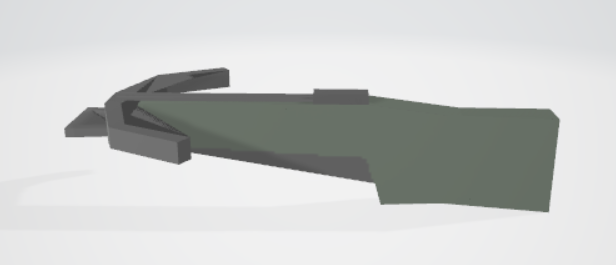
hey! im a super noob to unity, i just got it a few hours ago. im looking for help with something very specific. i want to make a mod for a game that uses the weapon models from unturned, and the unturned weapon models are in a unity package, and the game requires "3d model" files to use in the game. i thought i had done it right when i exported the Ace revolver, i right clicked the texture, [ https://prnt.sc/sgktei ] and exported it from the microsoft 3d texture viewer. But when i do the same with the crossbow [ https://prnt.sc/sgkwly ] it looks like this. [ https://prnt.sc/sgkx6i ] , basically i need a way to export this ( a model and the texture ) as a FBX file. if anyone responds to this please @ me as i likely wont see the message if you dont. thanks!


 maiden tangle
not quite sure what I'm doing on this one yet
maiden tangle
final granite
my first proper weapon model, painted the texture manually in blender, i'm pretty pleased with result 
any suggestions for improvement?
old snow
kinda looks like chinese plastic gun 🤔
 ember fox
Guys is there any easier way or tips to weight paint voxel characters?
night socket
also in relation to my problems with unity not importing 3d objects correctly (textures not importing) and that according to some people that it's impossible for unity to be able to do that and it's not it's fault for whatever reason, godot literally does it fine with no changes to my blend file at all while unity cannot do it at all.
I see no reason why unity shouldn't be able to do one of the most basic things it should be able to do as a 3D game engine.
final granite
unity wont load blender procedural materials ?
queen mulch
@night socket Unity can do all those things just fine. Are you having problems with importing texture sets? or materials ? or materials with blenders node based procedural textures?
glacial vector
No, you would need to make them inside unity @final granite
final granite
 that sucks
glacial vector
They are entirely different render engines. But with ShaderGraph you can do many of the same things
final granite
wish i asked first, instead of spending hours on nodes 😅
queen mulch
You can render those textures and set them in unity if you wanted
final granite
how? 🤔
queen mulch
You would need to use a technique called Texture Baking. Lots of tutorials , bake out the textures save them and in unity add them to a material.
night socket
@queen mulch they're materials that literally are just principled bsdf with a image texture attached. All of them.
Keep in mind:
Godot doesn't have a problem with this at all
Some materials work fine in Unity, some don't (seemingly completely random. Trust me, I've checked every multiple times)
I also can't just import every texture and make a material for them by hand since there's a tonne of them and it'll also mean when I update 1 I have to update it in both Unity and Blender
final granite
thanks
 wide wasp
If you don't like how it imports your files, write your own importer.
 frozen vault
can someone send me script how to make a active ragdoll?
glacial vector
Oh hello, yes this is wrong
This channel is for 3D art related questions
You should ask in #💻┃unity-talk
Take 2 😄
gritty reef
@glacial vector I'd just like to say, your patience and helpfulness astounds me sometimes.
glacial vector
You're the second person to say this to me today 😄 Thank you, I appreciate it
I'm the oldest of five kids in my family so I've built up huge reserves of patience
maiden tangle
Haha I know this all too well.
 hollow wedge
hello, is it a bad idea to store uvs outside the 0-1 grid?
maiden tangle
outside of the texture space ? only temporarily to organize, uv's have to be in the texture space to work.
@hollow wedge
hollow wedge
i have big buildings and if i fit them in the texture space 0-1 they will have really crappy texel density
i could tile the shaders but then id have to make alot of shaders, which sucks for batch rendering
i tried to set it up outside of the 0-1 texture space grid, the lightmapping works fine and it tiles
bad idea?
 leaden pivot
hollow wedge
leaden pivot
hollow wedge
what is this 🐛bug🐛?
 maiden tangle
@steel bobcat what have you done
 steel bobcat
LOL
maiden tangle
I'm not sure what software ur using but I would imagine it's done by hand
reset position and then half snap ?
that's my best guess
steel bobcat
ok will try
im using unity
there is this steam game that lets you have mmd models walk around your desktop
im trying to import non mmd models from a mobile game(for myself)
theyr unity so im just trying to piece them back together and then see if i can import them somehow
maiden tangle
I would ask the author what program they used and if they have any suggestions for snapping the pieces as well
oh it's ripped or something yea, good luck anyway.
steel bobcat
ty ty
hollow wedge
@maiden tangle sorry mate, but do you have any idea what that black screen bug is? i've been getting it a lot in U2019.0.3
maiden tangle
I would upgrade to 3.9f1 but it could be a number of things from outdated drivers, editor layout needing to be reset to a render pipeline bug
@hollow wedge
hollow wedge
@maiden tangle thanks for the tips, much appreciated
 maiden tangle
yea might be better to merge vertices in blender so it's not separate
 humble shadow
Help me I don’t working
latent dome
You have to correct all the errors before playing
But I think it is not the right place for this message
wary eagle

ArtStation
AANF 1 Made for "French Foreign Legion" mod, for the game "Squad".
I was in charge of the textures only!
I have applied for a small damage pass on Zbrush.
Drakoliche made the Low Poly + High Poly
13K tris
1 x 4K texture set.
latent dome
Nice
wary eagle
Thanks!
gritty reef
Fantastic as always.
ember fox
I used weight painting on my voxel character (imported from magicavoxel) in Blender 2.8+. The painting looks fine (pic 1) however, for example the arm bone affects the body (pic 2)
Why is that? 😄
All right I figured it out but I can't remove my message (don't know why), just ignore it
 maiden charm
guys im imported model and in the viewport its looks normal, but when i try to render geometry is shifted, why ?
rigid pelican
 onyx summit
dont know if this is the right channel for this but what you guys think?
 glacial thunder
It is the right channel :)
Looking pretty good, especially those barrels!
onyx summit
im really just playing around trying to learn unity
near lotus
A lot of the stuff shared here is just WIP stuff and people messing around in unity
wary eagle
https://www.youtube.com/watch?v=e8KHiEsOeHQ Coming soon!:)

Low Poly Vehicles Controller available soon on the Unity Asset Store!
 thorny wasp
If anyone knows, How much would i expect to pay for a Model like this:
maiden tangle
$125+
thorny wasp
@maiden tangle and if i were to sell a model like this? £5 is fair you reckon?
 green kindle
depends on the level of detail, topology, what tier of poly is (high, low, mid, etc) if it's rigged and so on
but yeah, for a high poly, detailed, rigged game ready model could easily be 125+
for high quality game ready low poly $30 to $40
 sullen urchin
Hey, so Unity completely jacked up one of my imported models. Could I get some help with this?
Here's the model in blender
also yes I know it looks grody it didn't need to look good
And here's the same part in Unity
I opened the fbx of the model itself, it's all fine
But when I import it into Unity, it gets all messed up on that one wall
 wintry yoke
Not sure if this question belongs in 2D or 3D… is it possible to mask a 3D object that's a child of a 2D Image that has a Mask component? In particular, I'm using URP with the shader graph (learning it just now)
wintry yoke
Another solution I could entertain is if I can get one 3D object to act as a mask for the first 3D object.
glacial vector
You'll need to use an occlusion shader for that probably. I don't think UI can mask 3D objetcs
eager mist
How to replace the player with the model i created in blender
junior stone
@eager mist you typed that in discord instead of google
eager mist
Well sh t
 strong edge
in blender, how to I move an object to that a selected face of the object is aligned with z=0?
like if i add a cube and move it to some crazy position, how to I move it so that the bottom face of the cube is laying perfectly on the x/y plane
sullen urchin
Hey mates could I get some help to the question I asked earlier? I'm just entirely lost as to how to fix it.
fluid oak
@sullen urchin Have you tried switching the uvs maps in the importer?
glacial vector
This is not the right channel @eager mist but just click on the arrow... It's a drop down
eager mist
Sorry, I don't know what I was thinking. I figured sense my game was 3d might as well ask in here, even though it is for 3D are. Sorry, also I meant the box not the dropdown arrow, I'm new to unity.
glacial vector
post again in #💻┃unity-talk
sullen urchin
Hey, so I'm asking here again lol. It seems like I've found why my mesh is so jacked up. It's "inverting" certain areas on the mesh, where their texture is displayed on the inside rather than the outside, causing the faces you look at to be transparent. Is anyone else having this problem with imported 3d models? Is it fixable?
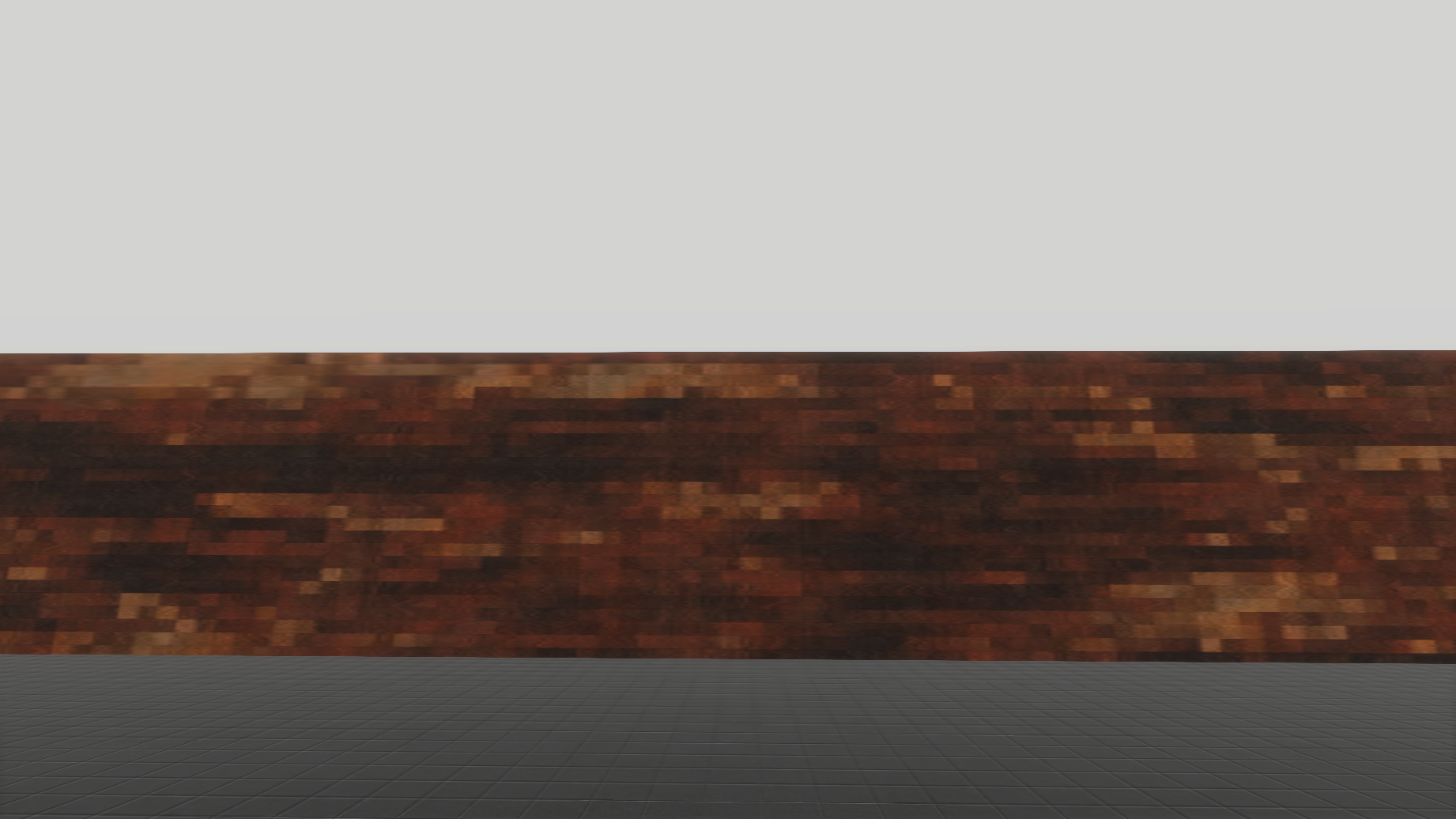
eager mist
does anyone know why this 4K texture looks so trash? (although I'm looking at it on a 1080p monitor) the floor looks great though, so not sure why this texture looks so naff :(
 sullen urchin
Can you send the link where you downloaded it from?
eager mist
sure

Browse through hundreds of high quality PBR materials and enjoy 30 free downloads per month on Substance Source with a Substance subscription. Accessible from your browser or your favorite creation tools.
first one on there, the wood pixel one
sullen urchin
Looks like I can't download it without a subscription, so idk
What modeling program are you using?
eager mist
not using one, it's a standard Unity 3d Plane with the SBSAR used as the material, hmmm, not sure whats causing it...
sullen urchin
Yeah, I dunno then. I haven't used SBSARs much. Sorry I can't be of help
eager mist
no worries, i'll keep investigating
thorny wasp
Anyone know where i can get some free Teenager 3D models? Male and female
eager mist
Hey, so I'm asking here again lol. It seems like I've found why my mesh is so jacked up. It's "inverting" certain areas on the mesh, where their texture is displayed on the inside rather than the outside, causing the faces you look at to be transparent. Is anyone else having this problem with imported 3d models? Is it fixable?
@sullen urchin if you are using blender you can recalculate normals or flip normals manually
sullen urchin
Ahh aight. Don't normals have something to do with which way a face is facing?
eager mist
Yea you can see it that way
sullen urchin
Alright, I'll try that. Thanks!
wary eagle
Rifle grenades for SMF. https://www.artstation.com/artwork/Vd54k8

ArtStation
Rifle Grenades made for "Squad Mod France", a French army mod for the game 'Squad'
Around 1000 - 1500 Tris each.
APAV F2 (He round) 1x (1K x 1K) tex set
AC58 (HEAT round) 1x (1K x 1K) tex set
FUM 47 (Smoke round) 1x (1K x 1K) tex set
maiden tangle
Hey @wary eagle are you available for some work? Love your stuff let me know if I can dm! 🙂
 rigid loom
wip
maiden tangle
painted style really does the fur justice nice pup!
wary eagle
Sure @maiden tangle ! Feel free to message me!
 wispy surge


(>w<)/ Onion lass 2020 @Fanifacation
#b3d #lowpoly #Blender3d https://t.co/3HFa7eTHCJ
 Twitter
 silk charm
I have a question because i want ton make my own character and i already have the head and that wasn't that complicated but now i need the rest and what is the best way to make that?
i have this now
vestal kelp
So I cut a model with knife tool in blender, but it doesnt show it cut in unity. Fixes?
junior stone
@wispy surge never seen this style before, that looks freaking awesome
 lofty sleet
anyone know how to fix this? i first wanted to make the triangle inside orange but now it makes the background orange. made in blender
eager mist
@sullen urchin I’m pretty sure SBSAR is only used in substance painter
I would try and apply it to a model like it should be used and then exporting that texture with the details and stuff added to it and then export to unity
 gray mango
are there any 3d artists that own a quest that would like to talk about developing a game for it?
@ me
thorny wasp
Best £6 ever spent LOL
wispy surge
( >W<) thanks @junior stone
junior stone
@thorny wasp I stand by my point that that is straight up nightmare fuel
@wispy surge is that just a cell shader or is there more going on on that rendering?
 little lily
Does anyone know why my transparent texture shows artifacts on this quad? Tex has alpha is transparency checked, shader is set to transparent & additive blend
i think it's because i'm using a lit PBR shadergraph
little lily
ok fixed by using default URP lit shader & separate normal map. nw 🙂
shrewd mortar
Hey guys, has anyone had the chance to use MeshBaker asset? I tried to bake a skinned mesh with it and for some reason my animations don't work anymore even though i went step by step by their tutorial (just with my own meshes).
thorny wasp
If anyone wants the fiverr gig for the guy who made this hit me up! £6 is so cheap! It's rigged and everything
 exotic crow
Hello, I am making package for unity asset store, how can I make it work in HDRP and standart render pipeline??
near lotus
You are allowed to include additional .unitypackages in your asset store submission. You can include a version of the package with shaders, materials, and prefabs that support HDRP.
thorny wasp
Can anyone tell me if this looks right?
gritty reef
I can't, sorry Thomas. I can share something I'm working on though 🙂
maiden tangle
I feel like its a controller so it dosint have to be 1:1 with the body, but I'm no animator
fluid oak
@thorny wasp wow, that is a great model for that price. Who's the artist?
I didn't realize you could get a decent custom model that cheap, I might need to hire a modeler...
 elfin token
anyone know how to make unitys embedded materials automatically search and remap?
or anything to speed up the workflow
I've got dozens of objects that share the same material & don't really want to go and manually assign each one the same material
maiden tangle
I think it was a joke, you're not getting a custom sculpt optimized rigged and ready for $5 lol
gritty reef

Done with the scene. Gonna throw it in unity, slap some colliders in there, and see if I can walk around it 🙂
wispy surge

@BobMHood @Fanifacation ( >w<) bob and onion #b3d #lowpoly https://t.co/OmoUCyp9Yg
Twitter
@junior stone just emission with clamped fresnel
wraith kettle
@wispy surge It looks good! It reminds me a bit of one of my favorite artists https://www.artstation.com/chanins
 thorny wasp
@fluid oak its this person! https://www.fiverr.com/rageberry Hes amazing, im ordering some more off him tomorrow! :p
wispy surge
@wraith kettle ( >W<) thanksies
wary eagle
FAMAS Forgrip. (1K textures, 3K tris)
thorny wasp
He can! im ordering some dead body models off him tomorrow @fluid oak
fluid oak
Well, realistic style doesn't always translate well to anime-ish stuff 😄 I'll have to ask him I guess
 mortal umbra
Does anyone have any documentation on how to do a kinda pixellated 3d environment like in octopath travellers?
maiden tangle
@mortal umbra It would be done in photoshop like any texture I would imagine, seeing the complexity of the texture I can't see them painting directly on the model like most would do on a lower res
mortal umbra
Yeah I assumed that, just was wondering if anyone had any source on how to effectively produce a result like that.
thanks tho
maiden tangle
Ah, yeah I would imagine being almost a niche category it's pretty much word of mouth but if you do some scrollin on their twitter I would imagine they have some replies to related questions.
good luck with it 🙂
gritty reef
Topo looks all kinds of fucky. You might have more luck using sculpting for projects like that rather than using hard surface style modeling.
A lot of the character/natural modeling I've seen, the artist starts out with a rough blockout and then they use subdivision to add detail and keep topo clean. Rather than starting with what amounts to a higher poly model and then trying to tailor it as you extrude.
onyx summit
any way to make 3D pixel objects in like blender or unity?
gritty reef
Are you talking voxel style? Like this: https://i.pinimg.com/originals/f1/3c/65/f13c65c37957eeae23edd32e5fa2ce80.jpg
 gritty reef
Well, in blender you can use snapping increments to get a blocky design. Just choose how far you want it to snap and then move/extrude faces using that distance.
For instance, here's a 1mx1mx1m cube
Let's say I want to use that as my base size for each "pixel". I can just hold CTRL and move that face along the Y axis in chunks of 1m
You can set it to lock by default by clicking the little magnet icon to make it easier
then when it comes to texturing it's super, super easy since you'll want each "pixel" to be a single color.
So you can build things in cubes
onyx summit
im very new to blender so i dont anything about the program. Maybe you could explain a bit more in dm's or something
gritty reef
Because it's not my go-to style, I'm not familiar with the exact setup that's best for this style of design. You'd be better off looking on youtube for Voxel designs in blender tutorials to get an idea of how to manage settings like scale and snapping.
onyx summit
ahh okay
queen mulch
In the new dev builds of blender there are new mechanics coming that make that kind of modeling very easy like auto booleans and extruding and removing squares. But that is yet to be in main build. You can use something like MagicaVoxel( https://ephtracy.github.io/ )(https://www.voxelmade.com/magicavoxel/) and export your designs to unity.
MagicaVoxel Official Website
 sick hollow
Using Unity 3d is tight
eager mist
Streaming some blender if anyone wants to stop by 🙂 https://www.twitch.tv/bboys_tv
 thorny wasp
The big KREEP
 uncut magnet
Siren Head
 gusty raft
so
im trying to make vrchat model
ive rigged it in blender
when i imported it to unity
it looked like this
this is normal?
 quaint laurel
I think this is not normal
 tepid bolt
 rotund snow
I'm looking for some help on the best workflow to use to texture game assets created in Blender. Should I just unwrap the model and create the texture in Photoshop, or should I create a material in Blender, like a PBR material and bake it into a material and export it that way. Should I be creating a high poly version of the model to create a Normal map. Or should I be doing something different? Just wondering what type of workflows others are using at the moment.
 daring cairn
Building a portfolio of anime characters using 3DS Max and Unity. Working on some more clean outfit designs but still trying to make sure it looks cutescene ready to. Doing work on faces to morph better
queen mulch
@rotund snow You should ask yourself what does my game require in terms of graphic styling and what workflow and pipeline best fits the project. Is there more than one artist working on the project? Is there a game document that lay's out all of those details? All of those workflows you mentioned can be done but ask yourself if you will need those steps. Will you need AO maps? Will you need highpoly mesh normals baked onto a low poly model? Will you need to use blender material nodes and shaders then bake all the maps needed and import them to unity? All those questions can be done with blender sure but what does your game actually require?
rotund snow
@queen mulch Thanks so much for the response. Very much appreciated. It's good advice for sure as I did try a model with and without AO and couldn't really see any difference. It's for a mobile game so I guess extreme detail is not needed. I am working solo on this project. I guess I'm trying to understand what are the common workflows used by others for texturing. I really wasn't sure if those methods were being used or if there were better alternatives. I've read so much about different ways to go about this, like using Substance Painter for example. There are so many options I was finding it difficult to know which one I should use.
wispy surge
https://twitter.com/heredis12/status/1264430198105141249?s=20 🔥boi Rusty's OC

@rustyknight_s27 's Kaomi ( OwO) on #3D #b3d #lowpoly #commissionart https://t.co/XggM68uHgH
Twitter
eager mist
Does anyone want to design for me dm me
onyx summit
just need some color
 serene salmon
hey guys im trying to make a map for my game... and i saw Dani makes a map but instead of using 6 cubes for a space he uses 1 cube and puts the player inside using ProBuilder... any knows how to do this?
 white ledge
@onyx summit i really recommend doing 3d pixel art with magicvoxel instead of blender, it was literally made for it!
magicvoxel is able to export into unity just fine, you'll just need an asset
that optimizes the models for unity
it exports to blender just fine too, if you want to rig it
maiden tangle
Any suggestions/critiques on this one? started last night a little hesitant on which direction to take it.. possibly steampunk ?
was thinking of turning the pack into some kind of energy jar, if that makes sense where you can see light emitting out of the caged glass
onyx summit
ill check it out @white ledge
 late surge
@daring cairn You did a great job on that piece! Have you worked on other anime-style 3D Models before?
daring cairn
@late surge I've had some practice. I keep practicing all the time now to produce more real time cartoon / anime work
late surge
@daring cairn You've definitely put in a lot of work, your piece looks nicely polished! Would it be okay if I DM you? I've been looking to meet 3D Modelers who work with anime-styled models!
daring cairn
@late surge Sure, I'm mostly looking for contract work but can answer some questions. Thanks
eager mist
help im tryng to make a cube but you can only see the textures from inside out
daring cairn
Flip the normals https://www.youtube.com/watch?v=ui5kaAbLrso ( if you see something from inside out, means the polys are facing the wrong way )

Today, we learn how to flip normals in Blender 2.8!
IMPORTANT LINKS:
Blender https://www.blender.org/
SOCIAL MEDIA:
YouTube (skits) https://www.youtube.com/c/kaikayskitsongs
YouTube (gaming) https://www.youtube.com/c/kaiplaysgames
Instagram https://www.instagram.com/kaikaysl...
 river sundial
Wdym thicker?
 snow plinth
I am trying to make a car driving game for mobile and I have a button for the gas that you press. In the inspector I run a function which moves the car forward when you click gas. What happens is when you click the gas button, you accelerate to the max speed and keep going until you click break, and that's when you gradually slow down. Is there a way I can detect when my gas button is not being pressed so the speed goes down like it does when you click the break?
Here is my code
using UnityEngine;
using UnityEngine.UI;

public class PlayerMove : MonoBehaviour
{
    public float maxMoveSpeed = 10f;

    public float currentMoveSpeed = 0f;

    public float acceleration = 0.2f;

    public Joystick joystick;

    private CharacterController cc;
    private bool gas = false;

    private void Start()
    {
        cc = GetComponent<CharacterController>();
    }

    public void Gas()
    {
        gas = true;
    }

    public void Break()
    {
        gas = false;
    }

    public void Update()
    {
        if (gas)
        {
            if (currentMoveSpeed < maxMoveSpeed)
            {
                currentMoveSpeed += acceleration;
            }
            Vector3 forward = transform.TransformDirection(Vector3.forward);
            cc.SimpleMove(forward * currentMoveSpeed);
        }
        else
        {
            if (currentMoveSpeed >= 0)
            {
                currentMoveSpeed -= acceleration;
                Vector3 forward = transform.TransformDirection(Vector3.forward);
                cc.SimpleMove(forward * currentMoveSpeed);
            }
        }
    }
}```For example, I could run the break function whenever my button isn't pressed
maiden tangle
@vestal kelp google unity sprite to 3d voxel
Cant make an image have depth beyond sending it through a converter
@snow plinth Input.GetKeyUp ?
 somber pasture
Need help pm me wanna make character model in blender but need a reference to use
And probably a tutorial and help XD
 molten slate
So I'm creating the prototype for a card game. What is the best way to get text to be rendered on the card within certain boundaries? I was using 3D Text, but as far as I can tell, there's no way to set any outer boundaries to stop the text from going over the size of the card. What's the best way to fix this? Am I missing some option somewhere?
How it looks currently:
How I don't want it to look:
How I do want it to look:
glacial vector
You should probably use TextMesh Pro
molten slate
What's that?
Oh I see the option! I didn't notice it before. I'll try it out 🙂
Oh that's exactly what I was looking for! Thank you Ole!
glacial vector
Yay 🌞
molten slate
When in 3D, how do you crop a sprite instead of stretching/resizing it?
For example, here. How would I get this to crop instead of stretching out in a 3D space?
Sorry if I'm asking stupid questions 😅 I'm new to Unity
And is it possible to make sure any sprites loaded will stay the same global size, instead of changing depending on how many pixels they have?
I think I'm going to go ahead and get ready for bed, so pings would be appreciated! I'll respond when I wake up 😄
glacial vector
Ask this in #archived-art-asset-showcase instead. But if you're new you should try and follow tutorials on how to do these things @molten slate
snow plinth
@maiden tangle Hi,
I am using a UI button and not a key press. My first script was when you click space then it goes and when you let go it stops, but I’ve changed it to be a mobile game with UI elements.
 strange wing
Hello, I recently made some basic blocks to generate maps with, and they work fine in Blender, but when I try to import them in Unity the UVs seem to be all out of whack... Is there an easy fix I'm not seeing ? Gave up and just modified the UVs with ProBuilder inside Unity
(don't mind the wiggly bits of the texture, those parts will never be seen by the end user so I didn't bother UV mapping them properly)
eager mist
Anybody have any ideas as to why this isn't matching up in Unity, when it's basically seamless in Maya?
This is using the same material too.
It's almost like Unity just completely ignores my UV mapping.
molten slate
@glacial vector Even though it's technically in a 3D space? I'll do that 🙂 Also, I couldn't find any documentation or tutorial on how to do what I'm trying to do
 tall forum
@eager mist what are your model import settings?
@molten slate to make the sprite in 3d space use the same global size every time, you can use a gameobject with a looping particle system, emission set to 1 particle, velocity of zero, lifetime same as particle system lifetime, then change the size property.
As for "cropping" rather than stretching, I believe you can set the texture import setting for Wrap Mode to Clamp.
molten slate
@tall forum Huh, that’s an interesting workaround. I also already have it on clamp
tall forum
@molten slate particle system also lets you specify a 3d scale.
Not sure about cropping in Unity itself...I guess crop and save a copy in photoshop/gimp?
molten slate
Well if the cropping isn’t an option that’s alright. I’ll just have to make sure everything is the same scale. Thank you Josiah! 😄
gray mango
question about voxel style games. i want to build a premade world by hand, maybe 700x700(x16?). i will probably create the blocks in magicavoxel and optimize them in blender. is it feasible to have each block its own mesh, or will i have to find some way of merging vertices between blocks.
and does anyone know any good resources on this topic? (also not against paying for courses)
 floral sage
https://gyazo.com/1643a33dc0d61d67768e403f2d1f0d11
https://gyazo.com/315d025e668612286840a2b97a71f888
Why doesn't unity turn the blender material into a unity material?


 sly reef
Hey, does anyone need a 3D artist to knock out some assets? Yes, I'm 100% free! I'm looking to collaborate on some cool projects!
maiden tangle
I'll pm wilze if that's ok? @sly reef
sly reef
Yea bro sure
vestal kelp
so im trying to make shattering, and i have a model thats cut but when i import into unity its not cut. any fixes?
 limpid zephyr
Hello! This summer I've been working on a game with a small team of student developers and we're looking for one more artist to add to the team. This is not for profit, just for all of us to practice and learn. We started about 2 weeks ago and we have about 3 weeks to go. The project is a downhill, infinite runner where you ride on a scooter. Think SSX Tricky meets Temple Run. We're targeting PC and mobile platforms. The time commitment we're looking for is about 10-20 hours per week and we have three meetings weekly on M/W/F @ 8:30pm. We're looking for one motivated artist to work on modeling, UV'ing, and texturing in-game environmental assets.
If you're interested, just send me a direct message
 dense copper
How can I make sure uv maps transfer exactly from blender to unity? When I import a model of a bunch of buildings and the ground the ground texture is shifted so the footprints and buildings don't match up
dense copper
thorny wasp
Does anyone know where i can find a free Abandoned house with interior?
glacial vector
That sounds like a lot to ask for
thorny wasp
Yea i know, dont ask you wont know 😛
strange wing
Hey, how do I keep ProBuilder from fucking up my game because it keeps resetting colliders ? All the answers I've found online are for outdated versions of ProBuilder
For more detail: I have a stair model and a clip mesh with no stairs on it and just a single flat surface, and even if I set that clip mesh as the collider mesh ProBuilder resets it whenever the program runs
It's driving me absolutely insane
eager mist
im pretty new to this stuff
but heres what ive come up with
just messign around
whatcha think?
queen mulch
@dense copper
Unity does not modify UV's on import. I suspect the UV's are fine and the problem you are having is due to the way you where displaying the texture before you applied it in unity and was most likely not matched up to the uv layout correctly. One thing you can do is while in Blender's UV editor export the "uv layout" as an image and bring it to unity and in your objects material set the uvlayout map in the albedo slot.(In Blenders UV editor)
This should now show the uvlayout on your modeland should line up.If not there are a couple things to look at in blender tab into edit mode for your model then look into Object Data panel
Here you can see if you have multiple UV sets for that model and remove any uv layouts that are not needed.If you have a single entry thats great.Now back in unity select your Model object and look into the materials properties
Here you can select the proper uv layout if you had accendently had multiple. If everything is as should be then it is like expected and the texture was not placed correctly to match with the uv's in the firstplace. (also: Check offset, rotation, and tiling properties in your material that can also cause that issue)
eager mist
oof
 wary yacht
@sly reef thats exactly what i need if you are still interested
sly reef
yea sure
gray mango
any 3d artists interested in working on a staxel like game in vr?
eager mist
curve. i subdivided between 2 vertices and now i can't make smooth turns and curves. normally if i create a new spline it makes nice smooth curve
https://i.redd.it/dsifdb3es6151.png
 inland tulip
Hey, anyone who's experienced in importing blender models + materials into unity?
If you are, feel free to dm me! ^^
gritty reef
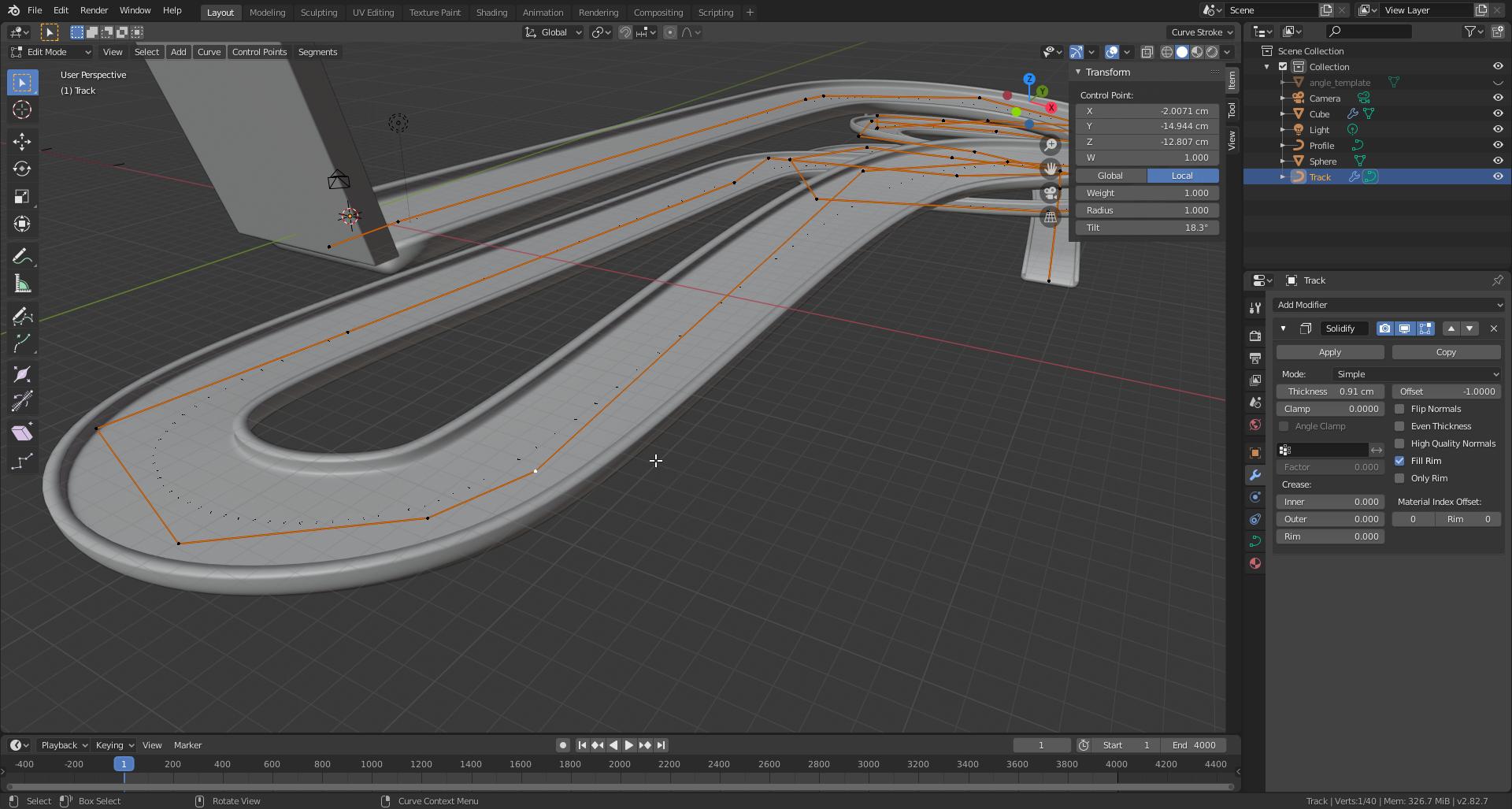
@eager mist Is your spline set to Bezier or is it Poly? Poly has no curve handles, bezier does.
gritty reef
Poly draws straight from point to point. To get a smooth curve, you have to add more and more points. Bezier does the curve on its own.
eager mist
-> normally if i create a new spline it makes nice smooth curve
subdividing it doesnt change anything
gritty reef
Most splines are bezier by default
gritty reef
It's the same concept. Set your path to bezier and it will allow you to use the handles to modify your path's curve
eager mist
nah. i tried that long agooo.
if you place a path curve there is no handles
i dont want even stupid shitty ugly handles
ew disgusting. go away wit hthat xD
glacial vector
Great attitude towards someone who tries to help
eager mist
its not towards him.
gritty reef
S'all good. I haven't messed much with paths so I'm not totally familiar with them.
eager mist
its towards handles
gritty reef
Handles are the only way I know to achieve the same curve you're talking about.
That being said, I don't know how blender handles paths ordinarily.
 gritty reef
ah okay, so it's some kind of automatic smoothing
glacial vector
It's more like the control points in Maya, as opposed to curves with bezier points
gritty reef
Give this a try @eager mist
eager mist
cant cause i ve deleted the old stuff
gritty reef
ripperoni
Well if you run into the issue again, it looks like setting the path to NURBS makes it smooth automatically. It might have been accidentally changed to poly or bezier.
 lethal tangle
If I made a default Blender cube 0.1m, would the file size be drastically smaller than the same cube but 1000m?
Same verts count
gritty reef
The .blend file stays the same size
glacial vector
shouldn't change fbx either
gritty reef
I made a default cube and the blend size is 607kb. I scaled it way up and it stayed the same size.
 mental kernel
I've created this today

In this video I have created a Low Poly character using Blender.
This video is a Timelapse.
This is the time-lapse please check this out
junior stone
@mental kernel thats an uhm... interesting character
dense copper
@queen mulch Thank you so much for that - I only have 1 map but I will mess with it in blender to see if I can look at it like you said. A temporary solution I came up with was just to tile the material in unity a bit on the x axis which shifted it back
gritty reef
Made a wall-mounted monitor 🙂
https://media.discordapp.net/attachments/672083977766699028/715209872811229184/unknown.png


I did some emission texturing on the monitor face, but it's going to take some practice to make it look "natural"
mental kernel
Aaaa nice ha
eager mist
Quick question why is my unity background pink
i want the line to go infinite https://i.imgur.com/pi6FMnz.png
i have escalator
 hexed mango
uhh I have a problem with a spaceship I'm modelling, I can't decide if I should keep every moving part as a separate object or if I should just use skeletal animation
can you easily take the rotation of a gameobject and make a bone copy it? I've got an asset that would be really good for targeting and I would like to be able to use it, but I don't think it works with bones directly
hexed mango
nvm I just found out Unity handles every bone like a gameobject.. since the asset works with gameobjects it should work
eager mist
i made a vegetation but its all just some plans with a transparent texture, a friend told me that this is not optimized, is there a better way to do it ?
thorny wasp
6 quid model from fiverr, Amazing! this modeller is INSANE!
eager mist
@thorny wasp what is quid
eager mist
he made that just for you?
but that person did not made that from 0 to 100 for 6 pounds
o0
thorny wasp
he did
eager mist
perhaps he she already had that asset
thorny wasp
hes done other things for me, with the same theme
eager mist
^^
thorny wasp
(its much more creepy in game, he crawls and shit)
fluid oak
can confirm
rigid pelican
maiden tangle
new sellers tend to start on discount to get their reviews up and their name out there, he does good work for sure- expect his price to go up lol
near lotus
Yeah, he's either doing this for fun, or he's starving to death. If he's doing it for fun, he'll get bored and quit eventually, and if he's starving to death, expect his prices to go up.
I guess the third option is he could actually starve to death.
glacial vector
@eager mist This is the standard way to do foliage. It becomes more and more heavy the more layers of transparency have to be rendered on top of each other. The most important optimization is to use cutout transparency instead of transparent or fadeout
The issue you're referring to is called alpha overdraw, you can look it up
eager mist
@glacial vector oh thanks, I was already using the transparent cutout shader so its all good
 paper grove
How much does it cost to have someone make a character with changeable clothing and hair styles? Im a college student but I need it for a project after I graduate 😬
 vapid trail
Hi, I need help ;/
I want to make a small Wooden Log in Blender
For my first Unity game
How would I make my Square in blender into a spherical log?
not spherical but a circular rectangle shape
can someone help me?
eager mist
@vapid trail look up a yt video
vapid trail
I have
eager mist
or get a free log asset from unity
vapid trail
I dont see any good assets
What tool can I use to sculpt a spherical rectangle from this square?
In blender?
gritty reef
@eager mist this is #🔀┃art-asset-workflow .
@vapid trail the shape you're looking for is a cylinder. Delete the default cube and click add>cylinder (in the top bar inside the editor window). From there you can model it into a log.
I'll post a screenshot for you when I'm on my PC in case you still need help.
eager mist
@gritty reef yea i just relized that xD
gritty reef
And you can change its base attributes in the little context menu that pops up when you create it
@eager mist At least you tried lol
rigid pelican
 mortal maple
What’s the right way to render thousands of meshes? Is it best to combine all the meshes into one mesh or can you limit draw calls if you have 1000s of GameObjects?
glacial vector
If meshrenderers share the same material and their gameObjects are marked as batching static, they will be combined into the same drawcalls
mortal maple
How many can you make before seeing a drop in frame rate? I mean on a modest system.
glacial vector
That varies greatly from project to project. Draw calls is only part of the puzzle
mortal maple
So if I’m instancing these gameobjects at runtime and I set them all as static in the editor, once I add them can they be disabled and destroyed individually like normal or are they stuck together
glacial vector
They can still be destroyed, it's just the renderer that batches them together
gritty reef
Some wall panel works in progress 🙂
latent dome
really nice @gritty reef !
gritty reef
Thank ya 🙂
 craggy storm
I'm very new to working with 3D and for days now I've been trying to simply import a premade room I found on CGTrader. I've been unable to find a file format for which the textures will load in automatically in Unity. In my search I realized that none of these models were UV mapped (I think?) and so I looked into the process of doing that. But it seems insanely time consuming, and this map has like 40 objects. Do people really do this every time they import a 3D asset? Am I missing something?
 orchid pier
Made this in design doll
eager mist
Hey guys i need a 3d Character DM me if you can give me a hand with it
craggy storm
So on a whim I tried using a much older version of Unity I happened to have installed, and now the Materials tab is appearing on my fbx asset. I have no clue why this tab does not appear on the newest version of Unity for me.
craggy storm
After extracting the materials and textures from my fbx, none of the textures are applied to the materials. Is there a way to get them on there automatically, or do I have to sort through dozens of textures and figure out which ones are correct?
gritty reef
@lament tide Hey bud, since you're talking animation, a better place to ask might be up in #🏃┃animation.
 lament tide
postet it in both since i wasnt sure
 stuck tartan
Hi guys, I'm just wondering why this object with a white material is representing more of a grayish color
fluid oak
@stuck tartan Lighting, presumably.
Unless it is emissive, an object will never be brighter than the lights hitting it.
stuck tartan
gotcha
eager mist
hey i need a designer for my company pls DM me
 deep fulcrum
you want height as well?
gritty reef
You could extrude a plane to the shape or just draw the shape with a spline
mortal maple
I managed to fix my problem by selecting gpu instancing in the material. So as long as I’m sending meshes with this material it doesn’t take as many batches? Does this still work if I’m using the same material on different meshes?
eager mist
What would be the best way to turn this top-down image into terrain? I just need the shape not the color details
@lone kestrel then just write a script that maps coordinates to black and white (or 2D coords), or do the same in photoshop
eager mist
Hello,I need a little help with unity
So basically what i did is i created an 3D animation in blender but need to have a road and a forest around it and those roads are from a game called ''unturned'' unturned is compatible with unity blender however is not...so what im trying to do is im trying to import the object into unity of the game and then export it as a FBX Into blender,but i don't know how to import it into unity...Can anyone help me with my issue?
eager mist
Is there a way to make the scene and game view look the same?
in-game view always appear to the darker
 high yoke
 near apex
try adding less or more lights/suns
craggy storm
Is there a tutorial somewhere for importing a full 3D environment in FBX format? For the life of me I cannot figure out how to import anything without the materials or textures getting messed up
Sometimes some of the textures show up, sometimes none of them do, but never all of them
maiden tangle
@eager mist I've heard good things about this one if you have the $$
https://blendermarket.com/products/retopoflow

Blender Market
A Unique Market for Creators that love Blender
 autumn ridge
anyone have any good resources on fps ai?
eager mist
@maiden tangle gonna check it out, thanks
rigid pelican
maiden tangle
wip
gritty reef
Is that an old timey camera on top of there?
 rocky nacelle


 maiden tangle
@gritty reef Indeed it is!
eager mist
pretty cool looking gun
hexed mango
you can actually get retopoflow for free on github! They would like for you to pay that price but they let you download it for free
 quartz stone
Hi can someone help me make a specific cube with legs
maiden tangle
@lyric copper better luck just throwing it out there, people stop by now and again
What's up?
 lyric copper
im making a cylinder but its appearing as a sphere