#🔀┃art-asset-workflow
1 messages · Page 45 of 1
 blissful hinge
 gritty reef
Good luck!
 glad cloak
@eager mist
First select the faces you want to put the material on
Create two materials, one for the default and one for this specific area
Go into edit mode (if you aren't already, tab switches you in and out) and go onto the side bar and hit
now if you change the color in the viewport display it will only change that specific area
glad cloak
@eager mist
Heres what i have so far
References
Use them, trust me
i used a curve
Very handy
Do you want the blend file?
I have some neat shading settings you might like, also you can check out the mesh
Ye sure
 strange apex
does Unity support default Physical material from 3ds max or Arnold materials? Or do I have to remake the materials from scratch?
 kindred ravine
Whenever I export a prefab from blender into Unity, the mask I have applied in blender doesnt seem to work, so my skin clips through my clothes
 rugged flint
Heyo! just thought id post here, im looking to partner up with an artist to work on any projects together, im a programming oriented generalist just looking to practice making games with other people for a change. Have lots of experience, no 'killer' unreachable game idea, just a lot of time on my hands!
 old snow
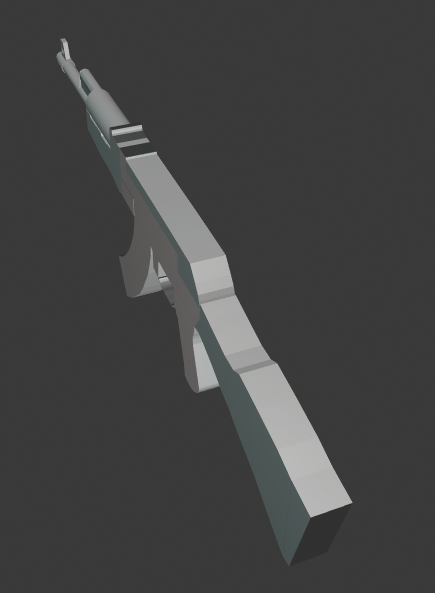
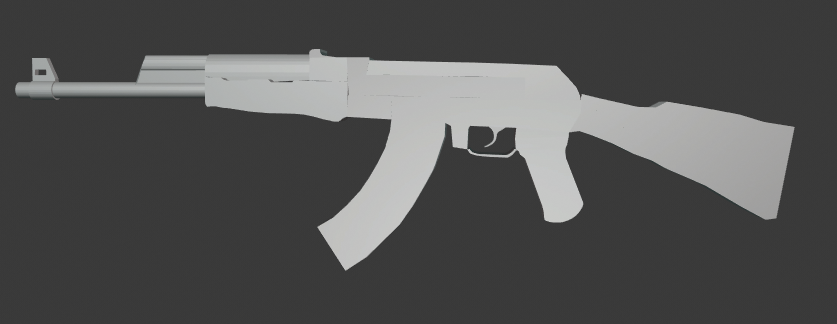
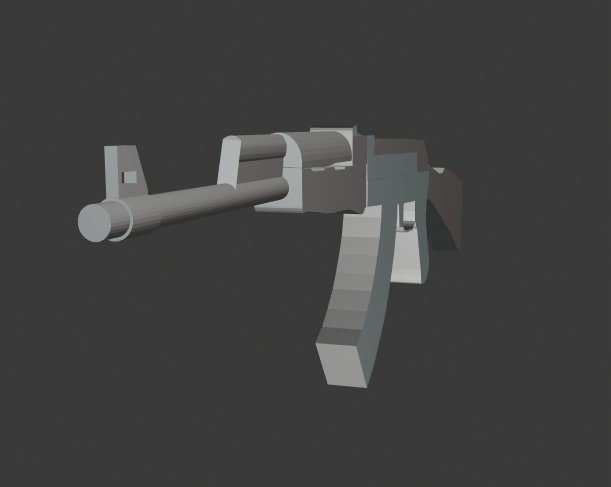
@glad cloak is that just for design of character or an actual weapon you will use ?
glad cloak
@old snow no, I just used it to help @eager mist out
old snow
it looks really nice, how many faces does it have ?
glad cloak
I'm not to sure, I'm not at my PC right now
old snow
the topo looks really dense, probably way too much for a small weapon
glad cloak
It has a bevel modifier, besides that the topology should be fine for use in later projects
old snow
if you were to use it how would you control it ? rig or physics i guess ?
glad cloak
I don't know, I haven't made it there yet
old snow
well for rigging you will probs have to make it straight D:
glad cloak
That wouldn't be too hard
old snow
ye
 median siren
can someone tell me what this is?
Its one out of the most stupidest things I have ever made in blender
 eager mist
cool cool
 grand plinth
looks awesome, I like the glossy material
 green zodiac
How do I make Rust?
 glacial thunder
A few days ago, I think someone on here recommended that I bake high-poly details to a low-poly mesh somehow, for use within Unity. I'm using Blender and have created a blanket model within Blender, and I have put a basic material on the mesh within Blender.
Any ideas on how I go about baking these high poly details, and whether there are any steps involving texturing / UV unwrapping that I need to know? I have unwrapped the mesh, and it appears to be rendering with the material properly in Blender.
I'm using a subsurf modifier for now, on the low-poly mesh, do I need to apply this before unwrapping to bake the detail?
I'm also kinda clueless as to what to do next with the high-poly count of this blanket and how to 'bake the detail' :/
 torpid terrace
@glacial thunder
(Idk how people are with links so if it's bad just lemme know and I'll delete this)
https://www.youtube.com/watch?v=0r-cGjVKvGw
https://www.youtube.com/watch?v=BOYRCI-dtjU
It's 2.79 not 2.8 but it's pretty much the same process, hope these help
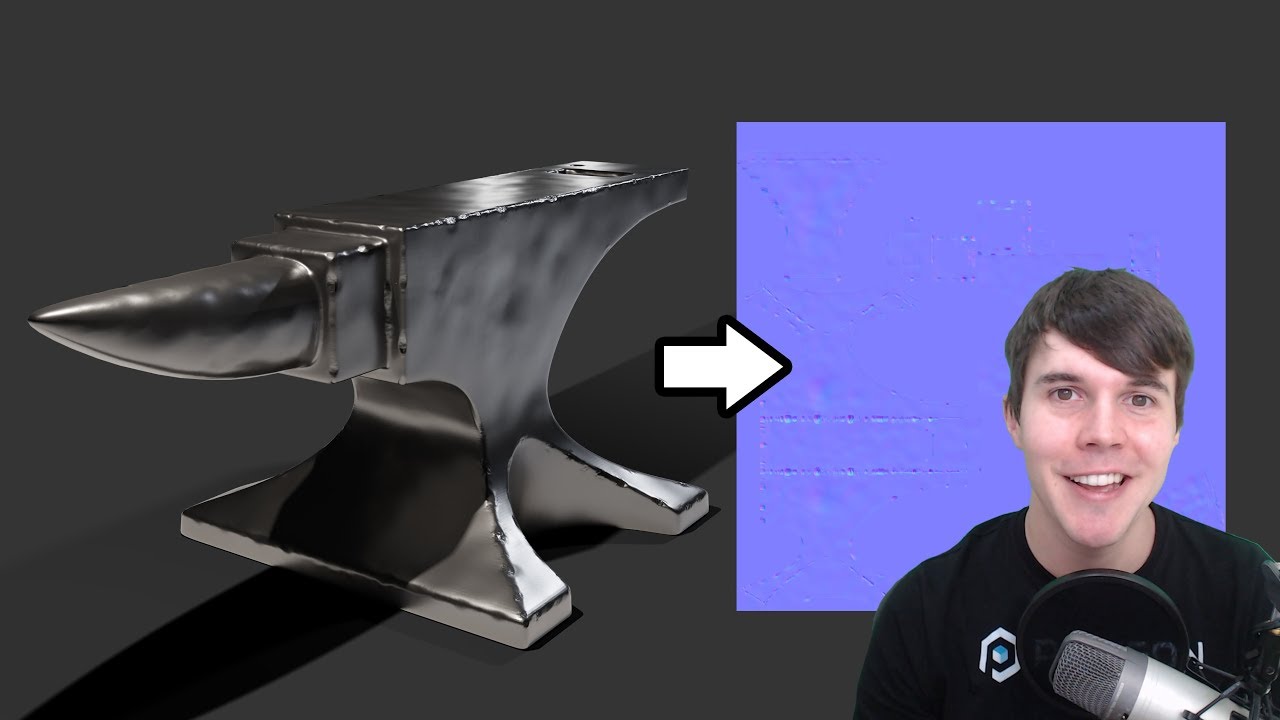
Blender tutorial showing you how to bake a normal map from a high poly model, to a low poly model.
Download starter file: https://drive.google.com/open?id=0B8PFSrI9B3iweUVlaHFFbmRhSnM
CC-BY footage from Sintel, by Blender.org
...

This is part 5 of the high poly to low poly series in which I show you how to bake normal maps with Blender Cycles.
See my social profiles here
G+: https://plus.google.com/+JayAnAm
Twitter: https://twitter.com/jayanamgames
Facebook: https://www.facebook.com/jayanamgames
Patre...
glacial thunder
Ahh that's great, thank you very much! :) @torpid terrace
 vast roost
Does anyone know a good beginner tutorial for blender?
eager mist
really search it up on YouTube, anything will do @vast roost
 outer current
For the HDRP smoothness map (alpha channel), how do you turn a grayscale image into an alpha mask and then channel pack into an image in Photoshop?
 hollow island
what do you need for 3d modelling - Skills, or , A High-Spec PC ?
 maiden tangle
why would baking vertex colors cause distortion ?
substance painter
it's all flat colored, same as it always is in blender but when I bake it's totally wrong
 fluid oak
@maiden tangle can you be more specific?
maiden tangle
by distortion? I mean colors on an arm will be twisted around, other areas will be faded gradients.. it's not how I have it in blender basically @fluid oak
this is for the id map baker
fluid oak
Are you doing anything else to the vertices? Merging, smoothing, etc? Any mesh processing at all?
The mesh might also just not be high enough resolution to store the details
 loud tusk
Question, if I want to make a block based game (kinda like minecraft), would I use Blender or Unity’s design tool
hollow island
unity has design tools?
hollow island
oooo, those
loud tusk
yeaah
loud tusk
could i design the whole thing in blender
hollow island
you should have quite a strong pc for that
loud tusk
i do
hollow island
specs -?
hollow island
.......
hollow island
are you using discord in your pc?
loud tusk
Now i am
hollow island
press win+e
loud tusk
Yea
hollow island
den go to my pc or something like that
loud tusk
Yea
hollow island
then go to properties on the top
loud tusk
Okay
hollow island
you see your computer details?
loud tusk
yes
loud tusk
No it wasn't the order detai;s
it had the specs there lmao
Btw I have 3 external hard drives
hollow island
okay, "MAYBE" yes, your "MAY" be able to create whole of them in blender
loud tusk
Wdym "may"
loud tusk
So if yours can't, why would mine be able to
loud tusk
Gotchu
well, unfortunately
I don't know shit about Blender
or Unity for that matter
haha
loud tusk
Only know a very slight bit of XAML and c# (still taking a course)
and i'm basically learning WPF
Can we talk abt it in a call?
Its kinda long and hard to explain
hollow island
look, i dont have any problem in your course
maiden tangle
it's high enough res sadly lol
hollow island
but, lemme tell you something :
if you do things yourself, you will learn better than what you will learn theoritically in your classes
- you will remember what you had done by t=yourself
loud tusk
It's not a class, it's basically YT vids showing like the most basic of things
then after the video and following along,
hollow island
💯
loud tusk
I go back and work on my mini project where i am allowed to make mistakes
hollow island
you play games ?
loud tusk
And if I get stuck, i try to look back at what I did in the video
Yes ofc lol
Minecraft and FiveM
hollow island
5M?
hollow island
pubg?
hollow island
good,
hollow island
you use tiktok?
loud tusk
Yeah I have to
I own a social media marketing agency
and tik tok is probably the best way to gain viewership as of right now
hollow island
good bkoz pubg eats up a whole lot of your time
loud tusk
because of how many people are on the app constantly lol
hollow island
okay, now, you have a box in front of you
loud tusk
yeah I try to limit my gaming time.
maiden tangle
@fluid oak any ideas beyond resolution? It's not stretching like it would low uv space it's simply in the wrong position, very weird.. might have to re-texture ffs
maybe take it to pm boys getting pretty off topic for 3d
loud tusk
Can I stream it in a call
hollow island
okay 30 mins later
loud tusk
Okay just dm me and let me know
hollow island
select that box
hollow island
left
loud tusk
okay
loud tusk
when i right click, it moves
hollow island
mmmmmmmm
loud tusk
i'm on blender btw
hollow island
i see
loud tusk
just so there isn't any confusion
hollow island
i am not sure what control schemes are you using
loud tusk
what?
hollow island
wait
loud tusk
ok
kindred ravine
Would anyone know why my hair is doing this with dynamic bones? it does it when im not even moving
kindred ravine
Unity @hollow island
glacial thunder
Anyone know how to scale a texture once it's in Unity? I have it applied to a model in Unity but the tiling settings
*don't appear to do anything
nvm they started to work for some bizarre reason lol
 azure coyote
I'm very new to 3D in general, and I'm wondering if it's good practice to use something like Blender to model levels, or stick with Unity's 3D primitives as much as possible
I'm also interested in knowing how "smart" Unity is about colliders on imported meshes. If I imported a model of an open cardboard box, could I simply put a box collider on it, or do I have to manually place collider points around the inside and outside?
 zenith cove
@azure coyote depends on the level type, if you're blocking out something that has a flow and is closed (say uncharted level) it would be best to use primitives and stuff like pro builder or similar. Building the levels should always be done in unity though as a rule of thumb, otherwise you place too many restrictions on yourself.
For colliders in depends on the mesh really, if it's something like a cardboard box then sure, a box collider would be enough
but as a simple example, if the box is open ad you need to be able to place stuff inside, that wouldn't be good enough
in general unity tend to be quite a pain with colliders, but there are nice plugins that solve that
azure coyote
Yea I was concerned about placing stuff inside
The main pain I have right now is the lack of primitives like triangles or toruses
Is there a common solution or plugin around this sort of thing that doesn't require the learning curve of blender?
zenith cove
Technie collider creator is quite good imo
 low pebble
Oh hey Rob
Didn't know you were here
@zenith cove

Just finished Bloodborne and I wanted to re-create this amazing weapon. Awesome blade, and so fun to make as fan art. - Moonlight Greatsword - Ludwig's Holy Blade - Download Free 3D model by BunnyLoveSu (@bunnylovesu) [2b551a4]
Anyways here's a freebie I made, Ludwig's Moonlight Greatsword
 frail skiff
quite a simple or even stupid question maybe: When exporting from blender as .blend files unity understands that i want this asset loaded in. Now I have mutliple assets in one blend file and it generates a prefab with all of them. Any way to bring turn them into singular assets?
 nocturne field
I am having a problem where unity imports a .fbx with animation in a wrong way
here is what i have in blender
here is what i get in unity
i feel like 2 symmetrical vertex groups make trouble
or perhaps it's related to the bones i have no idea
 glacial nebula
I organized my model by using Blender emptys: https://i.imgur.com/Orws3lR.png
But now i'm facing an issue where exporting to Unity makes everything go whack https://i.imgur.com/XrH6SwK.png
If I don't export the emptys, it works.. but I am using scripts in my game to toggle the active state of component 'categories'.
It seems like Blender empty just handles really horribly in Unity. Is there another way to organize my model in Blender and keep the structure in Unity, without all the strange issues?
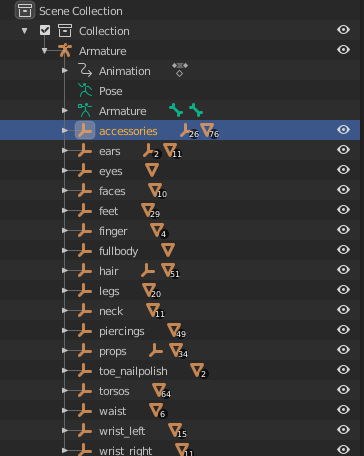
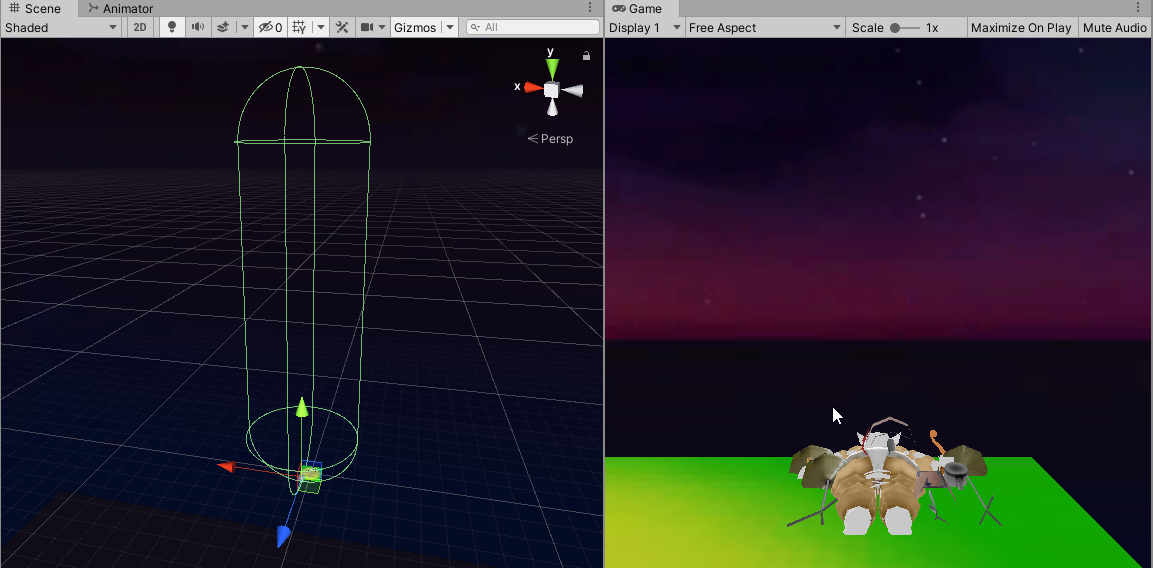
I think i'm just going to rename everything because this doesn't seem solvable from my searches
 inland tulip
 thin solstice
hey guys
may i ask if anyone here can help me take a look at my blender file?
im trying to add some textures
to this 3d model i found online
kindred ravine
that looks sick @inland tulip
Would anyone know how I can drag a material onto a plane I can't see? there should be a plane on my face for a tattoo
 glacial vector
Drag it onto the correct slot in the list of materials in the inspector @kindred ravine
kindred ravine
I figured it out, I think the plane was too close to the face
 vernal mirage
Regarding trail renderer, is there a way to have it create a trail of the whole shape of the object, instead of just the center? I have a long line-like model, and when I'm dragging it around the trail is there but only at the center position. I need it for the whole shape
eager mist
hi , i'm brandon ...how can i make procedural broken lane like in the screenshot above using visual scripting ? , that game in the screenshot is called boson x .
glacial thunder
you mean the rotation?
nocturne field
Did anyone ever have a similar issue?
https://imgur.com/3yQohDt
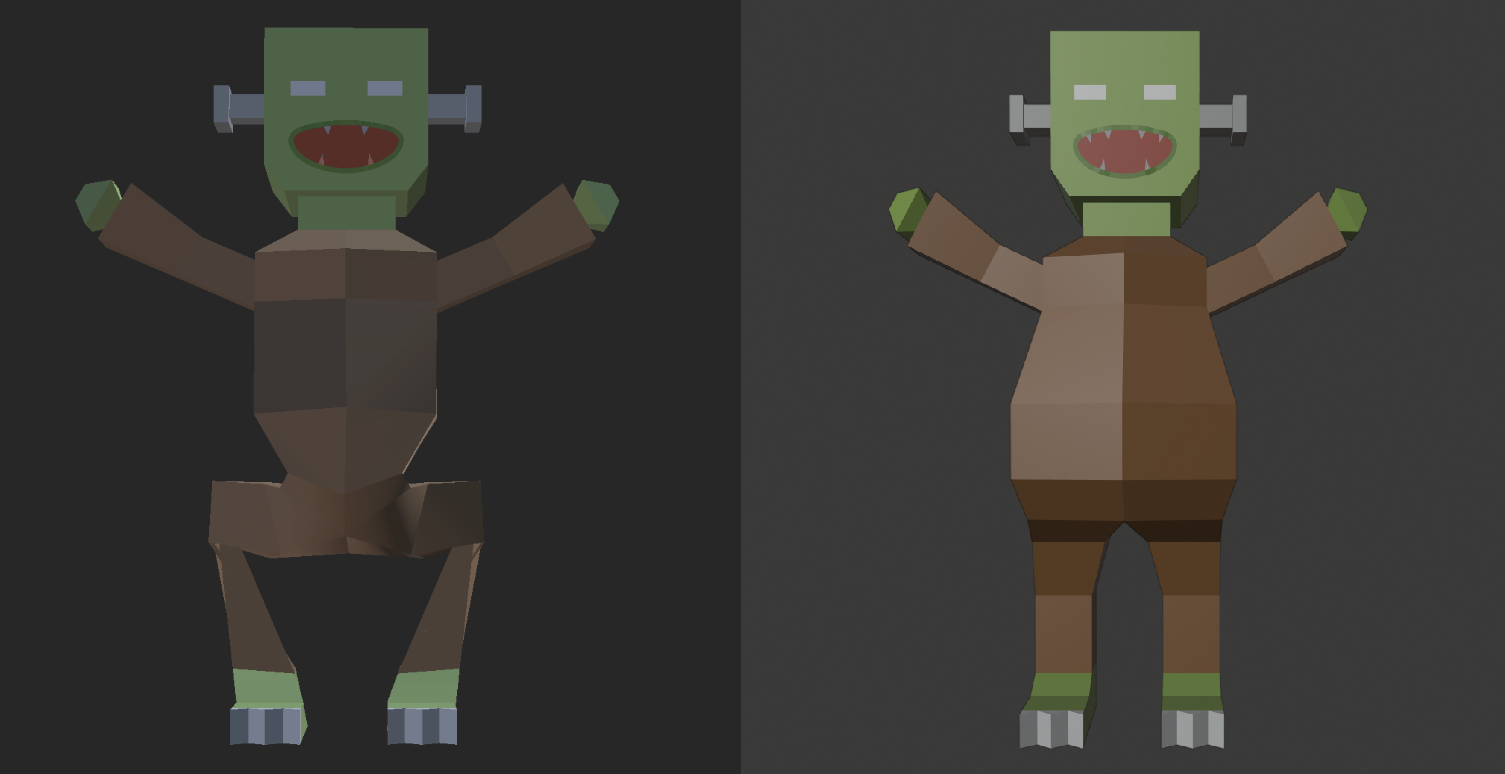
Left side is how it's imported in unity, right side is original in blender
Here is the rig if you need that info https://imgur.com/dwT72cr
(exported as .fbx from blender, but using .blendfile will give same results)
Been trying to solve this for around 6 hours now. Any help very much appreciated :C
file is here if anyone needs that https://gofile.io/?c=YlI8E4
 oak relic
can you share the file @nocturne field ?
 prime dove
whats the best way to make something kind of worn or dirty? would it be like noise shaders or decals or what?
 icy stump
Did anyone ever have a similar issue?
https://imgur.com/3yQohDt
@nocturne field try to rig it with humanoid rig on mixamo then you have a functional humanoid rig as basis
nocturne field
thanks. think the rig is fine though. seems related to the animations
fluid oak
@nocturne field so if you remove the animation you can pose it fine in unity?
nocturne field
the mesh isn't deformed in unity
fluid oak
@eager mist there is no built-in visual scripting so there isn't really an answer. .. also kinda the wrong channel
nocturne field
it's from the animations ig
@fluid oak
(i think there's actually some scale applied though)
fluid oak
My question was meant to see if the rig works separately from the animations
that's just the mesh
nocturne field
hm
you mean in import settings?
remove the animations
good idea
it's still malformed
@fluid oak
I guess that means it's the rig and not the animations?
 low latch
nocturne field
low latch
nocturne field
so you're teasing me with a monster that looks way better :c
fluid oak
@nocturne field yeah, seems to be the rig.
Do you have it imported as humanoid or generic rig?
And can you show the bones in unity?
It is hard to tell whether it is the bones or the deformation of the mesh that is the issue
nocturne field
generic
yes i was able to traverse the bones manually
thanks for trying to help : )
as said I can't waste more time. now redoing it
low latch
inland tulip
https://www.deviantart.com/shinixsensei/art/Sex-Shop-838676194
https://cdn.discordapp.com/attachments/697137984104824924/701899067122385026/Sex_Shop.png

 prisma meadow
 cinder saddle
hi would anyone know why polybrush does not update the rendered geometry when using the 'sculpt on meshes' tab? thanks and how to render it...^^
kindred ravine
With ProBuilder how would I separate parts of a cube?
I want to lower this hallway area, but if I delete this face it still leaves all other sides
then I have to fix this
 final granite
any tips how to make simulation of a metal ball going through a jelo cube, in blender?
 chilly crater
could I make a weapon by using just cubes in unity? I wouldn't want to download blender or anything else coz I don't have much storage or knowledge about that
glacial vector
You can make a minecraft sword, not much more
chilly crater
:/
chilly crater
I'm frightened by the fact that tutorials in yt about blender are 8 hours long lol
maiden tangle
haha.. check out blender guru
blender 2.8 is really user friendly, great time to start

Blender tutorial for beginners! The long awaited reboot of the popular donut tutorial, completely remade for Blender 2.8. New videos will be uploaded every other day to this channel.
Get the shortcut pdf: https://mailchi.mp/ef5b15a32043/subscribe-to-the-newsletter
---------...
maiden tangle
300MB
chilly crater
oh it's that small
final granite
and it's not that complicated actually
chilly crater
well ima look up what's taking my space, I literally have only a few games
chilly crater
deleting appdata rn
ah, free 4gb from disk cleanup, ty :D
tfw programs leave files and folders after deleting the program... my pc is filled with trash
 broken spade
yooooo
 clever condor
Hey. I just created a first human character in blender. Now i wanted to have clothes you can find in my game. The player should be able to put them on/off whenever they want. The same should work for different hair cuts or accesories.
Now i first dont know how to create the clothes so that they can fit on different character bodies. And i also dont know how to move them when the player does animations. If he is moving the clothes wouldnt move with the body, or would they?
maiden tangle
Its actually not a simple answer I would google it to see your options and what best fits your game.
Now this is quite the simple question, can a wrench be a taser? Thinking of modifying..
Wrench didn't feel scifi enough lol
gritty reef
With a strong enough grinder, anything is possible
 rapid valley
I'm trying to create a first person game but I don't know where to start. How do you setup the camera? Not sure if I did it correctly but I just parented my camera to my player's head.
gritty reef
Would probably want to have some rubber wrapping or thick electrical tape around the grip and anywhere the hand would come in contact with the weapon
so they don't zap the shit out of themselves when they pull the trigger.
@rapid valley That's more of a question for #💻┃unity-talk or #💻┃code-beginner
final granite
and put it around your neck area, not head, for best experience
rapid valley
Now that I think about it, I guess I did put this here wrong lol
chilly crater
do u know how I could do this ^^
 subtle ridge
yes
its a concave part, so is better to triangulate while adding vertexs
you know the "kinife" tool of blender?
chilly crater
nah
I started 3d modeling today lmao
watched 3 tutorials and was like fuck this shit ima just try learn my self
subtle ridge
you can split faces easy adding edges between vertexs
 jaunty vortex
clever condor
jaunty vortex
clever condor
Hey. I just created a first human character in blender. Now i wanted to have clothes you can find in my game. The player should be able to put them on/off whenever they want. The same should work for different hair cuts or accesories.
Now i first dont know how to create the clothes so that they can fit on different character bodies. And i also dont know how to move them when the player does animations. If he is moving the clothes wouldnt move with the body, or would they?
Its actually not a simple answer I would google it to see your options and what best fits your game.
I googled about that but didnt really find anything on how to move the clothing without having the body pop through it
Because of this question i have. I dont also dont understand whats the best way to create clothes. If i would create it as an additional object around my existing character, it would probably look weird on all other characters
gritty reef
With skeleton based animation, you can have all of the pieces of clothing share the same animation set as the character. So when a piece of clothing is on the character, it will share the same animation as the character, assuming you set it up correctly.
Hopefully that can refine your search for resources. I don't have any tutorials to link you offhand.
clever condor
Okay. I was just going to ask if theres any tutorials. So i have 1 skeleton that moves 2 "objects" ?
 noble turtle
what about wieght painting
like adding extra backpacks in a character without backback you'll also need to add a bone ??
gritty reef

In this tutorial you will learn how to attach clothes to a rigged character mesh in Blender 2.8
If you like the videos on this channel please consider supporting me on Patreon:
https://www.patreon.com/Alimayo
Difficulty: Novice to intermediate.
This video is presented in ...
See if that helps you out a little
noble turtle
and what about using it in unity do you just make every possible clothing and enable/ disable it via onbuttonpress for a character costumazation
clever condor
i dont understand what you mean with the 2. sentence, cookie.
I just want to have swapable accessories, for example the backpack. But i dont want to make a new character + animation with every combination of different accessories or clothing.
I want to be able to make one character with possibility to just swap the clothes etc.
noble turtle
oh oke
clever condor
See if that helps you out a little
@gritty reef i will
I just thought that i may really need to make a new character + animations for every combination of accessories. But seems like i dont need that ^^
See if that helps you out a little
Does this work with Unity too ?
gritty reef
I don't know the implementation in unity since I haven't really worked with animations. It was just to get your ball rolling in the right direction to figure out what you need.
I know that you can have armor pieces overlaid on a character model following the same skeleton and animations. You can also swap out sections of the mesh with the modeled gear piece that also follow the same skeleton and then you get rid of any possible clipping issues.
clever condor
Well your video helped me a lot finding Unity Videos about it
When i searched i found nothing
now i think i found a good one. Thank you
 whole fog
I have been thinking how it could be possible to recreate the Donkey Kong Country art style in Unity
 mighty torrent
Hi, I made terrain and put some trees on it, but when i enter play mode trees aren't visible while the camera isn't near. What is the problem?
 young pasture
is there anyone here who uses hair tools on 2.7?
kindred ravine
chilly crater
how do I get a reference image to the background in blender?
this guy presses N I don't see anything about background images
k I found another way
 chilly crater
can I use knife tool with xray? it's not cutting from the other side
and also my item is made from several elements and when I apply a metallic material to it, it shows the lines, can I combine all elements into one?
maiden tangle
press x once you start knife
wdym it shows the lines?
have you been pressing f individually instead of adding loops cuts with ctrl + r?
you shouldn't be seeing lines outside xray
not sure what you mean by that last part
maiden tangle
yea somethings up there, check your faces arent inverted as well
 junior stone
anyone know if i can define a single button to swap between positive and negative input for the scupting tool in blender?
 rapid echo
Completed a new 3d art in Blender based on K.K.Slider. Thanks for viewing! :)
https://twitter.com/FarrukhAbdur/status/1252908550462083072?s=20


Completed a new K.K.Slider scene art :) #b3d #substancepainter
Artstation: https://t.co/yWenLYRsMw
#blender3d #kkslider #gamedev #indiedev #AnimalCrossing #acnh #blender #polycount https://t.co/KZnT0ECDjE
Retweets
168
Likes
507
 Twitter
@junior stone usually holding the ctrl key is the negative input for brushes when sculpting and commonly used. But not sure if you are asking for that.
junior stone
@rapid echo that ll work. i was trying to toggle it for sculpting with my wacom. but that works good enough tbh
as a guitarist I dont like the sound not matching the hand movement! but thats a very nice scene 🙂 @rapid echo
rapid echo
Thank you for your comments. Yes the hand animation is not the best matching one but still it was fun project to create 😄
junior stone
its a hard thing to do, dont mind it. im just a stickler for details there lol. Did you make this completely yorself?
rapid echo
Yes. I use Blender now for everything.
rapid echo
Yes, Substance is best one as far I have been using. Blender workflow is slow and not easy to work with for proper texturing. Simple texturing can be done in Blender however.
glacial vector
Yeah I agree that the movements with guitars is usually way quicker and snappier. But that's absolutely amazing, great work
rapid echo
Thank you for your comments 🙂 @glacial vector
junior stone
lets label the guitar thing as a style choice 🙂
 mental raft
might be something to work on with unity animation rigging perhaps
rapid echo
Yes, right 🙂
 vital anchor
So I made a c# script where I said that a enemy will point towards a tranform, the player, but you have to do that through the editor. So I made a enemy spawner, and the enemys do not spawn with the player as there target, is there a way I can set a transform in a script?
maiden tangle
@vital anchor transform = transform, in the future its usually good to go by #💻┃code-beginner for faster response
Reference the player transform via tag, layer, name, component w/e
chilly crater
how do I get blendermeda or whatever to my blender
 kind osprey
chilly crater
kind osprey
chilly crater
yeah
I downloaded it and ran the py file, but I can't find it in blender nor see it in add-ons in project properties
glacial vector
You mean the manipulator? That's on T @kindred ravine
kindred ravine
T? It used to show at the top middle of the scene window
glacial vector
I'm not sure what you mean then
kindred ravine
now my package manager is missing wtf
glacial vector
Sounds like a restart
kindred ravine
tried
kindred ravine
@glacial vector any other magic tricks?
glacial vector
No, I still don't know what you're looking for
glacial vector
Oh that, probably update the engine or reinstall. Have you tried googling it?
glacial vector
Should be inunder project folder > Packages
glacial vector
Ask in #💻┃unity-talk
 untold axle
if I want to do a voxel based blocky and such think like Cube World, how do I go about making the terrain and coloring it so it has hard edges and etc.?
inland tulip
 glacial thunder
damn that's pretty :o
 hollow lark
I made a little cape in blender, just by taking a plane and adding cloth physics to it, but it's completely still in unity
is there a way to get the physics to translate from blender to unity, or do I have to do something else in unity to make it work?
my model with the cape is a .blend file
inland tulip
damn that's pretty :o
@glacial thunder thanks!
 grizzled grove
I see everyone is using blender, why is that? does anyone here use maya?
hollow lark
i used blender because it's more mainstream
fluid oak
@hollow lark You'd need to use unity cloth physics, totally separate from blendercloth
hollow lark
i did
i figured out the physics, but i'm having collision issues
the cape clips into my character, how do i fix this?
i tried adding a capsule collider, but my character started jerking around a lot, presumably because there is a capsule collider within the character controller
eager mist
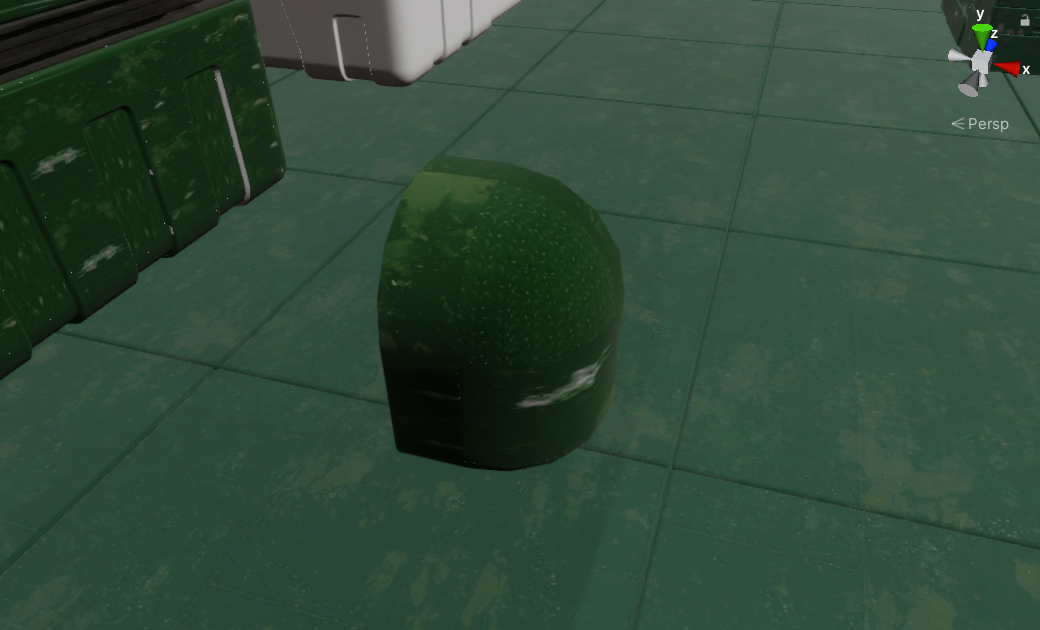
Anyone know whats causing this weird tiling issue with my materials? is it the mesh UVs or something? not sure
 maiden tangle
I mean it definitely wasint always mainstream, it has features to compete with the big dogs while staying free, and user friendly(2.8+)
Maya is the expensive suit you wear to impress your boss..imo at least, why pay?
Great for animation I suppose, to each their own.
@eager mist increase scale? Splat using noise to break repetitiveness? Or is the material supposed to be better than what its showing in general
eager mist
@maiden tangle It's the mesh UVs I believe, there arent any so im going through everything and doing smart UV on them
maiden tangle
Ah yeah that'd be it.
 green kindle
Hello awesome people!
I'm working on a low poly model like this one for my game
I'm trying to think a way that i could use the same technique of drawing textures for the facial expressions, but at the same time have a pupil that could track other objects in the scene, as well as the head
does anyone has any idea of how could i achieve this?
i'm using blender btw

maiden tangle
@green kindle link doesn't appear to be working! 🙃
oh I can see it now that I open it, not appearing on the discord itself tho.
you would use an IK target for the head to follow, the pupils will be done with a shader, which is sorcery and therefore not practiced by myself but google has plenty of magicians willing to share.. some will be at a price 🧙♂️
chilly crater
where could I get materials for blender? and how to install them?
maiden tangle
@chilly crater check them out
http://blendermada.com/
Free Blender Materials at Blendermada
they've got an addon to download and import directly.
chilly crater
where do I do that
maiden tangle
try the link
 jagged plinth
if there is someone good with terrain can u plz look in #⛰️┃terrain-3d
green kindle
you would use an IK target for the head to follow, the pupils will be done with a shader, which is sorcery and therefore not practiced by myself but google has plenty of magicians willing to share.. some will be at a price 🧙♂️
@maiden tangle i have found a link with exactly the solution you were talking about, as in the shader for the eyes
the only thing i'm scared is how to take vectors from other game objects and pass them to the eyes to look at them
Here's the link if someone is interested, even demo scene
maiden tangle
the shader would have the details for that
let me know if you pick a solution, it's pretty easy to get an objects position to look at
 maiden tangle
yep definitely, np
gritty reef
What's everyone working on this fine morning?
maiden tangle
flipped the handle around kinda makes more sense.. beyond that my team isn't seeing eye to eye so it's been pretty stagnate 🙄 wbu @gritty reef
gritty reef
Ooh looks awesome
I'm doing some data entry at work. After that's done, as long as they don't pile more on top of me, I'm gonna try to maybe do a speed model 🙂
What's up with your team? Just different creative visions?
maiden tangle
yea some communication issues I think, somewhat different views but we'll work it out I'm sure 🙂
data entry.. can't say I miss that! lol
and thanks! hopefully will make it back into blender sooner or later with a finished design.
gritty reef
We can't all be pro developers, I'll take the data entry with the consistent check hahah
What's your team working on? I assume something sci-fi/dystopian future based on some of your models?
 forest sandal
why i can't use free hand mode when creating tree?
hollow island
because tree has leaves
and you cant make tree with leaves with hand
well, if you can
then go on
you can do it
forest sandal
what?
i don't have any spilne points is my problem
sorry if i confused you with free hand mode
nevermind i had gizmos disabled
maiden tangle
yeaa kind of in remembrance of the ol multiplayer experience of halo, lots of inspiration off warhammer that sort of grimy sci-fi look.
truthfully I don't think my concepts will make it into the game (I'll leave that to the actual artists lol) just kinda keeps me busy for now 🙂
 rigid pelican
gritty reef
rigid pelican
gritty reef
Beefy sword 😄
junior stone
the handle looks a bit like a ship lol @rigid pelican
 shadow mauve
anyone know if it's possible to "flatten" an FBX's hierarchy when importing to unity? right now i've just been combining all the objects into a single one in maya before exporting, but that feels sub-optimal
inland tulip
https://www.deviantart.com/shinixsensei/art/Lost-Shrine-839101488
https://cdn.discordapp.com/attachments/697137984104824924/702983846223806494/LS3.png

 whole blade
Hey guys, I can import my donut from Blenderguru, but the sprinkles are all white (and the donut looks bad without the lighting)
Is there a trick to fixing this?
glacial thunder
Again, Azami, looking amazing...is that rendered in Unity or in 3d software?
inland tulip
rendered in blender, processing in photoshop, thanks :D
you can easily import that into unity tho
glacial thunder
nice, hopefully i can make something epicc one day lol
inland tulip
sure thing!
kindred ravine
Whats the best way to make a shiny material for like a hardwood floor?
I also dont want my skybox to reflect off things
I have a material with .9 smoothness and .9 metallic but it looks completely matte on objects
kindred ravine
anyone..?
 glossy whale
Hey, does anyone know how i properly set vertices in blender to assign a material to in unity later? Right now i am creating a new grey material in blender to group my vertices for a material assignment. But can i do that assignment/grouping without creating an actual blender material as well? I want to use only unity materials, nothing from blender
rigid pelican
eager mist
metallic map has a specular map inside it right?
@glossy whale I believe you can group them in blender and export as FBX with no assigned materials, and use the unity standard ones, the grouping just defines the material slots in the inspector I think
outer current
Is there such a way to use a tileable texture (albedo, normal, etc) that can repeated and overlay a mesh's own unique normal map/AO independently of the tileable texture? Like a column that uses a rock tileable texture that can be repeated but has its own baked normal/AO map that isn't repeated.
 wary eagle
Find the intruder https://cdn.discordapp.com/attachments/433816499636011009/702955678477844621/IMG_20200423_194852.jpg 🤣
 untold axle
Anyone knows why when I import this object from magicavoxel the shadow has empty spaces in it like this?
zenith cove
@untold axle have you tried playing with light shadow bias/normal?
untold axle
I tried messing with the normal and bias but it makes all the shadows super harsh even the light one but it does fix it
maiden tangle
wouldn't be because it's been imported as ludicrously small would it?
lighting would be my best bet yea bias and all that..
also for objects that sharp consider making the shadow sharp as well, additionally changing to linear just imo.
zenith cove
yea very small objects can also have problems akin to that
untold axle
Hmm could it be to size I export them? Since it only happens in directional light
thing is I am using magicavoxel so the biggest I can go is 126x126 xD
zenith cove
does it happen even if you scale them up in editor?
untold axle
yup
i imported a free asset from the asset store
that object is fine
but when i place the mesh of it in the scene it also has same issue
@zenith cove
glacial vector
Looks like unmerged vertices to me
eager mist
who wears blender?
glacial vector
Try playing with the shadow bias on the light @untold axle
kindred ravine
Anyone have an idea why probuilder wont let me select a cube face?
whole blade
Do I want to bake an item to bring it in from blender if it has multiple meshes, a particle system, multiple materials?
 bold scroll
not sure if this is the right place to ask this. but is there something I can bake each verticey position in blender on a vertical line
I'm trying to make animated meshes with instancing
 solemn drift
Who here has used multiple UV maps in Blender?
bold scroll
I have
solemn drift
Ah
@bold scroll how do you ensure that the UV maps A.) apply to the model in the "Rendered" view in Blender with transparent images B.) ensure that the UV maps used carry into Unity? I've found that when I import my FBX models into Unity, the UV mapped images are lost, and I have to put the image on a new material in Unity and then put that in the corresponding material slot of the imported FBX model
 forest karma
!ranks
 lilac edgeBOT
 That rank doesn't exist.
forest karma
xD
 sullen plank
@forest karma There's #502893580512395264 channel for this
whole fog
Anyone know how I can merge all these together
I have been trying to click bridge faces but it says I need two edge loops
Like I cut a sphere in half and now I want to fill in the empty space with a face
Any tips?
nvm I found dissolving faces works
maiden tangle
some thick wings bro
care to share the sprite refs? what kind of style were you going for in 3d
 whole fog
@maiden tangle
this was my reference
i was just making something quick and dirty as a simple test
 eager mist
Anyone know of any 4k Prototype Grid textures anywhere?
glacial vector
Could use this @eager mist https://gumroad.com/pravel?recommended_by=search#jMOsu
 tardy vapor
would there be any way of using the shader graph without using HDRP?
glacial vector
Shader graph only works with HDRP and URP. If you work with Standard pipeline you should check out Amplify Shader Editor
eager mist
@glacial vector ahhh, need a commercial one, almost though 😛
tardy vapor
okay, thanks!
glacial vector
Do you have dubstance deisigner @eager mist?
eager mist
yeah
glacial vector
Suuuper simple to make something like that
 untold stone
hello guys How u doing? If you have a sec.. how do I stop the camera from my main scene of clipping so god damn much inside of the walls?
maiden tangle
@untold stone have you tried selecting, pressing f for focus?
also
bird flyer of my youth
was trying to capture some kind of weird doctor seuss creature
wary eagle
@untold stone Tap "F" once you've selected a small object, will reset the clipping of the camera.
 mental bay
u guys can recommend me some free unity 3D courses to get started w unity 3D ?
cz i've bben using unity only for 2D till now
(and sorry for my english )
untold stone
@untold stone Tap "F" once you've selected a small object, will reset the clipping of the camera.
@wary eagle Thank you!
 sudden glen

Instagram
13 Likes, 0 Comments - Alex Latham (@alexlatham3d) on Instagram: “Been learning how to use Unity recently. 🐟 .... .... .... .... #unity #unity3d #ragdoll #gameart…”
damn was hoping it would embed the video
eager mist
Where can I post an add looking for a 3D modeler?
gritty reef
Messing around in Blender, trying to improve on the low poly/crude style.
broken spade
noice
zenith cove
@limpid sparrow either you have normal flipped in those faces in the inside or they are just planes with no thickness whish means that you only see one side, unless you get a shader that doesn't cull backfaces
 limpid sparrow
Yup, figured it out. I thought they weren't simple planes. Thank you so much though!
zenith cove
no worries 😄
 radiant mural
glacial vector
radiant mural
glacial vector
Right click on it
 fathom trail

ArtStation
I was inspired from one of my favourite cartoon Ninja Hattori and I decided to tweak it a bit and make it look like a Commando and Ninja Combo.
gritty reef
https://media.discordapp.net/attachments/698261257416867892/704524102362202172/well_stairs_door.png?width=736&height=414
A few more pieces 🙂

(I know I can't do shingles, need to get that figured out)
forest karma
!rank 3d
lilac edgeBOT
That rank doesn't exist.
forest karma
!ranks
lilac edgeBOT
Ranks
Generalist
Programmer
2D Artist
3D Artist
Animator
XR Developer
Designer
Student
VFX Artist
Audio
Producer
Content Creator
Technical Artist
Use the !rank command to join a rank
forest karma
!rank 3D Artist
lilac edgeBOT
@forest karma, you joined 3D Artist.
lilac edgeBOT
@forest karma, you joined Animator.
junior stone
@forest karma there is a dedicated bot channel for commands and ranks, pls dont randomly use a channel
 rapid hedge
do you know of a 3d modling software that doesn't need much prossesin power
or is online
eager mist
What are some good resources for learning blender/3D art? YouTube channels, Udemy courses, books, something else?
glacial vector
FlippedNormals has a whole bunch of videos, definitely recommend those 👌 https://www.youtube.com/watch?v=Rqv3BDoRjXc
zenith cove
@gritty reef nice models!
gritty reef
Thanks Rob!
 pale solar
yea it's good
some dumb game im making by following a tutorial because im new to programming
gritty reef
A solid one to start with 🙂
eager mist
how do i go back or delete
 tranquil meteor
@pale solar how did you make that can you show me?
glacial vector
@pine ore did you scan those mushrooms from a real object?
 pine ore
yup
glacial vector
With photogrammetry for games it's common to do a retopo of the scan, so you can optimize the model and make it look better for the engine
Like sharpening corners, which tends to be smoothed out from scans
pine ore
yeah i was having trouble doing it
i got meshify and blender but its all so much to keep up with hahaha
glacial vector
It would give you a more readable and more optimized model if you do that
pine ore
and then there is mask maps to make for hdrp
glacial vector
Yes, if you do a lowpoly retopo though you can bake down details from the scan
pine ore
yeah i watched a tutorial on how to bake all the detail into normals or what evs it was,
they are supposed to be looked at from more this angle and distance as its a td
glacial vector
Yeah that should be fine then :) I would probably adjust the textures so they pop a bit more but your scene does look kind of desaturated so it might make sense like this too
pine ore
yeah i havent added in the attempt at a mask map i made for these , i scanned loads of shit and made some super detailed models , the high poly models for these are pretty nutty
ill load one up
also ive been mucking about with post processing to get familliar with some things
@glacial vector low poly vs high
glacial vector
With wireframe?
glacial vector
Nice
 rough hornet
 eager mist
is a glossiness map effectively the AO map?
glacial vector
No, they are different maps
eager mist
aha, thanks, What about color maps and diffuse maps? same thing? asking because substance player exports one of each but they seem to be effectively the same file
unless it's for a different workflow
like smoothness / roughness maps and the like
glacial vector
Base colour, albedo and diffuse are all the same thing in PBR
eager mist
ah good cheers
frail skiff
i need some help with exporting from blender to unity. Anyone have knowledge on that?
My problems revolve around size and rotations and yes I have done some googl-ing and have not been successful with it
eager mist
Hey, I am a total newby in unity (only 2 days so far) and I am trying to get into it. I was using the 3D with extra mode as there is some input to get started with. However, there is this floor object and I cannot move or scale it. Why is that? I cannot find the setting to turn that off.
*ground actually
glacial vector
Do you mean an actual ground model? Or are you talking about the grid?
glacial vector
Post a screenshot
eager mist
the ground does not move/ scale only the green grid does
glacial vector
That's a weird one
gritty reef
Are you scaling in the transform area or with the widget?
glacial vector
The mesh looks like it's several meshes merged together. Not sure about why it would behave like that
eager mist
Thank you, it was due to the mesh!
I used another mesh and now its behaving like other generated objects.
maiden tangle
its with the origin placement btw if it's imported for future ref
 violet vessel
can somebody help me with anti aliasing because my unity looks terrible
 mystic glen
need help with 3d clothing design
how long might it take a professional to do some sort of ancient clothes?
untold axle
I added URP to my project and as soon as I applied convert to the marterials my shadows became like this, anyone knows how to fix it?
 trail arch
Does anyone know how to get dynamic objects to blend in a baked scene? (VR game, player can open doors etc.) This is Unity 2019.3 URP. Edit: Light Probes are the answer
@untold axle Try checking out the shadow cascade settings in the URP asset object
 night socket
Anyone know of any plugins that can generate a building with interior for blender?
By interior I just mean interior walls and doors, not furniture and the likes.
I'd also appreciate if you know of any other third party programs that do this
(also I already know of tools like archipack, which isn't really a generator but a building tool)
pale solar
https://gyazo.com/acef60820b1acdc11d92dc5f8d6157df i know it's buggy im trying to make it so it wont like tilt on a side moreso just shift left and right, it's my first game i made using unity 😄
but yea just thought il'd show it
it will be released soon 👍
it's not finished though
also that tiltiness will be removed hopefully because thats what im trying to do
i will add more things
I've added more colour to it so it doesn't look so dull
 near lotus
 gritty reef
Wow, that's gorgeous @near lotus
 lapis cradle
Does anybody know why my FBX that I export from Blender has a different default animation sometimes? I created a new run animation and now - instead of the first frame of my idle animation - suddenly the first frame of a dance animation is the default pose... It's not even alphabetically, in that case I would just add a _TPose animation or something. Any ideas?
 lusty flint
@near lotus only that need to fix somehow, make it bit mroe detailed 😄
near lotus
Still WIP. The shader needs work.
eager mist
Hello, not sure if I'm posting this in the right room. I have a question about using using a texture atlas and loads of objects in flat colored low poly art.
eager mist
I've been watching some game dev logs where the art style is flat color low poly and I've noticed that they all cram a ton of objects in a single blender file and UV unwrap and assign the meshes onto the atlas with color/gradient grid.
I have a few questions:
- Is it necessary to model all the items in a single blender file if you are planning to use a texture atlas?
- If you are using the same texture atlas (since we are using a color/gradient grid for multiple things), is it ok if you model objects separately in its own file and only unwrap it?
- When in Unity, lets say you have 50 objects active on a screen which all use the same texture atlas & material. Will there be a draw call for each object even if you are spawning new ones from the same texture atlas? Or will there be only one draw call since all the items are using the same texture atlas?
 foggy siren
Hi everyone, For cloth component, I am getting some strange stretching. Has anyone seen this?
clever condor
I have a weird problem with texturing my tree object.
Its just two different colors i want to use but the material looks really weird on it. And i have UV mapped it correctly.
 mental island
Anyone know what this means? I just installed a substance and it came up
 open jetty
Can someone help me? for some reason after parenting the skeleton to the body, only the right side of the skeleton moves the the model and it mirrors to the other side. What can I do to fix this?
Never mind I figured it out. For some reason the names of the bones on the left were effecting it so I had to change them
 lone light
Anyone had an issue with Skinned Mesh Renderer making the mesh invisible?
mental island
@foggy siren Thanks for the reply. This is my set of visuals C++ I have, not sure how I would go about updating it (if I need to?) and which one?
glacial vector
@eager mist it doesn' matter how you make your models - it can be in a single scene file or multiple. The export is what matters.
For 3, if objects share the same material they can be batched together, as long as they are static in the scene. This is on e of the big benefits of using a texture atlas
clever condor
Okay i fixed my problem from yesterday. Now i have a new one:
My texture doesnt show up correctly in unity, even though i first imported the texture.png then the prefab (fbx).
This it what it looks like in blender:
And this is it in unity
Any help ? The treestump isnt even brown -.-
glacial vector
Looks like an issue with your UVs
clever condor
The palette i used to color it contains 2 colors
And the UV Parts are on the right colors
This just turns very weird as soon as its imported to unity
glacial vector
Check if you have multiple UV sets in blender
clever condor
How do i do that ? Im really new to all this UV stuff
glacial vector
Object data properties > UV Maps
And some screenshots of your UVs and texture would help
clever condor
Ill make some
Give me a second
And where are the Object data properties ? I know this sounds silly 😄
glacial vector
In the list on the right side. It's one if the tabs (The green triangle)
clever condor
Its just one UVMap under UV Maps
can that have something to do with everything i make in photoshop looks blurred in Unity ( for example 2D prefabs )
glacial vector
That would be because of mipping probably, what does the texture look like in Unity?
If it's only 8x8 pixels or something then turning off mipmapping in the import settings might help
clever condor
Ill check that
 frozen cradle
i switched to blender recently from 3ds max and now have the problem that i want to export my blender hirarchy into the object, so that my engine output objects are childed to an empty object.
i use obj (but dont really care about the file format) but blender doesnt seem to keep the hirarchy upon export. any suggestions?
clever condor
I fixed it somehow in the Inspector of the texture. Thanks @glacial vector
frozen cradle
visual example of my problem:
the group structure gets lost completely upon export from blender.
So i found out you can import .blend directly which keeps the hirarchy nicely. Solved.
 fierce iron
these are perfect hexagon does anybody know why they are not ligning up properly. I have used snapping to move them
 plucky hinge
GREETING my fellow 3D artist
I am the Mighty_Hamster, I MAIN Unreal engine but have been moveing to Unity and learning for the past 3 months
I come to you now with much stress and fustration after seaking forumsn and tutorials in the hopes of getting some advice if posibble
Basicaly im working on my pipline and how me and my team will work in Unity
I just started working with the Roundtrip workflow but cant for the love of me get stingray shaders to import textuers to unity
sorry about my spelling and grammer english is my 3rd language and Discord spellcheck is not working suddly
pale solar
your grammar is fine with me
plucky hinge
thank man
I grew up in South korean, and had it beat into me
that anything below perfection is unaceptable
¯_(ツ)_/¯
welp.. if anyone has an answer to my issue i have been suffering and serching for over 2 weeks
please pm me
if you have a solution iim willing to pay you for it
maiden tangle
yea unity is pretty specific with what works and what won't, either it translates to their default shaders or it dosint, have you read up on converting it to unity?
I don't use stingray, but It seems you have to: Export ShaderFX materials to HLSL, CgFX and GLSL:
https://docs.unity3d.com/Manual/SL-ShadingLanguage.html
@plucky hinge
 keen meteor
Hello guys im strugling with one question i cant answer myself, im thinking in making a set of objects that use a single texture 2048x2048, is this less demanding for unity than a couple of 512x512 textures? (sorry for my english in advance :X)
fluid oak
Depends on what you're optimizing for
But generally as long as the single texture isn't larger than the max you have set then it seems that combining is usually beneficial
keen meteor
Thank you @fluid oak 🙂
 wispy surge


UI animation concept #gamedev #conceptart #b3d #lowpoly https://t.co/e7vUYAeGi0
Twitter
plucky hinge
@prisma musk
yea unity is pretty specific with what works and what won't, either it translates to their default shaders or it dosint, have you read up on converting it to unity?
I don't use stingray, but It seems you have to:Export ShaderFX materials to HLSL, CgFX and GLSL:
@maiden tangle Thanks man Ill begin by looking into these 👍
 past tapir
anyone know where I can get textures with lots of maps?
color, normal, height, smoothness, metallic, etc.
just want something good to practice with
night socket
I'm trying to see if there's a way I can improve my modelling workflow for my game
my game is set in a school so I have to model buildings with interiors and it's incredibly annoying to do so
I'm using archipack pro and I find it to be useful but has two major flaws in my case:
takes a long time (sometimes days) to make a building
it's very hard to modify the building in edit mode without archipack freaking out
Does anyone know any better ways to create buildings with interiors? I just care about the wall parts rather than furniture btw.
Ideally I would LOVE a tool that lets me generate a building w/ interior but it seems like that doesn't exist (there's plenty that just generate a building exterior)
plucky hinge
@night socket I would think the process is the same as exterior just modified?
Im personaly using Roundrtip workflow at the moment but with no stingray shaders as i cant get them to import textures
night socket
not really. It's still annoying to make an interior the 'same' way I made the exterior
if I just delete the roof and then place walls I might as well just use archipack
plucky hinge
@night socket have you seen the systme they made for sunken city?

Take a look at our "City Generator" tech tool that we developed. With it, we are able to generate a rich, visually varied, open-world city in merely a few moments. And the best part is, when The Sinking City arrives, we are planning on sharing this tool with you.
------------...
they made there system open soruce but if you was to edit it to a CLosed system that looked at the interal space Vs the enteranl, it hsould work to populate interiors
the same way UBISOFT populated there interiours for assaisn creed Unity
definatly look at Ubisofts system for filling interiors
but at the same time i understand the issue your facing is not a easy one -__- I wish you the best of luck
rigid pelican
plucky hinge
@night socket I guess your real challange comes from the facat that you want your Exterior generations IE Windows to match what is proseduraly genratd for the Interior. so that the windows on the oustside would match the windows of your interior
that would definaly requer a logic to restrain the prosedruatl generation in ether the exteranl or internal elemnts
could i ask what you END gole is ?
night socket
I don't really care if it's automatically generated, that's just the ideal solution. I just want something that is quicker than my current process and doesn't leave me with buildings I can't modify if I don't want to risk breaking it all and having to remake it
this is one of the buildings. I wouldn't be able to modify anything substantial on this at all (move a window, door, etc)
plucky hinge
hmm in regards to placement method I definitely think there is a point of Diminished returns in regards to the time developing a procedural system VS manually placing them with an artist.
night socket
night socket
I'm the only one working on my game and I'm not hiring an artist because I can't afford it.
plucky hinge
you did that alone?
night socket
yes
plucky hinge
well fist off, congrats
nice work
but also i feel your pain as a solo wanting to automate the process but in my oppinion,
at that scale
it would make more sence to manutaly place the assets
as opposed to spending the time to creat a automated process
for a city sure
but this set of buildijng , evern though it is large.. its just a matter of manual work
night socket
I've tried the modular but I found it to be even more slow than archipack and assuming I don't merge all the modular assets, creates the problem of a lot of individual objects
plucky hinge
So will this layout say the same though your project?
its not needed to change on the fly etc
or do you anticipate that it will shift and morph though your project many times
night socket
yes it will relatively stay the same
plucky hinge
hmm yea
then in my opinion , i would say you just take the manual approach and place assets or things one by one
its Tedious i know -_-
can i recomend you look for support
not from paid artist but from the Congative surplus s of artists out there who would be willing to help you
I fully understand the mind of the solo dev, I have been there many times, but i would say the power of Cognitive surplus and the artist who would be WILLING to help you is what makes indi gamming what it is
@night socket even Garfield had Jon Arbuckle and lazanja
sorry if my answers was not what your looking for , that's just my personal advice. i hope someone more educated then me chimes in and helps you but ether way, best of luck and pleas share your outcomes with us !!! i for one will be waiting to see
rigid pelican
 young spire
Just finished this MRS reflex sight, thoughts? https://skfb.ly/6SrWV

PBR textured photorealistic Walther Multi-Reticle Point Sight. Correctly scaled to fit on an existing Picatinny/Weaver rail. Free download! - Walther MRS Reflex Sight - 3D model by Vextin (@vextin) [9e06921]
 somber cipher
unity is great
https://media.discordapp.net/attachments/686167940994695173/706284192694009927/unknown.png

 empty spire
hey this might seem dumb but im trying to implement a cookie to a spotlight but when i change the texture of the flashlight (cookie) the light emits a square of white color
this supposed to be the cookie, when i change the texture to cookie it does a white cube
 rotund ember
hey, is there a way to understand if mipmaps are working in URP? im trying to generate texture arrays and im not sure if mipmaps are working correctly
plucky hinge
@rotund ember Hmm it should be evident visually , can you post a screen shot of a texture in the distance ?
https://docs.unity3d.com/Packages/com.unity.render-pipelines.universal@8.1/manual/universalrp-builtin-feature-comparison.html cant seem to find if MIPmap is supported yet on the official chart
rigid pelican
thin solstice
hey guys, may i ask if someone can help me solve some simple blender issues? i tried googling them but the steps do not work 😕
ill gladly pay for ur valuable time!
maiden tangle
@thin solstice what seems to be the problem? (fixed in dm)
outer current
Is there a method of being able to overlay an ambient occlusion and normal map bake onto a mesh that also uses tileable textures independently? Like a wall that has a tileable rock texture but also has an AO and normal map bake from a high poly that doesn't tile.
 frigid widget
@outer current You can do your own shader with shader graph and have independdent uv tiling and offset controlls for ao and the other maps how you need it
 dusk socket
ok i'm gonna try and keep it short, i have a beam of lightning and i need it to deal damage every X amount of time. Does anyone know how to do this? It would be very appreciated :).
glacial vector
Yep. But trigger + OnTriggerStay is what you need
rotund ember
@plucky hinge hey sorry for the late response. i figured it out. i wasnt generating the mips correctly but i fixed it
 pallid fiber
Can someone explain why my Terrain (Actually a mesh, exported to blender, edit it to a low poly terrain and imported it back to unity), is behaving like that?
The green one is the mesh collider which is placed correctly, the dark blue one is the pro builder which is behaving strange
It is like the right side got folded and placed into the left side
And if no one can help with that, could someone tell me what the lines are called? (The green lines from the mesh collider or the dark blue ones from the pro builder)
eager mist
How do you make it so textures repeat say if you increase the size of a cube to stretch by 1 in the x direction. How would I make it so the texture was 1x1 and not 1x2 after I stretch it.
I'm not sure if that made much sense, I'm pretty new to everything. Don't completely roast me lmao.
glacial vector
Two options @eager mist: in UVs or in the material itself. If you're modeling something it's easy to adjust the UVs so they are not stretched. If you are just scaling a cube in Unity then there is an option for X and Y tiling on the material itself
eager mist
Guys can someone teach me some stuff
i just started using zbrush and holy cow this is by far one of the worst inteface i have ever touched
Cool
glacial vector
yyyyep good luck with that
It's insanely powerful when you get to grips with it, but there is a hurdle to get to that level
eager mist
i had to google how to zoom ..... what is this programe
glacial vector
What are you using for regular modeling @eager mist?
eager mist
blender
JFK
i don't like a payment per month like maya
what
Can you teach me something on blender
I am begginer
did you use use another modeling program like max or maya before ?
glacial vector
I don't know your motivation for learning Zbrush but honestly, the new sculpting tools in blender are good enough that you will get by just fine with the internal tools
eager mist
@eager mist Nope
glacial vector
It's also pretty expensive isn't it?
eager mist
yeah, but i couldn't get into sculpting with blender, no matter how i tried i couldn't get something good
when i try and drag a mesh, it never worked
glacial vector
@eager mist This is a server for hobbyists helping each other grow, the way to learn is to go out and find tutorials online. If you need help with something specific then that's when you come here
We are using blender for all our sculpting at work, it's just a matter of getting used to it
glacial vector
Have you used 2.81?
eager mist
Can you show some of your works?
yeah, it got much better with 2.81 but still it didn't work out for me, i tried using it to make a monster but it came out so bad
glacial vector
Fair enough
eager mist
i think that i still have that monster
eager mist
@glacial vector
eager mist
@near lotus
 sleek spear
so If I add hair physics on blender, would it work straight away when I import my model to unity?
near lotus
Nope
sleek spear
so I need to use plugins like dynamic bones or spring bones?
I started working on a 3d game and it doesnt look like theres a clear route when it comes to 3d body physics
near lotus
It's a complicated subject and you'll need someone other than me to answer.
sleek spear
ok thanks
 leaden pivot
Does anybody want me to animate for their game? I'm capable of making extremely high quality fake 2D animation in blender, and I'd like to partner with somebody who has an ambitious fake 2D project and can help me learn the Unity side of animating so that I can get more familiar with it.
 maiden tangle
That's amazing, can I dm? @leaden pivot
night socket
Need some help with modelling a landscape. I want to use this as a reference but I'm not entirely sure how to go about starting to actually model it
 fringe hawk
I only use blender so I only have tips on that, but, just in case you are using blender, I'll tell you how to go about modeling it there.
For something like this, it's good to start off with a Plane and use that as your ground.
Scale it up to the amount you need it to be and then go to sculpting mode. In there, you can edit the land to have any slight slopes and hills. If you don't have time to do that, go to Edit > Preferences > Add-ons and search for Add mesh: A.N.T landscape and click the checkmark. Then just go to Add > Mesh > Landscape and mess around with the settings until you get basically what you need. You can fix any small mistakes in sculpting mode.
After that, you can start working on trees and other things by starting off with simple shapes, like rectangular prisms. You can place these in the areas where you need each of your buildings and or trees to be.
After you know where they should be, sculpt on top of it or deform the object until you get what you need. Again, if you don't have time, go to the add-ons again and this time, search for and select Add curve: Sapling tree gen and Add mesh: Archipack/Add mesh: Extra objects.
The final thing to do is to color and texture the objects, unless you're going to do that in unity.
If you're going to do it in blender, I recommend this one addon where you can get textures for your objects. Go to add-ons and the search for 3D view: Blenderkit asset library. You can search for whatever textures you need and most of them already have depth and color taken care of.
I really hope this helps you
night socket
I always just end up with boring landscapes that are flat and end up being impossible to change after they're 'done' due to shit topology (see attached image for my previous landscape).
I've tried already to map it out with planes(sculpting isn't ideal because of the fact it usually ends up with high triangle count and having a large mesh with a large triangle count that will always be rendered because it's the ground is a big no for me)
The main problem is the paths. I want them to be separate from the grass parts but my last attempt ended up with awful topology and then I realized some paths caused problems and removing/changing the shape of them was literally impossible
And then there's the buildings. I'm not remodelling them because archipack sucks ass if you want to do any editing in edit mode and still want to use archipack to make doors and windows (archipack will remove literally any change done in edit mode. I'm using the pro version and it still does that) and it's incredibly hard to find landscape references that end up fitting the buildings
i've tried multiple times to find better ways to fix some of these problems such as easier methods for buildings but the answers always seem to be:
archipack
modular
and neither are ideal because of reasons I've already stated for archipack and modular leaves me with a bunch of separate objects that will usually be a pain in the ass to merge because I don't want to deal with 100s of separate objects (and then imagine if I want to change stuff after merging)
fringe hawk
I'm not sure how to fix archipack's issues but I'll see if I can find a way to fix it. If I do, I'll tell you. Also, if you want to fix the ground after it's done press F9.
I also created some land that could fit with what you're making but some of the hills might be too extreme so you can lower the height. Here's the photo of the settings I picked:
And here's a picture of the land it generated

 rigid pelican
 vestal kelp
@leaden pivot looks like botw
 stoic magnet
I don't know if this is the right category but, I need help with creating a tornado! I have no idea what to use and I need much help! I want a realistic tornado and not just a bunch of smoke particles.
leaden pivot
@vestal kelp Oooh ty
vestal kelp
:)
night socket
Need some help with some landscape I'm making for my game
All the issues I've had with the landscapes I've made so far is that they're all too flat, which is no exception for this one
(this is a boarding school campus btw)
Does anyone know what I can do to make it more.. dynamic?
The grass parts are unity terrain while the paths and river/stream are not. (The terrain is also made from a mesh using the object to terrain script)
 split lake
Hello, I want to bake a navmesh for my level, but it doesn't work well, so, instead, I want to use the NavMesh Surface Component. But it doesn't bake well also
This is when I try: Physics Colliders
(It's a box collider so I don't understand that behaviour)
This is when I use: Render Meshes
Still wrong, how could I make the navmesh to cover the full mesh?
 open ruin
hello anyone on?
 frail knoll
yeah
frail knoll
does anyone have any clue on how to make an active ragdoll
 buoyant tundra
Hi, I am having a really hard time solving a problem with converting world maps I can find online into a map I can work with in Unity (either 2D or 3D). Would really appreciate some help if anyone has a spare minute throughout the day?
rapid echo
Animal crossing fanart vending machine I made in Blender. Thanks for viewing!
https://twitter.com/FarrukhAbdur/status/1257555515678261250?s=20

For this 3d art scene, I have added a vending machine :) #b3d #SubstancePainter
Artstation: https://t.co/xdxJeui5nN
#blender3d #gamedev #indiedev #acnh #AnimalCrossing #blender #polycount https://t.co/desrrEOtvA
Likes
101
Twitter
rigid pelican
wary eagle
Low Poly Military vhl reworked!
near lotus
 crystal panther
Amazing render tbh
near lotus
Going up on the asset store real soon!
gritty reef
So pretty o:
 torpid elk
I've got some trouble. It's my very first own project I want to try to finish. There is one cannon you rotate 90 degrees and shoot projectiles to enemies that walk along 4 lanes. The porblem is - at first I made some mistake with my cannon blender model and had to fix it. When I did it I changed somehow (haven't noticed) the position of center of coordinate system. And thus instead of rotating cannon around beatifully-centereed Y axis there is parallel shift in this axis. After few rotations my cannon starts aiming to mountains, not lines. Any ideas how to fix it? Or should I make another cannon model?
near lotus
 hushed aurora
@torpid elk just create an empty gameobject you place as parent of the canon, put it where you want, and rotate it instead of the cannon
torpid elk
I made this mistake, because I realised too late that blender is z-up and unity is y-up and had to find a way to fix it. In a meantime I had to replace cannon somehow that the rotational axis has been moved. Thanks for advice
whole fog
redoing my bee to make it resemble a zinger more I think I got the basic shape outline down
whole fog
hows it look so far?
clever condor
bruh i failed to post -.-
glacial vector
You might wanna consider merging those into only a couple of images
clever condor
xD
glacial vector
No need for so many separate posts
clever condor
Hey Guys & Girls. I created my first couple low poly weapons i might use in a game i am currently making. Can you give me some opinions on what you like about it / what i could do better next time. They took less and less time with each one being finished. The bow was my biggest challenge.
I uploaded pictures on imgur: https://imgur.com/a/37sUF82




 torpid elk
BTW, do you have any good solution to change z-axis = up in blender to y-axis = up in unity? Any good methods to make this transition?
buoyant tundra
is it not enough to rotate it before import?
speaking of blender, does anyone know how I can select multiple objects (countries in my case) and downscale them not together as one but relative to their own position? (so I add a small amount of space between each countrys border/meshes)
wary eagle
Soon on your favourite store! 😋
whole fog
so anyone think I got a good basic shape for a wasp?
I used a curve to get it to look more like a zinger
near lotus
It's a reaaaaally basic shape. It's so basic that there isn't anything to critique. It looks like a bent cylinder, which is what it is.
whole fog
i know it is
I intend to sculpt it to make it look like a wasp or a bee
or at least something that looks like one of those things
rigid pelican
my most crused creation
 merry yoke
Hey all, anyone run into an issue where the scroll wheel stops zooming in/out in editor?
does it have something to do with the input system? I copy dragged it from another project
rigid pelican
click ctrl and the middle button on the mouse
and move forward and backwords
thats if you zoomed to much in
merry yoke
yay that did it! you da human!
rigid pelican
np glad to help
 ocean yacht
I have a character and the animation moves the character but the bones in the armature doesn't move.
Could someone please tell me why this is happening? I'm new to 3d modeling. Thank you.
rigid pelican
 hoary crow
Hey Guys Need a 3D Artist Who can do Modelling and other 3D Stuff for My Horror Game S.C.A.R.E.D
Things We need
- Nice Collaboration
- Work Done On Time
- Nice Experience
Payment - Free
You will Get Credits
DM For More Details
If Interested Fill The Form - https://forms.gle/3seXSZLGJ89Z4GcXA
Having any Doubt DM Me
Thanks
Regards,
GamerGage Studio
Create a new survey on your own or with others at the same time. Choose from a variety of survey types and analyze results in Google Forms. Free from Google.
maiden tangle
@rigid pelican I know over bloom is kind of a meme but I like the glow on this guy looks cool! 🙂
rigid pelican
ty
 wet kiln
Hello, are there any tutorials out there on how to import fbx characters and use them?
torpid elk
I'd like to ask if you have any good tutorial or books about blender usage in terms of game dev (like basic modeling, textures, animations)? I want to feel more confident and control what I do
junior stone
@open jetty its not recmmended (or necessary) to post the same thing in different channels
open jetty
no worries. Thanks
 vital frigate
How can i import magicavoxel model to unity?
 bronze mango
All tutorials show the workflow to create small game assets for game engines, say a car: sketch, model, texture, done, but I can't find anything on how to not lose texture detail when you model something large (for example a house), I can't a have a 4k texture for every hose in a game. Do you have separate materials for walls (with a tileable texture) and other parts? How do you do it?
 clever perch
does anyone have any tips on how i can get rid of these hard edges where the two objects intersect? Im using blender
gritty reef
Join the two objects and then use a combination of the knife and merge vertices? That's all I can think of.
 mossy fjord
Hello! I was wondering if anyone has had a similar issue to me and know how to solve it. I modeled This dog in blender and exported it as an fbx to unity. Unity for whatever reason distorts my model and I can't seem to find a solution. I've applied the transformations in blender and that's done nothing for me. Anyone know a solution?
eager mist
check the import settings and switch the normals generation around a bit @mossy fjord ? just a guess, idk if it will help or not
Anyone know why some of my very low poly models, turned ultra high?
it seemed that something subdivided them x10
mossy fjord
the thing is It's not just the normals. It's the actual geometry that's deformed
eager mist
oh weird- yeah; i dont know what would cause that, srry. but another guess would be maybe that its some form of topology issue. what does the wireframe of your model look like?
also worth a check; did you apply the modifiers (assuming you are using a subsurface modifier?) cause blender modifiers dont play nice with unity sometimes
mossy fjord
admittedly the topo isn't great. That's probably the cause of the issue. I was hoping i could get away with the lazy topo. All modifiers are applied
 latent dome
you shoul watch the backface culling @mossy fjord
activate the box backface culling to see what faces are missing
near lotus
@mossy fjord It looks like either a flipped normals issue or you're using a transparent shader in Unity that's causing depth issues.