#🔀┃art-asset-workflow
1 messages · Page 43 of 1
 eager mist
https://assetstore.unity.com/packages/3d/characters/robots/sci-fi-warrior-pbr-hp-polyart-106154
I'd usually like to model my own character but I don't know how to do so, yet and on Unity Learn I read that modelling is one of the things you should do at last. However, I needed some sort of character to start with. 🙂
 pallid fractal
makes sense 🙂
Just got a little curious as to how the character was set up, so want to download it and check it out
 storm raven
Hello i nees help
Why does every material turn black after a second on mobile
Ps. on running on edotor looks ok
 dense blaze
@fresh juniper Looks good!!
 sacred bronze
can I ask questions here?
 flint jungle
Yes you can
 maiden tangle
the handle could be a bit more ergonomic and less blocky/sharp? But I'm not sure the style you're going for specifically realistic vs lowpoly etc @fresh juniper
and the trigger guard (loop around the trigger) is almost never the same thickness as the gun itself, so that might help trimming that down
 subtle ridge
@fresh juniper in pistols when the gun slide goes backward after the shoot it show the barrel, always I think that the barrel of a pistol is a cilinder, is there a pistol that have a cube shaped barrel? just curiosity, I want to know
 wary eagle
Barrel go up after slide going back too.
Because he is unlocked at the level of the chamber, then he drop like 0.5 cm down, to help loading the next bullet.
The pins (1) keep it in place during the fire time, then when sot fired, the piece (A) rotate (to the right in the image) so the barrel go down and almost align with next round
It's a side view of a M1911, but almost all works in the same way!
subtle ridge
yep, and as you can see the external shape is a cilinder
I have seen some revolver photos that the barrel have a shape like a cube
usually have a great caliber and need a great walls on barrel to support th pressure
as I can see the pistols cant manage those calibers, but maybe in the future, will be possible
sorry I'm writting very bad, I need to sleep a little xd
 fresh juniper
I wish I could do what they say. I have been doing this job for 2 weeks. @wary eagle
🙂
subtle ridge
maybe the desert eagle? seem like the barrel is part of a solid block and the slider dont reach the top of the gun, just have two rails to guide the movement
I can't find info if the barrel can be removed, or all this solid cube-shape block is the barrel
@fresh juniper nice job I think, I am not pecissely a 3d artist... just keep doing good, another question, what program u used to edit the mesh?
fresh juniper
maya 3d
did i get it rightü
@subtle ridge
I'm talking to you with translation.
subtle ridge
ohh, I see
I dont know maya, so I cant really judge nothing you know xd
I tought was blender, I feel dumb right now xddd
fresh juniper
😄
 plain seal
anyone here do low poly?
 jovial bay
https://docs.unity3d.com/560/Documentation/Manual/BlenderAndRigify.html is this still relevant?
The Unity Manual helps you learn and use the Unity engine. With the Unity engine you can create 2D and 3D games, apps and experiences.
 ocean pine
Whats' the best free world generator that supports buildings and would work with Low Poly?
 ivory river
try to type to google "free low poly generator "
plain seal
 surreal gate
Hey everyone :)
I am making a game where the map is generated at runtime, and all of the coloring is vertex based. What shader is the closest to the standard shader which supports vertex based coloring?
 fluid oak
@surreal gate for which rendering path?
 weak mountain
Hello i need help, can someone recommend a place where i can learn how to make in armor fora character in blender or just teach me how to do it!
 stark hazel
I need help with blender too
surreal gate
@fluid oak Forward rendering, standard renderer
stark hazel
I am a noob towards blender and I need to learn more technical aspects about blender. Having struggles learning it.
Already managed to screw up in a way that two of the sculpting brushes stopped working on the model that I was trying to sculpt
fluid oak
@surreal gate
https://github.com/H-man/UnityVertexColors

GitHub
Contribute to H-man/UnityVertexColors development by creating an account on GitHub.
stark hazel
can I put that file here and someone would look at it?
I tried sizing the thing into real life size and I think that might have been a cause of the whole main problem.
I cannot figure out much about it. so I restarted that whole thing as an another file by trying to model the base as cleanly as possible
surreal gate
@fluid oak It seems there is an error.
failed to open source file: 'UnityVC.cginc', the line referenced is #include "UnityVC.cginc"
fluid oak
ah. it might be out of date I suppose.
surreal gate
I believe it was made for 2017
fluid oak
I'll admit, I am lazy and I've used the particle shader for it
But I don't know if that is good for using on a whole map
surreal gate
Ya, I was using that too. Was hoping for something that was actually intended for what I am doing though XD
Thanks 🙂
fluid oak
Well, if you download the standard shader you can just add in the vertex color lines. I know that is possible because that's the first answer anyone gives when the subject comes up.
weak mountain
I finished the first part of my character, I just have to learn how to build an armor, can someone please recommend some link or explain how an armor is made, I also know my character doesn't look good with an armor, thats why I will be making a new one in the future.
 wintry yoke
When I import an FBX, it converts units to 0.01m, while OBJ converts to 1m. Why does this delta exist?
This is OBJ:
 glacial vector
What are you exporting from @wintry yoke?
wintry yoke
Both from Blender
glacial vector
Different exporters have different export settings, I think that applies to blender as well
Do you have the "Apply Scale" set to FBX Units scale?
wintry yoke
I see… it's just weird though. Unity offers to convert units, but I don't see an option for how to convert it.
Like that?
glacial vector
Change apply scalings
wintry yoke
Oh, to FBX Units Scale?
glacial vector
Yes
wintry yoke
Ah, I think that worked. Thanks, @glacial vector !
 junior stone
@weak mountain what type of armor are you planning to make?
weak mountain
Spartan like armor

 unreal raptor
what system is recommended to learn to make particle effects?
fluid oak
Depends on what kind; unity has... four now, I think? Right now Shuriken is the most well supported, while vfx graph is the new and fancy one.
 terse herald
@wary eagle Those assets look like they'd be used in Ravenfield....lemme guess, am I right?
The C-130 definitely gives off a Ravenfield vibe, same with the CIWS
wary eagle
No, those are made for the Asset Store! 😉
 storm raven
Heh so i made a few 3D models inported them to unity and it seems that some faces are backwards
Not rendered
How do i fix this
junior stone
how do people make these kinds of images? is there some kind of tool that generates textures side by side like this or is this just photoshopping and masking?
maiden tangle
I know marmoset does this live where you can choose the amounts
glacial vector
I think most people use photoshop but there is also an SD node for this @junior stone https://www.artstation.com/artwork/W234nE

ArtStation
Custom Node to generate one of those Breakdown Images.
Just plug in your textures in the order you want to and quickly iterate until you get the desired result!
Includes Pixel Processor and non-PP based version.
Most of the graph is documented and should be easy to understand!...
maiden tangle
I think sd has the same yea ^
glacial vector
Jonas also made a breakdown shader for Toolbag https://www.artstation.com/artwork/nQBnd9

ArtStation
After realizing that all my texture Breakdowns follow the same pattern and that I spend more time on them than I have to since iterating in Photoshop is always a pain for me, I decided to spend some time exploring Marmoset's custom shaders and wrote one that does the Breakdown...
junior stone
is there anything that does this standalone?
maiden tangle
@storm raven make sure your normals are facing the right way
glacial vector
What do you mean standalone @junior stone
In the end it's just the different maps layered on top of each other. Any image editing app could do it
maiden tangle
marmoset viewer is pretty close to it
glacial vector
The Substance node I linked you can open in substance player and just drag the maps in
junior stone
fair enough, that works
wait what, marmoset is one time purchase?
I rly thought that was a subscription based thing
glacial vector
It's perpetual yes. It's also on sale fairly often
junior stone
interesting, i might go for it whne a sale happens, it does say toolbag 3. does that mean there will be a 4 thats not included in the license? is that how they do things? @glacial vector
glacial vector
There might be a 4 at some point but they are still bringing out big updates to 3. They have a discount system where you can upgrade from one version to the next at a cheaper price
junior stone
thats good enough. thx for the info @glacial vector
 noble ginkgo
how do i export individual animation clips from maya as fbx without exporting mesh with each file each time?
i have used multiple asset from store that have clips exported separately
glacial vector
 gritty reef
no smoothing groups or textures yet, but some progress on a little scene
fresh juniper
OTTOMAN KNİFE . good?(beginner)
 frozen cradle
Hey can someone advise me where to start for making my own texture for a sphere? its supposed to be a navball in the end like this:
https://cdn.hackaday.io/images/resize/600x600/9468461428700555304.jpg#
 frozen cradle
alright i just slapped a coordinate system onto a material. it does the job (but looks shitty.)
 neon wedge
Probuilder is creating a cube (apparently) all by itself.
https://youtu.be/MhVi_ro8lO8
There's only a single script in the project:
using Cinemachine;
using UnityEngine;

[RequireComponent(typeof(CinemachineVirtualCamera))]
public class DollyManager : MonoBehaviour
{
    [Range(-0.02f, 0.02f)] public float _velocity;
    private CinemachineVirtualCamera _virtualCamera;

    private void Start()
    {
        _virtualCamera = GetComponent<CinemachineVirtualCamera>();
    }
    private void FixedUpdate()
    {
        var dollyBody = _virtualCamera.GetCinemachineComponent<CinemachineTrackedDolly>();
        var position = dollyBody.m_PathPosition;
        position = Mathf.Clamp01(position + _velocity);
        dollyBody.m_PathPosition = position;
    }
}
I can't think of anything that would make a Probuilder create or alter any cube but here is it.
Any suggestions as to what it might be?

There's only one script in the entire project and all it does it get the dolly of the camera and adjust it's path position, but when I run the project a new Probuilder cube is created.
WTF?
eager mist
any idea how i can make stuff look like a nintendo game?
fluid oak
Half the resolution and lock it to 30fps?
eager mist
no idea if trolling or just..
fluid oak
That was sort of a joke, but only sort of.
eager mist
sorry
fluid oak
Seriously, though, you need to be more specific.
Do you want to duplicate a particular nintendo system, their character style, or what?
eager mist
if i have models and textures and send to unity, it wont look like the same models and textures from a typical super mario game or super mario party game
even if i use simple textures like in super mario
fluid oak
Okay, so that's actually a somewhat complicated question.
Ninendo, from what I've seen, makes a lot of use of lighting, and vertex coloring/animation.
So that seems to contribute a lot to the look.
I haven't played a lot of nintendo games, admittedly; the only 'modern' ones I'm fully familiar with are breath of the wild and the luigi's mansion game that just came out
And those both have very different looks 😄
eager mist
i obviously mean graphics like in luiguis mansion and not the zelda shit
fluid oak
I'd say it isn't obvious to OTHER people 😛
My suggestion is to take scenes from the games you like and try to break down what you see into specific elements you can replicate.
For instance, the shaders on the characters in Mansion are pretty distinctive.
eager mist
i dont have enug experience for that
fluid oak
Unfortunately I don't know of a real 'shortcut'
 cosmic terrace
Hi,
Do you have any suggestions regarding 3d-modeling for unity. Iam trash at it and i need a software that is relatively easy and understandable and doesn't take a lot of time to get into. The software does not need to be able to make ultra realistic stuff more low poly stuff. Thanks!
eager mist
jo just blender
neon wedge
When an object is "UV-ed", is it correct to have one UV for the object or does each face have a UV?
I'm trying to get my head around the terminology.
maiden tangle
A UV map will have multiple faces generally speaking mapped to 2d, but "seams" are the folding areas where your model is unwrapped so that plays an important part, youtube is a really helpful source for explaining the specifics I find
(seams in red, not my model)
so like here for example you section off your model where the seams are not easily visible if at all like the corners
and then he selects them to fit as much of the 2D version, inside the editor as the texture resolution will allow as to give the best quality.
junior stone
I wanna add that UV space of 0 to 1 is used by default for most people but you can ignore that and just make a tiled texture by going over it
 past tapir
I don't think I understand fbx files. Are they supposed to have models inside?
Or just anims
I imported a bunch of fbx files from Mixamo and they don't show anything when I drop them into scenes
Am I supposed to drag them inside other models or something?
junior stone
there is a setting in mixamo to export model or not, check if you didnt accidentally do that @past tapir
also, one channel at a time is enough 😄
past tapir
@junior stone I can see an option for exporting the skin or not. Is that the same as model?
junior stone
not quite sure where it is, I cnat check at work either
glacial vector
@past tapir An fbx can have just a model, just animations, or both. Mixamo supports all of those
If you select an fbx without a model you can drag a model into the inspector preview
past tapir
Ok downloading the fbx with a "skin" seems to work
Is downloading the animation alone so you can just put several animations into a prefab you have ready?
glacial vector
it's easier to organize when you have your model and your animations separately
junior stone
that way you can apply the animation, but have less filesize since the model would be the same either way
glacial vector
It also means you don't have to reimport the model each time you add/change an animation
junior stone
that too
past tapir
How can I actually apply the animation to a model? I can't work out how it actually connects with the other details of my gameobject
glacial vector
You can drag the animation clips into your animator
past tapir
A clip is the asset with a turquoise triangle in its icon right?
Or is it just an fbx that contains one of those
glacial vector
This is an animation clip
past tapir
Oh weird. I can't find that from what I downloaded from mixamo 🤔
Is it something I can extract from an fbx?
junior stone
they should be in the file, if you click the fbx file in project view you can probably see the animation lcips in there if they are imported in the fb import settings
past tapir
I'm guessing it's the green triangle
Unfortunately anything inside of fbx doesnt have a file extension or anything in the editor
junior stone
did you do the mixamo unity export or the regular export?
past tapir
Unity
junior stone
hmm
glacial vector
The icon is new in 2019.3 @past tapir so you're right
The new icons are nice but it's a bit confusing
gritty reef
@cosmic terrace Definitely download Blender. It's free, moderately easy to understand, and has a TON of support online in the form of youtube tutorials and guides.
 cold lily
I have no idea how to correctly texture each side of a cube mesh individually does anyone have any tutorials on how to do this? I know it has to do with uvs but I don't understand it really
glacial vector
https://www.youtube.com/watch?v=Tovu1A0LxeQ @cold lily
eager mist
@cold lily
You can unwrap the cube entirely and paint 6 different sides
or make each side (unwrapped) cover the same space
overlapping each other
cold lily
I also found out why I couldn't get my textures to work because you need 24 vertices I had 8
for a cube ^
gritty reef
Done with the scene. Gonna work on some colors 🙂
gritty reef
Argh, of course it's not straightforward. Gonna have to get some tutorials under my belt 😭

 gritty reef
very cool
wary eagle
Hope I'll finish the metal parts tomorrow. 🙂
gritty reef
Do you apply a flat texture over the UV, like over the black area, and then add in the stress marks and minor detail after?
I'm finally moving into texturing and it's so daunting 😭
wary eagle
I've like 5 colors variations layers, then 5 roughness variations layers too.
After, 15-20 layers of grunges/ao/edges highlight
junior stone
does anyone know how to combine animation exported from mixamo to a single gltf with animation clips?
eager mist
Hey, where did you learn how to use Blender or Maya or whatever software you're using for creating models and animating?
glacial vector
I learned a ton of my Maya skills from Mike Hermes on youtube, they're pretty simple but work well for the basic stuff
eager mist
I'll check him out
 untold axle
would it be better to random generate rooms or hand build them (levels)
Is it possible to when player press "play" it randomly picks one of the rooms I made
glacial vector
@dim sonnet wrong channel
 kind fog
I swear I must be the dumbest person to ever live.
 candid wagon
wary eagle
candid wagon
wary eagle
Shadows feels kinda weird imo.
Looks like you have 2 or more lights, but the shadows of them don't blend correctly.
wary eagle
Daily progress.
fresh juniper
https://prnt.sc/rfgv83 Corona virüs 🙂
 kind fog
I have now idea how, but now it suddenly worked, after I restarted my PC for the 1000th time
Sorry for spamming here
neon wedge
Does Probuilder support mirroring extrusions? I can see it creating new GameObjects but I just want the selected one manipulated in a mirrored manner.
eager mist
Hi! Im trying to import an armature from blender, but in the hierarchy it starts with the bones instead the armature parent, why can it be?
maiden tangle
It's late and I shouldn't be trying to help but I'm pretty sure there is a way to preserve hierarchy in blender export ? @eager mist
eager mist
@maiden tangle Oh, I finally fixed it adding a cube to the armature, deleting every vertex, and exporting it with it
It is the cube in the hierarchy, but since its empty it doesnt matter
maiden tangle
Ah, glad you got it fixed good stuff
neon wedge
How do I select an area of faces on a Probuilder object?
I've tried various combinations of mouse buttons and shift and control key presses without getting anything better than selecting faces one by one.
If I change the select more to "through" then I can select, but then it selects the faces on the other side, which isn't what I want.
Actually, when I change the drag select mode to Complete things behave as expected. When it's Intersect, it doesn't.
frozen cradle
Is that for texturing 3d objects?
neon wedge
@frozen cradle Just want to raise and lower some faces.
frozen cradle
let me rephrase: is that thing capable of texturing?
neon wedge
@frozen cradle yes. It's textured now.
frozen cradle
ah interesting
i have been trying to figure out how texturing works with 3ds max the past 3 days. its been awful
i mean i have my model now with uv map and template but the process aged me probably by 10 years
 rigid pelican
 edgy totem
https://prnt.sc/rg2r60 My game object appears like this, scale is set to the lowest. How can I make this not pixel?
 fluid oak
@[s]-death#2616 that looks really great, I really like that lighting
maiden tangle
@rigid pelican some thick hair strands but I like the style nice job 😄
fluid oak
I think they suit the style
 pearl rock
if i wanted a 2.5d style game, would i create my unity project to be 2d or 3d?
 odd pasture
if i wanted a 2.5d style game, would i create my unity project to be 2d or 3d?
@pearl rock
URP usually. The only difference is really just some small starting stuff like camera settings. Stuff you can change later.
maiden tangle
@pearl rock 3D.
@wispy surge so cute lol love the colors as well
Agreed pinball its a neat style, I think the execution was a little rough (second strand on the left of the eye), because of how thick they are those extreme bends were making them seem too solid. I like how they fall more fluid on the right though.
Started on this last night, hoping to get any kind of suggestions regarding making it feel more "old school sci-fi"?
Holographic sign might help
 final granite
giving away low poly smg model if anyone needs it 😄
Also have low poly pitchfork, axe and rake
 night socket
Does anyone know any good guides for making your own textures? (eg: making them in photoshop etc)
and I don't mean getting an image off of google images and then generating a normal map etc from it
glacial vector
Check out substance academy for lots of great tutorials on substance painter @night socket
night socket
I can't even afford the indie license of substance painter
maiden tangle
you can get a lot done in 30 days trust me, it's worth the free trial imo.
in fact, I cancelled my subscription to netflix, and photoshop and it's been worth it lol, you can get a program that does the ps basics, substance is another monster.
If you're still on the fence I suggest checking out "Mixer" which if I'm not mistaken was made free.
fluid oak
I still use pre-CC photoshop because I don't want a subscription
 digital chasm
I want to make a model ready for a reload animation, do I make the magazine as a seperate model?
fluid oak
Unless you have a good reason to have it as part of the model, probably
 cinder saddle
Hello! How could I have my Unity material library in Blender so that when I export by fbx they already have the right materials applied without creating material duplicates ?
frozen cradle
Dont quote me but i read that unity doesnt support embedded materials in prefabs. Thats also what i experienced with my obj and fbx exports
On the texture, i assume Gimp wont do for you? Do you mean how to make a texture in general or how to make an professional texture ?
 nocturne arch
hey anyone has any tip in how can I achieve something this in unity?

I've tried with vertex displacement of a really detailed icosphere, but I get all sort of artifacts
any other kind of displacement I can try?
wary eagle

ArtStation
MPX PCC done, only for textures practice.
The whole gun is 30K tris, using 4K maps.
Magazine use a 2K map.
Critics and feedbacks are welcome!
frozen cradle
So i built my first textures and made uv maps for my spaceship etc. Now the thing is, the ship is rather big (30m iirc) and i want good textures also in astronaut mode. For that i use seamless textures, that look very nice up close. But the ship from afar looks bad bc you can see the reapeating pattern. How is that solved ? I cant imagine bigger objects have 1 super huge texture?
Ill take any info, video etc. Please ping me so i dont miss it.
wary eagle
@frozen cradle Use a different texture with a lower res at distance, so you can't see the pattern + you don't run useless high res textures.
eager mist
I'm new to unity (started today) can anyone give me a suggestions? (3D gamez)
Also does unity 3d work with blender?
maiden tangle
You can import meshes from blender yes @eager mist
Basically it's going to be a lot of trial and error unless you practice on working projects, youtube tutorials or paid lessons.
frozen cradle
 wary rapids
Hi @ me if you see this. I have a flashlight asset from the unity store am i am new. I was wondering how to attach the flashlight to my chrachter
or somthing like a gun asset
wary rapids
how excatley do i do that
wary rapids
so i have a camera in a first person view do i need to make a capsule to attach it
frozen cradle
no
wary rapids
ok
frozen cradle
all child objects are glued to the mother object. they will rotate and move with it
that goes for camera and for flashlight and anything else
wary rapids
@frozen cradle thank you!
frozen cradle
no problem
wary rapids
I have a ground material but when i go to but it on the part it is all stretched
@ me if you see this
 trim nest
hi all
fluid oak
@wary rapids Most materials depend on having the correct UVs
wary rapids
whats a uv
trim nest
any good 3d designer here?
 slender fjord
Does anyone know how i can export a complex object as a single object?
As opposed to multiple objects
slender fjord
idk what that is, i exported it as an fbx file and it has a main object but it still has all the components as child objects under it
trim nest
or just drag the assets or parent smaller things to one chunk and export to other project
trim nest
are .fbx and .obj interconvertable? @slender fjord
slender fjord
i mean i have both separate
trim nest
sorry I'm not a very good artist I'm more of a progrmmer
slender fjord
Who says im an artist lol
i made a low polly 3 part sword and the script is fucking everything up
slender fjord
I have a low polly sword i made
trim nest
no the script
slender fjord
and other object just fuck up every time i appy the script to the sword
the rigidbody script
trim nest
how
slender fjord
well i think its cuz there are too many objects (parts of the sword) that have the script on them aswell
and its fucking up everything
trim nest
did u try to make an empty game object attaching everything and then dirrectly apply scirpt to the gameobject?
slender fjord
give me a sec to read this, my brain is slow
ill try to do that i guess
idk why but the hitbox of my fps os HUUUGE
and idk how to manipulate the size
and the sword is attached to the fps
fps controler*
trim nest
how did u make the hitbox?
slender fjord
i didnt...
glacial vector
you exporting from blender @slender fjord?
trim nest
hi again @glacial vector
glacial vector
Hey bud
slender fjord
hitbox = rigidbody
Ole no, im using maya.... ik lots of ppl dislike it
Why arent there any vc's here??
glacial vector
I use maya
trim nest
u can talk in my server if u want
glacial vector
Before you export it, just go to Mesh>Combine
slender fjord
i tried to figure it out myself but its been a dayt
glacial vector
And it will be a single object
slender fjord
yes i did that
and it fucked it up
thats the problem im trying to solve
to combine an object into one and NOT just parent it
what combine does is it makes 1 object and a ton of child objects that fuck everything uop
up*
glacial vector
Can you show how it messes up
slender fjord
well i can gimme a sec
glacial vector
I'm gonna have dinner so it'll be a little while
slender fjord
i zoomed out so you can see what the issue is
the sword is small but the rigidbody script i added to it makes the hitbox huge
Its called a hitbox right?
and i added box collider to it aswell
and it think thats the main problem here
i fixed it
my friend helped me out
trim nest
@slender fjord sorry to dc out.... I'll tell u anyway for future. I add a 3d object such as a cube for a hitbox. then I add a rigidbody and check is trigger. and a collider.
then parent it to player
glacial vector
Did you have to freeze transofms @slender fjord?
Anyways I'd just make that collider in unity yeah
glacial vector
no worries
 deft sleet
f
glacial vector
Parent it under the head @primal scaffold
 primal scaffold
it still doesn't work
primal scaffold
i just tried both, is it because its a Probuilder object?
glacial vector
Is it marked as static?
primal scaffold
uh, I think yeah, how do I make it not static? sorry lol
glacial vector
There's a toggle in the top of the inspector
primal scaffold
got it, thanks!
eager mist
Hi guys, Good anyone DM me some good tutorials on making a game with decent graphics. I am aiming on a Automation game.
Like for instance Farmers Dynasty?
I've imported a model from blender but the model starts to clip through objects and I've enable rigid body components how do I fix this?
Also I'm using unity 2017
But that doesn't matter
glacial vector
What kind of collider do you have?
eager mist
All I have are rigid body's
glacial vector
You need a collider to have it actually interact with other objects in the scene
glacial vector
You have different kinds of colliders. You can combine them to make it the best shape. Look at the box collider and capsule collider
 hasty epoch
can anyone design and model me a battle royale map for my new game? I am willing to pay for it.
junior stone
does anyone know a tool or a way to optimise meshes in unity that are imported? every face is separate and its rather annoying to work with when exporting them after I am done building a scene
I would like to avoid needing to manually collapse their vertices, since its about a few thousand meshes
I am aware unity optimises this, but When I export it, thats not handled
maiden tangle
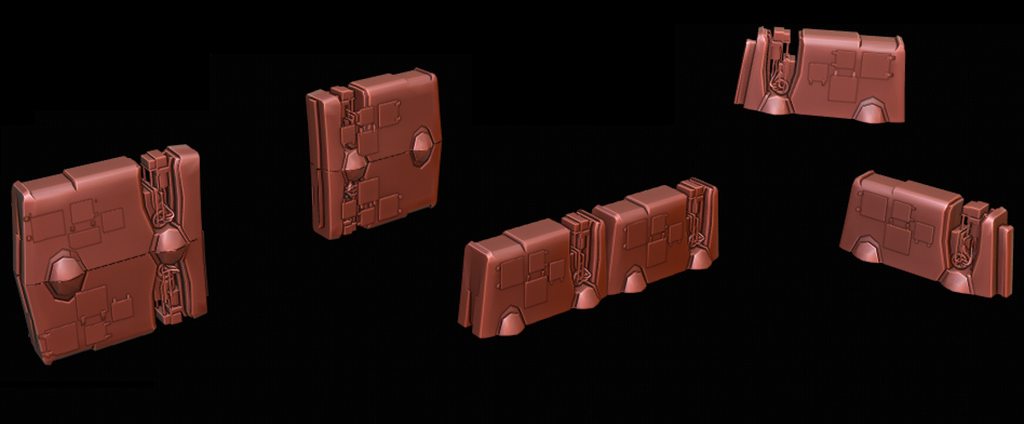
merely quick concepts I've been thinking of for some type of barrier system in my project
https://imgur.com/a/lVObQcN
I'm wondering what you guys think of the idea of moving barriers, would that be too much to manage in real time (fps)?
 junior stone
@maiden tangle that highly depends what y ou mean by moving and topology of that stuff. can I see a wireframe?
also how much is this object the focus of the scene? I assume it isnt?
fluid oak
The mirrored ones look weird to me
and they don't really look like barriers- you don't put exposed electronics and holes and removable panels on barriers
junior stone
@fluid oak which mirrored one? there are 3
fluid oak
the ones on the left
junior stone
you meant the horizontal one?
oh all of them
I agree
the heavy cabled could function as a pillar/corner. but having it at an edge seems weird
fluid oak
mirrored like this
junior stone
I agree with you there. but putting them next to each other looks weird as well
fluid oak
The thing is that equipment like that usually has an 'up' and a 'down' so mirroring it makes it look fake
Because it means that there is no up or down to it
fluid oak
If you saw an upside down traffic barrier in the real world with a right side up one balanced on top of it you'd think it looked crazy
exactly
junior stone
also, on the ones next to each other, the gap is bothering me, but it might look better if there are 3 compared to 2
fluid oak
my suggestion is to start out with 'what is the barrier meant to block by the people building it?'
And if you need to stack them add some sort of frame or connectors
junior stone
this looks more like a part of a mech than a barrier tbh
fluid oak
maybe even lego style pieces that obviously are designed for stacking
yeah, it does
Or an air conditioner
junior stone
I see a leg tbh
fluid oak
david said they're meant to move so maybe that's why, but it isn't entirely clear what he meant
junior stone
awaiting more information
cold lily
Does every mesh needs its own seperate mesh renderer and mesh filter?
hasty epoch
@trim nest maybe low poly to start and later on when there is people playing the game I will switch to a detailed map.
final granite
If anyone needs low poly models, dm me and we'll figure out something ❤️ I need practice, you need someone to do props, win-win
fluid oak
What kinda models?
 lilac blade
Hey, I am making a scene editor inside Unity for my art team, using the new HDRP, should I make the scene editor using the Unity Editor (Like, showing them light settings, post settings etc...) or should I build them a standalone from Unity that has UI inside that let them control all the visual stuff?
I am asking that because I saw some effects that they might want to use inside Unity Editor like Exposure and post effects that (as I have noticed) update during play
 rapid scaffold
^ I wonder that too, without using stuff from the asset store obviously
I'm making a 3D game and have exactly this problem: https://answers.unity.com/questions/568974/sphere-collider-catching-edges-of-aligned-cubes.html
Does anyone know how to fix it? Tried a few things but nothing helped

Unity is the ultimate game development platform. Use Unity to build high-quality 3D and 2D games, deploy them across mobile, desktop, VR/AR, consoles or the Web, and connect with loyal and enthusiastic players and customers.
 cerulean temple
Is 2sided not a standart setting you can choose for materials in Unity?
I moved from UE4 to Unity, trying to figure out how I should best start with opacity maps using an alpha texture
glacial vector
With the old pipeline this is true @cerulean temple. But with the new render pipelines you have an option for this
cerulean temple
Hmmm.. I'll try to find it, thanks!
cerulean temple
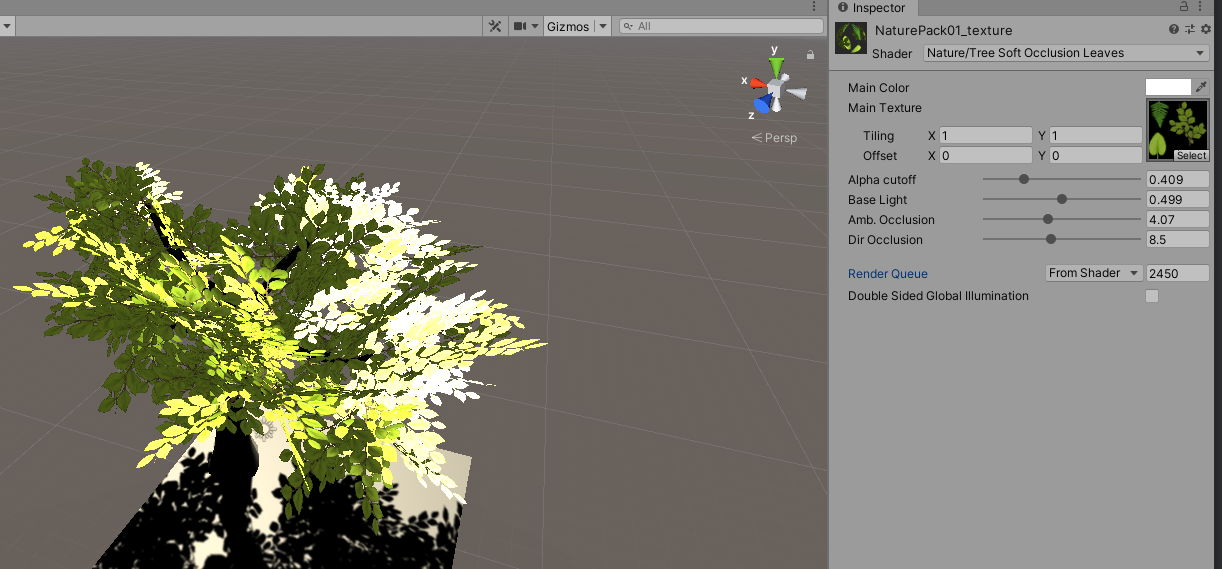
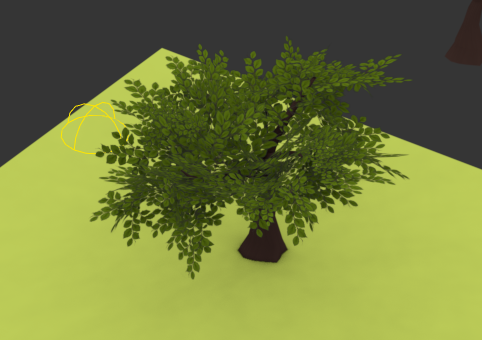
Found it but it's sorta strange 😄
https://i.imgur.com/oDkChEC.png what it's supposed to look like
 tender lintel
В этом канале есть русский!?Кто хорошо шарит в юнити?!Можешь пожалуйста написать в лс. Помощь нужна....
maiden tangle
The idea was these things can be disabled, they're not directly meant as barriers more like parts scavenged to make something functional that happens to provide cover. So I can see why it might look strange even as a concept to have mechanical bits sticking out.
Anyway this was directly inspired (shape at least) by this, which I thought too boring for this far into the future and wanted to spice it up a bit with some armor panels.
But in the end I agree the mirrored one would not have worked, the smaller one might be needing a second iteration to find the right concept thanks for the input!
But as for functionality I'm still curious what you guys think of the movability of these modified barriers, they would be somewhat heavily scattered along the map in question
player placement is everything so I really want to emphasize their importance
originally the caps on the bottom would act as jets? lift up and hover to another spot
which if the exposed electronic bits were destroyed, would leave it static and unusable essentially.. which seems too easy but, if you think in terms of what you might need yourself as cover the players will be focused on only doing damage if necessary. At least that's what the plan was lol
fluid oak
Have you played the surge 2? They have a variety of deployed tech-barriers in that
maiden tangle
nope will have to check it out thanks, also heard xcom is good.. strangely, the more I'm into development the less I play of games lol
 arctic nymph
hey how do i make my third person chater model replace the one for the standerd assets one
maiden tangle
@arctic nymph
https://www.youtube.com/watch?v=u26KiMpM5KM
first google result
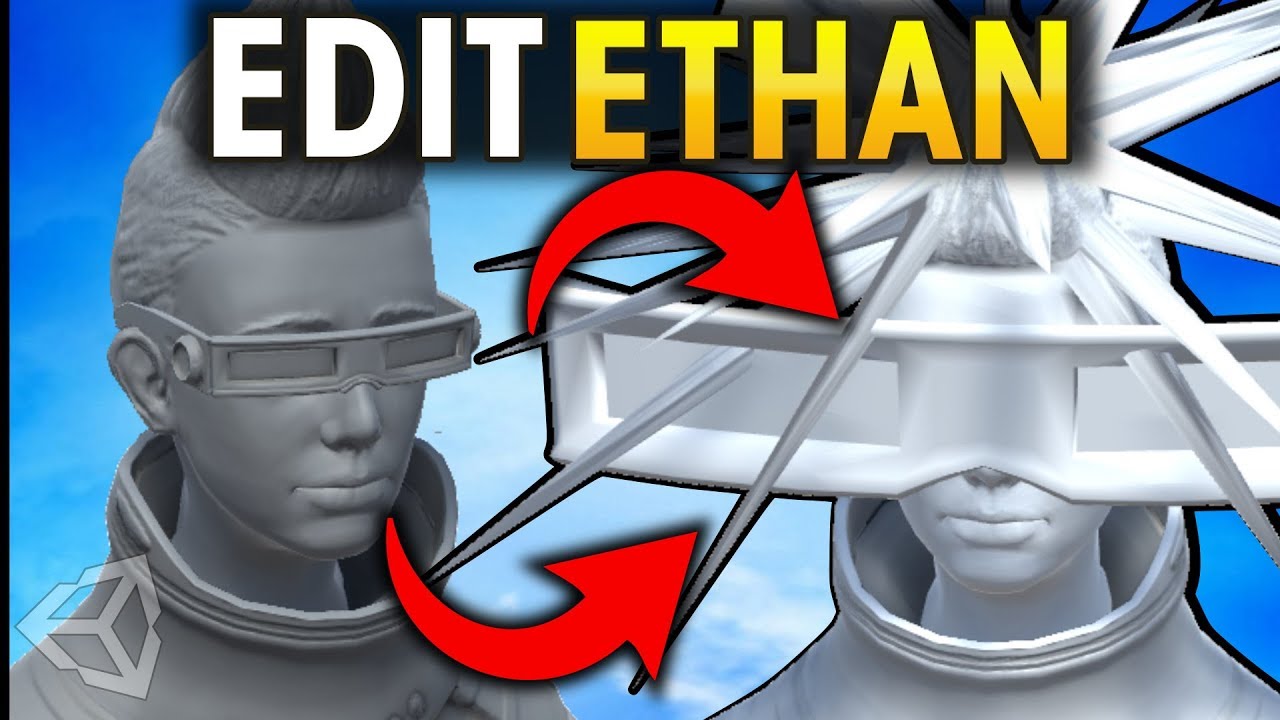
How to replace the standard third person character sample player who is called ethan. Blender can be used easily for this. You just have to make sure to replace the proper properties. Subscribe for gamedev updates: http://bit.ly/qubodev
arctic nymph
hoq do you get the camera to follow the moddel
how do i get the camera to follow the my character
glacial vector
There should be some foliage shaders in the asset store @cerulean temple
maiden tangle
@arctic nymph google knows the way
I suggest going thru the unity basics to get your head around how everything will be going down
frozen cradle
@crude flax you need a uv map on the object for that. Altough if you start scaling it in one direction it still wont tile but stretch. Not sure if recalculating uv maps is possible
wary rapids
I need help I have a gun thats a child of the parents which is a camera and I am making a fps. I want the gun to go with the camera but when i look down the gun is still looking forwards. how do i fix that @ me if you see this.
gritty reef
Made a rocket minecart
 clever condor
Hey you! Yes. Right YOU!
This "*😴 *" is sleepy. He needs your help with a problem he has when exporting and importing his first object ever from blender into unity. YOU BETTER help him, otherwise he will be stuck with that problem and never see 🌞 -light again.
The problem is that he made this nice little car in blender 2.82 and colored it with all its parts. He exported it from blender as .obj and also as a .fbx but whenever he imports the car into unity it just shows "defaultMat" as a material used in the new asset. The color doesnt appear and everything is white. Moreover the wheels seem to be destroyed somehow.
However. If you help 😴 he might be able to see 🌞 🔦 atleast one more time in his life. 👍 👍 👍
 warm zinc
ok then
clever condor
yeah. just help him 😄
 coral pewter
k
eager mist
@clever condor I also have the same problem
clever condor
@eager mist and you also dont have any fix for that ? The problem is, that the texture isnt loaded in and even if i put the texture into the assets folder before adding the object itself it doesnt work
 blazing axle
Hi everyone!
(i'm from Colombia, so excuse me for my english)
i need help with a game
it's a game made in Unity to help autistic children, the game uses Virtual Reality
and i want a little explain in a topic
It is a research project of my university and we need help to make the graphic environment (programming is not a problem)
clarification: it's not an online game, it's a software for those childrens who need it
 cyan otter
@main snow Yes it will twist the entire cube, then you need to subdivide along the cube's length
and then create another piece with the same ending point so they are seemless
cyan otter
as long as the object's center is along the same y and z values are the same you can line them up with coordinates really easily in unity
yeah
 main snow
Yes that's good
cyan otter
it might be x and z or whatever but whatever coordinates are along the width and height of the cube
then your length doesn't matter because each peice will be it's own length
and I'd use lengths that are all divisible by the same number just so it's easy to put together in unity
junior stone
is there a way in blender to merge by distance on all selected objects?
clever condor
no
gritty reef
Ephyr control device to be secured to the neck of the controller. Based loosely on the lore for @junior stone's game project.
My scale might be a little wonky since I freehanded it. The idea was that the capacitor (little tank thing), is about five inches tall.
And it rests at the base of the wearer's neck while the top plate attaches directly to the skull and the bottom plate attaches to the spine to secure the whole device in place.
It would be insanely painful to attach and limits mobility considerably, but it's medieval dwarf technology, so what can you hope for.
If I were to redo it, I would probably put bigger, more defined hinges and gaps between plates and add a chain link style connector between the segments rather than a basic hinge.
junior stone
it makes me think about parts of an exoskeleton
@gritty reef
rly like the concept, the valve in the back could be a replaceable cartridge for ephyr energy
gritty reef
I figured you'd want it to be somewhat permanent, but also allow for resource management. So you don't want to overspend your ephyr so you don't deplete your device and lose access to the magic
So a little ephyr tank/capacitor that can be overloaded from too much use or depleted would give that limiting effect
eager mist
how to edit submeshes in code?
change materials at runtime?
change layout of which triangles in which submesh?


 torpid terrace
Hey does anyone know what's going on here -- The shoulder plates keep appearing far lower than they are supposed to and I have no idea how to fix it -- Going from blender 2.80 to unity -- .FBX file format, all transforms baked to the mesh (Not armature as it goes mental if I do that)
I've tried parenting it, giving it a bone, and attaching the vertex group soley to that bone, but nothing seems to work
How it's supposed to look
 zealous glacier
Hi, I'm making a scene like this, so what would you recommend to make the trees, maybe looking for something procedural, I don't really know and I would love to read your advice, thanks!!
cerulean temple
Palmtrees are pretty easy to make so i'd do those manually, make one and then just modify that one slightly, move leaves around and twist the tree itself another way and so on
And then rotate them around for your final render for some extra variance
@zealous glacier
 crude flax
very first time 3d modeling, this is a horrible hammer i made for my game
eager mist
That's very cool
clever condor
The texture of my car.obj i made in blender is still not loading when i import the car into unity. Any ideas how to fix it ?
maiden tangle
@clever condor Import your texture into unity, I don't usually do .obj exports but I would assume it's not exporting the appropriate textures into unity.
gritty reef
Solid hammer, nice 🙂
clever condor
@ david 😄 how do i get the texture itself and then import it with the object itself ?
I used blender for the first time and im pretty new to unity too
 neat elbow
clever condor
neat elbow
clever condor
@maiden tangle
gritty reef
The correct David doesn't even show up when you type david lmao
warm zinc
anyone know why all my objects are disappearing and reappearing in game and in scene viewer
 chilly oracle
Are you spawning them in using script or is it more of a render problem with the object?
 tall canyon
Hiya I'm a complete noob I'm playing around with the kart microgame
How can I switch the kart model out for a model of my own?
warm zinc
nvm
gritty reef
Done with the speeder!
https://i.imgur.com/HoaSA0s.png
https://i.imgur.com/fN84Jj3.png
Replaced the skids with rockets, reworked some of the tubing/wiring, and added some more busywork/decoration.
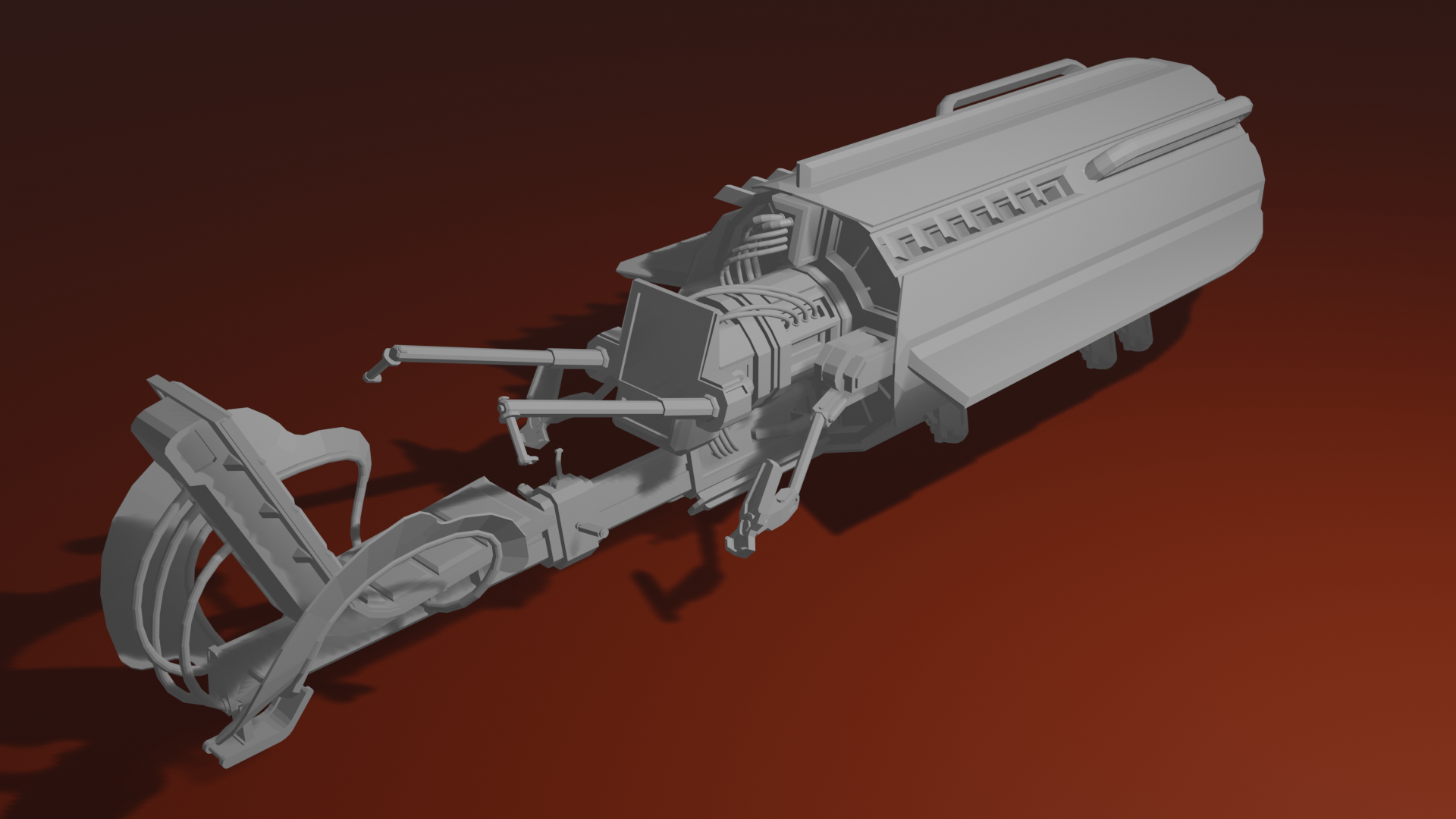
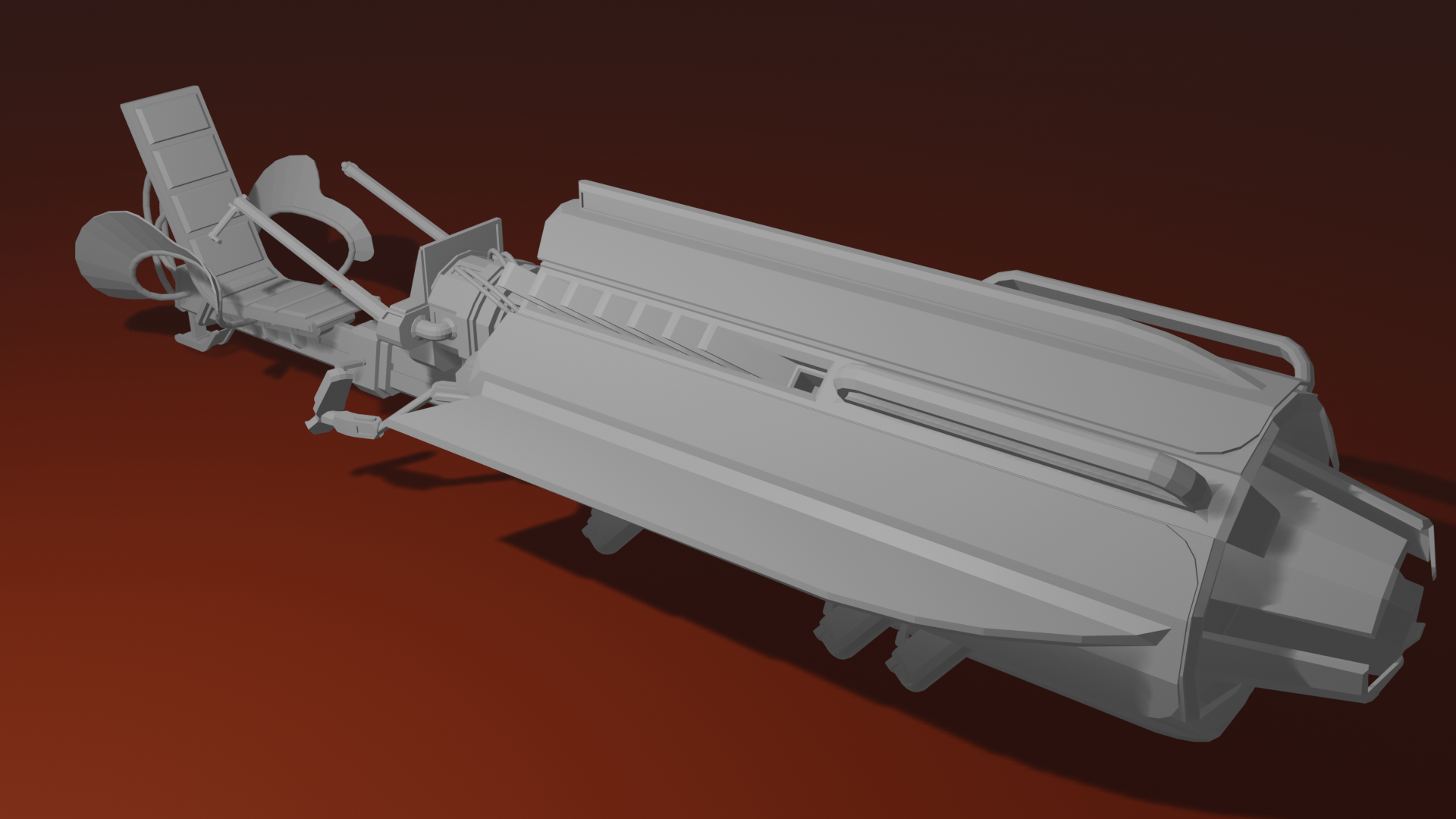
Trying to upload a lower angle image, but imgur is being imgur about it.
chilly oracle
not liking screen cap tools like Lightshot @gritty reef ?
gritty reef
I'm on a work laptop with a terrible resolution, so a screencap would be considerably lower quality than the rendered image. But just to show it I guess it works 🙂
chilly oracle
I mainly read discord on my phone anyways. 😂
gritty reef
ahh gotcha hahah
frozen cradle
hey can anyone give me advise on 3d cockpit interaction? i have a ton of buttons around my 4 screens and i wonder how other people organise interaction with them. do you add colliders to all of them by hand and scripts that ID them? or have some other way for that?
 granite sun
I'm not really a programmer by no means, but i would think you could put colliders on them and then use Raycast to interact with them.
eager mist
Should I make a covid 19 game would I receive hate?
 leaden pivot
Yes and yes.
@eager mist
Be v careful about talking about it here tho bc politics.
 dusk tree
does anyone know how to easily make a web shooter or grappling hook
been looking for a while but can't seem to find much
granite sun
There is a tutorial on youtube for a grappling hook. Not sure if we are allowed to post links in here.
@dusk tree https://www.youtube.com/watch?v=twMkGTqyZvI

✅ Get the Project files and Utilities at https://unitycodemonkey.com/video.php?v=twMkGTqyZvI
Let's make the Hookshot Mechanic that I used in my FPS Microgame! Really fun to move around the level!
I made an FPS in 5 days! (Unity Microgame)
https://www.youtube.com/watch?v=kY1Q2...
Do people not actually search for things before they ask??? 
glacial vector
unfortunately not
granite sun
Literally took two seconds to type "unity3d grappling hook" into youtube and that was the first result lmfao. 
eager mist
I do
granite sun
No problem! I wasn't saying you weren't tbh. But sometimes you see questions and wonder if people even took the time to search first.
 nova panther
How many objects can be n a game before it starts lagging they mostly will not have any code on them and not many will have RB
eager mist
theres no #support so ill put it here
how do i fix this
i researched and it didnt give me anything
warm zinc
alright so for some reason everything in my map started disappearing and reappearing and nothing is staying where i place them
granite sun
@nova panther Depends on how you instance the items in the game. If they are static or non static.
@eager mist Your missing a reference to something in your code.
@warm zinc No clue, need more info. Perhaps a screen shot of the issue.
eager mist
not my code
nova panther
@granite sun how do I check static or non static
eager mist
its unity standard assest
granite sun
@nova panther Object pooling may help with your question. https://www.youtube.com/watch?v=tdSmKaJvCoA
Get Skillshare: http://skl.sh/brackeys2
Speed up your game by setting up Object Pooling in Unity!
● Singleton Pattern: http://wiki.unity3d.com/index.php/Singleton
● Generic Unity Object Pooler: https://github.com/Rfrixy/Generic-Unity-Object-Pooler
● EZ Object Pools: https://...
@eager mist The standard assets package is doing that???
eager mist
yes
granite sun
Hmmmm. Maybe try deleting the standard assets package and reimporting it. I have not ever seen it cause that kind of issue.
eager mist
ok
granite sun
@warm zinc Is that a light? If so try recompiling the lighting.
warm zinc
its not a light its glowing i have no lights yet
it does that everywhere on the map
it does it n scene viewer also
eager mist
it crashed on reimporting
warm zinc
yea i tried turning it off
warm zinc
ight
pallid fractal
warm zinc
so nothing worked
its still broken
nvm it was the occlusion i needed to bake it. lmao
but one thing is still broken. when ever i place enemies or keys i made they go on one plane or just dont show up
 pliant tree
Does anyone know of a easy way to invert a cube
eager mist
How can a cube be inverted
 sullen plank
@pliant tree If you don't need to do it procedurally you can flip faces in any 3d editor. Also in ProBuilder.
eager mist
should i make a 3d game with a 2GB ram laptop?
eager mist
optimize like how?
my game that i worked for a whole week is gone
i want to punch something
warm zinc
r u sure its gone or u just opened it wrong
warm zinc
u should ask in general unity
eager mist
How do I stop a capsule from rolling over
 pastel quiver
Trying to animate these car wheels. Tried making the wheel a separate object in the blender, but it seems like the "origin" for the child objects is still in the center of the entire car. Is it possible to give different parts of a model their own origin?
eager mist
Hi all, question, I want to use high quality SBSAR materials in my project but Substance just doesnt work and they are totally silent about potential updates, is there an alternative I can use? I have no idea how to optimize maps by combining them etc so using SBSAR seemed to be an excellent option 😦
 dim sigil
Here are some red rocks
clever condor
okay
 river lodge
hi can someone explain me why unity triple my poly count?
my model is 7k poly (blender) on unity its 30k
when I launch my game
 glacial elm
@river lodge bad topology. bad normals. you didnt triangulate your mesh
fluid oak
Blender might be showing quads instead of tris, also
There is no 'poly count' in unity, just 'triangle count'
river lodge
thanks for the answers 😊 i didnt triangulate i thought unity does it automaticaly
glacial elm
@river lodge did it fix the issue?
river lodge
i'm testing
river lodge
@glacial elm i changed nothing i made 2 version triangulated and with soft normal unity keeps on x3 the tri count
river lodge
yes 2 sec
clever condor
Can someone help me fix the problem that my texture isnt loaded correctly on the car i try to import from blender ?
clever condor
When i apply its texture as a material it gets colors but they are really weird and nothing looks like it did before import
 silver owl
maybe try changing the shader's settings, make it less metallic possibly?
 still osprey
HI, can someone walk me through importing .obj to unity together with textures properly?
I have a map that shows up correctly in both blender and even microsoft 3d viewer
but when I import it to unity I get a bunch of errors and the whole mode is white
Ive tried to import external materials etc.
but Unity just creates a bunch of .mat files that are all white and do nothing
I really dont know how to do this
clever condor
@still osprey if you find someone let me know. I have issues with that too
frozen cradle
@pastel quiver you can change the pivot of each object. That will also be saved into the fbx and will be the movement point and rotation point in unity
arctic nymph
im making a open area but im struggling to make a good looking yet functional game level
help plz
guys?
eager mist
Does anyone know why I dont get prompts in visual studio?
Like when I type "SceneManager." I should be getting some prompts of what the scene manager can do but I dont
Anyone know the fix?
 spring maple
VS19?
 inner coral
@arctic nymph That's honestly way too open ended for anyone to give valid advice. "Good looking" is subjective, and "functional" really depends on the type of game you're making.
@eager mist For SceneManager specifically, make sure you're using the actual library at the top of the script Using UnityEngine.SceneManagement, I think. But, if this goes for every other prompt, I think the only help I could offer is to restart the program.
spring maple
Anyone used the HDRP before?
im kinda getting alot of errors from importing an asset
 wispy surge


 real cedar
Hmph... Trying to diagnose why my old Blender model suddenly doesn't want to animate. The actions look fine in Blender, and it seems to still have all of its animation loops in Unity, but none of them actually do anything.
And I don't really know Blender so I don't know where to go from there
I understand that this isn't Blender Discord, but idk, maybe there are some general things to try
real cedar
Update: Now they all do something, but it's only the currently opened action in Blender 😐
Not sure how to make separate animations any more. Seems like there is another step after making actions now?
nova panther
i do not know if anyone can help me fix this problem but in my game i have a slide and if you slide under something and stand up in the middle it crashes i was wondering if anyone would know how to fix.
real cedar
That sounds like something for a different channel... Also, might want to post the error that's being thrown for a starting point.
In any case, it looks like Unity does Blender animation imports in a weird way. I basically just have to manually export as FBX for Unity to understand what's going on
Apparently Unity's only reading the animations off the .blend if they're in the first NLA strip
If there aren't any NLA strips or the actions are in separate ones it seems to be ignoring them. Needs further testing; I might just be an idiot and have to create dedicated NLA tracks for each animation lol
 coarse wolf
What's a good way to get a basic animated 3d model of a human that's not stylized or themed for a specific genre?
Can't really find something in the asset store.
oh probably daz3d would be a good start
eager mist
for free you can use make human which is quite capable
 granite dagger
 naive garden
Is there a way to scale down an image that I'm using for a background to an exact measurement? I'm trying to make a shotgun model and have a good reference but at the moment it's about 9m across
eager mist
Hey guys! I need some help.
Trying to use Maya's Game Exporter to export multiple animation clips.
Everything seems to be working in one way or another, but not optimally.
Case 1:
If I export all animations to a single .fbx-file, all animations are working, but are not set to have loop-time checked and I don't have access to the animation import settings for some reason.
Case 2:
If I export all animations to multiple .fbx-files, all animations are working, I have access to the animation import settings, but every file contains the whole timeline (animation is not trimmed) which means it will take a lot extra space.
I mean... wtf...
Does anyone have any experience with this?
eager mist
hmmm, question guys, I'm using the textures from the MegaCity download but they only seem to be 2k, is it possible to increase it's resolution to 8k somehow? can artists do this easily and if so, is there a ballpark figure on how much it would generally cost?
 willow nebula
If the source texture is 2K, there is not much you can do about it.
eager mist
bugger 😦
willow nebula
You can fine some tool to do AI based upscaling, but it will never match originally based texture that were made on 8K

Bigjpg - Image Super-Resolution for Anime-style artworks using the Deep Convolutional Neural Networks without quality loss. Photos are also supported.
eager mist
ok, thanks for the suggestion
willow nebula
Nvidia had a free online tool for that, I'm trying to find the page again ...
eager mist
im planning to use 8k substance materials in my project, but the MegaCity stuff was 2k and it's actually really good looking, so I needed to find a way of matching the quality as close as possible, because it's unlikely people will be getting a super close-up look of it, upscaling may be good enough
 pine trellis
I'm triny to make a 2D style game in a 3D enviroment, can somebody tell me how apply a sprite texture to a plane?
eager mist
just add a component called Sprite Renderer
then create a new material, use your sprite texture as the base map
eager mist
then drag-and-drop the material into the material slot on the Sprite Renderer (yeah delete the mesh renderer)
pine trellis
its invisible
eager mist
try ticking the "double sided" box on the material
eager mist
just use a standard shader
I used the Lit shader, but I think you can also use Unlit to make them as dark as the source image
pine trellis
yes
eager mist
make sure "alpha is transparency" is checked on the texture, and "transparency" is checked on the material also
erm Alpha Clipping I mean, not transparency (on the material)
eager mist
try setting the surface type as standard
the transparency is in the texture, not on the material
a transparent surface type is like glass in 3D
pine trellis
try setting the surface type as standard
@eager mist so opaque
eager mist
yeah
pine trellis
still nothing
pine trellis
thanks a lot
eager mist
it's got to update the engine version so i'm waiting on that, in the meantime, I havent tried the URP but i'm guessing a lot of the settings are similar, just in different places
like the Workflow Mode, never used that in HDRP lol
can you screenshot the texture inspector also?
pine trellis
sure
eager mist
yeah your going to need Alpha Clipping on too I think
pine trellis
its just a tiny gun, black on alpha
eager mist
actually, try this: just find the gun in your project, then drag-and-drop it into the scene, see if that shows up
pine trellis
so i should drag directly the sprite?
eager mist
yeah, try it
pine trellis
yup it shouws up
eager mist
aha!, well, there you are 🙂
you shouldn't need a material to use a sprite, so yeah drag-and-drop them
pine trellis
problem is I cant change pivot If i justy do like that
eager mist
ahh ok, hmm, my project is taking ages to update so I can't check how I set up my sprites...damn
ok, see if you can get me that texture inspector screenshot, in the meantime, try posting on Unity Answers, someone may spot something on those screenshots I havent
pine trellis
so u mean just "open" the file in the texture section?
eager mist
just click it in your project and screenshot the inspector
pine trellis
nothing
guess ill just drag the sprite and use an empity object to controll them movement
eager mist
thats probably best unless someone spots something I havent, I know the mesh needs to be Full Rect, Alpha is Trancparency needs to be checked and Alpha Clipping needs to be on, but you have all that done so i'm not sure why it's not working tbh 😦
hmmm, try the other wrap modes?
I remember sprites being annoying to set up properly if they have transparency, took me ages to get a template down
granite dagger
Does someone know, how to crate this kind of character with face animation? Is that just rigged sphere with eyes, or just shader?
nova panther
can anyone help me test my game i need help seeing if a glitch is patched and its hard to recreate
 short summit
Anyone here ever imported something from Sketchfab into Unity? The models are GIGANTIC when in Unity. Any way to fix? Thanks!
eager mist
hey all any recommendations for best fidelity dynamic skybox?
eager mist
@short summit You can change the scale of the item in the "Transform" field of the inspector, just drag-and-drop your object into the scene, then change the Scale as you wish.
glacial vector
Or even better, you can change the unit scale in the import settings of the mesh @short summit
 limber kelp
Hy everyone
I am working on a game like angrybirds but in 3d so i can't able to find the slingshot mechanism in 3d. Kindly help me in this regard.
Thank you !!!
eager mist
if you're interested into NINTENDO visuals! go here and learn how they make it! https://noclip.website/
you can fly thru many nintendo games!
A digital museum of video game levels
short summit
@eager mist Yeah I know that. It's just I had to put like 0.008 on scale setting.😂 It was an .obj file though. FBX seem fine.
@glacial vector From Sketchbook?
eager mist
no worries, at least you got it sorted 🙂
short summit
Cheers. 😄
eager mist
@limber kelp https://www.youtube.com/watch?v=QM8M0RainRI

This is a recording of the monthly livestream. This time we make a replica of the popular Angry Birds!
♥ Support my videos on Patreon: http://patreon.com/brackeys/
● Download the project: https://github.com/Brackeys/Angry-Birds-Replica
······································...
oh, if your doing a 360degree-style angry birds game you will probably need to look at a Catapult, instead of an angry birds clone
This tutorial shows you how to move any objects along a parabola. I will show two different Approaches.
Files: https://gist.github.com/ditzel/68be36987d8e7c83d48f497294c66e08
glacial vector
No in the import settings inside of Unity. Setting this correctly means you don't have to scale it when you drag it into a scene. But stick with FBX yeah @short summit
limber kelp
@eager mist thank you i've checked all of them
eager mist
@limber kelp Nothing works?
to be honest, your probably best looking at some Grenade Launcher tutorials, all you do then is make sure the "person" (Catapult) can turn but not physically move
short summit
@glacial vector Ah I see. Thanks!
limber kelp
@eager mist thank you i think i found it we can modify the swiping thing with spring joints
eager mist
@limber kelp cool!, good luck for your game!
pastel quiver
@frozen cradle thanks got it working!
 teal stump
Hi guys, does anyone has a solution for exporting FBX from Blender to Unity? For some reason, no matter which settings i put in Blender FBX export (Forward and up axis), my object always end up with a -90 x rotation for some reason?
eager mist
erm, try rotating your object in blender to +90 on the x axis? if it's - in Unity that should hopefully equal it out?
teal stump
Yep, i could do that, sadly i wish there was a more straight forward export solution
eager mist
would be easier aye
eager mist
is this dude serious? https://i.imgur.com/876aZDt.jpg he is making this in a video and the title is"hot to make unity look good"
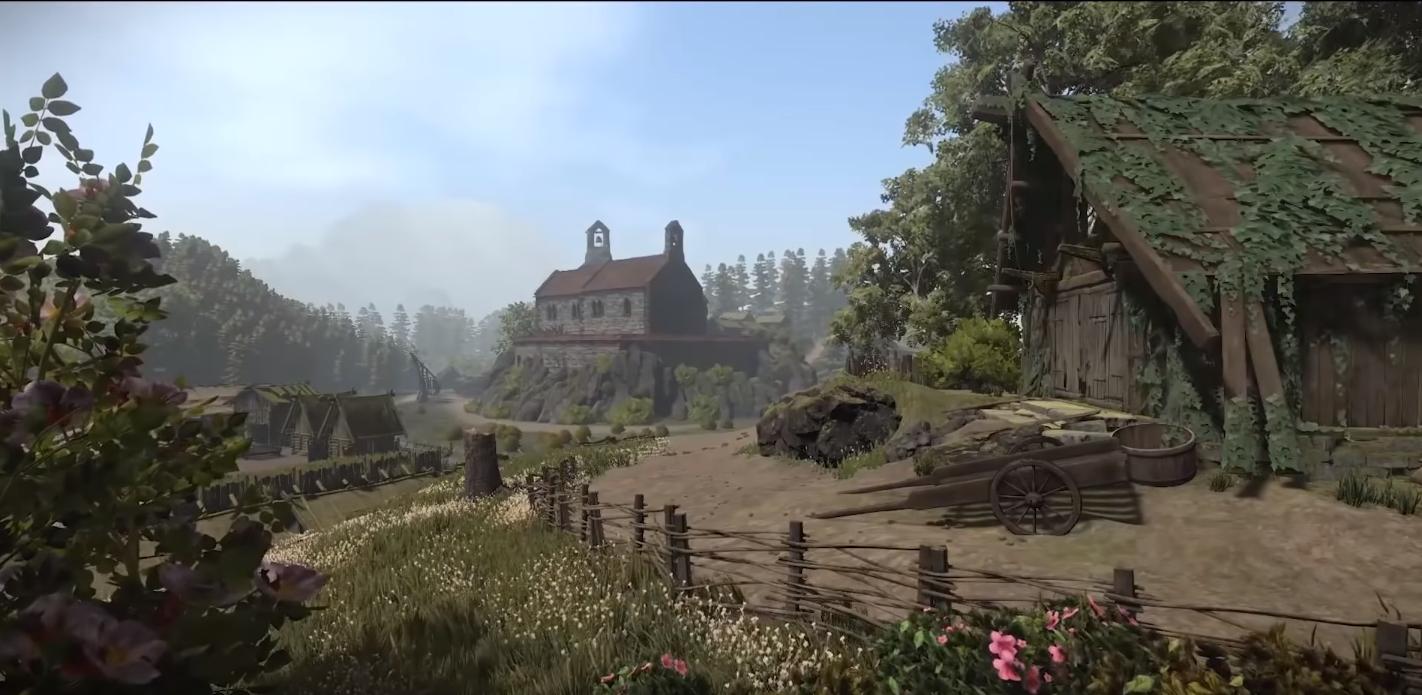

How do I improve the graphics in Unity? How do you get the best visual quality and graphics in Unity 2019? In this video, we're just checking that! =D
(AD) Check out RF Solutions here!
► http://bit.ly/RFSolutionsSykoo
♥ Support Sykoo on Patreon: https://patreon.com/SykooS...
how is this good looking?
maiden tangle
to be fair he does say "How I improve the graphics"
I can appreciate the chapel building on the hill, I think it could be a really nice piece if he wasn't so up close with low resolution.. cut out the up close scene the background looks decent imo
eager mist
but where do i find tutorials for making unity look good?
o.o
he was just doing level design
@maiden tangle
maiden tangle
I think it depends entirely on what specifically you mean, standard unity lighting is a dead giveaway I would start with lighting- when you narrow your search you tend to get better quality tutorials @eager mist
eager mist
you mean changing gamma, or sun light stuff?
 pine knoll
Wait standard unity lighting is bad?
maiden tangle
I didn't say bad I just said it's easily spotted.. it's subjective, but in my opinion you could say it's bad when compared to others sure.. not bashing unity, just saying it's widely known unity's lighting by default is a bit off
pine knoll
alright
maiden tangle
@eager mist I mean yea but it depends on what you're going for, toony lighting won't need the odd bits and ends a modern realism sim would need etc.. try finding a game that fits your look or at least similar in some aspects, and go from there
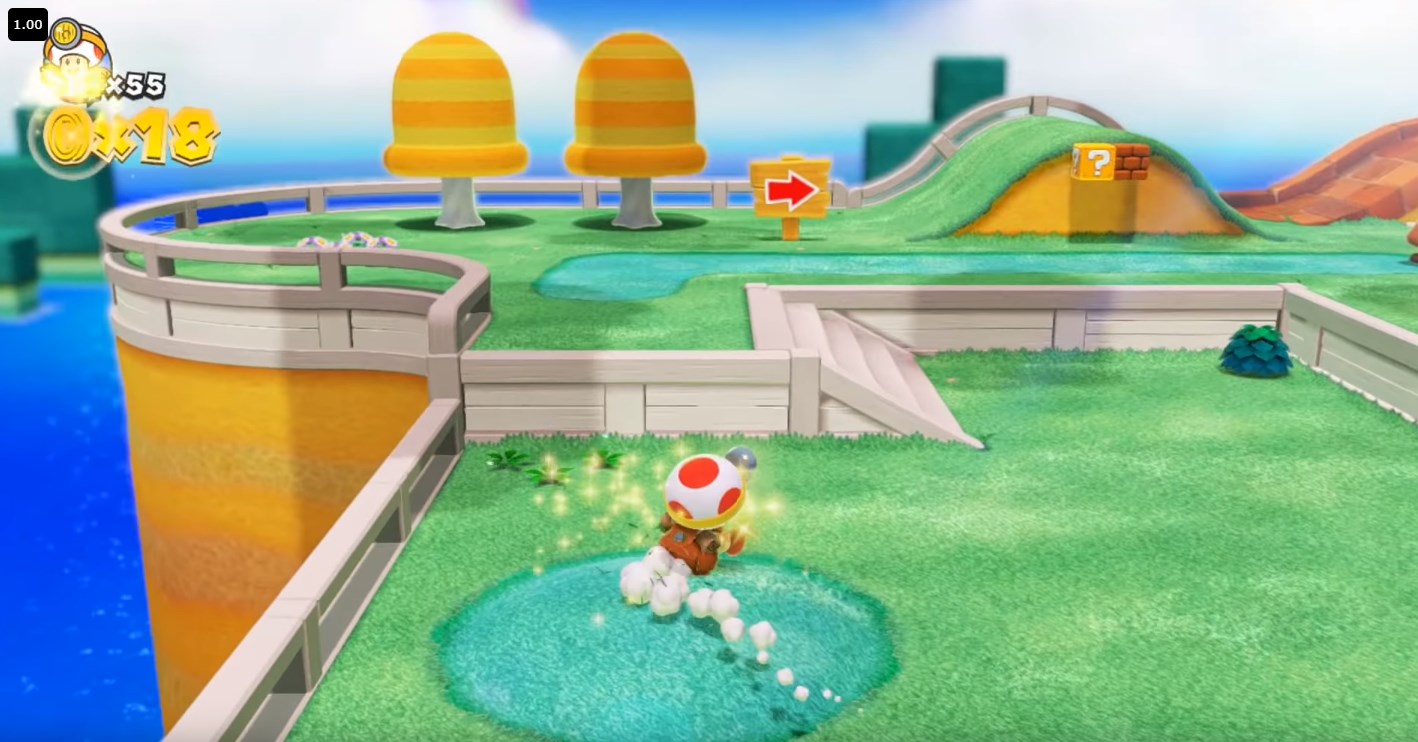 maiden tangle
yea so it's a lot more saturated than the default unity that's something
eager mist
ya. that's not all tho
maiden tangle
are you making your own models?
eager mist
it could still look like this without any saturation. yes.
will show you how it looks with less saturation
pastel quiver
@teal stump these settings seem to work for me without needing to rotate the object in unity
maiden tangle
@eager mist The recent Mario games are essentially PBR-like shaders with stylized artwork.
pastel quiver
im on 2.82a
maiden tangle
check out toony colors pro, pretty flexible..
eager mist
still looks very nice
pbr-like but not pbr or how?
all the preview images on the store for toony colors pro don't look like that
maiden tangle
start with getting into pbr shaders and you will quickly see what works and what won't, you could be dealing with wrapped lighting / cel shading rim lighting directional rim lighting all those modern mario games are basically sitting on shaders, the lighting comes after
the thing with toony colors pro, it comes with a generator
you can create your own shader with the specifications
it's not rocket science what they're doing, it's just customized to where there is no "use x shader specifically"
eager mist
what is wrapped lighting?
eager mist
but thats not toon
maiden tangle
these are simply examples of various techniques, how you mix match and modify them is up to your shader writing ability, or in the case of generating them having $40 for tcp2
as I said they didn't use a "standard" shader they have a custom one so, it's up to your own experimentation. Though I'm sure there are people out there if you search that have come close to the same as specific games you're interested in
toony pbr is a fairly popular way of doing it.
teal stump
@teal stump these settings seem to work for me without needing to rotate the object in unity
@pastel quiver Weird, it doesnt for me..
eager mist
@maiden tangle actually id ont see any rim light https://i.imgur.com/PmVHiHL.jpg
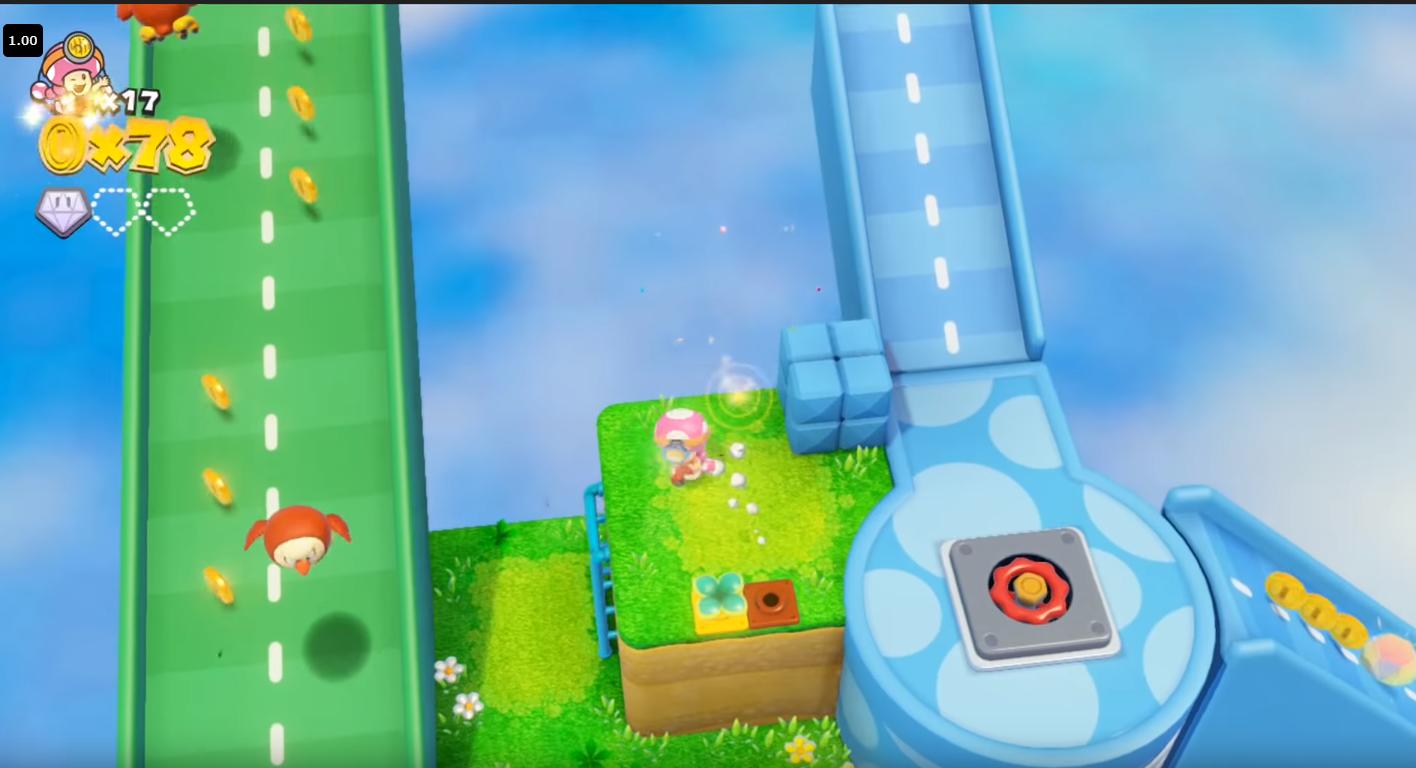 maiden tangle
I wasn't directly referring to that specific mario but I have seen it done, it's up to you and your needs
in galaxy I believe they made their own rim light by shining a scene light opposite to the camera direction, there is no cookie cutter style

The lighting in Super Mario Galaxy works by shining extremely harsh light at all models from the direction opposite the camera, giving all objects bright edges. As the camera moves, so does the light...
fluid oak
That trick requires a shader with rim lighting.
Most of the time a similar effect is cheated without a light.
maiden tangle
Yep.
eager mist
@maiden tangle they only talking about characters?
 supple stream
I need help with something
I have never made a 3d model before and I recently made one for supercell make
It looks like that
So I transported it as a fbx file and went to upload it
The problem is it said I need a png for textures and I thought it was already built into the file
But it won’t let me upload it
How do I get the texture
frozen cradle
Fbx can use embedded textures but unity makes you extract them again
The png is in your fbx, import to unity, select the prefab. Then go to inspector and select extract textures
@supple stream
maiden tangle
@eager mist Objects are the same situation, shaders can be shared generally speaking.
nova panther
anyone know how to make a resetabul timer
supple stream
@frozen cradle thank you so much
eager mist
@supple stream Find your FBX in your project tab, left click it to highlight it, in the "inspector tab" there will be a button for "materials", click that, then select "extract materials"
once they are extracted, you can set up each material as desired, then just drag-and-drop the materials back into the "remap materials below" section of the inspector (should be below the "extract materials" button)
eager mist
@supple stream thats your color map, so it should "wrap" around your model as long as you put the material in the right slot, so add that map to the "color map" slot of the material (assuming it only uses one material for the whole model?)
supple stream
How do I get one
eager mist
did you extract the material from the model?
supple stream
No
eager mist
find your model, in your project
supple stream
Okay I found it
eager mist
click it once, and in the inspector tab, click the "materials" button
supple stream
Okay
eager mist
ok, click "extract materials" then just click ok, and it will extract the materials into the same folder as your model
it should appear in your project tab (where your model is)
looks like a sphere
supple stream
I don’t see it
eager mist
ok just ignore that then, in your project, right click and create a new standard shader
eager mist
hmmm, thats odd, it's the same folder as the model?
supple stream
Ya
eager mist
weird, nevermind we can do it another way
supple stream
Okay
eager mist
right click in your project - create - material
eager mist
cool, thats right, ok, in inspector, theres a box for "color map"
drag-and-drop the picture you showed me into that box
supple stream
Wait that picture isn’t the right one
I was wondering how to make a picture like that
From an fbx
eager mist
OOOOH I see, so your trying to reverse-engineer a material?
supple stream
Ya
eager mist
hmmm, the problem is, the only way to do that i'm aware of is to extract the material, because the map is inside the material
so you might need to ask on the forums, so someone can give you a more in-depth guide
supple stream
Is there any other softwares to do that?
eager mist
Blender could probably do it, and it's free
but im not familiar with how, but I know you can extract materials from FBX files using it
supple stream
Okay thank you for the help
eager mist
Sorry I couldn't solve it 😦
supple stream
This is the first 3d model I made so I don’t know much about it
eager mist
dont worry, youll get the hang of it
practice - practice - practice 🙂
it confused me a LOT when I first started Unity, but it's only been 2 months and i'm already a lot more competant
supple stream
Thank you that’s helpful to know
eager mist
good luck!
frozen cradle
@supple stream if you want to "paint" you 3d model, you need to either create a texture, aka an image that matches the UV map of the model or you take an existing texture and change the uv map.
The uv map is a "virtual map" that tells the model how a square texture is painted on the non-square model
eager mist
i think he's trying to extract the material from an asset model he has
frozen cradle
Yeah if its in the fbx, unity should be able to extract tze image tho
So either it doesnt have a texture or hes doing sth wrong :)
eager mist
I think he may have extracted it somewhere else in his project, because he followed my instructions and it wasnt extracting anything, so he would need to re-import the model fresh then re-extract, or find the original extracted material
gritty reef
I actually finished some models in my timed practice. 30 min limit, done in 27 min 🙂
eager mist
@gritty reef nice one!
gritty reef
Finally got around to learning some minor texturing 🙂
 fading field
.
maiden tangle
nice love the subtle detail, though I am wishing there was a middle prong on the pitchfork lol
fluid oak
@maiden tangle That isn't a pitchfork, it is a garden fork.
Pitchforks are long and skinny, with three tines, used for picking up hay. Garden forks are for digging and pulling up roots.
maiden tangle
@fluid oak have you googled what the average garden fork looks like? I've yet to see one with such a gap in the middle, just saying.
fluid oak
The only weird thing about it to me is that most of the ones I've seen have a smooth cap piece
Instead of looking like a pipe with side pieces or something
maiden tangle
yea, I mean whatever works
fluid oak
def good for 20 minutes
 brittle star
anyone did something like mesh shape change in runtime?
like from cube to sphere n vise versa. is the article /tutorial i can read?
eager mist
can someone help me with this issue? im using the "Nature/Tree Creator Leaves Fast" shader on these branches and the alpha doesnt work right when its infront of any meshes. it only works against the sky. all other transparent shaders dont have this issue. no idea why
eager mist
@eager mist Not sure about that, although looking at the screenshot it could be the shadows they are casting rather than the leaves themselves?
gritty reef
@fluid oak @maiden tangle The fork is modeled after an ooooold garden fork we used to move mulch when I worked in Parks & Rec. The middle gap is way larger than it's supposed to be hahah
This is the best reference I could find on google. https://cdn.shortpixel.ai/client/q_lossy,ret_img,w_1000/https://acraftymix.com/blog/wp-content/uploads/2019/02/A-Rusty-old-fork.jpg

The one I used had rounded, straight prongs, but it had the same welded, blocky look
Those tools were done freehand, which is why the shovel head looks goofy lol
 normal bolt
Hey everyone. I've been running into some issues importing my models from Blender to Unity. Anyone know why they all look like they have sciatica?
 rugged terrace
Hey, I am kinda baffled by the free premium access to learning resources. There is a course on 3D development, but the whole thing only uses Maya and does not warn students that without that and few other programs, one cannot progress with the course :)) Since Maya costs about 200 per month, it is not really a free course is it? I wish that Unity course at least comes with a student license or some free version. I am also puzzled why none of the course materials teaches how to integrate unity and Blender which is much more widely accessible and free
glacial vector
Maya has a free education license @rugged terrace
Maya has a way longer history of being an industry standard for games, which is why Maya is the focus of a lot of tutorials. But it's changed a lot lately. On ArtStation Learning there was a course released lately on blender 2.8 for games
gritty reef
I utilized 3ds Max for about a year on a student license, which is also an Autodesk property. So I assume you can get a license for Maya as well.
rugged terrace
Yes, but isn't Maya free only for students who are on actual university modules?
You can't just claim being a student by studying official Unity course material or can you?
glacial vector
Nothing stopping you, really
rugged terrace
to join university?
glacial vector
If you are concerned about this there is also Maya LT which costs around $150 a year, and comes with all the features you need for games
normal bolt
@rugged terrace If you know someone with a login to their college email, you can get all sorts of cool stuff for free. That's how I got a bunch of Autodesk to mess with.
rugged terrace
so if I sign up, I ll get it for one year free of charge?
normal bolt
Yeah! 😄
glacial vector
Yes. It's also renewable
rugged terrace
Well but I can't prove I am student or know any student. Unless someone would love to give me their credentials 😄
glacial vector
Do you need to?
 rugged terrace
Also that Unity official course wants students to use Zbrush and Substance which are also premium SW. Is there any chance to get similar licensing?
normal bolt
I can't entirely remember for sure, but I believe I got Substance free.
glacial vector
Substance is $20 a month. For the educational license you need proof that you are a student. ZBrush has no educational license for individuals I believe
rugged terrace
Nah both are subscription based the only way to get those is to buy or pirate. Are there any open source alternatives?
eager mist
substance is broken atm, cant use gpu instancing with it, they are working on a fix for it though
glacial vector
The integration you mean?
eager mist
ah no, the plugin still works so if you dont need GPU Instancing thats cool
glacial vector
If you're following a Learn course then there's a trial period on substance @rugged terrace
An alternative would be the newest version of Quixel Mixer. But it's not the same
rugged terrace
what is the main difference between those two?
glacial vector
Mixer isn't really meant to paint directly on objects. But that's what painter is built for. And Painter is just the industry standard, there's nothing that really compares to it
rugged terrace
so it is Substance or Painter?
glacial vector
It's Substance Painter...
rugged terrace
ehh lol, yes sure, that sucks, but thanks
glacial vector
Honestly it's well worth the subscription. But you can also buy a perpetual license through steam
rugged terrace
oh it is on Steam too? Cool
But it only accounts for one year worth of updates. But yeah, good to know thanks. Does ZBrush have any open source alternatives?
willow nebula
Blender sculpt tool ?
glacial vector
Blender 2.81 is probably the best alternative yeah
gritty reef
@wary eagle Nice pipe ;o
maiden tangle
Mike you worked at parks and rec? That's so cool man lol how was it?
gritty reef
Pretty chill job. First few years I did park maintenance, just going around trimming the weeds and fixing mulch and such in public parks. Then I was moved into a large park full time to help take care of a rose garden.
maiden tangle
Nice, park jobs always seemed appealing to me
gritty reef
Not a very good career because of pay/benefits, but it was a good starter job when I was a teen/early 20s
maiden tangle
Yea definitely.
 foggy siren
This got buried in General...
Hi Everyone, I have a prefab I created that references a rigged humanoid mesh. I added a bone to the mesh in blender and I exported the FBX while my game was still running, and somehow I lost all the meshes in the prefab viewport.
On the actual import, its fine, and I can copy the prefab into the scene and it renders fine, but only in my prefab it seems to be broken. Has anyone seen this, or does anyone have time to help troubleshoot?
Here is a snapshot of the actual imported object:
It renders fine in the viewport, all meshes seem okay. It just seems broken on the prefab.
Is there some kind of cache I can clear? Or a way to regenerate the meshes in Unity?
eager mist
I have a question. I'm new to unity and listening to a brackeys tutorial on how to make a Fps, and I keep getting the error "Input axis Mouse x is not setup" I wrote the code in visual studio, and am trying to run it in unity, but the camera won't rotate by the X axis. I probably sound like a complete noob, but what did I do wrong?
gritty reef
@eager mist I would suggest asking that question up in #💻┃code-beginner 🙂
This channel is more for the 3d visuals in a game.
cinder saddle
good evening!
Would anyone know if I can automatically generate a prefab variation when adding a fbx ?
Or do it for all at once? thank you.
maiden tangle
Wow beautiful place to work!
cinder saddle
? ^^
glacial vector
You should phrase differently @cinder saddle, I don't understand what you mean. But ask it in #💻┃unity-talk instead
cinder saddle
Isn't it more fit in 3d related?
glacial vector
This channel is for art, your question is about pipeline
eager mist
ok thanks.
glacial vector
You might also wanna check out #↕️┃editor-extensions @cinder saddle because you wanna add some custom editor behaviour
cinder saddle
Oh okay thx, I was wondering if this feature already existed
I mean you guys do it this way?? it takes forever to make a single one 😦 once done its good but still
All I want is to have my content dynamic everywhere easily and being able to drill in and out like staircases with all elements individual etc
anyway shall do i ll find out
thanks
glacial vector
Unfortunately not... There might be assets or plugins for this though
eager mist
do you know a library of photorealistic meshes which are recommended?
eager mist
@eager mist im pretty sure its a shadow related issue i just have no idea how to even begin to fix it lol 😔
cinder saddle
@eager mist You can check out megascans professional use wise its only usable in ue4 tho - textures.com has some too
 thorn cairn
anyone know where i can find good resources to help with learning how to make games that use 2d textures in a 3d environment in unity? (sorry if this question belongs in 2d)
cinder saddle
what you want is to make a game? or to learn modeling/texturing ?
anyone got a fix for this? unity 2018.4 and probuilder, cant select backface vertices properly... so annoying
thorn cairn
i want to make a game but in order to make the game i want im gonna have to learn modeling/texturing
but im using 2d textures in a 3d unity game but it will appear 2d because of the camera angle
im just trynna find out if there are any good tutorials online for how to make smthng like that tho
 rapid echo
Completed a new scene in Blender. Realtime. Latte Cat. Thanks for viewing!
https://twitter.com/FarrukhAbdur/status/1243431416534388741?s=20


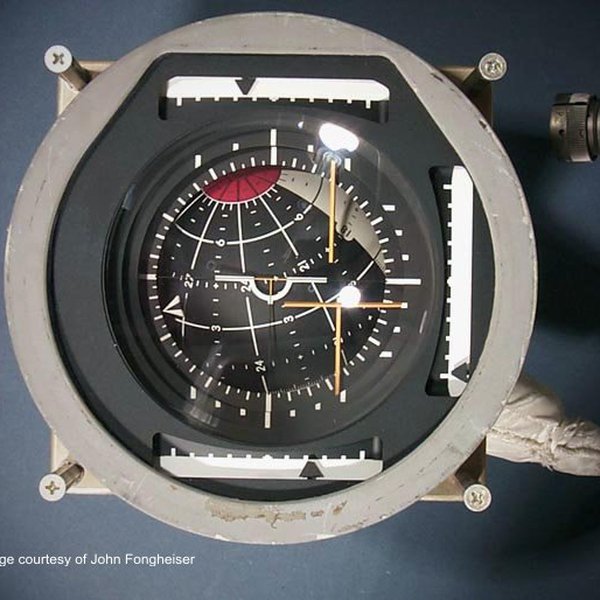


Completed the Latte Cat Scene :) 🐱 #b3d #SubstancePainter
#blender #blender3d #blenderart #gamedev #indiedev #polycount #coffee #eevee https://t.co/oa2EuYsa85
Likes
226
 Twitter
eager mist
Twitter
eager mist
@cinder saddle but thezhave onlz specificthings
gritty reef
@thorn cairn Someone smarter may correct me here, but I was under the impression that 2d games built in unity are technically built in a 3d workspace to produce a 2d game based on the camera position to the canvas.
In short, the dudes in #archived-art-asset-showcase will probably be of more help than us 3d scrubs 🙂
 tall blade
-- Message removed --
gritty reef
@tall blade You might get more help down in #🏃┃animation.
This channel is more for the making of the 3d stuff rather than the implementation of it.
tall blade
I'll move it there