
#🔀┃art-asset-workflow
1 messages · Page 34 of 1
 fluid oak
 uncut grail
That's a runtime loader though, right @fluid oak ? It wouldn't let me use it the same as any other model in editor?
fluid oak
Well, you wanted to mass-convert
So use that and the obj exporter...
And you have a mass converter?
fluid oak
This extension is built for exporting Unity scenes into the Wavefront OBJ file format. This extension also supports materials, textures, as well as texture exporting.
 copper radish
does it export baked too?
uncut grail
So... I can't import glb files to unity
The Khronos importer is totally broken
So is GLTFUtility
and I can't find any bulk glTF/glb importers of any kind so I can convert from that format to another
Has anyone here dealt with this before?
I'm feeling totally lost
uncut grail
I'm just writing a blender script
 clear sable
How many polys should an fps weapon be?
 lethal swallow
Does anyone know how I can fix these missing tris with probuilder?
I don't mind a bit of texture stretching.
The problem is during conversion, it doesn't included those "floating" verticies, causing it to attatch to the nearest vertex and warp the mesh.
 sullen plank
If ProBuilder can't handle it, there's an FBX exporter package that should allow you to edit it in Blender, etc. and import back.
lethal swallow
Yea, I can edit it in blender, I found that out just now.
the question is if I edit the mesh, will I need to redo hours of mats?
sullen plank
You should be able to remap those missing pieces in Blender
lethal swallow
select verticies, go to mesh/faces/fill.
not sure what it does regarding mats though.
yea, that doesn't work. Breaks UVs.
sullen plank
New faces that you create you'll have to UV map, I haven't used Blender for mapping a lot. You should be able to find a tutorial how to do that.
lethal swallow
Will look into this further. It looks like probuilder might be able to manipulate it, which is nice since I am more familiar with it than blender. I have even been able to piece out meshes that were imported as a single mesh.
 meager ice
Hey folks. Does anybody know how to make the Shuriken particle system suck up particles, like a vacuum cleaner? I'm looking to get the particles to be drawn in towards a custom mesh emitter..
 empty berry
fluid oak
empty berry
fluid oak
@meager ice you need to check the 'use external forces' box and then attach a 'particle system force field' to another object
uncut grail
Hey! I'm building a system where I need a crowd of people. They'll all be shaded the same way, with no varying textures. Just flat. I'm randomizing hair and head meshes, and I'd like to randomize hair color, skin color, and shirt color.
I was hoping to get your opinions on what the most efficient way to batch these would be?
fluid oak
Use vertex colors
uncut grail
Wouldn't that result in many duplicates of the mesh? Or in low poly models is that just a price that's worth paying
fluid oak
Well, what is more important to you?
uncut grail
I have like 600 meshes making up all the head, hair variations/parts
fluid oak
All I know is that all the vertex colored variations of one mesh will still be one material and one drawcall
So that is a pretty big benefit
uncut grail
Alright, I guess if I have a bunch of individual mesh variations, the chance I'll be able to batch any 2, like, hair mesh styles is pretty low anyway
So using a "different mesh" (new instance + set vert colors) won't incur any extra cost 99% of the time
But using one draw call would be worth the benefit
Thanks! Just validating
fluid oak
😄
 eager mist
Ok how hard is it to make 3D cartoony style map from real world
Lile with height map i think
fluid oak
Depends on the sort of cartoon I guess?
 alpine mural
Hey guys, I'm new to blender and I'm having some problems with animating my rig. I'm trying to rotate the entire body but it is changing the rotation for all keyframes. Any advice?
I'm on 2.8 if that helps
 ruby coyote
hey guys my friend made a animation of a guy holding a gun in blender i imported it in unity the character has tons of animations instead of one can i somehow merge them together into one animation?
 harsh summit
hey question what's a good way to make a low poly model in blender?
I'm going for a half-life sort of look
since it has some charm to it
It's also my first time actually making 3d models so I would like some help
I do have some spriting experience if that helps
I also have blender if that helps
 shadow canyon
 marble ingot
@shadow canyon That is a very cool style
 grizzled bone
reminds me very much of Zim's house. i like it!
 frail egret

ArtStation
Seasonal Leaves 100% Procedural Textured With Substance Designer. I Made This For My Future Game. After Creating The Base texture I Took Into SpeedTree And Made Clusters And Trees. Imported To Blender And Unreal Engine For Rendering. Hope you Like It Follow Me For More Posts.
 pine ocean
hi, I am having trouble getting my blender character into unity, could someone help me please?
 amber walrus
@pine ocean What is the problem and what have you tried?
pine ocean
My blender character isnt properly importing into Unity
and I don't know what I have done wrong, I've spent a bit of time in blender (still a beginner) but I've never used unity before so I was wondering if someone could help me
 dim laurel
very beginner question. So I now know the basics of blender and I created my first custom mesh in unity.
I now want to try to do a very simple voxel world. Say I have designed 2 cubes in blender:
(A) Grass Cube
(B) Dirt Cube
Would I just import these full meshes into unity and render them everywhere? That is probably slow right
So I wanted to do chunks which consist of a lot of cubes as one mesh. Is there any short tutorial on how to do that? And would I do the full cube and let the GPU do the culling or would I check which sides are visible and only render that part of the cube?
 glacial vector
@pine ocean That still doesn't tell us what is wrong. Do you have a picture? Or can you describe exactly what isn't correct
And @dim laurel this depends a little. But if they are just simple cubes, you probably don't need to worry about polygon count anyway. You don't have to worry about the culling unless you want to do occlusion culling from the players point of view.
If the cubes are different meshes then you would import them, and use them in the scene, like you describe .They would just reference the same mesh so it's not a problem unless you have ridiculous amounts of cubes. If you want larger chunks you can assemble them as prefabs. But if you want to optimize that part, you can make the chinks in blender and delete the faces that won't be visible
dim laurel
So you say I would just import those two different meshes and then instanciate them everywhere I need them (I want cubes that are about half as big as minecraft maybe) and draw also the faces that will never be seen (beneath the earth etc.)
I don't want a destroyable world as in Minecraft, it will be static
and no caves, I only have a heightmap and stack the cubes as high as necessary, never will there be a cube with air beneath
glacial vector
If it's static then you can bake down the occlusion so you won't see the hidden ones. But in a program like Minecraft you would probably have some kind of function to only render the visible cubes in a dynamic way
dim laurel
thank you for all the answers
do I need to triangulate the meshes in blender somehow?
for example the blender cube uses quads not triangles
glacial vector
It's not necessary in your case, but it's a good habit to have. But do it either in the export settings or as a modifier, so you can still work with quads
 spark steppe
@dim laurel https://docs.blender.org/manual/en/latest/modeling/modifiers/generate/remesh.html remesh modifier might be useful.
dim laurel
ok thanks to both of you
I have a more specific question now. I know how to apply a color array or a texture to a mesh I create (using uv coordinates). Now I have a height map I also want to apply, how would I do this
these are the textures and heightmaps I want to apply
fluid oak
pretty cool
the lack of handle confused me at first
made it look like a cooking tool pointed the other direction
 wary eagle
Haha! Thx, stock almost done, handle next.
 pure nebula
I have all this text from a material https://pastebin.com/EviyNhA8 can I take this information and put it into blender so I can get the proper values on a texture?

 rigid storm
How do I make a sort of "texture page" from my Blender model?
 young spire
@rigid storm texture page? You're going to have to be more specific
If you mean UV unwrapping, as in laying out your model in 2D space to allow you to texture it, that's done by going into edit mode, selecting all of your vertices (tap A) and then hit U and click "unwrap"
UVs Are a very complicated topic, but you will be able to find tutorials now if not knowing the name of the process was your roadblock :)
rigid storm
Thanks @young spire ! Yes, that's what I meant
rigid storm
So my texture looks like this
But in Unity, it looks like this
I want the blue rings to cover the creases in the model
how can I do that?
 willow nebula
Did you do the model's UVs accordingly ?
rigid storm
@willow nebula how?
willow nebula
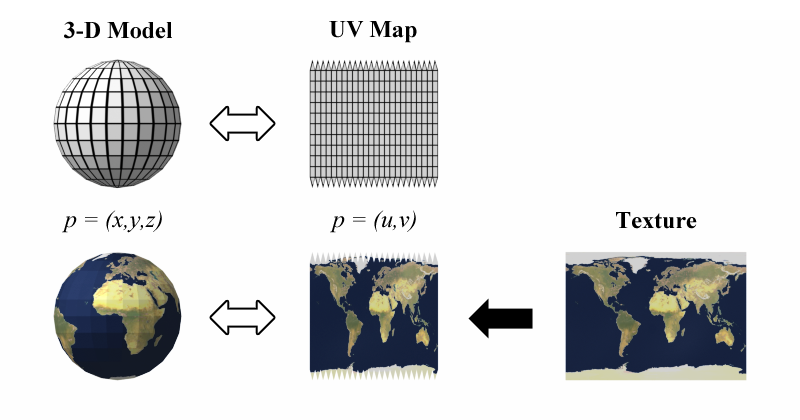
UV mapping is the 3D modelling process of projecting a 2D image to a 3D model's surface for texture mapping. The letters "U" and "V" denote the axes of the 2D texture because "X", "Y" and "Z" are already used to denote the axes of the 3D object in model space.
By uv mapping the object. Else, how is the engine supposed to know how to map your texture to the 3D model ?
rigid storm
Is there a simple way to select an entire circle of lines in Blender?
oh ok nvm it's alt+lmb
 gritty reef
Very cool Simon!
 lament pawn
voxel is a damn convenient art style
rigid storm
Question: my blender model has 2 parts (a sphere and a torus), how can I combine them into one model?
rigid storm
cause now when I import it to unity, my player object is only the ball part but without the torus
@lament pawn Ctrl+J doesn't do anything
young spire
Don't select them in the heirarchy in the future, than can be finicky. Hold shift and select them both in the 3d view (the object selected last is the one materials and the object origin come from)
@rigid storm UV unwrapping is a topic with a lot of nuance. Please find a tutorial on it, vaguely worded discord questions aren't going to get you the knowledge you want or need
Of course we're happy to answer any specific questions, but we can't teach you UV unwrapping from beginning to end :)
rigid storm
Ok, I figured it out
But now I have another question: is there any simple way to make a hollow sphere?
like a sphere but with a sphere-shaped hole in the center
young spire
@rigid storm the Solidify modifier will do the trick for you
Make sure your normals are facing the right way
 iron flare
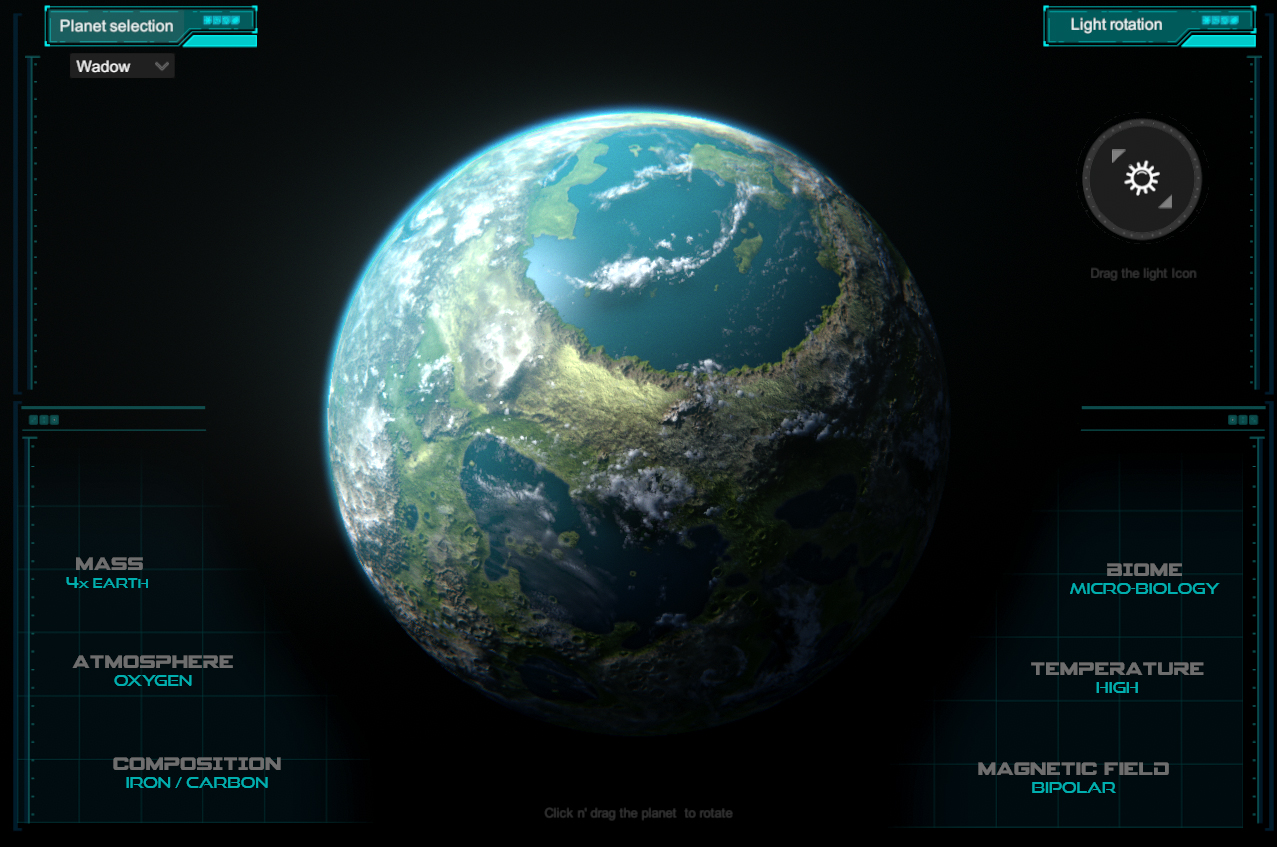
Latest planet added to the collection.
If you would wish a kind of planet , what would it be ? I'm running out of idea after the 20ish 😄
 rigid storm
@iron flare A hazy, purple/pinkish planet with lots of smoke and mountains, no water on the surface. Very cold. Very little life, and everything lives underground.
fluid oak
@iron flare a rocheworld
rigid storm
@young spire I end up with 2 balls, one inside the other
I'm a complete noob so pls tell me if I'm doing something obviously wrong
And I can't put Solidify on a Nurbs surface sphere because I need to "transform curve to mesh" and I don't know what that means
rigid storm
ok
but how can I make a hollow sphere?
I thought I could take the surface of a sphere, and then put solidify on that
cuz putting it on a solid sphere make a second sphere inside
rigid storm
I want to have a ball with tiny dots bouncing inside
so I need hollow space inside
I made a hollow sphere according to these instructions, and the balls just fly out
young spire
should be a mesh collider with Convex turned OFF
young spire
that is the right mesh, right? sphere_feather in blender is called sphere in unity?
rigid storm
Yes
rigid storm
young spire
What that means is that your sphere can't actively participate in physics other than being collided with unless it's convex
do you need the sphere to do anything other than contain the balls and be animated?
If not, check "Is Kinematic" on the sphere's rigidbody
rigid storm
Actually, I want to be able to control that ball
I can make it kinematic now for testing purposes
I think I won't make those balls rigidbodies anyway, they're kinda uncontrollable
and I can't make them do what I want
young spire
yeah you can just use animation keyframes to move it around if you want to
alpine mural
Any tips for sculpting? I'm trying to add some details onto a character model to bake onto a lower poly one. But everything I sculpt looks super rough. Even using the smoothing tool seems to make it worse
willow nebula
Subdivide more ?
alpine mural
I could try, it's at around 20,000 polys before any sculpting.
wary eagle
AS VAL magazine done! Let's work on the low poly.
wary eagle
1st texture pass on the magazine.
iron flare
A hazy, purple/pinkish planet with lots of smoke and mountains, no water on the surface. Very cold. Very little life, and everything lives underground.
@rigid storm Here is your planet, you have to name it now
https://novashade.itch.io/planets-demo
 eager mist
Vij tani
uncut grail
Hey! Cross posted from #archived-art-asset-showcase- I'm trying to figure out the easiest way to get sprites on 3D geometry lit just like the rest of the objects in my scene
Or getting SpriteRenderers lit like normal 3D objects (e.g. using the standard/LWRP simple lit shaders)
I'm using Sprites for the eyes of my 3D characters, because they're easy to atlas and swap out, and I'm trying to get them... not unlit all the time
I know you can use sprites as Texture2Ds on materials using the "regular" shaders on like, quads, but I'd lose the ease of being able to change the texture/sprite of just one eye (while still batching them all on the atlas) without going in and changing the specific UVs of the mesh
I think
uncut grail
I'm just gonna build my own shader. All good
fluid oak
I don't know if you can in lwrp, because the only way I've been able to do it was with deferred rendering
 sly kestrel
I don't know if it's been asked or answered before but I have models made in blender with textures (and tiling to make them look right using vector mapping and texture coordinates) but when I put the object in unity the tiling goes out the window, although the textures are in the right spots and all. I was looking to see if I could edit the materials in unity but no luck there
fluid oak
goes out the window how
uncut grail
Are you talking about mirrroring and such?
Because you can go and change those texture import settings
sly kestrel
I have the textures set to tile and adjust their size on the model in blender (so it's smaller details etc.) but when it is imported into unity it just places the texture as a single image making it stretched over the assigned area on the model, I'll take a look into import settings, I've only been using unity and blender for about a month so I'm not as familiar with a lot of the detailed preferences and such
 earnest crow
I'm looking to buy a model of some clothing off of turbosquid, but upon looking at the topology I noticed that the sleeves aren't actually attached to the torso. They just kind of clip into eachother. Is that a glaring issue that might cause issues later, or something that's pretty standard?
fluid oak
That looks really nice
wary eagle
Thank you. Maybe on the asset store one of these day! 😉
fluid oak
cool. maybe if I make a 3d game some day 😄
rigid storm
@iron flare Planet Clorong
 fiery frost
guys, do you know how to setup camera to achieve this kind of view on Brawl Star game. It looks like it's Perspective but also not really (The objects closest to the bottom edge are just slightly different compared to objects furthest to the bot edge). When I tried in my scene, the closest, you can only see its top face (unlike in Brawl Star, you can see only slight change). Link: https://www.youtube.com/watch?v=u82AqAd_b8Q

Pre-Register NOW!! ►► https://supr.cl/2OGFiTg Be a BRAWLER! Subscribe! ►►http://bit.ly/2rXFnbd Fast-paced multiplayer battles from the makers of Clash of Cla...
hope anyone has experience on this can enlighten me.
also, at launch, Brawl Star used pure Ortho camera. Then they updated it to current view.
 serene shadow
@iron flare you doing more of those juicy planets? 👀
iron flare
Yes i'm not done yet ! If you want to suggeest an idea feel free to describe it 🙂
fluid oak
Are you doing those planets manually or procedurally?
iron flare
There isn't much manually, this is with the help of the software Grand Designer which is kind of procedural. I also re-work and calibrate the textures in photoshop then inject them in a shader I made myself in Unity (with a lot of configurable parameters for atmosphere / water / clouds etc)
fluid oak
@nix can you just change the camera's field of view?
fiery frost
@fluid oak moving camera further (or increase FOV) does not solve this. Objects closest still only show top face and objects furthest show a lot of side face. Just like a normal 3d view. On Brawl Star, Object "looks 3d" and not change much (maybe not change at all) moving from furthest to closest. That is a mystery to me.
fluid oak
...right And then move the camera farther away to make up for it
serene shadow
Porous crusted planet coated in sand, extreme sand mountains are formed on the poles of the planet, rest is relatively smooth. Craters formed since sand falls into spaces below, sand comes from volcanic activity beneath surface. Very hot days, very cold nights, most life is probably just microscopic or in cave systems @iron flare
fiery frost
just tested it. Same result. Objects at different locations have their different respective angles. I think this should include some hidden tricks with multiple cameras or something.
 wide wasp
How low did you go?
fiery frost
I gave it another try with FOV of 5. Now it looks like Ortho but still have "side faces"(if you know what I mean).
fluid oak
Just tilt it as far as you want
wide wasp
Haha that's trippy
fiery frost
ok, this looks like a good direction.
however, with this approach, the environment (bg, outer line surrounding arena) will also look like it is Ortho. But with Brawl Star, only character looks like what we've done. The out lines still look perspective.
 icy chasm
Hi guys, my 3D artist need some help. He did this asset but as you see the shadow is wrong. It's like there are some hole. The asset is just one asset, not more asset. Any idea why it's creating this hole in the shadow? There is no hole in the model. Thx for the help
All other assets he created are ok
fluid oak
are the vertices unwelded?
icy chasm
checking
icy chasm
@fluid oak nope. Still not working. We tried to import the mesh in unreal and there is no issue like this >_>
iron flare
@serene shadow
Porous crusted planet coated in sand, extreme sand mountains are formed on the poles of the planet, rest is relatively smooth. Craters formed since sand falls into spaces below, sand comes from volcanic activity beneath surface. Very hot days, very cold nights, most life is probably just microscopic or in cave systems @Nova Shade
Here is it
https://novashade.itch.io/planets-demo
uncut grail
Hey all, quick tech art question
As far as I know, skinned meshes don't support material instancing in Unity.
So if you had 100 skinned mesh renderers, would the runtime performance cost be the same if they all had unique materials vs the same material? Not counting the memory taken up by having having all those materials?
I wouldn't think so, because loading a new material takes time, so I'd assume unity would group its meshes to render so it only has to load each material once (for a given mesh type)
And yet...
serene shadow
@iron flare Gorgeous! Really tempted to design stories for it...
 last vine
guys i got a small really small problem in lightning and need help
so the first image is from a game, and the second is unity
how can i make the non-lightened side of the model more "alive" and not dull?
uncut grail
I'm assuming by the normals you mean you want to see those clothing wrinkles pop more
last vine
yeah, and the spine line etc..
uncut grail
Delete the directional light aiming at her from the back
uncut grail
Oh, in that case add a directoinal light aiming at her from the back, but not head-on
Angle it
last vine
yeah so basically 2 lights
uncut grail
Also if you want more control over the deepness over, go into your scene lighting settings, set your ambient light source to "color"and change the ambient light color
Yep!
But again I'm not an expert
last vine
yeah thanks imma play on that
uncut grail
I think some unity standard shaders let you play with the intensity of the normal map
as well
uncut grail
Nice!
last vine
@uncut grail this is the 2nd pic if you wanna se it https://imgur.com/a/BdLLqgQ
uncut grail
The shadows come out much better in that one, good work
 violet nest
18k? isnt that too much? 🤔
iron flare
I think it's ok for close range view weapon for current games
uncut grail
Has anyone here had issues with Polybrush changes getting lost after an editor restart?
I hit bake vertex streams, all worked, I go to sleep, come back, fire up unity and...
nothing
All the changes I made are gone?
fluid oak
What's polybrush?
uncut grail
One of the Procore tools Unity's integrating
I just need to change vertex colors of a model I have imported to unity
If I import the model to blender and do the work there, when I export the model back to Unity, it doesn't preserve the scale and rig structure
That said - if anyone has an alternative great easy way to paint vertex colors in Unity, I'm all ears
glacial vector
@wary eagle nicely done, I think you should break up the edge damage to make it less uniform. Especially on the pieces on the side of the gun they are just lines
gritty reef
@wary eagle Very cool!
uncut grail
I fixed my issue, saving to a separate asset file and swapping the mesh in the prefab vs trying to change the original model
Also @wary eagle That looks rad
wary eagle
Thank you everyone! I'll update these textures issues later @glacial vector because it's just a personal project for the moment.
dim laurel
if I do a voxel-like world is it fine to do a seperate mesh for each side of each cube>
gritty reef
@wary eagle I apologize if this is a noob question, but I'm a noob. How do you get from your high poly model to your lower poly model? Do you just go through and prune vertices/edges?
alpine mural
Working on the main character for this project I'm doing, any advice? I'll have to redo it anyway because the the topology is terrible and it's making UV mapping a nightmare even tho it's such low poly lol
 real inlet

Little Slime monster for Unity : Slymes Mega Pack
Sold as seen No Rig 2048 PBR Textures - Slyme 25 : MonsterZ - 3D model by Warsoul (@Warsoul)
wary eagle
@gritty reef You just delete the loop cuts that allow you to have control over your subdivision, keeping only the sharp edges, that's why you should not go with a model too low poly when you build your HP, it must be remembered that the HP base will serve you as LP.
fiery frost
Have anyone here problems with Probuilder in Unity 2019.2+? It seems it became unable to select face/vertices/line with the select tool. And when an probuilder object is selected, no vertices is highlighted.
wary eagle
https://sketchfab.com/3d-models/as-val-f82f366802054ebd9b7b1b87abc4dc12 If you want to turn around! 😃

A lot of inaccuracy… But hey! One of my first baked model. - AS VAL - Buy Royalty Free 3D model by Simon Mercuzot (@Simon.Mercuzot)
 split hound
so im just starting working in 3d and im wondering for eyes should i just make the eye sockets and then toss some balls in them for eyes or should i just sculpt the eyeballs directly in, going to assume the first one if i want to make them move but just want to be sure
 stray stone
@split hound The most common way i've seen is there is a eye socket , but no back to it.
and then the eyes are just half spheres, because you don't need the back of them.
 noble mural
Tried to recreate the previous headlights in Unity
Taillights*
I think they turned out pretty good
gritty reef
That's pretty awesome 😄
gritty reef
@wary eagle Do you do 3d modeling professionally or is it just a hobby for you?
wary eagle
Professionally, this one was for a commission.
gritty reef
Ohh that's awesome! Did you get started on your own or go to school for it?
wary eagle
On my bedroom. 😉
gritty reef
I'm pretty new to the whole thing and just do it as a hobby with the hopes of maybe doing something with it later. Is there anything you'd recommend practicing specifically to improve? Like working from the ground up, what kind of models did you start with?
I've done a lot of hard surface modeling, like various small game assets and some buildings and things, but whenever I try anything more complex like a character model or something like that gun, I just get lost and it gets all warped and weird looking, even when using a reference.
wary eagle
I've start with low poly weapons (which is my main work, as an Asset Store Publisher) then I've move on hard surface/weapons. 🙂
I recommend you to start with simple mesh (Low poly pistols, small cars...) then improve the topology/ workflow.
gritty reef
Thanks man, I appreciate the advice 😄
split hound
im kind of shocked how fun it is to sculpt hair
it also leads to funny looking stuff like this
fierce
 midnight helm
I got to model 4 city ruins tiles for my city builder
3d coat isn't working
so I'm out of ideas
when ever I press grow or voxel the mesh vannishes
wary eagle
Low Poly Jail Pack is out! 😃
gritty reef
Low Poly! Link to the page?
wary eagle
Look in #502171717544968212 ! 🙂
gritty reef
Oh awesome, thanks! I didn't even realize that part of the discord was a thing hahah
@wary eagle Have you checked out the game Deep Rock Galactic? They have the same low poly style you seem so fond of. Might be something to check out if you're into it 😄
wary eagle
Thank you! I gonna have a look into it. 😃
fluid oak
Since nobody seems to be responding in #⛰️┃terrain-3d , I was wondering if anyone was familiar with this issue
It seems to happen whenever I add a neighbor terrain
All material, etc settings on the new terrain are identical to the first
 primal scaffold
Anyone got a forest pack that has everything in it? Trees/Grass/Dirt/Sand. etc...
gritty reef
@primal scaffold I found this browsing through the asset store https://assetstore.unity.com/packages/3d/vegetation/forest-environment-dynamic-nature-150668

Discord Channel | Website & Support | Facebook
Pack support unity:
- Unity 2018.3+
- New Unity Terrain 2018.3+ Support
- Unity 2019+
- Unity 2019.1 HD RP 5.7+
- Unity 2019.1 LW RP 5.7+
- Unity 2019.2 HD RP 6.9+
- Unity 2019.2 LW RP 6.9+
To run HD or LW RP pl...
 empty star
https://www.artstation.com/markvano
Looking for Work.
 primal scaffold
Thanks
wary eagle
Blocking out a PB! (silent Makarov.) https://media.discordapp.net/attachments/464281487999500288/621146688987463723/unknown.png
 gritty reef
Is that all a single mesh?
wary eagle
No!
gritty reef
Ohh okay hahah
wary eagle
I'm thinking about making the internals. 😉
gritty reef
Do you start from a single block and then detach faces and extrude from there or do you usually make a fresh object and then fit it to the model? I've seen people do both
wary eagle
No, I start with the lower receiver, then give him the good dimensions, then I add the other parts!
I've start with 2D mesh for this gun.
Then extrude it:
gritty reef
ohhh I see
That's a good idea, I think I'll try that. I'm working on a pistol similar to that one and started from the slide and am working down, but I started with a block rather than drawing out the shape and extruding.
That will probably be a lot easier than loop cutting and moving vertices to get my shape hahah
wary eagle
Yeah it's a lot simpler, but it's also a habit to take! Show me what you've done! 🙂
gritty reef
Will do once I'm home, at work for now
wary eagle
No worries!
gritty reef
@wary eagle This is as far as I got on it in about 30 min last night.
Using this bb gun as a reference for it.
I'm thinking I'll start from scratch and try to section it up like this
split hound
are there any go to tutorials for sculpting a basic person for blender 2.8
wary eagle
@gritty reef You're doing an HP to LP workflow?
gritty reef
It'll stop at hp, I doubt I'll work on making it lp right now. I'm more focused on getting better at making an object that looks like the reference, if that makes sense? Then I can refine it down so it can be used as an asset once I'm comfortable with just modeling the thing.
I'm still watching the poly count so it doesn't get crazy out of hand with a messy mesh, but not so much that I lose all my flexibility with making the model.
wary eagle
If I can give you advice; do not focus on the poly count, look at it once finished and reduce it by optimizing your mesh, it will allow you to think about your topology all along the manufacturing, and will familiarize you with the technique of re-topology when you have finish your model and you find it too high!
gritty reef
I appreciate all advice haha
That makes sense, thank you for the guidance.
wary eagle
😉
gritty reef
That's so cool!
wary eagle

ArtStation
Realization that took me two days. A big thank you to Simon Fuchs for his courses (especially on substance painter in my case: D)
Take a look at his amazing portfolio! https://www.artstation.com/simonfuchs
 copper matrix
Made a none-silenced Makarov a couple of Days ago 😄 https://www.artstation.com/artwork/lVnAJz

ArtStation
Makarov 9x18mm Cold-War Era Pistol,
created for the Game Vektor-7.
The Low Poly Model has roughly 8.6k Verts.
The Model was created in Blender and textured in Substance-Painter.
gritty reef
Also really cool 😄
Do you have a scene for showing off your guns so you just drop them into it when you take screencaps?
copper matrix
dont have a scene (as of right now)
might create one later on, probs after i've finished the trailer for Vektor-7
gritty reef
Awesome 🙂
wary eagle
You don't bake your model? @gritty reef
gritty reef
I haven't messed with baking yet. Like I said, super new to all of it.
I'm just trying to get better at making the things as of now
copper matrix
i do
gritty reef
ah gotcha hahah
copper matrix
i start with the LP, create the HP (ik, most people do it the other way around) and then bake my maps
wary eagle
Okay! 🙂
wary eagle

Realization that took me two days. A big thank you to Simon Fuchs for his courses (especially on substance painter in my case: D) - Makarov PB (Пистолет Бесшумный) - 3D model by Simon Mercuzot (@Simon.Mercuzot)
 tidal temple
Yoda rigged with 2 ready animations! :D
Contains a walk cycle and a backflip animation!
Download for free! (read description)
https://sketchfab.com/3d-models/yoda-rig-161ecf7f6a6647ae88a8a9dbba6f0cc5

Please subscribe to my Youtube and Follow me on Twitter, and thanks!
https://www.youtube.com/channel/UCv07KD2HKHRKD80hcsu9LOA
https://twitter.com/TheWorm48642111
Yoda Fully rigged. - Yoda Rig - Download Free 3D model by Claudiotheworm (@Claudiotheworm)
eager mist
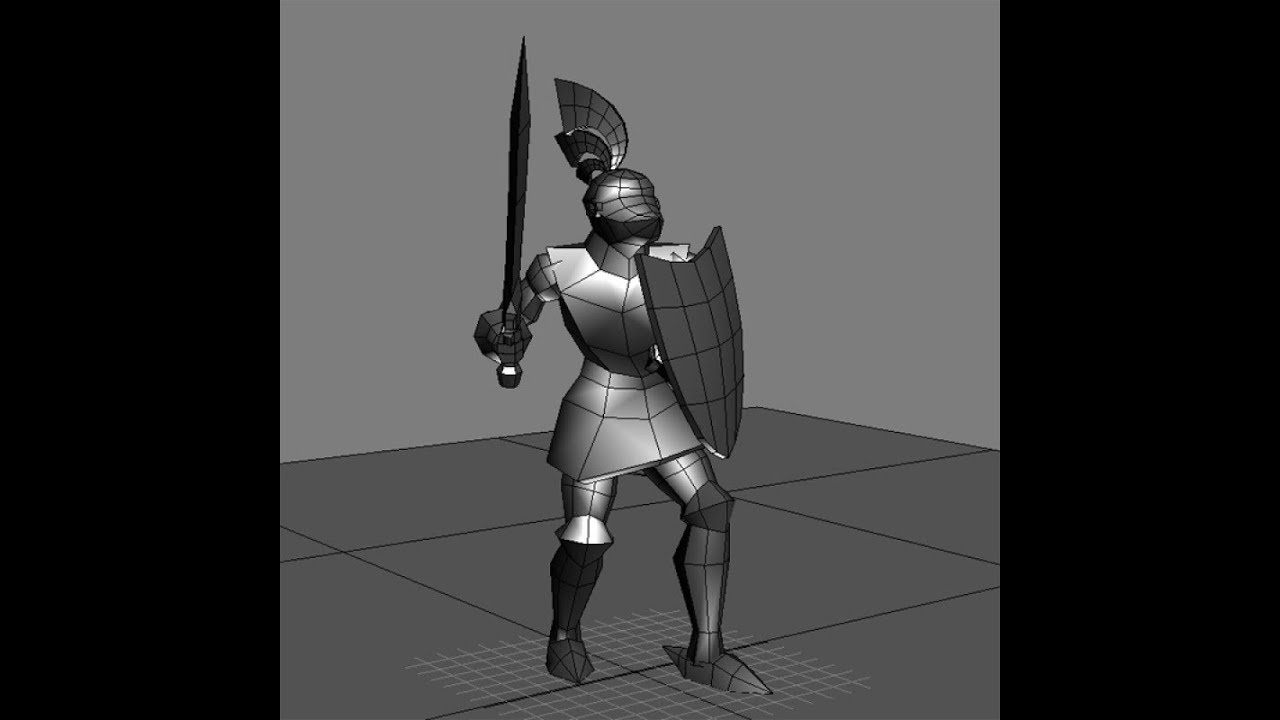
Hi, im new to unity and would like some help creating a 3d player. i have blender and unity installed on my pc and would like to create a knight character for my game im working on. id appreciate anyone who has any tips or pointers on 3d character design.
tidal temple

i was just rendering and testing when i noticed these kinda looked similar 😜
tell me if im just seeing things

 Twitter
 wanton snow
@eager mist blender is pretty slow to learn to use on your own (at least from what I’ve learned), so just start simple, experiment, watch tutorials, make other things, and after a while you’ll be able to make pretty much anything you want
You can DM me any questions you have
I’d consider myself somewhat experienced
eager mist
@wanton snow thanks. ill do that if i get any questions
wanton snow
okay
eager mist
Question, my textures are at 2-4k in Unity but at certain resolutions still look grainy on 3d objects, how do I fix this?
gritty reef
@eager mist I highly recommend starting small. Make some basic assets, some simple weapons, etc, to get comfortable with your program before you take on the complexity of character design. On an animated character there is a lot more to battle than just making an ammo box or a sword and things like topology are critical to having a nice, natural looking character.
eager mist
thanks! ill try that
heres a question: can blender be ised to create game objects? for example, i created a sky scraper in blender and id like to use this in my game, how do i do this? or is this even possible
sullen plank
@eager mist https://www.youtube.com/watch?v=1i2d-tVub5A
eager mist
thanks
 lusty jasper
Hey I'm new to unity and I decided to try one of the interactive tutorials but when I get to the "Play Mode and Edit Mode" section I can't move the character can anyone help me?
lusty jasper
nevermind fixed it
tidal temple
Idk about you guys but I think this looks kinda cool 😃
#Blender3d #animations #animation #lightsaber #StarWars #3Danimation #3dmodeling
 Twitter
 tulip bison
My game so far its an fps...
 wicked basin
Click here to try out the second test of my game and leave feedback in the feedback channel http://bit.ly/FPSSandboxInvite
wary eagle
Shotguns Updated to the Asset Store. 😉
gritty reef
Fantastic models, as always Simon! I still despise the AA12 from my MW2 days.
wary eagle
Haha thank you mate! Not my favorite Shotguns too. 😄
gritty reef
https://www.artstation.com/artwork/1nr42K Just practice, made from memory so its proportions might be a little off hahah

ArtStation
A quick low detail model from memory of a showerhouse near where I work.
Tried to keep it simple
wary eagle
Low details as you say but it work!
gritty reef
I might try texturing it this evening, but I haven't really messed with unwrapping models yet so we'll see hahah
wary eagle
For a UV start just try Unwarp some basic mesh : Cube, Cone, cylinder...
Then try to unwarp a cube mixed with a sphere ETC...
gritty reef
Okay cool, will do!
 fiery aurora
Hi everyone not gonna lie i'm pretty new to Unity so far have only done some basic stuff but from what i did i can't remember seeing this cliping trough walls(plane in this case might be why) and objects(Sphere in this case) like i know that if you are too close to something you'll end up inside it and not being able to see it insideout but that's not the case at all here i'm not even that close to the ball and i'm already seeing trough her, also i can't seem to get my viewport camera speed right sometimes is super slow other times zooms past whatever i'm trying to get a closer look at if anyone could share some help i would gladly appreciate it 🙂
wary eagle
Select a small object in the scene then press "F", the camera is going to focus on it, reducing the clipping range.
fiery aurora
hmmm that worked out pretty well thanks 🙂 anything about the camera speed?
wary eagle
ALT + right mouse button, drag it up/down.
fiery aurora
Thank you ^^
wary eagle
😃
 languid pewter
any ideas why my 3d character model looks like this in unity? https://i.imgur.com/evrWDWp.png
in blender the arms arent in that shape
fluid oak
Bad skinning weights?
languid pewter
alright,I'll check it out.
split hound
since the blender discord isnt helping i hope its ok to come here but im trying to get two eyes to come closer together and i cant figure out how to do it does anyone else know
 fair falcon
Hi, I got an issue regarding some 3D cards that I'm working on. In the scene view the layering looks fine, but in the game view the layering is wrong. Haven't worked a ton with 3D objects so could anyone point out what is wrong?
The camera does render it to a RenderTexture if that helps
willow nebula
Are your card using an opaque or transparent material ?
fair falcon
Opaque
But I found the issue luckily
My RenderTexture had no depth value
Thanks nonetheless 😄
wary eagle
Adding knifes to "Low Poly Weapons VOL.2" ! 😃
 noble meteor
does anyone know why the collision geometry does not match the position of the box collider?
sullen plank
@noble meteor Try loading default layout to test. In the past edit collider gizmo display was linked to that,
 void chasm
Hey guys, i dont know if this is the right category but im needing a "dummy" character to start testing some behaviours (with IKs etc) that i cant see while using a cube, does anyone know where i can get one?
 median vine
asset store, there are plenty of free meshes and textures/shaders to use
fluid oak
the unity standard assets has two humanoids in it I think
young spire
Oh yeah, the 3D Game Kit girl
 late sphinx
Guys - I am a little bit stuck. Is there any tool that allows painting prefabs like polybrush but in grid (like with progrids) ?
fluid oak
the tilemapper?
late sphinx
@fluid oak didnt know about it but the name suggest something different. My case is about 3d scene without using actual tiles
fluid oak
You can attach 3d prefabs to tiles and paint with them; I haven't used it but I saw it in one of the unity videos.
 topaz yoke
Helllo i am really new to unity but i am trying to mess with basic things and when i am rotating a basic cube, the angles are modified too but it looks like it only does that when it is 'under' / 'in' a camera:
young spire
@topaz yoke the child copies the scale of the parent.
so it's getting squished because its parent object is squished
 ember peak
topaz yoke
ember peak
topaz yoke
@young spire and how i could disable this pls? Tia
young spire
@topaz yoke you don't. You're gonna have to model it in a real modeling package. Blender is easy enough to install and learn for little stuff like this
You could also use probuilder I suppose, installed via the package manager
tidal temple
I found yoda in real life https://twitter.com/TheWorm48642111/status/1174684936474783744
Just some vfx and yoda randomly appearing in the real world
idk how he got here
#VFX #Blender3d #cgi #StarWars
 Twitter
topaz yoke
Twitter
topaz yoke
Oh ok thx
 lone bough
Hey, isn't there a 3D format that is like, just plain text listing of all the Vertices and what is connected to what. Dose anyone remember what it's called?
eager mist
iirc .obj has a "easily readable" list of verticies
wary eagle
Done!
 dusty idol
Does anyone have an idea on the size of the unity fps multi-player asset on github.
fluid oak
doesn't github say the size?
 onyx dawn
Does any1 have any FPS maps for a 3D first person shooter
fluid oak
unity has a few free ones
 ember pecan
Does anyone know how to make blender meshes save correctly across different dev machines?
Import, test, and build work fine on my main machine where I created the .blend
But if I try to download the repo on a different machine, Unity says it can't find the meshes
eager mist
poor lighting sorry, but here's an enemy for a project I'm working on
 last ravine
has the world figured out the blender > unity workflow yet? or are we still stuck on negative ninety degrees on the X?
eager mist
@glacial lagoon I plan on that mob being fast so may you rest in peace >:))
 glacial lagoon
You may have something in mind, but I imagine that thing has a long ass tongue and would make some creepy ass slurp slurp lickity slurp noises
eager mist
you know its funny you mention that, I want to add something like that to this creature
glacial lagoon
😄
eager mist
I was thinking of some sort of appendage that comes out of the mouth
glacial lagoon
HAND TONGUE
glacial lagoon
idk I'm new
 maiden tangle
@eager mist Have you considered making him furry? 😮
would definitely up the spook factor with some floof to swish around as he's dodging light beams in the dark
that mask is beggin for it👌 looks great
eager mist
@maiden tangle I’m going to be adding either feathers, fur, dried grass strands, or rope to the mask
Or possibly bones
But fur could look nice actually
glacial lagoon
variable clap skins
eager mist
Huh?
glacial lagoon
I was suggesting to make it possible for that mob to have different masks
not sure if that's a lot of work
eager mist
Oh well actually I considered that
But I think this mob will just have this mask
There will be a lot more mobs and they will be different from this one
eager mist
All of the enemies in this game have masks for faces
glacial lagoon
I just realized my avatar is the MM
eager mist
Lol
But all of the creatures in my game will have a mask representing something, so all of them will be different
glacial lagoon
that's dope
glacial lagoon
Looking forward to it, are you starting with art then moving towards mechanics?
sorry I have no idea where you are in your project lifespan
eager mist
I’m going to finish all of the mobs, then the bosses, and then the environment
After those are done the mechanics and all that other stuff will come
glacial lagoon
now that I've figured out how to navigate gameobject hierarchies it isn't half as bad as I thought it was going to be
I'm new to game development (I used a lot of source sdk when I was a kid though, took like 7 years off or more)
I can code though so weeee
using sort of a Fibonacci approach here to my world development
it's fun
eager mist
oh wow thats awesome man
see I'm worried about my game's future because I can't code and I don't have anyone to help me with that :/
glacial lagoon
bravery
eager mist
?
eager mist
true true
glacial lagoon
you can do it 😄
especially since you can run your code and see it happen in real time without compiling
eager mist
well I don't know where to start either
like for example
I'm so unfamiliar with unity that I can't even make that mob I made walk around
all I can do is make it so he stays in his idle animation, and thats about all I know regarding animation in unity
and yes, I've looked at tutorials, nothing seems to help
glacial lagoon
q_q
eager mist
but I'll stop talking about it here bc this isn't the right chat for this lol
glacial lagoon
I'm gonna go take a break and be back in a few mins
eager mist
alrighty 🙂
maiden tangle
Yeah lots of subcategories you'd have to go through but eventually (really not that far into the future usually) it becomes a blob in your mind that you can easily recognize in problem solving, like "oh i need my mob to move, i could use navmesh, physics based, or whatever else i saw looked cool on youtube" lol i started unity watching a channel called "TornadoTwins", super basic concepts now but, gave me my start and branched off into channels like brackeys etc.. makes things a hell of a lot easier when you have a channel to browse
obviously places like udemy but.. everythings free nowadays
glacial lagoon
I think that simple core concepts prevail hard in indie dev
maiden tangle
also a big one for me which i'm still using to learn heavier stuff is to get an open source project, and try to read how they're doing it, and you kinda carry certain patterns over for better or worse.. either way gives you a different perspective, githubs a champ
glacial lagoon
you bring up github and I admit; I don't use it even though I know I should be
version control will save your life
and project
noble mural
WIP 2015 Mustang GT
(maybe it will have a crowdkiller tune option idk)
Rn I'm going for only non-visual mods aside from wheels, but in a future release/version it'll have visual customization that affects performance
 errant gorge
@last ravine you can change blender to use y up I think
last ravine
i said no. this is not the solution
errant gorge
OK...
 graceful ocean
hey, how do i start my particle system, I want it to that onces you die...
 hushed aurora
You can disable it and enable it whenever you want (like when you die). If you tick "play on awake" it should work fine
@graceful ocean
Be careful that the particle system is not child of your game object, otherwise it will be destroyed with it
wicked basin
any chance someone could model some very basic weapons. (Nothing to advanced, Low Poly) I need a pistol, assault rifle, shotgun, sub machine gun, sniper, and a couple knifes and thingies. Much appreciated blender is being dumb. You can do one of the things I listed. 🙂
hushed aurora
@wicked basin you don't like those on unity's asset store ?
marble ingot
@wicked basin That's a lot of work for free
I'd check out the asset store like Myrmecoman said
fluid oak
@eager mist you need to give mor einfo than that
wicked basin
could anyone explain why blender keeps saying isn't responding
wicked basin
i'll just try to model them within unity (boring)
 tepid plover
any 3ds max brains around, preferably who know their way around vertex paint workflows
 jagged sky

Triangulation Point
#Warframe #warframefanart #Blender3d #3D #3dart #tenno #Triangle #space #3drendering #games #gameart #ps4 #xbox #SWITCH #pc #gaming
 Twitter
wary eagle
Twitter
wary eagle

 karmic valve
 fluid oak
@karmic valve 'NPR' shaders I think?
tepid plover
anyone using bent normals here?
 placid kindle
 past scroll
Hey guys
Is 100k tris good for hair model ?
 humble crag
Hey could someone help me or give me some pointers to create a script to knife a cube given offset and size?
wary eagle
New asset in coming!
glacial vector
That's a lot @past scroll. Is it for use in a game? If so what platform is it for? If you look on artstation a lot of hair artists tell you how many polygons the hair has
Aloy's hair is 100k tris, and that's the main character of a console game
https://www.artstation.com/artwork/EDbk4

ArtStation
I was given the opportunity to be responsible for the production of hair for Horizon Zero Dawn, a PS4 game developed by Guerrilla Games. It was a fun challenge to learn the intricacy of game hair development and work with my colleagues in code, rigging and shading to realize ...
glacial vector
50 splines lol
fluid oak
bottom
noble mural
Good choice
 chilly nacelle
Unity is getting ahead. ..!!
fluid oak
of what
chilly nacelle
In general....it's getting better
glacial vector
You mean the yellow thing? It's the lines showing what light probes are affecting your object @craggy spindle
 craggy spindle
i dont think i have any lightprobes in the scene 🤔
 rapid echo
I made a garden in Blender with Eevee 🥀
https://twitter.com/FarrukhAbdur/status/1176791288131280896?s=20


I made a garden in #Blender3d 🌿
Artstation: https://t.co/RcetyKzNrL
#artistsontwitter #gamedev #indiedev #b3d #b280 #blender #Japan #eevee https://t.co/pjIPPlldlB
Likes
156
Twitter
craggy spindle
aw wow thats really cute
rapid echo
Thank you very much! @craggy spindle
eager mist
Anyone know why all my textures/materials seem to shimmer?
shimmer, grainy, idk whatever term you choose where it looks like coloured static from an old-school television lol
eager mist
here's a picture of the shimmer/grain happening on a boot-anyone know how to fix??
unity
Well, how do its textures look like?
...what do you mean
its textures look like textures, 4 of em, all looking good lol
(btw I fixed the boot by removing metallic map so now it's just a really grainy cloak and stuff so I'll be showing you that instead)
here's cloak up close
here's cloak semi-close, extremely grainy at this point lol
here's texture settings
all 4 that are being used
I meant that these "looking good" textures were responsible for the way it was grainy / shiny
Ok, how so and how do I fix it?
By making a texture that isn't grainy / shiny?
Get Substance Painter for 30 days for free, import your model, apply the textures to it
Change it in whatever way you want to
maiden tangle
Sci-fi bolt rifle. Still deciding on paintjob..
fluid oak
I'm a fan of this sort of style
maiden tangle
Nice, that's a clean look
wary eagle
Maybe the next asset? 🤔
 lethal eagle
giga noob question incoming..so unity has 3d tools and animation and rigging,...|| Could you model a character in unity only? If yea, then why the 3d programs s.a. blender 3dsmax maya etc.
eager mist
Yes, you could make a character and animations for it in Unity but 3Ds Max / Blender are much, much better in that
 eager mist
They also have dozens of options that just don't exist in Unity
Also, I'm not sure if you can create UVW maps for models in Unity
lethal eagle
thank you for clearing this up for me anyhow 😗
maiden tangle
ehhh i really wouldint say unity is at all comparable to dedicated graphics software such as blender or the like.. it's capable to make a collection of primitives sure, (and not that may at that), that you could then string together to form some kind of.. whatever- and yes there are tools and plugins that you can could take this further with some even being able to paint and edit meshes in unity, but at the end of the day it's like using a bulldozer to water your plants, just use the hose.. it's free.
At the end of the day unity makes what you already have created, work.
serene shadow
https://i.gyazo.com/d1920b36d3df84ba5d9f58a773d02199.mp4
How do I stop this from happening?
Player moves by itself
eager mist
Well, how are you "applying" movement? Is this Rigidbody? Are you using physical material?
serene shadow
Ive got a RigidBody +
[SerializeField] private float _movementSpeed = 10.0f;
private void Move()
    {
        //Get a normalized movement direction
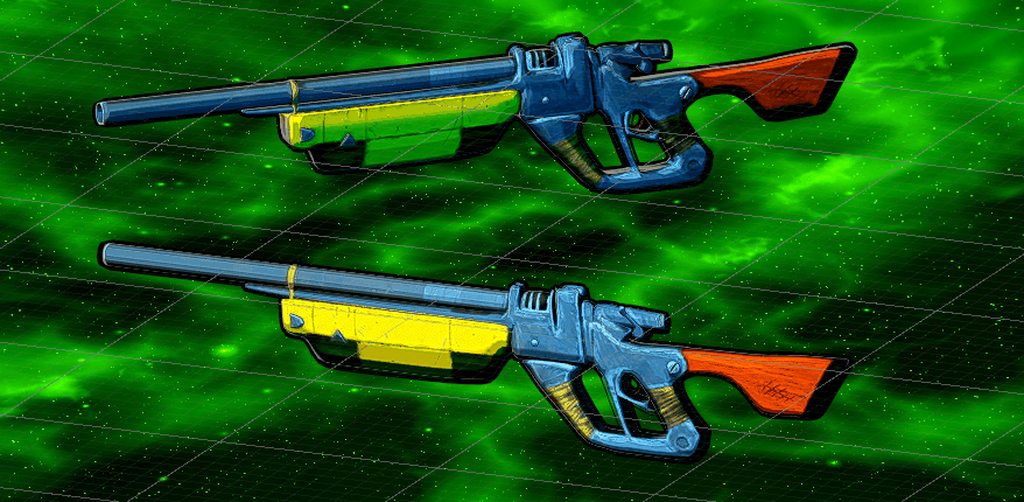
Vector2 movementInput = RegisterMovement();```First iteration of a sci-fi pneumatic rifle
 fluid oak
that looks good!
 tepid pumice
Anyone specialized in low poly wants to make me a character? I know i can download them from the asset store but they are not really that good or the animations are kinda bad
fluid oak
You get what you pay for
 wraith crater
Hey, I've been running into problems with this tutorial so I came here to ask for help. At 17:15, from what I can read from the cc, it says "Failure, press the left arrow key moved (it) forward" but it seems it doesn't work for me, I tried ignoring it and continued with it and it seems It still refused to move in any way, any help would be appreciated.
https://www.youtube.com/watch?v=cxLFGmpe2bs
in this video i have shown how to add a 3 D warrior character and make it move using unity i have also shown you how you can download this character . source...
Also I'm just starting out from unity (If you couldn't tell by the YouTube video) so if you could explain it with that in mind?
fluid oak
serene shadow
Can't really figure out why my enemy spawned clones only walk towards only one location
https://i.gyazo.com/8085ffe1d5743e48424c8b4ca06d7029.mp4
First enemy (placed without spawn-point) I guess is their reference point but now they pool towards that point like moths to a lamp
fluid oak
How are they SUPPOSED to pick a target?
maiden tangle
Thanks 🙂 apparently he wants it less borderlandish-cartoon more subtle painterly.. which i have no idea how to do haha maybe tone down the edge wear, desaturate a bit huh
https://gamepedia.cursecdn.com/thelongdark_gamepedia/1/17/Screenshot2.jpg
 serene shadow
@fluid oak Through the script, referencing the player as a public
public GameObject Player;

    NavMeshAgent myAgent;
    [SerializeField] private int _health;
    public Transform player;

private void Start()
    {

        myAgent = this.GetComponent<NavMeshAgent>();
        //Player = GameObject.Find("Player");
    }
 private void Update()
    {
        myAgent.SetDestination(Player.transform.position);
    }
But you have the line to pick the player object commented out
So newly instantiated objects will have no target
serene shadow
Yeah, even if that line is not commented they still do the same usual bizz
So unsure if it's just something I can't see or haven't learnt yet
fluid oak
is your player actually named "Player"?
might they be finding a different game object?
tepid pumice
@fluid oak is that your twitter
fluid oak
It it a person looking for jobs, and you are a person looking to hire:D
 valid hemlock
Can anyone assist me with a problem I have importing a model from blender into unity ?
 heady meadow
@valid hemlock whats ur problem
And, is there any1 that can help me a little with a quite simple problem? If you were to give a primitive (lets say a cube) an outline - like 2px on each border - is it better to texture a said cube in other software, or can I do some gimmick in the engine?
valid hemlock
Actually I got it fixed! I had an awkward issue where my model wouldn’t render properly and would appear stretched and well simply put a spider web
But thank you for trying to help!
eager mist
I did it in just over four days, it is also fully rigged and can be animated quite easily
fluid oak
Wow, that is really nice, @eager mist !
...Though the tampon string is a bit silly looking
eager mist
Do you mean the flag chain? Well, it has to be attached to something 😐
fluid oak
Coulda had a chain on each side of the flag or something, I dunno
But I cannot unsee it.
(also wouldn't it swing around wildly with just one chain?)
or maybe
But wow, that paint job you did is great
It looks very much like a real painted miniature
eager mist
Well, I could maybe add chains on each side
Also, I'm considering making it a free asset after I make some basic animations for it
fluid oak
cool! Not that I'd have any use for it, but that is still neat.
 lyric coyote
nice, looks like something from MechAssault
@eager mist hey can i ask u, howd u make custom textures for that model?
eager mist
I used Zbrush to make high poly models (from low poly made in 3Ds max), then baked information from high poly onto low poly in Substance Painter and also made textures in it
Also, it's a Warhound titan from Warhammer
fluid oak
@eager mist You're in 3d view, not 2d view
 coarse knoll
Is it possible to "un-hook" a piece of a character during run-time? I am using a multi-part model, and I am wondering if I could remove a hand for example and have it be a independent object during run-time and move it around the scene.
I tried removing the "Root Bone" link in the object in question, but it is still on the model and animated.
 frail monolith
ehm i've got an issue
transform.Rotate(Vector3.forward, 20 * Time.deltaTime);
It works fine if the propeller's vector is going in Z axis but if the plane flies toward Y Axis the plane rotates too pls halp, i wanna do it like to replace the Vector3 with the player's forward axis.
fluid oak
You'd need to use Transform.forward
frail monolith
like this?
transform.Rotate(transform.forward, 20 * Time.deltaTime);
or you mean to replace the rotate with forward
;d
glacial vector
@frail monolith it looks like your propeller is rotating in world space. Can you add a third parameter to your rotate function which is Space.Self? This should be the default though so I'm not sure it's the right solution
Or did you try the solution above? Because that sounds like it
frail monolith
@glacial vector u sir are a genius
transform.Rotate(Vector3.forward, speed , Space.Self);
modified it a bit
serialized the 20
and deleted the useless time.deltatime
glacial vector
No you need Time.deltatime in there, or it will be moving on different speeds based on the framerate of the computer running the game
frail monolith
oh
but my issue is that it's kinda not going fast at all
with speed * Time.deltatime
even if the speed itself is set to millions
glacial vector
Are you determining that based on looking at it in the editor window? Or looking at the rotation value in the inspector?
frail monolith
like i am looking in game window
and looking that the blade isn't spinning almost at all
this is what i mean @glacial vector
glacial vector
void Update()
    {
        transform.Rotate(transform.forward, speed * Time.deltaTime, Space.Self);
    }
 frail monolith
well now if the plane goes upwards
this happens...
that it freakes out
and goes in all sides...
first is - value
second is + value
glacial vector
Can you share your code in #💻┃code-beginner
frail monolith
nvm fixed it
realised i could do it like this
transform.Rotate(Vector3.forward, speed * Time.DeltaTime, Space.Self);
glacial vector
As long as it works 👌
 whole fog
I am seeing if I can make a kirb
currently trying to figure out how to best model the feet
whole fog
whole fog
now for the mouth
is there any way to do sculpt cuts rather than just extrusions
like is there anyway to draw in reverse
 narrow venture
I am trying to make a souls like environment and I always wondered, the floor, has a lot of geometry and I am not sure if it is a texture with tesselation or actual geometry, anyone knows how they do it?
whole fog
Anyone know how I could round this out a bit
I basically just deleted all the vertices where I wanted the mouth to be then extruded the edges of the hole
whole fog
coarse knoll
Is it possible to detach the hand of my character from its Root Bone at runtime? So that i can become an independent item and get reattached to something else?
whole fog
does the pig emote symbolize anything?
fluid oak
It is pink and has little triangles sticking out
if you squint it kinda looks like him
narrow venture
I am trying to make a souls like environment and I always wondered, the floor, has a lot of geometry and I am not sure if it is a texture with tesselation or actual geometry, anyone knows how they do it?
eager mist
Stairs geometry probably exists but the rest could be made with displacement texture
 brazen quarry
I’m pretty new to 3D in general but I really like the visual design of this game. Is it done using a toon shader, do you think that would be the right name for it? I want to make sure I’m searching for the right terms to learn how to do it.

The first 23 minutes of Sayonara Wild Hearts. Part 1 (Bittersweet Starway) to Part 10 (Dead of Night) As the heart of a young woman breaks, the balance of th...
fluid oak
That's a neat style
 vagrant leaf
I'm trying to build a portfolio including texture art.
Is it good enough?
vagrant leaf
I think one of best ones.
coarse knoll
It's a miniwheat
 misty valve
Does this look like something youd find on a ship
glacial vector
yeah looks like some sort of fuel cells or batteries. Or oil barrels
 broken edge
or maybe some kind of cargo
 gleaming crane
anyone can help with greedy meshing? I have it set up kinda but the triangles are facing incorrectly only in the negative x, y, z directions
i.e. the south face of a cube will be facing north
and so on
young spire
@narrow venture most of the tiles are real geo
In DS3 you can tell because there are many seams they forgot to fill in
See: curse-rotted greatwood pre-fight room
fluid oak
compression?
eager mist
i figured but i cant tell where its being compressed
fluid oak
Did you set it to uncompressed in the importer?
wary eagle
https://www.artstation.com/artwork/4bV1wL Hecate II French Sniper rifle done. 😉
 lyric coyote
lol dang son, and i spent all day making crappy 3d models
maiden tangle
lol i'm the same way when i try to make art stuff having recently been in a programming mindset,
at least for me it helps to separate them a bit / lots of references.
(open to critique!)
 small anchor
Hello there! I've entered this discord because I would please need a little bit of help, what I do need is some big pdf on cloth and to know if you can make cloth drag around something else, now the full story in case you wanna read it:
I want to get my very own avatar into VRchat, so I extracted Taliyah from League of Legends files (I've read this is fair use) and her skeleton was all over the place so I also downloaded the mixamo female bot and got all of it's bones in place, I used blender for this and to separate both her dangling cloths from the body and the stones from the cloth itself.
Now my problem is that I have to get some propertires on these cloth pieces and on the stones in order for them to look nicely, so that's why I'm here.
Images for further comprehension (Also the stones behave as if they were almost weightless in game animations)
small anchor
please, is there anybody here who can help me?
 bleak bane
Anyone want to team up?
 lusty flint
@teal owl 6K its too much for low-poly.
Low-poly guns must be about 2000 tris max.
 teal owl
are you sure?
lusty flint
lusty flint
would better call its med poly then
teal owl
I could try to lower the polys on the G36
lusty flint
if someone will use 10 your guns on screen - then total tris count will be same as HING POLY characters
small anchor
@teal owl thank you, I will try the rigidbody thing, cloth is already applied but I need to link/sew/whatever the stones to the cloth so they are dragged around but not deformed
broken edge
@lusty flint Yeah I agree, 6000 is definitely too much for Low Poly
wary eagle
Upcoming asset!
broken edge
@wary eagle Some kind of Rome - Style Pillar?
wary eagle
A full Low Poly Temple. 😉
broken edge
Oh I'd like to see that
small anchor
"Cloth does not react to all colliders in a scene , nor does it apply forces back to the world. When it has been added the Cloth component will not react to or influence any other bodies at all. Thus Cloth and the world do not recognise or see each other until you manually add colliders from the world to the Cloth component. Even after that, the simulation is still one-way: cloth reacts to those bodies but doesn’t apply forces back."
Sooo... My thing is literally impossible to make unless I make the whole thing more like a leather kind of piece that will swing but not deform, thank you for your help anyway
 lusty flint
@teal owl show to us the grid/wireframe of model 🙂
teal owl
coarse knoll
I am trying to setup a ragdoll where only the arms are wobbling and the rest of the body remain stationary. However, the arms are dragging the model down when they fall. Is there a way to make it so that they only affect themselves and do not exert forces on their anchors?
What I am trying to achieve is to pick up a unit with my mouse and lift it up, and have it be a ragdoll when I pick up up off the ground
lusty flint
@teal owl is there N-Gons?
teal owl
I don't think so, all of the things with the orange dots are separate objects I think (Im new to blender)
maiden tangle
Ehh sorry mods if this is in the wrong place, there isn't a channel for it that i see
Hey! Are you a student wanting to hone their skills and at the same time gain experience putting their work to use on a title you can be proud of? If you are someone who knows the basics of modeling / hand painting textures, and want to put your skills to use in a exciting stylized sci-fi fps,
please feel free to reply or send me a message with a recent piece/portfolio with any questions about the project to see if it's a fit !
This is a rev-share game with a contract to be agreed and signed before any work is done to keep everyone safe and happy- That being said hope to see some inspiring talented individuals soon!
Thanks for your time 🙂
wary eagle
Available in the asset store really soon... 😉
 pallid sentinel
Is it actually the way to go as a 3d artist?
Go in the asset store instead of getting hired as a freelancer/dev
 muted pelican
Depends on your budget and project, the AS could save you more than hiring someone @pallid sentinel
Not all the time you find what you need on AS though, you need to make it
 pallid fractal
I think maybe the question was in the context of creating stuff?
 zinc hedge
What's the best software for modeling like that?
maiden tangle
It's down to preference @zinc hedge
My personal bias for simple lowpoly stuff like this is blender 2.8, also free
tepid pumice
@teal owl i like your low poly guns but do you make low poly characters?
wary eagle
It is!
wary eagle
6.99$
wary eagle
But one free sample exist. 😉
tepid pumice
vol 1 is free 🙂
wary eagle
Yes!
tepid pumice
imma add it i love your style 😎 👍
wary eagle
Thank you!
 tame eagle
Are there any other places to get 3D models?
wary eagle
The best one : https://google.com
Search the world's information, including webpages, images, videos and more. Google has many special features to help you find exactly what you're looking for.
 tacit zinc
willow nebula
tacit zinc
willow nebula
You did not enable SSR in your HDRP asset
 slow pewter
small question i have an odd bug that makes my custom mesh gameobject start shaking and jumping the second it touches another object
what could cause this?
eager mist
Do you use physic materials?
tidal temple
Got a knight and a cool background
#3dart #VFXFriday #rendering #VFX #3Dtober #Blender3d
 Twitter
 cosmic fjord
DM me if anyone interested in working on a 3d medieval fantasy,low polygon game. Were getting founding for the project once steams pays us from pervious project. Im the level designer for the game Dm me. We are looking for a 3d modeler, texture painter <--- specifically for 3d models.
misty valve
had to model a part going from 1 lane to 2, thoughts?
tidal temple
Tried out Sculptris again https://twitter.com/TheWorm48642111/status/1180632725272723456
Second time trying out Sculptris :D
Gonna texture it next...
#3Dtober #3dmonster #3dmodel #Blender3D #sculptober #modeling
 Twitter
 junior current
Hi guys, i was tons of model in my project and it would take sooo much time to create different lod for each of them. Is there any website/software where it automaticaly create different LOD for models ? Thank you in advance 🙂
maiden tangle
@junior current what software are you using for the models? Blend has a decimate modifier that's literally 2 clicks away, but i understand if you're talking like Mass production LOD's.. probably something on the asset store that does that
junior current
I am using Autodesk Maya @maiden tangle
Hmm, maybe is there an alternative to this Blend function on Maya ... I'm going to cheat for "decimate modifier" is that how it's named ?
maiden tangle
In blender yes- though another thing you could do if performance is your concern is a "imposter" system that makes sprites from multiple angles of your model, which usually takes a couple clicks
Amplify on the asset store has a nice one
junior current
interesting ! I never heard about this technic, it can do the job i think ! Thank you for your answer man !
maiden tangle
No worries 🙂
junior current
🙂
eager mist
@junior current
You might want to use this
https://knowledge.autodesk.com/support/maya-lt/learn-explore/caas/CloudHelp/cloudhelp/2015/ENU/MayaLT/files/Editing-polygons-Reduce-the-number-of-faces-in-a-mesh-htm.html

The Reduce feature lets you automatically reduce the number of polygons in a mesh by a percentage of the overall polygon count, a target number of vertices, or a target number of triangles that you specify. The Reduce feature also attempts to retain the original shape as part...
junior current
Yes, it seems to be what i was searching for in Maya ! Thank you @eager mist ! 😄
 cosmic jackal
I have a stupid question, i'm making a level but i was busy with 3d moddeling last week and all i have in my head is 3DS max, forgot how unity works... How do i turn my box inside out to make a room? -.-
glacial vector
Flip the normals in your 3D package @cosmic jackal
 void python
does any one know of any tutorials about how to use textures and how to turn blender models into 3d models unity can use or how ever that works
broken edge
there are soo many videos about using Blender with Unity
and what do you mean by using textures?
tidal temple
Texturing is complete! 😄 https://twitter.com/TheWorm48642111/status/1180984852302069760
The Monster is finished!!!
Now time to rig it... (😡😡😡😡😡)
#3dmonster #3DModel #3dmodeling #sculptober #3Dtober #3danimation #3D
 Twitter
 bronze verge
Might anyone be able to help me figure out why the solidify modifier is having this behavior in Blender? Here's the before
and after solidify
The weird bit at the bottom confuses me
It gets even weirder when I expand
 mighty charm
@bronze verge normally that is because you have the solidify set too thick, so its starts to clip through itself and then keep going creating that
i'd say do ctrl+a apply scale which might make it better or worse then adjust it so that it isn't so thick
young spire
Materials don't import
Bring your textures over and remake the mat
Save them as pngs and put them in your unity project folder
fluid oak
Anywhere in the project assets folder
fluid oak
Because unity materials and blender materials aren't the same thing
 glacial elm
yea. its kind of useless to want that to be a thing. you can set the materials in blender but when you want to have the material in blender then you gota import the textures or just use a plane color if thats what you want.
glacial elm
@left gorge you can export the actuale texture from blender.
its a bit advanced nodes though. so your going to have to look it up
tidal temple

My Monster over here... (can i name him bob?) is very bored
he doesnt have any friends xD
#CGI #Blender3d #modeling #3dmonster #3dmodeling
#3dmodel #3danimation #3D #3dart #Animations https://t.co/AizPeSmObp
Twitter
 steady yew
Hi! Is there a way to use HDRP Terrain with any form of displacement and tessellation textures? (asking in multiple channels)
willow nebula
Not with the default HDRP/terrain shader, but you can hack it using HDRP/LayeredLitTesselation
steady yew
I've done that for smaller scale scenes, but it gets funky once working on landscapes and such. Or are you referring to somehow using the LayeredLitTes on a deformable terrain mesh?
willow nebula
On a terrain object (not mesh). But like I said, it's more a hack than a real feature 😄
steady yew
How would I go about getting a LayeredLit on a terrain mesh? There's the material slot in the settings section of the terrain component, but it blows up the mesh if it has some terrain sculpt on it@willow nebula
willow nebula
Hum, should work iirc
maiden tangle
About halfway through a piece for a client, very open to critiques and suggestions
 deep fulcrum
Looks good!
Only thing
oops
Only thing is the concept looks a little more 'squat'
like heavily armoured or weighed down
So this is something I've been working around unknowingly for ages but it seems that objects with cutout alpha mode are affected first by view distance
e.g. they become invisible much sooner than any other object
ahh i think it's doing mipmaps
ok yeah so even without mipmapping the texture sampling goes disproportionately fuzzy
because they're low res point sampled textures
yeah so when i increase the texture size the problem is fixed
split hound
when making the holes for eyes in a face should i just delete the verticies or should i make caverns like this
 high hill
the caverns look quite creepy
cosmic jackal
@glacial vector Thanks, been a few days now but i have no internet and i completely forgot about 'pro builder' lol one of the biggest face palms
fluid oak
@split hound do you plan on ever having the character's eyes torn out?
I mean, you can always delete them in the low poly version later
wary eagle
MPX PCC wip. 😉
eager mist
@split hound
cave is fine
you should actually put eyes there to know how you are going to sculpt this
split hound
@eager mist thats the idea i just wanted to make sure that was the normal thing to do
eager mist
Yeah.
 calm arrow
I can't currently use google, can anyone tell me how to rig and animate a character in blender?I have made the model already
broken edge
You need to look it up on the internet
What you're asking for can't be described by a text message
calm arrow
well that just sucks
marble ingot
It's definitely quite involved. Weight painting, setting up the bones, setting up the IK, fixing all the small issues like certain polygons getting pinched by bone's weight values, etc. That's just rigging the character, animating (in a way that doesn't look awful) is a whole different story.
calm arrow
well, I did skeletal animation in Unity for one of my 2D games, is the rigging and animating of a character in blender similar?
broken edge
a bit yes, but 3D is a different story
calm arrow
does the third axis make stuff harder?
or just the fact that you can't make stuff on different layers to have things only effected by specific bones?
broken edge
No, it does not, but rigging and animating a 3D Character is definitely a more involving process than 2D Skeletal work
Although, the principle is the same
But 2D Skeletal Characters are simply easier to do
calm arrow
hmm, so the same concept but just harder?
what are the main stuff that make the 3D animating harder?
I mean, I have seen people do 3D animation and I believe that one of the hardest parts of 3D is that the asset is not easily split up so that some bones have effect some areas, like in 2D skeletal animation you would just draw things on different layers and you would be able to tell the animator that specific bones animate specific parts, like left arm right arm, but in 3D I believe there is a lot more involved with weight painting?
broken edge
Well, from my point of view, creating 2D Skeletal Characters is easier, because you just drop a graphic project in the sprite editor, create the bones, geometry & weights, optionally IK points and you're set up in a matter of minutes. But when creating Characters in Blender with Rigging and Animations, it'll definitely take much more time, but I'm not saying it's hard.
eager mist
It heavily depends on how does the character look like and what it's supposed to do
 abstract lodge
Hey I'm trying to make chess pieces in blender, for unity, and this is one of the pieces, top with Normal map, bottom without.
How can I make the lines less noticeable?
fluid oak
@abstract lodge generate normals instead of import them, and adjust the smoothing angle?
abstract lodge
What do you mean generate the normals? I made the normal map in blender using 2 models.
Playing with the smoothing makes it a little better, but then changes the reflectiveness or something and you can't really make out any detail
fluid oak
Well, the normal map doesn't seem very good. You might want to edit that if the seams are visible in it.
maiden tangle
If you baked the normal map using a lowpoly mesh i would suggest first making a smoother model and going from there to a lowpoly once you have the maps you need
abstract lodge
like make the high poly model, then decimate the verts for the low poly?
maiden tangle
https://www.youtube.com/watch?v=BOYRCI-dtjU
@abstract lodge
Enjoy the videos and music you love, upload original content, and share it all with friends, family, and the world on YouTube.
It's mainly the lighting / textures that make something look 3d or not, monument valley was very simplistic visuals so the lighting does most of the work, lots of vids on lighting at youtube or udemy
abstract lodge
Hey thanks @maiden tangle I think I recognize that youtuber!
maiden tangle
@abstract lodge You're welcome good luck with it 🙂
@eager mist like here you can see the camera is set to be isometric so the shape pops in a "2d" way, the lighting is set to sharp, probably some cel shading going on there all on youtube
When one way breaks another one pops up usually, you'll find your style i'm sure !
fluid oak
Doing it in VR seems like it would be difficult.
I dunno how isometry and stereo vision would work together
glacial vector
You using LWRP/URP @eager mist? If you use unlit shaders you can create some 2D-like effects
If you go to assets>create>shader, is there an option called shader graph?
https://connect.unity.com/p/zelda-inspired-toon-shading-in-shadergraph
https://blogs.unity3d.com/2019/07/31/custom-lighting-in-shader-graph-expanding-your-graphs-in-2019/

Unity Connect
Tips on how to recreate the iconic look in Unity's node-based shader editor

Unity Technologies Blog
With the release of Unity Editor 2019.1, the Shader Graph package officially came out of preview! Now, in 2019.2, we’re bringing even more features and fun...
If you're not sure about the basics then you should sit down with some youtube videos and spend some time learning the tools
Yeah unfortunately LWRP and VR still has issues
If I were you I would start with one at a time, not both. So first get an understanding of the VR framework, then make your own VR interactions, then sith down with the shader
Not much documentation at all for the index unfortunately! That's a chapter for itself
Here are some resources from Valve though https://steamcommunity.com/app/633750/guides/#scrollTop=0
Well be sure to ask in #🥽┃virtual-reality about things like these! There are other Index devs here after all
There is also a valve index discord server with dedicated dev channels
eager mist
Hello, how can i reset this view?
willow nebula
Select something and hit F in the scene view ?
eager mist
No, it doesnt help
glacial vector
@eager mist
eager mist
Thanks
 timid pond
How do you round the edges of a cube?
glacial vector
You bevel them @timid pond
wary eagle
ready to bake 😃
 night socket
Remaking my school-set adventure game for the third time.
Currently blocking out the main school building. What should I add to make it look better atm?
eager mist
@wary eagle
Triangles : 606 157 50
That's a lot of triangles
Also, another question
Why did you split the model into so many parts?
wary eagle
To have a nice control one the AO and cage when baking.
The polycount is not exact, is based on the poly you can see, so it don't count the other side of the gun.
And it's the HP +LP, LP only is 30K tri. 😉
fluid oak
@night socket An archway or portico over the entrance? Hedgerows? A clock tower?
night socket
something like this?
fluid oak
Perhaps!
 merry whale
Anyone who has used DAZ3D - is it a good source for premade character rigs?
eager mist
no
fluid oak
@merry whale Literally everything I know about daz3d is from people bitching about it.
eager mist
Guys
I downloaded a 3d model sword
and it came in winrar
How i can put it in unity?
ANy1 can help plesae <3?
fluid oak
just unrar it
eager mist
@fluid oak
i did extract the files inside it
but they wont go in my project in unity
pelase help ❤
fluid oak
there are literally thousands of file formats, and any number of reasons why it isn't working
night socket
fluid oak
And I am the last person you should be pinging for it, I am not much of a 3d person
Very nice, @night socket ! Looking at it from a distance,the windows and portico might be a bit close to each other, not sure
night socket
it's okay
merry whale
@fluid oak hahaha that's what I thought
tidal temple
**Physics Based Monster Animation!!! 😄 **
Subscribing and liking is appreciated 😃
https://www.youtube.com/watch?v=YGPYUdmvYvU&feature=youtu.be

When a monster gets let into a resturaunt oh wait he wasnt let in Please Subscribe and like this video!!! Thanks for watching!!! Programs used: Blender 3D Mu...


 tame eagle
@night socket depends. What's what?
merry whale
where's the gym?
 frozen juniper
hey im new how to i make a 3d player so you can play as him
broken edge
Depends on whether you've learned the basics
If you're really just beginning and want to test it out with a character, install this pack into your project: https://assetstore.unity.com/packages/essentials/asset-packs/standard-assets-32351

This collection of assets, scripts, and example scenes can be used to kickstart your Unity learning or be used as the basis for your own projects.
The package includes:
 First Person Character Controller
Third Person Character Controller
Car Controller ...
This should give you a hand in using a simple character
frozen juniper
ok thanks
broken edge
But If you want to create it from scratch, or make it more custom, then you should read a guide or watch a course / youtube video