#🔀┃art-asset-workflow
1 messages · Page 14 of 1

 potent wraith
Oh yeah, I didn't notice it. Sorry.
 frosty quiver
no worries
potent wraith
So, you see how it references the controller that is part of the asset?
potent wraith
Yes
You can create a new animator controller drag it into the animator and modify it as much as you want.
frosty quiver
just did that and its working, thank you!
potent wraith
Might be able to actually duplicate the one on the asset too. Not sure about it.
frosty quiver
yeah that was my next question, if there's a way to copy as opposed to re-enter everything
while I have you, should I be doing the same with the entire object/sprite frames? Or is there a way to refresh if I add another frame to the original file and want to get it into unity?
potent wraith
frosty quiver
while I have you, should I be doing the same with the entire object/sprite frame...
You could try using prefab variants.🤔
Probably not much you can do without some custom import code.
frosty quiver
potent wraith
Probably not much you can do without some custom import code.
I guess I’m surprised I can’t find more documentation/discussion online since unity went thru the trouble of make an asesprite editor and asesprite is seemingly pretty popular
I’m not exactly sure what the happy path is supposed to be since what you import isn’t really what you’re supposed to use 1-1
Mainly I just don’t want to have to redo the entire unity portion if I add a single frame in asesprite to an existing file
potent wraith
frosty quiver
I’m not exactly sure what the happy path is supposed to be since what you import...
I know literally nothing about asesprite, but I guess the expectation is either to use the asset as is or create your animations entirely in unity.🤷♂️
 wraith loom
Heya, guys, can you guide me to a tutorial or a solution that would use GPU instancing to place grass and stuff on objects that AREN'T Unity's Terrain object? I'm not sure yet if I won't be assembling my levels outside of Unity.
I only found one solution which uses a c# script to just place the instance at every vertex, but IDK how efficient it is (and I want more density-based solution anyway), I wonder if there's option where you could just apply a material to any mesh and it would spawn grass automatically, or something like this.
 pulsar nebula
thanks for the response.
Yeah I did carry over the textures in a folder with the model file, tried to port them together into unity but it only put some of the textures on materials.
I had to create a script that stores textures in a dictionary then an editor function to find each material name as key for texture Dictionary which did work but seems like an ugly work around.
The Fbx does export properly with textures with smaller object, maybe there are too many materials :\
 misty lantern
pulsar nebula
thanks for the response.
Yeah I did carry over the textures in a folder with th...
misty lantern
pulsar nebula
thanks for the response.
Yeah I did carry over the textures in a folder with th...
How many?
There's also an option to embed textures before export, and unpack them after import
pulsar nebula
misty lantern
How many?
There's also an option to embed textures before export, and unpack the...
Quite a bit as its a Source map , I'm testing with TF2 map right now (trying to port my old maps from source into unity)

also tried that Copy button which does work for some FBX but not this one for some reason
misty lantern
Ah, ripping issues
pulsar nebula
no trying to do any copyright infringement this is strictly testing. I need my maps in unity as I suck mapping in Probuilder 😅
it does work in blender though , must be something wrong in unity
 misty lantern
pulsar nebula
no trying to do any copyright infringement this is strictly testing. I need my m...
misty lantern
pulsar nebula
no trying to do any copyright infringement this is strictly testing. I need my m...
I can empathize with the kind of weird challenges you face when ripping assets, but they're kinda outside of the purview of game development
You could get levels with less troubleshooting by simply making them in Blender yourself
ProBuilder is recommended only for rough greyboxing
pulsar nebula
misty lantern
I can empathize with the kind of weird challenges you face when ripping assets, ...
tried that.
blender is like probuilder and difficult to make maps on for me as its based on extruding/working with edges + faces.
I prefer Brush Based , i come from TrenchBoom/Hammer.
I'm just wondering why it would not work in unity with such variation in materials :\ only for some materials it worked assigning texture

after running my custom script though

guess I'm on my own for the stigma of doing something outside of unity 🤷♂️ I just prefer making my maps in a different software and happens to be owned by valve lol
misty lantern
pulsar nebula
guess I'm on my own for the stigma of doing something outside of unity 🤷♂️ I ...
If you use your own assets that could be a viable workflow
pulsar nebula
misty lantern
If you use your own assets that could be a viable workflow
yeah ofc I plan on texturing with my own textures from Textures.com & models will be from sketchfab.com
I was just worrying that tranferring over so many textures/materials would yield same result
hmm perhaps I need to give another try to probuilder if it does create a problem. or just use my script to asssign textures manually
 eager mist
Hi! Im a newbie to unity and I have a few questions about importing trees from blender into unity (they don't have any colour). I ve looked everywhere online and couldn't find anything helpful. I tried making a separate material but it does not correspond with a tree, extract them, re import, literally everything but it's not working. Please help me out
 near goblet
eager mist
Hi! Im a newbie to unity and I have a few questions about importing trees from b...
near goblet
eager mist
Hi! Im a newbie to unity and I have a few questions about importing trees from b...
This might seem like a dumb question but do you know the fundamendals of using Blender (like swapping between colored/grayed view etc. and whatever other features they have)?
Because you could have the setting on where you don't view any colors
Or textures idk
eager mist
I did not use blender ever before but i tought since i downloaded the trees and they have everything they need in there i could just use them like that, also strange is that in both blender and unity, i only have this part coloured
 near goblet
eager mist
I did not use blender ever before but i tought since i downloaded the trees and ...
near goblet
eager mist
I did not use blender ever before but i tought since i downloaded the trees and ...
So the model did successfully import into Unity the same way it was in Blender?
eager mist
near goblet
So the model did successfully import into Unity the same way it was in Blender?
yep
near goblet
Then it's an issue with either the file or the texture settings (don't really know anything else because it's been a while since I worked on a 3d game)
eager mist
when i import the full folder, the leaves gets the first 3 materials i have in the folder (and they don't correspond), i saw that people are having some problems also, but never found a solution 😦
near goblet
I guess if that's a free model tree then you could just look around for a similar model and use it instead
Because this is prolly an error made by the creator of the tree
 glacial vector
In unity just import the textures and create the materials you need
near goblet
glacial vector
In unity just import the textures and create the materials you need
But shouldn't the materials be already assigned when it's imported? (and he said that the brown part of the tree had colors so)
glacial vector
The materials will be assigned but there's no guarantee that they will be set up with the correct colour and textures
That depends on how it was exportd
near goblet
glacial vector
The materials will be assigned but there's no guarantee that they will be set up...
Right. But from my knowledge the materials should be the same way as they were in blender
glacial vector
That depends on how they're set up in blender

In the import settings you can apply the materials you want in unity you want in the different slots
near goblet
Makes sense
eager mist
ok after like 4 hours of trying to do it right......... it's the trees, i imported a chair from a different creator and it work just fine -.-
 unborn saddle
Does anyone have any suggestions on the best way to generate a depth map for 2d scenery that's not prerendered? Almost all resources I can find about using depth maps assume your scene is prerendered from 3D and can just export the depth map, but my scene is pixel art. The only other resources I can find are depth map generators that are more for photos and way too inaccurate to be used for what I need. To specify I have buildings and other objects with somewhat complex geometry that isn't easy to just generate by hand like I would if I were working with things like cubes/walls. Here is an example of a scene I need to have a depth map for:
 misty lantern
unborn saddle
Does anyone have any suggestions on the best way to generate a depth map for 2d ...
misty lantern
unborn saddle
Does anyone have any suggestions on the best way to generate a depth map for 2d ...
What you're asking for is not directly possible
You need some data, like a 3D mesh, to generate from
A drawn image doesn't really have any of that
You might be able to use meshes with color references to get the height values for drawing them on the sprite, but at that point it'd be much more practical to work directly off of a mesh
There are options for rendering geometry "pixel art" style in terms of colors and outlines
unborn saddle
I actually do have meshes made as that was my first method I went with but I find it hard to align the meshes exactly with the pixels(since this will be used for layering a pixel off means weird issues like the player being rendered behind a wall + a single pixel of floor if that's how the mesh aligns)
 verbal cedar
Does unity have any built in runtime sprite cropping tools? E.g. say you have a sprite padded with transparency, is there a way to crop it down to the minimum size to contain that sprite?
 fluid panther
I always get far in development but always struggle with the art part and get demotivated
Should I learn blender or else? Where to start? I have 0 art skill
 trail imp
fluid panther
I always get far in development but always struggle with the art part and get de...
trail imp
fluid panther
I always get far in development but always struggle with the art part and get de...
You can join some groups that will give you access to an art database if you don't want to lear
 dreamy saddle
is it better to material meshes in blender or unity. Of course I would still uv unwrap them in blender first before exporting but I am not sure which is more efficient/easier
fluid panther
trail imp
You can join some groups that will give you access to an art database if you don...
Wut
trail imp
dreamy saddle
is it better to material meshes in blender or unity. Of course I would still uv ...
Maybe elaborate on what you mean by is it better?"
dreamy saddle
trail imp
Maybe elaborate on what you mean by `is it better?"`
whats the more popular method. I imagine unity is easier but is there a con to using it instead of blender?
trail imp
dreamy saddle
whats the more popular method. I imagine unity is easier but is there a con to u...
if you're asking how I make my materials - I do UVs and assign material names in blender. Make them in Substance Painter. Then export from Painter to Unity.
Painter is smarter about connecting them
if it misses, no problem - just have Unity search for the materials or assign the manually
trail imp
fluid panther
Wut
your options are
A. learn the art yourself.
B. Hire someone
C. Get them from places like Kenney Assets or GameDev HQ (http://www.game-art-hq.com/, https://filebase.gamedevhq.com/, https://www.kenney.nl/assets). Some are free. Some aren't.
D. Don't whinge if you don't like these options
Game-Art-HQ - The big Video Game Art Community and Game Character Database
dreamy saddle
trail imp
if you're asking how I make my materials - I do UVs and assign material names in...
substance painter is something not within my budget, do you think the built in blender texture painting/ shader options are good enough instead?
trail imp
fluid panther
Wut
also keep an eye on humble bundle. You'll see sales on unity assets and get tons of free stuff for 20 bucks
trail imp
dreamy saddle
substance painter is something not within my budget, do you think the built in b...
Blender is a PITA because their built in shaders don't correspond to Unity's needs.
fluid panther
Ok ok thanks
trail imp
For example - metal/smoothenss is a swizzled texture that Blender doesn't easily make. So you have to then switch your Unity shader to one that has them separate
trail imp
dreamy saddle
substance painter is something not within my budget, do you think the built in b...
To be clear - do you have any budget at all right now?
dreamy saddle
not really, game dev is a hobby and im 17 lol
trail imp
no probs we all start somewhere
dreamy saddle
maybe i could look for an alternative to substance painter?
trail imp
dreamy saddle
maybe i could look for an alternative to substance painter?
I am unaware of one at this time
trail imp
unity is not a Content Creation Package
your job is to find content elsewhere, or create it yourself, and then put it into Unity

Export 3d models from Blender 2.83 to Unity with textures and Materials.
✅Asset Used: House Model
https://bit.ly/2DssWPb
▬▬▬▬▬▬▬▬▬▬▬▬▬▬▬▬▬▬▬▬
💎 Watch advanced tutorial on Patreon 💎
http://patreon.com/uguruz/
▬▬▬▬▬▬▬▬▬▬▬▬▬▬▬▬▬▬▬▬
📱Social Links:📱
🔸 Discord https://discord.gg/BmYJC34
🔸 Twitter: https://twitter.com/U_Guruz
🔸 Facebook: ht...
Try watching a few tutorials to see how others have done it
dreamy saddle
thanks, will do
trail imp
dreamy saddle
thanks, will do
Use Substance 3D Painter, Sampler, Designer, Stager and Modeler for free, including on portfolio material.
trail imp
dreamy saddle
thanks, will do
See if you can get Adobe to send you Painter on a student license. It'd be worth the time if you're dedicated to being a 3D artist
Also, if you make this your career, you'll know how to use the industry standard
 dense horizon
Hello. Does anyone know why unity renders an other mesh in gameView? On the left side my platform has som wobbles. InGame on the right side it doesn't have this details??? It's a simple Mesh which I made in Blender and the Modifiers are applied
 dense horizon
Ignore me! The mesh is rotated 😂


 arctic wyvern
try to get down your pixel per unit
maybe 10, but you have to know the resolution of your sprite before
 timid atlas
arctic wyvern
maybe 10, but you have to know the resolution of your sprite before
timid atlas
arctic wyvern
maybe 10, but you have to know the resolution of your sprite before
look at these tho

 arctic wyvern
timid atlas
look at these tho
arctic wyvern
timid atlas
look at these tho
the raw sprite have the same resolution ?
arctic wyvern
timid atlas
this image have exactly the same resolution as the other image you show ? if you have two same image witht the same resolution, you should expect the same result on unity right?
timid atlas
arctic wyvern
this image have exactly the same resolution as the other image you show ? if you...
i think
misty lantern
timid atlas
why is my sprite like this?
Most commonly you have an image that's larger than the defined max texture size, so it gets downsampled
 fluid oak
timid atlas
why is my sprite like this?
fluid oak
timid atlas
why is my sprite like this?
the 'max size' setting refers to the texture/sprite sheet, not the individual sprite. So that could be it.
 outer halo
Find a pixel coin on google and reference it
 misty hamlet
outer halo
Find a pixel coin on google and reference it
misty hamlet
outer halo
Find a pixel coin on google and reference it
but i dont want it like pixel
outer halo
Find a 3D model coin and reference it
 paper tree
if you're wanting a 3d type rather than 2d i'd use blender. but if you're looking for pixel style aseprite is the way to go.
 paper tree
oh! well you just would have to up your resolution. that's why i definitely recommend Aseprite. Theres so many tutorials and it's super easy to use.
misty hamlet
paper tree
oh! well you just would have to up your resolution. that's why i definitely rec...
but i dont want to spend money on a tool and there is also no tutorial on GIMP
But photoshop has ALL tutorials in the world like i HATE Adobe that they have to be the best of the best like no one cares adobe
outer halo
Sounds like a lot of excuses. In your eyes, what is the solution to your problem?
paper tree
misty hamlet
but i dont want to spend money on a tool and there is also no tutorial on GIMP
Can you change your canvas size? that'll give you that quality but mainly the perspective is all on how you draw it. thats the tough part of using programs that you actually draw rather than using something like blender where you get all perspectives. Unfortunately its hard to find tutorials on free tools just because alot of people dont them 😦 i used to use paint.net a little back in the day but switched to aseprite to make things alot easier and actually have tutorials on things.
outer halo
Not sure why paint can't make a pseudo 3D look considering that example is done in 2D.
misty hamlet
paper tree
Can you change your canvas size? that'll give you that quality but mainly the pe...
yea but like i dont want to pay for a tool
paper tree
outer halo
Not sure why paint can't make a pseudo 3D look considering that example is done ...
It can. It's just all on the ability of the drawer at that point unfortunately.
perspective is one of the hardest thing for 2d drawing in my opinion
outer halo
Hence, what is their ideal solution to what is clearly a skill issue.
 sullen plank
Sometimes it's simpler to render the 3d object and process it in the 2d app
paper tree
^ that also. i don't know how to do all that but that is also another option.
if you can't draw it yourself best thing to do is find out simpler ways around it.
misty hamlet
paper tree
if you can't draw it yourself best thing to do is find out simpler ways around i...
like what i have no money to spend on someone to draw for me
paper tree
misty hamlet
like what i have no money to spend on someone to draw for me
like what Fogsight said. See if paint is capable of doing that. if not, it's working on your drawing techniques at that point.
outer halo
misty hamlet
like what i have no money to spend on someone to draw for me
Can you just answer this question? Otherwise if you're here to whine, then please stop.
misty hamlet
paper tree
like what Fogsight said. See if paint is capable of doing that. if not, it's wor...
Paint is not capable because they dont have a perspective tool
sullen plank
misty hamlet
i want to make it like this
This is a simple enough geometry to create in 3d, in Blender for example, then you can shade it and re-color it however you want.
Very basic tutorial away to be able to do that
misty hamlet
sullen plank
This is a simple enough geometry to create in 3d, in Blender for example, then y...
i know its easy to make in blender
sullen plank
misty hamlet
i know its easy to make in blender
Then you render it and you get a 2d coin image you can edit
misty hamlet
But the shading is hard
paper tree
misty hamlet
Paint is not capable because they dont have a perspective tool
there is no perspective tool in most programs for 2d. you have to draw it like that.
sullen plank
You setup shading in 3d, can't be easier
paper tree
Okay so I have my own question now. I painted my grass but it has no texture. how do i add the texture? it's not allowing me to drag the texture i have onto the grass anywhere.
its saying something about mismatched textures but i just wanted to add my texture in unity rather than going through all the bs to make it export from blender
misty hamlet
sullen plank
Then you render it and you get a 2d coin image you can edit
the coin is UGLY its not what i want

 sullen plank
If you use basic material with texture, when you import it you would only need to instance it to modify in Unity
paper tree
sullen plank
If you use basic material with texture, when you import it you would only need t...
gotcha thank you!
paper tree
misty hamlet
the coin is UGLY its not what i want
just remember you wont be able to speedrun it if you actually care what it looks like. you want to put more time and effort if you really want it to look like that
outer halo
misty hamlet
the coin is UGLY its not what i want
So what do you want? If you don't answer this question, then stop posting. You're spamming at this point.
misty hamlet
paper tree
just remember you wont be able to speedrun it if you actually care what it looks...
But like idk howw to shade
paper tree
misty hamlet
But like idk howw to shade
look up tutorials about shading then. it doesn't have to be about your specific program.
outer halo
!mute 1118073170499473431 2d Spamming
 lilac edgeBOT
 ander507 was muted.
paper tree
😂
trail imp
I was going to tell the bloke that Krita is also free... Has vector tools and perspective for him to fake it...
outer halo
I particularly like how they deleted the post they made as a reply to me that got them the mute to make it look unwarranted.

 coarse shore
Not sure if this is the right place to ask, so let me know if not. I’m having an artist create a texture for a ship model, he asked if Unity supports UDIM. From what I’ve found it’s not standard and doesn’t work, or if it does, it’s not very performant. If anyone has any insight I’d really appreciate it
 pastel junco
Hi everyone, I really like the art assets used in games like raft. More minimalistic but still detailed in places. Right now I'm learning how to create 2d assets of this style but I'm unsure how to start making assets like this in a 3D world. Does anyone have any tips for creating something of this style, any beginner tutorials would be a massive help. I'm really new to the art area of game dev.
 drowsy wadi
Can I use submeshes as multiple meshes for colliders?
 cyan lynx
Hello EveryOne! hope so you are doing well! Guys I'm facing a problem regarding workflow of blender and Unity.... First thing is when we duplicate an object in unity actually that object become the link of main object (in term of blender Alt+D). And same thing happens in blender by pressing Alt+D but when I duplicate an object in blender by using Alt+D unity doesn't pick up the materials. Can anyone or @misty lantern please help me regarding this. Thanks
In Blender everything is fine

In unity duplicated objects's materials are gone.

 unborn ridge
Hello, how do you guys do 2D sprites (assets?) Pixel art or a other way? 😄
misty lantern
cyan lynx
Hello EveryOne! hope so you are doing well! Guys I'm facing a problem regarding ...
Usually you only make the meshes of the levels in blender and decorate them with prefabs in Unity later
cyan lynx
It means I should work of duplication in unity neither in blender?
misty lantern
cyan lynx
It means I should work of duplication in unity neither in blender?
Yes, using unity's prefabs for it
Which are the same as "linked duplicates"
It's possible to make a system that automatically replaces specific meshes with corresponding prefabs after importing, but it probably needs custom editor scripting
cyan lynx
Hmmm! ok I've gotted the point and I've sorted the problem by changing the blender version and now its working fine but your suggestion is important to me thanks @misty lantern 👍 ❤️
misty lantern
cyan lynx
Hmmm! ok I've gotted the point and I've sorted the problem by changing the blend...
Something you don't want is for every copy to be imported as its own separate asset, which I assume is what's happening in your case
cyan lynx
misty lantern
It's possible to make a system that automatically replaces specific meshes with ...
Yup Actually I'm affraid of Scripting 😂
cyan lynx
misty lantern
Something you don't want is for every copy to be imported as its own separate as...
Yes exactly actually whenever we Import an asset in unity there is a mesh of it and if we duplicate them in unity the mesh remains single and the object in hierarchy increases and this is the reason of linked duplication and it is useful for making the mobile game environment I think.
Any how Thank you very much for your Response.👍
misty lantern
cyan lynx
Yes exactly actually whenever we Import an asset in unity there is a mesh of it ...
It happens linked duplicates do share mesh data after importing, even though I was worried that they wouldn't
This is good, though it doesn't automatically let you swap them out for prefabs, which is what you'll usually want for easy editing
 ruby moss
I have a minecraft skin applied to a model but when I reimport it as a VRM it looks like this, any ideas ?

 spark vigil
Hi can you make textures for terrain in texture atlas or it is suppose to be single pngs?
 gray hill
does anyone know whats wrong with my blender? Im trying to mirror a half of the cube but instead it makes two cubes inside each other that mirror


 blazing canopy
Hey all, hope I'm not overstepping by asking this here. I want to create a paid online course and provide the assets to the students so they can build a long with me. What is my best option for doing this without breaking the license of a purchased asset. Am I restricted to paying artists on fiverr?
misty lantern
gray hill
does anyone know whats wrong with my blender? Im trying to mirror a half of the ...
You're probably looking for the "bisect" option there
misty lantern
blazing canopy
Hey all, hope I'm not overstepping by asking this here. I want to create a paid ...
Find assets with a license that permits their use and sharing, or negotiate and try to reach an agreement with the asset creator to allow you distributing them for that purpose if not otherwise permitted
Public domain content is always safe to use and share, but maybe noncommercial use licensed content is also an option
A lot of courses I see are using Kenney's free assets
eager mist
Hi! I bough an asset from the store with a few houses, the problem is some of them glitch as I move & some of them are see-through when you enter inside. Do you have any idea of what's the problem? Thanks in advance.
misty lantern
eager mist
Hi! I bough an asset from the store with a few houses, the problem is some of th...
This is the near plane of the scene window
By default it uses dynamic clipping and fits near and far clipping planes to fit any object you focus to using F or by double clicking in hierarchy
It can also be adjusted here, but usually the dynamic clipping works just fine

Often 3D skyboxes are rendered with another camera (or in another pass) in smaller scale to avoid having to use such far out clipping planes
If the near and far planes are too far from each other, you get z-fighting issues meaning the flickering you see on the houses
eager mist
misty lantern
It can also be adjusted here, but usually the dynamic clipping works just fine
Where did you find this? I only have the option to adjust them myself
misty lantern
eager mist
Where did you find this? I only have the option to adjust them myself
The camera tab of your scene window
This has no effect on your game camera
eager mist
Found it buy sadly still flickering, even in play mode
 obtuse oyster
the flickering is two things on top of each other, ie. z-fighting
eager mist
obtuse oyster
the flickering is two things on top of each other, ie. z-fighting
so the problem would be from the asset, not from me?
obtuse oyster
Unless you have placed two things on top of each other
eager mist
yeah, the mesh had a strange thing in it and removing it resolved my problem. Thanks!!!
dreamy saddle
how can i make a bullet in blender without it becoming a "model prefab" that i cannot add scripts or components to?
misty lantern
dreamy saddle
how can i make a bullet in blender without it becoming a "model prefab" that i c...
You can add components to them, but probably shouldn't
Add your components to an empty, and parent the model prefab as its child
This way the mesh object and its transform are separate from any scripting and physics, and can be swapped at any time without affecting anything else
 hollow harbor
Is there a way to pack this kind of texture into fbx then import to Unity?
I've looked up tutorials but they seems do not work.
Then the only way to do is to bake texture, isn't it?


I've been avoiding to do baking is that the model is complicated, or is it doesn't matter?

but the flaw on the model itself stops me from doing anything
What could be the optimal solution to this situation?
misty lantern
hollow harbor
Is there a way to pack this kind of texture into fbx then import to Unity?
I've ...
Yes, bake, or texture it using a non-procedural brick texture to begin with
There's not much benefit to using a procedural texture as it's entirely repetitive anyway
hollow harbor
or output it into a texture image will work? but stretch issues is a factor isn't it?
misty lantern
If you want to bake you need an UV unwrap that supports it
But if you use a repeating brick texture you can cut a lot of corners by using "cube projection" uv unwrap
hollow harbor
so I'm using cube projection on the brick part then the rest remaining default?
misty lantern
hollow harbor
so I'm using cube projection on the brick part then the rest remaining default?
Don't know what "default" means in this case
Either they're using a texture with UV coordinates, or you'll have to bake
(or potentially implement a triplanar projection shader in Unity)
Here's an example of how sloppy UV maps can be if you're using texture maps from the get-go
 hollow harbor
hmm my knowledge stop from unwrap -> smart UV project
misty lantern
If you were to bake you'd need something like this instead, where nothing overlaps and nothing is outside of the 0 to 1 UV region

Bake only if you have a complex non-repeating procedural texture
(or sculpted details)
hollow harbor
misty lantern
If you were to bake you'd need something like this instead, where nothing overla...
yep I imagine this will be my output but the thing is my model has flaws that stops me even doing unwrap, am I right?
misty lantern
hollow harbor
yep I imagine this will be my output but the thing is my model has flaws that st...
No, automatic unwrap methods like box projection add seams automatically
The "flaw" is a lack of seams that stops a manual unwrap of large parts
hollow harbor
then if I solve this problem, what should I do? separate the different part of the model by the texture they're using and creating their own UV map, assemble them afterwards?
It shouldn't matter, right?
misty lantern
I'm not sure what separate and assemble means in this case
hollow harbor
hmm ... I mean selecting the model parts by texture and separate it into a different UV map, then it'll import as a part of the model and assemble the pieces in Unity
misty lantern
Unwrap and texture everything in Blender that you don't have to use procedural textures for
Get repeating brick textures and use manual unwraps and box projection for
Learn to unwrap meshes and to texture them before the previous step
Alternatively unwrap the whole mesh for baking and bake the procedural textures, which will be more work and a waste of texture space
Alternatively2 use triplanar mapping in Unity instead, which is similar to the object coordinates you're using
misty lantern
hollow harbor
hmm ... I mean selecting the model parts by texture and separate it into a diffe...
There are no different UV maps (for this purpose)
Each vertex has an UV coordinate, and a material that associates a texture with those UV coordinates
If you have multiple material slots you don't need multiple UVs
(and you wouldn't need them anyway)
hollow harbor
misty lantern
If you have multiple material slots you don't need multiple UVs
ok I got this, but for the previous suggestion, I guess I'm looking up for manual unwrap, box projection and triplaner wrapping
misty lantern
Maybe in this case it will help to study what UV unwrapping really does
hollow harbor
let me keep searching for now
I'm not the person doing the model in the team but I gotta learn these I guess
misty lantern
If it's at all an interesting topic I'd also look up "trim sheets" in addition to the rest
hollow harbor
OK understood, appreciate for the help ❤️
 elder oriole
Question;
I'm doing a sprite-based game, and I wanna make some UI assets RN; I plan for this to be on mobile devices, but I don't know what is the typical resolution to aim fro with these assets, given they're sprites and this is mobile
 sacred grotto
Hi all. I'm not sure if this is the correct way, but i set the screen res to 400x240 as that's gonna be the pixel resolution for a pixel art game
I have to set the scale to 1.6 and.. this means the build/webgl screen willa ctually take 400x240? Or can the window be always resized to full screen and keep the resolution of all the gameplay units to this?

There are a lot of placeholder graphics here, but the pixel art main character on the center of the screen is the intended graphics
The pixel art res for tilemap/sprite purpose is 16 px per unit
400x240 screen size means there should be 25x15 unity units in screen
 lime pollen
sacred grotto
Hi all. I'm not sure if this is the correct way, but i set the screen res to 40...
lime pollen
sacred grotto
Hi all. I'm not sure if this is the correct way, but i set the screen res to 40...
the scale slider is literally for just zooming into the game window in editor, it doesn't affect the actual build
sacred grotto
Will a webgl build have a 400x240 size tho?
misty lantern
sacred grotto
Will a webgl build have a 400x240 size tho?
No, that's defined by the site that the game is played on (or at least that takes priority over Player settings)
And if someone is playing on a screen that has more resolution than yours, 400x240 will be much smaller than you may anticipate
If you're worried about keeping pixel sizes correct, you'll probably want to use the Pixel Perfect Camera component
That can pick the resolution and scale closest to user's screen or game frame while keeping the pixels perfect
 severe gust
Every time i try to apply my slice settings, it resets. What am i doing wrong?
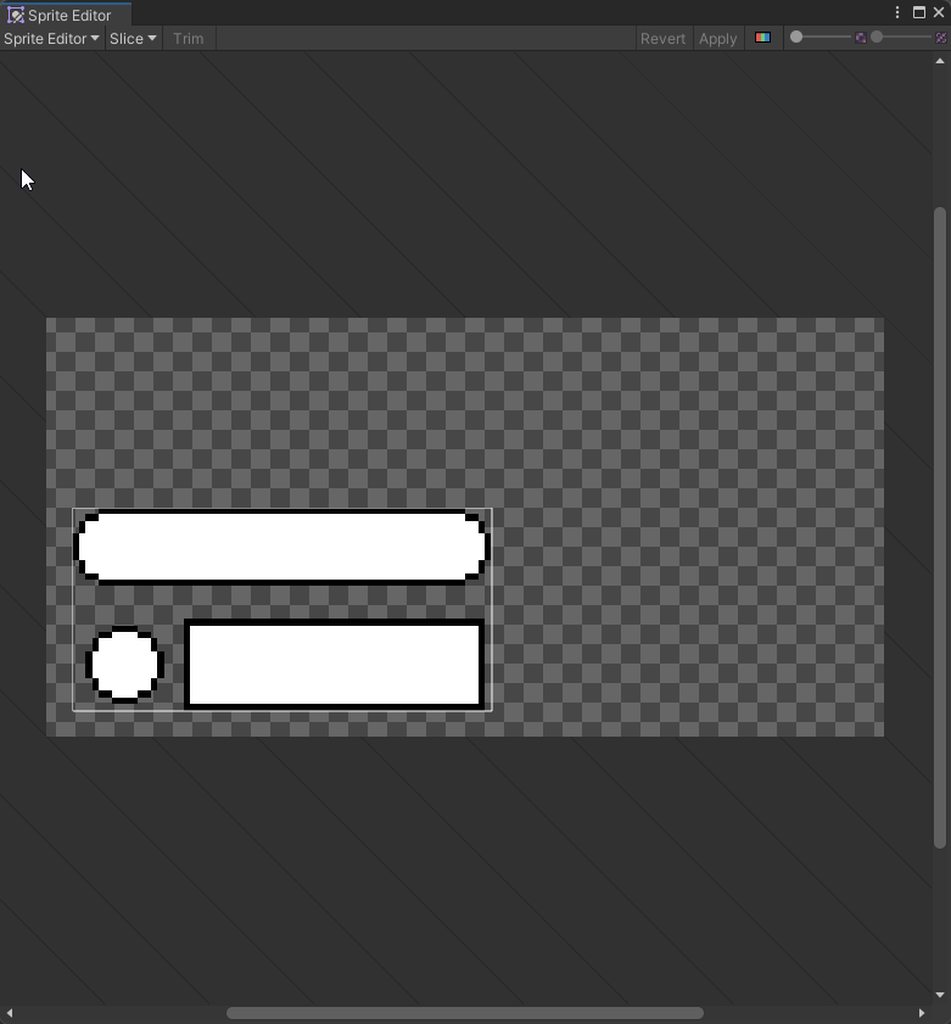
ah damn, found out. Apparently, slices arent supported in the aseprite importer
or nvm, apparently its the "slicing" feature of aseprite thats not supported and slicing in unity should work. Okay, im back to not knowing what the hell i am doing wrong
Found the error.
I had to set "Import Mode" to "Sprite Sheet" instead of "animated sprite"
hollow harbor
Question: I tried to pull this material I found from the asset store to the wall of this model but it become pure brown
What did I do wrong? It should be simple isn't it?

Is it the problem of stretch? because I pull the texture to the ground it looks fine
 misty lantern
hollow harbor
Question: I tried to pull this material I found from the asset store to the wall...
misty lantern
hollow harbor
Question: I tried to pull this material I found from the asset store to the wall...
No UVs on the wall
Remember that to see mesh UVs in action in blender you need to use the UV coordinates for the material, not Object or any of the other texture coordinates
hollow harbor
I'm in ...... Unity? is it the same?
misty lantern
hollow harbor
I'm in ...... Unity? is it the same?
The problem looks to be that there is no valid UVs
What potentially can cause it is if you were using non-UV coordinates on blender's side before exporting and didn't get visual feedback of the UV mapping
 robust mason
I imported my blender model from Blender, I setup the axis stuff as advised, the animations an orientations are correct however, the Y rotation is effectively a -Z rotation and as such I lost an axis of rotation
All the bones behave like this but the meshes work fine
 gleaming trail
does unity have a similar feature to roblox with it's mesh union & intersection
or is that a plugin
trail imp
gleaming trail
does unity have a similar feature to roblox with it's mesh union & intersection
It's not built-in to Unity
There might be an asset you can download/purchase from the asset store but I've never needed one. Blender does that for me.
misty lantern
gleaming trail
does unity have a similar feature to roblox with it's mesh union & intersection
You're looking for either an intersection shader to do it temporarily but fast, or a boolean operation to do it permanently to produce a new mesh but expensively
gleaming trail
I'll just make it in blender
 rancid karma
anyone know the game hawked or boarderlands. i wanna get that kind of art style for my survival game. anyone know what i should do?
outer halo
rancid karma
anyone know the game hawked or boarderlands. i wanna get that kind of art style ...
That's an impossible question to give advice on. You make it with artistic skill.
 desert lion
I've got a decent amount of Blender and Unity experience, but very little using the two together. Does anyone have a link to somewhere with general advice on preparing assets that look good in Unity? Things like baking reflection and lightmaps in Blender, that sort of thing (or anything else that is good advice, I am very inexperienced in this)
 blissful relic
rancid karma
anyone know the game hawked or boarderlands. i wanna get that kind of art style ...
blissful relic
rancid karma
anyone know the game hawked or boarderlands. i wanna get that kind of art style ...
search "cel shader"
misty lantern
blissful relic
search "cel shader"
Borderlands does not use cel shading as the techniques used for that look are rather specific, it instead uses a sobel filter
blissful relic
yeah but I think using a cel shader should bring you pretty close
since thats what people usually mean by "borderlands look"
misty lantern
People are usually mistaken about that
misty lantern
rancid karma
anyone know the game hawked or boarderlands. i wanna get that kind of art style ...
Hawked utilizes a type of post process rim lighting that mimics fresnel, but is more even in width and multicolored, likely with the help of normal and depth buffers
It also uses "halftone"-style patterns both in screen space and on textures to try to go for a "printed cartoon" look
But with both games most of what you see is pure artistic muscle using traditional texturing and modeling techniques
 quick ocean
does anyone know how to fix this
 misty lantern
quick ocean
does anyone know how to fix this
misty lantern
quick ocean
does anyone know how to fix this
Mesh and animations have a different scale
You need to make sure they match and apply transforms before exporting from the modeling program
 errant iris
Hello, all.
I'm using Aseprite sprite importer and it works amazing.
I found out the way to add animation events directly in Aseprite as well, but is there a way to add parameter values for these events?

 foggy steeple
If I wanted to model and texture something like a deck of cards along with an individual playing card model. How would I go about doin that? I'm trying to make it at least relatively efficient while persevere as much quality.
I figure the "high quality" option would be to have different textures for each card at 53 textures (extra texture for the rear face of a playing card.)
And the "most efficient " being a standard texture for a playing card deck with the front and back face on the same texture and maybe overlay the actual card values on top somehow? But I'm not really sure how to tackle it tbh.
Guess I'm just asking the ideal way to skin a cat here
 weak nimbus
I know this is not really blender discord, but i currently have a problem when applying a subdivison modifier when i fill the bottom with quads and then apply the subdivision modifier i get a wierd almost shadow looking border around the cup and i dont know why, has anyone else had this problem or knows how to fix it?


 misty lantern
weak nimbus
I know this is not really blender discord, but i currently have a problem when a...
misty lantern
weak nimbus
I know this is not really blender discord, but i currently have a problem when a...
Looks like the inside of the container is poking through the outside
Subdivision will smooth/shrink geometry which you need to account for
 vocal solar
Question: does Unity have a Deferred Decal material / shader setup like the one in Unreal? I'm trying to replicate a workflow where we used to have floating geometry decals on buildings etc and then there was a "Deferred Decal" material that we would use for that... in Unreal. Unity have anything like that? cheers.
pastel junco
what is the best software to use to paint 3D models made in blender?
misty lantern
pastel junco
what is the best software to use to paint 3D models made in blender?
Substance Painter has hardly any serious competition, but the next best thing is probably ArmorPaint which is free and not adobe
pastel junco
misty lantern
Substance Painter has hardly any serious competition, but the next best thing is...
Thank you, do you know if it works with drawing tablets?
misty lantern
pastel junco
Thank you, do you know if it works with drawing tablets?
I'm sure they both do but I haven't confirmed
pastel junco
misty lantern
I'm sure they both do but I haven't confirmed
it says armour paint in $19 oops
misty lantern
pastel junco
it says armour paint in $19 oops
It looks like the source code is free but they're selling the compiled executable
Meaning you don't have to pay but could for the convenience
 dry bone
Is there a way to automatically map project materials to imported FBX assets? My team is using Maya and Blender
Creating a material with the same name in Maya only creates a new material in the fbx file

 lapis elk
dry bone
Is there a way to automatically map project materials to imported FBX assets? My...
lapis elk
dry bone
Is there a way to automatically map project materials to imported FBX assets? My...
you have to drag and drop them manually.
dry bone
Alright thanks, ill check if it is possible to assing them with an asset post processor script.
I've noticed that you can search with the material name in the On Demand Remap dropdown
dry bone
For anyone that is curious, just call SearchAndRemapMaterials(ModelImporterMaterialName.BasedOnMaterialName, ModelImporterMaterialSearch.Everywhere);
In a asset processor script🤘
misty lantern
dry bone
Is there a way to automatically map project materials to imported FBX assets? My...
"extract materials" creates copies of embedded material assets that are automatically assigned
fluid oak
weak nimbus
I know this is not really blender discord, but i currently have a problem when a...
Are the fill polygons attached? You might be getting weird interpolation if they are attached, and if they are not you might be getting the outside sprinking more than the base when subdividing, due to the shape of it.
 woeful pagoda
What's the best format to use between Blender and Unity for 3D assets? Should I use .blend for everything? Or only for static meshes?
 heavy vector
No matter what I do, the thumb always always always is bending the wrong way.
- rotating bones in blender
- bake axis conversions
- moving bones in a subtle curve
- removing bone twist
- adding extra bones
All the things I've tried and it still doesn't work.
How can this avatar generation be so wrong every time?
This is driving me nuts.

 misty lantern
woeful pagoda
What's the best format to use between Blender and Unity for 3D assets? Should I ...
misty lantern
woeful pagoda
What's the best format to use between Blender and Unity for 3D assets? Should I ...
Fbx for everything
.Blend gets converted to fbx anyway
 snow flower
I’m having this issue where certain parts of the floor/ceiling get their textures stretched in build.
Any idea what’s causing this?


 simple hound
im looking for an animation for being dragged anyone know of one i can use?
snow flower
snow flower
I’m having this issue where certain parts of the floor/ceiling get their texture...
Solved it!
Moving the camera a bit further back solved the problem somehow.
pastel junco
what is this art style called?

 frank tide
Hi, I'm still pretty new to unity, and was curious what the recommended workflow for importing assets and getting them game ready should be? I modeled and imported some assets from blender only to find that some of the materials didn't work but some did, and was curious if one should just model in blender and do materials in unity, and what good practices where for doing so?
pastel junco
frank tide
Hi, I'm still pretty new to unity, and was curious what the recommended workflow...
UV maps are quite a big thing when dealing with materials and them working correctly. This might be the same for modifiers used on the model. Make sure your mesh and topology are good and the UV maps work correctly before importing into unity
frank tide
pastel junco
UV maps are quite a big thing when dealing with materials and them working corre...
Thank you for the advice, I will double check and keep you posted
pastel junco
Hi again. Is it ideal to sculpt every game object or is this a bad idea? I want a lot of detail in my models and this is the only way I know how to add detail but I'm worried about the vert count or the lag that could cause
misty lantern
pastel junco
Hi again. Is it ideal to sculpt every game object or is this a bad idea? I want ...
Raw sculpts aren't used in games normally
The sculpted detail is baked into a retopologized low-poly mesh as normal maps
pastel junco
misty lantern
Raw sculpts aren't used in games normally
The sculpted detail is baked into a re...
so how does that work then? Sorry I'm new to the sculpting area
misty lantern
pastel junco
so how does that work then? Sorry I'm new to the sculpting area
Look into "high poly to low poly baking"
pastel junco
misty lantern
Look into "high poly to low poly baking"
thank you!
 misty lantern
 hidden yoke
is there anyway to get my texture paint to look like the grease pencil?
hidden yoke
is there anyway to get my texture paint to look like the grease pencil?
Not totally
Grease pencil works with vectors which are infinite resolution, whereas texture painting is limited by texture resolution
Simple method is to increase the resolution
hidden yoke
misty lantern
Not totally
Grease pencil works with vectors which are infinite resolution, wher...
funnily enough I just figured that part out, do you know if there is a way I can replicate the deep blacks?
misty lantern
hidden yoke
funnily enough I just figured that part out, do you know if there is a way I can...
The darkness has to do with the material/shader, not the painting itself
hidden yoke
so is there a way to gain greater control over the paint then just the properties tab? Like I can actually change the shader
misty lantern
If you're in blender's Solid View mode, then the painted texture is previewed on the mesh but with some specular lighting that makes it appear kind of dull
If you instead use Material Preview with a material that has no shading (such as texture directly into emissive shader) then it'll be just as dark
misty lantern
hidden yoke
so is there a way to gain greater control over the paint then just the propertie...
Texture painting simply produces an image texture
It's up to the material in Shading tab to implement it
hidden yoke
ok thanks!
hidden yoke
Is it possible to texture paint at a consistent size despite distance from target in blender, similar to grease paint?
obtuse oyster
Probably worth asking !blender
lilac edgeBOT
A supportive community for Blender artists of all levels. Share your work, ask for help, and learn from others! https://discord.com/invite/blender
 normal tide
hm
woeful pagoda
misty lantern
Fbx for everything
.Blend gets converted to fbx anyway
thanks
 rough relic
Hey guys! First time posting in here, but I've come across an issue I can't seem to google my way out of. I've got these planes in my scene with a png applied to them. I applied transparent/vertexlit-2sided to them, but they both have black lines at the top of the plane. Sorry if this is the wrong place to ask.


I suppose I could make the png really tall so its out of player's viewbox if I need to lol
 junior lintel
this is more a question about Blender, but... how fix?
Blendshape 'Shape3' on mesh 'Body' has 50 (out of 26429) invalid vertices (NaNs). They will be assigned value (0,0,0).. The list of vertices: 24139, 24140, 24142, 24143, 24195, 24196, 24197, 24198, 24303, 24304 and so on...
lime pollen
junior lintel
this is more a question about Blender, but... how fix?
`Blendshape 'Shape3' on m...
!blender
lilac edgeBOT
A supportive community for Blender artists of all levels. Share your work, ask for help, and learn from others! https://discord.com/invite/blender
 gritty raft
I am in need of a plugin that can 'Bake' shape keys. for example, i have a character mesh that has hundreds of shape keys. after the player set the shapes/design they want, i need to bake that to a new mesh, of that shape, without the shape keys present (pretty sure you all know what i am saying here). Which plugin is the one to use for this?
Due to wording, i cannot determine if Skinn Pro is capable of it or not. Also, a bit out of date, and people are saying it does not work with the newer Unity versions anyway
I also cannot determine if Mesh Baker can do it with Skinned Meshes (Not yet sure if Skinned Meshes are called something different in Unity vocabulary) or not
For all i know, all of this is built in already, and that is why i am having trouble finding it in plugin form :/
junior lintel
I'm there and I'm just getting ignored soooo
after some narrowing, my best guess is Unity importer not liking something about some sort of attribute order or something... it imports perfectly to other game engines so
misty lantern
gritty raft
I am in need of a plugin that can 'Bake' shape keys. for example, i have a chara...
Bake in which way?
 wide yew
how to achieve such a art style like in league of legends for environment
misty lantern
wide yew
how to achieve such a art style like in league of legends for environment
Look at the environments first, then make something similar
There's no trick to it
gritty raft
misty lantern
Bake in which way?
in this sense, bake would mean, create a new mesh from the current shape of the mesh you moved the sliders of the morph targets on. that new mesh does not have all the 600+ morphs that the original did.
So, you've got a character creation screen. it has a Very heavy mesh with all the morph targets you can use to change the appearance. at the end, when you press start, it needs to create a new mesh from that chosen shape, but without all the morph targets it had to allow you to make that shape.
junior lintel
So when importing an FBX, "keep quads" seems to literally double the number of materials, assigning said materials to like a few random tris on the mesh... is this just an FBX importer bug? or?
gritty raft
out of curiosity, why would you try to use Quads only in the Engine?
misty lantern
gritty raft
So, you've got a character creation screen. it has a Very heavy mesh with all th...
I see, that makes sense
I don't know of such a feature
Initially I assumed you meant baking blend shape motion into vertex animation textures or something similar
I'd assume Unity can technically do it with the procedural mesh reading and writing methods
gritty raft
I may have gotten previous conversations crossed, myself
Fingers crossed for that! ^^
misty lantern
It's usually pretty easy to get in touch with asset authors so you may be able to ask about it
gritty raft
Yeah, i am going to have to try. sadly no responses for months on the store, or his Itch.io page, but i will see if i can track down a way to contact him
misty lantern
junior lintel
So when importing an FBX, "keep quads" seems to literally double the number of m...
It doesn't create new materials, but rather submeshes aka material slots, which is expected behaviour
A single mesh cannot represent multiple types of topologies so it has to split them
Non-triangular meshes have mostly only specialized uses so I'm curious about the use case here
junior lintel
why create new mat slots though? it only has 4 anyway... so why make it 8 slots? and it would've been something to do with making the meshes more... proper? I mean, if nothing else, it's good to do on like, pretty much anything that's been modelled with quads.
misty lantern
junior lintel
why create new mat slots though? it only has 4 anyway... so why make it 8 slots?...
Modeling with quads is important, but after exporting you can forget about them
Submeshes are doubled because as I said tris and quads can't coexist in a submesh
junior lintel
oh! ... huh!
 pulsar fractal
Hello, what would you guys recommend to use for making vector hud element and icons for a game (apart from Photoshop)
lime pollen
pulsar fractal
Hello, what would you guys recommend to use for making vector hud element and ic...
Vector stuff is usually done in illustrator, not photoshop
pulsar fractal
lime pollen
Vector stuff is usually done in illustrator, not photoshop
Oh, alirght thanks, I dont really know anything about graphics design tbh
fluid oak
rough relic
Hey guys! First time posting in here, but I've come across an issue I can't seem...
Set the texture to not tile vertically in the texture settings.
rough relic
fluid oak
Set the texture to not tile vertically in the texture settings.
Thank you Ill try this when I get home
 novel garden
Hey there. So my concept artist provided me this image, which represents a generic room within our game. I'm looking on how to best recreate this look in engine, as well as establish a workflow for the artists so it's easy to build these levels.
The style is mostly flat coloring, with a heavy emphasis on linework. Do you think this outline should be handled by some shader/post processing effect, or built into the texture itself?
As for creating these assets, I assume we would establish some grid size, and make floor/walls models that conform to this grid? The end goal would be to have some bank of modular assets.
 lyric vapor
how do I removethis? I deleted it on my asset but it still causes error due to dependecies installed with this package
 obtuse oyster
lyric vapor
how do I removethis? I deleted it on my asset but it still causes error due to d...
obtuse oyster
lyric vapor
how do I removethis? I deleted it on my asset but it still causes error due to d...
I'm not sure what this has to do with the channels you've posted to. It's an asset store package, to remove it you have to delete the associated assets from your Project/Assets folder
lyric vapor
obtuse oyster
I'm not sure what this has to do with the channels you've posted to. It's an ass...
what if it has dependencies? I removed the folder but to no avail
obtuse oyster
Describe what you mean by dependencies and the errors you're seeing in #💻┃unity-talk
fluid oak
novel garden
Hey there. So my concept artist provided me this image, which represents a gener...
I'm guessing, from the lightbulb character, that dynamic lighting will be important somehow?
That sort of art style is actually quite a focus of research, and there are a lot of competing approaches towards it. There was a Unite talk a while back on one popular approach to it, but the devil is in the details.
 nocturne summit
hello! im making a game in unity with my brother. Hes doing the coding im doing the modeling in blender., so almost all of my questions will be specifically about blender. Is this a good place to ask? or is there a more specific server for my needs
by that i mean questions about blender related to game development and importing to unity
obtuse oyster
nocturne summit
hello! im making a game in unity with my brother. Hes doing the coding im doing ...
!blender
lilac edgeBOT
A supportive community for Blender artists of all levels. Share your work, ask for help, and learn from others! https://discord.com/invite/blender
obtuse oyster
If you have questions about importing, here's fine
nocturne summit
obtuse oyster
!blender
okay. what about modeling specifically for video games? because it seems the population of game devs in the blender discord is next to none. no one can ever answer questions about low poly, optimization, etc.
obtuse oyster
🤷 give it a shot and see if there's any interest or if people feel it's on-topic enough to bite
nocturne summit
would this be the correct channel? or no. And is there a better discord server for that?
obtuse oyster
Yes, and no idea
nocturne summit
okay thanks
but first question would be how do i get textures from blender into unity? For my one image texture, i brought it in by just literally dragging the png over. But for ones thats a solid color im not sure how. I tried just remaking the texture IN unity, same hex code/metallic settings/everything but it looks pretty different
youtube videos have been no help
novel garden
fluid oak
That sort of art style is actually quite a focus of research, and there are a lo...
Oh ya? Do you mind posting the talk?
Or do you have some keywords I can search for?
fluid oak
I don't remember the name because it was named after the game it was based on
Some kind of roller derby type game, iirc
...might have been a GDC talk actually. But it was definitely about unity
novel garden
fluid oak
...might have been a GDC talk actually. But it was definitely *about* unity
oof not a lot to go on there
fluid oak
Sorry. I watched the talk but can't remember the game's name.
But on the bright side google has about thirty thousand results on the subject!
For your particular sort of needs I'd say that a combination of textures and a full screen shader should cover most of it, especially if you are using sprites for characters.
novel garden
fluid oak
For your particular sort of needs I'd say that a combination of textures and a f...
Ya we're going for a Cult of the Lamb look. 3D world with 2D characters/props.
You think a combo would do it then? Just draw out the outline within the texture for markings on the floor and characters, and then for 3D objects use a screen shader?
fluid oak
Have you decided on a rendering path?
It won't change the approach but will heavily effect the technical details
novel garden
fluid oak
Have you decided on a rendering path?
Not yet. We're at the implementation stage.
Or... I guess planning for implementing the concept art 🤔
fluid oak
You can probably limit the shader outlines to silhouettes, with interior ones being texture based. One thing to bear in mind is that most outline techniques need to take the use of sprites into account since the default sprite shaders don't interact with depth. You can get around that pretty easily as long as you keep it in mind.
blissful relic
novel garden
The style is mostly flat coloring, with a heavy emphasis on linework. Do you thi...
yeah I think this is definitely a job for shaders, for example a cel shader
novel garden
blissful relic
yeah I think this is definitely a job for shaders, for example a cel shader
There's sort of a lot of outlines going on, some of which I don't think can be handled too easily. You have outlines for the tiles as detail, outlines for the 3D geometry on the walls, and outlines around the 2D characters.
 supple acorn
Will merging faces increase performance? For example, 50 faces into 1
Also, removing faces that are not seen, will it increase performance? Like the bottom of a rock
Should I bother doing this? For mobile:
 misty lantern
supple acorn
Will merging faces increase performance? For example, 50 faces into 1
Also, remo...
misty lantern
supple acorn
Will merging faces increase performance? For example, 50 faces into 1
Also, remo...
Perhaps minimally
Deleting it would help more
It looks like you've made a few quads and tris into an n-gon with several vertices
All faces will become triangles when rendering so all that will happen is that the face will be triangulated and get the internal edges back
So by doing that you're barely saving verts in the single digits
 nocturne hatch
supple acorn
Will merging faces increase performance? For example, 50 faces into 1
Also, remo...
nocturne hatch
supple acorn
Will merging faces increase performance? For example, 50 faces into 1
Also, remo...
No. So unity works on polycount, and uses Vertices. That face still has 10 vertices.So nothing changed. If you dont see the bottom faces it will be still rendered, so depending on the complecity of the scene you can delete the bottom part. But before doing that, try to do some static batching and see if you are under your limits.
 solid roost
is there any way to get blenders fine detail with bump into unity i've exported it and put the height map into the material but when i use the slider it just makes a black border instead of adding detail like blender does

 misty lantern
solid roost
is there any way to get blenders fine detail with bump into unity i've exported ...
misty lantern
solid roost
is there any way to get blenders fine detail with bump into unity i've exported ...
"Height map" is used for parallax mapping, not bump/normal mapping
If you have a height map that you want to use as a normal map, import it, set its type to Normal Map, check "normal from greyscale" and then assign it as a normal map
misty lantern
solid roost
Oh, so i should use bump in the normal slot
Only if it's a valid normal map
A "bump map" by itself is a vague term with many meanings depending on what engine you're in or who you're talking to
solid roost
misty lantern
Only if it's a valid normal map
A "bump map" by itself is a vague term with many...
So in doing so i could run them through gimp using the convert to normal option and it should work fine
misty lantern
solid roost
So in doing so i could run them through gimp using the convert to normal option ...
That's probably an option, but I'd try Unity's own converter first
nocturne summit
How can i add metallicness to an image texture?
misty lantern
nocturne summit
How can i add metallicness to an image texture?
Metallicness is implemented in the material with a correct shader, not in the texture
Color and metallic textures are used separately in the material
supple acorn
I have an object with a editor generated mesh, and when I save prefab it loses the mesh reference, how can I save the mesh?
lapis elk
supple acorn
I have an object with a editor generated mesh, and when I save prefab it loses t...
Maybe try the Unity to FBX Exporter
misty lantern
supple acorn
I have an object with a editor generated mesh, and when I save prefab it loses t...
How are you "generating" the mesh?
Usually the responsibility to keep track of saving and references is up to the script that generates the mesh
 humble lynx
Is it normal to create an entire level in a 3d modeling software? And not making the level in unity with probuilder or modular meshes? Im talking an entire, fps indoor level, made in a 3d modeling program like blender(props and details will be added in unity)
Im talking about the basic level geometry like walls, floor, roof, shadow proxy mesh, steps, windows, etc
misty lantern
humble lynx
Is it normal to create an entire level in a 3d modeling software? And not making...
Sure yes
Note that you may still want to split parts of the level into different objects in blender, so the parts can be culled when not in camera's view
You can even use blender's "linked duplicates" so the mesh will be imported once even if multiple objects use it
I think newer unity editors have the option built in to replace objects (or at least imported mesh instances) with prefabs, so it's feasible to also include props and details before exporting
lapis elk
humble lynx
Is it normal to create an entire level in a 3d modeling software? And not making...
You can also create modular pieces.
Like 10 different Wall pieces. With this Walls you can create your whole building in Unity.
humble lynx
lapis elk
You can also create modular pieces.
Like 10 different Wall pieces. With this Wal...
Ik i can do that, i literally said without using modular meshes, in my original message
lapis elk
humble lynx
Ik i can do that, i literally said without using modular meshes, in my original ...
Ah, sorry ^^
Well, yes, then you could create your whole indoor scene in Blender.
I dont like this workflow, because you have to go back to blender everytime something is not perfect with the mesh or the model itself.
Thats why i prefer the way of doing modular stuff and create prefabs out of them, so i can reuse whole rooms, terrains etc. in unity 🙂
humble lynx
Makes sense, i think i will block out my scene in pro builder first then make the final thing in blender to avoid this.
lapis elk
(How big will your Building / Indoorscene be?)
humble lynx
lapis elk
(How big will your Building / Indoorscene be?)
Have you played any valve games like portal or half life 2 or l4d maybe?
lapis elk
yeah sure
humble lynx
That big
lapis elk
okay. when you think about portal, it would be smart to keep every room a single mesh i think.
You can make the whole part in blender, sure.
But i would recomment like @misty lantern said, to keep the rooms seperate, so they can be culled when not used.
 calm pewter
so, i have some nurbs path in blender, is there anyway i can export them to be loaded into unity as either some blank game objects or something?
 small stream
idk why, i cant import my blender asset. when i imported it , it give this file but it doesnt contain any model

and im sure that i imported the blender file
this goes to all my blender file not jsut the bow one
obtuse oyster
small stream
idk why, i cant import my blender asset. when i imported it , it give this file ...
Do you have Blender installed?
obtuse oyster
I wouldn't use Blend files in Unity btw, it's almost always better to export to FBX
obtuse oyster
Check in Explorer that blend files are actually set to open with Blender
small stream
ok
misty lantern
small stream
on steam
Steam version isn't usable by Unity afaik
small stream
 obtuse oyster
misty lantern
Steam version isn't usable by Unity afaik
obtuse oyster
misty lantern
Steam version isn't usable by Unity afaik
It's fine
small stream
misty lantern
Steam version isn't usable by Unity afaik
oh
small stream
obtuse oyster
It's fine
ok
small stream
small stream
also am i doint it right
i dont see any FBX file
nvm im blind
it jsut in lower case
thank
it works now
 mighty sleet
I imported Quixel Megascan Assets last time and they worked fine. Now, after a restart, when I add a Megascan Prefab to the scene it's without any Textures. The Material in the materials folder is default white. Any Ideas what happened?
mighty sleet
When I export again the Assets are fixed
 polar tree
How to enable boolean in blender?
It gives me an Error: Boolean is disabled. Then I enabled in preferences but nothing change
outer halo
!blender
lilac edgeBOT
A supportive community for Blender artists of all levels. Share your work, ask for help, and learn from others! https://discord.com/invite/blender
 solar ruin
Hi Guys,
I'm trying to make a Metroidvania level using a premade tile palette. The tutorial I am following uses Unity's Tileset objects, which is going alright, but the character walks ON TOP of the ground instead of ON the ground (see picture)
I have "Foreground", "Background", and "Ground" Tileset objects in the scene. I can imagine having a very simple "Ground" tileset with collision and no-collision Front and Background tiles stradling it. However, I am concerned about performance.
Does anyone have a suggestion for how I can achieve the effect I am going for optimally without significant hassle?

the character should be walking a few pixels lower on the ground
This 2.5D effect is what I want, but I need my workflow to be performant

How do developers normally handle this effect? I haven't found any tutorials on this style of tileset, or tools on Unity store
misty lantern
solar ruin
This 2.5D effect is what I want, but I need my workflow to be performant
Either the ground tiles have two parts split down the middle horizontally, one that's the "real" ground with the collider and another that's the background part
Or you can also have just one sprite drawn behind characters, with the collider covering only half of the sprite so they kind of "sink in" to give the illusion of depth
With the first method you need to manage your ground and wall sprites in pairs of foreground and background, but with the collider technique you'd have to modify each of the tile's collision shape
There isn't any quick way to automate either process out of the box
solar ruin
misty lantern
Either the ground tiles have two parts split down the middle horizontally, one t...
ok, well I already have a tile palette that I would like to keep using
do I need to make some primitive shapes for collision into a kinda "graybox" Tileset sandwiched between foreground and background layers?
Since it's not going to be seen, I wouldn't want to render this layer if I can avoid it
misty lantern
solar ruin
ok, well I already have a tile palette that I would like to keep using
Tiles can have their own colliders using the Tilemap Collider component
The shape of the collider is automatically read from the sprite's physics shape defined in the sprite editor
No need for separate collider gameobjects or components, but they're technically an option also
solar ruin
misty lantern
Tiles can have their own colliders using the Tilemap Collider component
The shap...
that is the problem though
she's walking ON TOP of the polygons generated by the silhouette
misty lantern
solar ruin
she's walking ON TOP of the polygons generated by the silhouette
I mean change the silhouette
solar ruin
misty lantern
I mean change the silhouette
the silhouette is generated by the art
misty lantern
solar ruin
the silhouette is generated by the art
Change it manually
solar ruin
you are telling me to draw my own tileset
misty lantern
No, change the physics shape in the sprite editor
Unity's sprite editor, not some external one
solar ruin
misty lantern
No, change the physics shape in the sprite editor
do you mean Composite Collider 2D?
I can offset it in the y-direction, but then the ceilings are messed up
misty lantern
No
When I say unity's sprite editor I mean unity's sprite editor
https://learn.unity.com/tutorial/introduction-to-sprite-editor-and-sheets
Chapter 7 figure 10
solar ruin
misty lantern
No
When I say unity's sprite editor I mean unity's sprite editor
oh!
yes, I tried offsetting these
but the collision is still based on the sihouette
misty lantern
When the component is assigned, a polygon collider reads the sprite's physics shape for the collider shape
misty lantern
If you are using sprites rather than tilemaps, you will need to reassign it
solar ruin
this is helpful
misty lantern
Tilemap renderers with tilemap colliders update it automatically
The physics shape (and sprite outline) by default are generated from the sprite's visual outline
But they can be changed
The only downside is you can't tell the sprite editor to "automatically cut the physics shape in half for each of these floor tiles"
So, some use sprites that are already cut in half, with the lower half using automatic colliders and the upper half none at all
But then you need some method to keep them together so the two ways are roughly equal in inconvenience
solar ruin
misty lantern
The only downside is you can't tell the sprite editor to "automatically cut the ...
got it
the tile palette I have is less robust, but I can edit the physics shapes on the tiles I need to
thank you @misty lantern
novel garden
So right now I'm working to slowly replicate this level concept within Unity. Mostly this involves developing an actual asset workflow for my art buddies and I to follow. We're looking to go with something tile-based, with most of the rooms being rectangular or octagonal.
What're the best practices involved with developing 3D tile sets/modular assets like these? I assume defining a grid size, and how they scale to Unity units is a good starting point. I've been looking at other games like Death's Door as a reference, and it seems to do a damn good job at building a world from simple pieces.
 misty lantern
novel garden
**What're the best practices involved with developing 3D tile sets/modular asset...
misty lantern
novel garden
**What're the best practices involved with developing 3D tile sets/modular asset...
They don't have to be on a grid
"just make sure they fit together" is basically the only necessary best practice
novel garden
misty lantern
They don't have to be on a grid
"just make sure they fit together" is basically ...
Fair, but I guess the question then becomes "what are good practices in making them fit together?"
misty lantern
novel garden
Fair, but I guess the question then becomes "what are good practices in making t...
If you know how you want to compile your levels, either in editor or in a generator, that gives you an idea of how to measure everything up
If you're making them in a grid, then grid modules are useful
But you might also want to give specific predefined areas for each room to use, with connection points at particular coordinates
Or maybe any room could be of any shape and size, so you'd simply use empty objects or something similar to mark where a connection point can be
Then you block out some basic room shapes, and when you're at the point of adding detail to the connection points, you could create linked duplicates and line them up together in various ways, so you have a realtime visualization of how the seams look
Sometimes "connector parts" are used to make it easier to mask the seams and create transitions, but whether to use them and how they work is totally up to your needs and preference
Usually you choose between grid, predefined connection offsets and connector marker objects
There's also vertex snapping in Unity and most modeling programs that lets you easily plug two modules end to end, but only if they have geometry that match perfectly well
solar ruin
@misty lantern I manually adjusted the Physics Shapes for all the tiles used in my tile palette, but the collision hasn't changed in my Tileset. Do I need to do something else to use these changes?
Also, I was using Composite Collider 2D (which comes with the Tileset component iirc) with Geometry Type set to "Polygons". Changing that to "outlines" wasn't the solution as they weren't the same as the Physics Shape and my character just slid around
misty lantern
solar ruin
<@166982635950702592> I manually adjusted the Physics Shapes for all the tiles u...
You're using tilemap component with the tilemap collider?
Composite collider is used to "glue" other collider components together so they work seamlessly
solar ruin
misty lantern
You're using tilemap component with the tilemap collider?
yes
should I not do that?
The tilemap part of the tutorial is a little slapdash tbh
I'm happy to do it differently
misty lantern
solar ruin
should I not do that?
Should, but it also should update automatically I think
Could try removing the component and adding it again
misty lantern
TilemapCollider2D
solar ruin
misty lantern
TilemapCollider2D
alright lemme see here....
misty lantern
At least if the collider type is Sprite
  Sprite: The Tilemap Collider 2D component generates a Collider shape based on the Sprite assigned to the Tile. The Collider shape is based on the Custom Physics Shape set for the Sprite.
Grid: The Tilemap Collider 2D component generates a Collider shape based on the shape of the Grid cell, which is determined by the selected Cell Layout of the Grid component.```:D looks different now
solar ruin
misty lantern
Should, but it also should update automatically I think
Could try removing the c...
word on the streets is that this component won't update unless you "refresh" or remake it
I have confirmed this is true
thank you, you have been very helpful
um...you know the secret to steep stairs?
I don't have a Unity-generated character controler and the stair tiles are really steep
pretty stylized
I can get my hands dirty and adjust them in Photoshop but I think I remember Aldadin on the Genesis running up some steep stairs, and I kind of like the aesthetic
misty lantern
solar ruin
um...you know the secret to steep stairs?
Can you show what kind of steep? Multiple tiles wide or tall perhaps?
solar ruin
misty lantern
Can you show what kind of steep? Multiple tiles wide or tall perhaps?
single tiles with 60 degree incline
roughly
here's what they look like in photoshop
they're 32x32 tiles
and a little jank
so I WILL redo them a little

the tileset I was given may be missing pieces
misty lantern
Usually you make the collider a ramp, and add a condition to the character controller to detect the changed normal of the ground to change animation and/or movement mode
solar ruin
misty lantern
Usually you make the collider a ramp, and add a condition to the character contr...
Ok, way I see it (actually), if I made no changes to the art, this should be a 45 degree (1:1) staircase b.c. I can just connect opposite corners. This will make the character's transition to flat tiles to look more seamless
I'll look for a tutorial on making a character climb steep ramps
Maybe I can even just have a tileset layer just for stairs and give those super-friction-y materials
solar ruin
misty lantern
Usually you make the collider a ramp, and add a condition to the character contr...
well yeah the sudden transition issue will need to be fixed first, maybe that will fix everything
solar ruin
@misty lantern sorry to bug you again, but I am just wondering: is there a way to move these stair tiles from the Ground Tilemap to the Stairs tilemap?
(I googled this yesterday and couldn't find an example)
 solar ruin
This solution worked:
https://www.youtube.com/watch?v=1E8AI5UgmAw
In this tutorial I will show you how to make sure that your dynamic rigidbody driven character can handle slopes in Unity 2D.
Do you want to improve the way you write code for your games on the example of a 2d platformer? Check my video course:
https://courses.sunnyvalleystudio.com/
Is your character using kinematic rigidbody for movement? May...
I may run into trouble a little later depending on how complex things get with knockback, etc.
 plucky wraith
beginner here needing some advice. i'm trying to build a vehicle that will fly around a level while letting players move around freely within the vehicle as it's flying around the level. so i went into Blender and built out a box with 6 sides and cut some entryways in them, joined all the walls into one single object, checked that my normals were all facing the right way (blue), and exported the FBX for Unity. after importing it into Unity, adding RigidBody and MeshCollider with convex OFF, the vehicle just fell through the floor. turning convex ON prevented it from falling through and allowed me to stand on top of it, but i'm unable to enter the vehicle through its doorways, clearly they've been blocked by the collider around the entire object. am i wrong in assuming with convex off, the MeshCollider won't actually calculate for the hollow interior of the vehicle? does it only do simple shapes like tubes? am i supposed to refrain from joining my walls in blender, export all 6 walls of the vehicle seperately into Unity then add box colliders to each piece individually for me to achieve what i need?
 bronze spear
plucky wraith
beginner here needing some advice. i'm trying to build a vehicle that will fly a...
bronze spear
plucky wraith
beginner here needing some advice. i'm trying to build a vehicle that will fly a...
The physics system can't simulate dynamic non-convex bodies, so you will have to build it out of simpler pieces. The ideal way to do it would be to place the colliders by hand, but keep the mesh as one single mesh. If you want to, you could keep the walls separate, but all that does it help you place the colliders. Nothing is stopping you from placing the colliders yourself on the single mesh.
bronze spear
plucky wraith
beginner here needing some advice. i'm trying to build a vehicle that will fly a...
I have never tried it, but it may actually be possible to have a dynamic rigidbody with a convex collider to drive the actual motion of the vehicle, then have a child kinematic rigidbody to have proper collisions with players / other things that need to enter the vehicle. So, the idea is: you could put that convex collider onto its own layer, then tell it to not collide with players via the collision layer matrix. If you then added another rigidbody as a child, made it kinematic, and gave it its own collider that is non-convex, it might have proper interactions with players. Both colliders would reference the same mesh, one would just be convex (for the dynamic rigidbody) and non-convex (for the kinematic rigidbody).
Like I said, haven't tried it myself as generally it's not ideal to have nested rigidbodies, but it may be worth a shot in this case?
 queen rock
I am currently making a 2d top-down game and am using conventional 2d hand-drawn sprite sheets for my character. I just watched a vid on youtube saying I can replace the labour intensive process by using Blender and meshes. Can someone give me some recommendation? Should I learn Blender? Will using 3D meshes significantly affect the performance of my game?
lime pollen
queen rock
I am currently making a 2d top-down game and am using conventional 2d hand-drawn...
Converting to a 3d pipeline has its own tradeoffs, putting performance aside. Are you willing to learn modeling, texturing, rigging, and animating in 3D now to save you time creating sprites in the future?
queen rock
lime pollen
Converting to a 3d pipeline has its own tradeoffs, putting performance aside. Ar...
Well Im willing to learn as long as it doesn't take too many hours to do basic stuffs
Since I am a programmer, I want someone to handle future animation and drawing for me, knowing the basics of drawing could help me illustrate my ideas. The workload would be too heavy to be the main coder and also illustrator
lime pollen
queen rock
Well Im willing to learn as long as it doesn't take too many hours to do basic s...
Well it might take you many hours, that's the thing. Also drawing and 3d modeling are different skills
If you're planning to work with an artist I suggest just looking for one now instead of investing time into a brand new art pipeline
queen rock
I just got my hand on blender
it's not hard, it just takes your sanity away
I can make a donut now, how long will it take me to learn how to create character models?
 young sleet
https://youtu.be/yloupOUjMOA?si=roYr4GSV-odsqtdE
Hello, ive followed this tutorial but noticed a little problem, as soon as i only have a img texture my models look incredibly flat because theres no normal or roughness map
How can i properly export while keeping the detail? Thanks

Let's learn about how to take your models and materials from blender, and how to properly export them into Unity!
👾 Join the Discord! https://discord.gg/MYAujpE4xG
🫶 Access Code Files and Projects! patreon.com/RigorMortisTortoise
~ Contact ~
📷 Instagram: @rigor_mortis_tortoise
⏱️TikTok: Rigor_MortisTo...
queen rock
I have been studying Unity and Blender for the past 10 hours, I still don't know whether I should draw 2d Sprites or make 3d Meshes then convert them to pixel art to easily animate things but with low quality
young sleet
ayo help, my texture is the wrong way despite smart UV unwrap in blender??
wth
 half field
Hi how is sprite atlasing done in 2022? Everything in the docs leads to the Sprite Packer which is legacy so it is confusing!
But I guess you just create individual sprite atlases now?
 tulip spade
I wanted to know what was better, whether it was better to create a 3D model or a 2D one that looks at the camera, and if the 2D option is better, how would I go about it?
to make grass
lime pollen
tulip spade
I wanted to know what was better, whether it was better to create a 3D model or ...
There is no "better" way, it depends on your game and what you intend the look to be
misty lantern
half field
Hi how is sprite atlasing done in 2022? Everything in the docs leads to the Spri...
    Unity User Manual 2022.3 (LTS) / 2D game development / with sprites / Sprite Atlas / Sprite Packer
"Please note that Sprite Packer is deprecated for Unity 2020.1 and newer, and will no longer be available as an option from Sprite Packer Modes. Existing Projects already using Sprite Packer will still be able to continue using it, however any new Project created in 2020.1 onwards will default to the Sprite Atlas system when packing Textures."
Use the sprite atlas
 icy grove
why is the gizmo upside down?
 misty lantern
icy grove
why is the gizmo upside down?
misty lantern
icy grove
why is the gizmo upside down?
Because your object's transform is
misty lantern
icy grove
i had to apply all transforms in blender
That doesn't guarantee it
Because Blender and Unity use different axial systems
@icy grove https://polynook.com/learn/how-to-export-models-from-blender-to-unity more detailed explanation here
Also, you can instead use world-aligned transform gizmo by switching it from object orientation to world orientation using scene window's controls
 proud willow

 lone kelp

 fair crystal
 gritty raft
fair crystal
gritty raft
fair crystal
Just want to press the Compression issue again, and make sure my meaning was clear. You've adjusted settings in this screen to turn off compression?
 fair crystal

it doesnt matter anyways because i used the eyedrop looking thing and it is the same
gritty raft
That's a strange one. hopefully someone has seen it before and knows the solution. good luck!
 tribal pivot
fair crystal
u have to edit the tmp shader
tribal pivot
fair crystal
u have to edit the tmp shader
how did u edit it?
fair crystal
instead of return c
i write
#if UNITY_COLORSPACE_GAMMA
return c;
#else
return fixed4(GammaToLinearSpace(c.rgb), c.a) * c.a;
#endif
tribal pivot
fair crystal
#if UNITY_COLORSPACE_GAMMA
return c;
#else
r...
so tmp changes its color if ur colorspace is set to gamma? i did not know that, thats strange
fair crystal
i think it's either that or something to do with hdr

very hard to notice but for some reason there is actually still an outline
tribal pivot
fair crystal
i think it's either that or something to do with hdr
why would hdr be affecting ui? do u have some custom hdr shader or something? cuz now im worried all my texts and stuff are the wrong color
fair crystal
ive got no shader for hdr
i am not using any render pipeline
out of the box, TMP does not render colors correctly and they should rly fix it
tribal pivot
this is a travesty
how is that not fixed after being in unity for so long. and its a simple fix in the shader, just having to type a few words?? how have they not done it
tribal pivot
fair crystal
this could be an issue for just me
i dont think so, cuz u dont have any custom shaders as you said
 dense oar
tech art question I am have been struggling to wrap my brain how you'd physically create
I want to model a crystal that looks like its re-facetting itself
like picture hard edge voronoi noise cells 'flowing' over the crystal surface to form angled cuts/facets, so that its not just a static crystal sitting there but a morphing flowing shape made of sliced away surfaces 🤔

I cant concieve of how to even attempt to do this, shader alone I dont think can do it, and surface modeling doesnt like to change that dynamically, its not just a matter of pushing vertexes around
like if you scrolled something like this across its surface, and used this kind of data to reshape the mesh surface  but I'd want it to look like hard edge crystaline cuts, not just deforming blobbily

its hard to describe what I am going for, am I making any sense?
how do I produce an art asset of a crystal that reshapes itself over time, not morph targets but like a flowing surface of cuts
like something like this except real time in unity?

and I want to move all the slices, in real time
maybe this is just impossible
if its impossible to make it dynamic, how do I just FAKE this exact appearance? I am not sure how you'd fake it either
misty lantern
@dense oar Sounds like you may want procedural meshes using the same math used by modeling programs for boolean operations
or an "intersection" shader
dense oar
misty lantern
<@78571959029334016> Sounds like you may want procedural meshes using the same m...
ill try googling that. Attempt to do it in shader didnt go well

it just ripped the mesh apart and kind of looks like trash instead of like a cool fluid perfect faceted crystal whos facets can flow along its surface
misty lantern
dense oar
ill try googling that. Attempt to do it in shader didnt go well
You can't do the first option with shaders, and can't do the second option with just one shader
Or at any rate I haven't seen anyone do it that way
dense oar
the mesh was made with tons of subdivisions in advance but I think maybe to make this work the voronoi needs 3d coordinate data in it

but yeah like you said shader probably cant do this
but i dont know how you'd model this because its not one single fixed hard surface model, its more like a described thing that has to change and reshape itself along intersections
its not one model so how can I possibly model it
its been a long day and im burnt out, I recognize if I keep trying and failing ill jut go into crisis so better to just give up having proved all of the things I did today arent how you do this
misty lantern
@dense oar Here's an example of CSG booleans: https://forum.unity.com/threads/boolean-operation-on-mesh.808278/
It'd be entirely a script based method, and it's pretty expensive to do at runtime and prone to failure and quite complicated since you need to recalculate topology from intersection of two meshes
Here's one for shaders based system: https://codeburst.io/unity-cross-section-shader-using-shader-graph-31c3fed0fa4f?gi=93c1a5e4ea80
I'm guessing what you want is kind of like using multiple clipping planes like these to make facets, and to move them also
dense oar

here's a crap example as well to make it clearer what I was going for
only, 3D, but basically I guess a tiling (or at least just without seams), scrolling intersection
and NOT just scrolling a normal map like shown there, actual mesh deformation
Reading those links now
dense oar

crude 3D test of a bespoke hand animated one
the cheapest possible MVP version is just a scrolling tiling mesh that tapers to and from a point 🤔

maybe this will suffice if I just make the mesh itself look a lot better, and I can hide reptitiveness by making multiple segments of mesh that all fit together seamlessly 🤔 maybe?
and in unity I think I can taper it to a point in shader by editing the vertexes
dense oar
misty lantern
<@78571959029334016> Here's an example of CSG booleans: <https://forum.unity.com...
I might be able to ALSO do that intersection stuff you linked on top of this, both together might be enough to look 'dynamic' and conceal that its just a fixed hand authored effect
misty lantern
dense oar
the cheapest possible MVP version is just a scrolling tiling mesh that tapers to...
This doesn't look like booleans, but I guess the above example does?
Chances are I don't fully understand what effect you have in mind precisely
dense oar
misty lantern
This doesn't look like booleans, but I guess the above example does?
Chances ar...
Yeah I couldnt find an example of someone else doing this to show either sadly, and to make an example is to actually just make the effect 🤔
I want to make a crystal that looks like its facets are fluidly flowing over its surface
but like, actually, not just scrolling a normal map
the above doesnt really pull it off because its just translating, the facets themselves arent changing
ill think on it more, I feel less frustrated and less stuck that I got at least the above working
 mint raptor
Good late evening peeps. Dropping in here a complete unitiy dilettante.
Currently I'm coding a game and got to a point where 2d assets have to be added
But I would really benefit from the shadder values of custom images that I'm preparing
since the game is pretty sensitive to them
Like is it possible to extract exact "BaseMat", "_LightPower", "_AddAmbient" and "_TintColor":
for a certain image that I'm preparing. Asset studio only helps for existing in-game images, not the custom ones.
using Unity that is
lime pollen
mint raptor
for a certain image that I'm preparing. Asset studio only helps for existing in-...
We aren't allowed to discuss ripping assets here
misty lantern
mint raptor
for a certain image that I'm preparing. Asset studio only helps for existing in-...
What does an "in-game image" mean?
Textures don't contain shader properties, they are a shader property
lime pollen
It means they're using ripped assets 😛
mint raptor
like I said, zero ripped assets are being used, rather custom created ones, that aren't ripped but was provided by the creator with just a raw image and nothing else.
misty lantern
mint raptor
like I said, zero ripped assets are being used, rather custom created ones, that...
What precisely are you trying to do
"Preparing an image" doesn't say anything to me either
mint raptor
And I can't contact the said author anymore that provided the raw image that he made unfortunately, and ask him for the main values that he used while making the image.
mint raptor
lime pollen
It means they're using ripped assets 😛
And you do realize that if anyone would actually want the material values of an existing assets, that you interpret as ripped from the source (game for instance), we can just look them all up in asset studio material dumps. But like I said, that's not the case here.
misty lantern
mint raptor
And I can't contact the said author anymore that provided the raw image that he ...
If you have the textures, why not read the values off of them in an image editor?
If this doesn't have anything to do with ripping, how is Asset Studio relevant here?
mint raptor
misty lantern
If you have the textures, why not read the values off of them in an image editor...
I only mentioned asset studio since he mentioned ripped files, which In my case has nothing to do with.
misty lantern
mint raptor
I only mentioned asset studio since he mentioned ripped files, which In my case ...
Didn't you bring it up first?
Or do you mean someone you're developing with mentioned it
Anyway, I'm confused and would like to have some answer to any of the questions I asked earlier
mint raptor
misty lantern
Didn't you bring it up first?
I said it as example, since word "Custom" was used, which doesn't correlate with already existing image ripping in my books.
mint raptor
misty lantern
If you have the textures, why not read the values off of them in an image editor...
Asset studio was relevant here only because you can see the Tintcolor and Addambient values there pretty easily.
which I can't do that with a custom made image sadly, and can't get that info from the original creator, as of now at least.
misty lantern
mint raptor
which I can't do that with a custom made image sadly, and can't get that info fr...
So, you're making materials and textures for a project without access to the project?
There's effectively no way to know what tint color a material is using if you don't have the asset in front of you
Textures are just another property used by shaders, they don't contain values of other adjacent shader properties
mint raptor
misty lantern
So, you're making materials and textures for a project without access to the pro...
I had the made finished product sent to me in a form of png, and I can't get the vital info I need from the original creator that created it specifically for my project.
Thank you, that's the piece of info I was looking for, cheers.
misty lantern
mint raptor
I had the made finished product sent to me in a form of png, and I can't get the...
Normally an artist is expected to author and supply the assets in the form of image textures, particularly in 2D
If you have custom shaders that require extra shader properties, they'd have to be briefed how to make those on the Unity side
Tint color is one of the few default 2D shader properties, but it's not really a standard part of any art workflow
mint raptor
He didn't think that the asset that he gave will not look as expected while testing it in the project, so I didn't even ask him initially. I didn't thought through here enough.
misty lantern
mint raptor
He didn't think that the asset that he gave will not look as expected while test...
In case you want more accurate advice, showing like how precisely the assets would not look as expected would be helpful
Kinda feels like we're dancing around the actual issue
 sterile island
how do i make my textures look clean?
this is the look im going for

and this it what i have
 pastel junco
would this model cause lag in a game? Imagone having around 10,000 of them, it is animated too
 outer halo
Anything you add makes a game lag. Whether or not having 10k of these would make it unplayable, is impossible to say.
Does it have to animate? Can you not scroll the UVs? And if things get heavy, you can always consider using DOTs.
misty lantern
sterile island
and this it what i have
Looks like you got an answer already elsewhere
 pallid garden
Why is my exported model from blender rotated 89 degrees and scaled 100?
humble lynx
pastel junco
would this model cause lag in a game? Imagone having around 10,000 of them, it i...
You dont need to animate it.
Scroll the uvs ov the belts with shaders.
Also you can reduce the lag by using gpu instancing and batching
humble lynx
pallid garden
Why is my exported model from blender rotated 89 degrees and scaled 100?
To fix the scaled to 100 issue, when exporting as fbx in blender, there is a drop down that you can set to "all fbx" or somethig like that. Set it to all fbx
misty lantern
pallid garden
Why is my exported model from blender rotated 89 degrees and scaled 100?
Units and transforms are ambiguous in formats between 3D software like Blender and Unity
https://polynook.com/learn/how-to-export-models-from-blender-to-unity see this for more info
pastel junco
humble lynx
You dont need to animate it.
Scroll the uvs ov the belts with shaders.
Also you...
Legend thank you
coarse shore
Hello, does Unity support UDIM textures?
misty lantern
coarse shore
Hello, does Unity support UDIM textures?
If you have a model made with UDIMs your modeling program may be able to export the UDIMs as separate materials, in which case it'll work
But they won't be UDIMs beyond that point anymore
That workflow is not really used for game graphics, because the way UDIMs work would make it way harder to optimize things for realtime rendering
coarse shore
misty lantern
If you have a model made with UDIMs your modeling program may be able to export ...
Ok that’s what I was kind of picking up on. Thank you for the information!
 dense birch
anyone knows where i could find some arms and guns in low poly?
lapis elk
dense birch
anyone knows where i could find some arms and guns in low poly?
possibly on the asset store ^^
 stuck dagger
sterile island
and this it what i have
stuck dagger
sterile island
and this it what i have
disable filtering in the texture settings
make it point filter and disable any antialiasing
 glad rune
I'm making a small building, working with smaller textures (32x, 64x). Would it be better to split the building up into multiple 64x textures, or combine a bunch of them into a single 256x texture? I know that it'd decrease drawcalls, but I'm wondering if there's any utility to splitting it up at all.
In terms of memory, cpu utilization, gpu, etc
or is it just negligible at a texture res this low? (assuming my target platform is PC)
misty lantern
glad rune
I'm making a small building, working with smaller textures (32x, 64x). Would it ...
Also reduces texture loads
Will make it harder to do tiled textures unless you have a system for it
If you're talking about sprites, you can automate that with the Sprite Atlas
misty lantern
glad rune
or is it just negligible at a texture res this low? (assuming my target platform...
Yes, I'm quite sure
Unless you have several hundred of them in scene I guess
Even then you'd want to test it first to see if it's worth the effort to optimize
glad rune
seamlessness is no worry for my use case so that's perfect
 small rune
hello guys, do you know if there are any tips and tricks to export an object so the other person working with it only have to drag and drop the object in his unity scene ?
misty lantern
small rune
hello guys, do you know if there are any tips and tricks to export an object so ...
Most of the time you'd make your object into a prefab and export that prefab as an .unitypackage with its dependencies
small rune
misty lantern
Most of the time you'd make your object into a prefab and export that prefab as ...
Ok ok thnks very much i'll try that
 daring tartan
Does anyone here know any good 3D modelling apps for ipad? Doesn't need to be free but preferably not like $50 or something
 lilac tiger
I would use blender
 finite canyon
Hello... I'm not sure if this is the correct channel, apologizes if it isn't!
Can someone help a very art beginner with a piece of advice, please?
I'm starting to adventure myself in creating my own 2D assets (mostly focusing on Metroidvania style). I'm trying to draw simple assets (like some platforms, rocks, trees, etc) using Procreate... but I'm struggling with the file resolution I should use to draw them.
I have seen some videos about it, but I'm still a little bit confused about this. I understand it's better to draw something in a higher resolution and scale down than the opposite. But I'm still not able to figure out if I should really go to something like 4k and scale down when importing to Unity, or if I should use something like 256x256.
Also, a follow up question on that: should my drawing fill up 100% of the file? Let's say I'm drawing a platform... it'll naturally have a larger width than a height. In that case, should my file resolution still be a square?
Thanks in advance.
lilac tiger
I am using the package com.unity.vecorgraphics, but for some reason the vecotrimage now looks like this
 lapis elk
finite canyon
Hello... I'm not sure if this is the correct channel, apologizes if it isn't!
C...
lapis elk
finite canyon
Hello... I'm not sure if this is the correct channel, apologizes if it isn't!
C...
Hey.
I would recommend drawing the stuff in the double size as you need them later. It’s not necessary to keep them as a quad. Just try to keep the resolution divisible by 4 because Unity can only compress files that are divisible by 4.
 devout orchid
Hey there, I am currently having a problem with my level I am designing. I have created a beanstalk and on the leaves, they are missing their top left corners and those missing areas act like planes in-game! I made this model in blender, and exported it as an .fbx file. In other softwares, it looks and behaves normally, what should I do?

this is a repost, but I was told to ask here
 marsh summit
devout orchid
Hey there, I am currently having a problem with my level I am designing. I have ...
marsh summit
devout orchid
Hey there, I am currently having a problem with my level I am designing. I have ...
You probably need, in blender, to click on those and use Control + A and apply their scale before exporting
devout orchid
marsh summit
You probably need, in blender, to click on those and use Control + A and apply t...
I'll try that! thank you!
devout orchid
marsh summit
You probably need, in blender, to click on those and use Control + A and apply t...
alright, sorry for another ping, but I have scaled it in blender, exported it, and then re-imported it and it is still doing this, what is your recommendation?
marsh summit
devout orchid
alright, sorry for another ping, but I have scaled it in blender, exported it, a...
It looks like it's making a massive tree branch instead of the small stalk if I'm seeing it right?
Or maybe I'm misunderstanding the issue
And the stalk and parts I'm guessing are individual separate meshes
devout orchid
the leaves, attached to the beanstalk, have corners missing from them, and those corners act like planes
yes
marsh summit
I'm not entirely sure what they act like planes means
devout orchid
I can pass my hand thru one way, but not the other
misty lantern
@devout orchid Looks like inverted normals
marsh summit
Yeah agreed, if they are the right size but only drawing one side, or no sides, it's the normals
devout orchid
misty lantern
<@768978871235117076> Looks like inverted normals
does that have something to do with "face orientation" in blender?
I don't really know all the the terms here
marsh summit
It's OK, the order of a face determines if it draws the triangle on one side or the other. It's just the normal. It's because by default unity shaders only draw one sided.
So in blender, you need to edit the meshes and either manually invert the wrong normals, or more likely just select all the verts and then have it auto calculate the normals. You should be able to search that in the blender search
devout orchid
I saw a video on that a min ago, I'll try that, thanks!
alr, so, I just tried recalculating, and that didn't do anything
I'm gonna try to manually flip them in blender, then export that
no luck
still broken
misty lantern
devout orchid
I'm gonna try to manually flip them in blender, then export that
You need to flip them so that face orientation view no longer shows backfaces (red)
You can also enable backface culling in blender (in view settings and/or material settings) so the two programs cull backfaces the same way
devout orchid
misty lantern
You need to flip them so that face orientation view no longer shows backfaces (r...
here is the strange part though, in blender, there are no red faces
only the blue ones
fluid oak
Are the faces all triangles?
If they aren't, you might have nonplanar geometry which can render weirdly.
lapis elk
devout orchid
Hey there, I am currently having a problem with my level I am designing. I have ...
https://youtu.be/v-dcBY1-YS8?si=QVbkYJ0sKnGBNONJ
Maybe this helps you.

In this video we talk about the correct workflow to export your 3D models from Blender to Unity.I'll show you the right way and introduce you to common errors and show you how to fix them.
If you are interested in game design and gamedev, we are happy to offer you help on our Discord. You can also check out our Instagram or support us on Patreo...
misty lantern
fluid oak
If they aren't, you might have nonplanar geometry which can render weirdly.
@devout orchid This is another important thing
Polygons can get deleted if there's something weird with the topology, and you'd get a warning in console when importing
Triangulating before export usually fixes it or at least reveals the problematic polygons
devout orchid
thanks folks, gonna work on this tonight
devout orchid
misty lantern
<@768978871235117076> This is another important thing
Polygons can get deleted i...
by the lord! I just tried triangulating, and it fixed it! thank you so much!
Your help is greatly appreciated
wide yew
Do you need to draw the body and arm of a character seperated to equip a weapin between them.
misty lantern
wide yew
Do you need to draw the body and arm of a character seperated to equip a weapin ...
Depends totally on your setup, but since you mention "drawing" I'd say likely yes
wide yew
i mean like if it is 2d you draw it right
outer halo
That's one way to do it, yes.
Especially if your weapons are seen outside of the player
 vivid void
how do i fix
 eager mist
vivid void
how do i fix
eager mist
vivid void
how do i fix
it looks like your shader is not compatible with the current rendering pipeline to fix this go to edit->renderpipeline->UniversalRenderPipeline->Upgrade project materials to UniversalRP Materials
vivid void
where is render pipeline?

 junior valve
vivid void
how do i fix
junior valve
vivid void
how do i fix
y you got the gorilla tag map
vivid void
yep
vivid void
eager mist
it looks like your shader is not compatible with the current rendering pipeline ...
Well
eager mist
oh it looks like Unitys Ux has changed a little in the newer versions, check the graphics teir
eager mist
ok well if that doesn't work you can manually change the shader, if you're using URP, then just go to the shader of the object and change it over there, you can modify it to a specific Universal Render Pipeline Shader
 lime charm
vivid void
where is render pipeline?
lime charm
vivid void
where is render pipeline?
As explained before (which is why cross-posting is against #📖┃code-of-conduct ) you are on the built-in render pipeline. It doesn't have the autoconvert
vivid void
ok
vivid void
eager mist
ok well if that doesn't work you can manually change the shader, if you're using...
how do i do that
lime charm
vivid void
how do i do that
They are telling you how to convert it to URP, which you are not using
vivid void
oh
eager mist
you are using the base pipeline this method is only for URP
vivid void
ok
 summer umbra
I have 4 models that were catologed together but idk how to remove the each one indaviduele how do I do it and the models are imported from blender
 misty lantern
summer umbra
I have 4 models that were catologed together but idk how to remove the each one ...
misty lantern
summer umbra
I have 4 models that were catologed together but idk how to remove the each one ...
Export them separately from blender
summer umbra
misty lantern
Export them separately from blender
how do I do that ?
misty lantern
summer umbra
how do I do that ?
In most cases by selecting just one, limit export to selected objects and export
summer umbra
misty lantern
In most cases by selecting just one, limit export to selected objects and export
I selected one and it says it could not load the 3d model

after I exported it
misty lantern
summer umbra
I selected one and it says it could not load the 3d model
What says? Is that all the information in the error?
summer umbra
misty lantern
What says? Is that all the information in the error?
when I open 3d viewer
and this what came up when I tried to export the model into fbx

for some reason it cannot see the model
misty lantern
summer umbra
and this what came up when I tried to export the model into fbx
That implies it also requires a rig to be exported with the mesh
summer umbra
misty lantern
That implies it also requires a rig to be exported with the mesh
how do I scale a armature
 misty lantern
summer umbra
how do I scale a armature
misty lantern
summer umbra
how do I scale a armature
Much like how you scale anything else
summer umbra
misty lantern
Much like how you scale anything else
I have never used blender before so I really don't know how to scale anything
misty lantern
summer umbra
I have never used blender before so I really don't know how to scale anything
Then you need to learn to use blender at least a bit
summer umbra
misty lantern
Then you need to learn to use blender at least a bit
how does this rigging look so far
 lapis elk
summer umbra
how does this rigging look so far
lapis elk
summer umbra
how does this rigging look so far
quite good, but i would rig the character in t-pose
summer umbra
lapis elk
quite good, but i would rig the character in t-pose
is t posing also when the models hand stand like this (/ \ ) ?
lapis elk
yeah, some kind of tpose
summer umbra
lapis elk
yeah, some kind of tpose
I do have one in the catalog
I think I will rather try it with the t pose one or should I continue with this one ?
lapis elk
In t-pose its easier to rig and you can mirror some bones.
But if you can handle this pose too, its fine ^^
summer umbra
oh ok I will see if this one works out or not otherwise I have to do the t pose one
yea I think I am rather just going to do the t pose
 supple pendant
I was very interested in making a lowpoly game with pixel art for textures and so on, will show some examples (obviously with a little less simple gemoetry and higher resolution textures etc)
Does anyone have any ideas as to what style of lowpoly characters might fit in with this environment? I don't want to do pixel art characters nor voxel

Likely I'd want the character rig to be setup well enough complexity wise to have multiple joints/limbs like the elbow seperating your arm into 2 joints
Though likely aside from humanoid enemies, the monsters themselves etc would be blockier-esque
 drifting dew
supple pendant
I was very interested in making a lowpoly game with pixel art for textures and s...
drifting dew
supple pendant
I was very interested in making a lowpoly game with pixel art for textures and s...
like a runescape type character?

 loud scroll
The material I created in Blender on the left (yellow) is the material I desire, yet for some reason, in Unity on the right, it becomes reddish-orange when imported. Any thoughts on what caused this?
 lapis elk
loud scroll
The material I created in Blender on the left (yellow) is the material I desire,...
lapis elk
loud scroll
The material I created in Blender on the left (yellow) is the material I desire,...
normally, you don't use blender materials in unity.
I recommend creating a new material in unity, make it look how you want it and drag it into the desired material slot of your model
loud scroll
oooh right gotcha, yeah i totally forgot people usually use other software for material creation...
lapis elk
loud scroll
oooh right gotcha, yeah i totally forgot people usually use other software for m...
Yeah, even if you got a more detailed model with textures, better export the textures as PNG and build your Material in Unity.
supple pendant
drifting dew
like a runescape type character?
I didn’t even think of this, I wonder if I’d be able to make some sort of proper hands fit this style though
 stoic robin
Hey !
I'm trying to import an asset from MakeHuman, I'm following this tutorial : http://www.makehumancommunity.org/wiki/Documentation:Saving_models_for_Unity_and_how_to_import_them_there
I'm stuck at the part where I'm supposed to change the Shader to Legacy.
the material Shader dropdown menu is not active.
 lapis elk
stoic robin
lapis elk
stoic robin
In the import settings there is something in the material tab, that used the imported materials. (I’m not at the PC to give you the correct name)
Then you can change the shader for the material
stoic robin
where can I find the import settings ?
lapis elk
stoic robin
where can I find the import settings ?
Just Klick in the model in the project folder
 vestal cargo
how would i fix the holes in my uvs? it doesn't show up on my mesh
 gritty raft
Ok, so it basically looks like when the model was uv-unwrapped, those particular vertices were not select. or, they have been removed from the UV later
vestal cargo
is there a way to fix it?
gritty raft
vestal cargo
is there a way to fix it?
are you able to unwrap again, following already existing seams, or would re-unwrapping not be an option?
first thing to check is that all your Normals are facing the correct direction
vestal cargo
gritty raft
first thing to check is that all your Normals are facing the correct direction
just double checked my normals, they look good. let me try rewunrapping
gritty raft
if it does not resolve after the re-unwrap, i would clean-up the model, making sure there are no overlapping vertices that should be a single vertex. also, 'fill holes' if needed
 violet walrus
you can just select those faces in the model, planner map them, then stitch them back in place
or pin exisitng uv and unwrap everything again
vestal cargo
violet walrus
you can just select those faces in the model, planner map them, then stitch them...
what is planner mapping?
violet walrus
think its called like project from view in blender
though really any of the projection options will do since you will stich things back into place anyways
gritty raft
but i suppose the question is, why did they get missed in the first place.. i am assuming there was a reason, such as double verts, or, etc, etc
violet walrus
likeky not everything was selected when unnwrapping
gritty raft
yeah., hopefully it was just that
violet walrus
really its pretty easy to just stich things back in
gritty raft
i have never had to do that, so i am not familiar with the technique (still pretty early in my UV unwrapping career)
violet walrus
gritty raft
i have never had to do that, so i am not familiar with the technique (still pret...
as long as i have some uv of the messed up part, i can select the outline of the hole

then use the stich tool to shove it back in
 gritty raft
hmm. i am not familiar with a stitch tool in Blender, but i am sure it is there, or at least an equivalent
violet walrus
option+v or its in the uv menu
forget what its key on windows is, assuming alt+v
either way its just this one

 violet walrus
itse useful for more mechanical things
like say you got a bunch of flat projections you want to stitch togeather on common edges
gritty raft
yeah, things tend to get complex pretty quickly with organic shapes
violet walrus
then just v is the opposite it tears a edge apart
gritty raft
i'm off on a programming adventure right now, but i am going to have to start working with my character models again pretty soon. I kind of dread it as they are huge VRAM hogs with over 650 shape keys :/
violet walrus
yeah not everything has to be done with marking seams and unwrap, that works good for larger organic shapes, but often expecially when you are uv'ing to a existing texture use split and stich helps alot
gritty raft
i am still looking for a clear solution to Bake morphs, after the character creation screen
violet walrus
650 shape keys is a hell of a lot
gritty raft
violet walrus
yeah not everything has to be done with marking seams and unwrap, that works goo...
that honestly sounds like a nightmare. i would most likely try to bake to a new UV at that point. Of course, that is not always an option
well, i was designing for a different engine at the time, and had a solution to bake after they got their character looking exactly like they wanted it
violet walrus
gritty raft
that honestly sounds like a nightmare. i would most likely try to bake to a new ...
it depends on workflow for some things i would opt for that for some i would not. when env art its common to already have a texture and trim sheet and you have to make UVs fit on it
gritty raft
good point
violet walrus
so what you created a bunch of shape keys in blender, and you use them in Unity for character customization ?
but once the character is created, you want to apply it back to the vert positions and save a copy of the mesh
gritty raft
exactly
violet walrus
that sounds doable, maybe a bit fiddly but do albe
gritty raft
so mix and match any combination of these shape keys, and then have it remove those shape keys after saving a new base model in that shape
I really thought there was an out of the box solution, but now i think i may have misread a couple years back
violet walrus
the mesh class should be able to handle it
more or less need to iterate through all the vertices and apply the transformations to them
the hard part will be serialization, unless you just redo the work on every game startup
gritty raft
i would prefer to have it saved
violet walrus
yeah would need your own format for that, since at runtime you can no longer do asset database stuff the editor can and have serlizaiton via unity
gritty raft
i am not ready to tackle it quite yet though. still in the realm of C# tutorials here, at this point
that's no fun ^^
violet walrus
but if you save out the influences of each blendshape then you can use that when loading to recreate the mesh with blendshapes applied
gritty raft
well, we'll cross that bridge when we get there, as they say. i will keep that in mind, thanks
violet walrus
yeah you will want a certain level of comfort with C# first, but most of it could be done with the Mesh class
https://docs.unity3d.com/ScriptReference/Mesh.html
then after applies its about sorting out a way to save it to disk
lol i am over complicating it
gritty raft
i'd guess there is a plugin to do it, but they would probably take me as long to learn as making a solution from scratch. I'd have to make it from the ground up to make sure i fully understand it anyways
violet walrus
SkinnedMeshRenderer has a BakeMesh option
gritty raft
fingers crossed that it will support everything that is needed without too much trouble!
violet walrus
though 650 blendshapes is a hell of a lot for a character
also will need to sort out which ones are for customization, and which ones you dont want to make static because they are used for emots and facial expression
gritty raft
yeah, it is a bit overkill 🙂 Yep. i have a 39 viseme system for the lipsync, and about 35 expressions at this point. it is FACS based, so if i just change the names of the shape keys, i can use Apple information for lipsync
violet walrus
yeah its all kinda costly, but blendshapes cost a good bit compared to using bones, much higher memory cost
gritty raft
well, hopefully not as much as they used to, since they are calculated on the GPU now
in UE it was silly efficient, but i sadly do not think Unity is quite there yet.
I have to see if Unity needs to store a whole copy of the model for each one, or if they are using the more efficient route of just storing the deltas for each
violet walrus
looks like deltas but i would need to do tests to confirm
gritty raft
Oh, that is good news. i hope so
 dense sequoia
Not sure if this is the right channel to post this in but I was looking to get some art made for my platform side scroller does anyone know where I could get some custom stuff done?
gritty raft
dense sequoia
Not sure if this is the right channel to post this in but I was looking to get s...
!collab
lilac edgeBOT

📢 Collaborating and Job Posting
We do not accept job or collab posts on discord.
Please use the forums:
• Commercial Job Seeking
• Commercial Job Offering
• Non Commercial Collaboration
 jagged elk
how can you change the size of a sprite you already made?
violet walrus
You change it's pixels per unit option on its important settings
 hard quail
Quick Question
I'm trying to do a quick system where I'd like a mesh to turn into a couple of others, basically switching out prefabs. This isn't the main system but it's something for ✨ aesthetics ✨
So think of 3 different sword models where I'd like the mesh to transform/blend into the 3 swords meshes when you switch.
My main solution would be using shape keys, but I'd like to keep each weapon a different model.
The only solution i can think of is using a intermediate shape that all models share using shape keys. So let's say I got Sword Mesh A and Sword Mesh B and I switch from A to B. So the Sword Mesh A shapes itself into the Intermediate ShapeKey, the mesh is replaced with Sword Mesh B in a Intermediate ShapeKey and then shift back into the Default ShapeKey.
However, I'm just unsure if there isn't a better way to do this transformation and I can't think of it due to my limited knowledge. Open to hear any of yall's take on this.
TLDR; Want to know how to Blend different Object Meshes without an intermediate Shape Key.
violet walrus
so its really do the hard work of using blendshapes to do this which is far from ideal, or just smoke and mirrors out
by smoke and mirrors it like toss lots of particles in the users face, or have a dissolve shader to dissolve one away while bring the other in
lapis elk
hard quail
# Quick Question
I'm trying to do a quick system where I'd like a mesh to turn i...
Your approach sounds very good to me.
If you can model your 3 swords with the same amount of vertices, this would be great for the shapekeys and you just switch your sword with three shape keys.
If you cant, do it loke you said with the "Intermediate ShapeKeys".
The easiest way would be, to hide the switch of the swords with a particleeffect, like smoke or a bright flash or whatever fits your style.
You could also build a shader, that dissolves the first sword and build up the second sword.
 last granite
When I upload an illustrator file to unity, what things should I keep in mind in order for it to scale properly?
like is there a known unity exchange range between illustrator and unity i should know?
outer halo
Can Unity read AI files? 🤔
violet walrus
maybe with the svg support package
though even for svg files i always found it very fiddly, and for AI files if it works i would assume its like including a .ma file in a project where it literally calls the dcc in batch mode to export
hard quail
lapis elk
Your approach sounds very good to me.
If you can model your 3 swords with the s...
Issue with this would be the UV maps. I might have to do the Intermediate ShapeKey thing then
In theory I could use particles or a disolve, but I got something in mind on how i'd like it to look.
 high hill
Did anyone manage to find a good way to read custom properties from blender FBX files?
violet walrus
high hill
Did anyone manage to find a good way to read custom properties from blender FBX ...
You can do it in the asset post processor
 dense escarp
Can someone help me figure out how to properly make my substance painter textures work in unity?


I have the seams all set, it’s just matter of exporting the textures from substance and trying to figure out how to make it work in Unity
I tried a lot of ways to do it but without success
😦
 lapis elk
dense escarp
I tried a lot of ways to do it but without success
lapis elk
dense escarp
I tried a lot of ways to do it but without success
What exactly is going wrong?
dense escarp
lapis elk
What exactly is going wrong?
The textures just won’t display properly, you can see it at the last screenshot
lapis elk
Okay. It looks like you have your pug (for whatever reason) separated into 3 materials.
lapis elk
dense escarp
The textures just won’t display properly, you can see it at the last screenshot
That could be the first reason I see
When starting a project in painter, you should select the correct workflow, which should be named something like „Pbr metallic albedo transparency“ or something like this and OpenGL.
When exporting, you also use the Unity template
dense escarp
You are correct, I am working with 3 sub meshes and each has its own substance painter texture

I tried the Unity template (metallic) but it didn’t work.
lapis elk
dense escarp
You are correct, I am working with 3 sub meshes and each has its own substance p...
Okay. In your case it makes no sense to split this into 3 materials.
You can go back to blender and give all meshes the same material so you get rid of these 3 painter textures
dense escarp
Ok, I will try to make the model one mesh and see how it goes
lapis elk
Before you start painting again, do several tests with a very simple painting on your pug, until you get a result you like.
lapis elk
dense escarp
Ok, I will try to make the model one mesh and see how it goes
If you need help, don’t mind do message me.
dense escarp
Ok, thank you. I will try to fix it today
high hill
violet walrus
You can do it in the asset post processor
Thank you, it did show that the custom value exists ... but it seems that the "animated custom properties" setting does not seem to work in the import settings, as there is no animation curve with the custom property in the animation


 dense escarp
@lapis elk could this be related to my issue?
 lapis elk
dense escarp
<@240155892128022528> could this be related to my issue?
lapis elk
dense escarp
<@240155892128022528> could this be related to my issue?
Hmm, I don’t think so. Can you send your exported textures?
dense escarp
@lapis elk
lapis elk
dense escarp
<@240155892128022528>
Im on my smartphone, can’t open a zip right now 😵💫
dense escarp


 lapis elk
dense escarp
lapis elk
dense escarp
Ok very simple ^^
Nothing wrong I see
dense escarp
so I have a Normal, Height, Mettalic, Albedo, and then there is the fbx
dense escarp
lapis elk
Ok very simple ^^
Nothing wrong I see
funny when this is sad to hear lmao
lapis elk
dense escarp
funny when this is sad to hear lmao
Im quite sure you just made a mistake with the different materials.


 lapis elk
Yeah fix normal is a good button to press ^^
dense escarp
nothing sadly
lapis elk
And are you sure that you want your Pug to be as smooth as polished metal? ^^
dense escarp
lapis elk
And are you sure that you want your Pug to be as smooth as polished metal? ^^
I tried messing around with it but no look
you are right tho, def a bit too glossy
lapis elk
But back to material.
You have 3 different material sets in your painter.
Did you export all 3 of them and created 3 materials in Unity?
That’s weird somehow, and I don’t see the eyes of the pug in your albedo, for example
I can take a deeper look tomorrow if you can’t fix it by yourself
dense escarp
lapis elk
But back to material.
You have 3 different material sets in your painter.
Did yo...
Yes, I will try to merge
dense escarp
lapis elk
I can take a deeper look tomorrow if you can’t fix it by yourself
ok
thank you for the help
 torn aurora
How do I export from blender to unity with textures?
dense escarp
@lapis elk I ended up merging the submeshes into one and then the textures
it all works now
 azure ether
torn aurora
How do I export from blender to unity with textures?
azure ether
torn aurora
How do I export from blender to unity with textures?
here's a simple tutorial, 2 min: https://youtu.be/BYf4QnzXynQ

We are going to see how to export a model in FBX format with the textures included and then extract them in Unity. This is a remake of an old video in which I include the fact that this is not the method I prefer to export models with textures from Blender to Unity, it's another way that could be useful in some specific cases.
In the Blender FBX...
azure ether
torn aurora
How do I export from blender to unity with textures?
and here's a more advanced tutorial if you want more exacting results, 6 min: https://youtu.be/yloupOUjMOA
Let's learn about how to take your models and materials from blender, and how to properly export them into Unity!
👾 Join the Discord! https://discord.gg/MYAujpE4xG
🫶 Access Code Files and Projects! patreon.com/RigorMortisTortoise
~ Contact ~
📷 Instagram: @rigor_mortis_tortoise
⏱️TikTok: Rigor_MortisTo...
 solid dawn
i've made a simple cannon model in blender but when i import it to Unity, this happens. I used file format FBX. What could be wrong?

 stoic crescent
solid dawn
i've made a simple cannon model in blender but when i import it to Unity, this h...
stoic crescent
solid dawn
i've made a simple cannon model in blender but when i import it to Unity, this h...
your normals are inverted
go into blender, and flip normals
blender sucks for game developers
solid dawn
what do you mean by normals
misty lantern
solid dawn
what do you mean by normals
Pinned messages have info about that
solid dawn
thx
stoic crescent
misty lantern
Pinned messages have info about that
oooh thats helpful 😄 means I dont have to explain it ^^ thanks
 trail stag
I'm trying to put my game on the web but apparently compute shaders don't work on it. I have some particle effects from an asset pack I purchased that aren't showing up in the game and I'm wondering if that's the reason, but how do I tell if this is a compute shader?
 misty lantern
trail stag
I'm trying to put my game on the web but apparently compute shaders don't work o...
misty lantern
trail stag
I'm trying to put my game on the web but apparently compute shaders don't work o...
Compute shaders are not "shaders"
That's a shader
trail stag
misty lantern
Compute shaders are not "shaders"
That's a shader
that's good enough for me, thank you
 azure hare
ive imported a few models (one being placeholder dummy) so i can see how character look in scale to the environment, the capsule is 2m in height . the character doesn't seem far off, maybe 5'ft 11

but how do make my charicter a particular size, i want all my charicters to be the same height
theres no dimensions on the models so i havbe no idea how tall it actually is without estimating
lapis elk
azure hare
ive imported a few models (one being placeholder dummy) so i can see how charact...
One Unity Unit is 1 Meter, so if you place a Standard Cube and give it a size of 2 in height, its 2 meter
azure hare
lapis elk
One Unity Unit is 1 Meter, so if you place a Standard Cube and give it a size of...
that's what I have with the capsule, its 2m exactly, but i don't know what the imported model is exactly, i can only stand it next to the capsule to check and "size it up"
lapis elk
azure hare
that's what I have with the capsule, its 2m exactly, but i don't know what the i...
Just scale the capsule until its exactly the same height as your Character and have a look on the capsules scale?
azure hare
lapis elk
Just scale the capsule until its exactly the same height as your Character and h...
how do i know its "exactly" the same size using my naked eye?
lapis elk
azure hare
how do i know its "exactly" the same size using my naked eye?
Are you producing Metal pieces that need a exact scale of 0.001 mm or a game where noone cares if something is bigger or smaller? ^^
Just eyeball it
Or if you want it exactly, then take the humanoid and bring it to blender and check its exact size
azure hare
lapis elk
Are you producing Metal pieces that need a exact scale of 0.001 mm or a game whe...
i get what you mean, but id like to at least have the character size exactly so i can make sure the other character are EXACTLY the same size
azure hare
lapis elk
Or if you want it exactly, then take the humanoid and bring it to blender and ch...
ohh okay ill do that
azure hare
lapis elk
Are you producing Metal pieces that need a exact scale of 0.001 mm or a game whe...
aeronautics student, im used to having everything 0.001m scale

lapis elk
azure hare
aeronautics student, im used to having everything 0.001m scale
😄 i think you have to get used to gamedesign, where nearly everything is eyeballed 😄
But i know what you mean, i wanted to have everything perfect two in the past 😄
azure hare
lapis elk
😄 i think you have to get used to gamedesign, where nearly everything is eyebal...
XD
i models a sword in blender and im like "wtf? everyone is just eyeballign everything"
well i eyeballed that sword and i though it was pretty cool
i cant find the file on my PC I'm scared i deleted it by accident, i was proud of that
 olive matrix
heya, I was hoping I could get some advice on a workflow for my relatively unique situation

i'm currently working on translating my originally flat 2d game into a 3d isometric perspective, which has gone pretty well and I think it looks nice generally (missing pieces here and there, but you know)
i was wondering what the best workflow for making maps would be like
i know a lot of people use blender and make their whole map in there, but then i wouldn't be able to do stuff like worldspace uvs for the terrain as easily and there'd be annoying work to do when my modeler is done making the environment to import it into unity
the same is true in reverse though, it'd be annoying to have to fire up unity and the whole project every time just to make maps inengine
especially if we had multiple people working on it
 leaden crane
is there a point of multiple 3d models sharing a UV/Material/Textures if they're not gonna be static/grouped together in unity?
misty lantern
leaden crane
is there a point of multiple 3d models sharing a UV/Material/Textures if they're...
Sharing textures reduces need for separate textures loaded in memory
Sharing materials allows batching to work, if you're using URP then you benefit from SRP Batching even if you use no other type of batching
leaden crane
does it still benefit if the objects sharing the material aren't static/merged together?
in this example say you have a box, and a object in the box, they share the same material/texture but the player can pick up the object and interact with it independent of the box
or say a model of a can with 20 different labels but they weren't going to be merged either because the player can knock em around as physics objects
would it be more efficient to just have 20 different materials and smaller textures, or have them all on one big 4k texture
leaden crane
misty lantern
Sharing textures reduces need for separate textures loaded in memory
Sharing mat...

misty lantern
leaden crane
does it still benefit if the objects sharing the material aren't static/merged t...
There's no inherent performance benefit to it, but it may enable different types of batching to work if you utilize them
SRP Batching is an exception to this, it's always enabled when it's supported and works with all meshes and materials by how similar they are in terms of shader keywords
Should you enable static batching, it requires they share the material
Should you enable GPU instancing, it requires they share the material and the exact mesh too
But even without these requirements SRP Batching tends to beat both those two in performance
leaden crane
alright, my boss is asking me to merge a bunch of stuff together on my end (Blender, Substance Painter) so im just wondering if there's any real benefit to doing it this way
lapis elk
leaden crane
alright, my boss is asking me to merge a bunch of stuff together on my end (Blen...
If you can merge them together in one Material, then you have a benefit, yes.
leaden crane
and it still counts if they're seperate in unity and aren't static meshes?
lapis elk
leaden crane
and it still counts if they're seperate in unity and aren't static meshes?
i prefer to merge all meshes into one, if they dont need to be seperated (like a tower with a rotating cannon = i always merge the whole tower into one mesh and keep only the cannon seperated) but all in one Material.
an advantage of keeping everything seperated could be, if you make advantage of Frustum or Occlusion Culling.
leaden crane
well in my example, it's a container with several things inside of the container, so im just wondering if having the container and everything in it sharing the same material/textureset benefits at all
lapis elk
leaden crane
well in my example, it's a container with several things inside of the container...
Hmm. Hard to tell. Do you use the stuff in the container elsewhere without a container?
If yes, i would seperate the stuff inside in a different material than the container.
leaden crane
so it's a VR game, inside of the container, is a smaller container which you can pick up and also open
and when you're done you'd put it back in the container
lapis elk
leaden crane
so it's a VR game, inside of the container, is a smaller container which you can...
Well... the benefit of merging them or splitting them will be very very small if its not a 4k texture ^^