
#🔀┃art-asset-workflow
1 messages · Page 5 of 1
 grim mason
now my issue is that i create those into a material and yet unity still keeps it at that colour
the materials that come imported are locked (smth about external application preferences)
any fix?
 jaunty oriole
If my image is 600x1000 and its a back, whats the rule of thumb for the pixels per units im meant to put?
 misty lantern
jaunty oriole
If my image is 600x1000 and its a back, whats the rule of thumb for the pixels p...
misty lantern
jaunty oriole
If my image is 600x1000 and its a back, whats the rule of thumb for the pixels p...
There is no rule of thumb
It's a standard you decide on for your own art assets to keep pixel resolutions consistent across them
It's mostly important for tiled sprites and pixel art
But otherwise you probably can leave it unchanged
 tepid topaz
I'm trying to make a good workflow for importing 3D meshes from bledner.
My problem is that I want to edit some of the components on the imported FBX but when I drag it out in the scene and change them I can't apply the new overrides. Is there a way to apply them without making a new prefab? I want to avoid duplication..
misty lantern
tepid topaz
I'm trying to make a good workflow for importing 3D meshes from bledner.
My prob...
You can only change the FBX asset's properties from the fbx import settings
If you make a prefab that refers an FBX model and applies overrides to it, you aren't duplicating any assets
 zenith stag
Does anyone here have a PS script (or program) to automate spritesheet center alignments? I have a bunch of unorganized spritesheets for my game 

 pure elm
grim mason
any fix?
pure elm
grim mason
any fix?
have you tried dragging the textures into the slot in the inspector for the car
if that doesnt work open everything in regular ol file explorer and reimport it then drag
 tawdry island
Hey guys! I am getting an error when importing a .avi video file in my project. Anyone knows what i should do or how to export it for unity to accept it?
 jaunty oriole
zenith stag
Does anyone here have a PS script (or program) to automate spritesheet center al...
jaunty oriole
zenith stag
Does anyone here have a PS script (or program) to automate spritesheet center al...
Look to use a program that has grid snapping might take you a minute to organize them
and allow you to set a grid size
 coral kiln
hey there just wanted to ask a question about workflow with vector art (SVG flies)
is there a way to make sprite sheets of SVG images and slice them in unity like you do a with a normal png sprite sheet?
 stoic elm
hey, i have a question - if my idle/running/death animations for a sprite are all 64x64 but my attack is 80x80, will it look weird ingame?
stoic elm
 woven dome
Sprite size doesn't really have much to do with looking weird or not
woven dome
Sprite size doesn't really have much to do with looking weird or not
would it change size in game is what i am trying to ask
like it becomes smaller/bigger
woven dome
It does whatever you make it do
it's considerably easier if everything is the same size
stoic elm
i see
 kind viper
I am in need of a way to identify defined groups of polygons from model imported from Blender and access those via script. Preferably those groups should be lists of polygon indexes, polygons or something similar. Does anyone know how that would be possible or if at all? Doesn't matter if the group defining happens in Blender or Unity.
 dire ember
I apologize if this is the wrong place to ask, if so let me know.
Is there a easy way to make a sprite sheet from a ton on individual pngs? ik it seems backwards from what you want but my team needs it for a feedback survey since we cant just add all the pngs to individual questions in a timely manner lol
 fluid oak
dire ember
I apologize if this is the wrong place to ask, if so let me know.
Is there a eas...
fluid oak
dire ember
I apologize if this is the wrong place to ask, if so let me know.
Is there a eas...
Unity has a tool to do this, actually; the sprite packer
 fluid oak
kind viper
I am in need of a way to identify defined groups of polygons from model imported...
fluid oak
kind viper
I am in need of a way to identify defined groups of polygons from model imported...
I'm not sure whether unity preserves either point of polygon order when importing, but you could probably set the polygons to a separate material, or to a submesh?
 mighty bough
does anybody know how I could make something like this? its basically a looping texture animation for particles
https://www.youtube.com/watch?v=39A0n24PX8g&t=118s&ab_channel=t3ssel8r this video does it but it uses a plugin for after effects I dont have

The beginning area of my game is planned to be set in a forest environment, so I've been working on assets and effects for filling out that space. I took some time out of the dev schedule to record a little trick I've been using for particle effects that's been quite effective for me so far, and probably pretty applicable to other projects as we...
 mossy creek
I am asked to build collision, as simple meshes, for the models. Simple collision objects, quite close to primitives but they have to be part of the .fbx
Is there a difference whether I combine all my convex collision meshes into a single object, or do they have to be all on the separate mesh object-layer?
In Unreal, I can tick a box to break them apart on import. I make one multi-shape object, and it just imports it as separate connectivity pieces.
 slender prawn
What are the advantages of Plastic SCM over Git ?
We are thinking of using it for artist workflow, because it supposedly handles big files better
fluid oak
mossy creek
I am asked to build collision, as simple meshes, for the models. Simple collisio...
You can write a script to separate them, but probably easiest to just separate them in your modeling software.
 unique girder
Good evening. Can someone please help me?
I imported into Unity in .skp a 3d model of a villa I made
Then I did "Unpack" and edited it. Now I would like to create a prefab, however I wanted to avoid links with the previous .skp format.
Since when I check the dependencies, some of them come from the .skp file itself
mossy creek
@fluid oak Thanks for the intel. Not a problem to split to individual meshes, and mass rename, in the 3D app.
fluid oak
unique girder
Then I did "Unpack" and edited it. Now I would like to create a prefab, however ...
By default unity will keep references to the original file for the actual mesh data, etc. To break those links you'd need to use a script to copy the data into a new asset file.
unique girder
fluid oak
By default unity will keep references to the original file for the actual mesh d...
Oh interesting. Is it difficult to create?
fluid oak
Not really, just need to iterate through all mesh renderers, make a new mesh, copy the mesh data to the new mesh, and save that as an asset. And then assign the new mesh in place of the old one.
Depending on the file there might be other stuff like textures being referenced from the original file; I've not used that format
fluid oak
slender prawn
What are the advantages of Plastic SCM over Git ?
We are thinking of using it f...
People stop telling you to use plastic instead of git every time you ask for help with something.
 scenic charm
Hi all,
Help needed
I have the following problem:
- sprite renderer on a gameobject with a sprite (1080x280px exactly, pixel per unit: 1).
- main camera is: Size 1080p, orthographic, near 0, depth -1.
- Game resolution reference is 1080x2340p.
Why is the sprite exceeding the camera field a little bit on the left and right (see attachment)?
Shouldn't it perfectly fit in its width?
To come close to fit the sprite, I have to change camera size to ~1168.937. Why is that strange number?


 unique girder
fluid oak
Not really, just need to iterate through all mesh renderers, make a new mesh, co...
unique girder
fluid oak
Not really, just need to iterate through all mesh renderers, make a new mesh, co...
at the end I found a script "MeshSaver", interesting because I could save shared meshes or meshes as a new instance. And this last command was more than useful because I saved the meshes I considered most important, since anyway in the original .skp file were more than 3200 meshes xD ... so it's ok if I take it with me. The important thing is to export the package in the best possible way of the project.
kind viper
I have an issue with collider size and location being messed up, so i moved the collider to an empty and now am wondering if i can ignore parent transform for children?
fluid oak
kind viper
I have an issue with collider size and location being messed up, so i moved the ...
What do you mean by 'ignore parent transform?'
kind viper
parent rotates, child doesnt
parent moves, child doesnt
i know i could prolly go trough all the parents and transform the child based on their trasnforms but im wondering if there is any better way
fluid oak
You can write a script to do that. Just apply the inverse of the parent's transform.
 heady epoch
whats the problem?


 olive birch
Hello, I am trying to export my FBX model from Blender to Unity with only DEF bones but I still see all the MCH and ORG bones in the rig in Unity, any help please?
unique girder
How do you change the pivot of an object in Unity? For example, I have door handles that have a medium pivot and instead I would like to place it at the top of the door.
 outer halo
unique girder
How do you change the pivot of an object in Unity? For example, I have door hand...
outer halo
unique girder
How do you change the pivot of an object in Unity? For example, I have door hand...
You open it in a program like blender and move the pivot. The work around is child the model to an empty object and move the child so that the root object acts as the pivot.
unique girder
outer halo
You open it in a program like blender and move the pivot. The work around is chi...
The problem is that the door is part of a prefab that I created on Unity. And the initial model then was in .skp format. So I don't know what I should do.
outer halo
Either move the pivot in a separate program, or child it to an empty that acts as the pivot, is what you should do.
unique girder
with empty object?
outer halo
Yes
unique girder
starting with a project from scratch, the pivot parent and child object method also works well. While with in my case it seems to be complicated. 😓😓
this is the door, the rest I've hidden.

I care that the door has a pivot of its own so that I can apply a rotation when I take the handles.
moreover, every component of this door, has as its position always 0,0,0. that is the problem. 😭😭
 eager mist
unique girder
starting with a project from scratch, the pivot parent and child object method a...
eager mist
unique girder
starting with a project from scratch, the pivot parent and child object method a...
It sounds like you are trying to create a door in Unity with multiple parts, each with its own pivot point, and you are having trouble aligning the pivot points of the different parts of the door.
One way to handle this situation is to use a parent-child hierarchy of game objects in Unity. You can create a parent game object for the door and then add the different parts of the door (e.g. the door itself, the handles, the hinges, etc.) as child game objects of the parent door object. This will allow you to position and rotate each part of the door independently, while still keeping them grouped together as a single door object.
To align the pivot points of the different parts of the door, you can use the pivot point tools in the Unity editor. You can select a game object and then use the "Pivot" tab in the Inspector window to adjust the position and rotation of the pivot point for that object. You can also use the "Pivot Rotation" mode in the Scene view to visualize and adjust the pivot point for an object more easily.
Once you have set the pivot points for the different parts of the door, you can use the parent-child hierarchy to position and rotate the door as a whole. For example, if you want to rotate the door when you take the handles, you can rotate the parent door object and the child objects (the handles, etc.) will rotate along with it.
I hope this helps! Let me know if you have any other questions.
 tame scaffold
Hey guys, any good resources on doing clothes for 2d sprites? I heard you can do like animation sub-layers, but can't the different pieces of your sprite (arms legs etc) become out of sync?
fluid oak
heady epoch
whats the problem?
Is there a problem?
heady epoch
fluid oak
Is there a problem?
this one over here i dont know why there is this weird hole

 ember pecan
Does anyone know a simple and efficient solution for turning a 2d sprite atlas into a single 3d material? I've got a tileset from kenney.nl that I'm using as the texture on some cubes. My current naive implementation involves a material with a single sprite as the texture that I apply to the cube mesh. The problem is that I need to make a unique material for each sprite I want to use. Apart from just being an annoying amount of work to setup, it also means that I can't batch these meshes because they use separate materials. Ideally I'd have a single material with the full sprite atlas as the texture input, and I somehow specify the atlas coordinates. I know I can do this using UVs, but then that means I need to make a custom cube mesh for each sprite with differing UVs, which also feels like an improper way of doing this.
I could also thought about using the tile/offset parameter on the material texture, but that once again requires unique materials for each sprite.
For reference, this is what my game looks like. It's all just flat cubes

 lime pollen
ember pecan
Does anyone know a simple and efficient solution for turning a 2d sprite atlas i...
lime pollen
ember pecan
Does anyone know a simple and efficient solution for turning a 2d sprite atlas i...
you just need to offset the uvs, you don't need a custom mesh for each sprite
ember pecan
lime pollen
you just need to offset the uvs, you don't need a custom mesh for each sprite
Sure, but how do I do that with just a single mesh and a single material?
Sounds like I'd need to write a custom shader?
lime pollen
you can just pass different values to the material using a script
you can actually just do that with textures as well
so slap the same material on everything and pass the correct textures in during runtime
 marble gorge
heady epoch
this one over here i dont know why there is this weird hole
marble gorge
heady epoch
this one over here i dont know why there is this weird hole
Shade smooth (auto smooth thresh), normal direction, mirror clamp, try to merge vertices when you apply the mirror modifier
 warm root
Hey o/
I haven't got a clue on how to start making materials. I'm working on not using any assets from the store but the tutorials, weather that be videos or articles, out there just show how to apply a material to an object, not create the material from scratch. If anyone has a good video or article, I'd greatly appreciate if you can help. Looking for any info on this topic so replies help too.
lime pollen
warm root
Hey o/
I haven't got a clue on how to start making materials. I'm working on no...
it might help to look up how the pbr workflow works, but a lot of it just comes down to practice
misty lantern
heady epoch
this one over here i dont know why there is this weird hole
Make sure there are no multiple overlapping vertices in the center line
unique girder
eager mist
It sounds like you are trying to create a door in Unity with multiple parts, eac...
Okay, thank you. However I'm actually handling it with the parental play between the various parts of the object. Consider that at the end what I have to rotate is only the door and the handles, the latter already daughters of the parent door. I had already changed the pivot of the door and in fact with some scripts I can manage it: that is, when I grab the handles and they rotate, automatically the door can rotate a few degrees. And then when I release the handle, the door stops in the joined position.
The only thing you then have to manage is that the sash only has to rotate. If you could make it so that above and below the corners is stationary and then just rotates around the pivot changed would be ideal.
Also because if I solve with this door, then I can apply the same mechanism to other doors. In the case of the windows, they are sliding along an axis, so I think it's easier to handle.
Ah in your opinion: are the door handles preferable to be two separate objects or unique considering the fact that the rotation of both is simultaneous at the moment I grasp and rotate?
 dusty jewel
I am looking to add a new boss fight in my game. What are your opinions on this one?
 fluid oak
dusty jewel
fluid oak
dusty jewel
Clearly he's been working from home during the pandemic; working on his gains and not bothering to shave.
...and not wearing pants.
dusty jewel
fluid oak
Clearly he's been working from home during the pandemic; working on his gains an...
Hahaha any suggestions? The game is called kyoto. It’s a mixture between hollow knight and Griss. And it is an endless runner mobile game
fluid oak
dusty jewel
Hahaha any suggestions? The game is called kyoto. It’s a mixture between hollow ...
The head seems like a slightly different style from the body, but I could see that working, especially if there styles show different places to attack or something. Or if both styles are used throughout the game.
I don't see how an endless runner would be like either of those games, unless you just meant visually
He seems fine as a boss, though not sure how well that works for the endless runner thing.
I do like the art, for sure 😄
dusty jewel

Here is the game and the other boss
I think it suits it. I removes a lot of detail already. Would you add anything on its back or something? Or even a second form? That it evolves into after a certain life has dropped
 midnight oriole
how can i make this holding anim look a little bit more natural

there is something wrong i just cant quite put my finger on it
outer halo
Try holding a stick where your finger tips only go half way. You need to grip the handle.
fluid oak
I mean, he has no arms so it will only ever look so natural. Really, it'll depend on the motion more than anything.
 tame locust
midnight oriole
how can i make this holding anim look a little bit more natural
tame locust
midnight oriole
how can i make this holding anim look a little bit more natural
To me personally it already looks amazing, I love it!
 lofty path
I'm useless

This was supposed to be stone
It doens't
what am I doing wrong lol
figured it out
lol
theres a way to do it
its called noise
 midnight oriole
outer halo
Try holding a stick where your finger tips only go half way. You need to grip th...
midnight oriole
outer halo
Try holding a stick where your finger tips only go half way. You need to grip th...
ohhh you are right, ill try it once i get home
misty lantern
@lofty path You can "cheat" by using textures or photographs from the internet as references by copy pasting and shrinking them down onto your tile graphic, testing how they look, then painting them over in your own style
This gives you an idea of what kind of patterns would look natural on them
midnight oriole
lofty path
I've done it
looks like a bunch of noise
midnight oriole
midnight oriole
ohhh you are right, ill try it once i get home

 trail cove
hello, i imported a collection of models i created on blender, however some meshes are missing and wall,ground,ceiling is only visible from outside. What am i doing wrong here?


 blissful relic
midnight oriole
blissful relic
midnight oriole
I'd move it just a tiny bit further because fingers aren't paper-thin
midnight oriole
shush they are now
 fringe sandal
so i have a lot of the same object in the Scene , is there a way to link the data of these objects so they arent unique to save on some performance ?
misty lantern
fringe sandal
so i have a lot of the same object in the Scene , is there a way to link the dat...
Yes, that's one of many ways to save geometry rendering costs
There's GPU instancing, static batching, dynamic batching and SRP batching
It's best to read about each one of them and consider them per situation
fringe sandal
misty lantern
Yes, that's one of many ways to save geometry rendering costs
There's GPU instan...
uuu thanks :3
fringe sandal

so i got all these assets in here , how do i extract them so they are sepereated , cause i dont want to genereate lightmapp uvs from the main asset
 glacial vector
fringe sandal
so i got all these assets in here , how do i extract them so they are sepereated...
glacial vector
fringe sandal
so i got all these assets in here , how do i extract them so they are sepereated...
You can't do that. You would have to export separate files
fringe sandal
glacial vector
You can't do that. You would have to export separate files
oh wow really , what if wanted to export a whole world in , id have to do it one by one ?
glacial vector
Well that is typically how you do it, model the pieces and assemble it in Unity
If you need different import settings for each submesh, you need them to be separate files
 violet axle
I'm trying to figure out what setting would change this, because when I change the quality setting in my menu, it goes from the dark image here to the bright one, and there is a mid point where further away is light and the closer is dark. Does anyone know how I can change this?


I dont even know why unity would be deciding gray, since im trying to do snow here.
fluid oak
violet axle
I'm trying to figure out what setting would change this, because when I change t...
You don't really give enough information to even guess; not sure what rendering path you're using, much less what your quality settings are like or even what platform you're set up for...
misty lantern
violet axle
I'm trying to figure out what setting would change this, because when I change t...
If you know it's something that's different between those two quality presets, you could switch each quality setting back and forth between them to find the culprit
violet axle
fluid oak
You don't really give enough information to even guess; not sure what rendering ...
I mean yeah fair enough lol
if it means anything im on unity default pipeline
and im trying to build for pc
windows*
fluid oak
So what are the settings of your quality settings?
violet axle
fluid oak
So what are the settings of your quality settings?
i have kept low, medium(?), high, and ultra and they are using defaults
fluid oak
That is, what is set differently for the two quality settings that show the big difference?
violet axle
I dont know exactly whats different
ive tried unchecking use defaults and setting two quality levels to use the same options
and it doesnt change the issue
fluid oak
Are you using any post processing?
fluid oak
Does disabling that affect the difference?
violet axle
basically i just have a brightness setting
fluid oak
You can also check your lighting options, and fog
violet axle
idk if there is a concrete and simple way to just toggle it but i havent tried yet
how would lighting settings change from quality settings
fluid oak
Well, it could disable some lights, most noticeably
violet axle
I have one light in the scene and the scene is getting brighter not darker
 mellow birch
 red socket
Is there a way i can control the way that a 3D model is rasterized to the game window?
i can use shaders to change the way my model is lit, but not the way it's actually rasterized into pixels on the screen
lime pollen
red socket
i can use shaders to change the way my model is lit, but not the way it's actual...
Screen space shaders
 nova blaze
I had a player controller and swapped it out with a 3d model, but noiw when I look down I can see through myslef
 subtle scaffold
If anyone uses UMA, i'm having a problem where I can't see the customization tab on the right
fringe sandal
so i exported the whole world , and i want to generate lightmap UVs on only one of the items ,
but i can only do it on the main collection, isnt there ANY way i can unpack these files so they are separated or atleast be able to make one item generate lightmap UVs ?
 subtle scaffold
On the right side of the UMA details, I can't seem to find the customize feature anywhere
 fluid oak
subtle scaffold
On the right side of the UMA details, I can't seem to find the customize feature...
fluid oak
subtle scaffold
On the right side of the UMA details, I can't seem to find the customize feature...
I have never used UMA but a quick look at your screenshot shows a lot of (missing) assets in the script, so you might be using it incorrectly?
 golden crow
hey guys, I just started with Unity and I have a quick question. How can I have multiple materials on the same object? For example if I want my character to have a glove made from metal and fabric, do I need to make two different objects and move them together or is there a way to apply different materials on the same object? Sorry if this is a dumb question
misty lantern
golden crow
hey guys, I just started with Unity and I have a quick question. How can I have ...
When you make models in a modeling program you can assign different materials to polygons of the mesh
 foggy lintel
I think baking is my solution but I'll ask anyway, when importing from blender to unity emissive materials will not carry over and instead be a default material, what should I do?shou
lime pollen
foggy lintel
I think baking is my solution but I'll ask anyway, when importing from blender t...
Set up the material in unity
foggy lintel
I've been doing that but it seems too tedious to be done everytime
But well, I suppose this is Unity :(
 tardy vapor
how would i make a texture tile on a model, while preserving 0-1 UVs and not overlapping them? right now, i'm just scaling the UVs way down and tiling the material in unity, but this seems like a shoddy solution and i'd like to know how this is supposed to be done
lime pollen
tardy vapor
how would i make a texture tile on a model, while preserving 0-1 UVs and not ove...
Set it to repeat in the texture import settings
fluid oak
tardy vapor
how would i make a texture tile on a model, while preserving 0-1 UVs and not ove...
You can't tile and preserve 0-1 UVs through UV data alone unless you literally sliced your object into appropriately sized chunks to fit into the 0-1 UV space. Tiling in the material is the usual solution if you need to stay in 0-1 UV space.
lime pollen
Oh wait you want to preserve 0 to 1 uvs. Then no
fluid oak
The UV data is very simple; it handles 'tiling' by a modulo of the position.
tardy vapor
fluid oak
You can't tile and preserve 0-1 UVs through UV data alone unless you literally s...
it's purely because blender wouldn't let me set UVs higher than 10, but my surfaces were larger than 10 units. not really sure how i get around this without splitting the faces into smaller faces, or continuing with what i've got
really, it works fine. i just wanted to see if there was something obvious i was missing, but hey, it works and it looks fine so i'm not fixing what isn't broken
fluid oak
tardy vapor
it's purely because blender wouldn't let me set UVs higher than 10, but my surfa...
I believe that that is actually a UI issue rather than a technical issue, so it can be gotten around. Some peeps say you can manually scale past if you don't use the slider, but in any case you can undoubtedly use a geo node or a script to scale past that.
 mild coral
anyone know how to correctly apply the gridbox prototype materials to differently scaled boxes without it getting stretched and without having to change the tile size?
like seen in this video -> https://www.youtube.com/watch?v=W7H1JvcCo6k&list=WL&index=132&t=62s

In this video, I build a satisfying FPS Controller with procedural animations.
Starting in 2022, I will learn how to become a Unity game developer. My first step on this journey is to build an FPS Controller that feels satisfying and well polished. The controller will need animations that respond to the player's movement to give immersive gamep...
 ripe acorn
The inner green part stretches and the outer green part won't stretch, right?

This is the right way to do this?
Also, any easy way to apply a gradient to a scalable UI sprite like this? Use a material?
 frigid widget
ripe acorn
The inner green part stretches and the outer green part won't stretch, right?
frigid widget
ripe acorn
The inner green part stretches and the outer green part won't stretch, right?
for a 9 slice sprite that is the right way
ripe acorn
9 slice?
frigid widget
ripe acorn
9 slice?
you split the sprite into 9 parts
the 4 corners dont stretch and the left and right one stretch vertical
the top and bottom center do stretch horizontal
and the center stretches in all directions
you need to set the UI image to use that mode
 red socket
When i import a model with animations from blender, loop time is disabled on my animation clips

is there some setting i need to change in blender or in unity to change this?
misty lantern
red socket
is there some setting i need to change in blender or in unity to change this?
You can edit animation clip import settings in the "Animation" tab of the fbx file's import settings in unity
 glossy citrus
Hey there, i was working with sprite sheets, slicing then, when i noticed some errors on the sprites. Is it possible to fix those without having to slice the sheets again?
frigid widget
glossy citrus
Hey there, i was working with sprite sheets, slicing then, when i noticed some e...
if its just a error in the image you can just replace the file outside of unity and unity will just reimport it
glossy citrus
Let me check that then.
If i do it, it creates a new instance of the file :/

The thing is that the new isnt sliced.
 plucky elk
Hi,
I just released a VR game and I was wondering what's a great tool/way to make the player only be able to see a distance from his current position. Right now I use a point light that stays above the player lighting up his surroundings, but it seems a bit "meh". I also tried the unity fog, however that doesn't look good.
Any suggestions?

 copper ice
Someone has a 2D stickman or a tutorial of how to do it?
mild coral
anyone know how to correctly apply the gridbox prototype materials to differently scaled boxes without it getting stretched and without having to change the tile size?
like seen in this video -> https://www.youtube.com/watch?v=W7H1JvcCo6k&list=WL&index=132&t=62s
In this video, I build a satisfying FPS Controller with procedural animations.
Starting in 2022, I will learn how to become a Unity game developer. My first step on this journey is to build an FPS Controller that feels satisfying and well polished. The controller will need animations that respond to the player's movement to give immersive gamep...
misty lantern
mild coral
like seen in this video -> https://www.youtube.com/watch?v=W7H1JvcCo6k&list=WL&i...
The textures in the example are squashed and stretched by the box scaling, if you look closely
Still, it's possible to edit mesh UVs so they don't stretch for each box, either in a modeling program or with ProBuilder, for example
What you probably want is a shader with triplanar projection which allows scaling of objects at runtime while keeping grid size
You should be able to find some searching with that name, and I believe ProBuilder and the Starter Assets package both come with such a shader
 rustic nova
mild coral
anyone know how to correctly apply the gridbox prototype materials to differentl...
rustic nova
mild coral
anyone know how to correctly apply the gridbox prototype materials to differentl...
i can send you a shader, but getting probuilder for prototyping is better
 quick ridge
low-poly steampunk mech "the aristocrat"


 drowsy quest
Hi not sure if this is the right place to ask but I was wondering if unity could be used to create something like cozyblanket?I know it was used to make prisma 3d which has similar tech
lime pollen
drowsy quest
Hi not sure if this is the right place to ask but I was wondering if unity could...
you technically could I guess but why would you
drowsy quest
lime pollen
you technically could I guess but why would you
Because cozy blanket is expensive and there is no android version
lime pollen
drowsy quest
Because cozy blanket is expensive and there is no android version
okay but if you actually have the skills to make a whole-ass retopo tool on unity you might as well just work on the tool instead of whatever you're modeling
drowsy quest
lime pollen
okay but if you actually have the skills to make a whole-ass retopo tool on unit...
I was just asking if it's possible. Thank you for your help
Would be really awesome if someone did this though
Feel like it's the 1 thing missing from the android workflow at the moment
 hasty flicker
Does anyone know how to make it so that Tiling doesn't affect the masks and normals?
blissful relic
quick ridge
low-poly steampunk mech "the aristocrat"
very cool
fluid oak
drowsy quest
Hi not sure if this is the right place to ask but I was wondering if unity could...
Yes, you can.
I dunno about every specific feature, but on a high level overview.
 spice edge
when i child a blender imported mesh to an empty object the empty objects transform goes to the mesh's transform. Why does it do that? I want my mesh to rotate around a point.
 granite nimbus
What's the best workflow authoring models, split into pieces aka modular, or just all in one baked model?
especially for scenes like towns
 lament scaffold
Does somone know why these brick walls which looked like normal cubes got to this poimt If i get close to them?

 fallen moon
what did it look like before?
 lime pollen
lament scaffold
Does somone know why these brick walls which looked like normal cubes got to thi...
lime pollen
lament scaffold
Does somone know why these brick walls which looked like normal cubes got to thi...
because of your camera near clipping plane
 dark cape
Could anyone remind me how to choose the transparency colour for imported pictures? I believe this was built in in asset importer...
ah, nvm
It was hidden Advanced didn't notice it 😅
lament scaffold
lime pollen
because of your camera near clipping plane
I fixed it ty
 unkempt cove
was dragging in some png's when i randomly received this error message, is it anything to be concerned about?
 fluid oak
unkempt cove
was dragging in some png's when i randomly received this error message, is it an...
fluid oak
unkempt cove
was dragging in some png's when i randomly received this error message, is it an...
Probably not if it just happens occasionally.
unkempt cove
fluid oak
Probably not if it just happens occasionally.
ok good thanks!
kind viper
I am trying to get mesh colliders properly aligned with the mesh, but am having some issues. My goal is to have the mesh colliders attached to points of armature and match the shape of that part. For example down from upper leg joint there would be a mesh collider going down to the knee. I tried setting pivot points of each of those meshes to match with the armature joints, but it did not help fixing the alignment. In fact it did absolutely nothing.
As an example, this is what the head looks like with collider. Rotating it 90 degrees in x axis and 180 in z gets it somewhat aligned but not completely. And doing same with the arms is just weird. It doesn't even get close to being aligned.

I am assuming its something with the fbx export settings, but i have 0 idea what to do or try.
misty lantern
kind viper
I am trying to get mesh colliders properly aligned with the mesh, but am having ...
Unity and each modeling program uses their own coordinate system, which you can compensate for by applying specific transforms before and during exporting
However that's problematic with armatures because they need to keep their orientations so that the hierarchy's local coordinates remain intact, as far as I know
You could try to figure out the specific rotations and transforms to apply to the colliders before exporting them, or just move and rotate them in Unity until it matches well enough, though both seem pretty tedious
Are you sure you can't get by with just primitive colliders like capsules?
fluid oak
I'd suggest primitive colliders as well, though if you must use meshes you can put the collision meshes on subobjects that are children of the bones.
mossy creek
What would be the best node to have a material shader property accept A: color vector, B:color map?
Just a simple switch/if node. Doesn't need to work at runtime.
Google says Branch node executes both. Is there a one which executes just the one based on property selected?
fluid oak
mossy creek
What would be the best node to have a material shader property accept A: color v...
Shader keywords allow you to compile variants of the shader for different options.
mossy creek
@fluid oak Sounds like a trading card game.
Guess I have some reading to do 🤡
 thorny bone
Why did blender remove backface shading? The triangle in the centre here is actually a backface, but you can't tell since its shaded the same as the frontfaces around it....

is there a way to make backfaces be highlighted somehow so I can catch them, without completely culling them?
glacial vector
thorny bone
is there a way to make backfaces be highlighted somehow so I can catch them, wit...

Backface culling is here
 thorny bone
glacial vector
thorny bone
glacial vector
Ty, I ended up doing this and changing the front face colour in edit -> properties -> themes -> 3d view to transparent, so that it only highlights backfaces and doesn't colour the whole mesh blue
 shy ivy
Trying to set a pivot point by following the instructions in the first and second answers at:
https://answers.unity.com/questions/1208080/change-pivot-point-of-gameobject.html
yields no success. Despite being contained within a parent object ( even one with geometry ), the pivot point of the highest parent object remains at the center of all child objects. I thought I've done this correctly before, but now I'm not sure. How do you set the pivot point of an object?
Nevermind, the answers work; they just didn't specify that you need to set the "Toggle Tool Position Handle" in the top-left of the Scene window.
Unity is the ultimate game development platform. Use Unity to build high-quality 3D and 2D games, deploy them across mobile, desktop, VR/AR, consoles or the Web, and connect with loyal and enthusiastic players and customers.
lime pollen
Make it its own prefab
lime pollen
Not really possible then
That wouldn't really make sense due to how unity gameobjects and hierarchy works anyway
 fiery ivy
Hi, so i have an enemy ai robot set up and wen player clicks on it ..it displays an explosion and deacts...
so the issue is that it takes many clicks sometimes even 10+ before the click works n destroy happens...its like the object is insensitive to clicks...any ideas y??
i got a box collider on the object...so thnx for help...

thats the robot
 oak radish
do ya'll know of any free ruined/grim city tilesets?
Not isometric btw, actual 2d platformer-like tilesets
frigid widget
fiery ivy
Hi, so i have an enemy ai robot set up and wen player clicks on it ..it displays...
how do you do the click detection?
misty lantern
@tall apex @lime pollen If the gameobjects are mesh assets or procedural meshes (sprite renders, particles, etc) there's no fundamental reason why they couldn't be baked into a new mesh together
However there's no tools to do that by default
lime pollen
That's a big if
Assuming that is true though, you could use the fbx exporter for that
misty lantern
That's a good idea
There's some method for baking particle systems into a mesh asset, as well
It really depends on what exactly the gameobjects in question are made of
And the even bigger question of why this is necessary in the first place
My last two questions are important here
lime pollen
You should really be modeling that in something like blender rather than hacking it together in unity
Also you can just assign the same material to the objects you want to be the same color, making it one object doesn't really help with that
Just select them all and drag the material to the material slot
You should look up how unity materials work
Create a green material
Select all your circles
Drag your material to the material slot
Again, you should really look up how materials work instead of trying to hack together things with half baked knowledge
fluid oak
fiery ivy
Hi, so i have an enemy ai robot set up and wen player clicks on it ..it displays...
More of a #💻┃code-beginner thing but without knowing how you're detecting clicks it is hard to guess. Most commonly such problems are caused by something getting in the way of the raycast- UI, other colliders, or whatever.
 wicked agate
Hi! For a porject i need to add collider into a characters rig but the collider is way to big. When i add collider to mesh its fine. Any idea how can i fix rigs collider problem ? (i cant manually change size because there is gonna be a lot of characters)
tame scaffold
Should I be creating shadows in the spritesheet itself, or should they get added in game dynamically somehow (such as creating a shadow object for each rendered item object -- sounds insanely expensive)? Top down 2D.
 lime pollen
tame scaffold
Should I be creating shadows in the spritesheet itself, or should they get added...
lime pollen
tame scaffold
Should I be creating shadows in the spritesheet itself, or should they get added...
Not really any less expensive than adding a bunch of extra texture information for every item, especially if you want directional lights
There's a 2d lighting package you can take a look at
fluid oak
tame scaffold
Should I be creating shadows in the spritesheet itself, or should they get added...
Depends on the game, really. For simple blob shadows you could just add a second shadow sprite as a child of the main sprite.
tame scaffold
fluid oak
Depends on the game, really. For simple blob shadows you could just add a second...
That's what I'm trying to decide between, this approach or simply drawing them onto the object Sprite itself
lime pollen
Blob shadows would be the simplest to implement imo
fluid oak
The main problem with putting it on the sprite itself is that the shadow then gets affected by any coloring or shaders you apply to the sprite, and also can't me moved seperately(to change the shadow position or for 'jumping' and the like.)
tame scaffold
fluid oak
The main problem with putting it on the sprite itself is that the shadow then ge...
Oh that's a good point. I'll probably end up taking the approach of making it a child of the enemy object, thank you.
heady epoch
Hello i wanna try 3D modeling a female character anyone does have a reference image for me? (t-pose)
lime pollen
heady epoch
Hello i wanna try 3D modeling a female character anyone does have a reference im...
Google will give you plenty of results
 sage dust
does anyone know how to put the sketch into the pic like kinda carved into it

 dire flicker
subtle scaffold
On the right side of the UMA details, I can't seem to find the customize feature...
dire flicker
subtle scaffold
On the right side of the UMA details, I can't seem to find the customize feature...
If you've not figured it out yet, it's because you are using the debug inspector. Right click on the tab where it says "Debug", and change it to the "Normal" inspector.
subtle scaffold
dire flicker
If you've not figured it out yet, it's because you are using the debug inspector...
thank you you just saved my english grade
dire flicker
subtle scaffold
thank you you just saved my english grade
Wow, I almost didn't reply because the message was kind of old. I go through and look for UMA questions occasionally.
subtle scaffold
dire flicker
Wow, I almost didn't reply because the message was kind of old. I go through and...
if you ever need someone to tell you you're doing good in this world
this is it
 hoary kindle
sage dust
does anyone know how to put the sketch into the pic like kinda carved into it
hoary kindle
sage dust
does anyone know how to put the sketch into the pic like kinda carved into it
Boolean modifier could be useful. You should ask this on the blender discord as this doesnt have anything to do with unity directly
sage dust
hoary kindle
Boolean modifier could be useful. You should ask this on the blender discord as ...
how do I find Boolean modifier
hoary kindle
sage dust
how do I find Boolean modifier
Watch a tutorial
sage dust
I did it thank you
 solid rune
I am having issues with the black pattern on the bridge.
Through testing in blender it was identified to be related to smoothing angle. It defaulted to 60, when changed to 90 or 180 in blender the artefact disappears.
The value was changed in unity then applied. The default value was 60, it was changed to 90, 180, and various other numbers but nothing changed.
The model was reimported and refreshed with no effect.
I am using HDRP with dynamic lighting

 fluid oak
solid rune
I am having issues with the black pattern on the bridge.
Through testing in ble...
fluid oak
solid rune
I am having issues with the black pattern on the bridge.
Through testing in ble...
If the hard edges are actual splits in the geometry, inity won't be able to smooth them in the importer.
solid rune
there are 5 components, each one is its own piece of geometry
the 4 bridge segments and the support
fluid oak
So why are you changing the normals in unity at all instead of importing the ones from blender?
 sterile comet
Ran into trouble trying to import FBX file from Blender into Unity. All the materials go missing. Unity version 2019.4.31f1.
Rather, the material names are there, but the textures are all erased.
I've tried looking up the issue, but the videos I find appear to be outdated.


 sterile comet
Everything I'm finding is just an extremely long workaround for individual materials. Does Unity have no quick way of working with .fbx file textures?
 brazen kraken
Anyone know how I can delete these shoes on my avatar and replace them with the shoes on the right? Also, how do you import an image and then buldge it to 3d?

 heady epoch
can u guess what this is?

 neon inlet
Kosiarka
 tame scaffold
If you're making a Doom-like game complete with all the pixel art graphics, is the gun going to be a ui element or an actual game object in front of the player camera?
 neon inlet
heady epoch
ok thank you
neon inlet
heady epoch
ok thank you
In polish
fluid oak
tame scaffold
If you're making a Doom-like game complete with all the pixel art graphics, is t...
Can be either.
If you plan to use lighting that affects the gun, then probably the latter.
tame scaffold
fluid oak
Can be either.
That's interesting. My first instinct was to have it as a physical object, but then I thought about how easy it is to just stick it on the UI with all the right animations. I'll have to do some more research
misty lantern
@tame scaffold I would use UI specifically only for UI
It's expensive to update in realtime (in most situations) and what you gain by it is scaling to screen sizes/resolutions and interactivity
It's not interactive in this case since you aren't clicking on the gun or anything, and scaling is probably not relevant
It's unlikely you need UI tools to position one or two sprites on the screen, even if it needs to adapt to different aspect ratios
Having it in UI is mostly a hindrance if you need to implement some fancier features like lighting, as mentioned
tame scaffold
Wonderful explanation @misty lantern. That definitely puts things into perspective. Thank you.
 radiant ridge
is it possible to recreate an armature with gameobjects in the engine and use that as the armature of a skinnedmeshrenderer?
I keep trying to do this but the mesh is never visible
fluid oak
radiant ridge
is it possible to recreate an armature with gameobjects in the engine and use th...
It is possible but not simple.
radiant ridge
is there somewhere I can read about it?
fluid oak
radiant ridge
is there somewhere I can read about it?
There's an example script there.
radiant ridge
I mean I already have a skinned mesh with weights, I just want to create the armature using gameobjects for it to use instead of its prefab skeleton
radiant ridge
fluid oak
That is still where you can read about how to do it
Thanks
 pure cliff
So I downloaded a project on the unity asset store which had some tree prefabs, and I'm trying to understand why its sprites are divided into a top and bottom part instead of having just the whole sprite? Is this for sorting layering purposes or what am I missing?

 fluid oak
pure cliff
So I downloaded a project on the unity asset store which had some tree prefabs, ...
fluid oak
pure cliff
So I downloaded a project on the unity asset store which had some tree prefabs, ...
It is hard to tell what they had in mind; It might be for sorting purposes, or to make it into two tiles on a grid, or for pathfinding collision purposes.
 robust finch
Maybe I can ask here?
I have been trying to get help in #💻┃unity-talk for 2 weeks now without any replies,
Can anyone answer on this?
I import a sprite as 720x1080 so I would be able to crunch it,

However Unity says the resolution is 683x1024 NPOT (Both Windows & Photoshop says it's 720x1080).
what part of that sprite is used by unity ?
@robust finch is there any way you can provide more information about the file or the file it self so someone could test the issue?
@robust finch also if you are using sprite you may want to use the build in sprite packer to help you
if the V2 is not availble for you the V1 should also work just fine
 quick gate
 fluid oak
robust finch
Maybe I can ask here?
I have been trying to get help in <#497872424281440267> f...
fluid oak
robust finch
Maybe I can ask here?
I have been trying to get help in <#497872424281440267> f...
What is the max size setting for the image and your quality settings?
 lusty dagger
Hey, I'm trying to import a model into Unity from Blender, but it's always oriented the wrong way. This seems to be a common problem, but none of the fixes I found online work
Changing the rotation in Blender just also changes the default rotation in Unity (when placing the mesh in the scene)
And changing the Forward and Up values in the FBX export menu doesn't seem to do anything at all
I'm using Blender 3.4.1 and Unity 2021.3.16f1
lusty dagger
Nevermind, I had to apply the rotation in Blender first, that fixes it.
 heavy lava
hey everyone
is there any tutorial on how to import a character from painter to Unity, but the alpha seems to be uncanny?
 high hill
heavy lava
is there any tutorial on how to import a character from painter to Unity, but th...
high hill
heavy lava
is there any tutorial on how to import a character from painter to Unity, but th...
what kind of alpha issue are you having?
lime pollen
If you want the change to persist in the material just assign it to the material directly instead of using a property block
outer halo
It's not missing faces, they're just inverted. You need to flip them so they're facing out. Something you can look online for in Blender.
lime pollen
Is this an editor tool? You could use [ExecuteInEditMode] in that case so you can see changes outside of playmode
heavy lava
high hill
what kind of alpha issue are you having?
hair transparency looks different from what I have in Blender view (cycles)
lime pollen
heavy lava
hair transparency looks different from what I have in Blender view (cycles)
Blender materials don't akways transfer over well, you'll have to set them up in unity
Don't assume something will look the same in both programs
heavy lava
lime pollen
Blender materials don't akways transfer over well, you'll have to set them up in...
ikr, do you know good tutorials on how to set things correctly?
lime pollen
Nope, not a blender user
heavy lava
I mean to set it right in Unity
lime pollen
Just play with the material settings
heady epoch
idk if this is the correct channel for this but do you know how to change the collider so is there a blender option for this or do i have to adjust multiple colliders in unity?
 hoary kindle
heady epoch
idk if this is the correct channel for this but do you know how to change the co...
hoary kindle
heady epoch
idk if this is the correct channel for this but do you know how to change the co...
What you mean by changing the collider? Could setting the mesh collider to be non-convex help?
heady epoch
hoary kindle
What you mean by changing the collider? Could setting the mesh collider to be no...
im dumb as fck thank you
 outer sorrel
I have this weird lighting issue on isometric what's the way to address that?

 simple acorn
I upload images to my game in the unity program, but no matter what I do, the images are always pixelated no matter what I do the ships look bad in the game
 misty lantern
simple acorn
misty lantern
simple acorn
This looks mostly fine to me
Some aliasing issues, which definitely will happen on sprites that don't have mipmaps enabled
The circles need to be thicker or rendered procedurally using some technique that guarantees certain pixel width
simple acorn
misty lantern
This looks mostly fine to me
Some aliasing issues, which definitely will happen ...
the further I move the camera away, the more distorted it gets.
misty lantern
simple acorn
the further I move the camera away, the more distorted it gets.
Do your sprites have mipmaps?
simple acorn
simple acorn
misty lantern
Do your sprites have mipmaps?
I'll see if there is or not.
I looked and there is none
should I put
@misty lantern
 misty lantern
simple acorn
should I put
misty lantern
simple acorn
should I put
"Generate mipmaps" is a checkbox in import settings, try it
simple acorn
misty lantern
"Generate mipmaps" is a checkbox in import settings, try it
thanks I will try
simple acorn
misty lantern
"Generate mipmaps" is a checkbox in import settings, try it
picture disappeared @misty lantern

😄
misty lantern
simple acorn
picture disappeared <@166982635950702592>
That's not really expected, I can tell you that much
simple acorn
misty lantern
That's not really expected, I can tell you that much
So what can we do now?
misty lantern
simple acorn
So what can we do now?
Figure out why it's disappearing?
I would do tests with new sprites in a new sprites to figure out what the expected result is
(or in a new project if more weirdness happens)
Mipmapping generates smaller resolution versions of a texture and swaps to them over distance
So it remains smooth instead of flickery and pixelated
 azure ermine
Hello, I have a question regarding importing a 3d blender model into my unity game. In blender, my houses have all got colors (picture 1), however when I import the blender project into unity, all the materials of the different houses are grey and thus all the houses also don't have any color (picture 2). Help would be very much appreciated, thanks in advance! 🙂

 lime pollen
azure ermine
Hello, I have a question regarding importing a 3d blender model into my unity ga...
lime pollen
azure ermine
Hello, I have a question regarding importing a 3d blender model into my unity ga...
blender materials don't always translate to unity, you need to bake them out to textures and set the materials up in unity
azure ermine
lime pollen
blender materials don't always translate to unity, you need to bake them out to ...
Hi, thanks for the answer, I am relatively new to blender, do you happen to know how exactly I can bake the blender materials out to textures?
lime pollen
azure ermine
Hi, thanks for the answer, I am relatively new to blender, do you happen to know...
plenty of tutorials on google but here https://www.youtube.com/watch?v=eYvgFWEiNp8
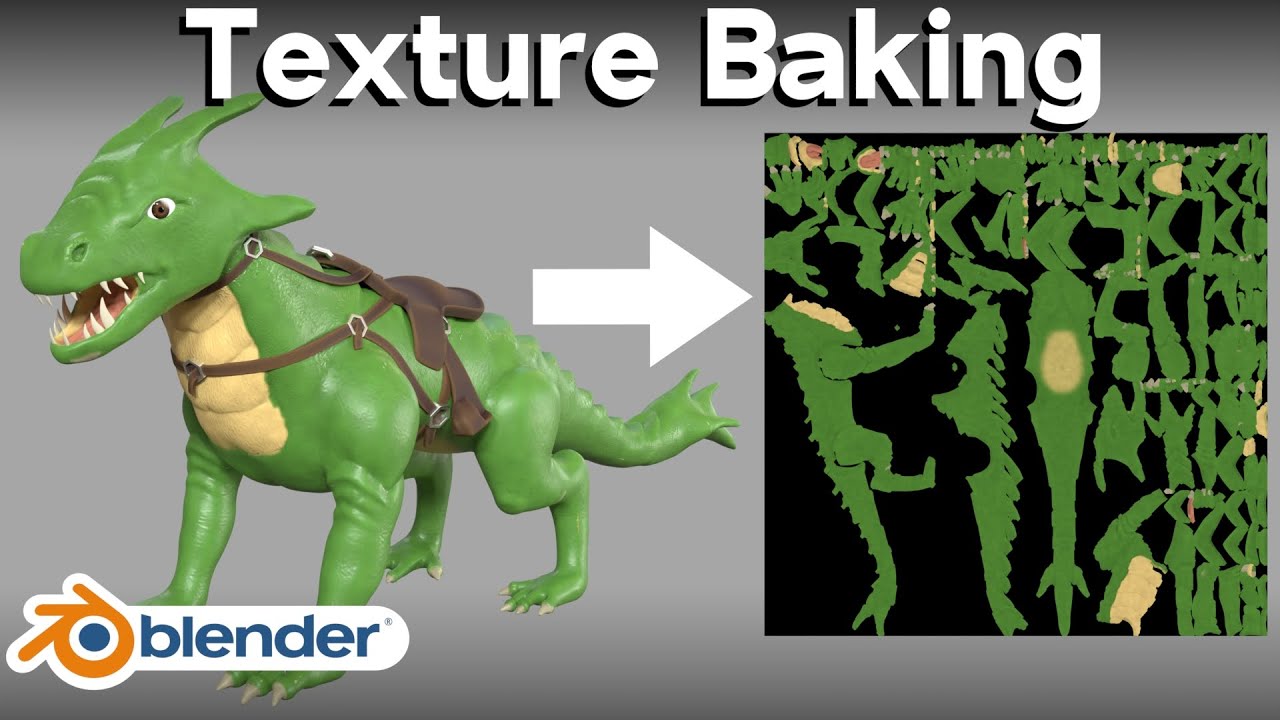
𝗪𝗮𝘁𝗰𝗵 𝘁𝗵𝗲 𝗡𝗲𝘄 𝗨𝗽𝗱𝗮𝘁𝗲𝗱 𝗧𝘂𝘁𝗼𝗿𝗶𝗮𝗹: ➡️ https://youtu.be/Se8GdHptD4A
Check out Sketchfab 3D models: https://shrsl.com/3b1vs (Affiliated Link)
In this Blender tutorial, I will show you how to do texture baking for beginners.
● New Updated Tutorial: https://youtu.be/Se8GdHptD4A
● Texture Baking Tutorial Playlist: https://www.youtube.com/playlist?lis...
azure ermine
lime pollen
plenty of tutorials on google but here https://www.youtube.com/watch?v=eYvgFWEiN...
Perfect, I'll watch the tutorial and try to figure it out, and after I have baked the texture in blender, I just have to set the baked texture to the base map of the material in unity, correct?
lime pollen
yes
azure ermine
lime pollen
yes
Ok, thanks for the help!👍
fluid oak
azure ermine
Hello, I have a question regarding importing a 3d blender model into my unity ga...
baking textures is one option as Reo said. Baking vertex colors might be better for models like this, if you don't need detailed textures but just want to color the meshes.
 wind tinsel
MS Paint best art software

 crimson yarrow
wind tinsel
MS Paint best art software
crimson yarrow
wind tinsel
MS Paint best art software
Are you being sarcastic ???
Don’t hate on mspaint, especially mspaint xp.


 true geode
Quick background: I mostly write code and have a very rudimentary understanding of art assets that I mostly use for kitbashing.
I've bought an asset on the store, that I imported into Blender in order to change some of the bone stuff around so that I could convert it to a humanoid rig. That part was great success.
However, when importing the FBX model back into Unity I had noticed a few issues. Namely that all of meshes in blender that are hidden (? I think that's what the greyed out icon means, see image 1). Lose their positioning and scale factor when the FBX is imported into Unity (see image 2). I assume this is some silly export config thing, could anyone point me in the right direction of where I should be looking?


 neon relic
Can someone help me, I'm an error that won't let me export my vrm model
It says "material with fewer submeshes"
neon relic
true geode
Quick background: I mostly write code and have a very rudimentary understanding ...
I'm not too sure but it could be related to the mesh position and how it exported, I had that same error so I'm gonna go look for the video that helped me
 upper timber
Does anybody know why in blender the bone goes down to the very bottom of the leaf but in unity it doesnt?

 misty lantern
upper timber
Does anybody know why in blender the bone goes down to the very bottom of the le...
misty lantern
upper timber
Does anybody know why in blender the bone goes down to the very bottom of the le...
Blender visualizes them with an endpoint but functionally they are just singular points
(generating "leaf bones" on export is a way to save the bone lengths by adding extra bones at the ends, but that's usually not necessary)
I recall Unity's bone renderer component only visualizes lines between bones, so final bones of the chain do not appear
fluid oak
neon relic
Can someone help me, I'm an error that won't let me export my vrm model
VRM exporter isn't a built in thing, so I'd check with whoever created it
upper timber
misty lantern
I recall Unity's bone renderer component only visualizes lines between bones, so...
how can i fix that?
 pastel junco
Hello! So I've made this really bad model which is a single shape but I want to add different materials and textures to it. I know I can do this with a UV map and creating palettes and what not, however when I import it to unity I can drag my UV map onto it and it works fine but the metallic and roughness settings don't copy over to unity. If I apply metallic and roughness settings in unity it makes my whole model metallic not just the parts I want. Is these an easier way to do this or not?
 snow tundra
Hello! I’m using winrar to open a model that I got, but I’m just getting confused cause I’m not sure how it works. Does anyone mind explaining what I’m doing wrong? I’m not sure what I’m supposed to do now, I’ve watched tutorials but they confuse me more.
 misty lantern
snow tundra
Hello! I’m using winrar to open a model that I got, but I’m just getting confuse...
misty lantern
snow tundra
Hello! I’m using winrar to open a model that I got, but I’m just getting confuse...
If you didn't make the model file and can't provide technical information about it, we can't help with it
If it's a ripped model or otherwise an asset you don't have the rights to, we won't help with it
lime pollen
wow its been two months and I see that they still haven't figured out how winrar works or take a screenshot 😂
snow tundra
misty lantern
If you didn't make the model file and can't provide technical information about ...
Oh no, it’s a model I found on sketchfab and they gave the link to download it.
misty lantern
Sketchfab is full of ripped models, sometimes being sold
snow tundra
lime pollen
wow its been two months and I see that they still haven't figured out how winrar...
Also I’m sorry but I didn’t do anything to hurt you haven’t I? If you have something awful to say then keep it to yourself. Sometimes it takes people a while to learn new things. And I don’t have to take screenshots if I don’t want to, if you make fun of people or some shit like that to make yourself feel better, then you do you. Jeez 😐
And people come here for help, not for some random person to trash on them because they don’t fully understand what to do, or how new stuff works.
misty lantern
It's your responsibility to ensure the models you find are not fishy
I recall the meshes you showed earlier had some weird issues suggesting decompilation, in addition to being named after existing commercial titles so I'm not really convinced about them
snow tundra
misty lantern
It's your responsibility to ensure the models you find are not fishy
I recall th...
Yeah! My bad about that. I’ll find another model! Thanks for telling me that.
 sterile geode

why does my material do this?
it almost distorts instead of actually adding height
is the height map broken?
misty lantern
sterile geode
it almost distorts instead of actually adding height
Height means parallax mapping which does work by distortion
Not sure why exactly it seems so extreme here
sterile geode
maybe cuz its at full effect and from an angle
is there a way to add actual depth?
sterile geode
the normal map only makes 1mm difference for me, it doesnt work that well
maybe its the actual images?
i get them from poly haven so i figured they'd be good
misty lantern
My guess is the height map strength in the slider is too high and maybe that its pattern doesn't match the color texture
sterile geode
i have the textures if you want them
hoary kindle
sterile geode
i get them from poly haven so i figured they'd be good
Make sure you are using the correct normal map standard
sterile geode
hoary kindle
Make sure you are using the correct normal map standard
actually not sure
not sure what that entirely means either
pretty new to this
 glad grotto
I am very new to unity, how can I make the weapon clip over the character instead of into it? (sorry if this is the wrong channel)

 hoary kindle
sterile geode
actually not sure
hoary kindle
sterile geode
actually not sure
When you are loading the textures from polyhaven, you can set it to either DX or GL in which the latter is what unity uses
misty lantern
Wrong normal map format appears as shadows on the material being cast from the wrong direction
sterile geode
hoary kindle
When you are loading the textures from polyhaven, you can set it to either DX or...
i made sure its GL
i can put a diffusion map in height map right?
and is it normal for it to display "texture not marked as normal map"?
misty lantern
No and no
sterile geode
ah
lmaoo
is there a good place to find unity textures?
w height and normal map
preferably also ao map
misty lantern
Most PBR material resources are fine
misty lantern
glad grotto
I am very new to unity, how can I make the weapon clip over the character instea...
Clip "over"? If you don't want the weapon model to clip, you could decrease the camera's near clip distance
That does change the clipping distance for everything that's rendered which can cause problems, so often viewmodels are rendered with another camera with different settings or in a separate pass
glad grotto
misty lantern
Clip "over"? If you don't want the weapon model to clip, you could decrease the ...
Oh, alright I'll definitely read more about that, thanks!
 quick storm
so in blender i made this model, the orange thing can change color

but in unity it looks like this

the orange and the gray texture are the same
i just added a noise texture and a color ramp to change the color in blender
is there a way to bring the changing color material into unity?
lime pollen
quick storm
is there a way to bring the changing color material into unity?
No, you'll need to recreate it in unity
lime pollen
 faint dust
anyone using .fbx mesh instead of .png for grass?
faint dust
anyone using .fbx mesh instead of .png for grass?
What did I say about asking your actual question 😠
faint dust
 faint dust
lime pollen
What did I say about asking your actual question 😠
faint dust
lime pollen
What did I say about asking your actual question 😠
Dude i know how to do it, just wanted to see if anyone had issues painting alot of grass using fbx
Just seems like alot of triangles
lime pollen
Then say so instead of asking a broad "anyone knows this" more details will help people answer the actual question you have
lime pollen
Anyway, that's just the tradeoff between 2d and 3d, if you think it's worth having the grass as meshes then make them meshes
faint dust
thanks man
quick storm
lime pollen
No, you'll need to recreate it in unity
how
lime pollen
quick storm
how
Make a new material and learn how the settings work
quick storm
lime pollen
Make a new material and learn how the settings work
tremendous help
lime pollen
you're welcome
pastel junco
so how do I fix this mostrosity

 fading timber
so, uh, how do i fix this blur?
 lime pollen
fading timber
so, uh, how do i fix this blur?
lime pollen
fading timber
so, uh, how do i fix this blur?
change filter mode to point
neon relic
Can you export a skinned mesh renderer blendshape by itself?
 worn cove
So, this happened. On the right, is what it is in the editor, and what it's SUPPOSED to look like, while on the left, it's the build. HOw can I fix this issue?

 river dock
Hi, is there a way to make my sprite fit to the size of the pixel perfect camera?
I have a sprite that's basically the map and it's a small arena so there is no need for the camera to follow the players it can all be done with 1 static camera. But when i import the sprites, i set them with 64 pixels per unit and i adjust the camera to have the same pixels per unit 64

and when importing the map, it's always smaller than the pixel perfect camera
any fix/tips for this?
the arena sprite size is like 256x144 pixels
misty lantern
river dock
the arena sprite size is like 256x144 pixels
What's the reference resolution? You'll want the sprite's dimensions to match that
misty lantern
worn cove
So, this happened. On the right, is what it is in the editor, and what it's SUPP...
What are we meant to focus on? Blue thing in wrong place?
worn cove
misty lantern
What are we meant to focus on? Blue thing in wrong place?
No, there's black on the ears, when there shouldn't be. And there's lines everywhere
river dock
misty lantern
What's the reference resolution? You'll want the sprite's dimensions to match th...
pixel perfect camera dimensions are 320x180 with 16 pixels per unit
arena sprite dimensions are 256x144 with 16 pixels per unit
sorry, both are 64 pixels per unit
misty lantern
worn cove
No, there's black on the ears, when there shouldn't be. And there's lines everyw...
Confirm that the editor's selected quality level in quality settings matches the "platform default"
Black lines or artifacts in texture are most commonly from lack of texture margins for UV islands, possibly made worse by mip map bias from quality settings
I would expect more artifacts if it's the problem, but it's worth checking
worn cove
Where's that?
misty lantern
worn cove
Where's that?
Where are quality settings?
misty lantern
river dock
pixel perfect camera dimensions are 320x180 with 16 pixels per unit
arena sprite...
If you want the texture 320x180 you should ideally have drawn the image in 320x180
You can stretch it by changing its PPU or by forcing its size to match the camera size, but that kinda defeats the purpose of pixel perfectness and is likely more trouble than redoing the image in different dimensions
worn cove
misty lantern
Where are quality settings?
"Mip Map Bias"
river dock
misty lantern
If you want the texture 320x180 you should ideally have drawn the image in 320x1...
could i just change the pixel perfect camera size to match the sprite arena?

like this here?
misty lantern
worn cove
"Mip Map Bias"
I think it's called "texture quality" in the built-in RP quality settings
Textures also have a mip map bias setting each but that's not likely to change by accident
misty lantern
river dock
could i just change the pixel perfect camera size to match the sprite arena?
Yes
You decide what reference resolution you wish to target
worn cove
misty lantern
I think it's called "texture quality" in the built-in RP quality settings
Textur...
This still causes the issue
 misty lantern
worn cove
This still causes the issue
misty lantern
worn cove
This still causes the issue
Textures don't have mipmaps so it's not mip map spill-over like I suspected
But it could happen due to lack of them as well
I can see your texture's color regions are surrounded by black, so it's likely that sampling errors happen can happen at the UV island edges
Test this by changing the texture to a solid color, and build again
If there are no black seams that suggests the problem is lack of margins for the color regions
river dock
misty lantern
If you want the texture 320x180 you should ideally have drawn the image in 320x1...
is there really a difference to use a pixel perfect camera?
i know you get crispier sprites and the animations looks better
worn cove
misty lantern
Textures don't have mipmaps so it's not mip map spill-over like I suspected
But ...
Yeah, I changed it to pink, here's what I get:
 misty lantern
worn cove
Yeah, I changed it to pink, here's what I get:
misty lantern
worn cove
Yeah, I changed it to pink, here's what I get:
So, extend the color regions' colors outside the UV islands so when the sampling error happens, it cannot be noticed
worn cove
Can I just stop the sampling?
misty lantern
worn cove
Can I just stop the sampling?
That means to stop using textures altogether
which would get rid of the problem, definitely
Or just add margins/padding
It's standard practice
misty lantern
river dock
is there really a difference to use a pixel perfect camera?
You'll want to use it if you want pixel perfectness
If you don't, you won't
(and as a bonus it fixes some tilemap rendering problems)
misty lantern
worn cove
I'm just wondering why it works in the editor, but not in the build...
I would guess there's a deep technical explanation out there that amounts to "they do something different", or it's related to one of the build specific settings which may or may not be necessary
Either way the fix is simple
river dock
misty lantern
You'll want to use it if you want pixel perfectness
If you don't, you won't
(an...
okay cool, i guess since it's going to be a pixel art game, might as well use that camera but here is another problem i've come across

even though i set the dimension reference of the camera to the dimensions of the sprite
it still doesn't 100% fit the camera
 loud onyx
gentlemen, I have done a whoopsies
I opened a sprite sheet with the default photos app and I don't see any "open with" options when I select the sprite sheet so I can open it with my sprite editer
river dock
river dock
this seems to fix the issue but i haven't checked with a build, in the editor there are black bars
 lime pollen
loud onyx
gentlemen, I have done a whoopsies
I opened a sprite sheet with the default pho...
lime pollen
loud onyx
gentlemen, I have done a whoopsies
I opened a sprite sheet with the default pho...
just open it in your sprite editor manually?
worn cove
misty lantern
I would guess there's a deep technical explanation out there that amounts to "th...
I set the model compression to "low" from "none" and that fixed it
worn cove
I already fixed it, but essentially, the left of his ear is black, when it should be green
 sour cliff
Ok yes I did try to import this into a .FBX model and this happened.

So is there something I'm missing?
 violet walrus
you say this happened but never explain what is wrong
sour cliff
I'm trying to import the model to unity and it turned into that. Holes are everywhere in the model and I've tried multiple tools to fix it and nothing
violet walrus
if there are holes it would be backface culling things
sour cliff
Ok is there a way to fix that?
 sour cliff
Got it
violet walrus
it wont fix anything but it will get blender showing you the same thing you got in unity
face have a front and backside to them, if somehting needs 2 sides it should be solid and have some thickness to it
sour cliff
Just turn it off right?
violet walrus
turn it on
sour cliff
Alrighty
violet walrus
think wont fix anything, it will just let you see the problem in blender as well
sour cliff
Tbh it ain't showing me anything
violet walrus
you are not seeing holes in the same places with that option on
i am assming it is this but really cant tell anything from your screen shot its so small
sour cliff
Ah
 tough fulcrum
Is there a way to bulk edit animation import parameters for .fbx files?
I have a bunch of animation files and I really don't want to click through loop time, root transform rotation and whatnot a dozen times
 tranquil hedge
sour cliff
I'm trying to import the model to unity and it turned into that. Holes are every...
tranquil hedge
sour cliff
I'm trying to import the model to unity and it turned into that. Holes are every...
Try to convert quads to triangles. I don't remember how to do it in Blender, try to google how to do it, it's as simple as a click on the right button
I suggest this because not every format/renderer support polygons other than triangles and not every export script make the implicit conversion. This might be the case
frigid widget
tough fulcrum
Is there a way to bulk edit animation import parameters for .fbx files?
I have a...
you could use presets for that
make one and then apply it for the others
if you have more specific stuff you could make a assetpreprocessor that set the options before stuff gets imported
 past imp
If I have a character that can equip different weapons, do I need a new 3d model for the character for them holding every weapon?
outer halo
past imp
If I have a character that can equip different weapons, do I need a new 3d model...
No, you can use different poses. Typically you would use IK to set the position of the hands for each gun.
past imp
Also does anyone work in Linux? How is using Wacom + blender on Linux?
warm root
Hi. I'm completely new to everything 3D so I just wanted to make sure I have my concepts right,
I make a model in blender, Make a material in Substance Designer, Export the Material and Model into substance painter, Paint the Model, Export to Unity? I'm very lost...
lime pollen
warm root
Hi. I'm completely new to everything 3D so I just wanted to make sure I have my ...
you can start out by doing everything in blender first, but yes some people use that pipeline
warm root
lime pollen
you can start out by doing everything in blender first, but yes some people use ...
yeah- I need to start learning unity and such as my creative community I'm involved in is using unity as its main creation tool.
Thanks for the response.
past imp
Im trying to look for this effect but i dont know what it's called

like if i swing a sword, its an extended swipe animation/effect
and thats where the hitbox is
what is this called?
tough fulcrum
frigid widget
you could use presets for that
Thanks, I'll look into it
tough fulcrum
past imp
Im trying to look for this effect but i dont know what it's called
I think you're talking about trails
Default unity trail renderer kinda sucks ass because of billboarding, so I'd advise to look for a fully 3d solution
Or to make one yourself, it's pretty trivial to implement
 nimble mulch
My pixel character seems blurry when i import it, I searched how to fix it, there was a solution, but the options werent showing up(options for solution)
Theyre warping and filter mode options that dont show up.
lime pollen
nimble mulch
My pixel character seems blurry when i import it, I searched how to fix it, ther...
show the inspector of the texture
nimble mulch
its pixelart
 nimble mulch
lime pollen
show the inspector of the texture
nimble mulch
lime pollen
show the inspector of the texture
here ^
lime pollen
nimble mulch
here ^
thats not the texture
click the actual sprite, not the gameobject
nimble mulch
How do i make the camera show the scene?
nimble mulch
I need help with making the camera show the scene instead of a solid color.
misty lantern
nimble mulch
I need help with making the camera show the scene instead of a solid color.
Put something in front of the camera
And do some basic Unity tutorials
 sonic fog
How do I properly use Texture2D.PackTextures() on normal maps? Right now the normal map appears reddish and seams are being shown when I try to use it on a model.
sonic fog
YES! I figured it out! And with no pixel iteration. For anybody having a similar issue, make sure the texture is LINEAR. This can be done like so:
            Texture2D atlas = new Texture2D(2048, 2048, TextureFormat.DXT5, true, true);
            Rect[] atlasRects = atlas.PackTextures(packedTextures.ToArray(), 0);
Where the last argument of the Texture2D constructor sets the texture to linear.
past imp
Does anyone have a link to character animations like the ones in this video? https://www.youtube.com/watch?time_continue=24&v=nQ2pGn73nKY&feature=emb_title
The assets for this video only has the vfx, not the animations

Available in the Asset Store!
Unity Asset Store URL: https://assetstore.unity.com/packages/vfx/particles/sword-slashes-pro-173450?aid=1100lpot2
Music in this video: The Beginning of an Era - Bonnie Grace
YouTube subscriptions on Epidemic Sound from 02 June, 2020.
#Sword #Slash #AssetStore #SwordSlash #Trail #Unity #MadeWithUnity
lime pollen
past imp
Does anyone have a link to character animations like the ones in this video? htt...
read the comments

 nova fox
I made a building in Blender. It's just a cube and then I extruded some parts and deleted a face to get a door.
When I import this into Unity I can't see the inside of the building, only the outside. How do I change this?


If I go inside the building in Unity then it just looks like it's not there
fluid oak
There is no inside; you either need a shader without backface culling or add actual internal faces
tame scaffold
Why does pixel art most often appear in sizes like 8x8, 16x16, or 32x32, when there are more rounded values to work with like 10x10, 20x20, etc? Is there a technical reason, or has this just become industry standard and essentially what people expect to see?
lime pollen
tame scaffold
Why does pixel art most often appear in sizes like 8x8, 16x16, or 32x32, when th...

Game Development Stack Exchange
Why are the resolution of textures in games always a power of two (128x128, 256x256, 512x512, 1024x1024, etc.)? Wouldn't it be smart to save on the game's file size and make the texture exactly fit...
fluid oak
tame scaffold
Why does pixel art most often appear in sizes like 8x8, 16x16, or 32x32, when th...
Reo's answer is excellent, but I'd add that specifically in Unity power of two textures allow you to use the most efficient compression options. Also, depending on your build target Unity might scale non power of two textures to the next highest power of two- which can introduce artifacts and increase the file size. You can make use of atlas texture packing to pack smaller npot textures into a single large power of two atlas, which can be great for sprites in particular.
tame scaffold
Thank you guys so much!
 dense horizon
nova fox
I made a building in Blender. It's just a cube and then I extruded some parts an...
dense horizon
nova fox
I made a building in Blender. It's just a cube and then I extruded some parts an...
Have you fixed your problem.
I had the same with my trees and finally fixed it.
You could download the Universal Render Pipeline and use their shaders
 light juniper
Why is it that in my 3d missing software my texture looks fine but in unity it seems to be smoothing my texture out. It is a pixilated texture on a cube a bit like Minecraft but when I import it onto unity it instead just blurs it out and it no longer looks pixelated?
Idk if I’m asking this question in the right place but Yh
misty lantern
light juniper
Why is it that in my 3d missing software my texture looks fine but in unity it s...
Disable filtering in texture import settings
light juniper
Where is that?
There is filter mode?
Oh Yh it Ty
I can’t read
Lol
But Ty for the help I found
pure cliff
Left image is the source image, the right image is in game.. Why are the colors completely different? I've tried turning off compression for the sprite sheet, changing filter mode and format but nothing seems to work. Any ideas what I should try next? 😫


 cinder gyro
Guys, does anyone know GIMP here?
 sullen plank
pure cliff
Left image is the source image, the right image is in game.. Why are the colors ...
sullen plank
pure cliff
Left image is the source image, the right image is in game.. Why are the colors ...
Make sure you are using unlit material and also tint color is set to white.
and it's not transparent
pure cliff
@sullen plank Ah ye I'm dumb, it looks perfect in the scene but not in my inventory, cuz things have a tint there from early prototyping. Thanks for reminding me 🙂
 wide yew
anyone knows some assets like animated threadmill with arrow pointed.
outer halo
wide yew
anyone knows some assets like animated threadmill with arrow pointed.

Elevate your workflow with the Modular Conveyor Pack asset from Monqo Studios. Find this & other Industrial options on the Unity Asset Store.
(InB4 "it's not free")
wide yew
do you know when it is animated, objects that you put on with rigidbody automatically follow, the diretion?
outer halo
I've never used this asset.
 fleet pivot
What's everyone's opinion of using store assets in published games?
outer halo
If it makes the difference between publishing something or not (because you're taking too long doing everything yourself), then it's a no brainer
 mossy valve
is there an easy way to apply materials to an object within unity, ie a paint tool or is the only way drag and drop? 😅
misty lantern
mossy valve
is there an easy way to apply materials to an object within unity, ie a paint to...
You can select multiple gameobjects from the hierarchy or from the scene with box selection and assign a material to their mesh renderer component at the same time
mossy valve
misty lantern
You can select multiple gameobjects from the hierarchy or from the scene with bo...
when i've tried, that, my main problem is that the materials are greyed out (were prefabs) and im unable to drag and change
is there a way around this?
 misty lantern
mossy valve
when i've tried, that, my main problem is that the materials are greyed out (wer...
misty lantern
mossy valve
when i've tried, that, my main problem is that the materials are greyed out (wer...
That's not the material slot of the mesh renderer component, that section at the bottom just shows what materials are being used currently iirc
mossy valve
ah- that works
You're right lol, I completely ignored the mesh renderer and just assumed those were it
sorted, thanks lol 
dark cape
Could you guys suggest me some kind of IDE to draw cartoon sprites for someone who last draw anything in kindergarten?
 trail stag
is there a way to make a box collider line up better with this particle system? the simulation space is in world which gives it this nice effect but means the collider is completely off when rotated, it's okay in local simulation space but doesn't look as good
 misty lantern
Unlikely to find much here in the art channel
fluid oak
trail stag
is there a way to make a box collider line up better with this particle system? ...
Define how you'd like to match the trail? Just rotating to a bet fit? Scaling to cover all particles? You might be better off just using a different collision setup, depending on what you are using it for.
 vivid rock
misty lantern
Unlikely to find much here in the art channel
vivid rock
misty lantern
Unlikely to find much here in the art channel
@misty lantern oh, I'm sorry. mind helping me get to where I might find one? I saw asset and workflow so I assumed my issue somewhat fits in.
 river violet
is there a way to make a cube with different dimensions than others have a texture that is scaled the same
 lime pollen
river violet
is there a way to make a cube with different dimensions than others have a textu...
lime pollen
river violet
is there a way to make a cube with different dimensions than others have a textu...
change the tiling on it
plucky elk
Guys, any assets that will remove Fogs close to the player?
Kinda like a Fog of War but for FPS
 narrow elbow
any ideas as to why my two wall pieces are different colors? They're made in blender, using the same material and a color palette. Using UV textures scaled to zero and dragged into the color palette.

 dire pebble
So I have the oppurtunity to upgrade my unity machine with a 7900xtx, or like 200+ cpu cores on a quad socket xeon. What would benefit production more a highe end gpu or more cpus. I already have a 6800xt.
 gentle frigate
Hello, after each import of fbx file I have to drag & drop materials. Is there an easy way to do it?
 fluid oak
narrow elbow
any ideas as to why my two wall pieces are different colors? They're made in ble...
fluid oak
narrow elbow
any ideas as to why my two wall pieces are different colors? They're made in ble...
Lighting, most likely? Especially if you have soft normals on the mesh.
narrow elbow
fluid oak
Lighting, most likely? Especially if you have soft normals on the mesh.
what do you think I could do to fix it?
fluid oak
Don't use soft normals, I guess
narrow elbow
fluid oak
Don't use soft normals, I guess
how do I use not soft normals lol. Googling doesn't really seem to bring anything up about soft normals.
I'm already using "shade flat" in blender.
 fluid oak
I'm not a blender user so I'm not sure; are you recalculating normals in the unity importer?
 wicked arrow
I'm really new to Unity. Where do I control the transparency on this UI Panel?
 lime pollen
wicked arrow
I'm really new to Unity. Where do I control the transparency on this UI Panel?
lime pollen
wicked arrow
I'm really new to Unity. Where do I control the transparency on this UI Panel?
color field in the image component
wicked arrow
lime pollen
color field in the image component
It was right in front of me, and still I was blind. Thank you 😅
narrow elbow
fluid oak
I'm not a blender user so I'm not sure; are you recalculating normals in the uni...
Yes. These are my current settings. Anything you can suggest changing?
 fluid oak
narrow elbow
Yes. These are my current settings. Anything you can suggest changing?
fluid oak
narrow elbow
Yes. These are my current settings. Anything you can suggest changing?
Import normals.
You are just ignoring the normals set in blender
narrow elbow
fluid oak
Import normals.
I had tried that already with the same result
fluid oak
Well, the normals from blender might not be set correctly either >.>
Though now that I look from a different view...
it looks like the problem might be something else.
They're all using the same material?
narrow elbow
fluid oak
They're all using the same material?
Yes. The UV coords are put to a single point and all wall pieces are using the same material that has a colour palette
for example

 fluid oak
Why not just use vertex colors
misty lantern
@narrow elbow Verify that the palette texture has no filtering, no compression, no mipmap generation and that it isn't awfully tiny in resolution
misty lantern
Another thing is that "optimize mesh" can make UV coordinates veer off which can cause problems in this type of palette mapping and in pixel perfect UV mapping in general
narrow elbow
misty lantern
Another thing is that "optimize mesh" can make UV coordinates veer off which can...
Yeah I think it's to do with the mesh as clearing the baked lighting data fixes it. So it's the baked lighting that's showing the issues likely caused by the normals. Nothing to do with the palette or material I think?
misty lantern
narrow elbow
Yeah I think it's to do with the mesh as clearing the baked lighting data fixes ...
Right, that does rule them out
The most common lightmapping problem is that meshes don't have "generate lightmap UVs" enabled and it attempts to use your palette UV for the baked lightmap
narrow elbow
misty lantern
Right, that does rule them out
The most common lightmapping problem is that mesh...
Ah okay, I'll try that. Thank you very much.
narrow elbow
misty lantern
Right, that does rule them out
The most common lightmapping problem is that mesh...
that seems to have fixed the issues!

 golden sigil
First 2.5D game here. May I ask, which cell layout, cell swizzle, tilemap orientation and tilemap renderer sort order is the best to choose? Trying to copy Hades' style, 2d sprites, 3d character.
lime pollen
golden sigil
First 2.5D game here. May I ask, which cell layout, cell swizzle, tilemap orient...
That's not something people are going to know off the top of their head, you need to experiment with the setup yourself
golden sigil
lime pollen
That's not something people are going to know off the top of their head, you nee...
This is more of a question related to as I heard debates about choosing the right axis/vector so that I don't have huge problems later.
lime pollen
golden sigil
This is more of a question related to as I heard debates about choosing the righ...
Again, people aren't likely going to know those things just like that. Youll have better luck just setting up a quick test scene in unity and tweaking the settings yourself.
You can also do some research on the typical fov and camera for isometric games
Side note, all the art in hades is 2d sprites, the characters are 3d models rendered out to sprites
golden sigil
lime pollen
Again, people aren't likely going to know those things just like that. Youll hav...
I've definitely seen an article stating that you should use a specific axis, as I remember, it was xz because of gravity and light logic. That's why I'm asking.
golden sigil
lime pollen
Side note, all the art in hades is 2d sprites, the characters are 3d models rend...
yes, I know, but sadly it's impossible to do that in unity
lime pollen
Why do you think that's impossible?
lime pollen
golden sigil
I've definitely seen an article stating that you *should* use a specific axis, a...
Then you should find that article again
golden sigil
lime pollen
Then you should find that article again
https://thinkinginsideadifferentbox.wordpress.com/2020/09/27/orthographic_camera_tips_for_unity3d/
found. Specifically, Tip #1: Use X/Z coordinates for landscaping

During the process of accomplishing some modest goals in isometric gameplay, I’ve taken notes on mistakes and oversights I made while rigging my first orthographic cameras. (shameless SEO par…
golden sigil
lime pollen
Why do you think that's impossible?
eh? Because they used their own engine, not unity
How do you render a 3d model as a sprite even
lime pollen
golden sigil
eh? Because they used their own engine, not unity
How do you render a 3d model a...
You do it in the 3d modeling program, or you can even build a tool to do it in unity
It's pretty trivial to do so
Here's a video about how dead cells did it https://youtu.be/iNDRre6q98g

Get the Shaders for this Video here ➜ https://github.com/Broxxar/PixelArtPipeline
Support me on Patreon ➜ https://www.patreon.com/DanMoran
Follow me on the Twittersphere ➜ https://twitter.com/DanielJMoran
Extra Links
Gamasutra article on Dead Cells' art ➜ https://www.gamasutra.com/view/news/313026/Art_Design_Deep_Dive_Using_a_3D_pipeline_for_2D...
golden sigil
lime pollen
It's pretty trivial to do so
Ooh, interesting! Will ask the modeller of the team later!
But sadly, I still have no idea which axis to choose, let me rephrase, for some weird reason, the tiles in the scene I downloaded are upside down, all of them. That's why I'm concerned if I'm using the wrong axis.
lime pollen
golden sigil
Ooh, interesting! Will ask the modeller of the team later!
But sadly, I still ha...
That's because the coordinate system of different programs are different, so whatever program the tiles were made in used a different system from unity
 golden sigil
lime pollen
That's because the coordinate system of different programs are different, so wha...
golden sigil
lime pollen
That's because the coordinate system of different programs are different, so wha...
eeh... so what should I do to make my scene working correctly? Flipping the whole grid sounds wrong
lime pollen
golden sigil
eeh... so what should I do to make my scene working correctly? Flipping the whol...
Just flip the tiles?
golden sigil
I have no idea how, sadly. Do you?
golden sigil
lime pollen
Literally just rotate them 180 degrees
okay, I'm sorry, you were right, I needed to play with parameters, also camera was the wrong angle which resulted in unwanted view, thank you!!
 mortal granite
Hi! So i exported this model i made (ik im really bad) and when i imported into unity the textures where kinda weird.. can someone help me?

 marsh girder
dumb art question how do i keep all the assets i draw in photo shop the same line weight regardless of how i resize them?
 misty lantern
marsh girder
dumb art question how do i keep all the assets i draw in photo shop the same lin...
misty lantern
marsh girder
dumb art question how do i keep all the assets i draw in photo shop the same lin...
You'd have to draw them in different sizes instead of resizing them, or draw them using vectors and import them at different sizes using the vector graphics package
If you need truly dynamic line width, you need a whole system for it
Probably either storing the lines as splines, or as signed distance fields
And then render them as procedural geometry or with shaders
 fluid oak
Reasonably well, sure.
I wouldn't think twice about seeing them in the same game, at least
eager mist
is that possible to cut the object into parts
i have this Banana model and i want to cut his hand and glasses and legs etc.. to add anmation for it
 fleet pivot
eager mist
is that possible to cut the object into parts
i have this Banana model and i wan...
fleet pivot
eager mist
is that possible to cut the object into parts
i have this Banana model and i wan...
You can do so in blender/whatever modeling program you use, but I don't know about in unity
outer halo
eager mist
is that possible to cut the object into parts
i have this Banana model and i wan...
Did you fail to read what I also said while redirecting you?
 steady vapor
Does anyone know of any workflow to avoid importing assets that are intended to be used in Addressables? Basically, if I intend to have 100% of my assets in addressables, can I avoid the import process altogether to speed up project import times?
eager mist
outer halo
Did you fail to read what I also said while redirecting you?
lol i did not read all the message sorry
lime pollen
steady vapor
Does anyone know of any workflow to avoid importing assets that are intended to ...
You still need to import the assets into your project in order to build them as addressables
golden sigil
First isometric(isometric tilemap, 2d sprites, 2d player) game here. May I ask, how do you approach lights and shadows? I found a guide where the person uses normal mapping. Is this the only way? Should I use it or should I use something else?
I've heard that 2d lights exist, are they the 2nd way(the first is normal mapping)?
Urp. unity 2021
in the same guide the person used something called toonlit shader(maybe this info will help)
lime pollen
golden sigil
First isometric(isometric tilemap, 2d sprites, 2d player) game here. May I ask, ...
You should use whatever way results in the look you want
golden sigil
lime pollen
You should use whatever way results in the look you want
Would be great to know which ways ends with which results though. Might be a great idea to add - I'm trying to make a Hades-similar game
golden sigil
lime pollen
You should use whatever way results in the look you want
So to rephrase - which ways of adding lights and shadows exist and which should I use if I'm trying to achieve Hades' style?
fluid oak
The developers of Hades have a few talks on GDC about how they produced their visuals
 olive mesa
the arm isn't rendering in the game view, but it works in the scene view
Can anyone help me with this?

the arm is on the same layer as the flashlight, which always shows over everything else
atm
seems to show at certain angles while the view is maximized

nevermind, i figured it out, i had placed the arm overlapping the camera
lime pollen
golden sigil
So to rephrase - which ways of adding lights and shadows exist and which should ...
From what I can tell most of the lighting in hades is mainly done in the sprite renders themselves https://youtu.be/cYJ6d1ifSqA

Here's an in-depth look at how we translate hand-painted character art into the in-world characters you see in Hades. 3D artist Paige Carter walks you through each step of the process, using her work on Nyx as an example.
Play Hades on Nintendo Switch: http://supergiant.games/hadesswitch
Play Hades on Steam: http://supergiant.games/hadessteam
...
Regardless, also look up examples of the techniques you've mentioned, there is no one single method that you "should" use to achieve the look you want
golden sigil
lime pollen
Regardless, also look up examples of the techniques you've mentioned, there is n...
ooh, okay, thank you! are there any other techniques though?
lime pollen
golden sigil
ooh, okay, thank you! are there any other techniques though?
Not off the top of my head. I suggest asking your artists to go look at hades themselves and analyze how the art is done
golden sigil
lime pollen
Not off the top of my head. I suggest asking your artists to go look at hades th...
okie! thank you 🙂
 runic mist
hi i cant add the animation wings to the bird any help?


iam a beginner so take it easy on me
runic mist
please help iam getting really frustrated 🥲
mortal granite
Hi! So i exported this model i made (ik im really bad) and when i imported into unity the textures where kinda weird.. can someone help me?

 jade token
Can I use sprites in a 3d scene? Does it sort properly against 3d objects?
The player needs to collect cards which are basically two sided sprites. Should I just used sprites for them or quads?
blissful relic
jade token
Can I use sprites in a 3d scene? Does it sort properly against 3d objects?
The ...
if the game is 3d, better use quads
 sonic lava
gentle frigate
Hello, after each import of fbx file I have to drag & drop materials. Is there a...
sonic lava
gentle frigate
Hello, after each import of fbx file I have to drag & drop materials. Is there a...
Yes! If you open more options you gonna find an option that recognize the material (if it has the same name) and add to it. If you can not find let me know I can help 😁
 wise forge
hey i have an issue with color that i don't get and its making my brain hurt
the color is wrong on 1 part

 obtuse oyster
fluid oak
obtuse oyster
fluid oak
Well, they haven't yet implemented the code to read your mind and automatically know if it is pixel art.
Hoping for 2023.x
golden sigil
Is it possible to somehow blend animations in 2d as if it were 3d? Lerp between states. I know about skeletal option, but that would require a lot of work, sadly, so are there other options? To clarify - I'm using a method of creating spritesheets from 3d character animations.
Trying to do what hades' devs did, to clarify more
misty lantern
golden sigil
Trying to do what hades' devs did, to clarify more
Do you have an example of what they did?
I mean I do know they made sprite sheets from 3D characters, but did they have blending solution as well?
golden sigil
misty lantern
I mean I do know they made sprite sheets from 3D characters, but did they have b...
I don't know actually.. Maybe they just used many more sprites? And added transitions from each and every to each and every state?
misty lantern
golden sigil
I don't know actually.. Maybe they just used many more sprites? And added transi...
Looking at them I can say there's no animation blending at all
And besides some weird or experimental techniques, blending sprite animations isn't really possible at all
golden sigil
misty lantern
Looking at them I can say there's no animation blending at all
Can you please say, in your opinion, how many directions they used? 8 or many more?
misty lantern
golden sigil
Can you please say, in your opinion, how many directions they used? 8 or many mo...
Looks like a lot
16 at least?
golden sigil
misty lantern
Looks like a lot
16 at least?
yees, maybe that's why my animations look sharp and not connected? Because I use only 8?
misty lantern
Maybe
golden sigil
misty lantern
Maybe
thank you!!! will try to increase the amount then 🙂
misty lantern
golden sigil
I don't know actually.. Maybe they just used many more sprites? And added transi...
The Animator is a state machine meant to control and limit when and where transitions happen
You certainly don't want to have different rotations as their own clips with transitions, instead you'd use blend trees or animation layers for them
golden sigil
misty lantern
The Animator is a state machine meant to control and limit when and where transi...
oh, this is yes I know heheheh 🙂 each state, like idle or move, will have not 8, but more, but no hundreds or animations on one layer
misty lantern
Instant transitions that can happen mostly freely do not benefit a lot from the Animator's state flow, in my opinion
I expect that because the Hades character already has a state machine for player controls, they have a custom animation system that has no state logic by itself
golden sigil
misty lantern
Instant transitions that can happen mostly freely do not benefit a lot from the ...
Hmm. How to do similarly to them then though?
misty lantern
Determining and calling the clip to play from code could be an option
golden sigil
m, but that would mean the same as states, no?
misty lantern
A state machine yes, but not the Animator's state machine
golden sigil
just to clarify, I'm trying to use finite state machine with no exit times and no transitions
and am not sure how to implement on a basic level idle-move and move-idle but later more complex stuff
misty lantern
Most 2D animation systems store animations on sprite sheets in a logical fashion, e.g. each row of animation is the same motion but in a different rotation
So you'd just convert character rotation to to sprite sheet row integer and it works
But Unity doesn't do that, instead all sprites are stored virtually in the same asset pool with an arbitrary ID
That makes traditional 2D animation techniques and styles much harder or require custom systems
golden sigil
misty lantern
Most 2D animation systems store animations on sprite sheets in a logical fashion...
I'm not sure if I understand.. Can I just implement all these transitions as small animations between big ones? Or should I stop doing 2d character and replace it with 3d in my 2.5 game at all?
misty lantern
golden sigil
I'm not sure if I understand.. Can I just implement all these transitions as sma...
Transitions as animations? I think the goal is to minimize the need for transitions or states at all, as it's really easy to end up with a sprawling network with hundreds of connections
You could try to utilize blend trees, animation layers and sub-state machines to their full power in order to re-use as many states and transitions as possible, or to skip the whole thing and call animations directly from code
If you're going to have 16 variations of every animation, it might not even be realistic to try to use the Animator for it at all
I think you absolutely should prefer 3D meshes and animations where you can, since you're working in Unity
Hades uses their own engine tailored for their needs, but I don't see the reason why they used sprite sheets like they did
Visually it'd look the same if they were 3D meshes with limited directions and frame rate
Could be that specifically because their own engine was made for 2D that they made it that way
golden sigil
misty lantern
Visually it'd look the same if they were 3D meshes with limited directions and f...
I see your point, thank you! but what renderer and lights to use in that case - 3d or 2d one? the tilemap is 2d, the player seems to be better 3d
misty lantern
golden sigil
I see your point, thank you! but what renderer and lights to use in that case - ...
2D and 3D can coexist perfectly fine, but not when using the URP 2D renderer
That one seems unfortunately a bit half-baked
Probably not even suitable for isometric perspective even in pure 2D projects
golden sigil
misty lantern
2D and 3D can coexist perfectly fine, but not when using the URP 2D renderer
Tha...
ooh, I see! So the choice is to use normal urp renderer? Or should I go back to built-in one?
misty lantern
That's up to your preference
By "perfectly fine" I mean there are still some caveats
Sprites use different depth sorting methods than 3D meshes, but you can still get them to play along
golden sigil
misty lantern
By "perfectly fine" I mean there are still some caveats
Sprites use different de...
Wonderful, thanks a lot!!
golden sigil
misty lantern
By "perfectly fine" I mean there are still some caveats
Sprites use different de...
what is better though visually, more similar to hades - maybe I should the world not a tilemap also, but a 3d one?
And level-design wise
misty lantern
golden sigil
what is better though visually, more similar to hades - maybe I should the world...
You can get incredibly similar results with both techniques
But I assume you won't be plagiarizing Hades 100% so it doesn't really matter
Go with whichever's easier for you to get the results you need
golden sigil
misty lantern
You can get incredibly similar results with both techniques
But I assume you won...
yes, I'm looking for similar result which can be described as aesthetic. Okay, wonderful!)
golden sigil
misty lantern
You can get incredibly similar results with both techniques
But I assume you won...
Could you please answer though - perspective or orthographic camera in case of being similar to hades visually?
misty lantern
golden sigil
Could you please answer though - perspective or orthographic camera in case of b...
Orthographic definitely
golden sigil
misty lantern
Orthographic definitely
Okie!!
golden sigil
misty lantern
Orthographic definitely
Hello! 🙂 Yes, it looks similar to 2d iso, my 3d. So everything is great! Was wondering though, do you know how to best setup multi-weapon animator? I'm using finite state machine to be precise
I need to somehow change animations and even states based on the weapon I have
misty lantern
golden sigil
Hello! 🙂 Yes, it looks similar to 2d iso, my 3d. So everything is great! Was wo...
What do you mean by multi-weapon?
golden sigil
misty lantern
What do you mean by multi-weapon?
I have a sword and a shield and lots of other things I can equip and unequip. Is there a way to make these transitions smooth like you can do with basic animator transition time?
The tutorial I follow uses empty state which hides player on attack and uses another animator. Which will break my smooth transitions
its for 2d
snow tundra
Hello. Does anyone here know the issue to solving this? I've tried selecting the sword from a model but whenever id tried to move it away it wouldn't.

 opaque plaza
Hi!
I downloaded this AncientPortal object asset from sketchfab: https://sketchfab.com/3d-models/ancient-portal-b68dceee1b22484ab6ca0207b9e7137a
Sadly, I am having troubles with assigning all the materials and textures to it, for me it looks like that: (see image.png)
All the runes are missing for example. To me (total Unity beginner) it looks like I have to add multiple materials and textures to a single mesh but how do I do it? Can someone point me in the correct direction?


Ancient_Portal - Download Free 3D model by imitate
 tawdry cliff
Hello 🙂 I have a fbx kit that has a bunch of objects, with the goal being to create levels based on the available chunks.
How do I take the stand-alone meshes inside of the fbx and "export" them from the imported asset in Unity?
Here is what I have right now. Thanks in advance!

It seems like I can actually use the meshes individually from inside the fbx import. Is it best practice to take them out of the import individually to have a prefab for each of them? Because when directly using the mesh it has no materials or anything.
lime pollen
opaque plaza
Hi!
I downloaded this AncientPortal object asset from sketchfab: https://sketchf...
there should be multiple material slots in the mesh renderer
opaque plaza
lime pollen
there should be multiple material slots in the mesh renderer
thanks for your reply! Actually, I created a new material and put all the textures into it (normalMap, emissive, etc) - this did the trick 🙂
tawdry cliff
tawdry cliff
It seems like I can actually use the meshes individually from inside the fbx imp...
Anyone that could help me out with this? Thanks in advance!
 obsidian axle
tawdry cliff
Hello 🙂 I have a fbx kit that has a bunch of objects, with the goal being to cr...
obsidian axle
tawdry cliff
Hello 🙂 I have a fbx kit that has a bunch of objects, with the goal being to cr...
i always drag the FBX into the scene, then drag it back into assets to create a prefab which will have the materials in the right places and whatever scripts i need
tawdry cliff
OK, thanks! So basically one prefab per asset in the kit, got it.
What happens when you change the original FBX in Blender and re-import it? Does it break everything?
obsidian axle
tawdry cliff
What happens when you change the original FBX in Blender and re-import it? Does ...
yw. you can delete an FBX and drop in another one and it often stays referenced everywhere. it will usually only break things if you change the structure of objects in the mesh
fleet pivot
Tips for making people with heads the same size as their bodies? Like in tLoZ:the Minish Cap, for one of many examples.
 fluid oak
 uneven olive
Nice design, though the brick edges not lining up sizewise kinda messes with me.
uneven olive
fluid oak
Nice design, though the brick edges not lining up sizewise kinda messes with me.
😂 Ill prob fix that later
fluid oak
The mortared edges along the edge seem weird; usually those would just be solid bricks
 uneven olive
fluid oak
The mortared edges along the edge seem weird; usually those would just be solid ...
uneven olive
fluid oak
The mortared edges along the edge seem weird; usually those would just be solid ...
I see what you mean

 fickle turret
export textures is grayed out in my other unity project
misty lantern
fickle turret
export textures is grayed out in my other unity project
Do you need to "export" textures? They're usually separate assets
fickle turret
oh I mean extract textures
 sullen wyvern
Hey everyone , I have a question regarding character polly count for mobile games. Is 15K polly count for just the body too much if so what should my aim be for a character with clothes "skins" and a weapon in hand? Appreciate any info!
misty lantern
fickle turret
oh I mean extract textures
Does ProBuilder normally embed the textures into the mesh? I still would expect them to be in the file system separately
misty lantern
sullen wyvern
Hey everyone , I have a question regarding character polly count for mobile game...
This entirely depends on the number of characters on screen, the hardware you target and the optimizations you make use of
You basically must run tests to know for sure
 silent spade
hey is anyone interested in making textures for a 2d platformer game (not pixel art)? we currently have a team of 7 people with different roles to play in making this game but desperately need someone to make textures, we all suck at it
lime pollen
silent spade
hey is anyone interested in making textures for a 2d platformer game (not pixel ...
#📖┃code-of-conduct for where to post jobs
silent spade
oh ok sorry
 mystic coyote
any idea how to fix this and make the texture look good on the walls and floor instead of it just being tiled?

 proud perch
Hello lovely people!
I'm currently working on an asset which will include dozens of emojis in 3D format, and would like to show them in the Asset Store in a 3D Viewer, in the same manner that BigGem and other publishers do (see https://assetstore.unity.com/packages/3d/characters/creatures/ghoul-crew-hand-painted-124278 for instance).
But I couldn't find neither in Unity Publisher's documentation, nor the name of that tool anyhow. Does anyone know how that works?
Thanks in advance!

Elevate your workflow with the Ghoul Crew - Hand Painted asset from BitGem. Find this & other Creatures options on the Unity Asset Store.
 sturdy iris

 sand dagger
looking for some advice here. im making a 2.5D game much like dont starve. any tips on how i should go about making these assets? working with shadows? optimal method for animating things like these? any help is appriciated
 fluid oak
mystic coyote
any idea how to fix this and make the texture look good on the walls and floor i...
fluid oak
mystic coyote
any idea how to fix this and make the texture look good on the walls and floor i...
Use a tiling texture?
fluid oak
sand dagger
looking for some advice here. im making a 2.5D game much like dont starve. any t...
For my 2.5d game, I use shadow proxies like so

Invisible mesh renderers attached to each bone with shadow casting enabled
sand dagger
fluid oak
For my 2.5d game, I use shadow proxies like so
very cool. maybe for the player. but my game consists of 100s or 1000s of trees. this would be taxing on performance ( i think )
fluid oak
Well, for a tree you could use a much simpler shadow proxy. And just how many trees will be visible at a time?
Of course, if the lighting isn't dynamic, then you can just have the shadow be a sprite you draw
 misty lantern
I probably wouldn't enjoy crafting on an uneven surface
 outer karma
Hello, I am trying to import a FBX model I made in Blender, My issue is that most of the fingerbones work fine, EXCEPT the thumb. The slider "Thumb Stretch" should rotate it like the green arrow I drew, instead, it rotates on the red arrow I drew. In short, the stretch and spread axis are flipped. I tried rotating the bone in blender but it doesn't seem to fix it. Can anyone help me?

 uneven hornet
Hello, I have zero experience in unity and I wanted to import my blender humanoid mesh with the pupils painted on but apparently vertex paint isnt supported so I don't see them once imported, I was wondering if theres a good workflow from blender into unity that would allow that?
 merry elk
Anyone here using PSB / PSD importer ?
Trying to just keep the sprites and get rid of actual psb file, not sure how.
 waxen creek
question : how to export textures from blender to unity , cause i only get objects
outer karma
outer karma
Hello, I am trying to import a FBX model I made in Blender, My issue is that mos...
NVM, i was missing a bone/they weren't assigned correctly
 marsh girder
Hello. I need to know how to make a ps1 shader for unity vrm?
outer karma
marsh girder
Hello. I need to know how to make a ps1 shader for unity vrm?
https://github.com/emilianavt/VSeeFaceSDK you'll need VSF SDK for custom shaders

GitHub
The VSeeFace SDK for Unity is used to export models in the VSFAvatar format. - GitHub - emilianavt/VSeeFaceSDK: The VSeeFace SDK for Unity is used to export models in the VSFAvatar format.
outer karma
outer karma
Hello, I am trying to import a FBX model I made in Blender, My issue is that mos...
also i am still having this issue
fluid oak
merry elk
Anyone here using PSB / PSD importer ?
Trying to just keep the sprites and get r...
Why?
 shut moss
How can i make my sides look like the top texture? Right now its just squeezing all the tiling together

 dawn sentinel
shut moss
How can i make my sides look like the top texture? Right now its just squeezing ...
dawn sentinel
shut moss
How can i make my sides look like the top texture? Right now its just squeezing ...
looks like you'll need to use tri-planar mapping if you're using a custom shader and a tileable texture
if you have access to the mesh, you can also unwrap them to the texture in a DCC tool like Maya or Blender
misty lantern
ProBuilder can also be used for authoring UV maps within Unity
shut moss
misty lantern
ProBuilder can also be used for authoring UV maps within Unity
How can i use probuilder?
misty lantern
shut moss
How can i use probuilder?
Usually you start by reading the instructions, as with all the other tools
 lavish mountain

Hi ya, does anyone know why my tile rule aint working

It is in my tile palette
 rigid crescent
Hello 👋 ! My name is Pierre, and I've been obsessing over asset management and collaboration recently, has anyone here experienced the following problems?
-
If Google Drive is used to manage assets (in pre-production), artists are forced to maintain rigid folder hierarchies and file naming conventions to keep track of the assets. This (can) lead to folks not knowing what the most up to date version of an asset is. Sometimes, despite the naming convention, it can still be really hard to find assets.
-
Providing feedback to artists as they work on the models can be slow and hard to track. Current strategies look like the following:
- Artists will send screenshots/videos of their work over discord
- Assets will be placed in Miro/Figma for folks to leave commentary/feedback
- Sometimes they’ll share their screen while working to provide feedback
-
Tracking the history of an asset is hard. It’s often difficult to compare what an asset looked like before to what it looks like now.
I've built a tool that seeks to address some of these problems, here's an early product demo: https://www.youtube.com/watch?v=ltK6TobKMOo&ab_channel=PierreHaou
Would anyone be willing to be an alpha user and provide a little feedback? Perhaps you know someone who might be interested? 🙂

A new way of building and collaborating for artists and game developers!
Check us out at:
 gilded helm
How do I import a model from blender that has a custom texture made in blender and get it to show up in unity
outer halo
You have to export that texture as an image and then use it in Unity on a material you make.
eager mist
Hi, all 🙂
I'm a newcomer to Unity and I'm trying to use it to create an interactive 3D simulation of an architectural Sketchup project.
I imported my Sketchup .skp file into Unity and it didn't import any textures - it has materials but they all default to a white texture.
Can someone please tell me how I can edit those materials' textures?
In Sketchup I can create a material, and if I want it to have an image texture I can point it to the path of the texture (image) file I want. I'd like to do the same with Unity if possible to avoid having copies of the texture images (since they're gonna be shared by both projects).
gilded helm
outer halo
You have to export that texture as an image and then use it in Unity on a materi...
how do I export the texture as an image
outer halo
 thick moss
Hello!
I've been experiencing a weird behavior on my character when I turn on legacy blend shape normals. Some of the vertices don't seem to transform on different shape keys when it is enabled.
Left is with legacy blend shape normals on, right is off. As you can see the shape of the eye highlights and lashes are displayed correctly with the setting off, but I am using custom normals so I need it on for this character.
Has anyone else experienced this/know how to fix it?
 thick moss
Nevermind, exporting a newer fbx version into the project seems to have resolved it.
sand dagger
is there a way to make certain sorting layers not interact with each other?
I dont think sorting layers are working for me

order in layer seems to change the order the sprite is in camera view
but sorting layer takes no effect
any idea what i could be doing wrong?
wind tinsel
Anybody know what causes this effect? I messed up bone riging I think

The model is stretched weirdly in animations
misty lantern
wind tinsel
Anybody know what causes this effect? I messed up bone riging I think
Are you using a tool like Rigify for the rig?
fluid oak
wind tinsel
Anybody know what causes this effect? I messed up bone riging I think
Looks like the bone weights are simply incorrect?
misty lantern
Could be, but also looks like the kind of errors rigify animations produces when you export the rig to fbx, as baking the keyframes will break inherited transforms in constrained bones
wind tinsel
misty lantern
Are you using a tool like Rigify for the rig?
I am using Rigify from Blender. I didnt delete any of the preset bones
misty lantern
wind tinsel
I am using Rigify from Blender. I didnt delete any of the preset bones
Due to the reasons above Rigify is kind of incompatible with game engines
Because of that solutions like this exist https://github.com/Arminando/GameRig
Haven't had the time to try it myself yet
There's also another by the name of "Arigify" but it's proprietary
wind tinsel
I just want it to work at this point tbh
the problem is the bones and weights in blender right
misty lantern
Arigify is the tool that supposedly makes it "just work" with a simple convert button, but I haven't tried that either
misty lantern
wind tinsel
the problem is the bones and weights in blender right
It's kinda much more complicated than that
Rigify relies on multiple parallel skeletons which are kept connected with constriants
Constraints get lost in export process, so the bones are using only inherited transforms which get really wacky when precise data is lost in keyframe baking
misty lantern
wind tinsel
I'll search a video guide tysm
https://youtu.be/8PSj_1-E9uY here's one
wind tinsel
Im just looking to configure a correct humonoid avatar in unity for this 3d model I made and riged in blender right
I already have the starter asset third person controller from unity with basic runnin animation
misty lantern
You can modify the rigs to minimize these issues yourself but that's a lot of manual work compared to using one of the premade solutions
You can get by without extra solutions if you disable any IK stretching from every bone that uses it, and never extend bones beyond their maximum length
But you can't always guarantee that just by eyeballing it
The root of the problem remains that Rigify is not meant or designed for use in a game engine
misty lantern
I would go with GameRig or Arigify
misty lantern
wind tinsel
Looking into GameRig. Thanks for the help
Good luck! I don't mind hearing how it works out since it's on my list anyway
wind tinsel
According to yt, GameRig can make a rig that is gameengine friendly out of my old rig
 wild lodge
my model dont have textures 😢

The textures appear in Maya, but when I export the model to unity the materials just go white in color and I can't modify them
lime pollen
wild lodge
my model dont have textures 😢
you may have to manually assign the textures yourself by dragging them to the model
wild lodge
I think the problem is that I make thetextures with blender

the materials appear like that
(I use materials to create the texture)
misty lantern
wild lodge
I think the problem is that I make thetextures with blender
Procedural textures made with blender's shaders cannot be exported, they must be baked into image textures first and assigned into materials
wild lodge
misty lantern
Procedural textures made with blender's shaders cannot be exported, they must be...
oh, well at least there is a solution
I'll try to create textures with other software next time
thanks!
misty lantern
wild lodge
I'll try to create textures with other software next time
You can do that, or bake them into image textures in blender
wild lodge
cool!
 worthy wing
Hello, quick question, hopefully I'm in the right place. I have a blender model of a piece of geometry I exported. However, in Unity, the terrain/floor and perhaps some other aspects don't seem to be drawing. I can see the floor from UNDER the piece of geometry in Unity, but not above where I want it.


Googling led me to some attempts of normalizing or reversing vertices in Blender, but none of that has done the trick. Any insight would be greatly appreciated
lime pollen
worthy wing
Googling led me to some attempts of normalizing or reversing vertices in Blender...
probably inverted normals, possible solution in the pins
worthy wing
@lime pollen Thanks a ton, fixed my issue in Blender!
lime pollen
 winged maple
does anyone know how to collapse the windows
winged maple
does anyone know how to collapse the windows
ask the blender discord
winged maple
i have no phone to verify and talk there sorry
but i think i figure it out so i'll just delete it
mossy creek
URP Decal animation (FadeFactor) doesn't work. It only works by manually sliding, but even when I see it animated sliding (Animation Graph targeting FadeFactor property), it has no changes to whatever is set originally.
 tawdry finch
I'm using FBX exporter for Blender on this Cowboy and it's not exactly working. How I fix?

 lime pollen
tawdry finch
I'm using FBX exporter for Blender on this Cowboy and it's not exactly working. ...
lime pollen
tawdry finch
I'm using FBX exporter for Blender on this Cowboy and it's not exactly working. ...
gee i wonder
 tawdry finch
Look man, I don't even know what that means
lime pollen
i'm sure you know what animated means
lime pollen
so google skinned mesh
lime pollen
yeah its not like i can see it myself or anything
lime pollen
that was sarcasm my dude
tawdry finch
I didn't ask about your muscle fibre
misty lantern
tawdry finch
I'm using FBX exporter for Blender on this Cowboy and it's not exactly working. ...
This may seem pointed but why are you using the fbx exporter? It looks like it's already a complete mesh with the armature
Rather, why not import the original model file directly
 floral forge
what do u guys think ab my character and tiles


 shadow cradle
good use of monochromatic style
misty lantern
this is not the showcase channel but looks okay
Character colored the same as the floor may blend in too much
But it only matters how the assets look in context in action, rather than in isolated stills
 crimson hare
where can i get materials from?
lime pollen
crimson hare
where can i get materials from?
The asset store
 torn jetty
charecters seem a little bland but good desine
fluid oak
Would make a good pawn in a chess themed game
 twilit crater
Hey guys I have a very strange problem. I'm trying to optimize my game using Static Batching, but it dosen't work as it should. I have over 100+ instances of RailEdge object and when I am launching the game (with static batching on) I have 471 batches. When I turned off batching I still have 471 batches. Could someone tell me what the frick is going on?
The amount of FPS is equal on two versions


 floral forge
fluid oak
Would make a good pawn in a chess themed game
floral forge
fluid oak
Would make a good pawn in a chess themed game
fr someone said the same thing
floral forge
shadow cradle
good use of monochromatic style
dont know whats that:)
floral forge
misty lantern
this is not the showcase channel but looks okay
Character colored the same as th...
thanks
fluid oak
twilit crater
Hey guys I have a very strange problem. I'm trying to optimize my game using Sta...
You followed all the rules for static batched objects?
No ineligible materials, read/write enabled, etc?
 hidden moon
hi everyone, my asset error after exported from Photoshop. Set dpi default 96
 misty lantern
hidden moon
hi everyone, my asset error after exported from Photoshop. Set dpi default 96
misty lantern
hidden moon
hi everyone, my asset error after exported from Photoshop. Set dpi default 96
Make sure texture compression is disabled
hidden moon
misty lantern
Make sure texture compression is disabled
thank sir, it's work for me
 light sable
Any vague ideas/leads as to what would cause my generated icons to sometimes have weird visual bugs?
They should not look at weirdly white overblown.
This doesn't happen in editor, only when in a build, and it happens randomly.
The icons are generated on scene start, could the light engine just not be ready?

 lime pollen
light sable
Any vague ideas/leads as to what would cause my generated icons to sometimes hav...
lime pollen
light sable
Any vague ideas/leads as to what would cause my generated icons to sometimes hav...
Possibly, try waiting a frame before generating them
 icy light
how would you guys go around making some parts of a texture colored differently depending on team, like in warcraft for example
misty lantern
icy light
how would you guys go around making some parts of a texture colored differently ...
- Make a differently colored texture variant for another material, crude but works usually well enough
- Keep the colored parts in their own material slot / submesh and swap the material, even more crude but sometimes more convenient or performant
- Shaders
The most common kind of shader for it is to use a mask map texture to differentiate the colored areas, and with a shader program apply a new texture or alter the color using that mask
Another way is to look up and replace colors which eliminates the need for a mask map but is more expensive and harder to get right
Doing it seamlessly with shaders is a bit of a challenge on its own anyhow https://bgolus.medium.com/the-team-color-problem-b70ec69d109f
icy light
@misty lantern damn, thanks for the help, guess i'll just use two materials
 elfin kite
I have an asset that looks like image two. As it should. It currently has a standard shader. When I try to put on the new shader from my 'materialize and dissolve' asset it begins to look like this.
I've tried adjusting all the settings and nothing seems to bring back the color to the barrel. am i missing something?
Image
Imagealso i don't know how to go about changing secondary colors inside a standard shader. like the black on the barrels. i imagine the two answers are intertwined.

 lime pollen
elfin kite
I have an asset that looks like image two. As it should. It currently has a stan...
lime pollen
elfin kite
I have an asset that looks like image two. As it should. It currently has a stan...
You'll have to change the texture itself if you want to change the black parts of the barrels
 raven raptor
How would I make a 2.5D rpg style graphics like the DS pokemon games. Specifically I want to know how to make the sprites appear as they do.
misty lantern
raven raptor
How would I make a 2.5D rpg style graphics like the DS pokemon games. Specifica...
Do you have a specific example to point to? I'm not familiar with those games
raven raptor
misty lantern
Do you have a specific example to point to? I'm not familiar with those games

Kinda like this
I really just wanna know what to do with the sprites to make them stand up
Like such
misty lantern
Looks most like world space billboards facing the camera plane, camera direction or world forward
Possibly using all three techniques contextually
raven raptor
misty lantern
Looks most like world space billboards facing the camera plane, camera direction...
Or more like Octopath traveler
misty lantern
raven raptor
Or more like Octopath traveler
Same three billboarding techniques, I'd say
raven raptor
Okay, thanks
 foggy canyon
A 2020.3 project that I have been given already has some third party 3D assets. How can I check their (I apologise for not knowing the proper term) 'quality' so if I were to introduce other external assets they look as real as each other?
lime pollen
foggy canyon
A 2020.3 project that I have been given already has some third party 3D assets. ...
By looking at them? Quality is very subjective
foggy canyon
lime pollen
By looking at them? Quality is very subjective
Is there not anything in the inspector or elsewhere in the project settings?
lime pollen
foggy canyon
Is there not anything in the inspector or elsewhere in the project settings?
There isn't a magic slider that goes from "looks like a 5 year old did it" to "AAA", unless you have an actual metric in mind you'll have to judge them visually
foggy canyon
lime pollen
There isn't a magic slider that goes from "looks like a 5 year old did it" to "A...
Eek. Was hoping to not have to buy an asset and to then find out that it doesn't match. #Bother.
Thanks for the reply.
fluid oak
I guess you could spend a few weeks training an AI to know what you like.
foggy canyon
fluid oak
I guess you could spend a few weeks training an AI to know what you like.
It's more to do with the poly count. (that's the term I was looking for at the time of my original post).
lime pollen
foggy canyon
It's more to do with the poly count. (that's the term I was looking for at the t...
thats a very different thing from quality lol
fluid oak
Very different, yes. And you can literally just check the poly count of the file.
 compact summit
anyone know what texture resolution per square meter Halflife Alyx uses?
foggy canyon
fluid oak
Very different, yes. And you can literally just check the poly count of the file...
If the asset is already in a project how can I check its poly count?
fluid oak
You look at the inspector for the mesh?
foggy canyon
fluid oak
You look at the inspector for the mesh?
That gives me which material is in use but no more. Am I missing something? ... 😁
lime pollen
foggy canyon
That gives me which material is in use but no more. Am I missing something? ......
That's the prefab, look at the actual imported file
fluid oak
foggy canyon
That gives me which material is in use but no more. Am I missing something? ......
 lime pollen
Or that
fluid oak
 uncut pebble
Anybody know how art like hollow knight or ori and the will of the wisps which are 2D but not quite pixel art was created?
foggy canyon
fluid oak
OK, got it. I don't get the image as in your example but at least I get the details of the objects.
Thanks very much to you and @lime pollen for the help.
fluid oak
uncut pebble
Anybody know how art like hollow knight or ori and the will of the wisps which a...
Is ori 2d?
 versed slate
Does anyone have any resources or tips on how to UV map levels in either Blender or Unity’s UV editor quickly and efficiently? I’m making cartoon-y 3d environments and the process for “texture alignment” feels incorrectly slow
 clever snow
How do I add a border to a gameobject?
I tried using Outline but it didn't even show
 fluid oak
clever snow
How do I add a border to a gameobject?
I tried using Outline but it didn't even ...
fluid oak
clever snow
How do I add a border to a gameobject?
I tried using Outline but it didn't even ...
https://www.rockpapershotgun.com/how-animation-powers-ori-and-the-will-of-the-wisps Ori 2 is 3d, Ori 1 is 2d. So you could look up the details from the first game.

Rock Paper Shotgun
Moon Studios overhauled their animation between Ori And The Blind Forest, and Ori And The Will Of The Wisps. Discover the tricks that go into making a platforme
But yeah, hollow knight as far as I know is just 2d spritesheet animation for everything
clever snow
Thanks
fleet pivot
I believe ori 1 was made as 3d models and then rendered as sprites @uncut pebble
 tawdry valley
@cyan onyx , i wanted to follow up ur response, but didn't want to DM you.. not sure if u were trolling.. but I too, really like the idea, so often i open a blank scene to test out code for code-beginner or something of my own... and just a splash of color makes the work environment feel better to me... but yea I agree its a big number.. The big problem i think is the grass portion i have on top, i have the ups and downs on the side of the model so i decided to keep all the loop cuts across the top so I didn't end up having weird UV / lighting problems.. but since its perfectly flat on top i can probably do away with all those cuts, correct? I'd love a response from you, have a great day 🙂

 cyan onyx
tawdry valley
<@300521433661177856> , i wanted to follow up ur response, but didn't want to DM...
cyan onyx
tawdry valley
<@300521433661177856> , i wanted to follow up ur response, but didn't want to DM...
I often set up test scenes so totally get the point. And I often try to spice up my test scenes too rather than looking at a just a white plane. I would just bevel the cube and create a texture for the sides though so could easily change it.