#archived-lighting
1 messages · Page 71 of 1
 silk ledge
how can I make sure the light probe is only affecting the model
and not the rest of the scene?
Oh that questions doesn't make any sense! I finally get it thank you!!
any idea why shadows aren't appearing in the scene? Looks very flatly lit after baking

 fallen fulcrum
did you enabled lightning in the scene?
silk ledge
yeah I have lights in the scene
fallen fulcrum
thats not what i meant
silk ledge
sorry what do you mean? Pretty new to this haha
silk ledge
yeah its enabled
fallen fulcrum
does your renderers have all "cast shadow" enabled?

 fallen fulcrum
no its in the individual renderers but it should be enabled by default
silk ledge
I mean in realtime shadows are casting just not baked
fallen fulcrum
whats your current quality setting
silk ledge
is that in lighting settings?
fallen fulcrum
no in project settings
silk ledge
 fallen fulcrum
is that the selected quality?
silk ledge
Yes
fallen fulcrum
hmm i'm out of ideas
fallen fulcrum
it could
but i'm not sure thats the issue
does it look like this when you play?
fallen fulcrum
well check if the light is too bright, and i'm out of ideas 🤷
silk ledge
fallen fulcrum
well check if the light is too bright, and i'm out of ideas 🤷
lights weren't set to cast shadows 🤦♂️
thanks for the help!
silk ledge
why dos some assets look worse when baked?
any idea why I can't go into the model import settings and generate the uvs on some assets?
 silk ledge
Also why does the desk in realtime lighting (1) look so much better than the desk in baked lighting (2) which looks generally grimier to me


 limber delta
silk ledge
Also why does the desk in realtime lighting (1) look so much better than the des...
limber delta
silk ledge
Also why does the desk in realtime lighting (1) look so much better than the des...
What are you bake settings?
 robust karma
Anyone know what this is and how I can reduce it?

 limber delta
silk ledge
limber delta
silk ledge
Alright. Your indirect samples seems to be incredibly high. I'd try lowering them, maybe 256 for a start.
Perhaps try 64 direct and 80 on lightmap resolution. The Lightmap resolution I suspect will make a lot of difference.
Try baking with GPU if possible, should be quicker.
Also check this video for explanations of the different settings https://www.youtube.com/watch?v=hMnetI4-dNY&list=PL_fUBw8N69mBtgz2Lw9l0qcg3bGOi5Oah&index=3

In this video, you'll gain an understanding of how lights and shadows work in the Universal Render Pipeline, as well as how to set up a scenario with a mix of real-time shadows, Light Probes, and baked GI.
Speaker:
Ciro Continisio
Ask your questions here: https://on.unity.com/2UmP9TE
Did you find this video useful? Room for improvement? Let us...
silk ledge
limber delta
Alright. Your indirect samples seems to be incredibly high. I'd try lowering the...
Thank you! WIll report back!
also any idea why on some of my modfesl I don't have the option

to go to the model import settings and generate the uv?
silk ledge
limber delta
Alright. Your indirect samples seems to be incredibly high. I'd try lowering the...
before after the change. 256 for samples and 64 for direct and 80 on resolution


definitely an improvement!
shadows on the wall in general look pretty gross though. any idea why?
limber delta
silk ledge
to go to the model import settings and generate the uv?
Should be under "Model" in the mesh import settings.
 limber delta
silk ledge
definitely an improvement!
limber delta
silk ledge
definitely an improvement!
Yes, nice! I'd continue experimenting with those settings. Perhaps start low, then try to adjust one at a time and see what difference (if any) it makes. Also watch the video I posted 😉
limber delta
silk ledge
shadows on the wall in general look pretty gross though. any idea why?
Are you referring to the banding effect? Not sure what's causing that. You could try a higher lightmap resolution and see what that does.
If you are refering to the shadows not being sharp enough, look into "Shadows > Max Distance". Project Settings > Graphics > Click on the PipelineAsset file > in the inspector > you'll fins the setting under Shadows. You could try lowering the max distance.

 silk ledge
limber delta
Are you referring to the banding effect? Not sure what's causing that. You could...
silk ledge
limber delta
Are you referring to the banding effect? Not sure what's causing that. You could...
Thanks! I'll try that! Any idea what the optiont to go to the model import settings isn't avalible on some game objects?
limber delta
silk ledge
Thanks! I'll try that! Any idea what the optiont to go to the model import setti...
Sorry, don't know what's happening there. Anything to do with how you export? I always export .fbx from Blender.
silk ledge
limber delta
Sorry, don't know what's happening there. Anything to do with how you export? I ...
also getting these weird colors on some objects


on the wall and desk
and that's a good idea I'llt ry that
hmm it is an fbx file..
 unborn minnow
I have a moving light for my day night cycle and it keeps saying global illumination preprocessing and causing a lot of lag. Will this happen in the build too or can I disable something to stop it from happening. I already turned off auto generate lighting
 silk ledge
limber delta
Are you referring to the banding effect? Not sure what's causing that. You could...
silk ledge
limber delta
Are you referring to the banding effect? Not sure what's causing that. You could...
watched the video super helpful! I guess I still am having trouble understanding why the desk looks so much less, idk grimier in the realtime lightning (also a directional in realtime vs point in baked)

 limber delta
Yeah, I think someone else will have to try to help you. Don't know why that is.
silk ledge
I wasn't able to uv unwrap the desk, that may have somethign to diwth it?
also these pictures illustrated it clearer
(1) is baked 2 is realtime


maybe it's the model?
silk ledge
limber delta
Yeah, I think someone else will have to try to help you. Don't know why that is.
and no biggie I appreciate the help! already learned a lot more! Thanks!
but ya I'm thinking maybe the lightmap on the model is messed up sinceI didn't have the option to generate it.
thats all I can think of
limber delta
silk ledge
I wasn't able to uv unwrap the desk, that may have somethign to diwth it?
Yes, I think so.
silk ledge
weird that he wall was discolored too.
nvm actually I know what caused that
ya I'll post again at some poitn if I feel like rivisitng the scene. Thanks again!
 grizzled warren
Hi all,
I'm kind of coming to the conclusion that baked lighting doesn't work in Unity-- from any angle. I can replace the lightmappers and buy third parts probe placers. Then I replace all my material shaders, and then still get hit with this..
I guess I have a pretty dumb question here: but do baked lights in Unity work? Did I just waste months trailblazing technology that no one is using?
Steps to reproduce: 1. Download the attached project and open SimpleOutdoorsA scene 2. Make sure that both baked and realtime GI are...
I'm looking into realtime GI ray tracing solutions, but they don't seem to work well with low end hardware
 chilly kettle
baked lighting is used everywhere and works very good
grizzled warren
do you know of a game using light probes in Unity? I could use inspiration
it's looking completely broken to me
My levels have all been designed around baked lights.. so I can't really even scratch it all and implement a realtime light culling solution
chilly kettle
depends what you think lightprobes can do ^^
chilly kettle
They save the lighting they receive when light is baked.
And give their light to movable objects that come close to the probes
grizzled warren
I know Kj, I'm just venting I guess. The IssueTracker says it all-- they don't work. I don't know what to do, feeling extremely defeated.
chilly kettle
Did you try Unity 2022.2 like they wrote there (Fix Version 2022.2)
grizzled warren
I see that.. I'm wondering, Unity's betas are so bad, though....
this is so stressful, I have to read the IssueTracker and crash logs every day
limber delta
You should check the video I posted above 🙂
limber delta
limber delta
Also check this video for explanations of the different settings https://www.you...
This one
I used Bakery for a while during our last project, but it gave me a lot of issues so for our current project I haven't used any plugins for baking and everything works fine now.
chilly kettle
Bakery is perfect ^^ But wont solve the problem of him i think
grizzled warren
yeah, I'm using the Bakery
I think 2022.2 is my only hope, if I don't try switching approaches (deferred lights or ray tracing GI)
None of my assets have tested there yet, though..
thank you Kj, I'll give it a try I guess
chilly kettle
thats all i can say ^^
grizzled warren
2022.2 is still beta alpha
chilly kettle
i never had your issue. When i bake lighting the probes work well
in 2020 and 2021
grizzled warren
I don't think Unity's beta alpha is stable, is it?
apparently, on build, there's a small chance your light probe data will be cleared out
silk ledge
Hey! Any idea why when I switch color space from gamma to linear the reflections on my windows go away?
(1) is gamma (2) is linear. In Gamma the reflection probes dont' appear to have any affect


*effect
 hushed flicker
How do i avoid Sky light passing inside my buildings? 🙂 I've tried with volumes but the volumes affect the sky color
 still copper
Could try adjusting the shadow bias
hushed flicker
still copper
Could try adjusting the shadow bias
The directional light isnt affecting it, only the HDRP sky, making grayish color inside building
 vestal compass
Guys this is my first time trying to bake lights in Unity and the baking worked fine but it turned all of my materials into black and white. What I mean is the color in material preview and the actual color is miles apart

Please Help
silk ledge
Oooh I’ll keep this In mind! Good to know! Thanks!
 crimson stirrup

hey guys, does anyone know why a light would be appearing here?
i've removed the skybox with the settings you can see on the right, there aren't any lights in the scene...
there was a directional light at the top of the scene 😭
adhd is amazing
i quadruple checked it
hushed flicker
How do I stop HDRI sky from lighting up closed spaces? A cube without lights get som gray lights from the sky through walls
 upper fable
Skybox is used for reflections by default
Use reflection probes for more accurate reflections
hushed flicker
upper fable
Use reflection probes for more accurate reflections
Thanks! I didnt thought of that, have messing around with this couple of hours, but i saw my reflection cube area was to small...
vestal compass
vestal compass
Guys this is my first time trying to bake lights in Unity and the baking worked ...
Can someone help please 🙏
 terse breach
vestal compass
Can someone help please 🙏
terse breach
vestal compass
Can someone help please 🙏
What object is the 'player_mat' assigned to in your scene?
vestal compass
terse breach
What object is the 'player_mat' assigned to in your scene?
The capsule but as you can see it doesn't look green in any angle
terse breach
vestal compass
The capsule but as you can see it doesn't look green in any angle
Oh, that's because no light source is being applied to the capsule, since baking would store all your light info into a separate texture. Did you mark the capsule as static?
 near bison
Does crunch compression not work with reflection probes? I have one for a mirror which is 8mb but while enabling crunch processes it for a while, it doesn't actually change in size at all, at least according to the preview window. It says it's using BC6H format.
I've noticed I can't seem to compress my lightmaps either. Same issue. Except these take up 16mb each.
 heavy peak
anybody know how to fix this lighting issue?
its been this way before i baked it
and then i baked it
and its the same issue
vestal compass
terse breach
Oh, that's because no light source is being applied to the capsule, since baking...
I didn't
 marsh shale

Can anyone help me out with this? I have no idea why some are entirely lit by seemingly nothing while others are completely dark
issue comes primarily from my baked global illumination as it looks fine without it
vestal compass
terse breach
Oh, that's because no light source is being applied to the capsule, since baking...
thanks so much. As soon as I marked the capsule as static it worked!!!!
 thorny tusk
guys please help i have a problem i have a 3d black box but somehow theres still light inside how? do i fix
near bison
marsh shale
Show your light settings on each one. You probably have them set to probes rather than lightmaps. Probes are only as good as your probe placement, so you get a lot of weird results.
thorny tusk
please help me thats the only thing i need to launch my game
near bison
thorny tusk
please help me thats the only thing i need to launch my game
Nobody can help you with so little information. Post screenshots of how the lighting is set up on it, etc.
thorny tusk
how?
thorny tusk
 near bison
Well first of all, you appear to have a plane, not a box.
near bison
Okay well that's unusual but without knowing if you are using baked lighting or not, all I can tell you is you both have "cast shadows" set to off, and you don't have contribute global illumination checked, so the objects will not be included in lightmap calculations, nor lightmapped. So any lightmapped objects inside won't be shadowed by it... Unless you're in distance shadowmask mode in which case they could be. It's complcated. Do you want your planes to be lightmapped?
thorny tusk
im new i barely understood anything
but i want it a box to have no light at all
plus my map is lightened by the sun
near bison
So you're not using baked lighting I assume. Cause if you were that's a little more advanced.
thorny tusk
yea
near bison
In that case just set Cast Shadows to On.
thorny tusk
where do i find cast shadows?
near bison
It's right there in your screenshot.
near bison
Okay...
thorny tusk
i turned them all on
near bison
No, keep it on.
thorny tusk
my bad i mean on
near bison

 near bison
Environment lighting source, set that to color... Then make the color black and you will have no ambient lighting.
Then the inside of the box will be completely black but you may find that's not what you want for the rest of your scene. That's basically disabling ambient light. Which is useful when using baked lighting.
thorny tusk
theres still light..
thorny tusk
near bison
You didn't even change the source to color like I said to.
And you still have cast shadows off on your plane.
thorny tusk
ohhh
thorny tusk
near bison
And you still have cast shadows off on your plane.
i was just testing
thorny tusk
near bison
You didn't even change the source to color like I said to.
how ? i have it the same colors?
near bison
Have what the same colors?
thorny tusk
 near bison
Cropping your screenshots so much is detrimental to me helping you. I have no idea what color selector box that is.
So I don't know if it's the right one.

That...
Should be set to this:
thorny tusk
 near bison
 thorny tusk
near bison
thorny tusk
near bison
where is that?
near bison
You really need to read my instructions more carefully. "Environment lighting source, set that to color... Then make the color black and you will have no ambient lighting."
It's right below the realtime shadow color you changed instead.
near bison
Ambient light is a global thing that gets added to all light everywhere.
So... With ambient light, you can never have an area completely in shadow.
But that's what you want.
In your box.
thorny tusk
yea
near bison
Sooo....
thorny tusk
i got what i want in my box
but not the rest of my map is black
how do i create light?
near bison
You add more lights that have shadow casting enabled.
thorny tusk
u mean cast shadows?
near bison
I don't understand the question.
near bison
That's an area light,
It's a special kind of light for casting light from rectangles I believe.
I don't think it can cast shadows and I think that says baked after it but your inspector is so small I can't read all the text in it.
thorny tusk
so what light do i use to create a light like real life
near bison
Heh, boy is that a loaded question. 😄
near bison
The one you just asked.
thorny tusk
i barely speak english
near bison
Oh... 🙂
thorny tusk
idk what loaded means
so do i make a direction light
or a point light or a spot light
near bison
A loaded question means... Well, it's a COMPLICATED question. You opened a can of worms. Pandora's box. The ark of the covenant. 😄
near bison
Well give me a sec and I'll explain why your question is complicated.
Light in games is all smoke and mirrors... a trick. We use lots of different tricks combined to fool people into thinking the lighting is correct. But it's not.
The closest thing you can get to real life lighting is to use BAKED lighting. Baked lighting bounces light around the scene, so areas that are hidden from the light source are dark. But baked lighting is lighting that is not dynamic. It won't change with moving objects or moving light sources. Shadows too will be static. So, we have ways to combine baked lighting with real time shadows that are not totally accurate but look good. That's called shadowmasking. When you set a light to Mixed mode instead of Real Time or Baked, it is both baked AND real time, and casts real time shadows onto a baked environment. Distance Shadowmasking is a more advanced mode which is also less performant where all non-moving objects with baked lighting can also cast real time shadows onto moving objects.
Sooo... You have two choices. Learn how to bake light in your scenes... Or add a few strategically placed directional light sources in the scene with shadow casting enabled which is gonna increase your rendered polycount a lot, but for a simple game it might be fine.
The latter solution probably isn't gonna look great, and depending on your scene might not even be a workable or good solution.
near bison

In this video we’ll learn a bunch about lighting and use it to light a simple scene using the Progressive Lightmapper.
● Get a discount on The Complete Unity 3D Game Development Course: https://www.udemy.com/unity-developer-course/?couponCode=YTBRACKEYS999
● Download Room + Monkey: https://goo.gl/6EZjQL
● LMHPoly's youtube channel: https://goo....
thorny tusk
oh alright thank you
near bison

High quality lighting is not performant... Until now! Let's have a look at Light Probes in Unity.
► Get the free ebook! (sponsored) https://create.unity3d.com/nine-ways-to-optimize-game-development?utm_source=thirdparty&utm_medium=affiliate&utm_campaign=gaming_global_acquisition_2020-01-gmg-ebook2&utm_content=brackeys
● Simple Lighting in Unit...
thorny tusk
il fighure it out myself
near bison
Watch those.
thorny tusk
thanks for vids
near bison

Let’s learn how to create reflections by using Reflection Probes and Screen Space Reflection (SSR).
♥ Support Brackeys on Patreon: http://patreon.com/brackeys/
····················································································
♥ Donate: http://brackeys.com/donate/
♥ Subscribe: http://bit.ly/1kMekJV
● Website: http://brackey...
 orchid solar
How do I make realtime spotlight more smooth? In the photo, you can see layers from the spotlight, I want to smooth out the layers

 hardy ridge
May I ask why this happens? I am using HDRP but it seems like these two wall objects are being lit very differently, even though they are two copies of the same object (literally cntrl c + cntrl v).
 near bison
hardy ridge
May I ask why this happens? I am using HDRP but it seems like these two wall obj...
near bison
hardy ridge
May I ask why this happens? I am using HDRP but it seems like these two wall obj...
It doesn't look like you're using baked lighting, but if you are using light probes then the two objects may be picking up different light probes if you don't have them set to global illumination lightmapped. In that case, you could either set them to be lightmapped and bake the lighting, or you could set one to be the reference probe for the other. There's a slot for you to drop an object in the lighting settings on the object.
What this will do is it will make one object use the other object's transform as the point from which it samples light probes. You could also just make an empty object and then set both of them to reference it, and then you can move that empty object around to get it in a position where the lighting looks good.
hardy ridge
That makes sense! Thank you so much!
 deft fiber
orchid solar
How do I make realtime spotlight more smooth? In the photo, you can see layers f...
deft fiber
orchid solar
How do I make realtime spotlight more smooth? In the photo, you can see layers f...
The "layers" you mean are color banding, I suppose, due to the fact that monitors can display a limited number of colors
There's a feature by the name of dithering which jumbles the colors in the bands so the bands disappear
Might not work on all build targets though, such as webgl
 eternal pasture
After several hours of light baking, the process stuck on 99%. I tried to change the settings and reduce the resolution but the result is the same. Is there some way to hard stop light baking and keep the current result? Because the scene looks good, but as soon as I stop baking, all changes are reset.

I use Unity 2020.3.18f1 - I need to use this specific version for AltspaceVR.
 wintry ether
why before baking light is better than after bake?

 mild jungle
when i open prefab and return to scene it becomes very dark any idea how to fix this?


 acoustic niche
Hi, devs! Do you know why light (Directional Light) is entering my scene (interior) if everything is perfectly snapped?


Thanks in advance
upper fable
acoustic niche
If the mesh is flat shaded, edges will split when rendering the shadow map which can lead into gaps in the shadows, smooth shaded meshes doesnt suffer with that. Making the shadow casting double sided can potentially fix those gaps but its not guaranteed. I think only way to guarantee no gaps is to use smooth shaded mesh for shadow casting or use 0 as a normal bias which you shouldnt do to avoid ”shadow acne”
deft fiber
mild jungle
when i open prefab and return to scene it becomes very dark any idea how to fix ...
You must "generate" lighting for each scene from Lighting window
acoustic niche
upper fable
If the mesh is flat shaded, edges will split when rendering the shadow map which...
Double facing on Cast Shadows option don’t solve this problem… What do you refer about smooth shaded mesh on shadow casting?
 main wolf
wintry ether
why before baking light is better than after bake?
main wolf
wintry ether
why before baking light is better than after bake?
because out of the box (using standard shader) baked lighting wont have specular nor reflection. You'll have to add them manually using custom shader
upper fable
acoustic niche
Double facing on Cast Shadows option don’t solve this problem… What do you refe...
Oh, so by snapping you mean every wall is different game object right? Did you enable double sided for all of those?
 quartz zinc
Hello i am currently having a problem with my lighting where it is just pixelated for some reason
Can someone please help😅
upper fable
quartz zinc
Hello i am currently having a problem with my lighting where it is just pixelate...
No clue what might be the issue. Show screenshot of what you mean
acoustic niche
upper fable
Oh, so by snapping you mean every wall is different game object right? Did you e...
Yes, every wall is different and they are snapped on the vertices of the edges. And yes: all of them have Two Sided activated
acoustic niche
upper fable
If the mesh is flat shaded, edges will split when rendering the shadow map which...
Adjusting Normal Bias on URP settings does not solve that at all, because it also appears new light lines...
deft fiber
acoustic niche
Yes, every wall is different and they are snapped on the vertices of the edges. ...
The perfect snapping is kind of the problem
They'd have to overlap or be geometrically fully merged
Giving the walls thickness usually helps
acoustic niche
deft fiber
The perfect snapping is kind of the problem
They'd have to overlap or be geometr...
I'm going to try and see if that works! I hope so 🤞
Thank you so much, @deft fiber
 ripe current
so just wondering, i just created a new project before, added urp and i am trying to bake light on a simple scene but with the progressive GPU lightmapper its using 100% of my CPU and none of my GPU.
Just wondering if there is a fix for this because it would decrease the baking time massively
deft fiber
ripe current
so just wondering, i just created a new project before, added urp and i am tryin...
If the GPU can't be used for progressive GPU lightmapping, the console normally will have a message why it fell back to CPU
Some vague reasons that happened I usually could fix just by restarting the editor
ripe current
deft fiber
If the GPU can't be used for progressive GPU lightmapping, the console normally ...
I never get a message in the console and it always stays on progressive gpu. Restarting the editor has done nothing for me either
acoustic niche
Hi again, @deft fiber and @upper fable! The problem still appears after testing, even, with very thick meshes inserting one into another... This is freaking us out!
 acoustic niche

On the exterior (where Directional Light comes from) also happen weird things...
May be wrong some option on .FBX importer?

 fleet tiger
has anybody ever had this issue? I've baked this scene multiple time and it looked fine until now, but now whenever I bake it, some objects always have their shadows renderered properly while others are 100% covered in shadow when far from the camera. The baked shadowmasks look pretty much fine so I have no idea what the cause could be
acoustic niche
fleet tiger
has anybody ever had this issue? I've baked this scene multiple time and it look...
Have you checked Shadow Distance options on your render’s pipeline settings?
fleet tiger
Well, the distance is like 25m, which is seemingly the distance at which the baked shadows are supposed to replace the real time ones
For some reason this is only working on a few specific objects
basically :
Shadows below 25m are fine on all assets
Shadows above 25m are either completely black (not counting ambient light) or proper baked shadows on seemingly random assets
fleet tiger
ended up fixing it by reverting a ton of changes to the import settings on all the assets in the scene
those changes were to their lightmap uvs, but considering they looked mostly the same before and after the changes go figure what the actual problem was
acoustic niche
fleet tiger
ended up fixing it by reverting a ton of changes to the import settings on all t...
At least you managed to fix that! One problem less 👌🏻
 hybrid rivet
An issue regarding lighting.
I have to turn lighting up to 4000000 lumen for it to actually show up in my scene- I don't understand why. When I open it in prefab menu it's extremely bright but when it's actually put into the scene it's like normal.

How it looks in the prefab menu.

vs how it looks in the actual game.
I'd like the lighting to not be set so high for it to actually show up but idk how.
main wolf
acoustic niche
Is it baked light? if it is then try adding bigger padding to the lightmap
acoustic niche
main wolf
Is it baked light? if it is then try adding bigger padding to the lightmap
It is baked light! I’ll try that
acoustic niche
It does not work, @main wolf...
chilly kettle
acoustic niche
It does not work, <@338892857995952159>...
Do you have a shadow caster on the outside of your building there?
chilly kettle
fleet tiger
Maybe "texel invalidity" from exposed backfaces
acoustic niche
chilly kettle
Do you have a shadow caster on the outside of your building there?
I don't exactly know what you mean... 🥲
chilly kettle
Its happening often, that edges look like yours.
You can avoid this by adding geometry on the ousides, that blocks the light from hitting your walls from the outside
acoustic niche
chilly kettle
Its happening often, that edges look like yours.
You can avoid this by adding ge...
Yes, but there are more problems in the scene...
chilly kettle
normally, you solve problems, step by step 😄
acoustic niche
Light is working so weird: entering edges, not respecting zones that are inside...
acoustic niche
chilly kettle
normally, you solve problems, step by step 😄
Yes, that's true
Totally crazy...

 chilly kettle
yeah, thats light bleeding from the corner into the inner
acoustic niche
This meshes are snapped properly, double sided... and nothing works!
chilly kettle
yeah, as i said, its not working this way most of the time.
acoustic niche
chilly kettle
yeah, thats light bleeding from the corner into the inner
And what about that beams along the scene?
Could it be due to my Unity version (2021.3.2f1)?
chilly kettle
No, as i said you need additional geometry on the outside
did you model that house yourself?
acoustic niche
chilly kettle
did you model that house yourself?
An artist of my team did. The house is made by planes snapped all together.
I can show you the entire scene on a Discord call if you want...
chilly kettle

You need additional geometry with the normals facing outside
that can avoid all the light leaking in the edges
acoustic niche
So... converting these planes into boxes with normals facing outside and snapping all together again, @chilly kettle?
Is that what you mean?
chilly kettle
wait, i show you on a 3d model 😄
acoustic niche
This interior is going to be illuminated by some windows on the scene, but the rest need to be like this: no light entering edges, roof and more
acoustic niche
chilly kettle
wait, i show you on a 3d model 😄
Oh, thanks! You're the best
chilly kettle
Left side is yours.
Right side is the the same, but with geometry on the outside, that will block the light.
 acoustic niche
chilly kettle
Left side is yours.
Right side is the the same, but with geometry on the outside...
acoustic niche
chilly kettle
Left side is yours.
Right side is the the same, but with geometry on the outside...
Yes, now I know what you mean... And do you think maintaining planes instead of switch to boxes would be more appropriate? (I'm just thinking on trying how to solve more eventual issues)
After doing what you recommended us, @chilly kettle, this is the result!

It is still presenting weird issues...
And I think this solution may not be what we need because we have to add some windows to the walls...
chilly kettle
show me your model ^^
deft fiber
hybrid rivet
I have to turn lighting up to 4000000 lumen for it to actually show up in my sce...
Refer to real world light values when using physical light units, and always view them using some kind of exposure settings
hybrid rivet
deft fiber
Refer to real world light values when using physical light units, and always vie...
but even with an exposure volume- I still can't see any of the lighting unless I like turn the lumen value up to 4 million
deft fiber
hybrid rivet
but even with an exposure volume- I still can't see any of the lighting unless I...
What's the exposure set to?
You should have the sample scene to reference sane exposure and lighting values from
hybrid rivet
it's on 0 rn.
upper fable
acoustic niche
After doing what you recommended us, <@240155892128022528>, this is the result!
Are you using some extremely high bias values?
hybrid rivet
deft fiber
What's the exposure set to?
yes, even when I make a new sceen and place the prefab in, it's still very dark.

what can I edit that'll affect how much light I'm seeing here
deft fiber
hybrid rivet
what can I edit that'll affect how much light I'm seeing here
Exposure
Please use the sample scene for comparison
hybrid rivet
deft fiber
Exposure
Would I edit the exposure in a volume or somewhere else? because when I edit the exposure in a global volume it doesn't seem to change anything.
deft fiber
Yes
It should have an effect
hybrid rivet
deft fiber
Yes
It should have an effect
which mode do you think would work for this?
deft fiber
hybrid rivet
which mode do you think would work for this?
Do you have the sample scene?
hybrid rivet
yes
deft fiber
So use that as a reference as a base to build from
hybrid rivet
hybrid rivet
yes, even when I make a new sceen and place the prefab in, it's still very dark.
this is the sample scene here. It's still very dark.
deft fiber
hybrid rivet
this is the sample scene here. It's still very dark.
That doesn't look like the sample scene
hybrid rivet
hm...
Guess I need to import it again. I'm assuming it would be in package manager.
deft fiber
I mean this place
 hybrid rivet
I have never seen that in my life.
The sample scene they usually gave us was a chunk with some ply wood.
Is it on the asset store?
deft fiber
You are using HDRP, right?
hybrid rivet
Yes.
deft fiber
You get this scene as a project template when creating a new project
hybrid rivet
I did not create this project. I'll have to ask my coding partner about that.
Thank you for the tip.
deft fiber
HDRP is quite complex and expects you to understand physical light values and exposure, won't really hold your hand at all
Using a template is extremely helpful because then you don't have to know how to set up
all this
 hybrid rivet
Yes, I've been messing around with those for a few months now. It's very difficult to perfect without any sort of reference.
deft fiber
hybrid rivet
I did not create this project. I'll have to ask my coding partner about that.
Another option is to make a new project yourself and copy values from there
hybrid rivet
That would work too. I'll try that, thank you.
 main tartan
Hi! Do you know why my lighting is supposed to look like that but when i load a new scene with LoadAsync it just look terrible?

 fleet tiger
Does your 2nd scene also have a light source?
main tartan
yes
deft fiber
main tartan
Hi! Do you know why my lighting is supposed to look like that but when i load a ...
When switching scenes at runtime, each one needs to have lighting generated from the lighting window
acoustic niche
chilly kettle
show me your model ^^
We have changed model and light artifacts seem to be working fine. Our new problem, I guess, is on materials: Unlit shows transparent. May be a problem with .fbx?
main tartan
deft fiber
When switching scenes at runtime, each one needs to have lighting generated from...
oohhh i see thanks!
deft fiber
main tartan
oohhh i see thanks!
The reason it doesn't happen in the editor it I think is because the editor generates temporary lighting for each scene when opened, even when auto-generate is off
Not sure why it isn't communicated better
main tartan
deft fiber
The reason it doesn't happen in the editor it I think is because the editor gene...
I see thanks! it's working now and thanks for the explaination
 worn tapir
Hey, do any of you know an asset store item that adds volumetric lighting (preferably with shadows) to URP and supports camera stacking and VR?
price can be up to 200$.
 mental lagoon
Fog: BOXOPHOBIC
Light shafts & cloud shadows: Staggart Creations
 mental lagoon
worn tapir
Hey, do any of you know an asset store item that adds volumetric lighting (prefe...
mental lagoon
worn tapir
Hey, do any of you know an asset store item that adds volumetric lighting (prefe...
volumetric lighting w/ shadows -- not sure, but you can see my above screenshot if that's a look you are ok with (screen space FX)
 static granite
In the urp, is it possible to make it so lighting is received from one angle, but all shadows are cast straight down? I'm making a 3d platformer, and it would be a great way to make the lighting more dynamic without sacrificing depth perception.
deft fiber
static granite
In the urp, is it possible to make it so lighting is received from one angle, bu...
It'd be quite complex to "decouple" light from shadow, but usually "blob shadows" are used to mark the character's position when jumping
URP quite recently got support for that feature
 brazen oak
I have a game which loads in multiple scenes at once. How do I use the skybox of a particular scene, instead of just using the skybox of the first scene to load?
 hidden void
hey guys I am tryuin to crete a reflection probe, it doe not create an reflective object

ah ok I have to activate gizmos
static granite
deft fiber
It'd be quite complex to "decouple" light from shadow, but usually "blob shadows...
Oh nice! What's the best way to go about adding blob shadows in urp?
deft fiber
static granite
Oh nice! What's the best way to go about adding blob shadows in urp?
URP package officially has an importable sample demonstrating it I think
static granite
Nice
upper fable
Using custom (handwritten) shader you can get much more control over the lighting and shadows
 keen elbow
im having some trouble getting unity to bake lighting
it just gets stuck at 82% complete on baking
but im not seeing any changes in the scene
silk ledge
Before and after^
any idea why after updating from unity 2019 to 2020 , the lightbake on this model made it grey?

 silk ledge
?
 bleak merlin
In the game view sometimes shadows appear/dissapear out of nowhere. Any settings to fix that?
silk ledge
any idea why the new unity version messed up the drawer model?
 little condor
bleak merlin
In the game view sometimes shadows appear/dissapear out of nowhere. Any settings...
little condor
bleak merlin
In the game view sometimes shadows appear/dissapear out of nowhere. Any settings...
If you're referring to a Directional light then there is a Max Distance setting. If you're using HDRP this can be changed if you add a Shadow override to your Sky and Fog volume.
 deft fiber
bleak merlin
In the game view sometimes shadows appear/dissapear out of nowhere. Any settings...
deft fiber
bleak merlin
In the game view sometimes shadows appear/dissapear out of nowhere. Any settings...
You're going to have to be more specific
What type of lights, where, and disappear how exactly?
little condor
silk ledge
Before and after^
any idea why after updating from unity 2019 to 2020 , the ligh...
It's difficult to tell just from the picture. Maybe part of the shadow map is bleeding into the UVs of that part of the model?
fleet tiger
hey, I was working on my laptop and set up a bunch of light probes in a scene, which worked fine
however, I opened the project on my other PC, and not only are those light probes not visible or selectable, I can't see any others I'm adding, to any scene
any idea what the cause could be?
nevermind, restarted unity and for some reason they're there now
 wicked lagoon
Is there a way to have good open outdoor lighting without ambient light. Because I need some areas to be darker interiors and it looks strange with a lot of light coming from nowhere.
upper fable
wicked lagoon
Is there a way to have good open outdoor lighting without ambient light. Because...
Reflection probes can be used to control reflections locally
upper fable
wintry ether
why while moving camera editor eats 30ms?
How is that #archived-lighting related? Maybe ask on #💻┃unity-talk
 timber lichen
Hello, I'm watching Brackeys tutorial regarding 2D Lighting. So, I'm wondering which of the several options I'm supposed to choose that is supposed the same as the "Pipeline Asset" option in his video?

 deft fiber
timber lichen
Hello, I'm watching Brackeys tutorial regarding 2D Lighting. So, I'm wondering w...
deft fiber
timber lichen
Hello, I'm watching Brackeys tutorial regarding 2D Lighting. So, I'm wondering w...
It's not the Renderer because that exists on both, so the only logical one left is URP asset
timber lichen
deft fiber
It's not the Renderer because that exists on both, so the only logical one left ...
Thanks.
 pastel storm
Is there a way to visually debug whether a cast shadow is realtime or from a shadow map?
silk ledge
Hello! Any idea why my starfield skybox looks so pixelated?

/compressed if you click on the piecutre you'll see what i mean
silk ledge
i am using vr btrw
 silver onyx
Can someone give me a hint of why i cant make area light to work ? Im using Unity 2020.3.22f1, and i chosed render mode - important + generated lighting, but it just doesnt want to show up
deft fiber
silver onyx
Can someone give me a hint of why i cant make area light to work ? Im using Unit...
On Render Pipelines besides HDRP, area light is baked only
Follow the usual process for baked lightmapping
silver onyx
i dont get this area light, why it cant be like a point light , i think ill skip trying to use it for now, not ready for it yet
is there any other way except using area light to achieve this mesh like light reflections on a car i draw with red line ? using point lights gives round reflection which doesnt match the mesh shape
 deft fiber
silver onyx
is there any other way except using area light to achieve this mesh like light r...
deft fiber
silver onyx
is there any other way except using area light to achieve this mesh like light r...
Box-projected reflection probes would be the best option here
deft fiber
silver onyx
i dont get this area light, why it cant be like a point light , i think ill skip...
Lights that are a different shape than points are a huge deal more complicated than punctual lights in realtime rendering
silver onyx
deft fiber
Box-projected reflection probes would be the best option here
that worked very well, i appreciate your suggestion, thank you
main wolf
silk ledge
Hello! Any idea why my starfield skybox looks so pixelated?
check your skybox import setting and see if it's using any compression
silk ledge
main wolf
check your skybox import setting and see if it's using any compression
Thanks! Where would I find that?
 fringe otter
I'm currently following a tutorial for planet generation and I've run into this issue with the lighting being bad along the seams presumeably due to there being multiple normal vectors at the vertices along the seam. I'm new to unity/3d modeling/rendering objects so I was wondering what the best way would be to deal with this

^picture for reference
main wolf
Since it's a planet, you can just recalculate the normals by substracting vertex position with object center
upper fable
Works only assuming its perfect sphere
 agile tinsel
Hello guys, I'm trying to animate the material of a skybox material, specifically it's rotation over time.
agile tinsel
Can anyone please help on how to do that? I have been trying for a while now and can't figure out anything
chilly kettle
agile tinsel
Can anyone please help on how to do that? I have been trying for a while now and...
You should show an example what you mean please
fringe otter
main wolf
Since it's a planet, you can just recalculate the normals by substracting vertex...
unfortunately I don't think that works since my planets aren't necessarily spheres like Aleks pointed out
right now I'm using the recalculateNormals method to get the normals
upper fable
fringe otter
right now I'm using the recalculateNormals method to get the normals
If thats the case, you have split those hard edges. You should share the vertices if you want smooth shading
fringe otter
upper fable
If thats the case, you have split those hard edges. You should share the vertice...
could u elaborate on what you mean by splitting the hard edges
for context, im currently getting the sphere shape by first generating a cube, then normalizing the distance and applying some noise to get some random variation
 inland solar
Are light probes and raytracing the only 2 ways to get lighting on dynamic objects in real-time? Just checking
 woeful otter
Hey all. does anyone know what is the best lightmap resolution and light map size for mobile?

Unity docs don't really have platform specific settings
upper fable
fringe otter
could u elaborate on what you mean by splitting the hard edges
By splitting edge I mean the triangles on both sides of the edge are connected to separate vertices. Do you know how to make smooth shaded and flat shaded cube?
For smooth shaded cube you would need 8 vertices and 24 for flat shaded
fringe otter
nope lol. Right now I have defined an array of vertices, and the triangles are just defined as indices for that array of points
upper fable
Try to understand how smooth shaded cube and smooth shading works in general to find out what you need to do
fringe otter
thanks for the pointers, i'll check it out
 wise hawk
Hey guys
do you think it would be possible to manually combine lightmap textures to improve batching?
With my GPU, I can't bake above 2048 due to video memory limitations, it falls back to CPU right away and never completes (I left it running for almost 2 hours)
I haven't looked into the problem very deeply yet but I'm wondering if it would be possible for me to manually edit the lightmap textures so that they're all on a single sheet and then somehow change the lightmap indices and UVs for all the objects in the scene so that it uses one single lightmap. I want to do this to try to improve the batching
wise hawk
fringe otter
right now I'm using the recalculateNormals method to get the normals
If you're using the Mesh.RecalculateNormals , it does not work correctly. You can't set what the limit angle for hard edges are and it usually produces incorrect results anyways for me
I recommend manually calculating your normals and tangents instead
chilly kettle
wise hawk
I haven't looked into the problem very deeply yet but I'm wondering if it would ...
Whats wrong with 2048 lightmaps?
wise hawk
wise hawk
If you're using the Mesh.RecalculateNormals , it does not work correctly. You ca...
Here's a writeup on the topic: https://schemingdeveloper.com/2014/10/17/better-method-recalculate-normals-unity/

You might have noticed that, for some meshes, calling Unity’s built-in function to RecalculateNormals(), things look different (i.e. worse) than when calculating them from the import setting…
wise hawk
chilly kettle
Whats wrong with 2048 lightmaps?
Batching breaks if objects use different lightmaps
I didn't think much of it initially but I'm doing optimization today and I was looking at the frame debugger and every 3rd drawcall is broken. My scene is really big and there's 10 lightmaps!
I think I might be able to "fix" it by manually batching instead of just using automatic static batching to make sure objects in the same general visual area use the same lightmap, but it feels like a lot of work
chilly kettle
Maybe do the full bake with CPU 😄 When this is really a GPU problem
wise hawk
It never completes! It hung at 99% for almost two hours
chilly kettle
never seen that the GPU runs full, even with a 4098 1GB Lightmap 😄
wise hawk
And it was using 15.5/16gb of memory, on the CPU
chilly kettle
Weird
wise hawk
On the GPU it gives me a CUDA out of memory error almost instantly
chilly kettle
If you have some Dollars, give "Bakery" a try
wise hawk
I've been looking at that yeah
chilly kettle
using it for years now
wise hawk
I just don't really care about all the extras so I was hoping to find another solution!
chilly kettle
i cant help you with your problem, sry ^^
I can just recommend Bakery for everything 😄
wise hawk
Do you know if Bakery works on top of the regular Unity lightmapping system? As in, does it loads its lightmaps into the regular lightmap data?
'Cause if it does I should be able to come up with some black magic to combine the existing 2k lightmaps
chilly kettle
it has its own Bakery tab where you can change all the settings. The baked lightmaps finally fit in in the normal unity lightmap system after bake.
Just some Lightmap-Debugging Views do not work with bakery
wise hawk
That's promising
chilly kettle
There is a very detailed documentation
fringe otter
wise hawk
I recommend manually calculating your normals and tangents instead
i don't know how to do that 😅
Are there any resources you'd recommend I check out aside from what Aleksi mentioned
keen elbow
How can I remove jittering with lighting?
like I have a model moving through the scene and the shadows are working well for the most part, but tend to jitter as the model is moving between lights
I need the lighting to be smooth
little condor
keen elbow
How can I remove jittering with lighting?
I'm not sure what version of Unity you're using or what render pipeline or what type of light, but have you tried playing with the light properties to see if anything changes?
keen elbow
2021.3 with the URP
its tried a bit and have improved the shadow quality and shadow rendering distances
little condor
So this is for a directional light, or point lights?
keen elbow
one directional light and 5 spot lights
little condor
Might need to see a screenshot or something
keen elbow
yea, though it is a apart of a nda project so I cant show it much
just wondering if there was a possible small thing im missing that would get it working correctly
still a bit new to lighting
little condor
Usually, the jitteryness of shadows comes from bias, which can be tweaked on the directional light. But I'm not sure if that is what your issue is related to:
 keen elbow
that has helped out quite a bit already
I think the spot lights are still causing issue, but a lot of the jitter I saw on the back of the model has been removed
little condor
Also, in your Assets > Settings folder, you can adjust the shadowmaps settings for each High, Medium and Low quality setting. Check if you shadow maps are using just 1 cascade count. You might want o bump that up to 2,3 or 4. This is just for directional lights though.
wise hawk
fringe otter
Are there any resources you'd recommend I check out aside from what Aleksi menti...
It's just a bunch of math, but the basic method is to consider all triangles a vertex is attached to, compute the normal of the triangle by getting the cross product of the vertex positions then average all those normals to save it into the vertex. If you want, DM me and I'll give you a more step-by-step of it. It's not that complicated but it's definitely not extremely straightforward if you don't understand vector math very well
wise hawk
wise hawk
It's just a bunch of math, but the basic method is to consider all triangles a v...

Computer Graphics Stack Exchange
I have a class that generates a 3D shape based on inputs from the calling code. The inputs are things like length, depth, arc, etc. My code generates the geometry perfectly, however I am running into
To actually do this in my mesh generation code I calculate the normals per triangle for the whole mesh, then I check which triangles a vertex is connected to, add all those normals together then normalize it. There's additional steps if you want to do angle limiting and smoothing groups and other things... It gets pretty complicated
keen elbow
I do have a 3 cascades with lighting
keen elbow
im not sure how to fix this shadow jitter
its like as the model is moving along the shadows vary in intensity and shape
and i dont get why
i have lighting settings similar to other projects ive seen so far
and the shadows on their models isnt jittering about
and the lighting seems todisappear when the model gets tooclosethe the camera
fringe otter
wise hawk
It's just a bunch of math, but the basic method is to consider all triangles a v...
makes sense, this was the approach i was thinking of, but finding all the normals that corresponded to a single vertex seemed kinda annoying
i also don't really know the scale of reasonability when it comes to what kinds of computations you can afford to do
i'd assume making some sort of map that maps vertices to normals is probably pretty expensive
wise hawk
It's pretty fast. My normal recalculator thing runs within one normal frame without any problems, along with all the other mesh generation bits
I didn't even write it well, it's super sloppy and uses tons of lists and dictionaries with allocations everywhere!
deft fiber
keen elbow
one directional light and 5 spot lights
It could also be the pixel light limit
Depends on what you mean by jittery
fleet tiger
hey, is it possible in the urp to manually force a light to render its shadowmap from code and return it, like how you can force a camera to update using Camera.render ? and if yes, is it possible to exclude dynamic object from that shadowmap?
talking about the shadowmap that's basically a depth buffer from the PoV of the light by the way
deft fiber
fleet tiger
talking about the shadowmap that's basically a depth buffer from the PoV of the ...
Not sure
What'd be the purpose of that?
fleet tiger
I'm working on volumetric lights and right now it uses the lights's shadowmap to have shadows in said volumetric lights
problem is, with baked lighting in mixed mode, those shadowmaps only include dynamic objects, and thus the volumetric lights go straight through static surfaces
I'd like to be able to precalculate those shadowmaps, store them, and then at runtime sample both these precalculated shadowmaps and the realtime ones for volumetric shadows
I think HDRP has some function to manually update light shadowmaps but I didn't see anything like that in URP
deft fiber
fleet tiger
I'm working on volumetric lights and right now it uses the lights's shadowmap to...
Even if that's outside of my expertise, knowing that it's for volumetrics and URP is a lot more to go on
Though I wonder what lighting mode you're using for baking? With baked indirect and shadowmask mixed lights should automatically treat all geometry as dynamic and occlude properly
Only subtractive mode has the limitation of not including static geometry in mixed light shadow mapping
fleet tiger
Using shadowmask right now
Maybe something changed between versions?
deft fiber
fleet tiger
Using shadowmask right now
Maybe something changed between versions?
I kind of doubt that, as I understand the point of shadowmask mode is to be able to combine static geometry with realtime lighting in this way
fleet tiger
Yes, but the shadows in shadowmask mode come from shadowmaps that are relative to each static objects's surface, not the shadowmaps that are from the light's PoV
If you bake a scene in mixed and then check the realtime shadow maps in the frame debugger, you'll see they only include dynamic objects
deft fiber
fleet tiger
Yes, but the shadows in shadowmask mode come from shadowmaps that are relative t...
Oh yea that makes sense, my misunderstanding
Of course the light would go "through" but be masked out
So that leaves baked indirect as an option, I think
fleet tiger
I'll look into it, problem is then the actual shadows displayed on surfaces of dynamic objects are no longer baked
I get why it's that way, it'd be redundant if not make shadows worse to include static objects in real time shadowmaps if they already have their shadows baked, just wished I could tell lights to also render a lightmap with static objects included lol
I imagine my best option right now is to have some custom editor script that spawns camera on all of the lights, get them to render a depth texture of all the static stuff, and save that somewhere, hope it won't be too annoying to get the camera's FOV, resolution, etc to match the lights
at least I can do it in a lower resolution or something
wise hawk
fleet tiger
I'll look into it, problem is then the actual shadows displayed on surfaces of d...
Doing the camera solution is gonna be pretty tough. Some of the views are upside down and I couldn't figure out the rule for the orientation of the top camera
I think maybe the easiest way would be to just put it in the mode where dynamic objects get shadowed and then manually re-create the behaviour by using culling layers
Since you can sample the shadowmap texture, when you need it "on demand" just enable the light, sample the texture once then disable it
wise hawk
I just found out yesterday that although you can provide your own lightmaps, UVs, textures, directionality etc. It resets it every time you enter play mode. Including the UVs for all the objects in the entire scene :^)
fleet tiger
lol
wise hawk
After spending 2 hours learning C++ again so I could build an EXR combining program by using OpenEXR, yep, the real issue is that Unity doesn't serialize the lightmap settings anywhere
For only spots I think you could do it manually like you said
It shouldn't be too hard to re-create the lighting function since it just samples a texture for falloff. But at the same time, getting your shader to behave the same as the normal lighting might be difficult
fleet tiger
I don't really need it to behave the same as normal lighting as actual surfaces will still be rendered with normal lighting
I only really need those spotlight depth textures in post processing when it comes to rendering the volumetric lights
fleet tiger
in which case I'm gonna use them very differently than what they're made for anyway
wise hawk
One is set to hard baked, one hard realtime
fleet tiger
yeah like you said earlier
I sent it to the other person I'm working with, we'll prolly look into it
oh nvm I see what you mean
Wouldn't it result in static objects receiving realtime shadows on top of the already baked ones tho
 gaunt bloom
Is one of my settings horrible or something? Because I get these weird lightmaps always in URP. Any advice for better lightmaps?
 keen elbow
deft fiber
It could also be the pixel light limit
Depends on what you mean by jittery
keen elbow
deft fiber
It could also be the pixel light limit
Depends on what you mean by jittery
I mean that as the model is walking, the shadows seemingly vary randomly in intensity and look very splotchy
they look very rough
deft fiber
keen elbow
I mean that as the model is walking, the shadows seemingly vary randomly in inte...
A picture or a video would save the guesswork
keen elbow
I am a bit limited in what I can show due to the project, but this might help

the. floor shadow I. know. can be adjusted
but the body shadow is being tricky to adjust
and when it moves, it looks splotchy
keen elbow
the shadows move around unnaturally when moving
I cant really find anything about tthisproblem
they still look kinda ugly at 4k
little condor
keen elbow
I cant really find anything about tthisproblem
The shadow map size looks like it might be quite small, so try uping the resolution to get a clearer shadow. If you're using URP/HDRP, you might be able to get some additional sliders if if you click the elipse on the Shadow component. Play with those sliders to try an improve the shadow:
 keen elbow
there arent anymore sliders
little condor
You don't see these on the Directional light?

 little condor
Ah, well you have the Bias and Near plane sliders there already. Normally adjusting those can fix shadow issues.
keen elbow
I playedaround with them a lot yesterday
it helped wth the shape, but not the blotchness and weirdshadow movements
and the cascades still had some really ugly seams to them
is there a guide or something onn shadows?
cause, like im not really sure how I can improve this at this point and I know its not satisfactory
little condor
If you're using URP, go to your Project Settings and click on Quality. Are you using the Low, Medium or High quality settings?
little condor
The medium quality shadows are quite low quality. Select your 'UniversalRP-MediumQuality' asset in the Assets/Settings folder, and then up the cascade count from 1 to 3. See if that makes any difference:

I just tried it out on a new URP project and that seemed to fix the blotchy shadows for Medium quality
keen elbow
its at 4 already
and it. has improved it
but apart of the problem is I do need the character to be right up near the camera
little condor
Hmm, I'm not sure then. Being close the camera should be fine because the first split in the cascade dedicates a texture to everything in the 5 meter range, so it should be sharp.
You defiantely seletected the correct quality in the settings like this?
 keen elbow
yup
little condor
Do you see any difference if you swap to High quality and Low quality?
keen elbow
some differences yea, both looks worse, thought that is in part cause i havent touched them yet
little condor
One more thing to try before I run out of ideas. Have you tried reducing the size of your split 1 cascade? Instead of using 5m, use 1m. That will improve shadow quality that is close to the camera.


 bitter furnace
fixed it with near plane on lighting
fringe otter
wise hawk
I didn't even write it well, it's super sloppy and uses tons of lists and dictio...
spent so long trying to think of a way to do this without being absurdly wasteful, finally think i have something working lol
 wise hawk
That looks good! You should test it with a more wacky planet shape
fringe otter
was confused when my map was behaving weirdly until i realized that using vector3's as a key inside a map didn't work so well 😵💫
fringe otter

looks fine, although now im noticing that turning it on higher resolution seems to be a lot slower
the thing is that the issue before with the seam got resolved once i turned the resolution up so maybe i just wasted all this time for nothing 😢
hmm actually the seam is still visible with the old code so i guess i just have to optimize my current solution
thanks for all the help tho dizzie 
wise hawk
Inigo Quilez has some stuff on how to do normals more faster
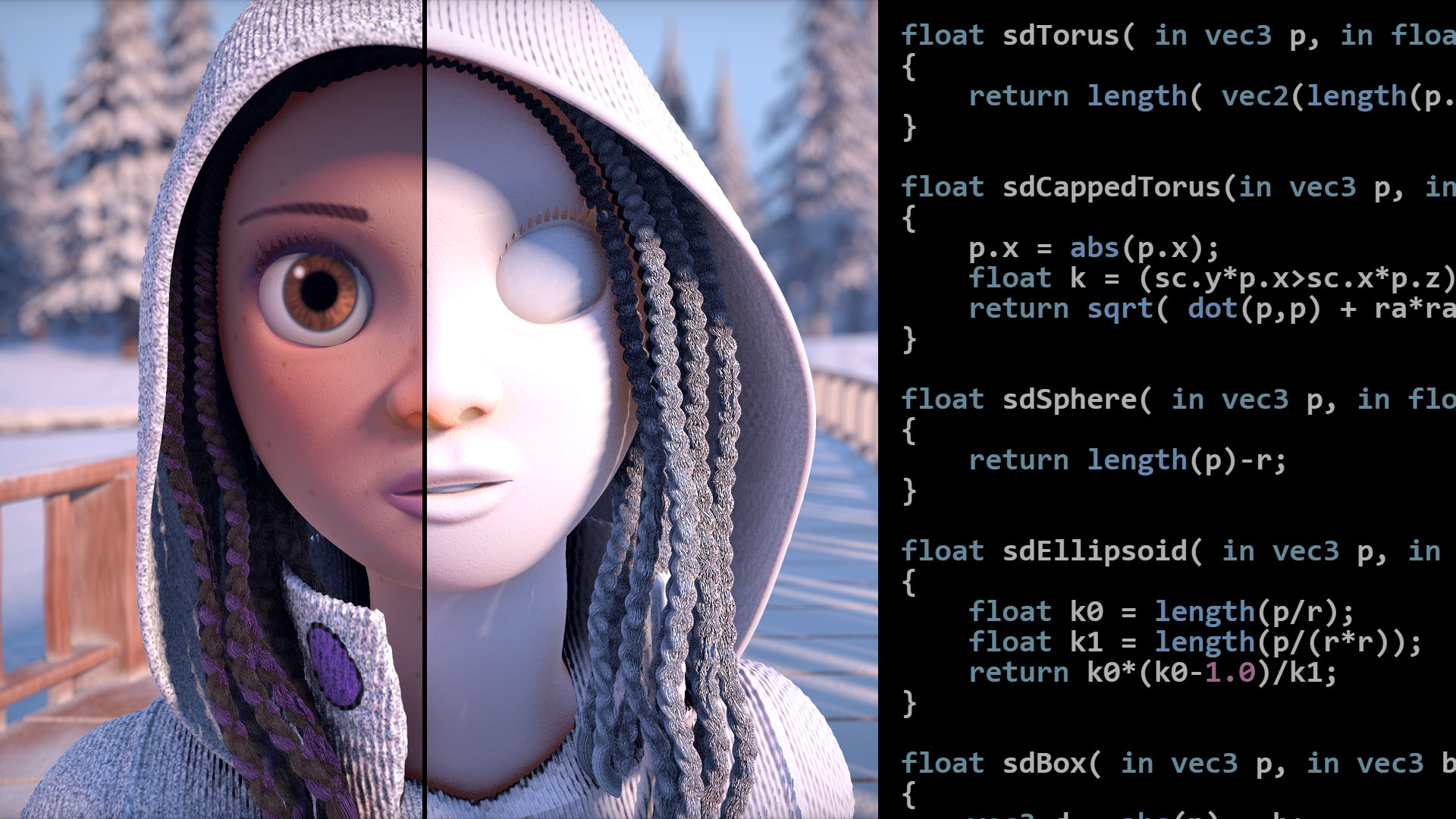
Articles on computer graphics, math and art
I haven't actually read it but I saw that page when I was looking it up earlier
fringe otter
i'll check it out, i don't think its an issue with the normal calculation tho
what i ended up doing was just using recalculate normals like before, but added an extra step after all the face meshes were genereated
where i just looped over all the vertices and grouped the ones that were roughly the same
wise hawk
hahaha
That's one way to do it
I dont think their function is especially fast though
fringe otter
that's prolly true, but testing it with just their function vs their function + my new code has a very signficant downgrade in speed lmao
so before i work on the normal code i probably have to find a better way of doing what im currently doing
wise hawk
You shouldn't need to if you do it yourself
What's happening with recalculatenormals is that it creates hard edges at limit angles
That's basically duplicating verts right
It has to create two overlapping verts with different normals to create the hard edge, which is what you're welding after
fringe otter
i think so? I'm not actually really sure how all the normal stuff factors into the lighting
i just have multiple distinct normals at the points where my different faces intersect
which could be an issue with what you're describing above, i have no idea lol
i just saw that i had multiple normal vectors in some places when i tried to debug this
wise hawk
The colour of the lighting is defined by difference in angle between the lightsource to vertex and vertex normal

Like this
fringe otter
ok, why are the normals so different at the intersection points then?
wise hawk
And since it's per vertex, the only way to have hard edges on like a cube for example is to have multiple vertices with their own normals
So this is happening:

Then the faces along each edge of the cube are connected to the verts which face in the right direction
The reason why RecalculateNormals does this is so that if you call it on a cube, you don't end up with a weird smoothed box that lights wrong
Normally you would be able to specify the angle for the limit, if you look in the mesh importer there's a slider for it
for some reason though Mesh.RecalculateNormals has no such argument
It also breaks if you have overlapping faces that go in different directions, like a billboard or something. It's pretty bad in general
 fringe otter
so i did notice while testing that my cube has some funny lighting lol
 fringe otter
yeah thats what my normal vectors are like
wise hawk
I think the reason why they haven't fixed it is because recalculating normals is kind of a straightforward problem, so anyone doing really major procedural mesh stuff probably already knows how to do it
 tribal wolf
I LOVE LIGHTING
fringe otter
wise hawk
What's happening with recalculatenormals is that it creates hard edges at limit ...
can you elaborate on this? I guess from the way I'm looking at it rn, the behavior with the lighting on the seam in my original picture is what's intended to happen. Like for example if I wanted to generate a 100-gon, i would want the edges to show up even if the normals at the edges are quite similar. If my intent is for the edges to not show up, then I need to apply my own processing to the resulting normals i get
or i could try to generate the normals manually if i wanted to be more efficient
but to me it doesn't seem to be an issue with recalculatenormals, rather just an incompatibility with what I wanted and what the intended behavior is
 burnt jay
I still haven't found a solution to this is someone could help me i would appreciate it
 static pasture
Cant find anything online about it
When you create custom light map uvs, How do you designate the index the uvs should use?, uvs i have will end up in a max of 3 indexs unless i can clean it into two.
any insight on this would help.
burnt jay
static pasture
Cant find anything online about it
When you create custom light map uvs, How do ...
i don't know much about lighting. i have no directional light in my scene and am just using emissive materials for the light with a few post processing affects that don't seem to affect the baked light. the only thing ive changed on the objects are making them static and decreasing there size in the lightmap so its not too big. these are the settings im using
 chilly kettle
static pasture
Cant find anything online about it
When you create custom light map uvs, How do ...
chilly kettle
static pasture
Cant find anything online about it
When you create custom light map uvs, How do ...
Normally Unity puts the Lightmap UVs in the second UV Channel..
UV0 is for Textures, so UV Lightmaps will normally be placed in UV1
static pasture
chilly kettle
Normally Unity puts the Lightmap UVs in the second UV Channel..
UV0 is for Textu...
That much i know, bit i'm unsure is how uv1 gets split into indexes, unitys auto lightmaps do it, but am wounding when making custom lightmaps if you have any control over indexing
chilly kettle
what do you mean with indexing
 chilly kettle
The Lightmaps UV channel is per Object. So it should not care about the number of Lightmaps you have.
Some Objects are in Index 0 Lightmap, some objects in the index 5 lightmap.
static pasture
issue is the amount unity creates when the scene is not one massive object but many small ones
if i have control i can turn the current 8 down to 3
chilly kettle
Normally, Unity will pack them together in as few as possible

As you can see here, it packs a bunch of Objects into them
But yes, the blank space could be used better
static pasture
the auto packer leaves massive dead spaces like this in every index sadly, software im using does a much nicer job


bit rough since i need to finish unwrapping a few loose bits
chilly kettle
Then uncheck "create lightmap uv" in the import settings of the object
then unity use the one from blender
static pasture
But it comes back to the indexing problem :p, if i have 3 of them, how do i tell unity not to mix it into more
Also how do i let unity even know it's 3

chilly kettle
hmm
 chilly kettle
do all 3 fbx have the same UV?
static pasture
is just one big fbx atm with alot of smaller objects within it
chilly kettle

Unity Forum
Looking at the Frame Debugger shows a lot of draw-calls are generated because of different lightmapIndex values in our game.
I assumed objects with...
see this thread
could be your problem
static pasture
o:
that has the keyword i was after
The Unity Manual helps you learn and use the Unity engine. With the Unity engine you can create 2D and 3D games, apps and experiences.
It's a "Baked Tag"
chilly kettle
fine ^^
static pasture
ty ty, will need to test it when i wake up
wise hawk
fringe otter
but to me it doesn't seem to be an issue with recalculatenormals, rather just an...
The issue is that it doesn't allow you to decide what the limit angle is
Like it's probably set to... i dunno, 60 degrees?
So any edge that's over 60deg. gets split automagically
In other words it's only ever useful if you're in the narrow case where you want hard edges at 60 degrees
wise hawk
static pasture
That much i know, bit i'm unsure is how uv1 gets split into indexes, unitys auto...
Are you asking how to set which UV channel to use or which texture?
Baked Tag and System Tag don't determine which lightmap texture is used, they're just to ensure the objects are grouped together when the lightmaps are auto-generated
If you want to set the lightmap texture manually, it's in the renderer
I've been working on this problem for the past 2 days to try to atlas all the lightmaps into one big one
Unfortunately, the lightmapIndex and other lightmap settings including the textures themselves are not serialized in the scene. It doesn't say where they save, I'm guessing it's inside the LightmapData.asset file but since there's no information anywhere on how to read it and it's a binary file, it's not looking like a very good solution
You can just set the lightmap index/UVs/textures manually every time you load the scene, but for me it didn't work. Entering play mode reloads the scene and then if I re-apply the lightmap data while in play mode it just gets all scrambled
also Baked Tag and System Tag don't even guarantee the objects will be atlased together. It's a recommendation
fringe otter
wise hawk
The issue is that it doesn't allow you to decide what the limit angle is
wdym by limit angles? 60 degrees relative to what?
deft fiber
fringe otter
wdym by limit angles? 60 degrees relative to what?
The angles of the corners between any adjacent polygons
fringe otter
I might be missing something, is recalculate normals doing something more than just setting mesh.normals?
I guess I don't see the relevance between recalculate normals and the limit angles
fringe otter
wise hawk
So any edge that's over 60deg. gets split automagically
Prolly way off the mark but is this saying that any intersection of two faces in which the normal angle differs by more than ~60 degrees is rendered with the seam? And there's an option to change the limit at which the seam is rendered?
wise hawk
Yeah basically
There is no option though using Mesh.RecalculateNormals
and that's the issue, since that might not fit the model you're using. I'm not saying it's literally 60 degrees, I actually don't know what the limit is since it's not written anywhere
If you go in a mesh's import settings there's an option to recalculate normals with a limit slider. If you drag it around you'll see what I mean
I think the correct term for this is smoothing angle
 robust hearth
a very simple question... is it possible to have 2 directional lights and make 1 camera to use just onne of them and another camera use the other?
well actually is the same light, but on one camera i want that light to always have the same angle but not on the other one
chilly kettle
robust hearth
a very simple question... is it possible to have 2 directional lights and make 1...
Unity is the ultimate game development platform. Use Unity to build high-quality 3D and 2D games, deploy them across mobile, desktop, VR/AR, consoles or the Web, and connect with loyal and enthusiastic players and customers.
robust hearth
chilly kettle
https://answers.unity.com/questions/525812/light-show-only-in-specific-camera.ht...
thanks a lot
deft fiber
@chilly kettle @robust hearth This seems to be the way, only note is that according to some threads, newer versions of Unity also need OnPreCull
https://stackoverflow.com/questions/47974391/unity-3d-how-can-i-have-directional-light-on-for-one-camera-and-off-for-another
On Scriptable Render Pipelines the process would be different, I think
robust hearth
@deft fiber @chilly kettle , worked perfectly but just addinng the OnPreCull 👍 thanks!!!
chilly kettle
robust hearth
<@166982635950702592> <@240155892128022528> , worked perfectly but just addinng ...
Nice
For most problems, you are just one google search away from the solution 😄
robust hearth
actually i saw the post you shown me but it was so old that i didnt trust it 😅
sorry about that
 wispy steppe
Anyone know why this is happening ?? build is messed up! even fog gets messed up with reflections from far distance... Built-In Pipeline. Baked.
Please @ me if you can help me, thxx


 chilly kettle
wispy steppe
Anyone know why this is happening ?? build is messed up! even fog gets messed up...
chilly kettle
wispy steppe
Anyone know why this is happening ?? build is messed up! even fog gets messed up...
Maybe your Quality Settings are low for the build?
wispy steppe
chilly kettle
Maybe your Quality Settings are low for the build?
Do I need to bake in Ultra settings if I want players to choose if they want Ultra or Low settings? or do I bake with each graphic setting ?
chilly kettle
Im quite sure you have to build in the highest quality you want your game to run with.

Consider donating to help me keep this channel and website alive : https://paypal.me/supportTheGameGuy 💖
In this video im gonna show you how to control and change quality settings of your game (Using URP) during runtime using a dropdown menu. We will be creating a simple settings menu to swap between different quality levels using different ren...
wispy steppe
chilly kettle
Im quite sure you have to build in the highest quality you want your game to run...
Ok thanks! my issue was my dropdown index was inverted so it auto switched to low quality 😣 oop
chilly kettle
wispy steppe
Ok thanks! my issue was my dropdown index was inverted so it auto switched to lo...
you builded with high quality now?
gaunt bloom
I just baked subtractive lights in my scene, where the only dynamic object is the player here. Why does the players shadow get darker in baked shadows though? Am I missing something?
 chilly kettle
gaunt bloom
I just baked subtractive lights in my scene, where the only dynamic object is th...
chilly kettle
gaunt bloom
I just baked subtractive lights in my scene, where the only dynamic object is th...
Looks like your Geometry does not block your lightsource
gaunt bloom
chilly kettle
Looks like your Geometry does not block your lightsource
You mean these buildings?
 chilly kettle
Yeah. i think the directional light goes through and casts an additional shadow from your Character on the already baked shadow from the Building
chilly kettle
Can you show the Settings of the light
gaunt bloom

Here ya go!
Are two sided shadows causing this? Those buildings have two sided shadows
chilly kettle
Culling Mask is set to Player.
means the light ignores the building (if its Layer is not Player)
If you set the Buildings Layer to "Player" for a second, it should solve the problem
gaunt bloom
Oh yea
Lemme try
Nope

No shadows at all this time
I put the buildings in Ignore Directional Light
layer
chilly kettle
The Layers you activate in the Culling Mask mean, that they light only gameobjects that use this layers
gaunt bloom
Understood, but its not working either way around
chilly kettle
Both cubes have Layer "Battle"

if i give one cube the default layer now, he wont throw shadows anymore nor receive light.

Means your Building and Players Layers have to be activated in the lights culling mask
gaunt bloom
I understand, thanks, but it doesnt work
chilly kettle
😵💫
gaunt bloom
Ikr XD
gaunt bloom
Me too 
gaunt bloom
chilly kettle
Can you use one baked and one realtime? 😄 haha
I suppose thats possible?
Havent tried
Can two directional light be in the same scene?
They totally can !
chilly kettle
Sure
gaunt bloom
chilly kettle
Sure
Thanks a lot for the help!
chilly kettle
i always have problems with mixed lights.. never get them to work
chilly kettle
gaunt bloom
Thanks a lot for the help!
But i the end, you have a realtime light now, thats now 100% what you want i think
gaunt bloom
No it honestly isn't but what can we do 🤷♂️
chilly kettle
gaunt bloom
No it honestly isn't but what can we do 🤷♂️
Did you try "baked indirect" and "Shadowmask" when baking the mixed lighting?
because substractive does exactly what you didnt want: "Static Gameobjects receive real-time shadows from dynamic GameObjects"
Maybe @deft fiber has an idea 😄
chilly kettle
gaunt bloom
No it honestly isn't but what can we do 🤷♂️
deft fiber
chilly kettle
Maybe <@166982635950702592> has an idea 😄
What's the question in a nutshell?
chilly kettle
gaunt bloom
@deft fiber why the shadow of the player is adding to the already baked shadow using substractive mixed light
deft fiber
That's the expected result with subtractive lighting mode
Because shadows are baked into the lightmaps, Unity doesn’t have the information it needs to accurately combine baked and real-time shadows at runtime. Instead, Unity provides a Realtime Shadow Color for reducing the contribution from the lightmap to create the illusion of a correct blend between baked and real-time shadows. You can also tweak the color to achieve a certain artistic style.
So it's a good idea to try baked indirect or shadowmask, though they have their own performance considerations
chilly kettle
Adjusting the realtime shadow color is THE way to get a good result with subtractive?
gaunt bloom
Oof well lemme try
deft fiber
chilly kettle
Adjusting the realtime shadow color is THE way to get a good result with subtrac...
The only way, aside from never allowing realtime and baked shadows to overlap
 green ridge
Hey, I'm new to lighting but I was wondering if light probes wouldn't allow dynamic lighting. For example my project was a day and night cycle. From what I read light probes store data for lighting dynamic objects by baking it. Does that mean if I were to use light probes even if the game is in the night cycle it would light up dynamic objects as if it was daytime?
chilly kettle
green ridge
Hey, I'm new to lighting but I was wondering if light probes wouldn't allow dyna...
Thats correct
green ridge
So using light probes in my game wouldn't be an option unless it's something like an indoor space unaffected by the day / night cycle? If not Ik from my understanding that lights are pretty expensive, and having each one make realistic shadows / etc. can be taxing on performance. If I can't use light probes do you recommend any other solution?
chilly kettle
green ridge
So using light probes in my game wouldn't be an option unless it's something lik...
There are several Assets that can switch and blend between Lightmaps. I dont know wether they also blend Lightprobes or not.
But there are also tutorials who explain how to do a day/night circle and many forum posts like this:
https://forum.unity.com/threads/night-to-day-transition-with-baked-lightmaps.515564/
I think you can go with mixed lighting.
Unity Forum
Hey guys,
I have a game about a little guy in a boat. The game session lasts 5 minutes, and over the course of that time, it goes from night time and...
green ridge
Awesine thank you so much!
 tired mirage
lighting is turning off in game randomly. if someone could that be great, @ me
deft fiber
tired mirage
lighting is turning off in game randomly. if someone could that be great, @ me
You'll need to be more specific than that
There are many different types of lighting and many different ways they can "turn off"
tired mirage
deft fiber
You'll need to be more specific than that
the lighting I'm using is point Realtime without shadows, it only happens with one of the lights. it happens when you are looking a specific direction (rotation axis; 0 -90 0)
 wraith mica
Hi there! I was messing around with my lighting in Unity for one of my scenes. I wouldn't say that there are very many objects in the scene but I seemed to have caused some lighting issue. These background tasks have now popped up trying to "Bake" and Globally Illuminate the scene, these tasks seem to take forever and I was wondering if anyone could give me some advice on if I've dont something wrong or what this really means? I've done some research online but im still fairly confused
 little condor
wraith mica
little condor
wraith mica
Open the Window > Rendering > Lighting window and at the bottom of it, check to see if you have Autogenerate enabled:

Most people dock the Lighting window as a tab next to the Inspector btw.
wraith mica
little condor
Open the *Window > Rendering > Lighting* window and at the bottom of it, check t...
So you recommend to have the auto gen setting set to off?
little condor
If you have autogenerate off then Unity won't try to rebuild the lighting everytime you move an object or add a new light. So, yeah, I recommend you switch it off.
wraith mica
little condor
If you have autogenerate off then Unity won't try to rebuild the lighting everyt...
alrighty, I appreciate the help thanks!
 knotty hinge
Hi guys
my baked lighting changes when i enter play mode
here is how it is in scene view

here is how it is after i press play
 chilly kettle
knotty hinge
my baked lighting changes when i enter play mode
chilly kettle
knotty hinge
my baked lighting changes when i enter play mode
Maybe some Camera-, Scene- or Quality Settings
knotty hinge
i thought it was because i was using mixed lights
here its even worse with baked
look
how it looks in scene view

and what happens when i press play
 chilly kettle
Working with mixed lights needs an exact plan, and what you want the light to do, because there are some different modes of mixed lights:
https://docs.unity3d.com/Manual/lighting-mode.html
knotty hinge
what i posted above is with full baked lights
chilly kettle
Thats weird. Show me your Bake-Settings pls
And the Material of your Lights (i think this is emission?)
knotty hinge
yeah but emissions dont cast light (i turned it off)
one sec

i doubt it has anything to do with it
chilly kettle
Increasing the bounces could help, to get this effect of the lights at the walls.
i normaly work with 5-10 bounces
knotty hinge
dont think so man, its fine in editor view, i dont think increasing bounces would help with it completely disappearing, but thanks
I was using modular pieces, combining them seems to have fixed it
but i still dont know what was causing the problem 😫
chilly kettle
Weird
When you have different visuals between Editor and Game-Video, it may be some camera settings.. but its hard to tell
knotty hinge
yeah weird stuff,, thanks for helping 👍
 vast lily
Please someone tell me how to fix this, I don't wanna rebuild the whole map or fix it one by one by hand.


Please help me! It's really urgent
timber lichen
bro you didnt even ask a question
vast lily
vast lily
Please someone tell me how to fix this, I don't wanna rebuild the whole map or f...
.
timber lichen
thats not a question
vast lily
My question is: How do I fix this?
timber lichen
thats a general question not going into the actual problem
vast lily
Okay here is my question: Can you stop being a fucking nerd and help me fix my fucking lighting issue?
@timber lichen ?
timber lichen
bye.
vast lily
timber lichen
bye.
<@&502884371011731486>
vast lily
vast lily
Please someone tell me how to fix this, I don't wanna rebuild the whole map or f...
.
 stark temple
vast lily
Okay here is my question: Can you stop being a fucking nerd and help me fix my f...
stark temple
vast lily
Okay here is my question: Can you stop being a fucking nerd and help me fix my f...
Don't swear at people who are just looking for clarification on your problem
vast lily
stark temple
Don't swear at people who are just looking for clarification on your problem
I asked for help, If I knew what was the problem, I would've fixed it myself.
I asked a question which is: How do I fix this issue.
stark temple
You have posted some screenshots and presumably they didn't want to guess what your issue was
vast lily
And he is telling me that isn't a question
vast lily
stark temple
You have posted some screenshots and presumably they didn't want to guess what y...
That's why I provided screenshots, Because I don't know what's the problem.
stark temple
What is the issue you're pointing to in the screenshots
vast lily
I don't know if it's the lighting issue, A collider issue, And shader issue.
vast lily
stark temple
What is the issue you're pointing to in the screenshots
We are talking in #archived-lighting, So it's gotta be a lighting issue.
As you can see in the screenshots
The lighting is not how it's supposed to be.

The is an angular shape, Which has a square lighting
 stark temple
Have you looked at the docs for 2d shadow casters?
vast lily
Good question, I have.
And I did everything
There's only one way of fixing it, And it's by hand, one by one.
And then I came here for a better solution, Because I don't know how to find a better solution.
stark temple
You can presumably set the shape in code, which would be the only way to automate what you're looking for
vast lily
I don't know how to code, And I'm using visual scripting.
stark temple
Here's a script someone made that makes it from the collider https://diegogiacomelli.com.br/unitytips-shadowcaster2-from-collider-component/
I can't speak to it's validity as it's literally just a Google result
vast lily
Okay, Thanks.
 whole frost
heya, i was wondering if anybody knew the cause of this issue with this realtime light? i'm on URP, using deferred rendering, and also the light is marked as important
the issue is the weird darkness that appears on the elevator walls when activating another realtime light (the flashlight)
pretty much everyone i've talked to isn't really sure where the issue is coming from or what's causing it
figured someone here might know and be able to help
please ping if you have an idea of what it is, cause i may miss the message
chilly kettle
whole frost
please ping if you have an idea of what it is, cause i may miss the message
Do you use Realtime GI?
whole frost
nah, the only realtime lighting is just in the basic realtime lights, and everything else is baked which aren't causing any issues
the only global illumination is in the baked lights
i've found it is a specifically deferred rendering issue because the problem doesn't happen on forward rendering
chilly kettle
Why dont u use forward Rendering?
whole frost
mainly for the sake of avoiding the light number limit
deft fiber
whole frost
heya, i was wondering if anybody knew the cause of this issue with this realtime...
That's a really bizarre one
I think that's worth filing a bug report for, assuming you're not using external assets for lighting
whole frost
haha alright, i just wanted to ask if it was something that i was just doing wrong before i filed a bug report
i think for now i'll just use forward rendering and then figure this out later
deft fiber
Which URP / Unity version is it on?
whole frost
2021.3.1f1 unity
deft fiber
Updating to newest 2021.3. might be worth a try
vast lily
Is there a way to fix the shadow caster shape automatically?


It's gotta be something like this, But is there a way to do it automatically?
burnt jay
I asked this question a fewe times already so this is probably the last time i will but dose anyone know why there are these weird black lines when i bake the lighting for my scene this is the only place it appears and ive set all the sizes in lightmap so they dont overlap so i cant find whats causing this issue
chilly kettle
burnt jay
I asked this question a fewe times already so this is probably the last time i w...
i can only imagine that its a 3D Model problem
burnt jay
i made evething in my scene with probuilder
chilly kettle
Hm. Never used this ^^
burnt jay
also all light emitters are emissive material's
chilly kettle
Sorry i have no idea.. i would do some try an error and check if this object always bakes bad.
In a scene where nothing else is in it or with a directional light etc.
burnt jay
i did some test and for some reason seam stitching on that particular object was causing the black lines
i bake the lighting on the whole thing now to see if it works
 chilly kettle
wispy steppe
how to fix this in baking only? URP works fine without bake
chilly kettle
wispy steppe
how to fix this in baking only? URP works fine without bake
Can’t see anything 😅
wispy steppe
chilly kettle
Can’t see anything 😅
my game dark, turn up monitor brightness lol
but shadow messed up
@chilly kettle

No Bake

 faint shell
boys, any idea why I can't generate lighting here ?

I already added a lighting settings
deft fiber
burnt jay
I asked this question a fewe times already so this is probably the last time i w...
It's either lightmap UVs bleeding over or something
The reason you aren't getting replies is because there just isn't enough clues to pinpoint the issue
Repeating the question won't change that
deft fiber
wispy steppe
<@240155892128022528>
Lightmap UV overlap most likely, check scene window debug view modes
wise hawk
burnt jay
I asked this question a fewe times already so this is probably the last time i w...
Looks like the UV map and the lightmapper are disagreeing about pixel borders
Posting a pic of the UV map for the model would help
burnt jay
wise hawk
Posting a pic of the UV map for the model would help
this is probuilders uv editor of the object idk how to find the real uv map tho if its different from this tell me how to find it and ill post it
 wispy steppe
deft fiber
Lightmap UV overlap most likely, check scene window debug view modes
wispy steppe
deft fiber
Lightmap UV overlap most likely, check scene window debug view modes
well $h1t.....

is this it? does this mean it's an Issue ? @deft fiber
 wise hawk
burnt jay
this is probuilders uv editor of the object idk how to find the real uv map tho ...
wise hawk
burnt jay
this is probuilders uv editor of the object idk how to find the real uv map tho ...


You know
I'm not sure because I haven't used PB in a while, but did you turn on lightmap UV generation in probuilder?
Don't you have to do that manually?
burnt jay
yes i did
wise hawk
Is there a setting to increase padding?>
burnt jay
i think
burnt jay
heres what it looks like btw
 wise hawk
Well that doesn't look like there's a shortage of padding
burnt jay
what should i set the padding to it currently at 8
wise hawk
I dont think that's the issue, there's already plenty of space between the triangles
Maybe too much even xD.
Does this happen with all spheres made in probuilder or just this one?
burnt jay
just this one and only when stich seams are on
wise hawk
I'm not sure, it looks like a lack of padding but you've shown clearly here that that's not the issue. Maybe the mesh being generated by probuilder is weird somehow? You could try exporting it to a model editor, manually welding the verts and re-importing it
to make sure it's a nice sphere with no seams in it
When I did use probuilder I had a lot of problems with the generated lightmap UVs
Like, weird layouts, overlaps, that kind of thing
One last gotcha
Check Texel Validty
that's probably not it, but if you see red areas around the seems then the problem is that there's a lightsource behind the object and light is sneaking through the backfaces.
burnt jay
how do i do that
wise hawk
You'll have to rebake the lights if you baked them a while ago because texel validity only stays in memory for a bit
Rebake your lights then go in the dropdown in scene view

Texel validity issues usually look like splotchy spots though, so I doubt that's your issue. But it takes 2 seconds to check
burnt jay
there are no red areas around the seams but when i turn stich seams off for that object it seems to fix itself but then there are seams you can see sooooo
burnt jay
wise hawk
You'll have to rebake the lights if you baked them a while ago because texel val...
i Think i might have found the issue it seams the emissive material on these steps is causing the problem and it happens at the angles on the steps idk how i would be able to fix this tho
 burnt jay
i Think i might have found the issue it seams the emissive material on these ste...
burnt jay
burnt jay
i Think i might have found the issue it seams the emissive material on these ste...
nvm setting the steps to non static still causes the black lines
deft fiber
wispy steppe
is this it? does this mean it's an Issue ? <@166982635950702592>
Yes, red color with texel validity and UV overlap means there's issues with them
main wolf
burnt jay
i Think i might have found the issue it seams the emissive material on these ste...
maybe try to view the scene in baked lightmap mode, see if the lines is really from the lightmap or the textures it self
 sinful matrix
im having a really odd issue where i cant bake lightmaps at all now. like it worked perfectly on all scenes now it just doesnt work and gets hung up on various GI cleanups and i have to force shut down the editor
ok it had the weirdest fix: changing none of the parameters did anything but changing lightmap size then changing it back worked for some reason
wispy steppe
deft fiber
Yes, red color with texel validity and UV overlap means there's issues with them
how do I fix it?
 hollow marsh
I am trying to bake a lightmap for my scene but it gets messed up and a bunch of random spots of light appear in random places. Anyone know what I'm doing wrong?

these are my lightmapping settings
 chilly kettle
hollow marsh
these are my lightmapping settings
chilly kettle
hollow marsh
these are my lightmapping settings
First: indirect samples 16.000 is way to high. Set it do something like 512.
Second: how should it look like? I can only see 2 lamps
hollow marsh
chilly kettle
First: indirect samples 16.000 is way to high. Set it do something like 512.
Sec...
- Ok, I'll test that
- The wall behind the lamps has a bunch of yellow spots of light
you can see it more clearly here
 wise hawk
It's funny because that's what it looks like when you have too few samples but you have a ridiculous number of samples
I bake at 32/128, for reference
You can try turning on the denoiser
that might help
Under filtering
hollow marsh
Ight, will try that! I have a question though, can too high values in the settings make it worse or does it just make it so it takes more time?
deft fiber
hollow marsh
I am trying to bake a lightmap for my scene but it gets messed up and a bunch of...
Always check scene window lightmap debug views first when you get weird results, to rule out texel invalidity and UV overlap
hollow marsh
Cool, used your tips and now it looks great! Thanks @chilly kettle @wise hawk @deft fiber
wise hawk
hollow marsh
Ight, will try that! I have a question though, can too high values in the settin...
I have never tried running it with samples that high, but with the denoiser it's probably not necessary
so I would cut it down just for the sake of baking times
The only times you really want super high sample counts is when you have tons of indirect light, like for outdoor lighting with a shaded interior room with windows or something. Other than that really a tiny sample count works fine for me
chilly kettle
hollow marsh
Cool, used your tips and now it looks great! Thanks <@240155892128022528> <@5251...
What did you change?
 junior nebula
How come objects can't go completely unviewable even when there isn't enough light? If I remove the light source, or even add an extremely low power one, I can still see everything
 coral tide
Whenever I move the camera, my lights flicker.
It's the bloom, but i'm not sure how to fix it.
Any advice? 2021.3.3f1, global volume
junior nebula
junior nebula
How come objects can't go completely unviewable even when there isn't enough lig...
I found the answer, by going to Window > Panels > Lighting > Environment and turning the Intensity Multiplier below Environment Reflections to 0 you can remove ambient light
hollow marsh
chilly kettle
What did you change?
I lowered indirect samples, added denoiser and just checked around the scene using scene view modes

 magic vessel
So, I removed the sun because it's not supposed to be visible in the game I am making. It's pitch black but that's the only way I know how to remove the sun. However, there is supposed to be a little bit of light casted from the sky, about 4% or 5% of the normal amount that you would have it you just started your unity project. Does anybody know how I'll be able to do this?
 fickle needle
magic vessel
So, I removed the sun because it's not supposed to be visible in the game I am m...
fickle needle
magic vessel
So, I removed the sun because it's not supposed to be visible in the game I am m...
You can just decrease the intensity of the sunlight, you can also disable shadows so it light everything
to very small amounts
Maybe what you want though is this:
Disable directional light, add HDRI sky, that way you will get universal light from the sky itself, you can control how much with the HDRI post process parameters
magic vessel
Alright, I'll try that soon, thanks!
wispy steppe
for some reason when I switch to my level from the main menu its really dark, If I play the scene directly instead from main menu, It looks as it should(image on the left)..
Anyone know what's happening

the post process is still on because the bloom is working..but it's way too dark compared...
 tall whale
hey i was curious, does anyone have a good yt video or know about one on proper good lighting, im struggling with it, im just making a low res ps1 horror game but the lighting sucks
fickle needle
wispy steppe
for some reason when I switch to my level from the main menu its really dark, ...
tough to tell, what is that grey lighting? is that fog? maybe it's missing on the right image, or settings become different
wise hawk
wispy steppe
for some reason when I switch to my level from the main menu its really dark, ...
Is there any chance you're loading the scene additively?
wispy steppe
fickle needle
tough to tell, what is that grey lighting? is that fog? maybe it's missing on th...
They both have fog but first image has the color corrector shadows is more bumped up the way it’s supposed to. I don’t think it’s the fog but you may be onto something with the lighting settings
wispy steppe
wise hawk
Is there any chance you're loading the scene additively?
I was using SceneManager.LoadAsync with loading bar but switched it to normal load same issue
wise hawk
Using postprocessing? Camera settings? Are those objects using lightprobes?
If it's that last one just call LightProbes.TetrahedralizeAsync when loading is done
wispy steppe
wise hawk
Using postprocessing? Camera settings? Are those objects using lightprobes?
No probes , mixed lighting but no bakes. I have PP on and it’s on the camera. I’m using URP
wise hawk
Is auto generate on?
And also, does this happen in a build? There's a big thread on this here:
Unity is the ultimate game development platform. Use Unity to build high-quality 3D and 2D games, deploy them across mobile, desktop, VR/AR, consoles or the Web, and connect with loyal and enthusiastic players and customers.
wispy steppe
wise hawk
Is auto generate on?
no, it is not on.
wispy steppe
wise hawk
https://answers.unity.com/questions/1264278/unity-5-directional-light-problem-pl...
the weird part is, I think it stays the same when I bake it but when I don't it loads it dark only from menu. If I start from same scene it works without bake fine
wise hawk
I think it's your skybox
That isn't loading properly
It looks like the ambient is different between your screenshots
wispy steppe
wise hawk
I think it's your skybox
how do you think I can fix this? never happened before..
this now what it looks baked wtf
 wise hawk
Did you try it in a build?
wispy steppe
wise hawk
Did you try it in a build?
not yet....I might've narrowed to this message in console Reduced additional punctual light shadows resolution by 2 to make 17 shadow maps fit in the 4096x4096 shadow atlas. To avoid this, increase shadow atlas size, decrease big shadow
I had converted this from Built-In renderer but just realized this error
reduced lights to Low shadows, error gone.. scene still kinda dark... No idea what's happening just gonna give up.
wispy steppe
literally this is what supposed to look like now , I tried making it brighter with Light Environment. Still dark loading from main menu..... I made a Build and it seems to look fine .. so I guess it looks right in the build but not in scene mode, I've read through the forum post but still don't understand why that happens.. I tried copying the light settings over from main menu too@wise hawk
 little condor
wispy steppe
NVM the build is Fdup again....
little condor
wispy steppe
NVM the build is Fdup again....
What's the default quality setting for your game. You have might be using a different quality in your Editor:
https://docs.unity3d.com/Manual/class-QualitySettings.html