#archived-lighting
1 messages · Page 66 of 1
 wintry flare

The shadows are clipping off because of the distance. Is there a way to change that?
 exotic pivot
Was wondering how i could make my glass roof have a semi transparent blue shadow from the directional light. btw in unity hdrp

 brisk sedge
Anyone have idea why unselected scene and even deleted scene from build list still have their built lights in final build report?
 upper fable
exotic pivot
Was wondering how i could make my glass roof have a semi transparent blue shadow...
upper fable
exotic pivot
Was wondering how i could make my glass roof have a semi transparent blue shadow...
Im pretty sure thats only ray tracing feature
 feral patrol
Would anyone know why my LODS get bad lighting, i placed Light probes all over the scene to comensate my lighting, but its shit..
 feral patrol
with LODs disabled and just showing the highquality mesh my bake does this.. anyone have an idea on this issue?

 supple kelp
How to make light bounce
 last cairn
After upgrading my project from unity 2020 to unity 2021, my lighting now looks different in editor vs the build. In the build it looks worse.
Anyone knows why it could be so?
 lucid glade
I'm having problems with my lighting. My directional light will not bleed into shadows regardless of how intense it is, leaving this really dark spots even though the light is really bright.
 lucid glade
I'm having problems with my lighting. My directional light will not bleed into s...
lucid glade
lucid glade
I'm having problems with my lighting. My directional light will not bleed into s...
Im using baked lighting so this isn't a problem anymore. My shadows however, are really clunky and blocky. Is there a setting that smooths these out?

 quick sand
hello! any idea why my point ligth is doing this?
 upper fable
lucid glade
I'm having problems with my lighting. My directional light will not bleed into s...
upper fable
lucid glade
I'm having problems with my lighting. My directional light will not bleed into s...
Ik you solved this by using baked lights but just wanna answer for the future. So because unity doesnt simulate realtime global illumination (lights doesnt bounce, well hdrp and urp may actually) lights can only light one side of object. You should use environment lighting in order to add some light to every side of objects
 vivid pasture
Whats this issue called when the shadows are not interpolating but have a clear distinction between them?

ive marked each line with the blue arrows
is it shadow banding?
exotic pivot
upper fable
Im pretty sure thats only ray tracing feature
what would be an alternative solution for hdrp?
upper fable
exotic pivot
what would be an alternative solution for hdrp?
According to my googling, there doesnt seem to be any. The way rasterizing based rendering works, soft shadows would be too hard/inefficient to implement. I think baking could also give same results (because it uses ray tracing)
Ofc you could make shader for all the shadow receivers but im not sure if thats good idea either…
Would that look too bad if you just enable shadows for the roof (or disable)?
 deft fiber
exotic pivot
what would be an alternative solution for hdrp?
deft fiber
exotic pivot
what would be an alternative solution for hdrp?
You might have luck faking it with a dim blue box light that matches the sun angle
 lilac vortex
lucid glade
Im using baked lighting so this isn't a problem anymore. My shadows however, are...
lilac vortex
lucid glade
Im using baked lighting so this isn't a problem anymore. My shadows however, are...
just needs more lightmap resolution
deft fiber
or bigger scale in lightmap for the ground
or mixed directional light with shadowmask
Increasing overall resolution would be a bit of a brute force solution
lucid glade
Thanks!
exotic pivot
upper fable
Would that look too bad if you just enable shadows for the roof (or disable)?
enabling shadows for the roof makes it appear as if its fully solid but disabling shadows makes it look fully transparent. im looking for a in between look with a blue tint
 upper fable
exotic pivot
enabling shadows for the roof makes it appear as if its fully solid but disablin...
upper fable
exotic pivot
enabling shadows for the roof makes it appear as if its fully solid but disablin...
But my point was that you could just choose one of those which you feel looks better. In my opinion, fully solid shadow looks fine in this case
exotic pivot
deft fiber
You might have luck faking it with a dim blue box light that matches the sun ang...
if i can get the angle right, i think faking the light with a box light and shadow mask may be the best option. is there any way to soften the edges of the box light as they are super harsh?
 deft fiber
exotic pivot
if i can get the angle right, i think faking the light with a box light and shad...
deft fiber
exotic pivot
if i can get the angle right, i think faking the light with a box light and shad...
You could try a cookie that's a square with soft edges
exotic pivot
deft fiber
You could try a cookie that's a square with soft edges
never used cookies before but ill give it a try. thanks for all the suggestions dudes
 ebon beacon
can anybody recommend a good tutorial/advice for making a player drop shadow?
 delicate jewel
Currently doing my first ever light bake in Unity
When I switch lights from Realtime to Baked for lightmapper, do I only do that for stationary lights? I have a few lights in my scene that move along with a turret, so should they stay as realtime?
deft fiber
delicate jewel
When I switch lights from Realtime to Baked for lightmapper, do I only do that f...
Yes
Baked or mixed lights should not move
delicate jewel
Ok so in the light explorer I just keep them as Realtime and they are kept out of the lightmapper?
What about if they dont move but they flicker?(I have a script on them that turns the light on and off)
 deep crest
Wtf is this ? I have this one when I try to bake my light... and after unity crash...
 deft fiber
deep crest
Wtf is this ? I have this one when I try to bake my light... and after unity cra...
deft fiber
deep crest
Wtf is this ? I have this one when I try to bake my light... and after unity cra...
Updating GPU drivers and just restarting the system fixed this for me
Some say using Studio drivers instead of Game Ready drivers would be helpful
deft fiber
delicate jewel
What about if they dont move but they flicker?(I have a script on them that turn...
Baked lights cannot react to any light changes unless you implement a system that can swap lightmaps
delicate jewel
Well fuck, so if I want to turn my light that flickers back to RealTime from baked do I need to regenerate all the lighting again?
deft fiber
delicate jewel
Well fuck, so if I want to turn my light that flickers back to RealTime from bak...
Yes, any change that affects the lightmap requires a fully new bake
That's why it's best to use GPU baking and reduce samples and especially texel density when doing non-final lightmap bakes
delicate jewel
🤦♂️ fuck that i am not doing all that for 1 light again
 elfin zinc
uhh excuse me wtf?
 deft fiber
elfin zinc
uhh excuse me wtf?
deft fiber
elfin zinc
uhh excuse me wtf?
You may need to be more specific than "wtf" if your mean to find help
elfin zinc
deft fiber
You may need to be more specific than "wtf" if your mean to find help
I just baked lighting and this happened
I have no idea why
that black circle thingy
deft fiber
Define "this"
When does it appear, what affects it, does it happen on all lights and surfaces, etc
elfin zinc

just gonna bake again to see if it's fixed
I think it's a baked lightmap noise

and unity crashed while baking
deft fiber
Probably something weird in the scene itself rather than baking
I'd guess
It looks like a realtime shadow that may be clipping according to shadow distance or cascades
But if there really was something blocking the sunlight the shadow should exist in the lightmap as well
elfin zinc
I'm just gonna copy paste the existing lighting setting from hdrp demo scene
then bake it
elfin zinc
deft fiber
It looks like a realtime shadow that may be clipping according to shadow distanc...
I recently enabled shadowmask, maybe it's that?
deft fiber
elfin zinc
I recently enabled shadowmask, maybe it's that?
It may be related, but shadowmask is definitely not supposed to do that
deft fiber
elfin zinc
I recently enabled shadowmask, maybe it's that?
Sure your directional light is of type mixed, not realtime or baked?
elfin zinc
deft fiber
Sure your directional light is of type mixed, not realtime or baked?
oh it's fixed now
I set Directional Light's Shadow Map Update Mode to Every Frame
thanks regardless @deft fiber
 ashen bane
I have this light bleeding through the floors in HDRP, does anybody know how to fix this?


I have tried realtime and baked lighting, but neither of them seem to fix this problem
Oh wait it was somehow caused by the reflection probes
 mint skiff
hey anyone know why this global light is illuminating everything even tho the target sorting layer is set to none? the materials are the lit version

 mental vault
Can someone tell me how to add lights for objects individually?
 warm ferry
elfin zinc
warm ferry
elfin zinc
how do I make that weapon holding hud?
elfin zinc
warm ferry
how do I make that weapon holding hud?
what do you mean? the gun models?
warm ferry
elfin zinc
what do you mean? the gun models?
 feral patrol
Would anyone know a fix to light needing to be on INSANE intensity to get anything lit?
upper fable
feral patrol
Would anyone know a fix to light needing to be on INSANE intensity to get anythi...
hdrp?
feral patrol
yes
upper fable
I don't think there's anything wrong. the way hdrp light intensity works, values need to be very high. there's nothing to "fix"
feral patrol
but the phelosophy of HDRP is that we work with real life values, like LUMEN values. so its weird it need to be on 1+e27 to lit anything right?
 upper fable
feral patrol
but the phelosophy of HDRP is that we work with real life values, like LUMEN val...
upper fable
feral patrol
but the phelosophy of HDRP is that we work with real life values, like LUMEN val...
that's not e27, that's e07. I think that's quite regular value on hdrp (I'm not really well experienced with hdrp). It may not match real life values but does it matter? just use values that looks good
feral patrol
yeah it kinda matters, cause if its suppossed to be real life values, then there is something wrong right. and i can better fix it now then when i encouter the problem a whole way in.
upper fable
in real life you also need heck a lot of light to ligth anything on sunlight
feral patrol
fair
so you would say the indirect lighting values need to be more extreme when you want dark spots to get dimlight
 trail lynx
Sunlight is about 100,000 lumens per square meter so to me the image looks about right for what you'd see with a 10 million lumen light source
feral patrol
trail lynx
Sunlight is about 100,000 lumens per square meter so to me the image looks about...
Thanks!
upper fable
if you work in pitch black room, you may need smaller values but on sunlight you very rarely have lights that really light up objects in real life
so just increase the values as much as needed. hdrp light instensity doesn't 100% match the real life values but it's better to just use values that looks good than trying real life values (ofc you can use them as reference)
feral patrol
upper fable
if you work in pitch black room, you may need smaller values but on sunlight you...
allright very cool! thanks!
 dusky yew
Anyone know why URP decals have made environment lighting break/disappear?

(this happens in builds only)
In the editor it looks normal

 jagged bear
So I actually kinda prefer how my game looks in scene when I turn lighting off; is it possible for me to make that a thing in-game?

I'm on the normal Render Pipeline
jagged bear
nvm, found this guide: https://vionixstudio.com/2021/08/17/disable-ambient-lighting-in-unity/
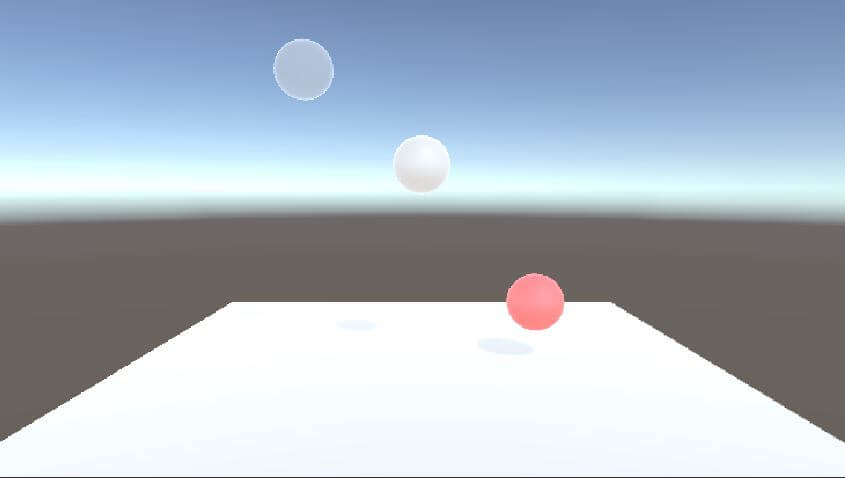
When you disable the lights in your Unity scene, the scene doesn't go dark. Instead, what you see is that, your gameobjects are still getting lit from the
upper fable
dusky yew
Anyone know why URP decals have made environment lighting break/disappear?
Have you tried baking lights (if nothing is set to static, unity will only bake ambient reflection probe iirc)? I think when you build the game, unity bakes the ambient probe anyways
dusky yew
Yeah, I have, and it works completely fine, until decals are enabled
It's just very confusing to me
Alright, I've found a temporary fix for now, by removing materials with a shader I was using. Not a great solution, as I lose the ability to use the shader, but it'll work for now

 raven cape
How do I make mobile-friendly real-time lighting?
I'm currently using Unity's default lighting thing and everything just seems dark
dusky yew
raven cape
I'm currently using Unity's default lighting thing and everything just seems dar...
If it's dark, increase the intensity of the lights
supple kelp
Can anyone help?
My directional light is "Mixed". Yet non-static objects are completely black.
What is going on?!
supple kelp
Also how to make light bounce? It's enabled but doesn't happen at all
Everywhere where my light doesn't directly shine is completely black.
https://answers.unity.com/storage/temp/87503-b15da1d085f13a37d69b90e51909f131.png This is what my lights look like. Terrible.

Lights in real life don't work this way. They are supposed to bounce around.
But even though my options are all correct (all default settings, bounces are enabled), it looks like this. Why?
No custom rendering pipeline installed btw, just default unity
😭
 raven flower
supple kelp
No custom rendering pipeline installed btw, just default unity
raven flower
supple kelp
No custom rendering pipeline installed btw, just default unity
if you want light to bounce I'd say you should use URP or maybe even HDRP...
I believe objects have to be marked as static to be a part of the light-bouncing though.
That could also just be an URP thing.
upper fable
Real time lights doesnt bounce... Only ray tracing can handle actual light bounces which afaik is only at preview state in hdrp
raven flower
well... you can do bouncing without raytracing, but you've got to bake the lights.
upper fable
Buut thats not realtime and light baking uses ray tracing too 🙃
Also neither urp nor hdrp is required to bake lights
 graceful yarrow
public class MakeNightOnStart : MonoBehaviour {
    public Light Sun;
    public Light Moon;
    public LightingSettings DarkLightSettings;
    public LightingSettings BrightLightSettings;
    public LightingDataAsset DarkBakedLightmap;
    public LightingDataAsset BrightBakedLightmap;
    public Material MoonSkybox;

    // Start is called before the first frame update
    void Start() {
        Sun.enabled = false;
        Moon.enabled = true; // moon

        RenderSettings.ambientIntensity = 0;
        RenderSettings.skybox = MoonSkybox;
        RenderSettings.fog = true;

        Lightmapping.lightingSettings = DarkLightSettings;
        Lightmapping.lightingDataAsset = DarkBakedLightmap;
    }
I'm trying to programmatically change the lighting of my scene from daytime to night. I've generated some lighting settings and baked lightmap files from the lighting tab. All works well, except that color seems to be absent unless objects are lit and the scene seems brighter than the night lighting I generated. https://streamable.com/dufw6o
maybe it's my attempts to change the environment intensity multiplier. I originally was thinking ambient intensity was that value
 upper fable
raven flower
if you want light to bounce I'd say you should use URP or maybe even HDRP...
upper fable
raven flower
if you want light to bounce I'd say you should use URP or maybe even HDRP...
Actually they support realtime gi nowadays but i think its some sort of approximation and not ”actual bounces”
Dont know how realtime gl works for indoor scenes but maybe worth a try
supple kelp
raven flower
if you want light to bounce I'd say you should use URP or maybe even HDRP...
Lights should bounce in default unity though. And yep, everything is static, lights still don't bounce
I want baked lights to bounce
supple kelp
upper fable
Actually they support realtime gi nowadays but i think its some sort of approxim...
Shouldn't baked lights bounce by default in unity? All lights are marked as baked, all meshes are static. Light doesn't bounce at all
deft fiber
supple kelp
Shouldn't baked lights bounce by default in unity? All lights are marked as bake...
They should
Did you bake the lighting from the lighting window?
deft fiber
supple kelp
Yep
hard to say what the issue is
I recommend you practice getting baking to work in a blank scene with just some default cubes, and if that fails try a blank project
The process is consistent but it has a huge number of moving parts that are easy to get wrong when starting out
supple kelp
deft fiber
hard to say what the issue is
I recommend you practice getting baking to work in...
Alright, I'll try it with a blank scene
upper fable
supple kelp
Shouldn't baked lights bounce by default in unity? All lights are marked as bake...
I talked about realtime lights
supple kelp
deft fiber
hard to say what the issue is
I recommend you practice getting baking to work in...
Alright, in a brand new test project it does look like it bounces, but only a tiiiny bit. So it still looks like this image, except it's a little brighter around the window (on the wall) too this time, a tiny bit though. Is there a way to make light bounces more intense?

I'd like it to bounce around the entire room not just a tiny bit
deft fiber
supple kelp
Alright, in a brand new test project it does look like it bounces, but only a ti...
Not even a pixel of difference to the last image
Try in a blank scene with default lighting and cubes
Also keep console open for potential baking errors and warnings
supple kelp
deft fiber
Not even a pixel of difference to the last image
Try in a blank scene with defau...
I tried increasing "indirect multiplier" on environment light to 10 and the entire room gets lit up, looks like indirect multiplier 1 is too low?
deft fiber
supple kelp
I tried increasing "indirect multiplier" on environment light to 10 and the enti...
You shouldn't need to mess with those settings to get it working normally
Try a new blank scene
With default lighting settings
supple kelp
deft fiber
With default lighting settings
I tried, light barely bounced, like really barely, and that's where I tried indirect multiplier 10 and it bounced a lot
deft fiber
supple kelp
I tried, light barely bounced, like really barely, and that's where I tried indi...
Did you really try with a new scene on default meshes?
supple kelp
deft fiber
Did you really try with a new scene on default meshes?
Yes, Is there a global indirect multiplier by the way that i can increase to avoid having to set indirect multiplier on every single one of my lights?
deft fiber
Of course
But again with fresh settings you shouldn't need to mess with any of that
Moving your old scene and settings to a new project doesn't change anything in this situation
If light baking works correctly, ambient light will not leak indoors
Again, scene with new lights and new settings
This is getting nowhere until you can demonstrate that baking wouldn't work in that scenario
With default cubes instead of custom meshes and materials
supple kelp
deft fiber
If light baking works correctly, ambient light will not leak indoors
Oh, I thought it went everywhere. But my rooms which I definitely need completely black get all lit up when i enable ambient light. But the rooms have walls made of planes, which are one-sided, because why would I make the other side if the player can't see it, which means light can still come in, is there a way to treat planes as two-sided or something to prevent this?
deft fiber
Figure out basic baking first before fixing the unknowable number of problems in your scene
supple kelp
deft fiber
Figure out basic baking first before fixing the unknowable number of problems in...
I know everything about baking now except for where to set a global indirect multiplier?
supple kelp
Where is the global indirect multiplier setting?
 zenith flax
Is it possible to fix my normal map's weird behavior? (The shading is slightly off of the pixels it's supposed to shade)

 supple sleet

Let's take a look at how we can set up Environment Lighting in Unity, using the High Definition Render Pipeline, or HDRP for short!
Learn more about Volumes and Volume Overrides: https://on.unity.com/2L8dHef
Learn more about Environment Lighting in HDRP: https://on.unity.com/35HWYrv
supple kelp
Can someone explain how to get lights to bounce properly
Do I have to set indirect intensity to 10 manually on every single one of my lights to get good-looking bounces or is there a global indirect intensity setting I can change?
deft fiber
supple kelp
Do I have to set indirect intensity to 10 manually on every single one of my lig...
You would've solved your lighting problems long ago if you had followed my instructions for troubleshooting them
supple kelp
deft fiber
You would've solved your lighting problems long ago if you had followed my instr...
I did follow them, unfortunately they didn't solve the problem
 twin breach
So I am making this VR chat world, I noticed that this couch specifically is having this weird affect. Does anyone know why?? It's a duplicate of the couch next to it, yet the other doesn't have this issue

2nd time I late the lights bake but even with moving lights around it's still there
deft fiber
twin breach
So I am making this VR chat world, I noticed that this couch specifically is hav...
You could check debug views for UV overlap and texel invalidity for clues
Always good to keep console open when baking so you can see possible errors related to it
 bright rune
I'm making a shader, but the problem is that the lighting is off, the water that I'm using the shader on, has no lighting detail(its singular colored), but the cube casts a shadow just fine. Also I'm using URP

 raven flower
check these settings on the object.

Emissive stuff also doesn't gain light to 'em I don't think.
raven flower
I'm using URP at the moment, and it's not looking too bright (pun intended)
I've got a lot of lighting, both baked and realtime. The project is currently on URP, is switching to HDRP an obvious choice?
 deft fiber
raven flower
I'm using URP at the moment, and it's not looking too bright (pun intended)
I've...
deft fiber
raven flower
I'm using URP at the moment, and it's not looking too bright (pun intended)
I've...
It's never an obvious choice
The conversion process can get tedious and you will not see an improvement unless you know specifically what you need out of HDRP
URP is very capable for many different styles
raven flower
my project hasn't come far whatsoever so converting shouldn't be a problem. My project is going to have many lights, and I've searched around a bit to find that HDRP handles that better. I've also heard that it's unnecessary to use HDRP unless you've got many photo-realistic detail type stuff in your project, which is the complete opposite of mine.
deft fiber
If you want stylized graphics you will be working against HDRP a lot
If by many lights you mean deferred rendering URP does that too
It's important to understand the tools
Seeing you're not using URP up to its potential, HDRP wouldn't help you much if at all
raven flower
yes, I'm new to using Unity's built-in tools. I've worked a lot with 2D and made my own lights.
Right, you're probably right.
I'll stick to URP for now and try to understand it better before I make that call.
deft fiber
I recommend you check out tutorials for it and explore what it can do
The manual is always a good read as well
raven flower
aye, will do. Cheers!
deft fiber
After that you could check out HDRP tutorials to see how they compare
You'll find that there's twice the number of features and 5x the number of settings to configure, all designed to achieve realism
Maybe you will decide that you want to go with HDRP after all, but it's important to be able to make an educated decision about it ^^
 timber lichen
I'm having issues on some of my lights not lighting up, while others are functioning properly
They all have the same parameters besides the red one

 deft fiber
timber lichen
I'm having issues on some of my lights not lighting up, while others are functio...
deft fiber
timber lichen
I'm having issues on some of my lights not lighting up, while others are functio...
Realtime lights are subject to limit of 4 (or 8) per mesh in forward rendering
If they're meant to be baked, make sure the lights and surfaces are marked as Contribute GI static
upper fable
At the moment, there doesn't seem to be any limit for the max pixel light count on built-in render pipeline. On URP on the other hand, 8 is the max amount until they release the forward+ renderer which should support much higher count (maybe unlimited?). Id image on HDRP the light count would be unlimited too (that screenshot doesn't seem like HDRP tho)
deft fiber
upper fable
At the moment, there doesn't seem to be any limit for the max pixel light count ...
Right, BiRP has no hard enforced limit like URP but if you need more than 8 overlapping lights you probably should be using deferred rendering anyway
I believe HDRP defaults to deferred rendering
Baked lighting has no such limits obviously
upper fable
deft fiber
Right, BiRP has no hard enforced limit like URP but if you need more than 8 over...
that I have to agree with. In this case deferred may not be needed because those lights doesn't seem to be overlapping too much
Id imagine unity culls the lights per draw call so if those objects are made of small pieces (so the whole map isn't single gameobject), it seems like most of objects would have max 4 lights
deft fiber
My first guess of the issue at hand is that the lights are supposed to be baked, but the parts might not be marked as static and as such run into limitations of realtime lights
upper fable
if that's BiRP, just increasing the pixel light count would fix the problem
deft fiber
That's not a great solution for optimization reasons, and it might be solution to the wrong problem if the lights are meant to be baked
But we really need more details on this
upper fable
true
deft fiber
If it needs to be realtime, it'd be much better to slice the mesh into parts so it doesn't get rendered again for each and every light
(Assuming it is just one mesh and the problem isn't elsewhere after all)
raven flower
I'm clearing my GI, but when I play in the game scene, the lights reappear...
I want to play in my scene without any baked GI, can I not do that?
 pliant elk
Hi I am having an issue where baked AO only appears at certain angles and I dont know why! Anyone have a fix for this? Image attached for reference


 tacit shoal
I'm having an issue where meshes aren't being registered by the lighting. The measurements of a world I've been working on are taken from inches and converted into meters (since that's the seemingly base measurement in unity) But the meshes that are really small aren't being registered by the lighting and are being treated like they aren't there. Is this normal, and is there any way to fix it? (An example of a bookshelf I created using pro builder is linked)

 iron shoal
I've been having a weird issue. When changing scenes in a script, the next scene's lighting is terrible. It has the directional light, but ambient light. Anyone know how do fix this?
 limber sigil
hey guys!! im getting a really weird artifacting issue with my lightmaps in URP- my shadows seem to flicker at random camera angles between two states. Most info I've found online tells me to switch to deferred or that it's z-fighting, which neither are solutions for this


any ideas on what's causing this?
upper fable
limber sigil
hey guys!! im getting a really weird artifacting issue with my lightmaps in URP-...
Probably your light count per object is exceeding pixel light count limit. Whats thats set to (you can find pixel light count from quality settings)? 8 is the max per object light count you can have on urp (without deferred)
limber sigil
that would be it!!! sadly the project im working on has issues with the character shaders when i switch to deferred, but this is good to know its otherwise the culprit!! thanks!!
deft fiber
tacit shoal
I'm having an issue where meshes aren't being registered by the lighting. The me...
Even faces with a thickness of 0 should be casting shadows
You could try setting the mesh's shadows to "two-sided" to see if that has any impact
deft fiber
iron shoal
I've been having a weird issue. When changing scenes in a script, the next scene...
Try generating the problem scene's lighting from lighting window and see if the issue persists
deft fiber
 next sonnet
This is kind of a silly question but how do I move a light?
next sonnet
This is kind of a silly question but how do I move a light?
Do you have the move tool (W) selected? Its move gizmo should appear the same as for any other gameobject
deft fiber
limber sigil
that would be it!!! sadly the project im working on has issues with the characte...
The first option in this situation is to decrease light ranges as low as you can without dimming them too much
The second option to consider is to slice the room mesh into smaller parts so each parts has less lights affecting it
tacit shoal
deft fiber
Even faces with a thickness of 0 should be casting shadows
You could try setting...
I’ll give that a try, thanks a ton!
tacit shoal
deft fiber
Even faces with a thickness of 0 should be casting shadows
You could try setting...
Unfortunately this wasn't the fix, I'm not sure that it did anything with the shadows in fact
 pallid solstice
my lighting breaks if i load the scene using the scene manager


top one is how its supposed to be
bottom one is what happens when i load the scene with scene manager
deft fiber
tacit shoal
Unfortunately this wasn't the fix, I'm not sure that it did anything with the sh...
Well, was worth a try anyway
I haven't actually seen that type of issue before and can't find similar reports online, so it's a bit of a weird one to me
deft fiber
pallid solstice
my lighting breaks if i load the scene using the scene manager
Try generating the problem scene's lighting from lighting window and see if the issue persists
pallid solstice
deft fiber
Try generating the problem scene's lighting from lighting window and see if the ...
my shadows dissapeared
deft fiber
That's not really expected other than for the time the bake is in progress
pallid solstice
pallid solstice
my shadows dissapeared
i clicked generate under realtime lighst and now it works
deft fiber
It's the same generate button under each tab
tacit shoal
deft fiber
Well, was worth a try anyway
I haven't actually seen that type of issue before a...
I was thinking maybe flipping normals could be a possibility, but I can't figure out how to just flip singular normals
deft fiber
tacit shoal
I was thinking maybe flipping normals could be a possibility, but I can't figure...
"Two-sided" shadow casting mode should make shadows work even for flipped faces, so it's probably not that
But I can't think of what else it could be
next sonnet
deft fiber
Do you have the move tool (W) selected? Its move gizmo should appear the same as...
I'll try this!
 ocean harness
Hey, if I have baked objects that are enabled/disabled during runtime I'm getting black spots on the ground where they are. When using light probes, the light on the objects is completely different. Do I have to use realtime lights on those objects and manually match them, so they look similar to the baked objects around?
 rotund sparrow
Why are there random splodges on static objects whenever I bake lightmaps? I'm new to this stuff it's only a custom map
 timber lichen
Has anybody used this or have any feedback about it?

Add depth to your project with UPGEN Lighting Standard asset from Anton Tril. Find this & more VFX options on the Unity Asset Store.
 orchid dove
Hi, i need someone who understand how UV charts works for lighting. I can't figure out how to separate my area as i want for my project. Thanks for your help.
 timber lichen
My texture is seamless, why does this happen with lighting tho?

Without lighting it looks fine or when it is only one big mesh but why can't unity light this out properly (or it probably can but what do i need to do in order to achieve it?)
timber lichen
a singel mesh takes the light just fine why can't multiple do the same? Its a bit frustrating to deal with
Oh my god the solution was to increase the pixel light count

 plucky sun
if a small scene becomes 10x large, so as a point light, 10x radius, will it go the wrong result ?
upper fable
plucky sun
if a small scene becomes 10x large, so as a point light, 10x radius, will it go ...
if the position of the light remains the same relative to the objects, you should get exactly same results (on built-in render pipeline. on hdrp for example, it's most likely not the case)
upper fable
 dapper spear
Does anyone have any idea why my lights work only in a certain part of the map?
 upper fable
dapper spear
Does anyone have any idea why my lights work only in a certain part of the map?
upper fable
dapper spear
Does anyone have any idea why my lights work only in a certain part of the map?
horrible video quality. have you tried increasing the pixel light count from quality settings? it may be that you're hitting the maximun amount of lights per object (which may be 4 by default and you're currently having 5 lights there)
if it's not that, youd have to use some screen recorder tool to send proper video
dapper spear
upper fable
~~horrible video quality~~. have you tried increasing the pixel light count from...
eh, how can i access quality settings
upper fable
Edit > Project Settings > Quality
upper fable
dapper spear
however i wonder if there is a cost of increasing it from 4 to 20
increasing the max value itself doesn't do anything if the amount of lights affecting single object isn't never more than the previous value. high light count per object can affect performance but increasing it to lets say 10000 doesn't affect anything if you have only 5 lights on the scene
timber lichen
What about the pixel light count?
How much does that affect the game
its pretty low by default and having "just" 16 doesn't fix my issue properly
mine is currently at 32 but i have no idea how performance heavy it is
upper fable
timber lichen
mine is currently at 32 but i have no idea how performance heavy it is
you really need more than 32 fragment ligts per object? in that case you really have to consider changing to deferred rendering
timber lichen
I can probably play around with lower values until i find the perfect one but yeah thats currently what i need
upper fable
are those very large light sources (high range) or small ones?
timber lichen
and honestly i would cry if i had to search for another solution because i was and am frustrated with this stupid issue and this was the only method that worked so far
timber lichen
upper fable
are those very large light sources (high range) or small ones?
what do you define as high range
i use point lights with a range of 10
my world is randomly generated and each box has a 75% chance to spawn one light
currently i spawn 64 rooms
so yeah a bit expensive
i guess
 upper fable
timber lichen
upper fable
timber lichen
splitting the map into smaller pieces can help decreasing the light count per object (because then each object is smaller and therefore each object gets affected by smaller amount of lights)
timber lichen
it is
those are all randomly generated square rooms
lol

I could also disable lights that are behind me (or behind my camera)
upper fable
timber lichen
those are all randomly generated square rooms
how can the pixel light count then be more than 16?
timber lichen
Because
gimme a second

that is what it looks like now
with 4 in this example
you clearly see how weird it looks now as if my texture had "seams" tho it is pretty much seamless as you can see above
upper fable
what it looks with gizmos on? (so we see the light ranges)
upper fable
I think you have to select the lights
 upper fable
oh they are that large
upper fable
what it looks if you just make them smaller and increase intensity=
timber lichen
that does not have the same effect as much
upper fable
timber lichen
but setting it down doesn't fix the seam issue
you have to change the range of every of those (id be surprised if the size doesn't affect it)
timber lichen
nah its just a single prefab that spawns them in a 8x8 grid
so i only change it in the prefab
they now have a range of 7 and an intensity of 6

anything below that looks worse
upper fable
I think deferred rendering would not help much because the light sources are that big. you can always use profiler to see how well your game performs and then decide what to do
timber lichen
yeah i just like to think of potato pc's and make them able to play my game as well
but with that not sure
they might not be able to this time
feral patrol
would anyone know why my lightmap is gray when i use directional lightmap, and fine when i use non directionally?
i wanna use directional because that should give better quality and detail
upper fable
I can't say that over 16 ligts per object is horrible bad but usually that's something youd use on deferred rendering
timber lichen
upper fable
I can't say that over 16 ligts per object is horrible bad but usually that's som...
but can i do that with real time random generation?
because i also want my player to move forward and generate even more
feral patrol
oke non directional didnt fix it
upper fable
timber lichen
but can i do that with real time random generation?
deferred rendering is just different method to render things (which is expecially good at handling large amount of small light sources). it works with dynamic scenes same way as forward
timber lichen
hmm
sounds like that could work just that the only problem i have is that without the pixel light count it makes my ground appear full of seams
what works too is having the ground being one huge mesh but the problem with that is that i just can't properly generate with it
and not sure if there is a way to just turn all the floor tiles into one mesh in realtime
upper fable
timber lichen
what works too is having the ground being one huge mesh but the problem with tha...
that would be very bad for performance (when using forward rendering path)
timber lichen
Yeah it would
Any solution i have is bad
Nothing else works tho
But i will try the rendering method you told me
Seems like it could work
feral patrol
Can anyone tell me why my lightmap does this, makes a gray wash over EVERYTHING in my scene

all the color gets grabbed out of the scene
upper fable
timber lichen
But i will try the rendering method you told me
id try deferred rendering yeah. you can use profiler to see if it makes the performance any better. with deferred rendering, the sized of 3d models shouldn't really affect the light rendering so you could make the map out of larger pieces which would be better because then CPU doesn't need to make that much of a work for draw calls
upper fable
timber lichen
How hard is it to set deferred rendering up?
you can just select the camera and change the Rendering Path to Deferred.
you can read the Limitations from here https://www.gamedeveloper.com/programming/how-to-choose-between-forward-or-deferred-rendering-paths-in-unity if you want to know in what parts deferred is worse than forward. i think that's good article in general if you want to learn more about deffered rendering
feral patrol
feral patrol
Can anyone tell me why my lightmap does this, makes a gray wash over EVERYTHING ...
Seems like the lights dont work, anyone knows this issue?
timber lichen
upper fable
you can just select the camera and change the `Rendering Path` to `Deferred`.
yeah setting it to deferred actually makes it look smooth even with a pixel light count of only 4
then there are the limitations
upper fable
timber lichen
yeah setting it to deferred actually makes it look smooth even with a pixel ligh...
Because deferred rendering doesn’t render the lighting per object, the pixel light count is just ignored. But yeah the lighting should be seamless. Deferred renders as many lights as needed
timber lichen
yep it does it seamless
 hybrid smelt
I'm trying to understand how reflection probe works after some time reading and testing it...
I put it on my scene and that give me some interesting blue light reflections, and make the albedo colors less saturated, so i was thinking if that was supposed to happen, bc without the reflection probe it looks better than with that, so i was just thinking if i was using it wrong, so rn i'm just thinking about try to use it as a weak small light effect like 0.1 of intensity
Thats my reflection probe settings, i only have one on the middle of the scene, do you guys think i have strange values or everything are normal? i'm trying a photorealism light
 feral patrol
hybrid smelt
I'm trying to understand how reflection probe works after some time reading and ...
feral patrol
hybrid smelt
I'm trying to understand how reflection probe works after some time reading and ...
Reflection probes can sometimes bug out a bit, But the blueish tind(you probably regarding to that) is the reflection probe only baking the skybox. do you have your objects on static?
 near bison
I'm trying to light the inside a house, and I gotta say, the way Unity handles reflection probes is driving me crazy. If I were able to specify the probe I want, it would be annoying, but possible, to get the lighting correct, if I don't want to move anything around after the fact. But because the Anchor Override ALSO overrides the location from which the object is sampling the light probes, trying to specify which probes objects are sampling from will cause objects to become much brighter or darker than they should be. Of course, I could create additional reflection probes in the same locations as these problem objects, but there's a lot of them and it seems wasteful to calculate all those extra textures which are not really needed.
Another issue with the probes is that in order to get correct box reflections, I need to make the reflection probe bounding box large. But this bounding box of course also affects which objects pick up that particular probe. So a mirror in one room will require a probe which overlaps a lot of different things, and Unity will try to blend them with that probe a bit, which of course makes the lighting slightly or a lot wrong. I could change the probe mode from blend to simple of course, but then it's 50-50 sometimes if it picks the probe I want, or the wrong probe, and I can't make it pick the right one without making the object pick the wrong light probes to go with it, like I mentioned above.
Is there some kinda tool which might help setting up these probes? And/or which would help with setting up probes for mirrors and glass, since I gotta do every one of those manually too. I mean at this point I've already done all the windows and mirrors manually pretty much, but if I add another place it would be nice to automate the work.
hybrid smelt
feral patrol
Reflection probes can sometimes bug out a bit, But the blueish tind(you probably...
ye, it's static objects, so i was thinking if i need the reflection probe/environment probe because it give the skybox blue tind reflection on the leaves, but the lighting effect can help some dark areas
feral patrol
hybrid smelt
ye, it's static objects, so i was thinking if i need the reflection probe/enviro...
yeah, i had that issue once, but i dont know how i fixed it
 lethal heron
near bison
I'm trying to light the inside a house, and I gotta say, the way Unity handles r...
lethal heron
near bison
I'm trying to light the inside a house, and I gotta say, the way Unity handles r...
unfortunately only light probes can be automatically placed and there's a good asset for that. in my investigation of this, using fewer probes and making sure to experiment with them from the point of view of the actual camera is the most helpful
i would try to do 1 probe per room, and at human height (1.7) basically in the middle
if you're using hdrp, soften the reflections. never use a perfectly smooth surface
you can also bake the probes in one place and move them to another. don't overthink it. you can keep an empty game object where you baked the probe, but once you set it up you'll never need to touch it again
lethal heron
hybrid smelt
I'm trying to understand how reflection probe works after some time reading and ...
the blue light reflections may be from your default sky
near bison
lethal heron
unfortunately only light probes can be automatically placed and there's a good a...
I already have most of my probes set up the way you suggest, with one at eye height in the center of each room. Though I found for my wood floors I needed another probe which I could lower the intensity of to make them look correct, and reduce the obviousness of the seams between rooms. And I needed probes on each window and mirror to get correct reflections there.
While the idea to render a probe from another location and then move it to where its needed is an interesting one, I think you underestimate just how often I have to re-bake all my lighting and probes as I work on the world.
Anyway, like I said, with just one probe in the middle of the room, the lighting isn't really turning out as good as I'd like. I've got all these objects that are too bright or too dark, and with a lot of work I've managed to get most of them looking pretty good, but it seems like Unity really needs a better automated way of setting this stuff up. For example, just placing a probe in a room is a chore because the bounds of the probe are rendered with a wireframe that renders over everything, so I can't tell as I re-size it if I have expanded it to fill the room, or if I have gone a ways past where I wanted it. If the bounds rendered as transparent polygons with zbuffering I could tell the moment the probe was the correct size to encompass the walls I consider the bounds of the space.
near bison
hybrid smelt
I'm trying to understand how reflection probe works after some time reading and ...
 near bison
hybrid smelt
I'm trying to understand how reflection probe works after some time reading and ...
near bison
hybrid smelt
I'm trying to understand how reflection probe works after some time reading and ...
Reflection probes are just screenshots of the environment around them. But objects will by default blend with multiple reflection probes, and if I am not mistaken, a special "environment reflection" probe which reflects the sky normally. In my screenshot above, I have disabled this by setting it to custom with no texture and the intensity is 0. I set this up a while ago so I don't know if you need to do both. But basically, if you intend to have any indoor space, and you don't want stuff indoors to reflect the sky outdoors, you need that off to get decent lighting. You also need well placed light probes and reflection probes to go with it of course. But that should get rid of the sky reflections if that is what you're seeing in your scene.
lethal heron
near bison
I already have most of my probes set up the way you suggest, with one at eye hei...
yea for stuff like improving your own visualization maybe go ahead and local package the hdrp / urp package
whatever you're using
and change the editor gizmo
near bison
I'm not using hdrp/urp, I'm using standard pipeline.
lethal heron
near bison
I'm not using hdrp/urp, I'm using standard pipeline.
got it
 placid sierra
Hey everyone! I just downloaded and installed URP (Universal Render Pipeline) and everything is great apart from my shadows. They cast properly, but my planes no longer cast shadows and my surfaces don't darken properly.
Oh, I fixed one of the issues. My planes still don't cast shadows though
deft fiber
near bison
I'm trying to light the inside a house, and I gotta say, the way Unity handles r...
I'm having a hard time visualizing how you're using the probes or what the problem is
You say you tried using anchor overrides and controlling the bounding boxes, though it's a problem that they do what they're designed to do?
An image or video might help
 urban isle
Hey everyone!
It may be a basic question that you have to answer everyday but, why is my shadow so ugly?


Here is the light component
 lean vault
@urban isle #archived-urp message
This person in the #archived-urp channel had a similar issue, and had someone answer with,
Setup cascade shadows, so it will use more detailed one up close.
urban isle
Thanks!
urban isle
Now I have another problem xd
What's causing this on my camera ?
 near bison
deft fiber
I'm having a hard time visualizing how you're using the probes or what the probl...
near bison
deft fiber
I'm having a hard time visualizing how you're using the probes or what the probl...
Imagine you have a room, with a bed. Light comes into the room through a window. The bed is in a dark corner of the room.
For efficiency's sake you want all the objects to use the same reflection probe, which you have placed in the center of the room, an area which is well lit.
The moment you set the bed to use that reflection probe, it now samples the light probes at THAT position, rather than its dark corner of the room, and the bed becomes brightly lit. The reflection probe only makes a small contribution to the light of the bed, so that isn't the issue. an you can't simply disable reflections for the bed because you won't get any normal mapping on the bedspread to indicate texture. And if you choose to blend reflection probes, then Unity picks up some of the probes from outside the house, which are much brighter, and those mess up the lighting of the bed as well.
Basically, there needs to be a way to override the reflection probe used without also overriding the position the light probes are sampled from.
 raven relic
Anyone have any good resources on lighting in HDRP? I'm so confused as to how this works - for some reason a directional light (Even with shadow mapping on) is shining through objects
 forest garden
Hi, I have a changing procedural skybox, with day night cycle.
I want the game to constantly update the fog color to a new horizon color on the skybox.
 shut horizon
I was working with universal RP and when i first tried it everything worked fine but now when i went back and opened the project again the Global Light 2D wasnt working at all... everything is still lit up but when i change the intensity nothing changes

Bloom still works the same
The lighting is only acting wierd
I really could use some help, if there is any more information needed i can provide
nevermind Bloom doesnt work either
the intensity is 5 yet i dont see the effect working

idk if its something i did wrong or if its a bug with the editor
forest garden
I have a dynamically changing procedural skybox. I want environment to fade out into the skybox back color.
Fog works the best, but problem is that overtime when the skybox changes color, the fog color mismatches. At night, the fog is bright blue.
I want it to always fit with the skybox. Can I edit the fog settings to always take a color from the skybox?
supple kelp
I baked a reflection probe and the reflections were crap, so I deleted the reflection probe. Problem is, the crap reflections are still here. I can't get rid of them
How do I delete the reflections
supple kelp
How to clear reflection probe data
near bison
supple kelp
How to clear reflection probe data
Reflection probe textures are just textures stored in one of the Unity folders in your project. I think it's the scene folder? Delete them there.
supple kelp
near bison
Reflection probe textures are just textures stored in one of the Unity folders i...
Isn't there also a button to clear reflection probe data, somewhere?
 sudden wigeon
Just randomly: I assume Shadow maps don't make Light maps redundant? I understand lightmaps are just plain easier on performance.
I ask because I'm thinking of porting to Nintendo Switch.
raven relic
sudden wigeon
Just randomly: I assume Shadow maps don't make Light maps redundant? I understan...
Shadow mapping is generally for real time shadows. Baked light maps probably already include shadows, but obviously won't account for real time shadows.
Weird question, but hoping someone might know: Is there any capability for Canvas Renderers to contribute to global illumination? Alternatively, anyone got any suggestions for an easy way to do a glowing world space UI?
raven flower
raven relic
Weird question, but hoping someone might know: Is there any capability for Canva...
Bloom on the UI would give the effect of glowing. Unity doesn’t support realtime lighting for any lights except the default ones given to you (I think). You could cheat and make a light follow the UI though.
raven flower
supple kelp
Isn't there also a button to clear reflection probe data, somewhere?
There should be triangle next to ”generate lighting” that gives you the option to clear baked shadow data or light probes.
raven relic
raven flower
Bloom on the UI would give the *effect* of glowing. Unity doesn’t support realti...
I don't need realtime, just baked emissive. I don't think any renderers other than Mesh even support it though
Which is weird since fundamentally there's no difference between a quad with an emissive map and an emissive sprite besides the renderer. Though I suppose it's a very niche need
raven flower
raven relic
I don't need realtime, just baked emissive. I don't think any renderers other th...
You want to bake the UI?
Can you explain the situation?
raven relic
raven flower
You want to **bake** the UI?
I want to bake emissive light from the UI onto the surfaces nearby
I want worldspace UI that emits light onto static surfaces
This is possible by converting all the "ui" to textured quads, but a pain in the ass
raven flower
Ahh I see. Yeah that’s unfortunately the only solution I’d think of too.
At that point I’d approximate the lighting with some point lights.
raven relic
I'm probably just gonna back it with an area light and see how that looks. It won't be amazing but it should do
raven flower
Aye, good luck.
 past merlin
Can i make this glow without pre-baking a light map?
Because my map is being generated while i play
 timber lichen
past merlin
Can i make this glow without pre-baking a light map?
Because my map is being gen...
timber lichen
past merlin
Can i make this glow without pre-baking a light map?
Because my map is being gen...
Bloom? (Post Processing)
past merlin
not really, i want it to emmit light, and bloom just makes my screen glow, and not illuminate the surroundings
but for some reason i cant select real time in my emmision material
upper fable
past merlin
Can i make this glow without pre-baking a light map?
Because my map is being gen...
Actually emissive realtime materials are not supported in unity
That would be super expensive to calculate (precisely, some approximations could be somewhat cheap) realtime
Im not sure if enlighten could be able to help on that
I think Screen-Space Global Illumination could also work but that exists only on hdrp
upper fable
past merlin
Can i make this glow without pre-baking a light map?
Because my map is being gen...
Could you just hack that effect by adding single point light on front of that square?
past merlin
yeah thats what im doing rn, but it looks really off sometimes
upper fable
In what way it looks off?
past merlin
is there a way to place these lights in at runtime? the Emmissive ones
The red marked walls shouldn't be dark, but the light is juuuuuust inside the wall


but otherwise it would look really cool
upper fable
past merlin
is there a way to place these lights in at runtime? the Emmissive ones
Yes? You can for example just Instantiate a prefab with light component on it and it should work fine
past merlin
nono, i mean a emmisive material
Because those only work with a pre-baked lightmap
Like can i bake a lightmap at runtime, using code? or would that not work?
upper fable
Usually light mapping is very expensive process and can take even hours to update all lightmaps. If you’re working on urp ir hdrp, you could take a look at enlighten which supports (ig it still doesn’t update them every frame) realtime lightmapping
(Actually enlighten seems to work on built in render pipeline as well)
past merlin
hmm, will take a look at that! thank you
upper fable
Well, it may be its not possible to use realtime enlighten for procedurally made maps. Atleast youd have to call some function (which I don’t know whether it even exists) to do that scene ”splitting”: ”In the Unity Editor, Enlighten splits the Scene into small surface patches, and determines the degree to which these patches are visible to each other. At runtime, Enlighten uses this precomputed visibility information to approximate how the Realtime Lights bounce in the Scene, saves the results in a set of lightmaps, and then uses these lightmaps to apply indirect lighting to the Scene”
 gaunt fossil
uhm im guessing this isnt supposed to happen when using hdrp
 upper fable
That image definitely isnt worth a thousand words…
gaunt fossil
which image
upper fable
The image you sent. Maybe elaborate whats wrong? What you did before it went wrong?
 slow lily
I'm making my own lightmap UVs in channel 2 - when the docs talk about angles, does this refer to the process of straightening UV islands? (gridifying)

usually I make my UVs like so

but it sounds like it would be preferable to keep curved parts curved for lightmap UVs?
like so

is that maybe what the docs mean when they talk about "low difference between angles in the UV and the angles of the original geometry"?
or is that more about how the islands are aligned to the pixel grid of the texture?
 stark temple
I imagine they're just trying to communicate that you want to reduce distortion
right angles stay as right angles, etc
slow lily
right, avoiding skewing makes sense, thank you!
gaunt fossil
upper fable
The image you sent. Maybe elaborate whats wrong? What you did before it went wro...
i just added the HDRP and added a fog and volume object and this is how it shows up, very bright and at play everything is incredibly bright in scene view and in game view it is super bright to the point u only see white while its close to 90 degrees and gets not as bright the higher in the sky
gaunt fossil
gaunt fossil
i just added the HDRP and added a fog and volume object and this is how it shows...
this level of bright i mean

its not as bad if i add an extra ^8 from ^11 to ^19 in distance
nvm apperently not, was just a one time thing
 pliant moss
how is this edge artifact dealt with? Looks like a rainbow
 deft fiber
gaunt fossil
i just added the HDRP and added a fog and volume object and this is how it shows...
deft fiber
gaunt fossil
i just added the HDRP and added a fog and volume object and this is how it shows...
The scene's lights, fog, sky and volume object's exposure should all have consistent and realistic settings
It may be best to copy a functioning set of settings from the HDRP sample scene
deft fiber
pliant moss
how is this edge artifact dealt with? Looks like a rainbow
The colors are from lightmap's compression, the reason it's bleeding is because there's not enough lightmap UV margins for the given texel density
gaunt fossil
deft fiber
The scene's lights, fog, sky and volume object's exposure should all have consis...
hmmm, well it turns out it might be bcs i was doing multi pass in vr
 plush dust
What would the equivalent of UnityObjectToClipPos(); be for light sources instead of the camera?
 fathom wren
 pliant moss
deft fiber
The colors are from lightmap's compression, the reason it's bleeding is because ...
pliant moss
deft fiber
The colors are from lightmap's compression, the reason it's bleeding is because ...
What do you suggest I do here?

I raised resolution to 50 and padding to 10, it's way better. But there might be a better route. Right now I'm using Unity cubes, but I'll come back to this when I add proper assets with good UVs
gaunt fossil
yooo, are urp day night cycles any different from standard
deft fiber
pliant moss
What do you suggest I do here?
The defaults seem usually fine for me
Increasing padding probably helps, but also before you have your final models in place you won't have your final lightmap UVs in place so it's not perfectly indicative
 fresh oracle
I have two issues with Realtime GI (BiRP):
- light passes through the edges and corners
- the surfaces have different brightness (some areas are too dark others too bright, some look as if they are not affected by light / shadows)


Settings:


Excuse this "spam" with pictures 
I worked with Realtime GI a few weeks ago, but then everything went well
gaunt fossil
how can i change the Lighting/enviroment light source with a script?
pliant moss
deft fiber
The defaults seem usually fine for me
Increasing padding probably helps, but als...
I am learning tho, so experiencing different situations helps to understand how the system works.
deft fiber
fresh oracle
I have two issues with Realtime GI (BiRP):
1. light passes through the edges and...
Light baking / precomputing will avoid artifacts if if the inside and outside geometry are seamlessly continuous
 chilly rivet
when i move the camera around
there's like this wierd streak of light
how can i remove it?
its on orthographic view if that's important
upper fable
chilly rivet
what shader are you using for the ground? it may be that your shader doesn't support orthographic lighting
upper fable
it seems that doesn't support orthographic for some reason (it calculates the view direction same way as for perspective camera)
 upper fable
chilly rivet
any idea on what to change it to?
upper fable
chilly rivet
any idea on what to change it to?
ig there's few ways you can try to solve this. so first, using vertex lighting could fix that in case you don't need pixel lighting. if you're using other lights such point lights, it would not work very well. second way Id try is to move the camera further away (on orthographic camera, the distance doesn't matter much as you may know) so the view vectors are more parallel. ofc you could also use some custom shader made by someone other or make your own orthographic shader using shader graph for instance (and apply that to the ground). sadly unity doesn't seem to provide any built in shaders that supports orthographic lihgting with parallel view direction
lemme try to draw this
 main wolf
chilly rivet
main wolf
chilly rivet
set the smoothness to 0, maybe?
upper fable
@chilly rivet So for some reason the Standard Shader shader calculates the view direction as if the camera actually existed somewhere in the scene (see ⬇️ ) even if in orthographic projection the camera works as if it's infinitely far away. So if it worked perfectly, the view direction should look like this ⏬ . If you move the camera further away, view directions should get more parallel but not perfectly parallel (but most likely good enough to get good looking results). setting smoothness to 0 could also hide the issue as rakyat mentioned. still custom shader is only "perfect" way to solve this, others are just hacky ways to hide the actual issue

 chilly rivet
how would i make this custom shader as i have no experience in making a shader at all
upper fable
I don't really know how that would be done exactly but my best bet is to change the normals of the mesh because afaik you can't really change the view direction vector unity uses for lighting (on surface shaders and lit shaders)
deft fiber
It's the reflection of the directional light, presumably?
If you don't need that kind of light you could use an unlit shader instead
Really depends on what the scene is meant to look like
upper fable
so this is the shader approach I talked so you could rotate the normals to get this to work but that doesn't really sound very easy task (maybe some matrix magic is required). if any of those tips given earlier doesn't work well enough, you can try the shader approach but as you have no experience with shaders, id highly recommend trying those other ways before messing with shaders
 pliant moss
My bullet object casts no shadows neither gets affected by light probes. URP, Subtractive Lightmap, Default-HighResolution, Cast Shadows On, URP/Lit


 limber delta
Hi. any idea why this is happening with my shadows? I'm using Unity 2021.2.4f1, URP. One directional light set to baked. Lighting Mode: baked indirect. Real time lighting works like it should. Meshes are set to static (except for the door). Light map res: 40.

When I check texel validity it looks like this, not sure what that means though.

Thanks!
this is my baked lightmap
 deft fiber
pliant moss
My bullet object casts no shadows neither gets affected by light probes. URP, Su...
deft fiber
pliant moss
My bullet object casts no shadows neither gets affected by light probes. URP, Su...
The light is type "Mixed"?
tl;dr mesh backfaces should not be exposed to the light rays
limber delta
deft fiber
The light is type "Mixed"?
No, it's just baked. Thanks for the link. Will check it out.
deft fiber
limber delta
No, it's just baked. Thanks for the link. Will check it out.
The Mixed part was directed to Taunting, should not have an impact in your situation
limber delta
Ah yes, Seems to be a backface issue. added a regular cube to my test scene
 limber delta
deft fiber
The Mixed part was directed to Taunting, should not have an impact in your situa...
limber delta
deft fiber
The Mixed part was directed to Taunting, should not have an impact in your situa...
ah, haha. 😅
limber delta
deft fiber
tl;dr mesh backfaces should not be exposed to the light rays
Thank you so much for the help, added a temporary box to block the exposed backfaces and all is good 🙂
Should walls for example always have thickness then? Even when you will never see the outside of them? I'm trying to find the best way to model game assets.
deft fiber
limber delta
Should walls for example always have thickness then? Even when you will never se...
Either give them thickness (or duplicate and invert faces / mark them "two-sided") where necessary
Or ensure that the space behind the backfacing walls won't be visible to the player
limber delta
Right. Appreciate the help
deft fiber
Normally backfaces like that are facing away from the play area, so lighting problems out there won't be seen anyway
limber delta
That's true.
deft fiber
It's also wasting lightmap space if there are baked surfaces out there
limber delta
Exactly! Although I could scale those down quite a lot, but still. Unnecessary polygons either way
 round sun
Anyone have an idea how I could real time shadows to a scene like this?

Adding a light the each and every light would be a death sentence but I'd still like some real time lighting 😛
deft fiber
round sun
Adding a light the each and every light would be a death sentence but I'd still ...
Light probes would take care of realtime lighting for the most part
Shadow casting realtime lights probably aren't necessary for the look of a scene with that smooth and generalized lighting
If you're on deferred rendering path you could afford to add shadowless realtime lights to the fixtures just for some specularity on dynamic objects
pliant moss
deft fiber
The light is type "Mixed"?
Ok, I was using Subtractive with no Directional Light. Switched to Shadowmask. Whoops. I was following an Unity Now Day Scene and applying to a night scene
deft fiber
pliant moss
Ok, I was using Subtractive with no Directional Light. Switched to Shadowmask. W...
Good catch
Apparently subtractive lighting mode only lets dynamic objects cast shadows to static objects with a directional light
Easy to miss
 hollow skiff
I'm having trouble understand shadow layers. What want to do is simple. I have a mesh that doesn't cast light, and another simpler one set to only cast shadows, both in the same position. I want the shadow caster to not project shadow over the drawing mesh.
I tried setting the light to have two layers and two shadow layers, then setting the mesh to layer 0 and shadow caster to layer 1, but it didn't work.
Any clue of what is the proper way to achieve that?
 stable patio
Back to it, trying to bake 2K lightmap, editor goes to 8GB VRAM and then just stops responding. Already put a anti-aliasing samples to 1. Any idea how to limit Unity to using only like 6GB or something like that?

 sweet rivet
I'm not sure where to ask about this - I have two meshes that both use Reflection Probe: Simple and target the same reflection probe anchor (a reflection probe). However, in the Frame Debugger, they are not batched due to the batch-breaking reason Objects are affected by different Reflection Probes.


Googling it finds little other than a bug report that might be the same thing I'm experiencing - would someone know what's up here, and how to fix it? This is just one example - there are many cases where the same material/ simple reflection probe meshes are failing to be batched due to different Reflection Probes
limber delta
Hey guys, any idea on how to handle this issue? The green is the same on both assets. But when I bake the light you clearly see a difference.

I'm on Unity 2021.2.4f1, URP. One directional light and one point light set to baked. Lighting Mode: baked indirect.
 topaz blaze
hi, I'm trying to use a point light, casting shadow, with an orthographic camera. I have this strange issue, do you have any idea?
 upper fable
topaz blaze
hi, I'm trying to use a point light, casting shadow, with an orthographic camera...
upper fable
topaz blaze
hi, I'm trying to use a point light, casting shadow, with an orthographic camera...
if you mean the shadow not starting from the corner, that's most likely bias value of the light being too high
topaz blaze
@upper fable yes I already tried to set it to zero but I still got the issue
topaz blaze
yeah I already tried messing with all the values
It's just a basic scene with unity 2021 and builtin renderer, only 30s to make it and I barely changed anything
upper fable
are the cubes touching the ground/plane?
topaz blaze
yes
upper fable
then I don't really know (assuming you're modifying the correct light source)
topaz blaze
@upper fable thanks anyway 🙂
 mild glen
Hello folks!
We're building a WebGL unity tool that allows people to paint on 3D animal models. Here's the link: https://painter.arlequin.gg/
We are willing to improve our lightnings but this is clearly our weakness! 😢
We are trying to achieve something close the the 3D Viewer from Windows (attached picture) but really cannot get close to it. That is to say smooth and natural colors/lights/shadows.
We're looking for someone who could help us with that. 🙏
Thank you very much
 mild glen
We are offering $250 to anyone who could help us getting this result! 💪 🙏
 vapid quail

why are these cups not recieveing the baked light? They are static

left is the cup settings and right is the lighting settings
using HDRP
 dry arch
Hi! I feel like I still haven't fully understood light baking. I have a scene with no other lights than the environmental light. Baked GI Shadowmask. URP. When I look at the baked light only everything looks nice and crisp but in the normal view I have some pixelated shadows overlaying the bake. How do I get rid of those?
(oh and all models are set to static)
deft fiber
dry arch
Hi! I feel like I still haven't fully understood light baking. I have a scene wi...
Shadowmask mode means that realtime shadows are used up close instead of baked shadows
If correctly configured, it gives you higher quality shadows and reduces the need for high resolution baked shadows
dry arch
aha, okay, I thought shadowmask only made realtime shadows from realtime lights in the scene and not from the environmental light. but that is not the case? @deft fiber
I'm trying to read the docs, but I don't quite get it...
From the shadowmask docs:
"Static GameObjects lit by Mixed Lights receive:
Real-time shadows from dynamic GameObjects, using the shadow map, up to the Shadow Distance.
Baked shadows from static GameObjects, using the shadow mask, up to and beyond the Shadow Distance."
And I have no dynamic objects in the scene. Shouldn't I only receive baked shadows?
deft fiber
dry arch
aha, okay, I thought shadowmask only made realtime shadows from realtime lights ...
What kind of shadows do you have exactly if you've only got environmental lighting?

 deft fiber
Looks like screen space ambient occlusion that's glitching a bit
Nothing to do with shadowmasks
dry arch
Fuudge, you are totally right. I turned off AO in the wrong settings file. Gaah. Thanks a lot, I'm an idiot. Is there any way to get rid of that AO glitching?
deft fiber
Probably by tweaking the settings, don't know what exactly though
dry arch
Thanks a lot Patchi for pointing me to that anyway and sorry for missing such an obvious thing.
deft fiber
No problem! Helps to post photos outright so there's more clues
dry arch
Yep. 🙂
deft fiber
If you return to shadowmasks, make sure to read the docs carefully
Static objects can be shadowed by realtime shadows in the case of "distance" shadowmask
dry arch
Thank you, will do!
limber delta
limber delta
Hey guys, any idea on how to handle this issue? The green is the same on both as...
Hey Patchi, would you happen to know why this is happening? The green value is the same on both assets.
It's less pronounced when I change the light to "mixed"
And dissapears when I don't bake any lights and go with real time.
urban isle
Is there a way to have area lights out of baked mode? In mixed mode for exemple
upper fable
urban isle
Is there a way to have area lights out of baked mode? In mixed mode for exemple
no (using hdrp yes)
urban isle
Im using urp, can it work with it too?
upper fable
no
fresh oracle
I have a problem with Global illumination (RealTime). When I use realtime lighting (without global illumination) or baked Global illumination everything is fine, but when I use Realtime GI everything turns white

BakedGI

realtime

realtime GI
fresh oracle
I solved
deft fiber
fresh oracle
I solved
So what was it?
fresh oracle
Light intensity. I dropped from 500 to 25. Apparently on realtime and Baked GI looks good with 500 lumens, but on Realtime Gi I have to use lower values, now everything is fine
 storm rover
anyone know why this happens?

that is my scene, with no lighhtmap setttings. one directional, static light
here are my lighting settingws pre bake

afterr bake, though, the scene looks like

it looks liek the truck anmd other parts of the map recieves the light, but the actual moonlight isnt showing??
and yeah the light is marked as static :/
deft fiber
@storm rover usually the editor treats baked lights as mixed until the lightmap is generated, after which anything dynamic that needs mixed light becomes unilluminated/unshadowed, which may include the meshes and the fog
storm rover
I c
So is there any way to bake shadows with it without having on enable or realtime shadows?
deft fiber
Also if I'm not mistaken "baked indirect" lighting mode requires a mixed light to work with directional lights at all
deft fiber
storm rover
So is there any way to bake shadows with it without having on enable or realtime...
If everything in your scene is static and you're using subtractive lighting mode, you should be able to get by with just baked lights
However I believe volumetric fog requires mixed or realtime lighting, but I don't know the specifics
storm rover
Hdrp doesnt support subtractive lighting ;(
deft fiber
storm rover
Hdrp doesnt support subtractive lighting ;(
Why are you avoiding mixed lighting anyway
deft fiber
storm rover
too intensive
Are you sure HDRP is the right choice 🤔
I can't think of many features that even work without realtime lights
storm rover
idk maybe urp is right
 primal musk
Any tips on lighting for this scene, particularly the shadows? I'm using 4 point lights at each ceiling light. I have a directional light for ambient lighting. All lights are baked.


 deft fiber
 wild oriole
Hard to see what's going on with the walls
If I had to guess the situation is that your sun is angled so that none of its light can hit the walls, and you have no ambient lighting so there's nothing else to illuminate them
You could configure ambient lighting for your scene and/or add another weaker directional light with a different angle to make light spread more evenly
Another sun might not be physically very accurate but it should work
wild oriole
ok thanks
 tired crown
any ideas why RTGI might be so dark?
 urban isle
Hi everyone! Im very new to lightning in Unity lightning and wondered if you guys had tips like :
Should I use URP or HDRP?
Should I use baked lights? Realtime lights? If it depends on something, what is it depending on and what would you recommend?
Is there a useful, straight to to the point tutorial you could give me (about urp or hdrp)?
Here is what I have in my game :

But I would love a result like this :

(I edited the image to make it look like that)
And maybe even have darker spots in the corners
Kinda like that

If you guys had any tips on how to do that, I would love to hear them !
(Im currently using Urp)
 topaz pike
I thought of an idea for a stealth game.
I want darkness lights. A black light that makes it dark instead of visible. The enemies would be able to see better in darkness light, but I'll be able to see better without darkness light. In Unity normal light would be absence of darkness light.
I would have to do two things, I think.
- Make a particle light that is purple dark or black dark. I think I can change the Synty's Polygon fire particle to do that, but there might be more I need to do to make it more realistic
- The light has to make everything around it dark. The closer I come to the dark light, the darker it becomes
This concept could have a story in two opposite ways,
- you are a creature of darkness that is able to see in darkness, but light blinds you. Light is darkness and darkness is light for you.
- you are a normal creature with normal eyes, but there is a special light called darkness light that the creatures of darkness are able to see better in, but are unable to see without it
Any idea how I'd go about doing this?
Found an asset called negative light
tired crown
Huh, any idea why RTGI has this weird noise in the end of the room?
 deft fiber
urban isle
Hi everyone! Im very new to lightning in Unity lightning and wondered if you guy...
deft fiber
urban isle
Hi everyone! Im very new to lightning in Unity lightning and wondered if you guy...
If you don't intend to use physically accurate rendering of materials and lighting, HDRP will hinder you more than it will help on top of being a more complex system. So, URP.
Baked lights can have bounce calculations, but won't react to dynamic objects
Baked lights use more disk space but save GPU load, which may be relevant to your target platform
 tired gulch
Hey all, odd question. Do halo components work in VR? I've set them up and they look good in editor but they don't appear in-game (It's a VR project)
this is in built-in pipeline - I don't believe halos exist outside of there
nm - figured it out. The object was scaled in-game which threw out the values and made the halo invisible to the camera
urban isle
deft fiber
If you don't intend to use physically accurate rendering of materials and lighti...
Thanks a lot ! ^^
 chrome dome
Hello everyone, I need some help regarding lighting and performance. I've got a bigger map with a ton of street lights, its set in the night. Every few meters there is two street lamps on both sides, probably at least 100 in total. That would mean 200 total spot lights. Now, if their importance level is set to "Not Important", it acts weird depending what angle you look at the lights (E.G. randomly turning off/flickering) So they all have to be "Important", which absolutely destroys performance.
Is there anything I can do about this or is my map doomed?
 fluid current
Not sure if this is a lighting question, but I'm trying to replicate the shining / twinkle effect old PS1 games used to have to indicate an item on the floor, or on the shelf. I think Resident evil perhaps used it?
I'm trying to create a little twinkle effect but all I can find is tutorials on glows. How should I go about it?
deft fiber
fluid current
Not sure if this is a lighting question, but I'm trying to replicate the shining...
Those twinkles are transparent / additive billboard sprites
Unity doesn't have an explicit billboard sprite renderer, but you could use a "billboard script" which you can find online coupled with a sprite or a quad
The trick I would use is to use a Particle System that spawns just one stationary particle as the twinkle, as that does internally use proper billboard rendering
As a bonus you can animate the twinkle's scale, color and even motion as it is a fully fledged particle system
fluid current
Thanks @deft fiber , I'll look into it!
deft fiber
chrome dome
Hello everyone, I need some help regarding lighting and performance. I've got a ...
You have multiple approaches to this
Using forward rendering each mesh is rendered again for each light range affecting it, with a limit of around 4-8 per mesh, which means you can slice the mesh into parts to have less lights per mesh part.
Baked lights are not subject to this limit or cost, so it's usually a good compromise for world lights, as long as you follow the light limit rules with dynamic objects.
Using deferred rendering instead of forward the cost of lighting is per pixel instead of per object, so many small lights become really cheap, though it's not supported by all editor versions, has some upfront cost and some unintuitive limitations compared to forward rendering.
chrome dome
deft fiber
You have multiple approaches to this
Using forward rendering each mesh is render...
I'll be frank, I have no clue what most of that means. And the parts I do, I have no clue how to actually do
deft fiber
chrome dome
I'll be frank, I have no clue what most of that means. And the parts I do, I hav...
Light rendering is a big topic
I don't expect you to understand it just from this one post, but I do expect you to read the documentation and to have learned some keywords to search with
All laid out very clearly
chrome dome
Unfortunately, this is what happens when I try baking with baked GI

its still going up
deft fiber
chrome dome
Unfortunately, this is what happens when I try baking with baked GI
There are some bugs in old editor versions that can cause this, by old I mean like pre-2020.3.
What's also possible is that there are lots of tiny high-poly meshes marked as contribute GI static
My advice is to practice the process of baking in very simple blank scene with just the directional light and a room made of default boxes
 lofty wind
why is the all tab not showing up?

i need to install lwrp but its not showing the all tab so i can find it
chrome dome
deft fiber
There are some bugs in old editor versions that can cause this, by old I mean li...
Well, I mean I'm not new to Unity, nor am I using an old editor version. I'm running on 2021.2.13f1. Thing is, the game has low-poly graphics, so there's no way there is some super high-poly geometry somewhere. I'll still try your advice though
deft fiber
chrome dome
Well, I mean I'm not *new* to Unity, nor am I using an old editor version. I'm r...
The best I can do from where I'm sitting is suggest the most common solutions
At the end of the day almost every problem can be solved by studying the docs, following tutorials, googling the problems and practicing in clean scenes without unknown factors
It's what I do
 lost granite
is using unlit shaders when you want something to look luminous and also be performant much of a valid thing to do or is the performance gain that you could get from that so small that its basically pointless
im not sure if using unlit shaders is actually benefitting my game that much or not
pls ping if you have a reply at some point
deft fiber
lost granite
is using unlit shaders when you want something to look luminous and also be perf...
I'd say it's basically pointless
On some low-end mobile hardware it may have an impact, but usually you have much more important things to spend optimizing
lost granite
damn i did think it would skip some processes that would stack up when theres a lot of surfaces on screen but noted
 rain swan
urban isle
Hi everyone! Im very new to lightning in Unity lightning and wondered if you guy...
rain swan
urban isle
Hi everyone! Im very new to lightning in Unity lightning and wondered if you guy...
Hey, I think you need to do some researches first (especialy about basic concepts like realtime vs baked), both have many advantages and disadvantages
It's the same for hdrp vs urp
For these 2 choices, it's long to understand all the pros and cons, but it's very fast to understand what is the best choice for you
 remote idol
 rain swan
urban isle
But I would love a result like this :
rain swan
urban isle
But I would love a result like this :
for this (i'm not sure) it's a post processing effect
 rain swan
urban isle
Kinda like that
rain swan
urban isle
Kinda like that
and this is ambiant occlusion (you can have it with baked lighting)
rain swan
topaz pike
I thought of an idea for a stealth game.
I want darkness lights. A black light t...
You can check ambiant / environment lighting to make things completly dark is there isn't any source of light
 remote wind
tired crown
Huh, any idea why RTGI has this weird noise in the end of the room?
remote wind
tired crown
Huh, any idea why RTGI has this weird noise in the end of the room?
Which version of Unity/HDRP are you using?
tired crown
11.0
rain swan
How to set a kind of "resolution based on size" for lightmaps ?
there is a "lightmap resolution" and a "resolution in lightmap" property, but i would like stg like having the same global resolution for all my objects.
Actualy it's not the case, idk if i have done something wrong
 split creek
Hey guys, ive created an asset for easily controlling and managing lights. can i post it in here aswell? ^^
rain swan
split creek
Hey guys, ive created an asset for easily controlling and managing lights. can i...
I think you can 🙂
 trail plinth
Any idea why the shadow is not completely black? I assumed a shadow strength of 1 would mean a completely black shadow

Nevermind, I think it's a shader issue..
upper fable
afaik shadow strength of 1 should mean no light from the ceratain light source can get behind objects. still other light sources can light areas on shadow
even if there's no other light (and no ambient light) spots on shadows can get some color if the material is emissive or the shader doesn't calculate the shadow correctly
 hidden void
hey guys my spot lights are not working with compiling to webgl any ideas?
I am trying to use post processing volumes and in my camera rendering path I am using defered
if I use this I dont see lights, but if I switch back to use "use graphic setings" and turn off post processing volume its works with the normal lights
in editor game run this does not happens
supple kelp
Unity's default lighting looks bad, how to make it realistic?
 soft apex
Anyone familiar with using Aura 2 run into anything like this when running a scene?

looks fine looking in other directions
and no issues in editor
deft fiber
supple kelp
Unity's default lighting looks bad, how to make it realistic?
The default is just a starting point
https://youtu.be/f6zUot73-gg this tutorial might be exactly what you're looking for
supple kelp
deft fiber
The default is just a starting point
<https://youtu.be/f6zUot73-gg> this tutoria...
How to get my lighting to look like resident evil 7?
deft fiber
supple kelp
How to get my lighting to look like resident evil 7?
I'm flattered that you expect me to be able to give a simple answer to that 😄
Resident Evil 7 looks the way it does because every part of its visuals were designed by incredibly talented professionals
I could say that it's because they use high quality meshes and PBR materials, have meticulously planned the levels' lighting and post processing effects, and optimized the engine so it's able to do run with all those effects, but that won't really help you
near bison
I can't find much information on Light Probe Proxy Volumes for large dynamic objects online. The main question I have is, does this volume of probes you create move with the object, and are they recalculated in real time as it moves around the scene? Or does it create a volume of probes that are fixed in space which the object will use as it moves through that space, but if it moves outside the defined region, it will no longer have probe information interpolated across it?
For example, if I want a huge monster in a scene, and the lighting between its head and its feet varies significantly, say it's standing in the middle of a forest, I might want the light to be interpolated across the whole mesh. But I'm unsure if proxy volumes are appropriate for this. If they're static, then the probe volume would have to be huge and cover the whole terrain, in which case, why not just use that same volume for everything that needs probes?
near bison
supple kelp
Unity's default lighting looks bad, how to make it realistic?
Realistic lighting requires you to use baked lighting for anything that doesn't move (static objects), and light probes and reflection probes that are carefully placed to give things that do move (dynamic objects) lighting which matches the environment well, but may not be perfect. And if you want your dynamic objects to cast shadows, you need to use mixed lighting mode, and enable shadow masking. But they will only cast shadows in places where a real time light is hitting them directly. If you have a sun outside a house, and the interior of the house is lit by bounced light from outside, the house will shadow the objects inside from the sun, and the objects can't cast shadows from baked lightmaps. Though there are ways to fake shadows in these cases. Basically, it's a lot of tricks and a ton of work to set up. Start with just getting baked lighting working by setting your non-moving objects static, and look up a Brackeys tutorial on Youtube about baked lighting.
And as Patchi mentioned, a lot of it comes down to careful material design too. For example, normal maps make it appear a model has more polygons than it does. It can create the impression that a tile floor is made of 3D tiles. And ambient occlusion maps can make the grout between the tiles realistically darken as if light is unable to reach there as easily.
If you're using the Standard pipeline, post processing enables HDR and bloom and other effects that can improve the look of a scene too.
But the HD pipeline has that built in I believe. The requirements for the maps needed for the materials to look good is more complex though, but can achieve higher realism.
Of course you don't need baked lighting or all that complex stuff to have nice looking lighting. Simply enabling post processing, HDR, a little bloom, and bumping up the exposure can make a scene look nice. Those are two worlds I made for VRChat. The sun is slightly yellow, and the ambient light is slightly blue and a third the brightness of the sun. Normal maps are used sparingly in the first image and not at all in the second. There's no light probes either. Just one direct light that casts shadows, and some reflection probes placed here and there to help light the avatars and create reflections on the metal surfaces.


But obviously that doesn't look anything like Resident Evil 7. 🙂
deft fiber
near bison
I can't find much information on Light Probe Proxy Volumes for large dynamic obj...
Yes, the proxy volume follows the mesh
https://docs.unity3d.com/2021.2/Documentation/Manual/class-LightProbeProxyVolume.html the documentation is quite detailed about everything with it
near bison
Yeah, I decided to just test it out and what they don't cover there is "refresh mode" which is a setting I hadn't noticed until I added the component in Unity. Once I saw that it became apparent it must be refreshing the probe data every once in a while to make it work.
deft fiber
That part does seem to be missing from the docs now that you mention it
near bison
Something else they don't cover is that the default 0.25 probe density won't create any probes in a small volume, even though you'd expect it to at least create one at each corner in corner mode. It seems like in that case with an object the size of say, a car, that just setting it to custom is best and it will automatically put one probe at each corner of the cube you define.
Anyway all this time I hadn't been using proxy volumes because I could never seem to get them to work with trees on terrain, and the docs were confusing on whether they even followed the dynamic objects around.
Also the automatic local sizing doesn't seem to work right with something like a car where the pivot is on the ground. It seems to size the box so it's symmetrical around the pivot, so there's a large section uncerground the same size as the car with no mesh in it.
near bison
Does the same thing with avatars too. That's a bit annoying. Though it also doesn't seem to make a huge difference in the lighting either, so I suppose proxy volumes would only be useful for very special cases.
 proud lodge
So I'm trying to build a game to Android but am running into a problem where some major objects in the scene are almost completely black, even with a directional light shining directly on them. They're perfectly fine in the editor.
The objects are from an asset pack, I tried both the 'regular' and 'mobile' versions of the materials and neither are working. I'm sure there's some really obvious solution to it but I've been reading over info and documentation about lighting and haven't found any helpful info yet.
supple kelp
near bison
Of course you don't need baked lighting or all that complex stuff to have nice l...
When I bake lighting then my floor is fully lit up and the wall that is touching it is completely pitch black. This looks super unrealistic and i dont know why this is happening. default unity settings, changing stuff doesnt seem to fix it
near bison
supple kelp
When I bake lighting then my floor is fully lit up and the wall that is touching...
Baked objects should be set to static. And the lights should be set to baked or mixed.
supple kelp
near bison
Baked objects should be set to static. And the lights should be set to baked or ...
Everything is static, i only got 1 light which is a directional light, which is not static but set to 'mixed'. And I baked it (and cleared bake data beforehand)
near bison
I don't know then, I suggest you post screenshots of all your settings to see if someone can spot something wrong.
supple kelp
near bison
I don't know then, I suggest you post screenshots of all your settings to see if...
This is the corner of my room
 near bison
Like the light parameters, the object's light settings, the object's static settings. Even the material settings might be useful. For example a metallic object may be black if there is no reflection probe in the scene.
supple kelp
near bison
Like the light parameters, the object's light settings, the object's static sett...
The wall is not metallic and is set to 'albedo alpha' with smoothness 0.5
near bison
Your object's normals could also play a role, so if that is a mesh you loaded as an asset, then perhaps try clicking calculate normals on the import settings. And generate lightmap UVs.
supple kelp
near bison
Your object's normals could also play a role, so if that is a mesh you loaded as...
These are just regular planes that I placed using ProBuilder, I don't think there's a calculate normals button anywhere for these
supple kelp
near bison
Your object's normals could also play a role, so if that is a mesh you loaded as...
Turns out the problem was the fact that my directional light is mixed. Setting it to baked improves it by a lot. Why is that?
supple kelp
near bison
Your object's normals could also play a role, so if that is a mesh you loaded as...
Turns out when it's set to mixed, it only knows how to cast realtime shadows and doesn't cast any baked shadows for some reason. Do you know why?
Apparently a mixed light is a different way of saying realtime light, because it has nothing to do with baking...?
What I want is completely baked lights but I also want them to illuminate a non-baked moving object (so they wouldn't be pitch black). This is what I thought 'Mixed' was. But currently from my testing, mixed acts exactly like realtime.
Switching between realtime and mixed on my lights, nothing changes at all
Something is wrong
near bison
supple kelp
Turns out when it's set to mixed, it only knows how to cast realtime shadows and...
Mixed = realtime + baked. Look up shadowmasking. Realtime shadows from dynamic objects + baked lighting for static.
supple kelp
near bison
Mixed = realtime + baked. Look up shadowmasking. Realtime shadows from dynamic o...
I know, but here's the problem, my mixed directional light for some reason is realtime only. Even when I bake it and clear bake data, nothing changes. It doesn't bake anything.
supple kelp
How to fix my mixed lights?
near bison
Until you post those screenshots I requested there is no way to diagnose your issue.
supple kelp
near bison
Until you post those screenshots I requested there is no way to diagnose your is...
Everything is on default settings, I can take pics to prove it
supple kelp
near bison
Until you post those screenshots I requested there is no way to diagnose your is...
except lightmap resolution, i lowered that to 3 so it would bake faster


This is the mixed directional light that doesn't do any baked light, only realtime, for some odd reason that I am looking an answer to on how to fix

With these settings my lighting looks like this image. Setting it to baked fixes it, but I want mixed because I want the light to light up moving objects as well, so they wouldn't be pitch black.

(also I've set the realtime shadows strength to 0 because I don't want realtime shadows, only baked ones)
Baking does nothing, unfortunately. "Mixed" for some reason means "Realtime". Does anyone know why?
 stiff jolt
I'm having that issue where the lighting is all wrong when you change scenes in play mode in the editor. I'm told the solution is to "just" generate the lighting, but it looks like this can take hours. Is it possible to make a faster lightmap like Unity apparently does anytime you load a scene?
near bison
supple kelp
Baking does nothing, unfortunately. "Mixed" for some reason means "Realtime". Do...
You haven't shown us the settings on the object itself, OR what the object you're lightmapping looks like, or where your light is positioned.
For example, for all I know I'm looking at the inside of a sealed cube with a light outside it, which is acting as a realtime light.
You should try following this tutorial: https://www.youtube.com/watch?v=VnG2gOKV9dw

In this video we’ll learn a bunch about lighting and use it to light a simple scene using the Progressive Lightmapper.
● Get a discount on The Complete Unity 3D Game Development Course: https://www.udemy.com/unity-developer-course/?couponCode=YTBRACKEYS999
● Download Room + Monkey: https://goo.gl/6EZjQL
● LMHPoly's youtube channel: https://goo....
supple kelp
near bison
You haven't shown us the settings on the object itself, OR what the object you'r...
I'm following his tutorial, but can you explain why when he bakes it does it instantly, and for me it takes 10 minutes? Brand new scene with the exact same box like him. And he even set his lightmap resolution to 100 and baked it instantly, for me it takes AGES
near bison
supple kelp
I'm following his tutorial, but can you explain why when he bakes it does it ins...
Youtube magic. I'm sure he just cut out the wait for it to finish. You can speed up lightmapping GREATLY however by enabling the GPU based progressive lightmapper. I don't use Unity's built in lightmapper myself, I use something called Bakery, which had GPU support before Unity added it, and it's faster and supports RTX baking. But even Unity's GPU solution is way way faster than the old software based one.
https://docs.unity3d.com/Manual/progressive-lightmapper.html
 supple kelp
near bison
Youtube magic. I'm sure he just cut out the wait for it to finish. You can speed...
supple kelp
near bison
Youtube magic. I'm sure he just cut out the wait for it to finish. You can speed...
my graphics card is not that good, are you sure GPU is better?
I set it to GPU and it seems to be as slow as cpu
near bison
Well, looking at his video more closely it does show it only took 14 seconds to calculate, so he did chop off a bit but it also wasn't THAT slow.
supple kelp
near bison
Well, looking at his video more closely it does show it only took 14 seconds to ...
Also my lighting looks nowhere as good as it does for him, does the texture on his walls play a large factor in the lighting?
supple kelp
near bison
Well, looking at his video more closely it does show it only took 14 seconds to ...
i think unity just force-switched it back to CPU mode while i was baking it in GPU mode
near bison
Yeah that would happen if your video card doesn't support it. I don't know what the requirements are. I can tell you I have baked on a 1070 and I have a 3080 currently. I don't know if AMD cards are supported.
supple kelp
I got a gtx 950
near bison
The lightmap resolution specifies how many texels per unit you have. Try setting it lower to preview if baking is slow. You can also adjust the scale in lightmap on individual objects.
Samples and bounces also affects the speed and quality of the calculation.
You can also click on the tab up top to see the lightmaps that are generated and how the object polygons are fit within them.
You could try reducing Max Lightmap Size from 1024 to 512 or lower and see if that allows you to bake on your card. I know 4096 can give problems if you have too little texture memory, so maybe that is your issue. Of course that will make smaller lightmaps, which means large objects won't be able to have as high res of a map and it won't be as optimized but for a simple scene like this that's not a big concern.
supple kelp
Ok I just made my walls' texture to default-material which I think he is using, and mine looks a lot different, even though i followed the tutorial exactly
i'll show pics
The first picture is brackeys, the second picture is mine. Why does mine look so wrong?

 supple kelp
near bison
The lightmap resolution specifies how many texels per unit you have. Try setting...
supple kelp
near bison
The lightmap resolution specifies how many texels per unit you have. Try setting...
What did I do wrong here?
near bison
If I had to guess, I'd say you have the brightness of the lights set too high.
Another thought is that you may have the lighting in your Unity project settings set to the default of gamma, instead of linear. Linear is what people usually use but gamma was Unity's original setting so they kept it as default.
deft fiber
I'd guess you might've increases indirect intensity or some setting like that
But it could also be related to a dozen other factors that can affect visual brightness
deft fiber
Could be that, could also be something with the post processing
Hunting down settings you might've accidentally flipped at some point in test scenes is rarely worth the effort
I'd just try to roll back to a blank scene/project and bake again with default settings
When baking you don't need to touch any of the settings in 80% cases, besides texel density and even that's optional
 earnest python
does anyone know why when I add a light probe group I cant see the probes? I have the gizmo turned on but whenever I press add nothing appears
near bison
I think you have to have the probe group selected in the inspector?
feral patrol
Anyone know why light doesnt passthrough my Transparant windows? Anyone else noticed this?
deft fiber
feral patrol
Anyone know why light doesnt passthrough my Transparant windows? Anyone else not...
I don't think any current rendering pipeline supports shadows with transparency
feral patrol
Allright, But lighting also doesnt come through, without shadows
deft fiber
It should if you disable shadow casting entirely on the window mesh
feral patrol
Allright!
supple kelp
deft fiber
Hunting down settings you might've accidentally flipped at some point in test sc...
This is a blank scene with all default settings though. And I already have it set to Linear. And my indirect intensity is also default, just like brackeys had, I followed the tutorial exactly. The problem is that in his tutorial, emissive textures had some sort of number field next to them that he changed, in my version of unity (i'm using a newer version, his video is 5 years old) there's no input field there, I thought it might be intensity but that changes the color as well, and changing it doesn't make my result look like his. My emissive textures look different even though the color is the exact same @near bison @deft fiber
near bison
supple kelp
This is a blank scene with all default settings though. And I already have it se...
That box is now inside the color picker, and is intensity, as you guessed.
It may be that he has post processing enabled, with HDR. It's a little complicated to set up. Here's a tutorial. I would assume he's using the ACES HDR mode. https://gitlab.com/s-ilent/SCSS/-/wikis/Other/Post-Processing

GitLab
A surface shader for Unity providing cel-shading. (Forward rendering only)
HDR will make bright over saturated colors appear less saturated. At least, in certain modes, like ACES. In linear mode, I believe it would still have the over saturated colors.
And because he's using such an old version of Unity, there's no telling how the lighting model might have changed, but just applying a little level adjustment to your image got it a lot closer to his result, so you may have luck adjusting the exposure, or contrast with the post processing. Also, enable bloom in the port processing. Just because. 🙂 It will look nicer.
deft fiber
supple kelp
This is a blank scene with all default settings though. And I already have it se...
The tutorial is old, but has the scene used for you to download in description
You could download it to confirm that it gives you the same results in your editor version as advertised
 neat lily
Hello guys, I'm trying to get low performance high quality Lights going in a prototype project, so I started looking into Light Probes, but the light seems to be applied to the entirety of the body, is it not possible to have the silhouette of the wall appear on the model ?
deft fiber
neat lily
Hello guys, I'm trying to get low performance high quality Lights going in a pro...
Light probes by definition don't store projected or accurate shadows so no
supple kelp
near bison
That box is now inside the color picker, and is intensity, as you guessed.
But the intensity slider changes the color value, is that intended? Did it happen for brackeys too? Doesn't look like it in his case
 median skiff
Hello I was hoping to get some help with a problem I've been trying to solve for a while. This is a screenshot from a game called Dementium for the Nintendo DS. Dementium is an M rated horror game released back in 2007. Usually in horror games there is darkness and a light source, and Dementium follows that trope. But there was a problem, the DS didn't have any lighting. But the developers solved the issue in a very ingenious way, instead of having a light source that shines out from the flashlight (like how we do in unity for instance) They had black fog that simulated darkness. For the light they had a 3D object that protruded from the flashlight that makes the 3D fog invisible underneath. I have been trying to find a way to achieve this effect in unity. I have figured out how to draw objects over the fog using a second camera and a simple script. But I have made no progress in making a material/shader that removes the fog underneath. Is there any programmer or other unity expert that can tell me if this is even possible? Sorry for the wall of text, but I figured I had to explain thoroughly to make myself understood
 deft fiber
supple kelp
But the intensity slider changes the color value, is that intended? Did it happe...
deft fiber
supple kelp
But the intensity slider changes the color value, is that intended? Did it happe...
It doesn't really change the color value exactly, but it can look weird if you don't have bloom post processing
In physically based rendering increasing emission intensity practically moves the hue towards "hotter" colors
I can't speak for Brackeys but I'm pretty sure it's working as intended in this case
 languid cove
median skiff
Hello I was hoping to get some help with a problem I've been trying to solve for...
languid cove
median skiff
Hello I was hoping to get some help with a problem I've been trying to solve for...
I worked on some DS games and know a bit how this could have been achieved.
First, just for knowledge, DS actually had lighting, but in the form of maximum 4 directional lights without shadows 🙂
From what I can guess, it was probably done with some sort of stencil mask for the fog (I don't remember having seen this though)
In the case of a unity implementation, this would require to render a full screen texture of the "lamp beam" mask and do a custom lighting shader that would no display fog withing the mask
median skiff
languid cove
I worked on some DS games and know a bit how this could have been achieved.
Firs...
Yooo that awesome! Thanks for pointing me in the right direction. Now I have some serious research to do about full screen textures (render textures?) and shaders, not my forte lol. But atleast I know it is possible! Thank you
near bison
supple kelp
But the intensity slider changes the color value, is that intended? Did it happe...
The only way to make a color appear brighter than fully saturated on a monitor with limited brightness is to start pushing it towards white, which adds other colors in and make it less saturated. So that's what happens.
near bison
median skiff
Hello I was hoping to get some help with a problem I've been trying to solve for...
Amplify has a Built In Fog checkbox, which I assume removes support for fog in a shader. Perhaps that would help?
Also it seems weird that you should not be able to render a second pass over the fog. Are you sure the fog is being disabled when you render the second camera view?
median skiff
near bison
Also it seems weird that you should not be able to render a second pass over the...
Eyoo. As far as I understand it (not a programmer) this scipt I found online allows me to render an object before the fog is rendered, thus making the object in appear over the fog
Here's the script I found

The script is on the second camera, whose Clear Flags is set to Depth Only, along with a Culling mask only set to the layer on which the sphere is on


second camera ⬆️

first camera ⬆️
This is as far as I got, since I've got no experience with the shader graph or hlsl
 limber dirge
Hello ,I am baking a lightmap and all looks good ,except one area of baked lightmap ,as it is getting patches , reducing "indirect samples" in Lightmapping settings helps (from 512 to 16 ,but thats not what I should do ) Any idea whats going on ,FYI-Generate UV is turned on the mesh.
 limber dirge
Hello ,I am baking a lightmap and all looks good ,except one area of baked lig...
limber dirge
limber dirge
Hello ,I am baking a lightmap and all looks good ,except one area of baked lig...
Solved! 🙂
 olive iris
limber dirge
Solved! 🙂
olive iris
limber dirge
Solved! 🙂
You should tell people what it was. It seems like noise, filter settings or indirect light settings.
 lilac knoll

 fast pendant
Is it not recommended to use URP with low/mid-poly flat-shaded models? Light bleeds through the edges of the faces. I can only get rid of it by setting Normal Bias on Shadows to 0, but that causes some freakout banding effect (inset pic bot-left). Thickening the model does not help.
 upper fable
fast pendant
Is it not recommended to use URP with low/mid-poly flat-shaded models? Light ble...
upper fable
fast pendant
Is it not recommended to use URP with low/mid-poly flat-shaded models? Light ble...
Have you tried double sided shadows? Have you tried normal bias 0 + bias something more than 0?
I believe same happens on hdrp too (atleast on birp)
So it’s not about the render pipeline but rather the way shadows are rendered
I think in theory you could disable shadows for that object and make new object that renders only the shadow using smooth shaded mesh. That would probably be bit more performance intense tho
fast pendant
Yeah I was doing some research... apparently flat shading is achieved by actually splitting up the faces into separate "pieces" hence the potential for gaps
Which makes the issue make more sense
I tried the shadow dummy thing and it worked alright
The best solution I found was to fake the flat shading by baking it into the normals on a smooth-shaded version
Well
Best-sounding, I haven't implemented it yet 😛
upper fable
fast pendant
The best solution I found was to fake the flat shading by baking it into the nor...
What you mean by bake into normals? You mean youd use normal map to fake flat shading?
Usually double sided shadows works well enough for me
- playing around with bias values
fast pendant
Oh right double shadows I hadn't tried. How is the performance hit on that?
Double shadows looks good but dials up the banding effect, cranking up depth bias gets rid of that and looks pretty good 
upper fable
fast pendant
Oh right double shadows I hadn't tried. How is the performance hit on that?
I wouldn’t say thats bad. Better make it look good for now and optimize it later if you get some performance problem which I highly doubt can happen only because of double sided shadows
I remember trying that few months ago but I couldn’t get any noticeable performance difference compared to one sided shadows
deft fiber
fast pendant
Double shadows looks good but dials up the banding effect, cranking up depth bia...
Double sided doubles your polycount and would have no effect on shadow banding but it should reduce the shadow holes
(worth considering that using flat shaded increases your vertex count by about 2-5x)
This is always a problem with flat shaded meshes, and the only surefire way to fix it I've found is to disable the shadow casting and add another version of the mesh that's smooth shaded and "shadows only"
So that the shadows are entirely handled by the invisible smooth mesh
Sucks that there seems to be no way to do it automatically
I'd rather check one box and have the engine to that
upper fable
upper fable
I think in theory you could disable shadows for that object and make new object ...
🙃 (your explanation was much better tho)
deft fiber
upper fable
🙃 ~~(your explanation was much better tho)~~
Sorry to steal your thunder, my reading comprehension is nonexistent at this hour especially ^^;
fast pendant
@upper fable @deft fiber Regarding that solution... is there some way within Unity to produce the shadow dummies programmatically?
I'm thinking a component I put on the main model object, on Awake it creates a child object clone of itself but edits the model to be smooth shaded?
Or is smooth shading something that happens outside of Unity
deft fiber
Never done it with scripts so can't say
I would expect it's possible, either with an editor script that duplicates the asset, merges the normals and adds it to a mesh renderer component, or a runtime script that does more or less the same
fast pendant
Right... if the difference between shaded/flat in unity is whether the faces are fused together, then I suppose you'd start with the smooth model and split the faces (easier?)
deft fiber
fast pendant
Right... if the difference between shaded/flat in unity is whether the faces are...
There are some scripts floating around that would split the faces into a flat shaded mesh, but unity itself also has functionality that recalculates smooth / merged normals, so it probably won't make a practical difference which way you go
You might even have luck finding a shader which would render the mesh as flat-shaded without changing the geometry, such as something like this perhaps
https://hextantstudios.com/unity-flat-low-poly-shader/
 uneven badge
Ehi guys! Do you know if I can edit this settings through script? I checked the documentation and I can't find any class to call

 deft raft
how do i make lighting effect like yellow around that big coin image?
 deft fiber
deft raft
how do i make lighting effect like yellow around that big coin image?
deft fiber
deft raft
how do i make lighting effect like yellow around that big coin image?
It's not a lighting effect, in this case it's drawn on the texture most likely
It could be an animated overlay texture, or a shader which blends the shine graphic based on time or viewing angle
deft raft
ok
gaunt fossil
uneven badge
Ehi guys! Do you know if I can edit this settings through script? I checked the ...
is that not just LightingSettings?
uneven badge
gaunt fossil
is that not just LightingSettings?
the solution was: RenderSettings.fogDensity = 0f;
gaunt fossil
ah, ok, thought it was in LightingSettings
topaz blaze
hey, is there any tricky way to have deferred lighting with an orthographic camera? it can involve shaders/scripts/i don't care, as long as it works 🙂
upper fable
topaz blaze
hey, is there any tricky way to have deferred lighting with an orthographic came...
I highly doubt deferred rendering path has anything to do with cameras projection type. orthographic should work fine with deferred as far as I know
topaz blaze
@upper fable well, Unity doesn't permit orthographic+deferred with builtin renderer
upper fable
do you get some error or what?
topaz blaze
 upper fable
oh weird. then I don't know. weird they don't mention anything about it on their deferred rendering page
oh, sorry. I was reading the urp documentation
I think youd have to use urp or hdrp if you wanted orthographic with orthographic
topaz blaze
sad trombone
 fringe turtle
When baking my lighting and then testing it my avatars are now completely black. Is this because there now no global illumination or? I'm stumped ;_;
fringe turtle
So apparently I need light probe groups, I figured it out :3
 radiant shadow
Hello, if someone know why the crunch compression is not working on the Lightmap file (2020.3.31f1), please tell me.
Video : https://www.youtube.com/watch?v=l9-16YK2at0
Unity forum post : https://forum.unity.com/threads/crunch-compression-not-working-on-lightmap-file-2020-3-31f1.1255341/
Thank you


Unity Forum
Hello,
I moved from Unity 2019.2.11f1 to 2020.3.31f1 and the Crunch compression is not working on the Lightmap file anymore. It's working on texture...
 ember meteor
do light emmitting materials only work when using baked lightning? (NOT GLOWING materials)
ember meteor
ember meteor
do light emmitting materials only work when using baked lightning? (NOT GLOWING...
The Unity Manual helps you learn and use the Unity engine. With the Unity engine you can create 2D and 3D games, apps and experiences.
upper fable
ember meteor
do light emmitting materials only work when using baked lightning? (NOT GLOWING...
on hdrp Screen Space Global Illumination could work too
ember meteor
upper fable
on hdrp `Screen Space Global Illumination` could work too
not using hdrp
how can you make a lightbulp shine from the inside with slightly transparent material and a lightsource behind?
i could make use of bloom, but i dont want to because its a housing alarm that has rotating bulp/lightsource
deft fiber
ember meteor
how can you make a lightbulp shine from the inside with slightly transparent mat...
You would usually disable shadows from the lampshade object and give it an emissive material
ember meteor
but i just want the bulp to lit up where the light hits
deft fiber
I see
ember meteor
works from outside, but not from inside somehow
ember meteor
ember meteor
works from outside, but not from inside somehow
at least not with spotlight
deft fiber
There are "translucent" shaders available for some render pipelines, but they're kind of expensive
A more practical solution would be to animate the emissive part of the texture to rotate
ember meteor
deft fiber
There are "translucent" shaders available for some render pipelines, but they're...
yes animating would be another option, since i use toonshader anyway it would be ez to implement
deft fiber
Or if you want to avoid using shaders, you could make an emissive cylinder with two colors and rotate the cylinder
ember meteor
thanks bro!
deft fiber
If it needs to have surface detail which does not rotate, you could put those details onto a transparent material of the same cylinder that covers the emissive rotating one
If that makes sense
bright rune
how do i get this reflection probe to show higher resolution?
 deft fiber
bright rune
how do i get this reflection probe to show higher resolution?
deft fiber
bright rune
how do i get this reflection probe to show higher resolution?
HDRP asset under Lighting
Using a Planar Reflection Probe instead would give you much better quality for less cost, however
 azure fiber
does anyone know why my game looks like this when it has been built


this is what it loolks like in the editor
deft fiber
azure fiber
does anyone know why my game looks like this when it has been built
Try regenerating the lighting in that scene
azure fiber
I love you
supple kelp
Why are mixed lights treated as realtime lights?
It doesn't bake anything at all, it's just realtime. Brand new scene with default settings, same behaviour.
Does anyone know why?
deft fiber
supple kelp
Why are mixed lights treated as realtime lights?
It doesn't bake anything at al...
Mixed lights are functionally a realtime light and a baked light with identical settings, as those are two parallel systems
GI static objects will recieve baked lighting from them, and dynamic objects will recieve realtime lighting
supple kelp
deft fiber
Mixed lights are functionally a realtime light and a baked light with identical ...
Except for some reason, all my static objects receive realtime lighting from mixed lights
deft fiber
Mixed lights need to be Contribute GI static as well
Baked lights do not
supple kelp
deft fiber
Mixed lights need to be Contribute GI static as well
Baked lights do not
Omg
Gonna test that, brb
I had no idea that was the case, it hasn't come up in any tutorial nor has anyone told me when I've been complaining about bad lighting
deft fiber
It doesn't fully make sense to me why the engine doesn't presume mixed lights to be GI static, but it could be an oversight
supple kelp
deft fiber
It doesn't fully make sense to me why the engine doesn't presume mixed lights to...
what would happen if i set them fully static? not just GI. just wondering
deft fiber
supple kelp
what would happen if i set them fully static? not just GI. just wondering
No harm in it from what I know, even though options like "navigation static" make no sense for lights
I set everything fully static that I don't need dynamic for some purpose
supple kelp
Alright, thanks!
ember meteor
i cant get my spot light realtime shadows to work in urp. are they even supported in unity free?
deft fiber
ember meteor
i cant get my spot light realtime shadows to work in urp. are they even support...
They are
You can make a project using the URP sample scene template to have working examples of everything
Also confirms that all displays correctly on your system
ember meteor
isnt deferred renderpath required?
deft fiber
I don't expect so
It wasn't even an option until editor version 2021.2. iirc
supple kelp
deft fiber
Mixed lights need to be Contribute GI static as well
Baked lights do not
Ok so i tested it and a static mixed light still does realtime lighting onto my static objects
Which i don't want
And no baked lighting
It still only does realtime lighting, and doesnt bake any lighting
 hollow void
I have a problem in which the lighting doesn't affect the scene in my game (It's a 2D one), it stays bright even if I don't put the light.
 deft fiber
supple kelp
It still only does realtime lighting, and doesnt bake any lighting
deft fiber
supple kelp
It still only does realtime lighting, and doesnt bake any lighting
Do you get baked lighting with baked only lights?
supple kelp
deft fiber
Do you get baked lighting with baked only lights?
Yep, its mixed lights that are broken for some reason
supple kelp
deft fiber
Do you get baked lighting with baked only lights?
I want only baked lights in my level, and the reason i want to use mixed instead of baked is that i also want it to light up moving objects as well, otherwise they'd be pitch black
But mixed lights are broken for some reason
deft fiber
You could show pictures of before and after, also what Lighting Mode are you using when baking
supple kelp
Shadowmask
deft fiber
meaning this
 supple kelp
Yeah mine looks the same
I don't know what you mean before and after, the problem is that mixed lights only produce realtime light.
I'm testing it with a directional light and i've tried gi static and i've tried full static
deft fiber
supple kelp
I don't know what you mean before and after, the problem is that mixed lights on...
What does it look like when you try to bake with mixed light and with baked, for example
Anything could be a clue
supple kelp
deft fiber
What does it look like when you try to bake with mixed light and with baked, for...
baking with baked light looks good, baking with mixed light looks the exact same as setting it to realtime
deft fiber
supple kelp
baking with baked light looks good, baking with mixed light looks the exact same...
Nothing there when viewing scene with lightmap debug views?
supple kelp
deft fiber
Nothing there when viewing scene with lightmap debug views?
the only debug views available that are related to lighting are under "baked global illumination"
deft fiber
Sure those are what we want to see
supple kelp
deft fiber
Sure those are what we want to see
also something i noticed, if i disable the mixed light (after i've baked), then light disappears completely from my level. it becomes pitch black
supple kelp
deft fiber
Sure those are what we want to see
setting view mode to 'shadowmask' shows red in the spots where there should be baked lighting. earlier i baked it with baked mode instead of mixed and light was in the same spot
supple kelp
deft fiber
Sure those are what we want to see
'baked lightmap' mode just shows the grid, nothing else
deft fiber
The shadowmask thing means it's at least trying
supple kelp
What about the baked lightmap mode? My meshes are all covered with a black and gray grid
supple kelp
deft fiber
I'm pretty much out of guesses by this point
when i set the light to baked and bake it, then baked lightmap mode shows lighting as it should... switching back to mixed and baking, baked lightmap mode shows nothing
deft fiber
Are you triple sure the mixed light is marked Contribute GI static? And is otherwise using default settings?
You could try baking with different Lighting Modes such as baked indirect or subtractive
supple kelp
deft fiber
Are you triple sure the mixed light is marked Contribute GI static? And is other...
Yep i've checked like 10 times
supple kelp
deft fiber
Are you triple sure the mixed light is marked Contribute GI static? And is other...
ok so i just set the light mode from shadowmask to subtractive and it works??!!
but shadowmask is the default option, why would that be the default option if its broken
deft fiber
You're the first one I know who's had a problem with it
supple kelp
deft fiber
You're the first one I know who's had a problem with it
under shadowmask it does say "mixed lights provide realtime direct lighting" and under subtractive it says "mixed lights provide baked direct and indirect lighting for static objects"
what's that all about?
it seems that shadowmask is inferior to subtractive
deft fiber
Shadowmask is the most complex system of the three
https://docs.unity3d.com/Manual/lighting-mode.html explanations here
I don't know why it wouldn't work for you but there's always a lot of variables
Different machines, different editor versions and the unknown unknowns that may be happening over there
supple kelp
deft fiber
Shadowmask is the most complex system of the three
<https://docs.unity3d.com/Man...
now there's a new problem, realtime light goes through the invisible side of a mesh. Baked lightmap behaves properly and doesn't do that. I need the same behaviour for the realtime part of my mixed lights, any idea on how to do that? Otherwise my dynamic objects will have really strange lighting
deft fiber
Can you show a picture of what you mean
supple kelp
deft fiber
Can you show a picture of what you mean
What i mean is that my entire level is a box. Where you're inside. There are no faces on this box on the outside because you're never outside this box. You can see inside the box from the outside for this reason. What I have though is a directional light that shines on this box from outside. It's needed because some parts of this box have a window where lighting is shining in. Baked lights do this properly, light only comes in from that window. But the realtime light shines everywhere inside, but I want the realtime light to behave like the baked light. Otherwise a dynamic object that moves around in my dark room would be entirely lit up
 deft fiber
Right, I believe you can check "double sided" in mesh renderer or material settings, depending on render pipeline
supple kelp
deft fiber
Right, I believe you can check "double sided" in mesh renderer or material setti...
I can't see it anywhere. Also why is this feature enabled for baked lights but not for realtime lights?
 deft fiber
Under Cast Shadows dropdown iirc
supple kelp
deft fiber
Under Cast Shadows dropdown iirc
Ah yep there's "two sided", thanks!
deft fiber
Backfaces in most cases shouldn't be exposed to either realtime or baked lights, though the symptoms are different
Realtime lights ignore them, baked light rays die violently when hitting them, which causes blocky artifacts in the vicinity
supple kelp
deft fiber
Backfaces in most cases shouldn't be exposed to either realtime or baked lights,...
for some reason "two sided" doesn't fix the issue, realtime lights still go through
deft fiber
Entirely?
supple kelp
deft fiber
Entirely?
yeah
deft fiber
Is there some kinda sample project you could download to verify that everything works on your system? 🤔
If you're on URP there's the sample scene but I dunno what else to recommend
Unity themselves have demo scenes somewhere
supple kelp
deft fiber
If you're on URP there's the sample scene but I dunno what else to recommend
Uni...
I'm not on urp, i just use default unity without any rendering pipelines. what does urp and hdrp even do? does it improve anything or is it just for easier shader-creation? I'm not interested in making shaders

 lone inlet
Hey all! I'm using realtime global illumination on the URP, because I work on a laptop and baking GI really takes a long time. Also because I'm making a roguelike and the scenery is random. My question is: Do I need light probes? Or are those only useful when baking GI? Also why is my scene a lot darker with RGI than BGI?
 tardy furnace
supple kelp
tardy furnace
supple kelp
How to get this lighting into my game
 deft fiber
Copy and paste? 😄
deft fiber
Realtalk that's from the Heretic demo which uses HDRP and what looks like fairly standard baked lighting, post processing and volumetrics
The real magic comes from designing and authoring the materials and assets in the level for all the light to reflect off of
 stone cave
got the same question, have you found a workaround?
 half sundial
Hey, brand new to Unity, was wonder why is the shadow such low quality and how to fix it? https://i.imgur.com/JIHZu0d.png
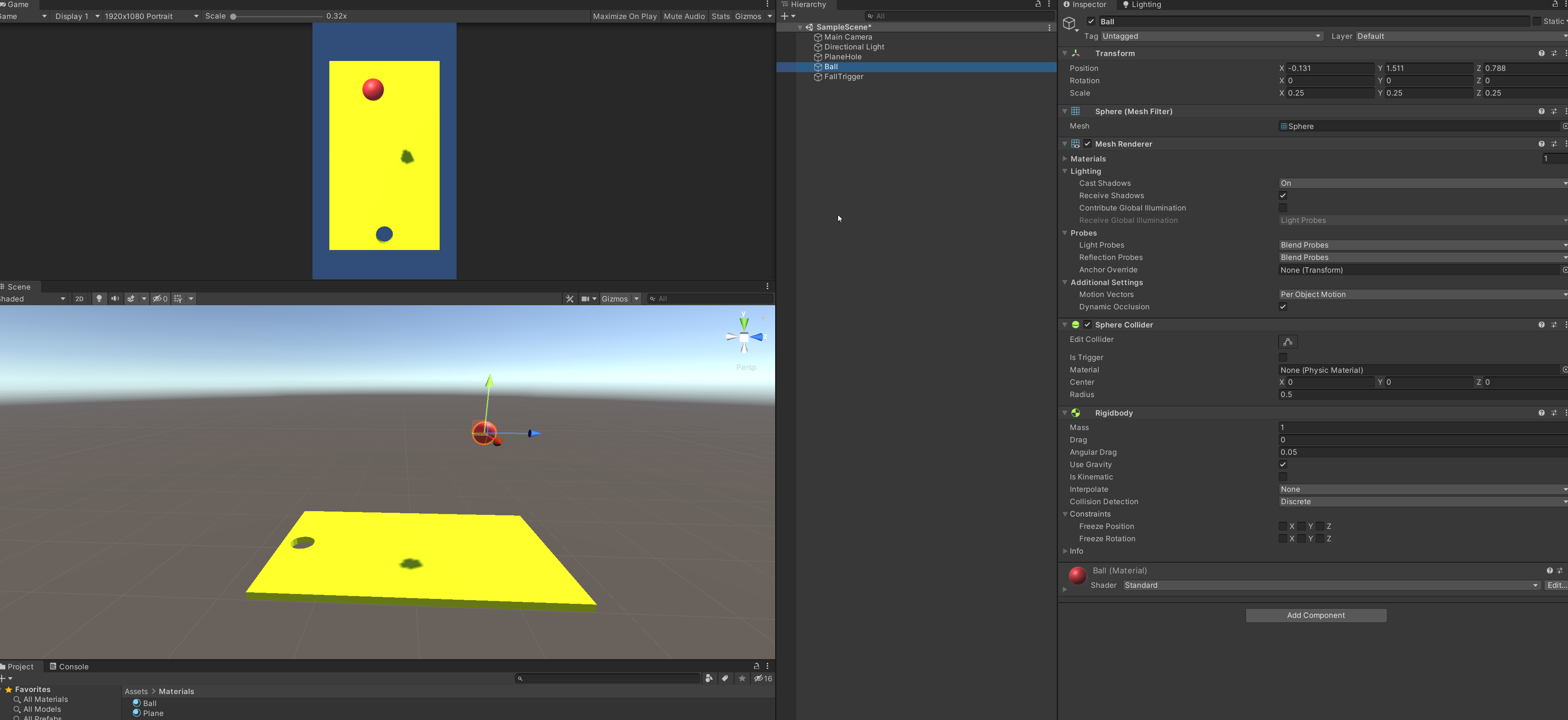


 supple kelp
deft fiber
Realtalk that's from the Heretic demo which uses HDRP and what looks like fairly...
supple kelp
deft fiber
Realtalk that's from the Heretic demo which uses HDRP and what looks like fairly...
what does hdrp do? If the scene in the image was converted to standard pipeline, would it look the same?
deft fiber
supple kelp
what does hdrp do? If the scene in the image was converted to standard pipeline,...
They are not directly compatible so I don't know if there's any straight answer to that
HDRP is a high definition rework of the whole rendering engine, which adds a lot of new rendering features, swaps existing features for higher quality ones and changes the whole workflow to revolve around physical light units
supple kelp
deft fiber
They are not directly compatible so I don't know if there's any straight answer ...
If I converted a project to hdrp would i see some noticeable differences in the lighting quality? would it look much better and realistic or would there be no change?
 alpine flax
Hey Guys, I have a problem with (2D) light in my (URP) scene. They turn on and off when i move from left to right (or vice versa). Making the scene look quite glitchy. I use most kind of lights, sprite, point, global and parametric. I also have quite a lot of them. I render them as fast. not as accurate. Even tho that doesn't seem to have impact on this problem. I have maybe 40 lights, scattered across 5 layers, using normal maps on my sprites/lights and alpha blend on my lights. Any suggestion how i can make the lights not turn on and off.
deft fiber
supple kelp
If I converted a project to hdrp would i see some noticeable differences in the ...
You wouldn't gain any benefits just by swapping, in fact at first it'd likely look worse before it's configured properly for the new system
It would give you more tools and more control, but you'd still have to figure out how to use those tools to get the results you want
Lighting is an art form and there are very few shortcuts to good results
supple kelp
Alright, thanks for the advice
deft fiber
@supple kelp and since you asked, URP on the other hand is a similar rework of the render engine, but rather than being loaded with new features it offers mostly the same ones as built-in, but in a form that's optimized for all types of hardware
Which means you as the dev don't need to worry so much about which renderer features you use
 hot star
half sundial
Hey, brand new to Unity, was wonder why is the shadow such low quality and how t...
hot star
half sundial
Hey, brand new to Unity, was wonder why is the shadow such low quality and how t...
its unitys basic shadows
supple kelp
deft fiber
<@!798203494279938049> and since you asked, URP on the other hand is a similar r...
So when I want to start a new project, making a 3d game that i'd like to sell on steam and potentially become really popular, is it strongly recommended to use urp instead of default?
hot star
not sure on how to change
half sundial
I added URP it looks good now, thanks
deft fiber
supple kelp
So when I want to start a new project, making a 3d game that i'd like to sell on...
I prefer it, but I can't say it's the only valid option
If you're making games for mobile, then I'd say developing on URP would make the optimization part more convenient.
Might help when optimizing for low-end PC machines but in that case I doubt it makes a huge difference.
Some people prefer built-in RP as it still has some features URP lacks and it's got more documentation and third party assets if you're looking to expand its capabilities
supple kelp
Alright, that is very helpful, thanks for the explanation!
deft fiber
supple kelp
Alright, that is very helpful, thanks for the explanation!
Oh and by "doubt it makes a huge difference" I mean assuming a situation where you're already taking steps to optimize the project and implement graphics settings and such
PC platforms are mostly the same so they don't benefit from the cross-compatibility of rendering effects so much
Though there are some effortless optimizations like SRP batcher
 obtuse jolt
stone cave
got the same question, have you found a workaround?
obtuse jolt
stone cave
got the same question, have you found a workaround?
I think it's impossible, sadly
hollow void
Hello! How are you able to use directional lights in a 2D game? I was watching a tutorial in which they use directional lights to simulate the sun, but I don't know how to do it. Can you use the 2D renderer or does it need to be 3D? Which type of material do the sprites need to be? I don't know if I can post links but it is a video by Dan Pos.
hollow void
hollow void
Hello! How are you able to use directional lights in a 2D game? I was watching a...
Nevermind, could find a solution by upgrading the material :))
 acoustic oracle
Heyy. I'm having this issue where none of my gameobjects are recieving light from my scene. I have a spot light shining right at it but it is not lighting up at all
it works on the terrain though
 visual belfry
baked or dynamic lights
 wanton mauve
Why does my scene go dark like this whenever I try to load it on runtime?
 upper fable
wanton mauve
Why does my scene go dark like this whenever I try to load it on runtime?
upper fable
wanton mauve
Why does my scene go dark like this whenever I try to load it on runtime?
Google something like ”unity scene load gets darker” and youll find a lot of answers
wanton mauve
upper fable
Google something like ”unity scene load gets darker” and youll find a lot of ans...
thanks
deft fiber
I need one of those "most common problems explained" sites like Vertx has!
raven relic
Is there some way to limit the impact of a directional light to a distance around either it or another object?
I'm trying to create a faux sun light and directional lights seem best, but distant planets would receive light from the wrong direction
raven relic
The best I've come up with so far is to put specific directional lights for each celestial object, but those too would illuminate objects other than the celestial object
Alternatively I could make the celestial objects unlit and write my own lighting into them, but that precludes anything else ever lighting the object (since you can't reasonably interact with HDRP's lighting pipeline). It also precludes using anything fancy that I haven't written completely myself.
raven relic
This should be very easy functionality to implement for forward rendering and (probably?) cost nothing since the conditional is the same for the entire draw call, so I'd be shocked if there was no way to do this
Also while I'm at it, can anyone think of a hacky fix for distant planets not occluding the 'sunlight' because the directional light's shadow distance is too low?
My first thought - which doesn't work in Unity - is to render a second shadow map for this sun light from the perspective of the actual sun and combine the two...
deft fiber
raven relic
Is there some way to limit the impact of a directional light to a distance aroun...
Some render pipelines have light layers, might be worth looking into
deft fiber
raven relic
Also while I'm at it, can anyone think of a hacky fix for distant planets not oc...
This means you're simulating an eclipse?
raven relic
Yes essentially
Light layers are restricted to 8 if I’m not mistaken?
It really just seems like I’m coming to the end of what is feasible in unity, at least in HDRP.
Maybe I can manually render said shadow map, and within the objects’ shaders calculate the phong lighting of the sun just to subtract it if it’s in shadow, but that is really dumb to have to do
deft fiber
raven relic
It really just seems like I’m coming to the end of what is feasible in unity, at...
I doubt the default systems bend very well to solar system simulation
Usually games develop workarounds and tricks for that
olive iris
raven relic
Light layers are restricted to 8 if I’m not mistaken?
Can have quite a few light layers you would just assign one to the objects you don't want and add it to the light you want it to be affecting said layer while ignoring your main objects from the actual light.
olive iris
acoustic oracle
Heyy. I'm having this issue where none of my gameobjects are recieving light fro...
Check your baked and static setting. If you set light to bake but your objects are not set to static gi, then baking will not help.
olive iris
supple kelp
How to get this lighting into my game
Learn Lighting. 😛
olive iris
supple kelp
what would happen if i set them fully static? not just GI. just wondering
All of this depends on your lighting mode settings. Generally though mixed light will cast real time lights on dynamic and static. It will however bake indirect but that differs also depending on type of light mode you use. And there are other things like shadow distance that controls when it switches to real time and baked shadow depending on distance. For Subtractive mode though the static objects will be baked completely except directional light etc. So, there is more to it.
olive iris
lone inlet
Hey all! I'm using realtime global illumination on the URP, because I work on a ...
Light Probes are generally used to give indirect lighting information to dynamic moving objects, if you don't have any you should not be using RGI to begin with. The reason RGI is darker versus BGI is baked GI generally has better indirect lighting and bounces.
olive iris
half sundial
Hey, brand new to Unity, was wonder why is the shadow such low quality and how t...
Depends on your light setting, baked or not and so on. Which you did not share.
olive iris
 icy tide
does anyone know how to fix this bad lighting
icy tide
does anyone know how to fix this bad lighting
Besides learning to light it would be good to explain what you want it to look like?
olive iris
supple kelp
for some reason "two sided" doesn't fix the issue, realtime lights still go thro...
You can try
Create unity cubes near those walls if you don't want to give it proper wall thickness (which you should have)
Have it cast shadow only
This should make it invisible and block your light from going through the wall
supple kelp
olive iris
You can try
Create unity cubes near those walls if you don't want to give it pr...
It feels like a ridiculuous workaround, is there really no other way other than putting cubes everywhere? Baked light seems to be blocked, why can't realtime lights behave the same? Walls that are only meant to be seen from one side, it's the right thing to do to make them one-sided meshes in my opinion, they don't need thickness.
deft fiber
supple kelp
It feels like a ridiculuous workaround, is there really no other way other than ...
The technical reason is that realtime shadow casters are rendered like cameras, if the camera can see through a backface, it will not cast a shadow
Settings shadow casters to two-sided would solve this but it's not a default setting because rendering two-sided faces costs double
olive iris
supple kelp
It feels like a ridiculuous workaround, is there really no other way other than ...
Generally you would ensure thickness on your walls and such. And two sided should work if you turn it on for material itself if not the mesh also. Alternatively you can use layers.
deft fiber
Usually you would use a low-poly "shadows only" mesh to cover the outside of the walls
olive iris
supple kelp
It feels like a ridiculuous workaround, is there really no other way other than ...
The minute you work with lighting it is not that straightforward of what makes sense or not. Lighting is by far the most expensive thing in games now.
deft fiber
Raycasting is a wholly different technology with different rules
supple kelp
olive iris
The minute you work with lighting it is not that straightforward of what makes s...
I just want my lighting to behave like the lighting in the source engine (which is from the early 2000s, so it shouldn't be hard to do the same nowadays)
supple kelp
deft fiber
The technical reason is that realtime shadow casters are rendered like cameras, ...
For some reason the two-sided setting doesn't do anything, real time light still goes through
deft fiber
supple kelp
For some reason the two-sided setting doesn't do anything, real time light still...
in mesh renderer settings, material settings or both possibly?
supple kelp
deft fiber
in mesh renderer settings, material settings or both possibly?
yes I tried both together
olive iris
supple kelp
For some reason the two-sided setting doesn't do anything, real time light still...
Did you turn on shadow casting on the light itself?
Also depending on shader settings it will go through also.
supple kelp
olive iris
Did you turn on shadow casting on the light itself?
I don't want the light to cast shadows though, I just want it to light up my dynamic objects so they wouldn't be pitch black
deft fiber
Now I'm confused
olive iris
supple kelp
I don't want the light to cast shadows though, I just want it to light up my dyn...
What are you trying to do exactly? You need to explain your overall purpose.
I think you are using the incorrect workflow, maybe?
To light up dynamic objects you just place light probes and ensure you have reflection probe too.
supple kelp
In the source engine, light is baked. But dynamic objects that move around aren't pitch black, they're lit up when they're in a lit up room. I want my lighting to behave the same
olive iris
Did you place out light probes?
supple kelp
olive iris
Did you place out light probes?
I've never heard of light probes
olive iris
Well, that would be what you use to do what you want.
deft fiber
It's been 15 years since I worked with Source but iirc it had its own system of Light Probes for lighting dynamic objects with static lighting
olive iris
@supple kelpAnd before you ask where is it...how does it work.....I hope you know how to look documentation up.
supple kelp
So I spawned in a light probe group, do I have to manually resize and place this in every single room? That seems like a LOT of work, and this doesn't have to be done in the source engine
supple kelp
Why would anyone want to manually place all these light probes though, I mean look at this https://assetstorev1-prd-cdn.unity3d.com/package-screenshot/01f7e064-9271-4455-b062-f454120a7eb8.webp That looks like it takes ages to cover an area with them
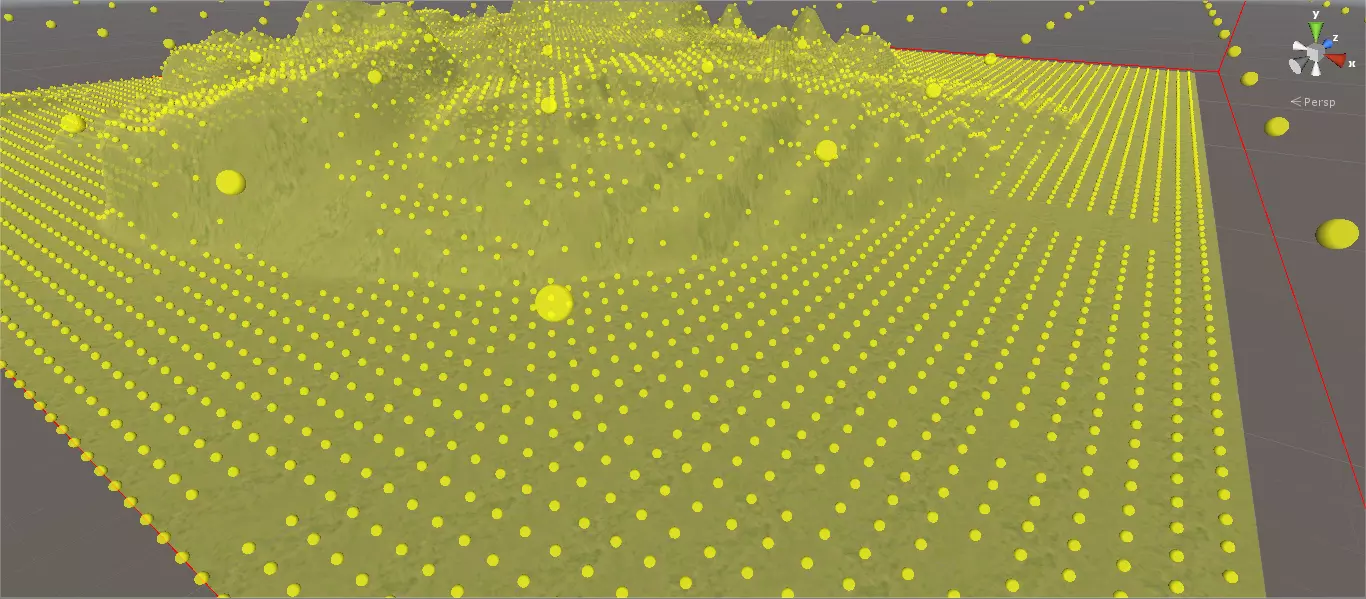
We had the technology on a game engine from 1998 to place those automatically
olive iris
Does not take much time. You just place it down 1 line. Then you copy it a few times across.
You also don't need that many.
supple kelp
olive iris
Does not take much time. You just place it down 1 line. Then you copy it a few t...
Well I'll test out this asset https://assetstore.unity.com/packages/tools/utilities/rclpg-ray-cast-light-probe-generator-72726 I hope it provides as good quality light probes as the source engine did 20 years ago

Use the RCLPG - Ray Cast Light Probe Generator from Carrion-Crow on your next project. Find this utility tool & more on the Unity Asset Store.
Do they affect performance at all or anything?
olive iris
First, tell me how old you are?
supple kelp
What does that have to do with anything?