#archived-lighting
1 messages · Page 59 of 1
 rapid topaz
Like this. 4 default cubes and 4 of these custom meshes

This is also an empty and brand new scene, this is how the models turn out by default
The more shadowed the mesh, the more apparent the issue.
I am starting to believe that it's a modelling issue, and not related to baking or uv mapping. But if the normals are correct, what could it be?
I have applied a subdivision surface to the model, pumping the verts to over 250k, and still issues with the baking.

Switching to CPU lightmapper instead of GPU solves the issue. Any way to use GPU and get rid of the error?
 gilded cloak
how do i fix this lighting issue where it seems to change suddenly instead of gradually as the robot sways back and forth? the scene has a realtime directional light

 raven flower
you mean you want them to be softer?
try checking out "Environment Light" in Window/Lighting/Settings
try pullin' on the intensity
gilded cloak
I'm not sure if softer is the term I'm looking for, but in the video you can see it kind of pops and suddenly changes. I thought it would look more gradual
raven flower
sorry - was responding to another question, that seems to have been removed...?
 kind thistle
Hey, don't really know where to put this but I'm having this weird glossiness on some objects in my scene. Anyone know how to fix this?

 lofty imp
why on earth does this happen?
 dense wing
lofty imp
why on earth does this happen?
dense wing
lofty imp
why on earth does this happen?
how you made that glow effect
lofty imp
dense wing
how you made that glow effect
https://www.youtube.com/watch?v=gaY0AC6AX5o using the bloom effect

In this unity tutorial I show you where you can get the Post Processing package from and how to use it from 2020 and beyond.
✦ Subscribe: http://bit.ly/JimmyVegasUnityTutorials
✦ Patreon: http://patreon.com/jimmyvegas/
✦ FREE Assets: http://jvunity.com/
✦ Facebook: https://www.facebook.com/jimmyvegas3d/
✦ Twitter: https://twitter.com/jimmyvegas1...
also the texture is just bright, i barely added any
 open wyvern
anyone know how to create that kind of glow material on the partciles?

emmision isn't working very nicely

it doesnt give the glow
 mellow sierra
You need post processing b loom for emission to 'glow'.
 sudden spruce
Does anybody know why this is happening? After upgrading unity I got this weird blue tint on the scene and figured it was the intensity multiplier that was causing it. It happens only when it is set to 1 and works fine if set to any other value. https://gyazo.com/d6a08f7d466303f9724540e354b0bf57

not a huge issue but it just seems weird to me.. is it a unity bug?
kind thistle
Anyone willing to go in a vc and help me with something? I can't see shadows on real time lights in editor and real time GI freezes my bake.
dense wing
mellow sierra
You need post processing b loom for emission to 'glow'.
does this method work with standard 3d template
mellow sierra
dense wing
does this method work with standard 3d template
Yes, you can use post processing in the built in pipeline.
dense wing
mellow sierra
Yes, you can use post processing in the built in pipeline.
ok thanks for helping
 teal pond
Hi guys
i need your help
someone know how fix this error ?
Thank you...
🥺

 summer aspen
!ban 665561602690514965 Steam scam
 tawdry schoonerBOT
 jacky#3866 was banned
 crimson flare
teal pond
Hi guys
i need your help
someone know how fix this error ?
Thank you...
🥺
crimson flare
teal pond
Hi guys
i need your help
someone know how fix this error ?
Thank you...
🥺
what is the error?
dense wing
which is better realtime lighting or baked lighting?
 covert stirrup
'Better' is not an objective term. This varies a lot by target platform
dense wing
windows build
 smoky rose

 timber lichen
i heard that baking light increases game size very much. Is it okay if i dont bake it? I deleted the light from the model and it still looks bright and lighted under the sun. Is baking not needed here? i googled about baking but i am thinking that some object doesnt need it.Please correct me if i misunderstood.
 lucid pasture
Does anyone know the cause of this weird bug? When baking lighting, it reaches 75-80 percent and then resets back to 50.

 dense wing
do you edit anything while it bakes light?
 compact rock
Anyone has advice on how to optimize hdrp realtime lighting?
 thick isle
shadows are the most expensive so make use of cascades and distance / quality etc
 jade skiff
Hope this ties into lighting.... does anyone have any experience with Enviro asset??
Looking to hopefully ask someone a quick question or two thats used it a bit more
 leaden glen
Been through a few forum posts and not had any luck finding anything super helpful for this.
How can you (or is it even possible) to have a per object Shadow Bias?
For this pic if I set the shadow bias of my Directional Light to < 0.01, it fixes the shadows on the letter. But it also messes every other object in the scene

Notice the floor plane in the background now has odd swirly shadows all over it
 jade skiff
any tips on getting ride of the horrible light glare in the reflection when the ground is wet?
currently if it rains at night the wet ground with the moonlight reflection has there horrible volumetric like rays

 pulsar aspen
sounds like the material.. you've also got post processing there, "when it rains" could mean anything clearly this isn't standard setup
 fervent rivet
Someone know why is my skybox be able to be seen only in my MainScene and no other scene that i made on the same unity project pls ?
 shy peak
does anybody know why my point lights in urp are flickering?
to me it seems like they are constantly casting light to certain objects but other only receive light when the camera angle turns up? o.O
dense wing
this might be because it takes time to bake lightmap so when you move camera it starts rebaking i dont think this will happen in the game view or even biuld
dense wing
shy peak
to me it seems like they are constantly casting light to certain objects but oth...
i guess this is because it might be calculating light for only visible portions
which are currently being displayed
fervent rivet
Is it possible to make a glow effect on a gameObject without changing the light of all the scene ? Like if it was a pick up object that you can grab and that need to be more visible than the others?
mellow sierra
Glow and lighting are two different things. If you want something to glow, you would use emission on it with bloom.
If you want something suddenly lit up by a light source, you can use a light that only works on certain layers. When you pick something up, switch the layer on that object.
 random vector
Hi. I'm using directional lighting and cookie to simulate cloud shadows. Unfortunately lighting is brighter (doubled?) on overlapping geometry. I need some overlap in my models to improve animation so removing the overlap is not an option. Unity 2021.1.1f1 using built in pipeline. My game is a top down orthographic view.
The problem is visible on the deer:
 shy peak
dense wing
this might be because it takes time to bake lightmap so when you move camera it ...
shy peak
dense wing
this might be because it takes time to bake lightmap so when you move camera it ...
it's definitly not the lightmaps here sadly since i don't use any (the project is a little special so I have to keep the size really small and i figured out that lightmaps blow up the project size so i went with realtime lights only)
shy peak
SOLVED: Found the solution to my problem. I had to increase the amount of affecting lights in the setting
 deft fiber
shy peak
deft fiber
shy peak
make sure your light ranges are low enough
What I guess is happening here is that you're going over the light limit because the object is within the range of too many lights
shy peak
ok now i have a question: what determines an object when it comes to this lights? @deft fiber The house itself (the structure of the walls) is made of many different meshes. but they are all one prefab. is unity concidering the whole house as one object (when it comes to the lights) or does it check each mesh renderer?
also yeah it was the light from the neighbor house that caused the flickering. i just don't understand why because it is so far away that it technically shouldn't touch it?
they don't even touch each other

ok it seems like the gizmo lines are not really accurate. changed another radius and the light functioned properly after being around 3 units away from the walls
deft fiber
shy peak
ok now i have a question: what determines an object when it comes to this lights...
I'm not sure, the light limit is called "pixel light count" in settings which suggests screen pixels, but it feels to be more based on mesh renderer origin points
shy peak
so it's unitys dark magic^^
deft fiber
shy peak
so it's unitys dark magic^^
For future reference you could look into deferred rendering which significantly increases the performance and potential number of lights, if you run into more issues with this
shy peak
deft fiber
For future reference you could look into deferred rendering which significantly ...
i guess the problem mainly occurs because i only use realtime lights this time. usually i would bake like 90% of my lights but this time it blew the project size from 200mb to 1.29gb (because i am bad at setting up such settings so yeah had over 1gb lightmaps >.>)
deft fiber
shy peak
i guess the problem mainly occurs because i only use realtime lights this time. ...
Yeah you could definitely improve that number with some tweaking 😅
Baked lightmaps aren't technically lights at all so you won't run into any light limits there
However if the lights also affect dynamic objects, you'll have the same problem when a moving object enters the range of too many lights
shy peak
oh yeah i know that lightmaps are baked and are not looking realistic on moving objects ^^
crimson flare
Anyone know anything about 2d scriptable render pipelines?
my tilemap tiles are black
kind thistle
Anyone know why this is happening?

 foggy bane
Is there ever a reason to do basic lighting in blender prior to unity import? Blender appears to have better obj move controls than unity.
timber lichen
hey does anybody knows whats the cause of this? the chunks or whatever it is is like divided to three...
 fervent rivet
Hey guys, I'm trying to make glow this sphere but in the standard mode even if i try to change just the albedo it doesn't change anything on my material. It used to work before but now even when i pick another shader the emission doesn't work as it should. Someone could help me pls 🙂
 deft fiber
fervent rivet
Hey guys, I'm trying to make glow this sphere but in the standard mode even if i...
deft fiber
fervent rivet
Hey guys, I'm trying to make glow this sphere but in the standard mode even if i...
Which render pipeline is your project on?
fervent rivet
Universal
deft fiber
That means all your materials have to use Shaders from the Universal Render Pipeline category
fervent rivet
Ok ok and do you know why the glow effect doesn't work ? It seems like the post processing don't even work

My main camera if it can help
deft fiber
fervent rivet
My main camera if it can help
Make sure Post Processing is enabled under Rendering in your main camera
fervent rivet
deft fiber
Make sure Post Processing is enabled under Rendering in your main camera

Yep it is
deft fiber
fervent rivet
Yep it is
Then I can't think of anything else off the top of my head
Check a tutorial or the documentation again to double check nothing is amiss
 marble cave
hey guys, if I want to have a very simply "glow" effect or some kind of border for an object, do I have to use the particle-system? or what would you suggest?
maybe creating the effect alone and then apply it (from a static image?)
In this basic example I want to make the cards "glow", to indicate that they are playable. (I mean, if they mana would be sufficient)

using "light" as component doesn't work, maybe because it is 2D?
foggy bane
Make your objects emit light?
deft fiber
marble cave
hey guys, if I want to have a very simply "glow" effect or some kind of border f...
Sprite glow can be made with a shader so it'll work with all angles, but they're not simple to make
There's some on the asset store though
Another option is to make an additive sprite that just has to glow, and place that under the card when it's highlighted
like this

The downside is you'd have to make one of those for every card shape, unless you make it generic enough to fit all of them
deft fiber
timber lichen
any fixes?
You have too many lights and they have too big ranges
The sane light limit per mesh for forward rendering is 4
You can work around that limitation by controlling the ranges and light placements
Or you could switch to deferred rendering which allows you to use a LOT more lights
 hybrid jetty
Where do I find this? (Sorry, I'm new to Unity)
 summer aspen
hybrid jetty
Where do I find this? (Sorry, I'm new to Unity)
summer aspen
hybrid jetty
Where do I find this? (Sorry, I'm new to Unity)
Window > Rendering > Lighting
hybrid jetty
Can you circle it?
 summer aspen
It's items in the menu you press in that order as they appear
 umbral elk
Hey! So, Im using HDRP and Im trying to light my interior. The thing is that the interior lights barely produce any light and the sun overexposes the scene.
These are my volume settings:

The sun is at 100k lux since I want to be day outside, and the interior lights around 1k lumen
I have this:
 gilded cloak
Can anyone please explain why the lighting for my flamethrower looks correct in the first scene, but doesn't seem to do much in the 2nd scene in this short clip?
 kind thistle
Anyone know why this is happening?
I generated lightmap UVs using Unity.
I'm also using 2018.4.10
 gilded cloak
Can anyone please explain why the lighting for my flamethrower looks correct in ...
gilded cloak
gilded cloak
Can anyone please explain why the lighting for my flamethrower looks correct in ...
It appears to be related to the material, I tried dragging some of that material from the first scene onto objects in the second and it lights up as I'd expect. So what's wrong with my material that it won't reflect lights the way I want it to?
 devout hamlet
hello, im having a problem where the lighting looks completely different in a scene when i play From the scene and when i load the scene from a previous one
this is what it looks like when i click play in the scene

but when i load it using a scene manager from the previous scene it looks like this

i dont have any dont destroy on load
 runic raptor
Hello, i am baking my lights in a pretty large scene and was wondering if it is possible to only bake a selection of objects or single objects. The reason is that I dont want to bake for 2 hours everytime i make a change to a few objects or add a light in only a part of the scene. I have seen various forum posts from old Unity versions where you could select an object menu to bake selected but this seems to be gone in new Unity versions.
I am using Unity 2020.3.3f1 with mixed lighting and the URP.
deft fiber
devout hamlet
hello, im having a problem where the lighting looks completely different in a sc...
We had something like this in a project, iirc it was because the sun and environmental lighting weren't configured correctly
Directional light wasn't set up as the sun source and to top it off it was marked as baked only
Apparently in editor it looked fine but the inconsistency kicked in on scene load as it seems to do for you
Probably not the exact same problem, but something related to that?
devout hamlet
@deft fiber oops forgot to come back here but i’ve solved it, thank you very much : )
i had to turn off auto generate, clear baked data and generate the lighting again and it seemed to work (unticked global illum for faster baking time)
deft fiber
devout hamlet
<@!166982635950702592> oops forgot to come back here but i’ve solved it, thank y...
Good thinking, resetting and regenerating helps with so many things
 dapper glen
umbral elk
Hey! So, Im using HDRP and Im trying to light my interior. The thing is that the...
dapper glen
umbral elk
Hey! So, Im using HDRP and Im trying to light my interior. The thing is that the...
Thats a general problem with HDRP, its exposure is a bit screwed. All you can really do here is tweak until you find the right value/range (auto exposure), bring the suns intensity down or, well, not use HDRP. It is however normal that the sun completely overexposes since it is quite bright. IRL your eye adapts its own contrast and exposure to adjust for this, however you have a more limited dynamic range in CG here so you have to deal with it differently.
dapper glen
kind thistle
Anyone know why this is happening?
I generated lightmap UVs using Unity.
I'm als...
Take a look at the bottom right.
The light was still baking.
umbral elk
@dapper glen I see, I was trying to use a fixed exposure. The alternative is having a really low sun value, like 20
dapper glen
umbral elk
<@!511587315248791572> I see, I was trying to use a fixed exposure. The alternat...
You can't use realistic light values and fixed exposure since your eye's adaption is crucial in getting the right brightness.
umbral elk
@dapper glen I see, there is any course or something that do you recommend about hdrp?
dapper glen
umbral elk
<@!511587315248791572> I see, there is any course or something that do you recom...
No, I personally don't use it for exactly these types of reasons. I have opted to develop my own graphics stack outside of SRP instead. Documentation on it is also quite sparse - but I can recommend watching some talks from AAA studios on their own engines lighting and stuff to get a better idea of how to work with realistic light values. There was a GDC talk about Mirror's Edge Catalyst where they talked about it I remember.
umbral elk
Okay! I will look at it! Thanks
kind thistle
dapper glen
Take a look at the bottom right.
The light was still baking.
I know, I let it fully bake last time and it looked like that
dapper glen
kind thistle
I know, I let it fully bake last time and it looked like that
Maybe the UVs of your meshes themselves are incorrect. Also, "Generate lightmap UV's" isn't perfect either.
kind thistle
I don’t think they would be
kind thistle
dapper glen
Maybe the UVs of your meshes themselves are incorrect. Also, "Generate lightmap ...
Ripped it straight from csgo
dapper glen
kind thistle
Ripped it straight from csgo
First up, copyright infringement. Secondly, their UVs are from the MDL format, so you will probably have to regen them in an 3D editor (Blender or so).
kind thistle
I’m using it for a mod so idc about copyright
kind thistle
@dapper glen Sorry for the ping but I got shadows with realtime lights to work (somewhat). Some of the building is casting shadows but others aren't. Is this something to do with backfaces or normals?

Each part of the building is separated btw
 dapper glen
kind thistle
I’m using it for a mod so idc about copyright
dapper glen
kind thistle
I’m using it for a mod so idc about copyright
Its only a mod if you do it with the game's data, not if you make it outside of it.
dapper glen
kind thistle
<@!511587315248791572> Sorry for the ping but I got shadows with realtime lights...
Set shadow casting mode to 2 sided, maybe that helps.
kind thistle
Hmm that didn’t work
 austere urchin
i have a problem when reloading the scene with SceneManager.LoadScene


the shadows become much darker
I only have a directional ligth on the scene
it happens in scene view and game view, with or without post procesing
 hoary verge
how can i make object block light in unity ?
 upbeat trench
austere urchin
I only have a directional ligth on the scene
upbeat trench
austere urchin
I only have a directional ligth on the scene
your facing the same problem! and i als need help on fixing it
upbeat trench
austere urchin
i have a problem when reloading the scene with SceneManager.LoadScene
i found the sulution
upbeat trench
austere urchin
i have a problem when reloading the scene with SceneManager.LoadScene
forget about it beacuse when you build it and load the scene with the ummm yeah it dosent become dark anymore its just for in the unity app it doenst happpen in build
austere urchin
is seam to be because the lighting behaves differentlly when baked
i still don't fully understand it or why it happens or how exactly i fixed it
upbeat trench
austere urchin
i still don't fully understand it or why it happens or how exactly i fixed it
forget about it
 tired terrace
Anyone knows why there is this weird light artefact? It disappears when I set the render mode to "Not Important", but that's not what I want
It wasn't here before I make the camera angle widder

Worked, thanks!
 long basin
I have a house model built up of several meshes and several materials that I combined into a single mesh. When I go to bake the combined mesh it predictably bakes a really messed up mesh as several different UV's are layered ontop of eachother due to it being a combined mesh. So I thought I would get crafty and bake the uncombined mesh (which looks great baked) and then put that baked lightmap on the combined mesh... But, I can't seem to figure out how to do that? There is no option on the mesh render to add in a prebaked lightmap. Is there a tutorial someone can point me to?

 vapid anchor
Hi! Does anyone know how to reduce the size of the LightingData.asset file without taking out lights?
 supple turtle
Hello :)
Someone could explain to me what is the pros/cons to use "realtime lightmap" instead of "baked lightmap"?
Thanks
dense wing
supple turtle
Hello :)
Someone could explain to me what is the pros/cons to use "realtime lig...
Baked lightmaps sometimes make the editor slower
and they also increase size of the game
i prefer realtime lighting
supple turtle
@dense wing Thank you for answer.I agree for the increased size but I wasn't aware for the laggish editor :)
dense wing
supple turtle
<@810774298116751440> Thank you for answer.I agree for the increased size but I...
Welcome i came to knew about the lag on my older device
now even if use baked light it wont lag
@supple turtle
runic raptor
runic raptor
Hello, i am baking my lights in a pretty large scene and was wondering if it is ...
Any one know an answer?
deft fiber
runic raptor
Any one know an answer?
Does disabling objects for the bake process work?
runic raptor
Then they wont get baked. But i do want all objects to be baked. I tried baking with a few objects disabled, then enable them and disable the baked objects to try and bake the previously disabled objects. but then it throws away the baked data for the previously baked objects.
deft fiber
Ah right of course it would
 surreal crown
austere urchin
surreal crown
austere urchin
Bake the lights before building and the problem should disappear
Hi guys does anyone know how to fix this ugly shadows?

 alpine flax
hey guys i started using the urp and 2d renderer in my project, but tge scene doesnt go dark. anybody have any idea? (im using the corgi engine btw)
deft fiber
surreal crown
Hi guys does anyone know how to fix this ugly shadows?
Really can't tell what's going on in the pic or what type of lighting that is 💦
deft fiber
alpine flax
hey guys i started using the urp and 2d renderer in my project, but tge scene do...
If I'm not mistaken there's lit and unlit variant of the sprite shader, the default unlit is always bright
 carmine bone
hello guys, i want to change the color of my trafic light by time, anyone have an idea
??
deft fiber
carmine bone
hello guys, i want to change the color of my trafic light by time, anyone have a...
You could make the change an animation clip, for one
Or just set the light color in code directly
surreal crown
coroutine and change mesh renderer.material.color
carmine bone
deft fiber
Or just set the light color in code directly
how can i do that please ?
deft fiber
carmine bone
how can i do that please ?
https://docs.unity3d.com/ScriptReference/Light.html there's an example
alpine flax
thanks!
carmine bone
thank you
deft fiber
To time it you'll need a counter, invoke or a coroutine
runic raptor
surreal crown
Hi guys does anyone know how to fix this ugly shadows?
If that is a shadow, look for shadow resolution. in my case (using URP) its in my render pipeline asset under Lighting
 slim flame
When I use Soft Shadows I get these dark lines on vertical faces like this. How can I fix it?
 alpine flax
now i got 2d renderer mostly working, but its weirdly random with lights working/not working in the scene. global and point lights are working now. but when i add new lights they dont work in the game, even tho they show in the scene view. anybody recognize this scenario?
alpine flax
thanks man, ill look for it
slim flame
I should have shadows coming from the white walls onto the green, and the pole is making a massive ugly shadow. If I scale every object in the game to (10,10,10,) it looks ok, but is it like this at normal scale?

 restive forge
Would anyone know why baked lighting would produce artifacts like this?

I like the effect and prolly mess around with it another time but I would like to understand how to prevent this in my current project
covert stirrup
First thing I would try would be to uncheck compress lightmaps @restive forge
deft fiber
slim flame
I should have shadows coming from the white walls onto the green, and the pole i...
Have you looked into the shadow settings of your quality settings level?
Shadow cascades make a big difference, for one
 amber plaza
Hi guys 🙂 I'm new to lighting in Unity or Lighting in general really. I'm currently trying to improve shadow quality for directional light. In the scene view they look really good, but in the game view they're really bad. Is there something I can do about this? Target platform is android.
Scene view:

Game view:
 amber plaza
I noticed that the shadows for a point light are much better. Is there a way to only render the shadows from the point light without light being applied to the objects?
 primal cypress
How does one set up point light shadows in URP11? Seems all correctly set up to me but it doesn't work :S
There's only this light in the scene, a cube and a plane
 long basin
I have a basic question about UV that I can't seem to find good info on.
Can I do this?

 stark temple
long basin
Can I do this?
stark temple
long basin
Can I do this?
UV0 is the uv channel for texturing, there's a second channel for lightmapping.
So your colours can have overlaps, your lightmaps not.
long basin
Ahh so this wont mess up my bake if I stack them?
stark temple
No, because UV2 is the separate channel for lightmapping.
Confusingly Unity doesn't have a UV1 as far as the Mesh API is concerned.
long basin
So even if my UV's were a complete shit show my lightmaps would be fine
stark temple
There are up to 8 different UV channels a mesh can have, the lightmapping UVs are on a different channel to colours. As long as they are not a shit show, the lightmaps are not affected by the other UVs.
long basin
So I can optimize my UV's by artfully stacking UV's like in the diagram above.
Is there a situation where I might want to do something like move bottom mesh off to the side of a UV like in the second part of the diagram?
If I am unwrapping a building (which I am) there are a lot of sides and ledges that could easily share the same texture if I stack them. Anything I should be wary about when doing that?
stark temple
Nope
long basin
Nope to both questions? Sweet!
stark temple
The point to the repeating UV space is that you can use it for fancy shaders, to have things overflow and not be clamped, etc
long basin
Thanks so much for the info, you saved me a good hour of googling.
 fast blade
Hey legends. I was wondering if someone could give me a hand with doing some Baked lighting in Unity (Unity 2018.4.20f1 Personal)? I'm trying make a world for VRChat using Minecraft blocks (because why not?).
I'm having an issue with getting some good and smooth lighting. I've put blocks around the map that should, with baked lightmaps from an emission material, be adequate lighting for the scene. However, all I'm met with is the following:

I've watched a few tutorials about baked lightmaps and they all suggest to change the intensity on the Emission slider in the Inspector tab...however I don't seem to have that slider:

I have set all the prefabs and assets on the scene to Static.
If I re-enable the Directional Light on the scene, it lights up somewhat normally (but still visually choppy):

Where might I be going wrong, or what's something I can look at to fix this? Thanks.
 silk light
whats the fastest way to get nice interior lighting in the HDRP?
deft fiber
@fast blade I don't know what your issue is, but what I'd do is a test scene for baking lights using default lights and materials to get it working under ideal circumstances, then figure out what's different in your scene
Emission map strength can be increased from "HDR" color picker next to it, which contains an Intensity slider
 hybrid quiver
My horizon line cuts against the skybox pretty hard in some areas and I'd like to add fog.. I've played around with the Unity fog but uh.. it looks pretty bad and doesn't have much customization. Any tips ? I want to blend the horizon and skybox as much as posisble
 fast blade
deft fiber
Emission map strength can be increased from "HDR" color picker next to it, which...
fast blade
deft fiber
Emission map strength can be increased from "HDR" color picker next to it, which...
Thanks for your help. I didn't realise the Intensity slider was inside the HDR colour section.
That sorted me out. Thanks again. 🙂 I just set it to Englighten mode instead of CPU Progressive and it came out pretty good.

 odd ember
hybrid quiver
My horizon line cuts against the skybox pretty hard in some areas and I'd like t...
odd ember
hybrid quiver
My horizon line cuts against the skybox pretty hard in some areas and I'd like t...
Something tells me that illumination/lighting of the skybox, or camera effects, is whats causing that problem. Fog?, well 1st off, fog is costly performance-wise in Unity. The standard fog isnt bad, but theres better out there, and alot better performance-wise.
deft fiber
fast blade
That sorted me out. Thanks again. 🙂 I just set it to Englighten mode instead of...
Afaik, Enlighten generates its lighting in realtime so it doesn't produce any usable lightmaps in case your scene requires those
deft fiber
I can't find any info if vrchat supports enlighten but I guess you'll find out
 merry ingot
Exposure?
 next orbit
can anyone tell me why my emissive lighting is leaking all over the place? i didn't have this before until i changed a setting i don't remember
 next orbit
ah ok i probably have to fiddle with these

nvm it turns out it's not baking related because if i clear the bake data the leaks are still there
so it's just my emissive map leaking
next orbit
smh turns out it's a problem with my substance painter texture
dense wing
next orbit
can anyone tell me why my emissive lighting is leaking all over the place? i did...
how you made that effect its cool
next orbit
is that a question or a compliment  @dense wing
dense wing
next orbit
is that a question or a compliment <:hatBlush:662035186380177419> <@!81077429811...
both
next orbit
ah
it's a substance painter layer which outputs an emissive texture
and if plugged into unity the right way it will cast light
next orbit
dense wing
<@!152442070777200640>

Unity Learn
In this tutorial, you will learn how to use the emissive properties of HDRP Materials to contribute to a Scene’s Global Illumination.
also fixed the leaking by just removing the red sign emission from the emission map and adding a separate with it's own emission material
really hacky but i couln't figure out how to edit the model without having to repaint everything
dense wing
next orbit
https://learn.unity.com/tutorial/create-and-calibrate-an-illuminated-object-usin...
thanks a ton
 upbeat spire
hi guys.. i have a wierd issue.. i am using URP, there is a specif model on which area light seems to have no effect when its in "URP/Lit" shader.. But when the shader is changed to "URP/BakedLit" it seems to work better... why this occur?
deft fiber
upbeat spire
hi guys.. i have a wierd issue.. i am using URP, there is a specif model on whic...
Area lights are usable in baked lighting only
 pale geyser


 sweet ravine
Anyone know why my point light stops working after baking my lighting? I want the light to cast shadows, but it seems to stop working altogether after I bake the lighting if I set the mode to "Baked" (which is required for shadows)
 glacial lily
how do i add reflections to walls?
dense wing
sweet ravine
Anyone know why my point light stops working after baking my lighting? I want th...
this is an common problem i guess someone who had this problem can help
deft fiber
sweet ravine
Anyone know why my point light stops working after baking my lighting? I want th...
Lights which are "baked" will only affect static geometry that's included in the lightmap
I would guess your walls are not marked as static
"Mixed" lights are baked but will also affect dynamic objects
 shadow horizon
Can i bake lights inside a prefab?
since im doing proc-gen, and i would like to bake some lights within my prefab-rooms
deft fiber
shadow horizon
Can i bake lights inside a prefab?
I guess not by default, since the lightmap data is associated with scenes
Maybe could load the level parts as additive scenes though
https://answers.unity.com/questions/1655176/how-do-i-include-baked-lighting-in-my-prefabs.html
There's two custom solutions in the replies here for associating lightmap data with prefabs instead of scenes
shadow horizon
deft fiber
I guess not by default, since the lightmap data is associated with scenes
Maybe ...
how would you lighten up this room more for the edges

since without light, the walls just looks like 2D sprites haha
summer aspen
Could look into creating a procedural normal map.
 summer aspen
If you are willing to jump into beta, URP has a solution for lights limitation there.
shadow horizon
like a unity beta version? Im currently on 2019.4 lts
 shadow horizon
cool, I'll install it and see whats-what
i dont really know what it is i should be looking for though
that one im guessing @summer aspen ?
 summer aspen
That's the one I'm on. Have not played with lighting yet though

Unity Forum
Hello,
I am making shooter similar to doom/quake/unreal tournament and I just decided to add point light to my projectiles just to make it prettier....
How to install deferred
shadow horizon
I will need to do that?
summer aspen
Well, if you want those lights, I think.
shadow horizon
Interesting, I'll have a tinker
shadow horizon
@summer aspen 😍
 summer aspen
Entering play mode is extremely fast as well.
shadow horizon
just got a shadow atlas size issue im not sure about, i keep increasing it yet still get the messages in the console
deft fiber
shadow horizon
<@!306009802096771072> 😍
That looks really sweet! Did you improve the post processing too?
shadow horizon
deft fiber
That looks really sweet! Did you improve the post processing too?
Yea, just abit more bloom
deft fiber
shadow horizon
since without light, the walls just looks like 2D sprites haha
You've got a pretty strong ambient lighting which doesn't look to be baked, so that does make things look flatter
shadow horizon
I can't really bake, since everything is done at runtime
deft fiber
Indeed
I think it's a good call to use deferred
 bold bronze
Does anyone know how i could reduce the brightness of the skybox sun which i got from the unity asset store
summer aspen
@shadow horizon Point lights are very expensive, if you set shadow resolution on those lights lower or turn off shadow casting those messages will go away.
I'm seeing it can handle 2 point lights with low soft shadows on 2048 or 10 on 4096
And can have as many point lights as you want it seems as long as they don't cast shadows.
shadow horizon
Oh right ok i see, so only cast shadows for "important" lights? got it
 heady wadi
i've got a material with a base and emissive texture. this works well to "light it up" when the material isn't receiving direct lighting. but what i'd like to do, is stop the emission completely in areas that are actively receiving light from other sources. is there a standard way to do this?
glacial lily
are baked lights supposed to re bake when u re open ur unity project or am i doing something wrong?
deft fiber
heady wadi
i've got a material with a base and emissive texture. this works well to "light ...
If you're capable of using shaders, you could use a shader that gets light information, as a "toon shader" does, and use that to control emission intensity
If not, there seems to be no simple way to do this
https://answers.unity.com/questions/24662/detect-lightshadow-falling-on-object.html if you want to do it programmatically, here's a couple of ways to go about it
Personally I'd skip all that math and just set the emission intensity to a predetermined value based on the scene or colliders that designate bright and shadowy areas
heady wadi
deft fiber
If you're capable of using shaders, you could use a shader that gets light infor...
ah, interesting idea to use a shader with light direction as an input. that could work, i'll give it a shot
 sacred lintel
Hey, I have a problem with HDRP but I don't find a solution in the internet. Does someone know why are this weird flashes appearing??
 storm hinge
Hi!
I have a small issue in HDRP. When I rotate within a scene the light intensity will go through the roof if i look directly into the light. How do i make the light constant and not based on rotation. My brain is just frozen rn and forgot what setting it is
I understand it's exposure but i cant find where to tweak it

Ok i found it nvm, just needed some coffee
 signal finch
sacred lintel
Hey, I have a problem with HDRP but I don't find a solution in the internet. Doe...
signal finch
sacred lintel
Hey, I have a problem with HDRP but I don't find a solution in the internet. Doe...
 modest flower
Hello! I was remeshing some probuilder models and found that my own models have less defined lightmaps than the probuilder originals. new model on left, probuilder draft on right. https://cdn.discordapp.com/attachments/773759747425042446/861516312990973982/unknown.png

ive inspected the lightmap settings on both and they seem identical.. is this something related to how i made the new model i wonder?
https://cdn.discordapp.com/attachments/773759747425042446/861518317649657896/unknown.png i just figured out what the root of the issue is, my custom model had extremely little to work with in the lightmap. Just need to figure out what i need to do to fix it.
update: fixed it by changing the packing margin in the import settings lightmap generator to a larger number 👍
 timber lichen
sacred lintel
Hey, I have a problem with HDRP but I don't find a solution in the internet. Doe...
timber lichen
sacred lintel
Hey, I have a problem with HDRP but I don't find a solution in the internet. Doe...
Not sure if this helps or not as someone pointed you towards an asset(which may or may not help). But times when I've gotten sparkly shininess it was because the roughness was simply way to high on objects, when it gets super high the reflectivity sort of pinpoints and focuses rather than smoothing out areas. So I'd check your trees materials. If you are using a Mask map for roughness, ao, etc then invert the roughness channel or adjust the slider accordingly to get the roughness to your desired looks.
You could also alternatively add Indirect Lighting Controller to your post processing and set the "Reflection Lighting Multiplier" to 0 just to see if that gets rid of the shiny problem, if it does then you know that's where your issue is at (I wouldn't leave it at 0 unless you have no use for reflections), this is just an option to test if that is in fact the problem.
 tall arch
sacred lintel
Hey, I have a problem with HDRP but I don't find a solution in the internet. Doe...
tall arch
sacred lintel
Hey, I have a problem with HDRP but I don't find a solution in the internet. Doe...
turn on “Stop NaN” on the camera, should fix it
it’s a problem with the mesh, duplicate faces i think (at least that’s what happened to me)
 stray reef
ok so im new to unity and im using one big prefab as a map and when im trying to bake lighting it seems to only be using 3 light probes for the whole map
helpo

 chrome gyro
I’m trying to bake my scene using Bakery, but it refuses to even start. In the console it says DllNotFoundException: simpleProgressBar. How do I fix this?
chrome gyro
Okay I looked up a solution, but I have VCRedist 2017, so I don’t know what the problem is…
Should I delete the 2017 version and replace it with the 2015 version?
 gaunt sand
where can I get the flahlight cookies I'm using unity 2020.1.13f1
gaunt sand
why can't I see the lights when I play
 gaunt sand
ok found it
 haughty plume
so, i've created a nice wet surface effect, but i dont really understand HOW i've made it nice, and its sucking performance
and i wonder how to fake it
this is with area lights

the road, path, shiny, wet...nice
eats performance like hell
same area with spot lights

looks crappy
but very good performance
convert the road shader to stacklit....

better performance than the area lights, but you can see the path is not stacklit
so...what i dont understand is, what makes the stacklit or area lights reflect nicely, but spotlights on a normal shader look so bad
and can reflection probes or something help fake this?
right now its magic and i dont get it 😄
 vagrant tinsel

can anyone help me figure out how to make this glow
I turned up the intensity after doing like 20 other steps and still didnt work
 thorn sparrow
@vagrant tinsel the cube material
make sure its emission is at (255, 0, 0)
I think the bloom threshold should be lower to .5 or 0 or something
 white parrot
hey everyone!
I have a Prefab with a light in it, but it doesn't show up in the world, what is the reason for this?
 white parrot
Are lights in prefabs unable to bake?
 night hatch
Hello, is it possible to have my directionnal light cast shadows as good as in my point light right there ? point light is the shadowon the left, dir is in front

 grave bone
I'm somewhat inexperienced with Unity's tools, but I would like to make a dithered lighting effect in my project. From what I have read, it would seem shaders is the best way of achieving this, is that correct? Or is there a better way?
storm hinge
@grave bone add it as a post processing effect, i think it's built into the framework if I remember correctly. You can do it with shaders aswell but it might be more computationally expensive than PP
grave bone
But wouldn't that make the entire screen be dithered?? I want it more specifically to only have the lighting (or rather the shadows) to be dithered
storm hinge
also depends i guess if u wanna place the effect on the whole scene
yeah
If you wanna place it on one object then it's a shader that you will have to make
grave bone
In a nutshell what I want to achieve is that the world itself has dithered shadows, maybe the sky as well, to make it look something like the original Elder Scrolls games
So I wouldn't want it to look like you were looking through a dithered filter on the camera
storm hinge
can u show a pic of the effect u want to achieve
grave bone
Sure give me a second
What I do want, a somewhat subtle dither effect to the world itself:

What I don't want, something that makes it look like there's a filter on the camera:
 storm hinge
U can achieve that effect in the first picture with post processing
it is essentailly a filter on top of the camera
If you tweak it enough I think it would look good
u dont see the noise in the first picture on the fog because the fog color is the same as noise color
but it's there
if u zoom in
grave bone
This may actually be a better picture of what I want

The enemy doesn't look dithered in comparison to the wall behind him
Would I be able to achieve that with post processing?? Or does that make EVERYTHING dithered?
 grave bone
storm hinge
https://docs.unity3d.com/2018.3/Documentation/Manual/PostProcessing-Dithering.ht...
grave bone
storm hinge
https://docs.unity3d.com/2018.3/Documentation/Manual/PostProcessing-Dithering.ht...
Also that does look to be outdated as well
 storm hinge
grave bone
Also that does look to be outdated as well
storm hinge
grave bone
Also that does look to be outdated as well
Are u using hdrp or urp
grave bone
Anything, I've never plaayed with post processing in Unity before
dapper glen
Pretty sure that is the post processing V1 asset. V2 and up does not have dithering. You would need to implement it yourself in builtin and URP I think as well, not sure about HDRP
storm hinge
grave bone
Anything, I've never plaayed with post processing in Unity before
I was just wondering what pipeline u use for ur project so I know what tools u have access to, u are either using srp,urp or hdrp
grave bone
I'll use whatever makes it easiest for me to get the effect I want lol, nothing is set in stone
Currently this is just a testing project to see if I can get the style that I'm going for
storm hinge
Just got home from work, lemme start computer and I will write back to u, writing on phone is 
grave bone
Yeah no problem man, appreciate your help :)
storm hinge
how experienced with shaders are u is the first question
and how important is performance to you
Personally I would do this in HDRP as a custom pass.
But if you are less experienced and performance is important to you then i would just make a shader for the effect
and simply apply it to objects that require it
grave bone
Quite inexperienced when it comes to shaders and post processing, I haven't done much graphical work in general because I usually don't have the vision or the patience for it haha
As for performance, not important at all, for now anyway
storm hinge
Then just make a shader for it, you will probably find a good tutorial somewhere, if u need to use shader graph then remember that u need to be in URP or HDRP.
What custom passes allows us to do is to inject code at desired places in the render loop and execute it on a layer.
But it's a bit more complex and might scare u away if you are inexperienced.
if u wanna understand what you are doing that is
grave bone
storm hinge
if u wanna understand what you are doing that is
Yeah that's mainly why I'm doing this - the programming itself I can do, but I don't know much about all the tools that Unity actually has
storm hinge
custom passes are also not very well documented
so i wouldnt dive into that world unless u trully wanna commit to shaders
lmao
grave bone
Yeah that might be the wrong route to take
In a team larger than myself, I figure someone else can handle things such as shaders, not gonna spend too much time or energy to get into that
storm hinge
yeah
grave bone
So in a nutshell, you reckon I should just make it a shader rather than use post-processing for it?
 hard plover
can someone help me to get the same lighting as the begening of this video?
A game where the only way to progress is to exploit bugs?
→ Play Grey-Box Testing: https://trickshotlabs.itch.io/grey-box-testing
→ Discord? https://discord.gg/Gy7pW69
→ Follow my twitter: https://twitter.com/SamHGames
Results of the Wowie Jam 2.0: https://www.youtube.com/watch?v=j47JMlwEp_U
-----MUSIC------
→ "Beats Yo!" & "Hectic" by Antti ...
mellow sierra
What have you tried? What is your current light setup?
deft fiber
grave bone
What I do want, a somewhat subtle dither effect to the world itself:
The dithering you see is full-screen in both of your examples
The reason the sprite in the second image is not dithered is because it adheres to the limited color palette
The walls however display shades that aren't in the palette, so dithering works by emulating those shades
A custom render pass would let you dither some parts of the view and ignore others
It's pretty complex stuff, I wouldn't know where to get started with that
 hoary fossil
 latent ether
guys i updated from unity 2019 to unity 2021 project uses URP. problem is my billboard grass is not dark at night. this pictures is from 2019 https://gyazo.com/f5e4115b48f7a41ea4f048688e8dfa5f and this is from 2021 https://gyazo.com/5442dce58826071e1f79da17da3e5282 any ideas?

 grave bone
deft fiber
The dithering you see is full-screen in both of your examples
The reason the spr...
grave bone
deft fiber
The dithering you see is full-screen in both of your examples
The reason the spr...
I think I actually worked it out with a very simple shader
 deft fiber
grave bone
I think I actually worked it out with a very simple shader
deft fiber
grave bone
I think I actually worked it out with a very simple shader
I wouldn't describe that as selective dithering or dithering at all but what matters is that you found what you needed ^^
grave bone
Yeah I need to do some more tuning before I really get what I need
It's somewhere inbetween the first image and this lol
 grave bone
deft fiber
I wouldn't describe that as selective dithering or dithering at all but what mat...
grave bone
deft fiber
I wouldn't describe that as selective dithering or dithering at all but what mat...
I'm not sure what you mean that you wouldn't call it dithering at all tho 🤔 Maybe you can see it more clearly in the second image
grave bone
did something else, got this

not quite what i was going for but.. i guess it'll work
for now anyway
tall arch
if your game is gonna be pixelated try turning down resolution/render scale
 hazy plume
is it possible to use blender lightmaps in unity?
thorn sparrow
grave bone
What I do want, a somewhat subtle dither effect to the world itself:
dither textures?
....which you can do in any image manipulation software
 hasty carbon
In HDRP, do you guys reckon it's feasable to use shadows on "on enable" mode instead of using shadow map baking? In theory the performance would be an incredible world of difference compared to realtime, and of course there are a couple of limitations, but I'm curious if it's actually a viable alternative
grave bone
thorn sparrow
dither textures?
....which you can do in any image manipulation software
No, the dithering was supposed to be dynamic based on the light and/or camera distance from the object
grave bone
tall arch
if your game is gonna be pixelated try turning down resolution/render scale
I'm only looking to have the characters be pixelated
deft fiber
grave bone
not quite what i was going for but.. i guess it'll work
To get old-school dithering you also need quantized color
Understanding how both of those work is key to getting the effect you want
grave bone
deft fiber
To get old-school dithering you also need quantized color
Understanding how both...
Yeah, I get that. I'm not gonna dive too much into graphical development, as it's not really my area of expertise nor interest haha. It was more of there was a somewhat straightforward way to do it, but it seems to be more complex than I anticipated. Alas, I have received some great input that has pushed me in the right directions, so thanks to all for that. =)
deft fiber
The result is rather unique already!
grave bone
I guess the final question I have is, if there's a way, in shaders, to get camera distance to the object, so that I can make the dithering more subtle the closer it is to the camera??
or a rather, a way that doesn't take too much time to do
deft fiber
Yes, I think it would be no mystery once you understand what makes dithering happen in the first place
Like I said earlier, the examples you showed are full screen dithered and quantized
If you have that feature and then add a distance fog of any sort, the blending will naturally intensify the dithering
grave bone
Yeah but can it be done from what I have now??
deft fiber
I'm not sure, probably
But what you're doing now is harder than doing it the "proper" way
grave bone
Is it??
Because right now, all I've done is made a super small shader that blends the albedo with a dither node
deft fiber
You're kind of working backwards to get the effect
deft fiber
The dithered look is all about color limitation, this also controls the "intensity" of the dithering
Do you know what dithering does?
There is no easy way to do this until you study these concepts a little
grave bone
Sort of. But like I said, I wasn't looking to getting too deep into how it all worked, there are other systems in my project I would rather focus on perfecting.
I just played around with my shader a little more, and actually got even closer to what I wanted, somehow

Looks like this
 deft fiber
I think it's a lot more effective to get some knowledge before trying to guess these things, but I'm not your boss
grave bone
As I've stated earlier, this isn't my area nor what I'm interested in. I don't want it to look good, it just needs to look not terrible haha.
hazy plume
does anyone know if it's possible to use blender lightmaps in unity?
deft fiber
hazy plume
does anyone know if it's possible to use blender lightmaps in unity?
Blender doesn't use lightmaps, but you can still bake light information onto textures
hazy plume
is that usable in unity?
deft fiber
If the lights are a part of the texture, it'll work anywhere
You could add that texture into emission so the surface will react to dynamic lights as well
However, it's a very quick and dirty way of doing it
I don't know exactly the process of making fully functional lightmaps from blender to unity, but if you look at what a lightmap file contains, it's just textures of the lit surfaces, shadow mask and an optional directional map
Final answer: I'm not sure, but you have options 😄
hazy plume
its just cuz im having trouble getting my level ready to bake
thousands of objects with overlapping uvs, etc etc
wanted to try doing it in blender for once
deft fiber
hazy plume
wanted to try doing it in blender for once
That probably won't be any easier
You'd have to do every object's lightmaps in blender manually one by one, unless you have the know-how to script some kind of automatic pipeline for it
hazy plume
damn
 quasi nymph
Hi i have a problem with shader
i want to have shader graph with master node but what to install and what package is the lighter for this please
 night sundial
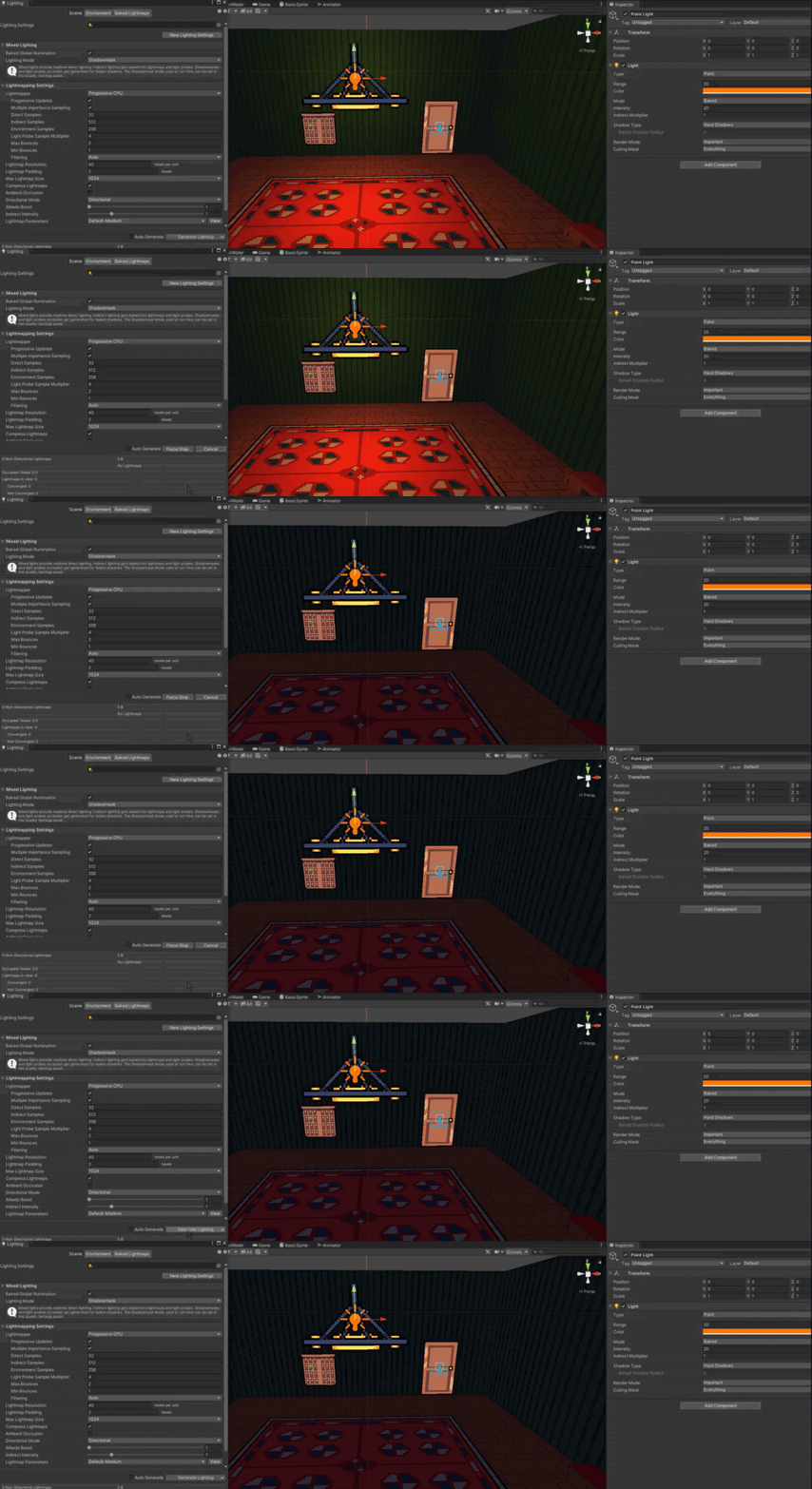
I have some emissive baked lighting (on walls).
I'd like to change the colour of this at runtime, using Universal Render Pipeline.
I can assume that these lights are the only baked ones in existence, so I could bake them as white, for instance, and then recolor them.
However, I don't quite understand where the Lightmaps are applied in the lighting model, and I would like to retain most physically based light properties.
Any ideas how to change the color of area lights / emissive lights at runtime?
I can keep most of my environment monochrome for the bounce lighting and I guess develop a custom GI + PBR shader. But it seems contrived for something I'd expect to be a common use case in games. 🙂
I think it may be better to use prebaked lightmaps or something.
But I never switched a light map before 😄
 carmine shuttle
Hi here, I get the "Progressive lightmapper GPU(preview)" switching back automatically to the CPU lightmapper, how can I force it on the GPU and not switching itself on CPU when backing lights ?
carmine shuttle
Solved : it looks like it was a run out of memory of the GPU because I set the lightmap resol to 4096 px
deft fiber
night sundial
I have some emissive baked lighting (on walls).
I'd like to change the colour of...
I've been kinda trying to dig in to that on the side as well
The only resource I found was a reply here
https://gamedev.stackexchange.com/questions/49687/how-do-i-blend-2-lightmaps-for-day-night-cycle-in-unity
Which is about lerping but still involves modifying the lightmap texture at runtime
 vagrant oasis
what exactly is eye space units

 tulip kernel
Hello, noob here learning about lighting for the first time and trying to optimizing performance, and trying to understand the steps to generate lighting. So I understand the general concept of a light and resulting shadows "baking" onto another object, and that this would improve performance. But do I delete the light in the scene after lights are baked using 'generate lighting'? How would I maintain a shadow when my player walks past a light?
tall arch
vagrant oasis
what exactly *is* eye space units
i think that its from 0-1, 0 being the near plane, and 1 being the far plane
tulip kernel
Hello, I'm trying to bake lights for only lights inside of a building. I specify this in the lighting settings which lights are bake, but when I do 'generate lighting' this seems to affect the entire map and the directional light/sun is very dim as well
 deft fiber
tulip kernel
Hello, noob here learning about lighting for the first time and trying to optimi...
deft fiber
tulip kernel
Hello, noob here learning about lighting for the first time and trying to optimi...
Lights of type "mixed" use lightmaps for baked surfaces and also castl ight and shadow on dynamic moving objects
For shadows to be able to cast by dynamic objects on a baked surface, I think Shadowmask needs to be enabled in lighting settings asset
 cloud fox
Hello everyone, I'm using HDRP with Unity 2020.3.4f1, and when i'm baking some point lights in Bake Mode I don't get shadows at all, it doesn't look anything like when it's in realtime, it's almost like the shadow is disabled, anyone knows what it could be?
before you ask the assets are set to static and the light is being baked, it's just the shadow that is missing, and I also have lightmap UVs generated for every mesh, Shadows are also enabled on the Lights, Using HDRP/Lit Shader.
 stable cypress
Hi, new to unity lightmapping, i only understand the basics. When i bake my map, i get the error "There are 203 objects in the Scene with overlapping UV's. Please see the details list below or use the 'UV Overlap' ..." I looked it up and i understand how to allow models from asset packages to Generate Lightmap UV's but I don't really know how to do it for objects in the HIerarchy that are not in any asset folders. Like a Cube(42) created with Probuilder for example.
 hidden hornet
probuilder meshes have an option somwhere in the component that enables proper lightmapping uvs
 whole coral
Is deferred renderer in 2021.2 URP used when needed even if i dont have it selected in render pipeline asset? The shadows on dynamic lights work all the time
fast blade
I just want to take a moment and thank @deft fiber for awesome work and servicing our needs. What a legend. Thank you Patchi. ❤️ You're a gem.
^And the others who help the community too. I've just noticed Patchi since I've joined this Discord server.
 zenith frost
quick question does anyone know why my interiors and only my interiors materials are just gray, ive tried a few different ones and they are all gray even after baking the lighting, lighting works fine outside also am using URP


and heres settings


and everything is set to static
night sundial
deft fiber
I've been kinda trying to dig in to that on the side as well
The only resource I...
This is extremely old... :)
I'm using Magic Lightmap Switcher now, it does a decent job even though it's a bit convoluted and unstable.
deft fiber
night sundial
This is extremely old... :)
I'm using Magic Lightmap Switcher now, it does a de...
The question was asked 8 years old, but the relevant answer is from 2017 so it's still probably usable
deft fiber
fast blade
I just want to take a moment and thank <@!166982635950702592> for awesome work a...
Ohh thank u 
Helping is a learning excercise for me as well!
 mystic dew
zenith frost
quick question does anyone know why my interiors and only my interiors materials...
mystic dew
zenith frost
quick question does anyone know why my interiors and only my interiors materials...
You have to change skybox reflections to environment or make a Light probre volume inside environment
deft fiber
Reflection probes are important as well
Right now there's no light inside the house, but the sky is being reflected on the surfaces
A reflection probe can make it so the interior is shown in the reflections instead
whole coral
Is deferred renderer in 2021.2 URP used when needed even if i dont have it selected in render pipeline asset? The shadows on dynamic lights work all the time
 fresh gorge
I've just made the first steps in trying to update to the HDRP, but it's really messed everything up in my scene.
The biggest issue I can't seem to resolve right now is that whenever I look at an object in editor, the scene goes dark. This leads to me needing to put directional lights on like 300000 lux just to get the normal light I normally got with intensity 1.0.
Anyone know where to look to fix this?
 radiant oar
If I am making a game where the environments are destructible, does that mean I shouldn't use URP because I can't bake lights since nothing is static, really?
As an aside, I heard something about Unity 2021 having dynamic lights for URP? Would that work for me if I'm trying to run it on Oculus Quest, or would that choke?
deft fiber
radiant oar
If I am making a game where the environments are destructible, does that mean I ...
All rendering pipelines have the option of using baked lights or dynamic lights or any combination thereof
I don't know where you might have gotten the idea that URP can only do baked lights
tall arch
fresh gorge
I've just made the first steps in trying to update to the HDRP, but it's really ...
i think it’s the auto exposure feature, it messed up my lighting when i tried to update too
try turning it off and return your lights to normal lux, that should fix it?
deft fiber
fresh gorge
I've just made the first steps in trying to update to the HDRP, but it's really ...
Are you following the HDRP upgrade guide?
https://docs.unity3d.com/Packages/com.unity.render-pipelines.high-definition@11.0/manual/Upgrading-To-HDRP.html
Lux and exposure values have to be very particular to appear correctly
It's a long list of things
radiant oar
deft fiber
I don't know where you might have gotten the idea that URP can only do baked lig...
I may have confused that with realtime point light shadows...
deft fiber
radiant oar
I may have confused that with realtime point light shadows...
Ah yes that's a new feature for URP
All versions of URP are intended to be mobile-friendly, so specs are probably not an issue
Though you'll have to do your own testing with your hardware, to see what the impact is
tall arch
excited for the new features
when is it expected to get out of testing?
and become a full release
radiant oar
This is the URP Global Illumination tutorial, right? https://www.youtube.com/watch?v=hMnetI4-dNY

In this video, you'll gain an understanding of how lights and shadows work in the Universal Render Pipeline, as well as how to set up a scenario with a mix of real-time shadows, Light Probes, and baked GI.
Speaker:
Ciro Continisio
Ask your questions here: https://on.unity.com/2UmP9TE
Did you find this video useful? Room for improvement? Let us...
Like, this is what we're supposed to use now?
radiant oar
Well, I'm just really new and trying to figure out which tutorials I need to learn from if I'm building a game where I will be destroying environments, and the lighting will... I guess change.
tall arch
yeah you can’t bake the lighting then
radiant oar
I imagine you can't bake if you destroy
tall arch
so currently, there’s a limit of 8 lights per object
radiant oar
So how do I get GI in URP if I can't bake?
tall arch
global illumination is not possible if you’re not baking
but it’s not necessary either
tall arch
if you had a yellow floor next to a black wall, there would be some yellow reflecting on to the black wall, that’s GI
tall arch
radiant oar
How do I make sure things aren't just dark?
just add lights
radiant oar
Like, every "how to get out of the skybox look" video is all about fixing that Global Illumination, then adding that one Directional light, and some Volume light or so, and everything is gorgeous
tall arch
yeah global illumination is not possible if you’re doing dynamic stuff, and real-time global illumination is not realistic for the quest
radiant oar
oh
tall arch
you’re just gonna have to rely on using reflection probes, a directional light, and lots of lights
that should look good
also lights mayyy have a performance hit on oculus quest, you’re gonna have to test that out
deft fiber
tall arch
yeah global illumination is not possible if you’re doing dynamic stuff, and real...
Well, Enlighten is getting re-enabled in 2021.2. for URP
tall arch
deft fiber
Well, Enlighten is getting re-enabled in 2021.2. for URP
true but would that run well on a quest?
deft fiber
Ah, probably not
radiant oar
ok, so I just gotta sacrifice a bit of visual quality.
You said 8 lights in the scene total?
tall arch
yep
tall arch
radiant oar
You said 8 lights in the scene total?
nonono
8 lights lighting one object at time
deft fiber
Lights aren't the problem really, shadows are
tall arch
i think 16 visible in total at once?
and in the new urp, there won’t be a limit if you’re using deferred
radiant oar
I'll have to go learn what reflection probes do with light...
tall arch
radiant oar
I'll have to go learn what reflection probes do with light...
reflection probes takes a 360 picture of the environment at that point
deft fiber
Probes aren't realtime either
tall arch
and uses it for reflections in areas around it
radiant oar
Hmm...
tall arch
it costs basically nothing
radiant oar
But they're not realtime, either, so I can't use those?
tall arch
you can
because they aren’t accurate in the first place
as long as they give a general reflection of the environment it will look good
there are real-time probes, but they might have a slight performance impact
deft fiber
What you have to ask yourself is how "dynamic" is your game world going to be
If you can dig caves like in minecraft, it's going to be really difficult to keep sunlight out of the cave
deft fiber
tall arch
there *are* real-time probes, but they might have a slight performance impact
Pretty massive, afaik
tall arch
deft fiber
Pretty massive, afaik
oh it is?
wasn’t aware
yeah for an oculus quest, every bit of performance matters
deft fiber
They're omnidirectional cameras which write to a texture, they're not going to come cheap
tall arch
i couldn’t even use ssao without my performance tanking
even downsampled on lowest quality
tall arch
deft fiber
They're omnidirectional cameras which write to a texture, they're not going to c...
even at 128 resolution?
deft fiber
Still rendering the whole scene again
tall arch
yeah i guess so
how expensive are overlay cameras
just wondering
cause i have 2 in my game
deft fiber
I don't have any numbers at hand but at least URP does decently with it's camera stack system
deft fiber
Realistically with reflection probes you'd only update them when you need to, so they'd be not realtime but adaptive
tall arch
my game went from 50fps on built in to 170 on urp
tall arch
deft fiber
Realistically with reflection probes you'd only update them when you need to, so...
oh true, you can control updates by script
radiant oar
So... gleaning context, I imagine these reflection probes take a 360 picture of the environment and then blast that colour onto a surface or something? What if I turn them off in realtime, then,?
tall arch
radiant oar
So... gleaning context, I imagine these reflection probes take a 360 picture of ...
basically
you can control them updating through script
radiant oar
Oh, I guess it wouldn't really work, either... because the colours would be wrong
tall arch
so every time the environment changes, update it
deft fiber
To be frank this is a really complex feature to implement, even without hardware limitations
radiant oar
ok... so if you were going to make a game with some destructible environments on a limited mobile system, how would you best light your scene?
deft fiber
Games that have world you can freely dig and light that adapts to it have entirely specialized rendering pipelines for that
Usually tile-based
radiant oar
I don't really want to dig
It will just be warehouses, night clubs, urban stuff
Shipping yards
Gang related
deft fiber
How destructible does it need to be, exactly
radiant oar
Polygonal (literally synty) environments
I don't know exactly yet, but I plan on having Rayfire split everything and then swapping it in
deft fiber
I don't know what that implies, but big changes in lighting are probably going to cause optimization issues either way
radiant oar
I was hoping destrible to the point of Red Faction, but if not, I guess I'll have to figure something else out
deft fiber
You can do that, but probably not with lights that adapt to it
radiant oar
Maybe I'll have to settle for some destructible cover
Hmm... I wonder how bad it would look without lights adapting to it
deft fiber
Most games use a mix of baked and realtime lights
Things that can break aren't baked
Baked lights consume memory, realtime lights consume processing power but can be altered at runtime
radiant oar
So if I'm using destructible cover and static walls, I can just bake into walls, and then use probes around destructibles and turn them off when things get broke?
Or is that not how it works at all...
deft fiber
Almost
Dynamic objects will react to lights, reflection probes and light probes as they move, you don't normally need to touch probes at runtime
radiant oar
Thanks. Either way, I can and should keep using URP, and not be so ambitious
I always forget the target is a Quest 1
deft fiber
Keep it reaally simple
Optimization is an art and science of its own and takes a lot of understanding of the systems
radiant oar
Baked lights are simplest, yes? 🙂
We'll go with that, lol
tbh I haven't even tested destruction geometry on the Quest...
deft fiber
Well, the process of baking is pretty technical compared to just placing some dynamic lights
But with dynamic lights you have to keep the light limits in mind all the time, so there isn't either one that's considerably simpler
You could just roll with the light you get from a sun and the sky and get pretty decent results for no effort at all ^^
Destruction is another ...complex thing
I've tried all of these things and failed plenty of times, so don't be discouraged if that happens to you
radiant oar
deft fiber
I've tried all of these things and failed plenty of times, so don't be discourag...
Thank you 🙂
 scarlet lintel
Can someone explain me the difference between the lighting two sided and on, in the objects mesh renderer? Does it affect something with real time lighting, does it affect if the object being static or not?
deft fiber
scarlet lintel
Can someone explain me the difference between the lighting two sided and on, in ...
Means if the backfaces will let light through or not
 scarlet lintel
deft fiber
Means if the backfaces will let light through or not
scarlet lintel
deft fiber
Means if the backfaces will let light through or not
So basically only affects interior scenes? Which one would be better to an outdoor scene?
deft fiber
scarlet lintel
So basically only affects interior scenes? Which one would be better to an outdo...
It affects any mesh with exposed backfaces that needs to cast shadows
scarlet lintel
So for objects such as rocks, trees, vegetation, should be "on"?
Since there's no backfaces showing?
deft fiber
scarlet lintel
So for objects such as rocks, trees, vegetation, should be "on"?
Yes, I suppose it's best to keep shadows "on" instead of "two sided" unless there's a specific light leakage caused by backfaces you need to get rid of
Two sided is always more expensive
scarlet lintel
And for interiors that the backfaces bounce light off, always two sided?
deft fiber
Only if the shadows don't work right without it
scarlet lintel
Okay, thank you!
deft fiber
The "shadows only" option is also great as you can use it for invisible meshes used just for casting shadows
It's a bit of extra work to make the shadow mesh, but it's much cheaper and less likely to leak light than the base mesh as "two sided"
 lone drift
hey guys does anyone know any good tutorials for lighting
bc i dont get anything about it
deft fiber
lone drift
hey guys does anyone know any good tutorials for lighting
If you're switching to URP, you can find plenty of good ones just by searching "URP lighting" on youtube
 woven goblet
is anyone here familiar with the lighting system used in Bendy and the Ink Machine? because i'd like to create a similar lighting effect for the project i'm working on...
only that it would be like you're actually walking through an old silent film or even a cartoon from back in the late 1920s to the early 1930s era
deft fiber
woven goblet
is anyone here familiar with the lighting system used in Bendy and the Ink Machi...
Lighting in that game seems entirely standard, mostly spotlights with cookies that imitate a real lamp
The artstyle is almost entirely carried by the texture work
woven goblet
ah ok! so an entirely monochromatic game world it is then! black and white textures seem appropriate rather than black and tan/sepia textures
deft fiber
For your purpose you'll probably want some old film-like post processing
woven goblet
ok... i'll have to look into that... maybe some toon shaders while i'm at it...
deft fiber
Old silent films have the distinctive feature that they often run too fast and at variable speeds
I'd make animations fast or even speed them up randomly if I were making the effect
woven goblet
ok... sounds like fun! i'll see what i can do
hoary fossil
 normal crest
 rain swan
Hey there, i hope it's the correct place for my problem.
I started learning lighting recently since I know well unity except some topics like lighting for example. So i created a test scene with all my map objects set to static (contribute to GI) and i am doing some tests. After having understood realtime light mode, i started looking backed mode. However I am a bit lost after the results i had on my test :
- i have enabled backed GI
- i have all my map objects set to static
- i have one light with Baked mode
-> I expected the scene to be dark until i bake it to compute light emission / gi from my light (bake mode). So i launched the game and i was surprised to see that the light was emitting exactly like in realtime mode. Additionaly to that, when i move a static object in front of this light, the shadow is mooving too, which mean it is computed at realtime but why ? since my light is in baked mode.
Does that mean that, if i have lights with bake mode and i don't bake my scene, realtime will be used instead ? Thanks in advances guys ! sorry for my approximative english too
deft fiber
rain swan
Hey there, i hope it's the correct place for my problem.
I started learning lig...
My experience is that if lights are set to baked, but the scene lighting has not been baked, they'll act as dynamic
...but only some of the time, as changing into this scene through gameplay made the lights disappear as you would expect in the first place
rain swan
Oh okay thanks, a bit weird but i understand better now 😄
rain swan
deft fiber
My experience is that if lights are set to baked, but the scene lighting has not...
thanks a lot 🙂
deft fiber
It's a bit of grey area
rain swan
I have another question which is probably a bit common, but now that i understand how fast in game baked lights are, how can i do if i have my light set to baked, but i have some not static gameobjects and i would like to have realtime shadow for them ?
Should i use a second light set in realtime with a special mask for dynamic objects ? Or is this why mixed light mode are made for ?
deft fiber
Probably they act as dynamic for sake of convenience so you can get some visual information while working on the lights before baking
deft fiber
rain swan
I have another question which is probably a bit common, but now that i understan...
You can set lights to type "mixed" instead of "baked"
rain swan
deft fiber
Probably they act as dynamic for sake of convenience so you can get some visual ...
Oh yea that's probably the reason !
Okay nice 😄
Thanks a lot ! 🙂
lone drift
where can i enable it?, do i have to make a new lighting setting?

it should be fixed now i searched online but still doesnt work
lone drift
hoary fossil
wow its really nice! how long have you been doing unity for? @hoary fossil
lone drift
lone drift
where can i enable it?, do i have to make a new lighting setting?
bruh nevermind i got it
nvm still see nothing
deft fiber
lone drift
where can i enable it?, do i have to make a new lighting setting?
"Area light" is not usable as real time lighting in URP
lone drift
ohh ok
hoary fossil
@lone drift 5+ years I believe
lone drift
hoary fossil
<@548559927933665280> 5+ years I believe
wow damn
lone drift
hoary fossil
how long have you been working for this @hoary fossil
 lavish rock
what are the artifacts on the arm? how can i get rid of them?
I use hdrp and it seems nothing can fix that - on the grey sphere its fine
help pls :/

 coral thunder
Okay, after a couple of disasters last week, I'm finally back on track with my current project (I hope!). But I'm getting to a point where I really want my lighting working right before I go too much further with populating the scene. In this scene, my emissive ceiling lights and emissive lights the refrigeration coolers at the back just don't seem to be actually working. I've been poking around at things and followed a few tutorials (mostly out of date) but nothing seems to be working...Also, how can I fake more bounced light from the sunshine coming through the window? Thanks!
 deft fiber
coral thunder
Okay, after a couple of disasters last week, I'm finally back on track with my c...
deft fiber
coral thunder
Okay, after a couple of disasters last week, I'm finally back on track with my c...
It really doesn't look like your baked global illumination is working entirely
or at all, judging from the bluish glow that covers everything
https://youtu.be/KJ4fl-KBDR8 this should be up to date and for the correct render pipeline
coral thunder
deft fiber
<https://youtu.be/KJ4fl-KBDR8> this should be up to date and for the correct ren...
Thanks. I'll take a look.
coral thunder
Whoot! Okay, so the BIG thing missing was that objects need to be ENABLED to contribute to baked GI. They aren't enabled by default. Also, some objects don't necessarily import with good Lightmap UVs so getting Unity to regenerate them is helpful. Still a few quirks to work out but this helps with my motivation a TON! Thanks for that link @deft fiber, it's made all the difference.

 quartz shard
when I bake the lighting it cause lot of problem, point light gone and those weird light artifact.. these are the before & after ss + my lighting setting..

do you guys have any tips?
I'm in unity 2019.4.28, urp 7.6.0
 blissful magnet
So I have a light in game that loops in the colors of rainbow. Sometimes it's okay. Sometimes it just throws milions of errors at me all saying this:
Parameter name: Blue color (-2,267882E-09) must be in range [0;1].
UnityEngine.Experimental.GlobalIllumination.LinearColor.set_blue (System.Single value) (at <e8645a79b0794e0e9a2b5bbff081b88a>:0)
UnityEngine.Experimental.GlobalIllumination.LightmapperUtils.ApplyColorTemperature (UnityEngine.Color cct, UnityEngine.Experimental.GlobalIllumination.LinearColor& lightColor) (at <e8645a79b0794e0e9a2b5bbff081b88a>:0)
UnityEngine.Experimental.GlobalIllumination.LightmapperUtils.Extract (UnityEngine.Light l, UnityEngine.Experimental.GlobalIllumination.PointLight& point) (at <e8645a79b0794e0e9a2b5bbff081b88a>:0)
UnityEngine.Experimental.GlobalIllumination.Lightmapping+<>c.<.cctor>b__7_0 (UnityEngine.Light[] requests, Unity.Collections.NativeArray`1[T] lightsOutput) (at <e8645a79b0794e0e9a2b5bbff081b88a>:0)
UnityEngine.Experimental.GlobalIllumination.Lightmapping.RequestLights (UnityEngine.Light[] lights, System.IntPtr outLightsPtr, System.Int32 outLightsCount, Unity.Collections.LowLevel.Unsafe.AtomicSafetyHandle safetyHandle) (at <e8645a79b0794e0e9a2b5bbff081b88a>:0)```Looks like your environment is missing proper UVs
If it's a mesh you may need to enable "generate lightmap UVs" in import settings
quartz shard
deft fiber
Looks like your environment is missing proper UVs
If it's a mesh you may need to...
ahh.. right.. thanks~ but some of my point light stop emitting a light after baking.. I wonder why..
deft fiber
quartz shard
ahh.. right.. thanks~ but some of my point light stop emitting a light after bak...
Is their mode realtime, mixed or baked?
quartz shard
aaah.. I kinda figured that I need to make it mixed.. it work well now..
everthing was baked before..
another question.. in urp, can I make emission type of material emit light that affect the surrounding(static envi)? postprocess only make it glow, but it didn't emit light..
deft fiber
quartz shard
another question.. in urp, can I make emission type of material emit light that ...
Yes, emissive textures on static objects do light up things when baking to a light map, as well as affecting light probes and reflection probes
 vague bane
why cant i see the wireframe of the beam?

 grizzled warren
Anyone a bit familiar with baked lighting?
I have an object here in a completely dark room next to a window. It looks like it's reflecting properly, but the color has gone completely gray(uglybrown) scale?
Any ideas? My first time playing with lighting.

 sudden pelican
grizzled warren
Anyone a bit familiar with baked lighting?
I have an object here in a complete...
sudden pelican
grizzled warren
Anyone a bit familiar with baked lighting?
I have an object here in a complete...
Do you have a reflection probe inside your room?
grizzled warren
i do
sudden pelican
Are the walls marked as Static in the editor?
grizzled warren
err, light probe group
I think I better watch a full tutorial on probes rather than try to wing it
sudden pelican
You need both Light Probes and Reflection Probes.
grizzled warren
mm, yea thank you, I'm doing a few other things wrong too, haha
 glossy vector
no matter what I do I can't get these normal seams to stop showing up

procedural mesh btw
much more noticable here

is this kind of artifacting unavoidable with large poly meshes
recalculate normals gives worse results
grizzled warren
sudden pelican
You need both Light Probes and Reflection Probes.
how does a person go about placing reflection probes everywhere?
 sudden pelican
grizzled warren
how does a person go about placing reflection probes everywhere?
sudden pelican
grizzled warren
how does a person go about placing reflection probes everywhere?
You only need one per room. Make sure it's amply sized as well.
grizzled warren
glossy vector
is this kind of artifacting unavoidable with large poly meshes
is that an artifact or an accurate representation of the topology that was generated?
how about outdoors?
glossy vector
I'm using the gradient of the noise function to generate the normals not the topology of the mesh
And the noise function is entirely smooth
Smooth normals should make a smoothly shaded render even if the surface of the mesh is slightly bumpy, no?
glossy vector
Itd be like 750 lines
I'm implementing an algorithm called dual contouring
If the vertices of the mesh dont exactly match the normals will that ruin the lighting
grizzled warren
I don't think so, there are blending options in the light settings
grizzled warren
glossy vector
Itd be like 750 lines
i might not understand it, but I'd be curious to see haha
glossy vector
I'll have to change some variable names around
i got frustrated towards the end

are the blending options per light or are they in project settings
grizzled warren
it's kind of spread out
your renderer asset will have relevant options, and the Lighting panel window
glossy vector
when i vastly increase the amount of polygons generated it sort of fixes it

but you can still see the artifacting on the right hand side if you look closely
it also increases the amount of triangles for this slice from 2600 to 185940
sudden pelican
glossy vector
when i vastly increase the amount of polygons generated it sort of fixes it
Do you actually have a UV map for this?
grizzled warren
glossy vector
this is really cool
glossy vector
it'd be even cooler if i could figure out why my normals suck
my only hunch at the moment is involving the vertex positions not being "optimal"
I've only implemented the dual contouring algorithm partially, so the vertices aren't in their optimal positions described by the algorithm, so the normals may not exactly match the vertices
sudden pelican
No actually, you don't need a UV. I think your normals are wrong though.
glossy vector
oh wait, this picture was generated with RecalculateNormals
its way better with my own normals

shouldn't recalculatenormals generate smooth normals though?
grizzled warren
that would just recalculate from each tri?
glossy vector
Yeah, but that should still be smooth shouldnt it?
grizzled warren
only if the mesh is smooth
glossy vector
My mesh looks smooth kind of doesnt it
grizzled warren
glossy vector
much more noticable here
yeah last picture looks awesome, I thought you were talking about the bump in this img
glossy vector
That image uses the same method
It breaks down at large scales
For some reason
You can see the quads
grizzled warren
hm, i'm confused
glossy vector
Same
I guess I screwed up the topology or something
What even causes those weird normal seams at the edges between the triangles
grizzled warren
looks to me like a single vertex was pulled out a bit
glossy vector
Where?
glossy vector
On the left side?
grizzled warren
there are a few bumps, no?
glossy vector
I'm more worried about the surface of the smooth areas
How you can see the lines between quads
In the middle of the picture
grizzled warren
oh that's kind of how shadows look until you fight with them
ambient occlusions, bounces, probes... someone else could be more specific
I'm also struggling lol
glossy vector
I disabled all shadows this should just be normal based surface illumination
grizzled warren
well you have a fairly low poly surface, seems right to me
grizzled warren
vertices look a little off 😛
but yeah whatever you've put together there looks kinda awesome
I'd love to play with it too haha
glossy vector
It's kind of garbage right now
All my testing code is in a monobehaviour called Fungus

I'm planning to make a game with deformable terrain
So generating meshes is important
I have a vague memory of implementing an algorithm like this a couple years ago
A catmull Clark subdividion step managed to fix all my normal issues
grizzled warren
hm, terrain in unity is a heightmap, and not exactly a generic mesh.. can do a lot with the terrain data module: https://docs.unity3d.com/ScriptReference/TerrainData.html
glossy vector
That's the cool thing about this algorithm
I'm not restricted to height maps
I can have full 3d terrain with caves and overhangs
grizzled warren
yeah that would be kinda amazing

 hollow valley
repost cause i saw this channel is a thing
so i wanna turn off all the global lightmaps, and then renable them in code, so in this scene i wanna make everything black at the start, and then enable pre-baked lighting maps, how would i go about doing that 🤔
 mystic dew
hollow valley
repost cause i saw this channel is a thing
so i wanna turn off all the global l...
mystic dew
hollow valley
repost cause i saw this channel is a thing
so i wanna turn off all the global l...
you may want check this asset from Unity Asset Store
https://youtu.be/75pUL23l0Wo
Asset Store: http://u3d.as/2rZT
Forum: https://forum.unity.com/threads/magic-lightmap-switcher-storing-switching-and-blending-lightmaps-in-real-time.966461/
Discord Channel: https://discord.gg/p94azzE
Manual: https://motiongamesstudio.gitbook.io/magic-lightmap-switcher/
Background Music: Outwild x She Is Jules - Golden [NCS Release]
hollow valley
mystic dew
you may want check this asset from Unity Asset Store
https://youtu.be/75pUL23l0...
ah, ok, thanks
deft fiber
hollow valley
repost cause i saw this channel is a thing
so i wanna turn off all the global l...
https://gamedev.stackexchange.com/questions/49687/how-do-i-blend-2-lightmaps-for-day-night-cycle-in-unity The first reply here may have some useful info
The process looks a bit involved
 silver kernel
What are those little artifacts and how can I get rid of them?
 deft fiber
silver kernel
What are those little artifacts and how can I get rid of them?
deft fiber
silver kernel
What are those little artifacts and how can I get rid of them?
Do you have a better picture to show? If they're happening at shadow edges you could show your shadow settings also
silver kernel
deft fiber
Do you have a better picture to show? If they're happening at shadow edges you c...
Here's a better picture

Lighting & shadow settings

Forgot to mention - using URP
deft fiber
For me shadows get instantly really jagged when Depth Bias is 0, you could increase that for starters
silver kernel
It doesn't really help since it just moves it down a bit
 deft fiber
That shdaowless border is really weird
I'd make sure the meshes don't have inverted normals, and that they're of sane scale in the scene, 1 unit being 1 metre
Decreasing shadow Max Distance to something like 50 also seems to improve shadow quality a lot
silver kernel
deft fiber
Decreasing shadow Max Distance to something like 50 also seems to improve shadow...
It does, but still won't help with that
 silver kernel
deft fiber
That shdaowless border is really weird
I'd make sure the meshes don't have inver...
silver kernel
deft fiber
That shdaowless border is really weird
I'd make sure the meshes don't have inver...
I'll check again
deft fiber
Anyway, the way to get rid of that kind of jaggedness under normal circumstances is to find a careful balance between Depth and Normal biases for that light
Cranking them both up usually gets rid of that, but causes other issues like holes in shadows
silver kernel
I already tried everything related to shadow settings so I'm kinda stuck
deft fiber
I know that pain
If these fixes don't work, you could try getting the shadows to work right in a blank project under ideal circumstances
Just to get the idea for what settings should work
https://docs.unity3d.com/Manual/ShadowPerformance.html Here's the official guide for eliminating these kind of problems
grizzled warren
When I rotate my third person camera, all the shadows from trees disappear... which, is the most confusing thing ever? does anyone have an idea? I keep encountering this so I'm hoping it sounds familiar
one idea is maybe it's due to trees behind the camera, outside the camera frustrum being culled?
but sometimes it happens in scene view
it isn't now... i don't know what I've changed to stop that ha
silver kernel
deft fiber
I know that pain
If these fixes don't work, you could try getting the shadows to...
I had that problem for a long time actually, but I was using a shader where I could adjust shadow length, so the "fix" was that I made shadow so big that it covered those shadow acne things
But now I'm using different shader so I have to find an another solution I guess
I'll try blank project, thanks
grizzled warren

rotate left by 5 degrees

behind the character at distance are tree and a directional light source with a shallow angle
so I guess the trees are being culled when I'm facing away, which removes the shadows?
yes! that is it!
this little guy gets overwritten by the camera's far clip distance
 silver kernel
deft fiber
I know that pain
If these fixes don't work, you could try getting the shadows to...
silver kernel
deft fiber
I know that pain
If these fixes don't work, you could try getting the shadows to...
It seems to be mainly toon shader problem..
 deft fiber
silver kernel
It seems to be mainly toon shader problem..
deft fiber
silver kernel
It seems to be mainly toon shader problem..
Ahh that sucks
I wonder if there's any official solutions for that one
silver kernel
seems like none
someone said in 2020.2 or so they mentioned that they fixed it
welp
here I am with 2021.1
deft fiber
Weird if it became un-fixed since
silver kernel
I've been trying to fix it here since november..
 deft fiber
A lot of people have issues with that
Could really use some intervention from the devs
deft fiber
grizzled warren
this little guy gets overwritten by the camera's far clip distance
Was this the cause of the shadows getting frustum culled?
Seems like a really annoying problem to solve
grizzled warren
It was why the shadows were disappearing, I think, but it still doesn't make sense to me. If the tree are being frust(ratingly 😛 ) culled, then the Lens' Far Clip Plane shouldn't affect the culling?
this is very un-intuitive how all these variables interact
but I guess this is all temporary anyway? Unity is switching from Enlighten to something else and these progressive lightmapper settings are a holdover?
I've found some sort of combination that seems to work, so I'll just be very careful before changing anything again, haha

any idea why shadows are looking different in Play mode?
Scene view:

Game view:

nothing else was changed between the two screenshots
Edit: Figured it out!! The Scene view renders at 4096 shadow resolution, and my renderer asset was set for a much lower resolution
I see dozens of posts on the forums about a checkbox called "Low Resolution Aspect Ratio" being unclickable, but they're all unanswered lol
not sure if that's related
deft fiber
@grizzled warren Hmm so you're using non-realtime Enlighten for this or?
My light probes were breaking because "reload scene" wasn't enabled in "play mode options"
grizzled warren
deft fiber
<@!444627772728541194> Hmm so you're using non-realtime Enlighten for this or?

the forums said not to use Enlighten, as it's deprecated?
rain swan
Hey there, i have an issue about occlusion culling, is this the right place to ask for help ? I don't know what is the best place to speak about this topic, thanks 😉
grizzled warren
don't see why not, what's up?
rain swan
I'm trying to set occlusion culling in my scene but some objects are rendered even if they are behind occluders. All my walls and doors are set to occluder static and all objects (props, occluders, etc) are set to occludee static. Here is a screenshot :

i also don't understand the visibility lines because they are going through my walls , so what is the purpose of these lines if they go through occluders ?
sorry for my approximative english and thank you in advance !
grizzled warren
hm, no clue
one frustrating thing I've encountered: occludees cannot be children of an empty gameobject
grizzled warren
I think, at least, still learning this stuff too
rain swan
I am going to try to unparent everything to check if there is a difference, thank you for your help !
And do you know why my visibility lines are going through my occluders ?
rain swan
grizzled warren
I think, at least, still learning this stuff too
i also heard about occlusion area, but i don't know if it can change the problem, i don't really understand how it works
grizzled warren
ha! figured out my shadows (edited above)
silver kernel
deft fiber
A lot of people have issues with that
Could really use some intervention from th...
the best fix for that is probably making shadow in shader a bit bigger so it covers up acne area
it still makes all the toon shaders not so toon tho so can't call it a full fix of the problem
I really hope it'll get fixed someday for URP
it's pretty much my only issue with the pipeline
stable cypress

hi can someone help me figure out why some point lights are not emitting light but others are ? this happens after baking. the lights are all set to the same intensity and i have already tried setting the rendering mode for all of them to Important
and also ive already tried changing the pixel light count to 4 and no difference
vague bane
Hello 🙂 So watched a few videos. URP seems to be the way to go making a RPG style game. Just wanted to make sure im on the right path here before i go to crazy lighting my scene. URP, all objects static (unless moving obvs), all lights set to baked (area light automatically baked). My indirect light is set intensity 0 as its a night time scene. Then I gotta use light probes to make the character react to different lit areas?
New to Unity and flooded by tons of youtube videos but no real help :/
 unreal escarp
hi so i opened unity and for some reason the scene is no longer shaded , the problem is it is set on shaded , so there is a problem with it , anyone knows anything ?
 wise compass

ive made a third person camera and camera movement but every object turned into a shadow
ive messed around with the lightings a bit
nothing seemed to do anything
deft fiber
stable cypress
Are they meant to be realtime or baked lights?
deft fiber
vague bane
Hello 🙂 So watched a few videos. URP seems to be the way to go making a RPG sty...
Do simple practice scenes to get a feel for how baking, probes and dynamic lights interact with each other
vague bane
deft fiber
Do simple practice scenes to get a feel for how baking, probes and dynamic light...
actually a good point! gonna get a ball rolling around a multicoloured floor and see how things work

 river finch
guys how can i delete this shadow whenever i move the camera in the scene and in the game when the player moves
reply pls so i get the notification
tall arch
 honest prism
https://gyazo.com/aca7b7bc864e04d1a3077bf4c6b70309
honest prism
https://gyazo.com/aca7b7bc864e04d1a3077bf4c6b70309
wow that’s impressive! is it faked through a shader?
honest prism
It's a real volumetric using the beam volumetrics asset
deft fiber
river finch
guys how can i delete this shadow whenever i move the camera in the scene and in...
Looks to me like the interior is entirely in shade, but your shadow distance is so low in quality settings that it cuts off
river finch
deft fiber
Looks to me like the interior is entirely in shade, but your shadow distance is ...
what should i do
do u know how can i fix this
deft fiber
river finch
what should i do
Disable shadows from the directional light or the ceiling mesh or tweak shadows in your quality settings asset
river finch
ok i will try that thnx
river finch
deft fiber
Disable shadows from the directional light or the ceiling mesh or tweak shadows ...
yo it worked i disabled the floors receive shadows and it worked so thnx so much
stable cypress
deft fiber
Are they meant to be realtime or baked lights?
baked
 sonic dawn
I just put a spot light on my 2D URP project and it's tiny tiny tiny and I can't get it bigger, any ideas? Fixed: the defaults for radius were just very small for some reason
coral thunder
So, what might be the cause of my GI Baking suddenly taking many hours. Since this screenshot it's now over 9 hours remaining...And it's just climbing. The last time I tried it had gotten up to over two days before canceling and trying again....

 tight jay
Hey guys, I'm fairly new to unity, I just spent 2 hours baking lighting and there are these weird artifacts on the ceiling, Also the model of the dead guy isn't effected by light. Any help would be appreciated

From what I can tell the darker roof models arent being affected by lighting either which is why they are darker and the shadows on the floor match the affected roof tiles
tight jay
The scene view is different though

 jaunty briar
coral thunder
So, what might be the cause of my GI Baking suddenly taking many hours. Since th...
jaunty briar
coral thunder
So, what might be the cause of my GI Baking suddenly taking many hours. Since th...
Could be a lot of things. Your bake settings, amount of lights and objects set to static, bad UVs can also add to it, etc.
coral thunder
jaunty briar
Could be a lot of things. Your bake settings, amount of lights and objects set t...
Well, I removed essentially a single object from the scene and the bake only took about 45 seconds after that. Re-added the object, and the bake still only takes about 45 seconds. So apparently baking GI is an incredibly unreliable and silly process. Now I need to understand why when I delete the bake, my smaller objects cast nice shadows, but when I bake the GI my smaller objects suddenly have no shadows.

 jaunty briar
Idk man. I never have issues with such things anymore. As long as you know what to look out for etc. it's quite reliable to be fair
What mode do you bake in?
coral thunder
Lighting Mode is Baked Indirect.
 radiant sand
ok so im trying out lighting and when i try to bake everything it just gets stuck here and doesnt progress

 supple estuary
Hey, does anybody know if there is a toggle somewhere for "OnDemandShadowRenderOnPlacement"? When i set it manually to false in the script(HDAdditionalLightData) it still renders them on start
 scarlet lintel
Does anyone know how to fix this low res shadows??

 solemn cosmos
I have Spot light in my game, when i enable it the game is random slow.
Is there an fix for that or how to fix it?
 wheat willow
I have a weird problem - after loading a previous scene my lighting gets darker for some reason
summer aspen
Make sure that each scene has light setup in lighting settings.
solemn cosmos
summer aspen
Make sure that each scene has light setup in lighting settings.
do you know how to fix my problem?
wheat willow
summer aspen
Make sure that each scene has light setup in lighting settings.
I'm loading the previous scene, its the same scene, is it still ap roblem?
summer aspen
Probably yes. I don't use multiple scenes.
@solemn cosmos Please don't people not in conversation with you. Also have no idea about your issue, some testing with different setup might help.
 little flower
Quick question: how does Unity bake lightmaps for scenes with real-time shadows, and does the resulting lightmap also create ambient occlusion or do I need to add SSAO
Oh I just tested it, yes, yes it does.
So uh don't add AO in post processing if you're baking your lightmaps, kids
 warm snow
does anyone know why my lights source are colourless even when on a different layer.
PS: My scene is a monochrome scene, but i want coloured lights
little flower
warm snow
does anyone know why my lights source are colourless even when on a different la...
i dont think that is a thing that you can do
lights effectively just change the textures on surfaces
warm snow
little flower
lights effectively just change the textures on surfaces
oh damn yes youre right
that answers it
thank you
little flower
if that's the look your going for, just make your textures monochromatic
dont do monochrome in post
warm snow
alright thanks a lot for that tip.
hoary fossil

AtmosphericHouse Modular pack Lighting test, This package is insane and has a great workflow for building houses.
 haughty plank
is the yellow for light and the blue for shadows?
 mystic dew
haughty plank
is the yellow for light and the blue for shadows?
mystic dew
haughty plank
is the yellow for light and the blue for shadows?
both is debug wireframe. yellow its selected mesh
 rotund bronze
Hey all, can anyone recommend a solution for having an big map with indoor areas such as buildings and caves and the ambient lighting that goes with it.
Outdoors the lighting is nice, but going into a cave its just too bright, i made a basic trigger that sets the ambient light to zero, but this is not a very pretty solution and I would think there is a nicer way around this issue.
TYIA


I own Aura 2 and have tried fiddling with volumes but I cant get it to work how I want
jaunty briar
rotund bronze
I own Aura 2 and have tried fiddling with volumes but I cant get it to work how ...
Would it work to use a culling mask on your directorial light (sun source) and set your interiors to a layer that ignores it? I'm not 100% if the environmental lighting gets affected by that though
solemn cosmos
Hi i got an problem with bloom
if i enable it for some things it TO high
and for other things it to low
is there an way the solve that?
 stiff vault
Does anyone know why enabling ray tracing makes the camera go black and give me errors?
 gusty oriole
hey guys does anyone know how to get volumetric lighting urp, no looking to pay for assets, thanks !
mellow sierra
To get it? You need to make it yourself if you don't want to pay for an asset.
Or switch to HDRP where it's native to the renderer. 😆
gusty oriole
mellow sierra
Or switch to HDRP where it's native to the renderer. 😆
ah i thought it was default with urp my bad
Im trying to create this sort of light for my cave, I dont know the best way to go about it.
 mellow sierra
No, URP unfortunately doesn't. And volumentrics is probably the best way to go about that.
gusty oriole

okay thanks !
@mellow sierra do you know any good up to date tutorials for volumetric lighting
mellow sierra
No, I don't think I've ever seen one that exists smiply because of the amount of work it would take.
Hence why the assets for it are $50.
gusty oriole
ahhh that makes sense
 clever shoal
Hey, folks! I'm trying to set a skybox transition and I want to somehow blend bake lightmaps
Do you know if it is possible?
Do something like save to baked maps, generate a custom shader and add it to the renderer?
Am I going crazy?
rotund bronze
jaunty briar
Would it work to use a culling mask on your directorial light (sun source) and s...
I don't think the ambient light is related to the directional light unfortunately, I'll look into it anyway though thankyou for that
 iron spruce
Hey everyone I got a problem with my unity engine. I have free version of Unity and when i open the lighting window, the engine shows an error and immediately closes saying "There are no fix for this problem" and closes the whole project. I have been struggling for months. Please anyone help me to fix it. It will really mean the world to me
I want lighting window because I want to remove this kind of dark shadow with the "Auto generate" option in lighting tab. Or if anyone can tell me a way to solve this problem without the lighting window, it will be highly appreciated too
 deft fiber
gusty oriole
deft fiber
gusty oriole
This effect wouldn't be achieved with volumetrics, I don't think
Rather altering exposure and post processing
If you just need a bright cave exit, that's pretty simple
If you need it to adapt to player walking through the exit and transfer seamlessly to bright exterior, that's a little more complex
gusty oriole
@deft fiber u taking to me, if so how could I make it bright by adding a light or something ?
deft fiber
gusty oriole
<@!166982635950702592> u taking to me, if so how could I make it bright by addin...
The first question is does it need to be interactable, like a seamless transition from a dark area to a light area
Or just a bright doorway, like Skyrim has with its cave exits
gusty oriole
Yeah I sorta want it to look realistic
deft fiber
That's not answering my question
Do you want a space behind the entrance that your player can walk into, with the lighting adapting to that
That isn't necessary if it's a level change door or an inaccessible decorative entrance
gusty oriole
Yeah I need space behind the exit/entrance
 smoky adder
In Built In Pipeline, the occlusion culling technique can track the shadows of static objects but in the case of URP the technique cannot track the shadows of the objects. How can it be solved so that the shadows will be rendered even before the mesh of the object becomes active ?
timber lichen
guys im having a really hard time trying to make apocalyptic lighting in unity
i have watched maybe like 10 tutorials and spent a couple hours but still no luck

i want to make it like this ^
 mortal stone
does anyone know why my point light doesnt give any shadows? https://answers.unity.com/questions/1849562/point-light-does-not-cast-shadows-even-when-shadow.html
Unity is the ultimate game development platform. Use Unity to build high-quality 3D and 2D games, deploy them across mobile, desktop, VR/AR, consoles or the Web, and connect with loyal and enthusiastic players and customers.
thorn sparrow
do flares work anymore?
smoky adder
thorn sparrow
do flares work anymore?
Yes but in URP and HDRP their implementation is different than the built in pipeline
thorn sparrow
@smoky adder I've been trying to get it to work in my project
flare layer on the camera doesnt work
the flare appears in the scene view, but not game mode
smoky adder
I am not entirely sure about this, but you might need to go through the docs for URP or HDRP
 frosty palm
Has anyone seen indirect lighting from HDRP reflection probes playing up like this before? I don't know how to debug something like this.
deft fiber
You can achieve this type of effect by controlling exposure using Volumes
But a big part of it is getting the baking, light probes and reflection probes working right
HDR lighting has to be enabled, and you'll need to keep a track of the "true" amount of light in each area regardless of what they look like
 snow lava
Were you able to fix this?
 orchid solar
@snow lava Yes, the problem was with one of the meshes I imported
I didn't use that mesh and it worked fine
snow lava
But what if you need to use that mesh?
coral thunder
Okay, I don't know if this belongs here but I don't see a Materials channel and not sure just 3d-Art would suffice but please send me where I need to be if there;s a better place.
I'm trying to make old static/noise TV screen that emits light but I can't seem to get the noise texture I've made to work nor can I figure out how to get an image sequence to animate on the surface. If anyone can point me to information that can help I'd be grateful.


Also, is it not possible to control bloom on a per object basis rather than global?
gusty oriole
deft fiber
<@!298542601303359490> https://cdn.discordapp.com/attachments/581390784121536522...
could i do that with urp ?
deft fiber
gusty oriole
could i do that with urp ?
Yep
gusty oriole
deft fiber
Yep
that is what I like to hear, just got to do it now ...
hazy plume
how do i prevent getting stuck on clustering when baking lights?
deft fiber
hazy plume
how do i prevent getting stuck on clustering when baking lights?
Hard to find much by googling about this
It could be that there's some overly complex geometry in your scene
Make sure you're using the GPU instead of CPU for baking if you have a decent one
Some say clearing lightmap data may fix it, as it could be caused by the baking process silently failing
hazy plume
im on an older version of unity so using gpu would make the lighting look worse
and even then it still happens iirc
ive also tried clearing lightmap data
to be specific im on 2018.4.10f1

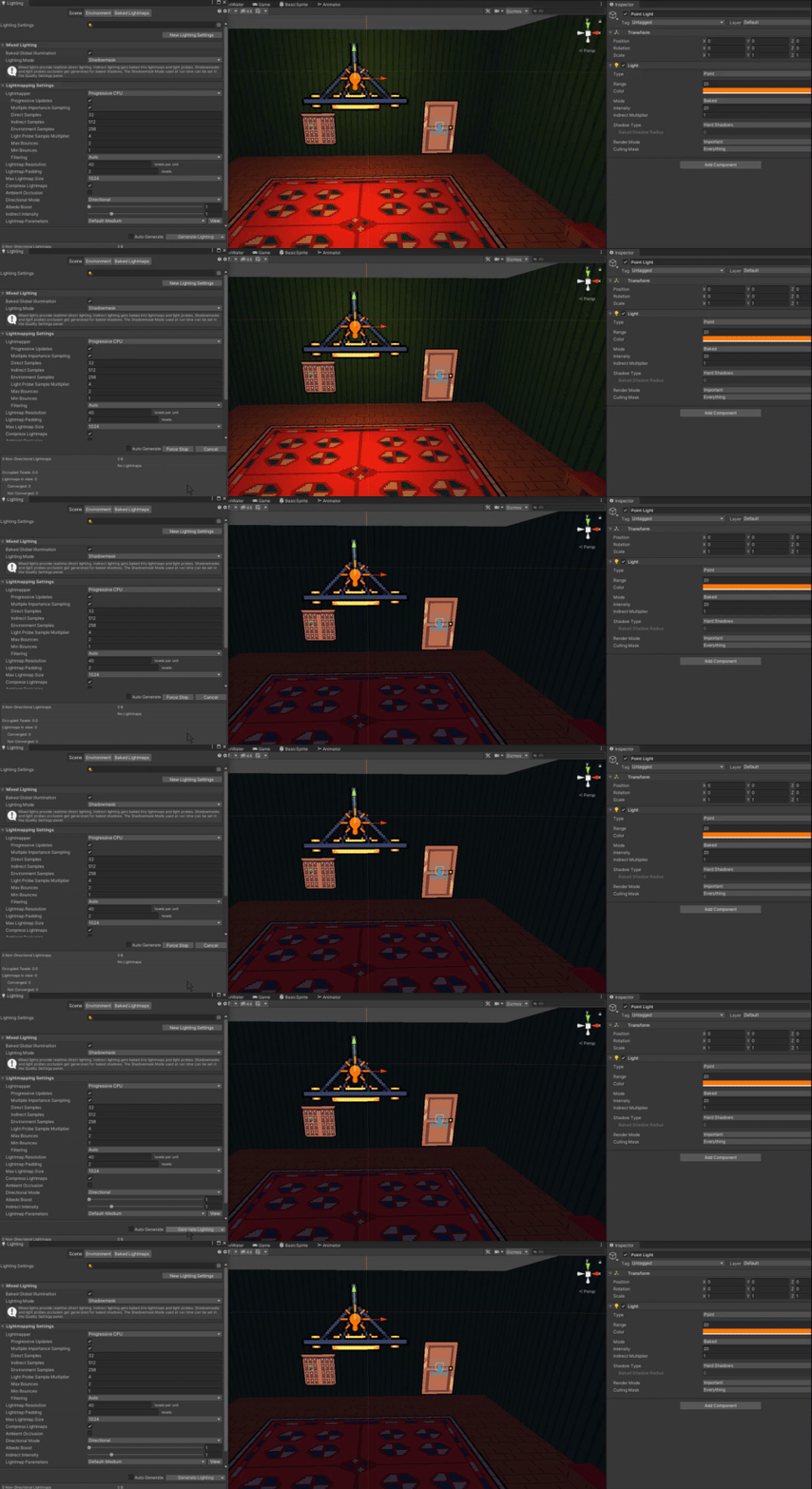
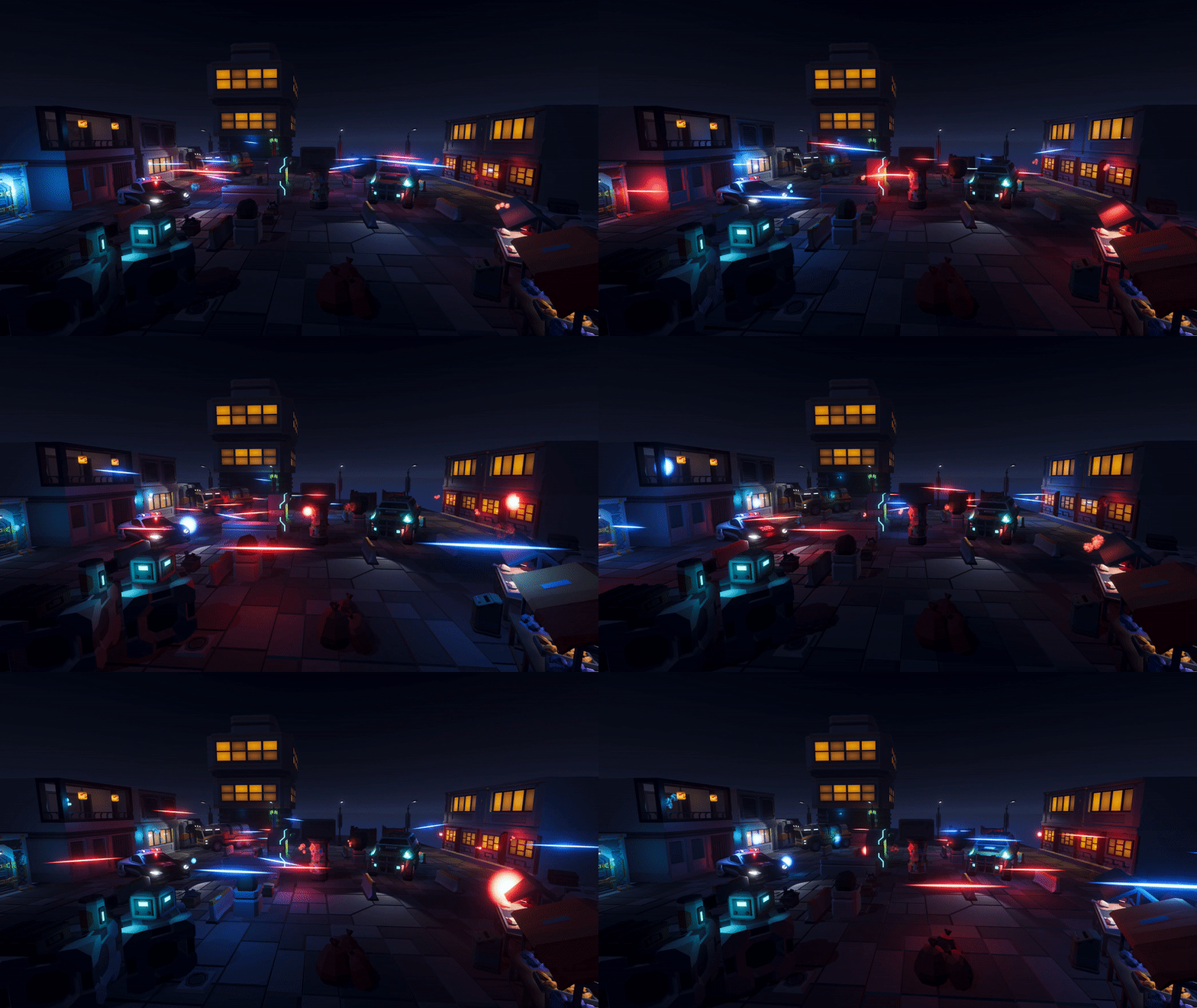


 north fable
oh god no sorry
deft fiber
 misty ice
im having this really weird problem when i get close to walls in my game, any he...
misty ice
im having this really weird problem when i get close to walls in my game, any he...
Do you have more info or a video of it? Really hard to see what's going on