#archived-lighting
1 messages · Page 56 of 1
 supple carbon
 olive iris
supple carbon
since i made the project about 4 months ago on the same version of unity
olive iris
supple carbon
since i made the project about 4 months ago on the same version of unity
What is stopping you from clicking create new project or new scene?
supple carbon
olive iris
What is stopping you from clicking create new project or new scene?
Nothing i was just never worried about it. even in a new scene it still doesnt work
olive iris
How about a new project from the Hub?
olive iris
supple carbon
Nevermind i fixed it
And? What did you do?
supple carbon
olive iris
And? What did you do?
i forgot i turned Baked Global illumination off
olive iris
😅 Yeah, that would be the first thing to check on your own. 😄
supple carbon
never knew it stopped those really dont do baked lighting
 odd flax
mixed
 gaunt kite
ANy idea what could cause this


this world is for vrchat so its on 2018.4.20f1 I think
 hoary fossil
 gaunt kite
ANy idea what could cause this
gaunt kite
gaunt kite
ANy idea what could cause this

It was a UV overlap issue, I wasnt generating UV's on imports, so it was kinda cramming shit together
 olive iris
 opaque ice
You answered your own quesotion...you find the directional light or just click on the sun light on top right under the skybox...and reduce it.
opaque ice
sorry , but which option ?? there is no sun light option under skybox
 brazen lion
Hello guys,
I am doing engine research for our next projects and I was wondering if you could point me in the right direction. We plan to do a sandbox game where every object in the game can be built/destroyed by a player. Therefore all the scene is going to be fully dynamic. My question is - does Unity support dynamic lighting without baking lights? So far I have encountered only baked lightmaps + light probes (which we also can't use). Also, is there a solution for dynamic reflections? (myabe screen space reflection with dynamic probes?)
olive iris
opaque ice
sorry , but which option ?? there is no sun light option under skybox
The light itself....
gaunt kite
Check the intensity of your directional light @opaque ice
 dense parrot
If I have the real-time GI and baked lightmaps turned off, and I hit “generate lighting” what happens? All I can think is it bakes the ambient light probes
Did you want this answered?
In “project settings > quality” I recall a setting that’s light “max point light count”, you may try that
dense parrot
Depends on your target. If mobile, then low as possible. If it’s high end PCs, you could go as high as 100 without significant impact I would assume
Objects are drawn once per pixel lights that touch them. So an object within range of 100 lights is as costly as 100 objects
I would test performance on your ideal machine, I can’t make a guess as there’s a lot of factors
 sullen acorn
i'm a very begginer and i wanna make a project , but the last project i made looked very dead because of the ligth and the look in general , it seemed too "original cube" (well it wase made with cubes but still)
also ligth is very frustrating cuz there is always a part of a cube that is totally black
any advices on how i can make my game look alive and flashy
the only solution i found for now is to put two directional ligths
 grim magnet
hey guys is ther a way i can make all 4 of my walls not dark? or do i need 2 directional lights

 stark temple
@sullen acorn @grim magnet change the ambient light (Environment Lighting) or bake lighting. Both can be done in the Lighting Window https://docs.unity3d.com/Manual/lighting-window.html
grim magnet
i dont see that but ill try to find it thanks
yea i tried to put the directional light up top
but it didnt work

nothing is ambient lighting and the 3-4 options
dont work
stark temple
 grim magnet
i dont have that or its not the same
i think i found it
i like the 2 directional lights better

when i dup this one tho it doesnt work out compleatly right
makes it mega bright

 mossy pivot
Duplicating a light just means double the brightness - you need half intensity on both now. Lighting does not reach a nice peak brightness - it just gets brighter and brighter until the whole scene is white or light color. Also the total brightness is ambient + all lights hitting an object. Lighting isn't easy!
Hopefully there is a tutorial on Unity's site
olive iris
@grim magnet https://youtu.be/ZtpmfpEJFtc

In this video I quickly show you how to brighten your surroundings and walls. These videos are mostly being created based on question that pop up regularly in Unity Official Discord and because I know a lot of the people are under age 18.
#lighting #beginner #lightingartist #unity3d #unityengine #unity #environmentlighting #blackwalls #directio...
olive iris
@grim magnet https://youtu.be/v89oQUYp-jk
In this video I show how I would setup a basic HDRI skybox to light up my environment, instead of other beginner methods that does not give accurate lighting.
#lighting #beginner #lightingartist #unity3d #unityengine #unity #environmentlighting #blackwalls #directionallight #skybox #tips #tricks #bakedlighting #realtimelighting #g...
 timber lichen
How to create a showroom style interior with more than ten ceiling lights...when I tried only two lights is getting active...
timber lichen
dense parrot
In “project settings > quality” I recall a setting that’s light “max point light...
Where can I find it I couldn't locate it...if possible can you share a screenshot
olive iris
timber lichen
Where can I find it I couldn't locate it...if possible can you share a screensho...
What pipeline are you using?
 somber dragon
hey I need to ask about lighting in unity editor
learning the tutorials, but the illumination is not sufficient for me, how do I setup a proper lighting to see my objects properly
olive iris
What is proper? @somber dragon What did you try? What do you want it to look like?
somber dragon
olive iris
What is proper? <@331644737553694721> What did you try? What do you want it to l...
I want to add illumination around the shadows so that I can see then
by default theres just a directional light,
how do you add ambient occlusion to it, I think thats the lighting term
olive iris
There is literally two links above your question that might be relevant to you.
somber dragon
ok thx
olive iris
Try them out. And come back if you need more.
timber lichen
can anyone help me? How do i turn on volumetric lighting ?
i'm new to unity
olive iris
timber lichen
can anyone help me? How do i turn on volumetric lighting ?
i'm new to unity
Are you telling me you did not find the answer online?

 olive iris
timber lichen
i tried to search on youtube
olive iris
timber lichen
i tried to search on youtube
What did you search for?
timber lichen
 olive iris
What link showed up?
timber lichen
Can you just help me
olive iris
timber lichen
Can you just help me
I am helping you to be a life long problem solver on things all of us know are on the internet if you just know how to search for it.
stark temple
timber lichen
Can you just help me
Do not cross-post.
This has already been discussed in #💻┃unity-talk
timber lichen
sorry
olive iris
And if you can not find it. I might make the video for you. So, show me what you found. Because I find it hard you could not find one of the top ranking topics in this server, and online.
olive iris
@timber lichen How old are you?
timber lichen
14
olive iris
I suspected so.
@timber lichen I dont expect you to know how to find information as easily at age 14 🙂
But, you can learn. 😄
So you want to do volumetric lighting? Do you know what unity version you are using and if you are using hdrp or urdp or ?
timber lichen
i saw on youtube that i need to have HDRP for volumetric lighting
and i don't have that option there
i have pipeline
olive iris
You know the window where you create new projects, unity hub?
@timber lichen Do this for now by creating a new hdrp project
 olive iris
Why are you not following a youtube tutorial next?
timber lichen
oh it was not volumetric lighting
 drifting panther
guys so my shadows aren't rendering
timber lichen
olive iris
What pipeline are you using?
URP.I was creating an environment with hdrp then I came to know it's not working properly for mobile games so switched to URP
olive iris
drifting panther
guys so my shadows aren't rendering

Creative Outburst
There you are. Working dedicatedly and persistently until you stumble upon some issues. You look around and there is no help to be found. After all, you are probably working from home. You pull up …
 golden tapir
Anybody can help me because i got a scene with floor and walls and the floor is fully illuminated even tough the light is in spot mode the light is baked btw
 prime thicket
golden tapir
Anybody can help me because i got a scene with floor and walls and the floor is ...
prime thicket
golden tapir
Anybody can help me because i got a scene with floor and walls and the floor is ...
on your lighting settings, on the enviroment tab, mess around with the skybox intensity
gaunt kite
What causes this muddiness?


It only seems to occur on the walls, which have this plaster texture

Still clustering, but I dont think its gonna fix once its all done
Wil keep updated
Could it be a result of Area Error?
 gaunt kite
Ok switching from soft to hard shadows seems to fix it!

 olive iris
gaunt kite
Ok switching from soft to hard shadows seems to fix it!
olive iris
gaunt kite
Ok switching from soft to hard shadows seems to fix it!
Increase your texture resolution for the walls or everything.
olive iris
golden tapir
Anybody can help me because i got a scene with floor and walls and the floor is ...
Check videos above
 solid sluice
im having an issue with shadows on my terrain, when the camera gets further from the terrain the LOD of the terrain decreases and it causes these errors

the X shaped shadows on the side of the hill
would appreciate any advice
 mint folio
solid sluice
im having an issue with shadows on my terrain, when the camera gets further from...
mint folio
solid sluice
im having an issue with shadows on my terrain, when the camera gets further from...
I'm not very good at unity, I have been doing a lot of research in Shaders and RP's as of recently and I would recommend looking at the render pipeline your using in the project manager and messing with the shadows there to see if you can fix it.
Also, that's most likely an optimization unity has automatically implemented into the pipeline your using, so it should be editable in the project manager
 silk lichen
so, I have an enclosed room but the floor still gets this sun reflection like there were no walls or roof around it, how can I stop this reflection from being rendered?

 warm gyro
is there a Bakery equivalent for AMD cards? im using 2018.4.20f1 Im trying to bake lights on my first ever map and dont wanna wait 3hrs just to have to slightly tweak settings and wait another 3hrs
 bitter ice
hoary fossil
bitter ice
hoary fossil
i really love that
 balmy agate
What's up with this fog being stuck to the ground
I've tried googling this error but I can't seem to find anything unless I'm just googling the wrong things
I can't figure out why in the world it's doing that
It's almost like the fog is baked into the ground texture data or something
I'm using Unity 2021.1.0b11.2079 with the URP template
mint folio
probs need to mess with the URP in project manager
 stray lily
my lights are not working, when I restart the level they go dim
 muted karma
Hi, everyone.
I'm stuck at some weird moment with URP Light. My point light not working, but directional works good. In pipeline max lights set to 8.

 woven crane
How can I make ambient lighting more intense?
I want these shadows to be gone

In the lighting window the max is 1

But I need more
 covert stirrup
If you don't want shadows you should use an unlit material @woven crane
woven crane
covert stirrup
If you don't want shadows you should use an unlit material <@!265576795347091458...
Sorry but, I cannot find any option like that in the material window, where is it?
 covert stirrup
change the shader at the top
woven crane
covert stirrup
change the shader at the top
I tried unlit and

it worked a little too well
I basically just need the shadows here to be softer

like noticable
covert stirrup
Try lowering the intensity on your directional light instead perhaps
woven crane
covert stirrup
Try lowering the intensity on your directional light instead perhaps
No it isnt working, although I am trying out brackeys tutorial on how to add post processing
I will try to mess around with shadows in post processing and make it work there
 wanton valley
Hi guys. Please help me. I get strange shadows flickering when move camera and my player https://imgur.com/a/Xt0uPht

What am I missing?
 mystic dew
wanton valley
Hi guys. Please help me. I get strange shadows flickering when move camera and m...
mystic dew
wanton valley
Hi guys. Please help me. I get strange shadows flickering when move camera and m...
seems like your VFX books not rendering when its out from camera view?
wanton valley
How can I fix that? It seems only the shadows are flickering, the books themselfs did not bug @mystic dew
olive iris
woven crane
No it isnt working, although I am trying out brackeys tutorial on how to add pos...
you have videos on top showing you how to do this properly
 drowsy pelican
finally got raymarched volumetric lighting working in URP
probably needs lots of optimization but renders in <5ms on gtx 1650
drowsy pelican
wow, seeing a lot of frowny faces in lighting.hlsl
timber lichen
Hi folks, can an emissive material dynamically light other objects in a scene? I have a movie texture and I wanted to know if I can make it illuminate objects in the scene.
balmy agate
mint folio
probs need to mess with the URP in project manager
Where is the project manager
balmy agate
Nvm I was able to fix the fog problem by splitting the ground up into several different cubes
 scenic summit

 supple patrol
wanton valley
How can I fix that? It seems only the shadows are flickering, the books themself...
supple patrol
wanton valley
How can I fix that? It seems only the shadows are flickering, the books themself...
you sure your vfx doesn't get culled? Try increasing the box for those effects
wanton valley
@supple patrol Hey! Yes, I tried to tweak the whole boundary box (AAbox)
Made it 1000 x 1000 x 1000 but the problem still persists.
The VFX particles does not disappear. The problem is only in the shadows :/
 sharp cedar
Isnt 2021.1 supposed to have a new realtime gi system?
 lone pier

This keeps happening to my scene when I try to build the lighting. Could someone let me know what causes this and how I can prevent/fix it?
 frail quartz
How is this room being lit? I have no lights inside at all. I want it to be completely dark so I can add my own lights.

I also want to know why only the sidewall I am looking at is lit. Shouldn't the wall to the left and top of it also be lit?
 austere drum
is it possible to control global illumination intensity per object unity?
for a moving object?

I have a cockpit whos brightness I would like to ramp up as screens turn on effectively faking light coming into the cockpit
any idea on how this could be done?
 errant rose
sharp cedar
Isnt 2021.1 supposed to have a new realtime gi system?
errant rose
sharp cedar
Isnt 2021.1 supposed to have a new realtime gi system?
what's old is new again, yes. enlighten real-time GI is coming back in a new implementation for URP & HDRP. looks like this and other GI features are being tracked on a new roadmap page: https://portal.productboard.com/unity/1-unity-platform-rendering-visual-effects/tabs/64-global-illumination
Product roadmap and feature requests. Welcome to our product portal.
olive iris
frail quartz
How is this room being lit? I have no lights inside at all. I want it to be comp...
Turn off ambience under lighting tab.
errant rose
austere drum
I have a cockpit whos brightness I would like to ramp up as screens turn on effe...
you could bake lighting with a bunch of area lights (one for each screen), then animate & interpolate textures/lightmaps from the "screens off" state to the "screens on" state. or something similar, like you were saying if you could just animate the amount of GI intensity / contribution that could work too though i'm not sure exactly how to do that.
olive iris
austere drum
I have a cockpit whos brightness I would like to ramp up as screens turn on effe...
Add light sources for that?
errant rose
yeah i mean you could use real-time lights for the interior cockpit instead of baked lights, it will just cost you in performance.. especially if you want it to look physically accurate.
so, just a consideration depending on your platform and performance budget
errant rose
austere drum
is it possible to control global illumination intensity per object unity?
not sure if you are using fully baked GI or real-time GI with probes? that and which render pipeline you are using are likely to be factors in how you would accomplish this exactly.
supple patrol
austere drum
any idea on how this could be done?
maybe bake multiple lightmaps with separate monitors on, then use a technique like this one?
http://wiki.unity3d.com/index.php/LightMapSwitcher?_ga=2.230081688.584468206.1615907991-1397480526.1601299161
Propably finicky to set up, maybe limiting in features later on but would safe system ressources.
errant rose
supple patrol
maybe bake multiple lightmaps with separate monitors on, then use a technique li...
cc @austere drum I was looking at this, though currently it seems Lightmaps must be copied from RenderTexture on the GPU to Texture2D on the CPU which has a hefty performance cost to do in real-time / every frame which would be required for a smooth blend transition between lightmaps. It seems Unity devs are open to improving Lightmaps to support RenderTexture in the future however as the discussion this forum thread shows: https://forum.unity.com/threads/support-supplying-lightmaps-as-texture-instances-rather-than-texture2d.993138/
Unity Forum
An in-development project I'm a part of necessitates dynamic manipulation of lightmap textures. Currently this is being handled by using...
errant rose
austere drum
is it possible to control global illumination intensity per object unity?
so, since blending between 2 lightmaps is not very feasible (right now) I followed up on your original idea to just control the intensity / contribution of Baked GI. (which is all you need for your particular use case.) this Shader Graph example with HDRP is very much incorrect in the sense that I haven't taken the time to fully replicate the Lit shader in shader, but i did prove that it would be possible to add such control using Shader Graph via this Baked GI node which is available for both URP and HDRP: https://docs.unity3d.com/Packages/com.unity.shadergraph@10.4/manual/Baked-GI-Node.html

 thorny tundra
Guys do you know what happened here? I can't alter any lights or add new ones. New ones don't project anything either

Oh and on other levels where lighting still works, if I turn auto generation off they turn off too and don't turn back on even if the auto generation is turned back on
frail quartz
What is wrong with the lighting in my room? There are no lights inside at all, but some walls are still lit. I turned off ambient lights in Light Settings. Some of the walls are purely black too and the floor is lit infinitely.
 austere drum
wohha you guys are awesome!! @errant rose @supple patrol @olive iris !
this is meant to run on the quest. aka 4 year old mobile tech at 72 fps haha
so real time lights are a no go
supple patrol
you figured it out? how did you achieve your goal?
austere drum
not yet! was going to take the day to figure this one out
we have thought about doing a shader based approach, but then this would involve animating like 10 material at the same time for this effect
the end goal can be quite crude
basically cockpit glowing at full bright and then none.
as screens turn on I just ramp this up.
ive not messed with light probes and wondered if I could parent them to my cockpit? as to carry around there own bake information with the mech and then some how turn up and down the intensity as needed.
this would reduce the amount of friction when designing as they would effect all materials they are in contact with.
austere drum
errant rose
you could bake lighting with a bunch of area lights (one for each screen), then ...
is there a method for doing this? basically have the cockpit carry around its own mini pack of light maps?
supple patrol
pretty sure you can add lightprobes to prefabs, but i don't think it would work for a moving object
austere drum
errant rose
so, since blending between 2 lightmaps is not very feasible (right now) I follow...
ohh this is super interesting!
austere drum
supple patrol
pretty sure you can add lightprobes to prefabs, but i don't think it would work ...
yeah its interesting, I dont need half the tech that light probes provide just the local independence that controls light intensity
 upbeat trench
how do i fix this i dont wnat it to show black!

how do i fix this i dont wnat it to show black!
 austere drum
upbeat trench
how do i fix this i dont wnat it to show black!
austere drum
upbeat trench
how do i fix this i dont wnat it to show black!
add an hdri to the sky or play with the enthronement ambient light values
upbeat trench
thank ya
 wanton valley
Hey guys. I still have this problem #archived-lighting message
Any idea?
 static jackal
Sent this in 3d channel but its way more relevant here

Fog lights up dark places way too much, is there something i can do to it?
This is wihtout fog (too dark as i tried turning ambient light down to fix the first one)
 supple patrol
post your fog volume settings
static jackal
Managed to narrow it down to being about the terrain that i used as the ground
It doesnt seem to play well with lights :(
brazen lion
Hello guys, can you please tell me, did the Global Illumination Ray tracing override got removed in Unity 2020.2. ? When I started the HDRP+DXR example project in v2019 the option was still there.

 late smelt
Anybody any idea why my second portal isnt being lit even tho its a direct duplication just with a sprite change
 static jackal
What causes this banding? Is there easy way to mitigate it?

 pulsar aspen
static jackal
What causes this banding? Is there easy way to mitigate it?
pulsar aspen
static jackal
What causes this banding? Is there easy way to mitigate it?
check your quality settings
check light settings, bias etc
static jackal
Got that solved, been playing with lighting non stop :D
I have another issue now
Why does this object catch ambient lighting, the selected object is shadowscasting box

leaving a gap between the wall and the shadow caster seems to work
olive iris
upbeat trench
how do i fix this i dont wnat it to show black!
Videos for that are above
 dusky wolf
Hi guys, I'm hoping this is the right channel but how can I make this object, or I guess the material to not have shadows on it and have it's emission not be affected by directional light

this is how it's supposed to look
 static jackal
You would have to make a shader for that
If you are on universal render pipeline you can use the unlit base shader they provide and start from there
dusky wolf
I am using a shader but it seems like the directional light is overpowering the emission, I used the HDRP template and made a new scene with HDRP, the difference between the screenshots above is me turning on/off the 'Sun' which is the default directional light in that scene


 stable patio
 solemn sigil
What can cause my baked lighting to look like this?
solemn sigil
What can cause my baked lighting to look like this?
it looks like you have wrong bias on your direction light
olive iris
solemn sigil
What can cause my baked lighting to look like this?
Bias on your light
upbeat trench
olive iris
Videos for that are above
what videos
solemn sigil
Thanks guys!
I use URP and it seems to be hard to adjust the biases correctly. Feels like no matter what value I put there's artifacts


 summer aspen
solemn sigil
summer aspen
solemn sigil
At least one solution is to set on Mesh Renderer to cast shadows Two Sided
solemn sigil
That does seem sligthly better. Thank you!
timber lichen
is there any way to have shadows with real time lighting
 stable patio
solemn sigil
stable patio
solemn sigil
you see light going through because your mesh is flat shaded meaning vertices/edges aren't connected, if you were to smooth out the models it would fix light passing through character, also if every polygon will be flat you can make shader to turn even smoothed out model into flat one without disconnecting vertices/edges so light will cast properly.
solemn sigil
Oh I didn't know edges were disconnected in flat shading
Any way to achieve good shadows with flat shaded models? I'd rather not change the models
 cyan bronze
Flat shading doesn't mean your edges/vertices aren't connected, it means that the polygon has one normal vector across the entire surface which is what gives the surface it's flat look since the normal vectors aren't being interpolated between vertices like with Phong shading.
 vague nexus
hey guys does anyone know a technique to make a sun appear in the sky? like some sort of sprite but infinitely far away? without putting it in the skybox cuz i want it to move
 rustic wren
How do you guys deal with area lights and specular highlights? If I use a point light here set to mixed, I get nice specular highlights on the ceiling (first light in picture). But if I use an area light, which looks more accurate, I get no specular highlights (far back in the picture).

I have reflection probes here, but they don't seem to help.
Furthermore, it would be very nice if I could just have emission here without any lights, and then bake that. But again, that yields no specular reflections despite there being a reflection probe.
 thorn musk
I've been fiddling with the lighting settings on the light inspector, but can't seem to be able to reduce the intensity. Any clue?

Trying to make it look like this (Blender view)
 summer aspen
@thorn musk You usually want some environmental lighting to not have completely black blind spots and direction lighting for shadows.
thorn musk
@summer aspen Sure, but how would that be achieved on Unity?
summer aspen
Setup environmental lighting
thorn musk
@summer aspen I intent to do so, but what I was hoping for was instructions on how to do so.
summer aspen
You should lookup environmental lighting. Exploring manual is important when learning, there's a lot of additional information in there.
thorn musk
@summer aspen I have been looking at the manual. It seemed to me that my question was quite clear, though: I asked for clues; I don't see how suggesting to look into the manual would qualify as one.
Needless to say, there is no need to contribute if you don't wish to, so engaging with my request in a way that contributes to nothing isn't a wise use of either of our times, right?
Anyone have any suggestion on steps to set up the lighting in the first screenshot to look like the second?
summer aspen
thorn musk
<@!306009802096771072> I have been looking at the manual. It seemed to me that ...
This is a learning server. You should at least be able to google what you were pointed at as a solution. Make at least some effort.
thorn musk
@summer aspen Sorry, I have more than once highlighted that I have made an effort. There are many other learning servers I'm a part of where help was provided upon my asking identical questions.
In fact, throughout this conversation, I have been working on it. The assumption that I haven't is something you couldn't possibly have a basis for.
summer aspen
So which part of googling environmental lighting in Unity did you find difficult? https://www.google.com/search?q=environmental+lighting+unity&oq=environmental+lighting+unity&aqs=chrome..69i57j0i10j35i39i362l8...8.406j0j15&sourceid=chrome&ie=UTF-8
@thorn musk I suggest you concentrate on solving your problem and not spamming the channel instead.
thorn musk
@summer aspen None of it. I have opted to ask a question instead. There is nothing obliging you to engage with my question nor any use in you doing so in that manner. I would like to move on with asking for assistance, can we do that?
@summer aspen I have already tried to move on with our conversation since 13:12, as you can see in the log. If you don't mind, I'll start ignoring your remarks in the interest of focusing on the issue.
summer aspen
!mute 310876730506084363 1h Let me help you.
 tawdry schoonerBOT
 Lox#1819 was muted
 median isle
Could someone tell me why the game play preview is so grey compared to the editor? How do I fix this?
 summer aspen
Top left icons on the scene view, see if you have effects like fog turned off.
median isle
@summer aspen That did the trick but in game view its still foggy. Does that mean the final product will be foggy too?
summer aspen
Yep. Lookup fog settings, should be in Lighting.
median isle
Thank you very much @summer aspen
 rocky lodge
Is there any solution as to why this wall isn't receiving light even if the point light is in front of it? it happens whenever I put a light close to a model... But if I can't do that, how am I supposed to put lights on walls? 😭
 summer aspen
rocky lodge
Is there any solution as to why this wall isn't receiving light even if the poin...
summer aspen
rocky lodge
Is there any solution as to why this wall isn't receiving light even if the poin...
Should point out which render pipeline is in use here. It could be max limit of lights reached or unlit shader used in material, which would ignore lighting entirely.
rocky lodge
summer aspen
Should point out which render pipeline is in use here. It could be max limit of ...
I'm using the built in pipeline and I only have one directional light and that point light!
summer aspen
And what shader the wall is using?
rocky lodge
summer aspen
And what shader the wall is using?
the standard
summer aspen
@rocky lodge How did you construct the wall?
is it default object?
Create default cube and place it in front of the wall. Does it receive the light?
rocky lodge
no!, its a simple model i did on blender, all vertex are closed and the normals are seemingly ok
rocky lodge
summer aspen
Create default cube and place it in front of the wall. Does it receive the light...
sure wait

 summer aspen
Does the cube receive the light?
rocky lodge
nope
that wall is the cube
it gets, but just a tiny bit

where as the other object is way more bright and it's further from the light source
summer aspen
If it receives the light then issue is with the light, not bright enough or spread out to large distance. Did you try increasing intencity?
rocky lodge
summer aspen
If it receives the light then issue is with the light, not bright enough or spre...
the thing is, it receives light, buuuut whenever i put the light closer to the geometry it goes dark

 summer aspen
The light has near plane setting for that
summer aspen
it's on the light
rocky lodge
oh I tried modifying that but there's no change 🥲
summer aspen
play around with settings, maybe on the renderer. Something controls light precision, where it starts, it also could be shadow related
rocky lodge
I'll try playing around settings. I've been searching all day on google but i haven't fin anything
summer aspen
By default light works up to the point of contact, so something was changed.
rocky lodge
I have been messing with the config for making it run better on mobile, I have never done something like this so I'm a bit lost in this haha thanks for the help, I hope I repair it asap
rocky lodge
summer aspen
By default light works up to the point of contact, so something was changed.
I changed this and now it seems to work at least better :D

idk what this does but if I put it at 2 doesn't do that weird thing from before
summer aspen
Yep, at 0 it break close range lighting.
rocky lodge
summer aspen
Yep, at 0 it break close range lighting.
one last question, does it affect much on performance?
summer aspen
I have no idea. If you want performance URP supposed to be better for mobile performance in some configurations. I don't have personal frame of reference.
rocky lodge
summer aspen
I have no idea. If you want performance URP supposed to be better for mobile per...
oh well.... I started all this on the built in and when I change to urp my shaders stop working. And one of them is script shader so I have no idea how to fix it hhaha well thanks again for your help!
summer aspen
Shader Graph is easy to get into and recreate most of the stuff. Should ask in #archived-shaders .
rocky lodge
summer aspen
Shader Graph is easy to get into and recreate most of the stuff. Should ask in <...
sure thx
cyan bronze
rustic wren
How do you guys deal with area lights and specular highlights? If I use a point ...
Based on that scene there the far back light is more realistic. You wouldn't really get specular highlight on the ceiling like the first one if the light is inset into the ceiling. The highlights you would get on a ceiling like that in real life would usually be bounce light from other reflective surfaces in the hallway. My suggestion would be to change the wall and floor material to be something slightly reflective to capture nice specular highlights rather than the ceiling. Though if the ceiling is your specific goal I'd opt for sticking with a point light. It's not the most realistic, it just depends on whether realism is your goal.
wanton valley
Yo. Why my directional light goes through the terrain ? I am using HDRP 7.5.3

Is this bug?
Its something from Anisotropy setting, it is allow the light to comes through
 meager juniper
I hope this is a good place for this-
My flare is being weird
This is the texture


This is how it shows
How do i fix this?
silk lichen
guys does realtime light make light probes useless? I'm trying to implement a day-night cycle in my game but I'm not sure how that would work with bounce lights on non-static objects (URP 2020.1)
cyan bronze
 orchid solar
Reflection Probe isn't capturing environment, just the skybox
orchid solar
Reflection Probe isn't capturing environment, just the skybox
Are the objects you're looking to reflect set to static? You can't reflect dynamic objects in a baked reflection probe unless you set it to custom and include dynamic objects. Though as far as I know this only bakes the dyanmic object into the reflection, it won't be a realtime reflection.
orchid solar
I wish I knew that. I downloaded a script that captures the cubemap of the environment @cyan bronze thank you I'll try that out
cyan bronze
Yeah so that's what the bake function of the reflection probe is doing. It's capturing a cubemap of the environment from the spot which the probe is located.
Hopefully you get it sorted out 🙂 good luck!

 cerulean belfry
hi, i was directed here from #💻┃code-beginner so i could ask for help on #💻┃code-beginner message. anybody? i have the description on the linked message
cerulean belfry
nevermind, i got it figured out
 dusk mica
hi guys someone know why i have this options disabled?

 mellow sierra
You have to be using the 2D renderer with URP to access 2D Lights.
wanton valley
Hi guys. Please tell me why my shadows are flickering like that? I am using HDRP https://imgur.com/a/w5ZhYeJ
Tried everything and cannot find the reason :/
It is something from the grass
 spark fractal
wanton valley
Hi guys. Please tell me why my shadows are flickering like that? I am using HDRP...
spark fractal
wanton valley
Hi guys. Please tell me why my shadows are flickering like that? I am using HDRP...
Nope tree's cull for some reason on terrain
I had this problem myself and i have no idea what the solution is
This is less a shader problem more a unity problem, for some reason they cull trees including the shadows.
I'm not sure why this is not a more well known issue 🤔
Unity Forum
I have an issue in my VR game where looking away from a tree causes it's shadow to vanish, it make my sunset forest scene look awful.
What can i do?
I posted about this here a long time ago but never got a response on how to fix it
 hard grail
Anybody have a weird issue where when they bake lighting, volumetric light doesn't appear?
What would cause that


exact same light prefab, on the opposite side of the room
one shows volumetrics, the other doesnt
I have a bunch of lights acting like this
 quick saddle
anyone know a good tutorial on sun rays?
I looked in google but all I find are assets
I want to learn how it's done
nvm found this

GitHub
A light shafts (volumetric shadows) effect for Unity. - robertcupisz/LightShafts
brazen lion
Hello guys, can you please help me? I am trying to find out a solution for a problem, where my completely enclosed room is being lit from Sky and Fog Volume. I'd like to have a complete darkness there. The scene needs to be completely dynamic.

later on I want to have a directional light coming through a window and the room will be partially lit with GI
But for now I can't figure out how to make this pitch black
supple patrol
A "solution" would be to have a local Volume with different Lighting Settings. But I can't tell you if this is a hacky workaround or a valid solution to your problem.
olive iris
upbeat trench
what videos
https://www.youtube.com/watch?v=ZtpmfpEJFtc
https://www.youtube.com/watch?v=v89oQUYp-jk
https://www.youtube.com/watch?v=1cjKPU_3A4A
https://www.youtube.com/watch?v=Plp-LEm_G4A
In this video I quickly show you how to brighten your surroundings and walls. These videos are mostly being created based on question that pop up regularly in Unity Official Discord and because I know a lot of the people are under age 18.
#lighting #beginner #lightingartist #unity3d #unityengine #unity #environmentlighting #blackwalls #directio...
In this video I show how I would setup a basic HDRI skybox to light up my environment, instead of other beginner methods that does not give accurate lighting.
#lighting #beginner #lightingartist #unity3d #unityengine #unity #environmentlighting #blackwalls #directionallight #skybox #tips #tricks #bakedlighting #realtimelighting #g...

This short video is to show the principles of using Unity Layers on Objects which is then used to ignore them during Occlusion so light will not affect them. This allows you to finetune your lighting and get more control to solve different issues.
10h Unreal Lighting Course - https://www.wingfox.com/c/8221
My Artstation - https://www.artstation...
In this video we use Shadow Bias to adjust the shadows so they will connect to the objects on ground and overall around the scene. It also quickly explains the theory of solving light coming through walls for baking. #lighting #shadow #bias #clipping #unity #unity3d #unityengine #gameengine #lookdevelopment #postprocessing #spotlight
10h Unreal...
olive iris
timber lichen
is there any way to have shadows with real time lighting
It says shadow right under it.
timber lichen
olive iris
It says shadow right under it.
It doesn't work
Oh I screenshotted the wrong thing
The shadow wasn't working in realtime
olive iris
rustic wren
How do you guys deal with area lights and specular highlights? If I use a point ...
You add a second non shadow casting real time light.
olive iris
timber lichen
The shadow wasn't working in realtime
It works. You are just doing something you are not suppose to do be doing.
timber lichen
olive iris
It works. You are just doing something you are not suppose to do be doing.
Not for me
There's an error when i put shadows on
rustic wren
olive iris
You add a second non shadow casting real time light.
Won't that add extra lighting?
timber lichen
I'll screen shot it when I get home
olive iris
wanton valley
Yo. Why my directional light goes through the terrain ? I am using HDRP 7.5.3
seens like a flare or fog issue but unsure since your screen does not show the light settings.
olive iris
timber lichen
I'll screen shot it when I get home
You do that.
olive iris
rustic wren
Won't that add extra lighting?
Super cheap.
rustic wren
No I mean won't that literally contribute to more lighting in the scene
which is not what I want
olive iris
Not if you balance it out.
You divided the intensity.
So if you have 5 right now, you can do 3 and 2 etc
olive iris
meager juniper
I hope this is a good place for this-
My flare is being weird
There is a flare already in Unity, open it up and check it out first.
olive iris
hard grail
Anybody have a weird issue where when they bake lighting, volumetric light doesn...
Because you are baking it and not using mixed lighting on your light or real time?
olive iris
brazen lion
Hello guys, can you please help me? I am trying to find out a solution for a pro...
Lighting Tab - Environment Reflection and Skybox, play with them such as turning them off or into black.
timber lichen
olive iris
It says shadow right under it.

I have to use baked lighting which i completely suck at
olive iris
timber lichen
it says it clearly that it is not suppose to work for point lights using the pipeline you are usinag right now.
olive iris
timber lichen
So the pipeline im using is not supported
you are using URP I assume
timber lichen
olive iris
you are using URP I assume
yes
hard grail
olive iris
Because you are baking it and not using mixed lighting on your light or real tim...
I have mixed on all my light sources
hard grail
I'm also getting a lot of lights just not baking at all

That's it baked
thats without a bake

It seems to be related to shadow mask
If I select 'baked indirect'
They appear fine
 worldly nova
Hey guys looking for some help to understand lighting systems

So im trying to have a nice clean mesh with like deleted faces that will never be seen
but when i do, shadows seem to be strange
why is there that diagonal column of shadow, why is it all not a shadow from the ceiling of this mesh
worldly nova
fixed by just making mesh have faces on each side
 wet locust
@olive iris what do you know about 'peter panning'? Is it unavoidable? Only thing I have seen is to turn the bias down, but that doesn't fix the problem

it's bad enough the shadow doesn't meet at the bottom of the shelf, but it shows books which would be impossible to cast a shadow through the shelf
I recreated it with just regular cubes to rule out any mesh issues;

the light comes in roughly the angle of the red line. That's f'ing horrid. I didn't realise Unity was so terrible. When I googled it I found the name 'peter panning' but no solutions.
Is there anything you can tell me about it? Am I really stuck with this crap? It makes me want to use a different game engine
 lilac fern
wanton valley
Hi guys. Please tell me why my shadows are flickering like that? I am using HDRP...
lilac fern
wanton valley
Hi guys. Please tell me why my shadows are flickering like that? I am using HDRP...
It might be related to this. Check the very bottom message and watch the video. https://forum.unity.com/threads/shadows-not-working-with-draw-instanced-on-split-terrains-in-hdrp-7-5-3.1061891/
Unity Forum
Hey Everyone,
I recently switched my project over to HDRP and have been having huge issues with the shadows on the terrain.
I am using 2019.4.20f1...
lilac fern
silk lichen
guys does realtime light make light probes useless? I'm trying to implement a d...
You need to use real time GI, which isn’t available in 2020. It’s coming back in 2021.2. It’s there currently actually in the most recent release of 2021.2. It’s in the lighting settings.
olive iris
@wet locust Try this as you pointed out, to be sure you tried it https://www.youtube.com/watch?v=Plp-LEm_G4A
In this video we use Shadow Bias to adjust the shadows so they will connect to the objects on ground and overall around the scene. It also quickly explains the theory of solving light coming through walls for baking. #lighting #shadow #bias #clipping #unity #unity3d #unityengine #gameengine #lookdevelopment #postprocessing #spotlight
10h Unreal...
@wet locust If that does not work it could be good to just have a look at how I might light first https://www.youtube.com/watch?v=Pn4Q_WRYxec
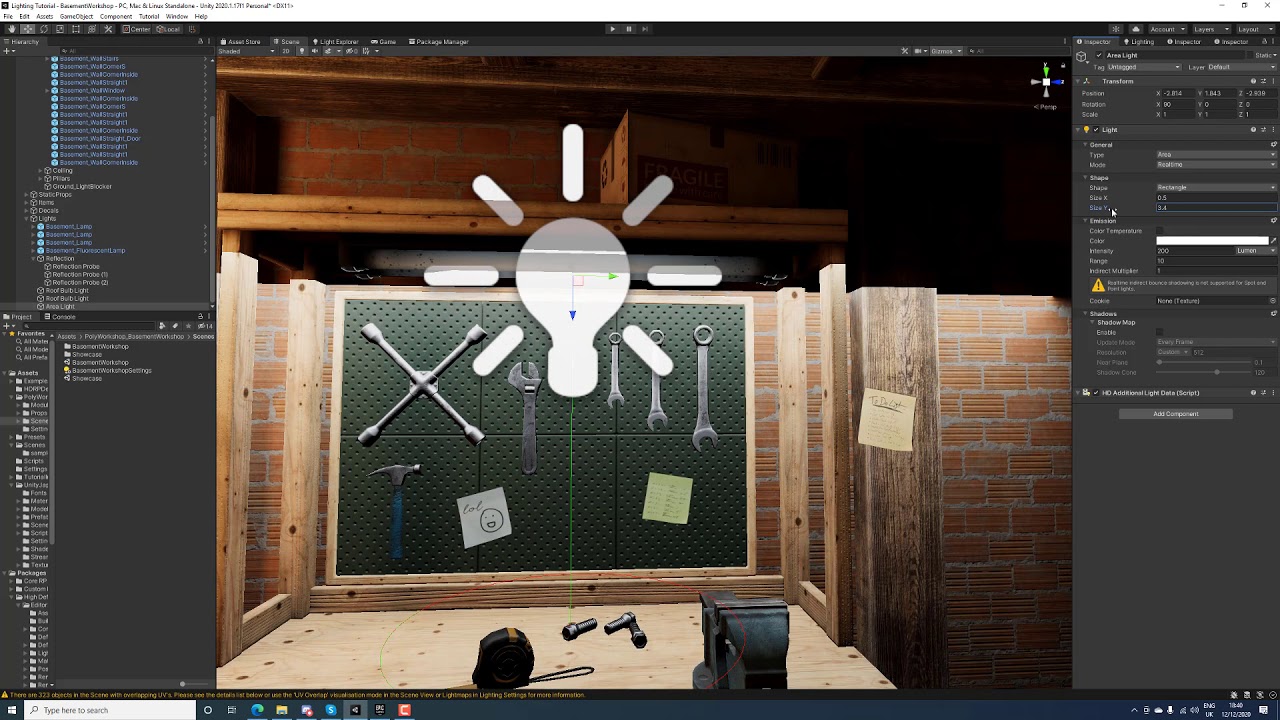
This is a very cut out lighting process for Unity 2020 HDRP. You get an idea of the thought process, colour theory, lumens intensity and general workflow that is useful to keep in mind when doing lighting in Unity. #hdrp #unity #tutorial #lighting #lightingartist #colortheory #composition #cinematic #gamedevelopment
10h Unreal Lighting Course -...
@wet locust Other things can be your mesh, like normals being wrong or you might need two sided shadow turned on, if you are baking it can be too low settings etc
olive iris
wet locust
Is there anything you can tell me about it? Am I really stuck with this crap? It...
No, it is just something with your settings, mesh, modeling, and so on.
olive iris
worldly nova
fixed by just making mesh have faces on each side
Or turn on two sided shadows if I understood it correctly
olive iris
hard grail
I'm also getting a lot of lights just not baking at all
First, get your lighting correct without the volumetric. Those volumetric can also be done as cheap mesh god rays.
wet locust
olive iris
No, it is just something with your settings, mesh, modeling, and so on.
Yes I watched the video about bias and that's exactly what I tried already. It reduces the gap but it's still really far like the screenshot I shared
In regards to the mesh, I ruled this out by doing a test using regular Unity cubes
I showed one shot already (with the red arrow line on it) which is just cubes arranged with the same point light. Here is another one where I have a point light above a stretched out cube. There should be no way for the light to go through/around but there is still a gap:
 olive iris
wet locust
Yes I watched the video about bias and that's exactly what I tried already. It r...
olive iris
wet locust
Yes I watched the video about bias and that's exactly what I tried already. It r...
I will think about it or you can send just that scene project to me and I will look at it.
hard grail
olive iris
First, get your lighting correct without the volumetric. Those volumetric can al...
Im using HDRP, even so, even with volumetrics turned off, the lighting appears incorrect. In some cases, the lighting doesn't appear at all
 dawn cape
Can anyone here help me with hdrp lighting?

Trying to light up this scene without killing my framerate
 rustic lark
I've learned that 2d lighting is a thing in unity - I want to simulate the sun but it's a little difficult because with a point light you generally get one area being better lit than the rest. I honestly don't know EXACTLY what I want, but I'd like it if my hills had more depth and had darker shades at the top. Does anyone know the right direction to point me in? Here's a screenshot of my dumb game 😛
(PS - yes this game is exactly what you think it is. Shhh :P)
 silk lichen
lilac fern
You need to use real time GI, which isn’t available in 2020. It’s coming back in...
silk lichen
lilac fern
You need to use real time GI, which isn’t available in 2020. It’s coming back in...
Understood, thank you
orchid solar
After generating lighting this happens, help please

 split grail
hey guys, i just did a full lighting generation and then i erased my directional light to see some stuff and now that i added another one, whenever the lighting does the process my walls and so look like this:
 split grail
orchid solar
After generating lighting this happens, help please
split grail
orchid solar
After generating lighting this happens, help please
guess im kinda getting same problem as you 😄
split grail
orchid solar
After generating lighting this happens, help please
still a little glitchy for me but i unticked "static" on a wall and ticket it back and the lights generated again and everything is back to normal
orchid solar
You just excluded the wall from the lightmap I believe
split grail
maybe idk, but it fixed all the other walls after reprocessing the lighting
idk if that's the issue you're having but kinda looks a little so you can try that out
olive iris
hard grail
Im using HDRP, even so, even with volumetrics turned off, the lighting appears i...
Exactly. Focus on lighting it first.
olive iris
orchid solar
After generating lighting this happens, help please
What is the issue for you?
olive iris
split grail
What is it you want?
split grail
my walls keep getting like that whenever I generate lighting
orchid solar
olive iris
What is the issue for you?
Up your brightness, the walls have weird shapes on them when I build lighting
olive iris
split grail
my walls keep getting like that whenever I generate lighting
What is "that"? I dont know your intended look.
olive iris
orchid solar
Up your brightness, the walls have weird shapes on them when I build lighting
What wierd shapes?
split grail
olive iris
What is "that"? I dont know your intended look.
nah its suposed to be a clean white painting
orchid solar
olive iris
What wierd shapes?
On the wall there are different shades and rectangular shapes. The wall is a solid color with no texture but after lighting it gets weird artifacts
olive iris
split grail
nah its suposed to be a clean white painting
I see a checker board on your wall
olive iris
orchid solar
On the wall there are different shades and rectangular shapes. The wall is a sol...
Increase resolution for baking
split grail
olive iris
I see a checker board on your wall
ahaha ye
split grail
olive iris
I see a checker board on your wall
its so weird, if i remove "static" from the wall and let it render lights again it gets good
but as soon as i change anything related to walls it just gets bad again
olive iris
split grail
but as soon as i change anything related to walls it just gets bad again
There are many things to do, depending on what you already did. And your render pipeline. Probably should increase resolution for lightinf setting a bit first. Etc
Are those boxes imported by you? If so did you make lightmap uv 0 channels? If not, does it have texture channel? If so, did you turn on generate uv map on the meshes?
 rocky lily
Anyone got a clue why lighting bypasses the wall for a bit?

It happens both with point and spot
here's a hard shadow
 olive iris
rocky lily
Anyone got a clue why lighting bypasses the wall for a bit?
olive iris
rocky lily
Anyone got a clue why lighting bypasses the wall for a bit?
My normal reply in here for that is to check the bias settings first
rocky lily
zero
olive iris
In this video we use Shadow Bias to adjust the shadows so they will connect to the objects on ground and overall around the scene. It also quickly explains the theory of solving light coming through walls for baking. #lighting #shadow #bias #clipping #unity #unity3d #unityengine #gameengine #lookdevelopment #postprocessing #spotlight
10h Unreal...
rocky lily
 olive iris
rocky lily
olive iris
rocky lily
Yesh, watch my video first. Try the things out, 0 is not good.
And shadow under 1 is neber good either
After all thay, for testing. Turn indirect to 0. See if if removes it. If so, tell me. If not, rurn on real time, clear baked setting, tell me what it does etc.
Turn on two sided wall on your shadow after all this if it does not work
rocky lily
I'm on realtime already
nothing
It's really confusing
I'll look at it when i'm done with class
 kind light
I am using URP and basic lighting settings (+ ambient occlusion checked), but it's been 'finalizing bake' of the global illumination for like 10 minutes now. My test scene only has 1 cube sitting on terrain. Why is it not working? Do I have to abort and retry? I'm afraid to lose all that time again
Also with AO disabled, it does work. But as you can see my static objects don't have any shadows

 storm ridge
anyone have the issue where mixed directional lights are not illuminating anything in builds, but work fine in the editor? Using progressive GPU, shadowmask lighting mode
olive iris
kind light
Also with AO disabled, it does work. But as you can see my static objects don't ...
Is shadow turned on? For point light. Cube and ground set to static? Light set on baked?
olive iris
storm ridge
anyone have the issue where mixed directional lights are not illuminating anythi...
What else do you know about your light setup?
kind light
olive iris
Is shadow turned on? For point light. Cube and ground set to static? Light set o...
Yep, yep, yep
olive iris
kind light
Yep, yep, yep
Gonna need more screenshot rather than keep asking questions.
kind light
I am working with a basic lighting setting, newly created with no settings changed.
 olive iris
I need screenshot of your light, lighting tab, inside lighting tab there is lightbake lightmaps, in your scene view you can change to baked view etc
olive iris
kind light
I am working with a basic lighting setting, newly created with no settings chang...
Your culling is set to mix, set it back to default for now and make sure everything has default layer
kind light
 kind light
olive iris
Your culling is set to mix, set it back to default for now and make sure everyth...
kind light
olive iris
Your culling is set to mix, set it back to default for now and make sure everyth...
already tried, with no success
olive iris
kind light
I need top also with skybocx
kind light
 olive iris
kind light
olive iris
kind light
Turn indirect to o for now at the bottom.
kind light
 olive iris
kind light
olive iris
kind light
Does not look right
kind light
olive iris
Turn indirect to o for now at the bottom.
which one? there's multiples
olive iris
kind light
which one? there's multiples
Only one at the bottom. Indirect Intensity
Click your ground and show me the settings for it

 olive iris
Are you planning on doing something with terrain?
kind light
yes, eventually
olive iris
kind light
Replace it with a plane for now, for this testing.
kind light
that seems to work, but there are a few issues
 olive iris
Get your terrain back
Click on the wheel on the right
Show me what it says in lighting and lightmapping part of the settings
kind light
 olive iris
What does it say in lightmap parameters?
kind light
default very low resolution
olive iris
put it to very high and try again
kind light
i get exactly the same terrible lighting as before
olive iris
Turn scale in lightmap to 1
try again
(going to take longer to bake) We normally do not bake terrains for this reason, hence I wanted to test plane to see if it was the terrain that has low settings
kind light
scale to 1 has no effect on bake timing and once again gives me terrible lighting
kind light
olive iris
(going to take longer to bake) We normally do not bake terrains for this reason,...
what do you usually do with terrain?
olive iris
Just stick to real time really. Unless its a small terrain but in your case your having issues for unknown reason and going throgh 10000 reasons is going to take ages
Turn back indirect lighting in lighting tab to 1
Show me texture resolution part of the terrain in the same setting rollout
kind light
so realtime for outside scenes and baked for inside scenes?
olive iris
Depends on many things but generally
kind light
 olive iris
What is your mesh resolution settings for terrain
kind light
it's just a default terrain with no changes made to it
 olive iris
Double those texture resolution and do a bake, see if it does anything.
Double detail resolution also and then do another bake, see if there is any differences
kind light
makes absolutely no difference
olive iris
I have no idea how most of you manage to break lighting in Unity on this level. 😄
Okay, there is baked view in scene view , can you find and show what you see
Baked Global Illumination
Baked Lightmap or something
kind light
olive iris
Okay, there is baked view in scene view , can you find and show what you see
where exactly? I am getting a bit lost by all the different lighting setting locations
olive iris
Scene view
There is a tab on top left with different debug views to help troubleshoot
It says shaded probably
Next to it you have the light on and off, skybox and all the way to the right you have gizmo button
kind light
yes got it
olive iris
What are we looking at now in scene view?
kind light
there is no global illumination option
 olive iris
are there checkers on your cube?
kind light
yes
olive iris
Go to terrain again and increase the scale until it says no space in atlas
(We are experimenting for now, we should not have these settings generally this random and high)
I forgot, what pipeline are you using>
olive iris
kind light
And what did you put in scale in lightmap
kind light
default, 0.0256
kind light
if we screw up i'll just grab a new terrain
now there's no lighting

at this point I might as well just keep outside lighting as realtime. I don't see how this is going to work with baked lighting
olive iris
do you need point light though?
kind light
is there a better alternative?
olive iris
Well it is not you.
Does not work here either, so I must not know something with the current URP 😄
I am going to go do some test here then. Let you know if I figure it out.
Actually, I do not have time
But, know that it is probably something with URP
kind light
okay well thanks for helping anyways. At least I now know I have to use realtime lighting for lights on terrain
olive iris
Or the terrain itself most likely
olive iris
kind light
is there a better alternative?
You can use mixed
kind light
o yes of course
olive iris
You can turn on static for the baking and the real time for others, and place out light probes for anything dynamic inbetween
kind light
I haven't gotten that far into lighting yet
olive iris
kind light
I haven't gotten that far into lighting yet
No I was right
All you have to do is increase scale in lightmap for the terrain and maybe increase lightmap size in lighting tab to 2k or 4k.
You did not follow my directions correctly maybe? I confused you with many things.
kind light
i set the lightmap size from 500x500 to 1000x1000, not to 2/4k
olive iris
Although, I do not recommend baking a terrain.
kind light
why not?
olive iris
It is very costly in texture maps to get it correctly and high quality, as you would be baking trees, rocks, mountains, sheds, buildings, poles etc.
It is better to use mixed and select key areas into real time and lightprobe workflow
kind light
but wouldn't it be more efficient on the hardware of the player?
olive iris
Not really, you still need to load it all. And player need space for all the texture map.
For example Ubisoft games need to be very concerned about this because a lot o players download games paying for per mb. So they would be broke and never download a huge game.
kind light
o I see
olive iris

And this is just flat terrain right now and two cubes.
And you would probably be using directional light and not point light also
kind light
why would that make a difference?
olive iris
Directional light would cover the whole terrain
So it would catch every object, not just the range of the point light.
kind light
yea but I'm using point lights for lanterns
olive iris
Right, so you could use other workflow and experiment what is best for you.
You would probably have some directional light for moon light
this setting takes 192mb
 kind light
wow that's not worth it
olive iris
This takes 1mb
 kind light
how do you manage to get such nice shadows with those settings on terrain?
mixed lighting?
olive iris
From what I can tell it is the point light and terrain settings that is the issue of your choices
kind light
also why would I be getting this error?
 olive iris
Point light in URP does not cast shadow
So if you want this to work you use spot light
kind light
I am getting this really strange result

and I also have 1 light, but the result shows this
 olive iris
Yeah, if you setup the whole terrain lighting to it would be
 kind light
okay so that's because the light is set to mixed. Realtime and baked lights give 1 result and also give correct lighting
olive iris
Of course you can lower quality and thus size
 olive iris
kind light
okay so that's because the light is set to mixed. Realtime and baked lights give...
olive iris
kind light
okay so that's because the light is set to mixed. Realtime and baked lights give...
In your case if you want to bake, set things to static and use spot lights
kind light
but why does mixed give no/weird shadows?
olive iris
Where?
kind light
my last screenshot
huh, now it no longer does that
do you know how to fix this AO issue?
 olive iris
You can pay for my future lighting course. 🙂
I do have to move on with my day. Hopefully you learned a bit.
The AO settings are in lighting settings, just tweak them.
olive iris
Nah, I just happen to do this for a living and also make free tutorials. And sometimes I make courses for extra revenue.
kind light
youtube?
olive iris
So, these are very specific questions and also high level. I think for now you need to focus on picking the right pipe line for your needs, and understand them and then light it good.

YouTube
This channel contains content regarding game development such as visual scripting in playmaker using Unity. Lighting for games. Environmental Design for games. Sometimes I will do augmented reality. Environmental Storytelling. If I feel like it you will see some gaming videos of my sessions.
kind light
I actually got one of your videos recommended to me on youtube the other day. Will check it out very soon ;D
olive iris
That is nice. Which one was it?
kind light
the 'unity shadows not connecting to objects' one
olive iris
Yeah, its a common question. Good to know about it. Need to use it often. In your case its point light not casting real time light in Unity, and terrain settings. And resolution and and and... 😄
kind light
yea lots of stuff 😅
olive iris
You could be able to meet half way using mixed light and picking the right settings in lighting tab. Mixing between things.
Good luck 😄
kind light
thanks! How about a URP tutorial in the future? 🤔 😉
olive iris
kind light
thanks! How about a URP tutorial in the future? 🤔 😉
Right now I take questions like yours that I think is interesting, confusing or could use a more direct alternative solution and turn it into short videos.
It makes the videos short thus easy to view and solves a specific issue. Without becoming too long. And sometimes I might make 45 min to generally addressee differences.
I mostly used In house engine and unreal but with the new work I use Unity a lot, so I am a bit more active in Unity community after being away for 8 years or so.
kind light
alright that's cool. I subbed
hoping to see some more URP related video's in the future 🙃
olive iris
Thanks, I am not trying to get subs but just share knowledge and help. But I would not mind reaching 1000 one day with the new youtube rules and all. But I am not going to spend day and night doing it.
olive iris
kind light
hoping to see some more URP related video's in the future 🙃
I am interested in why you opted to use URP?
kind light
overall better performance, which is needed for VR support
I actually started this project in HDRP, but that pipeline had way too many options and I ended up moving to URP because things weren't going smoothly (not talking about fps, but development overall)
had many issues with the HDRP pipeline
olive iris
kind light
I actually started this project in HDRP, but that pipeline had way too many opti...
The options are so you can turn them off for VR so its good performance etc.
olive iris
kind light
had many issues with the HDRP pipeline
LWRP is suppose to be good also for VR, no?
Even built in pipeline?
kind light
LWRP is now called URP
olive iris
Oh, last year it was the same?
kind light
not sure, I tuned in 2 months ago
olive iris
I have this quick fun version for "HDRP" but I might do a URP version to show difference in challenges and workflow I guess. https://www.youtube.com/watch?v=Pn4Q_WRYxec
This is a very cut out lighting process for Unity 2020 HDRP. You get an idea of the thought process, colour theory, lumens intensity and general workflow that is useful to keep in mind when doing lighting in Unity. #hdrp #unity #tutorial #lighting #lightingartist #colortheory #composition #cinematic #gamedevelopment
10h Unreal Lighting Course -...
kind light
cool. I gtg now, unfortunately
olive iris
Enjoy
kind light
Thx!
storm ridge
olive iris
What else do you know about your light setup?
turned out to be an extremely bizarre issue. I have some invisible shadow casters in my scenes, which were being scaled 100x in builds, as apparently Unity handles static batched meshes differently in the editor versus builds. So the giant casters would cover the entire scene in the build, making it appear as though the directional light was not affecting anything.
ended up disabling static batching on the affected objects, fixed the issue. Crazy odd though
olive iris
good to know
 cold rain
im trying to connect modular level pieces in unity 2019 lts though when baking with progressive theres seams between each prefab. the full prefab is shown at the right, i thought having it in that cube shape would prevent light leakage. does anyone know what i could try to fix this?
 pulsar aspen
I'm not an expert but have had this issue before at least similar
Cube is a good step I just made the shader double sided
I've been suggested adding thickness so the inside and out of the mesh has some distance
You are working with very light scenes, the way the textures are mostly white do I would definitely try tweak the light parameters themselves maybe the color is bouncing too far or ao needs to be cranked up etc
Assuming this is directional try a baked lighting setup? Anyway just my 2c hope someone can help who knows.
Worst case I would bake the lighting with some thick cubes blocking the light where it needs to be dark, delete for runtime..
cold rain
alright when i get a chance ill try the double sided shaders and adding thickness. the textures are black and white, its supposed to look like this :P and yes its using a directional light, everything is baked already
 livid jetty
Anyone know the cause of those black lines? - On the edge of 'bridge'/big rock thing
 pulsar aspen
livid jetty
Anyone know the cause of those black lines? - On the edge of 'bridge'/big rock t...
pulsar aspen
livid jetty
Anyone know the cause of those black lines? - On the edge of 'bridge'/big rock t...
mess with shadow bias / light in general
pulsar aspen
cold rain
alright when i get a chance ill try the double sided shaders and adding thicknes...
ok cool fingers crossed! and yea I did recognize the game so I know that was the intention, but being it's so white you would have to adjust the default lighting parameters I can only assume
livid jetty
pulsar aspen
mess with shadow bias / light in general
You know if there's any other way? I can just about get rid of it (the bridge is the one that sticks the worst) but it involves changing the bias so much that it screws up with other shadows.
cold rain
pulsar aspen
You are working with very light scenes, the way the textures are mostly white d...
i played a bit with settings but couldnt figure out anything that works. the shader and model changes didnt work either. thanks a lot for the help though!
pulsar aspen
livid jetty
You know if there's any other way? I can just about get rid of it (the bridge is...
That and in your quality settings for shadow you'll have to play with it a bit
pulsar aspen
cold rain
i played a bit with settings but couldnt figure out anything that works. the sha...
https://docs.unity3d.com/Manual/lighting-ambient-light.html
Ah sorry to hear it man did you mess with this as well?
.
olive iris
livid jetty
Anyone know the cause of those black lines? - On the edge of 'bridge'/big rock t...
This happens due to bias often when using real time lights, you could just bake it and it would not appear generally.
olive iris
cold rain
im trying to connect modular level pieces in unity 2019 lts though when baking w...
Try what David said and also increase lightmap resolution and tweak those settings for the meshes in their models to control things.
livid jetty
okay so @olive iris, I turn on direct baking too, so now everything should be using lightmaps or probes but the bridge is extremely dark and I'm not entirely sure why....
 olive iris
livid jetty
okay so <@!174185317669011456>, I turn on direct baking too, so now everything s...
olive iris
livid jetty
okay so <@!174185317669011456>, I turn on direct baking too, so now everything s...
Your lightmap is black...
Check if you turned on auto unwrap UV lightmaps for the model.
Also your settings are a bit off
Reduce this down until the error goes away

Let me know how it goes.
livid jetty
olive iris
Check if you turned on auto unwrap UV lightmaps for the model.
is that the Generate UVs tickbox?
olive iris
yeah
livid jetty
sweet I'll let you know, might be a little while since it won't let me use the progressive GPU anymore
livid jetty
olive iris
Let me know how it goes.
okay yeah you nailed it I hate myself thank you
olive iris
livid jetty
okay yeah you nailed it I hate myself thank you
No problem, I am happy to help. Will keep checking here and help when I can.
 waxen grail
I'm encountering a strange issue where my dinosaur character model is shining. I'm using HDRP, Unity 2020.3. HDRP/Lit shader. I've tried turning smoothness down to 0 and it still shines, just not as much. I've tried applying a Mask Map and Detail Map and it didn't remove the shine. I've lessened the shine by removing the detail map, setting Metallic Remapping to 1-1, and setting Smoothness Remapping to 0-0. Now the side of my character that sunlight hits looks perfectly fine but the opposite side still looks shiny. Any idea what I could do to remove the shine completely?

Sunlight Side
Shade Side

Something that removed the shine completely was turning the Normal Map strength down to 0, but then...my model doesn't have any normals so I can't do that.
 minor jetty
Hi, I don't understand why baked lightmaps make my scene very dark, while if I don't bake them the scene is light (that's the result I want). I'm quite new to lights in Unity; could someone help me? The baking parameters are in the picture. Thanks. (Unity 2020.2 URP)
 olive iris
waxen grail
Something that removed the shine completely was turning the Normal Map strength ...
olive iris
waxen grail
Something that removed the shine completely was turning the Normal Map strength ...
sounds more of material thing
olive iris
minor jetty
Hi, I don't understand why baked lightmaps make my scene very dark, while if I d...
you need to share more images of yourlights and other settings
But most likely you did not select them as static on top right per object.
minor jetty
Thanks, no, actually they are static; the strange thing is that, for example, the material at the end of the corridor is the same on the walls, but it bakes black
This is the lightmap fo the mesh, completely black:

And these are the lights:


It's a simple scene, with 4 directional lights, so it should be very luminous
olive iris
minor jetty
Thanks, no, actually they are static; the strange thing is that, for example, th...
Your meshes are set to static?
olive iris
minor jetty
You should increase the intensity a bit more when baking see if that helps.
 oak sierra
Hi folks! I added a halo component to a point light, but I don't notice a halo in the scene view. Docs say to enable FX button on toolbar but I don't see one for halo, only fog, flare, etc
 verbal wharf
How do I create completely black lighting? Even with no lights in my scene I can still meshes very clearly. Im using URP lit materials
olive iris
verbal wharf
How do I create completely black lighting? Even with no lights in my scene I can...
Black ambient color in lighting tab and maybe even no skybox or turn it off
minor jetty
olive iris
Your meshes are set to static?
Yes, they're all set as static.
minor jetty
olive iris
You should increase the intensity a bit more when baking see if that helps.
Thanks, which intensisty do you mean? I tried augmenting a lot the intensity of directional lights, but there were no significant improvements.
olive iris
minor jetty
Thanks, which intensisty do you mean? I tried augmenting a lot the intensity of ...
Your intensity is almost 0. For the light. Did you increase it to 5 or something?
minor jetty
olive iris
Your intensity is almost 0. For the light. Did you increase it to 5 or something...
I increased the light only for the "Directional Light (4)", that is my mail light, to 8 or 9 but nothing changed. The other three directional light are there only to have less strong shadows in the sides where the main light doesn't arrive

 hushed axle
@frank grove have you disabled light baking in Lighting Settings
 frank grove
yeap 😛
verbal wharf
olive iris
Black ambient color in lighting tab and maybe even no skybox or turn it off
Thank you!
Can this lighting be achieved in URP or do I need to convert to HDRP?
 olive iris
verbal wharf
Can this lighting be achieved in URP or do I need to convert to HDRP?
olive iris
verbal wharf
Can this lighting be achieved in URP or do I need to convert to HDRP?
Depends how skilled you are.
olive iris
minor jetty
I increased the light only for the "Directional Light (4)", that is my mail ligh...
delete it and add a new one
drowsy pelican
Anybody happen to know how the not-yet-officially-released deferred lighting works under the hood in URP? It works on the URP lit shader, but I have no idea why and can't really find any kind of API for the gbuffer.
meager juniper
Hey, is there anyone there?
timber lichen
how do i get this shine effect in unity?


both screenshots from karlson btw
i want the walls in my game to have the same effect, i want them to reflect the area around them
drowsy pelican
that's called a specular highlight -- look up PBR... there's two models, metallic and specular
drowsy pelican
verbal wharf
Can this lighting be achieved in URP or do I need to convert to HDRP?
planar reflections are doable but not trivially achievable in URP, because they're not built in... look into boat attack demo
it involves rendering a second camera "under" your scene
verbal wharf
drowsy pelican
planar reflections are doable but not trivially achievable in URP, because they'...
thank you, ill check it out
drowsy pelican
np -- in my experience, the easiest way to do it is to render your reflection camera to a render texture, then mix it in with shadergraph
the catch is that you'd need to resize the RT if the resolution changes; easiest way I've found is to set up a watchdog for resolution change, then trigger something like:
    cam.targetTexture = null;
    rTex.Release();
    rTex.width = width;
    rTex.height = height;
    rTex.Create();
    cam.targetTexture = rTex;
two things I'm a complete noob at coding textures and shader graphs, good to know its achievable though
drowsy pelican
Here's my window manager watchdog script in case you want to give it a shot. @verbal wharf
https://pastebin.com/1ufyTyXE
verbal wharf
awesome ty!
drowsy pelican
what that does is fire an event when the resolution changes so that you can resize any render textures or update whatever... it's kind of obscure, because Unity doesn't really have a built-in event
 split furnace
guys, help a noob out - why is my reflection from a reflection probe moving along with my camera? it looks super weird and I am probably missing something basic
 hallow stag
Guys, the shadow on my scene looks pixelated, i know about reducing the shadow distance, what I'd like to know is, why when the camera is looking at +z the shadow become pixelated, but when the camera is looking at -z the shadow looks normal ? How to flip it ?
This one is when the camera is looking at +Z

This one -Z
 olive iris
split furnace
guys, help a noob out - why is my reflection from a reflection probe moving alon...
olive iris
split furnace
guys, help a noob out - why is my reflection from a reflection probe moving alon...
screenshot and more info always helps
 coral zenith

on the right is blender, how I'd like it to look
on the left is unity as I import as FBX
guessing the difference is from skybox + lighting not being baked?
i am a noob to this, what do I change, and how do I bake lighting: can or do I bake it in blender first and then import it?
supple patrol
Getting the Lighting right is something you have to play around with.
Regarding the Materials: You propably gonna have to redo the Shaders in Unity if you made something more complex in blender
 wanton pivot
How do I fix the lightmap seams where modular meshes meet?
 olive iris
wanton pivot
How do I fix the lightmap seams where modular meshes meet?
olive iris
wanton pivot
How do I fix the lightmap seams where modular meshes meet?
Common problem on all game engines. Your lightmap resolution is pretty low for modular, so you can try increasing it between those two surfaces so they match. You can see they do not match in the checker map. Another thing is to avoid many and strong lights near them. Another thing is adding reflection probes. List is long. No simple fixes for anything in game dev. You have to try one thing at a time.
 marsh matrix
Trying to get into lighting in unity. I simply want the interior that im creating to be dark. I'm using URP, and i set the default light source intensity to 0.01 in the hopes that this would make the scene dark. I also added a point light in the roof. Why is the scene not darker? Why is there a light gradient on all the objects?

Ok, turns out the gradient was caused by "Environment Reflection"
 distant briar
how can I fix it, so you can see the sky?

 white parrot
Hey guys! I have AO enabled for baking, but I am not getting any contact shadows, any suggestions on how to debug this?
 olive iris
marsh matrix
Trying to get into lighting in unity. I simply want the interior that im creatin...
olive iris
marsh matrix
Trying to get into lighting in unity. I simply want the interior that im creatin...
Lighting tab - environment lighting - black color (turn off skybox as choice)
olive iris
white parrot
Hey guys! I have AO enabled for baking, but I am not getting any contact shadows...
Adjust your AO baking settings?
olive iris
distant briar
how can I fix it, so you can see the sky?
Let me know if you do not figure this out. Otherwise Ill make you a video
olive iris
marsh matrix
Trying to get into lighting in unity. I simply want the interior that im creatin...
If that does not help then let me know, ill make you a video.
distant briar
olive iris
Let me know if you do not figure this out. Otherwise Ill make you a video
I've been looking for a long time, but haven't found a solution 😐 thx, that you help me
olive iris
distant briar
I've been looking for a long time, but haven't found a solution 😐 thx, that you...
My pc is broken with Unity in it. And I do not remember 100% from memory right now. But I will come back to you if you still do not figure it out on your own. 🙂
Somtimes its just the scene view and not game view. Do you see the sky in game view?
distant briar
No i don't
olive iris
distant briar
No i don't
Are you use hdrp or urp etc?
 tight slate
So I am working on a zombie game, would it be better for a light like this (1st pic) or a night setting (2nd pic) for a light?

 timber lichen
Hi When I set my lighting to real-time I am able to see the normals,bumps, reflections in a nice way but when I switch it to baked lighting for better performance I am not able to see them all.Please guide and teach me best way to achieve it thanks in advance
I am using URP fyi
distant briar
olive iris
Are you use hdrp or urp etc?
i use hdrp
olive iris
tight slate
Depends really. For now you could go with dark, dusk and mid day and even winter....should not matter really
olive iris
timber lichen
Hi When I set my lighting to real-time I am able to see the normals,bumps, refle...
You only see them when using real time light and the correct lighting settings
timber lichen
olive iris
You only see them when using real time light and the correct lighting settings
what if I wanna create some semi realistic building with more lights like a showroom I am more concerned about the quality and performance and its for multi platform game
 cobalt dove
I think I dont understand the relation between the lightmap texture resolution and the texel resolution. I get almost the same quality of bake with 60 texels per unity with 512x512 maps and 40 texels with 4kmaps, But I can bake the 512 maps on the GPU 100 times faster. Can someone explain to me that relation.
olive iris
timber lichen
what if I wanna create some semi realistic building with more lights like a show...
Should not be a problem if you know what you are doing.
olive iris
cobalt dove
I think I dont understand the relation between the lightmap texture resolution a...
Hard one to explain. A texel is individual pixels in a texture map. It is used to store lighting information at each area the light hits on an object in the lightmap. This stores on a lightmap. As each object is hit they go into the lightmap as a whole object. If it takes up more space than 512x512 it will create a second lightmap at that size. So you end up with 2 x 512 x 512. So a lightmap with 512x512 = 261,144 texel (pixels) for one mesh. Each mesh can take more lightmap resolution space. So when you increase the texel resolution your telling Unity how many texels per unity to use for the lightmap. this increases quality but also bake time. A bigger area or object might need a bigger lightmap size. For example for a terrain. Or a big building that is not modular. Etc.
cobalt dove
ok sure I get that. With 60 texels and a 512x512 texture I get like 51 maps for the scene. With 4096x4096 there are about 8. What is the downside of baking more texels into smaller textures ?
olive iris


Notice that increasing lightmap does not improve the box at the botom but only the wall
Eventually an object reaches their max texel capability and resolution.
So increasing it would be waste of resources

If I increase texel but reduce lightmap you will see that it also affects the resolution of the objects
In some cases it is similar.
 cobalt dove

so why for example do I get these artifacts at a 1k or lower res
with 80 texels but not on 4k with 40 texels
the texels seem more than dense enough on that surface
olive iris
That my friend goes beyond what I have time to teach you. I do offer 1 on 1 mentorship.
olive iris
cobalt dove
I can tell you that you have way high resolution. And you also sometimes must adjust padding.
cobalt dove
texels or lightmap size ?
olive iris
All very interesting question that has many complicated answers to them. You know you can edit each objects lightmap using Scale?
cobalt dove
yeah
walls and not well lit things like the ceilings are set to a lower scale. The props and most stuff close to the camera that is a complex surface is set to 1
olive iris
Many things matters on what you are doing, how you are doing it and also settings.
thorny tundra
Hello, does any of you recognize this behavior?https://gyazo.com/bd46f4064e454bdcf6d3807c7d71bc73
olive iris
thorny tundra
Hello, does any of you recognize this behavior?https://gyazo.com/bd46f4064e454bd...
Why?
 modest pilot
does anyone know how i can reproduce these reflections?

notice how the "door" is reflected multiple times, both horizontally and vertically
olive iris
modest pilot
does anyone know how i can reproduce these reflections?
try increasing env reflection to 3 in lighting tab
olive iris
@distant briar For you https://youtu.be/arkS5qKmCVM
Answering Palusi question on Unity Discord about why his gradient sky is not turning on.
olive iris
modest pilot
does anyone know how i can reproduce these reflections?
What is your pipelinek, hdrp urp....and unity verison?
olive iris
marsh matrix
Ok, turns out the gradient was caused by "Environment Reflection"
Yes, in case you want to know how to turn everything dark. Especially if you go outside. https://youtu.be/uSmXlEkJDJI

This video is to answer Christoffers Video on how to get his scene in total darkness, so he can have total control over his lighting.
drowsy pelican
Anybody got any idea where URP's emission comes from, when using deferred lighting?
I'm looking at the frame debugger and I see:
- _GBuffer0: RGB - Specular, A - ?? (monochrome spec?)
- _GBuffer1: RGB - Albedo, A - empty (flags?)
- _GBuffer2: RGB - Normals, A - roughness/smoothness
- _CameraDepthTexture - (linear?) depth
Somehow, emissive textures get added in, but I have no idea where or how... don't see any texture in the debugger corresponding to it.
As far as I can tell, the Lit shader is packing the gbuffer and stencildeferred is doing the final shading:
https://github.com/Unity-Technologies/Graphics/blob/master/com.unity.render-pipelines.universal/Shaders/Lit.shader
timber lichen
Im trying to understand why my shadows are noisy in HDRP. I even disabled all the Post effects figuring it was one of them. I even went so far as to make the Max Distance for shadows to 5 Units. (Shadow for directional light is set to 4K).
 olive iris
drowsy pelican
Anybody got any idea where URP's emission comes from, when using deferred lighti...
olive iris
drowsy pelican
Anybody got any idea where URP's emission comes from, when using deferred lighti...
I think its still based on unity default shader but in URP it used URP shaders etc. Right now I am just guessing with you.
olive iris
timber lichen
Im trying to understand why my shadows are noisy in HDRP. I even disabled all th...
It can be raytracing amount.
Indirect amount.
Lack of resolutions.
Probably your Screen Space Global Illumination Settings.
Depends what you are doing?
drowsy pelican
olive iris
I think its still based on unity default shader but in URP it used URP shaders e...
@olive iris Thanks, that's more or less what I've gathered. I'm pretty sure everything that's not in the gbuffer gets crammed into _CameraColorTexture, but the way this is done is still a little murky. I'm trying to figure out the best way to take it all to bits and replace it with a render feature with a custom light model.
olive iris
drowsy pelican
<@!174185317669011456> Thanks, that's more or less what I've gathered. I'm pret...
https://docs.unity3d.com/Manual/lighting-emissive-materials.html does it say anything?
drowsy pelican
It looks like some of the old documentation still applies, at least for stencil-based deferred.
drowsy pelican
olive iris
https://docs.unity3d.com/Manual/lighting-emissive-materials.html does it say any...
Not much, unfortunately. The new deferred path is still basically undocumented. You even have to activate the UI with a keyword.
olive iris
drowsy pelican
Not much, unfortunately. The new deferred path is still basically undocumented. ...
drowsy pelican
Just the basics -- nothing specific to how it's handled in forward vs deferred.
olive iris
drowsy pelican
If they're doing it like they did with the built-in pipeline, I think the emissive channel gets shoved in the backbuffer.
But I'm not exactly sure how to check...
I think I just have to kind of disassemble the pipeline bit by bit until something useful falls out.
olive iris
drowsy pelican
But I'm not exactly sure how to check...
You could check Bloom instead and work your way back on how that effect Emissive.
drowsy pelican
I don't think bloom cares about where the light is coming from -- pretty sure it's just pure post.
But there's a yarn to pull on in StencilDeferred.shader... it's just kind of confusing.
olive iris
What I can tell you the lighting happens in second screen-space buffer in deferred, it used to anyway.
drowsy pelican
second screen-space buffer? I'm not sure what that means, sorry.
olive iris
Do you know the difference in rendering for forward and deferred?
olive iris
Have you tried understanding the passes Unity goes through?
https://docs.unity3d.com/2020.2/Documentation/Manual/RenderTech-ForwardRendering.html
https://docs.unity3d.com/2020.1/Documentation/Manual/RenderTech-DeferredShading.html
(RT3, ARGB2101010 (non-HDR) or ARGBHalf (HDR) format: Emission + lighting + lightmaps + reflection probes buffer.)
drowsy pelican
I can access the gbuffer and play with it in render features, composite it, etc. It's just that there's no obvious accessible emissive channel, either in the gbuffer or in _CameraColorTexture, or _CameraOpaqueTexture by the time the render feature is triggered, no matter where you inject it, if that makes sense? If I pull in _CameraColorTexture, StencilDeferred already put a rendered frame in there.
Yeah, it looks like when the gbuffer is being built RT3 is _CameraColorTexture.
olive iris
Lighting is computed in screen space, so the time it takes to process is independent of Scene complexity. Lighting is added to the emission buffer
drowsy pelican
So, I think the logical thing to do is to figure out how to bypass/disable StencilDeferred.shader, then basically rebuild it as a render feature. At least I hope that's the ticket.
olive iris
he only lighting model available is Standard. If a different model is wanted you can modify the lighting pass shader, by placing the modified version of the Internal-DeferredShading.shader file from the Built-in shaders into a folder named “Resources” in your “Assets” folder. Then open the Graphics settings (menu: Edit > Project Settings, then click the Graphics category). Change the “Deferred” dropdown to “Custom Shader”. Then change the Shader option which appears to the shader you are using.
drowsy pelican
Unfortunately, I don't think that's possible with URP anymore.
Appreciate the help, though.
I think the general idea is still the same, I just have to gut the pipeline in a few places.
olive iris
I am just throwing stuff at you at this stage to help with your thought process. 😄
olive iris
Did you check out something in here https://docs.unity3d.com/Packages/com.unity.render-pipelines.universal@11.0/manual/index.html
drowsy pelican
"Does URP support a Deferred Renderer?
Not yet. We are working on adding support for a Deferred Renderer."
heh
olive iris
I am guessing this comes under vertex lit shader https://docs.unity3d.com/Packages/com.unity.render-pipelines.universal@11.0/manual/upgrading-your-shaders.html#built-in-to-urp-shader-mappings actually probably not. That is a different thing I think
drowsy pelican
I think I kind of deserve all the trouble for playing with an unreleased feature.
olive iris
Why are you trying to figure this out? Or what are you trying to do?
drowsy pelican
I'm wondering if it wouldn't be easier to just do it all from scratch. Seems like packing the textures and sending them to a render feature should be pretty simple. What seems more complicated is the stencil optimizations for rendering additional lights.
Well, I have an 2.5D/isometric project that's using a custom light model and for reasons I won't go into it's really crying out for deferred rendering.
One part of it is that I got volumetric fog/lighting working and it doesn't play nice with additional lights, either performance-wise or... at all. Things bug out, the light count is wrong... lights and shadows will flicker, disappear, not render, etc.
Also, I'm relying heavily on dynamic lighting for day/night cycle and it would be really nice to have an arbitrary number of additional lights to play with, fog or no fog.
This is the sort of thing I'd like to get working more consistently... with more than 1.5 additional lights, depending on unity's disposition at the moment.
There's also weirder, more obscure stuff... like, I'm using basically billboard "sprites" flat on the plane, kind of like pillars of eternity did. There's really basic geometry on top for shadow casting and receiving. The sun is just a direction, so that's no problem. But there's not really a good way to get additional lights to work with that correctly, with forward rendering. Even if I kept it the way it is, I'd have to do a kind of faux deferred pass at the end, because I can't convincingly illuminate a billboard laying on the ground with e.g. a spotlight.
... way more info than you needed, but that's the gist of it.
Basically, if I'm already having to pass the "sprite" normals and specular and stuff to basically invisible meshes, for lighting purposes, might as well get the benefits of deferred instead of just slowing everything down even more.
drowsy pelican
@olive iris Thanks for the help, again. I think I have a better idea of where to start.
distant briar
olive iris
<@!767359617990393863> For you https://youtu.be/arkS5qKmCVM
thx ❤️ have subscribed
thorny tundra
olive iris
Why?
No other color but yellow working. Does it have to do with the skybox?
olive iris
drowsy pelican
<@!174185317669011456> Thanks for the help, again. I think I have a better idea ...
no problem
olive iris
thorny tundra
No other color but yellow working. Does it have to do with the skybox?
All I can tell you it is generally set up wrong. First, there is already red going on. Second, you do not need 900 intensity. Third, your source is red. etc
Also, just some theory for you. Lighting works in additive color. That means if you combine certain colors you get another color. This is sometimes called color mixing.
 olive iris
@thorny tundra This does not solve your issue but it is good to know in your case due to the amount of color you might have in your scene. https://youtu.be/SzncXXaBzys

This does not solve Roxd issues but it was a good opportunity to still explain when people have wrong lighting, poor lighting, odd lighting and colors are not matching correctly. This occurs due to additive color mixing.
thorny tundra
That is absolutely incredible, I am definitely including this information in my devlog. I faced this issue earlier, but I ended up changing some post processing tints and it worked but I had no idea why, this now explains even the previous issue
Also, the intensity is huge because anything lower doesn't show up x)
https://gyazo.com/167655d547b7449140aa744077199b0b
 stark temple
kinda looks like too many lights on an object sort of problem, is it a post processing issue?
thorny tundra
stark temple
kinda looks like too many lights on an object sort of problem, is it a post proc...
Seems to act the same even when the volume is off :/
stark temple
Then I imagine it's a forward rendering issue where you have too many lights on the same object
thorny tundra
Hmm, so directional and environment lights can be too much?
thorny tundra
I just found this odd behavior of the default skybox in the same scene https://gyazo.com/5b0e66d201d86e160b49d893764493ee
 thorny tundra
drowsy pelican
How many lights, other than the main?
thorny tundra
drowsy pelican
How many lights, other than the main?
Ow.. uhm well there are quite a bit of point lights scattered around
But that is the case in most of my scenes
drowsy pelican
Yeah, you can't do that with forward rendering. I'm guessing URP, since the intensity is so high?
olive iris
timber lichen
Im trying to understand why my shadows are noisy in HDRP. I even disabled all th...
Did your turn off filtering?
olive iris
thorny tundra
Ow.. uhm well there are quite a bit of point lights scattered around
Like I said, your lighting is not properly done. And there is a limit on pixel lights. And you can only increase it to 8 if I remember correctly. Any more and lights start turning off.
olive iris
thorny tundra
That is absolutely incredible, I am definitely including this information in my ...
You should not be having this intensity or range. Your starting base of lighting in general is not going to make things easier for you.
olive iris
Even in anything you do in your entire life of lighting regardless of software.
drowsy pelican
@thorny tundra You have three options:
-
If you're using URP, you can increase per-object lights (a bit) and see if it solves your problem, then strategically limit the range and number of lights per object. Performance will suffer.
-
You can mark your scenery static and bake the lighting into your scene.
-
You can set the whole thing to deferred rendering and have an arbitrary number of lights, with some trade-offs, by enabling a not-yet-released feature.
olive iris
thorny tundra
Even in the URP? oh crap..
What exactly are you trying to do?
olive iris
thorny tundra
I just found this odd behavior of the default skybox in the same scene https://g...
That happens if you have post process and other things on, which activates exposure and such settings.
drowsy pelican
Also, I guess there's option #4, which is "wait for forward+ renderer to be released some time between now and the heat death of the universe"
deferred does work, if you're not looking to do anything crazy....
 thorny tundra
Okay so this is more serious than I thought, I might need to do some extra reading on some of those as well
drowsy pelican
I need a custom light model and other unusual stuff, so it's a bit trickier than flipping a switch for me...
@thorny tundra Look up static vs dynamic lighting and forward vs deferred lighting, if you want the core concepts.
thorny tundra
Yeah thanks a lot for summarizing. Can't get such stuff even from my university :^)
Would baking static mean there would be no shadows casted by the character passing through it? Or is that just a misconception
drowsy pelican
you can mix and match -- unity documentation describes all the different kinds of mixed lighting you can have
olive iris
thorny tundra
Yeah thanks a lot for summarizing. Can't get such stuff even from my university ...
Character moving is a dynamic object. So baking would not cast a shadow. You would need to use mixed lighting for that. Or you would need to use baked indirect. Etc
drowsy pelican
as far as shadows cast ON a character, it's difficult to have "real" shadows with baked lights... light probes will kind of put in the right zip code of how a moving thing should be illuminated, but you won't get proper shadows on the player
like, you'll just sort of transition from "in the light" to "in the shade"
with properly placed light probes
humanoid character, running and jumping around -- probably fine -- but if you have a big, wide model, like a tank or something, it'll never look right, and the only way to deal with that, by clustering light probes together, isn't implemented in URP
so, it just depends on how obsessively perfect you need every shadow to be
distant briar
olive iris
<@!767359617990393863> For you https://youtu.be/arkS5qKmCVM
but when I add a directional light and turn it on, the sky becomes dark again
olive iris
distant briar
but when I add a directional light and turn it on, the sky becomes dark again
Yeah, your using HDRP. That is how the light works in HDRP. The sky. The day light. The amount of light. Etc
distant briar
how can i have normal ambient lighting and a beautiful sky that is not the standard sky in hdrp?
olive iris
distant briar
how can i have normal ambient lighting and a beautiful sky that is not the stand...
You can start by learning the basic https://www.youtube.com/watch?v=v89oQUYp-jk
In this video I show how I would setup a basic HDRI skybox to light up my environment, instead of other beginner methods that does not give accurate lighting.
#lighting #beginner #lightingartist #unity3d #unityengine #unity #environmentlighting #blackwalls #directionallight #skybox #tips #tricks #bakedlighting #realtimelighting #g...
thorny tundra
olive iris
That happens if you have post process and other things on, which activates expos...
So I need to go through each of the light sources and turn each of them off, seeing when there won't be too many of them anymore?
thorny tundra
olive iris
What exactly are you trying to do?
I am a creating a dungeon crawler level
olive iris
thorny tundra
So I need to go through each of the light sources and turn each of them off, see...
I mean, you just need to learn more lighting I suppose. And post process. Exposure. And these things. In your case you might want to play around with your exposure level for sky etc
olive iris
@wanton pivot I made this video for you in regards to seams. And how you might solve it. And also for you to understand lightmap a bit. I tried covering some basic information for you also @cobalt dove that might help you also. I hope you find it helpful. https://youtu.be/OetZhBc2A98

In this video I was showing jRocket in Unity Discord on how they might solve their lighting or texture seams in their modular set. I then cover how to work backwards once solving this to optimize your light maps. As you do not want to keep everything on max settings. This means keeping a good enough quality, avoiding noise and keeping the seam a...
cobalt dove
Thanks I will check it out.
wanton pivot
Thanks thats very helpful
olive iris
@cobalt dove @wanton pivot You are welcome. Hopefully it helps something.
 turbid cave
I'm struggling to figure out why I am experiencing such a difference in the resolution between reflections on a cube and a sphere using the same material. Is there some trivial information I am missing here, related to reflection probes?
 olive iris
turbid cave
I'm struggling to figure out why I am experiencing such a difference in the reso...
olive iris
turbid cave
I'm struggling to figure out why I am experiencing such a difference in the reso...
baked?
turbid cave
Yup
olive iris
What is your texture resolution?
And lightmap resolution of those objects using reflection?
turbid cave
texture resolution is 256x256, lightmap size is 1024x1024
olive iris
And how does it look like in baked view ?
My video above shows how to enter it, if you do not know how.
turbid cave
 olive iris
You using same reflection probe?
turbid cave
No, two seperate probes, and they do not overlap :/
olive iris
And the one for the cube is set to be cube and not sphere?
turbid cave
Yup
olive iris
Resolution for the cube reflection, try higher?
turbid cave
How would i go about changing the reflection resolution?
Nvm, found it :)
Weird, keeps the exact same pixelated look, even after changing probe resolution from 256 to 512
I'll try to bake lighting one more time
olive iris
Also go to lighting setting and look for environment reflection or something, set it to 3
turbid cave
I can't seem to find this entry in the settings, where about is it located? I see in the docs that it is located in the lighting window under environment and environment reflections, however I can't see any settings only a profile entry and the dropdown "static lighting sky"
I'm using HDRP, which may be the reason why I can't see this, but I'm not sure
olive iris
Yeah, it would be the reason.
timber lichen
hey can anybody help me
mellow sierra
@timber lichen Please don't crosspost.
timber lichen
ok sorry
hushed axle
@turbid cave Reflection of light off the sphere is curved(note the grid lines) and is showing much more of the reflection probe image over a smaller space(higher pixel density).
odd flax
has anyone managed to get thick volumetrics without a ton of fog in HDRP?
mystic dew
odd flax
has anyone managed to get thick volumetrics without a ton of fog in HDRP?
just try to use Volumetric Multiplay on directional light settings
odd flax
mystic dew
just try to use Volumetric Multiplay on directional light settings
I tried, it really doesn't help much
hushed axle
Working on some improvements for universal render pipelines lighting, how does it look?

 manic barn
odd flax
has anyone managed to get thick volumetrics without a ton of fog in HDRP?
manic barn
odd flax
has anyone managed to get thick volumetrics without a ton of fog in HDRP?
what would be 'thick volumetrics' if not lots of fog or something similar in the air?
odd flax
manic barn
what would be 'thick volumetrics' if not lots of fog or something similar in the...
you're right. it would be physically inaccurate, but I just want some thick godrays. I thought about using a volume override, but I think it'd be a bit too extreme
manic barn
odd flax
you're right. it would be physically inaccurate, but I just want some thick godr...
ah, right, you may want to look into recreating crepuscular post-processing ray effects then
 scenic parrot
Hello~may I ask a basic question here? I don't know what I've done to my settings.

Why can't I see light reflection in game?
odd flax
manic barn
ah, right, you may want to look into recreating crepuscular post-processing ray ...
hmm
I'm going for something like this
 manic barn
Right, certainly looks like there's a fair bit of fog in there
also a bit of a question of balancing exposure and contrast to make the volumetric effect pop more
most of the screen is pretty dark after all
hushed axle
Yea I would say thats more the contrast of having the god rays against a completely black background.
odd flax
hm, gotcha, I'll try that out
olive iris
scenic parrot
Hello~may I ask a basic question here? I don't know what I've done to my setting...
What do you mean? You need reflection probes?
olive iris
odd flax
hm, gotcha, I'll try that out
You could try out aura 2 from the store.
scenic parrot
Yes, I need reflection probes.
I'm not sure what can make rendering work more like real.
I tried generate lighting early, the game looks better now.
And what can also improve rendering???

Thanks @olive iris .
upbeat trench
how do i remove those shawdonws
olive iris
scenic parrot
Yes, I need reflection probes.
I'm not sure what can make rendering work more l...
Probably a lot. Depends on your project
olive iris
olive iris
Probably a lot. Depends on your project
What shadows?
scenic parrot
olive iris
Probably a lot. Depends on your project
If possible~ I want my work could be looks like NEED FOR SPEED CARBON

And this my best so far. 😆

 proper osprey
I baked the lighting but somehow it looks weird. I generated UVs with a pack margin so theres no overlapping and everything is set to static


does someone know whats going on?
odd flax
proper osprey
I baked the lighting but somehow it looks weird. I generated UVs with a pack mar...
I love these volumetrics lol
olive iris
@proper osprey might be relevant for you https://www.youtube.com/watch?v=OetZhBc2A98
In this video I was showing jRocket in Unity Discord on how they might solve their lighting or texture seams in their modular set. I then cover how to work backwards once solving this to optimize your light maps. As you do not want to keep everything on max settings. This means keeping a good enough quality, avoiding noise and keeping the seam a...
proper osprey
odd flax
I love these volumetrics lol
Thamk :)
proper osprey
olive iris
<@!551832156389900290> might be relevant for you https://www.youtube.com/watch?v...
right, thank you!
olive iris
scenic parrot
If possible~ I want my work could be looks like NEED FOR SPEED CARBON
You need to have the right environment cube map, lighting and all this.
turbid cave
Hi, I am finding some undesirable lighting artifacts using SSGI. This most likely has an easy fix, I just can't figure out exactly why this is happening. As i get closer to shadows they disappear. The first image is with SSGI, 2nd is without

 scenic parrot
olive iris
You need to have the right environment cube map, lighting and all this.
scenic parrot
olive iris
You need to have the right environment cube map, lighting and all this.
Thank you for helping. It's really helps a lot.
turbid cave
turbid cave
Hi, I am finding some undesirable lighting artifacts using SSGI. This most likel...
Turns out these lighting artifacts are occuring due to msaa
split grail
should i go with CPU lightmapper or GPU ? cpu just takes so long
olive iris
split grail
should i go with CPU lightmapper or GPU ? cpu just takes so long
GPU is quicker
split grail
yes but is it better?
odd flax
split grail
yes but is it better?
it should work just like the CPU one, so choose GPU if you can
split grail
okey nice 😄
i also notice some strange glitches on the walls and objects after render sometimes
but i didnt notice it on the cpu one
odd flax
how would I go about adding volumetrics to my lights?
 olive iris
split grail
yes but is it better?
olive iris
split grail
yes but is it better?
It is just how you render and what you have access to if you use it. It might have some issues but just re render
split grail
does anyone know what is this light changer when i move my camera like up and down? the floor gets brighter, its like focus or smt

using unity HDRP
olive iris
split grail
does anyone know what is this light changer when i move my camera like up and do...
Reflection?
split grail
hmm idk
olive iris
Did you add reflection probes though?
split grail
if i look down the ground gets darker and everything else gets brigher, if i look like normal front everything is "darkish" and the ground is bright
like focus smt
yes i did
olive iris
split grail
if i look down the ground gets darker and everything else gets brigher, if i loo...
exposure on?
split grail
hmm may have yes
how do i check? just started using HDRP first time, was going to watch the tutorial from unity itself, the 1h one 😄
split grail
split grail
how do i check? just started using HDRP first time, was going to watch the tutor...
found it
kind of took it off and now everything is super white and bright
split grail
@olive iris do you know by any change how do I "activate" the override filter for the default settings? in the video the man says "just make sure you activate the override checkbox" but there's none :/
its currently like this i cant touch anything

ik i can create a new volume but the man could actually change these
 tame cave
So im working on a map right now, and even with no lighting source, the top of my map is pure white (yes there are materials on everything). How do i fix this
olive iris
split grail
kind of took it off and now everything is super white and bright
Try this. See if it helps teaching you the basics. https://youtu.be/Pn4Q_WRYxec
This is a very cut out lighting process for Unity 2020 HDRP. You get an idea of the thought process, colour theory, lumens intensity and general workflow that is useful to keep in mind when doing lighting in Unity. #hdrp #unity #tutorial #lighting #lightingartist #colortheory #composition #cinematic #gamedevelopment
10h Unreal Lighting Course -...
olive iris
tame cave
So im working on a map right now, and even with no lighting source, the top of m...
Screenshot?
tame cave
olive iris
Screenshot?
I figured it out, i had misclicked a while ago qnd accidentally thrown the light wayyyyy away
olive iris
tame cave
So im working on a map right now, and even with no lighting source, the top of m...
Try this https://youtu.be/uSmXlEkJDJI

This video is to answer Christoffers Video on how to get his scene in total darkness, so he can have total control over his lighting.
olive iris
tame cave
I figured it out, i had misclicked a while ago qnd accidentally thrown the light...
Ok. Good
timber lichen
I have a minor problem with this, I don't even know how to describe it, when I turn on the light it turns green on the trees when it turns off the green color disappears. The trees should be as white as when the light is off. I work in HDRP.
 mystic dew
timber lichen
I have a minor problem with this, I don't even know how to describe it, when I t...
mystic dew
timber lichen
I have a minor problem with this, I don't even know how to describe it, when I t...
seems like you forgot to assign a Foliage SubSurface Preset to shader